Overview
UniFi Network Application 11.0.83 requires UniFi OS 6.0 or newer. The upgrade may take up to 20 minutes.
Improved Application Stability
- Migrated the application database to PostgreSQL.
- Introduced a new, more scalable statistics engine.
- Existing statistics history is cleared and starts fresh after the update.
- Removed USG gateway support.
- Network Application 10.6 is the last version supporting USG.
- Removed Network Application Server support.
- Upgrade to UniFi OS Server, the official replacement.
- All sites are automatically migrated to the Zone-Based Firewall.
Live Flows
View active flows on the gateway while they are in progress and terminate them on demand.
- Supported on UDM-Pro, UDM-SE, UDM-Pro-Max, UDW, EFG, EF-Core, UDM-Beast, UCG-Fiber, UCG-Max, UXG-Max, UXG-Fiber, UXG-Pro, and UXG-Enterprise.
- Requires UniFi OS 6.0.10 or newer.
External Network Lists
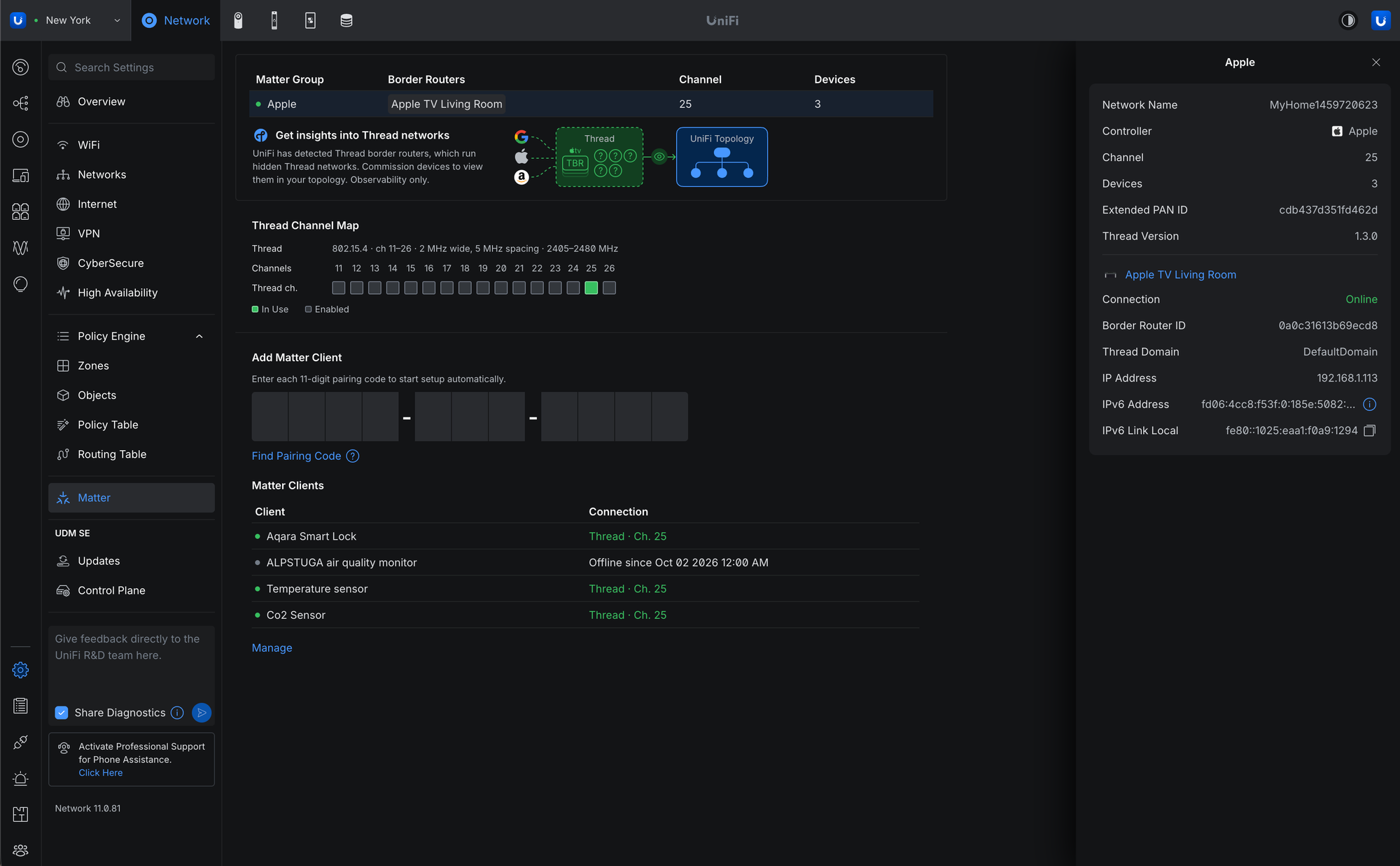
Added an External source option to Network Lists to import domain or IP lists from external sources.
- Requires UniFi OS 6.0.10 or newer.
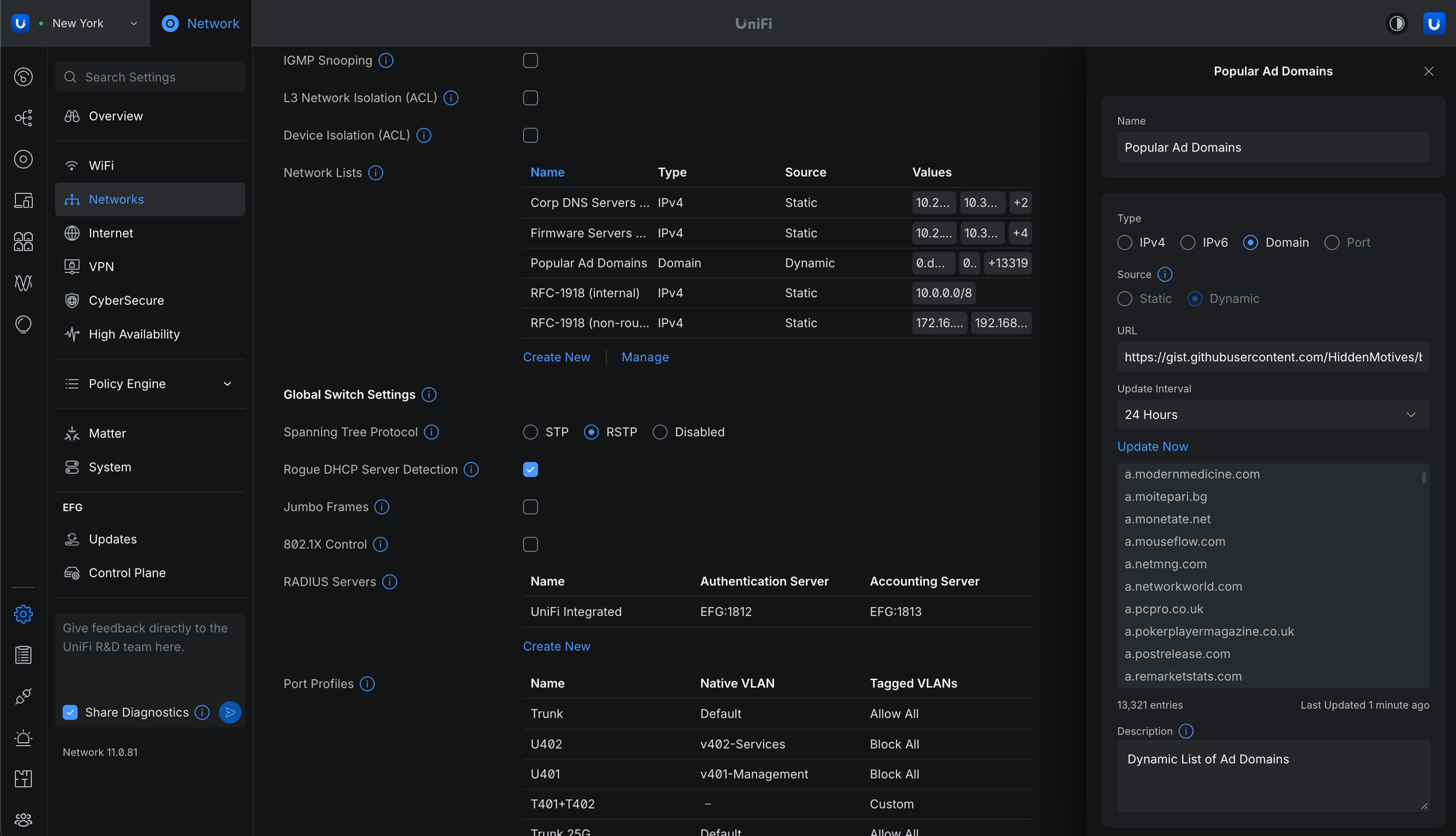
WiFi Uplink
Connect your gateway to a nearby WiFi network to use as an internet backup.
- Supported on UDR-7, UDR-5G-Max, Express 7, and UCG-Industrial.
- Requires UniFi OS 6.0.10 or newer.
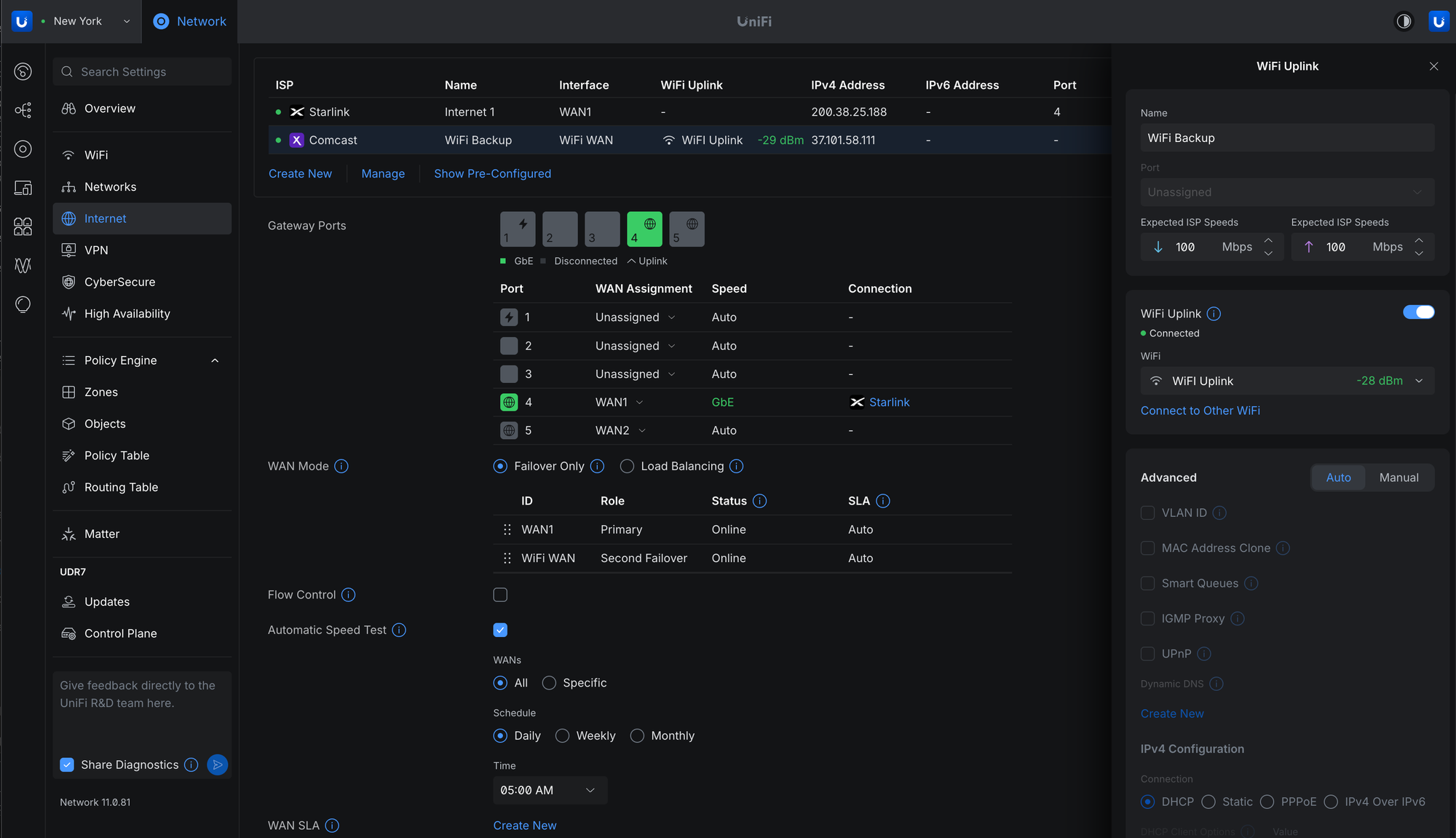
Matter Thread Device Monitoring
Commission Matter Thread devices to monitor their status and connectivity.
- Requires UniFi OS Gateway 6.0.10 or newer.
- mDNS must be enabled.
- IPv6 must be enabled on the network hosting the Thread Border Routers.
Improvements
- Added an option to generate client device icons.
- Added a new client connection alarm.
- Added Battery Self-Test for UPS devices.
- Added bulk editing for clients, including removal and blocking.
- Added a country selection dropdown to Channel Plan.
- Added support for Subnet Overlap System Logs.
- Added Time Machine to the Topology page.
- Added IPIP WAN support for Japanese IPv4 over IPv6 services.
- Added a Packet Capture option to the Radio side panel.
- Added Remote Power Cycle support for UPS 2U Pro.
- Added a USB-C option for EAV-Bridge.
- Added SD-WAN Policies for destination- and performance-based routing across selected spokes, with configurable hub selection, WAN priorities, and tunnel health thresholds for packet loss, latency, and jitter.
- Requires Site Manager 5.10.2 or newer.
- Improved traffic animations in Topology.
- Improved guest authorization latency through the API.
- Improved switch stacking stability.
- Improved the 802.1X and RADIUS settings user experience.
- Improved Channel AI.
- Improved IGMP Snooping settings validation.
- Improved the firmware Revert experience with a feedback form.
- Improved the Deep Inspection settings user experience.
- Improved Port Manager default columns and filters.
- Improved Time Machine loading performance on large sites.
- Improved the VPN settings user experience.
- Improved availability detection for Virtual Network Override.
- Improved the Routing settings user experience.
- Increased the VLAN limit when no gateway is adopted.
- Time Machine now remembers whether it was open or closed.
- Updated Site-to-Site OpenVPN encryption options with AES-192-CBC and AES-128-CBC support.
- Removed System Settings when using Site Manager.
- Language and Time settings are now managed through the Site Manager header and synchronized across UniFi applications.
- Country selection is now available in WiFi Channel settings.
- NTP settings are now available in the Site Gateway side panel.
- The Professional Installer section has been removed, with Extend 6 GHz Non-PSC Channel Use now available in Global WiFi settings.
- System Settings remain available in the Local Portal for Language and Time configuration.
Flows
- Added Firewall Policy names for Allow actions in Traffic Flows.
- Requires UniFi OS 6.0.10 or newer.
- Added Application Column/Filter in Traffic Flows.
- Requires UniFi OS 6.0.10 or newer.
- Added a Flows Logging option to Firewall Policies.
- Improved Traffic Flows reporting.
- Local DNS queries are now identified as DNS in Traffic Flows.
Bugfixes
- Fixed an issue where Channel AI could suggest channels unavailable to outdoor access points.
- Fixed an issue where disabling the display on a meshed Express 7 could fail.
- Fixed a rare issue where Alarm Manager emails could be sent unexpectedly.
- Fixed an issue where Firewall Policies referencing SD-WAN hub-spoke tunnels could stop working after WAN interface changes.
- Fixed missing System Log events for unauthorized Hotspot guests.
- Fixed a rare issue where hostname and IPv6 address information could fluctuate.
- Fixed an issue where an incorrect parent device could be offered when adopting a UniFi Device Bridge.
- Fixed a rare issue where leaving a web session open for an extended period could cause the browser to crash.
- Fixed an issue where L2TP VPN appeared as a Content Filtering source option.
- Fixed a rare issue where devices could appear twice in the Devices list.
- Fixed a rare issue where guest voucher authorization could report success without providing internet access.
- Fixed a rare issue where Hotspot guests could be required to reauthorize when roaming between access points.
- Fixed a rare issue where SD-WAN tunnels could fail to establish between sites.
- Fixed an issue where Isolated Networks did not isolate traffic to the VPN zone.
- Fixed a rare issue where IPv6 IPS threats did not appear in Traffic Flows.
- Fixed an issue where Site Manager could fail to display statistics for multi-site hosts with a large number of sites.
Additional information
Self-Hosted UniFi Deployments
For self-hosted deployments, we recommend upgrading to UniFi OS Server. It provides the full UniFi OS Platform experience, ensuring you receive the latest features, improvements, and integrations.
UniFi Cloud Gateways remain our recommended solution for deployments that do not require self-hosting.
 Log in