We have just shipped an updated Steam Client to the Preview/Beta channel.
General
Improved the layout of the QAM Voice Chat tab, added a mute toggle to the volume sliders, and fixed the link from the tab to the active chat to focus the textbox when opening to the chat window
Steam Input
By default, Steam Frame controllers will now use gamepad input in VR games that don't support VR inputs. The preferred mode can be changed for any VR game in either the game's Steam Input settings or in VR Controller settings on the Now Playing page. Please report any titles that do not work out of the box. Note: both Frame and the PC must be on the beta channel for Steam and SteamVR
Remote Play
Fixed streaming launch failing if the host client had a cloud conflict.
Fixed dropping to a very low bitrate when hardware decoding is disabled.
Fixed the network health dialog popping up at the beginning of the stream.
Enable Vulkan video decoding when using the SteamRT3C Linux beta.
Automatically fall back to H.264 if HEVC isn't available.
Disabled HDR when streaming to the OLED Steam Deck.
The Steam Client Beta has been updated with the following changes:
Steam Input
By default, Steam Frame controllers will now use gamepad input in VR games that don't support VR inputs. The preferred mode can be changed for any VR game in either the game's Steam Input settings or in VR Controller settings on the Now Playing page. Please report any titles that do not work out of the box. Note: both Frame and the PC must be on the beta channel for Steam and SteamVR
Big Picture Mode
Improved the layout of the QAM Voice Chat tab, added a mute toggle to the volume sliders, and fixed the link from the tab to the active chat to focus the textbox when opening to the chat window.
Remote Play
Fixed streaming launch failing if the host client had a cloud conflict.
Fixed dropping to a very low bitrate when hardware decoding is disabled.
Fixed the network health dialog popping up at the beginning of the stream.
Enable Vulkan video decoding when using the SteamRT3C Linux beta.
Automatically fall back to H.264 if HEVC isn't available.
Disabled HDR when streaming to the OLED Steam Deck.
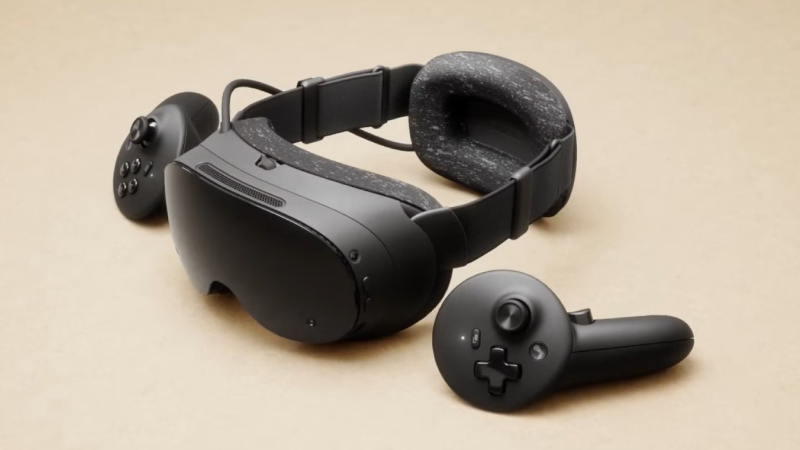
We launched Steam Frame last month, and with the reservation queues and waitlist in place we wanted to give folks a better idea of when they can expect to see an email with the option to purchase.
We're also releasing the CAD files today, and have a number of additional updates we've shipped since launch. You'll find details on all of that below.
Reservation updates and timing:
We opened up signups for Steam Frame on September 14th, and did a one-time randomization of that list on September 17th. Based on the order in which folks landed after that shuffle, we began fulfilling orders on September 18th.
If you have a reservation
You can now check on your expected order window by going directly to the Steam Frame product page while logged in to your Steam account. Once there, you'll see confirmation that you'll receive your order email either by December, or in 2027. Those in the 2027 camp will receive further (more detailed) information on their expected order timing by January.
For everyone receiving a purchase email: You must complete your purchase within 72 hours or we will move to the next person in line.
If you are on the waitlist
As we work our way through the reservation queues, we will let you know ifspots open up there. Anyone interested in purchasing Steam Frame can still join the waitlist, and will be placed at the end in the order they join.
Please note that there are separate queues for each region, so there could be some regions pulling from the waitlist sooner than others. Importantly, no one on the waitlist is leapfrogging over anyone currently holding a reservation; we're only dipping into waitlists in a region when we reach the end of its reservation queue.
CAD and electrical interface files:
Steam Frame CAD files and electrical interface information are now available for non-commercial use.For commercial use, please follow the instructions at the link and reach out to us. We’re looking forward to seeing what our customers and partners will make. View the files here
Steam Frame Software Updates:
We've shipped several updates since launch. Here's a summary:
Power:
Improved power efficiency and battery lifetime during both streaming and local gameplay, with gains of up to 12%. Note: Result vary depending on framerate and content.
Added user setting to control Presence Sensor Sensitivity (VR Settings -> Startup / Shutdown -> Presence Sensor). New "high sensitivity" option keeps displays on under a wider range of conditions, such as when using glasses spacers.
Streaming:
Improved color clarity during VR streaming
VR streaming reliability improvements, including fixes for “Error 17.”
Fixed steam frame wireless adapter connectivity issues that affected users in some countries.
Improved audio reliability while streaming.
Fixed rare cases of other network interfaces causing disruption of wireless dongle connection.
Spectator view now uses smoother motion, by default. Spectator view can be accessed on PC via Steam > Settings > Remote Play, or any device that supports Steam Link to preview what the Steam Frame user is seeing in headset.
Fixed the keyboard not appearing while streaming.
General
Fixed an issue that prevented controller bindings from loading for certain games, including Google Earth VR and Thumper.
Added user setting to control Presence Sensor Sensitivity (VR Settings -> Startup / Shutdown -> Presence Sensor). New "high sensitivity" option keeps displays on under a wider range of conditions, such as when using glasses spacers.
Improved focus behavior when interacting with grab/resize handles
Improved focus handling and gamepad navigation in the dashboard.
Fixed a case of dashboard panels flickering.
Fixed "Return to Gaming mode" when starting up directly into Desktop mode.
Added option to disable spectator view smoothing under VR Settings > Developer (in headset).
Fixed an issue where the dashboard would recenter unnecessarily for some users.
Updated embedded browser (CEF) with crash fixes and Linux H.264 detection fixes.
Miscellaneous performance and stability improvements.
Audio:
Audio downmix and binaural rendering now have matching volume across all formats.
Accessibility
Added accessibility option for users who want to limit eye tracking to a single eye. VR Settings -> General -> Track Dominant Eye Only. (requires enabling "show advanced settings")
Users can now specify their Dominant Eye in VR Settings. This controls which eye is used for spectator view, screenshots, etc.
Steam Client updates:
Improved color accuracy when streaming non-VR games from a Windows PC
Support for "Show Battery Percentage" in Dashboard Bar
Support for gamepad navigation in the Streaming menu
Streaming Menu shows spectating status, and a stop button.
VR Quick Access Menu opens on click (instead of hover)
Steam Frame Wireless Adapter manual configuration now shows the correct list of Wi-Fi channels in all regions.
SteamOS 0.4 for Steam Frame has just been released for all users with the following changes:
Power:
Improved power efficiency and battery lifetime during both streaming and local gameplay, with gains of up to 12%. Note: Result vary depending on framerate and content.
Added user setting to control Presence Sensor Sensitivity (VR Settings -> Startup / Shutdown -> Presence Sensor). New "high sensitivity" option keeps displays on under a wider range of conditions, such as when using glasses spacers.
Streaming:
Improved color clarity during VR streaming (fixed headset chroma regression)
VR streaming reliability improvements, including fixes for “Error 17.” Note: On the PC, you must also opt into SteamVR 2.18.2 or later to reduce “Error 17” connection issues. At the time of this release, SteamVR 2.18.2 is available on the SteamVR \[beta] branch.
Fixed steam frame wireless adapter connectivity issues that affected users in some countries.
Improved audio reliability while streaming
Fixed rare cases of other network interfaces causing disruption of wireless dongle connection.
Spectator view is now smoothed by default. Spectator view can be accessed on PC via Steam > Settings > Remote Play, or any device that supports Steam Link to preview what the Steam Frame user is seeing in headset.
Fixed the keyboard not appearing while streaming.
General
Fixed an issue that prevented controller bindings from loading for certain games, including Google Earth VR and Thumper.
Improved focus behavior when interacting with grab/resize handles
Improved focus handling and gamepad navigation in the dashboard.
Fixed a case of dashboard panels flickering.
Fixed "Return to Gaming mode" when starting up directly into Desktop mode.
Added option to disable spectator view smoothing under VR Settings > Developer (in headset).
Fixed an issue where the dashboard would recenter unnecessarily for some users.
Updated embedded browser (CEF) with crash fixes and Linux H.264 detection fixes.
Miscellaneous performance and stability improvements.
Improved tooltip sort ordering
Audio:
Audio: downmix and binaural rendering now have matching volume across all formats.
Accessibility
Added accessibility option for users who want to limit eye tracking to a single eye. VR Settings -> General -> Track Dominant Eye Only. (requires enabling "show advanced settings")
Users can now specify their Dominant Eye in VR Settings. This controls which eye is used for spectator view, screenshots, etc.
SteamOS 0.4.5 (for Steam Frame) has just been released. This update is for the Steam Frame Beta channel, and includes new features that are still being tested. You can opt into this in Settings > System > System Update Channel.
New in 0.4.5:
Improved color clarity during VR streaming (fixed headset chroma regression)
Previous SteamOS 0.4 Releases
Power:
Improved power efficiency and battery lifetime during both streaming and local gameplay, with gains of up to 12%. Note: Result vary depending on framerate and content.
Added user setting to control Presence Sensor Sensitivity (VR Settings -> Startup / Shutdown -> Presence Sensor). New "high sensitivity" option keeps displays on under a wider range of conditions, such as when using glasses spacers.
Streaming:
VR streaming reliability improvements, including fixes for “Error 17.” Note: On the PC, you must also opt into SteamVR 2.18.2 or later to reduce “Error 17” connection issues. At the time of this release, SteamVR 2.18.2 is available on the SteamVR \[beta] branch.
Fixed steam frame wireless adapter connectivity issues that affected users in some countries.
Improved audio reliability while streaming
Fixed rare cases of other network interfaces causing disruption of wireless dongle connection.
Spectator view is now smoothed by default. Spectator view can be accessed on PC via Steam > Settings > Remote Play, or any device that supports Steam Link to preview what the Steam Frame user is seeing in headset.
Fixed the keyboard not appearing while streaming.
General
Fixed an issue that prevented controller bindings from loading for certain games, including Google Earth VR and Thumper.
Improved focus behavior when interacting with grab/resize handles
Improved focus handling and gamepad navigation in the dashboard.
Fixed a case of dashboard panels flickering.
Fixed "Return to Gaming mode" when starting up directly into Desktop mode.
Added option to disable spectator view smoothing under VR Settings > Developer (in headset).
Fixed an issue where the dashboard would recenter unnecessarily for some users.
Updated embedded browser (CEF) with crash fixes and Linux H.264 detection fixes.
Miscellaneous performance and stability improvements.
Improved tooltip sort ordering
Audio:
Audio: downmix and binaural rendering now have matching volume across all formats.
Accessibility
Added accessibility option for users who want to limit eye tracking to a single eye. VR Settings -> General -> Track Dominant Eye Only. (requires enabling "show advanced settings")
Users can now specify their Dominant Eye in VR Settings. This controls which eye is used for spectator view, screenshots, etc.
Steam Client (for Steam Frame) has just been released for all users with the following changes:
Steam Frame
Settings shows the user-visible serial number instead of the SOC serial.
Guided Tour now shows for any new account logging into the device, not just the first
Steam Frame Wireless Adapter manual configuration now shows the correct list of WiFi channels in all regions.
Streaming Menu shows spectating status, and a stop button.
General
Fixed the Recordings & Screenshots dialog not showing all games that have related screenshots in the game filter dropdown.
Improved the text layout in achievement notifications when the name, description or both wrap across multiple lines.
Fix some cases of header/footer flicker and invisibility during the first seconds after waking from sleep.
When waking from sleep with a game running but the account now playing elsewhere:
Provide an option to exit the local game.
Go back to sleep if there is no input for 60 seconds.
Fixed clicking the buttons in the footer causing the glyphs to change back to gamepad
Fixed a clicking the back button in the footer not working if nothing on the page had digital navigation focus
Fixed a regression that would cause the client to crash when interacting with Compatibility Tool selection dropdown if the default compatibility tool has been uninstalled.
Fix "Suspend Download Throttle" not properly updating on the downloads page.
Fixed regression causing crash in native Linux version of some games.
Remote Play
Improved color accuracy when streaming an OpenGL game.
We have just shipped an updated Steam Client to the Preview/Beta channel.
General
Fix cases where users with older CPUs could have the client hang/crash when starting downloads for games with many identical files
Fix desktop shortcuts always using the default launch option rather than your saved option
Fix some cases where the onscreen keyboard would drop presses during dual trackpad typing
Fix the diacritic options menu interactions during dual trackpad typing
Steam Input
Added a landing page to the configurator when no file on disk could be loaded and give you the option to select a new configuration. This was one of the causes of a blank configurator
Improve the display of cloud sync status in the configurator and give you the option to skip and proceed to the configurator. This was another common cause of a blank configuration because the layout was broken and the info offscreen.
Fix pairing the 2015 Steam Controller
FIxed glyphs for Switch controllers in Heavy Rain
Remote Play
The adjust bitrate option of the network health dialog behaves more intuitively
The Steam Client Beta has been updated with the following changes:
General
Fix cases where users with older CPUs could have the client hang/crash when starting downloads for games with many identical files
Fix desktop shortcuts always using the default launch option rather than your saved option
Steam Input
Added a landing page to the configurator when no file on disk could be loaded and give you the option to select a new configuration. This was one of the causes of a blank configurator
Improve the display of cloud sync status in the configurator and give you the option to skip and proceed to the configurator. This was another common cause of a blank configuration because the layout was broken and the info offscreen.
Fix pairing the 2015 Steam Controller
FIxed glyphs for Switch controllers in Heavy Rain
Remote Play
The adjust bitrate option of the network health dialog behaves more intuitively
Big Picture
On Windows start showing wifi vs ethernet and wifi strength in the header
Fix some cases where the onscreen keyboard would drop presses during dual trackpad typing
Fix the diacritic options menu interactions during dual trackpad typing
SteamOS 0.4.4 (for Steam Frame) has just been released. This update is for the Steam Frame Beta channel, and includes new features that are still being tested. You can opt into this in Settings > System > System Update Channel.
New in 0.4.4:
Added user setting to control Presence Sensor Sensitivity (VR Settings -> Startup / Shutdown -> Presence Sensor). New "high sensitivity" option keeps displays on under a wider range of conditions, such as when using glasses spacers.
Improved tooltip sort ordering
Previous SteamOS 0.4 Releases
Power:
Improved power efficiency and battery lifetime during both streaming and local gameplay, with gains of up to 12%. Note: Result vary depending on framerate and content.
Streaming:
VR streaming reliability improvements, including fixes for “Error 17.” Note: On the PC, you must also opt into SteamVR 2.18.2 or later to reduce “Error 17” connection issues. At the time of this release, SteamVR 2.18.2 is available on the SteamVR \[beta] branch.
Fixed steam frame wireless adapter connectivity issues that affected users in some countries.
Improved audio reliability while streaming
Fixed rare cases of other network interfaces causing disruption of wireless dongle connection.
Spectator view is now smoothed by default. Spectator view can be accessed on PC via Steam > Settings > Remote Play, or any device that supports Steam Link to preview what the Steam Frame user is seeing in headset.
Fixed the keyboard not appearing while streaming.
General
Fixed an issue that prevented controller bindings from loading for certain games, including Google Earth VR and Thumper.
Improved focus behavior when interacting with grab/resize handles
Improved focus handling and gamepad navigation in the dashboard.
Fixed a case of dashboard panels flickering.
Fixed "Return to Gaming mode" when starting up directly into Desktop mode.
Added option to disable spectator view smoothing under VR Settings > Developer (in headset).
Fixed an issue where the dashboard would recenter unnecessarily for some users.
Updated embedded browser (CEF) with crash fixes and Linux H.264 detection fixes.
Miscellaneous performance and stability improvements.
Audio:
Audio: downmix and binaural rendering now have matching volume across all formats.
Accessibility
Added accessibility option for users who want to limit eye tracking to a single eye. VR Settings -> General -> Track Dominant Eye Only. (requires enabling "show advanced settings")
Users can now specify their Dominant Eye in VR Settings. This controls which eye is used for spectator view, screenshots, etc.
Pyrowave manual bitrates can be increased up to 1 Gbit/s (more bandwidth increases latency!)
Pyrowave bitrate has been reset to the automatic default
Fixed gradually increasing video latency when using Pyrowave on slow network links
Reduced audio dropouts when using Pyrowave
Added a dialog to recover if your network isn't able to handle current streaming settings
Added a Steam menu option to stop desktop streaming
Steam Input
On Linux switch to reshuffling gamepad input when the last running game exits instead of on game launch to avoid issues when running multiple apps at the same time
Game Overlay
Fixed crash when Vulkan games recreate their swapchain
Steam Controller Firmware
Fixed an issue where some Bluetooth BLE connections could disconnect repeatedly, especially on Steam Deck
Improve the time needed to fully connect the device in Steam
Fixed an issue where pairing via a puck connection could fail
The Steam Client Beta has been updated with the following changes:
General
Fixed regression where main window would not reappear when desired, e.g. when attempting to launch Steam again when already running in the systray but with all windows closed.
Fixed a bug that sometimes caused an empty "Steam Family Activity" group to appear in the notification settings dialog
Remote Play
Improved the automatic Pyrowave bitrate calculation to improve visual quality
Pyrowave manual bitrates can be increased up to 1 Gbit/s (more bandwidth increases latency!)
Pyrowave bitrate has been reset to the automatic default
Fixed gradually increasing video latency when using Pyrowave on slow network links
Reduced audio dropouts when using Pyrowave
Added a dialog to recover if your network isn't able to handle current streaming settings
Steam Input
On Linux switch to reshuffling gamepad input when the last running game exits instead of on game launch to avoid issues when running multiple apps at the same time
Game Overlay
Fixed crash when Vulkan games recreate their swapchain
Big Picture Mode
Fix cases on Windows where guide buttons presses would go to the main BPM window instead of opening the overlay in the game
Fix cases where the main BPM window would not get focused when quitting a game
Steam Controller Firmware
Fixed an issue where some Bluetooth BLE connections could disconnect repeatedly, especially on Steam Deck
Improve the time needed to fully connect the device in Steam
Fixed an issue where pairing via a puck connection could fail
SteamOS 0.4.3 (for Steam Frame) has just been released.
This update is for the Steam Frame Beta channel, and includes new features that are still being tested. You can opt into this in Settings > System > System Update Channel.
General
Improved power efficiency and battery lifetime during both streaming and local gameplay, with gains of up to 12%. Note: Result vary depending on framerate and content.
Added accessibility option for users who want to limit eye tracking to a single eye. VR Settings -> General -> Track Dominant Eye Only. (requires enabling "show advanced settings")
Fixed an issue that prevented controller bindings from loading for certain games, including Google Earth VR and Thumper.
Improved focus behavior when interacting with grab/resize handles
Streaming:
Further VR streaming reliability improvements, including additional fixes for “Error 17.” Note: On the PC, you must also opt into SteamVR 2.18.2 or later to reduce “Error 17” connection issues. At the time of this release, SteamVR 2.18.2 is available on the SteamVR \[beta] branch.
Fixed steam frame wireless adapter connectivity issues that affected users in some countries.
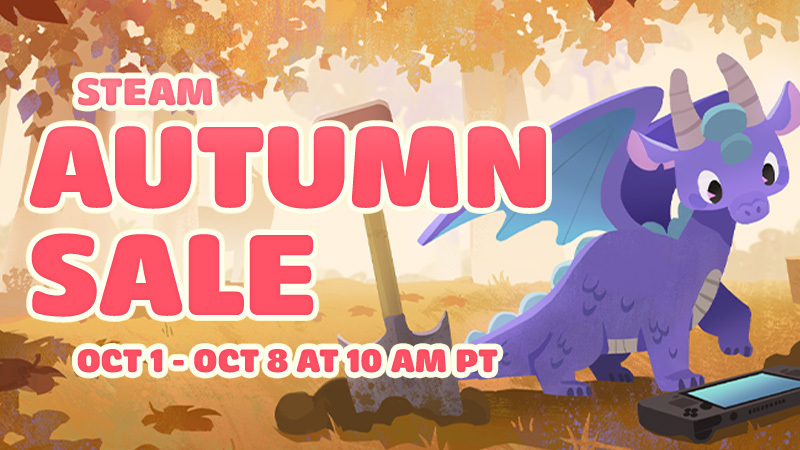
The Steam Autumn Sale brings in deals on games throughout the entire Steam Store.
All week long you'll find sales on games of every size and genre: from big franchises and giant adventures, to cozy shops, deckbuilders, and story-rich titles.
As with previous seasonal sales, you can earn stickers by going through your Discovery Queue during the event.
Grab your pumpkin spice latte and join us for Steam Autumn Sale, on now through October 8th at 10 a.m. Pacific on Steam.
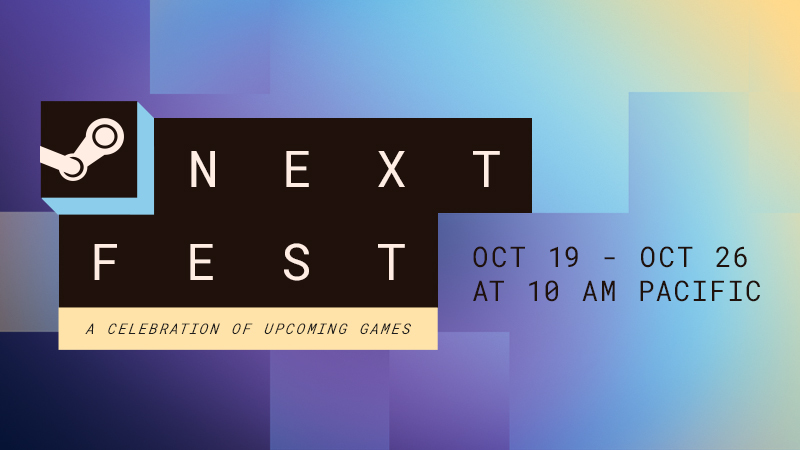
Steam Next Fest is a week-long celebration featuring hundreds of FREE playable demos as well as developer livestreams and chats. Players try out upcoming games on Steam pre-release, developers gather feedback and build an audience ahead of their Steam launch, everyone wins!
We have just shipped an updated Steam Client to the Preview/Beta channel.
General
Fixed clicking the buttons in the footer causing the glyphs to change back to gamepad
Fixed a clicking the back button in the footer not working if nothing on the page had digital navigation focus
Fixed the Steam logo spinner moving during the login flow
Added delaying dimming the screen or displaying the screensaver when the Steam Store, web browsers or other apps request to disable monitor sleep and screensavers while playing video.
Steam Input
Added support for the user-invoked On-Screen Keyboard in the desktop overlay
Fixed issues with button and slider sizing in the configurator when opened in the desktop overlay
The Steam Client Beta has been updated with the following changes:
General
Avoid stealing activation when the Steam main window opens, if another window was activated during startup/login.
Big Picture Mode
Fixed clicking the buttons in the footer causing the glyphs to change back to gamepad
Fixed a clicking the back button in the footer not working if nothing on the page had digital navigation focus
Fixed the Steam logo spinner moving during the login flow
Added delaying dimming the screen or displaying the screensaver when the Steam Store, web browsers or other apps request to disable monitor sleep and screensavers while playing video.
Steam Input
Added support for the user-invoked On-Screen Keyboard in the desktop overlay
Fixed issues with button and slider sizing in the configurator when opened in the desktop overlay
Fixed Windows handheld controllers having priority over docked controllers in Steam Input API games
Remote Play
Increased Pyrowave encoding priority to handle encoding GPU-heavy games on Windows
Improved Vulkan capture performance
Added support for zero-copy Pyrowave encoding of Vulkan games on Windows and Linux
Game Overlay
Improved scaling of Performance Monitor FPS line graph for various text scaling settings values
SteamOS 0.4.2 (for Steam Frame) has just been released for all users.
This update is for the Steam Frame Beta channel, and includes new features that are still being tested. You can opt into this in Settings > System > System Update Channel.
Streaming:
Improved audio reliability while streaming
Improved connection reliability while streaming (including "protocol error 17")
SteamOS 0.4.1 (for Steam Frame) has just been released for all users.
This update is for the Steam Frame Beta channel, and includes new features that are still being tested. You can opt into this in Settings > System > System Update Channel.
General
Fixed "Return to Gaming mode" when starting up directly into Desktop mode.
Fixed rare cases of other network interfaces causing disruption of wireless dongle connection.
Spectator view is now smoothed by default. Spectator view can be accessed on PC via Steam > Settings > Remote Play, or any device that supports Steam Link to preview what the Steam Frame user is seeing in headset.
Users can now specify their Dominant Eye in VR Settings. This controls which eye is used for spectator view, screenshots, etc.
Added option to disable spectator view smoothing under VR Settings > Developer (in headset).
Fixed an issue where the dashboard would recenter unnecessarily for some users.
Improved focus handling and gamepad navigation in the dashboard.
Fixed a case of dashboard panels flickering.
Miscellaneous performance and stability improvements.
Updated embedded browser (CEF) with crash fixes and Linux H.264 detection fixes.
Fixed the keyboard not appearing while streaming.
Audio: downmix and binaural rendering now have matching volume across all formats.
We have just shipped an updated Steam Client to the Preview/Beta channel.
General:
Fixed the Recordings & Screenshots dialog not showing all games that have related screenshots in the game filter dropdown.
Improved the text layout in achievement notifications when the name, description or both wrap across multiple lines.
Fix some cases of header/footer flicker and invisibility during the first seconds after waking from sleep.
When waking from sleep with a game running but the account now playing elsewhere:
Provide an option to exit the local game.
Go back to sleep if there is no input for 60 seconds.
Fixed issues with trackpad typing if the trackpad is touched while the onscreen keyboard is opening
Steam Input:
Improved the consistency of trackpad sensitivity between Steam Deck and Steam Controller
Fixed cases where the Virtual menu modes could show the wrong activation type if it was created in the standalone menu vs from a controller source
Implemented a version of the "Reorder Controller" dialog for Steam Input API games. Note - this disconnects the controllers temporarily so older games which do not handle hot plugging properly can lose controller input
Additional polish for the multibinding page
In the desktop UI overlay the desktop config will now be applied. For most gamepads this will not be a difference in behavior because they have a blank desktop config, but Steam Controllers or devices that have setup a custom desktop config will have mouse input to click on things in the overlay.
Remote Play:
Improved color accuracy when streaming from a Windows computer
Fixed the mouse cursor when streaming from Linux using the SteamRT3C client
Fixed a capture lockup when streaming from pipewire on Linux and SteamOS
Reduced Pyrowave latency when streaming from pipewire on Linux and SteamOS
Added the -pyrowavestats command line option to log Pyrowave encoding performance
SteamRT3 Experimental Beta
Fixed Steam overwriting PATH, LD_PRELOAD, and LD_LIBRARY_PATH variables when launching games.
The Steam Client Beta has been updated with the following changes:
General:
Fixed the Recordings & Screenshots dialog not showing all games that have related screenshots in the game filter dropdown.
Improved the text layout in achievement notifications when the name, description or both wrap across multiple lines.
Big Picture:
The mouse is now hidden in the overlay until there's mouse movement
Fixed issues with trackpad typing if the trackpad is touched while the onscreen keyboard is opening
Steam Input:
Improved the consistency of trackpad sensitivity between Steam Deck and Steam Controller
Fixed cases where the Virtual menu modes could show the wrong activation type if it was created in the standalone menu vs from a controller source
Implemented a version of the "Reorder Controller" dialog for Steam Input API games. Note - this disconnects the controllers temporarily so older games which do not handle hot plugging properly can lose controller input
Additional polish for the multibinding page
In the desktop UI overlay the desktop config will now be applied. For most gamepads this will not be a difference in behavior because they have a blank desktop config, but Steam Controllers or devices that have setup a custom desktop config will have mouse input to click on things in the overlay.
Remote Play:
Improved color accuracy when streaming from a Windows computer
Fixed the mouse cursor when streaming from Linux using the SteamRT3C client
Fixed a capture lockup when streaming from pipewire on Linux and SteamOS
Reduced Pyrowave latency when streaming from pipewire on Linux and SteamOS
Added the -pyrowavestats command line option to log Pyrowave encoding performance
SteamRT3 Experimental Beta
Fixed Steam overwriting PATH, LD_PRELOAD, and LD_LIBRARY_PATH variables when launching games.
This update is for the SteamOS Beta and Preview channels, and includes new features that are still being tested. You can opt into this in Settings > System > System Update Channel.
These notes contain all changes since the current stable SteamOS 3.8 release, with the changes added since the previous 3.9 preview releases noted below
New in SteamOS 3.9.2
General
Add preliminary support for Legion Go 2 brightness control
Fixed Steam Remote Play not working on Steam Machine when booting with no external display connected
Fixed "Disable Frame Limiter" toggle not working when VRR is enabled
Fixed the frame limiter incorrectly applying to VR titles when streaming from Steam Machine to Steam Frame
Fixed loss of input if a launcher window is accidentally dragged around in Game Mode
Fixed logging in to Desktop Mode via RDP with system users when enabled
Fixed an issue causing certain games (incl. ELDEN RING and DARK SOULS™ III) to fail to run on recent Panther Lake Intel CPUs
Worked around a firmware issue on some ASUS devices causing excessive fan speed upon waking from sleep
Fixed a bug causing hidden WiFi networks to fail to connect on the first attempt
Fixed boot screen corruption on Intel PTL+ devices
Fixed a regression from previous 3.9 previews causing Steam Machine to occasionally wake from hibernation unexpectedly
Fixed a regression from previous 3.9 previews slowing down system boot speed and causing the boot logo to briefly vanish during boot
Fixed a regression from previous 3.9 previews breaking virtual keyboard input for some languages in Game Mode
Fixed a regression from previous 3.9 previews with nested desktop mode
Security and stability fixes
SteamOS 3.9
General
Updated Arch Linux base
Updated Desktop Mode from Plasma 6.4.3 to Plasma 6.7.3
SteamOS 3.8.28 has just been released for all users with the following changes:
These notes contain all changes since the previous SteamOS 3.8.16 stable release. See here for changes since the previous SteamOS 3.8.27 beta release.
General
Updated Mesa graphics driver to a new major release, containing many ray-tracing performance improvements, as well as other performance and functionality improvements
Greatly improved VRAM management, improving performance and stability in cases where VRAM is limited
The Steam Machine splash screen/logo now appears much more quickly after device startup
Added support for waking up from the Steam Controller Wireless Adapter (2015)
Improved battery indications when the device is charging in but using more power than the charger can provide
Preliminary support for the Steam Frame Wireless Adapter
Added support for Steam Controller (2026) to the built-in [c]hid_steam[/c] controller driver, enabling use with native controller applications when Steam is not running
Fixed 20-30s startup delay in some games on non-Valve devices with no audio sources
Fixed delayed start time for some games under Proton when no capture device is present
Fixed an issue causing black screens in certain launchers, including Zenless Zone Zero and FINAL FANTASY XIV Online
Fixed an issue where hotplugging HDMI displays could cause lockups in Desktop Mode
Fixed an issue where TVs supporting an HDMI "Game Mode" would display the initial boot logo on startup before engaging said mode, causing unnecessary delay and flashing
Fixed some cases of slow or stuck Wi-Fi connections with certain adapters
Fixed an issue causing previous SteamOS updates to fail to apply for some users
Fixed Firefox in Desktop Mode sometimes freezing when fullscreen
Worked around an issue where Unreal Engine 5 VR games could display a blank right eye
Fixed Bluetooth instability with Nintendo Switch Pro (v1) controller
Fixed Desktop Mode allowing resolutions below 640x480 on certain displays, rendering it unusable
Fixed a bug where the system would freeze on resume if an SD card was removed while suspended
Fixed a rare Steam Deck issue where fan speed would revert to BIOS control until a reboot, resulting in higher than normal fan speeds
Fixed an issue where game performance could be degraded after sleep/resume on systems with AMD discrete GPUs
Steam Machine Firmware 108
Fixed an issue where the system could occasionally wake up immediately after going to sleep
Fixed a rare issue where CPU performance could be degraded until reboot after waking up from sleep
Audio
Add option to reset all audio configuration and settings to system defaults under Settings -> Audio
Fix for HDMI audio dropouts with some game and TV combinations
Improve reliability of HDMI hotplug detection
Add option to prefer lower latency audio codecs for Bluetooth devices
Non-Valve Devices
Improve support for MSI Claw and OneXPlayer device variants
Improve support for devices with external or no Wi-Fi adapters
Fixed an infrequent bug where some 3rd party handhelds would have input ignored when held
Added initial gamepad support for MSI Claw 8 EX AI+
Added initial gamepad support for Konkr FIT
Added initial gamepad support for AYANEO Pocket S2
Updated gamepad support for OneXPlayer Apex with new firmware
Added controller support for missing OneXPlayer F1 and OneXPlayer 2 special edition models
Fixed a regression with some MSI Claw devices on newer firmware losing access the Guide and Quick Access Menu buttons
Fixed a regression with Legion Go 1 models on older controller firmware where gyroscope would fail to initialize
Fixed a regression on OneXPlayer F1 models where rumble was being blocked and the joystick poll rate was low. As a consequence, the M1 (left) extra shoulder button is no longer able to function.
Fixed issues with battery display on Lenovo Legion Go models
Fixed a bug where the MSI Claw would freeze on resume if an SD card was present during suspend and resume

 Log in