We have just shipped an updated Steam Client to the Preview/Beta channel.
General
Fixed a regression that would cause the client to crash when interacting with Compatibility Tool selection dropdown if the default compatibility tool has been uninstalled.
Fix "Suspend Download Throttle" not properly updating on the downloads page.
Steam Input
Fixed a regression that broke action set layer binds when editing the configuration
The Steam Client Beta has been updated with the following changes:
General
Fix "Suspend Download Throttle" not properly updating on the downloads page.
Linux
Fixed a regression that would cause the client to crash when interacting with Compatibility Tool selection dropdown if the default compatibility tool has been uninstalled.
SteamRT3 Experimental Beta
Fixed a regression that prevented the client from launching on Gentoo linux.
Steam Input
Fixed a regression that broke action set layer binds when editing the configuration
Today's SteamVR release makes more Steam features available in VR, adds 32-bit OpenXR support, and improves the streaming experience.
If you encounter issues with this update, please post in the SteamVR Bug Report forum. If possible, please include a SteamVR System Report to aid in tracking down your issue. The Steam Link for Meta Quest FAQ page is available here.
Replies to this post are not tracked for bug reporting purposes. Please use the forum linked above to report issues.
General:
More in-game Steam features are now accessible in VR, including viewing achievements, community guides, and notes.
The Quick Access Menu (familiar to Steam Deck users) is now available on the VR Dashboard bar, integrating notifications, volume, brightness, and battery status.
The VR Dashboard bar now exposes shortcuts to common tasks on hover, such as exiting and redocking.
Added new slider in Quick Access to control environmental and camera brightness.
Overlay apps can be quit directly within the dashboard.
Improved orientation of overlays positioned above or below the player.
Quick Access Menu shows batteries for additional VR devices.
Refined appearance of grab handles (for moving / resizing frames)
Grab handles (theater / dashboard / torn-off / keyboard) can be moved in depth using thumbstick
Keep floating frames centered when resizing
Updated Laser Mouse appearance
Updated theater mode placement
Recenter (long press system button) is cancellable (B button)
Fixed cases of SteamVR dashboard bar disappearance
Show user notification when headset framerate changes
Move less frequently used window controls to “Additional Options” Menu, and added option to toggle curvature.
Improve dashboard placement and motion behavior. New user preference tune laser pointer length (Advanced -> Dashboard -> Laser Pointer Length)
Fix missing dashboard icons for non-Steam VR apps.
Fix stale Per-App Video Settings when switching the dialog from one app to another, then back again.
Environment dimming now handled in a unified manner. Users may tune environment brightness in both theater and non-theater modes under VR Settings.
Fixed some rendering issues related to dashboard / overlay cursor visibility
Room view now only pauses input to apps when intentionally enabled and set to a style other than "Translucent"
Fix for crash when taking screenshots.
Fix bug with headset initialization on 3rd party headset when many body trackers are in use.
Steam Link (Streaming):
Improved VR streaming on slow connections
Fix stutters when using Steam Link on NVIDIA cards.
Fix an issue causing 1 frame to be dropped every few seconds.
Fixed being unable to switch active laser pointer hand when using hand tracking
Numerous stability improvements
Adds initial support for USB streaming. Note: Requires new Steam Client Beta.
Fix loading spinner flickering when framerate in game is low.
Fix case where wrong framerates could show in SteamVR Settings.
Latency improvements.
Fixed scene dimming when dashboard is up.
Added support for Contrast Adaptive Sharpening (CAS) prior to encoding. Can be tweaked in SteamVR Settings -> Steam Link -> Sharpen image before encoding.
Prevent several cases that would cause video corruption on NVIDIA cards when using Steam Link.
OpenXR:
Fix XR_EXT_view_configurations_changed event returning width for both the recommended width and height.
Fix XrEventDataUserPresenceChangedEXT's session parameter being unset when using XR_EXT_user_presence
Improved integrations between HMDs with cameras and chaperone
Added support for 32-bit OpenXR applications. Users will be prompted to set SteamVR as their default OpenXR runtime after installing this Beta, which will set up the 32-bit runtime alongside the 64-bit runtime.
Linux:
Additional improvements to wired headset support on Linux (which previously required third-party add-on layers)
Improvements to stability and logging of error states on Linux.
Fix crash using Steam Link on Linux when games submit invalid textures.
Improve streaming recovery when using Steam Link on Linux.
Improved support on vrgames that invert nearZ/farZ
Developers
Added setting to disable vr streaming auto-connect on resume
Added setting to disable chaperone bounds
Fix for EVROverlayFlags.MinimalControlBar overlay handling
Fix OpenXR bug with image submission for certain non-standard image sizes
The Steam Client Beta has been updated with the following changes:
Homescreen - Big Picture Mode
Added a new 'Big Art Mode' option for the home screen. This can be enabled in Settings > Home.
Added Personal Calendar to the Recommended tab on the home screen
[carousel][/carousel]
Screensaver - Big Picture Mode
Added a new screensaver feature, accessible in Settings > Customization. There are two screensavers available:
The default is a game art slideshow that can be configured to show artwork from recently played games and your recent in-game screenshots.
A retro inspired bouncing logo screensaver
Big Picture mode can also load custom screensavers. Similar to startup movies, they can be placed in the config\\uioverrides\\screensavers directory in your Steam install directory (e.g. C:\\Program Files (x86)\\Steam or ~/.steam/root). You can use the bouncing logo screensaver (in the steamui\\screensavers directory) as an example to get started.
[carousel][/carousel]
General
Improved Steam Client startup performance
Fixed a case where after server maintenance some users might fail to auto-reconnect to Steam
Fixed bug where being prompted to refresh credentials more than once could trigger an immediate restart
On Windows, using the systray menu to exit while the Steam window is minimized will no longer flash the window visible briefly
Dialogs that appear for serious error conditions now stay above the main window
Game Recording
Fixed some cases where playback would jump to an unexpected point in the timeline when reaching the end of a play session or clip
Decreased performance impact of game recording for some D3D12 games on Windows
In-Game Overlay
Fixed frame rate hitches in D3D11 and D3D12 games when taking screenshots on Windows
Fixed rendering the overlay and using other overlay related features (screenshots, game recording, etc.) in Vulkan games that create multiple windows.
Big Picture Mode
Added explicit warning text to power menu confirmation dialogs when proceeding will shut down an active game
Updated default artwork when an app does not have library or hero artwork
Reorganized the idle timer settings when on battery and AC power
Steam Input
Improved CPU performance at runtime and in configuration loading
Added information about which configurations are compatible in the configurator browser when using a game that requires Steam Input API
Fixed the controller support widget showing "This game doesn't support controllers" for unreleased games that don't have controller support information yet
Fixed controllers not using the desktop configuration on the desktop UI login window
Added the missing settings for adjusting emulated joystick adaptive centering on trackpad
Linux
Improved download speeds on high latency connections.
The "Select compatibility tool" dropdown is now always visible.
The recommended compatibility tool, or steam runtime for native games, now shows at the top of the list as the "Default" option.
Compatibility tool aliases, e.g. "Proton Stable", can now be selected from this dropdown.
The SteamOS compatibility dialogs will now show in desktopUI when installing games not verified for that HW
On Desktop Linux we will now show the SteamOS unsupported dialog when installing games that are known to not work with Proton
Improve distro information collection for hardware survey, preferring data from /etc/os-release.
SteamRT3 Experimental Beta
Fixed "Add a Non-Steam Game" showing an invalid list of applications.
Fixed the "Run Steam when my computer starts" toggle.
Remote Play
A PIN is no longer required to download an app to a remote device. A PIN is still required to Install and Stream from a remote device.
Adding Download Complete notification for a remote download if you initiated the download on your current device.
We have just shipped an updated Steam Client to the Preview/Beta channel.
Home Screen
Added a new 'Big Art Mode' option for the home screen. This can be enabled in Settings > Home.
Added Personal Calendar to the Recommended tab on the home screen
[carousel][/carousel]
Screensavers
Added a new screensaver feature, accessible in Settings > Customization. There are two screensavers available:
The default is a game art slideshow that can be configured to show artwork from recently played games and your recent in-game screenshots.
A retro inspired bouncing logo screensaver
Custom screensavers are also supported. Similar to startup movies, they can be placed in directories at ~/.steam/root/config/uioverrides/screensavers/. You can use the bouncing logo screensaver (in the steamui/screensavers directory) as an example to get started.
[carousel][/carousel]
General
Added notification about the current user when waking from sleep, if there have been multiple recent users. The notification can be activated to switch users and dismisses immediately on any other input. This notification can be toggled from the Notification Settings.
Added confirmation step to "exit VR" and "switch to desktop mode" power menu actions, and removed it from "sleep".
Added explicit warning text to power menu confirmation dialogs when proceeding will shut down an active game.
Added confirmation dialog/user switching ability when waking from sleep would require kicking an active session elsewhere.
The SteamOS compatibility dialogs will now show in desktop mode when installing games not verified for that HW.
The 'System Report' dialog is now more responsive when displaying and uploading the gathered system report.
Added "Default to Desktop Mode" toggle to System settings.
Fixed a case where Windows games would show as 'Not Compatible' in the library view until a manual Proton version was selected for this app.
Improved download speeds on high latency connections.
The "Select compatibility tool" dropdown is now always visible.
The recommended compatibility tool, or steam runtime for native games, now shows at the top of the list as the "Default" option.
Compatibility tool aliases, e.g. "Proton Stable", can now be selected from this dropdown.
Updated default artwork when an app does not have library or hero artwork.
Reorganized the idle timer settings when on battery and AC power
Pressing the controller's system button will request the TV to switch to the Steam Machine as the active source (the connected TV must support HDMI CEC)
Game Recording
Fixed some cases where playback would jump to an unexpected point in the timeline when reaching the end of a play session or clip
Decreased performance impact of game recording for some D3D12 games on Windows
Steam Input
Improved CPU performance at runtime and in configuration loading
Added information about which configurations are compatible in the configurator browser when using a game that requires Steam Input API
Fixed the controller support widget showing "This game doesn't support controllers" for unreleased games that don't have controller support information yet
Fixed controllers not using the desktop configuration on the desktop UI login window
Added the missing settings for adjusting emulated joystick adaptive centering on trackpad
SteamRT3 Experimental Beta
Fixed the Performance Overlay slider.
Fixed "Add a Non-Steam Game" showing an invalid list of applications.
Fixed the "Run Steam when my computer starts" toggle.
Remote Play
A PIN is no longer required to download an app to a remote device. A PIN is still required to Install and Stream from a remote device.
Adding Download Complete notification for a remote download if you initiated the download on your current device.
In-Game Overlay
Fixed frame rate hitches in D3D11 and D3D12 games when taking screenshots on Windows
Fixed rendering the overlay and using other overlay related features (screenshots, game recording, etc.) in Vulkan games that create multiple windows.
We have just shipped an updated Steam Client update to the Stable channel.
Note: This client was re-released September 6th with the following additional changes:
Fixed a case where the steamwebhelper process could experience high CPU usage when certain events were shown in the library tab.
General
Allow changing account while a game is running. In this case, the change account dialog shows a warning that proceeding will close active games.
Added "Ask which account to use on startup" toggle to startup account chooser.
Eliminated "change account" confirmation dialog in most cases. Changing account while Steam is running now brings up the account chooser directly, then restarts as the chosen account.
Steam shutdown now waits for just-exited games to finish cloud sync.
In the Web Browser, the left trackpad of Steam Deck/Steam Controller is now bound to scroll wheel for navigating non-Steam websites.
Fixed issues where some Steam Workshop items were not being updated properly.
Fixed requesting a PIN reset while signed in as a different account restarting with the wrong account signed in.
Fixed a bug where a single pixel line would sometimes appear above the header on the home screen.
Fixed a issue where sometimes uninstalling a game would not remove it from the download queue.
Fixed a crash when suspending/resuming a device after a controller disconnected.
Desktop Mode
Fixed some keys not typing properly in Steam Overlay.
Friends & Chat
Chat messages with suspicious content will now be flagged in group chats. You can report the messages, block the sender, or dismiss the warning by activating the notice.
Steam Input
Make controller configurations that are shared with other devices or unique to a device more clear in the configurator UI and add an option to split Steam Controller configurations so they are no longer shared with Steam Deck.
Remote Play
Improved video color range.
Added support for HDR streaming on Steam Deck OLED.
Added support for AV1 video streaming when using the experimental SteamRT3 Steam Client.
Fixed a case where streaming could show a black window.
Fixed a bug where Remote Devices with Remote Play enabled weren't showing as Streamable.
Fixed video frame being clipped when desktop scaling is enabled.
Fixed framerate drop when using the unlimited bandwidth option when streaming from Steam Deck or Steam Machine.
A new Steam Client update has been released and will be automatically downloaded.
Note: This client was re-released September 6th with the following additional changes:
Fixed a case where the steamwebhelper process could experience high CPU usage when certain events were shown in the library tab.
Fixed Steam streaming client failing to launch on Windows 10.
General
Allow changing account while a game is running. In this case, the change account dialog shows a warning that proceeding will close active games.
Added "Ask which account to use on startup" toggle to startup account chooser.
Eliminated "change account" confirmation dialog in most cases. Changing account while Steam is running now brings up the account chooser directly, then restarts as the chosen account.
Steam shutdown now waits for just-exited games to finish cloud sync.
Fixed issues where some Steam Workshop items were not being updated properly.
Fixed game server browser filtering out multiple servers being hosted from a single public IP.
Fixed an issue where sometimes uninstalling a game would not remove it from the download queue
Friends & Chat
Chat messages with suspicious content will now be flagged in group chats. You can report the messages, block the sender, or dismiss the warning by clicking the notice.
Big Picture Mode
In the Web Browser, the left trackpad of Steam Deck/Steam Controller is now bound to scroll wheel for navigating non-Steam websites.
Fixed a bug where a single pixel line would sometimes appear above the header on the home screen.
Remote Play
Improved video color range on all platforms.
Added support for HDR streaming on Steam Deck OLED.
Fixed a case where streaming could show a black window.
Fixed a bug where Remote Devices with Remote Play enabled weren't showing as Streamable.
Fixed video frame being clipped when using pipewire capture with desktop scaling on Wayland.
Fixed framerate drop when using the unlimited bandwidth option with VA-API encoding on Linux.
Steam Input
Make controller configurations that are shared with other devices or unique to a device more clear in the configurator UI and add an option to split Steam Controller configurations so they are no longer shared with Steam Deck.
Linux
Fixed some keys not typing properly in Steam Overlay when in Big Picture Mode.
Fixed a crash when suspending/resuming a device after a controller disconnected.
We have just shipped an updated Steam Client to the Preview/Beta channel.
Friends & Chat
Chat messages with suspicious content will now be flagged in group chats. You can report the messages, block the sender, or dismiss the warning by activating the notice.
Steam Input
Fixed a crash opening some Nintendo Switch Pro controllers.
Remote Play
Fixed a bug where very high bitrate streams stopped sending video frames.
Fixed video frame being clipped when desktop scaling is enabled.
Fixed framerate drop when using the unlimited bandwidth option when streaming from Steam Deck or Steam Machine.
The Steam Client Beta has been updated with the following changes:
Friends & Chat
Chat messages with suspicious content will now be flagged in group chats. You can report the messages, block the sender, or dismiss the warning by clicking the notice.
Steam Input
Fixed a crash opening some Nintendo Switch Pro controllers.
Remote Play
Fixed a bug where very high bitrate streams stopped sending video frames.
Fixed video frame being clipped when using pipewire capture with desktop scaling on Wayland.
Fixed framerate drop when using the unlimited bandwidth option with VA-API encoding on Linux.
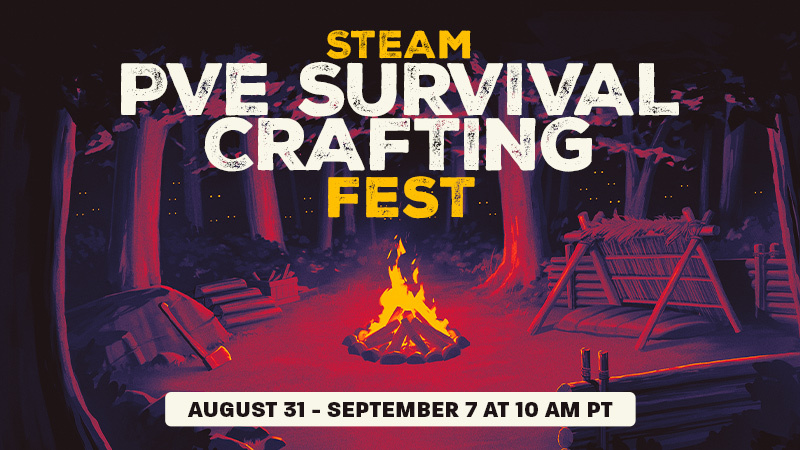
Steam's PvE Survival Crafting Fest is on now through September 7th at 10 a.m. PT, which means a full week of discounts on games that test your skills by pitting you against the environment you find yourself in.
Can you, for example, survive being stranded at sea? Being underwater? Floating through space? Existing on an island (alone) filled with cannibals? These are just hypotheticals, of course.
Join us now for the Steam PvE Survival Crafting Fest, and may you survive the elements by any means necessary. (At a discount, too!)
Note: This update is for the Steam Deck Preview channel, and includes new features that are still being tested. You can opt into this in Settings > System > System Update Channel.
Note on Preview Releases
This is an early Preview build of SteamOS 3.9, and may contain unexpected bugs or stability issues. If you encounter problems, please consider filing a bug on the SteamOS issue tracker.
The following notes are an overview, and may not include all changes since the previous SteamOS 3.8 Stable Release.
General
Updated Arch Linux base
Updated Desktop Mode from Plasma 6.4.3 to Plasma 6.7.3
This update is for the SteamOS Beta and Preview channels, and includes new features that are still being tested. You can opt into this in Settings > System > System Update Channel.
General
Fixed an issue present in previous beta builds causing degraded performance in some cases when composition is required (such as when having FSR enabled)
Fixed Firefox in Desktop Mode sometimes freezing when fullscreen
Worked around an issue where Unreal Engine 5 VR games could display a blank right eye
Fixed Bluetooth instability with Nintendo Switch Pro (v1) controller
Fixed Desktop Mode allowing resolutions below 640x480 on certain displays, rendering it unusable
Fixed a regression from previous beta breaking WiFi connectivity on the MSI Claw A1M
Fixed issues with battery display on Lenovo Legion Go models
Fixed a bug where the MSI Claw would freeze on resume if an SD card was present during suspend and resume
Fixed a bug where the system would freeze on resume if an SD card was removed while suspended
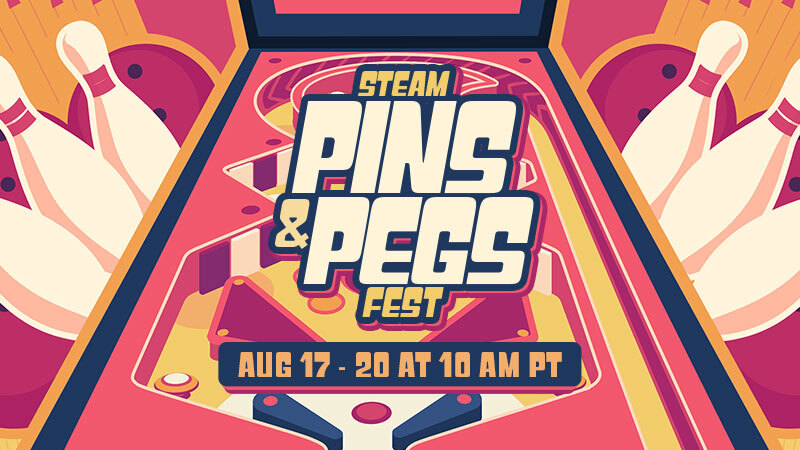
Steam Pins and Pegs Fest is August 17th through 20th, with loads of games on sale that have you playing with pins or pegs. Or pins AND pegs (why not get a lil' crazy?)!
Master pinball and pinball-like games, knock down actual bowling pins, and break some bricks. Try your hand at deckbuilding pegs, roguelike pegs, and more. There are plenty of discounted titles to explore and add to your library.
This update is for the SteamOS Beta and Preview channels, and includes new features that are still being tested. You can opt into this in Settings > System > System Update Channel.
Known Issues - Beta
There is a known issue with degraded performance in some cases when composition is required (such as when having FSR enabled).
This issue is fixed in the latest SteamOS stable release (3.8.16). Affected users may wish to switch to the stable update channel while we work on bringing this fix to the beta channel.
General
Added support for waking up from the Steam Controller Wireless Adapter (2015)
Improved battery indications when the device is charging in but using more power than the charger can provide
Preliminary support for the Steam Frame Wireless Adapter
Added support for Steam Controller (2026) to the built-in [c]hid_steam[/c] controller driver, enabling use with native controller applications when Steam is not running
Fixed an issue where hotplugging HDMI displays could cause lockups in Desktop Mode
Fixed an issue where TVs supporting an HDMI "Game Mode" would display the initial boot logo before engaging said mode, causing unnecessary delay and flashing
Fixed some cases of slow or stuck Wi-Fi connections with certain adapters
Fixed an issue causing previous SteamOS updates to fail to apply for some users
Security and stability fixes
Steam Machine Firmware 108
Fixed an issue where the system could occasionally wake up immediately after going to sleep
Fixed a rare issue where CPU performance could be degraded until reboot after waking up from sleep
Audio
Fix for HDMI audio dropouts with some game and TV combinations
Improve reliability of HDMI hotplug detection
Add option to prefer lower latency audio codecs for Bluetooth devices
Non-Valve Devices
Improve support for MSI Claw and OneXPlayer device variants
Improve support for devices with external or no Wi-Fi adapters
Fixed an infrequent bug where some 3rd party handhelds would have input ignored when held
Added initial gamepad support for MSI Claw 8 EX AI+
Added initial gamepad support for Konkr FIT
Added initial gamepad support for AYANEO Pocket S2
Updated gamepad support for OneXPlayer Apex with new firmware

 Log in




 [/carousel]

 [/carousel]

 [/carousel]

 [/carousel]