❌

Lees weergave

iOS 27.2 Could Save Your Marriage

The iOS 27.2 beta that Apple released today adds a feature that reminds you it's your anniversary when you call someone, as long as you've added the date in the Contacts app.
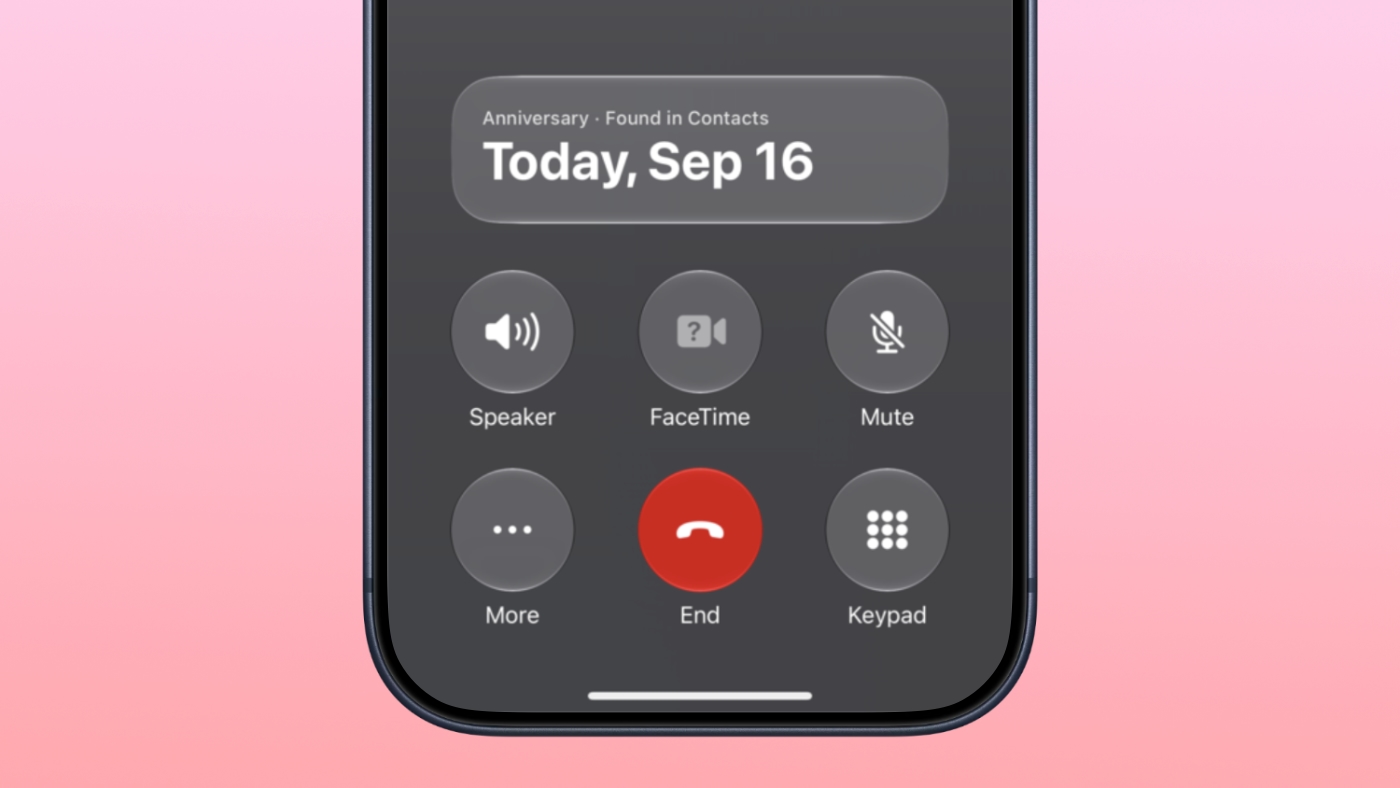

On the date of your anniversary, when you go to call the person, you'll see a reminder that it's an important day so you don't forget to say something. The anniversary alert uses Call Context, a feature Apple added in iOS 27.

Call Context brings up information from emails and other sources when you place a phone call. If you place a call to an airline and you have an email with a flight confirmation number for that airline in the Mail app, it surfaces that confirmation number so you don't have to go digging for it.

In ‌iOS 27‌, Call Context works with birthdays, and it shows a fireworks animation when you're placing a call. iOS 27.2 adds anniversaries, but unfortunately, it doesn't come with a new animation.

The Call Context anniversary option draws from your Contacts app. To add an anniversary to a contact, open the Contacts app and select their name. Tap "Edit" in the corner, then tap "add date," and the first suggestion under date is anniversary.

You can also ask Siri AI to add the anniversary date to the person's contact card if you have a device that supports Apple Intelligence.

iOS 27.2 is in beta right now, and it is expected to launch in October.
Related Roundups: iOS 27, iPadOS 27
Related Forum: iOS 27

This article, "iOS 27.2 Could Save Your Marriage" first appeared on MacRumors.com

Discuss this article in our forums
  •  

iOS 27.2 Adds Profiles to Apple TV App

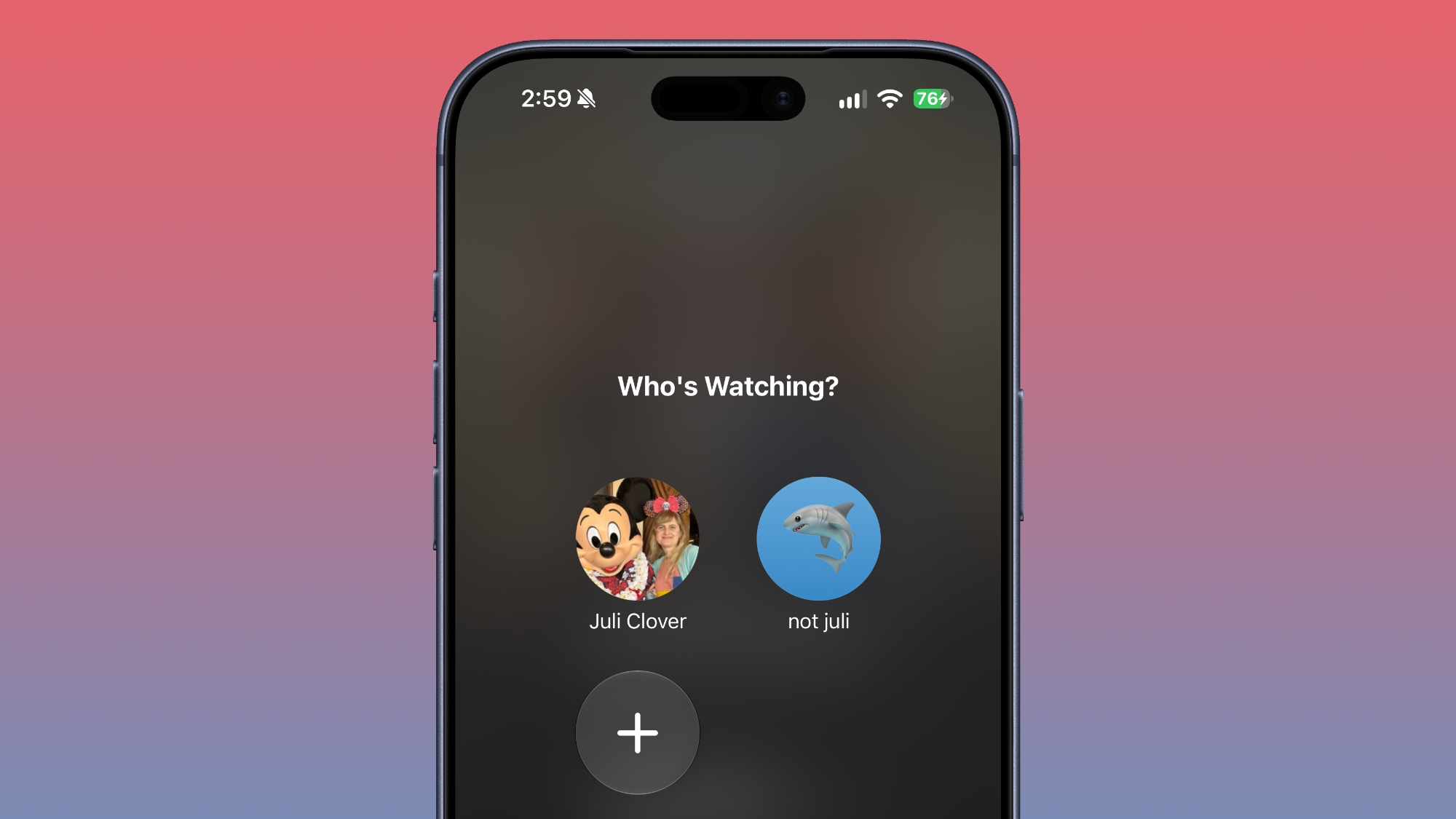
With iOS 27.2 and iPadOS 27.2, Apple extended Apple TV app profiles to the iOS version of the app.


Apple brought ‌Apple TV‌ profiles to tvOS with tvOS 26.2, but the feature has been limited to the ‌Apple TV‌ until now.

‌Apple TV‌ app users can create new profiles in the account settings section, which can also be used to swap between profiles. Profiles only require a name, profile rating, and information about whether the user is a child.

Creating an account for a child limits content to a PG rating by default, but there is a customize option for more granular control. Users can select age ratings for TV shows and movies that are appropriate for the child based on their age

Profiles are a useful feature for a parent that wants to hand over an iPhone or iPad to a child to watch TV or movie content because it restricts what's available without impacting what the parent sees when signed into their own account.
Related Roundups: Apple TV, iOS 27, iPadOS 27
Buyer's Guide: Apple TV (Don't Buy)

This article, "iOS 27.2 Adds Profiles to Apple TV App" first appeared on MacRumors.com

Discuss this article in our forums

  •  

iOS 27.2 Adds Siri AI in New Languages

In the iOS 27.2 beta, Apple Siri AI is available in new languages, including French, Japanese, Korean, Portuguese, and Spanish.


In the launch version of iOS 27, ‌Siri‌ AI is limited to English.

Apple previously said that new ‌Siri‌ AI languages would be coming in October, so that likely means iOS 27.2 will see an October launch.

Related Roundups: iOS 27, iPadOS 27
Tag: Siri
Related Forum: iOS 27

This article, "iOS 27.2 Adds Siri AI in New Languages" first appeared on MacRumors.com

Discuss this article in our forums
  •  

iOS 27.2 Beta Previews New Apple Intelligence Health App

The first beta of iOS 27.2 includes Apple's redesigned Health app, giving developers a chance to try out the features ahead of launch later this year.


Apple's developer notes for the feature say the Health app is being tested in this beta, but it won't be in the launch version of iOS 27.2. It will instead come later in the year.

The Health app will incorporate Apple Intelligence to turn data and metrics collected by the Apple Watch into personalized guidance. Here are the new features we can expect:

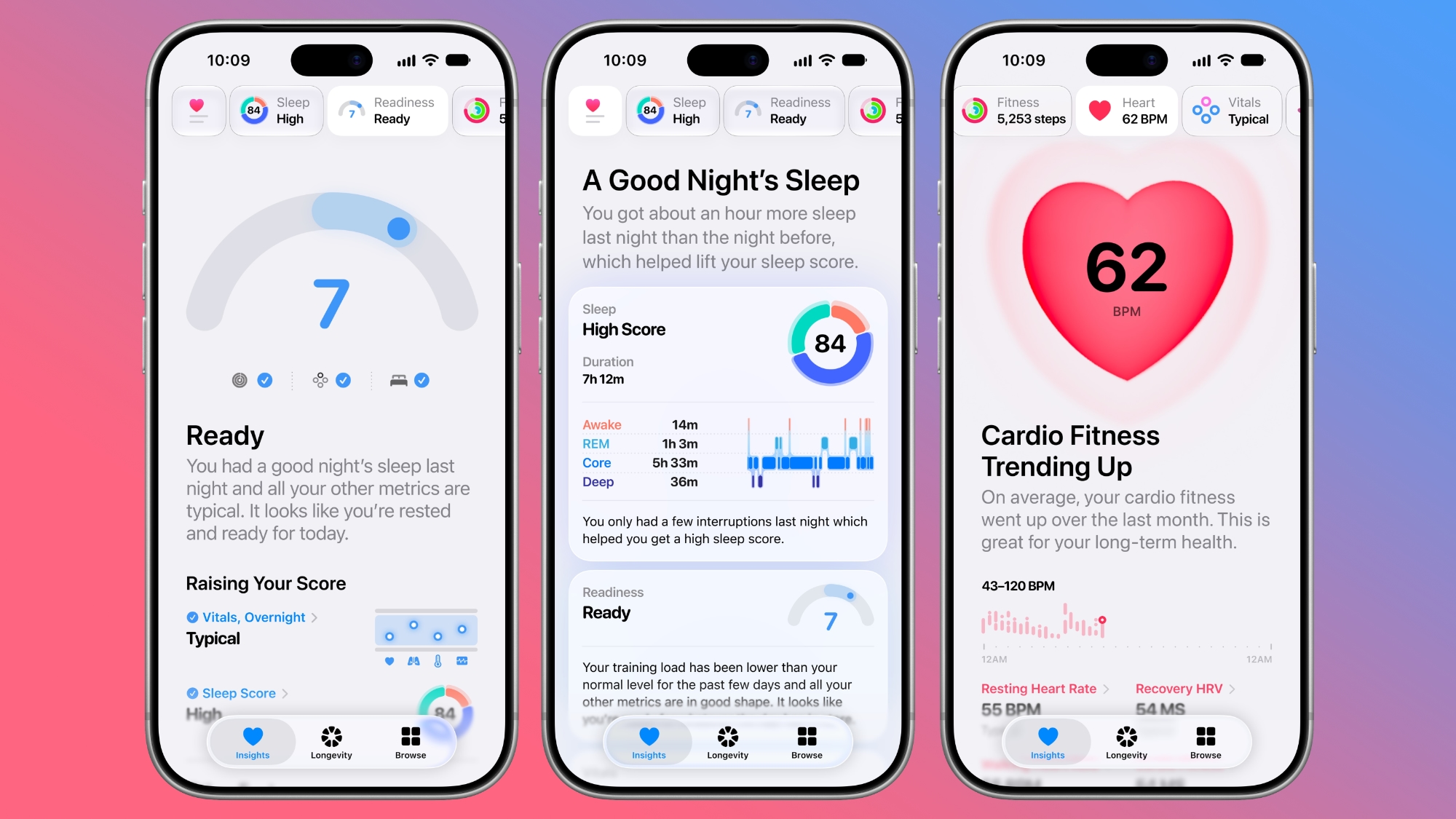
  • Insights - The Insights tab offers an Apple Intelligence-generated summary of timely information like your latest sleep metrics or a new peak in VO2 max. There are options to get custom advice on readiness, fitness, heart health, and more in the For You section.

  • Personal Guidance - Personal guidance is part of the Insights tab. It knows what's important to you, and will make relevant suggestions. Apple says if you're working on your cardio, you might see a suggestion to incorporate intervals into your morning run. Recommendations adapt to each user and their data.

  • Readiness - The new Apple Watch models calculate a readiness score that takes into account recent activity, vitals, and sleep score. It gives a 0–10 score with recommendations on activity level. Readouts include Recover, Pace Yourself, Ready, or Go For It. Info is shown on the watch, in the Fitness app, and in the Health app's Insights tab.

  • Fitness - Insights incorporates your daily activity and it updates throughout the day.

  • Vitals - The Vitals option in the Health app has new overnight views and daytime views. HRV is incorporated as a metric, offering a better look at your ability to recover from stress. It measures overall HRV and recovery HRV.

  • Longevity - There is a new Longevity tab in the Health app. It uses metrics from your iPhone and Apple Watch to assess overall health across heart health, sleep, mental wellbeing, movement health, metabolic health, hearing, and nutrition. The section shows you how well you're doing in each category, and how each metric is classified against the latest clinical guidance.

  • Health Age - Health Age is part of the Longevity tab. It uses metrics like VO2 max, resting heart rate, HRV, sleep, and biomarkers from blood work to determine how your health metrics compare to your actual age. It will help you figure out what habits make the biggest impact on your health, and how you can improve.


At-home health assessments like a VO2 max test will be coming to the Health app, taking advantage of the iPhone's camera to track your movements as you follow instructions from a trainer. There will be in-depth physical assessments for measuring flexibility, strength, balance, and movement mechanics in addition to VO2 max.

Apple also plans to eventually offer U.S. users the option to buy a bloodwork panel from Quest that covers more than 50 biomarkers. The test is priced at $119, and users will be able to order it right in the Health app.

Not all of the new features are going to be available in the beta. CNET says ordering labs, personalized health info in the Insights tab, and personalized recommendations will not be available until later in the year. Features are going to roll out progressively.
Related Roundups: iOS 27, iPadOS 27
Related Forum: iOS 27

This article, "iOS 27.2 Beta Previews New Apple Intelligence Health App" first appeared on MacRumors.com

Discuss this article in our forums

  •  

Apple Seeds First macOS Golden Gate 27.2 Beta to Developers

Apple is testing the next macOS Golden Gate update, and developers can download the ‌macOS Golden Gate‌ 27.2 beta as of today. The beta comes just two days after Apple launched ‌macOS Golden Gate‌ 27.0.


Registered developers can download ‌macOS Golden Gate‌ 27.2 by opening up the System Settings app, clicking on General, selecting Software Update, and opting into ‌macOS Golden Gate‌ betas.

Apple removed two Apple Intelligence features from the launch version of ‌macOS Golden Gate‌, but said they would be coming back in a future software update. It's possible the features will return as soon as the 27.2 release.

Apple delayed Suggestions in Messages, a feature that lets the Messages app offer actions based on the context of conversations. If someone asks for a photo, Messages might suggest inserting it with a tap. If someone invites you to an event, Messages can suggest adding it to the Calendar app.

Apple also pulled the ‌Apple Intelligence‌ feature that automatically updates weak and compromised passwords using Safari.
Related Roundup: macOS Golden Gate
Related Forum: macOS Golden Gate

This article, "Apple Seeds First macOS Golden Gate 27.2 Beta to Developers" first appeared on MacRumors.com

Discuss this article in our forums
  •  

Apple Releases First iOS 27.2 Beta

Apple today seeded the first beta of an upcoming iOS 27.2 update to developers for testing purposes, with the update coming just two days after the iOS 27 launch. Apple also seeded an iPadOS 27.2 beta.


Registered developers can download the beta updates by opting in under Settings > General > Software Update and selecting the ‌iOS 27‌ developer beta.

Siri AI will be available in new languages later this year, and support could be added in iOS 27.2. Apple is adding French, Japanese, Korean, Portuguese, and Spanish in October.

Two Apple Intelligence features were removed from the launch version of ‌iOS 27‌, and those could also be reintroduced as soon as iOS 27.2. Apple delayed suggestions in Messages conversations and the option to automatically fix compromised and weak passwords using AI.

Apple also plans to debut a new Health app experience, and we could see that in the beta as well.

Apple releasing an iOS 27.2 beta ahead of a iOS 27.1 beta is a surprise, especially because the company plans to ship the iPhone Duo with iOS 27.1. Apple may be holding iOS 27.1 until the Duo comes out, just to keep the features under wraps. iOS 27.1 will add updated app layouts and features built for the iPhone Duo's two displays. The ‌iPhone Duo‌ will have a vertical dock, vertical Dynamic Island, new dual-screen app layouts, side-by-side app multitasking, and exclusive Camera app capabilities.

Since the ‌iPhone Duo‌ will launch on Friday, October 23 and will ship with iOS 27.1, Apple will need to release the iOS 27.1 update before then. If iOS 27.2 includes new ‌Siri‌ AI languages, it too will launch sometime during the month of October.
Related Roundups: iOS 27, iPadOS 27
Related Forum: iOS 27

This article, "Apple Releases First iOS 27.2 Beta" first appeared on MacRumors.com

Discuss this article in our forums
  •  

Apple Releases First watchOS 27.2, tvOS 27.2 and visionOS 27.2 Betas

Alongside new betas of iOS 27.2, iPadOS 27.2, and macOS Golden Gate 27.2, Apple has released the first betas of watchOS 27.2, tvOS 27.2, and visionOS 27.2. The betas come two days after the 27.0 software updates were released.


Registered developers can download the betas through the Settings app on each device.

Two new Apple Intelligence features are coming to the Apple Watch Series 12 and Apple Watch Ultra 4 in late 2026, and Apple could start testing them as soon as watchOS 27.2. Live Rewind will allow users to double-press the Digital Crown to get a transcription of what was said in the last 15 seconds, while Siri Recap will turn conversations users have had during the day into high-level notes.

There's no word on what's being added in visionOS 27.2 and tvOS 27.2, but Apple is expected to introduce a new version of the Apple TV 4K with ‌Siri‌ AI support sometime before the end of the year.
This article, "Apple Releases First watchOS 27.2, tvOS 27.2 and visionOS 27.2 Betas" first appeared on MacRumors.com

Discuss this article in our forums
  •  

Apple Details How Reference Image Proves a Photo is Real

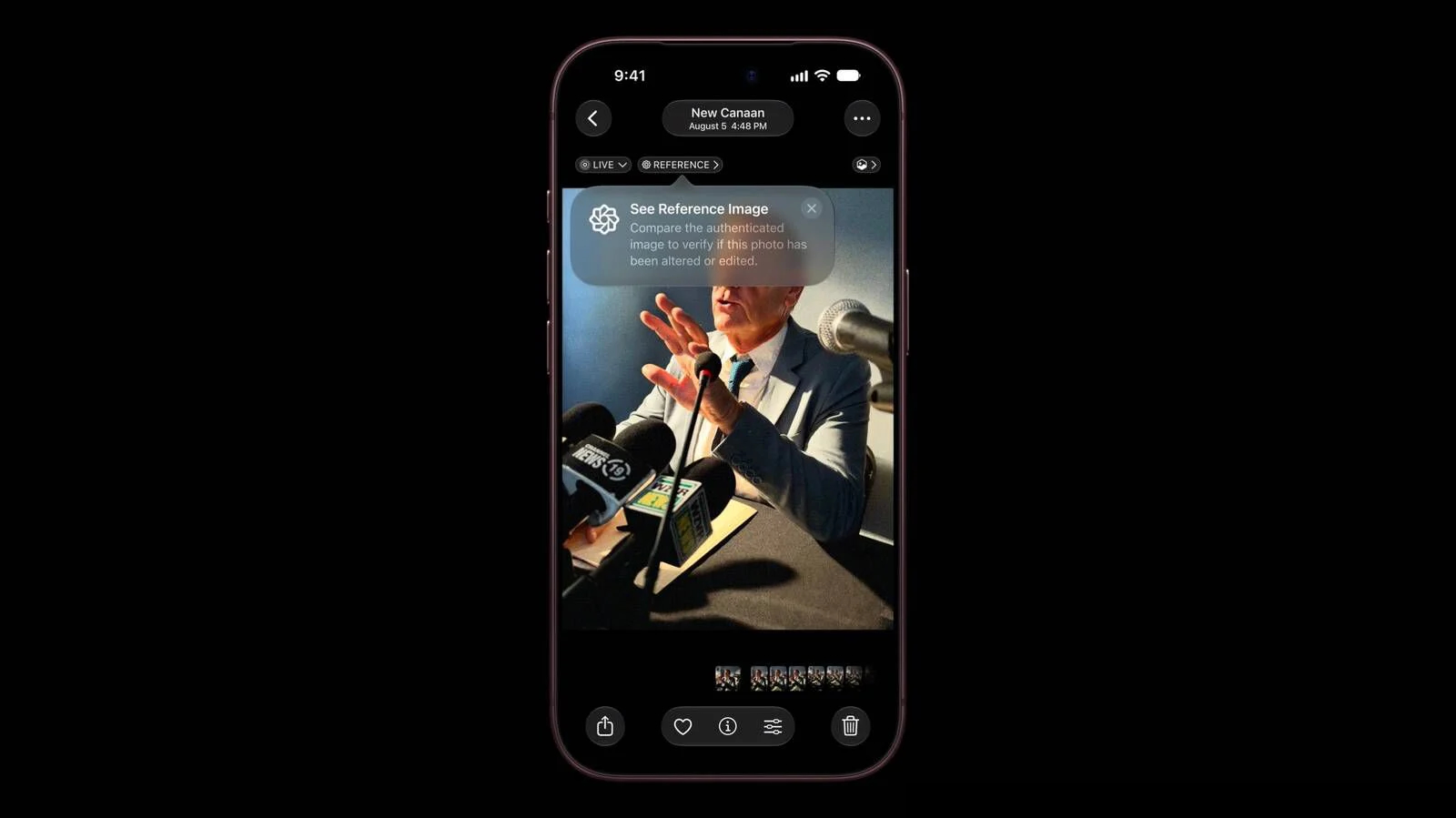
The iPhone 18 Pro models support Apple Reference Image, a way to verify that a photo was taken with an iPhone and hasn't been edited. Apple says it's a method to prove that something actually happened and wasn't AI-generated, likening the feature to a digital film negative.


Apple Reference Image offers a trustworthy, scalable guarantee that a reference image is what it claims to be: a real photograph, captured by a real sensor in an iPhone camera, at a specific time. It sets a new standard for verifiable digital photography.

Apple introduced Apple Reference Image when debuting the ‌iPhone 18 Pro‌ and Pro Max, and today the company shared more information on how the feature works on its Security Research blog.

Apple Reference Image boots the camera sensor into a specialized reference mode. The mode instructs the sensor to cryptographically sign pixel data immediately after capture, and the sensor firmware is prevented from modifying the data. Other authentication systems don't sign images until the end of the software processing pipeline, which Apple says leaves images vulnerable to tampering attacks.

Apple Reference Image creates a "secure digital negative" protected from software compromise alongside a standard editable photo. The negative is stored on-device and includes pixel data, sensor metadata, and cryptographic timestamps with lower and upper bounds. When a user decides to "develop" the negative for verification, it is sent unprocessed to Private Cloud Compute. Private Cloud Compute runs the steps needed to render the image in a secure, private, and verifiable environment.

Apple says the feature resists data injection attacks, compromised operating systems, hardware attacks, and cryptographic attacks. Apple believes Apple Reference Image is the only image provenance system with quantum-secure defenses. In case the system is breached, there is a revocation option. Private Cloud Compute calculates a confidence score for each image, and Apple can revoke individual photos or an entire sensor if fraud is detected.

To safeguard photographers, Apple Reference Image avoids using an explicit, public credential for photographers, and it prevents public association between different photos taken by the same sensor. The confidentiality of the image is protected, including from Apple.

Apple Reference Image is opt-in and is limited to the Main camera sensor.

More information on the ins and outs of Apple Reference Image can be found in Apple's full blog post.
This article, "Apple Details How Reference Image Proves a Photo is Real" first appeared on MacRumors.com

Discuss this article in our forums
  •  

What the iPhone Duo's Camera Can and Can't Do

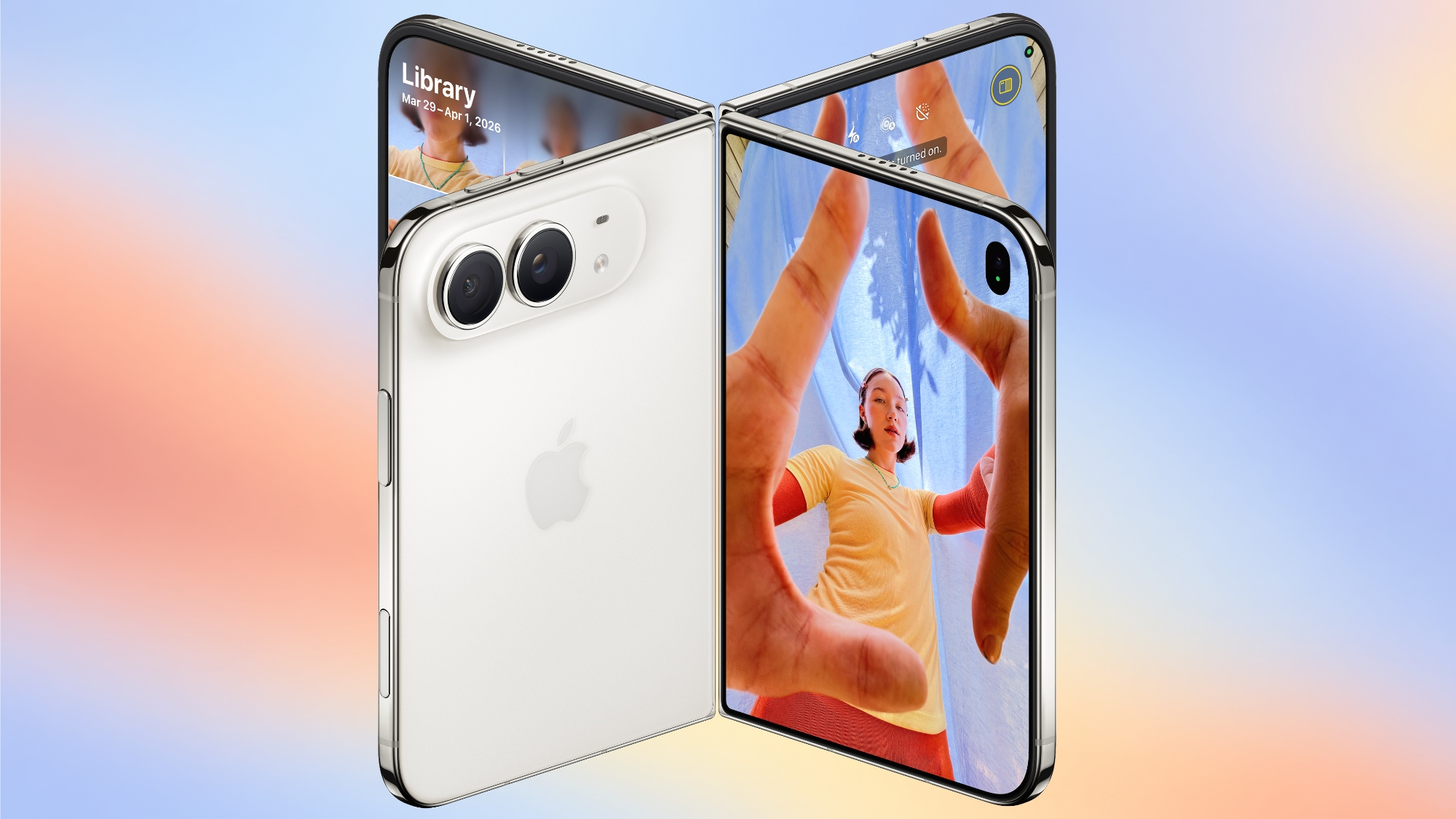
To take advantage of the iPhone Duo's dual-display design, Apple is introducing new Camera app features that are unique to the foldable iPhone.


Smart Take


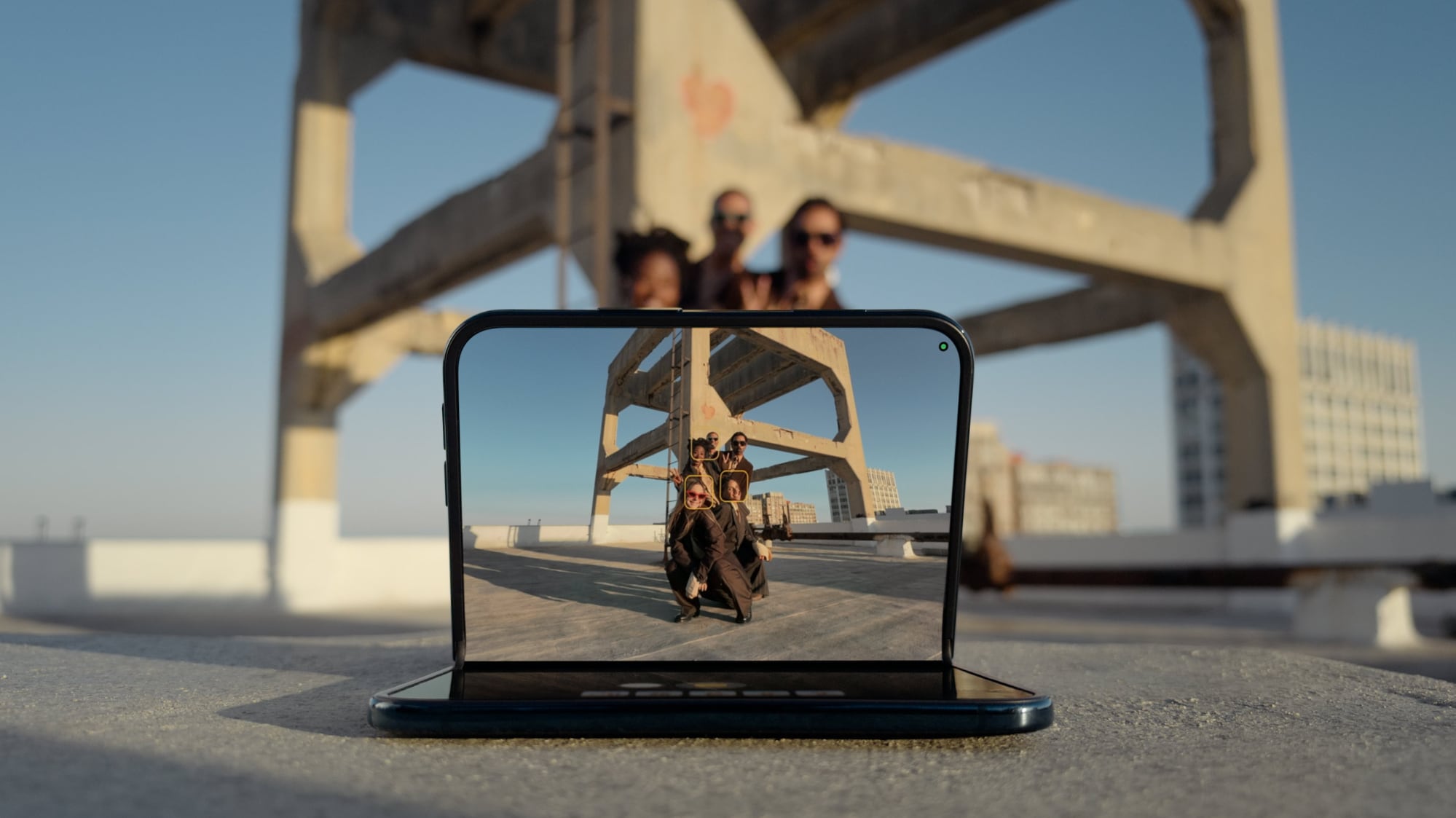
Smart Take uses AI to determine when everyone (including the iPhone owner) is ready for a group shot, so no one has to use a timer or stay out of the picture to capture the image.


You can prop up the ‌iPhone Duo‌ in a half-folded orientation, get in frame, and then wait for the group shot to be taken.

Kid Cue


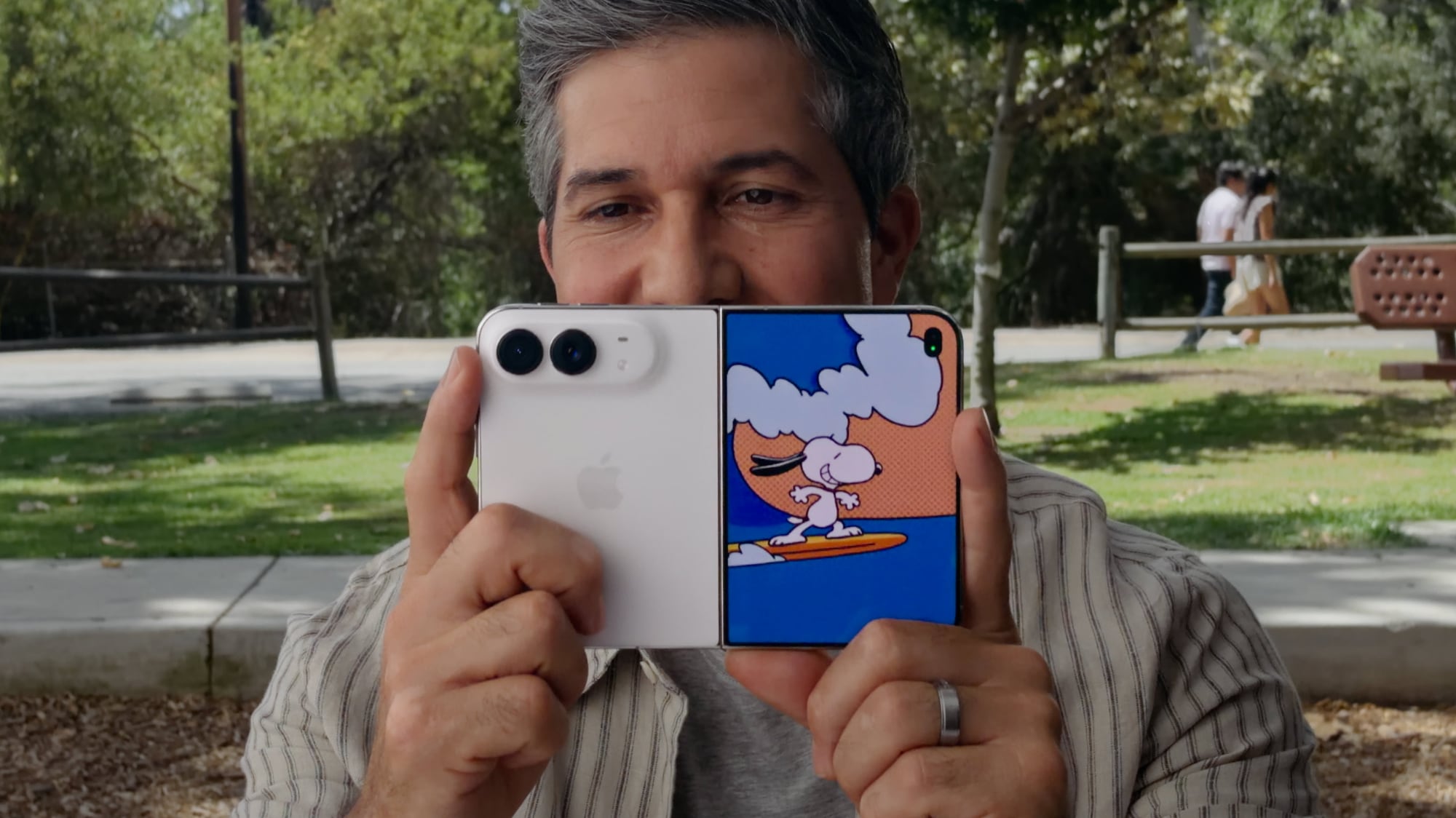
Kid Cue shows little Peanuts animations to children so they look at the camera when you're taking a photo.


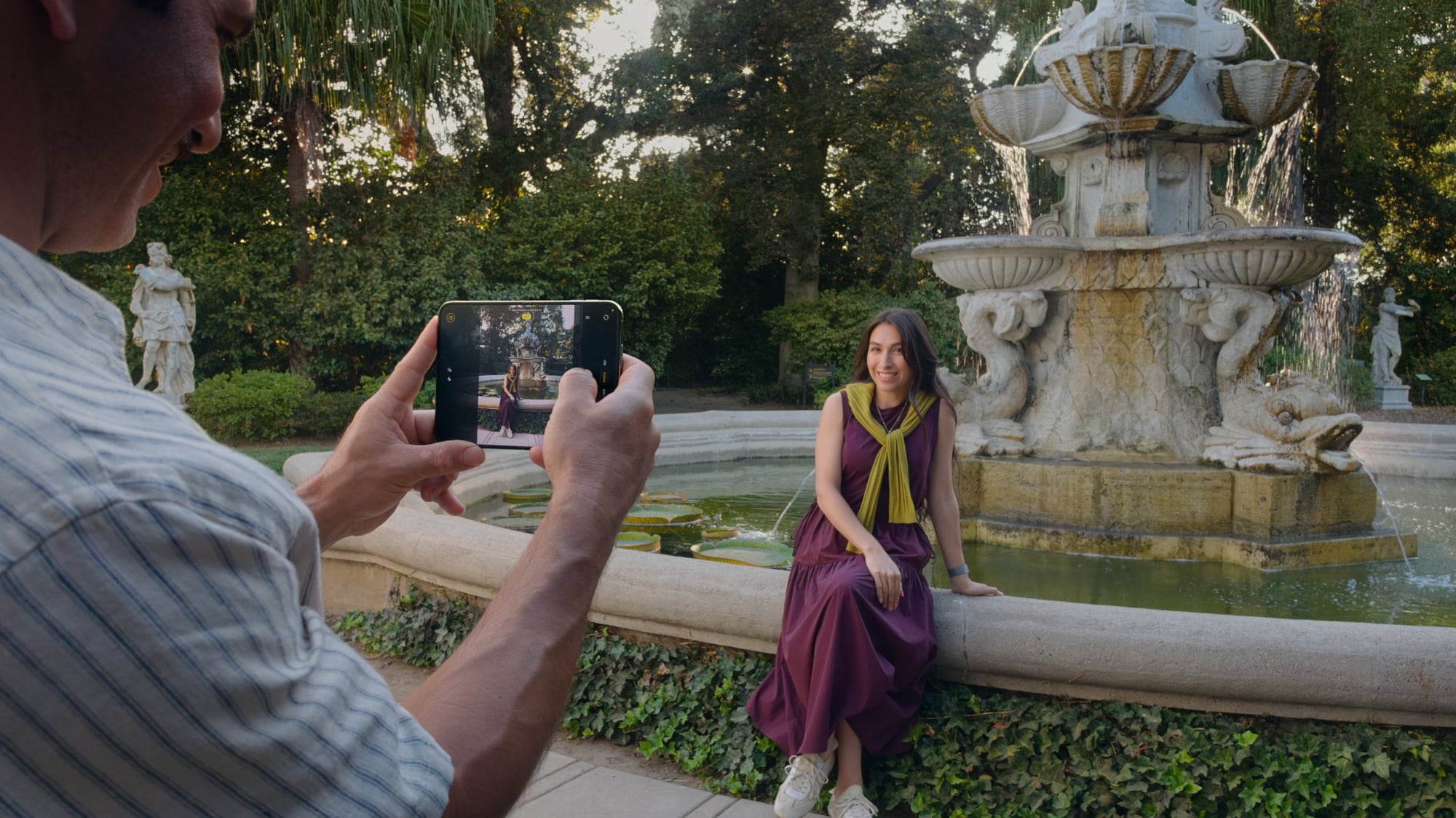
Duo Preview


With Duo Preview, the Camera app shows a live preview of the shot on both displays, so the subject you're taking a photo of can make adjustments.


Duo FaceTime


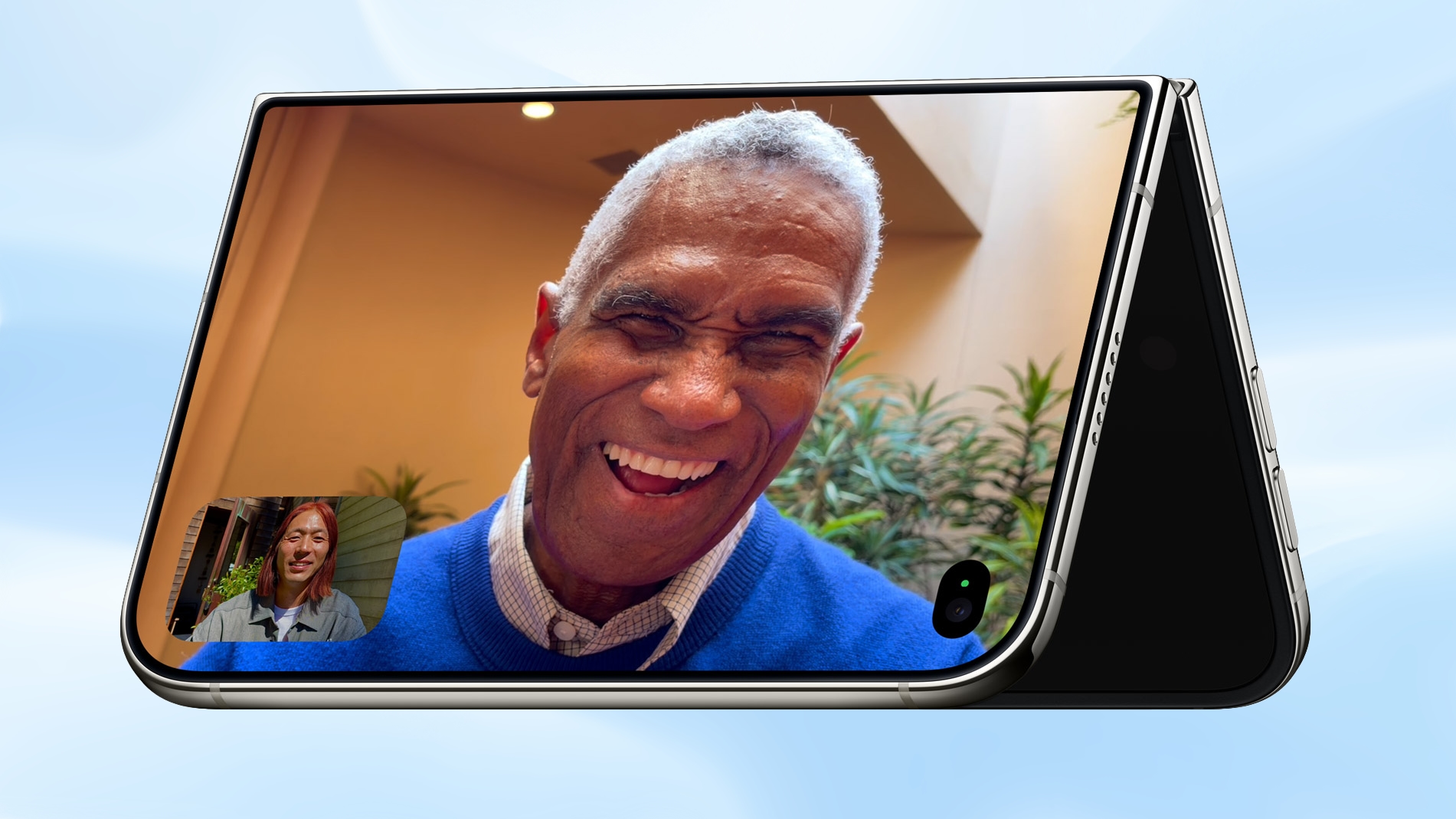
Nearby friends can participate in a FaceTime call using the outer display while the iPhone owner uses the inner display, so nobody has to crowd around the iPhone or pass it around to get on video.


Duo ‌FaceTime‌ is not the same as Dual Capture, which records video with both the front and rear cameras. Duo ‌FaceTime‌ specifically uses the outer display to allow another person to join in on a call.

Unique Form Factor Features


The ‌iPhone Duo‌ can be used in multiple orientations, including when it's half-folded. The Duo stands up on its own, for taking ‌FaceTime‌ calls and recording video without holding it.


The folding mechanism acts like a built-in tripod and stand, so it's also useful for selfies and long exposures. You can also capture selfies with the higher-quality 48MP rear camera while using the outer display as a viewfinder, which isn't something you can do with a slab iPhone.

Camera Hardware


The ‌iPhone Duo‌ has a "Dual Fusion" two-camera setup with a 48MP Main camera. It's basically the same camera that's in the iPhone 17 (not the 17 Pro), offering 26mm 24MP images by default, along with 12MP 2x "telephoto" images at 52mm.

The camera supports sensor-shift optical image stabilization, but not the second-generation version available in the Pro models. It also does not support spatial photos or the ProRAW format.

It also includes a 48MP Ultra Wide camera with a 13mm focal length and macro capabilities. Since there's no Telephoto lens, the ‌iPhone Duo‌ is limited to 2x optical-quality zoom in, 2x optical zoom out, and digital zoom up to 10x for images.

Other Camera Capabilities


Like the iPhone 18 Pro and Pro Max, the ‌iPhone Duo‌ supports the latest Photographic Styles, which adds texture and grain parameters.

Video


Smart focus tracking is a feature new to the ‌iPhone Duo‌ and the ‌iPhone 18 Pro‌ models. It uses AI to keep a subject in focus at all times, and pick up subject tracking if the subject exits the frame and then reappears.

The Duo supports 4K Dolby Vision video recording at up to 120 fps, and Cinematic mode for recording videos in 4K Dolby Vision at up to 60 fps. For the first time, Cinematic mode effects can be added to a video after capture on the Duo and ‌iPhone 18 Pro‌. Apple also says there's improved low-light video on the Duo when recording at 1080p.

Time-lapse video recording with stabilization up to 4K Dolby Vision is a new ‌iPhone 18 Pro‌ and ‌iPhone Duo‌ option. It's especially useful on the ‌iPhone Duo‌ because you can record a stable video without the need for a tripod.

Front Camera


The ‌iPhone Duo‌'s outer front-facing camera is 12MP, not 18MP like the ‌iPhone 17‌ and ‌iPhone 18 Pro‌ models. It otherwise has the same features.

The inner display has a 1080p ‌FaceTime‌ camera that's under the display.

Missing Camera Features


Compared to the ‌iPhone 18 Pro‌ and Pro Max, the ‌iPhone Duo‌ has a more rudimentary camera system. It lacks many features available on the Pro models.

  • Telephoto lens

  • Pro Controls

  • Apple Reference Image

  • Variable aperture

  • Second-generation sensor-shift optical image stabilization

  • Adaptive True Tone flash

  • Spatial photos and video recording

  • ProRAW

  • ProRes

  • ProRes RAW

  • Genlock

  • Apple Log 2 video recording

  • Studio-quality four-mic array


Launch Date


The ‌iPhone Duo‌ will be available for pre-order on October 16, and it will launch on October 23. Pricing starts at $1,999.
Related Roundup: iPhone Duo
Related Forum: iPhone

This article, "What the iPhone Duo's Camera Can and Can't Do" first appeared on MacRumors.com

Discuss this article in our forums
  •  
❌