Lees weergave

Apple Extends 2026 Back to School Promotion Until September 24

Apple today extended its 2026 Back to School Promotion until September 24, which means it will last almost a month longer than planned. The extension is applicable in the United States, Canada, Mexico, and multiple countries in Asia.


The Back to School promotion offers a free item or gift card when students or educators purchase an eligible Mac or iPad model, plus an educational discount.

In the United States, Canada, Mexico, Malaysia, the Philippines, Taiwan, and Thailand, Apple is offering a gift card with purchase. In the U.S., that includes a $150 gift card when purchasing a MacBook Pro or a $100 gift card when purchasing a MacBook Air, iPad Pro, or iPad Air.

In China, Singapore, and Vietnam, customers can get a pack of four AirTags with the purchase of select devices, while customers in India can get a pack of four AirTags, AirPods 4, or Apple Pencil Pro depending on the device bought.

The MacBook Neo, iPad mini, entry-level ‌iPad‌, desktop Macs, and iPhones are excluded from the promotion. UNiDAYS verification is required to make a purchase.

Apple previously planned to end its Back to School promotion on August 27.
This article, "Apple Extends 2026 Back to School Promotion Until September 24" first appeared on MacRumors.com

Discuss this article in our forums
  •  

Grok Bot Brings Always-On AI Agents to macOS and iOS

Elon Musk's SpaceXAI today announced the launch of Grok Bot, a "team of always-on agents" that can complete tasks using tools, websites, and apps. Grok Bot can work in the cloud, so jobs keep running when your laptop is closed. The feature is tied to Cursor, the AI coding company that SpaceX is acquiring for $60 billion.


Grok subscribers can send a message to a bot from their phone or desktop app using natural language. SpaceXAI says that while other tools may require building workflows and routines, Grok Bot gets a task done with a chat. It is able to sign into websites (even those with no API), but SpaceXAI hasn't given details on how authentication works.

Multiple bots can be used in parallel, with one managing others and specialists for different tasks. Bots can join a group chat where they can coordinate on their own, passing work, assigning ownership, and only drawing in the user for judgment calls.

Users can teach Grok Bot a workflow. It watches as a task is completed, saves the routine, and then can run it solo the next time by following the same steps. SpaceXAI says bots learn over time and can eventually start working "before you need to ask."

There are several Grok Bot examples on the SpaceXAI website, like a sales bot updating the CRM with call transcript notes, an ops bot onboarding new hires and processing invoices in Gmail, and an engineering bot reproducing a bug in the product UI, filing a ticket, and handing the fix task off to a debugging bot.

Grok Bot is in beta and available for SuperGrok Heavy, Cursor Ultra, and Cursor Teams Premium subscribers on macOS and iOS. Enterprise users can join a waitlist for future access.
This article, "Grok Bot Brings Always-On AI Agents to macOS and iOS" first appeared on MacRumors.com

Discuss this article in our forums
  •  

Apple Can't Delay App Store Fee Fight While Waiting on Supreme Court

Apple has again failed to earn a stay for fee calculations in its ongoing legal fight with Epic Games. Apple's case will be heard by the Supreme Court in the term that begins in October, and Apple asked the U.S. District Court for the Northern District of California to pause proceedings until then, but the court said no [PDF].


Apple now has 24 hours to give the court an outline of the fees it wants to charge developers for using alternative payment options and linking out to purchase options on the web. ‌Epic Games‌ will then be able to give a legal analysis of Apple's fee proposal, and the court will decide what's reasonable.

Apple's stay was denied! Now they have 24 hours to file their proposed menu of junk fees with The Court, and Epic will have 60 days to file our legal analysis in advance of a court hearing on the topic.

— Tim Sweeney (@TimSweeneyEpic) August 11, 2026

Fee calculations are the result of a long, drawn-out dispute between ‌Epic Games‌ and Apple, which started when Epic sued Apple in 2020. Apple largely won the initial legal fight, but was ordered to change its anti-steering rules to let developers link to non-App Store purchase options. Apple complied, but charged a 12 to 27 percent fee that resulted in few developers choosing to use the option.

‌Epic Games‌ accused Apple of violating the court's order and U.S. District Judge Yvonne Gonzalez Rogers agreed. In April 2025, she found Apple in contempt of court for willfully violating her ruling, and stopped Apple from collecting any fees on links in the U.S. App Store.

Apple appealed, and the appeals court upheld the contempt ruling, but said Apple was entitled to reasonable fees for its intellectual property. The appeals court sent the case back to the district court to figure out what a reasonable fee might be. Apple has not been able to collect payment for link-outs since April 2025, and right now, there are no fees.

The appeals court ruling that continued to hold Apple in contempt led Apple to appeal to the Supreme Court, and the Supreme Court agreed to hear the case. Apple sought a pause on the fee calculations because the higher court's decision could undo the contempt ruling, but the appeals court, Supreme Court, and now the district court have denied Apple's pause requests.

The court will now determine a fee, and Apple will need to change its ‌App Store‌ rules to comply. The fee that's set in this legal battle could have implications well beyond the United States because Apple told the Supreme Court that regulators around the world are watching to see the outcome.
This article, "Apple Can't Delay App Store Fee Fight While Waiting on Supreme Court" first appeared on MacRumors.com

Discuss this article in our forums
  •  

Apple Releases New iOS 27 AirPods Firmware for Public Beta Testers

Apple today released new AirPods beta firmware available for public testers. The firmware has a build number of 9A5336b, and it is available for the AirPods Pro 2, AirPods Pro 3, AirPods 4, and AirPods Max 2. It is the same as the AirPods beta released for developers last week.


In iOS 27, iPadOS 27, and macOS Golden Gate, Apple is adding a new AirPods interface, a slider for Adaptive mode, and support for custom EQ, so the firmware lets public beta testers use those features. AirPods are also compatible with the new Siri AI.

When the AirPods are connected to an iPhone, iPad, or Mac running iOS 26, iPadOS 26, or macOS 26 or later, there is a beta firmware option that can be accessed in the AirPods settings interface. Toggling on beta updates allows users to install the beta firmware.

Firmware updates can be downloaded by connecting the AirPods to an Apple device and connecting them to power. It can take a few hours for new firmware to be installed because there is no software update option like there is for other Apple devices.
Related Roundups: AirPods 4, iOS 27, iPadOS 27
Buyer's Guide: AirPods (Caution)
Related Forum: AirPods

This article, "Apple Releases New iOS 27 AirPods Firmware for Public Beta Testers" first appeared on MacRumors.com

Discuss this article in our forums
  •  

Apple Pay Chief Jennifer Bailey Retiring in October

Apple Pay executive Jennifer Bailey is retiring and leaving Apple in October, reports Bloomberg. Bailey has been with Apple since 2003 and has long overseen ‌Apple Pay‌ and Apple Wallet.


In an employee memo announcing her departure, Apple's services chief Eddy Cue said Bailey will be available in an advisory role.
After more than 25 years at Apple, Jennifer Bailey has decided to retire in October. During her tenure, Jennifer has made extraordinary contributions from leading the Apple Store Online through a period of significant growth and global expansion to overseeing the launch of Apple Pay.

Under Jennifer's leadership, Apple Pay has changed the way hundreds of millions of our users pay, with a simpler, more secure, and private experience. She also led the development and growth of Apple Wallet, oversaw the development and launch of Apple Card, and led our work in Services fraud prevention and partner operations, Gift Cards, and Trust and Safety. And those are just a few of her achievements.

On a personal note, Jennifer has been an incredible friend and leader, and I will miss working with her.

Please join me in thanking Jennifer for her incredible contributions to Apple. Before Jennifer's transition at the end of October, we will announce our succession plan, and Jennifer will continue to be available to support the transition in an advisory role.

As we continue to work toward our vision of replacing the physical wallet, I'm more confident than ever in the work that we are all doing and look forward to an exciting future ahead.

Bloomberg says Bailey's retirement is "seen as a major loss" for the company. ‌Apple Pay‌ has expanded to more than 80 countries under Bailey's leadership, and Apple says it is accepted at more than 85 percent of retailers in the United States.

Bailey is one of several Apple leaders who have retired or are retiring in the near future. Apple general counsel Kate Adams is leaving Apple in late 2026, while environmental chief Lisa Jackson left in early 2026. AI chief John Giannandrea and COO Jeff Williams retired in 2026 and 2025, respectively, and UI design lead Alan Dye departed for Meta in late 2025. Apple CFO Luca Maestri and marketing chief Phil Schiller have taken on smaller roles, and CEO Tim Cook is set to transition to a new role on September 1. Other executives like ‌Eddy Cue‌, Craig Federighi, Deirdre O'Brien, and Greg Joswiak have all been with Apple for decades and are getting closer to retirement age.
Related Roundup: Apple Pay

This article, "Apple Pay Chief Jennifer Bailey Retiring in October" first appeared on MacRumors.com

Discuss this article in our forums
  •  

Third macOS Golden Gate Public Beta Now Available

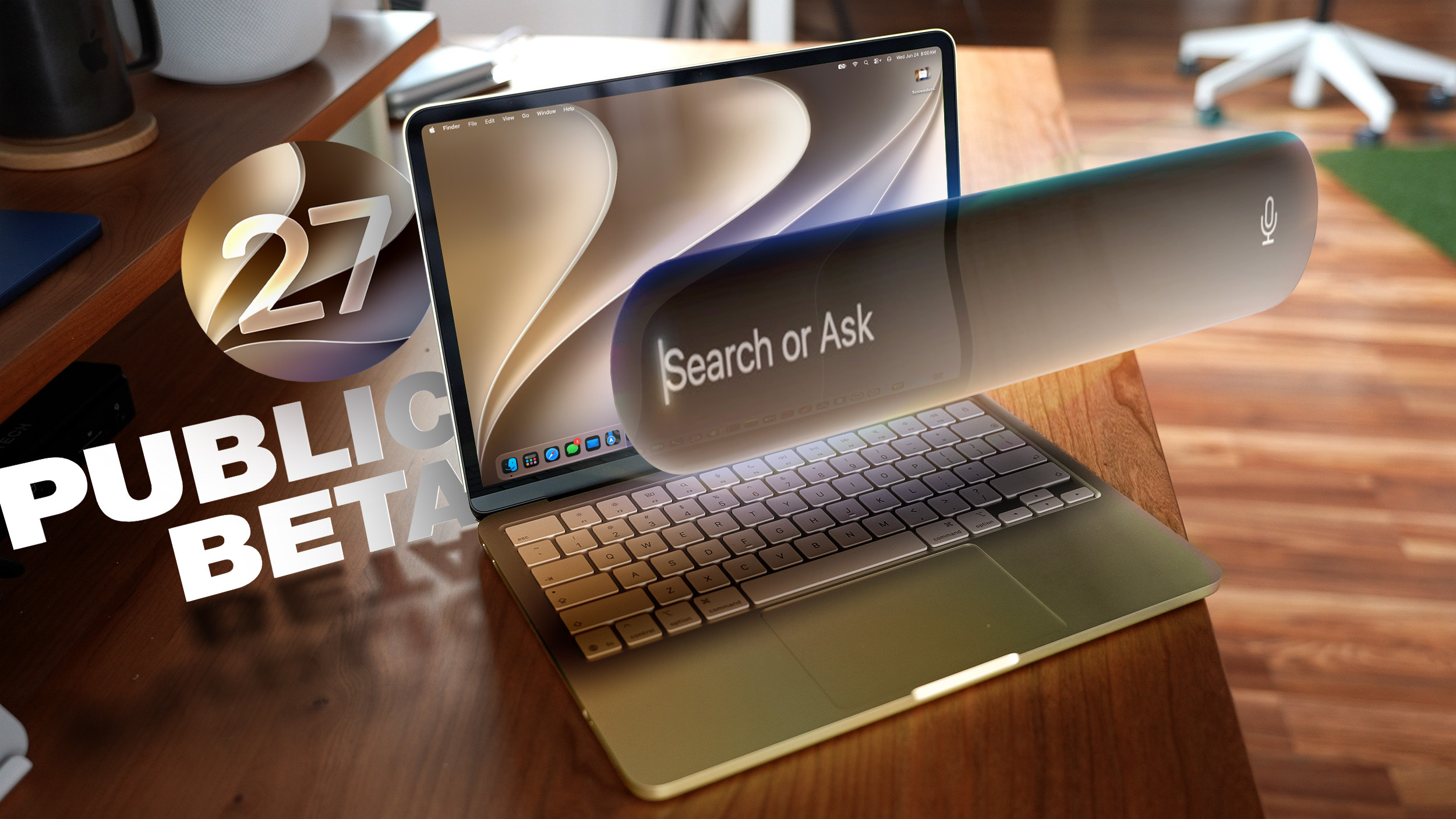
Apple today released the third public beta of macOS Golden Gate, allowing non-developers to test the software ahead of its fall release. You can sign up to test the update on Apple's beta website, and then download it by going to System Settings > General > Software Update and toggling on the macOS 27 beta.


‌macOS Golden Gate‌ includes the same Siri AI features as iOS 27 and iPadOS 27, but you get to ‌Siri‌ through Spotlight with a Command + Space keyboard shortcut. ‌Siri‌ can search the web to answer questions, look through your personal data like photos, emails, and messages to help you find what you're searching for, and complete actions in and between apps. There is a dedicated ‌Siri‌ app, and you can hold ongoing conversations with ‌Siri‌.

Apple brought Visual Intelligence to the Mac, so ‌Siri‌ can look at what's on your screen and answer questions about it.

The Liquid Glass design introduced last year has been updated, and Apple added a slider for controlling overall system transparency. Liquid Glass opacity has been changed so it better diffuses complex content, and other design changes bring more depth and separation to the UI so it's easier to tell which window is active.

Apps now feature uniform toolbars with headings and controls that are easier to read, and windows no longer have such dramatically rounded corners. Sidebars are no longer floating and extend edge-to-edge, plus window positioning is more consistent across external displays.

Write with ‌Siri‌ is able to generate text from scratch, correct your grammar, or give you feedback on your writing, and there are new AI editing tools in the Photos app. In Shortcuts, you can create automations with natural language requests, and search has been improved in Mail and Messages. Apple made multiple performance improvements across ‌macOS Golden Gate‌ for a faster, smoother experience even on older Macs.

More on the new features in macOS 27 can be found in our macOS Golden Gate roundup.
Related Roundup: macOS Golden Gate

This article, "Third macOS Golden Gate Public Beta Now Available" first appeared on MacRumors.com

Discuss this article in our forums
  •  

Third iOS 27 and iPadOS 27 Public Betas Now Available

Apple today released the third public betas of iOS 27 and iPadOS 27, allowing anyone with a compatible device to download and test the new software. The third betas come two weeks after Apple seeded the second betas.


You can get started by signing up on Apple's beta website and then opting in to the public beta by going to Settings > General > Software Update and choosing the ‌iOS 27‌ or ‌iPadOS 27‌ Public Beta option.

‌iOS 27‌ introduces Siri AI, a more capable version of ‌Siri‌ that can search the web, access your personal information, see what's on your screen, and take actions in and across apps. ‌Siri‌ in ‌iOS 27‌ is more similar to Claude or ChatGPT than the prior version of ‌Siri‌, with a dedicated ‌Siri‌ app for back-and-forth conversations. You can use ‌Siri‌ AI if you have a device that supports Apple Intelligence.

Apple updated the Liquid Glass design that debuted last year, adding a slider to adjust the transparency level and refining its look. There are new AI features in many of Apple's apps. Visual Intelligence moved to the Camera app and supports new features like getting the nutritional information for a meal or splitting a bill, and ‌Siri‌ is able to generate text for you or help you refine your writing with Write with ‌Siri‌.

There are new AI photo editing tools in the Photos app, Safari can organize your tabs automatically, and you can create Shortcuts and Safari extensions using natural language commands. AirPods have custom EQ, the Home app supports 4K video cameras, and there are new child safety controls for parents.

Apple made dozens of improvements to device performance, and everything feels faster, even on older iPhones. Apps launch quicker, AirDrop transfers are faster, the keyboard loads quicker, and more.

Additional information on the new features in ‌iOS 27‌ can be found in our dedicated iOS 27 roundup, with info on ‌iPadOS 27‌ available in our separate iPadOS 27 roundup.
Related Roundups: iOS 27, iPadOS 27

This article, "Third iOS 27 and iPadOS 27 Public Betas Now Available" first appeared on MacRumors.com

Discuss this article in our forums

  •  

tvOS 27 and watchOS 27 Third Public Betas Now Available

Apple today released the third public betas of tvOS 27 and watchOS 27, giving Apple TV and Apple Watch users a chance to try the new software ahead of its fall launch. There's also a new HomePod Software 27 beta for the ‌HomePod‌ and HomePod mini.


You can sign up for Apple's public beta testing program on the beta website, and then download the updates through the Settings app on each device.

‌watchOS 27‌ adopts Siri AI, and you can use ‌Siri‌ from your wrist as long as you have an iPhone that supports it. ‌Siri‌ AI can access your personal information, answer all kinds of questions, and complete tasks for you. There is a dedicated ‌Siri‌ app that's front and center on the watch in the new dynamic app grid that comes up when pressing the Digital Crown.

There's a new gesture for selecting a widget in the Smart Stack, plus Apple added Smart Stack suggestions for finding a parked car, accessing a transit card, and getting a birthday reminder.

Workout Buddy works without your iPhone nearby, treadmill run and walk distances are tracked more accurately, and Apple added a unified Find My app that also supports Precision Finding.

tvOS 27 has a redesigned Podcasts app, Hi-Res Lossless audio and AutoMix song transitions in Apple Music, and easier profile switching. With performance improvements, apps launch faster, animations are speedier, and devices connect more quickly when AirPlaying content.

More on what's new in the updates can be found in our watchOS 27 roundup and Apple TV roundup.
Related Roundups: Apple TV, watchOS 26, watchOS 27
Buyer's Guide: Apple TV (Don't Buy)

This article, "tvOS 27 and watchOS 27 Third Public Betas Now Available" first appeared on MacRumors.com

Discuss this article in our forums
  •  

iOS 27 Hints at 'Apple Reference Image' Photo Authentication

Apple is working on "Apple Reference Image," a photo provenance system that will verify if an image was captured with an iPhone. References to the feature were found in a privacy disclosure included in iOS 27 beta 5, but it is not live yet.


According to the text, there will be a "Reference" mode option in the Camera app that users can select. Using this mode will embed provenance data in the image's metadata.

Images captured with an opt-in Reference mode can be authenticated to confirm they were taken with an iPhone. Authenticating is done by tapping the Reference badge on the image, which sends the raw image, sensor signatures, capture time frame, and the unique hardware identifiers of the sensor to Apple's Private Cloud Compute (PCC) servers. PCC uses the information to determine whether the camera captured the photo, gives it a unique ID, and then returns an authenticated version to the user's device.

When authenticating a photo, Apple receives sensor data, a hash, and the assessment results, but not the raw photo. Apple can refuse to authenticate images from a sensor that might be compromised, and it can retroactively revoke a sensor's past authentications.

Authenticated photos can be viewed on an iPhone, iPad, or Mac, and the Reference badge can also be clicked on a Mac. Images have to be captured in Apple's specific Reference mode to be authenticated, which suggests it's a feature aimed at pro photographers, journalists, and others who need to verify images. There may also be a video component, since Apple's disclosure mentions "photos or videos" and "uncropped footage."

Reference mode offers hardware-backed evidence that an image was captured with a physical camera sensor, which is useful at a time when AI can generate realistic-looking images. AI images are often watermarked or labeled through metadata to make sure they can be identified as fake, including images from Image Playground.

Camera manufacturers like Leica, Sony, and Nikon use C2PA Content Credentials for authentication, and Google also adopted it for the Pixel 10 lineup. Apple's authentication system sounds like it serves a similar purpose.
Related Roundups: iOS 27, iPadOS 27

This article, "iOS 27 Hints at 'Apple Reference Image' Photo Authentication" first appeared on MacRumors.com

Discuss this article in our forums
  •  

Everything New in iOS 27 Beta 5

We're a little over a month away from the launch of iOS 27, and Apple is continuing to make changes. The fifth beta of ‌iOS 27‌ changes the look of some app icons and adjusts Liquid Glass, plus it adds some smaller features that make the iPhone just a little nicer to use.


App Icons


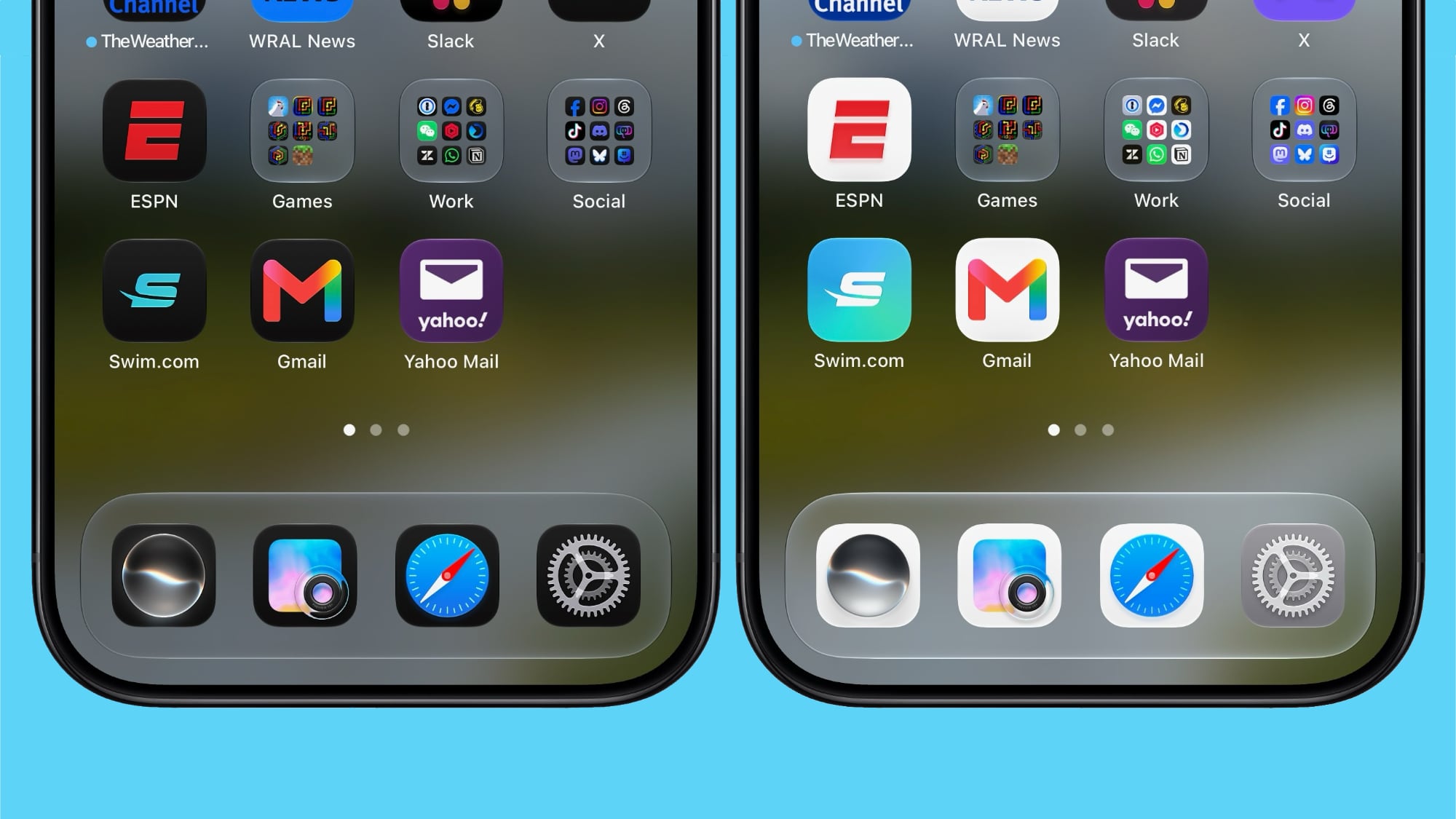
There are updated Liquid Glass icons for Safari, Siri, Settings, Remote, App Store, and Preview. Some of the icons have been entirely redesigned, while others feature more detail than before.


Siri AI Voice Customization


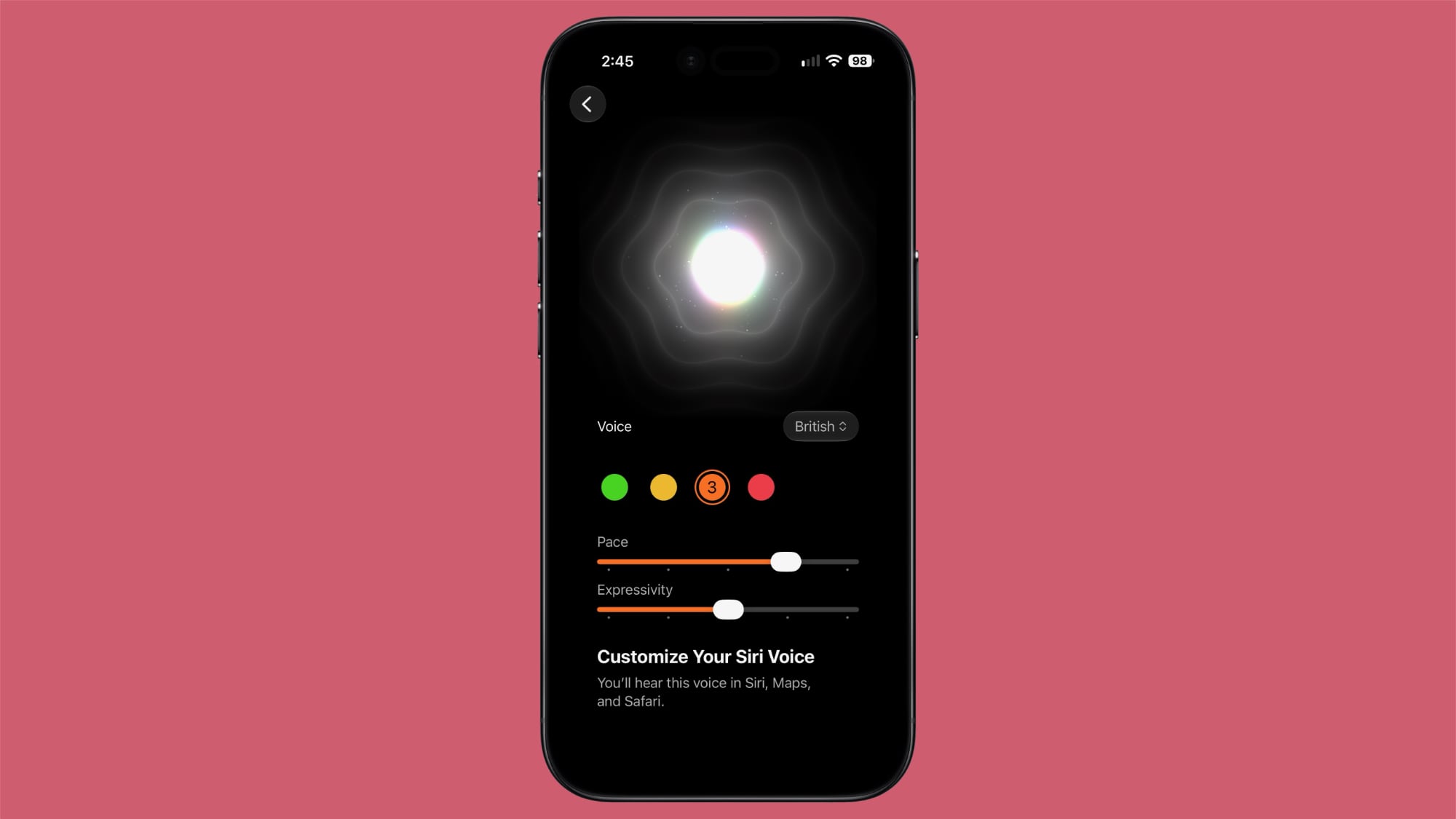
Voice customizations for ‌Siri‌ AI have been expanded, and Pace and Expressivity can be adjusted for all seven American voices and the four British voices.


‌Siri‌ AI voice customization is done on-device, so the feature is limited the iPhone 17 Pro, ‌iPhone 17 Pro‌ Max, or iPhone Air.

Contacts


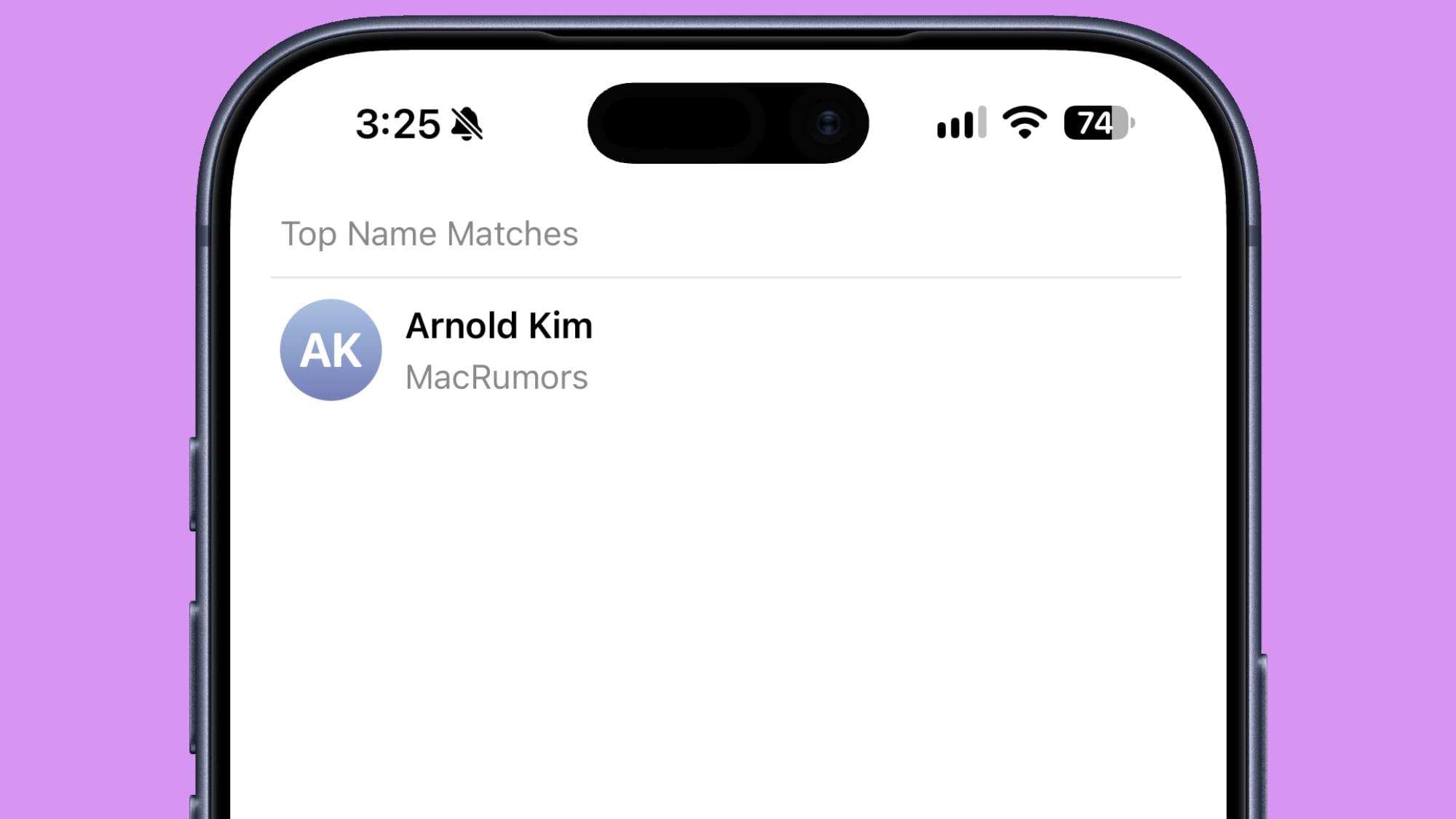
If a contact you've created has a company associated with it, the company name will show in the contact list under the name and in search. It makes it easier to see more information on a contact without having to tap into the contact card.


Create a Pass


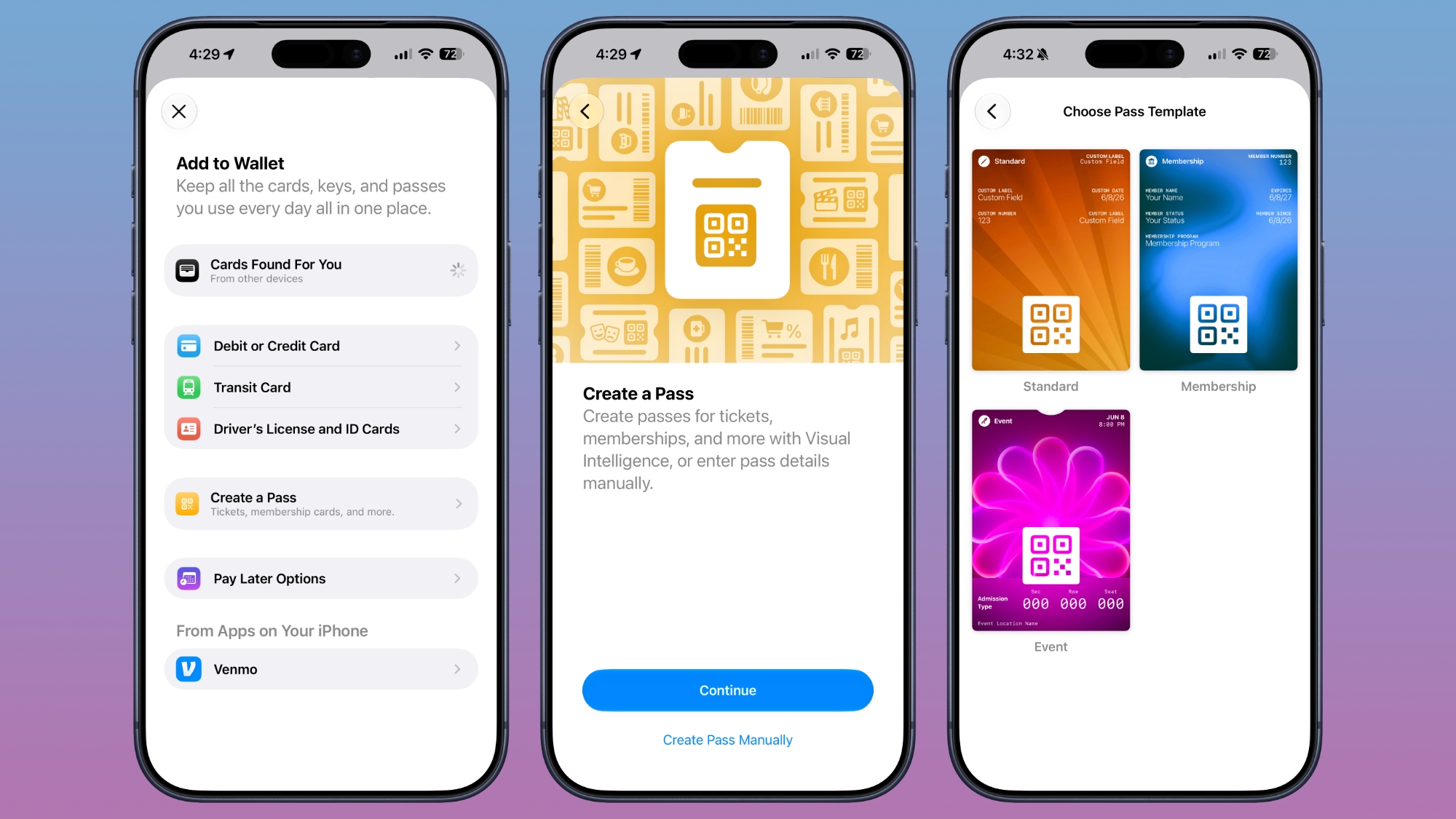
The Apple Wallet Create a Pass feature is now available outside of the U.S.


Splash Screens


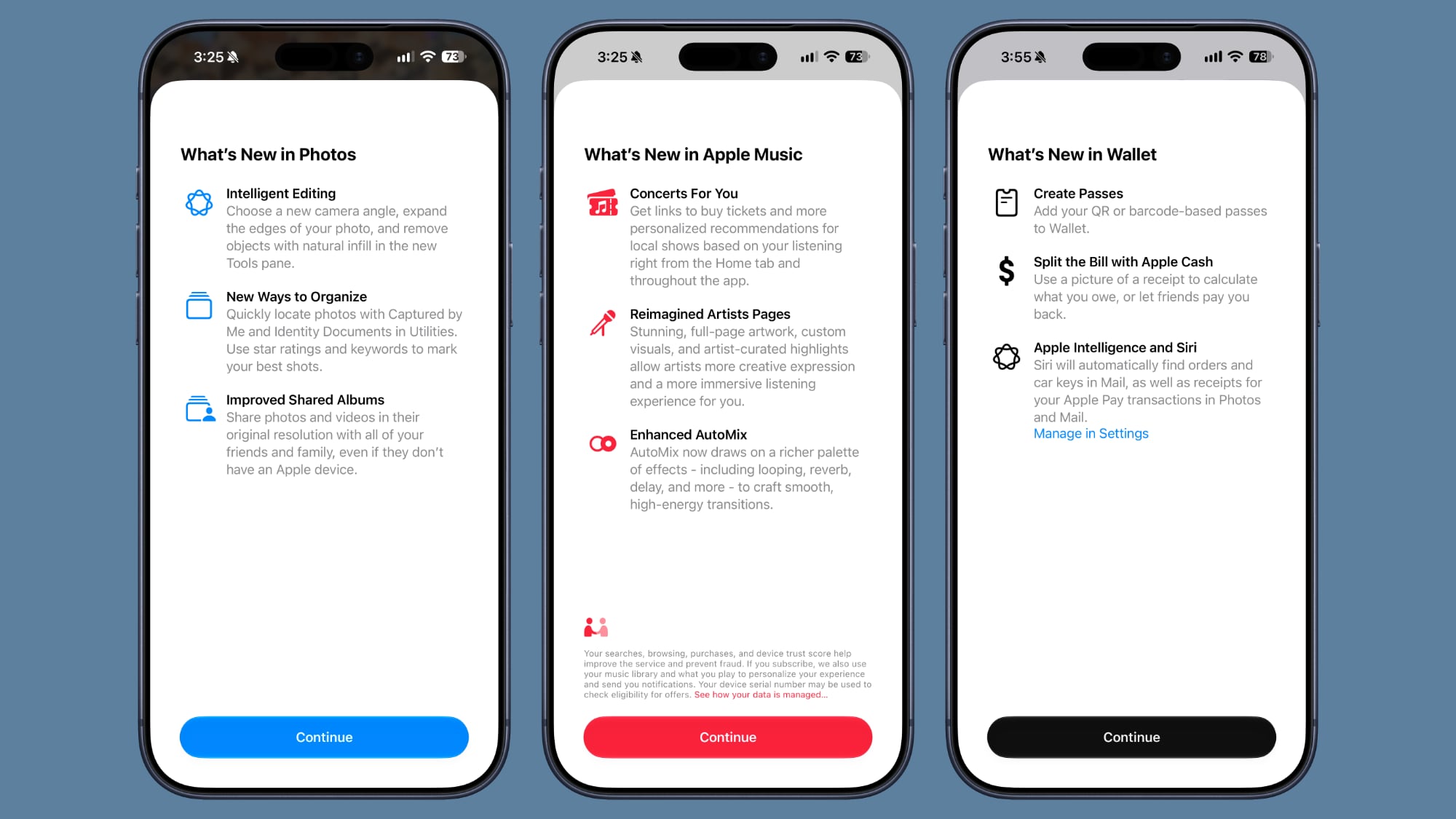
Apple added splash screens for the Photos, Wallet, and Music apps, explaining what's new in ‌iOS 27‌.


Search and Ask


Apple made minor changes to the animation when bringing up Search or Ask. The suggestions interface now comes up as the search bar does rather than popping up slightly afterward.

The search interface also now has a "Search the Web" option at the bottom of results that was not there before.

Apps in Search


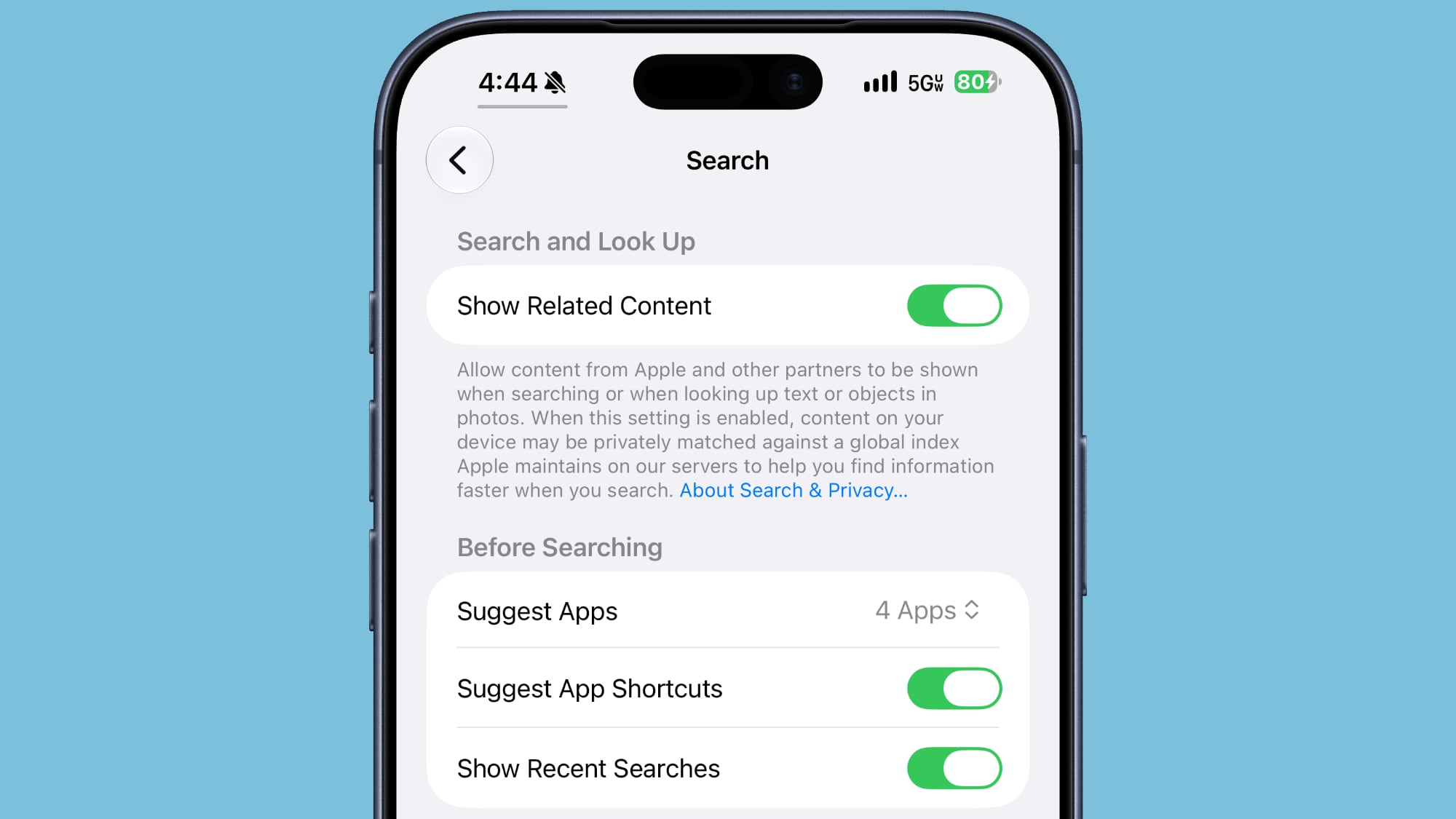
You can now decide whether search should show app results, and if so, how many. You can turn off app results, have it show four apps, or have it show eight apps. There's also a toggle for showing app shortcuts.


Control Center


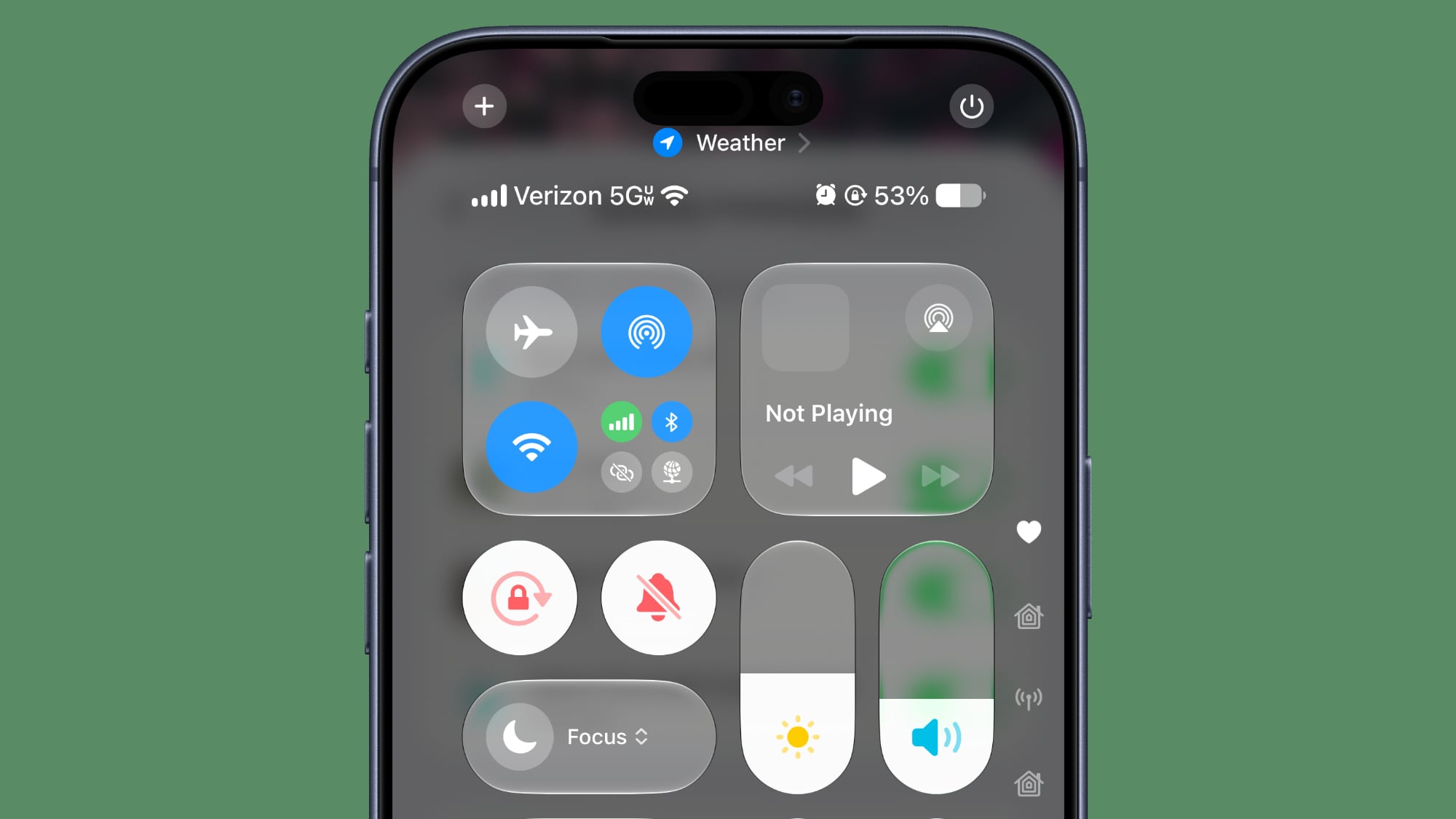
When connected to Wi-Fi, the Control Center no longer shows information on cellular connection.

The ‌iOS 27‌ Control Center in beta 4

5G


5G+ is now available in Spain.

Software Updates


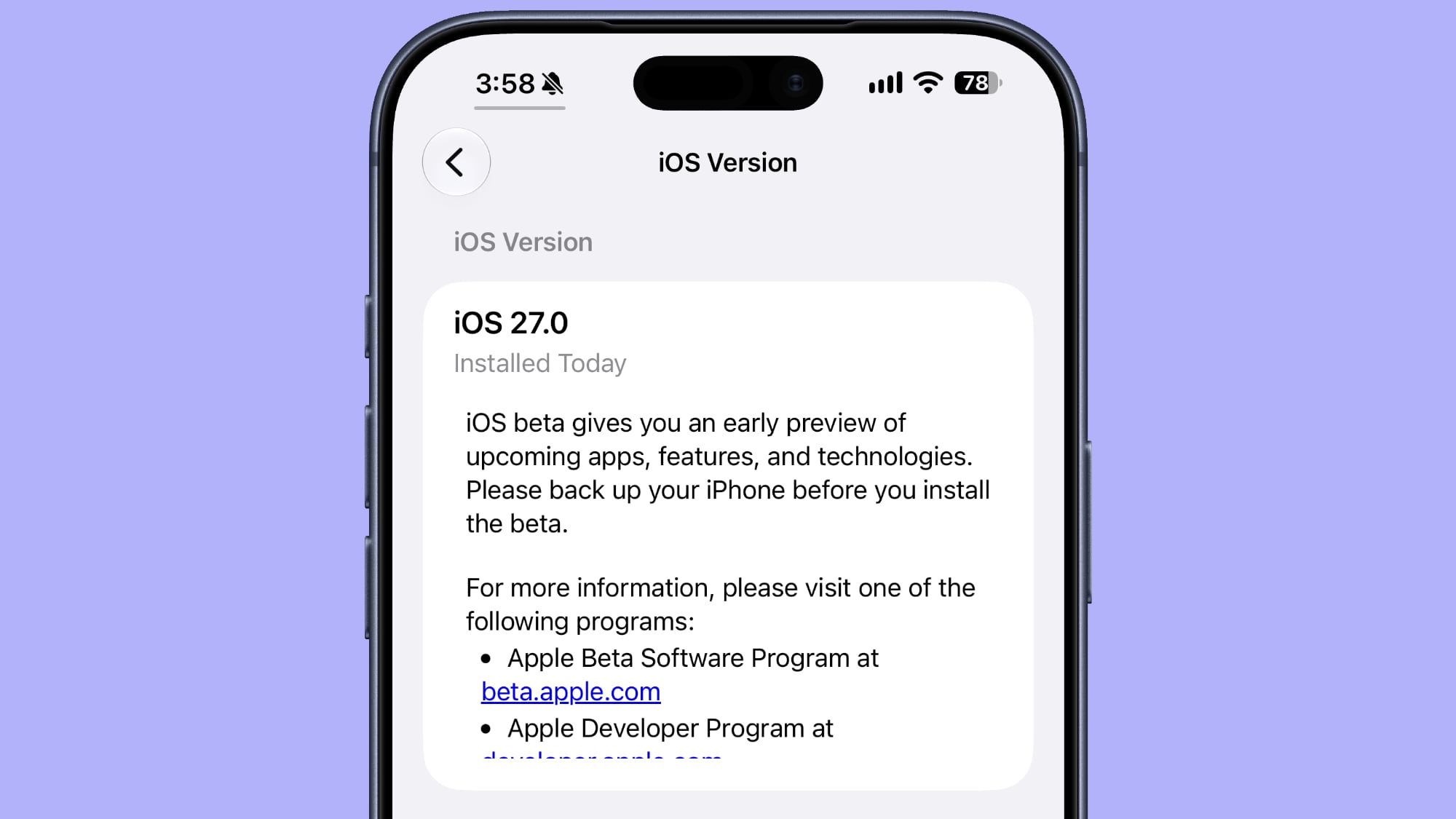
When you look at your software version in Settings > General > About, it now tells you when the last update was installed.


Clock


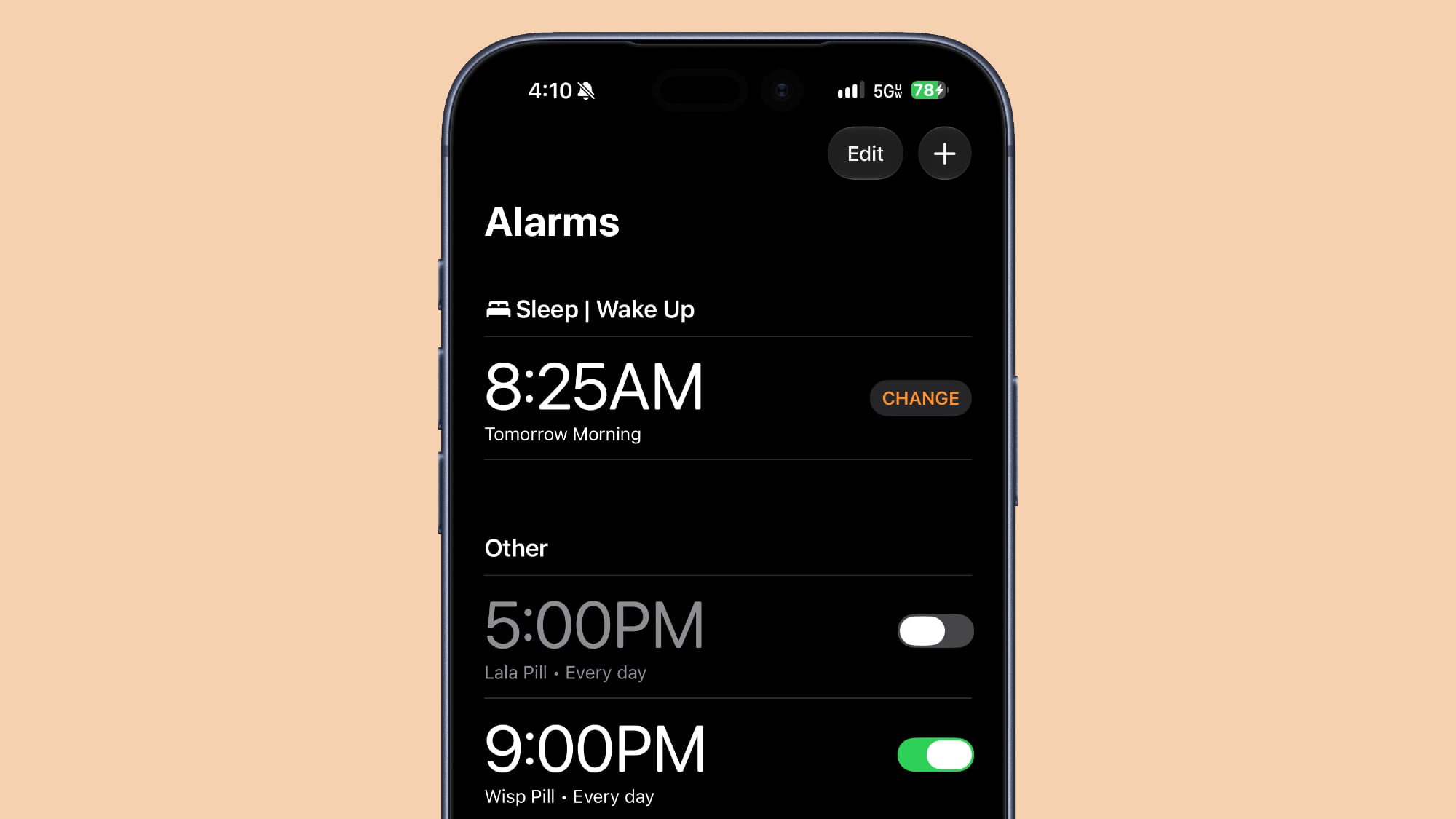
There is a thicker font for the Alarms and Timers section of the Clock app.


Liquid Glass


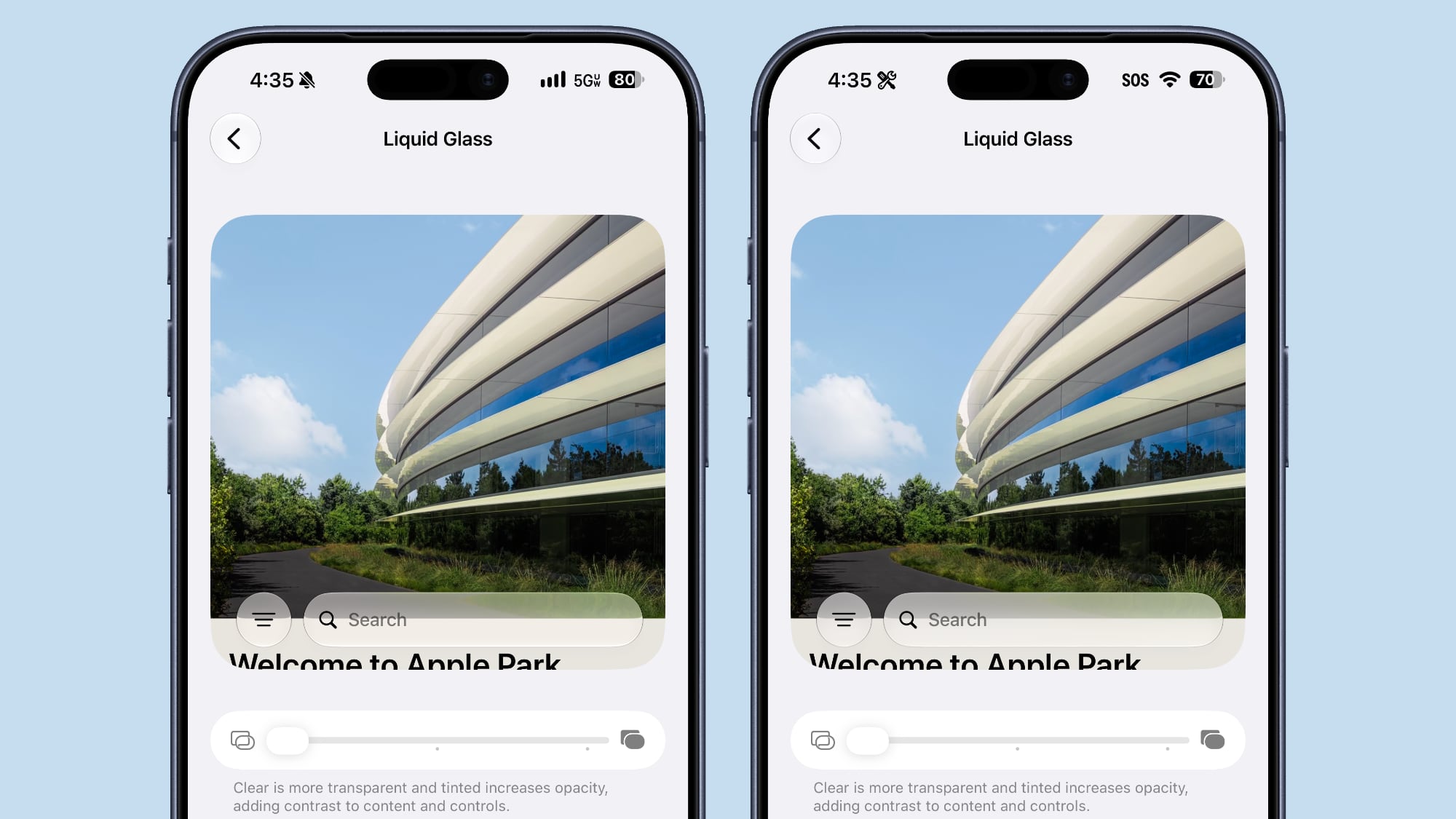
The clearest Liquid Glass setting is clearer than it was in the prior beta.


Mail


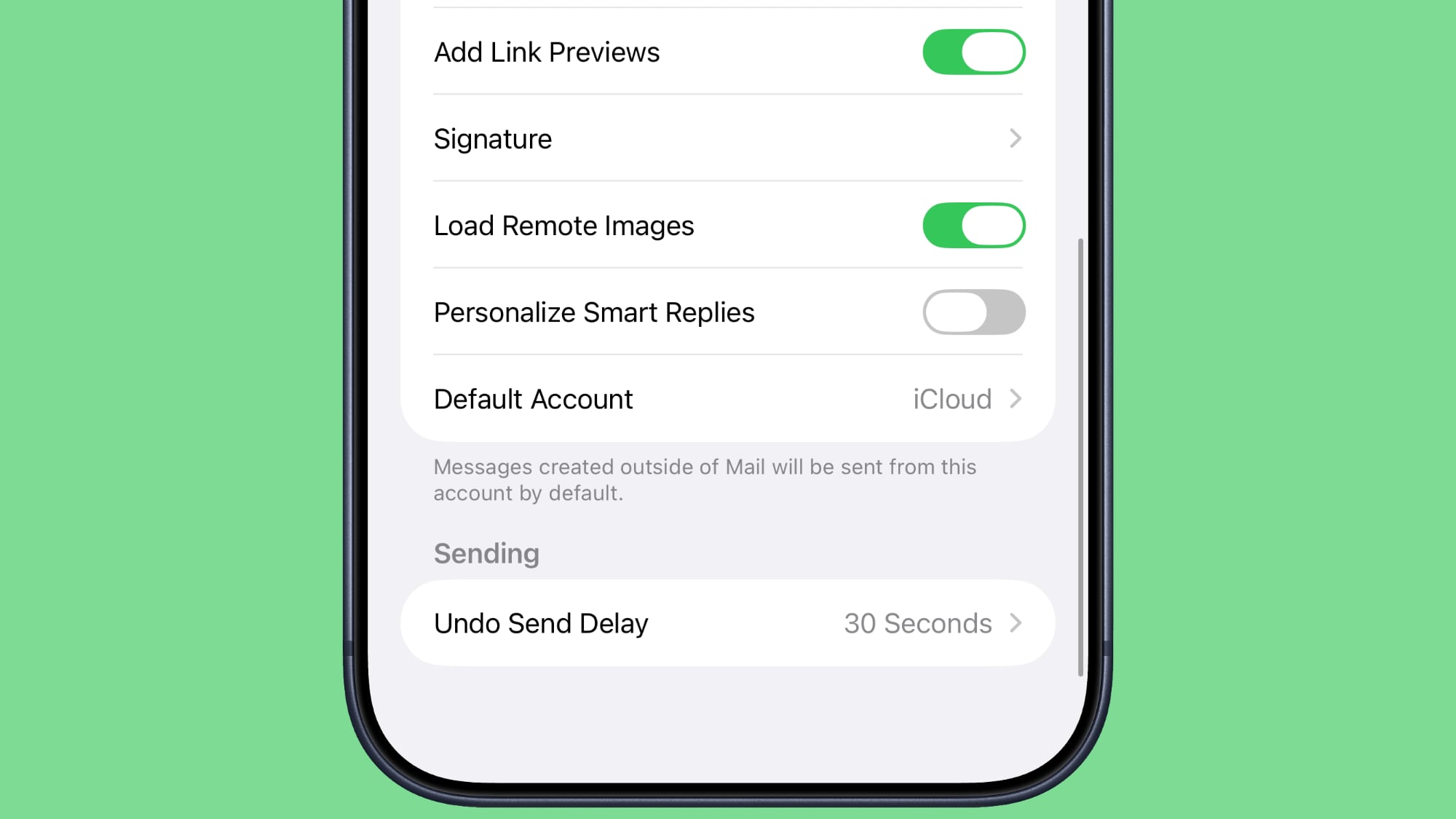
There's now a toggle for the Personalize Smart Replies feature in the Mail app. It's off by default and can be turned on in the Mail section of the Settings app.


Battery


The Battery section of the Settings app will now let you know if a poor cellular connection is causing battery drain.
Related Roundups: iOS 27, iPadOS 27

This article, "Everything New in iOS 27 Beta 5" first appeared on MacRumors.com

Discuss this article in our forums
  •  
❌