
❌

Lees weergave

Here Are the Macs Compatible With macOS Golden Gate

Apple today unveiled macOS Golden Gate, the next major version of its Mac operating system, during its WWDC 2026 keynote.
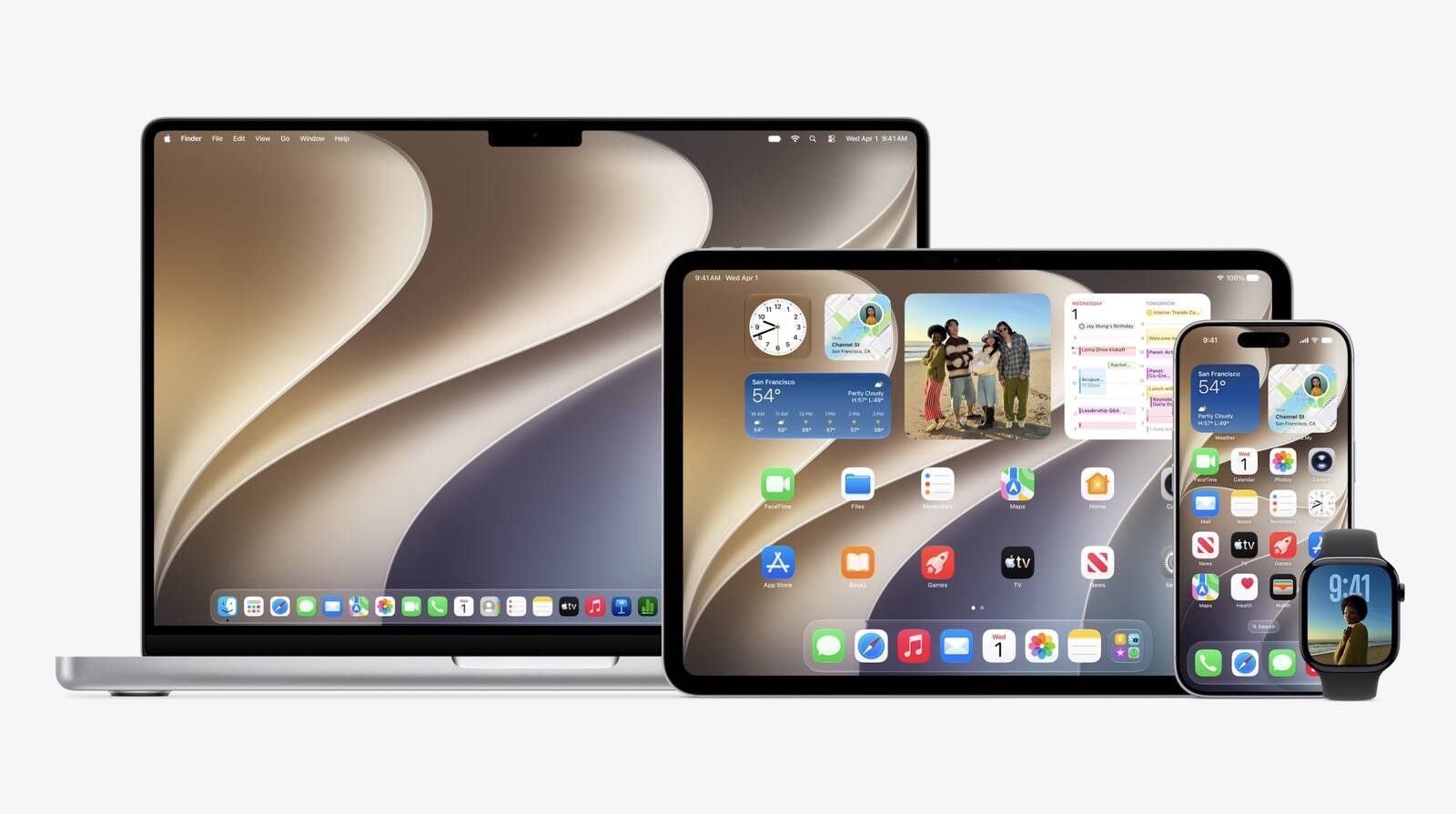

As expected, the update confirms the end of Intel Mac support. Apple said last year that macOS Tahoe would be the final release to run on pre-Apple silicon machines, and macOS 27 makes that official – you'll need an Apple silicon Mac to install it.

Here are the Macs compatible with macOS Golden Gate:

  • MacBook Neo (2026)

  • MacBook Air with Apple silicon (2020 and later)

  • MacBook Pro with Apple silicon (2020 and later)

  • iMac with Apple silicon (2021 and later)

  • Mac mini with Apple silicon (2020 and later)

  • Mac Studio with Apple silicon (2022 and later)

  • Mac Pro with Apple silicon (2023 and later)

Four models that ran macOS Tahoe didn't make the cut this year. They include the MacBook Pro (16-inch, 2019), the MacBook Pro (13-inch, 2020, Four Thunderbolt 3 ports), the iMac (2020), and the Mac Pro (2019).

Owners of those machines aren't entirely out of luck, however. Apple usually keeps issuing security fixes for the previous macOS version well after it's superseded, so anyone sticking with Tahoe will continue to get the necessary patches. But for the latest features, though, the only path forward is a newer Mac.
This article, "Here Are the Macs Compatible With macOS Golden Gate" first appeared on MacRumors.com

Discuss this article in our forums

  •  

New Siri AI Features Won't Be Available in EU Later This Year

The new enhanced Siri AI features that Apple announced today at WWDC 2026 will not be available in the European Union or in China when they are released in beta later this year.


Apple said that while Siri AI will be available for free with the new upcoming OS releases, it will not be available in the EU on iOS and iPadOS until it can find a path forward for regulatory approval.

Apple said EU regulators did not accept any of the company's proposed solutions to bring Siri AI to the EU while safely supporting other virtual assistants.

"We're deeply disappointed that our EU users won't have Siri AI on iPhone or iPad when we share our new software releases later this year," said Craig Federighi, Apple's senior vice president of Software Engineering. "Our hope is to eventually bring Siri AI to the EU, and we will continue to engage with EU regulators on a path forward. However, their refusal to engage constructively on solutions that preserve privacy and security means we do not currently have a timeline for Siri AI's availability on iOS and iPadOS in the EU."
When iOS 27 and iPadOS 27 launch later this year, Apple will not offer Siri AI or its new features on those platforms in the EU. That includes the new app for revisiting conversations, expanded Visual Intelligence capabilities, integrated writing tools, Siri mode in the Camera app on iPhone, and other Siri AI features introduced at WWDC26. Apple explained further in a newsroom announcement:
According to EU regulators, the DMA requires Apple to give any AI system nearly unlimited access to a user's device, as well as the ability to act on that access autonomously without a user's ongoing visibility and control. That includes the ability to read and send messages, make purchases, access files, and execute actions across any app. Security researchers have already shown that AI systems can be hijacked to steal personal data β€” like passwords and photos β€” and to permanently alter files and account settings without a user's consent. As AI systems gain more capabilities, these risks are quickly increasing in frequency and scope.

Given the serious risks to users, Apple designed a solution called Trusted System Agent β€” an intermediary that would allow virtual assistants to safely access the same features and capabilities as Siri AI for devices in the EU. Apple also shared a plan to launch Siri AI in the EU while gradually rolling out this new solution over an 18-month period. The European Commission said no. In fact, the European Commission did not agree to any of Apple's proposals.
The restrictions will apply to both consumers and developers. EU-based developers will be unable to test or integrate the new Siri AI features into their iPhone and iPad apps. Apple will, however, make Siri AI available in the EU on macOS 27, visionOS 27, and watchOS 27.

Apple also said that Siri AI will not be available in China while the company works through regulatory requirements.


This article, "New Siri AI Features Won't Be Available in EU Later This Year" first appeared on MacRumors.com

Discuss this article in our forums
  •  

New Safari Can Monitor a Webpage and Notify You of Updates

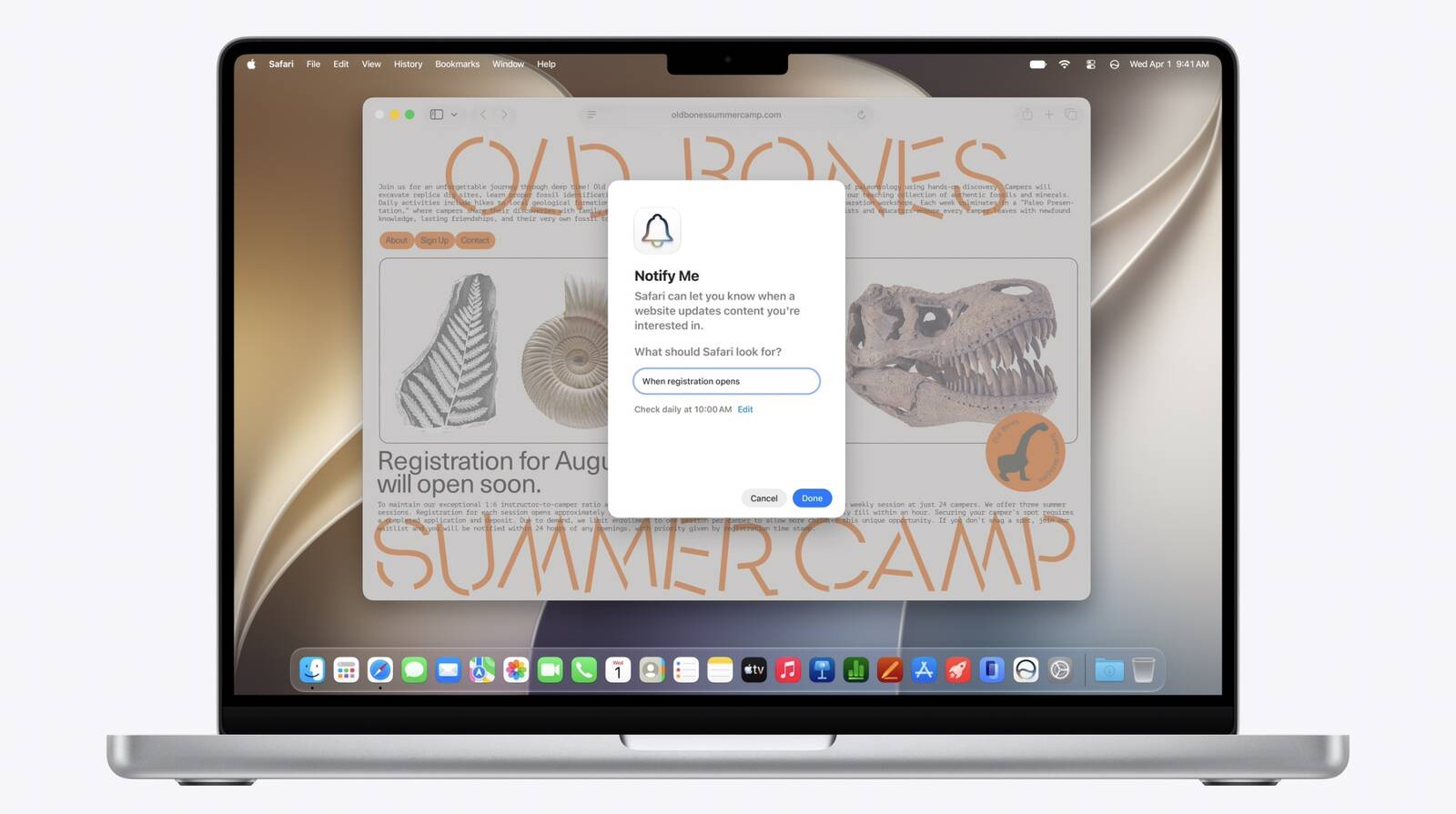
Apple's new version of Safari browser can be tasked to monitor a webpage and notify you of any changes, thanks to a new built-in feature.


With "Notify Me," Safari can keep checking a website on your behalf – such as a product you've been watching for when it comes back in stock – and alert you when a change occurs.

In other upcoming feature additions, using the power of AI, Safari tabs that you have open can automatically be organized into topics.

Moreover, thanks to the new Siri AI features, Apple says that you can describe what you want in natural language, and Safari can create a custom extension that adapts web pages just for you.

It's worth noting, however, that the new enhanced Siri AI features that Apple announced today at WWDC 2026 will not be available in the European Union or in China when they are released in beta later this year.
This article, "New Safari Can Monitor a Webpage and Notify You of Updates" first appeared on MacRumors.com

Discuss this article in our forums
  •  

Rich Siri Conversations in macOS 27 Can Be Started in Spotlight

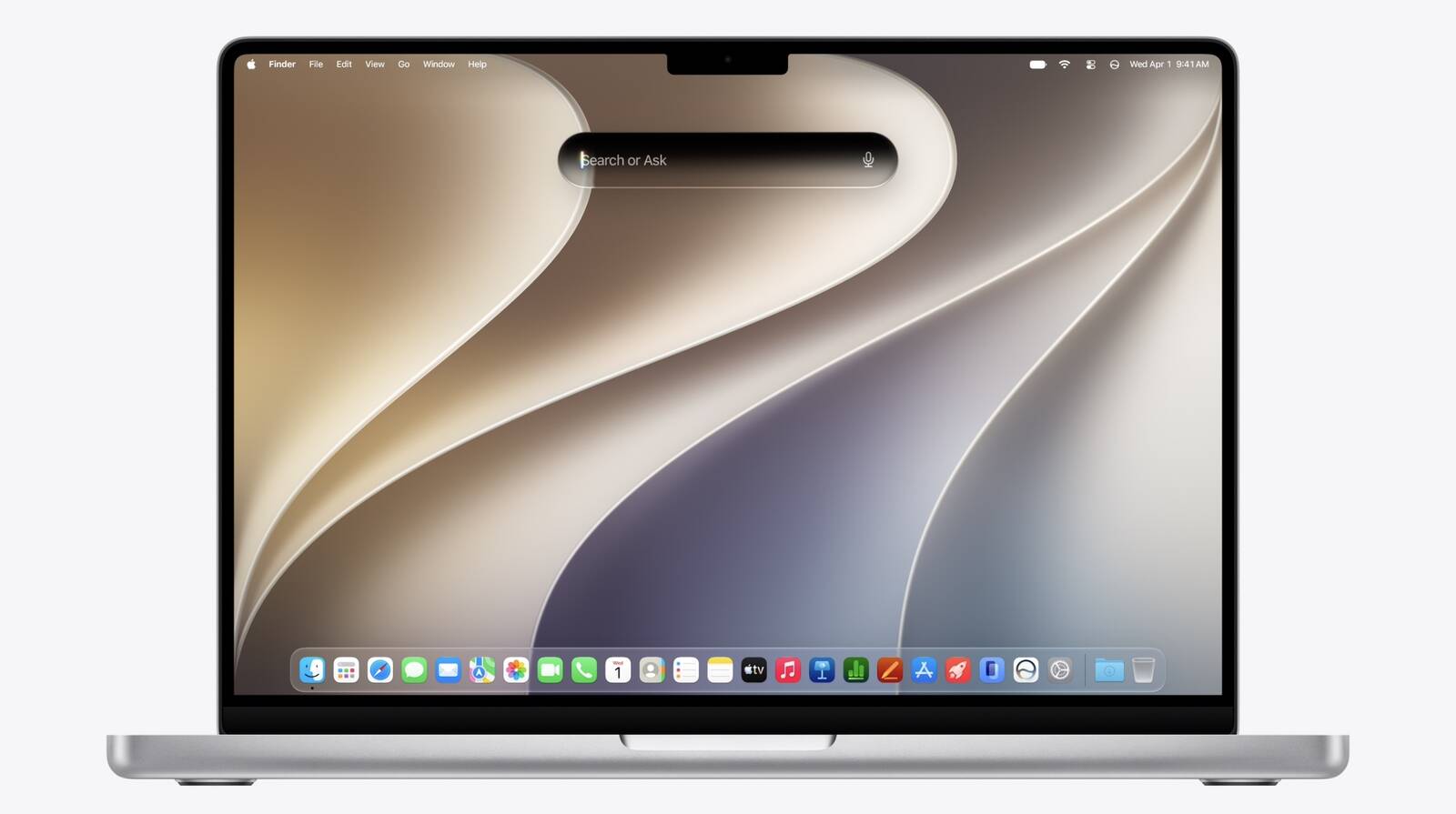
In macOS 27, Siri's new chatbot capabilities can be accessed straight from Spotlight, Apple announced today.


During its WWDC 2026 keynote, Apple revealed that Siri's rich conversational experience can be started right inside the Spotlight prompt, accessed via Command + Space, bringing in context and chat history on the fly.

Conversation history is synced via iCloud, so you can go from device to device. It can use world knowledge, personal content, and allows you to perform tasks like writing Messages or emails.

There's also a new Siri mode in Camera. Apple is introducing broader Apple Intelligence upgrades that can bring smarter capabilities to apps across the iPhone, iPad, and Mac.
Related Roundup: macOS 27
Tag: Siri

This article, "Rich Siri Conversations in macOS 27 Can Be Started in Spotlight" first appeared on MacRumors.com

Discuss this article in our forums
  •  

Apple Touts Faster Core Software Features Across Devices

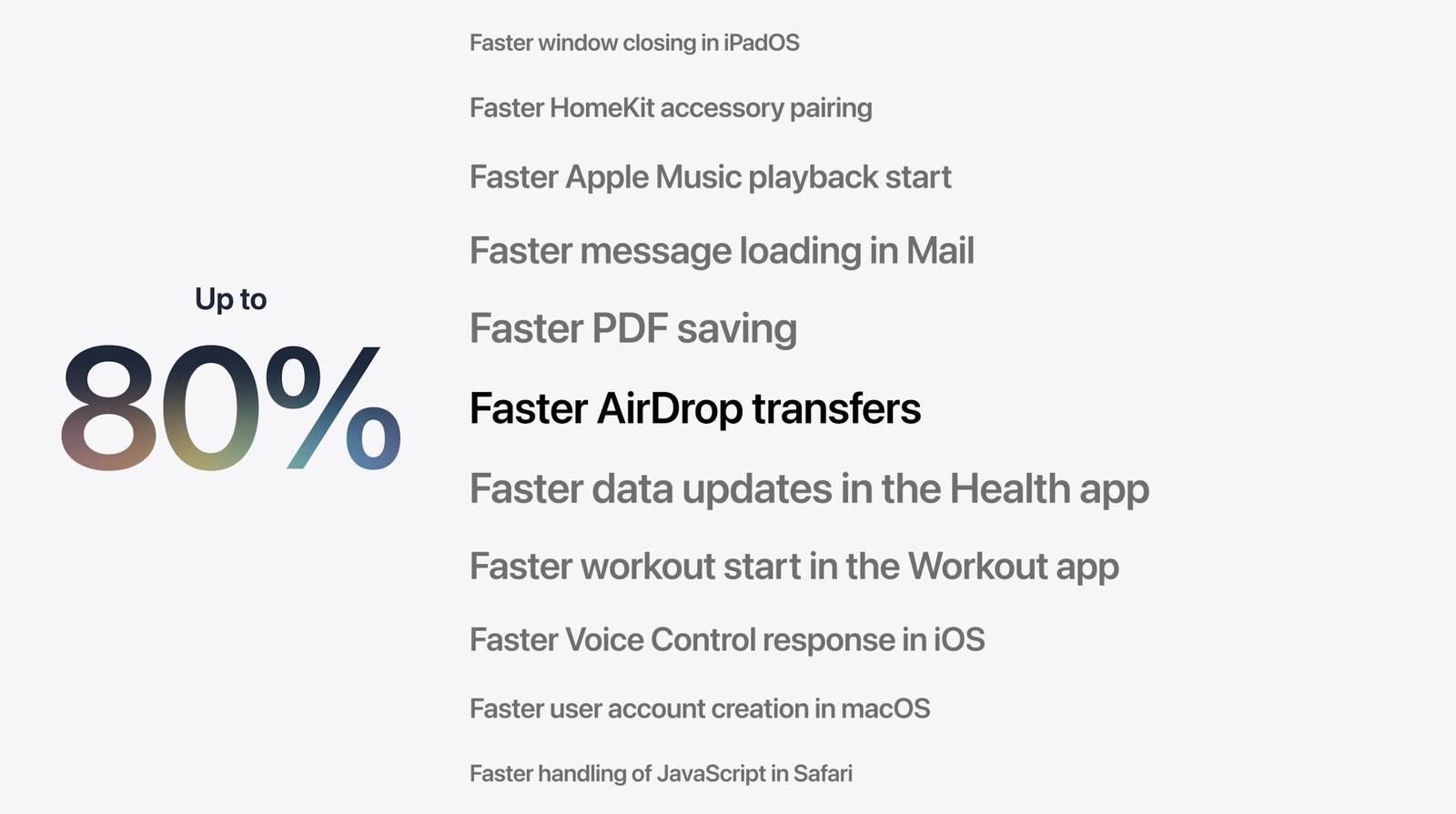
Apple at WWDC 2026 today said it has made several responsiveness improvements across its software ecosystem, speeding up system animations, app launching, and much more.


Apple says that launching iPhone and iPad apps is up to 30 percent faster across devices, while new photos taken on iPhone appear in iCloud Photos up to 70 percent faster.

Elsewhere, sharing files between devices over AirDrop is now up to 80 percent faster and transfers in the Files app are up to 50 percent faster. There's also a new CPU scheduler manager that prioritizes jobs and ensures that the right work is executed on time.

Apple also says that network transitions on its mobile devices have been improved, so that switching between cellular data and Wi-Fi when you're out and about feels a lot more seamless.
This article, "Apple Touts Faster Core Software Features Across Devices" first appeared on MacRumors.com

Discuss this article in our forums
  •  

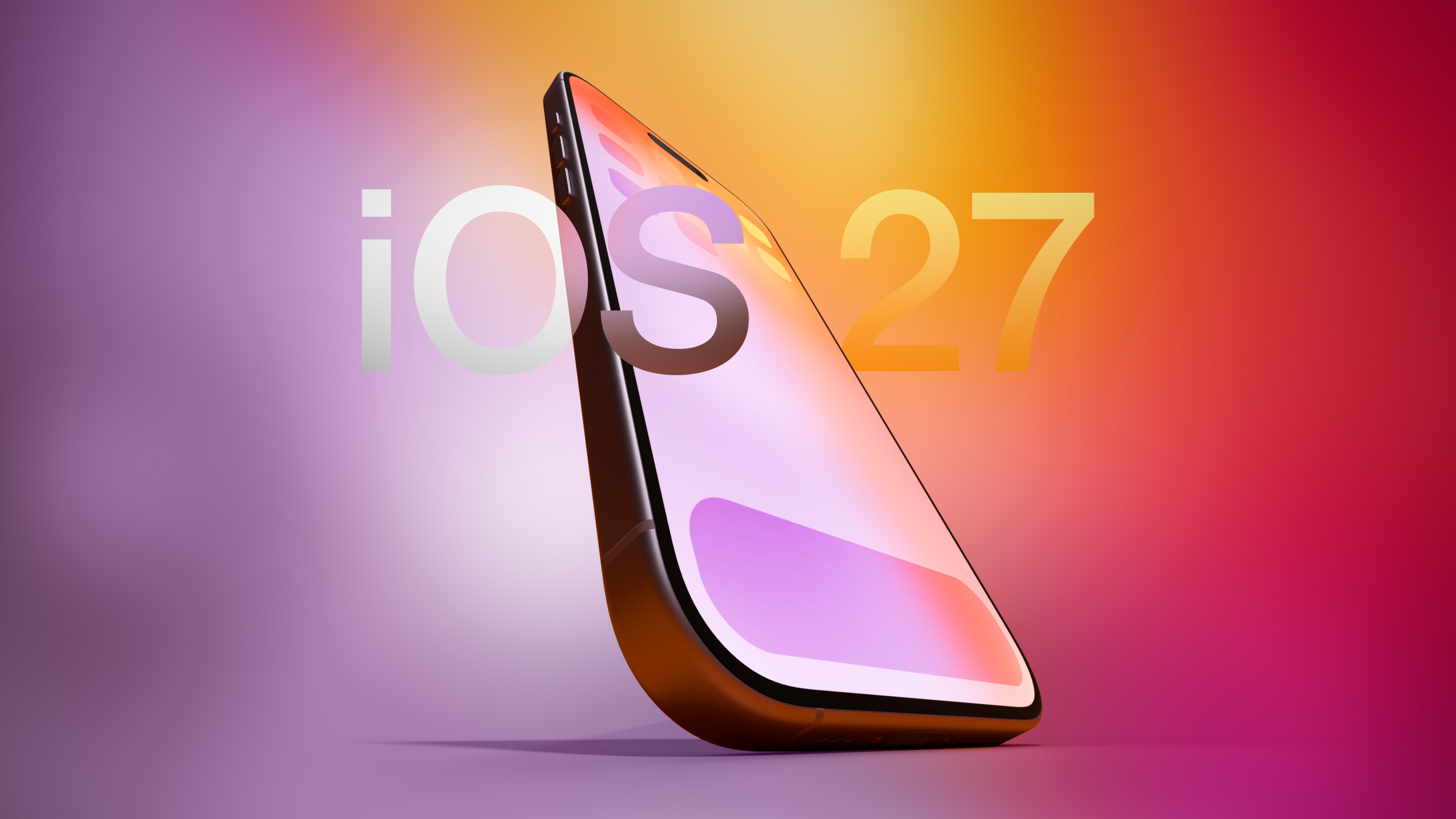
iOS 27 Supports iPhone 11 and Newer, Says Apple

iOS 27 is supported on iPhone 11 and all of the same iPhone models as iOS 26, Apple confirmed today during its WWDC 2026 keynote.


The announcement means that iOS 27 will be compatible with the following iPhone models when it arrives in September:
  • iPhone 17e

  • iPhone 17

  • iPhone 17 Pro & Pro Max

  • iPhone Air

  • iPhone 16e

  • iPhone 16

  • iPhone 16 Plus

  • iPhone 16 Pro

  • iPhone 16 Pro Max

  • iPhone 15

  • iPhone 15 Plus

  • iPhone 15 Pro

  • iPhone 15 Pro Max

  • iPhone 14

  • iPhone 14 Plus


  • iPhone 14 Pro

  • iPhone 14 Pro Max

  • iPhone 13

  • iPhone 13 mini

  • iPhone 13 Pro

  • iPhone 13 Pro Max

  • iPhone 12

  • iPhone 12 mini

  • iPhone 12 Pro

  • iPhone 12 Pro Max

  • iPhone 11 Pro

  • iPhone 11 Pro Max

  • iPhone 11

  • iPhone SE (3rd generation)

Apple is also expected to introduce broader Apple Intelligence upgrades that could bring smarter capabilities to apps across the iPhone, iPad, and Mac. Stay tuned for all the details.
Related Roundup: iOS 27

This article, "iOS 27 Supports iPhone 11 and Newer, Says Apple" first appeared on MacRumors.com

Discuss this article in our forums

  •  

5 Things to Watch for During Apple's WWDC 2026 Keynote Today

WWDC 2026 has officially arrived, with Apple set to kick off its annual developer conference with its opening keynote at 10 a.m. Pacific Time today.


Apple will announce its latest software updates, including iPadOS 27, macOS 27, watchOS 27, tvOS 27, and visionOS 27. Could there also be a surprise or two in store?

Below, we recap five key talking points heading into WWDC 2026:
  1. Apple could announce new hardware at this year's conference – reportedly, it even has a couple of new devices "ready to go" – but we are keeping our expectations in check. Apple is believed to be holding back new additions to the company's hardware lineup until the new version of Siri and other Apple Intelligence upgrades are released to the general public later this year. The global memory shortage is also making Mac upgrades less likely for now.

  2. Apple may gate access to new Siri features via a waitlist when iOS 27 arrives in September, similar to the initial launch of the Apple Intelligence platform two years ago. Apple is still internally labeling the long-delayed revamped Siri as a "beta," suggesting it won't be marketed as finished when it arrives later this year. Today's preview of the software should clarify what still needs work.

  3. macOS 26 Tahoe will be the final major macOS version for Intel-based Macs, Apple revealed at last year's WWDC. That means macOS 27 will be compatible with Apple silicon Macs only, so you will need a Mac with an M-series chip or a MacBook Neo with an A18 Pro chip in order to install the software update. Dropping support for the legacy chips also means Apple can focus on honing new features exclusively for Apple silicon.

  4. WWDC 2026 will be Apple CEO Tim Cook's last as keynote speaker. The opening keynote of WWDC has been presented by Cook every year since 2012, but the 65-year-old is stepping down as Apple's chief executive officer, and hardware engineering chief John Ternus is set to take over on September 1. Bloomberg's Mark Gurman anticipates that Cook will kick off the keynote, but software chief Craig Federighi will be the most prominent figure for the majority of the presentation as he introduces the new AI-centric features.

  5. This year, macOS Emerald and macOS Big Bear have emerged as two speculative possibilities for the name of macOS 27, which Apple has yet to announce. Meanwhile, Little Finder Guy has re-appeared, this time in WWDC swag bags! The tiny anthropomorphized version of the Mac Finder icon went viral earlier this year after appearing in Apple's MacBook Neo marketing campaign. Could we see the character return during the macOS 27 preview? Fingers crossed!


Stay tuned for in-depth coverage of all of Apple's announcements today. We also have a guide explaining all the ways you can watch Apple's WWDC 2026 Keynote live as it happens.
Related Roundup: WWDC 2026

This article, "5 Things to Watch for During Apple's WWDC 2026 Keynote Today" first appeared on MacRumors.com

Discuss this article in our forums

  •  

WWDC 2026 Swag Bag Includes Little Finder Guy

Just hours away from WWDC's opening keynote, some developers have been sharing the contents of their conference swag bags on social media. The bags are given to attendees when they register for the event, and typically contain limited-edition Apple gifts.


This year, developers have been registering early at Apple's Infinite Loop campus, where they have been gifted a black tote bag emblazoned with the WWDC 2026 logo, along with a water bottle, a selection of stickers, and collectible enamel pins.

There are four pins in the bag, including the Apple skull and crossbones, an Apple 50 pin, Clarus the Dogcow, and Little Finder Guy – the tiny anthropomorphized version of the Mac Finder icon that went viral after appearing in Apple's recent online marketing campaign for the MacBook Neo.

wwdc 2026 apple swag #wwdc pic.twitter.com/SLgrgLxQwl

β€” Canoopsy (@Canoopsy) June 7, 2026

MacRumors will be in attendance at the keynote, with live coverage of the event beginning shortly after 10:00 a.m. Pacific Time. Stay tuned to MacRumors.com and our @MacRumorsLive account on X (Twitter). We've also put together a guide explaining all the ways you can watch Apple's WWDC 2026 Keynote live as it happens.
Related Roundup: WWDC 2026

This article, "WWDC 2026 Swag Bag Includes Little Finder Guy" first appeared on MacRumors.com

Discuss this article in our forums

  •  

How to Watch Apple's WWDC 2026 Keynote on June 8

The 2026 Worldwide Developers Conference will take place this week from June 8 through June 12, and like the last six years, it will be an online event, although select developers and students will be invited to Apple Park. To kick things off, Apple holds a keynote event on the Monday to announce new software, which is what makes it of interest to the general public.


During the keynote event on Monday, June 8, Apple is expected to unveil iOS 27, iPadOS 27, macOS 27, tvOS 27, watchOS 27, and visionOS 27. (The "27" represents the September 2026 to September 2027 release season.)

You can watch the WWDC 2026 keynote event using one of the methods outlined below. The live stream is set to start at 10:00 a.m. Pacific Time from β€ŒApple Parkβ€Œ in Cupertino, California. We have a full list of when the event will begin in other time zones in the United States and around the world.

  • Honolulu, Hawaii -- 7:00 a.m. HAST

  • Anchorage, Alaska -- 9:00 a.m. AKDT

  • Cupertino, California -- 10:00 a.m. PDT

  • Phoenix, Arizona -- 10:00 a.m. MST

  • Vancouver, Canada -- 10:00 a.m. PDT

  • Denver, Colorado -- 11:00 a.m. MDT

  • Dallas, Texas -- 12:00 noon CDT

  • New York, New York -- 1:00 p.m. EDT

  • Toronto, Canada -- 1:00 p.m. EDT

  • Halifax, Canada -- 2:00 p.m. ADT

  • Rio de Janeiro, Brazil -- 2:00 p.m. BRT (no DST)

  • London, United Kingdom -- 6:00 p.m. BST

  • Berlin, Germany -- 7:00 p.m. CEST

  • Paris, France -- 7:00 p.m. CEST

  • Cape Town, South Africa -- 7:00 p.m. SAST

  • Helsinki, Finland -- 8:00 p.m. EEST

  • Istanbul, Turkey -- 8:00 p.m. TRT

  • Dubai, United Arab Emirates -- 9:00 p.m. GST

  • Delhi, India -- 10:30 p.m. IST

  • Jakarta, Indonesia -- 12:00 a.m. WIB next day

  • Shanghai, China -- 1:00 a.m. CST next day

  • Singapore -- 1:00 a.m. SGT next day

  • Perth, Australia -- 1:00 a.m. AWST next day

  • Hong Kong -- 1:00 a.m. HKT next day

  • Seoul, South Korea -- 2:00 a.m. KST next day

  • Tokyo, Japan -- 2:00 a.m. JST next day

  • Adelaide, Australia -- 2:30 a.m. ACST next day

  • Sydney, Australia -- 3:00 a.m. AEST next day

  • Auckland, New Zealand -- 5:00 a.m. NZST next day

Watch the Keynote on YouTube


Watching the WWDC keynote on YouTube may be one of the quickest and easiest ways to catch the event because YouTube is generally available on most devices, including TV sets and consoles.


The YouTube live stream above will be accessible on June 8 when the event kicks off.

Watch the Keynote on Mac, iPhone, iPad, or Vision Pro


You can watch the WWDC keynote on any Mac, iPhone, iPad, or Vision Pro using Apple's native Safari browser or another browser. iOS devices must be running iOS 10 or later, and Macs need to be running macOS Sierra 10.12 or later to access the stream.

Launch Safari from your chosen device and follow this link to the WWDC 2026 Keynote.

Watch the Keynote Using the Apple TV App


You can watch the WWDC keynote via Apple's TV app on Mac, iPhone, iPad, Vision Pro, and Apple TV, with the link in the TV app becoming available on the day of the event or just before.

  1. Open the TV app on your chosen device.

  2. Scroll down the Watch Now category and select WWDC 2026. Alternatively, type "WWDC" into the Search field and select WWDC 2026 from the results.

  3. Click Play.


The app may tell you to tune in at your local time to watch the event live prior to when the WWDC keynote begins.

Watch the Keynote on a Windows PC


If you don't have an Apple device handy, you can still watch the WWDC 2026 keynote on a PC running Windows 10 or later. Open Microsoft Edge browser and follow this link to the WWDC 2026 Livestream.

While Apple offers no guarantees, other platforms may also be able to access the WWDC 2026 keynote using recent versions of Chrome or Firefox (MSE, H.264, and AAC codecs/extensions must be installed).

Watch in the Apple Developer App or Developer Website


Apple also plans to stream the keynote in the Apple Developer app, and on the Apple Developer website, making it easier than ever for Apple fans and developers to catch the event.

MacRumors Coverage


For those unable to watch the live stream, or who prefer to read a text version of the announcements, we'll have live coverage both here on MacRumors.com and through our MacRumorsLive X (Twitter) account, so make sure to follow.
Related Roundup: WWDC 2026

This article, "How to Watch Apple's WWDC 2026 Keynote on June 8" first appeared on MacRumors.com

Discuss this article in our forums
  •  
❌