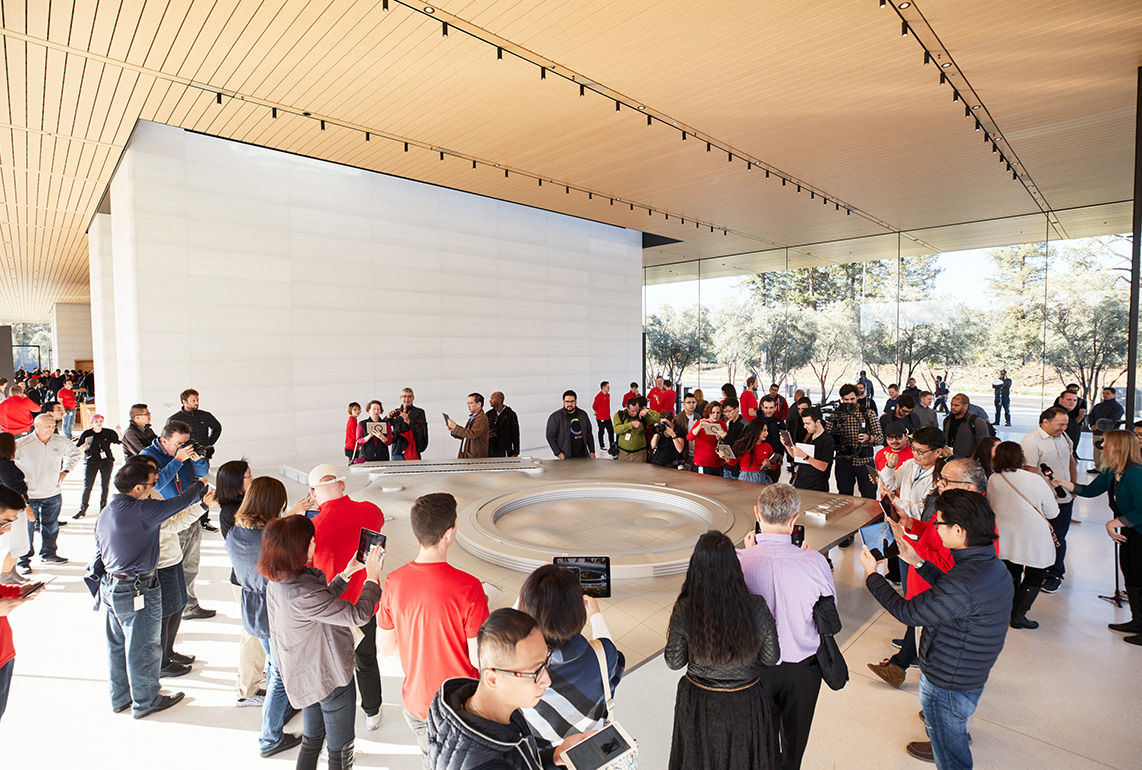
Following renovations, the Apple Park Visitor Center in Cupertino, California no longer features a 3D augmented reality model of the Apple Park campus.
The area that housed the 3D model, which was called the Exhibition Space, now has wall-mounted shelves known as "Avenues" and new, rounder tables for product displays.
The remodeling process began in July and was completed recently.
Apple Park Visitor Center's former Exhibition Space now displays products (source)
The redesigned product tables have been set up at select other stores, such as Apple Williamsburg and Apple The Mall at Bay Plaza in New York City.
The 3D model of Apple Park had been a fixture of the Visitor Center since it opened in 2017.
Apple Park Visitor Center functions as both a store and a tourist attraction. While the Exhibition Space is now permanently closed, visitors can still grab a coffee at the on-site Caffè Macs, purchase Apple merchandise, head up to the rooftop for a scenic view, or stroll through the adjacent "Mirage" public art installation.
Apple today updated the Shazam app for iOS with an ever so slightly frostier app icon and a new set of iMessage stickers.
To send stickers in the Messages app on the iPhone, tap the plus sign in a conversation, select Stickers, tap on the Shazam app icon, and tap on a sticker. You can also send stickers during FaceTime video calls and in other apps where the emoji keyboard is available.
Anthropic today launched Claude Opus 5.5, which it says is the first model in a new 5.5 model family. Opus 5.5 performs at the level of Claude Fable 5.1 on most work, but costs 40 percent less to run than Opus 5.
According to Anthropic, Opus 5.5 is a "major step up" from Opus 5 with improvements in performance and safety. Opus 5.5 is comparable to Mythos 5.1 in biology and cybersecurity, so Anthropic is launching it with safeguards similar to those on Fable 5.1. Opus 5.5 also generates output over 30 percent faster than Opus 5.
On benchmarks shared by Anthropic, Opus 5.5 surpassed Fable 5.1 on agentic coding, knowledge work, computer use, visual chart recognition, and multidisciplinary reasoning. Anthropic says the model communicates more naturally than prior models, putting important information at the front of a response so it's easier to understand at a glance. It is less likely to use jargon or idiosyncratic phrases, and it follows the writing rules it's given.
Claude Opus 5.5 is available on all platforms as of today. With the launch of Opus 5.5, Anthropic is raising the five-hour usage limits on Pro, Max, Team, and seat-based Enterprise plans. Subscribers have also received a rate limit reset that can be used anytime between now and October 22.
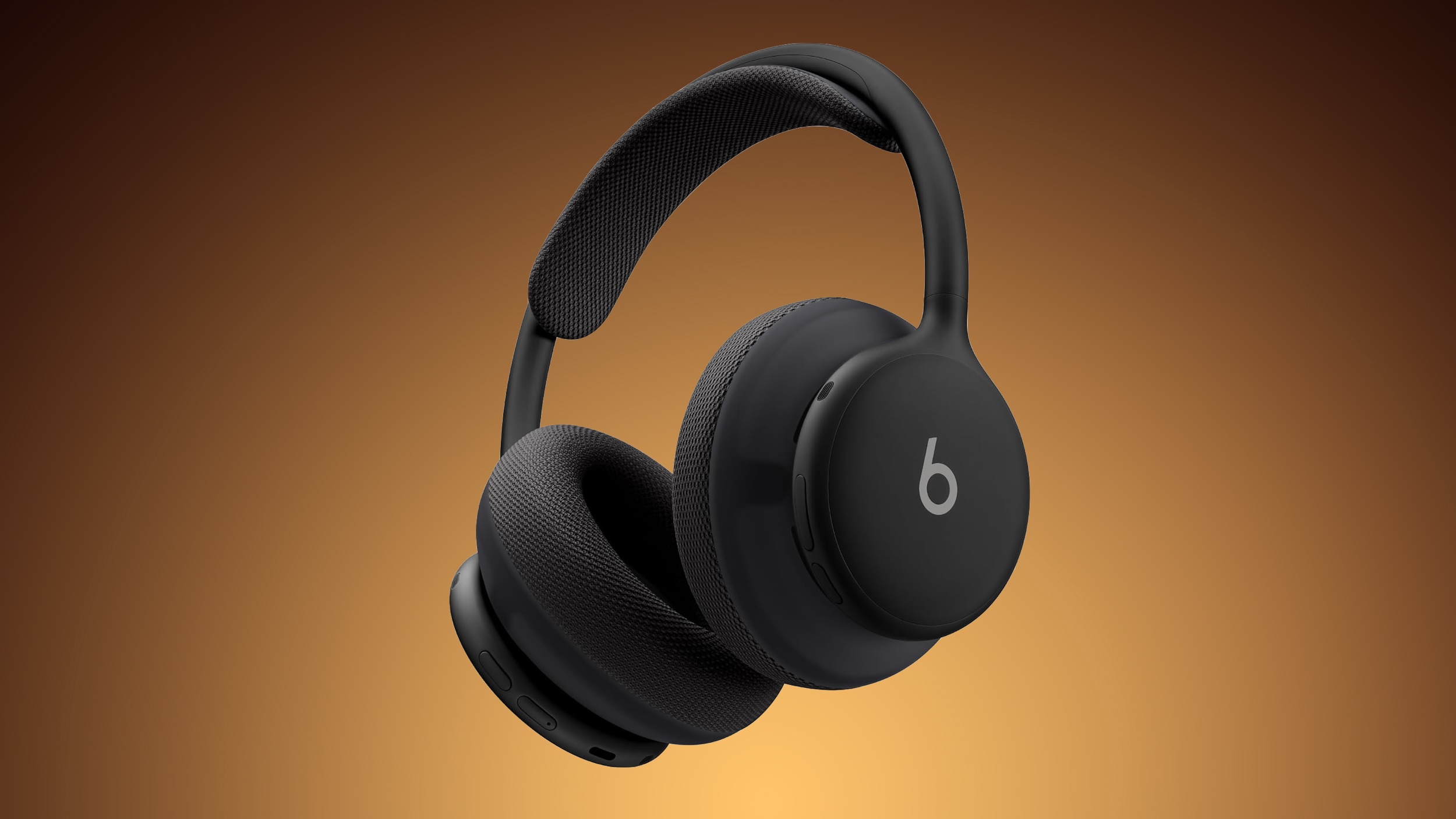
Apple today released a firmware update for the Beats 360 over-ear headphones, so customers ordering the headphones will have new software available when they arrive. The firmware has a 4A262 version number, up from the prior 4A260 firmware.
We don't know what's included in the firmware update, but Apple may share details on its support site.
Announced this morning, the Beats 360 feature an all-new over-ear headphone design with a focus on comfort, active noise cancellation, and sound quality. Beats 360 come in multiple colors and can be customized with removable ear cups and headband cushions in different colors. The headphones are priced at $349.99 and can be ordered from Apple's website and from Amazon.com.
Firmware updates for Beats are delivered over the air. Firmware will be installed when the Beats 360 headphones are fully charged and connected to an iPhone, iPad, or Mac. Apple says the headphones should be turned off and kept in Bluetooth range of your Apple device.
On Android devices, the headphones can be updated using the dedicated Beats app.
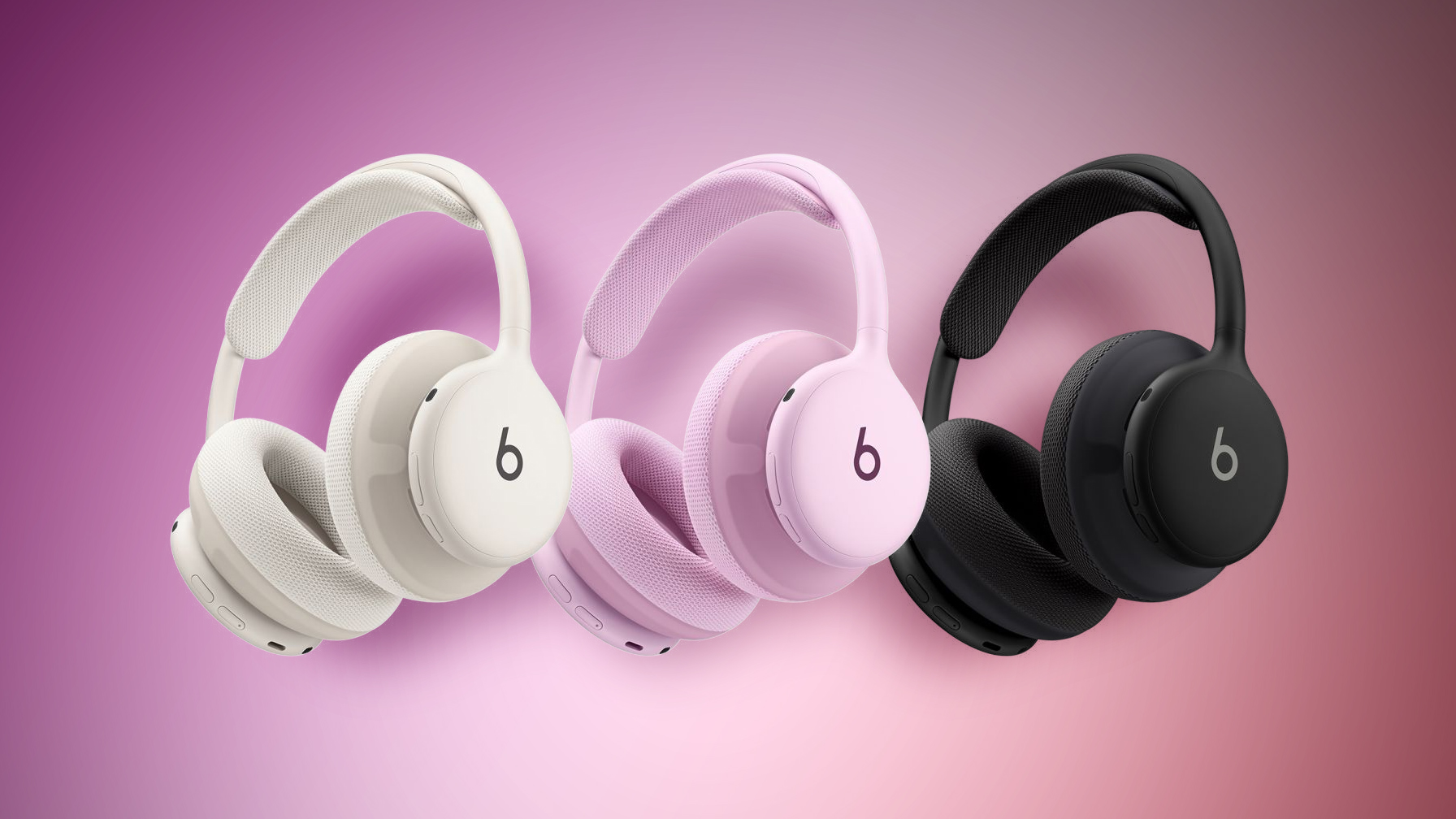
The new Beats 360 headphones were announced today, and can be pre-ordered on Amazon ahead of their launch on Thursday. They're available in Black, Cloud, plus a bundle where you can style the headphones however you'd like thanks to interchangeable ear cushions and headbands.
Note: MacRumors is an affiliate partner with Amazon. When you click a link and make a purchase, we may receive a small payment, which helps us keep the site running.
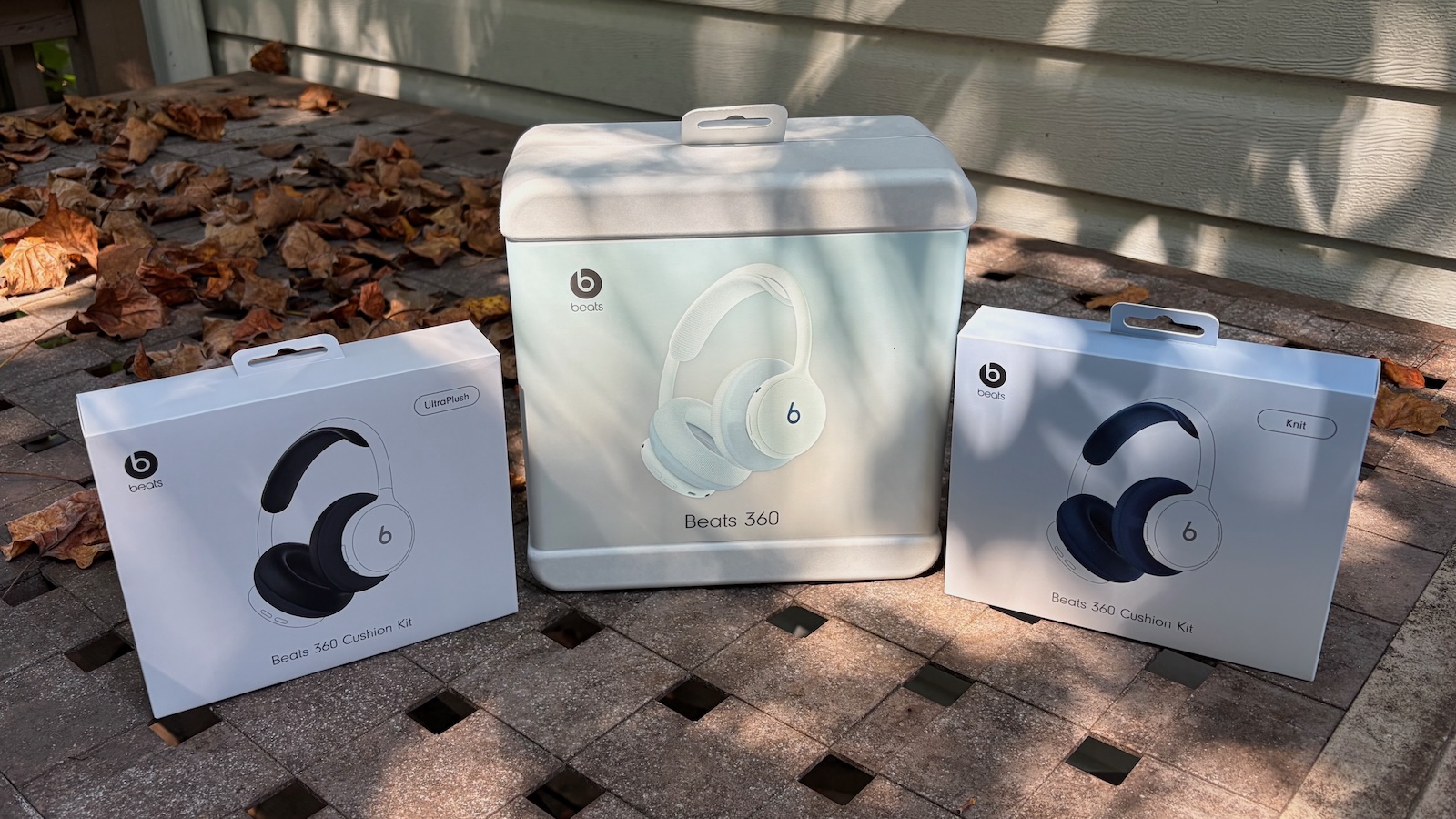
Alongside the launch, Beats announced that its Cushion Kits compatible with the Beats 360 are available for just $9.99 for the next month, down from $49.99. Amazon has both the Performance Knit and UltraPlush options in all colors at this price.
Additionally, there's a big sale on Beats accessories on Amazon this week, including solid deals on Powerbeats Pro 2, Beats Pill, Beats Solo 4, and more. We've gathered all of the best deals below, and be sure if you're interested in the new Beats 360 Cushion Kits you order one before the launch prices disappear on October 31.
If you're on the hunt for more discounts, be sure to visit our Apple Deals roundup where we recap the best Apple-related bargains of the past week.
Deals Newsletter
Interested in hearing more about the best deals you can find in 2026? Sign up for our Deals Newsletter and we'll keep you updated so you don't miss the biggest deals of the season!
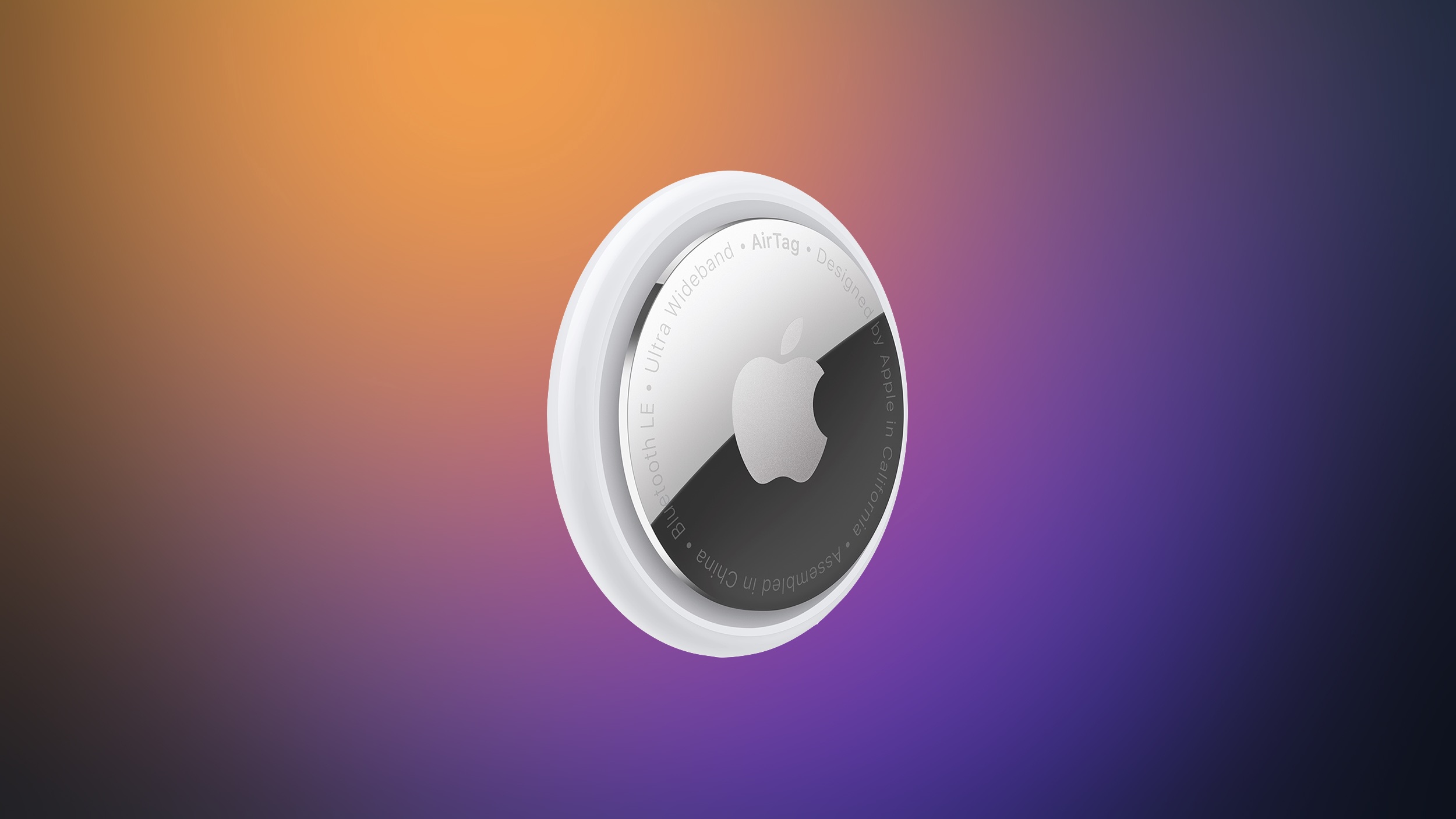
Apple has paused development on a camera-equipped AI wearable, reports Bloomberg. The device was described as a pin or pendant that could be attached to clothing or worn around the neck.
A camera would relay information about the wearer's surroundings to Siri, like the rumored AirPods with cameras that could come as soon as 2027. The AI pin would have Visual Intelligence features, with Siri AI able to answer questions about where the wearer is located or what the wearer is looking at.
The prototype Apple worked on was described as similar in size to an AirTag, with a thin, circular disc shape. It was made from aluminum and glass, with a physical control button on the side.
Rumors suggested Apple could introduce the AI wearable as soon as 2027, but with development postponed, that seems unlikely. Apple is working on several other wearables, including a screen-free fitness band, AI smart glasses, and AirPods with cameras.
Now through October 31, extra Performance Knit and UltraPlush ear cushions with matching headbands in a variety of colors are available on Apple's online store in the U.S. for just $9.99 each, with customers limited to three kits per order while supplies last. Lower pricing extends to select other countries. Starting November 1, regular pricing of $49.99 will apply.
Apple is working on an activity tracker that doesn't have a screen, reports Bloomberg. The screen-free health and fitness device is said to be similar to Whoop's line of bands. Whoop makes wrist-worn trackers with 24/7 monitoring, but without a display.
Apple has apparently been "exploring" the category for months and has developed prototypes, but hasn't decided whether the project will move forward. Apple chair Tim Cook and services chief Eddy Cue are interested in the product, notable because Cue now leads Apple's health teams. Cue is said to be pushing for wearables with simpler interfaces, like the screen-free Whoop and Oura Ring.
Prototypes have a fabric band attached to a computing module that rests on the wrist. Sensors track heart rate and other metrics, similar to the Apple Watch.
The latest Apple Watch models adopt features similar to those offered by Whoop and Oura products, including an overall readiness score and an estimate of biological age. A new version of the Health app is being tested in iOS 27.2, and it has a more user-friendly interface with clearer guidance than before.
If Apple moves forward with the screen-free tracker, it likely would not launch until at least 2028. Apple is expected to debut wearable AI smart glasses and AirPods with cameras before then. This article, "Apple Testing Prototypes of Whoop-Like Screenless Fitness Band" first appeared on MacRumors.com
Apple is developing an all-new operating system that is essentially a mix of tvOS, watchOS, and iOS, according to Bloomberg's Mark Gurman.
In his latest Power On newsletter, Gurman reiterated that the operating system will feature a grid of app icons, widgets, and customizable clock faces.
The new software platform is intended for Apple's long-rumored smart home hub. With built-in facial recognition, Gurman reported that the hub can identify who is looking at the display and show personalized information. As a user approaches the hub, or moves away from it, the size of the interface elements will automatically change.
The operating system could be named homeOS, according to trademark activity from a shell company that is potentially linked to Apple.
homeOS would join iOS, iPadOS, macOS, watchOS, tvOS, and visionOS.
The hub will essentially combine a HomePod-like speaker with a 6-inch or 7-inch square display. Siri AI is expected to be at the core of the new operating system, and other rumored features include FaceTime video calls, HomeKit accessory management, home security monitoring, photo galleries, a calendar, music playback, and more.
Some of the preinstalled Apple apps that will apparently be available on the new platform include Calendar, Camera, Apple Music, Apple Podcasts, Apple News, Reminders, Notes, and the all-new Siri app for Siri AI conversations.
Finally, the platform will supposedly have multi-user support.
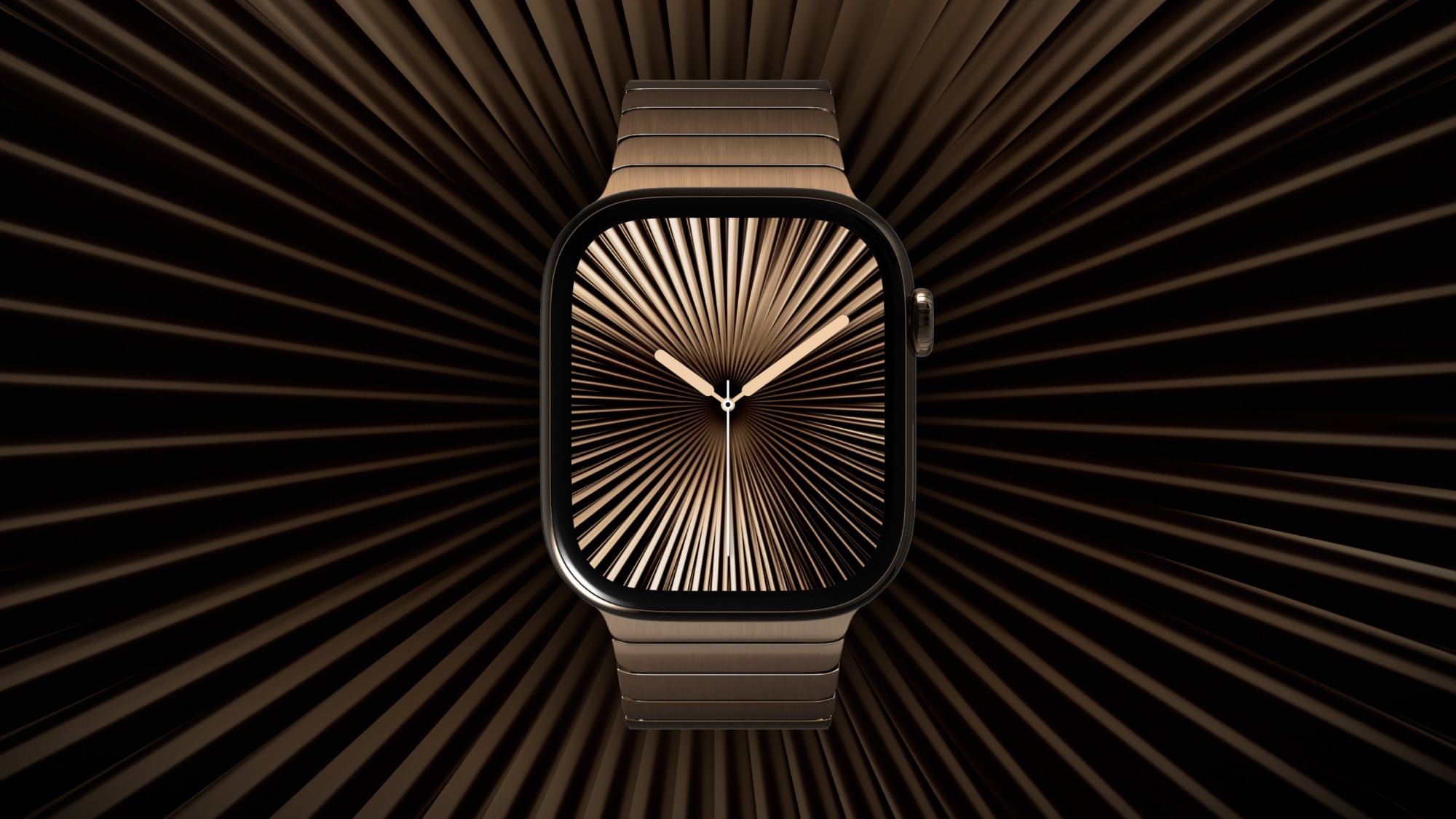
The Apple Watch Series 12 is now available, two years after the Series 10 introduced the current thinner design. But is it worth upgrading?
While last year's Series 11 brought just four changes, the Series 12 is a much more substantial update, with a new chip, twice as much RAM, redesigned health sensors, exclusive health and audio features, tougher cover glass, 5G connectivity, and new case materials.
The Series 12 starts at the same $399 price as the Series 10 did in 2024. Apple has now discontinued the Series 10, but remaining units may still be available from third-party retailers and on the refurbished or second-hand market. Here are all of the key hardware and feature differences between the Apple Watch Series 10 and Apple Watch Series 12:
Apple Watch Series 10
Apple Watch Series 12
S10 chip (2024)
S11 chip (2026)
2GB RAM
4GB RAM
Electrical heart sensor
Health Sensing System with second-generation electrical heart sensor
Third-generation optical heart sensor
Fourth-generation, always-on optical heart sensor
Periodic background heart rate tracking
High-frequency background heart rate tracking every five seconds
Heart rate variability
Recovery HRV and overall HRV, measured up to 24x more frequently
Vitals app with heart rate, respiratory rate, wrist temperature, and sleep duration
Vitals app with heart rate, respiratory rate, wrist temperature, sleep duration, and HRV, plus daytime vitals
Readiness app with daily score and recommendation
Standard step tracking
Redesigned pedometer model with more accurate all-day step tracking
Steps watch face complication
Audio Intelligence, including Live Rewind, Siri Recap, Sound Recognition, and faster Shazam
Ion-X front glass (aluminum models)
Ceramic Shield 2, 60% tougher than Ion-X (aluminum models)
Metal and sapphire crystal back
Case-matched metal or ceramic and zirconia back
Aluminum or titanium case
Aluminum, titanium, or ceramic case
Aluminum: Jet Black, Rose Gold, and Silver
Aluminum: Dark Bronze, Light Gold, Black, and Space Gray
Titanium: Slate, Gold, and Natural
Titanium: Radiant Gold and Natural
Ceramic: Pearl White and Night Blue
Hermès: Silver titanium
Hermès: Silver and Radiant Gold titanium
LTE and UMTS (cellular models)
LTE and 5G RedCap (cellular models)
Up to 18 hours of normal use
Up to 24 hours of normal use
Up to 36 hours in Low Power Mode
Up to 38 hours in Low Power Mode
15 minutes of charging for up to eight hours of normal use
15 minutes of charging for up to 12 hours of normal use
Eight minutes of charging for up to eight hours of sleep tracking
Five minutes of charging for up to 10 hours of sleep tracking
Now discontinued
From $399
Design and Display
The Series 12 retains the same basic design introduced by the Series 10, including 42mm and 46mm size options and a 9.7mm-thick case. Nevertheless, Apple has made some subtle dimensional changes. Both sizes are now 1mm wider, and every equivalent aluminum or titanium configuration is between 2.1 and 3.3 grams heavier than its Series 10 counterpart.
At the same time, the display has shrunk slightly. Resolution is unchanged, but the active display area is around 2% smaller on both sizes. The combination of a wider, receded case and smaller display produces thicker borders around the screen.
Here is how the 46mm models compare:
46mm
Apple Watch Series 10
Apple Watch Series 12
Dimensions
46mm x 39mm x 9.7mm
46mm x 40mm x 9.7mm
Resolution
416 x 496 pixels
416 x 496 pixels
Display area
1,220 sq mm
1,196 sq mm
Aluminum (GPS)
36.4 grams
39.5 grams
Aluminum (Cellular)
35.3 grams
38.6 grams
Titanium
41.7 grams
44.9 grams
The 42mm models compare as follows:
42mm
Apple Watch Series 10
Apple Watch Series 12
Dimensions
42mm x 36mm x 9.7mm
42mm x 37mm x 9.7mm
Resolution
374 x 446 pixels
374 x 446 pixels
Display area
989 sq mm
970 sq mm
Aluminum (GPS)
30 grams
32.2 grams
Aluminum (Cellular)
29.3 grams
31.5 grams
Titanium
34.4 grams
36.5 grams
The Series 12 also marks the return of a ceramic Apple Watch for the first time since the Series 5 Edition in 2019. The ceramic models are larger and heavier than their aluminum and titanium counterparts:
Ceramic
46mm
42mm
Dimensions
47mm x 41mm x 9.85mm
43mm x 37mm x 9.85mm
Pearl White
51.3 grams
41.7 grams
Night Blue
52.9 grams
42.8 grams
Is It Worth Upgrading?
Two generations on, the Series 12 represents a meaningful cumulative upgrade over the Series 10, but it is far from an essential replacement. The two models share the same basic design, display brightness, resolution, storage capacity, core safety features, and more. The Series 10 is only two years old, and supports watchOS 27 and Siri AI, so it remains a capable and modern Apple Watch.
For existing Series 10 owners, upgrading is easiest to justify if health and fitness tracking is a priority. The Series 12's high-frequency heart rate sensing, Recovery HRV, daytime vitals, Readiness score, and improved step tracking provide substantially more useful training and recovery data. Sound Recognition may be compelling for deaf or hard of hearing users, while 5G, faster charging, tougher cover glass on aluminum models, and the ceramic case provide additional reasons for some buyers to upgrade.
Beyond this, the practical difference between the two devices is relatively small. The Series 12 is also slightly wider and heavier, and its active display area is around 2% smaller despite retaining the same resolution. Its 24-hour battery rating is also not directly comparable with the Series 10's 18-hour figure because Apple changed its testing methodology. If your Series 10 still comfortably lasts through the day and you are satisfied with its existing health features, there is no strong general-purpose reason to replace it.
Which to Buy Today?
At its $399 starting price, the Series 12 is the obvious choice over a Series 10 selling for anything close to its original price. The newer model offers a better health sensing system, twice as much RAM, the S11 chip, exclusive Audio Intelligence features, faster charging, 5G, and more case options. A saving of only $50 to $100 is unlikely to compensate for giving up those improvements.
The Series 10 becomes attractive when it is at least around $150 cheaper than an equivalent Series 12 and is in excellent condition. It still offers an always-on display, ECG, temperature sensing, sleep apnea and hypertension notifications, advanced workout tracking, and Siri AI. Buyers should pay particular attention to battery health and warranty coverage, since replacing a degraded battery could quickly erode the saving.
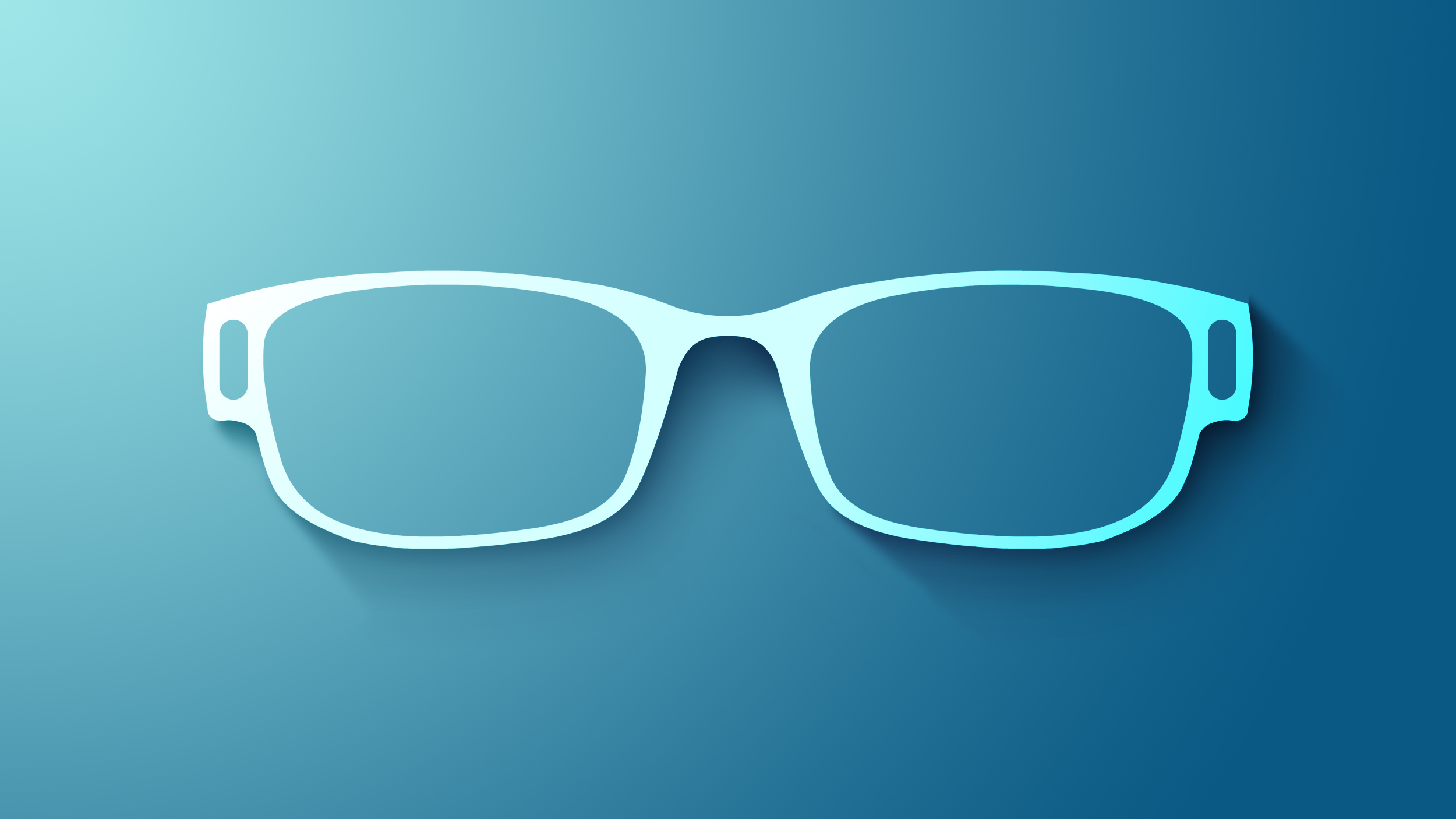
Apple's first smart glasses could arrive in a rapidly expanding market, with worldwide AI glasses shipments increasing 263% year-over-year during the first half of 2026, according to Counterpoint Research.
The figures are particularly relevant for Apple because display-less products accounted for 96% of shipments. Apple's initial smart glasses are likewise rumored to omit an augmented reality display, focusing instead on audio, cameras, Siri, and connectivity with the iPhone and Apple's wider ecosystem.
Bloomberg's Mark Gurman reports that the company is targeting a late 2027 release for the device. Apple could introduce the glasses at WWDC 2027 with an emphasis on privacy.
Counterpoint said shipments of display-less AI glasses increased 258% from the first half of 2025 and 22% from the preceding six months. This category includes products such as the Ray-Ban Meta glasses, which provide photography, audio, calling, and AI features without screens.
Meta currently presents Apple with a formidable incumbent. The company accounted for approximately 94% of total AI glasses shipments, while its own volume grew 260% year over year and 22% sequentially. Its expansion has been supported by additional frame styles, wider retail distribution, and new glasses priced from $299.
Display-equipped AI glasses represented only 4% of the market, although shipments in that segment increased 449% year-over-year. Apple's more advanced augmented-reality glasses are not expected until 2029 at the earliest.
Counterpoint identified increasing semiconductor costs and public unease about wearable cameras as possible obstacles to continued growth. It nevertheless expects investment from Apple, Meta, Google, and Samsung to push the category toward more proactive glasses that use AI to understand their surroundings and provide assistance based on context.
It seems quite likely that Apple will hold an October event this year to announce at least some of the rumored new products, while others might be introduced in press releases. Below, we have recapped what to expect from Apple next month.
Apple does unveil new products in November or December sometimes, but this is less common.
When
The table below outlines Apple's product announcements in October over the past five years.
14" MacBook Pro: A new base model MacBook Pro with an M6 chip.
14" and 16" MacBook Pro models with OLED displays: A major MacBook Pro redesign in late 2026 with M5 Pro and M5 Max chips, an OLED display, a touch screen, a Dynamic Island, and a thinner design.
Apple TV: At least five new features, including an A17 Pro chip or newer, an increased 8GB of RAM for Apple Intelligence, Siri AI support, an Apple-designed N1 chip with Wi-Fi 7 support, and an updated Siri Remote. The new Apple TV will apparently look similar to the existing model, so do not expect any major design changes.
HomePod mini: Newer chip with Siri AI support, improved sound quality, Apple's N1 chip with Wi-Fi 7 support, a second-generation Ultra Wideband chip, and potentially new color options like red. The new HomePod mini will apparently look similar to the existing model, so do not expect any major design changes.
Home Hub: An all-new Apple smart home hub featuring Siri AI, a 6-inch to 7-inch square display, an A18 chip or newer for Apple Intelligence, FaceTime, and more. A new operating system will feature clock faces, widgets, and more. There will be a tabletop version with a speaker base and a wall-mounted version.
After months of teases and leaks, Beats is officially announcing its new Beats 360 headphone today. Priced at $349.99, Beats 360 represents a rethinking of the Beats over-ear headphone design, with an emphasis on sound quality, comfort, and customizability.
Beats 360 is not a replacement for the brand's Studio Pro over-ear headphone, as the Studio Pro will remain part of the Beats lineup at a reduced price point of $299.99, down from the previous $349.99. Compared to Studio Pro, Beats 360 features a completely new acoustic architecture that delivers up to 1.75× more active noise cancellation and a 12dB increase in output while maintaining clarity across all frequencies with low distortion.
In addition to active noise cancellation (ANC), which utilizes a system of eight microphones to analyze the acoustic environment inside and outside the headphone, Beats 360 also support Transparency mode to still allow you to hear the world around you, while turning off ANC and Transparency activates Adaptive EQ to continually tune acoustic performance.
Personalized Spatial Audio with dynamic head tracking is also supported, allowing users to take full advantage of Apple's platforms that deliver 360-degree Dolby Atmos sound and move within the sound field as they turn their heads.
"Beats didn't just participate in the rise of over-ear headphones—we helped define the category," said Oliver Schusser, Apple's vice president of Music, Sports, and Beats. "Beats 360 is the next chapter of that story. We combined our most advanced acoustic performance ever with a perfectly balanced design that moves effortlessly with you. And with our new interchangeable cushions, our customers can express themselves in a way no other over-ear headphone can."
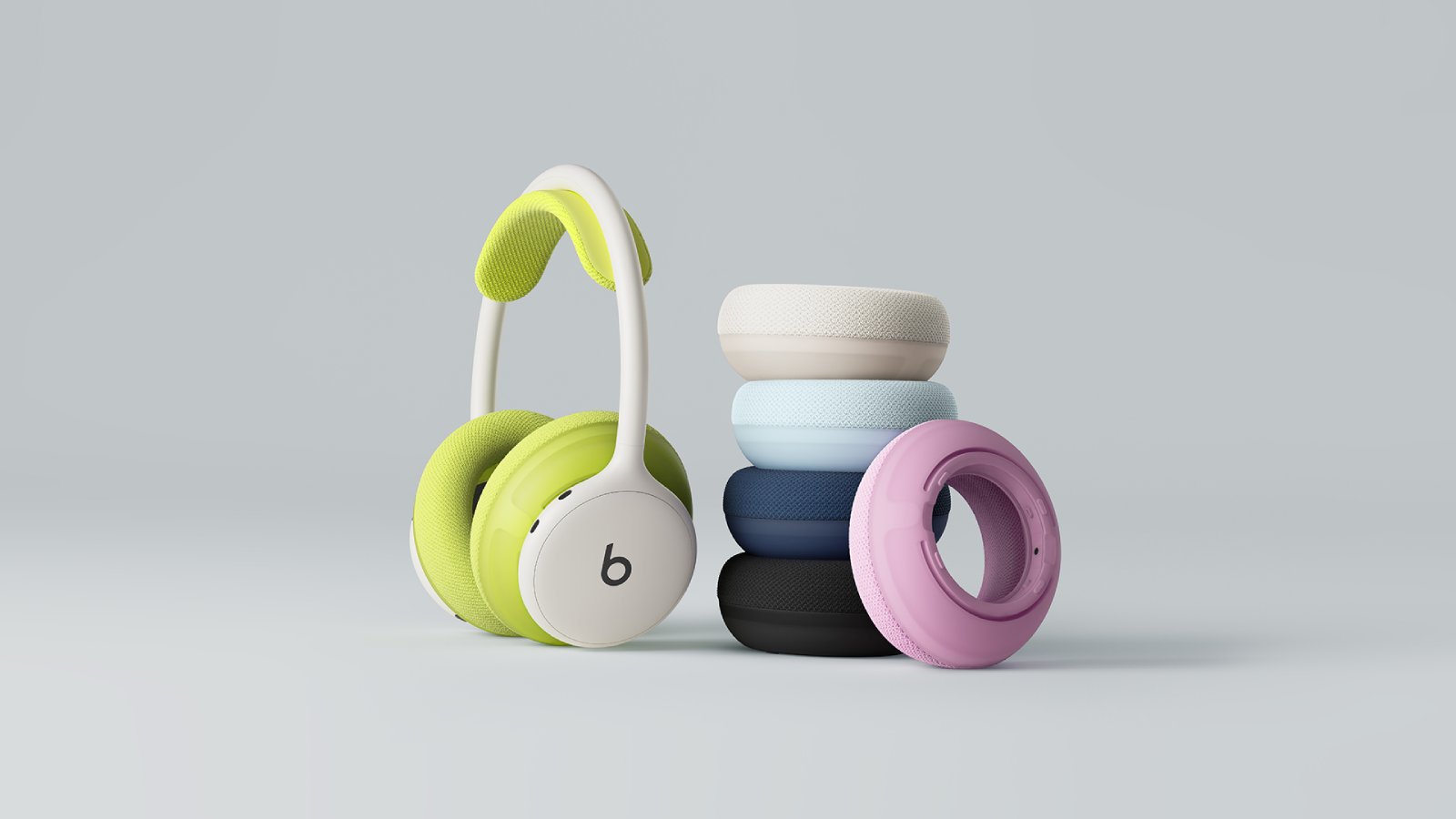
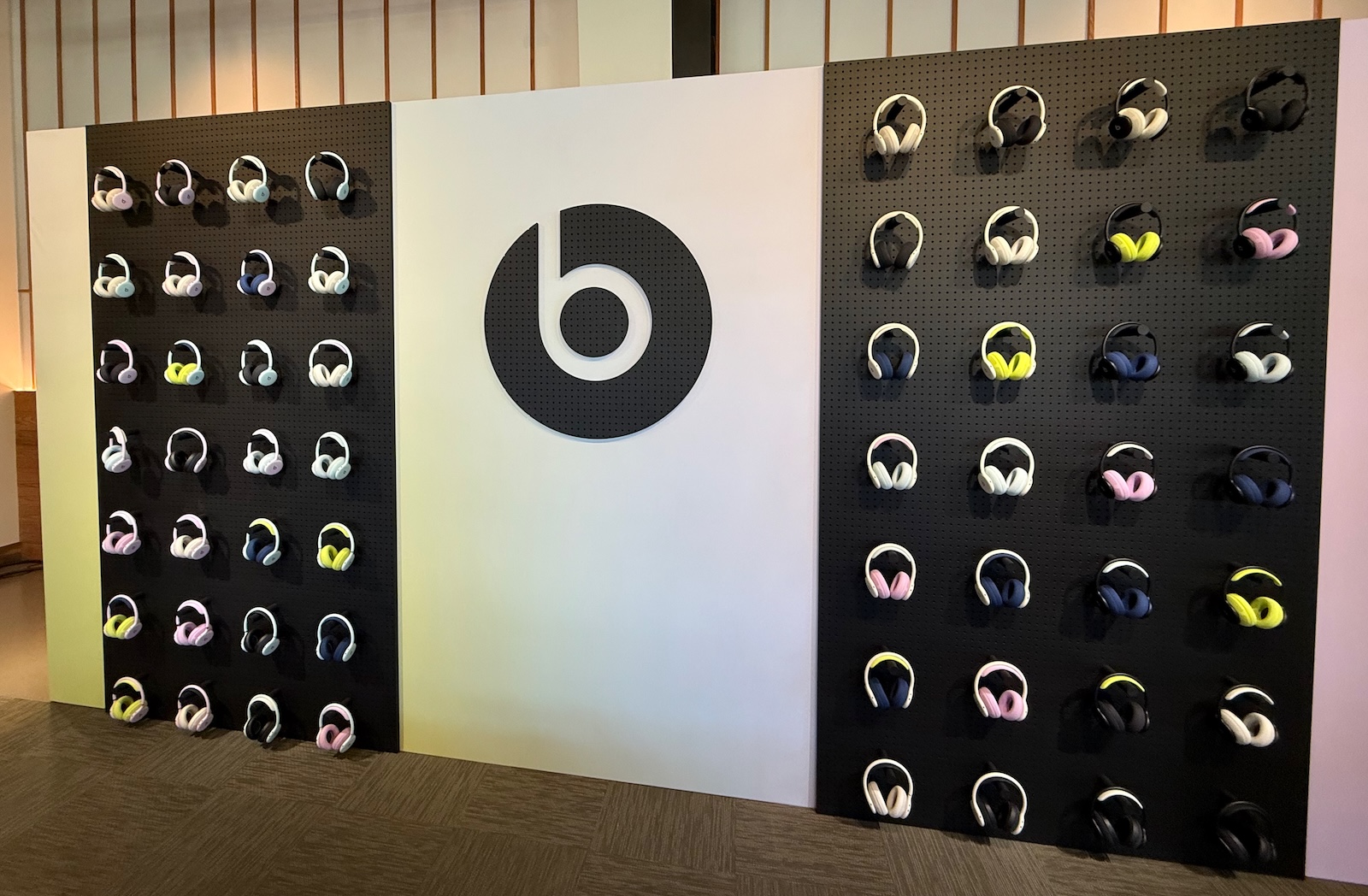
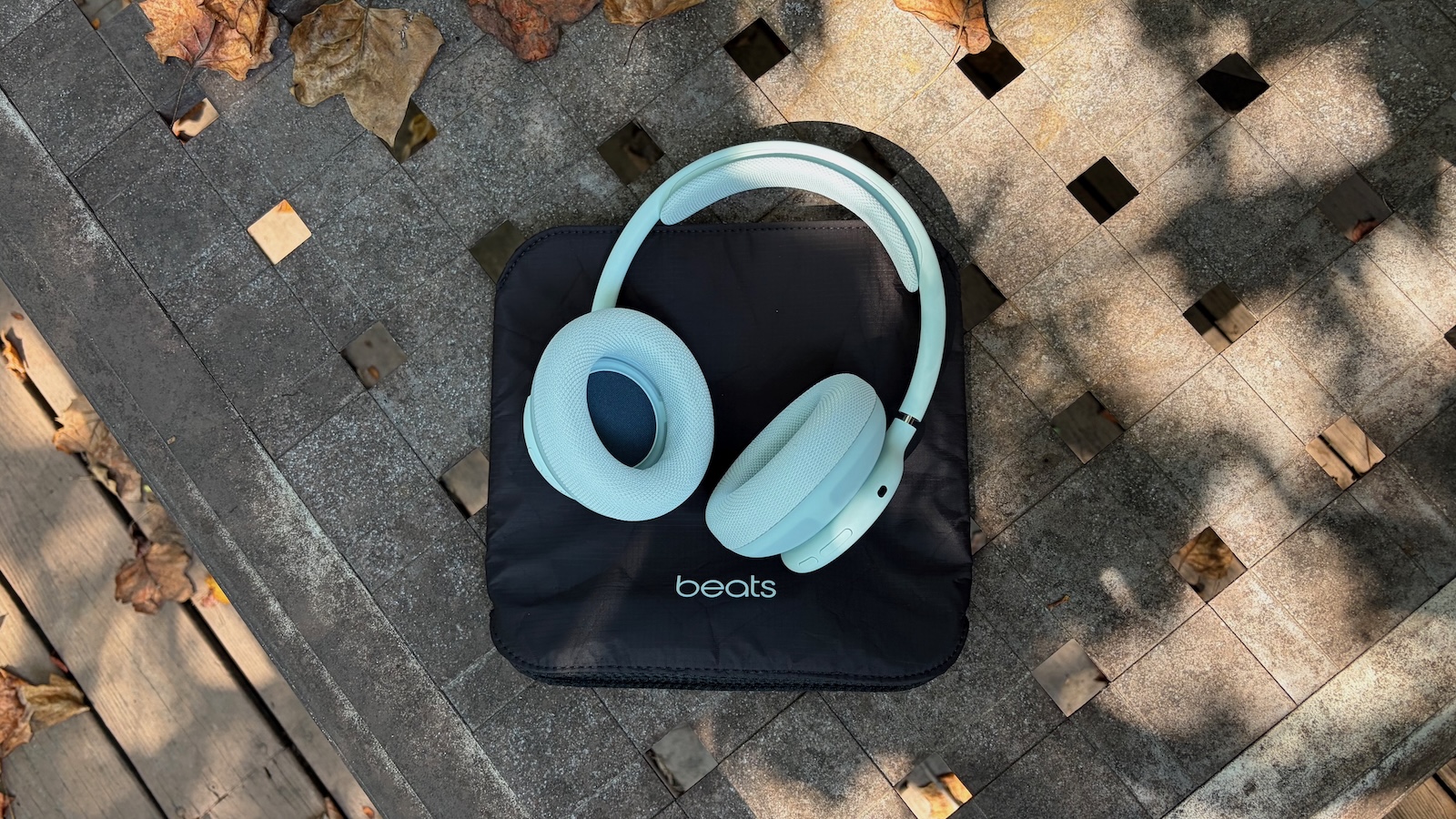
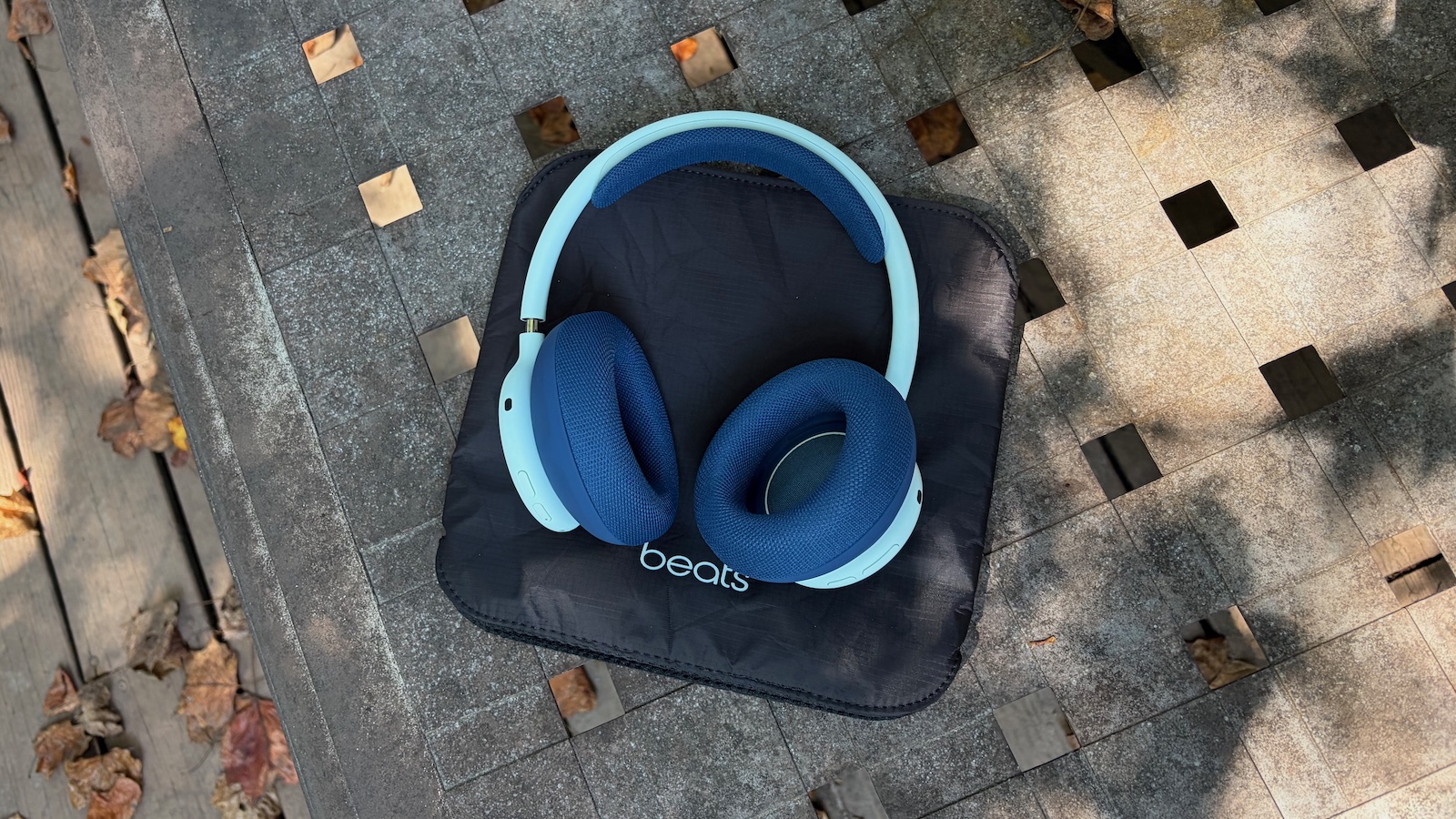
Beats 360 is available in four color options: Black, Cloud (an off-white), Pink, and Sky (a light blue). It includes comfortable color-matched Perfomance Knit ear and headband cushions, but the cushions are removable and interchangeable, allowing you to customize your favorite look and even change color combinations to suit the moment. Separate Performance Knit cushion kits are available in all four of the standard colors, plus Volt (a neon yellow-green) and Navy.
The Performance Knit memory foam cushions are breathable and ideal for working out and other active uses, but for the times you might prefer a more traditional cushion style, Beats is also introducing UltraPlush cushion kits in Black and Ivory. Similar to the ones found on Studio Pro and Solo 4, Beats 360 UltraPlush cushions feature a more pillowy feel with memory foam wrapped in engineered leather. Sensors in Beats 360 identify whether you are using Performance Knit or UltraPlush cushions, and they automatically adjust the acoustic tuning and noise cancellation filtering to maintain a consistent listening experience regardless of cushion material.
Beats 360 in dozens of color combinations
Cushion kits for both Performance Knit and UltraPlush will be priced at $49.99, but for a limited time and in select markets (US, UK, Canada, Australia, France, China, and South Korea), Beats is offering a launch promo that drops cushion kit pricing to just $9.99 or the rough equivalent in the local currency. Swapping out cushions is as simple as a quick twist on each ear cushion to remove and install, while the headband cushion snaps off and on with a small amount of effort while remaining securely attached during use.
Beats 360 in Sky
For active users, Beats 360 is the first Beats over-ear headphone product to feature an IPX4 sweat and water resistance rating, meaning it is protected against liquid ingress.
Beats 360 in Sky with Navy cushions
The removable cushions also make it easy to clean them, a welcome feature for those who plan to use Beats 360 for workouts. Beats recommends mixing one teaspoon (5ml) of laundry detergent into one cup (250ml) of water, rubbing the solution onto each cushion with a lint-free cloth for one minute each, wiping them clean with a separate cloth dampened with fresh water, and drying them with another lint-free cloth.
While over-ear and on-ear headphones have generally required thick headbands in order to accommodate multiple cables to connect the two ear cups, Beats 360 actually consists of two independent wireless earphones, with each containing its own battery, antenna and processing circuitry.
As a result, the headband houses only a single power cable to connect the two sides, allowing the batteries in both sides to be charged simultaneously from a single USB-C port. The thin headband also helps to optimize weight distribution, so while Beats 360 and Studio Pro are similar in weight at a little under 300 grams, Beats 360 puts more of the mass into the cushions where it matters most for comfort.
The left earcup features a USB-C port for charging, a power button, and a dedicated listening mode button to switch among ANC, Transparency, and Adaptive EQ, while the right earcup includes a play/pause button and a volume rocker. Hands-free "Hey Siri" support is also included.
When it comes to battery life, Beats 360 deliver 32 hours of playback with ANC on, with a five-minute Fast Fuel charge giving you an hour of playback time in a pinch.
The Beats fourth-generation proprietary platform delivers significant levels of native integration across both Apple and Android, with Apple users able to take advantage of one-touch pairing with automatic iCloud pairing and switching, Audio Sharing to allow a friend with compatible AirPods or Beats to listen to your audio, and Find My support. Android users get many of the same features with one-touch and ecosystem pairing, Audio Switch, and Find Hub geolocation.
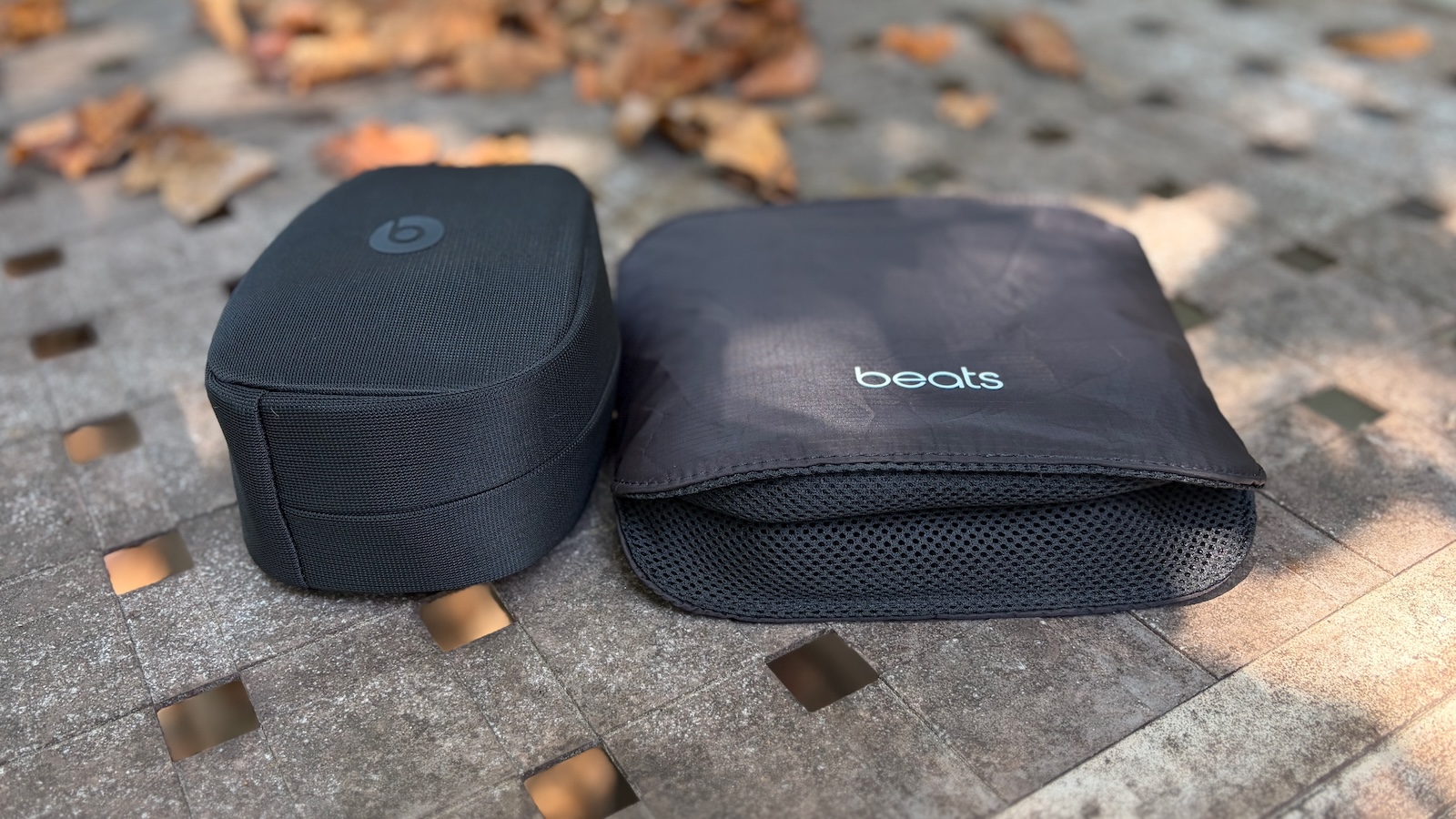
Unlike the Beats Studio Pro, Beats 360 headband does not fold for travel, but the earcups do twist flat, and the headphones slide into a woven ripstop carrying case with a magnetic closure and a rear loop to hook onto a finger or carabiner. The case measures about 9 inches square and a little over 2 inches thick at its pleated bottom with the headphone inside. I prefer this flatter style of case to that of the Studio Pro, as it allows the headphone to fit into a computer bag or backpack more easily.
Cases for Beats Studio Pro (left) and Beats 360 (right)
In support of the 360 launch, Beats is debuting a new ad campaign featuring Kendall Jenner, led by a short film of Jenner meeting a friend at a cafe but realizing that everyone in the room is a different version of herself styled with a unique combination of ear cushions, emphasizing the individuality that's possible with Beats 360.
"I'm always on the go and switching between so many different looks," said Kendall Jenner. "So Beats 360 fits my lifestyle. I love that I can switch the cushions to match whatever I'm doing that day."
"Kendall tailors her looks to fit every moment, so she needs a headphone that can change with her," said Beats CMO Chris Thorne. "The film captures that perfectly, playfully showing every side of Kendall, and how Beats 360 keeps up with all of them."
In a brief interview with Schusser at a Beats preview event earlier this month, he discussed how Jenner was an ideal candidate to promote Beats 360 given the many roles she plays throughout any given day in her personal and professional life.
He also addressed how Beats has been able to flourish under Apple's ownership, with Beats gaining access to all of Apple's expertise in audio as Apple and Beats engineers work side-by-side on products. At the same time, Beats has been able to maintain its own identity on the product design and marketing sides, continuing to focus on active lifestyle and celebrity marketing that remains distinct from how Apple promotes its own products.
Beats 360 is available to order starting today at apple.com in the United States and more than 100 other countries and regions, as well as at Amazon and other third-party retailers. Availability follows this Thursday, September 24. It comes with the woven ripstop carrying case, while additional cushion kits, USB-C charging cables, and power adapters are sold separately.
Amazon has big discounts on the M5 Pro and M5 Max MacBook Pro this week, with up to $600 off select models. This time around, the best deals can be found on the 16-inch MacBook Pro models, although you'll find a few notable markdowns on 14-inch devices as well.
Note: MacRumors is an affiliate partner with Amazon. When you click a link and make a purchase, we may receive a small payment, which helps us keep the site running.
14-Inch MacBook Pro
Amazon is taking a giant $600 off the 36GB/2TB 14-inch M5 Max MacBook Pro, now priced at $3,499.00. This is the steepest discount on the 14-inch models right now, but you'll also find $150 off a few entry-level options below.
In terms of the larger display models, we're tracking big discounts on all four models on Amazon. These start at $2,759.00 for the 24GB/1TB M5 Pro configuration ($240 off), and reach up to $4,499.00 for the 48GB/2TB M5 Max device ($500 off).
If you're on the hunt for more discounts, be sure to visit our Apple Deals roundup where we recap the best Apple-related bargains of the past week.
Deals Newsletter
Interested in hearing more about the best deals you can find in 2026? Sign up for our Deals Newsletter and we'll keep you updated so you don't miss the biggest deals of the season!
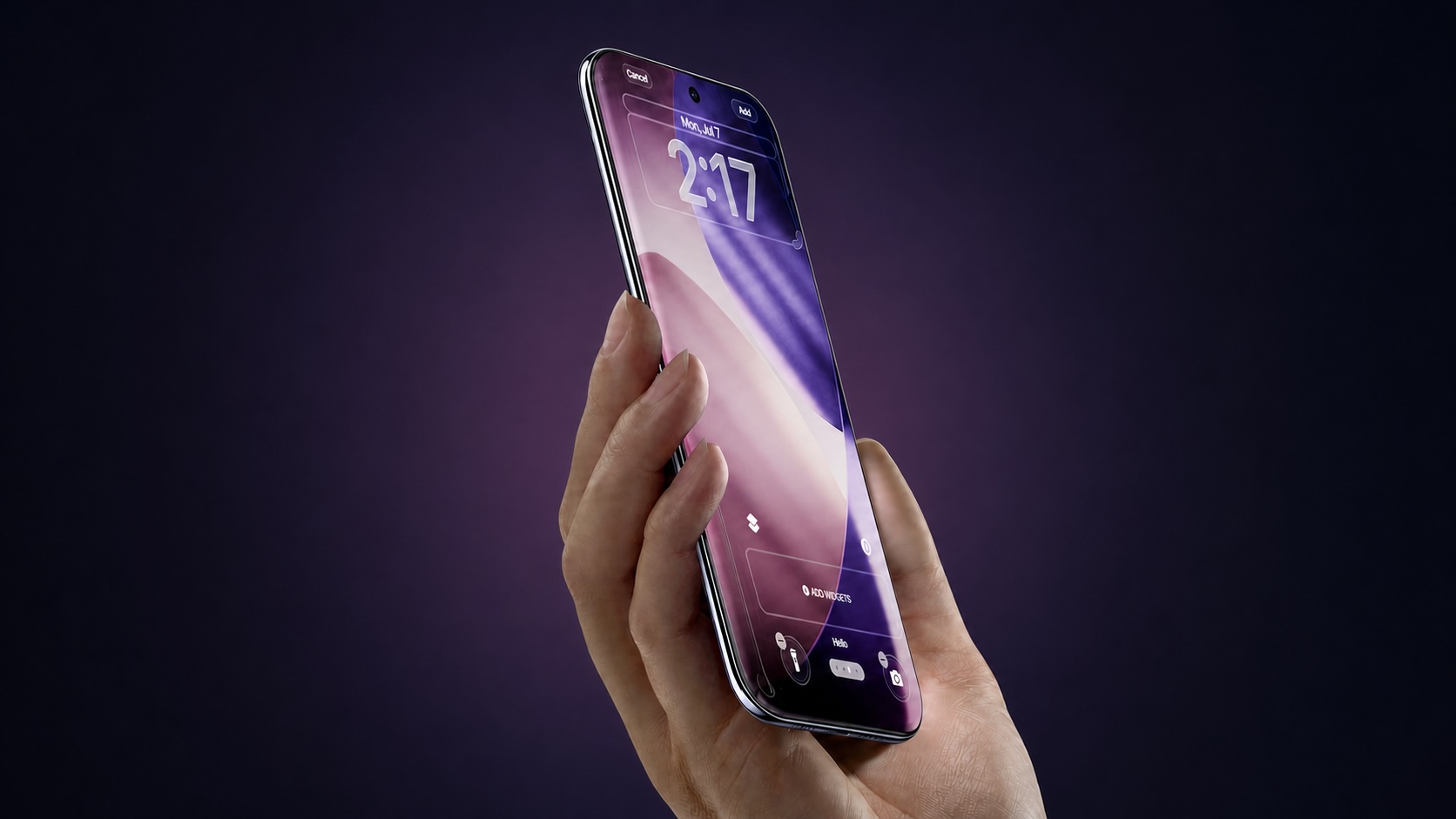
Apple's 2029 "Pro" iPhones could adopt thinner and more power-efficient OLED screens, according to UBI Research.
The technology, known as Color Filter on Encapsulation (CoE), removes the conventional polarizer from the OLED panel and places a color filter directly on top of its encapsulation layer. A polarizer helps suppress reflections from ambient light, but it also absorbs a significant portion of the light produced by the display.
Removing the polarizer allows more light to pass through, potentially enabling a display to reach greater brightness without consuming additional power, or use less power while maintaining the same brightness. Eliminating the separate layer can also make the display assembly thinner, freeing up internal space for components such as the battery, cameras, and more.
Samsung first commercialized the technology, which it branded Eco² OLED, with the Galaxy Z Fold3. According to Samsung's internal testing, its original implementation improved light transmission by 33% and reduced power consumption by up to 25% compared with an OLED panel using a traditional polarizer.
CoE technology presents some technical challenges. Without a polarizer, manufacturers have to control external reflections through a combination of color filters, black pixel-defining layers, low-reflection coatings, and other optical measures. UBI Research believes the difficulty of maintaining outdoor visibility, viewing angles, contrast, and color accuracy may explain why Apple is reportedly waiting until 2029 to bring the technology to its high-volume conventional iPhone models.
Prior to the unveiling of the iPhone Duo, reports indicated that its Samsung-supplied folding OLED display would use CoE technology. Apple has not detailed the panel's internal construction, but UBI Research sees the foldable device as a potential first step toward using polarizer-free OLED displays across the iPhone "Pro" lineup.
The research firm estimates that annual panel demand for the two Pro models could remain between 90 million and 100 million units, making the proposed transition significantly larger in scale than CoE's use in foldable devices. Samsung Display and LG Display are expected to lead the initial supply, while BOE could compete for orders if it can meet Apple's requirements.
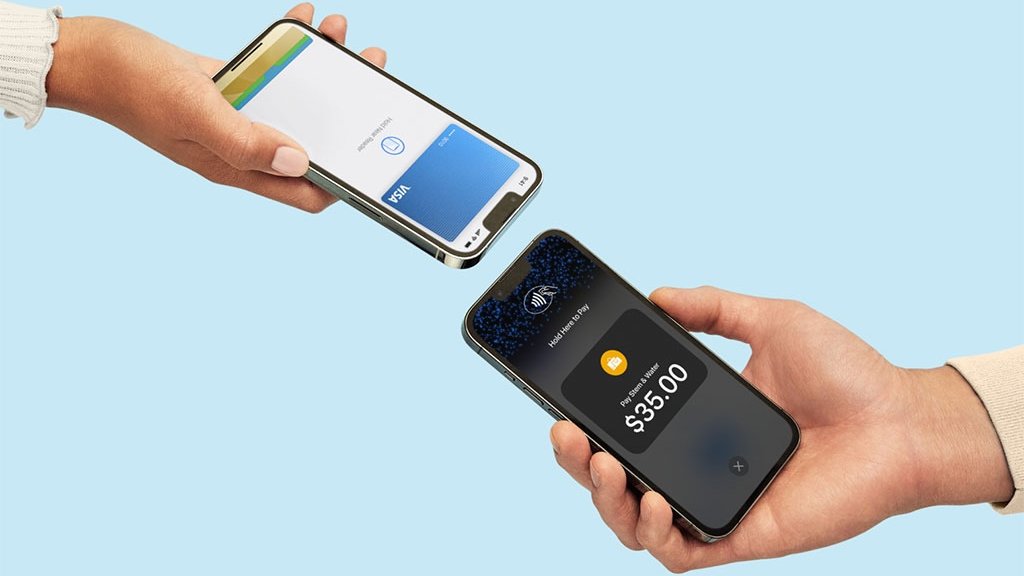
Apple today announced that Tap to Pay on iPhone is now available in eight more countries: Argentina, Colombia, Costa Rica, the Dominican Republic, Guatemala, Honduras, Panama, and Peru.
Tap to Pay on iPhone allows businesses to accept contactless payments on an iPhone, with no point-of-sale hardware required. Instead, customers can simply tap their own iPhone or Apple Watch, credit card or debit card, or other contactless payment option on the merchant's iPhone.
Apple launches its new Mac mini and Mac Studio models today in 30 countries and regions, including the U.S, and same-day pickup is now available at many Apple Store locations.
To order a product with Apple Store pickup, add the product to your bag on Apple.com, proceed to checkout, select the "I'll pick it up" option, enter your ZIP code, choose an available Apple Store location, and select a pickup date. Payment is completed online, and a valid government-issued photo ID and the order number may be required upon pickup.
Same-day Apple Store pickup is not available for custom Mac configurations with upgraded specifications ordered through Apple's online store.
Mac mini with M6 starts at $899 ($799 for eligible education customers), while Mac mini with M5 Pro starts at $1,699 ($1,599 for eduction). Mac Studio with M5 Max starts at $2,499 ($2,299 for eduction), and Mac Studio with M5 Ultra starts at $5,499 ($5,099 for education).
With Apple Upgrade, eligible customers in the U.S. can also opt to lease a new Mac with monthly payments and upgrade at the end of their lease. More information can be found on the Apple website.
New references in the latest iOS 27.2 beta show that Apple continues to develop a new feature which will lock your iPhone if it's snatched from your hand by a thief.
As previously reported, the feature will use the gyroscope, accelerometer, and other sensors to determine when an iPhone has been grabbed. It'll also rely on a paired Apple Watch to detect when the iPhone has suddenly moved away from the owner's wrist.
According to new code seen by 9to5Mac, the feature is called "AutoLock" internally, and it can use several different methods to determine whether an iPhone has been snatched from its owner:
A sharp acceleration consistent with the phone being snatched.
A paired Apple Watch remaining unreachable for a certain period.
Loss of connectivity to a paired Apple Watch.
Prolonged loss of network connectivity.
The device remaining unlocked beyond a certain interval.
There are also references to safeguards to prevent false positives, like as successful biometric authentication, or foreground app activities that could be mistakenly taken as a sign that the iPhone has been snatched.
Additional code also suggests the feature works using a voting system where a potential theft signal can request a lock, while safeguards such as biometrics and familiar locations can veto it.
When the iPhone is yanked from the owner's hand, assuming a successful theft signal, the device will lock and activate Stolen Device Protection to prevent thieves from accessing information on it.
Stolen Device Protection adds extra security to your iPhone when you're away from familiar locations like home or work. It requires biometric authentication for actions like accessing stored passwords or credit cards, and there are built-in hour-long delays for actions like changing an Apple Account password.
Android already has a Theft Detection Lock feature that locks a smartphone in a snatch-and-grab theft situation. It's not clear when Apple's equivalent feature will launch, if at all, but the additional code indicates that Apple is at least still developing it under wraps.
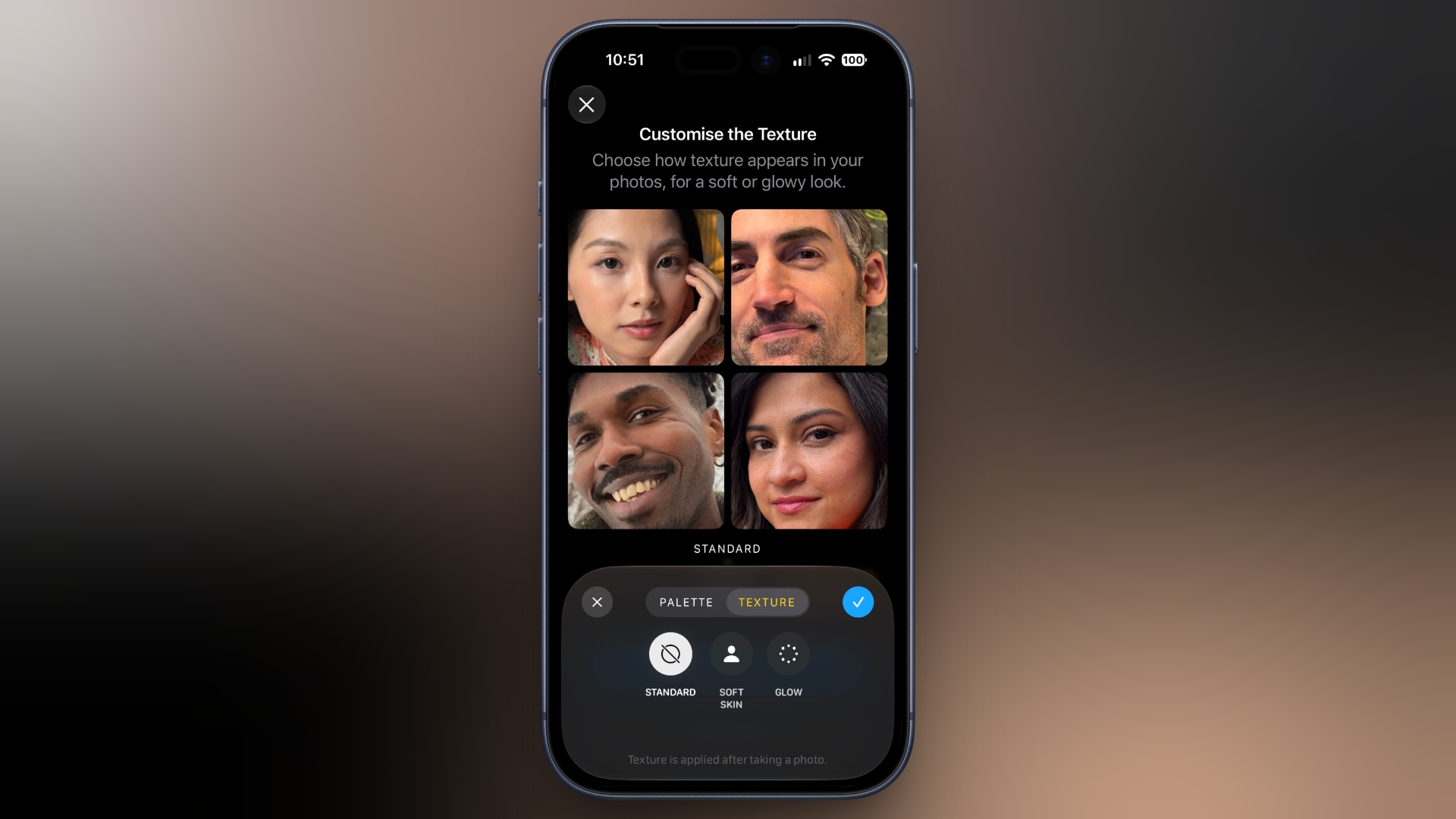
Apple's new Texture and Grain controls for Photographic Styles are not available on iPhones other than the latest iPhone 18 Pro models and upcoming iPhone Duo, despite the company's original wording suggesting otherwise.
When Apple announced the iPhone 18 Pro and iPhone 18 Pro Max earlier this month, its Newsroom press release said the new Texture and Grain controls would be "available in iOS 27 on iPhone models that support the latest generation of Photographic Styles."
That original wording is preserved in copies of Apple's launch-day press release distributed through Business Wire and Notice Nearby. Elsewhere, in Apple's User Guide for iOS 27, devices that support the "latest generation Photographic Styles" are listed as the iPhone 16 series, iPhone 17 series, iPhone Air, and iPhone 18 Pro models.
Apple has since changed the footnote on its iPhone 18 Pro Newsroom announcement. It now says Texture and Grain controls are available "only for photos captured on iPhone 18 Pro models and with the Ultra Wide, Main, and Center Stage cameras on the iPhone Duo."
Apple also states definitively in its iOS 27 User Guide that changing the texture of a photo can be achieved "on iPhone 18 Pro models."
wtf? Apple now says that the texture and grain will NOT be coming to older iPhones
there's no reason why this shouldn't be coming to older iPhones
Whether Apple initially intended to bring the controls to older devices and subsequently changed its plans is unclear, and Apple has not commented on the revision. Either way, the original compatibility information looks like it was published in error.
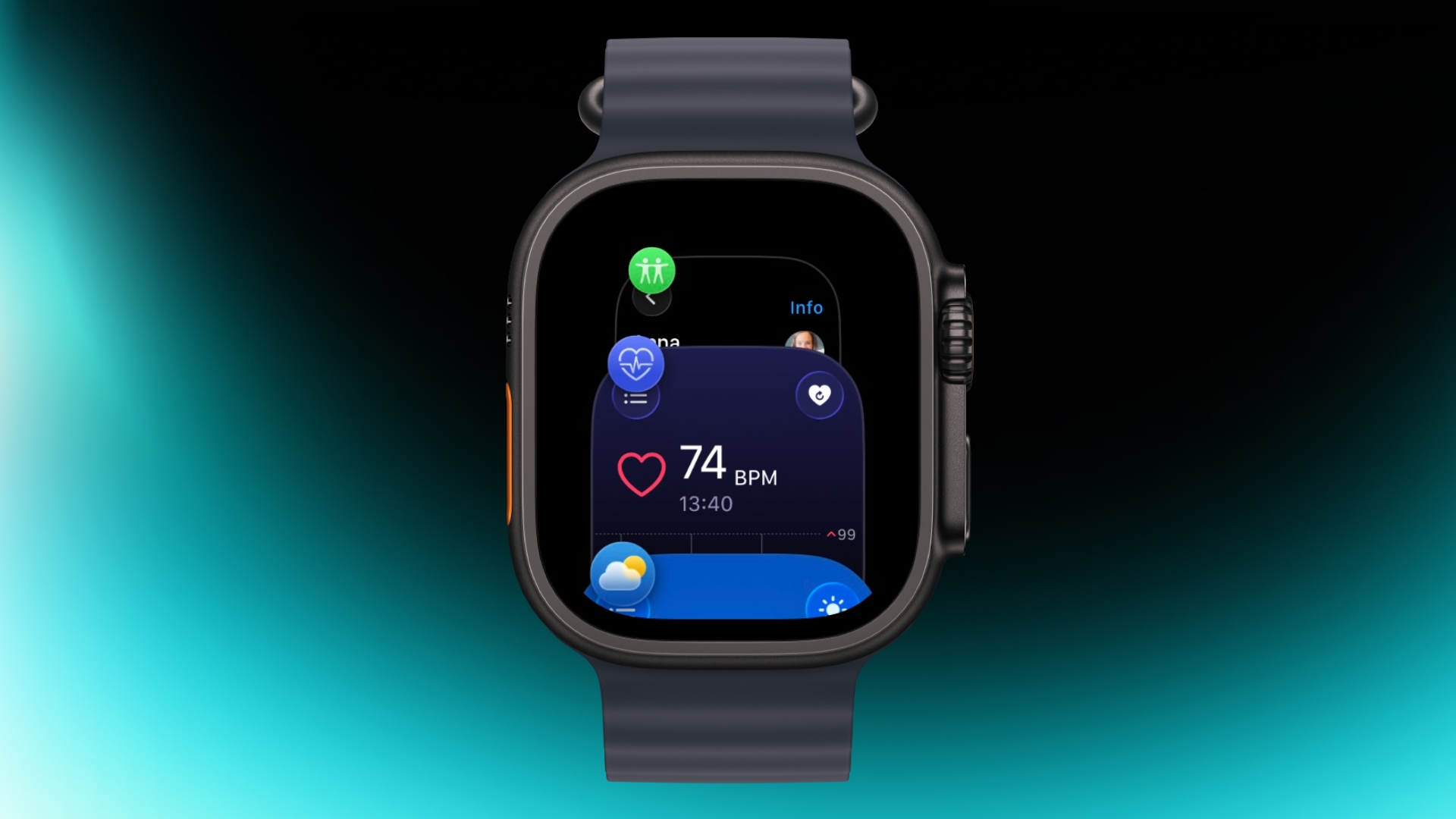
Apple has apparently listened to user feedback and brought back the App Switcher screen in the latest watchOS 27.2 beta, but accessing it is a little different than before.
In watchOS 26 and earlier versions, a double press of the Digital Crown would bring up the App Switcher, where you could easily switch to the last-used app and view and open other recently used apps. You could also swipe left on a misbehaving app to force close it.
In watchOS 27, the Digital Crown double-press gesture is now reserved for Apple's upcoming new Live Rewind AI feature, so it no longer brings up the App Switcher screen. There were concerns that this meant the App Switcher would be gone for good, but Apple has reinstated it in the second watchOS 27.2 beta, released yesterday.
The gesture for opening it has changed, though.
As shown in the video below, you now access the App Switcher by pressing and holding the bottom of the screen while you're in an app.
Apple has brought back the App Switcher!
On watchOS 26 and earlier, you could access the App Switcher by double-clicking the Digital Crown, then turning the Digital Crown to navigate through your recently used apps. You could also swipe left on an app and tap the "X" button to... pic.twitter.com/G5fa0TeTR9
Apple says Live Rewind, which which offers a transcript of what was said in the last 15 seconds, will be available later this year on Apple Watch Series 12 and Apple Watch Ultra 4.
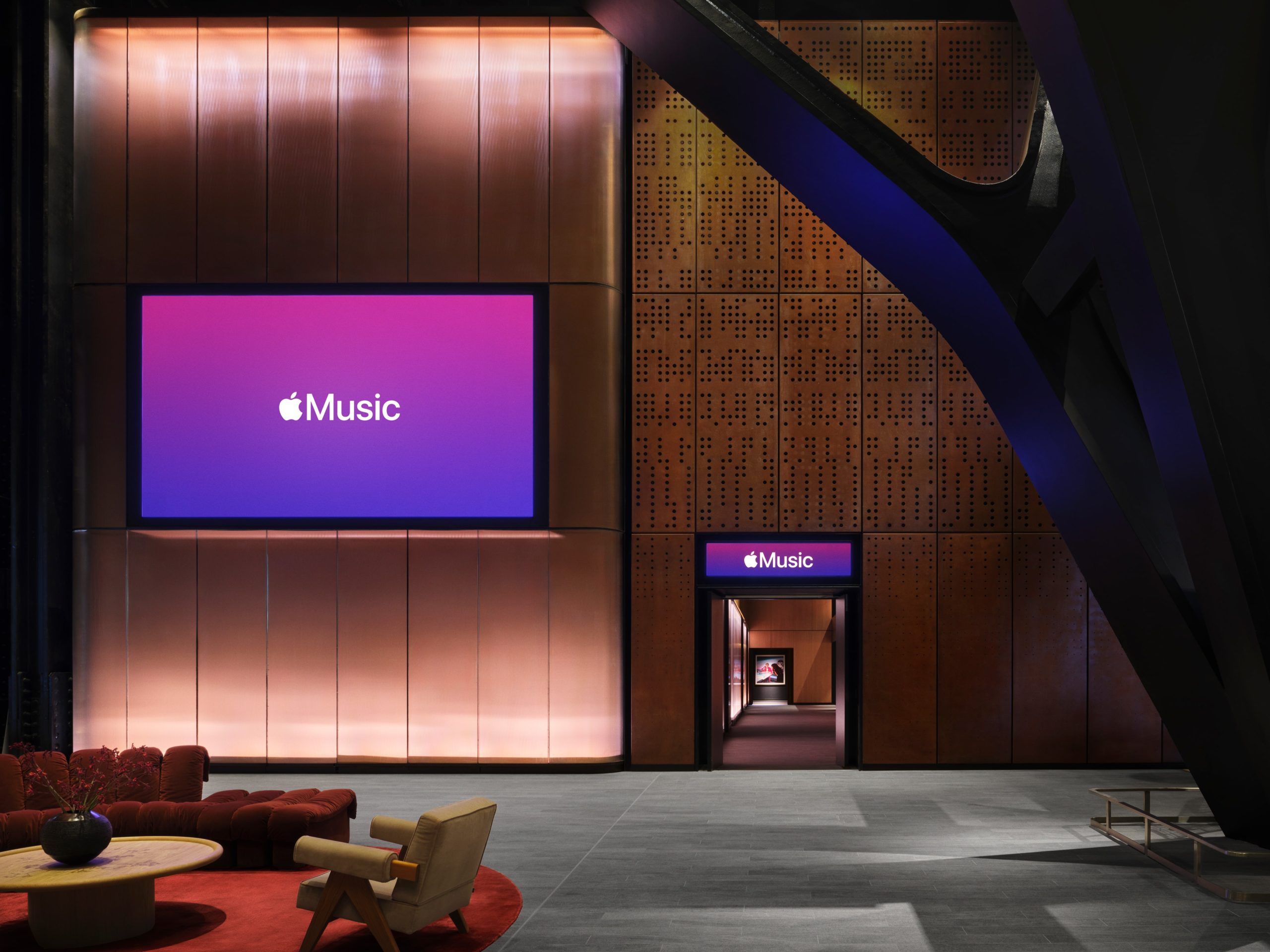
Apple has announced the opening of Apple Music Hall, a state-of-the-art 600-capacity music venue located in London's Battersea Power Station. Apple says it is "designed to connect artists and fans through bespoke, intimate performances unlike anywhere else."
"Apple's deep love for music dates all the way back to the very beginning, from the launch of the iPod to the long-running iTunes Music Festival to the debut of Apple Music," said Oliver Schusser, Apple's vice president of Apple Music and International Content. "Today, with the opening of Apple Music Hall, we are once again taking an unprecedented step further in our commitment to artists and fans by supporting live music in ways only Apple can do."
Apple says the hall incorporates heritage brickwork, fluted arches, and bronze balconies reminiscent of the historic oriel windows, while a giant glass wall "further enhances the visual connection with the historic building, offering a panoramic view of the concourse and the river beyond."
The 38-foot-wide stage can be reconfigured for traditional front-facing sets or more in-the-round experiences, and a 48-speaker spatial sound system is positioned all around the audience. Behind the stage is a dedicated recording and mix studio so that every performance can be captured as a multi-track recording and mixed in Spatial Audio, live or in post-production.
The venue is also hardwired for 16 or more cameras that feed a purpose-built broadcast control room with infrastructure that supports iPhone video capture running in parallel alongside traditional broadcast cameras.
The exhaustive setup means artists can perform a live show, record it in Spatial Audio, create a broadcast-ready mix, and capture multicamera video – all directly in the venue.
Apple says performances out of Apple Music Hall will also be livestreamed globally so fans outside of London can tune in to enjoy shows from their favorite artists. For more information about Apple Music Hall, including tickets for upcoming shows, fans can visit applemusichall.com or follow @applemusichall on Instagram and TikTok.
Apple CEO John Ternus did an interview with Canal+ talk show Clique following Apple's September event. He discussed the iPhone Duo's design, difficulties Apple ran into when developing it, his plans for Apple, and more.
On the design of the iPhone Duo, Ternus explained why Apple went with an iPad-like shape when the device is unfolded.
I think it's something new and unique, right? But I think we didn't want to just do what we'd seen other people do, which is sort of take two phone shapes and stick them together and then you get this weird square thing. We came at it from we want to build a large screen experience that feels right to us. And obviously we've been doing that for a long time with iPad. And so we knew kind of the shape, you know, we came up with this new aspect ratio.
Ternus said that when developing the iPhone Duo, there were "so many problems" to solve, but a foldable was an opportunity for Apple employees to "be really clever" and "come up with entirely new things." He said some of the hardware engineering problems Apple had to address involved the design of the hinge and the display, and making them reliable.
When asked to share his favorite iPhone Duo trick, Ternus showed off the device's opening animation. "I mean, this is really fun, you know, the animation that you get as you open it across from one side to the other. It's just sort of whimsical and fun. And it brings a smile to your face."
Ternus reiterated Apple's stance on AI companions, saying that Siri AI is "not designed to be your friend," which is something we heard earlier this year from Craig Federighi. Ternus said Apple doesn't want to replace human relationships. "They're how we learn, they're how we grow, they're how we find joy and happiness," he said.
Then-CEO Tim Cook and Apple's board asked Ternus if he wanted to be the next Apple CEO. Ternus didn't say when he was approached, but he said the question came as a surprise. "When Tim asked me if it was something I would consider, I would say the good news is I was sitting down, because I never in a million years would have imagined that happening," said Ternus.
As Apple's CEO, Ternus said he doesn't have plans for a radical change. He was asked if Apple was going back to its roots under his leadership, with more of a focus on engineering products.
I don't think anything's really changed. Sure, I'm new in this job, but the focus on innovation, the focus on products, the focus most importantly on our customers, that has never changed. That's been here from the beginning.
I am super passionate about products. I love building things. That's why I've been here so long. That's why I love what I do. And so I'm excited to continue doing that. But I don't think of it as some radical change.
Ternus said it was "amazing" to be able to say "one more thing" on stage at Apple's September event. "I've seen Steve say it, and I've seen Tim say it," he said. "And so having the opportunity for me to say it was pretty magical. Kind of goosebumps."
The full interview includes Ternus' thoughts on Tim Cook, the AI race, Apple's environmental goals, the Vision Pro, the new parental controls added in iOS 27, and more.
Apple is no longer signing iOS 26.6.2, so if you've upgraded to iOS 27, there is no option to downgrade to a version of iOS 26. iOS 27 came out a week ago.
Software that is "signed" can pass a server-side verification check that Apple performs when a new version of iOS is downloaded. If an update fails the verification check, it can't be installed.
By unsigning software, Apple prevents customers from installing outdated, less secure versions of iOS.
If you haven't installed iOS 27 yet, you can still keep using iOS 26, but once you've upgraded, there's no going back. You also can't downgrade from iOS 27 to iOS 26.7 (which was released alongside iOS 27) because iOS 26.7 is an over-the-air update with no restore file available.
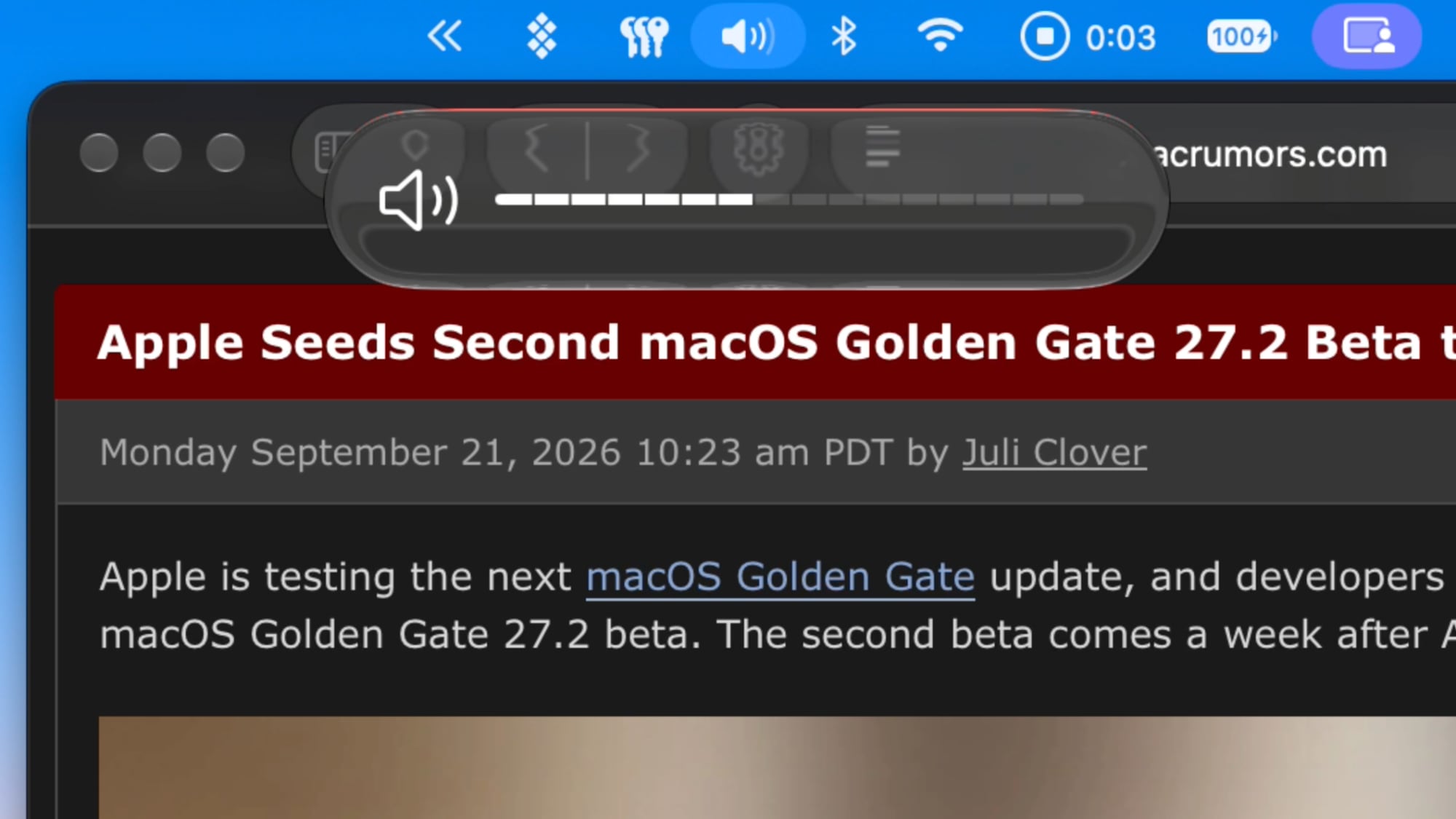
With the second beta of macOS Golden Gate 27.2, Apple updated the look of the volume and brightness sliders when you adjust them with the keyboard.
The new sliders have a segmented bar instead of a plain line, making it clearer how much each key press adjusts volume or brightness. Apple used a similar design in macOS Sequoia before Liquid Glass, and the new look is a cross between the old slider and the Liquid Glass slider.
There are no longer two icons at the beginning and end of the slider, and Apple now uses a single larger icon on the left. The sliders appear where a matching menu bar icon is located, so if you have a dedicated sound icon, the slider shows up below it.
New in macOS 27.2 beta 2: There is a new UI when changing your volume/brightness with your keyboard pic.twitter.com/GpwerF1QL7
Recent reports claiming that General Motors is reversing course on its controversial plans to ditch CarPlay in its future EVs appear to be incorrect.
As noted by Joanna Stern, host of the YouTube channel New Things, a GM spokesperson has confirmed that its new software interface that shows CarPlay or Android Auto alongside its own native system in 2027 models of its Chevrolet Silverado and GMC Sierra is specific to the gas-powered versions of those pickup trucks.
GM previously stated that CarPlay and Android Auto would continue to be offered in its new gas-powered vehicles for the "foreseeable future," so the 2027 models of those trucks still supporting those platforms is not a change of course.
There is one more wrinkle in that GM's all-electric 2027 Cadillac LYRIQ supports CarPlay and Android Auto still — it is unclear if the Lyriq will always be an exception or if it will simply be one of GM's final EVs to ever support phone mirroring systems. Overall, though, GM continues to insist that its future EVs will not offer CarPlay.
All in all, GM really wants you to know that it is committed to ditching the extremely popular feature that you probably want in your next EV.
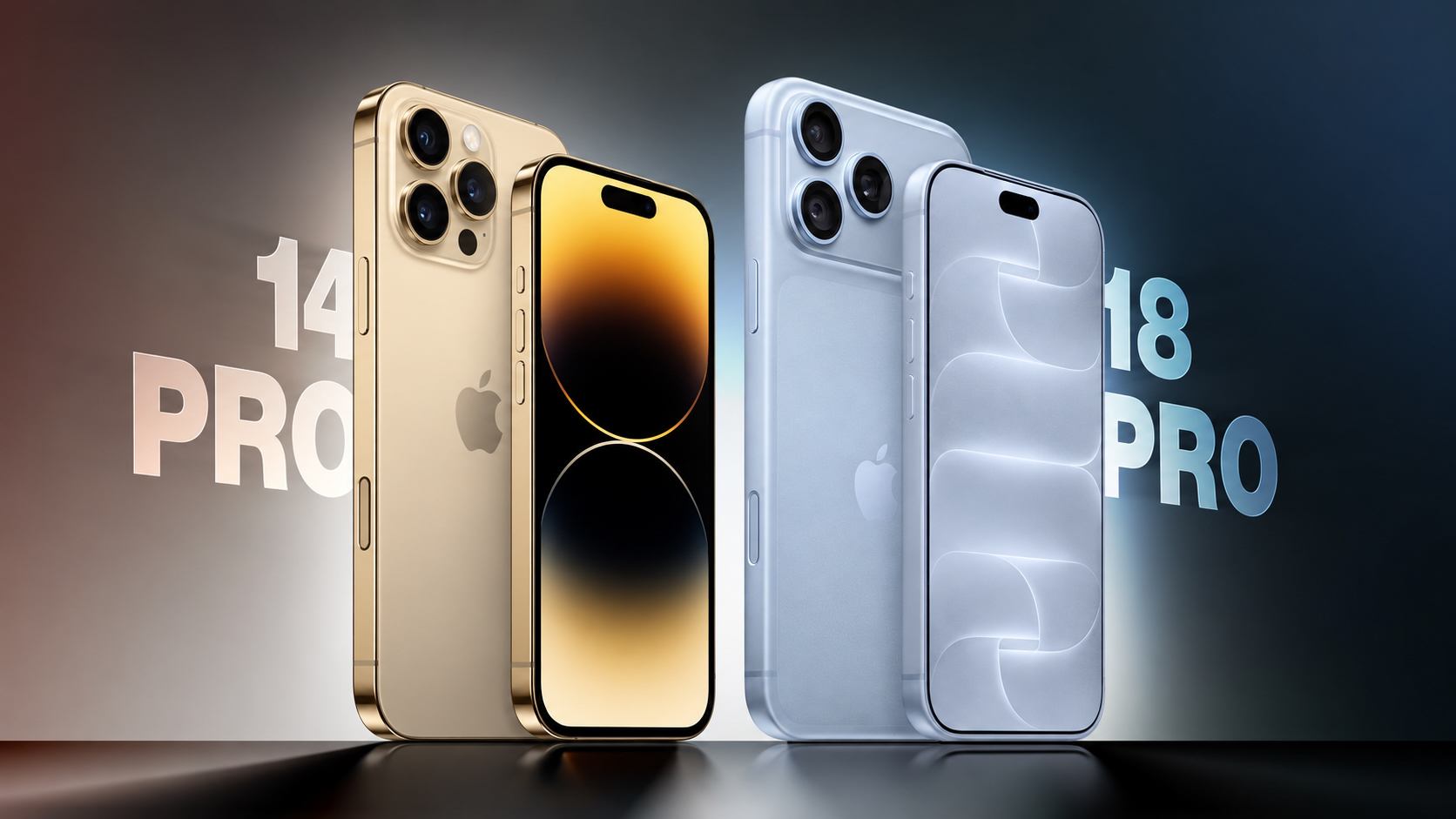
Apple announced the iPhone 18 Pro and iPhone 18 Pro Max earlier this month, arriving four years after the iPhone 14 Pro and iPhone 14 Pro Max.
Four generations of changes make for a substantial upgrade, bringing larger displays, an all-new design, improvements to every camera, significantly longer battery life, faster charging, USB-C connectivity, and support for Apple Intelligence.
The iPhone 15 Pro replaced the stainless steel frame with titanium, introduced the Action button and USB-C port, and added the A17 Pro chip. The iPhone 16 Pro introduced larger displays with thinner borders, the Camera Control, a 48-megapixel Ultra Wide camera, and improved video and audio recording. The iPhone 17 Pro replaced the titanium frame and glass back with an aluminum unibody, added vapor chamber cooling and Ceramic Shield 2, and upgraded both the telephoto and front-facing cameras. This year's refresh centers on the A20 Pro chip, a variable-aperture Main camera, a smaller Dynamic Island, and a further increase in battery capacity. For iPhone 14 Pro owners, all four sets of changes accumulate.
The iPhone 18 Pro starts at $1,199 for 256GB, $200 more than the iPhone 14 Pro's $999 launch price, although the entry storage tier has doubled from 128GB. The iPhone 18 Pro Max starts at $1,299, also $200 more than the iPhone 14 Pro Max's $1,099 launch price, with the same increase in base storage. Here are the key differences between the iPhone 14 Pro and iPhone 18 Pro:
Design and Display
iPhone 14 Pro (2022)
iPhone 18 Pro (2026)
Stainless steel frame with squared-off edges and full glass back
Aluminum unibody with partial Ceramic Shield back, improving heat dissipation
Glass rounded square camera bump
Full-width rounded rectangle aluminum camera plateau
iPhone 18 Pro: Apple C2 modem in all countries
iPhone 18 Pro Max: Apple C2 modem in all countries except the U.S., where it uses a Qualcomm modem
Broadcom Wi-Fi and Bluetooth chip
Apple N1 chip for Wi-Fi, Bluetooth, and Thread
Wi-Fi 6 (802.11ax)
Wi-Fi 7 (802.11be)
Bluetooth 5.3 connectivity
Bluetooth 6 connectivity
First-generation Ultra Wideband chip
Second-generation Ultra Wideband chip with Precision Finding for people
Lightning port with USB 2 transfer speeds up to 480Mb/s
USB-C port with USB 3 transfer speeds up to 10Gb/s
Up to 1080p video output using a Lightning adapter
DisplayPort support for up to 4K HDR video output
Rear Camera
iPhone 14 Pro (2022)
iPhone 18 Pro (2026)
First-generation quad-pixel sensor
Newer sensor and computational imaging pipeline, building on the faster readout speeds and zero shutter lag introduced with the iPhone 16 Pro
12-megapixel HEIF and JPEG photos, or up to 48-megapixel ProRAW photos from the Main camera
24- and 48-megapixel super-high-resolution photos from the Main, Ultra Wide, and Telephoto cameras
Fixed ƒ/1.78 aperture on the Main camera
Variable aperture with four stops: ƒ/1.48, ƒ/1.8, ƒ/2.8, and ƒ/4.0, using six laser-cut blades
API available for developers to control the aperture range within their own apps
Night mode
Faster Night mode, tied to the new variable-aperture lens
Around 50% better Main camera low-light performance than the iPhone 16 Pro, with more detail in the back of group photos
Pro controls in the Camera app: manual lens aperture, shutter speed, white balance, and histogram
12-megapixel Ultra Wide camera
48-megapixel Fusion Ultra Wide camera
12-megapixel Telephoto camera
48-megapixel Fusion Telephoto camera
3x Telephoto camera, with 77mm focal length
4x Telephoto camera, with 100mm focal length, also enabling 12-megapixel optical-quality 8x shots at 200mm
0.5x, 1x, 2x, and 3x zoom options, with optical-quality 2x derived from the Main camera
0.5x, 1x, 2x, 4x, and 8x zoom options, with optical-quality 2x and 8x derived from the Main and Telephoto cameras
Digital zoom up to 15x
Digital zoom up to 40x
24mm default Main camera lens
Customizable default lens for the Fusion Main camera
Macro photography
48-megapixel macro photography
JPEG-XL compression for ProRAW photos
Smart HDR 4
Smart HDR 5
Portrait mode with Depth Control
Next-generation portraits with Focus and Depth Control
First-generation Photographic Styles
Photographic Styles 3, with tone, color, texture, and grain controls
Depth mapping for AR and portrait photography
Enhanced depth mapping for AR and portrait photography, with more accurate background and subject separation and more realistic bokeh
Smart focus tracking
Spatial photo capture
Apple Reference Image (Main camera only)
Camera Control
The iPhone 14 Pro has a traditional Ring/Silent switch and lacks both of the dedicated controls Apple added to later generations. The iPhone 18 Pro includes an Action button that can launch the camera or Visual Intelligence, as well as a Camera Control with the following additional functions:
Press Camera Control to launch the Camera app
Press to capture a photo or press and hold to record video
Light press to lock focus and exposure before reframing
Slide across the capacitive surface to adjust settings such as zoom, exposure, styles, and tone
Light-press controls overlay for quick access to camera settings
Integration with supported third-party camera apps
Press and hold to activate Visual Intelligence
Video Recording
iPhone 14 Pro (2022)
iPhone 18 Pro (2026)
4K video recording at 24 fps, 25 fps, 30 fps, or 60 fps, with Dolby Vision HDR up to 60 fps
4K Dolby Vision video recording at 24 fps, 25 fps, 30 fps, 60 fps, 100 fps (Fusion Main), or 120 fps (Fusion Main)
1080p HD video recording at 25 fps, 30 fps, or 60 fps
1080p Dolby Vision video recording at 25 fps, 30 fps, 60 fps, or 120 fps (Fusion Main)
ProRes video recording up to 4K at 30 fps, or 1080p at 30 fps on the 128GB model
ProRes video recording up to 4K at 120 fps with external recording
Records video to internal storage
Can record video directly to external storage over USB-C
Slo-mo video support for 1080p at 120 fps or 240 fps
Slo-mo video support for 1080p up to 240 fps and 4K Dolby Vision up to 120 fps (Fusion Main)
Cinematic mode recording up to 4K HDR at 30 fps
Cinematic mode recording up to 4K Dolby Vision at 60 fps
Cinematic mode effects can be applied after capture to Fusion Main video shot at up to 60 fps
Pro controls for lens aperture, shutter speed, white balance, and histogram
Smart focus tracking
Improved low-light video at 1080p
Action mode up to 2.8K at 60 fps
Action mode up to 2.8K Dolby Vision at 60 fps
Spatial video recording at 1080p at 30 fps
Time-lapse video recording with stabilization
Time-lapse video recording with stabilization, up to 4K Dolby Vision
QuickTake video
QuickTake video up to 4K Dolby Vision at 60 fps
Apple Log 2
Academy Color Encoding System support
ProRes RAW capture support
Genlock support
Dual Capture up to 4K Dolby Vision at 30 fps
Front Camera
iPhone 14 Pro (2022)
iPhone 18 Pro (2026)
12-megapixel TrueDepth camera with conventional rectangular sensor
18-megapixel Center Stage camera with square sensor and TrueDepth technology
Tap to zoom and rotate, allowing portrait and landscape framing without rotating the iPhone
Center Stage for photos and video calls
Ultra-stabilized video
Dual Capture, recording the front and rear cameras simultaneously at up to 4K Dolby Vision at 30 fps
Smart HDR 4
Smart HDR 5
Portrait mode with Depth Control
Next-generation portraits with Focus and Depth Control
First-generation Photographic Styles
Photographic Styles 3, with tone, color, texture, and grain controls
Smart focus tracking
Pro controls for shutter speed, white balance, and histogram
4K video recording at 24 fps, 25 fps, 30 fps, or 60 fps, with Dolby Vision HDR up to 60 fps
4K Dolby Vision video recording at 24 fps, 25 fps, 30 fps, or 60 fps
1080p HD video recording at 25 fps, 30 fps, or 60 fps
1080p Dolby Vision video recording at 25 fps, 30 fps, or 60 fps
ProRes video recording up to 4K at 30 fps, or 1080p at 30 fps on the 128GB model
ProRes video recording up to 4K at 60 fps with external recording
Cinematic mode up to 4K HDR at 30 fps
Cinematic mode up to 4K Dolby Vision at 30 fps
Cinematic mode effects can be applied after capture
Improved low-light video at 1080p
Time-lapse video recording with stabilization
Time-lapse video recording with stabilization, up to 4K Dolby Vision
QuickTake video
QuickTake video up to 4K at 60 fps in Dolby Vision
Apple Log 2
Academy Color Encoding System support
ProRes RAW capture support
Audio Recording
iPhone 14 Pro (2022)
iPhone 18 Pro (2026)
Stereo recording
Spatial Audio and stereo recording
Studio-quality four-mic array
Wind noise reduction
Audio Mix with algorithms for higher-quality voices and the ability to isolate music
Battery and Charging
iPhone 14 Pro (2022)
iPhone 18 Pro (2026)
iPhone 14 Pro: 3,200 mAh battery
iPhone 14 Pro Max: 4,323 mAh battery
iPhone 18 Pro: 4,056 mAh battery (SIM-tray models); 4,288 mAh battery (eSIM-only models)
iPhone 18 Pro Max: 5,391 mAh battery (SIM-tray models); 5,567 mAh battery (eSIM-only models)
iPhone 14 Pro: Up to 23 hours of video playback
iPhone 14 Pro Max: Up to 29 hours of video playback
iPhone 18 Pro: Up to 36 hours of video playback
iPhone 18 Pro Max: Up to 45 hours of video playback
iPhone 14 Pro: Up to 20 hours of streamed video playback
iPhone 14 Pro Max: Up to 25 hours of streamed video playback
iPhone 18 Pro: Up to 33 hours of streamed video playback
iPhone 18 Pro Max: Up to 40 hours of streamed video playback
Up to 50% charge in around 30 minutes with a 20W adapter or higher
Up to 50% charge in around 15 minutes with a 60W-capable adapter or higher
MagSafe wireless charging up to 15W with a 20W adapter or higher
MagSafe wireless charging up to 25W, reaching 50% charge in 30 minutes with a 35W adapter or higher
Qi wireless charging up to 7.5W
Qi2 wireless charging up to 25W
Optimized Battery Charging
Charge Limit from 80% to 100% in 5% increments, plus Optimized Battery Charging
Battery Health shows maximum capacity, peak performance capability, and whether service is recommended
Battery Health also shows cycle count, manufacture date, and date of first use
Battery designed to retain 80% of its original capacity at 500 complete charge cycles
Battery designed to retain 80% of its original capacity at 1,000 complete charge cycles
Storage and Pricing
iPhone 14 Pro (2022)
iPhone 18 Pro (2026)
Available with 128GB, 256GB, 512GB, or 1TB storage
Available with 256GB, 512GB, 1TB, or 2TB storage
iPhone 14 Pro: Launched at $999 (128GB), $1,099 (256GB), $1,299 (512GB), $1,499 (1TB)
iPhone 14 Pro Max: Launched at $1,099 (128GB), $1,199 (256GB), $1,399 (512GB), $1,599 (1TB)
Current purchase prices depend on third-party stock, condition, and warranty
iPhone 18 Pro: From $49.95 a month for 24 months via Apple Upgrade
iPhone 18 Pro Max: From $54.12 a month for 24 months via Apple Upgrade
For iPhone 14 Pro and iPhone 14 Pro Max owners considering a new device, the iPhone 18 Pro is a worthwhile upgrade. Four generations of changes bring improvements to the display, every camera on the device, battery life, charging, sustained performance, and connectivity. Battery life is likely to be the strongest improvement for most users, particularly if their current device no longer comfortably lasts through the day, while faster wired charging makes brief charging stops more useful. The newer battery is also designed to retain 80% of its original capacity for twice as many complete charge cycles under ideal conditions, and Charge Limit offers more control over long-term battery wear.
USB-C is another significant quality-of-life improvement for iPhone 14 Pro owners. It allows the iPhone to share cables with recent Macs, iPads, and accessories, while the jump from USB 2 to USB 3 speeds makes large wired photo and video transfers far quicker. The Action button and Camera Control also provide two new physical controls that the iPhone 14 Pro lacks.
The camera upgrade is especially compelling for anyone who regularly takes photos or records video. Higher-resolution Ultra Wide and Telephoto cameras expand the options beyond the Main camera, while the variable aperture and Pro controls provide additional creative flexibility. Both iPhone 14 Pro sizes move from a 3x Telephoto camera to 4x, alongside an optical-quality 8x option that substantially extends their usable reach.
For video creators, the accumulated changes are more consequential still. Higher-frame-rate 4K recording, external recording over USB-C, ProRes RAW, Genlock, Apple Log 2, Dual Capture, and improved audio tools expand the range of work that can be completed on the device. Spatial photo and video capture is also useful for Apple Vision Pro owners. The square front-camera sensor makes landscape framing easier without rotating the phone, while Center Stage improves flexibility for group photos and video calls.
The A20 Pro and vapor chamber cooling make the strongest performance case for users who play demanding games, record long video clips, or regularly push their device through sustained workloads. The increase from 6GB to 12GB of RAM and the additional AI processing hardware also enable Apple Intelligence, Siri AI, and Visual Intelligence, none of which are available on the iPhone 14 Pro. The older model still supports iOS 27 and remains capable for messaging, browsing, photography, and other everyday activities, so the latest software update does not make it obsolete.
There are physical trade-offs to consider. Both newer models are taller and thicker, although the move from stainless steel to aluminum means the weight increases by only 5 grams on the Pro and 9 grams on the Pro Max despite the larger displays and batteries. The aluminum enclosure improves thermal management, but it is less premium-looking, and it may show dents and scratches more readily than the iPhone 14 Pro's stainless steel frame.
If your iPhone 14 Pro still meets your needs and comfortably lasts through the day, upgrading is not urgent, but you may want to think about getting a new device soon. A battery replacement may be worth considering if reduced health is your main complaint and you would otherwise be happy to keep your device. The upgrade becomes much easier to recommend when battery limitations coincide with a desire for Apple Intelligence, USB-C, the newer cameras, and a larger display.
A discounted iPhone 17 Pro is another option if your priorities are the aluminum design, higher-resolution telephoto camera, square front-camera sensor, Apple Intelligence, USB-C, and vapor chamber cooling. Those upgrades arrived before this year's model. Paying more for the iPhone 18 Pro makes the clearest sense when you also want the variable aperture, Pro controls, A20 Pro, smaller Dynamic Island, and further improvements to battery life and charging, but coming from an iPhone 14 Pro, the iPhone 17 Pro will still feel like a significant upgrade.
Amazon this week has multiple discounts on the M4 iPad Air, providing up to $149 off these 2026 models. These remain the best prices we've seen in the wake of Apple's summer price hikes, and many deals are being matched at Best Buy.
Note: MacRumors is an affiliate partner with Amazon. When you click a link and make a purchase, we may receive a small payment, which helps us keep the site running.
You'll find savings on both the 11-inch and 13-inch models of the M4 iPad Air, with the biggest markdown found on the 1TB Wi-Fi 13-inch tablet. All of these discounts have been automatically applied and do not require a coupon code or a special membership.
The new iPad Air features the M4 chip, C1X modem, and N1 networking chip, which brings support for Wi-Fi 7 and Bluetooth 6. In terms of design, the 2026 models are identical to the 2025 iPad Air tablets, with an edge-to-edge display, slim bezels, and aluminum chassis.
If you're on the hunt for more discounts, be sure to visit our Apple Deals roundup where we recap the best Apple-related bargains of the past week.
Deals Newsletter
Interested in hearing more about the best deals you can find in 2026? Sign up for our Deals Newsletter and we'll keep you updated so you don't miss the biggest deals of the season!
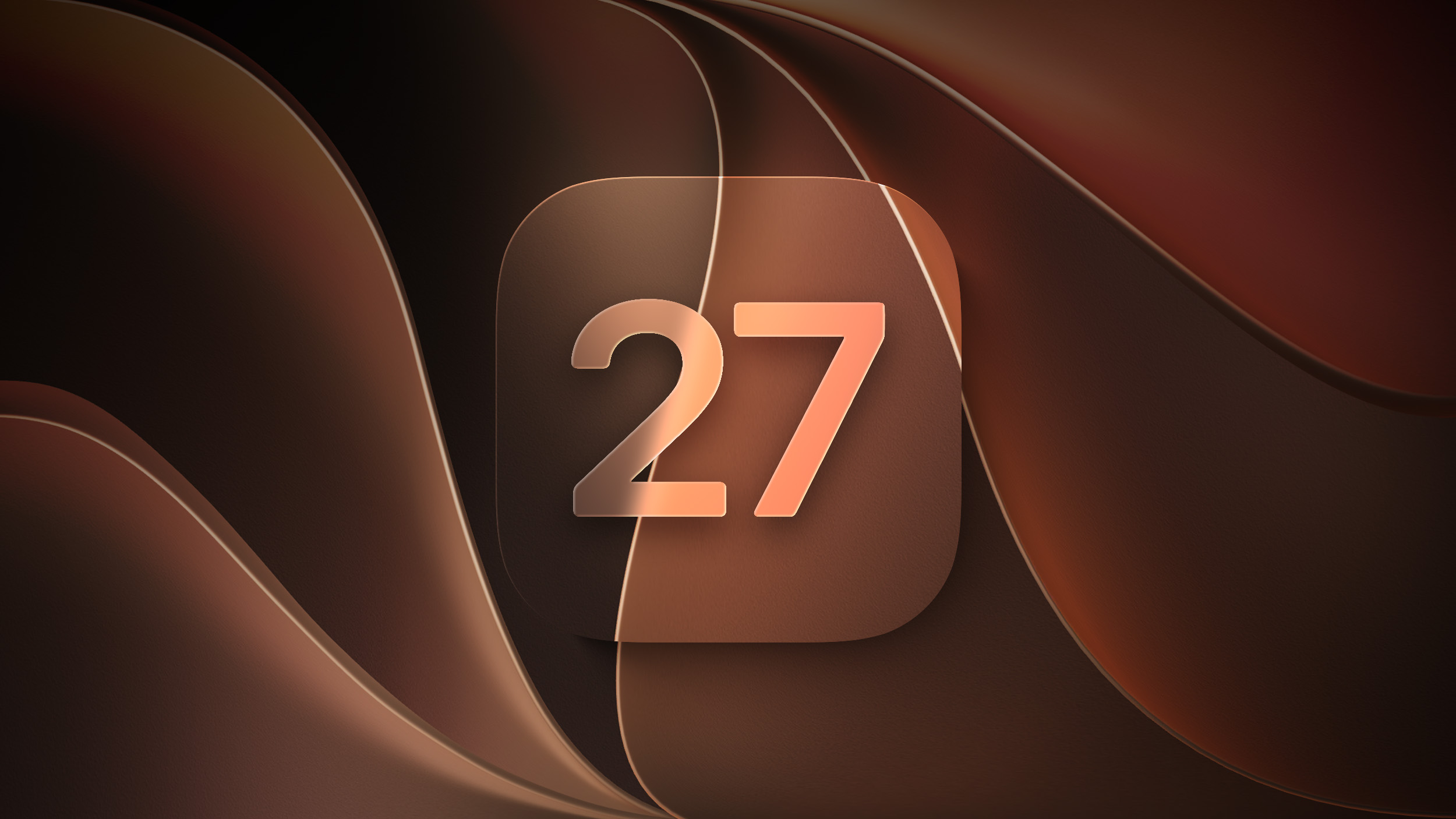
Apple is testing the next macOS Golden Gate update, and developers can download the second macOS Golden Gate 27.2 beta. The second beta comes a week after Apple released the first beta.
Registered developers can download macOS Golden Gate 27.2 by opening up the System Settings app, clicking on General, selecting Software Update, and opting into macOS Golden Gate betas.
macOS Golden Gate 27.2 introduces Siri AI in new languages. We're expecting a launch toward the end of October.
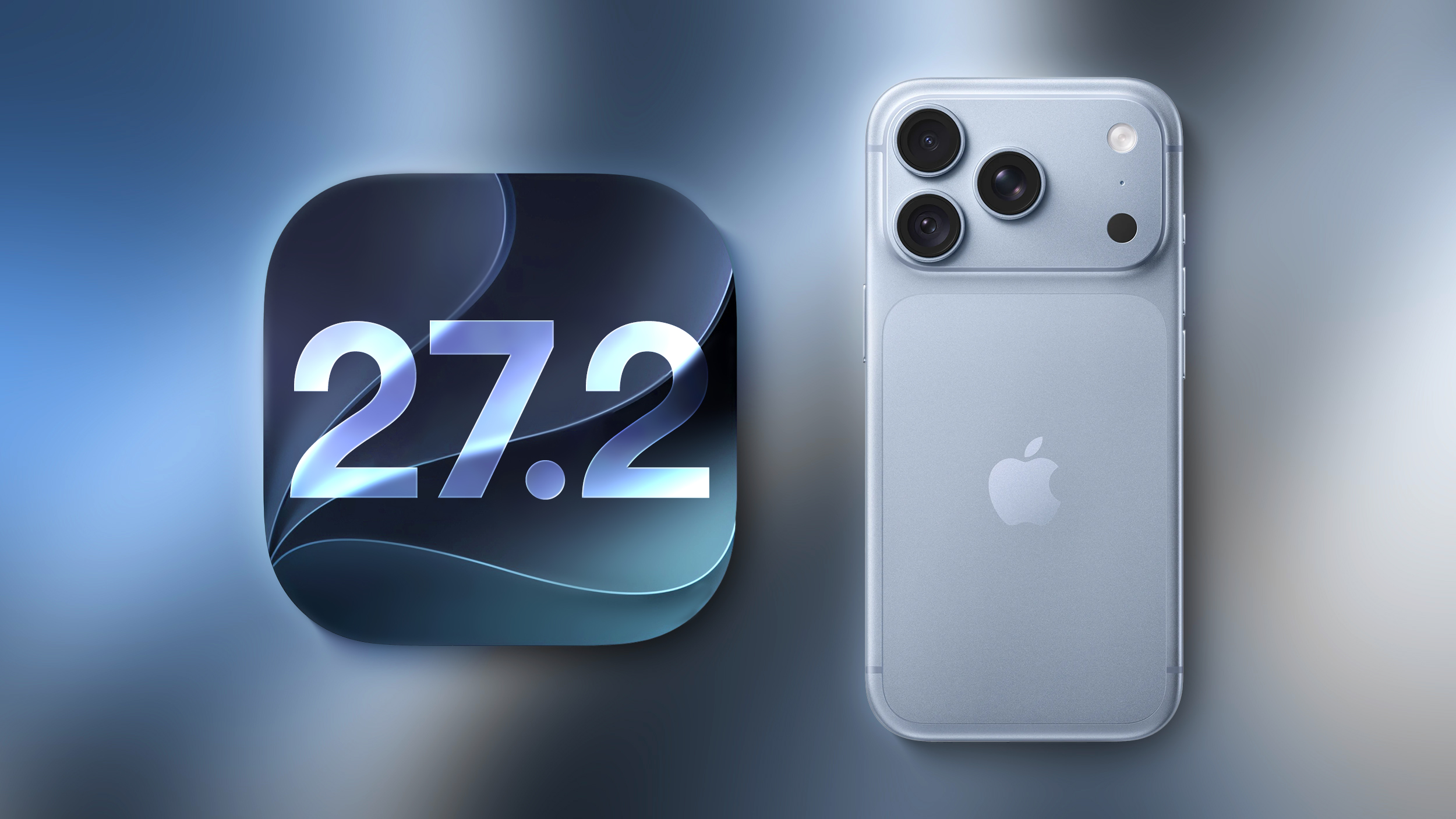
Apple today seeded the second beta of an upcoming iOS 27.2 update to developers for testing purposes, with the update coming a week after Apple released the first iOS 27.2 beta. Apple also seeded an iPadOS 27.2 beta.
Registered developers can download the beta updates by opting in under Settings > General > Software Update and selecting the iOS 27 developer beta.
iOS 27.2 includes Apple's redesigned Health app with new Insight and Longevity tabs. It also brings Siri AI in new languages. There are several other new features, with details available in our features guide.
Apple releasing an iOS 27.2 beta ahead of a iOS 27.1 beta was surprise, especially because the company plans to ship the iPhone Duo with iOS 27.1. Apple is likely holding iOS 27.1 until the Duo comes out, just to keep the features under wraps. iOS 27.1 will add updated app layouts and features built for the iPhone Duo's two displays. The iPhone Duo will have a vertical dock, vertical Dynamic Island, new dual-screen app layouts, side-by-side app multitasking, and exclusive Camera app capabilities.
Since the iPhone Duo will launch on Friday, October 23 and will ship with iOS 27.1, Apple will need to release the iOS 27.1 update before then. Since iOS 27.2 includes new Siri AI languages, it too will launch sometime during the month of October.
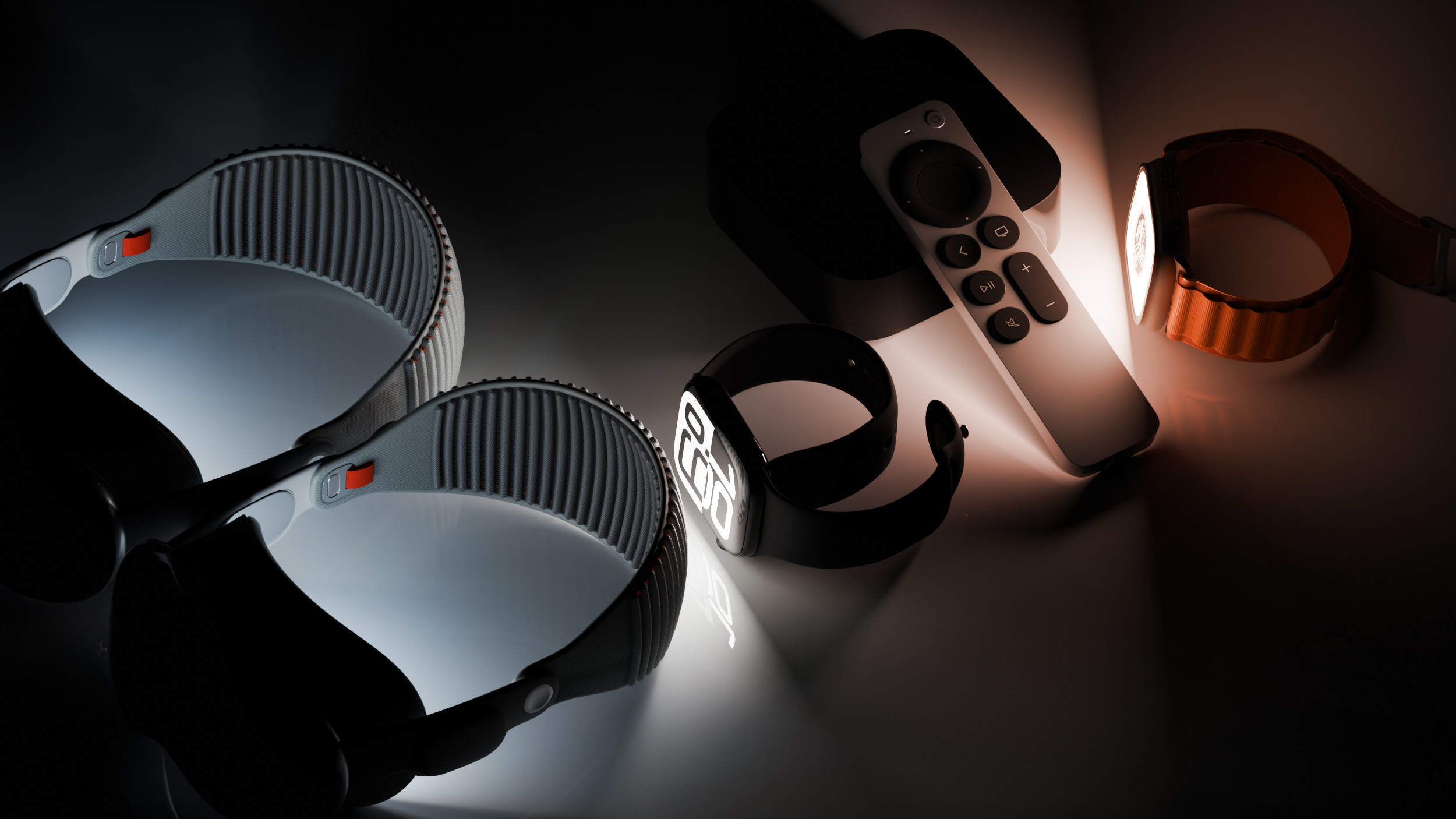
Alongside new betas of iOS 27.2, iPadOS 27.2, and macOS Golden Gate 27.2, Apple has released the second betas of watchOS 27.2, tvOS 27.2, and visionOS 27.2. The betas come week after Apple released the first betas.
Registered developers can download the betas through the Settings app on each device.
With iOS 27.2 and watchOS 27.2, Apple is testing the new Health app that it showed off during its September iPhone event. The updated Health app has new Insights and Longevity tabs with a readiness score that uses information from the new Apple Watch Series 12 and Ultra 4 models.
There's no word on what's being added in visionOS 27.2 and tvOS 27.2, but Apple is expected to introduce a new version of the Apple TV 4K with Siri AI support sometime before the end of the year.

 Log in

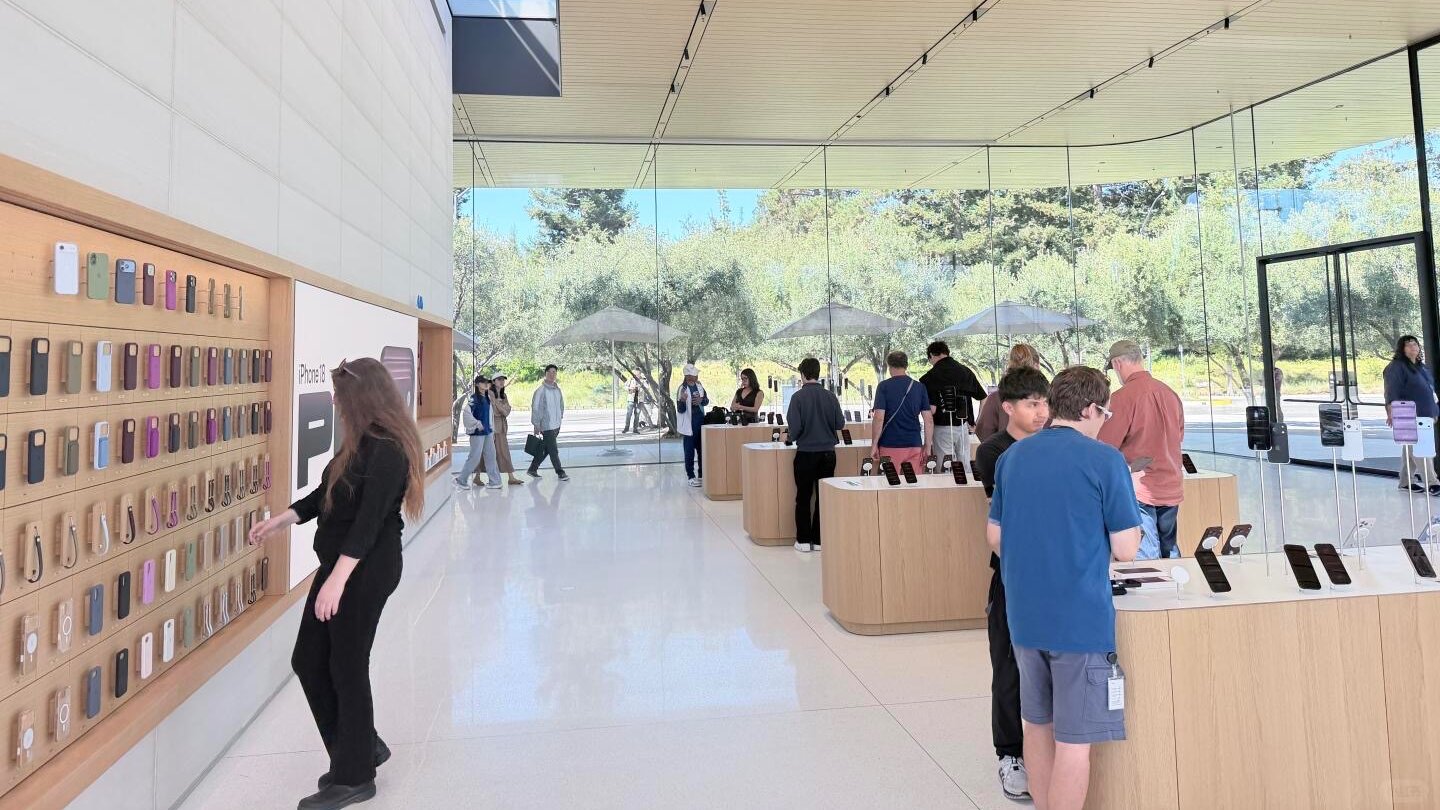 Apple Park Visitor Center's former Exhibition Space now displays products (source)
 Apple today updated the
 Note: MacRumors is an affiliate partner with Amazon. When you click a link and make a purchase, we may receive a small payment, which helps us keep the site running.
 Apple today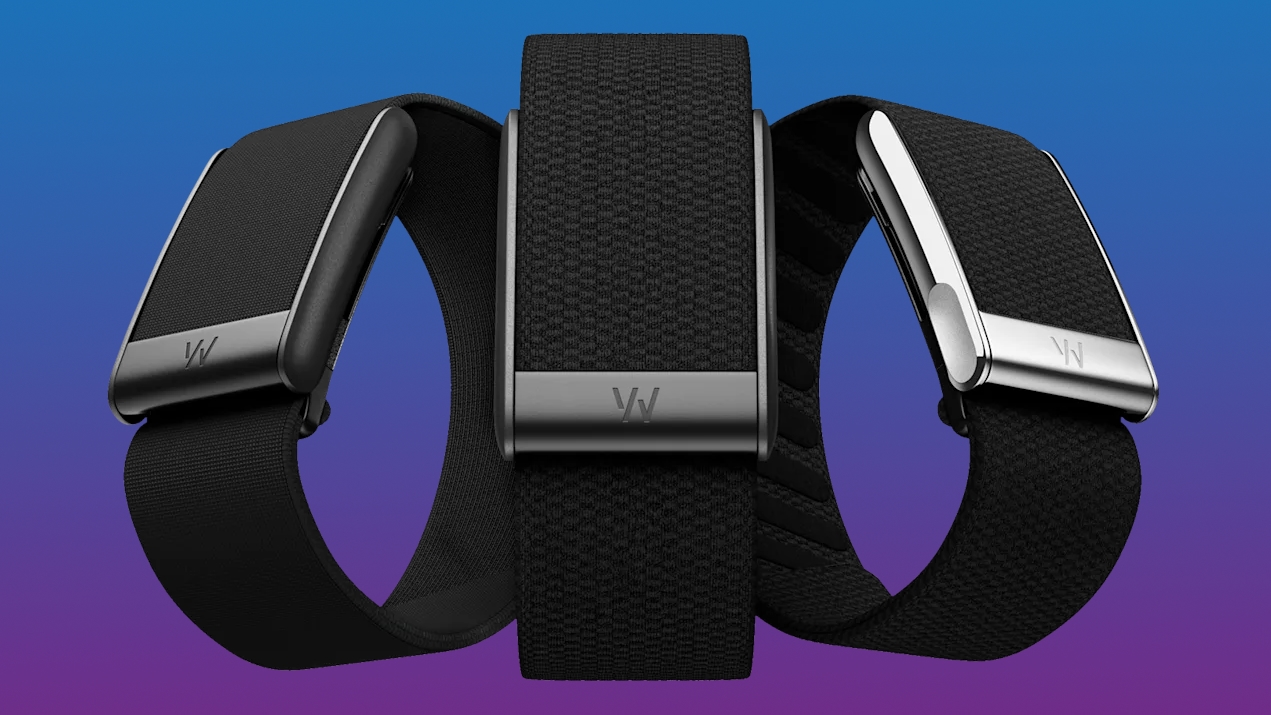
 Beats 360 in dozens of color combinations
 Beats 360 in Sky
 Beats 360 in Sky with Navy cushions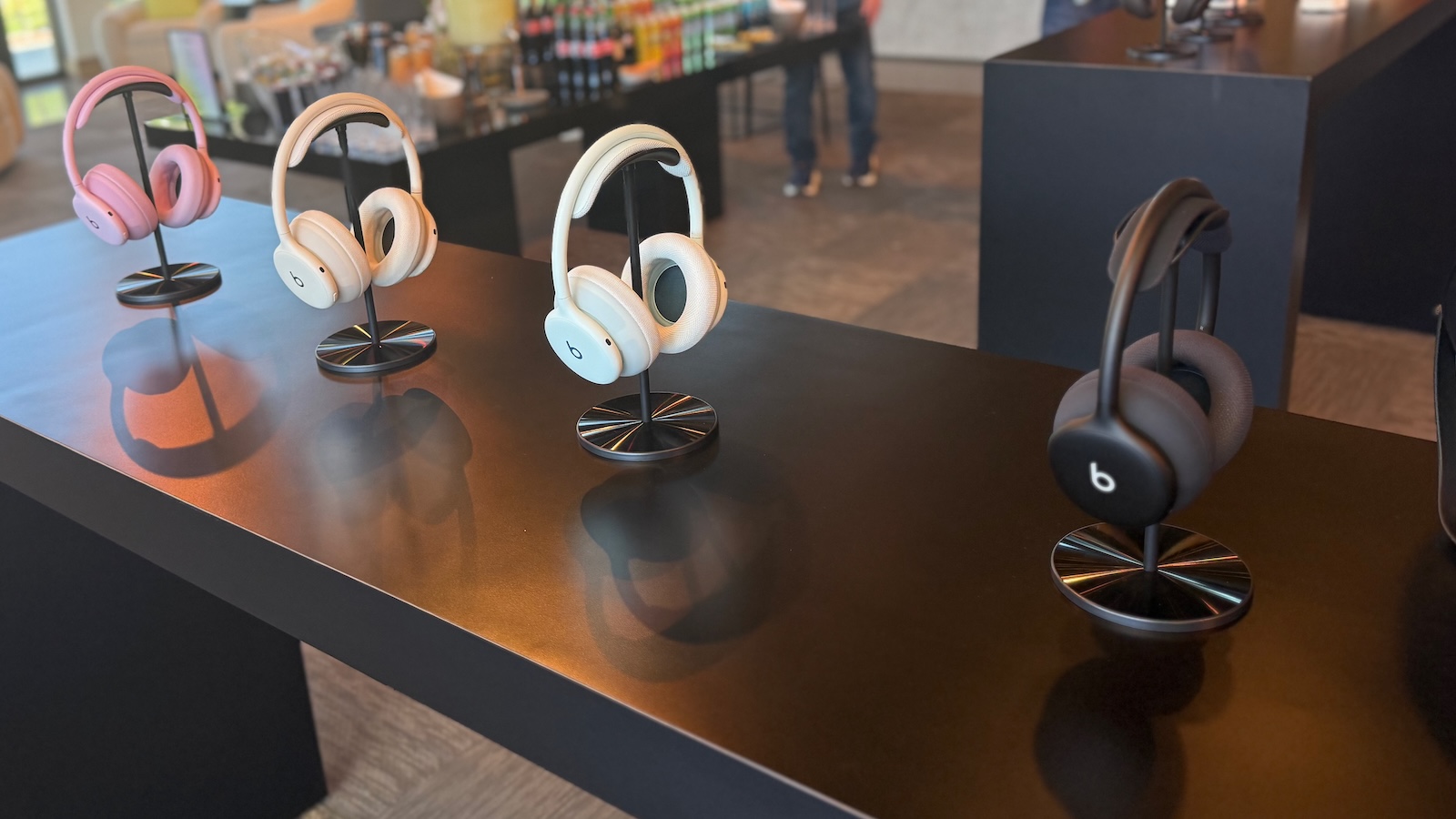
 Cases for Beats Studio Pro (left) and Beats 360 (right)
 Note: MacRumors is an affiliate partner with Amazon. When you click a link and make a purchase, we may receive a small payment, which helps us keep the site running.
 Apple today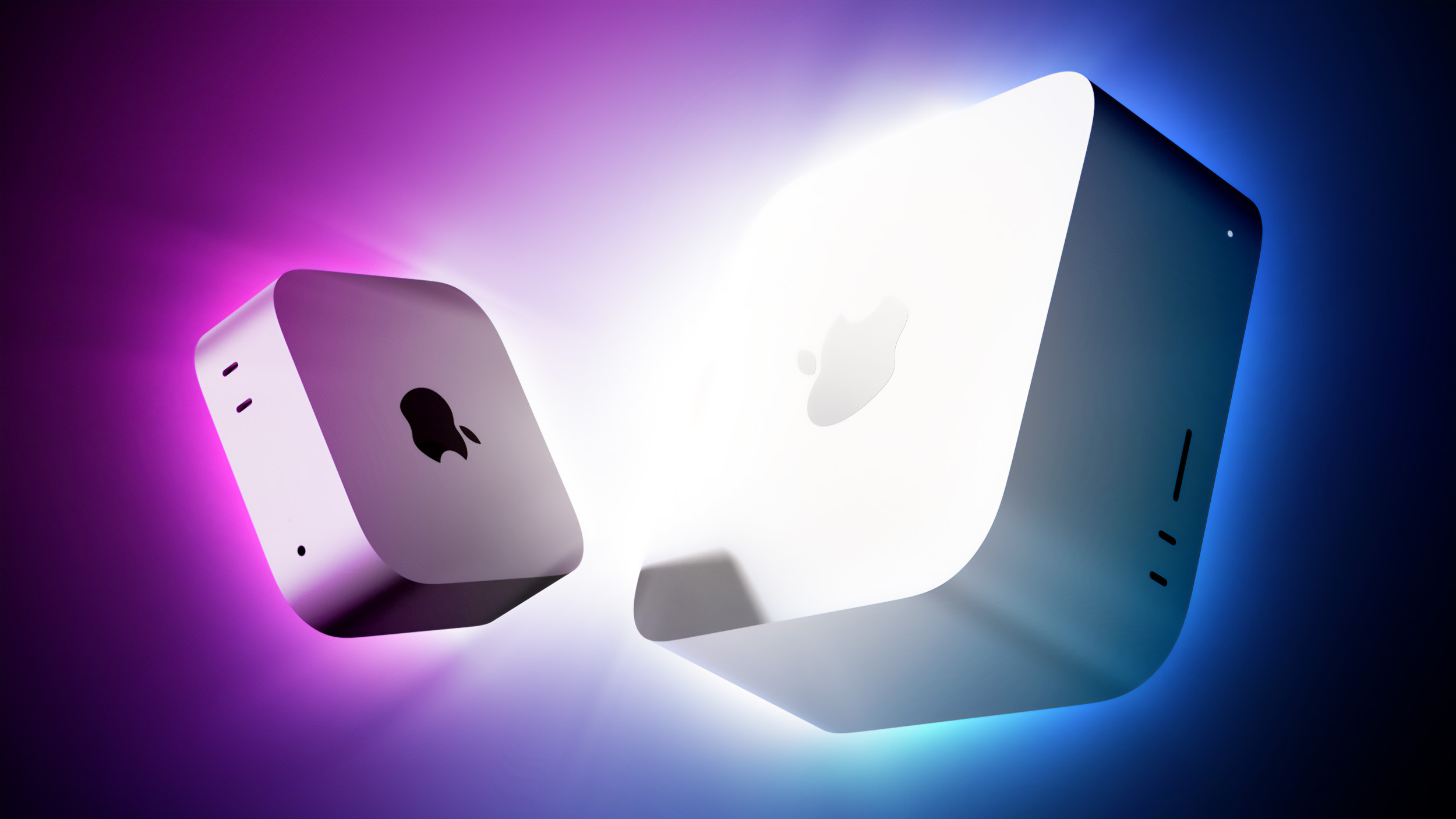


 Note: MacRumors is an affiliate partner with Amazon. When you click a link and make a purchase, we may receive a small payment, which helps us keep the site running.