❌

Lees weergave

Apple Announces Sneaky Sasquatch Updates, Files New Trademarks

Apple just announced a Subway Surfers+ crossover with hit Apple Arcade game Sneaky Sasquatch, with a "birdwatching update" coming September 17 that lets players photograph more than 30 species of birds in the game.

"Sneaky Sasquatch is the most beloved game on Apple Arcade and has had one of the most passionate communities of players since day 1," said Alex Rofman, Apple's senior director of Apple Arcade. "This exclusive crossover with Subway Surfers+ and the new birdwatching update are just the latest ways players can enjoy Sneaky Sasquatch, with more awesome updates planned for the game over the coming months."
As we reported in an earlier version of this article, Apple is seeking trademarks for Sneaky Sasquatch merchandise, including clothing, costumes, watches, jewelry, books, trading cards, bags, lunchboxes, bedding, towels, and more. Apple's request was filed on March 25 and is now under examination in the EU. It follows separate U.S. applications in October 2025 covering toys, plush figures, TV series, films, music, fan clubs, and board games.

Apple acquired Sneaky Sasquatch last year. Trademark filings don't guarantee that products will be released, but Apple may be exploring a wider merchandise line for the popular Apple Arcade game. Get your Sneaky Sasquatch iMessage stickers here.
This article, "Apple Announces Sneaky Sasquatch Updates, Files New Trademarks" first appeared on MacRumors.com

Discuss this article in our forums

  •  

Apple Event Logo Hints at Two iPhone 18 Pro Features

Apple's logo for its upcoming September 9 "Surprise and shine" event hints at two rumored iPhone 18 Pro features, including new color options and a new camera system.


Apple fans often like to read into Apple's event invite graphics for clues about unreleased products, and this year Bloomberg's Mark Gurman is also taking part in the fun on Twitter (X).

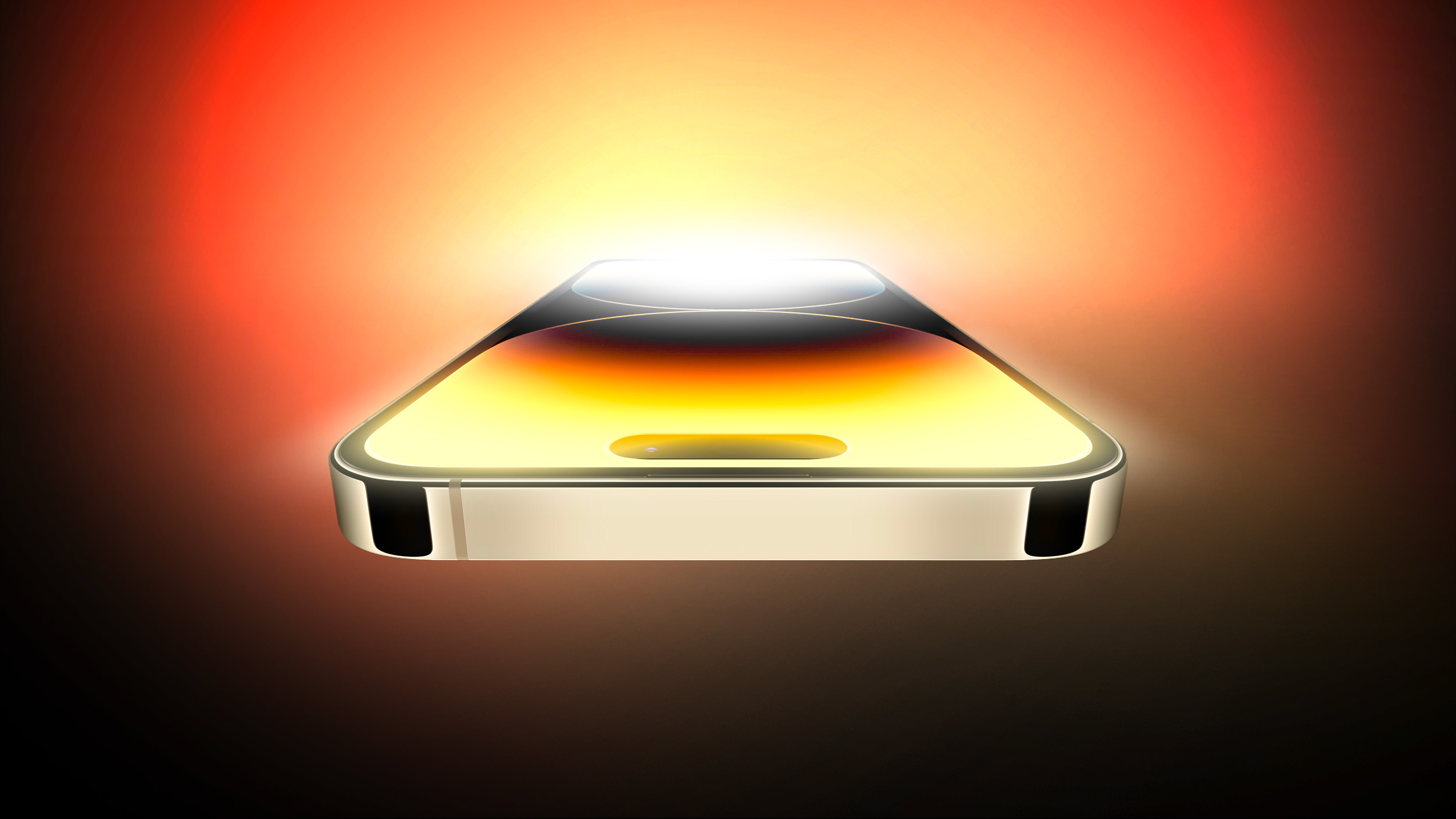
First, Gurman says he sees the shining light behind Apple's logo as a nod to the "mechanical aperture on the iPhone 18 Pro Max."

MacRumors has been reporting since 2024 that Apple could introduce a variable aperture camera on the iPhone 18 Pro models – a first for any iPhone. However, a recent rumor out of China suggests the feature could be exclusive to the larger Pro Max model.

With a variable lens, the iPhone 18 Pro Max could allow users to manually shift the aperture, similar to on a DSLR camera. It could mean more control over depth of field and bright light, enabling sharper focus on subjects. That all depends on how Apple implements the feature, of course. It may be more automated than that.

Second, Gurman links the sky blue color of the event invite to a "possible new iPhone 18 Pro color." According to Macworld, Apple will likely introduce the device in Light Blue, alongside Dark Cherry (the new headline color), Dark Gray, and Silver.

What I am seeing:

- Shining light = mechanical aperture on the iPhone 18 Pro Max
- Sky Blue color = Possible new iPhone 18 Pro color. https://t.co/MHQ21LmT9U

β€” Mark Gurman (@markgurman) August 26, 2026

It's not like we have much longer to wait to find out whether these takes are correct. Apple's event is less than two weeks away. Stay tuned to MacRumors for all the last-minute details.
Related Roundup: iPhone 18 Pro

This article, "Apple Event Logo Hints at Two iPhone 18 Pro Features" first appeared on MacRumors.com

Discuss this article in our forums

  •  

'Exclusive Red' iPhone Ultra Images Not What They Seem

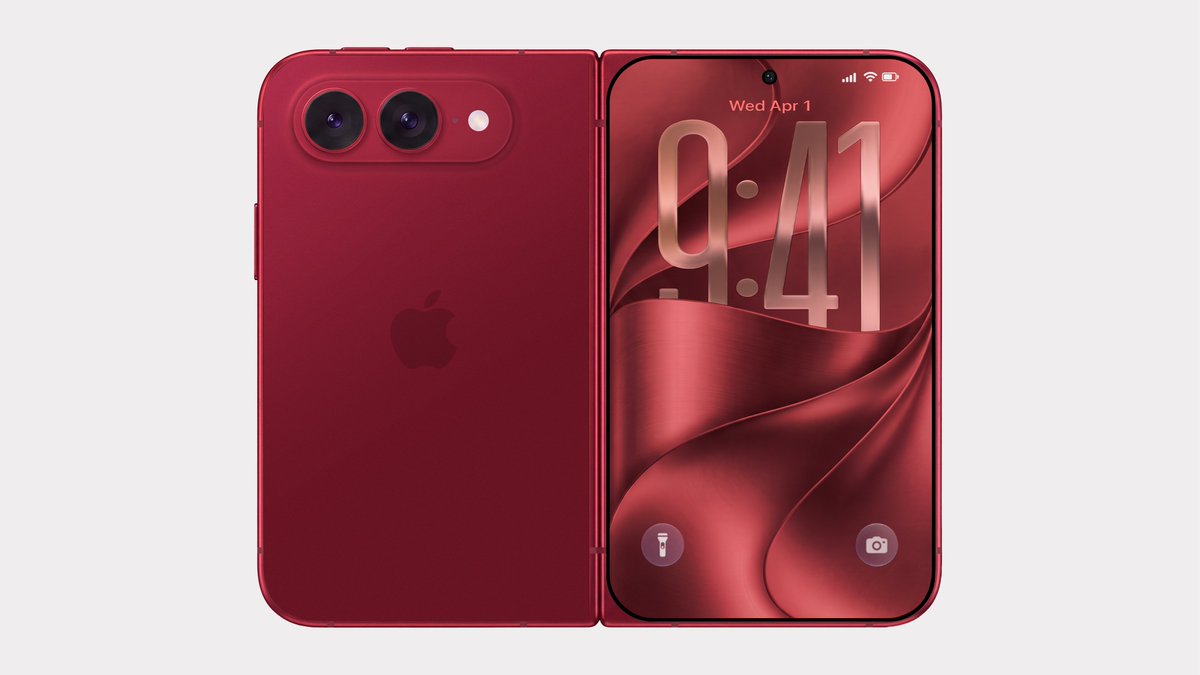
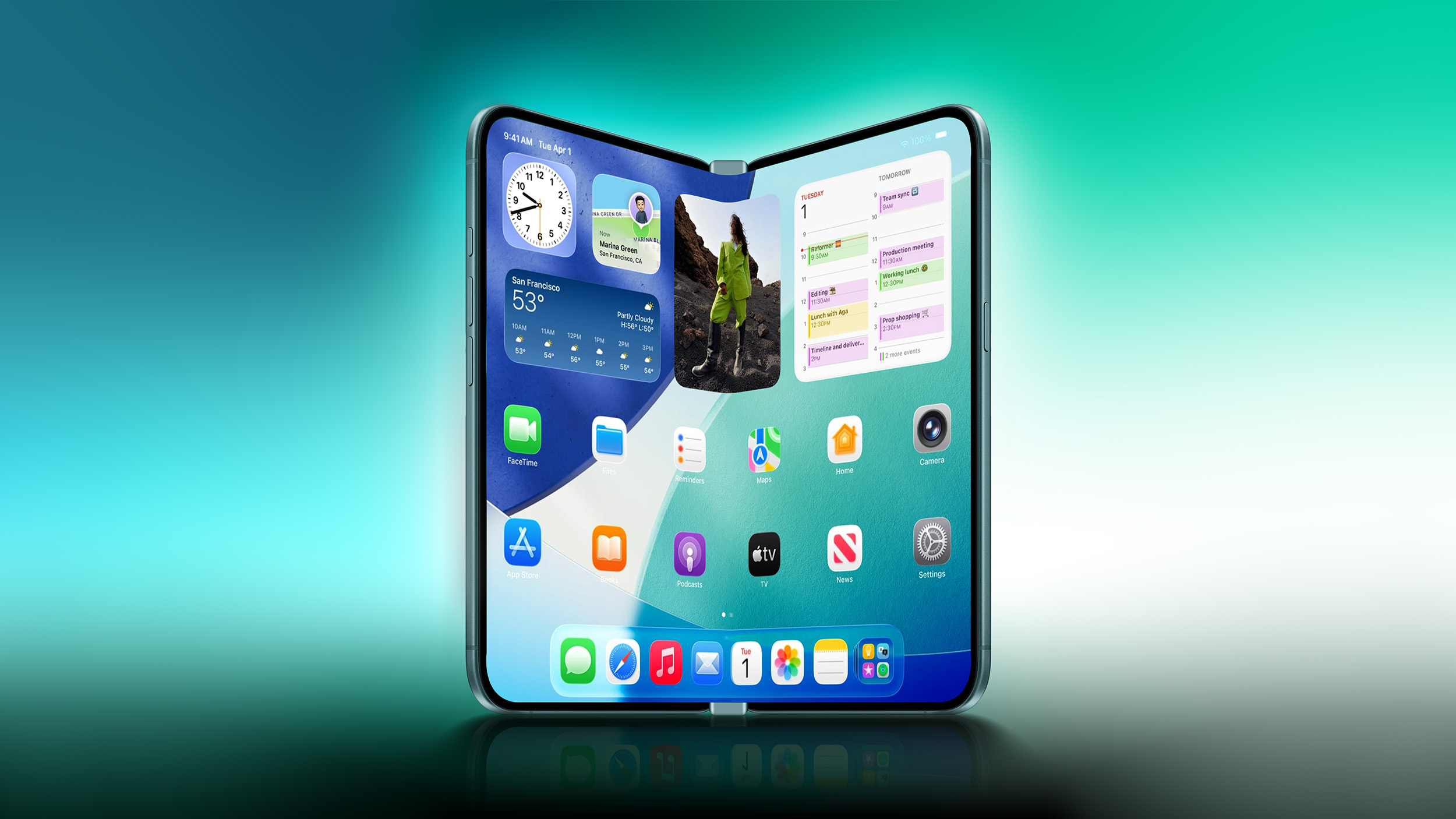
Bloomberg's Mark Gurman has disputed the authenticity of iPhone Ultra renders shared by the typically-reliable leaker Evan Blass on X (Twitter). The images show the unreleased foldable iPhone in not just the rumored space gray and white colors, but also in a striking red.


"Hearing these renders came from Xiaomi," wrote Gurman, commenting on Blass's post. "This isn't a legitimate look at the foldable iPhone, which also doesn't come in red or green. Just renders made by Xiaomi for some reason. Carry on."

Apple is said to be planning to "stay away from fun colors" and stick to more traditional space gray/black and silver/white finishes for the book-style foldable iPhone. One rumor has described the darker color as a shade of indigo rather than black. Another rumor suggests there might not be a black color at all.

We'll know for sure soon. Apple will hold its annual iPhone-centric event on Wednesday, September 9 at the Apple Park campus in Cupertino, California, where the company is expected to debut the foldable alongside new iPhone 18 Pro models. The event will begin at 10:00 a.m. Pacific Time. This year, Apple is using the tagline "Surprise and shine" for its fall event.
Related Roundup: iPhone Fold

This article, "'Exclusive Red' iPhone Ultra Images Not What They Seem" first appeared on MacRumors.com

Discuss this article in our forums

  •  

How to Install iOS 27 Public Beta 5 on Your iPhone

Apple this week made available the fifth public beta of iOS 27, bringing a more stable version of the software to a wider audience following lengthy testing by developers. Keep reading to learn how to prepare your device for the beta software and how to install it.


Signing up to get the β€ŒiOS 27 or β€ŒiPadOS 27 public beta is simple once you know how – it can be done by enrolling an iPhone or iPad in Apple's free Apple Beta Software Program. The steps you need to complete to install the software on your device are provided towards the end of this article, but before you jump ahead, here are a few things worth considering.

Is My iPhone Compatible With iOS 27?


iOS 27 is supported on iPhone 11 and all of the same iPhone models as iOS 26. They include the following:
  • iPhone 17e

  • iPhone 17

  • iPhone 17 Pro & Pro Max

  • iPhone Air

  • iPhone 16e

  • iPhone 16

  • iPhone 16 Plus

  • iPhone 16 Pro

  • iPhone 16 Pro Max

  • iPhone 15

  • iPhone 15 Plus

  • iPhone 15 Pro

  • iPhone 15 Pro Max

  • iPhone 14

  • iPhone 14 Plus


  • iPhone 14 Pro

  • iPhone 14 Pro Max

  • iPhone 13

  • iPhone 13 mini

  • iPhone 13 Pro

  • iPhone 13 Pro Max

  • iPhone 12

  • iPhone 12 mini

  • iPhone 12 Pro

  • iPhone 12 Pro Max

  • iPhone 11 Pro

  • iPhone 11 Pro Max

  • iPhone 11

  • iPhone SE (3rd generation)

Is My iPad Compatible With iOS 27?


iPadOS 27 cuts support for more iPad models than last year's iPadOS 26 did, with older iPad Pro, iPad Air, β€ŒiPadβ€Œ, and iPad mini models all losing compatibility. iPadOS 27 is supported on the following iPad models:


  • 13-inch iPad Pro (M4)

  • 12.9-inch iPad Pro (6th generation)

  • 12.9-inch iPad Pro (5th generation)

  • 12.9-inch iPad Pro (4th generation)

  • 11-inch iPad Pro (M4)

  • 11-inch iPad Pro (4th generation)

  • 11-inch iPad Pro (3rd generation)

  • 11-inch iPad Pro (2nd generation)

  • iPad Air (M3)


  • iPad Air (M2)

  • iPad Air (5th generation)

  • iPad Air (4th generation)

  • iPad (A16)

  • iPad (10th generation)

  • iPad (9th generation)

  • iPad mini (A17 Pro)

  • iPad mini (6th generation)


Note that this compatibility list does not mean that all iOS 27/iPadOS 27 features will work with the above models. Several of the update's features are exclusive to iPhone 15 Pro and newer models, since they rely on Apple Intelligence.

For example, iOS 27's more intelligent and personal version of Siri is available on the iPhone 15 Pro and newer, while two specific features tied to it are exclusive to the iPhone 17 Pro, iPhone 17 Pro Max, and iPhone Air.

Should I Install iOS 27 Public Beta?


Great question! Before downloading the update, it's worth noting that Apple does not recommend installing iOS 27 beta updates on your main iPhone/iPad, so if you have a secondary device, use that. This is beta software, which means there are often bugs and issues that pop up that can prevent software from working properly or cause other problems. Apple still has fixes to make before the final release in September.

Make an Archived Backup of Your Device First


Before installing the beta, make sure to back up your iOS device before installing the software using the following method, otherwise you won't be able to revert back to iOS 26 if things go wrong.

  1. Plug your iPhone into your Mac using the supplied cable.

  2. Allow the accessory to connect by clicking Allow in the dialog prompt.

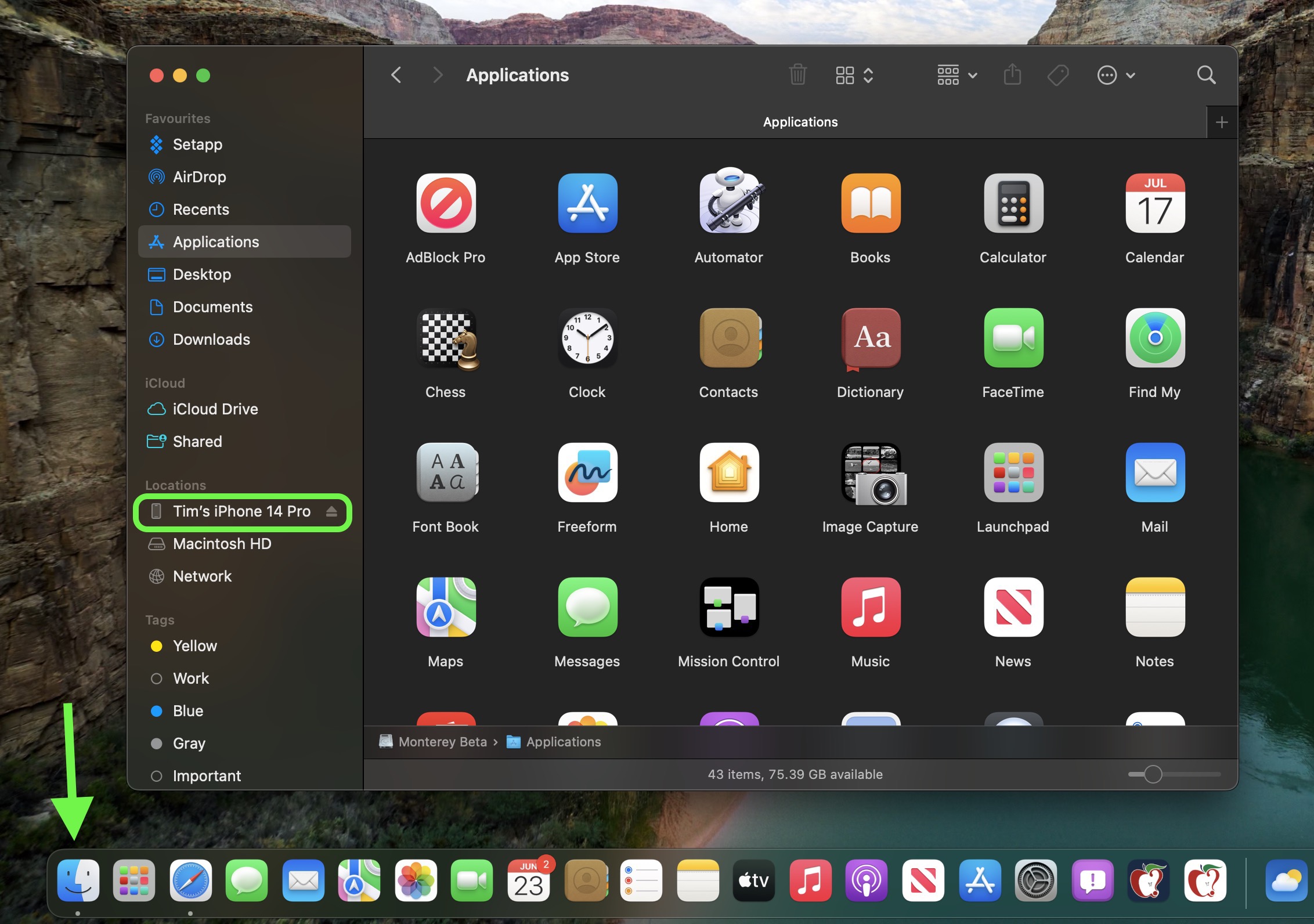
  3. Open a Finder window by clicking the Finder icon in the Dock.

  4. Click your iOS device's name in the sidebar.
    finder
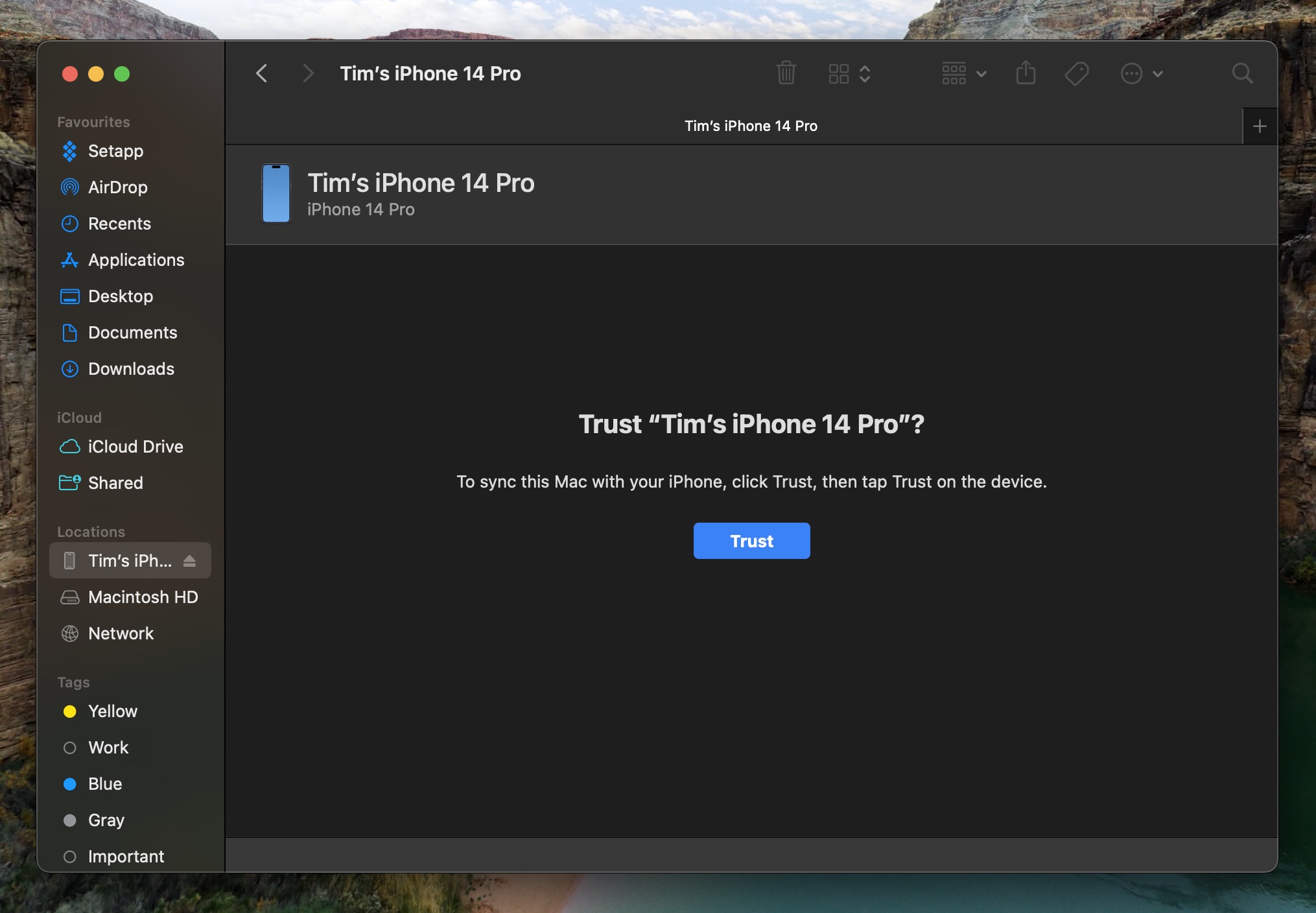
  5. If this is the first time connecting your device to your Mac, click Trust in the Finder window.
    finder
  6. Tap Trust on your device when prompted, then enter your passcode to confirm.

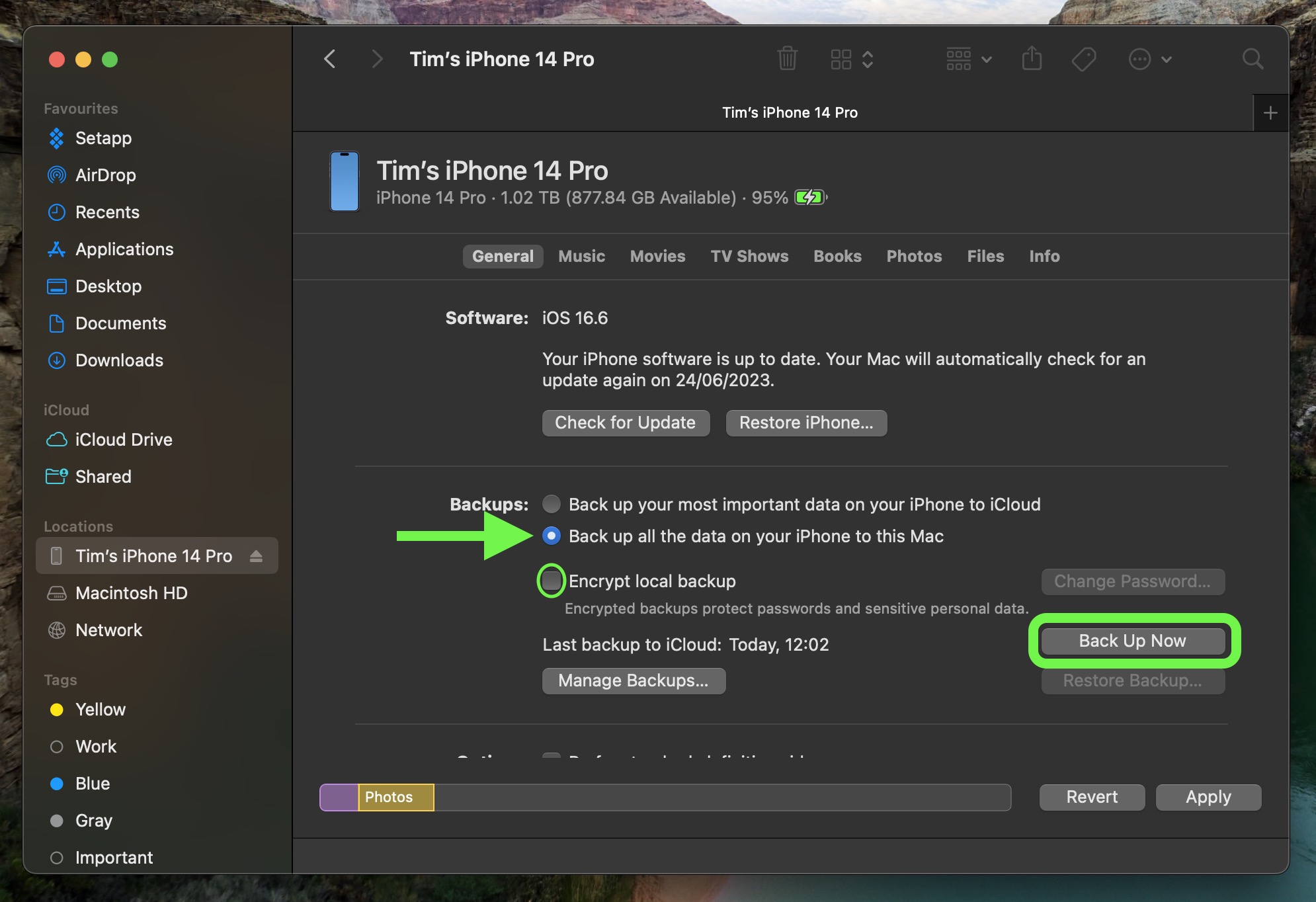
  7. In the General tab, click the circle next to where it says Back up all of the data on your iPad to this Mac.

  8. If you want to encrypt the backup, check the box next to Encrypt local backup, then enter a password to protect your data.

  9. If you don't want to create an encrypted backup, or you've already set up encrypted backups, click Back Up Now.
    finder

When the backup is finished, you can find the date and time of the last backup in the General tab, just above the Manage Backups button. Remember that this backup will not be overwritten when you manually or automatically back up your iPhone in the future, so you can restore it at any time by using the Restore Backup... option in the same Finder screen.

How to Download iOS 27 Public Beta


Downloading and install the iOS 27 Public Beta is very straightforward. Simply follow these steps:
  1. Head over to Apple's Beta Software Program website and sign up using your Apple Account credentials.

  2. Now go to Settings ➝ General ➝ Software Update on your iPhone.

  3. Tap Beta Updates. If you don't see the option, try switching off Download iOS Updates (Automatic Updates ➝ Download iOS Updates), then tap Back and it should appear.

  4. Select iOS 27 Public Beta in the list, then tap Back.

  5. Wait for the Software Update screen to check Apple's servers. When the iOS 27 Public Beta appears, tap Download and Install, then follow the instructions and wait for installation to complete.


iOS 27 Features


iOS 27's headline change is a more intelligent and personal version of Siri, but the update also brings a wider set of improvements across Apple's core apps and services. A new Siri mode in the Camera app works with Visual Intelligence, which lets you point their iPhone at real-world items like receipts and take useful actions directly from what's on the screen.

Apple Maps gains an enhanced Flyover experience powered by AI, with sharper and more lifelike aerial imagery for select cities. In the U.S., a new Local Lists feature surfaces relevant place collections, including trending restaurants and family-friendly destinations.

Find My adds more flexible location sharing controls. You can now share your location for a custom duration, set an exact time for sharing to expire, or pause sharing with specific people until the End of the day. Reminders and Calendar now also support natural language input, and Apple Intelligence will automatically fill in details such as the date, time, and location.

Wallet, Apple Cash, and Apple Pay also get major upgrades. iOS 27 adds Apple Intelligence-powered bill splitting with Apple Cash, custom Wallet passes created from physical cards, richer hotel key experiences, and a redesigned Apple Pay checkout flow with easier card switching and more payment details. Tap to Pay on iPhone also gains Tap to Share, letting customers securely share contact, shipping, and Loyalty information with participating merchants.

Apple's media and cloud apps get updates too. Apple Podcasts adds Search within individual shows, iCloud Shared Albums support full-resolution cross-platform sharing and more file types, and Apple Music improves AutoMix while expanding Lyrics Translation to more Language pairings.

For the full list of iOS 27 features, check out Apple's press release.
Related Roundups: iOS 27, iPadOS 27

This article, "How to Install iOS 27 Public Beta 5 on Your iPhone" first appeared on MacRumors.com

Discuss this article in our forums

  •  

Apple Explains Why Spotlight Indexing Can Take Days After an Update

For anyone who's experienced the lengthy post-update indexing process when trialing the beta version of iOS 27, macOS 27 Golden Gate, iPadOS 27, or visionOS 27: Apple has published a Spotlight support document that explains what's going on.

Apple says indexing can take hours or even days depending on how much data you have stored. It completes more quickly when your device is not in use, and when it is connected to power and the internet. Apple also confirms that the index is stored locally, remains private, and is not shared with Apple or any of your other devices.
This article, "Apple Explains Why Spotlight Indexing Can Take Days After an Update" first appeared on MacRumors.com

Discuss this article in our forums

  •  

New Mac Mini Bumps Display Refresh Rates to 165Hz

Apple's newly announced M6 and M5 Pro Mac mini models still support up to three external displays, but there's now support for higher refresh rates, according to Apple's published technical specifications.


Here's what's changed versus the M4 generation:

  • The M6 model runs two displays at up to 6K 60Hz or 4K 165Hz, up from 144Hz on M4, plus a third display at up to 5K 60Hz over Thunderbolt or 4K 60Hz over HDMI.

  • The M5 Pro model runs all three displays at up to 6K 60Hz or 4K 165Hz, up from 144Hz on the M4 Pro.

  • In a two-monitor setup, the M5 Pro model's second screen now supports 5K 120Hz or 4K 200Hz, whereas the M4 Pro listed 6K 60Hz or 4K 144Hz.

  • The M5 Pro model supports all three displays through one Thunderbolt port, while the M6 still supports two per port.

  • Single-display support is unchanged: Both chips support 8K 60Hz, 5K 120Hz, or 4K 240Hz.

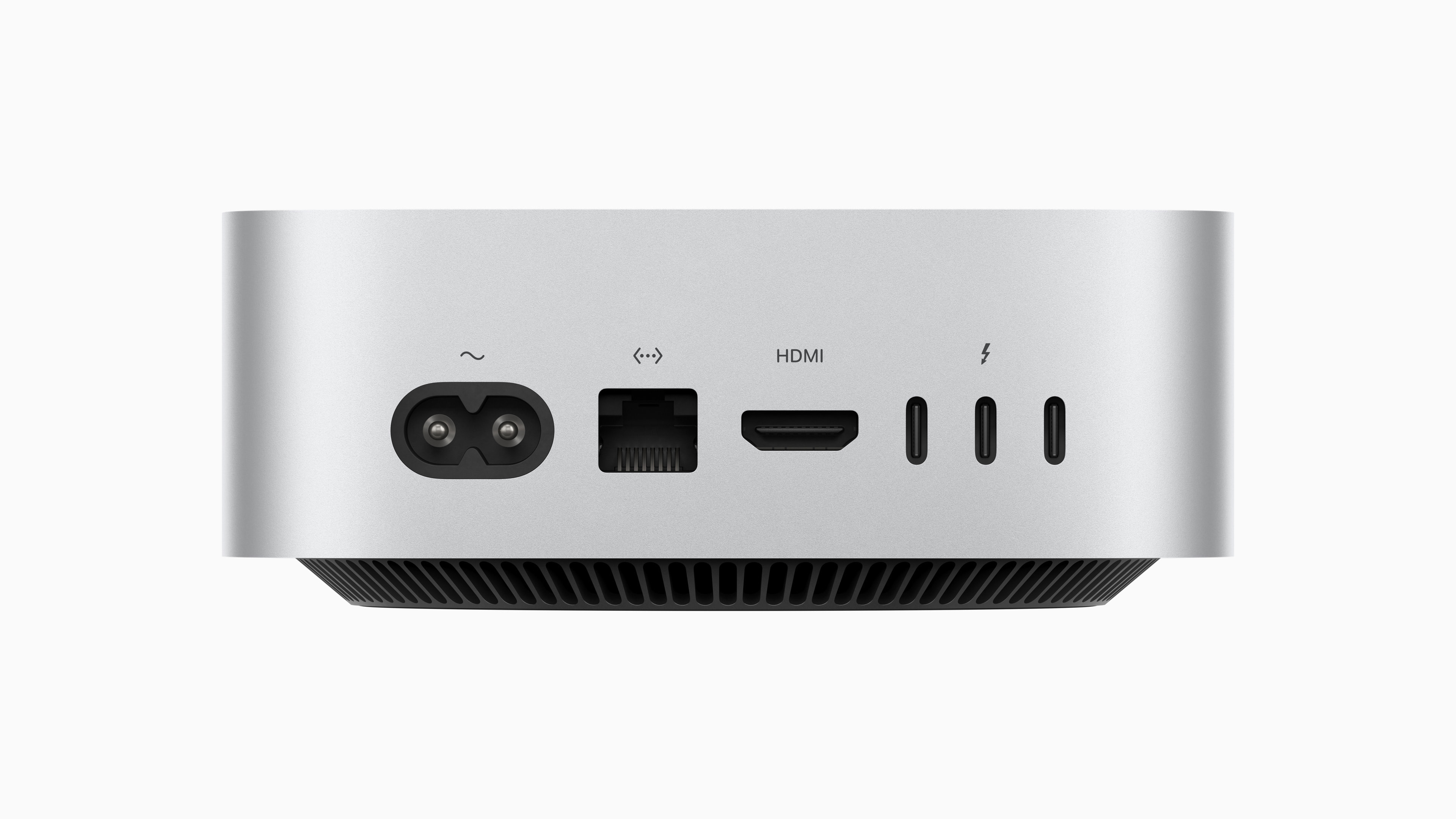
As for port compatibility around the back, the M6 model has Thunderbolt 4 supporting DisplayPort 1.4, while the M5 Pro model has Thunderbolt 5 supporting DisplayPort 2.1.

The new models were announced on Tuesday. Pre-orders are open now, with shipping and in-store availability on September 22.
Related Roundup: Mac mini
Buyer's Guide: Mac Mini (Buy Now)
Related Forum: Mac mini

This article, "New Mac Mini Bumps Display Refresh Rates to 165Hz" first appeared on MacRumors.com

Discuss this article in our forums

  •  

Apple Car Key Support Coming to Xiaomi Auto Vehicles

Apple's Car Keys feature appears to be coming to supported vehicles made by Chinese maker Xiaomi Auto, based on code changes discovered by MacRumors in Apple's Wallet app backend.


Code spotted in the third developer beta of iOS 27 back in July revealed that Apple was preparing Car Keys support for Xiaomi, so this latest change suggest support is imminent.

The Chinese electronics maker has expanded into EVs with models like the SU7 sedan and YU7 SUV. Car key support would be one of the company's first tie-ins with Apple's ecosystem, despite Xiaomi being a major Apple rival in the smartphone market.

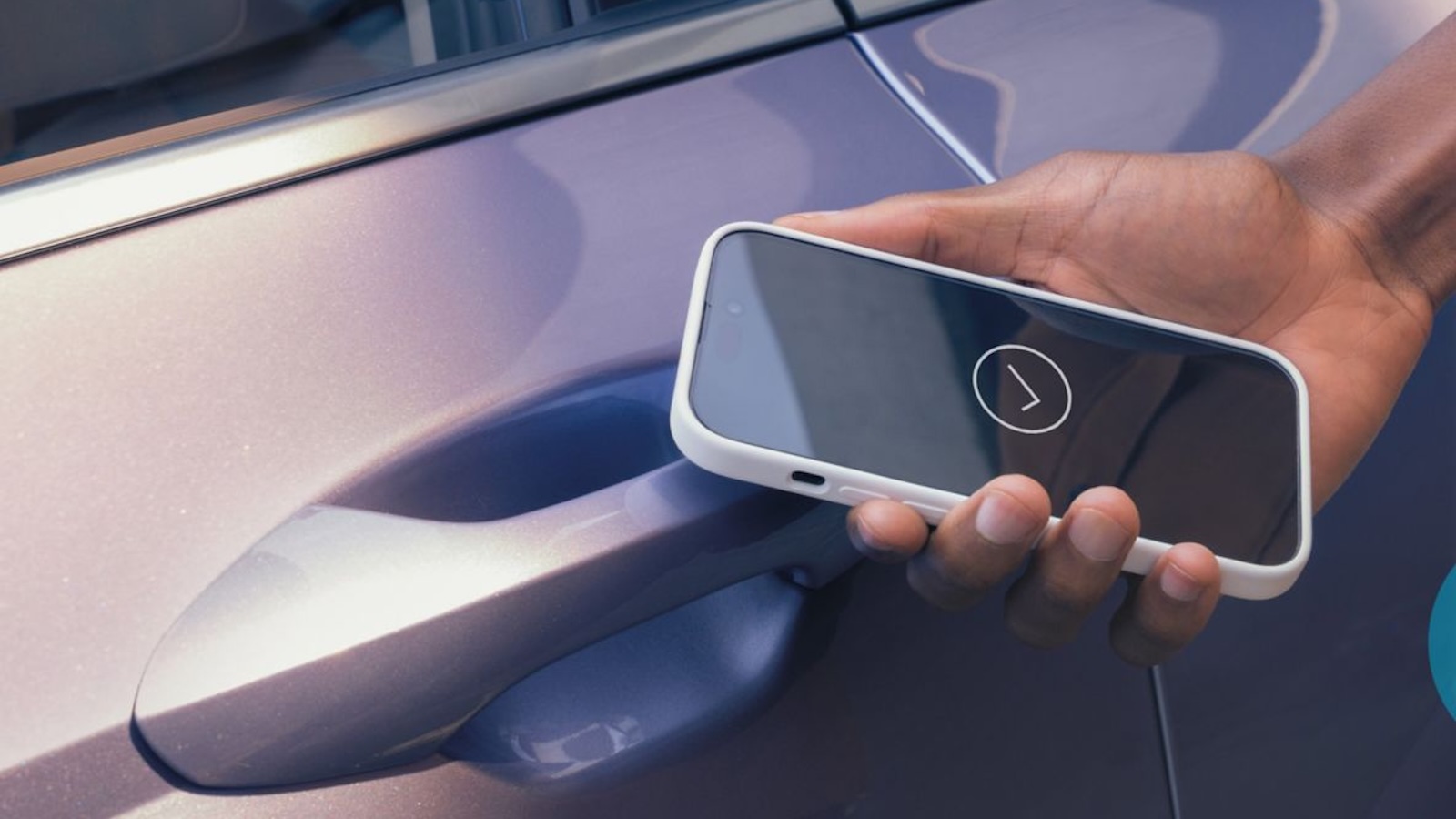
Car Keys allows an iPhone or Apple Watch with NFC capabilities to unlock a vehicle through the Wallet app. A digital version of a car key is stored in Wallet, and unlocking can be done simply by holding an Apple Watch or β€ŒiPhoneβ€Œ near a compatible vehicle's NFC reader.

What can be done with Car Keys may vary by car manufacturer, but at a minimum, Car Keys can be used to unlock your car, lock your car, and start your car, which are the features available with a physical key.

Apple introduced Car Keys in 2022, and car manufacturers like BMW, Rivian, Kia, and Hyundai have all implemented support for Car Keys. Apple maintains a full list of vehicles that support Car Keys on its CarPlay model availability webpage.
This article, "Apple Car Key Support Coming to Xiaomi Auto Vehicles" first appeared on MacRumors.com

Discuss this article in our forums

  •  

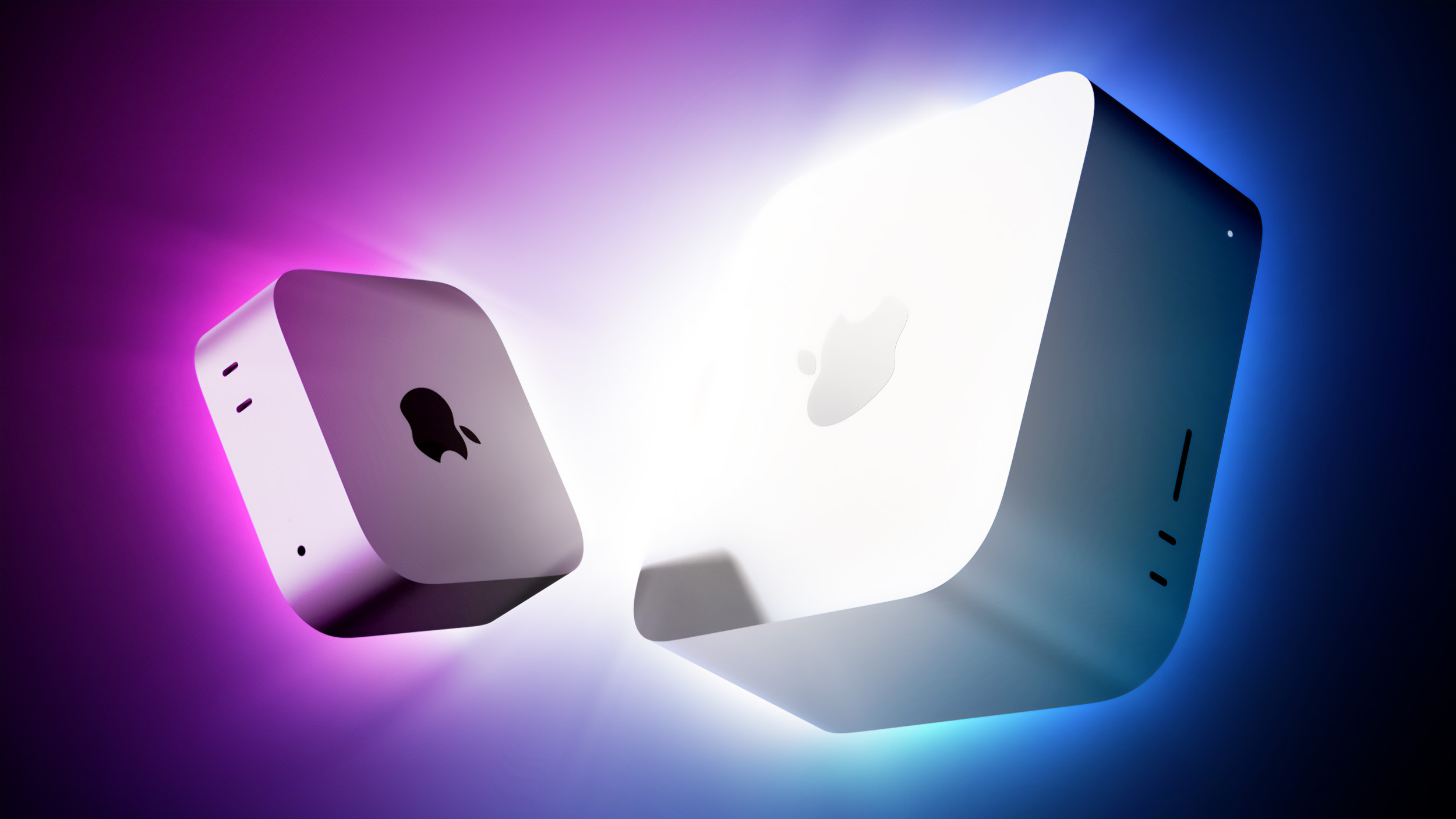
Apple's New Mac Mini and Mac Studio Are Now Available to Pre-Order

Apple today announced a new Mac mini and Mac Studio, and pre-orders for both are already live on Apple's online store and in the Apple Store app in the United States and 30 other countries and regions.


Most configurations ship Tuesday, September 22, which is also when the new models will be available to buy in Apple Store locations and at Apple Authorized Resellers.

Both Mac mini models cost more than the machines they replace for reasons that should be familiar by now. The rapid buildout of AI data centers has pushed up demand for memory and storage chips across the tech industry, and Apple in June raised the M4 Pro Mac mini to $1,599, up from the $1,399 it launched at in October 2024. The M5 Pro version adds another $100 on top of that.


Model Starting price Education price Base memory/storage
Mac mini (M6) $899 $799 16GB / 256GB
Mac mini (M5 Pro) $1,699 $1,599 24GB / 512GB
Mac Studio (M5 Max) $2,499 $2,299 36GB / 512GB
Mac Studio (M5 Ultra) $5,499 $5,099 96GB / 1TB

The $899 M6 mini is $300 more than the M4 model's $599 original launch price, but only $100 more than the $799 that Apple re-priced it to in June. Education prices reflect Apple's discounts for schools and students.

The M5 Ultra-powered Mac Studio with 512GB of unified memory won't be available until late October, and Apple hasn't announced pricing for it yet.
Related Roundups: Mac Studio, Mac mini
Related Forums: Mac Studio, Mac mini

This article, "Apple's New Mac Mini and Mac Studio Are Now Available to Pre-Order" first appeared on MacRumors.com

Discuss this article in our forums

  •  

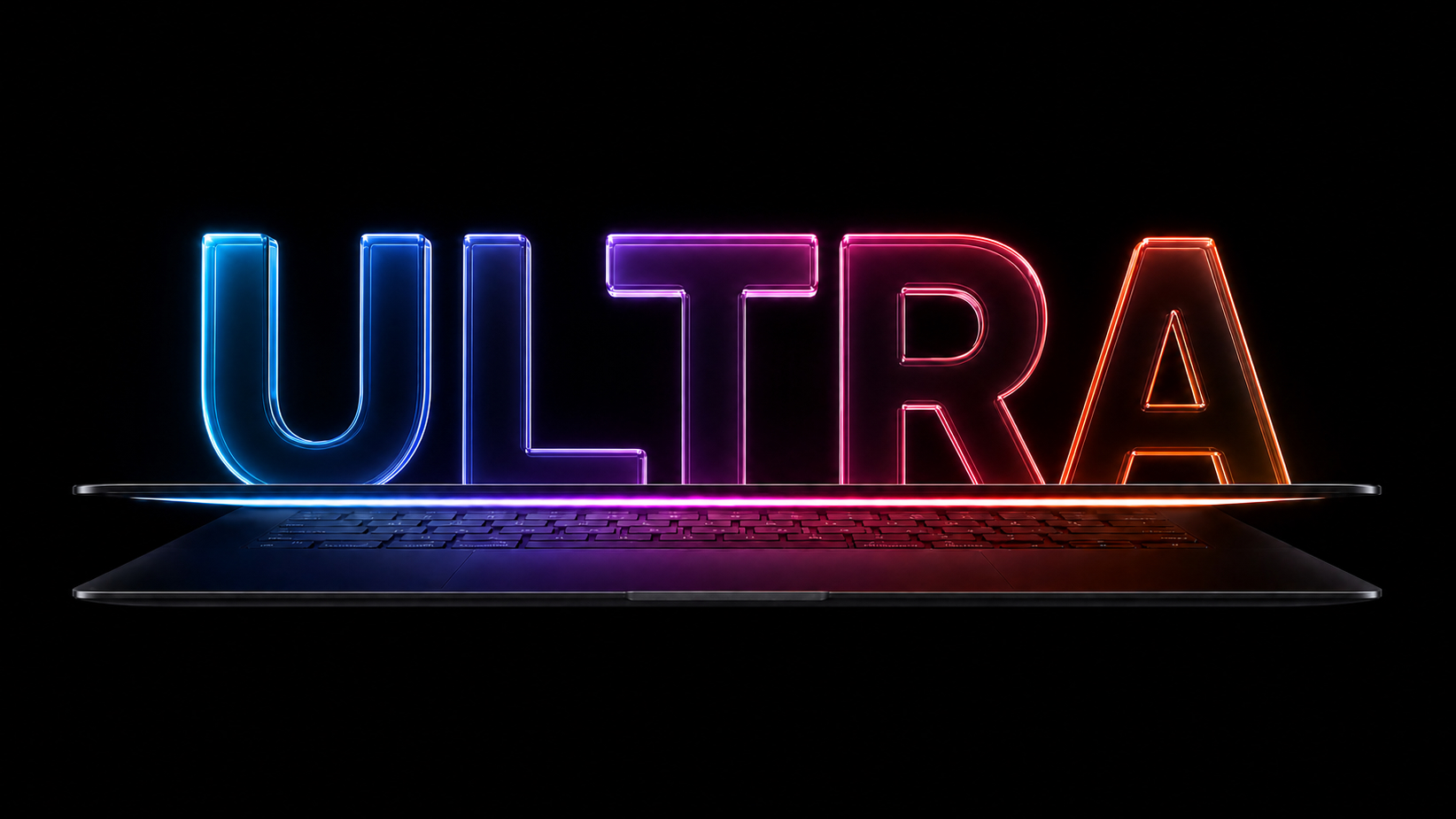
'MacBook Ultra' Coming Soon With Touchscreen and 5 Other Changes

Reports and rumors suggest the next high-end MacBook Pro that Apple will release might not be a β€ŒMacBook Proβ€Œ at all. It could actually be something altogether new and more exciting – a "MacBook Ultra" – marketed as the company's top-tier laptop offering. The device is likely to sit above the current M5 Pro and M5 Max MacBook Pros, rather than replace them, suggesting that they will remain on sale.


One thing to state up front is that Apple is expected to stick with the existing M5 Pro and M5 Max chips for its touchscreen "Ultra" model. Apple reportedly plans to skip what would have been the "M6 Pro" and "M6 Max" for more powerful "M7 Pro" and "M7 Max" chips. A new entry-level β€ŒMacBook Proβ€Œ with the M6 chip is still expected to launch later this year, while the second-generation MacBook Ultra will adopt M7 chip architecture when it arrives later in 2027.

In his latest report, Bloomberg's Mark Gurman does not specify a release date for the first MacBook Ultra models, but the wording of his summary of upcoming Macs implies that it could still arrive between October and December this year, barring delays due to the global memory chip shortage.

Below, we've listed the features and changes we are expecting for the MacBook Ultra.

OLED Display


Bloomberg's Mark Gurman and analyst Ming-Chi Kuo say Apple is readying OLED technology for these models, and industry reports corroborate their claims. Samsung Display is said to be making the panels exclusively, and the supplier has invested heavily in an 8.6-generation OLED production line in South Korea. The line reached a key milestone for mass production in May.

OLED presents an overall upgrade over the current mini-LED display technology, bringing deeper colors and a higher contrast ratio with true blacks. In an OLED display, individual pixels turn off instead of dimming when not activated, so there's less light leakage and better power efficiency. OLED displays also tend to have better HDR ouptut than mini-LED, but they don't always match mini-LED brightness levels.

Touchscreen


The new β€ŒMacBook Proβ€Œ is expected to become the first Mac to support touch input directly on the display. It's a notable shift from Apple's longstanding position against bringing touchscreen functionality to the Mac.

Apple previously experimented with touch controls through the OLED Touch Bar on earlier β€ŒMacBook Proβ€Œ models, but the feature was ultimately discontinued following a lukewarm reception. Rather than positioning the β€ŒMacBook Proβ€Œ as a touch-centric device like the β€ŒiPadβ€Œ, Apple is reportedly planning to let users move seamlessly between touch and traditional trackpad or mouse input across the system.

There are features in β€ŒmacOS Golden Gateβ€Œ that hint at a future touchscreen Mac. Apple added direct touch input to Sidecar so users can tap and interact with macOS elements when using the β€ŒiPadβ€Œ as a Mac display. macOS Golden Gateβ€Œ also supports an iPhone-style pull-to-refresh option, and it can be used across apps like Safari, Mail, News, Podcasts, and Calendar. A pull-to-refresh option makes the most sense on a touch display.

Reinforced Hinge


Apple has reportedly developed a reinforced hinge and screen hardware to prevent the display from bouncing back or moving when touched. Apple is apparently aware of the same issue that plagues existing touch PCs.

Thinner Design


Gurman has reported that Apple is working to make the OLED MacBook Pro significantly thinner, as part of the company's plan to create "the thinnest and lightest products in their categories across the whole tech industry." (Think the latest iPad Pro and iPad Air – two of the thinnest devices the company has ever made.) Indeed, the reporter has said there's a good chance that the next MacBook Pro model will represent a "true overhaul" for the laptop, thanks to the combination of the OLED display and thinner design.

Notably, the MacBook Pro got thicker and heavier with its most recent redesign in 2021. A major highlight was the reintroduction of several ports that were removed in previous iterations in favor of chassis thinness. How Apple will make its redesigned MacBook Pro thinner without removing the functionality it reintroduced fairly recently is the big question.

Dynamic Island


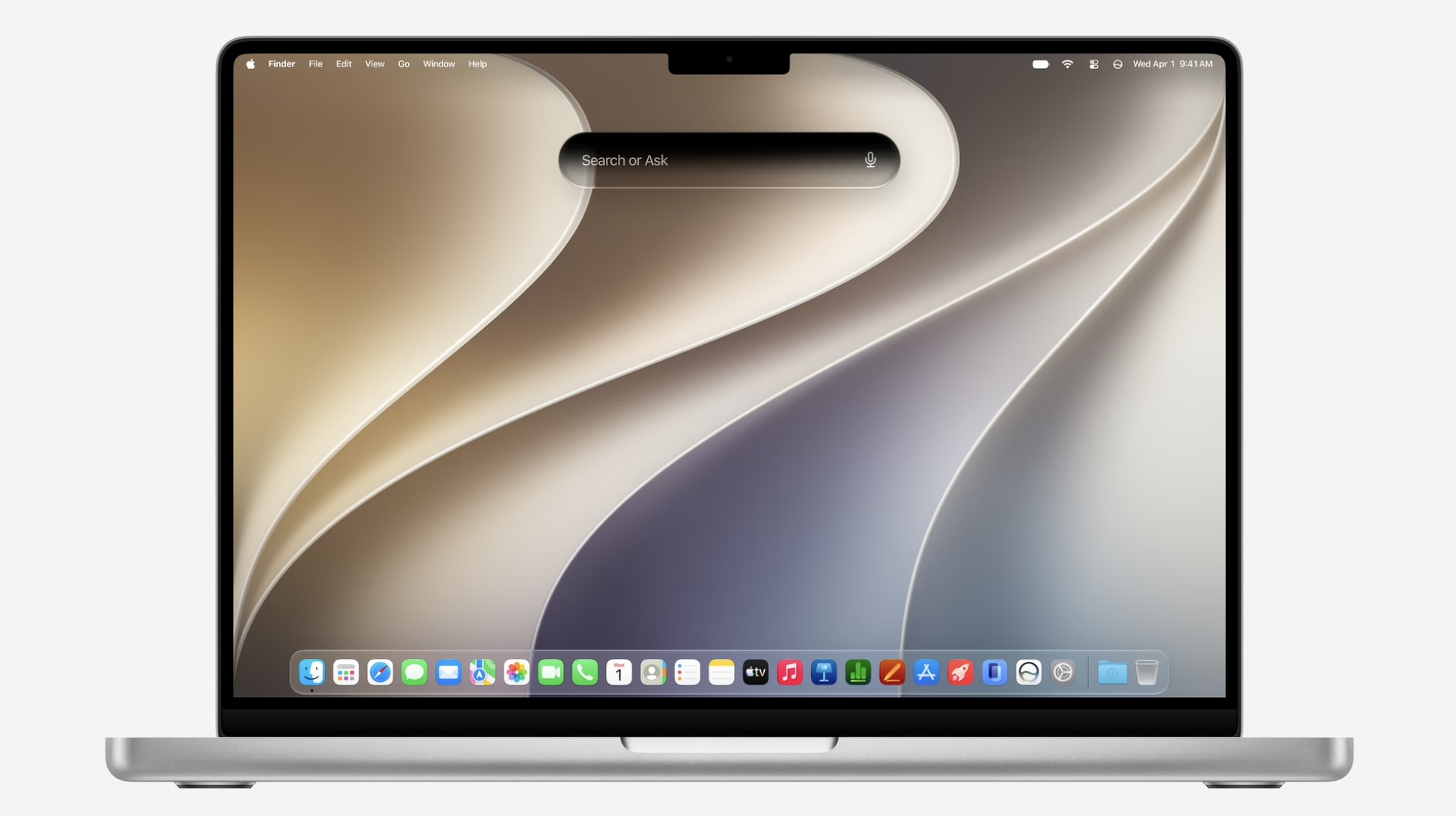
The MacBook Ultra could ditch the current notch used in the MacBook Pro models for a display cutout potentially similar to the iPhone's Dynamic Island, according to Bloomberg. Such a move would mirror Apple's iPhone evolution, since the iPhone's notch became the current Dynamic Island starting with the iPhone 14 Pro models in 2022.

As with the iPhoneβ€Œ, the Mac β€ŒDynamic Islandβ€Œ will be interactive and it will contextually expand based on the app or Mac feature in use. The change should address long-standing user complaints about the notch, which physically ingresses into the macOS menu bar.

Price Changes


There is no doubt that Apple will unveil the MacBook Ultra as an ultra-premium product carrying a price tag that is higher than the current MacBook Pro 14-inch and 16-inch models. Apple increased the prices of all its Macs in June 2026 – MacBook Proβ€Œ pricing went up $300 – so the MacBook Ultra will likely be even more expensive than expected. β€Œ

For what it's worth, the higher-end 14-inch β€ŒMacBook Proβ€Œ with M5 Pro chip starts at $2,499 after the price increase, while the 16-inch M5 Pro β€ŒMacBook Proβ€Œ starts at $2,999.
Related Roundup: MacBook Pro
Buyer's Guide: MacBook Pro (Buy Now)
Related Forum: MacBook Pro

This article, "'MacBook Ultra' Coming Soon With Touchscreen and 5 Other Changes" first appeared on MacRumors.com

Discuss this article in our forums

  •  

Tim Cook Replaced Steve Jobs 15 Years Ago Today, Steps Down Sept 1

15 years ago today, Tim Cook was appointed Apple CEO following Steve Jobs' resignation on August 24, 2011. On September 1, Cook will step down and incoming CEO John Ternus will take over, ahead of Apple announcing new iPhone 18 Pro models and its first foldable iPhone.

Ternus joined Apple as part of its product design team in 2001. He became VP of hardware engineering in 2013 and senior VP in 2021, and has overseen AirPods, Mac, iPad, and iPhone development in that time. Cook will remain at Apple as executive chairman, where he will engage with policymakers and help Apple navigate regulatory pressure.
This article, "Tim Cook Replaced Steve Jobs 15 Years Ago Today, Steps Down Sept 1" first appeared on MacRumors.com

Discuss this article in our forums

  •  

How Apple Leaked Itself

When Apple pushed out the release candidate for macOS Tahoe 26.7 last week, it contained references to a raft of unannounced products, from home devices to iPhones, iPads, AirPods, and Macs. It's not the first time we've seen this kind of thing, but the sheer amount of references – including a video showing off AirPods with cameras – is a bit unusual.


Code references to unreleased products turn up in early Apple betas quite regularly, but macOS Tahoe 26.7 was a Release Candidate, which means that – barring something unexpected – it's the final version of the software, just provided to developers a few days early for testing. In other words, it isn't meant to include anything Apple hasn't already rubber-stamped as good to go. So what happened?

In his latest Power On newsletter, Bloomberg's Mark Gurman has offered what he believes to be the most likely explanation.

When Apple prepares an update, it doesn't assemble the software release from a single line of work. Instead, it merges separate development branches of code, including bug fixes, assets, and features, into the branch that ships to users. It also maintains internal builds containing software suppport for hardware that it hasn't announced yet so that it can be written and tested well ahead of a potential launch.

According to Gurman, one of those internal builds most likely got inadvertently merged into the branch destined for release. As a result, "something that was supposed to remain inside Apple got tangled up with the shipping software – and made it all the way to the release candidate," he writes. It suggests someone inside Apple got confused as to which versions they were merging. Or was it AI that made the mistake? We'll likely never know. Either way, expect all the references to be stripped out of the public release.

With one exception – the AirPods with cameras – all of the product references in macOS Tahoe 26.7 RC had appeared in previous software, but they still go to show that Apple continues to work on several rumored products. Meanwhile, the camera-equipped AirPods aren't expected until 2027, and the hardware shown in the video is believed to be a version that Apple has already shelved in favor of a newer model.
This article, "How Apple Leaked Itself" first appeared on MacRumors.com

Discuss this article in our forums

  •  

Apple Retail Stores Preparing for New Home Product Launches

Bloomberg's Mark Gurman reports that Apple is reorganizing parts of its brick-and-mortar stores this fall to make room for new home products.


Writing in his latest Power On newsletter, Gurman says the teams responsible for store layouts are preparing changes to the "Avenues," or the perimeter walls in Apple's newer stores, where accessories like HomePod, Apple TV, AirPods, and Beats are displayed alongside third-party accessories.

The work is said to involve rearranging sections of the Avenues and adding accessory bays for upcoming new devices.

Apple is already believed to have an upgraded Apple TV and a new HomePod mini coming up. Gurman said in July that both were nearly ready, with faster chips for Siri AI but no major design changes. Rumors indicate an A17 Pro chip or better in the new Apple TV, and an S9-series chip, improved sound, and a red finish for the HomePod mini, the current version of which is now over 2,000 days old.

All of that being said, Gurman says the scale of the retail changes suggests prep-work for the launch of its long-awaited home hub with a display (aka the rumored HomePod with Display or "HomePad").

Gurman reported last month that the smart home hub will arrive at some point between October and early next year. It's expected to have a 7-inch square display, and will be sold with either a tabletop base or a wall mount. There's also said to be an all-new operating system built around tvOS with Siri AI powering the device.

Code strings uncovered in macOS Tahoe 26.7 last week suggest the home screen will use a Widget Gallery similar to the iPhone's Lock Screen customization options. The code also indicates that the new device's home screen could have many of the same options for icons, widgets, and clock faces, with widgets from a linked iPhone suggested automatically.

Apple will need a dedicated space where customers can see how the hub works, what its purpose is, and how it fits into the wider home setup, Gurman reports.
Related Roundups: Apple TV, HomePod mini

This article, "Apple Retail Stores Preparing for New Home Product Launches" first appeared on MacRumors.com

Discuss this article in our forums

  •  

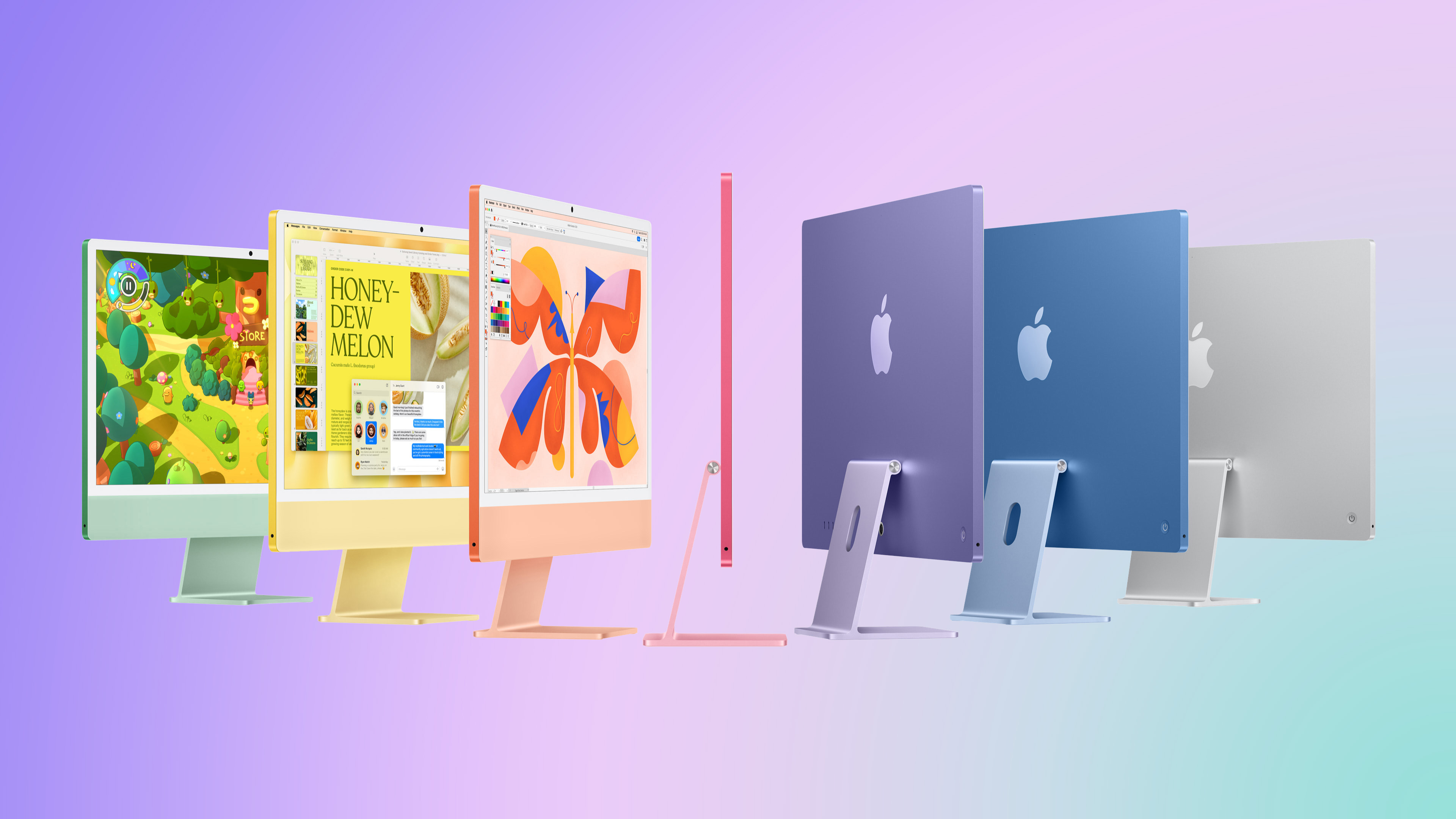
M6 iMac Coming This Year in New Colors

Apple is readying new iMac models with an upgraded chip and new color options, according to Bloomberg's Mark Gurman.


Writing in his latest Power On newsletter, Gurman says the new version is likely to be an updated 24-inch model with an M6 chip, replacing the existing M4 model that arrived in October 2024.

New colors are also said to be on the menu, though Gurman does not say what they are. The current β€ŒiMacβ€Œ comes in seven colors, including green, yellow, orange, pink, purple, blue, and silver.

Otherwise, no major design changes are expected. Apple is reportedly developing a 24-inch β€ŒiMacβ€Œ with an OLED display, but this won't arrive for several years.

"All signs point to the M6 models being close to launch," says Gurman, with the new models expected to arrive before the end of the year.
Related Roundup: iMac
Buyer's Guide: iMac (Don't Buy)
Related Forum: iMac

This article, "M6 iMac Coming This Year in New Colors" first appeared on MacRumors.com

Discuss this article in our forums

  •  

Gurman: iPhone Ultra Wows Early Testers, Except for Its Camera

Apple's upcoming foldable iPhone Ultra is winning over the few people who have had hands-on time with the device, though the camera setup may leave some users wanting, according to Bloomberg's Mark Gurman.


Writing in his latest Power On newsletter, Gurman says people who have used the device – which is reportedly referred to internally as the iPhone Ultra – like how it fits in your pocket, as well as the feel and durability of its hinge mechanism. Testers have also apparently praised the new iPad-like app layouts that take advantage of the larger internal display when the phone is unfolded.

Beyond productivity, video, and gaming, Gurman says Apple's foldable device also performs well as a camera viewfinder. However, the device lacks a telephoto lens, which could cost Apple some sales given the expected price. The device is expected to feature a dual-lens rear camera system built around a 48-megapixel main lens paired with an ultra-wide lens.

The foldable is also expected to fall back on Touch ID integrated into the side button instead of in-display Face ID – a compromise Apple has reportedly made to keep it around 4.5mm thick when unfolded. But like Gurman says, some users may prefer this traditional biometric setup. Like Samsung's recently released Z Fold 8, the iPhone Ultra is said have a 5.5-inch outer display and a roughly 7.8-inch inner display when opened, making for a wide book-style design.

Apple's first foldable is set to be unveiled alongside the iPhone 18 Pro and iPhone 18 Pro Max at a launch event on or around September 9. Reports suggest the device could start at $2,000 and even climb past $2,500 for higher storage tiers.
Related Roundup: iPhone Fold

This article, "Gurman: iPhone Ultra Wows Early Testers, Except for Its Camera" first appeared on MacRumors.com

Discuss this article in our forums

  •  

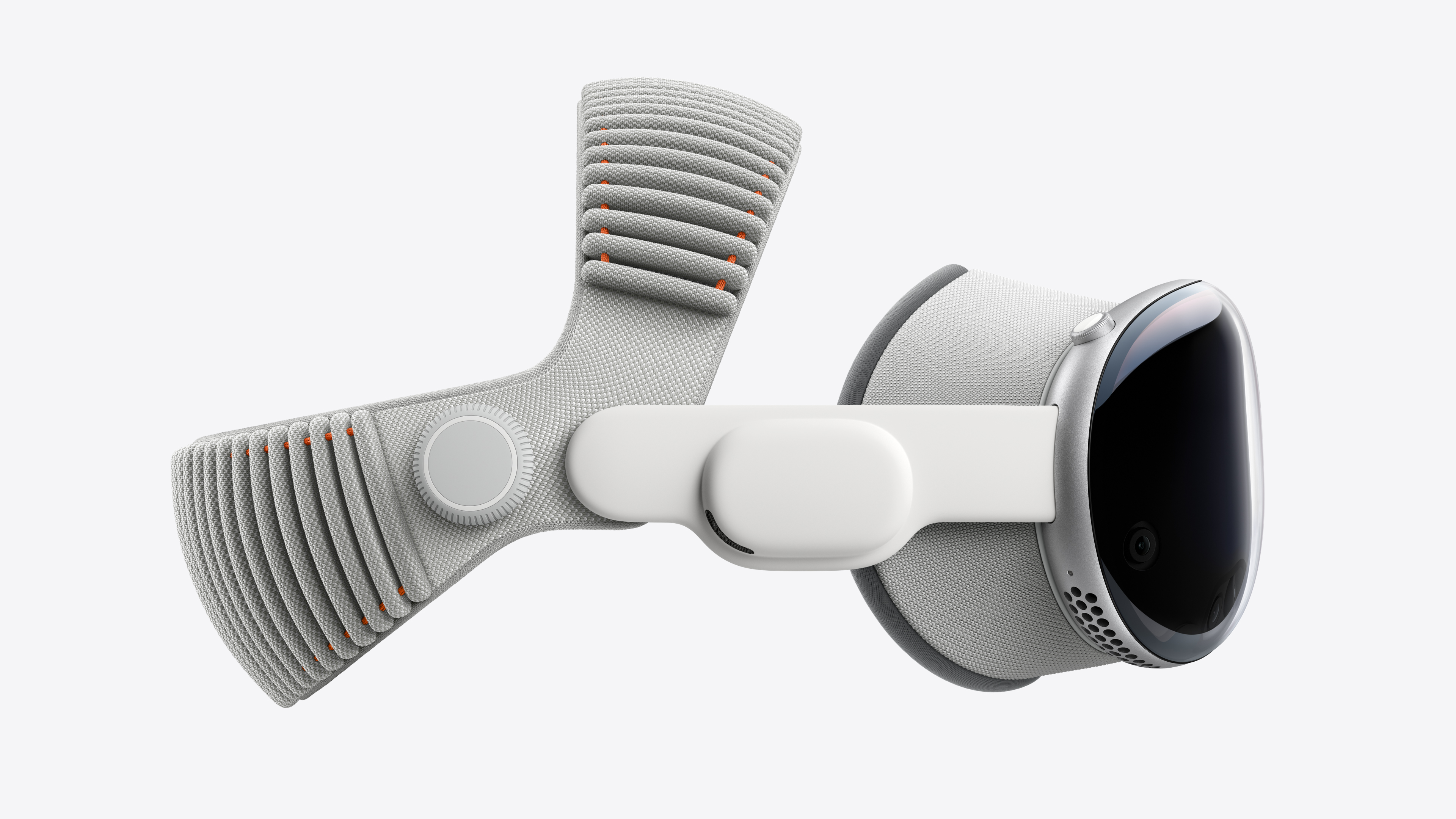
Apple Reportedly Lays Off 60 Vision Products Group Employees

Apple "has just laid off an entire team dedicated to VR development," reports AppleInsider, citing its own source. Apple is said to have laid off at least 60 employees from its Apple Vision Group.


Bloomberg's Mark Gurman previously reported that the Vision Pro team was disbanded and its members redistributed across other projects, following the October 2025 refresh of the Vision Pro and the headset's weak reception.

Incoming Apple CEO John Ternus also reportedly signed off on canceling both a second Vision Pro and a cheaper, slimmer "Vision Air," with Apple's focus now shifted to smart glasses.

Last month, The Elec reported that Apple had suspended development of the display for a cheaper, lighter version of the Vision Pro that it originally planned to launch in the next few years. Gurman doesn't expect Apple to launch another headset before late 2028 at the earliest.
Related Roundup: Apple Vision Pro
Buyer's Guide: Vision Pro (Neutral)
Related Forum: Apple Vision Pro

This article, "Apple Reportedly Lays Off 60 Vision Products Group Employees" first appeared on MacRumors.com

Discuss this article in our forums

  •  

Camera AirPods Code Reveals Image Capture Resolution, Status Light, Person Detection, and More

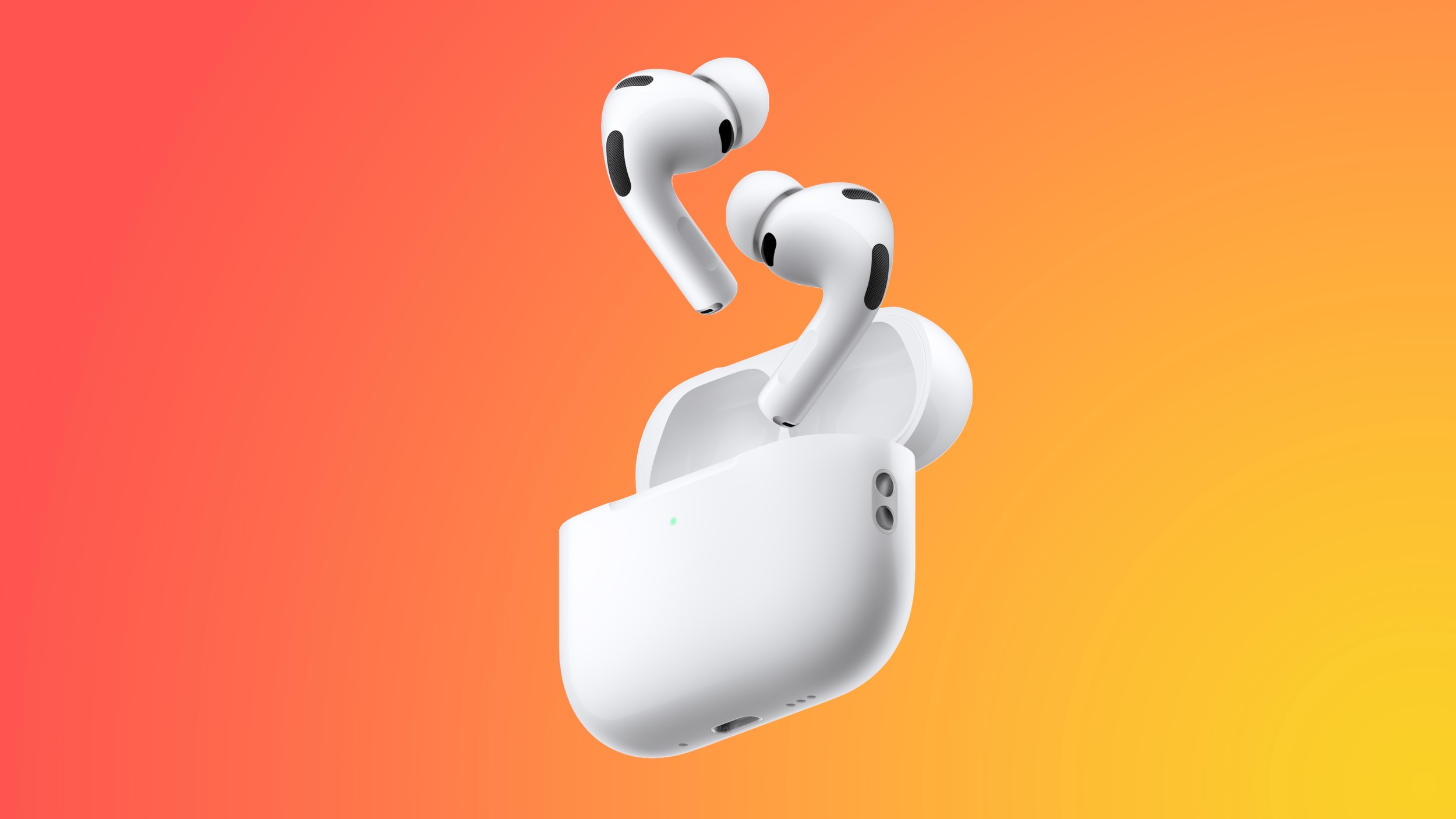
Apple is working on camera-equipped AirPods, as indicated by various reports and a demo video of them in action discovered earlier this week. The video was found by MacRumors in the macOS Tahoe 26.7 release candidate, but it turns out there are even more details in the code.


MacRumors forum member mactracker has discovered a hidden macOS framework called "AccessorySensorManager" that manages sensor data from the AirPods when they are connected to a Mac. That's turned up the following information:


  • AirPods designed to capture paired color images: Code indicates the left and right earbuds have individual camera sensors that return synchronised RGB still images of up to 1 megapixel with matching frame IDs, giving Visual Intelligence the same scene from two angles. This doesn't rule out other sensors like infrared cameras, but they aren't mentioned in the code.


  • AirPods support periodic image capture but not video: The cameras take internal still frames for Visual Intelligence to process, rather than "taking pictures" or recording video. In "active" mode, the framework can request a synced pair of images, or it can receive a capture rate, where pairs of stills are continually sent at the specified rate.


  • Active and passive capture modes use different resolutions: In "active" mode, likely triggered by the user via Siri, the AirPods capture a 640x640 image and return a processed 1024x1024 image. "That's about 0.4 megapixels of sampled image data, and a little over 1 megapixel for the output frame," mactracker explains. In "passive" mode, they capture a 320x320 image that can return a 320Γ—320 or 512Γ—512 output. "These are capture-specific resolutions, and the physical sensor's native resolution may be larger," adds mactracker.


  • Passive mode appears intended for background environmental awareness: The framework mentions contextual conditions like nearby speech, changes in the surrounding audio, posture changes, head rotation, and movement outside a defined area. It's not clear from the code whether every condition triggers a camera capture.


  • AirPods account for continual head movement: The framework includes lens distortion correction, dual-camera calibration, and camera-to-motion sensor calibration. It can also reject images affected by excessive movement or an occluded view.


  • Some processing happens directly on AirPods: The code mentions "peripheral inference," or on-device detection of whether a person is in view.


  • Each AirPod likely has a capture indicator light: The framework contains code that allows it to remotely control a hardware indicator and its brightness, suggesting the AirPods have a light to let other people know when they are capturing still images.


It's worth noting that the AirPods that were shown in the demo video were a version of the AirPods Pro 3 with cameras, which have a B790 codename. Bloomberg's Mark Gurman has said that Apple no longer plans to release this model, and instead is working on a new generation of AirPods with cameras, codenamed B798. This makes it likely that the discovered framework is related to the canceled model. It also underlines that the findings show how Apple's camera-equipped AirPods could work, rather than a guarantee of the final product's features.

Gurman says the AirPods are planned for 2027, and could potentially launch alongside the 20th-anniversary iPhone.
Related Roundup: AirPods 4
Buyer's Guide: AirPods (Caution)
Related Forum: AirPods

This article, "Camera AirPods Code Reveals Image Capture Resolution, Status Light, Person Detection, and More" first appeared on MacRumors.com

Discuss this article in our forums

  •  

iOS 27 Shared Albums Go Full Res at the Cost of Your iCloud Storage

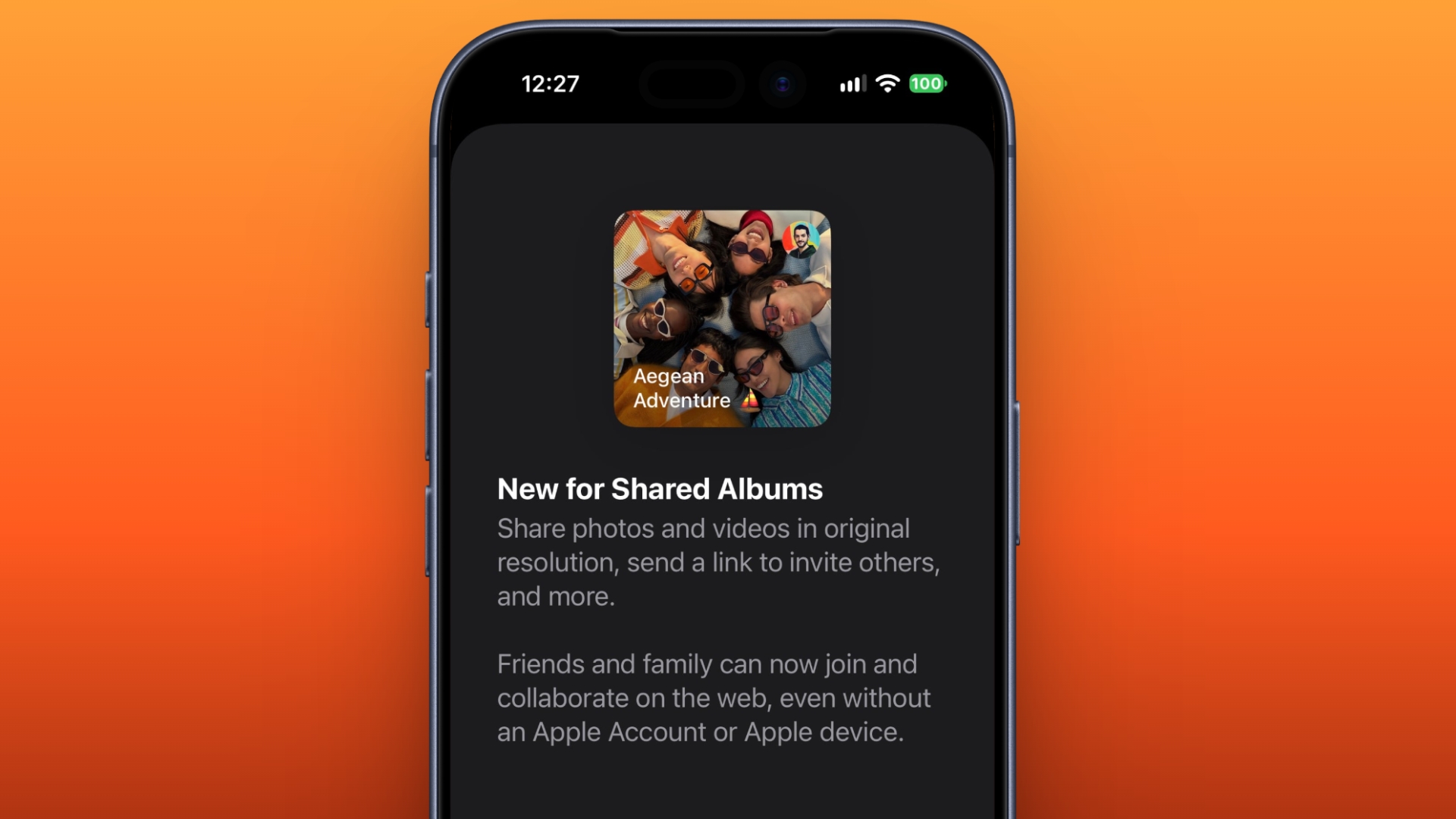
In iOS 27, new Shared Albums you create in the Photos app retain full-resolution quality for the first time,Β but they now eat into your iCloud storage – and that includes any items added by other people invited to contribute.


Currently, photos in a Shared Album are automatically reduced to 2,048 pixels on the long edge (except for panoramic photos, which can be up to 5,400 pixels wide). In iOS 27 though, both retain their full resolution. But there comes the major trade-off.

For years now, Apple has allowed you to store up to 5,000 photos and videos in Shared Albums without impacting your iCloud storage limit. That's no longer the case in iOS 27. Perhaps more significantly, if you invite someone to a Shared Album and they add their own photos and videos to it, as the owner, this too will count against your iCloud storage limit.


Apple has also made it easier to invite people to Shared Albums. The company says friends and family can now join and collaborate on the web, even without an Apple Account or Apple device. That means Android and Windows users can contribute via iCloud.com, so the inclination for participants to add photos and videos is only likely to increase. Be careful who you invite...

On the plus side, iOS 27 introduces a free alternative – you can create temporary Shared Albums that allow users to collaborate on short-term projects without eating into your iCloud storage. But after 30 days, any photos and videos not saved to your library are deleted.

photos
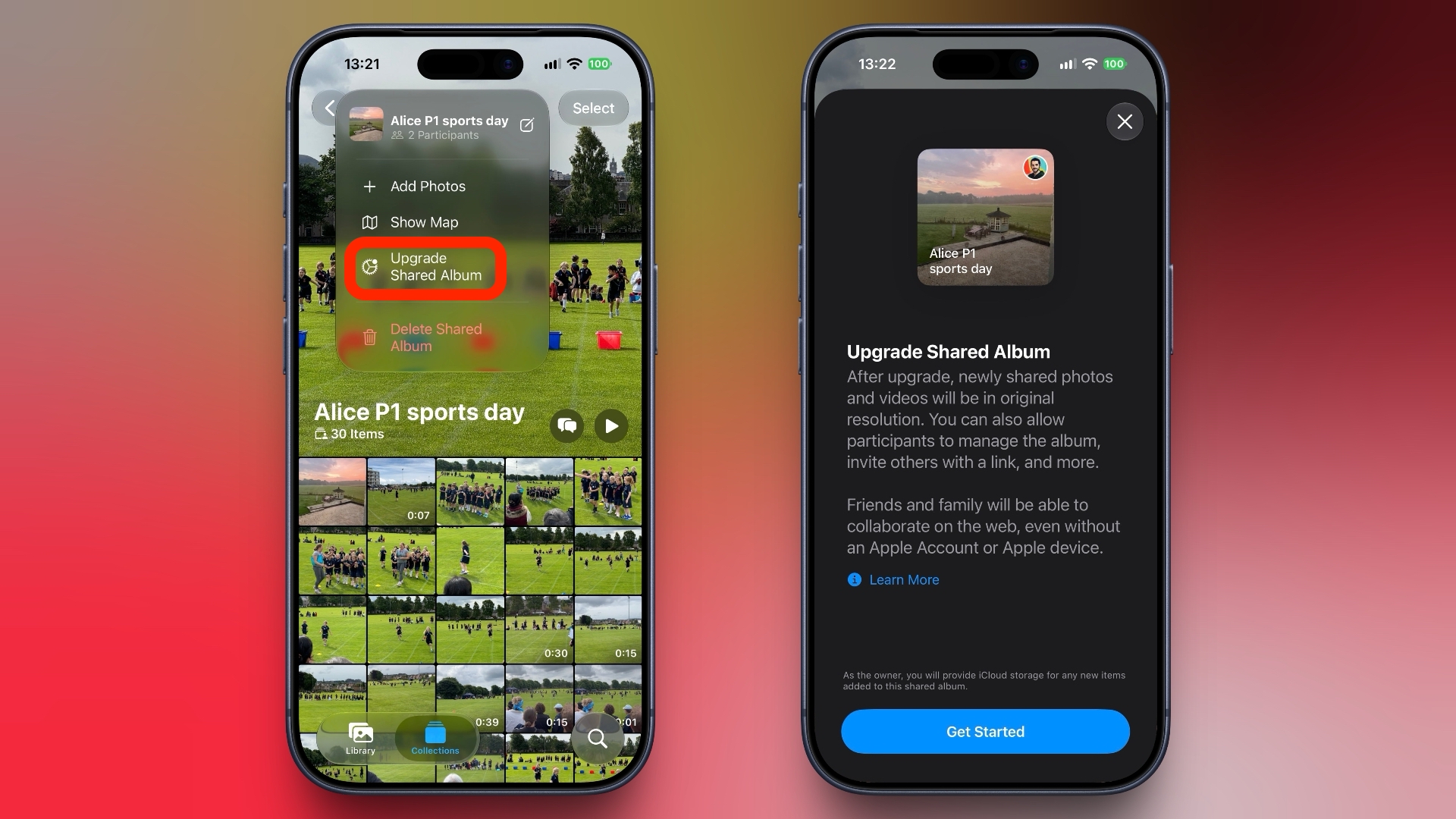
Fortunately, existing Shared Albums by default are unaffected by the changes, but the Photos app does include an "Upgrade Shared Album" option for those who want to improve the quality of its contents – albeit at the cost of iCloud storage.

Apple has yet to update its support documentation to reflect the upcoming changes.

iOS 27 is currently in public beta and is expected to be released in September when Apple launches new iPhone models with 5GB of free iCloud storage included.
Related Roundups: iOS 27, iPadOS 27
Tag: Photos

This article, "iOS 27 Shared Albums Go Full Res at the Cost of Your iCloud Storage" first appeared on MacRumors.com

Discuss this article in our forums

  •  

Strong iPhone Sales Are Giving Samsung Display a Big OLED Boost

Strong iPhone sales have helped boost flexible OLED display shipments from Samsung Display so far this year, according to a report from The Elec. Samsung shipped approximately 120 million flexible OLED smartphone panels in the first half of the year, up 35 percent year-over-year. That accounted for about 65 percent of the overall increase in global flexible OLED panel shipments.

Market research firm Sigmaintell expects demand to remain strong into the second half of the year, partly thanks to the expected launch of Apple's iPhone 18 Pro and foldable iPhone models in September.
This article, "Strong iPhone Sales Are Giving Samsung Display a Big OLED Boost" first appeared on MacRumors.com

Discuss this article in our forums

  •  

Apple Fires Back at OpenAI's Bid to Toss Trade Secrets Suit

Apple has urged a federal judge to reject OpenAI's recent motion to dismiss its trade secrets lawsuit, arguing in a new filing that the company's defense depends on "distortion, speculation, and improper extrinsic evidence."


Apple sued OpenAI in July, accusing the company of running a scheme to pull confidential product information out of former Apple employees who became job candidates and new hires. Apple's suit claims more than 400 former Apple employees now work at OpenAI.

Earlier this month, OpenAI's motion argued that Apple in its filing never properly identified what information actually counts as a protectable trade secret. The company said it has no interest in Apple's confidential material because it is "building something entirely new and different from anything at Apple."

But in a 32-page opposition brief filed Wednesday, seen by MacRumors, Apple restates several of its main allegations against former engineer Chang Liu and OpenAI hardware chief Tan Yew Tan, and argues that OpenAI's defenses are fact disputes that should be resolved after discovery, rather than used for dismissal.

Apple says Liu exploited a "rare authentication bug" to access Apple's network storage weeks after joining OpenAI, and downloaded dozens of confidential engineering files, including a presentation on how to manufacture and test main logic boards.

As for Tan, Apple repeats its allegation that he used internal project codenames to question interview candidates about unreleased Apple products. The company also claims that Tan asked one Apple employee to bring components she had worked on to OpenAI for a "show and tell" session. The components are said to have included batteries, system-on-chips (SoCs), logic boards, and shields.

Apple also counters OpenAI's argument for dismissal that Apple has not identified a protectable trade secret that the company allegedly stole. Citing the Ninth Circuit's 2025 Quintara decision, Apple contends that this information does not need to be disclosed yet because it is a "fact dispute" that should be resolved later when evidence has been presented, either at summary judgement or trial.

Apple also points out that forcing it to describe its trade secrets in specific detail in a public filing would amount to publishing the very secrets it's trying to protect.

The rest of the brief argues OpenAI is relying on material the judge isn't allowed to consider at this stage. OpenAI included text messages, a website listing Apple's codenames, and a copy of its interview guide to support its motion. Apple argues that none of it belongs there because a dismiss is based on the complaint alone.

Apple also uses one of OpenAI's own lines against it. OpenAI's motion called its innocent explanation for Tan's conduct "at least equally plausible" as Apple's. Indeed, Apple argues that under Ninth Circuit precedent, the case moves forward rather than being thrown out where two plausible explanations compete.

Judge Edward J. Davila is set to hear the company's arguments on October 1.
This article, "Apple Fires Back at OpenAI's Bid to Toss Trade Secrets Suit" first appeared on MacRumors.com

Discuss this article in our forums

  •  

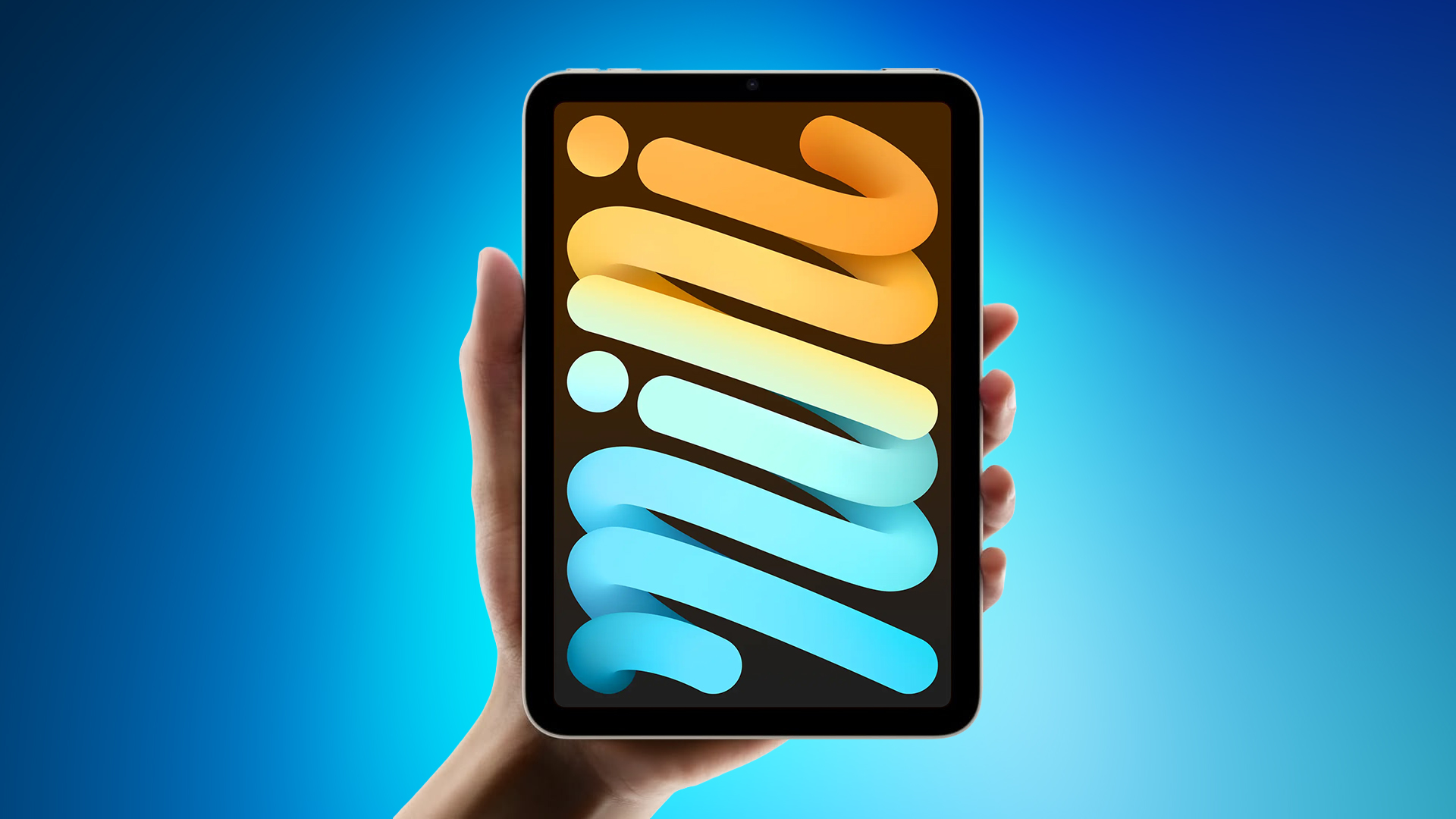
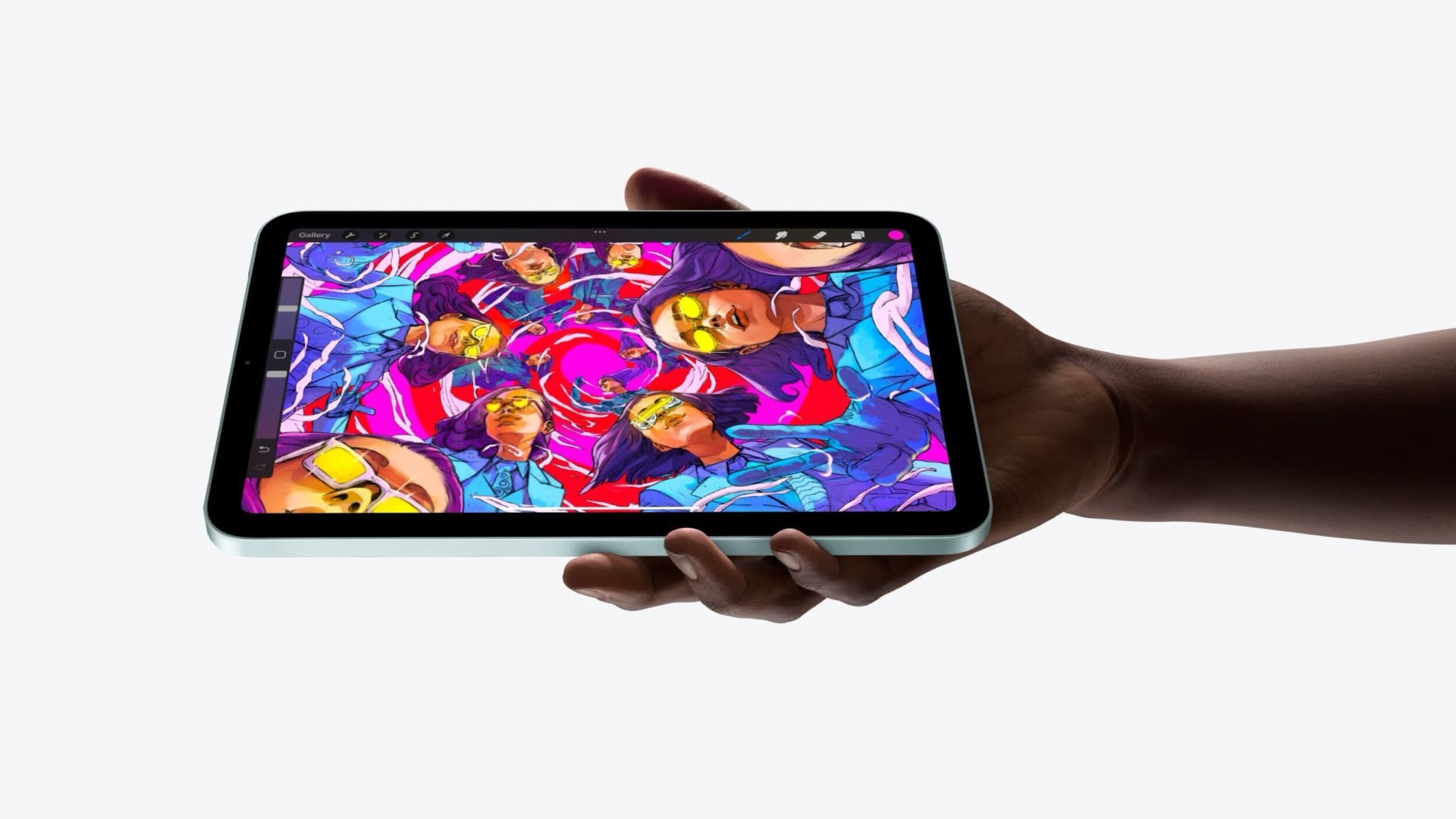
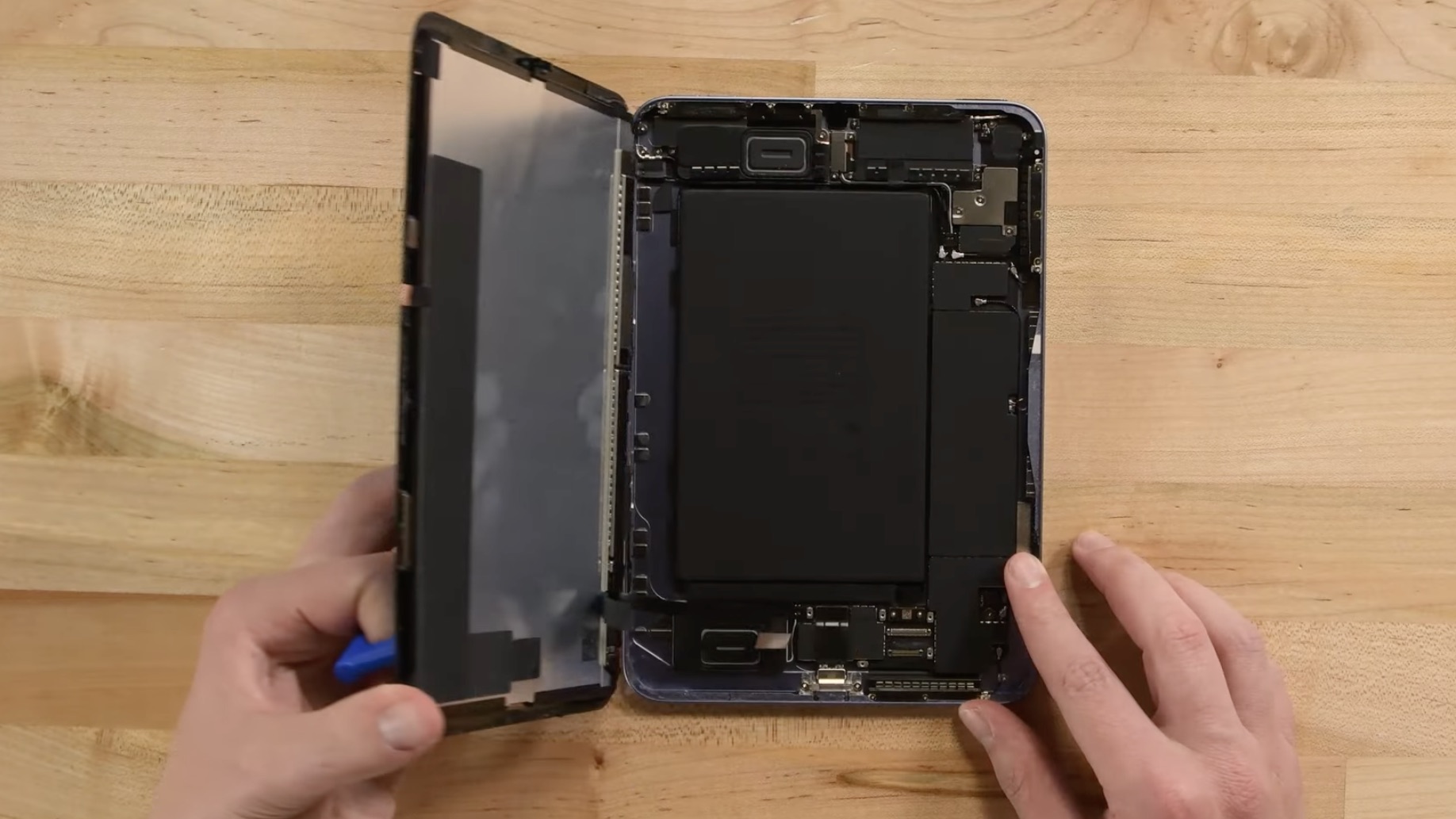
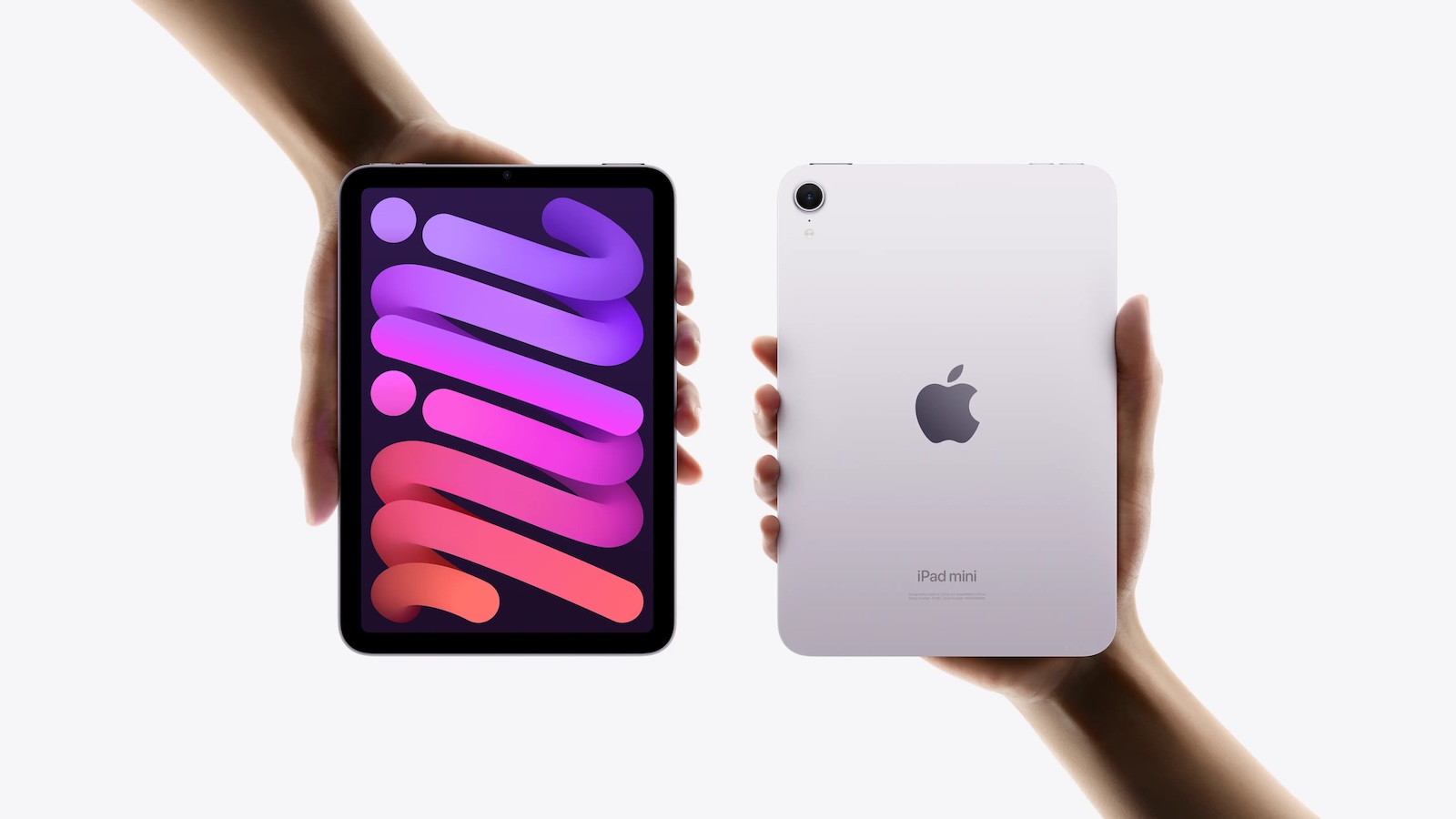
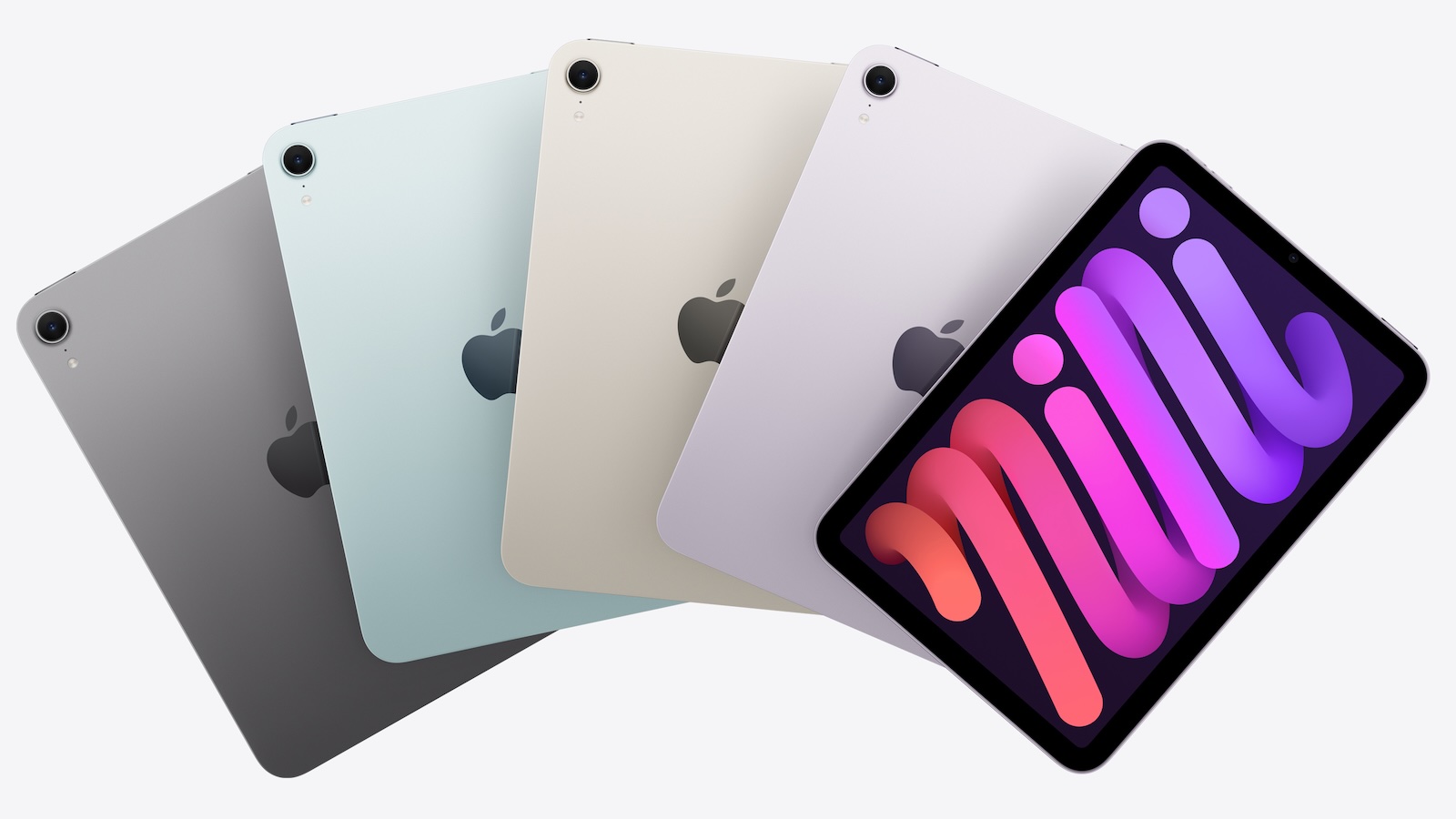
iPad Mini 8: Release Date, Pricing, and What to Expect

According to the latest rumors, Apple is close to launching its next-generation iPad mini. So what should we expect from the successor to the iPad mini 7 that Apple released over 21 months ago. Read on to find out.


Processor and Performance


Apple is working on a next-generation version of the iPad mini (codename J510/J511) that features the A19 Pro chip, according to information found in code that Apple mistakenly shared in August.

Apple's A19 Pro chip since debuted in the iPhone Air and iPhone 17 Pro models. The iPhone 17 Pro models include the higher-end version of Apple's A19 Pro chip with a 6-core CPU and a 6-core GPU, while the iPhone Air uses a mid-tier A19 Pro chip with one fewer GPU core than the A19 Pro chip used in the iPhone 17 Pro and Pro Max.

If the code leak is accurate for the iPad mini 8, Apple is likely to use the mid-tier A19 Pro chip found in the iPhone Air. This is based on the fact that the A17 Pro chip used in the iPad mini 7 has a 6-core CPU with two high-performance cores and four efficiency cores, along with a 5-core GPU, compared to the 6-core GPU found on the A17 Pro used in the iPhone 15 Pro.

Apple built the A19 Pro chip on an upgraded third-generation 3-nanometer N3P process for modest speed and efficiency improvements. The chip includes a 16-core Neural Engine, next-generation dynamic caching, and unified image compression.

The GPU in the A19 Pro has an upgraded architecture with a larger cache, more memory, and Neural Accelerators that are built into each core. Apple says that this change provides 3Γ— the peak GPU compute over the prior-generation chip. There's also an upgraded 16-core Neural Engine for AI tasks.

There is an outside chance that Apple opts for the A20 Pro chip for the new iPad mini. The claim has been made by a MacRumors tipster who analyzed a macOS kernel debug kit containing internal Apple codenames. However, the iPad mini has not always received Apple's newest A-series chip at the time it was updated, so the A19 Pro cannot be ruled out at this time. iPhone 18 Pro models are also expected to use the A20 Pro chip, which will reportedly be fabricated with TSMC's advanced 2nm process.

Display


Apple's plan to transition the β€Œβ€ŒiPad miniβ€Œβ€Œ from an LCD to an OLED display is widely rumored. According to Bloomberg's Mark Gurman, the small form-factor tablet is likely to be the next Apple device to adopt OLED. According to a Chinese leaker with sources in Apple's supply chain, Apple has evaluated a Samsung-made OLED display for its next iPad mini model.

It remains unclear whether the iPad mini 8 will feature a higher refresh rate than the 60Hz LCD display used in the existing iPad mini 7, but since the new base iPhone 17 now uses a 120Hz ProMotion panel, it would be reasonable to expect the same on the first OLED iPad mini. A separate report has suggested the β€Œβ€Œβ€ŒiPad mini 8β€Œβ€Œβ€Œ's screen could increase in size from 8.3 inches to 8.7 inches with the adoption of OLED.

OLED panels can individually control each pixel, resulting in more precise color reproduction and deeper blacks compared to other common display technologies. They also provide superior contrast, faster response times, better viewing angles, and greater design flexibility. All of Apple's flagship iPhones use OLED panels, and in May 2024 the company brought the display technology to the iPad Pro for the first time.

Unlike Apple's β€ŒiPad Proβ€Œ models, which feature two-stack low-temperature polycrystalline oxide (LTPO) OLED panelsβ€Œ, the β€ŒiPad miniβ€Œ may have a single-stack low-temperature polycrystalline silicon (LTPS) panel, which would make it dimmer.

Chassis Design


Apple is reportedly working to give the iPad mini 8 a more water-resistant design, according to Bloomberg's Mark Gurman. The updated casing would bring protection levels closer to those of the iPhone, making the tablet safer for use in damp environments.

To achieve this, Apple is said to have designed a new vibration-based speaker system that eliminates the need for traditional speaker holes. By using sound-emitting surfaces instead of open grilles, the company can reduce potential entry points for water and dust, resulting in a more sealed, durable enclosure.

On the iPhone, Apple relies on adhesives and gaskets to shield speakers and other openings from moisture. The iPad mini's approach appears to go further, doing away with the holes altogether. Current iPad mini models lack any official IP rating, but the upcoming version could mark the first in the lineup to feature a certified level of water protection.

Apple patents could offer further clues to the new design direction. For example, a 2014 patent outlines a "mechanically actuated panel acoustic system" that vibrates flat surfaces to generate sound, effectively turning parts of a device's chassis into a speaker diaphragm. This could potentially allow Apple to produce audio without visible speaker holes. The patent suggest Apple has been building towards a sealed, vibration-based acoustic system for several years.

Release Date


Korea's ET News and ZDNET Korea have both suggested that the iPad mini will be updated with an OLED display in 2026. Bloomberg has also said the update could come as soon as this year.

In May 2024, it was reported that Samsung Display had started developing sample OLED panels for a future β€ŒiPad miniβ€Œ, with plans to initiate mass production at its facility in Cheonan in the second half of 2025. The same report claimed that Apple will bring an OLED panel to the iPad Air alongside the β€ŒiPad miniβ€Œ in 2026, though Apple only refreshed the iPad Air in March, and more recent reporting suggests an OLED iPad Air will arrive in early 2027.

A report in late June from Korean outlet ETNews claimed that mass production of the iPad mini 8 is already underway at a Samsung factory.

The latest reporting on the subject came last month from Bloomberg's Mark Gurman, who said Apple is planning to release a new iPad mini model with an OLED display by October this year.

Pricing


The price of the current iPad mini 7 starts at $599 for the 128GB Wi-Fi-only model. Apple raised the price in late June, up from $499 (+$100).

The main reason for the price rise is rising memory and storage costs, brought about by the continuing AI data center buildout. Growing demand for memory and storage chips from AI companies has led to chip shortages and higher costs for everyone else, including Apple.

In late June, outgoing CEO Tim Cook told The Wall Street Journal that the price increases across its product lineup were "unavoidable." Cook said the company was doing its best to "mitigate the huge increases that are being passed to us," and that it was trying to shield customers from them, but the situation had become "unsustainable."

Even before Apple's price rises, there was an expectation that the β€Œnext iPad miniβ€Œ would be more expensive, with Bloomberg's Gurman suggesting Apple could charge up to $100 more for the device.

Gurman has previously argued that Apple should consider a lower-end version of the mini, or at least a change to its starting price ($499 at the time – but now $599), given that it's up against rival products that cost a lot less.

However, Apple users who are looking for a more affordable option should probably consider the 10th-generation iPad instead. Now starting at $449, the iPad offers many iPad mini features, such as Touch ID and Center Stage, but at a lower price that balances functionality and affordability.
Related Roundup: iPad mini
Buyer's Guide: iPad Mini (Don't Buy)
Related Forum: iPad

This article, "iPad Mini 8: Release Date, Pricing, and What to Expect" first appeared on MacRumors.com

Discuss this article in our forums

  •  

iPhone 17 Pro Cases Fit iPhone 18 Pro - Or At Least Otterbox Thinks So

Bloomberg's Mark Gurman noted on X (Twitter) today that Otterbox is already selling iPhone 18 Pro cases at Best Buy. While the timing is early for a new iPhone that isn't expected to launch until mid-September, what's more interesting is that Otterbox's packaging indicates the iPhone 18 Pro will fit iPhone 17 Pro cases and vice versa.

Gurman passed on the packaging detail without saying whether he agrees with the implied sizing, but rumors suggest the iPhone 18 Pro lineup will largely retain the same design as the iPhone 17 Pro models. However, at least two leakers have claimed that the iPhone 18 Pro Max could be thicker and heavier than its predecessor, owing to its larger battery.
Related Roundups: iPhone 17 Pro, iPhone 18 Pro
Related Forum: iPhone

This article, "iPhone 17 Pro Cases Fit iPhone 18 Pro - Or At Least Otterbox Thinks So" first appeared on MacRumors.com

Discuss this article in our forums

  •  

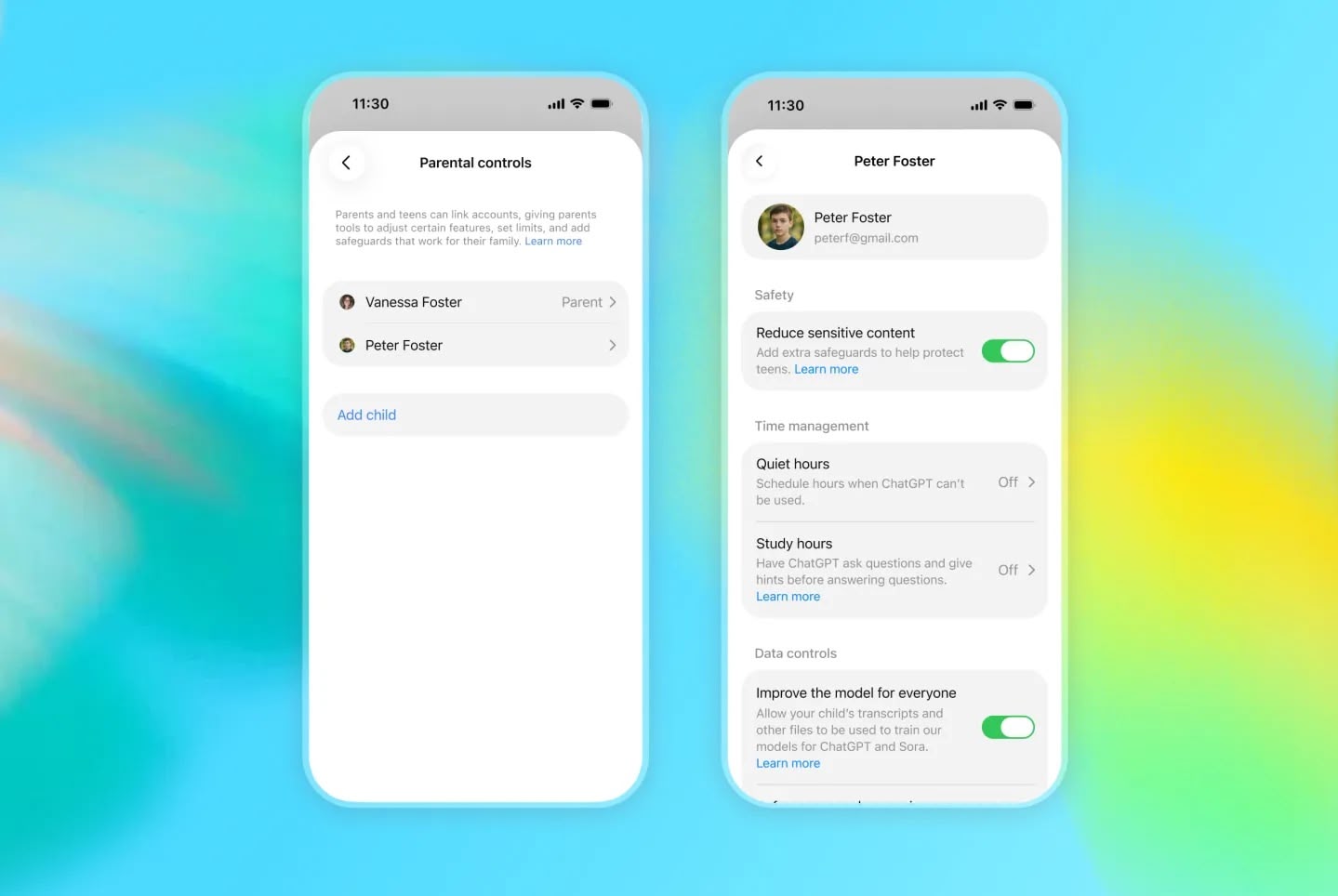
OpenAI Announces ChatGPT for Teens With Built-In Safeguards and Learning Prompts

OpenAI is adding a ChatGPT mode for teenagers that includes parental controls, enhanced content safeguards, and a focus on learning.


ChatGPT for Teens is "designed to help teens learn, think critically, deepen understanding, and use AI with confidence," said the company in a blog post announcing the feature.

The feature includes learning-focused starter prompts for facilitating studying, practicing skills, or exploring ideas. ChatGPT's Study mode is baked in, as are learning tools (including quizzes when available), and Study hours that let the teen or a linked parent/guardian choose when eligible new chats start in study mode.

OpenAI says reminders encourage users to take breaks, and there are built-in provisions for making it clear that ChatGPT is AI, and does not have consciousness, experience feelings or emotions. That backstop aims to discourage relationship-forming with the chatbot.

ChatGPT automatically enables ChatGPT for Teens for eligible accounts identified as belonging to someone under 18. Users who think they are seeing the feature by mistake can verify their age and ask ChatGPT to remove the teen protections.

OpenAI says ChatGPT for Teens is rolling out globally to eligible teen accounts on Free and paid personal ChatGPT plans beginning August 18, with full availability in Australia expected September 8.
This article, "OpenAI Announces ChatGPT for Teens With Built-In Safeguards and Learning Prompts" first appeared on MacRumors.com

Discuss this article in our forums

  •  

Apple's US App Store Commission Revenue Down 18% This Year

The commission Apple earns from the App Store is shrinking in markets where it has been forced to relax its grip on in-app purchases, based on new analytics data.


According to Appfigures, cited by the Financial Times ($), Apple's U.S. commission revenue has fallen 18 percent since the start of 2026. It also found App Store revenue declining in Brazil and Japan since both countries introduced new regulations.

Separately, Sensor Tower said U.S. consumer spending through the App Store was down 6 percent in the second quarter, compared to 9 percent growth a year earlier.

The figures follow Apple's admission during last month's earnings call that regulatory changes have started to weigh on its Services growth. Apple reported services revenue of $30.7 billion for the June quarter, a record for the period but short of the $31.4 billion that analysts expected.

Apple traditionally has taken 15 to 30 percent of digital purchases made inside apps on the App Store. However, a U.S. injunction won by Epic Games now forces the company to let developers steer users to outside payment options without taking a cut. Sensor Tower said the U.S. slowdown had been heavily affected by the ruling. Apple has not collected fees from link-outs in the U.S. since April 2025.
This article, "Apple's US App Store Commission Revenue Down 18% This Year" first appeared on MacRumors.com

Discuss this article in our forums

  •  

Sonos iPhone App Finally Gains Live Activities Support

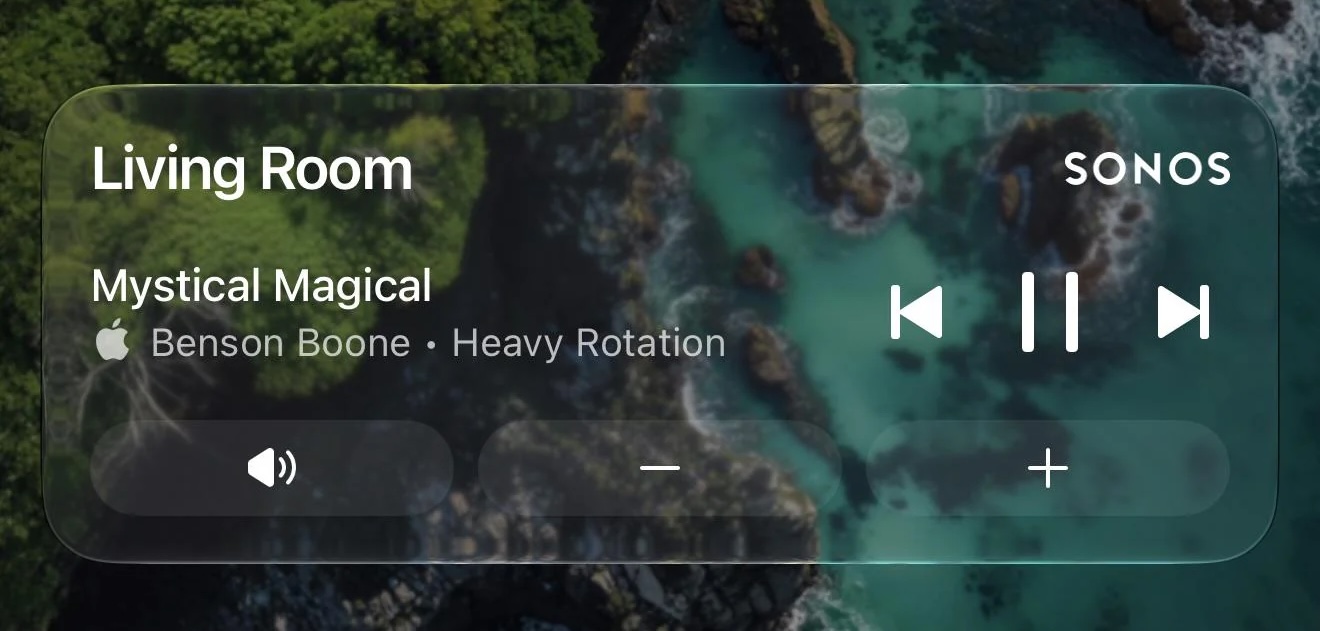
Sonos just updated its iOS app with new Live Activities support, providing quick access to playback controls from your Lock Screen.

Image credit: MajorAtmosphere

Sonos shared a Reddit post announcing the new feature, which appears after you initiate playback on a Sonos device and then close the app.

The Live Activity shows the current room or group you were last playing audio from and allows you to play/pause or skip tracks. Even if you initiate playback on Sonos from outside the Sonos app (Direct Control from supported services, Bluetooth, or AirPlay) you can still use the local playback controls that appear on the Live Activity.

As things stand, album art can't be displayed on the Live Activity, but the company said it's looking into alternative ways to enhance the Lock Screen experience. Sonos also mentioned that Live Activities work on Apple Watch and CarPlay, but "right now the controls aren't supported" in these instances.

Sonos called Live Activities support a "much requested, anticipated, and needed feature."

(Via 9to5Mac.)
Tag: Sonos

This article, "Sonos iPhone App Finally Gains Live Activities Support" first appeared on MacRumors.com

Discuss this article in our forums

  •  

Unreleased AirPods 5 Models Referenced in macOS 26.7

In a notable addition to the unreleased Apple products referenced in yesterday's macOS Tahoe 26.7 software update, AirPods 5 models have also been spotted. Internally codenamed B868M and B868E, the models almost certainly refer to AirPods 5 and AirPods 5 with Active Noise Cancellation. Current AirPods 4 models, launched in September 2024, have the codenames B768M and B768E.

While next-generation features are unknown, AirPods 5 could get an updated H3 chip with improved sound quality and lower latency. Launch timing however remains unclear. On a side note, macOS 26.7 also contains a reference to an unreleased Beats Solo Buds model.
Related Roundup: AirPods 4
Buyer's Guide: AirPods (Caution)
Related Forum: AirPods

This article, "Unreleased AirPods 5 Models Referenced in macOS 26.7" first appeared on MacRumors.com

Discuss this article in our forums

  •  

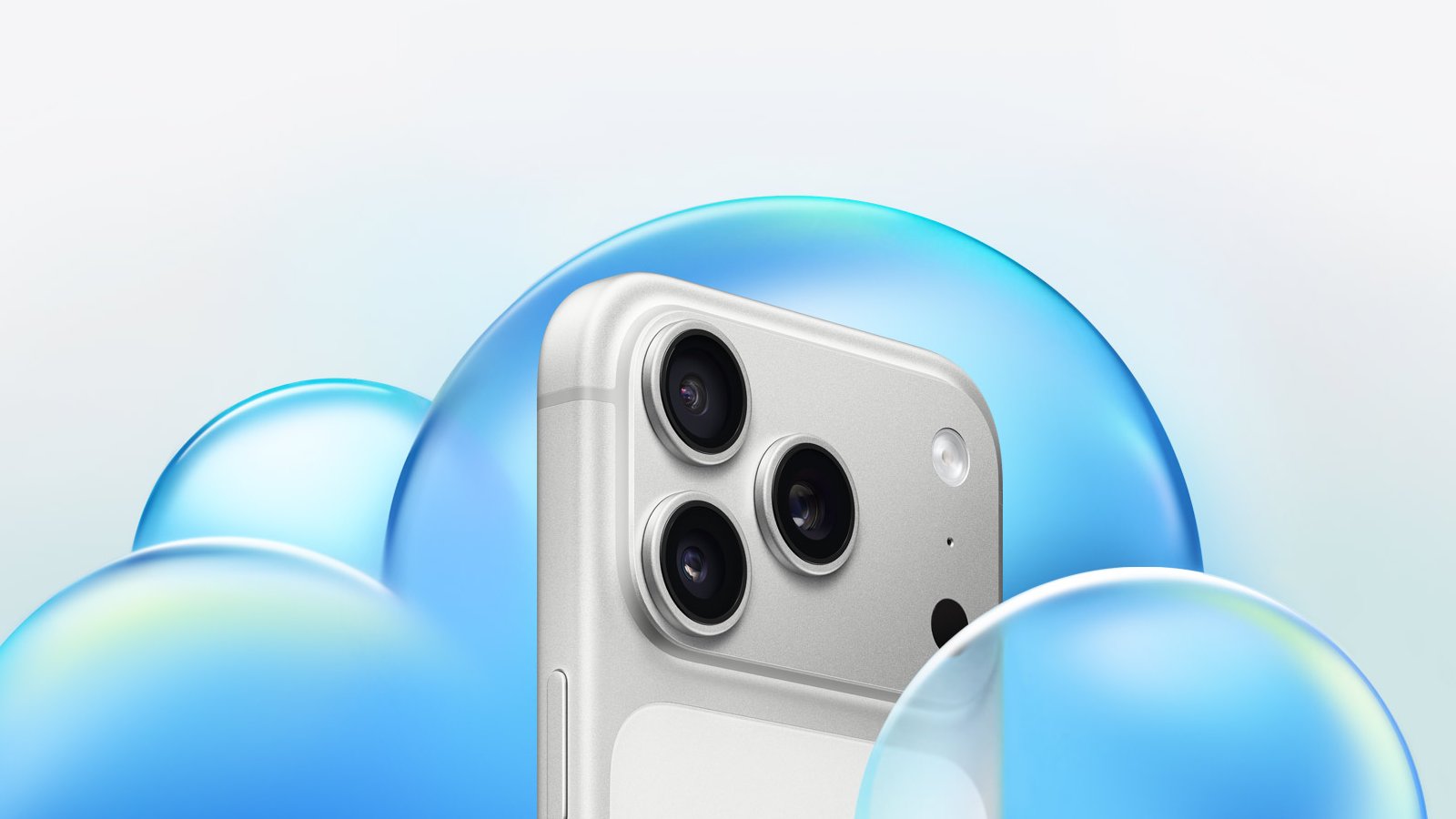
iPhone 18 Pro Max Rumored to Get Exclusive Camera Upgrade

Apple's upcoming iPhone 18 Pro models may be differentiated by a new camera feature that could be exclusive to the larger Pro Max model, if a Chinese leaker is to be believed.


Since 2024, we've been hearing rumors about Apple's plans to introduce a variable aperture camera on the iPhone 18 Pro models – a first for any iPhone – but it was understood until now that the feature would come to both devices.

Leaker Ice Universe claims that's not the case. The iPhone 18 Pro Max will "exclusively feature a variable aperture," they said in a new post on Weibo, a Chinese social media platform.

"Looks like even Apple can't escape the reality that if you want the absolute best camera experience, you'll have to put up with a phone that weighs like a brick," the leaker added.

We already know a variable aperture lens is coming to the iPhone 18 Pro Max, thanks to the June leak of internal files from Apple supplier Tata Electronics. The files revealed that the iPhone 18 Pro Max will feature a new Sony IMX905 sensor with variable aperture support.

The smaller iPhone 18 Pro model was not mentioned in the leaked file, but it wasn't clear if that meant it wouldn't get a variable aperture lens, or it the leaked files simply didn't include that information.

Apple has never implemented a variable aperture on an iPhone. From the iPhone 14 Pro through the iPhone 17 Pro, the main camera uses a fixed Ζ’/1.78 aperture, meaning the lens remains fully open at all times when capturing images.

With a variable lens, the iPhone 18 Pro Max could allow users to manually shift the aperture, similar to on a DSLR camera. It could mean more control over depth of field, enabling sharper focus on subjects or smoother background blur. That all depends on how Apple implements the feature, of course. It may be more automated than that.

Beyond size and battery life, the last time Apple differentiated its iPhone Pro models was with the iPhone 15 Pro, which lacked the tetraprism telephoto lens that was included to the iPhone 15 Pro Max.

The iPhone 18 Pro Max is rumored to be bigger and heavier than its predecessor this year. Apart from the rumored aperture lens, it is expected to be otherwise equivalent to its smaller sibling. Both iPhone 18 Pro models are set to launch next month alongside Apple's first foldable iPhone, the "iPhone Ultra."
Related Roundup: iPhone 18 Pro

This article, "iPhone 18 Pro Max Rumored to Get Exclusive Camera Upgrade" first appeared on MacRumors.com

Discuss this article in our forums

  •  

iOS 27 Finally Fixes Replying to Android Texts

When iOS 27 arrives next month, you'll be able to reply to a specific green chat bubble (aka an Android message) in a Messages conversation on your iPhone.


All you need to do is press and hold the message, tap Reply, then type your response. It will be received by the recipient as a real threaded reply (i.e. an inline reply), tying it directly to the message in question. It's the same with reactions – react to a shared photo and your contact will see the intended emoji instead of a message saying that you "liked an image."

It's all thanks to Apple's embrace of RCS Universal Profile 3.0, the GSMA standard it helped publish and has been adopting in stages. Universal Profile 2.4 first appeared in iOS 18 in September 2024, but it didn't support inline replies. Come this September, on supporting iPhones, that will finally change.

Bear in mind that the feature also depends on carrier support at both ends. Even before you update to iOS 27, you can see if your device is ready for the change: simply go to Settings ➝ Apps ➝ Messages ➝ RCS Messaging, and check that the RCS Messaging toggle is enabled. If the setting isn't displayed in said menu, your carrier has yet to enable the feature.
Related Roundups: iOS 27, iPadOS 27
Tag: Android

This article, "iOS 27 Finally Fixes Replying to Android Texts" first appeared on MacRumors.com

Discuss this article in our forums

  •  

Apple's macOS Screen Sharing Flaw Is Being Exploited in the Wild

The screen sharing flaw that Apple rushed out a fix for earlier this month has already been exploited in the wild, according to the Netherlands' National Cyber Security Center (NCSC-NL).


On August 6, Apple released macOS Tahoe 26.6.1, an update to the β€ŒmacOS Tahoeβ€Œ operating system that came out last year. The update came a little over a week after Apple released macOS Tahoe 26.6.

In its security support document, Apple said that the update addressed a vulnerability that could allow an attacker to authenticate to Screen Sharing without valid credentials – in short, a bad actor could view a user's Mac screen and remotely take control of their keyboard and mouse. It appears however that hackers have already been taking advantage of the flaw.

As first reported by ArsTechnica, the NCSC-NL said that it had been notified of abuse of the vulnerability, "observed on multiple systems on which port 5900 was accessible from the internet." The reason is that when screen sharing is enabled, macOS's firewall intentionally exposes this port.

"In all these cases, root had been accessed on the affected system and a Monero crypto miner had been placed," the NCSC-NL added. In other words, a targeted Mac's resources are used to mine cryptocurrency.

When pushing the fix – which was also included in macOS Sonoma 14.8.9 and macOS Sequoia 15.7.9 – Apple said it had addressed the authentication issue with "improved state management." Users who have not updated their Macs should do so as soon as possible. Even for those who have updated, use of a VPN is also recommended when screen sharing is active.

If you're not sure if your macOS version is up-to-date, you can check by going into your Mac's System Settings and selecting General ➝ Software Update.
This article, "Apple's macOS Screen Sharing Flaw Is Being Exploited in the Wild" first appeared on MacRumors.com

Discuss this article in our forums

  •  

Tim Cook Reflects on His Legacy in Final Weeks as Apple CEO

Apple CEO Tim Cook once said that what Steve Jobs stood for, in a word, was "innovation." In a CBS News interview conducted yesterday, Cook – in his final weeks at the helm of the company – was asked what his legacy stood for, and this was his response:

"In my view, your legacy is described by others, not yourself. And so, I hope that people will say that I was a good and decent man. And if they say that at the end of the day, I will feel like I have achieved something."

The interview was conducted as part of CBS News' coverage of Apple's opening of its Advanced Manufacturing Center (AMC) in Houston, Texas. You can watch it in full here.
This article, "Tim Cook Reflects on His Legacy in Final Weeks as Apple CEO" first appeared on MacRumors.com

Discuss this article in our forums

  •  

30 New Things Your iPhone Can Do in iOS 27

Apple will release iOS 27 in September, and despite the company's focus this year on refining its flagship operating system and nixing bugs, there are still many additional features on the way, not least of which is Apple's new context-aware Siri, re-tooled for the generative AI era.
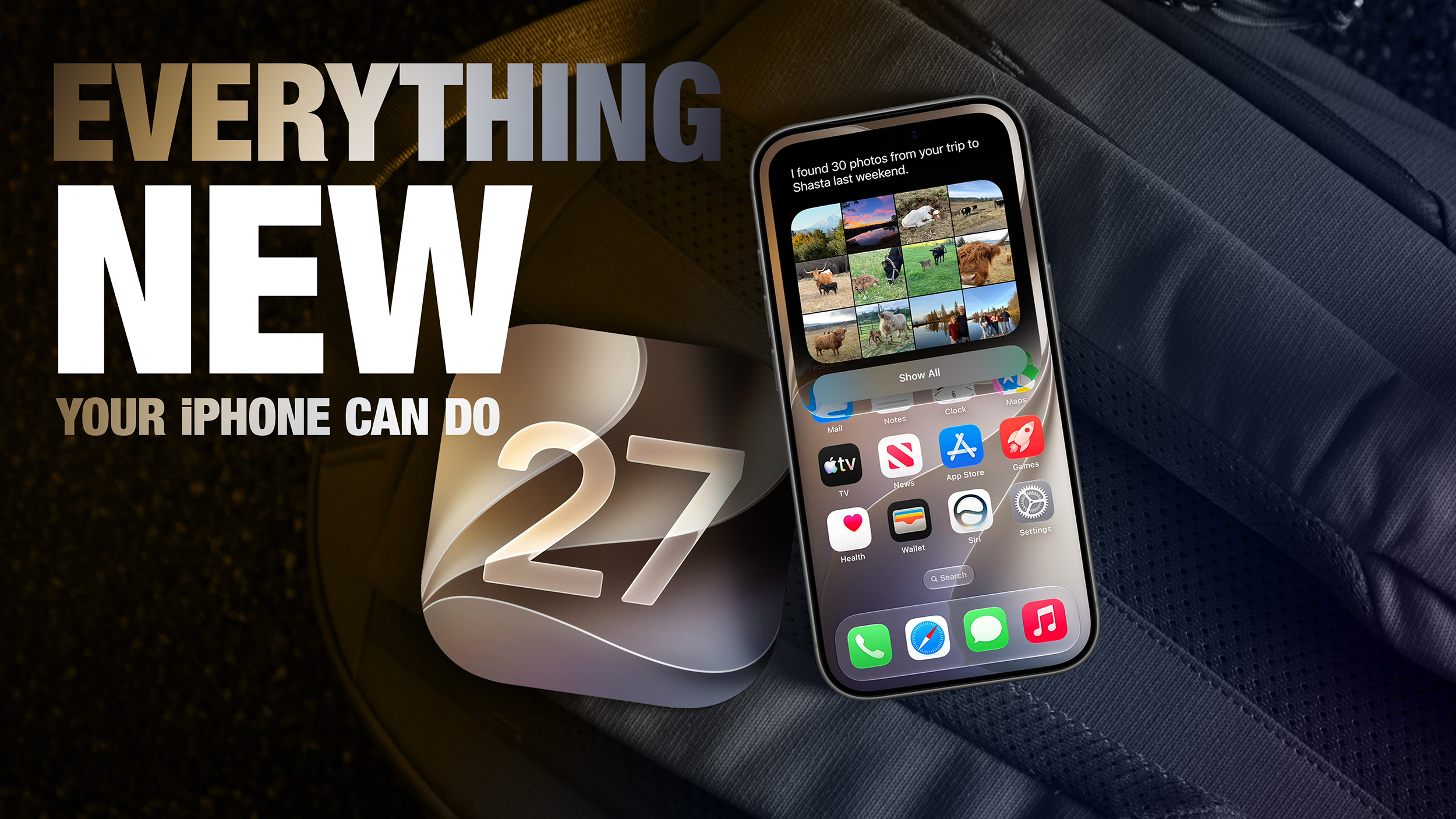

This year's major iPhone software update isn't all about AI, though, as the following feature list testifies. iOS 27 is currently in public beta – if you're OK with that, you can install it today.

Extend Your Photos and Lock Screen Wallpaper
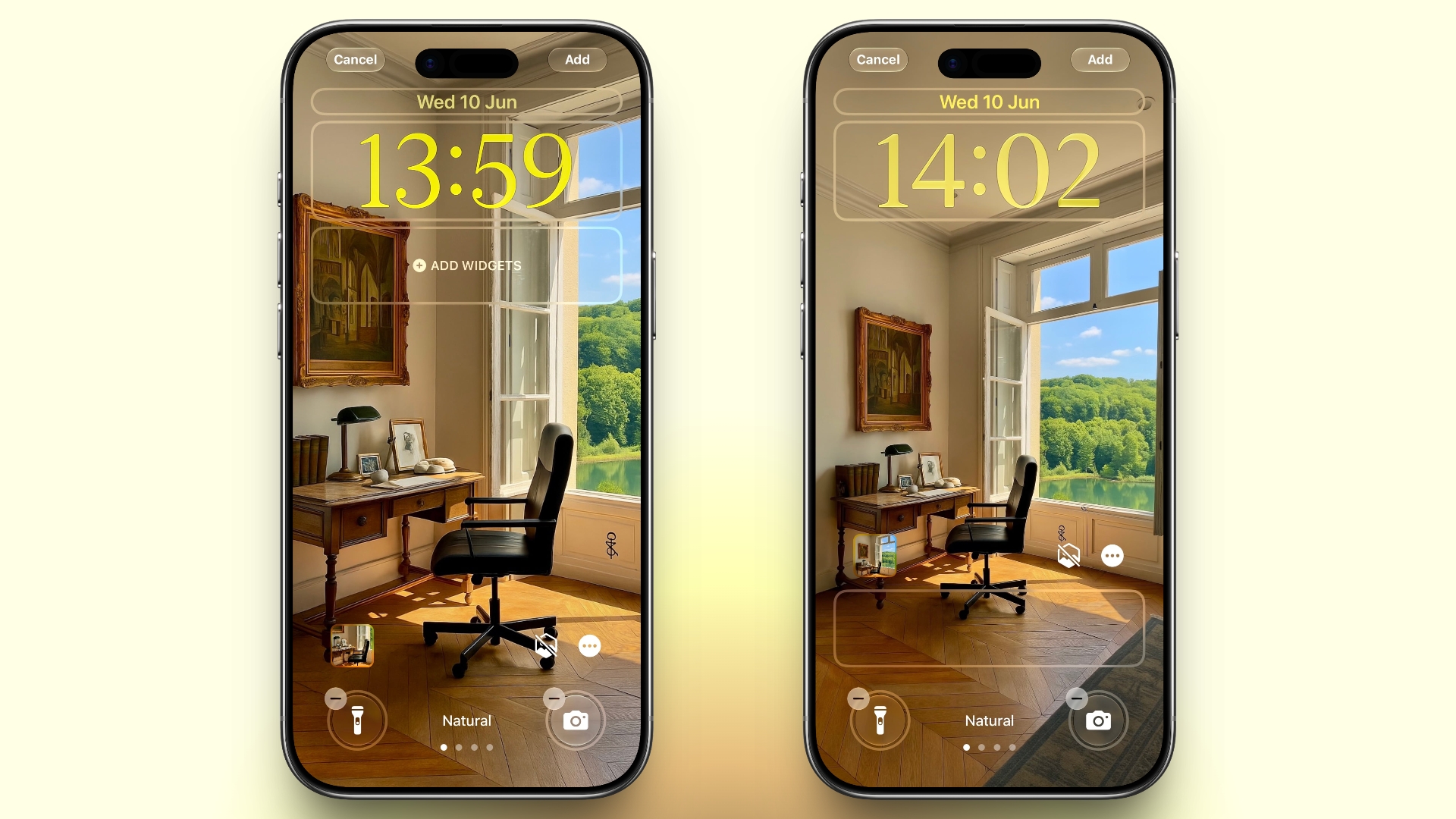


A new wallpaper extension feature in iOS 27 uses Apple Intelligence to automatically expand a photo beyond its original boundaries so it fills the entire Lock Screen more naturally. If a photo is cropped too tightly, doesn't match your iPhone's aspect ratio, or it leaves empty space when positioned on the Lock Screen, iOS 27 can generate additional image content around the edges with the "Extend" option. It will analyze the existing image and create matching background details that blend with the original photo, so there's no need for aggressive cropping. The Extend option can also be found in the Photos app.

Organize Your Safari Tabs



Safari uses Apple Intelligence to automatically organize your open tabs into related topics, making them easier to browse and manage. For example, if you're shopping for a new refrigerator while planning a vacation, Safari groups tabs for each activity into separate topic-based collections. You can enable this feature by opening Tab View, tapping the three-line icon in the top-right corner, and turning on Automatically Create Topics.

Use Natural Language for Reminder and Calendar Entries
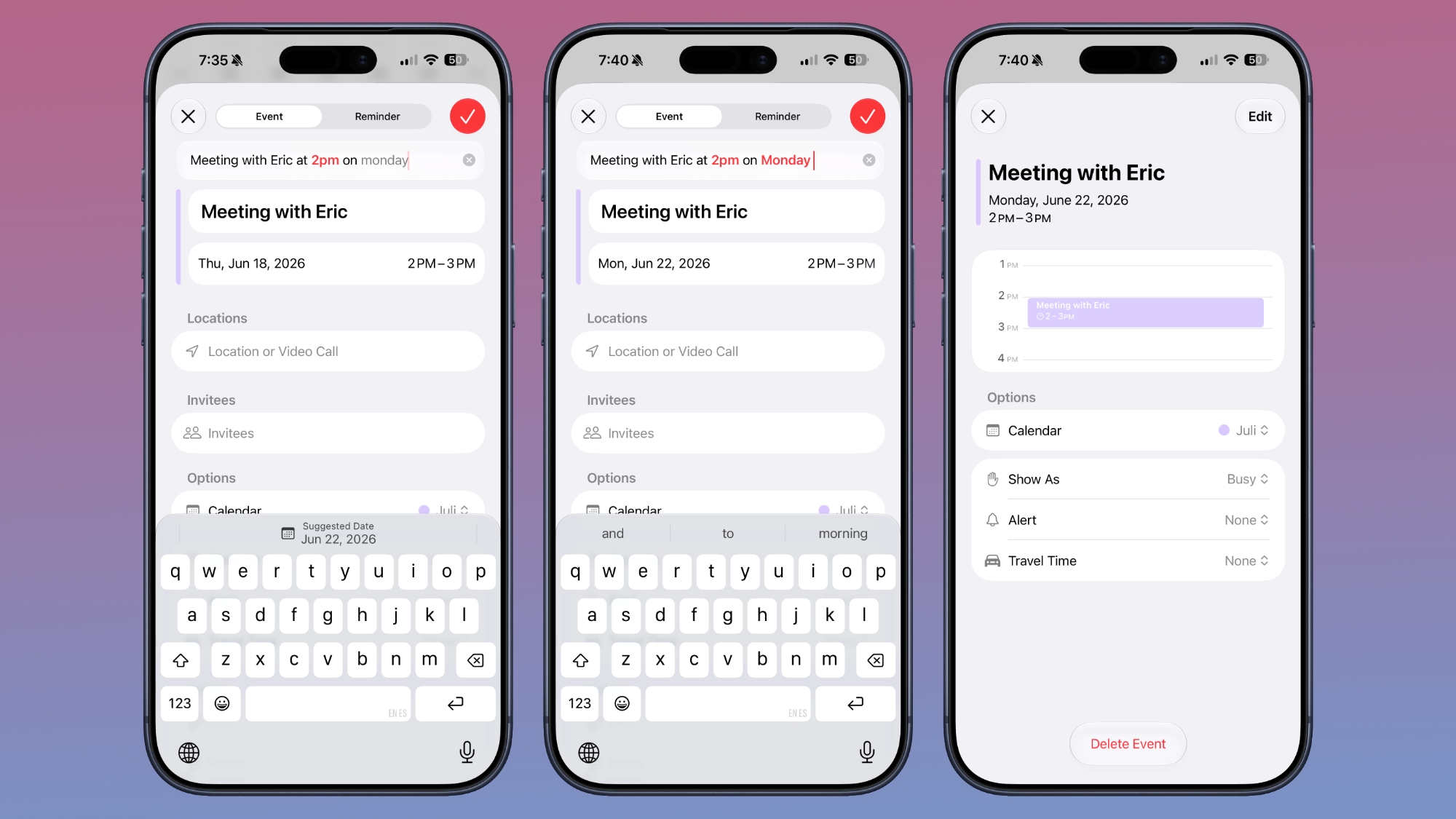


In the Reminders app, you can now create reminders using natural language, and Apple Intelligence will automatically fill in details such as the date, time, and location. For example, if you type "Pick up Dad at 6 p.m. tonight" or "Send the photos to Eric tomorrow at 3 p.m.," Reminders extracts the relevant information and adds it to the reminder automatically.

The Calendar app also supports natural language input, identifying people, dates, and locations as you type. You can then tap the suggested information to quickly add it to your event.

Inline Reply to Messages From Android Users
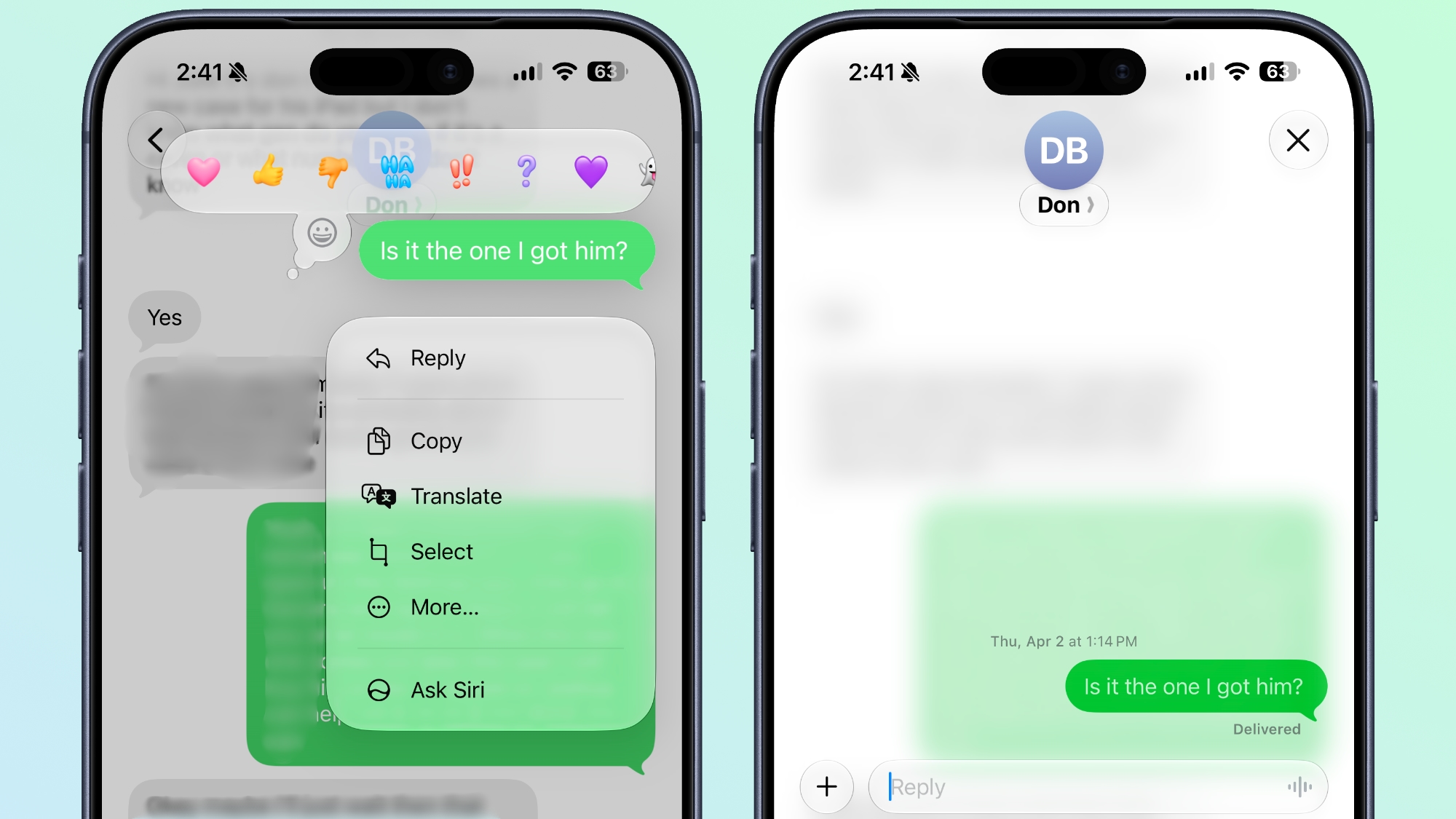


In the Messages app, you can now long press on a specific message from an Android user (a green chat bubble) and get an option to reply to it. That contrasts with iOS 26, where inline replies are limited to blue bubbles sent over Apple's iMessage platform.

Upgrade Your Wallet Passes
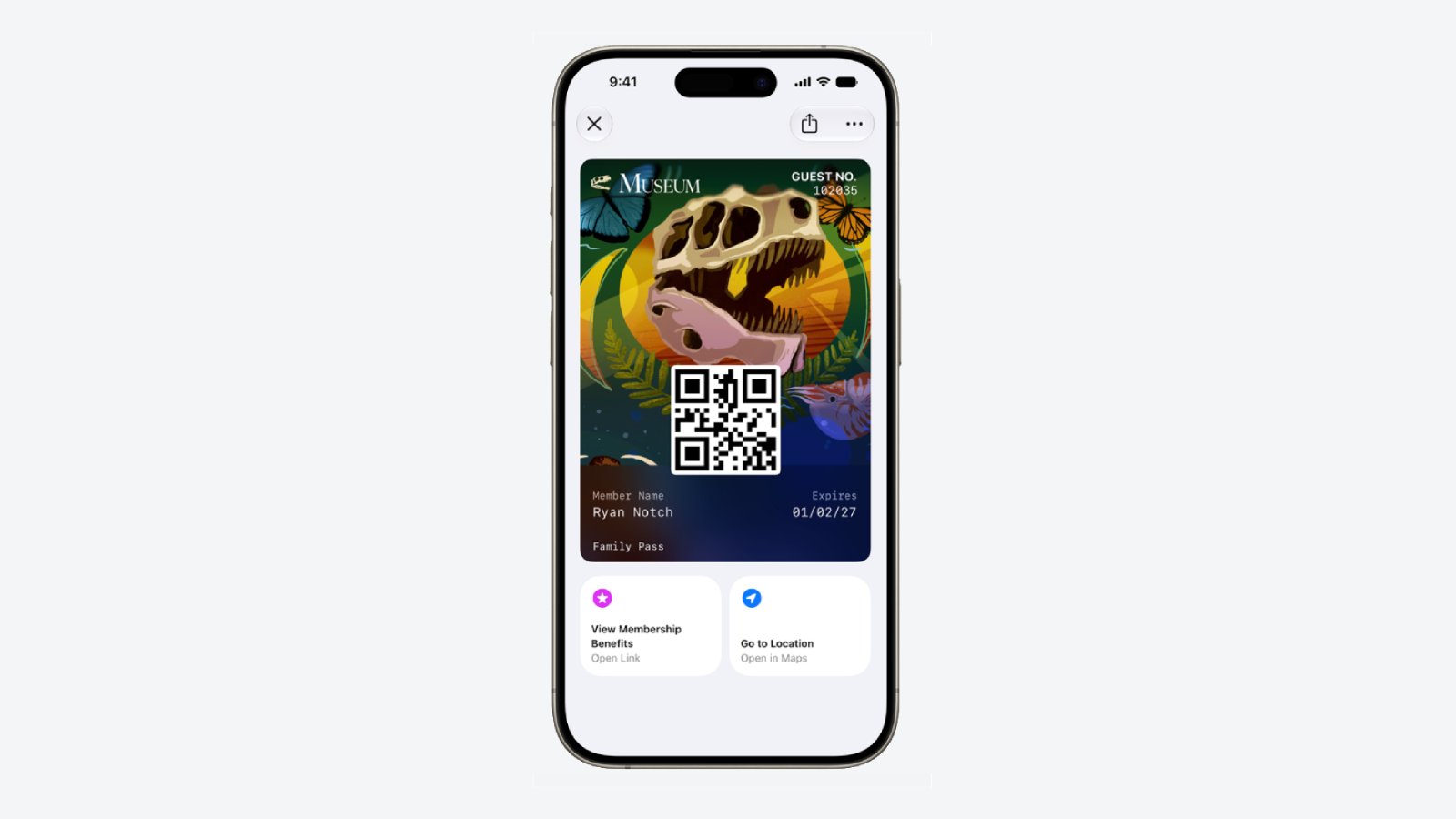


Apple has expanded the redesigned pass experience in the Wallet app with iOS 27, bringing the enhanced design introduced for airline boarding passes in iOS 26 to additional pass types. Membership, gift, loyalty, and rewards cards can now use a new Poster Generic layout with a background image, a logo, customizable header and footer fields, main information, and an optional barcode. Passes can also include up to two quick actions at the bottom, such as getting directions to a venue or checking a rewards points balance.

Describe Your Next Shortcut
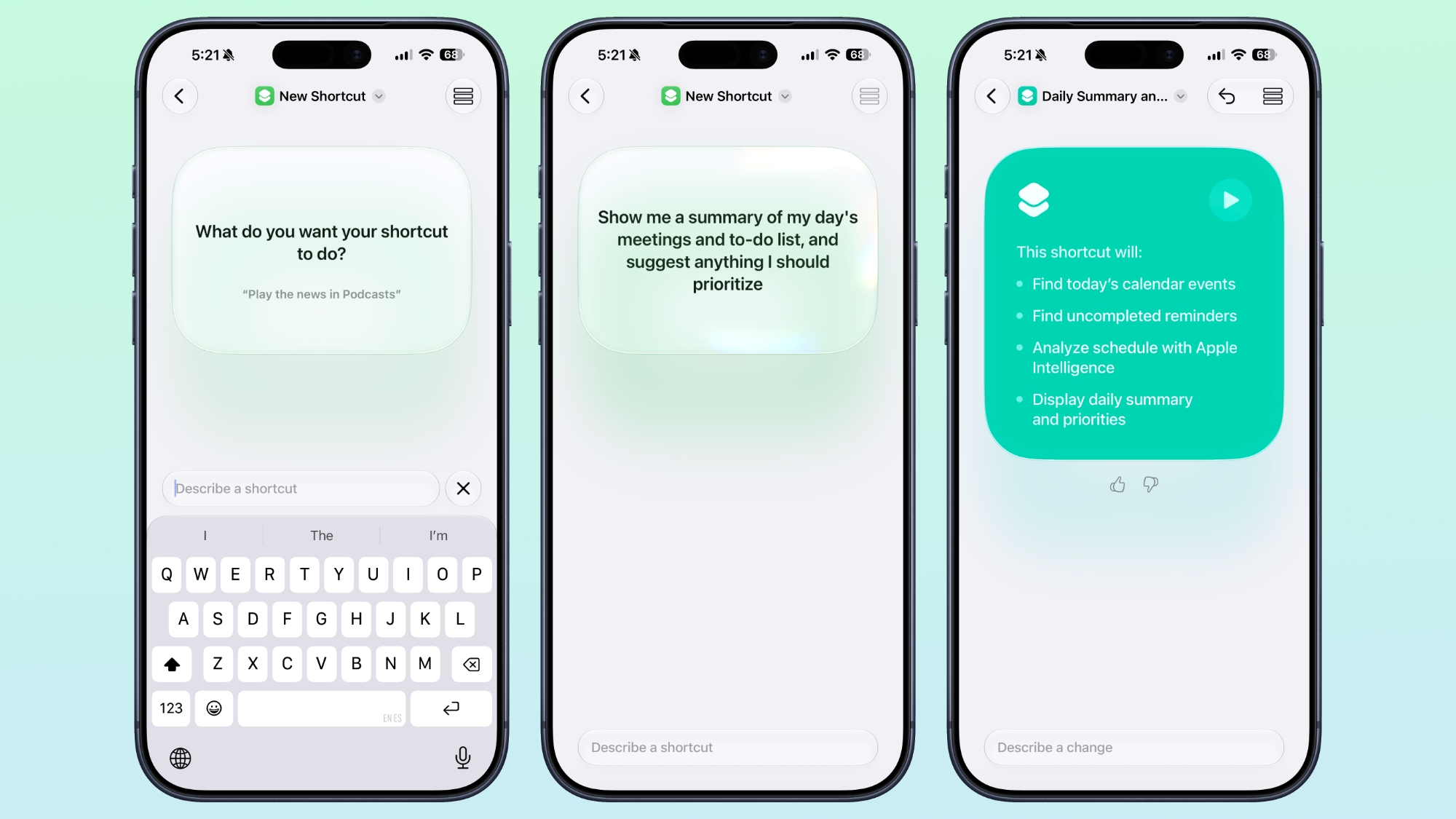


Apple Intelligence makes creating shortcuts much more accessible by letting you build them with natural language. Tapping New Shortcut in the Shortcuts app opens a Describe a Shortcut interface, where you simply explain what you want the shortcut to do. You can describe a single action or a more complex automation, and Apple Intelligence selects the appropriate actions and assembles the shortcut automatically.

For example, you could create a shortcut that sets tomorrow's alarm based on your first Calendar event, enables Sleep Focus, and dims the bedroom lights each evening, or one that displays your first meeting, the weather, and today's reminders every morning. Like existing shortcuts, these automations can be triggered by factors such as the time of day, your location, app activity, system events like taking a screenshot, incoming notifications, and more.

Get a Better Flyover of Your City



Apple is enhancing the Flyover feature in Maps with iOS 27, using Apple Intelligence models to improve aerial imagery with greater texture and sharper detail. Trees, buildings, and other landmarks appear more realistic, with more accurate geometry and improved lighting effects.

According to Apple, the update makes select cities around the world look more lifelike, from the shape of individual trees to the way light reflects off glass skyscrapers. Flyover already offers detailed 3D views of landmarks, roads, parks, and buildings in more than 350 cities, so iOS 27 is essentially using AI to further improve the quality of those visualizations.

Ask Siri What Your Camera Sees
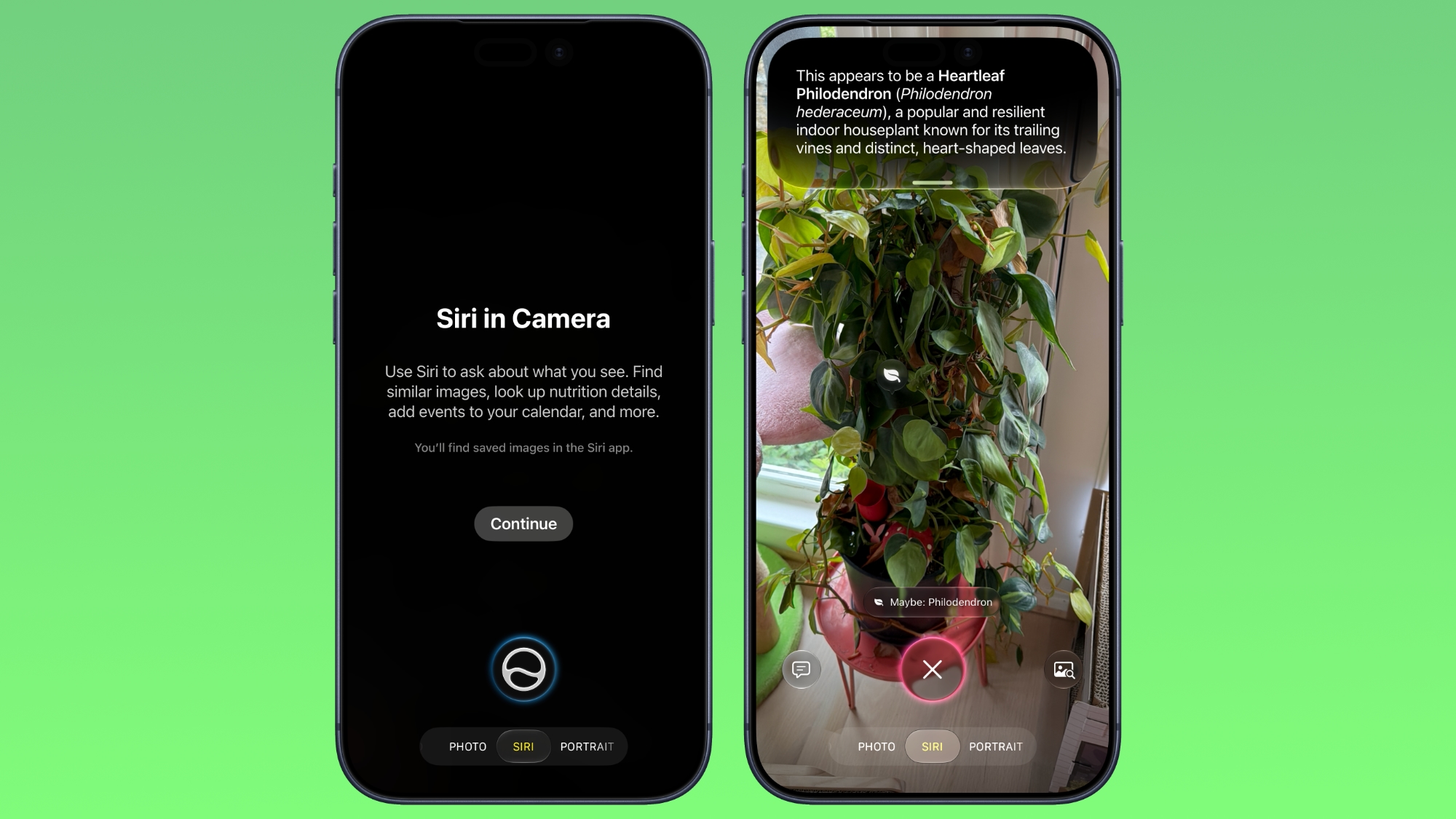


The iOS 27 Camera app has a new "Siri" mode that is available in addition to the video, photo, and other camera modes. The new mode uses Visual Intelligence to identify objects in the frame and provide information about them. It can be used to identify plants, animals, food, and more. If it's food you want info on, for example, it can tell you what it is, and how many calories are in it.

Other examples β€ŒSiriβ€Œ mode can be used for include capturing a photo of an event flyer and adding a date to the Calendar app, text translation, splitting a bill, and more.

Make Your Lock Screen Clock More Compact

lock screen
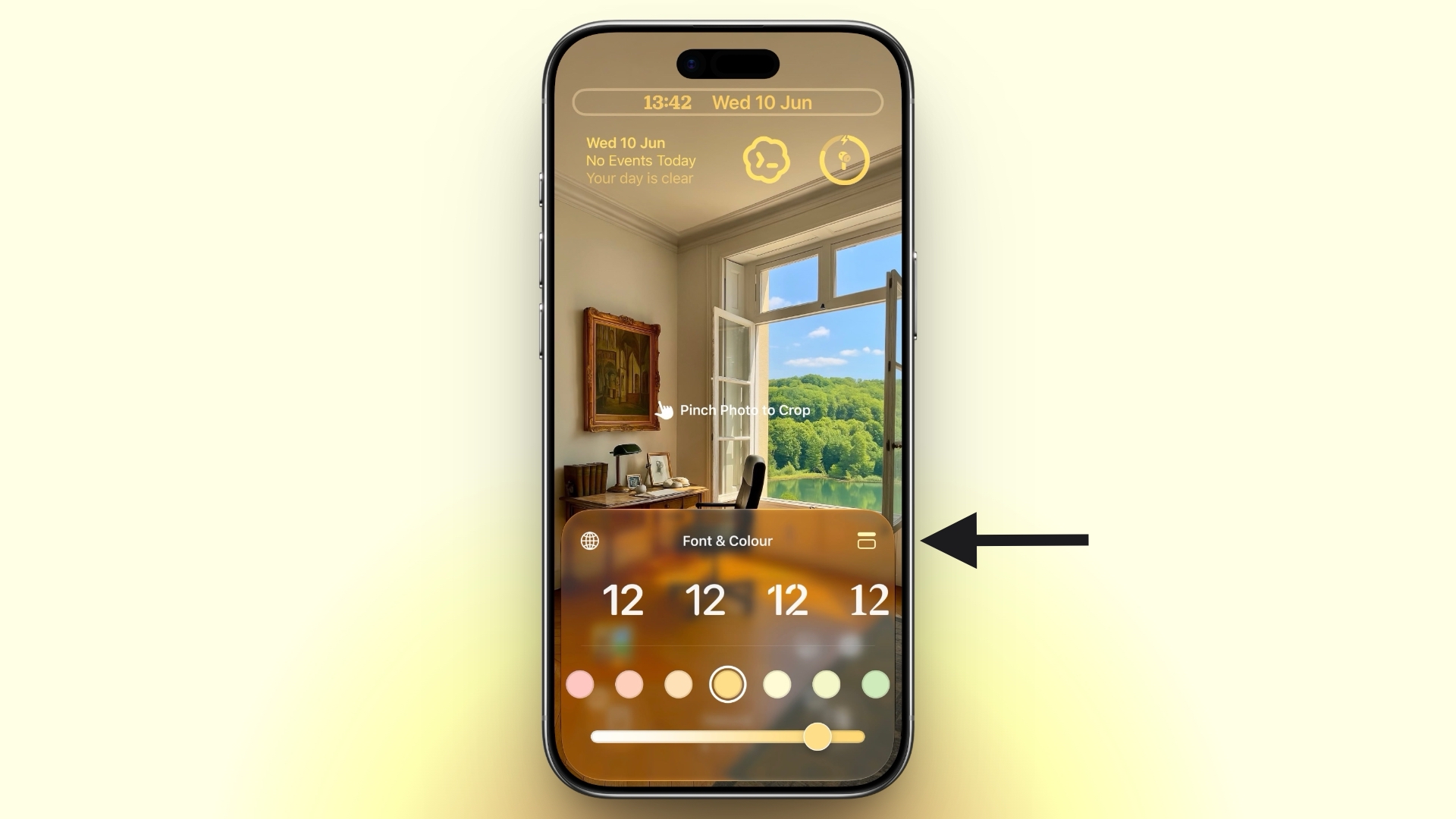
A new compact clock mode is available as a new Lock Screen layout option in iOS 27. Found in the top-right corner of the Font & Color panel, the option moves the time from its traditional large, centered position to a much smaller format alongside the date and widgets at the top of the screen. It's a nice option to have if you like a cleaner Lock Screen look that shows off your wallpaper more fully, and it's the complete opposite effect introduced in iOS 26 that stretches the clock down the screen.

Generate Photo-realistic Images with Image Playground



Apple's Image Playground has been a bit of an embarrassment up until now, being limited to cutesy re-renderings of actual photos and sketched illustrations. But the app gets a major update in iOS 27. Powered by a new generative model that runs on Private Cloud Compute, it can produce high-quality images in virtually any style, including photo-realistic output for the first time. All generated images automatically carry a hidden SynthID watermark to identify them as AI-generated. The app now also supports photo-based editing in addition to creation.

Tweak Liquid Glass Opacity

settings
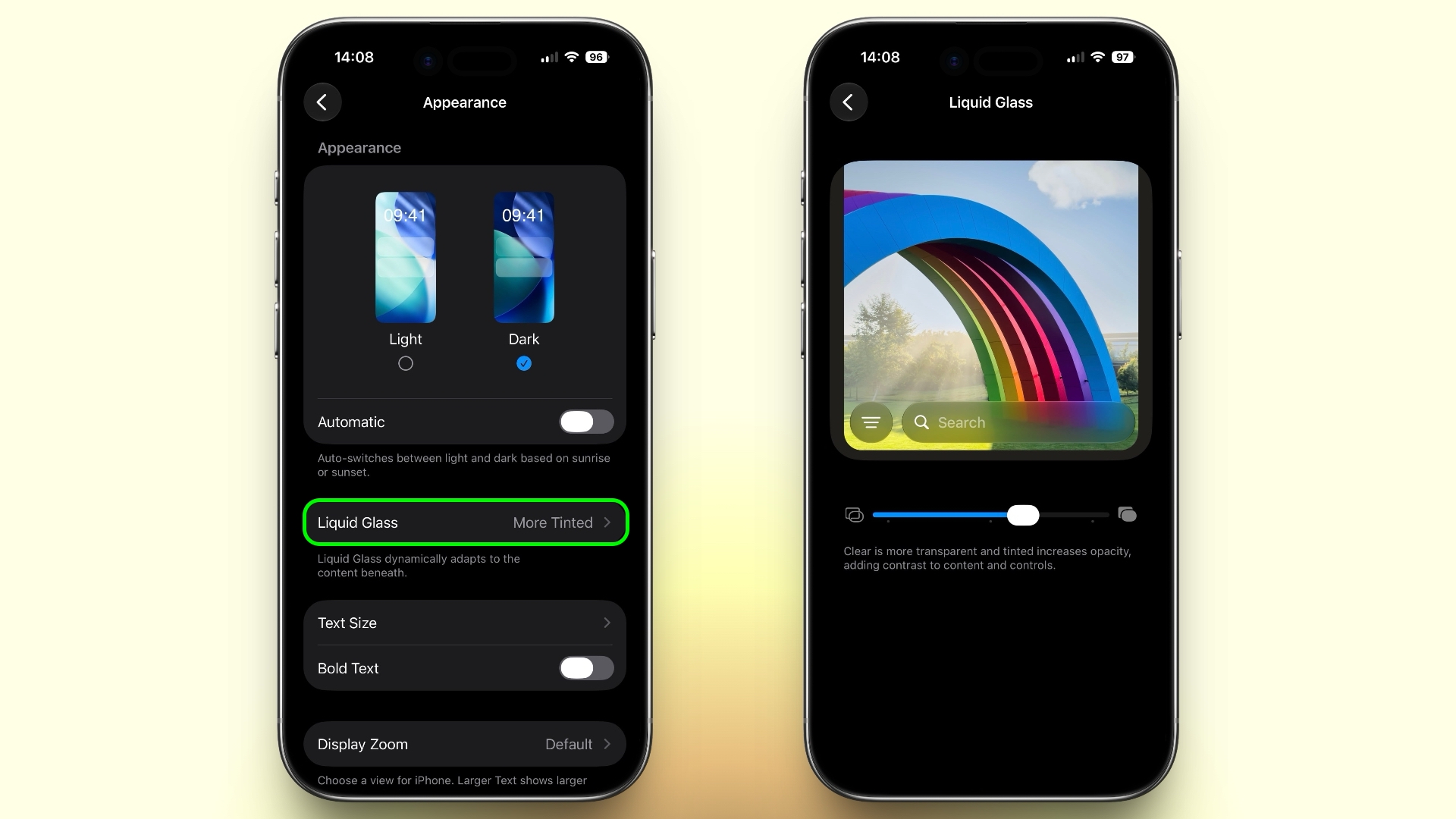
If Apple's Liquid Glass UI embrace in iOS 26 wasn't your thing, there's a way to tone it down. In iOS 27, Apple added a full Liquid Glass slider under Settings ➝ Appearance ➝ Liquid Glass. It changes the translucency of Liquid Glass elements, and you can choose a clear version of Liquid Glass that allows some of the background to show through, select a more opaque, tinted version that improves the legibility of text, or choose something in between.

Create a Slideshow from Any Album
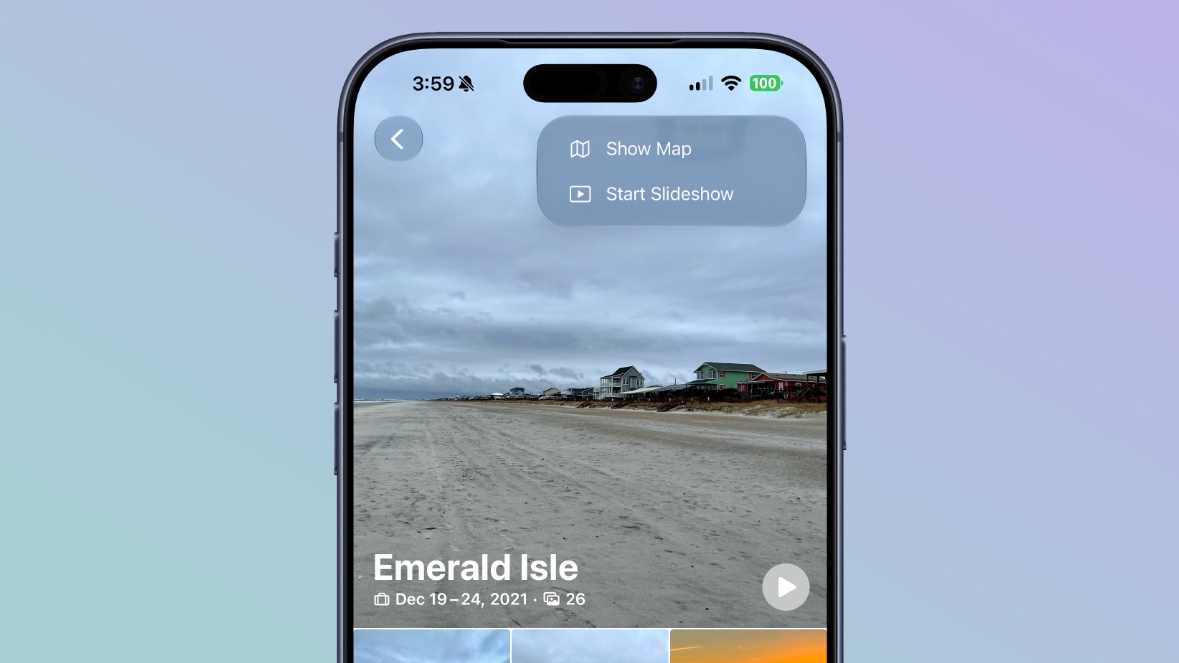


In iOS 27, you can create a slideshow from any album, collection, or selection of photos in the Photos app, rather than being limited to Memories. Open an album or select multiple photos, tap the menu button in the top-right corner, and choose Start Slideshow. Slideshows can be customized with different transition styles, slide durations, and background music, and then saved as a video or shared directly to social media.

Easily Switch Between Siri and ChatGPT



The new Siri app in iOS 27 defaults to the new Siri AI, but you can switch it to ChatGPT if you prefer. Simply long press on the text input field and tap "Ask...", then you'll see an option to change to ChatGPT. Note that conversation context does not transfer when you switch chatbot providers. Currently, ChatGPT appears as an alternative in the Siri AI app whether or not you have the ChatGPT extension enabled in Settings ➝ Siri ➝ ChatGPT.

Build a Browser Extension With a Prompt
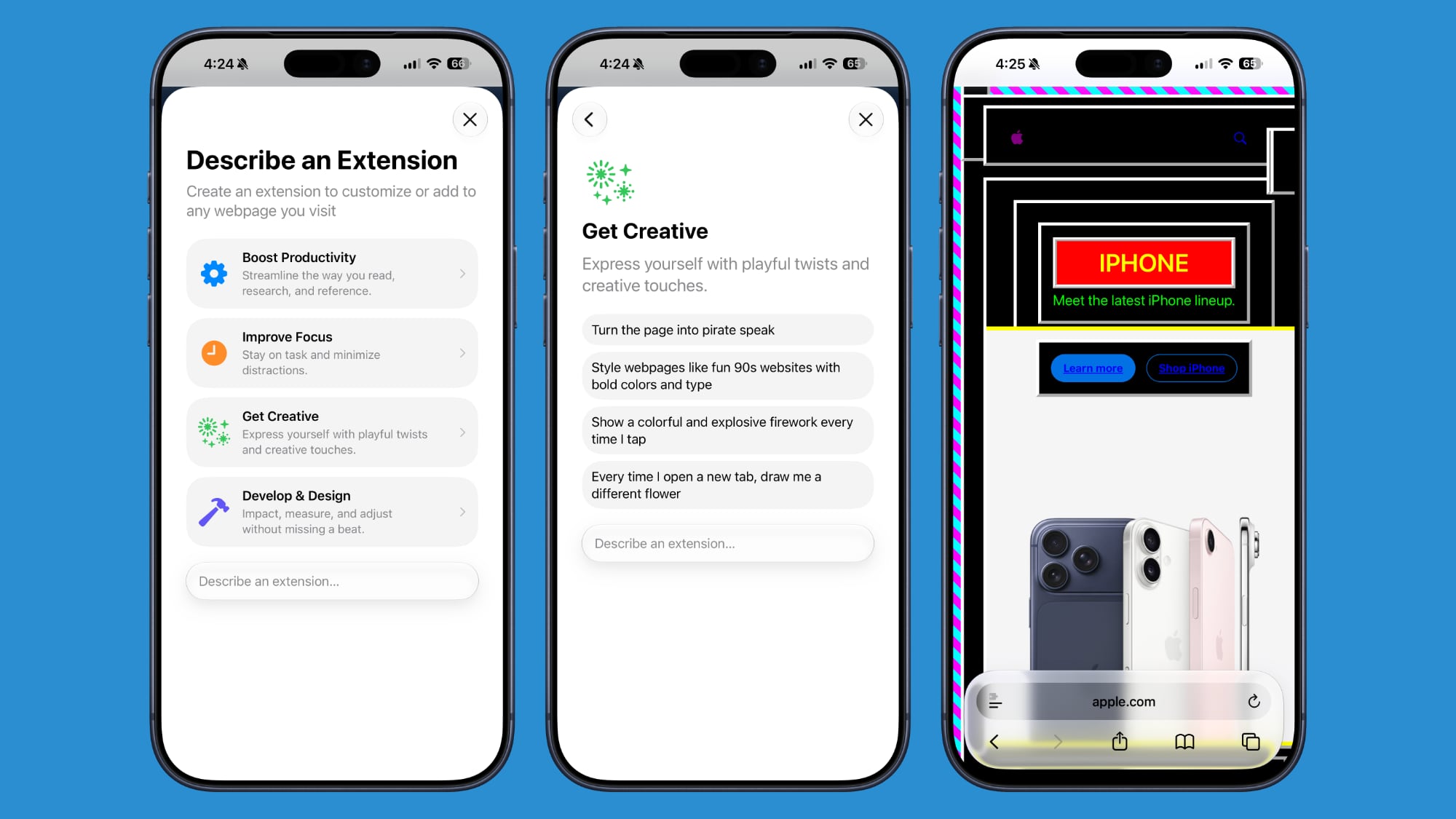


Safari has been given a new AI-powered extension creation feature. A new Create an Extension option, available from Safari's menu to the left of the address bar, lets you describe what you want an extension to do in plain language, and Apple generates it for you. If you need inspiration, Apple also provides suggested ideas across categories including Boost Productivity, Improve Focus, Get Creative, and Develop and Design.

Get AI Summaries of HomeKit Camera Footage (iCloud+ Only)
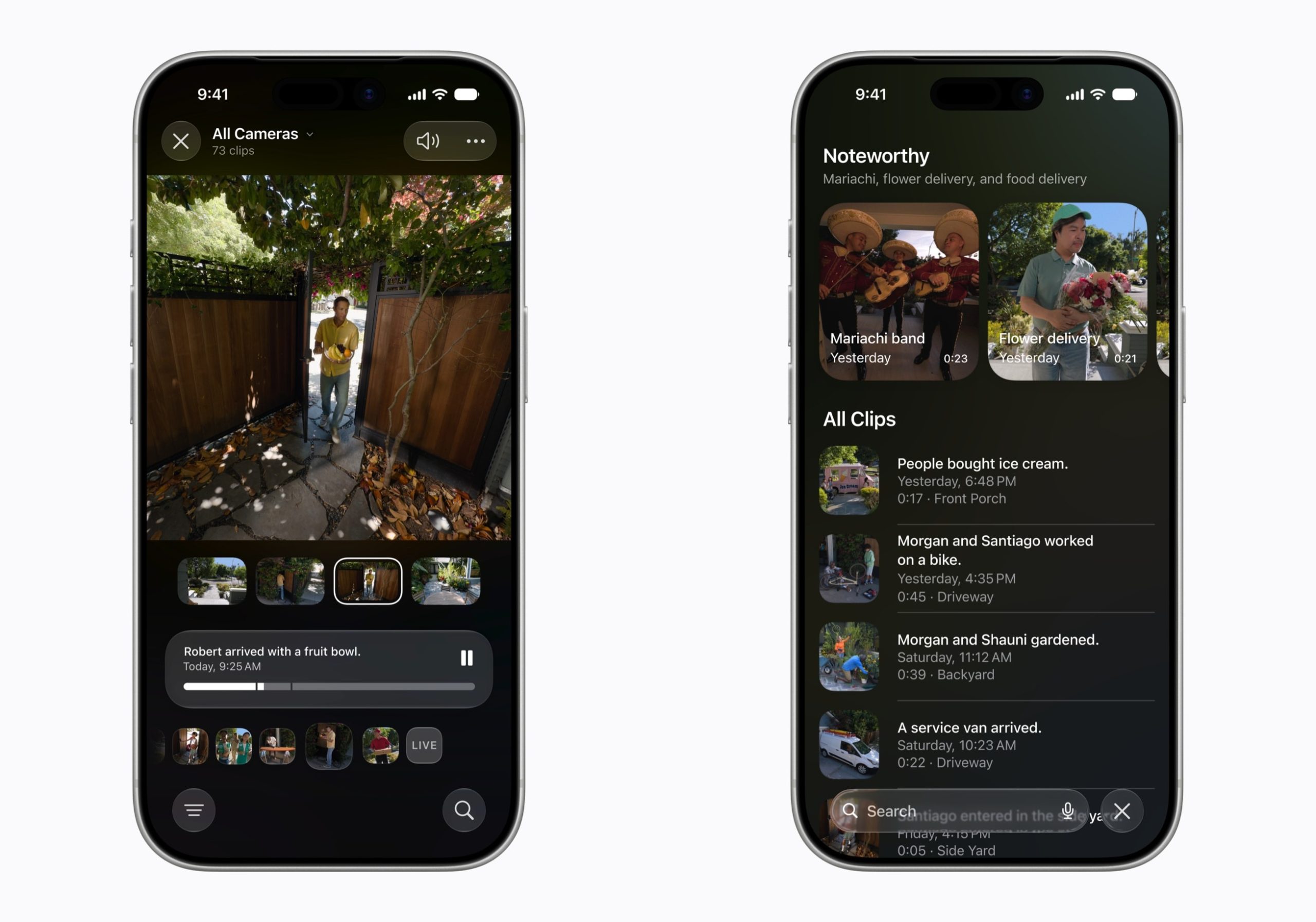


The Home app is now able to generate written summaries for motion alerts from HomeKit Secure Video cameras. It's also able to group footage from separate cameras for an overview of activity and pull out noteworthy recordings, plus it supports natural language search. Bear in mind that this feature is only available if you have an iCloud+ plan with at least 2TB of storage (that's a $9.99/month subscription).

Equalize Your AirPods
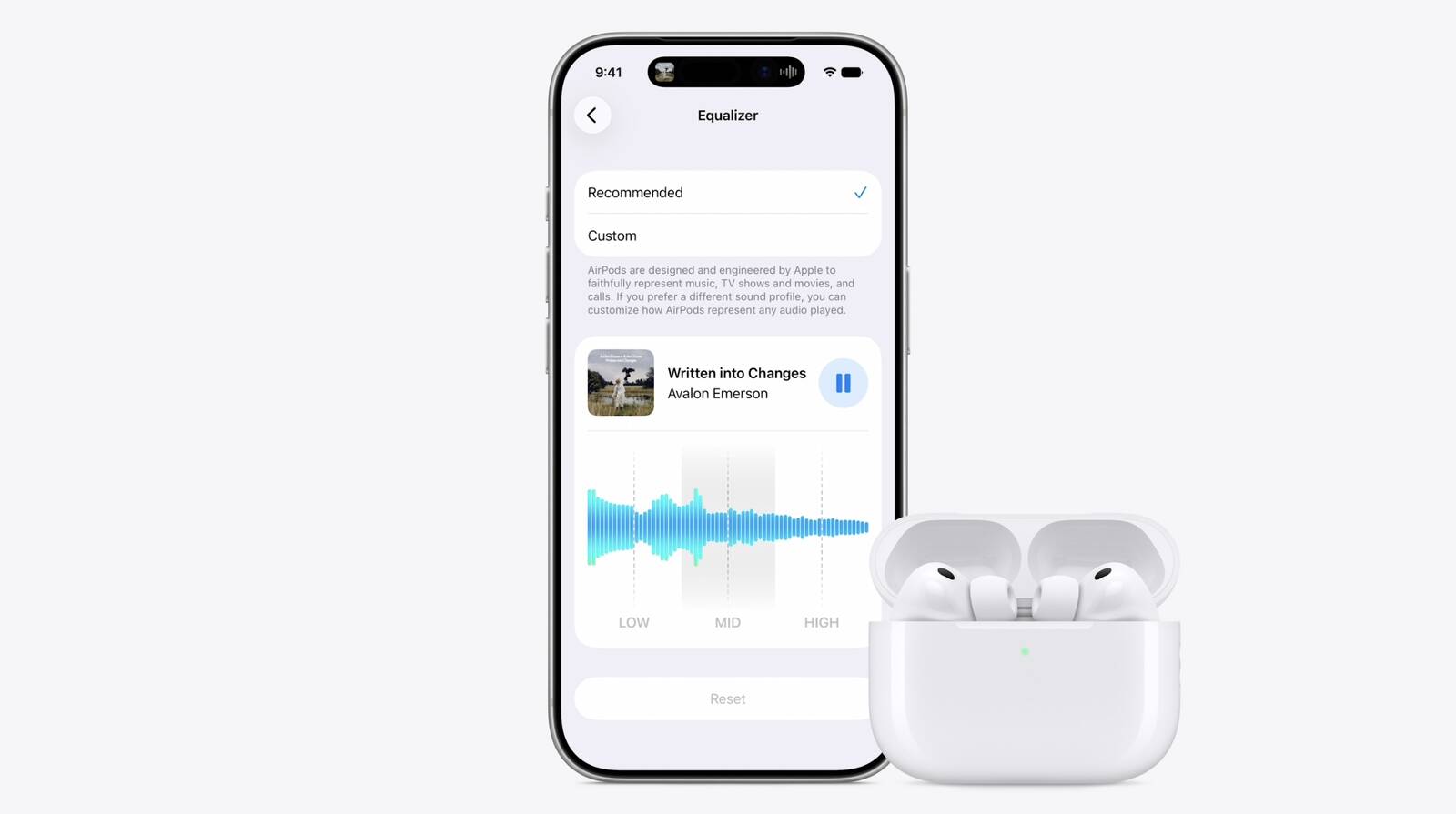


With iOS 27, Apple finally introduces adjustable EQ controls for compatible AirPods models. With your AirPods paired and the latest firmware installed, you can go to Settings ➝ [Your AirPods] ➝ Audio & Routing ➝ Equalizer ➝ Custom to adjust the lows, mids, and highs. Custom EQ is available on AirPods with Apple's H2 chip, including AirPods Pro 2, AirPods Pro 3, AirPods 4, and AirPods Max 2.

Customize Siri's Voice
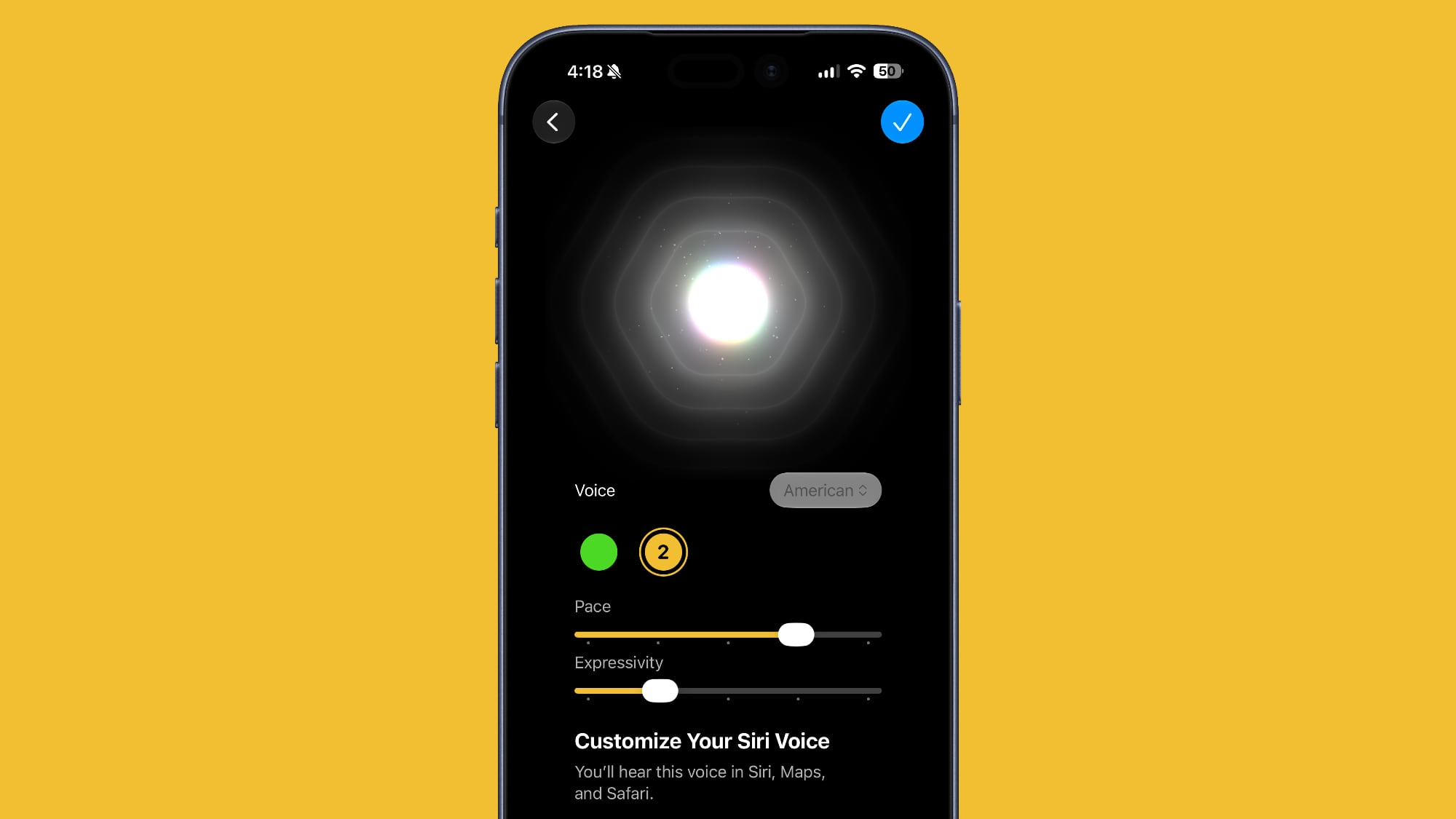


Apple has introduced a more powerful on-device Apple Intelligence model for the iPhone 17 Pro, iPhone 17 Pro Max, and iPhone Air. The upgraded model can understand and generate speech, as well as interpret text and images, enabling a more natural and responsive Siri experience. It also unlocks new voice customization options that let you adjust Siri's expressiveness and speaking pace to suit your preferences.

Rate Your Photos
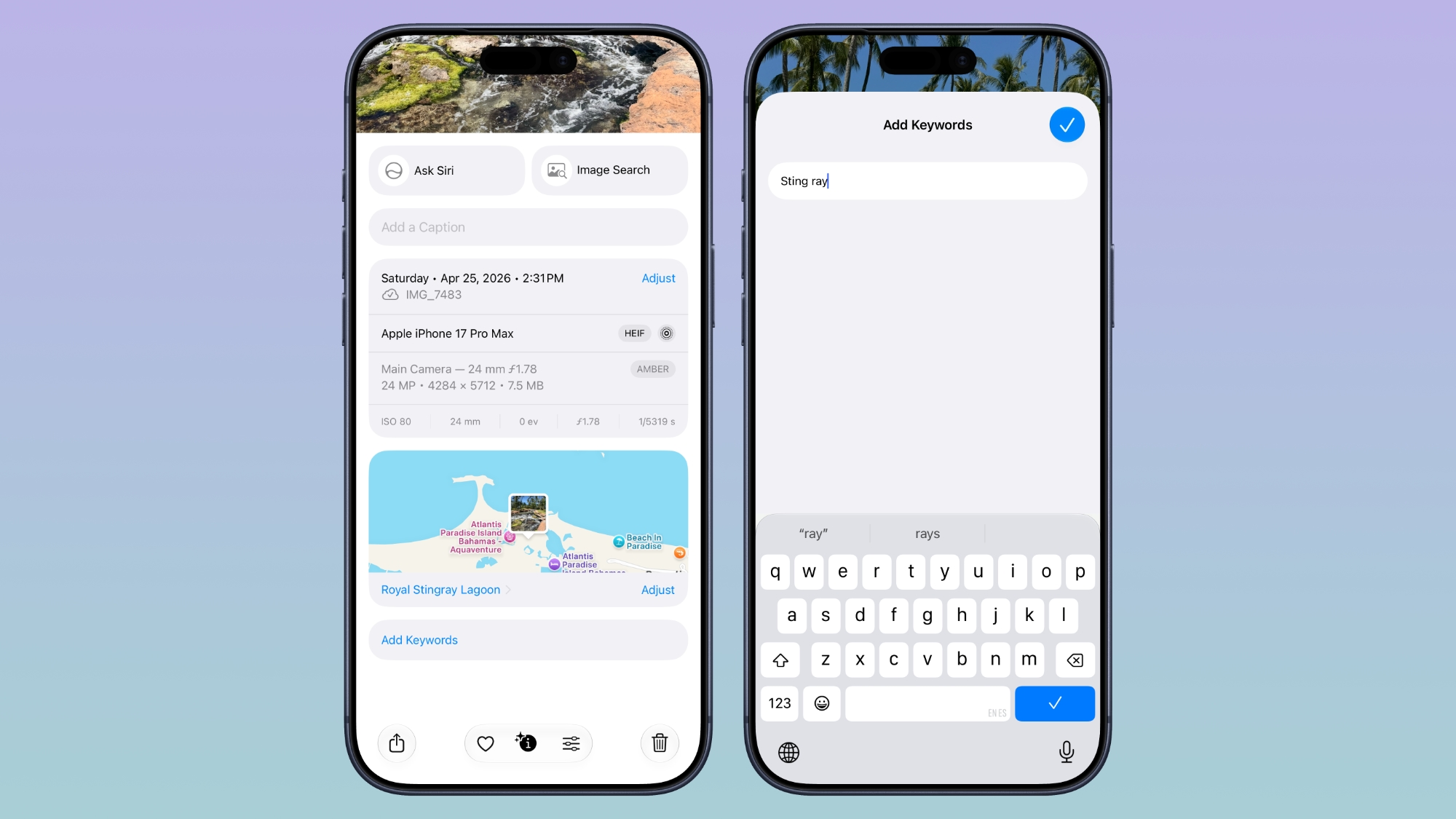


Apple now lets you assign one- to five-star ratings and keywords to photos and videos in the Photos app, making it easier to organize and filter your library. To go with the new feature, Apple has added a Show Rating Controls option to the Photos section of the Settings app. When enabled, it displays star ratings on photos and videos and adds rating badges to thumbnails, ensuring that your highest-rated media is easy to spot at a glance.

Ask Questions About Your Surroundings
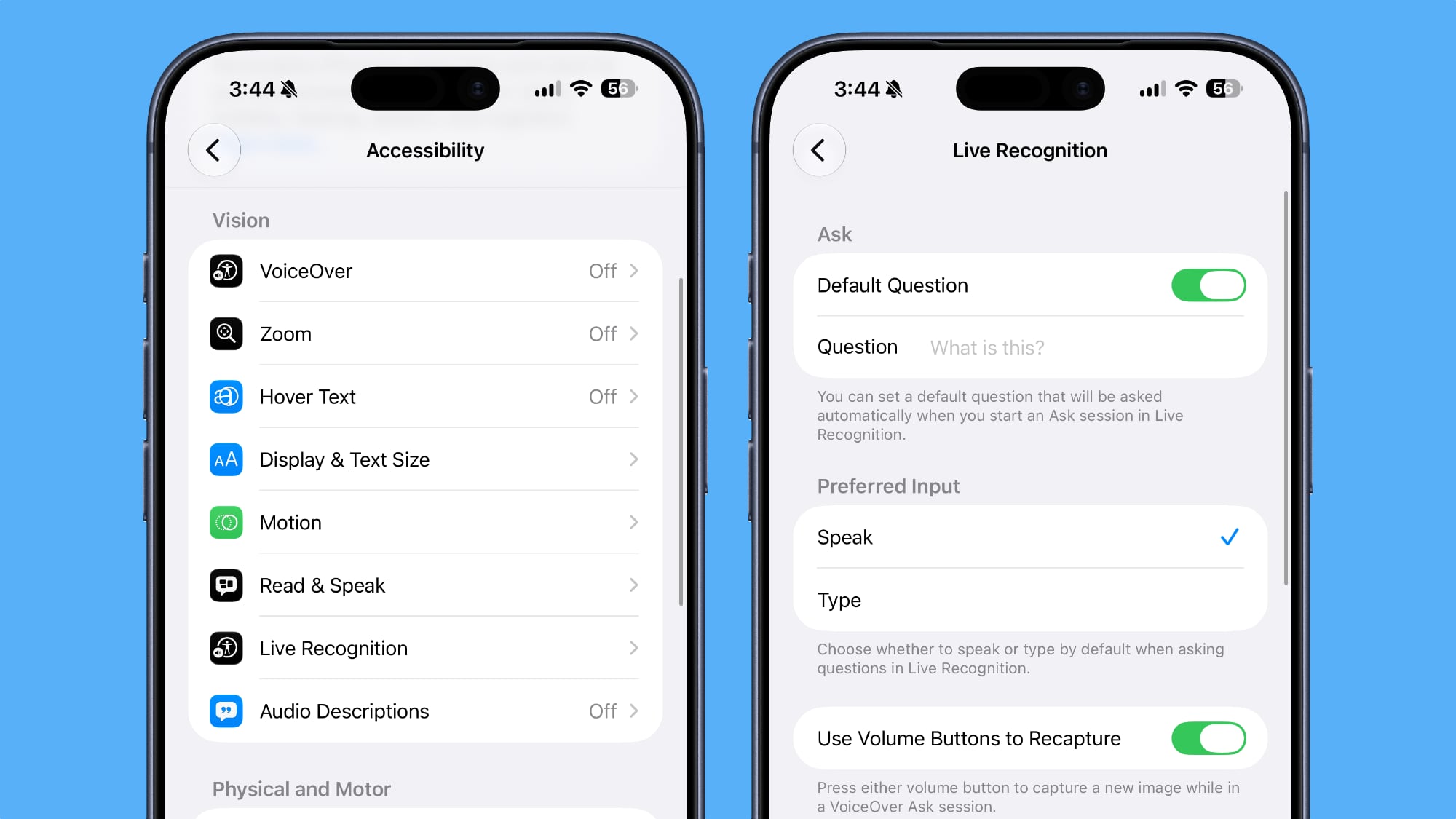


In Accessibility, Apple has added a new Live Recognition section. Powered by on-device intelligence, Live Recognition uses the iPhone's camera to identify and describe people, objects, and surroundings in real time. It can also answer questions about what it sees, with the option to set a default prompt for quick access.

Auto-Update Your Weak Passwords
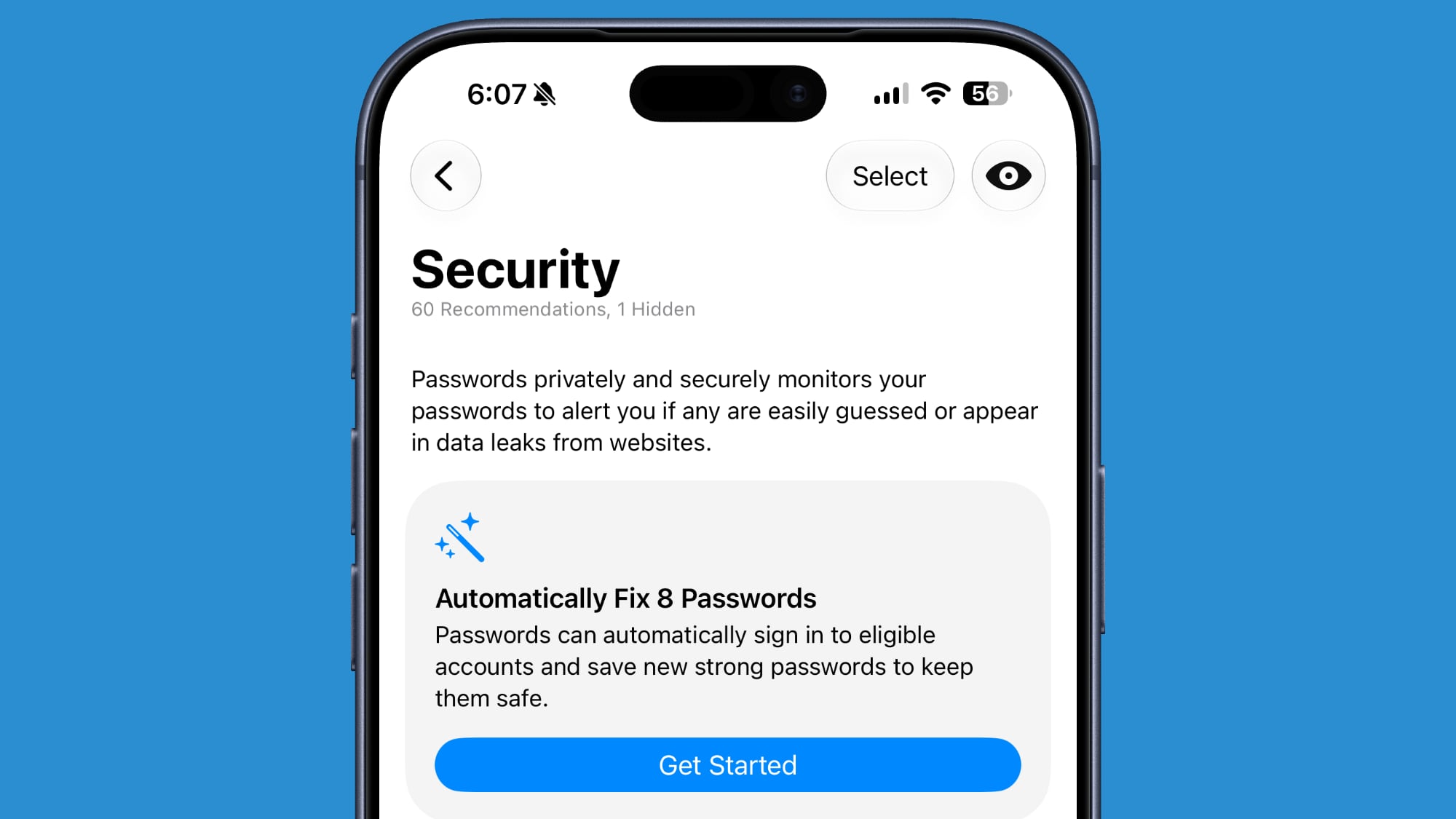


If you use Apple's Passwords app, there's a new feature that uses Safari to automatically change weak and compromised passwords for you. The feature uses β€ŒApple Intelligenceβ€Œ to automatically navigate to eligible websites, sign in, and update your password with a tap.

Save a Still From a Video
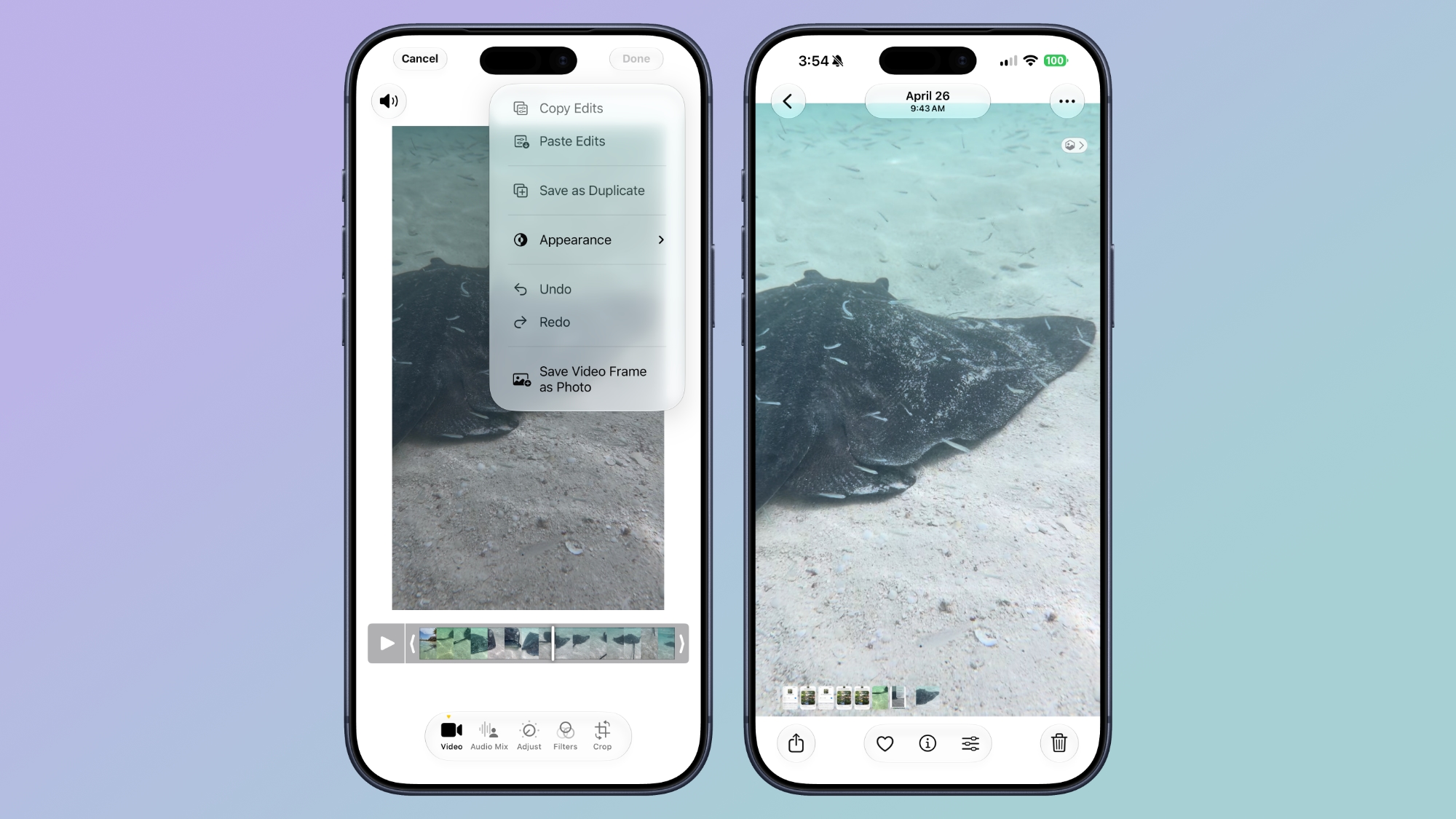


The Photos app in iOS 27 lets you pull a single frame out of a video and save it as its own photo. So you no longer have to rely on the old workaround of pausing playback, taking a screenshot, and cropping out the scrubber. The frame is subsequently saved in your library as a normal image, ready to edit or share just like any other shot.

Give Your Alarms Their Own Volume
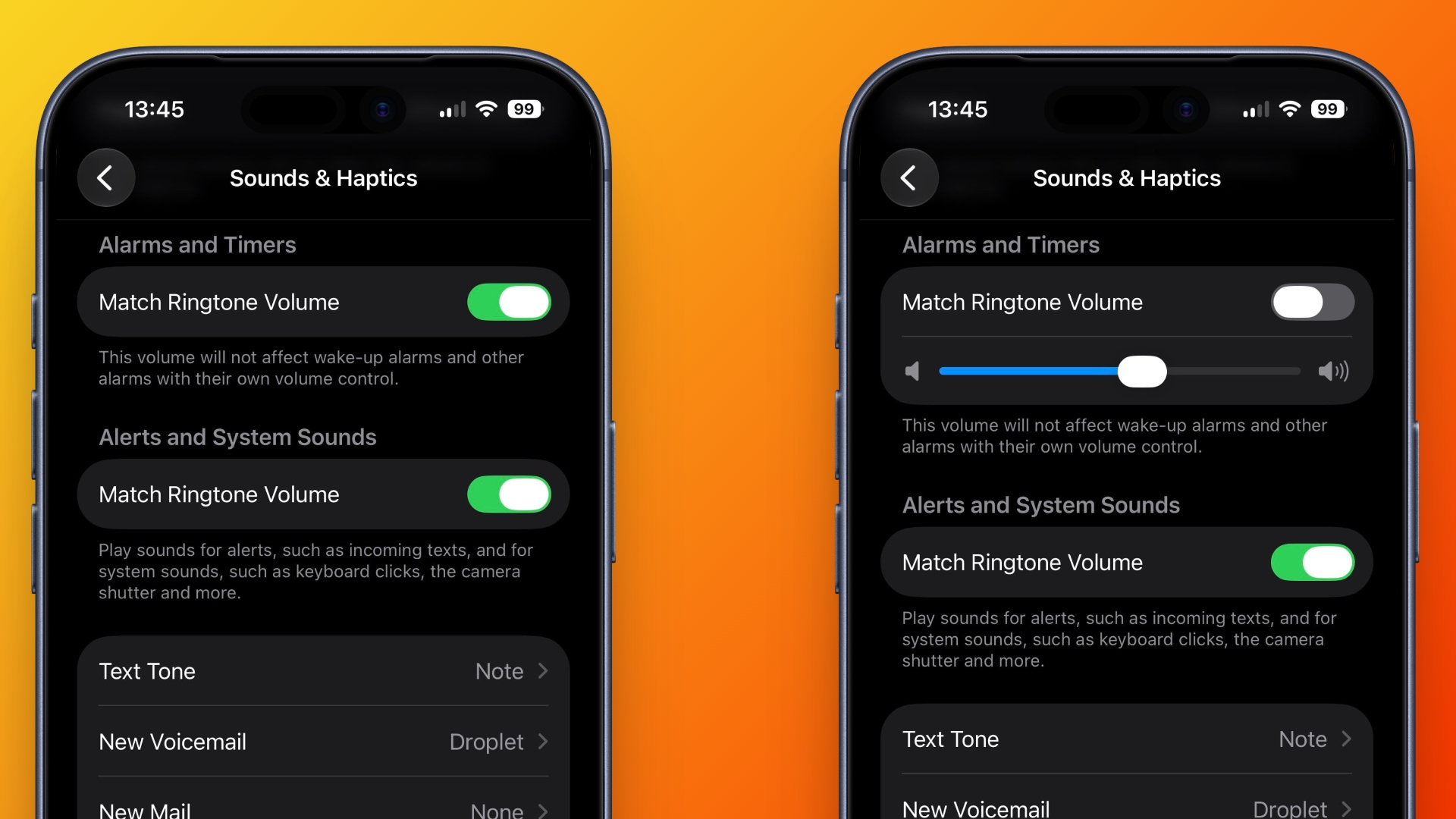


In iOS 27, Settings ➝ Sounds & Haptics gains an Alarms and Timers section with a "Match Ringtone Volume" toggle. Switch it off and a dedicated slider appears, so you can drop the ringer to nothing overnight and still get woken at the volume you chose. Apple's own note under the slider says it won't override wake-up alarms or other alarms that carry their own volume control.

Share Your Location for as Long as You Want
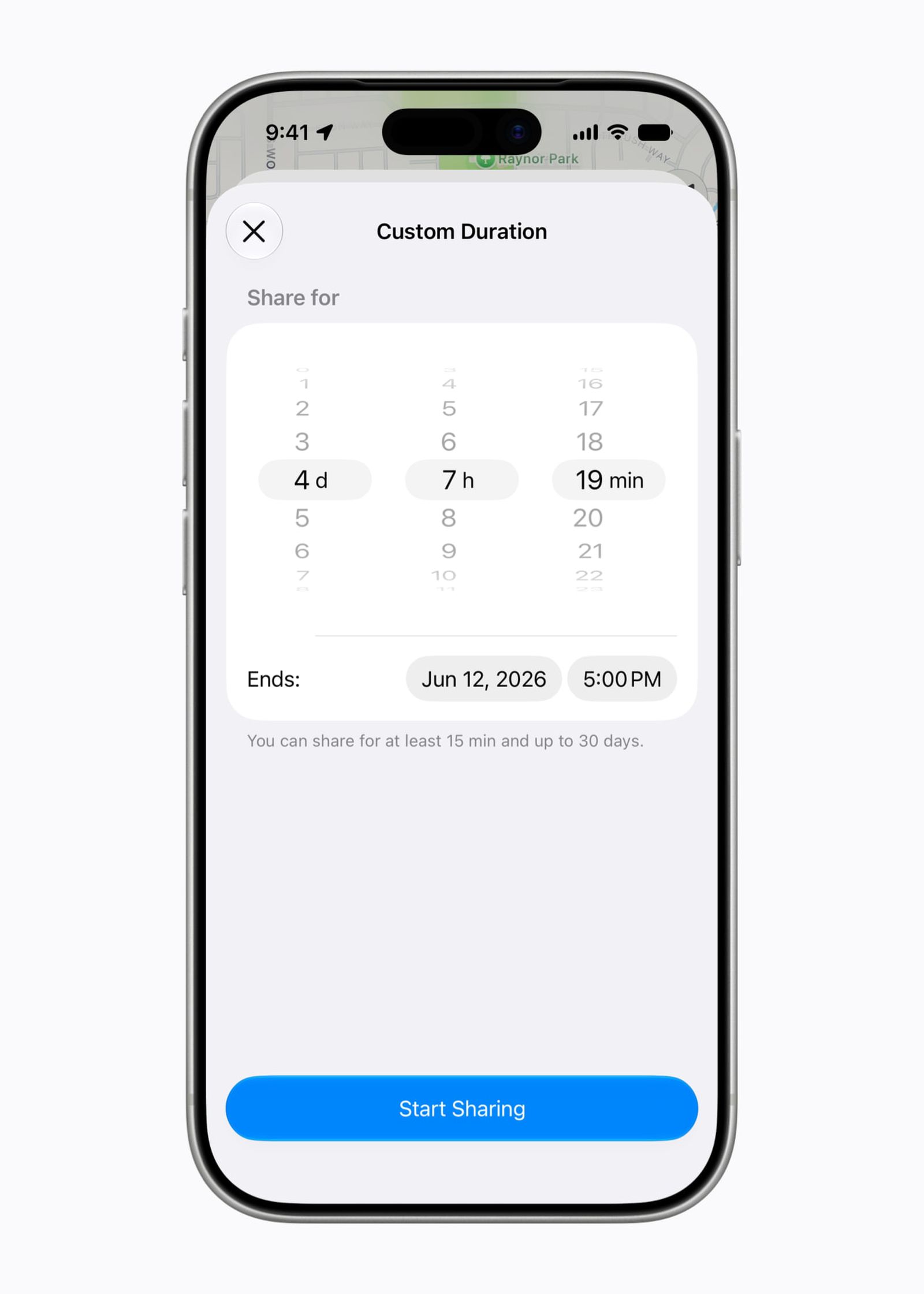


In iOS 26, sharing your location in Find My involves choosing from three presets: one hour, until end of day, or indefinitely. By contrast, iOS 27 adds custom durations – four days and six hours, for example. Alternatively, you can enter an exact date and time for sharing to expire. You can also pause sharing with specific people until the end of the day, without them being informed.

Show Both Camera Views on a FaceTime Call
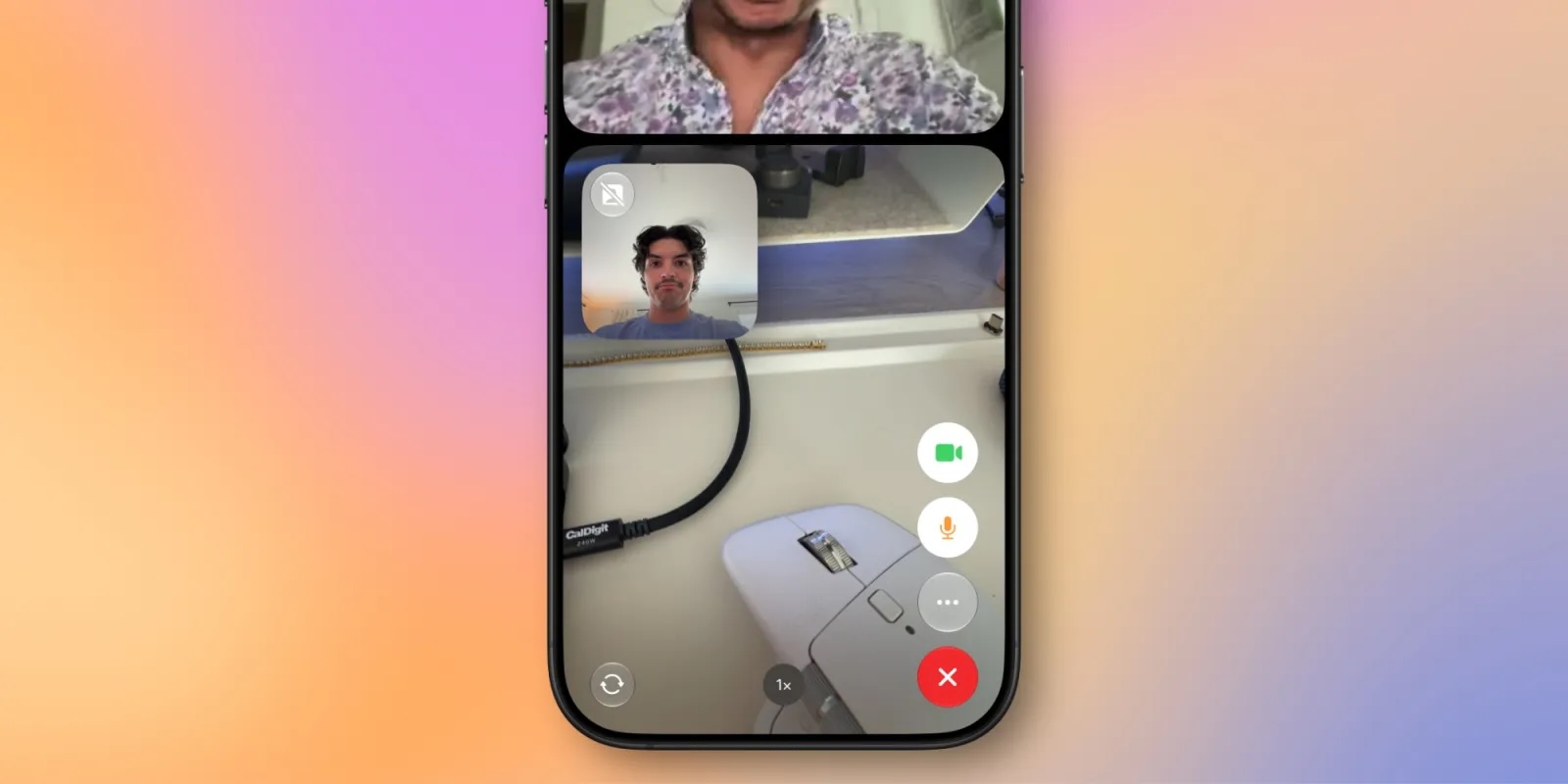


FaceTime has a Dual Capture option in iOS 27. On the iPhone 17 models and the iPhone Air, you can use the front and back cameras at the same time while on a FaceTime call. The person you're calling is able to see your face and what's shown through the back camera. You can turn on Dual Capture on a supported iPhone by tapping on the camera flip button. If you only want to show the back camera feed, you can tap to turn off the front camera view.

Draw in Messages
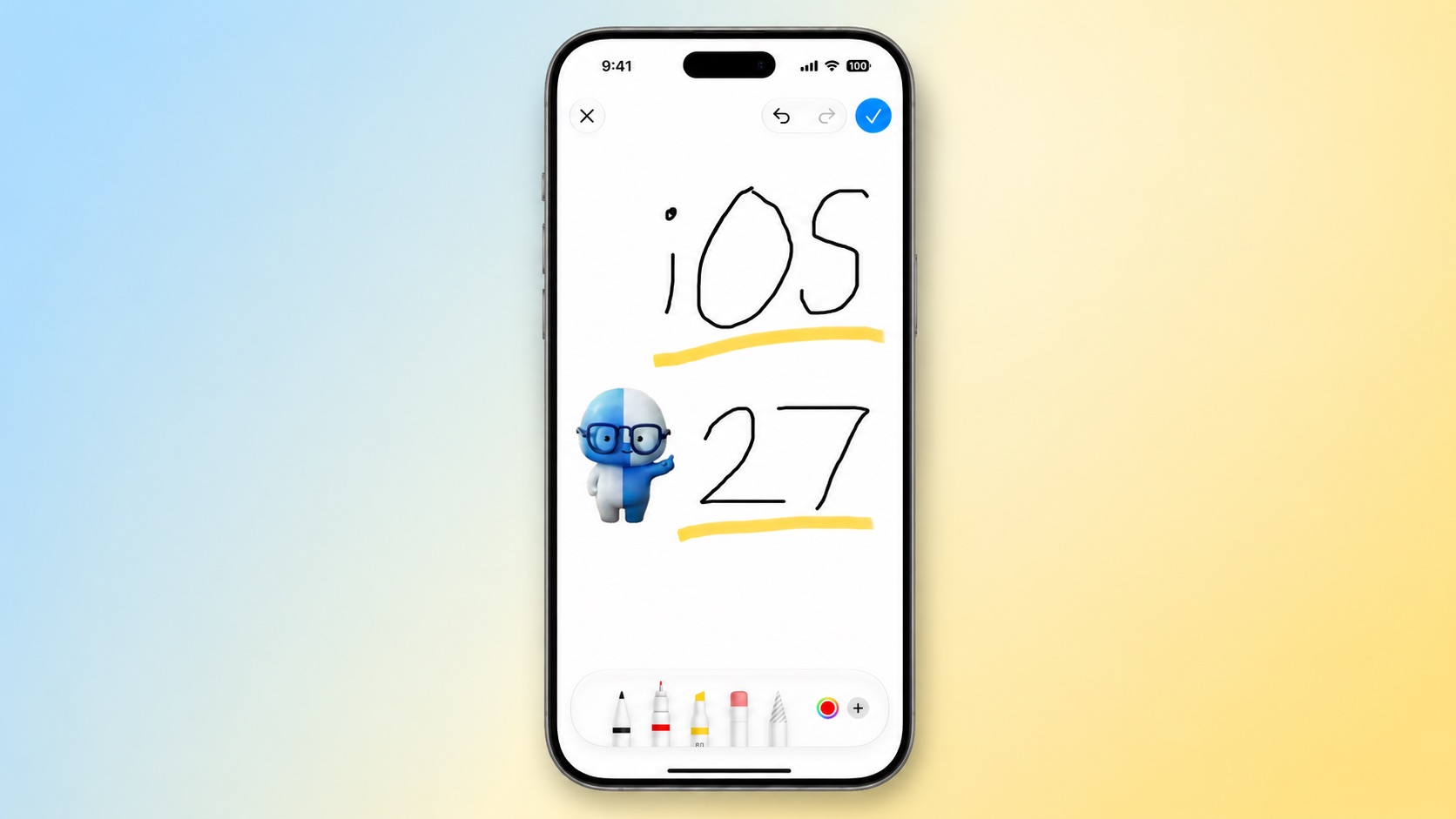


You can now drawing in the Messages app to send little sketches and notes. It's available when tapping on the "+" button next to the text bar in a conversation. The drawing interface is the same as the Markup tool available in apps like Photos and Notes. There's a marker, a pen, a highlighter, and an eraser, plus options to use the tools in any color.

Get Notified About a Webpage Change
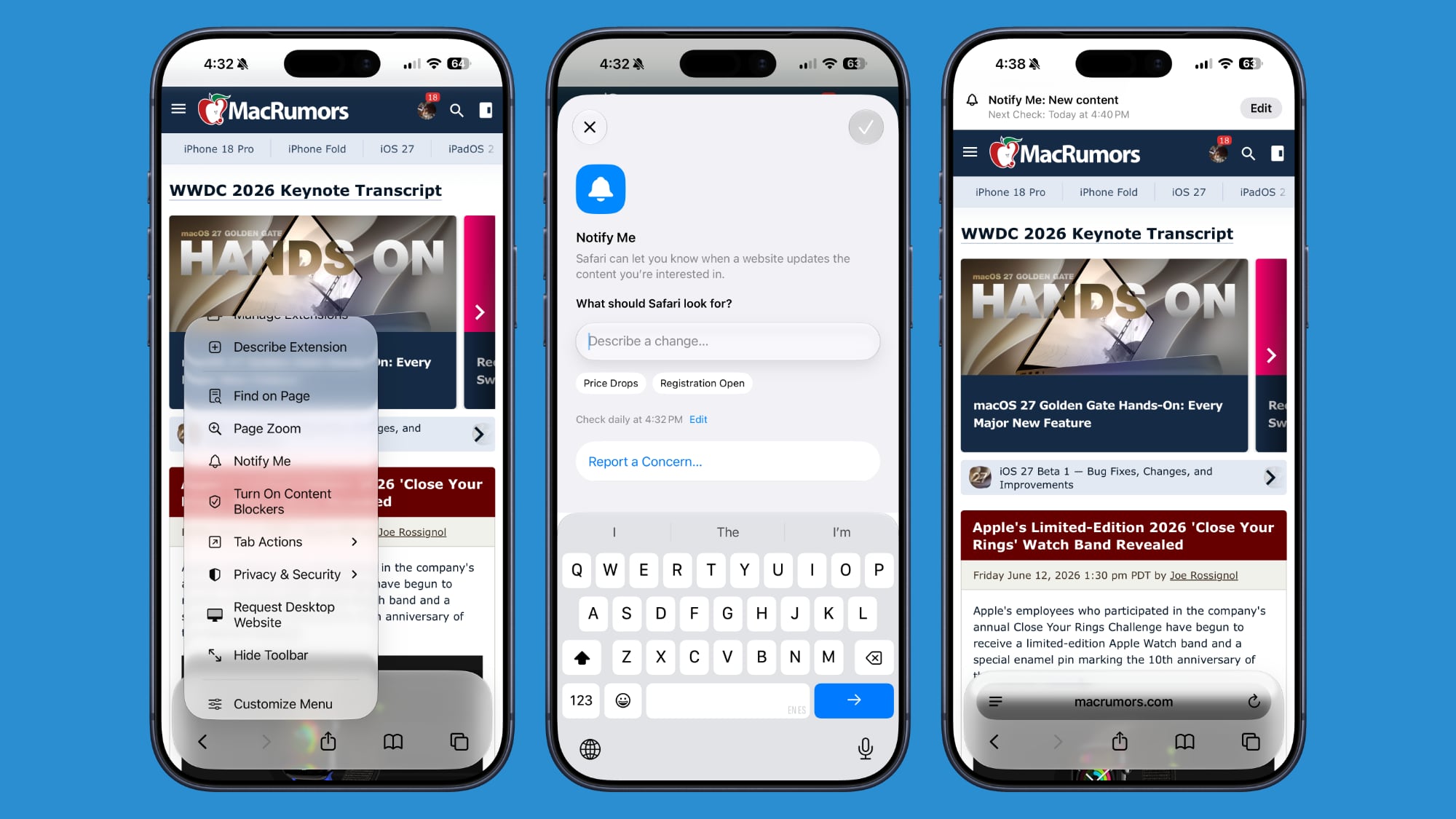


Apple's new version of Safari browser in macOS 27 and iOS 27 can be tasked to monitor a webpage and notify you of any changes. With "Notify Me," Safari can keep checking a website on your behalf – such as a product you've been watching for when it comes back in stock – and alert you when a change occurs.

Reframe a Photo
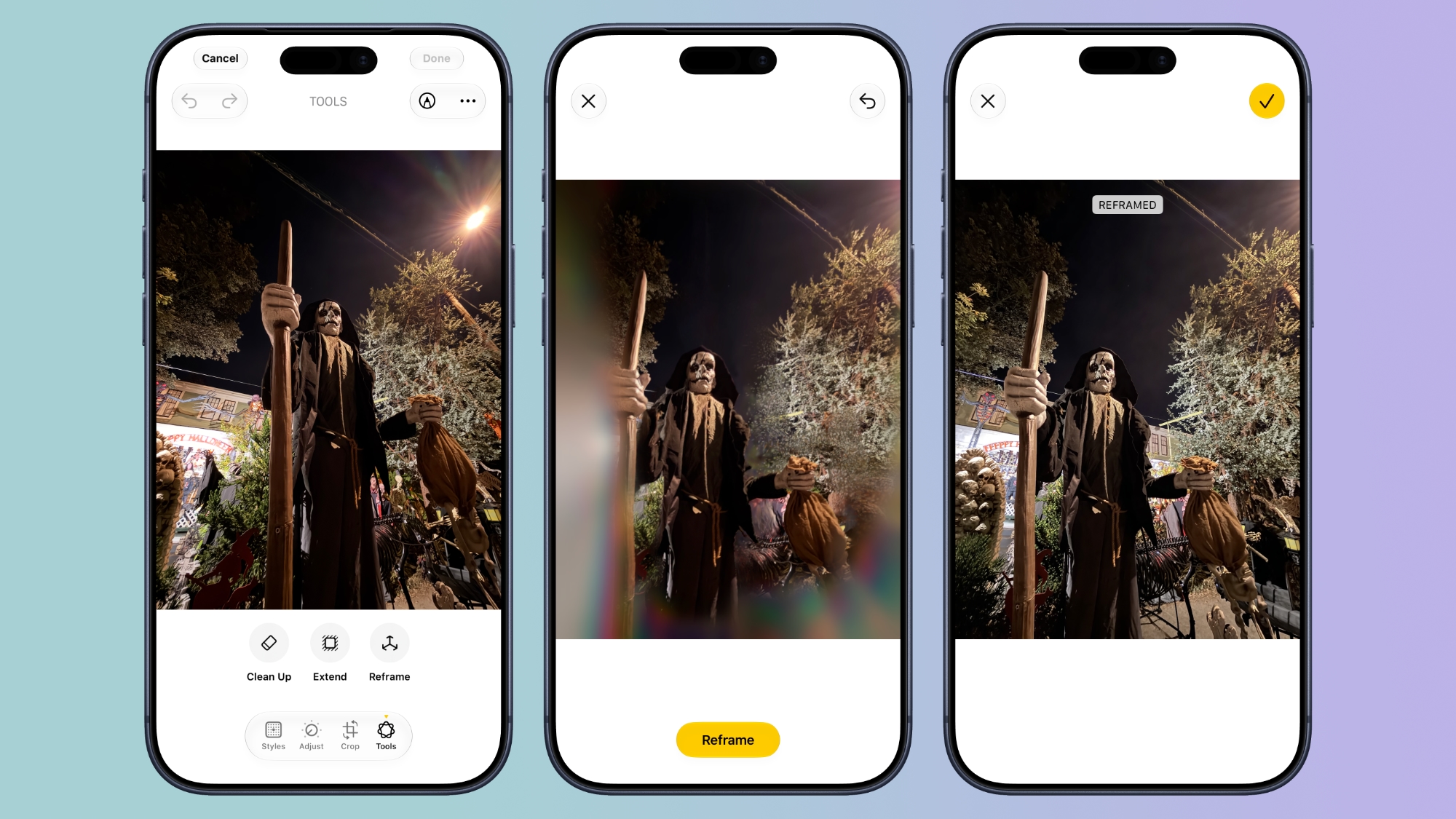


A new Reframe feature in Photos can change the perspective of a photo and make adjustments to the angle of a person or object. It uses the spatial information the iPhone gathers when a photo is taken, and combines it with AI to change the angle of the camera in post-processing. The spatial data is used for adjusting the subject of the image, and then AI fills in any pixels that are missing.

Get Spending Insights in Wallet
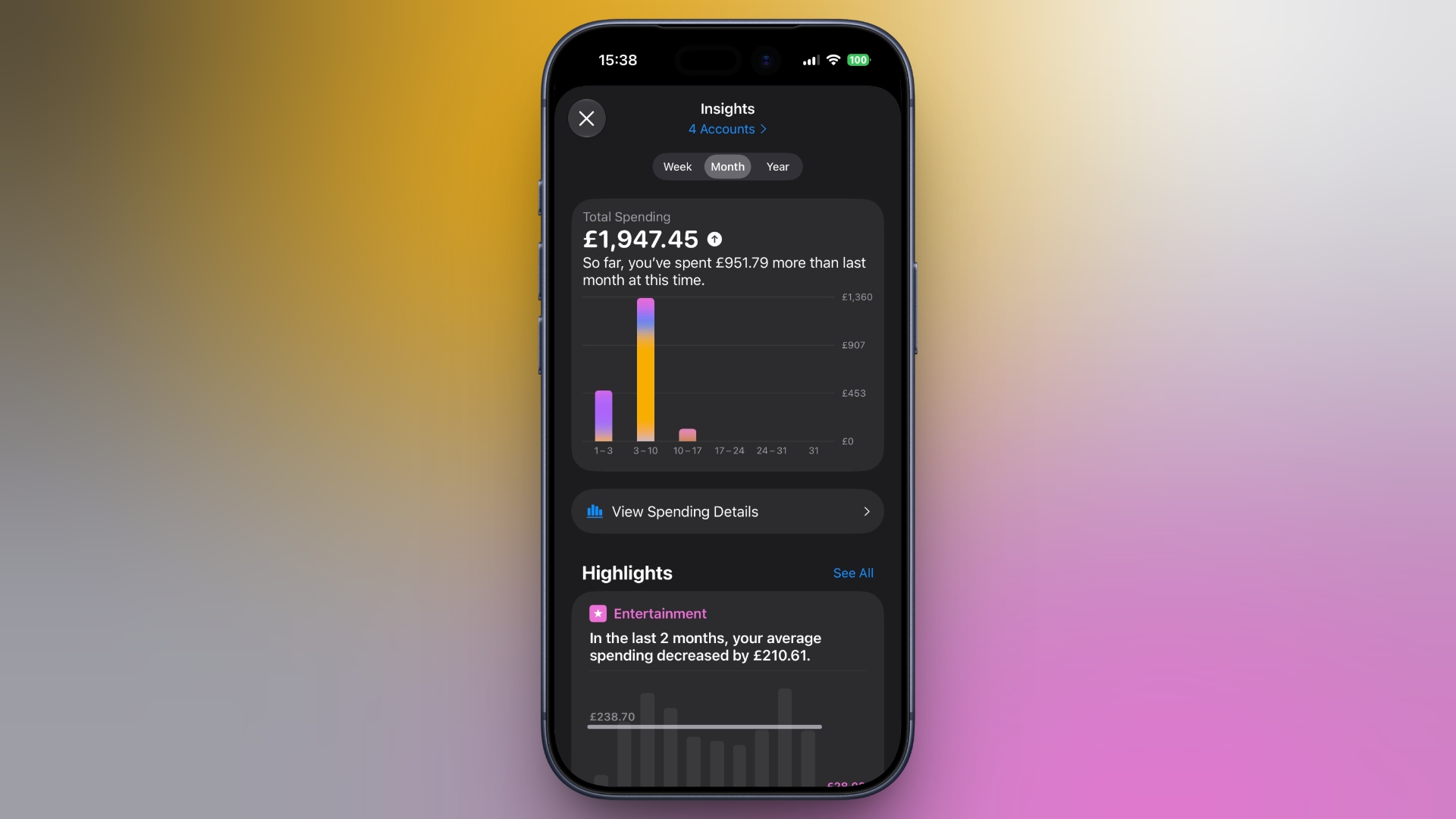

wallet
A new "Insights" feature in the Wallet app lets you add different Connected Accounts to monitor your spending. Accessed by tapping the three dots in the top right corner, the feature displays your spending highlights, trends, and other details. Note that Connected Accounts integration is dependent on your bank offering the feature, and currently it has broader support in the U.K. than in the U.S.

Get Context When on a Call
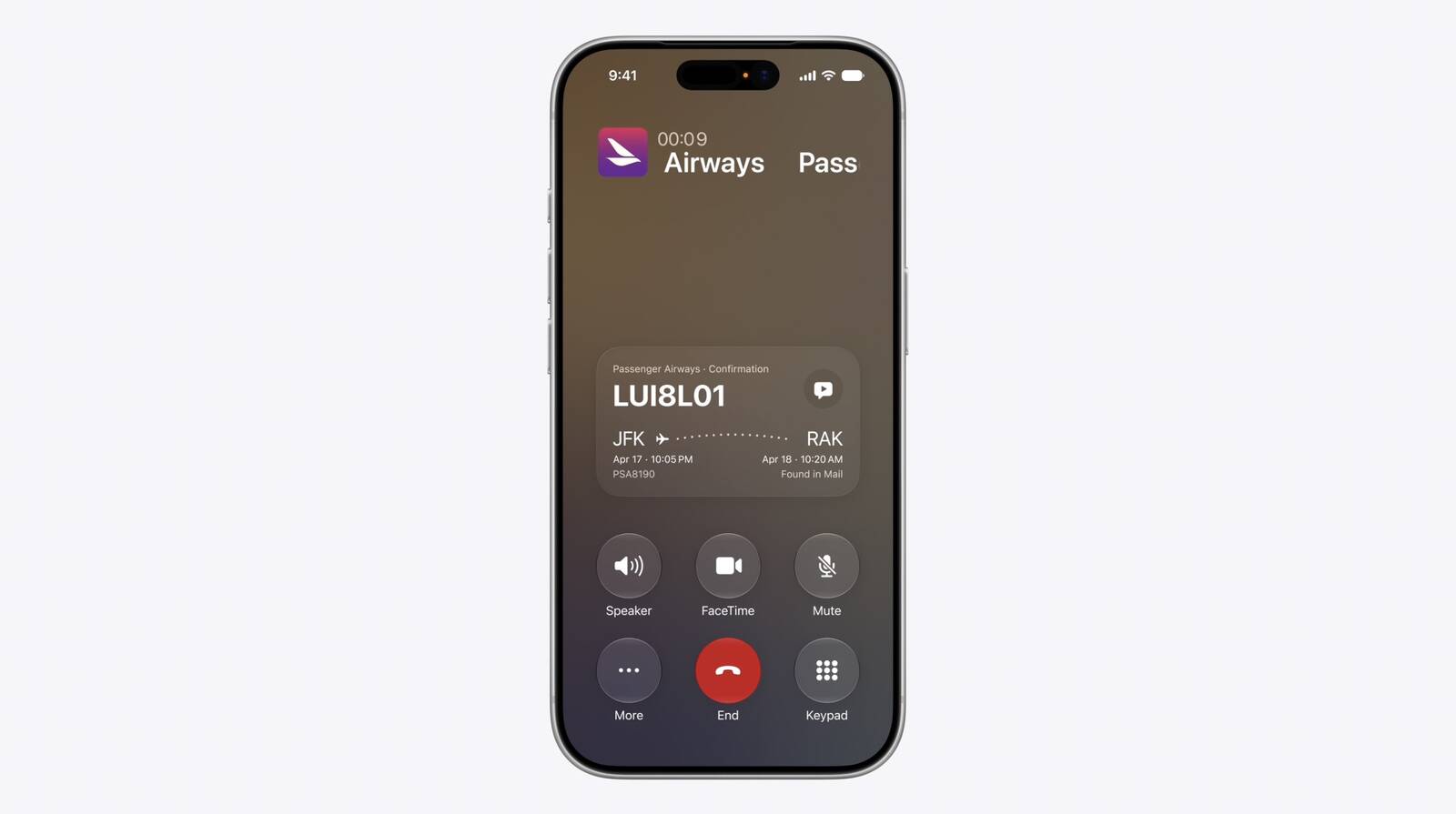


When you're on a phone call to a business, a new feature called "Call Context" proactively surfaces relevant information. If you call an airline to change a flight, for example, the Phone app can automatically find the relevant confirmation code or reservation number from Mail and display it during the call. Apple says Call Context looks only at who the user is calling and not at the call audio itself. The feature runs entirely on device, meaning no data is shared with Apple or any third party.

Learn What's Trending Around You in Maps



In Maps, a new Local Lists section uses intelligent insights from what's trending around you for suggestions on places you should visit. Maps surfaces locally relevant collections of places to make it easier to find popular and interesting locations. Apple says Local Lists is privacy-focused and does not use information tied to individual users. Note that this feature is only available in the U.S.
Related Roundups: iOS 27, iPadOS 27

This article, "30 New Things Your iPhone Can Do in iOS 27" first appeared on MacRumors.com

Discuss this article in our forums

  •  
❌