❌

Lees weergave

Apple Just Added New Accessories, Including Thinnest-Ever PopSockets

Apple has teamed up with accessory makers to offer chargers, stands, power banks, cables, and more in bright color options like blue, pink, and teal. The splash of color arrives in time for summer in the U.S. and many other countries.


The new color options are available exclusively from Apple, both online and for in-store pickup.

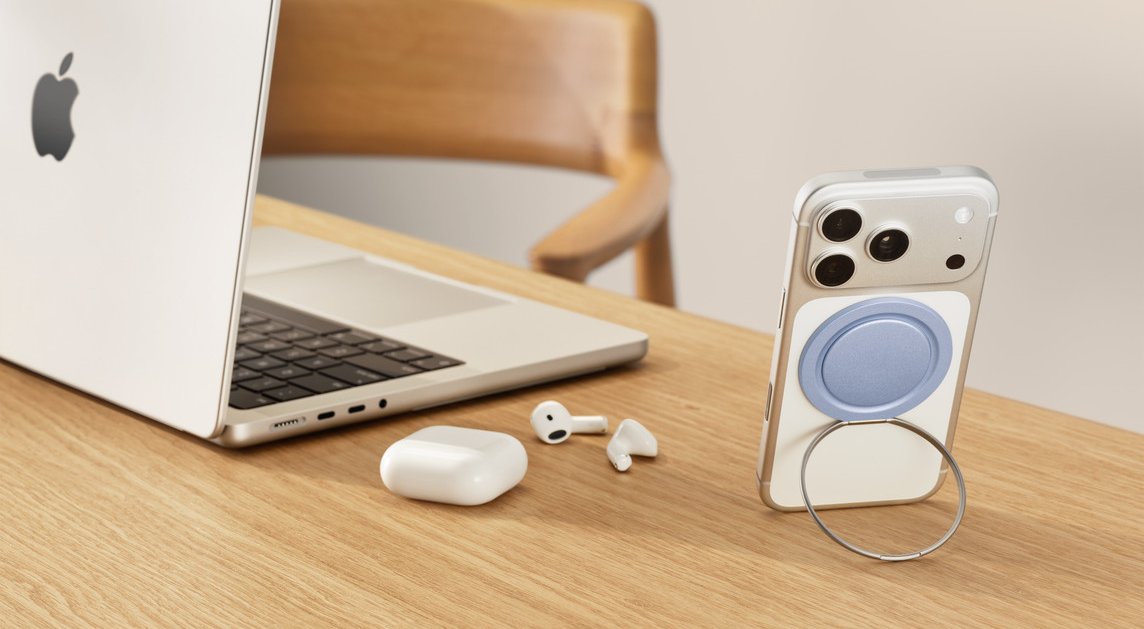
Notably, one of the accessories added to Apple's online store today is the PopSockets Low-Pro, which is the thinnest version of the popular accessory ever. Priced at $39.95 in the U.S., the MagSafe-compatible accessory continues to function as both an iPhone grip and a stand, except this version has a thickness of just 2.5mm.
PopSockets Low-Pro

Other participating brands include Belkin, Herschel, Mophie, Nimble, Scosche, and Twelve South.

Here are some examples:Apple also began selling some other accessories through its online store that are not part of this seasonal color refresh, including Logitech's MX Master 4 mouse, Nimble's Podium 3-in-1 wireless charger, Twelve South's PowerBug charger (with Qi 2.2 support), and more, with all of the latest additions listed on Apple's New Product Arrivals page.
This article, "Apple Just Added New Accessories, Including Thinnest-Ever PopSockets" first appeared on MacRumors.com

Discuss this article in our forums

  •  

Schlage Launching Sense Pro Door Lock With Hands-Free Unlocking via iPhone or Apple Watch

Schlage today announced that the Sense Pro smart deadbolt it unveiled at CES 2025 will finally be available for purchase in the U.S. and Canada beginning June 29, with U.S. pricing set at $399 and Canadian pricing set at $549. The smart deadbolt will be available at Amazon, The Home Depot, Lowe's, and select other retailers.


Sense Pro utilizes Ultra Wideband technology to allow for hands-free unlocking with a compatible iPhone or Apple Watch model. After adding a digital key to the Apple Wallet app, you can simply approach your door with your iPhone in your pocket or your Apple Watch on your wrist and the door will automatically unlock.

Schlage said the hands-free feature works by calculating speed, trajectory, and motion to unlock the door precisely as you reach your door.

The deadbolt has no keyhole, but it does have a keypad for keyless entry with an access code.

Sense Pro has built-in Wi-Fi, allowing it to be managed remotely through the Schlage Home app. You can lock and unlock the deadbolt from anywhere, manage up to 250 unique access codes, set timed auto-lock and daily locking schedules, and customize lock settings. The deadbolt can also be managed in Apple's Home app.

Hands-free unlocking is available with the Apple Watch Series 6 and later (excluding the Apple Watch SE) running watchOS 11.5 or later, and the iPhone 11 and later (excluding the iPhone SE 2, iPhone SE 3, iPhone 16e, and iPhone 17e) running iOS 18.5 or later.

Matter over Thread support allows the Sense Pro to pair with a Thread-enabled Apple Home hub, including the Apple TV 4K (2nd generation), Apple TV 4K (3rd generation), HomePod (2nd generation), and HomePod mini.

The lock is equipped with disposable batteries that offer up to six months of battery life. A built-in USB-C port can provide temporary power.

Samsung Wallet and Google Wallet support will arrive later this year, as part of the lock's compatibility with Aliro, according to Schlage.
Related Roundup: Apple Watch 11
Buyer's Guide: Apple Watch (Caution)

This article, "Schlage Launching Sense Pro Door Lock With Hands-Free Unlocking via iPhone or Apple Watch" first appeared on MacRumors.com

Discuss this article in our forums
  •  

Walt Disney World to Offer iOS 27's Upgraded Apple Wallet Key Feature

Starting with iOS 27, the Apple Wallet app will offer enhanced digital keys at participating hotels and resorts. Apple said you can view more details about your trips, receive updates about booked activities, access services available during your stay, and more.


Apple did not share a list of hotels and resorts that will be offering these upgraded keys, but TechRadar reported that Walt Disney World Resort plans to add support for the improved feature by the time iOS 27 is released in September.

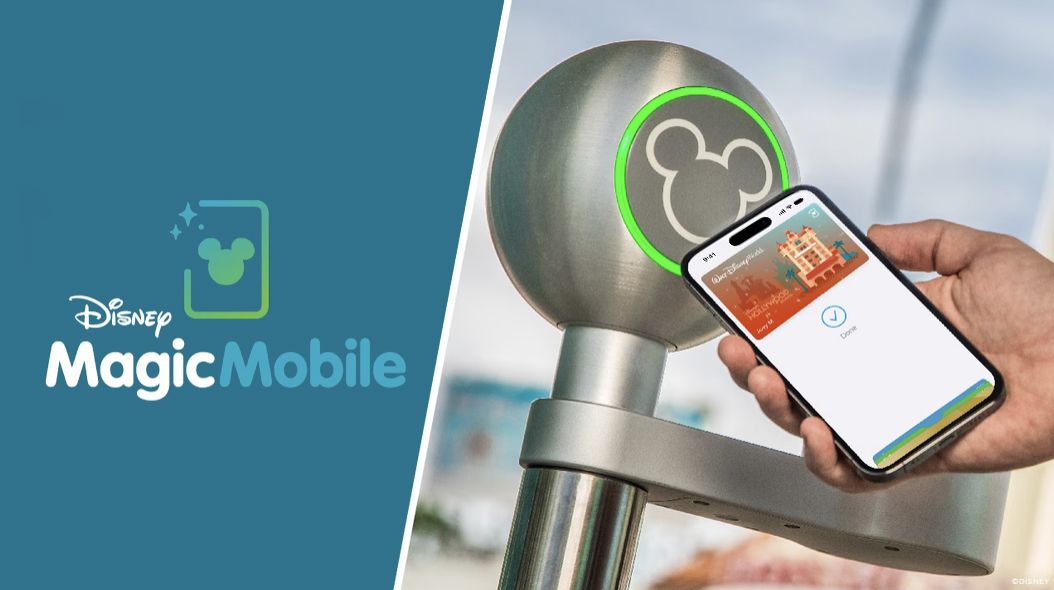
You can already add your Disney World tickets to Apple Wallet through the My Disney Experience app, and then simply tap your iPhone or Apple Watch on the scanners located at the entrances to parks and Lightning Lane queues for rides. On iOS 27, though, the report said this MagicMobile experience will get better in several ways.

According to the report, tapping on your MagicMobile pass in the Wallet app will allow you to view more information, including your park reservations for the current day and future days, your Lightning Lane ride selections, special ticketed events (such as After Hours), dining reservations, and more. The enhanced passes are dynamic, meaning that the information shown is updated automatically throughout the day.

You will still need to use the My Disney Experience app to actually make your Lightning Lane selections, dining reservations, and so forth.

These enhancements will make Apple Wallet more useful for Disney World visits β€”Β especially if someone else in your group is managing your day.

Resorts World Las Vegas also plans to offer enhanced Apple Wallet keys on iOS 27, per the report. The property has three hotels operated by Hilton.
Related Roundups: iOS 27, iPadOS 27

This article, "Walt Disney World to Offer iOS 27's Upgraded Apple Wallet Key Feature" first appeared on MacRumors.com

Discuss this article in our forums

  •  

New 'Apple One' Perk Extends to Chase's Sapphire Reserve Credit Card

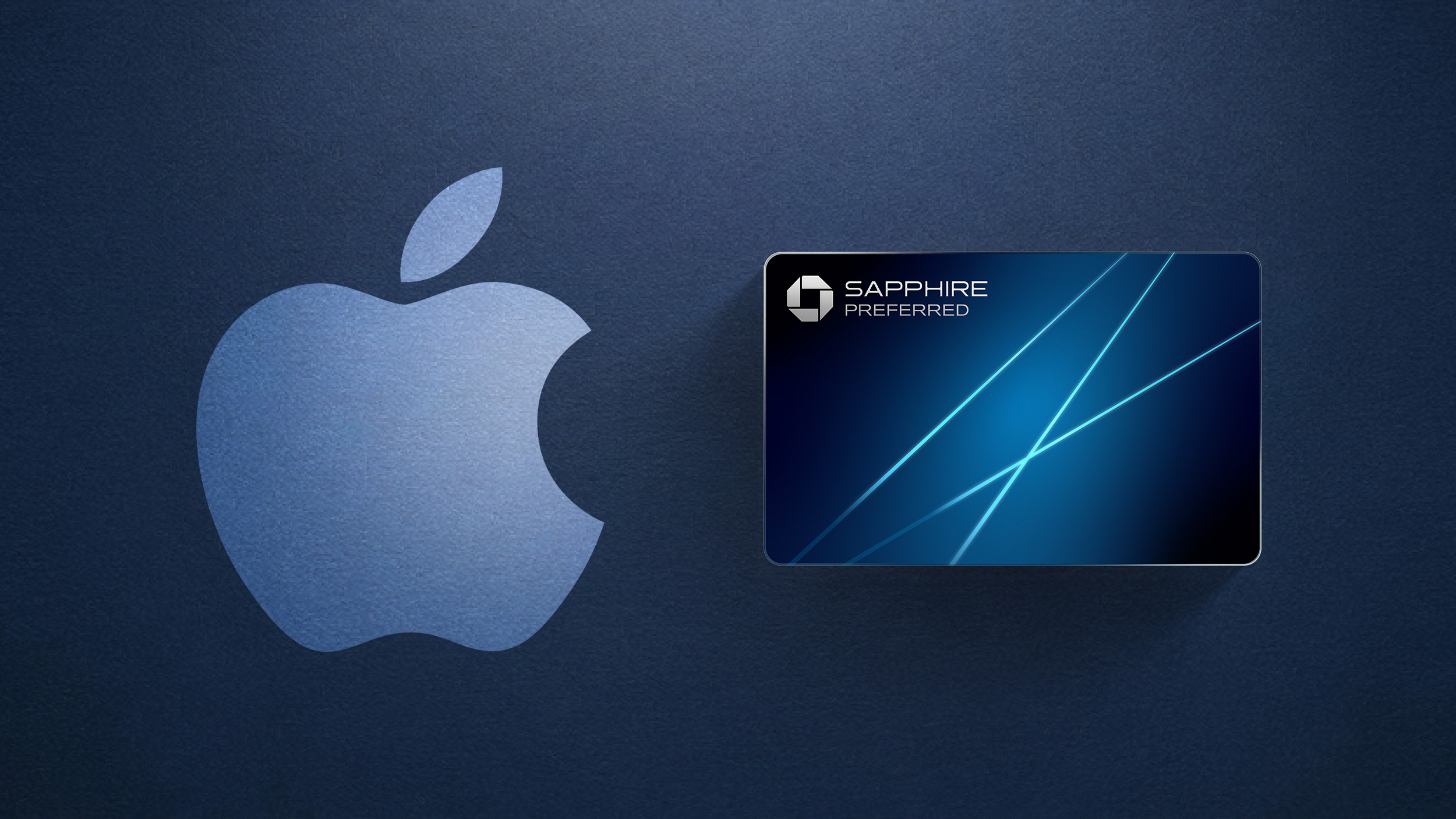
Yesterday, we reported that Chase's Sapphire Preferred credit card ($95 annual fee) now offers a complimentary one-year Apple TV streaming subscription, or a $7.50/month discount on an active Apple One subscription instead.


It turns out that the Apple One discount now extends to Chase's premium Sapphire Reserve credit card too ($795 annual fee). The Sapphire Reserve has offered free subscriptions to both Apple TV and Apple Music since last year, but now cardholders can receive a combined $15/month discount on an Apple One subscription instead.

For example, a Reddit user showed that their Apple One Premier plan has been discounted to $21.95 per month, down from the regular price of $37.95 per month. This is actually a $16/month discount, which is slightly higher than advertised.

You can manage your Apple perks on Chase.com or in the Chase Mobile app. Make sure to read the fine print on Chase's Sapphire Reserve page.
This article, "New 'Apple One' Perk Extends to Chase's Sapphire Reserve Credit Card" first appeared on MacRumors.com

Discuss this article in our forums
  •  

Chase Sapphire Preferred Card Introduces New Perk for Apple Customers

Chase this week announced new perks for its Sapphire Preferred credit card, and one of them is a complimentary one-year Apple TV streaming subscription.


To get the free year of Apple TV, which typically costs $12.99 per month in the U.S., you must activate the card by December 31, 2026.

If you are already subscribed to Apple TV directly through Apple, the complimentary subscription from Chase will automatically supersede your paid subscription until it ends, at which point the paid subscription will resume at the going price.

As noted by 9to5Mac, Apple One subscribers can receive a $7.50 discount per month instead.

If you are subscribed to Apple One directly through Apple, and activate your complimentary Apple TV access on Chase.com or the Chase Mobile app with the same Apple Account connected to your Apple One billing, you will automatically receive a $7.50 discount on your Apple One subscription for 12 months starting on your next billing period.

Chase's Sapphire Preferred card continues to have a $95 annual fee. New and existing cardholders have access to these new benefits starting today.

The other new benefits include 3Γ— points on gas, EV charging, and Airbnb and Vrbo bookings, while the card's annual hotel statement credit has been doubled to $100. There is also a new $120 Global Entry, TSA PreCheck, or NEXUS credit every four years, along with new "emergency evacuation and transportation" coverage.

On the other hand, the 10% anniversary bonus benefit is being discontinued, and Ultimate Rewards points will transfer to World of Hyatt at a rate of 4:3.

More details are available in Chase's press release. For a limited time, new cardholders can earn 100,000 points after spending $5,000 in the first three months.

Chase's higher-end Sapphire Reserve credit card offers complimentary Apple TV and Apple Music subscriptions, but it has an annual fee of $795.

Update: Sapphire Reserve cardholders can now get a $15/month discount on Apple One.
This article, "Chase Sapphire Preferred Card Introduces New Perk for Apple Customers" first appeared on MacRumors.com

Discuss this article in our forums
  •  

iOS 26.5.2 Coming Soon Alongside the iOS 26.6 and iOS 27 Betas

Apple is internally testing iOS 26.5.2, according to the MacRumors visitor logs, which have accurately confirmed many future iOS versions over the years.


iOS 26.5.2 will almost certainly be a minor update that fixes software bugs and/or security vulnerabilities. We do not know exactly when the update will be released, but our best guess is that it will arrive this week or next week.

iOS 26.5.1 was released earlier this month with a fix for a charging issue that impacted some iPhone 17, iPhone 17 Pro, iPhone 17 Pro Max, and iPhone Air units. That update was not released for any other iPhones, so it is reasonable that Apple is apparently planning a follow-up iOS 26.5.2 update that supports the full range of compatible models.

Apple has a lot of software updates in the works, as iOS 26.5.2 will arrive alongside the iOS 26.6 beta and iOS 27 beta. The first iOS 26.6 beta did not introduce any major new features, as Apple is focused on the much bigger iOS 27 update with a more intelligent and personal version of Siri, design tweaks, and performance improvements.
Related Roundups: iOS 26, iPadOS 26, iOS 27, iPadOS 27
Related Forum: iOS 26

This article, "iOS 26.5.2 Coming Soon Alongside the iOS 26.6 and iOS 27 Betas" first appeared on MacRumors.com

Discuss this article in our forums
  •  

Apple's Limited-Edition 2026 'Close Your Rings' Watch Band Revealed

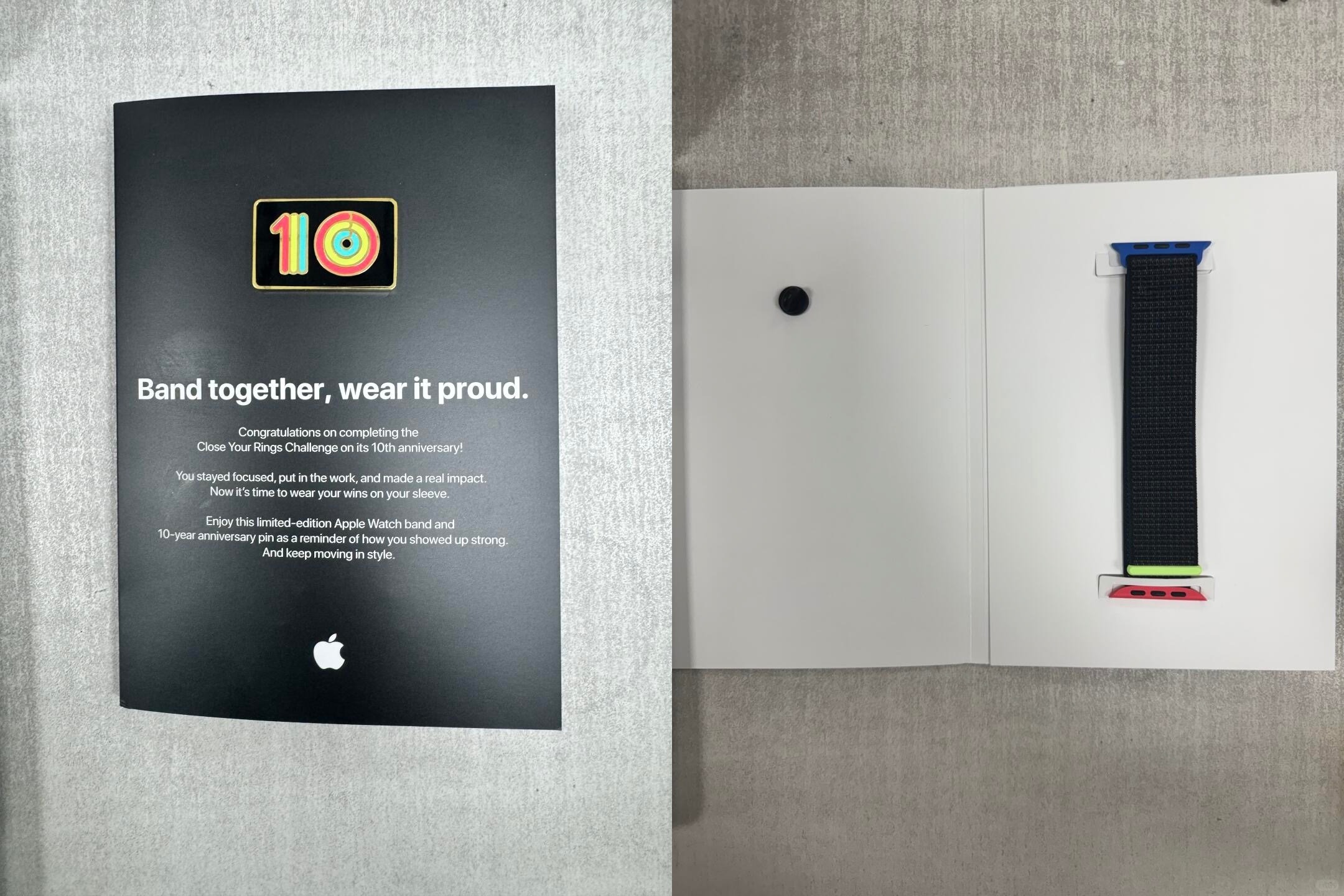
Apple's employees who participated in the company's annual Close Your Rings Challenge have begun to receive a limited-edition Apple Watch band and a special enamel pin marking the 10th anniversary of the internal challenge.


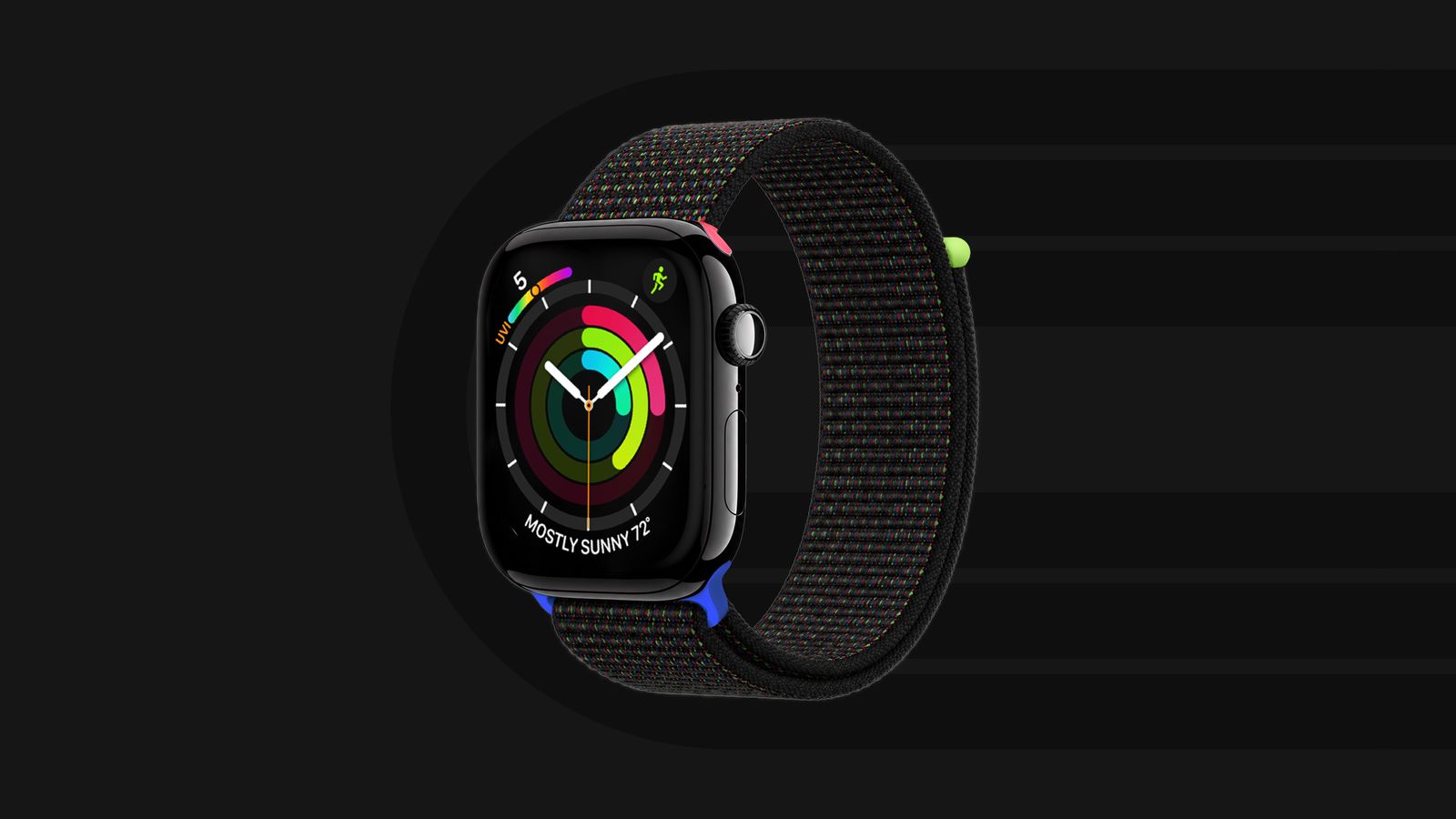
This year's band is a black Sport Loop with special lugs and an end piece that are colored similarly to the Apple Watch's Move, Exercise, and Stand rings.


Given that these bands are limited to Apple's employees, rather than being sold directly to customers, they are relatively rare. You can keep track of hundreds of Apple Watch bands released since 2015 through the Bandbreite app on the iPhone.
Related Roundup: Apple Watch 11
Buyer's Guide: Apple Watch (Caution)

This article, "Apple's Limited-Edition 2026 'Close Your Rings' Watch Band Revealed" first appeared on MacRumors.com

Discuss this article in our forums
  •  

Last Chance: Apple Card Sign-Up Promo Can Earn You Free AirPods Pro 3

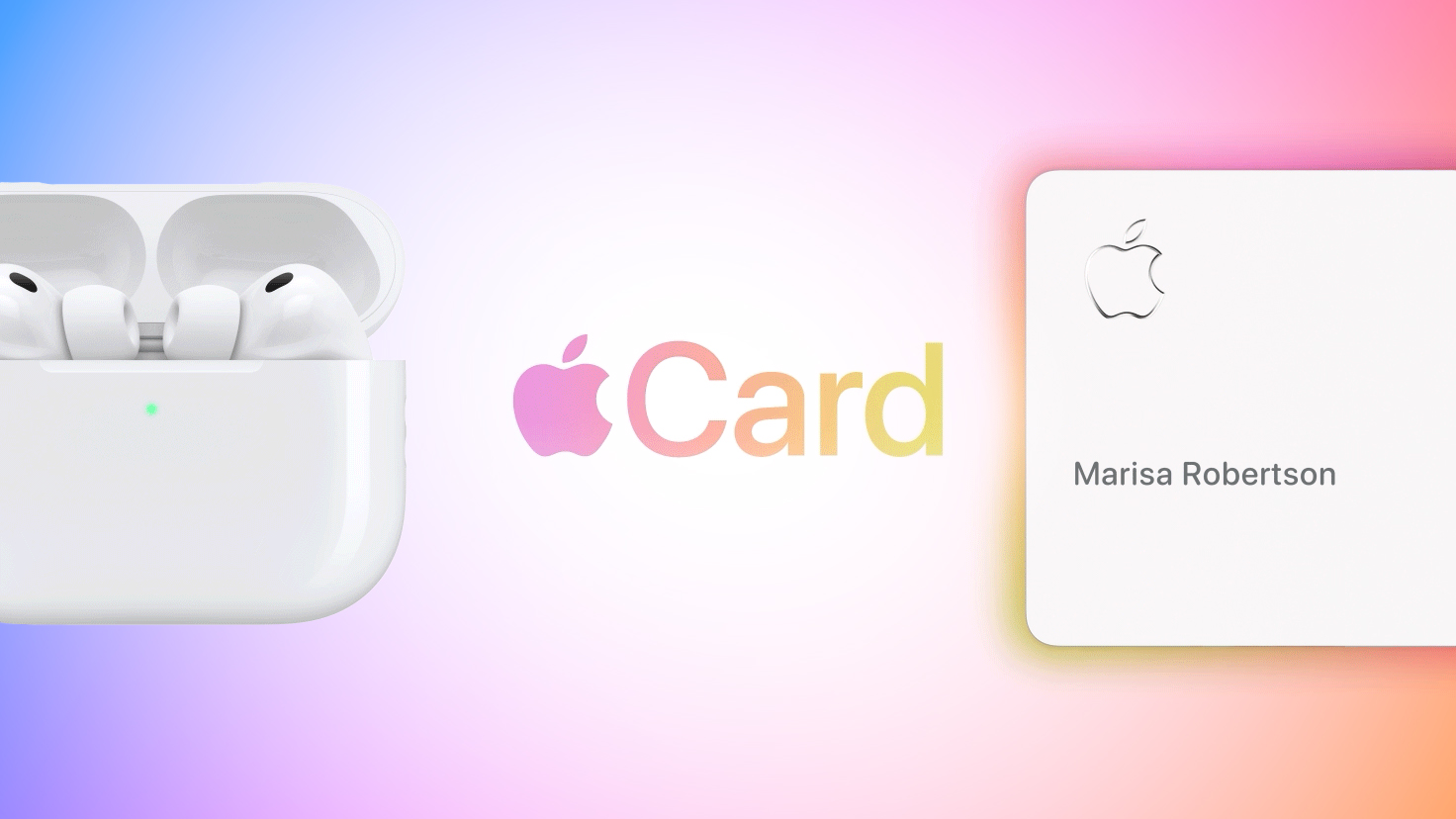
Time is running out on the Apple Card sign-up promo that began last month. For three more days, you can effectively receive AirPods Pro 3 for free when you sign up for a new Apple Card, but there are some strings attached.


If you sign up for and are approved for an Apple Card for the first time, and use it to purchase AirPods Pro 3 by June 15, you can earn up to $250 in bonus cash back over a 10-month period if you meet minimum transaction requirements.

Specifically, from July 1, 2026 through April 30, 2027, you can earn a bonus $25 cash back each month when you use your new Apple Card to make a minimum of 10 purchases of any amount ($0.01 or higher) that post to your account each month. The initial purchase of the AirPods Pro 3 does not count towards this requirement.

AirPods Pro 3 are regularly priced at $249 in the U.S. β€”Β but are currently on sale on Amazon for an all-time low price of $179 β€”Β so this promotion effectively allows you to earn back the cost of the wireless earbuds over 10 months.

If you already have an Apple Card, you are not eligible for this promotion.

Apple's website outlines full terms and conditions for this promotion, so be sure to look over the fine print at the bottom of the page.

Apple's credit card launched in 2019, and it remains available in the U.S. only. The card can be managed in the Apple Wallet app on an iPhone, has no annual fee, and offers up to 3% cash back (known as Daily Cash) on purchases paid out daily.

Daily Cash amounts: 1% on purchases with the physical Apple Card, 2% on purchases with the digital Apple Card via Apple Pay, and 3% on purchases from Apple itself and select partners such as Nike, Walgreens, Ace Hardware, and Uber.
Related Roundup: AirPods Pro 3
Buyer's Guide: AirPods Pro (Neutral)
Related Forum: AirPods

This article, "Last Chance: Apple Card Sign-Up Promo Can Earn You Free AirPods Pro 3" first appeared on MacRumors.com

Discuss this article in our forums
  •  

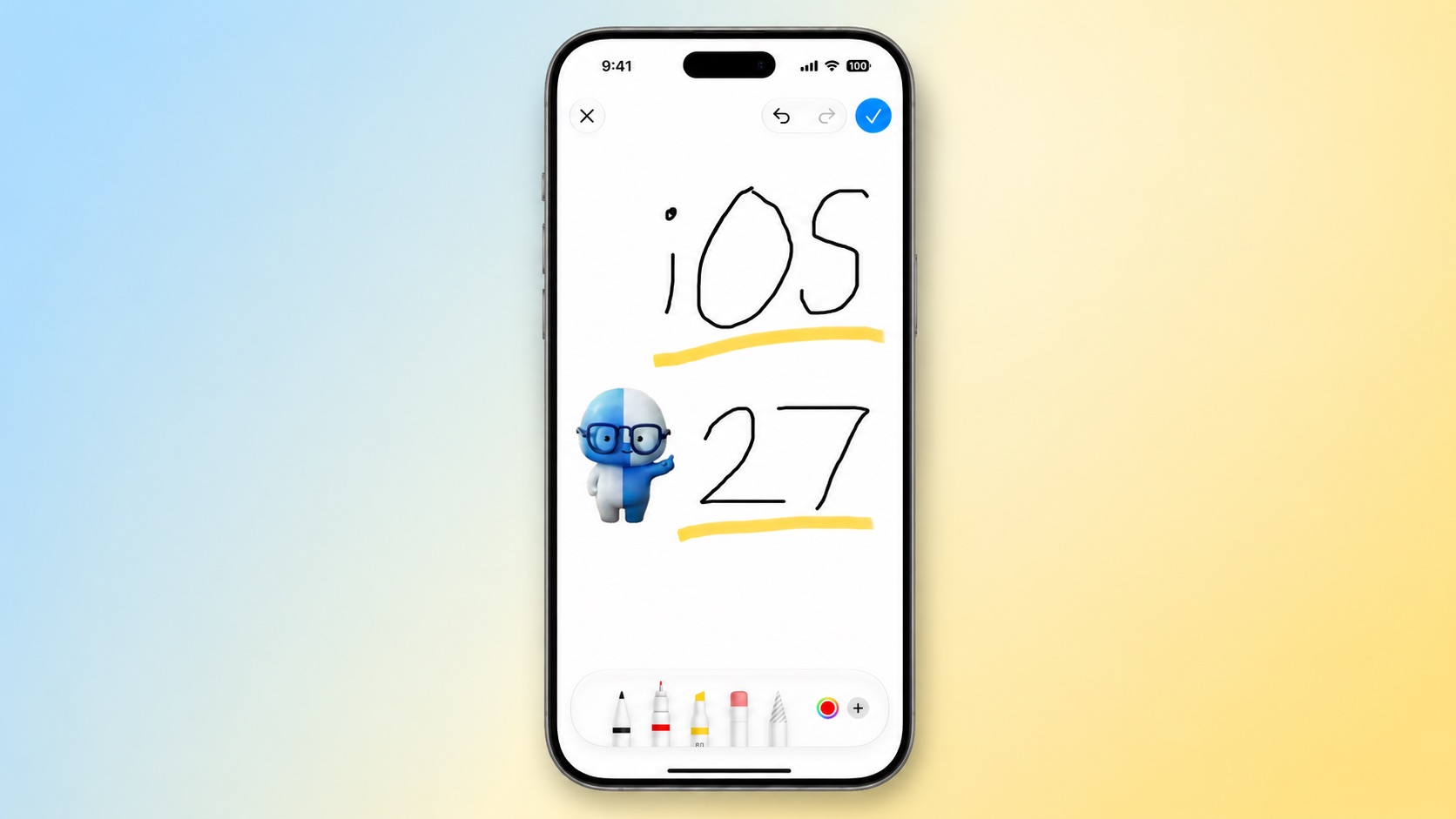
iOS 27 Adds New Drawing Tool to Your iPhone's Messages App

The upcoming iOS 27 and macOS 27 Golden Gate updates expand drawing tools to more of Apple's built-in apps across the iPhone and Mac.


In the Messages app on iOS 27, there is a new "Drawing" option in the app drawer, which can be opened by tapping the plus sign in the bottom-left corner.

On older iOS versions, the Messages app once had a very basic drawing tool that was accessible by tapping a button on the keyboard in landscape orientation, but now Apple's complete set of Markup tools are available in the app.

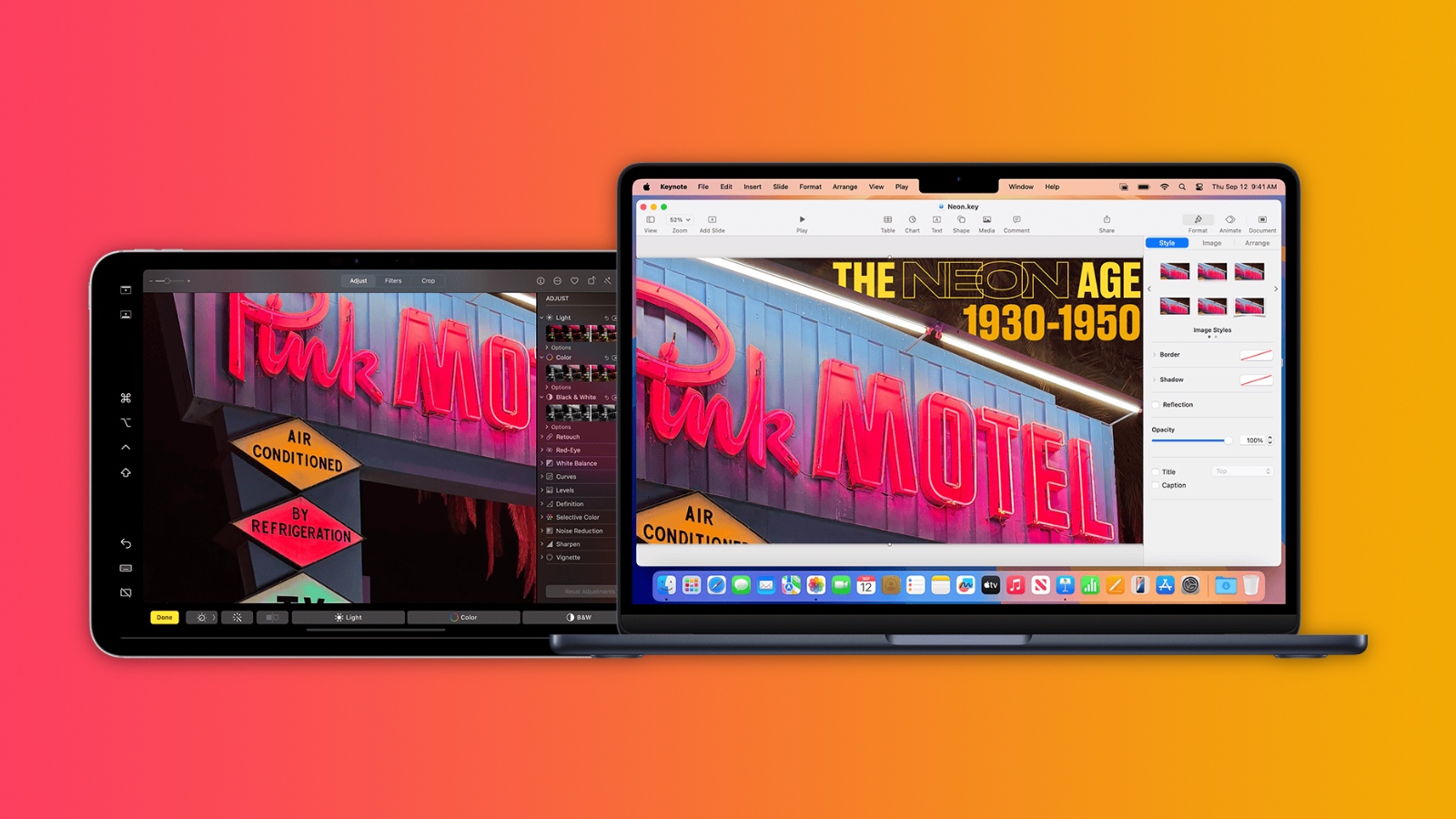
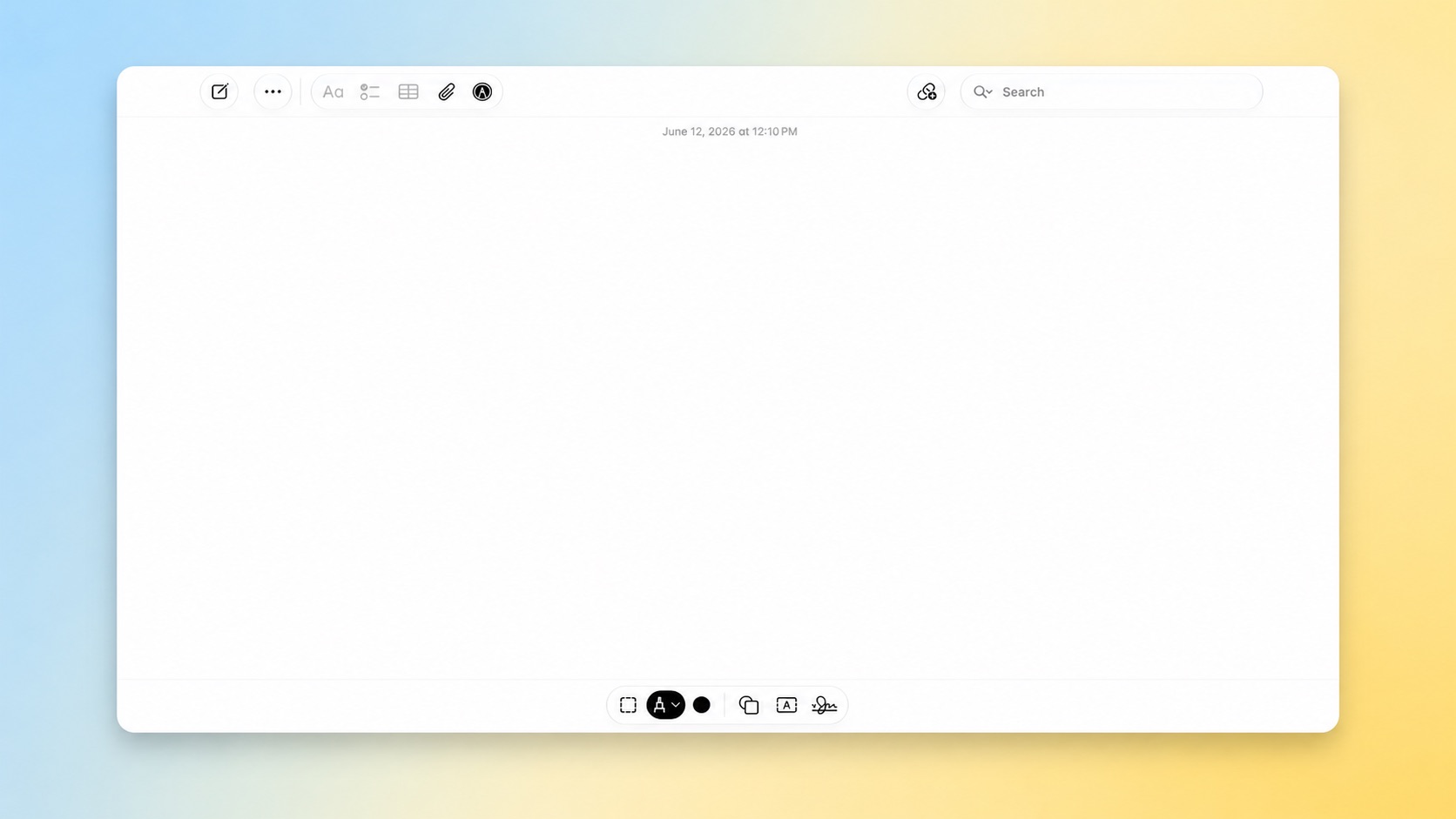
On the Mac, macOS 27 adds the Markup tools to the Notes and Freeform apps.


iOS 27 and macOS 27 are currently available in developer beta. The updates are expected to be released to the general public in September.
Related Roundups: iOS 27, iPadOS 27, macOS Golden Gate

This article, "iOS 27 Adds New Drawing Tool to Your iPhone's Messages App" first appeared on MacRumors.com

Discuss this article in our forums
  •  

Apple to Release These 15 New Products Later This Year

Apple's annual WWDC developers conference is drawing to a close, but there is still a lot to look forward to in the second half of the year.


Apple is expected to release at least 15 more products later this year. Now that the more intelligent and personal version of Siri has finally arrived in beta, a full two years after Apple first previewed it at WWDC 2024, we should begin to see some new devices that were reportedly postponed until the new Siri was ready.

Beyond the usual annual updates to iPhones and Apple Watches in September, Apple's all-new smart home hub is expected to debut later this year. We are also expecting a foldable iPhone Ultra and long-awaited updates to the Apple TV, HomePod, and HomePod mini. And a redesigned MacBook Ultra with an OLED display is expected by early 2027.

Here is what to expect from Apple later this year, according to rumors.

iPhones


Apple Watches

iPads

Macs


Home


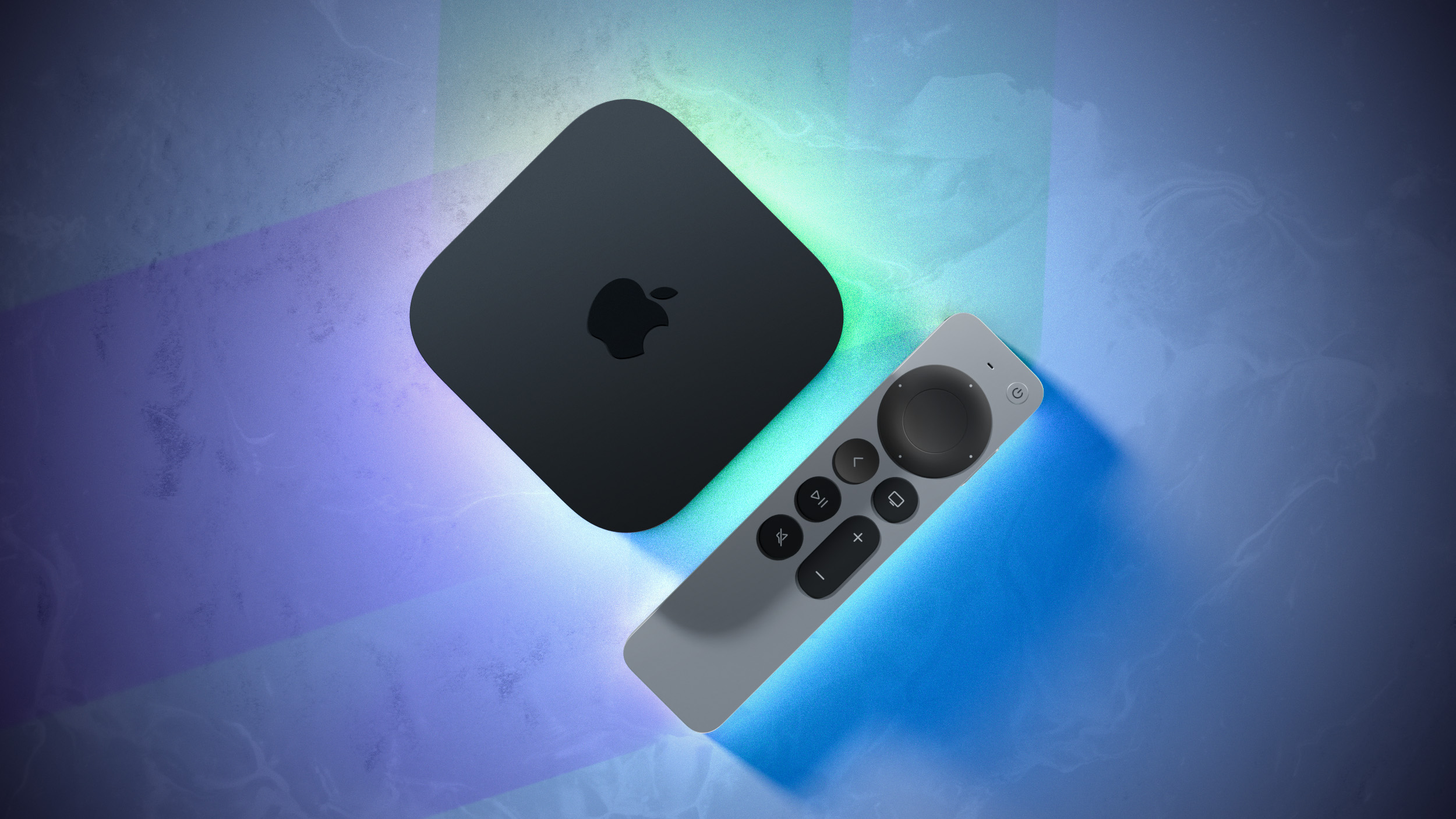
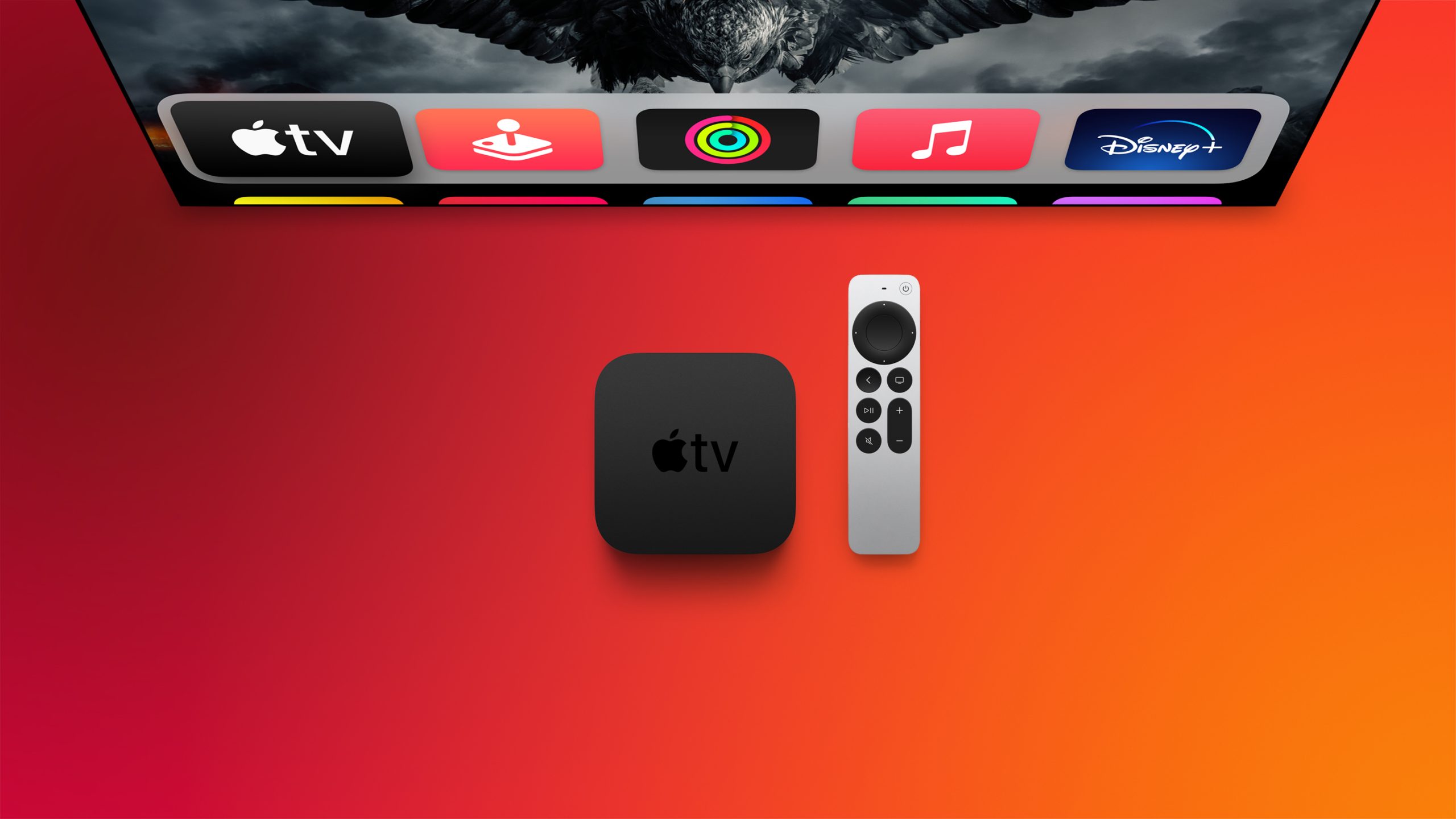
  • Apple TV: A17 Pro chip with support for the more personalized Siri, and Apple's N1 chip with Wi-Fi 7 support. A built-in FaceTime camera has been rumored for a future Apple TV, but it is unclear if that will arrive with the next model.

  • HomePod mini: S9 chip or newer with support for the more personalized Siri, Apple's N1 chip with Wi-Fi 7 support, improved sound quality, a second-generation Ultra Wideband chip, and potentially new color options like red.

  • HomePod: A new full-sized HomePod that supports the revamped Siri.

  • Home Hub: An all-new smart home hub featuring the more personalized version of Siri, a 6-inch to 7-inch square display, an A18 chip for Apple Intelligence, FaceTime, and more. Place it on a table or mount it on a wall.

Notes


This article, "Apple to Release These 15 New Products Later This Year" first appeared on MacRumors.com

Discuss this article in our forums
  •  

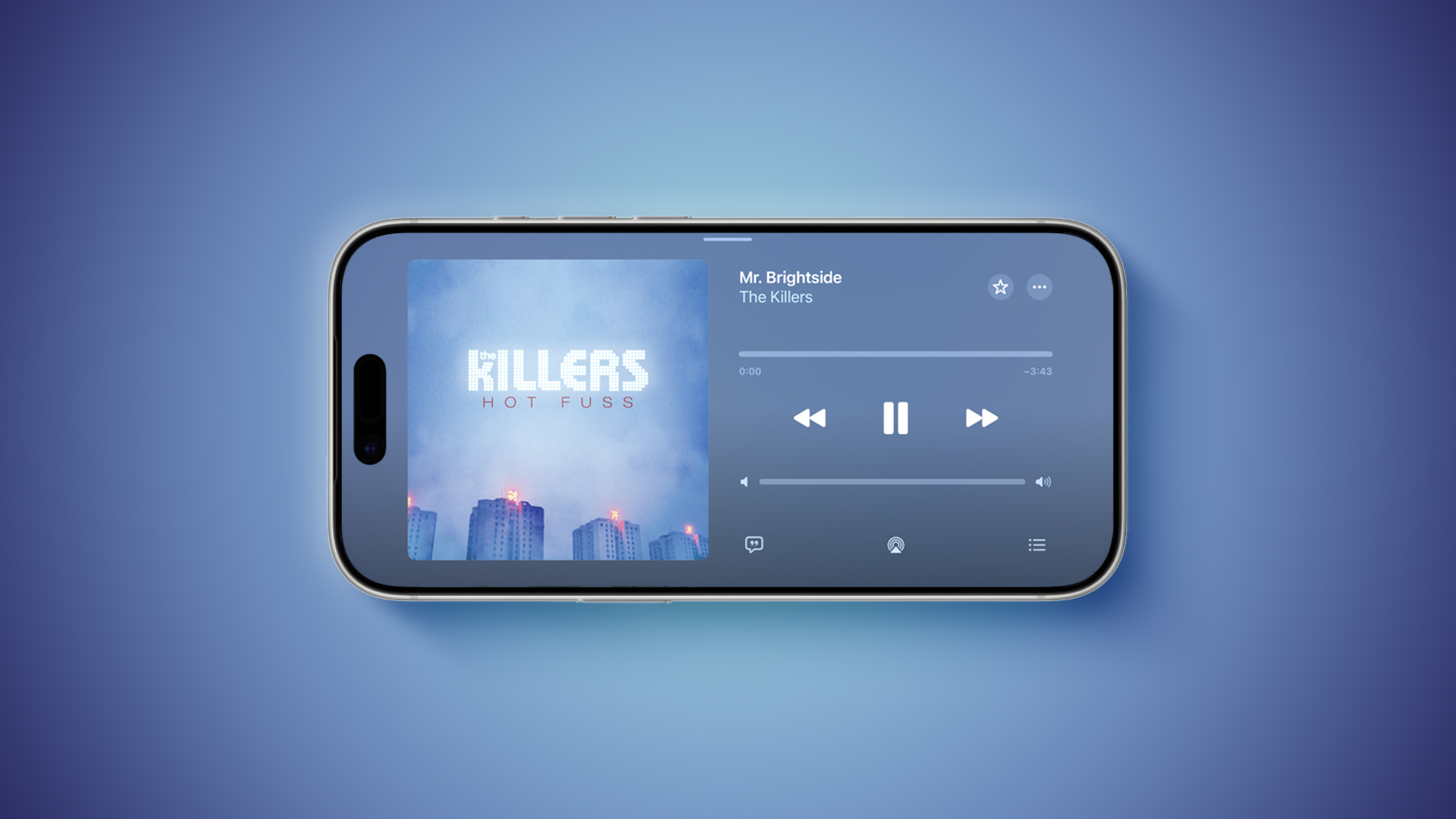
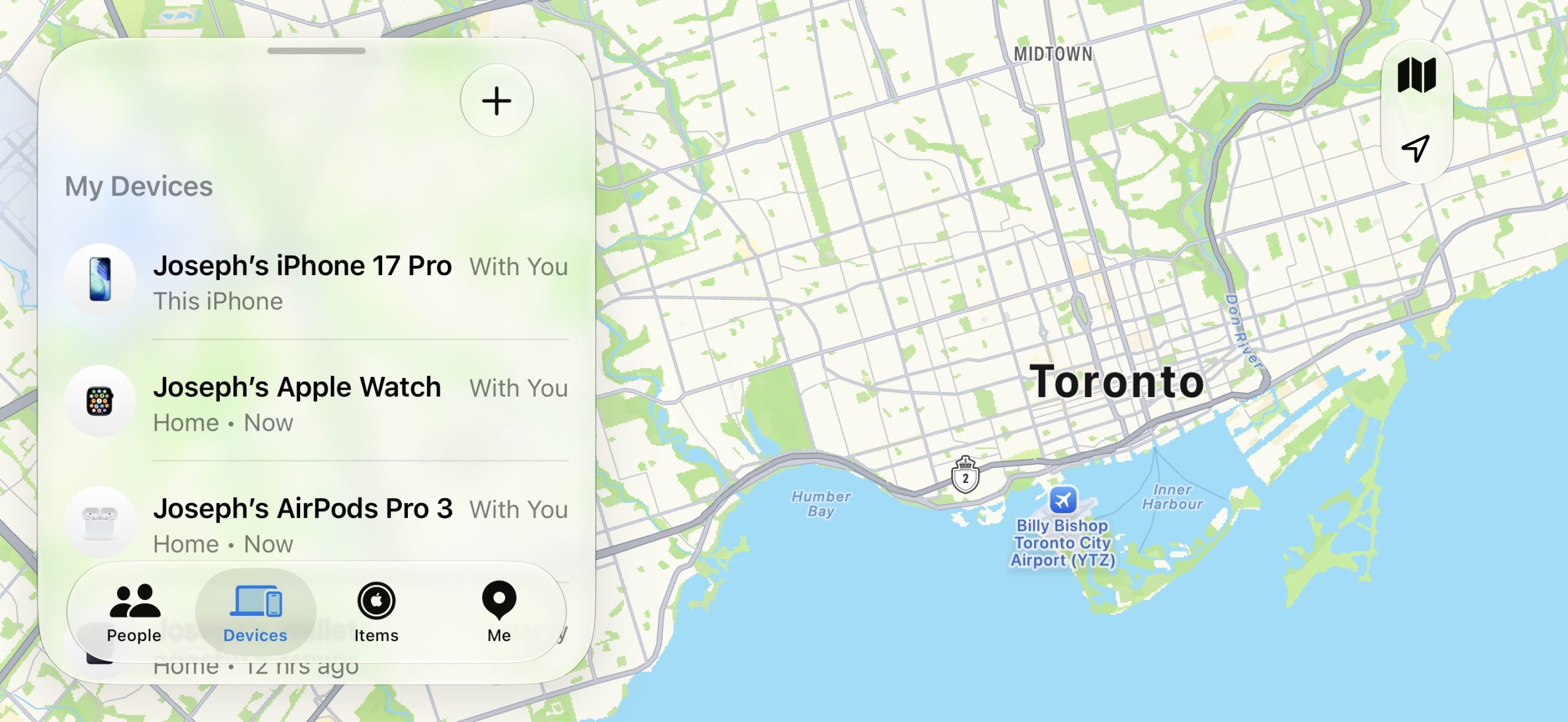
iOS 27 Adds Landscape Mode to More Apple Apps Ahead of 'iPhone Ultra'

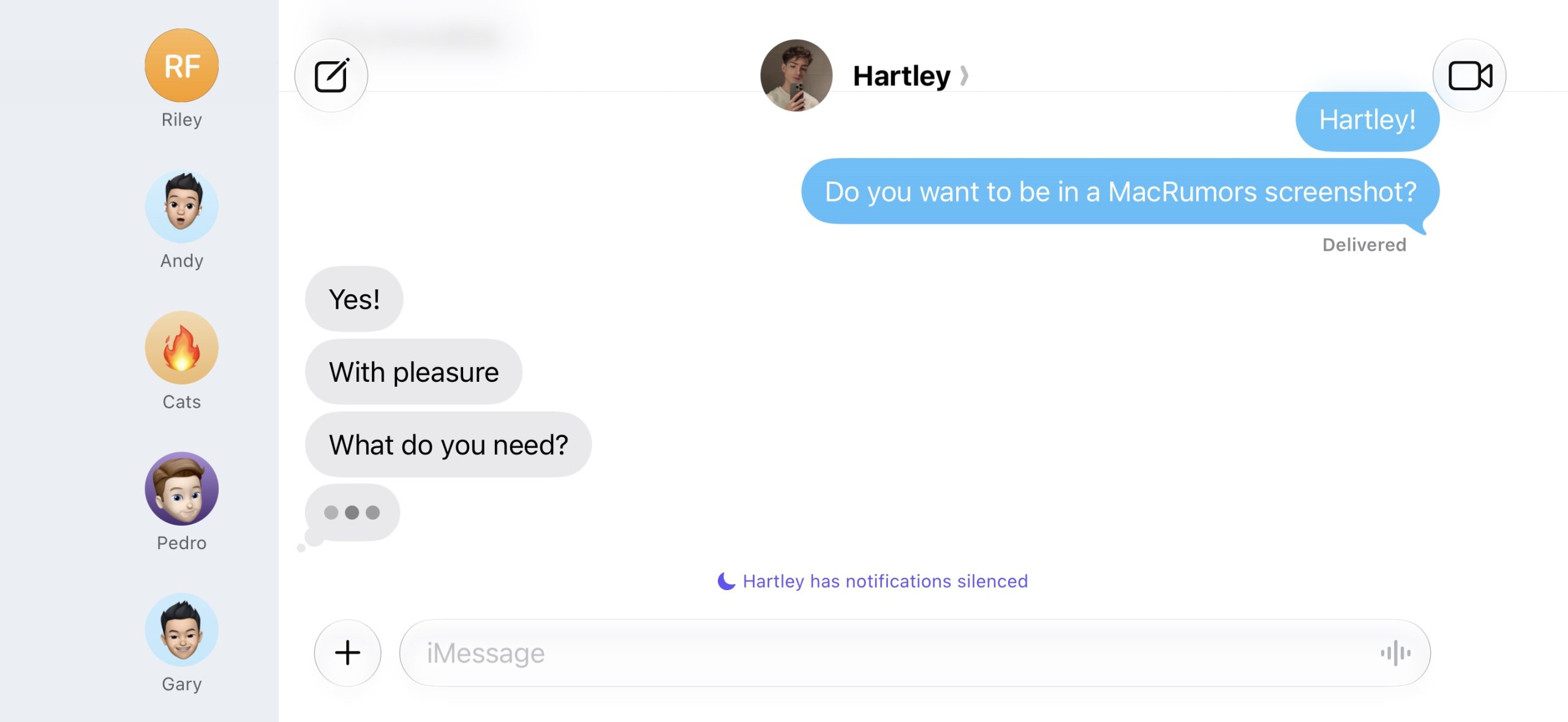
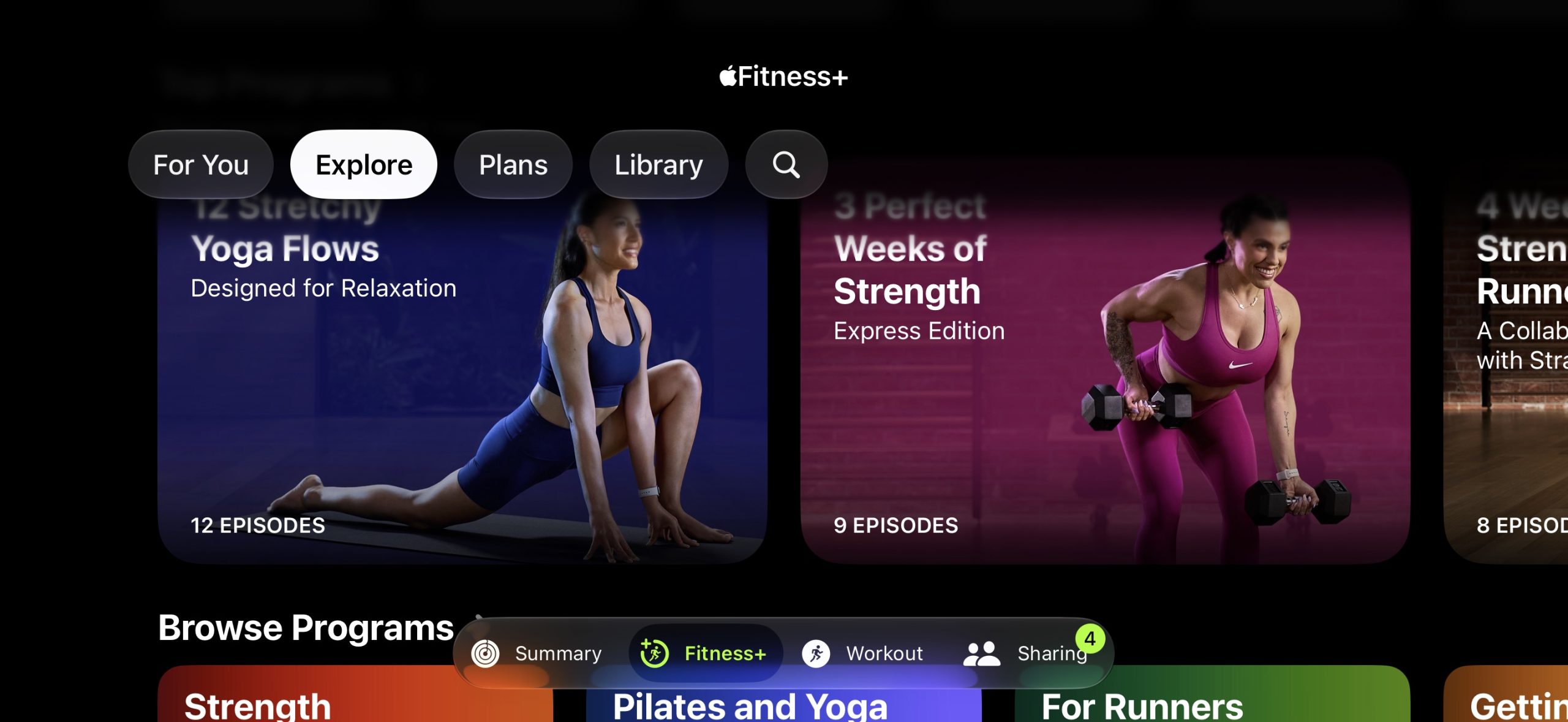
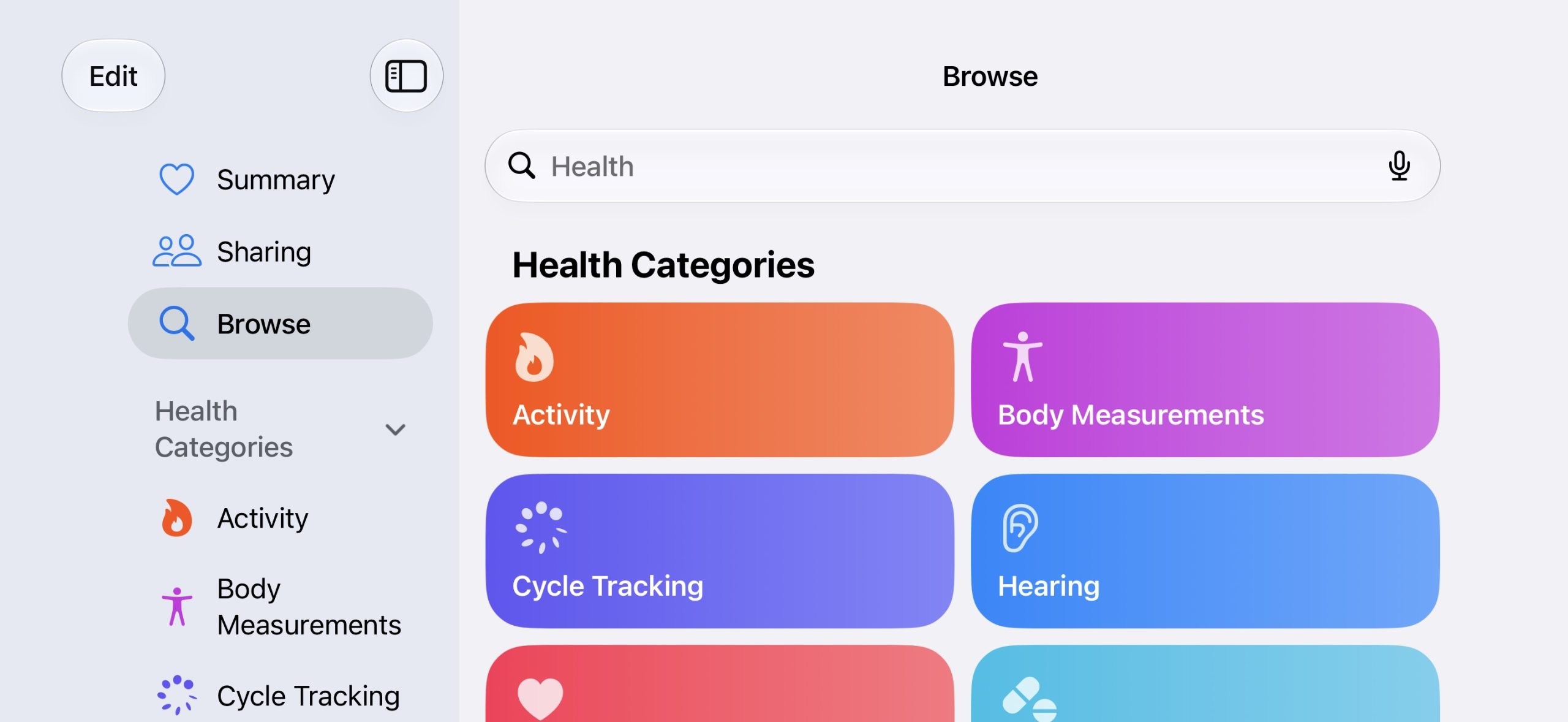
iOS 27 enables landscape mode in more of Apple's built-in iPhone apps, including Apple Music, Podcasts, Fitness, Health, Reminders, Home, Shortcuts, Apple Watch, Find My, Weather, Voice Memos, Apple TV Remote, and others.


In the Apple Music and Podcasts apps, landscape support is limited to the audio player for now.

Many of the apps feature a left-aligned sidebar in landscape mode. In the Messages app, which already supported landscape orientation on iOS 26 and earlier, you can now collapse the sidebar to show only names and profile pictures.


Landscape mode was already available on iOS 26 or earlier in Apple Maps, Calendar, Files, Notes, Mail, and some other Apple apps too, but iOS 27 expands support to many more apps. This change could be laying the groundwork for the "iPhone Ultra," as landscape-friendly apps would be well suited for the rumored foldable device.

iOS 27 also adds landscape support for Live Activities in the Dynamic Island.

To use landscape mode in a supported app, simply turn your iPhone sideways. Portrait Orientation Lock must be turned off in Control Center.

Landscape apps used to be more common on iOS many years ago. In fact, the Home Screen grid supported landscape orientation on the iPhone 6 Plus, iPhone 6s Plus, iPhone 7 Plus, and iPhone 8 Plus, but that functionality ended with the iPhone X.

iOS 27 is currently in beta and is expected to be released in September, which is also when Apple reportedly plans to unveil the "iPhone Ultra."
Related Roundups: iOS 27, iPadOS 27

This article, "iOS 27 Adds Landscape Mode to More Apple Apps Ahead of 'iPhone Ultra'" first appeared on MacRumors.com

Discuss this article in our forums
  •  

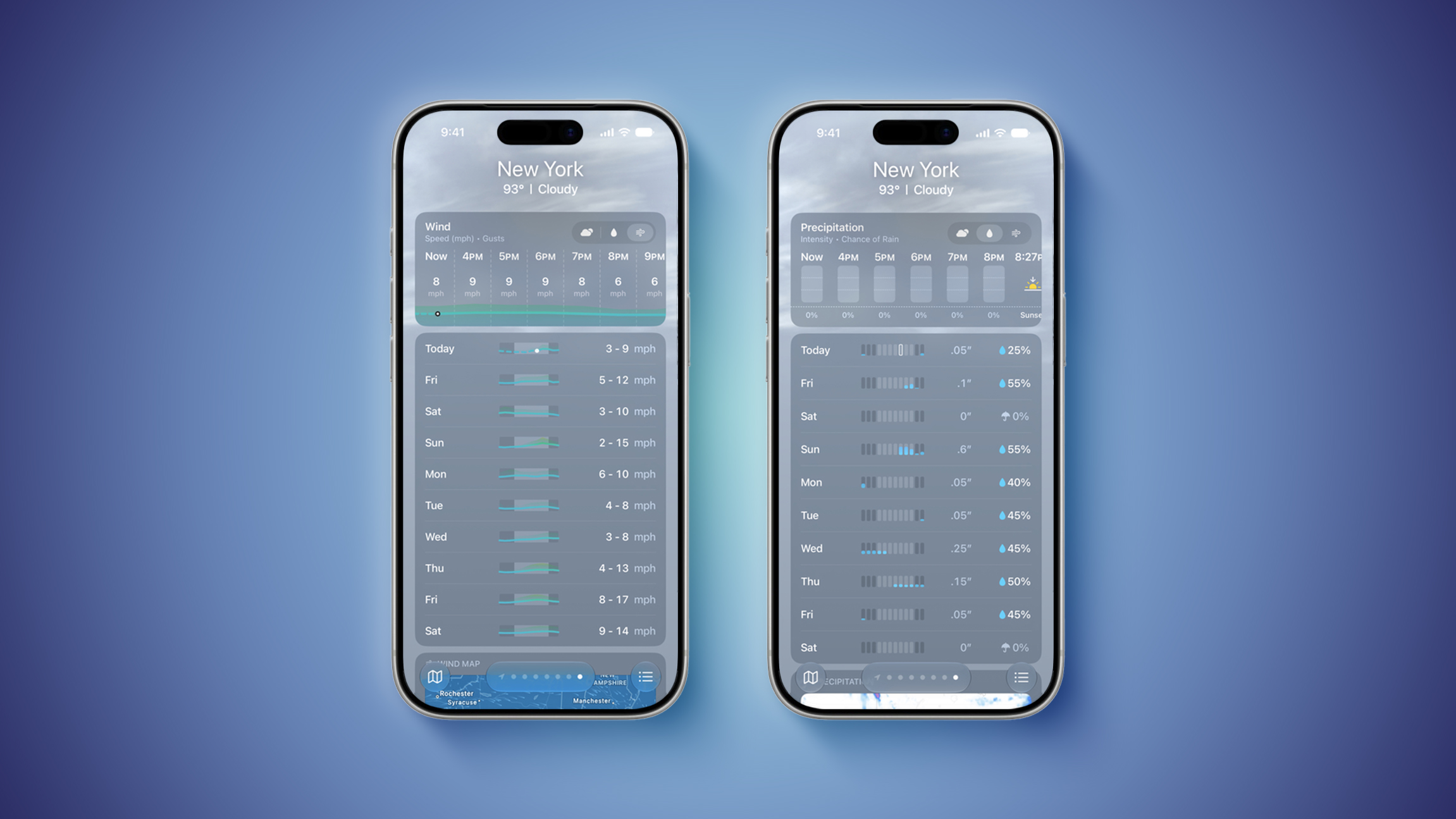
iOS 27's Weather App Has a New Way to View Forecasts

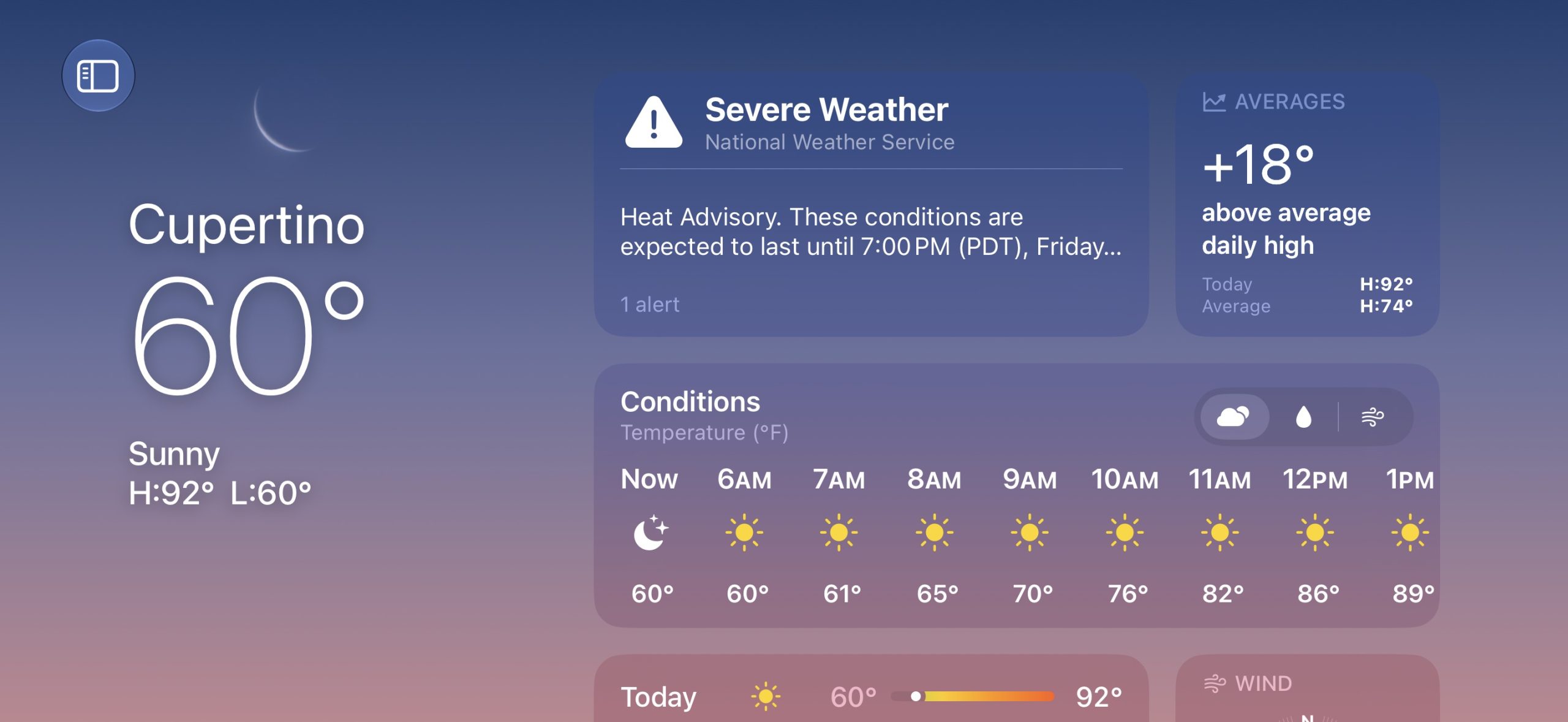
Starting with iOS 27, Apple's Weather app offers new hourly and 10-day overviews for precipitation and wind that you can quickly view at a glance.


While this sort of information was already accessible elsewhere in the app, you can now quickly tap between conditions, precipitation, and wind overviews.

You can view the percentage chance of rain or snow each hour and day, as well as estimated wind speeds, and the information is accompanied by visuals.

iOS 27 is currently in beta. The update is expected to be released in September.
Related Roundups: iOS 27, iPadOS 27

This article, "iOS 27's Weather App Has a New Way to View Forecasts" first appeared on MacRumors.com

Discuss this article in our forums
  •  

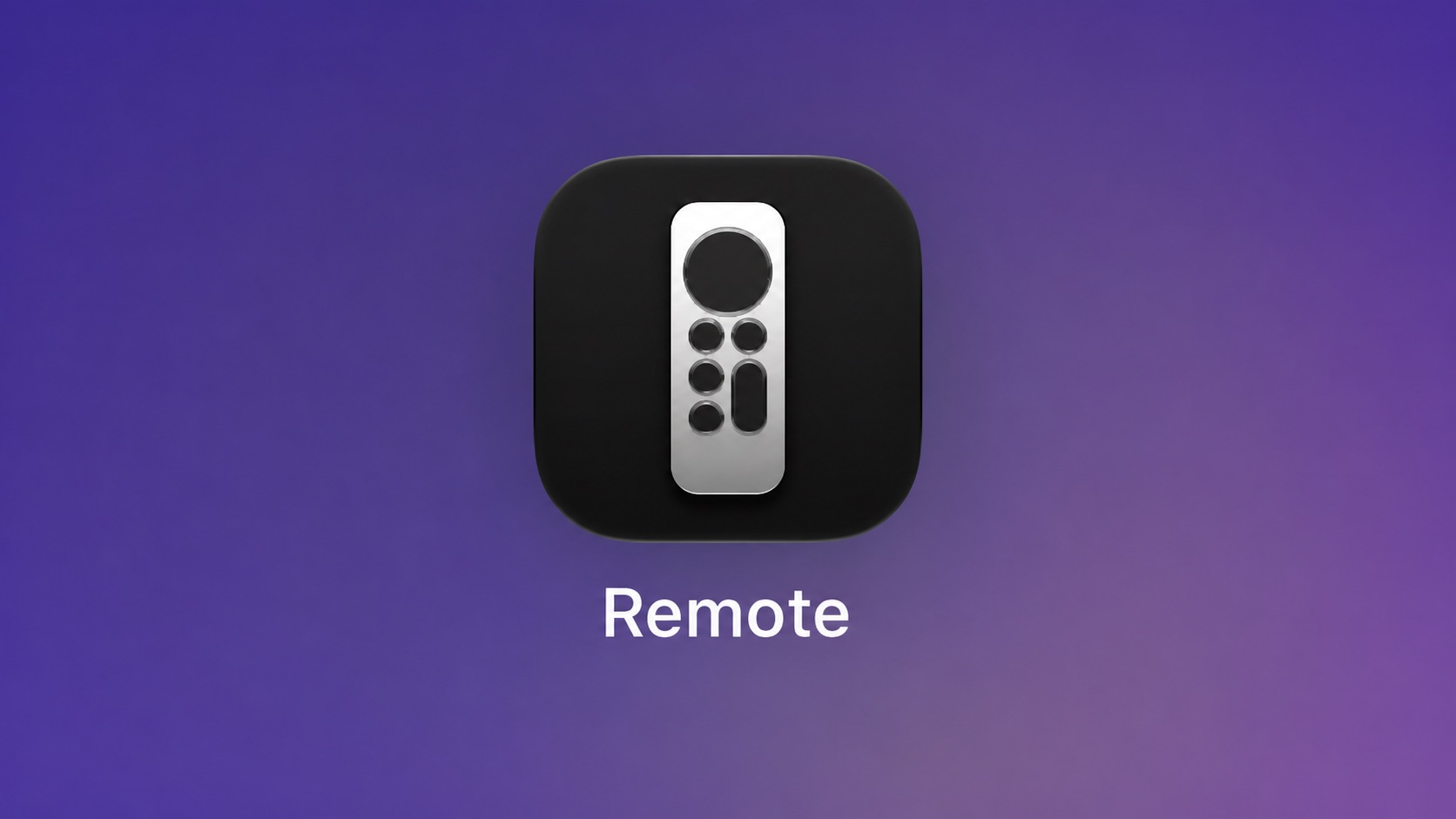
iOS 27 Lets You Add Apple TV Remote to Your iPhone's Home Screen

Starting with iOS 27, the virtual Apple TV remote can be added to the iPhone's Home Screen again, rather than being limited to Control Center. To do so, swipe down on the Home Screen and search for "remote." Next, tap and hold on the Remote app and drag it to your Home Screen. Alternatively, you can find it in the App Library.

Apple used to offer an Apple TV Remote app in the App Store, but it was removed in 2020.
Related Roundups: Apple TV, iOS 27, iPadOS 27
Buyer's Guide: Apple TV (Don't Buy)

This article, "iOS 27 Lets You Add Apple TV Remote to Your iPhone's Home Screen" first appeared on MacRumors.com

Discuss this article in our forums
  •  

iOS 27's Wi-Fi Settings Include Rebranded 'Connectivity Assist' Feature

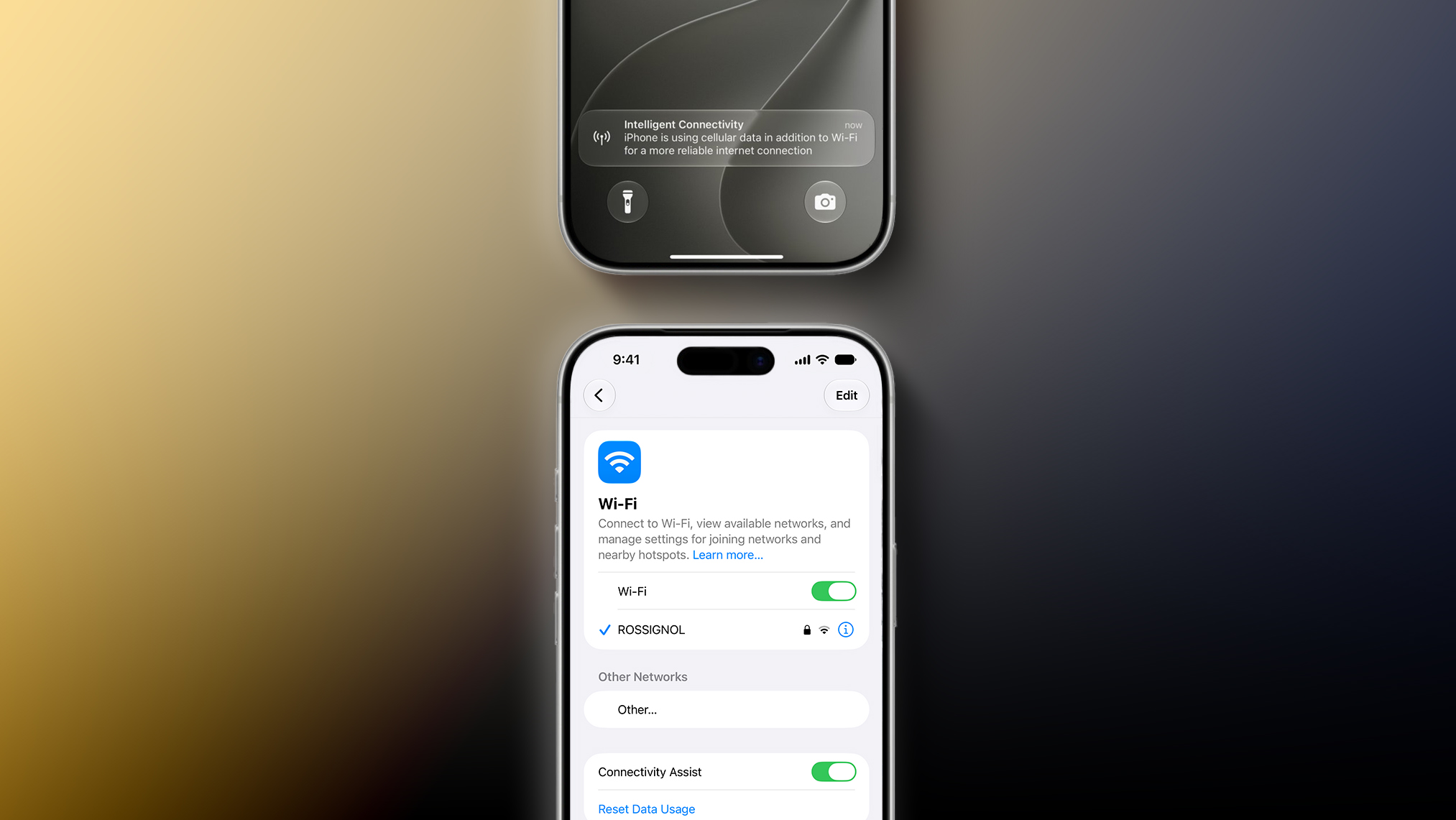
iOS 27 and iPadOS 27 include a rebranded Connectivity Assist feature that can help your iPhone stay connected to the internet.


Connectivity Assist can be found in the Settings app under Wi-Fi on iOS 27 and iPadOS 27. Apple's description of the feature says it lets you "use cellular data in addition to Wi-Fi for a more reliable internet connection."

A support document on Apple's website confirms that Connectivity Assist is the new name used on iOS 27 and iPadOS 27 for the feature previously known as Wi-Fi Assist, but it is unclear if there are any functionality changes.

On iOS 26 and earlier, Wi-Fi Assist automatically switches the device to cellular data when Wi-Fi connectivity is poor. Some early iOS 27 beta testers have speculated that Connectivity Assist seems to go further by offering combined Wi-Fi and cellular connectivity when it is active, but we have yet to confirm that claim.

On the iOS 27 beta, Flighty developer Ryan Jones and others have received a new "Intelligent Connectivity" notification when Connectivity Assist is active. It is possible that the feature now kicks in more aggressively.

On a related note, Apple said iOS 27 and iPadOS 27 offer "smoother network transitions."

"Your iPhone more seamlessly chooses the best available Wi‑Fi or cellular connection, so whether you're getting directions as you leave home or taking a FaceTime call as you step off a plane, you'll stay connected," the company explained.
Related Roundups: iOS 27, iPadOS 27

This article, "iOS 27's Wi-Fi Settings Include Rebranded 'Connectivity Assist' Feature" first appeared on MacRumors.com

Discuss this article in our forums
  •  

iOS 27 Improves FaceTime in Three Ways

iOS 27 includes three enhancements for FaceTime, with the most notable one being a dual camera feature on some newer iPhone models.


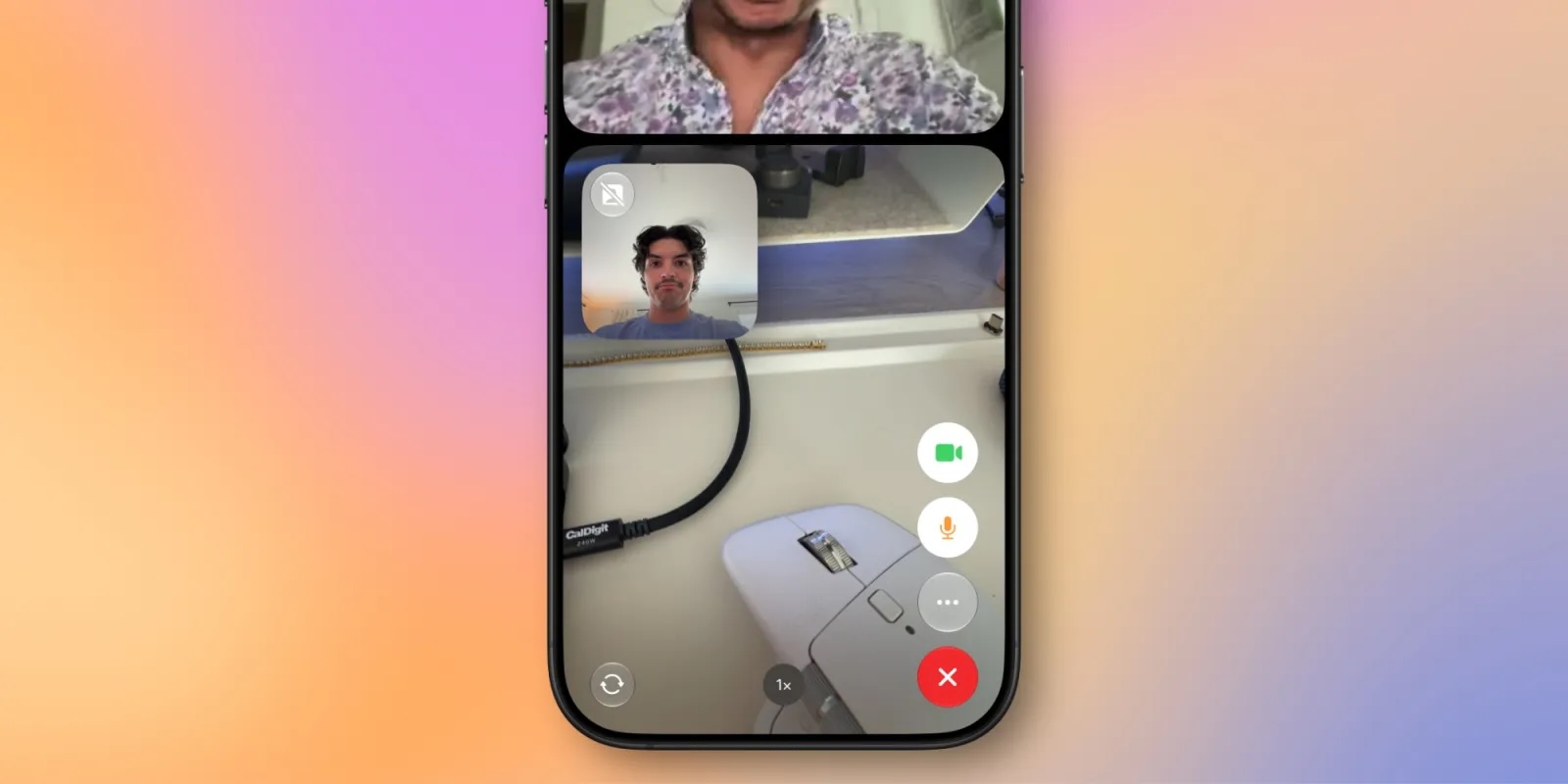
On the iPhone 17, iPhone 17 Pro, iPhone 17 Pro Max, and iPhone Air, a Dual Capture feature allows you to record video of yourself and what is in front of you at the same time. Starting with iOS 27, this feature is now supported in the FaceTime app on these devices, allowing you to show both your front and rear camera views on a video call.

9to5Mac tested the feature on the iOS 27 beta, as seen in the screenshot below. Tapping on the camera flip button in the bottom-left corner of the viewfinder automatically turns on Dual Capture mode and begins showing the rear camera view alongside the front camera view. You can turn off the front camera view at any time if you prefer to.


If the person on the other end of the call has an older iPhone, they can still view your dual camera feed as long as their device is running iOS 27.

The other two FaceTime improvements on iOS 27:
  • Improved FaceTime quality on poor connections

  • Live Captions are now available in Traditional Chinese
iOS 27 is currently available in developer beta, with a public beta to follow in July. The update is expected to be released widely in September.
Related Roundups: iOS 27, iPadOS 27

This article, "iOS 27 Improves FaceTime in Three Ways" first appeared on MacRumors.com

Discuss this article in our forums

  •  

Apple Shares List of 250 Changes Across iOS 27, macOS Golden Gate, and More

During its WWDC 2026 keynote on Monday, Apple briefly showed a slide with hundreds of new features and enhancements coming across iOS 27, macOS 27 Golden Gate, watchOS 27, tvOS 27, and visionOS 27. All of the software updates are currently available as developer betas, and they are expected to be released to all users in September.


We already highlighted some of the key new features from the slide, and now we have shared a categorized list of all of the more than 250 changes shown.

iPhone & iOS 27 & iPadOS 27


  • Switch between two iPhone devices with the same phone number

  • More seamless transitions between Wi-Fi and cellular networks

  • Live Activities in Dynamic Island in landscape

  • Enhanced power efficiency for Safari in iOS

  • Faster Voice Control response in iOS

  • Extra-large widgets in iOS

  • Streamlined setup for Touch Accommodations in iOS and iPadOS

  • Live Activity for Precision Finding with Friends

  • Smoother scrolling in App Library

  • Smoother unlocking on iPhone

  • Undo and redo Home Screen edits in iPadOS

  • Extra-large widgets in Today View in iPadOS

  • Faster window closing in iPadOS

  • Faster browsing and transfers in Files in iPadOS

  • Faster menu bar access in iPadOS

  • iPhone app resizing in iPadOS

  • Apple News+ audio support in iPadOS

  • Faster window switching in iPadOS

  • Optional persistent menu bar on iPad

  • App names in iPad status bar

  • Dual camera in FaceTime

  • Faster Lock Screen switching

  • Lock Screen consistently stays awake while scrolling notifications

  • More power-efficient Personal Hotspot on N1 devices

  • Expanded touch support in Sidecar

  • Independent alarm volumes

  • Smoother camera switching when zooming in video

  • Smoother paging between Home Screen pages

  • Smoother scrolling in Control Center and Control Gallery

  • Easier-to-reach Camera experience

  • More accurate photo orientation

  • Faster and more reliable NFC reading

  • Quick Start with a recovery contact

  • Pairing and handoff improvements for Made for iPhone hearing devices

  • Faster entry and exit from Assistive Access and Guided Access modes

  • Proactive car key setup


macOS 27


  • More relevant Spotlight search suggestions

  • Faster shortcuts and actions indexing in Spotlight

  • Drawing in Notes in macOS

  • Updated video podcasts experience in macOS

  • Enhanced power efficiency for Safari in macOS

  • Edge-to-edge sidebars

  • Colorful sidebar icons

  • Updated menu bar icons

  • Uniform toolbars

  • Consistent corner radii

  • Faster user account creation in macOS

  • Ethernet status in menu bar in macOS

  • Improved RDMA over Thunderbolt

  • Support for Mac mirroring in 5K resolution

  • More high-resolution and high-refresh-rate display modes for external displays

  • Swipe down to refresh in macOS

  • Smoother scrolling in Safari in macOS

  • App resizing in iPhone Mirroring

  • DRM video support in iPhone Mirroring

  • Drawing in Freeform in macOS

  • Smoother animations in Mission Control and Spaces

  • Show Borders for macOS accessibility

  • HDR for macOS system UI


Apple TV & tvOS 27


  • Faster AirPlay connections to Apple TV

  • Smart downloads on Apple TV

  • AppleCare coverage details in Settings in tvOS

  • More responsive Control Center in tvOS

  • Redesigned Podcasts app for tvOS

  • Larger text sizes in tvOS

  • Smoother animations and app launches in tvOS


Apple Watch & watchOS 27


  • Better battery efficiency on Apple Watch

  • More accurate step tracking on Apple Watch

  • More efficient water detection on Apple Watch

  • Improved Wi-Fi connectivity in watchOS

  • Apple Wallet guest keys in watchOS

  • Consolidated Find My app in watchOS

  • Faster app extension launch in watchOS

  • Tap gesture on Apple Watch

  • Faster media playback in watchOS

  • Dynamic app grid in watchOS

  • Maps Parked Car widget in Smart Stack

  • Redesigned settings in the Apple Watch app

  • Support for time zone changes in Sleep

  • View card balance in Wallet in watchOS

  • Transit cards and IDs in Smart Stack in watchOS

  • New Smart Stack suggestions in watchOS


Vision Pro & visionOS 27


  • Use your panoramas for Environments in visionOS

  • Extra-small widget option in visionOS

  • New windows with curvature in visionOS

  • Improved Control Center in visionOS

  • Look and tap to view and respond to notifications in visionOS

  • Spatial scene support for panoramas in visionOS

  • Faster boot and connect to Wi-Fi in visionOS

  • Widget for Mac Virtual Display in visionOS

  • Multiple tab views in Safari in visionOS


Home & HomePod


  • Faster AirPlay connections to HomePod

  • Improved connectivity for Thread home accessories

  • Faster smart home accessory updates

  • Faster HomeKit accessory pairing

  • More reliable HomeKit camera storage


CarPlay


  • Audio scrubbing on CarPlay's Now Playing screen

  • Improved navigation heading and GPS accuracy in CarPlay

  • Improved wireless CarPlay reliability

  • Audio MiniPlayer in CarPlay


Photos


  • Filter photos and videos in Shared Albums

  • Add keywords to photos and videos in Photos

  • Album organization improvements in Photos

  • Customize slideshows in Photos

  • Captured by Me collection in Photos

  • Save any slideshow as a video in Photos

  • Choose a specific pet in Photo Shuffle

  • Search for photos and videos using additional metadata

  • Search returns more pleasing photos of people and pets in Photos

  • Option to prioritize syncing to iCloud Photos

  • Easier to save photos from Shared Albums

  • Option to include photos of yourself in Photo Shuffle

  • Faster rendering of Collections tab in Photos

  • Selection view in Photos

  • Identity Documents collection in Photos

  • Faster loading of new captures in Photos

  • Save a video frame as a photo

  • Star rings in Photos

  • Full-resolution photos and videos in iCloud Shared Albums

  • Additional participant permissions in Shared Albums

  • Expire your Shared Albums

  • Recent activity in Shared Albums

  • React with any emoji in Shared Albums

  • Participate in iCloud Shared Albums from Android and Windows

  • Easier to invite others in Shared Albums


Messages


  • Drawing app in Messages

  • Find offloaded media in Messages

  • Failed messages automatically retry sending in Messages

  • Continuous sending of photos, videos, and texts in Messages

  • Consolidated notifications for multiple Tapbacks in Messages

  • Thumbnails displayed for offloaded media in Messages

  • Search for conversations in Messages by phone number or a contact's nickname

  • Faster to add recent camera captures in Messages

  • Improved Messages syncing across devices


Apple Music & Podcasts


  • Improved reliability of Apple Music streaming

  • New AutoMix transitions

  • Refreshed album pages in Apple Music

  • Faster Now Playing view loading in Music

  • Refreshed artist pages in Apple Music

  • Search within shows in Podcasts

  • AirPods Custom EQ

  • Faster Apple Music playback start


Mail


  • Improved Top Results in Mail

  • Faster message loading in Mail

  • More reliable search indexing in Mail

  • Improved list formatting in Mail

  • Improved unread badge accuracy in Mail


Maps


  • More accurate Visited Places in Maps

  • Guides in Maps available in more places

  • Enhanced Flyover in Maps

  • Offline Maps update improvements

  • Natural language search for routing in Maps


Health & Fitness & Journal


  • Sort by completed Fitness+ workouts

  • Faster data updates in the Health app

  • Perimenopause and menopause support in the Health app

  • Perimenopause and menopause symptom logging in the Health app

  • Increased attachment limits in Journal

  • More accurate route maps in the Fitness app after workouts

  • iCloud sync status for Journal entries

  • Improved distance accuracy during treadmill workouts

  • Synced step count in the Health and Fitness apps

  • Faster workout start in the Workout app

  • Time stamps for Journal entries

  • Fitness+ workouts for perimenopause and menopause

  • More intuitive journaling streaks

  • GymKit on iPhone and AirPods Pro 3


Notes


  • Section links in Notes

  • Stylized notes from third-party Calendar accounts

  • Copy and paste as Markdown in Notes

  • Divider lines in Notes


Shortcuts


  • Else if support in Shortcuts

  • Group conversation support in Shortcuts

  • Expanded Get What's on Screen capabilities in Shortcuts

  • Store data in Shortcuts

  • Redesigned Shortcuts editor

  • Screenshot and notification automations in Shortcuts


Freeform


  • Faster board previews in Freeform

  • More reliable right-to-left text editing in Freeform

  • Smoother Freeform board performance

  • Dark Mode adaptive canvas in Freeform

  • Collaborative folders in Freeform


Safari


  • Faster start page content loading in Safari

  • Faster web application performance in Safari

  • Smoother animations and graphics in Safari

  • Faster handling of JavaScript in Safari

  • Smoother start page resizing in Safari


Apple Wallet & Apple Pay


  • Easier card selection and payment management with Apple Pay

  • Wallet order tracking support in Australia and Canada


Find My


  • More flexible sharing options in Find My

  • Find My UI enhancements


Home


  • Support for 4K camera recordings in the Home app

  • View streams from compatible cameras simultaneously in the Home app


Calendar


  • Modify multiple Calendar events

  • Streamlined Calendar event details

  • Smoother Calendar scrolling


Accessibility


  • Easier reading and editing of PDFs using VoiceOver

  • Improved PlayStation Access controller support

  • Streamlined Assistive Access setup


System & Performance & Miscellaneous


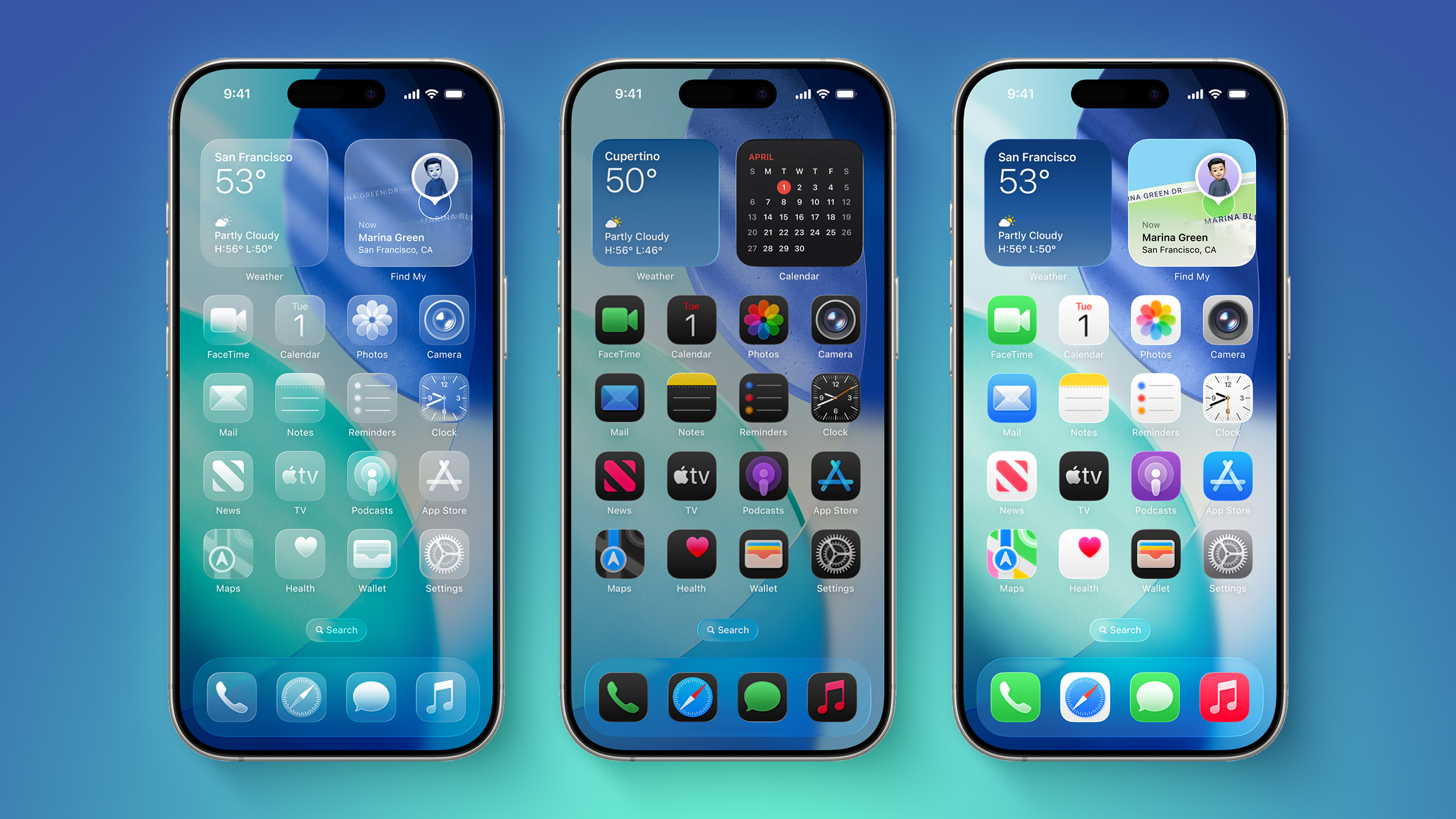
  • Updated Liquid Glass

  • Customize Liquid Glass

  • Faster app launches

  • Web audio no longer interrupts system audio

  • Faster PDF saving

  • Faster AirDrop transfers

  • Faster AirDrop recipient discovery

  • Improved Bluetooth power management

  • Improved FaceTime quality on poor connections

  • Faster network file browsing

  • Support for media sharing from third-party apps

  • More document formats in Preview

  • More efficient emergency alert monitoring

  • More consistent window positioning persistence across external displays

  • Improved game controller settings

  • Improved battery insights

  • Improved navigation in Game Overlay

  • Improved performance in Apple News

  • All options displayed in Camera settings

  • Password help accessible from the Lock Screen

  • Camera uses less power in Low Power Mode

  • Faster Camera launch in Low Power Mode

  • Richer iCloud collaboration link previews

  • Access requests for items shared via iCloud

  • Faster Text Recognition in photos and documents

  • Updated app icons

  • Optimized CPU scheduler

  • Autosize and reset columns

  • Faster to open full-screen view from Photos widget

  • Faster access to shared content on iCloud.com

  • Smoother animations in News and Stocks articles

  • More easily accessible share link for iCloud collaboration

  • More distinct active windows

  • Real-time updates for widgets when app is open

  • Faster Rapid Return to Service

  • Updated hourly and 10-day views in Weather

  • Faster to start uploading to iCloud Photos

  • Option-click to secondary sort

  • Content-based recipient suggestions for sharing photos and links

  • Faster loading of emoji and sticker keyboards

  • Smoother scrolling in the widget gallery

  • Easier to access recovery codes for Apple Accounts


Languages & Regional


  • New UI language for English (Canada) and English (Philippines)

  • New keyboard layout for Slovenian and Estonian

  • Automatic punctuation when typing on multilingual keyboards

  • Natural language time formats for Chinese and Hindi

  • Call Recording transcriptions support for Traditional Chinese, Japanese, and Brazilian Portuguese

  • New keyboards for languages including Afrikaans, Basque, Baybayin, English (Philippines), Galician, Guarani, Luxembourgish, Xhosa, and Zulu

  • New keyboards for Indigenous languages, including Blackfoot, Comanche, Cree, Kiowa, and Tsuu'tina

  • Faster multilingual text processing for handwriting in multiple languages

  • ChāizΓ¬ typing

  • Smart language and keyboard configuration suggestions

  • QuickPath and typing suggestions for Vietnamese VNI keyboard

  • Multilingual grammar checking

  • Holiday-aware alarms in China

  • Punctuation suggestions as you type in Chinese

  • Alternate calendars for India to support the current time zone while traveling

  • Grocery List in Reminders language expansion

  • Improved conversion from phonetic scripts like Pinyin and Kana when typing in Simplified Chinese and Japanese

  • Live Voicemail transcription for English (Singapore) and Japanese

  • Visited Places in Maps available in more markets

  • Scribble support for Hindi and Marathi with Apple Pencil

  • On-screen context for more relevant typing suggestions for Chinese and Japanese

  • Expanded language support for auto-categorization in Reminders

  • FaceTime Live Captions for Traditional Chinese

Related Roundups: iOS 27, iPadOS 27, macOS Golden Gate

This article, "Apple Shares List of 250 Changes Across iOS 27, macOS Golden Gate, and More" first appeared on MacRumors.com

Discuss this article in our forums
  •  

iOS 27 Introduces New 'Tap to Share' Feature, But Not Available in EU

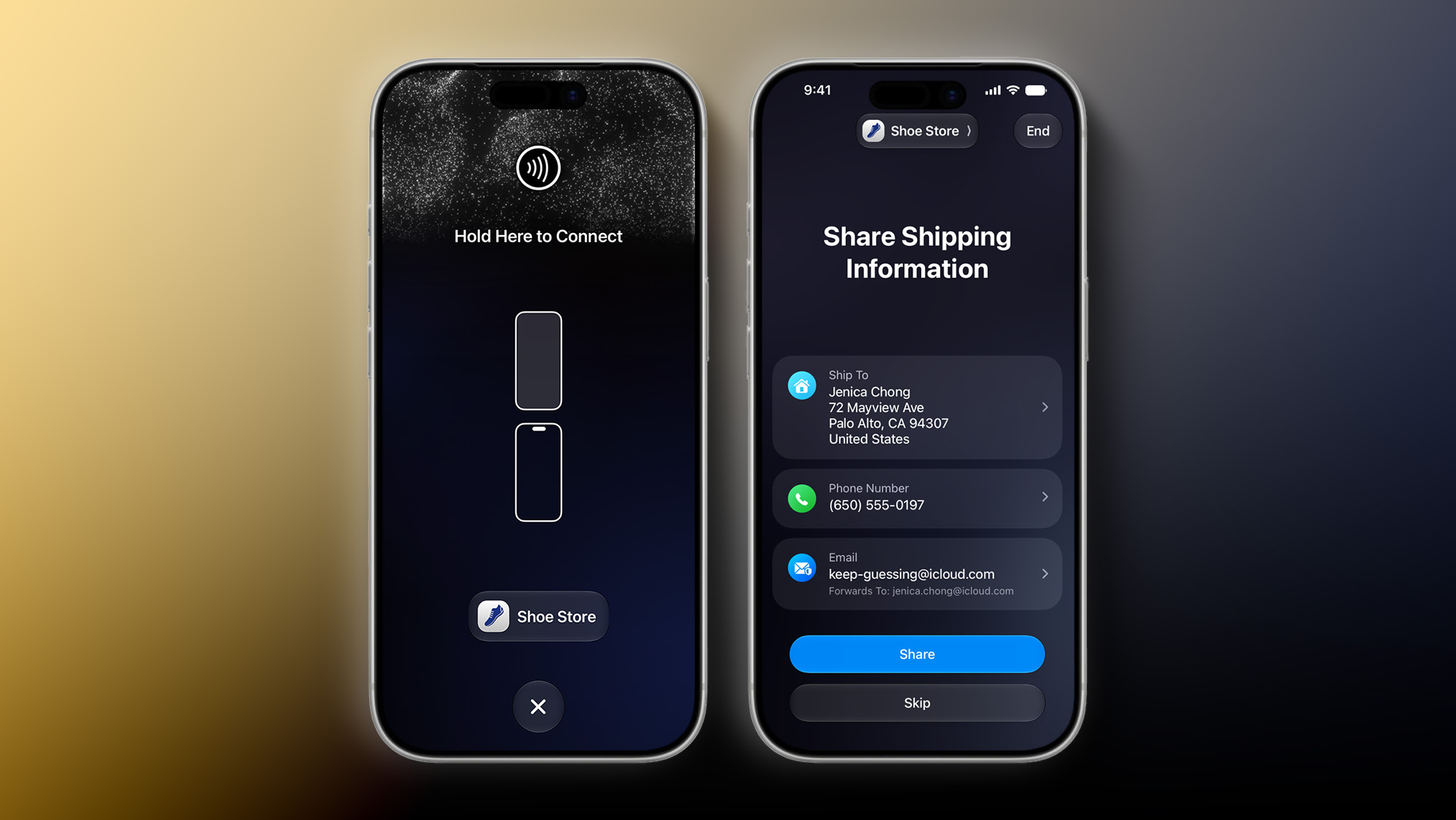
iOS 27 has a new "Tap to Share" feature that lets merchants use their iPhone to connect to a customer's device with an NFC tap for the purpose of data exchange. This is useful for small business owners, vendors at local markets, and so forth.


Tap to Share is an extension of the existing Tap to Pay on iPhone feature, which lets merchants accept contactless payments on an iPhone, with no point-of-sale hardware required. The latter feature allows customers to pay by simply tapping their iPhone or Apple Watch, contactless credit card or debit card, or other contactless payment option on the merchant's iPhone. Payment is securely completed using NFC, like Apple Pay.

During an active Tap to Pay on iPhone session, iOS 27 users can now share contact details for membership sign-up, provide a shipping address or email for receipts, add or share Apple Wallet passes, view their cart, and pay with Apple Pay.

Tap to Share requires an iPhone 12 or newer, and the feature is not currently available in the European Economic Area (EEA), which consists of all of the countries in the EU plus Iceland, Liechtenstein, and Norway. Apple did not explain why the feature is not immediately launching in the EEA or provide a timeframe for future availability there.
Related Roundups: iOS 27, iPadOS 27

This article, "iOS 27 Introduces New 'Tap to Share' Feature, But Not Available in EU" first appeared on MacRumors.com

Discuss this article in our forums
  •  

macOS 27 Hints at 'MacBook Ultra' in Three Ways

Apple this week unveiled macOS 27 Golden Gate, and the upcoming software update hints at the rumored "MacBook Ultra" in at least three ways.


"MacBook Ultra" is the rumored name for a new high-end model above the MacBook Pro. The laptop is rumored to feature an OLED display, touch-screen capabilities, a Dynamic Island, a thinner design, and M6 Pro and M6 Max chips.

macOS 27 includes a trio of hints about touch-screen support and a Dynamic Island in particular.

First, the update adds direct touch input to Sidecar, the feature that allows you to use an iPad as a second display for a Mac. This enhancement allows users to tap and interact with macOS elements with a finger on their iPad. This strongly hints at Apple preparing to bring touch-screen support to macOS after years of resisting.


Second, macOS 27 adds iPhone-like pull-to-refresh support to the Mac. This allows you to swipe down on the trackpad to refresh the page or visible content in apps such as Safari, Mail, News, Podcasts, and Calendar. Apple may have finally expanded this functionality to the Mac in preparation for a "MacBook Ultra" with a touch screen.


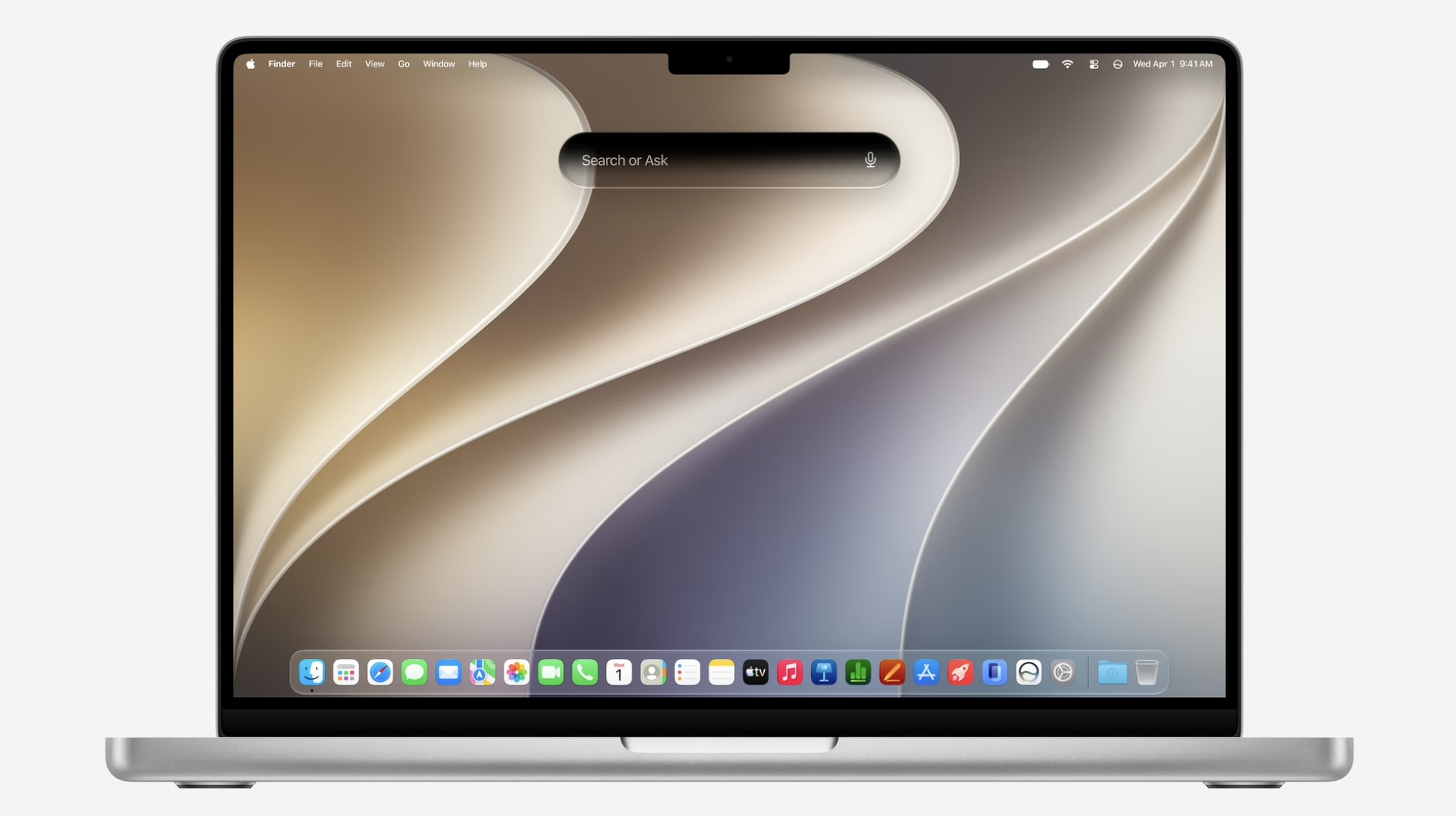
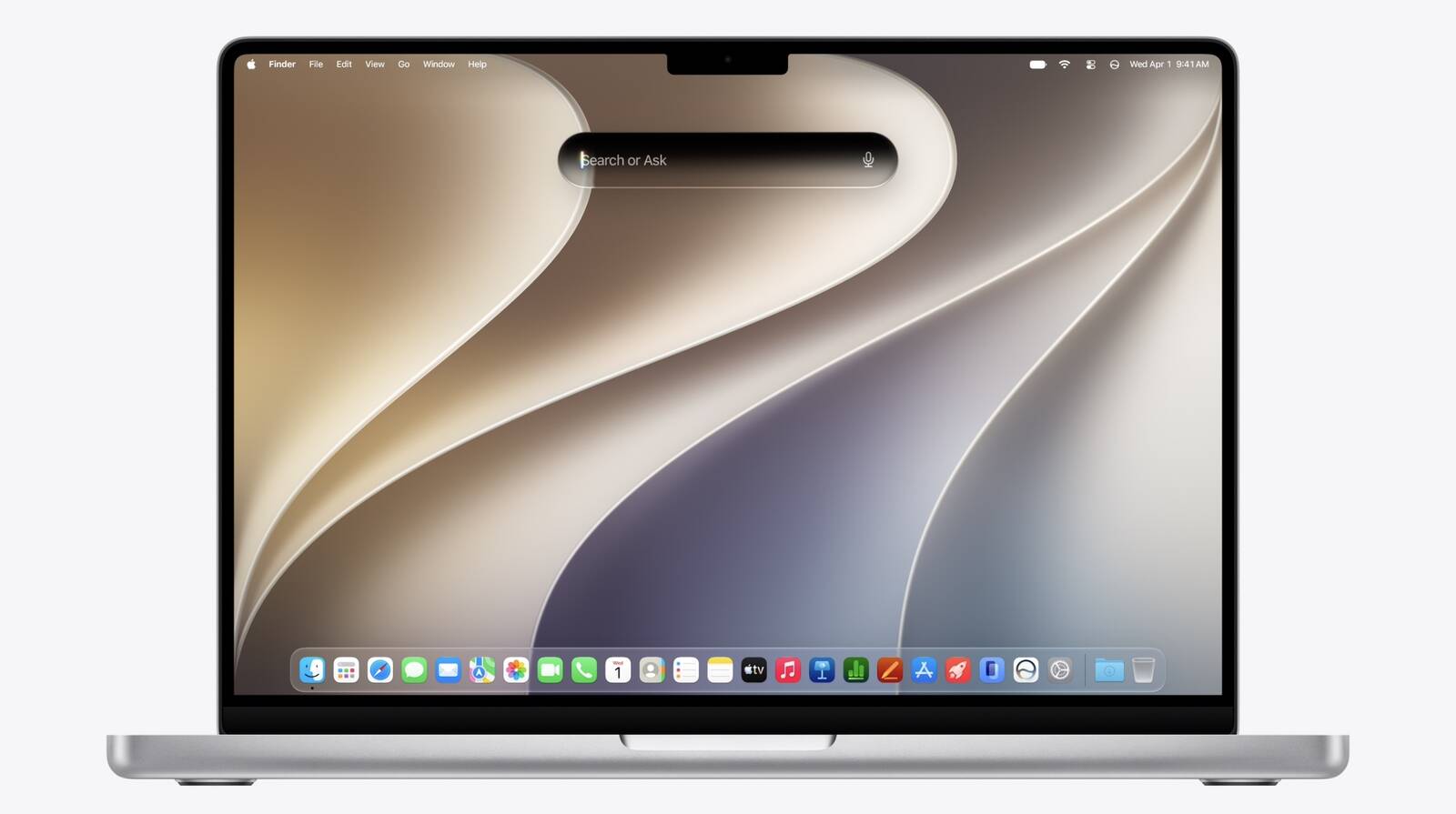
Third, the new "Search or Ask" feature powered by the revamped version of Siri is built into Spotlight on macOS 27, resulting in a dark, pill-shaped interface that would be very fitting for a MacBook screen with a Dynamic Island.

On the MacBook Ultra, the "Search or Ask" interface would likely be positioned higher so that it surrounds the Dynamic Island when visible.


macOS 27 is currently available in developer beta, with a public beta to follow in July. The update is expected to be released in September.

Apple reportedly plans to launch the "MacBook Ultra" in early 2027.
Related Roundup: macOS Golden Gate

This article, "macOS 27 Hints at 'MacBook Ultra' in Three Ways" first appeared on MacRumors.com

Discuss this article in our forums
  •  

iOS 27 Adds Six New Features to Apple Wallet on Your iPhone

The upcoming iOS 27 update that Apple unveiled this week includes many new features and enhancements for Apple's Wallet app on the iPhone.


Below, we have outlined six additions to the Apple Wallet app on iOS 27.

New Features


Enhanced Passes


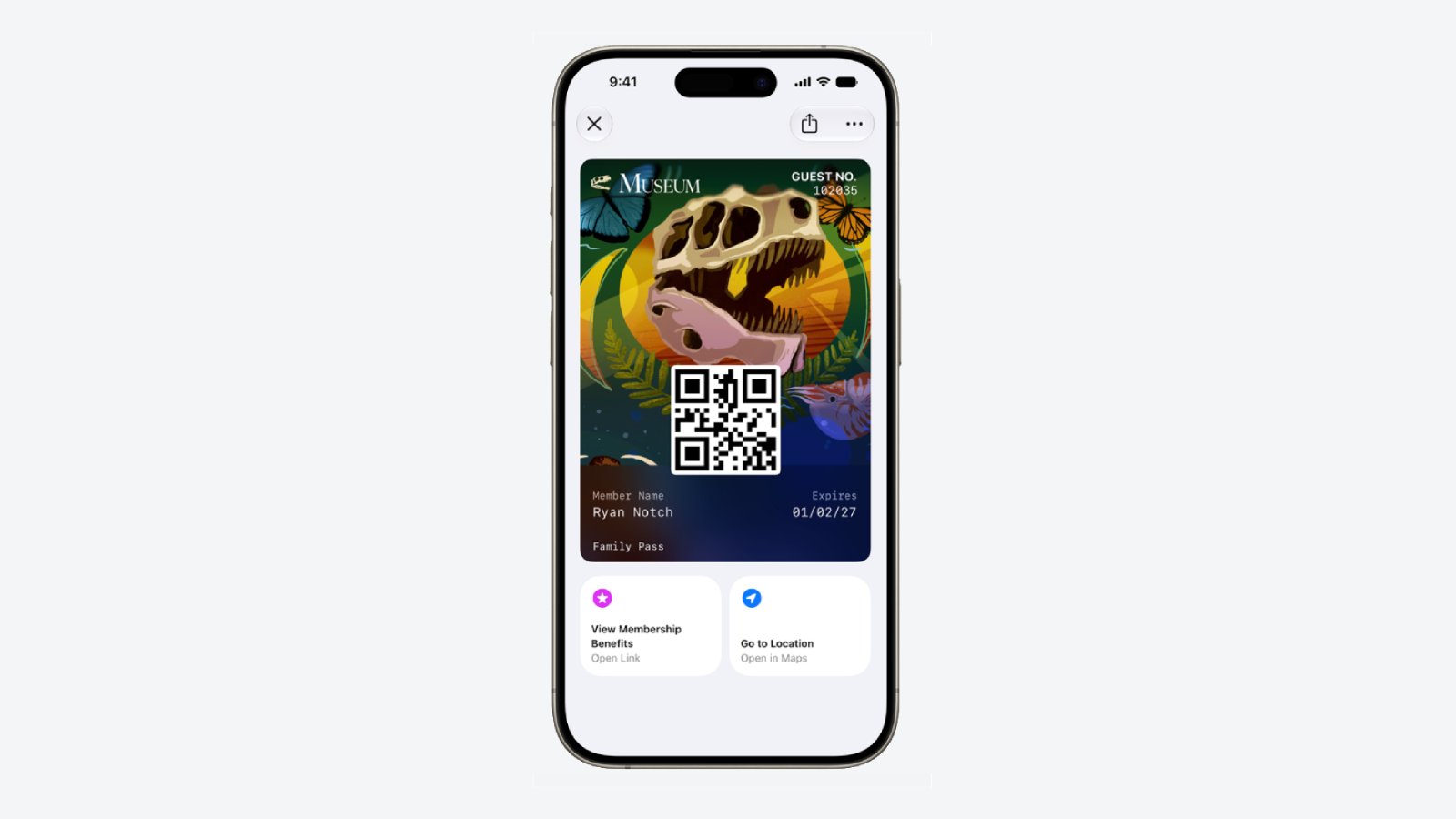
iOS 26 introduced enhanced Apple Wallet boarding passes, and iOS 27 will gradually expand this improved experience to all other types of passes in the app, including for loyalty, rewards, membership, and gift cards.


The newer passes have an elevated design with more detailed background images, and there are tiles below them that provide relevant information.

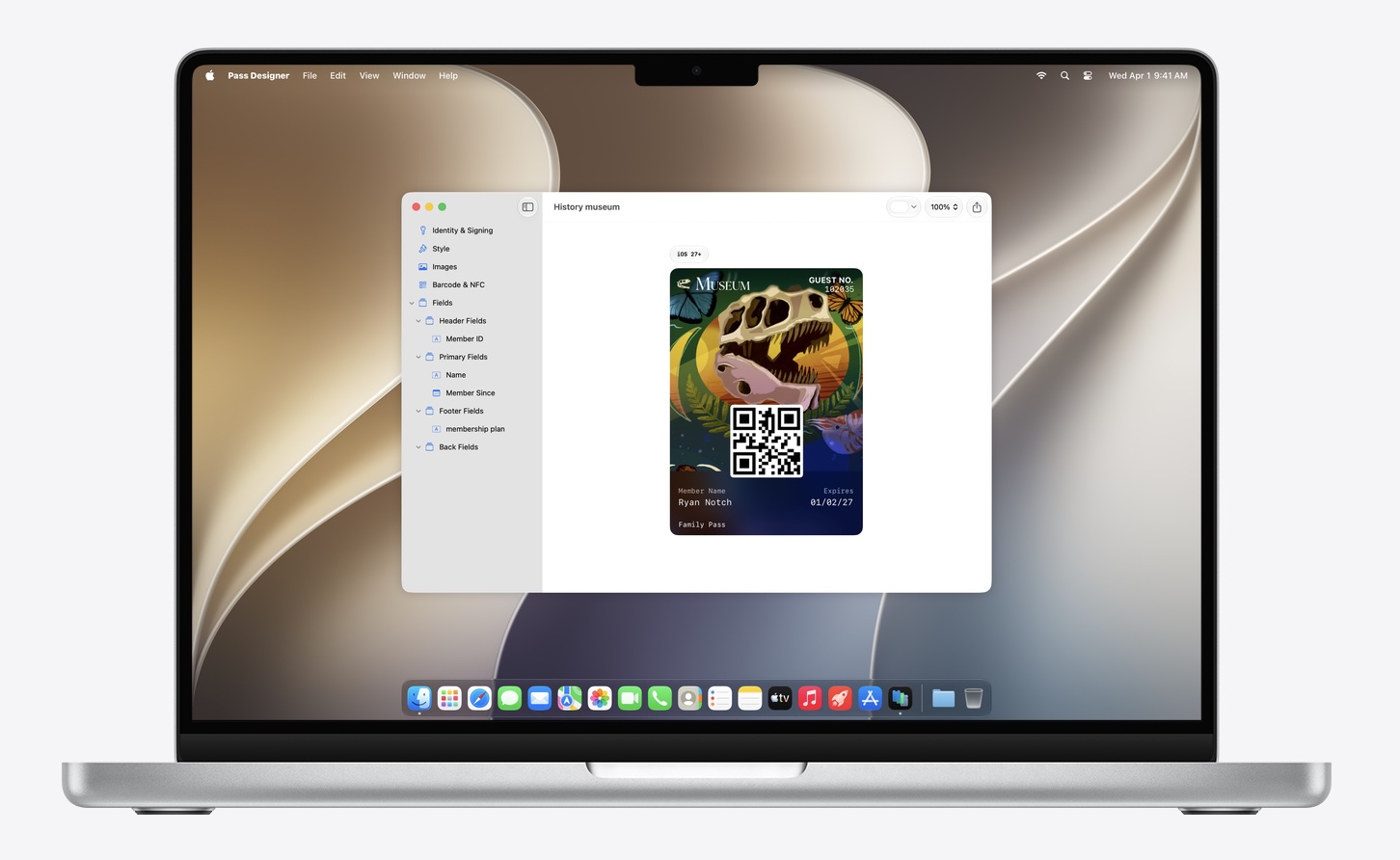
Apple has introduced a new macOS app called Pass Designer for creating and previewing passes.


Pass Designer is available in beta on macOS 27.

Enhanced Hotel Keys


iOS 27 supports enhanced Apple Wallet digital keys at participating hotels and resorts. You can view more details about your trips, receive updates about booked activities, access services available during your stay, and more. Apple did not share a list of hotel brands or locations that will be offering these upgraded keys.

Create Passes


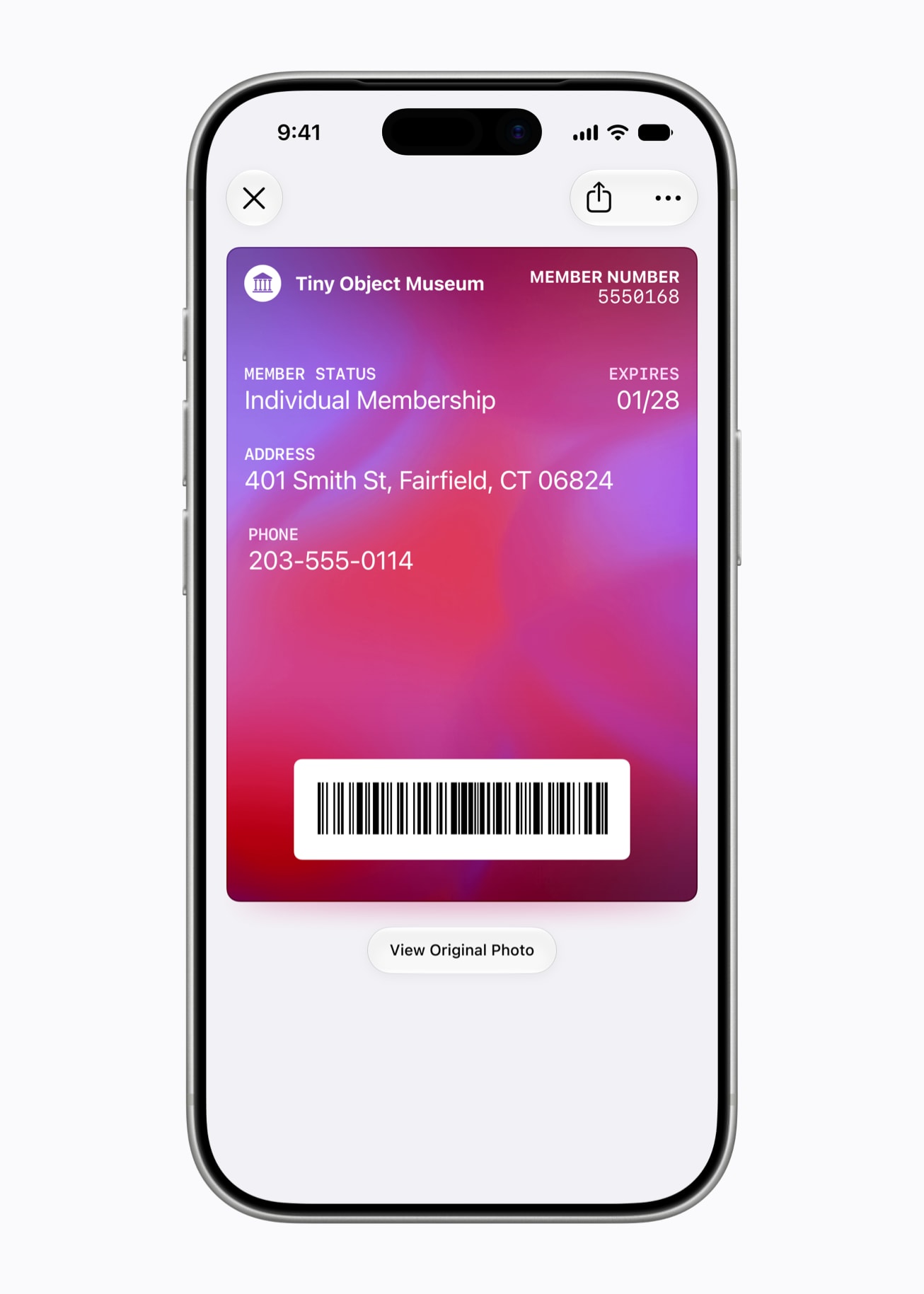
You can now create custom passes in Apple Wallet by scanning physical cards, like loyalty or membership cards.


With the new Siri mode in the Camera app, you can simply point your iPhone at any physical card with a barcode and save it to Apple Wallet. Once added, passes are ready to present as a barcode or QR code right from the iPhone.

New Barcode Types


Apple Wallet passes can display four new barcode types: EAN-13, Code 39, Codabar, and ITF.

Split Bills With Apple Cash


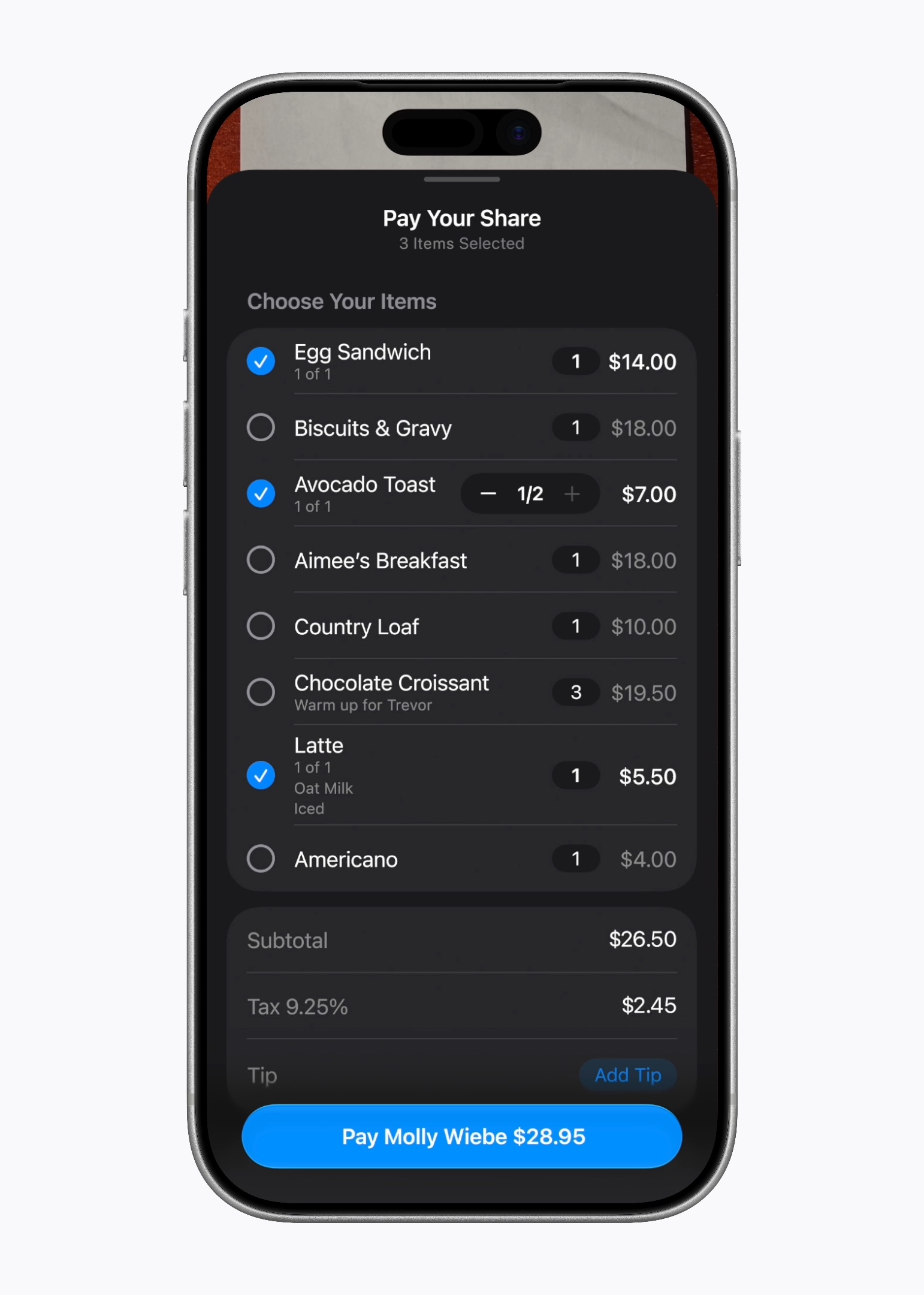
In the U.S. only, iOS 27 allows you to split bills with a new feature powered by Apple Cash and Apple Intelligence. This capability is available in the Apple Wallet and Messages apps, or by using the new Siri mode in the Camera app.


"When users point their iPhone at a receipt using Siri mode, it can surface the relevant action to split a bill with Apple Cash and identify the items on the receipt," said Apple. "As users select their items, their total payment is calculated, including their share of tax and tip, so they can pay back exactly what they owe with Apple Cash."

Wallet Order Tracking in More Countries


Starting with iOS 27, Apple Wallet's order tracking feature is available in Australia and Canada. The feature was limited to the U.S. and the U.K. previously.

Learn More


Apple shared a WWDC 2026 video outlining new features coming to the Wallet app this year, and it has a page on its developer website with more details.


iOS 27 Availability


iOS 27 is currently available as a developer beta, with a public beta to follow in July. The update is expected to be released to all users in September.

iOS 27 is compatible with the iPhone 11 series and newer.
Related Roundups: iOS 27, iPadOS 27

This article, "iOS 27 Adds Six New Features to Apple Wallet on Your iPhone" first appeared on MacRumors.com

Discuss this article in our forums
  •  

Apple Says iOS 27 Adds These 12 New Features to Your iPhone

iOS 27's key new feature is a more intelligent and personal version of Siri, but the changes go well beyond that. In a press release today, Apple outlined additional enhancements coming across Apple Maps, Find My, Apple Wallet, Apple Music, and more.


Apple Maps has gained an enhanced Flyover experience powered by AI, enabling you to view aerial imagery in "stunning detail" for select cities.

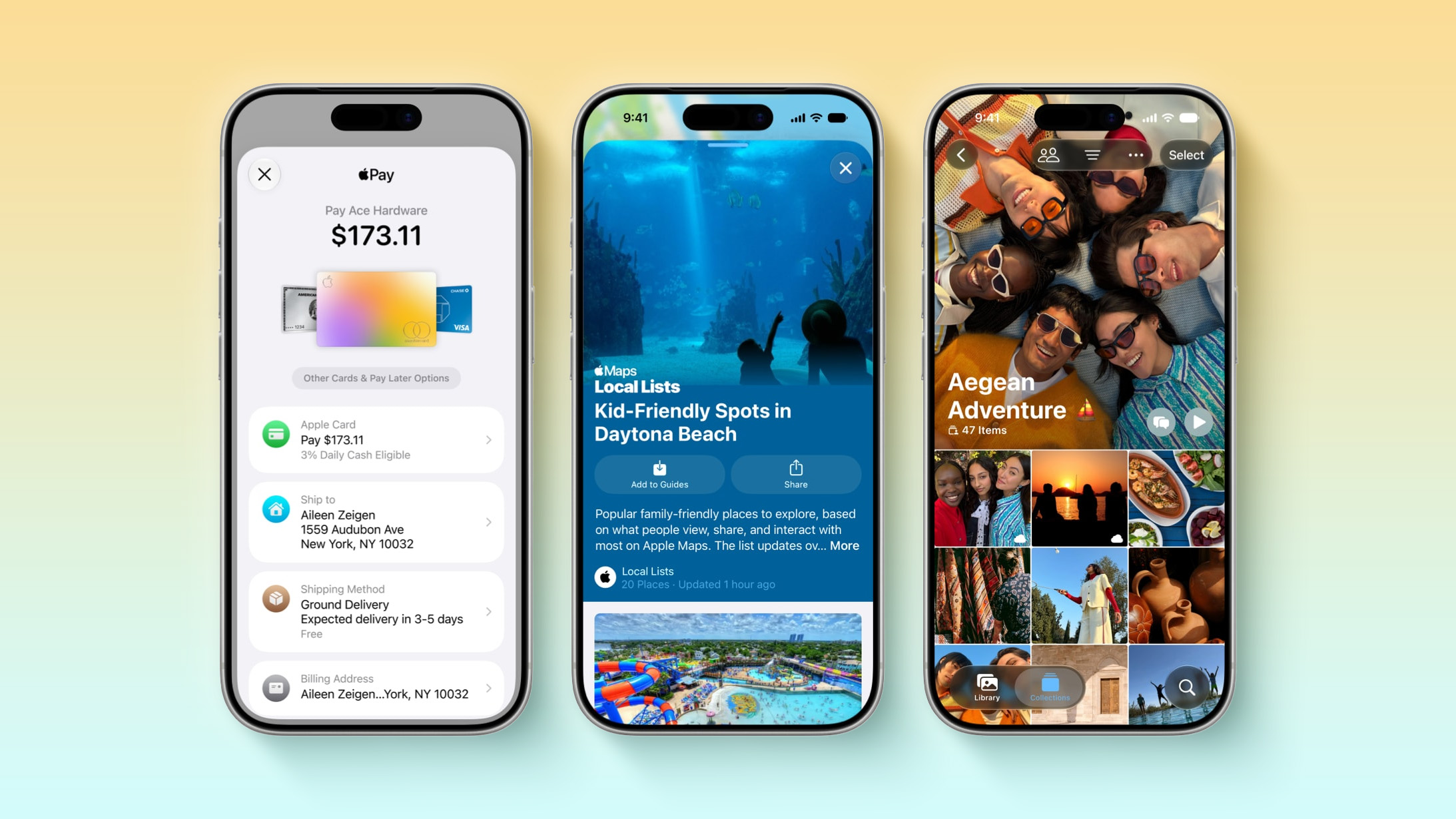
In the U.S., Apple Maps has also received a new Local Lists feature, which surfaces things such as trending restaurants and kid-friendly places to visit.

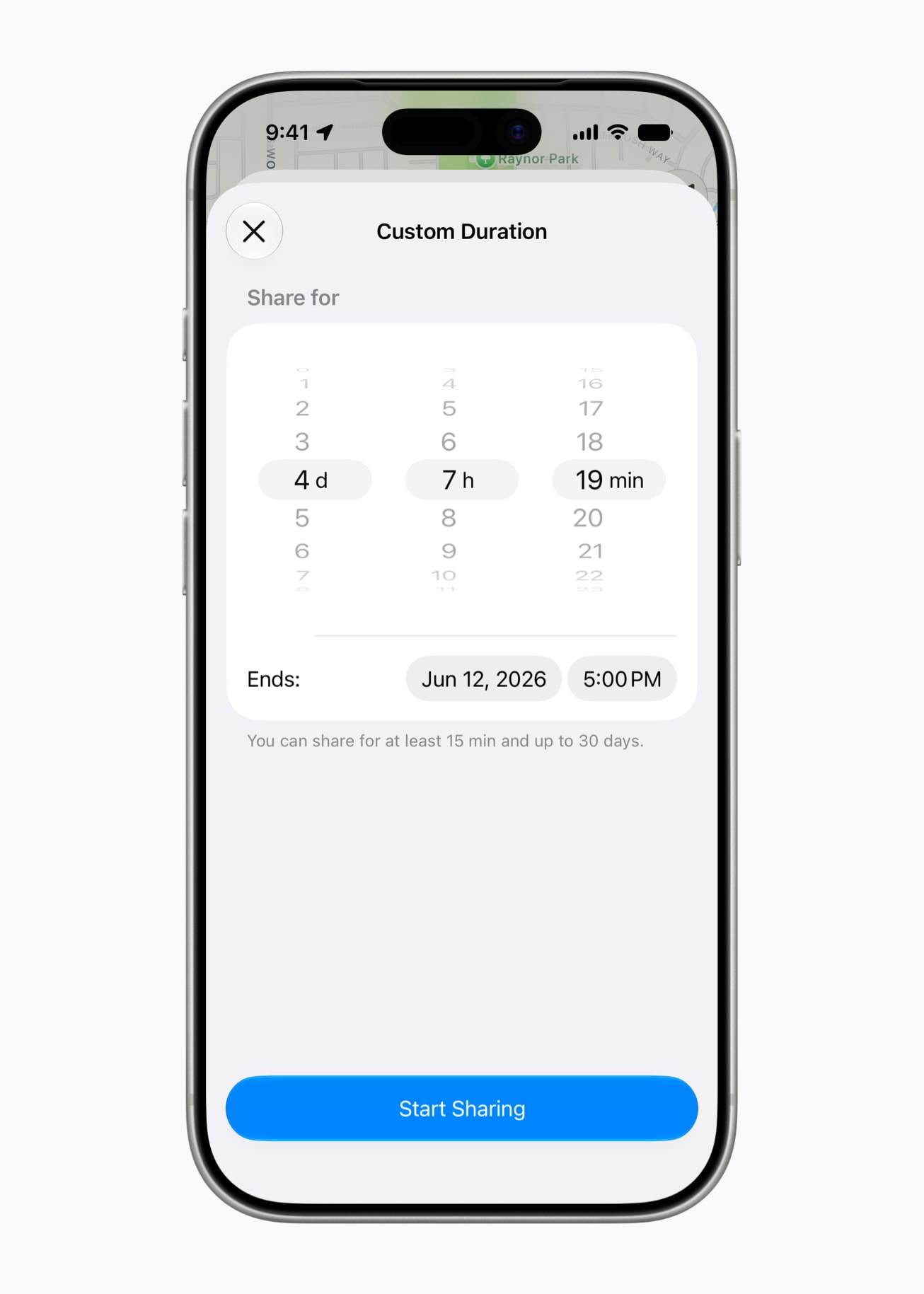
In the Find My app, you will have the ability to share your location with others for a custom duration, such as four days and six hours. Or, you can set a set an exact date and time for your location sharing to expire. In addition, you can now pause your location sharing with specific people until the end of the day.


On iOS 26 and earlier, there are only three preset timeframes available: indefinitely, until end of day, and one hour.

In the U.S., iOS 27 allows you to split bills with a new feature powered by Apple Cash and Apple Intelligence. This capability is available in the Messages and Apple Wallet apps, or by using the new Siri mode in the Camera app.

"When users point their iPhone at a receipt using Siri mode, it can surface the relevant action to split a bill with Apple Cash and identify the items on the receipt," said Apple. "As users select their items, their total payment is calculated, including their share of tax and tip, so they can pay back exactly what they owe with Apple Cash."


You can now create custom passes in Apple Wallet from physical cards, like loyalty or membership cards. With the Siri mode in the Camera app, you can simply point your iPhone at any physical card with a barcode and save it to Apple Wallet. Once added, passes are ready to present as a barcode or QR code right from the iPhone.

iOS 27 provides an enhanced Apple Wallet key experience for participating hotels and resorts. You can view more details about your trips, receive updates about booked activities, access services available during your stay, and more.

Apple Pay's checkout flow on the web and in apps is getting an updated design that allows you to swipe to switch payment cards. And if you have an eligible card in Apple Wallet, it will be accompanied by more information, including rewards balances, debit account balances, pay later options, and more.

As part of the Tap to Pay on iPhone feature, new Tap to Share functionality allows you to connect to a participating small business owner's iPhone and securely share shipping information, email addresses, loyalty rewards, and more.

In the Apple Podcasts app, there is a new "search within show" feature.

In the Photos app, iCloud Shared Albums now support cross-platform, full-resolution sharing, more file types, and more. Even people without an Apple device can now join and contribute photos to these shared albums on the web.

In the Apple Music app, Apple said the AutoMix feature has "even better transitions" that feel "more immersive and engaging for listeners." Introduced in iOS 26, AutoMix adds seamless, DJ-like transitions between songs.

Apple Music's Lyrics Translation feature is expanding to seven additional language pairings: English to French, English to German, English to Italian, English to Korean, English to Spanish, French to English, and Japanese to English.

A summary of the 12 new features:
  • Apple Maps: Flyover gets AI-enhanced aerial imagery in select cities

  • Apple Maps: Local Lists with trending restaurants and places

  • Find My: When sharing your location, you can set a custom duration

  • Find My: Pause your location sharing with select people until the end of the day

  • Apple Wallet: Create custom passes from physical cards

  • Apple Wallet: Enhanced digital keys with more info at participating hotels

  • Apple Cash: Bill splitting feature powered by Apple Intelligence

  • Apple Pay: A redesigned checkout flow on the web and in apps

  • Tap to Share: Easily share your personal details with a small business owner's iPhone

  • Apple Podcasts: Search within individual podcast episodes

  • Photos: iCloud Shared Albums get cross-platform, full-resolution photo sharing

  • Apple Music: AutoMix enhancements and more Lyrics Translation languages
Apple's press release provides more details about these features and a few others.

iOS 27 is currently available in developer beta, with a public beta to follow in July. The update is expected to be released in September.
Related Roundup: iOS 27

This article, "Apple Says iOS 27 Adds These 12 New Features to Your iPhone" first appeared on MacRumors.com

Discuss this article in our forums
  •  

iOS 27 Fixes Justin Bieber's Problem in Messages App

Last year, singer Justin Bieber turned to social media to complain about the placement of the dictation button in the Messages app's text field on the iPhone. Specifically, he said he kept accidentally pressing the dictation button after sending a text, given it shows up in the same spot as the send button.
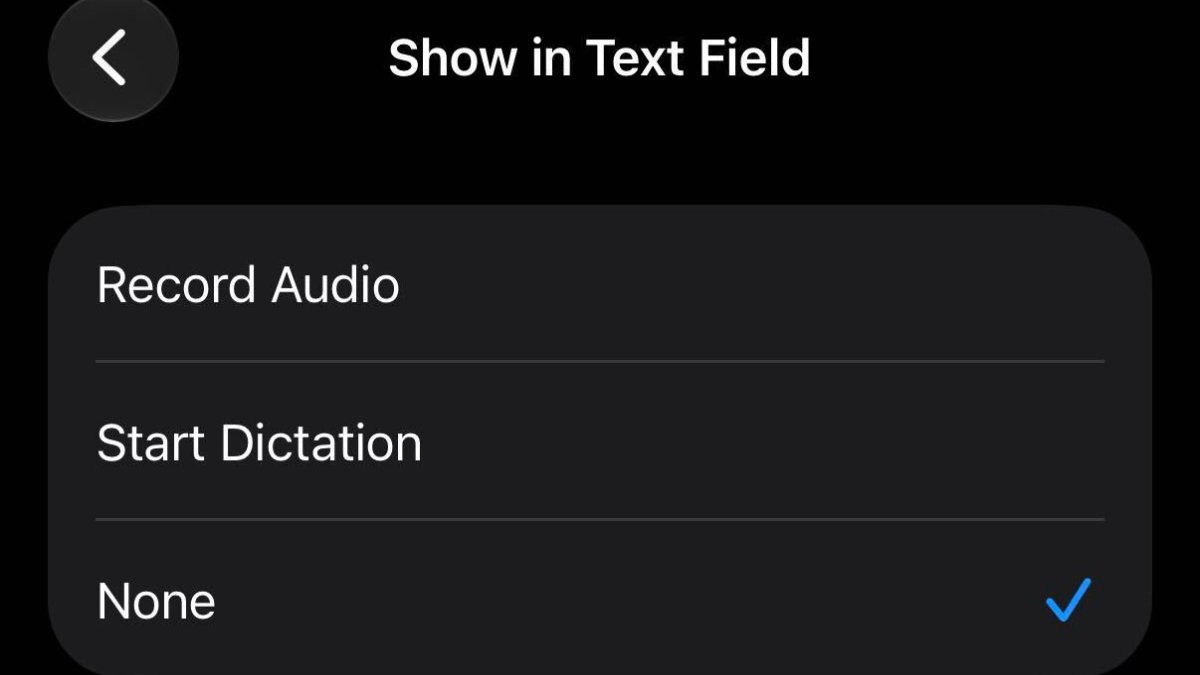
Apple has seemingly listened to this feedback, as iOS 27 lets you turn off the dictation button in the Settings app under Apps β†’ Messages β†’ Show in Text Field.
Related Roundup: iOS 27

This article, "iOS 27 Fixes Justin Bieber's Problem in Messages App" first appeared on MacRumors.com

Discuss this article in our forums

  •  

Apple Reveals How Many iPhones Were Running iOS 26 Before WWDC

Apple has shared updated iOS 26 and iPadOS 26 adoption figures, revealing how many iPhones and iPads were running those software versions on the day before the start of WWDC 2026 and the release of the first iOS 27 developer beta.


These adoption numbers are based on iPhones and iPads that transacted on the App Store on Sunday, June 7, according to Apple.

The statistics are as follows:
  • 86% of all iPhones introduced in the last four years were running iOS 26.

  • 79% of all iPhones were running iOS 26.

  • 79% of all iPads introduced in the last four years were running iPadOS 26.

  • 68% of all iPads were running iPadOS 26.
Here is how that compares to the iOS 18 adoption figures that Apple shared based on iPhones and iPads that transacted on the App Store on Thursday, June 5, 2025:
  • 88% of all iPhones introduced in the last four years were running iOS 18.

  • 82% of all iPhones were running iOS 18.

  • 81% of all iPads introduced in the last four years were running iPadOS 18.

  • 71% of all iPads were running iPadOS 18.
iOS 27 beta testing is now underway, so this will be Apple's final update on iOS 26 adoption.
Related Roundups: iOS 26, iPadOS 26, WWDC 2026

This article, "Apple Reveals How Many iPhones Were Running iOS 26 Before WWDC" first appeared on MacRumors.com

Discuss this article in our forums

  •  

Apple Announces New CarPlay Features on iOS 27, Including Video Apps

Back at WWDC 2025, Apple revealed that it was planning to allow CarPlay users to watch video via AirPlay in their vehicles while they are not driving, but we did not hear many specific details about this functionality until now.


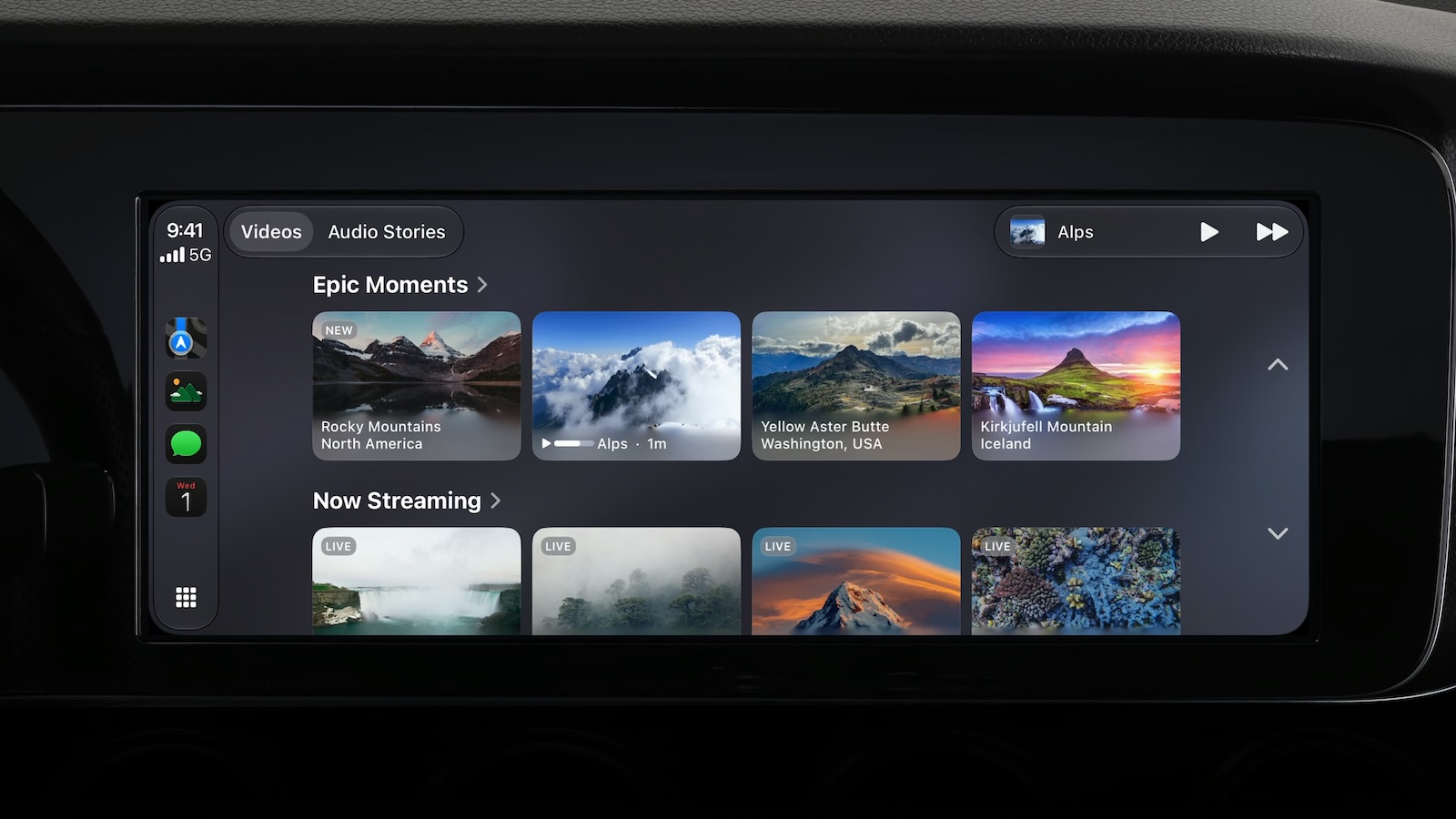
In a WWDC 2026 video aimed at developers, Apple said the CarPlay video feature is available in new vehicles that support it. When playing a video in an iPhone app that supports AirPlay video streaming, users can select the car's display from the AirPlay menu on iOS and watch the video on a compatible vehicle's screen.

New in iOS 27, Apple is allowing developers to create CarPlay apps with video browsing capabilities, so you can find videos to watch right on CarPlay.

This feature can keep you entertained while you are not driving. For example, Apple said you may use it while waiting in your car at the airport, or charging your electric vehicle. For safety reasons, video playback is only enabled when the vehicle is parked.

In addition, the more personal and intelligent version of Siri β€” aka "Siri AI" β€”Β will be available on CarPlay when it is used with an iPhone 15 Pro or newer. Apple offered the following example for using Siri AI via CarPlay: "On the road, ask Siri which trailhead your friend suggested and get the answer instantly."


In a slide shown very briefly during the WWDC 2026 keynote, Apple revealed four additional enhancements coming to CarPlay:
  • Audio scrubbing within CarPlay's Now Playing interface

  • Improved GPS accuracy and navigation heading

  • A mini-player for audio within apps

  • Improved wireless CarPlay reliability
All of the new CarPlay features require an iPhone running iOS 27, which is available in developer beta starting today. A public beta will follow in July, and the software update should be released to all users with a compatible iPhone in September.
Related Roundups: CarPlay, iOS 27, WWDC 2026
Tag: AirPlay

This article, "Apple Announces New CarPlay Features on iOS 27, Including Video Apps" first appeared on MacRumors.com

Discuss this article in our forums

  •  

tvOS 27 Drops Support for Two Apple TV Models

The upcoming tvOS 27 update that was previewed today drops support for two Apple TV models.


The two Apple TV models that are compatible with tvOS 26 but not tvOS 27 are the Apple TV HD from 2015 and the Apple TV 4K (1st generation) from 2017.

tvOS 27 is compatible with the Apple TV 4K (2nd generation) and newer, according to Apple's documentation.

tvOS 27 features a redesigned Podcasts app, smoother app launches and animations, support for larger text across the interface, and more. Apple did not give tvOS 27 much attention during its WWDC 2026 keynote, so we are still in the process of learning what other new features and enhancements are included in the update.

tvOS 26 Compatibility


  • Apple TV HD (2015)

  • Apple TV 4K (1st generation, 2017)

  • Apple TV 4K (2nd generation, 2021)

  • Apple TV 4K (3rd generation, 2022)

tvOS 27 Compatibility


  • Apple TV 4K (2nd generation, 2021)

  • Apple TV 4K (3rd generation, 2022)

The first tvOS 27 developer beta is available today, and a public beta will follow in July. The update will be released later this year β€” likely in September.

A new Apple TV 4K (4th generation) is expected to launch later this year.
Related Roundup: Apple TV
Buyer's Guide: Apple TV (Don't Buy)

This article, "tvOS 27 Drops Support for Two Apple TV Models" first appeared on MacRumors.com

Discuss this article in our forums

  •  

Apple Announces tvOS 27 With These New Features

Apple barely touched on tvOS 27 during its WWDC 2026 keynote today, but the update exists, and it adds some new features to the Apple TV.


In a slide that was shown very briefly during the keynote, Apple revealed some of tvOS 27's new features and enhancements:

  • A redesigned Podcasts app

  • Smoother app launches and animations

  • Faster AirPlay connectivity with other Apple devices

  • Smart downloads

  • A new Larger Text accessibility option in the Settings app, which increases the size of text across the tvOS interface

  • AppleCare coverage details in the Settings app
Apple's website does not offer a tvOS 27 preview page like it does for iOS 27 and the other new software updates, and the "what's new in tvOS" page on Apple's developer website has yet to be updated, so no further details about these features are available right now. Stay tuned for more tvOS 27 information over the coming days.

The first tvOS 27 developer beta is available today, and a public beta will follow in July. The update will be released later this year β€”Β likely in September.
Related Roundups: Apple TV, WWDC 2026
Buyer's Guide: Apple TV (Don't Buy)

This article, "Apple Announces tvOS 27 With These New Features" first appeared on MacRumors.com

Discuss this article in our forums

  •  

Apple Says New Siri is Compatible With These iPhones, iPads, and Macs

The more intelligent and personalized version of Siri that Apple introduced today β€” "Siri AI" β€”Β is limited to devices with Apple Intelligence support.


"Siri AI" is available on the devices listed below.

iPhone


  • iPhone 15 Pro

  • iPhone 15 Pro Max

  • iPhone 16e

  • iPhone 16

  • iPhone 16 Plus

  • iPhone 16 Pro

  • iPhone 16 Pro Max

  • iPhone 17e

  • iPhone 17

  • iPhone Air

  • iPhone 17 Pro

  • iPhone 17 Pro Max


iPad


  • iPad mini (A17 Pro)

  • iPad Air (M1 chip and newer)

  • iPad Pro (M1 chip and newer)


Mac


"Siri AI" is compatible with any Mac with the M1 chip and newer.

Apple Watch


"Siri AI" is compatible with the following Apple Watch models when they are paired with an Apple Intelligence-enabled iPhone model that is nearby:


  • Apple Watch Series 10

  • Apple Watch Series 11

  • Apple Watch Ultra 2

  • Apple Watch Ultra 3

  • Apple Watch SE (3rd generation)


Vision Pro

  • Vision Pro (M2 chip)

  • Vision Pro (M5 chip)

Some of the "Siri AI" features are also available on CarPlay when an Apple Intelligence-enabled iPhone model is connected to the vehicle.

"Siri AI" is available to test in English in the iOS 27, iPadOS 27, macOS 27, and visionOS 27 developer betas starting today, but there is a wait, and it will be coming to the Apple Watch in a future watchOS 27 beta. "Siri AI" will also be included in the public betas of each update, which will be available in July.

The revamped Siri is launching later this year. Even then, it will still have a "beta" label.

Note that "Siri AI" will not be available in the EU on iOS 27 and iPadOS 27 at launch, with Apple citing regulatory issues related to the Digital Markets Act.
Related Roundup: WWDC 2026
Tags: Siri, Siri AI

This article, "Apple Says New Siri is Compatible With These iPhones, iPads, and Macs" first appeared on MacRumors.com

Discuss this article in our forums

  •  

Apple Announces When iOS 27 and Revamped 'Siri AI' Will Be Released

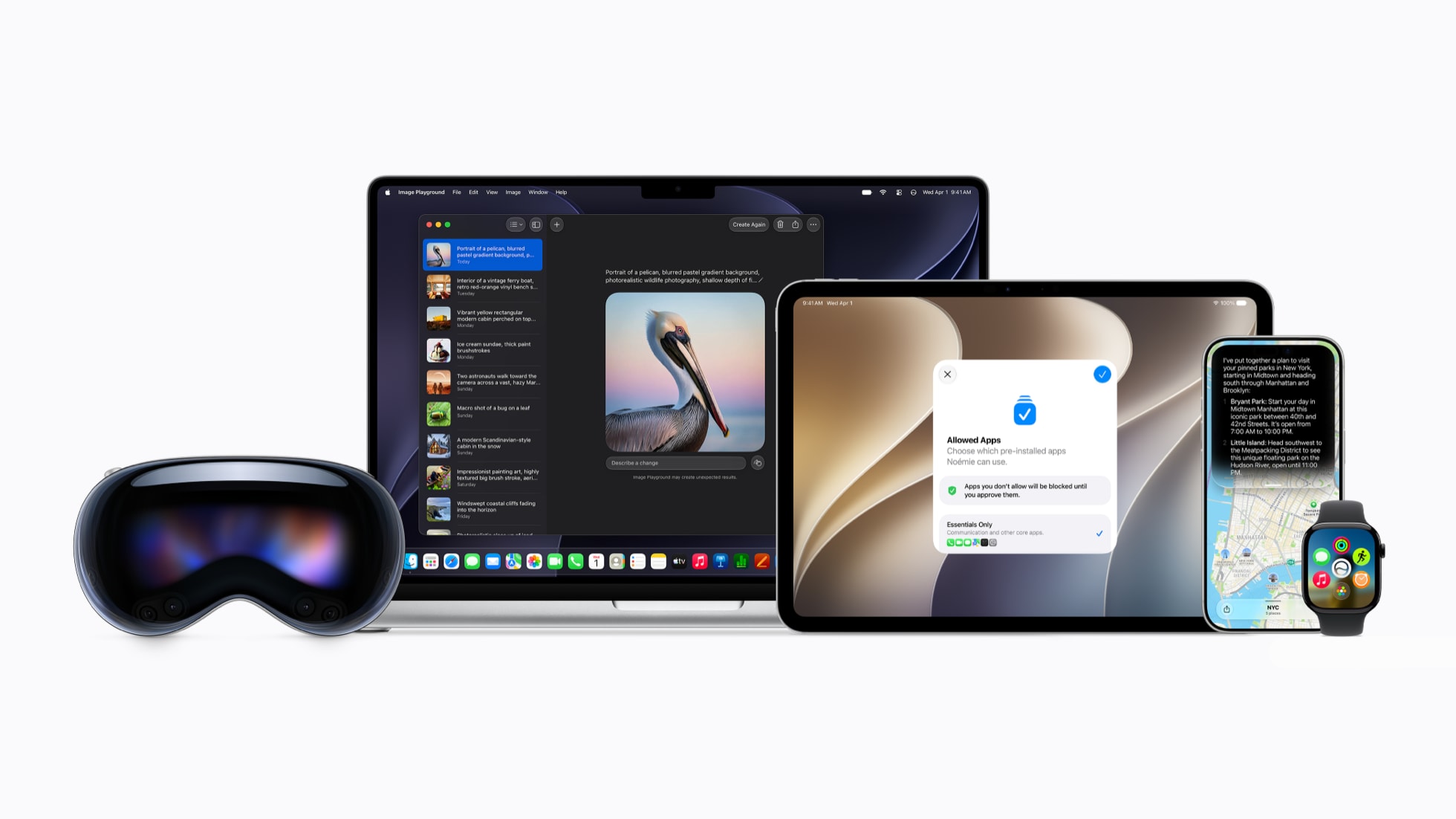
Apple today announced that iOS 27, iPadOS 27, macOS 27, watchOS 27, tvOS 27, and visionOS 27 will be available in developer beta starting today, with public betas to follow in July. The software updates will all be released in the "fall" as usual β€” likely September β€” but Apple did not provide any specific date at this time.


The revamped version of Siri that is officially named "Siri AI" will be available to test in the iOS 27, iPadOS 27, macOS 27, and visionOS 27 developer betas starting today, and it is coming to the Apple Watch in a future watchOS 27 beta. "Siri AI" will also be included in the public betas of each platform that are launching in July.

"Siri AI" requires a device that is compatible with Apple Intelligence.

The revamped version of Siri will roll out to all customers with a compatible device later this year, but even the launch version will be considered a "beta."

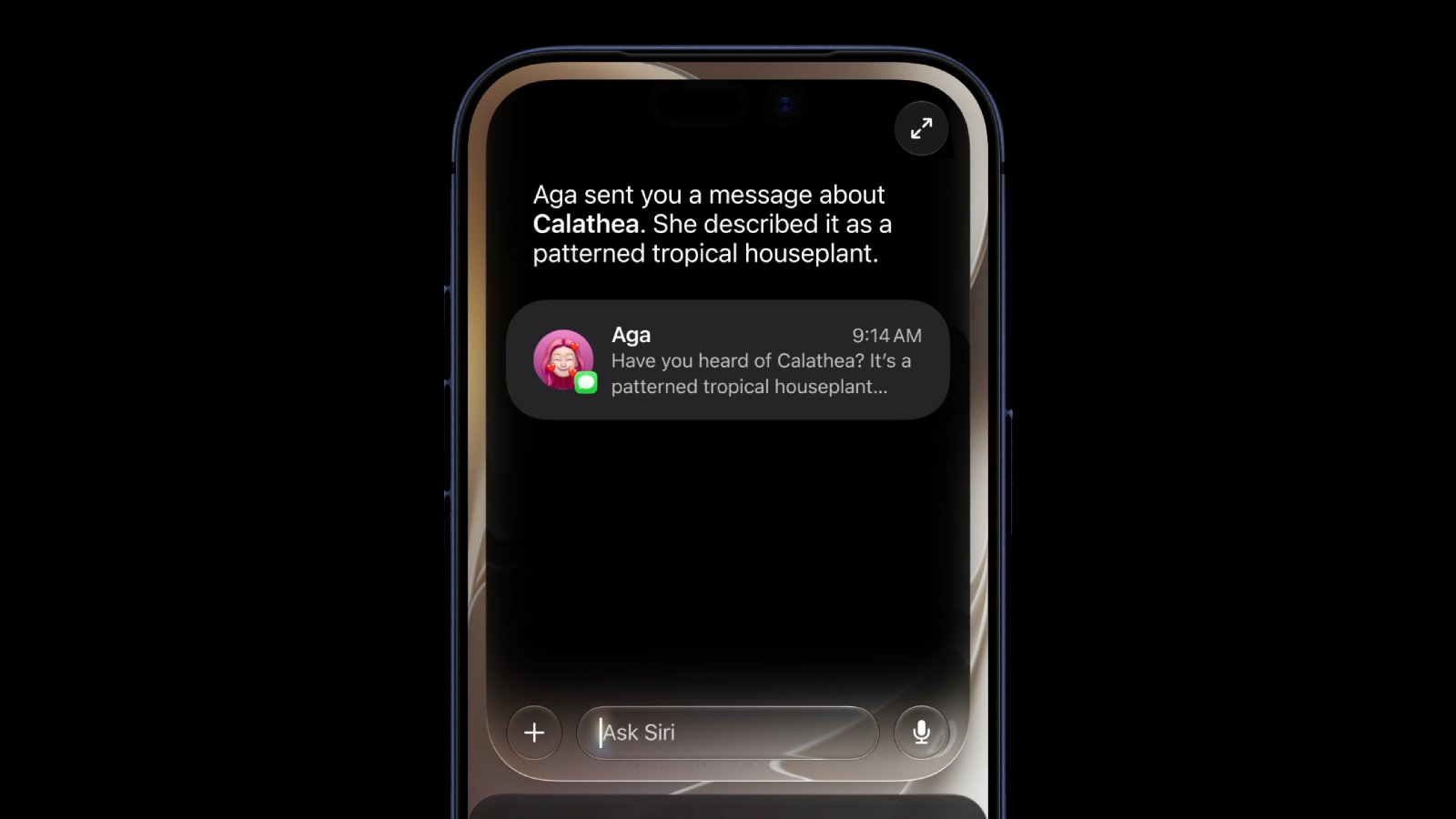
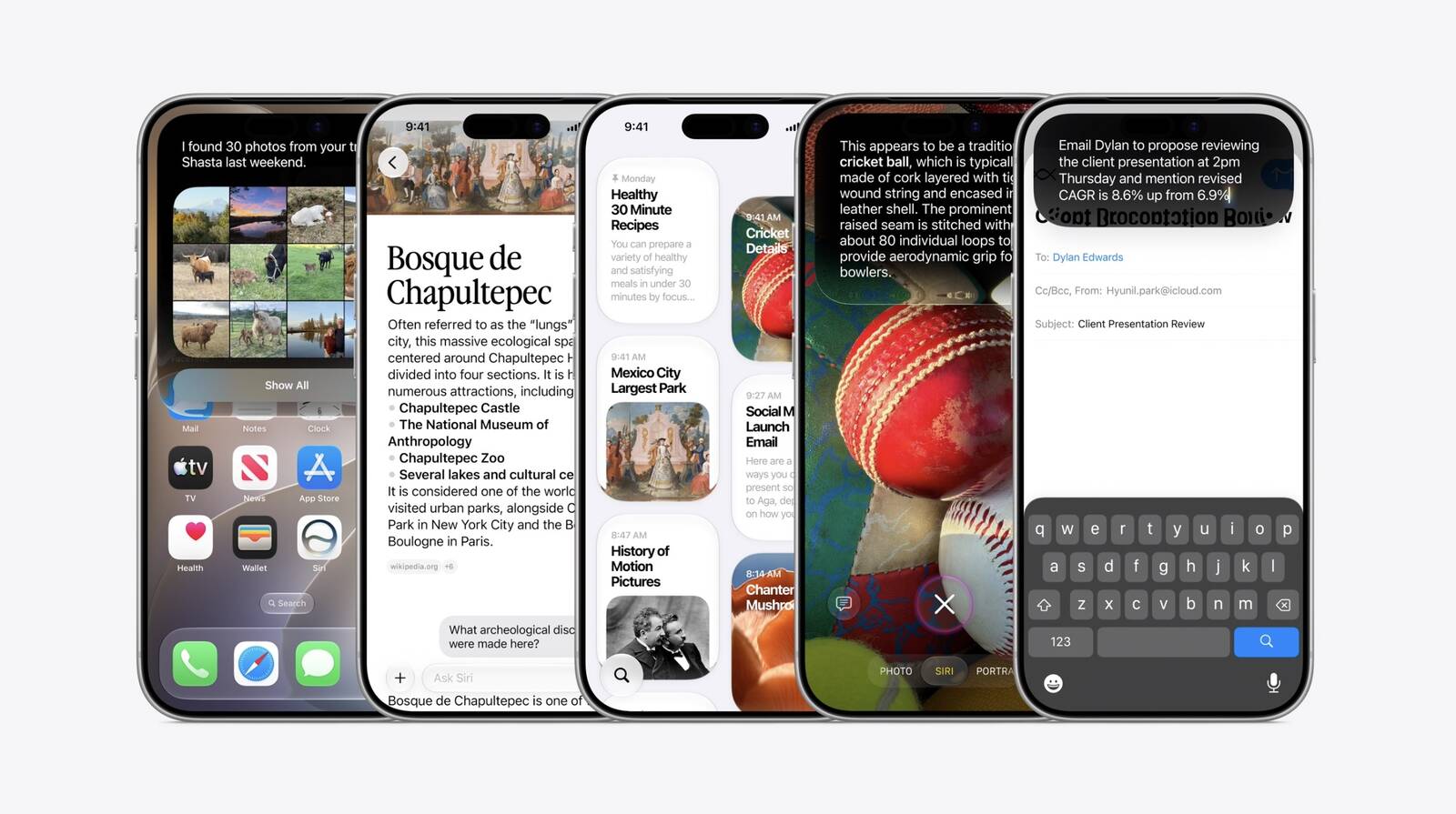
"Siri AI" is the more personalized version of Siri that Apple first previewed all the way back at WWDC 2024. Two years later, it is finally arriving, with the core upgrades being understanding of personal context and on-screen awareness.

"Siri AI is an entirely new version of Siri deeply integrated into iPhone, iPad, Mac, Apple Watch, and Apple Vision Pro," said Apple. "It can draw on personal context understanding to search across messages, emails, photos, and more, and get things done across apps with even more systemwide app actions."

With broad world knowledge, the new Siri is able to answer many more questions.

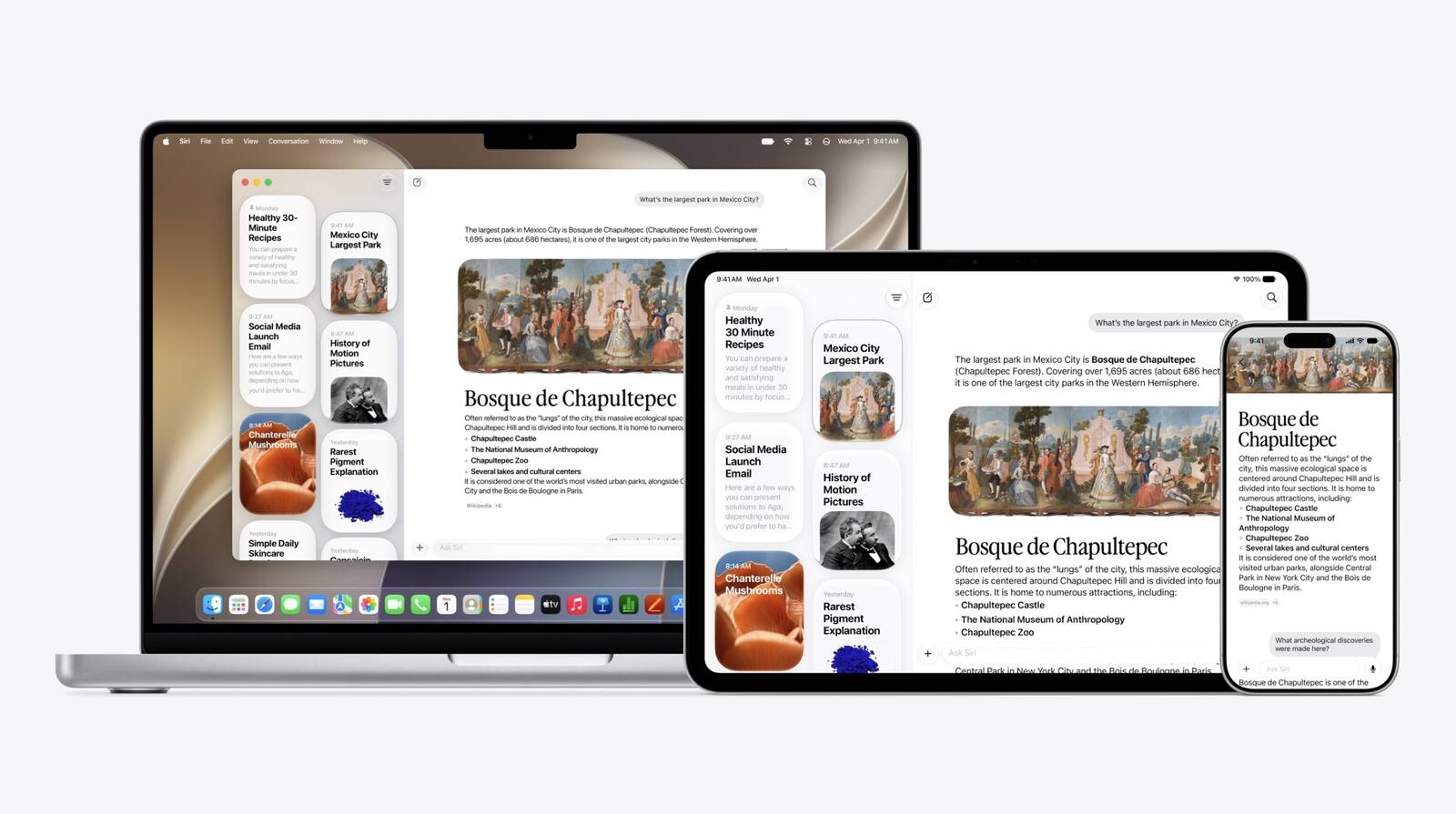
An all-new Siri app across iOS 27, iPadOS 27, and macOS 27 provides users with a dedicated spot to fully interact with the revamped assistant.
Related Roundups: iOS 27, macOS 27
Tag: Siri

This article, "Apple Announces When iOS 27 and Revamped 'Siri AI' Will Be Released" first appeared on MacRumors.com

Discuss this article in our forums

  •  

Apple Unveils All-New Siri App Across iOS 27 and macOS Golden Gate

Apple today introduced a Siri app across iOS 27, iPadOS 27, and macOS Golden Gate, providing users with a dedicated spot to interact with the revamped assistant.


In the Siri app, you can have back-and-forth conversations with Siri in text or voice modes, and your conversation history is synced across your devices via iCloud.


Apple is finally launching its more personalized version of Siri, complete with understanding of your personal context and on-screen awareness. It is called Siri AI, and it will initially be available in English only, according to Apple.
Related Roundups: iOS 27, macOS 27
Tag: Siri

This article, "Apple Unveils All-New Siri App Across iOS 27 and macOS Golden Gate" first appeared on MacRumors.com

Discuss this article in our forums

  •  

Apple Announces macOS Golden Gate

Apple today announced that macOS 27 is named macOS Golden Gate.


Much like Mac OS X Snow Leopard in 2009, Apple said it focused on improving macOS's performance and dozens of underlying technologies this year.

Apple said that it focused on improving all aspects of macOS, from big to small. For example, Apple said user account creation is now faster.

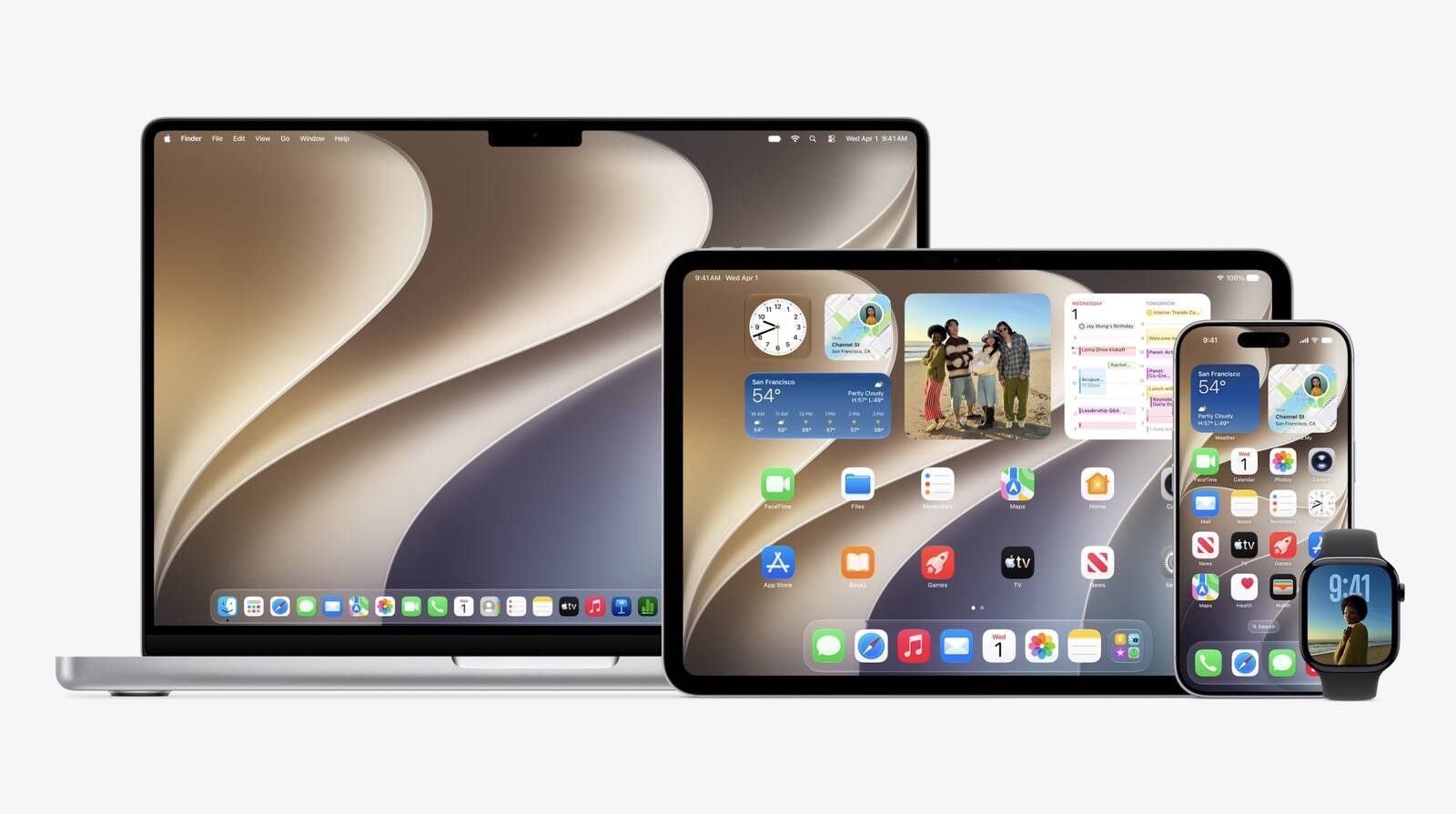
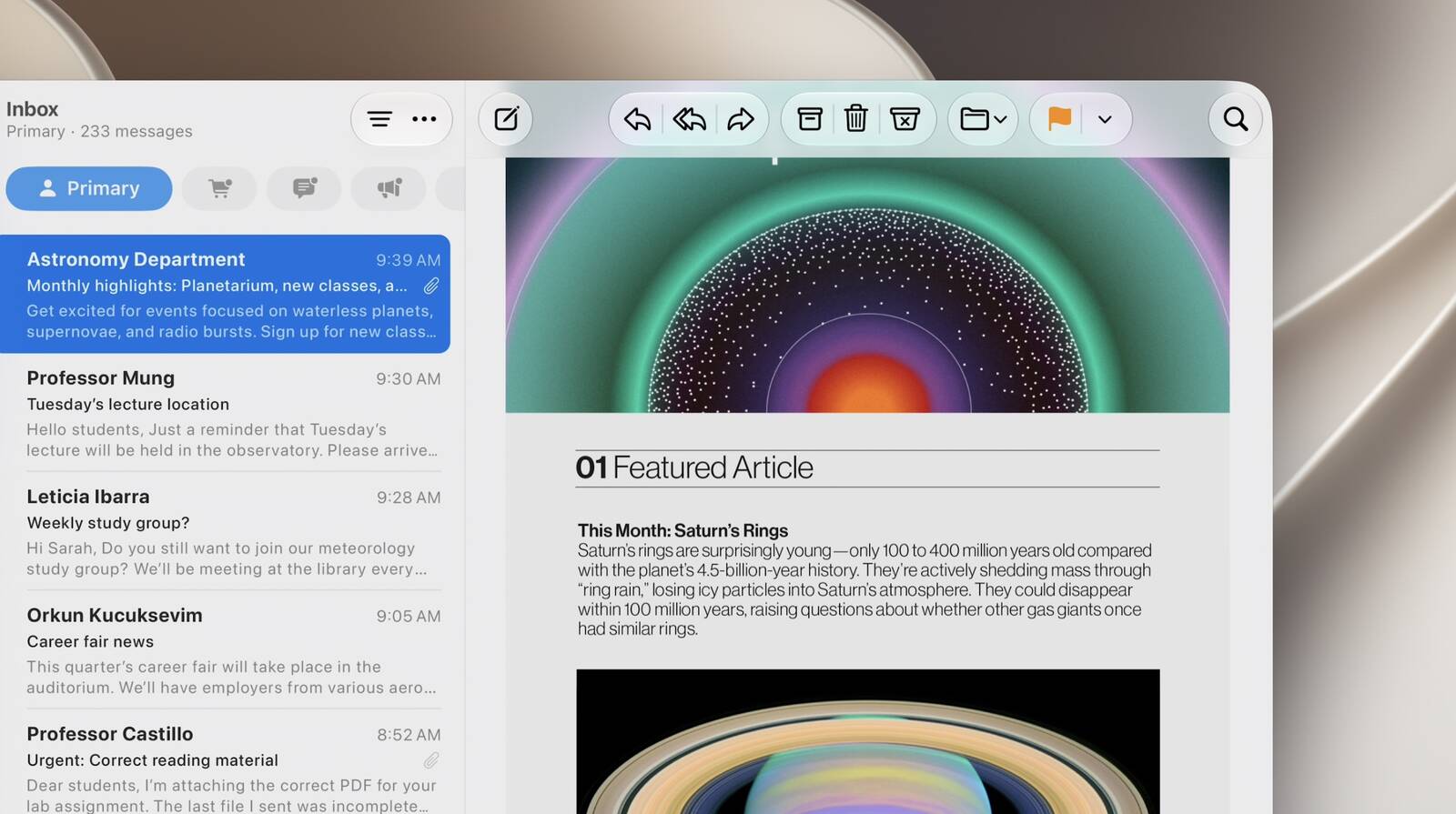
macOS Golden Gate has some Liquid Glass design changes. For example, apps now have a unified toolbar at the top, and the sidebar now expands to the edge of the window.


macOS Golden Gate is finally getting major promised Apple Intelligence and Siri upgrades, including personal context and on-screen awareness.

Spotlight has a new "Search or Ask" interface that is powered by the revamped version of Siri.


Apple is revamping its child safety features across its platforms, including macOS Golden Gate.

More details to follow.
Related Roundups: macOS 27, WWDC 2026

This article, "Apple Announces macOS Golden Gate" first appeared on MacRumors.com

Discuss this article in our forums

  •  

Apple's Beta Website Says 'We'll Be Back Soon' Just Ahead of WWDC

Apple's Beta Software Program website has gone down ahead of the company's WWDC 2026 keynote next hour.

The first developer betas of iOS 27, iPadOS 27, macOS 27, watchOS 27, tvOS 27, and visionOS 27 should be available today, and the first public betas typically follow in July.
Related Roundup: WWDC 2026

This article, "Apple's Beta Website Says 'We'll Be Back Soon' Just Ahead of WWDC" first appeared on MacRumors.com

Discuss this article in our forums

  •  
❌