โŒ

Lees weergave

iOS 27's Weather App Has a New Way to View Forecasts

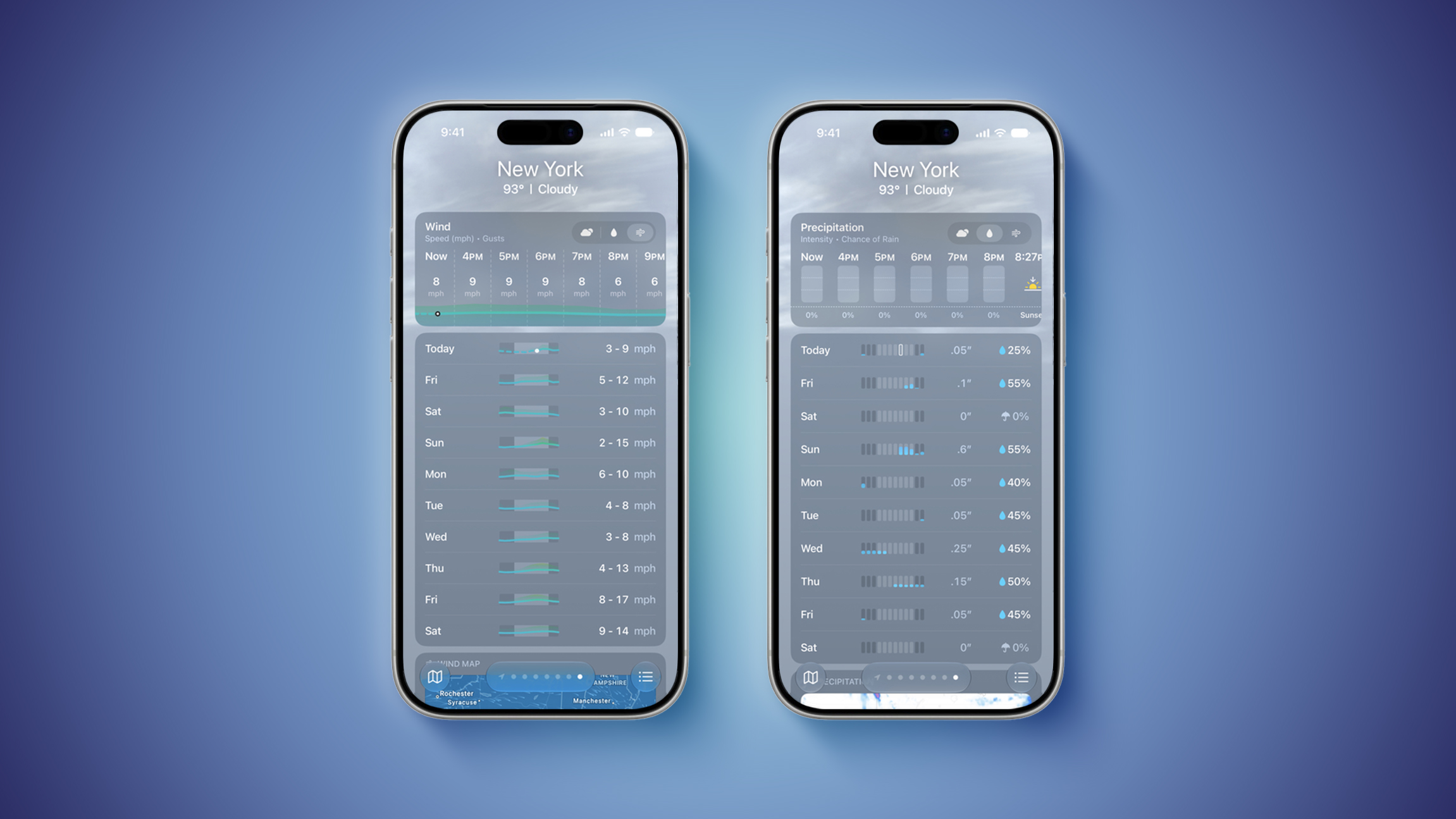
Starting with iOS 27, Apple's Weather app offers new hourly and 10-day overviews for precipitation and wind that you can quickly view at a glance.


While this sort of information was already accessible elsewhere in the app, you can now quickly tap between conditions, precipitation, and wind overviews.

You can view the percentage chance of rain or snow each hour and day, as well as estimated wind speeds, and the information is accompanied by visuals.

iOS 27 is currently in beta. The update is expected to be released in September.
Related Roundups: iOS 27, iPadOS 27

This article, "iOS 27's Weather App Has a New Way to View Forecasts" first appeared on MacRumors.com

Discuss this article in our forums

  •  

iOS 27 Lets You Add Apple TV Remote to Your iPhone's Home Screen

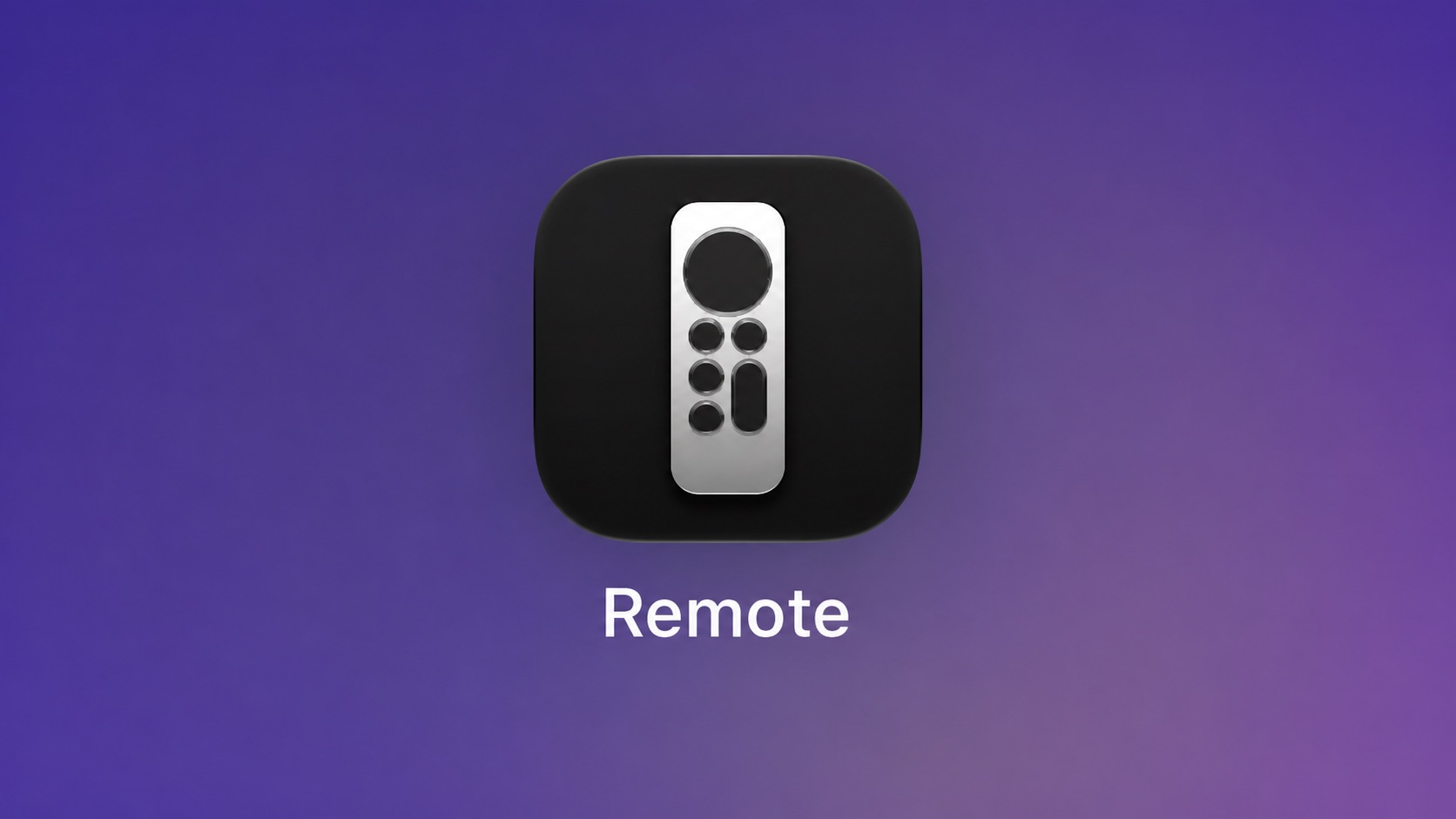
Starting with iOS 27, the virtual Apple TV remote can be added to the iPhone's Home Screen again, rather than being limited to Control Center. To do so, swipe down on the Home Screen and search for "remote." Next, tap and hold on the Remote app and drag it to your Home Screen. Alternatively, you can find it in the App Library.
Apple used to offer an Apple TV Remote app in the App Store, but it was removed in 2020.
Related Roundups: Apple TV, iOS 27, iPadOS 27
Buyer's Guide: Apple TV (Don't Buy)

This article, "iOS 27 Lets You Add Apple TV Remote to Your iPhone's Home Screen" first appeared on MacRumors.com

Discuss this article in our forums

  •  

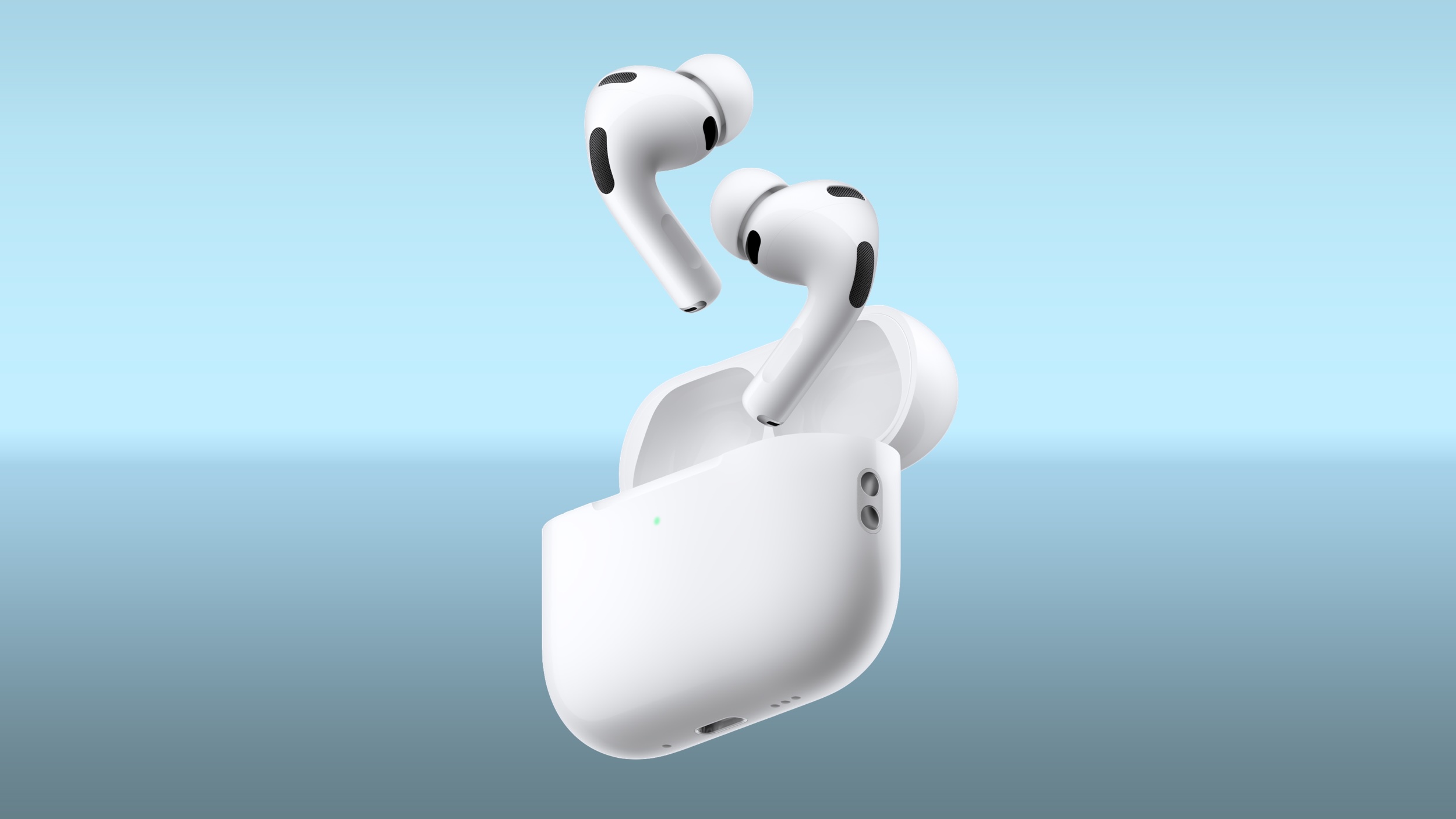
Apple Touts 'World's Best' AirPods Pro 3 Noise Cancellation in New Vini Jr. Ad

Apple today shared a new ad highlighting AirPods Pro 3 Active Noise Cancellation.


The ad stars Vini Jr., a Brazilian professional footballer who plays for Real Madrid and the Brazil national team, and it arrives as the 2026 FIFA World Cup gets underway. In the spot, Vini Jr. dances through the streets to music only he can hear.

Apple marketing chief Greg Joswiak shared the video on social media, and a short version is also on Apple's AirPods Pro 3 website.

Apple says the โ€ŒAirPods Pro 3โ€Œ have the "world's best in-ear Active Noise Cancellation" based on a July 2025 evaluation in accordance with IEC 60268โ€“24 as compared with best-selling commercially available wireless in-ear headphones. The โ€ŒAirPods Pro 3โ€Œ remove up to 2x more noise than the AirPods Pro 2, and up to 4x more than the original AirPods Pro.

The โ€ŒAirPods Pro 3โ€Œ are priced at $249, and along with Active Noise Cancellation, the earbuds feature spatial audio, heart rate sensing, hearing aid functionality, Live Translation, and more.
Related Roundup: AirPods Pro 3
Buyer's Guide: AirPods Pro (Neutral)
Related Forum: AirPods

This article, "Apple Touts 'World's Best' AirPods Pro 3 Noise Cancellation in New Vini Jr. Ad" first appeared on MacRumors.com

Discuss this article in our forums

  •  

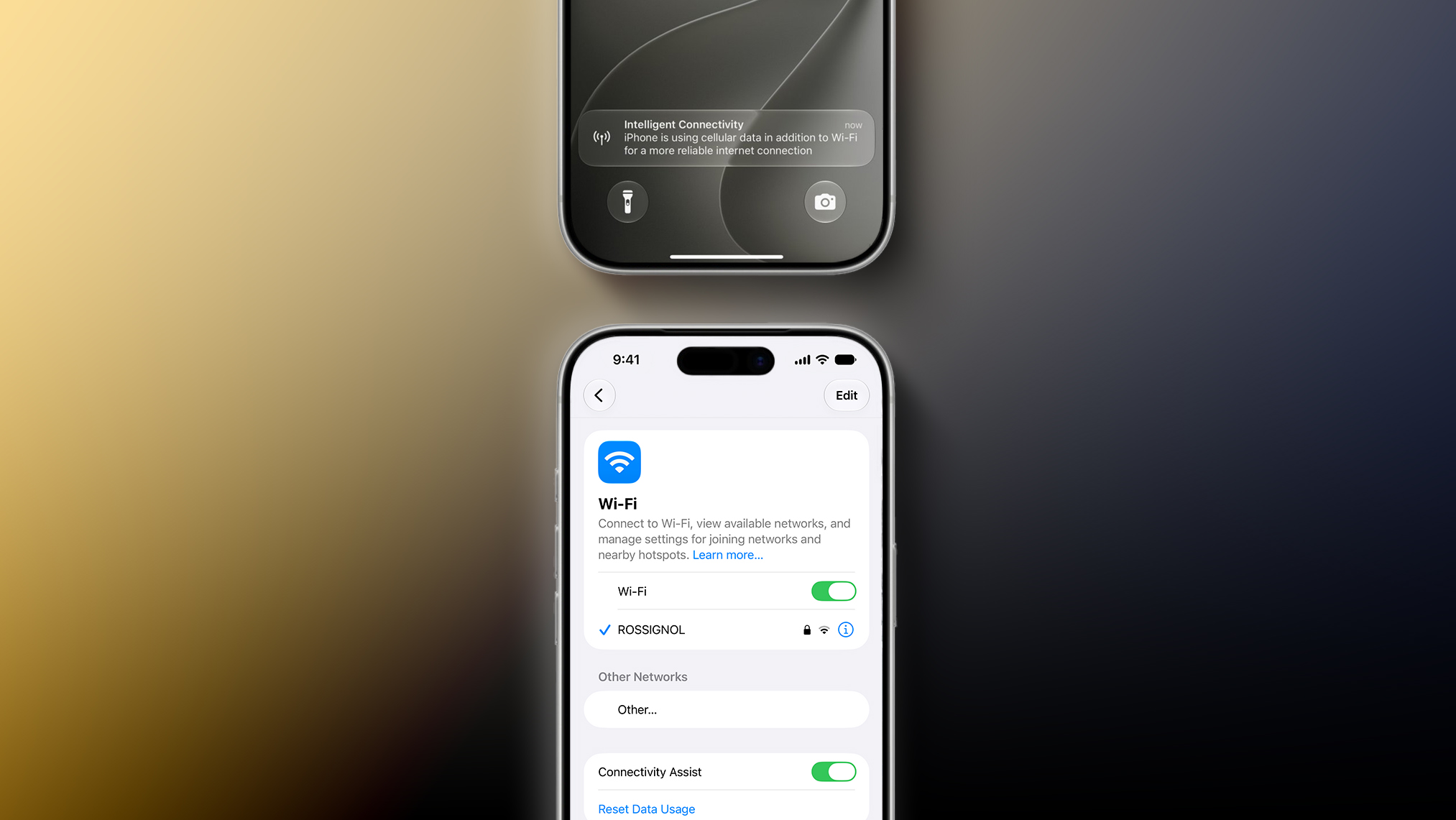
iOS 27's Wi-Fi Settings Include Rebranded 'Connectivity Assist' Feature

iOS 27 and iPadOS 27 include a rebranded Connectivity Assist feature that can help your iPhone stay connected to the internet.


Connectivity Assist can be found in the Settings app under Wi-Fi on iOS 27 and iPadOS 27. Apple's description of the feature says it lets you "use cellular data in addition to Wi-Fi for a more reliable internet connection."

A support document on Apple's website confirms that Connectivity Assist is the new name used on iOS 27 and iPadOS 27 for the feature previously known as Wi-Fi Assist, but it is unclear if there are any functionality changes.

On iOS 26 and earlier, Wi-Fi Assist automatically switches the device to cellular data when Wi-Fi connectivity is poor. Some early iOS 27 beta testers have speculated that Connectivity Assist seems to go further by offering combined Wi-Fi and cellular connectivity when it is active, but we have yet to confirm that claim.

On the iOS 27 beta, Flighty developer Ryan Jones and others have received a new "Intelligent Connectivity" notification when Connectivity Assist is active. It is possible that the feature now kicks in more aggressively.

On a related note, Apple said iOS 27 and iPadOS 27 offer "smoother network transitions."

"Your iPhone more seamlessly chooses the best available Wiโ€‘Fi or cellular connection, so whether you're getting directions as you leave home or taking a FaceTime call as you step off a plane, you'll stay connected," the company explained.
Related Roundups: iOS 27, iPadOS 27

This article, "iOS 27's Wi-Fi Settings Include Rebranded 'Connectivity Assist' Feature" first appeared on MacRumors.com

Discuss this article in our forums

  •  

AAPL Stock Slides Following WWDC, But Analysts Broadly Raise Targets

Apple shares have lost roughly $25 per share this week following the company's WWDC 2026 keynote, though a wave of upward analyst price target revisions suggests Wall Street's longer-term view of Apple remains constructive.


According to Tech Times, AAPL hit an all-time intraday high of around $317.40 on June 8 during the unveiling of Siri AI, before reversing to close at $301.54, down 1.89%. The slide continued over the following two days, with shares falling to around $290.55 by the close of June 10. The stock is trading around $292 as of writing.

The drop has been attributed in part to mixed investor reaction to โ€ŒSiriโ€Œ AI. โ€ŒSiriโ€Œ AI will not launch on iPhone and iPad in the European Union due to compliance issues, and the feature faces a similarly delayed rollout in China due to regulatory hurdles. According to Yahoo Finance, Morgan Stanley estimates those two excluded markets together account for roughly 35% of trailing 12-month iPhone shipments.

The analyst community's response to this year's WWDC has been broadly positive, with several firms raising their price targets. TheStreet reports that TD Cowen raised its Apple price target to $350 from $335, Maxim Group raised its target to $350 from $310, and Morgan Stanley raised its target to $360, all maintaining Buy or Overweight ratings.

JPMorgan reiterated its Overweight rating with a $325 price target, while Jefferies held its target at $299.88. According to Investing.com, Bernstein reiterated an Outperform rating and a $350 price target, while UBS maintained a Neutral rating with a $296 target. Maxim Group increased its fiscal 2027 projections on the expectation that improvements in AI-related products will serve as a catalyst for both services and hardware sales.

TradingKey characterized the post-WWDC selloff as a classic "buy-the-rumor, sell-the-news" reaction, noting that Apple's second quarter results of $111.2 billion in revenue and a $31 billion services all-time high remain unchanged by any of the WWDC announcements.

The September iPhone event will be the next major test for investors and the first keynote under incoming CEO John Ternus.
Related Roundup: WWDC 2026

This article, "AAPL Stock Slides Following WWDC, But Analysts Broadly Raise Targets" first appeared on MacRumors.com

Discuss this article in our forums

  •  

Apple Agrees to Let Jon Prosser Formally Contest iOS 26 Leak Lawsuit

Apple and leaker Jon Prosser have jointly asked a federal court to set aside the default judgment entered against him last October, with Prosser agreeing to hand over documents he had thus far failed to fully produce.


Apple filed suit against Prosser and Michael Ramacciotti in July 2025, alleging misappropriation of trade secrets after Prosser published videos showing recreated renderings of iOS 26's Liquid Glass design months before Apple's announcement. According to the complaint, Ramacciotti secretly accessed the iPhone of Apple software engineer Ethan Lipnik and showed Prosser a pre-release build of the software in exchange for payment. Lipnik was subsequently fired.

Prosser missed his deadline to formally respond to the complaint, prompting Apple's lawyers to file a request for a default judgment. The court entered the default in October 2025, after which Prosser told The Verge he had "been in active communications with Apple since the beginning stages of this case."

The situation did not improve significantly in the months that followed. A joint status report filed in April showed Prosser was still failing to comply with discovery, prompting Apple to seek a court order to compel him. The filing noted that while Prosser had provided some responsive materials, he had failed to fully respond to certain requests and had not responded at all to others.

This stood in contrast to Ramacciotti, who allowed Apple to forensically review an additional device, agreed to supplement his interrogatory responses, and offered to sit for a follow-up deposition, with Apple and Ramacciotti having been informally discussing a potential settlement since at least October.

Prosser did not retain legal counsel until April 14, 2026. According to the joint stipulation filed June 9, Apple served Prosser with subpoenas in January 2026 seeking documents and a deposition related to its claims against Ramacciotti, but Prosser had not fully responded to the document subpoena and had not sat for a deposition.

As part of the agreement, Prosser committed to producing all materials responsive to Apple's document subpoena by June 9, 2026, and to sit for a deposition by no later than June 16, 2026. Apple stated it believes setting aside the default is "the most efficient way to advance this case without further delay."

The stipulation still requires approval from the U.S. District Court for the Northern District of California. If approved, Prosser would have ten days from the date of the order to file a responsive pleading to Apple's complaint, giving him a formal opportunity to contest the allegations for the first time.
Related Roundups: iOS 26, iPadOS 26
Related Forum: iOS 26

This article, "Apple Agrees to Let Jon Prosser Formally Contest iOS 26 Leak Lawsuit" first appeared on MacRumors.com

Discuss this article in our forums

  •  

Apple Bucks Smartphone Slump With Production Surge

A new report from TrendForce claims Apple's iPhone production surged 19.7% year-over-year in the first quarter of 2026, even as the broader global smartphone market contracted 1.7% over the same period.


According to TrendForce, Apple produced approximately 60.2 million iPhone units in the first quarter, placing it second among global smartphone brands. Samsung retained the top spot with approximately 62.6 million units, a 2.3% year-over-year increase. TrendForce attributes Apple's strong output partly to the launch of the iPhone 17e, in addition to ongoing production ramp-up for the broader iPhone 17 lineup.

The figures reflect Apple's relative resilience in a market increasingly burdened by rising memory component costs. TrendForce says Apple is better positioned than most competitors to absorb those higher costs without sacrificing profitability, and suggests the company is more likely to prioritize market share growth during the current downturn as it lays the groundwork for its expanding software and services business. Apple is one of the few major smartphone brands that has not raised prices in response to the memory price surge.

The picture is considerably grimmer elsewhere. Chinese brands Oppo, Xiaomi, and Vivo ranked third through fifth globally with 29.5 million, 26 million, and 22 million units respectively, with TrendForce warning that all three face significant uncertainty around their 2026 production plans as surging memory costs weigh on profitability. Transsion, which ranked sixth at approximately 19.8 million units, is said to be particularly exposed given its heavy concentration in entry-level and budget segments where margins are already thin.

Looking ahead, TrendForce forecasts global smartphone production will decline approximately 16.2% year-over-year to 1.051 billion units across 2026. The firm warns that figure could worsen if memory prices remain elevated and brands are forced to pass costs on to consumers through repeated retail price increases.
This article, "Apple Bucks Smartphone Slump With Production Surge" first appeared on MacRumors.com

Discuss this article in our forums

  •  

Touchscreen MacBook '100% Confirmed,' Says Reputable Leaker

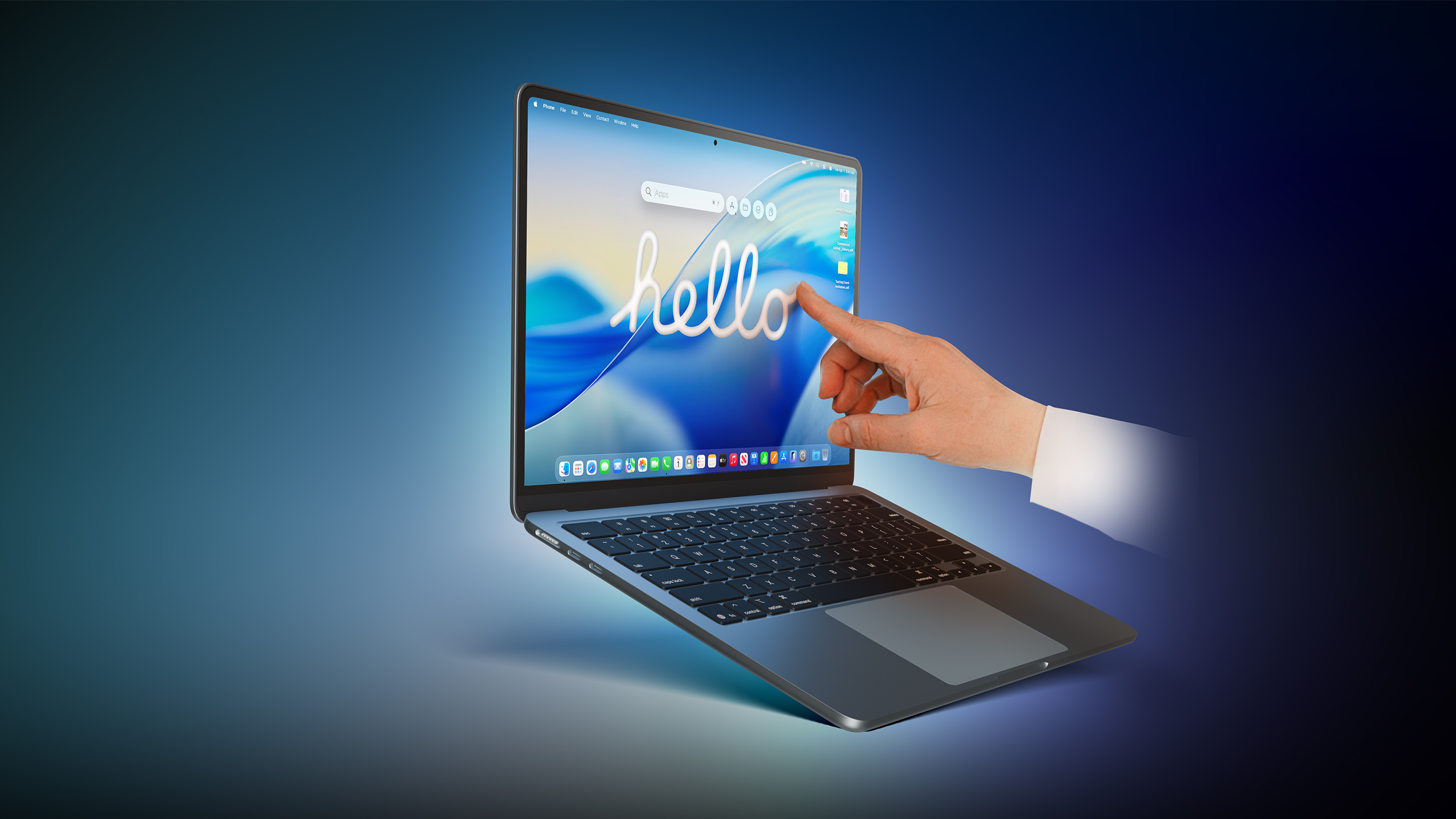
Apple's first touchscreen MacBook is now "100% confirmed," according to the prolific Chinese leaker known as Instant Digital, who appears to have insider information from sources in the supply chain. The leaker made their definitive statement this morning in a Weibo post.


Instant Digital has a good track record for Apple rumors and has provided some strikingly accurate information in the past, so it's always worth noting what they have to say about Apple's plans. The claim is also backed by several recent reports.

Recurring rumors about Apple's touchscreen MacBook development actually go back a few years. In January 2023, Bloomberg's Mark Gurman said that a MacBook Pro with an OLED display would be the first touchscreen Mac. The machine was initially slated for 2025, but that timeline never played out.

Since then, reports have become more frequent and assertive. In September 2025, analyst Ming-Chi Kuo said the first touchscreen OLED MacBook Pro would enter mass production in 2026. Gurman has also repeatedly stated that the next 14-inch and 16-inch MacBook Pro models will have touchscreen and are slated to launch in late 2026 to early 2027 โ€“ with the global memory chip shortage potentially making 2027 more likely.

Touchscreen support is expected to be one of several major upgrades coming to Apple's next-generation high-end MacBook Pro models. Other rumored features include M6 Pro and M6 Max chips, an OLED display, a Dynamic Island (i.e., no notch), and a thinner design. The new laptops could also adopt MacBook Ultra branding.

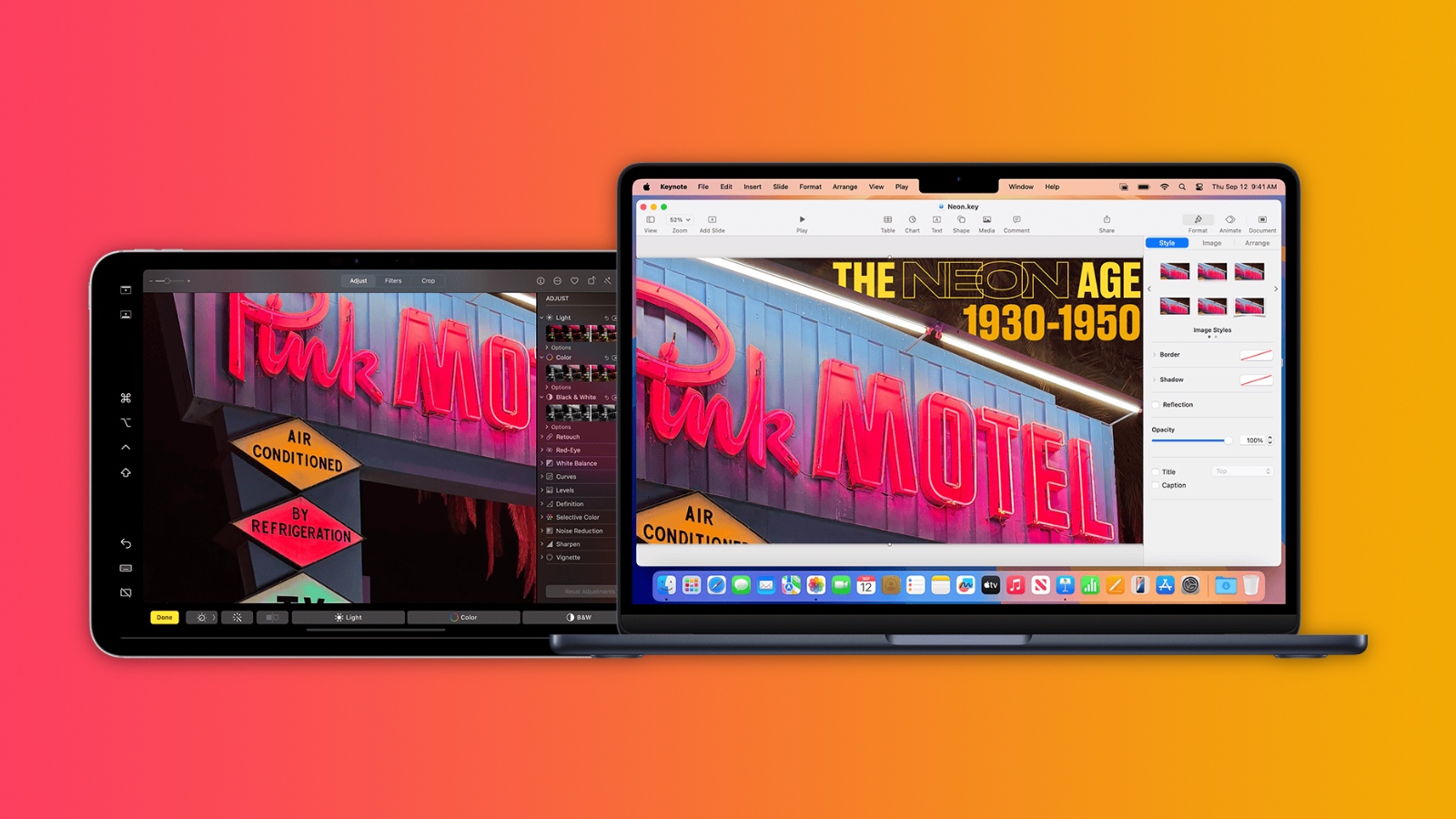
Notably, macOS 27 Golden Gate also introduces a more touch-friendly interface, since Apple's Sidecar feature now allows users to tap and interact with macOS interface elements using a finger on their iPad.

Apple apparently is not going to advertise the โ€Œnew MacBook Proโ€Œ/Ultra as a touch-first device like the โ€ŒiPadโ€Œ โ€“ it will be "touch-friendly, not touch-first," according to Gurman. In that sense, Apple will let customers use touch and mouse gestures interchangeably for all functions.

Apple has long rejected the idea of a touchscreen Mac, so moving ahead with one would be a major shift in the company's thinking. In 2010, Steve Jobs argued that "touch surfaces don't want to be vertical," citing the arm fatigue that comes from repeatedly reaching up to a screen.

More than a decade later, in 2021, Apple's hardware engineering chief John Ternus โ€“ soon to be Apple CEO โ€“ said the Mac was "totally optimized for indirect input" and that Apple saw no compelling reason to change that approach.

Are you looking forward to touching a future MacBook's screen? Let us know in the comments.
Related Roundup: MacBook Pro
Buyer's Guide: MacBook Pro (Buy Now)
Related Forum: MacBook Pro

This article, "Touchscreen MacBook '100% Confirmed,' Says Reputable Leaker" first appeared on MacRumors.com

Discuss this article in our forums

  •  

macOS 27 Golden Gate Reverses a Divisive Tahoe Design Choice

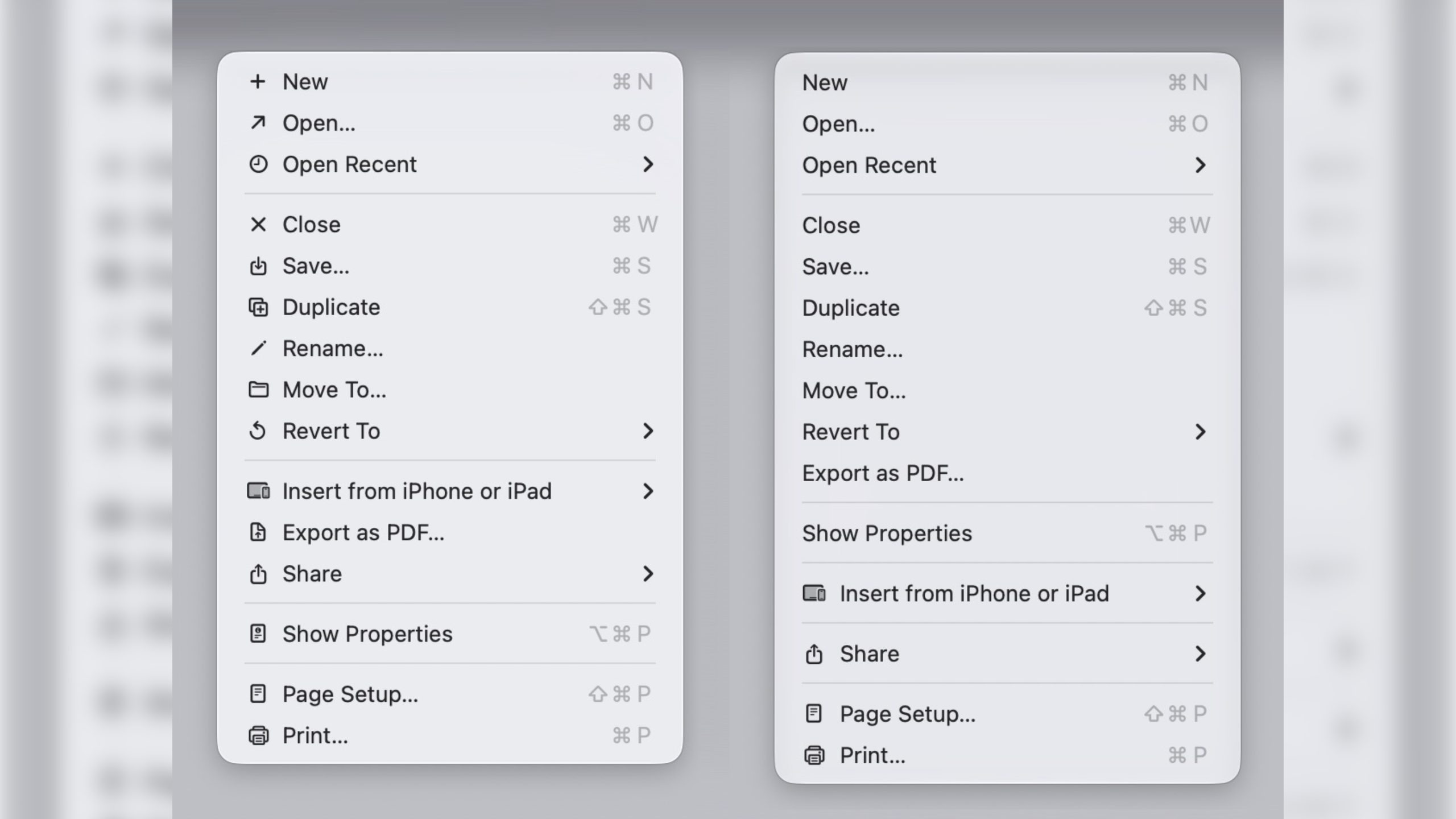
In macOS 27 Golden Gate, Apple has removed many of the menu item icons that are so prevalent throughout macOS 26 Tahoe, as spotted by Nikita "Tonsky" Prokopov (via Daring Fireball). The developer shared before-and-after screenshots on Mastodon to evidence the reversal.

Menu item icons in macOS 26 (left) vs. macOS 27 (image: Nikita Prokopov)

Tahoe was the first version of macOS to place a small icon next to nearly every entry in the menu bar across Apple's apps, but the change drew swift criticism from designers and developers. Many of the icons are inconsistent and often difficult to understand on their own, with different Apple apps showing different icons for the same menu items.

The third-party developer pushback was strong enough that some even adopted open-source code provided by NetNewsWire's Brent Simmons to switch the icons off by default.

In Golden Gate though, they're gone โ€“ or only used where genuinely useful. Apple has also revised its Human Interface Guidelines to tell developers to use menu item icons "sparingly and with purpose," reserving them for common actions, file system locations, connected devices, and similar cases.

macOS 27 is currently in developer beta, with a public beta to arrive next month, followed by a general release in the fall.
Related Roundups: macOS Tahoe, macOS Golden Gate
Related Forum: macOS Tahoe

This article, "macOS 27 Golden Gate Reverses a Divisive Tahoe Design Choice" first appeared on MacRumors.com

Discuss this article in our forums

  •  

These Are the Lowest Prices Ever on AirPods Pro 3 and AirPods Max 2

Yesterday we began tracking a new record low price on the AirPods Pro 3 on Amazon, and they're still available for $179.00 today, down from $249.00. This beats the previous Amazon low price by $20.

Note: MacRumors is an affiliate partner with some of these vendors. When you click a link and make a purchase, we may receive a small payment, which helps us keep the site running.
This model of the AirPods Pro launched in September 2025 and has 2x better Active Noise Cancellation than the previous generation, better audio quality, a revised fit that's meant to improve comfort and stability, Live Translation for in-person conversations, and heart rate sensing for workouts.


Additionally, Amazon is also offering a best-ever price on the AirPods Max 2 this week. You can get all five colors for $499.00, down from $549.00, which beats the previous low price by about $10.


Head to our full Deals Roundup to get caught up with all of the latest deals and discounts that we've been tracking over the past week.


Deals Newsletter


Interested in hearing more about the best deals you can find in 2026? Sign up for our Deals Newsletter and we'll keep you updated so you don't miss the biggest deals of the season!


Related Roundup: Apple Deals

This article, "These Are the Lowest Prices Ever on AirPods Pro 3 and AirPods Max 2" first appeared on MacRumors.com

Discuss this article in our forums

  •  

Apple Introduces Major App Store Subscription Overhaul at WWDC 2026

Apple announced a sweeping set of new subscription tools for App Store developers at WWDC 2026, including cross-developer subscription bundles, group and enterprise purchasing options, retention tools, and a streamlined submission workflow.


Subscription Bundles and Suites


The main change is a new Bundle and Suite system that lets developers partner with each other to offer combined subscriptions spanning multiple apps for the first time. Previously, developers could only bundle subscriptions within their own catalog. With Bundles, subscribers can purchase access to multiple subscriptions in a single transaction rather than buying each individually.

Suites go a step further, offering a set of subscriptions that are not available standalone, purchasable as a single subscription. Apple says more details on how to request Bundle and Suite functionality will be available later this summer.

The move mirrors strategies common among streaming services. For example, Apple TV itself offers Peacock as an add-on for $2 per month, and subscription bundles are generally associated with stronger user retention than standalone plans.

Retention Messaging


Retention Messaging is a new tool that lets developers reach subscribers at the moment they choose to cancel. Developers can deliver custom messaging about a subscription's value alongside imagery and even attach a special offer, without adding friction to the cancellation flow.

Retention Messages can be configured in โ€ŒApp Storeโ€Œ Connect or via a new Retention Messaging API for more direct, real-time interaction with subscribers. The feature is coming this fall.

Group and Volume Purchasing


Apple is also introducing two new ways for developers to sell subscriptions beyond individual consumers. Group Purchases let a single subscriber buy multiple seats and invite others to join, with Apple handling the invitation flow. Each member joins from their own account, making it straightforward to manage who is in the group.

Volume Purchasing makes subscriptions available to enterprise and education buyers through Apple School Manager and Apple Business, fitting into existing device and identity management workflows.

Volume Purchasing is coming this fall and Group Purchases will arrive later this year.

12-Month Commitment Plans


Monthly subscriptions with a 12-month commitment, which offer a more affordable payment option for subscribers, are now available. Subscribers can view their completed and remaining payments in their Apple Account, and Apple will send email reminders ahead of renewal dates, with push notifications available for those who have opted in.

The payment type is available on iOS 26.4, iPadOS 26.4, macOS Tahoe 26.4, tvOS 26.4, and visionOS 26.4 or later, everywhere except the United States and Singapore.

Streamlined Submission Workflow


There is also an overhauled in-app purchase submission workflow in โ€ŒApp Storeโ€Œ Connect. Developers can now group multiple in-app purchases, including subscriptions, into a single submission, or combine them with In-App Events, custom product pages, and product page optimization tests, with review status and App Review messages all visible in one centralized view.

Support for โ€ŒApp Storeโ€Œ Connect's web interface and the โ€ŒApp Storeโ€Œ Connect API is coming later this summer.
Related Roundup: WWDC 2026

This article, "Apple Introduces Major App Store Subscription Overhaul at WWDC 2026" first appeared on MacRumors.com

Discuss this article in our forums

  •  

iOS 27 Improves FaceTime in Three Ways

iOS 27 includes three enhancements for FaceTime, with the most notable one being a dual camera feature on some newer iPhone models.


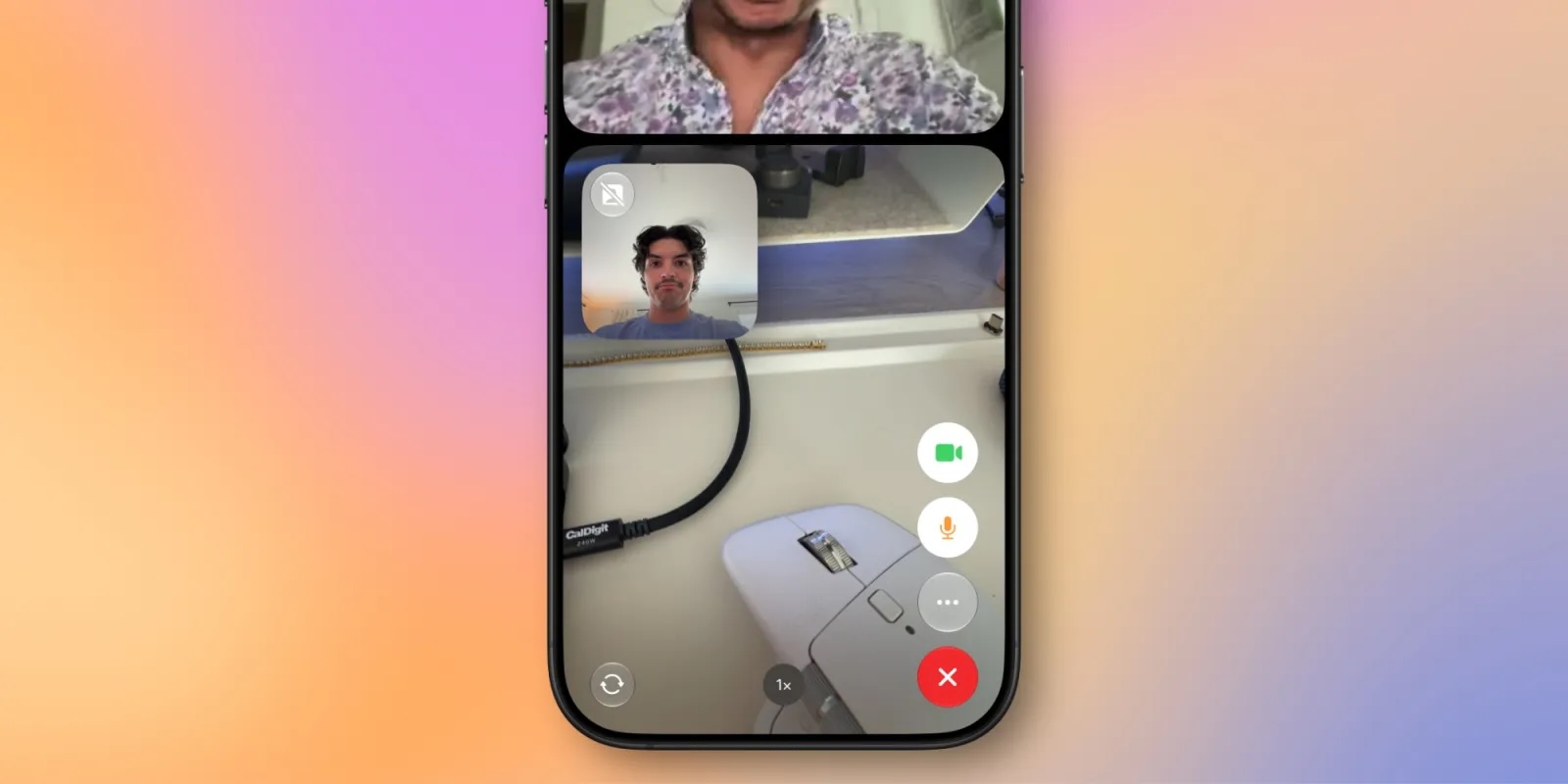
On the iPhone 17, iPhone 17 Pro, iPhone 17 Pro Max, and iPhone Air, a Dual Capture feature allows you to record video of yourself and what is in front of you at the same time. Starting with iOS 27, this feature is now supported in the FaceTime app on these devices, allowing you to show both your front and rear camera views on a video call.

9to5Mac tested the feature on the iOS 27 beta, as seen in the screenshot below. Tapping on the camera flip button in the bottom-left corner of the viewfinder automatically turns on Dual Capture mode and begins showing the rear camera view alongside the front camera view. You can turn off the front camera view at any time if you prefer to.


If the person on the other end of the call has an older iPhone, they can still view your dual camera feed as long as their device is running iOS 27.

The other two FaceTime improvements on iOS 27:
  • Improved FaceTime quality on poor connections

  • Live Captions are now available in Traditional Chinese
iOS 27 is currently available in developer beta, with a public beta to follow in July. The update is expected to be released widely in September.
Related Roundups: iOS 27, iPadOS 27

This article, "iOS 27 Improves FaceTime in Three Ways" first appeared on MacRumors.com

Discuss this article in our forums

  •  

WWDC 2026 Keynote Marked a Major Departure From Previous Years

Apple's WWDC 2026 keynote broke from a longstanding format tradition, abandoning the platform-by-platform structure that has defined the annual developer conference for years in favor of a theme-driven presentation.


Previous WWDC keynotes were organized by operating system. Last year's event walked through iOS, watchOS, tvOS, macOS, visionOS, and iPadOS in sequence before closing with a developer-focused segment. This year, Apple scrapped that structure entirely, dividing the keynote into three broad themes instead: Platform improvements, trust and safety, and Apple Intelligence and Siri.

The change appears to reflect the degree of cross-platform integration Apple has achieved this cycle, which has been growing for years. When the same features land simultaneously across iPhone, iPad, Mac, and Apple Watch, addressing each platform individually no longer makes obvious sense. While Apple has promoted tight ecosystem integration for years, 2026 seems to be the first year that integration is deep enough to make the old format feel arbitrary.

The restructuring was not the only departure from form. Apple devoted more than ten minutes of keynote time to child safety and screen time, an unusually prominent segment that could be seen as a direct response to growing regulatory pressure on tech companies. The new parental controls include mandatory child accounts for users under 13, granular app access permissions, and an Ask to Browse feature requiring children to request parental approval before visiting new websites in Safari.

The AI demonstrations in the keynote itself also felt markedly different from their initial look in 2024. Two years ago, Apple did not allow press or attendees to try the new Siri after the event, and The Information later reported that what Apple showed on stage was not a functional demo but an elaborate concept video. This year, the Siri AI demonstrations appeared to run in real time, with presenters visibly waiting for responses and navigating results as they came in.

Apple also held live, in-person hands-on demos for media after the keynote, a format that has not featured at WWDC for years, giving the event something of a pre-pandemic feel that stood in stark contrast to the slick, wholly pre-recorded presentations the conference has leaned on since 2020. Following the keynote, Apple held a post-keynote "Tech Talk" session with Craig Federighi, where members of the media could put questions to him directly in a more conversational setting.

The visual style of the keynote also differed noticeably from previous years. Apple appeared to move away from the heavily stabilized steadicam footage, with much of this year's presentation visibly shot handheld, giving the keynote a more natural look.

Did you prefer the format of this year's WWDC? Let us know in the comments.
Related Roundup: WWDC 2026

This article, "WWDC 2026 Keynote Marked a Major Departure From Previous Years" first appeared on MacRumors.com

Discuss this article in our forums

  •  

Apple Maps to Get These 10 New Features in iOS 27

Apple Maps is getting a range of new features in iOS 27, headlined by an upgraded Flyover experience that uses AI to improve the realism and detail of its aerial imagery.


Flyover is a longstanding feature of โ€ŒApple Mapsโ€Œ and lets users explore more than 350 cities in 3D with detailed landmarks, roads, parks, and buildings. Apple described the enhanced Flyover in โ€ŒiOS 27โ€Œ as combining aerial imagery with AI models to produce sharper, more lifelike visuals of cities around the world. In its press release, Apple said the update will make details clearer, from the shapes of individual trees to the way light reflects off the glass of skyscrapers.

A new Local Lists feature is also coming to โ€ŒApple Mapsโ€Œ users in the U.S. The feature surfaces curated collections of nearby places based on what's trending locally, including dining spots and places to take kids. Apple says all insights are derived with privacy in mind and are never tied to individual users.

โ€ŒiOS 27โ€Œ also expands the Suggested Places feature that arrived in iOS 26.5, allowing users to swipe through more recommendations rather than being limited to two. A Trending Restaurants section will appear in the search screen, and natural language search is expanding to cover routing specifics. A Parked Car widget is coming to the Smart Stack, making it easier to locate a parked vehicle, and Offline Maps is said to be getting update improvements, though Apple has not detailed exactly what those entail.

Existing features including Visited Places and Guides are expanding to more countries in โ€ŒiOS 27โ€Œ. The Maps app icon has also been refreshed with a new, multi-layered Liquid Glass design.
Related Roundups: iOS 27, iPadOS 27

This article, "Apple Maps to Get These 10 New Features in iOS 27" first appeared on MacRumors.com

Discuss this article in our forums

  •  

Apple Fights Back Against Epic's Bid to Kill Supreme Court Appeal

Apple has filed a 12-page response to Epic Games' attempt to have its Supreme Court petition dismissed, arguing that Epic's own filing "confirms the need for review."


Epic filed a 35-page opposition on June 4, 2026, urging the Supreme Court to reject Apple's appeal. Apple's response takes aim at two central arguments Epic made in that filing.

On the question of anti-steering, Apple says Epic is mischaracterizing the scope of the injunction against it. According to Apple, the order only restricted specific anti-steering practices and did not address App Store commissions, making Epic's framing an attempt to rewrite the ruling rather than an accurate description of it.

The second dispute involves a 2025 Supreme Court precedent, "Trump v. CASA, Inc." Epic says Apple is wrongly claiming an exemption from it. Apple responds that the earlier ruling explicitly states CASA "has no bearing" on antitrust cases, which this is, making Epic's argument moot.

The filing is the latest exchange in a dispute dating back to 2020, when Epic deliberately triggered a conflict with Apple over โ€ŒApp Storeโ€Œ payment rules. Apple won the vast majority of the original case in 2021, but lost on anti-steering, with Judge Yvonne Gonzalez Rogers ordering Apple to allow developers to link to external payment options. Apple complied, but charged a 27% commission on link-out transactions, leading few developers to adopt it.

In April 2025, Gonzalez Rogers found Apple in willful violation and barred it from charging any commission on external links. The judge also accused Apple VP of finance Alex Roman of giving testimony "replete with misdirection and outright lies" about when Apple decided on the 27% fee, and referred both Roman and Apple to federal prosecutors for a potential criminal contempt investigation. Apple dropped link fees and appealed.

In December 2025, the Ninth Circuit agreed Apple had violated the injunction but sent the case back to district court to determine a reasonable commission rate. Apple petitioned the Supreme Court in May, questioning whether the contempt finding was proper and whether the injunction should apply to all developers nationwide rather than just Epic.

An attempt to pause fee proceedings during that process was later reversed after Epic challenged it. Fortnite also returned to the App Store worldwide in May, with Epic CEO Tim Sweeney declaring the start of the "final battle" of the dispute.

The Supreme Court has indicated it could decide whether to accept Apple's appeal as early as June, though a final ruling remains many months away regardless.
This article, "Apple Fights Back Against Epic's Bid to Kill Supreme Court Appeal" first appeared on MacRumors.com

Discuss this article in our forums

  •  

Deezer Launches AI Music Detector for Apple Music, Spotify, and More

French music platform Deezer has launched a free online tool that can detect AI-generated tracks in Apple Music playlists, as well as playlists created on other streaming platforms.

"No other company has followed our lead yet, so we decided to make it possible for everyone to check if their playlists include synthetic music, no matter which streaming platform they use," Deezer CEO Alexis Lanternier said in a press release. "A vast majority of people want to know if AI music is being recommended to them and our data show that nearly half of the users joining Deezer from another platform have AI tracks in their playlists. We're expecting our AI music detector to be an eye-opening experience for listeners around the world."
The tool works with 20 different platforms including Spotify, SoundCloud, and YouTube Music. To use it, visit Deezer's AI music detector site, select your streaming service, then grant Deezer permission to access it. The tool will import your playlists, scan them for AI content, and alert you of any suspicious-sounding tracks.

Apple in March rolled out a metadata system called Transparency Tags, which indicates when AI has been used in the creation of music hosted on the platform. The only problem is that the tags are optional, so Apple is basically asking artists and record labels to voluntarily label songs that were made using AI.

Deezer reports that it receives over 60,000 fully AI-generated tracks per day, with synthetic content now accounting for roughly 39% of all music delivered to the platform. Up to 85% of streams on AI-generated music were fraudulent in 2025, according to Deezer's data.
This article, "Deezer Launches AI Music Detector for Apple Music, Spotify, and More" first appeared on MacRumors.com

Discuss this article in our forums

  •  

These Older iPhones Will Need an Update to Keep Running WhatsApp

Some older iPhone models will need a software update to keep running WhatsApp from the end of November 2026, after Meta confirmed it is raising the app's minimum system requirements.


From November 30, WhatsApp will require iOS 15.5 or later, up from the current requirement of iOS 15.1.

The models affected are the iPhone 6s, iPhone 6s Plus, iPhone SE (1st generation), iPhone 7, and iPhone 7 Plus. iOS 15.8.8 is the last update these models can install, so owners just need to make sure their device is updated before the deadline.

To be clear, no iPhone is being dropped outright. Every model that can run iOS 15.1 can also be updated to 15.5, so a trip into Settings โž General โž Software Update will be all it takes to stay compatible.

Happily, the new requirements aren't as harsh as last year. In June 2025, WhatsApp cut off the iPhone 5s, iPhone 6, and iPhone 6 Plus entirely, since none of the devices could be updated past iOS 15.0. Affected users were left with web.whatsapp.com as their only option.

Meta says it reviews supported operating systems each year, dropping those with the fewest users and the ones least likely to carry current security updates. Anyone on an affected version will be notified inside WhatsApp and reminded to upgrade before support ends.
This article, "These Older iPhones Will Need an Update to Keep Running WhatsApp" first appeared on MacRumors.com

Discuss this article in our forums

  •  

Bypass Siri AI Waitlist on macOS 27 Golden Gate Beta: Here's How

If you installed the macOS 27 Golden Gate developer beta and have signed up to the Siri AI waitlist but are still waiting to be accepted, there's a Terminal command workaround that enables the new virtual assistant on your Mac immediately.


If you're still reading, since you're on the first macOS 27 developer beta, we're assuming you are running it on a test machine, and not on your primary Mac. We're also assuming you're comfortable with using the Terminal app. MacRumors cannot take responsibility for lost data. You should always have a backup.

With that said, early reports indicate the workaround is safe, and you won't need to reverse it once officially off the waitlist. Note that while Siri AI is not available in the EU for iPhone and iPad users due to the DMA rules, it is available on Mac and Vision Pro.

Here's how it's done.
  1. Open Terminal on your Mac running the macOS 27 beta.

  2. Input the following command at the prompt and press Enter: sudo defaults write "/Library/Preferences/FeatureFlags/Domain/GenerativeModels.plist" "EnhancedSiriWaitlist" -dict-add Enabled -bool NO

  3. Restart your Mac to apply the change.
After restarting, you can try it out right away. In the dedicated Siri app, for example, you can have back-and-forth conversations with Siri in text or voice modes, and your conversation history is synced across your devices via iCloud.

Siri AI can draw on personal context understanding to search across messages, emails, photos, and more, and get things done across apps with even more system-wide app actions.

On Mac, โ€ŒSiriโ€Œ is now also integrated into Spotlight and available via right-click context menus on any file or window. Note that Siri AI is initially only available in English. Let us know how you get on in the comments.

Correction: Article originally stated that Siri AI is not available in the EU. However, the limitation only applies to the iPhone and iPad, not the Mac. Apologies for the error.
Tags: Siri, Siri AI

This article, "Bypass Siri AI Waitlist on macOS 27 Golden Gate Beta: Here's How" first appeared on MacRumors.com

Discuss this article in our forums

  •  

Apple Shares List of 250 Changes Across iOS 27, macOS Golden Gate, and More

During its WWDC 2026 keynote on Monday, Apple briefly showed a slide with hundreds of new features and enhancements coming across iOS 27, macOS 27 Golden Gate, watchOS 27, tvOS 27, and visionOS 27. All of the software updates are currently available as developer betas, and they are expected to be released to all users in September.


We already highlighted some of the key new features from the slide, and now we have shared a categorized list of all of the more than 250 changes shown.

iPhone & iOS 27 & iPadOS 27


  • Switch between two iPhone devices with the same phone number

  • More seamless transitions between Wi-Fi and cellular networks

  • Live Activities in Dynamic Island in landscape

  • Enhanced power efficiency for Safari in iOS

  • Faster Voice Control response in iOS

  • Extra-large widgets in iOS

  • Streamlined setup for Touch Accommodations in iOS and iPadOS

  • Live Activity for Precision Finding with Friends

  • Smoother scrolling in App Library

  • Smoother unlocking on iPhone

  • Undo and redo Home Screen edits in iPadOS

  • Extra-large widgets in Today View in iPadOS

  • Faster window closing in iPadOS

  • Faster browsing and transfers in Files in iPadOS

  • Faster menu bar access in iPadOS

  • iPhone app resizing in iPadOS

  • Apple News+ audio support in iPadOS

  • Faster window switching in iPadOS

  • Optional persistent menu bar on iPad

  • App names in iPad status bar

  • Dual camera in FaceTime

  • Faster Lock Screen switching

  • Lock Screen consistently stays awake while scrolling notifications

  • More power-efficient Personal Hotspot on N1 devices

  • Expanded touch support in Sidecar

  • Independent alarm volumes

  • Smoother camera switching when zooming in video

  • Smoother paging between Home Screen pages

  • Smoother scrolling in Control Center and Control Gallery

  • Easier-to-reach Camera experience

  • More accurate photo orientation

  • Faster and more reliable NFC reading

  • Quick Start with a recovery contact

  • Pairing and handoff improvements for Made for iPhone hearing devices

  • Faster entry and exit from Assistive Access and Guided Access modes

  • Proactive car key setup


macOS 27


  • More relevant Spotlight search suggestions

  • Faster shortcuts and actions indexing in Spotlight

  • Drawing in Notes in macOS

  • Updated video podcasts experience in macOS

  • Enhanced power efficiency for Safari in macOS

  • Edge-to-edge sidebars

  • Colorful sidebar icons

  • Updated menu bar icons

  • Uniform toolbars

  • Consistent corner radii

  • Faster user account creation in macOS

  • Ethernet status in menu bar in macOS

  • Improved RDMA over Thunderbolt

  • Support for Mac mirroring in 5K resolution

  • More high-resolution and high-refresh-rate display modes for external displays

  • Swipe down to refresh in macOS

  • Smoother scrolling in Safari in macOS

  • App resizing in iPhone Mirroring

  • DRM video support in iPhone Mirroring

  • Drawing in Freeform in macOS

  • Smoother animations in Mission Control and Spaces

  • Show Borders for macOS accessibility

  • HDR for macOS system UI


Apple TV & tvOS 27


  • Faster AirPlay connections to Apple TV

  • Smart downloads on Apple TV

  • AppleCare coverage details in Settings in tvOS

  • More responsive Control Center in tvOS

  • Redesigned Podcasts app for tvOS

  • Larger text sizes in tvOS

  • Smoother animations and app launches in tvOS


Apple Watch & watchOS 27


  • Better battery efficiency on Apple Watch

  • More accurate step tracking on Apple Watch

  • More efficient water detection on Apple Watch

  • Improved Wi-Fi connectivity in watchOS

  • Apple Wallet guest keys in watchOS

  • Consolidated Find My app in watchOS

  • Faster app extension launch in watchOS

  • Tap gesture on Apple Watch

  • Faster media playback in watchOS

  • Dynamic app grid in watchOS

  • Maps Parked Car widget in Smart Stack

  • Redesigned settings in the Apple Watch app

  • Support for time zone changes in Sleep

  • View card balance in Wallet in watchOS

  • Transit cards and IDs in Smart Stack in watchOS

  • New Smart Stack suggestions in watchOS


Vision Pro & visionOS 27


  • Use your panoramas for Environments in visionOS

  • Extra-small widget option in visionOS

  • New windows with curvature in visionOS

  • Improved Control Center in visionOS

  • Look and tap to view and respond to notifications in visionOS

  • Spatial scene support for panoramas in visionOS

  • Faster boot and connect to Wi-Fi in visionOS

  • Widget for Mac Virtual Display in visionOS

  • Multiple tab views in Safari in visionOS


Home & HomePod


  • Faster AirPlay connections to HomePod

  • Improved connectivity for Thread home accessories

  • Faster smart home accessory updates

  • Faster HomeKit accessory pairing

  • More reliable HomeKit camera storage


CarPlay


  • Audio scrubbing on CarPlay's Now Playing screen

  • Improved navigation heading and GPS accuracy in CarPlay

  • Improved wireless CarPlay reliability

  • Audio MiniPlayer in CarPlay


Photos


  • Filter photos and videos in Shared Albums

  • Add keywords to photos and videos in Photos

  • Album organization improvements in Photos

  • Customize slideshows in Photos

  • Captured by Me collection in Photos

  • Save any slideshow as a video in Photos

  • Choose a specific pet in Photo Shuffle

  • Search for photos and videos using additional metadata

  • Search returns more pleasing photos of people and pets in Photos

  • Option to prioritize syncing to iCloud Photos

  • Easier to save photos from Shared Albums

  • Option to include photos of yourself in Photo Shuffle

  • Faster rendering of Collections tab in Photos

  • Selection view in Photos

  • Identity Documents collection in Photos

  • Faster loading of new captures in Photos

  • Save a video frame as a photo

  • Star rings in Photos

  • Full-resolution photos and videos in iCloud Shared Albums

  • Additional participant permissions in Shared Albums

  • Expire your Shared Albums

  • Recent activity in Shared Albums

  • React with any emoji in Shared Albums

  • Participate in iCloud Shared Albums from Android and Windows

  • Easier to invite others in Shared Albums


Messages


  • Drawing app in Messages

  • Find offloaded media in Messages

  • Failed messages automatically retry sending in Messages

  • Continuous sending of photos, videos, and texts in Messages

  • Consolidated notifications for multiple Tapbacks in Messages

  • Thumbnails displayed for offloaded media in Messages

  • Search for conversations in Messages by phone number or a contact's nickname

  • Faster to add recent camera captures in Messages

  • Improved Messages syncing across devices


Apple Music & Podcasts


  • Improved reliability of Apple Music streaming

  • New AutoMix transitions

  • Refreshed album pages in Apple Music

  • Faster Now Playing view loading in Music

  • Refreshed artist pages in Apple Music

  • Search within shows in Podcasts

  • AirPods Custom EQ

  • Faster Apple Music playback start


Mail


  • Improved Top Results in Mail

  • Faster message loading in Mail

  • More reliable search indexing in Mail

  • Improved list formatting in Mail

  • Improved unread badge accuracy in Mail


Maps


  • More accurate Visited Places in Maps

  • Guides in Maps available in more places

  • Enhanced Flyover in Maps

  • Offline Maps update improvements

  • Natural language search for routing in Maps


Health & Fitness & Journal


  • Sort by completed Fitness+ workouts

  • Faster data updates in the Health app

  • Perimenopause and menopause support in the Health app

  • Perimenopause and menopause symptom logging in the Health app

  • Increased attachment limits in Journal

  • More accurate route maps in the Fitness app after workouts

  • iCloud sync status for Journal entries

  • Improved distance accuracy during treadmill workouts

  • Synced step count in the Health and Fitness apps

  • Faster workout start in the Workout app

  • Time stamps for Journal entries

  • Fitness+ workouts for perimenopause and menopause

  • More intuitive journaling streaks

  • GymKit on iPhone and AirPods Pro 3


Notes


  • Section links in Notes

  • Stylized notes from third-party Calendar accounts

  • Copy and paste as Markdown in Notes

  • Divider lines in Notes


Shortcuts


  • Else if support in Shortcuts

  • Group conversation support in Shortcuts

  • Expanded Get What's on Screen capabilities in Shortcuts

  • Store data in Shortcuts

  • Redesigned Shortcuts editor

  • Screenshot and notification automations in Shortcuts


Freeform


  • Faster board previews in Freeform

  • More reliable right-to-left text editing in Freeform

  • Smoother Freeform board performance

  • Dark Mode adaptive canvas in Freeform

  • Collaborative folders in Freeform


Safari


  • Faster start page content loading in Safari

  • Faster web application performance in Safari

  • Smoother animations and graphics in Safari

  • Faster handling of JavaScript in Safari

  • Smoother start page resizing in Safari


Apple Wallet & Apple Pay


  • Easier card selection and payment management with Apple Pay

  • Wallet order tracking support in Australia and Canada


Find My


  • More flexible sharing options in Find My

  • Find My UI enhancements


Home


  • Support for 4K camera recordings in the Home app

  • View streams from compatible cameras simultaneously in the Home app


Calendar


  • Modify multiple Calendar events

  • Streamlined Calendar event details

  • Smoother Calendar scrolling


Accessibility


  • Easier reading and editing of PDFs using VoiceOver

  • Improved PlayStation Access controller support

  • Streamlined Assistive Access setup


System & Performance & Miscellaneous


  • Updated Liquid Glass

  • Customize Liquid Glass

  • Faster app launches

  • Web audio no longer interrupts system audio

  • Faster PDF saving

  • Faster AirDrop transfers

  • Faster AirDrop recipient discovery

  • Improved Bluetooth power management

  • Improved FaceTime quality on poor connections

  • Faster network file browsing

  • Support for media sharing from third-party apps

  • More document formats in Preview

  • More efficient emergency alert monitoring

  • More consistent window positioning persistence across external displays

  • Improved game controller settings

  • Improved battery insights

  • Improved navigation in Game Overlay

  • Improved performance in Apple News

  • All options displayed in Camera settings

  • Password help accessible from the Lock Screen

  • Camera uses less power in Low Power Mode

  • Faster Camera launch in Low Power Mode

  • Richer iCloud collaboration link previews

  • Access requests for items shared via iCloud

  • Faster Text Recognition in photos and documents

  • Updated app icons

  • Optimized CPU scheduler

  • Autosize and reset columns

  • Faster to open full-screen view from Photos widget

  • Faster access to shared content on iCloud.com

  • Smoother animations in News and Stocks articles

  • More easily accessible share link for iCloud collaboration

  • More distinct active windows

  • Real-time updates for widgets when app is open

  • Faster Rapid Return to Service

  • Updated hourly and 10-day views in Weather

  • Faster to start uploading to iCloud Photos

  • Option-click to secondary sort

  • Content-based recipient suggestions for sharing photos and links

  • Faster loading of emoji and sticker keyboards

  • Smoother scrolling in the widget gallery

  • Easier to access recovery codes for Apple Accounts


Languages & Regional


  • New UI language for English (Canada) and English (Philippines)

  • New keyboard layout for Slovenian and Estonian

  • Automatic punctuation when typing on multilingual keyboards

  • Natural language time formats for Chinese and Hindi

  • Call Recording transcriptions support for Traditional Chinese, Japanese, and Brazilian Portuguese

  • New keyboards for languages including Afrikaans, Basque, Baybayin, English (Philippines), Galician, Guarani, Luxembourgish, Xhosa, and Zulu

  • New keyboards for Indigenous languages, including Blackfoot, Comanche, Cree, Kiowa, and Tsuu'tina

  • Faster multilingual text processing for handwriting in multiple languages

  • Chฤizรฌ typing

  • Smart language and keyboard configuration suggestions

  • QuickPath and typing suggestions for Vietnamese VNI keyboard

  • Multilingual grammar checking

  • Holiday-aware alarms in China

  • Punctuation suggestions as you type in Chinese

  • Alternate calendars for India to support the current time zone while traveling

  • Grocery List in Reminders language expansion

  • Improved conversion from phonetic scripts like Pinyin and Kana when typing in Simplified Chinese and Japanese

  • Live Voicemail transcription for English (Singapore) and Japanese

  • Visited Places in Maps available in more markets

  • Scribble support for Hindi and Marathi with Apple Pencil

  • On-screen context for more relevant typing suggestions for Chinese and Japanese

  • Expanded language support for auto-categorization in Reminders

  • FaceTime Live Captions for Traditional Chinese

Related Roundups: iOS 27, iPadOS 27, macOS Golden Gate

This article, "Apple Shares List of 250 Changes Across iOS 27, macOS Golden Gate, and More" first appeared on MacRumors.com

Discuss this article in our forums

  •  

Hands-On With iOS 27's Siri AI

The smarter, more capable version of Siri is finally here, available in iOS 27, iPadOS 27, and macOS Golden Gate. The updates are limited to developers right now, but there's a lot to look forward to this fall.


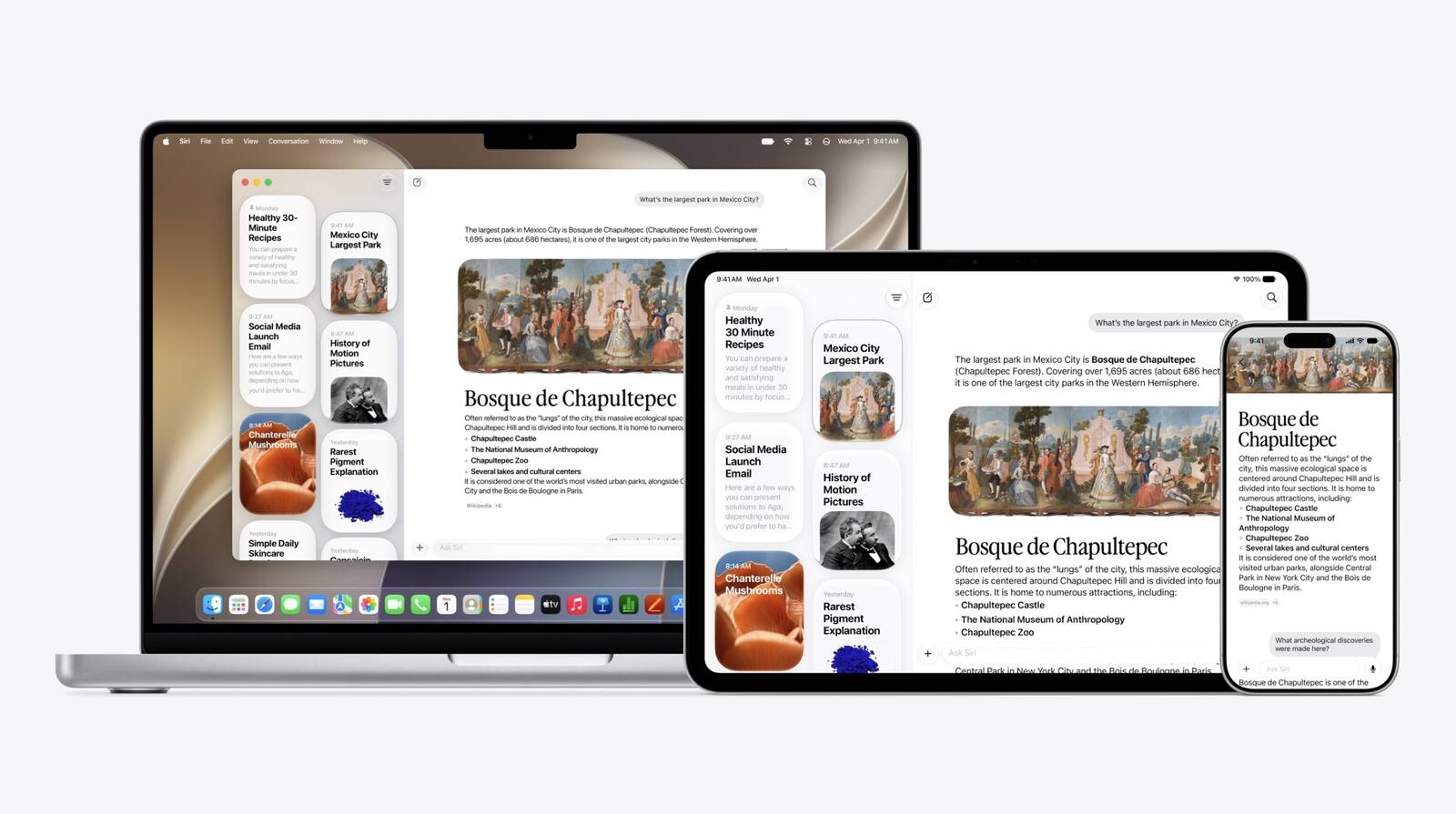
Personal Context is a โ€ŒSiriโ€Œ capability that distinguishes โ€ŒSiriโ€Œ AI from other chatbots like Claude and OpenAI. โ€ŒSiriโ€Œ has access to the data on your iPhone, from emails and messages to photos and files. โ€ŒSiriโ€Œ can find anything you're looking for. Apple rebuilt its search index for โ€ŒSiriโ€Œ AI, and it's more comprehensive for a better search experience.

โ€ŒSiriโ€Œ can see what's on your screen with onscreen awareness, and answer questions about what you're looking at. If there's an image on Instagram and you want to know where it was taken, you can just ask โ€ŒSiriโ€Œ where it was taken and get a response. Visual Intelligence is now part of the Camera app, and โ€ŒSiriโ€Œ can answer questions about anything you take a picture of.

Like other chatbots, โ€ŒSiriโ€Œ can search the web and access general world knowledge, so it can provide responses to any questions you might have. It can evaluate documents, solve math problems, craft recipes, walk you through DIY tasks, help you plan a party, and more.

โ€ŒSiriโ€Œ can take action in and across apps, getting detailed maps directions with multiple stops, editing and sharing photos, or writing an email from scratch in your own writing style. It can do multiple tasks that are included in the same request.

โ€ŒSiriโ€Œ is located in the iPhone's Dynamic Island, and there's a glassy new โ€ŒSiriโ€Œ bubble with bright colors that pops up when โ€ŒSiriโ€Œ is activated. You can use Hey โ€ŒSiriโ€Œ or hold down the side button, but โ€ŒSiriโ€Œ also comes up with a swipe down from the top center of the display. Responses show up in that same area, and if you swipe on a response, you can get more information and ask follow-up questions.

Apple also created a full โ€ŒSiriโ€Œ app where you can revisit past conversations and start a new conversation. The โ€ŒSiriโ€Œ app syncs across devices, so you can start a conversation on your iPhone and wrap it up on your Mac. โ€ŒSiriโ€Œ AI is available in โ€ŒiOS 27โ€Œ, โ€ŒiPadOS 27โ€Œ, โ€ŒmacOS Golden Gateโ€Œ, watchOS 27, and visionOS 27, plus it works on AirPods and CarPlay.

โ€ŒSiriโ€Œ AI has the same device requirements as Apple Intelligence, so you'll need an iPhone 15 Pro or later to use it. โ€ŒSiriโ€Œ AI is available in beta right now, and Apple is still refining. โ€ŒiOS 27โ€Œ is limited to developers, with a public beta set to come out in July. โ€ŒiOS 27โ€Œ with โ€ŒSiriโ€Œ AI will launch in September.
Related Roundups: iOS 27, iPadOS 27
Tag: Siri

This article, "Hands-On With iOS 27's Siri AI" first appeared on MacRumors.com

Discuss this article in our forums

  •  

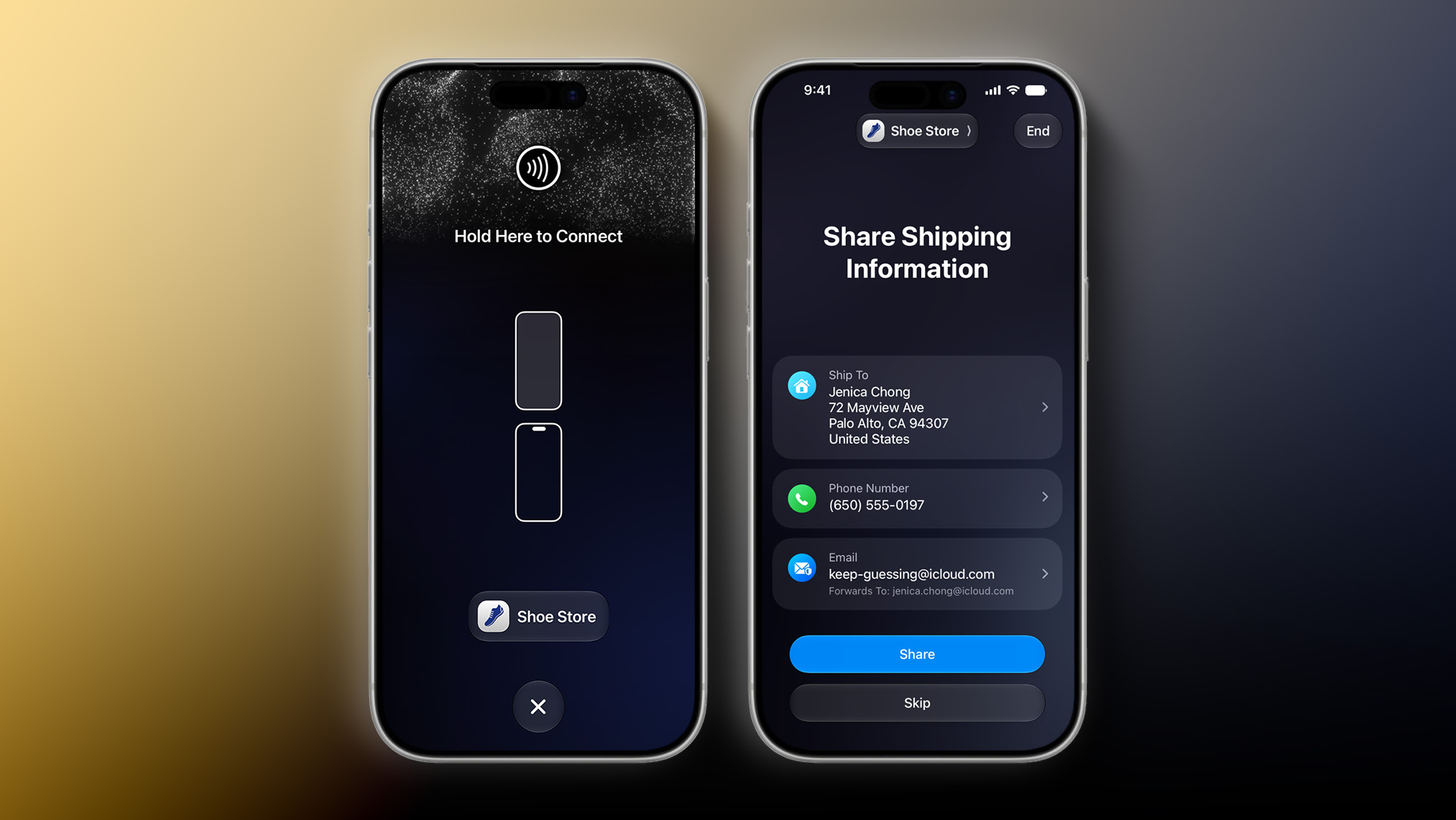
iOS 27 Introduces New 'Tap to Share' Feature, But Not Available in EU

iOS 27 has a new "Tap to Share" feature that lets merchants use their iPhone to connect to a customer's device with an NFC tap for the purpose of data exchange. This is useful for small business owners, vendors at local markets, and so forth.


Tap to Share is an extension of the existing Tap to Pay on iPhone feature, which lets merchants accept contactless payments on an iPhone, with no point-of-sale hardware required. The latter feature allows customers to pay by simply tapping their iPhone or Apple Watch, contactless credit card or debit card, or other contactless payment option on the merchant's iPhone. Payment is securely completed using NFC, like Apple Pay.

During an active Tap to Pay on iPhone session, iOS 27 users can now share contact details for membership sign-up, provide a shipping address or email for receipts, add or share Apple Wallet passes, view their cart, and pay with Apple Pay.

Tap to Share requires an iPhone 12 or newer, and the feature is not currently available in the European Economic Area (EEA), which consists of all of the countries in the EU plus Iceland, Liechtenstein, and Norway. Apple did not explain why the feature is not immediately launching in the EEA or provide a timeframe for future availability there.
Related Roundups: iOS 27, iPadOS 27

This article, "iOS 27 Introduces New 'Tap to Share' Feature, But Not Available in EU" first appeared on MacRumors.com

Discuss this article in our forums

  •  

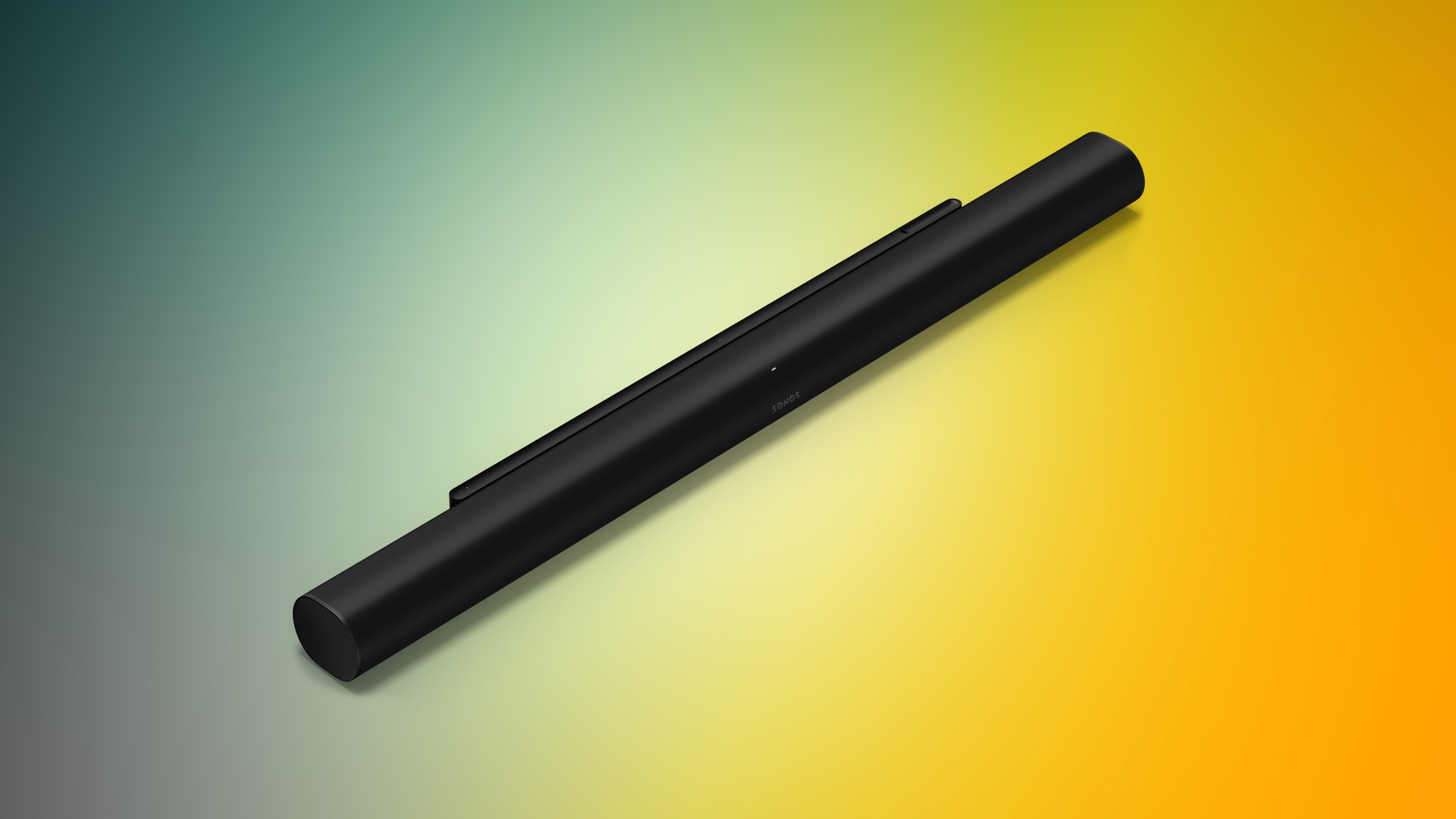
Sonos Summer Sale Takes Up to 25% Off Speakers, Headphones, and More

Sonos this week kicked off a new summer sale, with big discounts aimed at dads and anyone else shopping ahead of Father's Day. This sale includes deals on Sonos smart speakers, sound bars, subwoofers, and more.

Note: MacRumors is an affiliate partner with Sonos. When you click a link and make a purchase, we may receive a small payment, which helps us keep the site running.
One highlight of the event is the Sonos Arc Ultra Soundbar at the record low price of $899, down from $1,099, which is being matched at Amazon. For a cheaper soundbar, you can get the second generation Beam for $369, down from $499.


Additionally, the new Sonos sale has a few bundle deals, which combine a few different home audio devices at one discounted price. This includes the 2 Room Set with Era 100 for $378 ($60 off), Premium Entertainment Set with Arc Ultra for $1,658 ($340 off), and more.


If you're on the hunt for more discounts, be sure to visit our Apple Deals roundup where we recap the best Apple-related bargains of the past week.


Deals Newsletter


Interested in hearing more about the best deals you can find in 2026? Sign up for our Deals Newsletter and we'll keep you updated so you don't miss the biggest deals of the season!


Related Roundup: Apple Deals

This article, "Sonos Summer Sale Takes Up to 25% Off Speakers, Headphones, and More" first appeared on MacRumors.com

Discuss this article in our forums

  •  

The MacRumors Show: Siri AI, Apple Intelligence in Apps, and More at WWDC 2026

On this week's special episode of The MacRumors Show, we talk through all of the major announcements Apple unveiled at WWDC 2026, including Siri AI, new Apple Intelligence features in apps, and system-wide performance and design improvements.


Apple framed the keynote around three areas: platform improvements, Trust and Safety, and a sweeping overhaul of โ€ŒApple Intelligenceโ€Œ and โ€ŒSiriโ€Œ. Developer betas of all six operating systems are available now, with a public beta expected in July and a general release in September.

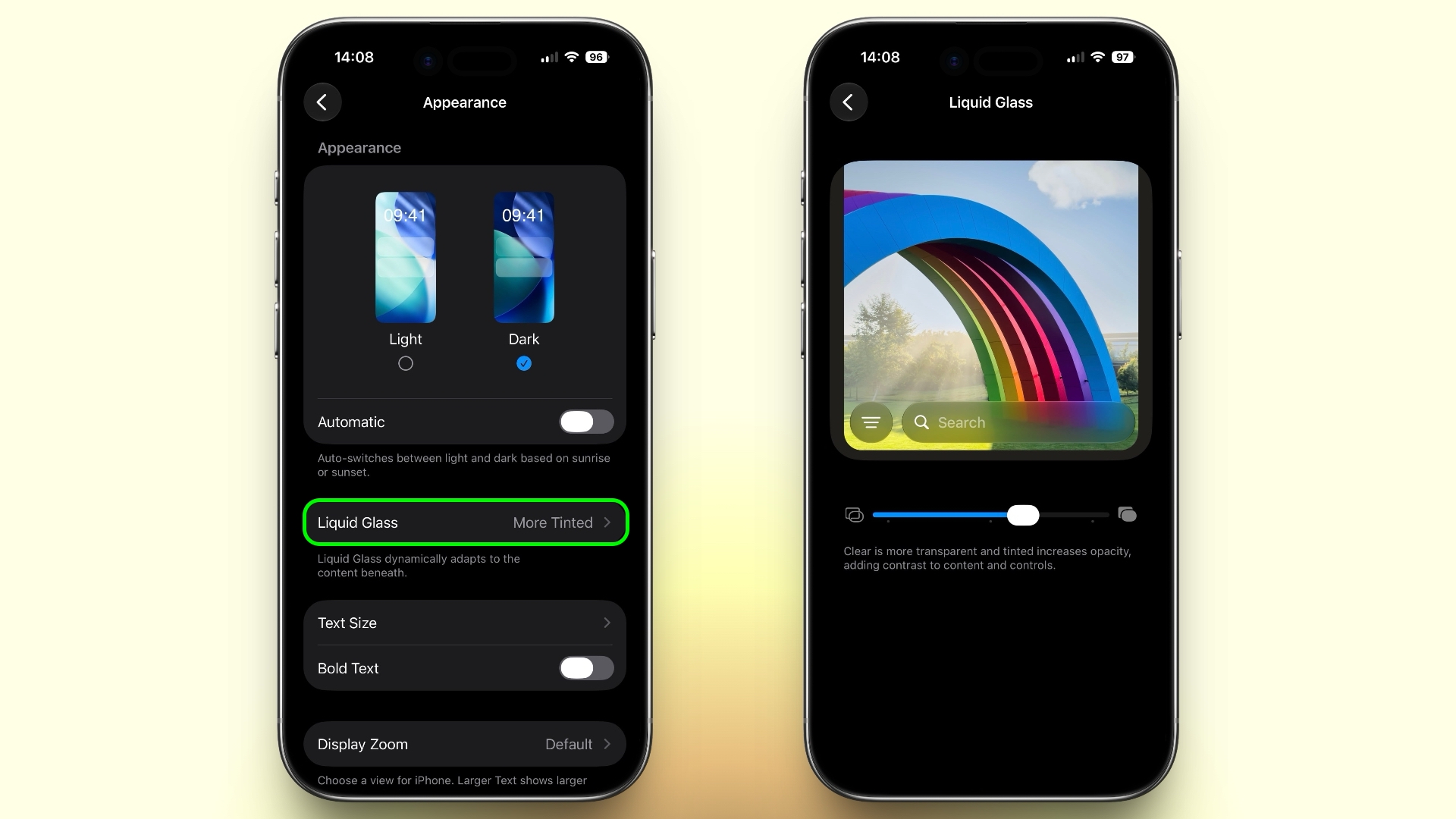
Liquid Glass received a series of improvements in response to user feedback, with Apple reworking the foundations of how the translucent design language is constructed to deliver more uniform refraction and improved contrast. A new system-wide opacity slider lets users dial transparency anywhere from completely clear to fully tinted. App icons also gain sharper definition with additional layering. macOS Golden Gate receives the same Liquid Glass refinements with particular attention to the transparency and shadow issues most pronounced on the Mac.

A significant chunk of the keynote was devoted to performance improvements across all platforms. iPhone and iPad apps launch up to 30% faster, new photos appear in iCloud Photos up to 70% faster after capture, AirDropped photos transfer up to 80% faster, and file transfers in Files are up to 50% faster. A redesigned CPU scheduler reportedly makes older iPhones feel more meaningfully responsive, and iOS 27 supports every iPhone compatible with iOS 26, going back to the iPhone 11.

The search index has been rearchitected to be more stable and comprehensive, with new content indexed almost immediately and a new ranking system in Mail to surface more relevant results. iCloud Shared Albums also gain support for contributions from Android and Windows users.

Apple announced an expanded set of parental controls and Screen Time tools, giving parents more granular ability to monitor and approve what children are doing on-device and within apps, with changes the company said are grounded in expert research.

The centerpiece of the keynote was Siri AI, a ground-up rebuild of Apple's personal assistant built on new Foundation Models co-developed with Google using Gemini technologies. Apple described the result as a profoundly more capable assistant supporting natural back-and-forth conversation, personal context understanding across all on-device content, onscreen awareness, image understanding, and broad world knowledge via web access.

โ€ŒSiriโ€Œ now has a dedicated app for browsing and continuing conversations, which sync across devices via โ€ŒiCloudโ€Œ. On the iPhone, โ€ŒSiriโ€Œ is embedded in the Dynamic Island and on the Mac it lives inside Spotlight. A new customizable voice model is available at setup. โ€ŒSiriโ€Œ AI extends to CarPlay and AirPods as well.

Visual Intelligence has been folded into a dedicated โ€ŒSiriโ€Œ mode in the Camera app, with new capabilities including nutritional information from a photo of food and bill-splitting from a receipt snap. โ€ŒSiriโ€Œ can now write anywhere text input is available, generate first drafts from natural language descriptions, give feedback on existing writing, and โ€ŒApple Intelligenceโ€Œ adds automatic proofreading system-wide.

Apple said โ€ŒSiriโ€Œ AI uses on-device processing and Private Cloud Compute, with cloud processing running on Apple's servers using Google's infrastructure, but handled such that data remains inaccessible to Apple or third parties. โ€ŒSiriโ€Œ AI is free, with some features such as image generation carrying daily usage limits and expanded access available through most โ€ŒiCloudโ€Œ+ plans.

Users must join a waitlist to access the new โ€ŒSiriโ€Œ. โ€ŒSiriโ€Œ AI will not be available in the EU or China at launch and launches in English only.

Safari gains tab grouping, with โ€ŒApple Intelligenceโ€Œ analyzing pages and organizing open tabs without manual intervention, and a new webpage monitoring feature that notifies users when a page is updated. Safari will also let users describe what they want a browser extension to do in natural language, with โ€ŒApple Intelligenceโ€Œ generating one accordingly, and can automatically change compromised passwords, updating them in the Passwords app.

Shortcuts gains natural language creation, so users can describe a workflow and have โ€ŒApple Intelligenceโ€Œ build it automatically. Messages and Mail both gain contextual one-tap suggestions for actions such as creating a reminder or inserting a photo. Calendar adds natural language event creation and can automatically update recurring events when their pattern changes.
ย 
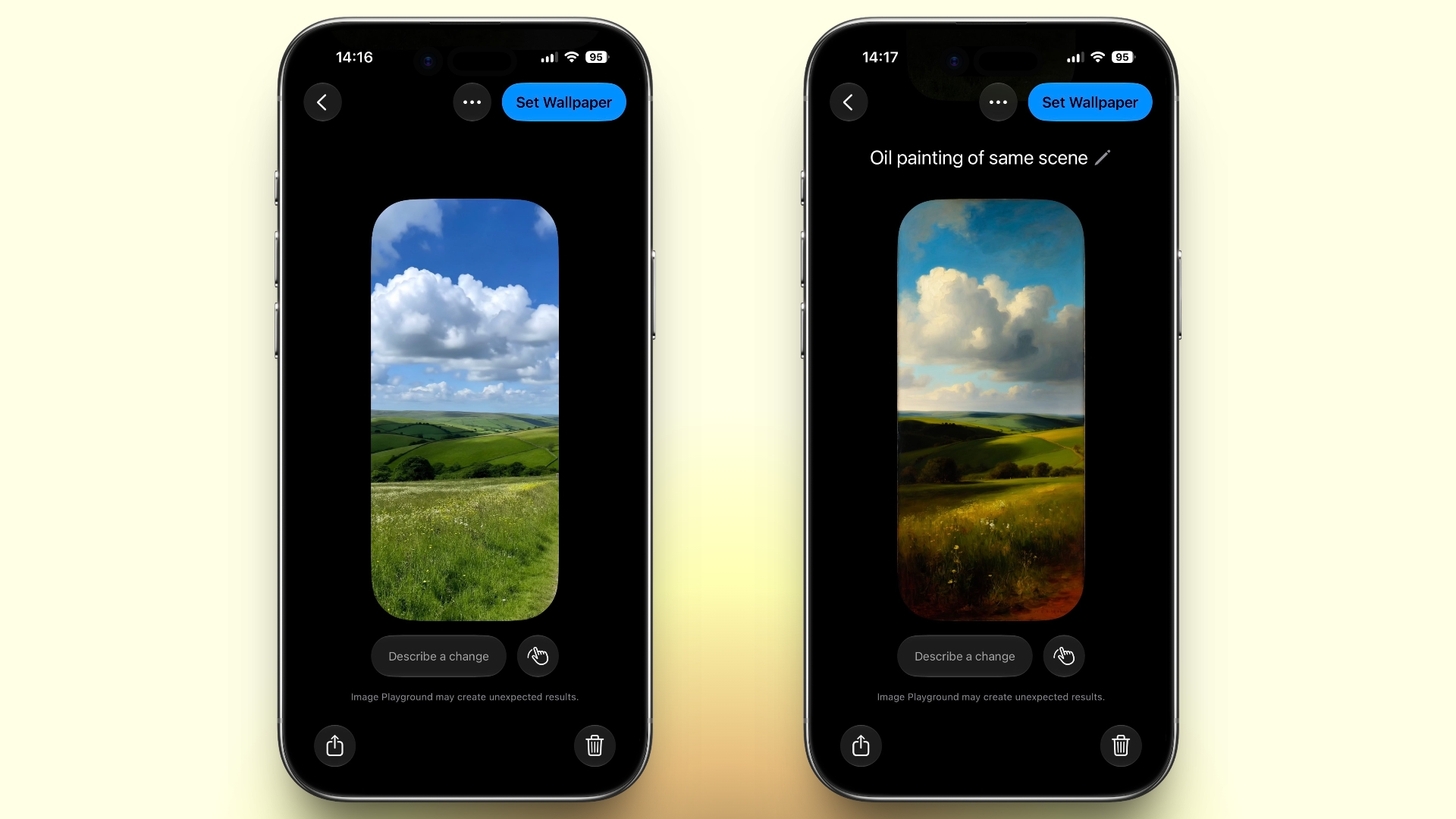
Photos gains an improved Clean Up tool with more realistic infill, a new Extend tool that adds breathing room around images or straightens a crooked horizon without cropping, and Reframe, which uses on-device spatial models to adjust perspective. Image Playground is updated with a new generative model capable of photorealistic output, support for editing existing photos, and the ability to circle specific areas for targeted changes.
ย 
The Home app now aggregates notifications to reduce noise, and uses โ€ŒApple Intelligenceโ€Œ to generate summaries of recorded footage, linking content from multiple cameras together. Maps Flyover has been overhauled with significantly more detail, combining aerial imagery with vision intelligence models.

CarPlay gains new features including video app support, AirPods gain custom EQ settings, Apple Vision Pro gains the ability to turn panorama photos into spatial scenes, and the Health app adds perimenopause and menopause tracking. watchOS 27 brings a dynamic app grid, new gesture controls, and a โ€ŒSiriโ€Œ app to the Apple Watch.

Developer betas of iOS 27, iPadOS 27, macOS Golden Gate, watchOS 27, tvOS 27, and visionOS 27 are available now, with a public beta to follow in July. All of the updates are expected to release to the public in September alongside the new iPhone lineup. The MacRumors Show has its own YouTube channel, so make sure you're subscribed to keep up with new episodes and clips.


You can also listen to โ€ŒThe MacRumors Showโ€Œ on Apple Podcasts, Spotify, Overcast, or other podcast apps. You can also copy our RSS feed directly into your player.


If you haven't already listened to the previous episode of The MacRumors Show, catch up to hear our discussion about all of the major rumors surrounding Apple's announcements at WWDC 2026.

Subscribe to โ€ŒThe MacRumors Showโ€Œ for new episodes every week, where we discuss some of the topical news breaking here on MacRumors, often joined by interesting guests such as Kayci Lacob, Kevin Nether, John Gruber, Mark Gurman, Jon Prosser, Luke Miani, Matthew Cassinelli, Brian Tong, Quinn Nelson, Jared Nelson, Eli Hodapp, Mike Bell, Sara Dietschy, iJustine, Jon Rettinger, Andru Edwards, Arnold Kim, Ben Sullins, Marcus Kane, Christopher Lawley, Frank McShan, David Lewis, Tyler Stalman, Sam Kohl, Federico Viticci, Thomas Frank, Jonathan Morrison, Ross Young, Ian Zelbo, and Rene Ritchie.

โ€ŒThe MacRumors Showโ€Œ is on X @MacRumorsShow, so be sure to give us a follow to keep up with the podcast. You can also email us at podcast@macrumors.com or head over to The MacRumors Show forum thread. Remember to rate and review the podcast, and let us know what subjects and guests you would like to see in the future.
Related Roundup: WWDC 2026

This article, "The MacRumors Show: Siri AI, Apple Intelligence in Apps, and More at WWDC 2026" first appeared on MacRumors.com

Discuss this article in our forums

  •  

Here's How Liquid Glass Is Changing in iOS 27

Apple this week detailed a broad set of improvements to Liquid Glass, the translucent design language it introduced last year, spanning readability, personalization, sidebar behavior, and app icons.


Announced at the WWDC 2026 keynote and elaborated on further at the Platforms State of the Union, the changes address feedback that followed last year's rollout by making adjustments to the underlying foundations of how Liquid Glass is constructed.

At the core of the updates is a tuning of how the material handles content behind it. Apple has adjusted Liquid Glass so it more effectively diffuses complex content, improving readability throughout the system. To add greater depth and visual separation, Apple has also introduced a darkened edge around Liquid Glass elements, along with brighter specular highlights.

The headline change for users is a new transparency slider in Settings, which allows the look of Liquid Glass to be adjusted anywhere from ultra clear to fully tinted. The control goes considerably further than a binary toggle, giving users granular control over how much the glass effect appears across the system.

Apps already using Liquid Glass will gain many of these improvements automatically when running on iOS 27, without needing to be recompiled. Liquid Glass also adapts to accessibility settings such as Reduce Transparency and Increase Contrast.

Apple has also addressed behavior when content scrolls under floating bars. A uniform toolbar now appears across the top in these situations, keeping text legible while improving contrast. The effect is applied automatically for standard toolbars and can be further adjusted using the existing scroll edge effect APIs.

Icon rendering has been updated substantially. Apple says icons will now appear sharper and more defined, with new refraction features that can be selectively applied for added character. On macOS and iPadOS, developers also now have access to an API to surface icons for key app actions in menus, which are hidden by default.

Icon Composer, Apple's dedicated tool for designing app icons, has been updated to support building icons from multiple layers of Liquid Glass. New annotation features allow developers to add refraction or dial in content effects, while an interactive preview shows how a designed icon will look on earlier operating system releases.

Apple has also made a number of changes specific to macOS 27 Golden Gate, including further sidebar refinements and window corner radius updates. For a full breakdown of how Liquid Glass is evolving on the Mac, see our dedicated article.
Related Roundups: iOS 27, iPadOS 27

This article, "Here's How Liquid Glass Is Changing in iOS 27" first appeared on MacRumors.com

Discuss this article in our forums

  •  

macOS 27 Hints at 'MacBook Ultra' in Three Ways

Apple this week unveiled macOS 27 Golden Gate, and the upcoming software update hints at the rumored "MacBook Ultra" in at least three ways.


"MacBook Ultra" is the rumored name for a new high-end model above the MacBook Pro. The laptop is rumored to feature an OLED display, touch-screen capabilities, a Dynamic Island, a thinner design, and M6 Pro and M6 Max chips.

macOS 27 includes a trio of hints about touch-screen support and a Dynamic Island in particular.

First, the update adds direct touch input to Sidecar, the feature that allows you to use an iPad as a second display for a Mac. This enhancement allows users to tap and interact with macOS elements with a finger on their iPad. This strongly hints at Apple preparing to bring touch-screen support to macOS after years of resisting.


Second, macOS 27 adds iPhone-like pull-to-refresh support to the Mac. This allows you to swipe down on the trackpad to refresh the page or visible content in apps such as Safari, Mail, News, Podcasts, and Calendar. Apple may have finally expanded this functionality to the Mac in preparation for a "MacBook Ultra" with a touch screen.


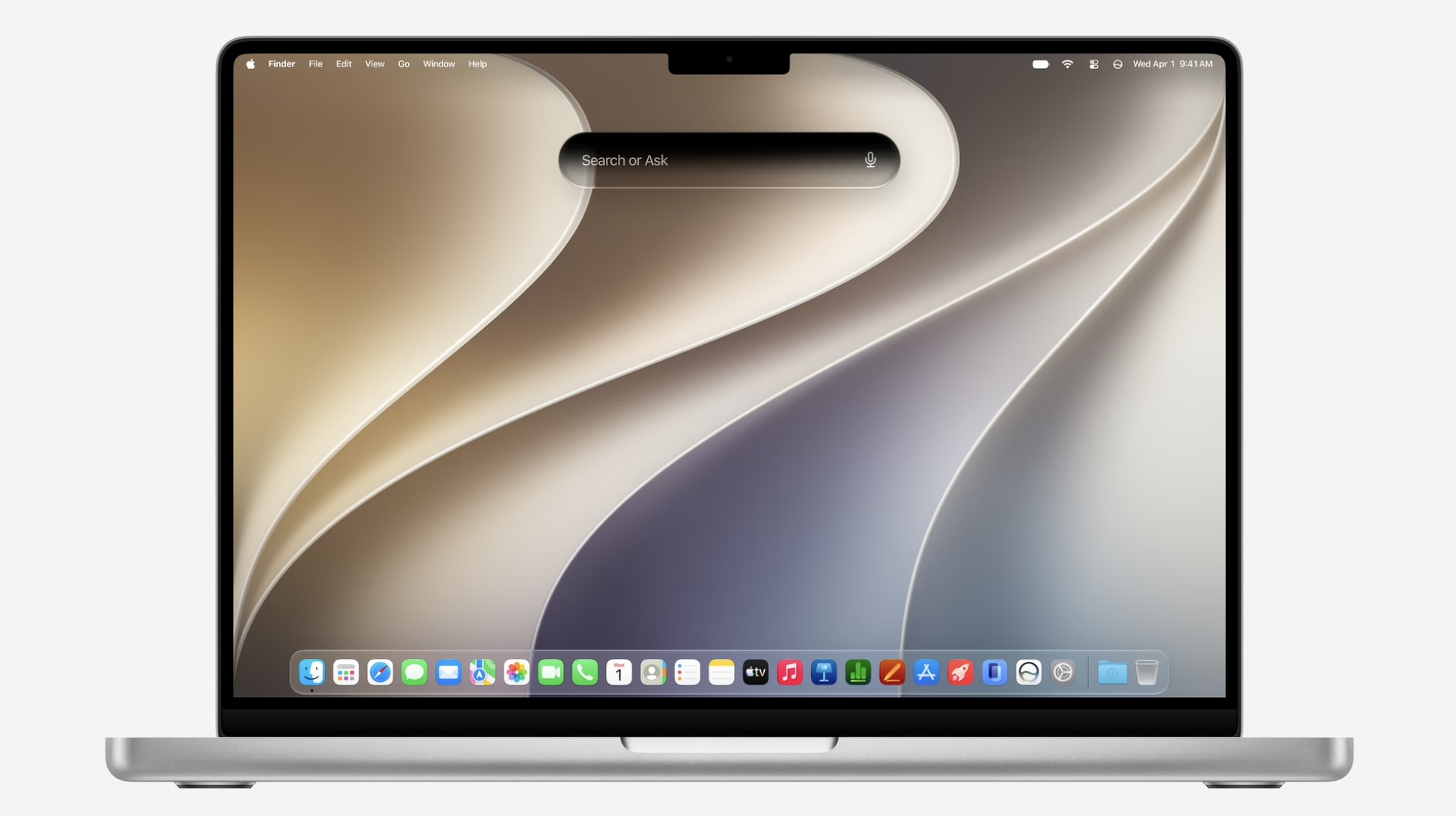
Third, the new "Search or Ask" feature powered by the revamped version of Siri is built into Spotlight on macOS 27, resulting in a dark, pill-shaped interface that would be very fitting for a MacBook screen with a Dynamic Island.

On the MacBook Ultra, the "Search or Ask" interface would likely be positioned higher so that it surrounds the Dynamic Island when visible.


macOS 27 is currently available in developer beta, with a public beta to follow in July. The update is expected to be released in September.

Apple reportedly plans to launch the "MacBook Ultra" in early 2027.
Related Roundup: macOS Golden Gate

This article, "macOS 27 Hints at 'MacBook Ultra' in Three Ways" first appeared on MacRumors.com

Discuss this article in our forums

  •  

Amazon's Early Prime Day Deals Expand With New Sales on Desktop NAS and More

We started tracking early Prime Day deals last week, and today Amazon expanded its selection of items on sale ahead of Prime Day, which will begin on June 23. New deals include UGREEN's best desktop NAS systems, the Sonos Arc Ultra soundbar at a record low price, and more.

Note: MacRumors is an affiliate partner with some of these vendors. When you click a link and make a purchase, we may receive a small payment, which helps us keep the site running.
These new deals join ongoing highlights of early Prime Day deals, including Anker's Prime 3-in-1 Wireless Charging Station, available for $109.99 on Amazon this week, down from $149.99. This is one of Anker's newest accessories, and Amazon's sale today is a solid second-best price on the device.


The Prime 3-in-1 Wireless Charging Station features Qi2.2 support, which lets a compatible MagSafe โ€ŒiPhoneโ€Œ charge at up to 25W. It's the same speed as Apple's โ€ŒMagSafeโ€Œ charger, and it is 10W faster than the standard Qi2 โ€ŒMagSafeโ€Œ chargers. You can also simultaneously charge an Apple Watch and AirPods with the device.

We're also tracking big discounts from brands like Sony, Samsung, Sonos, and more in the lists below. Accessories on sale include USB-C wall chargers, MagSafe-compatible wireless chargers, portable batteries, headphones, and soundbars.

UGREEN


Docks


Wall Chargers


Wireless Chargers


Portable Chargers


Audio


If you're on the hunt for more discounts, be sure to visit our Apple Deals roundup where we recap the best Apple-related bargains of the past week.


Deals Newsletter


Interested in hearing more about the best deals you can find in 2026? Sign up for our Deals Newsletter and we'll keep you updated so you don't miss the biggest deals of the season!


Related Roundup: Apple Deals

This article, "Amazon's Early Prime Day Deals Expand With New Sales on Desktop NAS and More" first appeared on MacRumors.com

Discuss this article in our forums

  •  

Apple Seemingly Discontinuing Vision Pro Travel Case Around the World

Apple appears to be quietly discontinuing the Vision Pro Travel Case in international markets, with the $199 accessory removed from storefronts across much of the world.


MacRumors can confirm that the Apple Vision Pro Travel Case is no longer listed on Apple's online storefronts around the world, including the UK, Japan, Germany, France, Ireland, and Hong Kong. The Apple Vision Pro accessories page in these countries no longer list the Travel Case at all, and the product web pages that once contained it have been completely removed, which would indicate discontinuation with no plans to revive the product, at least in these countries.

In China and Australia, the listings remain live and visible but the product is grayed out and unavailable to purchase. The case continues to be sold as usual in the U.S., Canada, and the UAE. It is unclear when the changes were made, but they appear to have taken place recently.

The Belkin Travel Bag for Apple Vision Pro remains available for customers in international markets as an alternative. Apple has not announced any changes to the original product's availability.

The move comes as Apple appears to have scaled back its Vision Pro ambitions. The headset's October 2025 M5 refresh reportedly failed to revive meaningful consumer interest, with the $3,499 price tag remaining unchanged despite the chip upgrade. Apple is believed to have sold around 600,000 Vision Pro units in total, and sources have noted an unusually high rate of returns compared to any other recent Apple product.

Following the M5 model's weak reception, the Vision Pro team was reportedly disbanded and its members redistributed across other projects. Vision Products Group chief Mike Rockwell has been leading Apple's Siri team since March 2025. Plans for a cheaper, lighter "Vision Air" were reportedly scrapped in October 2025, and Bloomberg's Mark Gurman said that if a new headset does eventually materialize, he would not expect it for "around two more years at least," given that the bulk of Apple's mixed-reality hardware talent have been moved to other projects.

Supply chain analyst Ming-Chi Kuo reported this month that incoming Apple CEO John Ternus signed off on canceling both a second Vision Pro and the Vision Air, with Apple's focus now shifted to smart glasses. Kuo says two products remain in development: AI-equipped glasses to rival Meta's Ray-Bans, expected in 2027, and a display-equipped set of AR glasses unlikely to arrive before 2029. Gurman separately indicated that a slimmer, cheaper Vision Pro remains a possibility in the long term, but is unlikely to arrive before late 2028 or 2029 at the earliest.

Whether it signals a complete discontinuation or simply a quiet inventory wind-down, it is difficult to not see the apparent phasing out of the Vision Pro Travel Case as part of the device's uncertain future.

Thanks, Ben!
Related Roundup: Apple Vision Pro
Buyer's Guide: Vision Pro (Neutral)
Related Forum: Apple Vision Pro

This article, "Apple Seemingly Discontinuing Vision Pro Travel Case Around the World" first appeared on MacRumors.com

Discuss this article in our forums

  •  

iOS 27 Adds Six New Features to Apple Wallet on Your iPhone

The upcoming iOS 27 update that Apple unveiled this week includes many new features and enhancements for Apple's Wallet app on the iPhone.


Below, we have outlined six additions to the Apple Wallet app on iOS 27.

New Features


Enhanced Passes


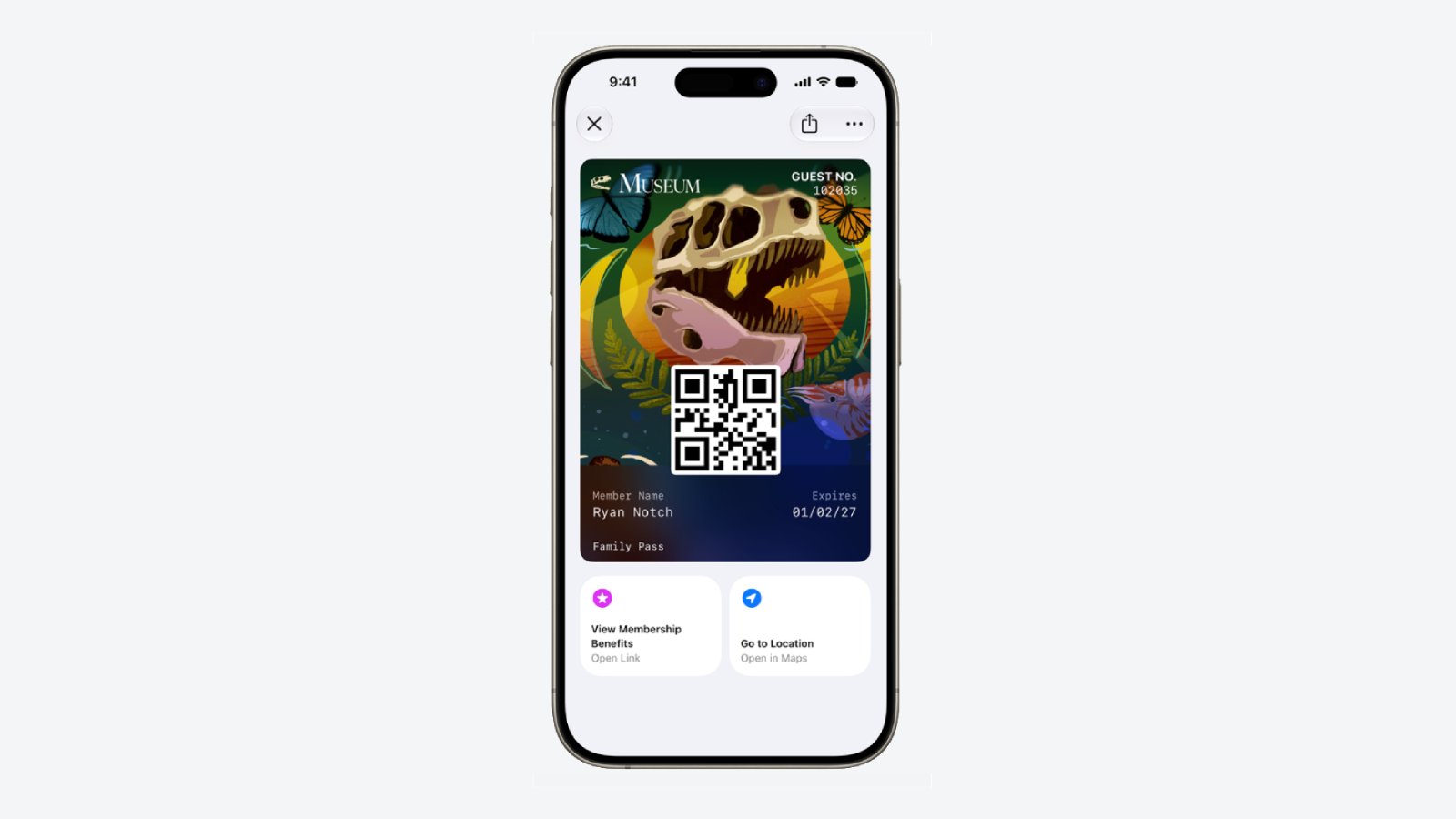
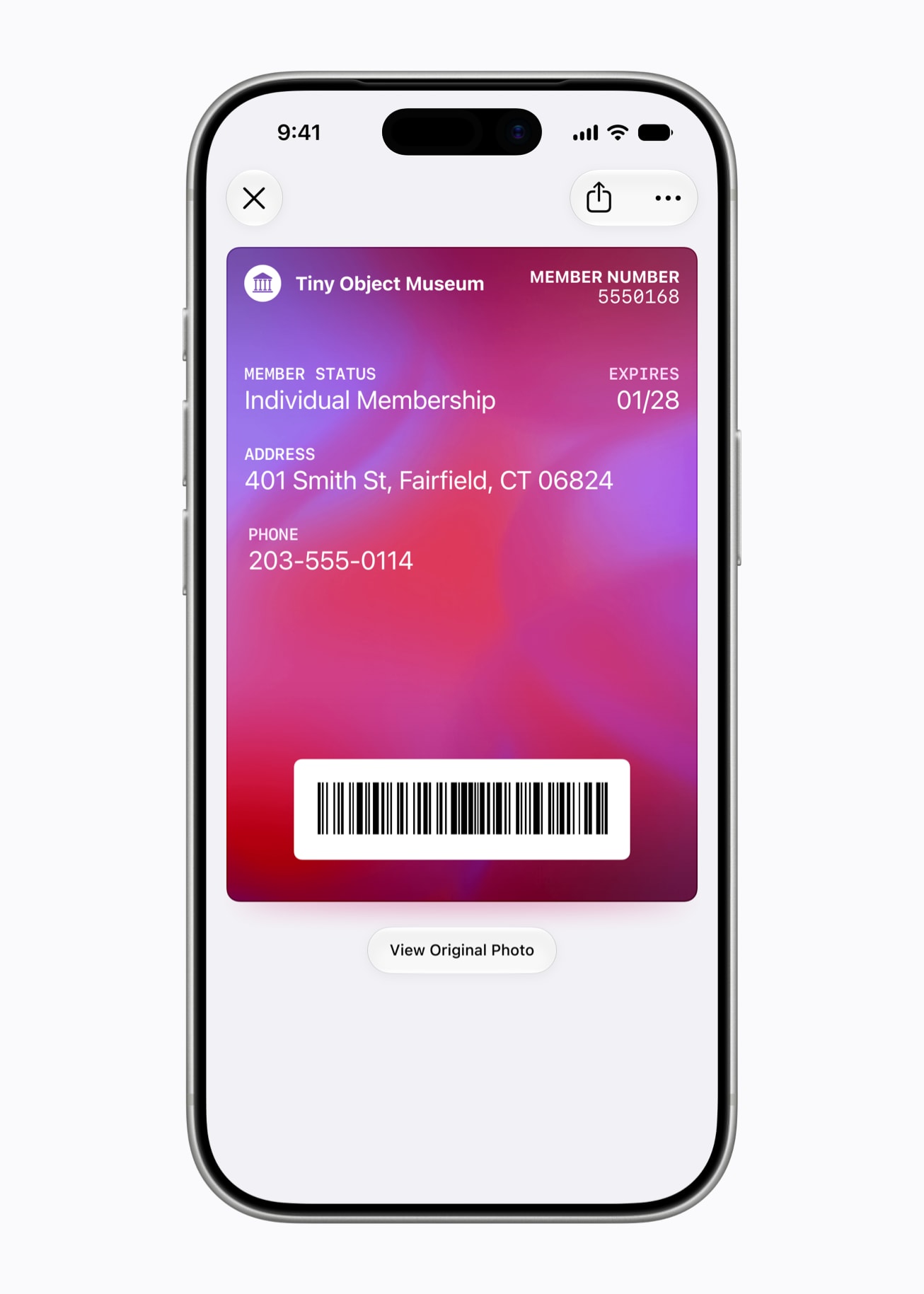
iOS 26 introduced enhanced Apple Wallet boarding passes, and iOS 27 will gradually expand this improved experience to all other types of passes in the app, including for loyalty, rewards, membership, and gift cards.


The newer passes have an elevated design with more detailed background images, and there are tiles below them that provide relevant information.

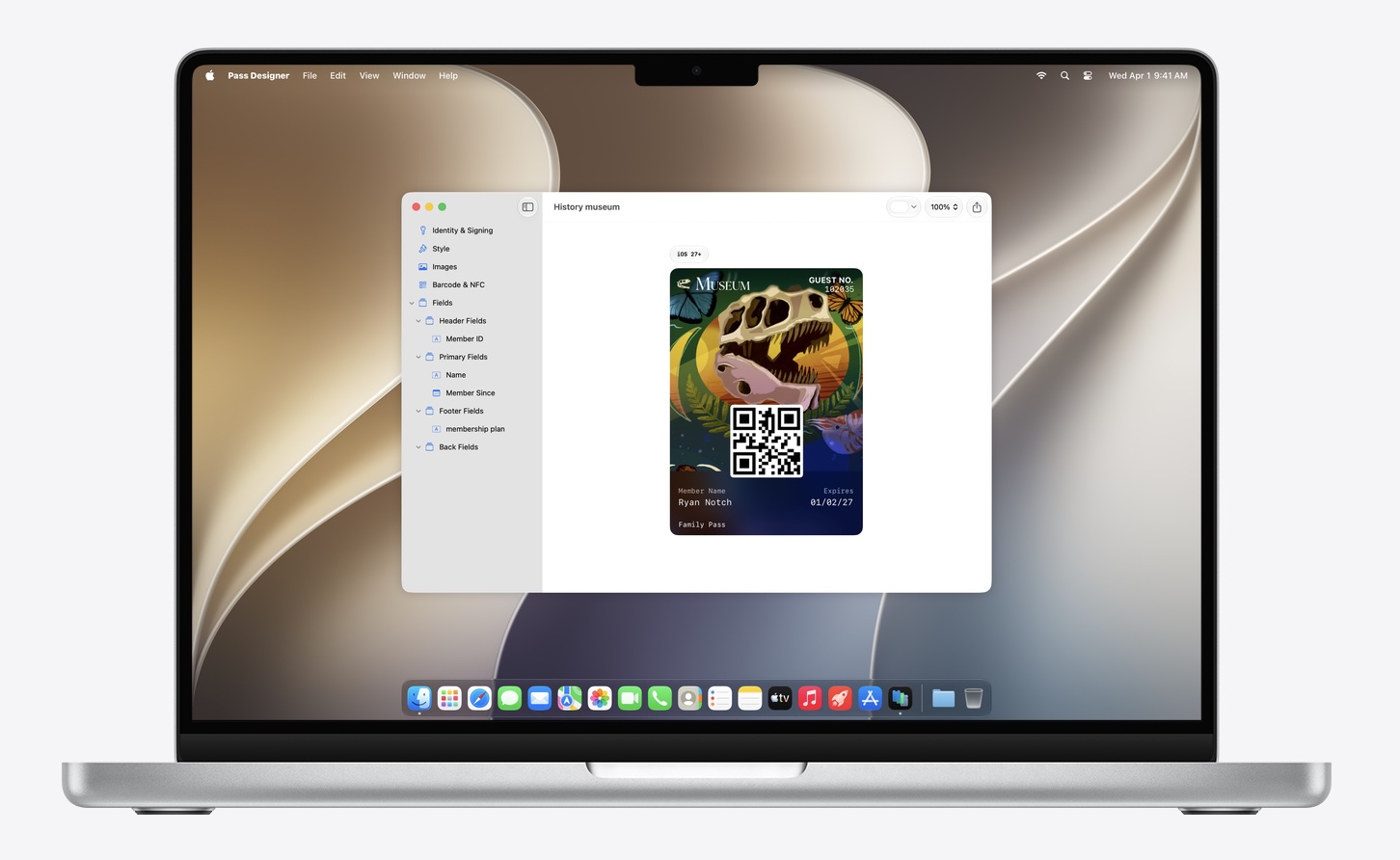
Apple has introduced a new macOS app called Pass Designer for creating and previewing passes.


Pass Designer is available in beta on macOS 27.

Enhanced Hotel Keys


iOS 27 supports enhanced Apple Wallet digital keys at participating hotels and resorts. You can view more details about your trips, receive updates about booked activities, access services available during your stay, and more. Apple did not share a list of hotel brands or locations that will be offering these upgraded keys.

Create Passes


You can now create custom passes in Apple Wallet by scanning physical cards, like loyalty or membership cards.


With the new Siri mode in the Camera app, you can simply point your iPhone at any physical card with a barcode and save it to Apple Wallet. Once added, passes are ready to present as a barcode or QR code right from the iPhone.

New Barcode Types


Apple Wallet passes can display four new barcode types: EAN-13, Code 39, Codabar, and ITF.

Split Bills With Apple Cash


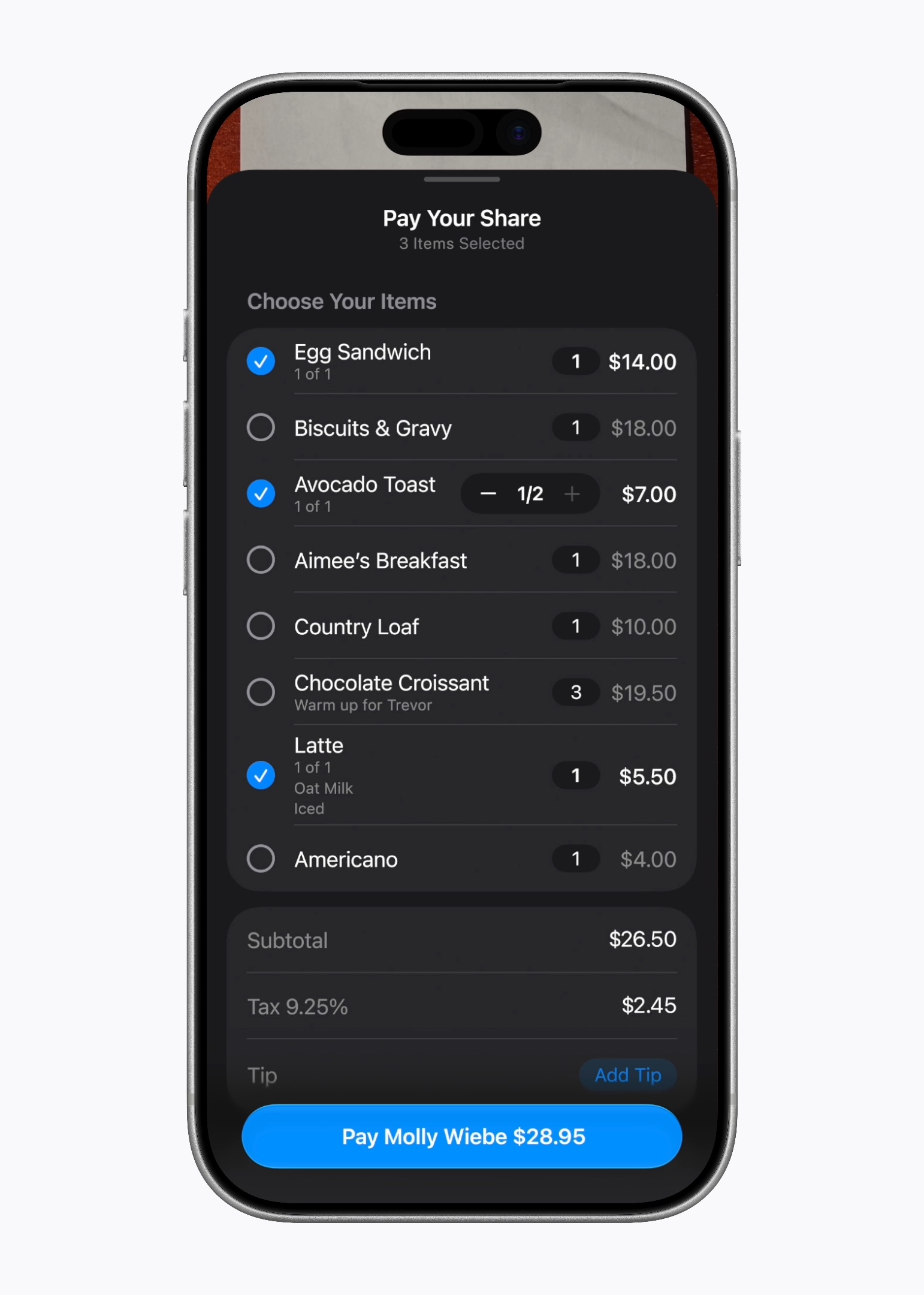
In the U.S. only, iOS 27 allows you to split bills with a new feature powered by Apple Cash and Apple Intelligence. This capability is available in the Apple Wallet and Messages apps, or by using the new Siri mode in the Camera app.


"When users point their iPhone at a receipt using Siri mode, it can surface the relevant action to split a bill with Apple Cash and identify the items on the receipt," said Apple. "As users select their items, their total payment is calculated, including their share of tax and tip, so they can pay back exactly what they owe with Apple Cash."

Wallet Order Tracking in More Countries


Starting with iOS 27, Apple Wallet's order tracking feature is available in Australia and Canada. The feature was limited to the U.S. and the U.K. previously.

Learn More


Apple shared a WWDC 2026 video outlining new features coming to the Wallet app this year, and it has a page on its developer website with more details.


iOS 27 Availability


iOS 27 is currently available as a developer beta, with a public beta to follow in July. The update is expected to be released to all users in September.

iOS 27 is compatible with the iPhone 11 series and newer.
Related Roundups: iOS 27, iPadOS 27

This article, "iOS 27 Adds Six New Features to Apple Wallet on Your iPhone" first appeared on MacRumors.com

Discuss this article in our forums

  •  

iOS 27 Brings These Five New Features to Your iPhone Lock Screen

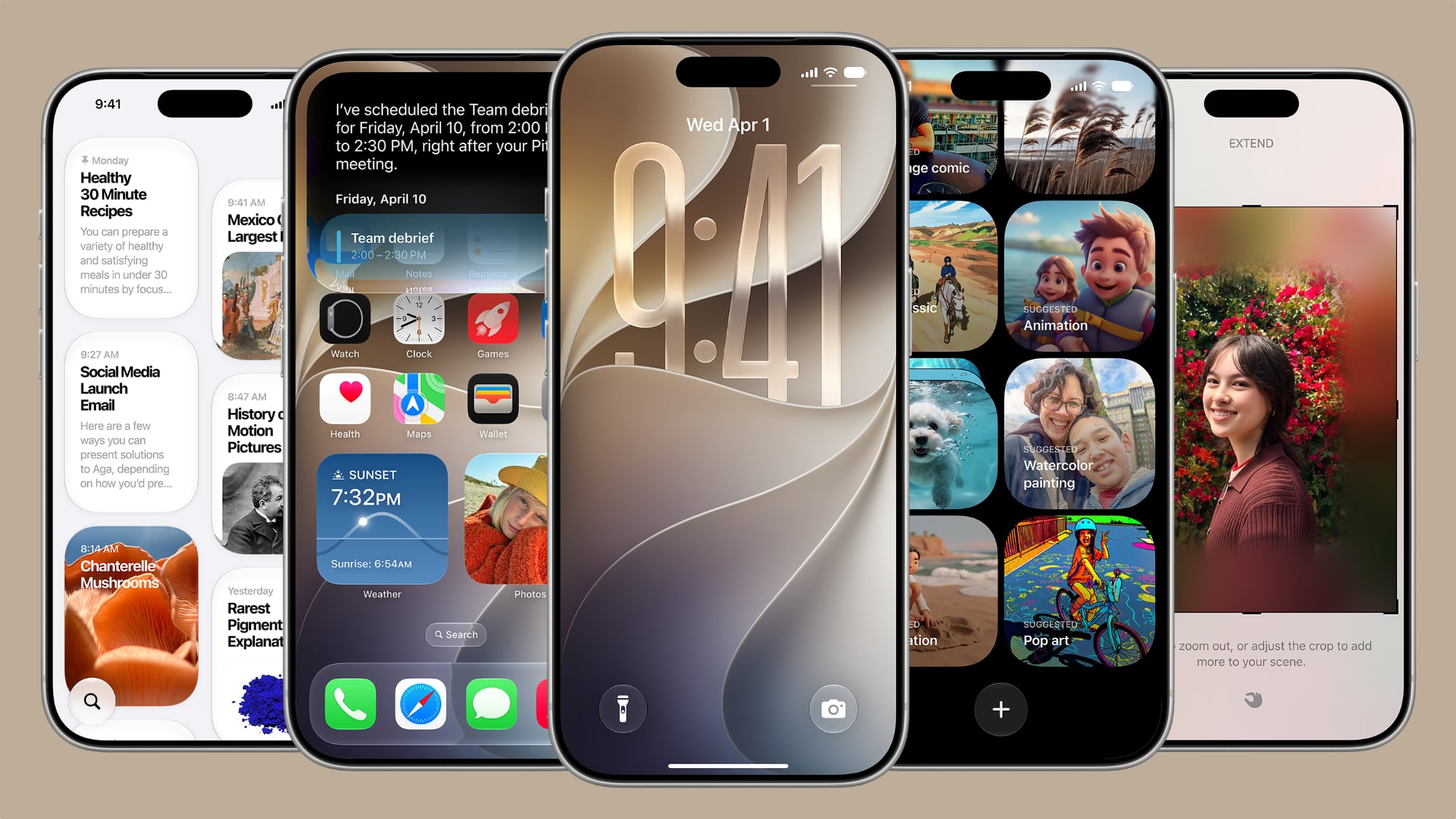
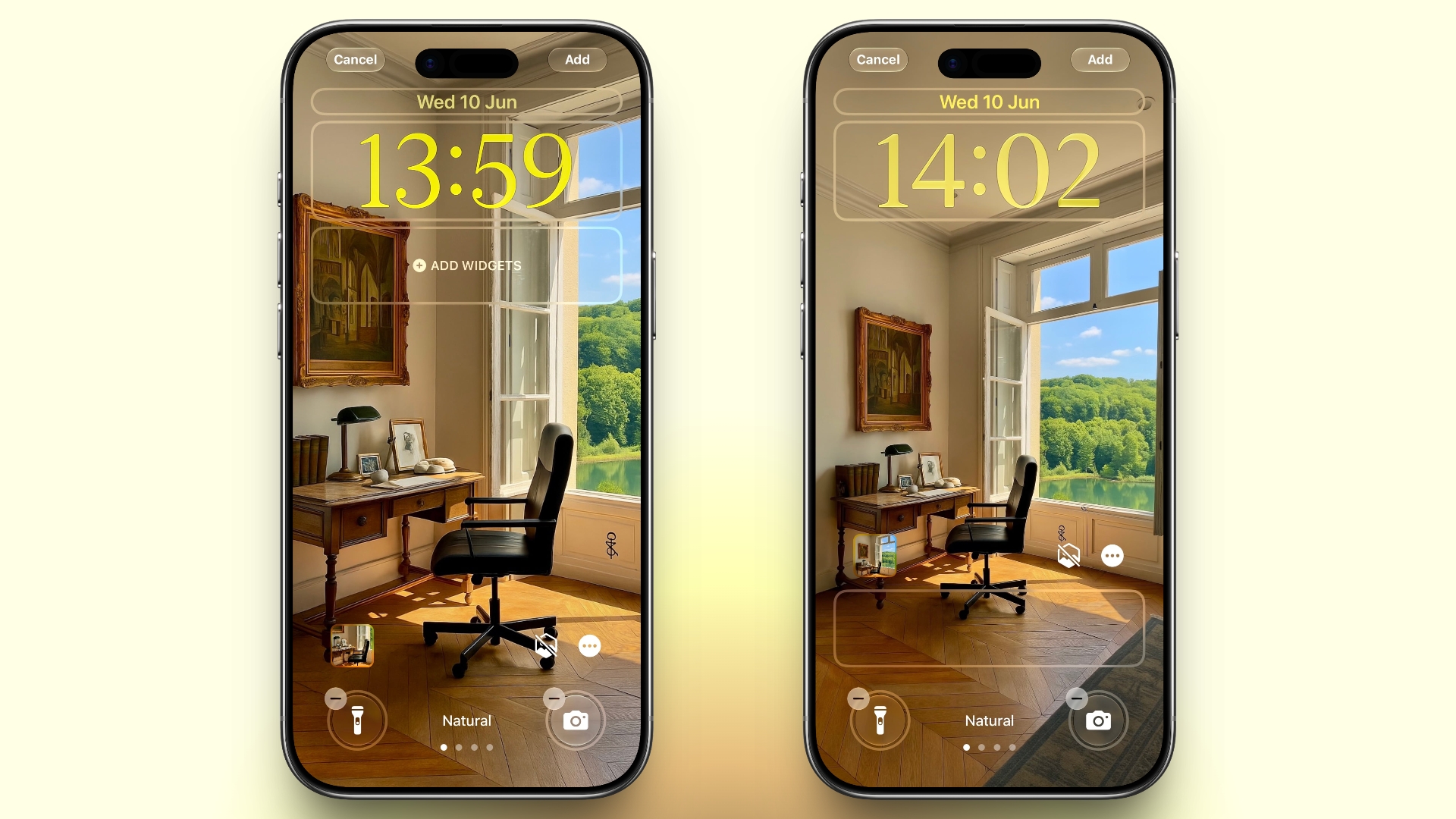
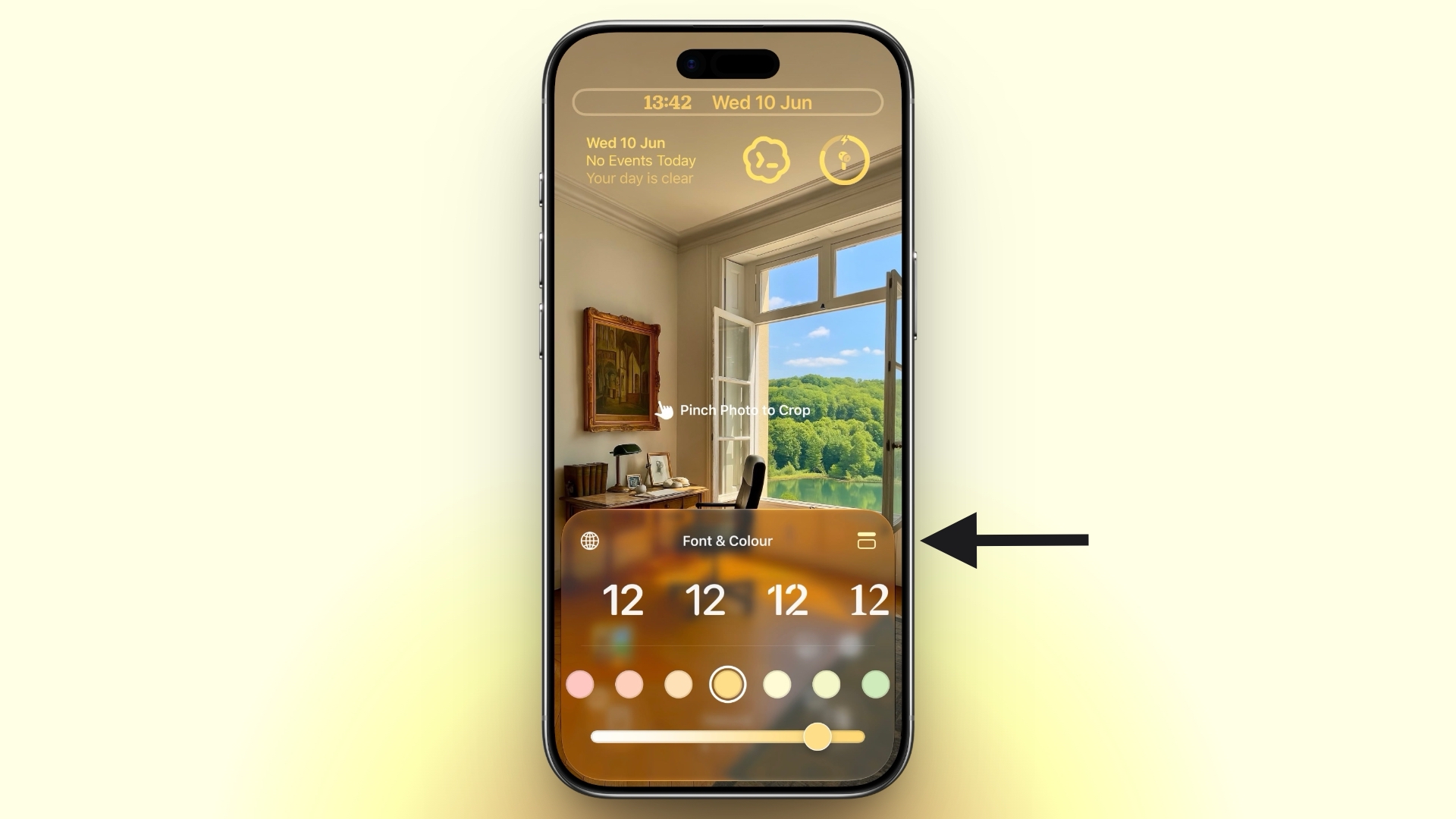
Apple unveiled iOS 27 at WWDC this week, and while the headline-grabbing Siri overhaul has received the most attention, the Lock Screen has picked up several refinements that you may have missed.


Some are brand-new additions, while others are tweaks to features Apple introduced in iOS 26, but together they give you more control over how your Lock Screen looks and behaves.

Here are five to try if you plan to install the public beta next month, or when iOS 27 becomes generally available in the fall.

Extend Your Wallpaper


A new wallpaper extension feature in iOS 27 uses Apple Intelligence to automatically expand a photo beyond its original boundaries so it fills the entire Lock Screen more naturally. If a photo is cropped too tightly, doesn't match your iPhone's aspect ratio, or it leaves empty space when positioned on the Lock Screen, iOS 27 can generate additional image content around the edges with the "Extend" option. It will analyze the existing image and create matching background details that blend with the original photo, so there's no need for aggressive cropping. The Extend option can also be found in the Photos app.

Make the Clock Tiny


lock screen
A new compact clock mode is available as a new Lock Screen layout option in iOS 27. Found in the top-right corner of the Font & Color panel, the option moves the time from its traditional large, centered position to a much smaller format alongside the date and widgets at the top of the screen. It's a nice option to have if you like a cleaner Lock Screen look that shows off your wallpaper more fully, and it's the complete opposite effect introduced in iOS 26 that stretches the clock down the screen.

Generate Wallpapers With AI


playground
iOS 27 also expands Image Playground with support for AI-generated Lock Screen wallpapers. You can create custom backgrounds using text descriptions, and the app will generate entirely new images tailored to your preferred style, subject matter, or aesthetic, allowing you to set it directly as your Lock Screen wallpaper.

Change Liquid Glass Opacity


settings
In iOS 27, Apple added a full Liquid Glass slider under Settings โž Appearance โž Liquid Glass. It changes the translucency of Liquid Glass elements, and you can choose a clear version of Liquid Glass that allows some of the background to show through, select a more opaque, tinted version that improves the legibility of text, or choose something in between. Granted, it's more of a system-wide customization feature than a Lock Screen-exclusive feature, but it directly impacts the look of your clock setup, buttons, widgets, and notifications.

New Siri Interface


To go with Apple's tentpole "Siri AI" chatbot-style overhaul, iOS 27 introduces a redesigned Siri experience. Instead of the glowing light effect that previously traced the edges of the display, a swirling Siri orb now expands and animates within the Dynamic Island. Siri requests and responses are also now presented in a more compact interface surrounding the Dynamic Island, so interactions should feel more focused rather than completely taking over your Lock Screen.
Related Roundups: iOS 27, iPadOS 27

This article, "iOS 27 Brings These Five New Features to Your iPhone Lock Screen" first appeared on MacRumors.com

Discuss this article in our forums

  •  

AirPods Pro 3 Hit New Low Price of $179

Amazon today has the AirPods Pro 3 available for $179.00, down from $249.00. This is a new all-time low price on the AirPods Pro 3, beating the previous low by $20.

Note: MacRumors is an affiliate partner with some of these vendors. When you click a link and make a purchase, we may receive a small payment, which helps us keep the site running.
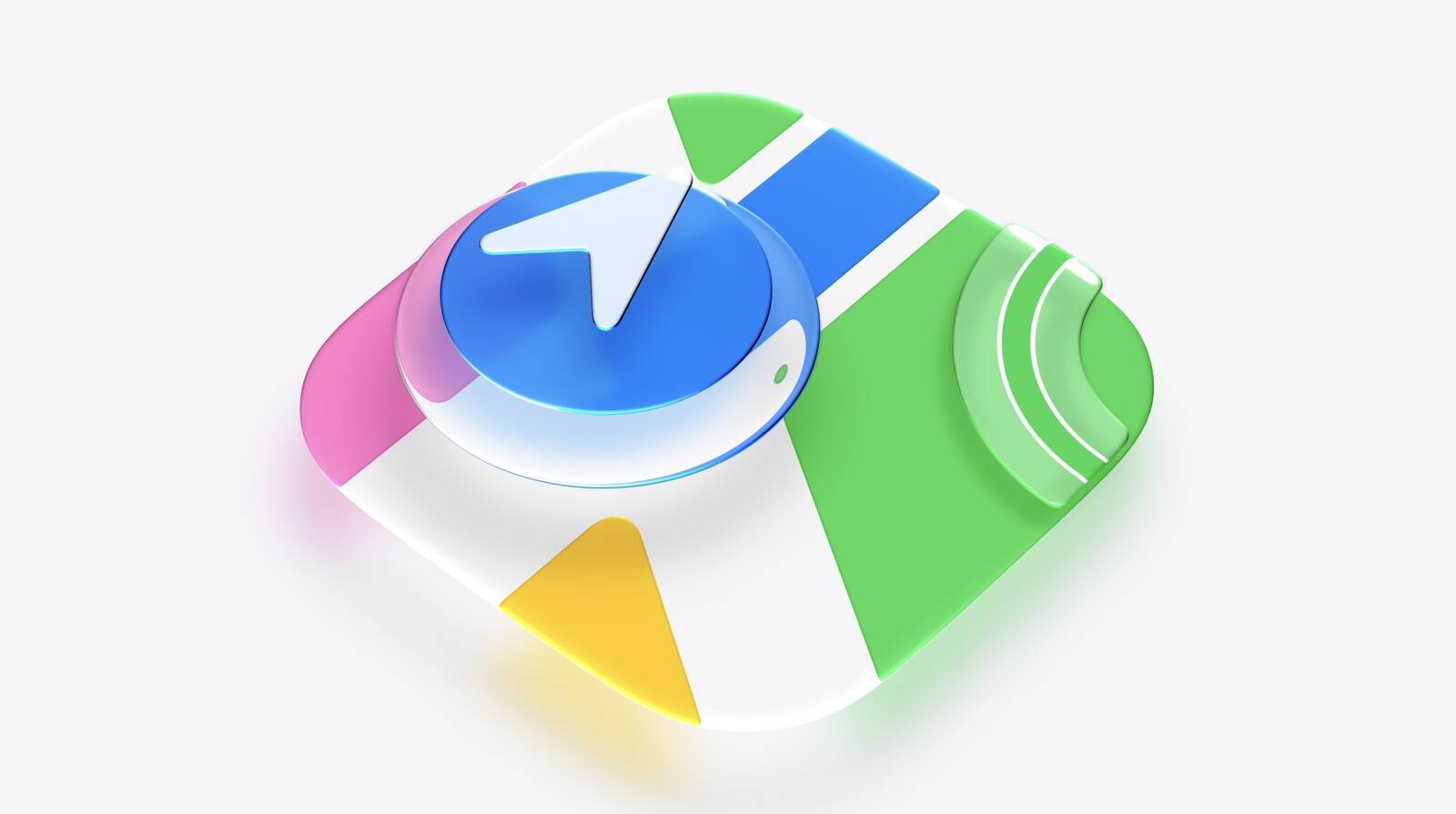
This model of the AirPods Pro launched in September 2025 and has 2x better Active Noise Cancellation than the previous generation, better audio quality, a revised fit that's meant to improve comfort and stability, Live Translation for in-person conversations, and heart rate sensing for workouts.


Head to our full Deals Roundup to get caught up with all of the latest deals and discounts that we've been tracking over the past week.

Update: The $179.00 deal price has been fluctuating today; if you don't see it when you click through Amazon, there's a chance it may come back later. Otherwise you can still shop on Walmart.


Deals Newsletter


Interested in hearing more about the best deals you can find in 2026? Sign up for our Deals Newsletter and we'll keep you updated so you don't miss the biggest deals of the season!


Related Roundup: Apple Deals

This article, "AirPods Pro 3 Hit New Low Price of $179" first appeared on MacRumors.com

Discuss this article in our forums

  •  
โŒ