The Wallet app in iOS 27 has a new "Create a Pass" option that's designed to let you add passes for tickets, memberships, and more using Visual Intelligence. If you have a ticket for an event and there's not a digital version available in the Wallet app already, you can create one using the physical pass.
By default, the Wallet app uses Visual Intelligence to scan a pass and add it, but there's also a "Create Pass Manually" option. Pass templates include Standard, Membership, and Event.
Each type includes relevant information like name, location, or admission type, along with a scannable code drawn from an included barcode or QR code that you take a photo of. There are 12 background colors to choose from, or seven custom backgrounds for categories like theater, music, sports, and movies.
Fields can be added or removed as needed when creating a custom pass, with options like label, date, membership, contact, coupon code, VIN, insurance, and more, so most physical cards should be able to be stored digitally.
The iOS 27 Camera app has a new "Siri" mode that is available in addition to the video, photo, and other camera modes. You can get to Siri mode by swiping over to it at the bottom of the Camera app in the iOS 27 developer beta.
Siri mode integrates Visual Intelligence, so you can take a photo of something and ask Siri about it. Siri can answer questions about whatever you're taking a photo of, identifying plants, animals, landmarks, and more.
Visual Intelligence is expanding to new categories in iOS 27, and it can help you determine the calories in a plate of food or split a bill with friends by calculating what each person owes.
In Siri mode, the main Camera button captures an image and Siri will give information about what's in the shot. A button on the right lets you search Google Images, and a button on the left lets you ask a specific question.
In other Camera modes, there are minor interface updates. Quick access tools for turning on Night Mode, turning off Live Photo, and activating Flash are at the top center of the interface, and the full set of tools can be accessed from the bottom right instead of the top right.
While there were rumors of a Camera app widget section for customizing the available camera controls, that's not a feature that's available yet.
Using Siri mode in the Camera app requires access to the Siri waitlist. The iOS 27 beta is only available to developers right now, but Apple plans to make a public beta available in July. iOS 27 will launch this fall.
The Calendar and Reminders apps in iOS 27 let you create events and reminders using natural language commands, making it easier to manage your schedule and task list.
You can tap the "+" button in the Calendar app and then type in something like "Movies with Sarah at 8pm on Thursday" to schedule an event. You don't need to go to the specific day to create an event, and you can instead just tap when the date and time suggestions appear as you type. You can also use timing like "every week" to set up a recurring event.
Reminders work in a similar way, and you can type in something like "Remind me to go grocery shopping at 2pm on Thursday" to set up a reminder for that date and time.
Apple says editing an event in Calendar is also simpler. If you have a meeting that's every week and update it to every other week, the Calendar app will intelligently adjust frequency for all future events.
Visual Intelligence integrates with Calendar and Reminders, so if you're looking at an event online and take a screenshot, or if you snap a photo of a flyer with your phone, you can have relevant information added to the Calendar app automatically. Siri is also able to intelligently add events to the Calendar app with natural language requests.
iOS 27 is limited to developers right now, but Apple plans to make a public beta available in July.
This fall, Apple will bring new child safety features to iOS 27, iPadOS 27, and macOS Golden Gate. Apple says parents will have access to a simpler setup experience with recommended apps, a new Ask to Browse feature for Safari, and an overhauled Screen Time interface with Time Allowances.
Parents will be able to select the apps a child can access, opting for a few essential apps, a curated set, or the apps that are appropriate for the individual child. Apps can be added over time, and kids can get parental approval for app downloads with Ask to Buy. If the new Ask to Browse option is enabled, parents can also approve each new website that a child visits.
There are tools for managing who children can connect to on Messages, FaceTime, and Phone, and parents can enable a setting that will require children to get permission before connecting with a new contact.
Communication Safety is being updated to blur gore and violence in Messages and FaceTime calls by default for users under 18. As with nudity, it will automatically blur content when gore or violence is detected in images and videos.
With Time Allowances, parents can manage the time that children spend in apps in the Entertainment, Games, and Social Media categories. Parents can set a limit based on the child's age, with suggestions from the latest expert guidance.
Daily Schedules let parents limit which apps children can access and when based on time of day and day of the week.
Screen Time gives parents an at-a-glance view of their kids' device usage and most used apps, with options to make adjustments to access in the moment. Apple says parents will be able to quickly limit access during meals, outdoor play, and other times that "deserve full attention."
Apple now has a dedicated Child Safety website where parents can learn more about the tools coming in iOS 27, iPadOS 27, and macOS Golden Gate.
Apple released the first betas of iOS 27, iPadOS 27, and macOS 27 today, introducing a more capable version of Siri called Siri AI. Developers are able to download the betas and try Siri out, but there is a waitlist.
After updating to iOS 27, developers will need to open the Settings app, go to the Apple Intelligence section, and opt in to the waitlist to get access to Siri.
There is no word yet on how long the wait will be, but Apple used a similar waitlist when rolling out Apple Intelligence in iOS 18. It could be a matter of hours for some of the first developers to update to iOS 27.
The new Siri and Apple Intelligence features that Apple introduced today are available on all devices that support Apple Intelligence, but some on-device capabilities will be limited to newer iPhones, iPads, and Macs.
Siri AI is free, but Apple does have daily limits on some capabilities like image generation. Opting into an iCloud+ subscription plan increases AI limits. Siri AI is limited to English, and it is not available in the European Union on the iPhone or the iPad, but EU users can try it on Mac. Siri AI is not available in China.
Following the WWDC 2026 keynote event, Apple has seeded the first betas of iOS 27, iPadOS 27, macOS 27, watchOS 27, tvOS 27, and visionOS 27 to developers for testing purposes.
Registered developers can opt in to betas and download the software through the Settings app on each device.
The software includes many of the new features that were shown off earlier today, though some of what Apple demoed won't be available right away. Highlights include an updated version of Siri with a Siri app and new AI features for apps like Photos, Camera, and Wallet.
There are dozens of new features to go through, including hundreds of smaller tweaks and changes that we'll be writing about over the next several weeks. Make sure to stay tuned to MacRumors for hands-on coverage, guides, how-tos, and an in-depth look at everything you'll want to know about the new software.
Today's betas are limited to developers who will incorporate the new features into their apps. Apple will release a public beta so anyone can test out the software in July. iOS 27, iPadOS 27, macOS 27, watchOS 27, tvOS 27, and visionOS 27 will all launch to the public in the fall.
Apple's 2026 Worldwide Developers Conference is just days away, and it's going to be an interesting event because it will give us a look at Apple's AI plans. We'll see how Apple is going to compete with OpenAI, Anthropic, and Google in the months to come with an AI version of Siri and new AI features for its apps.
Big changes are coming in iOS 27, iPadOS 27, and macOS 27, and Apple employees haven't been able to keep quiet. We've heard details on a long list of AI updates Apple has planned, with enough detail that screenshots could be recreated by Bloomberg. Much of what's rumored relates to AI features and changes.
New Siri Features
Based on Apple's promises and rumors about what's coming in the new version of iOS, Siri in iOS 27 will be nothing like Siri in iOS 26. In 2024, Apple showed us three ways that Siri will improve, but two years have passed and extra work has been done, so we're expecting even more than what Apple demonstrated back then.
Siri is going to be able to draw on user data and information from Apple devices, with access to personal data for completing tasks. The assistant is also going to be able to do more with apps, and it will be able to tell what's on the screen to answer questions.
Personal Context
Siri will be able to access emails, messages, files, photos, and more, learning all about you to help you complete tasks and keep track of what you've been sent. Apple offered some examples of how personal context will work:
Show me the files Eric sent me last week.
Find the email where Eric mentioned ice skating.
Find the books that Eric recommended to me.
Where's the recipe that Eric sent me?
What's my passport number?
Onscreen Awareness
Onscreen awareness will let Siri see what's on your screen and complete actions involving whatever you're looking at. If someone texts you an address, you can tell Siri to add it to their contact card. Or if you're looking at a photo and want to send it to someone, you can ask Siri to do it for you.
App Integration
Siri will be able to do more in and across apps, performing actions and completing tasks that are just not possible with the personal assistant right now. We don't have a full picture of what Siri will be capable of, but Apple gave a few examples of what to expect.
Moving files from one app to another.
Editing a photo and then sharing it with someone.
Getting directions home and sending the ETA in the Messages app.
Drafting and then sending an email.
Siri will be able to complete tasks in Apple apps and in third-party apps, with developers able to expose app capabilities to Siri.
Siri Chatbot
Apple needs a Siri app because Siri is becoming a chatbot. Siri will be like ChatGPT or Claude, able to draw on information from the web to provide answers to questions.
Siri will be deeply integrated into iOS, iPadOS, and macOS at the system level, and can draw on device information. It will know more personal context than before, and will be able to access emails, texts, photos, calendar information, contacts, notes, and other personal data. Some of what Siri will be able to do:
Search the web for information
Generate images
Generate content
Summarize information
Analyze uploaded files
Use personal data to complete tasks
Ingest information from emails, messages, files and more
Write emails, notes, and texts
Analyze open windows and on-screen content to take action
Control device features and settings
Search for on-device content, replacing Spotlight
Siri will be integrated into Apple apps like Mail, Messages, Photos, and Apple TV.
Siri Design
With Siri's chatbot transition, Apple will be making multiple Siri-related design changes. Siri will largely live in the Dynamic Island, and Bloomberg says there will be new ways to access Siri.
Swiping down from the center of the iPhone's display from the Home Screen or any app will bring up a new "Search or Ask" feature in the Dynamic Island. A glowing, pill-shaped animation will be displayed in the Dynamic Island to indicate that Siri is processing a request.
When Siri has an answer, the Dynamic Island will expand into a transparent card with the result, incorporating images, info from the web, notes and other information relevant to the query or request. Swiping on the results card will bring up a conversation mode that looks similar to an iMessage chat, and there will be an option to transition to the full Siri app.
Search or Ask replaces Siri Suggestions and will let users launch apps, start text messages, ask about the weather, add calendar appointments, trigger shortcuts in apps, and search the web using Apple's new AI web search feature. Search or Ask queries can also be sent to third-party chatbot services like ChatGPT instead of Siri.
While Siri can be accessed through a swipe in iOS 27, Apple is keeping the "Hey Siri" wake word and Siri activation through the Side button. With the new center swipe, accessing the Notification Center will be done with a swipe down on the left side of the display. Swiping down on the right side will continue to bring up Control Center. With the change to how Notification Center is accessed, notifications will now slide in from the left side of the iPhone instead of the top of the display.
Apple will also integrate an "Ask Siri" button into the menus of its apps, giving users a way to send content directly to Siri alongside a request.
The new Siri interface uses dark colors with no light mode available. Siri UI elements have a dark background with color accents that mirror the options Apple is using in WWDC imagery. Apple's WWDC website features a white Swift bird with subtle highlights in pink, dark blue, purple, and orange.
Standalone Siri App
Bloomberg recently shared a mockup of what the standalone Siri app will look like, and it's similar to other chatbot apps like ChatGPT, Claude, or Gemini.
Siri will support text or voice-based conversations. The app will open with an "Ask Siri" bar where users can type in a question. A paperclip icon will be available for attaching images, PDFs, and other documents. Apple will provide prompts with suggestions on what users can ask.
Questions will resemble iMessage chat bubbles, with Apple adopting a design that is familiar to users. Responses will include links, images, and other information.
A section of the app will be dedicated to past conversations that can be shown in a card-style interface with conversation summaries, or a list view. Users will be able to tap into a conversation to continue it.
Siri Privacy
Apple plans to lean into privacy as a central principle of its approach to AI, giving it a way to distinguish Siri from other chatbot options. Apple will likely aim to keep as much processing on-device as possible to limit the amount of data that leaves a user's device.
Apple said that Apple Intelligence features will continue to run on Apple devices and Private Cloud Compute.
Apple will have limits around memory, including restrictions on the information that can persist and how long it is kept. Users will be able to auto-delete Siri chats and requests after a set period of time, like 30 days or one year. There will also be an option to keep chats permanently, and chats will sync across Apple devices signed into the same iCloud account.
Siri can be turned off right now, as can Apple Intelligence, and there's no sign that's going to change in iOS 27. Users who don't want to enable Siri or use the new features will not have to.
Siri Extensions
Apple is letting rival chatbots integrate with Siri in iOS 27, expanding on the OpenAI partnership that currently allows Siri to hand off requests to ChatGPT, Bloomberg says Apple plans to allow other chatbots like Claude and Gemini to work with Siri, so users will be able to send questions to their favorite chatbot instead of Siri.
iPhone users will be able to select which services they want to use inside Siri through "Extensions" options coming to iOS 27, iPadOS 27, and macOS 27. The options will be available in the Apple Intelligence and Siri section of the Settings app, with Apple providing download links for chatbot apps. There will be a dedicated Extensions section in the App Store that will serve as a way to choose a third-party AI app.
Siri will be the default for the Search or Ask interface, but rumors suggest users will be able to select other chatbots to speak with. Users will also be able to choose third-party AI services as the default for Apple Intelligence features like Writing Tools and Image Playground, expanding Apple Intelligence integration beyond ChatGPT.
Apple also plans to let users choose voices from third-party AI to use instead of Siri, so there will be a distinct audio difference between a response from Siri and a response from the user's chatbot of choice. Siri would use one voice, while responses from third-party AI options would use another voice.
Google Gemini Backbone
To get Siri up and running, Apple partnered with Google to use Gemini AI models instead of using its own AI models. Apple signed a multi-year deal to use Google's Gemini models and cloud technology for its Apple Foundation Models, and it's costing Apple somewhere around $1 billion a year.
Google and Apple said that the next generation of Apple Foundation Models will be based on Google Gemini models, with Gemini used to power future Apple Intelligence features and the more personalized version of Siri.
Apple said Google's AI technology offered the most capable foundation for its models.
iOS 27 Apps and Feature Updates
Camera
Apple is moving Visual Intelligence from the Camera Control button to the Camera app in iOS 27. Bloomberg has shared images of the new interface, featuring a Siri mode that's available alongside the existing Photo, Video, Portrait, and Panorama modes. When in Siri mode, the existing Camera app shutter button will feature the Apple Intelligence logo, letting users know the Siri features are available.
Siri mode is a renaming of Visual Intelligence, and it will make the feature more visible. Accessing Visual Intelligence in iOS 26 requires users to hold down the Camera Control button or assign the feature to the Action button, and many people may not even know it exists.
Visual Intelligence can identify objects, plants, animals, art, books, and more, searching for whatever the user snaps on Google Image Search. In iOS 27, Siri will be able to answer questions about what a user is looking at, providing information from the web.
Apple is adding new Visual Intelligence capabilities in iOS 27, and they will be available through the Camera app Siri mode.
Nutrition - Users can scan nutrition labels on food packaging for calorie and macronutrient tracking using the Health app.
Contacts - Visual Intelligence will let users scan phone numbers and addresses on business cards and other print media, adding the information to the Contacts app.
Apple plans to make the Camera app more customizable in iOS 27. iPhone users will be able to replace the top row of camera shortcuts with options of their choosing, selecting features like flash, exposure, timer, depth of field, photo styles, and resolution.
Camera controls, now labeled as widgets, can be placed at the top of the Camera interface in any order. Users can select widgets from a transparent widget tray that comes up from the bottom of the app and organizes widgets into categories like basic, manual, and settings.
The Camera app will have the same default layout that's available now with quick tap buttons for flash, Live Photos, and Night Mode, but the customizable widget interface will be added as an advanced layout that will appeal to professional users.
iPhone users can currently tap on an icon at the top right of the Camera app to access all of the Camera controls, but Apple is moving that view to the right of the shutter button in iOS 27.
The Camera app is also going to get new grid and level options that will join the existing features.
Extend - Extend generates additional image content beyond the original frame of the photo, filling in scenery when changing the crop of an image. This tool will support expanding the edges of an image with zoom gestures.
Reframe - When used with spatial photos, Reframe will let users change the perspective of an image after it's captured.
Apple is also testing an AI photo editing feature that lets users request edits using natural language. Users would be able to tweak color, lighting, cropping, and other image parameters without having to use manual tools. The natural-language editing feature may not arrive in the first version of iOS 27.
Shortcuts
The iOS 27 Shortcuts app will support using natural language to create a shortcut with AI. Users will be able to tell Siri what they want to accomplish with a multi-step shortcut, and Siri will generate it.
The Shortcuts app will open with a prompt that says "What do you want your shortcut to do?" with a text field to enter a description. Shortcuts that are created using AI are then automatically installed and immediately available for use.
Wallet
The Wallet app is getting a "Create a Pass" option so users can generate digital passes from scans of physical items like movie tickets, concert passes, and gym membership cards.
Users can tap on the "+" button in the Wallet app and then scan a QR code on a pass or ticket if one is available. If there is no QR code available, there will be an option to create a custom pass.
There are three pass types in Create a Pass, each with a different color. Apple is using purple for events, blue for memberships, and orange for other types of passes. Users can customize images, colors, style, and text on the digital passes.
Apple is also adding an AI bill-splitting feature that will work with Apple Cash. iPhone users will be able to take a photo of a receipt and generate Apple Cash payment requests for different people.
Image Playground and Genmoji
Apple is updating the Image Playground app. The interface for generating a new image has fewer controls and a "describe a change" option for editing images that are created. Previously created images are displayed in a grid with more rounded edges, and instead of a New Image button, there's a "+" button.
Apple has also been testing new models that produce more lifelike images, so we could see new image generation capabilities in iOS 27 with better image quality.
Genmoji is also getting an update so it will use fewer resources, causing less battery drain and fewer heat problems. Genmoji will be better quality with a new Genmoji model, and a Suggested Genmoji feature will bring up custom emoji ideas based on your media and text history.
Writing Tools
Apple is testing an expanded version of Writing Tools that will do more rewriting and text generation than the current version. There is a "Write with Siri" toggle at the top of the keyboard, according to Bloomberg, along with a "Help Me Write" option that comes up when Siri is activated while a text field is open.
Apple is going to add a dedicated AI grammar checker that will work alongside the current spell check. When writing in Messages, Mail, and other apps there will be a translucent menu that slides up from the bottom of the iPhone's screen, and it will show suggested revisions next to the original written text.
Users can go through the suggestions and accept or reject them one by one, approve all of the changes at once, or ignore the changes.
Other Features
Wallpaper - There will be an option to generate custom wallpapers with the Image Playground app, with the feature built into the interface for selecting a new wallpaper.
Safari - Safari will get an updated start page with four tabs for switching between favorites, bookmarks, Reading List, and history.
Calendar - Rumors suggest the Calendar app will incorporate new AI features. Siri will also be able to draw on information in the app.
Health - With a new calorie scanning feature coming to the Camera app, calorie tracking will be more prominent in the Health app. Apple was also planning a Health+ subscription service, and while that's been scaled back, there could be other AI health app changes.
Weather - The Weather app will have a new Conditions panel for switching between temperature, rain, and wind from the main interface, without the need to tap into a weather module.
AirPods settings - The AirPods interface in the Settings app will be simplified, with options featuring better organization. Major features like hearing health will be easier to find.
AirPlay Alternatives - Apple is adding a feature that will let users beam content to AirPlay alternatives like Google Cast. It could be limited to iPhone users in the EU because it is being implemented as a Digital Markets Act requirement.
iOS 27 System-Wide Design Changes
There are system-wide design changes coming in iOS 27. The separate tab bar in apps like Apple Music, Podcasts, News, and Apple TV will be adjusted to combine search with the other navigation options. Apple separated search in many apps when introducing Liquid Glass, but it's reverting to the original look.
When using the on-screen keyboard, there's a new animation that shows the keys sliding up from the bottom of the iPhone interface, and Apple is adding redo and undo controls for easier customization of the Home Screen's icon and widget layouts.
Apple doesn't plan to make major changes to the Liquid Glass aesthetic in iOS 27, but the company is mulling a system-wide setting that would precisely adjust the look of the interface. In iOS 26.2, Apple added a slider that lets users adjust the opacity of Liquid Glass for the Lock Screen's clock, and that setting could be expanded to the entire operating system.
iOS 27 Updates for Foldable iPhone
The first foldable iPhone will be introduced in September. Rumors suggest that it will feature a 5.5-inch display when folded, and a 7.8-inch display when it's opened up like a book.
An iPhone with a larger display will require major updates to iOS, and iOS 27 will focus on building new interfaces and experiences made for a larger smartphone display.
The iPhone Fold will operate like a cross between an iPhone and an iPad, but it will run iOS, not iPadOS, and it won't support iPad apps. When unfolded, the iPhone will have an iPad-like layout that supports multitasking with two apps side-by-side. Many of Apple's iPhone apps will have sidebars on the left of the display, with Apple providing developers with tools to easily adapt their apps to the new layout.
Apple is using a wider design for the iPhone Fold than most foldable smartphone makers have used, and it is rumored to have an iPad-like 4:3 aspect ratio. When the iPhone is closed, it will have a standard iPhone layout that looks like the version of iOS we have now.
iOS 27 Satellite Features
Apple is working on several new satellite features for the iPhone, and it's possible some features could be introduced as soon as 2027.
Satellite connectivity without the need for a view of the sky
iOS 27 Accessibility Updates
Each May, Apple previews new accessibility features that are coming later in the year. This year, Apple showed off some new options that are expected in the iOS 27 update.
Apple is adding new Apple Intelligence features to VoiceOver, Magnifier, Voice Control, and Accessibility Reader.
VoiceOver Image Explorer uses Apple Intelligence for detailed descriptions of images throughout the system, including photographs, scanned bills, and personal records. Users can press the Action button on the iPhone to ask questions about what the camera viewfinder sees, with follow-up questions supported in natural language.
Magnifier brings Apple Intelligence-powered visual descriptions to its high-contrast interface for users with low vision, with support for spoken commands like "zoom in" or "turn on flashlight."
Voice Control gains natural language input so users can describe onscreen elements conversationally, such as "tap the guide about best restaurants" or "tap the purple folder," rather than memorizing exact label names or numbers. Apple says the feature can also help when users want to access on-screen elements that don't have clear accessibility labels.
Accessibility Reader gains support for more complex document layouts including scientific articles with multiple columns, images, and tables, plus on-demand summaries and built-in translation that retains a user's custom font, color, and formatting preferences.
Generated Subtitles use on-device speech recognition to automatically transcribe spoken audio in uncaptioned video content, including clips recorded on iPhone, received from friends and family, or streamed online, across the iPhone, iPad, Mac, Apple TV, and Apple Vision Pro. The feature will be available in English in the U.S. and Canada at launch.
iOS 27 Performance and Stability
Bloomberghas described iOS 27 as a "Snow Leopard" update, suggesting that Apple will focus on improving underlying performance and quality.
Apple is prioritizing cleaning up the iOS code and removing anything that's outdated, which could mean upgrading apps to improve performance and rewriting some existing features to be more efficient. The code updates could provide a more responsive, faster version of iOS.
Apple is also aiming for efficiency improvements that could translate into tangible battery life gains.
iOS 27 Compatibility
iOS 27 is expected to drop support for the iPhone 11, iPhone 11 Pro, iPhone 11 Pro Max, and second-generation iPhone SE. It will be available on all other iPhones that support iOS 26.
iPadOS 27
Many of the features that are coming in iOS 27 will also extend to the iPad, including all of the new Siri capabilities. We haven't heard rumors of iPad-specific features as of yet.
macOS 27
Like iOS 27 and iPadOS 27, macOS 27 will adopt the new version of Siri with chatbot capabilities, personal context and the ability to access data on your Mac, and improved integration in and between apps. A standalone Siri app for the Mac is likely.
We've heard a lot about what Siri will look like on the iPhone, with it set to be integrated into the Dynamic Island, but no detail on how Siri will look on the Mac. The Siri Mac interface will be more of a surprise.
The Photos app feature for AI reframing and extending an image will be available, as will the text-based option to create a Shortcut with natural language commands. Grammar checking capabilities will be added to Writing Tools, and Image Playground and Genmoji will see improvements to the underlying models. Apple is experimenting with more realistic models, so Image Playground might be able to generate content that's not so cartoonish.
Safari is expected to have a new feature that uses AI to automatically group tabs that are similar to one another, expanding on the tab groups feature.
In iOS 27, we're getting some minor tweaks to Liquid Glass, including tab bars that do away with the standalone search option and possibly a slider for adjusting the overall look of Liquid Glass, but we know less about what to expect for Liquid Glass on the Mac. There has been criticism of the Mac's Liquid Glass interface in particular, so Apple could have changes planned.
Bloomberg claims Apple is working on a "slight redesign" for macOS 27, with plans to address "quirks" with shadows and transparency.
Apple is working on an OLED MacBook Pro with a touchscreen, so there could be new touch-based interface options hidden in macOS 27. The OLED MacBook Pro likely isn't launching until early 2027, so it's not something we're expecting to see in the launch version of macOS 27.
macOS Naming
We don't know what Apple is going to call macOS 27, but it will likely continue to have a California landmark name. The filename of Apple's hashmoji for WWDC 2026 on X is "Project Big Bear," leading to speculation that Apple might go with macOS Big Bear.
The filename could be unrelated to macOS 27, and it's possible Apple will choose something else entirely. Apple has trademarked multiple California-themed names in the past, including Diablo, Grizzly, Mammoth, Miramar, Pacific, Redtail, Redwood, Shasta, Skyline, and Tiburon.
Performance Improvements
Apple has been working on refinements to macOS that will include bug fixes, performance improvements, and tweaks to boost battery life.
No More Intel Macs
Apple is dropping support for Intel Macs with macOS 27, so if you have an Intel Mac, it's not going to be able to run the new Mac software. macOS Tahoe is the last version of macOS that will work on Intel Macs.
Apple is also phasing out Rosetta 2 support, and macOS 27 will be the last version of macOS that includes it. Rosetta 2 lets Apple silicon Macs run apps built for Intel Macs, so older apps that still have the outdated architecture will no longer work in macOS 28.
Current Intel Macs that run macOS Tahoe but won't run macOS 27 include the 13-inch MacBook Pro from 2020, the 16-inch MacBook Pro from 2019, the 27-inch iMac from 2020, and the 2019 Mac Pro.
watchOS 27
In watchOS 27, Apple plans to introduce new watch faces, including a variant of the Modular Ultra face. The new watch face will have a large time readout with three complications, and it will be available for all Apple Watch models.
We haven't heard anything else about new watchOS 27 features, and Apple Watch software updates tend to be on the smaller side. With Apple planning to add an option for generating a wallpaper using AI on the iPhone, it's possible there could be some Apple Watch equivalent feature.
Some of the new Siri features could work on the watch, and some of the AI features might transition, like grammar correction when writing or dictating on the watch.
tvOS 27
We haven't heard anything about tvOS 27, and Apple TV updates are usually not super exciting. With the Apple TV expected to be refreshed with a chip that works with Apple Intelligence later this year, we could see Apple introduce some AI features for the Apple TV.
Better TV and movie recommendations are a possibility, as is a more capable Siri that is better at handling requests. There could also be new smart home integrations that will work alongside a centralized smart home hub Apple is rumored to be launching this year. One feature we do know about is larger text, which is an Accessibility option Apple is adding.
visionOS 27
visionOS 27 will apparently be "light on new features," but it could get the same AI app updates and Siri changes that are coming to Apple's other platforms.
New Hardware?
There are several products that Apple is still expected to launch in 2026, but it's not looking like any of them are going to be unveiled at WWDC. With several new software updates to cover and an all-new version of Siri, Apple may not want to take the focus away from its software announcements.
We are expecting M5 Mac Studio and Mac mini updates at some point, plus there could be a new iMac. Unfortunately, high RAM costs and chip shortages mean delayed Mac refreshes, and new models aren't expected until later in the year.
The low-cost iPad still hasn't been refreshed, and updates for the HomePod mini and Apple TV are apparently ready to go. There's also a new smart home hub tied to the new version of Siri, but it's not likely to come out until Siri sees an official launch in the fall.
How to Watch
WWDC 2026 begins at 10:00 a.m. Pacific Time on June 8. Apple plans to stream the WWDC keynote on YouTube, the Apple TV app everywhere it's available, and the Apple Events website.
Betas of iOS 27, iPadOS 27, macOS 27, tvOS 27, watchOS 27, and visionOS 27 will be seeded to developers after Apple's keynote event. Public betas will come out in July, and after several months of testing, the updates will launch to the public in the fall.
This is the first time the Series 11, Ultra 3, and SE 3 have been available through Apple's online refurbished store since the devices launched last September.
Refurbished pricing on the 46mm GPS Apple Watch Series 11 starts at $369, down from $429, while Apple Watch Ultra 3 pricing starts at $699, down from $799. Apple Watch SE 3 40mm models start at $209, which is $40 less than the standard $249 price.
Apple has limited colors and sizes available for the Apple Watch Series 11, but refurbished stock changes regularly. If you're looking for a specific color, you can check back later to see if it's in stock. Both Apple Watch Ultra 3 colors are available, and there are also several SE 3 options in stock.
Refurbished devices go through a rigorous cleaning and inspection process prior to sale, according to Apple. Refurbished products feature the same one-year limited warranty as newly purchased devices, and they are eligible for AppleCare+.
Apple offers around a 15 percent discount on its refurbished products, but you can get even better prices from third-party sellers. Amazon has the Apple Watch Series 11 available starting at $299 this week.
Google's Chrome browser hit new records on browser benchmarking tools Speedometer 3.1 and JetStream 3, Google said today.
Chrome earned a score of 61 on Speedometer, a five percent improvement since last year. It earned a 469 on JetStream 3, a 10 percent improvement since the beginning of 2026. Tests were done on an M5 MacBook Pro running macOS 26.0.1.
Google says it holds a dual record across all browsers, beating every other Mac browser, including Safari.
Google reworked JavaScript handling to boost its benchmarking scores, skipping unnecessary execution steps and inlining asynchronous operations. Inlining "fast paths" for common operations resulted in speed gains across multiple daily tasks.
Improvements were also implemented for WebAssembly workloads and the Blink rendering engine, with details available on Google's Chromium blog.
Google says the benchmarking wins translate into a "meaningfully faster" browsing experience for Chrome users.
CalDigit is best known for its docks and hubs, and it has two options designed for Apple's latest Macs. I reviewed the larger $500 20-port TS5 Plus last summer, and for the last couple of weeks, I've been testing the $400 15-port TS5 that launched a bit later than the premium model, and the smaller $250 Element 5 Hub.
TS5
The TS5 is probably the Thunderbolt 5 dock that I would recommend if someone on the street came up to me and asked which Thunderbolt 5 dock to buy. It's smaller and takes up less space on a desk than the TS5 Plus, it has no fans like some competing docks, and it has a useful port selection. With some exceptions, it'll meet the needs of most people.
Thunderbolt 5 docks are ideal for Apple's Thunderbolt 5 Macs (the M4 Pro, M4 Max, M5 Pro, and M5 Max), but they're also backwards compatible with Thunderbolt 3 and Thunderbolt 4 Macs, so you can use the TS5 with almost any Mac to add ports for displays and accessories.
Ports on the front:
Audio jack
USB-C with 10Gb/s speeds and 7.5W
USB-C with 10Gb/s speeds and 20W
MicroSD card slot (UHS-II)
SD card slot (UHS-II)
Ports on the back:
Audio in/out
USB-C port with 10Gb/s speeds and 7.5W
USB-A port with 10Gb/s speeds and 7.5W
USB-A port with 480Mb/s speeds and 7.5W
2.5 GbE
Three downstream Thunderbolt 5 ports with 15W charging
One upstream Thunderbolt 5 port with 140W charging
The TS5 does not have dual USB controllers like the TS5 Plus, it has 2.5 Gigabit Ethernet instead of 10GbE, it doesn't have DisplayPort, and it has three fewer USB-A ports and two fewer USB-C ports than the TS5 Plus. The TS5 has three downstream Thunderbolt 5 ports instead of two, so it beats the TS5 Plus (which only has two), but the higher-end TS5 Plus has more charging power. The front USB-C port on the TS5 Plus is 36W, as are the two downstream Thunderbolt 5 ports at the back.
The TS5 has the same general design that CalDigit has used for its last several docks. It's made from a space gray aluminum material with ribbing on the top and sides for dissipating heat. Though it has no fan, it never got beyond lukewarm in my testing, and I was surprised at how cool it stayed. The TS5 Plus ran much warmer when I tested it, but the smaller TS5 wouldn't keep me cozy on a freezing night.
The dock's design blends in well with a desk setup, but like most Thunderbolt 5 docks, it's not going to turn any heads. I don't have space gray equipment so the color doesn't match my MacBook or my Studio Display, but it doesn't look too out of place. I wish accessory makers would adopt bolder, brighter colors, but I'm guessing gray and black are what sell.
CalDigit's TS5 dock is about 5.5 inches tall, 4.5 inches wide, and a little under two inches thick. It fits well under a display, and it can be positioned either upright or on its side. There is a separate 240W power brick, and that's typical for most Thunderbolt 5 docks. Along with the power supply, CalDigit includes a braided 1-meter Thunderbolt 5 cable, and I appreciate the cable upgrade because not all docks come with nice cables.
One thing I appreciate about CalDigit over some other dock makers is the info the website provides. I think the average person probably finds hubs and docks somewhat confusing, especially when it comes to determining which displays and how many external displays a dock supports with a given Mac. CalDigit has an extensive chart with all Apple silicon Macs listed, so it's fairly easy to see what your Mac will support. Thunderbolt 5 supports up to 80Gb/s speeds with bandwidth boost up to 120Gb/s for displays, twice that of Thunderbolt 4.
The TS5 supports up to four 6K 60Hz displays, but only if you're using a Mac with an M5 Max chip. It'll also run dual 8K 60Hz displays, dual 4K 240Hz displays, or four 4K displays with up to a 144Hz refresh rate. When used with an M5 Pro Mac, the dock supports up to three 6K 60Hz displays, and for Macs with earlier Pro/Max chips, the dock is limited to dual displays. You can power dual 8K 60Hz displays using the TS5 with an M4 Max or M5 Max Mac, while other machines cap out with two 6K 60Hz displays. The base M-series chips have different support depending on generation too. The M4 and M5 chips can support two external displays up to 6K at 60Hz with the TS5, but M1 and M2 chips only support one. The M3 is a special exception because it supports two displays when the Mac is in clamshell mode, or one with the display open.
I tested with a Studio Display and a Studio Display XDR, both of which are 5K displays. I also tested with a Studio Display and a 32-inch 120Hz OLED display, and I didn't run into any issues with either setup.
There is one 5K display limitation that potential buyers should be aware of, and that's support for the LG UltraFine 5K monitors. The dock does not support dual LG UltraFine 5K displays unless used with an M5 Max MacBook Pro.
I used every port at once and performance was as expected, but I did run into an issue with the TS5 not recognizing SSDs. SSDs that I plugged into the two USB-C ports weren't popping up, but a Thunderbolt 5 SSD was fine. Unplugging the dock and plugging it in again didn't work, but restarting my Mac did. I've had the same problem intermittently, but after the first time, unplugging the dock and then plugging it back in seemed to work. It doesn't happen every time, but losing SSD connectivity through the USB-C ports is a hassle.
The TS5 has 140W host charging, which is more than enough for all of Apple's notebooks. The Thunderbolt 5 ports and the 10Gb/s USB-C and USB-A ports have offline charging so you can charge accessories with the dock when your Mac isn't connected.
Element 5 Hub
I also spent a short amount of time with CalDigit's $250 Element 5 Hub, which is an impressive little device. It's as small as the 180W power brick it comes with, and it's the Thunderbolt 5 option to get if you need minimal ports.
The Element 5 Hub has four Thunderbolt 5 ports (one upstream, three downstream), two USB-C ports, and three USB-A ports. 90W host charging is available for a connected Mac, which is enough to keep my 16-inch MacBook Pro charged. The downstream Thunderbolt 5 ports have 15W for accessories, and the USB-C ports offer 7.5W. Like the TS5, the ports work even when the hub isn't connected to a host computer.
Since there are three Thunderbolt 5 ports, the Element 5 Hub can drive the same number of displays as the TS5. It doesn't have as many USB-C ports, no SD card slots, and no audio jack, but if all you need is Thunderbolt and a couple of USB-C/USB-A ports, this is the way to go.
I love how little space the Element 5 takes up on my desk, so much so that I may adopt one for long-term use. I do use SD card slots, but the smaller size may be worth the sacrifice. The Element 5 is 2.75 inches wide, 4.5 inches long, and an inch thick. It's about the same size as my Thunderbolt 5 SSD, and smaller than an iPhone. If you want compact, get this dock.
Bottom Line
I prefer the TS5 over the TS5 Plus because of the extra Thunderbolt 5 port on the TS5. I can connect two displays and still have a port for a Thunderbolt 5 SSD, which isn't the case with the TS5 Plus. Unfortunately, I'm continually running into problem where SSDs connected to the USB-C ports on the dock don't work, and that makes it hard to recommend to someone who needs to use it for storage purposes. I can just restart the dock, but I shouldn't have to. TB5 SSDs are fine, so are USB-C SSDs connected through a Thunderbolt port.
CalDigit's more expensive TS5 Plus is a better option than the TS5 if you need DisplayPort 2.1, 10GbE, or an absurd number of USB-A ports (five for the TS5 Plus vs two for the TS5). The TS5 Plus also has dual 10Gb/s USB controllers, which is useful if you want to run multiple high-speed SSDs or drives at the same time.
If you only need a limited number of ports, I'd definitely recommend checking out the Element 5 Hub. It's compact, but still includes four Thunderbolt 5 ports, three USB-A ports, and two USB-C ports. I didn't seem to have the same SSD problem with the TS5 Plus or the Element 5.
I like CalDigit's Thunderbolt 5 docks over competing docks from Anker and Satechi, mainly because CalDigit doesn't include fans and its docks operate silently. The SSD problem might be my particular dock or my MacBook Pro, but if you pick up a TS5, get it from a place with a return policy just in case.
I like all of the docks I've tried so far, though, and they've all been good options with no major problems. I'd pick Anker's Prime Thunderbolt 5 dock if I wanted a dock with no external power supply, or Satechi's CubeDock if I wanted a built-in SSD or had a Mac mini and wanted to match it.
Thunderbolt 4 docks are cheaper than Thunderbolt 5 options, but if you have a Thunderbolt 5 Mac or are planning to get one in the next year or two, it's worth going for Thunderbolt 5 for the upgraded bandwidth.
iOS 27 has been the star of the rumors we've been hearing ahead of Apple's WWDC 2026 event, but there have also been a few tidbits about the next version of macOS, macOS 27. We don't know as much about macOS 27 as we do about iOS 27, so there will be some surprises in store.
Liquid Glass transparency and shadows don't work as well on the Mac as they do on the iPhone, and Apple has some revisions in mind. Don't expect Apple to revert to the pre-Tahoe design, but minor improvements are likely.
Siri
Most people probably never use Siri on the Mac, but that could change with macOS 27. The smarter, more capable version of Siri that we've been hearing about endlessly isn't just for iOS. Siri is also coming to macOS, with a new Siri interface planned and, presumably, a standalone Siri app for the Mac.
We don't know as much about the macOS 27 Siri interface as we do about the iOS 27 interface, but it'll probably parallel what's coming in iOS. On the iPhone, Siri will be integrated in the Dynamic Island. Will Apple somehow carry that over to the Mac's notch? Who knows, but it's possible. Siri on iOS has a dark interface that's hinted at in WWDC graphics, and we could get that same style in macOS 27.
Most of these rumors are for iOS 27, but a lot of what's available on iOS is also available on macOS.
Photos - The Photos app will include new Extend and Reframe options. Extend generates image content beyond the original frame of the photo, and Reframe lets users change the perspective of an image after it's captured. There's also a tool for natural language photo edits, but it might not be ready to go when macOS 27 launches.
Image Playground - Apple is testing new models that produce more lifelike images, plus there could be some updates to the app interface.
Wallpaper - iOS 27 is getting a wallpaper-generating feature that uses Image Playground, so it makes sense for it to be available in macOS 27 too.
Shortcuts - The Shortcuts app will let users ask Siri to generate a shortcut using natural language. With a short statement on what a shortcut should do, AI will whip it up and add it to the app. It'll make shortcuts much easier for the average person to use.
Writing Tools - In addition to spell check, there will be a grammar check feature. Writing Tools will also support expanded rewriting and text generation capabilities.
Safari - Safari is getting a feature for automatically organizing browser tabs into groups, which will be useful for tab addicts who like to see just how many tabs their Mac can handle before it starts to feel sluggish.
Bug Fixes and Performance Improvements
Bug fixes and performance improvements will be a focus in both iOS 27 and macOS 27. In fact, Bloomberg's Mark Gurmansaid Apple is working on a "Snow Leopard-style update" for iOS 27 and macOS 27.
Apple wants to improve the underlying quality and performance of macOS.
Touchscreen Support
There is a MacBook Pro with a touchscreen OLED display that's going to come at some point during the macOS 27 release cycle, so there could be hidden touch-based tweaks. This isn't a device that we're expecting until late 2026 at the earliest (and 2027 is more likely), but researchers who like to dig into macOS code might find some hints of touchscreen support.
No More Intel Macs
It's the end of the road for Intel Macs. If you're still using a Mac with an Intel chip, you won't be able to upgrade to macOS 27. macOS Tahoe is the last version of macOS that runs on Intel Macs, and macOS 27 will require an M1 Apple silicon chip or later.
Apple has phased out all Intel Macs, and it stopped selling the last Mac with an Intel chip in 2023.
Speaking of phasing things out, Apple is ending support for Rosetta 2 after macOS 27. Rosetta will still be available in macOS 27, but not macOS 28. If you're still using an app that relies on Rosetta, it will need an Apple silicon update by fall 2027 or it's not going to work anymore.
macOS Name
One detail that rarely leaks ahead of WWDC is Apple's name for the next version of macOS. Apple uses California landmarks for its Mac software, and there are still plenty to choose from. "Project Big Bear" is the name of the hashmoji file that Apple shared on X, so macOS Big Bear is a possibility. If macOS 27 focuses on bugs and is a "Snow Leopard" update, Apple could pick macOS Emerald after Emerald Bay.
Emerald Bay is a small bay off of Lake Tahoe, and it would be a fitting choice. "Snow Leopard" followed "Leopard," and using the same kind of linked name would be a strong signal of Apple's commitment to performance improvements in the macOS 27 update.
Launch Date
macOS 27 will be available for developers after the June 8 WWDC keynote event. A public beta will follow in July, and the software will see a public launch in the fall.
We have four days to go until Apple's WWDC keynote event begins on Monday, June 8. iOS 27 has been the focus of most of the rumors, but we're also going to get a new version of macOS, macOS 27.
Some of the same features that are coming in iOS 27 will come to macOS 27, like the new version of Siri and the dedicated Siri app, but we want to hear from MacRumors readers. What are you hoping to see in macOS 27?
Do you want updates to Liquid Glass? Changes to multitasking? Bug fixes? Better external display support? Improved memory management since no one can afford RAM anymore?
Guessing the name Apple will choose for the next version of macOS is always fun. There are still plenty of California landmarks for Apple to choose from, and the filename of Apple's hashmoji for the event on X hints that macOS Big Bear is a possibility.
Let us know what name you think Apple will pick, and tell us your most wanted features in the comments below.
iPhone accessory maker Ugreen recently came out with a new Nexode Air charger and MagFlow Air power bank, two products that are designed for Apple users.
MagFlow Air
The $60 MagFlow Air is a 10,000mAh Qi2 power bank that also has a built-in USB-C cable. The power bank is 4.4 inches long, 2.75 inches wide, and 0.55 inches thick. It has some weight to it, and feels like a good quality device. It's about the same weight as the iPhone 17 Pro Max. It's close in size and design to Anker's MagGo, which is $20 more expensive at $80.
The MagFlow Air has a clever design. It's a Qi2 charger so you can charge your iPhone wirelessly, but there's also a pull-out braided USB-C cable that unclips from the bottom corner. When it's clipped in, it serves as a lanyard. There's another USB-C port at the bottom for charging the power bank or charging a third device (though you can also charge it with the built-in cable). It does support passthrough charging, so you can connect it to a power adapter and then plug in an iPhone. With this setup, the iPhone charges first and then the power bank charges.
I would not choose Qi charging over USB-C charging when there's a choice, but it's useful to have both in case you need to charge two devices at one time. I am a fan of built-in cables, and this one seems well-attached. It takes some force to pull the cable out, so it stays in place when it's used as a carrying strap. The cable is not removable, and it is not replaceable. Ugreen says it has been bent over 10,000 times in testing with no issue.
Qi2 charges a compatible iPhone at up to 15W, and it's not the fastest wireless charging available. You can get up to 25W with one of Apple's MagSafe chargers or a Qi2.2 charger. The magnets in the MagFlow Air are strong, making for a secure connection to an iPhone. It stayed in place when pulling my iPhone out of a pocket.
USB-C charging is faster at 30W, and if you use the USB-C cable instead of the Qi2 charger, you can fast charge your iPhone. You can attach the charger via MagSafe and plug it in, which is useful because it combines USB-C charging speeds with the convenience of a magnetic attachment. An iPhone plugged in via the USB-C cable won't charge wirelessly, but the connection remains available.
I have an iPhone 17 Pro Max, so 10,000mAh isn't quite enough for two full charges, but it is sufficient for a full charge and then some. The MagFlow Air gets warm when charging an iPhone wirelessly, which is not unusual for a Qi charger.
I tested the space gray aluminum color, but the power bank also comes in blue and white. The back has a soft touch material that won't scratch an iPhone, and that provides grip. A button on the side lights up four LEDs to let you know the charge level. It takes about two hours to charge the MagFlow Air from empty to full over USB-C.
Ugreen says the power bank has "Dymondcell ATL cells with 13-layer protection," "intelligent safety protection," and "Thermal Guard temperature control," which will hopefully keep it from exploding on an airplane (it is under the airline limit of 100Wh). The 13-layer protection is supposed to prevent "overheating, overcurrent, and short circuits" for safer charging.
Ugreen doesn't explain what Dymondcell is, but it has partnered with battery maker Amperex Technology Limited (ATL) and is using ATL lithium-ion batteries. Ugreen's UK site has a little more information, but it doesn't detail what the 13 layers are. The battery cells can apparently withstand a 4mm tungsten steel nail penetration test and survive a 1.43-ton crush resistance test. I can't test those claims, but it sounds impressive.
Nexode Air
Priced at $25, the USB-C Nexode Air is the slimmest 65W charger I've seen to date. It uses GaN, and it's not too far off from the size of the tiny power bricks that Apple used to provide with the iPhone.
The Nexode Air is just over 1.6 inches long, 1.2 inches wide, and 1.3 inches deep. The prongs fold in when it's not in use, making it more compact for travel. I tend to prefer multi-port chargers so I can charge more than one device at a time, but if you need a single charger for a Mac or another device, it's a good option.
Ugreen's 65W Nexode Air next to 30W Apple USB-C charger
I tested a space gray version that charges at 65W, but it also comes in 45W and in orange, white, and blue to match Apple's iPhone 17 Pro models. 65W is enough to fast charge a MacBook Air, and it also works for iPhones and iPads. It fit well in a plug, left plenty of space to plug in something else, and it charged as expected.
Ugreen includes a color-matched braided USB-C to USB-C cable that feels like it's made well. The cable is 3.3 feet, which is a standard size that usually comes with accessories.
Bottom Line
There are a ton of power banks out there, so the MagFlow Air has a lot of competition. This little Anker Nano is my favorite 10K option, but the MagFlow Air is growing on me. I like the magnetic connection with the option to charge over USB-C because it's a combo that most power banks don't offer.
$60 is on the high side for a 10K power bank, but with the built-in cable and the Qi2 magnetic charging, it's priced competitively with other trusted brands.
As for the Nexode Air, it's a good little USB-C power adapter if you need a pocketable single-device charging option.
With developers and members of the media soon to arrive at the Apple Park campus for WWDC 2026, Apple has added new merchandise to the store at the Apple Park Visitor Center.
Mr. Macintosh shared images of the new items, including crewneck sweatshirts with the classic Apple Garamond text featuring rainbow lettering, hats with a rainbow Apple logo, and water bottles in gray and white.
Exclusive new Apple Park Visitor Center #WWDC26 merch drop today!!!🤩
I was first in the store this morning after the overnight reset! Here's what Apple added:
🌈 Rainbow Apple Logo Hat 🌈 Rainbow Garamond Crewneck 🚰 Apple Stainless Steel Water Bottle pic.twitter.com/joEbAtigjq
He also said Apple is using new merchandise drawers at the Apple Park Visitor Center to hold the WWDC 2026 gear.
The Apple Park Visitor Center sells Apple-branded gear unavailable at other Apple retail stores. Apple regularly introduces new T-shirt and sweatshirt designs, and it sells water bottles, notebooks, pens, and other small items.
Apple Park is also a full Apple Store with the option to purchase standard Apple products like iPhones, iPads, Macs, and accessories.
Apple invited members of the media and select developers to an in-person WWDC 2026 keynote viewing event. WWDC is set to begin on Monday, June 8, which means attendees will be heading to Apple Park in the coming days.
Accessory maker Satechi released its first Thunderbolt 5 dock earlier this year, debuting the $400 Thunderbolt 5 CubeDock. Satechi's dock combines Thunderbolt 5 connectivity with the traditional ports you expect from a dock, plus extra SSD storage thanks to an added SSD enclosure.
Satechi likes to make things shaped like the Mac mini, and the CubeDock gives Mac mini vibes. It's five inches by five inches, and two inches thick, identical to the Mac mini. It's silver, so it matches Apple hardware that comes in that shade, and it would pair well with a Mac mini.
The front of the dock has a 30W/10Gbps USB-C port, a 7.5W/10Gbps USB-A port, a 3.5mm audio jack, and SD and microSD card slots. I like the positioning of the card readers because they're easy to get to. I don't use wired headphones, but if I did, I'd also appreciate having that front audio jack. 30W charging for the front USB-C port is useful too, because 30W is enough to fast charge an iPhone and charge an iPad or MacBook Air.
The back has a 2.5Gb Ethernet port, an 80/120Gbps Thunderbolt 5 host port to connect to a Mac, three additional 80Gbps Thunderbolt 5 ports (with 15W each for accessories), a 10Gbps 4.5W USB-A port, a 10Gbps 7.5W USB-C port, and a DC port for connecting the power supply. The CubeDock provides 140W for a MacBook,can charge the 16-inch MacBook Pro at the fastest speed.
At the bottom of the CubeDock, there's a panel that can be popped out to add in up to an 8TB NVMe SSD. It supports 2230, 2242, 2260, and 2280 sizes with transfer speeds of up to 6000MB/s, depending on the SSD used. The CubeDock has an SSD enclosure, but it does not come with SSD storage. You need to buy an internal SSD separately if you want to use the enclosure, and SSDs aren't cheap right now.
I installed a 2TB SSD in the slot at the bottom of the CubeDock. There's a plastic cover that comes off, and the SSD plugs in underneath. It's held in place with a screw, but the installation process was a little annoying because the screw needs to be positioned before the SSD is inserted. Satechi includes a thermal pad, which I added before closing it back up. My Mac recognized the SSD in the enclosure just as it would any other SSD I plugged in.
There is a fan in the CubeDock that circulates air, along with vent holes at the sides. It has an LED power button on the front, and it charges with an included 180W power supply. The power supply is not built into the dock and is instead an external brick. Satechi also includes a Thunderbolt 5 cable to connect the dock to a Mac.
I don't generally mind the sound of fans, but the CubeDock's fans have a subtle electronic whine that bothers me. I know some people can't hear that high-pitched electronic noise, but I can, and in a quiet room, it's the audio equivalent of having a pebble stuck in my shoe. I can't hear the sound when the TV is on, when music is playing, or when my AC is running. Anker's Thunderbolt 5 Dock has fans and had a similar noise, but fanless models like the CalDigit TS5 Plus are silent.
With the fans, the CubeDock doesn't get blazingly hot, but it is warm to the touch. The temperature is closer to a hand warmer on a cold day than scorching coffee. I didn't notice a temperature difference testing with the SSD installed and without it.
The CubeDock supports up to three 8K displays at 60Hz, but Satechi says 8K is limited to Windows machines. The M5 Pro and M5 Max chips do support 8K displays, but I don't have one to test with.
What I do have on hand is a 5K Studio Display and a 32-inch 4K 120Hz OLED display, both of which the CubeDock can handle with no problem. I plugged in two iPhones to charge, put in an SD card, and connected two SSDs, and transferred large files. I had no issues with the CubeDock under this stress test, and everything also worked during day-to-day testing.
The benefit of a dock like the CubeDock is being able to plug in multiple displays, peripherals, and accessories while only having one cable connected to a Mac. I can tuck the CubeDock under a display, route the cables out the back, and keep my desk neater with less cable clutter. I felt like the CubeDock had a good number of ports for everyday use, and I wasn't missing anything. It has fewer USB-C and USB-A ports than some other docks that it competes with, but I have few enough USB-A devices that even two USB-A ports felt like one too many.
The Apple silicon chip you have determines the number of displays that the CubeDock can drive over a single Thunderbolt port. M5 Pro and M5 Max Macs can drive three displays at 6K/60Hz with Satechi's dock. M4 Max, M4 Pro and earlier Pro/Max chips support up to two external displays with the CubeDock (up to 6K/60Hz).
Pro/Max Macs can generally support more than two external displays, but you need to use more than one Thunderbolt port. I have two displays connected to an M1 Max with the CubeDock, and a third display plugged into a different Thunderbolt port.
Base M1 and M2 Macs support a single external display over Thunderbolt, but base M4 and M5 Macs can drive two. The M3 is complicated because an M3 MacBook Air can support two displays, but only in clamshell mode. It's best to check Satechi's website for compatibility info to make sure you can connect what you want to connect.
Bottom Line
Satechi's dock lets you connect multiple displays, peripherals, and accessories to your Mac with one cable, offering easy plug-and-play functionality. The addition of an SSD enclosure helps differentiate the CubeDock from competing products. It puts the ports most people need right up front, and hides the rest away for desk organization.
The CubeDock is one of the better looking options on the market because of how well it matches Apple's aesthetic, and it doesn't run as hot as docks without a fan included. Unfortunately, the fan noise can be distracting for people who are sensitive to certain sounds.
With two generations of Thunderbolt 5 Macs now available, there's more reason to choose a Thunderbolt 5 over a Thunderbolt 4 dock. Compared to Thunderbolt 4, Thunderbolt 5 offers double the bandwidth (80Gbps instead of 40Gbps) and up to 120Gbps for display-heavy setups.
If you have a newer Mac that supports Thunderbolt 5 and need extra ports, a Thunderbolt 5 dock makes the most sense. If you have an older Mac and are trying to decide between Thunderbolt 4 and Thunderbolt 5, Thunderbolt 5 is the better choice if you're going to upgrade anytime in the next couple of years.
Note: Satechi provided MacRumors with a CubeDock for the purpose of this review. No other compensation was received. MacRumors is an affiliate partner with Satechi and may earn commissions on purchases made through links in this article.
Siri is getting a major overhaul in iOS 27, but Apple also has some big updates planned for apps like Camera, Photos, and Wallet. There are multiple new AI features in the works, plus some non-AI upgrades.
Camera
Apple is moving Visual Intelligence from the Camera Control button to the Camera app in iOS 27, according to Bloomberg. There will be a Siri mode that will be available alongside the existing Photo, Video, Portrait, and Panorama modes. When in Siri mode, the existing Camera app shutter button will feature the Apple Intelligence logo, letting users know the Siri features are available.
Siri mode is a renaming of Visual Intelligence, and it will make the feature more visible. Accessing Visual Intelligence in iOS 26 requires users to hold down the Camera Control button or assign the feature to the Action button, and many people may not even know it exists.
Visual Intelligence can identify objects, plants, animals, art, books, and more, searching for whatever the user snaps on Google Image Search. In iOS 27, Siri will be able to answer questions about what a user is looking at, providing information from the web.
Nutrition - Users can scan nutrition labels on food packaging for calorie and macronutrient tracking using the Health app.
Contacts - Visual Intelligence will let users scan phone numbers and addresses on business cards and other print media, adding the information to the Contacts app.
Apple plans to make the Camera app more customizable in iOS 27. iPhone users will be able to replace the top row of camera shortcuts with options of their choosing, selecting features like flash, exposure, timer, depth of field, photo styles, and resolution.
Camera controls, now labeled as widgets, can be placed at the top of the Camera interface in any order. Users can select widgets from a transparent widget tray that comes up from the bottom of the app and organizes widgets into categories like basic, manual, and settings.
The Camera app will have the same default layout that's available now with quick tap buttons for flash, Live Photos, and Night Mode, but the customizable widget interface will be added as an advanced layout that will appeal to professional users.
iPhone users can currently tap on an icon at the top right of the Camera app to access all of the Camera controls, but Apple is moving that view to the right of the shutter button in iOS 27.
The Camera app is also going to get new grid and level options that will join the existing features.
Extend - Extend generates additional image content beyond the original frame of the photo, filling in scenery when changing the crop of an image. This tool will support expanding the edges of an image with zoom gestures.
Reframe - When used with spatial photos, Reframe will let users change the perspective of an image after it's captured.
Apple is also testing an AI photo editing feature that lets users request edits using natural language. Users would be able to tweak color, lighting, cropping, and other image parameters without having to use manual tools. The voice-based photo editing feature may not arrive in the first version of iOS 27.
Shortcuts
The iOS 27 Shortcuts app will support using natural language to create a shortcut with AI. Users will be able to tell Siri what they want to accomplish with a multi-step shortcut, and Siri will generate it.
The Shortcuts app will open with a prompt that says "What do you want your shortcut to do?" with a text field to enter a description. Shortcuts that are created using AI are then automatically installed and immediately available for use.
Wallet
The Wallet app is getting a "Create a Pass" option so users can generate digital passes from scans of physical items like movie tickets, concert passes, and gym membership cards.
Users can tap on the "+" button in the Wallet app and then scan a QR code on a pass or ticket if one is available. If there is no QR code available, there will be an option to create a custom pass.
There are three pass types in Create a Pass, each with a different color. Apple is using purple for events, blue for memberships, and orange for other types of passes. Users can customize images, colors, style, and text on the digital passes.
Apple is also adding an AI bill-splitting feature that will work with Apple Cash. iPhone users will be able to take a photo of a receipt and generate Apple Cash payment requests for different people.
Image Playground and Genmoji
Apple is updating the Image Playground app. The interface for generating a new image has fewer controls and a "describe a change" option for editing images that are created. Previously created images are displayed in a grid with more rounded edges, and instead of a New Image button, there's a "+" button.
Apple has also been testing new models that produce more lifelike images, so we could see new image generation capabilities in iOS 27 with better image quality.
Genmoji is also getting an update so it will use fewer resources, causing less battery drain and fewer heat problems. Genmoji will be better quality with a new Genmoji model, and a Suggested Genmoji feature will bring up custom emoji ideas based on your media and text history.
Writing Tools
Apple is testing an expanded version of Writing Tools that will do more rewriting and text generation than the current version. There is a "Write with Siri" toggle at the top of the keyboard, along with a "Help Me Write" option that comes up when Siri is activated while a text field is open.
Apple is going to add a dedicated AI grammar checker that will work alongside the current spell check. When writing in Messages, Mail, and other apps there will be a translucent menu that slides up from the bottom of the iPhone's screen, and it will show suggested revisions next to the original written text.
Users can go through the suggestions and accept or reject them one by one, approve all of the changes at once, or ignore the changes.
Other Features
Wallpaper - There will be an option to generate custom wallpapers with the Image Playground app, with the feature built into the interface for selecting a new wallpaper.
Safari - Safari will get an updated start page with four tabs for switching between favorites, bookmarks, Reading List, and history.
Calendar - Rumors suggest the Calendar app will incorporate new AI features. Siri will also be able to draw on information in the app.
Health - With a new calorie scanning feature coming to the Camera app, calorie tracking will be more prominent in the Health app. Apple was also planning a Health+ subscription service, and while that's been scaled back, there could be other AI health app changes.
Weather - The Weather app will have a new Conditions panel for switching between temperature, rain, and wind from the main interface, without the need to tap into a weather module.
AirPods settings - The AirPods interface in the Settings app will be simplified, with options featuring better organization. Major features like hearing health will be easier to find.
AirPlay Alternatives - Apple is adding a feature that will let users beam content to AirPlay alternatives like Google Cast. It could be limited to iPhone users in the EU because it is being implemented as a Digital Markets Act requirement.
System-Wide Design Changes
There are system-wide design changes coming in iOS 27. The separate tab bar in apps like Apple Music, Podcasts, News, and Apple TV will be adjusted to combine search with the other navigation options. Apple separated search in many apps when introducing Liquid Glass, but it's reverting to the original look.
When using the on-screen keyboard, there's a new animation that shows the keys sliding up from the bottom of the iPhone interface, and Apple is adding redo and undo controls for easier customization of the Home Screen's icon and widget layouts.
Apple doesn't plan to make major changes to the Liquid Glass aesthetic in iOS 27, but the company is mulling a system-wide setting that would precisely adjust the look of the interface. In iOS 26.2, Apple added a slider that lets users adjust the opacity of Liquid Glass for the Lock Screen's clock, and that setting could be expanded to the entire operating system.
Foldable iPhone Interface
The first foldable iPhone will be introduced in September. Rumors suggest that it will feature a 5.5-inch display when folded, and a 7.8-inch display when it's opened up like a book.
An iPhone with a larger display will require major updates to iOS, and iOS 27 will focus on building new interfaces and experiences made for a larger smartphone display.
The iPhone Fold will operate like a cross between an iPhone and an iPad, but it will run iOS, not iPadOS, and it won't support iPad apps, according to Bloomberg. When unfolded, the iPhone will have an iPad-like layout that supports multitasking with two apps side-by-side. Many of Apple's iPhone apps will have sidebars on the left of the display, with Apple providing developers with tools to easily adapt their apps to the new layout.
Apple is using a wider design for the iPhone Fold than most foldable smartphone makers have used, and it is rumored to have an iPad-like 4:3 aspect ratio. When the iPhone is closed, it will have a standard iPhone layout that looks like the version of iOS we have now.
Satellite Features
Apple is working on several new satellite features for the iPhone, and it's possible some features could be introduced as soon as 2027.
Apple Maps via satellite
Photos in Messages via satellite
Satellite API framework for third-party apps
Satellite over 5G
Satellite connectivity without the need for a view of the sky
Performance and Stability
Bloomberghas described iOS 27 as a "Snow Leopard" update, suggesting that Apple will focus on improving underlying performance and quality.
Apple is prioritizing cleaning up the iOS code and removing anything that's outdated, which could mean upgrading apps to improve performance and rewriting some existing features to be more efficient. The code updates could provide a more responsive, faster version of iOS.
Apple is also aiming for efficiency improvements that could translate into tangible battery life gains.
Launch Date
Apple will preview the new iOS features at its WWDC 2026 keynote event on June 8. Developers will get access the same day, and a public beta will likely be available in July. iOS 27 will launch in September alongside new iPhones.
Bluetti's Elite 10 Mini Power Station is larger than your average iPhone or iPad power bank, but it's still small enough to be portable. It's ideal for camping, day trips, barbecues, or to have on hand in case of a power outage. It's also a design that works well on a desktop thanks to the included ports.
The Elite 10 has a 128Wh capacity, which is enough to charge a MacBook Neo almost three times, a MacBook Pro 1.5 times, or a MacBook Air twice. It can charge an iPhone or an iPad multiple times, and it supports charging multiple devices at one time too. It can power devices that draw as much as 200W and it has 300W surge capacity with 400W lifting power, so it's more than adequate for Apple products. You can plug in anything that is under 200W, so it's not going to work for things like blow dryers or heaters, but it can power all kinds of small electronics.
There's a single AC outlet on the right side of the charger, plus two USB-A ports, two USB-C ports, and a 12V DC port at the front. One of the USB-C ports offers up to 100W charging, so you can charge a Mac, iPad, or iPhone directly with that port without the need for a power adapter. The other USB-C port is 15W, as are the two USB-A ports. As with other Bluetti chargers, you need to press the AC or DC buttons to turn on power to the ports, a feature that prevents unnecessary power draw in standby mode.
Bluetti sells the Elite 10 in a standard gray shade or a light green that's a fun match with the bright colors of the MacBook Neo. It's made from plastic, but it's weighty and feels durable. The Elite 10 is 7.9 inches long, 5.8 inches wide, and 4.3 inches tall, so it's not something you're going to want to carry around in a backpack as a daily charger, but it is small enough to keep in the car for emergencies, and at four pounds, it's not too heavy to bring on a trip to the park or the beach.
There's a carrying handle at the top of the Elite 10, and it has built-in fans to keep it cool. The fans are barely noticeable unless you're drawing power at full capacity, and even then, they're quiet. An LED display lets you know the Elite 10's capacity, how much power is being sent to a device, and how much longer the battery will last. Alternatively, you can use the Bluetti app to see that information.
There is a built-in LED light strip at the back that offers cold light, warm light, and a flashing emergency light that can stay on for up to 50 hours. The light is bright enough to light up a tent or a small space. I'm a fan of the LED strip in the Elite 10 because it's a feature that not too many power stations offer.
I've been testing the Elite 10 since December 2025, and I have no complaints. It's worked as intended, and it's a charger that I like to keep on my desktop. I've also brought it outside to charge up smart bird feeders, and it's come on day trips. I did most of my testing of the Elite 10 back in December, but I wanted to see how it would work as a power station that's just tucked away until it's needed in an emergency.
I charged it to full in January, made sure it was off, then stuck it in my closet and left it alone. I was curious about whether it could hold a charge across multiple months, and it does. When I pulled it out of the closet on May 15, it was still at 100 percent charge. It's not ideal to leave a battery at a 100 percent charge for long periods, but if you charge it up and forget about it until a power outage, it's still good to go. Draining it to about 90 percent and then checking in on it every six months or so should be enough if you just want an in-case-of-emergency device that you don't have to think about often. Bluetti says that the LiFePO4 battery inside will last for over 3,000 cycles while remaining above 80 percent total capacity.
UPS mode is supported for uninterrupted power during an outage. You can plug the Elite 10 into a power source and then plug in a computer or router. If the power goes out, it takes 10ms for the Elite 10 to provide power to your computer or router, so your device won't shut off. When you're using it for that purpose, it supports 350W max bypass charging, so it will work for some PC setups. I tested with my router and with a light, and it did swap over as quickly as advertised.
The Elite 10 can be charged with a standard outlet (and a charging cable is included), a car (adapter sold separately), or up to a 100W solar panel. It supports simultaneous AC + solar charging too at up to 150W. With AC power, it can charge at 150W, reaching 100 percent in just over an hour.
Bluetti says that the Elite 10 is in the airline-approved range for carry-on batteries, but I'm not sure I'd try to bring it on a plane. The last few times I've flown in the U.S., flight attendants have been wary of portable batteries and there's now a rule that they must be visible and in reach at all times.
Bottom Line
If you're looking for a portable charger that's still big enough to power multiple iPhones, a couple of iPads, or a MacBook and an iPhone, the Elite 10 is a good option. It's light enough and small enough to bring on short trips, and it's also ideal for keeping in the car or on hand for power outages.
Note: Bluetti provided MacRumors with an Elite 10 Mini Power Station for the purpose of this review. No other compensation was received. MacRumors is an affiliate partner with Bluetti and may earn commissions on purchases made through links in this article. This article, "Bluetti Elite 10 Mini Power Station Review: Small, Capable, and Apple-Friendly" first appeared on MacRumors.com
We've heard plenty of rumors about iOS 27 and it sounds like most of the new features will focus on Siri and AI, but we want to hear from readers. Are you looking forward to any of the new capabilities? Read our iOS 27 roundup to see what's in store.
What's at the top of your wishlist? Do you want updates to the Liquid Glass design? Multitasking options? More emoji?
MacRumors readers have been discussing some of their iOS 27 wants in a dedicated iOS 27 wishlist forum thread that's worth checking out. Some top picks:
Support for using any third-party AI assistant (which is rumored)
A dock with more than four icons
An option for using two apps at once
Dynamic wallpapers
Imports from the Files app to the Music and TV apps
Themes from prior versions of iOS
Multiple user accounts and/or guest mode (for iPadOS 27)
Clipboard history
An RSS app
A tool for PC file transfers
Let us know what you're hoping to see from Apple.
The WWDC 2026 keynote event will take place on Monday, June 8 at 10:00 a.m. Pacific Time or 1:00 p.m. Eastern Time.
Apple today said App Store rules in Texas are changing due to the enforcement of SB 2420, a law that adds age assurance requirements for app marketplaces and developers.
Apple users located in Texas will soon be required to confirm whether they are 18 years or older when creating an Apple Account. Apple Accounts for users under 18 must be part of a Family Sharing group, and parents need to provide consent for all App Store downloads, app purchases, and in-app transactions.
Developers need to adopt the Declared Age Range API to provide the required age categories for new account users in Texas, and they are responsible for implementing the correct age restrictions. Developers must get parental consent for a minor to download an app, and are required to re-obtain consent if there is a "significant change" to an app. It is up to developers to determine when a significant change has been made to an app.
Parents in Texas are able to revoke consent for any app they previously approved for their child, a system that developers also need to support. Apple has several APIs for developers who need to implement these features, including the Declared Age Range API and the Significant Change API. Developers could face civil penalties of up to $10,000 per violation.
Apple first outlined the changes it was making to support SB 2420 in October 2025, because it was supposed to go into effect on January 1, 2026. In December, a Texas federal judge blocked the age verification law and said it was "more likely than not unconstitutional" and a violation of the First Amendment due to the burden of age verification.
The U.S. Court of Appeals for the Fifth Circuit temporarily stayed the injunction that was blocking the law from being enforced, so SB 2420 will go into effect on June 4, 2026. Legal proceedings are still ongoing, and the Fifth Circuit has not decided on whether it will issue a permanent stay of the injunction during the appeals process. The courts still need to determine the constitutionality of SB 2420 and whether the state has the authority to impose age verification requirements on app marketplaces.
When SB 2420 is live, Apple will need to confirm user age when a person creates an Apple Account, an action that the company has not wanted to take. Apple is required to use "commercially reasonable methods to identify an individual's age" during account creation. Existing accounts are not affected. Google's Play Store is also subject to the law.
Apple fought against age assurance requirements in Texas and other states because of the data collection required to determine user age. Apple says SB 2420 forces users to share personally identifiable data to download any apps, even a simple app for checking weather or sports scores. Apple introduced the Declared Age Range API to minimize data collection where possible.
Apple CEO Tim Cook attempted to persuade Texas Governor Greg Abbott to veto the legislation, but Abbott went ahead and signed it into law.
Incoming Apple CEO John Ternus signed off on a major revision of Apple's Vision Pro and smart glasses plans, consolidating Apple's work in the category.
According to Apple analyst Ming-Chi Kuo, Ternus nixed plans for a second Vision Pro and a lighter Vision Air. Kuo says there are only two smart glasses products in development, including the AI smart glasses that Apple is creating to rival the Meta Ray-Bans and a display-equipped set of AR smart glasses.
"I think removing the Vision Pro line was the right call, as Apple shifts resources toward smart glasses with greater mass-market potential," writes Kuo. Kuo says that the Vision products roadmap that he shared in June 2025 is no longer a useful reference because of the major changes that Apple has made to its plans over the last year. Kuo's product timeline originally featured seven products, but now it features just two that are still relevant.
Kuo believes the AI smart glasses will ship in 2027, while the display-equipped augmented reality glasses with "optical waveguides" won't come out until 2029 at the earliest. Optical waveguides pair a micro-display with waveguides that guide the image to the user's eyes. Lenses remain transparent, so the virtual content looks like it's overlaid on the real world view.
Bloomberg's Mark Gurmanweighed in on Kuo's report and said the Vision Air was discontinued in October 2025, the display glasses meant to pair with a Mac were sunset in January 2025, and AI smart glasses will launch at the end of 2027.
While Kuo does not believe Apple is working on any version of a Vision Pro, Gurman claims Apple has a Vision Pro 2 "in testing" but the category is "on ice." Earlier this week, Gurman also said Apple is working on a cheaper, lighter Vision Pro, but the device is unlikely to launch before late 2028 or 2029.
John Ternus is set to take over as Apple's CEO on September 1, 2026. Current Apple CEO Tim Cook will remain on as Executive Chairman.
Apple first introduced the idea of a smarter version of Siri at the 2024 Worldwide Developers Conference. Siri with Apple Intelligence was supposed to launch as part of iOS 18, but the underlying architecture wasn't good enough, and Apple was forced to delay the feature. We're now expecting a new version of Siri in iOS 27 with some long-awaited smarts.
Based on Apple's promises and rumors about what's coming in the new version of iOS, Siri in iOS 27 will be nothing like Siri in iOS 26. In 2024, Apple showed us three ways that Siri will improve, but two years have passed and extra work has been done, so we're expecting even more than what Apple demonstrated back then.
Siri is going to be able to draw on user data and information from Apple devices, with access to personal data for completing tasks. The assistant is also going to be able to do more with apps, and it will be able to tell what's on the screen to answer questions.
Personal Context
Siri will be able to access emails, messages, files, photos, and more, learning all about you to help you complete tasks and keep track of what you've been sent. Apple offered some examples of how personal context will work:
Show me the files Eric sent me last week.
Find the email where Eric mentioned ice skating.
Find the books that Eric recommended to me.
Where's the recipe that Eric sent me?
What's my passport number?
Onscreen Awareness
Onscreen awareness will let Siri see what's on your screen and complete actions involving whatever you're looking at. If someone texts you an address, you can tell Siri to add it to their contact card. Or if you're looking at a photo and want to send it to someone, you can ask Siri to do it for you.
App Integration
Siri will be able to do more in and across apps, performing actions and completing tasks that are just not possible with the personal assistant right now. We don't have a full picture of what Siri will be capable of, but Apple gave a few examples of what to expect.
Moving files from one app to another.
Editing a photo and then sharing it with someone.
Getting directions home and sending the ETA in the Messages app.
Drafting and then sending an email.
Siri will be able to complete tasks in Apple apps and in third-party apps, with developers able to expose app capabilities to Siri.
Siri as a Chatbot
Apple is turning Siri into a full chatbot that users can interact with similarly to Claude or ChatGPT. The Siri chatbot will be integrated into Apple's operating systems at the system level, plus there will be a Siri app for back-and-forth conversations.
Siri will be able to do the same things that other chatbots can do. It will be able to search the web for answers to questions and provide summaries, evaluate and summarize uploaded documents, and even generate images and content so you can do things like get help with writing or creating an infographic.
Unlike ChatGPT and Claude, Siri will have deeper Apple device integration and more access to user data. Current chatbots can't access your mail app, what you've written in notes, your Photos Library, or your messages, but Siri will have that information. Personal data access will set Siri apart and give iPhone users some of the features that Android users have been able to enjoy thanks to Gemini's integration with Google services.
Siri will be able to answer multi-part questions, remember what it was asked before, maintain context across requests, and remember details about the user.
Siri's Design
With Siri's chatbot transition, Apple will be making multiple Siri-related design changes. Siri will largely live in the Dynamic Island, and there will be new ways to access Siri.
Swiping down from the center of the iPhone's display from the Home Screen or any app will bring up a new "Search or Ask" feature in the Dynamic Island. A glowing, pill-shaped animation will be displayed in the Dynamic Island to indicate that Siri is processing a request.
When Siri has an answer, the Dynamic Island will expand into a transparent card with the result, incorporating images, info from the web, notes and other information relevant to the query or request. Swiping on the results card will bring up a conversation mode that looks similar to an iMessage chat, and there will be an option to transition to the full Siri app.
Search or Ask replaces Siri Suggestions and will let users launch apps, start text messages, ask about the weather, add calendar appointments, trigger shortcuts in apps, and search the web using Apple's new AI web search feature. Search or Ask queries will also be able to be sent to third-party chatbot services like ChatGPT instead of Siri.
While Siri can be accessed through a swipe in iOS 27, Apple is keeping the "Hey Siri" wake word and Siri activation through the Side button. With the new center swipe, accessing the Notification Center will be done with a swipe down on the left side of the display. Swiping down on the right side will continue to bring up Control Center.
Apple will also integrate an "Ask Siri" button into the menus of its apps, giving users a way to send content directly to Siri alongside a request.
The new Siri interface uses dark colors with no light mode available. Siri UI elements have a dark background with color accents that mirror the options Apple is using in WWDC imagery. Apple's WWDC website features a white Swift bird with subtle highlights in pink, dark blue, purple, and orange.
A Siri App
There will be a dedicated Siri app for interacting with Siri, and it will look similar to apps for third-party chatbots but with an Apple design aesthetic. We have a separate guide on the Siri app.
Apple plans to lean into privacy as a central principle of its approach to AI, giving it a way to distinguish Siri from other chatbot options. Apple will likely aim to keep as much processing on-device as possible to limit the amount of data that leaves a user's device.
Apple said that Apple Intelligence features will continue to run on Apple devices and Private Cloud Compute.
Apple will have limits around memory, including restrictions on the information that can persist and how long it is kept. Users will be able to auto-delete Siri chats and requests after a set period of time, like 30 days or one year. There will also be an option to keep chats permanently.
Siri can be turned off right now, as can Apple Intelligence, and there's no sign that's going to change in iOS 27. Users who don't want to enable Siri or use the new features will not have to.
Siri Extensions
Apple is letting rival chatbots integrate with Siri in iOS 27, expanding on the OpenAI partnership that currently allows Siri to hand off requests to ChatGPT. Apple plans to allow other chatbots like Claude and Gemini to work with Siri, so users will be able to send questions to their favorite chatbot instead of Siri.
iPhone users will be able to select which services they want to use inside Siri through "Extensions" options coming to iOS 27, iPadOS 27, and macOS 27. The options will be available in the Apple Intelligence and Siri section of the Settings app, with Apple providing download links for chatbot apps. There will be a dedicated Extensions section in the App Store that will serve as a way to choose a third-party AI app.
Siri will be the default for the Search or Ask interface, but rumors suggest users will be able to select other chatbots to speak with. Users will also be able to choose third-party AI services as the default for Apple Intelligence features like Writing Tools and Image Playground, expanding Apple Intelligence integration beyond ChatGPT.
Apple also plans to let users choose voices from third-party AI to use instead of Siri, so there will be a distinct audio difference between a response from Siri and a response from the user's chatbot of choice. Siri would use one voice, while responses from third-party AI options would use another voice.
Gemini Help
To get Siri up and running, Apple partnered with Google to use Gemini AI models instead of using its own AI models. Apple signed a multi-year deal to use Google's Gemini models and cloud technology for its Apple Foundation Models.
Google and Apple said that the next generation of Apple Foundation Models will be based on Google Gemini models, with Gemini used to power future Apple Intelligence features and the more personalized version of Siri.
Apple said Google's AI technology offered the most capable foundation for its models.
Device Compatibility
Apple Intelligence features require an iPhone 15 Pro or later, and it's possible some of the new Siri options could be limited to those same models.
Launch Date
Apple will preview the new Siri at its WWDC 2026 keynote event on June 8, with betas of iOS 27, iPadOS 27, and macOS 27 provided to developers the same day. Public betas will come in July, and the software updates will launch in September.
It is not yet clear if all of the new Siri features will be available in the beta, or even right when iOS 27 launches.
Google today said its Quick Share feature that allows Android and iPhone users to exchange files with AirDrop is expanding to more devices.
Quick Share is now available on the following Android smartphones.
Samsung:
Galaxy S26, S26+, S26 Ultra
Galaxy S25, S25+, S25 Ultra, S25 Edge (new)
Galaxy S24, S24+, S24 Ultra (new)
Galaxy Z Flip7 (new)
Galaxy Z Fold7 (new)
Galaxy Z Flip6 (new)
Galaxy Z Fold6 (new)
Galaxy Z TriFold (new)
Google:
Pixel 10, 10 Pro, 10 Pro XL, 10 Pro Fold, 10a
Pixel 9, 9 Pro, 9 Pro XL, 9 Pro Fold, 9a
Pixel 8a
Other Smartphone Makers:
HONOR Magic V6 (new)
OnePlus 15 (new)
Xiaomi 17T Pro
OPPO Find X9, X9 Pro, X9 Ultra, X9s
OPPO Find N6
Vivo X300, X300 Pro, X300 Ultra
Quick Share is the Android equivalent of AirDrop, and Google added AirDrop integration in November 2025. iPhone users can AirDrop files and photos to Quick Share-enabled Android devices, while Android users can use Quick Share to send files and photos to iPhone users.
On an Android device, users need to make sure the Share with Apple devices setting is turned on and that the iPhone user sets AirDrop visibility to "Everyone for 10 minutes" through the Control Center. From there, an Android to iPhone file transfer is identical to a standard AirDrop transfer on the iPhone end.
On an iPhone, sharing a file to an Android smartphone is done through the standard AirDrop interface. Android owners receiving files will need to make sure Quick Share Receive mode is on, and then an iPhone user sending a file will see the Android device in the AirDrop list.
Android devices that are not compatible with Quick Share can generate a QR code that can be used to share content with iPhone users via the cloud.
Though Google positions the Quick Share to AirDrop file transfer feature as an Android/iPhone option, Android users can also exchange files with iPads and Macs.
Google plans to bring Quick Share to the Motorola Razr Fold 2026, OPPO Find X8 series, and HONOR Magic8 Pro in the coming months.
WWDC is set to start on Monday, June 8, and ahead of the keynote event, Apple has announced the winners of its annual Apple Design Awards. The Apple Design Awards recognize apps and games for their innovation, ingenuity, and technical achievement.
Apple chose one app and one game for each of the six award categories.
More details on the winning apps and games and the developers behind them can be found on Apple's website. Apple also has a selection of apps and games that were selected as finalists before the winners were chosen.
WWDC will begin on Monday, June 8 at 10:00 a.m. Pacific Time.
iOS 27, iPadOS 27, and macOS 27 will include a standalone Siri app for the first time, providing a dedicated space for interfacing with Siri.
Siri Chatbot
Apple needs a Siri app because Siri is turning into a chatbot. Siri will work like ChatGPT or Claude, able to pull information from the web to provide answers to questions.
Siri will be integrated into iOS, iPadOS, and macOS at the system level, and can draw on device information. It will know more personal context than before, and will be able to access emails, texts, photos, calendar information, contacts, notes, and other personal data. Some of what Siri will be able to do:
Search the web for information
Generate images
Generate content
Summarize information
Analyze uploaded files
Use personal data to complete tasks
Write emails, notes, and texts
Control device features and settings
Search for on-device content, pulling information from emails, messages, files, and more
Siri will be integrated into Apple apps like Mail, Messages, Photos, and Apple TV.
Siri App Design
The standalone Siri app will look similar to the ChatGPT, Claude, or Gemini apps. Bloomberg's Mark Gurman shared a mockup of what the Siri app will look like.
Siri will support text or voice-based conversations. The app will open with an "Ask Siri" bar where users can type in a question. A paperclip icon will be available for attaching images, PDFs, and other documents. Apple will provide prompts with suggestions on what users can ask.
Questions will resemble iMessage chat bubbles, with Apple adopting a design that is familiar to users. Responses will include links, images, and other information.
A section of the app will be dedicated to past conversations that can be shown in a card-style interface with conversation summaries, or a list view. Users will be able to tap into a conversation to continue it.
Dark Interface
Apple's Siri interface both inside and outside of the dedicated Siri app will adopt dark colors. Apple's WWDC website hints at the colors it plans to use for Siri.
The website features the Swift bird logo in white on a black background, with subtle highlights in pink, dark blue, purple, and orange. The colors are reminiscent of the current Siri animation that surrounds the iPhone's display when Siri is activated, but the shades are softer and not as saturated.
WWDC 2026
The updated version of Siri will be unveiled at WWDC 2026, which is set to begin on Monday, June 8 at 10:00 a.m. Pacific Time.
Meta's AI support assistant has been helping hackers get access to high-profile Instagram accounts, according to reports on social media. With no verification check, Meta AI would change the email address associated with an Instagram account, allowing the password to be updated.
Meta introduced its AI support assistant back in December with the aim of making it easier for customers to access 24/7 account support. It can be used for reporting scams, getting information on content removal, and resetting passwords. The latter option is what bad actors were able to exploit.
The Instagram vulnerability showed up on social media over the weekend, with demonstrations of the simple steps taken to get access to an account. In one demo, a hacker asks Meta's support bot to change the email address linked to a target Instagram account, and the AI does it without question.
Meta's support did not do robust identity verification, and in some cases, it appears it bypassed two-factor authentication. All that was required was a VPN connection set to a location near the target account, which is trivial. Meta appeared to be verifying account ownership based on location. "Our systems recognize the device you usually use and familiar locations better than ever," reads Meta's blog post on its AI support agent. In some cases, users were asked to verify their identity with a selfie, which was bypassed using AI.
For a short period of time, the exploit was available to the public, and account takeovers ramped up. One security researcher said Telegram channels that offer black market Instagram services "made lots of $$$" with Meta's AI. 404 Media said hackers have been aware of the exploit since March.
Meta patched the issue over the weekend, and today, Meta's VP of communications Andy Stone said the issue has been fixed. Meta is now "securing impacted accounts."
Information about the Instagram attack vector comes after hackers were able to take over accounts for Sephora, the Chief Master Sergeant of the Space Force, researcher Jane Manchun Wong, developer Albert Renshaw who owned @albert, and the archived Barack Obama White House account. Multiple other users with desirable Instagram handles reported having their accounts taken.
Some users who have had their accounts stolen over the weekend were not able to use the AI to get their accounts back, and there was no option to speak with a human for help.
Developers that have been invited to watch the WWDC 2026 keynote at Apple Park are also able to attend a special screening of The Mandalorian and Grogu.
The screening will take place at 8:00 p.m. Pacific Time on Tuesday, June 9 at the Steve Jobs Theater. Apple says that a "special guest" will be in attendance, with the doors set to open at 7:00 p.m. There is no word on the special guest, but the movie stars Pedro Pascal as the Mandalorian and Jon Favreau directed. Favreau reportedly used the Apple Vision Pro headset to preview the IMAX version of the film while working on it, which explains why Apple is planning to screen the movie.
Apple says that theater capacity is limited, and developers can RSVP to attend on Thursday, June 4 on a first-come, first-served basis on the event site.
Developers were able to enter a lottery to attend an in-person WWDC event in Cupertino, California. Apple picked lottery winners earlier this year. Attendees will also be able to watch the keynote and Platforms State of the Union, plus meet with Apple experts one-on-one and in group labs.
The Mandalorian and Grogu came out in the U.S. on May 22, and it is the latest film in Disney's Star Wars franchise.
Apple today released macOS Tahoe 26.5.1, a small update to the macOS Tahoe operating system that came out last year. macOS Tahoe 26.5.1 comes three weeks after Apple released macOS Tahoe 26.5.
Mac owners can download the software by opening the System Settings app and then navigating to the Software Updates section.
According to Apple's release notes for the update, macOS Tahoe 26.5.1 addresses an unexpected shutdown issue affecting certain enterprise users on M5 Macs.
This update addresses an issue for enterprise users where Macs with an M5 chip could expectedly shut down when using certain content filtering network extensions.
macOS 27 is right around the corner, with Apple set to unveil the next major macOS update at the WWDC 2026 keynote on Monday, June 8.
Apple today released iOS 26.5.1, a minor update to iOS 26. The software is available three weeks after iOS 26.5 came out, and appears to only be available for the iPhone Air and all models in the iPhone 17 lineup.
The new software can be downloaded on eligible iPhones over-the-air by going to Settings > General > Software Update.
This update addresses an issue for a small number of users that may prevent wired charging on iPhone Air and iPhone 17 models when the battery is nearly drained.
We're just a week out from the 2026 Worldwide Developers Conference, and Apple's keynote will take place on Monday, June 8 at 10:00 a.m. Pacific Time or 1:00 p.m. Eastern Time. Ahead of the event, Apple has launched its WWDC 2026 YouTube event placeholder.
Apple's YouTube page has a "Notify me" button that lets you set a reminder for the keynote in your local time. It's a useful way to make sure you're ready to watch when the event happens because you'll get a notification ahead of when the livestream begins.
The WWDC 2026 keynote will be streamed on YouTube, on the Apple Events page, and in the Apple TV app. We'll also have coverage on MacRumors.com for those who are unable to watch.
At this year's event, Apple will introduce the latest versions of its software, including iOS 27, iPadOS 27, macOS 27, watchOS 27, tvOS 27, and visionOS 27. The main focus will be on Siri and the major AI updates coming to Apple's personal assistant.
Siri is going to be much smarter, with chatbot-like capabilities and a dedicated Siri app. We have details on what to expect in our iOS 27 roundup.
Privacy-focused search engine DuckDuckGo has seen a surge in demand for its "No AI" search option in the wake of Google's May 19th I/O announcements. Google debuted a new "intelligent" search box reimagined with AI. It features AI suggestions as an upgrade to autocomplete, support for follow-up questions, expanded Personal Intelligence for connecting Gmail and Google Photos, and Search agents.
DuckDuckGo told MacRumors that visits to its No AI search page more than tripled after Google's announcement. Traffic hit the 3x mark on May 28th, and has continued to climb. Visits have averaged around 84 percent above baseline consistently since May 19.
DuckDuckGo is embracing demand for No AI search options, and it is promoting new extensions available for Chrome and Firefox that set No AI search as the default.
No AI search has no AI-assisted answers, no chat interface, and it surfaces fewer AI images. DuckDuckGo can be set as the default search engine on Apple devices, but not the specific No AI page. DuckDuckGo has its own AI tools, but they are turned off for people who opt for the No AI experience.
DuckDuckGo plans to add No AI search settings to its original extensions for Chrome, Firefox, Edge, and Opera in the near future.
Along with DuckDuckGo, there are other privacy-focused search engine options that minimize AI results. Paid search engine Kagi is one example, with no visible AI information unless you opt for AI tools. Kagi is $5 per month for a limited number of searches, and $10 a month for unlimited searches.
Because it is a paid search engine, it does not have ads and it does not collect and sell user data.

 Log in
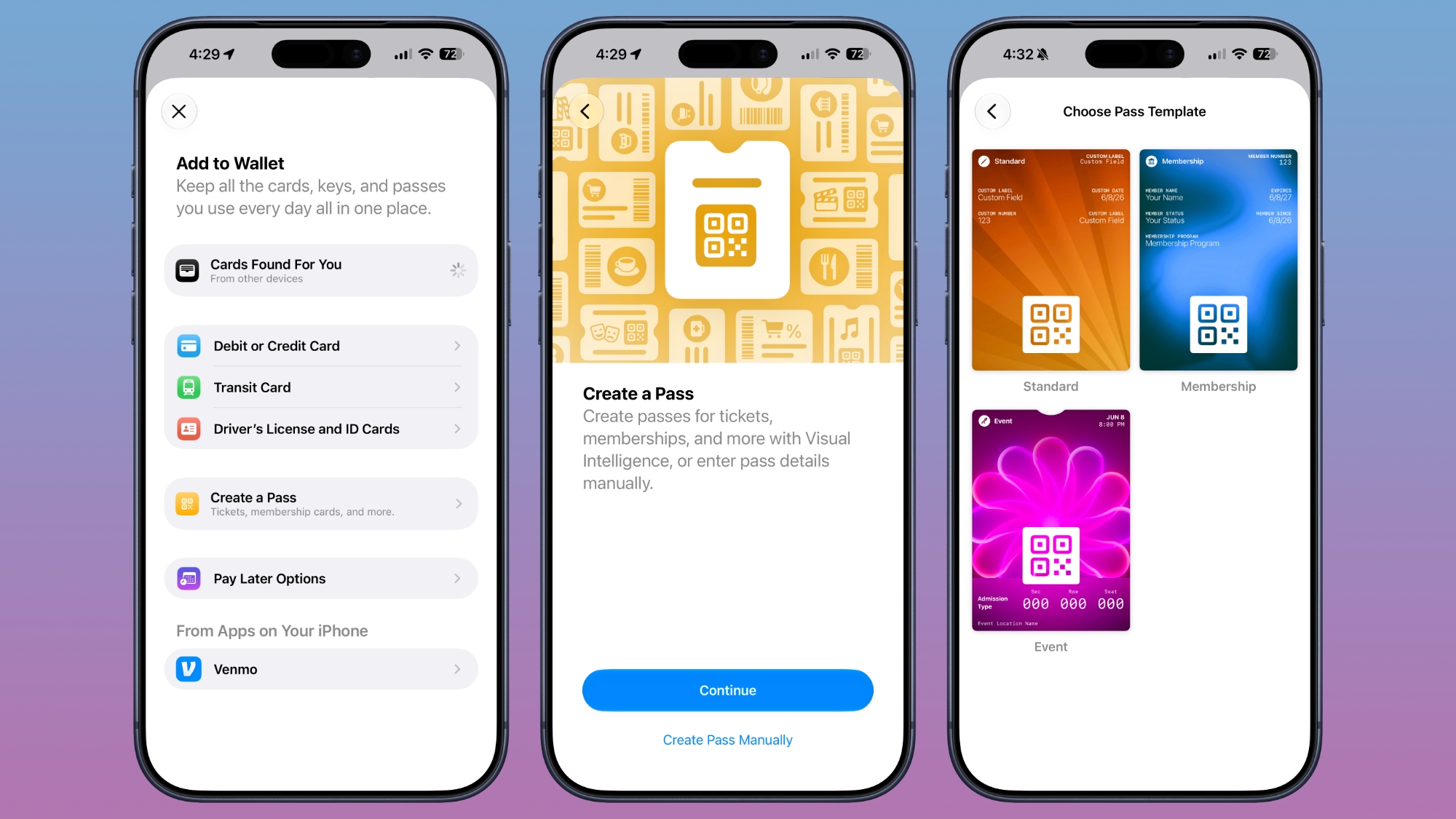
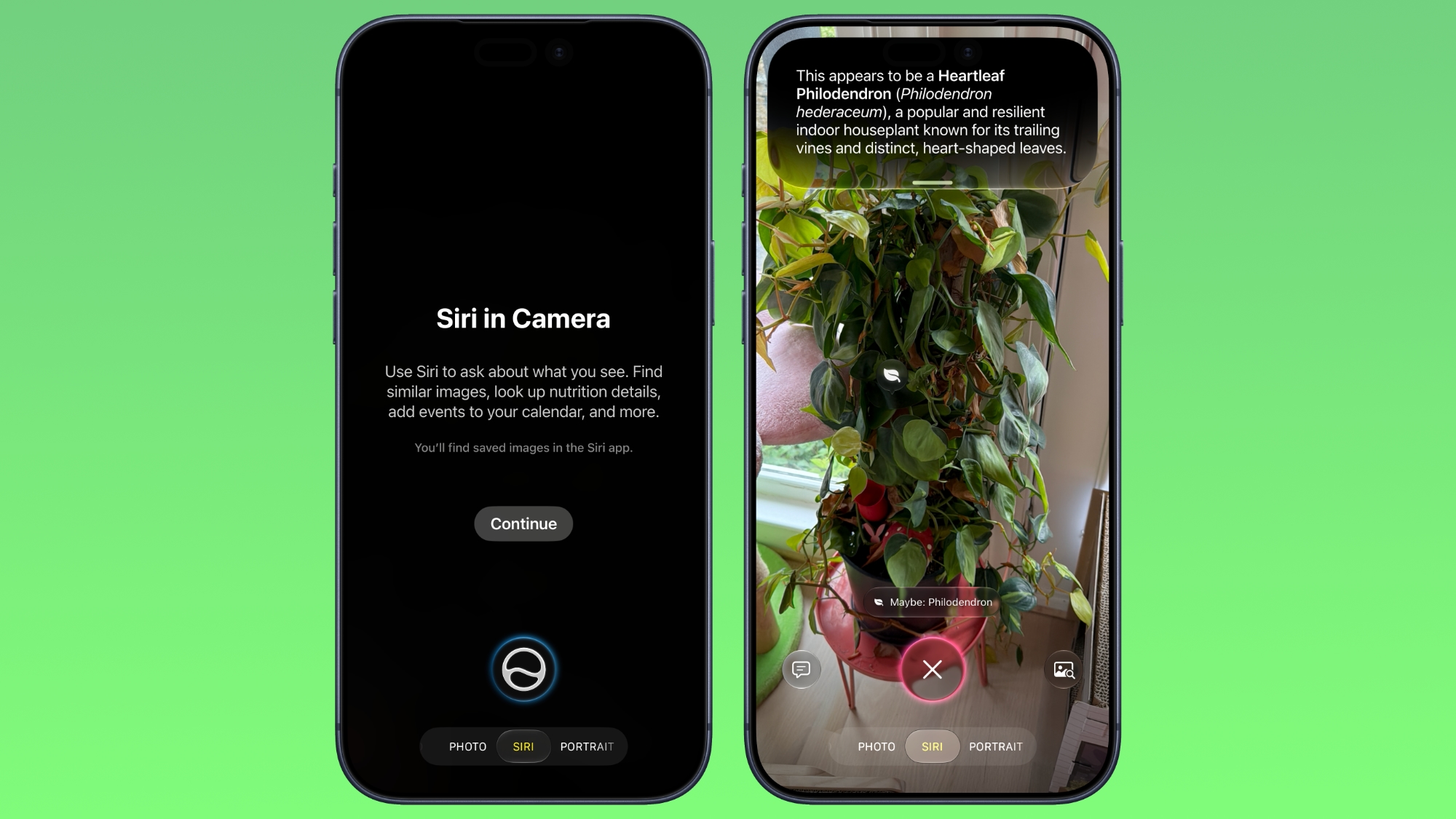
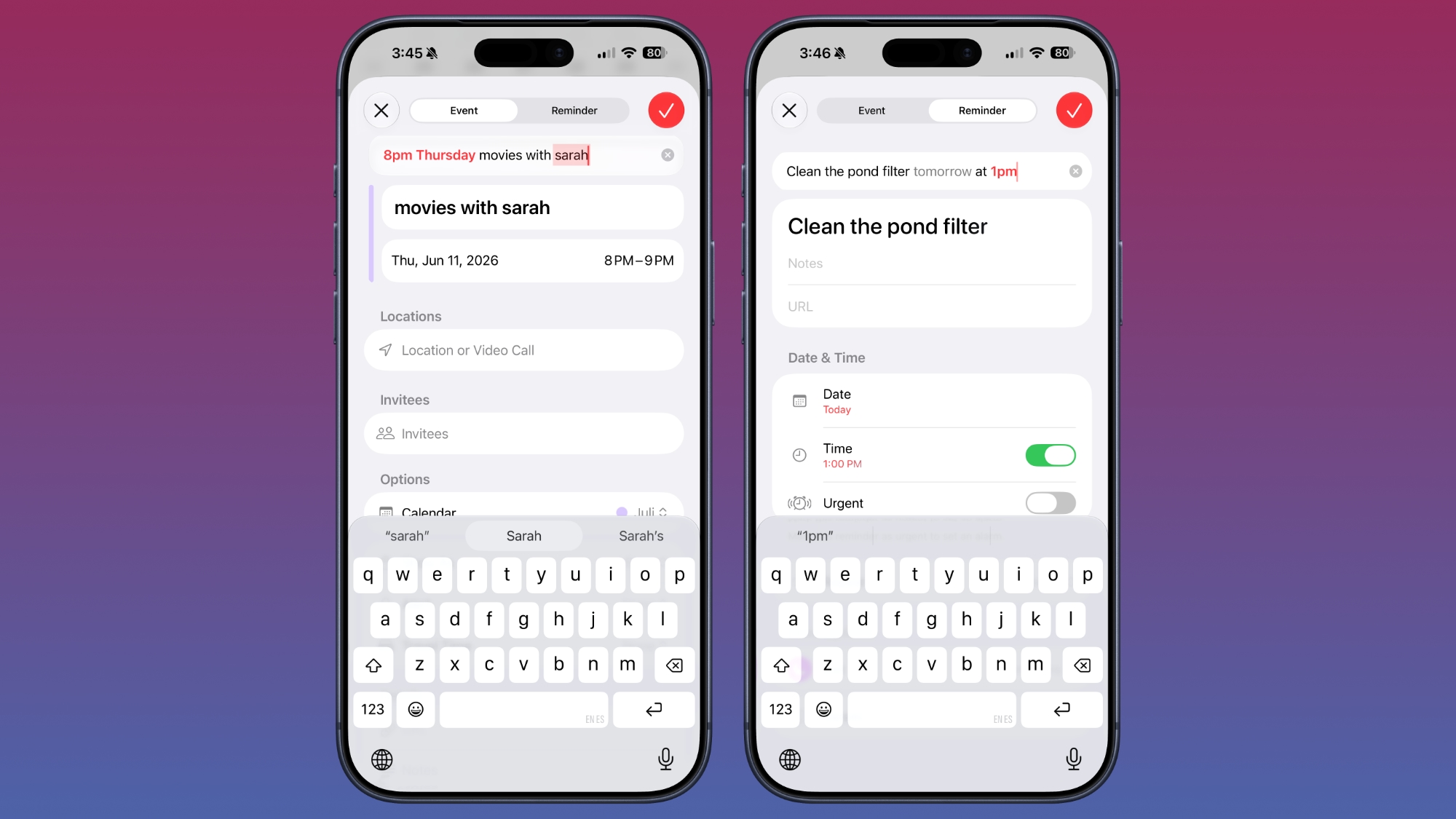
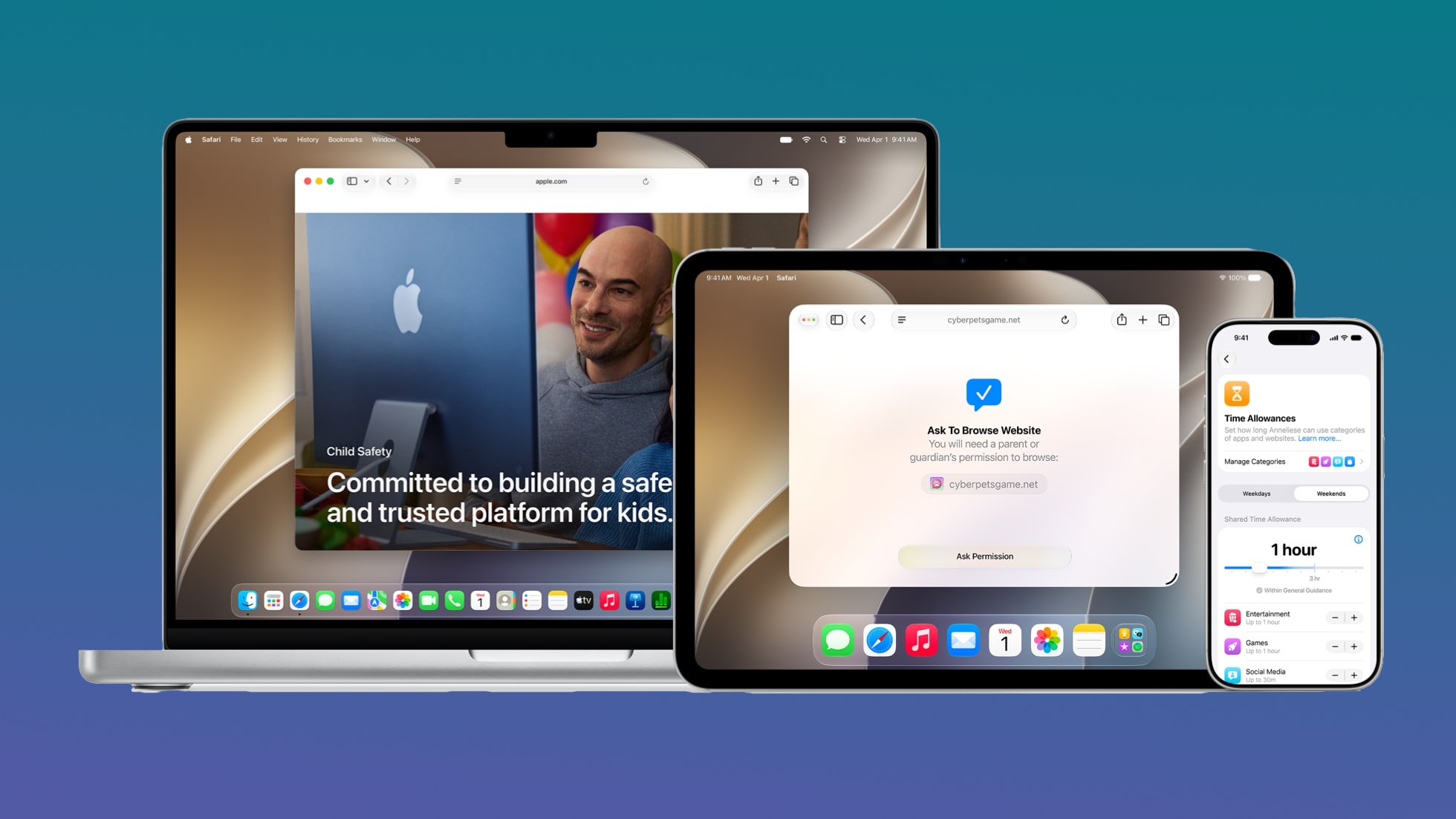
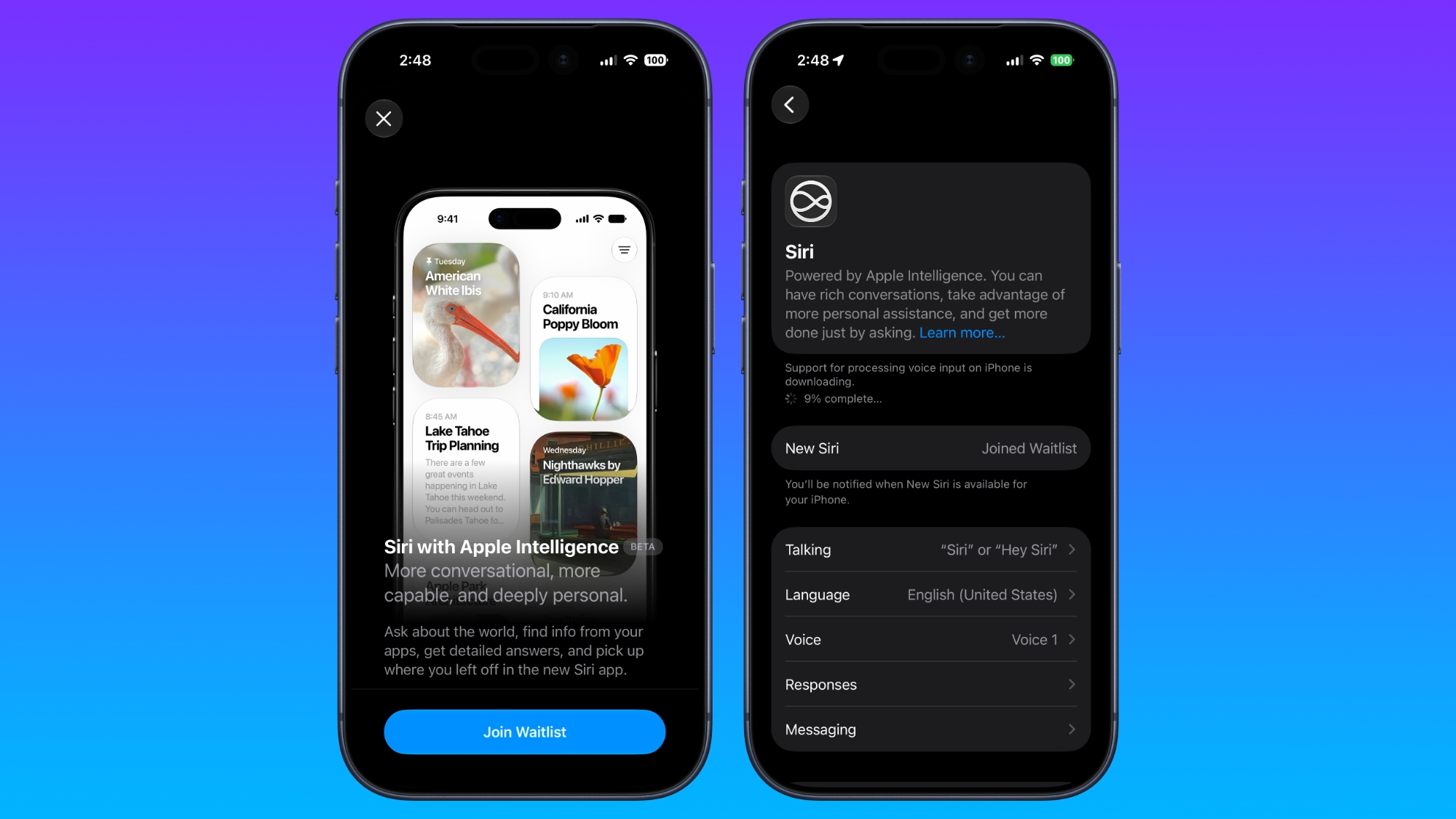

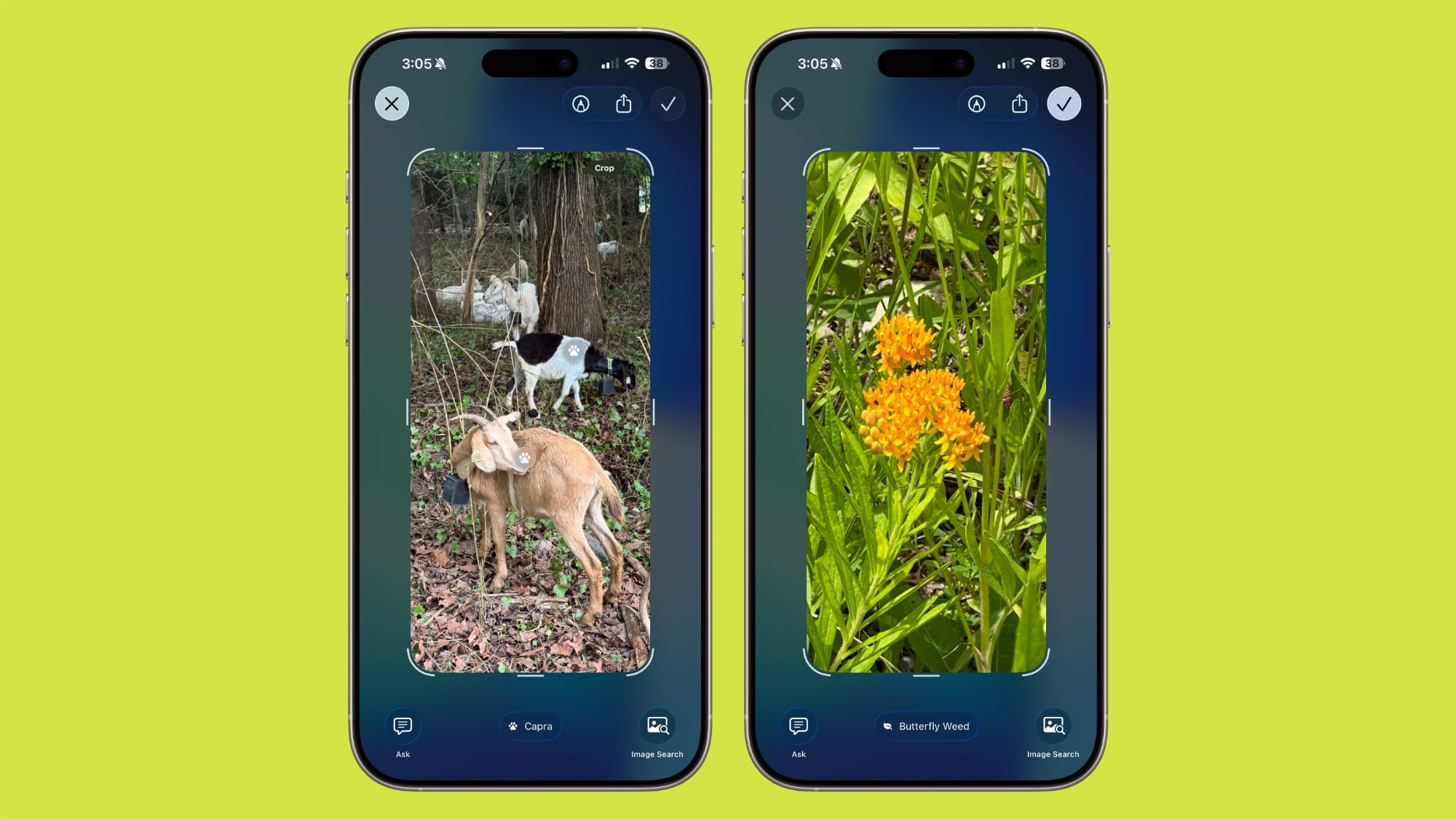
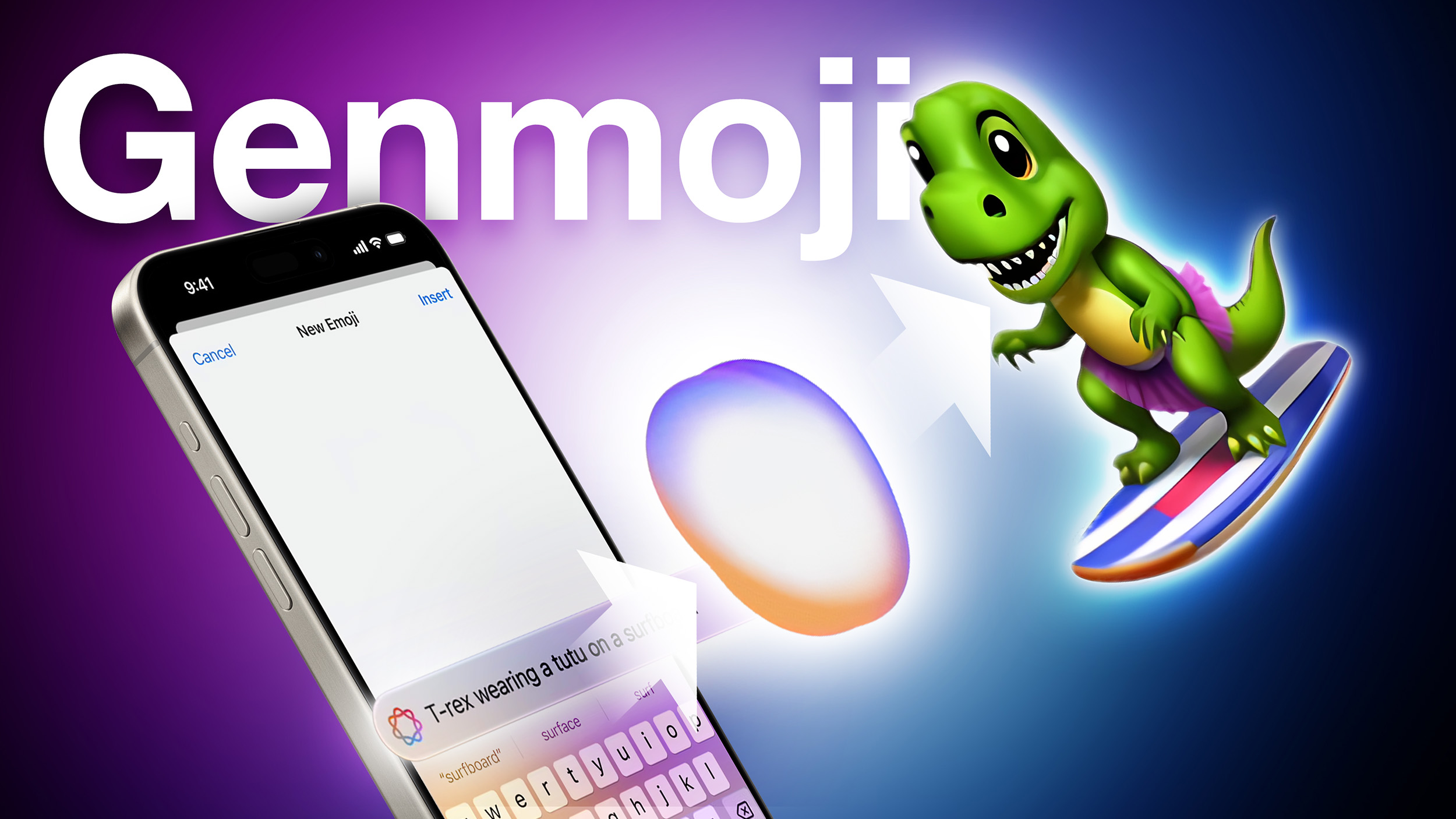
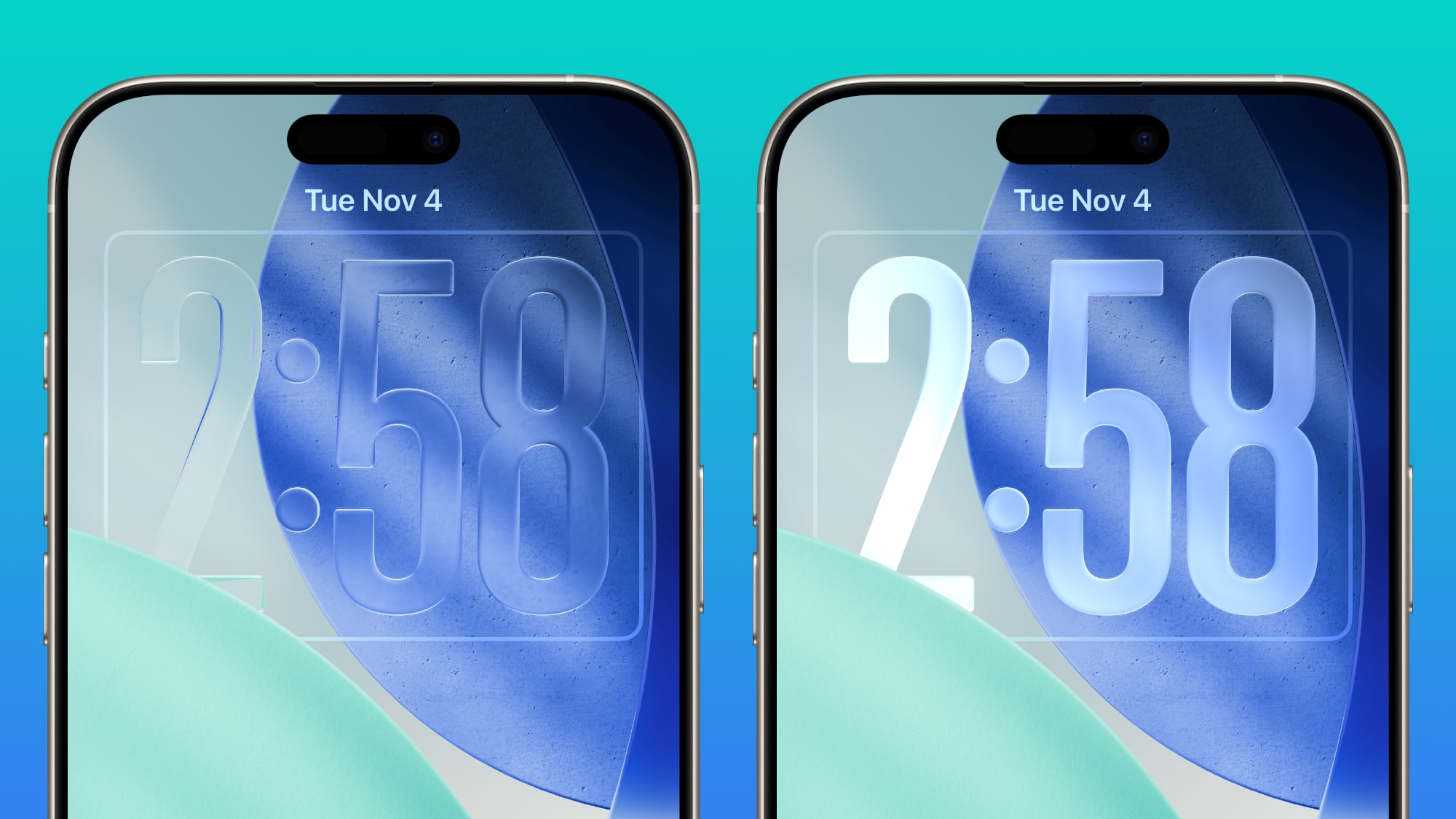
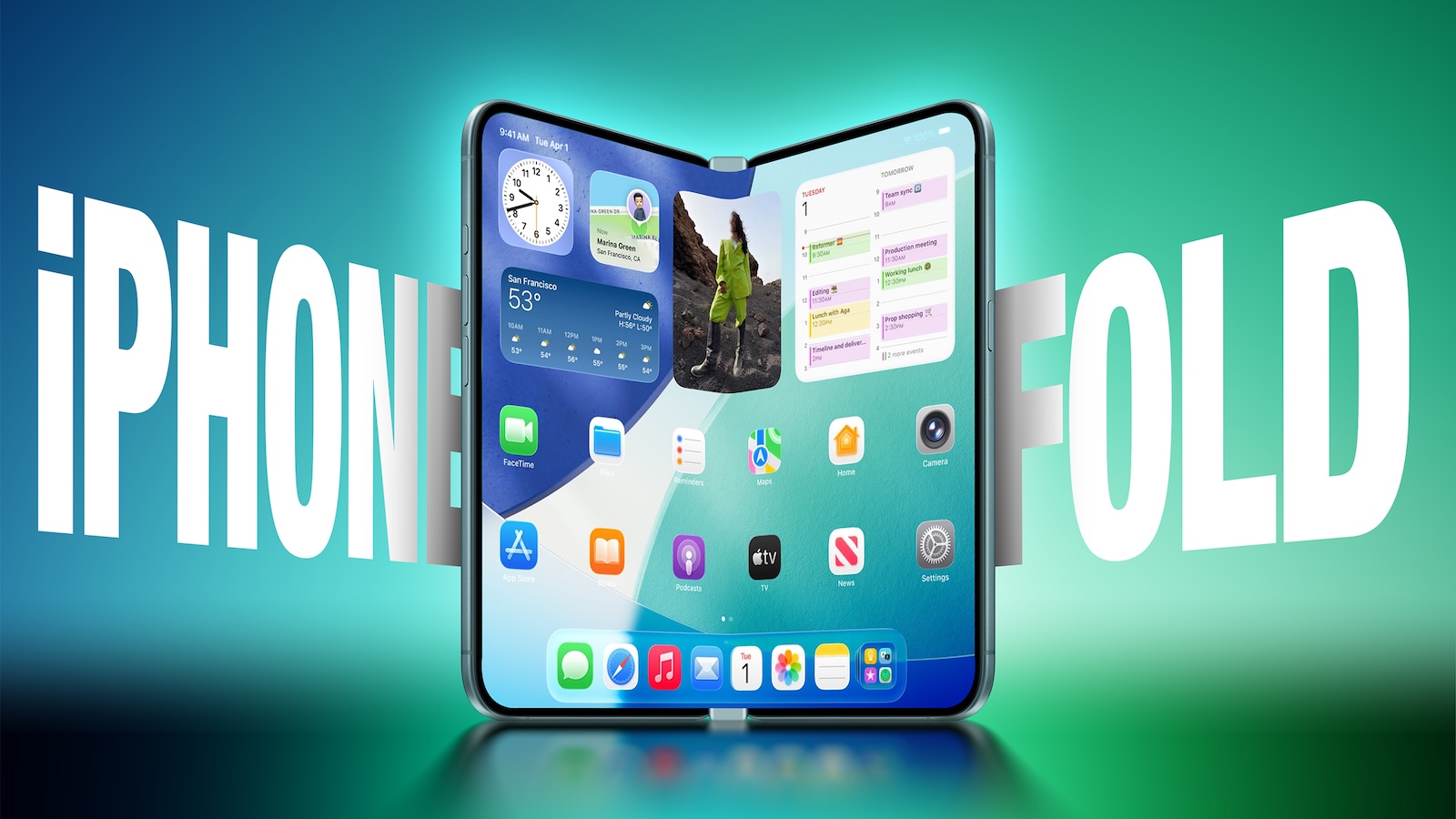
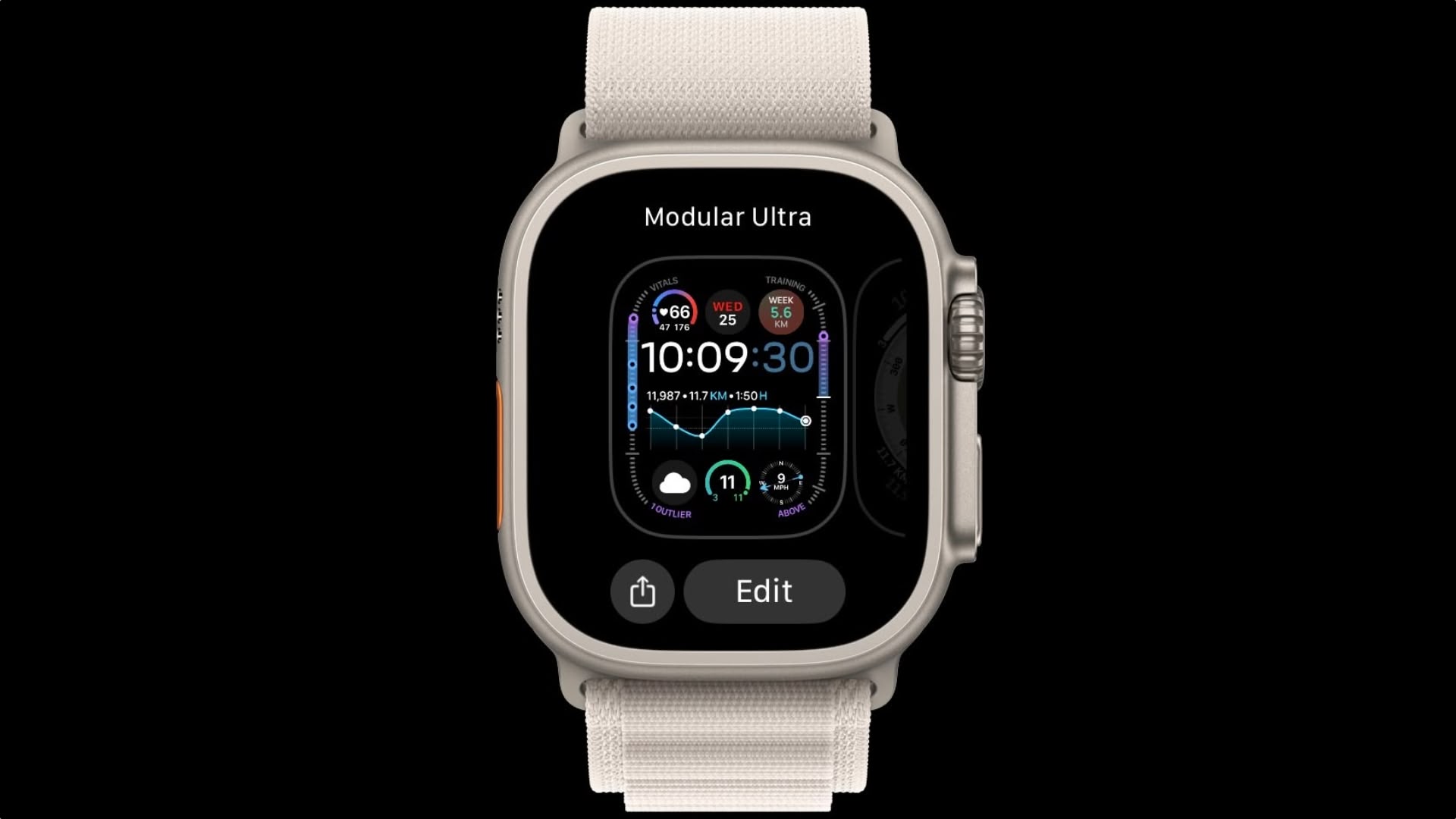
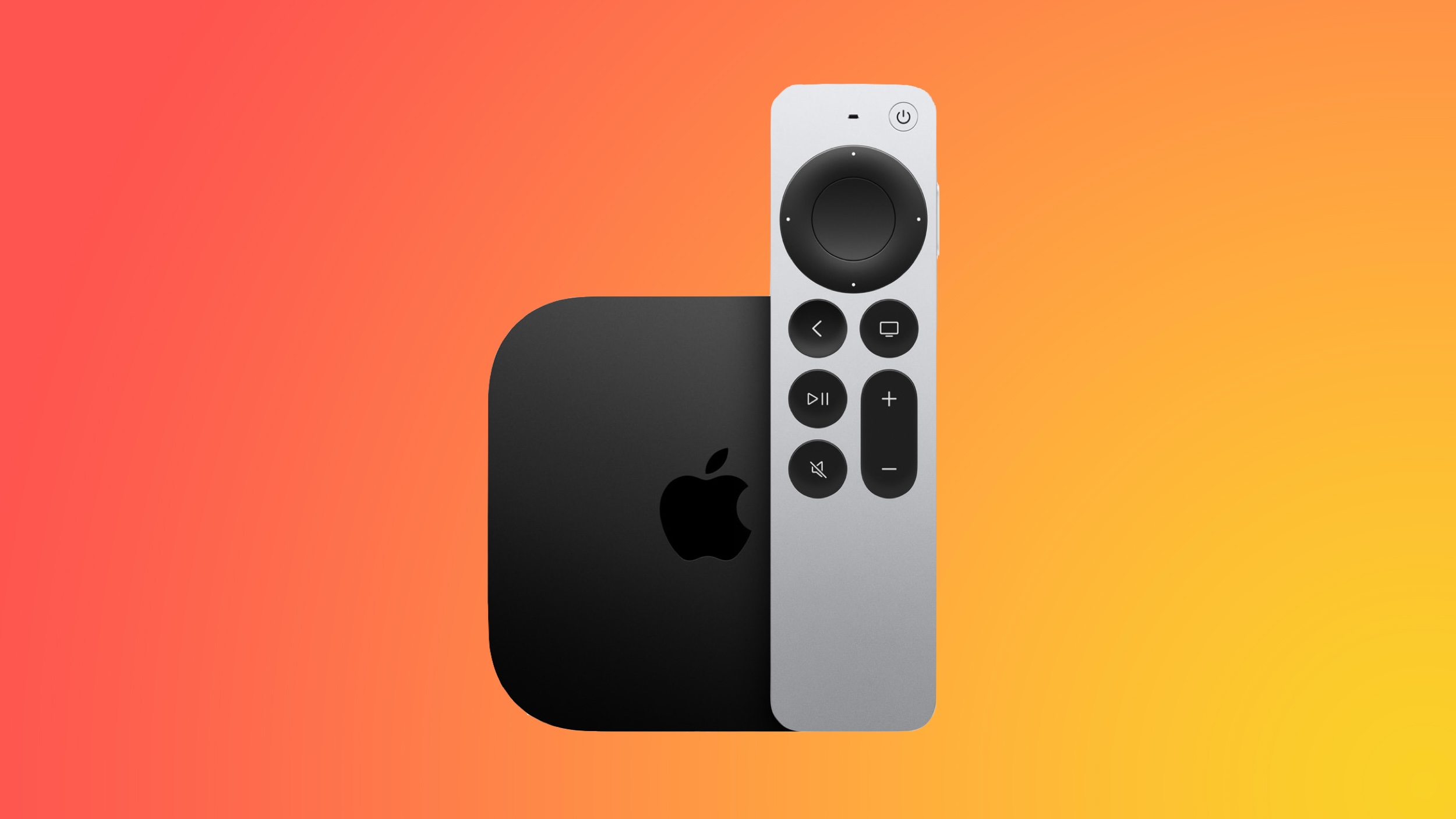
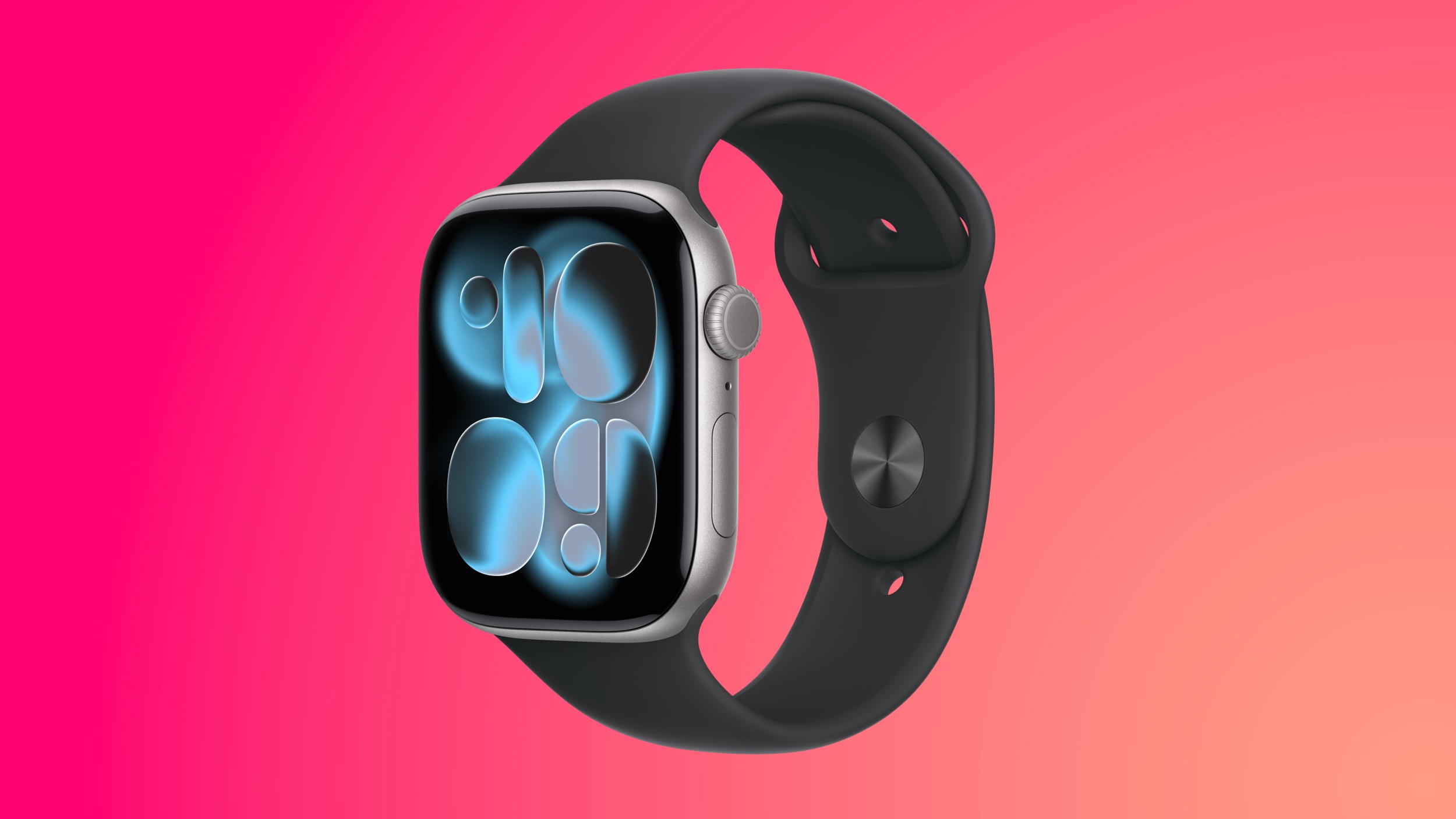
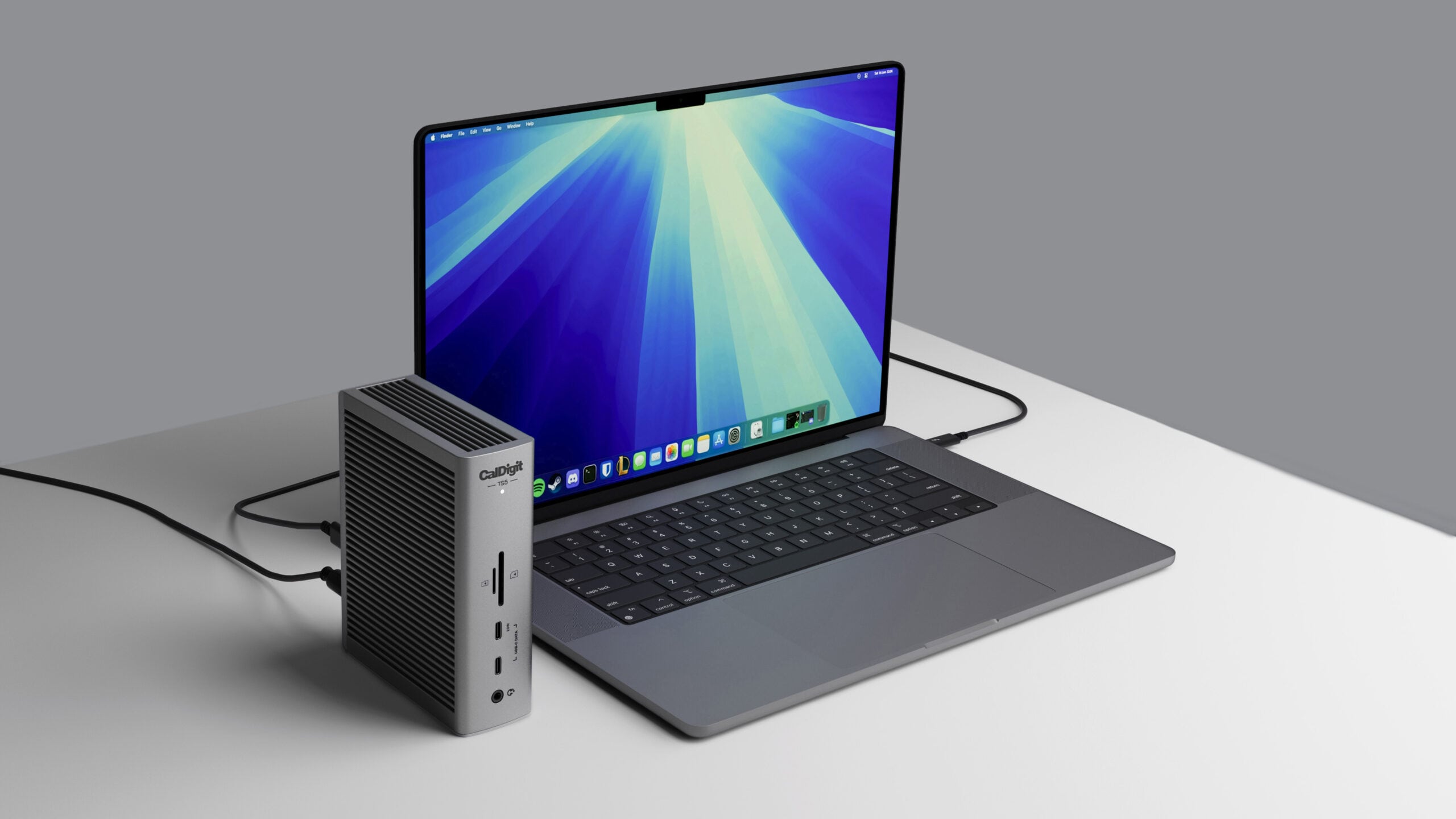
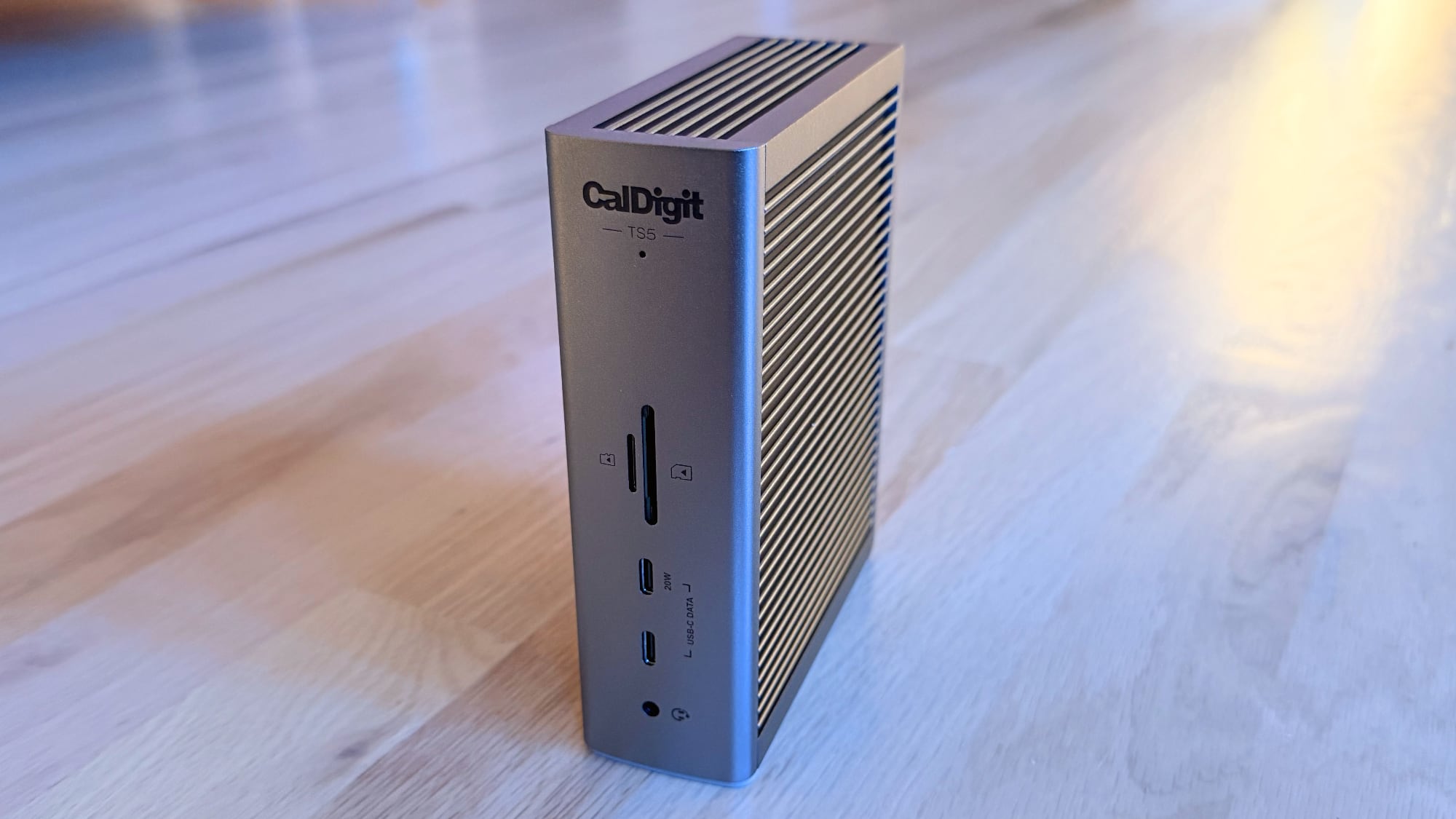

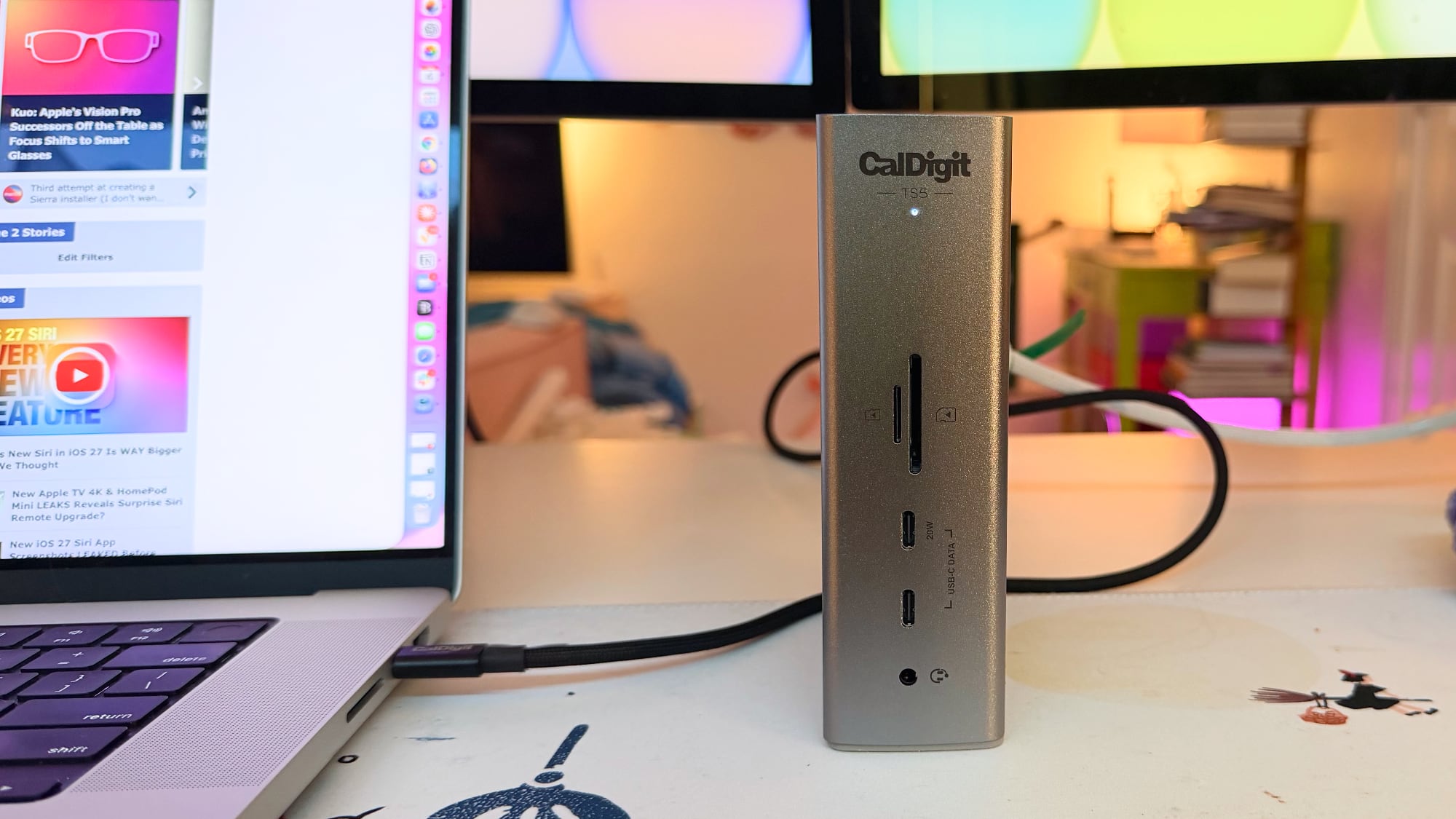
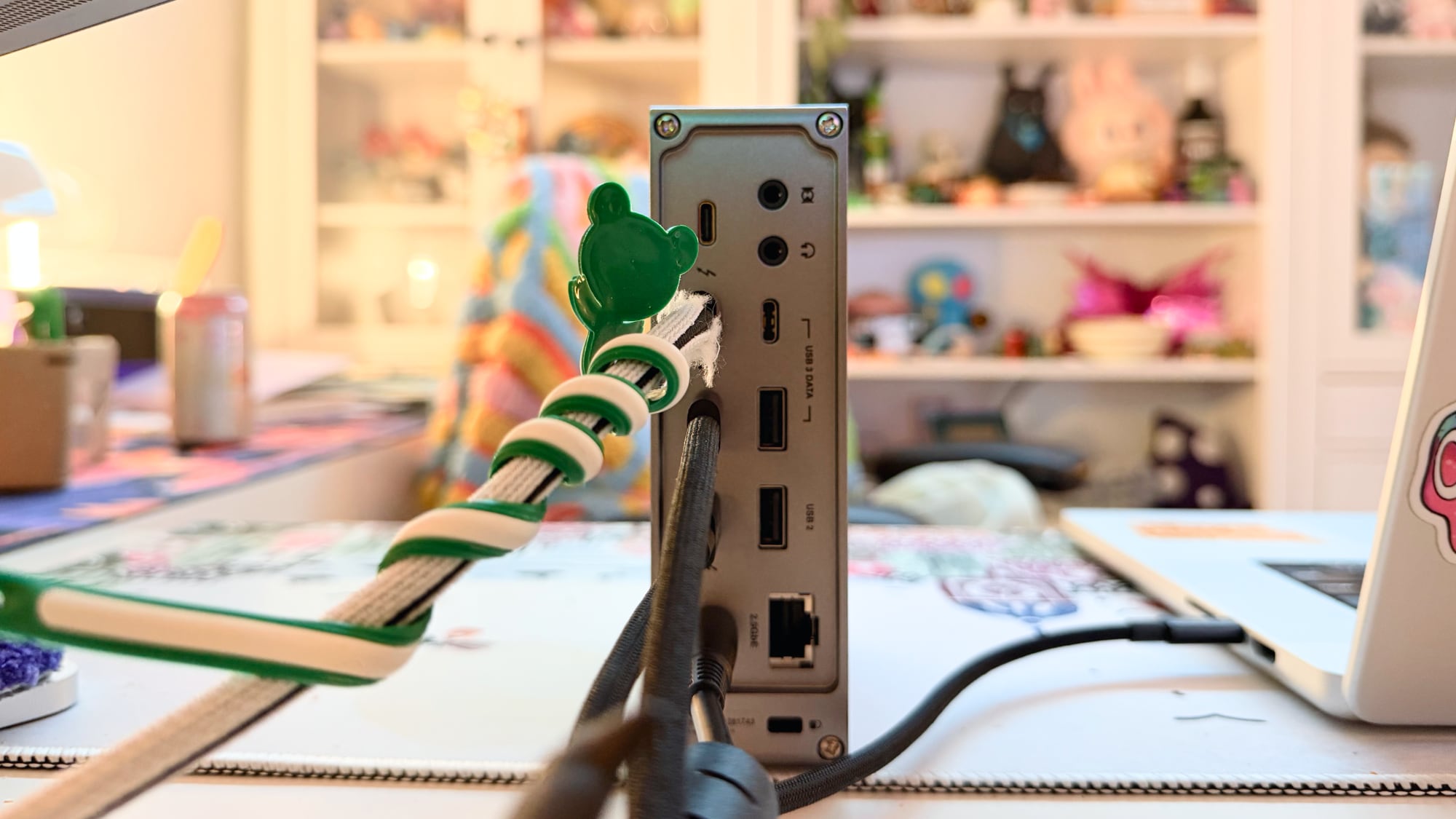

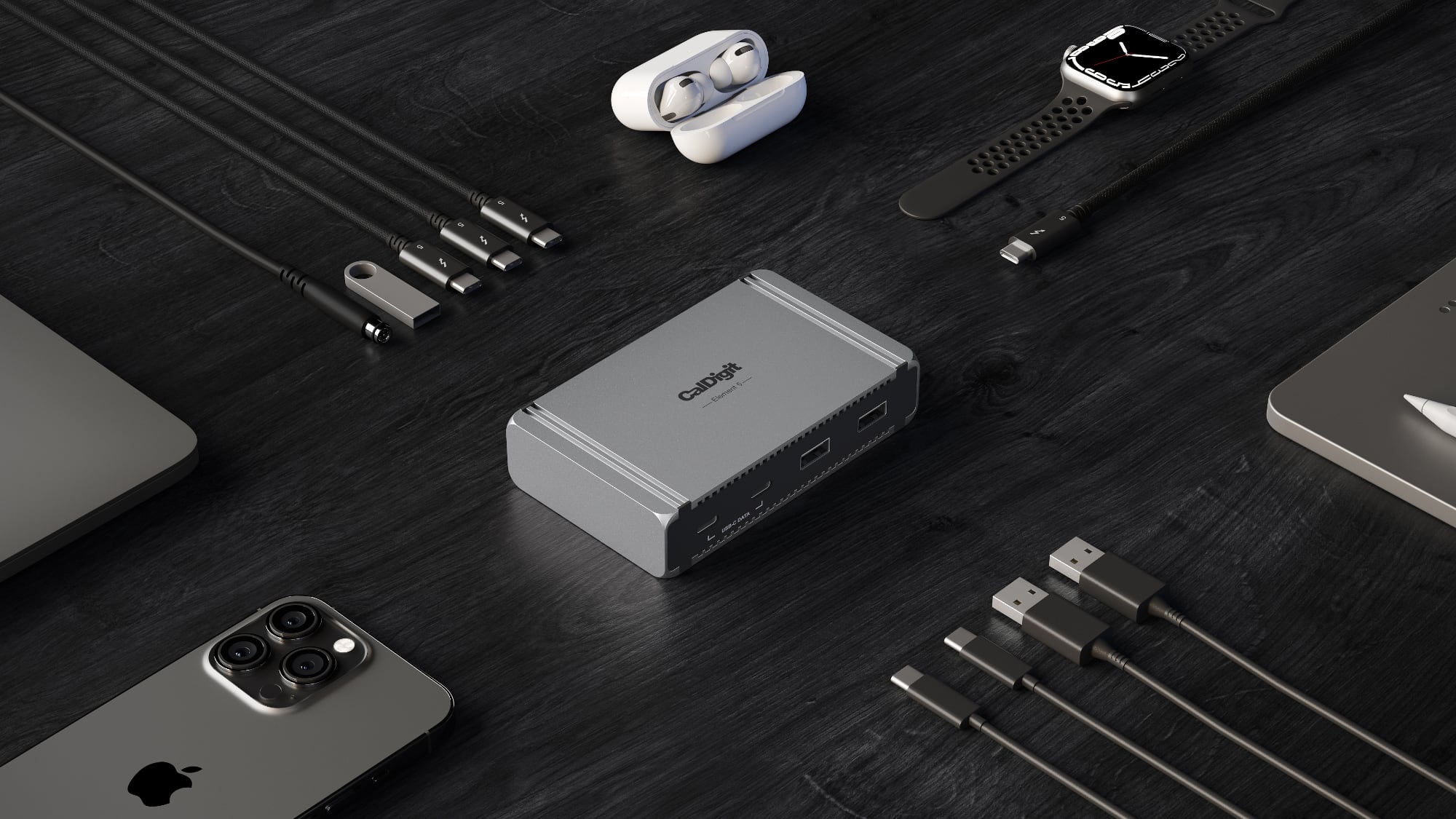

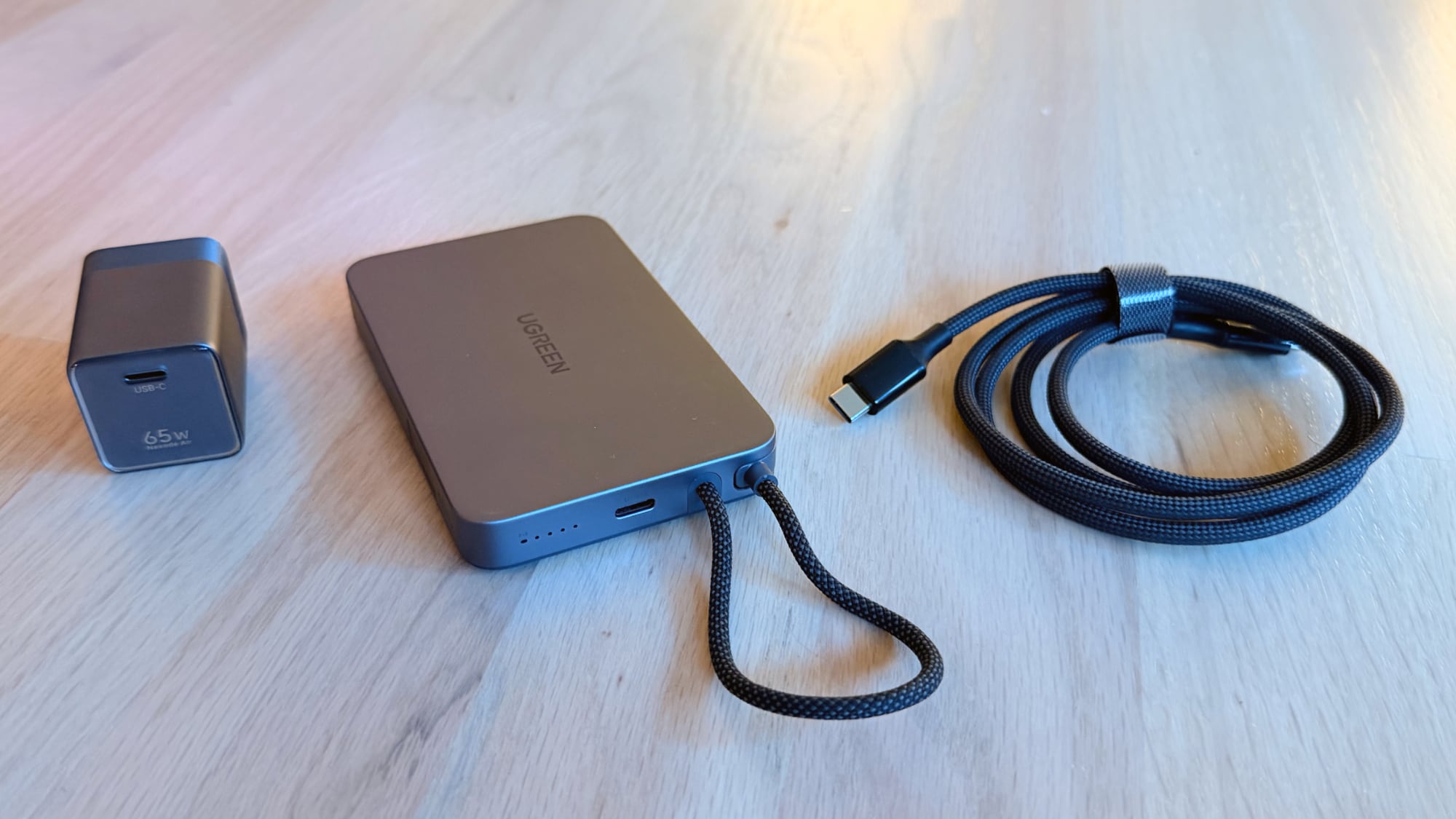
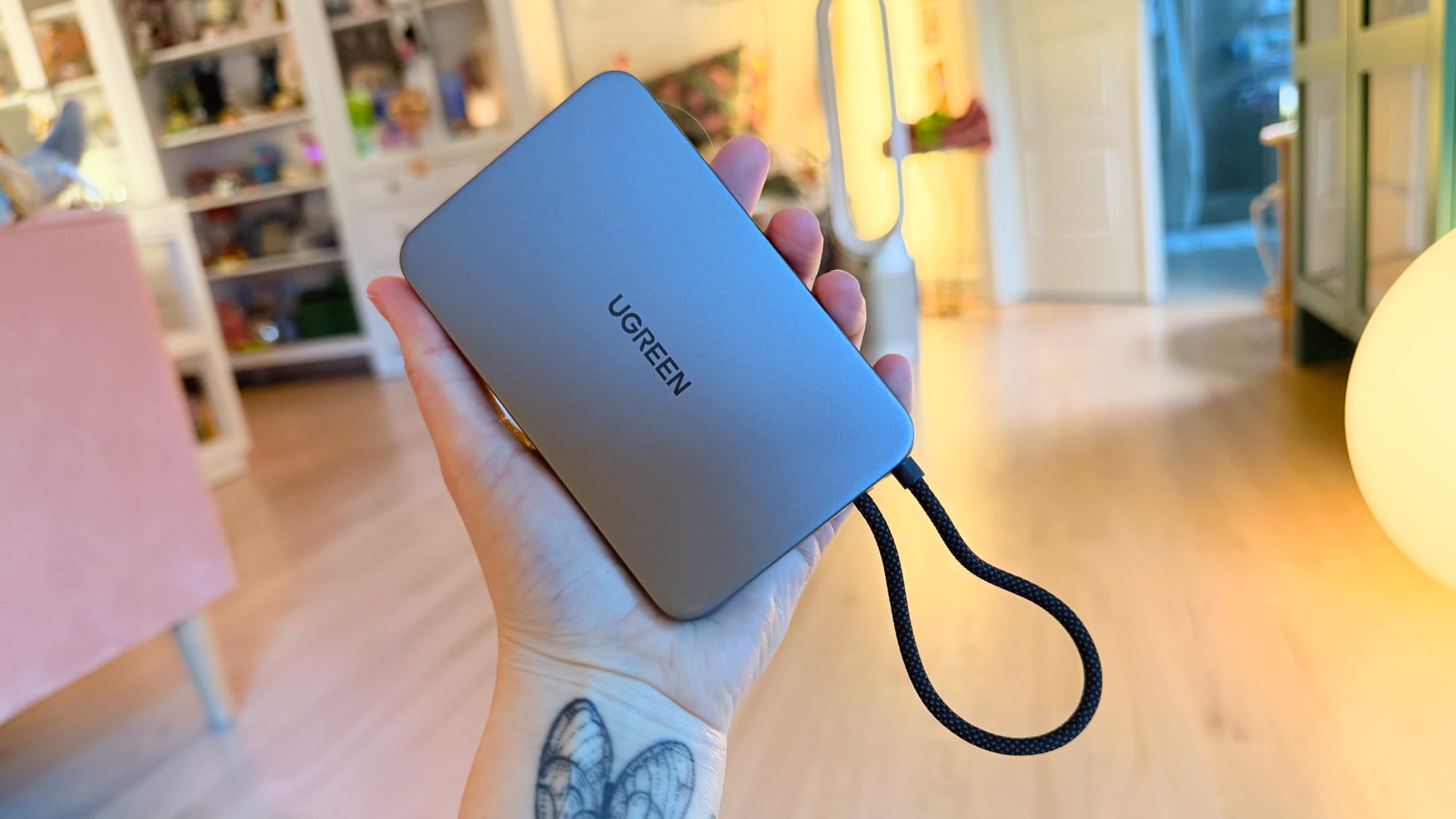
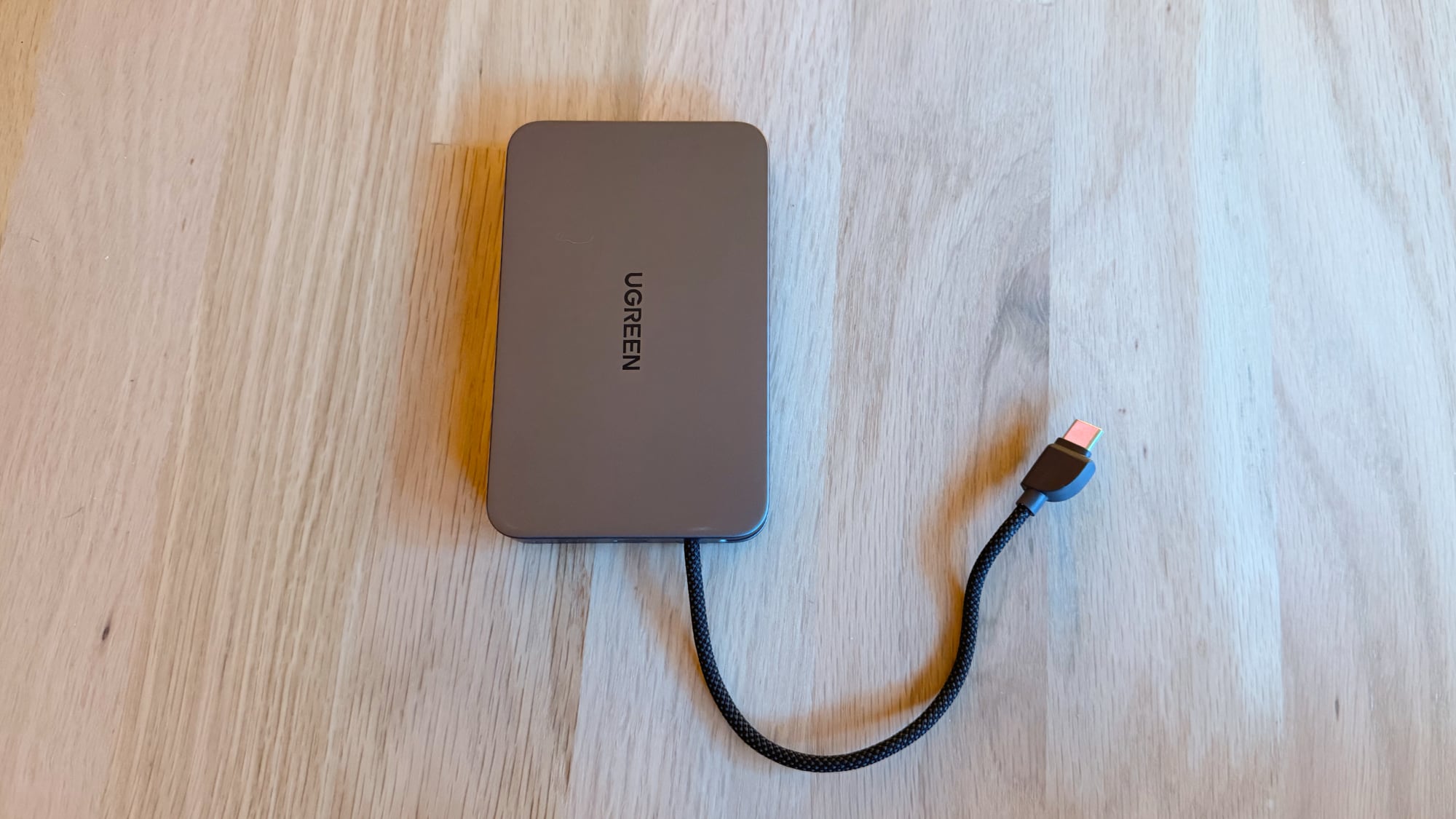
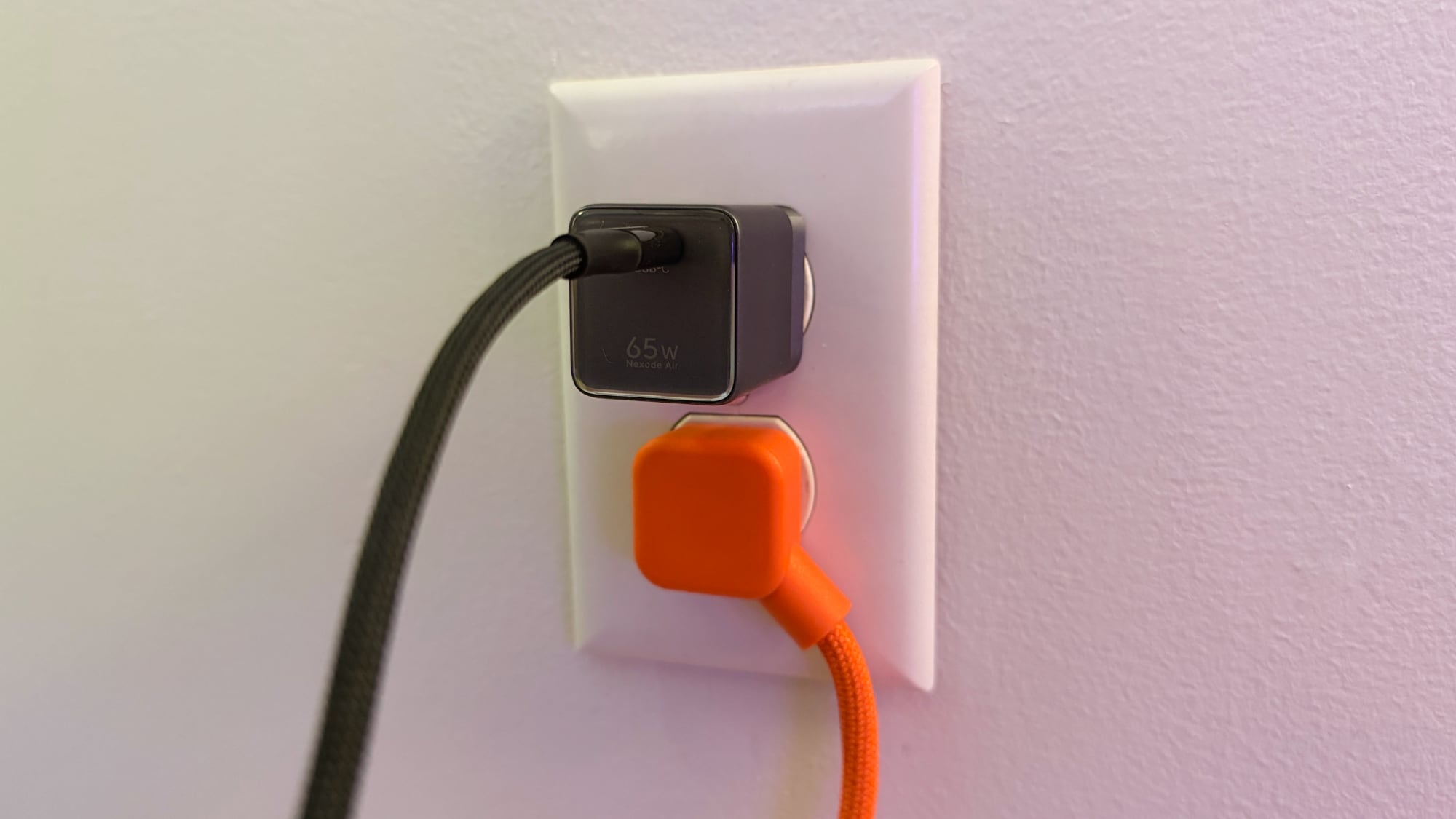
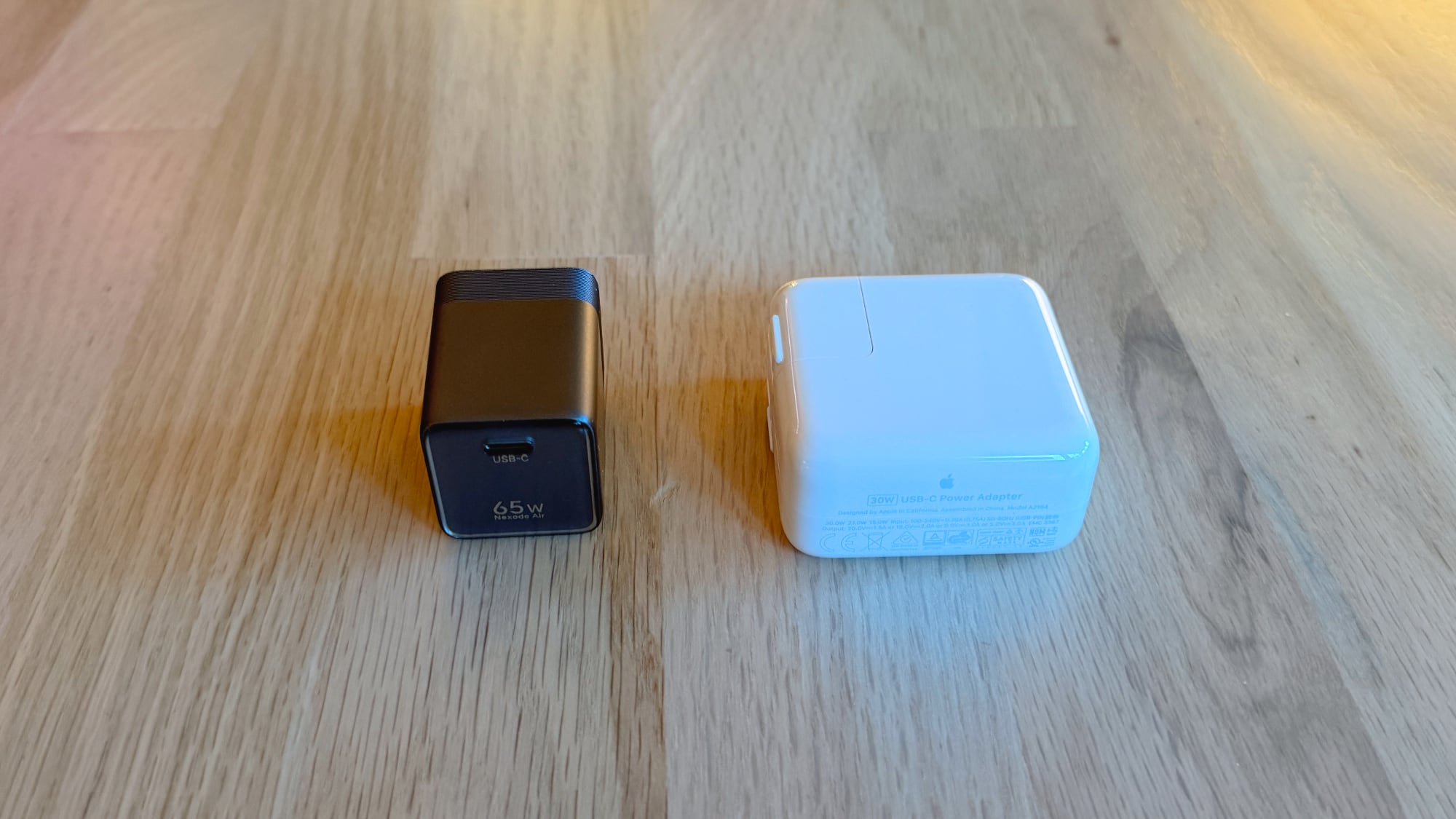

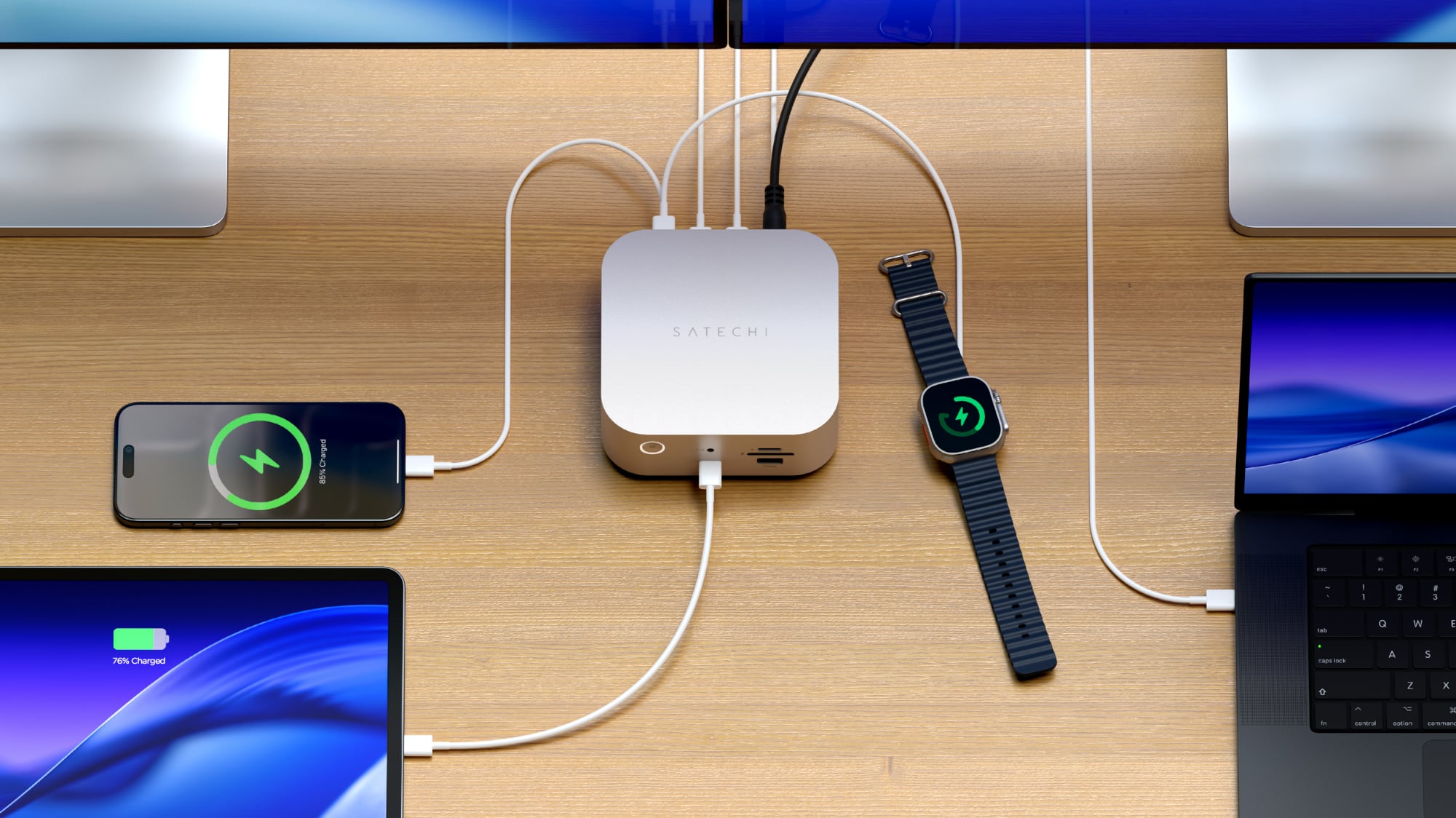
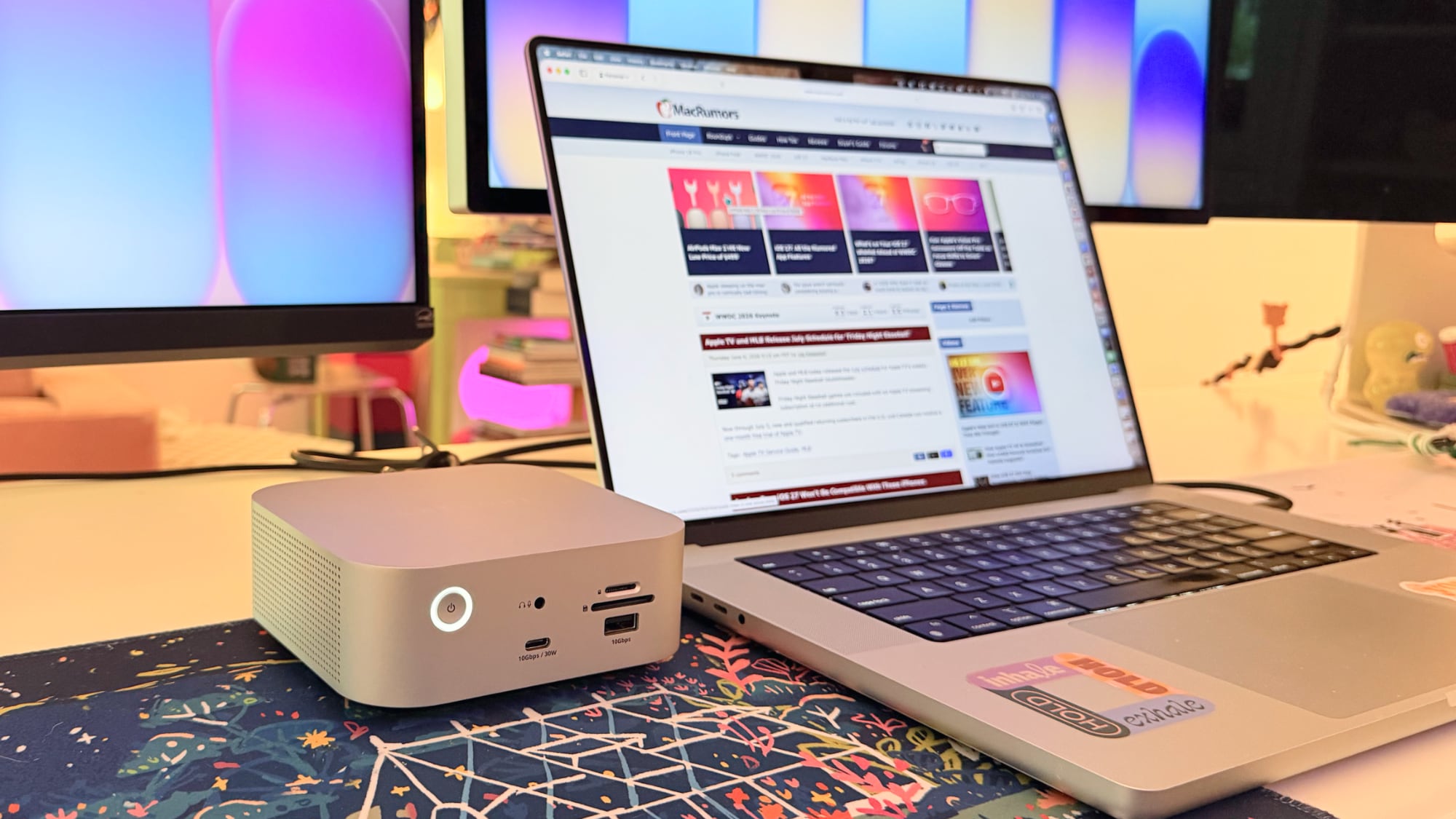
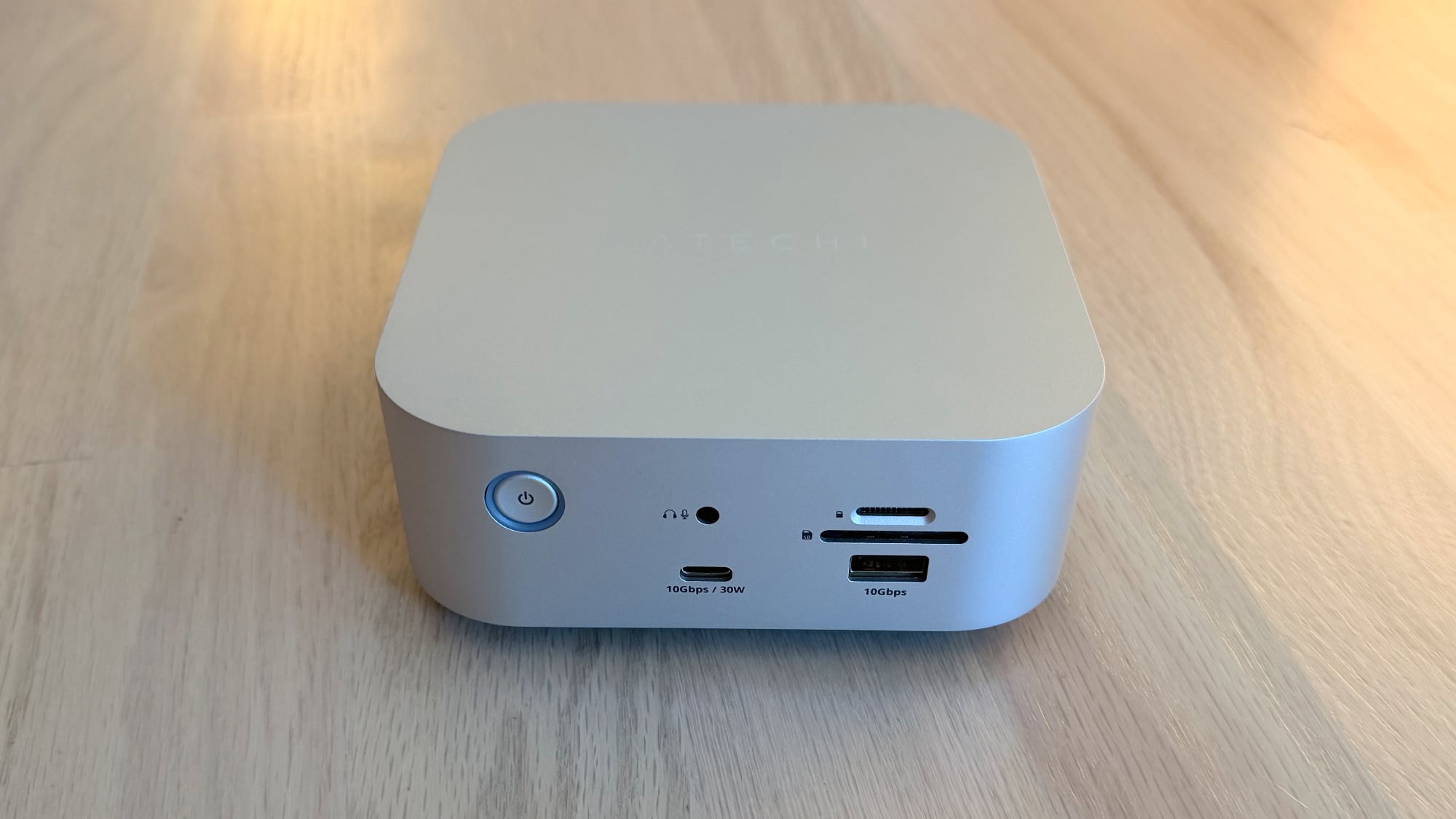
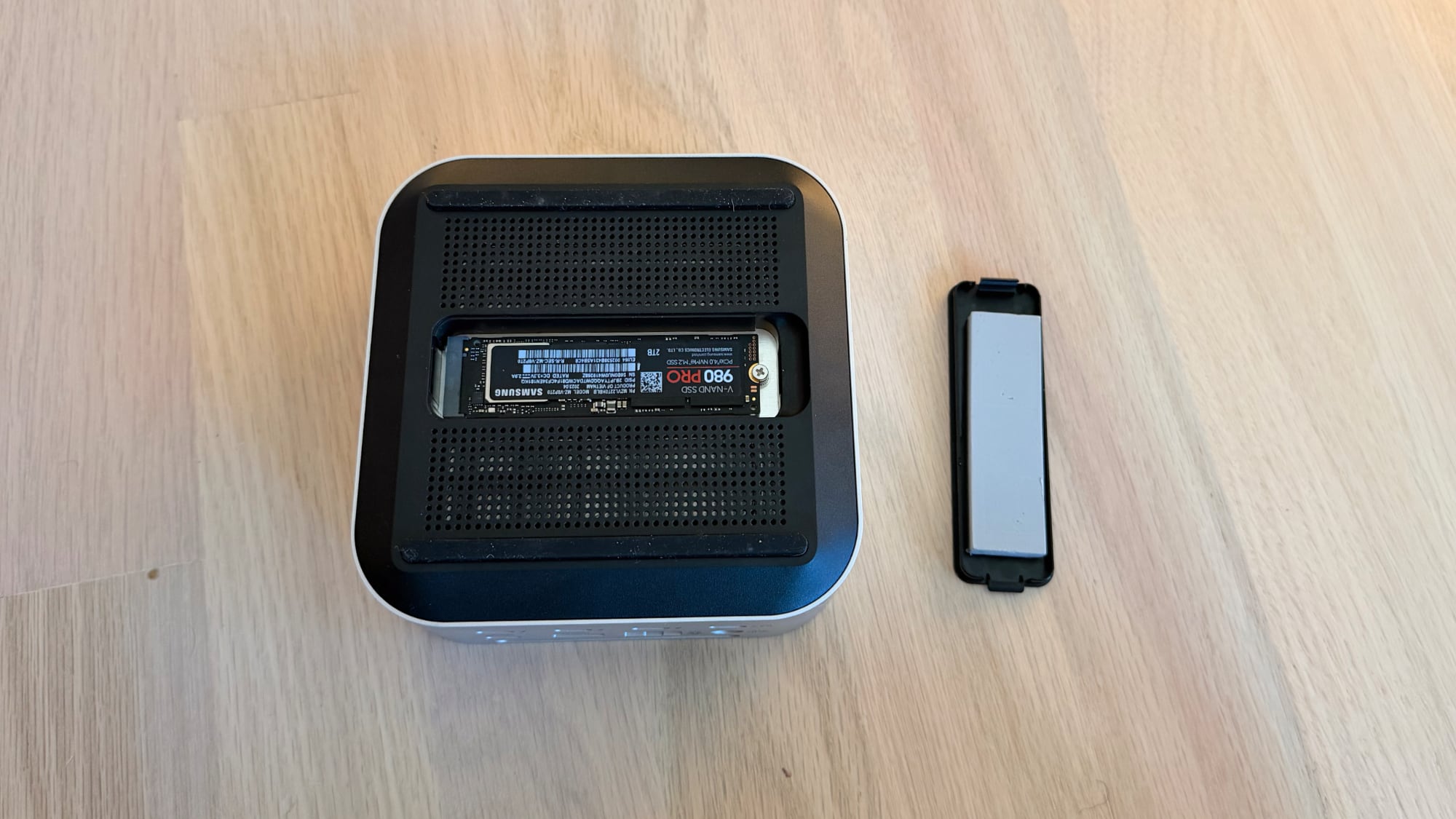
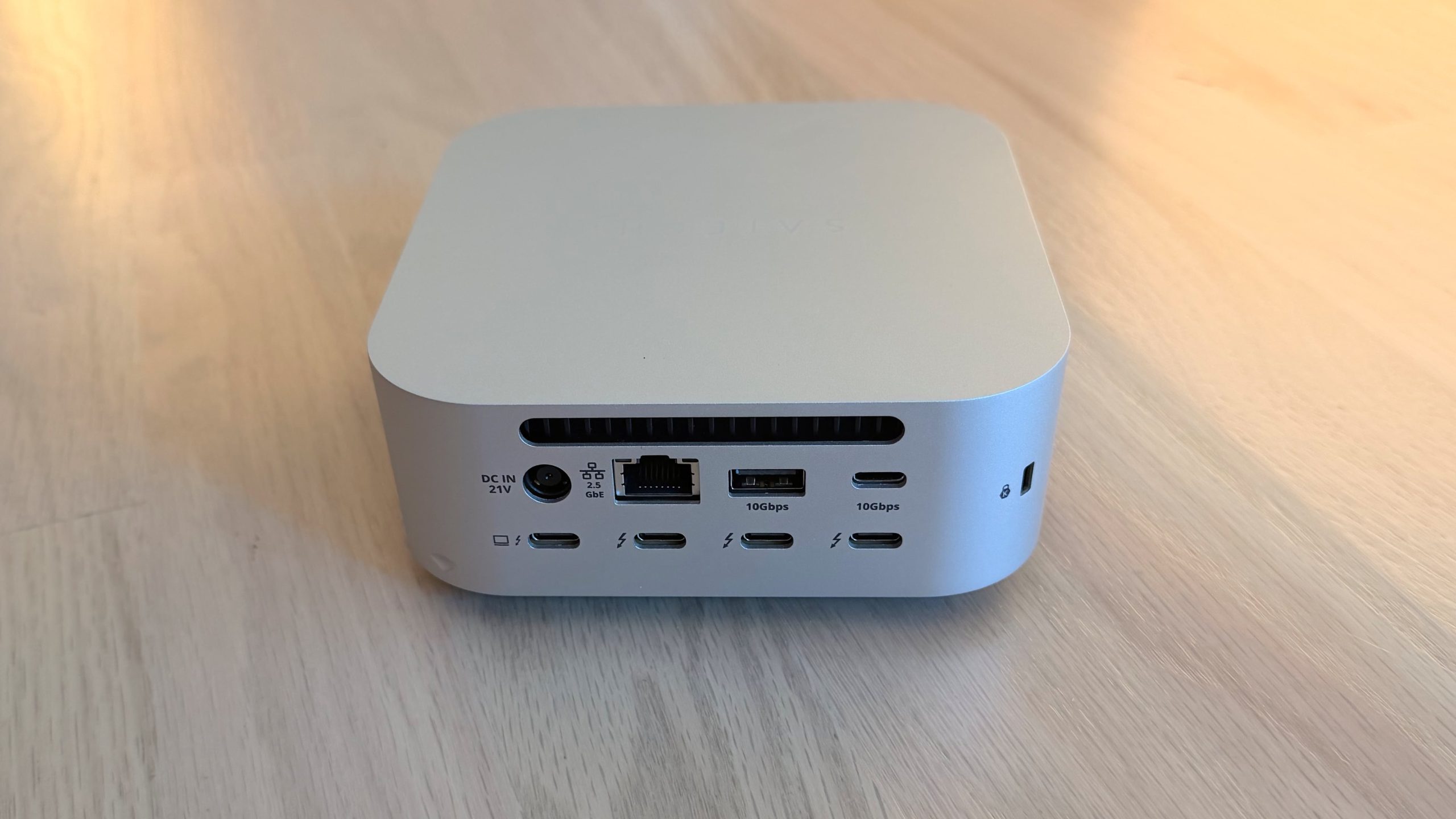
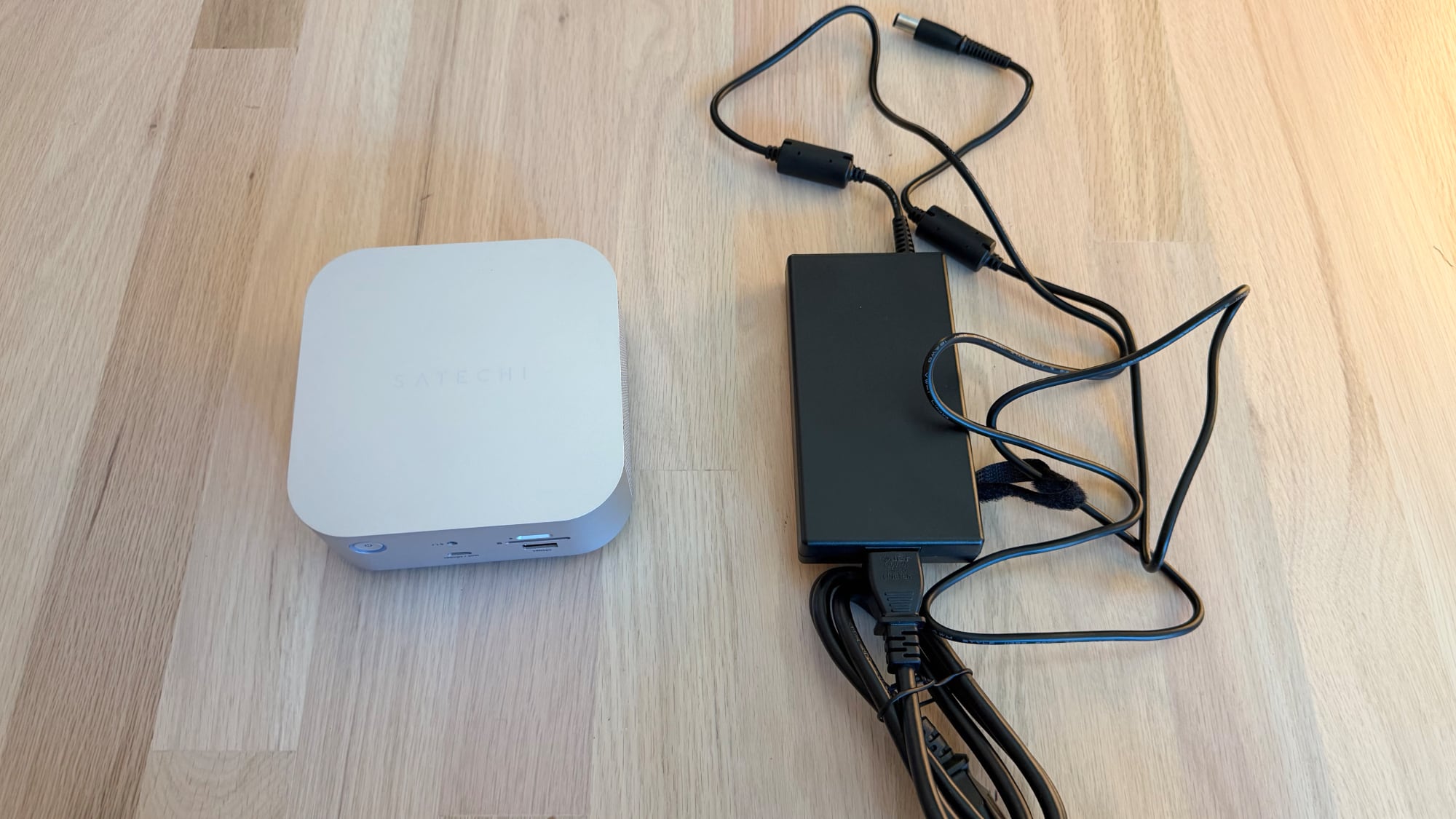
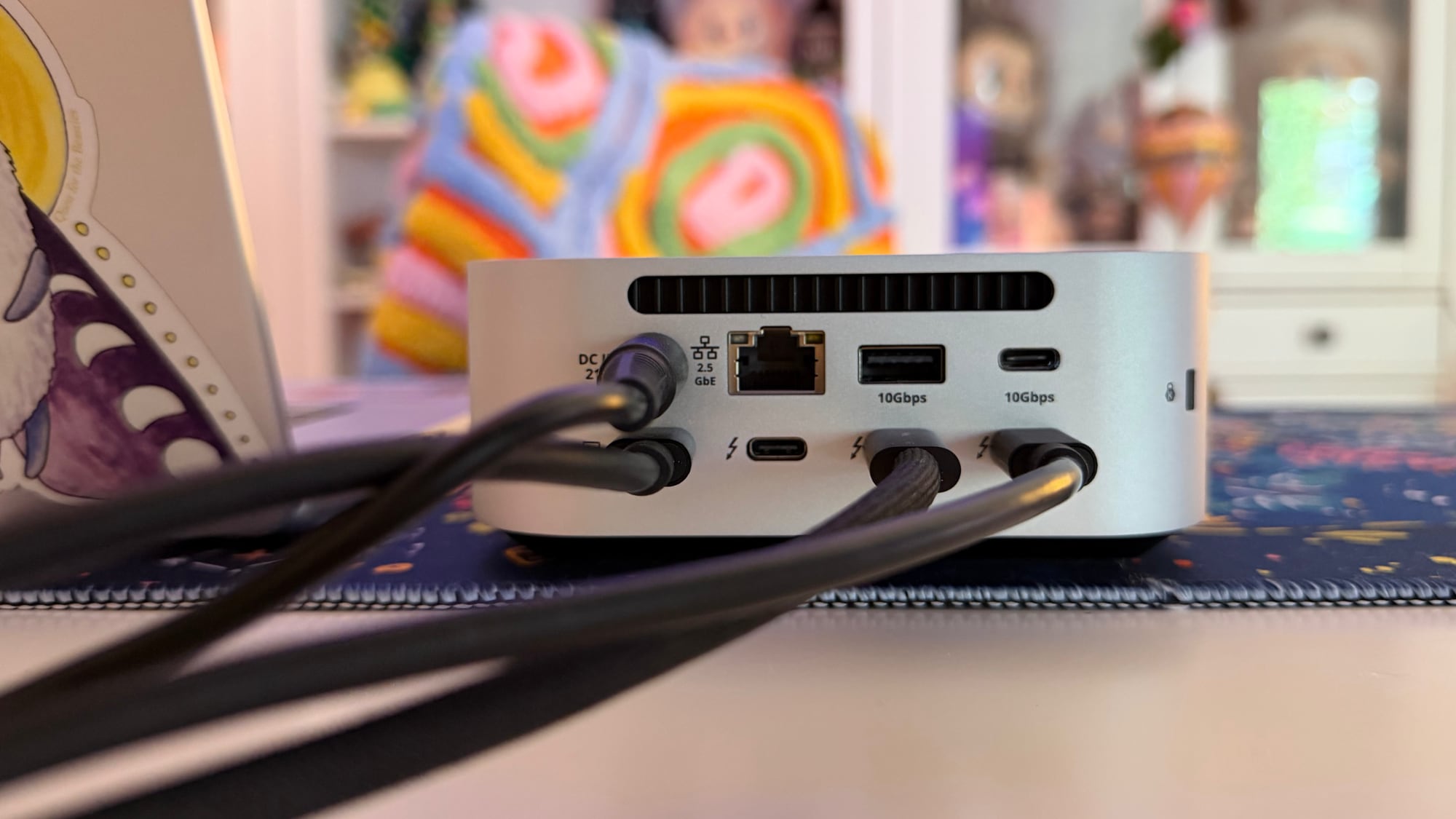
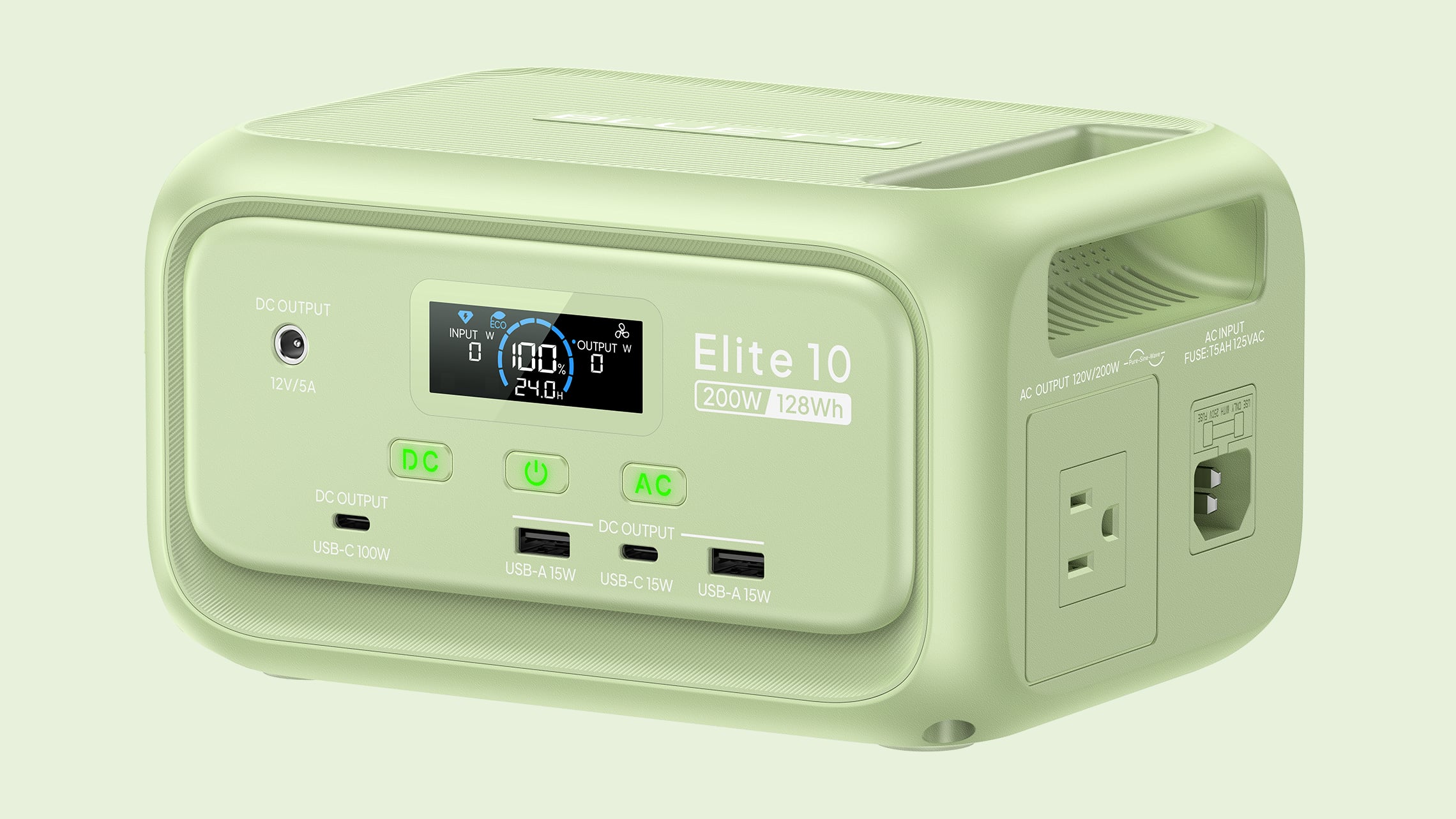
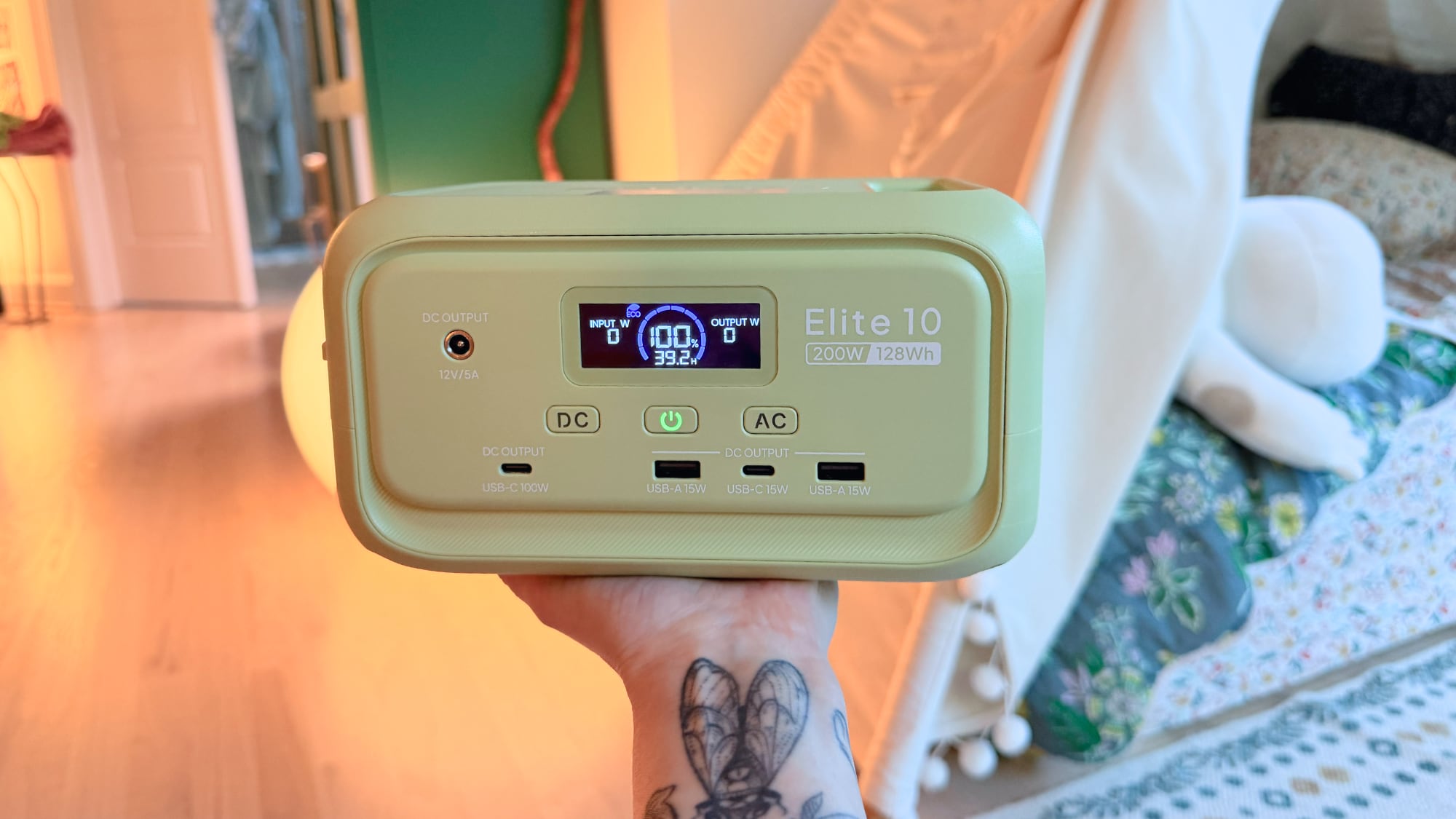

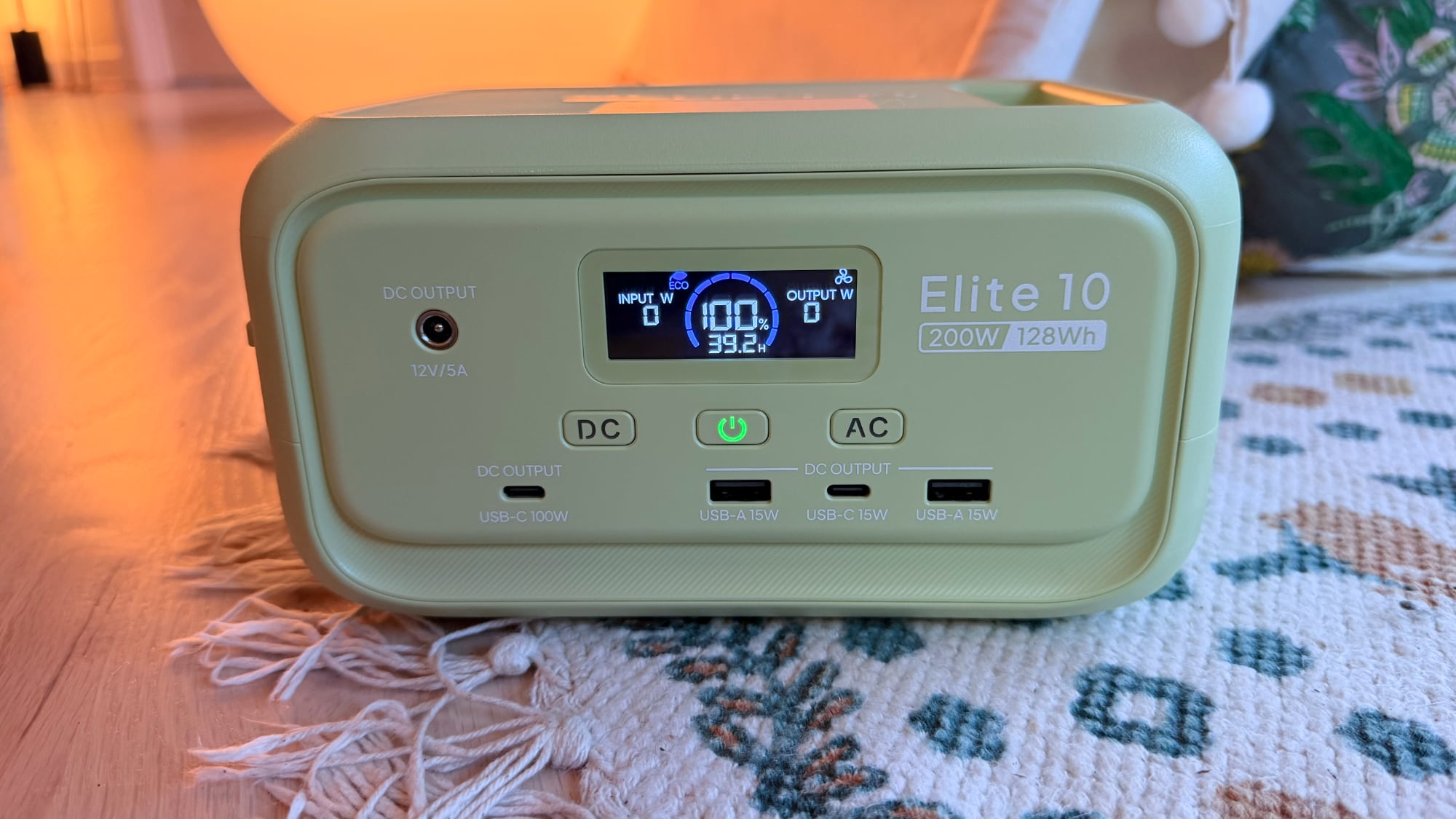
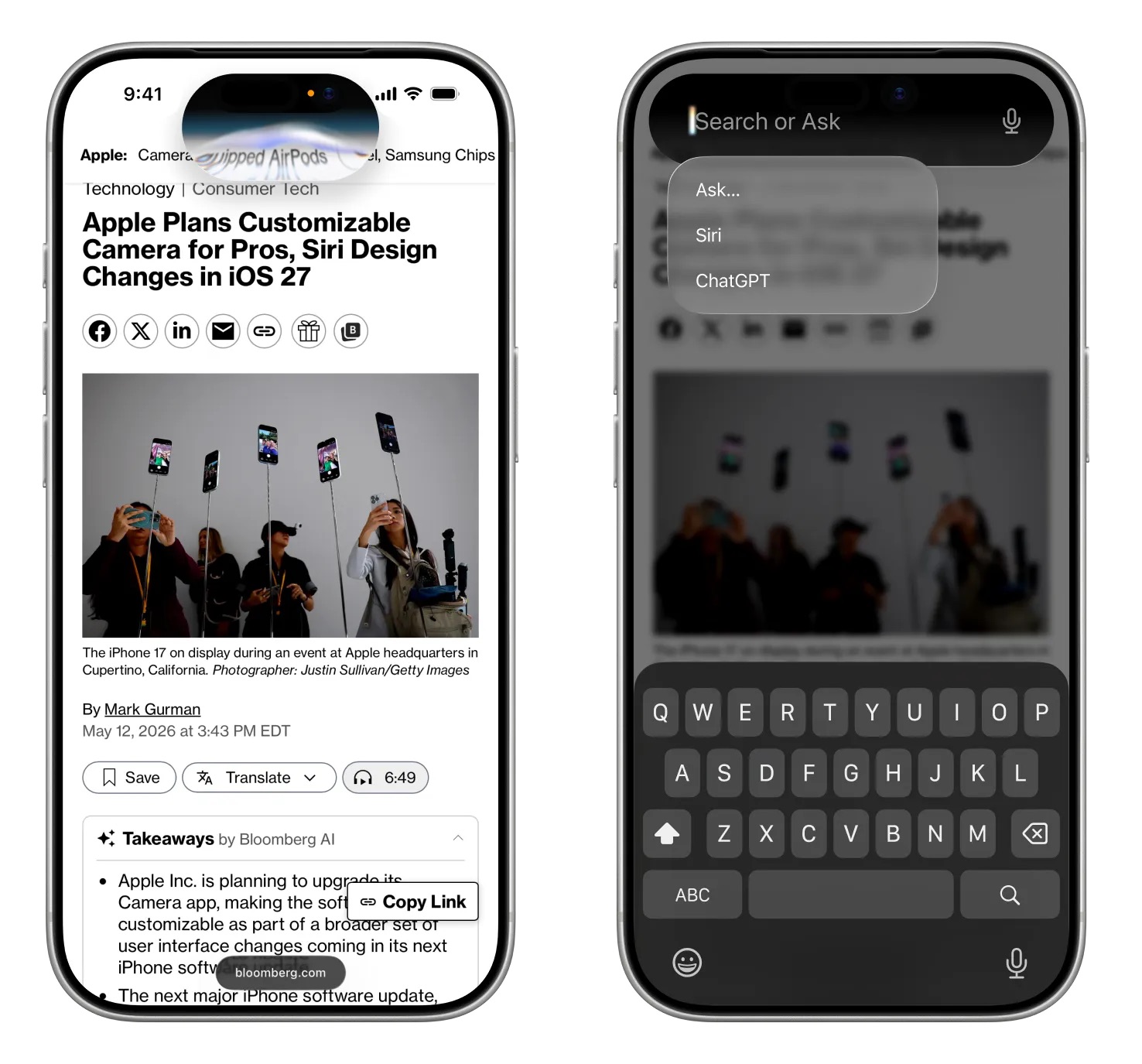 Image via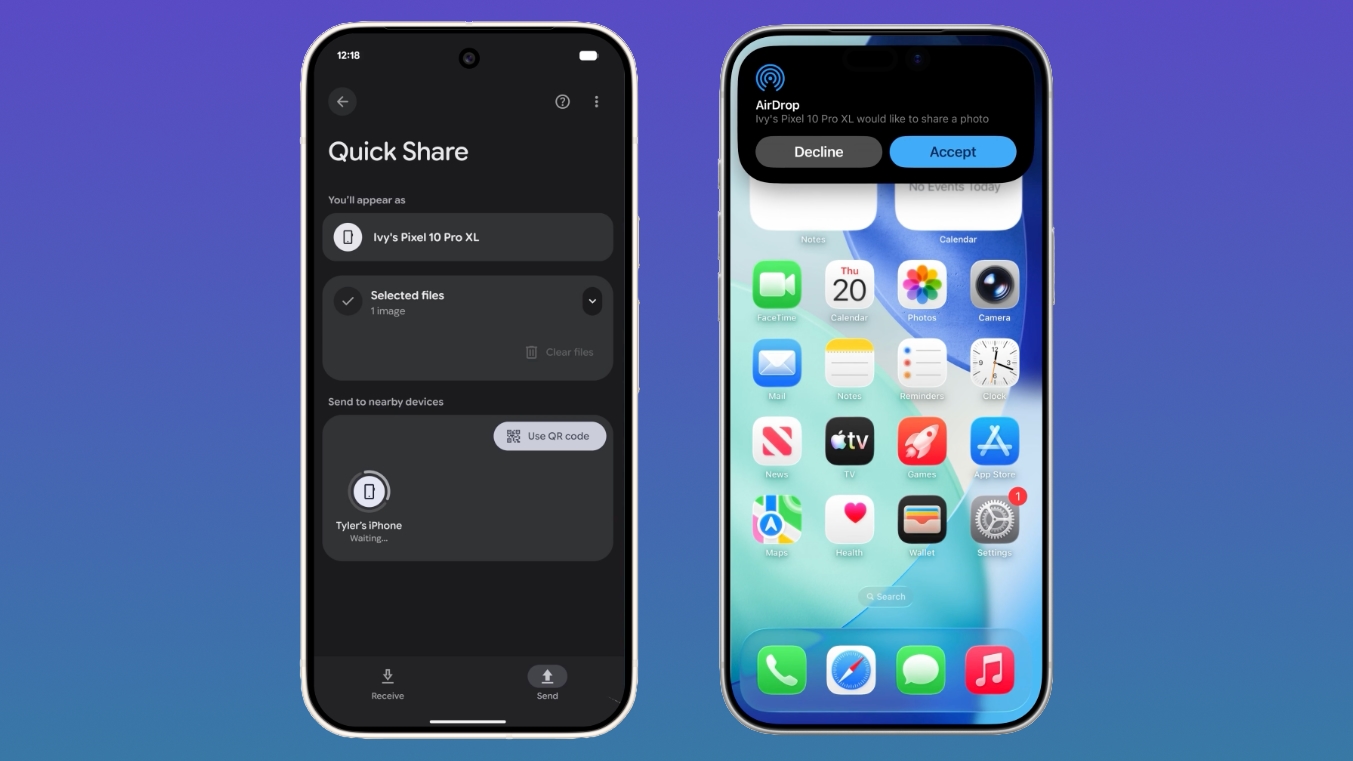
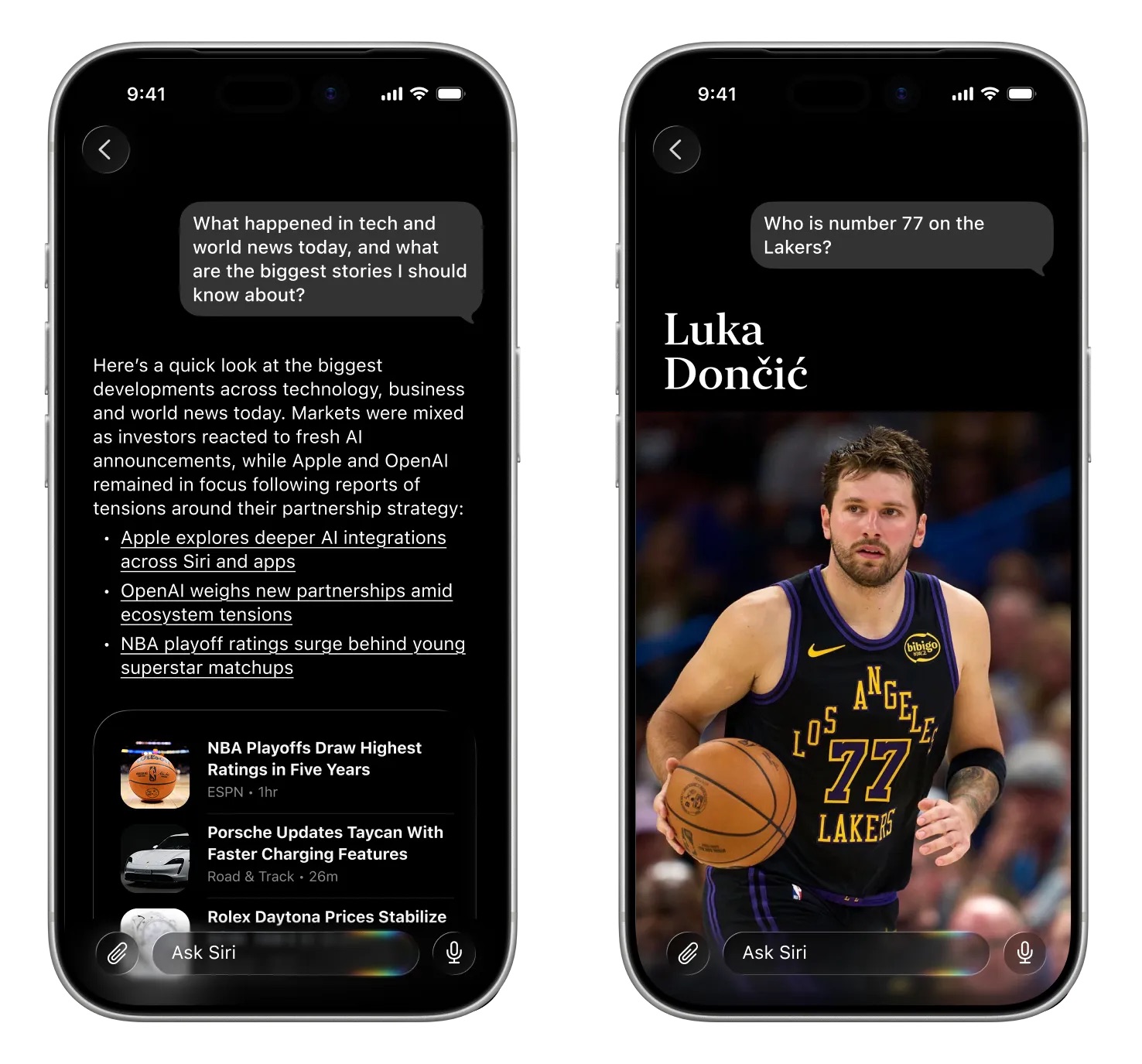 Image via
 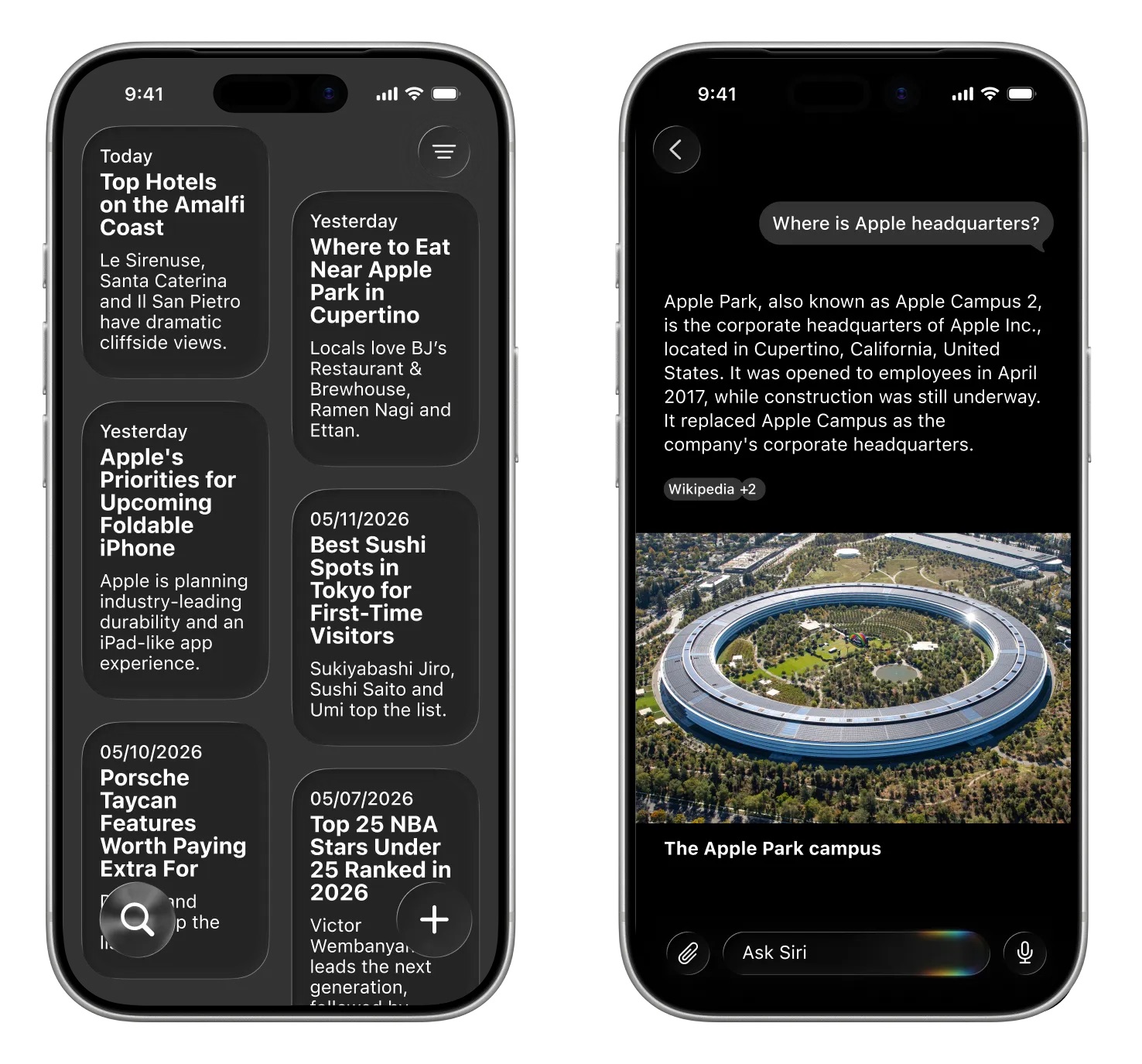 Image via