Lees weergave

Apple Park Visitor Center Gets New Merch Ahead of WWDC 2026

With developers and members of the media soon to arrive at the Apple Park campus for WWDC 2026, Apple has added new merchandise to the store at the ‌Apple Park‌ Visitor Center.


Mr. Macintosh shared images of the new items, including crewneck sweatshirts with the classic Apple Garamond text featuring rainbow lettering, hats with a rainbow Apple logo, and water bottles in gray and white.

Exclusive new Apple Park Visitor Center #WWDC26 merch drop today!!!🤩

I was first in the store this morning after the overnight reset! Here's what Apple added:

🌈 Rainbow Apple Logo Hat
🌈 Rainbow Garamond Crewneck
🚰 Apple Stainless Steel Water Bottle pic.twitter.com/joEbAtigjq

— Mr. Macintosh (@ClassicII_MrMac) June 4, 2026

He also said Apple is using new merchandise drawers at the ‌Apple Park‌ Visitor Center to hold the ‌WWDC 2026‌ gear.

The ‌Apple Park‌ Visitor Center sells Apple-branded gear unavailable at other Apple retail stores. Apple regularly introduces new T-shirt and sweatshirt designs, and it sells water bottles, notebooks, pens, and other small items.

‌Apple Park‌ is also a full Apple Store with the option to purchase standard Apple products like iPhones, iPads, Macs, and accessories.

Apple invited members of the media and select developers to an in-person ‌WWDC 2026‌ keynote viewing event. WWDC is set to begin on Monday, June 8, which means attendees will be heading to ‌Apple Park‌ in the coming days.
Related Roundup: WWDC 2026

This article, "Apple Park Visitor Center Gets New Merch Ahead of WWDC 2026" first appeared on MacRumors.com

Discuss this article in our forums

  •  

Satechi CubeDock Review: A Thunderbolt 5 Dock That Doubles as an SSD Enclosure

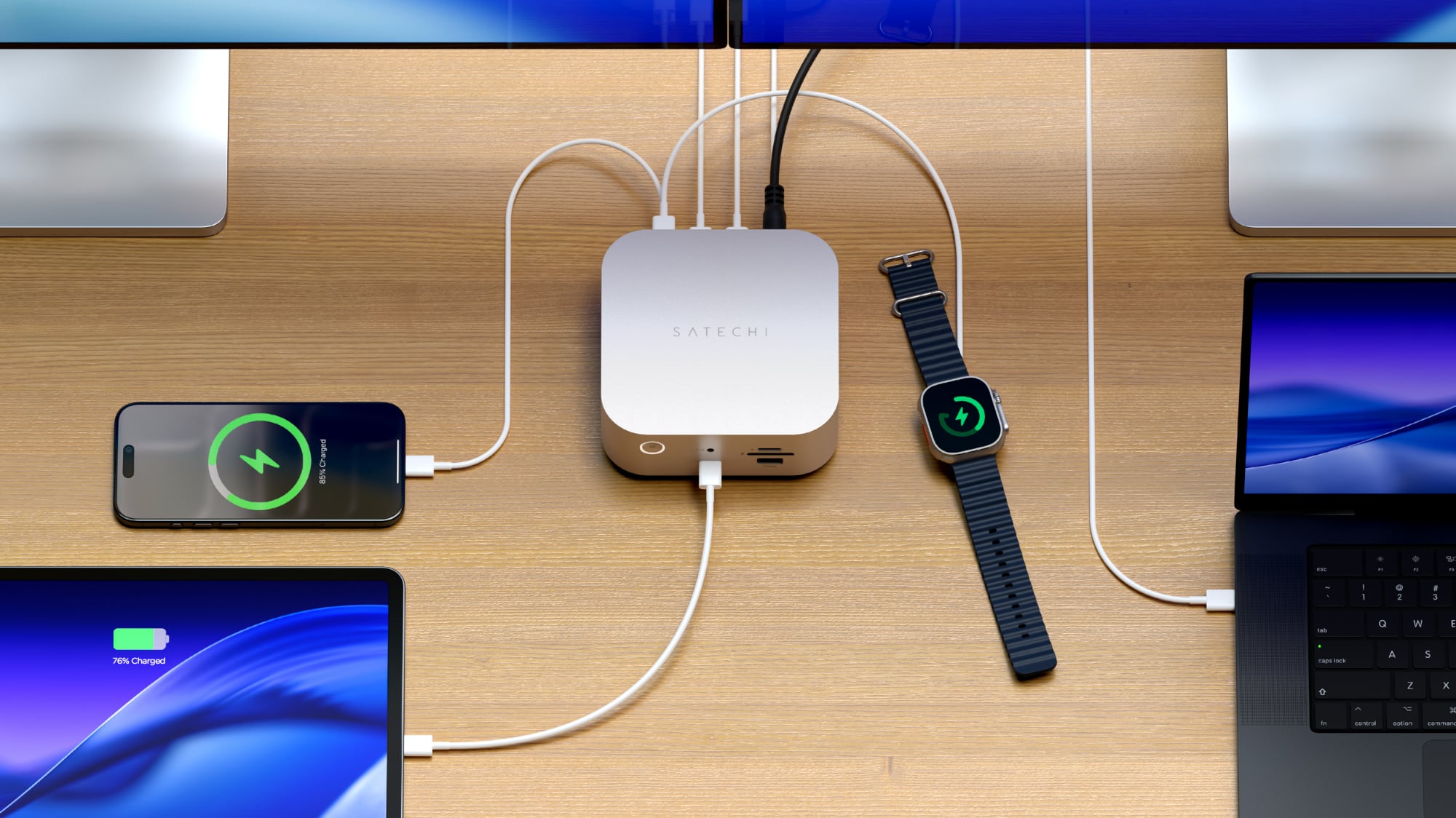
Accessory maker Satechi released its first Thunderbolt 5 dock earlier this year, debuting the $400 Thunderbolt 5 CubeDock. Satechi's dock combines Thunderbolt 5 connectivity with the traditional ports you expect from a dock, plus extra SSD storage thanks to an added SSD enclosure.


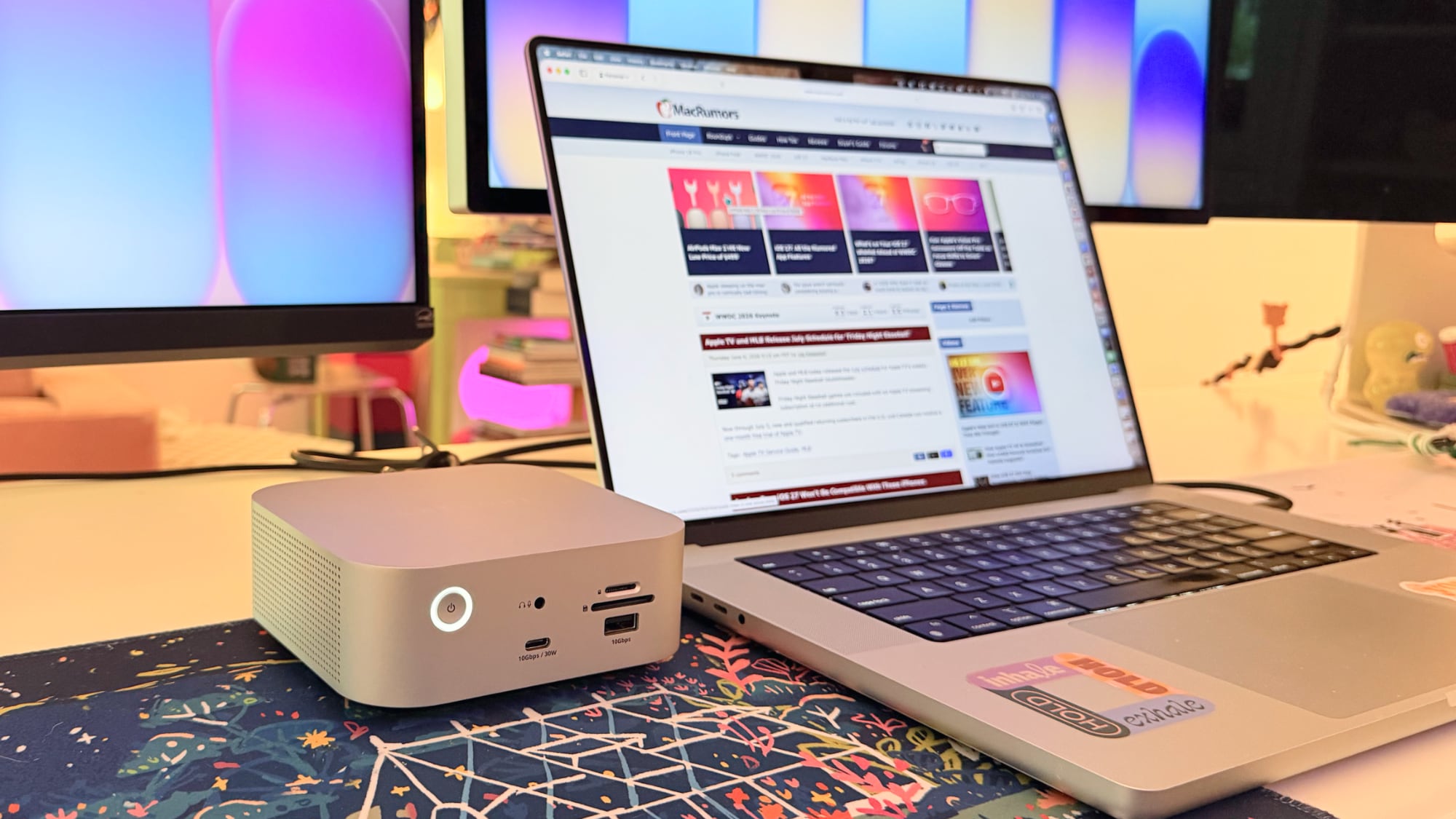
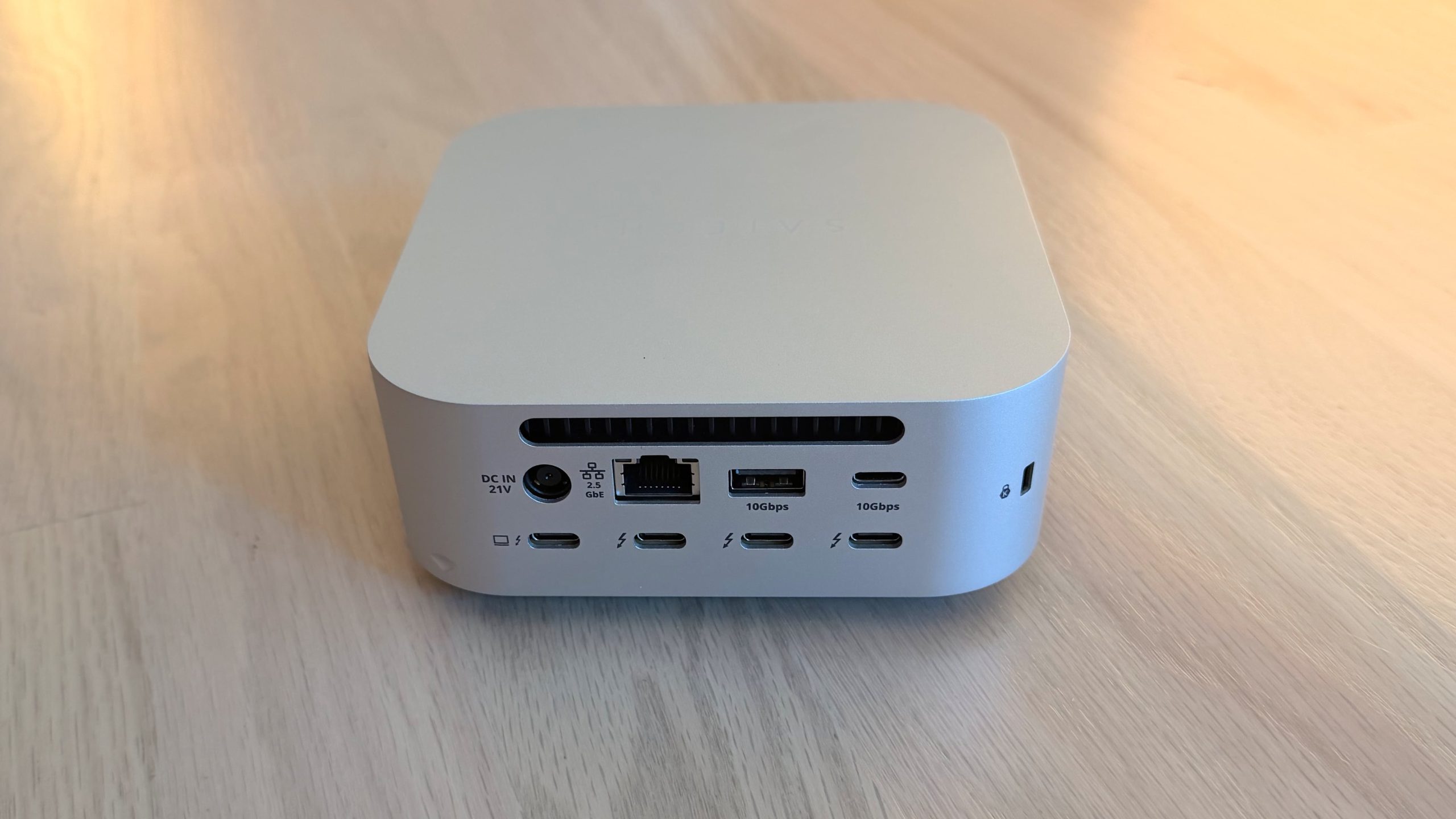
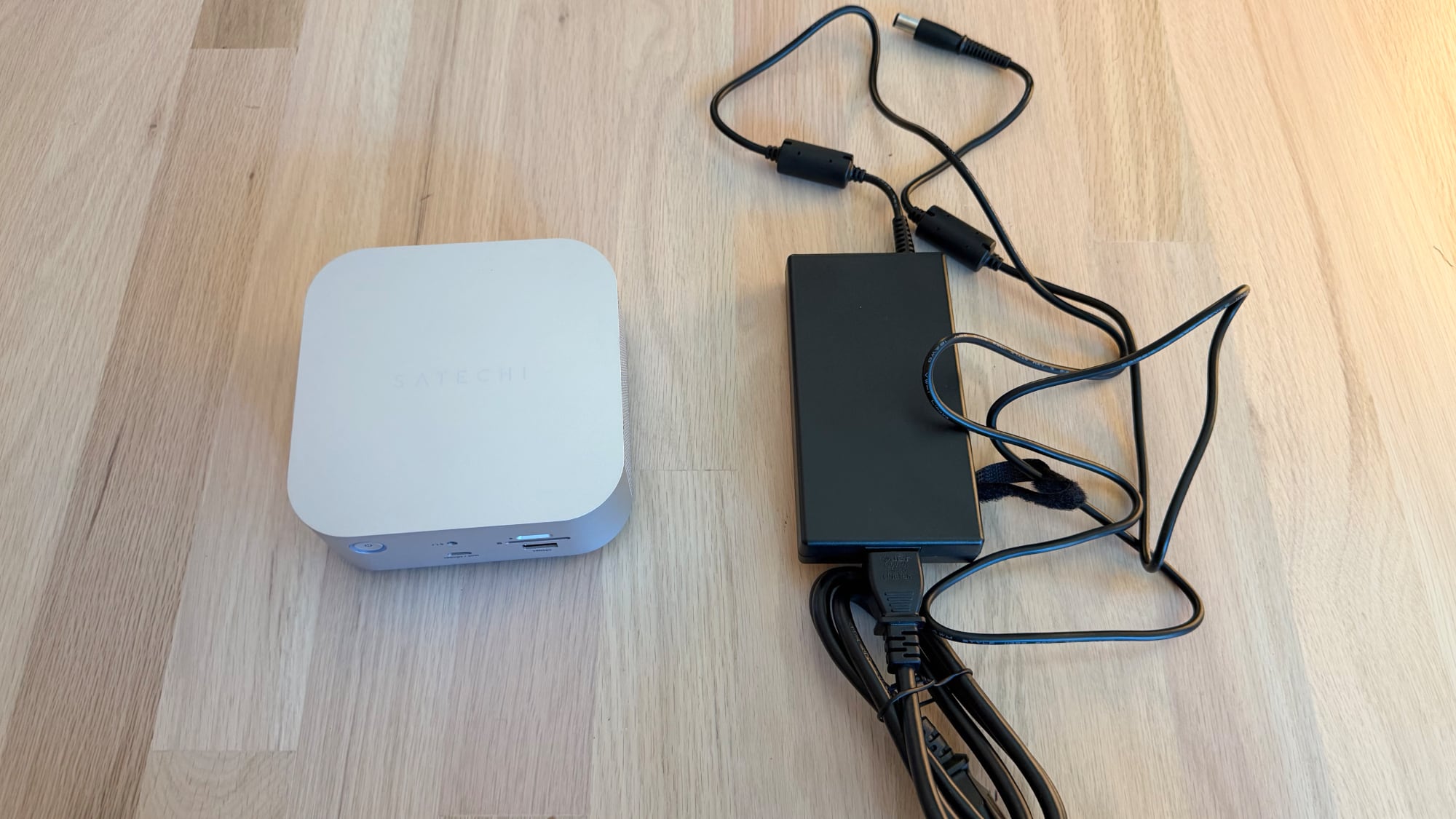
Satechi likes to make things shaped like the Mac mini, and the CubeDock gives ‌Mac mini‌ vibes. It's five inches by five inches, and two inches thick, identical to the ‌Mac mini‌. It's silver, so it matches Apple hardware that comes in that shade, and it would pair well with a ‌Mac mini‌.

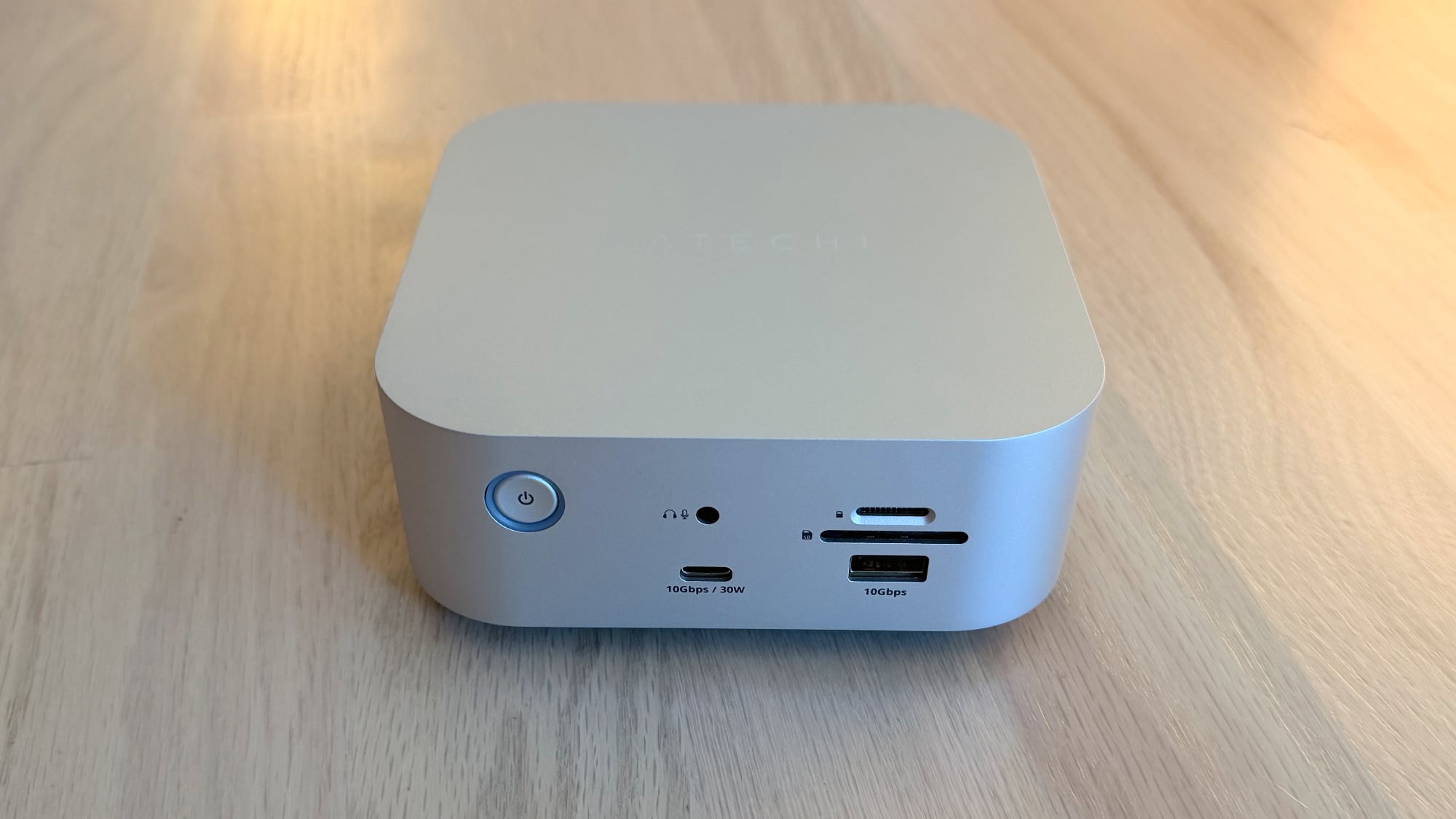
The front of the dock has a 30W/10Gbps USB-C port, a 7.5W/10Gbps USB-A port, a 3.5mm audio jack, and SD and microSD card slots. I like the positioning of the card readers because they're easy to get to. I don't use wired headphones, but if I did, I'd also appreciate having that front audio jack. 30W charging for the front USB-C port is useful too, because 30W is enough to fast charge an iPhone and charge an iPad or MacBook Air.


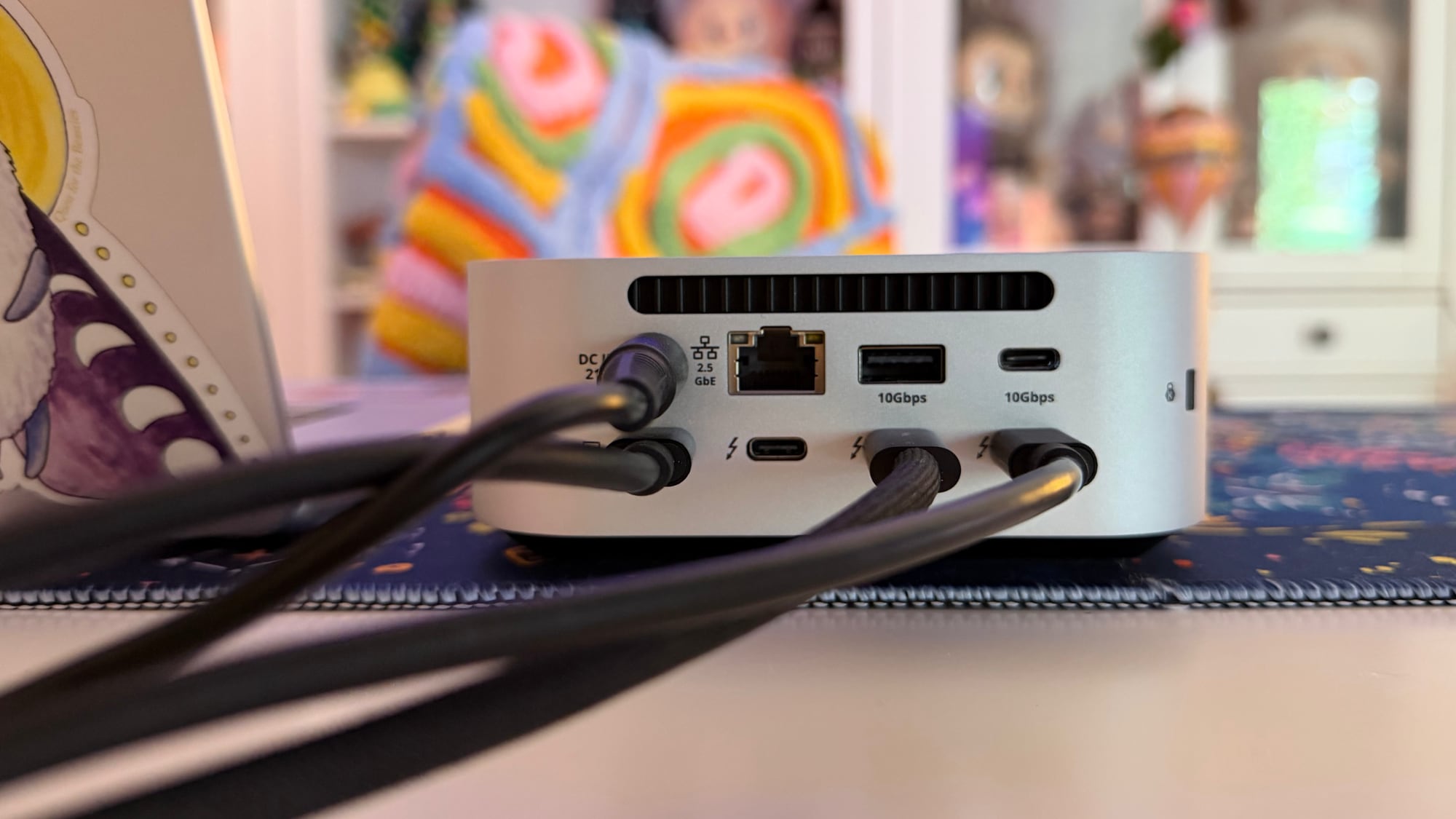
The back has a 2.5Gb Ethernet port, an 80/120Gbps Thunderbolt 5 host port to connect to a Mac, three additional 80Gbps Thunderbolt 5 ports (with 15W each for accessories), a 10Gbps 4.5W USB-A port, a 10Gbps 7.5W USB-C port, and a DC port for connecting the power supply. The CubeDock provides 140W for a MacBook,can charge the 16-inch MacBook Pro at the fastest speed.


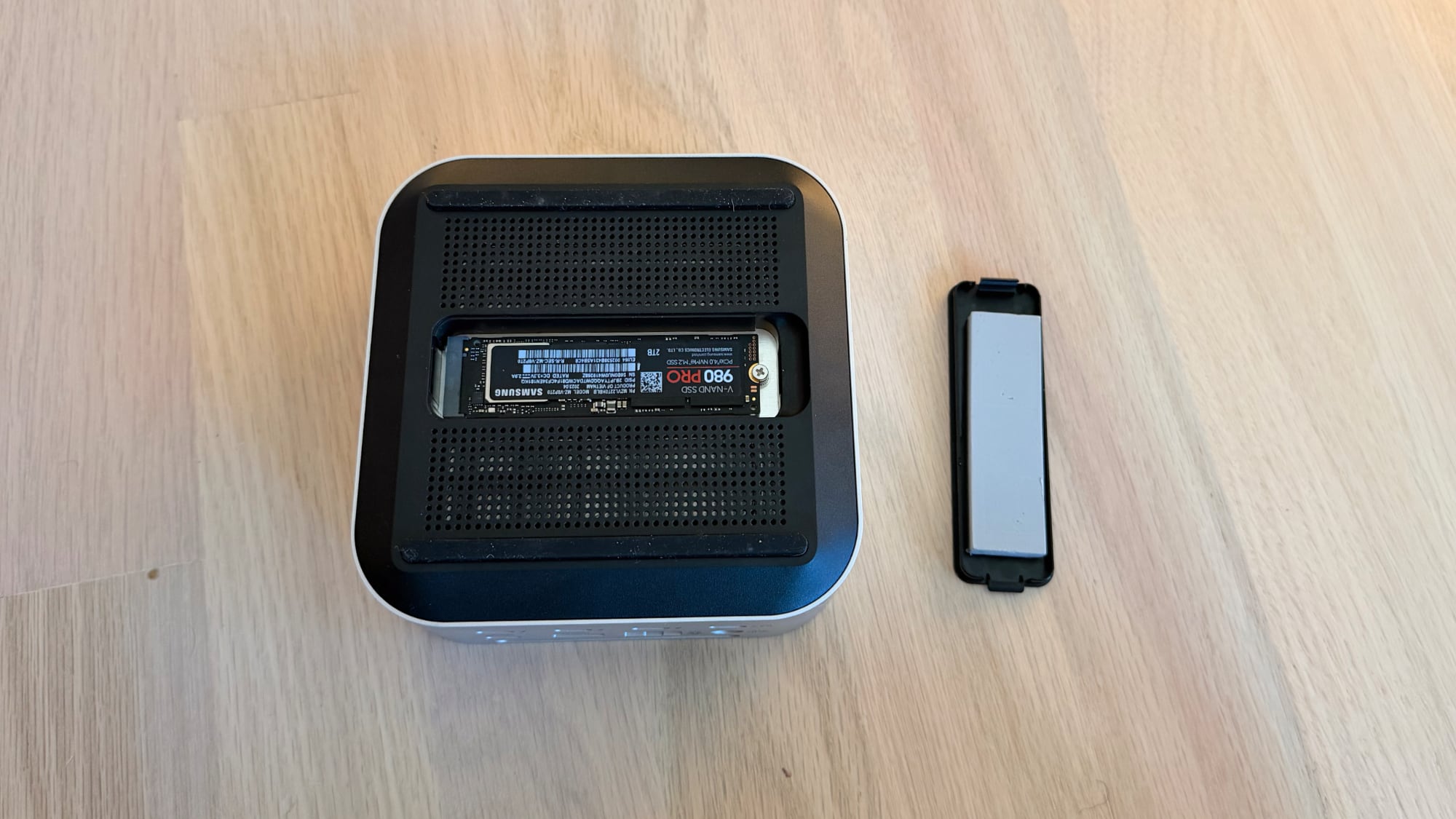
At the bottom of the CubeDock, there's a panel that can be popped out to add in up to an 8TB NVMe SSD. It supports 2230, 2242, 2260, and 2280 sizes with transfer speeds of up to 6000MB/s, depending on the SSD used. The CubeDock has an SSD enclosure, but it does not come with SSD storage. You need to buy an internal SSD separately if you want to use the enclosure, and SSDs aren't cheap right now.


I installed a 2TB SSD in the slot at the bottom of the CubeDock. There's a plastic cover that comes off, and the SSD plugs in underneath. It's held in place with a screw, but the installation process was a little annoying because the screw needs to be positioned before the SSD is inserted. Satechi includes a thermal pad, which I added before closing it back up. My Mac recognized the SSD in the enclosure just as it would any other SSD I plugged in.


There is a fan in the CubeDock that circulates air, along with vent holes at the sides. It has an LED power button on the front, and it charges with an included 180W power supply. The power supply is not built into the dock and is instead an external brick. Satechi also includes a Thunderbolt 5 cable to connect the dock to a Mac.

I don't generally mind the sound of fans, but the CubeDock's fans have a subtle electronic whine that bothers me. I know some people can't hear that high-pitched electronic noise, but I can, and in a quiet room, it's the audio equivalent of having a pebble stuck in my shoe. I can't hear the sound when the TV is on, when music is playing, or when my AC is running. Anker's Thunderbolt 5 Dock has fans and had a similar noise, but fanless models like the CalDigit TS5 Plus are silent.

With the fans, the CubeDock doesn't get blazingly hot, but it is warm to the touch. The temperature is closer to a hand warmer on a cold day than scorching coffee. I didn't notice a temperature difference testing with the SSD installed and without it.


The CubeDock supports up to three 8K displays at 60Hz, but Satechi says 8K is limited to Windows machines. The M5 Pro and M5 Max chips do support 8K displays, but I don't have one to test with.

What I do have on hand is a 5K Studio Display and a 32-inch 4K 120Hz OLED display, both of which the CubeDock can handle with no problem. I plugged in two iPhones to charge, put in an SD card, and connected two SSDs, and transferred large files. I had no issues with the CubeDock under this stress test, and everything also worked during day-to-day testing.

The benefit of a dock like the CubeDock is being able to plug in multiple displays, peripherals, and accessories while only having one cable connected to a Mac. I can tuck the CubeDock under a display, route the cables out the back, and keep my desk neater with less cable clutter. I felt like the CubeDock had a good number of ports for everyday use, and I wasn't missing anything. It has fewer USB-C and USB-A ports than some other docks that it competes with, but I have few enough USB-A devices that even two USB-A ports felt like one too many.

The Apple silicon chip you have determines the number of displays that the CubeDock can drive over a single Thunderbolt port. M5 Pro and M5 Max Macs can drive three displays at 6K/60Hz with Satechi's dock. M4 Max, M4 Pro and earlier Pro/Max chips support up to two external displays with the CubeDock (up to 6K/60Hz).


Pro/Max Macs can generally support more than two external displays, but you need to use more than one Thunderbolt port. I have two displays connected to an M1 Max with the CubeDock, and a third display plugged into a different Thunderbolt port.

Base M1 and M2 Macs support a single external display over Thunderbolt, but base M4 and M5 Macs can drive two. The M3 is complicated because an M3 ‌MacBook Air‌ can support two displays, but only in clamshell mode. It's best to check Satechi's website for compatibility info to make sure you can connect what you want to connect.

Bottom Line


Satechi's dock lets you connect multiple displays, peripherals, and accessories to your Mac with one cable, offering easy plug-and-play functionality. The addition of an SSD enclosure helps differentiate the CubeDock from competing products. It puts the ports most people need right up front, and hides the rest away for desk organization.

The CubeDock is one of the better looking options on the market because of how well it matches Apple's aesthetic, and it doesn't run as hot as docks without a fan included. Unfortunately, the fan noise can be distracting for people who are sensitive to certain sounds.

With two generations of Thunderbolt 5 Macs now available, there's more reason to choose a Thunderbolt 5 over a Thunderbolt 4 dock. Compared to Thunderbolt 4, Thunderbolt 5 offers double the bandwidth (80Gbps instead of 40Gbps) and up to 120Gbps for display-heavy setups.

If you have a newer Mac that supports Thunderbolt 5 and need extra ports, a Thunderbolt 5 dock makes the most sense. If you have an older Mac and are trying to decide between Thunderbolt 4 and Thunderbolt 5, Thunderbolt 5 is the better choice if you're going to upgrade anytime in the next couple of years.

How to Buy


The Satechi Thunderbolt 5 CubeDock with SSD Enclosure can be purchased from the Satechi website or from Amazon.com for $399.99.

Note: Satechi provided MacRumors with a CubeDock for the purpose of this review. No other compensation was received. MacRumors is an affiliate partner with Satechi and may earn commissions on purchases made through links in this article.
Tag: Satechi

This article, "Satechi CubeDock Review: A Thunderbolt 5 Dock That Doubles as an SSD Enclosure" first appeared on MacRumors.com

Discuss this article in our forums

  •  

iOS 27: All the Rumored App Features

Siri is getting a major overhaul in iOS 27, but Apple also has some big updates planned for apps like Camera, Photos, and Wallet. There are multiple new AI features in the works, plus some non-AI upgrades.

Camera


Apple is moving Visual Intelligence from the Camera Control button to the Camera app in iOS 27, according to Bloomberg. There will be a Siri mode that will be available alongside the existing Photo, Video, Portrait, and Panorama modes. When in Siri mode, the existing Camera app shutter button will feature the Apple Intelligence logo, letting users know the Siri features are available.

Siri mode is a renaming of Visual Intelligence, and it will make the feature more visible. Accessing Visual Intelligence in iOS 26 requires users to hold down the Camera Control button or assign the feature to the Action button, and many people may not even know it exists.

Visual Intelligence can identify objects, plants, animals, art, books, and more, searching for whatever the user snaps on Google Image Search. In iOS 27, Siri will be able to answer questions about what a user is looking at, providing information from the web.

Apple is adding new Visual Intelligence capabilities in iOS 27, and they will be available through the Camera app Siri mode.

  • Nutrition - Users can scan nutrition labels on food packaging for calorie and macronutrient tracking using the Health app.

  • Contacts - Visual Intelligence will let users scan phone numbers and addresses on business cards and other print media, adding the information to the Contacts app.


Apple plans to make the Camera app more customizable in iOS 27. iPhone users will be able to replace the top row of camera shortcuts with options of their choosing, selecting features like flash, exposure, timer, depth of field, photo styles, and resolution.

Camera controls, now labeled as widgets, can be placed at the top of the Camera interface in any order. Users can select widgets from a transparent widget tray that comes up from the bottom of the app and organizes widgets into categories like basic, manual, and settings.

The Camera app will have the same default layout that's available now with quick tap buttons for flash, Live Photos, and Night Mode, but the customizable widget interface will be added as an advanced layout that will appeal to professional users.

iPhone users can currently tap on an icon at the top right of the Camera app to access all of the Camera controls, but Apple is moving that view to the right of the shutter button in iOS 27.

The Camera app is also going to get new grid and level options that will join the existing features.

Photos


The Photos app will have an Apple Intelligence Tools section when editing an image with new Extend and Reframe options.

  • Extend - Extend generates additional image content beyond the original frame of the photo, filling in scenery when changing the crop of an image. This tool will support expanding the edges of an image with zoom gestures.

  • Reframe - When used with spatial photos, Reframe will let users change the perspective of an image after it's captured.


Apple is also testing an AI photo editing feature that lets users request edits using natural language. Users would be able to tweak color, lighting, cropping, and other image parameters without having to use manual tools. The voice-based photo editing feature may not arrive in the first version of iOS 27.

Shortcuts


The iOS 27 Shortcuts app will support using natural language to create a shortcut with AI. Users will be able to tell Siri what they want to accomplish with a multi-step shortcut, and Siri will generate it.

The Shortcuts app will open with a prompt that says "What do you want your shortcut to do?" with a text field to enter a description. Shortcuts that are created using AI are then automatically installed and immediately available for use.

Wallet


The Wallet app is getting a "Create a Pass" option so users can generate digital passes from scans of physical items like movie tickets, concert passes, and gym membership cards.

Users can tap on the "+" button in the Wallet app and then scan a QR code on a pass or ticket if one is available. If there is no QR code available, there will be an option to create a custom pass.

There are three pass types in Create a Pass, each with a different color. Apple is using purple for events, blue for memberships, and orange for other types of passes. Users can customize images, colors, style, and text on the digital passes.

Apple is also adding an AI bill-splitting feature that will work with Apple Cash. iPhone users will be able to take a photo of a receipt and generate Apple Cash payment requests for different people.

Image Playground and Genmoji


Apple is updating the Image Playground app. The interface for generating a new image has fewer controls and a "describe a change" option for editing images that are created. Previously created images are displayed in a grid with more rounded edges, and instead of a New Image button, there's a "+" button.

Apple has also been testing new models that produce more lifelike images, so we could see new image generation capabilities in iOS 27 with better image quality.

Genmoji is also getting an update so it will use fewer resources, causing less battery drain and fewer heat problems. Genmoji will be better quality with a new Genmoji model, and a Suggested Genmoji feature will bring up custom emoji ideas based on your media and text history.

Writing Tools


Apple is testing an expanded version of Writing Tools that will do more rewriting and text generation than the current version. There is a "Write with Siri" toggle at the top of the keyboard, along with a "Help Me Write" option that comes up when Siri is activated while a text field is open.

Apple is going to add a dedicated AI grammar checker that will work alongside the current spell check. When writing in Messages, Mail, and other apps there will be a translucent menu that slides up from the bottom of the iPhone's screen, and it will show suggested revisions next to the original written text.

Users can go through the suggestions and accept or reject them one by one, approve all of the changes at once, or ignore the changes.

Other Features


  • Wallpaper - There will be an option to generate custom wallpapers with the Image Playground app, with the feature built into the interface for selecting a new wallpaper.

  • Safari - Safari will get an updated start page with four tabs for switching between favorites, bookmarks, Reading List, and history.

  • Calendar - Rumors suggest the Calendar app will incorporate new AI features. Siri will also be able to draw on information in the app.

  • Health - With a new calorie scanning feature coming to the Camera app, calorie tracking will be more prominent in the Health app. Apple was also planning a Health+ subscription service, and while that's been scaled back, there could be other AI health app changes.

  • Weather - The Weather app will have a new Conditions panel for switching between temperature, rain, and wind from the main interface, without the need to tap into a weather module.

  • AirPods settings - The AirPods interface in the Settings app will be simplified, with options featuring better organization. Major features like hearing health will be easier to find.

  • AirPlay Alternatives - Apple is adding a feature that will let users beam content to AirPlay alternatives like Google Cast. It could be limited to iPhone users in the EU because it is being implemented as a Digital Markets Act requirement.


System-Wide Design Changes


There are system-wide design changes coming in iOS 27. The separate tab bar in apps like Apple Music, Podcasts, News, and Apple TV will be adjusted to combine search with the other navigation options. Apple separated search in many apps when introducing Liquid Glass, but it's reverting to the original look.

When using the on-screen keyboard, there's a new animation that shows the keys sliding up from the bottom of the iPhone interface, and Apple is adding redo and undo controls for easier customization of the Home Screen's icon and widget layouts.
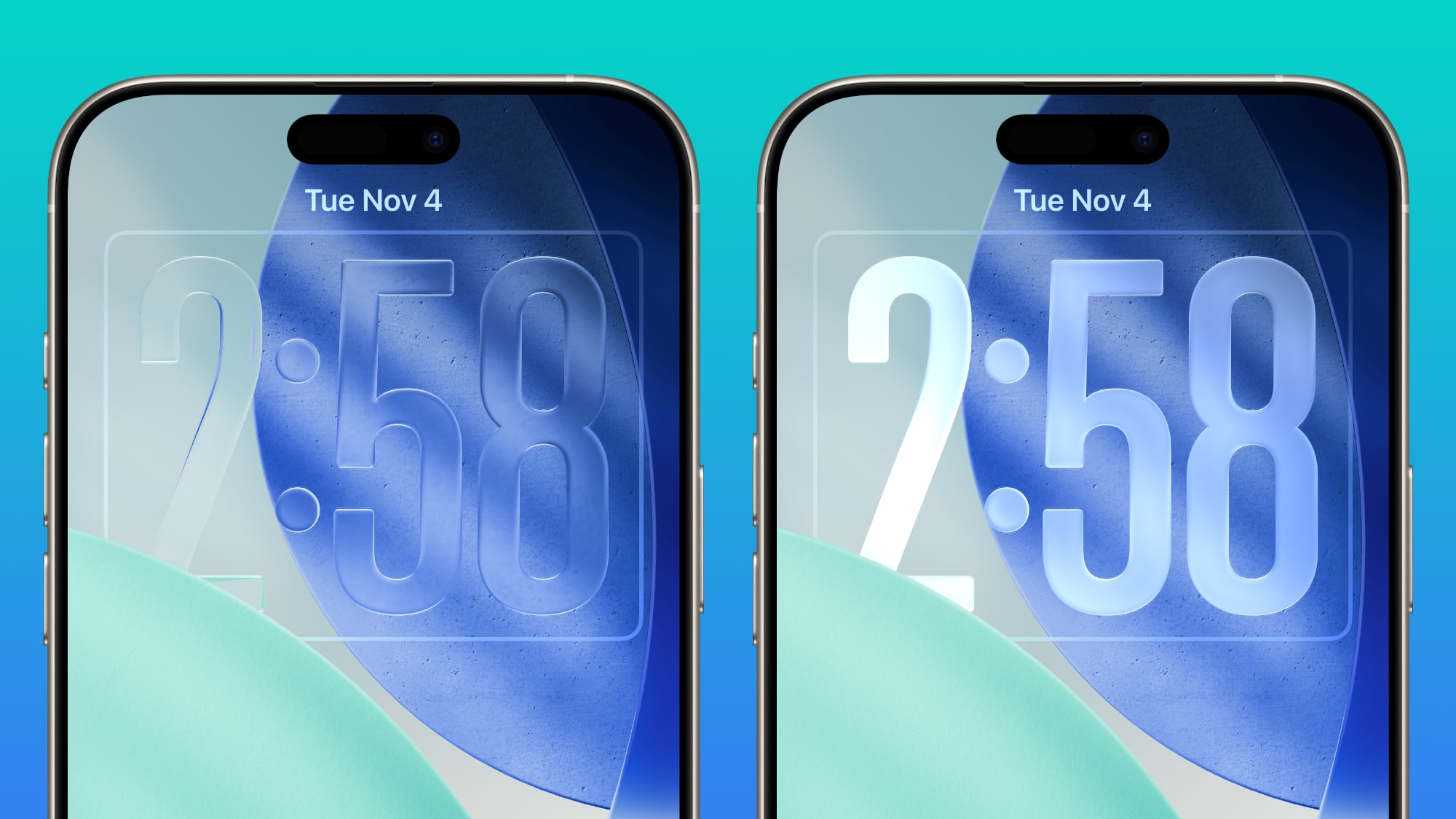


Apple doesn't plan to make major changes to the Liquid Glass aesthetic in iOS 27, but the company is mulling a system-wide setting that would precisely adjust the look of the interface. In iOS 26.2, Apple added a slider that lets users adjust the opacity of Liquid Glass for the Lock Screen's clock, and that setting could be expanded to the entire operating system.

Foldable iPhone Interface


The first foldable iPhone will be introduced in September. Rumors suggest that it will feature a 5.5-inch display when folded, and a 7.8-inch display when it's opened up like a book.
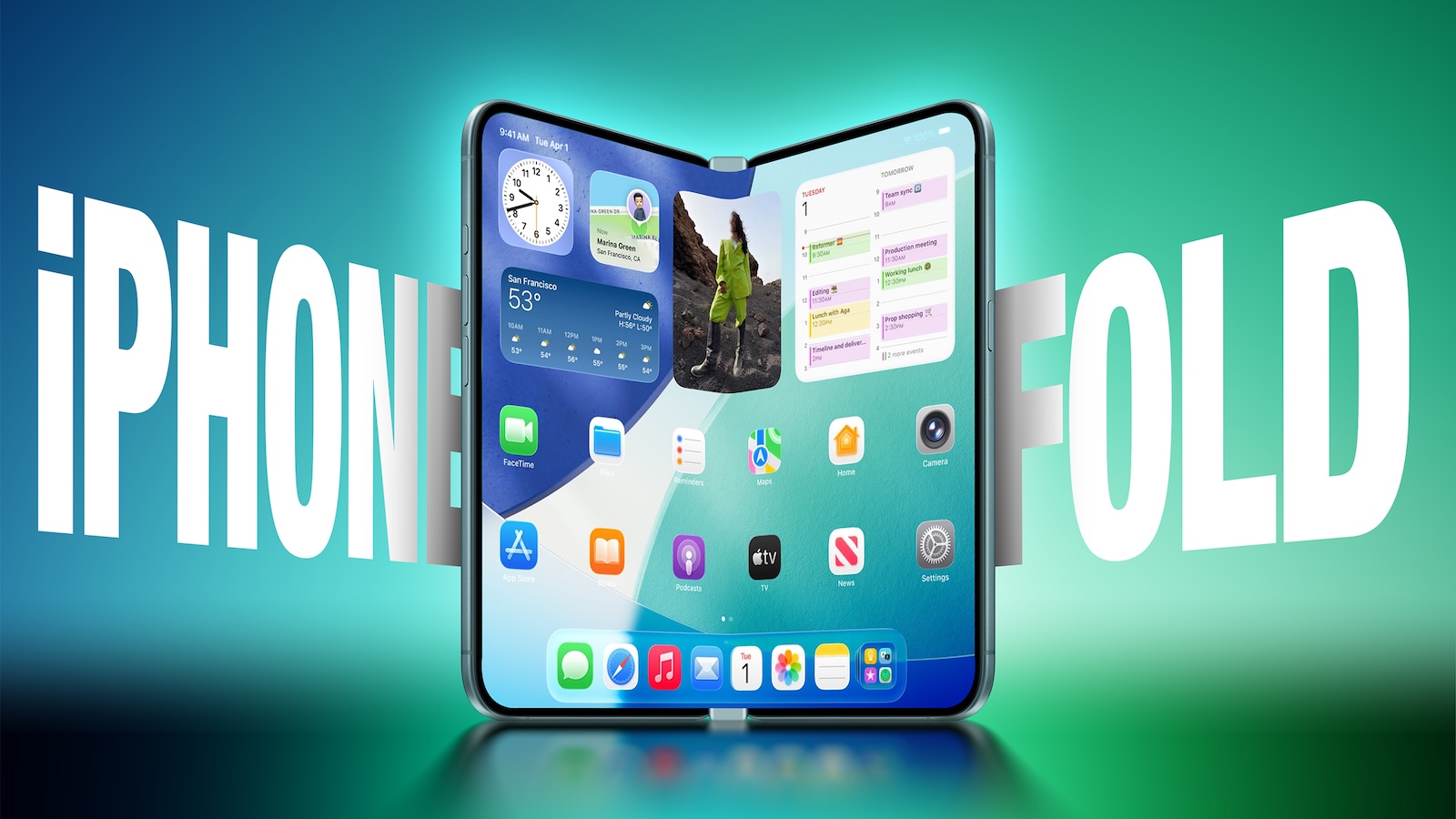


An iPhone with a larger display will require major updates to iOS, and iOS 27 will focus on building new interfaces and experiences made for a larger smartphone display.

The iPhone Fold will operate like a cross between an iPhone and an iPad, but it will run iOS, not iPadOS, and it won't support iPad apps, according to Bloomberg. When unfolded, the iPhone will have an iPad-like layout that supports multitasking with two apps side-by-side. Many of Apple's iPhone apps will have sidebars on the left of the display, with Apple providing developers with tools to easily adapt their apps to the new layout.

Apple is using a wider design for the iPhone Fold than most foldable smartphone makers have used, and it is rumored to have an iPad-like 4:3 aspect ratio. When the iPhone is closed, it will have a standard iPhone layout that looks like the version of iOS we have now.

Satellite Features


Apple is working on several new satellite features for the iPhone, and it's possible some features could be introduced as soon as 2027.

  • Apple Maps via satellite

  • Photos in Messages via satellite

  • Satellite API framework for third-party apps

  • Satellite over 5G

  • Satellite connectivity without the need for a view of the sky


Performance and Stability


Bloomberg has described iOS 27 as a "Snow Leopard" update, suggesting that Apple will focus on improving underlying performance and quality.

Apple is prioritizing cleaning up the iOS code and removing anything that's outdated, which could mean upgrading apps to improve performance and rewriting some existing features to be more efficient. The code updates could provide a more responsive, faster version of iOS.

Apple is also aiming for efficiency improvements that could translate into tangible battery life gains.

Launch Date


Apple will preview the new iOS features at its WWDC 2026 keynote event on June 8. Developers will get access the same day, and a public beta will likely be available in July. iOS 27 will launch in September alongside new iPhones.
Related Roundup: iOS 27

This article, "iOS 27: All the Rumored App Features" first appeared on MacRumors.com

Discuss this article in our forums

  •  

Bluetti Elite 10 Mini Power Station Review: Small, Capable, and Apple-Friendly

Bluetti's Elite 10 Mini Power Station is larger than your average iPhone or iPad power bank, but it's still small enough to be portable. It's ideal for camping, day trips, barbecues, or to have on hand in case of a power outage. It's also a design that works well on a desktop thanks to the included ports.


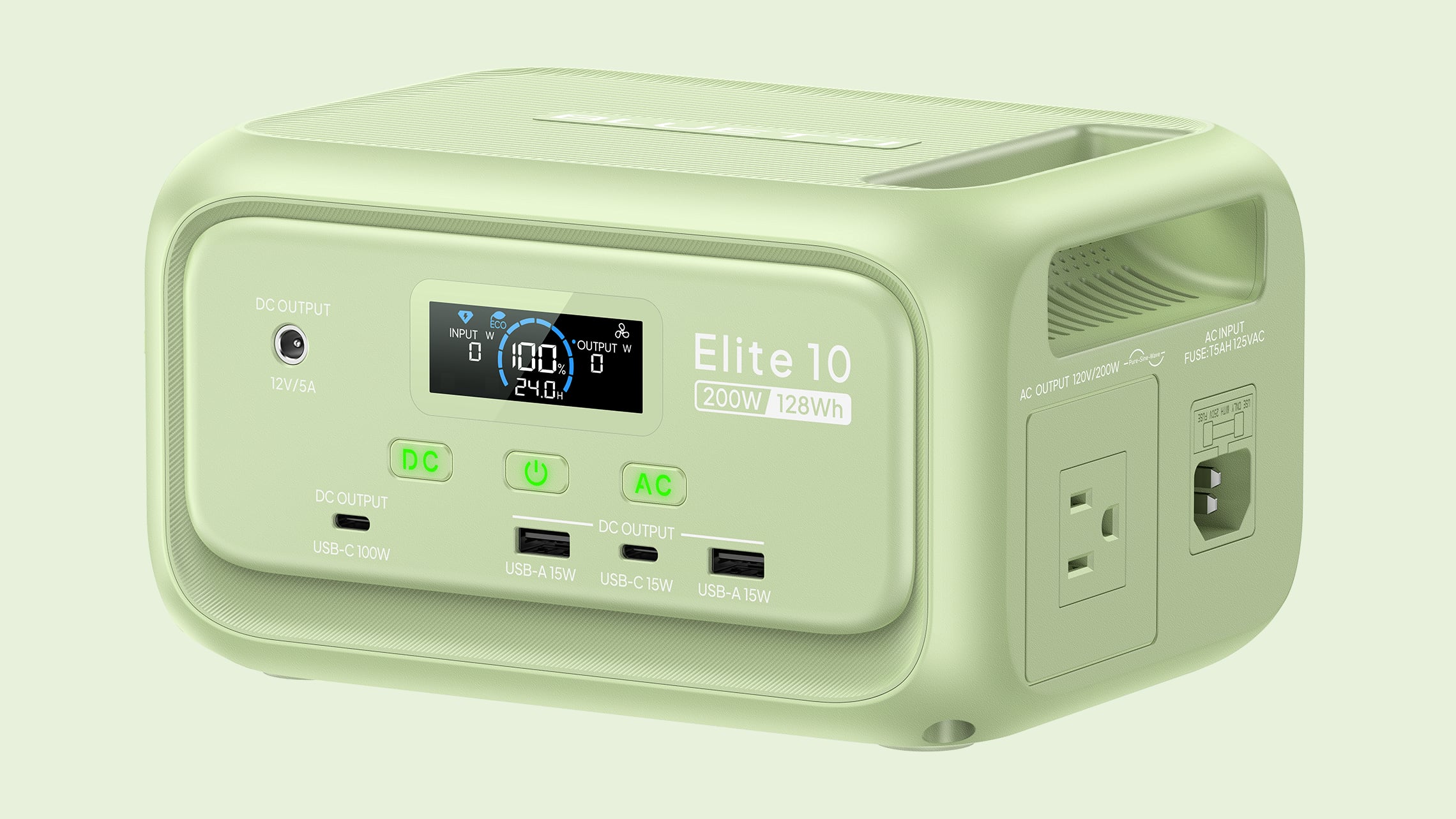
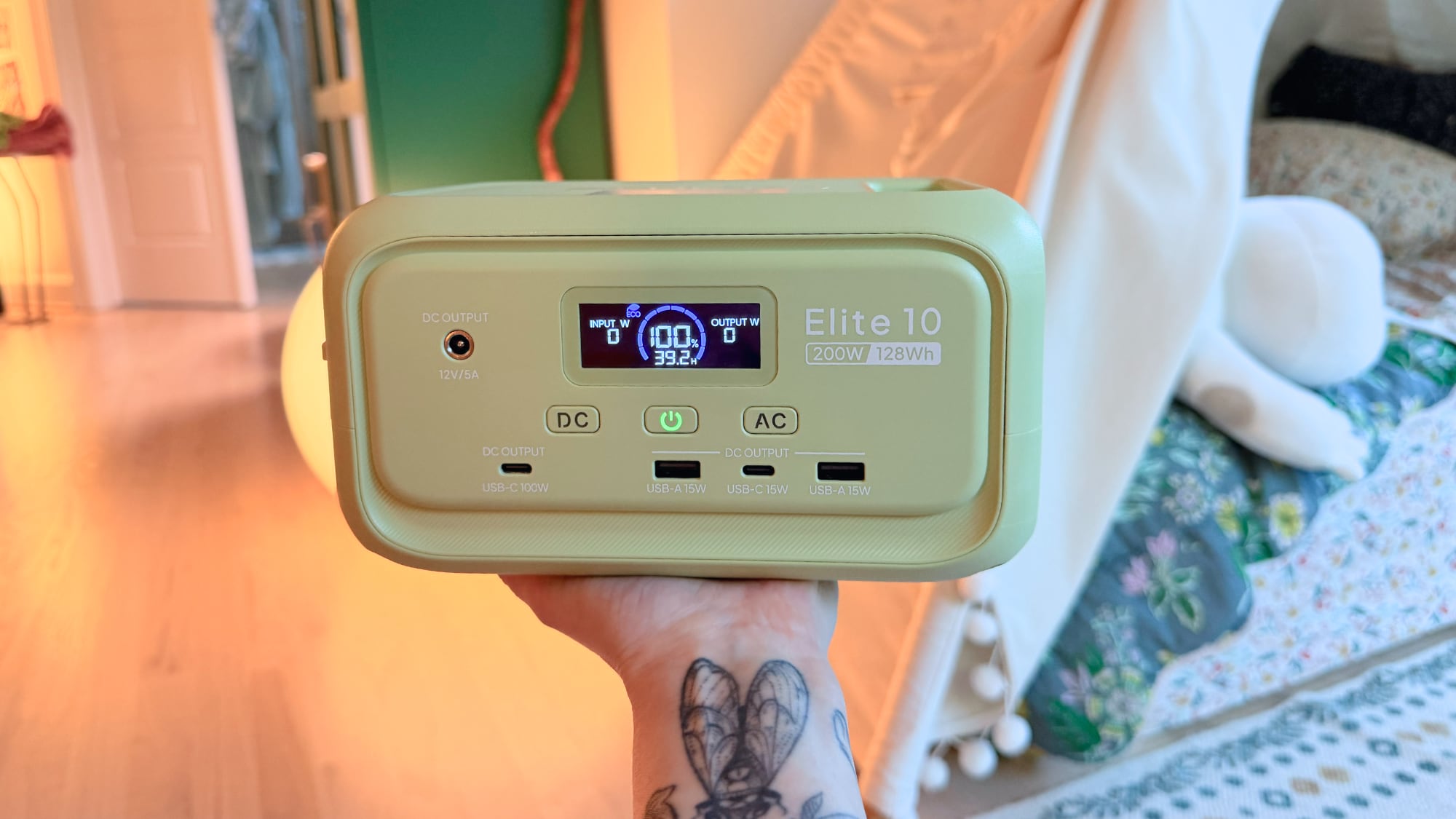
The Elite 10 has a 128Wh capacity, which is enough to charge a MacBook Neo almost three times, a MacBook Pro 1.5 times, or a MacBook Air twice. It can charge an iPhone or an ‌iPad‌ multiple times, and it supports charging multiple devices at one time too. It can power devices that draw as much as 200W and it has 300W surge capacity with 400W lifting power, so it's more than adequate for Apple products. You can plug in anything that is under 200W, so it's not going to work for things like blow dryers or heaters, but it can power all kinds of small electronics.

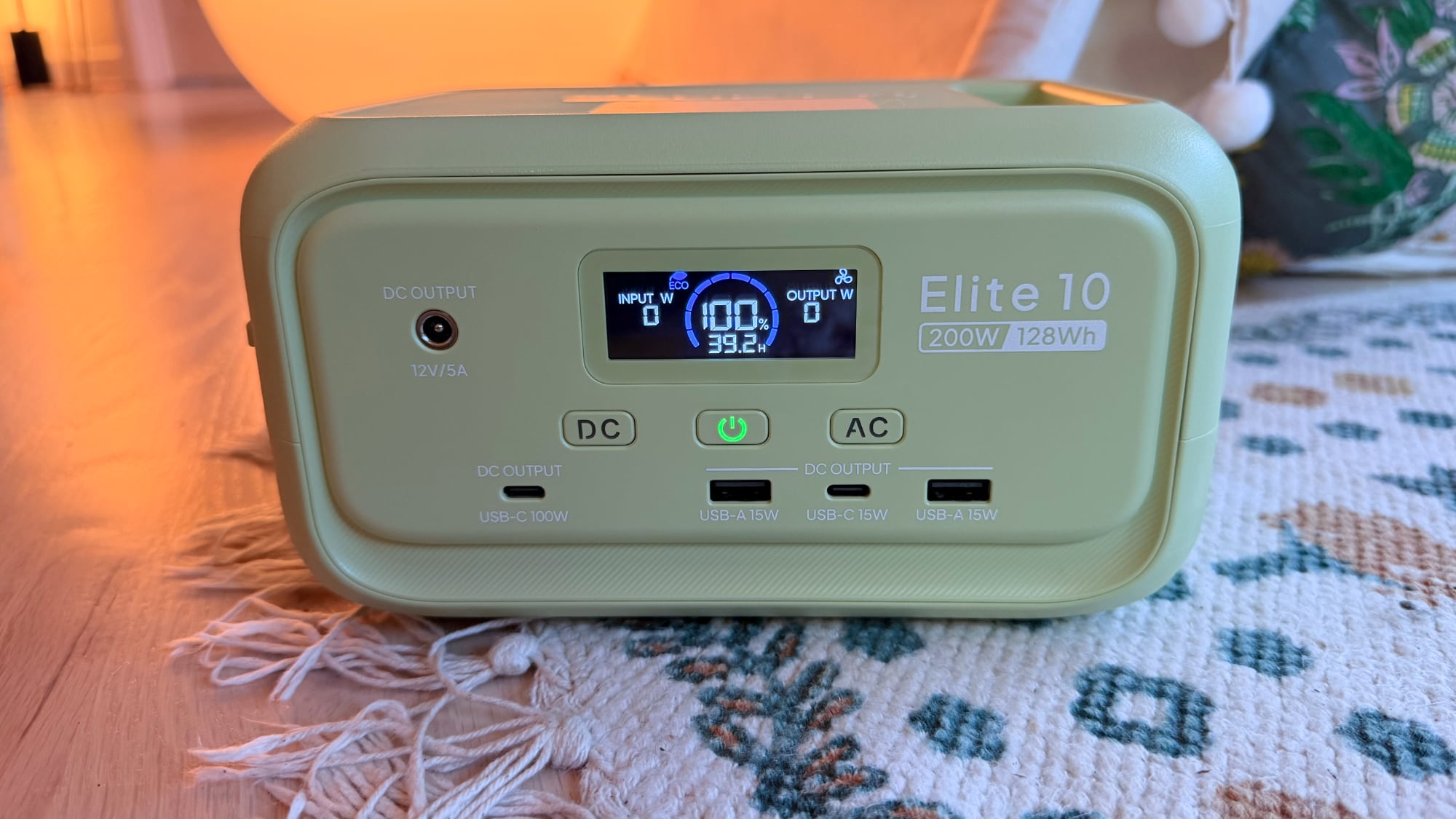
There's a single AC outlet on the right side of the charger, plus two USB-A ports, two USB-C ports, and a 12V DC port at the front. One of the USB-C ports offers up to 100W charging, so you can charge a Mac, ‌iPad‌, or iPhone directly with that port without the need for a power adapter. The other USB-C port is 15W, as are the two USB-A ports. As with other Bluetti chargers, you need to press the AC or DC buttons to turn on power to the ports, a feature that prevents unnecessary power draw in standby mode.


Bluetti sells the Elite 10 in a standard gray shade or a light green that's a fun match with the bright colors of the ‌MacBook Neo‌. It's made from plastic, but it's weighty and feels durable. The Elite 10 is 7.9 inches long, 5.8 inches wide, and 4.3 inches tall, so it's not something you're going to want to carry around in a backpack as a daily charger, but it is small enough to keep in the car for emergencies, and at four pounds, it's not too heavy to bring on a trip to the park or the beach.

There's a carrying handle at the top of the Elite 10, and it has built-in fans to keep it cool. The fans are barely noticeable unless you're drawing power at full capacity, and even then, they're quiet. An LED display lets you know the Elite 10's capacity, how much power is being sent to a device, and how much longer the battery will last. Alternatively, you can use the Bluetti app to see that information.


There is a built-in LED light strip at the back that offers cold light, warm light, and a flashing emergency light that can stay on for up to 50 hours. The light is bright enough to light up a tent or a small space. I'm a fan of the LED strip in the Elite 10 because it's a feature that not too many power stations offer.

I've been testing the Elite 10 since December 2025, and I have no complaints. It's worked as intended, and it's a charger that I like to keep on my desktop. I've also brought it outside to charge up smart bird feeders, and it's come on day trips. I did most of my testing of the Elite 10 back in December, but I wanted to see how it would work as a power station that's just tucked away until it's needed in an emergency.


I charged it to full in January, made sure it was off, then stuck it in my closet and left it alone. I was curious about whether it could hold a charge across multiple months, and it does. When I pulled it out of the closet on May 15, it was still at 100 percent charge. It's not ideal to leave a battery at a 100 percent charge for long periods, but if you charge it up and forget about it until a power outage, it's still good to go. Draining it to about 90 percent and then checking in on it every six months or so should be enough if you just want an in-case-of-emergency device that you don't have to think about often. Bluetti says that the LiFePO4 battery inside will last for over 3,000 cycles while remaining above 80 percent total capacity.

UPS mode is supported for uninterrupted power during an outage. You can plug the Elite 10 into a power source and then plug in a computer or router. If the power goes out, it takes 10ms for the Elite 10 to provide power to your computer or router, so your device won't shut off. When you're using it for that purpose, it supports 350W max bypass charging, so it will work for some PC setups. I tested with my router and with a light, and it did swap over as quickly as advertised.

The Elite 10 can be charged with a standard outlet (and a charging cable is included), a car (adapter sold separately), or up to a 100W solar panel. It supports simultaneous AC + solar charging too at up to 150W. With AC power, it can charge at 150W, reaching 100 percent in just over an hour.


Bluetti says that the Elite 10 is in the airline-approved range for carry-on batteries, but I'm not sure I'd try to bring it on a plane. The last few times I've flown in the U.S., flight attendants have been wary of portable batteries and there's now a rule that they must be visible and in reach at all times.

Bottom Line


If you're looking for a portable charger that's still big enough to power multiple iPhones, a couple of iPads, or a MacBook and an iPhone, the Elite 10 is a good option. It's light enough and small enough to bring on short trips, and it's also ideal for keeping in the car or on hand for power outages.

How to Buy


Bluetti's Elite 10 Mini Power Station can be purchased from the Bluetti website or from Amazon for $120.

Note: Bluetti provided MacRumors with an Elite 10 Mini Power Station for the purpose of this review. No other compensation was received. MacRumors is an affiliate partner with Bluetti and may earn commissions on purchases made through links in this article.
This article, "Bluetti Elite 10 Mini Power Station Review: Small, Capable, and Apple-Friendly" first appeared on MacRumors.com

Discuss this article in our forums

  •  

What's on Your iOS 27 Wishlist Ahead of WWDC 2026?

We're just a handful of days away from Apple's 2026 Worldwide Developers Conference, which will see the introduction of iOS 27, iPadOS 27, macOS 27, and more.


We've heard plenty of rumors about ‌iOS 27‌ and it sounds like most of the new features will focus on Siri and AI, but we want to hear from readers. Are you looking forward to any of the new capabilities? Read our iOS 27 roundup to see what's in store.

What's at the top of your wishlist? Do you want updates to the Liquid Glass design? Multitasking options? More emoji?

MacRumors readers have been discussing some of their ‌iOS 27‌ wants in a dedicated iOS 27 wishlist forum thread that's worth checking out. Some top picks:

  • Support for using any third-party AI assistant (which is rumored)

  • A dock with more than four icons

  • An option for using two apps at once

  • Dynamic wallpapers

  • Imports from the Files app to the Music and TV apps

  • Themes from prior versions of iOS

  • Multiple user accounts and/or guest mode (for iPadOS 27)

  • Clipboard history

  • An RSS app

  • A tool for PC file transfers


Let us know what you're hoping to see from Apple.

The WWDC 2026 keynote event will take place on Monday, June 8 at 10:00 a.m. Pacific Time or 1:00 p.m. Eastern Time.
Related Roundups: iOS 27, WWDC 2026

This article, "What's on Your iOS 27 Wishlist Ahead of WWDC 2026?" first appeared on MacRumors.com

Discuss this article in our forums

  •  

Apple Bringing App Store Age Verification to Texas as SB 2420 Takes Effect June 4

Apple today said App Store rules in Texas are changing due to the enforcement of SB 2420, a law that adds age assurance requirements for app marketplaces and developers.


Apple users located in Texas will soon be required to confirm whether they are 18 years or older when creating an Apple Account. Apple Accounts for users under 18 must be part of a Family Sharing group, and parents need to provide consent for all App Store downloads, app purchases, and in-app transactions.

Developers need to adopt the Declared Age Range API to provide the required age categories for new account users in Texas, and they are responsible for implementing the correct age restrictions. Developers must get parental consent for a minor to download an app, and are required to re-obtain consent if there is a "significant change" to an app. It is up to developers to determine when a significant change has been made to an app.

Parents in Texas are able to revoke consent for any app they previously approved for their child, a system that developers also need to support. Apple has several APIs for developers who need to implement these features, including the Declared Age Range API and the Significant Change API. Developers could face civil penalties of up to $10,000 per violation.

Apple first outlined the changes it was making to support SB 2420 in October 2025, because it was supposed to go into effect on January 1, 2026. In December, a Texas federal judge blocked the age verification law and said it was "more likely than not unconstitutional" and a violation of the First Amendment due to the burden of age verification.

The U.S. Court of Appeals for the Fifth Circuit temporarily stayed the injunction that was blocking the law from being enforced, so SB 2420 will go into effect on June 4, 2026. Legal proceedings are still ongoing, and the Fifth Circuit has not decided on whether it will issue a permanent stay of the injunction during the appeals process. The courts still need to determine the constitutionality of SB 2420 and whether the state has the authority to impose age verification requirements on app marketplaces.

When SB 2420 is live, Apple will need to confirm user age when a person creates an Apple Account, an action that the company has not wanted to take. Apple is required to use "commercially reasonable methods to identify an individual's age" during account creation. Existing accounts are not affected. Google's Play Store is also subject to the law.

Apple fought against age assurance requirements in Texas and other states because of the data collection required to determine user age. Apple says SB 2420 forces users to share personally identifiable data to download any apps, even a simple app for checking weather or sports scores. Apple introduced the Declared Age Range API to minimize data collection where possible.

Apple CEO Tim Cook attempted to persuade Texas Governor Greg Abbott to veto the legislation, but Abbott went ahead and signed it into law.

More information on Apple's age assurance frameworks can be found on its Developer website.
This article, "Apple Bringing App Store Age Verification to Texas as SB 2420 Takes Effect June 4" first appeared on MacRumors.com

Discuss this article in our forums

  •  

Kuo: Apple's Vision Pro Successors Off the Table as Focus Shifts to Smart Glasses

Incoming Apple CEO John Ternus signed off on a major revision of Apple's Vision Pro and smart glasses plans, consolidating Apple's work in the category.


According to Apple analyst Ming-Chi Kuo, Ternus nixed plans for a second Vision Pro and a lighter Vision Air. Kuo says there are only two smart glasses products in development, including the AI smart glasses that Apple is creating to rival the Meta Ray-Bans and a display-equipped set of AR smart glasses.

"I think removing the Vision Pro line was the right call, as Apple shifts resources toward smart glasses with greater mass-market potential," writes Kuo. Kuo says that the Vision products roadmap that he shared in June 2025 is no longer a useful reference because of the major changes that Apple has made to its plans over the last year. Kuo's product timeline originally featured seven products, but now it features just two that are still relevant.

Kuo believes the AI smart glasses will ship in 2027, while the display-equipped augmented reality glasses with "optical waveguides" won't come out until 2029 at the earliest. Optical waveguides pair a micro-display with waveguides that guide the image to the user's eyes. Lenses remain transparent, so the virtual content looks like it's overlaid on the real world view.

Bloomberg's Mark Gurman weighed in on Kuo's report and said the Vision Air was discontinued in October 2025, the display glasses meant to pair with a Mac were sunset in January 2025, and AI smart glasses will launch at the end of 2027.

While Kuo does not believe Apple is working on any version of a Vision Pro, Gurman claims Apple has a Vision Pro 2 "in testing" but the category is "on ice." Earlier this week, Gurman also said Apple is working on a cheaper, lighter Vision Pro, but the device is unlikely to launch before late 2028 or 2029.

John Ternus is set to take over as Apple's CEO on September 1, 2026. Current Apple CEO Tim Cook will remain on as Executive Chairman.
Related Roundup: Apple Vision Pro
Buyer's Guide: Vision Pro (Neutral)
Related Forum: Apple Vision Pro

This article, "Kuo: Apple's Vision Pro Successors Off the Table as Focus Shifts to Smart Glasses" first appeared on MacRumors.com

Discuss this article in our forums

  •  

Siri in iOS 27: Every New Feature and Change to Expect

Apple first introduced the idea of a smarter version of Siri at the 2024 Worldwide Developers Conference. ‌Siri‌ with Apple Intelligence was supposed to launch as part of iOS 18, but the underlying architecture wasn't good enough, and Apple was forced to delay the feature. We're now expecting a new version of ‌Siri‌ in iOS 27 with some long-awaited smarts.


Siri's New Capabilities


Based on Apple's promises and rumors about what's coming in the new version of iOS, ‌Siri‌ in ‌iOS 27‌ will be nothing like ‌Siri‌ in iOS 26. In 2024, Apple showed us three ways that ‌Siri‌ will improve, but two years have passed and extra work has been done, so we're expecting even more than what Apple demonstrated back then.

‌Siri‌ is going to be able to draw on user data and information from Apple devices, with access to personal data for completing tasks. The assistant is also going to be able to do more with apps, and it will be able to tell what's on the screen to answer questions.

Personal Context


‌Siri‌ will be able to access emails, messages, files, photos, and more, learning all about you to help you complete tasks and keep track of what you've been sent. Apple offered some examples of how personal context will work:

  • Show me the files Eric sent me last week.

  • Find the email where Eric mentioned ice skating.

  • Find the books that Eric recommended to me.

  • Where's the recipe that Eric sent me?

  • What's my passport number?


Onscreen Awareness


Onscreen awareness will let ‌Siri‌ see what's on your screen and complete actions involving whatever you're looking at. If someone texts you an address, you can tell ‌Siri‌ to add it to their contact card. Or if you're looking at a photo and want to send it to someone, you can ask ‌Siri‌ to do it for you.

App Integration


‌Siri‌ will be able to do more in and across apps, performing actions and completing tasks that are just not possible with the personal assistant right now. We don't have a full picture of what ‌Siri‌ will be capable of, but Apple gave a few examples of what to expect.

  • Moving files from one app to another.

  • Editing a photo and then sharing it with someone.

  • Getting directions home and sending the ETA in the Messages app.

  • Drafting and then sending an email.


‌Siri‌ will be able to complete tasks in Apple apps and in third-party apps, with developers able to expose app capabilities to ‌Siri‌.

Siri as a Chatbot


Apple is turning Siri into a full chatbot that users can interact with similarly to Claude or ChatGPT. The ‌Siri‌ chatbot will be integrated into Apple's operating systems at the system level, plus there will be a ‌Siri‌ app for back-and-forth conversations.

‌Siri‌ will be able to do the same things that other chatbots can do. It will be able to search the web for answers to questions and provide summaries, evaluate and summarize uploaded documents, and even generate images and content so you can do things like get help with writing or creating an infographic.

Unlike ChatGPT and Claude, ‌Siri‌ will have deeper Apple device integration and more access to user data. Current chatbots can't access your mail app, what you've written in notes, your Photos Library, or your messages, but ‌Siri‌ will have that information. Personal data access will set ‌Siri‌ apart and give iPhone users some of the features that Android users have been able to enjoy thanks to Gemini's integration with Google services.

‌Siri‌ will be able to answer multi-part questions, remember what it was asked before, maintain context across requests, and remember details about the user.

Siri's Design


With ‌Siri‌'s chatbot transition, Apple will be making multiple Siri-related design changes. ‌Siri‌ will largely live in the Dynamic Island, and there will be new ways to access ‌Siri‌.

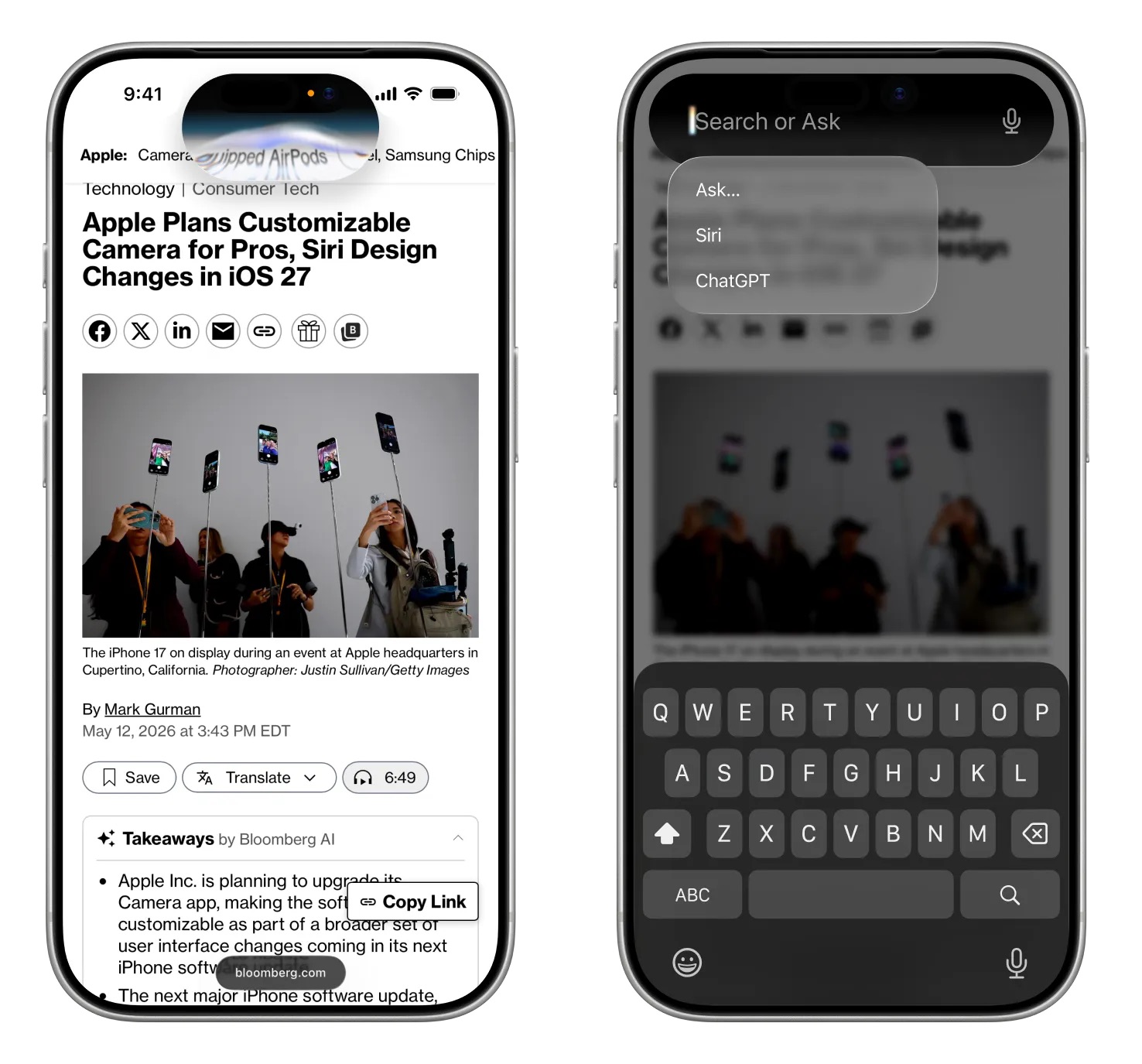
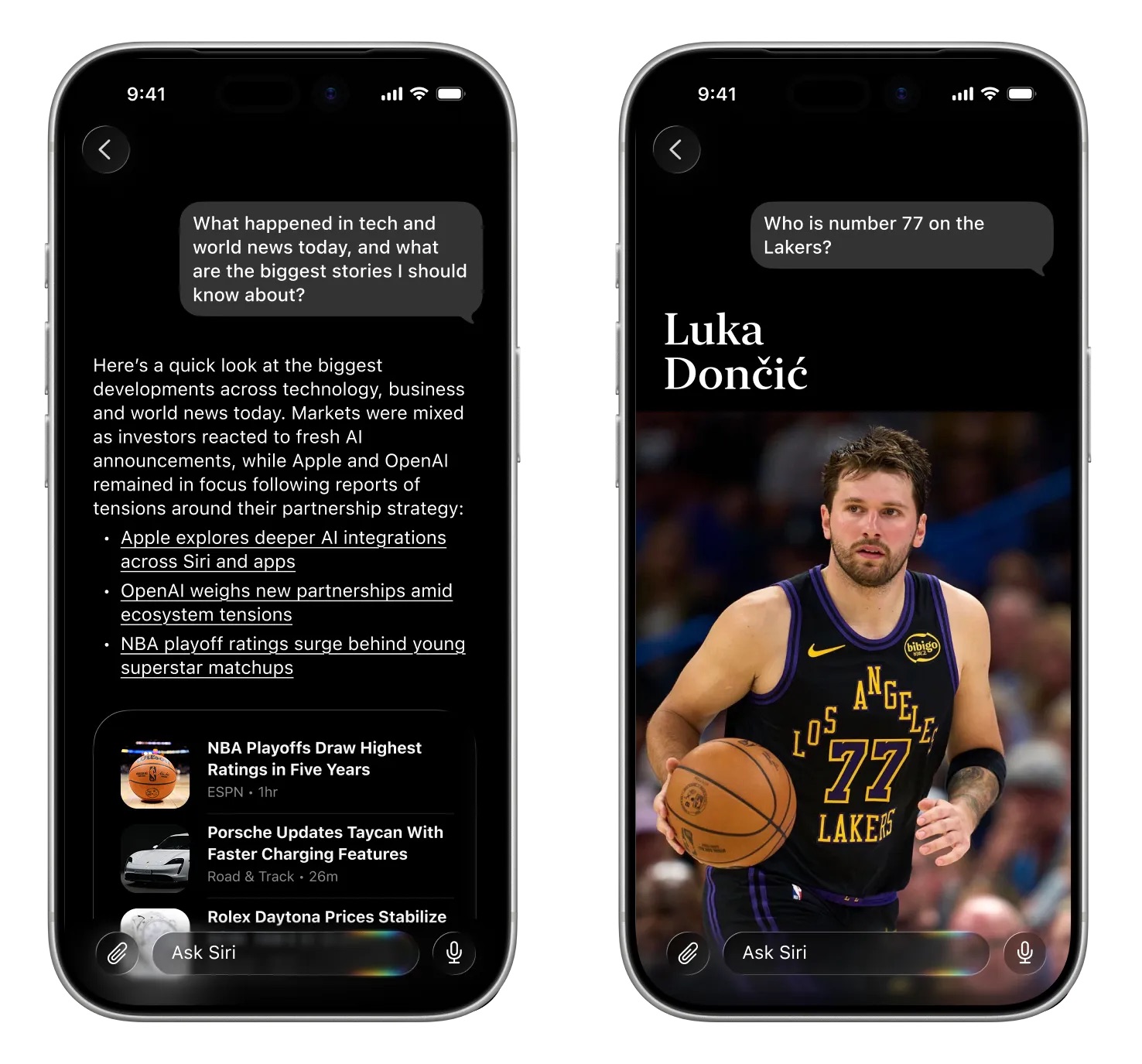
Swiping down from the center of the iPhone's display from the Home Screen or any app will bring up a new "Search or Ask" feature in the ‌Dynamic Island‌. A glowing, pill-shaped animation will be displayed in the ‌Dynamic Island‌ to indicate that ‌Siri‌ is processing a request.

Image via Bloomberg

When ‌Siri‌ has an answer, the ‌Dynamic Island‌ will expand into a transparent card with the result, incorporating images, info from the web, notes and other information relevant to the query or request. Swiping on the results card will bring up a conversation mode that looks similar to an iMessage chat, and there will be an option to transition to the full ‌Siri‌ app.

Search or Ask replaces ‌Siri‌ Suggestions and will let users launch apps, start text messages, ask about the weather, add calendar appointments, trigger shortcuts in apps, and search the web using Apple's new AI web search feature. Search or Ask queries will also be able to be sent to third-party chatbot services like ChatGPT instead of ‌Siri‌.

While ‌Siri‌ can be accessed through a swipe in ‌iOS 27‌, Apple is keeping the "Hey ‌Siri‌" wake word and ‌Siri‌ activation through the Side button. With the new center swipe, accessing the Notification Center will be done with a swipe down on the left side of the display. Swiping down on the right side will continue to bring up Control Center.

Apple will also integrate an "Ask ‌Siri‌" button into the menus of its apps, giving users a way to send content directly to ‌Siri‌ alongside a request.

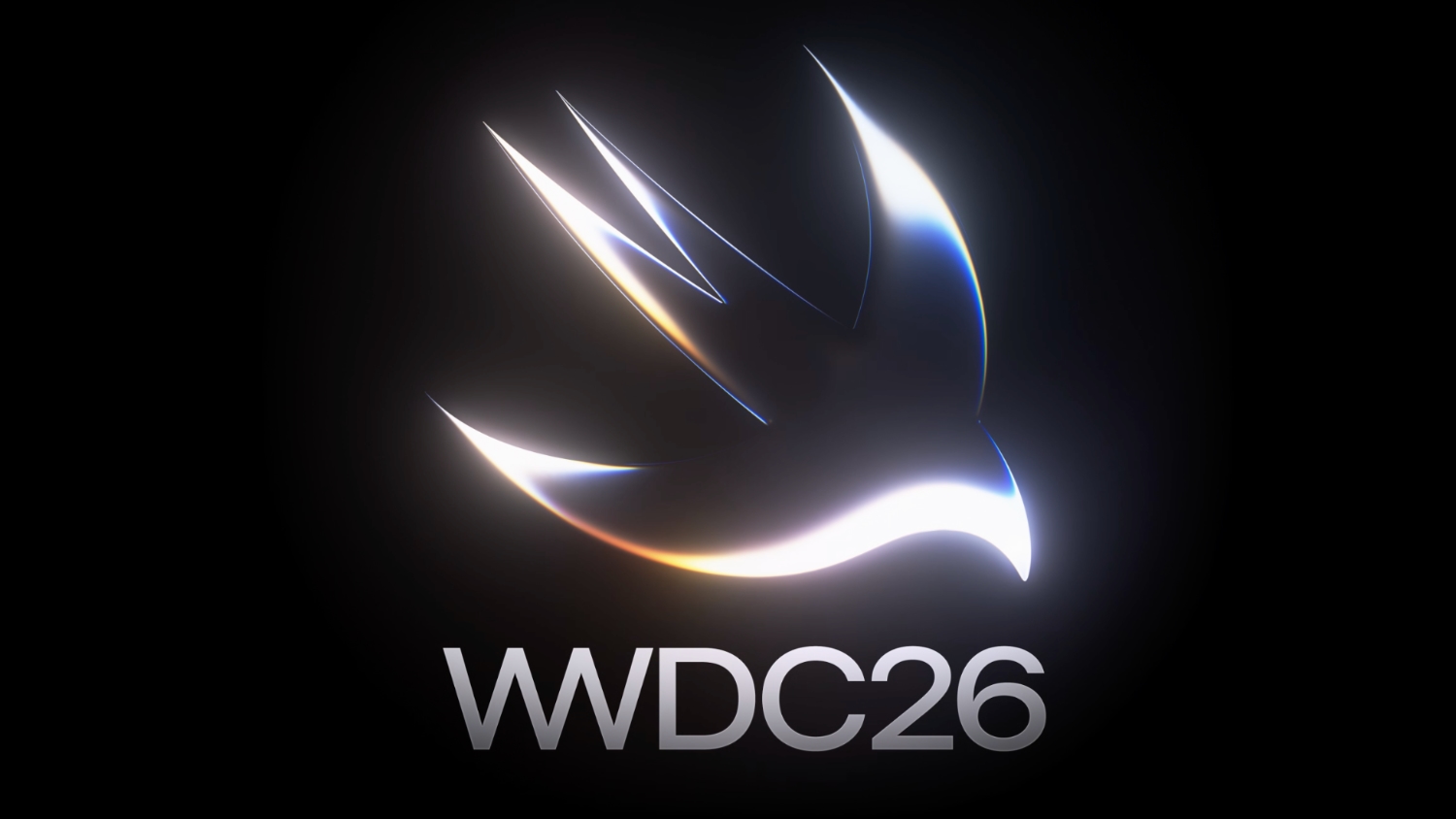
The new ‌Siri‌ interface uses dark colors with no light mode available. ‌Siri‌ UI elements have a dark background with color accents that mirror the options Apple is using in WWDC imagery. Apple's WWDC website features a white Swift bird with subtle highlights in pink, dark blue, purple, and orange.

A Siri App


There will be a dedicated ‌Siri‌ app for interacting with ‌Siri‌, and it will look similar to apps for third-party chatbots but with an Apple design aesthetic. We have a separate guide on the ‌Siri‌ app.

Privacy


Apple plans to lean into privacy as a central principle of its approach to AI, giving it a way to distinguish ‌Siri‌ from other chatbot options. Apple will likely aim to keep as much processing on-device as possible to limit the amount of data that leaves a user's device.

Apple said that ‌Apple Intelligence‌ features will continue to run on Apple devices and Private Cloud Compute.

Apple will have limits around memory, including restrictions on the information that can persist and how long it is kept. Users will be able to auto-delete ‌Siri‌ chats and requests after a set period of time, like 30 days or one year. There will also be an option to keep chats permanently.

‌Siri‌ can be turned off right now, as can ‌Apple Intelligence‌, and there's no sign that's going to change in ‌iOS 27‌. Users who don't want to enable ‌Siri‌ or use the new features will not have to.

Siri Extensions


Apple is letting rival chatbots integrate with ‌Siri‌ in ‌iOS 27‌, expanding on the OpenAI partnership that currently allows ‌Siri‌ to hand off requests to ChatGPT. Apple plans to allow other chatbots like Claude and Gemini to work with ‌Siri‌, so users will be able to send questions to their favorite chatbot instead of ‌Siri‌.

iPhone users will be able to select which services they want to use inside ‌Siri‌ through "Extensions" options coming to ‌iOS 27‌, iPadOS 27, and macOS 27. The options will be available in the ‌Apple Intelligence‌ and ‌Siri‌ section of the Settings app, with Apple providing download links for chatbot apps. There will be a dedicated Extensions section in the App Store that will serve as a way to choose a third-party AI app.

‌Siri‌ will be the default for the Search or Ask interface, but rumors suggest users will be able to select other chatbots to speak with. Users will also be able to choose third-party AI services as the default for ‌Apple Intelligence‌ features like Writing Tools and Image Playground, expanding ‌Apple Intelligence‌ integration beyond ChatGPT.

Apple also plans to let users choose voices from third-party AI to use instead of ‌Siri‌, so there will be a distinct audio difference between a response from ‌Siri‌ and a response from the user's chatbot of choice. ‌Siri‌ would use one voice, while responses from third-party AI options would use another voice.

Gemini Help


To get ‌Siri‌ up and running, Apple partnered with Google to use Gemini AI models instead of using its own AI models. Apple signed a multi-year deal to use Google's Gemini models and cloud technology for its Apple Foundation Models.

Google and Apple said that the next generation of Apple Foundation Models will be based on Google Gemini models, with Gemini used to power future ‌Apple Intelligence‌ features and the more personalized version of ‌Siri‌.

Apple said Google's AI technology offered the most capable foundation for its models.

Device Compatibility


‌Apple Intelligence‌ features require an iPhone 15 Pro or later, and it's possible some of the new ‌Siri‌ options could be limited to those same models.

Launch Date


Apple will preview the new ‌Siri‌ at its WWDC 2026 keynote event on June 8, with betas of ‌iOS 27‌, iPadOS 27, and ‌macOS 27‌ provided to developers the same day. Public betas will come in July, and the software updates will launch in September.

It is not yet clear if all of the new ‌Siri‌ features will be available in the beta, or even right when ‌iOS 27‌ launches.
Related Roundup: iOS 27
Tag: Siri

This article, "Siri in iOS 27: Every New Feature and Change to Expect" first appeared on MacRumors.com

Discuss this article in our forums

  •  

Google Expands AirDrop Support to More Android Phones

Google today said its Quick Share feature that allows Android and iPhone users to exchange files with AirDrop is expanding to more devices.


Quick Share is now available on the following Android smartphones.

Samsung:

  • Galaxy S26, S26+, S26 Ultra

  • Galaxy S25, S25+, S25 Ultra, S25 Edge (new)

  • Galaxy S24, S24+, S24 Ultra (new)

  • Galaxy Z Flip7 (new)

  • Galaxy Z Fold7 (new)

  • Galaxy Z Flip6 (new)

  • Galaxy Z Fold6 (new)

  • Galaxy Z TriFold (new)


Google:

  • Pixel 10, 10 Pro, 10 Pro XL, 10 Pro Fold, 10a

  • Pixel 9, 9 Pro, 9 Pro XL, 9 Pro Fold, 9a

  • Pixel 8a


Other Smartphone Makers:

  • HONOR Magic V6 (new)

  • OnePlus 15 (new)

  • Xiaomi 17T Pro

  • OPPO Find X9, X9 Pro, X9 Ultra, X9s

  • OPPO Find N6

  • Vivo X300, X300 Pro, X300 Ultra


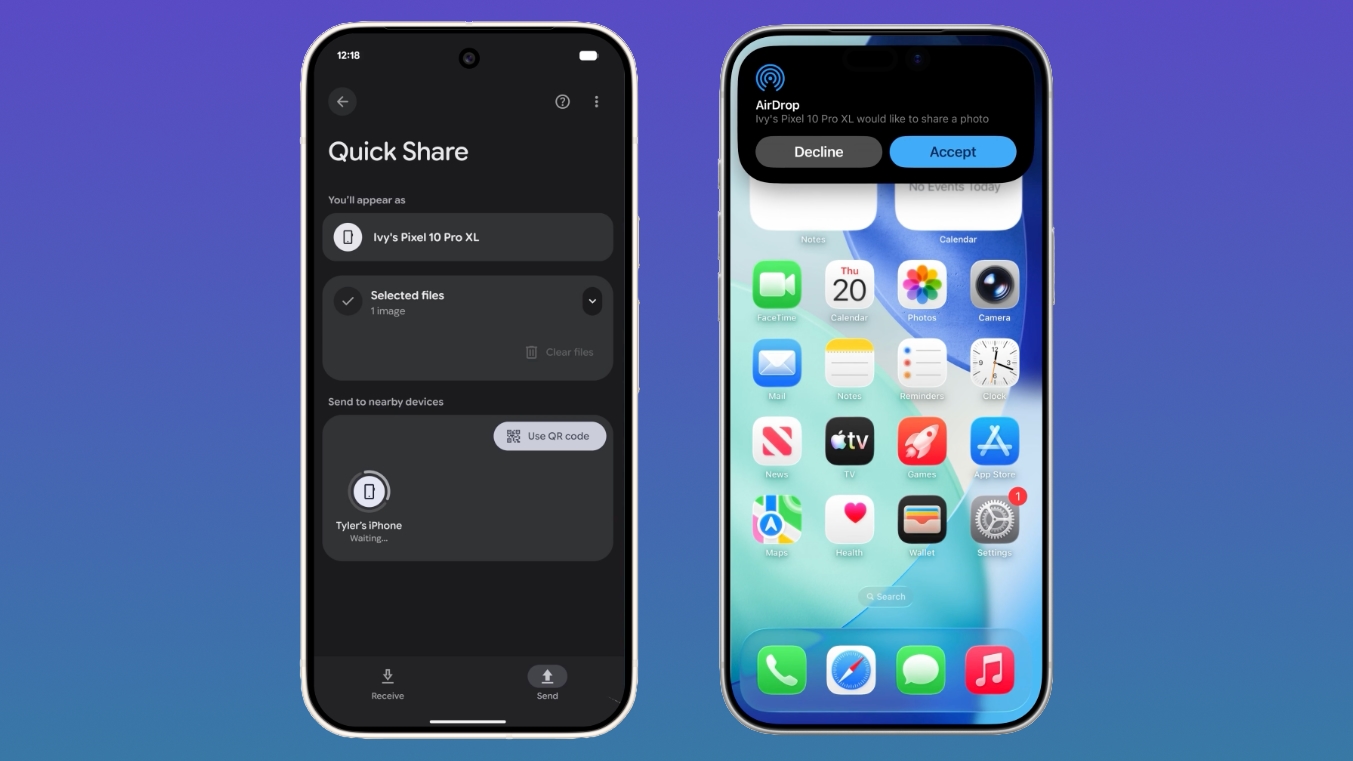
Quick Share is the Android equivalent of AirDrop, and Google added AirDrop integration in November 2025. iPhone users can AirDrop files and photos to Quick Share-enabled Android devices, while Android users can use Quick Share to send files and photos to iPhone users.

On an Android device, users need to make sure the Share with Apple devices setting is turned on and that the iPhone user sets AirDrop visibility to "Everyone for 10 minutes" through the Control Center. From there, an Android to iPhone file transfer is identical to a standard AirDrop transfer on the iPhone end.

On an iPhone, sharing a file to an Android smartphone is done through the standard AirDrop interface. Android owners receiving files will need to make sure Quick Share Receive mode is on, and then an iPhone user sending a file will see the Android device in the AirDrop list.

Android devices that are not compatible with Quick Share can generate a QR code that can be used to share content with iPhone users via the cloud.

Though Google positions the Quick Share to AirDrop file transfer feature as an Android/iPhone option, Android users can also exchange files with iPads and Macs.

Google plans to bring Quick Share to the Motorola Razr Fold 2026, OPPO Find X8 series, and HONOR Magic8 Pro in the coming months.
This article, "Google Expands AirDrop Support to More Android Phones" first appeared on MacRumors.com

Discuss this article in our forums

  •  

Apple Announces This Year's App Design Award Winners Ahead of WWDC 2026

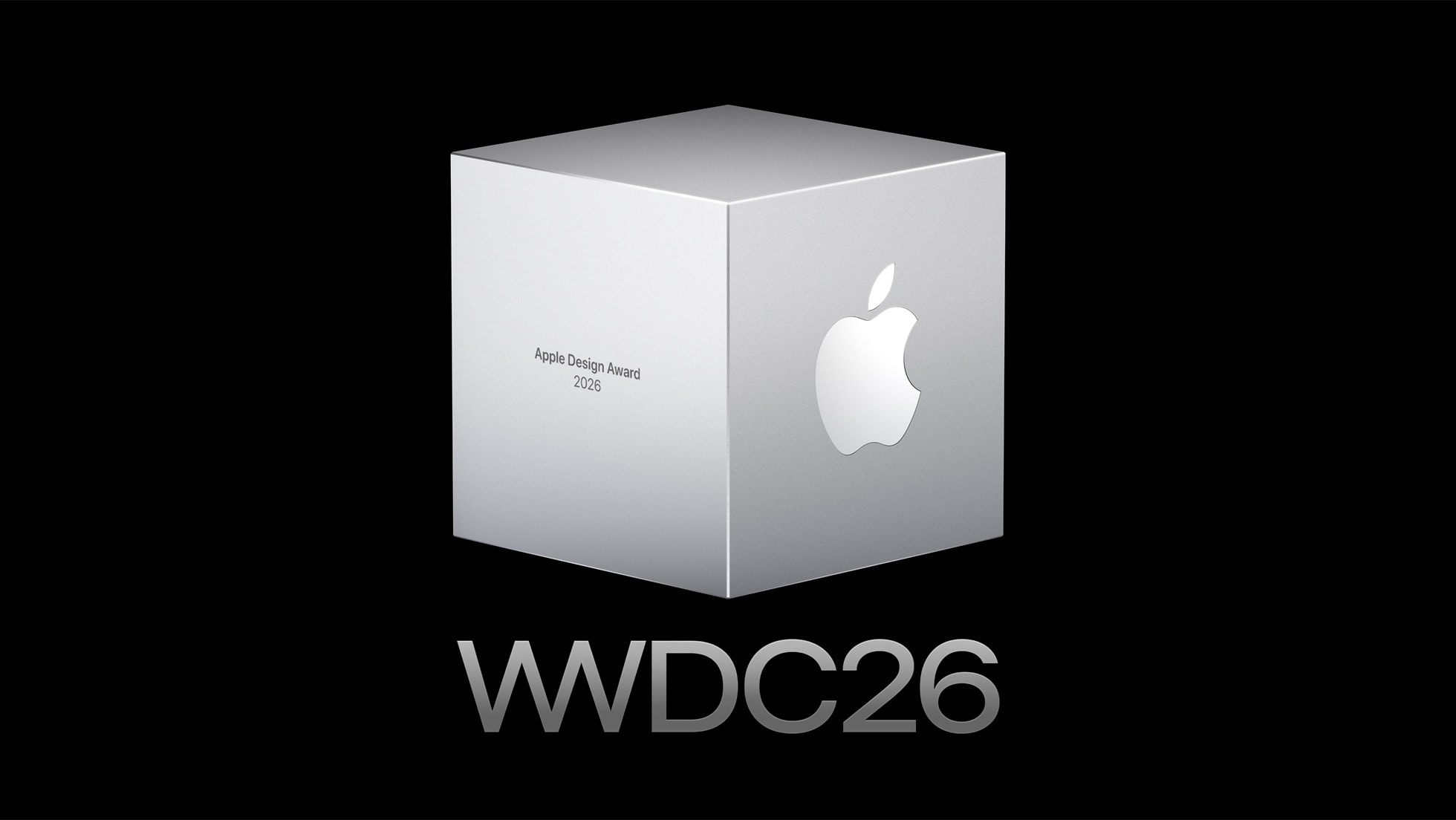
WWDC is set to start on Monday, June 8, and ahead of the keynote event, Apple has announced the winners of its annual Apple Design Awards. The Apple Design Awards recognize apps and games for their innovation, ingenuity, and technical achievement.


Apple chose one app and one game for each of the six award categories.

More details on the winning apps and games and the developers behind them can be found on Apple's website. Apple also has a selection of apps and games that were selected as finalists before the winners were chosen.

WWDC will begin on Monday, June 8 at 10:00 a.m. Pacific Time.
Related Roundup: WWDC 2026

This article, "Apple Announces This Year's App Design Award Winners Ahead of WWDC 2026" first appeared on MacRumors.com

Discuss this article in our forums

  •  

iOS 27: What We Know About the New Siri App

iOS 27, iPadOS 27, and macOS 27 will include a standalone Siri app for the first time, providing a dedicated space for interfacing with ‌Siri‌.


Siri Chatbot


Apple needs a ‌Siri‌ app because ‌Siri‌ is turning into a chatbot. ‌Siri‌ will work like ChatGPT or Claude, able to pull information from the web to provide answers to questions.

‌Siri‌ will be integrated into iOS, iPadOS, and macOS at the system level, and can draw on device information. It will know more personal context than before, and will be able to access emails, texts, photos, calendar information, contacts, notes, and other personal data. Some of what ‌Siri‌ will be able to do:

  • Search the web for information

  • Generate images

  • Generate content

  • Summarize information

  • Analyze uploaded files

  • Use personal data to complete tasks

  • Write emails, notes, and texts

  • Control device features and settings

  • Search for on-device content, pulling information from emails, messages, files, and more


‌Siri‌ will be integrated into Apple apps like Mail, Messages, Photos, and Apple TV.

Siri App Design


The standalone ‌Siri‌ app will look similar to the ChatGPT, Claude, or Gemini apps. Bloomberg's Mark Gurman shared a mockup of what the ‌Siri‌ app will look like.

Image via Bloomberg


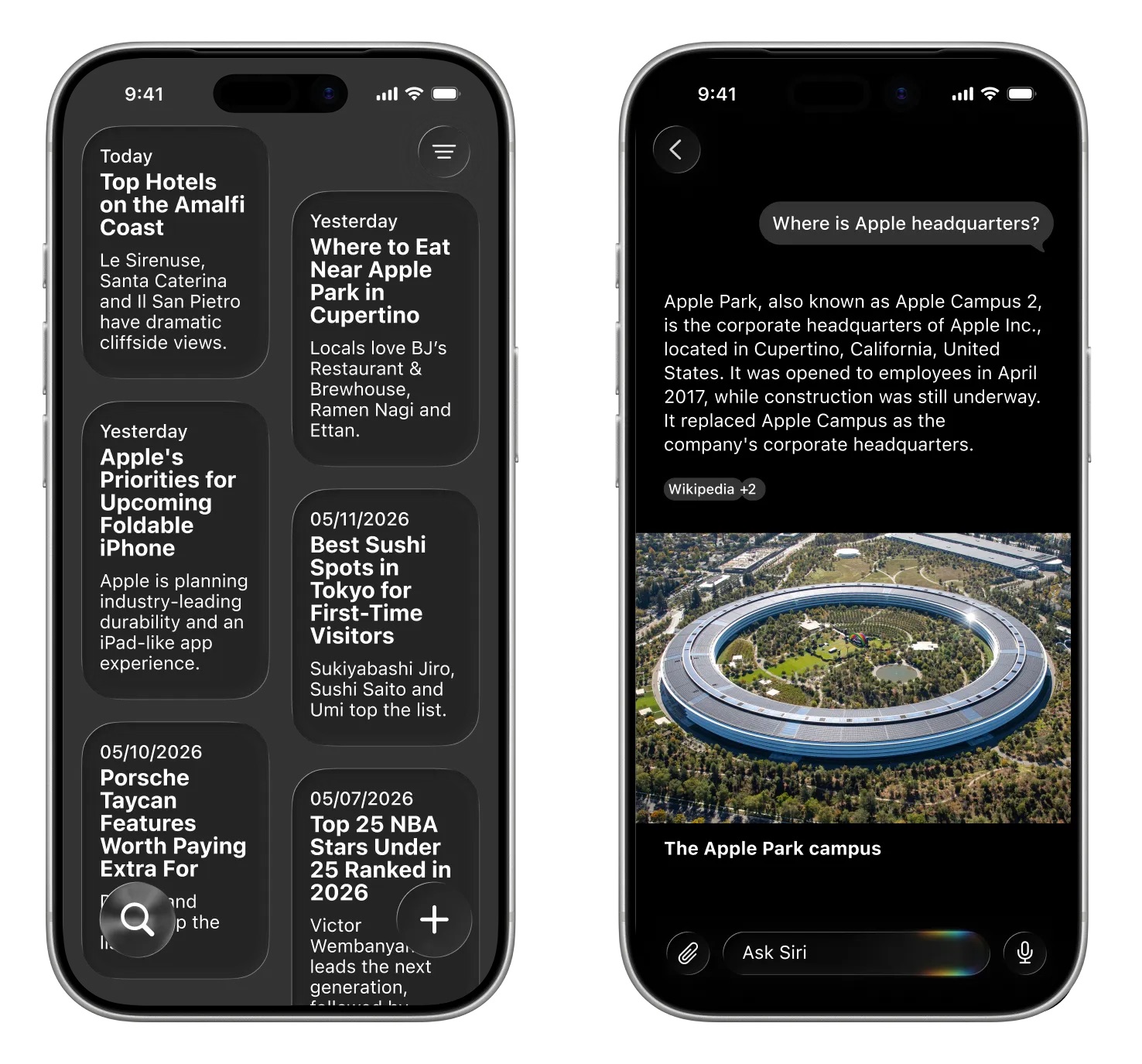
‌Siri‌ will support text or voice-based conversations. The app will open with an "Ask ‌Siri‌" bar where users can type in a question. A paperclip icon will be available for attaching images, PDFs, and other documents. Apple will provide prompts with suggestions on what users can ask.

Questions will resemble iMessage chat bubbles, with Apple adopting a design that is familiar to users. Responses will include links, images, and other information.

Image via Bloomberg.


A section of the app will be dedicated to past conversations that can be shown in a card-style interface with conversation summaries, or a list view. Users will be able to tap into a conversation to continue it.

Dark Interface


Apple's ‌Siri‌ interface both inside and outside of the dedicated ‌Siri‌ app will adopt dark colors. Apple's WWDC website hints at the colors it plans to use for ‌Siri‌.


The website features the Swift bird logo in white on a black background, with subtle highlights in pink, dark blue, purple, and orange. The colors are reminiscent of the current ‌Siri‌ animation that surrounds the iPhone's display when ‌Siri‌ is activated, but the shades are softer and not as saturated.

WWDC 2026


The updated version of ‌Siri‌ will be unveiled at WWDC 2026, which is set to begin on Monday, June 8 at 10:00 a.m. Pacific Time.
Related Roundup: iOS 27
Tag: Siri

This article, "iOS 27: What We Know About the New Siri App" first appeared on MacRumors.com

Discuss this article in our forums

  •  

Meta AI Support Bot Helped Hackers Hijack Instagram Accounts

Meta's AI support assistant has been helping hackers get access to high-profile Instagram accounts, according to reports on social media. With no verification check, ‌Meta‌ AI would change the email address associated with an Instagram account, allowing the password to be updated.


‌Meta‌ introduced its AI support assistant back in December with the aim of making it easier for customers to access 24/7 account support. It can be used for reporting scams, getting information on content removal, and resetting passwords. The latter option is what bad actors were able to exploit.

The Instagram vulnerability showed up on social media over the weekend, with demonstrations of the simple steps taken to get access to an account. In one demo, a hacker asks ‌Meta‌'s support bot to change the email address linked to a target Instagram account, and the AI does it without question.

‌Meta‌'s support did not do robust identity verification, and in some cases, it appears it bypassed two-factor authentication. All that was required was a VPN connection set to a location near the target account, which is trivial. ‌Meta‌ appeared to be verifying account ownership based on location. "Our systems recognize the device you usually use and familiar locations better than ever," reads ‌Meta‌'s blog post on its AI support agent. In some cases, users were asked to verify their identity with a selfie, which was bypassed using AI.

For a short period of time, the exploit was available to the public, and account takeovers ramped up. One security researcher said Telegram channels that offer black market Instagram services "made lots of $$$" with ‌Meta‌'s AI. 404 Media said hackers have been aware of the exploit since March.

‌Meta‌ patched the issue over the weekend, and today, ‌Meta‌'s VP of communications Andy Stone said the issue has been fixed. ‌Meta‌ is now "securing impacted accounts."

Information about the Instagram attack vector comes after hackers were able to take over accounts for Sephora, the Chief Master Sergeant of the Space Force, researcher Jane Manchun Wong, developer Albert Renshaw who owned @albert, and the archived Barack Obama White House account. Multiple other users with desirable Instagram handles reported having their accounts taken.

Some users who have had their accounts stolen over the weekend were not able to use the AI to get their accounts back, and there was no option to speak with a human for help.
This article, "Meta AI Support Bot Helped Hackers Hijack Instagram Accounts" first appeared on MacRumors.com

Discuss this article in our forums

  •  

Apple Invites WWDC 2026 Attendees to 'The Mandalorian and Grogu' Screening at Apple Park

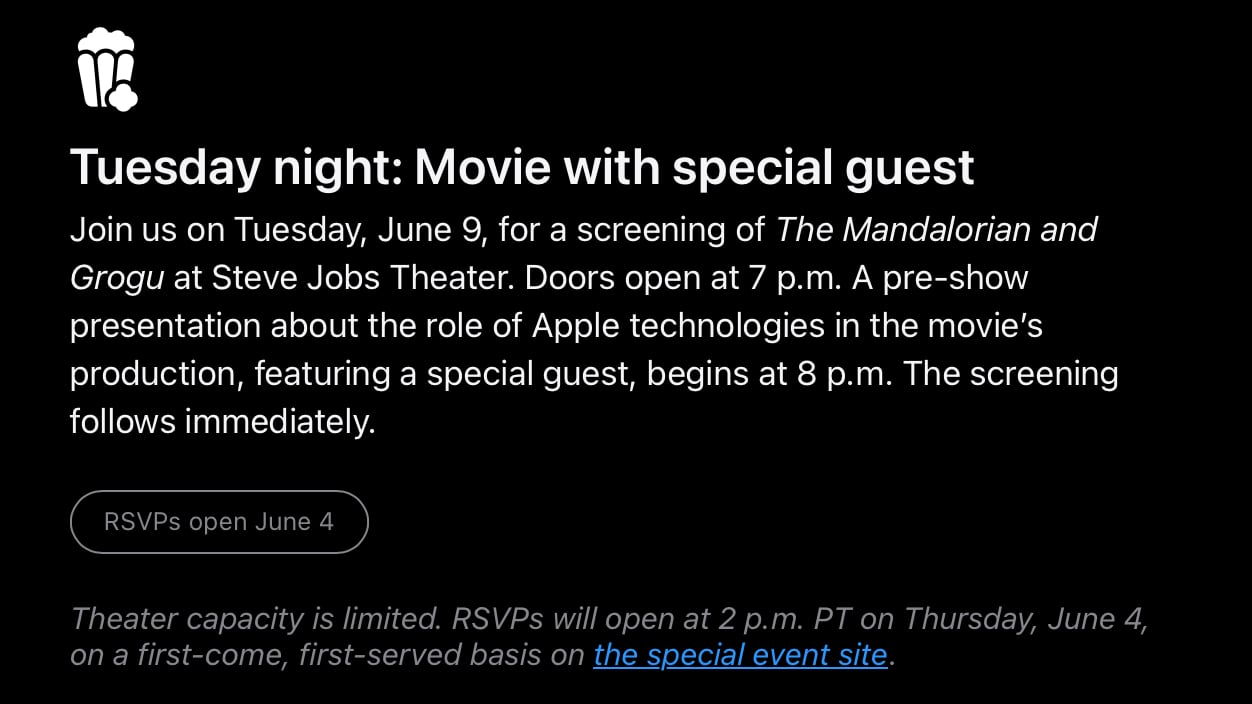
Developers that have been invited to watch the WWDC 2026 keynote at Apple Park are also able to attend a special screening of The Mandalorian and Grogu.


The screening will take place at 8:00 p.m. Pacific Time on Tuesday, June 9 at the Steve Jobs Theater. Apple says that a "special guest" will be in attendance, with the doors set to open at 7:00 p.m. There is no word on the special guest, but the movie stars Pedro Pascal as the Mandalorian and Jon Favreau directed. Favreau reportedly used the Apple Vision Pro headset to preview the IMAX version of the film while working on it, which explains why Apple is planning to screen the movie.


Apple says that theater capacity is limited, and developers can RSVP to attend on Thursday, June 4 on a first-come, first-served basis on the event site.

Developers were able to enter a lottery to attend an in-person WWDC event in Cupertino, California. Apple picked lottery winners earlier this year. Attendees will also be able to watch the keynote and Platforms State of the Union, plus meet with Apple experts one-on-one and in group labs.

The Mandalorian and Grogu came out in the U.S. on May 22, and it is the latest film in Disney's Star Wars franchise.
Related Roundup: WWDC 2026

This article, "Apple Invites WWDC 2026 Attendees to 'The Mandalorian and Grogu' Screening at Apple Park" first appeared on MacRumors.com

Discuss this article in our forums

  •  

Apple Releases macOS Tahoe 26.5.1 to Fix Shutdown Issue Affecting Enterprise Users on M5 Macs

Apple today released macOS Tahoe 26.5.1, a small update to the ‌macOS Tahoe‌ operating system that came out last year. ‌macOS Tahoe‌ 26.5.1 comes three weeks after Apple released ‌macOS Tahoe‌ 26.5.


Mac owners can download the software by opening the System Settings app and then navigating to the Software Updates section.

According to Apple's release notes for the update, ‌macOS Tahoe‌ 26.5.1 addresses an unexpected shutdown issue affecting certain enterprise users on M5 Macs.
This update addresses an issue for enterprise users where Macs with an M5 chip could expectedly shut down when using certain content filtering network extensions.
macOS 27 is right around the corner, with Apple set to unveil the next major macOS update at the WWDC 2026 keynote on Monday, June 8.
Related Roundup: macOS Tahoe
Related Forum: macOS Tahoe

This article, "Apple Releases macOS Tahoe 26.5.1 to Fix Shutdown Issue Affecting Enterprise Users on M5 Macs" first appeared on MacRumors.com

Discuss this article in our forums

  •  

Apple Releases iOS 26.5.1 to Fix Charging Issue on iPhone Air and iPhone 17 Models

Apple today released iOS 26.5.1, a minor update to iOS 26. The software is available three weeks after iOS 26.5 came out, and appears to only be available for the iPhone Air and all models in the iPhone 17 lineup.


The new software can be downloaded on eligible iPhones over-the-air by going to Settings > General > Software Update.

According to Apple's release notes, the update fixes a previously documented charging issue with ‌iPhone Air‌ and ‌iPhone 17‌ models.
This update addresses an issue for a small number of users that may prevent wired charging on iPhone Air and iPhone 17 models when the battery is nearly drained.
Apple's work on ‌iOS 26‌ is winding down as it prepares to introduce iOS 27 at the June 8 WWDC keynote event.
Related Roundups: iOS 26, iPadOS 26, iPhone 17, iPhone Air
Related Forums: iOS 26, iPhone

This article, "Apple Releases iOS 26.5.1 to Fix Charging Issue on iPhone Air and iPhone 17 Models" first appeared on MacRumors.com

Discuss this article in our forums

  •  

One Week to Go: Apple Gets Ready for WWDC 2026 With YouTube Placeholder

We're just a week out from the 2026 Worldwide Developers Conference, and Apple's keynote will take place on Monday, June 8 at 10:00 a.m. Pacific Time or 1:00 p.m. Eastern Time. Ahead of the event, Apple has launched its WWDC 2026 YouTube event placeholder.


Apple's YouTube page has a "Notify me" button that lets you set a reminder for the keynote in your local time. It's a useful way to make sure you're ready to watch when the event happens because you'll get a notification ahead of when the livestream begins.

The ‌WWDC 2026‌ keynote will be streamed on YouTube, on the Apple Events page, and in the Apple TV app. We'll also have coverage on MacRumors.com for those who are unable to watch.

At this year's event, Apple will introduce the latest versions of its software, including iOS 27, iPadOS 27, macOS 27, watchOS 27, tvOS 27, and visionOS 27. The main focus will be on Siri and the major AI updates coming to Apple's personal assistant.

‌Siri‌ is going to be much smarter, with chatbot-like capabilities and a dedicated ‌Siri‌ app. We have details on what to expect in our iOS 27 roundup.
Related Roundup: WWDC 2026

This article, "One Week to Go: Apple Gets Ready for WWDC 2026 With YouTube Placeholder" first appeared on MacRumors.com

Discuss this article in our forums

  •  

DuckDuckGo's 'No AI' Search Traffic Climbs as Users Reject Google's AI Overhaul

Privacy-focused search engine DuckDuckGo has seen a surge in demand for its "No AI" search option in the wake of Google's May 19th I/O announcements. Google debuted a new "intelligent" search box reimagined with AI. It features AI suggestions as an upgrade to autocomplete, support for follow-up questions, expanded Personal Intelligence for connecting Gmail and Google Photos, and Search agents.


DuckDuckGo told MacRumors that visits to its No AI search page more than tripled after Google's announcement. Traffic hit the 3x mark on May 28th, and has continued to climb. Visits have averaged around 84 percent above baseline consistently since May 19.

DuckDuckGo is embracing demand for No AI search options, and it is promoting new extensions available for Chrome and Firefox that set No AI search as the default.

No AI search has no AI-assisted answers, no chat interface, and it surfaces fewer AI images. DuckDuckGo can be set as the default search engine on Apple devices, but not the specific No AI page. DuckDuckGo has its own AI tools, but they are turned off for people who opt for the No AI experience.

DuckDuckGo plans to add No AI search settings to its original extensions for Chrome, Firefox, Edge, and Opera in the near future.

Along with DuckDuckGo, there are other privacy-focused search engine options that minimize AI results. Paid search engine Kagi is one example, with no visible AI information unless you opt for AI tools. Kagi is $5 per month for a limited number of searches, and $10 a month for unlimited searches.

Because it is a paid search engine, it does not have ads and it does not collect and sell user data.
This article, "DuckDuckGo's 'No AI' Search Traffic Climbs as Users Reject Google's AI Overhaul" first appeared on MacRumors.com

Discuss this article in our forums

  •  

Anthropic Launches Claude Opus 4.8 With Gains in Coding and Honesty

Anthropic today announced the launch of its latest AI model, Claude Opus 4.8. Anthropic claims the model is a "more effective collaborator" with improvements in agentic coding, multidisciplinary reasoning, agentic computer use, knowledge work, and agentic financial analysis.


Testers have found Opus 4.8 to be "more reliable and sharper in its judgement" when doing agentic tasks, and the model also made gains in honesty.
Early testers report that Opus 4.8 is more likely to flag uncertainties about its work and less likely to make unsupported claims. This is borne out in our evaluations, which show that Opus 4.8 is around four times less likely than its predecessor to allow flaws in code it has written to pass unremarked.

Alignment assessments suggest the model hits new highs on measures of prosocial traits like supporting user autonomy and acting in the user's best interest. Rates of misaligned behavior like deception are lower than Opus 4.7 and similar to the Claude Mythos Preview.

Anthropic benchmarks indicate Opus 4.8 scored a 69.2% on SWE-Bench Pro, outperforming GPT–5.5 and Gemini 3.1 Pro on the test and several other benchmarks, though GPT–5.5 leads on the terminal-coding benchmark.

Opus 4.8's fast mode also runs at 2.5x the speed, and it is now three times cheaper than prior models.

Along with Opus 4.8, Anthropic is adding new features to its product lineup.

  • Dynamic workflows (research preview) - Claude can complete bigger tasks in Claude Code. It is able to plan work and run hundreds of parallel subagents in a single session. It is able to complete codebase-scale migrations across hundreds of thousands of lines of code. The feature is available for Claude Code for Enterprise, Team, and Max plans.

  • Effort control - In Claude.ai and Cowork, users can choose how much effort Claude puts into a response. With a lower setting, Claude will respond faster and use up rate limits more slowly. Opus 4.8 defaults to high effort, which Anthropic says is the best balance of quality and user experience.

  • Messages API - The Messages API accepts system entries inside the messages array, so developers can update Claude's instructions mid-task.


Claude Opus 4.8 is available everywhere today. Pricing for regular use has not changed compared to Opus 4.7.

Anthropic is working on models that have the same capabilities as Opus 4.8 at a lower cost, and a new class of model that's even more intelligent than Opus. Anthropic says it has been developing safeguards for the Claude Mythos model it is testing with a small number of organizations, and it expects to be able to bring Mythos-class models to all customers "in the coming weeks."
This article, "Anthropic Launches Claude Opus 4.8 With Gains in Coding and Honesty" first appeared on MacRumors.com

Discuss this article in our forums

  •  

Apple Seeds First Public Betas of iOS 26.6, macOS Tahoe 26.6 and More

Apple today provided public beta testers with the first betas of iOS 26.6, iPadOS 26.6, macOS Tahoe 26.6, watchOS 26.6, and tvOS 26.6, with the software coming two days after Apple seeded the betas to developers.


After signing up to beta test the software updates on Apple's beta site, public beta testers can download the new software using the Software Update section in the Settings app on each device.

iOS 26.6 has a feature that will let you know when you have blocked too many contacts, but the limit is in the thousands so most users may not ever see the messaging.

No other major new features have been found in any of the software updates, with Apple likely focusing on bug fixes and security improvements. We're nearing the end of the "26" software cycle, with Apple planning to unveil iOS 27, iPadOS 27, macOS 27, and more in 11 days.
Related Roundups: iOS 26, iPadOS 26, macOS Tahoe
Related Forums: iOS 26, macOS Tahoe

This article, "Apple Seeds First Public Betas of iOS 26.6, macOS Tahoe 26.6 and More" first appeared on MacRumors.com

Discuss this article in our forums

  •  

Hold Off on Purchases, Students: Apple's Back to School Sale Is Coming Soon

Apple has started preparing for its annual Back to School promotion in the U.S. and Canada, according to backend Apple code seen by MacRumors.


Apple holds a Back to School sale each June, providing teachers and students with free accessories or gift cards when purchasing a Mac or an iPad. The added bonus is in addition to Apple's educational discount.

Back to School sales typically start around the middle of the month, but we don't yet know the start dates for this year's sale. The sale continues through the end of September, so students do not need to rush to prepare to return to school.

Apple's Back to School promotions have varied. Last year, Apple offered eligible students, educators, and parents accessories worth up to $199 when purchasing a Mac or an ‌iPad‌. Free options included the AirPods 4 with Active Noise Cancellation, Magic Mouse, Magic Trackpad, Magic Keyboard with Touch ID, Apple Pencil Pro, and more.

Looking back at Apple's past Back to School dates gives us an idea of when this year's sale will take place.

  • 2021 - June 17 to September 27, free AirPods

  • 2022 - June 24 to September 26, gift card up to $150 U.S.

  • 2023 - June 5 (U.S.)/June 26 (Canada) to October 2, gift card up to $150 U.S.

  • 2024 - June 20 to September 30, gift card up to $150 U.S.

  • 2025 - June 17 to September 30, free accessory worth up to $199


The Back to School sale typically takes place around WWDC, and in three of the last five years, it has started 8 to 10 days after the WWDC keynote. With the 2026 keynote set to take place on June 8, we're likely to see the sale start the week of June 15.

Students who are planning to purchase a new Mac or ‌iPad‌ may want to hold off until Apple's Back to School sale begins to get an added accessory or gift card.

In past years, MacBooks, iPads, and iMacs have been eligible for a free add-on with purchase.

Apple holds the promotion through its online education store and Apple retail locations. Students attending or accepted to a higher-education institution, parents purchasing on behalf of an eligible student, and employees at K–12 schools and higher-education institutions are eligible.

Earlier this year, Apple began requiring UNiDAYS verification for educational discounts in the United States and Canada. Educational purchases now require academic status verification through an email address from an educational institution, a student or staff photo ID, or another valid educational document.

Apple actually holds two Back to School sales per year, with one aimed at students in Australia, New Zealand, and other Southern Hemisphere markets. This year's January Back to School sale saw Apple offering students free AirPods, Apple Pencils, and other accessories.

After the U.S. and Canada Back to School sales launch, Apple typically extends them to Europe, the Middle East, and Asia a few weeks later.
This article, "Hold Off on Purchases, Students: Apple's Back to School Sale Is Coming Soon" first appeared on MacRumors.com

Discuss this article in our forums

  •  

YouTube Will Now Automatically Label AI Videos Even When Creators Don't

YouTube today said it is introducing automatic AI detection, with automatic AI labeling applied to videos with "significant photorealistic AI use."


Creators are still expected to manually disclose when realistic AI is used for videos even with the new automatic labeling system. Creators who think their content was incorrectly identified as AI-generated can update the disclosure status in YouTube Studio, but disclosures are permanent for content created with YouTube's AI tools like Veo and Dream Screen or content with C2PA metadata indicating fully generative AI.

YouTube is also improving labeling for AI-generated content, making it clearer when a video has "photorealistic and meaningfully AI altered or generated content."

An AI label will be shown just below the video player and above the description for long-form videos with AI content, and for shorts, the label will appear as an overlay on the video. The updated labeling applies to content that is photorealistic and may fool people, rather than unrealistic content.

Disclosures for content that is "unrealistic, animated, or slightly altered" will continue to be tucked in the expanded description of the video.

Separately, YouTube added a new customizable content feed that users can shape based on interests, moods, or preferred topics. Users can type in a custom prompt covering what they want to see, and a content feed will be generated.

Custom content feeds have been in testing since November, but they are now rolling out to signed-in viewers in the U.S. on the YouTube mobile app and desktop. YouTube search and watch history must be turned on for the feature to work.
Tag: YouTube

This article, "YouTube Will Now Automatically Label AI Videos Even When Creators Don't" first appeared on MacRumors.com

Discuss this article in our forums

  •  

Amazon to Acquire Apple's Globalstar Stake in Satellite Deal

Amazon is acquiring Apple satellite provider Globalstar, and it has worked out a deal to take over Apple's stake in the satellite company.


According to an FCC filing noticed by PCMag, Amazon is initiating a merger structure. It will create a new subsidiary called Grapefruit Acquisition Sub II to absorb Globalstar's operations, and then the new subsidiary will acquire Apple's equity.

Apple has 20 percent equity and 20 percent voting interests in Globalstar Licensee LLC, a Globalstar subsidiary that operates the satellite system that delivers satellite connectivity to iPhone users in the U.S. Apple invested $450 million in Globalstar back in 2022 to fund Globalstar's satellite buildout for the Emergency SOS via satellite feature. Apple received 20 percent equity and 85 percent of Globalstar's network capacity in return.

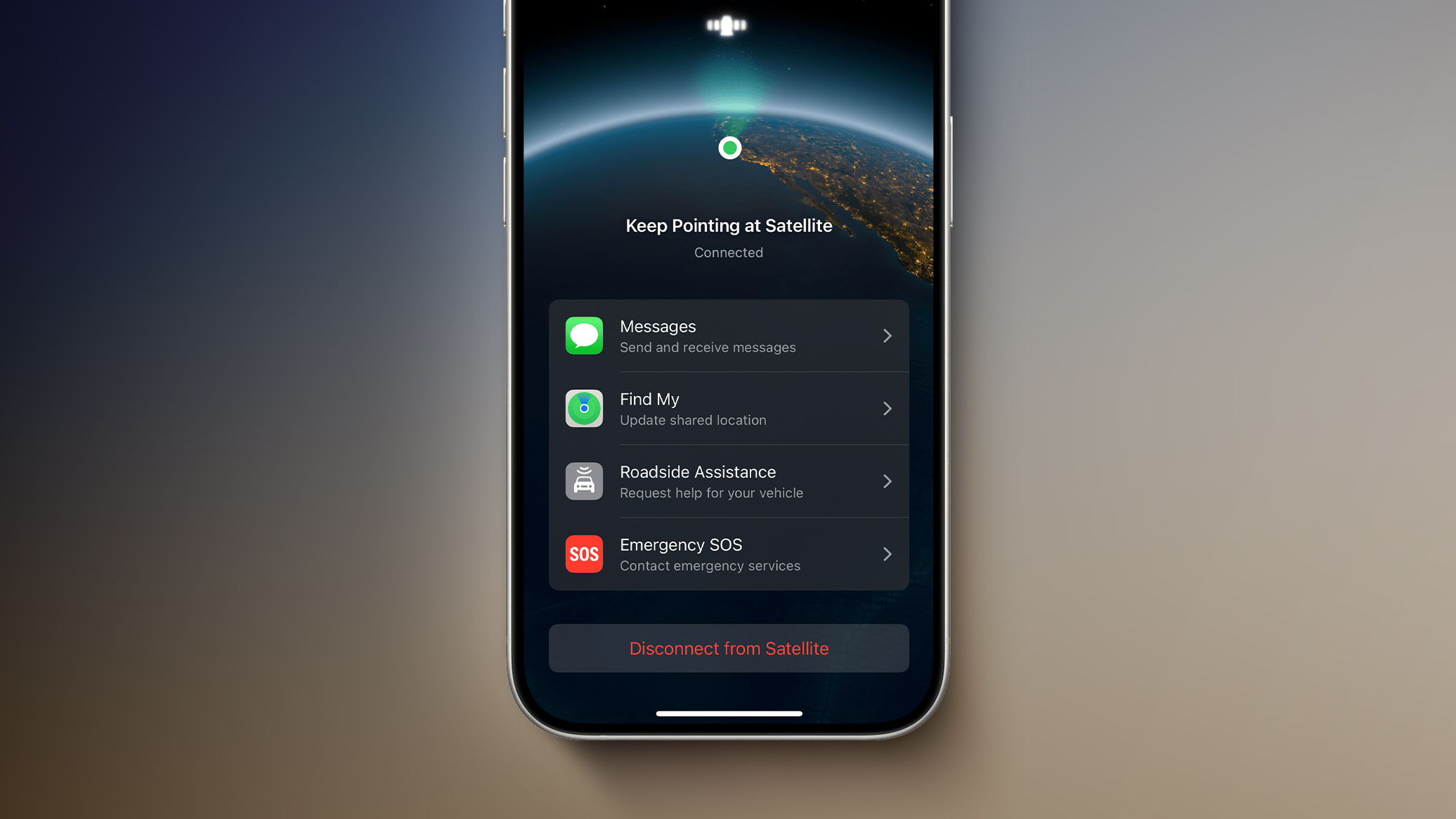
Apple's Globalstar stake required Apple and Amazon to enter into separate negotiations, but the two companies worked out a deal. Amazon's Leo satellite network will power existing iPhone and Apple Watch satellite features like Emergency SOS, Messages via satellite, Find My, and Roadside Assistance via satellite. Apple stands to make more money than it invested, and has secured a partnership with a better-established satellite operator.

Amazon will support iPhone and Apple Watch models that use Globalstar's low Earth orbit constellation, and the two companies will work together on future satellite services running on Amazon's expanded Leo network.

Amazon's Globalstar purchase is said to be worth around $11.57 billion, and it is expected to close in 2027 as long as it earns regulatory approval.
This article, "Amazon to Acquire Apple's Globalstar Stake in Satellite Deal" first appeared on MacRumors.com

Discuss this article in our forums

  •  

Apple Developing iPhone Anti-Snatching Feature That Locks Stolen Phones Instantly

Apple is developing a new feature that will lock your iPhone if it's snatched from your hand by a thief, according to Apple code seen by 9to5Mac. The option will use the gyroscope, accelerometer, and other sensors to determine when an iPhone has been grabbed. It'll also rely on a paired Apple Watch to detect when the iPhone has suddenly moved away from the owner's wrist.


Once the iPhone is yanked from your hand, it will lock and activate Stolen Device Protection to prevent thieves from accessing information on it.

Stolen Device Protection adds extra security to your iPhone when you're away from familiar locations like home or work. It requires biometric authentication for actions like accessing stored passwords or credit cards, and there are built-in hour-long delays for actions like changing an Apple Account password.

The feature was originally designed to protect iPhone users from stealthy thieves who observe someone's passcode and then snatch an iPhone. With a passcode, thieves could get into apps and access bank account data and other sensitive information, but Stolen Device Protection prevents that from happening.

Android already has a Theft Detection Lock feature that locks a smartphone in a snatch-and-grab theft situation.

There is no word on when the new feature might be added to the iPhone.
This article, "Apple Developing iPhone Anti-Snatching Feature That Locks Stolen Phones Instantly" first appeared on MacRumors.com

Discuss this article in our forums

  •  

Meta Wants You to Pay for Instagram, Facebook, and WhatsApp Now

Meta is rolling out paid Instagram Plus, Facebook Plus, and WhatsApp Plus plans worldwide as of today.


Instagram Plus is priced at $3.99 per month, Facebook Plus is priced at $3.99 per month, and WhatsApp Plus is priced at $2.99 per month. According to TechCrunch, the paid plans provide features like profile customization, super reactions, and story insights.

Instagram Plus lets users see how many people have rewatched a Story, and it adds unlimited audience lists for Stories for creating groups other than Close Friends. Users can spotlight a story once a week for extra views, use Super Heart animated reactions, choose custom app icons, add customized fonts to a profile bio, extend a story beyond 24 hours, and search a story viewer list to see who is watching. Subscribers will also be able to post straight to their profiles without having the post show up in their followers' feeds, and they will be able to stealthily "preview" Instagram stories without showing up as a viewer.

Facebook Plus includes most of the same features as Instagram Plus, while WhatsApp Plus includes app themes, custom ringtones, more pinned chats, list customization, and premium stickers.

Meta head of product Naomi Gleit said the company is also exploring new subscription plans for creators and businesses, along with plans for AI users. The new plans are being offered under "Meta One" branding that combines subscription offerings from multiple Meta platforms.

The $7.99 Meta One Plus plan and the $19.99 Meta One Premium plan are aimed at Meta AI users. Both plans unlock higher compute queries, reasoning, and image/video generation, but Premium offers more capacity, including deeper reasoning for complex tasks.

A Meta One Essential plan priced at $14.99 per month is designed for creators and businesses. It includes a verified badge, impersonation protection, better analytics, and a linksheet that lets users link to their online profiles on the web and on other social media networks. The $49.99 Meta One Advanced plan includes the Essential options plus features in the Facebook feed, optimized scheduling tools, notifications when others reuse a creator's content, higher rankings in Instagram and Facebook search, a bolder Follow button on Reels, and automatic follow invitations for people who engage with a creator or brand's content.

Meta is going to start testing the AI Meta One plans in Singapore, Guatemala, and Bolivia next month. The business plans will be tested in Saudi Arabia, Morocco, Thailand, and Bangladesh starting later this week.

Gleit described Meta One as a place that brings Meta subscriptions "together" across all Meta apps. She said Meta's new plans were "just the beginning with a lot more value to come."
This article, "Meta Wants You to Pay for Instagram, Facebook, and WhatsApp Now" first appeared on MacRumors.com

Discuss this article in our forums

  •  

Apple Releases New Firmware for AirTag 2

Apple today released new firmware for its second-generation AirTag item trackers. The firmware has a 3.0.49 version number, up from 3.0.45, and it is the second firmware update that Apple has provided for the ‌AirTag‌ 2.


There is no word yet on what's included in the firmware, but ‌AirTag‌ firmware updates most often address bugs and make other under-the-hood improvements. Apple's prior firmware update tweaked the unwanted tracking sound to make it easier to find an unknown ‌AirTag‌ when using Precision Finding.

Apple will provide details on what's in the 3.0.49 firmware when it updates its firmware support page.

For the original ‌AirTag‌, firmware was distributed on a rolling basis over two weeks, but Apple appears to be pushing firmware updates to all ‌AirTag‌ 2 users at the same time.

You can check your AirTag firmware by opening the Find My app, going to the Items tab, selecting an ‌AirTag‌ in the list, and tapping on the ‌AirTag‌'s name to see its firmware version.

There is no way to force an ‌AirTag‌ update, and firmware is installed over the air via a connected iPhone. To get new firmware, make sure your ‌AirTag‌ is within range of your iPhone, and then wait for the firmware to roll out.
Related Roundup: AirTag
Buyer's Guide: AirTag (Buy Now)

This article, "Apple Releases New Firmware for AirTag 2" first appeared on MacRumors.com

Discuss this article in our forums

  •  

iOS 27 Siri Redesign Will Use Dark Color Scheme, Matching Apple's WWDC Art

Apple is redesigning Siri for iOS 27 to accommodate new artificial intelligence features and chatbot capabilities. ‌Siri‌ is getting a dedicated app, integration with the iPhone's Dynamic Island, and a new design scheme.


The graphics that Apple is using to promote WWDC hint at its design plans for ‌Siri‌, according to Bloomberg's Mark Gurman. In this week's Power On newsletter, Gurman said the logo Apple uses for its WWDC website features the same colors it will use for ‌Siri‌ animations and input fields in ‌iOS 27‌.

Apple's WWDC site features the Swift bird logo in white on a black background, with subtle highlights in pink, dark blue, purple, and orange. The colors are reminiscent of the current ‌Siri‌ animation that surrounds the iPhone's display when ‌Siri‌ is activated, but the shades are softer and not as saturated.

The ‌Siri‌ interface that Apple is testing uses all dark colors with no light mode available for now. Several of the new ‌Siri‌ UI elements will have a dark background with a cursor that blinks in those same colors.

Apple is creating a dedicated app for ‌Siri‌ for ongoing chatbot-style conversations, and it'll look similar to existing chatbot apps but with a Messages-style aesthetic. When ‌Siri‌ is activated, there will be a pill-shaped animation in the ‌Dynamic Island‌ and a glowing "searching" label while ‌Siri‌ is answering a query. Results are displayed in a translucent panel, and pulling down on the panel will initiate a conversation interface.

Swiping down from the top center of the display will activate a system-wide search interface with a Search or Ask bar for typing or speaking questions to ‌Siri‌.

Apple plans to entirely overhaul ‌Siri‌, and the personal assistant will be able to do far more than before. Apple has licensed Google's Gemini models to power ‌Siri‌ after its own AI models proved inadequate. With Gemini as ‌Siri‌'s backbone, Apple should be able to match many of the AI features that Google offers.

‌iOS 27‌ will be introduced at the WWDC 2026 keynote on June 8.
Related Roundups: iOS 27, WWDC 2026
Tag: Siri

This article, "iOS 27 Siri Redesign Will Use Dark Color Scheme, Matching Apple's WWDC Art" first appeared on MacRumors.com

Discuss this article in our forums

  •  

Level Lock Pro Review: An Apple Home Key Smart Lock That Doesn't Look Like One

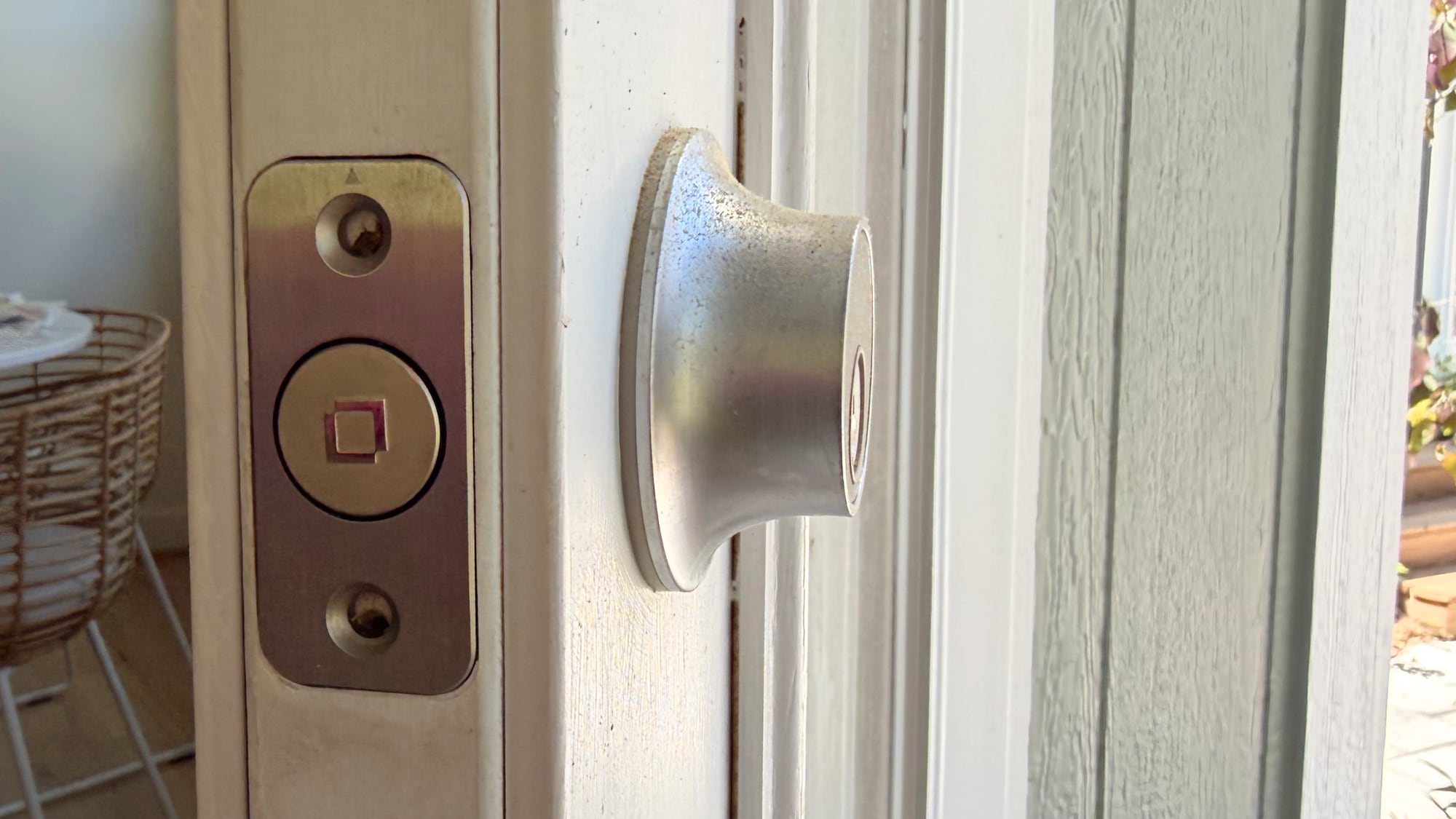
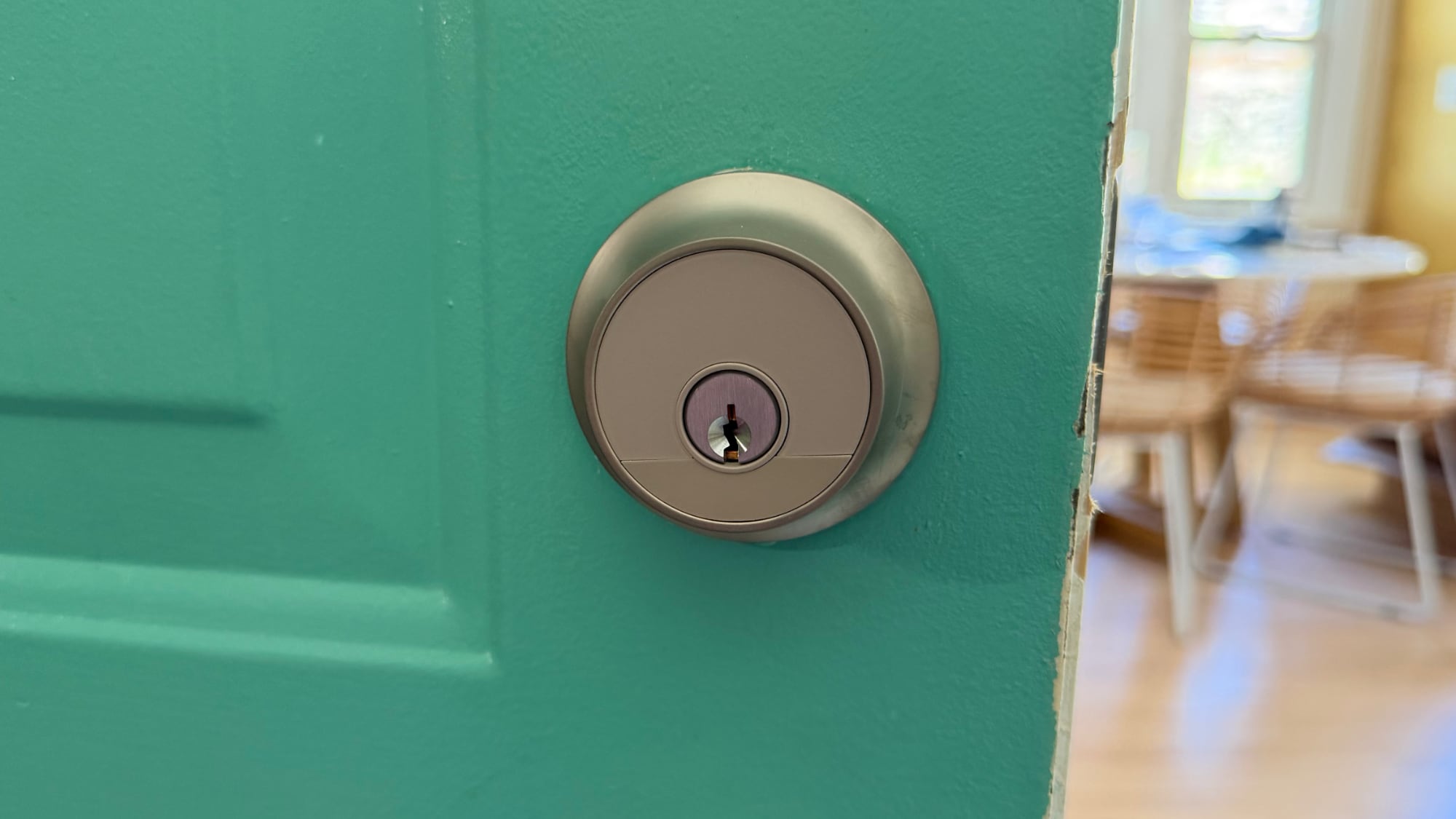
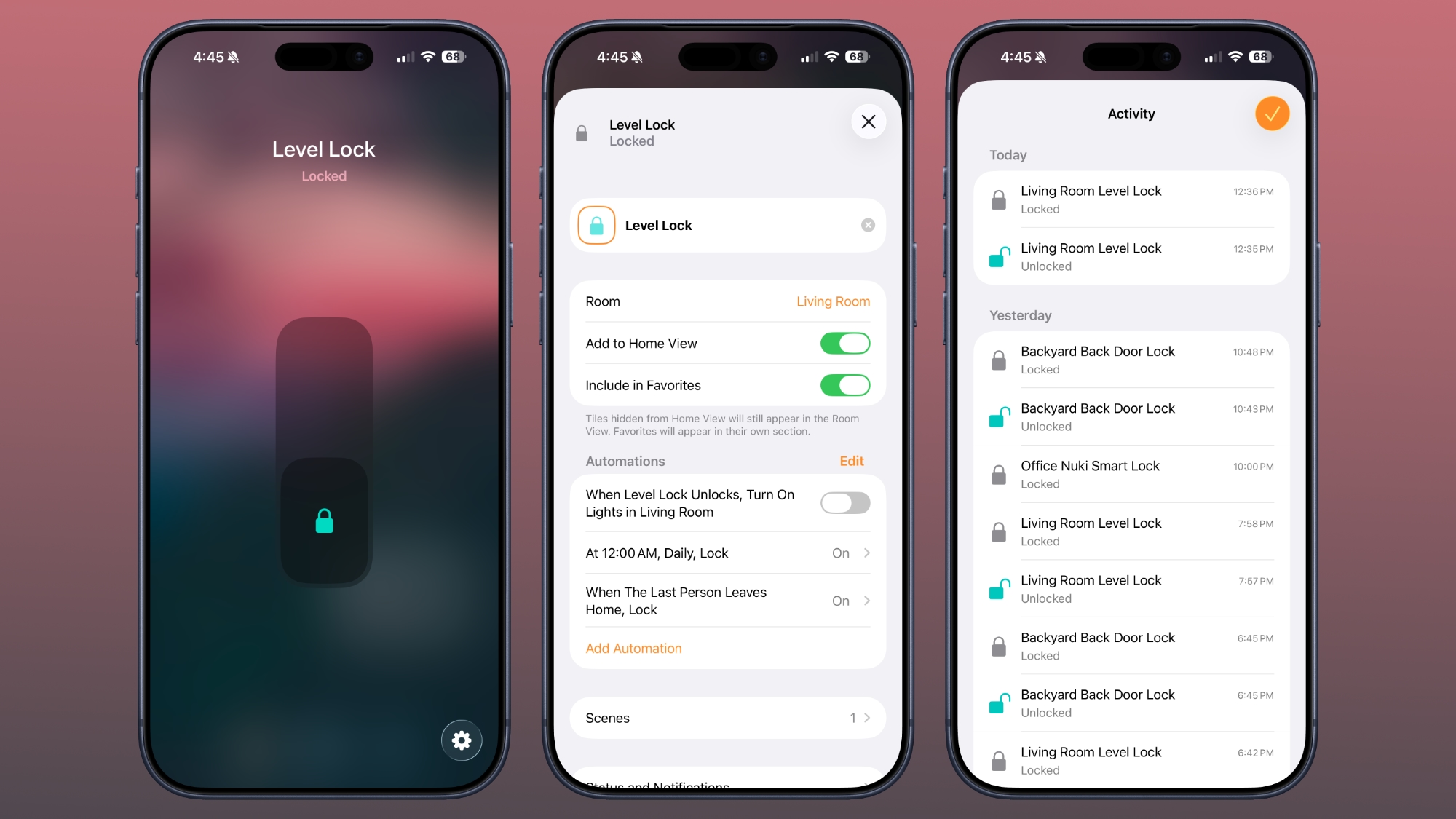
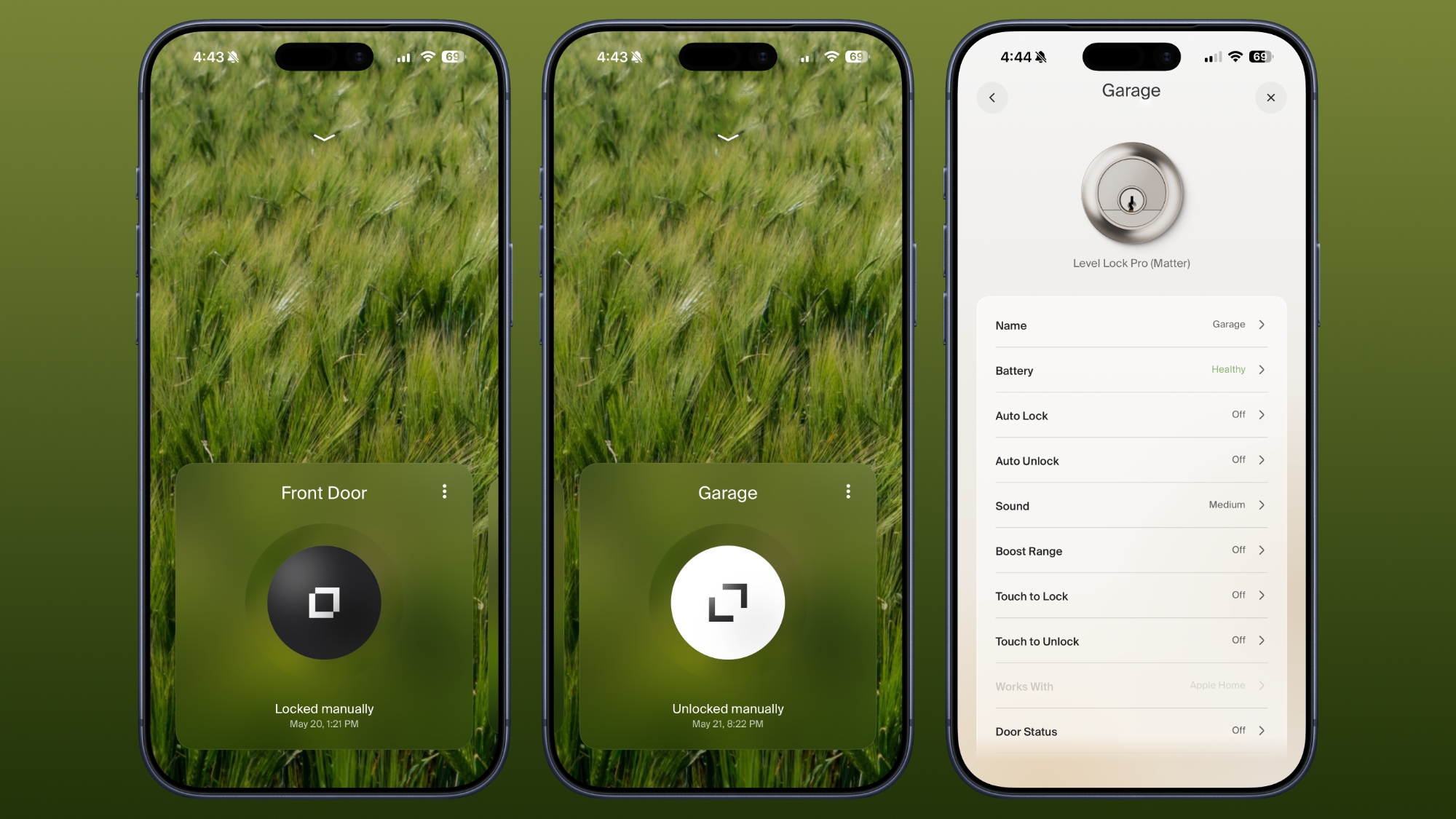
The Level Lock Pro is Level's latest smart lock, featuring Matter connectivity for Apple Home, multiple unlocking methods, door status, and the unassuming design that Level products are known for.


I've tested and reviewed several great HomeKit-compatible smart locks, but Level Locks are my personal favorite because of the look. From both the inside and the outside, Level Locks look like a standard deadbolt and not like a smart lock. I had feature-rich smart locks from Aqara that I was using for about a year after a review, but I got tired of looking at the bulky boxes on my doors. A couple of months ago, I bought two standard Level Locks, and then later, Level sent me the Level Lock Pro.

I don't think there's any smart lock solution that has a better aesthetic than the Level Lock, so if that's important to you, these are the locks to get. It comes in satin nickel and matte black, so it should match many standard doorknobs. The Level Lock Pro has an IP54 water and dust resistance rating, so it will hold up fine in the rain.


Level Locks are not the cheapest locks on the market, and depending on what you're comparing against, there's a premium for design. The Level Lock Pro is $349, and the Level Lock is $249. Aqara locks range from $150 to $270, and Matter locks from Eufy, Yale, and Kwikset are in that same range.

The Level Lock Pro replaces a standard deadbolt and strike plate on your door, so installation is a matter of pulling out the existing deadbolt and walking through the Level Lock Pro instructions to install the new lock. I am going to blame this on my crummy doors, but I have more trouble installing Level Locks than other smart locks. Level Locks have a wide, circular bolt that's not the shape of most deadbolts, and I haven't had a Level Lock setup where I didn't have to fuss with the fit of the lock in the door or the fit of the plate on the doorframe. I generally get things to work, but there's frustration involved.


There are smart locks that can unlock your door with fingerprint sensors, palm recognition, facial scans, and codes, but the Level Lock Pro is simpler. You can use a key, one of the two included NFC key fobs, tap to unlock with your phone or watch, use the Home app or Level app, or ask Siri to unlock the door.

The Level Lock Pro integrates with HomeKit using Matter, and it also supports Apple Home Key so you can store a key in the Wallet app on iPhone or Apple Watch. With Home Key, I can unlock my door without having to unlock my iPhone and with no need for Face ID. I just tap my phone or my watch on the lock, and it unlocks.


‌Siri‌ and the Home app work for unlocking too, and there's a Level app. I don't use the Level app, but it is available for locking and unlocking, assigning codes, setting up auto lock and auto unlock (which uses Bluetooth and unlocks when you're in range), adjusting sound, giving someone a door code, and enabling door status. Like the Level Lock, the Level app has an uncomplicated design, so it's easy to get to all of the features.

Door status is a Level Lock Pro feature that lets you know if your door is open or closed, and it works when the door is unlocked. I have the Level Lock Pro on my garage door, and it's a door that's often not locked, so it's useful to get an alert when it's opened.

I use the Home app and ‌Siri‌ to unlock my Level Locks, especially if I'm not home and need to let someone in. I also ask ‌Siri‌ to open the door as I approach, so a lot of the time, I'm not even using tap to unlock. The Home app sends a notification to my iPhone and Apple TV when a connected lock is locked or unlocked, and the Home app Activity log keeps track of when each door was locked or unlocked. Everyone that's invited to an Apple Home can access the lock, but you can also share access with the Level app. The Level app supports temporary entry, which is useful for a one-time event or a weekly cleaning.


The Home app is also useful for automations, like locking up automatically when everyone leaves the home or unlocking the door at a certain time. I have an automation that locks all my locks at 10:00 p.m., just in case I forget to lock one of the doors.


For remote access features, you need a Matter-over-Thread controller and a border router, which are requirements fulfilled by a HomePod or ‌Apple TV‌. You need one of those to add any Matter-enabled device to ‌HomeKit‌. The Level Lock Pro connects to Apple Home using Thread instead of Wi-Fi, but if you want Wi-Fi connectivity, there is an optional Level Connect Wi-Fi Bridge. I haven't needed it because ‌HomeKit‌ provides all of the same functionality. You can also add on a keypad if you want that option.


Most smart locks have a battery in the box that goes on the door, but the Level Lock Pro's battery is in the deadbolt. It uses a CR2 Lithium battery, which fits inside the deadbolt once the cap is taken off. Changing the battery is a matter of opening the door, locking it, popping out the old battery, and adding in the new one. The Level app lets you know battery status, so you can keep tabs on when it's time to update the battery. Each battery lasts for about a year, and I haven't had to change mine yet.

According to Level, the Level Lock Pro has an ANSI Grade 1 bump- and pick resistant cylinder, which isn't common for smart locks. That means it's resistant to lockpicking, it's harder to drill out, and lock bumping is harder.

How to Buy


The Level Lock Pro is available from the Level website or from Amazon.com for $349.

Note: Level provided MacRumors with Level Lock Pro for the purpose of this review. No other compensation was received.

This article, "Level Lock Pro Review: An Apple Home Key Smart Lock That Doesn't Look Like One" first appeared on MacRumors.com

Discuss this article in our forums

  •  

Earn a Running Day Apple Watch Activity Award on June 3

Apple plans to hold an Apple Watch Activity Challenge to celebrate Global Running Day on Wednesday, June 3.


To complete the challenge, Apple Watch owners will be required to record a running workout of at least 5K on Global Running Day.
On June 3, the world runs as one. This Global Running Day, record a running workout of at least 5K (3.1 mi) to earn this award. Use the Workout app or any app that records workouts to Health.

As a reward, Apple Watch owners can unlock a dedicated award in the Fitness app, plus animated stickers that can be used in the Messages app.


Apple has been celebrating Global Running Day since 2024, and it comes after the April 2026 Earth Day and International Dance Day Activity Challenges.
Related Roundup: Apple Watch 11
Buyer's Guide: Apple Watch (Caution)

This article, "Earn a Running Day Apple Watch Activity Award on June 3" first appeared on MacRumors.com

Discuss this article in our forums

  •  

iOS 26.6 Will Alert You When You've Maxed Out Blocked Contacts

Apple's iOS 26.6 update appears to add new wording around blocked contact limits, though it is unclear if the actual limits have changed.


Code in the beta suggests users will get a warning if they exceed the maximum number of blocked contacts. "You've reached the maximum number of blocked contacts. To block additional callers, remove a blocked contact in Settings," reads the alert, which is titled "Blocked Contacts Limit Reached."

Based on discussions on social media and Apple's Support Communities, some users have been unable to block additional contacts after hitting a 20,000 limit. Other people have mentioned running into issues after 8,000, and some have experienced issues with even fewer phone numbers blocked. Apple does not offer documentation on blocking limits.

With limits in the thousands at least, it's unlikely most people have had blocking problems, though a person who is blocking spam callers regularly could eventually hit a cap. iOS 26.6 might make it clearer when a limit has been reached, and what to do about it.

Removing older blocked contacts is the solution, which can be done by going to Settings > Apps > Phone > Blocked Contacts. There is no bulk unblocking tool, and the easiest way to remove a contact is to swipe left on each entry. Alternatively, you can select Edit, tap on the red minus button next to each contact, and choose the unblock option.

iOS 26 added an Ask Reason for Calling option that sends calls from people who aren't in your Contacts directly to voicemail, which is an easier option for spam call management than blocking phone numbers. With the feature turned on, a caller can state their reason for calling and the person receiving the call can decide whether to pick up. Alternatively, all calls from unknown numbers can be silenced and sent to voicemail with no alert using the Silence option.

Missed calls and voicemails from unknown callers can also be filtered into a separate Unknown Callers list in the Phone app. Some carriers also offer a separate spam detection option that can send calls from known spammers to the Spam list.

Apple seeded the first beta of iOS 26.6 to developers today, and the software may soon be made available to public beta testers. A public release is likely several weeks away. So far, there are no other known features in iOS 26.6.
Related Roundups: iOS 26, iPadOS 26
Related Forum: iOS 26

This article, "iOS 26.6 Will Alert You When You've Maxed Out Blocked Contacts" first appeared on MacRumors.com

Discuss this article in our forums

  •  

First macOS Tahoe 26.6 Beta Now Available for Developers

Apple today provided the first beta of an upcoming macOS Tahoe 26.6 update to developers for testing purposes, with the update coming two weeks after Apple launched ‌macOS Tahoe‌ 26.5.


Developers can download the ‌macOS Tahoe‌ 26.6 update by opening up the System Settings app, selecting the General category, and then choosing Software Update. Beta Updates will need to be enabled, and a free developer account is required.

With macOS 27 set to be unveiled in less than a month, Apple is likely focusing most of its attention on the new software. We are not expecting any major new features in ‌macOS Tahoe‌ 26.6.

The beta is limited to developers right now, but a public beta is expected in the next week or two.
Related Roundup: macOS Tahoe
Related Forum: macOS Tahoe

This article, "First macOS Tahoe 26.6 Beta Now Available for Developers" first appeared on MacRumors.com

Discuss this article in our forums

  •  
❌