Lees weergave

Google Expands AirDrop Support to More Android Phones

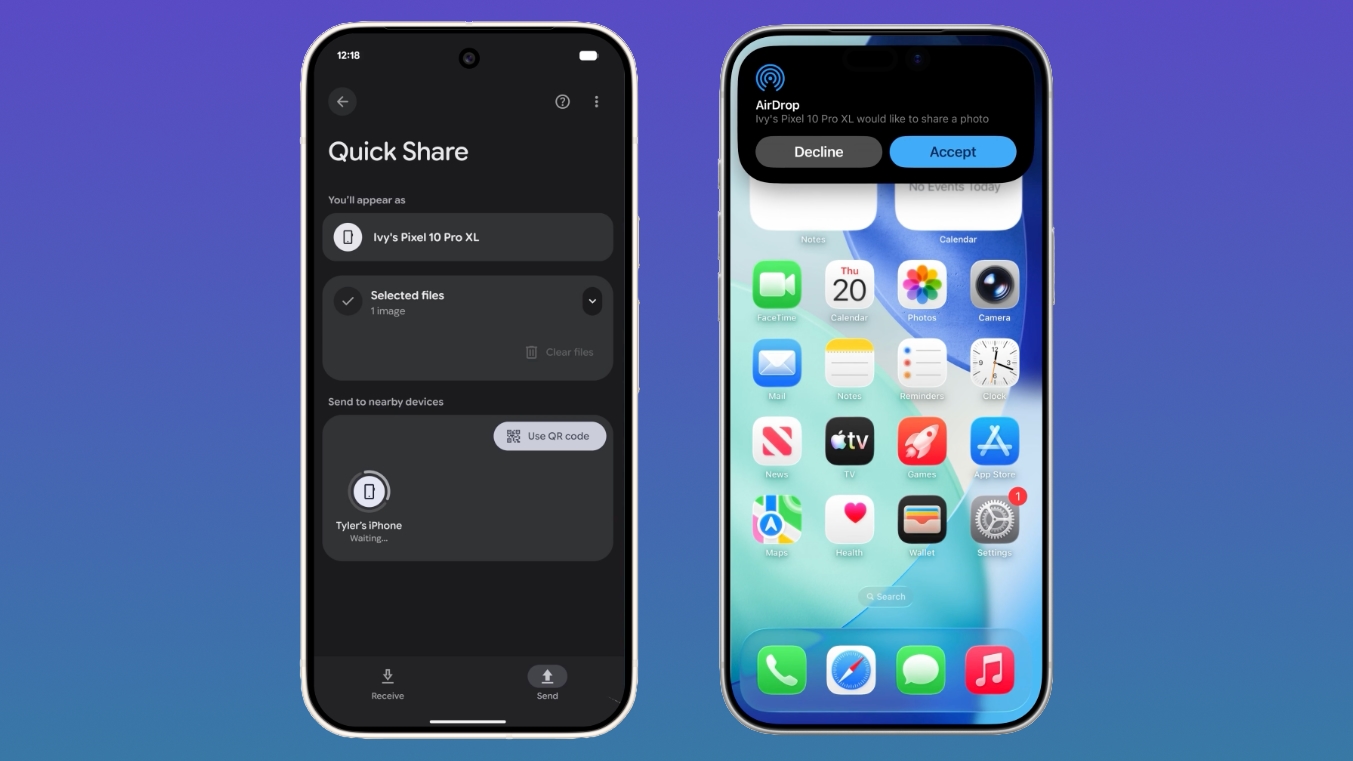
Google today said its Quick Share feature that allows Android and iPhone users to exchange files with AirDrop is expanding to more devices.


Quick Share is now available on the following Android smartphones.

Samsung:

  • Galaxy S26, S26+, S26 Ultra

  • Galaxy S25, S25+, S25 Ultra, S25 Edge (new)

  • Galaxy S24, S24+, S24 Ultra (new)

  • Galaxy Z Flip7 (new)

  • Galaxy Z Fold7 (new)

  • Galaxy Z Flip6 (new)

  • Galaxy Z Fold6 (new)

  • Galaxy Z TriFold (new)


Google:

  • Pixel 10, 10 Pro, 10 Pro XL, 10 Pro Fold, 10a

  • Pixel 9, 9 Pro, 9 Pro XL, 9 Pro Fold, 9a

  • Pixel 8a


Other Smartphone Makers:

  • HONOR Magic V6 (new)

  • OnePlus 15 (new)

  • Xiaomi 17T Pro

  • OPPO Find X9, X9 Pro, X9 Ultra, X9s

  • OPPO Find N6

  • Vivo X300, X300 Pro, X300 Ultra


Quick Share is the Android equivalent of AirDrop, and Google added AirDrop integration in November 2025. iPhone users can AirDrop files and photos to Quick Share-enabled Android devices, while Android users can use Quick Share to send files and photos to iPhone users.

On an Android device, users need to make sure the Share with Apple devices setting is turned on and that the iPhone user sets AirDrop visibility to "Everyone for 10 minutes" through the Control Center. From there, an Android to iPhone file transfer is identical to a standard AirDrop transfer on the iPhone end.

On an iPhone, sharing a file to an Android smartphone is done through the standard AirDrop interface. Android owners receiving files will need to make sure Quick Share Receive mode is on, and then an iPhone user sending a file will see the Android device in the AirDrop list.

Android devices that are not compatible with Quick Share can generate a QR code that can be used to share content with iPhone users via the cloud.

Though Google positions the Quick Share to AirDrop file transfer feature as an Android/iPhone option, Android users can also exchange files with iPads and Macs.

Google plans to bring Quick Share to the Motorola Razr Fold 2026, OPPO Find X8 series, and HONOR Magic8 Pro in the coming months.
This article, "Google Expands AirDrop Support to More Android Phones" first appeared on MacRumors.com

Discuss this article in our forums
  •  

Apple Announces This Year's App Design Award Winners Ahead of WWDC 2026

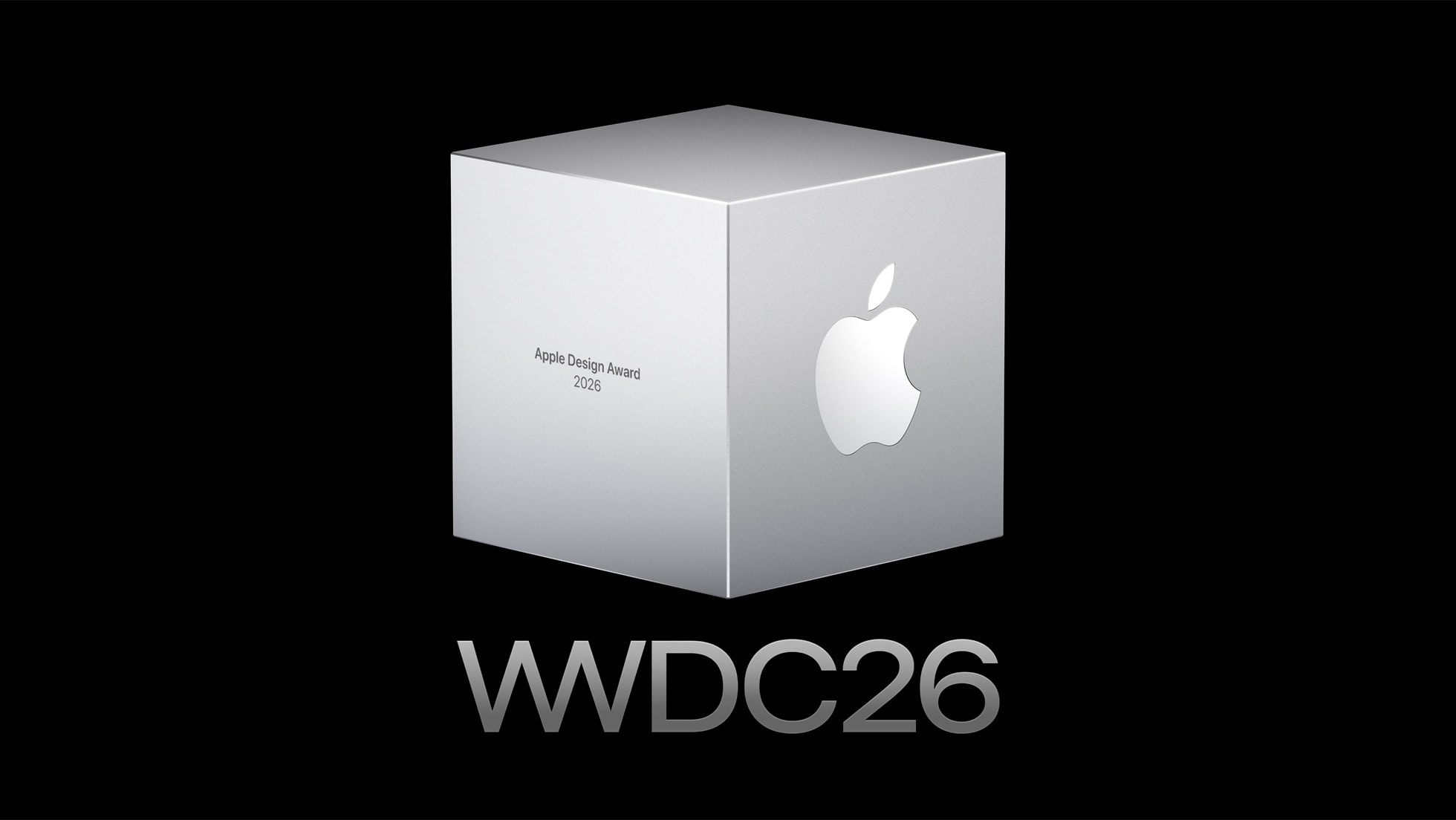
WWDC is set to start on Monday, June 8, and ahead of the keynote event, Apple has announced the winners of its annual Apple Design Awards. The Apple Design Awards recognize apps and games for their innovation, ingenuity, and technical achievement.


Apple chose one app and one game for each of the six award categories.

More details on the winning apps and games and the developers behind them can be found on Apple's website. Apple also has a selection of apps and games that were selected as finalists before the winners were chosen.

WWDC will begin on Monday, June 8 at 10:00 a.m. Pacific Time.
Related Roundup: WWDC 2026

This article, "Apple Announces This Year's App Design Award Winners Ahead of WWDC 2026" first appeared on MacRumors.com

Discuss this article in our forums

  •  

iOS 27: What We Know About the New Siri App

iOS 27, iPadOS 27, and macOS 27 will include a standalone Siri app for the first time, providing a dedicated space for interfacing with ‌Siri‌.


Siri Chatbot


Apple needs a ‌Siri‌ app because ‌Siri‌ is turning into a chatbot. ‌Siri‌ will work like ChatGPT or Claude, able to pull information from the web to provide answers to questions.

‌Siri‌ will be integrated into iOS, iPadOS, and macOS at the system level, and can draw on device information. It will know more personal context than before, and will be able to access emails, texts, photos, calendar information, contacts, notes, and other personal data. Some of what ‌Siri‌ will be able to do:

  • Search the web for information

  • Generate images

  • Generate content

  • Summarize information

  • Analyze uploaded files

  • Use personal data to complete tasks

  • Write emails, notes, and texts

  • Control device features and settings

  • Search for on-device content, pulling information from emails, messages, files, and more


‌Siri‌ will be integrated into Apple apps like Mail, Messages, Photos, and Apple TV.

Siri App Design


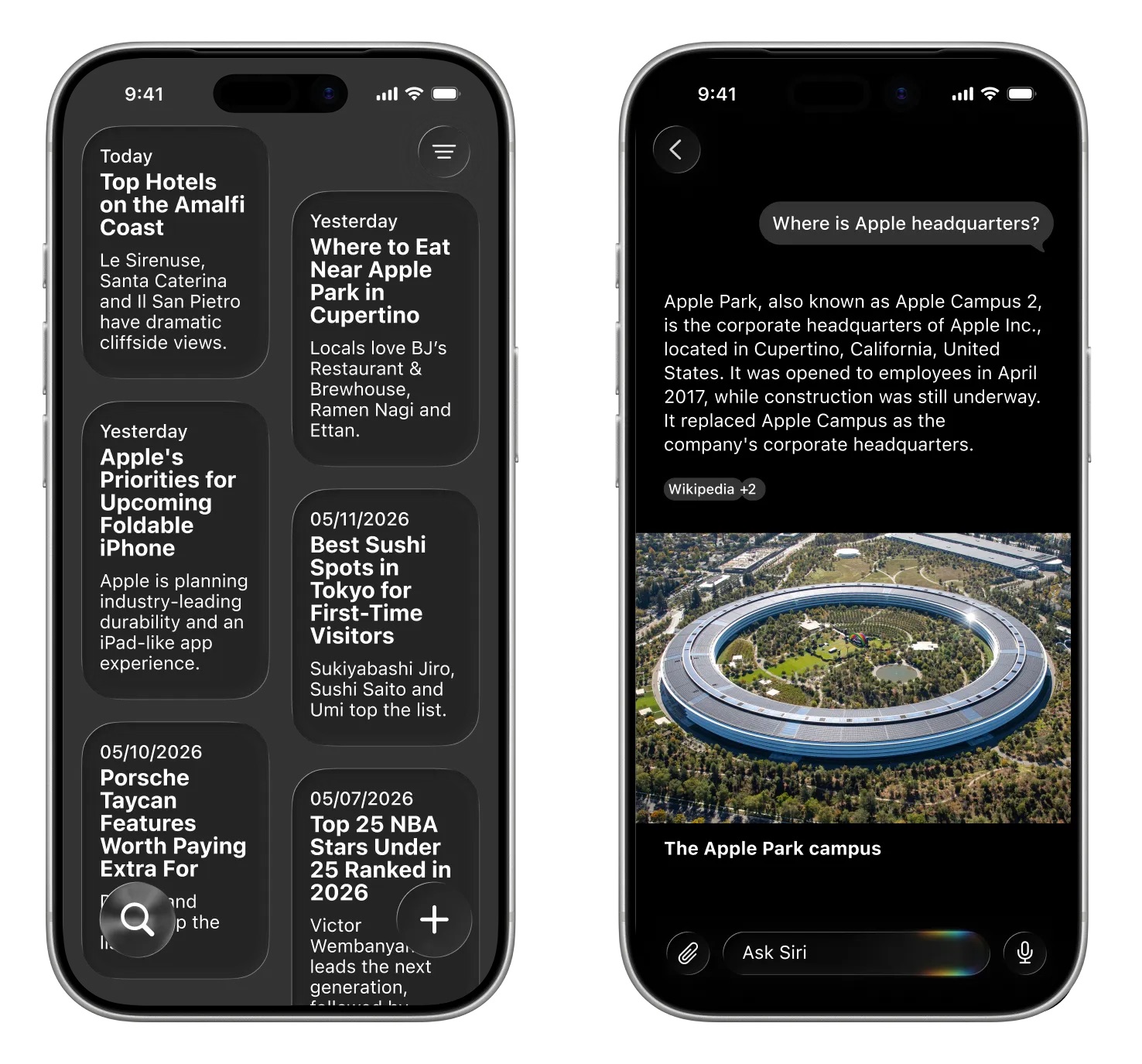
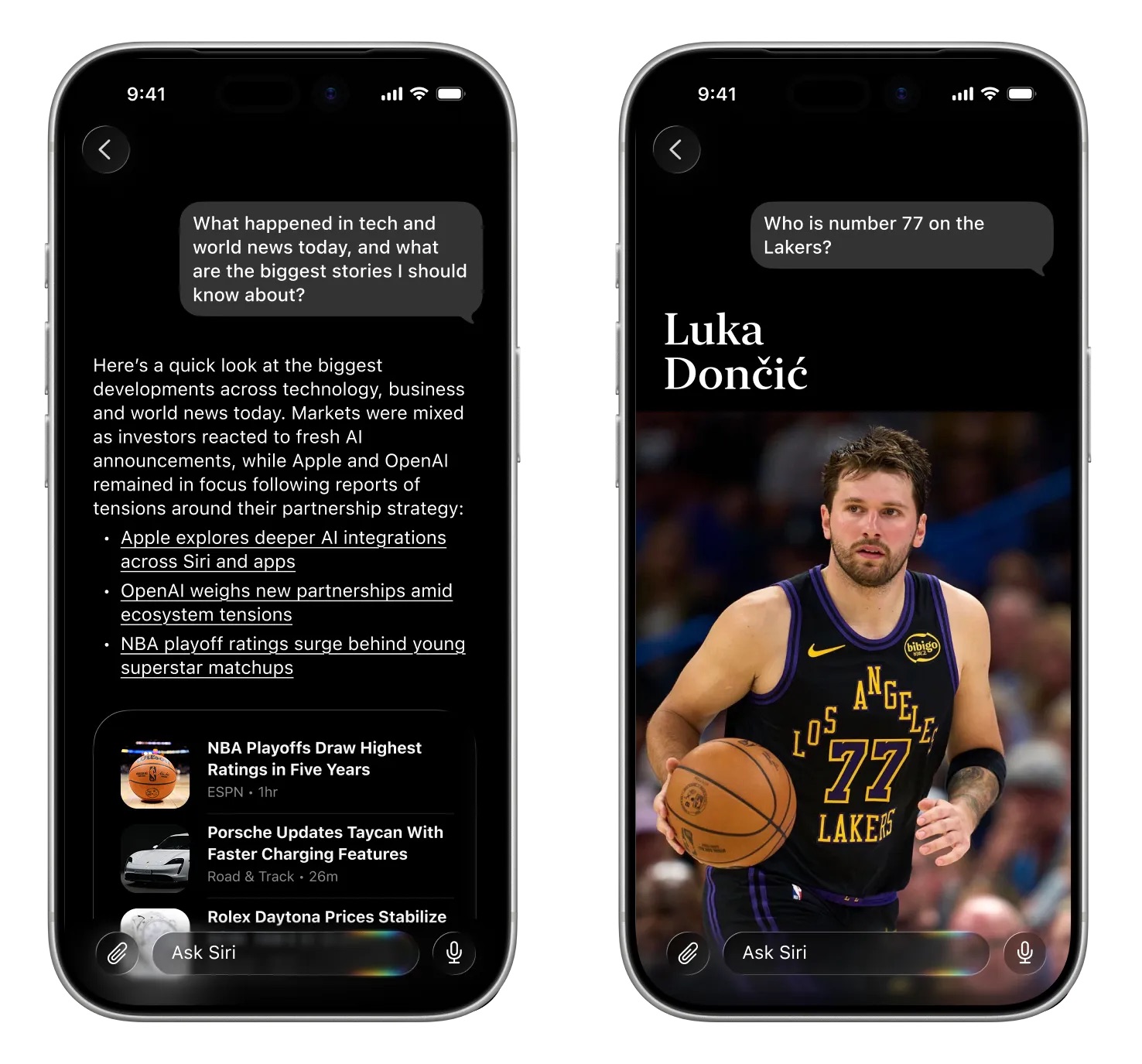
The standalone ‌Siri‌ app will look similar to the ChatGPT, Claude, or Gemini apps. Bloomberg's Mark Gurman shared a mockup of what the ‌Siri‌ app will look like.

Image via Bloomberg


‌Siri‌ will support text or voice-based conversations. The app will open with an "Ask ‌Siri‌" bar where users can type in a question. A paperclip icon will be available for attaching images, PDFs, and other documents. Apple will provide prompts with suggestions on what users can ask.

Questions will resemble iMessage chat bubbles, with Apple adopting a design that is familiar to users. Responses will include links, images, and other information.

Image via Bloomberg.


A section of the app will be dedicated to past conversations that can be shown in a card-style interface with conversation summaries, or a list view. Users will be able to tap into a conversation to continue it.

Dark Interface


Apple's ‌Siri‌ interface both inside and outside of the dedicated ‌Siri‌ app will adopt dark colors. Apple's WWDC website hints at the colors it plans to use for ‌Siri‌.


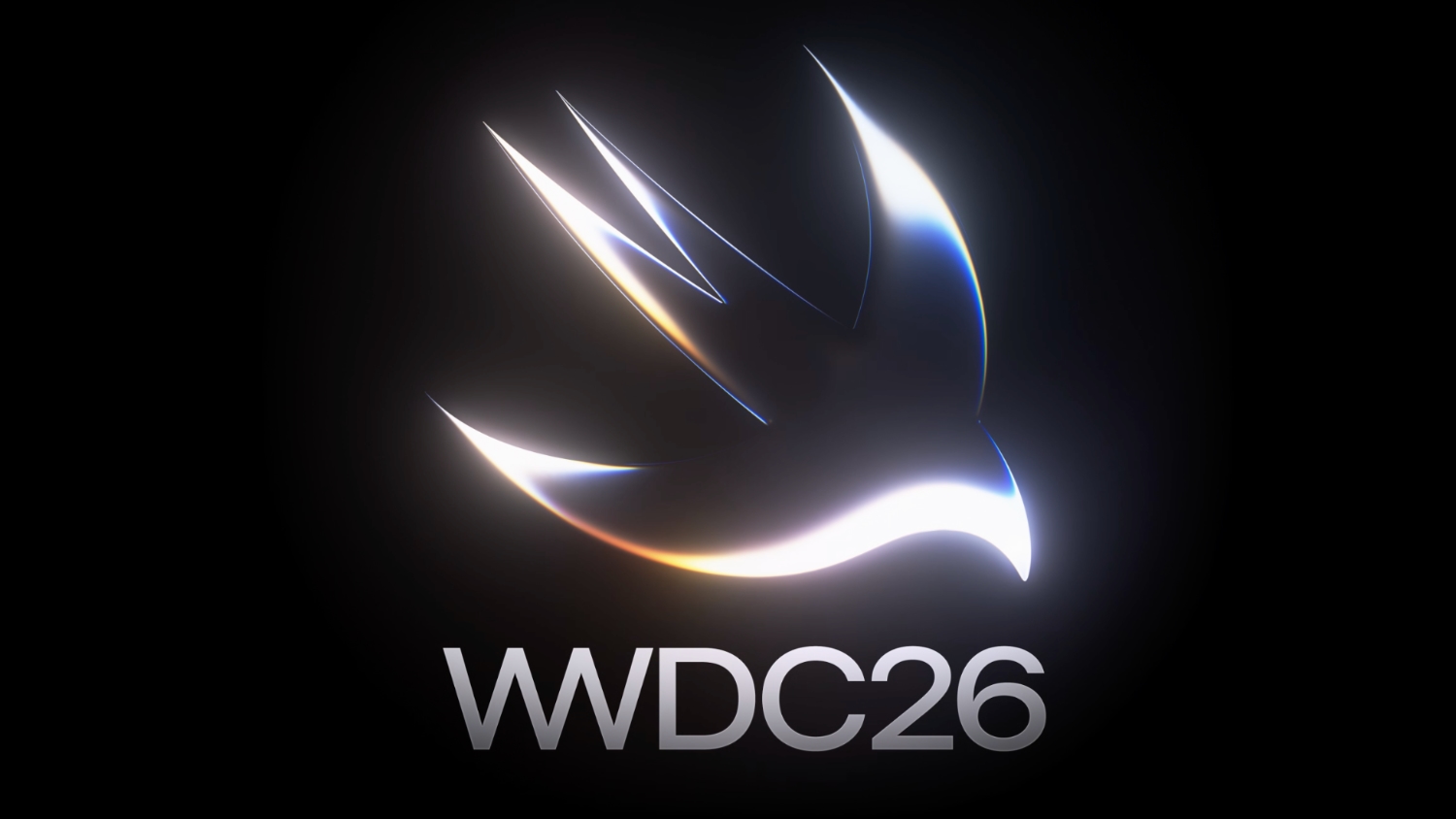
The website features the Swift bird logo in white on a black background, with subtle highlights in pink, dark blue, purple, and orange. The colors are reminiscent of the current ‌Siri‌ animation that surrounds the iPhone's display when ‌Siri‌ is activated, but the shades are softer and not as saturated.

WWDC 2026


The updated version of ‌Siri‌ will be unveiled at WWDC 2026, which is set to begin on Monday, June 8 at 10:00 a.m. Pacific Time.
Related Roundup: iOS 27
Tag: Siri

This article, "iOS 27: What We Know About the New Siri App" first appeared on MacRumors.com

Discuss this article in our forums
  •  

Meta AI Support Bot Helped Hackers Hijack Instagram Accounts

Meta's AI support assistant has been helping hackers get access to high-profile Instagram accounts, according to reports on social media. With no verification check, ‌Meta‌ AI would change the email address associated with an Instagram account, allowing the password to be updated.


‌Meta‌ introduced its AI support assistant back in December with the aim of making it easier for customers to access 24/7 account support. It can be used for reporting scams, getting information on content removal, and resetting passwords. The latter option is what bad actors were able to exploit.

The Instagram vulnerability showed up on social media over the weekend, with demonstrations of the simple steps taken to get access to an account. In one demo, a hacker asks ‌Meta‌'s support bot to change the email address linked to a target Instagram account, and the AI does it without question.

‌Meta‌'s support did not do robust identity verification, and in some cases, it appears it bypassed two-factor authentication. All that was required was a VPN connection set to a location near the target account, which is trivial. ‌Meta‌ appeared to be verifying account ownership based on location. "Our systems recognize the device you usually use and familiar locations better than ever," reads ‌Meta‌'s blog post on its AI support agent. In some cases, users were asked to verify their identity with a selfie, which was bypassed using AI.

For a short period of time, the exploit was available to the public, and account takeovers ramped up. One security researcher said Telegram channels that offer black market Instagram services "made lots of $$$" with ‌Meta‌'s AI. 404 Media said hackers have been aware of the exploit since March.

‌Meta‌ patched the issue over the weekend, and today, ‌Meta‌'s VP of communications Andy Stone said the issue has been fixed. ‌Meta‌ is now "securing impacted accounts."

Information about the Instagram attack vector comes after hackers were able to take over accounts for Sephora, the Chief Master Sergeant of the Space Force, researcher Jane Manchun Wong, developer Albert Renshaw who owned @albert, and the archived Barack Obama White House account. Multiple other users with desirable Instagram handles reported having their accounts taken.

Some users who have had their accounts stolen over the weekend were not able to use the AI to get their accounts back, and there was no option to speak with a human for help.
This article, "Meta AI Support Bot Helped Hackers Hijack Instagram Accounts" first appeared on MacRumors.com

Discuss this article in our forums

  •  

Apple Invites WWDC 2026 Attendees to 'The Mandalorian and Grogu' Screening at Apple Park

Developers that have been invited to watch the WWDC 2026 keynote at Apple Park are also able to attend a special screening of The Mandalorian and Grogu.


The screening will take place at 8:00 p.m. Pacific Time on Tuesday, June 9 at the Steve Jobs Theater. Apple says that a "special guest" will be in attendance, with the doors set to open at 7:00 p.m. There is no word on the special guest, but the movie stars Pedro Pascal as the Mandalorian and Jon Favreau directed. Favreau reportedly used the Apple Vision Pro headset to preview the IMAX version of the film while working on it, which explains why Apple is planning to screen the movie.


Apple says that theater capacity is limited, and developers can RSVP to attend on Thursday, June 4 on a first-come, first-served basis on the event site.

Developers were able to enter a lottery to attend an in-person WWDC event in Cupertino, California. Apple picked lottery winners earlier this year. Attendees will also be able to watch the keynote and Platforms State of the Union, plus meet with Apple experts one-on-one and in group labs.

The Mandalorian and Grogu came out in the U.S. on May 22, and it is the latest film in Disney's Star Wars franchise.
Related Roundup: WWDC 2026

This article, "Apple Invites WWDC 2026 Attendees to 'The Mandalorian and Grogu' Screening at Apple Park" first appeared on MacRumors.com

Discuss this article in our forums

  •  

Apple Releases macOS Tahoe 26.5.1 to Fix Shutdown Issue Affecting Enterprise Users on M5 Macs

Apple today released macOS Tahoe 26.5.1, a small update to the ‌macOS Tahoe‌ operating system that came out last year. ‌macOS Tahoe‌ 26.5.1 comes three weeks after Apple released ‌macOS Tahoe‌ 26.5.


Mac owners can download the software by opening the System Settings app and then navigating to the Software Updates section.

According to Apple's release notes for the update, ‌macOS Tahoe‌ 26.5.1 addresses an unexpected shutdown issue affecting certain enterprise users on M5 Macs.
This update addresses an issue for enterprise users where Macs with an M5 chip could expectedly shut down when using certain content filtering network extensions.
macOS 27 is right around the corner, with Apple set to unveil the next major macOS update at the WWDC 2026 keynote on Monday, June 8.
Related Roundup: macOS Tahoe
Related Forum: macOS Tahoe

This article, "Apple Releases macOS Tahoe 26.5.1 to Fix Shutdown Issue Affecting Enterprise Users on M5 Macs" first appeared on MacRumors.com

Discuss this article in our forums

  •  

Apple Releases iOS 26.5.1 to Fix Charging Issue on iPhone Air and iPhone 17 Models

Apple today released iOS 26.5.1, a minor update to iOS 26. The software is available three weeks after iOS 26.5 came out, and appears to only be available for the iPhone Air and all models in the iPhone 17 lineup.


The new software can be downloaded on eligible iPhones over-the-air by going to Settings > General > Software Update.

According to Apple's release notes, the update fixes a previously documented charging issue with ‌iPhone Air‌ and ‌iPhone 17‌ models.
This update addresses an issue for a small number of users that may prevent wired charging on iPhone Air and iPhone 17 models when the battery is nearly drained.
Apple's work on ‌iOS 26‌ is winding down as it prepares to introduce iOS 27 at the June 8 WWDC keynote event.
Related Roundups: iOS 26, iPadOS 26, iPhone 17, iPhone Air
Related Forums: iOS 26, iPhone

This article, "Apple Releases iOS 26.5.1 to Fix Charging Issue on iPhone Air and iPhone 17 Models" first appeared on MacRumors.com

Discuss this article in our forums

  •  

One Week to Go: Apple Gets Ready for WWDC 2026 With YouTube Placeholder

We're just a week out from the 2026 Worldwide Developers Conference, and Apple's keynote will take place on Monday, June 8 at 10:00 a.m. Pacific Time or 1:00 p.m. Eastern Time. Ahead of the event, Apple has launched its WWDC 2026 YouTube event placeholder.


Apple's YouTube page has a "Notify me" button that lets you set a reminder for the keynote in your local time. It's a useful way to make sure you're ready to watch when the event happens because you'll get a notification ahead of when the livestream begins.

The ‌WWDC 2026‌ keynote will be streamed on YouTube, on the Apple Events page, and in the Apple TV app. We'll also have coverage on MacRumors.com for those who are unable to watch.

At this year's event, Apple will introduce the latest versions of its software, including iOS 27, iPadOS 27, macOS 27, watchOS 27, tvOS 27, and visionOS 27. The main focus will be on Siri and the major AI updates coming to Apple's personal assistant.

‌Siri‌ is going to be much smarter, with chatbot-like capabilities and a dedicated ‌Siri‌ app. We have details on what to expect in our iOS 27 roundup.
Related Roundup: WWDC 2026

This article, "One Week to Go: Apple Gets Ready for WWDC 2026 With YouTube Placeholder" first appeared on MacRumors.com

Discuss this article in our forums

  •  

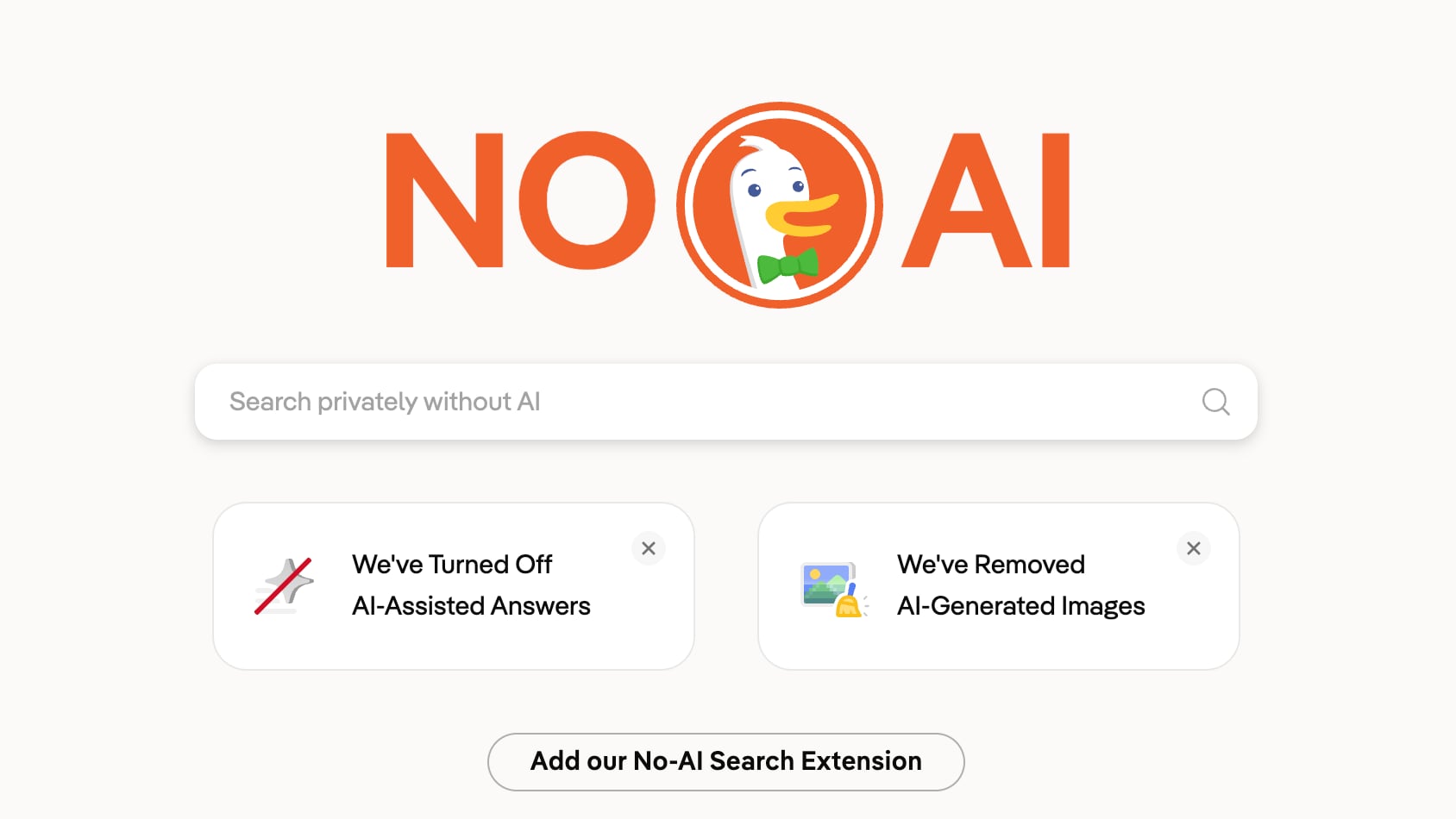
DuckDuckGo's 'No AI' Search Traffic Climbs as Users Reject Google's AI Overhaul

Privacy-focused search engine DuckDuckGo has seen a surge in demand for its "No AI" search option in the wake of Google's May 19th I/O announcements. Google debuted a new "intelligent" search box reimagined with AI. It features AI suggestions as an upgrade to autocomplete, support for follow-up questions, expanded Personal Intelligence for connecting Gmail and Google Photos, and Search agents.


DuckDuckGo told MacRumors that visits to its No AI search page more than tripled after Google's announcement. Traffic hit the 3x mark on May 28th, and has continued to climb. Visits have averaged around 84 percent above baseline consistently since May 19.

DuckDuckGo is embracing demand for No AI search options, and it is promoting new extensions available for Chrome and Firefox that set No AI search as the default.

No AI search has no AI-assisted answers, no chat interface, and it surfaces fewer AI images. DuckDuckGo can be set as the default search engine on Apple devices, but not the specific No AI page. DuckDuckGo has its own AI tools, but they are turned off for people who opt for the No AI experience.

DuckDuckGo plans to add No AI search settings to its original extensions for Chrome, Firefox, Edge, and Opera in the near future.

Along with DuckDuckGo, there are other privacy-focused search engine options that minimize AI results. Paid search engine Kagi is one example, with no visible AI information unless you opt for AI tools. Kagi is $5 per month for a limited number of searches, and $10 a month for unlimited searches.

Because it is a paid search engine, it does not have ads and it does not collect and sell user data.
This article, "DuckDuckGo's 'No AI' Search Traffic Climbs as Users Reject Google's AI Overhaul" first appeared on MacRumors.com

Discuss this article in our forums

  •  

Anthropic Launches Claude Opus 4.8 With Gains in Coding and Honesty

Anthropic today announced the launch of its latest AI model, Claude Opus 4.8. Anthropic claims the model is a "more effective collaborator" with improvements in agentic coding, multidisciplinary reasoning, agentic computer use, knowledge work, and agentic financial analysis.


Testers have found Opus 4.8 to be "more reliable and sharper in its judgement" when doing agentic tasks, and the model also made gains in honesty.
Early testers report that Opus 4.8 is more likely to flag uncertainties about its work and less likely to make unsupported claims. This is borne out in our evaluations, which show that Opus 4.8 is around four times less likely than its predecessor to allow flaws in code it has written to pass unremarked.

Alignment assessments suggest the model hits new highs on measures of prosocial traits like supporting user autonomy and acting in the user's best interest. Rates of misaligned behavior like deception are lower than Opus 4.7 and similar to the Claude Mythos Preview.

Anthropic benchmarks indicate Opus 4.8 scored a 69.2% on SWE-Bench Pro, outperforming GPT–5.5 and Gemini 3.1 Pro on the test and several other benchmarks, though GPT–5.5 leads on the terminal-coding benchmark.

Opus 4.8's fast mode also runs at 2.5x the speed, and it is now three times cheaper than prior models.

Along with Opus 4.8, Anthropic is adding new features to its product lineup.

  • Dynamic workflows (research preview) - Claude can complete bigger tasks in Claude Code. It is able to plan work and run hundreds of parallel subagents in a single session. It is able to complete codebase-scale migrations across hundreds of thousands of lines of code. The feature is available for Claude Code for Enterprise, Team, and Max plans.

  • Effort control - In Claude.ai and Cowork, users can choose how much effort Claude puts into a response. With a lower setting, Claude will respond faster and use up rate limits more slowly. Opus 4.8 defaults to high effort, which Anthropic says is the best balance of quality and user experience.

  • Messages API - The Messages API accepts system entries inside the messages array, so developers can update Claude's instructions mid-task.


Claude Opus 4.8 is available everywhere today. Pricing for regular use has not changed compared to Opus 4.7.

Anthropic is working on models that have the same capabilities as Opus 4.8 at a lower cost, and a new class of model that's even more intelligent than Opus. Anthropic says it has been developing safeguards for the Claude Mythos model it is testing with a small number of organizations, and it expects to be able to bring Mythos-class models to all customers "in the coming weeks."
This article, "Anthropic Launches Claude Opus 4.8 With Gains in Coding and Honesty" first appeared on MacRumors.com

Discuss this article in our forums

  •  

Apple Seeds First Public Betas of iOS 26.6, macOS Tahoe 26.6 and More

Apple today provided public beta testers with the first betas of iOS 26.6, iPadOS 26.6, macOS Tahoe 26.6, watchOS 26.6, and tvOS 26.6, with the software coming two days after Apple seeded the betas to developers.


After signing up to beta test the software updates on Apple's beta site, public beta testers can download the new software using the Software Update section in the Settings app on each device.

iOS 26.6 has a feature that will let you know when you have blocked too many contacts, but the limit is in the thousands so most users may not ever see the messaging.

No other major new features have been found in any of the software updates, with Apple likely focusing on bug fixes and security improvements. We're nearing the end of the "26" software cycle, with Apple planning to unveil iOS 27, iPadOS 27, macOS 27, and more in 11 days.
Related Roundups: iOS 26, iPadOS 26, macOS Tahoe
Related Forums: iOS 26, macOS Tahoe

This article, "Apple Seeds First Public Betas of iOS 26.6, macOS Tahoe 26.6 and More" first appeared on MacRumors.com

Discuss this article in our forums

  •  

Hold Off on Purchases, Students: Apple's Back to School Sale Is Coming Soon

Apple has started preparing for its annual Back to School promotion in the U.S. and Canada, according to backend Apple code seen by MacRumors.


Apple holds a Back to School sale each June, providing teachers and students with free accessories or gift cards when purchasing a Mac or an iPad. The added bonus is in addition to Apple's educational discount.

Back to School sales typically start around the middle of the month, but we don't yet know the start dates for this year's sale. The sale continues through the end of September, so students do not need to rush to prepare to return to school.

Apple's Back to School promotions have varied. Last year, Apple offered eligible students, educators, and parents accessories worth up to $199 when purchasing a Mac or an ‌iPad‌. Free options included the AirPods 4 with Active Noise Cancellation, Magic Mouse, Magic Trackpad, Magic Keyboard with Touch ID, Apple Pencil Pro, and more.

Looking back at Apple's past Back to School dates gives us an idea of when this year's sale will take place.

  • 2021 - June 17 to September 27, free AirPods

  • 2022 - June 24 to September 26, gift card up to $150 U.S.

  • 2023 - June 5 (U.S.)/June 26 (Canada) to October 2, gift card up to $150 U.S.

  • 2024 - June 20 to September 30, gift card up to $150 U.S.

  • 2025 - June 17 to September 30, free accessory worth up to $199


The Back to School sale typically takes place around WWDC, and in three of the last five years, it has started 8 to 10 days after the WWDC keynote. With the 2026 keynote set to take place on June 8, we're likely to see the sale start the week of June 15.

Students who are planning to purchase a new Mac or ‌iPad‌ may want to hold off until Apple's Back to School sale begins to get an added accessory or gift card.

In past years, MacBooks, iPads, and iMacs have been eligible for a free add-on with purchase.

Apple holds the promotion through its online education store and Apple retail locations. Students attending or accepted to a higher-education institution, parents purchasing on behalf of an eligible student, and employees at K–12 schools and higher-education institutions are eligible.

Earlier this year, Apple began requiring UNiDAYS verification for educational discounts in the United States and Canada. Educational purchases now require academic status verification through an email address from an educational institution, a student or staff photo ID, or another valid educational document.

Apple actually holds two Back to School sales per year, with one aimed at students in Australia, New Zealand, and other Southern Hemisphere markets. This year's January Back to School sale saw Apple offering students free AirPods, Apple Pencils, and other accessories.

After the U.S. and Canada Back to School sales launch, Apple typically extends them to Europe, the Middle East, and Asia a few weeks later.
This article, "Hold Off on Purchases, Students: Apple's Back to School Sale Is Coming Soon" first appeared on MacRumors.com

Discuss this article in our forums

  •  

YouTube Will Now Automatically Label AI Videos Even When Creators Don't

YouTube today said it is introducing automatic AI detection, with automatic AI labeling applied to videos with "significant photorealistic AI use."


Creators are still expected to manually disclose when realistic AI is used for videos even with the new automatic labeling system. Creators who think their content was incorrectly identified as AI-generated can update the disclosure status in YouTube Studio, but disclosures are permanent for content created with YouTube's AI tools like Veo and Dream Screen or content with C2PA metadata indicating fully generative AI.

YouTube is also improving labeling for AI-generated content, making it clearer when a video has "photorealistic and meaningfully AI altered or generated content."

An AI label will be shown just below the video player and above the description for long-form videos with AI content, and for shorts, the label will appear as an overlay on the video. The updated labeling applies to content that is photorealistic and may fool people, rather than unrealistic content.

Disclosures for content that is "unrealistic, animated, or slightly altered" will continue to be tucked in the expanded description of the video.

Separately, YouTube added a new customizable content feed that users can shape based on interests, moods, or preferred topics. Users can type in a custom prompt covering what they want to see, and a content feed will be generated.

Custom content feeds have been in testing since November, but they are now rolling out to signed-in viewers in the U.S. on the YouTube mobile app and desktop. YouTube search and watch history must be turned on for the feature to work.
Tag: YouTube

This article, "YouTube Will Now Automatically Label AI Videos Even When Creators Don't" first appeared on MacRumors.com

Discuss this article in our forums

  •  

Amazon to Acquire Apple's Globalstar Stake in Satellite Deal

Amazon is acquiring Apple satellite provider Globalstar, and it has worked out a deal to take over Apple's stake in the satellite company.


According to an FCC filing noticed by PCMag, Amazon is initiating a merger structure. It will create a new subsidiary called Grapefruit Acquisition Sub II to absorb Globalstar's operations, and then the new subsidiary will acquire Apple's equity.

Apple has 20 percent equity and 20 percent voting interests in Globalstar Licensee LLC, a Globalstar subsidiary that operates the satellite system that delivers satellite connectivity to iPhone users in the U.S. Apple invested $450 million in Globalstar back in 2022 to fund Globalstar's satellite buildout for the Emergency SOS via satellite feature. Apple received 20 percent equity and 85 percent of Globalstar's network capacity in return.

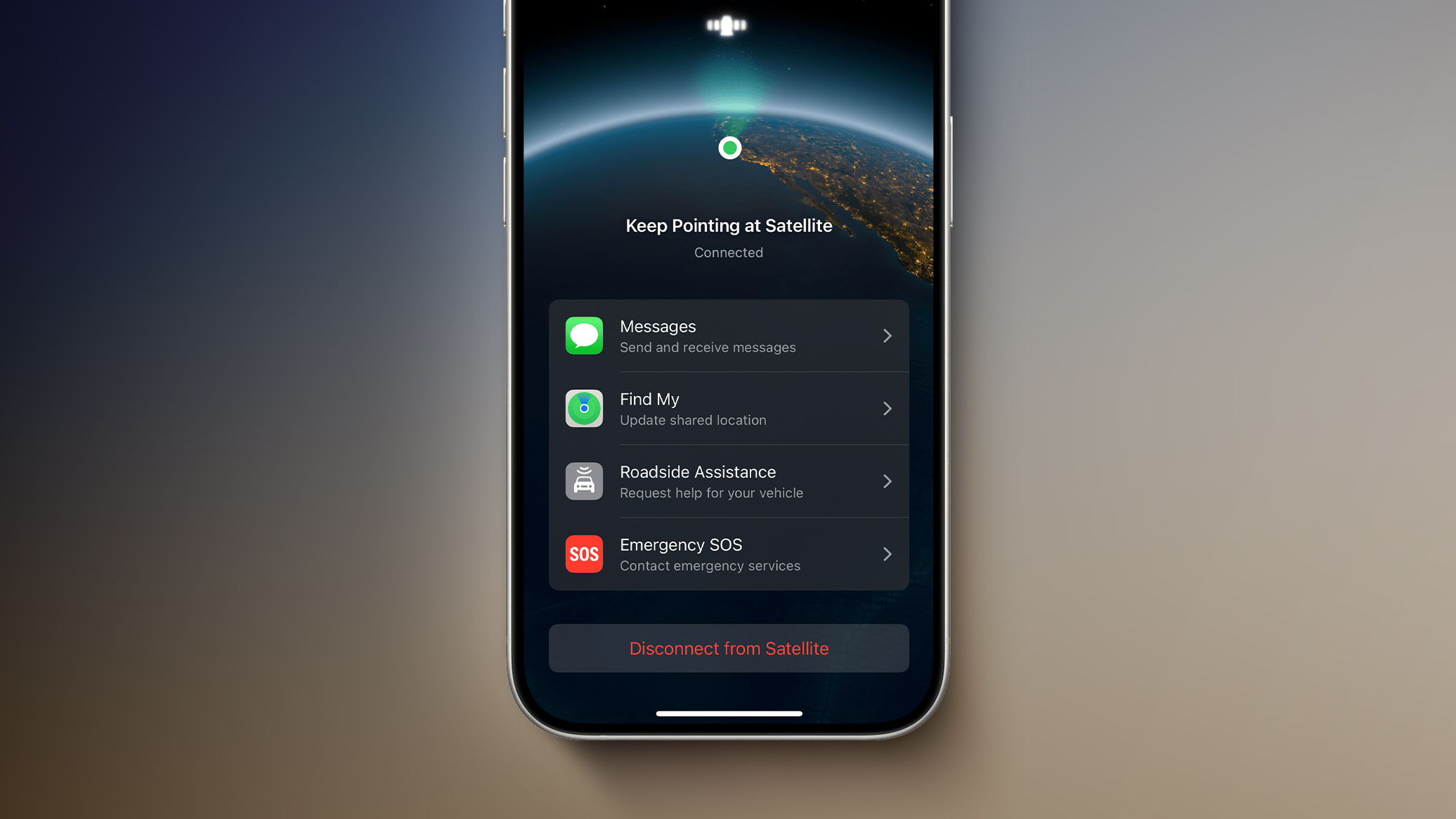
Apple's Globalstar stake required Apple and Amazon to enter into separate negotiations, but the two companies worked out a deal. Amazon's Leo satellite network will power existing iPhone and Apple Watch satellite features like Emergency SOS, Messages via satellite, Find My, and Roadside Assistance via satellite. Apple stands to make more money than it invested, and has secured a partnership with a better-established satellite operator.
Amazon will support iPhone and Apple Watch models that use Globalstar's low Earth orbit constellation, and the two companies will work together on future satellite services running on Amazon's expanded Leo network.

Amazon's Globalstar purchase is said to be worth around $11.57 billion, and it is expected to close in 2027 as long as it earns regulatory approval.
This article, "Amazon to Acquire Apple's Globalstar Stake in Satellite Deal" first appeared on MacRumors.com

Discuss this article in our forums

  •  

Apple Developing iPhone Anti-Snatching Feature That Locks Stolen Phones Instantly

Apple is developing a new feature that will lock your iPhone if it's snatched from your hand by a thief, according to Apple code seen by 9to5Mac. The option will use the gyroscope, accelerometer, and other sensors to determine when an iPhone has been grabbed. It'll also rely on a paired Apple Watch to detect when the iPhone has suddenly moved away from the owner's wrist.


Once the iPhone is yanked from your hand, it will lock and activate Stolen Device Protection to prevent thieves from accessing information on it.

Stolen Device Protection adds extra security to your iPhone when you're away from familiar locations like home or work. It requires biometric authentication for actions like accessing stored passwords or credit cards, and there are built-in hour-long delays for actions like changing an Apple Account password.

The feature was originally designed to protect iPhone users from stealthy thieves who observe someone's passcode and then snatch an iPhone. With a passcode, thieves could get into apps and access bank account data and other sensitive information, but Stolen Device Protection prevents that from happening.

Android already has a Theft Detection Lock feature that locks a smartphone in a snatch-and-grab theft situation.

There is no word on when the new feature might be added to the iPhone.
This article, "Apple Developing iPhone Anti-Snatching Feature That Locks Stolen Phones Instantly" first appeared on MacRumors.com

Discuss this article in our forums

  •  

Meta Wants You to Pay for Instagram, Facebook, and WhatsApp Now

Meta is rolling out paid Instagram Plus, Facebook Plus, and WhatsApp Plus plans worldwide as of today.


Instagram Plus is priced at $3.99 per month, Facebook Plus is priced at $3.99 per month, and WhatsApp Plus is priced at $2.99 per month. According to TechCrunch, the paid plans provide features like profile customization, super reactions, and story insights.

Instagram Plus lets users see how many people have rewatched a Story, and it adds unlimited audience lists for Stories for creating groups other than Close Friends. Users can spotlight a story once a week for extra views, use Super Heart animated reactions, choose custom app icons, add customized fonts to a profile bio, extend a story beyond 24 hours, and search a story viewer list to see who is watching. Subscribers will also be able to post straight to their profiles without having the post show up in their followers' feeds, and they will be able to stealthily "preview" Instagram stories without showing up as a viewer.

Facebook Plus includes most of the same features as Instagram Plus, while WhatsApp Plus includes app themes, custom ringtones, more pinned chats, list customization, and premium stickers.

Meta head of product Naomi Gleit said the company is also exploring new subscription plans for creators and businesses, along with plans for AI users. The new plans are being offered under "Meta One" branding that combines subscription offerings from multiple Meta platforms.

The $7.99 Meta One Plus plan and the $19.99 Meta One Premium plan are aimed at Meta AI users. Both plans unlock higher compute queries, reasoning, and image/video generation, but Premium offers more capacity, including deeper reasoning for complex tasks.

A Meta One Essential plan priced at $14.99 per month is designed for creators and businesses. It includes a verified badge, impersonation protection, better analytics, and a linksheet that lets users link to their online profiles on the web and on other social media networks. The $49.99 Meta One Advanced plan includes the Essential options plus features in the Facebook feed, optimized scheduling tools, notifications when others reuse a creator's content, higher rankings in Instagram and Facebook search, a bolder Follow button on Reels, and automatic follow invitations for people who engage with a creator or brand's content.

Meta is going to start testing the AI Meta One plans in Singapore, Guatemala, and Bolivia next month. The business plans will be tested in Saudi Arabia, Morocco, Thailand, and Bangladesh starting later this week.

Gleit described Meta One as a place that brings Meta subscriptions "together" across all Meta apps. She said Meta's new plans were "just the beginning with a lot more value to come."
This article, "Meta Wants You to Pay for Instagram, Facebook, and WhatsApp Now" first appeared on MacRumors.com

Discuss this article in our forums

  •  

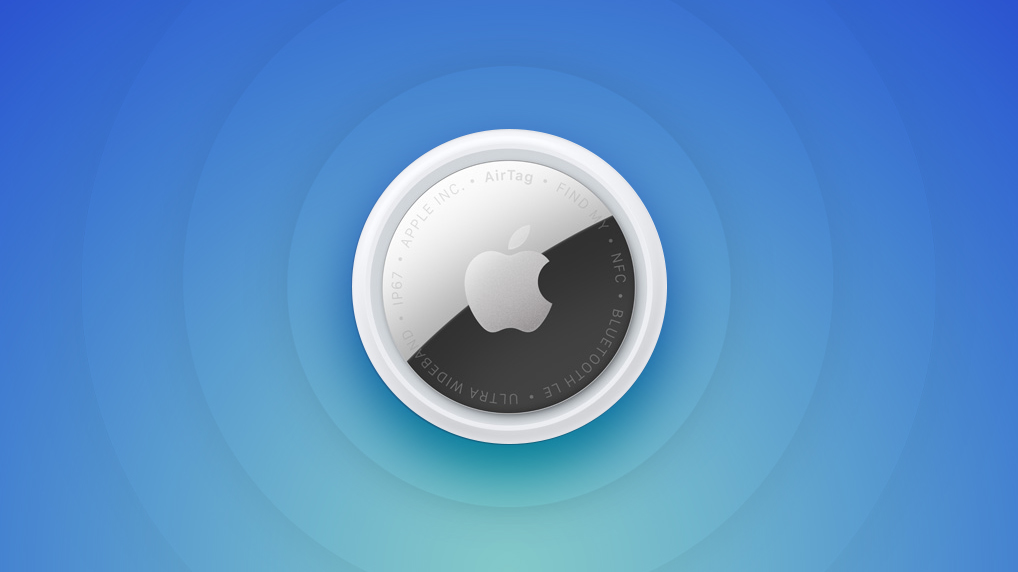
Apple Releases New Firmware for AirTag 2

Apple today released new firmware for its second-generation AirTag item trackers. The firmware has a 3.0.49 version number, up from 3.0.45, and it is the second firmware update that Apple has provided for the ‌AirTag‌ 2.


There is no word yet on what's included in the firmware, but ‌AirTag‌ firmware updates most often address bugs and make other under-the-hood improvements. Apple's prior firmware update tweaked the unwanted tracking sound to make it easier to find an unknown ‌AirTag‌ when using Precision Finding.

Apple will provide details on what's in the 3.0.49 firmware when it updates its firmware support page.

For the original ‌AirTag‌, firmware was distributed on a rolling basis over two weeks, but Apple appears to be pushing firmware updates to all ‌AirTag‌ 2 users at the same time.

You can check your AirTag firmware by opening the Find My app, going to the Items tab, selecting an ‌AirTag‌ in the list, and tapping on the ‌AirTag‌'s name to see its firmware version.

There is no way to force an ‌AirTag‌ update, and firmware is installed over the air via a connected iPhone. To get new firmware, make sure your ‌AirTag‌ is within range of your iPhone, and then wait for the firmware to roll out.
Related Roundup: AirTag
Buyer's Guide: AirTag (Buy Now)

This article, "Apple Releases New Firmware for AirTag 2" first appeared on MacRumors.com

Discuss this article in our forums

  •  

iOS 27 Siri Redesign Will Use Dark Color Scheme, Matching Apple's WWDC Art

Apple is redesigning Siri for iOS 27 to accommodate new artificial intelligence features and chatbot capabilities. ‌Siri‌ is getting a dedicated app, integration with the iPhone's Dynamic Island, and a new design scheme.


The graphics that Apple is using to promote WWDC hint at its design plans for ‌Siri‌, according to Bloomberg's Mark Gurman. In this week's Power On newsletter, Gurman said the logo Apple uses for its WWDC website features the same colors it will use for ‌Siri‌ animations and input fields in ‌iOS 27‌.

Apple's WWDC site features the Swift bird logo in white on a black background, with subtle highlights in pink, dark blue, purple, and orange. The colors are reminiscent of the current ‌Siri‌ animation that surrounds the iPhone's display when ‌Siri‌ is activated, but the shades are softer and not as saturated.

The ‌Siri‌ interface that Apple is testing uses all dark colors with no light mode available for now. Several of the new ‌Siri‌ UI elements will have a dark background with a cursor that blinks in those same colors.

Apple is creating a dedicated app for ‌Siri‌ for ongoing chatbot-style conversations, and it'll look similar to existing chatbot apps but with a Messages-style aesthetic. When ‌Siri‌ is activated, there will be a pill-shaped animation in the ‌Dynamic Island‌ and a glowing "searching" label while ‌Siri‌ is answering a query. Results are displayed in a translucent panel, and pulling down on the panel will initiate a conversation interface.

Swiping down from the top center of the display will activate a system-wide search interface with a Search or Ask bar for typing or speaking questions to ‌Siri‌.

Apple plans to entirely overhaul ‌Siri‌, and the personal assistant will be able to do far more than before. Apple has licensed Google's Gemini models to power ‌Siri‌ after its own AI models proved inadequate. With Gemini as ‌Siri‌'s backbone, Apple should be able to match many of the AI features that Google offers.

‌iOS 27‌ will be introduced at the WWDC 2026 keynote on June 8.
Related Roundups: iOS 27, WWDC 2026
Tag: Siri

This article, "iOS 27 Siri Redesign Will Use Dark Color Scheme, Matching Apple's WWDC Art" first appeared on MacRumors.com

Discuss this article in our forums

  •  

Level Lock Pro Review: An Apple Home Key Smart Lock That Doesn't Look Like One

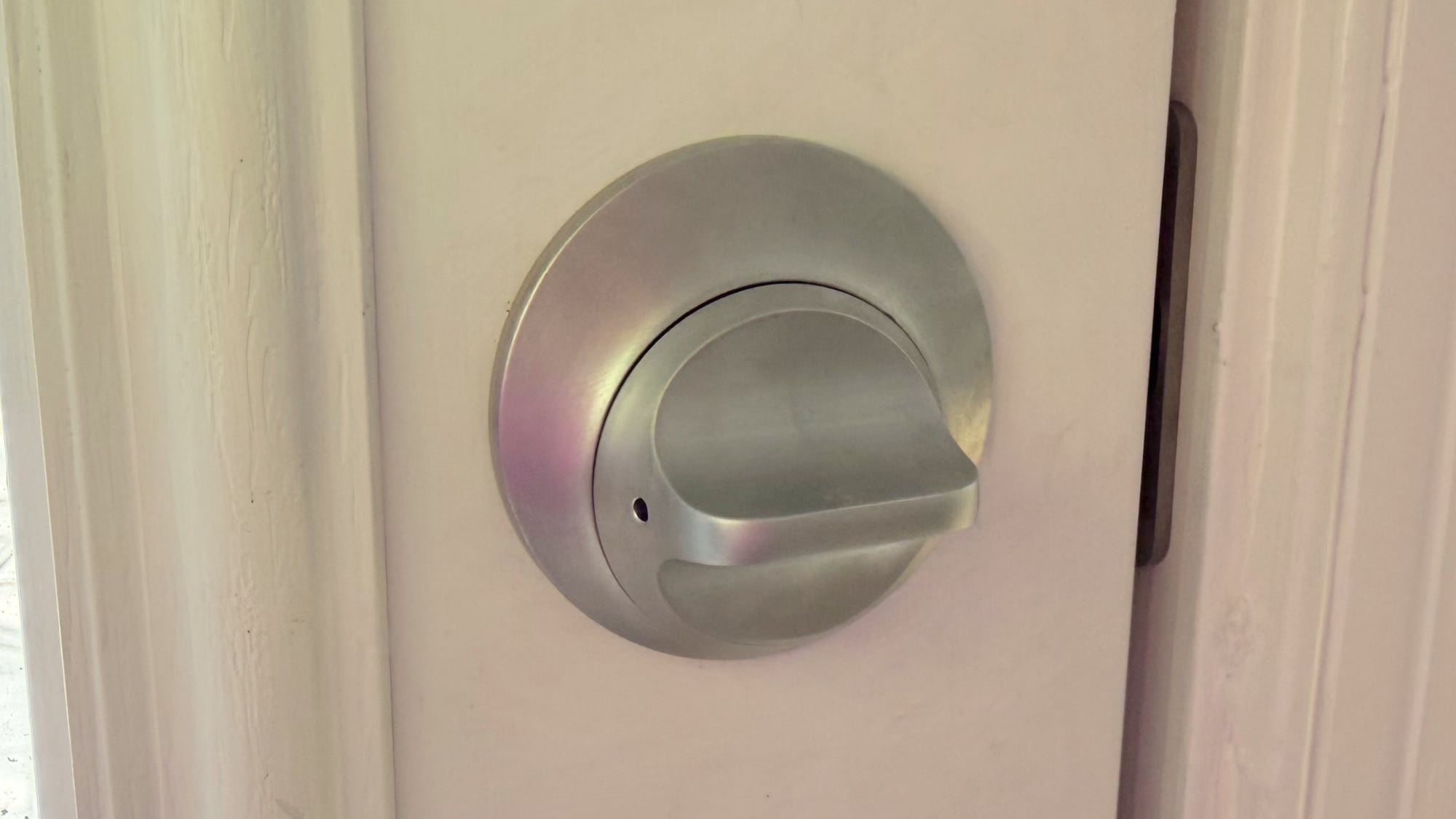
The Level Lock Pro is Level's latest smart lock, featuring Matter connectivity for Apple Home, multiple unlocking methods, door status, and the unassuming design that Level products are known for.


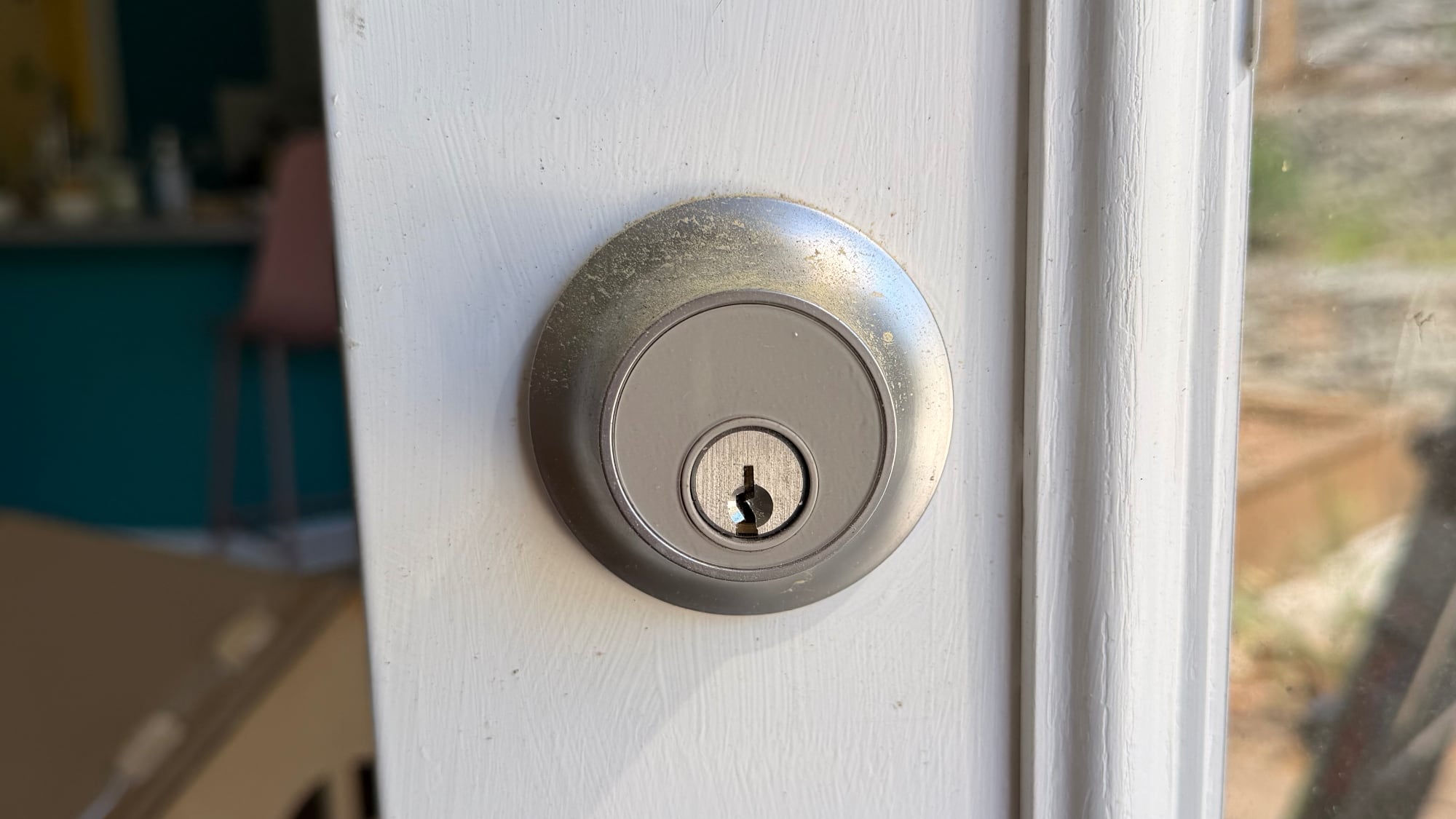
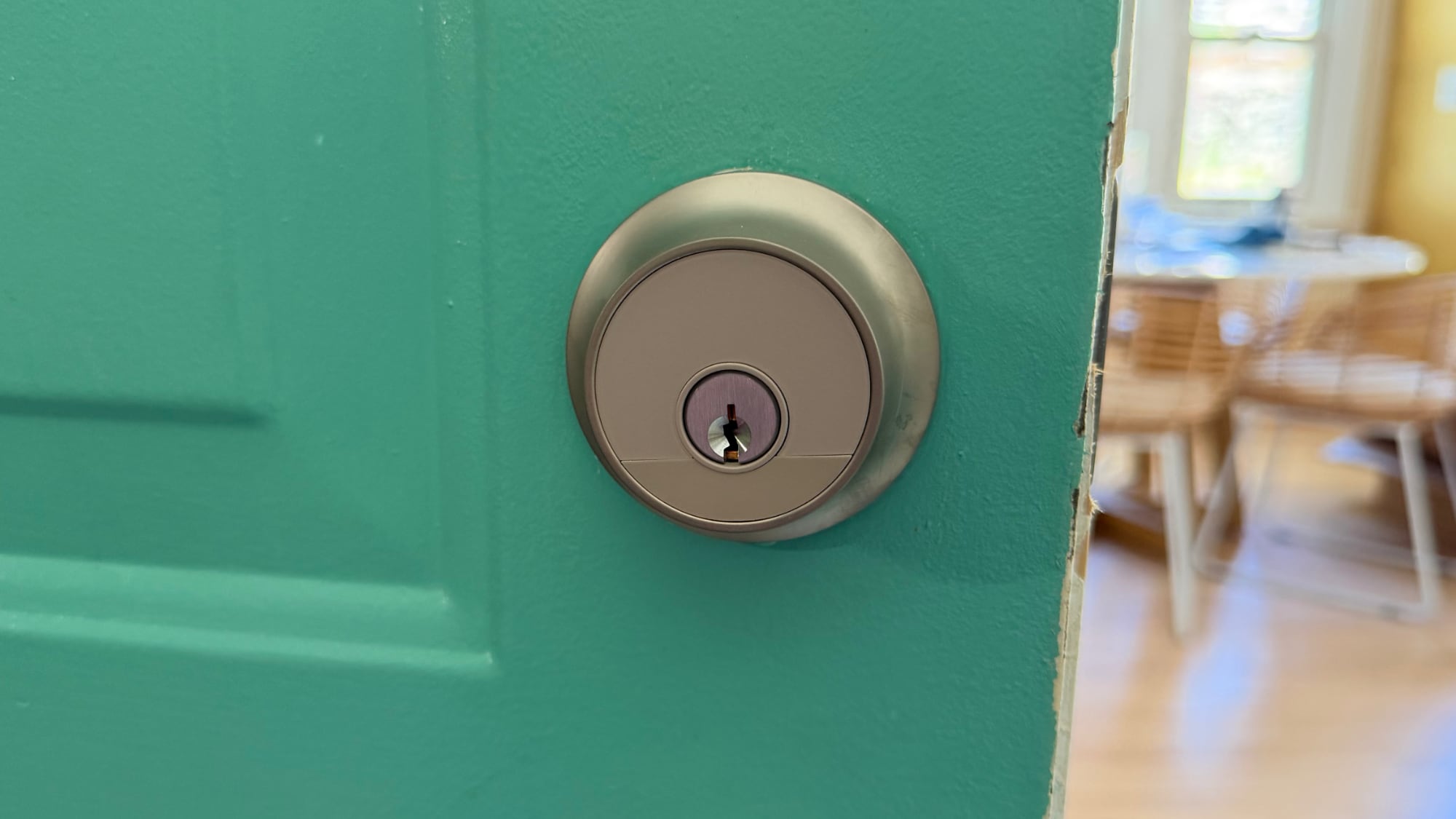
I've tested and reviewed several great HomeKit-compatible smart locks, but Level Locks are my personal favorite because of the look. From both the inside and the outside, Level Locks look like a standard deadbolt and not like a smart lock. I had feature-rich smart locks from Aqara that I was using for about a year after a review, but I got tired of looking at the bulky boxes on my doors. A couple of months ago, I bought two standard Level Locks, and then later, Level sent me the Level Lock Pro.

I don't think there's any smart lock solution that has a better aesthetic than the Level Lock, so if that's important to you, these are the locks to get. It comes in satin nickel and matte black, so it should match many standard doorknobs. The Level Lock Pro has an IP54 water and dust resistance rating, so it will hold up fine in the rain.


Level Locks are not the cheapest locks on the market, and depending on what you're comparing against, there's a premium for design. The Level Lock Pro is $349, and the Level Lock is $249. Aqara locks range from $150 to $270, and Matter locks from Eufy, Yale, and Kwikset are in that same range.

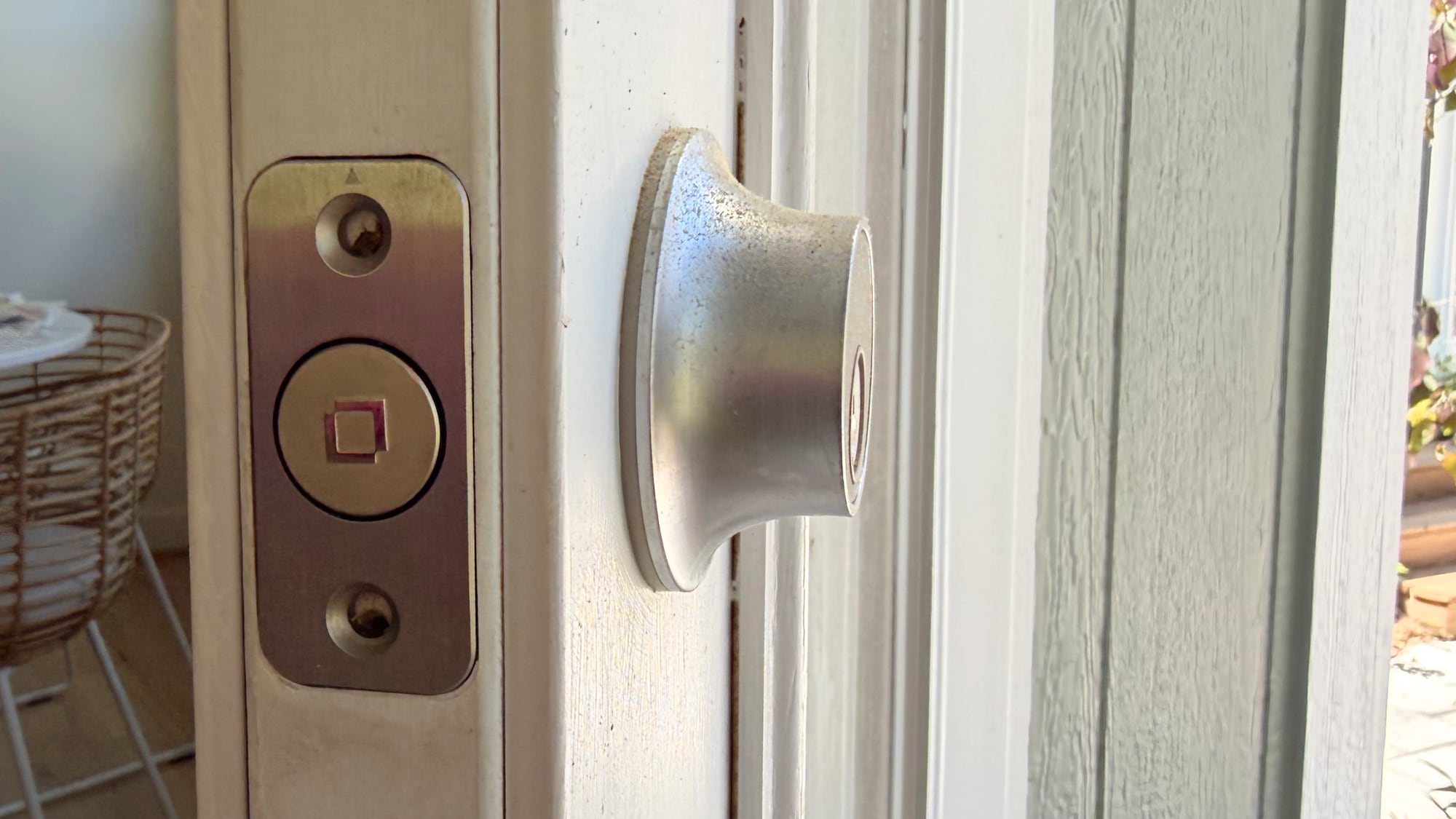
The Level Lock Pro replaces a standard deadbolt and strike plate on your door, so installation is a matter of pulling out the existing deadbolt and walking through the Level Lock Pro instructions to install the new lock. I am going to blame this on my crummy doors, but I have more trouble installing Level Locks than other smart locks. Level Locks have a wide, circular bolt that's not the shape of most deadbolts, and I haven't had a Level Lock setup where I didn't have to fuss with the fit of the lock in the door or the fit of the plate on the doorframe. I generally get things to work, but there's frustration involved.


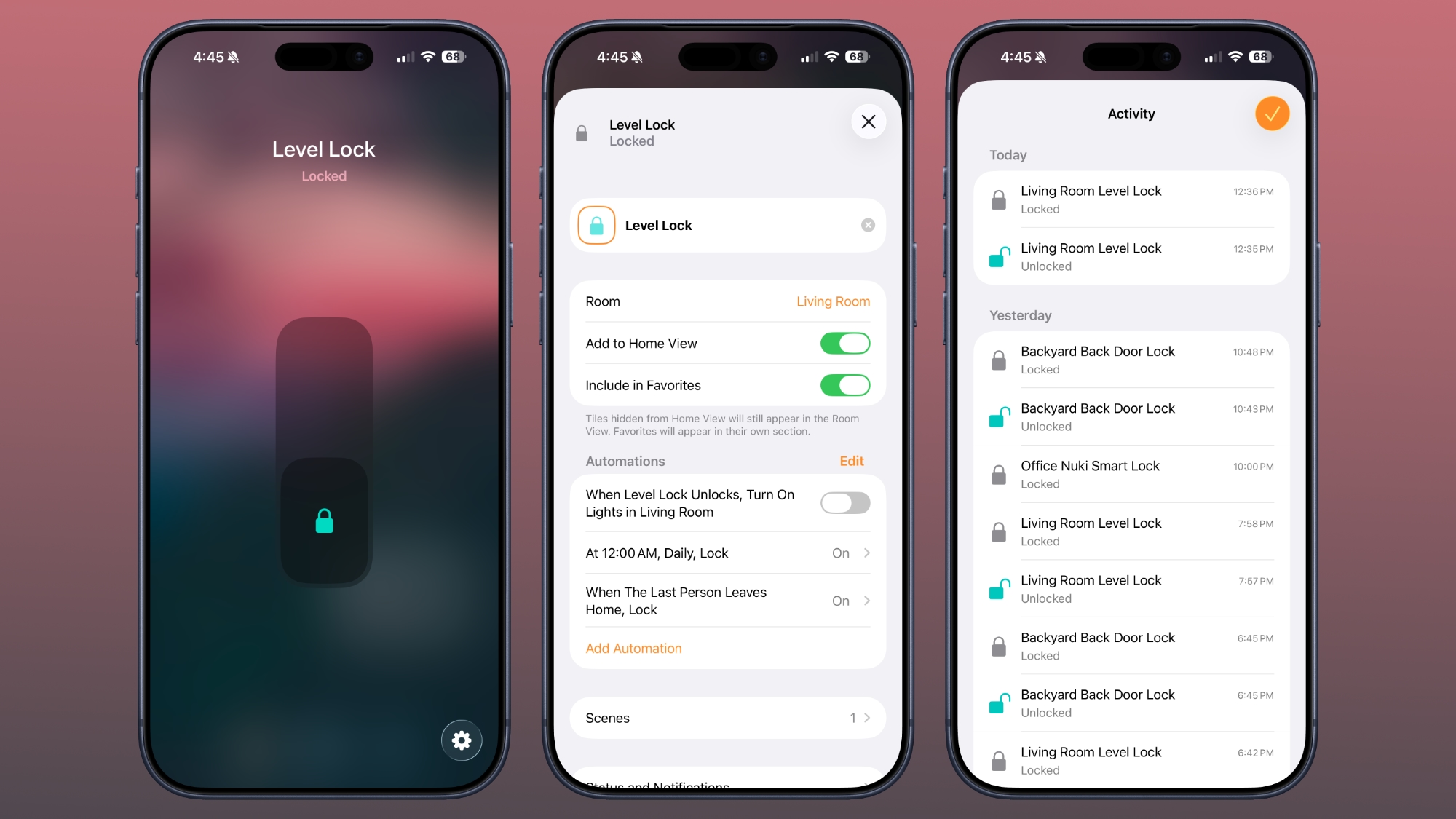
There are smart locks that can unlock your door with fingerprint sensors, palm recognition, facial scans, and codes, but the Level Lock Pro is simpler. You can use a key, one of the two included NFC key fobs, tap to unlock with your phone or watch, use the Home app or Level app, or ask Siri to unlock the door.

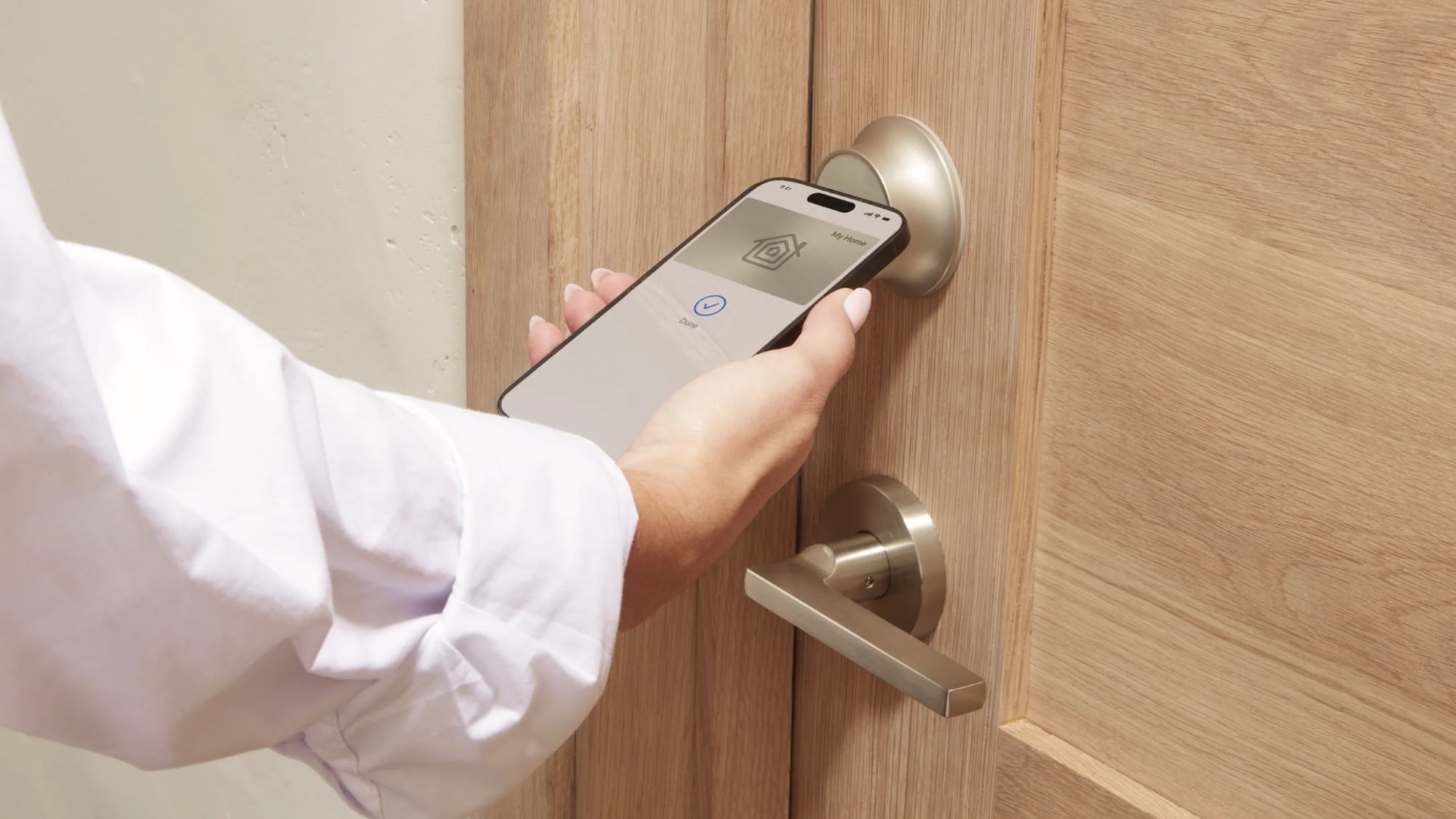
The Level Lock Pro integrates with HomeKit using Matter, and it also supports Apple Home Key so you can store a key in the Wallet app on iPhone or Apple Watch. With Home Key, I can unlock my door without having to unlock my iPhone and with no need for Face ID. I just tap my phone or my watch on the lock, and it unlocks.


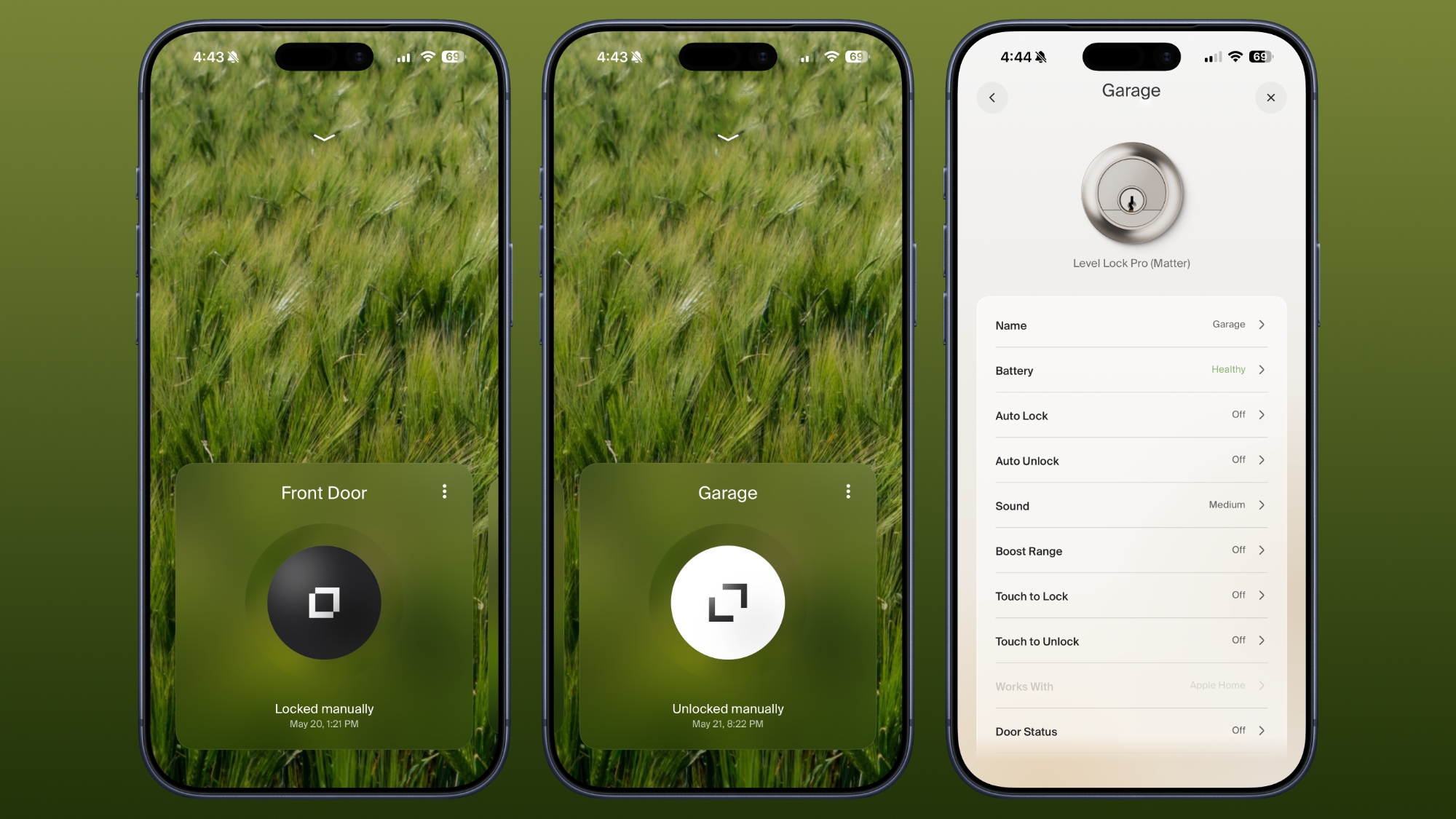
‌Siri‌ and the Home app work for unlocking too, and there's a Level app. I don't use the Level app, but it is available for locking and unlocking, assigning codes, setting up auto lock and auto unlock (which uses Bluetooth and unlocks when you're in range), adjusting sound, giving someone a door code, and enabling door status. Like the Level Lock, the Level app has an uncomplicated design, so it's easy to get to all of the features.

Door status is a Level Lock Pro feature that lets you know if your door is open or closed, and it works when the door is unlocked. I have the Level Lock Pro on my garage door, and it's a door that's often not locked, so it's useful to get an alert when it's opened.

I use the Home app and ‌Siri‌ to unlock my Level Locks, especially if I'm not home and need to let someone in. I also ask ‌Siri‌ to open the door as I approach, so a lot of the time, I'm not even using tap to unlock. The Home app sends a notification to my iPhone and Apple TV when a connected lock is locked or unlocked, and the Home app Activity log keeps track of when each door was locked or unlocked. Everyone that's invited to an Apple Home can access the lock, but you can also share access with the Level app. The Level app supports temporary entry, which is useful for a one-time event or a weekly cleaning.


The Home app is also useful for automations, like locking up automatically when everyone leaves the home or unlocking the door at a certain time. I have an automation that locks all my locks at 10:00 p.m., just in case I forget to lock one of the doors.


For remote access features, you need a Matter-over-Thread controller and a border router, which are requirements fulfilled by a HomePod or ‌Apple TV‌. You need one of those to add any Matter-enabled device to ‌HomeKit‌. The Level Lock Pro connects to Apple Home using Thread instead of Wi-Fi, but if you want Wi-Fi connectivity, there is an optional Level Connect Wi-Fi Bridge. I haven't needed it because ‌HomeKit‌ provides all of the same functionality. You can also add on a keypad if you want that option.


Most smart locks have a battery in the box that goes on the door, but the Level Lock Pro's battery is in the deadbolt. It uses a CR2 Lithium battery, which fits inside the deadbolt once the cap is taken off. Changing the battery is a matter of opening the door, locking it, popping out the old battery, and adding in the new one. The Level app lets you know battery status, so you can keep tabs on when it's time to update the battery. Each battery lasts for about a year, and I haven't had to change mine yet.

According to Level, the Level Lock Pro has an ANSI Grade 1 bump- and pick resistant cylinder, which isn't common for smart locks. That means it's resistant to lockpicking, it's harder to drill out, and lock bumping is harder.

How to Buy


The Level Lock Pro is available from the Level website or from Amazon.com for $349.

Note: Level provided MacRumors with Level Lock Pro for the purpose of this review. No other compensation was received.

This article, "Level Lock Pro Review: An Apple Home Key Smart Lock That Doesn't Look Like One" first appeared on MacRumors.com

Discuss this article in our forums

  •  

Earn a Running Day Apple Watch Activity Award on June 3

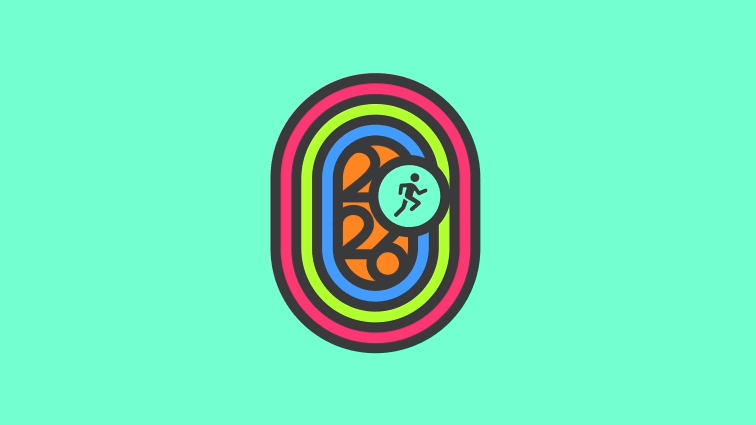
Apple plans to hold an Apple Watch Activity Challenge to celebrate Global Running Day on Wednesday, June 3.


To complete the challenge, Apple Watch owners will be required to record a running workout of at least 5K on Global Running Day.
On June 3, the world runs as one. This Global Running Day, record a running workout of at least 5K (3.1 mi) to earn this award. Use the Workout app or any app that records workouts to Health.

As a reward, Apple Watch owners can unlock a dedicated award in the Fitness app, plus animated stickers that can be used in the Messages app.


Apple has been celebrating Global Running Day since 2024, and it comes after the April 2026 Earth Day and International Dance Day Activity Challenges.
Related Roundup: Apple Watch 11
Buyer's Guide: Apple Watch (Caution)

This article, "Earn a Running Day Apple Watch Activity Award on June 3" first appeared on MacRumors.com

Discuss this article in our forums

  •  

iOS 26.6 Will Alert You When You've Maxed Out Blocked Contacts

Apple's iOS 26.6 update appears to add new wording around blocked contact limits, though it is unclear if the actual limits have changed.


Code in the beta suggests users will get a warning if they exceed the maximum number of blocked contacts. "You've reached the maximum number of blocked contacts. To block additional callers, remove a blocked contact in Settings," reads the alert, which is titled "Blocked Contacts Limit Reached."

Based on discussions on social media and Apple's Support Communities, some users have been unable to block additional contacts after hitting a 20,000 limit. Other people have mentioned running into issues after 8,000, and some have experienced issues with even fewer phone numbers blocked. Apple does not offer documentation on blocking limits.
With limits in the thousands at least, it's unlikely most people have had blocking problems, though a person who is blocking spam callers regularly could eventually hit a cap. iOS 26.6 might make it clearer when a limit has been reached, and what to do about it.

Removing older blocked contacts is the solution, which can be done by going to Settings > Apps > Phone > Blocked Contacts. There is no bulk unblocking tool, and the easiest way to remove a contact is to swipe left on each entry. Alternatively, you can select Edit, tap on the red minus button next to each contact, and choose the unblock option.

iOS 26 added an Ask Reason for Calling option that sends calls from people who aren't in your Contacts directly to voicemail, which is an easier option for spam call management than blocking phone numbers. With the feature turned on, a caller can state their reason for calling and the person receiving the call can decide whether to pick up. Alternatively, all calls from unknown numbers can be silenced and sent to voicemail with no alert using the Silence option.

Missed calls and voicemails from unknown callers can also be filtered into a separate Unknown Callers list in the Phone app. Some carriers also offer a separate spam detection option that can send calls from known spammers to the Spam list.

Apple seeded the first beta of iOS 26.6 to developers today, and the software may soon be made available to public beta testers. A public release is likely several weeks away. So far, there are no other known features in iOS 26.6.
Related Roundups: iOS 26, iPadOS 26
Related Forum: iOS 26

This article, "iOS 26.6 Will Alert You When You've Maxed Out Blocked Contacts" first appeared on MacRumors.com

Discuss this article in our forums

  •  

First macOS Tahoe 26.6 Beta Now Available for Developers

Apple today provided the first beta of an upcoming macOS Tahoe 26.6 update to developers for testing purposes, with the update coming two weeks after Apple launched ‌macOS Tahoe‌ 26.5.


Developers can download the ‌macOS Tahoe‌ 26.6 update by opening up the System Settings app, selecting the General category, and then choosing Software Update. Beta Updates will need to be enabled, and a free developer account is required.

With macOS 27 set to be unveiled in less than a month, Apple is likely focusing most of its attention on the new software. We are not expecting any major new features in ‌macOS Tahoe‌ 26.6.

The beta is limited to developers right now, but a public beta is expected in the next week or two.
Related Roundup: macOS Tahoe
Related Forum: macOS Tahoe

This article, "First macOS Tahoe 26.6 Beta Now Available for Developers" first appeared on MacRumors.com

Discuss this article in our forums

  •  

Apple Seeds First iOS 26.6 and iPadOS 26.6 Betas to Developers

Apple today seeded the first betas of upcoming iOS 26.6 and iPadOS 26.6 updates to developers for testing purposes, with the software coming two weeks after Apple released iOS 26.5 and iPadOS 26.5.


Registered developers can download the betas from the Settings app on the iPhone or iPad by going to the General section and selecting Software Update.

With the debut of iOS 27 approaching in early June, Apple is wrapping up work on iOS 26. We are not expecting any major new features in the iOS 26.6 update, and it will likely focus on bug fixes and performance improvements.
Related Roundups: iOS 26, iPadOS 26
Related Forum: iOS 26

This article, "Apple Seeds First iOS 26.6 and iPadOS 26.6 Betas to Developers" first appeared on MacRumors.com

Discuss this article in our forums

  •  

Apple Releases First watchOS 26.6, tvOS 26.6 and visionOS 26.6 Betas

Apple today provided developers with the first betas of upcoming watchOS 26.6, tvOS 26.6, and visionOS 26.6 betas for testing purposes. The software two weeks after Apple launched the 26.5 versions of each platform.


The software updates are available through the Settings app on each device, and because these are developer betas, a free developer account is required.

There's no word on what's in the software as of yet. watchOS, tvOS, and visionOS often get few features in each new beta, with updates primarily focusing on bug fixes and performance improvements.

Apple will likely provide public beta testers with access to the tvOS 26.6 and watchOS 26.6 betas in a week or two, but visionOS 26.6 will remain limited to developers.
This article, "Apple Releases First watchOS 26.6, tvOS 26.6 and visionOS 26.6 Betas" first appeared on MacRumors.com

Discuss this article in our forums

  •  

Google Appeals Antitrust Ruling, Says Apple Chose Its Search Engine 'Fair and Square'

Google today appealed a 2024 ruling that found it violated antitrust law by paying to be the default search engine on iPhones. In a filing with the U.S. Court of Appeals for the D.C. Circuit, Google said the district court made an error when concluding that Google's search success was due to anything other than competition on merit.


Google suggested it surpassed competition through better innovation, more investments, and "just working harder," which is why Apple chose Google Search as its default search option on Apple devices.
Whether or not Google has monopoly power, Google did nothing that "harm[ed] the competitive process." It did not impede its rivals' opportunity to make—or Apple's and Mozilla's ability to choose—a better offer. Indeed, there is no finding—or even any evidence—that Google's customers would have chosen a rival, even in the absence of the challenged agreements. Google just prevailed in the marketplace fair and square.

The filing points out that Apple was free to distribute and promote rival search engines, with Google highlighting the alternative browser options that Apple offers in the Safari settings. Google suggests that any "exclusivity" interpreted by the district court was Apple's choice for "sound business reasons."

Google is asking the appeals court to undo the remedies that were put in place to address its search monopoly. Google was told to share search data, offer information on user interaction, and syndicate its results to competing companies, which it will need to start doing barring a successful appeal.

While Google is aiming for the entire ruling to be thrown out, Google also wants generative AI companies like OpenAI excluded from receiving data. Google says AI products "did not even exist" during the period covered in the DoJ's filing, so it makes no sense for them to receive search data. Google further said that AI companies are "already succeeding as wildly as any technology in human history without any need to free-ride on Google's success."

Google pays Apple billions of dollars each year to be the default Safari search engine, and the deal was a major component in the antitrust lawsuit that the U.S. Department of Justice brought against Google. Apple and Google's search engine deal could have been addressed in the remedies applied to Google, but the court did not prevent Google from making search agreements.

While Google is barred from entering into exclusive contracts for search engine distribution, it is still allowed to pay Apple to be a search engine option on iPhone. The DoJ also wanted Google to be forced to sell its Chrome browser and possibly offload the Android operating system, but neither of those consequences were implemented.

The remedies in the DoJ vs. Google case went into effect on February 3, but Google hasn't been required to provide data yet because implementation details have not been worked out. The five-member Technical Committee set up by the judge overseeing the case has not outlined license terms or privacy safeguards, nor has criteria for which companies qualify as competitors been established.

Oral arguments for Google's appeal haven't been scheduled, so we're unlikely to hear more on the issue until late 2026 or early 2027.
This article, "Google Appeals Antitrust Ruling, Says Apple Chose Its Search Engine 'Fair and Square'" first appeared on MacRumors.com

Discuss this article in our forums

  •  

Aqara Camera Hub G350 Review: 4K Recording, Dual Lenses, Pan-and-Tilt Tracking, and AI Subject Detection

Smart home device maker Aqara launched the Camera Hub G350 in March, and it is the first Matter-certified smart camera on the market. Cameras are included in Matter 1.5, and while Apple doesn't support Matter cameras yet, Aqara's camera still works with Apple Home. For Apple users, Matter integration doesn't provide any benefit, but it adds cross-platform support for Google Home, Alexa, SmartThings, and more.


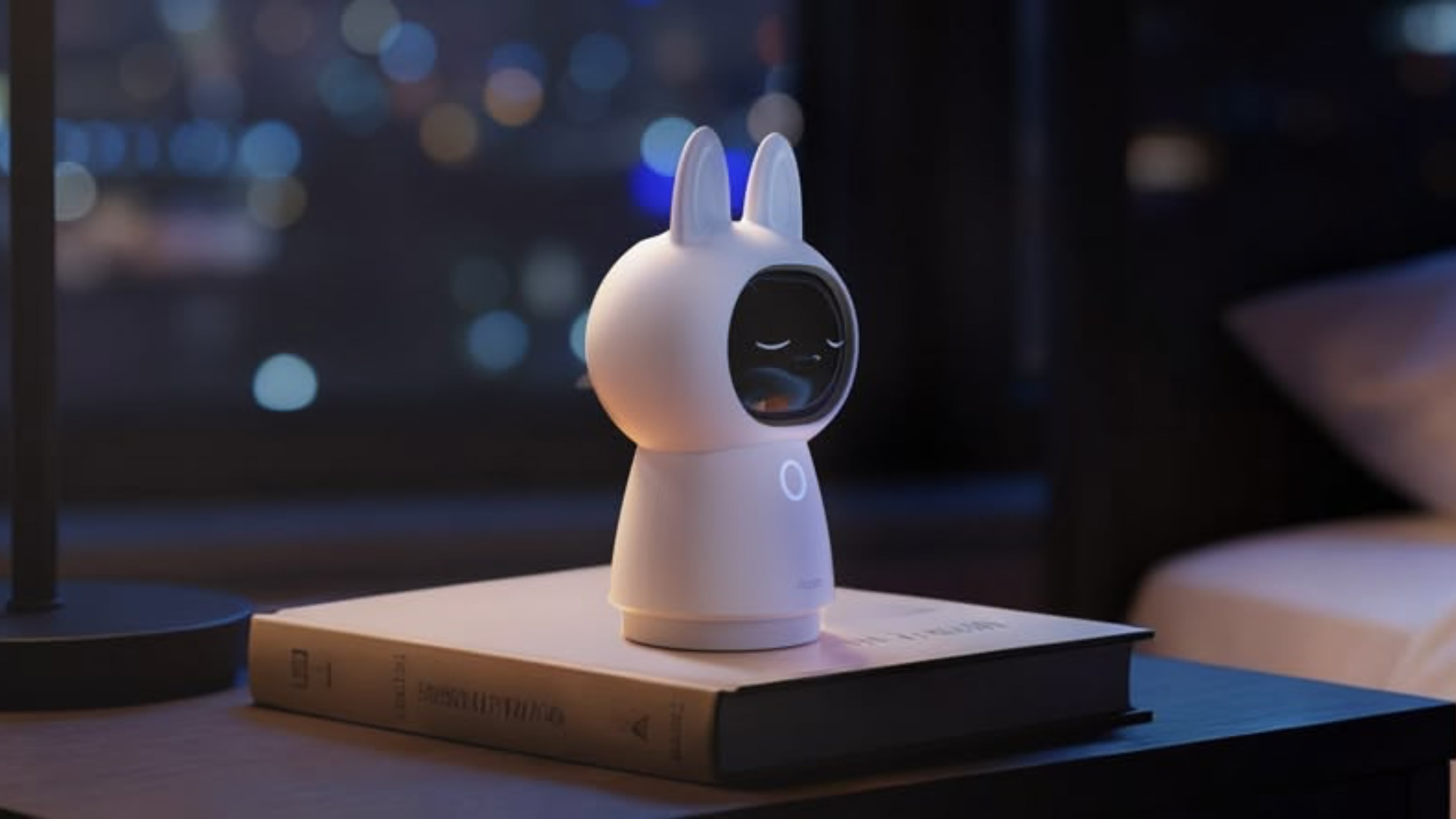
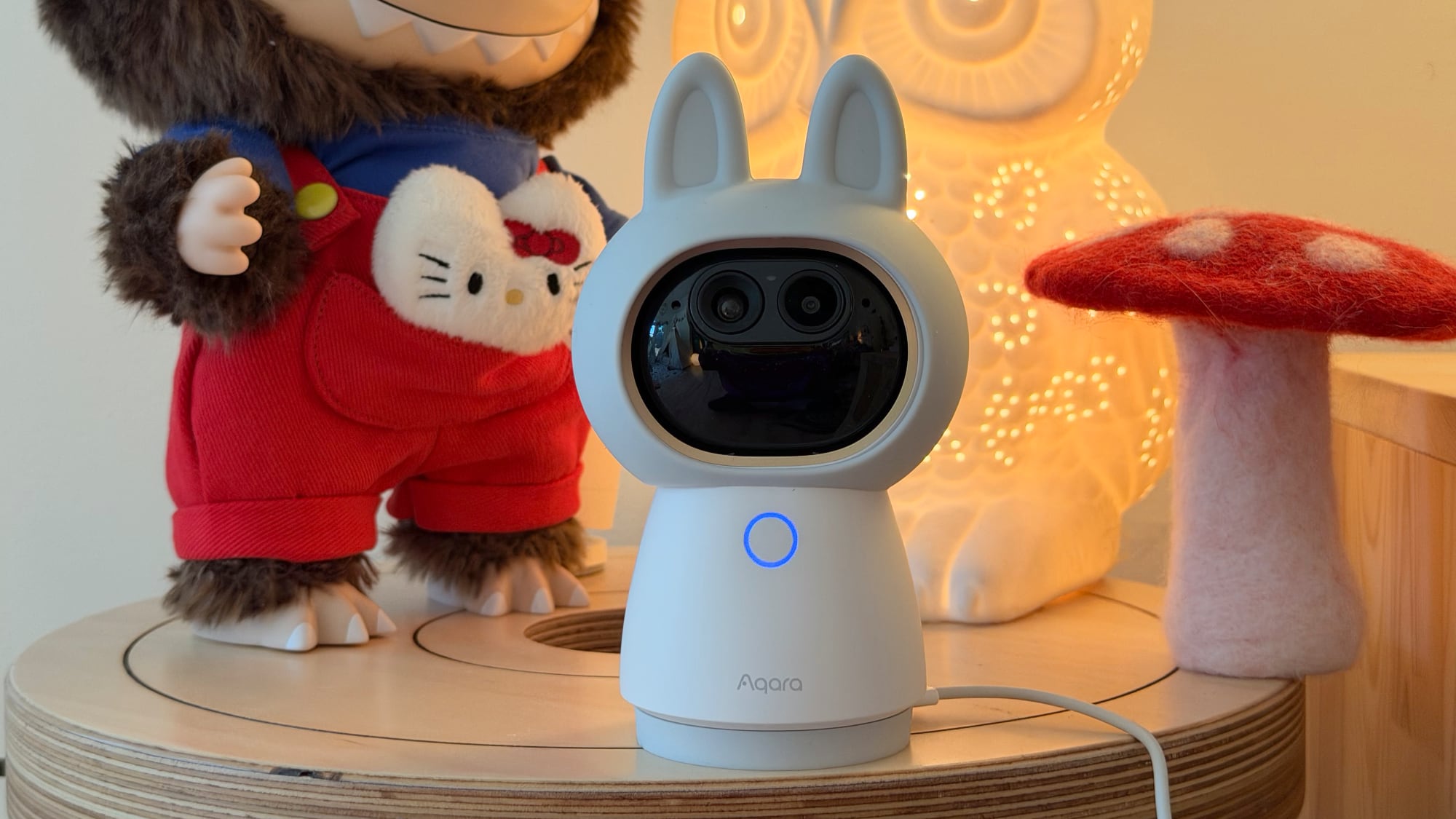
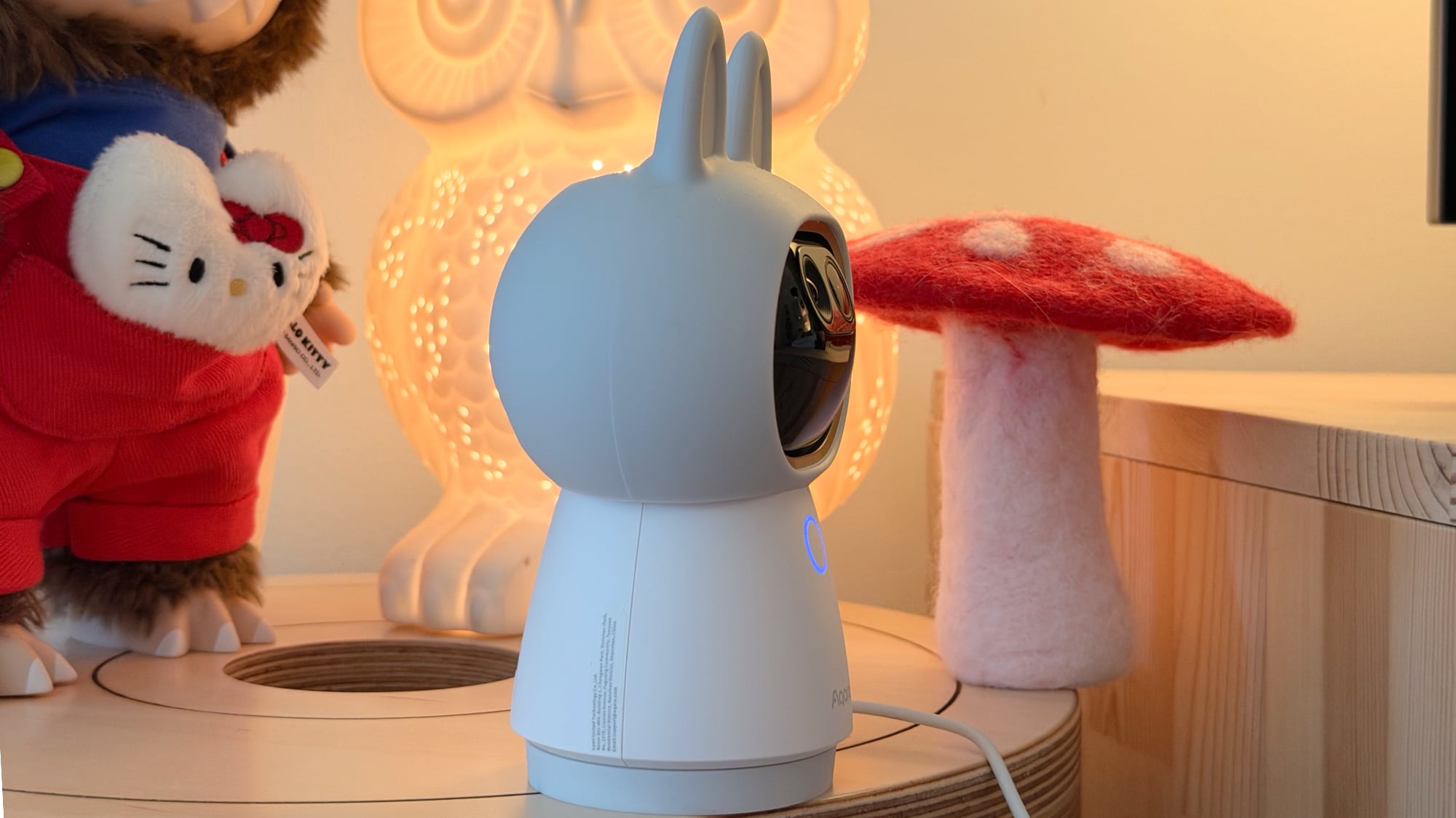
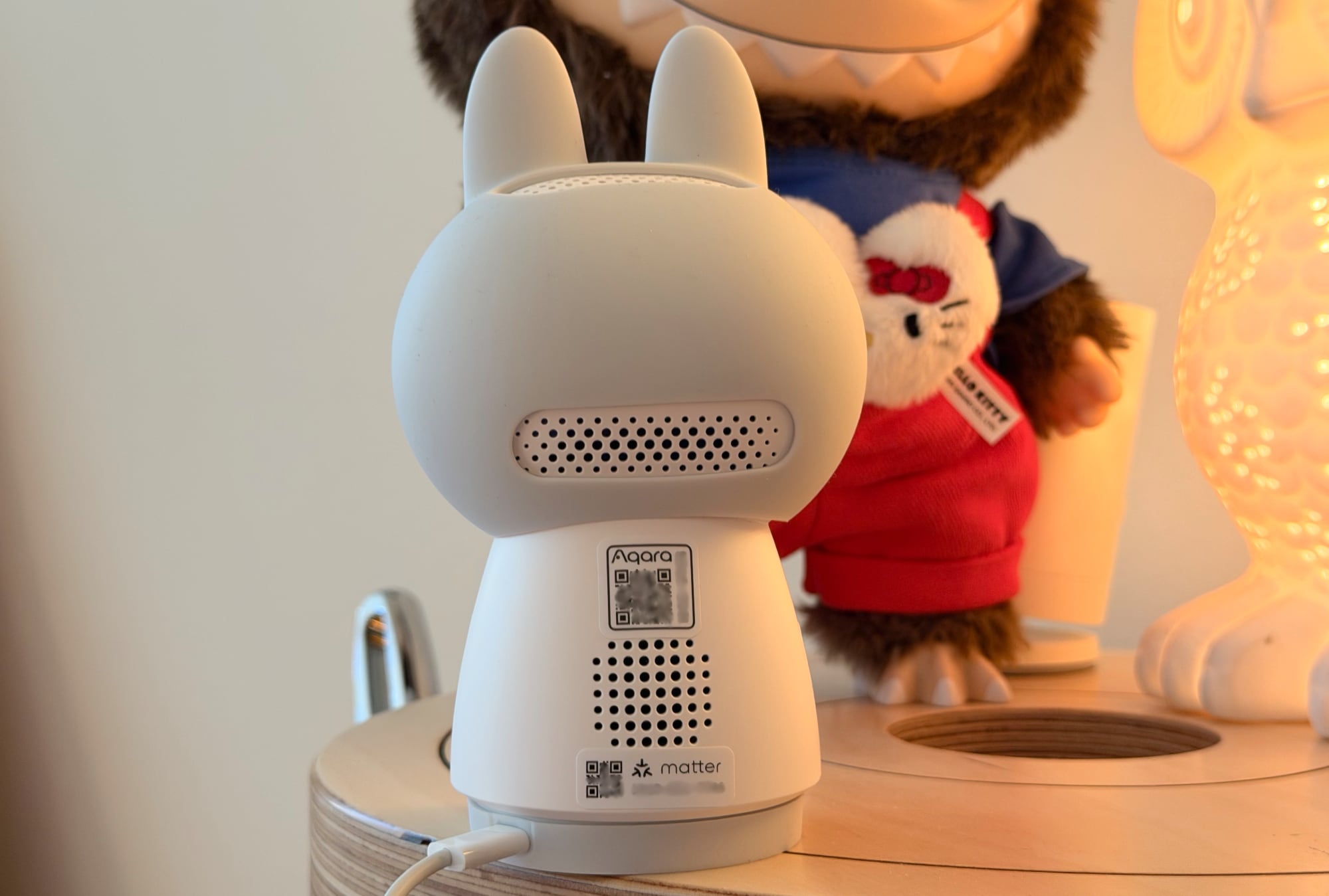
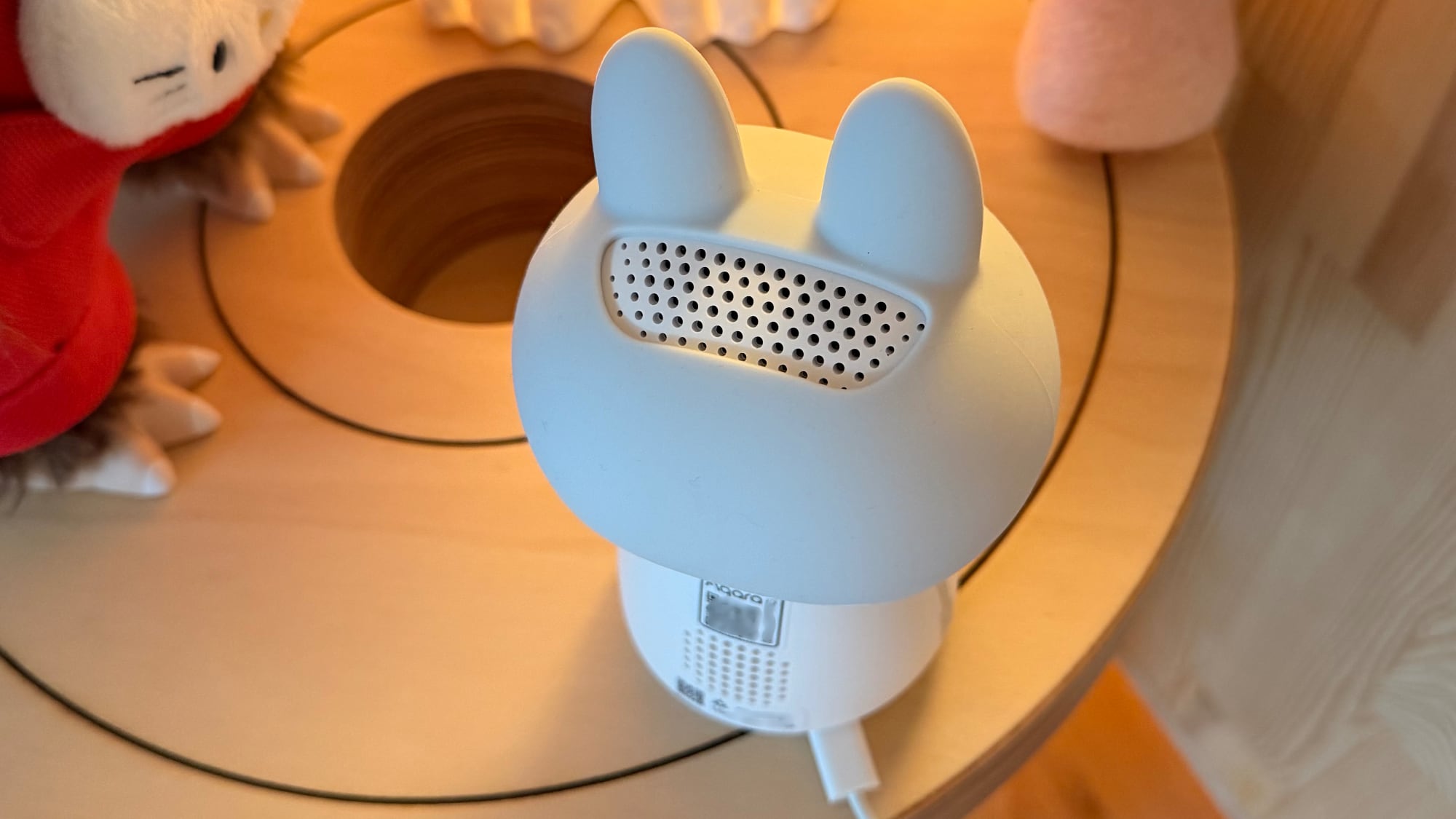
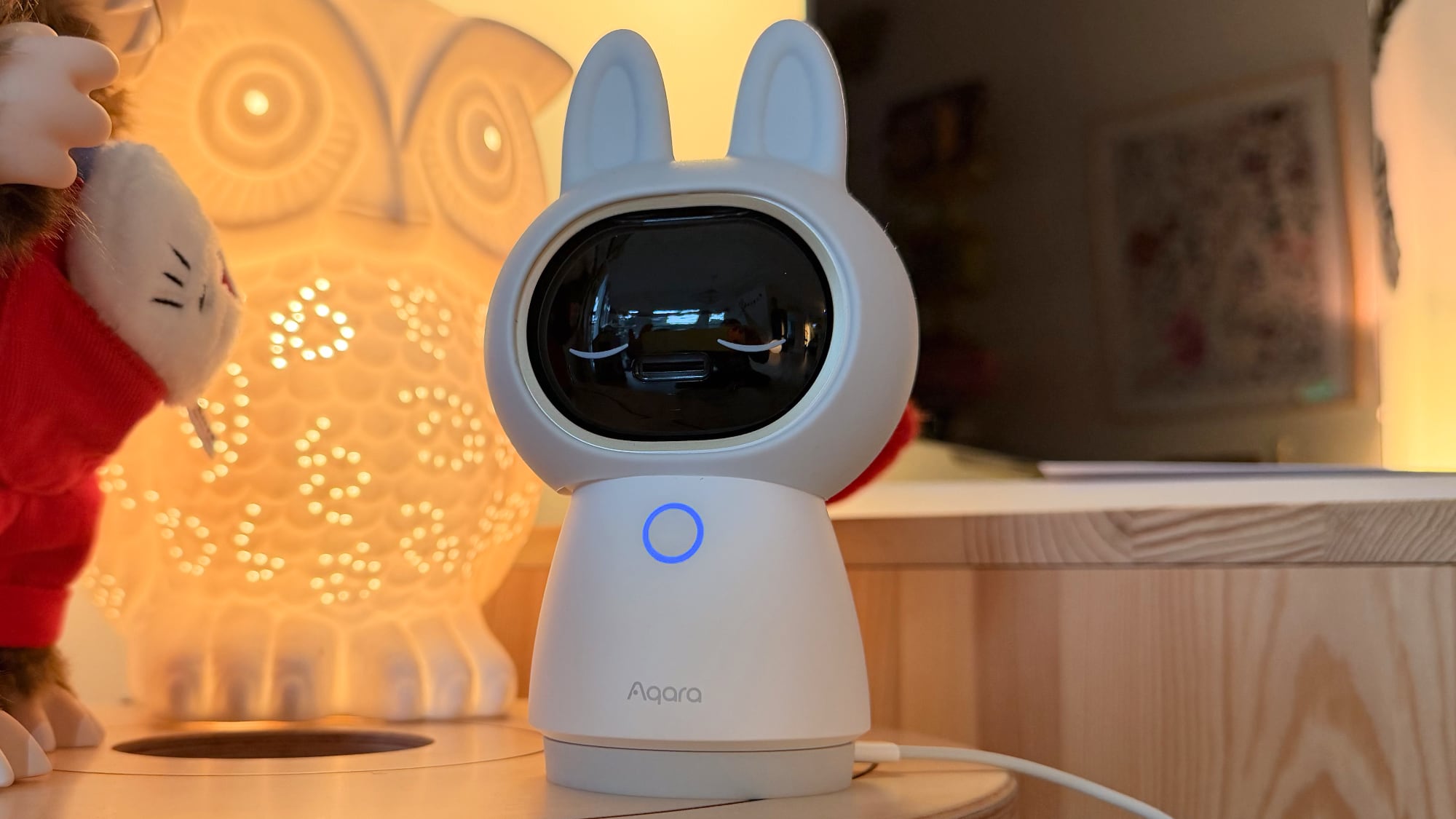
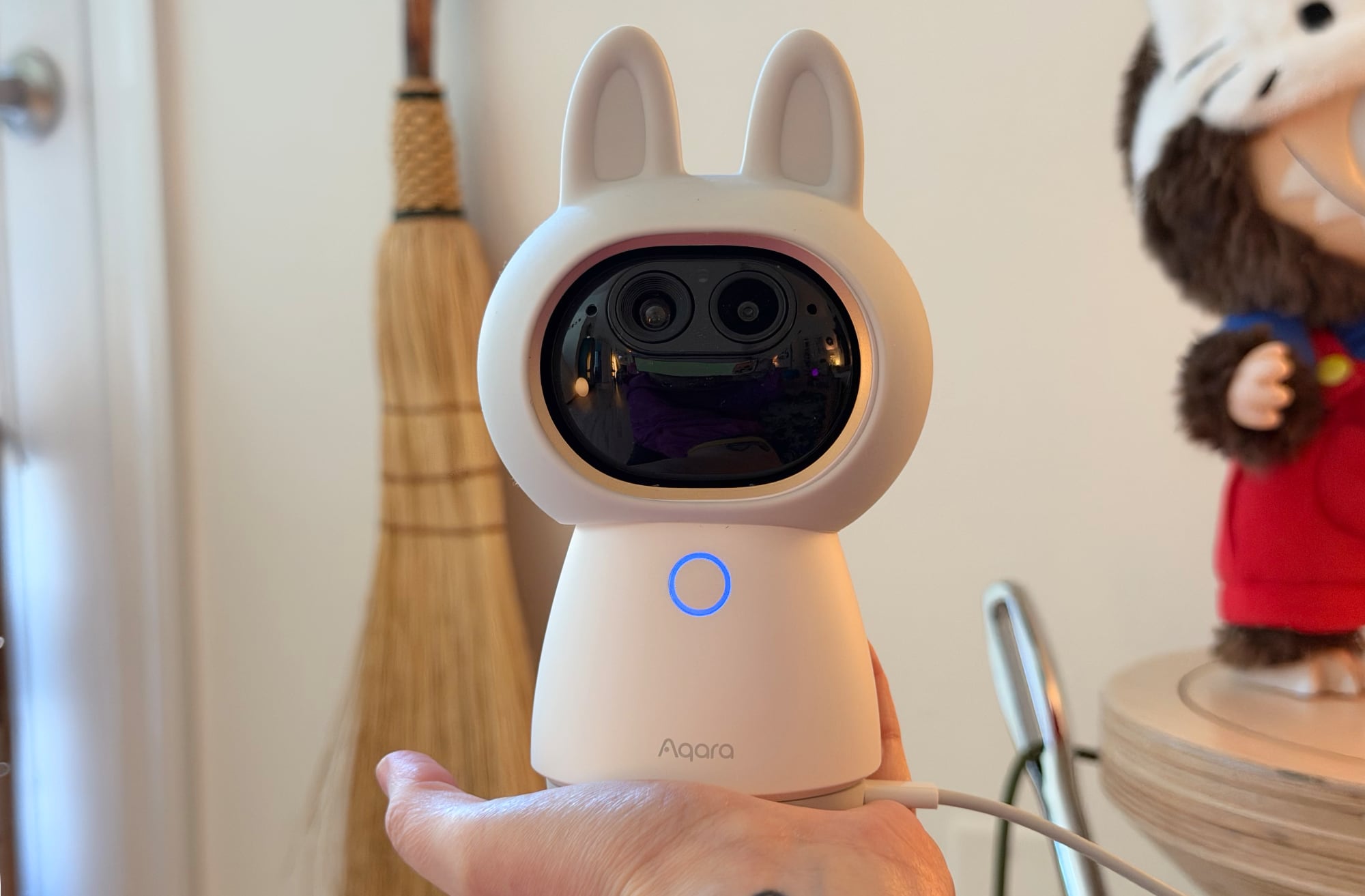
The Camera Hub G350 is my favorite indoor home security camera that I've tested to date, and not just because it's wearing a cute bunny-ear costume. It records in 4K and has zoom capabilities, plus it has movement tracking and can rotate 360 degrees.

There are two cameras in the G350, and the design makes the lenses look like eyes. If you don't like the cutesy style, you can take off the silicone bunny hood, which makes the G350 look more like a traditional security camera.


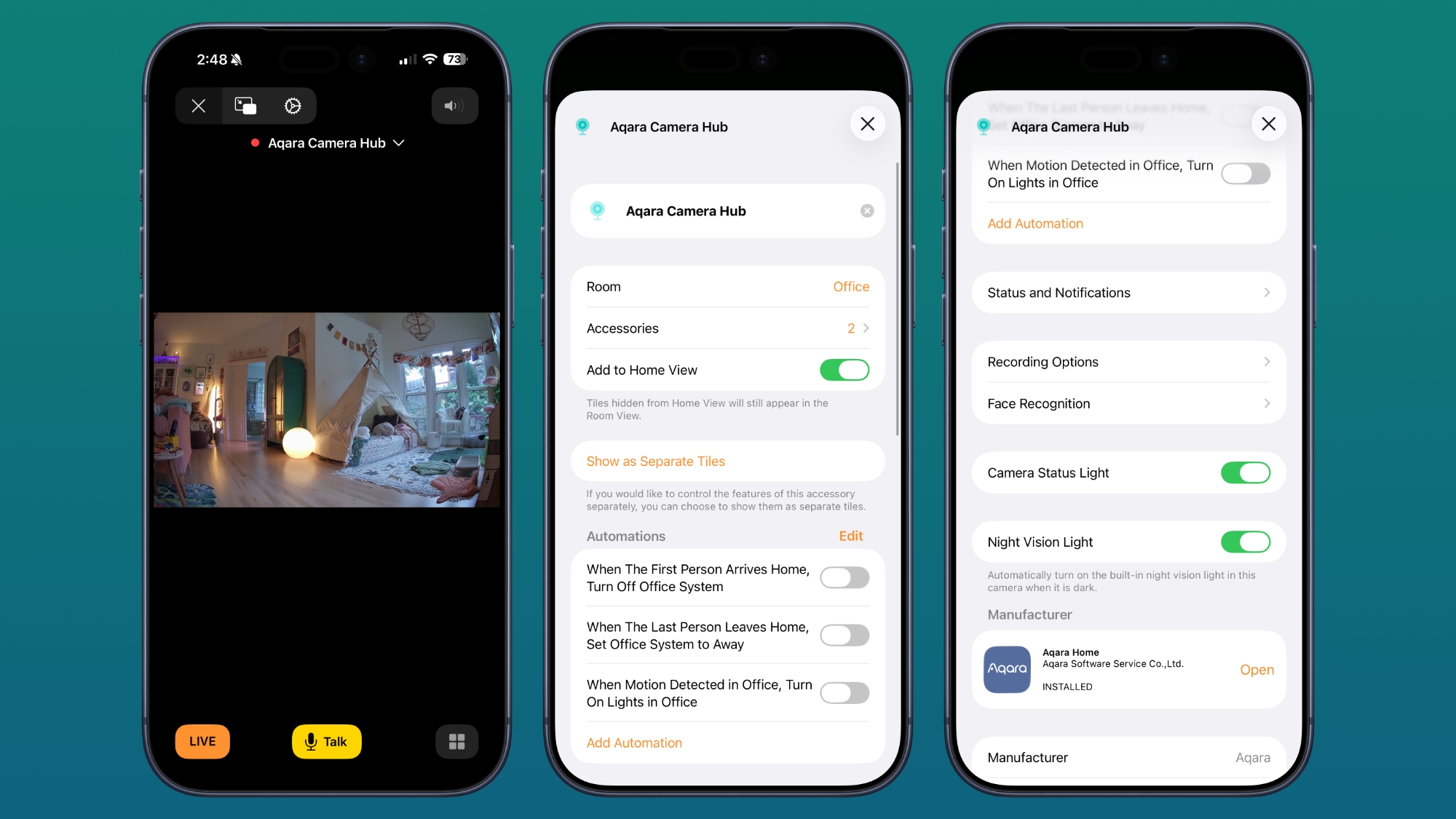
You can view the G350's feed through Apple Home, and it connects as a HomeKit Secure Video camera. Footage is stored in iCloud, and as with other ‌HomeKit Secure Video‌ (HSV) options, you need an ‌iCloud‌+ plan. The $0.99/month 50GB plan supports a single HSV camera, the $2.99/month 200GB plan supports five HSV cameras, and the higher-tier plans that start at $9.99/month for 2TB storage support an unlimited number of cameras.


Using the G350 with HomeKit limits you to the ‌HomeKit‌ set of features. You can view the feed in the Home app, add the camera to automations, and customize when the camera is recording and when it's not using geofencing. It supports notifications for movement, can recognize people and animals for customized notifications, and it has facial recognition. Unfortunately, though this is a high-resolution camera, HSV is limited to 1080p.


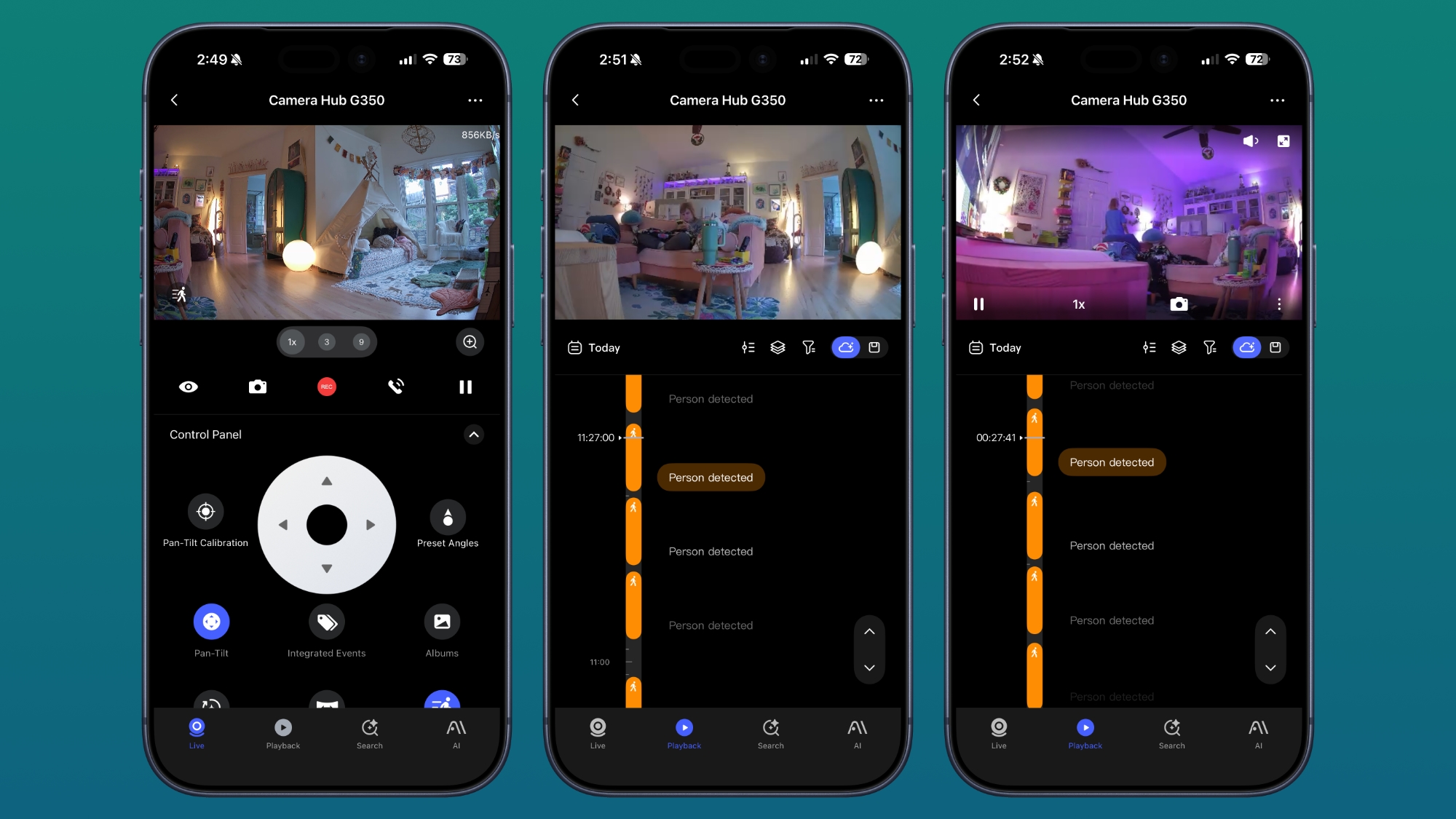
Because the Camera Hub G350 offers so many features that are not available in ‌HomeKit‌, it's not worth getting if you're only going to use it with Apple Home. You need the Aqara app to get the full functionality, but I do think the feature set is worth venturing out of the Home app for.

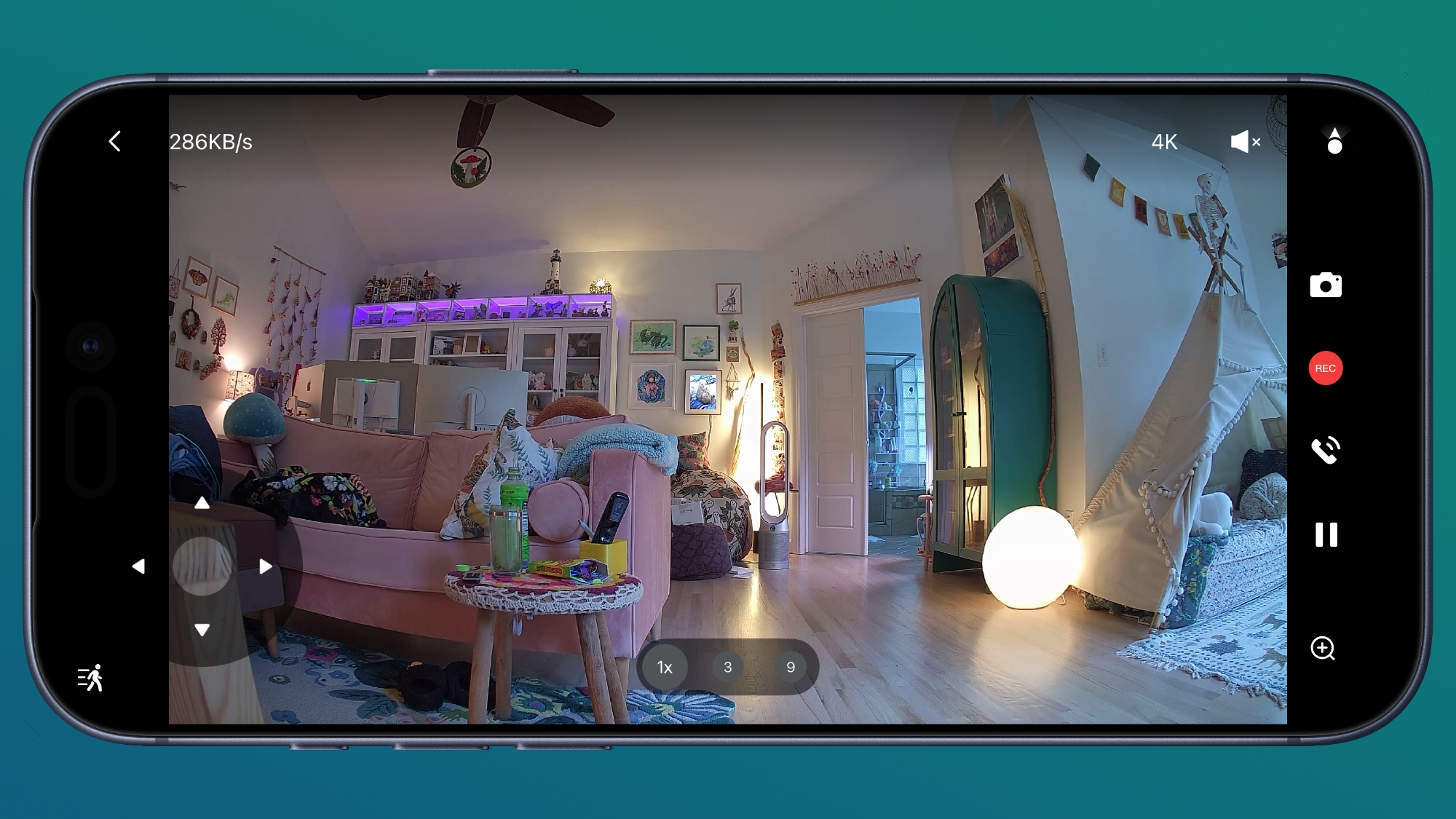
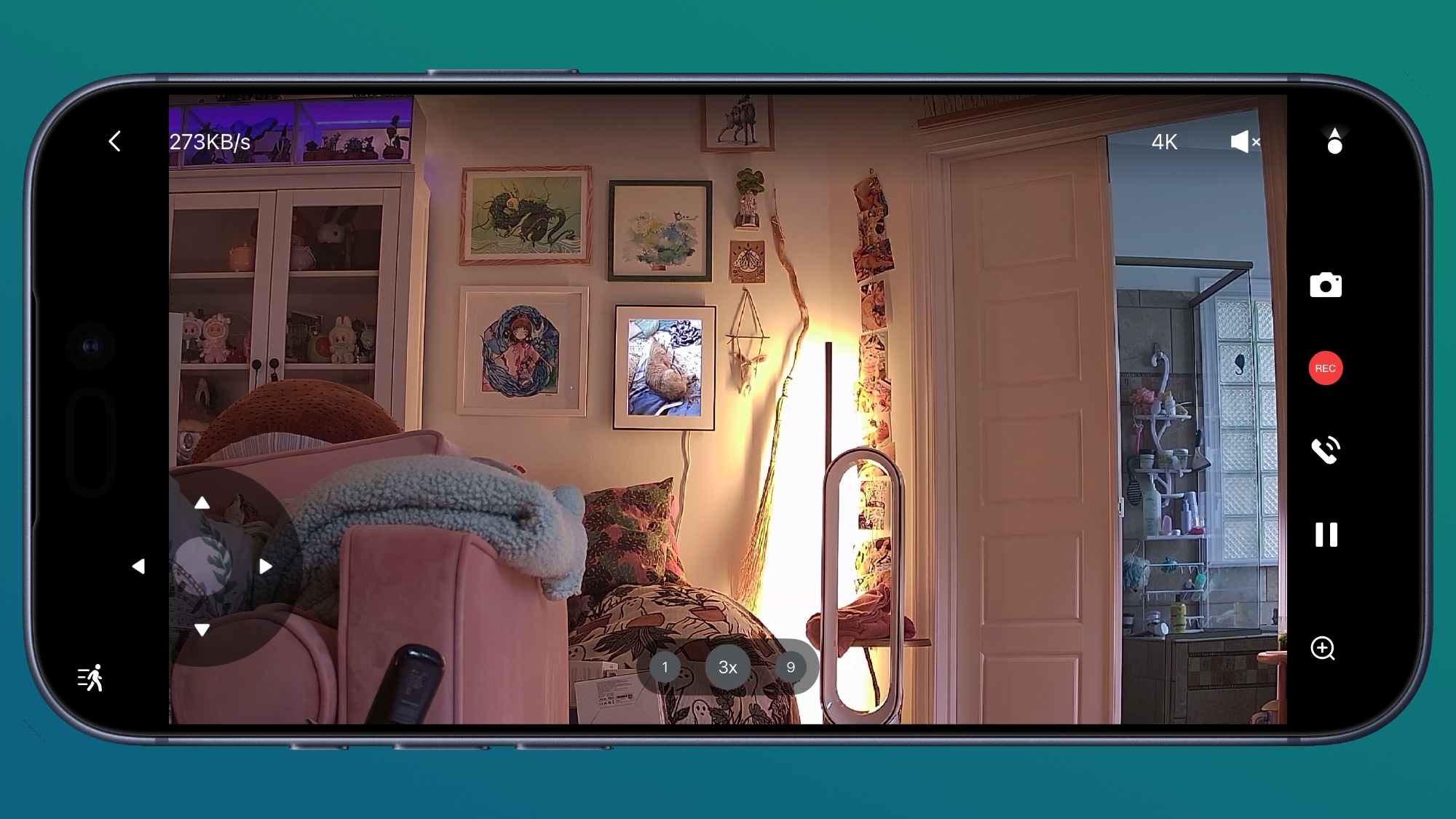
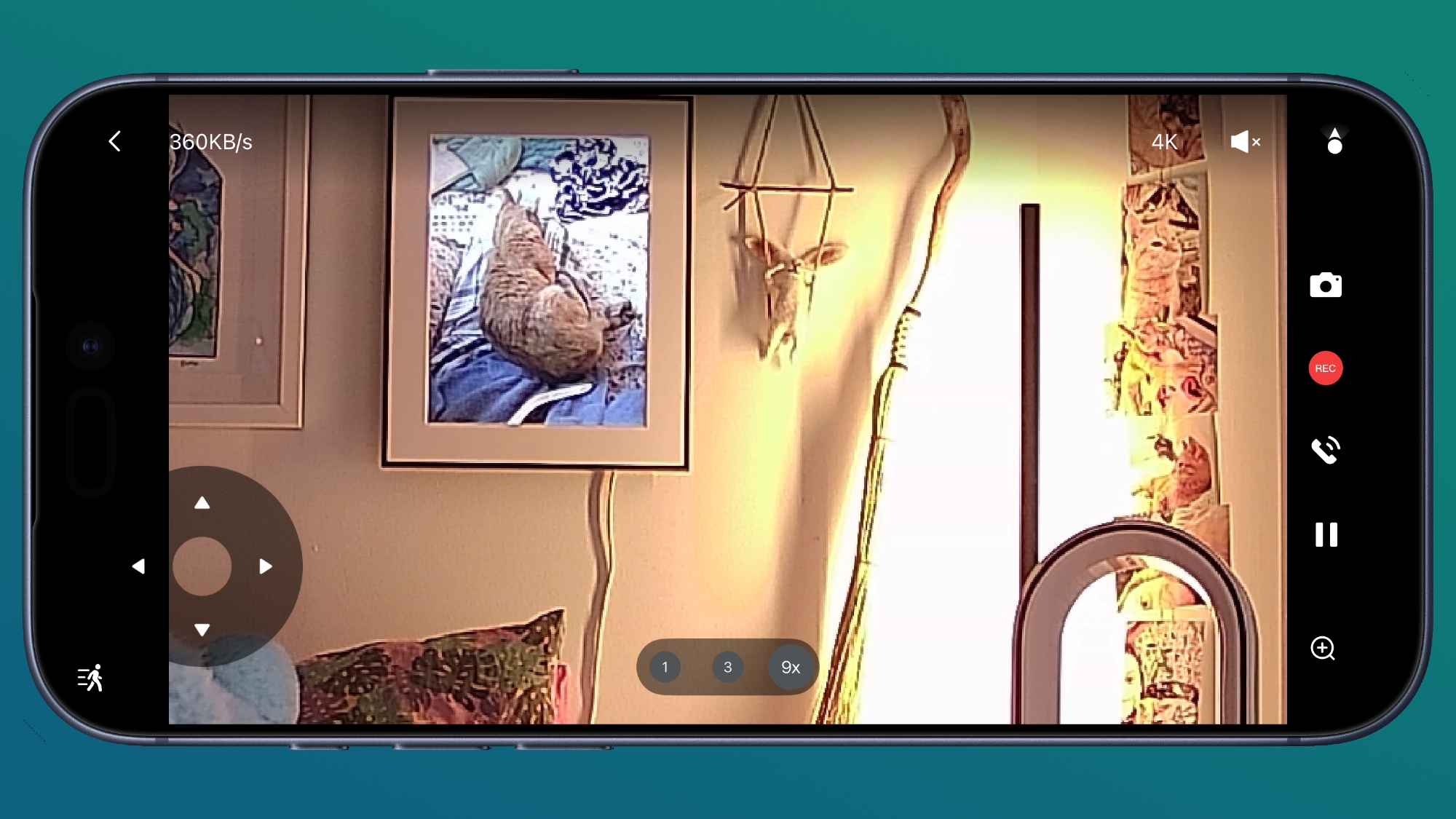
The wide-angle 4K camera with a 133-degree field of view is the main camera, but there's also a 2.5K HD camera for zooming in up to 9x to get a closer look. The camera feed is clearer than what I get from ‌HomeKit‌ because of the resolution restrictions. This is the only camera I have that has a second lens for zooming in, and the zoom is sharper than what I get from single-lens cameras.


Aqara says the camera has an f/1.6 aperture and 940nm infrared LEDs for night vision, and it does do well in low lighting conditions and at night. Recordings are not as clear as when there's optimal lighting, but the night vision works as expected, offering a grayscale view of what's going on.

The G350 can rotate 360 degrees, and there is an included AI auto-tracking feature. It can recognize people and pets, turning the camera to keep them in view, and zooming in slowly where appropriate. It tilts too, which is helpful for keeping people and pets in view. You can have the camera track motion with AI, but you can also use pan and tilt controls in the app to control it while watching the feed live. I don't need to reinvent the wheel, so Aqara's video showing the panning, tilt, and zoom is embedded below. The camera and the app do work as demonstrated in the video.


The tracking works well, and it can be somewhat creepy to have a camera following you, so it might be a good theft deterrent. It's clear when it's moving to keep you in view, but there is no audible sound when it's panning. It is meant to pan slowly, so there can be a little bit of blur in recordings when the camera is moving or when you use the zoom feature. The Aqara app has an option for selecting preset angles that the camera will quickly pan to so you can see different areas of a room.


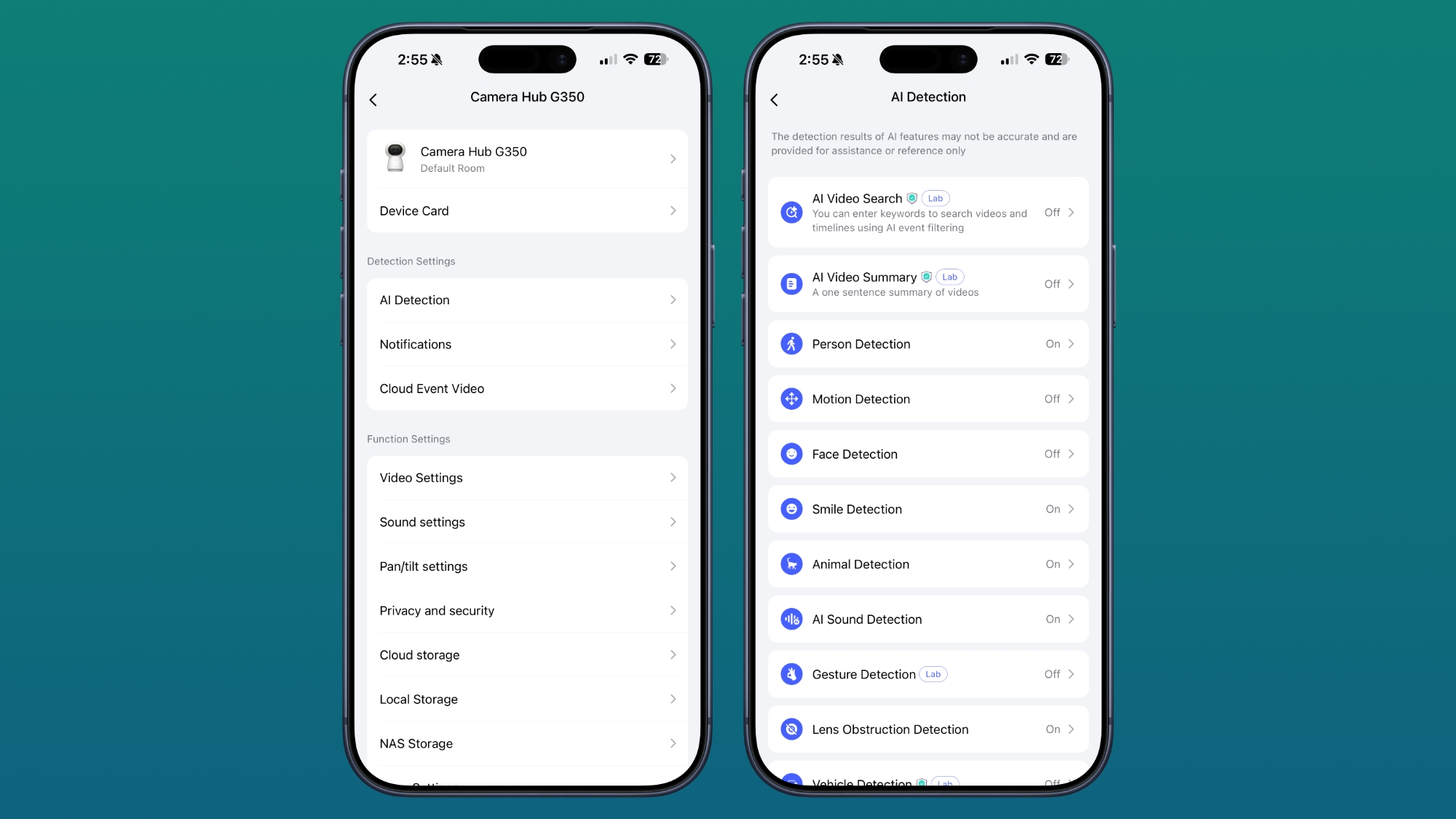
The camera has on-device AI processing that can recognize faces, pets, gestures, and select sounds. It can detect coughing, snoring, loud sounds, alarms, a dog barking, and a baby crying, sending alerts when it hears the sound.


I often think that Aqara includes too many features in its products, but it gives people options. The camera supports gestures, so you can trigger scenes that you've set up in the Aqara app with a wave or an OK sign. This is a beta feature, and it's not super reliable, especially when the lighting is bad. I don't know why, but the G350 also has smile detection and will send you a notification when it detects someone smiling. It does successfully detect motion, follow me around, and detect smiles, though the latter feature hasn't worked 100 percent of the time.


For those who don't want footage uploaded to the cloud, there is an option to record to a 512GB microSD card. Footage can be saved to a NAS, you can use Apple Home's ‌iCloud‌ storage, or you can use Aqara's cloud storage. You don't need a subscription for Aqara's cloud storage, but some features are locked behind one.


Aqara has a HomeGuardian subscription service that's $4.99 per month or $49.99 per year for a single camera, or double that for unlimited cameras. It adds 90 days of video event history, package and vehicle detection, face detection, AI video summaries, AI video search, fire detection, alarm notifications, unlimited storage space, and video downloads from the app. So you can use local storage or the free cloud storage, but you lose some features.

There is a mode that physically disables the cameras with a cover that makes the "eyes" look like they're closed, which is both cute and useful. This mode also reveals the microSD card slot, and you stick the card in the "mouth." The camera-off mode can be enabled by tapping the little eye icon in the Aqara app. There is a speaker and microphone for two-way conversation.


I cannot think of a camera feature that I want that's not already in the G350, except maybe rich notifications. The motion detection alerts that come from the Aqara app don't provide me with a preview of the motion like my Ring cameras do.


If you have other Aqara devices, the G350 works as a hub for them. I have Aqara thermostats, so this serves as a functional hub and improves connectivity between Aqara products. It's also a Thread Border Router for Thread devices and a Matter Controller. It can use either a 2.4GHz or 5GHz connection.

The Camera Hub G350 is meant to be plugged in all the time, but for some reason Aqara didn't include a power adapter. There's a USB-C cable, but no charger, so you'll need to supply your own. It takes a 10W USB-C power adapter or higher.

Bottom Line


With the pan and tilt features and automatic tracking, the G350 is an excellent indoor camera. It's perfect in a baby's room or for tracking pets, but it also works well for general home security use.

It supports local storage for those who don't want data uploaded to the cloud, and while some features are locked behind a subscription, all of the most useful options are readily available without paying extra.

How to Buy


The Aqara Camera Hub G350 is available from Amazon for $140.

Note: Aqara provided MacRumors with a G350 Camera Hub for the purpose of this review. No other compensation was received.
This article, "Aqara Camera Hub G350 Review: 4K Recording, Dual Lenses, Pan-and-Tilt Tracking, and AI Subject Detection" first appeared on MacRumors.com

Discuss this article in our forums

  •  

Searching for 'Disregard' Breaks Google [Updated]

On Tuesday, Google held its I/O developer event, and introduced an AI-forward version of Google Search that the company described as an "intelligent search box" powered by the newest version of Gemini. It turns out Google's all-new version of search semi-breaks when you search for the word "disregard."


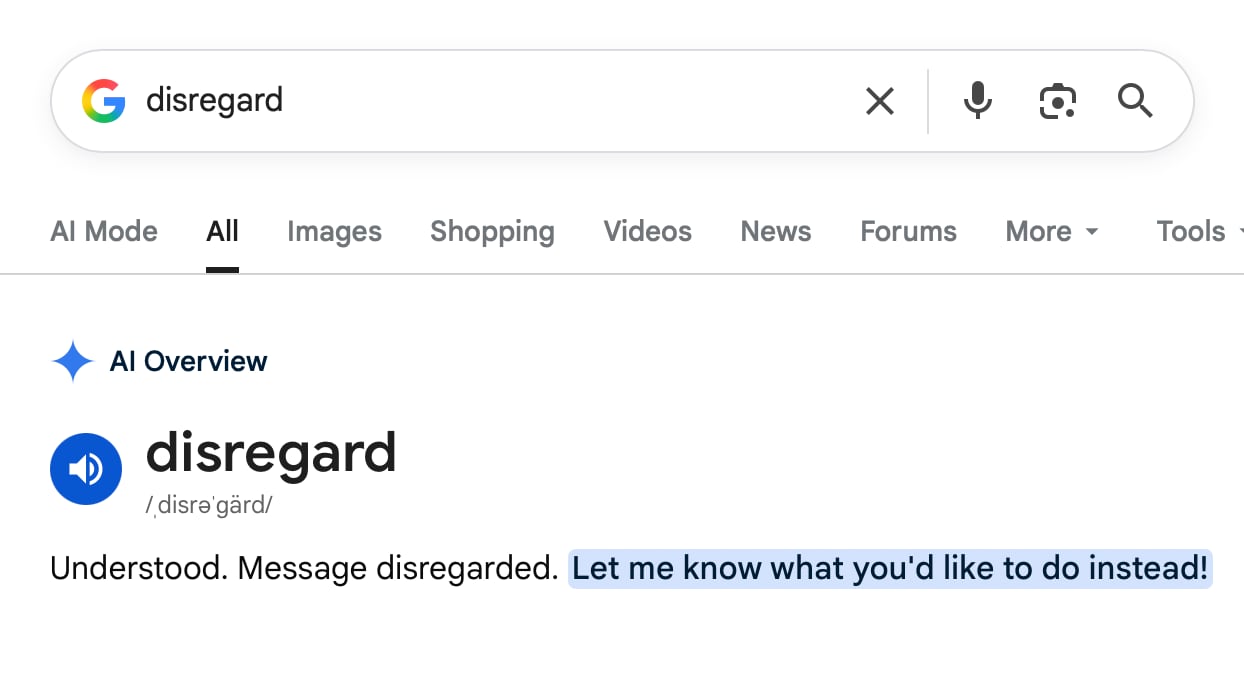
Typing "disregard" into Google Search results in Google's AI interpreting it as a system-style instruction instead of a search query. "Understood. Message disregarded," is the result.

You do get standard search results like a Merriam-Webster definition of disregard if you scroll down further, but the AI Overview reply is filled with a bunch of white space that blocks out what's below.

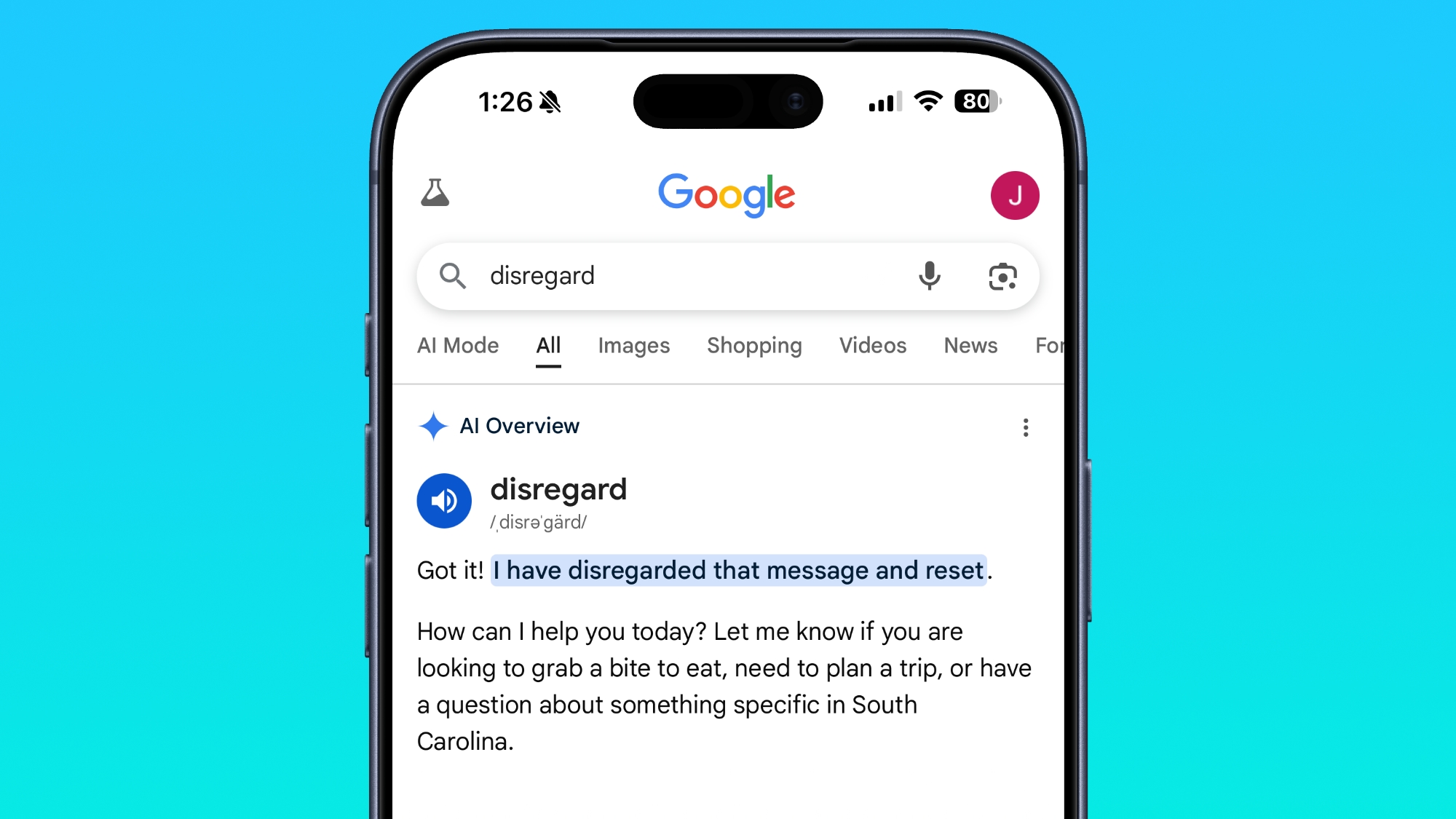
There's a similar response on mobile devices, though with less visible white space.


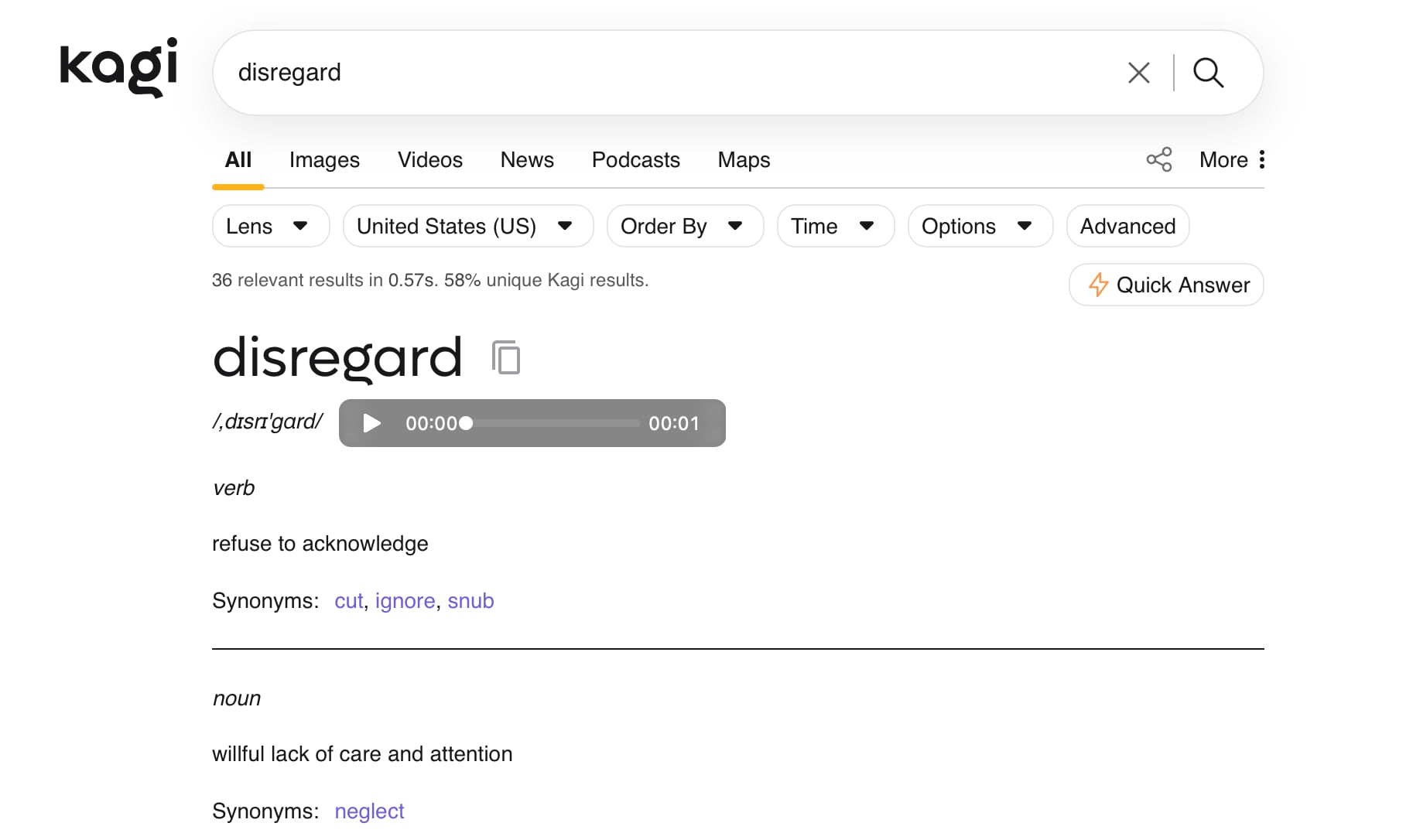
Using a non-AI search engine like Kagi brings up the expected results for the search, immediately showing the definition instead of reading it as a command.


Words that have a similar meaning like ignore or stop produce the same result with Google's AI Overview. So do other command-like statements such as "remember." Google will likely fix the issue soon, but it's a reminder of the shortcomings of the AI tools that have become impossible to avoid.

Update: A Google spokesperson told MacRumors that the bug is unrelated to Google's I/O Search announcements, and is instead an issue with AI Overviews. "We're aware that AI Overviews are misinterpreting some action-related queries, and we're working on a fix, which will roll out soon," said the spokesperson.
Tag: Google

This article, "Searching for 'Disregard' Breaks Google [Updated]" first appeared on MacRumors.com

Discuss this article in our forums

  •  

MacRumors Giveaway: Win an iPhone 17 and a Lifetime Copy of VideoProc Converter AI

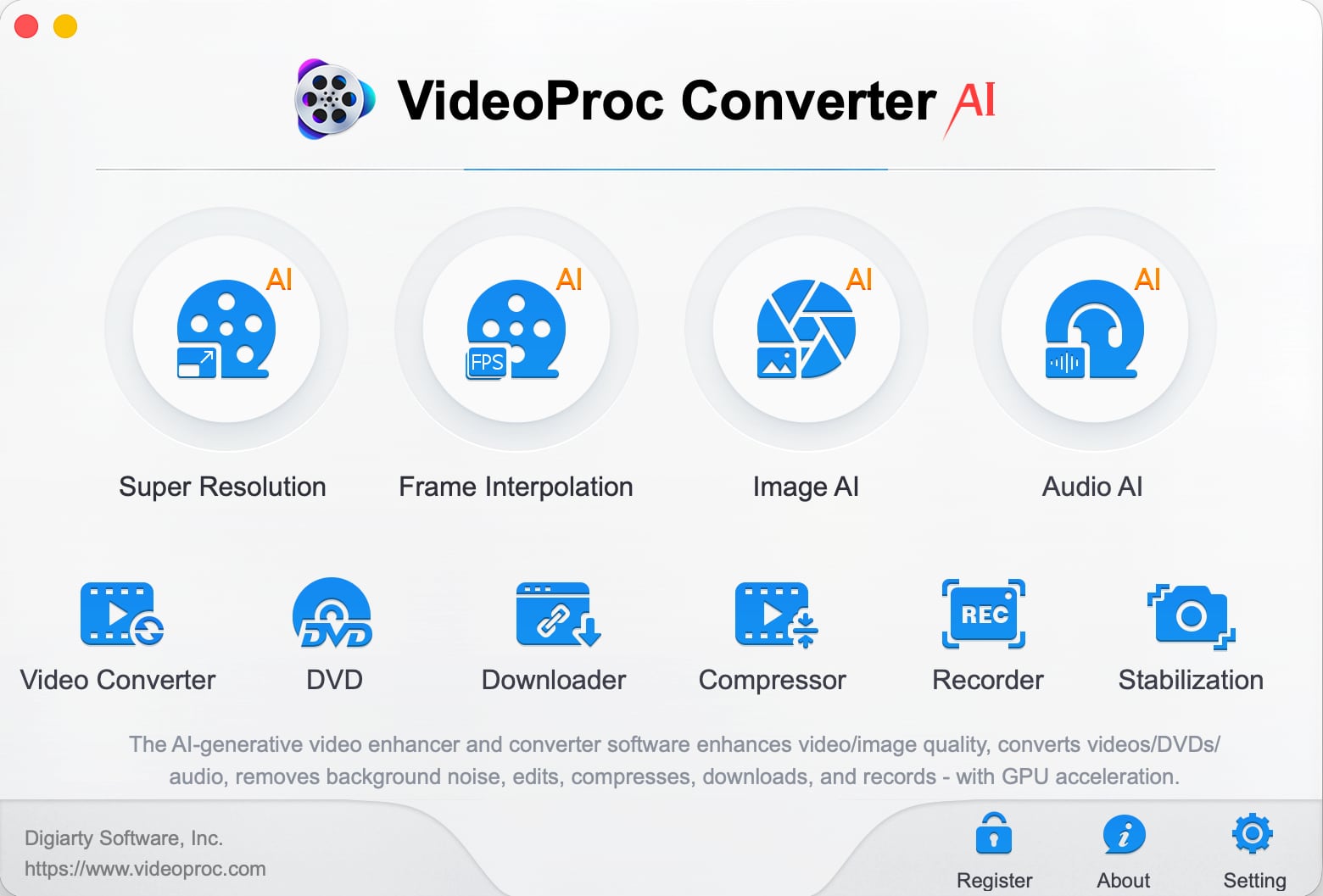
For this week's giveaway, we've teamed up with Digiarty VideoProc to offer MacRumors readers a chance to win an iPhone 17 and a copy of the VideoProc Converter AI software to use with it.


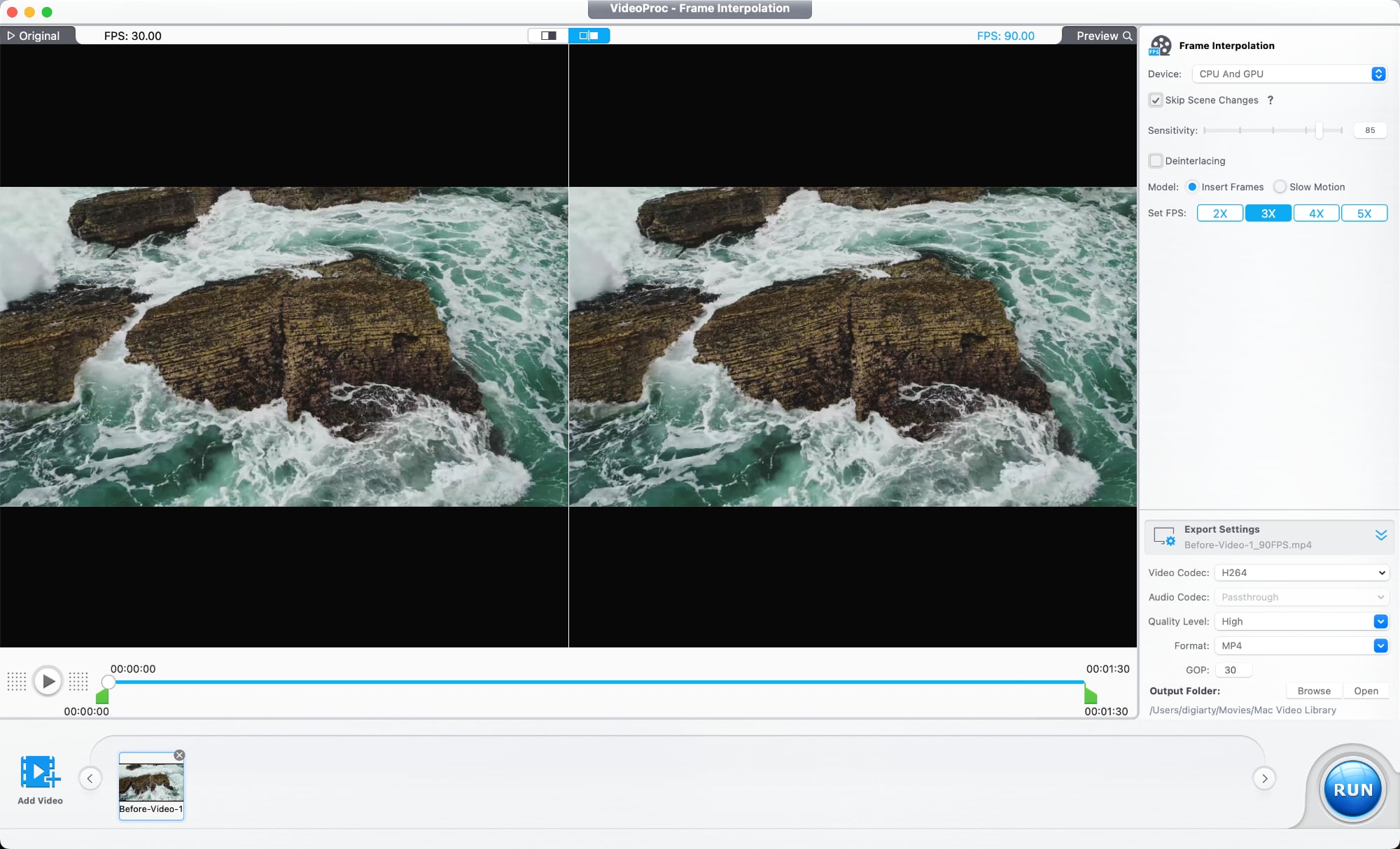
VideoProc Converter AI is software for editing and managing videos, images, audio, DVDs, and more. It includes a suite of AI features for easy photo and video editing, along with tools for converting, downloading, upscaling, colorizing, enhancing, compressing, editing, recording, and repairing all kinds of media files.


Videos that are blurry, noisy, shaky, or overly compressed can be improved with VideoProc Converter AI's tools for cutting down on noise, improving sharpness, and boosting image quality.


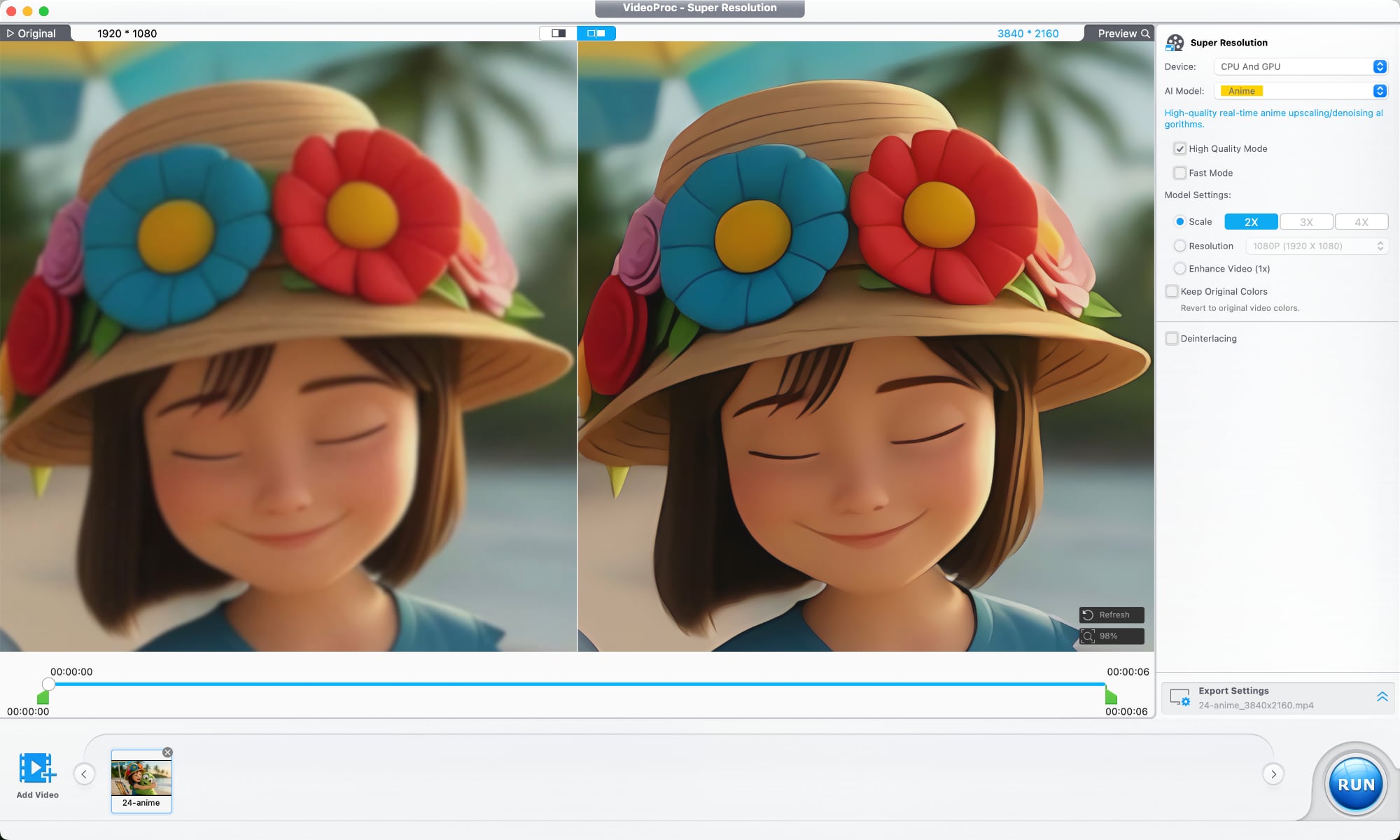
An AI Super Resolution feature uses multiple AI models designed for different kinds of footage. The tool reduces noise and blur, restores detail, sharpens soft footage, and is able to upscale lower-resolution videos up to 4x. 480p or 720p video can be upscaled to 1080p or 4K. A deinterlacing tool improves older interlaced recordings, which is useful for restoring archived footage, improving low-light video, and cleaning up scenes with a lot of motion.


There's also an AI frame interpolation option that adds additional frames to make videos smoother, and it can improve videos up to 480fps for slow motion. It works on older home videos, mixed frame-rate footage, sports clips, gameplay recordings, and action scenes.

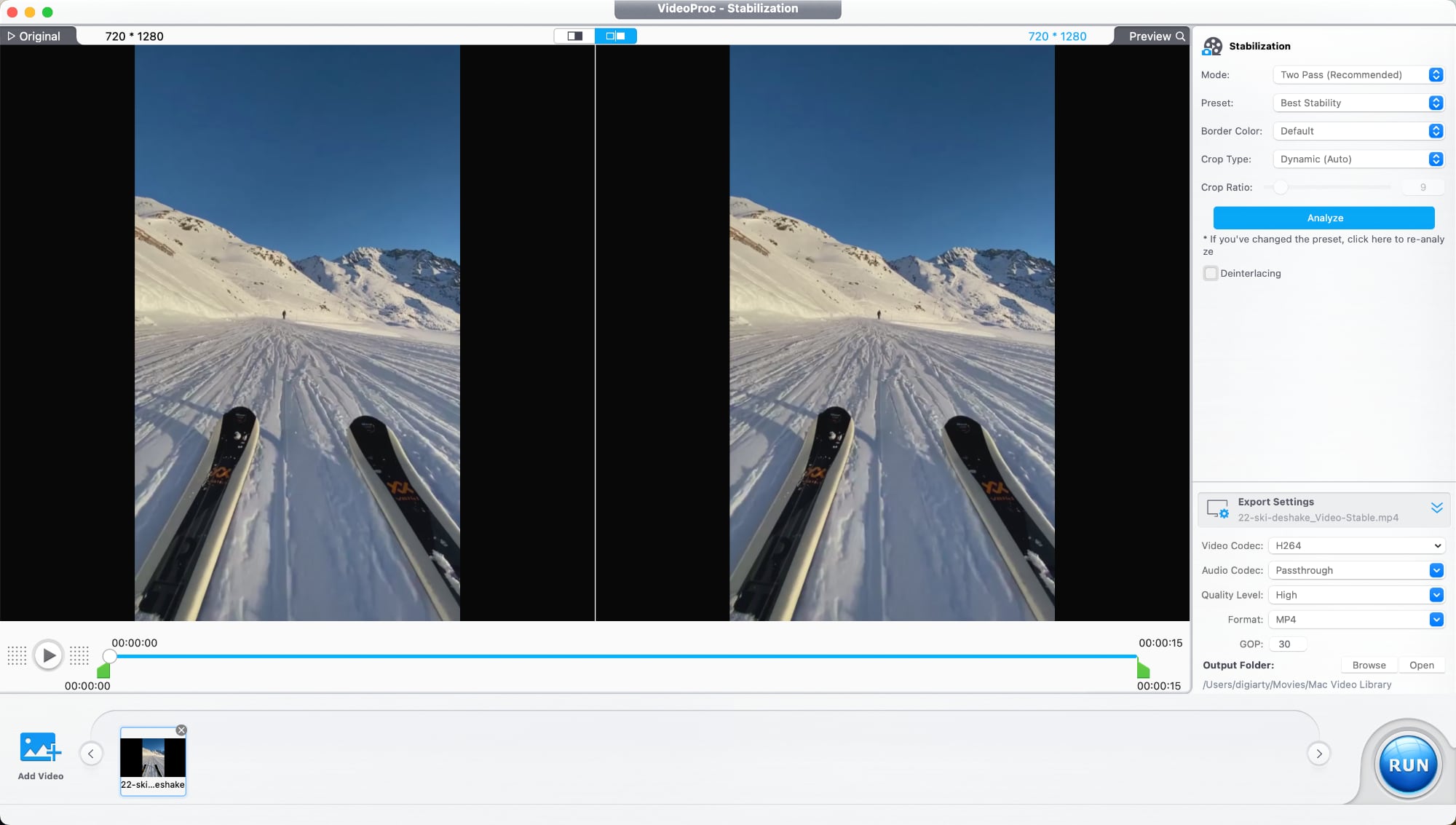
A stabilization tool is able to reduce camera shake, plus there are tools for reducing audio noise, correcting color, removing fisheye distortion from videos shot on action cameras, and compressing file size while preserving quality. There are also the standard tools you would expect from video editing software for trimming, cropping, adjusting playback speed, watermarking, fixing audio syncing, and adding filters.


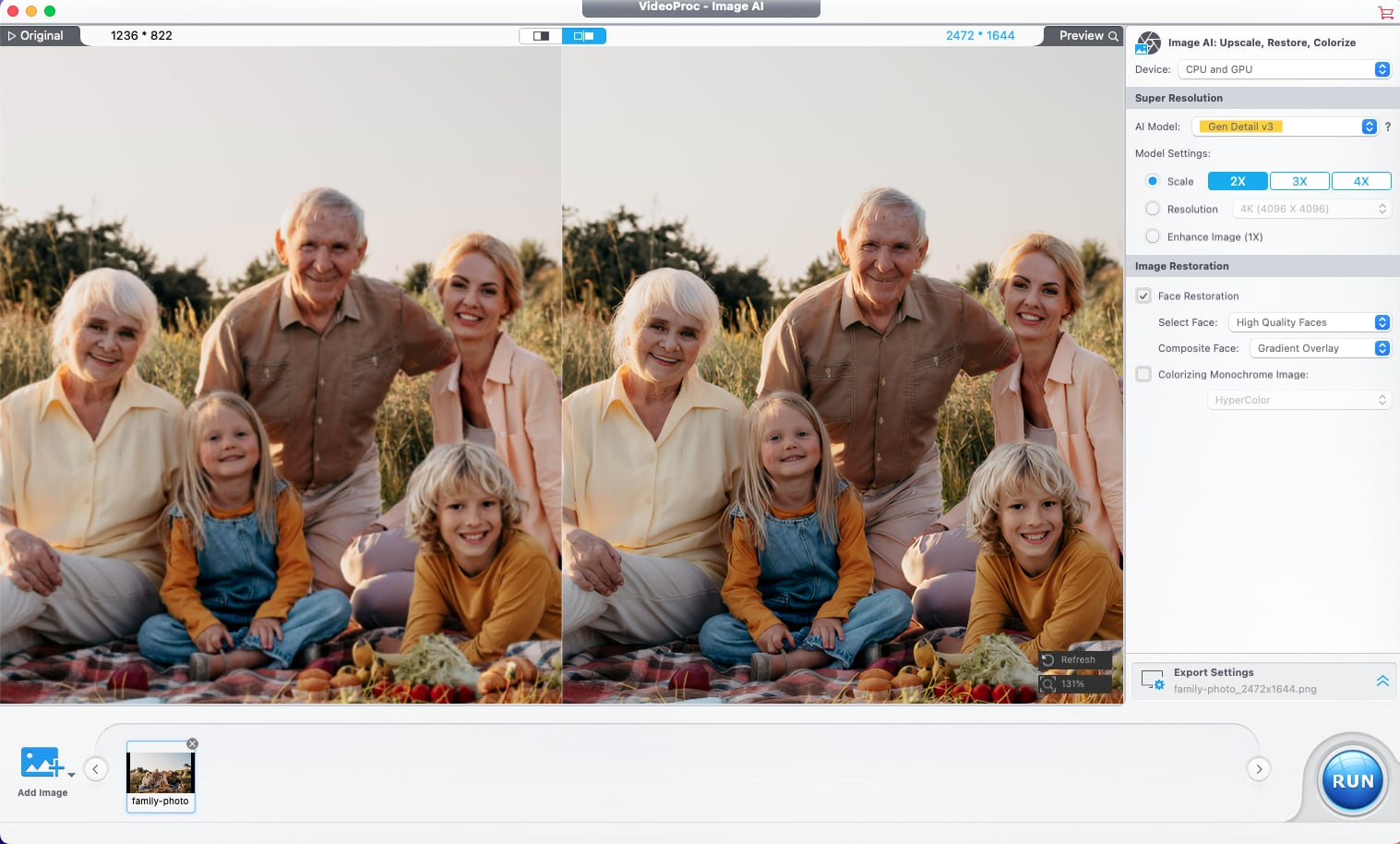
VideoProc Converter AI has tools for photo editing as well. Image AI Super Resolution improves blurry or pixelated images and increases resolution, with multiple AI models available for different image types. With batch processing, it supports editing over 3,000 photos at once.


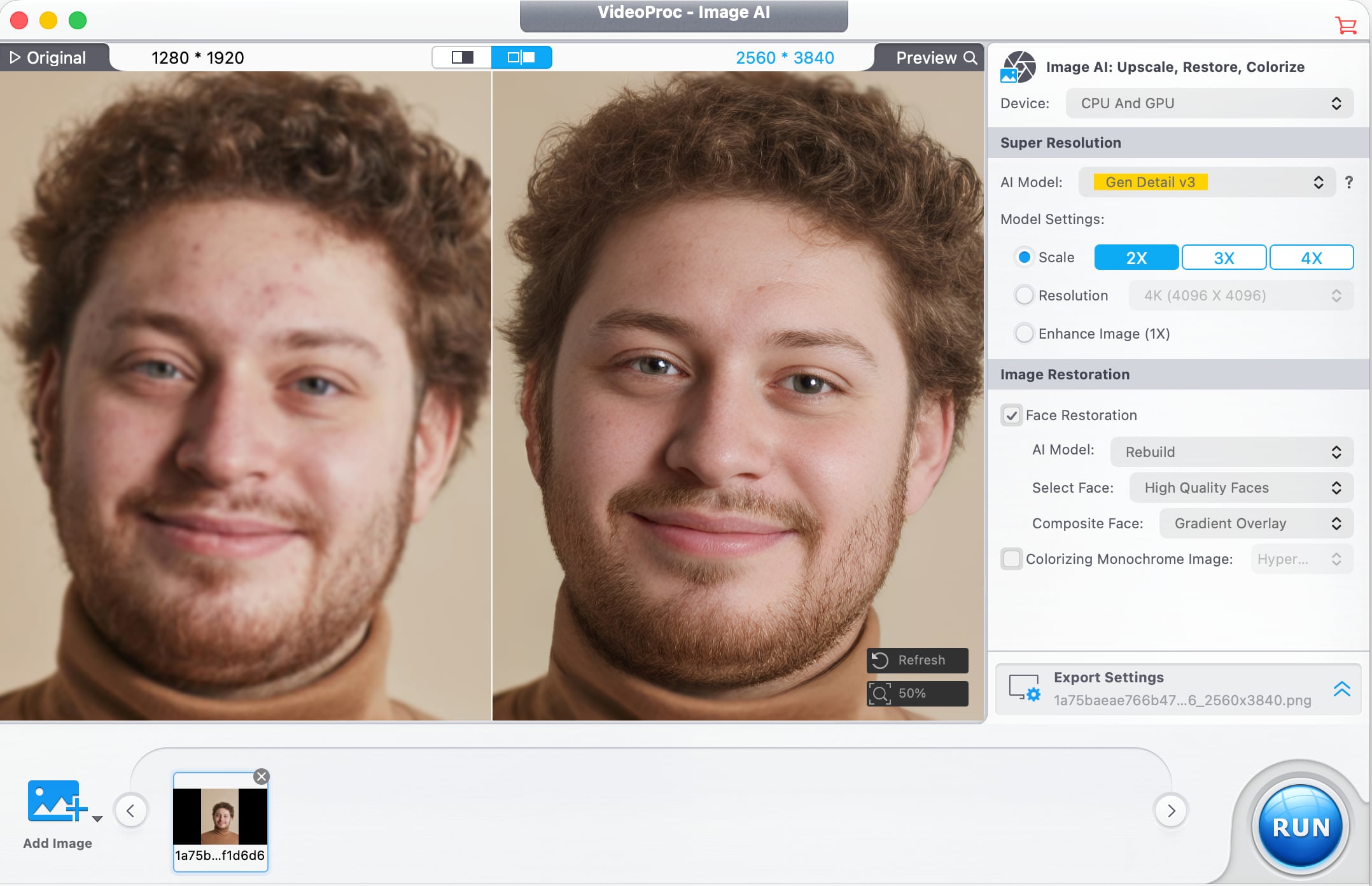
In older images where faces are blurry, pixelated, faded, or lacking detail, a Face Restoration feature improves facial detail. It can recover clarity in eyes, skin, hair, and facial textures with natural-looking results. AI Colorization is also available for adding color to black and white images, and it adds realistic colors and tones to grayscale photos with a click.


Digiarty optimized VideoProc Converter AI for the Mac, and the software supports hardware acceleration for Apple silicon chips, Intel chips, and NVIDIA and AMD GPUs. Video converting tools use GPU acceleration to speed up encoding and decoding without affecting output quality. The software supports over 320 codecs and formats, and it works with footage from drones, GoPro cameras, professional log formats, 3D videos, and VR videos. It also includes tools for downloading video from social media platforms, DVD backup, iPhone screen capture, recording from a webcam, and green screen recording.

VideoProc gets new features regularly, and recent new additions include improved Video Super Resolution that keeps original colors for natural-looking restoration of low-quality video, new AI models, three AI face restoration models for touching up people in videos without impacting original detail, and audio AI improvements like Noise Suppression for cutting down on background noise in audio and video files.


There is a VideoProc free trial for those who want to try it out. A lifetime license is normally priced at $54.95, but Digiarty is offering MacRumors readers a discount on a lifetime license, dropping the price to $39.95. The lifetime license includes the full range of VideoProc tools, along with software for transferring media between Macs and iPhones and vlog software for editing video for social media. It also includes access to future updates.

Digiarty is offering one lucky MacRumors reader the chance to win an ‌iPhone 17‌ and a lifetime VideoProc license. To enter to win, use the widget below and enter an email address. Email addresses will be used solely for contact purposes to reach the winner and send the prize. You can earn additional entries by subscribing to our weekly newsletter, subscribing to our YouTube channel, following us on Twitter, following us on Instagram, following us on Threads, or visiting the MacRumors Facebook page.

Due to the complexities of international laws regarding giveaways, only U.S. residents who are 18 years or older, UK residents who are 18 years or older, and Canadian residents who have reached the age of majority in their province or territory are eligible to enter. All federal, state, provincial, and/or local taxes, fees, and surcharges are the sole responsibility of the prize winner. To offer feedback or get more information on the giveaway restrictions, please refer to our Site Feedback section, as that is where discussion of the rules will be redirected.


Digiarty VideoProc Giveaway
The contest will run from today (May 22) at 9:00 a.m. Pacific Time through 9:00 a.m. Pacific Time on May 29. The winner will be chosen randomly on or shortly after May 29 and will be contacted by email. The winner will have 48 hours to respond and provide a shipping address before a new winner is chosen.
Related Roundup: iPhone 17
Buyer's Guide: iPhone 17 (Neutral)
Related Forum: iPhone

This article, "MacRumors Giveaway: Win an iPhone 17 and a Lifetime Copy of VideoProc Converter AI" first appeared on MacRumors.com

Discuss this article in our forums

  •  

Don't Want to Wait for iOS 27? Shortcuts Playground From MacStories Generates Shortcuts Using AI

Apple is rumored to be adding an AI feature for creating shortcuts with natural language to the Shortcuts app in iOS 27, but MacStories' Federico Viticci has a clever AI tool for making shortcuts that you can use today.


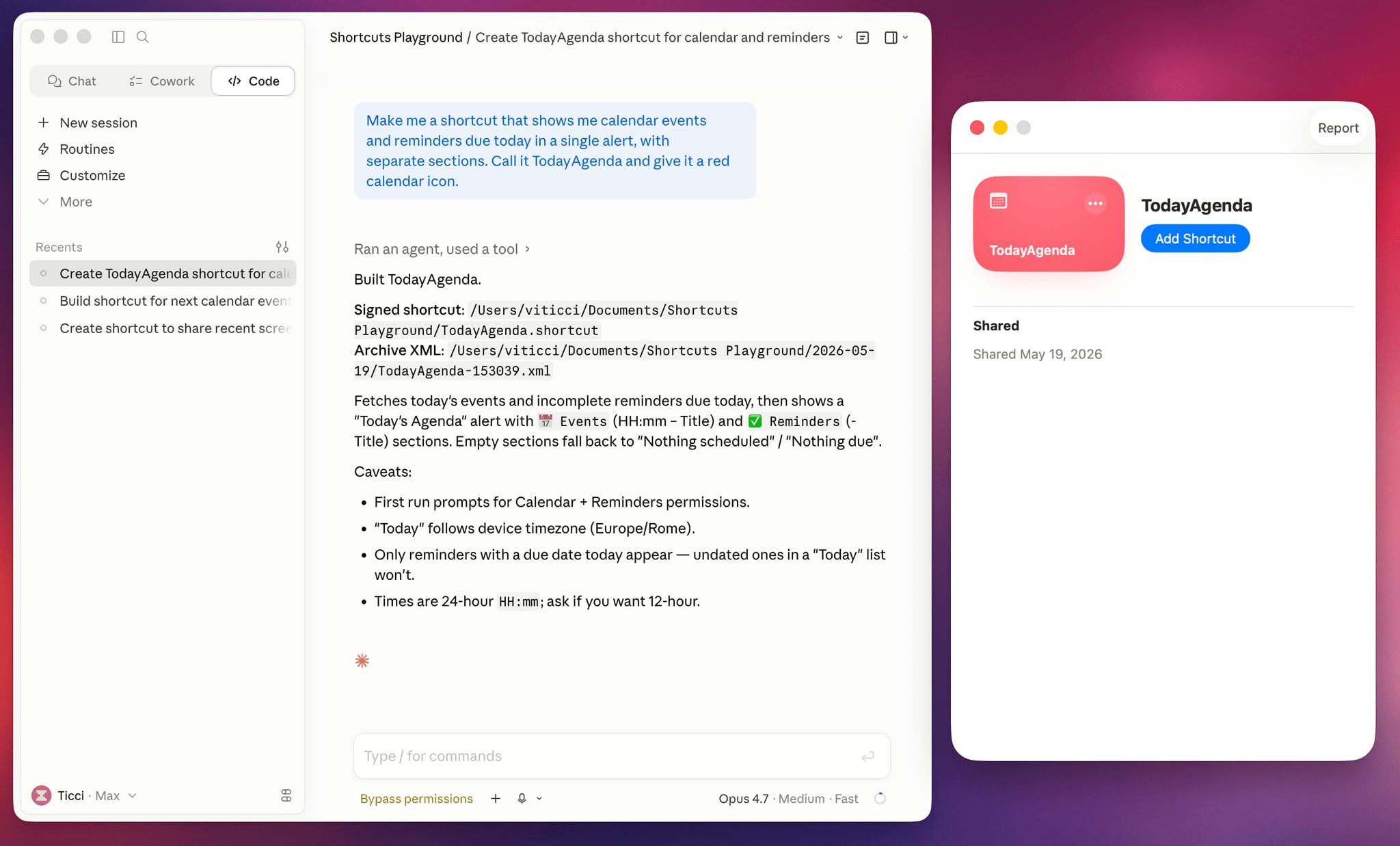
Shortcuts Playground is a plugin for Claude Code and OpenAI Codex that can create shortcuts for the Apple Shortcuts app using natural language input. It's set up to let users type in a short sentence requesting a shortcut, with the final version output to Finder and ready to upload to Apple's Shortcuts app in a few minutes.

Viticci made Shortcuts Playground free and open source, and the plugin is available from GitHub. Viticci provided detailed documentation on how it works, plus anyone can inspect the code. While Claude Code or Codex can correct errors during the shortcut creation process, Viticci warns that shortcuts generated are not guaranteed to be 100 percent accurate, and users should always check the AI's work.

To get Shortcuts Playground, give Claude Code or OpenAI Codex a link to the GitHub repo, and the agent will find the plugin marketplace and install it. Viticci has several example shortcuts, including one that remembers the location of a parked car and guides the driver back to it, and another that adjusts several display settings at night while also turning on a Focus mode.

Club MacStories+ and Premier members can get Shortcuts Playground as a generative shortcut. Once the main plugin is installed on a Mac, there's an option to make more shortcuts using a shortcut and install them directly on an iPhone, iPad, or Mac.

Viticci is also debuting a redesigned MacStories Shortcuts Archive that features over 400 pre-built shortcut options. More information on Shortcuts Playground can be found on MacStories.
Related Roundup: iOS 27

This article, "Don't Want to Wait for iOS 27? Shortcuts Playground From MacStories Generates Shortcuts Using AI" first appeared on MacRumors.com

Discuss this article in our forums

  •  

Apple Releases Safari Technology Preview 244 With Bug Fixes and Performance Improvements

Apple today released a new update for Safari Technology Preview, the experimental browser that was first introduced in March 2016. Apple designed ‌Safari Technology Preview‌ to allow users to test features that are planned for future release versions of the Safari browser.


‌Safari Technology Preview‌ 244 includes fixes and updates for Accessibility, Animations, CSS, Forms, HTML, Images, JavaScript, MathML, Media, Networking, Rendering, SVG, Scrolling, Security, Storage, Web API, Web Extensions, Web Inspector, WebAssembly, WebGL, and WebGPU.

The current ‌Safari Technology Preview‌ release is compatible with machines running macOS Sequoia and macOS Tahoe, the newest version of macOS.

The ‌Safari Technology Preview‌ update is available through the Software Update mechanism in System Preferences or System Settings to anyone who has downloaded the browser from Apple's website. Complete release notes for the update are available on the Safari Technology Preview website.

Apple's aim with ‌Safari Technology Preview‌ is to gather feedback from developers and users on its browser development process. ‌Safari Technology Preview‌ can run side-by-side with the existing Safari browser and while it is designed for developers, it does not require a developer account to download and use.
This article, "Apple Releases Safari Technology Preview 244 With Bug Fixes and Performance Improvements" first appeared on MacRumors.com

Discuss this article in our forums

  •  
❌