❌

Lees weergave

Meta AI App Gets 'Incognito Chat' as OpenAI Faces Lawsuits Over Stored Chat Logs

The Meta AI app and Meta AI on WhatsApp have a new "incognito chat" option, which Meta CEO Mark Zuckerberg said is a "completely private way to interact with AI."
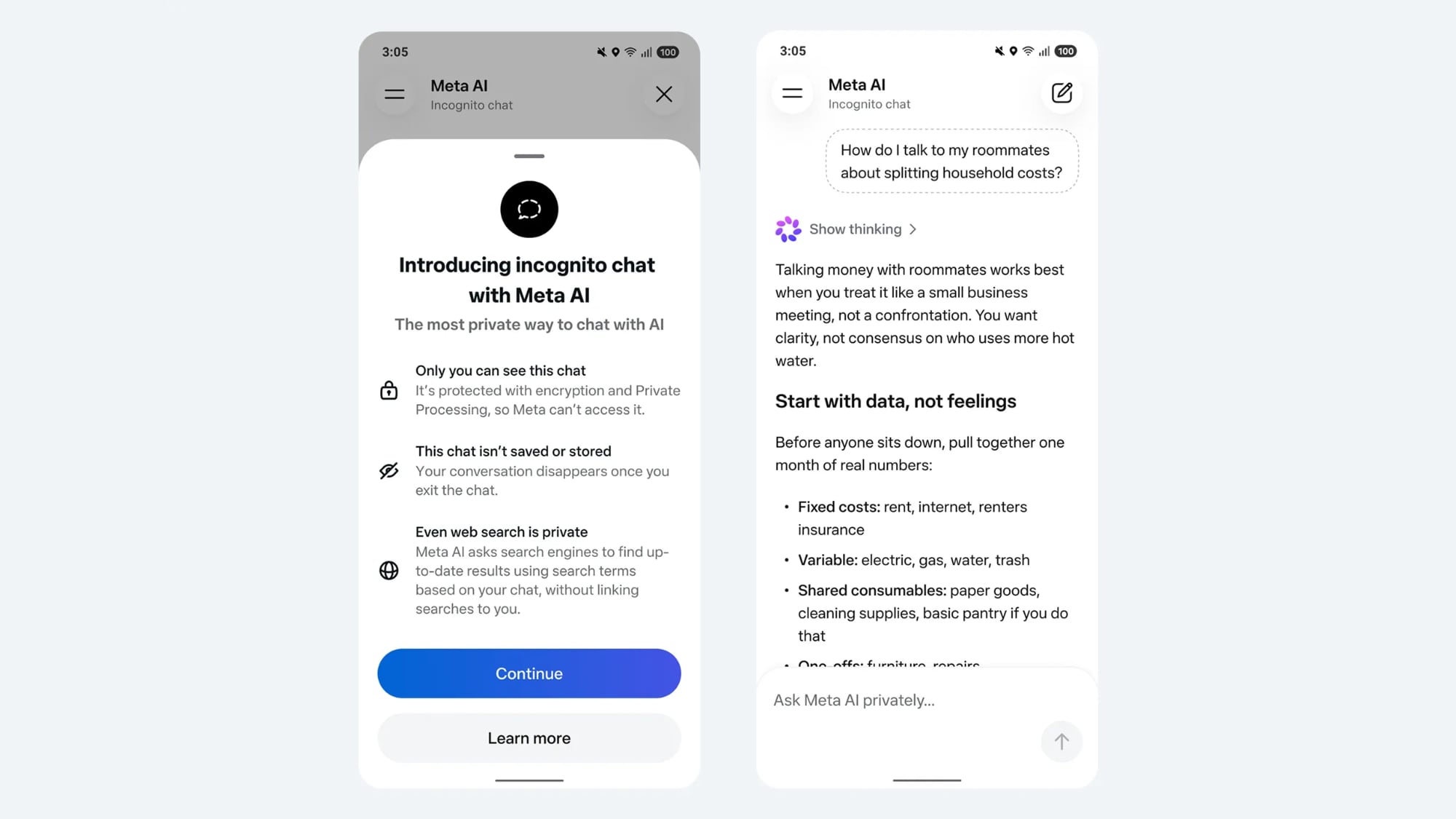

Zuckerberg also said that Meta AI's incognito mode is the first major AI product where there is no log of conversations stored on servers. Zuckerberg likened the feature to end-to-end encryption, and said no one will be able to read the AI conversations, not even Meta or WhatsApp.

AI inference for incognito chat is done in a Trusted Execution Environment that Zuckerberg said is not accessible to Meta. Conversations also disappear from the phone when exiting a chat session, and nothing is saved or logged. Web searches are conducted privately, with no search information linked to the user.

"To get the most from personal superintelligence, we'll all need ways to discuss sensitive topics in ways that no one else can access," Zuckerberg said.

WhatsApp head Will Cathcart told reporters that the AI has safety guardrails, and it will refuse to answer questions that could be interpreted as harmful or illegal, steering conversations in a different direction. The mode also only supports text, and users are unable to upload images.

Incognito chat for Meta AI comes as OpenAI is facing a lawsuit for allegedly causing a teen's drug overdose. The teen asked ChatGPT for information on whether it was safe to take two drugs together, and was provided with an incorrect answer that led to his death. OpenAI has been sued several times by the families of people who used ChatGPT before dying by suicide.

Lawsuits against OpenAI have involved chat logs recovered by the plaintiffs, and without those logs, there would be far less evidence for a legal complaint over AI actions and advice.

Google and OpenAI also offer temporary chat options, but messages are still stored on remote servers. Google keeps data for up to three days, and OpenAI keeps logs for 30 days.

Meta's private chat option is rolling out in the coming months in the Meta AI app and WhatsApp.
This article, "Meta AI App Gets 'Incognito Chat' as OpenAI Faces Lawsuits Over Stored Chat Logs" first appeared on MacRumors.com

Discuss this article in our forums
  •  

Samsung Set to Beat Apple to AI Smart Glasses With July Launch

Samsung is planning a Galaxy Unpacked event for July, and the company plans to introduce new foldable smartphones and AI "Galaxy Glasses," according to Seoul Economic Daily.


Samsung's event will take place on July 22, so it will debut new Galaxy Z Fold8 and Z Flip8 foldable smartphones just weeks ahead of when Apple's first foldable iPhone is introduced, plus it will beat Apple to AI glasses.

Apple has been racing to develop its own smart glasses to compete with the Meta Ray-Ban AI glasses, but rumors suggest Apple won't launch the glasses until 2027. There is a chance Apple will preview the glasses in 2026, but there's no certainty yet.

Samsung is working with eyewear company Gentle Monster for its AI glasses, and the wearable will run Google's Android XR operating system with Gemini integration. The glasses will feature a high-definition camera, speakers, and a microphone, similar to the Meta Ray-Bans, and there will be no built-in display. AI integration will be a main selling point, with Gemini able to use video captured by the wearer to answer queries. Samsung will link the glasses to Galaxy smartphones and its SmartThings home appliance ecosystem.

The glasses that Samsung is working on sound similar to everything rumored for Apple's own AI glasses. Apple's glasses will rely on Siri, and will include cameras to feed visual information to the AI. Speakers and microphones will be included, but no display is expected for the first version.

Samsung is also planning for a Fold Wide, or a foldable smartphone that's similar to the dimensions that Apple plans to use for its foldable iPhone. Samsung's foldables to date have been taller than they are wide, but Apple is planning for a wider, iPad-like 4:5 aspect ratio.

After Samsung's event, Apple will unveil its next smartphones at its traditional September event. Dates are not known at this time.
Tag: Samsung

This article, "Samsung Set to Beat Apple to AI Smart Glasses With July Launch" first appeared on MacRumors.com

Discuss this article in our forums
  •  

Meta Launches 'Instants' App for Sharing Disappearing Photos on Instagram

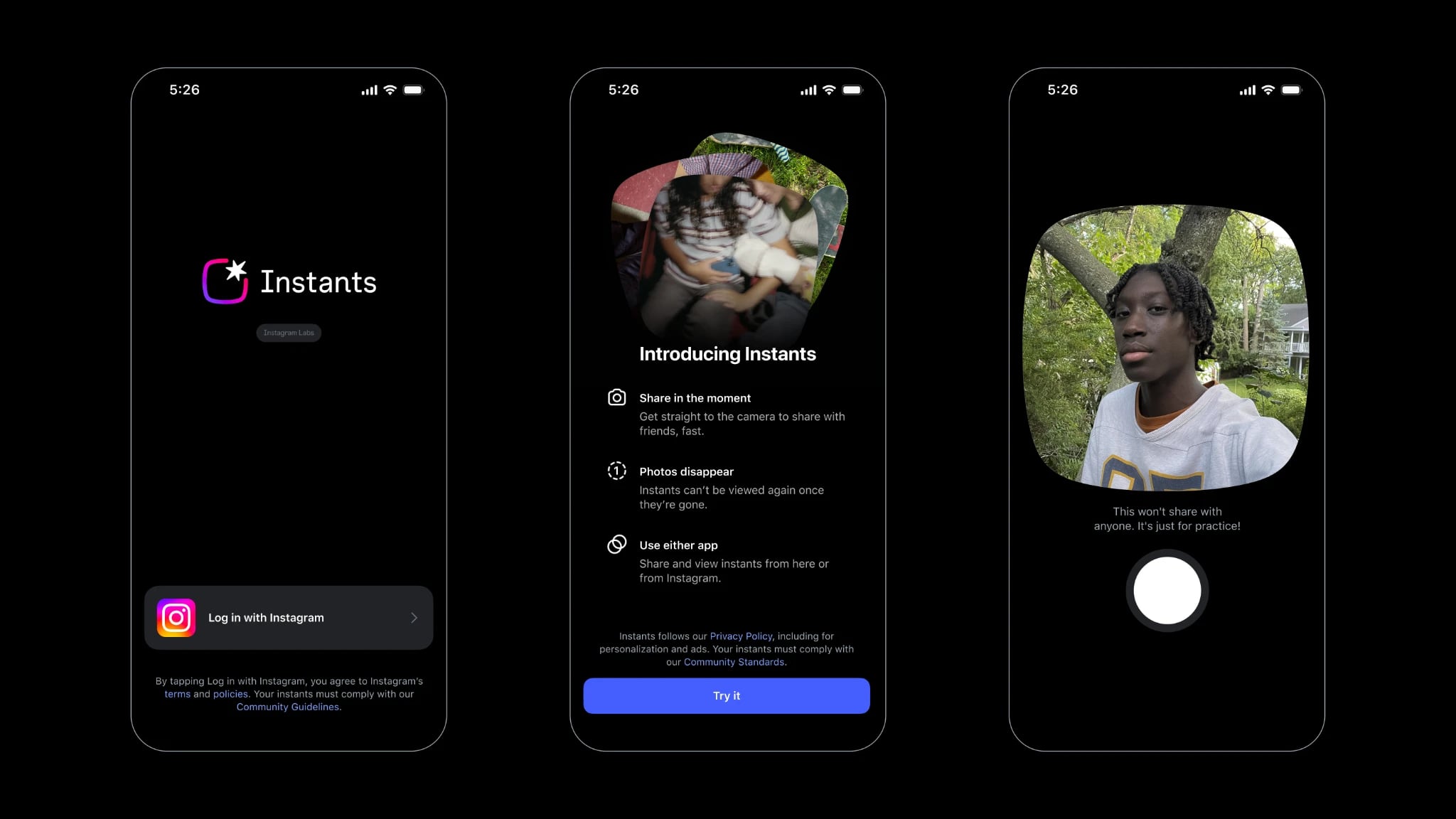
Meta today announced the launch of Instants, a new image sharing option on the Instagram social network. Instants are ephemeral photos that disappear from Instagram after they're viewed by a user's friends or after a 24-hour period.


Reactions and replies to Instants images show up in DMs instead of on the post. Instants photos are only displayed for a short period, but they are saved to a user's archive for a year and can be reshared to Stories. Instants cannot be edited, with no option for filters, stickers, or modifications beyond captions. That sets them apart from Stories, which is already an Instagram feature.

Instants is an Instagram feature, but Meta has also developed a standalone Instants companion app "for quicker camera access." The standalone app is a direct competitor to Snapchat, the original ephemeral image social network. The new app can be used for sharing Instants, but on Instagram, users can also share Instants from a new camera option in the Direct Messages section of the app.

Instants can be viewed on Instagram by opening up DMs and tapping on the new Instants box in the bottom right corner of the inbox. Photos can be shared with friends set as close friends, or as mutuals, aka followers that an Instagram user follows back. Instants are not able to be screenshotted or screen recorded, providing privacy features not available with other Instagram image types.

Meta says that Instants are designed for casual, everyday photos. The standalone app is limited to select countries, as Meta says that it is an experiment. Images shared on the Instants app will show up for friends on Instagram, and images shared on Instagram will show up in the Instants app.

Instants on Instagram is available globally starting today, and the app is also available for download in countries where it is supported.
This article, "Meta Launches 'Instants' App for Sharing Disappearing Photos on Instagram" first appeared on MacRumors.com

Discuss this article in our forums
  •  

Apple Working on Plan to Allow AI Agent Apps on the App Store

Apple is looking into ways to better support apps that include AI agents and AI coding capabilities in the App Store, reports The Information. Apple is designing a system that would maintain its security and privacy standards while allowing for AI app features, but details on how the system will work are unavailable.


Apple started blocking updates for some popular vibe coding apps in March because those apps violated β€ŒApp Storeβ€Œ rules that prohibit apps from executing code that alters their own functionality or that of other apps. Vibe coding apps let users build apps and websites with little to no coding experience, using AI agents and natural language prompts. Vibe coding has become popular, and Apple's rules have not been able to keep up.

Apps that include AI agents present similar problems for Apple. AI agents can autonomously complete complex actions and make mini apps using tools and capabilities that would not traditionally be supported under Apple's β€ŒApp Storeβ€Œ rules. Apple will need to make changes to keep up with the software trends that developers and users want.

Apple wants to incorporate AI agents into the β€ŒApp Storeβ€Œ while preventing some of the issues that people have run into with rogue AI agents deleting content and causing other problems.

As it works to prepare for future AI apps, Apple is also developing its own AI capabilities. Siri is set to get a major overhaul in iOS 27, making it smarter and better able to compete with Claude and ChatGPT. Apple has partnered with Google to use custom Gemini models to power β€ŒSiriβ€Œ.

The Information says Apple has started contacting app developers to integrate app capabilities like booking flights and sending calendar invites into the new version of β€ŒSiriβ€Œ and Apple Intelligence. Some developers are hesitant to work with Apple to integrate their apps into β€ŒSiriβ€Œ because they are worried about providing new ways for Apple to collect commissions. Apple is telling some developers that it does not plan to charge commissions during the early stages of the partnership, but that fees are a possibility in the future. Apple has held talks with Baidu, Alibaba, and Tencent about β€ŒSiriβ€Œ integration in β€ŒiOS 27β€Œ, but the companies do not want to end up paying fees to Apple.

Apple also plans to allow users to select from multiple chatbots to use with β€ŒSiriβ€Œ, instead of limiting people to OpenAI's ChatGPT. AI models from companies like Anthropic or Google could be used for Image Playground and Writing Tools the way ChatGPT can be used today.

It is not clear if Apple plans to open up more of iOS to third-party chatbots, but OpenAI has reportedly been disappointed with Apple's limitations. ChatGPT can be used to generate images and text through the iOS integration, but it cannot access user emails or other personal information. Customers are also rarely using the functionality, according to The Information.

Apple's new version of β€ŒSiriβ€Œ is expected to be unveiled at the WWDC keynote on June 8, and the plans that Apple has for agentic AI apps in the β€ŒApp Storeβ€Œ could also be discussed at the same time.
Related Roundup: iOS 27

This article, "Apple Working on Plan to Allow AI Agent Apps on the App Store" first appeared on MacRumors.com

Discuss this article in our forums
  •  

Google Unveils Googlebook, a New AI Laptop Built Around Gemini

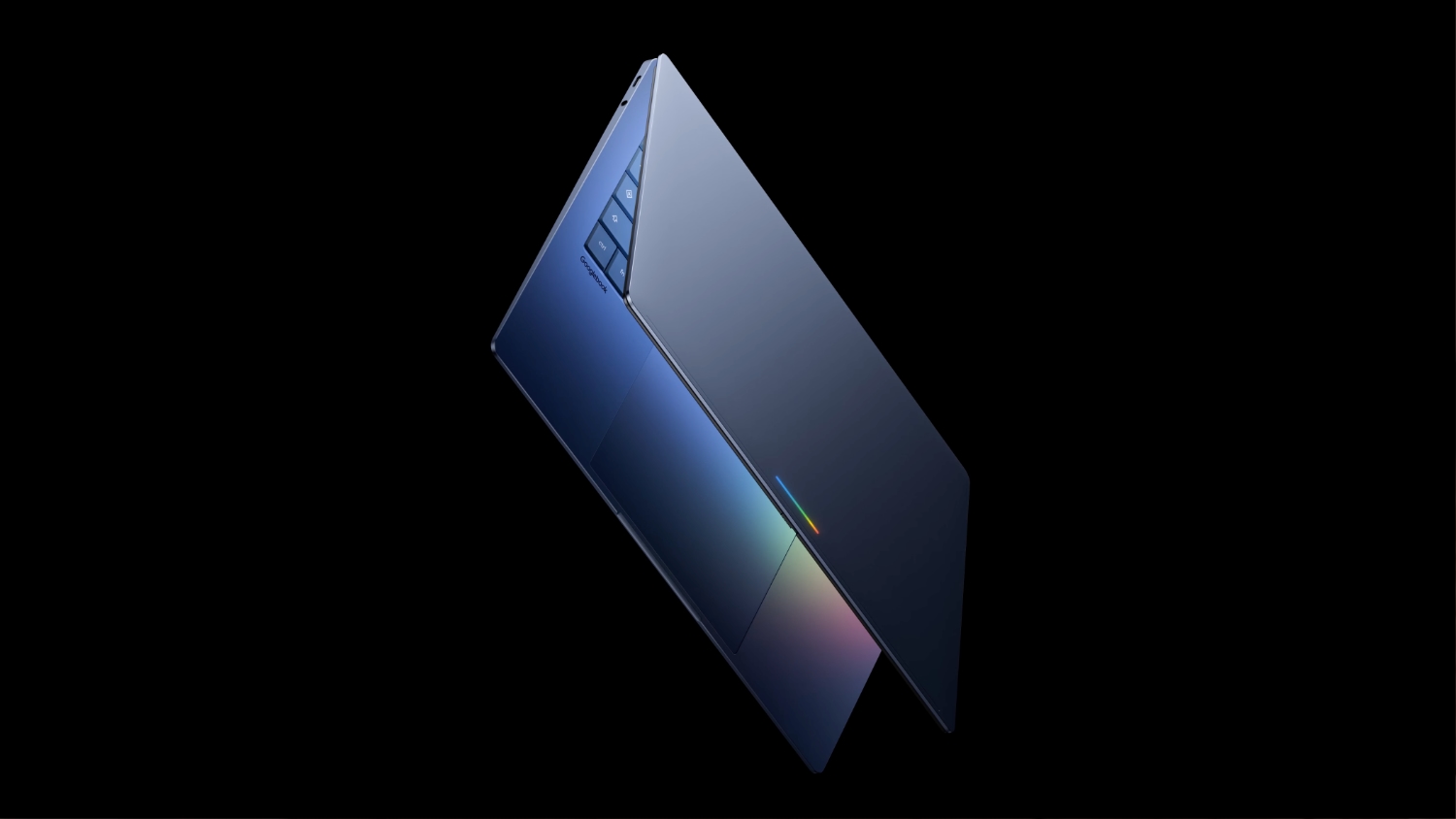
Google today announced a new series of Googlebook laptops that will be built with Gemini at the core. Googlebooks will run software built on a foundation that combines Android and ChromeOS.


Google says the new laptops are designed for Gemini Intelligence for a more personalized and proactive experience.

Instead of a cursor, Googlebooks have a Magic Pointer that users can wiggle to activate Gemini. Gemini can then provide contextual suggestions and answers based on whatever the user is pointing to on the screen. Pointing at a date in an email sets up a meeting, and selecting two images allows them to be visualized together. There are ask, compare, and combine tools available with the Magic Pointer.

Create My Widget, a new Android feature, is coming to Googlebooks. Users can create custom widgets with a Gemini prompt. Gemini is able to search the internet and connect with Google apps like Gmail and Calendar to create a personalized dashboard that can be used for widget creation.


Since Googlebooks will run Android, it will be easier to switch between a Googlebook and an Android smartphone. Apps from a connected Android smartphone will be available on the Googlebook, with a feature set similar to Apple's iPhone Mirroring.

Quick Access will let users view, search, or insert files from a smartphone on the laptop, with no transfer needed.

Google says it is working with Acer, ASUS, Dell, HP, and Lenovo to make the first Googlebooks. The machines will be built with "premium craftsmanship and materials, coming in a variety of shapes and sizes." Each one will have a "glowbar" on the lid, making it clear that it's a Googlebook.

Google has not given insight into Googlebook pricing, but with the specific "premium" build language, they could be priced above the low-cost MacBook Neo that Apple recently came out with. It's also possible that Googlebooks will have MacBook Neo-level pricing to better compete with Apple's laptop in on pricing and build quality.

The first Googlebooks are set to launch this fall.
This article, "Google Unveils Googlebook, a New AI Laptop Built Around Gemini" first appeared on MacRumors.com

Discuss this article in our forums
  •  

Bartender Pro Brings Widgets, Clipboard, and File Storage to the MacBook Notch

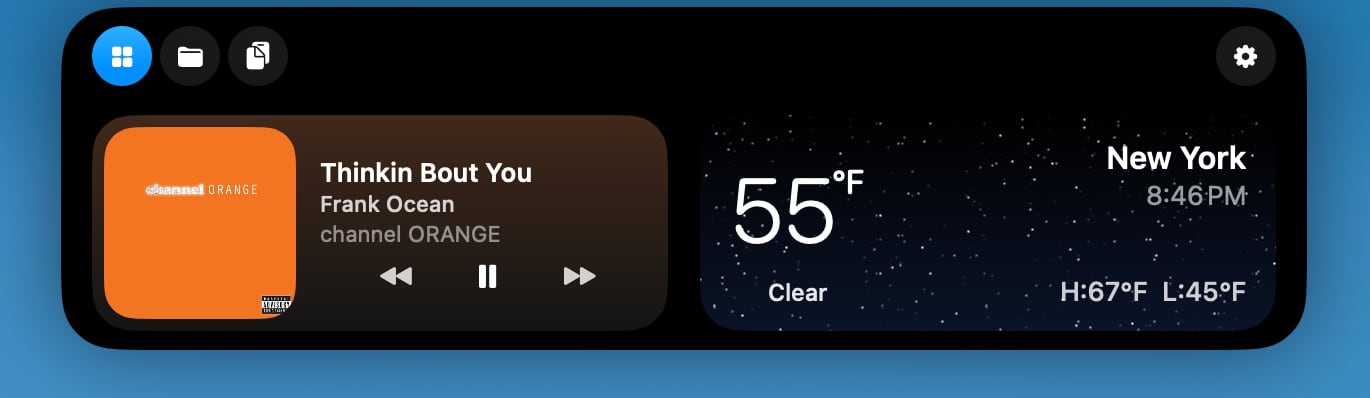
Popular Mac menu bar management app Bartender received an upgrade today with the launch of Bartender Pro. Bartender Pro adds a new Top Shelf feature to the Mac's notch, with access to multiple utility tools.


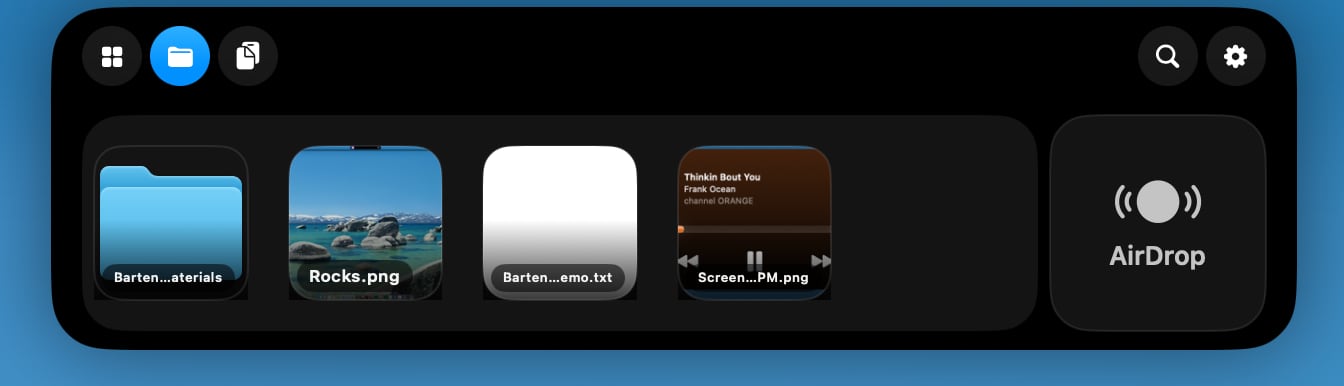
Top Shelf can be used for clipboard access, storing files, controlling audio, and sending content over AirDrop. It supports widgets for calendar, weather, and music apps like Apple Music or Spotify. There's a full Now Playing music controller, and options to get alerts when scheduled events are coming up.


Top Shelf expands the size of the notch, turning it into something like the iPhone's Dynamic Island. Users can drag files over to the notch to store them or send them via AirDrop, and access a clipboard. The clipboard can be set to automatically capture content that's copied, with options to ignore passwords. There are customizable duration options for both the clipboard and file storage.


Widgets in Top Shelf are customizable, and it supports a Live Activity-like tracking feature for AI agents like Codex and Claude Code. Info like volume, display brightness, and battery level is also available.

Top Shelf works alongside Bartender, and all of the standard Bartender features are available with Bartender Pro. When not in use, Top Shelf is tucked away much like Bartender, and it disappears when Bartender is expanded. While it is a tool designed around the notch, it also works on Macs that don't have one.


Bartender Pro is optional, and users who don't need the extra features can stick with Bartender 6.

Bartender Pro is priced at $15 per year. The subscription includes Bartender 6, all future upgrades for the subscription duration, and the Bartender Pro suite.

Bartender 6 is still available for a one-time $20 purchase, and the $80 Mega Supporter option continues to offer lifetime Bartender access with Bartender Pro included. Bartender Pro and Bartender 6 are available from the Bartender website.
This article, "Bartender Pro Brings Widgets, Clipboard, and File Storage to the MacBook Notch" first appeared on MacRumors.com

Discuss this article in our forums
  •  

Google Makes It Easier to Share Files Between Android and iPhone

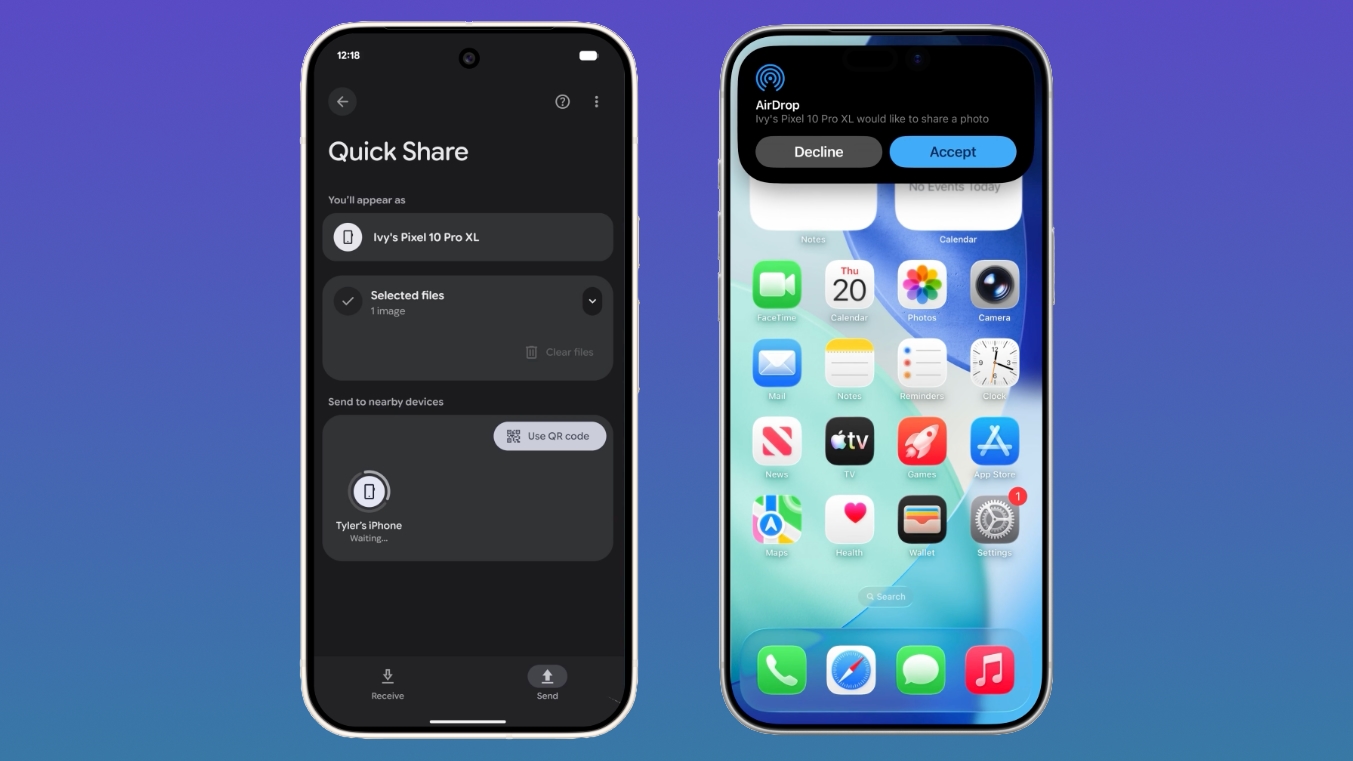
Google today said it is introducing updated file sharing features that will make it easier for Android users to send files to iPhone users.


Quick Share is already compatible with Apple's AirDrop feature on select Android devices, but Google says the feature will expand to Samsung, OPPO, OnePlus, Vivo, Xiaomi, and HONOR devices in 2026.

On Android devices that are not compatible with AirDrop, Quick Share can be used to generate a QR code that can instantly share content with iOS devices via the cloud.

The QR code sharing feature is rolling out to all Android devices starting today, and will be fully available within the next month. Google says it also plans to make Quick Share available in apps like WhatsApp in the near future.

Google says that it also worked with Apple to make it easier to switch from an iPhone to an Android device, capabilities the two companies had to implement under Europe's Digital Markets Act. While Apple implemented the feature in iOS 26.3, Google says it will be coming to Samsung Galaxy and Google Pixel devices in 2026.

The transfer process will allow eSIM, passwords, photos, messages, apps, contacts, and Home Screen layout to migrate wirelessly from an iPhone to an Android device. Google has also implemented similar tools for simplifying switching between an Android device and an iPhone.
This article, "Google Makes It Easier to Share Files Between Android and iPhone" first appeared on MacRumors.com

Discuss this article in our forums
  •  

iOS 27 Getting Major Siri Redesign With Chat Interface and Dedicated App

Apple is introducing an overhauled version of Siri in iOS 27, evolving the personal assistant into a more capable chatbot and AI agent able to compete with ChatGPT, Claude, and Gemini. With β€ŒSiriβ€Œ's transition, Apple will be making multiple Siri-related design changes in β€ŒiOS 27β€Œ, according to a new report from Bloomberg. β€ŒSiriβ€Œ will largely live in the Dynamic Island in β€ŒiOS 27β€Œ, but there will also be a dedicated β€ŒSiriβ€Œ app for the first time.


When β€ŒSiriβ€Œ is activated with the β€ŒSiriβ€Œ wake word or through the iPhone's side button, a pill-shaped animation will be displayed in the β€ŒDynamic Islandβ€Œ. When β€ŒSiriβ€Œ is asked a question or given a task, there will be a transparent results card. Swiping on it will bring up a conversation mode that looks similar to an iMessage chat, and it will incorporate small cards for the weather, notes, upcoming appointments, and other information that's relevant to queries.

Apple is also designing a full β€ŒSiriβ€Œ app for β€ŒSiriβ€Œ conversations. It will allow users to look back at prior chats, and begin new β€ŒSiriβ€Œ chats. There is a grid of rectangles with summaries of past conversations that users can tap into, a search bar, and a "+" button for starting a new conversation. The app will support uploading images and documents, and users will be able to type to β€ŒSiriβ€Œ or use voice input.

Swiping down from the top center of the display in any app will activate a system-wide search interface, with a "Search or Ask" bar in the β€ŒDynamic Islandβ€Œ for typing or speaking questions. Search or Ask is similar to Spotlight Search, but Bloomberg suggests it will display "more advanced results and additional data from within apps."

β€ŒSiriβ€Œ will be able to draw information from the web to provide detailed answers to the typical questions users ask chatbots. β€ŒSiriβ€Œ's responses will include bullet points with information and large images.

While β€ŒSiriβ€Œ is the default for the search bar, pressing on it will let users select other chatbots to speak with, such as ChatGPT or Gemini. Apple plans to let users choose third-party AI services as the default for Apple Intelligence features like Writing Tools and Image Playground, expanding β€ŒApple Intelligenceβ€Œ integration beyond ChatGPT.

Apple plans to overhaul the β€ŒImage Playgroundβ€Œ app. The interface for generating a new image has fewer controls and a "describe a change" option for editing images that are created. Previously created images are displayed in a grid with more rounded edges, and instead of a New Image button, there's a "+" button. Apple has also been testing new models that produce more lifelike images, so we could see new image generation capabilities in β€ŒiOS 27β€Œ.

Apple is also planning changes to the Camera app, Photos app, Wallet, and Shortcuts, plus there could be tweaks to Liquid Glass. More on what to expect from β€ŒiOS 27β€Œ can be found in our iOS 27 roundup.
Related Roundup: iOS 27

This article, "iOS 27 Getting Major Siri Redesign With Chat Interface and Dedicated App" first appeared on MacRumors.com

Discuss this article in our forums

  •  

iOS 27 to Bring Customizable Camera App, Tweaks to Weather, Safari and Liquid Glass

Apple plans to make the Camera app more customizable in iOS 27, reports Bloomberg. Users will be able to select the features they want to see in the Camera app, like flash, exposure, timer, depth of field, photo styles, and resolution.


Camera controls, labeled as widgets, will be able to be placed at the top of the Camera interface in any order. Users will be able to select widgets from a transparent widget tray that comes up from the bottom of the app. Widgets will be organized into categories that include basic, manual, and settings.

Apple plans to use the same default layout that's available now with quick tap buttons for flash, Live Photos, and Night Mode, but the customizable interface will be added as a new advanced layout that will appeal to professional users.

Different modes like photo and video will have their own sets of widgets, as will a new Siri camera mode that Apple plans to add to the app. β€ŒSiriβ€Œ mode will incorporate the Visual Intelligence features that are currently accessible through the Camera Control or Action buttons.

Right now, users can tap into a view with all of the Camera controls from the top right of the app, but that view is moving to the right of the shutter button. Apple will also add new grid and level options.

In the Weather app, there will be a new Conditions panel for switching between temperature, rain, and wind. It will be the same as the interface that's available when tapping into one of the weather modules in the current version of the app.

Apple plans to add an updated start page to Safari, and it will have four tabs across the top for swapping between favorites, bookmarks, Reading List, and history.

There are system-wide design changes coming as well, according to Bloomberg. The tab bar in apps like Apple Music, Podcasts, News, and Apple TV will be adjusted to combine search with the other navigation options. Apple separated search in many apps when introducing Liquid Glass, but it sounds like the company is going to revert to the prior unified design.

When using the on-screen keyboard, there's a new animation that shows the keys sliding up from the bottom of the iPhone interface, plus Apple is adding redo and undo controls for fixing actions when customizing the Home Screen's icon and widget layouts.

Apple is planning to preview β€ŒiOS 27β€Œ at the Worldwide Developers Conference that begins on June 8.
Related Roundup: iOS 27

This article, "iOS 27 to Bring Customizable Camera App, Tweaks to Weather, Safari and Liquid Glass" first appeared on MacRumors.com

Discuss this article in our forums
  •  

Google Previews Android 17 With 'Gemini Intelligence' a Month Before Apple's iOS 27 Reveal

Google today previewed Android 17, the next version of Android that it is bringing to smartphones and other devices. Android 17 includes multiple new AI features, and it comes about a month ahead of when Apple plans to unveil iOS 27 with new AI capabilities.


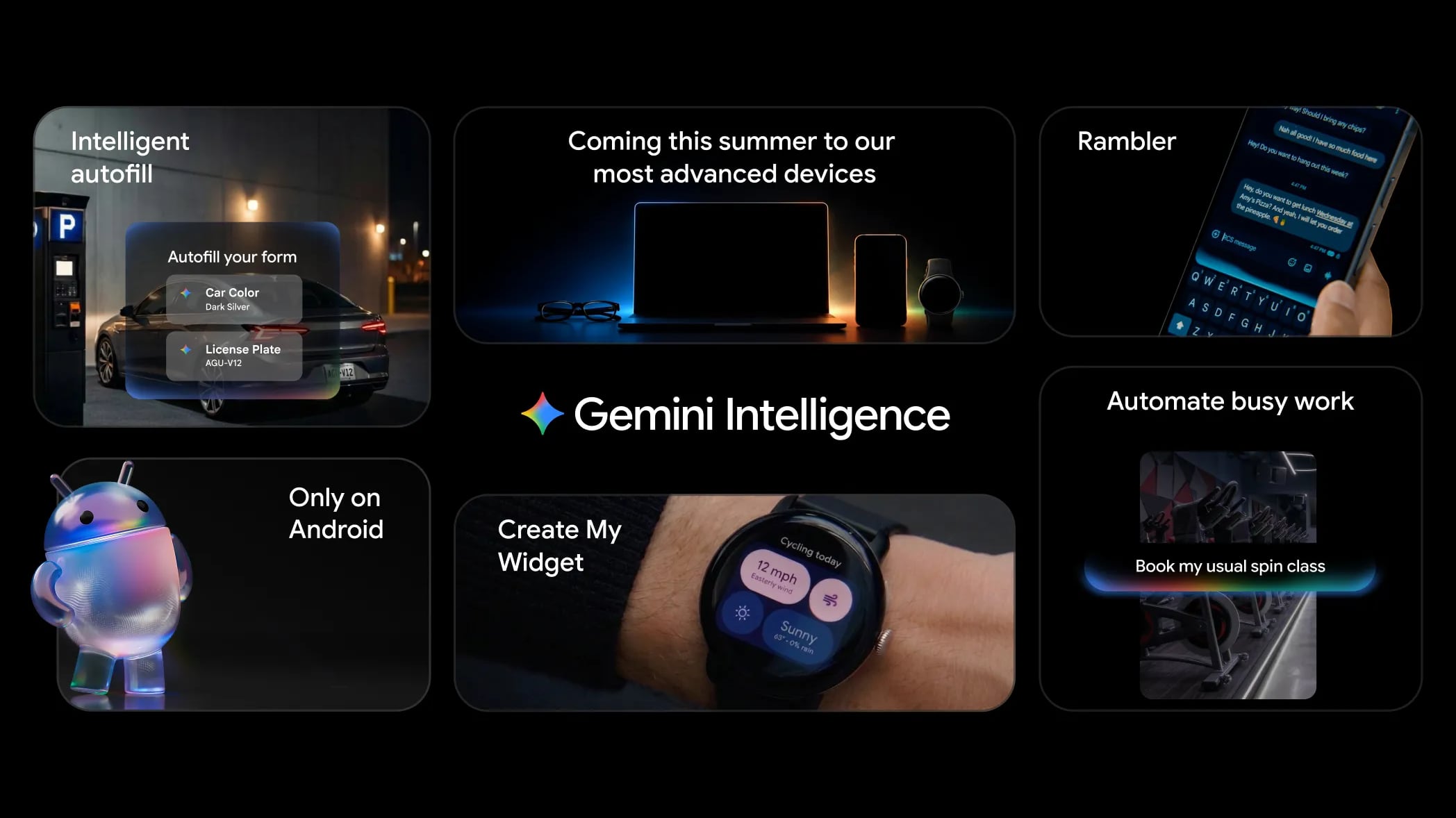
Google is now calling the AI features on Android "Gemini Intelligence," branding similar to Apple Intelligence. Google said it is transitioning Android from an operating system to an intelligence system, with proactive, on-device agentic AI.

  • Expanded Gemini integration - Gemini will be able to do more tasks autonomously, from booking classes to making purchases.

  • Visual context - Gemini will be able to draw context from what's on the screen, which is something that Apple is also bringing to iPhones soon. Google says Android users will be able to do things like bring up a long shopping list in the notes app, long press on the power button over the list, and have Gemini build a shopping cart with all of the items for delivery.

  • Smarter web browsing - Gemini in Chrome will let users research, summarize, and compare content on the web. Chrome auto browse will also be able to do more tasks like reserving a parking spot or booking an appointment.

  • Autofill - Android can fill more text fields in apps with Gemini's Personal Intelligence that draws information from apps like Gmail and Google Photos.

  • Rambler - Rambler is an AI voice dictation feature that cuts out filler words like um, ah, and like. Rambler will take the important parts from voice dictation, and create a concise message. It works with multiple languages at once.

  • Create My Widget - Create My Widget lets Android users build custom widgets by describing what they want in natural language. Widgets can do things like provide the weather, offer recipes, count down to events, provide the time, display stock info, and more.


There are other changes coming to Android 17 too.

  • 3D Emoji - Google is adopting Noto 3D, a new 3D emoji collection.

  • Android Auto - Android Auto is getting expanded Gemini integration and a refreshed look with support for the Material 3 Expressive design. Google is adding customizable widgets, edge-to-edge Google Maps, and Immersive Navigation, which includes 3D views highlighting important navigation details. When parked, cars will support YouTube playback. Gemini Intelligence is coming to Android Auto cars, and it will be able to do things like respond to texts automatically or order food for pickup.

  • Google built-in - Cars with Google built-in are getting the same features, plus access to meeting apps like Zoom. Gemini is also rolling out to cars with Google built-in, and it can answer questions specific to each vehicle that it's installed in.

  • Screen Reactions - Screen Reactions lets users film with the front and back cameras at the same time for social media reaction videos.

  • Instagram integration - Google worked with Meta to improve the video and photo quality of content captured with Android devices and uploaded to Instagram. Google is also adding new tools to the Edits app, and improving Instagram on Android tablets.

  • Pause Point - Users can set an app as distracting, and Pause Point will give a 10-second breather before an app opens. Users can do a short breathing exercise or set a timer to limit time in the app. There are also options for looking at favorite photos, or moving to an alternative app like an audiobook app. Pause Point requires users to restart a phone to turn it off, which makes it more difficult to ignore.


Google says Gemini Intelligence features will roll out in waves beginning with the latest Samsung Galaxy and Google Pixel phones this summer, and expanding to Android watch, car, glasses, and laptops later in the year.

Gemini in Chrome features will be available in late June, with other Android 17 features expected to get to a stable release stage in June.
Related Roundup: iOS 27

This article, "Google Previews Android 17 With 'Gemini Intelligence' a Month Before Apple's iOS 27 Reveal" first appeared on MacRumors.com

Discuss this article in our forums
  •  

Apple Watch Hypertension Alerts and AirPods Hearing Aid Feature Expand to More Countries

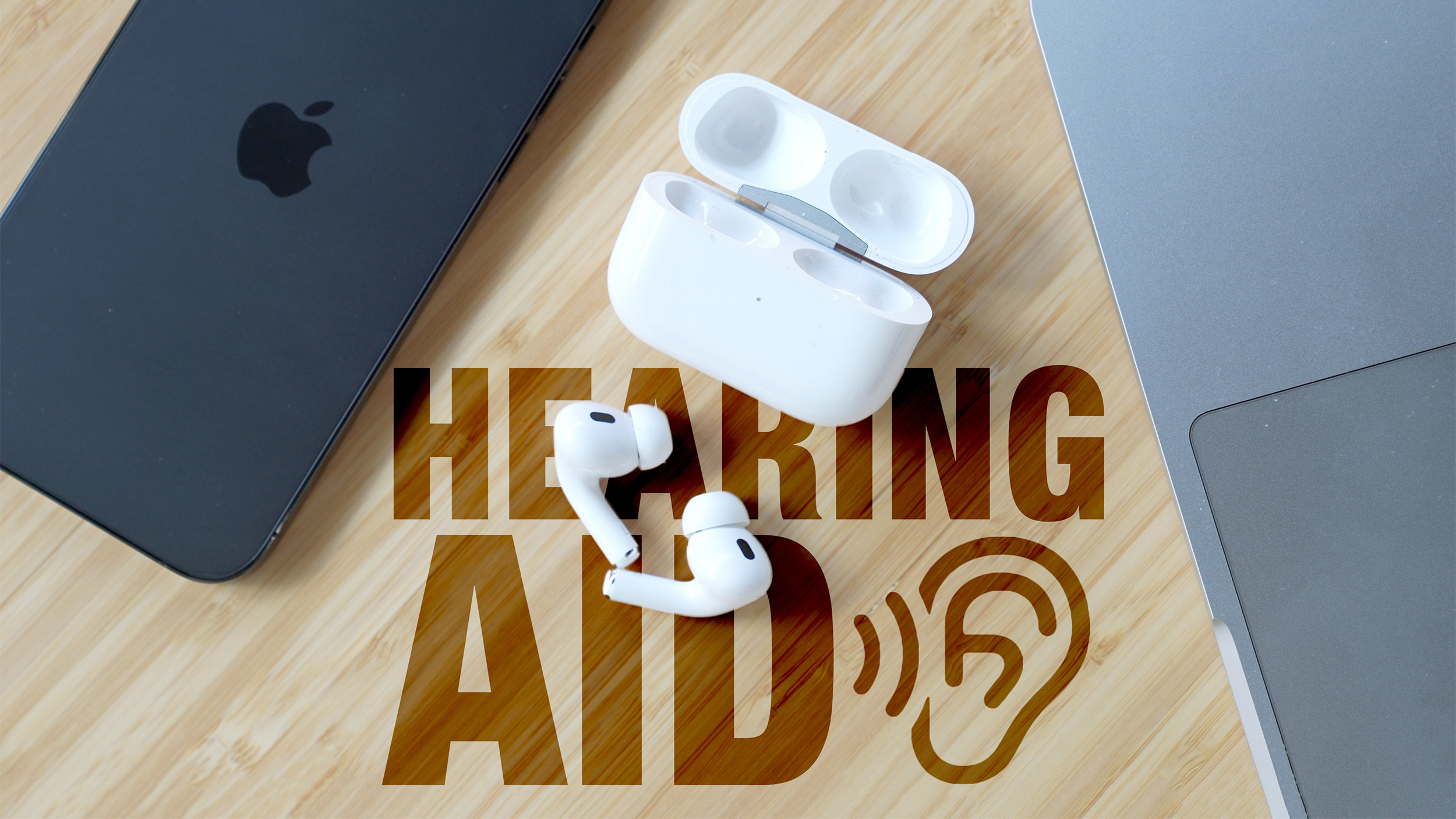
Apple today said Hearing Aid features are now available for the AirPods Pro 2 and AirPods Pro 3 in Italy, Romania, and Czechia, while Hypertension alerts have expanded to Israel.


The Hearing Aid option allows the AirPods Pro to be used as an over-the-counter alternative to a traditional set of hearing aids. The AirPods Pro can improve sound to mitigate mild to moderate hearing loss, adjusting voices and sounds around the user to improve hearing. It can also set music, videos, and phone calls to optimal sound levels using a personalized hearing profile created after taking a Hearing Test.

Loud Sound Reduction also prevents hearing damage from loud ambient noise by cutting down on high-decibel sound when using Transparency and Adaptive modes.

Hearing Aid capabilities are available with the AirPods Pro 2 and β€ŒAirPods Pro 3β€Œ when paired with a device running iOS 26/iPadOS 26 or later.

In Israel, users will be able to get an alert if the Apple Watch detects signs of chronic high blood pressure. Alerts use data collected from the heart rate sensor over a 30-day period.
Hypertension alerts are available on the Apple Watch Series 9 and later and the Apple Watch Ultra 2 and later.
Related Roundups: AirPods 4, Apple Watch 11
Related Forum: AirPods

This article, "Apple Watch Hypertension Alerts and AirPods Hearing Aid Feature Expand to More Countries" first appeared on MacRumors.com

Discuss this article in our forums
  •  

iOS 26.5 Features: Everything New in iOS 26.5

Apple released iOS 26.5 after a few months of beta testing, and while it doesn't have the Siri features we were hoping for since those are being held until iOS 27, there are a handful of useful changes worth knowing about.


End-to-End Encryption for RCS


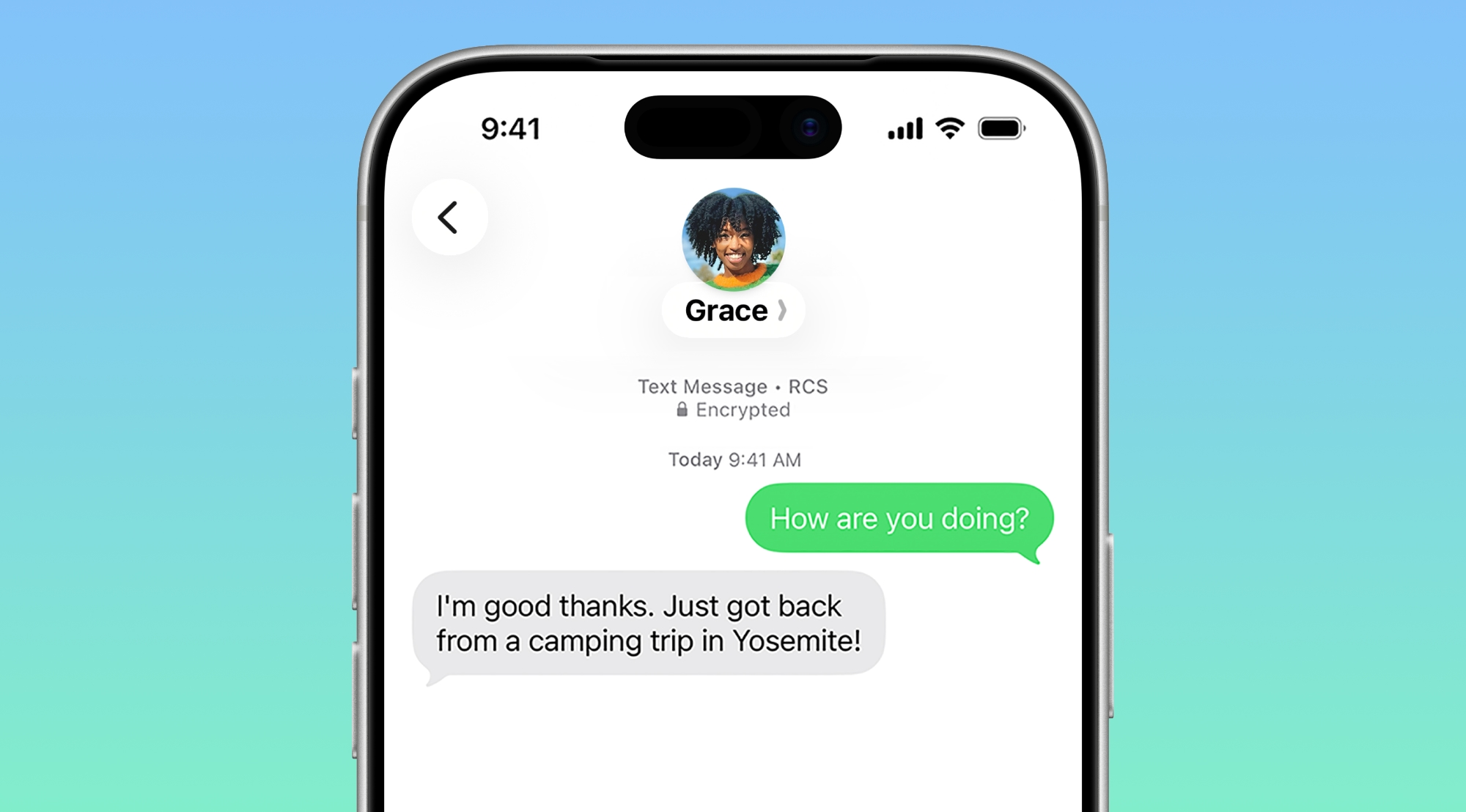
Support for end-to-end encryption (E2EE) for RCS messages between iPhone and Android devices is included in iOS 26.5, which means texts you send your Android friends can now have the same security as iMessages exchanged with another iPhone user.


Encrypted β€ŒRCSβ€Œ messages are available on supported carriers and will roll out over time, and for conversations to be encrypted, both the receiver and the sender must use a carrier that supports the latest version of β€ŒRCSβ€Œ.

End-to-end encryption is on by default, and there is a toggle for it in the Messages section of the Settings app. Encrypted messages are denoted with a small lock symbol.

Wallpaper


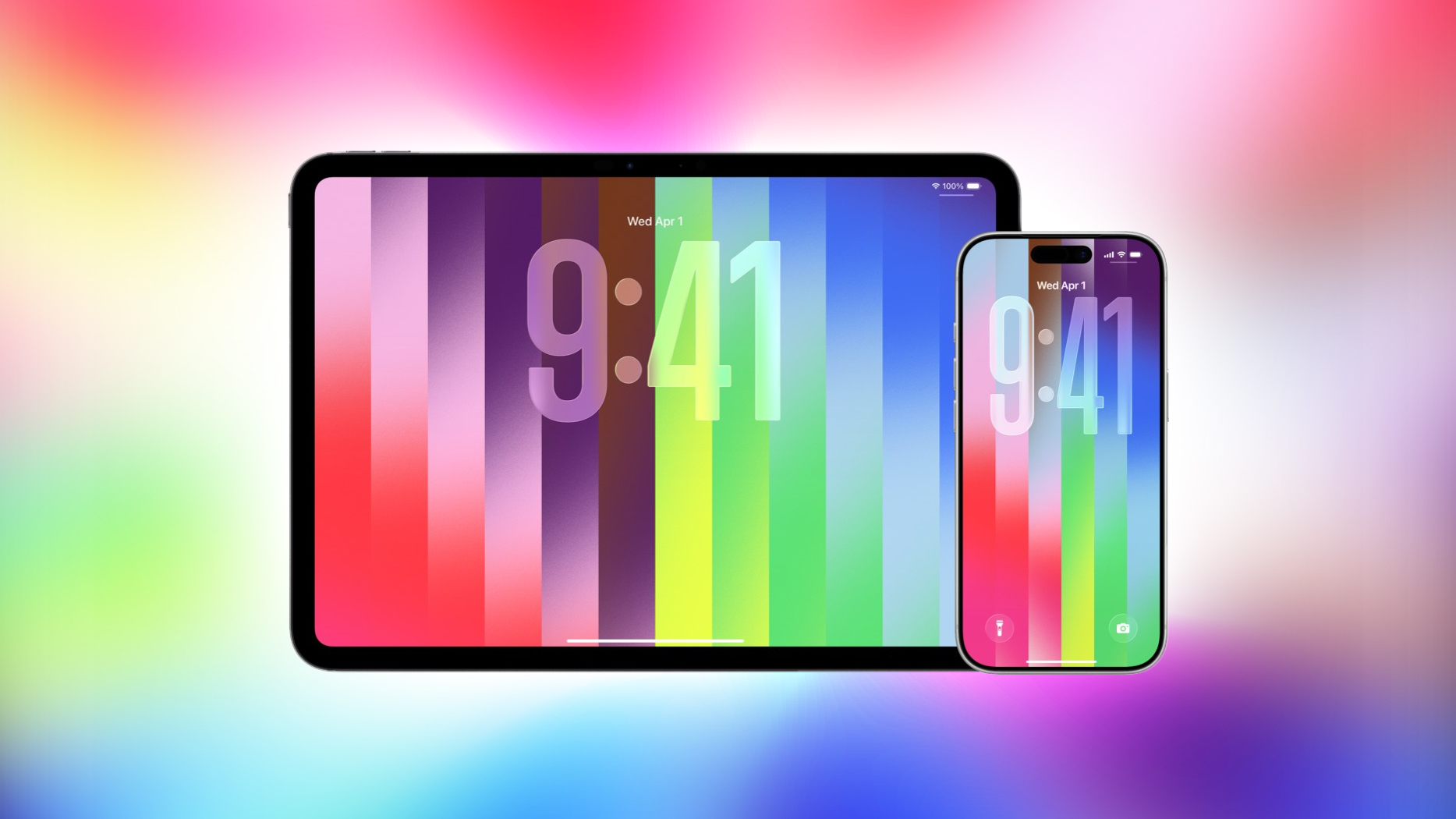
iOS 26.5 includes a colorful new Pride Luminance wallpaper that can be customized with multiple color options.


Maps App


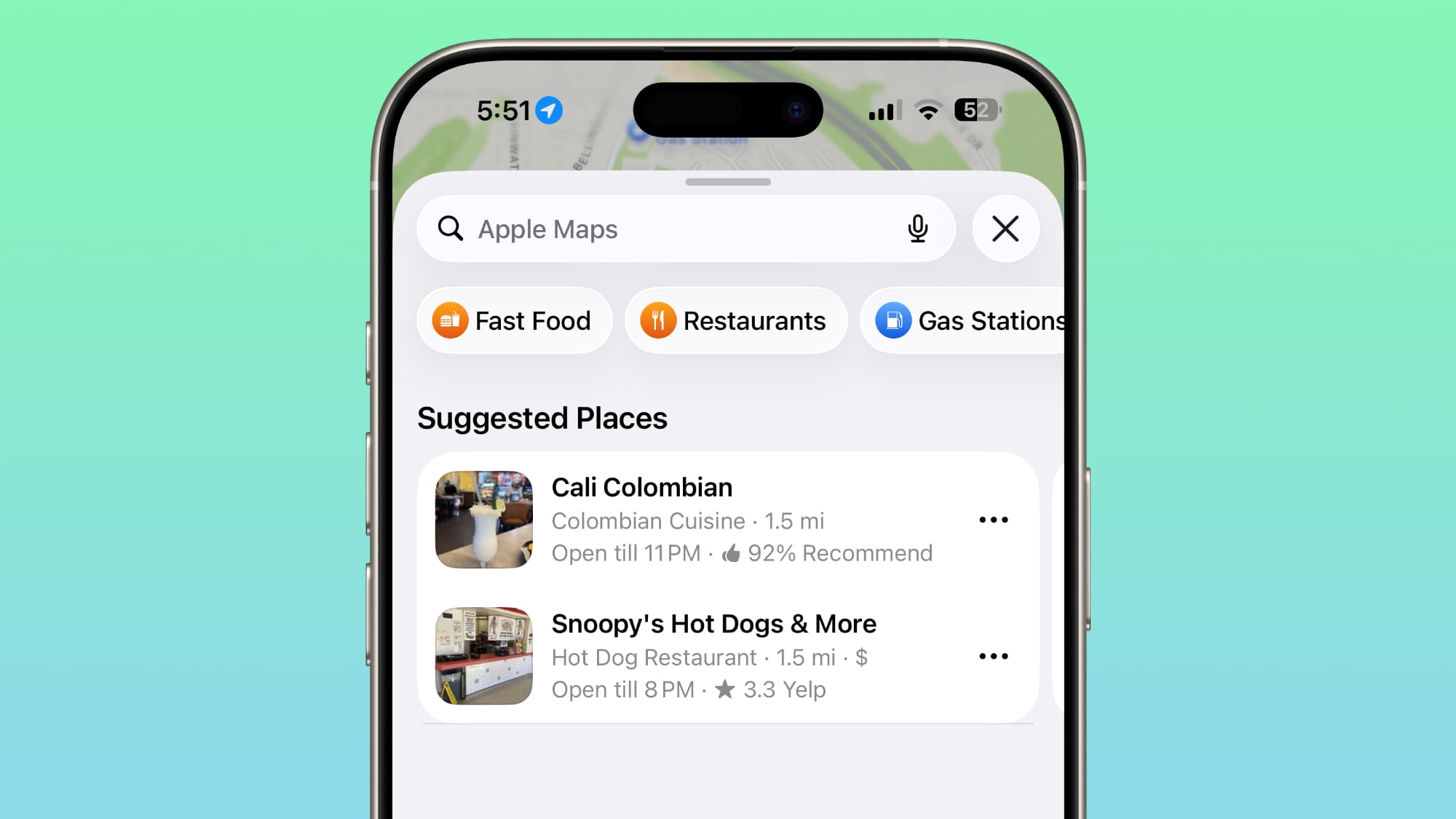
The Maps app includes a new Suggested Places feature that recommends places to visit based on your recent searches and what's trending nearby.


iOS 26.5 also laid the groundwork for ads in the Maps app, but ads are not live yet.

EU Changes for Third-Party Wearables


To comply with the EU's Digital Markets Act, Apple is letting third-party wearables access some features that have historically been limited to the Apple Watch and AirPods.

Here's what's new:

  • Proximity pairing - Third-party earbuds are able to use proximity pairing to connect to an iPhone, similar to the AirPods. Bringing a set of earbuds that support the feature near an iPhone will initiate an AirPods-like one-tap pairing process, so third-party wearables like earbuds will no longer require multiple steps to pair.

  • iPhone notifications - Third-party accessories like smartwatches are able to receive notifications from the iPhone, and users are able to view and react to them. Interactive notifications from the iPhone have been limited to the Apple Watch, while third-party wearables have only been able to display read-only notifications. Notifications can only be forwarded to a single connected device at a time, so turning on notifications for a third-party wearable disables notifications on Apple Watch.

  • Live Activities - Live Activities from the iPhone can be displayed on a third-party wearable, similar to how Live Activities are shown on an Apple Watch.


Accessory makers will need to add support for the interoperability updates, so they may not be available right away. Third-party TVs, smartwatches, and headphones will be able to use the features.

Expanded support for third-party wearables is limited to iPhone users located in the European Union with an Apple account set to an EU country or region.

iPhone to Android Transfer


When switching from an iPhone to an Android device, there is a new setting for selecting which message attachments to transfer over. There are options for All, 1 year, or 30 days.

Apple Books


There are mentions of new awards in the Apple Books app, which are likely for
year-end wrap-ups.

Keyboard Layout


iOS 26.5 has an Inuktitut keyboard layout option.

Security Fixes


iOS 26.5 addresses more than 50 vulnerabilities, so it's a good idea to update as soon as possible to get the latest protections. None of the vulnerabilities are known to have been actively exploited.
Related Roundups: iOS 26, iPadOS 26
Related Forum: iOS 26

This article, "iOS 26.5 Features: Everything New in iOS 26.5" first appeared on MacRumors.com

Discuss this article in our forums
  •  

Google Maps for CarPlay Getting Gemini AI

The Google Maps app for CarPlay could soon include support for Gemini, based on code that MacRumors found in the Google Maps app.


Gemini integration would allow β€ŒCarPlayβ€Œ users to get detailed directions and information from Gemini. Strings in the app suggest users will be able to tell Gemini to navigate to a specific location after agreeing to new Terms of Service in the iPhone version of the Google Maps app.

The Google Maps app already supports Gemini on iPhone, but Gemini is not available for use in Google Maps on β€ŒCarPlayβ€Œ. Gemini in Google Maps adds an "Ask Maps" feature that can answer complex, real-world questions about locations and destinations.

On the iPhone, users can navigate to a location and then say Hey Google or tap the Gemini icon to converse with Gemini in the Google Maps app.

Apple started allowing third-party voice-based conversational apps to interface with β€ŒCarPlayβ€Œ in iOS 26.4, which is likely why Google is now able to add Gemini to the Google Maps app for β€ŒCarPlayβ€Œ.

Gemini integration is not yet live in the Google Maps β€ŒCarPlayβ€Œ app, but since the framework is in the app, it could be rolling out soon. ChatGPT, Grok, and Perplexity are already available on β€ŒCarPlayβ€Œ.
Related Roundup: CarPlay
Tag: Google

This article, "Google Maps for CarPlay Getting Gemini AI" first appeared on MacRumors.com

Discuss this article in our forums
  •  

Apple Bought Color Grading Tool Color.io in January

Apple purchased a small, one-person company called Patchflyer back in January, according to new acquisition disclosures provided by the European Union. Patchflyer was owned by Jonathan Ochmann, who created Color.io, a web-based color grading tool popular with photographers and filmmakers.


Apple purchased Color.io and is employing Ochmann. Last year, Ochmann announced Color.io's impending closure in November, and said that he was joining a company that will let him work at a scale he could not reach on his own. "After 10+ years of running everything alone, I've reached a point where I need to grow in ways that aren't possible as a solo builder," he wrote.

Color.io was known for an easy-to-use but powerful tool for adding film-like color and texture to images. It used a custom color engine and custom color models, and it had a rich library of tools for manipulating color. Ochmann also designed the popular VisionColor LUTs prior to creating Color.io.

Color.io went offline on December 31, 2025, with about five weeks of warning for the app's 200,000+ users. Now that Ochmann is employed at Apple, Color.io capabilities could come to Apple software in the future. Ochmann's expertise and Color.io's features would be useful for Final Cut Pro or Pixelmator Pro.

Apple also acquired PromptAI during the same timeframe, according to the EU filing, but the PromptAI purchase was already known. PromptAI was a startup focusing on computer vision, and it had an app called Seemour. The app augmented home security cameras and detected people, pets, animals, and other objects.
This article, "Apple Bought Color Grading Tool Color.io in January" first appeared on MacRumors.com

Discuss this article in our forums
  •  

OpenAI's New Daybreak Platform Uses GPT-5.5 to Find Software Vulnerabilities

OpenAI today launched Daybreak, an answer to Anthropic's Project Glasswing initiative and Mythos AI model. Like Glasswing, Daybreak is a cyber defense effort that will help tech companies find security vulnerabilities in their platforms.


OpenAI says Daybreak is aimed at building cyber defense into software from the start. It builds on OpenAI's April launch of GPT-5.4-Cyber, which the company says has contributed to fixing more than 3,000 vulnerabilities.
Daybreak combines the intelligence of OpenAI models, the extensibility of Codex as an agentic harness, and our partners across the security flywheel to help make the world safer for everyone. Defenders can bring secure code review, threat modeling, patch validation, dependency risk analysis, detection, and remediation guidance into the everyday development loop so software becomes more resilient from the start.

OpenAI CEO Sam Altman said OpenAI would like to work with "as many companies as possible" to help them continuously secure their software against cyber threats. Several companies have already adopted Anthropic's competing Glasswing program, including Apple, Microsoft, Google, and Amazon.

Daybreak uses Codex Security to build an editable threat model from a company's software repository, then it automates monitoring for higher-risk vulnerabilities. Issues that are found can be investigated in an isolated environment.

Companies can request a Daybreak assessment from OpenAI, which includes a vulnerability scan. Pricing is not listed.

There are three models available. GPT-5.5 has standard safeguards for general purpose use, while GPT-5.5 with Trusted Access for Cyber is meant for verified defensive work in authorized environments. GPT-5.5-Cyber is for specialized authorized workflows, and it features stronger verification and account-level controls.

OpenAI is working with industry and government partners ahead of deploying more cyber-capable models in the future.
Tag: OpenAI

This article, "OpenAI's New Daybreak Platform Uses GPT-5.5 to Find Software Vulnerabilities" first appeared on MacRumors.com

Discuss this article in our forums
  •  

EU iPhone Users Get AirPods-Like Pairing and Notification Forwarding for Third-Party Wearables in iOS 26.5

iOS 26.5 introduces several interoperability changes for third-party wearables, which means European iPhone users have access to new capabilities when using non-Apple accessories.


To comply with the EU's Digital Markets Act, Apple is letting third-party wearables access some features that have historically been limited to the Apple Watch and AirPods.

  • Proximity pairing - Third-party earbuds are able to use proximity pairing to connect to an iPhone, similar to the AirPods. Bringing a set of earbuds that support the feature near an iPhone will initiate an AirPods-like one-tap pairing process, so third-party wearables like earbuds will no longer require multiple steps to pair.

  • iPhone notifications - Third-party accessories like smartwatches are able to receive notifications from the iPhone, and users are able to view and react to them. Interactive notifications from the iPhone have been limited to the Apple Watch, while third-party wearables have only been able to display read-only notifications. Notifications can only be forwarded to a single connected device at a time, so turning on notifications for a third-party wearable disables notifications on Apple Watch.

  • Live Activities - Live Activities from the iPhone can be displayed on a third-party wearable, similar to how Live Activities are shown on an Apple Watch.


Accessory makers will need to add support for the interoperability updates, so they may not be available right away. Third-party TVs, smartwatches, and headphones will be able to use the features.

Apple has been testing the interoperability changes in betas for the last several months, starting with iOS 26.3, but they're available for all EU users with the launch of iOS 26.5.

Apple updated its Developer Program License Agreement to reflect the EU changes. Forwarded notifications and Live Activities cannot be used for advertising, profiling, training models, or monitoring location. Forwarded information can't be sent to any other app or device besides the authorized target accessory, nor can it be modified in a way that "materially changes the meaning."

Expanded support for third-party wearables is limited to iPhone users in the European Union with an Apple account set to an EU country or region.

Apple has warned that the Digital Markets Act (DMA) is forcing it to make "concerning changes" to its products and services in the EU, and exposing customers to new risks while also disrupting the way that Apple products work together. In September, Apple urged European regulators to scrap the DMA, and in November, it shared a study it commissioned that found the DMA has not resulted in lower prices for consumers.
Related Roundups: AirPods 4, iOS 26, iPadOS 26
Buyer's Guide: AirPods (Neutral)
Related Forums: AirPods, iOS 26

This article, "EU iPhone Users Get AirPods-Like Pairing and Notification Forwarding for Third-Party Wearables in iOS 26.5" first appeared on MacRumors.com

Discuss this article in our forums
  •  

Apple's iOS 26.5 Update Patches More Than 50 Security Flaws

The iOS 26.5 and iPadOS 26.5 updates Apple released today address more than 50 security vulnerabilities, which means it's worth updating soon if you haven't done so already.


Apple's security support document outlines all of the security updates included in the new software. There were no known actively exploited bugs, but Apple's documentation does potentially give malicious entities insight into bugs that can be exploited on devices that have not yet been updated.

There are multiple image vulnerabilities, kernel issues, and bugs related to Shortcuts, Spotlight, and screenshots. Ten WebKit vulnerabilities that could allow access to sensitive data or cause crashing were fixed.

Other updates Apple released today also include multiple security fixes. For iPhone and iPad users unable to install iOS 26, Apple released iOS 18.7.9, iPadOS 18.7.9, iPadOS 17.7.11, iOS 16.7.16, iPadOS 16.7.16, iOS 15.8.8, and iPadOS 15.8.8.

There are almost 70 security updates in macOS Tahoe 26.5, so it's also a good idea to update your Mac software. Apple released macOS Sonoma 14.8.7 and macOS Sequoia 15.7.7 for those who are unable to run β€ŒmacOS Tahoeβ€Œ.
Related Roundups: iOS 26, iPadOS 26
Related Forum: iOS 26

This article, "Apple's iOS 26.5 Update Patches More Than 50 Security Flaws" first appeared on MacRumors.com

Discuss this article in our forums
  •  

Apple Developer App Gets Liquid Glass Makeover and New WWDC 2026 Stickers

Apple today updated its Apple Developer app, introducing a Liquid Glass redesign and giving developers some WWDC-themed stickers that can be used in the Messages app.


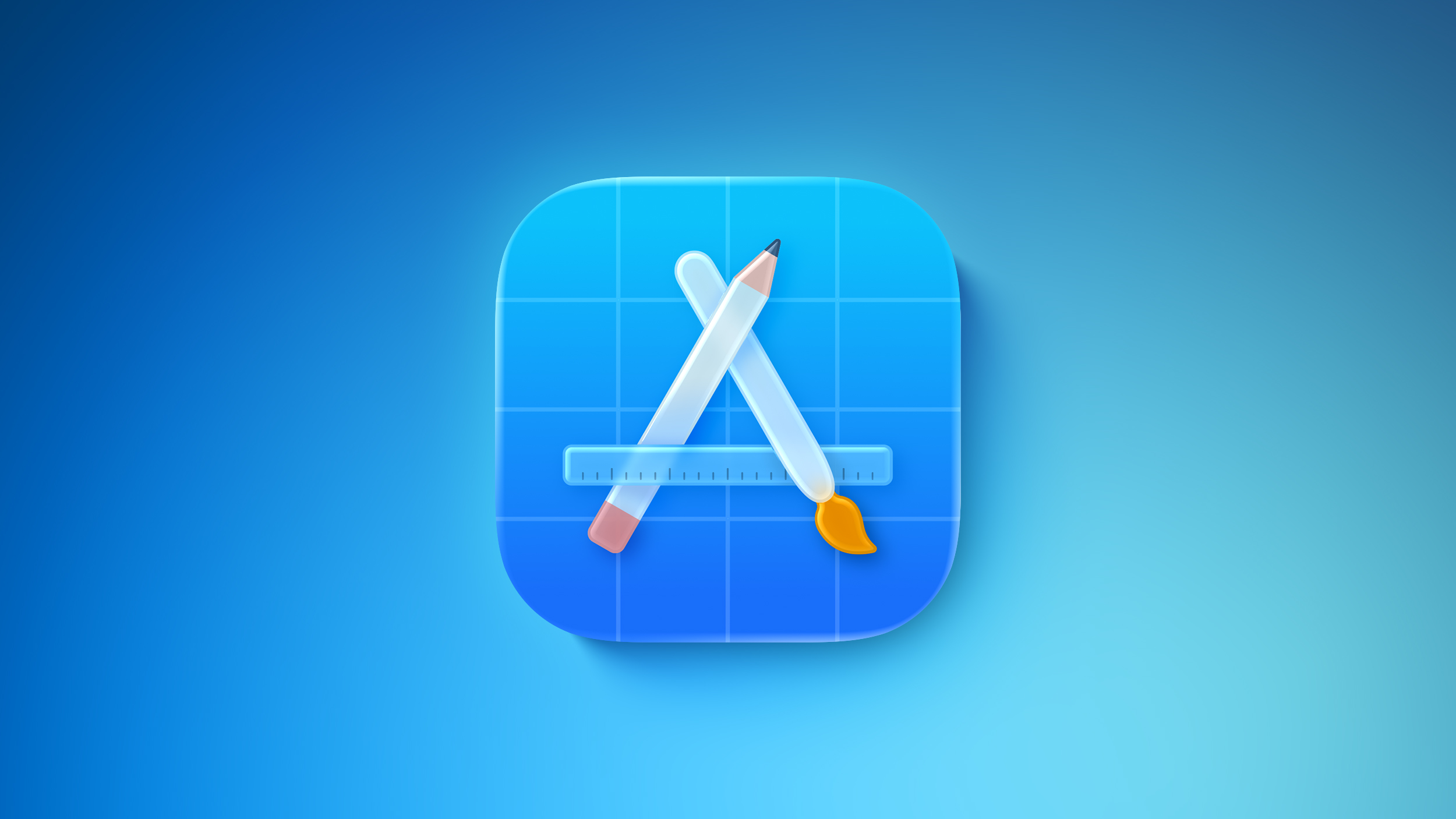
The Apple Developer app has a revamped Liquid Glass icon that reintroduces some older design elements while adopting the translucent Liquid Glass aesthetic. The icon has a pencil, paintbrush, and ruler that form the "A" shape, which is a departure from the prior version with a more generic design.


There are also Liquid Glass design elements in the app, with Apple adopting a translucent navigation bar with a Liquid Glass slider, and a separate search button.

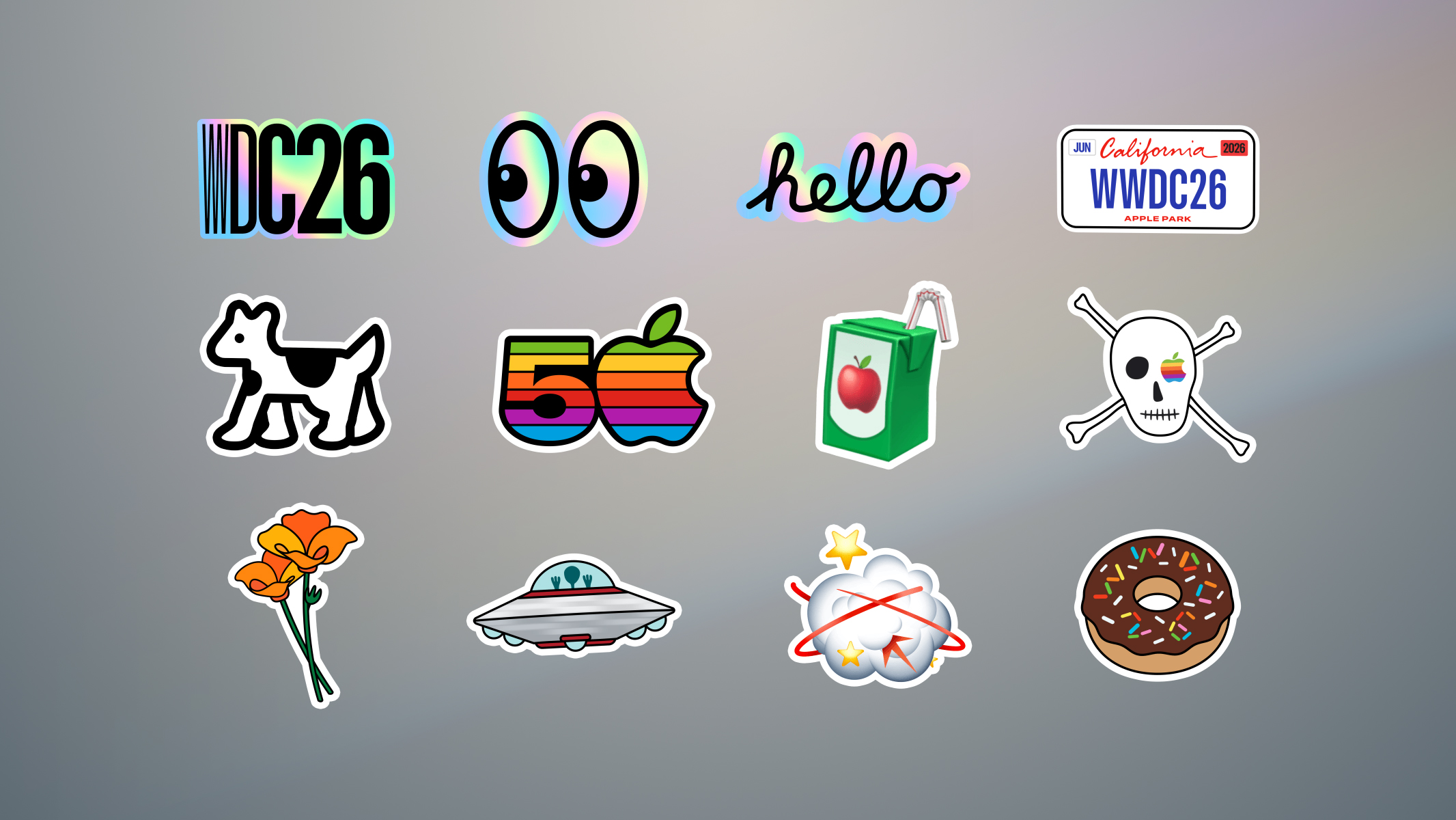
The stickers include a 50th anniversary design, a skull with an Apple eyepatch, a juice box, California poppies, and holographic-style hello and WWDC 26 options. The stickers are all animated.


Apple says the app also includes list filtering by Unwatched, Bookmarked, and Downloaded, along with preferred topics. Image capture during enrollment has also been improved.
Thank you for your feedback! New in this release:

- Refreshed look with Liquid Glass.
- List filtering by Unwatched, Bookmarked, and Downloaded, and preferred topics.
- Improved reliability of image capture during enrollment.
- Bug fixes and various other enhancements.

The Apple Developer app is available to download for free. Ahead of WWDC 2026, it will be updated with new session information and an option to watch the keynote event on June 8.
Related Roundup: WWDC 2026

This article, "Apple Developer App Gets Liquid Glass Makeover and New WWDC 2026 Stickers" first appeared on MacRumors.com

Discuss this article in our forums
  •  

iPhone-Android RCS Conversations Are End-to-End Encrypted in iOS 26.5

End-to-end encryption (E2EE) for RCS messages between iPhone and Android devices is officially available, Apple confirmed today. Support is included in iOS 26.5, which is now available to everyone.


End-to-end encrypted β€ŒRCSβ€Œ messaging is available in a beta capacity, even though it is in the launch version of iOS 26.5. The feature is available with supported carriers and will roll out over time, and for conversations to be encrypted, both the receiver and the sender must use a carrier that supports the latest version of β€ŒRCSβ€Œ.

Apple says that it worked with Google to lead a cross-industry effort to add E2EE to β€ŒRCSβ€Œ. iOS users will need iOS 26.5, while Android users will need the latest version of Google Messages.

End-to-end encryption is on by default, and there is a toggle for it in the Messages section of the Settings app. Encrypted messages are denoted with a small lock symbol.

E2EE means that messages sent between devices cannot be intercepted and read by a third party. On iPhones not running iOS 26.5, β€ŒRCSβ€Œ messages between iPhone and Android users do not have E2EE, but the new update will put Android to iPhone conversations on par with iPhone to iPhone conversations that are encrypted through iMessage.

Along with Google, Apple worked with the GSM Association to implement E2EE for β€ŒRCSβ€Œ messages. E2EE is part of the β€ŒRCSβ€Œ Universal Profile 3.0, published with Apple's help and built on the Messaging Layer Security protocol. β€Œβ€ŒRCSβ€Œβ€Œ Universal Profile 3.0 also includes editing and deleting messages, cross-platform Tapback support, and replying to specific messages inline during cross-platform conversations.
Related Roundups: iOS 26, iPadOS 26
Tags: Android, RCS
Related Forum: iOS 26

This article, "iPhone-Android RCS Conversations Are End-to-End Encrypted in iOS 26.5" first appeared on MacRumors.com

Discuss this article in our forums
  •  

Apple Releases iOS 26.5 and iPadOS 26.5 With End-to-End Encrypted RCS, New Wallpaper, and Maps Updates

Apple today released iOS 26.5 and iPadOS 26.5, the newest updates to the iOS 26 and iPadOS 26 operating systems. The software comes nearly two months after Apple released iOS 26.4 and iPadOS 26.4.


The new software can be downloaded on eligible iPhones and iPads over-the-air by going to Settings > General > Software Update. Apple has also released iOS 15.8.8, iOS 16.7.16, iOS 18.7.9, and iPadOS 17.7.11 for older devices unable to run β€ŒiOS 26β€Œ and β€ŒiPadOS 26β€Œ.

iOS 26.5 introduces end-to-end encryption for RCS messages exchanged between iPhone and Android users. E2EE for β€ŒRCSβ€Œ requires both participants in the conversation to have a carrier that supports the feature, and carriers will be rolling out support over time. Encrypted β€ŒRCSβ€Œ messages have a small lock symbol, and match the end-to-end encryption protections of iMessage.

In the Maps app, there is a new "Suggested Places" section that displays recommendations based on location and recent searches. The Maps app is getting ads this summer, and the groundwork for ads is included in iOS 26.5 and iPadOS 26.5.

Apple added a new Pride Luminance wallpaper that matches the Pride Luminance Apple Watch face and Apple Watch band. The updates are largely the same on iPad.

Apple's release notes for the update are below.
This update includes the following enhancements:
- End-to-end encrypted RCS messaging (beta) in Messages is available with supported carriers and will roll out over time. For more information visit: https://support.apple.com/109526
- Pride Luminance wallpaper that dynamically refracts a spectrum of colors, is available for download
- Suggested Places in Maps displays recommendations based on what's trending nearby and your recent searches

For information on the security content of Apple software updates, please visit:
https://support.apple.com/100100

Some features may not be available in all regions or on all iPhone models. To learn more, please visit: https://apple.com/ios/feature-availability/

Software updates, like this one, add new features and improvements that may affect performance and/or battery life. To learn more, please visit:https://support.apple.com/125039
iOS 26.5 and iPadOS 26.5 may be some of the last updates that we get with new features. Apple is shifting its focus to iOS 27 and iPadOS 27, new updates that will be previewed at WWDC next month.
Related Roundups: iOS 26, iPadOS 26
Tag: RCS
Related Forum: iOS 26

This article, "Apple Releases iOS 26.5 and iPadOS 26.5 With End-to-End Encrypted RCS, New Wallpaper, and Maps Updates" first appeared on MacRumors.com

Discuss this article in our forums

  •  

macOS Tahoe 26.5 Now Available

Apple today released macOS Tahoe 26.5, the fifth major update to the β€ŒmacOS Tahoeβ€Œ operating system. β€ŒmacOS Tahoeβ€Œ 26.5 comes seven weeks after Apple released macOS Tahoe 26.4.


Mac users can download the new software by opening up the System Settings app and navigating to the Software Update section.

β€ŒmacOS Tahoeβ€Œ 26.5 adds a Suggested Places section to the search interface in the Apple Maps app. It also lays the groundwork for ads in the Maps app, which are coming this summer.

The App Store is also getting a monthly subscription option that will let users pay a lower price on a monthly basis, but agree to pay for a subscription for a 12-month period.

The update also likely includes several bug fixes and other under-the-hood performance updates, but no new features were found during the beta testing period.
Related Roundup: macOS Tahoe
Related Forum: macOS Tahoe

This article, "macOS Tahoe 26.5 Now Available" first appeared on MacRumors.com

Discuss this article in our forums
  •  

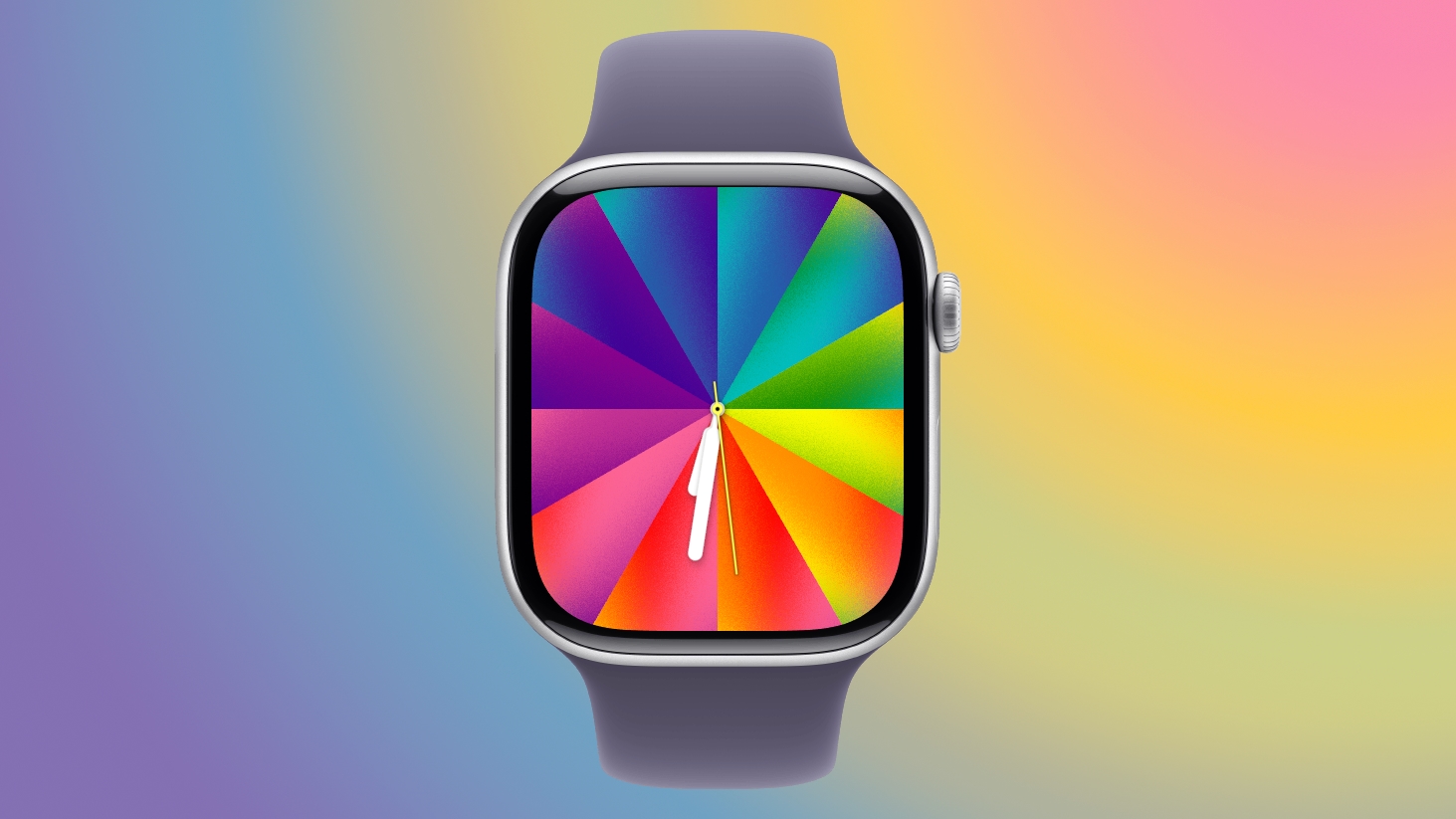
Apple Releases watchOS 26.5 With New Pride Luminance Watch Face

Apple today released watchOS 26.5, the fifth major update to the watchOS 26 operating system that came out in September. watchOS 26.5 comes a month and a half after Apple released watchOS 26.4.


watchOS 26.5 can be downloaded for free on an iPhone running iOS 26.5 by opening up the Apple Watch app and going to General > Software Update, or initiating an update in the Settings app on the watch. To install the new software, the Apple Watch needs to have at least 50 percent battery and it needs to be placed on a charger.


watchOS 26.5 adds a new Pride Luminance watch face. It also fixes a bug with dual SIM iPhones and an issue that could cause audio alerts to fail to play in the Workout app. Apple's release notes for the update are below.
This update includes the following enhancements and bug fixes:
- Pride Luminance watch face that dynamically refracts a spectrum of colors, is available to add from the Face Gallery
- Fixes an issue where Messages on Apple Watch may use SMS instead of iMessage when paired with a dual SIM iPhone
- Fixes an issue where Workout app audio alerts could fail to play if the phone was not nearby Apple Watch
For information on the security content of Apple software please visit this website: https://support.apple.com/100100

More on the features in β€ŒwatchOS 26β€Œ can be found in our watchOS 26 roundup.
Related Roundup: watchOS 26
Related Forum: Apple Watch

This article, "Apple Releases watchOS 26.5 With New Pride Luminance Watch Face" first appeared on MacRumors.com

Discuss this article in our forums
  •  

Apple Releases tvOS 26.5

Apple today released tvOS 26.5, the fifth update to the tvOS operating system that came out last fall. tvOS 26.5 is available for the Apple TV 4K, and it comes over a month after Apple released tvOS 26.4.


tvOS 26.5 can be downloaded using the Settings app on the β€Œβ€Œβ€ŒApple TVβ€Œβ€Œβ€Œ. Open up Settings and go to System > Software Update to get the new software. β€Œβ€Œβ€ŒApple TVβ€Œβ€Œβ€Œ owners who have automatic software updates activated will be upgraded to tvOS 26.5 automatically.

No new features were found in tvOS 26.5 during the beta testing period, so it likely focuses on bug fixes and performance improvements. Apple shares tvOS release notes on its website.
Related Roundup: Apple TV
Buyer's Guide: Apple TV (Don't Buy)

This article, "Apple Releases tvOS 26.5" first appeared on MacRumors.com

Discuss this article in our forums
  •  

Apple Releases visionOS 26.5

Apple today released visionOS 26.5, the fifth update to the visionOS 26 operating system that launched in September. visionOS 26.5 comes close to two months after Apple released visionOS 26.4.


β€ŒvisionOS 26β€Œ.5 can be downloaded on all Vision Pro headsets by navigating to the Settings app, selecting the General section, and choosing the Software Update option. To install an update, the Vision Pro headset needs to be removed, and there is a software progress bar available on the exterior EyeSight display.

Apple's release notes say that visionOS 26.5 includes bug fixes and security improvements.

visionOS 26.5 is recommended for all Vision Pro users.
Related Roundup: Apple Vision Pro
Buyer's Guide: Vision Pro (Buy Now)
Related Forum: Apple Vision Pro

This article, "Apple Releases visionOS 26.5" first appeared on MacRumors.com

Discuss this article in our forums

  •  

Apple Releases HomePod Software 26.5

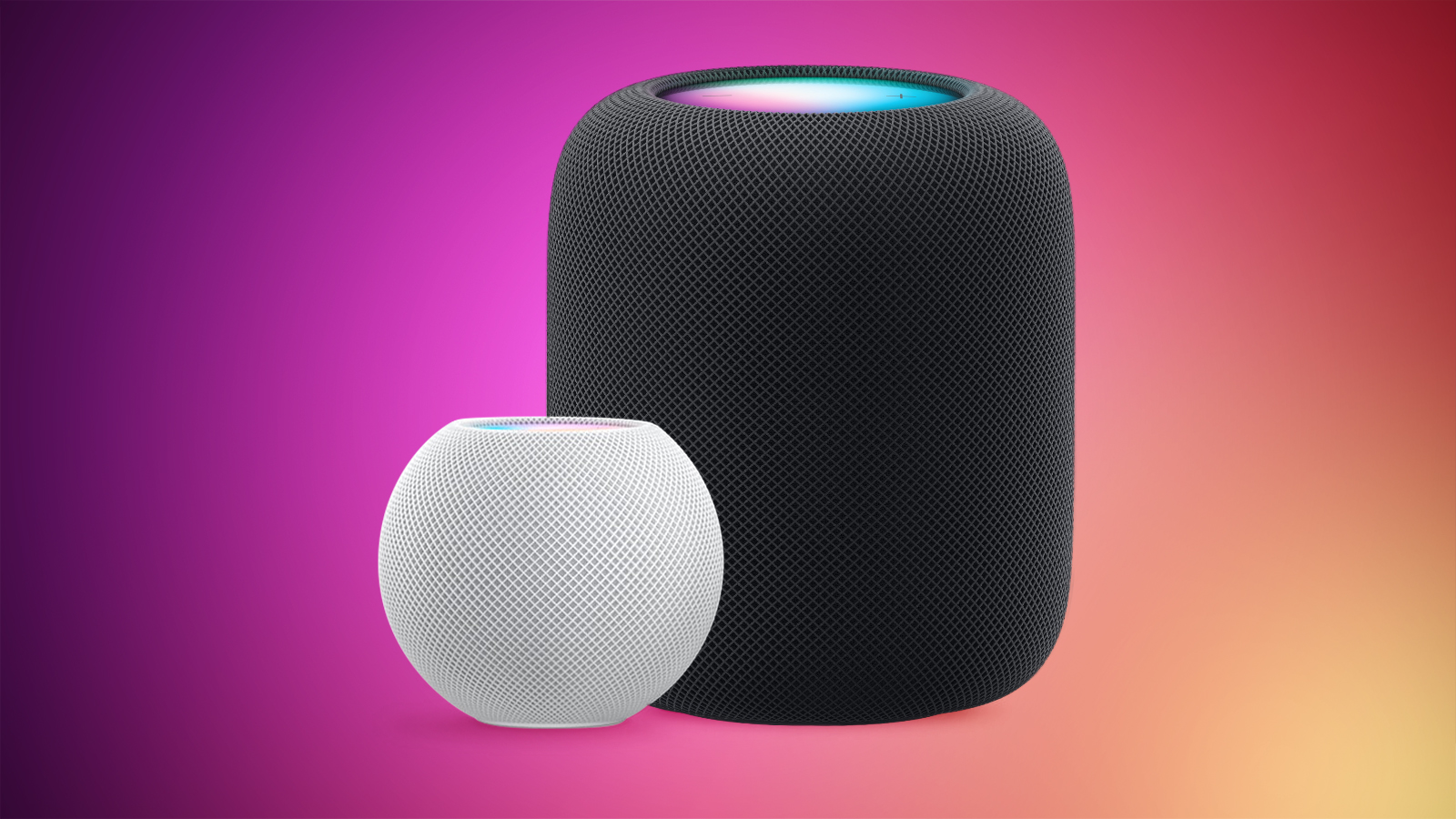
Alongside iOS 26.5, iPadOS 26.5, and macOS Tahoe 26.5, Apple has released new HomePod 26.5 software for the β€ŒHomePodβ€Œ and the HomePod mini. The update comes a little over a month after Apple released β€ŒHomePodβ€Œ Software 26.4.


According to Apple's release notes, β€ŒHomePodβ€Œ Software 26.5 includes performance and stability improvements.

β€Œβ€ŒHomePodβ€Œβ€Œβ€Œβ€Œβ€Œβ€Œβ€Œβ€Œ software is installed automatically on the β€Œβ€Œβ€Œβ€Œβ€Œβ€Œβ€Œβ€ŒHomePodβ€Œβ€Œβ€Œβ€Œ unless the feature is disabledβ€Œβ€Œβ€Œβ€Œ, but the β€Œβ€Œβ€Œβ€Œβ€Œβ€Œβ€Œβ€ŒHomePodβ€Œβ€Œβ€Œβ€Œβ€Œβ€Œβ€Œβ€Œ can also be manually updated in the Home app on iPhone, iPad, or Mac by tapping on the More button, choosing Home Settings, and then selecting the Software Update option.
Related Roundups: HomePod, HomePod mini

This article, "Apple Releases HomePod Software 26.5" first appeared on MacRumors.com

Discuss this article in our forums

  •  

Apple's AirTag-Sized AI Pendant: Five Features Rumored So Far

Apple is developing a wearable AI device that's been described as a pin or pendant, and that could compete with a similar AI product coming from OpenAI's Jony Ive. It wasn't clear if the wearable would actually make it to launch because Apple sometimes cancels projects, but it is still in the works and could come as soon as next year.


1. It'll Look Like an AirTag


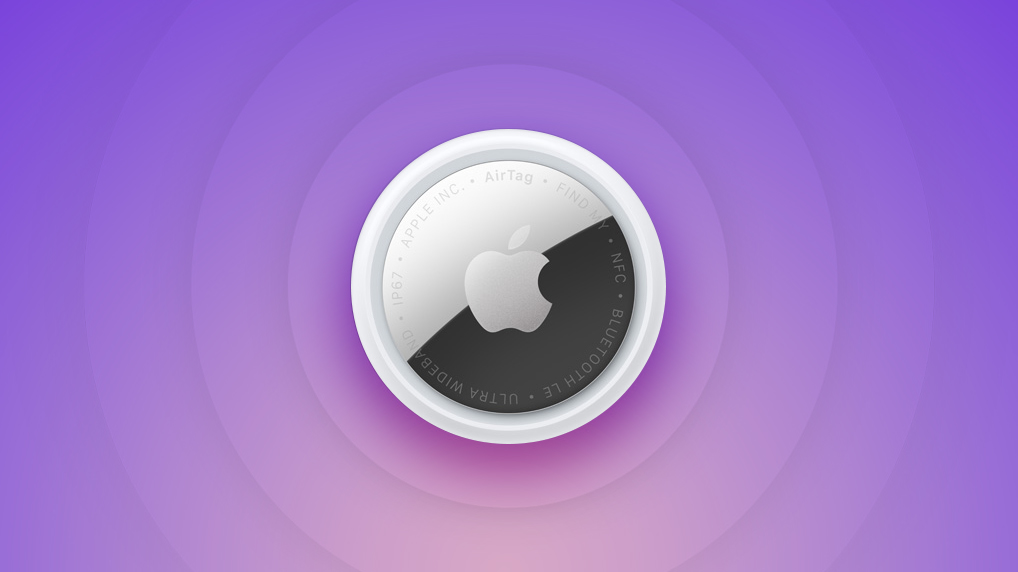
Apple's design plans could change, but rumors suggest the device is a pin or pendant that looks similar to an AirTag. It's been described as having a thin, flat, circular disc shape, with an aluminum and glass shell. A physical control button is included on one edge.

Apple wants the final version of the device to be about the same size as an β€ŒAirTagβ€Œ, but because of the hardware inside, it could be thicker.

It sounds like the wearable will be versatile. It could have a clip to attach to clothing like a pin, but there's also supposedly a hole in the device so it can be worn as a necklace. Rumors have referred to it as both a pin and a pendant.

2. There Will Be Cameras


Apple's AI wearable is going to have at least one camera, but rumors are mixed on exactly what the camera will be used for.

Bloomberg says the pin will have a low-resolution camera that gives it info about its surroundings rather than a camera for capturing photos and videos. The camera will be always-on and processing visual data, but users will not be able to use it for images.

The Information reports there will be two front cameras, one with a standard lens and one with a wide-angle lens for capturing photos and videos.

Apple's AI device will rely heavily on Visual Intelligence, which is currently an iPhone feature that uses the camera to provide users with more information about places and objects around them.

3. Siri is the Brain


Rumors have described Apple's wearable as an AI pin or pendant, because it's going to be reliant on artificial intelligence. It's one of several AI-equipped devices that Apple is working on, and it will give wearers a way to interface with Siri without having to use an iPhone.

The camera on the pin will give β€ŒSiriβ€Œ insight, and β€ŒSiriβ€Œ will be able to answer questions about what the wearer is looking at or the wearer's surroundings.

Apple is planning to completely overhaul β€ŒSiriβ€Œ in iOS 27, turning the personal assistant into a much smarter chatbot on par with Claude, Gemini, and ChatGPT.

4. iPhone Required


While the AI wearable will have a chip inside, it will be a smaller chip that's similar to the H2 in the AirPods. It won't use a high-powered chip, and most processing will need to be done on the iPhone.

The pin is not meant to be a standalone device, and it will instead be marketed as an iPhone accessory.

5. It'll Listen, But Might Not Talk Back


To listen for voice requests and to pick up sounds around the wearer, the AI pin will have a microphone. Apple has not yet decided whether to add a speaker for back-and-forth β€ŒSiriβ€Œ conversations and audio playback.

If there's no speaker, responses might be directed to the wearer on the iPhone, Apple Watch, or AirPods.

Release Date


Bloomberg's Mark Gurman said this week that the AI wearable could see a launch as soon as 2027.
Related Roundup: AirTag
Buyer's Guide: AirTag (Buy Now)

This article, "Apple's AirTag-Sized AI Pendant: Five Features Rumored So Far" first appeared on MacRumors.com

Discuss this article in our forums

  •  

A Closer Look at watchOS 26.5's New Luminance Watch Face

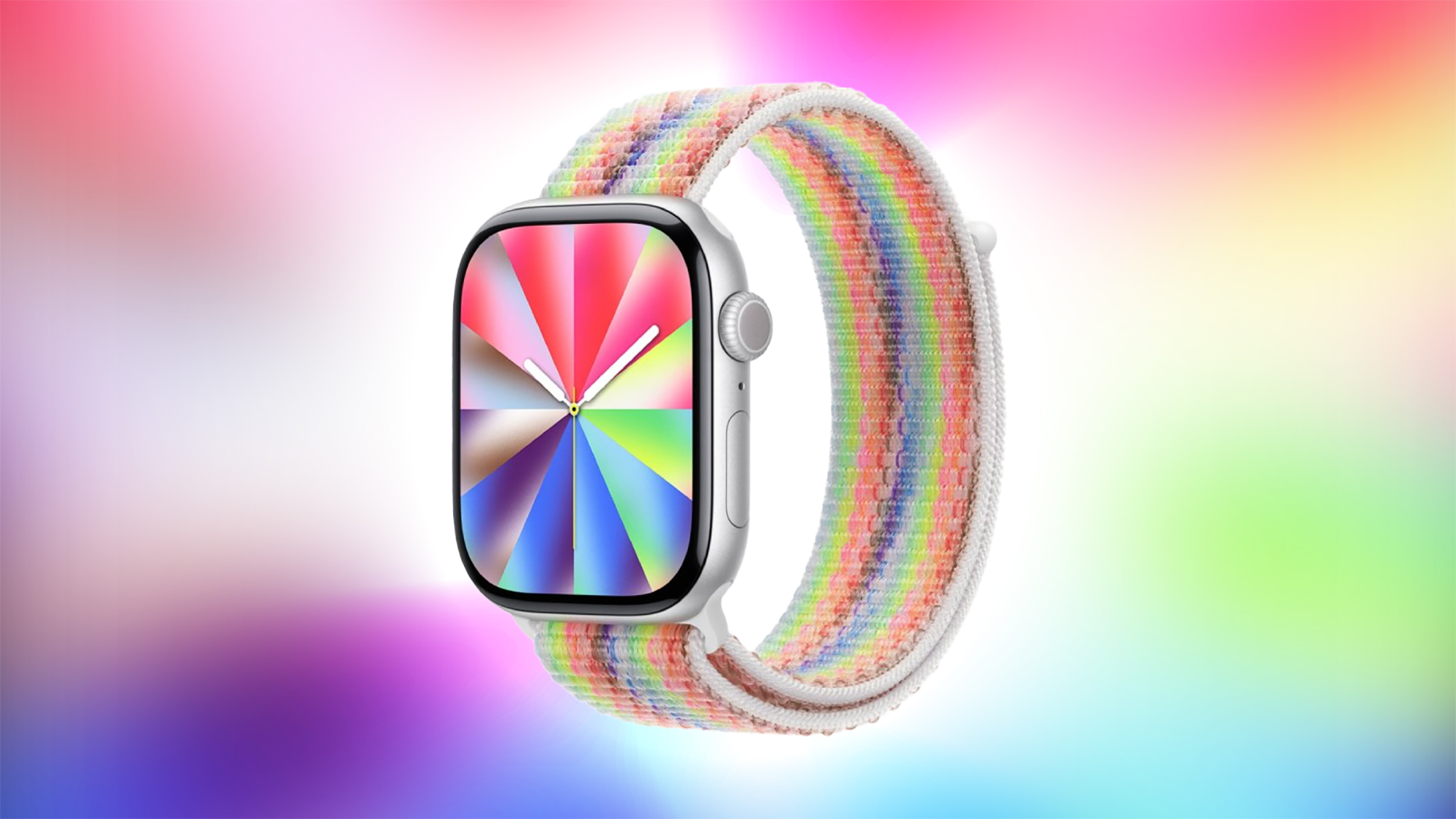
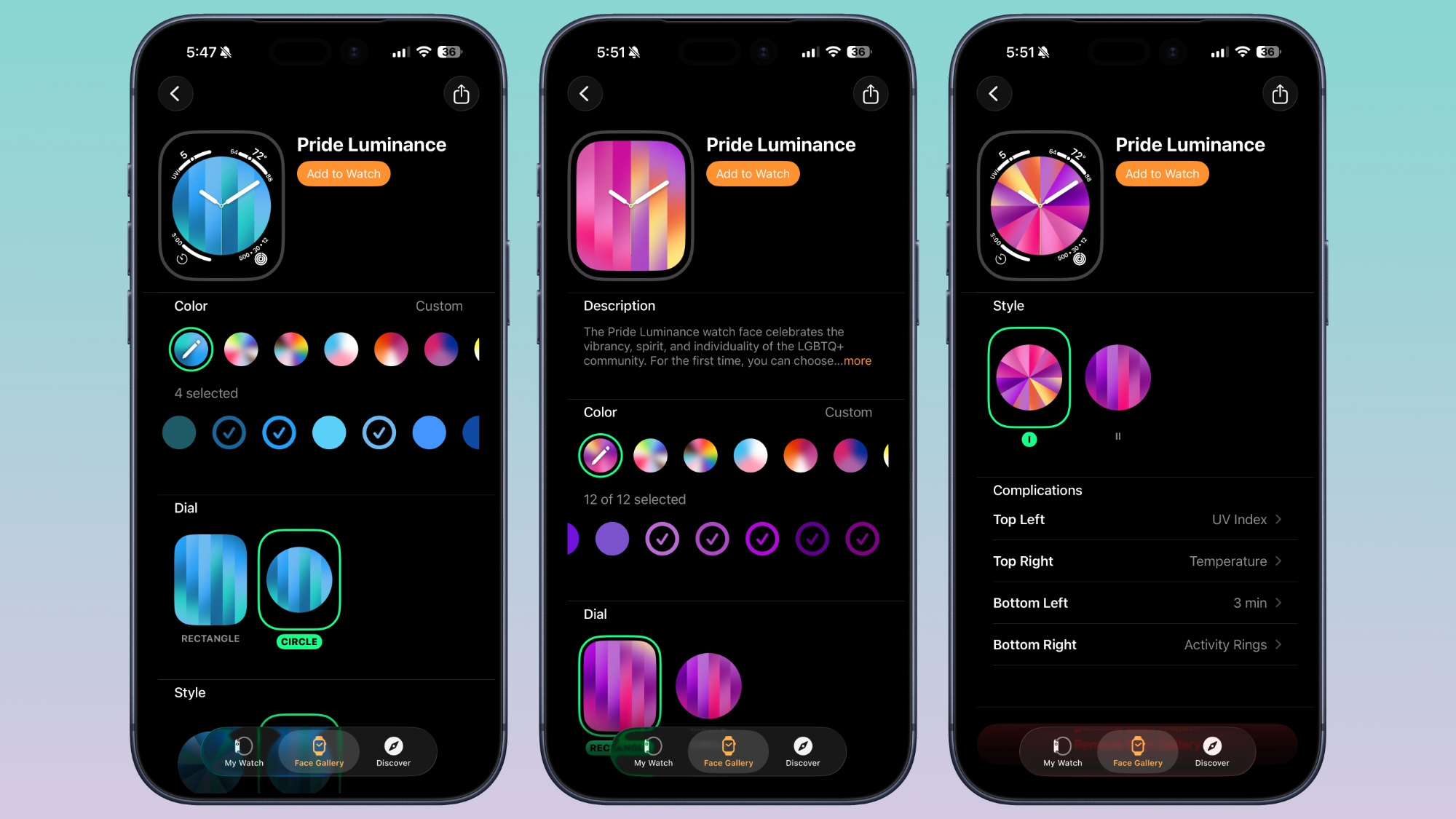
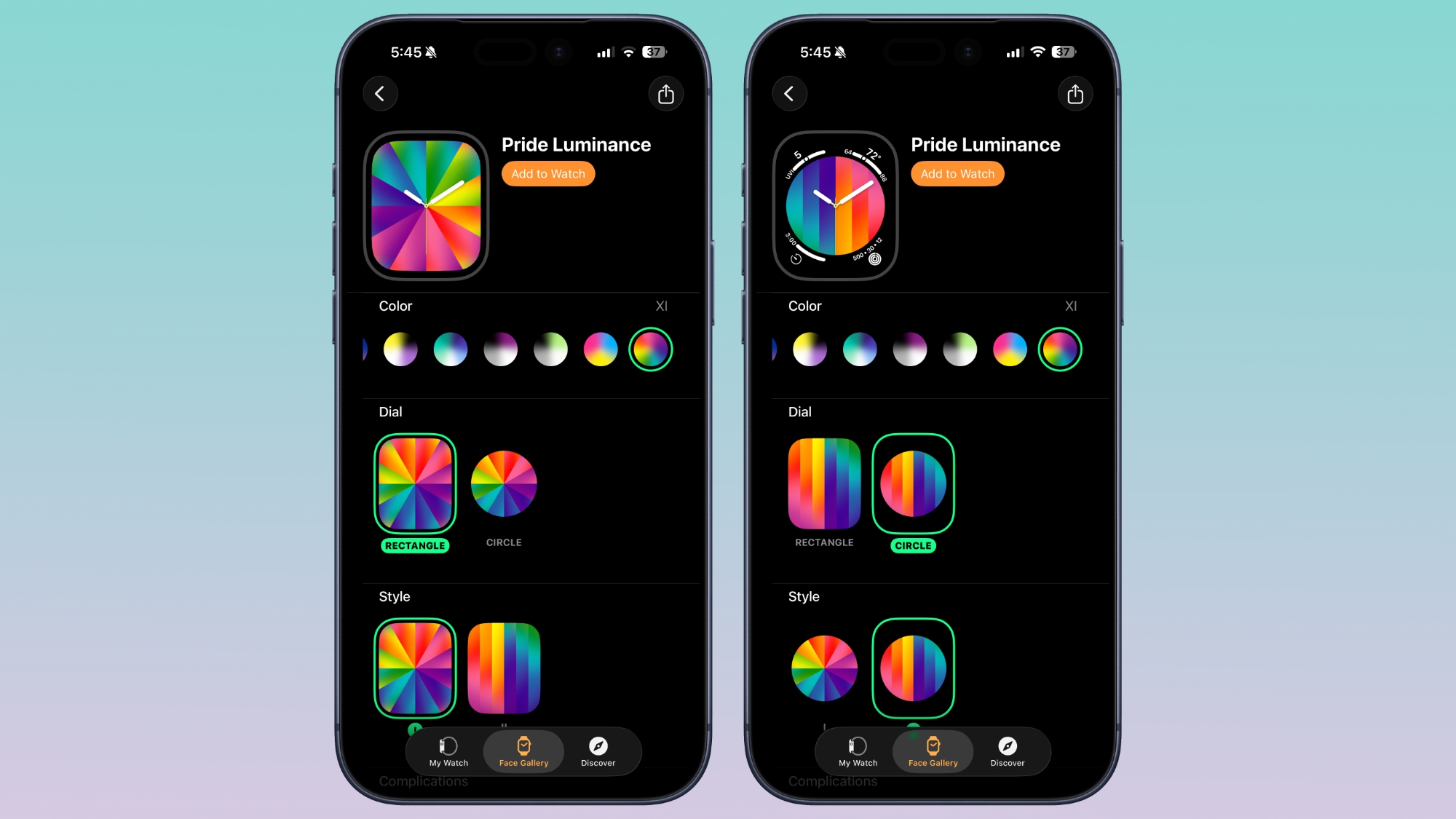
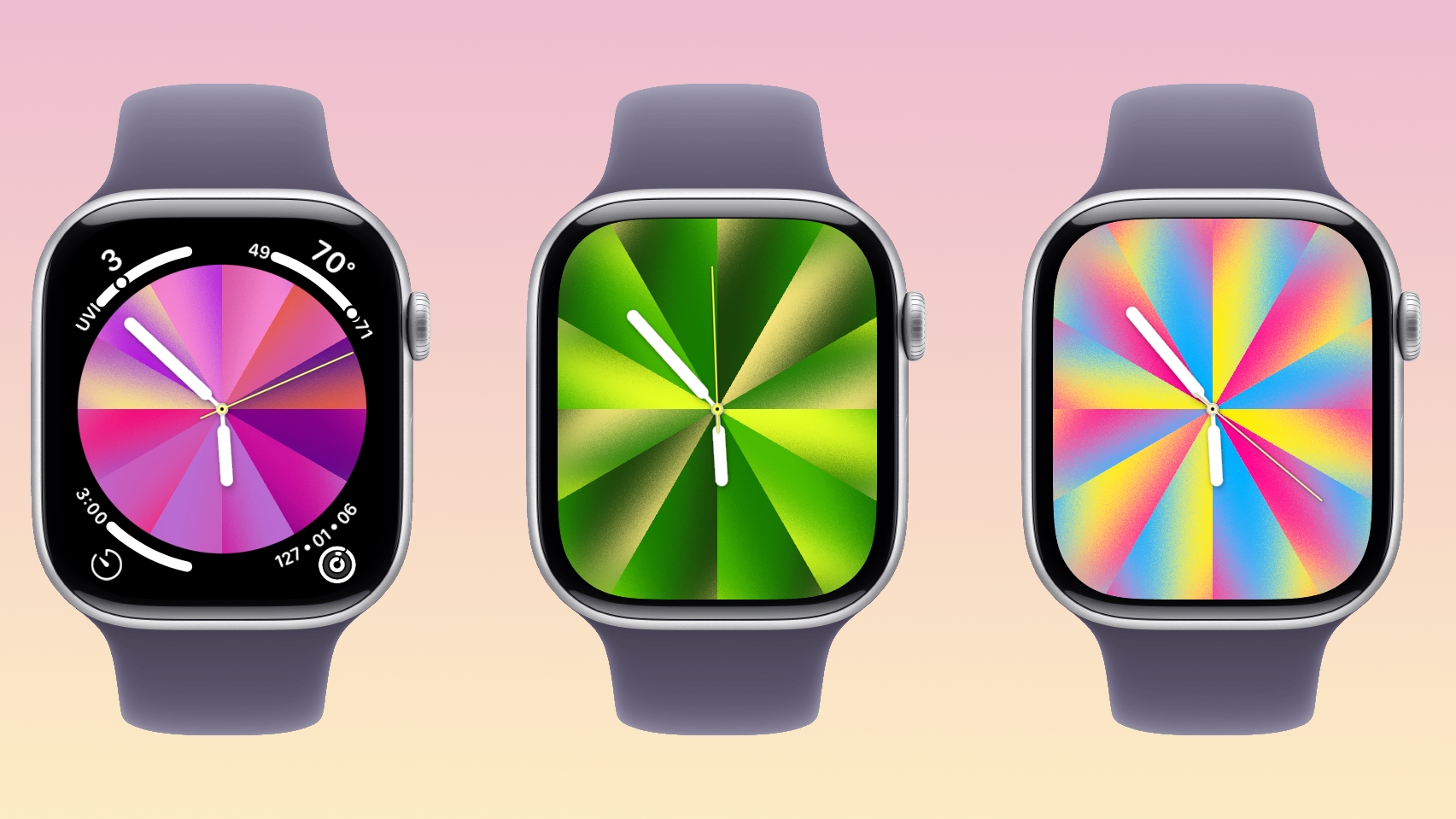
With watchOS 26.5, Apple is introducing a Pride Luminance face, and it's one of the most versatile and customizable watch faces. There are pre-configured color options, but the face also supports custom colors.


You can select 1 to 12 colors from a palette that has every color of the rainbow, some in-between shades, and black, white, brown, and gray.


The colors you pick are distributed across the watch face in a gradient, available in either radial or linear styles. The first style looks like a starburst, while the second style is a series of rectangular lines.


The dial can be set to Rectangle for edge-to-edge color, or Circle for a smaller dial that supports four complications.

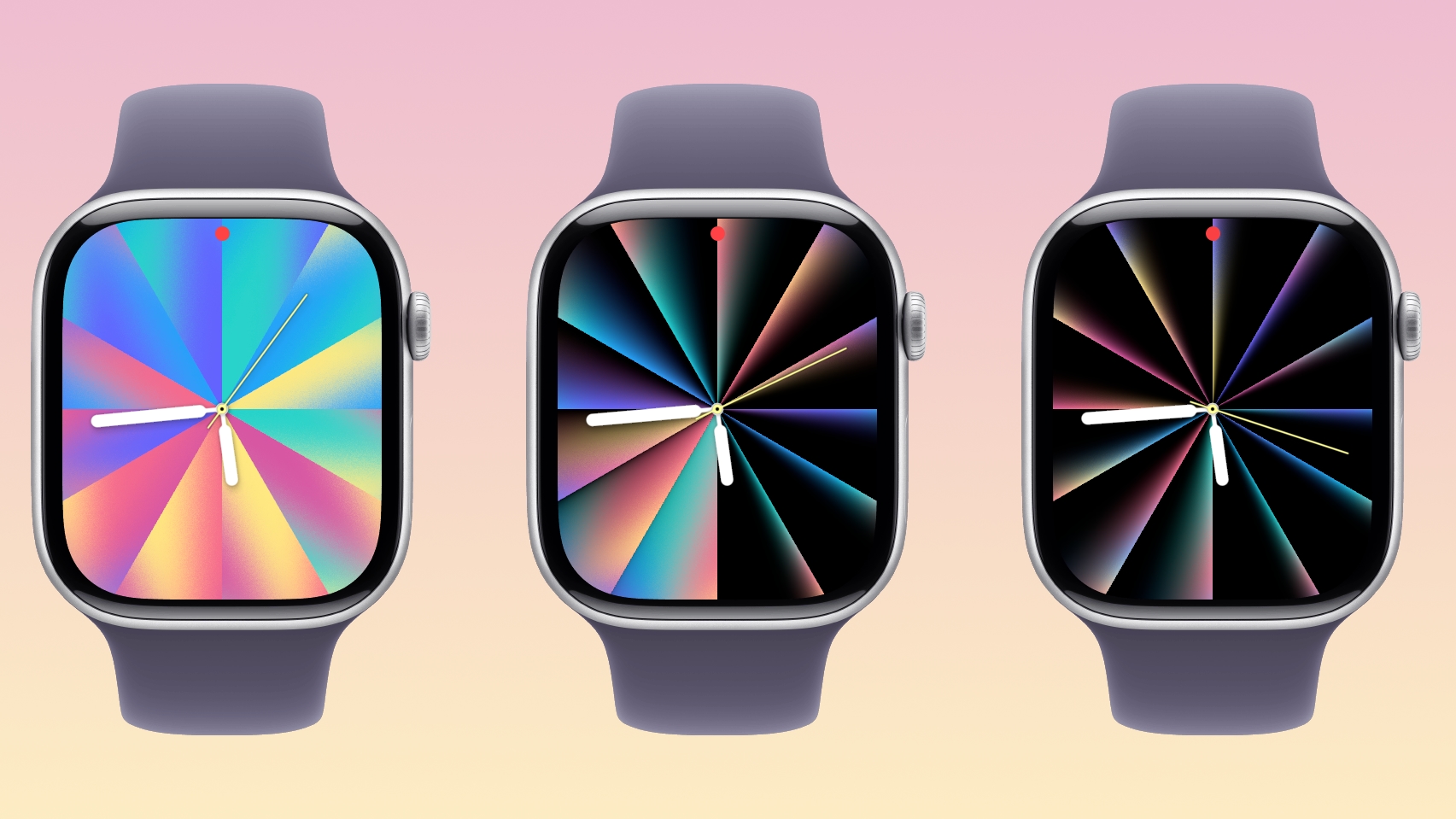
As with most of Apple's faces, the Luminance face is animated. When the wrist is down, it shrinks into slim lines of color on a black background, but when the wrist is raised, the full color palette is displayed. Colors will also shift slowly.


Apple's pre-selected colors represent different Pride flag colors, but with the deep customization options, the Pride Luminance face can match clothing, show off support for sports teams, or just display your favorite colors.


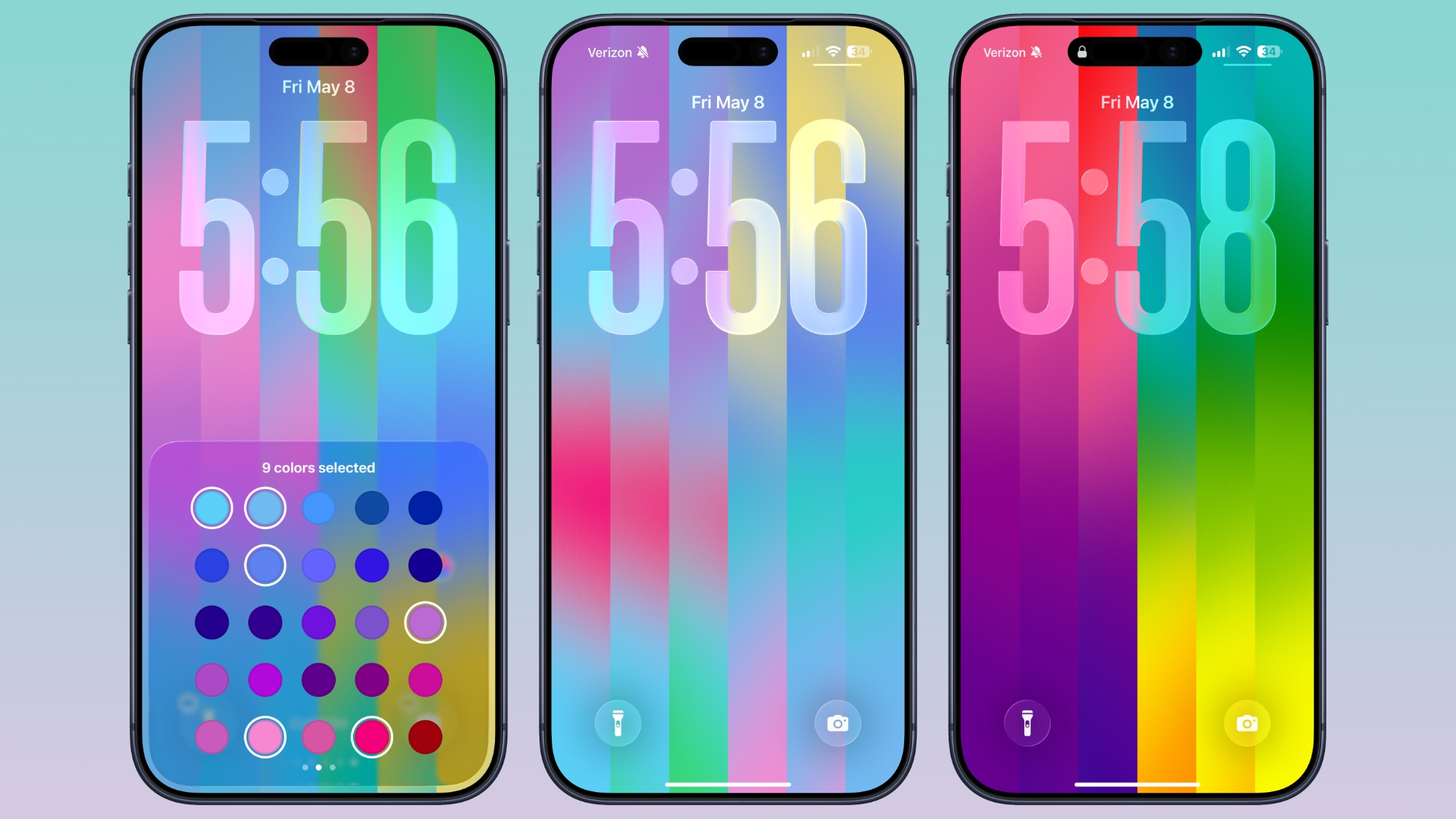
iOS 26.5 also has a matching Pride Luminance Wallpaper option that can be customized in the same way. You can choose up to 12 colors for the Lock Screen and Home Screen. On the Lock Screen, the colors collapse onto a black background when the device is locked.


To get the new watch face, you need iOS 26.5 and watchOS 26.5. Apple has released RCs, and the public versions of the updates are expected as soon as next week.
Related Roundup: watchOS 26
Related Forum: Apple Watch

This article, "A Closer Look at watchOS 26.5's New Luminance Watch Face" first appeared on MacRumors.com

Discuss this article in our forums

  •  

Warning: Instagram DMs Lose End-to-End Encryption Starting Today

As of today, end-to-end encryption for Instagram direct messages is no longer available. DMs that you send to people on Instagram will no longer feature full encryption, and your conversations are not protected from Meta.


Meta can potentially see what's in messages shared between users on Instagram, and that information can be shared with law enforcement agencies worldwide.

End-to-end encryption has been an opt-in messaging feature on Instagram since 2023, but Meta quietly removed it. Meta told The Guardian earlier this year that it is removing the encryption feature because not enough people adopted it. At the same time, Meta did not turn it on by default, nor did the company alert users that it was an option. Sending an encrypted message required turning it on for each individual conversation by tapping into a buried per-conversation setting. Meta also never rolled the feature out to all Instagram users.

"Very few people were opting in to end-to-end encrypted messaging in DMs, so we're removing this option from Instagram in the coming months," Meta said. Meta suggests that people who want end-to-end encryption should use WhatsApp, which is another messaging app that it owns. iMessage and other apps like Signal that are not Meta-owned also offer end-to-end encryption.

Law enforcement agencies and child safety advocates have long pushed for Meta to remove encryption, but Meta could also be getting something out of the feature's removal. It's possible the company will be able to use direct messaging content for advertising algorithms or training chatbots. Meta says that content in DMs is not used for targeted ads right now, but there is wording that allows for product improvement.

Meta's decision to remove Instagram's end-to-end encryption comes 11 days before the Take It Down Act takes effect. The actf will require platforms to remove non-consensual intimate imagery like deepfakes within 48 hours of a takedown notice, but with E2EE in place, Meta can't access the content needed to comply.

Instagram users who have end-to-end encrypted chats have been given instructions on how to download media or messages that they want to keep.

Last year, Meta started using private generative AI conversations to personalize content and customize ad recommendations for Facebook, Instagram, WhatsApp, and Messenger users, so there seems to be little limit on the data that it will use to generate revenue. WhatsApp and Messenger continue to have end-to-end encryption for the time being.
This article, "Warning: Instagram DMs Lose End-to-End Encryption Starting Today" first appeared on MacRumors.com

Discuss this article in our forums

  •  

Apple Could Soon Be Buying iPhone and Mac Chips From Old Frenemy Intel

After more than a year of discussion, Apple and Intel established a preliminary agreement that will see Intel manufacturing processors for Apple devices, reports The Wall Street Journal.


Intel would make chips based on Apple chip designs, much like TSMC. Prior rumors on Intel's Apple talks have suggested Intel could make some of the lower-end processors used in Apple devices, including the lowest-end M-series chip used in select iPad and Mac models.

Before Apple adopted Apple silicon, it used Intel-designed chips for its Macs, but had to deal with continual chip delays. Apple now designs its own Arm chips that are manufactured by TSMC, allowing it to provide updates at a more regular cadence.

Intel makes its own chips, but it also makes chips for other companies. Apple has not previously eyed Intel as a supplier because it has lagged behind other chip makers like TSMC and Samsung, and because of the history between the two companies. Intel replaced CEO Pat Gelsinger with Lip-Bu Tan last year, and Tan has led an effort to revitalize Intel's chip manufacturing business.

Tan has been focusing on Intel's most advanced process node, 14A, which will reach production in 2028. Intel has been seeking customers for its 14A 1.4nm node. Intel also makes 18A chips built on a 1.8nm node, along with chips built on older process nodes.

Apple has been working to diversify its supply chain, because Taiwan Semiconductor Manufacturing Co. (TSMC) is currently its sole Apple silicon manufacturer. During Apple's latest earnings call, CEO Tim Cook said iPhone 17 models had been constrained during the quarter because Apple could not get enough A19 and A19 Pro chips from TSMC.

TSMC is one of the world's largest chip manufacturers, and along with making chips for Apple, it makes chips for other companies like Nvidia. With the AI boom and huge demand for AI servers, TSMC has more limited capacity for chips made for consumer devices, and Apple has less leverage to convince TSMC to make its chips.
Tag: Intel

This article, "Apple Could Soon Be Buying iPhone and Mac Chips From Old Frenemy Intel" first appeared on MacRumors.com

Discuss this article in our forums
  •  

Apple Seeds Second iOS 26.5 and iPadOS 26.5 Release Candidates to Developers

Apple today seeded new release candidate versions of upcoming iOS 26.5 and iPadOS 26.5 updates to developers for testing purposes, with the software coming five days after the first RC. It's not clear what's changed in the second RC, but Apple typically sends out another candidate if there are bugs that need to be addressed.


Registered developers can download the betas from the Settings app on the iPhone or iPad by going to the General section and selecting Software Update.

iOS 26.5 and iPadOS 26.5 do not include new Siri capabilities, suggesting any β€ŒSiriβ€Œ updates are being held until iOS 27. The Maps app has a Suggested Places feature for recommending locations to visit nearby based on trends and recent searches, plus Apple is laying the groundwork for ads in the Apple Maps app.

Apple is continuing to test end-to-end encryption (E2EE) for RCS messages between iPhone and Android users. Apple included the feature in the iOS 26.4 beta, but removed it before the update launched to the public.

There is a new Pride wallpaper to go along with the Pride Apple Watch band for this year.

More detail on what's new in iOS 26.5 can be found in our iOS 26.5 beta features guide. iOS 26.5 is likely to see a launch next week.
Related Roundups: iOS 26, iPadOS 26, iOS 27
Related Forum: iOS 26

This article, "Apple Seeds Second iOS 26.5 and iPadOS 26.5 Release Candidates to Developers" first appeared on MacRumors.com

Discuss this article in our forums

  •  
❌