❌

Lees weergave

Build anywhere, stay in flow: How Windows 365 is redefining the developer experience

Development teams are under increasing pressure to ship software faster, even as the environments they rely on grow more complex. However, modern development has only become harder to provision and maintain with AI-assisted development, cross-platform toolchains, tighter security demands and specialized compute requirements. As a result, developers still spend too much time configuring machines, troubleshooting environment drift, and waiting for access instead of building and shipping software. Windows 365 provides secure, flexible Cloud PCs that can complement local development and give teams an easier path from access to first commit. Developers can select an environment suited to each workload while IT applies consistent identity, security, management and governance.

Five ways Windows 365 supports modern development

1. Give developers a ready-to-code, customizable environment

A ready-to-code Windows 11 developer configuration provides developers with a prepared environment from day one. Autopilot device preparation can install required applications and scripts before first sign-in, while Azure Compute Gallery integration supports standardized custom images. Planned VM customization will provide additional flexibility to configure project-specific SDKs, tools, scripts, and dependencies within enterprise guardrails.

2. Scale compute and run local AI directly on the Cloud PC

Cloud PC configurations up to 32 vCPU and GPU-enabled options give teams the right compute for memory-intensive development, graphics, AI, data and visualization workloads. Select local language models can run directly on appropriately sized Cloud PCs, providing more predictable costs while preserving access to hosted models when greater scale or performance is required. https://www.youtube.com/watch?v=M-WDKwkGuZc See how a ready-to-code Windows 365 Cloud PC uses Foundry Local and local language models to build and run an AI meeting-summary app without consuming cloud tokens. 3. Contain agent activity during development Developers increasingly use coding and autonomous agents to generate code, execute tasks and maintain long-running workflows. With Windows 365 support for Microsoft Execution Containers (MXC) becoming generally available in the coming months, customers will be able to run supported agent workloads, from coding agents such as GitHub Copilot CLI to autonomous agents such as OpenClaw on managed Cloud PCs. Process and session isolation help contain agent activity, while familiar enterprise security and governance controls allow organizations to manage these workloads with confidence.

4. Build and run enterprise agents securely

AI agent builders have different needs. As agents move from development into sustained enterprise workflows, they may require dedicated environments that operate independently from users’ devices. Windows 365 for Agents provides Microsoft Entra-joined, Microsoft Intune-managed, and policy-enforced Cloud PCs where agents can perform computer-use tasks across browsers, desktop applications, and legacy systems. New preview capabilities extend secure access to on-premises applications and help IT manage agent pools at scale.Companies such as Login VSI, WorkspaceDNA, and Simular are already building AI agents that can run on Windows 365 for Agents.

5. Protect sensitive development work

Organizations need to give developers flexibility without exposing source code or confidential data. Windows 365 works with Microsoft Entra, Microsoft Intune, and Microsoft security capabilities to apply consistent identity, access, compliance and endpoint controls. For example, context-based redirection, now in preview can restrict clipboard, drive, printer or USB redirection based on security conditions, while output protection helps safeguard on-screen information.

Why modern development needs an environment that responds to change

As development workflows evolve in the era of AI, developers need different environments based on workloads. Local devices remain essential for developers when direct hardware access, offline work, or specialized local performance matters. Pairing the latest in hardware innovation with software optimized for development helps developers build breakthrough experiences. Project Zenith offers a ready-to-code distraction-free Windows experience on developer-class devices with 64+ GB unified memory and 250+ GB/s memory bandwidth, so developers can get started. And cloud-based environments can complement local development when continuity across devices, workload isolation, flexible compute, or secure access creates a better outcome.  Developers should be able to choose the environment best suited to their work while maintaining a consistent, trusted development experience. A developer may move between coding, compute-intensive builds and testing, AI-augmented application development, and work in a secure customer environment. Each workload benefits from an environment optimized for its specific requirements.  

Windows 365 brings the right environment to developers

A modern developer environment should allow developers to begin coding on day one, support customization for specific projects and provide secure governance without limiting developer flexibility. Windows 365 brings these capabilities together in a personalized Cloud PC that developers can access through the Windows App or a browser, while their applications, code, settings and project state remain securely managed in the Microsoft Cloud.  With Windows 365, developers can start with a Windows 11 developer configuration featuring familiar tools such as Visual Studio Code, Git, GitHub Copilot CLI, Python, Node.js and Windows Subsystem for Linux with Ubuntu. Meanwhile, platform engineering and IT teams can standardize environments with reusable images and automated preparation while centrally managing identity, security, policy, monitoring, and lifecycle controls.  The result is more than a desktop in the cloud: it is a faster path from access to first commit. Customers are already seeing this balance of developer flexibility and enterprise control in practice: LSEG LogoLondon Stock Exchange Group increases developer productivity with Windows 365. “Windows 365 gives us the ability to provide different types of performance and development environments plus access to GitHub Copilot, where we’ve seen an increase in developer productivity and efficiency.” says Sandra Lee, Group Chief Information Security Officer, LSEG.Siemens LogoSiemens uses Windows 365 for scenarios that include developers who need specialized digital tools, as well as employees requiring temporary access. “In all these cases, we need a trustworthy device and a verified identity in our IT landscape—even if the access is only intended to be temporary,” says Hendrik Harder, Global Service Owner Virtual Client at Siemens. ABN AMRO logo ABN AMRO transforms the workplace for 3,500 offshore developers with Windows 365. Developers reported smoother performance, faster onboarding and more productivity, while IT teams benefited from simplified operations and scalability. “The first time I used Windows 365, I thought I was using my own laptop—the performance was that smooth,” says Peter Witmond, Product Owner Virtual Workplace at ABN AMRO.
Advancing developer experiences with Windows 365 on a unified platform 

Microsoft is bringing cloud development environments together on a single platform. With the retirement of Microsoft Dev Box, Windows 365 becomes Microsoft's strategic platform for virtualized developer environments, AI and agent workloads, and the broader workforce. While existing Dev Box customers can continue using their deployments according to the official service timeline, Windows 365 offers a broader, unified foundation for developers and organizations moving forward. Dev Box proved what developers need: environments that combine developer flexibility with enterprise control. Windows 365 carries these promises forward and extends them across developers, information workers, AI builders and agents through a shared foundation for identity, security, management, and access models. That shared foundation is what makes the next generation of developer Cloud PCs possible.​‌ 

Turning workload choice into a modern developer workflow 

With Windows 365, organizations can start with a ready-to-code environment, match compute to each workload, contain agent activity during development, provide dedicated environments for enterprise agents and apply consistent controls to protect sensitive work. Start with a scenario where setup delays, hardware constraints or security requirements slow delivery, and measure improvements in onboarding, time to first commit, support requests, or build performance. Explore Windows 365 developer resources and review the official Microsoft Dev Box guidance. 
  •  

More choice and possibility with Windows PCs at IFA

This year at IFA, I saw the Windows ecosystem doing what it does best: bringing innovation to life through products and experiences for every person, purpose, and price point. Our partners introduced new Windows PCs, spanning dependable everyday devices, beautifully crafted premium designs, new and immersive gaming systems, commercial devices designed to help organizations work securely and productively, and powerful tools for developers, creators, and AI power users. Together, these announcements demonstrated the breadth of what’s possible with a Windows PC. This matters because people are being thoughtful about when, where, and how they spend. We know that a new PC is a meaningful purchase, and that customers want to feel confident that they choose the right PC for them. They want to know that it will deliver a better experience today while continuing to meet their needs for years to come. Windows PCs from our partners give people more ways to find the right device without compromising on what matters most to them.

Innovation available today

For more than 40 years, our goal has been to put a computer on every desk and in every home. We know the PC is personal and the place you go to play, create, build, connect and learn. Some prioritize battery life and portability, while others need greater performance for gaming or creative work. And increasingly, people are also looking for useful AI experiences that are easy to use and fit seamlessly into their existing workflows. And of course, everyone needs to find the right device at the right price for them. IFA showed how our partners are meeting those different needs. The strength of Windows is choice, and the latest Windows PCs bring together modern design, stronger performance, built-in security and useful AI experiences available at different price points. For those who have been holding on to an older PC, the choice and value available today makes it a good time to find the right device.

Building the next era of the PC

IFA also demonstrated how Windows is evolving for the next era of computing. The latest OpenClaw Windows App makes it easier to configure and run AI models locally on supported NVIDIA RTX Spark Windows PCs. It builds on the secure agent-execution foundation we introduced at Microsoft Build, helping agents work within defined boundaries while taking advantage of the computing power available on the device. We are also making it easier for developers to turn ideas into reality with new ready-to-code Windows experiences for next-generation devices. By pre-installing the essential tools and pre-configuring Windows settings for development on developer class devices with 64GB+ unified memory and 250gbps memory bandwidth, developers can jump right in. Project Zenith devices enable developers to run capable coding models locally and unmetered, helping lower token costs, experiment more freely, and stay in their flow. Project Zenith shows how Windows and our ecosystem partners are bringing these innovations together to create more capable, purpose-built experiences. 

Windows at IFA 

Check out the latest announcements and activity from our partners at IFA.

Acer

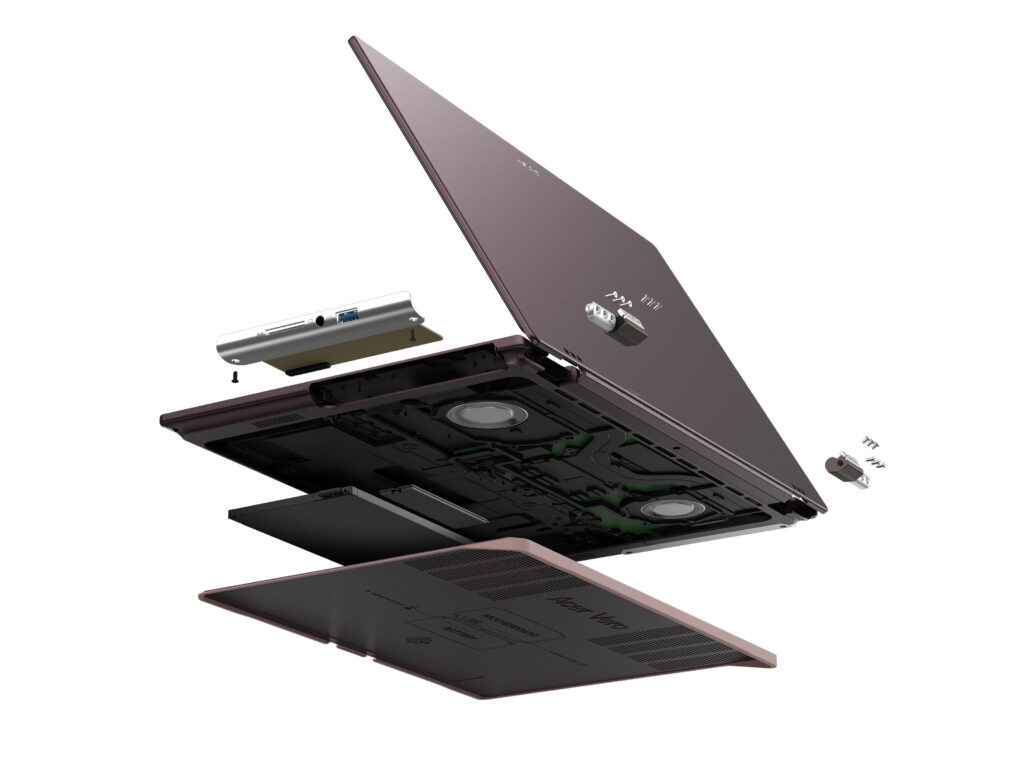
Acer launched the new Acer Vero 16 laptop, a Copilot+ PC designed to reduce waste and environmental impact throughout its lifecycle. As the fourth-generation Vero consumer laptop, the device debuts a new chassis design incorporating post-industrial recycled aluminum, low-carbon aluminum, and PCR plastic, along with greatly expanded repairability features. For uncompromising performance and all-day productivity, it is powered by Intel Core Ultra Series 3 processors with up to 180 platform TOPS.  [caption id="attachment_263915" align="alignnone" width="1024"]Acer Vero 16 Acer Vero 16[/caption] Acer’s Windows compute lineup at IFA 2026 also included the Swift Blade 14, a 799-gram ultra-lightweight laptop for ultimate mobility; the Acer SFF RTX Spark reference design powered by the NVIDIA RTX Spark superchip for the age of personal AI agents; the Acer Veriton RI110 AI Mini Workstation, a Copilot+ PC designed for agentic AI workflows; the Aspire G 3D 16 laptop, powered by the AMD Ryzen AI Max+ 395 processor and offering Acer’s naked-eye 3D technology; the Swift Air 16 laptop with a premium aluminum chassis and Intel Core Series 3 processors; the Predator Atlas 7 gaming handheld; and the refreshed Aspire S series all-in-one desktops.
ASUS

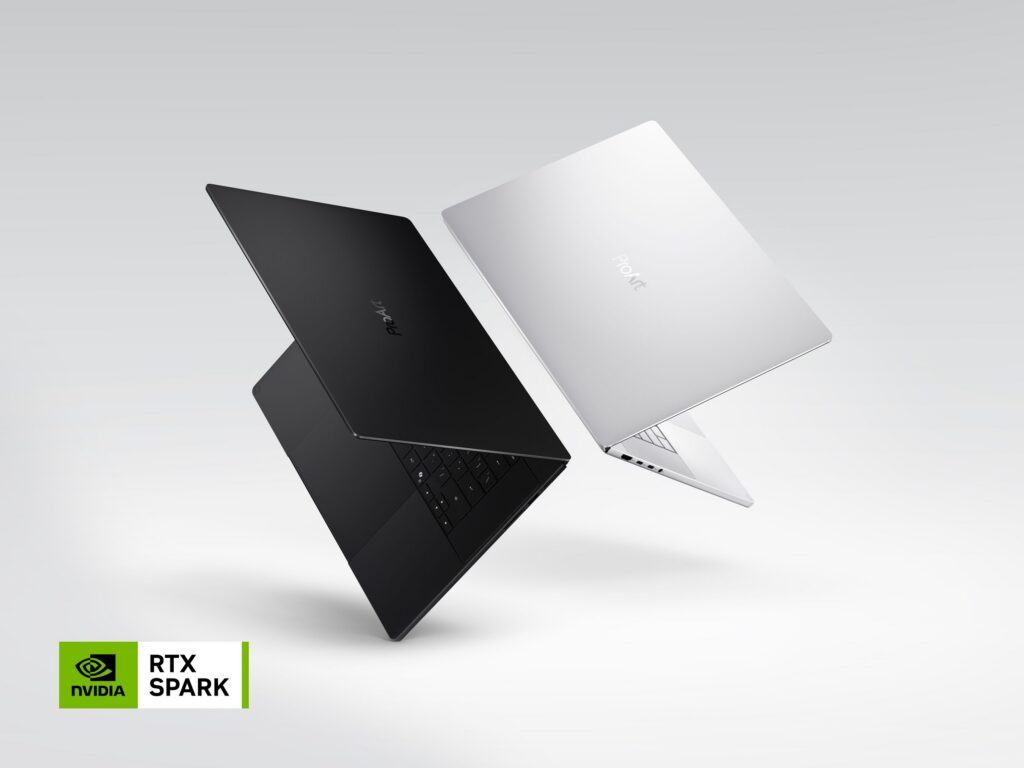
At IFA, ASUS showcased the new ProArt P16 and P14, powered by NVIDIA RTX Spark and running Windows 11. Designed for creators who need both performance and mobility, the ProArt P16 is the thinnest 16-inch RTX Spark laptop at just 12.9 mm, while the P14 is the lightest ProArt laptop ever at 1.48 kg, complemented by large 99Wh and 90Wh batteries and ASUS Lumina Pro OLED displays with up to 1,600-nit brightness and professional-grade color accuracy. The new lineup also introduces two distinctive ProArt expressions — Nano Black and Neo White — combining refined design with creator-focused functionality. ASUS brought these capabilities to life through its first global live showcase of agentic AI solutions for creators and developers, demonstrating how ProArt PCs can connect local AI, ASUS applications, and customizable workflows to transform creation, development, and production. [caption id="attachment_263917" align="alignnone" width="1024"]ProArt Laptop ProArt Laptop (Nano Black & Neo White)[/caption]
Dell

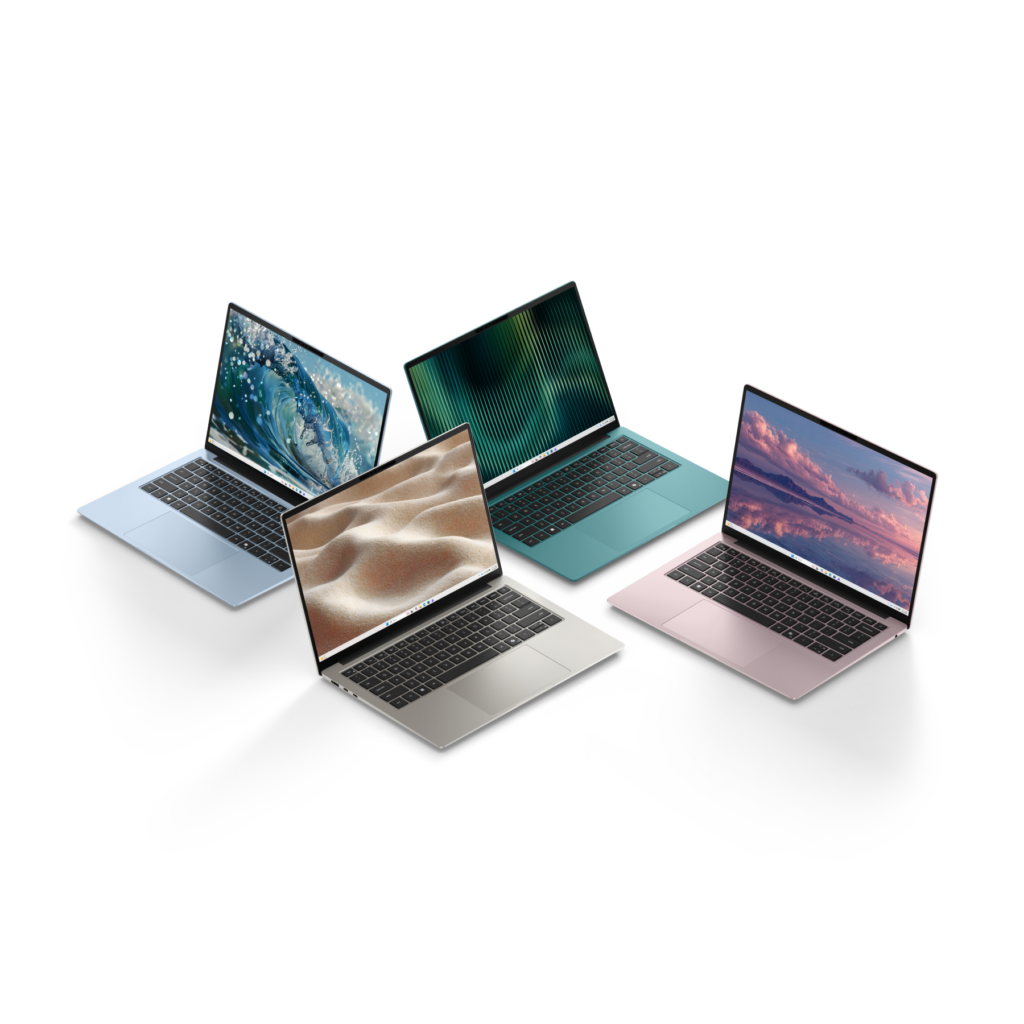
Dell introduced the new Dell 14S, a stylish, portable and dependable everyday Windows laptop built for students, young adults and anyone who wants a device that keeps up with their day. It comes in four expressive colors, Linen, Dusty Rose, Washed Denim and Velvet Green, so you can pick the one that reflects your personality and lifestyle. At just 1.15 kg and 13.5 mm thin, the refined aluminum build slips easily into a bag and travels well from class to coffee shop to couch. Two 16:10 panel options meet different priorities: a 2.8K 120Hz display for the sharpest, smoothest experience and a 2K 60Hz display for those prioritizing battery life and value. Both panel options are bright and provide vibrant, accurate colors. The Dell 14S offers up to 21 hours of Netflix streaming on a single charge1. That's enough to carry you through a full day of classes, browsing, and everything in between, no scrambling for an outlet required. [caption id="attachment_263922" align="alignnone" width="1024"]Dell 14S Laptop Dell 14S Laptop[/caption]

HP

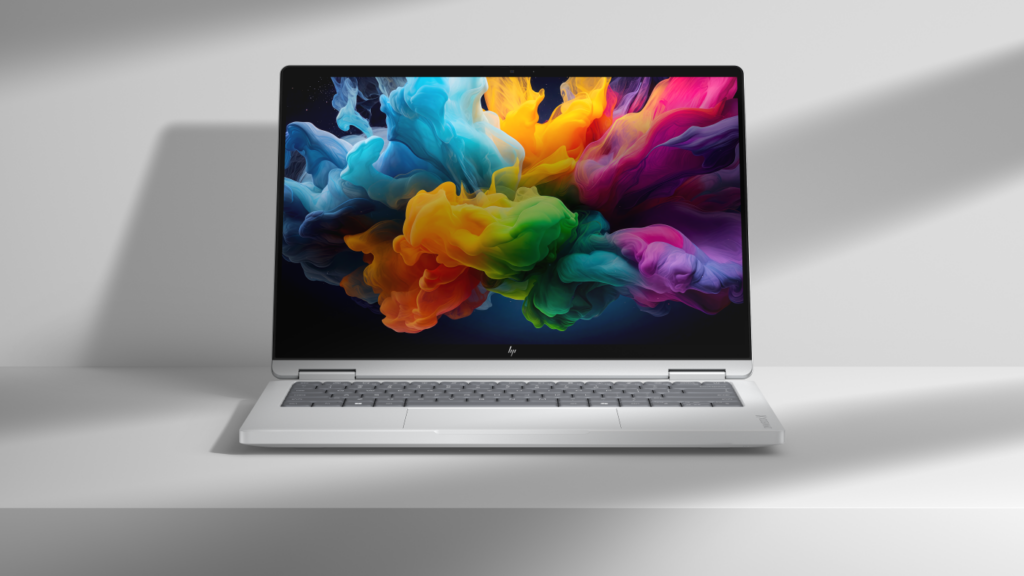
HP showcased new OmniBook PCs powered by NVIDIA RTX Spark, combining the flexibility of Windows 11 with powerful local AI capabilities. Built for developers, creators, entrepreneurs, and advanced users, the HP OmniBook Ultra 16 and HP OmniBook X 14 are designed to support intelligent assistants, emerging agentic workflows, advanced content creation, and AI application development. By bringing together premium hardware, on-device AI performance, and the Windows ecosystem, HP is helping customers move from AI experimentation to real-world productivity and creation. [caption id="attachment_263935" align="alignnone" width="1024"]HP OmniBook X 14 HP OmniBook X 14[/caption]

Lenovo

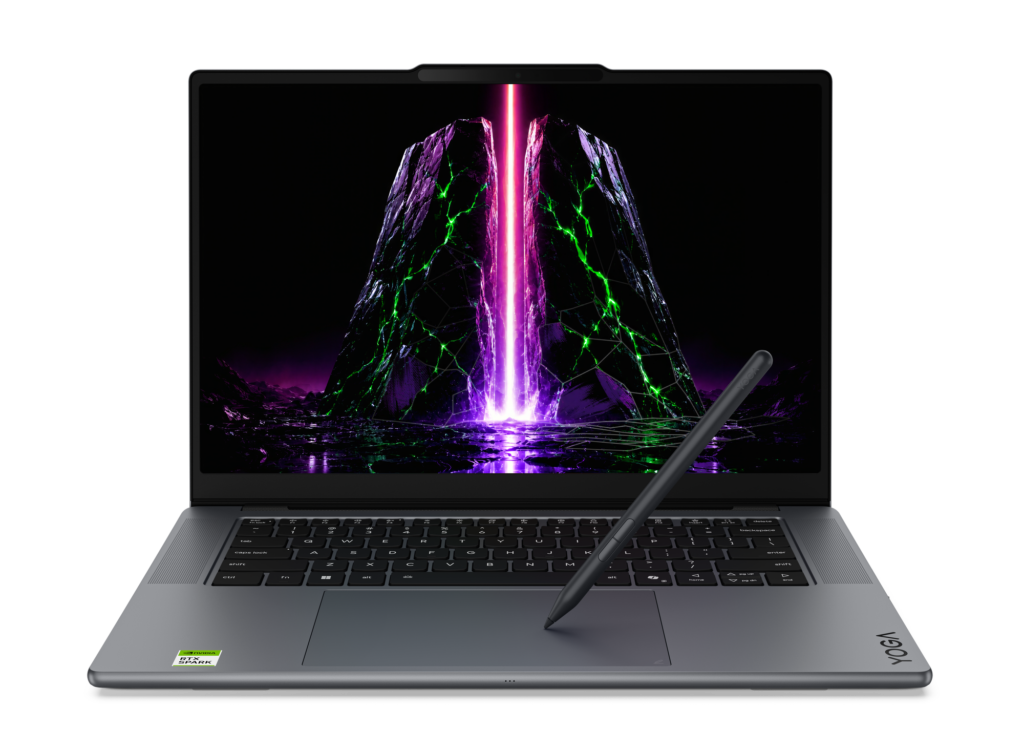
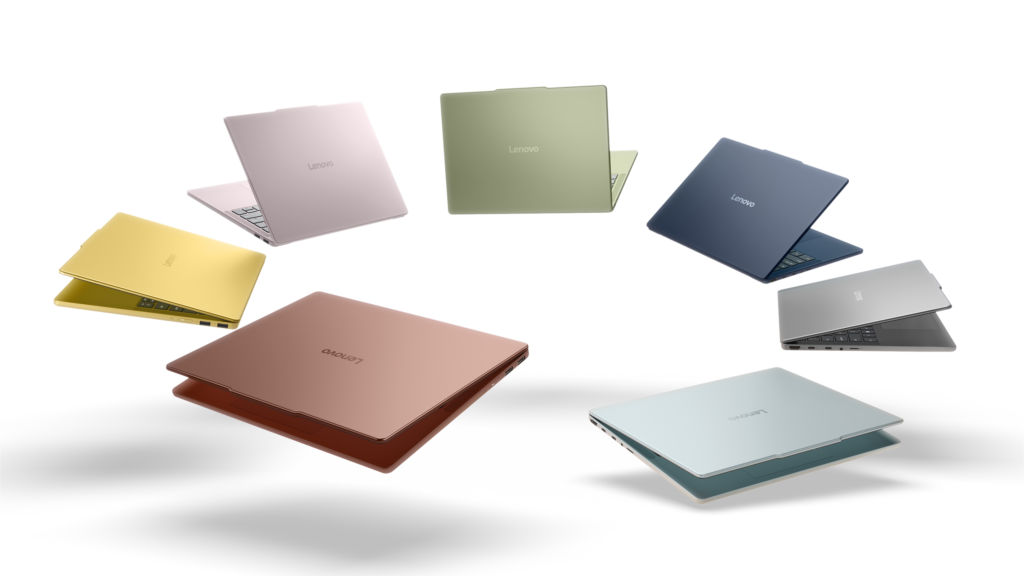
Lenovo expanded its Yoga portfolio with two premium devices powered by NVIDIA RTX Spark. The Yoga Pro 9n is built for creators and developers, supporting demanding local AI, software development, content creation, and 3D rendering with up to 128GB of unified memory. The versatile Yoga Pro 9n 2-in-1 pairs substantial local performance with a flexible convertible design and a dual-surface pen experience, allowing creators to write and draw on either the OLED display or haptic Force Pad. [caption id="attachment_263919" align="alignnone" width="1024"]Yoga Pro 9n (15”, 11) Yoga Pro 9n (15”, 11)[/caption] For students, families, and everyday users, the new IdeaPad Vibe series combines bold colors and lightweight designs with responsive performance and Copilot+ PC experiences. Available in 14- and 15-inch configurations, the lineup offers a choice of Snapdragon X or AMD Ryzen AI 400 Series processors. Lenovo also introduced the compact, cluster-ready ThinkCentre X Ultra for advanced business AI workloads, the streamlined IdeaCentre AIO i, and the ultra-slim ThinkBook 14 Gen 9 for mobile, AI-enhanced productivity. [caption id="attachment_263918" align="alignnone" width="1024"]IdeaPad Vibe IdeaPad Vibe[/caption]
MSI

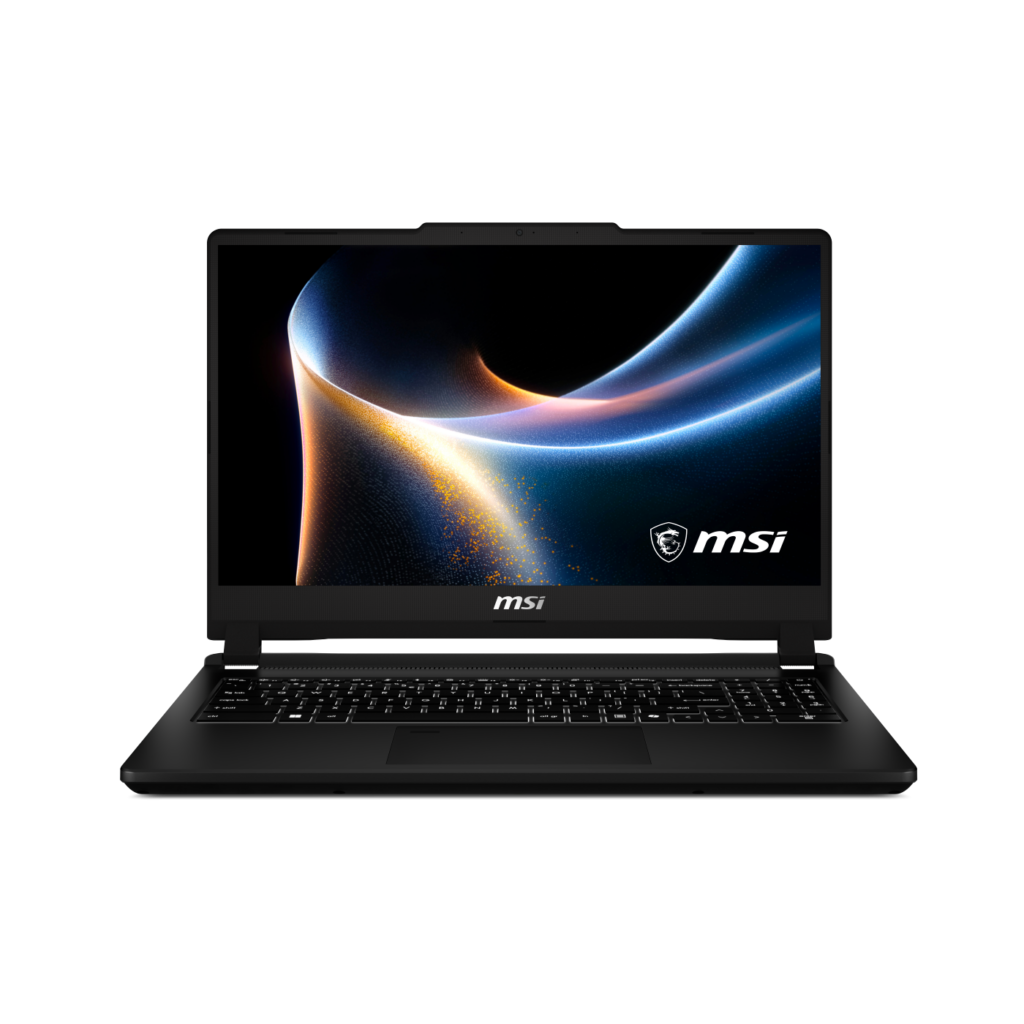
MSI announced the new Venture 15 AI+ B3M at IFA. Featuring a highly efficient Intel Core Ultra X7 358H processor, a 144Hz 100% sRGB display, comprehensive I/O connectivity, and Windows 11, the Venture 15 AI+ B3M is a versatile productivity laptop that also handles gaming needs with ease. [caption id="attachment_263921" align="alignnone" width="1024"]Venture 15 Venture 15[/caption]

AMD

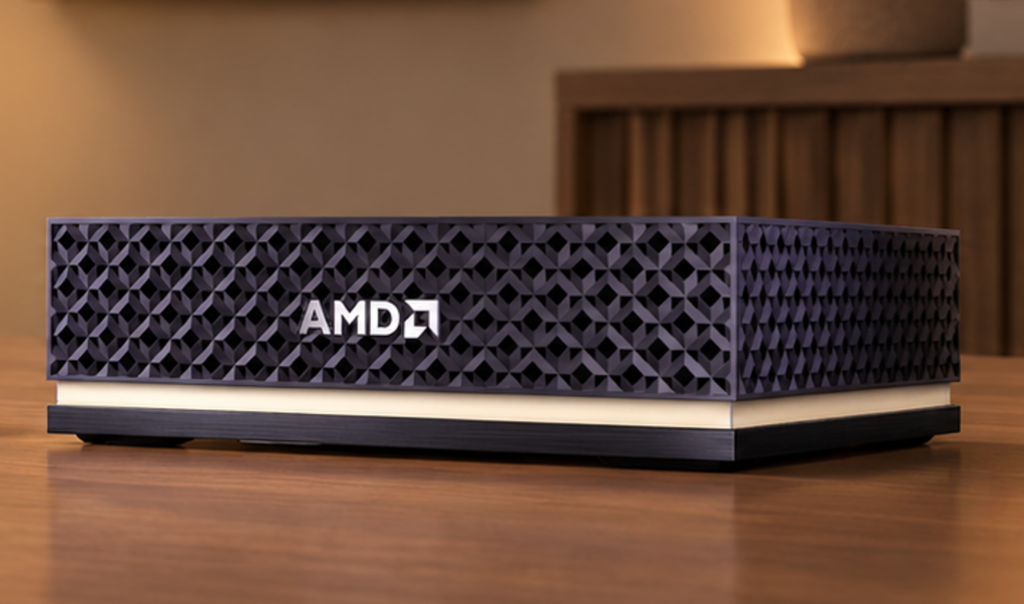
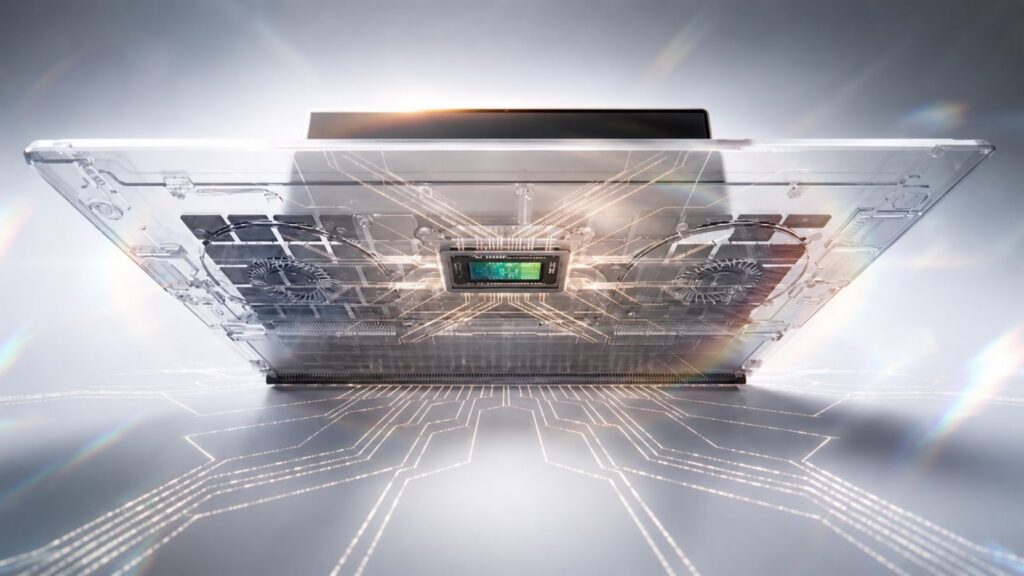
AMD Senior Vice President and General Manager Jack Huynh delivered the event’s opening keynote on "The Era of Personal AI," exploring how agentic, on-device intelligence can make technology more personal, private, and adaptive. AMD announced that Ryzen AI Halo systems will support Microsoft’s Project Zenith out of the box, providing developers with a ready-to-code Windows experience that includes Visual Studio Code, WSL, GitHub Copilot CLI, and PowerShell. AMD also previewed the Threadripper Halo Station, a prototype desktop workstation designed to bring datacenter-class AI compute to developers. New AMD-powered OEM systems announced at IFA included Acer’s Aspire G AGB110 mini-PC and Aspire G 3D 16 notebook, alongside Lenovo’s ThinkCentre X Ultra, ThinkCentre M75s Gen 6, ThinkCentre M75q Gen 6, and IdeaPad Slim 3, all powered by AMD Ryzen AI Max 400 Series processors. [caption id="attachment_263916" align="alignnone" width="1024"]AMD Ryzen AI Halo Ryzen AI Halo[/caption]

NVIDIA

This year at IFA, NVIDIA showcased how it’s accelerating local AI and new ways to make local AI agents easier and faster to run on Windows. Highlights include simplified local model setup coming in Hermes Agent, OpenClaw and Perplexity Portable Computer; inference optimizations delivering up to 1.9x faster performance; and NVIDIA PAIR, a new open-source tool that distributes AI workloads across compatible PCs. NVIDIA and its partners also announced that NVIDIA RTX Spark Windows PCs will arrive in October 2026. [caption id="attachment_263920" align="alignnone" width="1024"]NVIDIA RTX Spark Superchip NVIDIA RTX Spark Superchip[/caption]

Innovating together for what comes next

I want to thank our partners across the Windows ecosystem for the ingenuity, investment, and collaboration they bring to customers every day. IFA reflected what is possible when Windows, silicon, hardware and software innovation come together. The momentum we saw in Berlin was only the beginning. As computing becomes more personal and intelligent, our ecosystem will continue to turn new technology into practical experiences that help empower people and organizations to do more. I am excited about what we are building together and, even more importantly, about what our customers will do with it.
1. Netflix Streaming Video Playback: Dell 14S tested with Intel®  Series 3 Intel® Core™ 5 320 Processor, Intel Graphics, FHD, 8GB and 256GB SSD. Testing conducted by Dell labs in Aug 2026 with display brightness set to 150 nits and wireless enabled. Based on streaming Netflix Streaming Video Playback. Actual battery life may be significantly less than the test results and varies depending on product configuration and use, software, usage, operating conditions, power management settings and other factors. Maximum battery life will decrease with time. The stated Watt Hour (WHr) is not an indication of battery life.
  •  
❌