Lees weergave

Introducing Surface Laptop Ultra: Made for world makers

The world is full of makers. Only a few make the world. Surface Laptop Ultra is for them. For those building the systems, the breakthroughs and the infrastructure the world runs on and gets changed by. The ones who see limits as flaws and have the vision to push past them. Surface Laptop Ultra is the most powerful Surface Laptop ever built. Engineered with NVIDIA from the silicon up, optimized for RTX Spark, built on Windows. Made for a kind of work that does not fit in a standard laptop. The work from creators, developers and AI builders has a common shape: massive scenes, long compile cycles, local models and datasets that no longer sit politely in the background. We built Surface Laptop Ultra to meet that work without flinching. From the start, we channeled these makers, pushing through thermal and structural challenges, refining every detail from the inside out to create a device where uncompromising craft meets raw power. Surface Laptop Ultra is our first laptop to combine a powerful NVIDIA Blackwell RTX GPU with up to 128GB of unified memory and full CUDA support. Unified memory allows the pool of RAM to be dynamically allocated wherever your workloads need it most across CPU and GPU, so AI creation, 3D rendering and multi-model workflows run simultaneously, with 1 petaflop of AI compute, capable of running up to 120B parameter models locally[i]. No walls. No compromises. And it does all of it quietly. The ultra-efficient CPU architecture gives creators the headroom to push further. And with all-day battery life[ii], Laptop Ultra keeps moving when the work does. The kind of endurance that lets you finish the work. No matter how ambitious. No matter how demanding. Every detail was considered. We designed Surface Laptop Ultra from the inside out. Mechanical, electrical, thermal, acoustic, materials, industrial design and software engineers at the table from day one. The internal architecture and the external form built as one system. Our engineers designed it with the same discipline we know you bring to your craft, where every micron matters and every choice is deliberate. Precise and light. Available in two finishes: Platinum and Nightfall. The 15-inch mini-LED PixelSense Ultra touchscreen runs up to 2,000 nits of peak HDR brightness, 262 pixels per inch and high-precision color accuracy. The brightest display we’ve ever shipped. The haptic touchpad is the largest we’ve ever put on a Surface. Every port you actually use is on the device: HDMI, USB-C, USB-A, SD card, headphone. These are the ports creators need, and they were picked on purpose. This is Surface craft at its most considered. Performance, durability and repairability living together rather than trading against each other. Nothing wasted. Everything intentional. Surface Laptop Ultra was purpose-built for world makers, in a partnership between Windows, Surface and NVIDIA that approached every challenge with the same intention and the same standard. A machine like this should not sit still. It should be pushed. Taken to the edge. Used to make real what others call impossible. It belongs in the hands of world makers. Surface Laptop Ultra will be available later this year[iii]. Learn more at microsoft.com/ultra. https://www.youtube.com/watch?v=s1Oj792qc80 [i] Source: NVIDIA. Based on 1 Theoretical FP4 TOPS using the sparsity feature. [ii] Based on internal testing of pre‑release units. Battery life varies significantly based on usage, settings and other factors. [iii] Microsoft Surface Laptop Ultra is a pre-release product and features are subject to change and may vary by country/region. Product and features are subject to regulatory certification/approval; actual sale and delivery is contingent on compliance with applicable requirements.
  •  

Introducing new Surface devices built for business and AI acceleration

Every IT leader and partner we work with is navigating the same challenges: AI is changing the demands of how teams work, security threats are growing more sophisticated and agents are changing investment decisions for the future. All under greater scrutiny than ever before. The decisions organizations make now about their PC fleet will determine whether they lead through this transformation or spend years trying to catch up. Microsoft builds Surface to meet these demands. From silicon to software, Surface hardware brings security, hybrid AI capability and intentional design into one integrated platform, so customers do not have to compromise to meet their business outcomes. For customers and partners charting a path forward, Surface is the foundation that makes the rest of the strategy possible:

"At Flagstar, we're focused on equipping our teams with technology that's secure, flexible and ready for the next wave of AI. Surface brings together the hardware, security and Microsoft ecosystem in a way that just works, giving our teams the confidence to run AI-powered workflows on device while staying protected and productive wherever they are." — Jason Pope, Chief Technology Officer, Flagstar Bank

We have always believed that the hardware people use enables businesses and teams to achieve more. Surface was created to set the standard for what a premium Windows PC can be, and that standard has never been higher. Today, we are proud to announce the next generation of the Surface for Business portfolio, the new Surface Pro for Business and Surface Laptop for Business powered by Intel Core Ultra Series 3 processors are available today in select markets, delivering world-class performance and AI on the edge to accelerate productivity. Powered by Intel's next‑generation Core Ultra Series 3 architecture, the new Surface Laptop for Business and Surface Pro for Business deliver a meaningful leap in graphics performance, delivering up to 35% more graphics performance than MacBook Air with M5[1], and more than 90% faster performance than Laptop 5[2] on select configurations with Intel Core Ultra X7. From analyzing complex information to presenting to customers or creating content on the go, the Intel Core Ultra Series 3 GPU enables work to move in real time, delivering the sustained, fluid performance leaders expect from a premium business PC, without compromising mobility, battery life or security. Whether your teams are in the boardroom, at a customer site or working from anywhere, these AI PCs are built to perform at the speed of business. Later this year, we will extend the Surface for Business portfolio with models featuring the Snapdragon X2 processors, delivering up to 80% faster local AI inferencing than before[3] and uncompromising battery life[4].
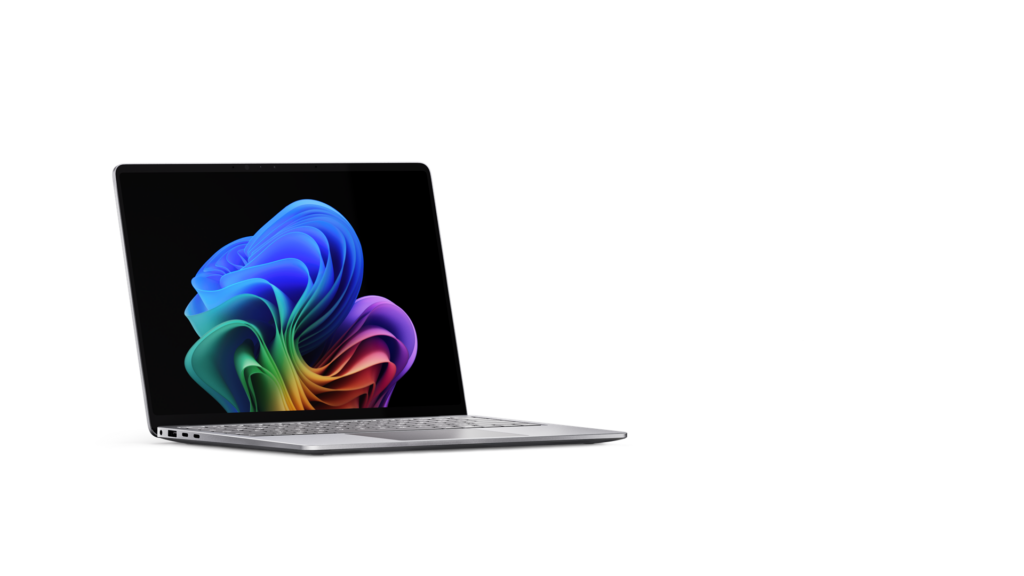
Right facing laptop computer.The new Surface Laptop for Business 13-inch is the most portable Surface Laptop, available starting today in select markets in 16GB and 24GB configurations starting at $1,499 (MSRP), with an 8GB configuration coming later this year starting at $1,299.99 (MSRP). With on-device AI processing, Wi-Fi 7[5] and a removable Gen 4 SSD designed for enterprise serviceability, it brings the full Surface experience to the entry-premium tier without asking IT or employees to trade off performance and productivity for portability.

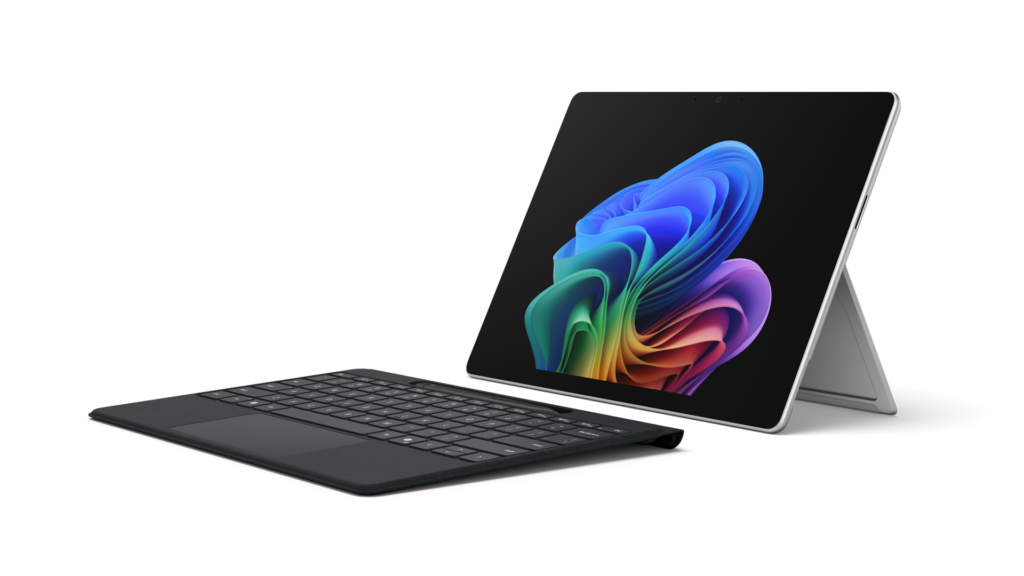
The new Surface Laptop for Business, available in 13.8-inch and 15-inch, is designed for knowledge workers who move fast and expect their technology to keep pace, available starting today in select markets, starting at $1,949.99 (MSRP). Featuring an advanced haptic touchpad, stunning high‑resolution touchscreen display and an optional integrated privacy screen with anti‑glare on select configurations, it delivers a premium productivity experience wherever work happens. With up to 23 hours of battery life[4], Surface Laptop provides the performance and mobility professionals need to stay productive across offices, client sites and everywhere in between. Left facing view of a Surface Pro for Business 13-inch with keyboard detached. The new Surface Pro for Business 13-inch is thin, powerful and engineered to think as flexibly as your people do, available starting today in select markets, starting at $1,949.99 (MSRP). The 2-in-1 form-factor combines touch, voice, pen or keyboard input alongside on-device AI processing and laptop-level performance to meet the needs of users working on the go or at their desks with 5G options to keep them connected.[6] Our team, relentless in building Surface PCs that meet the needs of businesses today and in the future, is driven by these three product-making principles.
  • Security and trust are fundamental and should be built into every aspect of a device.
  • Innovative devices are the platform that enables organizations to move faster with hybrid AI to accelerate workflows, productivity and end-to-end management.
  • Intentional, functional and human centered design is imperative for hardware that supports how businesses work, with PCs that are built with a focus on reliability, sustainability and repairability features designed to keep employees productive and in their flow.
At Surface, security is a design principle baked in from the very first line of firmware code. Every new Surface for Business device ships as a Secured-core PC: enabling chip-to-cloud protection that is current, enforced[7] and aligned with your Microsoft security stack. Firmware updates are delivered through Windows Update without third-party complexity.
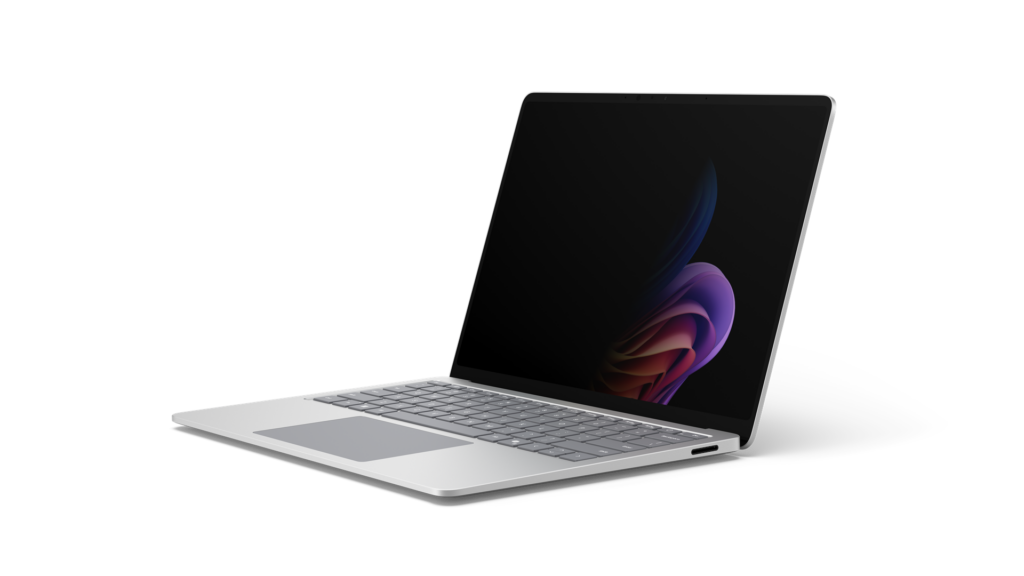
Left facing view of a laptop computer with privacy screen enabled.For the first time ever on a Surface device, we are introducing an optional integrated privacy screen with anti-glare. Built directly into select configurations of the 13.8-inch display of our Surface Laptop for Business, this software driven visual privacy filter helps protect sensitive information from unintended viewers and can be centrally managed by IT or activated instantly by employees with a single keystroke. Once activated, the privacy screen provides immediate protection from prying eyes without the need of a third-party physical screen protector. Designed from the ground up as part of our security‑by‑design approach, this innovation is made possible only by the tight integration of Surface hardware and software.

Surface is the first PC built on memory-safe firmware through our open-source Project Mu and Open Device Partnership (ODP) Unified Extensible Firmware Interface (UEFI), Rust-based drivers and secure embedded controller that is rooted in hardware-based protection, a direct response to one of the industry’s most persistent classes of vulnerabilities. When we say security is built in, we mean it at every layer of the stack. Surface for Business devices are built for the future of AI. Whether you are running models in the cloud or on device, Surface devices are built to take advantage of both. That means features like real-time meeting transcription, intelligent writing assistance, select on-device image generation and live translation that work whether your employee is in a server room, on a plane or in a hospital ward.[8] For customers putting AI to work in real-world environments, that flexibility is already proving essential:

Surface allows us to run AI where learning happens, on the device itself. The future of AI is not everything going to the cloud; it's AI at the edge." — Eric Sedore, AVP and Chief Technology Officer, Syracuse University

For organizations building and deploying enterprise AI applications, Surface is also the reference platform for Windows AI APIs and the Foundry platform. Surface is purpose-built for developers who need a trusted, consistent hardware baseline, helping to enable on-device AI processing that can help offload everyday workloads from the cloud and optimize overall AI infrastructure costs at scale. Surface for Business does not just transform the experience for employees, it transforms the experience for IT. From UEFI to browser, it can be managed through Microsoft Intune. Every device in this portfolio is built to support the end-to-end Microsoft stack: Microsoft Intune, Windows Autopilot and the Surface Management Portal give IT administrators a single, unified plane to provision devices at scale, enforce policies and manage the full device lifecycle including zero-touch deployment that gets people productive from day one.[7] When the hardware, the operating system, the management platform and the productivity suite are all built and optimized by Microsoft, the result is not just operational efficiency, it’s a level of assurance and confidence that benefits the end-customers and businesses. A person engaging the kickstand on a Surface device.Surface designs PCs for how businesses work. The materials we choose in every Surface for Business device are not for appearance alone; we build PCs with durability in mind. Each is validated through years-worth of reliability testing[9] designed to simulate the real conditions of everyday professional use: the drops, the pressure, the temperature changes, the open-and-close cycles. The result is a device that stays strong, stays functional and stays looking great. The Surface 3:2 display ratio is not an aesthetic choice, it is a productivity one. The vertical screen real estate from the display ratio means you can have two documents side by side without compromise, with multiple windows that give each app room to ensure productivity. Combined with anti-reflective display technology on select configurations. Surface displays are designed to reduce eye strain across long working days[10], because the best display is one that fades into the background, letting you focus on your work. A person's hand reaching out to a laptop keyboard.With advanced haptics, Surface Laptop for Business adds subtle, intelligent tactile feedback to the touchpad experience. From window snapping and resizing to dragging, dropping and navigating content, haptics reinforce intent across the operating system and through select third-party apps delivering a more precise, responsive and confidence inspiring experience. Surface for Business devices are built with sustainability in mind. Surface Laptop, 13.8-inch and 15-inch, and Surface Pro 13-inch are made with a durable 100% recycled aluminum enclosure, reducing reliance on virgin materials[11]. These devices are built for high performance and energy efficiency. Each device is certified by ENERGY STAR, all outperforming the efficiency baseline by at least 45%[12]. Automatic Keyboard Backlight, a new setting enabled on Surface Laptop 13-inch, 13.8 and 15-inch, and Surface Pro 13-inch Keyboards, can help reduce power usage[13]. Surface for Business PCs are also designed for repairability, meaning less glue, and more access. Nearly every major device component across the Surface for Business portfolio is replaceable, backed by a robust parts supply chain so IT teams can source what they need quickly and keep devices in service longer. Repairs are designed for simplicity, clear visual wayfinding guides technicians through each step, and the process is engineered to be completed with commonly available tools. When repair is used instead of replacement a device can stay in the field longer, which helps maximize your investment and helps reduce waste. [14] The AI PC cycle has already arrived. Organizations that move now will build the productivity advantage that compounds over time. Those that wait will find themselves closing a gap that only grows. Our team is continuing to innovate with devices designed for businesses to invest in an evolving future of computing. For a deeper dive on the newest Surface for Business PCs, read our Surface IT Pro blog. Surface for Business gives you the clarity to act: a secure, AI-ready, beautifully designed portfolio, available today in select markets with Intel Core Ultra Series 3 and expanding later this year with Snapdragon X2. It is the full Microsoft stack, realized in hardware, ready for what comes next. New Surface Pro for Business and Surface Laptop for Business are available today at Surface for Business and through Microsoft authorized commercial resellers. [1] Tested by Microsoft April 2026 using CineBench 2024 Multi-Core benchmark comparing Surface Laptop for Business, 13.8 and 15-inch with Intel Core Ultra X7 to MacBook Air, 13.5-inch, M5 Chip, 10 Core CPU. [2] Tested by Microsoft April 2026 using CineBench 2024 Multi-Core benchmark. Up to 95% faster comparing Surface Laptop, 15-inch with Intel Core Ultra X7 to Surface Laptop 5 15-inch with Intel Core i7. Up to 93% faster comparing Surface Laptop for Business 13.8-inch with Intel Core Ultra X7 processors to Surface Laptop 5 13.5-inch with Intel Core i7. [3] Tested by Microsoft April 2026 using Procyon AI benchmark comparing Surface Laptop, 13.8-inch and 15-inch (8th Edition) with Snapdragon to Surface Laptop, 13.8-inch and 15-inch (7th Edition) with Snapdragon. Performance varies by configuration. [4] Based on local video playback test. Battery life varies significantly based on usage, network and feature configuration, signal strength, settings and other factors. See aka.ms/SurfaceBatteryPerformance for details. [5] 6GHz band not available in all regions. [6] 5G not available in all areas. Compatibility and performance depend on carrier network, plan and other factors. See carrier for details and pricing. [7] Software license required for some features. Sold separately [8] Feature availability and performance may vary by device, configuration and region. Some AI experiences require internet connection, compatible hardware or Microsoft 365 subscription. [9] Reliability testing conducted under controlled laboratory conditions. Testing does not promise or guarantee future performance under the same conditions in the real world. Customer induced damage or use beyond normal use conditions is not covered under Microsoft’s Limited Hardware Warranty. [10] The Surface Laptop for Business with Intel displays has been designed to minimize unwanted reflections and has been certified by TÜV SÜD to meet the requirements of ISO 9241-307. [11] Surface Pro for Business, 13-inch enclosure includes bucket, kickstand. 86% recycled content in the enclosure, consisting of 100% recycled aluminum alloy in bucket, and 100% recycled rare earth metals in the magnets. Surface Laptop for Business, 13.8-inch and 15-inch, enclosure includes A Cover and C Bucket. 64% recycled content in the enclosure, consisting of 100% recycled aluminum alloy in A Cover and C Bucket, and 100% recycled rare earth metals in the magnets. Based on validation performed by Underwriter Laboratories, Inc. using Environmental Claim Validation Procedure (ECVP) for Recycled Content, UL ECVP 2809-2, Second Edition, dated June 2024. [12] Comparison based on product energy consumption vs. ENERGY STAR certification limits for personal computers. Actual performance varies by configuration and usage. [13] Compared to typical use without the feature enabled. Actual power savings vary based on usage, settings, ambient lighting and other factors. Not supported with wireless detach on Surface Pro 13-inch Flex Keyboard. [14] Replacement components available through Surface Commercial authorized device resellers. Components can be replaced on-site by a skilled technician following Microsoft’s Service Guide. Microsoft tools (sold separately) may also be required. Availability of replacement components and service options may vary by product, market and over time. See Surface service options - Surface | Microsoft Learn. Opening and/or repairing your device can present electric shock, fire and personal injury risks and other hazards. Use caution if undertaking do-it-yourself repairs. Unless required by law, device damage caused during repair will not be covered under Microsoft’s Hardware Warranty or protection plans.
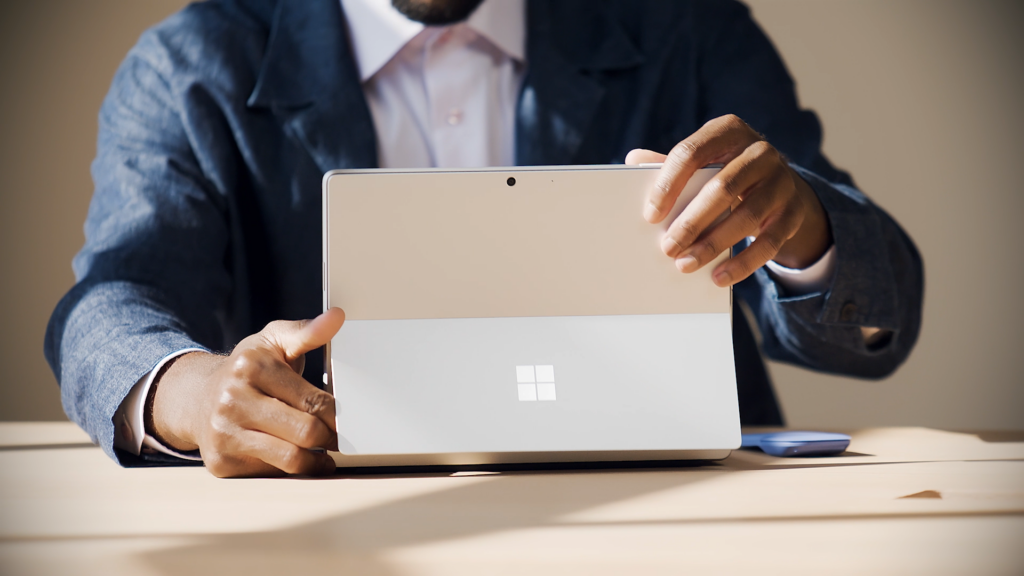
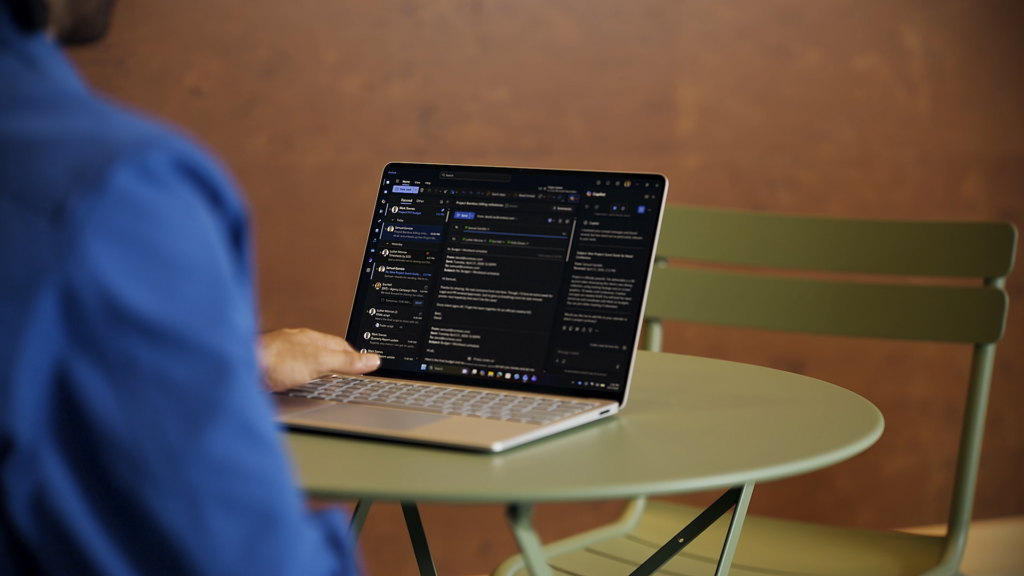

  •  

Raising the bar together. Introducing the Driver Quality Initiative at WinHEC 2026

There are moments in this industry when you can feel the ecosystem lean in. This week in Taipei was one of them. For two days at WinHEC 2026 (Windows Hardware Engineering Conference) — Microsoft’s first WinHEC since 2018 — we had the privilege of spending time alongside our OEM, silicon, IHV and ODM partners, and the engineers who build Windows, to talk honestly about where we are, opportunities to be better connected as an ecosystem and where we're going together. As we shared in March, a fundamental component to raising the bar on quality across areas such as system stability, driver quality and app reliability requires coordinated execution across the entire ecosystem. At WinHEC 2026, we shared how we’re addressing this at the driver level with our partners by introducing the Driver Quality Initiative (DQI), a comprehensive, ecosystem-wide effort designed to fundamentally raise the bar on driver quality, reliability and security across Windows.

“Great platforms aren’t built in isolation. Platform quality depends on early, honest collaboration across OEMs, ODMs, silicon partners and IHVs. WinHEC brings engineers together with Microsoft to align early, solve real problems and deliver higher‑quality solutions for our shared customers” — Syam Poluri, Distinguished Engineer, Dell Technologies

Raising the bar on quality takes all of us.

Drivers sit at the heart of every Windows experience. They connect the OS to the silicon, components and peripherals that make Windows one of the most versatile platforms in the industry. Today, thousands of partners contribute to tens of thousands of active driver families across the Windows install base. When drivers are high quality, customers experience reliable, secure, performant devices. When drivers fail, customers experience it as a device problem, regardless of where the root cause sits. Chart showing four pillars of the Driver Quality Initiative.DQI builds on the learnings and infrastructure established through the Windows Resiliency Initiative (WRI) and is organized around four pillars:
  • Architecture: We are heavily investing in hardening kernel mode drivers and enabling the third-party kernel mode driver transition to either user mode driver or Microsoft authored class drivers. This is to ensure higher driver security, reliability and resiliency. User-mode driver investments include performance updates to PCIe devices with DMA support as well as Wi-fi stack (coming soon). Class driver investments include Soundwire Device Class for Audio (SDCA), introduction of the I3C class driver, NCM USB ethernet class driver as well as continuous enhancements to existing first-party class drivers on Windows 11.
  • Trust: We are raising the bar for trusted partners and trusted drivers, including stronger partner verification, expanded automated analysis and updated Windows Hardware Compatibility Program requirements.
  • Lifecycle: We are improving driver lifecycle management through better Windows Update catalog hygiene, including deprecating outdated or low-quality drivers, advancing SBOM alignment and enabling faster issue analysis through driver symbols.
  • Quality Measures: We are expanding how driver quality is measured beyond crashes to include stability, functionality, performance, and power and thermal impact, giving partners clearer signals to improve the real customer experience.
DQI is a partnership. Microsoft is building the frameworks, tools and quality signals, and we are working with partners to raise driver quality across the ecosystem so customers can rely on their Windows devices from day one through the full life of the PC.

“Delivering high-quality drivers and resilient platforms isn’t owned by any one company—it’s a shared commitment. Through our close collaboration with Microsoft, AMD is focused on building a culture of joint accountability to ensure security, stability and predictable performance for our customers at scale.” — David Harmon, Director, Software Engineering, AMD

What we did at WinHEC

Day 1 opened with a keynote presentation featuring our Windows leadership team, organized around three themes: navigating the evolving landscape, raising the bar on Windows 11 quality and the future vision for Windows. The keynote set the tone for the days ahead. We were candid about where we are, clear about where we're going and explicit about the partnership required to get there. From there, attendees broke out into workshops, with sessions spanning five tracks:
  • End-to-end driver quality — covering the full lifecycle from authoring and validation through publishing, and post-release health
  • Platform fundamentals — power, thermal and storage fundamentals that define everyday device experience
  • Exceptional device experiences — delivering best-in-class quality across media and display, camera, audio, connectivity and peripherals
  • Windows Server — platform direction, reliability and the evolving requirements for modern datacenter and edge deployments
  • Ecosystem advancement — end-to-end security, co-engineering tools, manufacturing and AI hardware innovation.
Day 2 shifted from discussion to application. Hands-on labs gave engineers the opportunity to put guidance into practice, from authoring and hardening drivers, executing hardware compatibility tests, and exploring AI-assisted crash analysis. Microsoft engineers worked side by side with partner teams, helping them move from understanding the guidance to applying it directly within their own engineering workflows. Beyond the structured sessions, attendees explored demo booths showcasing the latest tools, diagnostics and technologies coming to the Windows platform. The dedicated Microsoft Experience Room brought hardware and the operating system together to demonstrate how end-to-end experiences come to life across various Windows customers, such as students, developers, creators, information workers and gamers, making the connection between platform engineering decisions and real customer outcomes tangible. Each day concluded at the Connection Corner, an open forum where partners could engage directly with the Microsoft engineers building these tools. It was, for many attendees, the most valuable part of the event: unfiltered access to the people doing the work, with the time and space to dig into the questions that matter most.

“At Acer, we believe that continuous innovation and collaboration are the engines that drive the technology industry forward. On display at WinHEC, Windows stands out as an innovative platform that brings together partners across a broad range of expertise. The Microsoft conference is where innovation, technology and domain experts come together to unlock the true value of platform engineering.”  — Mark Yang, Associate Vice President of Compute Software Technology, Acer Inc.

"The customers ASUS serves — gamers, creators, students and professionals — each demand a different kind of Windows device. WinHEC is where ASUS and Microsoft engineers go deep on the platform fundamentals that make those very different devices share the same quality bar, generation after generation." — Justin Yo, Software Associate VP, ASUSTeK Computer Inc.

What we heard from partners

A few themes came through clearly in our conversations across the two days:
  • Quality is a shared priority. Across silicon, OEM and IHV partners, the message was consistent — driver and platform quality is central to the customer experience, and the ecosystem is ready to invest.
  • Innovation thrives on a strong foundation. When the fundamentals are solid, partners can invest more confidently in differentiated experiences, AI-powered capabilities and next-generation hardware, knowing the platform will support them. The energy around what becomes possible when quality is a given, not a variable, was one of the most exciting themes of the week.
  • There is real appetite for this kind of engagement. Partners told us repeatedly that the combination of roadmap clarity and hands-on technical depth is exactly what the ecosystem needs at this moment and going forward.
  • Transparency matters. Partners welcomed the open methodology behind driver quality metrics, the phased rollout of lifecycle states and the commitment to incentive-based distribution as the right model for moving forward together.

"The best customer experiences are built on the foundation of strong partner collaboration. WinHEC is where that work happens — engineers from HP and Microsoft aligning early, solving real problems and ensuring that what we ship together actually works for the people who depend on it every day. That kind of direct, honest partnership across the ecosystem raises the bar for everyone." — Deepak Patil, Senior Vice President, Personal Systems Engineering, HP Inc.

Looking ahead

WinHEC 2026 was an important step, but it's the start of the work, not the end. In the months ahead, we will keep investing in the fundamentals that matter most to customers: reliability, security, performance, compatibility and quality. We’ll also keep collaborating with OEMs, silicon partners, IHVs, ODMs and the broader hardware ecosystem through the Windows Resiliency Initiative, the new Driver Quality Initiative and the work we do together every day. To everyone who joined us in Taipei this week, from our CPU, GPU and silicon partners; display, camera, audio and networking teams; IBVs, ODMs and OEMs; to the peripheral and component engineers who make the breadth of Windows possible — thank you. The depth of engagement, the willingness to work together in the room, and the shared commitment to quality made this week what it was. The work we do together over the coming year will define the Windows experience for more than a billion users. We couldn't be more energized about what we're going to build. — Robin and Ian
  •  

New updates to Edge across desktop and mobile

Edge just made it easier to go from first tab to final plan, wherever you go. Your favorite Copilot experiences, plus new ones, are now available directly in Edge on desktop and, for the first time, in the Edge mobile app. This includes capabilities now available to everyone on desktop and mobile like reasoning across multiple open tabs so Copilot can compare info, surface key details, and see what matters, more relevant answers from Copilot built on your browsing history and past chats, and hands-free browsing with Voice and Vision. We're also making it easier to jumpstart your day and pick up where you left off with a redesigned new tab page and Journeys, now broadly available across desktop2 and mobile3. Plus, new productivity tools on Edge desktop are designed to move you from idea to done without breaking stride. As part of today's update, we're retiring Copilot Mode1. With helpful features built directly into Edge, it's now simpler to shape how you browse and get more done. To explore what's new, visit aka.ms/CopilotinEdge or download the Edge Mobile app.

New updates to the Edge mobile app

Today, we're bringing the experiences you love on Edge desktop to the Edge mobile app so you can get more done wherever you go. Juggling tabs on your phone used to mean endless swiping and tab hopping. Not anymore. With your permission, Copilot in Edge can reason across your open tabs. Just ask a question and it pulls from your tabs to compare details, surface answers, and help you decide without the back-and-forth. https://www.youtube.com/watch?v=Q9itnNYyhGc Previously available only on desktop, Journeys is now available on the Edge mobile app3. Journeys makes it easier to pick up where you left off and resume your projects by, with your permission, organizing your browsing history into meaningful topics – with summaries and suggested next steps – so you can quickly get back to planning that dog-friendly camping adventure or that piece of clothing you can't stop thinking about. https://www.youtube.com/watch?v=it6NFi4PO30 Sometimes the fastest way to get help is to just ask. With Vision and Voice, available to everyone on desktop and now in the Edge mobile app, you can, with your permission, share your screen and talk through what you're looking at — hands-free. Ask questions, get explanations, or think through a decision out loud. It's like having a second pair of eyes wherever you are. When Copilot is active, you'll always see clear visual cues so you know when it's taking an action, helping, listening, or viewing. We are also bringing Edge desktop's redesigned new tab page to the Edge mobile app to streamline how you get your day started, making it easier to jump right into what you need to get done. Bringing together chat, searching, and browsing in one clean starting point, Edge keeps you moving forward. https://www.youtube.com/watch?v=S7CT_HiWFys

Stay in your flow

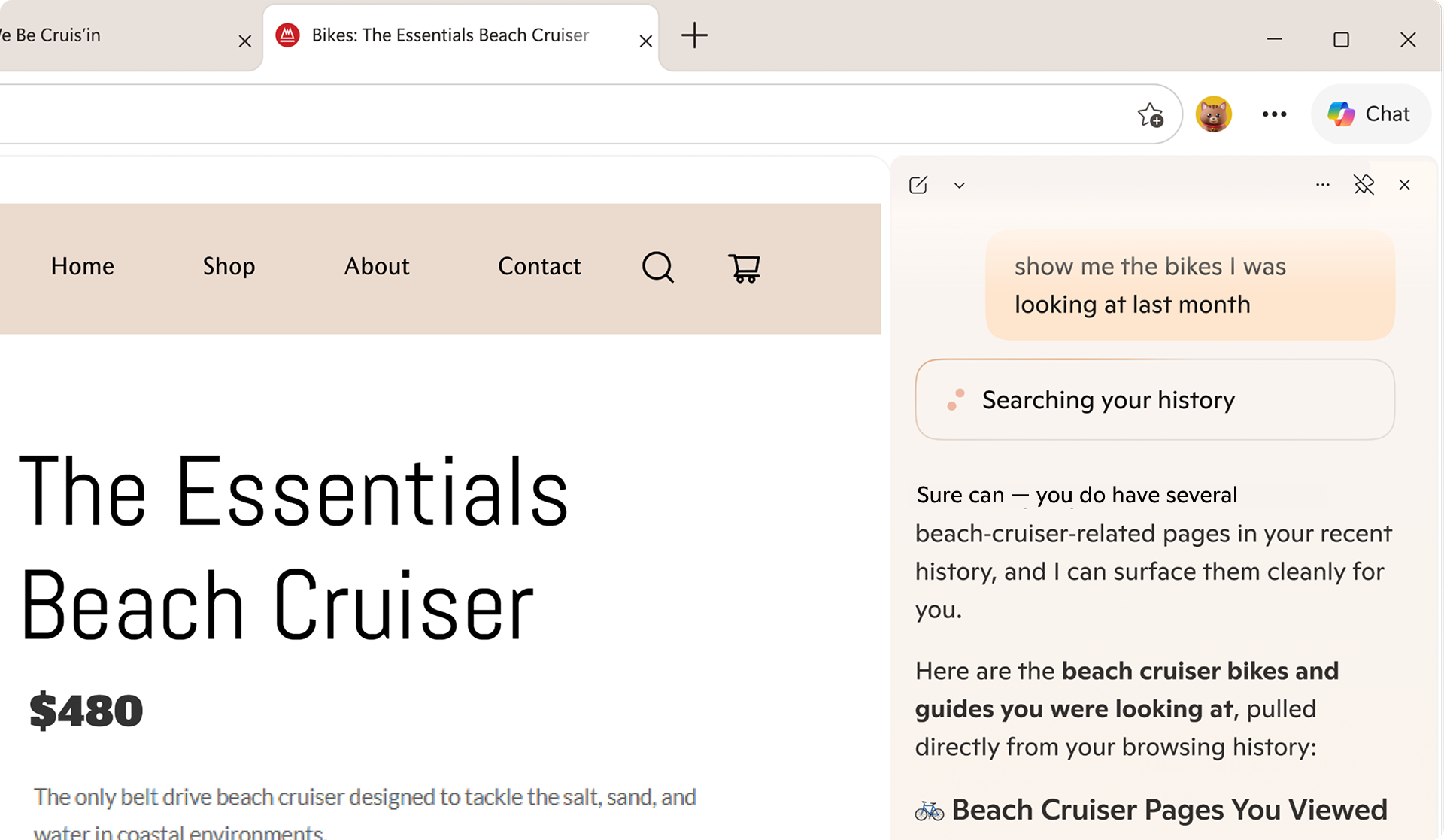
Life doesn't happen in one tab. Now available to everyone, Copilot can pull context from your open tabs to surface relevant information and help you make decisions with less effort to keep you moving forward— without having to leave the page you're on. No setup required. Just click the Copilot icon in the top right corner and ask Copilot to compare options across tabs, explain what matters, and get clear answers. Take planning your next trip to Napa — comparing wineries, restaurants, and routes across a dozen tabs is the hardest part. Copilot in Edge, with your permission, reads across every tab you have open, so you can compare options, surface what matters, and make decisions with less tab-hopping. https://www.youtube.com/watch?v=Ls6dRaxSL28 With your permission, Copilot can also use your browsing history to deliver more relevant, higher-quality answers — like finishing up your shopping, returning to a thread you were following, or picking up research you started days ago. Copilot builds on what you've already seen so you spend less time switching and more time staying in your flow. Now, with long-term memory on desktop and mobile, Copilot not only builds on what you've seen but also can reference your past chats to provide more relevant help. You're always in control of what Copilot can access. Copilot in Edge for desktop, showing a message saying 'Searching your history'.

Built to keep you moving forward

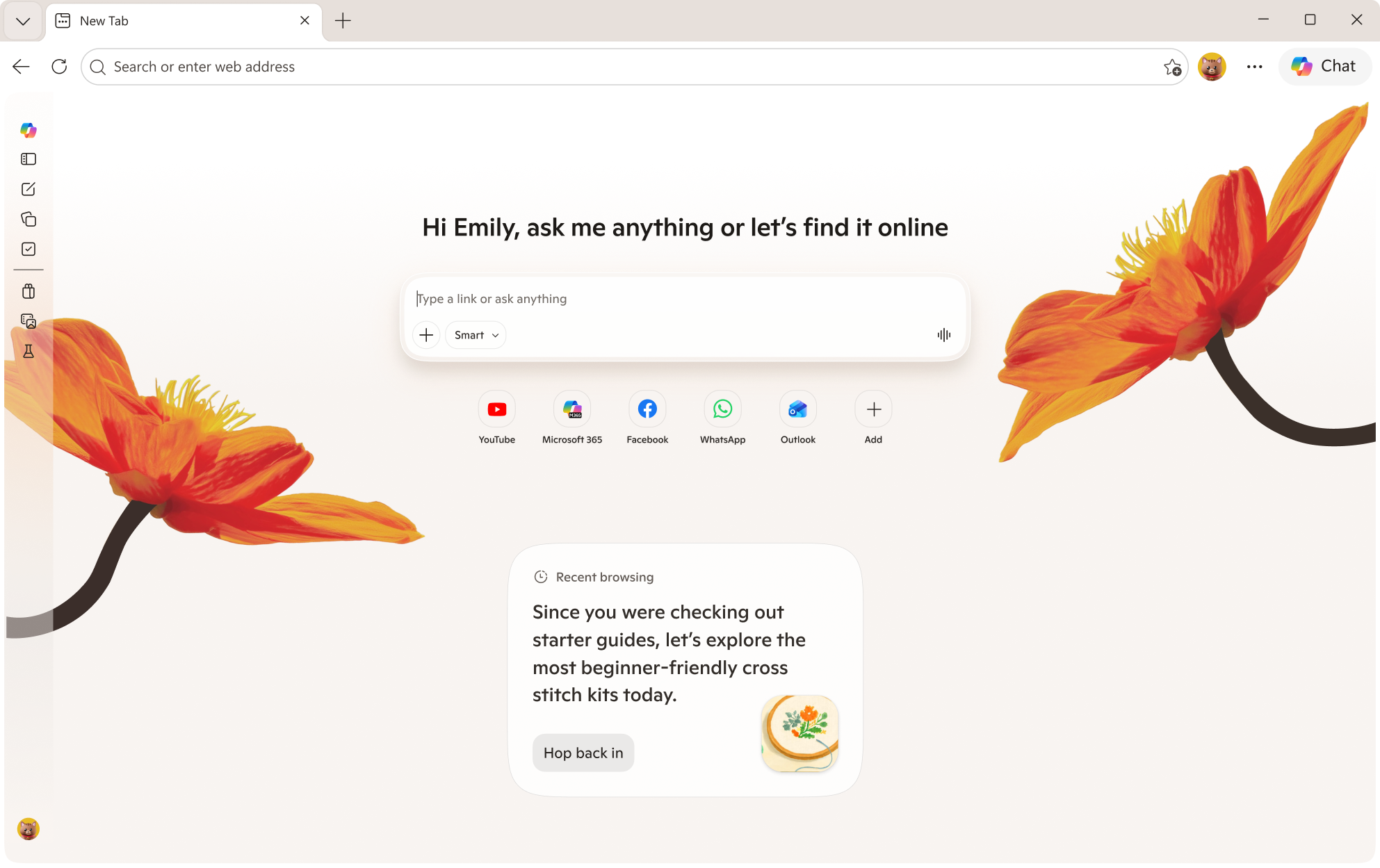
Sometimes getting started is the hardest part. The redesigned new tab page, now available for everyone to try, brings together chat, search, and web navigation in one place so you can effortlessly explore the web. It's also where all your Journeys live, so it's easy to jump back in and keep going. Edge on desktop new tab page, showing Copilot and Recent browsing. Journeys, now available for free in all English markets2, helps pick up where you left off. Ever start trying to learn something new then … life happens? Journeys brings you back to past browsing projects by grouping your browsing history into helpful topic cards on your new tab page so you can resume that cross stitching hobby – without starting from scratch. https://www.youtube.com/watch?v=5RdQ9zjMpKM

New tools to boost your productivity

Whether you're cramming for finals, writing a research paper, or understanding a complex topic, Edge has new built-in tools to help you focus, learn faster and get more done without ever leaving your browser. Study and Learn mode helps you get started breaking down topics into guided study sessions, interactive quizzes, and more to supplement your learning. To get started, simply type into Copilot in Edge "Quiz me on this topic" when you have a webpage open or locate the mode dropdown at the bottom left of the input box on the redesigned new tab page and select "Study and Learn mode." Write with confidence, right where you are. Writing assistant5 gives you extra help by generating drafts, rewriting for clarity, or adjusting tone right where you're already typing in Edge. Just look for the blue dot the next time you're writing to get help in the moment. https://www.youtube.com/watch?v=m9__zGC-miQ Turn your browsing into a study session with Copilot quizzes. Easily generate quizzes, flashcards, and guided sessions based on what you're reading so you can test yourself as you go, right in your browser. https://www.youtube.com/watch?v=4j3chZtjQvc Finally, you can now turn your tabs into a podcast6. Whether you're catching up on research or exploring something new, now you can listen, learn, and keep moving without missing a beat. Podcasts in Edge is available in English markets. Copilot chat in Edge, with the message: Create a podcast about trail running in Seattle.

You choose what you need

We're making it easier to shape your experience on the web. At any time, you can select which experiences you want or leave off the ones you don't. Just head to aka.ms/CopilotinEdge or Edge Settings to customize your experience anytime. With Copilot in Edge, your data stays yours. Microsoft only collects what's needed to improve your experience—or what you choose to provide via Personalization settings. Copilot follows Microsoft's trusted privacy standards, meaning your information is never shared without your permission. Your browser data is protected under the Microsoft Privacy Statement.

Tell us what you think

Copilot features are available in all Copilot markets4 on Edge for Windows and Mac and the Edge mobile app today. We're excited to bring you these Copilot features directly to your Edge browser7 and want to hear from you. To get started, visit aka.ms/CopilotinEdge and give us your feedback. If you're excited to share more ideas and connect with others, consider joining our Discord channel. 1 Existing Copilot Mode users will continue to receive priority access to new features through Copilot in Edge Preview. Users may change this anytime in Edge Settings. As part of retiring Copilot Mode, Copilot Actions, previously available in Limited Preview, is now available as Browse with Copilot on Edge desktop for Microsoft 365 Premium Subscribers in the U.S. only. Usage limits apply. 2 Journeys on Edge desktop is available only in all English markets (en-US, en-GB, en-CA, en-AU, en-NZ, en-IN, en-SG). 3 Journeys on Edge mobile is available in the U.S. only. 4 Vision, Voice, multi-tab context, long-term memory, Copilot quizzes, and the redesigned new tab page are available in all Copilot markets across desktop and mobile. 5 Writing assistant is available in the U.S. only. 6 Podcasts is available in all Copilot markets in English only. Must be signed in with a Microsoft Account to generate a podcast. Subscribers to Microsoft 365 Personal, Family, and Premium have access to extended usage. Learn more. 7 Usage limits apply to certain Copilot features. Availability of Copilot features subject to change.
  •  
❌