Lees weergave

Releasing Windows 11, version 26H2 to the Release Preview Channel

[Update 31 August 2026: ISOs are now available] Hello Windows Insiders! Today, we are making this year’s annual feature update, Windows 11, version 26H2 (Build 26300.9278),  available in the Release Preview Channel for customers to preview ahead of general availability later this calendar year. Windows 11, version 26H2 will be delivered as an enablement package (eKB). This means that Windows 11, versions 24H21, 25H2, and 26H2 use a shared servicing branch. It also means that they share the same new features and enhancements delivered through our continuous innovation efforts. As a result, many of the features and improvements available in Windows 11, version 26H2 might already be familiar, as they have been gradually introduced through monthly updates. For commercial customers, Windows 11, version 26H2 enables several experiences that were introduced in earlier releases but not previously enabled by default for commercial devices. This includes Windows settings backup, app-specific actions from the taskbar, and some File Explorer enhancements. For guidance on how to prepare for Windows 11, version 26H2 in your organization, see Get ready for Windows 11, version 26H2. Windows Insiders in the Release Preview Channel can install Windows 11, version 26H2 via our “seeker” experience in Windows Update. This means if you are an Insider currently in the Release Preview Channel on a PC that meets the Windows 11 hardware requirements, you can go to Settings and Windows Update and choose to download and install Windows 11, version 26H2. Once you update your PC to Windows 11, version 26H2, you will continue to automatically receive new servicing updates through Windows Update (the typical monthly update process). For instructions on how to join the Windows Insider Program and enroll your PC in the Release Preview Channel, click here. If you are a commercial2 customer enrolled in the Windows Insider Program for Business, you can deploy and begin validating Windows 11, version 26H2 on PCs in your organization using Windows Update client policies and Windows Server Update Services (WSUS). Azure Marketplace will be available later today. Should any issues arise, IT admins in organizations deploying Release Preview updates can request Microsoft Support. And finally, ISOs will be available for download for Windows 11, version 26H2 via the Windows Insider ISO download page in the near term. Thanks, Windows Insider Program Team 1Windows 11, version 24H2 Home and Pro editions will reach end of updates on October 13, 2026. Enterprise and Education editions remain supported until October 12, 2027. 2We consider a device a commercial device if it is not running the Windows 11 Home edition AND is being managed by an IT administrator (whether via Microsoft Intune or other management solution), or has a volume license key or commercial ID, or is joined to a domain.
  •  

Expanding the Windows on Arm app ecosystem across key workloads

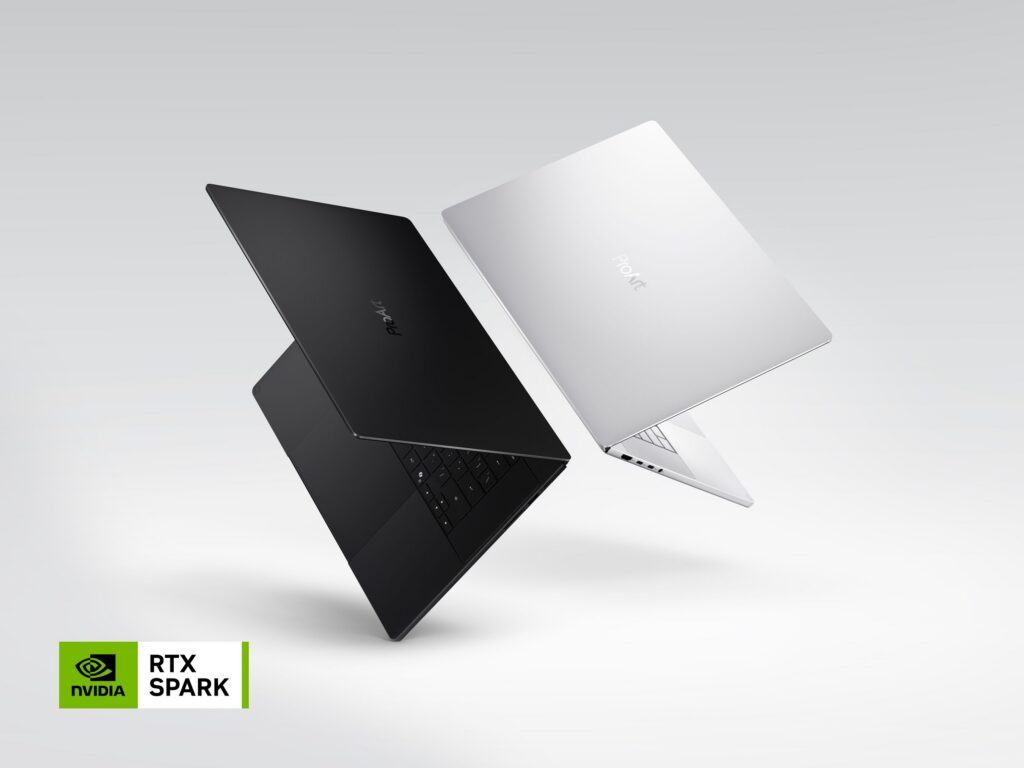
In a significant milestone for the platform, Microsoft and NVIDIA recently announced NVIDIA RTX Spark. These new devices are the most powerful and efficient, thin-and-light Windows PC ever, built with the Arm architecture. In the fall of 2026, devices from Microsoft Surface, ASUS, Dell, HP, Lenovo, and MSI will be available. NVIDIA's entry into the Windows on Arm silicon family joins the Qualcomm Snapdragon X series of chipsets that have already established Windows on Arm as the premium experience across Microsoft Surface Copilot+ PCs. The market is sending a clear signal: more silicon providers and more OEM partners are investing in Windows on Arm because customer demand is growing for these powerful and efficient Windows devices and experiences.   Alongside the expanding PC landscape, the Windows app ecosystem continues to grow rapidly. As powerful Arm-based devices reach more customers, this motivates developers to build and optimize for the platform. Consequently, as the app catalog grows, customers have even more reason to choose Windows on Arm hardware. That virtuous cycle is now clearly in motion. The app catalog growth is evident in the Works on Windows on Arm site. This site catalogs over 7000 verified apps and games available for Windows on Arm and is built with compatibility data from Microsoft. Given the breadth of Arm-capable hardware available from multiple silicon providers and the depth of the app catalog, Windows on Arm has become a first-class platform for any workload.   App Assure, Microsoft's app compatibility program, with its dedicated Arm Advisory Service, continues to expand the Windows on Arm ecosystem. We continue working side by side with a diverse set of software development companies to bring their apps to the Windows on Arm catalog, ensuring that no customer is left behind. The goal of this blog is to share App Assure's latest progress report: a roundup of some of the most notable new additions to the Windows on Arm app portfolio since our previous update. 

STEM and education apps

This is a rapidly expanding category that demands its own section. Science, Technology, Engineering, and Mathematics (STEM) as well as education tools all play a critical role in how people learn in classrooms, research environments, or via independent study. As Windows on Arm devices become more prevalent, developers in this space now recognize the opportunity to reach learners and professionals who value portable, power-efficient devices without sacrificing performance. The growing number of STEM and education apps now available reflects increasing investment aligned with these needs and the growing adoption of Windows on Arm devices by educational customers. [caption id="attachment_57881" align="alignnone" width="931"]Chart showing recent STEM and education apps available on Windows on Arm devices Recent STEM and education apps available on Windows on Arm devices[/caption]

Security apps

Security remains foundational for Windows customers, and it spans far more than a single tool or workload. Modern environments require layered protection across endpoints, consistent device management, and secure connectivity, especially as work increasingly happens across hybrid, mobile, and distributed environments.  Arm-based devices are designed with security at the core, integrating hardware, firmware, and software protections to help defend against modern threats. In addition to the built-in security features, strong support for Windows on Arm in endpoint protection, endpoint management, VPN and Zero Trust solutions helps ensure that customers can adopt these devices without compromising their security posture.   Our previous update showcased well-known apps from companies including Norton, CrowdStrike, and McAfee in the Endpoint Protection space; VMware, Beyond Trust, and Cisco in the Endpoint Management space; and Nord, Zscaler, and Palo Alto Networks in the VPN and Zero Trust space. The continued expansion of the Windows on Arm security app ecosystem, as seen below, highlights how software vendors are aligning with customer expectations for secure, manageable Armbased deployments. [caption id="attachment_57875" align="alignnone" width="967"]Recent security apps available on Windows on Arm devices Recent security apps available on Windows on Arm devices[/caption]

Productivity apps

Productivity apps remain the cornerstone of how people get work done on Windows. Whether managing projects, collaborating with teammates, organizing information, or communicating across teams, these apps are essential to our customers’ daily work. The growing list of productivity apps now available reflects both customer demand and increasing momentum from developers building with Arm as a first-class Windows platform. The new apps listed below join those previously announced from industry leaders such as Google, Adobe, Slack, Trello, and Dropbox. [caption id="attachment_57868" align="alignnone" width="1024"]Chart of recent productivity applications available on Windows on Arm devices Recent productivity apps available on Windows on Arm devices[/caption]

Creativity, social media and entertainment apps

Windows devices are as important for work as they are for expression, connection and entertainment. From creative tools to social platforms and media experiences, these apps enable users to create, share and unwind throughout their day. Developers continue to bring rich, engaging experiences to Arm-based devices, ensuring users don’t have to choose between productivity and creativity. Our previous update saw brands such as Camtasia, Blender and Figma release Arm apps. Below are the latest additions. [caption id="attachment_57869" align="alignnone" width="1368"]Chart of recent creativity, social media and entertainment applications available on Windows on Arm devices Recent creativity, social media and entertainment apps available on Windows on Arm devices[/caption] The takeaway is clear: Windows on Arm is no longer defined by potential, but by a rapidly expanding ecosystem of devices with apps available across workloads that customers depend on most. As developers continue to invest in Arm-native experiences and compatibility, customers gain more choices, flexibility, and confidence in adopting the next generation of Windows devices. As the ecosystem continues to expand, the Microsoft App Assure team is ready to assist software developers interested in bringing their apps to Windows on Arm. Through our Arm Advisory Service, we offer expert guidance, technical workshops, code samples, and an escalation path to Microsoft engineers ready to assist with software development. Reach out to us here to learn more. Finally, don’t forget to bookmark https://worksonwoa.com/ for a comprehensive and continuously updated list of all the apps available on Windows on Arm devices.

Reading and resources on the expanding Windows on Arm ecosystem

  •  

WebView2 is moving to a 2-week release cadence

Microsoft Edge is moving to a two-week release cycle, and the WebView2 Runtime is moving right along with it. Starting with 152, the WebView2 Runtime will align with Edge's new two-week major-release cadence, instead of the previous four-week cadence, for faster security fixes, platform improvements, and other capabilities. Timeline showing the shift from 4-week releases (current) to 2-week releases (new) for the WebView2 Runtime, starting with version152.
  • On the week of August 27, the WebView2 Runtime version 152 will be last major version to be released 4 weeks after the previous version.
  • On the week of September 10, version 153 will be the very first version to be released only two weeks after the previous version.
  • After that point, a new major version will be released about every two weeks, aligned with the Edge release cadence.
The WebView2 SDK release cadence will also be updated. Instead of the monthly releases, SDK versions will be released when there are new features, bug fixes, security updates, and other improvements to share. When we do ship an SDK, it will be released on the same date as the corresponding Runtime release.

What this means for your app

If you use the Evergreen Runtime distribution mode, which is the default, there's nothing you need to do. Your users' machines will start getting security and platform fixes at the more frequent cadence. If you ship a Fixed Version Runtime instead, you stay in control of when you update, but new major versions arrive more often. Plan to validate and pick up new versions more frequently, so you don't fall behind on security fixes.

Recommended actions

We recommend that you test your WebView2 app by using the Beta preview channel of Microsoft Edge to catch any bugs before they roll out to your users. Early testing is the best way to catch app-specific issues before they reach Stable. To learn more, see Prerelease testing using preview channels. We also recommend automating the validation of your app's core workflows with the WebView2 preview channels. You can automatically test your app by using Microsoft Edge WebDriver. See Automate and test WebView2 apps with Microsoft Edge WebDriver. Finally, report regressions early so we can address them before the Stable release. You can report bugs by using the WebView2Feedback GitHub repository.

Stay current

Moving with Edge means your users get a safer, more capable web platform sooner, and you get a single, predictable release train to plan around. We're grateful for the partnership of the WebView2 developer community, and we'll keep sharing details as the new cadence rolls out. To learn more, read our recent announcement, check out our release notes, and review the release schedule. And, as always, feel free to share feedback with us.
  •  

Announcing new builds for 21 August 2026

Hello Windows Insiders, Today, we’re releasing new Windows 11 Insider Preview builds to the Beta and Experimental Channels. Experimental Feature Flags We’ve fixed the issue causing the Feature Flags list to show empty for Insiders in the Experimental channel. You should now see Feature Flags reappear after installation of the latest Experimental build. New builds this week We’re releasing new Windows 11 Insider Preview builds today. Select your channel below to view its release notes: For those on other specific build versions, here are today’s new builds and release notes:

Notable new features:

[Modernized Autoplay experience]

Release channel: Experimental
  • We've updated the AutoPlay dialog that helps you choose the preferred experience when devices are connected to your PC (e.g., a phone, camera, or removable drive). Rebuilt with WinUI, the refreshed experience is more consistent with the rest of Windows, supports dark mode, and continues to provide the familiar AutoPlay actions you use today. The experience is also more responsive to text scaling and display settings. Notifications for this dialog will now be docked in the notification center for easy access.
[caption id="attachment_179139" align="aligncenter" width="1024"]The new AutoPlay experience, shown in dark mode. The new AutoPlay experience, shown in dark mode.[/caption]

[Accessibility]

Release channel: Experimental, Beta A simpler way to open apps maximized
  • We are introducing a new accessibility setting, “Open apps maximized”, that automatically maximizes app windows when they open — so you no longer have to do it yourself every time. This is a small change that removes a bit of everyday friction, whether you use a screen reader or magnification, work in tablet mode, or simply prefer a consistent, full-screen workspace.
  • To turn it on, go to Settings > Accessibility > Visual effects and switch on Open apps maximized. Once enabled, Windows maximizes app windows for you as they open. Give it a try and let us know how it works for you.
[caption id="attachment_179140" align="aligncenter" width="1024"]UI showing the new "Open apps maximized" accessibility setting in Settings > Accessibility > Visual effects. UI showing the new "Open apps maximized" accessibility setting in Settings > Accessibility > Visual effects.[/caption] Thanks, Stephen and the Windows Insider Program team
  •  

Windows 365 turns five: Cloud PCs recognized for enabling flexible, trusted workspaces at scale

Five years ago, we introduced Windows 365 and created a new personal computing category: the Cloud PC, providing a familiar Windows desktop running in the Microsoft Cloud that is secure by design, simple to manage, and enables work from any device. On the fifth anniversary of Windows 365, we’re reflecting on what our customers have accomplished, highlighting key advancements that have earned industry recognition, and sharing insights on where leaders should focus next. How work happens has changed a lot with the increasing adoption of AI and agents, but the need for secure, managed, and reliable workspaces remains.

The measurable impact of Windows 365 Cloud PCs

Today, tens of thousands of organizations across industries and around the world are using Windows 365 Cloud PCs. Customer feedback tells a consistent story of unlocking significant benefits, including reduced costs, lower network latency, fewer support tickets, and faster employee onboarding. [caption id="attachment_180428" align="alignnone" width="1430"]The measurable impact of Windows 365 Cloud PCs across 6 orgs shows significant benefits for end-users and IT such as decrease in image load times for remote radiologists, reduction in onboarding time, reduction in network latency for offshore developers, reduction in IT support tickets, cost reduction and zero trust requirements fully met. See what customers are saying about Windows 365. Learn more at aka.ms/Windows365Stories.[/caption] Over the past five years, we’ve evolved Windows 365 in meaningful ways and introduced new offerings to meet our customers’ diverse needs:
  • Windows 365 Flex provides Cloud PCs for part-time, shift-based, or occasional use
  • Windows 365 Reserve equips employees with temporary Cloud PCs if their physical devices are unavailable
  • Windows 365 Link is the simple, secure purpose-built device for Windows 365 that’s especially useful for shared workspaces
  • Windows 365 for Agents provides a secure execution environment for AI agents to run.
These solutions are making it easier for more customers to adopt cloud-powered Windows experiences in ways that fit their workplace needs. Our continued commitment to providing secure, managed and reliable workspaces for human and agentic workforces at scale has earned industry recognition.

Microsoft recognized as a Leader in the 2026 Gartner® Magic Quadrant™ for Desktop as a Service

We are honored to share that Microsoft has been named a Leader for 4 consecutive years in the Gartner® Magic Quadrant™ for Desktop as a Service and positioned highest in Ability to Execute. Gartner defines desktop as a service (DaaS) as the provision of virtual desktops by public cloud or other service providers. Read a complimentary copy of the report to see why Microsoft was named a Leader. [caption id="attachment_180429" align="alignnone" width="624"]The 2026 Gartner Magic Quadrant for Desktop as a Service shows Microsoft positioned as a Leader, highest in Ability to Execute. This graphic was published by Gartner, Inc. as part of a larger research document and should be evaluated in the context of the entire document available at aka.ms/DaaSMQ2026. Note: Gartner does not endorse any company, vendor, product or service depicted in its publications, and does not advise technology users to select only those vendors with the highest ratings or other designation. Gartner publications consist of the opinions of Gartner’s business and technology insights organization and should not be construed as statements of fact. Gartner disclaims all warranties, expressed or implied, with respect to this publication, including any warranties of merchantability or fitness for a particular purpose. Gartner, Magic Quadrant for Desktop as a Service, 5 August 2026, By Stuart DownesTodd LariveeSunil Kumar. Gartner and Magic Quadrant are trademarks of Gartner, Inc., and/or its affiliates.[/caption]

Microsoft recognized as a Leader in the IDC MarketScape: Worldwide Desktop as a Service 2026 Vendor Assessment

We are also honored to share that Microsoft was recently named a Leader in the IDC MarketScape: Worldwide Desktop as a Service 2026 Vendor Assessment. Read the excerpt to learn why Microsoft was named a Leader. [caption id="attachment_180430" align="alignnone" width="620"]The IDC MarketScape worldwide desktop as a service, 2026 shows Microsoft named as a Leader, furthest in the capabilities axis as well as the strategies axis. IDC MarketScape vendor analysis model is designed to provide an overview of the competitive fitness of ICT suppliers in a given market. The research methodology utilizes a rigorous scoring methodology based on both qualitative and quantitative criteria that results in a single graphical illustration of each vendor’s position within a given market. The Capabilities score measures vendor product, go-to-market and business execution in the short-term. The Strategy score measures alignment of vendor strategies with customer requirements in a 3-5-year timeframe. Vendor market share is represented by the size of the icons.[/caption] “Microsoft offers a fully integrated DaaS stack where endpoint management, identity, security, and compliance serve as native prebuilt components.” Additionally, “Microsoft stands out as the only vendor to productize the agentic workspace as a distinct purchasable offering alongside the standard managed desktop. This provides a robust production foundation for IT leaders whose DaaS strategies must accommodate AI agent deployment over the next three years." - IDC MarketScape: Worldwide Desktop as a Service 2026 Vendor Assessment (Doc #US54118526, July 2026)

What’s new and next with Windows 365

Five years in, Cloud PCs are enabling secure, flexible work not only for information workers but also the frontline, developers, and emerging AI agents. We are excited to share our most recent developments and where things are going next. Watch this Microsoft Mechanics demo to take a closer look and read on to learn more: https://youtu.be/MK-hCq7Su1w

Empowering developers

For developers, we made several announcements at Microsoft Build 2026, including readytocode Cloud PCs preconfigured with common development tools, now in preview. We also announced general availability of a new Windows 365 GPU Select offering along with 32vCPU Windows 365 Cloud PCs for graphics-intensive and compute-intensive workloads like software development, data modeling, simulations, and AI/ML. Select language models (LM) can run directly on Cloud PCs, enabling developers building AI‑powered apps to use Cloud PC compute to build and iterate effectively without incurring token costs. Always available Cloud PCs also enable long-running builds, test loops, dev environments, and AI-assisted workflows to be persistent beyond the limits of a physical device, so work can continue on a Cloud PC even when a physical device goes to sleep.

Enabling AI agents

For agent-makers, we made Windows 365 for Agents generally available earlier this year. Windows 365 for Agents provides a collection of Microsoft Entra-joined, Microsoft Intune-managed, and policy-enforced Cloud PCs for agents to execute multi-step workflows across software, including opening apps, navigating interfaces, entering inputs, and processing data. Companies such as Login VSI, Simular, and WorkspaceDNA are already building AI agents that can run on Windows 365 for Agents. And at Microsoft, we’re using Windows 365 for Agents to power agentic experiences such as computer-use scenarios in Researcher. Looking ahead, we’re continuing to introduce new capabilities to enable secure use of enterprise-grade AI agents. Now in preview, Windows 365 for Agents supports accessing on-premises applications using agents’ identities, enabling organizations to extend automation across legacy business applications without modernizing existing applications. Also in preview, we’re introducing support for linking Windows 365 for Agents Cloud PC agent pools to either a Microsoft Entra group or a Microsoft Intune Autopilot device preparation profile. This enables IT administrators to manage Cloud PCs for agents at scale by applying security and compliance policies, deploying required applications, maintaining consistent configurations across agent pools, and using existing Intune workflows. Additionally, with Windows 365 support for Microsoft Execution Containers (MXC) becoming generally available in the coming months, customers can securely run supported agent workloads, from coding agents, like GitHub Copilot CLI to autonomous agents like OpenClaw, on managed, always-available Cloud PCs using process and session isolation with familiar enterprise security and governance controls.

Strengthening security

Our commitment to security remains as important as ever. Cloud PCs enable organizations to reduce their attack surface by having data remain secure in the Microsoft Cloud – not on dispersed endpoints. Earlier this year, we introduced context-based redirections using Microsoft Entra authentication context, enabling more precise control over how users access Cloud PCs. We’re further strengthening defenses against endpoint threats by safeguarding sensitive data on-screen. With output protection capabilities becoming generally available in September, displayed content on a Cloud PC can stay shielded from screen scrapers and other endpoint threats.

Streamlining management

We’re also enabling IT admins to further streamline Cloud PC management by leveraging AI. With the new Windows 365 monitoring and reporting platform becoming generally available in September and a new agent for Windows 365 administrators now available in limited preview, IT admins can more easily monitor Cloud PC health in Microsoft Intune, investigate issues, identify likely root causes, and accelerate troubleshooting through a guided conversational experience that streamlines analyzing operational signals and insights across the Cloud PC environment. Complete this form or contact your Microsoft account team to express interest in participating in the Windows 365 admin agent preview. [caption id="attachment_180447" align="alignnone" width="1528"]Windows 365 monitoring and reporting platform (generally available in September) and a new agent for Windows 365 administrators (limited preview). Windows 365 monitoring and reporting platform (generally available in September) and a new agent for Windows 365 administrators (limited preview).[/caption]

Partnering on the next chapter

As we look ahead to the future, we remain committed to evolving to meet the diverse needs of customers, enabling new ways of working securely, fueling human and agentic productivity and ensuring business continuity. Hear from Judson Althoff, CEO, Microsoft Commercial Business, on how an AI-ready foundation serving employees and agents can help every business deliver the productivity, flexibility, and security their workforce needs to thrive. https://youtu.be/JZ9TX2fUTp8 We are grateful for the customers and partners who have shaped this journey with us, and we’re excited to build the next chapter of Cloud PCs together.

Ready to get started?

Contact sales to discuss Windows 365 use cases across information work, frontline work, as well as software development and assess Cloud PC plans. Seeking a secure execution environment for emerging agents? Try 50 free hours of Windows 365 for Agents Cloud PC with Microsoft Copilot Studio. Seeking a business continuity solution? Consider Windows 365 Reserve to equip employees with Cloud PCs if their primary devices become unavailable. Evaluating a PC refresh? Consider Windows 365 Link - the simple, secure, purpose-built device for Windows 365 – as a cost-effective alternative to traditional desktops.
  •  

Improving File Explorer & Context Menu: faster, simpler, and more customizable

Hi Windows Insiders, File Explorer is one of the most used experiences on Windows. It's where you get work done: organizing files, finding what you need, and moving content seamlessly across local storage and the cloud. Earlier this year, we shared our commitment to improving Windows quality, with a focus on performance, reliability, and craftsmanship. In File Explorer, that means investing in the foundational work needed to improve the experience end-to-end: reducing hangs and delays, improving responsiveness and reliability, addressing customer-reported issues, and removing friction from everyday tasks. But quality is also about continually evolving the experience to feel more modern, intuitive, and efficient for the millions of people who rely on File Explorer every day. Today we're sharing progress on both fronts. Alongside continued investments in File Explorer performance and reliability, we are introducing a substantially redesigned context menu experience that's faster, simpler, and more customizable than ever before. This new context menu experience is now rolling to Windows Insiders and represents one of several major improvements underway as we continue to modernize File Explorer.

Fewer bad moments

What people remember most are the worst moments. A single freeze while renaming a file, a slow right-click, or a Home view that flashes and reloads can outweigh dozens of smooth interactions. That reality has guided our approach to improving File Explorer. We focused on the everyday experiences people rely on most and set clear goals to make those interactions faster, more reliable, and less disruptive. Improving the moments that matter most We've profiled and invested in improving the performance and responsiveness of File Explorer. File Explorer now launches faster, and the overall experience feels more consistent and predictable. We’ve analyzed the issues behind many of the freezes, hangs, and delays users encounter, and eliminated dozens of potential stalls and interruptions in the experience.  As a result, you'll see fewer freezes and flashes when browsing, renaming files, navigating, or selecting multiple files. There are many more improvements to come, and these changes are designed to reduce disruptions and make File Explorer feel more responsive and reliable day to day.

Improving the details that matter every day

Our work extends beyond performance and reliability improvements. Many of the requests we hear from customers aren’t about major new features, they’re about the small interactions that happen every day.  We’ve continued refining File Explorer based on that feedback, removing friction and improving the details that help make everyday tasks feel more natural and predictable. For example, file renames no longer get interrupted by background file synchronization, and case-only filename changes now appear immediately. We’ve also improved navigation workflows.  The Address Bar now supports a wider range of inputs, including paths with quotation marks and double backslashes. Support for opening folders in a new tab with a middle-click has also been expanded to the Address Bar and Home page folders, making multitasking faster and more intuitive. Smaller usability improvements add up as well. Home now preserves whether sections are expanded or collapsed so you can pick up where you left off. File sizes are now displayed using appropriate units such as KB, MB, and GB, making them easier to understand at a glance. The Details pane has been reorganized so file properties are easier to find and review. Many of these improvements came directly from customer and Windows Insider feedback. They represent just the beginning of our ongoing effort to improve the everyday experiences people depend on most.

Putting you in control of the context menu

Right-clicking is one of the most common actions in Windows. If it doesn’t work as intended, or is difficult to navigate, it can derail your workflow. When we launched Windows 11, we introduced a new context menu with a modernized design, improved organization, and a new approach to application extensions. Over time, though, the menu became cluttered and sluggish, and we recognized the need to dramatically reduce the time between right-clicking and having a menu that’s fully ready to use. Today, we're excited to announce an updated context menu that delivers a faster, simpler, and more customizable experience. The new design reduces top-level clutter, keeps commonly used actions easy to access, and introduces a new Settings experience that gives you more control over what appears in the menu. [caption id="attachment_179130" align="aligncenter" width="1024"]The new right-click menu. The new right-click menu.[/caption] Faster to open The first thing you'll notice is that the menu opens much more quickly. For something used as often as the context menu, speed is part of good design. A lot of that comes from behind-the-scenes engineering improvements, and a good part comes from a cleaner default menu, with the full set of options just a click away in Settings. Clutter isn't only a visual problem; it slows the menu down because every app that adds its own options can make the menu do extra work each time it opens. Your menu, your control Part of the broader push we’re making across Windows 11 is making the operating system calmer by default, with more personalization and control. Each person uses the context menu in different ways, so we’re adding more customization to allow you to choose the layout that works best for you. At the bottom of the new context menu, you’ll now find “Customize menu”, as a shortcut to its Settings page, where you can shape the menu around your preferences, your habits, or the years of muscle memory you’ve built with a specific configuration. [caption id="attachment_179131" align="aligncenter" width="760"]The new Context Menu page in the Settings app, under Personalization. The new Context Menu page in the Settings app, under Personalization.[/caption] The top section lets you turn built-in Windows commands like Send to or Create shortcut on or off. Some of these commands, like Print, weren't available in the Windows 11 context menu before and can now be switched on if you want them. The next section is about options for app extensibility, so you can choose which app extensions appear in the main menu or submenu, including hiding the submenu altogether. Finally, the last section is about where the most common commands live. We know many people have years of muscle memory from the Windows 10 menu, so we've added options to bring that feel back. You can list the main commands (Cut, Copy, Paste, Rename, Delete, and Share) inline directly in the menu instead of as a row of icons, and you can move Properties down to the very bottom. As we continue refining this experience with Insider feedback, our goal is to make right-click feel more responsive, predictable, and personal.

Building a healthier File Explorer for the long term

We are committed to continue doing the hard work and consistently improving File Explorer month after month. Not every update will be obvious on its own, but together they should make File Explorer feel faster, polished, and more dependable across tasks users do most. Your feedback continues to shape every step of this journey. Keep it coming through Feedback Hub, and we'll continue sharing our progress as this work evolves. The File Explorer team
  •  

Announcing new builds for 17 August 2026

Hello Windows Insiders, Today, we’re releasing new Windows 11 Insider Preview builds to the Beta and Experimental Channels. This post also includes reminders about renewed flight certificates and the current Feature Flags settings issue in the Experimental channel. Renewed Windows Insider flight certificates As a reminder, all new builds include renewed Windows Insider flight certificates, replacing certificates that expired on August 11, 2026. Flight certificates are renewed periodically to help ensure Insider devices remain on supported builds and continue receiving future Windows Insider Preview updates. Devices that are not updated to a newer build with a current certificate may encounter compatibility issues with software such as anti-cheat applications. For more information, please visit the certificate renewal FAQ. Experimental Feature Flags We’re investigating an issue that causes the Feature Flags settings page to appear empty for Windows Insiders in the Experimental channel. We expect to resolve it in the next Experimental build and will share updates on the blog. New builds this week We’re releasing new Windows 11 Insider Preview builds today. Select your channel below to view its release notes: For those on other specific build versions, here are today’s new builds and release notes:

Notable new features:

[File Explorer]

Release channel: Experimental Introducing the new, redesigned Context Menu in File Explorer
  • We’re beginning to roll out an updated context menu experience in File Explorer, designed to feel faster, cleaner, and easier to tailor to the way you work. The new design reduces top-level clutter, keeps commonly used actions easy to access, and adds a new Settings experience that gives you more control over what appears in the menu. As we continue refining this experience with Insider feedback, our goal is to make right-click feel more responsive, predictable, and personal.
[caption id="attachment_179130" align="aligncenter" width="1024"]The new right-click menu. The new right-click menu.[/caption]

[Emoji]

Release channel: Experimental
  • We’re adding support for Emoji 17.0. This includes new emoji such as distorted face, fight cloud, and hairy creature. To try out the new emoji, you can press the Windows key plus Period (.) to open the emoji panel and insert them from there.
New Emoji 17.0
  • As part of this effort, we’ve also made some slight adjustments the design of some of our current emoji to improve consistency across platforms. This includes the saluting face, face with peeking eye, goose, lotus, and kissing cat emoji.
Updated emoji Thanks, Stephen and the Windows Insider Program team
  •  

Moving the Microsoft Edge extensions ecosystem forward with Manifest Version 3

Back in 2020, we committed to Manifest Version 3 (MV3) as the future direction of the Chromium extensions platform. Since then, we've worked with developers, listened to feedback, and continued evolving Microsoft Edge toward a more secure and performant extensions foundation. Today, we're announcing the next phase of that journey. With 95% of the top MV2 extensions on the Edge Add-ons website already moved to MV3, the ecosystem has made meaningful progress. Beginning in August 2026, Microsoft Edge will start the consumer transition away from Manifest Version 2 (MV2) extensions and toward MV3. Our goal is to complete the consumer transition by the end of 2026, with enterprise deprecation following in early 2027.

The ecosystem is ready for the next step

This is a significant milestone for the extensions community, and one we have approached deliberately. Microsoft Edge continued to support MV2 extensions so developers, enterprises, and users who depend on specific extensions had more time to adapt. The move to MV3 has come a long way. MV3 offers security and performance improvements over MV2, and developers across the ecosystem have done the work to modernize their extensions. To put some numbers around the progress the ecosystem has made, there are only 58 MV2-based extensions in the Edge Add-ons website with any meaningful usage. Of these, only three don't have a publicly available MV3-based extension already available. Developers and users have spoken: the vast majority of extensions of all types—from password managers to VPNs to ad-blockers—have successfully transitioned to MV3 with no loss of customer functionality. We're committed to working with all developers with MV2-based extensions to smoothly move their users to MV3 extensions.

What to expect next

Starting in August 2026, a subset of users with MV2 extensions installed will begin to see notices on the Manage Extensions page (edge://extensions) and on Microsoft Edge Add-ons product detail pages. The very few developers with an MV2 extension will see a similar notice in Microsoft Partner Center, along with a direct outreach from our team to help them complete the migration. Over the next few months, MV2 extensions will be gradually turned off by default. Users will be notified in advance and directed to recommended MV3 versions where available. These changes will start in the Canary, Dev, and Beta channels and gradually broaden to Stable in the following months, with the goal of completing the consumer transition by the end of 2026. Managed devices will not be affected during the consumer rollout. Enterprise deprecation will follow in early 2027. We will keep the community updated on the status of the rollout on a regular cadence.

What developers should do now

For developers who still maintain MV2 extensions, now is the time to complete the move to MV3. Ship an MV3 version of your extension and submit the update through Microsoft Partner Center. The Migrate an extension from Manifest Version 2 to V3 guide outlines the required changes. This progress only works because of the developers who have already moved their extensions to MV3 and shared feedback along the way. Thank you for your partnership and continued support in improving Microsoft Edge. If you run into questions during your migration, please reach out to the Microsoft Edge extensions team. We're happy to help.
  •  

Bring your security stack into Edge for Business — with support for more partners

At a glance Edge for Business security connectors extend your security tools into the browser, so you gain visibility and enforcement where work happens. This update adds new partner integrations, including Cisco Secure Access, Tanium, and Clever.
You’ve built a security stack to protect your organization. As work shifts into the browser, a critical question emerges: can those tools protect work at the point where it happens? Good news, they can—when combined with the Edge for Business security connector framework. The framework extends your existing security stack into the browser, bringing greater visibility and policy enforcement into everyday work without adding another control plane or duplicating tools. We’re expanding this ecosystem with new integrations so you can maintain consistent protection wherever work happens.

Now generally available

  • Cisco Secure Access is an advanced enterprise browser integration for Edge for Business. As a single integrated connector, it brings not only secure access but also unified data protection and AI guardrails directly into the browser.
  • Tanium Connector for Microsoft Edge for Business delivers real-time browser telemetry into Tanium Autonomous IT Platform, helping organizations gain deeper visibility into browser-based threats, close critical security blind spots, improve compliance validation, and strengthen overall endpoint security across the enterprise.
  • Clever Classroom MFA TrustPass helps streamline logins in education environments by recognizing trusted devices in Edge for Business—reducing unnecessary MFA prompts while maintaining strong security.

Bringing it all together

Our goal at Edge for Business is to give you a simpler way to secure how work gets done. As our connector ecosystem continues to grow, you have more options than ever to easily integrate the security tools you already use into the browser. Easily Integrate Security Tools with Connectors
  •  

Windows quality: an update on the commitment we made in March

In March I wrote to you about our commitment to Windows quality. Four months in, the team and I have been reflecting on our progress and wanted to share an update. We know there is more to do, especially in getting these improvements to all customers. We’re not slowing down. What we said we'd focus on In my letter, there was a list of immediate changes we committed to making. This included:
  • More taskbar customization
  • Integrating AI where it’s most meaningful
  • Reducing disruption from Windows Updates
  • Faster and more dependable File Explorer
  • More control over widgets and feed experiences
  • A simpler, more transparent Windows Insider Program
  • Improving the Feedback Hub experience
We also named three areas of focus at the start: performance, reliability, and well-crafted experiences. Since then, the team has been deeply focused on these priorities. Many of these improvements have been rolling out to Windows Insiders over the last few months, and they'll start rolling out more broadly across Windows 11 PCs beginning this fall. Here's what our work so far looks like
  • Earlier this month, we began previewing improvements to Windows Search Box, including a calmer home screen, clearer results, removing promotional content from web results and more.
  • At Build 2026 in June, we introduced a number of improvements to the developer experience on Windows including a developer-optimized Windows 11 experience to build and ship faster, announcing and later delivering a public preview of WSL containers, Windows 365 with developer configuration, Microsoft Execution Containers and much more.
  • We've strengthened the fundamentals of WinUI 3 and extended it into more of the Windows shell, including Widgets and the new Run experience, with Autoplay dialog and more File/Folder Properties dialogs coming soon to Windows Insider Preview Experimental builds. And with substantial improvements in memory efficiency and latency, these investments are strengthening the platform foundation needed to accelerate the modernization of Windows 11 and the broader application ecosystem.
  • In May, we began previewing changes to Taskbar and Start, which included the ability to move your taskbar positions as well as provide more personalization of Start.
  • In May, we shared updates on how we've been simplifying AI throughout the OS, starting with inbox apps, part of a broader shift to make AI in Windows more intentional and focused on the experiences that provide the most value to customers.
  • We have previewed several improvements to File Explorer, including foundational architecture enhancements designed to improve responsiveness and reliability across launch and navigation. We’ve addressed long-standing feedback about Home, including unstable transitions and blurry thumbnails. We also made updates to address File Explorer reliability, readability, and usability across the Address Bar, file size formatting, keyboard navigation, and renaming, and there’s more to come soon.
  • In May, we previewed updates to the widgets and feed experience, giving you more control over and making them quieter by default.
  • In May, we introduced the Driver Quality Initiative (DQI), a comprehensive, ecosystem-wide effort designed to fundamentally raise the bar on driver quality, reliability, and security across Windows. Since March, we've improved reliability across some of Windows' most common connectivity experiences, including improved USB4 docking performance, improved compatibility with Bluetooth devices like AirPods, as well as major gains in printer connectivity, including reducing in-network printer discovery failures.
  • We're continuing to invest across the full stack, from the kernel and shell to the apps and developer tools built on Windows, so performance improvements benefit the broad range of ways people use Windows. Building on the responsiveness and scheduler work we described in May, application launches and experiences like Start, File Explorer, Search, and Snipping Tool are faster and more responsive. Our focus has been on improving these experiences, so they are responsive, free of stutters and delays, and customers enjoy a reliable experience every time. Boot and logon times are also improved. Additionally, developers benefit from faster compile times, streamlining enterprise workflows.
  • Alongside all of these areas, we’ve steadily been introducing several improvements to the memory efficiency of Windows, from taking advantage of a more efficient memory allocator to reduce overhead across apps and components, continued tuning of WinUI 3 so that apps built on it use less memory by design, as well as driving efficiencies across Chromium and Webview2 components when they appear in the operating system.
  • Throughout this effort, we've improved Windows Hello to make signing in with your face or fingerprint more reliable, helping you get to your desktop faster. It's part of our broader focus on the everyday experiences that should just work, making Windows feel more polished, dependable, and consistent every day.
  • In April, we began previewing changes that reduced disruption from Windows Updates and provided more control like the ability to skip updates during the out-of-box experience (OOBE), extending update pauses and more.
  • In April, we made changes to the Windows Insider Program to become simpler and easier to navigate, with fewer channels and more control over the features you flight.
What happens between now and the end of the year Across our focus areas, the work continues as we bring these enhancements to general availability and deliver ongoing improvements customers can feel across performance, reliability, and craft. We're going to take everything we've learned since March and keep listening and closing the loop on your feedback. The signal from you is clear: keep going. We intend to. We're staying focused on our initial areas, and we're expanding into four new ones.
  • Onboarding and setup. Delivering a faster and more efficient out-of-box experience.
  • Memory optimization for 8GB and above. Reducing Windows memory footprint to deliver a fast and responsive Windows experience across the PCs customers use every day.
  • Family. Providing a faster set up and making it easier for families to access useful parental controls.
  • Voice. Making voice more natural and fluid to interact across the apps you use every day.
What's energized us most The last few months have energized us. Meeting Windows Insiders at our monthly meetups and hearing what you think has been one of the best parts. This is work our engineers love and we want you to feel it in the product. We know we have more to do, and we're grateful to be on this journey with you. Pavan
  •  

Announcing new builds for 31 July 2026

Hello Windows Insiders, We have new releases today with builds across Beta and Experimental, including refreshed security certificates across all new builds. Renewed Windows Insider flight certificates All builds this week contain renewed Windows Insider flight certificates (Note: Experimental (Future Platforms) has already contained the renewed flight certificate since the build released earlier this week). Windows Insider Preview builds use flight certificates that are renewed periodically to help ensure Insider devices remain on supported builds and continue receiving future Insider Preview updates. The current flight certificate expires on August 11, 2026, so please update your device to a build containing the renewed flight certificate before that date. For more information, please visit the certificate renewal FAQ. New builds this week Today we are releasing new Windows 11 Insider Preview Builds. See your channel release notes here: For those on other specific build versions, here are today’s new builds and release notes:

Notable new features:

[Updated 4 August 2026: thank you for the feedback from Insiders who found that the taskbar improvements had not made their way to the latest Beta build on release. After a slight delay, those improvements are now included in the build, a reboot maybe required. We look forward to continuing receiving your feedback for the new Taskbar improvements.]

[Taskbar]

Release channel: Experimental, new to Beta and Beta (26H1) Alternate Taskbar Position
  • You can now change the position of taskbar on your screen. In Settings > Personalization > Taskbar > Taskbar Behaviors, you can select the side of the screen you want your taskbar on: bottom, top, left, or right. In these other positions, tooltips, flyouts, and animations will still come from the taskbar, and most customization settings like never combine taskbar icons will work with all locations.
  • Support for touch gestures, Search box, and Ask Copilot in alternate locations is in progress. Auto-hidden taskbar and touch optimized taskbar are not currently supported. Smaller taskbar is currently supported only for top and bottom positions.
[caption id="attachment_178963" align="aligncenter" width="1024"]Screenshot of the taskbar in the left-aligned position. Screenshot of the taskbar in the left-aligned position.[/caption] Smaller Taskbar
  • We’re introducing a smaller taskbar for users who want to maximize screen space, especially on smaller devices. While the default taskbar remains unchanged, this setting provides a more compact experience with smaller icons and a reduced taskbar height, giving you more room for your apps. Core elements like Start, Search, and the system tray scale appropriately to stay aligned and consistent.
  • To change your taskbar size, go to Settings > Personalization > Taskbar > Taskbar behaviors > Taskbar size. When set to Small, both the icons and the taskbar height become smaller.
[caption id="attachment_178959" align="aligncenter" width="1024"]Side-by-side comparison of the standard and smaller taskbar heights on the same device and resolution, showing the additional screen space gained. Side-by-side comparison of the standard and smaller taskbar heights on the same device and resolution, showing the additional screen space gained.[/caption]

[Adaptive Hibernate Policy]

Release channel: Experimental Updates to the adaptive hibernate policy to increase instances of instant-on resumes from Modern Standby and increased battery preservation at the low end of the battery.  Noticeable changes include less hibernation while the battery is above 80% and hibernating sooner when the battery is below 10%. Thanks, Stephen and the Windows Insider Program team
  •  

Announcing Windows 11 Insider Preview Build 29634.1000 for Experimental (Future Platforms)

Hello Windows Insiders, Today we’re releasing build 29634.1000 for the Experimental (Future Platforms) channel. Release notes can be found over in the Windows Insider Documentation Hub as usual, as well as below. Renewed Windows Insider flight certificate Today’s Experimental (Future Platforms) build contains a renewed Windows Insider flight certificate. Windows Insider Preview builds use flight certificates that are renewed periodically to help ensure Insider devices remain on supported builds and continue receiving future Insider Preview updates. The current flight certificate expires on August 11, 2026, so please update your device to a build containing the renewed flight certificate before that date. For more information, please visit the certificate renewal FAQ. Experimental (Future Platforms) moves to updated WIP UI We conclude the full transition of all Windows Insider builds to the updated WIP channel UI, with those on the 29600 Preview Builds now seeing Experimental (Future Platforms) in the Windows Insider channel settings.

Release notes for Windows 11 Insider Preview Build 29634.1000 for Experimental (Future Platforms)

Changes and improvements gradually being rolled out [Voice Isolation in Voice Access]
  • We're introducing Voice Isolation, a new option in Voice Access that helps it focus on your voice, even when others are speaking nearby. Whether you're in a shared office, an open floor plan, or at home with family around, Voice Isolation filters out other voices and background noise so Voice Access can better understand you. All processing happens privately on your device.
  • Getting started Voice Access now offers three speech recognition modes under Voice Access settings > Improve speech recognition:
    • Voice Isolation — Filters out other speakers and background noise (one-time voice setup required).
    • Remove background noise only — Filters out non-speech sounds like typing or door slams. No additional setup needed.
    • No filtering — Default microphone input with no additional processing.
  • To set up Voice Isolation, select it from the menu and follow the short, guided setup where you'll read a brief paragraph aloud so Voice Access can learn your voice. It only takes a minute, and your voice data never leaves your device
[Narrator] Braille displays now connect instantly with Narrator
  • We're making refreshable braille displays easier to use in Windows. Narrator now supports displays that use the HID standard — an open industry standard for braille displays. If your display supports HID, simply connect it via USB and start reading — true plug-and-play with no additional setup required. For Bluetooth, pair your HID braille display in Settings > Bluetooth & devices just like any other accessory, and you can work wirelessly without being tethered to your PC.
  • Compatible HID displays include models like the Orbit Reader 20, Orbit Slate 340, Freedom Scientific Focus 40, and APH Mantis Q40.
  • HID braille displays now work during the initial Windows setup experience (OOBE) over USB — meaning users who are deaf-blind can set up their PC independently, right from the first screen. You can customize braille input and output options anytime in Settings > Accessibility > Narrator > Braille.
[Account Control]
  • The Windows 11 Account Control flyout has a refreshed, modern design and a clear subscription badge to make the user's account status instantly visible. This helps users easily identify their plan, discover benefits, and explore upgrades.
Feedback: Share your thoughts in Feedback Hub (WIN + F) under Settings > Start Menu. [Input]
  • The emoji panel (Windows key + period (.)) now uses GIPHY as the GIF provider, delivering a smoother GIF browsing and sharing experience following the deprecation of the Tenor API.
[Settings]
  • Improved reliability of navigating to the Startup apps page in Settings.
[Taskbar]
  • Improved reliability of loading the system tray area of the taskbar when using your PC in a tablet posture.
[Start menu]
  • Improved reliability of Start menu view preferences, ensuring your selected view is retained.
  • Improved keyboard navigation when keyboard focus is set to the apps list within Start menu.
[Date and Time]
  • Improved detection for triggering time zone change notifications.
[Display and Graphics]
  • Improves the reliability of rendering content while scrolling for certain apps spanning across multiple monitors.
Thanks, Stephen and the Windows Insider Program team
  •  

Announcing Windows 11 Insider Preview Build 28120.2546 for Experimental (26H1)

Hello Windows Insiders, Today we're releasing build 28120.2546 for the Experimental (26H1) channel. Release notes can be found over in the Windows Insider Documentation Hub as usual, as well as below:

Changes and improvements gradually being rolled out

- This update includes a small set of general improvements and fixes that improve the overall experience for Insiders running this build on their PCs.

[Smart card removal policy]

- Administrators can now configure Azure Virtual Desktop (AVD) and Windows 365 sessions that use Microsoft Entra ID (RDS AAD Auth) authentication to automatically disconnect when a redirected smart card is removed. This extends smart card removal policy enforcement to Microsoft Entra authenticated remote sessions, helping organizations meet security and compliance requirements.

[Narrator]

- Braille displays now connect instantly with Narrator. - We're making refreshable braille displays easier to use in Windows. Narrator now supports displays that use the HID standard, an open industry standard for braille displays. If your display supports HID, simply connect it via USB and start reading with no additional setup required. - For Bluetooth, pair your HID braille display in **Settings > Bluetooth & devices** just like any other accessory, and you can work wirelessly without being tethered to your PC. - Compatible HID displays include Orbit Reader 20, Orbit Slate 340, Freedom Scientific Focus 40, and APH Mantis Q40. - HID braille displays now work during the initial Windows setup experience (OOBE) over USB, meaning users who are deaf-blind can set up their PC independently right from the first screen. - You can customize braille input and output options anytime in **Settings > Accessibility > Narrator > Braille**.

[Voice Access]

- Voice Access now supports Portuguese (Portugal), Portuguese (Brazil), and Korean (South Korea).

[Settings]

- The Bluetooth quick settings page is now navigable using gamepad input. - Fixed an issue causing the Graphics page in Settings to crash for Insiders after the latest updates.

[Sounds]

- Improved system sounds when using Windows in dark mode. Thanks! Stephen and the Windows Insider Program team
  •  

Announcing new builds for 20 July 2026

Hello Windows Insiders, Today we are releasing new Windows 11 Insider Preview Builds across Beta, Experimental and Release Preview. See your channel release notes here: For those on other specific build versions, here are today’s new builds and release notes:
  • Beta (26H1): Build 28020.2539
  • Experimental (26H1): No new build today, please keep an eye out for future blog updates
  • Experimental (Future Platforms): No new build today, please keep an eye out for future blog updates
We also have Release Preview builds today for 24H2/25H2 and 26H1: [Update: Corrected build numbers] Thanks, Stephen and the Windows Insider Program team
  •  

Improving Windows Search Box, with less clutter and more control

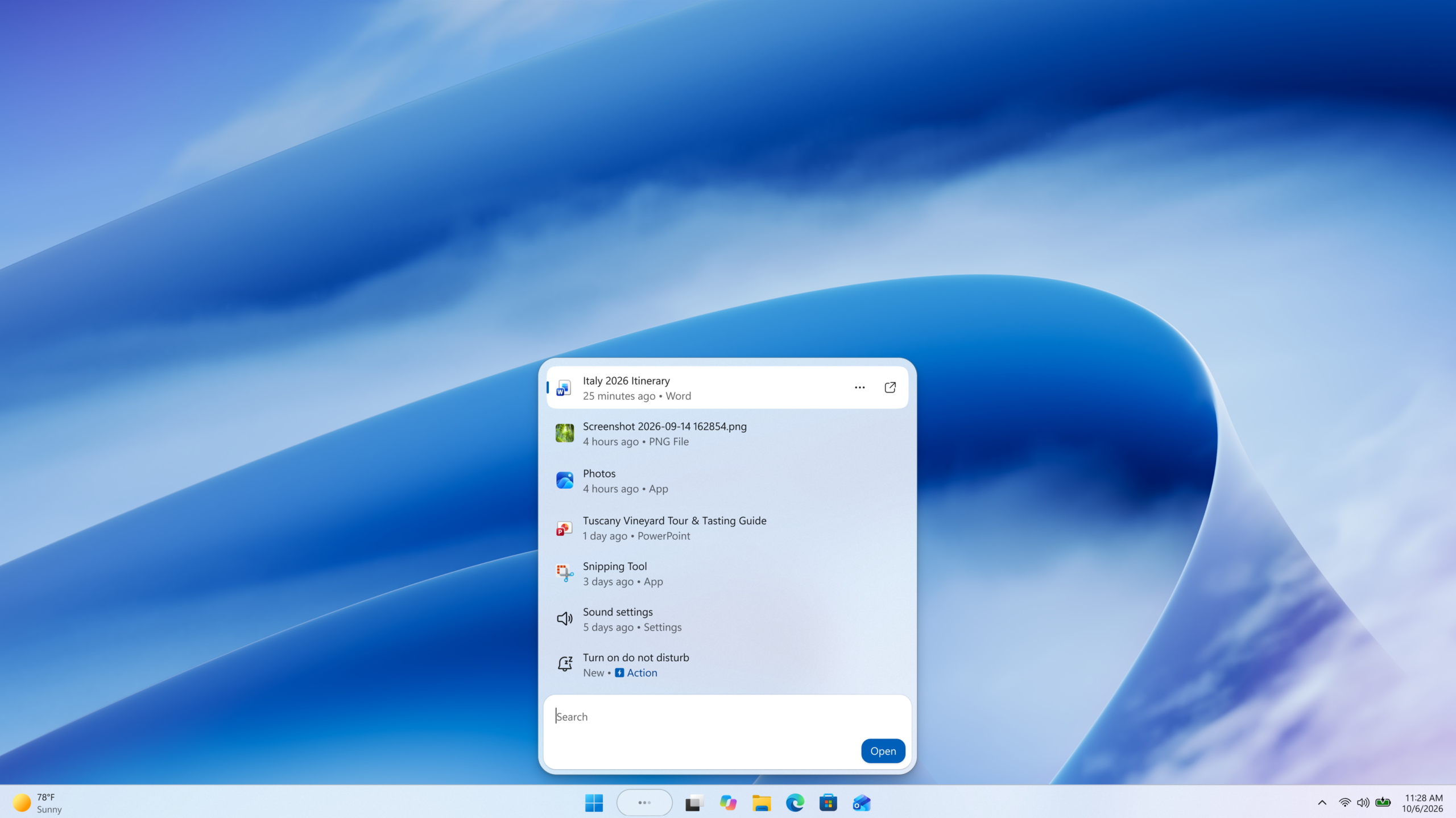
Hello Windows Insiders, You’ve been asking for search that is faster, more relevant, and easier to use—whether you’re opening an app, finding a file, or changing a setting. Because the Windows Search Box is where many people start, we focused first on making results more dependable, easier to scan, and clearer before you click.

Windows Search Box improvements gradually rolling out today to Windows Insiders

Today, we’re rolling out several improvements to Windows Search Box available to Windows Insiders in the Experimental channel. These improvements are gradually rolling out via Controlled Feature Rollout so not all Insiders will see them right away. You can reboot to see if you receive them today. They are also available via feature flags.
  • A calmer home screen. Search home has been simplified to reduce visual clutter and make it easier to get back to recent searches quickly.
  • Clearer results. Search does a better job showing where a result comes from—app, setting, file, web result, or Store suggestion—so it’s easier to tell what you’re looking at and where you will go before you click.
  • Promotional content has been removed from web results. Web results show the most relevant answer, instead of first showing related products and promotions, helping search feel more focused and less distracting.
  • You’re in control of web and Microsoft Store results. A new setting in Settings > Privacy & Security > Search lets you choose whether web and Microsoft Store suggestions appear alongside local results.
  • Local results prioritized when they’re the better match. Apps, settings, and files more reliably appear ahead of web and Store suggestions when your content is the stronger match. System items like This PC and Recycle Bin are easier to discover.
  • Finding apps is more forgiving. Search is better at handling typos, dropped letters, extra letters, and partial words for apps. Queries like “utlook” can still find Outlook.
  • Settings results are improving. We’ve made a first round of ranking improvements to help more relevant settings appear higher in results, with more tuning planned in the coming months.
  • Finding files is improving. Search is better at surfacing the right local files with added support for two-character file searches. We’ve also made improvements to show cloud and connected files in results when they’re the stronger match. These changes help you get to the document, download, or folder you are looking for faster.
  • Reliability is improving. Improved search reliability, including reducing likelihood of crashing and loading issue, with more work underway.

Try the changes and give us feedback

These improvements become available to Windows Insiders today in the Experimental channel. The changes in this post reflect the feedback you’ve shared, and we’ll keep refining them as they roll out to more Insiders. Share your thoughts in Feedback Hub (WIN + F) under Desktop Environment > Search. Jeff & Anderson   NOTE: Experiences vary by region.
  •  

Evolving Windows vulnerability management to meet the speed of AI-powered discovery

Windows has adapted to emerging threats for decades, all while operating at unparalleled scale. It's our responsibility to bring clarity, transparency and sustained investment so customers understand what is happening, what Microsoft is doing and how they can reduce their exposure. The pace of vulnerability discovery is changing with advances in AI making it possible to find more issues, faster, across more code, with new mechanisms that can accelerate both discovery and analysis. The fastest way to reduce customer exposure is to find issues before attackers can use them. Windows is expanding its ability across the platform to find issues earlier, accelerate the engineering work to fix them, strengthen validation and deliver timely, high-quality updates that keep customers protected.

Finding vulnerabilities earlier and at greater scale

By applying AI across security analysis, we can identify patterns faster, prioritize risk and scale vulnerability discovery across the Windows codebase. This helps reduce the time between discovery and customer protection. It includes using Microsoft Security’s multi-model agentic scanning harness (MDASH), which utilizes multiple models including leading third-party AI vulnerability discovery models. To run MDASH at Windows scale, Windows set up dedicated cloud infrastructure for scanning and proving. A scanner pipeline scans critical binaries and validates candidates using multi-model debate across multiple model families. Confirmed candidates then flow to a separate, Windows-specific prove pipeline that helps eliminate remaining false positives, so only the highest-confidence findings reach the engineering team. This automation helps handle a larger volume of potential vulnerabilities and shortens the review window for new ones, shrinking the attack window for zero-day exploits. This effort extends beyond Windows as we work across Microsoft to drive broader adoption of these tools and practices throughout both the company and the wider ecosystem. We partner closely with AI-powered scanning teams across Microsoft’s product divisions, sharing insights, comparing best practices and aligning on key findings. In parallel, we collaborate with the Microsoft Security Response Center (MSRC) to continuously refine the end-to-end process from vulnerability discovery and issue filing to remediation and validation. We also regularly reassess our prioritization and rollout strategy based on lessons learned and feedback gathered through our Chief Information Security Officers’ (CISOs) engagements with customers. We continue to evolve our internal systems and practices so that vulnerability discovery is not treated as a separate activity, but as part of how we build, review and improve Windows before new features or updates are released. As a part of this we are updating our Secure Development Lifecycle (SDL) best practices to ensure our secure-by-design approach explicitly accounts for potential AI-enabled attack techniques and exploit paths. That means using AI to help identify potential issues earlier in the development process, while relying on human expertise to evaluate findings, make risk-based decisions and ensure fixes meet the quality bar customers expect. As AI helps defenders discover more issues, customers will see a higher volume of security updates included in each security release. This is evidence that defenders are getting better at identifying and addressing issues. Our focus is to effectively utilize these AI tools to support faster protection, stronger engineering systems and more actionable guidance for customers.

Fixing responsibly with AI and engineering discipline

Windows is evolving our engineering and validation systems to reduce the time from discovery to protection, with areas where customer risk is greatest. As we build our end-to-end system from discovery to remediation of vulnerabilities on Windows, we’re making the following investments to help ensure that we are not compromising update quality as we gain speed:
  • We are integrating AI into our process to compress the path from discovery to a validated fix, helping engineers understand failures faster, propose candidate fixes consistent with the surrounding code, surface related issues elsewhere in the codebase and select the regression tests most likely to be affected by a change.
  • Windows updates undergo validation across a range of testing environments, including the Security Update Validation Program (SUVP) and internal validation designed to help evaluate compatibility, reliability and real-world usage scenarios. This broad validation helps identify functional, application compatibility and quality issues before updates are broadly released.
  • We’re also investing in new technology, including Windows-specific tools and agentic harnesses, to enable end-to-end generation and validation of fixes using AI, keeping humans in the loop when it comes to code review.
Customers rely on Windows updates to protect their environments, and they also need confidence that updates will deploy smoothly across diverse devices, applications and configurations. That is why quality remains central to this work. As we increase the pace of vulnerability discovery and remediation, we are also committed to giving customers practical ways to test, deploy and monitor updates in their own environments. In cases where customers see signals of potential issues or regressions, they can connect with Microsoft Customer Service and Support to report the issue and/or learn if it is a known issue. In the event of an issue, we are able to employ Known Issue Rollback (KIR), a mitigation technology that allows customers to quickly revert a targeted change, fix, functionality or feature that caused the problem, to its previous behavior. This approach allows the customer’s security protections to stay in place instead of uninstalling an entire update to fix an issue.

Helping customers safely stay current

The most important guidance is to stay current and take security updates as soon as possible. Timely patching is one of the most effective ways to reduce exposure, especially as AI accelerates the speed at which vulnerabilities can be discovered and exploited. We also recognize that every customer's situation is different. Many organizations need to assess risk, validate updates, sequence deployments and prioritize critical assets. When Microsoft releases security updates, we share Common Vulnerabilities and Exposure (CVE) information and high-level guidance about the vulnerabilities addressed in the Security Update Guide, including available context on risk and mitigations where applicable. Customers should use that information to build a risk map for their own estate, prioritize protections for high-value targets and accelerate deployment where exposure is greatest. To help organizations prepare with less disruption, we also provide production-quality optional non-security preview ("D") releases ahead of the planned security update release for the following month for testing. These cumulative releases include new features and quality improvements. We target optional non-security preview releases for the fourth week of the month, two weeks before they'll see these features become part of the next monthly security update. These previews enable compatibility testing across a broad set of devices, applications and environments, helping identify issues earlier and increasing confidence in the quality and deployment readiness of the subsequent monthly security updates. Security is not just about responding faster to vulnerabilities. It is also about reducing exposure to security attacks. Windows is designed with multiple layers of protection enabled by default, strong identity protection with Windows Hello, the ability to reduce reliance on administrator privileges, trusted application experiences and hardware-rooted security. Together, these capabilities help organizations reduce exposure, strengthen resilience and provide a more secure foundation as organizations assess, test and deploy updates across their environment. To learn more about Windows security, see the Windows 11 Security Book or the Windows Server 2025 Security Book for your Server fleet. Windows also works closely with Microsoft Defender and the broader security ecosystem to help protect customers during the window between vulnerability disclosure and full deployment of security updates. Where possible, Microsoft Defender provides detections and protections that add another layer of defense. Through programs such as Microsoft Active Protections Program (MAPP), Microsoft also collaborates with security protection and antivirus partners so they can prepare protections for customers as security updates are released. We recommend that customers update their security endpoint software to the latest version and take daily signature updates for best protection. Intune helps teams identify gaps, enforce compliance and deploy fixes across endpoints, and Azure Arc makes it easy to connect Windows Servers outside Azure to Microsoft Defender for Cloud.

Tools that make patching easier

A holistic patch strategy depends on tools that help teams move across the full lifecycle: automate what can move fast, identify what still needs attention and limit exposure when devices or apps fall behind. Modern management capabilities such as Windows Autopatch with hotpatch enabled, available in Microsoft Intune, can help accelerate security updates and minimize disruptions for your Windows 11 devices. With Autopatch, customers can configure the automatic deployment of Windows security updates, driver updates and firmware updates, across rings with the option to pause based on reliability signals, so issues can be contained before they spread. Autopatch now surfaces a security-risk and compliance overview with device-level drill-down, so customers can see where their estate is exposed and how to reconfigure their policies to stay more secure. Windows Servers can be hotpatched as well through Azure Arc, enabling rebootless security updates for your critical infrastructure and VMs across the fleet, manageable at scale with Azure Update Manager. Intune Enterprise Application Management helps keep apps current. Microsoft Defender Vulnerability Management, Windows and Intune insights help teams understand remaining exposure and prioritize remediation. Compliance policies, Conditional Access and security baselines help enforce the desired state across the endpoint estate, or harden devices when updates can’t be applied right away. Together, these capabilities help customers move from a time-based patching cadence to a more continuous, risk-based approach. For practical guidance on operationalizing patching across endpoint estates, see the Microsoft Intune blog on building a patch strategy for today’s threat pace. https://www.youtube.com/watch?v=QdjSkbKXoJw

Building trust through continuous improvement

The threat environment will continue to evolve as AI advances, with researchers continuing to find new classes of issues and attackers looking for ways to move faster. Our response is to keep strengthening the systems that help us find vulnerabilities earlier, fix them responsibly and support customers through safe, timely updates. As the pace of vulnerability discovery increases, customers shouldn’t have to choose between speed and stability. Our job is to help customers stay protected while deploying updates with confidence. Windows will continue investing in the systems, engineering practices and platform protections needed to reduce exposure responsibly at global scale.
  •  

New in Edge for developers – Style layout gaps, improve keyboard accessibility and migrate your PWA to a new origin

Welcome to New in Edge for developers, a new series featuring recent web platform updates in Microsoft Edge that help web developers build better sites and apps. In this first edition, we'll look at CSS gap decorations for styling the space between layout items, the focusgroup attribute for easier keyboard navigation, same-site PWA origin migration for moving an installed web app without disrupting users, and other improvements such as text-fit, flex-wrap: balance, and faster clipboard reads. We'll also preview upcoming features you can test today and share feedback on early, and highlight a few updates from across the broader web ecosystem, such as Modern Web Guidance, an AI coding agent skill helping you write better code.

Style layout gapsA demo news website with mutiple articles in columns, each with an image and some text. Articles are separated by dark lines.

CSS gap decorations let you style the gaps between items in flex, grid, and multi-column layouts directly, without relying on border hacks, pseudo-elements, or extra DOM elements. The new row-rule and extended column-rule properties, as well as the rule shorthand, support colors, patterns, and even the repeat() syntax for rich, consistent designs with minimal CSS.
.grid {
  display: grid;
  gap: 16px;
  row-rule: 1px solid #ccc;
  column-rule: 2px solid #333;
}
Learn more about CSS gap decorations and try our interactive playground.

Improve keyboard accessibility with focusgroup

A typical web app UI with a horizontal menu bar, a sidebnar, a toolbar, some tabs, and more widgets like accordions, and more. Overlaid on top of the UI are key strokes showing that the user is navigating between the different widgets with tabs, and navigating within the widgets with arrow keys. The focusgroup HTML attribute gives you arrow key navigation for composite widgets, such as toolbars, tabs, or menus, for free. With the focusgroup attribute you get automatic arrow key handling and focus memory, without any custom JavaScript roving tabindex code. To learn more, check out Making keyboard navigation effortless.

Migrate your PWA to a new origin

The window of an installed PWA called Old app. A button titled App update available is in the title bar, the user has clicked it, and a popup has appeared as an overlay on the app, showing the intended move from Old app to New app. The user can ignore the move, relaunch to update, or uninstall the app. You can now seamlessly migrate your Progressive Web App (PWA) to a new, same-site origin, preserving user installations and permissions. When a user installs a PWA, its identity is bound to its web origin (for example, example.com/app). Previously, changing the origin forced users to manually uninstall and reinstall the app. This is no longer necessary. Now, moving to a new origin such as app.example.com can happen without interruption to your users. To learn more, see Seamless PWA origin migration: Change domains without losing users.

And many other features

We've added many more web platform features to Microsoft Edge over the past fews releases. Check out the links below to find out more: For even more updates, check out our web platform release notes.

Ready for testing

While not yet available for general use, the following features are available for early testing and feedback. You can test these new features either locally, or on your production website with your own users, by registering for an origin trial. Your feedback is crucial to help us shape these next features and ensure they meet your needs as developers, and the needs of your users.

Network Efficiency Guardrails: monitor and improve your site's load performance

Complex sites that embed third-party content and are maintained by many different teams tend to run the risk of regressing load performance when strong guidelines and monitor practices are not in place. This is exactly what the Network Efficiency Guardrails feature provides. It surfaces performance violations automatically in production, so your teams can catch and fix them without manually auditing every page. To learn more and test the Network Efficiency Guardrails feature, see Monitor and improve your web app's load performance.

<install>: install web apps with a single HTML element

A website called The install Element store. The site has a button to install itself as an app. And it lists other apps, such as The PWinter, PWAmp, Bubble, and Matrix PWA, each with their own install button. The new <install> element gives you a browser-trusted install button with no JavaScript required. The browser controls the button's label and appearance, so a user click is a genuine signal of intent. You can even use the installurl attribute to build an app catalog that installs cross-origin web apps.
<!-- Install the current app -->
<install></install>

<!-- Install a different app -->
<install installurl="https://awesome-app.com/"></install>
To learn more, and get started, see our blog post: Install web apps with the new HTML install element.

CSS Grid Lanes: space efficient masonry layout

A photo gallery website, dark background, with the text New Work City, and a dozen or so photos of New York, placed in a space efficient masonry layout. Grid Lanes is a new type of CSS layout that allows items to be automatically placed in the next available space, creating a space-efficient masonry-like layout without needing to specify row heights or use JavaScript. Grid Lanes is ideal for galleries, portfolios, and any design where items have varying widths or heights.
.grid {
  display: grid-lanes;
  grid-template-columns: repeat(auto-fill, minmax(200px, 1fr));
}
To learn more, check out our demos.

New models and APIs for on-device AI

Our developer preview of the pre-release Aion-1.0-Instruct small language model is now available to use with the Prompt API and Writing Assistance APIs in Microsoft Edge. Aion-1.0-Instruct is smaller, faster, and more efficient than Phi-4-mini. It also expands support to significantly more devices. Check out our playground samples and share your feedback on GitHub. Summarizer API: a playground site with two columns. On the left: input text to summarize, and settings. On the right: summarized text. That's not all, starting with Microsoft Edge Canary or Dev 150, you can now also use the WebSpeech API to convert speech to text by using a local model, rather than a cloud-based solution. With on-device speech recognition support in Microsoft Edge, you can reduce your web app's running cost, be network independent, and improve privacy for your users. Speech Recognition API: a demo webpage that lets you choose an input language and an audio source, and which converts the audio source into written text. The audio meter shows current activity, and the output reads Hello, this is a test for on-device speech recognition. To learn more about Aion-1.0-Instruct, on-device speech recognition, and other on-device AI API updates, see Expanding on‑device AI in Microsoft Edge: New models and APIs for the web.

News from across the web platform

Beyond individual features, we also want to highlight a few updates from across the web platform and the broader web ecosystem.

Interop 2026 progress

The Interop 2026 home page, showing browsers' current scores, a graph with scores over time, and the list of focus areas with their scores per browser. The web moves forward by responding to new end-user and developer needs, and this is therefore a big part of what we do. But we also know that you need stability and consistency to build on. That's why we've been participating in the Interop project for the past five years, working with other browser vendors to identify and fix interoperability issues across browsers. This work is crucial to ensure that the web remains a healthy ecosystem where developers can build with confidence, and users can access content and applications regardless of their choice of browser. Interop 2026, the latest round of the project, is now well underway, and we've already made significant progress in fixing the issues identified during the planning phase. Between January and June 2026, Microsoft Edge's test pass rate increased from 77% to 97%, and we're hard at work on features such as Scoped custom element registries and WebTransport. Check out the Interop dashboard for more details on this year's focus areas and the progress made by all participating browsers.

Modern web guidance

We've partnered with the Google Chrome team to bring Modern Web Guidance to web developers. This ambitious project gives developers AI skills they can use with their AI coding agents, to build better web apps based on best practices under rigorous evals. We want to hear from you about this project. Did you try it? Did you find the results helpful? Are there other features you'd like to see included? Please let us know by using the public repo.

Closing words

On the Microsoft Edge web platform team, we're always listening to what users and web developers need, and pushing for a better, more capable web. Our work is never done; a healthy web is one that keeps improving to meet ever evolving needs. We hope these recent feature additions and early experiments are useful to you and your users. As always, let us know your feedback and other unsolved use cases. With your help, we can make your lives as developers easier, and your web products better for users.
  •  

Announcing new builds for July 6 2026

Hello Windows Insiders, We have new releases today with builds across Beta and Experimental. New builds this week Today we are releasing new Windows 11 Insider Preview Builds. As a reminder, all Insiders can find the release notes for your device based on the new channel system, even if you haven’t moved yet. This is to make finding build information as easy as possible during the transition. See your channel release notes here: For those on other specific build versions, here are today’s new builds and release notes:
  • Beta (26H1): Build 2820.2380
  • Experimental (26H1): Build 28120.2387
  • Experimental (Future Platforms): We do not have a new build for this channel today, keep an eye out for future announcements.

Notable new features:

[Cloud Recovery]

Release channel: Experimental
  • We're introducing Cloud rebuild, a new recovery option that restores a Windows 11 PC to a clean, known-good state by performing a full OS reinstall, even when Windows won't boot. Unlike Reset this PC, Cloud rebuild downloads both the target Windows image and the device's drivers from Windows Update, so the device comes back fully functional without USB media, without a custom image, and without depending on the health of the currently installed OS.
[caption id="attachment_179033" align="aligncenter" width="811"]The new Cloud rebuild option in Windows Recovery Environment (WinRE), enabling a full Windows reinstall using files downloaded from Windows Update. The new Cloud rebuild option in Windows Recovery Environment (WinRE), enabling a full Windows reinstall using files downloaded from Windows Update.[/caption] To learn more, see https://aka.ms/CloudRebuild.

[Account Control]

Release channel: Experimental
  • The Windows 11 Account Control flyout has a refreshed, modern design and a clear subscription badge to make the user's account status instantly visible. This helps users easily identify their plan, discover benefits, and explore upgrades.
[caption id="attachment_179034" align="aligncenter" width="1024"]UI showing the refreshed Account Control flyout with subscription badges, account benefits, and storage details. UI showing the refreshed Account Control flyout with subscription badges, account benefits, and storage details.[/caption] Thanks, Stephen and the Windows Insider Program team
  •  

Elder Scrolls Online introduces new in-game event: High Seas of Tamriel

Fans of PC favorite Elder Scrolls Online can look forward to a new in-game event: the High Seas of Tamriel, which XBOX Wire’s Mike Nelson framed as one of the franchise’s bigger experiments, especially with naval combat. Nelson caught up with Game Director Nick Giacomini and Associate Design Director Jason Barnes to learn more about it. “It is very different from any of the events that we’ve ever done in The Elder Scrolls Online,” Giacomini says. “It is a destination as opposed to amplifying the world…It involves underwater combat. It involves these kinds of scavenger-hunt collection-type things, like messages in a bottle.” Find out more at XBOX Wire.
  •  

Announcing new builds for 26 June 2026, retail launch of new WIP improvements

Hello Windows Insiders, We have new releases today with builds across Beta and Experimental, and are excited to begin rolling out the new Windows Insider experience to retail Windows 11 builds this week! New Windows Insider Program changes launching into retail After validating through the Windows Insider channels, and receiving much feedback from the Insider community, we are excited to begin rolling out the new program changes into retail. This means those on standard retail Windows 11 builds (i.e. non-Windows 11 Insider Preview Builds) will begin seeing the new channel experience in the WIP UI settings. This can be found under Settings > Windows Update > Windows Insider Program. Please note this will be a gradual roll out, so don’t worry if you are on a retail build and do not see the new channel options just yet – these will roll out to everyone over the coming weeks. For more information about the changes that the new WIP experiences bring, read the original announcement blog here. We have also updated the Windows Insider Program website, as well as the Windows Insider Program Documentation Hub to reflect the new program changes. If you are not currently running a Windows 11 Insider Preview Build, there has never been a better time to start flighting – you’ll get early access to new Windows 11 features, enhance your say in the development of Windows, and now in most cases, you will be able to switch channels or exit the program without having to do a full reinstall of Windows if you find it's not working for you. See the WIP Documentation Hub for more information. Thank you to everyone who has provided feedback on the new WIP experiences – we continue to listen to your feedback and look forward to providing more resources and updates in the coming weeks! New builds this week Today we are releasing new Windows 11 Insider Preview Builds. See your channel release notes here: For those on other specific build versions, here are today’s new builds and release notes:
  • Beta (26H1): Build 28020.2366
  • Experimental (26H1): Build 28120.2374
  • Experimental (Future Platforms) – Including Canary 29600 series: Build 29617.1000
    • Please note we have not yet launched the new Windows Insider program changes for those in Experimental (Future Platforms), currently Canary 29600 builds. We will be providing an update on this in the very near future.

Notable new features:

[Taskbar]

New Taskbar size setting Release channel: Experimental
  • Taskbar customization just got easier. As we continue to make improvements to the Taskbar experience mentioned last month, we've introduced a dedicated Taskbar Size setting, making it simpler to find, understand, and personalize your ideal taskbar experience.
[caption id="attachment_179025" align="aligncenter" width="998"]Screenshot showing ability to change taskbar size Screenshot showing ability to change Taskbar size[/caption] Thanks, Stephen and the Windows Insider Program team
  •  

Age of Empires Mobile: PC Edition now available

Great news for players of Age of Empires Mobile! The game is now available on Steam and the Microsoft Store for PCs. Players who’ve started on mobile can continue to play between their phone, tablet and/or PC without losing progress. The PC Edition optimization includes mouse control and full keyboard navigation. Get all the details on Age of Empires.
  •  

Announcing new builds for 19 June 2026, version 26H2 for Experimental

Hello Windows Insiders, We have new releases today with builds across Beta and Experimental, including Windows 11, version 26H2 for Experimental. Windows 11, version 26H2 Windows 11, version 26H2 represents our yearly second half major update as part of our standard annual Windows 11 update cadence. As Windows 11, version 26H2 shares the same servicing branch as Windows 11, version 25H2, the update is implemented through an enablement package (eKB). This means your device will be updated to the next version through a single restart – providing a familiar, fast, and reliable update experience. Devices already enrolled in the Experimental channel will begin seeing their versioning updated to version 26H2 under Settings > System > About (and winver). If you are in the Beta channel and would like to switch to the Experimental, you can easily do so under Settings > Windows Update > Windows Insider Program. Remember, you can easily switch back to Beta at any time, without having to do a full Windows reinstall. Not currently enrolled in the Windows Insider Program and wanting to preview version 26H2? Register for WIP selecting the Dev channel, while it's transitioning to Experimental. Once the transition is complete, the new channel name to preview version 26H2 will appear as Experimental. For more information on Windows 11, version 26H2, especially for IT professionals, please see Get ready for Windows 11, version 26H2. Note: Devices running Windows 11, version 26H1 will not be able to update to version 26H2. Instead, they’ll have a path to update to a future Windows release. This is because Windows 11, version 26H1 is based on a different Windows core than Windows 11, versions 24H2, 25H2, and 26H2. Here’s What to know about Windows 11, version 26H1. New builds this week Today we are releasing new Windows 11 Insider Preview Builds. As a reminder, all Insiders can find the release notes for your device based on the new channel system, even if you haven’t moved yet. This is to make finding build information as easy as possible during the transition. See your channel release notes here: • Beta: Build 26220.8690 • Experimental: Build 26300.8697 For those on other specific build versions, here are today’s new builds and release notes: • Beta (26H1): Build 28020.2308 • Experimental (26H1): Build 28120.2315 • Experimental (Future Platforms) – Including Canary 29600 series: Build 29613.1000 Thanks, Stephen and the Windows Insider Program team
  •  

Introducing the next Surface Pro and Surface Laptop, built for performance and flexibility

For more than 13 years, Surface has been shaped by the people who use it. Architects sketch buildings, developers train models, students build startups and field engineers solve problems that rarely make headlines. We didn't intend to design for one audience, but the people who’ve chosen Surface have defined it through their work. They build, shape, solve and ship, often before anyone else sees what’s coming. That pattern is now the platform: new devices, new features and a continued commitment to the makers who show us what Surface means by how they use it.

Expanding Surface for the work ahead

2026 has brought important updates for Surface. We delivered our broadest Surface for Business lineup to date, with new enterprise features including an integrated privacy screen. Later this year, we’ll deliver Surface Laptop Ultra, our most powerful Surface Laptop ever, built for developers and creative professionals pushing their work further. We’ll also deliver Surface RTX Spark Dev Box, an entirely new category of Surface hardware purpose-built for AI developers who need sustained local compute. Surface is investing everywhere: from entry points to ultra-premium performance, from the enterprise to the individual maker. Today, we’re introducing the next Surface Pro and Surface Laptop, powered by Snapdragon X2 processors. https://www.youtube.com/watch?v=hsles7xMMFA

New: Surface Pro and Surface Laptop with Snapdragon X2

The next Surface Pro and Surface Laptop ship with Snapdragon X2 processors, delivering more performance for the work people do every day. These new PCs are available starting June 16, with Surface for Business availability beginning July 14. Surface Pro floating with keyboard separate

Surface Pro 13-inch: The most versatile 2-in-1 PC

Available in Platinum, Black and Dune [1], the new Surface Pro combines the flexibility of a tablet with the capability of full Windows, so you can move from sketching and notetaking to real desktop work on one device. Starting at $1,499 (MSRP), the new Surface Pro 13-inch with Snapdragon X2 delivers up to 53% faster graphic performance than the previous generation [2], up to 15.5 hours of battery life [3] and a 1440p Quad HD camera with ultrawide field of view for clear video and natural framing on screen. With a stunning optional OLED display, it delivers deeper blacks, higher contrast and greater color accuracy, so you can trust what you’re seeing without second guessing. Paired with the optional Surface Pro Flex Keyboard, now available in Dune, this is the 2-in-1 for the makers who want a lightweight tablet without stepping down from the power and flexibility of Windows. No tradeoffs required. Surface Laptop open and floating with screen facing left

Surface Laptop 13.8-inch and 15-inch: All-day performance

Starting at $1,599 (MSRP), the Surface Laptop pairs the premium build quality Surface is known for with the power of Snapdragon X2 with up to 58% more graphics performance than the previous generation [4]. The new Laptop delivers up to 20 hours of battery life on the 13.8-inch and up to 19 hours on the 15-inch [5]. Whether you're running local models, collaborating across time zones or deep in a creative workflow, it keeps up when the work stacks up. That focus carries through to the display. Both models feature bright, color-accurate LCD screens, and the new Surface Laptop 15-inch display gets sharper, jumping from 201 PPI to 262 PPI for greater detail and clarity. In addition to Platinum, Black and Dune, the 13.8-inch Surface Laptop comes in a beautiful new color: Jade. Round it out with the No.1 ranked laptop camera by DXOMARK [6], and Surface Laptop holds its place as the everyday workhorse of the lineup.

Making AI work for real work

We don't believe AI should be confined to one place. Some workloads belong on device: processed locally, fast always available. Others need the scale of the cloud. Most real work moves between both, sometimes in the same session. Surface is built for that reality. With dedicated NPU silicon, optimized Windows integration and full cloud connectivity, every new Surface device is designed to run AI workloads wherever they make the most sense. On-device inference. Cloud-scale processing. Create hybrid workflows that can move seamlessly between both. Wherever the work moves, Surface is built to move with it.

Feedback you can feel

A good interface gives back more than you put in. Across the touchpad on the new Surface Laptop and Slim Pen with Surface Pro, feel subtle haptic feedback across Windows and the apps you use every day. Snap a window into place. Scrub through a video. Create in Affinity. Every move lands. This isn't a feature for the spec sheet. It's clarity, so actions feel certain. Inclusion, so feedback reaches past what you can see and hear. Delight, so the small moments feel made for you. Learn more at Microsoft Design about how advanced haptics in Windows 11 bring clarity, inclusion and delight to everyday interactions. Illustration of green sandy pattern Our partnership with Affinity runs deeper than a touchpad gesture. Surface Pro and Surface Laptop ship with Affinity pinned to the Start menu [7], ready the moment you sign in with professional-grade design, photo and publishing tools, tuned to take full advantage of Surface hardware for a smooth and responsive experience.

Designed with sustainability and repair in mind

Surface devices are built with sustainability in mind. Surface Laptop 13.8-inch and 15-inch and Surface Pro 13-inch are made with a durable 100% recycled aluminum enclosure, reducing reliance on virgin materials [8]. These devices are also built for high performance and energy efficiency. Each device is certified by ENERGY STAR, all outperforming the efficiency baseline by at least 50% [9]. The new Surface Repair Tool gives you guided repair workflows designed by Microsoft. From one screen, you can see your device’s model and key device information, run tests on supported components (including the battery, display, or camera) and walk through guided repairs for eligible parts like the battery, display, touchpad or motherboard. Screenshot showing Surface Repair Tool

Find your next Surface on Microsoft.com

Discover the new Surface lineup and find the one that’s right for you at Microsoft.com. For a limited time, customers in the U.S. can take advantage of our exclusive hero offer from June 16 through June 30, including a free Surface Pro 13-inch Keyboard when purchasing a Surface Pro 13-inch or a free Surface Arc Mouse when purchasing a Surface Laptop 13.8-inch or Surface Laptop 15-inch, plus 50% off Microsoft Complete for added protection. When you shop at Microsoft Store, you’ll also benefit from added value. Our trade-in plus-up offer can save you up to $900 when you trade in your old device. Our 60-day return policy provides additional peace of mind and a one-year manufacturer warranty included with every device makes it easier than ever to upgrade with confidence.

What you make next

Thirteen years in, we’re driven by the same goal we’ve always been: empowering people to realize their vision and create new worlds. We’ll keep building. The rest is yours. Visit Surface.com to explore the new lineup. [1] Colors available on selected models only. Available colors, sizes, finishes and processors may vary by store, market and configuration. [2] Tested by Microsoft April 2026 using 3DMark Steel Nomad benchmark comparing Surface Pro, 13-inch (12th Edition) with Snapdragon X2 Elite to Surface Pro 13-inch (11th Edition) with Snapdragon X Elite devices. [3] Based on local video playback test. Battery life varies significantly based on usage, network and feature configuration, signal strength, settings and other factors. See aka.ms/SurfaceBatteryPerformance for details. [4] Tested by Microsoft April 2026 using 3DMark Steel Nomad Lite benchmark comparing Surface Laptop, 13.8 -inch and 15-inch (8th Edition) with Snapdragon to Surface Laptop, 13.8-inch and 15-inch (7th Edition) with Snapdragon. [5] Based on local video playback test. Battery life varies significantly based on usage, network and feature configuration, signal strength, settings and other factors. See aka.ms/SurfaceBatteryPerformance for details. [6] Based on commissioned testing by DXOMARK in April 2026 of Surface Laptop, 13.8-inch with Snapdragon X2 M10 16GB/256GB and the DXOMARK laptop camera ranking as ofJune 16. 2026. Claim applies only to devices with the same camera hardware, firmware and settings as tested. Rankings may change. More information: Laptop Ranking - DXOMARK [7] On Surface for Business devices, Affinity app requires installation. [8] Surface Pro, 13-inch enclosure includes bucket, kickstand. 86% recycled content in the enclosure, consisting of 100% recycled aluminum alloy in bucket, and 100% recycled rare earth metals in the magnets. Surface Laptop, 13.8-inch and 15-inch, enclosure includes A Cover and C Bucket. 64% recycled content in the enclosure, consisting of 100% recycled aluminum alloy in A Cover and C Bucket, and 100% recycled rare earth metals in the magnets. Based on validation performed by Underwriter Laboratories, Inc. using Environmental Claim Validation Procedure (ECVP) for Recycled Content, UL ECVP 2809-2, Second Edition, dated June 2024. [9] Comparison based on product energy consumption vs. ENERGY STAR certification limits for personal computers. Actual performance varies by configuration and usage.
  •  

Announcing new builds for 12 June 2026

Hello Windows Insiders, We have a number of releases today with new builds across Beta, Experimental and Release Preview. Release notes for inbox Windows 11 apps Windows 11 inbox apps are now getting their own release notes section on the Windows Insider Program Documentation Hub site. This is to help make finding app updates easier, with each inbox app getting its own dedicated page as new updates rollout. Check out some of the app updates rolling out to Experimental across Calculator, Camera, Clock, Media Player, Paint, Photos and Sound Recorder. More apps will be added over time. New builds this week Today we are releasing new Windows 11 Insider Preview Builds. As a reminder, all Insiders can find the release notes for your device based on the new channel system, even if you haven’t moved yet. This is to make finding build information as easy as possible during the transition. See your channel release notes here: For those on other specific build versions, here are today’s new builds and release notes:
  • Beta (26H1): Build 28020.2298
  • Experimental (26H1): Build 28120.2302
  • Experimental (Future Platforms) – Including Canary 29600 series: Build 29610.1000
    • Note: The issue affecting AMD machines supporting System Guard has been resolved meaning these devices will be offered the Experimental (Future Platforms) build as usual
We also have Release Preview builds today for 24H2/25H2 and 26H1:

Notable new features

[Windows Update]

Release channel: Experimental
  • As announced in the Windows Update announce blog, we are rolling out a new unified update experience to reduce the number of reboots you see per month. We are starting by coordinating driver, .NET, and firmware updates to align with the monthly quality update, reducing the update experience to a single monthly restart. See the blog for more information.

[Search]

Release channel: Experimental
  • Finding apps is more forgiving. Search is better at handling typos, dropped letters, extra letters, and partial words for apps. Queries like “utlook” can still find Outlook.
  • Settings results are improving. We’ve made ranking improvements to help more relevant settings appear higher in results.
Thanks, Stephen and the Windows Insider Program team
  •  

Faster updates, enterprise-friendly schedule: the new Microsoft Edge release cycle

Microsoft Edge is moving to a two-week release cycle, bringing new features and improvements to users and organizations faster than ever. This is great news for teams that thrive on innovation: instead of waiting a full month for the next update, you get a steady, continuous stream of new capabilities to put to work sooner. For organizations that prefer a more deliberate pace, Extended Stable is not changing. We introduced it in 2021 to provide a longer, predictable rhythm, and that commitment remains firmly in place. Extended Stable remains unchanged in timing.

Changes to the release schedule

Starting with Microsoft Edge 152 (Stable on August 27), Edge will move to a 2-week release cycle. Extended Stable will now receive updates every fourth release (for example, 156, 160, 164). The time between Extended Stable updates stays the same, at every eight weeks. Microsoft Edge Stable release moving to every two weeks. Diagram showing the schedule for Stable, and Extended Stable. For customers on Stable, the practical effect of the new cycle is smaller, steadier change. Each release brings about half as much new content as before, delivered twice as often. Security and platform improvements reach your users faster, and each change set is smaller, which can make validation more manageable. Both channels receive critical security updates. The difference is how quickly new features arrive: Stable delivers them on the new 2-week cycle, while Extended Stable spaces feature updates over an 8-week window for organizations that prefer a longer planning rhythm.

Recommended action

In summary, here is what to do, depending on the channel you run:
  • If you are on Extended Stable: no action needed. Your 8-week cycle and the same support model continue.
  • If you are on Stable: plan for smaller, more frequent change sets and faster delivery of security improvements.
  • Whichever channel you run: add a pilot group to Beta and start testing from day one to maximize your validation time.
Early testing gives you more time to identify issues, provide feedback, and address them before the Stable release reaches your organization. Enterprise Preview is our supported path for piloting Beta, with setup guidance built for IT admins, which helps you stay ahead of the faster cadence. To prepare for the transition, please refer to the updated Microsoft Edge release schedule and the Microsoft Edge Lifecycle page. We will continue to share updates through the Microsoft Edge Blog and the Microsoft 365 Message Center. The pace of Edge is accelerating, and your users get to enjoy the payoff: more features, more improvements, arriving sooner and more often. And whatever pace suits your organization, you stay in control of it. We appreciate the partnership of our customers, and we are committed to supporting every team, on every channel, as Edge keeps getting better, faster.
  •  

Computex 2026: Empowering a billion users with Windows across the ecosystem

Computex has always been one of the most important moments of the year for the PC industry — a stage where our partners come together to show what is next for hardware, silicon and the experiences they unlock. This year our partner ecosystem is shaping the future of the PC for more than a billion daily users around the world. Partners unveiled a new wave of Windows 11 PCs that span every form factor and customer need. Together, these announcements reflect the deep collaboration across the Windows ecosystem and how it is accelerating industry‑wide transformation — delivering greater performance, more efficiency and thoughtful new designs for the way people work, create and play. The power of the Windows platform means that there’s a Windows device for every person and purpose no matter what price point. Let’s look at a selection of the key announcements from our partners at Computex 2026.

New Windows 11 PCs from across the ecosystem

Acer

Acer announced a comprehensive lineup of innovation, with all new laptops running on Windows 11. The lineup featured Copilot+ PCs prominently, including several new entries to Acer’s mainstream Aspire product line: the high-powered Aspire X 16 AI laptop for prosumers, the Aspire 18 AI laptop with greater screen space for creative workflows and productivity and the Aspire C AI Series all-in-one desktops with an innovative new ErgoStand design. Acer also added two new Copilot+ PCs to the premium Swift line with two versions of Swift Spin 14 AI one powered by Intel Core Ultra Series 3 processors and the other by Snapdragon X2 Series processors — also marking Acer’s first convertible 2-in-1 laptops under the Swift line. [caption id="attachment_263872" align="alignnone" width="1024"]Floating laptop with stylus also floating in front of it, with display in various positions Acer Swift Spin 14 AI[/caption]

ASUS

ASUS showcased its latest AI PC portfolio designed to make AI more practical and accessible for every user. The new ProArt P16 and P14, powered by NVIDIA RTX Spark, bring next-generation agentic AI workflows and powerful local AI capabilities to creators and developers. For mainstream consumers, the new Zenbook 14 delivers a Windows experience with premium design, all-day mobility and fresh new Ceraluminum colors, while the Snapdragon-powered Vivobook S series expands AI-enhanced productivity to an even broader audience. Together, these innovations demonstrate ASUS’ vision of bringing advanced AI experiences across every category of personal computing. [caption id="attachment_263865" align="alignnone" width="1024"]Two laptops open and floating back to back Asus ProArt Laptop[/caption] The 2026 ROG Strix SCAR 18 redefines the gaming flagship laptop with up to 320W total system power, powered by up to an Intel Core Ultra 9 processor 290HX Plus and an NVIDIA GeForce RTX 5090 Laptop GPU, and featuring the world’s first 18-inch 4K 240Hz Mini LED ROG Nebula HDR display with ROG Nebula Extreme Low Motion Blur (ELMB) for uncompromising gaming and creator experiences [1].

Dell

The new XPS 13 starting at $699 proves that a lower price doesn't mean accepting less. As Dell's thinnest and lightest laptop yet, with up to 17 hours of streaming battery life, it delivers true all-day portability. Every detail reflects XPS craftsmanship – from the durable CNC aluminum chassis to the 2.5K touchscreen, backlit keyboard and Intel Wi-Fi 7 that all come standard, redefining what a premium laptop can be at this price.

“With XPS 13, we’re proving that a lower price doesn’t mean accepting less. It's the thinnest and lightest XPS we've ever built. This reflects where XPS is headed: more power, more innovation and stronger competition across price points.” - Donnie Oliphant, XPS Product Lead, Dell Technologies

[caption id="attachment_263866" align="alignnone" width="1024"]Two laptops open and floating back to back Dell XPS 13[/caption] The XPS 16 Creator Edition is a creator-class laptop built for the most demanding creative and developer work on the go. Powered by NVIDIA RTX Spark with a powerful RTX GPU and ultra-efficient CPU, it's the first XPS laptop to deliver NVIDIA's full stack AI platform and complete suite of NVIDIA RTX technologies in a portable form factor. It delivers smoother playback on 4:2:2 4K timelines, faster exports, more responsive multitasking across complex 3D scenes and compositing work, and a more fluid experience with AI-assisted creation. [caption id="attachment_263864" align="alignnone" width="720"]Two laptops open and floating back to back Dell XPS 16 Creator Edition[/caption]

HP

Beginning later this year, HP will bring RTX Spark to its HP OmniBook Ultra 16 and HP OmniBook X 14 laptops, built for powerful performance. The company is also planning to expand its RTX Spark offerings with a compact desktop, bringing new choices to creators, AI enthusiasts and developers. RTX Spark is designed for creators, gamers and AI developers, bringing NVIDIA’s full-stack AI platform and suite of RTX technologies to slim laptops with all-day battery life. [caption id="attachment_263873" align="alignnone" width="1024"]Laptop floating in black background HP OmniBook Ultra 16[/caption]

MSI

MSI unveiled the Prestige N16 Flip AI+, the company’s first laptop developed in collaboration with NVIDIA powered by the new RTX Spark. It reinvents personal computing, combining advanced content creation, AI development and high-performance gaming in a new platform engineered from the ground up for the next wave of Windows PC experiences. It features a 16-inch UHD+ Tandem OLED display with a dual-layer emissive structure that stacks two OLED layers to share light output. This advanced panel technology delivers over 1000 nits of peak brightness while improving display longevity and power efficiency. Designed for versatile everyday use, the 2-in-1 flip design allows seamless transitions between laptop, tablet, tent and presentation modes, adapting easily to different workflows and environments. [caption id="attachment_263874" align="alignnone" width="960"]Laptop open with back of device at an angle Prestige N16 Flip AI+[/caption] MSI also announced its latest innovation in handheld gaming, the Claw 8 EX AI+, powered by Intel Arc G3 Extreme processors. It delivers a significant leap in graphics performance, enabling exceptional AAA gaming on handheld devices while maintaining strong power efficiency for extended play sessions. Designed for sustained gaming on the go, the Claw 8 EX AI+ features an 8-inch 120Hz VRR display, delivering fluid visuals. [caption id="attachment_263887" align="alignnone" width="1024"]Closeup of Claw handheld device Claw 8 EX AI+[/caption]

Surface

The Surface Laptop Ultra is the most powerful Surface Laptop ever built, designed for world makers, creative pros, developers and AI builders. Powered by an NVIDIA RTX Spark superchip, Surface Laptop Ultra combines a powerful NVIDIA Blackwell RTX GPU, full CUDA support and up to 128GB of unified memory to help creators and developers take on demanding local AI, rendering, compiling and multi-model workflows in a thin, precision-engineered laptop. Surface Laptop Ultra brings uncompromising craft and raw power to the people creating what’s next, with up to 1 petaflop of AI compute, capable of running up to 120B parameter models with 1 million token context locally [2]. It pairs that performance with the hardware world makers need on the go: a 15-inch mini-LED PixelSense Ultra touchscreen, all-day battery life and creator-ready ports. To learn more, visit the Devices blog by Brett Ostrum, Corporate Vice President, Surface. [caption id="attachment_263860" align="alignnone" width="1024"]Image of black Bloom on screen of Surface Laptop Ultra Surface Laptop Ultra[/caption]

Next generation silicon powering AI PCs

Intel

Intel introduced Intel Arc G-Series processors, a new family of products designed for next-generation handheld gaming systems. Launching with Intel Arc G3 and Intel Arc G3 Extreme processors running on Windows 11, the series builds on the architecture of Intel Core Ultra Series 3 to bring optimized performance and power efficiency to portable play. Designed for handheld with optimized core counts, power management and software, Intel Arc G3 processors deliver leadership performance and efficiency for smooth, immersive gameplay and exceptional battery life without compromise. Handheld designs from leading partners will launch in the coming months, beginning with Acer’s Predator Atlas 8, MSI Claw 8 EX AI+ and OneXPlayer. closeups of Intel ARC G3 Extreme chip and G3 chip

"Intel Arc G-Series represents years of focused innovation and a deep commitment to gaming. It delivers uncompromising PC performance in the palm of your hand, combined with the console-like accessibility and immediacy gamers expect. With cutting-edge graphics technologies like XeSS 3 and breakthrough efficiency for longer unplugged play, Intel Arc G-Series proves that while others make tradeoffs, gamers don't have to." – Dan Rogers, Vice President and General Manager, PC Product, Client Computing Group

NVIDIA

At Computex 2026, NVIDIA CEO Jensen Huang announced the RTX Spark, a new Arm-based AI superchip developed in collaboration with MediaTek and Microsoft, designed to run personal AI agents locally on Windows laptops and compact desktops. It is designed for AI, creating and gaming, delivers up to 1 petaflop of AI performance, Blackwell RTX cores, industry-leading power efficiency, full-stack NVIDIA AI and graphics technology and up to 128GB of unified memory. NVIDIA and Microsoft collaborated to bring NVIDIA OpenShell runtime to Windows, built on MXC. Integrating MXC through OpenShell provides an easy-to-integrate package for developers to deploy autonomous, always-on agents safely. Beginning this fall, RTX Spark will power a full range of Windows laptops and small form factor desktop PCs, with Microsoft Surface, ASUS, Dell, HP, Lenovo and MSI. Jensen also announced the NVIDIA DGX Station for Windows, a deskside AI supercomputer powered by the GB300 Grace Blackwell Ultra Desktop Superchip. It allows enterprise developers to run frontier AI models with up to 1 trillion parameters locally on Windows environments without cloud costs. [caption id="attachment_263879" align="alignnone" width="1024"]Photo of a man on a stage in front of a blown up photo of a chip Beginning this fall, NVIDIA RTX Spark will power a range of Windows laptops from Microsoft Surface, ASUS, Dell, HP, Lenovo and MSI, Surface RTX Spark Dev Box from Microsoft Surface, and small form factor desktop PCs from Acer, Asus, Dell, Gigabyte, HP, Lenovo and MSI. We're also introducing the NVIDIA DGX Station for Windows that puts a trillion-parameter AI supercomputer on every enterprise desk.[/caption]

Qualcomm

Ahead of Computex, Qualcomm Technologies, Inc. announced the Snapdragon C Platform, a new entry-tier processor designed to make modern, responsive computing more accessible for students, families and small businesses. It delivers efficient performance with cool, quiet designs and all-day battery life. In tandem with Qualcomm’s announcement, Acer unveiled the Acer Aspire Go 15, expanding access to capable laptops at more affordable price points, becoming the first PC maker to announce a device powered by the new Snapdragon C processor. The company also introduced the Acer Swift Spin 14 AI, powered by Snapdragon X2 Elite or X2 Plus, delivering up to 80 TOPS of AI performance. ASUS announced the ASUS Ascent QN10, the world’s first AI mini PC powered by the Snapdragon X2 Elite platform, featuring an 80 TOPS NPU. The device supports intelligent, agentic AI experiences and expands Snapdragon X2 Elite into a new mini PC form factor. Together, these announcements highlight a significant leap in performance and AI capability while broadening Qualcomm Technologies’ compute portfolio across tiers and form factors.

“As costs rise and customer expectations evolve, Snapdragon C brings together value-oriented computing, all-day battery life, AI capabilities and responsive performance in cool-quiet devices for expanded platform choice. We’re delivering modern computing experiences that help our ecosystem reach new audiences and expanding access to reliable, efficient technology for students, families, customer-facing small businesses and beyond.” - Kedar Kondap, Senior Vice President and General Manager of Compute and Gaming, Qualcomm Technologies, Inc.

“Acer’s announcements reflect the strength and breadth of the Snapdragon portfolio from premium AI experiences with the Snapdragon X2 Series to accessible, everyday computing with the new Snapdragon C Platform. Together, these platforms are helping expand the Windows ecosystem, while giving our partners new opportunities to reach more users.” - Nitin Kumar, VP, Product Management, SVP & GM, Compute and Gaming, Qualcomm Technologies, Inc.

close-up of Snapdragon chip with black logo on white/clear chip

Empowering a billion users together

These announcements and many more from our partners last week are a powerful reminder of what makes Windows special: an open ecosystem of partners pushing boundaries together, delivering performance, longer battery life, AI experiences and thoughtful design across more form factors than any other platform. From everyday productivity to premium consumer devices to commercial fleets and frontline workhorses, the Windows ecosystem is meeting customers wherever they work, create and play. Thank you to every partner who joined us in Taipei, to the teams who made it happen, and to the more than a billion daily users who continue to choose Windows. If you are looking for a new Windows 11 PC, there has never been a better time to explore the wide range of devices available from our partners and find the one that best fits the way you live and work. [1] Based on publicly available information as of April 2026, ROG Strix SCAR 18 is the only gaming laptop known to feature a 4K resolution and 240Hz refresh rate in a single 18" mini-LED panel with ELMB.  [2] Source: NVIDIA. Based on 1 Theoretical FP4 TOPS using the sparsity feature.
  •  

Announcing new builds 8 June 2026

[Update 6/11/2026: Release notes have now been published to Windows Insider release notes - Windows Insider Program | Microsoft Learn.]   Hello Windows Insiders,   Announcing several new builds today across Beta and Experimental, including a new build train for 26H1!  New build series for Windows 11 26H1  Today we are releasing a new Windows 11 Insider Preview Build train for Windows 11 version 26H1. As mentioned in previous blogs, Insiders in the Experimental (26H1) channel who had since selected to move to the Beta experience, were still receiving the same build version while we worked to introduce a new branch.   Starting today, Insiders in the Experimental (26H1) channel will begin receiving a new 28100 series build number, while we officially introduce a new Beta (26H1) channel based on the 28000 series builds. This enables our goal of giving Windows 11 26H1 Insiders the same choice between Beta and Experimental development branches, with the associated differences outlined in our original blog announcing the program changes. As part of that commitment, Insiders in Experimental (26H1) can easily switch to Beta (26H1), or vice versa, by simply switching the experience selection in Settings > Windows Update > Windows Insider Program. This entails a simple in place upgrade (IPU), meaning no clean reinstallation of Windows is required.   As a reminder, while Insiders do have the ability to specifically select Windows 11 version 26H1 under the Advanced options tab in the Windows Insider settings, Windows 11 26H1 is a targeted release of Windows supporting specific silicon launching this year, including Qualcomm Snapdragon X2 Series devices. It is generally otherwise recommended to stick with the default Windows core version selected within Advanced options.   New builds this week See below for today’s Insider Preview build numbers and detailed release notes:  
  • Beta: Build 26220.8575
  • Experimental: We do not have a new build for this channel today. Keep an eye out for future flights. 
For those on other specific build versions, here are today’s new builds and release notes:
  • Beta (26H1): Build 28020.2236
  • Experimental (26H1): Build 28120.2242
  • Experimental (Future Platforms) – Including Canary 29500 series:  We do not have a new build for this channel today. Keep an eye out for future flights.  
As a reminder, you can always find your build number in the watermark on bottom right-hand corner of your desktop.  Thanks,  Stephen and the Windows Insider Program team 
  •  

XBOX Games Showcase 2026 recap

If you weren’t able to catch the XBOX Games Showcase 2026 over the weekend, our colleagues over at XBOX Wire have you covered, with a recap of all the major news on titles, hardware and accessories – such as the XBOX Series X25 Limited Edition and XBOX Wireless Controller X25 Special Edition that commemorate the 25th anniversary of XBOX. Among the announcements were a bevy of PC-focused games: world premieres for Senua, Spyro: A Realm Beyond and DOOM: The Dark Ages | Revelations; a new trailer for Fable (and its lead villain, played by Hayley Atwell); release dates and brand new gameplay for Halo: Campaign Evolved and Minecraft Dungeons II; fresh looks at State of Decay 3 and Clockwork Revolution; and a peek at Call of Duty: Modern Warfare 4‘s DMZ experience. Head over to XBOX Wire to find out more about these and all the other reveals from the Showcase.
  •  
❌