
 Log in
More Apps, More Features, More Cowbell!
Hot off the release of OS 8.0.2, we’ve got a great new batch of feature updates for you as we get closer to the release of elementary OS 8.1!
Maps
The first stable release of elementary Maps is now available for download on any Linux OS. For now we’ve focused on some of the basics like showing your current location, searching for locations, and handling geo:// uri links.
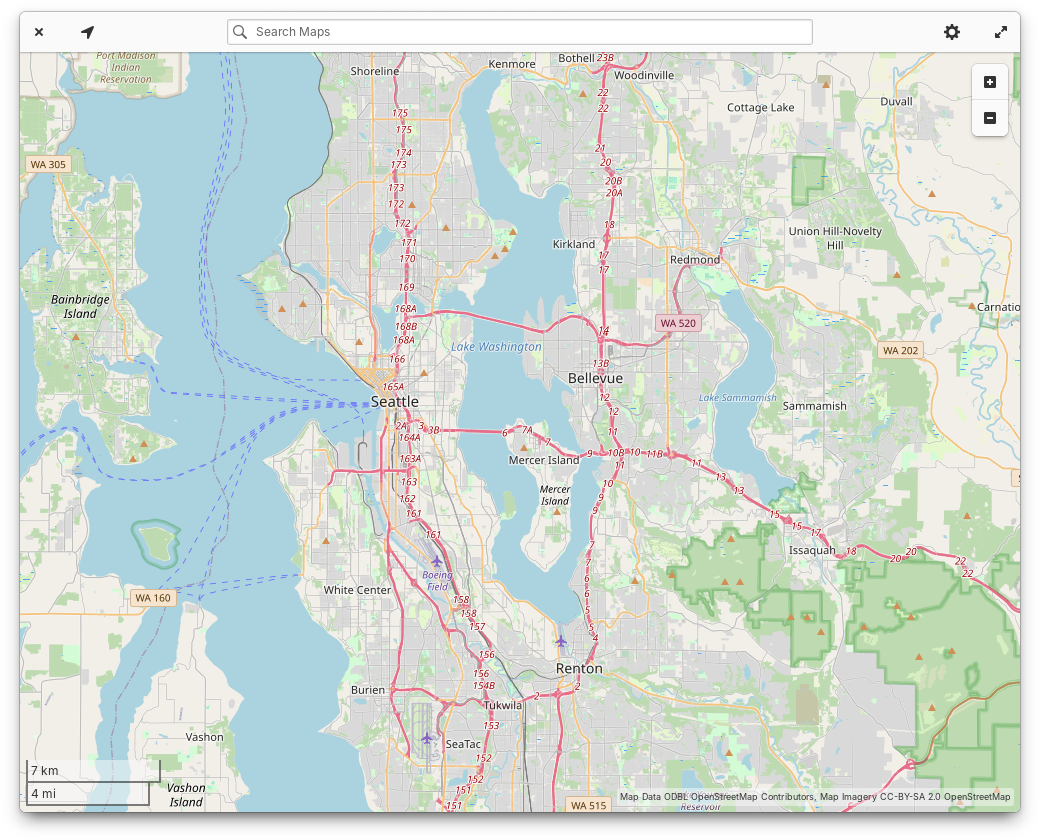
You may recall that Maps evolved from the Atlas code base originally written by Steffen Schuhmann for elementary OS. Ryo has worked hard to maintain the code and update it for the latest platform libraries like GTK4. Since the rename, we’ve updated the app to match the latest elementary styles and design conventions. We’ve also added an illustrated view switcher between Explore and Transit maps and when you search you’ll see color coded place type icons next to search results. Keyboard navigation, screen reader accessibility, and performance should also be slightly improved. Plus we have a modernized app icon, shoutouts to Micah for providing art direction.
AppCenter
On the Home page, the “Updates & installed apps” button is now properly labeled for screen readers. We’ve fixed a minor visual bug with banner shadows. And the “Education” category now has an icon.
In app info views, we now show a simple percentage-based app rating when ratings are available from ODRS—the same ratings server used by apps like GNOME Software. Expect future versions of AppCenter to expand our support for ratings and reviews, but for now we have some groundwork laid out. App info views also now show content warnings with a more compact layout. Italo updated our “End of Life” warnings to contain more accurate language, and licensing information now shows more detail and a simplified summary. Plus, we now show when a game supports playing with controllers. Leonhard added support for app addons, and we’ve simplified the “What’s New” section to show just the latest release, with the option to view more releases in a separate version history window.
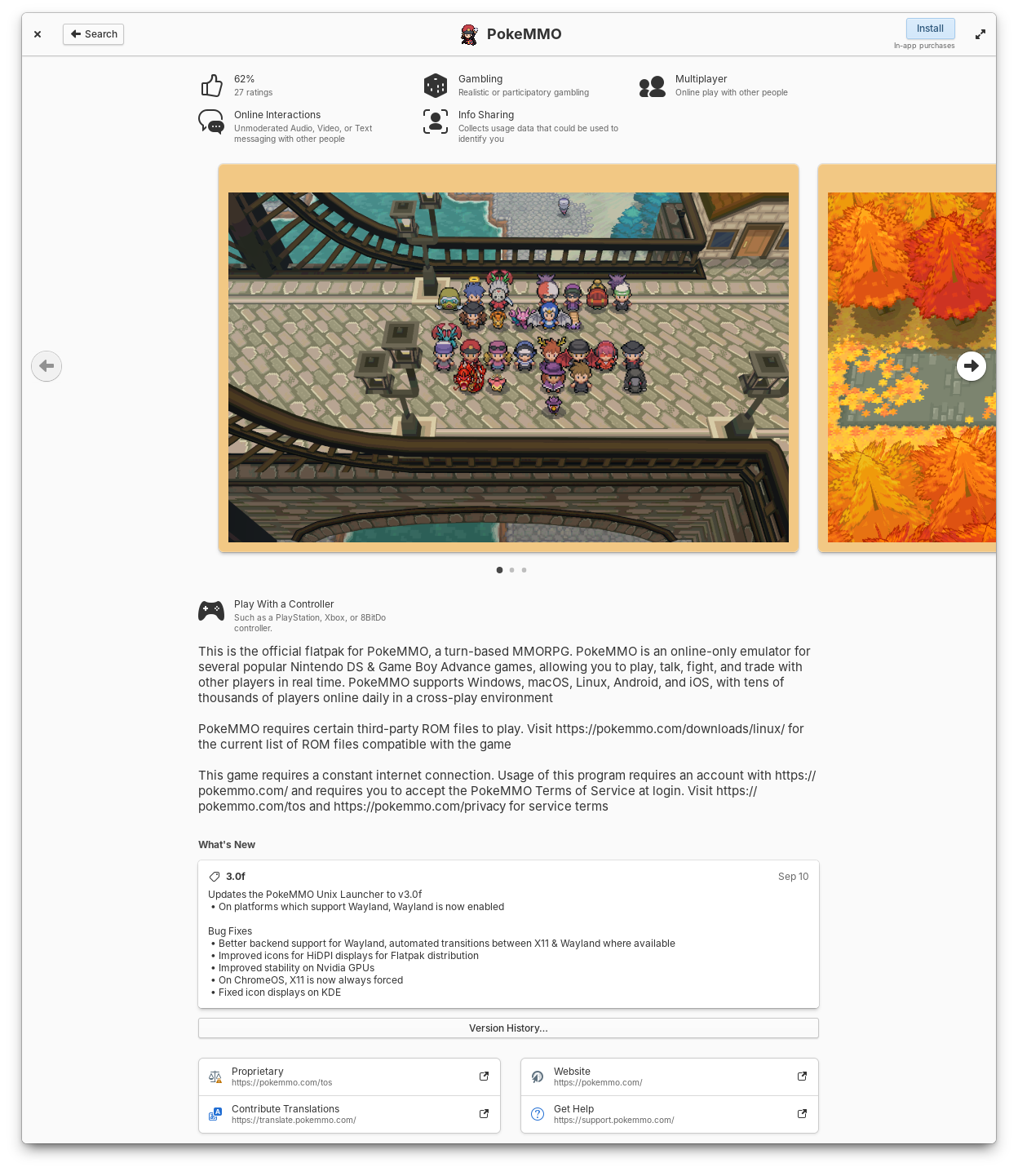
Apps now show ratings, controller support, simplified release notes, and license summaries
Leonhard did a ton of work in this release to make app updates faster and more reliable. The code has been massively streamlined and we’ve resolved reported crashes that some folks were experiencing while checking for updates. Plus we’re now using GTK 4’s FilterListModels for improved performance. The “Last checked” time is now updated every minute while the updates view is open and the gear menu can now be opened with the keyboard shortcut F10.
We’ve made a few changes to the way installed apps are shown to make it easier to keep up with what’s new when you have automatic app updates turned on. Installed apps are now sorted by release date instead of alphabetically. The Releases dialog got a slight redesign and you can now see recent releases for all installed apps. And we’ve adjusted where the version number and store origin labels appear to clean up their layout.
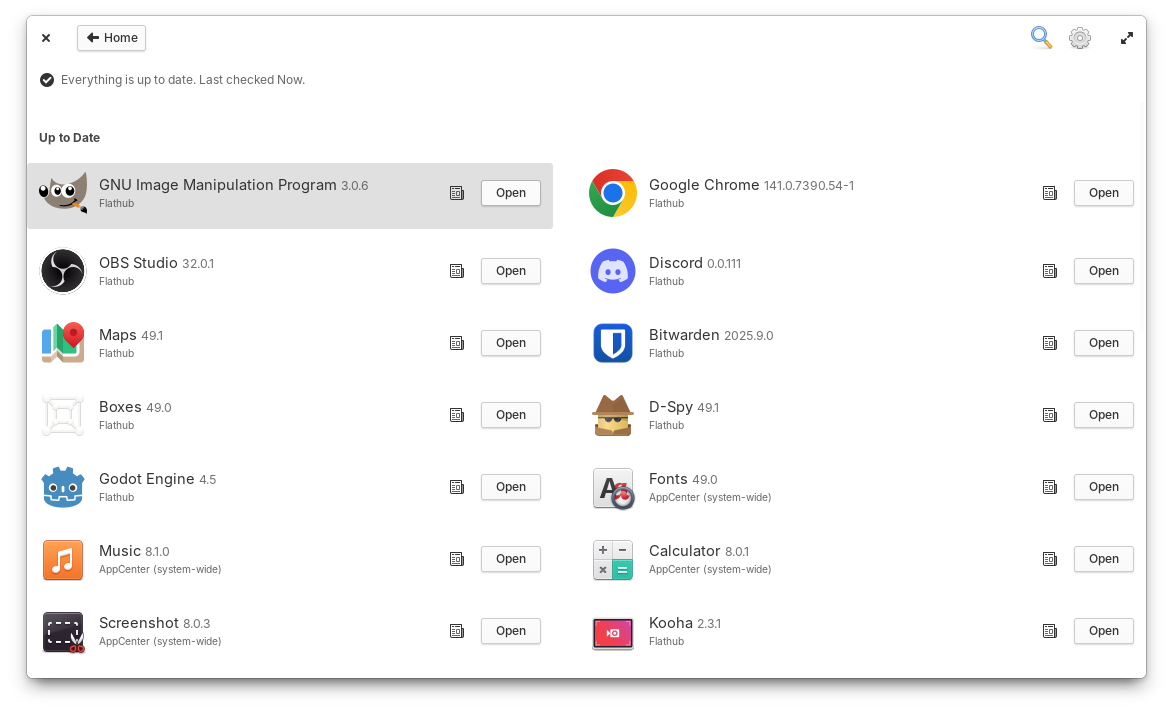
You can check past release notes for all installed apps.
Occasionally, app icons can take a little longer to load; When this happens they’ll now fall back to a nicer placeholder and cross fade into their proper icons once available, thanks to Italo. We’ve changed the label of the action button for free apps from “Free” to “Install”, according to your feedback. “Recent” apps in Category views should feature a more up-to-date selection and be a bit faster to load. And Search Results will now show in two columns when enough space is available so that you can see more results at once.
Dock
When we ran our desktop survey 75% of you told us that you expected to see background apps in the Dock, so we now have Background Portal support in the Dock thanks to Leonhard! Here you can see a list of apps running the background without a window, their supplied reason for running the background, and you have the ability to force them to quit. You can always further manage app permissions in System Settings → Applications and choose which apps are allowed to run in the background.
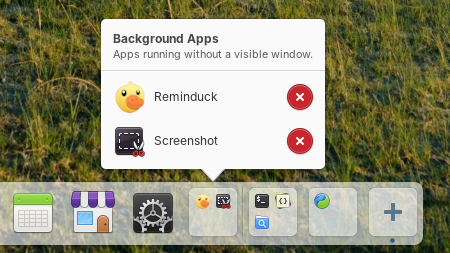
Background apps now show in the Dock
New contributor Sebastian fixed issues with the placement of app name tooltips, added a shake animation when you try to open a new window on a single-window app with middle-click, and fixed an issue where re-arranging app icons in the dock could cause them to shake indefinitely. Leonhard fixed an issue where maximized windows would be behind a portion of the dock when hiding is turned off. And William improved the color of the indicator dot for apps which are active on another workspace.
Panel & Settings
In Quick Settings, we’ll now show a message when you try to turn on the onscreen keyboard in a Secure Session since it’s currently only available in a Classic session. And we’ve added a couple of nice animations when you toggle Dark Mode or Rotation Lock.
Vishal fixed a potential crash when using the network indicator on the Lock Screen. And we’ve improved Airplane Mode: it will now only disable networking radios, not Bluetooth or wired networks. Plus you can now jump to System Settings when middle-clicking networking toggle buttons.
Application settings now has a setting to select your default Maps app, and you can start typing to search apps right away instead of having to select the search icon first.
Login & Lock Screen
Leo put a ton of effort into this latest release of the Login & Lock Screen, including support for the automatic accent color and Dark mode! We now also sync more of your settings like panel transparency and power settings. We’ve improved keyboard navigation, and will automatically select the Classic session if accessibility features are used, for example, during Initial Setup. We’ll also do a better job of remembering your last selected user card and their session type.
And More
Jeremy also pushed another round of maintenance updates for our developer tools! Files now does a better job when drag-n-dropping files into other apps, and Properties windows now show a more precise date and time for file modification. Code’s terminal pane now does a better job syncing with your Terminal app settings, and he fixed an issue where exiting a shell would break the terminal pane. In the Terminal app, he improved unsafe paste warning detection for commands that contain newlines, and the search bar now takes up a more appropriate amount of space.
Get These Updates
As always, pop open System Settings → System on elementary OS 8 and hit “Update All” to get these updates plus your regular security, bug fix, and translation updates. Or set up automatic updates and get a notification when updates are ready to install!
Early Access
We landed blur-behind in a couple of more places in Early Access! The Dock is now slightly more transparent and things behind it will be blurred. This improves legibility when for example busy text is behind the dock. And we’ve also merged some updated styles for Notifications including slight transparency, blur-behind, more rounded corners, and softer shadows. Plus Leo cleaned up Notification close animations. If you’re not a fan of transparency and blur effects, you can always turn off “Panel Transparency” in System Settings → Dock & Panel.

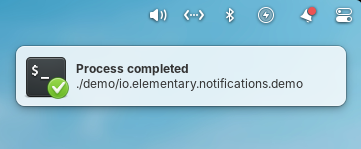
The Dock and Notifications now have transparency and blur-behind effects
Subhadeep has merged in initial support for fingerprint enrollment in User settings. We’re still working out the experience for fingerprint authentication dialogs for example, but if you have a compatible fingerprint reader you should be able to start testing support and send us feedback about what is and isn’t working.
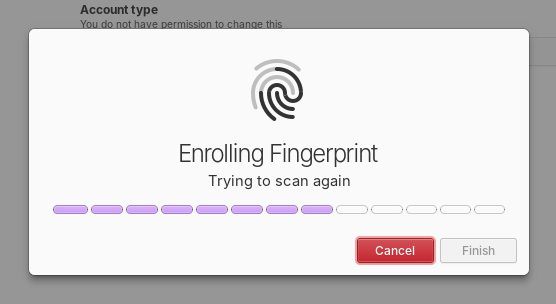
Initial support for enrolling fingerprints was merged
Plus, daily and release candidate quality builds will now use the Secure Session by default. We’ve received a ton of feedback that the updates we’ve made since the release of OS 8 have made the experience of using the Secure session much better than the Classic session for most people, including improved performance and fewer bugs encountered. So we’re really excited to make it the default experience going forward.
Sponsors
At the moment we’re at 24% of our monthly funding goal and 321 Sponsors on GitHub! Shoutouts to everyone helping us reach our goals here. Your monthly sponsorship funds development and makes sure we have the resources we need to give you the best version of elementary OS we can!
Monthly release candidate builds and daily Early Access builds are available to GitHub Sponsors from any tier! Beware that Early Access builds are not considered stable and you will encounter fresh issues when you run them. We’d really appreciate reporting any problems you encounter with the Feedback app or directly on GitHub.
