Log in
Development Build
Below are development builds for testing purposes.
Latest development build: 2.8.0.49 (August 22nd 2026)
Latest stable release build: 2.8.0
https://github.com/clsid2/mpc-hc/releases/tag/2.8.0


Below are development builds for testing purposes.
Latest development build: 2.8.0.49 (August 22nd 2026)
Latest stable release build: 2.8.0
https://github.com/clsid2/mpc-hc/releases/tag/2.8.0
Fixed Firefox becoming unresponsive when clearing browsing history, which could also result in site data being lost. (Bug 2059647)
Reference link to 153.0.3 release notes.
This new alpha build introduces 8 new effects, fixes some crashes and other glitches, fixes compatibility with some old plugins, and adds some debugging options to assist with the WINE effort.
You can read more about 5.2 and what it includes by reading the release notes for the first alpha.
The new effects will be discussed more in the final release notes for 5.2, when the time comes, but here are some previews for now. Each new effect is also available for plugins to use in their Direct2D effect graphs.
Original Image

Linocut

Mosaic


Pointillism

Stained Glass

Ordered Dither

Spherize
(This isn’t actually a very good image to use for showcasing this effect. I’ll have a better example for the final release notes.)

Waves
Here are several examples for this one, which has many different modes you can experiment with:


Halftone

Change Log
Changes since 5.2 Alpha (build 9688):
Download and Install
This build is available via the built-in updater as long as you have opted-in to pre-release updates. From within Settings -> Updates, enable “Also check for pre-release (beta) versions of paint.net” and then click on the Check Now button. You can also use the links below to download an offline installer or portable ZIP.

You can also  download the installer here (for any supported CPU and OS), which is also where you can find downloads for offline installers, portable ZIPs, and deployable MSIs.
Updates:
Changes/additions:
%appdata%\MPC-HC. Also added an advanced option to always use appdata folder.HistoryExcludeFilter to exclude certain content from getting added to recent file history. It is a simple semi-colon separated list of substrings that is matched against the full path or URL.HistoryExcludeFilterPrivate setting with exact same purpose, which is not exposed through the user interface.Show History entry to recent file menu. This opens a dialog for managing history entries. Allows you to search. Manually remove entries. Clean invalid entries. Clean old entries. Reset position, etc.Fixes:
The Stable channel has been updated to 151.0.7922.108/.109 for Windows and Mac and 151.0.7922.108 for Linux, which will roll out over the coming days/weeks. A full list of changes in this build is available in the Log
Security Fixes and Rewards
Note: Access to bug details and links may be kept restricted until a majority of users are updated with a fix. We will also retain restrictions if the bug exists in a third party library that other projects similarly depend on, but haven’t yet fixed.
This update includes 41 security fixes. Please see the Chrome Security Page for more information.
[TBD][499602793] Critical CVE-2026-19137: Use after free in WebGL. Reported by anonymous on 2026-04-05
[N/A][524824288] Critical CVE-2026-19149: Use after free in Aura. Reported by Google on 2026-06-17
[N/A][532941869] Critical CVE-2026-19154: Use after free in Skia. Reported by Google on 2026-07-09
[N/A][534903095] Critical CVE-2026-19157: Out of bounds write in ANGLE. Reported by Google on 2026-07-14
[TBD][537729021] Critical CVE-2026-19170: Use after free in WebGL. Reported by Muhammad Alifa Ramdhan, Pan ZhenPeng, Billy Jheng Bing Jhong of STAR Labs SG Pte. Ltd. on 2026-07-22
[N/A][537838324] Critical CVE-2026-19172: Use after free in Views. Reported by Google on 2026-07-22
[$5000][537390933] High CVE-2026-19169: Insufficient validation of untrusted input in Contextual Tasks. Reported by Sven Dysthe (@svn-dys) on 2026-07-21
[$500][536945254] High CVE-2026-19168: Inappropriate implementation in V8. Reported by XBOW and triaged by Andrés Luksenberg on 2026-07-20
[N/A][500097298] High CVE-2026-19138: Heap buffer overflow in CrashReporting. Reported by Google on 2026-04-06
[N/A][511731805] High CVE-2026-19139: Race in CredentialProvider. Reported by Google on 2026-05-10
[N/A][513044017] High CVE-2026-19140: Use after free in GPU. Reported by Google on 2026-05-14
[N/A][513602949] High CVE-2026-19141: Use after free in Resources. Reported by Google on 2026-05-15
[N/A][515428251] High CVE-2026-19142: Use after free in Views. Reported by Google on 2026-05-21
[N/A][517772612] High CVE-2026-19143: Insufficient validation of untrusted input in WebAPKs. Reported by Google on 2026-05-29
[N/A][520167277] High CVE-2026-19144: Use after free in HTML. Reported by Google on 2026-06-05
[N/A][521878431] High CVE-2026-19145: Use after free in Translate. Reported by Google on 2026-06-09
[N/A][523713150] High CVE-2026-19146: Uninitialized Use in GPU. Reported by Google on 2026-06-14
[N/A][524439798] High CVE-2026-19147: Use after free in Aura. Reported by Google on 2026-06-16
[N/A][524460000] High CVE-2026-19148: Out of bounds write in GPU. Reported by Google on 2026-06-16
[N/A][526380803] High CVE-2026-19150: Inappropriate implementation in V8. Reported by Google on 2026-06-22
[N/A][530663440] High CVE-2026-19151: Use after free in V8. Reported by Google on 2026-07-02
[N/A][531165110] High CVE-2026-19152: Inappropriate implementation in Navigation. Reported by Google on 2026-07-04
[N/A][532939327] High CVE-2026-19153: Insufficient validation of untrusted input in Workers. Reported by Google on 2026-07-09
[N/A][533053621] High CVE-2026-19155: Use after free in Payments. Reported by Google on 2026-07-09
[TBD][533331920] High CVE-2026-19156: Heap buffer overflow in Base. Reported by Viktoria Zlatinova on 2026-07-10
[N/A][535749174] High CVE-2026-19158: Use after free in Views. Reported by Google on 2026-07-17
[N/A][536067175] High CVE-2026-19159: Use after free in Views. Reported by Google on 2026-07-17
[N/A][536068737] High CVE-2026-19160: Uninitialized Use in Skia. Reported by Google on 2026-07-17
[N/A][536165038] High CVE-2026-19161: Uninitialized Use in Skia. Reported by Google on 2026-07-18
[TBD][536271629] High CVE-2026-19162: Out of bounds write in V8. Reported by OpenAI Codex Security (amyb) on 2026-07-19
[N/A][536449742] High CVE-2026-19163: Use after free in Media. Reported by Google on 2026-07-19
[N/A][536470854] High CVE-2026-19164: Insufficient validation of untrusted input in Codecs. Reported by Google on 2026-07-19
[TBD][536512612] High CVE-2026-19165: Use after free in Extensions. Reported by @bean5oup on 2026-07-19
[TBD][536584251] High CVE-2026-19166: Use after free in Web Authentication. Reported by heesun on 2026-07-20
[N/A][536666274] High CVE-2026-19167: Integer overflow in GPU. Reported by Google on 2026-07-20
[N/A][537832446] High CVE-2026-19171: Use after free in Media. Reported by Google on 2026-07-22
[TBD][538332338] High CVE-2026-19173: Out of bounds write in Skia. Reported by Vu Van Tien (@n0_Be3r) on 2026-07-24
[TBD][538378084] High CVE-2026-19174: Integer overflow in V8. Reported by Seunghyun Lee (@0x10n) of QED Audit (qedaudit.io) on 2026-07-24
[N/A][540138836] High CVE-2026-19175: Use after free in Payments. Reported by Google on 2026-07-29
[TBD][540157141] High CVE-2026-19176: Use after free in Skia. Reported by WinD39 - Huynh Dinh Vu on 2026-07-29
[TBD][540289900] High CVE-2026-19177: Insufficient validation of untrusted input in UI. Reported by Fabian Wahle (Hap Security) on 2026-07-29
We would also like to thank all security researchers that worked with us during the development cycle to prevent security bugs from ever reaching the stable channel.
Interested in switching release channels? Find out how here. If you find a new issue, please let us know by filing a bug. The community help forum is also a great place to reach out for help or learn about common issues.
Srinivas Sista
Google Chrome
The Extended Stable channel has been updated to 150.0.7871.224 for Windows and Mac which will roll out over the coming days/weeks.

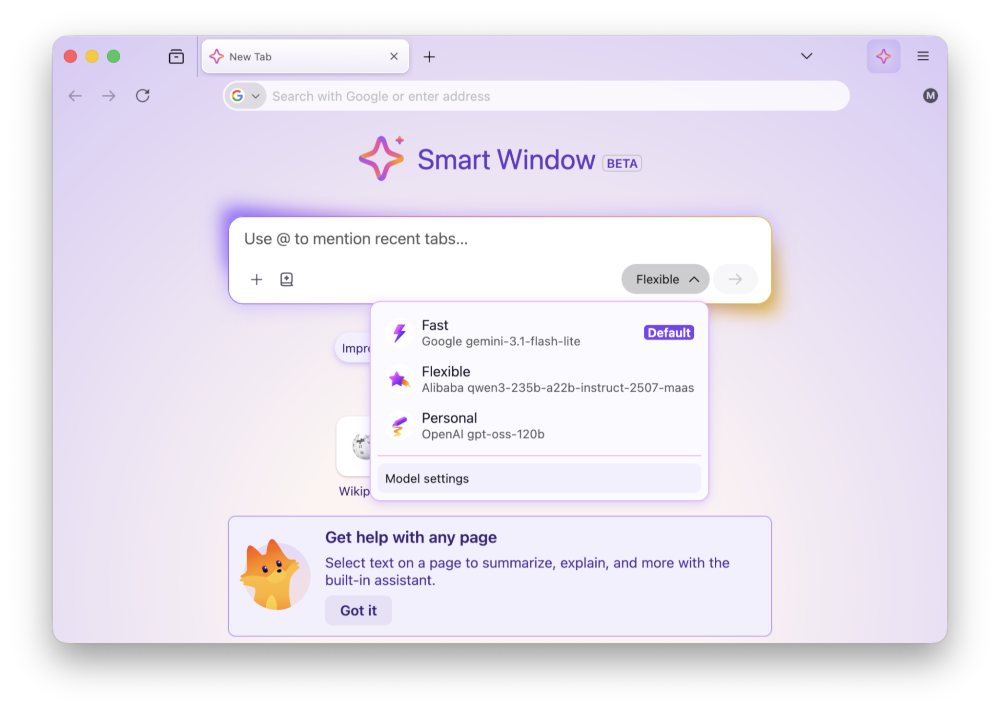
Smart Window includes several enhancements:
Fixed audio and video failing to play, or hanging when seeking, on websites that load media from a Blob URL. (Bug 2056444)
Fixed Internet shortcuts dragged from Firefox to the desktop being marked as untrusted on Windows, which caused a security warning every time they were opened. (Bug 2056865)
Fixed the Bookmarks, History, and other sidebars failing to open when the sidebar is hidden and the password manager has been turned off by an enterprise policy. (Bug 2056857)
Fixed a Mozilla VPN upgrade offer appearing for people in regions where Mozilla VPN is not sold. (Bug 2058264)
Fixed frequent Inspector crashes in the Developer Tools on pages where an extension content script had added event listeners. (Bug 2042101)
Fixed a rare case on Windows where starting Firefox while a partial update was still being applied could leave the installation broken and unable to start. (Bug 2058197, Bug 2058594)
Reference link to 153.0.1 release notes.
Addressed a startup crash on Windows that could occur after updating Firefox, when some of the application's internal files could not be loaded. Firefox should now start in these cases, although parts of the interface may not display correctly until a further update completes (Bug 2056926).
Fixed audio playing silently on some music and audio streaming sites after pausing and resuming playback (Bug 2053586).
Fixed the New Tab page background flashing a few seconds after the page loaded when a custom wallpaper was in use (Bug 2056650).
Fixed a crash that could occur when a page loaded a frame using a javascript: address (Bug 2054485).
Fixed a crash that could occur while typing text in an editable area of a page (Bug 2053867).
Fixed a search engine you had already installed yourself being labeled as "New" when Firefox later started offering the same engine (Bug 2053710).
Improved pointer lock, used by games and other immersive web content, so that the mouse pointer is less likely to escape the Firefox window (Bug 1255338, Bug 2040628).
Fixed an issue in the Inspector's Rules view where pseudo-elements could only be expanded once per selected element (Bug 2054525).
Fixed View Page Source failing to load blob: documents (Bug 2054428).
Fixed View Page Source timing out on documents that inherit their origin, such as frames using the srcdoc attribute (Bug 2054487).
Reference link to 153.0 release notes.
Some Windows users may experience a crash on startup after updating, caused by an incomplete update leaving the Firefox installation in an inconsistent state (Bug 1681745). If you are affected, downloading Firefox from firefox.com and installing it over your existing installation will repair it. Your bookmarks, passwords and other data are stored separately and will not be affected. Fixed in 153.0.1.
High Dynamic Range (HDR) video playback is now available on Windows - this feature needs HDR mode enabled for the display in Windows Settings - Display. Laptop displays that only offer "HDR video streaming" are not supported at this time. Some videos recorded on phones in certain orientations are currently not shown as HDR.
Containers let you keep separate parts of your online life (work, shopping, personal, banking) logged into different accounts in the same browser window, but keep your cookies and ad tracking isolated inside each container.
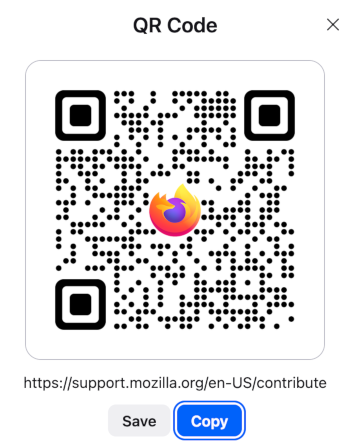
Share any open page with a QR code. Right-click a tab, select Share > Generate QR Code. Great for posters, invitations, banners, and other printed materials.
It is now possible to merge multiple PDFs by dragging a PDF into the PDF sidebar.
It is now possible to add images as new pages within PDFs using the Firefox PDF editor.
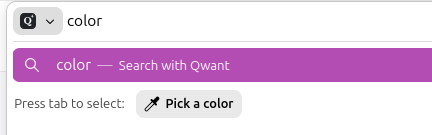
Quickly pick and copy a color from any page by typing "pick color", "color picker", or "eyedropper" in the address bar and selecting the "Pick a color" quick action.
Added support for Apple's system-wide full-screen keyboard command (Globe-F).
Firefox now verifies and displays Qualified Website Authentication Certificates (QWACs) in accordance with eIDAS regulations.
Added improved support for videos with overlays so users can more easily access video actions from context menus.
Firefox now highlights the location permission icon in red whenever a website has access to your location. The permission icon is also now visible on search results pages where it was previously hidden.

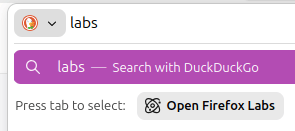
Firefox Labs can now be opened quickly by typing "labs" or "experiment" in the address bar and selecting the Open Firefox Labs quick action.
Firefox now offers experimental support for the new JPEG XL image format, which generally provides better compression than WebP, JPEG, PNG, and GIF and is designed to supersede them. You can enable it from the Firefox Labs panel in Settings.
Various security fixes.
Extensions can no longer access local files by default. Users can grant or revoke this access via the new "Access local files on your computer" permission, separate from "Access your data for all websites".
Local Network Access restrictions are now enabled by default for all users. Firefox requires websites to request permission before connecting to devices on your local network or to apps and services on your device.
Outdated cookie settings have been removed from the Settings UI. Users still in that mode should switch to default behavior "Isolate cross-site cookies". More information
You can find information about policy updates and enterprise-specific bug fixes in the Firefox for Enterprise 153 Release Notes.
A new "Local Mode" setting in the options panel allows developers to load local directories via custom origins. This simplifies testing for APIs that do not function over standard file:// URLs, removing the need to run a local web server. Multiple directory mappings are supported.
Firefox now supports a limited subset of the non-standard ::-webkit-scrollbar pseudo-element to improve web compatibility:
width/height disable overlay scrollbars for the affected container.display: none on ::-webkit-scrollbar behaves like scrollbar-width: none, hiding the scrollbar.@supports selector(::-webkit-scrollbar) now evaluates to true.The vertical-align property was converted into a shorthand for baseline-source, alignment-baseline, and baseline-shift in Firefox 149. Now, alignment-baseline supports the new keywords alphabetic, ideographic, central, mathematical, and hanging, extending the variety of baselines to choose for alignment.
Implemented the new popover=hint spec, which removes a series of inconsistent and unexpected behaviors.
The circle() and ellipse() functions accept two new keywords closest-corner and farthest-corner for their radial size.
The newly added Error.stackTraceLimit property allows to set the maximal depth of the captured JavaScript error stack as a performance optimization.
Developers can now use the text import attribute to import text files using the module system.
The Picture In Picture API exposes a way for web developers to make use of user agent Picture-In-Picture functionality.
The Intl.LocaleInfo proposal adds the ability to query Locale information, such as week data (first day in a week, weekend start day, weekend end day), text direction and hour cycle used in the Locale.
The MediaCapabilities.decodingInfo() and MediaCapabilities.encodingInfo() methods now accept the "webrtc" configuration type. This allows a site to query whether a given audio or video configuration can be decoded or encoded for WebRTC and whether doing so will be smooth and/or powerEfficient.
HTTP Compression Dictionaries is enabled via rollout in 153, it will be made permanent in a future release. This can greatly reduce network traffic size for sites that use it.
Some Windows users may experience a crash on startup after updating, caused by an incomplete update leaving the Firefox installation in an inconsistent state (Bug 1681745). If you are affected, downloading Firefox from firefox.com and installing it over your existing installation will repair it. Your bookmarks, passwords and other data are stored separately and will not be affected. Fixed in 153.0.1.
With the release of Firefox 153, we are pleased to welcome the developers who contributed their first code change to Firefox in this release, 15 of whom were brand new volunteers! Please join us in thanking each of these diligent and enthusiastic individuals, and take a look at their contributions:
Smart Window includes several enhancements:
Fixed an issue that prevented email tracking protection from being disabled in the redesigned Firefox Settings. (Bug 2049331)
Fixed a hang that could occur after using a file picker dialog on macOS 26. (Bug 2053177)
Fixed the homepage not loading for some enterprise configurations that set it using a legacy autoconfig format. (Bug 2047962)
Various security fixes.
Reference link to 152.0.5 release notes.
Fixed the Manage payment methods list in Settings appearing empty when a saved payment card had no expiration date. (Bug 2048383)
Reference link to 152.0.4 release notes.
Smart Window includes several enhancements:
Fixed copy, paste, undo, redo, and similar keyboard shortcuts not working inside macOS system dialogs such as the Save and Open panels. (Bug 2040851, Bug 2040844)
Fixed the Manage Cookies and Site Data dialog opening with an empty list when opened from the Settings search results. (Bug 2041077)
Fixed keyboard focus landing in the wrong place after following an in-page link, so pressing Tab continues from the link's position as expected. (Bug 2049307)
Various security fixes.
Reference link to 152.0.3 release notes.
Fixed an issue that could cause extreme memory usage and freezing on startup for users with language packs installed. (Bug 2049845)
Reference link to 152.0.2 release notes.
Fixed some Settings section headings showing placeholder text instead of the translated name in certain languages. (Bug 2047983)
Fixed New Tab content not matching the browser's display language after it was changed. (Bug 2046945)
Fixed a regression that could break playback of some MP4 video files. (Bug 2047467)
Fixed a performance regression that could slow down sites performing many encryption and decryption operations at once, such as Proton Drive. (Bug 2046401)
Reference link to 152.0.1 release notes.
Some users with a language pack installed may experience high memory usage and an unresponsive browser on startup. (Fixed in 152.0.3 in Bug 2049845)
Fixed frequent crashes affecting users with Intel Raptor Lake processors. (Bug 2039575)
Fixed an issue on macOS where choosing a PDF option, such as "Save as PDF", from the system print dialog would send the job to your printer instead of saving a file. (Bug 2047850)
Reference link to 152.0 release notes.
Firefox Settings features a brand-new look with streamlined organization, clearer groupings, and improved navigation for easier customization.
In Private Browsing windows, you can now temporarily disable tracker blocking for a tab if it's causing a site to break. When you reload a page where trackers were blocked, Firefox shows a message offering to reload without the stricter protections. All other tracking protections stay active.

You can now mute your browser from the address bar: type "mute" (or "shush" or "sssh") and use the address bar quick action to silence every tab currently playing sound across all Firefox windows.
Improved support for more advanced cursor movement commands, including those relating to paragraph boundaries, on macOS.
On Windows and Linux, you can now copy links via the tab context menu by right-clicking a tab and selecting Share > Copy Link, making it easy to copy a link without switching to the tab first. When multiple tabs are selected, you can copy all selected links at once. Windows users still retain access to Microsoft sharing options from the Share menu.
A "Send tab" toolbar button is now available which can be added via More Tools > Customize Toolbar.
The following languages are now available for Translations:
Firefox builds in Croatian, English (UK), Georgian, Persian, Slovenian, Tajik, Tamil, Tibetan, Turkish, Welsh, and Xhosa now come with a built-in dictionary for the Firefox spellchecker.
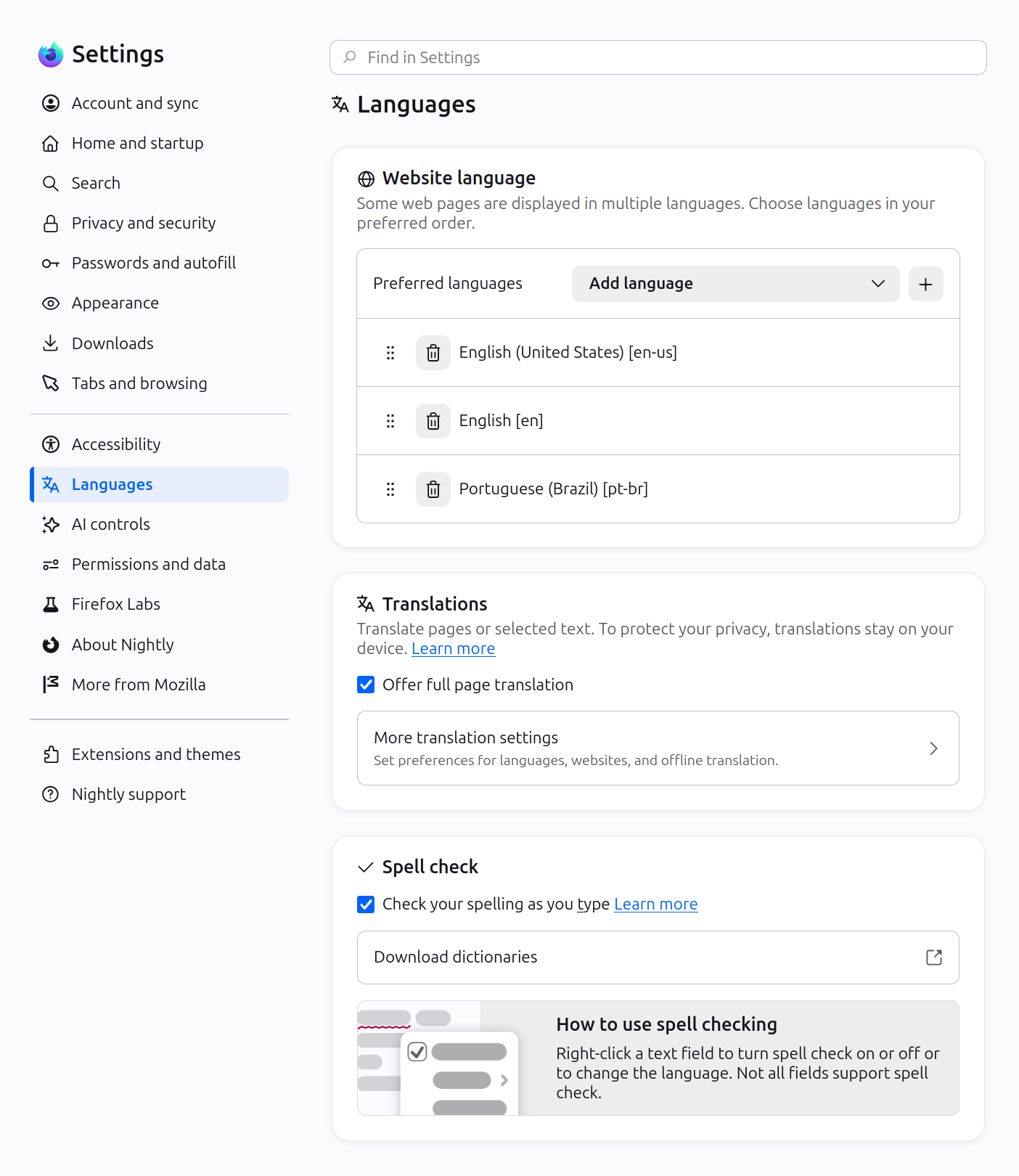
Firefox now offers experimental support for the new JPEG XL image format, which generally provides better compression than WebP, JPEG, PNG, and GIF and is designed to supersede them. You can enable it from the Firefox Labs panel in Settings.

Fixed an issue where the Paste option could be missing from context menus when editing content on sites such as Squarespace, LinkedIn, and eBay.
Improved dragging images from Firefox to the desktop or Finder on macOS — images now save reliably and land where you drop them.
In multiple monitor situations, the About Firefox window now more reliably opens on the display with the most recently used Firefox window.
Fixed arrow-key text navigation and word selection commands that moved in the wrong direction in right-to-left text on macOS and Linux.
Various security fixes.
Site zooming via keyboard or mouse now offers more zoom levels in smaller increments than before.
When a PDF or other file that Firefox opens directly finishes downloading, it now opens in a background tab if you've switched tabs or closed the original page.
The Tabs from Other Devices panel in the sidebar now lets you open tabs in a new tab or a new container tab from the context menu.
You can find information about policy updates and enterprise-specific bug fixes in the Firefox for Enterprise 152 Release Notes.
Developer Tools now have an option in the Settings panel to toggle the display of comment nodes in the Inspector.
Web Notifications can now have action buttons via the actions option. They appear as buttons below the notification text or in the Options list on macOS.
The field-sizing property is now available, allowing form controls to adjust in size to fit their contents.
Firefox now supports the WebAuthn Related Origin Request feature, which simplifies login flows by making Passkeys usable from multiple domains.
The Pointer Lock API now supports the unadjustedMovement option, allowing sites to receive raw mouse-movement data unaffected by OS-level acceleration.
With the release of Firefox 152, we are pleased to welcome the developers who contributed their first code change to Firefox in this release, 25 of whom were brand new volunteers! Please join us in thanking each of these diligent and enthusiastic individuals, and take a look at their contributions:
The Stable channel has been updated to 151.0.7922.75/.76 for Windows and Mac and 151.0.7922.75 for Linux, which will roll out over the coming days/weeks. A full list of changes in this build is available in the Log
Daniel Yip
Google Chrome
Smart Window includes several enhancements:

This feature is part of a progressive roll out.
Certain new Firefox features are released gradually. This means some users will see the feature before everyone does. This approach helps to get early feedback to catch bugs and improve behavior quickly, meaning more Firefox users overall have a better experience.
Fixed audio and video failing to play, or hanging when seeking, on websites that load media from a Blob URL. (Bug 2056444)
Fixed Internet shortcuts dragged from Firefox to the desktop being marked as untrusted on Windows, which caused a security warning every time they were opened. (Bug 2056865)
Fixed the Bookmarks, History, and other sidebars failing to open when the sidebar is hidden and the password manager has been turned off by an enterprise policy. (Bug 2056857)
Fixed a Mozilla VPN upgrade offer appearing for people in regions where Mozilla VPN is not sold. (Bug 2058264)
Fixed frequent Inspector crashes in the Developer Tools on pages where an extension content script had added event listeners. (Bug 2042101)
Fixed a rare case on Windows where starting Firefox while a partial update was still being applied could leave the installation broken and unable to start. (Bug 2058197, Bug 2058594)
Reference link to 153.0.1 release notes.