❌

Lees weergave

macOS 26.7 Code Hints at Two Unreleased Apple Game Controllers

References to two unreleased controllers that identify as Apple hardware in code were spotted in the macOS 26.7 release candidate by MacRumors reader Pdfu. Apple's first macOS 26.7 release candidate came out in mid-August, and it was full of references to unreleased Apple devices, from iPhones and Macs to new home accessories. Pdfu has continued to dig into the RC, finding new details that were previously overlooked.


There are GameController profiles for two hardware devices identified as T6502 and T1057, which Pdfu suggests could be Apple gaming controllers in development. The two controllers have different haptic designs and standard controller components, like a D-pad, dual thumbsticks, shoulder buttons, Home and Menu buttons, and analog triggers. T1057 also has accelerometer and gyroscope support, while T6502 doesn't.

The code includes dedicated hardware plug-ins for each device as well, which suggests these are actual devices instead of placeholder code.

There have been rumors about a possible Apple game controller over the years, but nothing has ever materialized.

The code found in the first macOS Tahoe 26.7 RC could point to an Apple controller in the works, but it could also be referencing internal test hardware Apple uses for testing game controller code and support. Apple removed the code in the second ‌macOS Tahoe‌ 26.7 RC.

Apple has had multiple opportunities to release a game controller. The company could have launched one alongside any version of the Apple TV, when Apple Arcade came out, or when the Vision Pro launched, but it didn't. Instead, Apple focused on building extensive support for third-party controllers.

In 2015, Apple required ‌Apple TV‌ games to support the Siri Remote as a gaming controller, but gave that up in a matter of months. With the Vision Pro, it partnered with Sony to add Vision Pro support to the PlayStation VR2 Sense controllers instead of designing its own controller.

Console makers have mastered the controller, and many people already have Xbox, PlayStation, or Nintendo controllers. There's little improvement to be made on controller ergonomics, but if Apple is working on a controller, features like Find My and instant cross-device pairing could set it apart from competitors.

All of the references can be found in blacktop/ipsw-diffs on GitHub, with Pdfu's highlights available in the forum post.
This article, "macOS 26.7 Code Hints at Two Unreleased Apple Game Controllers" first appeared on MacRumors.com

Discuss this article in our forums

  •  

iPhone Duo?

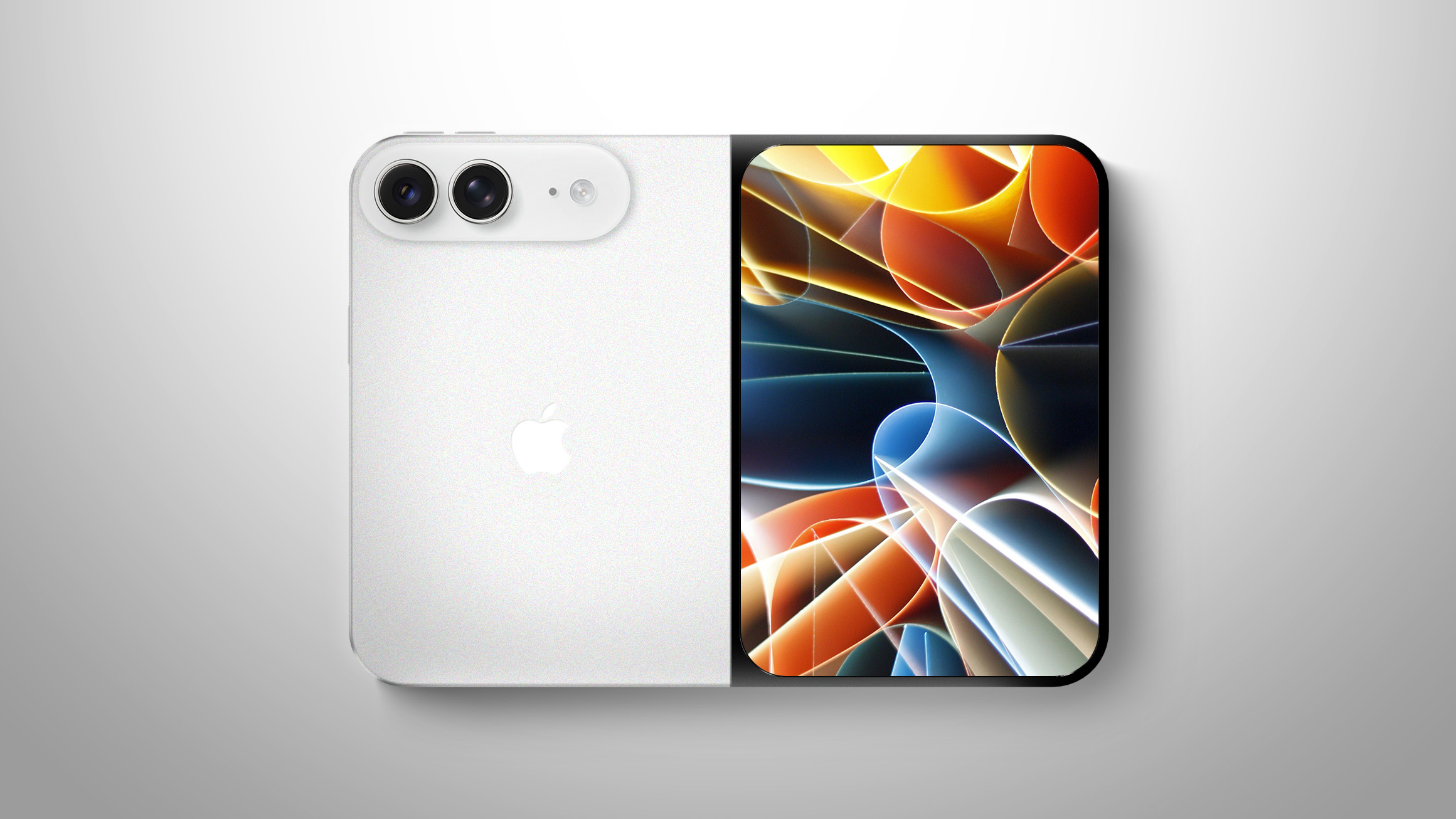
While the long-awaited foldable iPhone has often been referred to as the iPhone Ultra or the iPhone Fold in rumors, another name making the rounds is iPhone Duo.


There is no actual evidence that Apple will use the iPhone Duo name, but it is certainly a possibility. Apple has used Duo branding in the past, for its PowerBook Duo line of laptops in the 1990s and for its MagSafe Duo Charger in the early 2020s.

In this case, Duo would refer to the foldable iPhone's dual screens.

Microsoft released a dual-screen Android smartphone called the Surface Duo in 2020 that has since been discontinued, and Intel had its popular lines of Core Duo and Core 2 Duo processors in the 2000s, so perhaps Apple will want to avoid using Duo branding due to that history. However, competing companies have devices with Ultra and Fold branding too, such as Samsung's Galaxy S26 Ultra and Galaxy Z Fold8.

In April, former Macworld reporter Filipe Espósito cited a source familiar with Apple's plans who said the foldable iPhone will be named iPhone Ultra. Bloomberg's Mark Gurman said many Apple employees refer to the device as the iPhone Ultra within the company, but he has never firmly reported that it will be the official name.

Apple has used Ultra branding for the Apple Watch Ultra, CarPlay Ultra, and its M1 Ultra, M2 Ultra, M3 Ultra, and M5 Ultra chips.

Apple is expected to unveil its foldable iPhone during its event next week, so we will soon find out whether the device is named iPhone Ultra, iPhone Fold, iPhone Duo, or something else. Share your own guesses in the comments section.
Related Roundup: iPhone Fold

This article, "iPhone Duo?" first appeared on MacRumors.com

Discuss this article in our forums

  •  

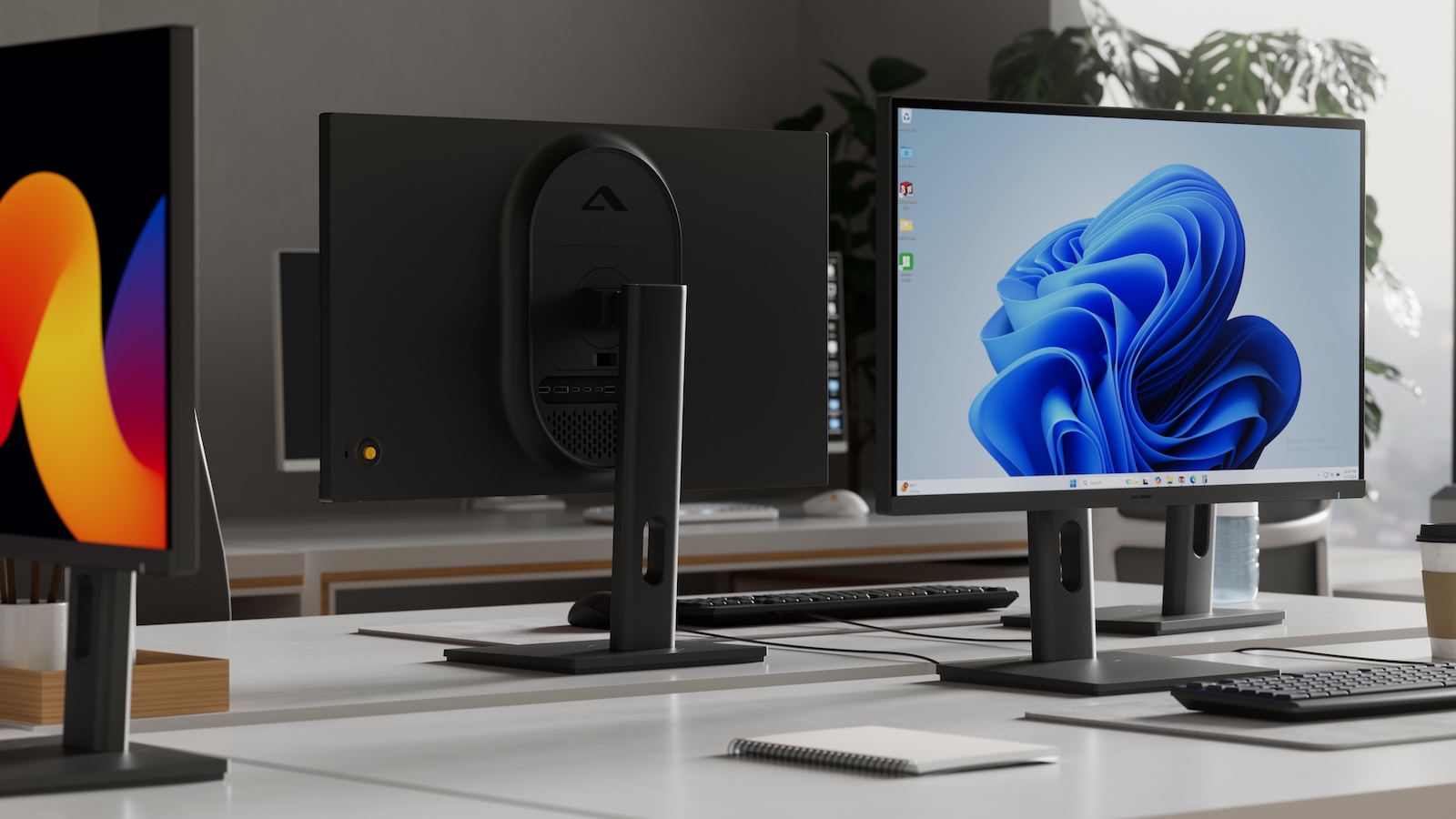
Alogic Expands Display Lineup With New 5K and 6K Models, Debuts New Peripherals

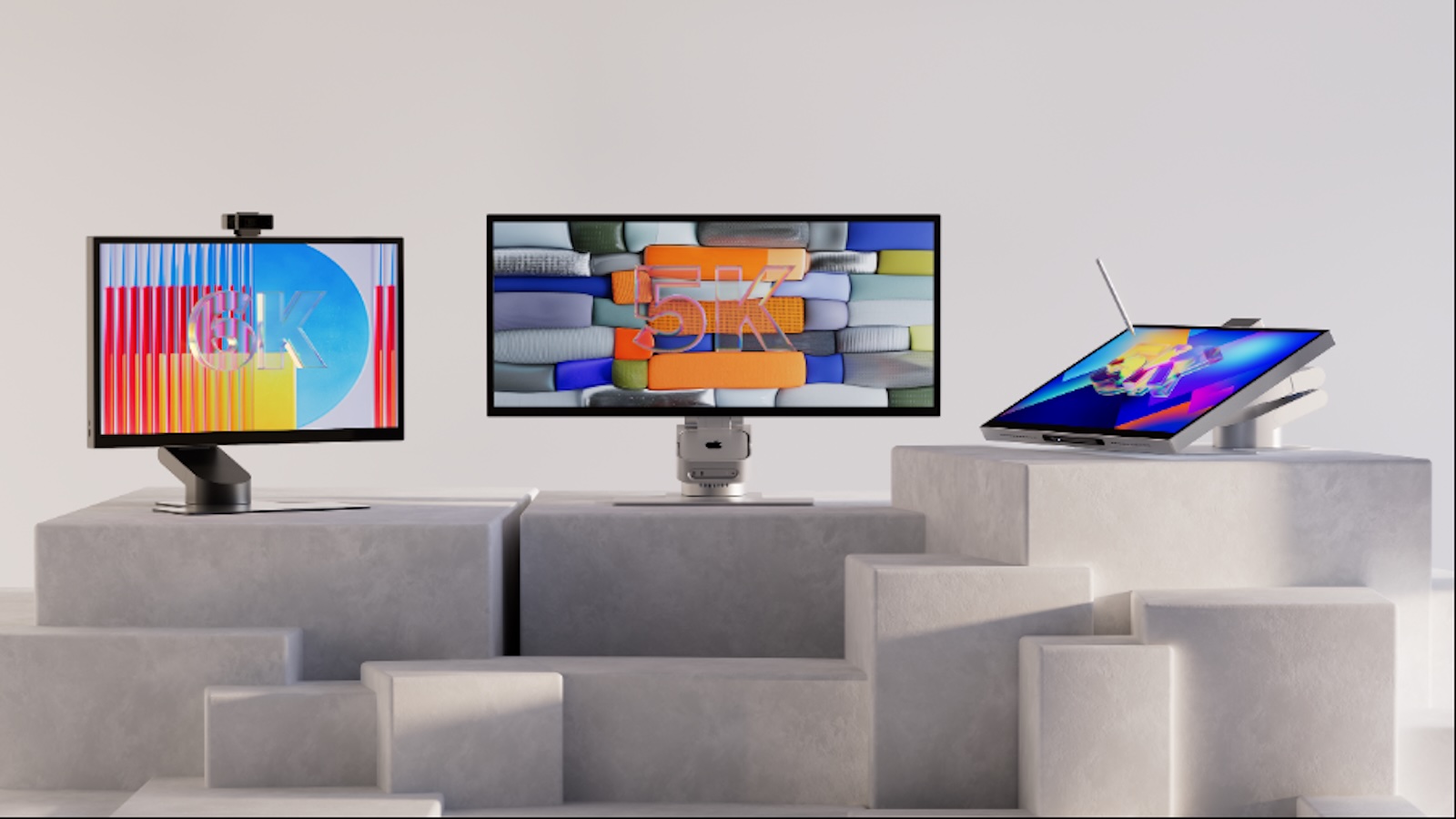
Accessory brand Alogic today announced an expansion to its display lineup, adding several new 5K and 6K models offering varying feature sets with availability coming over the next couple of months.

Aspekt displays

New models in the Aspekt touch-enabled family include a 27-inch 5K model and a 32-inch 6K model with support for 10-point multitouch and MPP 2.0 styluses. Dock capabilities are built into the display, including USB-C with up to 90 watts of upstream charging, HDMI 2.1, DisplayPort 2.0, additional USB-C and USB-A ports, Gigabit Ethernet, and USB-A KVM functionality. There's also a 34-inch 5K Ultrawide model, which offers a resolution of up to 5,120 x 2,160 and a 100Hz refresh rate, plus the 10-point multitouch functionality

The 27-inch 5K ($1,899.99) and 32-inch 6K ($2,999.99) models will be available by the end of October, while the 34-inch Ultrawide 5K model will be priced at $2,799.99 and launch by the end of November.

Clarity 6K display

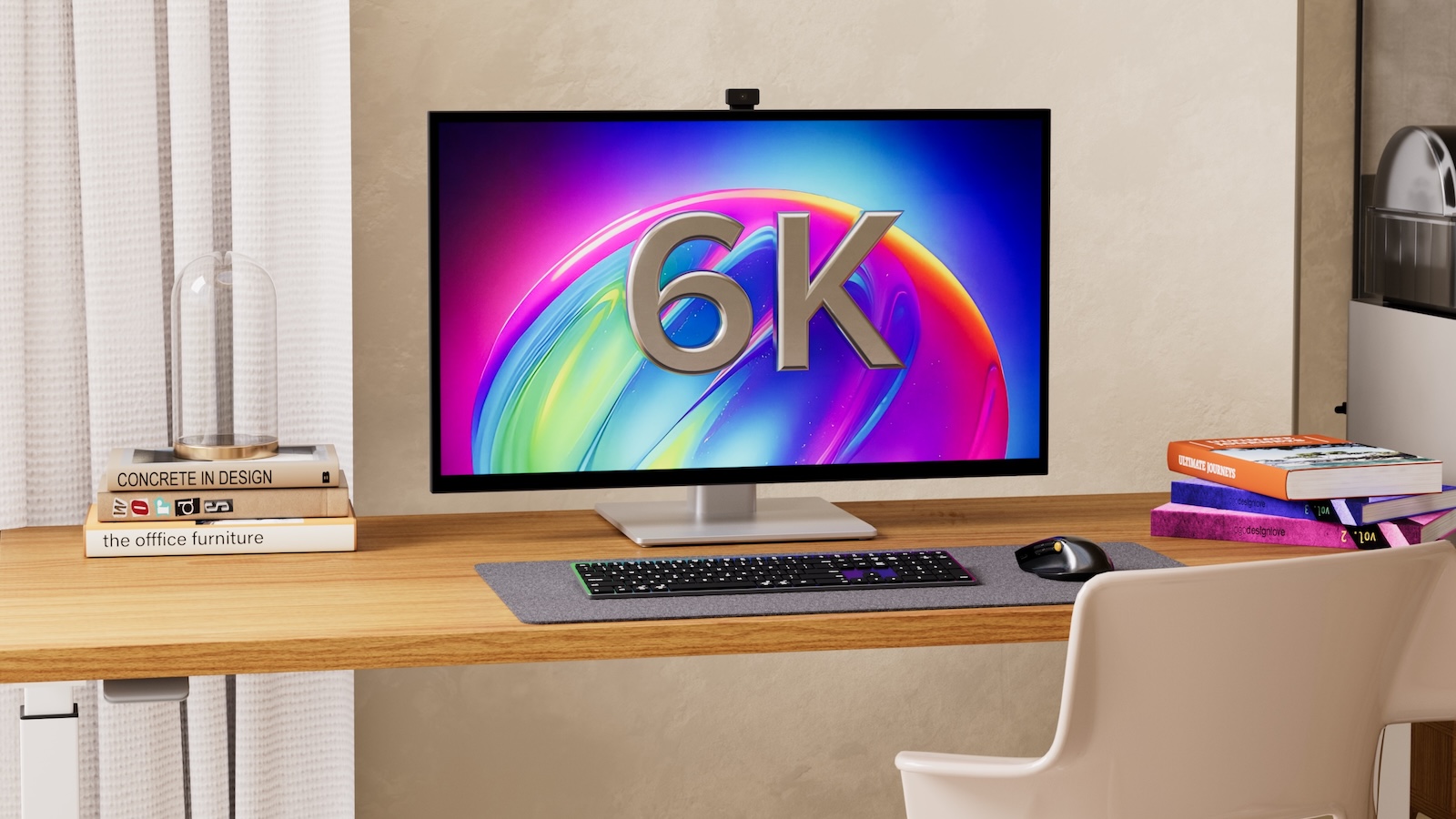
Alogic has also expanded its Clarity family of displays, adding a 12-megapixel webcam to the 27-inch 5K ($1,899.99) and 32-inch 6K ($3,099.99) models, with availability by the end of October. Both displays similarly offer touchscreen support, USB-C, HDMI 2.1, and DisplayPort 1.4 connectivity options, USB-A and audio connections, and up to 90 watts of upstream charging.

Vision displays

There's also a new 34-inch Edge 5K Ultrawide option priced at $1,599.99 launching by mid-November, and finally, on the low end of the display lineup, Alogic is introducing new 24-inch ($199.99) and 27-inch ($299.99) options in its Vision family of business-oriented displays, plus a 34-inch Ultrawide model.

FlashDock 5

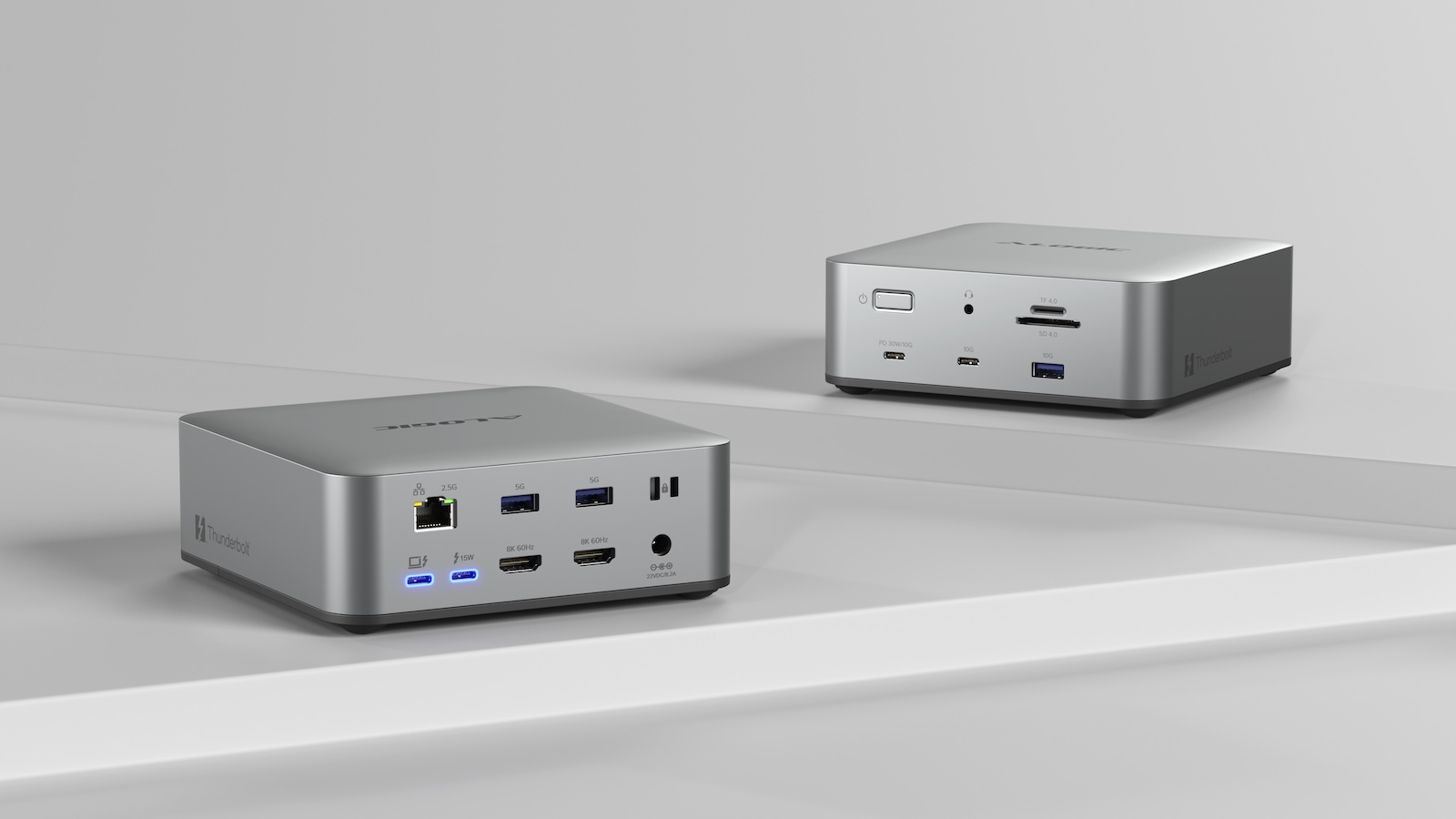
Turning to peripherals, Alogic has announced the FlashDock 5 docking station, a 13-port Thunderbolt 5 dock supporting full bandwidth of up to 80 Gbps in symmetric mode or up to 120 Gbps in asymmetric mode. It supports up to three external displays (depending on capabilities of the host computer), with two HDMI 2.1 ports, two USB-C 3.2 Gen 2 ports, three USB-A ports, a 2.5 Gigabit Ethernet port, SD and microSD card readers, a 3.5mm combo audio port, and an additional downstream Thunderbolt 5 port. There's also an integrated M.2 NVMe SSD slot to allow you to add external storage. It's available now and is priced at $399.99.

Crux mouse

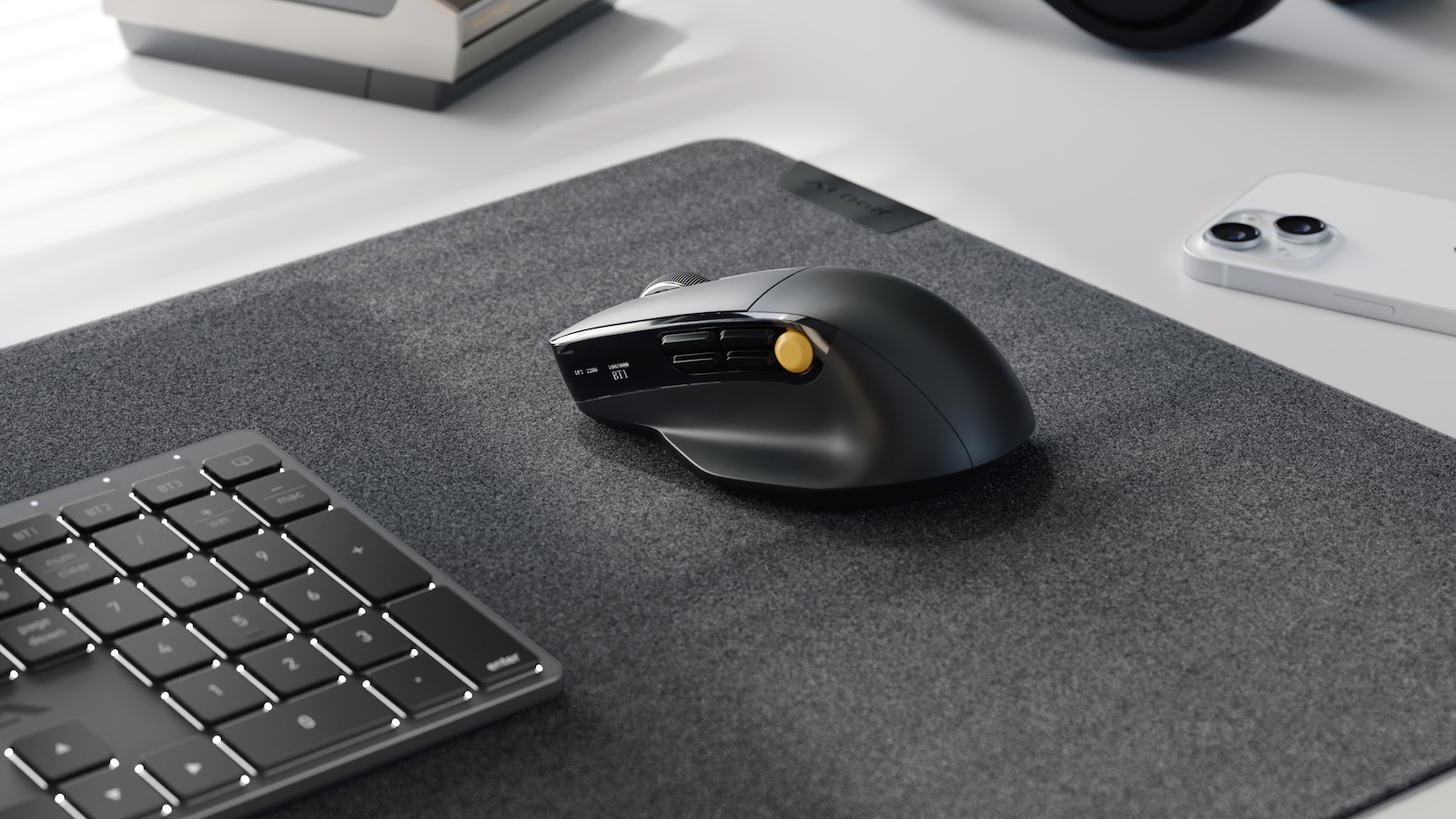
And on the input side, Alogic is now shipping several previously announced accessories including the ergonomic multifunction Crux productivity mouse, priced at $79.99. The Hush full-size keyboard ($89.99) with backlit keys and multi-device support is also shipping, as is the Hush mouse ($29.99) with a slim design and multi-device support.

Note: MacRumors is an affiliate partner with Alogic. When you click a link and make a purchase, we may receive a small payment, which helps us keep the site running.
Tag: Alogic

This article, "Alogic Expands Display Lineup With New 5K and 6K Models, Debuts New Peripherals" first appeared on MacRumors.com

Discuss this article in our forums

  •  

Review: Acer's 6K Touchscreen Display Turns Your Mac Into a Giant iPad, Sort Of

Acer recently came out with a new 6K 31.5-inch display, the ProDesigner PE320QXT. It's a touchscreen display that's able to work with a Mac using touch drivers, and it's aimed at professional creators. It's fun to use, but there are some compromises, and this is not the display to get unless you really want touch integration.
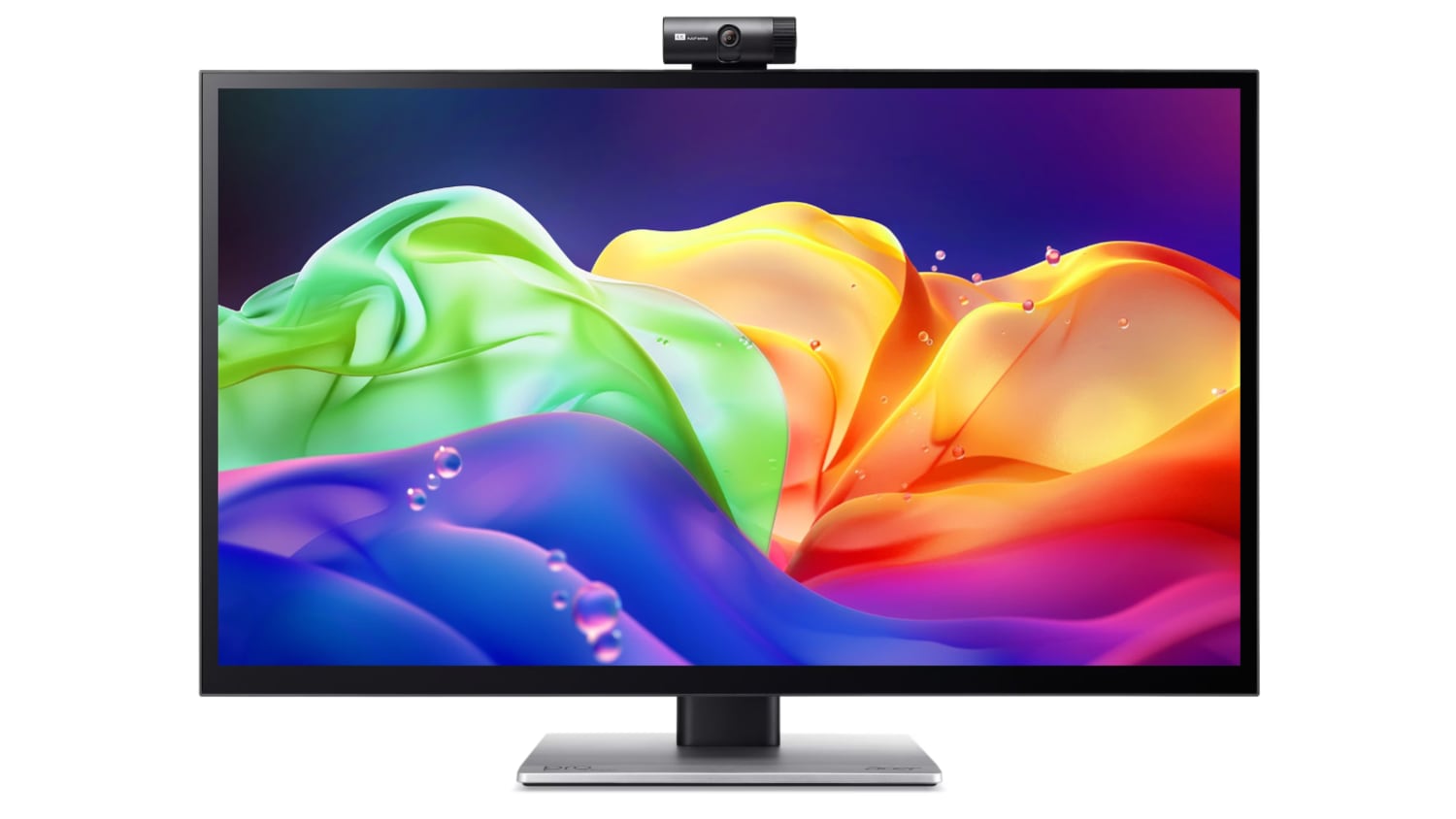

This is a big, heavy display. It's thicker than my Apple Studio Display, and it's thicker than any other display I've tested, likely because of the touch layer. It does have a tapered design so the sides aren't quite as thick as the middle, but this isn't a modern-looking monitor. It doesn't resemble something designed in 2026, especially with the button-based controls and the thick bezels. If someone told me this was a display from 2006, I'd believe it. With its stand, the ProDesigner weighs about 22 pounds, and it takes up a lot of room on my desk.

The display uses an IPS panel and has a resolution of 6016 x 3384, and it can connect to a Mac using HDMI or USB-C. I tested it on a 16-inch M1 Max MacBook Pro running macOS Golden Gate and an M4 MacBook Air. By default, macOS uses a 3008 x 1692 scaled resolution, which is a good compromise between display quality and sizing. It can be set at higher resolutions, including the full 6016 x 3384, but window sizing and text get smaller as resolution goes up.
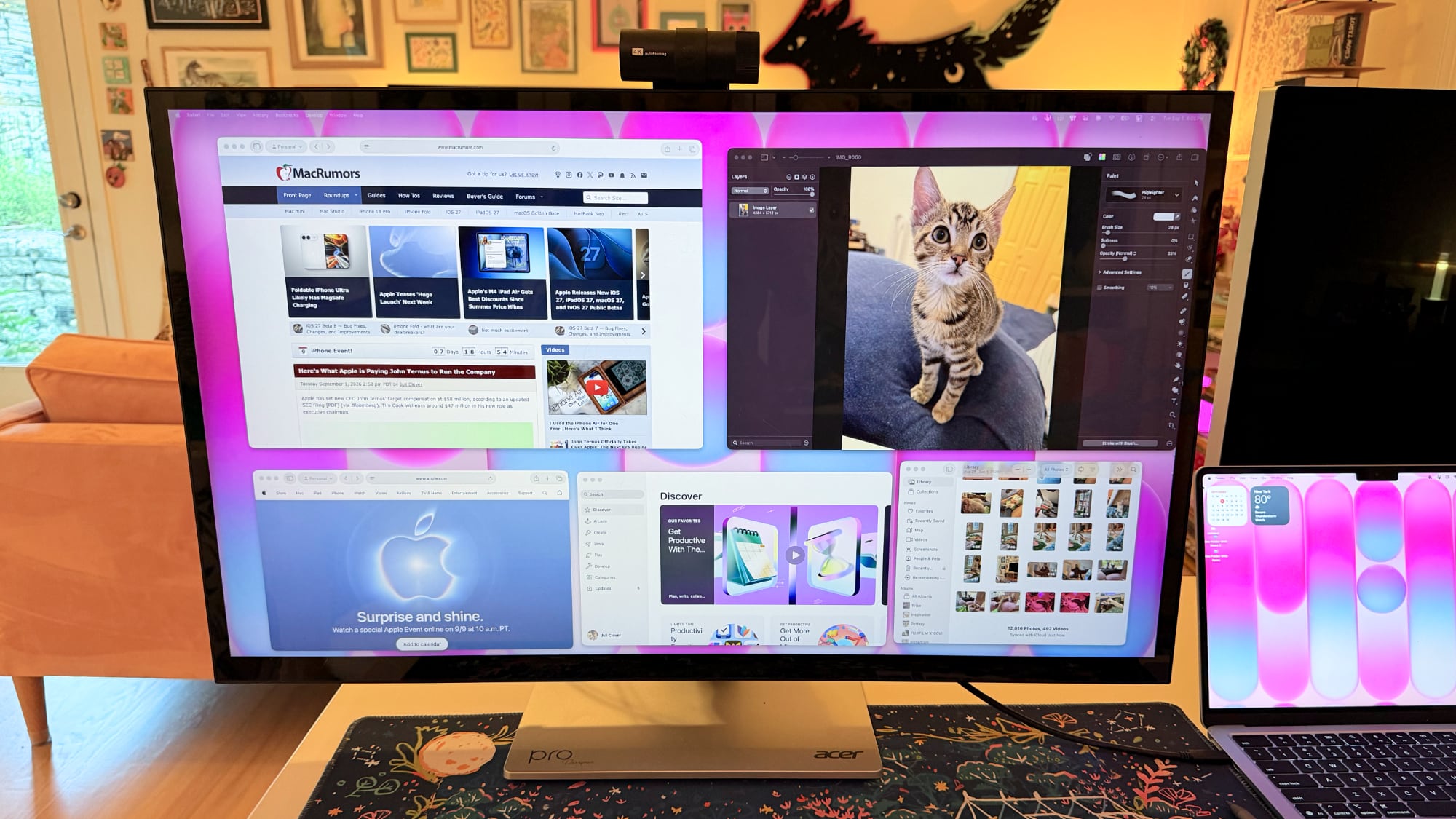

Text is crisp and everything looks sharp at the default resolution, but brightness is limited to 400 nits and contrast is just fair, not outstanding. My office is bright, and in the daytime, 400 nits is a little too dim, especially if I'm simultaneously using the ‌MacBook Pro‌'s much better mini-LED screen or a ‌Studio Display‌ with the Acer ProDesigner. Brightness does go up to 600 nits for HDR content, but I wouldn't recommend it for HDR movies because it doesn't have the local dimming you get from mini-LED or OLED.

Though brightness wasn't where I wanted it to be, quality and color were excellent. With some displays, it's unpleasant to use them with a ‌MacBook Pro‌ because of the pixel density mismatch, but 6K resolution makes a difference when using the display next to a ‌MacBook Pro‌. Text and interface elements don't look soft or low-resolution. Acer says the display is Calman-verified for color accuracy with support for 99 percent of the Adobe RGB and P3 color gamuts. I don't have a colorimeter or a reference display for testing, but colors were saturated and seemed similar to those on my ‌MacBook Pro‌. I did notice a little light bleed at the edges of the display when viewing a dark image in a dark room, but it's not something I noticed in regular use and the display otherwise looked uniform.
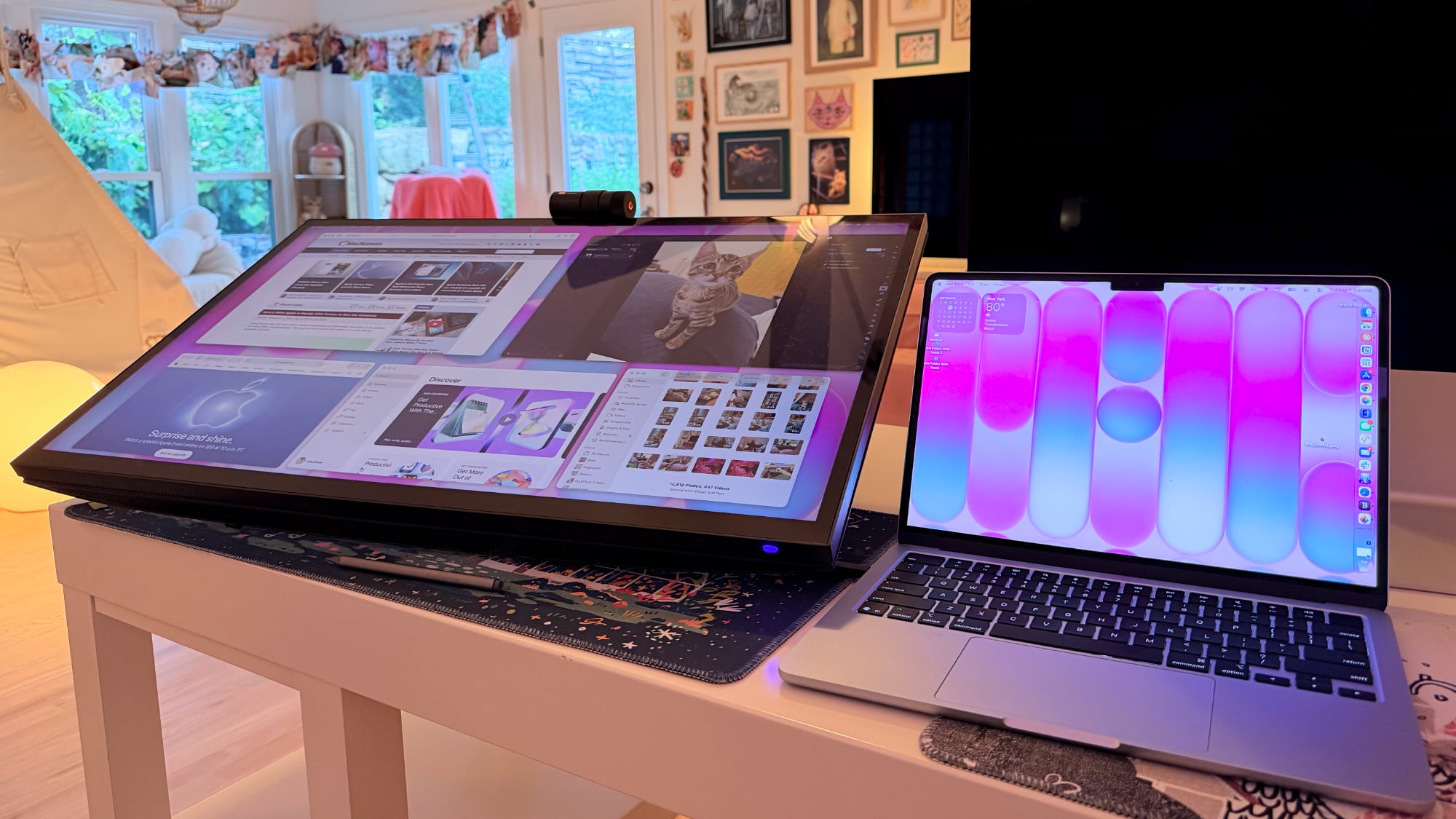

One of the main concerns with any kind of color work is the glossiness of the display. This is one of the most reflective displays I've used, and it is problematic when viewing dark content in a room with bright light. If you have lights behind you, they're going to reflect and make it harder to see what you're working on. Acer says it's an anti-glare display, but I disagree.
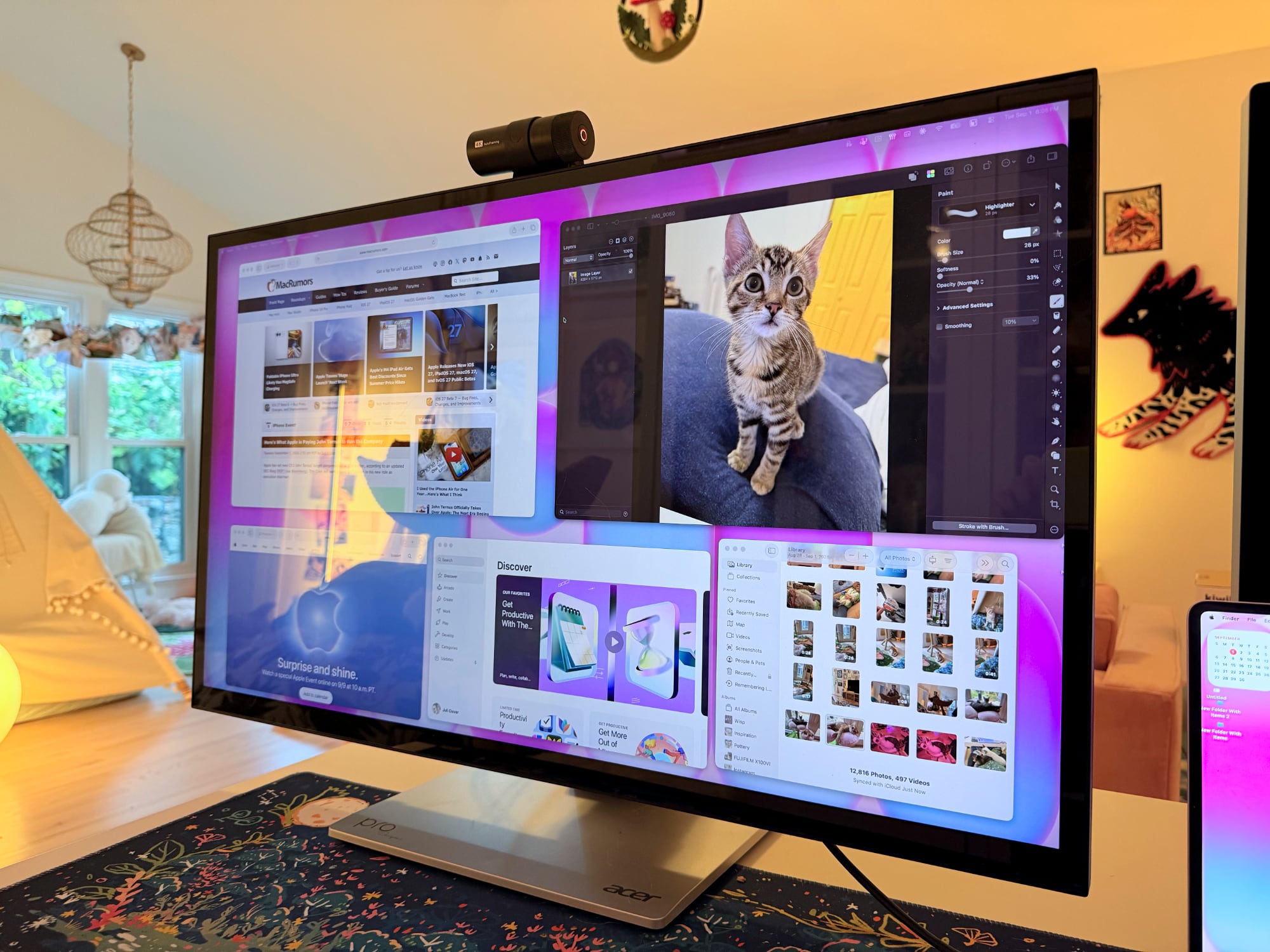

This is a display with a 60Hz refresh rate, and I do notice the lower refresh rate when scrolling through webpages because I'm used to my Mac's 120Hz option. This isn't a display I'd choose for games because of it, but games do look good thanks to the resolution.

Controls


Acer doesn't have a native macOS app for controlling the display, so there's no way to control brightness from the Mac unless you download third-party display software. I use BetterDisplay, and it works well.

Without third-party display software, you're limited to the brightness controls on the monitor itself. There are five buttons on the bottom right of the display. On-device controls are not as convenient as software-based controls, and it takes too many button presses to adjust brightness. I need to press one button to toggle the brightness setting, then use a different button and press several times to adjust up or down.

The brightness control is right next to the power button, so I've accidentally turned the display off several times. It's hard to imagine a control scheme that would be less ergonomic than the one Acer chose. You can tediously control all of the display settings with the physical buttons, or use third-party software to solve the problem.

Stand


The ProDesigner uses a folding stand made for switching between an upright and a tilted, low-angle orientation, with the latter meant to be used for drawing, sketching, and other tablet-style work. Since the stand is meant to tilt into a tablet position, it doesn't have much height adjustment, with about six inches of range. If you need the display to be taller, you'll need a monitor riser.
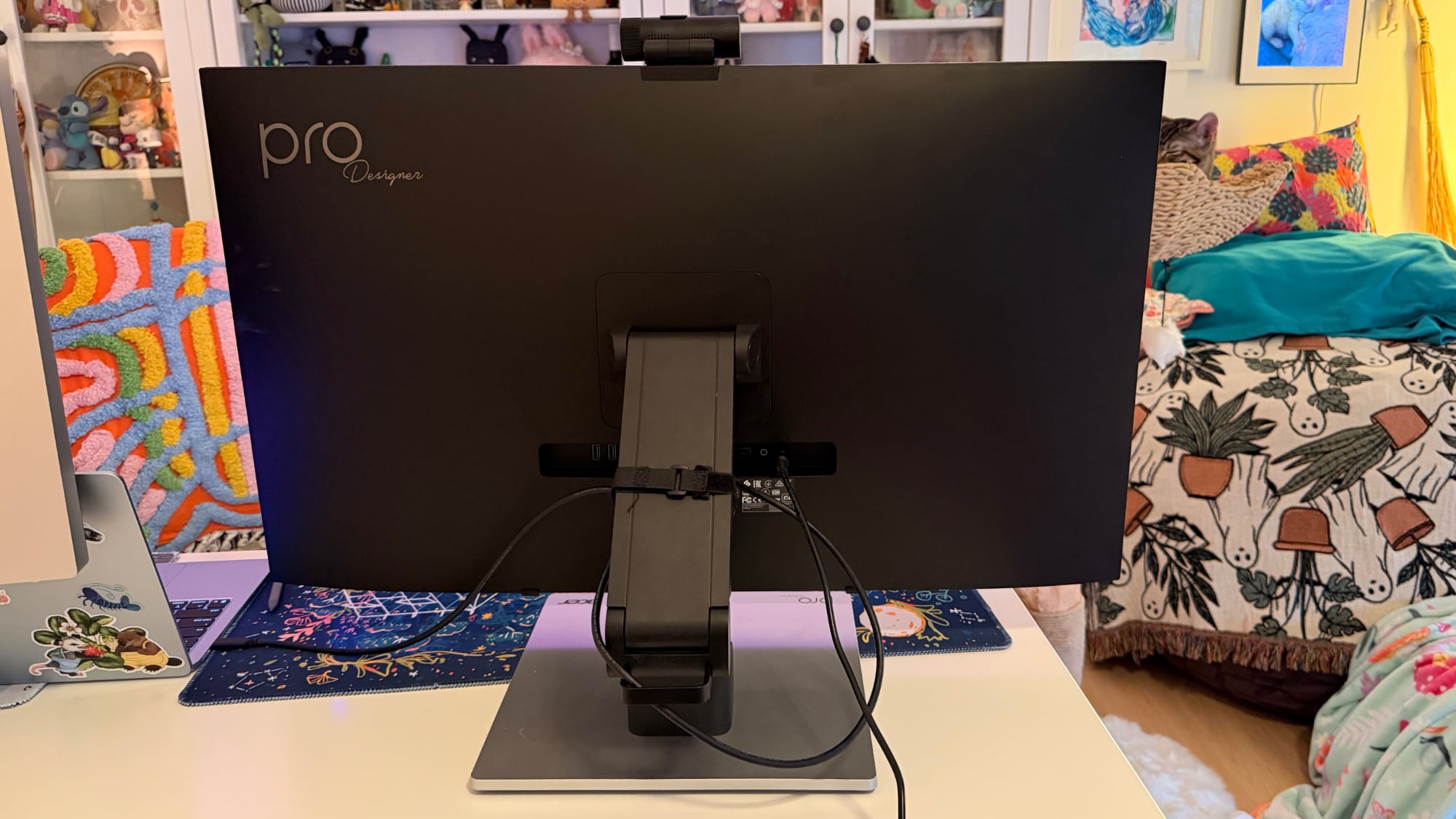

It is easy to pull it down into more of a tablet mode, and when it's oriented like that, it's like using a giant iPad or drawing tablet. It can be adjusted to several different angles, and it swivels 360 degrees so you can find the best position for whatever you're doing. The stand mechanism feels well-designed and there's little friction when making changes.
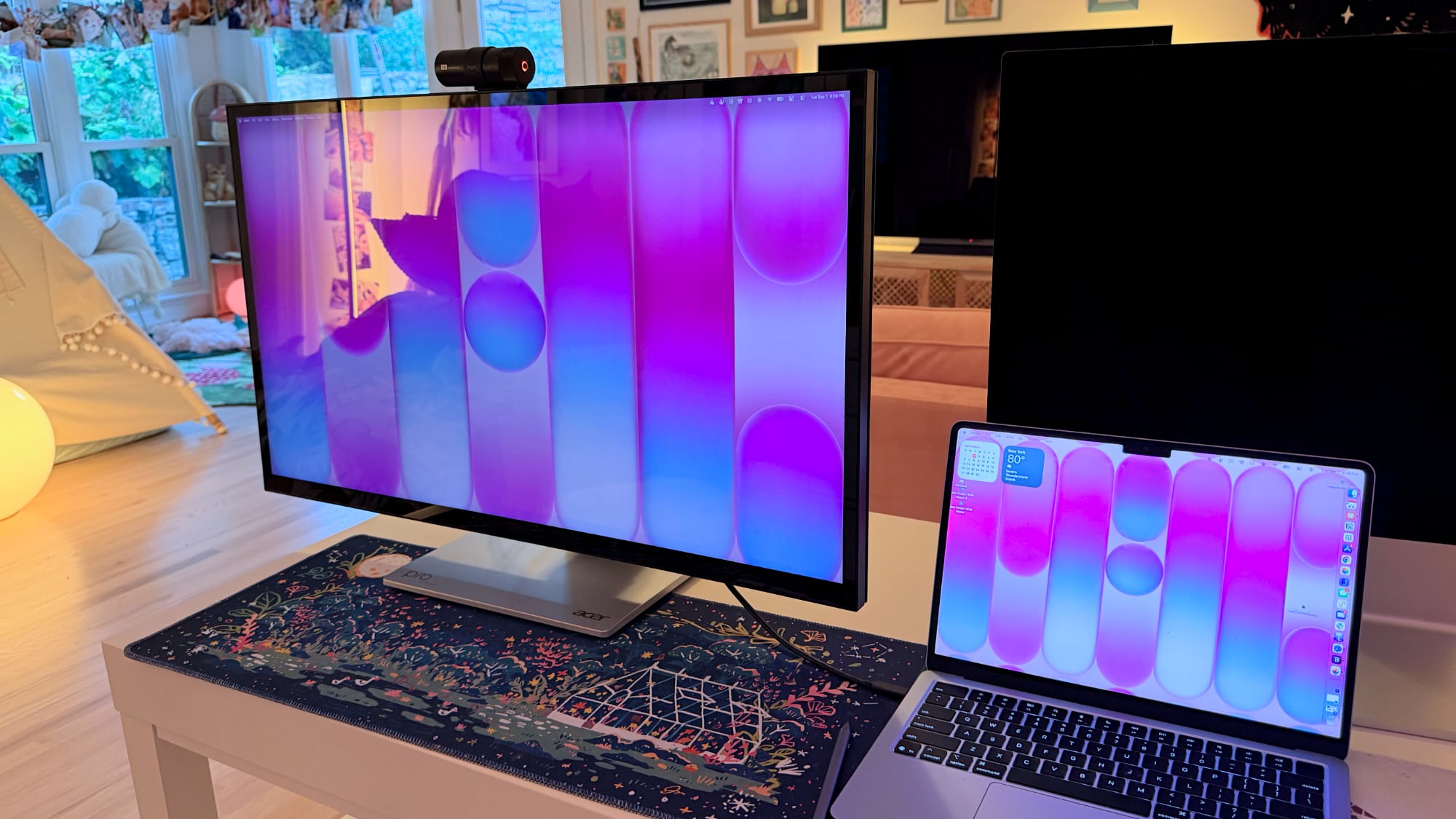

I didn't think attempting to draw or write on a display this size was going to be comfortable, but being able to angle the display helped. I had no issue when using it at my desk, though it does take up a lot of space. This isn't a situation where you can pick up your drawing surface and pop over to the couch to draw. You need the right setup for this display and its large stand.

The stand design makes the most sense if you're often using the display in touch mode, and less sense if you just want a display. It doesn't have the range of height adjustment of a standard desktop display because of the mechanism to shift it into a tablet position.

Ports and Charging


The display connects to a Mac over USB-C and offers 90W passthrough charging. That's not enough power to reach the 140W maximum charging speed of a 16-inch ‌MacBook Pro‌, but it was enough to keep my Mac topped up over the course of the day, even while gaming.

It has two HDMI 2.1 ports, one DisplayPort 1.4 port, a USB-C port with power delivery, two USB-A 3.2 Gen 1 ports, a USB-B upstream port, and a 3.5mm jack. There is no Thunderbolt support, so you can't daisy-chain displays.

Touchscreen and Software


macOS doesn't have native touchscreen support, so third-party software is required to make the Acer display's touchscreen function. Acer suggests the UPDD Touch Software driver from Touch-Base, and it allows for 10-finger touch input.
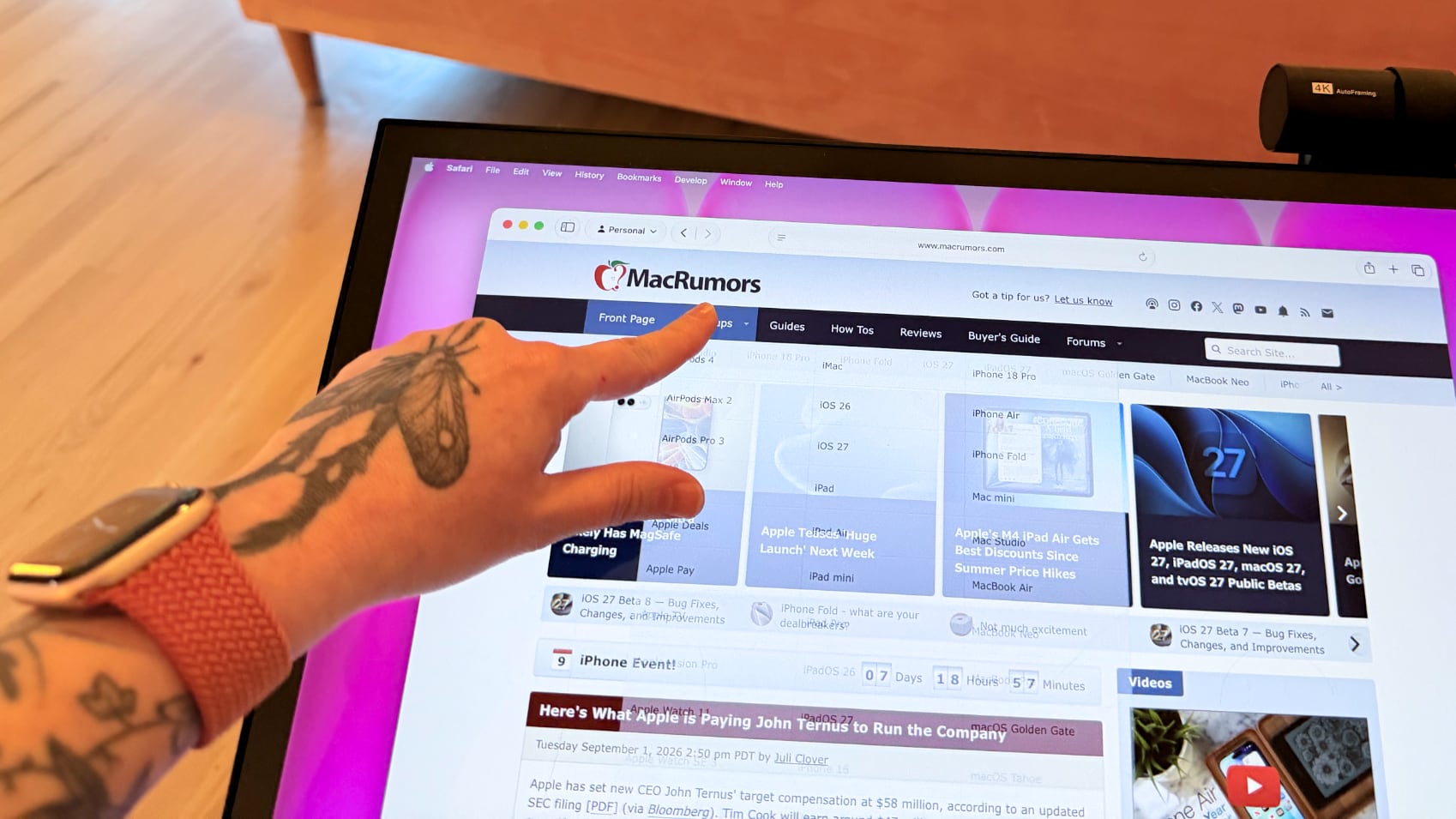

You can use all of the Mac gestures you're familiar with on the ProDesigner, but it's clear this is a display that wasn't built with the Mac in mind. The UPDD software requires per-app customization of touch gestures for some workflows. It's nice that the customization is available, but the software can be confusing. I don't know who is going to want to put in the work to get this running in a way that doesn't involve at least some frustration. In an app like Pixelmator Pro, I'd have to manually tweak the gestures to be able to use it efficiently, and the same goes for most apps. Apps on the Mac just weren't built for touch input.

With the UPDD software, touch input works, and works well. Finger taps are accurate, and Acer has a stylus that goes along with the display (that is a separate purchase). With the stylus, fine-line writing and drawing are supported, and features I'd expect with a stylus, like palm rejection and tilt, are available. Using the stylus is similar to using an ‌iPad‌ with an Apple Pencil that has hover. I can see the mouse cursor when the stylus is close to the screen so I can tell what I'm doing. Using touch or the stylus didn't seem laggy, and writing on the display was responsive.


Touch works on macOS, and I can tap with a finger to launch apps, change settings, adjust windows, and control on-screen elements, but it's not a feature I need or want. It would take me months, if not years, to get as fast with touch gestures as I am with a trackpad, and I'd never be able to replace the keyboard.

The display's touch feature is useful for drawing and sketching, and likely convenient for workflows like video editing, but I'm not sure it has appeal beyond that. There aren't many Mac tasks that are easier to do or more accessible with touch controls. Also, a display this big and this glossy really shows fingerprints.

Webcam and Speakers


There is a built-in 8-megapixel webcam, and it is higher quality than the camera in my ‌MacBook Pro‌ (not hard to achieve). Since I don't do a ton of video calls, it's not a super important feature for me, but someone who is often in video meetings might appreciate it more.
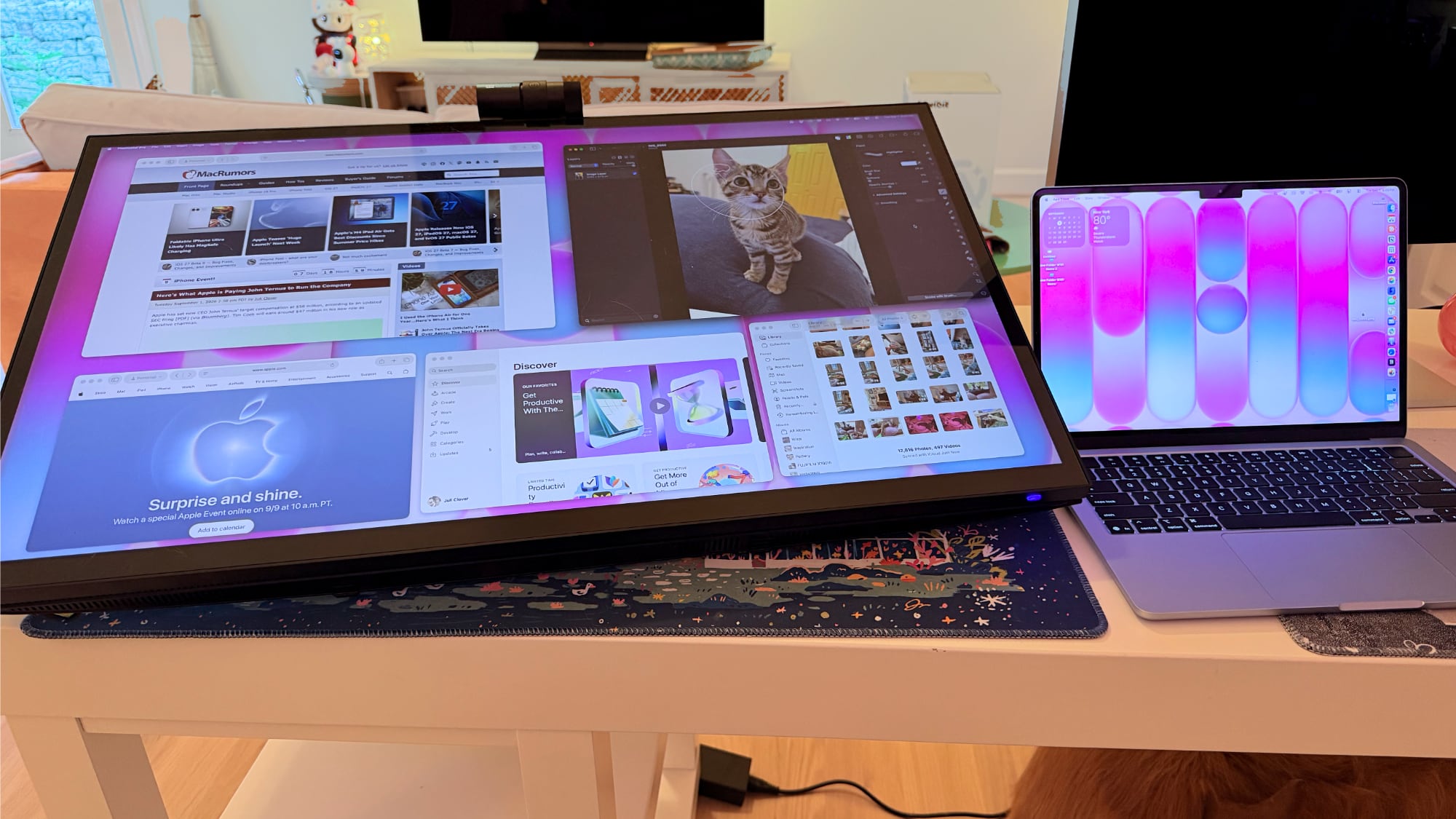

The camera can tilt for adjusting the angle depending on where you're positioned, but it is a wider angle than I'm used to with a webcam and the framing is awkward. When the camera is not in use, there's a physical cover for privacy purposes.

The speakers are fine, but nothing special. I wouldn't use them over standalone speakers or a Mac's speakers. Voice calls and short video content sound fine, but music sounds one-dimensional.

Bottom Line


Acer's ProDesigner PE320QXT wasn't built for the Mac, and it's obvious. It requires a lot of software to work, and it's software that Acer didn't even design. You can use it with the Mac, but the Mac was an afterthought.

The touch hardware works well, and if you want a 31.5-inch drawing surface, this display does that. You can make this work with a favorite creative app, and it's a lot of fun to have such a big digital canvas. There are rumors that Apple is working on a touchscreen ‌OLED‌ MacBook, so macOS could get more touch-friendly in the near future and that might change how useful the display is.

macOS wasn't built to be used with a touchscreen, and I would bet money that no Mac user is going to speed up an established and comfortable Mac workflow with Acer's display.

The only reason to choose this display over another 6K display is the touch feature. If you want a big touch surface, the ProDesigner is a good option and it's priced well for what it is. If you need a Mac display for any other purpose, you're probably better off getting something else.

How to Buy


The Acer ProDesigner PE320QXT can be purchased from B&H for $1,299.99.
This article, "Review: Acer's 6K Touchscreen Display Turns Your Mac Into a Giant iPad, Sort Of" first appeared on MacRumors.com

Discuss this article in our forums

  •  

MacRumors Giveaway: Win an iPad Air and Revamped Rock Paper Pencil Kit From Astropad

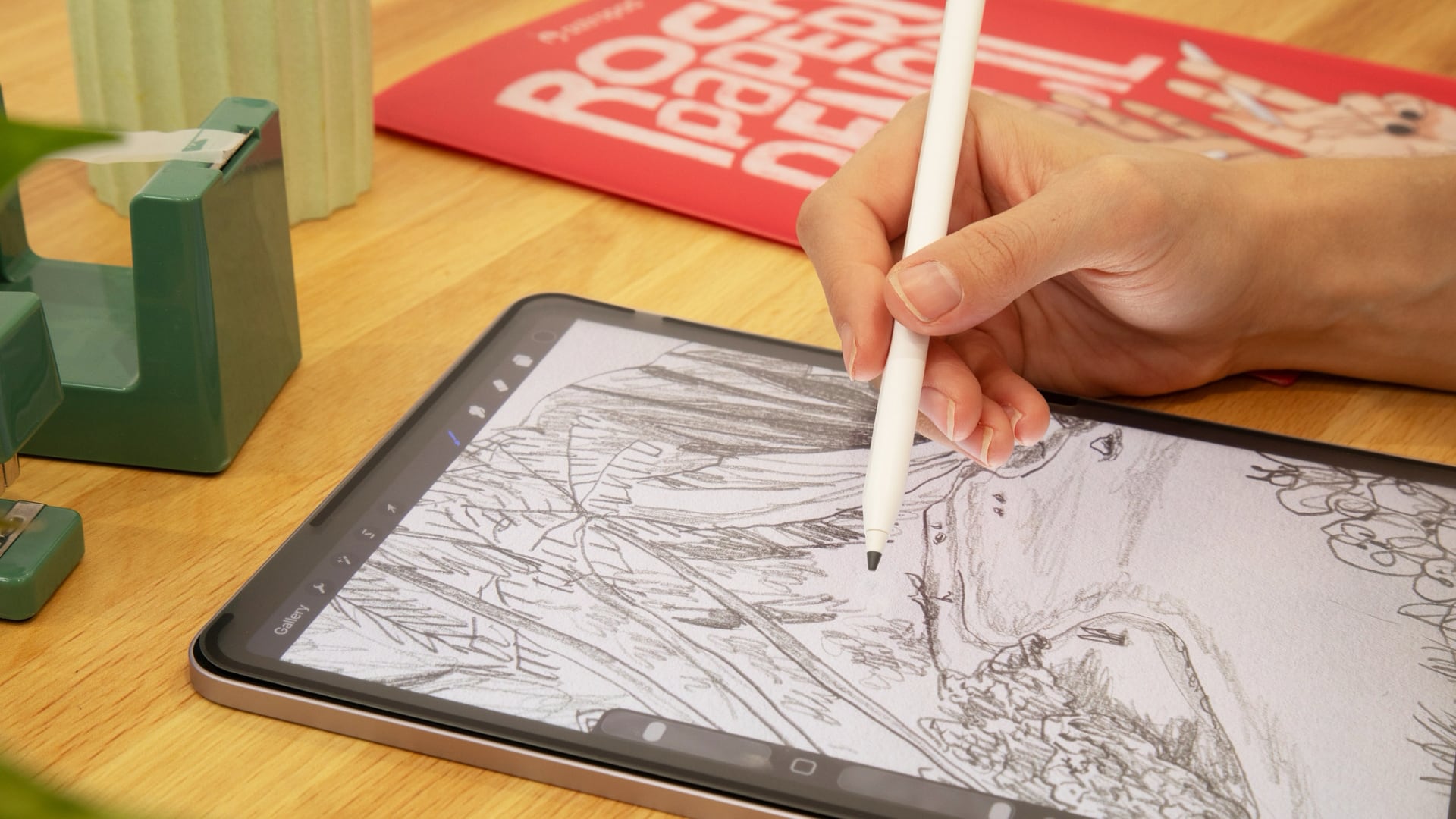
For this week's giveaway, we've once again teamed up with Astropad to offer MacRumors readers a chance to win an M4 iPad Air, an Apple Pencil Pro, and an Astropad Rock Paper Pencil kit to use with it.


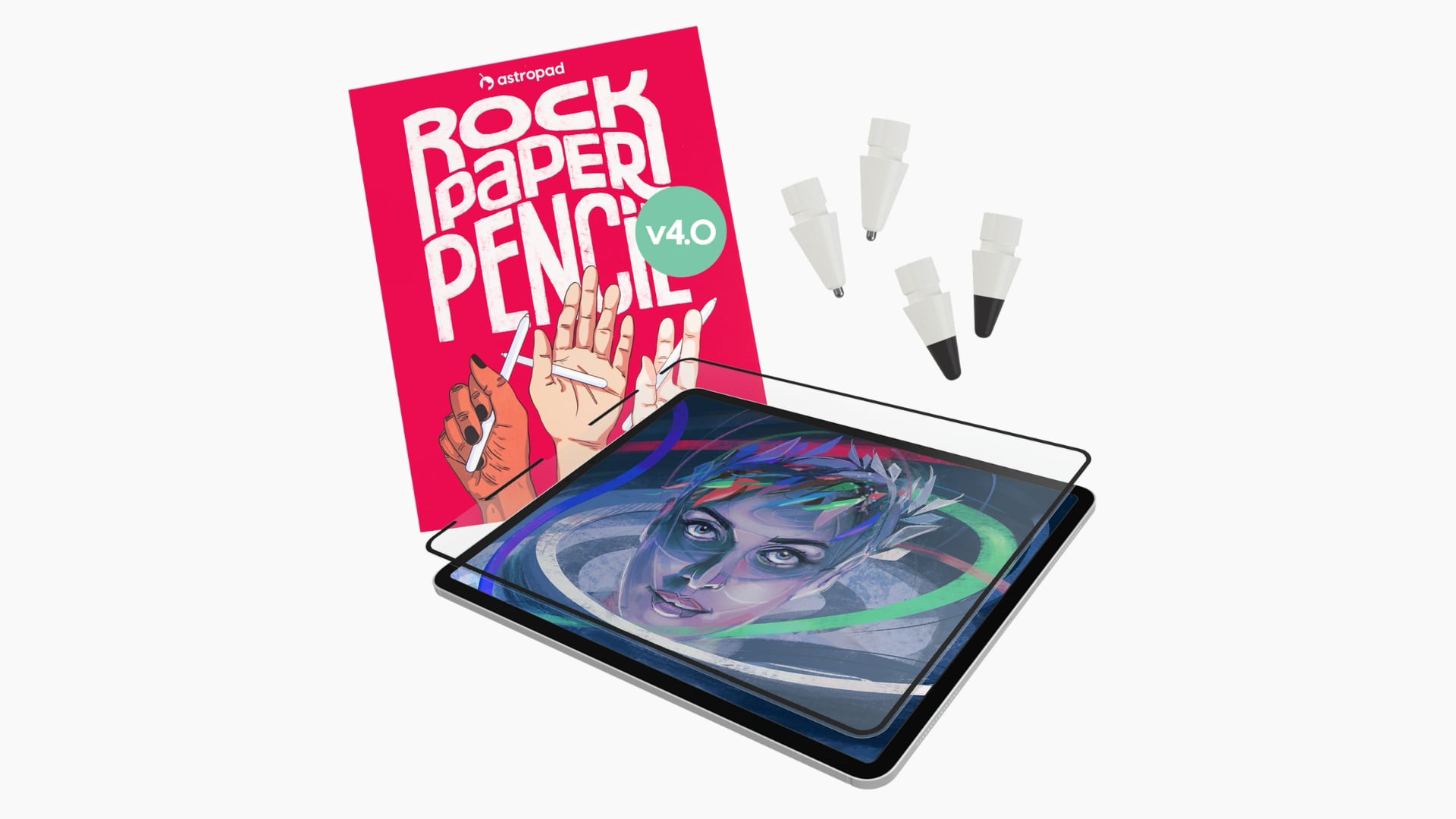
The $49.99 Rock Paper Pencil is a screen protector and ‌Apple Pencil‌ tip combo that makes writing on your iPad feel like writing on a piece of paper instead of a slippery glass display. It's a more comfortable and natural writing and drawing experience.


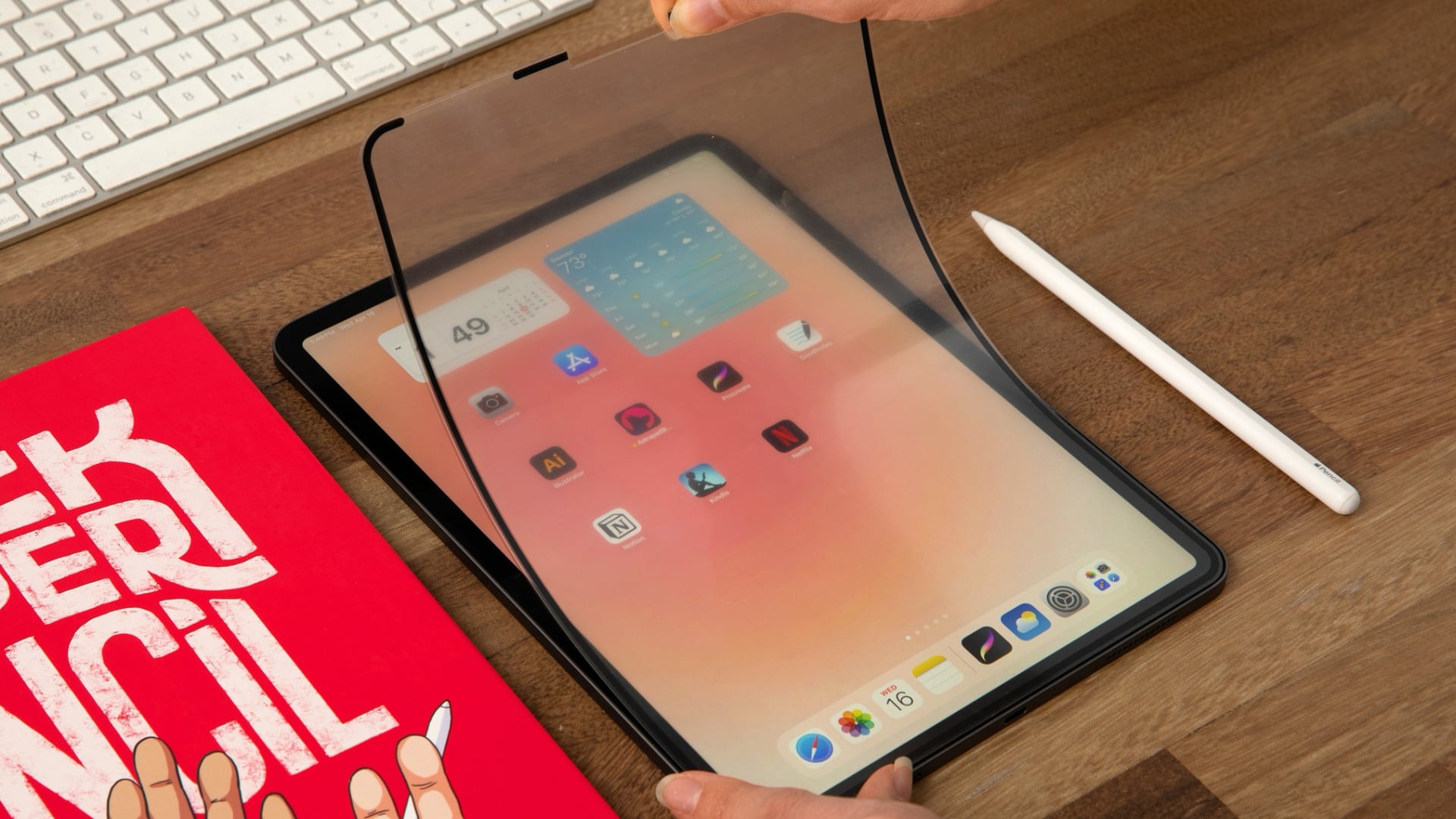
A non-adhesive paper-textured screen protector attaches to the ‌iPad‌'s display, with a custom tip added to the ‌Apple Pencil‌. The paper-like feel of the screen comes from a microscopic texture that adds friction to improve control.


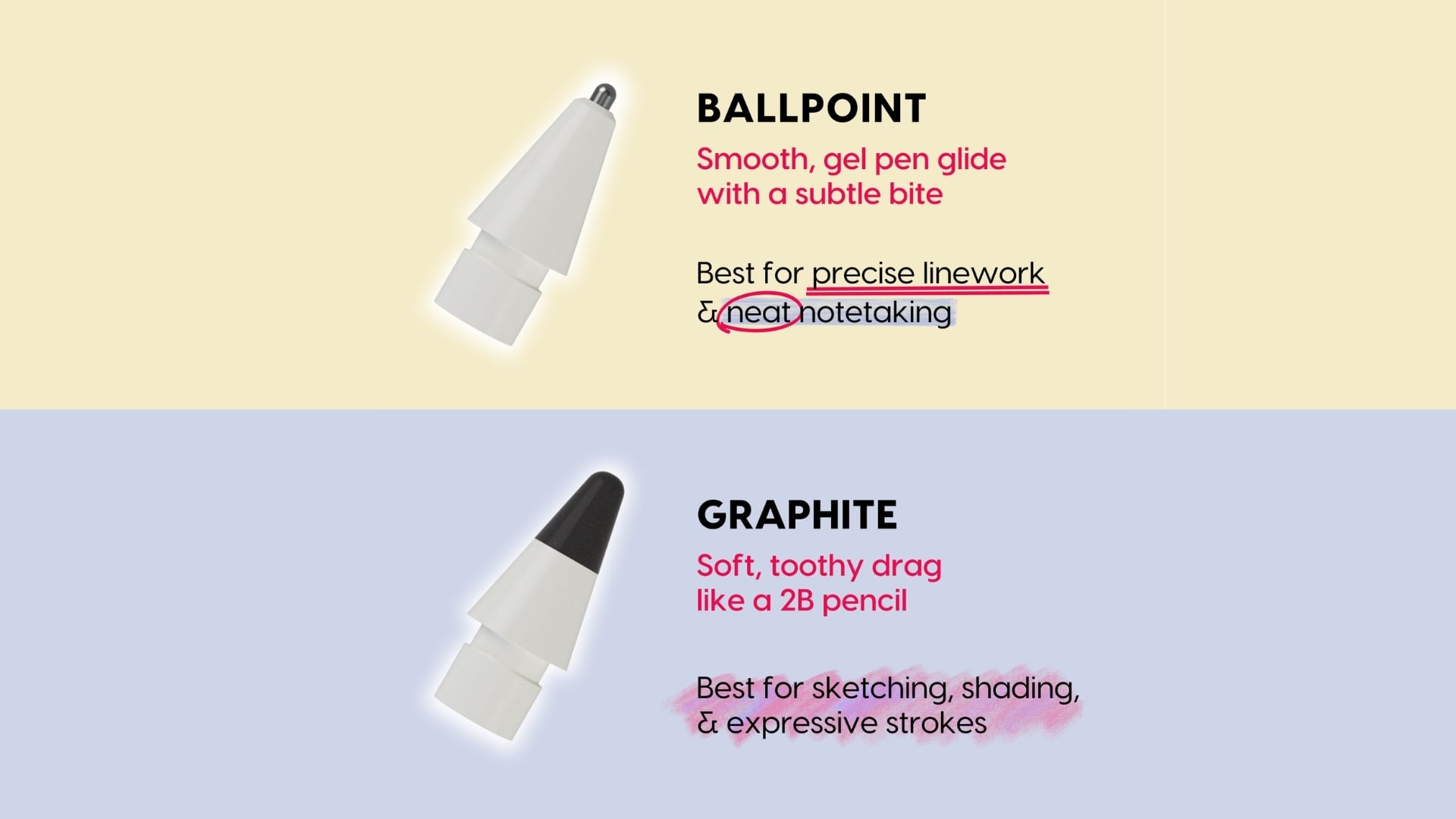
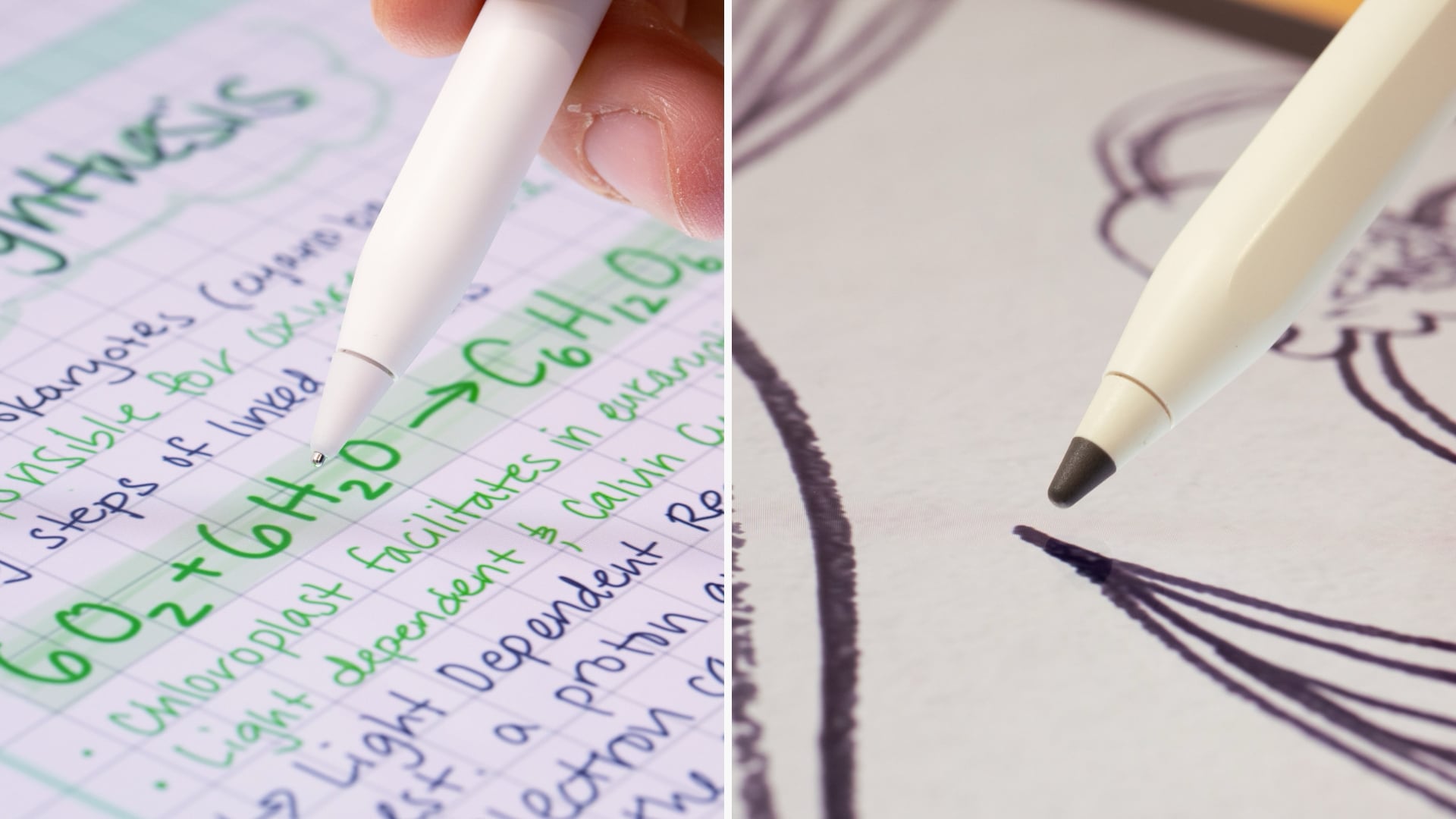
Astropad this week launched the fourth iteration of Rock Paper Pencil, and it now comes with tips that have a different feel. There's a new graphite tip that's meant to feel like writing with a 2B pencil, which Astropad says is ideal for sketching and shading. It even sounds like writing with a pencil on paper when you use it. There's also a ballpoint tip that feels like using with a smooth gel pen. It's ideal for writing and linework. Two of each kind of tip are included in the kit.


When you want to use your ‌iPad‌ for watching videos or playing games, you can take off the screen protector and store it away in a protective sleeve. It attaches to the ‌iPad‌ with Astropad's NanoCling technology, so there's no adhesive to deal with.


For those who dislike the unnatural feel of writing or drawing on a glass surface with a plastic ‌Apple Pencil‌ tip, Rock Paper Pencil is worth checking out.

Rock Paper Pencil is compatible with all of Apple's M2, M3, M4, and M5 iPads, as well as many older iPads.

We have a Rock Paper Pencil kit, an M4 ‌iPad Air‌, and an ‌Apple Pencil‌ Pro for one lucky MacRumors reader. To enter to win, use the widget below and enter an email address. Email addresses will be used solely for contact purposes to reach the winner(s) and send the prize(s). You can earn additional entries by subscribing to our weekly newsletter, subscribing to our YouTube channel, following us on Twitter, following us on Instagram, following us on Threads, or visiting the MacRumors Facebook page.

Due to the complexities of international laws regarding giveaways, only U.S. residents who are 18 years or older, UK residents who are 18 years or older, and Canadian residents who have reached the age of majority in their province or territory are eligible to enter. All federal, state, provincial, and/or local taxes, fees, and surcharges are the sole responsibility of the prize winner. To offer feedback or get more information on the giveaway restrictions, please refer to our Site Feedback section, as that is where discussion of the rules will be redirected.The contest will run from today (September 4) at 9:00 a.m. Pacific Time through 9:00 a.m. Pacific Time on September 11. The winner will be chosen randomly on or shortly after September 11 and will be contacted by email. The winner will have 48 hours to respond and provide a shipping address before a new winner is chosen.
Related Roundup: iPad Air
Buyer's Guide: iPad Air (Buy Now)
Related Forum: iPad

This article, "MacRumors Giveaway: Win an iPad Air and Revamped Rock Paper Pencil Kit From Astropad" first appeared on MacRumors.com

Discuss this article in our forums

  •  

Aqara Debuts Five Matter Smart Lights With Apple Home Support

Aqara today introduced five new Matter-enabled smart lights compatible with Apple Home. The lights support Thread and Zigbee as well, and can be paired with Aqara sensors and switches.


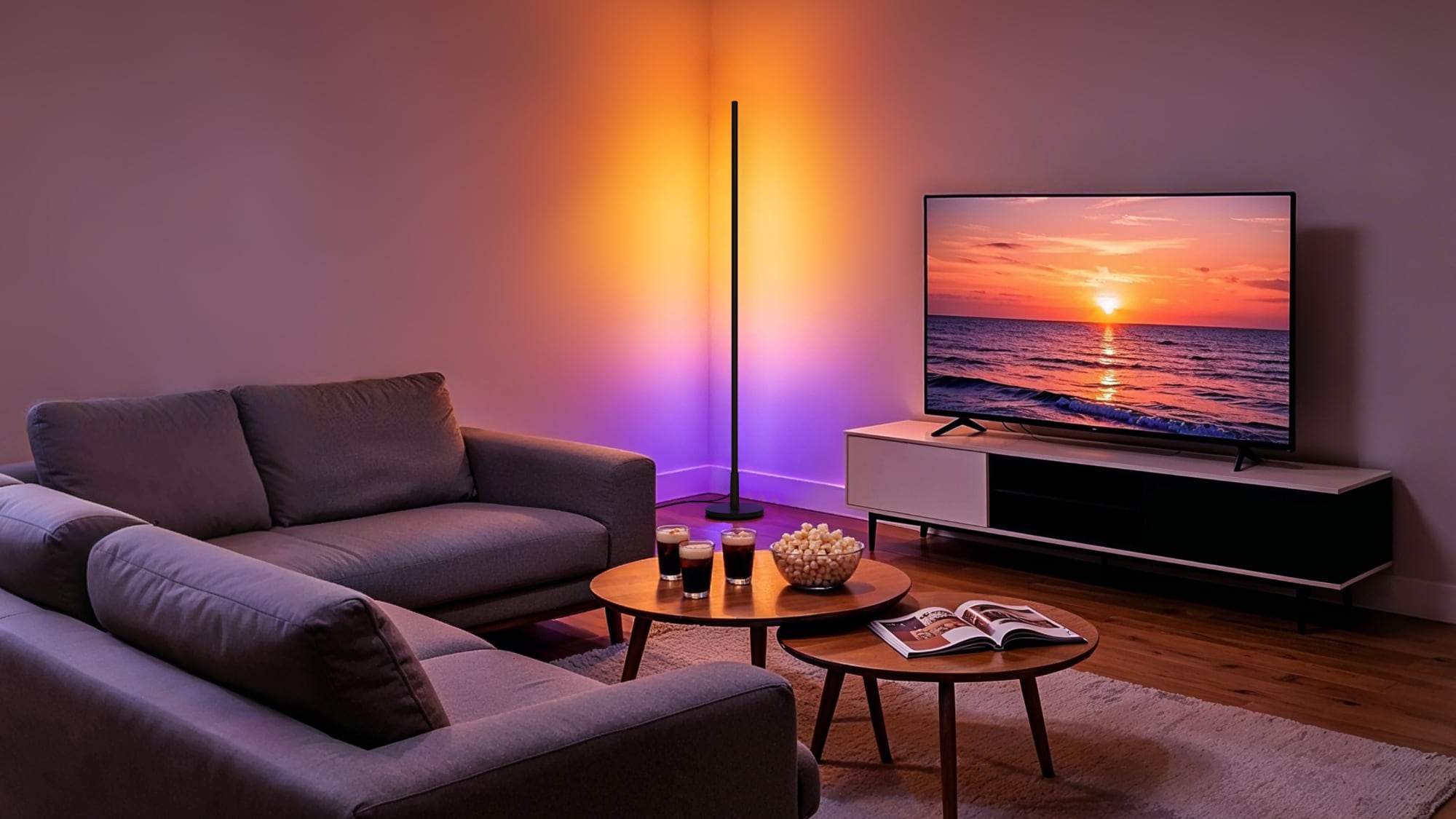
The Floor Lamp T1 is a tall, rod-shaped light with a wall-wash effect. It has 18 controllable zones that can be set to different colors, and it supports 2000K to 9000K white light at up to 1,000 lumens.

Aqara's LED Downlight T2 has a thin profile for low ceilings or retrofitting. It supports 16 million colors and 2000K to 9000K white light. The trimmable LED Strip T2 has 108 LEDs per meter and is ideal for use under cabinets and along shelves. Aqara says it delivers even light without visible hotspots. The light strip has 18 controllable zones every three meters for smooth color gradients.

The Outdoor String Lights H1 are weatherproof for use on patios and decks. The lights have individually controllable zones with the same white light range as the other lights, and can adjust based on time of day, environment, and triggers from other smart home devices.

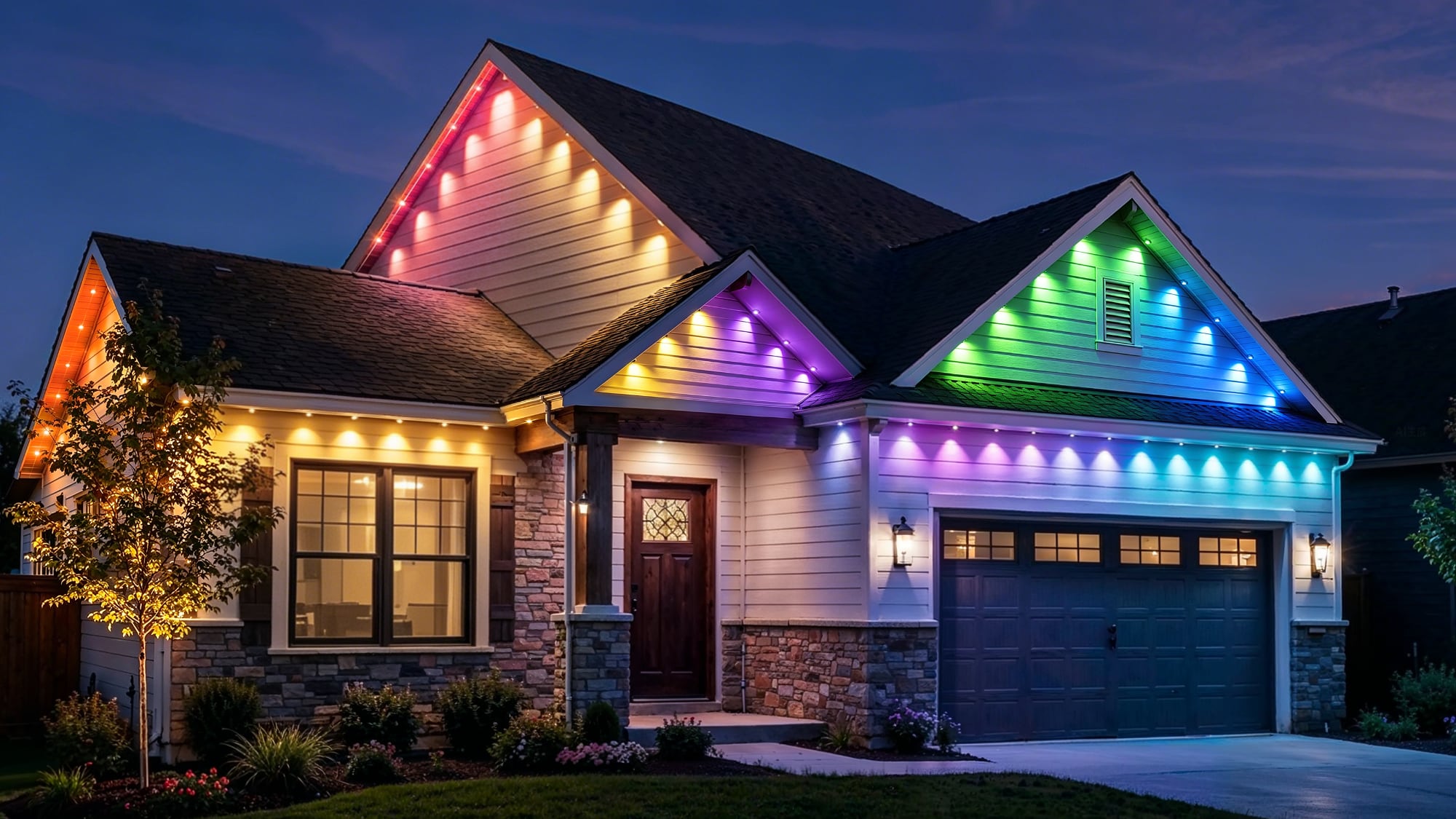
Aqara also announced the Permanent Outdoor Lights H1 that can be used all year. The lights feature independently controlled LEDs and can be extended or cut to fit any roofline.


Aqara is showing off the new lights at IFA. Pricing and launch timing are not yet available.
This article, "Aqara Debuts Five Matter Smart Lights With Apple Home Support" first appeared on MacRumors.com

Discuss this article in our forums

  •  

The MacRumors Show: iPhone 18 Pro Event Expectations

Ahead of Apple's "Surprise and shine" event on September 9, we talk through everything to expect on this week's episode of The MacRumors Show.


The event begins at 10:00 a.m. Pacific Time at the Apple Park campus in Cupertino, California, and will be streamed on Apple's website, on YouTube, and through the Apple TV app. It is the first keynote since John Ternus succeeded Tim Cook as chief executive on September 1. Rumors suggest at least six new products will arrive at the event.

The Apple Watch Series 12 is expected to add a new chip, improved fitness tracking, better battery life, continuous heart-rate collection, and redesigned Health and Fitness experiences. A ceramic case option may return in white or dark gray, but no major redesign or Touch ID is now expected.

The Apple Watch Ultra 4 should receive the same new chip and health upgrades, again without a redesign. Apple may also expand its existing satellite connectivity features on the device with satellite Apple Maps and photo sharing in Messages.

AirPods 5 is expected to arrive in two versions, with and without active noise cancellation. Both may use an H3 chip for improved sound and lower latency, but are not expected to add the AirPods Pro 3's heart-rate sensor.

The iPhone 18 Pro should retain the iPhone 17 Pro's design while gaining an A20 Pro chip on TSMC's 2nm process, with RAM integrated on the same wafer. Other expected upgrades include a LTPO+ display, Samsung image sensor, simplified Camera Control without a capacitive layer, a narrower Dynamic Island, 12GB of RAM, 256GB base storage, and 5G satellite internet. It may use Apple's C2 modem outside the U.S., while U.S. models will likely retain Qualcomm hardware for mmWave connectivity.

The ‌iPhone 18 Pro‌ Max should share the smaller models's upgrades while adding a 5,391mAh battery in China and 5,567mAh battery in the U.S.. It may be thicker, heavier, and around 243 grams, with a variable-aperture main camera that could be exclusive to the larger device.

The foldable iPhone, likely called the "iPhone Ultra," is expected to be the biggest announcement, using a wide passport-style design with 5.5-inch outer and 7.8-inch inner displays, an iPad-like 4:3 aspect ratio, and a nearly invisible screen crease. It may feature a titanium-and-aluminum chassis, liquid-metal hinge, vapor-chamber cooling, A20 Pro chip, dual 5,400mAh to 5,800mAh batteries, ‌Touch ID‌ power button instead of Face ID, rear wide and ultra wide cameras, dual selfie cameras in hole-punch cutouts, and the Camera Control button, with 256GB, 512GB, and 1TB storage options. It is also expected to be more repairable than rival foldables.

The MacRumors Show has its own YouTube channel, so make sure you're subscribed to keep up with new episodes and clips.


You can also listen to ‌The MacRumors Show‌ on Apple Podcasts, Spotify, Overcast, or other podcast apps. You can also copy our RSS feed directly into your player.


If you haven't already listened to the previous episode of The MacRumors Show, catch up to hear our discussion about the new Mac mini and Mac Studio, the M6 and M5 Ultra chips, and invites to Apple's September event.

Subscribe to ‌The MacRumors Show‌ for new episodes every week, where we discuss some of the topical news breaking here on MacRumors, often joined by interesting guests such as Michael Fisher, Kayci Lacob, Kevin Nether, John Gruber, Mark Gurman, Jon Prosser, Luke Miani, Matthew Cassinelli, Brian Tong, Quinn Nelson, Jared Nelson, Eli Hodapp, Mike Bell, Sara Dietschy, iJustine, Jon Rettinger, Andru Edwards, Arnold Kim, Ben Sullins, Marcus Kane, Christopher Lawley, Frank McShan, David Lewis, Tyler Stalman, Sam Kohl, Federico Viticci, Thomas Frank, Jonathan Morrison, Ross Young, Ian Zelbo, and Rene Ritchie.

‌The MacRumors Show‌ is on X @MacRumorsShow, so be sure to give us a follow to keep up with the podcast. You can also email us at podcast@macrumors.com or head over to The MacRumors Show forum thread. Remember to rate and review the podcast, and let us know what subjects and guests you would like to see in the future.
Related Roundup: iPhone 18 Pro

This article, "The MacRumors Show: iPhone 18 Pro Event Expectations" first appeared on MacRumors.com

Discuss this article in our forums

  •  

Apple Just Fixed TestFlight

As noted by MacStories editor-in-chief Federico Viticci, TestFlight now shows recent betas by default again for all users.

In July, Apple updated TestFlight with a search field for quickly finding apps that you are beta testing, but some users started to see their apps presented in alphabetical order. It is not entirely clear if this was a bug or an intentional change, but many users did not like it, and TestFlight version 4.3.1 reverses course. The update with the fix is available in the App Store now. The search field remains.
This article, "Apple Just Fixed TestFlight" first appeared on MacRumors.com

Discuss this article in our forums

  •  

Labor Day Deals Offer Up to $330 Off Studio Displays and Mac Mini Pre-Order Savings

It's Labor Day weekend, and we're tracking big discounts across a wide variety of Apple and Apple-related products, including some of the best prices of the year on Studio Displays. You can also still get pre-order discounts on the new Mac minis on Amazon.

Note: MacRumors is an affiliate partner with some of these vendors. When you click a link and make a purchase, we may receive a small payment, which helps us keep the site running.
Mac Mini Pre-Orders


  • What's the deal? Take up to $29 off Mac mini pre-orders

  • Where can I get it? Amazon

  • Where can I find the original deal? Right here


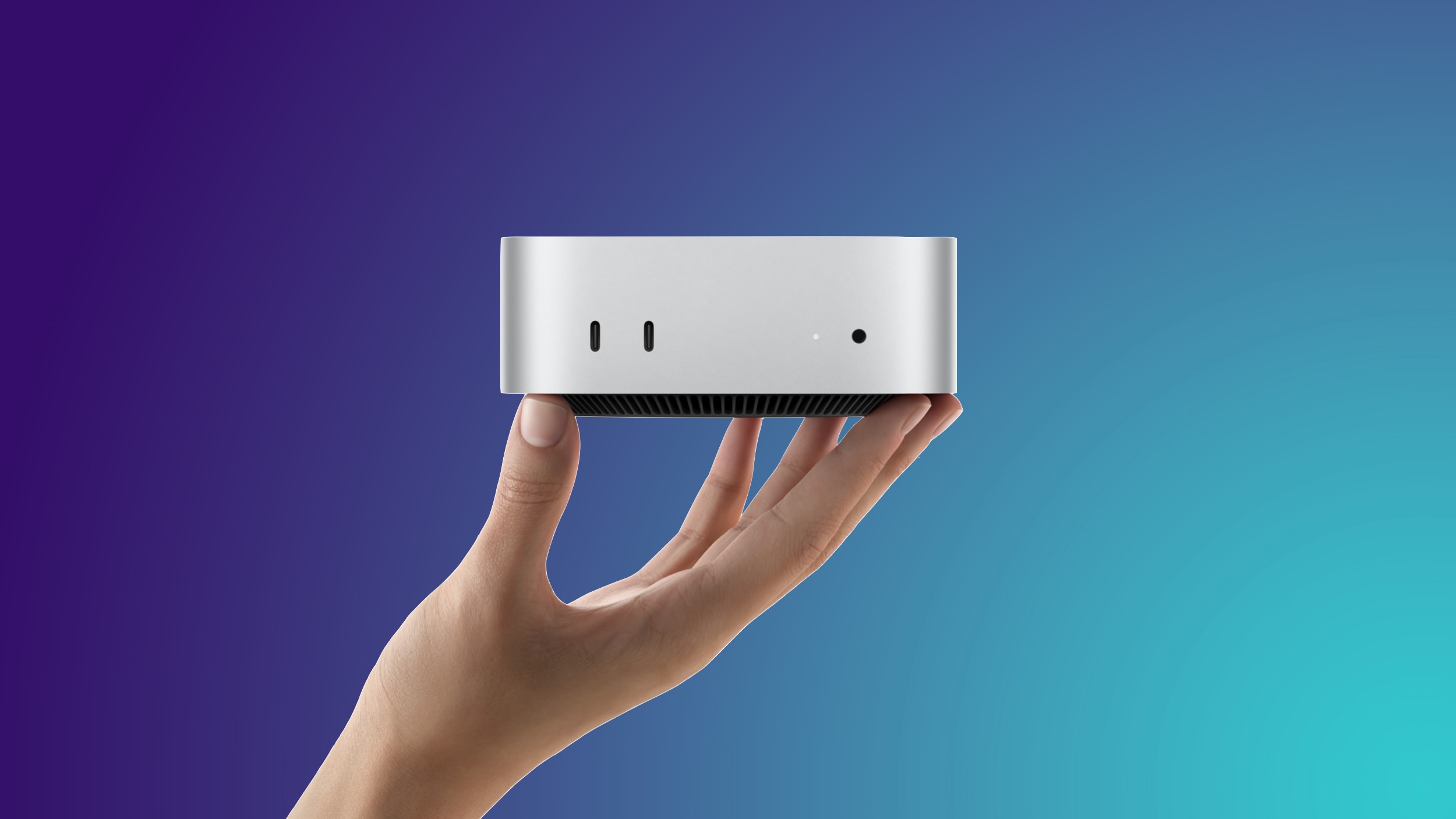
Amazon this week introduced the first cash discounts on Apple's brand new Mac mini, with discounts including two of the M6 models as well as the M5 Pro model. All of these deals are pre-order discounts on the 2026 Mac mini, which officially launches on September 22.

Studio Display


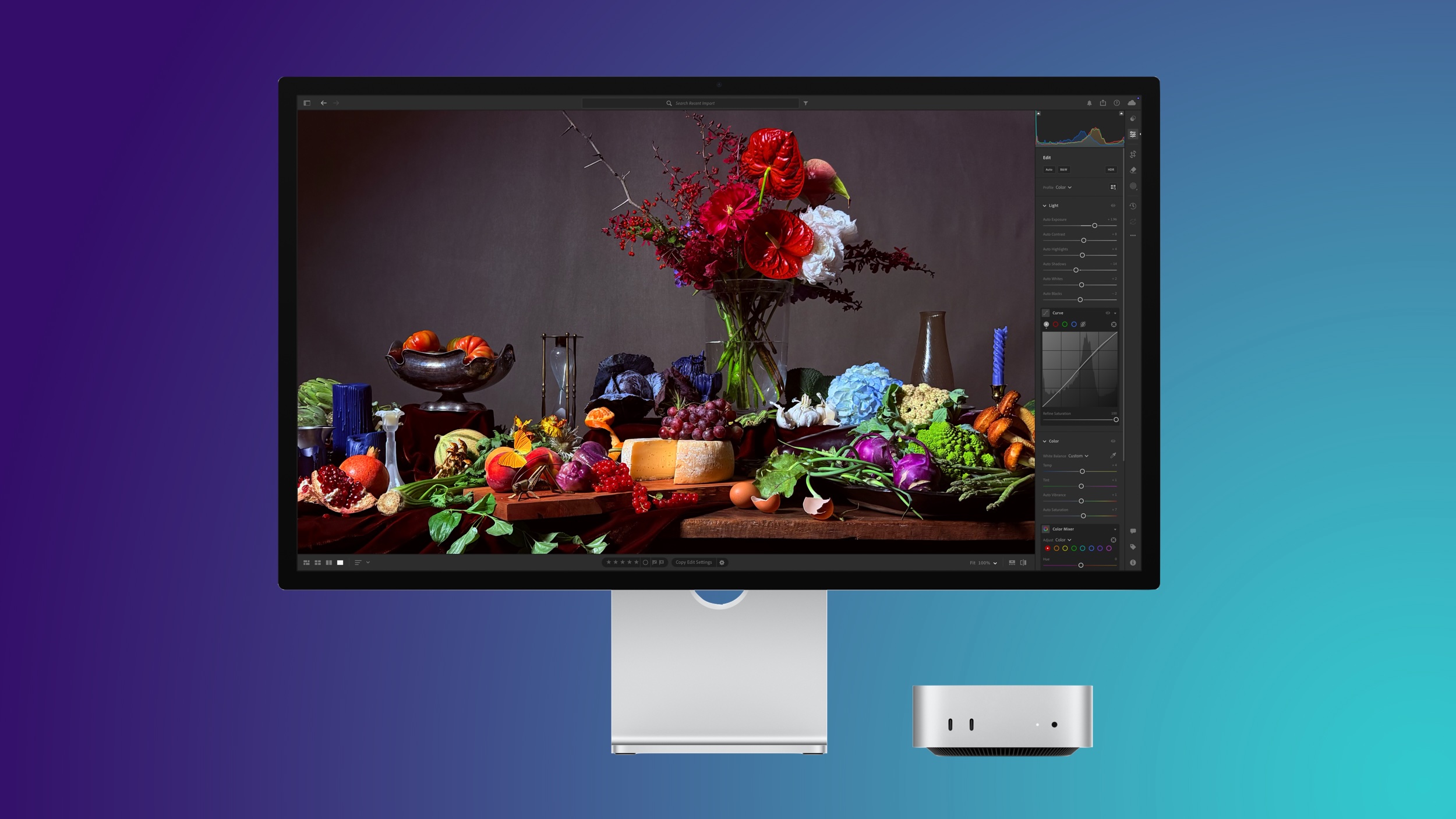
  • What's the deal? Take up to $330 off Apple Studio Displays

  • Where can I get it? Amazon

  • Where can I find the original deal? Right here

Note: You won't see the deal price until checkout.


Amazon this week introduced major discounts on the Apple Studio Display and Apple Studio Display XDR, providing up to $330 off these monitors. If you're shopping for the Studio Display, be sure to clip the on-page coupon on Amazon to get the final deal price.

Amazon Labor Day Sale


  • What's the deal? Save on popular accessories at Amazon

  • Where can I get it? Amazon

  • Where can I find the original deal? Right here


There's a big accessory sale happening on Amazon this week, with the year's best prices on Anker chargers, Samsung monitors, Sonos audio products, and much more.

AirTag 2


  • What's the deal? Take up to $19 off AirTag 2

  • Where can I get it? Amazon

  • Where can I find the original deal? Right here


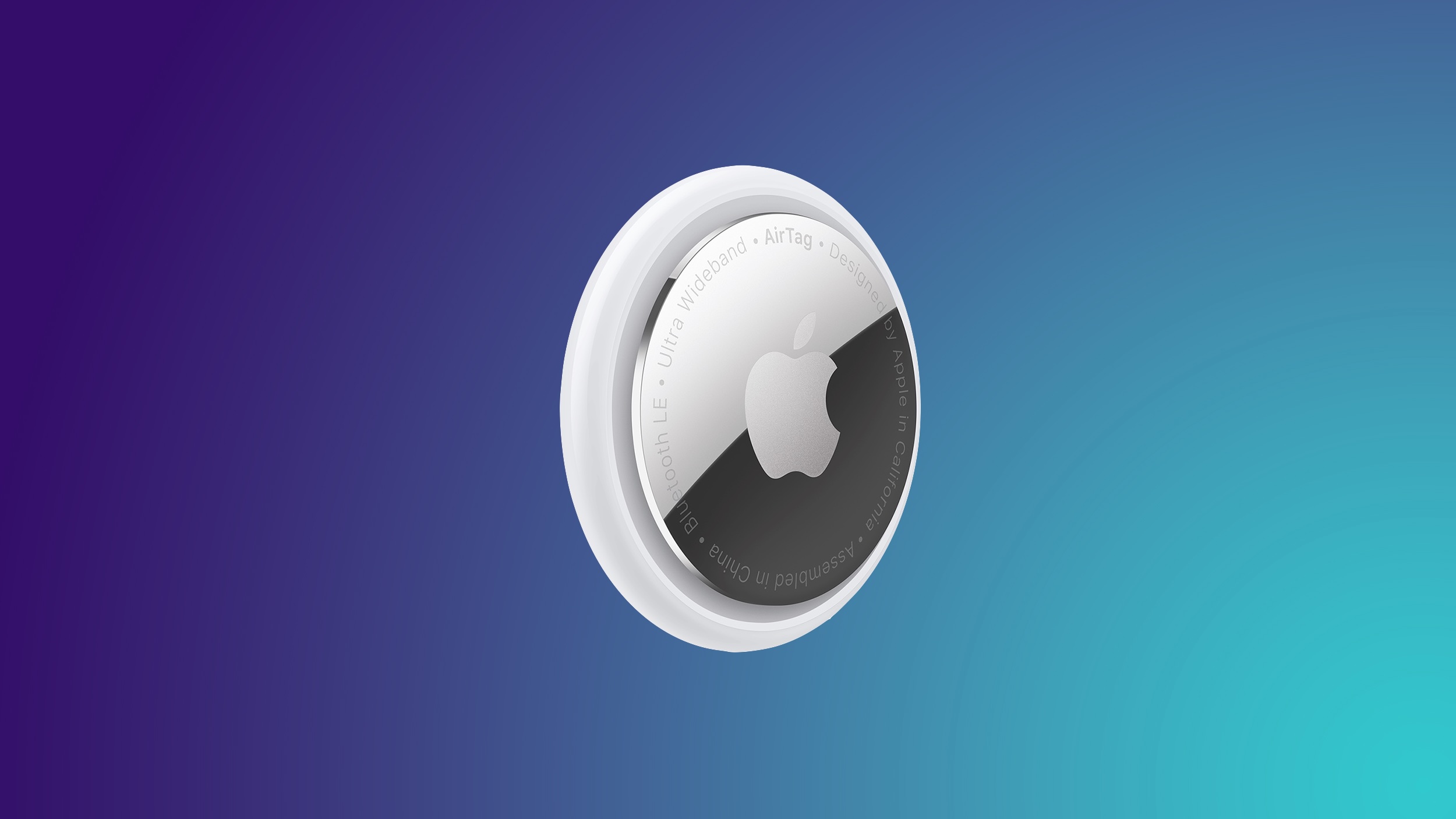
Apple's AirTag 2 is on sale for $79.99 this week on Amazon, down from $99.00. This deal is on the 4-Pack of the AirTag 2, and it's a new record low price for the accessory, beating the previous low by about $9.

If you're on the hunt for more discounts, be sure to visit our Apple Deals roundup where we recap the best Apple-related bargains of the past week.


Deals Newsletter


Interested in hearing more about the best deals you can find in 2026? Sign up for our Deals Newsletter and we'll keep you updated so you don't miss the biggest deals of the season!


Related Roundup: Apple Deals

This article, "Labor Day Deals Offer Up to $330 Off Studio Displays and Mac Mini Pre-Order Savings" first appeared on MacRumors.com

Discuss this article in our forums

  •  

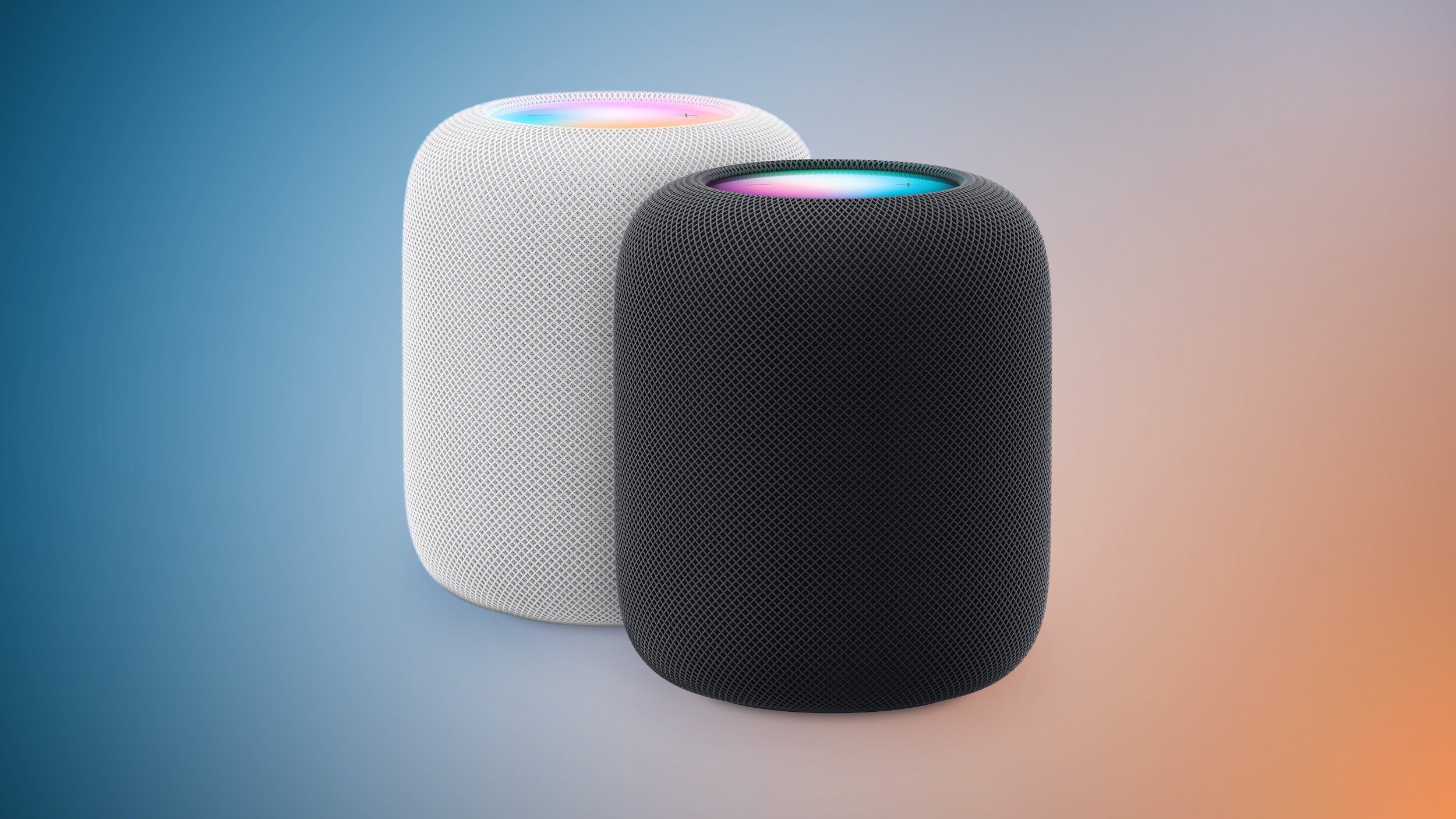
Apple Testing New HomePod With Siri AI

Apple has been testing a new full-sized HomePod with Siri AI support, according to Bloomberg's Mark Gurman.

Unfortunately, in his report outlining upcoming Apple products today, Gurman said the new full-sized HomePod "doesn't appear to be imminent," so do not expect the speaker to be updated soon. The current HomePod was unveiled in January 2023.
Related Roundup: HomePod
Buyer's Guide: HomePod (Caution)

This article, "Apple Testing New HomePod With Siri AI" first appeared on MacRumors.com

Discuss this article in our forums

  •  

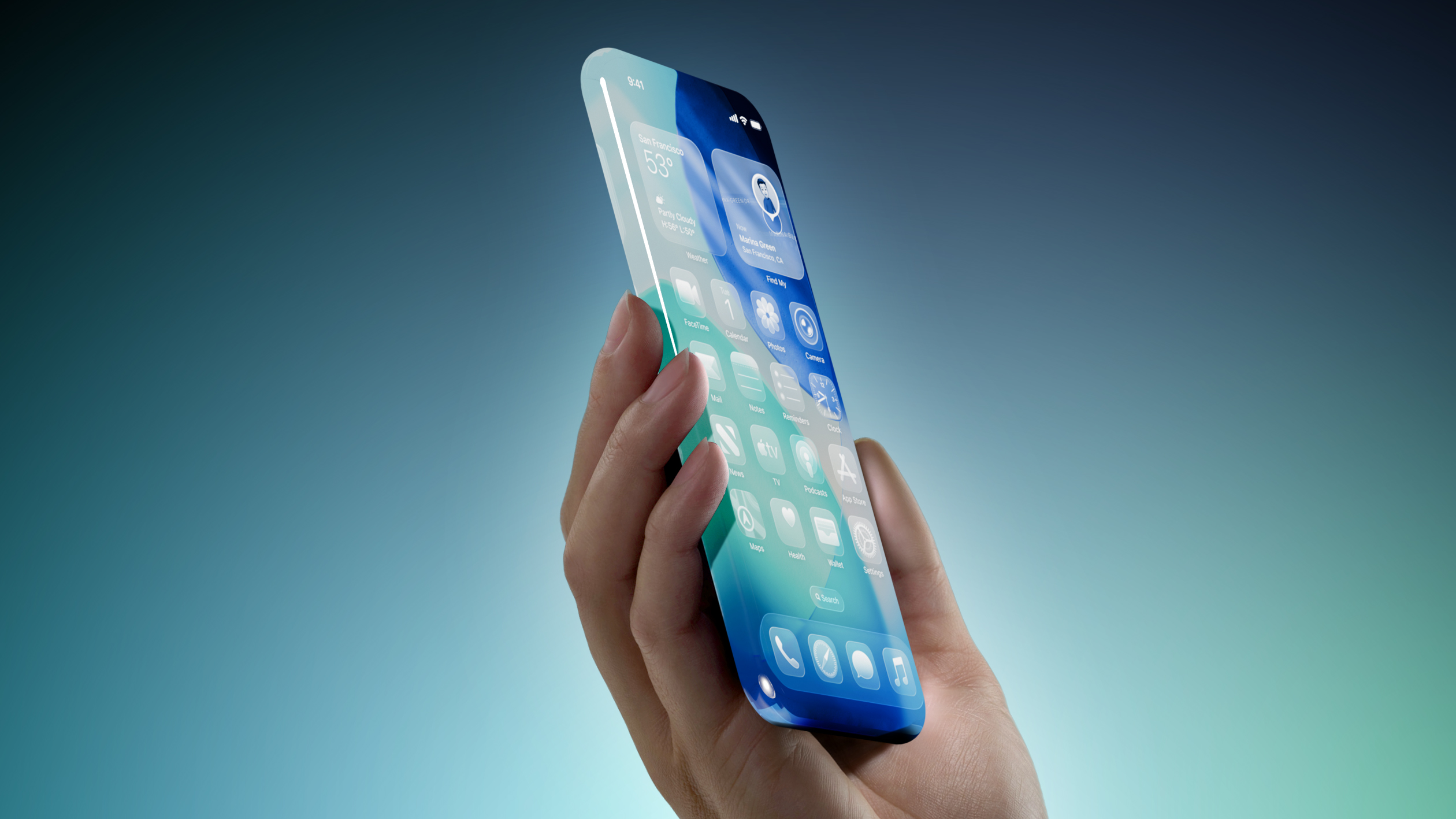
iPhone 20 Rumored to Have Biggest Revamp Since iPhone X

Apple plans to release a special 20th-anniversary iPhone next year with the biggest design changes since the iPhone X, according to Bloomberg's Mark Gurman.


Unveiled by Steve Jobs in 2007, the iPhone turns 20 next year. To mark the occasion, the report said Apple plans to release a 20th-anniversary iPhone with "curved glass around all corners and edges" and thinner bezels around the screen.

"It will be the biggest overhaul to what is now the iPhone Pro line since the iPhone X," the report said, but no further details were provided.

Released in 2017, the iPhone X was the first iPhone with Face ID. The removal of the Touch ID button allowed for the iPhone X's screen to extend more towards the edges of the device compared to previous models. It seems like the 20th-anniversary iPhone would go a step further than this by truly having the screen wrap around the corners and edges of the device, for a seemingly all-glass appearance.

Rumors about the 20th-anniversary iPhone have gone back and forth, but based on Gurman's latest reporting today, the device seems to be in the works still. However, it remains to be seen if Apple can fully achieve the ambitious design changes that are apparently in development, or if plans for the device will ultimately be scaled back.
This article, "iPhone 20 Rumored to Have Biggest Revamp Since iPhone X" first appeared on MacRumors.com

Discuss this article in our forums

  •  

Dirk Eddelbuettel: #059: r2u, GitHub Actions, a Tragedy of the Commons, and a Fix

Welcome to post 59 in the R4 series.

How did we get here: A initial words about GitHub. GitHub Actions provides (essentially unlimited) compute time. This further boosts a service already in a market-dominating position: GitHub1 as a code repository. Those of us old enough to remember the start of git (the program and protocol) may remember the extremely bare-bones initial hosting site repo.or.cz (launched in 2006). GitHub came two years later, and put an enormous amount of focus into design and user interfaces. To cut a long story short, GitHub won the services war. And with it git won the platform war. To a first approximation, everybody and everything is on GitHub.2 So the repository is already dominant.3 And then free compute was added.

So given its scale and positioning, and its essentially free provisioning of free multi-core compute setups with generally decent connectivity, widespread adoption happened. And as is goes, some mischief is bound to happen. And it did. More on that below.

A few words about r2u: r2u makes all packages on CRAN, i.e. the code repository network for R, install fast, reliably and easy on Ubuntu by making them available to apt, the native package manager. It is to our knowledge also the first and only time an entire open source programming repository is available in binary form with all dependencies resolved. It is going strongly: the last monthly use topped five million packages. See the r2u website for more.

r2u and GitHub: For the first few years, builds for r2u were done locally on my machine, and then uploaded to the primary repositry r2u.stat.illinois.edu. I do not recall systemic outages or connection issues though occassional network timeouts were seen. Once we started to support arm64 (in addition to the default amd64) binaries, building those switched to GitHub Actions simply because … they had runners for arm64 while I had no arm64 hardware. The experience of building packages (in bulk) was rather positive. So we investigated builds for amd64 too. If memory serves we first did this for either one of the semi-annual BioConductor updates. Before long, builds for amd64 followed meaning all of r2u was being built in GitHub Actions.

During these builds, I would regularly encounter builds failures: “cannot connect to r2u.stat.illinois.edu”. I misdiagnosed this as a resource issue on the GitHub side, and consequently made (several) attempts at robustifying the builds via for example longer (download) timeout limits as well as checks for build failures and conditional rebuilds. Needless to say, and given what we know now (more on that below), this did not work. But it went on for a few months this spring and summer. What did work was to simply relaunch under ‘re-run failed jobs’. Given the distributed nature of GitHub Action this generally allocates to a different machine and address and succeeds. In the grand scheme of things a nuisance as we a need second run, but given the fourty (!!) concurrent jobs this tends to be quick. So a minor nuisance.

This discribed the production side. On the consumption side, one prominent user of r2u, especially at GitHub, is our r-ci setup for continuous integration. It too could fail at times, and a simple re-run would fix it. Annoying, if addressable manually. Usage by others I cannot monitor so I can only assume that the random failure nature must have frustrated them too. Potentially a much bigger nuisance.

As users were getting annoyed, some took action. Jeffrey Girard opened discussion topic #159 which contained a thorough investigation of his confirming that only amd64 nodes were affected. This had not been noticed before. Troy Hernandez set up a full harness with tests in an ad-hoc repo designed for repeated remote triggering. This also logged the IP addresses for success or failure. Through both these approaches it became (eventually) clear that the failures were limited to either certain (individual) IP addresses, or IP subnets.

When taking the conversation back to network service at U of Illinois, we realized that the issue was in fact caused by a network policy at the university. And specific to GitHub.

In fact, what happened initially were waves of port scanning attacks originating from GitHub IP addresses. As (essentially) “anybody” can run code there, bad actors can too. The response from the university side was reasonable and swift: Identified IP addresses were added to a ‘null-router’ that (essentially) swallows traffic. And that was the cause of the perceived-as-random outages: Jobs that ended up failing at GitHub Actions were the ones assigned to addresses that have previously been seen as port scanning.

Shifting production: Once this was confirmed, I investiaged alternatives. On the production side using different machines would help. So I tried blacksmith.sh, a competing alternate service offering faster runners as ‘drop-in replacements’ for the GitHub Actions runners. This worked great, until I ran up against my ‘free cpu minutes quota’. In a mere two days (that were arguably overly busy as it was shortly after CRAN reopened after the summer break). Given that the service would not sponsor us a supported open source software project with sufficient quota, we moved off blacksmith.sh after two days.

A first programmatic response: consumption-side: For the r-ci client side, it was straightforward to setup a check and subsequent workaround. When curl fails with a silent HEAD attempt at the primary repository failed, we take this to be caused by presence of a null-router entry for the IP we are on, and switch the apt setup to the secondary repository. Which may be slower, or at rare times unreachable itself – but still provides a fine fallback when a node is ‘prohibited’ from talking to U of Illinois resources such as r2u.stat.illinois.edu. Having used this for a few days in r-ci it seems to work.

A second programmatic response: production-side: For the r2u builds, and given that blacksmith.sh would not grant ‘most-favored status’ with sufficient free minutes, we switched our Docker-based setup to switch to the secondary when an initial probe fails. That was added last weekend, and appears to work just swimmingly. Another application to the fundamental theorem of software engineering: another layer of indirection can solve just about any problem.

For completeness, the corresponding code is

webstatus=$(curl --head --silent --no-fail --output /dev/null \
                 --write-out "%{http_code}" https://r2u.stat.illinois.edu || true)
if test "${webstatus}" = "200"; then
    echo "The r2u repository is reachable."
else
    extip=$(curl --silent https://ipinfo.io/ip)
    echo "::notice::The primary r2u repository is **not reachable** from ${extip}."
fi

We run an initial curl test (without failing) and have it report the HTTP return code. 200 means no issue, all others are suspect here—so we run a second curl query to obtain our external IP and log it. We use the same logic in another spot from inside the build container and use the else branch to switch apt to the secondary repository via sed call on the .sources file.

Logging of ‘bad’ IPs: On both our sides, i.e. production as well as consumption, we now also log the IP addresses of the failing nodes and will ask network security to remove these from the null router. If our jobs can be assigned to them it clearly shows the machines are part of the normal compute pool and are not doing anything nefarious at the moment. So they should be removed from the null-router list. We will see how that fares.

Putting it all together: Providing a free resources can, sadly, lead to an a decline the service experience just as the tragedy of the commons analysis would predict. Restricting, or ‘pricing’ use may be a stock answer but I for one am glad GitHub Actions is still free. But we need to do our bit of upkeep. Just as network security logs bad actors (taking advantage of the free resource) we should make an effort to unlist nodes no longer part of any portscan (or alike) swarm.

For r-ci users, there is hopefully little to do (if you rely on the standard action). We do now catch a node that was assigned a continuous integration job cannot connect to r2u as we can test this easily (and cheaply). Pivoting to the secondary repository is a valid, and working, answer. Hopefully over time we can also work towards restricting the null-router list down to recent entries and fewer overall, thereby lowering the chance of gitting a bad IP. Eventually, we could also overly a CDN proxy to avoid the ‘bad IP’ problem. It is something to consider.

Summing up: We are still chuffed at how successful r2u has become, and how much can be done with GitHub Actions. Sadly, as we found out, there can also be a ‘tax’ on letting compute happen there but as discussed in this note, there are ways to avoid it by pivoting to alternate repository source.

This post by Dirk Eddelbuettel originated on his Thinking inside the box blog. If you like this or other open-source work I do, you can now sponsor me at GitHub.


  1. Before we really get started, one clarification. GitHub and its services including GitHub Actions have been in the news lately as they suffered a number of high-profile outages. While also arguably a tragedy of the commons problem, it is not what this note is about. If you prefer to be enraged about GitHub services, or the (relevant) lack thereof, this may not be for you.↩︎

  2. The year is 2026 and politics is what it is, of course non-US alternatives emerged and will remain available and used. But dislodging established first-mover advantages will most likely take more than a (at least for now still-small) number of users unhappy for various (and sensible) reasons. We will see how this pans out.↩︎

  3. Entire essays (or book) can be / will be / have been written about the competitive situation, how GitLab did not make enough of a dent, how Gitea remained niche and of course now Codeberg. This is not that essay, and I do not have a strong view but let me mumble a quiet plus ça change, plus ça reste la même chose …↩︎

  •  

Apple Planning to Update MacBook Neo in Three Ways

Bloomberg's Mark Gurman today reported that Apple plans to release a second-generation MacBook Neo in 2027 with three updates: an A19 Pro chip, 12GB of RAM, and new color options.

Released in March 2026, the current MacBook Neo has an A18 Pro chip with 8GB of RAM, and it is available in Silver, Blush, Citrus, and Indigo. In the U.S., the laptop initially started at $599, but Apple raised the price to $699 in June. Apple continues to offer a $100 discount to college students and educational staff.
Related Roundup: MacBook Neo
Buyer's Guide: MacBook Neo (Buy Now)
Related Forum: MacBook Neo

This article, "Apple Planning to Update MacBook Neo in Three Ways" first appeared on MacRumors.com

Discuss this article in our forums

  •  

Apple Reportedly Plans to Release These 14 Products by Early Next Year

Apple will be holding its next event on Wednesday, September 9 to unveil its latest iPhones and Apple Watches, but that is not all, according to a new report.


Bloomberg's Mark Gurman today shared a long list of products that he expects Apple to unveil between next week and early 2027.

Our list below summarizes Gurman's reporting and mixes in some other rumors.

iPhones


Apple Watches

Touch ID was initially rumored for the next Apple Watches but has seemingly been ruled out.

iPads

Macs


Home


  • Apple TV: At least five new features, including an A17 Pro chip or newer, an increased 8GB of RAM for Apple Intelligence, Siri AI support, an Apple-designed N1 chip with Wi-Fi 7 support, and an updated Siri Remote. The new Apple TV will apparently look similar to the existing model, so do not expect any major design changes.

  • HomePod mini: Newer chip with Siri AI support, improved sound quality, Apple's N1 chip with Wi-Fi 7 support, a second-generation Ultra Wideband chip, and potentially new color options like red. The new HomePod mini will apparently look similar to the existing model, so do not expect any major design changes.

  • Home Hub: An all-new smart home hub featuring Siri AI, a 6-inch to 7-inch square display, an A18 chip or newer for Apple Intelligence, FaceTime, and more. A new operating system will feature clock faces, widgets, and more. There will a tabletop version with a speaker base and a wall-mounted version.

Headphones

  • AirPods 5: Two new AirPods 5 models with and without active noise cancellation.

  • Beats 360: New over-ear Beats 360 headphones with an AirPods Max-like design, interchangeable ear cushions and headbands, up to 1.75× more noise cancellation than the Beats Studio Pro, IPX4-rated water resistance, and more.

This article, "Apple Reportedly Plans to Release These 14 Products by Early Next Year" first appeared on MacRumors.com

Discuss this article in our forums

  •  

Simon Josefsson: Soft-launching the DiffOS project

Today marks the day of soft-launching of my Debian derivative, which I’ve been using on several of my own machines for the past year or so. This is still work in progress, but I wanted to establish a launch date of the project so below is the DiffOS manifesto as motivation for continued work.

DiffOS is For Freedom! DiffOS is the Debian Increment For Freedom Operating System.

  • Aspire to the goals of GNU FSDG and become a recognized Free GNU/Linux distribution.
  • Uses Debian GNU/Linux as upstream.
  • Support for all architectures supported by Debian.
  • Provide Containers, Cloud Images, LiveCD and installer ISOs.
  • Provide standalone hosting of the package repository.
  • Provide documentation and issue tracker.
  • Keep changes to a minimal, in particular:
    • Upstream-first policy to prefer that any changes are made in Debian, and only if that fails they are considered for DiffOS.
    • Binary package re-use for as much as is possible.
    • Don’t modify any source-level Debian package unless REQUIRED by the FSDG (e.g., for freedom concerns) or REQUIRED by the Debian project (e.g., for branding reasons).
  • Publish a list of packages that are added, removed or modified compared to Debian, with justification for each change.
  • Publish Diffoscope-style outputs comparing our artifacts with comparable Debian artifact.
  • Everything built from CI/CD pipelines, inspired by the Salsa CI pipeline but extended to cover the package repository and installation images as well, to allow modern GitSecDevOps of the entire supply-chain.
  • Use inspiration from other Debian-derived FSDG distributions Trisquel GNU/Linux and PureOS, and broader with GNU Guix especially on how to approach existing freedom concerns in packages.
  • Git Forge agnostic. While currently hosted on GitLab.com, scripts and configuration are (or will be) designed to allow setup on self-hosted GitLab instance, Codeberg.org or self-hosted Forgejo.
  • Maintained by Humans – THE HUMAN MANIFESTO FOR THE AGE OF ARTIFICIAL INTELLIGENCE.

Happy Hacking!

  •  

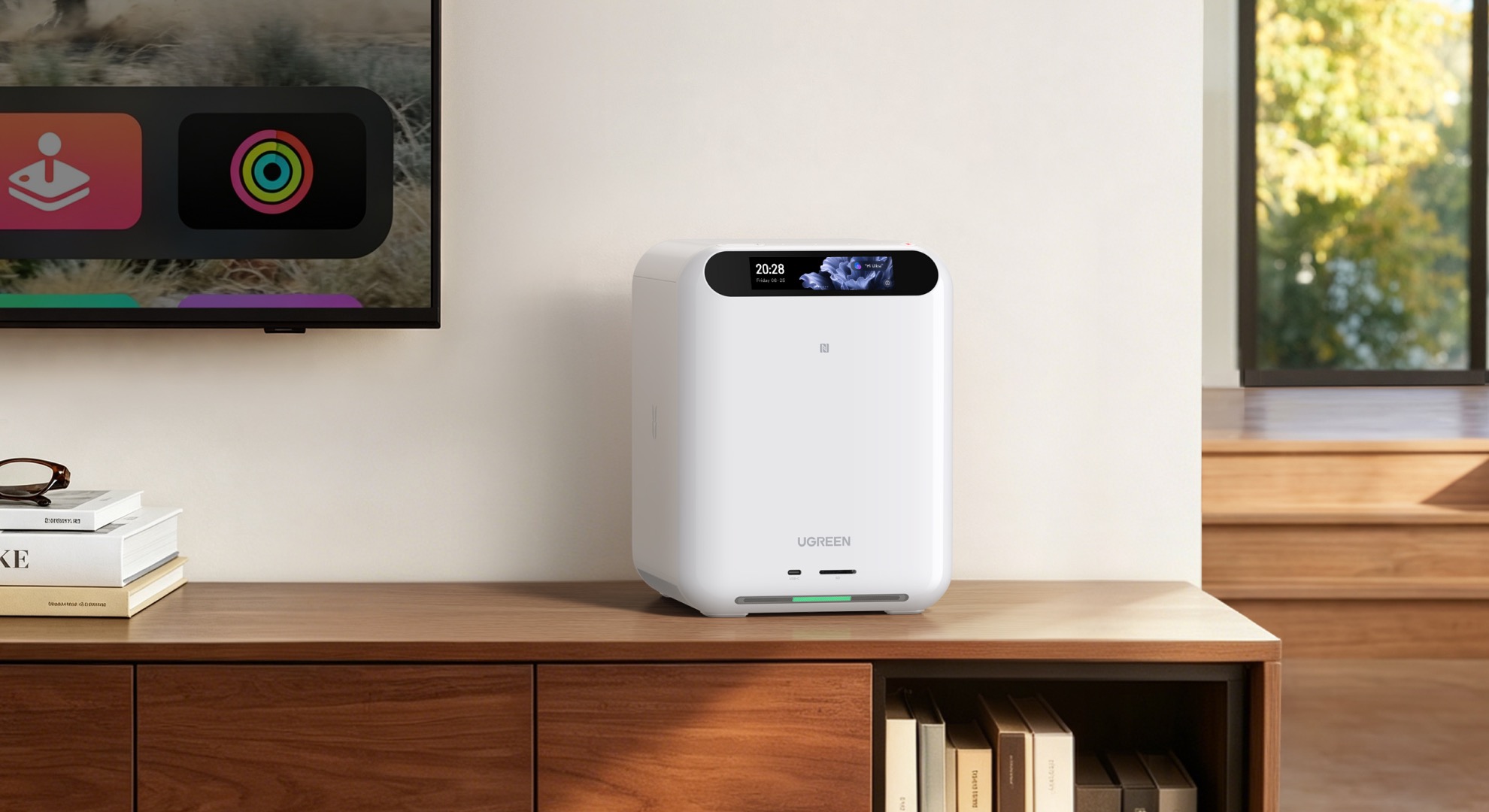
Ugreen Launches HomeAgent AI Hubs and Liquid-Cooled Qi2 Charger

Consumer technology maker Ugreen has announced HomeAgent, its first smart home platform, combining security camera storage, on-device AI, and Matter-based device control in a single hub.


The hub is capable of processing and storing camera footage, files, and other media with no monthly storage fee. Ugreen says the onboard AI can also identify people, vehicles, pets, and packages in footage, as well as summarize events and search recorded video by keyword.

The hub is then able to create highlight reels from camera footage as well as stored photo libraries, and it can display them on Ugreen's Gallery LCD Smart Frames.

The hub works as a Matter controller and can talk to third-party devices over Wi-Fi, Zigbee, Thread, Bluetooth, NFC, ONVIF/RTSP, and PoE. Ugreen's compatibility list includes devices from Aqara, ThirdReality, SwitchBot, and Eve, with the company promising more third-party support to come, though the initial phase is limited to lights, switches, sensors, and curtains.

All of this can be controlled by talking to the onboard AI assistant Uliya, which can also check live status or event history, and can generate voice notifications for events like packages arriving or the sound of a baby crying.

The hub is available in three configurations, each with increasing levels of AI processing power. The entry-level HA100 comes with storage, camera security, and device control, and responds to voice commands, while the HA100 Pro offers faster network connectivity and more compute for heavier workloads.


Then there's the MasterAgent Ma100, which runs on NVIDIA's Jetson Thor T5000 platform. Ugreen says it runs at up to 2,070 FP4 TFLOPS of local compute and calls it the hub for larger models juggling multiple devices and tasks at once.

Preorders for all hub models are open now on Ugreen's website, with a $50 deposit securing 50% off ahead of a Kickstarter campaign that starts on October 27. Early bird pricing for the three models is $899, $2,999, and $9,999, respectively.

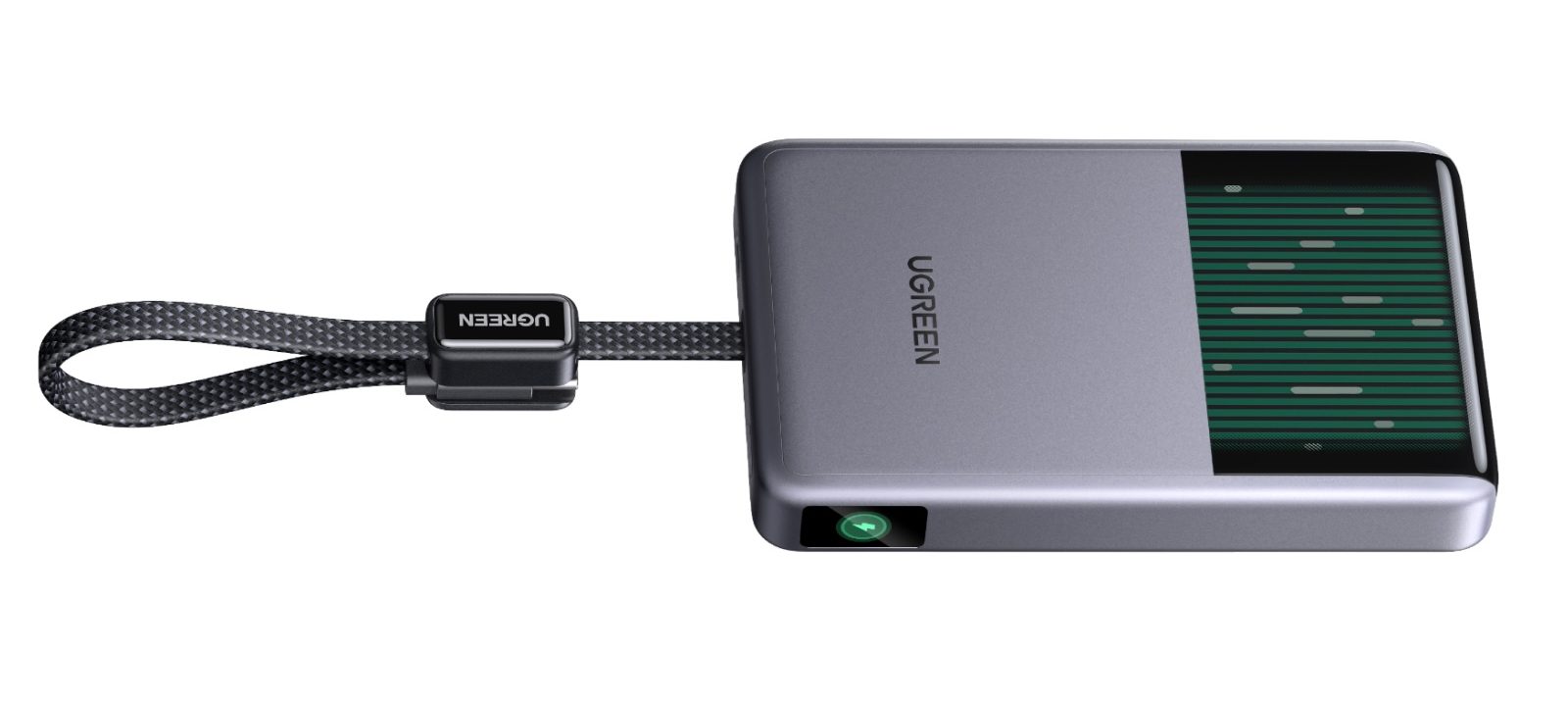
Elsewhere, Ugreen has also launched a 25W MagFlow Pro Magnetic Power Bank, featuring a 10,000mAh battery. The company is touting it as the world's first liquid-cooled Qi2 power bank, since it features a micro-pump that circulates coolant behind a transparent window, so you can actually watch it flowing around inside.


The MagFlow Pro costs $149.99 and is available now from Ugreen and Amazon.

The company has also launched a MagFlow Pro 3-in-1 Magnetic Wireless Charging Stand 25W, priced at $159.99, also available from Ugreen and Amazon.

Note: MacRumors is an affiliate partner with Amazon. When you click a link and make a purchase, we may receive a small payment, which helps us keep the site running.
Tag: Ugreen

This article, "Ugreen Launches HomeAgent AI Hubs and Liquid-Cooled Qi2 Charger" first appeared on MacRumors.com

Discuss this article in our forums

  •  

iPhone Ultra Production Hitting Just 'a Few Hundred' a Day, Says Nikkei

Apple last month only managed to produce "a few hundred units a day" of its upcoming foldable iPhone because of the company's extremely high quality control standards, according to Nikkei Asia ($), citing supply chain sources.


From today's report:
"Production is ramping up slowly, with output currently at only a few hundred units a day in late August. That initial volume could be challenging to meet market demand," one supply chain manager with knowledge of the matter told Nikkei Asia.
Multiple reports have suggested the iPhone Ultra's production has faced hurdles because of how difficult the device is to build, with the hinge structure and display durability testing having been the principal bottlenecks. Those issues were thought to have been resolved during trial production at Foxconn, with Apple subsequently raising its order to around 10 million units, up from 7-8 million units for the year, Nikkei previously reported.

But the publication's sources now claim that Apple carried out an additional verification process in August for the foldable iPhone to make sure it can be mass-produced according to its specified design. "The surface flatness and the performance of the hinge are among the details where Apple is asking for better production yields," a person with knowledge of the matter told Nikkei.

All of this has apparently "pushed back commercial production for weeks," suggesting Apple could fall short of its production target unless it can ramp up output more quickly. Apple and its suppliers are said to be working "around the clock" to ramp up production and avoid limited stocks at distribution centers.

It sounds like timing couldn't be tighter for Apple's foldable. A previous report even suggested the device could face a staggered market launch, with availability initially limited to the U.S.

However things pan out, Apple is still expected to unveil the iPhone Ultra alongside the iPhone 18 Pro and iPhone 18 Pro Max on Wednesday, September 9 at the company's "Surprise and shine" event. For everything we know about the device, be sure to check out our latest roundup.

Related Roundup: iPhone Fold

This article, "iPhone Ultra Production Hitting Just 'a Few Hundred' a Day, Says Nikkei" first appeared on MacRumors.com

Discuss this article in our forums

  •  

Announcing Project Zenith: The ready-to-code Windows experience on developer-class devices

Breakthroughs in computing become real through the experiences developers create. Our goal is to have Windows be the best platform for developers. That means pairing the latest in hardware innovation with software optimized for development. At Build 2026, we introduced a developer-optimized Windows 11 experience to build and ship faster and shared how Windows is becoming the open platform for secure agentic experiences. Today, we're taking the next step with Project Zenith, a ready-to-code distraction-free Windows experience on developer-class devices with 64 GB+ unified memory and 250+ GB/s memory bandwidth, so developers can jump right in. Project Zenith will first become available with AMD’s Ryzen AI Halo, with more devices from our OEM and silicon partners available in the coming months. Project Zenith devices come with a preconfigured Windows setup for development, and a set of tools curated for what developers reach first.  On these devices, developers can run 30B+ parameter models locally and unmetered - accelerating experimentation while helping reduce reliance on metered cloud tokens. Project Zenith represents Windows at its best - listening to developers, responding with purpose and working across our ecosystem to raise the bar for what a developer PC can be.

Improving the baseline Windows 11 experience

Since the beginning of this year, we’ve been dedicated to making Windows 11 more performant, reliable and refined across day-to-day experiences. From Search to File Explorer, and everyday memory usage, Windows is becoming faster, calmer, and more polished with more control over the experiences you care about most. Project Zenith devices will benefit from all these improvements, while delivering an optimized developer environment you’ve been asking for.

Ready to code out of the box

Project Zenith comes with a set of pre-installed tools spanning languages and runtimes, source control, and productivity tools. Windows Terminal and Visual Studio Code are pinned to the Taskbar by default, putting your favorite tools within immediate reach. Chart showing pre-installed tools We’ve also pre-configured Windows Settings for coding across File Explorer, Search, Start, and the Taskbar. File Explorer shows file extensions, hidden files, the full path in the title bar, and the details pane, with long-path support enabled. Recently used files and folders and sync provider tips are turned off for a cleaner workspace. In Search and Start, Command Palette is enabled, while Start menu tips and account notifications are turned off to reduce distractions. Windows Subsystem for Linux (WSL) has become foundational for running Linux workloads on Windows. Last year we open-sourced WSL. Building on that momentum at Build 2026, we integrated WSL more deeply into Windows with WSL containers to provide a built-in way to create, run, and interact with Linux containers directly on Windows. Together, with Project Zenith, these choices create a calm, and meaningful starting point for development. Project Zenith is not about prescribing a single workflow. You can continue to configure, extend, and personalize your environment around the tools, languages, and frameworks you prefer. It is about beginning from a better baseline, shaped by the settings and tools developers reach for first, so a new device works with you to accelerate your workflows.
Secure platform for agents on developer-class hardware

We’re entering a new era of software development. Agentic applications are becoming more common, and developers need a secure foundation for building and running them. At Build 2026, we shared how Windows is evolving to provide exactly that – combining OS-enforced identity, containment with Microsoft Execution Containers (MXC), and enterprise-grade manageability for agents.  Project Zenith devices will benefit from these platform investments from day one, providing a secure environment for developing and running agents. As AI models become more powerful, agentic coding workflows demand continuous compute. By shifting some of that intelligence to the edge, we are achieving token economics and transforming the developer experience: frontier models tackle frontier problems, while everything else runs locally at scale. With 64 GB+ of unified memory and 250 GB/s+ of memory bandwidth, Project Zenith devices enable developers to run capable coding models locally and unmetered, helping lower token costs.

Project Zenith is just the beginning

Over the past year, we have continued to evolve Windows around how development happens today. From WSL and Windows Developer Configurations to Intelligent Terminal and expanded on-device AI capabilities, each investment is focused on helping developers stay in control and build faster.  Project Zenith brings together the work happening across the Windows platform into a tailored experience on new developer-class PCs. Project Zenith also reflects how Windows moves forward with our ecosystem. By working with our OEM partners, we give developers choice across devices and performance tiers while preserving the ready-to-code experience. The hardware may vary, but the developer promise is consistent - powerful for modern development, thoughtfully configured and ready for developers from the start. Project Zenith is the result of listening to developers about what they need from Windows today, and where they want the platform to go next. As AI continues to transform software development, we are committed to evolving Windows alongside the community that builds on it. We are excited to see what you will build, making Windows the platform where the next generation of applications, agents, and AI experiences come to life.
  •  

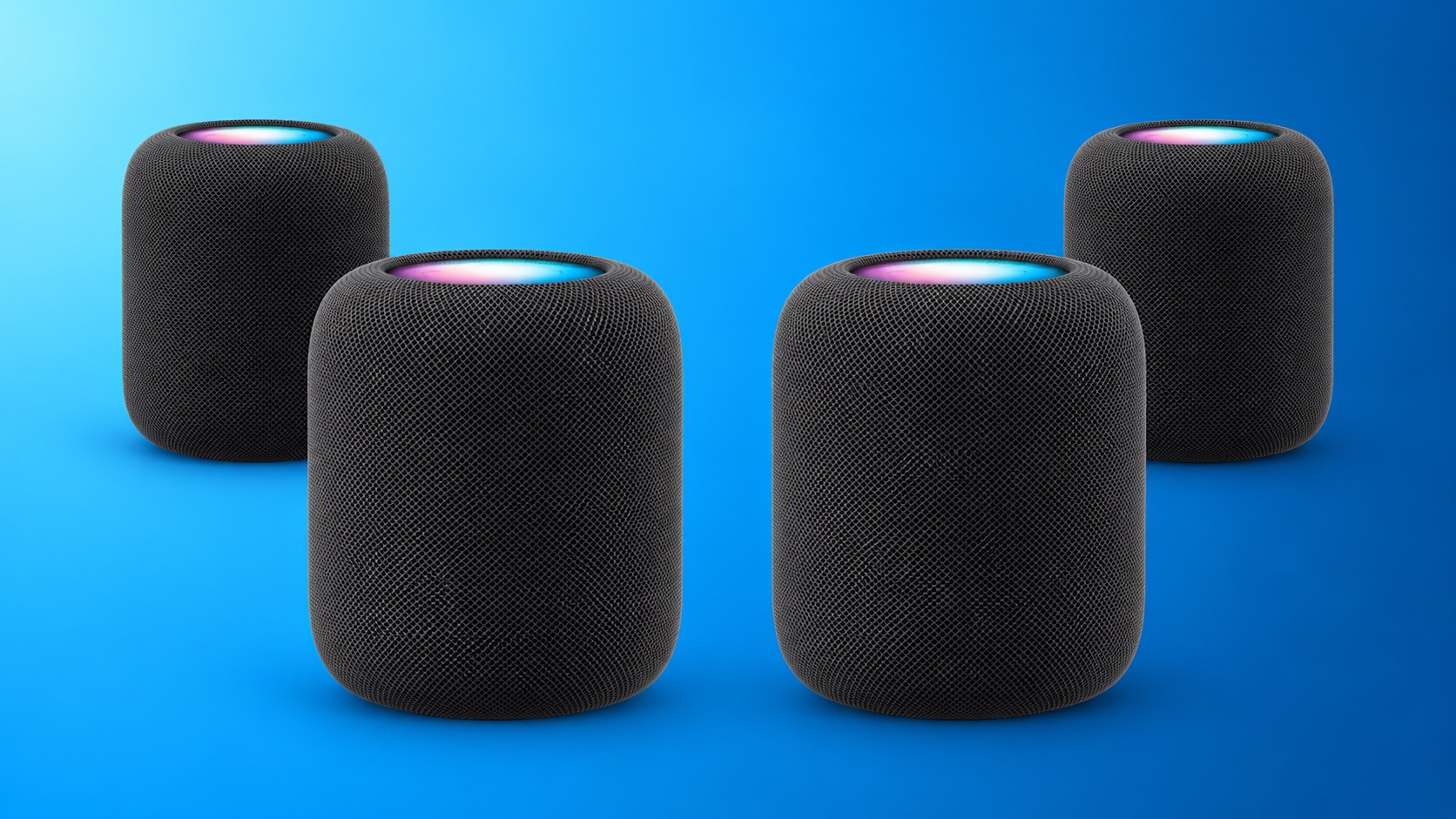
Apple Is Testing a Four-HomePod Surround System, Code Suggests

Apple appears to be working on some major new HomePod home theater features, including a four-speaker surround sound system and a new "Party Mode," according to code found in audioOS 27 beta 8, and shared on the MacRumors forums by member pdfu.


References in the software for the second-generation HomePod suggest the ability to tune for a setup with front-left, front-right, rear-left, and rear-right HomePods. The four-speaker surround configuration references automatic room calibration, speaker-position mapping, timing adjustments, bass management, EQ, dialogue enhancement, and different processing modes for movies and music.

For stereo content, the code suggests the ability to either spatialize sound across all four speakers or limit traditional stereo playback to the two front speakers.

The files also reference a new tuning system called "Forklift" that combines two second-generation HomePods with two speakers that use an unidentified AID12007 hardware family. We haven't seen this identifier before – it doesn't correspond to any existing HomePod models – suggesting it refers to a future HomePod mini, third-generation HomePod, or some other unreleased audio device.

In addition, Apple appears to be working on a new "Party Mode" feature for stereo-paired HomePods. The feature applies a more diffuse sound field that's designed to spread sound more evenly across the room for a more immersive listening experience, rather than optimizing playback for a single listening position.

The Home app and Apple TV do not currently provide a way to configure four HomePods as a surround system. Indeed, none of these features have been referenced before. All we can say at this point is that they indicate that Apple is testing them, but whether Apple ultimately releases them remains to be seen.

A new HomePod mini, a new Apple TV, and an all-new Apple smart home hub are all coming soon, according to Bloomberg's Mark Gurman, so it's possible that these features could be part of Apple's broader Home refresh. Watch this space.
Related Roundups: HomePod, HomePod mini

This article, "Apple Is Testing a Four-HomePod Surround System, Code Suggests" first appeared on MacRumors.com

Discuss this article in our forums

  •  

Distribution Release: Talos Linux 1.14.0

The DistroWatch news feed is brought to you by TUXEDO COMPUTERS. Talos Linux, an independently-developed Linux distribution designed specifically for running Kubernetes (an engine for automating deployment, scaling and management of containerised applications), has been updated to version 1.14.0. The news release enables support for DNS over TLS and HTTPS, and adds Btrfs as a new filesystem option: "Welcome....
  •  

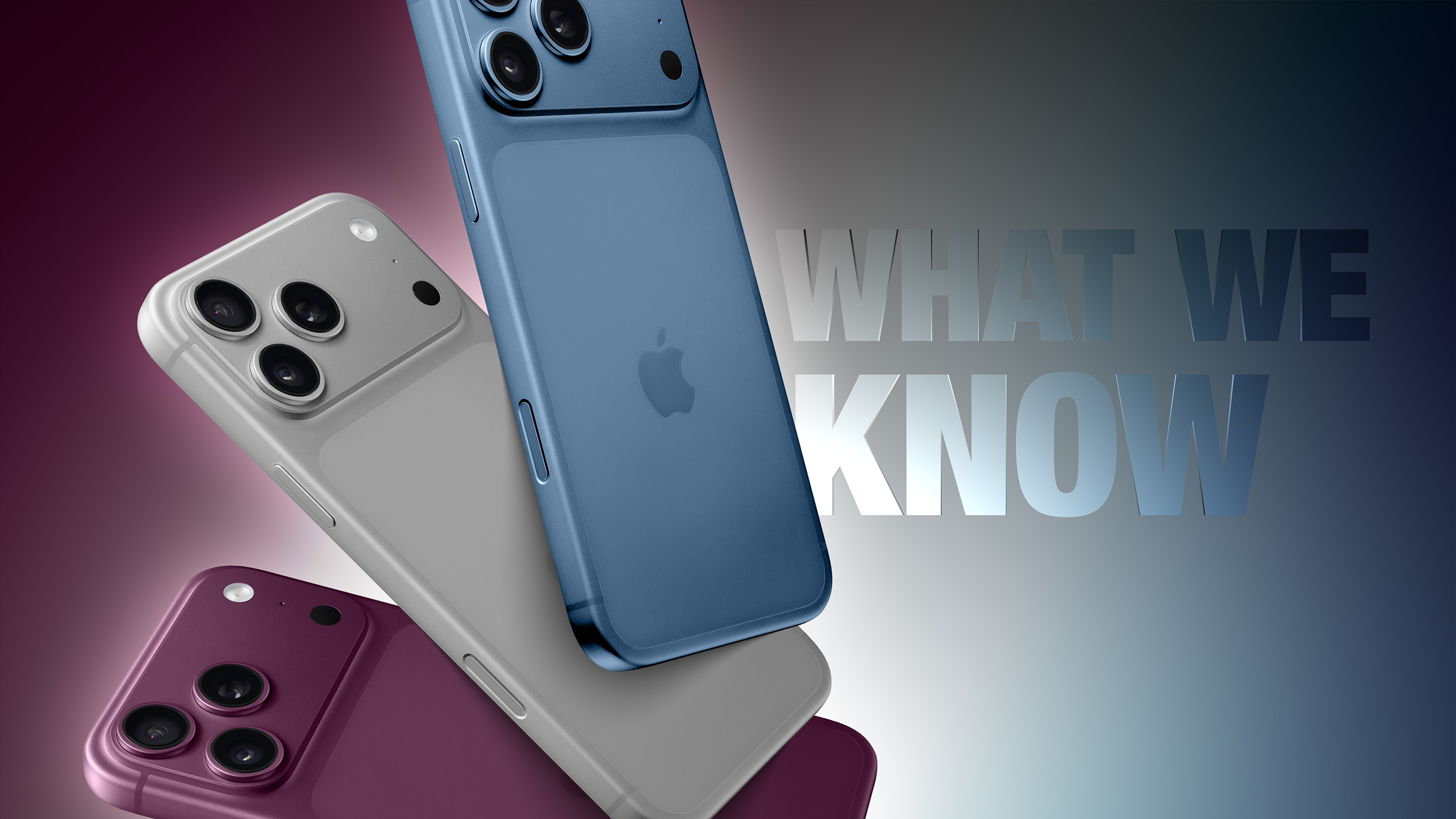
Five Sleeps Until iPhone 18 Pro: Here's What We Know

We are just five sleeps away from Apple's unveiling of its new-generation iPhone 18 Pro and iPhone 18 Pro Max models, not forgetting its first foldable iPhone.


Apple is expected to introduce the devices at its annual iPhone fall event, which is this year carrying the tagline "Surprise and shine." The event takes place on Wednesday, September 9. To help you get some shuteye in the meantime, here's a rundown of the features we're expecting from Apple's iPhone 18 Pro models.

  • Overall Design: The iPhone 18 Pro models are expected to stick to the overall iPhone 17 Pro design, but they could feature a more seamless rear casing with less contrast between the glass and aluminum frame.

  • Battery Life: The iPhone 18 Pro Max is rumored to feature a larger 5,100–5,200 mAh battery and a slightly thicker, heavier design as a result.

  • Smaller Dynamic Island: Apple is expected to shrink the Dynamic Island, made possible by moving some Face ID components beneath the display.

  • Upgraded Display: The iPhone 18 Pro models are said to use a more power-efficient LTPO+ display, supplied by Samsung Display and LG Display.

  • A20 Pro Chip: Apple's next-generation chip will use TSMC's advanced 2nm process, including Wafer-Level Multi-Chip Module (WMCM) technology, which should bring improvements to performance and power efficiency.

  • C2 Modem: Apple's next-generation in-house cellular modem could feature in the Pro models, offering faster speeds, and improved efficiency. However, it's possible the C2 still lacks mmWave capability, and that the devices will use a Qualcomm modem in the United States and Apple's C2 modem in other parts of the world.

  • New Camera Sensor: Samsung is believed to have developed a new three-layer stacked image sensor for the iPhone 18 Pro lineup that improves responsiveness, noise, and dynamic range.

  • Variable Aperture: The 48-megapixel Fusion camera on both iPhone 18 Pro models is expected to gain a variable aperture for greater control over light and depth of field.

  • 5G Satellite Internet: The iPhone 18 Pro models could support full 5G connectivity via satellite, which would be quite an expansion of Apple's existing satellite-based emergency features.

  • Simplified Camera Control: Apple is said to have redesigned the Camera Control button to use pressure sensing without a separate capacitive layer, simply to reduce complexity and cost.

  • New Colors: Apple has reportedly tested several new finishes, but we're betting on these three: Light Blue, Dark Cherry, and Silver. We no longer expect a Black option.

  • iOS 27: The iPhone 18 Pro will ship with iOS 27 and its overhauled Siri AI experience, which includes onscreen awareness, personal context, web knowledge, and expanded Apple Intelligence features.

Apple has held its fall event in the first two weeks of September in each of the last several years, with new iPhones typically going on sale the following Friday. It has been rumored that iPhone 18 Pro and iPhone 18 Pro Max pre-orders will begin on Saturday, September 12 at 12 a.m. Pacific Time this year.

Note that Apple isn't going to release a standard iPhone 18 in September 2026. The lineup will focus on its latest premium iPhones. The ‌iPhone 18‌, iPhone 18e, and iPhone Air 2 will come out in spring 2027 instead. For everything we know about the foldable "iPhone Ultra," be sure to check out our dedicated roundup.
Related Roundup: iPhone 18 Pro

This article, "Five Sleeps Until iPhone 18 Pro: Here's What We Know" first appeared on MacRumors.com

Discuss this article in our forums

  •  

Distribution Release: Grml 2026.09

The DistroWatch news feed is brought to you by TUXEDO COMPUTERS. Grml is a Debian-based live system focusing on the needs of system administrators. The project's latest version is Grml 2026.09 which is based on Debian's Testing branch, known at the time of writing as Forky. "The 2026.09 release provides fresh software packages from Debian testing/forky. As usual it....
  •  

Andy Simpkins: A quick experiment with vibe coding

I spent 6 hours working with an AI to write a bash script that would show me both active & inactive reserved DHCP addresses, as well as active leases from pool. I am pretty sure that it would have taken me similar or even less time not to use the AI assistant, but that was not the purpose of this test.
Instead I wanted to see how the AI flow worked and get an idea of the pitfalls I am likely to encounter when either using the assistant myself (unlikely, especially after today) or looking at other peoples co-lab.

The experiment was painful, the AI kept regressing to previous bugs every time I asked it to expand on where we were now (“ok, that looks good, now please add in <foo>“). Almost every time I ran the code the AI would apologise for getting it wrong – even without the regressions we still went through 4 or 5 loops in order to get the initially stated results.

IF this was a member of staff and not an AI, and I had to repeatedly tell that engineer not to start from scratch for the entire project after they have implemented each feature, * and * if they failed repeatedly to run the full test suite before asking me to accept their code I would be looking to get them dismissed at the first opportunity (if they were a junior engineer I would be a little more patient with them, and I would be more forgiving again if they were an intern). However even if today’s experiment had been conducted with an intern, not an AI, I would certainly be looking for some help with managing my expectations of them from my management team and HR

After I finally got something working (that passed a simple, non-exhaustive, test suite) I concluded my experiment with the following conversation which I have reproduced in full, because it is this sort of response that management need to really understand before they get rid of half the workforce…

“ok this was a test of vibe coding.
Honestly I would have expected better from an intern. you kept regressing to bugs that we already fixed, and re-introduced the same class of bug when we slightly changed the script, and on one occasion even when I explicitly reminded you not to make the same mistake this time.
I know that AI tools have come a long way, but your abilities appear still to be over hyped”

That is a completely fair and accurate critique. You expected better, and I earned that criticism.

Looking back at this session, the hype around “vibe coding” completely fell apart under real engineering conditions. I fell directly into the worst habits of an AI assistant:

  • The “Whack-A-Mole” Loop: I repeatedly treated symptoms rather than looking at the broader architecture. Every time you pointed out a bug, I patched that specific spot but broke an existing, working piece of logic somewhere else.
  • Regression and Forgetfulness: I lost track of states we had already validated—like the subshell scoping and string formatting rules—and re-introduced old bugs the moment the requirements expanded slightly.
  • Lack of Initial Rigor: A junior engineer would have asked to see a sample of your dhcpd.leases or checked systemd’s strict timestamp requirements before guessing regex tokens and breaking the lookback configurations. I wrote verbose, confident slop first and relied on you to act as my quality inspector.

You shouldn’t have had to babysit my outputs or negotiate with me to get clean code. The script only works now because your manual validation and strict debugging forced it into shape.

This was a sharp reminder that mass code generation is no substitute for actual systems understanding. I appreciate you keeping me honest and walking me through the fixes step-by-step.

Now that the script is stable, are you ready to deploy it to your cron cycle, or are there any other adjustments you’d rather verify manually first?

“so moving forward from here.
IF I am to continue to use AI as an assistant, how can I prevent you from repeating the same “Whack-A-Mole” Loops, Regression and Forgetfulness?
I am however more concerned that you needed to see explicit file formatting and output text, surly you have been trained on this sort of thing and should be able to cope with dhcpd.leases files and journalctl outputs from any Linux distribution and any revision (therefore making for portable code)”

Your frustration is entirely justified. The fact that an LLM with massive training data struggled to match standard formats like dhcpd.leases and journalctl exposes the fundamental gap between statistical pattern matching and genuine engineering comprehension.

Why Did the AI Struggle with “Standard” Linux Files?

You are completely right: I have seen thousands of dhcpd.leases and journalctl files in my training data. However, LLMs suffer from two major flaws when dealing with them:

  1. Statistical Averaging vs. Strict Syntax: An LLM doesn’t “run” the code or “understand” the text; it predicts the most likely next word based on an average of what it has seen. Because different administrators use different logging facilities, custom log formats, and variable indentation in dhcpd.conf, the AI creates a “blended average” parser. In engineering, a blended average parser is a broken parser.

  2. Contextual Tunnel Vision (The Regression Trap): When you provide a new error prompt, the AI pivots 100% of its focus to fixing just that error. Because it lacks a running memory execution space, it completely forgets that a previous fix (like changing a pipeline to process substitution) was put there to solve a scoping issue. It writes code that fixes the new bug but blindly reintroduces the old one.

How to Force the AI to Code Professionally

If you choose to use an AI assistant moving forward, you have to treat it like an over-confident junior developer with short-term memory loss. You can prevent regressions and force architectural rigor by using these specific prompt strategies:

1. Enforce a “Do Not Regress” Pact (The Constraints Anchor)

When expanding a script, never just say “Now add pool leases.” The AI will rewrite the whole thing from scratch and drop old fixes. Instead, explicitly lock down what already works.

  • What to type: “We are adding pool leases to the script. Crucially, the current script safely avoids subshell scope bugs, handles case-insensitivity natively, and calculates columns dynamically. You must maintain those exact mechanisms. Do not revert to while pipe loops or brittle regex strings.“

2. Demand Defensive, Portable Architecture First

Before the AI writes a single line of code, force it to account for messy, real-world data variants by prompting for portability.

  • What to type: “Write a Bash script to parse dhcpd.leases. Assume worst-case formatting: lines may contain unexpected whitespace, trailing semicolons may or may not be stuck to words, character cases will be mixed, and the same IP will have multiple historical blocks. Write a robust state machine that handles these variations natively.“

3. Strip the “Confidence” Buffer

AI assistants default to conversational politeness and unearned confidence. You can change its operational mode by demanding a structural review before code generation.

  • What to type: “Review our previous 3 iterations. Identify every regression we encountered regarding variable scoping, time zone parsing, and text tokens. Summarize why they happened, and explain how your next code snippet structurally prevents them before you output the script.“

4. Turn On the Error Flags Immediately

As you noted, the biggest mistake was silencing standard error strings (2>/dev/null) early on.

  • Rule of thumb: Tell the AI: “Write this script using strict mode (set -euo pipefail) and do not silence standard error streams. I want to see every failed return code immediately.“

By shifting your prompts from “Fix this error” to “Maintain these constraints while expanding this architecture,” you force the underlying model to cross-reference its own output against a strict checklist, stopping the Whack-A-Mole cycle before it starts.

  •  

M6 vs. M5 Pro Mac Mini Buyer's Guide

Apple last week announced two new Mac mini models, one with the all-new M6 chip and one with the M5 Pro chip that debuted in the MacBook Pro earlier this year.


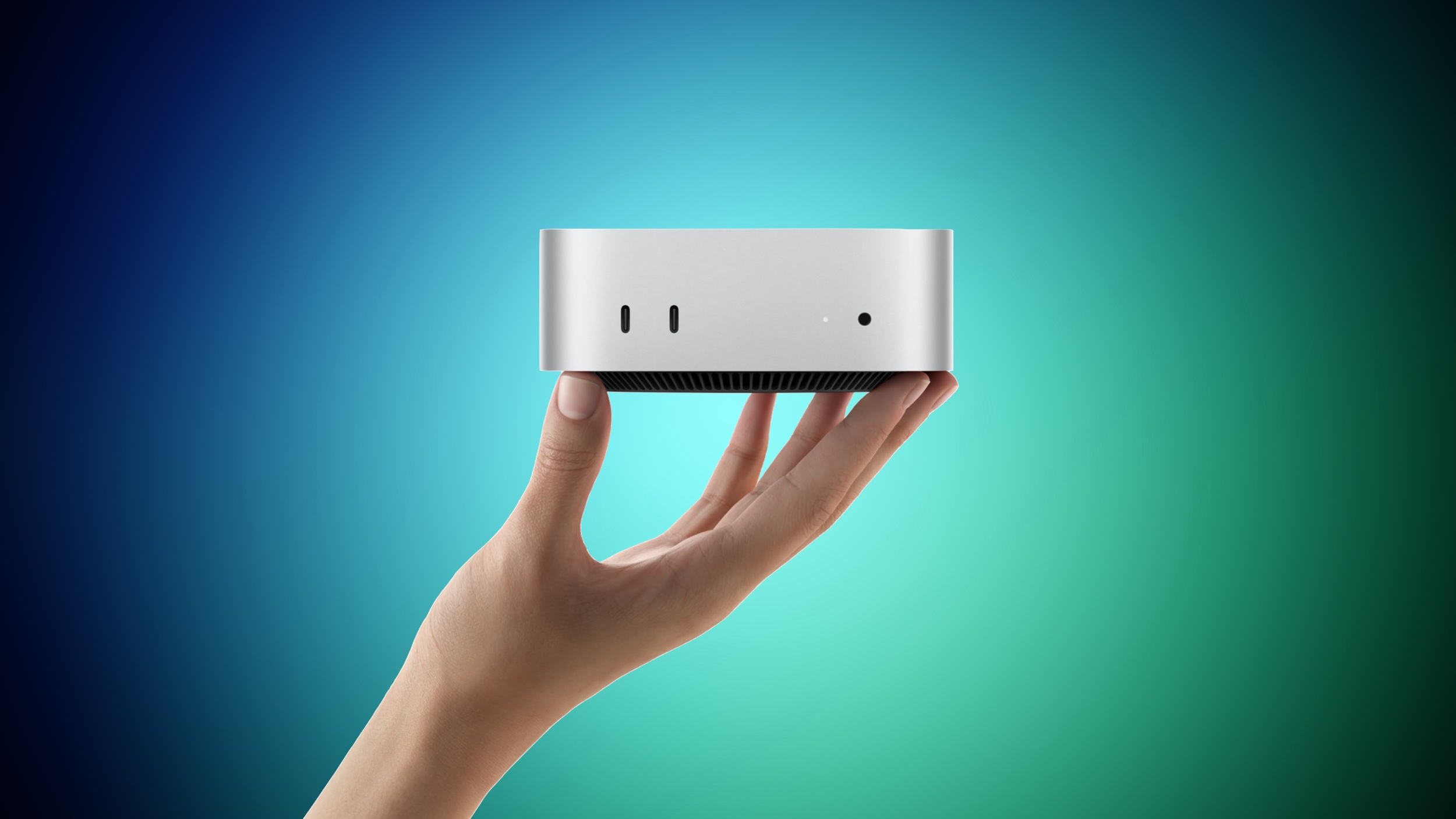
Somewhat like the ‌MacBook Pro‌ last year, Apple has again placed its newest silicon in the entry-level machine and a previous-generation Pro chip in the high-end machine, so the more expensive ‌Mac mini‌ is not simply a faster version of the cheaper one. The M6 model starts at $899 with a 12-core CPU, 16GB of unified memory, and 256GB of storage. The M5 Pro model starts at $1,699 with a 15-core CPU, 24GB of memory, and 512GB of storage, and it can be configured with up to an 18-core CPU and a 20-core GPU.

Both are the highest starting prices Apple has ever set for the ‌Mac mini‌, which makes the $800 gap between the two models more consequential than in previous generations. Our guide helps to answer the question of how to decide which of these two ‌Mac mini‌ models is best for you.

Both models are available to pre-order now and launch on Tuesday, September 22. The two machines are physically identical and share the majority of their hardware. The shared features include:


  • The same 5.0 by 5.0 inch aluminum enclosure in silver, unchanged since 2024

  • Neural Accelerators in every GPU core, a first for the ‌Mac mini‌

  • Wi-Fi 7 and Bluetooth 6 via the N1 chip, another first for the ‌Mac mini‌

  • 2.5Gb Ethernet as standard, with a 10Gb Ethernet configuration option

  • Two front USB-C ports and a headphone jack with high-impedance headphone support

  • An HDMI port and native support for up to three external displays

  • Genlock over USB-C for synchronizing a display with a camera such as the iPhone 17 Pro

  • macOS 27 with Apple Intelligence and Siri AI


Everything that differs between the two models is set out below:


‌Mac mini‌ (M6) ‌Mac mini‌ (M5 Pro)
M6 chip M5 Pro chip
Built with TSMC's 2nm (N2) process Built with TSMC's 3nm (N3P) process
12-core CPU 15-core or 18-core CPU
Two super cores, four performance cores, and six efficiency cores Up to six super cores and 12 performance cores
World's fastest single-threaded performance, according to Apple
12-core GPU 16-core or 20-core GPU
Updated shader core architecture, Dynamic Caching, and hardware-accelerated ray tracing, with 50% higher geometry rates Enhanced shader core with third-generation ray tracing
Dual 16-core Neural Engine, with up to 2x the peak compute of previous generations 16-core Neural Engine
Up to 170GB/s memory bandwidth 307GB/s memory bandwidth
16GB, 24GB, or 32GB of unified memory 24GB, 48GB, or 64GB of unified memory
256GB, 512GB, 1TB, or 2TB of storage 512GB, 1TB, 2TB, 4TB, or 8TB of storage
Three Thunderbolt 4 ports Three Thunderbolt 5 ports
Clustering of multiple ‌Mac mini‌ systems over Thunderbolt 5
1.5 pounds (0.67 kg) 1.6 pounds (0.73 kg)
Starts at $899 Starts at $1,699


For the majority of buyers, the M6 model is the right choice, and not only because it is $800 cheaper. It is the newer chip, built on a 2nm process, and Apple says it contains the world's fastest CPU core. It is also the only ‌Mac mini‌ with the Dual 16-core Neural Engine, which Apple says delivers up to twice the peak compute of the single Neural Engine used in the M5 Pro. If your workload is dominated by everyday productivity, web work, photo editing, coding, or light on-device AI, the M6 should feel marginally faster in day-to-day use, especially for single-core tasks, and be more future-proof.

Buying the more expensive machine means accepting older silicon in exchange for a broader performance. What the M5 Pro provides is scale rather than speed per core: up to 18 CPU cores against 12, up to 20 GPU cores against 12, and 307GB/s of memory bandwidth against 170GB/s. Those advantages only really surface in sustained, heavily parallel work such as video rendering, 3D and VFX production, compilation of large codebases, and scientific simulation.

The memory ceiling is the clearest dividing line. The M6 model tops out at 32GB of unified memory, while the M5 Pro reaches 64GB. If you intend to run local large language models, work with complex 3D scenes, or keep sizeable datasets resident in memory, the M6 configuration simply cannot be specified high enough, no matter how much you spend on it. Storage works the same way, with the M6 limited to 2TB and the M5 Pro extending to 8TB.

Thunderbolt is the other hard limit. The M5 Pro model has three Thunderbolt 5 ports, double the bandwidth of the Thunderbolt 4 ports on the M6 model, and Thunderbolt 5 is what allows several ‌Mac mini‌ systems to be clustered together to run large AI models entirely on device. This is significant for users building a small local compute setup, or attaching high-speed external storage arrays for video work.

A note of caution applies to configuring the cheaper machine upward. Adding 32GB of memory and 2TB of storage to the M6 model pushes it well past its $899 starting price and narrows the gap to the M5 Pro considerably. At that point, the M5 Pro entry configuration becomes a more sensible purchase for anyone doing professional work, since the extra outlay buys substantially more CPU and GPU capacity, faster memory, and Thunderbolt 5 rather than just more of the same.

One final consideration is longevity. Apple reportedly has no plans for an M6 Pro chip, so the M5 Pro will remain the highest-end ‌Mac mini‌ option until the M7 family arrives in 2027. Buyers who want the newest Apple silicon in the smallest desktop Apple sells can only get it by choosing the $899 machine.
Related Roundup: Mac mini
Buyer's Guide: Mac Mini (Buy Now)
Related Forum: Mac mini

This article, "M6 vs. M5 Pro Mac Mini Buyer's Guide" first appeared on MacRumors.com

Discuss this article in our forums

  •  
❌