Lees weergave

Dirk Eddelbuettel: prrd 0.0.7 at CRAN: Maintenance

A new minor release of prrd arrived at CRAN this morning: the a first release in two and a half years. prrd facilitates the parallel running [of] reverse dependency [checks] when preparing R packages. It is used extensively for releases I make of Rcpp, RcppArmadillo, RcppEigen, BH, and others.

prrd screenshot image

The key idea of prrd is simple, and described in some more detail on its webpage and its GitHub repo. Reverse dependency checks are an important part of package development that is easily done in a (serial) loop. But these checks are also generally embarassingly parallel as there is no or little interdependency between them (besides maybe shared build depedencies). See the (dated) screenshot (running six parallel workers, arranged in a split byobu session).

This release updates continuous intgegration files, switches to Authors@R, and robustifies one SQLite aspect.

The release is summarised in the NEWS entry:

Changes in prrd version 0.0.7 (2026-08-27)

  • Updates to DESCRIPTION have been made as CRAN requirements change

  • The continuous integration setup was updated several times

  • The database connection now uses sqliteSetBusyHandler

Courtesy of my CRANberries, there is also a diffstat report for this release.

This post by Dirk Eddelbuettel originated on his Thinking inside the box blog. If you like this or other open-source work I do, you can sponsor me at GitHub.

  •  

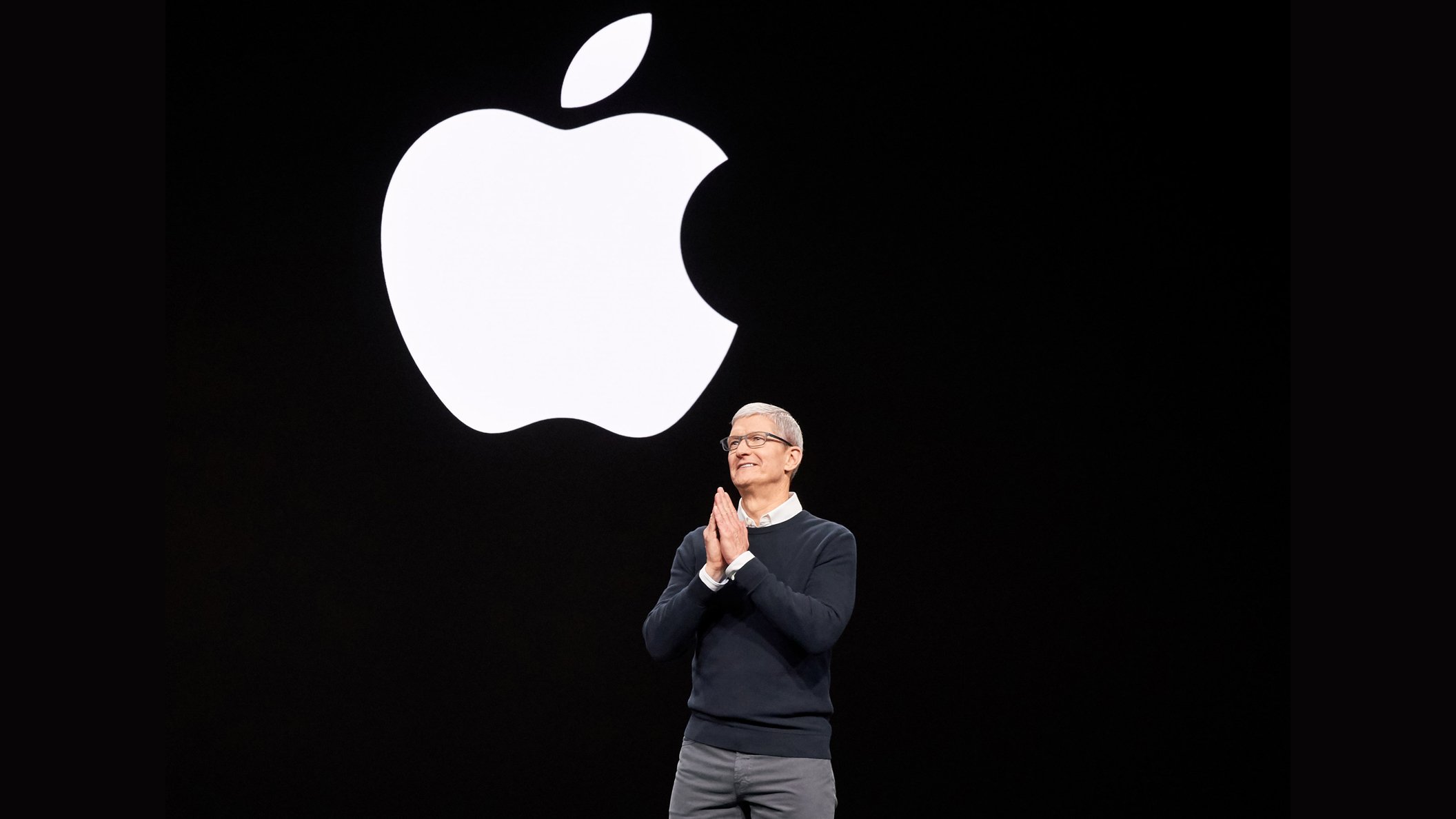
Tim Cook Stepping Down as Apple CEO Next Week: 15 Years in Quotes

Tim Cook will be stepping down as Apple's CEO in just five more days, with the company's hardware engineering chief John Ternus set to take over.


Below, we have surfaced some of Cook's notable quotes over his 15 years leading Apple.

August 2011, in an email to Apple employees upon becoming CEO:
I want you to be confident that Apple is not going to change. I cherish and celebrate Apple's unique principles and values. Steve built a company and culture that is unlike any other in the world and we are going to stay true to that - it is in our DNA. We are going to continue to make the best products in the world that delight our customers and make our employees incredibly proud of what they do.
May 2012, on Apple's secrecy:
We're going to double down on secrecy on products. I'm serious.
September 2012, in a public apology about the botched launch of Apple Maps:
At Apple, we strive to make world-class products that deliver the best experience possible to our customers. With the launch of our new Maps last week, we fell short on this commitment. We are extremely sorry for the frustration this has caused our customers and we are doing everything we can to make Maps better.
December 2012, when asked if it is true that he wakes up at 3:45 a.m. every morning:
Yes, every morning.
The thing about it is, when you love what you do, you don't really think of it as work. It's what you do. And that's the good fortune of where I find myself.
October 2014, in a public essay:
I'm proud to be gay, and I consider being gay among the greatest gifts God has given me.
March 2015, the month before the Apple Watch launched:
Apple Watch begins a new chapter in the way we relate to technology and we think our customers are going to love it. We can't wait for people to start wearing Apple Watch to easily access information that matters, to interact with the world, and to live a better day by being more aware of their daily activity than ever before.
October 2015, on privacy:
We see that privacy is a fundamental human right that people have.
June 2017, expressing his excitement about augmented reality:
I think it is profound. I am so excited about it, I just want to yell out and scream.
March 2018, on what he would do if he were Mark Zuckerberg, amid a Facebook privacy scandal:
I wouldn't be in this situation.
March 2020, in response to COVID-19:
There is no mistaking the challenge of this moment. The entire Apple family is indebted to the heroic first responders, doctors, nurses, researchers, public health experts and public servants globally who have given every ounce of their spirit to help the world meet this moment.
August 2022, on Apple's legacy:
I think that when we look back one day and ask, what's been Apple's greatest contribution, it will be in health.
September 2022, in response to a customer asking why the iPhone did not support RCS, when Android smartphones already did at the time:
Buy your mom an iPhone.
June 2023, in Apple's Vision Pro announcement:
Today marks the beginning of a new era for computing. Just as the Mac introduced us to personal computing, and iPhone introduced us to mobile computing, Apple Vision Pro introduces us to spatial computing. Built upon decades of Apple innovation, Vision Pro is years ahead and unlike anything created before — with a revolutionary new input system and thousands of groundbreaking innovations.
April 2026, upon announcing he is stepping down as CEO:
It has been the greatest privilege of my life to be the CEO of Apple and to have been trusted to lead such an extraordinary company. I love Apple with all of my being, and I am so grateful to have had the opportunity to work with a team of such ingenious, innovative, creative, and deeply caring people who have been unwavering in their dedication to enriching the lives of our customers and creating the best products and services in the world.
And a list of Cook quotes would not be complete without:
Good moooorning!
Cook will remain at Apple as executive chairman on the company's board of directors. In this role, Apple said he will "assist with certain aspects of the company, including engaging with policymakers around the world."
This article, "Tim Cook Stepping Down as Apple CEO Next Week: 15 Years in Quotes" first appeared on MacRumors.com

Discuss this article in our forums

  •  

Releasing Windows 11, version 26H2 to the Release Preview Channel

[Update 31 August 2026: ISOs are now available] Hello Windows Insiders! Today, we are making this year’s annual feature update, Windows 11, version 26H2 (Build 26300.9278),  available in the Release Preview Channel for customers to preview ahead of general availability later this calendar year. Windows 11, version 26H2 will be delivered as an enablement package (eKB). This means that Windows 11, versions 24H21, 25H2, and 26H2 use a shared servicing branch. It also means that they share the same new features and enhancements delivered through our continuous innovation efforts. As a result, many of the features and improvements available in Windows 11, version 26H2 might already be familiar, as they have been gradually introduced through monthly updates. For commercial customers, Windows 11, version 26H2 enables several experiences that were introduced in earlier releases but not previously enabled by default for commercial devices. This includes Windows settings backup, app-specific actions from the taskbar, and some File Explorer enhancements. For guidance on how to prepare for Windows 11, version 26H2 in your organization, see Get ready for Windows 11, version 26H2. Windows Insiders in the Release Preview Channel can install Windows 11, version 26H2 via our “seeker” experience in Windows Update. This means if you are an Insider currently in the Release Preview Channel on a PC that meets the Windows 11 hardware requirements, you can go to Settings and Windows Update and choose to download and install Windows 11, version 26H2. Once you update your PC to Windows 11, version 26H2, you will continue to automatically receive new servicing updates through Windows Update (the typical monthly update process). For instructions on how to join the Windows Insider Program and enroll your PC in the Release Preview Channel, click here. If you are a commercial2 customer enrolled in the Windows Insider Program for Business, you can deploy and begin validating Windows 11, version 26H2 on PCs in your organization using Windows Update client policies and Windows Server Update Services (WSUS). Azure Marketplace will be available later today. Should any issues arise, IT admins in organizations deploying Release Preview updates can request Microsoft Support. And finally, ISOs will be available for download for Windows 11, version 26H2 via the Windows Insider ISO download page in the near term. Thanks, Windows Insider Program Team 1Windows 11, version 24H2 Home and Pro editions will reach end of updates on October 13, 2026. Enterprise and Education editions remain supported until October 12, 2027. 2We consider a device a commercial device if it is not running the Windows 11 Home edition AND is being managed by an IT administrator (whether via Microsoft Intune or other management solution), or has a volume license key or commercial ID, or is joined to a domain.
  •  

2025 vs. 2026 Mac Studio Buyer's Guide: All Upgrades Compared

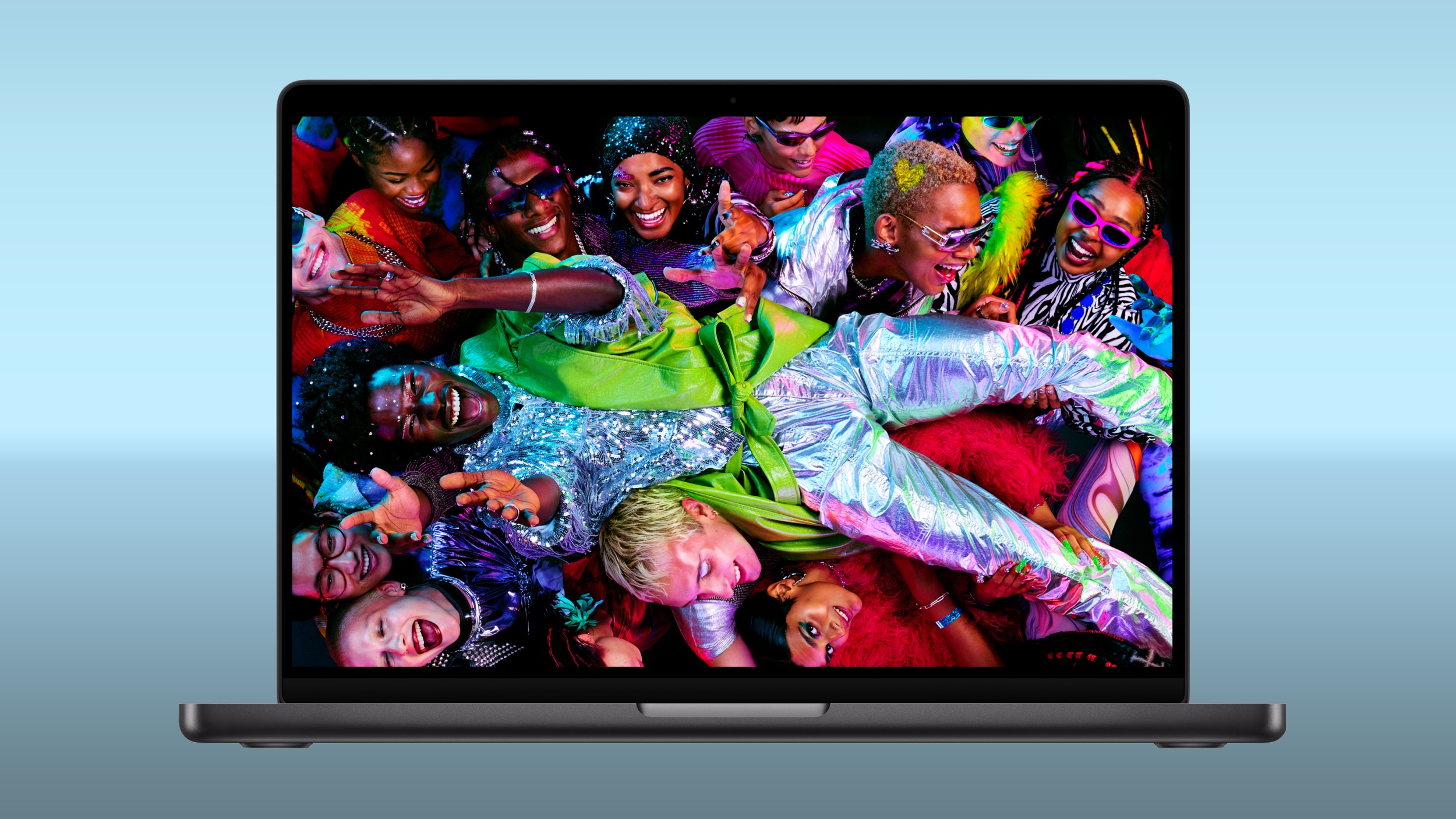
Apple this week announced a new Mac Studio with the M5 Max and M5 Ultra chips, discontinuing the M4 Max and M3 Ultra models that had been on sale since March 2025.
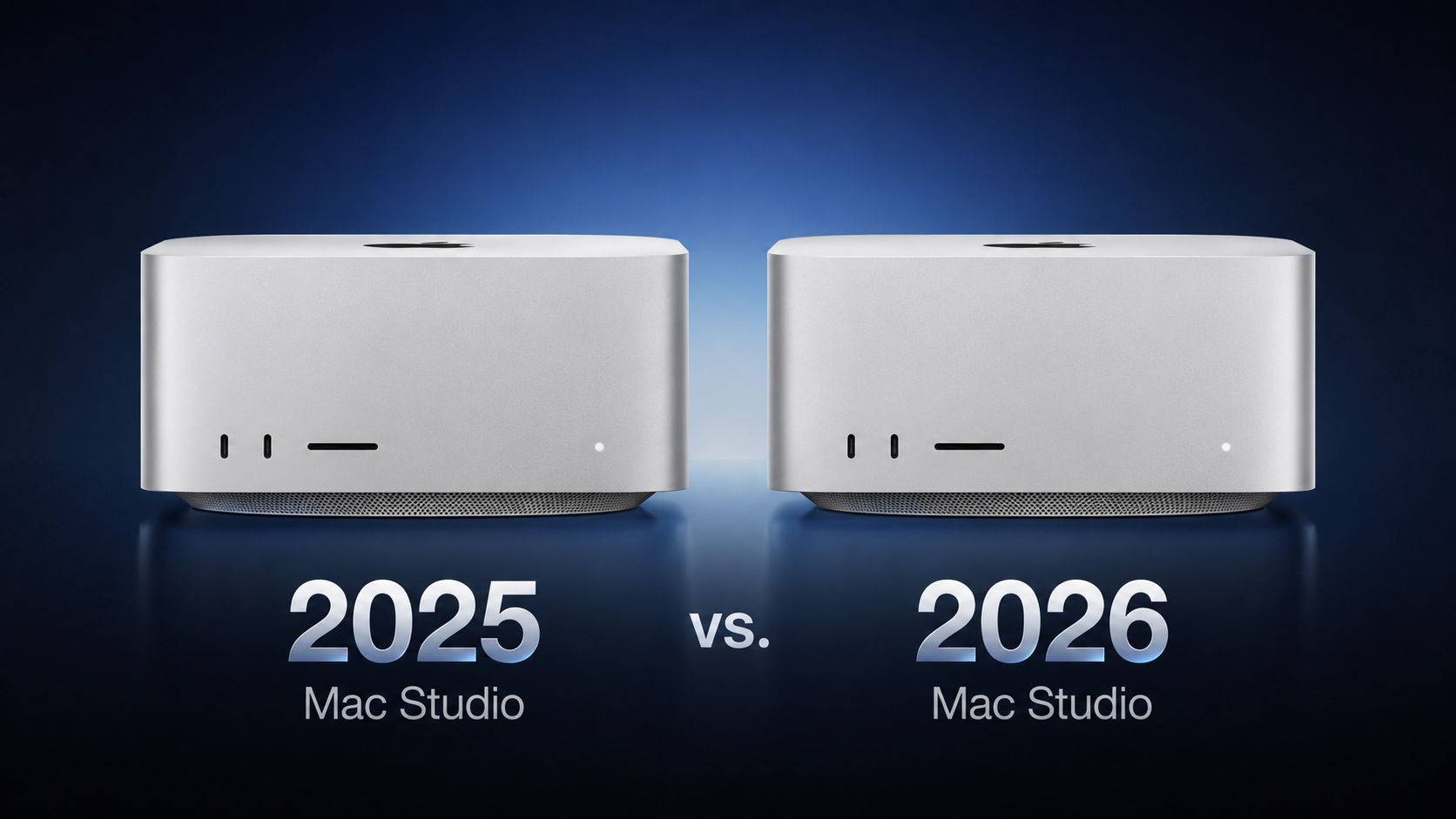

The machine's design is unchanged for a fifth consecutive year, with all of the upgrades being internal. The table below details everything that changed regardless of whether you choose a Max or an Ultra chip. The two tables that follow break down the differences within each tier.

What Changed Across Both Models


Here's everything that differs between the 2025 and 2026 ‌Mac Studio‌ irrespective of configuration:


‌Mac Studio‌ (2025) ‌Mac Studio‌ (2026)
Baseline SSD read and write speeds Next-generation SSD architecture built on PCIe Gen 6, with up to twice the read and write speeds
Wi-Fi 6E (802.11ax) Wi-Fi 7 (802.11be) via the Apple-designed N1 chip
Bluetooth 5.3 Bluetooth 6
Genlock over USB-C


With the latest model, Wi-Fi 7 and Bluetooth 6 arrive on the ‌Mac Studio‌ for the first time, facilitated by the same N1 chip Apple introduced in the iPhone 17 lineup. Apple also says the new machine is made with 35% recycled content overall, including 100% recycled aluminum in the enclosure and 100% recycled rare earth elements in all magnets.

Mac Studio M4 Max vs. M5 Max


Here's everything that differs between the M4 Max and M5 Max configurations:


‌Mac Studio‌ (M4 Max, 2025) ‌Mac Studio‌ (M5 Max, 2026)
M4 Max chip M5 Max chip
14-core CPU, configurable to 16-core, with 12 performance cores and 4 efficiency cores 18-core CPU with 6 super cores and 12 performance cores
32-core GPU, configurable to 40-core 32-core GPU, configurable to 40-core, with Neural Accelerators built into every core and enhanced shader cores
Second-generation hardware-accelerated ray tracing Third-generation hardware-accelerated ray tracing
Up to 546GB/s memory bandwidth Up to 614GB/s memory bandwidth
36GB unified memory with the 32-core GPU, or 64GB with the 40-core GPU (128GB option withdrawn in May 2026) 36GB unified memory with the 32-core GPU, or 48GB, 64GB, or 128GB with the 40-core GPU
Weighs 6.1 pounds (2.74 kg) Weighs 6.0 pounds (2.7 kg)
Now discontinued Starts at $2,499


The most immediately useful change is at the entry level. The M4 Max started with a 14-core CPU and could be configured up to 16 cores, whereas the M5 Max has an 18-core CPU as standard with no CPU upgrade to buy. Apple has also changed its core architecture, dropping the performance and efficiency split in favor of 6 super cores and 12 performance cores.

Mac Studio M3 Ultra vs. M5 Ultra


The table below outlines every difference between the two Ultra configurations:


‌Mac Studio‌ (M3 Ultra, 2025) ‌Mac Studio‌ (M5 Ultra, 2026)
M3 Ultra chip M5 Ultra chip
28-core CPU, configurable to 32-core, with 24 performance cores and 8 efficiency cores 30-core CPU, configurable to 36-core, with 12 super cores and 24 performance cores
60-core GPU, configurable to 80-core 64-core GPU, configurable to 80-core, with Neural Accelerators built into every core and enhanced shader cores
First-generation hardware-accelerated ray tracing Third-generation hardware-accelerated ray tracing
Dynamic Caching Second-generation Dynamic Caching
819GB/s memory bandwidth 1.2TB/s memory bandwidth
96GB, 256GB, or 512GB unified memory (512GB option withdrawn in March 2026 and the 256GB option withdrawn in May 2026) 96GB or 256GB unified memory, or 512GB with the 80-core GPU
Now discontinued Starts at $5,499


Across both generations, the maximum GPU still contains 80 cores, the Neural Engine still contains 32 cores, display support and media engine is identical, storage still maxes out at 16TB, and maximum unified memory is still 512GB. The 1.2TB/s of bandwidth feeding that memory, which is 50% higher than before, and the Neural Accelerators for each GPU core, are among the key changes.

How Big Are the Upgrades?


Apple's own comparisons against the outgoing chips are heavily weighted toward AI and graphics. For the M5 Max against the M4 Max, Apple claims:


  • Up to 3.9x faster LLM prompt processing in LM Studio

  • Up to 3.5x faster text-to-image performance

  • Up to 3x faster Magic Mask performance in Blackmagic Design DaVinci Resolve Studio

  • Up to 1.9x faster basecalling for DNA sequencing in Oxford Nanopore MinKNOW

  • Up to 50% faster graphics performance


For the M5 Ultra against the M3 Ultra, Apple claims:


  • Up to 4.3x faster text-to-image performance

  • Up to 4x faster LLM prompt processing in LM Studio

  • Up to 3.3x faster CopyCat ML training performance in Foundry Nuke

  • Up to 1.8x faster graphics performance

  • Up to 1.7x faster scene rendering performance in Maxon Redshift

  • Up to 1.3x higher multithreaded CPU performance


On either chip, tasks that use matrix multiplication can run three to four times faster thanks to new Neural Accelerators in each GPU core.

Which to Choose?


Apple no longer sells the M4 Max or M3 Ultra models, which became relatively poor value for money by the end of their run. The M4 Max cost $2,499 with a 14-core CPU and up to 64GB of memory. For the same price, the M5 Max has an 18-core CPU, 614GB/s memory bandwidth, up to 128GB of memory, twice-fast storage, and Wi‑Fi 7. The M3 Ultra ended at $5,299 with a 96GB memory limit. For $200 more, the M5 Ultra brings back 256GB and 512GB options and adds 50% more memory bandwidth.

Current M4 Max and M3 Ultra owners generally do not need to upgrade after only 17 months. Launch buyers paid $1,999 or $3,999, so replacing their machine now costs 25–38% more for the same design, ports, Ultra core limits, storage limit, and Media Engine. The main exception is AI-heavy work. Local LLMs, on-device image or video generation, and demanding machine-learning tasks in applications like DaVinci Resolve or Nuke can benefit substantially from the new Neural Accelerators. The M5 Ultra's 1.2TB/s memory bandwidth can also improve large-model token generation.

The upgrade makes more sense for M1 or M2 ‌Mac Studio‌ owners. Apple says the M5 Max can process prompts up to 10.7× faster than the M1 Max, while the M5 Ultra can train ML models up to 15.4× faster than the M1 Ultra. Older models also lack Thunderbolt 5, AV1 decoding, and the newer Media Engine. If you already skipped the 2025 refresh, this is a more meaningful step forward.

The 2025 models are mainly worth considering used or refurbished at a steep discount. Apple raised prices in June, so lightly discounted older stock is often too close in price to a new model. One notable exception is an M3 Ultra with 256GB or 512GB of memory, since those configurations were unavailable new for much of 2026 and M5 Ultra equivalents will not ship until later this year.

When configuring, buyers should remember that memory and graphics are linked. The M5 Max always has an 18-core CPU, so the key choices are GPU and memory. More than 36GB of memory requires the 40-core GPU. With the M5 Ultra, 512GB of memory requires the 80-core GPU. If memory is your limit, as it often is for local AI tasks, you may need to pay for more GPU cores too. Apple says the 512GB M5 Ultra arrives in late October, with pricing expected to start above $10,000.

The M5 Ultra is now Apple's highest-end Mac. Apple discontinued the Mac Pro in March, seemingly with no plans for a replacement. There is no higher end Mac to wait for and no internal expansion path beyond adding a second machine.

Pre-orders are now open, with all but the 512GB model arriving on September 22. All M5 Ultra configurations now show a shipping time of 10–12 weeks in the United States.
Related Roundup: Mac Studio
Buyer's Guide: Mac Studio (Buy Now)
Related Forum: Mac Studio

This article, "2025 vs. 2026 Mac Studio Buyer's Guide: All Upgrades Compared" first appeared on MacRumors.com

Discuss this article in our forums

  •  

LG Labor Day Sale Brings Major Discounts on OLED TVs and Monitors

LG is hosting a Labor Day sale on its website this week, with deals on monitors, TVs, home appliances, and more. LG's discounts have been automatically applied and do not require any discount codes or special memberships.

Note: MacRumors is an affiliate partner with LG. When you click a link and make a purchase, we may receive a small payment, which helps us keep the site running.

Highlights of the event include up to $700 off select LG monitors and up to $2,700 off LG's best TV sets. Regarding the TVs, discounts include big savings on the new 2026 LG OLED evo AI sets, like the 65-inch LG OLED evo AI C6 4K Smart TV for $1,799.99 ($900 off) and the 65-inch LG OLED evo AI G6 4K Smart TV for $2,999.99 ($400 off).


This sale has been running for a few days now, and we're seeing stock running low on a few of LG's TVs. You can opt in to be notified if a TV is out of stock, and LG will send you an email when they've returned and are available to purchase.

TVs


50-inch

60-inch

70-inch

80-inch+

Monitors


Appliances


If you're on the hunt for more discounts, be sure to visit our Apple Deals roundup where we recap the best Apple-related bargains of the past week.


Deals Newsletter


Interested in hearing more about the best deals you can find in 2026? Sign up for our Deals Newsletter and we'll keep you updated so you don't miss the biggest deals of the season!


Related Roundup: Apple Deals

This article, "LG Labor Day Sale Brings Major Discounts on OLED TVs and Monitors" first appeared on MacRumors.com

Discuss this article in our forums

  •  

Apple Event: Six New Products to Expect on September 9

Apple has announced that it will be holding an event on Wednesday, September 9 at 10 a.m. Pacific Time, with the company widely expected to unveil the iPhone 18 Pro, iPhone 18 Pro Max, its first-ever foldable iPhone, and more.


Other products expected to be announced at the event include an Apple Watch Series 12 with a ceramic case option, an Apple Watch Ultra 4, AirPods 5 with and without active noise cancellation, and potentially more.

Here are the six products most likely to be unveiled at the event.

Most Likely


Other Possibilities


Many of the products below are more likely to be announced in October this year, but perhaps some of them will appear at the September event.

Related Roundup: iPhone 18 Pro

This article, "Apple Event: Six New Products to Expect on September 9" first appeared on MacRumors.com

Discuss this article in our forums

  •  

Apple's New Macs to Ship With macOS Golden Gate

The new Mac mini and Mac Studio models announced by Apple this week are "slated to ship" with macOS Golden Gate, according to Daring Fireball's John Gruber.


Apple's product pages for the new Mac mini and Mac Studio models mention macOS Golden Gate features such as Siri AI, providing further evidence that the computers will ship with the latest operating system, instead of macOS Tahoe.

In addition, FCC documents and other evidence uncovered by MacRumors all point towards the new Macs coming with macOS Golden Gate preinstalled.

"The new Mac mini comes to life with the upcoming macOS 27, which includes Siri AI, a profoundly more capable and personal assistant; helpful Apple Intelligence features across everyday apps; and an expansive set of improvements that make the Mac even more responsive and reliable," said Apple, in a press release.

Apple said the new Mac mini and Mac Studio will be released on Tuesday, September 22, so macOS Golden Gate would need to be released before that date if the computers will ship with that operating system. Based on historical patterns, macOS Golden Gate will most likely be released during the week of Monday, September 14.
Related Roundup: macOS Golden Gate

This article, "Apple's New Macs to Ship With macOS Golden Gate" first appeared on MacRumors.com

Discuss this article in our forums

  •  

2026 MacBook Pro Sees Up to $500 Discounts at Amazon and Best Buy

Amazon and Best Buy today have big discounts on the M5 Pro and M5 Max MacBook Pro, with up to $500 off select models. A handful of models have better discounts when compared to the last time we tracked these deals, coming in as much as $100 off previous price points.

Note: MacRumors is an affiliate partner with Amazon. When you click a link and make a purchase, we may receive a small payment, which helps us keep the site running.

We're focusing on Amazon in the links below, but you can find every deal matched at Best Buy this week during its big Labor Day sale. This event includes savings on everything from Apple products to TVs, audio accessories, video games, appliances, and more.

14-Inch MacBook Pro


Prices start at $2,299.00 for the 24GB/1TB 14-inch M5 Pro MacBook Pro, down from $2,499.00. Amazon is also providing $300 off the 15-Core/24GB/2TB model, as well as $300 off the 18-Core/24GB/2TB model, both of which are the best prices we've seen in the wake of the summer price hikes.


16-Inch MacBook Pro


In terms of the larger display models, we're tracking discounts on all four models on Amazon. These start at $2,759.99 for the 24GB/1TB M5 Pro configuration ($239 off), and reach up to $4,499.00 for the 48GB/2TB M5 Max device ($500 off).


If you're on the hunt for more discounts, be sure to visit our Apple Deals roundup where we recap the best Apple-related bargains of the past week.


Deals Newsletter


Interested in hearing more about the best deals you can find in 2026? Sign up for our Deals Newsletter and we'll keep you updated so you don't miss the biggest deals of the season!


Related Roundup: Apple Deals

This article, "2026 MacBook Pro Sees Up to $500 Discounts at Amazon and Best Buy" first appeared on MacRumors.com

Discuss this article in our forums

  •  

Apple Announces Sneaky Sasquatch Updates, Files New Trademarks

Apple just announced a Subway Surfers+ crossover with hit Apple Arcade game Sneaky Sasquatch, with a "birdwatching update" coming September 17 that lets players photograph more than 30 species of birds in the game.

"Sneaky Sasquatch is the most beloved game on Apple Arcade and has had one of the most passionate communities of players since day 1," said Alex Rofman, Apple's senior director of Apple Arcade. "This exclusive crossover with Subway Surfers+ and the new birdwatching update are just the latest ways players can enjoy Sneaky Sasquatch, with more awesome updates planned for the game over the coming months."
As we reported in an earlier version of this article, Apple is seeking trademarks for Sneaky Sasquatch merchandise, including clothing, costumes, watches, jewelry, books, trading cards, bags, lunchboxes, bedding, towels, and more. Apple's request was filed on March 25 and is now under examination in the EU. It follows separate U.S. applications in October 2025 covering toys, plush figures, TV series, films, music, fan clubs, and board games.

Apple acquired Sneaky Sasquatch last year. Trademark filings don't guarantee that products will be released, but Apple may be exploring a wider merchandise line for the popular Apple Arcade game. Get your Sneaky Sasquatch iMessage stickers here.
This article, "Apple Announces Sneaky Sasquatch Updates, Files New Trademarks" first appeared on MacRumors.com

Discuss this article in our forums

  •  

Apple Event Logo Hints at Two iPhone 18 Pro Features

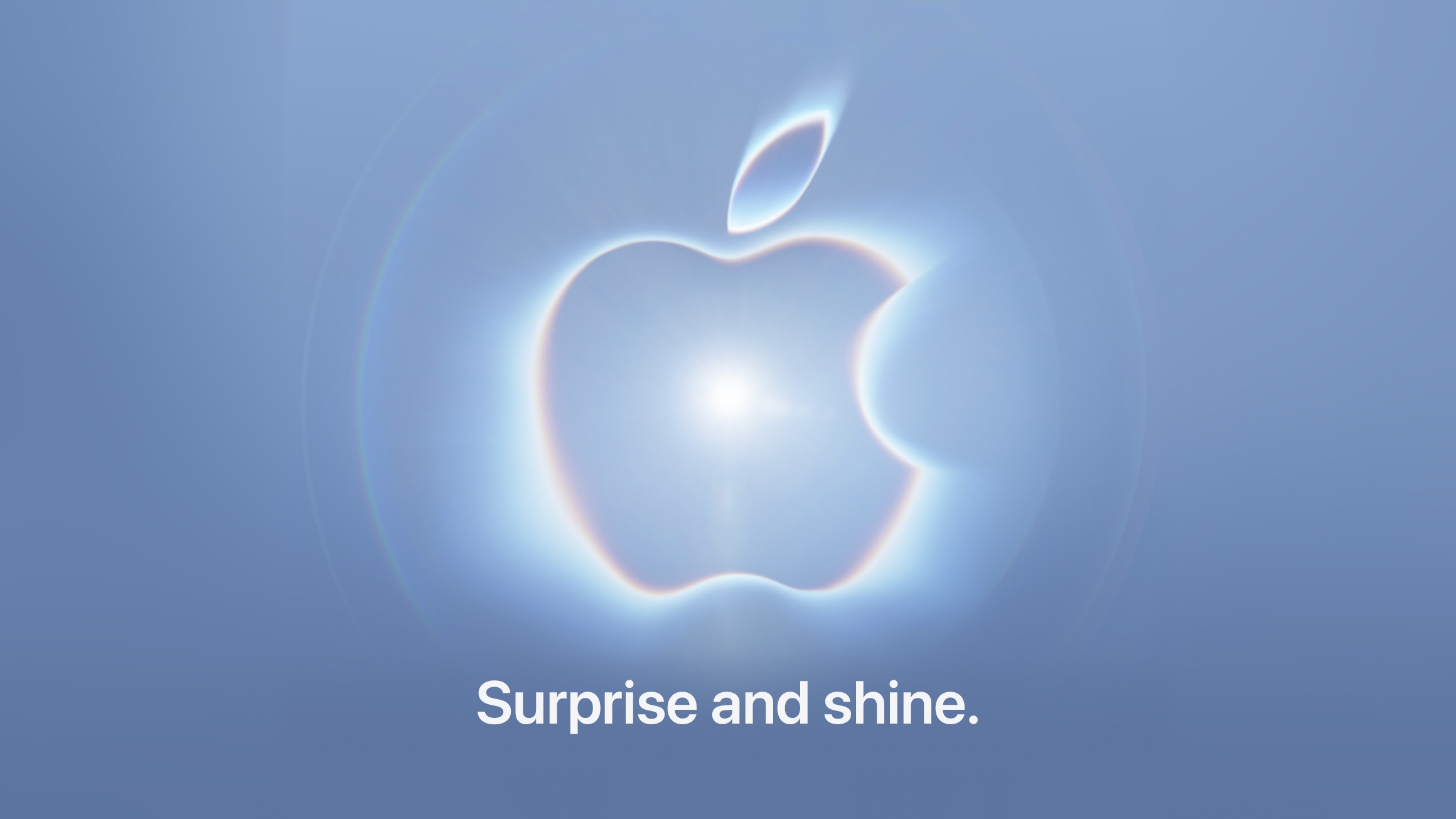
Apple's logo for its upcoming September 9 "Surprise and shine" event hints at two rumored iPhone 18 Pro features, including new color options and a new camera system.


Apple fans often like to read into Apple's event invite graphics for clues about unreleased products, and this year Bloomberg's Mark Gurman is also taking part in the fun on Twitter (X).

First, Gurman says he sees the shining light behind Apple's logo as a nod to the "mechanical aperture on the iPhone 18 Pro Max."

MacRumors has been reporting since 2024 that Apple could introduce a variable aperture camera on the iPhone 18 Pro models – a first for any iPhone. However, a recent rumor out of China suggests the feature could be exclusive to the larger Pro Max model.

With a variable lens, the iPhone 18 Pro Max could allow users to manually shift the aperture, similar to on a DSLR camera. It could mean more control over depth of field and bright light, enabling sharper focus on subjects. That all depends on how Apple implements the feature, of course. It may be more automated than that.

Second, Gurman links the sky blue color of the event invite to a "possible new iPhone 18 Pro color." According to Macworld, Apple will likely introduce the device in Light Blue, alongside Dark Cherry (the new headline color), Dark Gray, and Silver.

What I am seeing:

- Shining light = mechanical aperture on the iPhone 18 Pro Max
- Sky Blue color = Possible new iPhone 18 Pro color. https://t.co/MHQ21LmT9U

— Mark Gurman (@markgurman) August 26, 2026

It's not like we have much longer to wait to find out whether these takes are correct. Apple's event is less than two weeks away. Stay tuned to MacRumors for all the last-minute details.
Related Roundup: iPhone 18 Pro

This article, "Apple Event Logo Hints at Two iPhone 18 Pro Features" first appeared on MacRumors.com

Discuss this article in our forums

  •  

Apple Announces New Education Center in Vietnam

Apple today announced a new Apple Education Center in Hanoi to expand training and skill development programs for employees across its supply chain in Vietnam.


The new center is the first of its kind in the country and will begin offering courses this fall, operating in partnership with Hanoi University of Science and Technology (HUST). Apple and its partners already run almost 20 educational programs for supplier employees in Vietnam.

Courses will combine both online and in-person learning, covering areas including manufacturing, robotics, and automation technology. The center will also offer leadership and soft skills training aimed at helping workers advance in their current roles or move into new career paths.

The new center is the latest initiative funded by Apple's $50 million Supplier Employee Development Fund, a global program the company launched in 2022. Apple said more than 9 million education and training sessions have been delivered via the fund so far, and more than 108,000 supplier employees have taken part in its Swift programming courses since 2017.

The fund also supports workplace rights education and health programs covering broader topics such as health and fitness programming, mental health, and disease screening.
This article, "Apple Announces New Education Center in Vietnam" first appeared on MacRumors.com

Discuss this article in our forums

  •  

Distribution Release: Butterbian 0.4.0

The DistroWatch news feed is brought to you by TUXEDO COMPUTERS. The Butterbian project has announced the availability of Butterbian 0.4.0, the latest stable release of the project's Debian-based Linux distribution with out-of-the-box support for the Btrfs filesystem and pre-configured Timeshift that takes incremental snapshots of the installed filesystem at regular intervals. The new version of the distribution updates....
  •  

'Exclusive Red' iPhone Ultra Images Not What They Seem

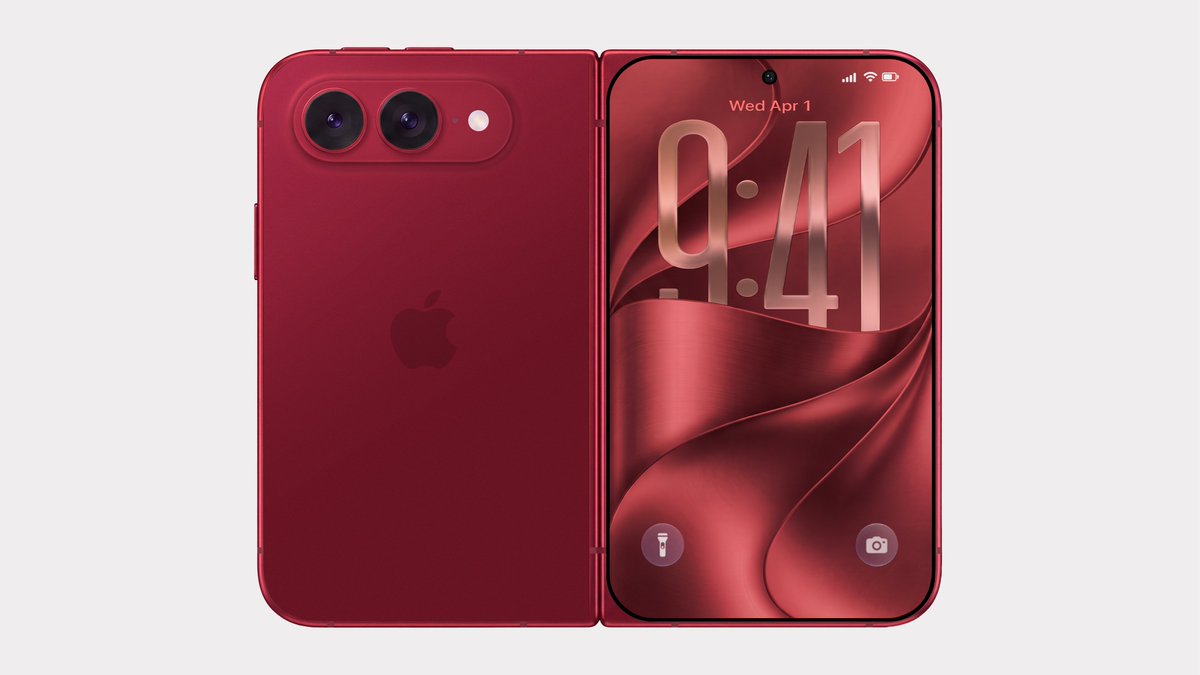
Bloomberg's Mark Gurman has disputed the authenticity of iPhone Ultra renders shared by the typically-reliable leaker Evan Blass on X (Twitter). The images show the unreleased foldable iPhone in not just the rumored space gray and white colors, but also in a striking red.


"Hearing these renders came from Xiaomi," wrote Gurman, commenting on Blass's post. "This isn't a legitimate look at the foldable iPhone, which also doesn't come in red or green. Just renders made by Xiaomi for some reason. Carry on."

Apple is said to be planning to "stay away from fun colors" and stick to more traditional space gray/black and silver/white finishes for the book-style foldable iPhone. One rumor has described the darker color as a shade of indigo rather than black. Another rumor suggests there might not be a black color at all.

We'll know for sure soon. Apple will hold its annual iPhone-centric event on Wednesday, September 9 at the Apple Park campus in Cupertino, California, where the company is expected to debut the foldable alongside new iPhone 18 Pro models. The event will begin at 10:00 a.m. Pacific Time. This year, Apple is using the tagline "Surprise and shine" for its fall event.
Related Roundup: iPhone Fold

This article, "'Exclusive Red' iPhone Ultra Images Not What They Seem" first appeared on MacRumors.com

Discuss this article in our forums

  •  

Distribution Release: NawaOS 2.0

The DistroWatch news feed is brought to you by TUXEDO COMPUTERS. Ahmed Abdulla has announced the release of NawaOS 2.0, a new stable build of the project's Debian-based Linux distribution designed primarily for gamers. It includes Steam, Lutris, Wine and RetroArch pre-installed and configured. This new release comes with snapshots, a setup wizard, and various user-friendly gaming enhancements: "NawaOS....
  •  

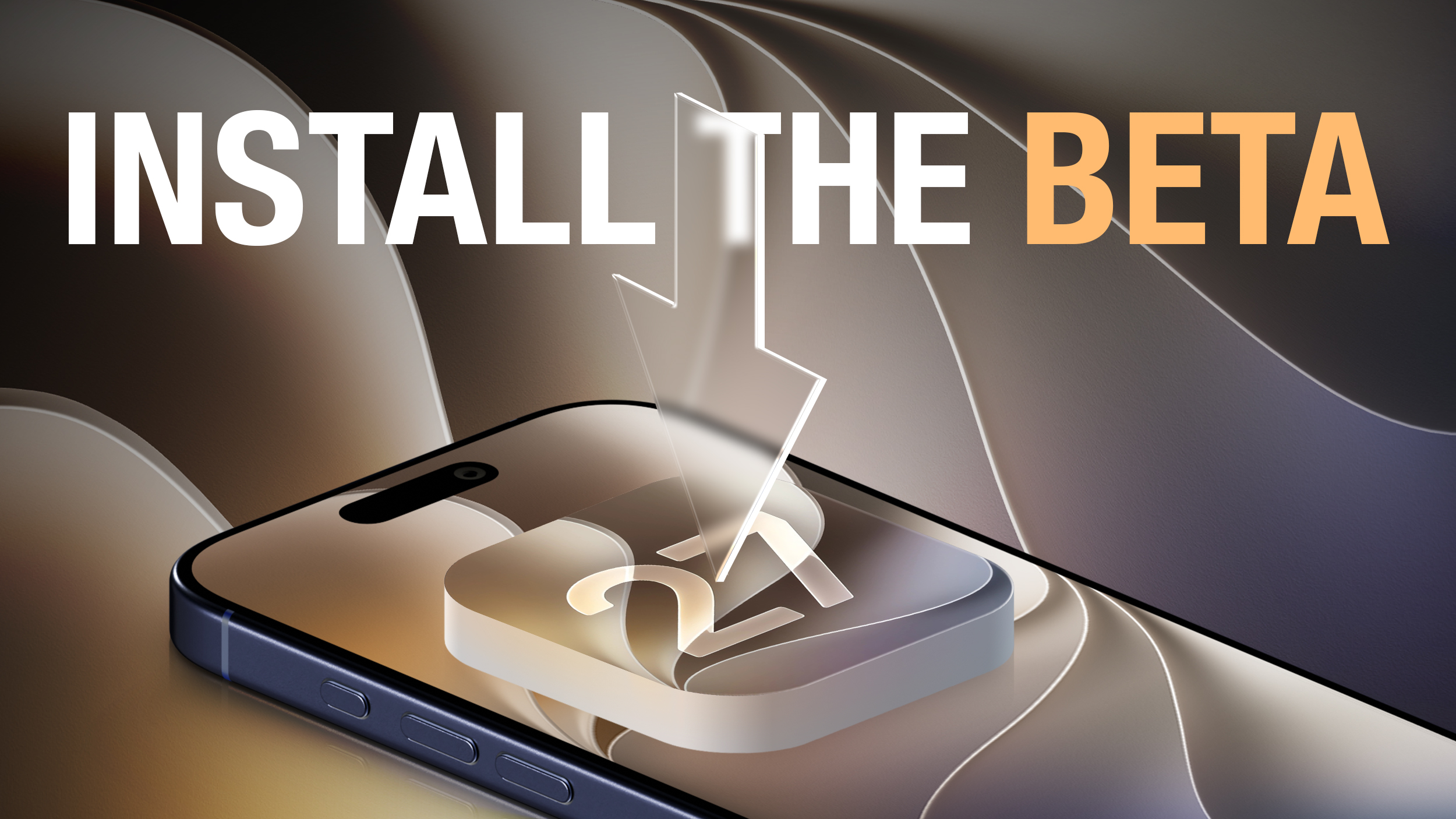
How to Install iOS 27 Public Beta 5 on Your iPhone

Apple this week made available the fifth public beta of iOS 27, bringing a more stable version of the software to a wider audience following lengthy testing by developers. Keep reading to learn how to prepare your device for the beta software and how to install it.


Signing up to get the ‌iOS 27 or ‌iPadOS 27 public beta is simple once you know how – it can be done by enrolling an iPhone or iPad in Apple's free Apple Beta Software Program. The steps you need to complete to install the software on your device are provided towards the end of this article, but before you jump ahead, here are a few things worth considering.

Is My iPhone Compatible With iOS 27?


iOS 27 is supported on iPhone 11 and all of the same iPhone models as iOS 26. They include the following:
  • iPhone 17e

  • iPhone 17

  • iPhone 17 Pro & Pro Max

  • iPhone Air

  • iPhone 16e

  • iPhone 16

  • iPhone 16 Plus

  • iPhone 16 Pro

  • iPhone 16 Pro Max

  • iPhone 15

  • iPhone 15 Plus

  • iPhone 15 Pro

  • iPhone 15 Pro Max

  • iPhone 14

  • iPhone 14 Plus


  • iPhone 14 Pro

  • iPhone 14 Pro Max

  • iPhone 13

  • iPhone 13 mini

  • iPhone 13 Pro

  • iPhone 13 Pro Max

  • iPhone 12

  • iPhone 12 mini

  • iPhone 12 Pro

  • iPhone 12 Pro Max

  • iPhone 11 Pro

  • iPhone 11 Pro Max

  • iPhone 11

  • iPhone SE (3rd generation)

Is My iPad Compatible With iOS 27?


iPadOS 27 cuts support for more iPad models than last year's iPadOS 26 did, with older iPad Pro, iPad Air, ‌iPad‌, and iPad mini models all losing compatibility. iPadOS 27 is supported on the following iPad models:


  • 13-inch iPad Pro (M4)

  • 12.9-inch iPad Pro (6th generation)

  • 12.9-inch iPad Pro (5th generation)

  • 12.9-inch iPad Pro (4th generation)

  • 11-inch iPad Pro (M4)

  • 11-inch iPad Pro (4th generation)

  • 11-inch iPad Pro (3rd generation)

  • 11-inch iPad Pro (2nd generation)

  • iPad Air (M3)


  • iPad Air (M2)

  • iPad Air (5th generation)

  • iPad Air (4th generation)

  • iPad (A16)

  • iPad (10th generation)

  • iPad (9th generation)

  • iPad mini (A17 Pro)

  • iPad mini (6th generation)


Note that this compatibility list does not mean that all iOS 27/iPadOS 27 features will work with the above models. Several of the update's features are exclusive to iPhone 15 Pro and newer models, since they rely on Apple Intelligence.

For example, iOS 27's more intelligent and personal version of Siri is available on the iPhone 15 Pro and newer, while two specific features tied to it are exclusive to the iPhone 17 Pro, iPhone 17 Pro Max, and iPhone Air.

Should I Install iOS 27 Public Beta?


Great question! Before downloading the update, it's worth noting that Apple does not recommend installing iOS 27 beta updates on your main iPhone/iPad, so if you have a secondary device, use that. This is beta software, which means there are often bugs and issues that pop up that can prevent software from working properly or cause other problems. Apple still has fixes to make before the final release in September.

Make an Archived Backup of Your Device First


Before installing the beta, make sure to back up your iOS device before installing the software using the following method, otherwise you won't be able to revert back to iOS 26 if things go wrong.

  1. Plug your iPhone into your Mac using the supplied cable.

  2. Allow the accessory to connect by clicking Allow in the dialog prompt.

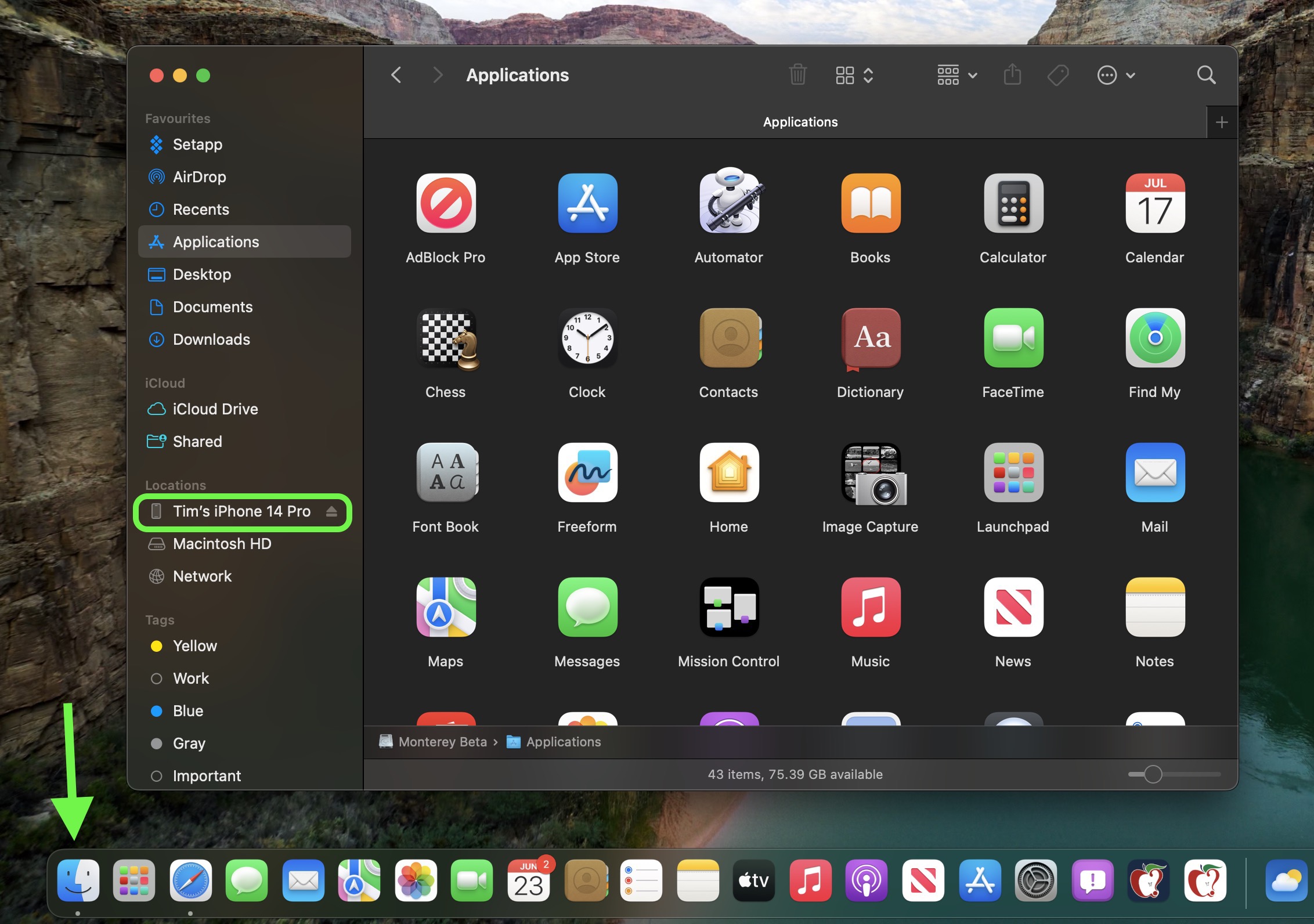
  3. Open a Finder window by clicking the Finder icon in the Dock.

  4. Click your iOS device's name in the sidebar.
    finder
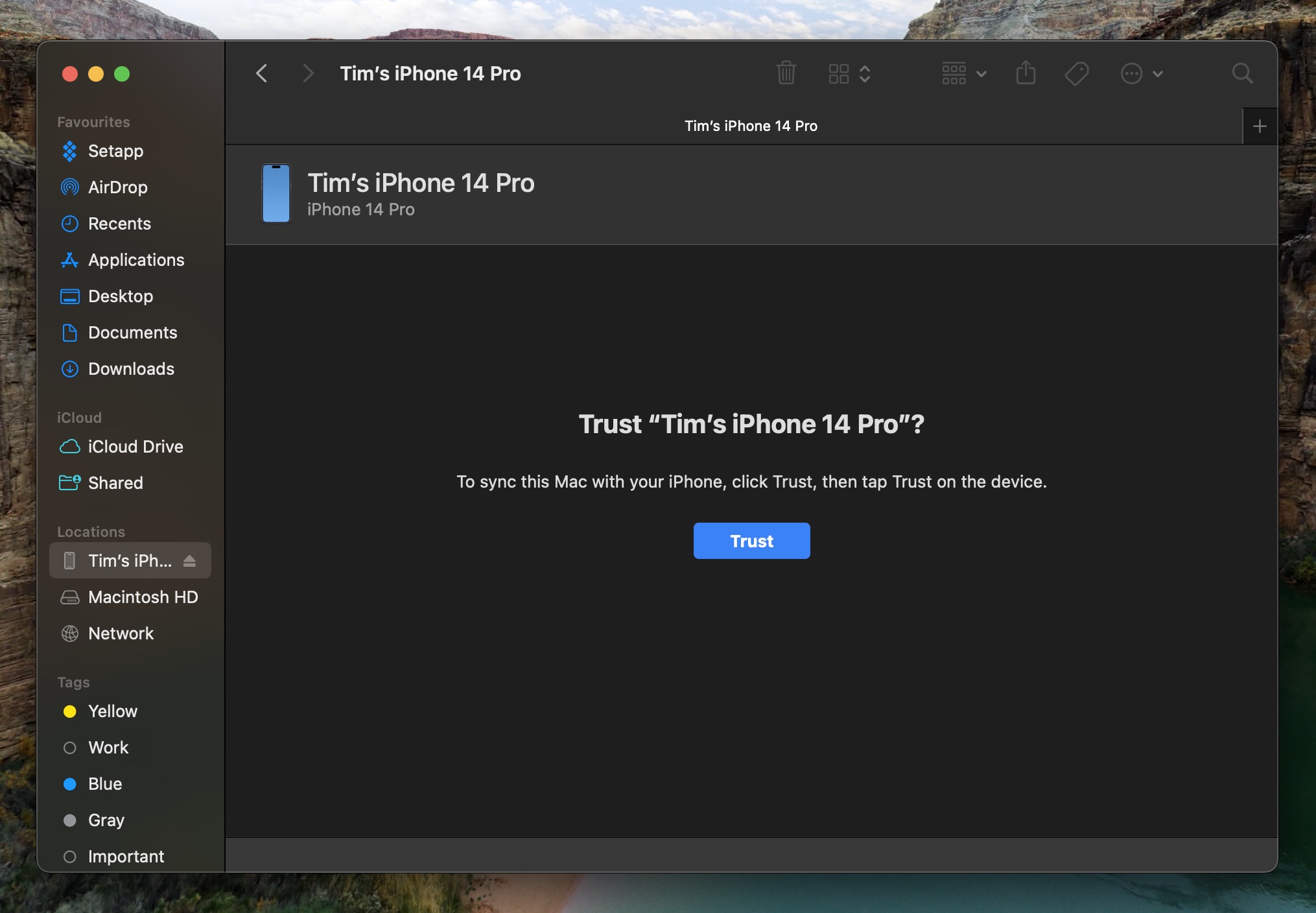
  5. If this is the first time connecting your device to your Mac, click Trust in the Finder window.
    finder
  6. Tap Trust on your device when prompted, then enter your passcode to confirm.

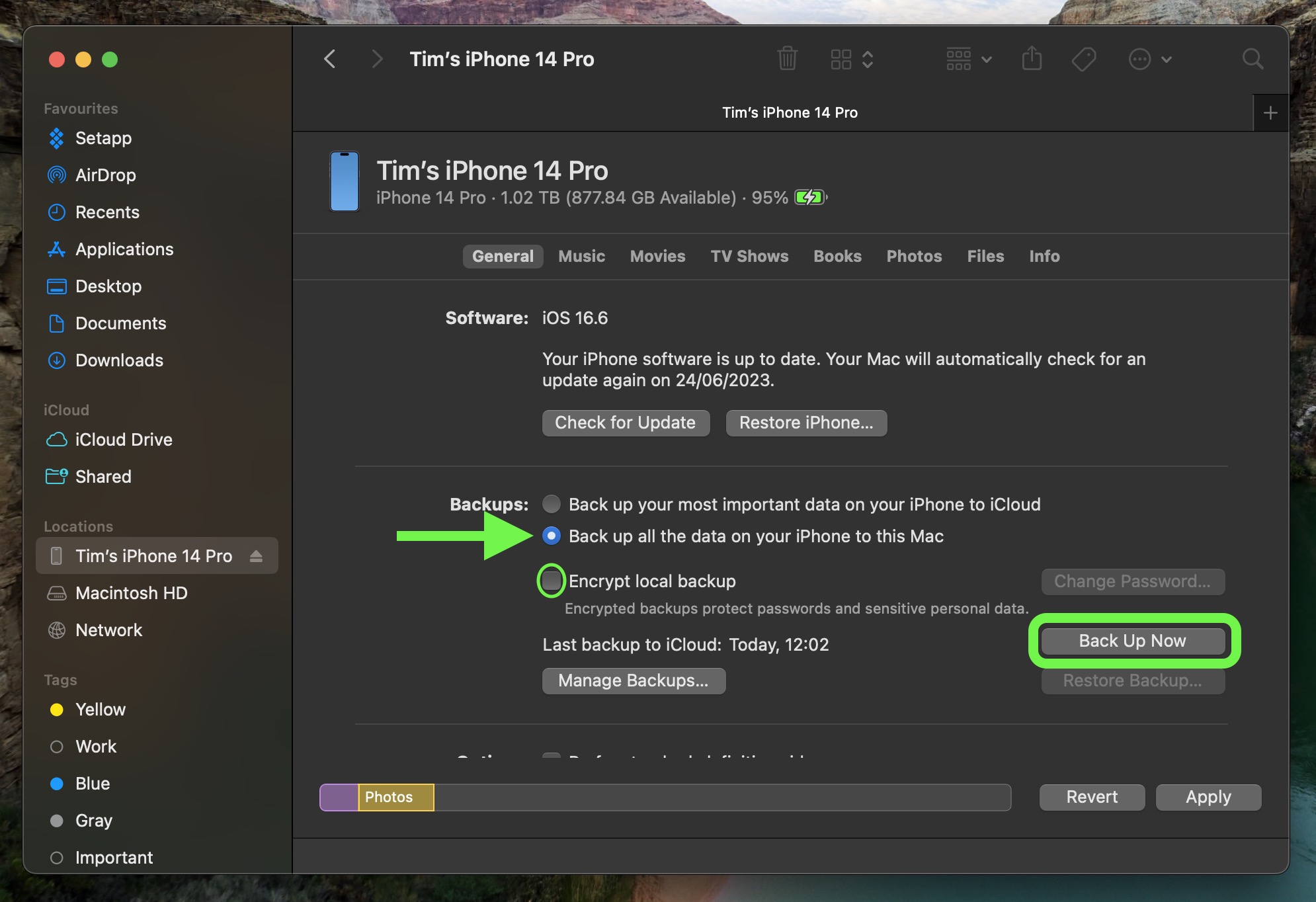
  7. In the General tab, click the circle next to where it says Back up all of the data on your iPad to this Mac.

  8. If you want to encrypt the backup, check the box next to Encrypt local backup, then enter a password to protect your data.

  9. If you don't want to create an encrypted backup, or you've already set up encrypted backups, click Back Up Now.
    finder

When the backup is finished, you can find the date and time of the last backup in the General tab, just above the Manage Backups button. Remember that this backup will not be overwritten when you manually or automatically back up your iPhone in the future, so you can restore it at any time by using the Restore Backup... option in the same Finder screen.

How to Download iOS 27 Public Beta


Downloading and install the iOS 27 Public Beta is very straightforward. Simply follow these steps:
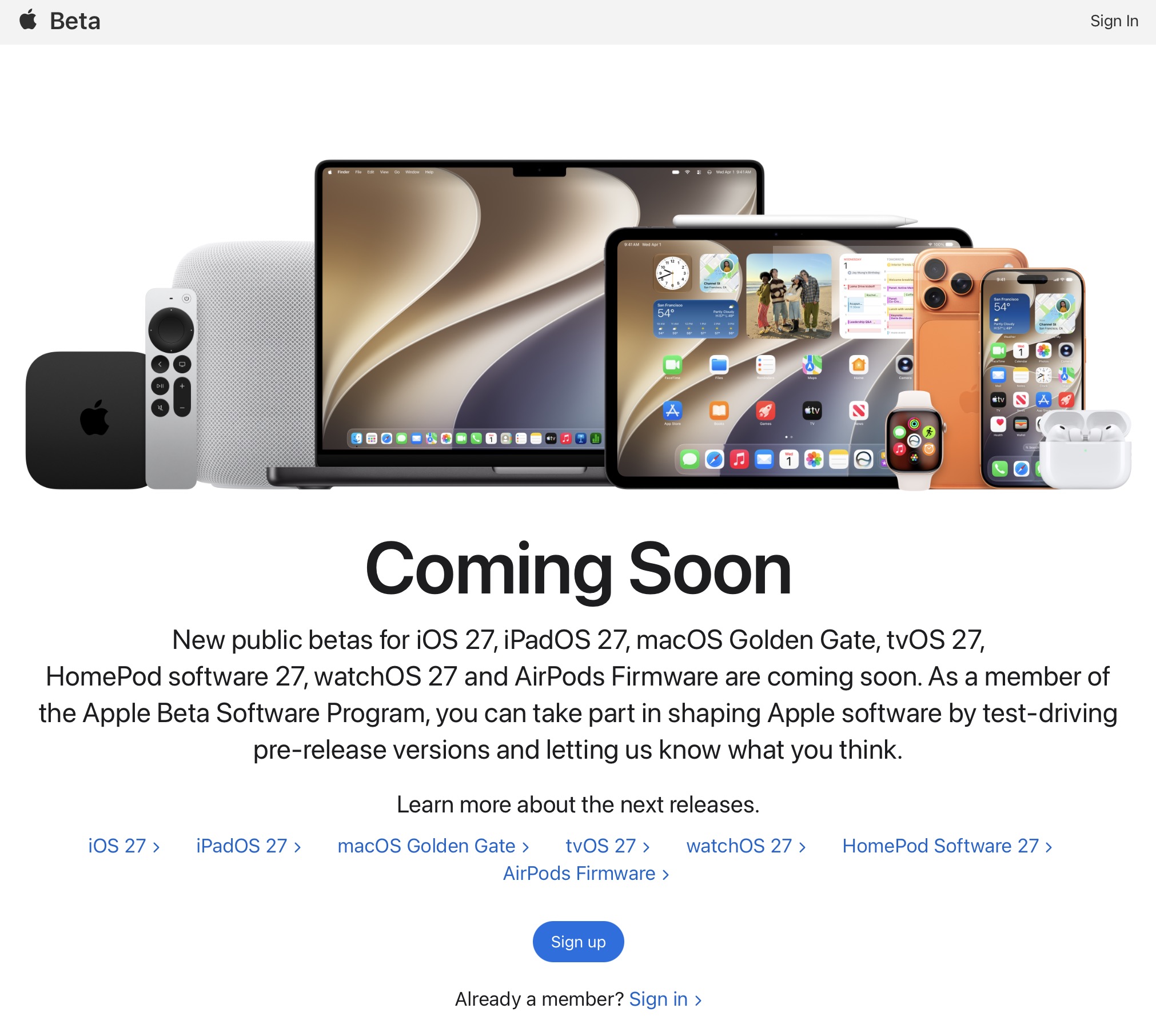
  1. Head over to Apple's Beta Software Program website and sign up using your Apple Account credentials.

  2. Now go to Settings ➝ General ➝ Software Update on your iPhone.

  3. Tap Beta Updates. If you don't see the option, try switching off Download iOS Updates (Automatic Updates ➝ Download iOS Updates), then tap Back and it should appear.

  4. Select iOS 27 Public Beta in the list, then tap Back.

  5. Wait for the Software Update screen to check Apple's servers. When the iOS 27 Public Beta appears, tap Download and Install, then follow the instructions and wait for installation to complete.


iOS 27 Features


iOS 27's headline change is a more intelligent and personal version of Siri, but the update also brings a wider set of improvements across Apple's core apps and services. A new Siri mode in the Camera app works with Visual Intelligence, which lets you point their iPhone at real-world items like receipts and take useful actions directly from what's on the screen.

Apple Maps gains an enhanced Flyover experience powered by AI, with sharper and more lifelike aerial imagery for select cities. In the U.S., a new Local Lists feature surfaces relevant place collections, including trending restaurants and family-friendly destinations.

Find My adds more flexible location sharing controls. You can now share your location for a custom duration, set an exact time for sharing to expire, or pause sharing with specific people until the End of the day. Reminders and Calendar now also support natural language input, and Apple Intelligence will automatically fill in details such as the date, time, and location.

Wallet, Apple Cash, and Apple Pay also get major upgrades. iOS 27 adds Apple Intelligence-powered bill splitting with Apple Cash, custom Wallet passes created from physical cards, richer hotel key experiences, and a redesigned Apple Pay checkout flow with easier card switching and more payment details. Tap to Pay on iPhone also gains Tap to Share, letting customers securely share contact, shipping, and Loyalty information with participating merchants.

Apple's media and cloud apps get updates too. Apple Podcasts adds Search within individual shows, iCloud Shared Albums support full-resolution cross-platform sharing and more file types, and Apple Music improves AutoMix while expanding Lyrics Translation to more Language pairings.

For the full list of iOS 27 features, check out Apple's press release.
Related Roundups: iOS 27, iPadOS 27

This article, "How to Install iOS 27 Public Beta 5 on Your iPhone" first appeared on MacRumors.com

Discuss this article in our forums

  •  

Apple's iPhone Event Tagline is Different in Every Country

Apple today announced it will hold its annual iPhone-centric event on Wednesday, September 9 at 10 a.m. Pacific Time. In the U.S. and several other countries, Apple used "Surprise and Shine" as its tagline for the event, but in other countries, the tagline isn't a literal translation.


Here are the different taglines Apple is using on its regional websites.

  • U.S., UK, NZ, Australia, Ireland, India, Canada - Surprise and Shine.

  • Canada, French - Des surprises dans l'air, or surprises in the air.

  • Brazil - Surpreendente e brilhante, or surprising and brilliant.

  • Mexico and Latin America - Sorpresas listas para brillar, which means surprises ready to shine.

  • Germany, Austria, Switzerland - Staunen und strahlen, or something like wonder/amazement and radiate/shine.

  • Spain - Un rayo de wow, which means a ray of wow or a flash of wow.

  • France, Belgium - Un jour nouveau. Bientôt. The French phrase is a little different, translating to a new day, soon.

  • Italy - L'alba di nuove sorprese, or the dawn of new surprises.

  • Denmark - Det bliver solstrålende, or something like it's going to be brilliant/sunny. Solstrålende merges two words that mean sunbeam and brilliant.

  • Norway - Tid for gode overraskelser, time for good surprises.

  • Sweden - Förväntan. Förundran. Anticipation and wonder.

  • Finland - Uudenkoitto, which translates to a new dawn or a new beginning.

  • Poland - Zdumienia i olśnienia, which is surprise and amazement, or astonishment and revelation.

  • Hungary - Ragyogó meglepetés, radiant/brilliant surprise.

  • Portugal - O despontar de surpresas brilhantes, which translates to the dawn of brilliant surprises. Despontar is a word used for daybreak or sunrise, though Apple's Translate app says the phrase means "the unfolding of brilliant surprises."

  • Turkey - Işıltılı. Şaşırtıcı. Heyecanlı or dazzling/sparkling, surprising, exciting.

  • The Netherlands - Surprise party. Apple left this one in English.

  • Czechia - Čas těšení, or time of anticipation.

  • UAE, Saudi Arabia - بدايات تسطع بالمفاجآت, which means beginnings that shine with surprises.

  • China - 亮新篇,来耀眼, which roughly means a bright new chapter, prepare to be dazzled. The 篇 character can also mean page of a book, which is perhaps an interesting nod to a foldable device.

  • Hong Kong - 耀目驚喜,亮起新一章, translates to a dazzling surprise, lighting up a new chapter. It uses a different character for chapter and more clearly says surprise.

  • Taiwan - 驚喜耀現,開新篇, meaning something like a dazzling surprise opens a new chapter.

  • South Korea - 깜짝 빛날 시간, which translates to something like time to shine with a surprise. 깜짝 is surprise, 빛날 is shine, and 시간 is time.


The different taglines make it clear Apple lets its regional teams write their own content instead of using the same translation worldwide. Taiwan, Hong Kong, and China all use the chapter concept, which is absent from the rest of the world. Many of the European translations use a new beginning or a new dawn, along with the same shining or radiant word in the U.S. version. A new beginning is similar to a new chapter, so the Chinese taglines are probably using that context rather than a book-like chapter context, but there may also be an intentional dual meaning there.

For all of the translations to English, there are multiple interpretations because there are characters or words with multiple meanings in English, or phrases that don't translate, but most have the same general meaning as Surprise and Shine.

Some regional Apple pages haven't been updated with the event info yet, including Japan, Korea, Brazil, Mexico, Thailand, and Vietnam.

We're expecting Apple to introduce the iPhone 18 Pro, the ‌iPhone 18 Pro‌ Max, and the first foldable iPhone at its September 9 event.
This article, "Apple's iPhone Event Tagline is Different in Every Country" first appeared on MacRumors.com

Discuss this article in our forums

  •  

Astropad Launches Rock Paper Pencil 4.0 With New Graphite Apple Pencil Tip

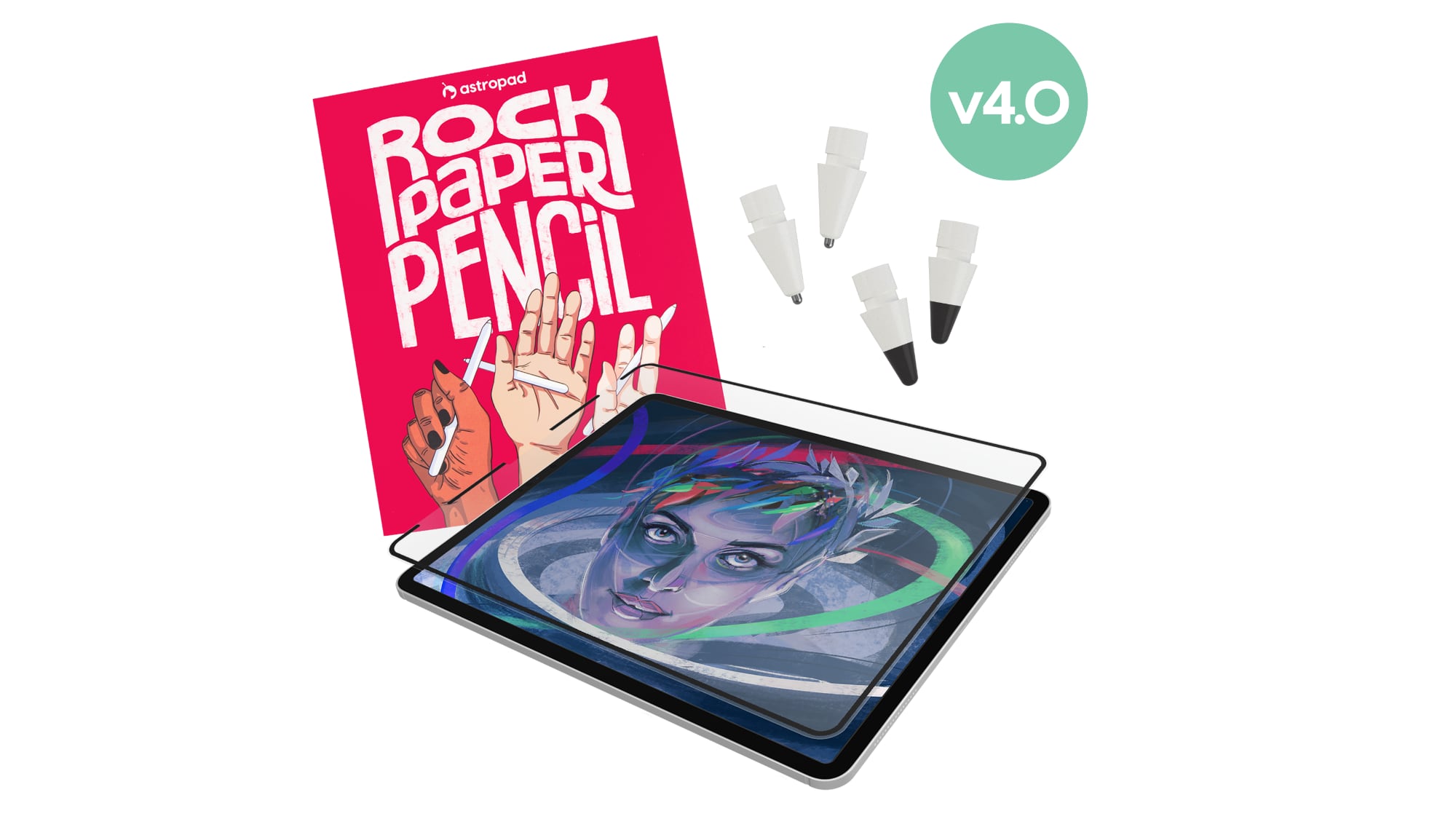
Astropad today launched Rock Paper Pencil 4.0, an updated version of its screen protector and Apple Pencil tip combo made for the iPad.


Rock Paper Pencil offers a paper-like writing experience on a tablet display by pairing a paper-textured screen protector with custom tips for the ‌Apple Pencil‌. The new version of the product comes with two ‌Apple Pencil‌ tips, one with a smooth ballpoint feel and one that mimics a soft graphite pencil. Two of each tip come in the kit for four total.

Astropad says the new graphite tip is meant to feel just like a 2B pencil with a "soft, toothy drag" that's ideal for sketching or shading. It even has the sound of a pencil on paper. The ballpoint tip is meant to feel like a smooth gel pen, and it's suited to writing and linework.

The reusable screen protector remains the same as before, and users can put it on when writing or drawing on the ‌iPad‌ and take it off for other activities like gaming. It uses Astropad's NanoCling technology to attach, and it leaves no residue on the ‌iPad‌'s display because it doesn't use adhesive. The paper-like feel of the screen protector comes from a microscopic texture that adds a small amount of friction to improve control. When not in use, the screen protector can be kept in an included protective storage sleeve.


Rock Paper Pencil is compatible with most iPads, with a list available on the website. The tips work with all ‌Apple Pencil‌ models, including the ‌Apple Pencil‌ Pro.

Rock Paper Pencil 4.0 can be purchased from the Astropad website for $49.99. Astropad is also running a "Peel It Off" promo that offers $20 to people who switch to Rock Paper Pencil and share the removal of their old screen protector on social media.
Related Forum: iPad Accessories

This article, "Astropad Launches Rock Paper Pencil 4.0 With New Graphite Apple Pencil Tip" first appeared on MacRumors.com

Discuss this article in our forums

  •  

Meta Agrees to Limit Teens' Time on Facebook and Instagram, Calls on TikTok and YouTube to Match

Meta today said it will implement major changes to Facebook and Instagram's child safety features as part of a settlement agreement with almost all U.S. states.


Here's what will change for users under 18 on Instagram and Facebook if the agreement is approved.

  • Time Limit - Teens will have a two-hour daily time limit on Facebook and Instagram, though it can be overridden by a parent. The two-hour total includes both apps.

  • Night Mode - Users will be blocked from posting and viewing content between midnight and 6 a.m.

  • School Mode - Notifications are muted between 8 a.m. and 3 p.m.

  • Prompts - The apps will send prompts after every 15 minutes of continuous screen time. There will also be prompts when daily usage hits 60 minutes and 90 minutes.

  • Feed Control - Teens can choose a non-algorithmic feed that does not include personalization through the Instagram and Facebook recommendation systems. Parents will be able to require this setting.

  • Autoplay Control - Teens will be able to turn off autoplay. Parents can require this setting.

  • Hidden Likes - Teens won't see the likes and reactions on a post by default.

  • Filters - Cosmetic surgery and extreme makeup filters won't be accessible to teens.

  • Age Assurance - ‌Meta‌ plans to strengthen tools it uses to catch accounts belonging to users under 13, as well as accounts used by teens aged 13 to 17 to make sure the accounts have "experiences designed for teens."

  • Parental Controls - ‌Meta‌ will add new controls for parents, notifying them if a teen links a second account or interacts with suspicious accounts. Parents will also get periodic updates on teen usage.

  • Direct Messages - Direct messages are exempt from Time Limit, Night Mode, and School Mode.


‌Meta‌ will also pay approximately $18 billion to states to fund online youth safety initiatives, which is far less than its 2025 net income of $60.5 billion. The payment will be spread over a 10-year period, and ‌Meta‌ is withholding $5.3 billion unless TikTok and YouTube implement similar measures. If they do, ‌Meta‌ says it will lower daily usage limits from two cumulative hours across both apps to one hour for each app and expand ‌Night Mode‌ to run from 10 p.m. to 7 a.m.

‌Meta‌ wants YouTube and TikTok to add a one-hour daily limit, night mode, and age assurance measures, as well as pay $5.3 billion each to match ‌Meta‌'s withheld $5.3 billion. ‌Meta‌ posted an open letter calling on TikTok and YouTube to implement the same measures. Teens with restrictions on Instagram and Facebook could instead just move over to TikTok and YouTube, and ‌Meta‌ likely doesn't want to be the only company losing out on revenue.

‌Meta‌ has been in a federal trial over the lawsuit, and had it continued, it could have been forced to pay more. California, Colorado, Kentucky, and New Jersey were seeking closer to $200 billion in civil penalties, according to Reuters. The settlement came before ‌Meta‌ CEO Mark Zuckerberg was set to testify, but Florida declined to settle and will continue litigation. New Mexico was also uninvolved because it won its own case against ‌Meta‌ earlier this year.
This article, "Meta Agrees to Limit Teens' Time on Facebook and Instagram, Calls on TikTok and YouTube to Match" first appeared on MacRumors.com

Discuss this article in our forums

  •  

Apple Releases Safari Technology Preview 251 With Bug Fixes and Performance Improvements

Apple today released a new update for Safari Technology Preview, the experimental browser that was first introduced in March 2016. Apple designed ‌Safari Technology Preview‌ to allow users to test features that are planned for future release versions of the Safari browser.


Apple has not provided notes on what's changed in Safari 251.

The current ‌Safari Technology Preview‌ release is compatible with machines running macOS Tahoe and macOS Golden Gate, the newest version of macOS.

The ‌Safari Technology Preview‌ update is available through the Software Update mechanism in System Preferences or System Settings to anyone who has downloaded the browser from Apple's website. Complete release notes for the update are available on the Safari Technology Preview website.

Apple's aim with ‌Safari Technology Preview‌ is to gather feedback from developers and users on its browser development process. ‌Safari Technology Preview‌ can run side-by-side with the existing Safari browser and while it is designed for developers, it does not require a developer account to download and use.
This article, "Apple Releases Safari Technology Preview 251 With Bug Fixes and Performance Improvements" first appeared on MacRumors.com

Discuss this article in our forums

  •  
❌