
Lees weergave

Apple Releases Safari Technology Preview 248 With Bug Fixes and Performance Improvements

Apple today released a new update for Safari Technology Preview, the experimental browser that was first introduced in March 2016. Apple designed ‌Safari Technology Preview‌ to allow users to test features that are planned for future release versions of the Safari browser.

‌Safari Technology Preview‌ 248 includes fixes and updates for Accessibility, CSS, Editing, Forms, Images, JavaScript, Media, Navigation, Networking, Rendering, SVG, Scrolling, Security, Storage, Web API, Web Inspector, WebDriver, and WebRTC.

The current ‌Safari Technology Preview‌ release is compatible with machines running macOS Tahoe and macOS Golden Gate, the newest version of macOS.

The ‌Safari Technology Preview‌ update is available through the Software Update mechanism in System Preferences or System Settings to anyone who has downloaded the browser from Apple's website. Complete release notes for the update are available on the Safari Technology Preview website.

Apple's aim with ‌Safari Technology Preview‌ is to gather feedback from developers and users on its browser development process. ‌Safari Technology Preview‌ can run side-by-side with the existing Safari browser and while it is designed for developers, it does not require a developer account to download and use.
This article, "Apple Releases Safari Technology Preview 248 With Bug Fixes and Performance Improvements" first appeared on MacRumors.com

Discuss this article in our forums
  •  

Second iOS 27 and iPadOS 27 Public Betas Now Available

Apple today released the second public betas of iOS 27 and iPadOS 27, allowing anyone with a compatible device to download and test the new software. The second betas come a week after Apple seeded the first betas.


You can get started by signing up on Apple's beta website and then opting in to the public beta by going to Settings > General > Software Update and choosing the ‌iOS 27‌ or ‌iPadOS 27‌ Public Beta option.

‌iOS 27‌ introduces Siri AI, a more capable version of ‌Siri‌ that can search the web, access your personal information, see what's on your screen, and take actions in and across apps. ‌Siri‌ in ‌iOS 27‌ is more similar to Claude or ChatGPT than the prior version of ‌Siri‌, with a dedicated ‌Siri‌ app for back-and-forth conversations. You can use ‌Siri‌ AI if you have a device that supports Apple Intelligence.

Apple updated the Liquid Glass design that debuted last year, adding a slider to adjust the transparency level and refining its look. There are new AI features in many of Apple's apps. Visual Intelligence moved to the Camera app and supports new features like getting the nutritional information for a meal or splitting a bill, and ‌Siri‌ is able to generate text for you or help you refine your writing with Write with ‌Siri‌.

There are new AI photo editing tools in the Photos app, Safari can organize your tabs automatically, and you can create Shortcuts and Safari extensions using natural language commands. AirPods have custom EQ, the Home app supports 4K video cameras, and there are new child safety controls for parents.

Apple made dozens of improvements to device performance, and everything feels faster, even on older iPhones. Apps launch quicker, AirDrop transfers are faster, the keyboard loads quicker, and more.

Additional information on the new features in ‌iOS 27‌ can be found in our dedicated iOS 27 roundup, with info on ‌iPadOS 27‌ available in our separate iPadOS 27 roundup.
Related Roundups: iOS 27, iPadOS 27

This article, "Second iOS 27 and iPadOS 27 Public Betas Now Available" first appeared on MacRumors.com

Discuss this article in our forums
  •  

Second macOS Golden Gate Public Beta Now Available

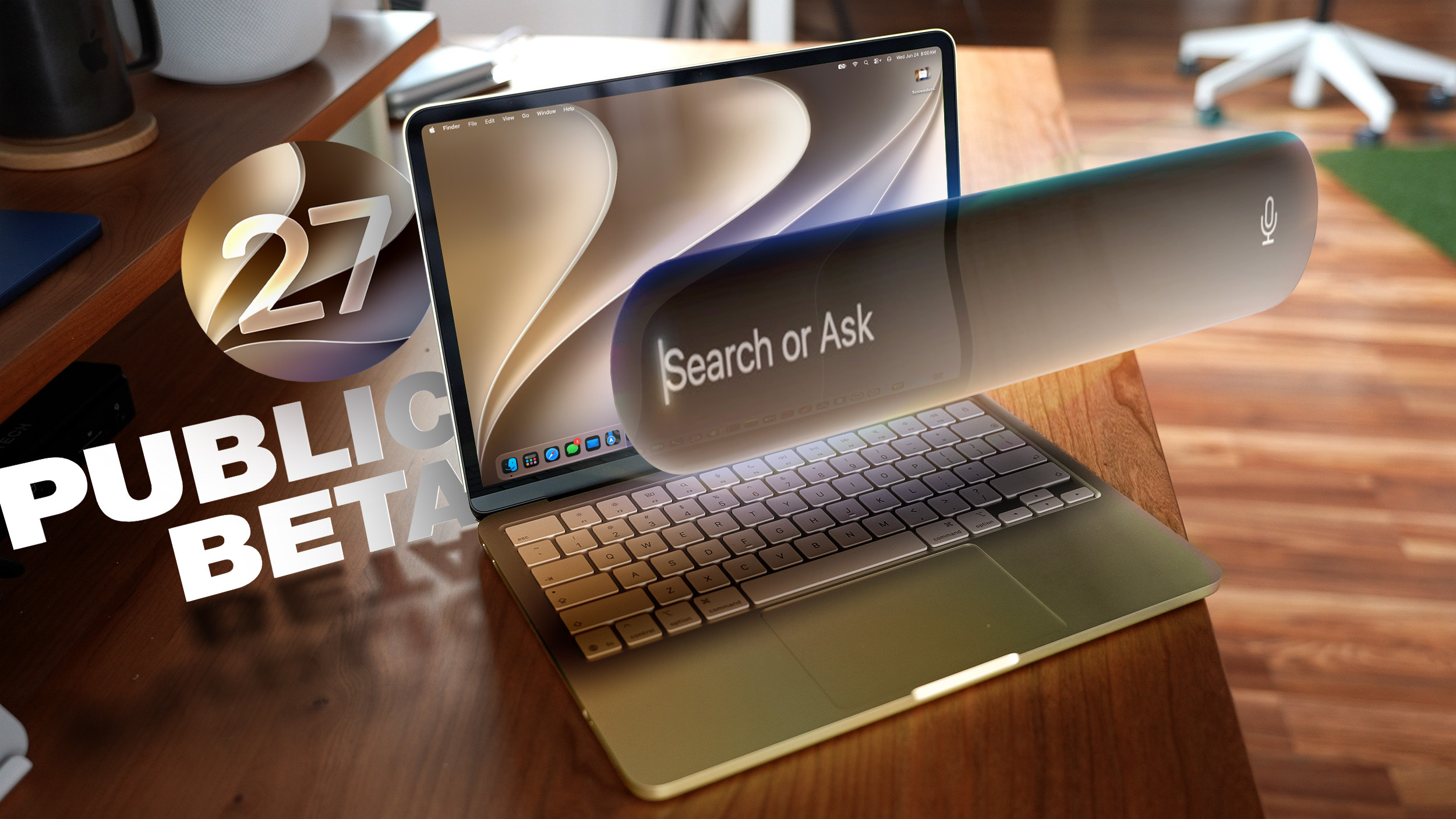
Apple today released the second public beta of macOS Golden Gate, allowing non-developers to test the software ahead of its fall release. You can sign up to test the update on Apple's beta website, and then download it by going to System Settings > General > Software Update and toggling on the macOS 27 beta.


‌macOS Golden Gate‌ includes the same Siri AI features as iOS 27 and iPadOS 27, but you get to ‌Siri‌ through Spotlight with a Command + Space keyboard shortcut. ‌Siri‌ can search the web to answer questions, look through your personal data like photos, emails, and messages to help you find what you're searching for, and complete actions in and between apps. There is a dedicated ‌Siri‌ app, and you can hold ongoing conversations with ‌Siri‌.

Apple brought Visual Intelligence to the Mac, so ‌Siri‌ can look at what's on your screen and answer questions about it.

The Liquid Glass design introduced last year has been updated, and Apple added a slider for controlling overall system transparency. Liquid Glass opacity has been changed so it better diffuses complex content, and other design changes bring more depth and separation to the UI so it's easier to tell which window is active.

Apps now feature uniform toolbars with headings and controls that are easier to read, and windows no longer have such dramatically rounded corners. Sidebars are no longer floating and extend edge-to-edge, plus window positioning is more consistent across external displays.

Write with ‌Siri‌ is able to generate text from scratch, correct your grammar, or give you feedback on your writing, and there are new AI editing tools in the Photos app. In Shortcuts, you can create automations with natural language requests, and search has been improved in Mail and Messages. Apple made multiple performance improvements across ‌macOS Golden Gate‌ for a faster, smoother experience even on older Macs.

More on the new features in macOS 27 can be found in our macOS Golden Gate roundup.
Related Roundup: macOS Golden Gate

This article, "Second macOS Golden Gate Public Beta Now Available" first appeared on MacRumors.com

Discuss this article in our forums

  •  

tvOS 27 and watchOS 27 Second Public Betas Now Available

Apple today released the second public betas of tvOS 27 and watchOS 27, giving Apple TV and Apple Watch users a chance to try the new software ahead of its fall launch. There's also a new HomePod Software 27 beta for the ‌HomePod‌ and HomePod mini.


You can sign up for Apple's public beta testing program on the beta website, and then download the updates through the Settings app on each device.

‌watchOS 27‌ adopts Siri AI, and you can use ‌Siri‌ from your wrist as long as you have an iPhone that supports it. ‌Siri‌ AI can access your personal information, answer all kinds of questions, and complete tasks for you. There is a dedicated ‌Siri‌ app that's front and center on the watch in the new dynamic app grid that comes up when pressing the Digital Crown.

There's a new gesture for selecting a widget in the Smart Stack, plus Apple added Smart Stack suggestions for finding a parked car, accessing a transit card, and getting a birthday reminder.

Workout Buddy works without your iPhone nearby, treadmill run and walk distances are tracked more accurately, and Apple added a unified Find My app that also supports Precision Finding.

tvOS 27 has a redesigned Podcasts app, Hi-Res Lossless audio and AutoMix song transitions in Apple Music, and easier profile switching. With performance improvements, apps launch faster, animations are speedier, and devices connect more quickly when AirPlaying content.

More on what's new in the updates can be found in our watchOS 27 roundup and Apple TV roundup.
Related Roundups: Apple TV, watchOS 26, watchOS 27
Buyer's Guide: Apple TV (Don't Buy)

This article, "tvOS 27 and watchOS 27 Second Public Betas Now Available" first appeared on MacRumors.com

Discuss this article in our forums
  •  

Switching From iPhone to Android Just Got Easier With Android 17

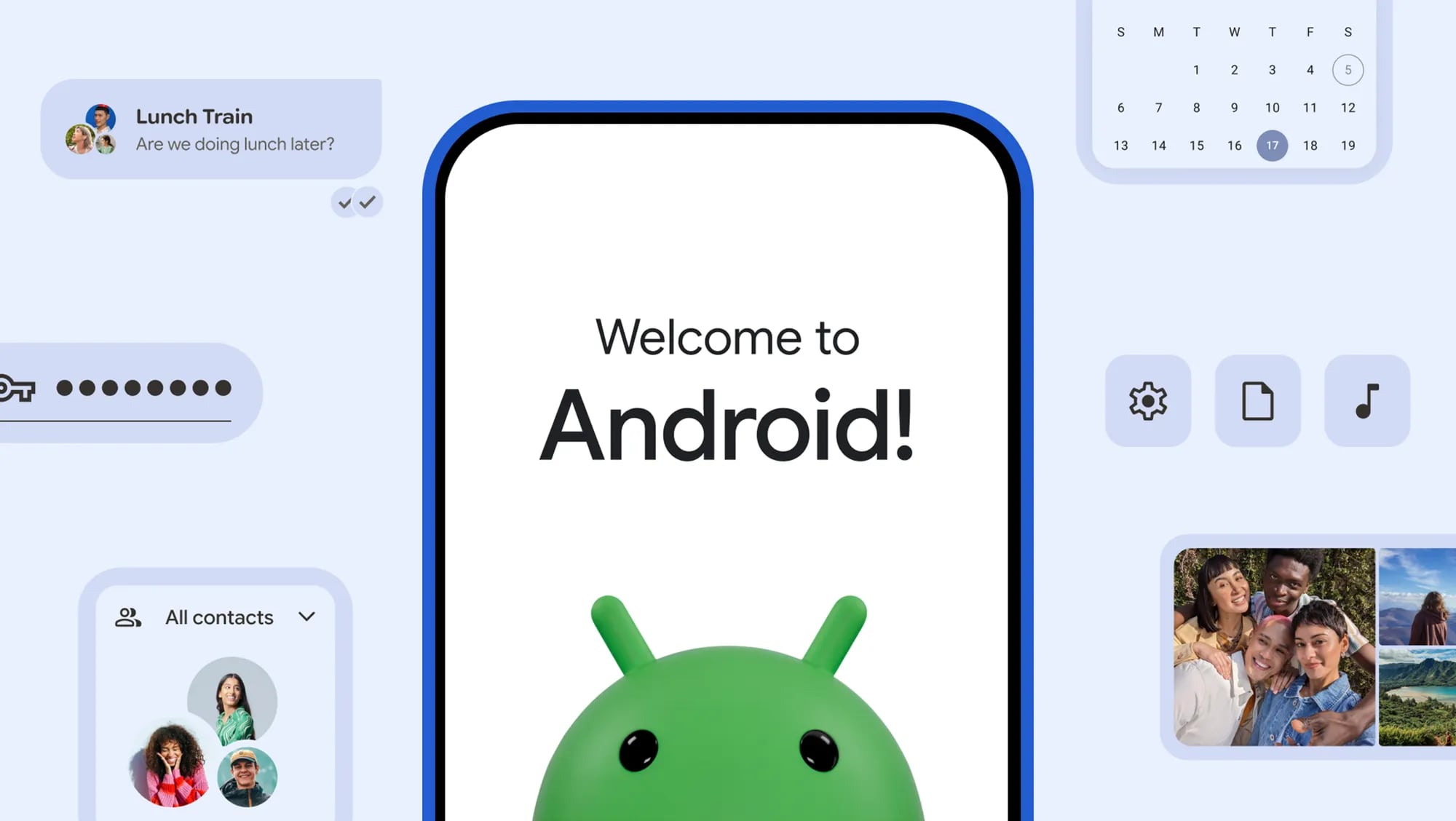
Android 17 includes a wireless native migration experience for transferring more types of data from an iPhone, making the process of switching to an Android device easier.


Google says the upgraded method allows Google Accounts, passwords, Wi-Fi credentials, and eSIMs to be transferred. It also supports photos, videos, contacts, messages, and calendars, like the prior version of the switching tool. Data transfers require an iPhone with iOS 26.3 or later.

Both Apple and Google had to implement iPhone and Android transfer tools that work without an app to comply with the European Union's Digital Markets Act. When you set up a new Android smartphone or iPhone, there are now simple built-in options to transfer data from a competing platform. Before the on-device transfer options, Google and Apple offered apps for moving data.

The Digital Markets Act requires services to offer data portability to prevent lock-in to an operating system. It also forced Apple and Google to implement a simplified eSIM transfer process.

Android 17 with the new data transfer method has been rolling out to select Pixel devices since June and will also come to Samsung's newly announced Galaxy Z Flip8 and Z Fold8 smartphones.
This article, "Switching From iPhone to Android Just Got Easier With Android 17" first appeared on MacRumors.com

Discuss this article in our forums
  •  

Hands-On With Samsung's Galaxy Z Fold8, the Closest Thing Yet to a Foldable iPhone

Samsung today debuted its latest foldable devices, including the Galaxy Z Flip8, the Galaxy Z Fold8 Ultra, and the new Galaxy Z Fold8, which has a design similar to what we're expecting from the foldable iPhone coming this September. We were able to take a look at the new Samsung foldables ahead of launch.


The Galaxy ZFold 8 Ultra has a 6.5-inch cover screen when closed, and an 8-inch display when it's unfolded. Both displays are OLED with 120Hz refresh rates. The device is just 4.1mm thick when open.

Samsung included a three-camera setup with a 200-megapixel wide lens, a 50-megapixel ultra-wide lens, and a 10-megapixel telephoto lens with 3x optical zoom and 30x Space Zoom. There are also two selfie cameras, one on the cover screen and one on the main display.

Samsung's Z Fold8 has a 7.6-inch display when open and a 5.5-inch display when closed, and it looks like Samsung read the foldable iPhone rumors and beat Apple to it. It has a passport-style form factor, so it's not as tall as prior Samsung foldables. It's wider and more square than the designs Samsung used in the past.

The aspect ratio of the unfolded Z Fold8 makes it feel similar to using an iPad mini, which feels more natural than using taller foldables. It's a size that's perfect for watching videos or running two apps side by side. The Z Fold8 gives us a pretty clear look at what the Apple foldable will look like and what it will feel like to use.

Samsung is reserving higher-tier specs for the Galaxy Z Fold8 Ultra. The Z Fold8 also has a three-camera setup, but with lower-end camera options. Both devices support the Snapdragon 8 Elite Gen 5 processor, and offer up to 16GB of RAM. Samsung is also releasing the Galaxy Z Flip8, which has a 6.9-inch display when unfolded and a 4.1-inch cover screen when closed. The Flip8 doesn't open like a book, and instead has a clamshell design.

Samsung is now offering foldables in three sizes and two form factors, and it has had multiple years to refine its foldable designs. Samsung is on its eighth-generation devices, while Apple's first foldable hasn't launched yet.

Along with new foldable smartphones, Samsung also launched the Galaxy Watch Ultra2 and Galaxy Watch9, which have the same round display that Samsung watches have used for several years. The titanium Watch Ultra2 is 47mm, while the Watch9 is available in 40mm and 44mm sizes.

Samsung's watches offer a bioelectrical impedance analysis, reading body composition from the wrist. They also have heart rate tracking, sleep apnea detection, and other features that mirror what's available on the Apple Watch.

Samsung's new Galaxy foldables and smartwatches are available for pre-order starting today from the Samsung website.

Note: MacRumors is an affiliate partner with Samsung. When you click a link and make a purchase, we may receive a small payment, which helps us keep the site running.
This article, "Hands-On With Samsung's Galaxy Z Fold8, the Closest Thing Yet to a Foldable iPhone" first appeared on MacRumors.com

Discuss this article in our forums

  •  

Claude Code Can Now Build and Test iOS Apps in Apple's Simulator

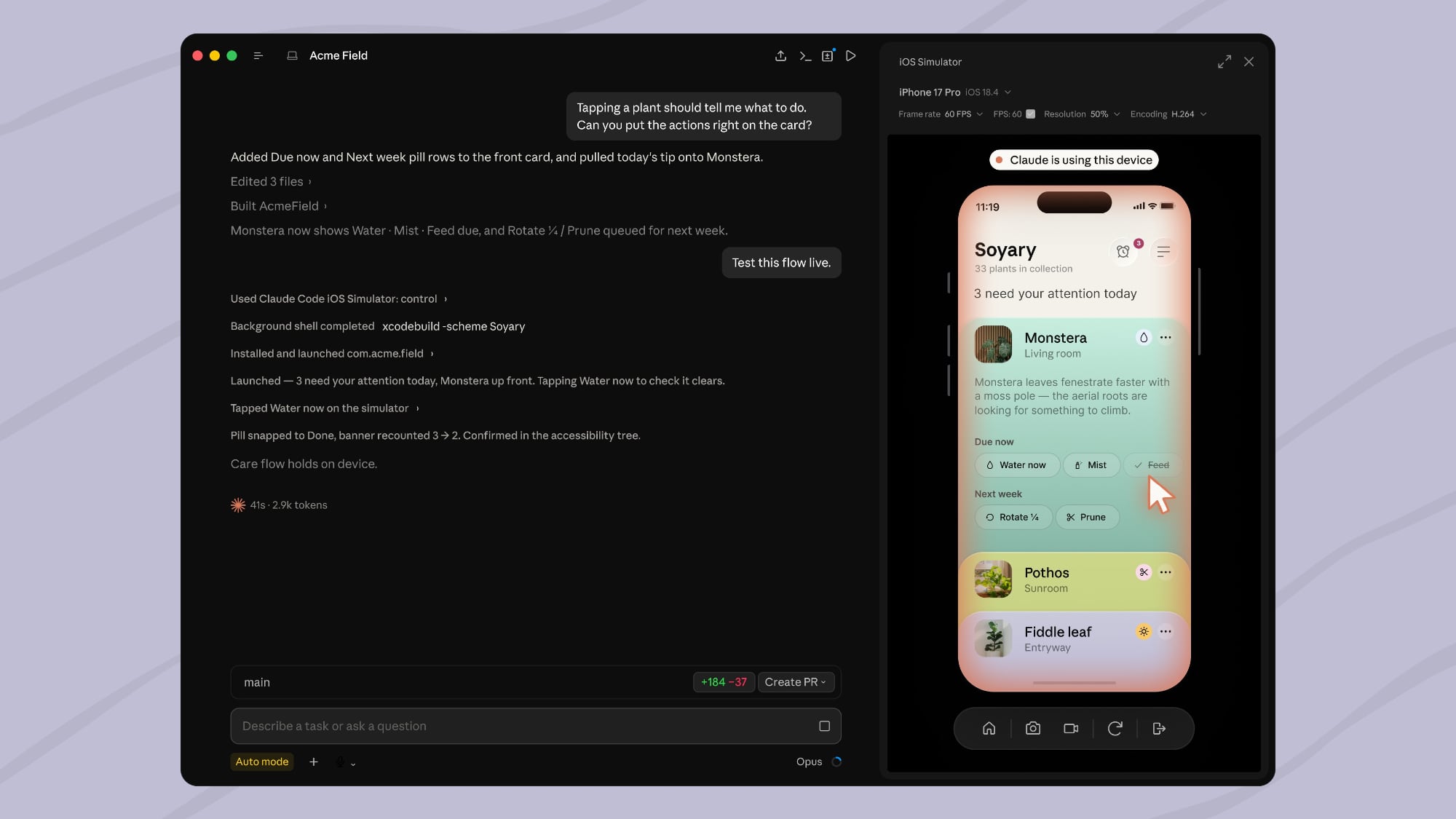
Anthropic today said Claude Code for desktop has been updated to work with the iOS Simulator, with the integration available in public beta.


Claude Code can open in-progress apps in the iOS Simulator pane when it's instructed to build, run, or check an app. Claude can watch the iOS Simulator live as it runs, interact with it, and then iterate until a project is finished. Developers can continue to use the iOS Simulator as Claude works.

The pane in Claude Code drives the simulator directly, and it does not need computer use, which lets Claude control the screen the way a person would. With direct access, it works without the macOS Accessibility and Screen Recording permissions required for computer use.

Claude's screenshots of a device in iOS Simulator are sent to Anthropic and kept per standard conversation retention settings. Anthropic suggests users not sign in to real accounts on a device Claude uses.

iOS Simulator integration is available in Claude Code Desktop on macOS, and Xcode with the iOS platform installed is required. The simulator pane is available in local sessions only. Instructions on using the iOS Simulator with Claude Code can be found on Anthropic's website.
This article, "Claude Code Can Now Build and Test iOS Apps in Apple's Simulator" first appeared on MacRumors.com

Discuss this article in our forums

  •  
❌