Lees weergave

How to See Which Mac Apps Will Stop Working After macOS Golden Gate

Apple is phasing out support for Rosetta 2, which is a feature that allows Intel-based apps to run on Apple silicon Macs. Rosetta is going to stop working for most apps in macOS 28, and when that happens, apps that use it will stop working.

Apple began warning customers and companies about the upcoming sunsetting of Rosetta with macOS Tahoe, and the warnings go even further in macOS Golden Gate.

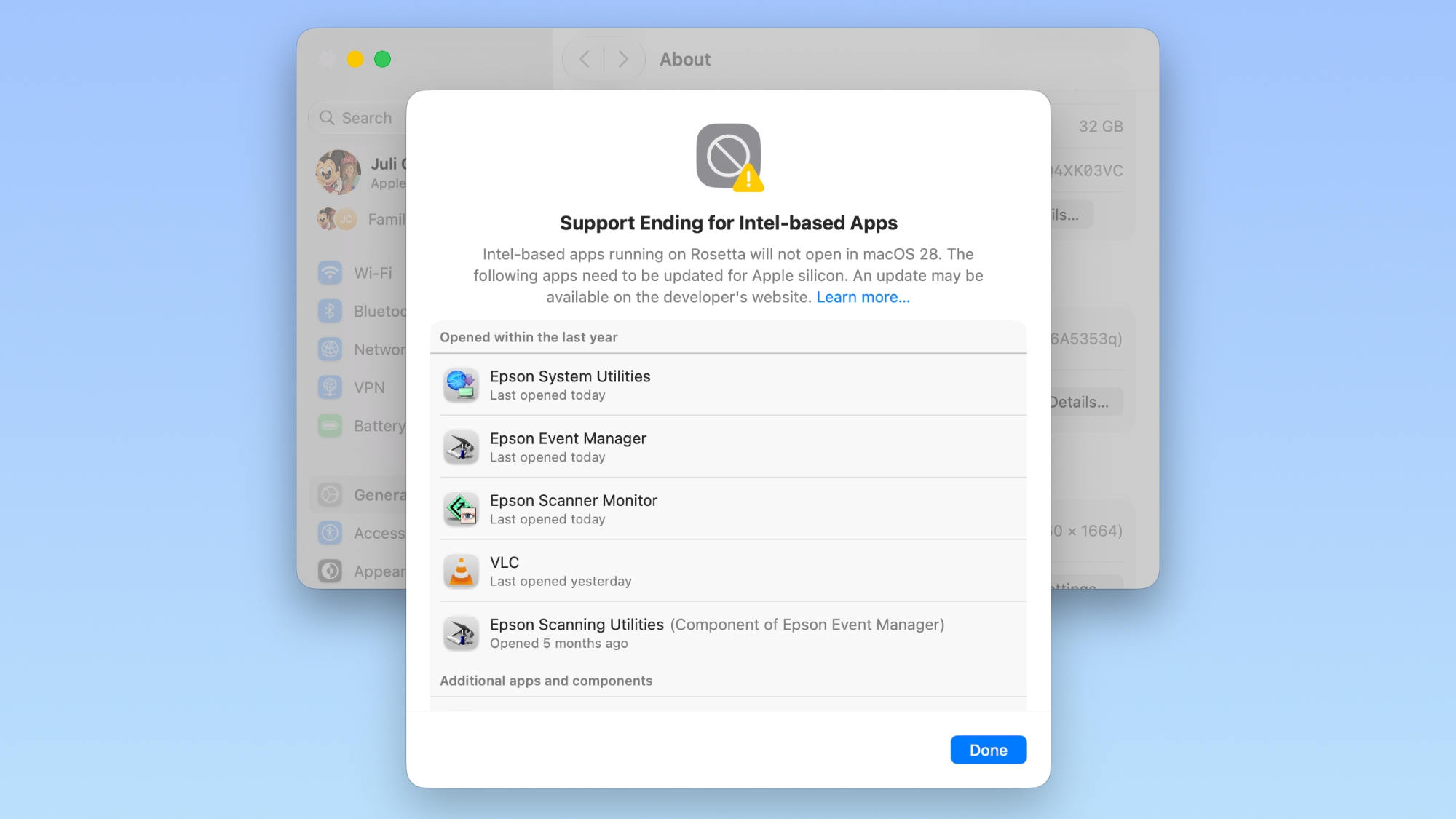
If you have apps that still use Rosetta, you'll get a warning every time you restart your Mac or open an Intel app. ‌macOS Golden Gate‌ also adds a new list where you can check which apps are going to stop working in the future.

You can get to the list by going to Settings > General > About > Intel-Based apps and clicking on the "Details" option.

The interface lists all of the apps that are going to stop working, giving Mac users plenty of time to contact app developers or find alternative apps.
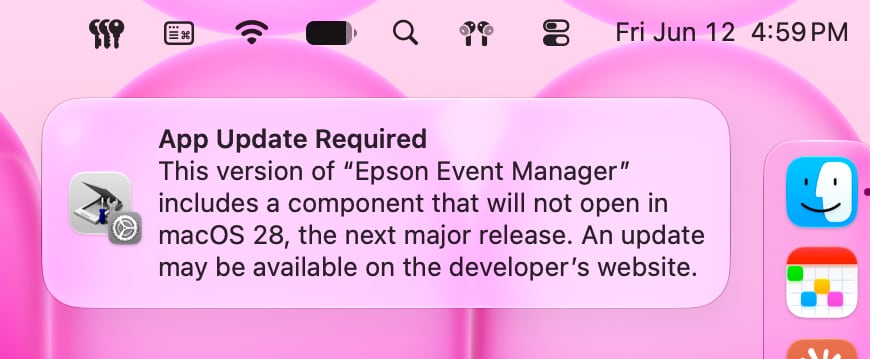

‌macOS Golden Gate‌ does not install Rosetta automatically, so if you still have these outdated Intel apps, there will be a short installation when you try to open one for the first time after upgrading to Golden Gate. Authentication plugins and other pre-login utilities that require Rosetta fail to load in ‌macOS Golden Gate‌ because of the limitation.

Apple designed Rosetta to help users and developers transition from Intel to Apple silicon, but Apple phased out the last Intel-based Mac years ago. Apple only sells Apple silicon Macs, and it is slowly ending support for Intel-based models.

‌macOS Tahoe‌ was the final version of macOS available for Intel Macs, and ‌macOS Golden Gate‌ requires a Mac with an Apple silicon chip.
Related Roundup: macOS Golden Gate

This article, "How to See Which Mac Apps Will Stop Working After macOS Golden Gate" first appeared on MacRumors.com

Discuss this article in our forums
  •  

Apple's Limited-Edition 2026 'Close Your Rings' Watch Band Revealed

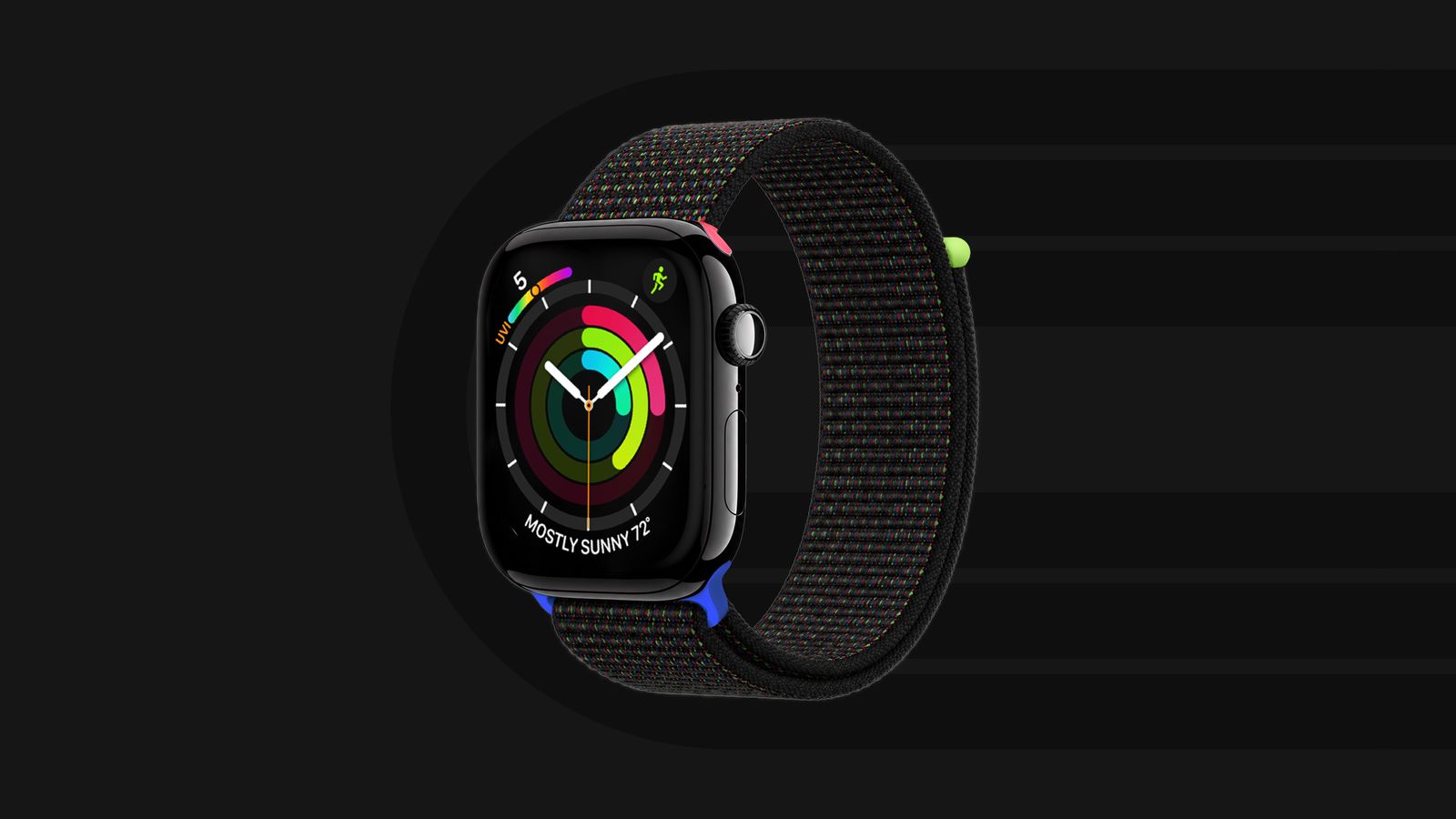
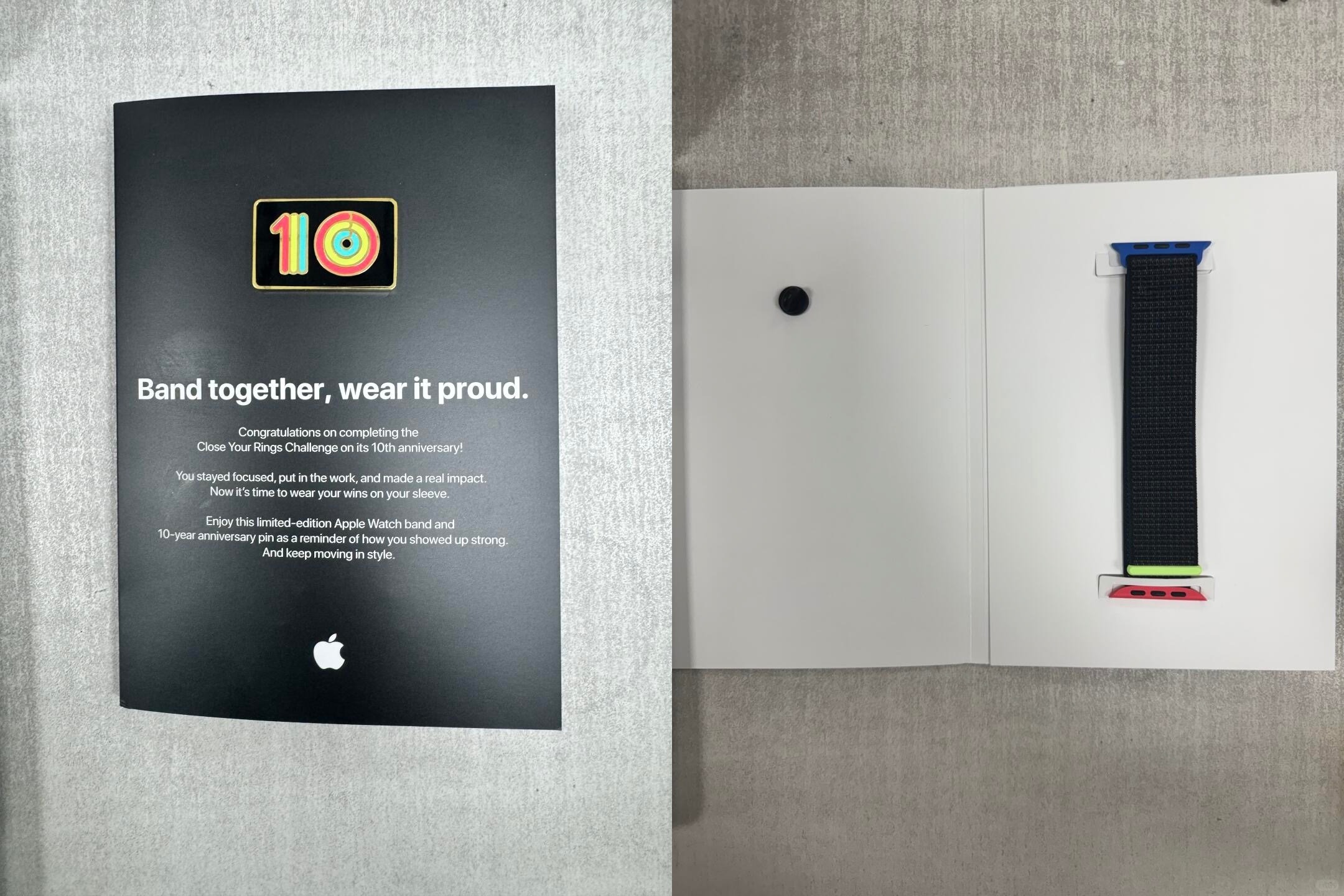
Apple's employees who participated in the company's annual Close Your Rings Challenge have begun to receive a limited-edition Apple Watch band and a special enamel pin marking the 10th anniversary of the internal challenge.


This year's band is a black Sport Loop with special lugs and an end piece that are colored similarly to the Apple Watch's Move, Exercise, and Stand rings.


Given that these bands are limited to Apple's employees, rather than being sold directly to customers, they are relatively rare. You can keep track of hundreds of Apple Watch bands released since 2015 through the Bandbreite app on the iPhone.
Related Roundup: Apple Watch 11
Buyer's Guide: Apple Watch (Caution)

This article, "Apple's Limited-Edition 2026 'Close Your Rings' Watch Band Revealed" first appeared on MacRumors.com

Discuss this article in our forums
  •  

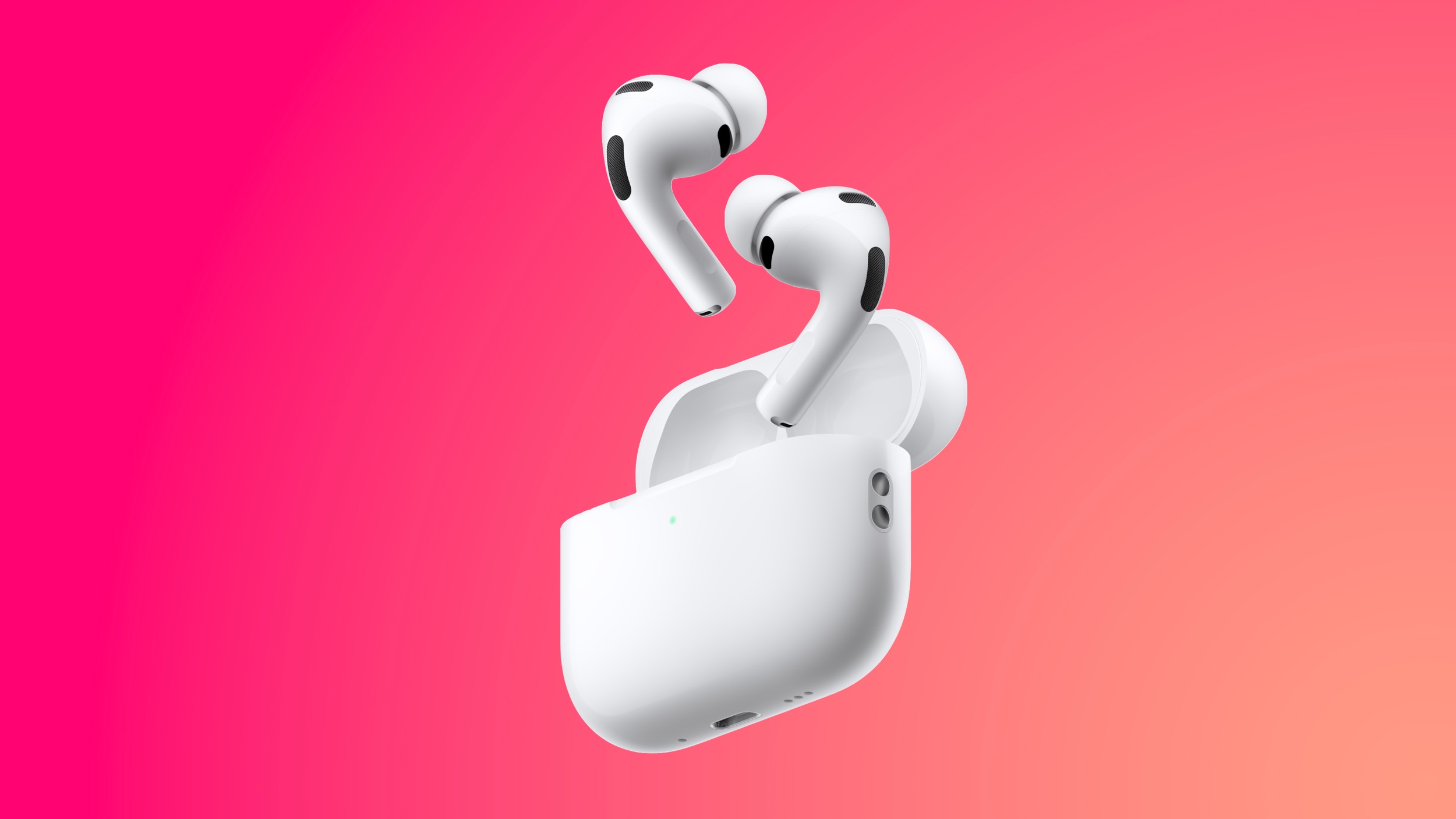
Last Chance: Apple Card Sign-Up Promo Can Earn You Free AirPods Pro 3

Time is running out on the Apple Card sign-up promo that began last month. For three more days, you can effectively receive AirPods Pro 3 for free when you sign up for a new Apple Card, but there are some strings attached.


If you sign up for and are approved for an Apple Card for the first time, and use it to purchase AirPods Pro 3 by June 15, you can earn up to $250 in bonus cash back over a 10-month period if you meet minimum transaction requirements.

Specifically, from July 1, 2026 through April 30, 2027, you can earn a bonus $25 cash back each month when you use your new Apple Card to make a minimum of 10 purchases of any amount ($0.01 or higher) that post to your account each month. The initial purchase of the AirPods Pro 3 does not count towards this requirement.

AirPods Pro 3 are regularly priced at $249 in the U.S. — but are currently on sale on Amazon for an all-time low price of $179 — so this promotion effectively allows you to earn back the cost of the wireless earbuds over 10 months.

If you already have an Apple Card, you are not eligible for this promotion.

Apple's website outlines full terms and conditions for this promotion, so be sure to look over the fine print at the bottom of the page.

Apple's credit card launched in 2019, and it remains available in the U.S. only. The card can be managed in the Apple Wallet app on an iPhone, has no annual fee, and offers up to 3% cash back (known as Daily Cash) on purchases paid out daily.

Daily Cash amounts: 1% on purchases with the physical Apple Card, 2% on purchases with the digital Apple Card via Apple Pay, and 3% on purchases from Apple itself and select partners such as Nike, Walgreens, Ace Hardware, and Uber.
Related Roundup: AirPods Pro 3
Buyer's Guide: AirPods Pro (Neutral)
Related Forum: AirPods

This article, "Last Chance: Apple Card Sign-Up Promo Can Earn You Free AirPods Pro 3" first appeared on MacRumors.com

Discuss this article in our forums
  •  

macOS 27 Golden Gate Hands-On: Every Major New Feature

macOS 27 Golden Gate is in beta ahead of a fall release, and we thought we'd go over what's new for those who don't want to risk beta software on their Mac. macOS Golden Gate adds Siri AI, Liquid Glass updates, and multiple new Apple Intelligence features.


‌Siri‌ on the Mac lives in Spotlight. Command + Space brings up a new Search or Ask interface for searching for files on the Mac or asking ‌Siri‌ a question. ‌Siri‌ is able to access data on the Mac, and it can answer the same general questions any chatbot can answer. The combination of personal context and world knowledge lets ‌Siri‌ do some things that are unavailable to other AI services like ChatGPT or Claude.

‌Siri‌ answers appear in Spotlight with an option to ask follow-up questions, but there's also a standalone ‌Siri‌ app where you can find all of your past ‌Siri‌ interactions. ‌Siri‌ is also integrated into the system for features like Write with ‌Siri‌. ‌Siri‌ can compose emails and messages for you in your own writing style, check your grammar, or just give you general feedback on what you've written.

Apple brought Visual Intelligence to the Mac, and it's available through the screenshot interface. When activated, you can select an area of your display that has something you want to know more about, and ‌Siri‌ can answer questions you have. In apps like Safari, you can select text or images, then ask ‌Siri‌ about your selection. Many of the same ‌Visual Intelligence‌ features that are on iPhone have carried over to the Mac, so ‌Siri‌ can identify plants and animals or even tell you the nutritional value of food in an image, which is a new feature this year.

‌Apple Intelligence‌ makes many of the built-in Mac apps better. Safari can group similar tabs together by subject, Passwords can automatically change weak passwords for you, Photos has new AI editing tools for changing framing and perspective, and Image Playground can generate photorealistic images.

Shortcuts uses AI to build shortcuts for you based on natural language requests, Calendar supports natural language event input, Mail search is better than before with quick action suggestions, and the Messages app also supports AI suggestions for actions you might want to take, like inserting a photo to send to a friend.

Apple updated Liquid Glass in ‌macOS Golden Gate‌. There's a slider for adjusting overall system opacity, refraction and contrast have been improved, sidebars are unified with less wasted space, and Apple has removed many of the unnecessary icons from menu bars.

If you have a Mac that can run Golden Gate, you're going to get ‌Siri‌ AI and the ‌Apple Intelligence‌ features. ‌Apple Intelligence‌ works on all Apple silicon Macs, and Golden Gate doesn't run on devices with an Intel chip.

EU users can't use ‌Siri‌ AI on the iPhone and the iPad because Apple isn't making it available yet, but ‌Siri‌ AI is available on macOS in the European Union.
Related Roundup: macOS Golden Gate

This article, "macOS 27 Golden Gate Hands-On: Every Major New Feature" first appeared on MacRumors.com

Discuss this article in our forums
  •  

Announcing new builds for 12 June 2026

Hello Windows Insiders, We have a number of releases today with new builds across Beta, Experimental and Release Preview. Release notes for inbox Windows 11 apps Windows 11 inbox apps are now getting their own release notes section on the Windows Insider Program Documentation Hub site. This is to help make finding app updates easier, with each inbox app getting its own dedicated page as new updates rollout. Check out some of the app updates rolling out to Experimental across Calculator, Camera, Clock, Media Player, Paint, Photos and Sound Recorder. More apps will be added over time. New builds this week Today we are releasing new Windows 11 Insider Preview Builds. As a reminder, all Insiders can find the release notes for your device based on the new channel system, even if you haven’t moved yet. This is to make finding build information as easy as possible during the transition. See your channel release notes here: For those on other specific build versions, here are today’s new builds and release notes:
  • Beta (26H1): Build 28020.2298
  • Experimental (26H1): Build 28120.2302
  • Experimental (Future Platforms) – Including Canary 29600 series: Build 29610.1000
    • Note: The issue affecting AMD machines supporting System Guard has been resolved meaning these devices will be offered the Experimental (Future Platforms) build as usual
We also have Release Preview builds today for 24H2/25H2 and 26H1:

Notable new features

[Windows Update]

Release channel: Experimental
  • As announced in the Windows Update announce blog, we are rolling out a new unified update experience to reduce the number of reboots you see per month. We are starting by coordinating driver, .NET, and firmware updates to align with the monthly quality update, reducing the update experience to a single monthly restart. See the blog for more information.

[Search]

Release channel: Experimental
  • Finding apps is more forgiving. Search is better at handling typos, dropped letters, extra letters, and partial words for apps. Queries like “utlook” can still find Outlook.
  • Settings results are improving. We’ve made ranking improvements to help more relevant settings appear higher in results.
Thanks, Stephen and the Windows Insider Program team
  •  

Tim Retout: seL4 clock magic

I have been looking at seL4 some more recently, and had a small patch merged today to remove a legacy Python module from a helper script. (I was trying to run the script on a system without that module installed, and it was almost easier to patch it out.)

However, the more I think about this code and how it’s used, the more it seems wrong on at least five other levels.

The patch itself is quite uninteresting; this script was importing the past module (part of future?) to use the xrange function. Python 2 used to have separate xrange and range functions, where range returned a list in memory while xrange generated an iterator. Because this seL4 script is iterating over a large range of values, it’s important the list is not generated in-memory. But Python 3 removed the xrange function and just has range return an object, so it’s trivial to avoid the module import.

Having thought carefully some more about the specific line, there’s surely an off-by-one error in it - range iterates over 0 to n-1, so this line shouldn’t be subtracting one if it’s looking to test all 32-bit values:

    for i in range(2**32-1):

But then again, this is being used for a ‘sanity check’ of a magic bit shift algorithm that speeds up division operations to convert CPU ticks to microseconds on 32-bit arm platforms. Surely if the algorithm’s good, it shouldn’t be necessary to validate it exhaustively against every possible 32-bit value?

Also, 32 bits isn’t enough, because this is 64-bit division. include/api/types.h shows that ticks_t is always a uint64_t, so if this were a proof by exhaustion it should run to 2**64 (though that would take infeasibly long).

As discussed in issue #1352, lots of people have been running this code with the wrong divisor anyway. But because the bit shift path is only used on 32-bit platforms, it’s not clear to me that there’s even any point in specifying CLK_SHIFT/MAGIC on platforms which are 64-bit only (e.g. the tx2 port).

And to follow this rabbit hole to the very end, in comments on PR #1435 and issue #1509 it’s clear that the future of this code is to remove it, as it’s 1. unnecessarily clever (on 64-bit platforms the equivalent code just uses a division, so performance can’t be that important), and 2. the entire concept of converting to microseconds breaks the seL4 principle of not abstracting away details of the hardware.

So this has left me unclear on whether my small patch was a good thing or not, but I certainly learnt something about this corner of seL4 timer handling. And I’ve ordered a copy of “Hacker’s Delight” on the recommendation of a code comment.

  •  

iOS 27 Adds New Drawing Tool to Your iPhone's Messages App

The upcoming iOS 27 and macOS 27 Golden Gate updates expand drawing tools to more of Apple's built-in apps across the iPhone and Mac.


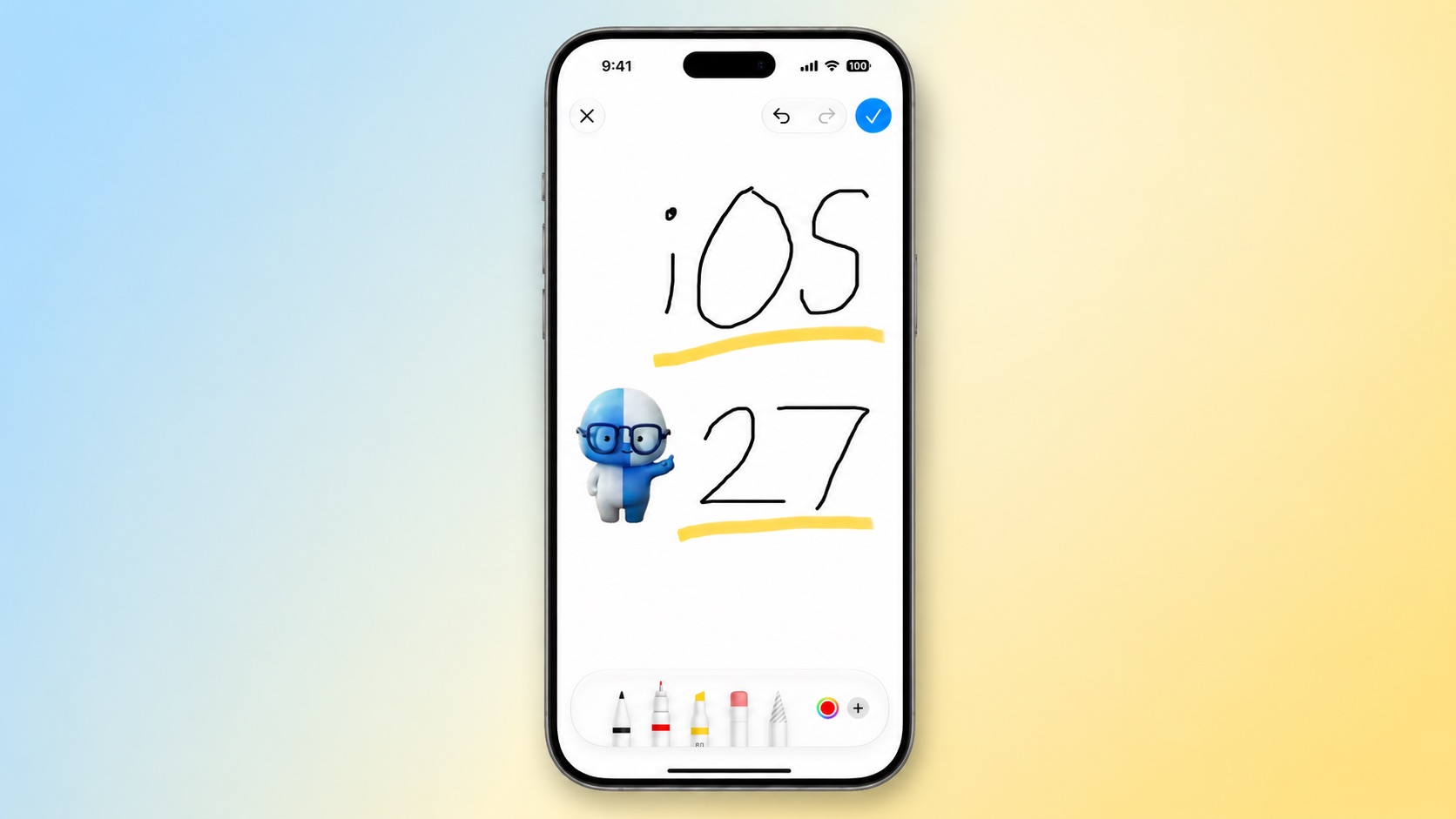
In the Messages app on iOS 27, there is a new "Drawing" option in the app drawer, which can be opened by tapping the plus sign in the bottom-left corner.

On older iOS versions, the Messages app once had a very basic drawing tool that was accessible by tapping a button on the keyboard in landscape orientation, but now Apple's complete set of Markup tools are available in the app.

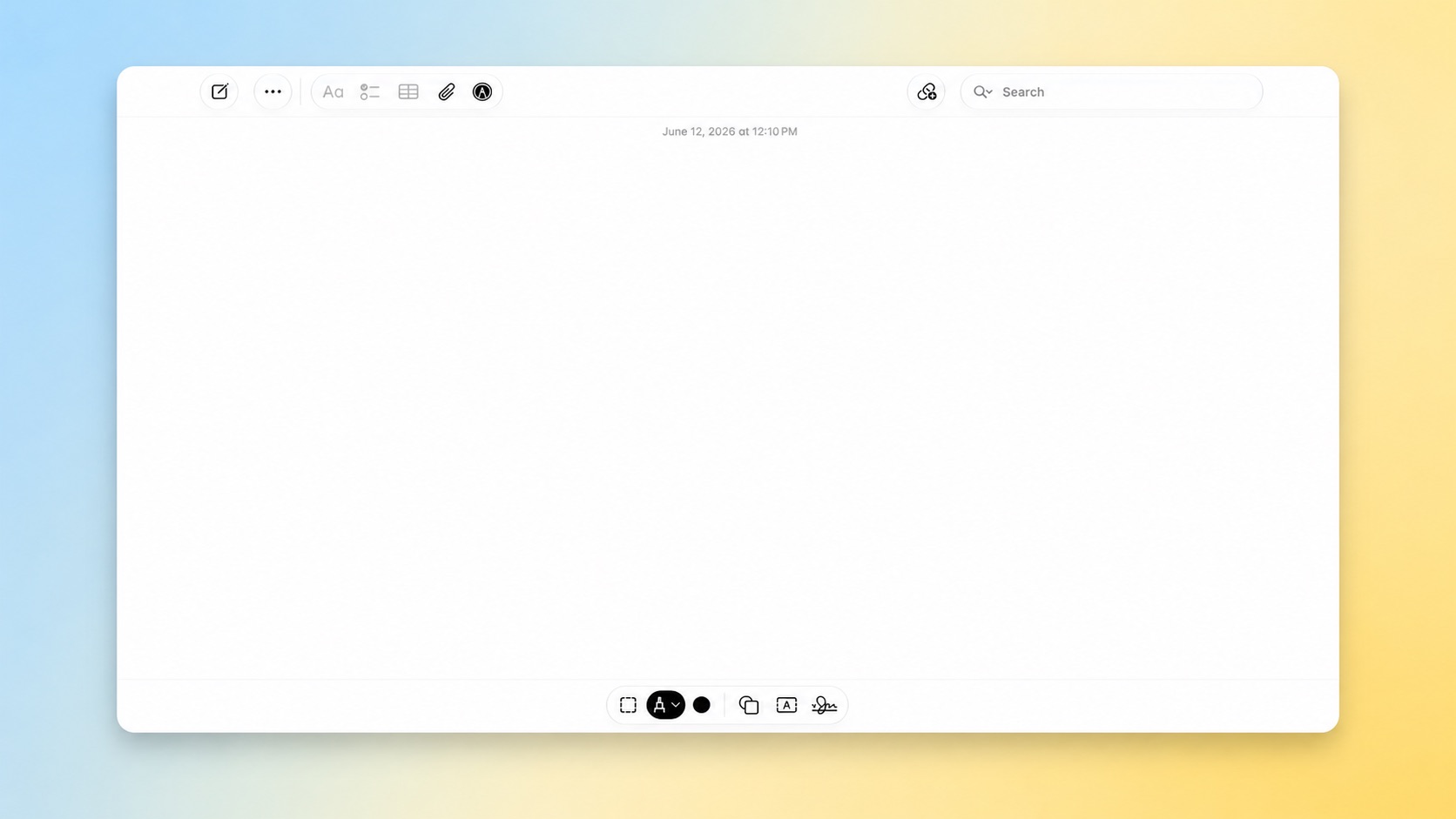
On the Mac, macOS 27 adds the Markup tools to the Notes and Freeform apps.


iOS 27 and macOS 27 are currently available in developer beta. The updates are expected to be released to the general public in September.
Related Roundups: iOS 27, iPadOS 27, macOS Golden Gate

This article, "iOS 27 Adds New Drawing Tool to Your iPhone's Messages App" first appeared on MacRumors.com

Discuss this article in our forums
  •  

Notion Is Migrating to SwiftUI, Apple Confirms at WWDC

Apple this week confirmed that Notion is migrating its user interface to SwiftUI, citing the app's desire for greater performance and UI consistency than its existing web-based stack can deliver.


Notion is a productivity app that combines notes, documents, databases, and project management tools in one place. Users can create pages containing text, tables, kanban boards, calendars, and more, and organize them in a flexible hierarchy.

The announcement was made during Apple's SwiftUI segment during its Platforms State of the Union, where Notion was used as a flagship example of an app moving away from cross-platform and web technologies to native Apple frameworks. The callout was clearly deliberate; Notion is one of the most widely used productivity apps on the Mac, and has long been criticized for the sluggishness that comes with its Electron-based architecture.

This is not Notion's first step toward native. Notion had already been gradually moving its iOS and Android apps away from web-based rendering in 2025, with most of the mobile experience now running natively except for the editor. The WWDC mention suggests that effort is now extending more substantially, with SwiftUI as the target framework.

Apple also noted that agentic coding tools are making migrations like this more practical, saying "porting code to Swift has never been easier," pointing to AI-assisted development workflows lowering the barrier for teams considering a move away from cross-platform stacks.

The SwiftUI session also covered a broad set of framework improvements. Apple is unifying SwiftUI, AppKit, and UIKit around a common foundation, so improvements made for Apple's own apps automatically benefit third-party developers. Nested stack layouts now resize up to twice as fast, state objects initialize lazily, and AsyncImage gains automatic HTTP caching.

SwiftUI also gains reorderable containers for drag-to-reorder in any container type, swipe actions inside any container, and full-fidelity text selection on iOS. On macOS, Text now supports custom renderers, text vibrancy, and vertical text.

Toolbar control is more granular, with a new visibilityPriority modifier, an overflow menu for deprioritized actions, and a topBarPinnedTrailing placement to anchor items to the trailing edge. A new document infrastructure adds first-class URL access for reading and writing to disk, and the ability to write only changed file portions on save.
Related Roundup: WWDC 2026

This article, "Notion Is Migrating to SwiftUI, Apple Confirms at WWDC" first appeared on MacRumors.com

Discuss this article in our forums
  •  

Apple to Release These 15 New Products Later This Year

Apple's annual WWDC developers conference is drawing to a close, but there is still a lot to look forward to in the second half of the year.


Apple is expected to release at least 15 more products later this year. Now that the more intelligent and personal version of Siri has finally arrived in beta, a full two years after Apple first previewed it at WWDC 2024, we should begin to see some new devices that were reportedly postponed until the new Siri was ready.

Beyond the usual annual updates to iPhones and Apple Watches in September, Apple's all-new smart home hub is expected to debut later this year. We are also expecting a foldable iPhone Ultra and long-awaited updates to the Apple TV, HomePod, and HomePod mini. And a redesigned MacBook Ultra with an OLED display is expected by early 2027.

Here is what to expect from Apple later this year, according to rumors.

iPhones


Apple Watches

iPads

Macs


Home


  • Apple TV: A17 Pro chip with support for the more personalized Siri, and Apple's N1 chip with Wi-Fi 7 support. A built-in FaceTime camera has been rumored for a future Apple TV, but it is unclear if that will arrive with the next model.

  • HomePod mini: S9 chip or newer with support for the more personalized Siri, Apple's N1 chip with Wi-Fi 7 support, improved sound quality, a second-generation Ultra Wideband chip, and potentially new color options like red.

  • HomePod: A new full-sized HomePod that supports the revamped Siri.

  • Home Hub: An all-new smart home hub featuring the more personalized version of Siri, a 6-inch to 7-inch square display, an A18 chip for Apple Intelligence, FaceTime, and more. Place it on a table or mount it on a wall.

Notes


This article, "Apple to Release These 15 New Products Later This Year" first appeared on MacRumors.com

Discuss this article in our forums
  •  

Instagram and WhatsApp Down on iPhone

Meta platforms including Instagram, WhatsApp, Facebook, and Messenger are currently experiencing issues for some users around the world.


Instagram, WhatsApp, Facebook, and Messenger are down or loading intermittently for some users across devices like the iPhone and the web. In addition, some affected users are receiving an unexpected error when attempting to log in.

The outages have been reported by users on Downdetector.com.

"We're aware people are currently having trouble accessing our services," said Meta spokesperson Andy Stone. "We're working on it."
This article, "Instagram and WhatsApp Down on iPhone" first appeared on MacRumors.com

Discuss this article in our forums

  •  

Record AirPods Price Drops and a Rare Switch 2 Sale: This Week's Top Tech Deals

Multiple AirPods models hit record low prices this week, including the AirPods Pro 3 and AirPods Max 2. We're tracking these great discounts alongside an ultra rare discount on a new Switch 2 on Woot, plus a Summer sale at Sonos.

Note: MacRumors is an affiliate partner with some of these vendors. When you click a link and make a purchase, we may receive a small payment, which helps us keep the site running.

Nintendo Switch 2


  • What's the deal? Take $15 off Switch 2 with code NEW15

  • Where can I get it? Woot


Woot has a rare deal on a brand new Nintendo Switch 2 console with the code NEW15, which can be used at checkout for customers making their first purchase on Woot. With this code you can take $15 off the base Switch 2 system, which isn't a lot, but given that these systems are rarely on sale (and are about to get a $50 price increase in September), this is a fairly notable sale.

AirPods Pro 3


  • What's the deal? Take $70 off AirPods Pro 3

  • Where can I get it? Amazon

  • Where can I find the original deal? Right here


AirPods deals were in abundance this week, with the AirPods Pro 3 on sale at a new all-time low price on Amazon. You can still get this model for $179.00, down from $249.00.

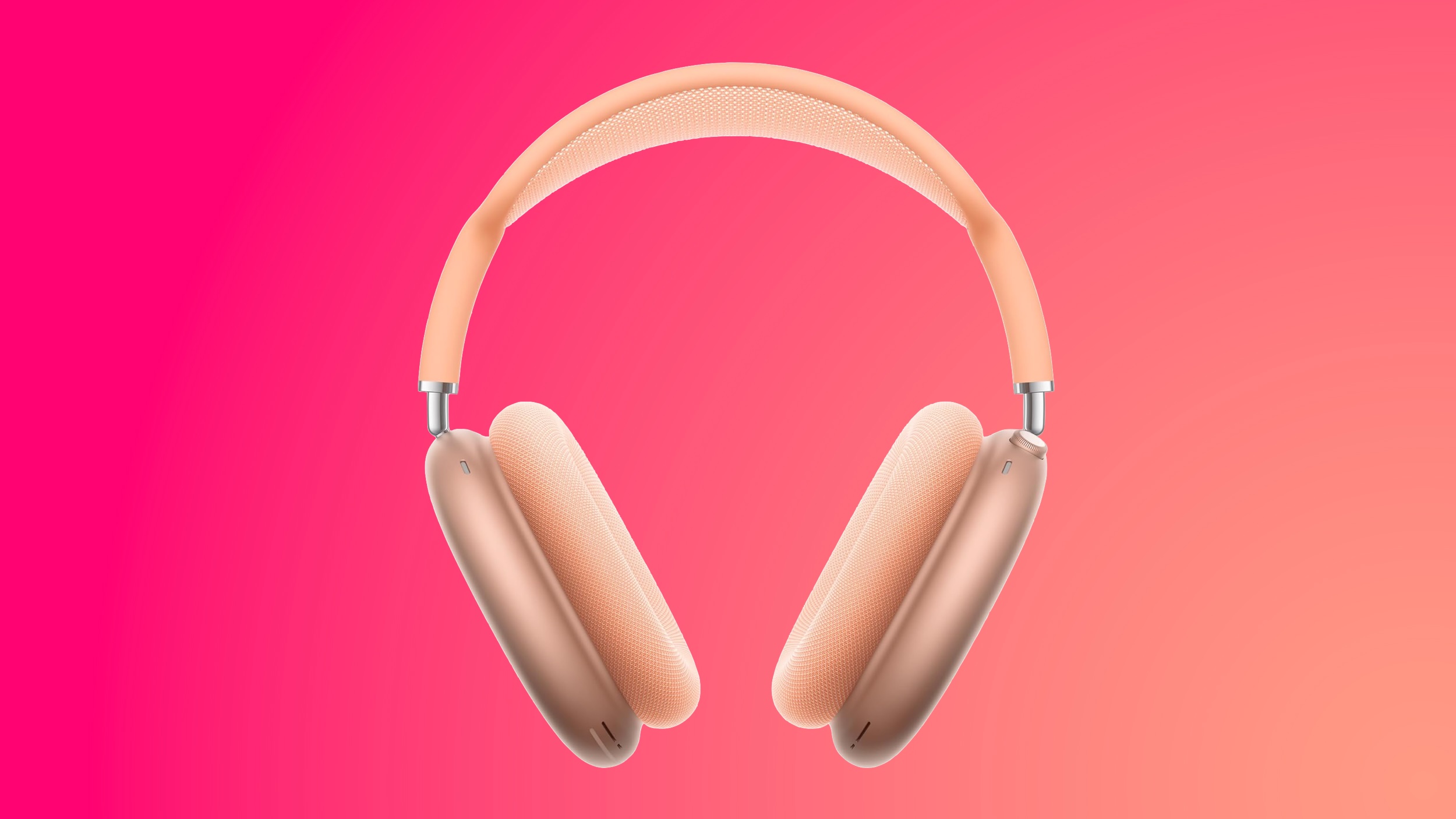
AirPods Max 2


  • What's the deal? Take $40 off AirPods Max 2

  • Where can I get it? Amazon

  • Where can I find the original deal? Right here


Amazon this week has a record low price on the AirPods Max 2, now available for $499.00, down from $549.00. This sale is available in all five colors of the headphones.

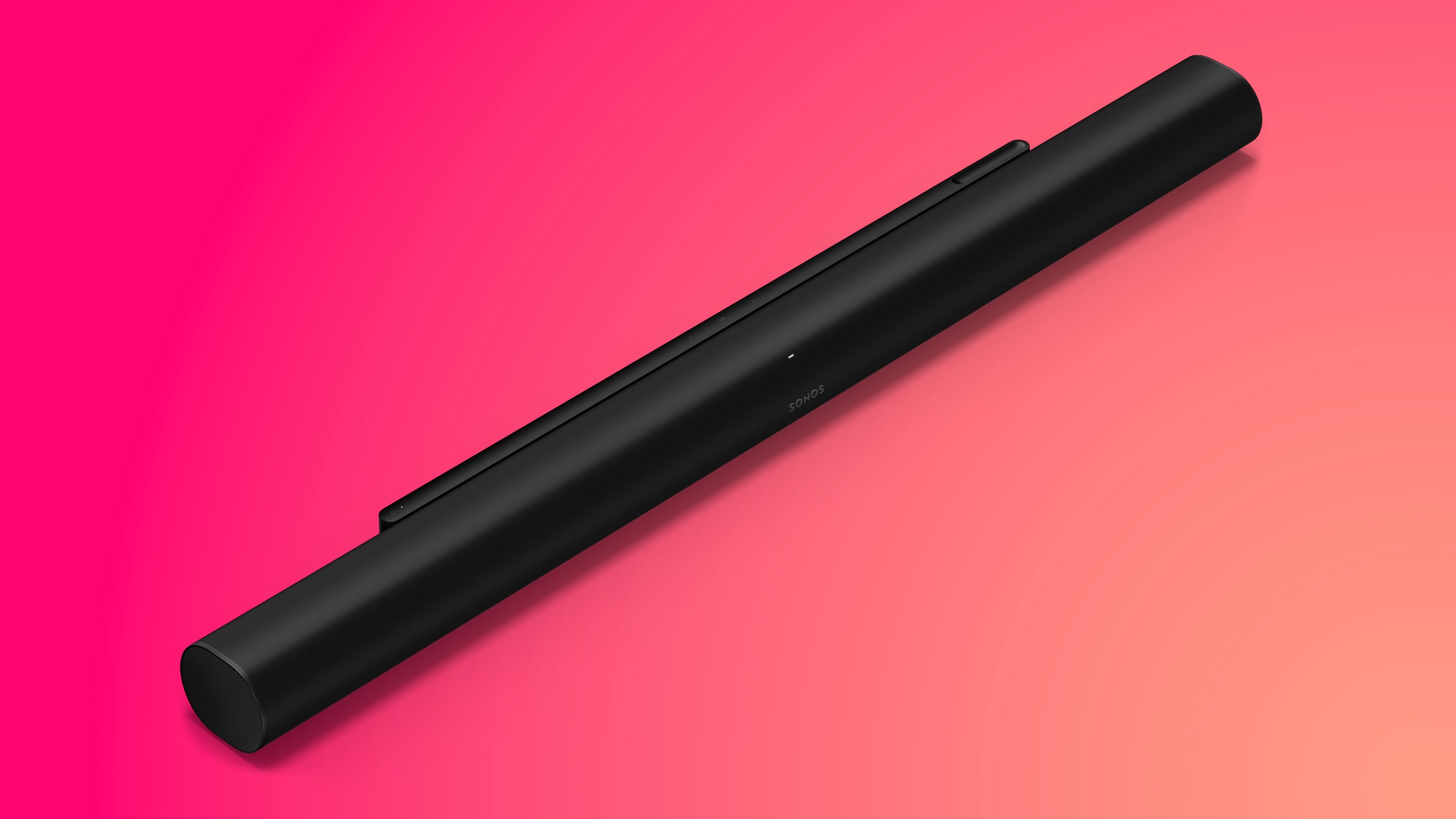
Sonos


  • What's the deal? Take up to 25% off Sonos devices

  • Where can I get it? Sonos

  • Where can I find the original deal? Right here


Sonos this week kicked off a new summer sale, with big discounts aimed at dads and anyone else shopping ahead of Father's Day. This sale includes deals on Sonos smart speakers, sound bars, subwoofers, and more.

If you're on the hunt for more discounts, be sure to visit our Apple Deals roundup where we recap the best Apple-related bargains of the past week.


Deals Newsletter


Interested in hearing more about the best deals you can find in 2026? Sign up for our Deals Newsletter and we'll keep you updated so you don't miss the biggest deals of the season!


Related Roundup: Apple Deals

This article, "Record AirPods Price Drops and a Rare Switch 2 Sale: This Week's Top Tech Deals" first appeared on MacRumors.com

Discuss this article in our forums

  •  

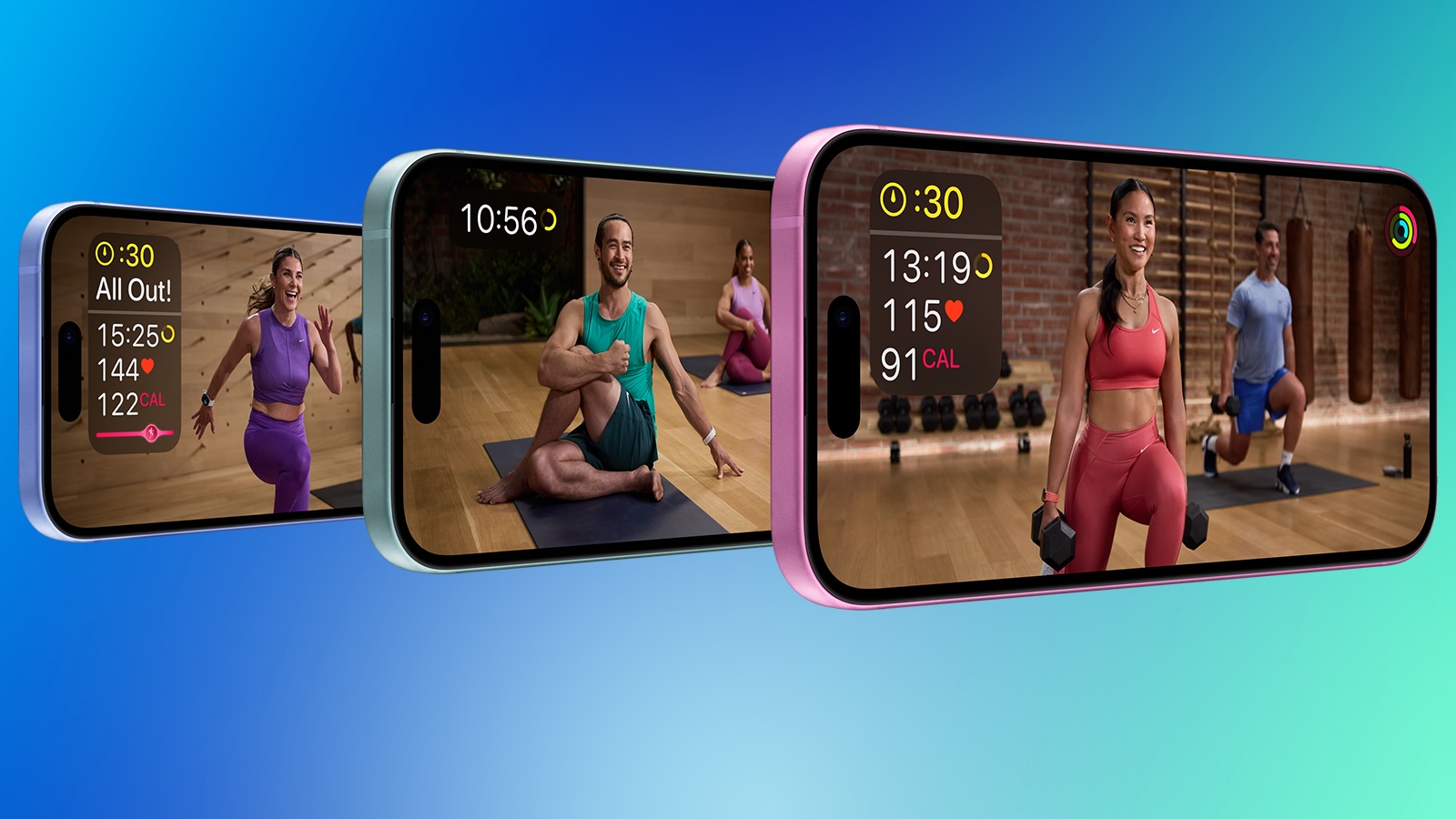
Apple Highlights New Fitness+ Content

Apple introduced new content in its Fitness+ subscription service this week, including a new menopause-focused workout program.


Fitness+ gains "Strong Through Menopause," a progressive three-week program featuring weekly Yoga and Strength workouts designed to help users navigating perimenopause and menopause build strength, improve balance and mobility, and reduce stress. A new episode of Time to Walk also features actor Busy Philipps, who shares stories from her life including her own experience with perimenopause.

The program complements perimenopause and menopause tracking support introduced in Cycle Tracking with watchOS 27 and iOS 27.

‌iOS 27‌ also brings several broader updates to the Health and Fitness apps. Users can now sort by completed Fitness+ workouts, route maps in the Fitness app are said to be more accurate following workouts, and step count is now synced between the Health and Fitness apps.
This article, "Apple Highlights New Fitness+ Content" first appeared on MacRumors.com

Discuss this article in our forums

  •  

iOS 27 Adds Landscape Mode to More Apple Apps Ahead of 'iPhone Ultra'

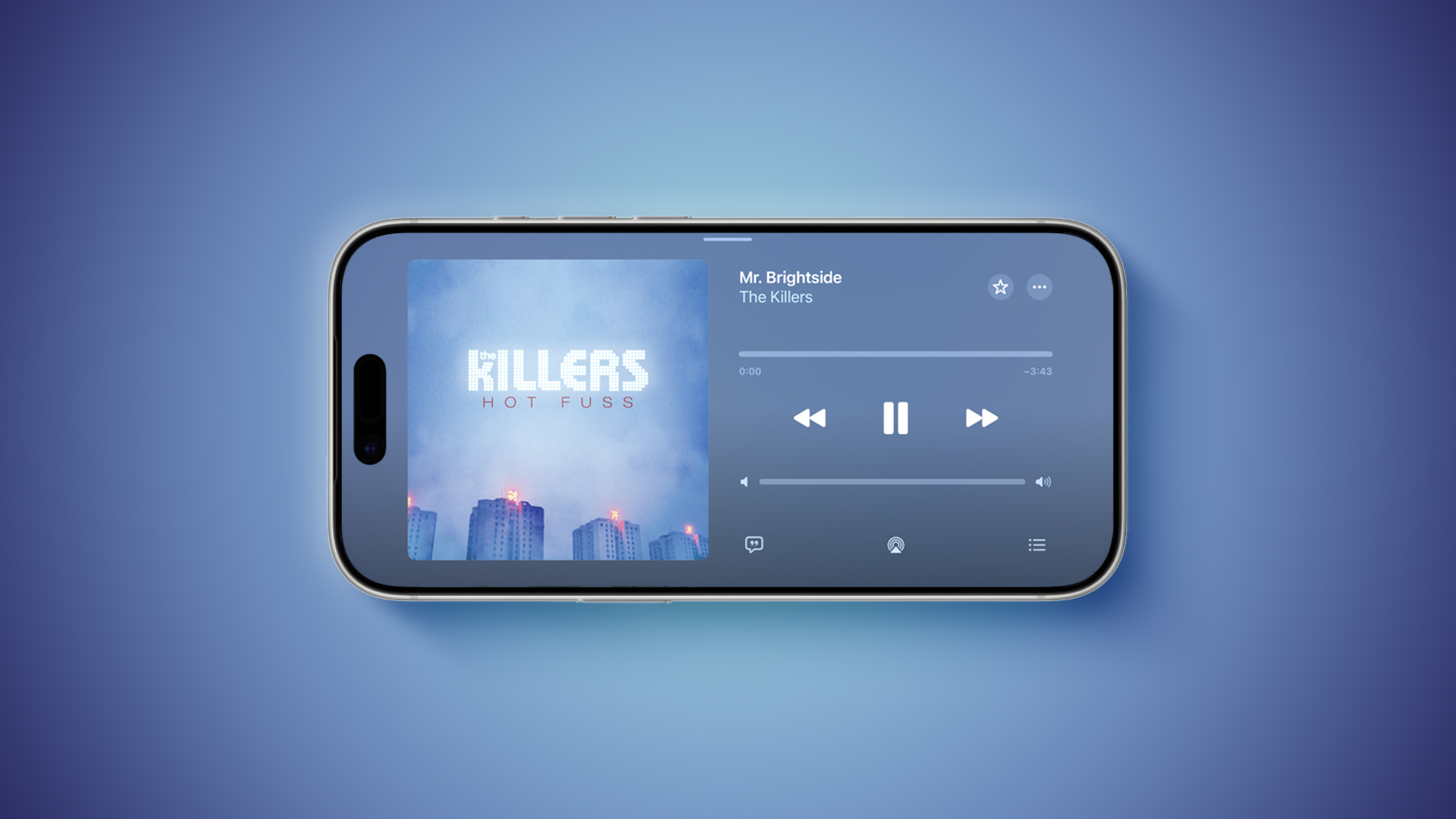
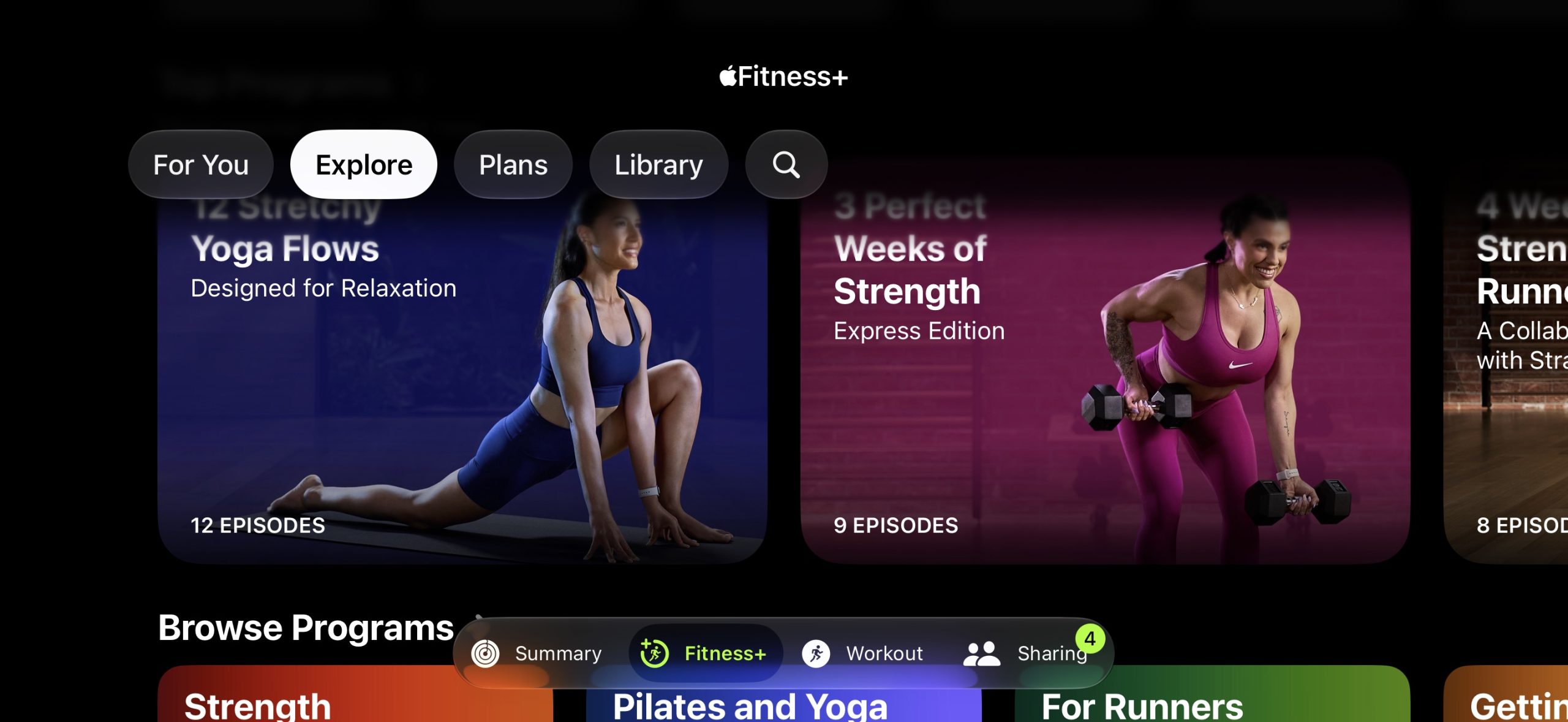
iOS 27 enables landscape mode in more of Apple's built-in iPhone apps, including Apple Music, Podcasts, Fitness, Health, Reminders, Home, Shortcuts, Apple Watch, Find My, Weather, Voice Memos, Apple TV Remote, and others.


In the Apple Music and Podcasts apps, landscape support is limited to the audio player for now.

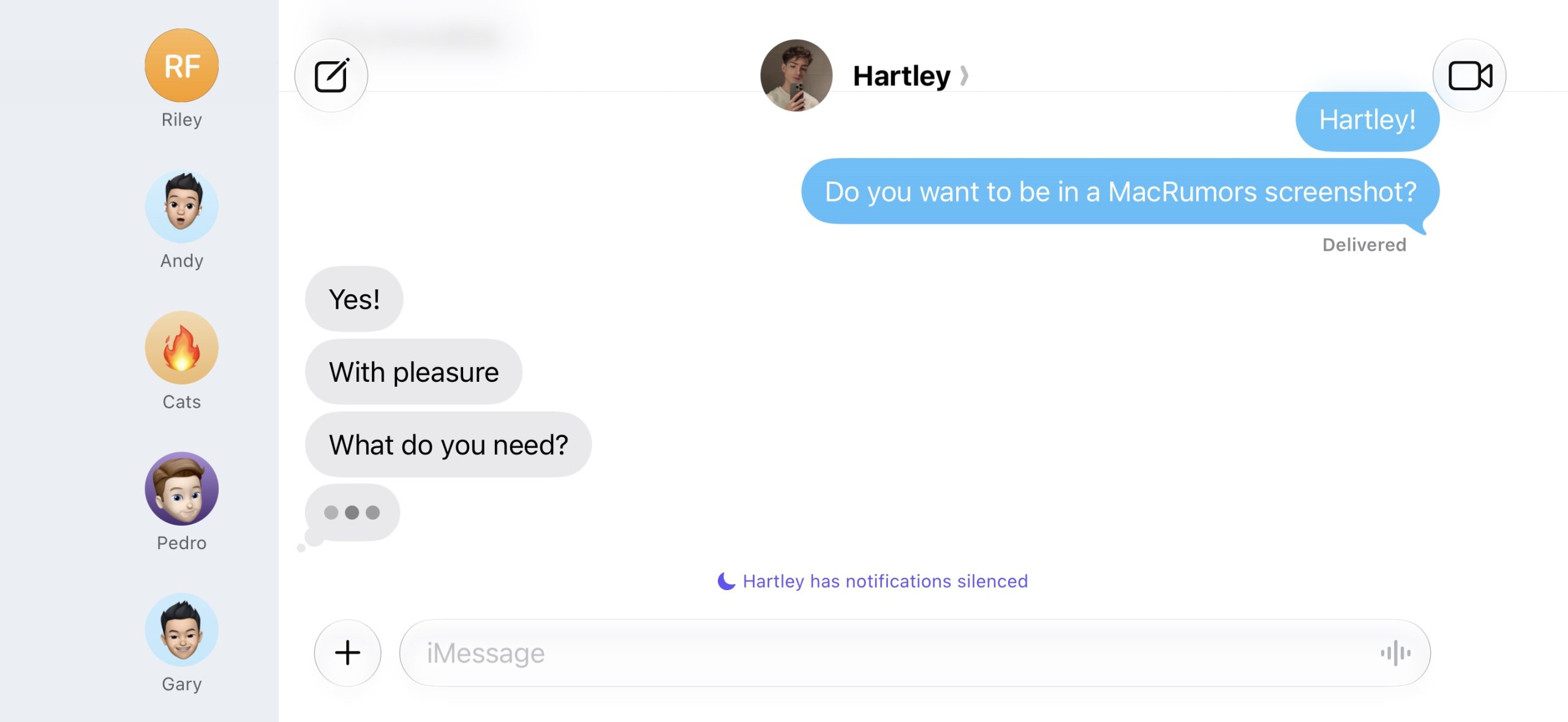
Many of the apps feature a left-aligned sidebar in landscape mode. In the Messages app, which already supported landscape orientation on iOS 26 and earlier, you can now collapse the sidebar to show only names and profile pictures.


Landscape mode was already available on iOS 26 or earlier in Apple Maps, Calendar, Files, Notes, Mail, and some other Apple apps too, but iOS 27 expands support to many more apps. This change could be laying the groundwork for the "iPhone Ultra," as landscape-friendly apps would be well suited for the rumored foldable device.

iOS 27 also adds landscape support for Live Activities in the Dynamic Island.

To use landscape mode in a supported app, simply turn your iPhone sideways. Portrait Orientation Lock must be turned off in Control Center.

Landscape apps used to be more common on iOS many years ago. In fact, the Home Screen grid supported landscape orientation on the iPhone 6 Plus, iPhone 6s Plus, iPhone 7 Plus, and iPhone 8 Plus, but that functionality ended with the iPhone X.

iOS 27 is currently in beta and is expected to be released in September, which is also when Apple reportedly plans to unveil the "iPhone Ultra."
Related Roundups: iOS 27, iPadOS 27

This article, "iOS 27 Adds Landscape Mode to More Apple Apps Ahead of 'iPhone Ultra'" first appeared on MacRumors.com

Discuss this article in our forums

  •  

Apple Cut Frequencies in WWDC Keynote to Prevent Siri Activations

Apple appears to have modified the audio of this week's WWDC 2026 keynote video whenever "Siri" was mentioned, apparently in an effort to prevent viewers' nearby devices from waking inadvertently during the presentation.


The technique was spotted by observers on X, who shared spectrogram screenshots showing clear gaps in those specific frequency ranges coinciding precisely with instances of the ‌Siri‌ name throughout the video. Apple appears to have cut out the 3kHz, 4kHz, 5kHz, and 6kHz frequency bands.

fun fact: tijdens de keynote hakt Apple een stukje 3k, 4k, 5k en 6kHz eruit wanneer ze "Siri" zeggen, zodat niet iedereens HomePods terug beginnen te praten 🗣️🚫 pic.twitter.com/x13WbNPztr

— luuk de leest (@luuk58) June 8, 2026


The approach is designed to defeat wake-word detection, which relies on recognizing the acoustic profile of phrases like "‌Siri‌" and Hey ‌Siri‌." By surgically removing the frequencies that carry key phonetic energy in the word "‌Siri‌," Apple can reduce the likelihood that HomePods, iPhones, iPads, and Macs in a viewer's home will trigger while the keynote plays back.

The technique does not appear to have been fully effective, however, as multiple viewers reported their devices activating anyway during the stream.

In 2017, Amazon was found to use a similar approach in its Alexa TV commercials, notching out frequencies to avoid triggering Echo smart speakers in viewers' homes.
Related Roundup: WWDC 2026

This article, "Apple Cut Frequencies in WWDC Keynote to Prevent Siri Activations" first appeared on MacRumors.com

Discuss this article in our forums

  •  

Craig Federighi Swipes at AI Rivals Who Are 'Racing Forward' Without Regard for Users

Apple software chief Craig Federighi used the WWDC 2026 keynote to draw a pointed contrast between Apple's approach to artificial intelligence and the broader industry, suggesting that some competitors are developing AI without meaningful consideration for the people using it.


During Monday's ‌WWDC 2026‌ keynote, Federighi said:

AI is incredibly powerful technology. Still, some appear to be racing forward, seemingly pursuing AI for the sake of AI, without clear regard to the people, all of us, that it's ultimately meant to serve.


The remarks appeared to be aimed squarely at rivals including OpenAI, Google, and Meta, all of which have aggressively shipped AI products and services over the past two years. Federighi argued that Apple's conservative approach is more useful because it draws on personal context.

The comments arrived alongside Apple's unveiling of Siri AI, a ground-up rebuild of its digital assistant powered by the next generation of Apple Intelligence. Federighi described the effort as "a big leap forward," with "an innovative architecture that unlocks a new Siri across platforms."

Apple said it has created a second version of its Apple Foundation Models capable of understanding speech and reading text and images, with a new system orchestrator coordinating capabilities across its platforms.

The implicit dig at competitors carries some irony given Apple's own recent history with AI. The company spent the better part of two years struggling to deliver a meaningfully improved ‌Siri‌, and earlier this year parted ways with John Giannandrea, its former head of AI and machine learning, following a prolonged restructuring of its AI teams.

Federighi pushed back against the idea that the new ‌Siri‌ is simply another "bolted-on chatbot," saying the company sees it as "an integral but conversational tool that you use in the moment." Privacy, he said, is "non-negotiable," with data used only to execute a user's request.
This article, "Craig Federighi Swipes at AI Rivals Who Are 'Racing Forward' Without Regard for Users" first appeared on MacRumors.com

Discuss this article in our forums

  •  

watchOS 27 Improves Apple Watch Performance in Seven Ways

Apple's software updates previewed during WWDC 2026 this week have followed a distinct pattern: introduce a handful of key new features, while maintaining a focus on refining the underlying platform architecture. watchOS 27 is no different in this respect, with the majority of changes being performance improvements under the hood.


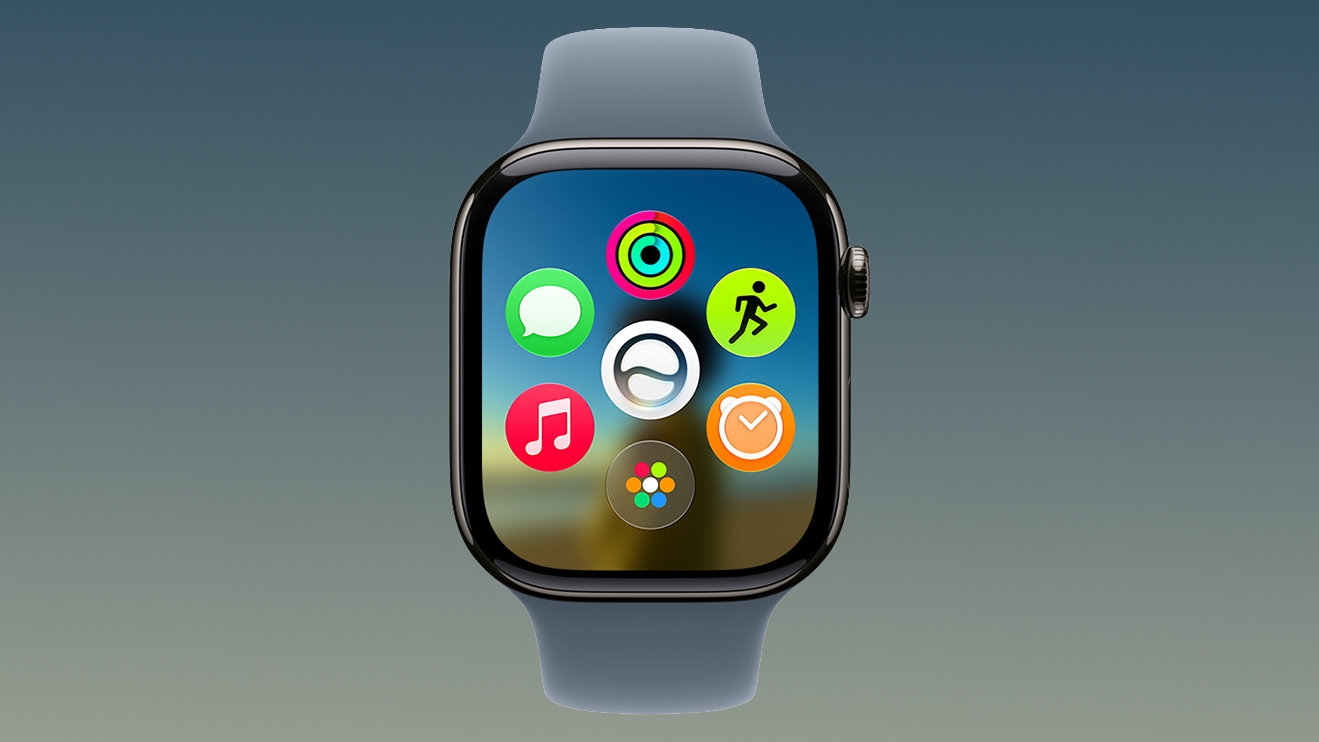
That said, one of the most obvious user-facing changes is a new dynamic app grid that surfaces and rearranges five apps based on your current context and general usage, with Siri as the centerpiece. Pressing the Digital Crown on your Apple Watch immediately invokes the grid, which appears whether you use the app grid or list view. If the dynamic grid doesn't surface the app you're looking for, a turn of the Digital Crown reveals your preferred view.

The change straddles the line between redesigned navigation and the efficiency-minded development that defines the rest of watchOS 27, since the grid aims to get you to the app you want, just faster. It's probably the most obvious change you'll actually see, but there are several others that happen out of sight. Apple says they include:
  • Better battery efficiency

  • Improved Wi-Fi connectivity

  • More efficient water detection

  • More accurate step tracking

  • Faster media playback

  • Faster app extension launches
As with the rest of Apple's software previews this week, though, you'll need reasonably recent hardware to see any of these enhancements.

watchOS 27 requires an iPhone 11 or later or iPhone SE (2nd generation or later) with iOS 27. The new software also requires one of the following Apple Watch models: Apple Watch SE 3, Apple Watch Series 9, 10, 11, and Apple Watch Ultra 2 or 3. In other words, ‌watchOS 27‌ drops support for the Apple Watch Series 6, Series 7, and Series 8, along with the original Ultra and SE 2. Apple will release the new software in the fall.
Buyer's Guide: Apple Watch (Caution)
Related Forum: Apple Watch

This article, "watchOS 27 Improves Apple Watch Performance in Seven Ways" first appeared on MacRumors.com

Discuss this article in our forums

  •  

Audible Launches Connected Subscription for Apple Podcasts

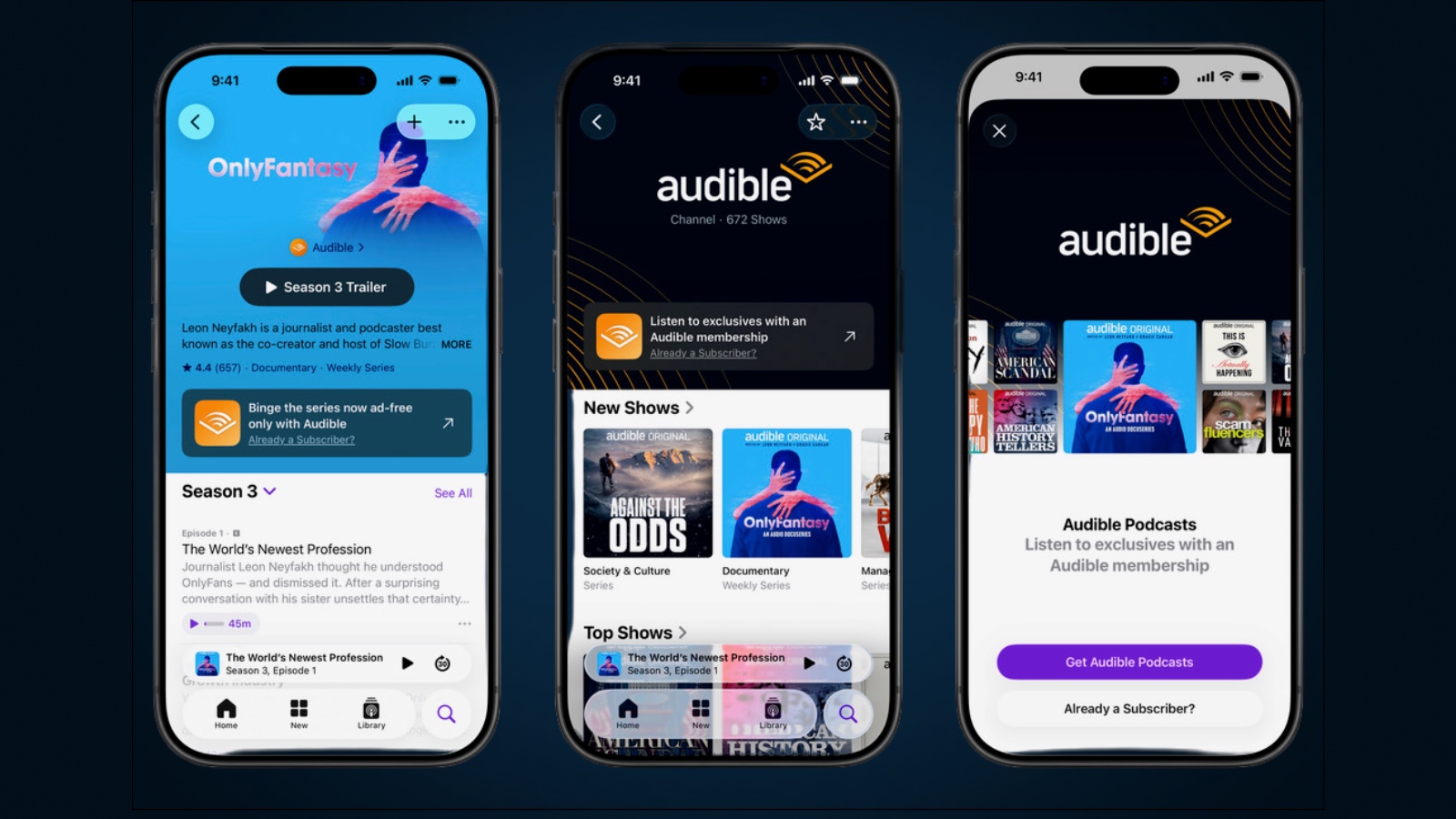
Audible last month launched a connected subscription that lets members stream nearly 700 premium podcast titles directly within Apple Podcasts, available across 135 countries.


The integration gives Audible members ad-free access to an expansive catalog of Audible Originals spanning true crime, investigative journalism, celebrity-led audio dramas, and personal growth categories.

Titles available at launch include award-winning series like Dr. Death, American Scandal, Business Wars, Dying for Sex, and Hysterical, Reinvent Your Life with Mel Robbins, The Prophecy, and The Big Lie. Marshall Lewy, Head of Audible Content for North America, said:

By bringing Audible's distinctive catalog to Apple Podcasts, we're allowing members to find their favorite Originals where many of them already listen to their podcasts. And by making select shows and episodes available widely, we have the opportunity to introduce new listeners to the extraordinary audio storytelling Audible offers right inside the Apple Podcasts app.


Existing Audible members can access the integration by opening ‌Apple Podcasts‌, where their subscription should connect automatically, or by searching for any Audible premium show and linking their account at no additional cost.

New subscribers can sign up directly through ‌Apple Podcasts‌ by searching for an Audible show such as Dr. Death and subscribing via the Audible app. Membership also unlocks standard Audible benefits including one audiobook per month and an unlimited listening library.

The full Audible channel on Apple Podcasts is available now in over 135 countries. Audible says the integration is expected to roll out to members in Australia, Japan, and Canada this month.
This article, "Audible Launches Connected Subscription for Apple Podcasts" first appeared on MacRumors.com

Discuss this article in our forums

  •  

iOS 27: All the New Health and Fitness Features

Apple was rumored to be working on an AI health service, but it was scrapped well before the iOS 27 beta came out. It could resurface in the future, but for now, there are a handful of health and fitness changes in the update.


Design


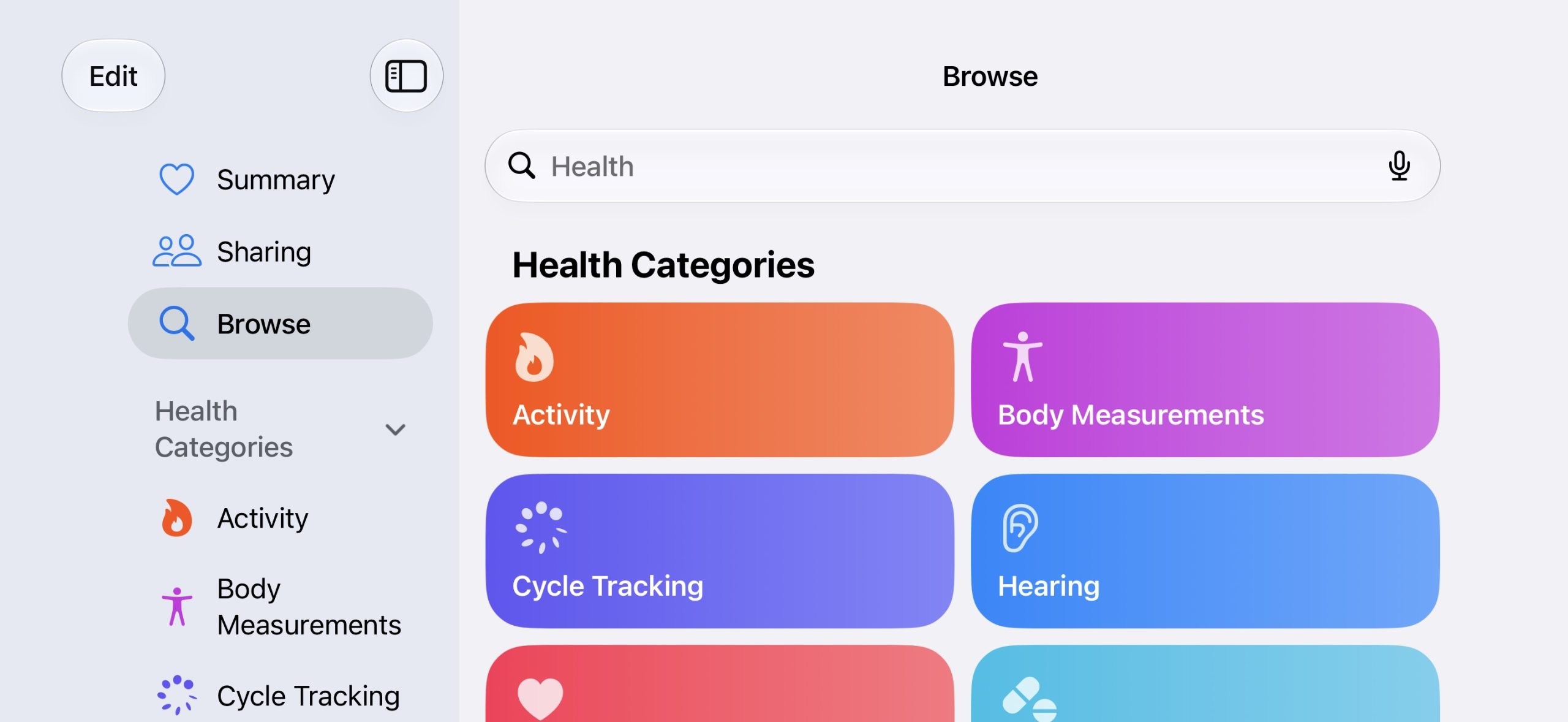
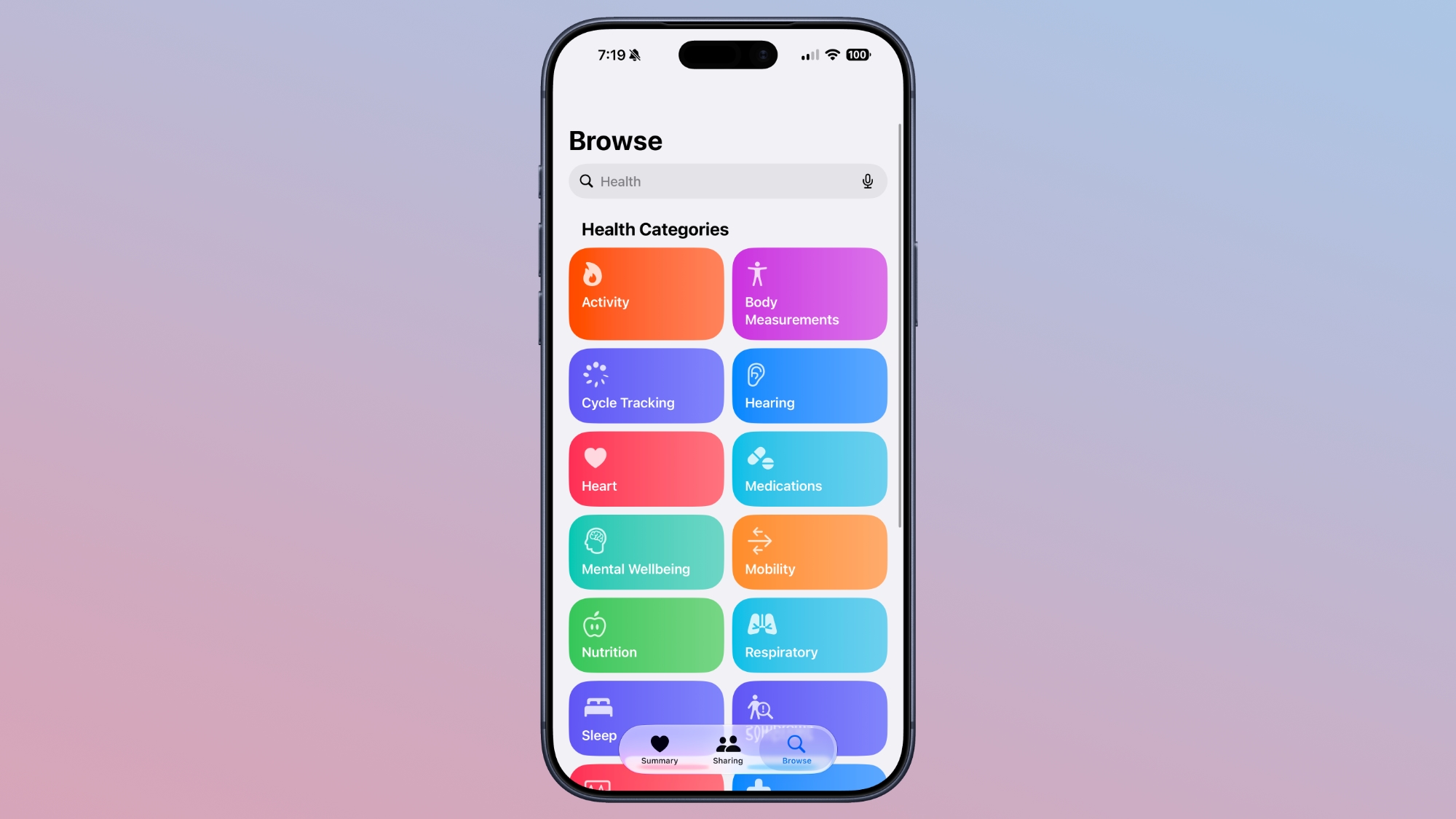
Apple redesigned the Browse section of the Health app, and it now uses a card-style interface instead of a list. It is more colorful and easier to see the different categories.


The app also has a single bottom navigation bar that incorporates a search/browse button, instead of a separate search button.

Visual Intelligence


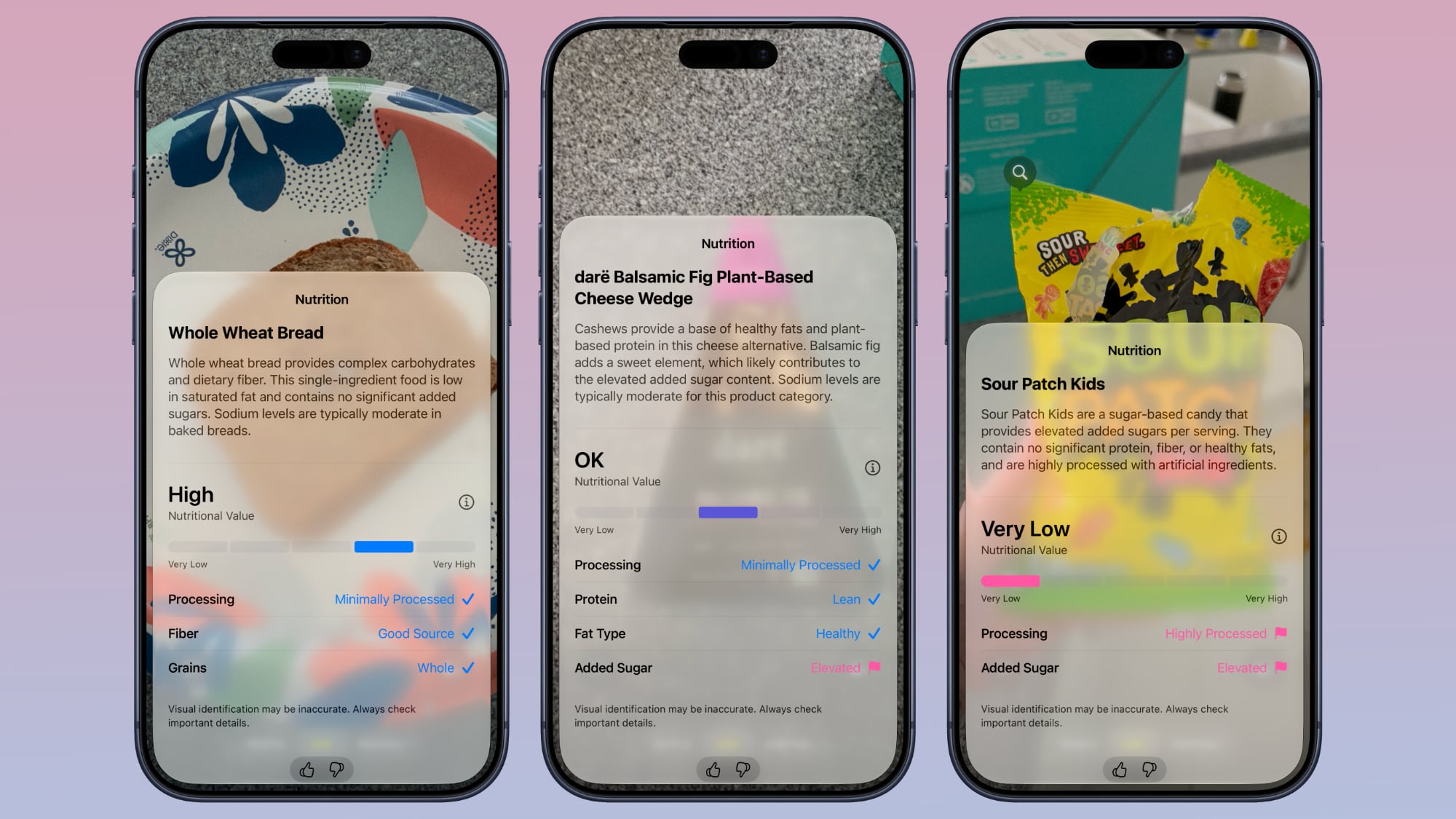
Visual Intelligence has a new nutrition feature that can tell you the nutritional value of what you're eating. You can open the Camera app to the new Siri mode and take a photo of a food item to get feedback.


It does not give exact calorie counts, but it lets you know if a food is heavily processed, if it has protein, if it's high in sugar, and more. It gives food a nutritional value ranking between very low and very high. Data does not sync to the Health app, but it's still useful.

‌Visual Intelligence‌ requires an iPhone 15 Pro or later.

Cycle Tracking


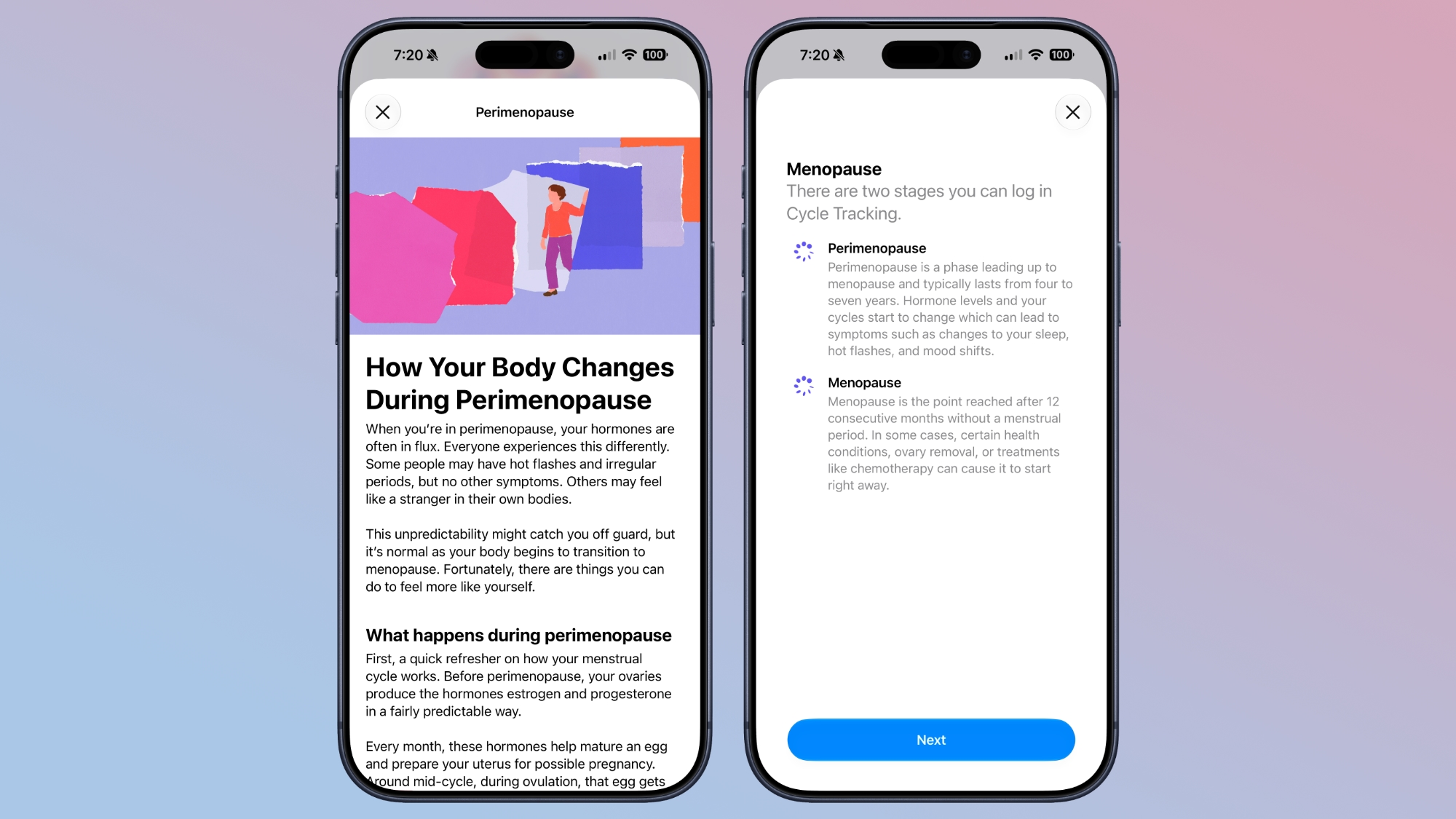
Cycle Tracking is expanding with perimenopause/menopause support. The Health app now sends notifications when logged cycle patterns are suggestive of perimenopause.


The feature uses long-term cycle data to flag the perimenopause hormonal transition that can begin a decade or more before menopause. Cycle deviation alerts are based on the user's logged cycle history and are for users age 40 and above.

Users can keep track of symptoms and access educational resources that offer guidance and support.

Apple also added new Fitness+ workouts for perimenopause and menopause.

Faster Data Updates


Data syncs to the Health app quicker than before thanks to performance improvements Apple implemented.

Child Safety


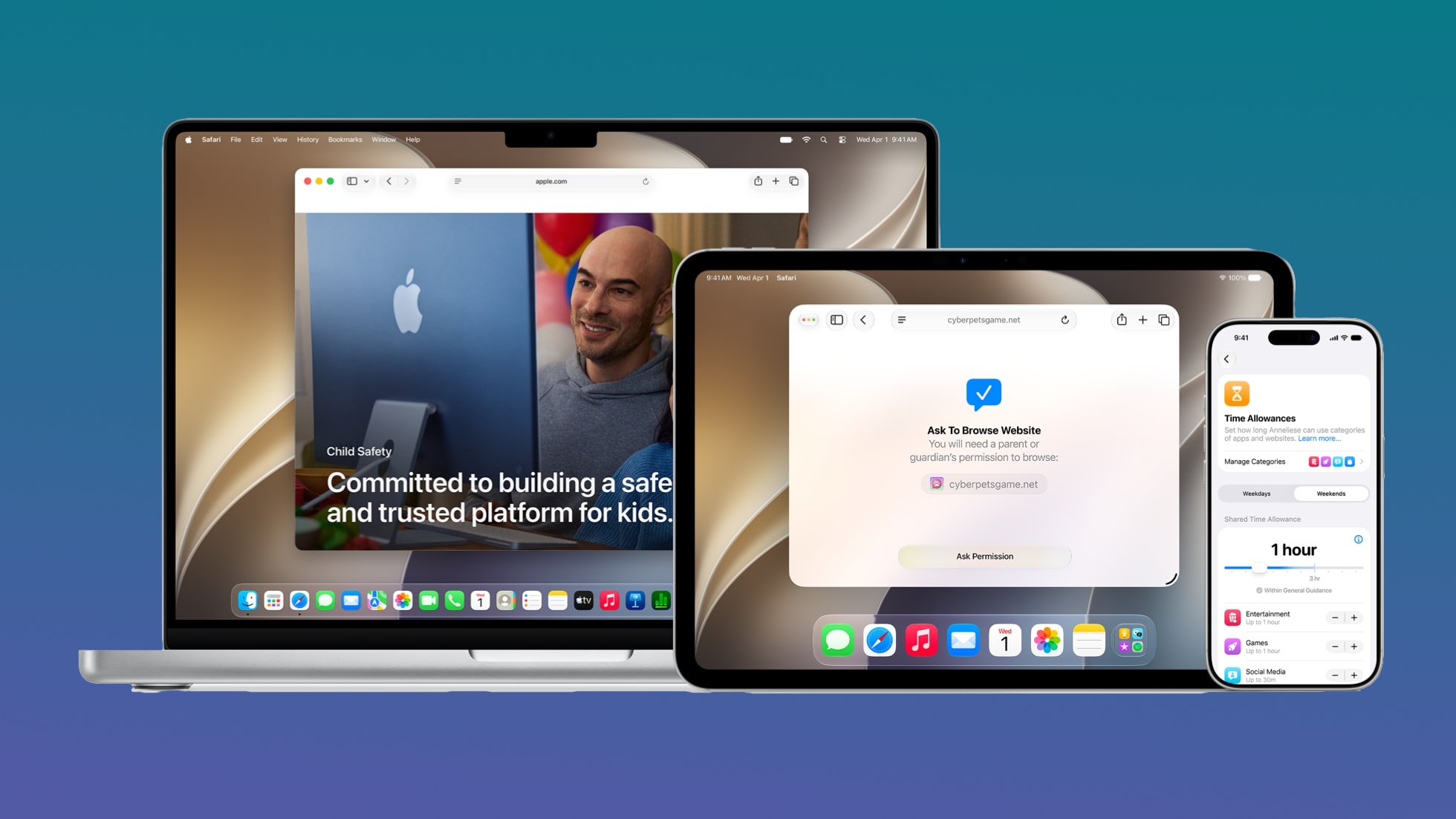
There are several new Child Safety features that give parents more control over the content their children are seeing. Apple is including guidance based on expert health research to help parents make decisions about managing child accounts.


Route and Distance Accuracy


Route maps that populate the Fitness app after workouts are more accurate in ‌iOS 27‌. During treadmill workouts, distance is also reflected more accurately than before.

Step Count


Step counts will sync between the Health and Fitness apps.

GymKit


GymKit has expanded to the iPhone, which can pair with treadmills, indoor bikes, and other exercise equipment for data syncing. GymKit was previously an Apple Watch feature, but now iPhone users won't need a watch to use it.

GymKit can sync calories, distance, speed, incline, and pace.

Launch Date


‌iOS 27‌ is available to developers, with a public beta planned for July. It will launch to the public this fall.
Related Roundups: iOS 27, iPadOS 27

This article, "iOS 27: All the New Health and Fitness Features" first appeared on MacRumors.com

Discuss this article in our forums

  •  

Apple's Craig Federighi: Siri Won't Be Your AI Girlfriend

Apple software engineering chief Craig Federighi and marketing chief Greg Joswiak sat down for an interview with Mostly Human after during WWDC, discussing the iOS 27 Siri changes, Apple's take on AI, new child safety protections, and more.


Apple set out to deliver an AI utility, not an AI companion. When asked whether users could create an AI boyfriend or girlfriend with the new Siri, Federighi said absolutely not. ‌Siri‌ is meant to help, and Apple didn't want to focus on engagement like other AI companies. From Federighi:
Quite the opposite, because as you may know, if you use many of the existing chatbots, they're really focused on engagement to a large degree. And sycophancy, right? They kind of want to pull you in. They might encourage you to reveal things about yourself, and then use that as a basis to establish a connection.

We view it quite the opposite. I mean, the way that we have designed Siri, Siri really wants to say 'Listen, that's not what I'm here for, right? I'm here to help you. I can help you get things done. I can help you learn about the world.' But if you try to engage Siri as a romantic partner, Siri's not up for that. Siri's 100 percent not into that.

Joswiak said Apple didn't want to do AI for AI's sake, and the company wanted AI to blend in with existing iPhone features.
We like when technology disappears, right? You just focus on what you want to do, or you focus on the content. And it's the same thing with AI. [...] We don't do AI for AI's sake. 'Hey, look at us, we're doing AI.' It's how does AI make everything better? And that makes our products better, our features better.

He went on to say that he doesn't want iPhone users to have to be "prompt experts" to use AI. "We want to meet them where they're at," said Joswiak. "Have the products and features become better, and this is just a really helpful technology in making those features and products better."

Federighi wanted to make it clear that Apple's approach to AI is privacy forward.
I think it's a challenging thing for a lot of people to understand the distinction between what your iPhone knows and what, say, Apple as a company knows. Your iPhone is yours, right? Your data is yours and it stays on your phone and your control and Siri is using it for you. Apple doesn't get to know any of this stuff, and that is very different than I think most players in the space, and I think super important.

The full interview covers other topics like child safety, AI and jobs, iOS 27 features, Apple's 50th anniversary, the future of AI, scammers, and much more.
This article, "Apple's Craig Federighi: Siri Won't Be Your AI Girlfriend" first appeared on MacRumors.com

Discuss this article in our forums

  •  

Apple Criticizes U.S. Antitrust Bill That Targets the App Store

United States Senators Chuck Grassley and Amy Klobuchar this week reintroduced the American Innovation and Choice Online Act (AICOA) that targets major tech companies like Apple, and Apple is not happy to see it back.


The bipartisan bill is reminiscent of the Digital Markets Act in the European Union, banning large platforms from favoring their own products or services, limiting competitors' access to key platform features, locking users into default settings, and more. It is a reworked version of the same bill that did not reach a floor vote back in 2022.

In a statement to MacRumors, Apple said AICOA will undermine privacy, security, and child safety protections, while also making it more difficult to do business in the U.S.
We strongly disagree with the Senate's consideration of European-style regulation that would hamper innovation and force changes consumers never asked for, while undermining the privacy, security and child safety protections they rely on every day. Apple is proud to be an engine of innovation, job creation, and economic growth in the U.S., where some of the world's most innovative companies have designed technology that has changed the world. Importing Europe's failed policies will not increase competition -- it will make it more difficult to do business right here at home.

AICOA aims to "restore online competition and affordability" by preventing digital platforms from "abusing their market power to stifle competition, undercut online businesses and raise prices for American consumers." It would permit the Department of Justice, Federal Trade Commission, and state attorneys general to challenge online platforms for exclusionary conduct that harms competition.

It is applicable to platforms that have at least $175 billion in average annual gross revenue and reach 34 percent of U.S. subscriber households or 34 percent of U.S. monthly active users over the age of 12. Apple would be subject to the restrictions should AICOA pass. Companies are barred from the following under the current AICOA wording:

  • Unfairly favoring their own products or services.

  • Misusing nonpublic business-user data to copy and compete against small businesses.

  • Unfairly limiting competitors' access to key platform features.

  • Blocking business users from accessing or moving their own data from one digital platform to another.

  • Retaliating against users or business users who raise legal concerns.

  • Unfairly enforcing terms of service in ways that harm competition.

  • Conditioning companies' access to the platform, or product placement on the platform, on purchase or use of unrelated services.

  • Locking users into default settings.

  • Skewing ranking or presentation against similarly situated business users.


Apple says AICOA would have the same impact as the Digital Markets Act, harming innovation, weakening privacy protections, and delaying new product features. Most recently, Apple said it would not be able to bring Siri AI to the European Union when iOS 27 launches because of an inability to reach an agreement with the European Commission on the DMA's interoperability rules.

Like the DMA, AICOA would allow for third-party app marketplaces and alternative payment methods, which Apple maintains will undermine the user protections of the App Store. Apple also says the AICOA rules mandating open platform access would give the most sensitive user data to any company that wants it.

Bill sponsors say AICOA was written to "preserve safety, privacy, intellectual property, national security and constitutional protections," and that it includes language to ensure covered platforms are able to prevent fraud and protect safety, user privacy, nonpublic data, or platform security.

Along with Apple, AICOA would impact Google, Amazon, and Meta. It is endorsed by Mozilla, Proton, DuckDuckGo, Yelp, and Y Combinator, among others. Senators Josh Hawley, Dick Durbin, Sheldon Whitehouse, and Cory Booker are co-sponsors.
This article, "Apple Criticizes U.S. Antitrust Bill That Targets the App Store" first appeared on MacRumors.com

Discuss this article in our forums

  •  

What's New in the iOS 27 Photos App

The Photos app is one of a handful of apps that Apple paid extra attention to in iOS 27. It has multiple improvements to performance, and several quality-of-life upgrades. There are also new AI photo editing tools that use Apple Intelligence.


AI Tools


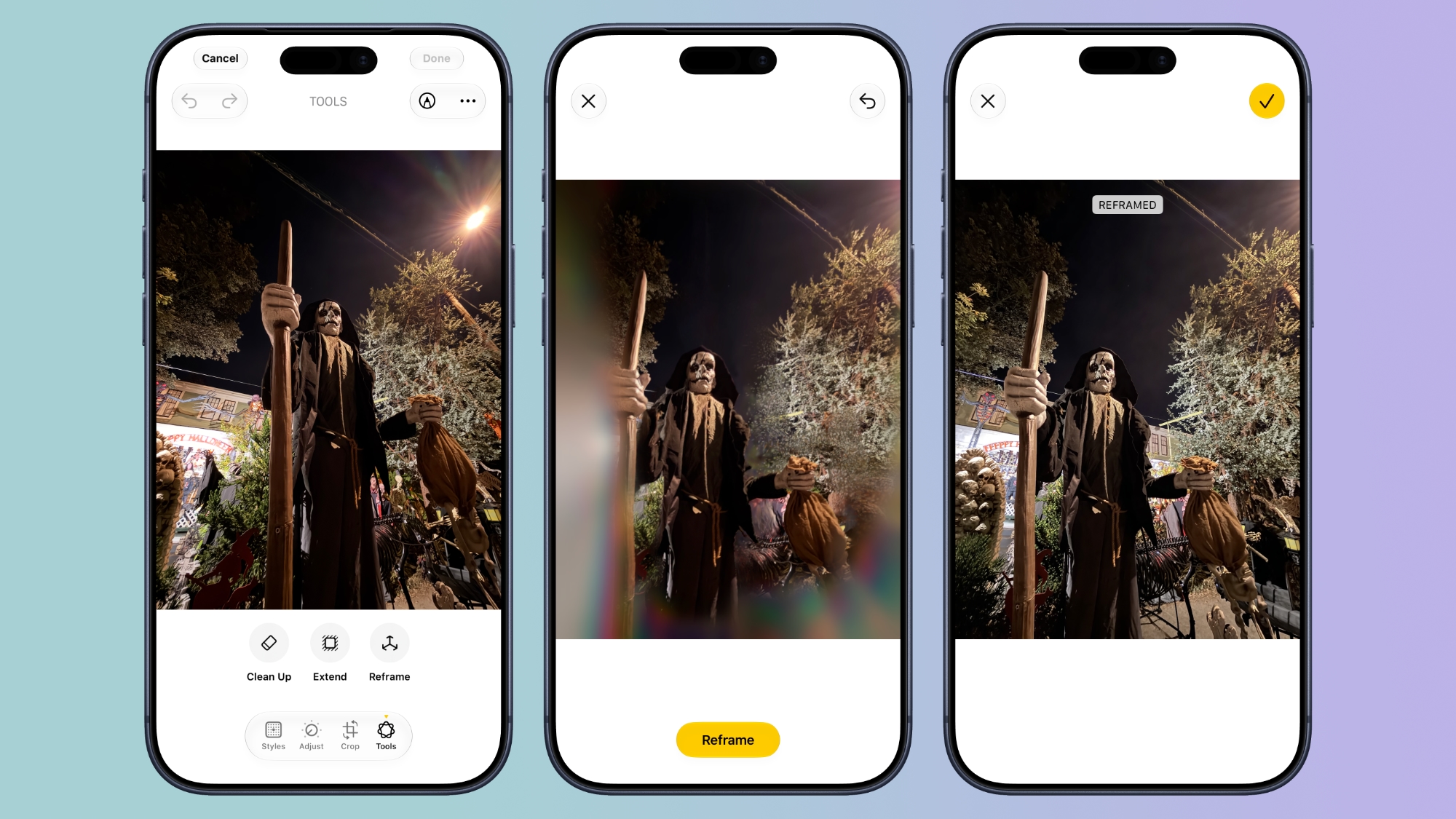
There is a set of AI photo editing tools in the ‌Photos‌ app, accessible by tapping on the icon featuring three sliders, and then selecting the ‌Apple Intelligence‌ icon labeled "Tools."

Clean Up


Clean Up uses new AI models, and it's better at removing objects. The original version of Clean Up was best for small items with little complexity in the surrounding area, but now it is able to do more work reconstructing backgrounds with generative AI.


There are now three options for object removal. Fast works more quickly and can still be used for simple edits, while High Quality works better for more detailed scenes. Auto lets the ‌Photos‌ app decide which option is best.

Extend


Extend lets you change the crop of an image, expanding the borders around content to zoom out a bit or change the photo's composition. It uses generative AI to fill in missing areas, and you can adjust the borders with pinch gestures.


Apple also uses the Extend feature for expanding iPhone Lock Screen wallpapers that don't quite fit the display.

Reframe


Reframe can change the perspective of the photo, making adjustments to the angle of a person or object. It draws on the spatial information the iPhone gathers when a photo is taken, and combines it with AI to change the angle of the camera in post-processing. The spatial data is used for adjusting the subject of the image, and then AI fills in any pixels that are missing.


Reframe uses touch and drag gestures to adjust perspective, and two fingers for panning, zooming, or rotating an image to get the right angle.

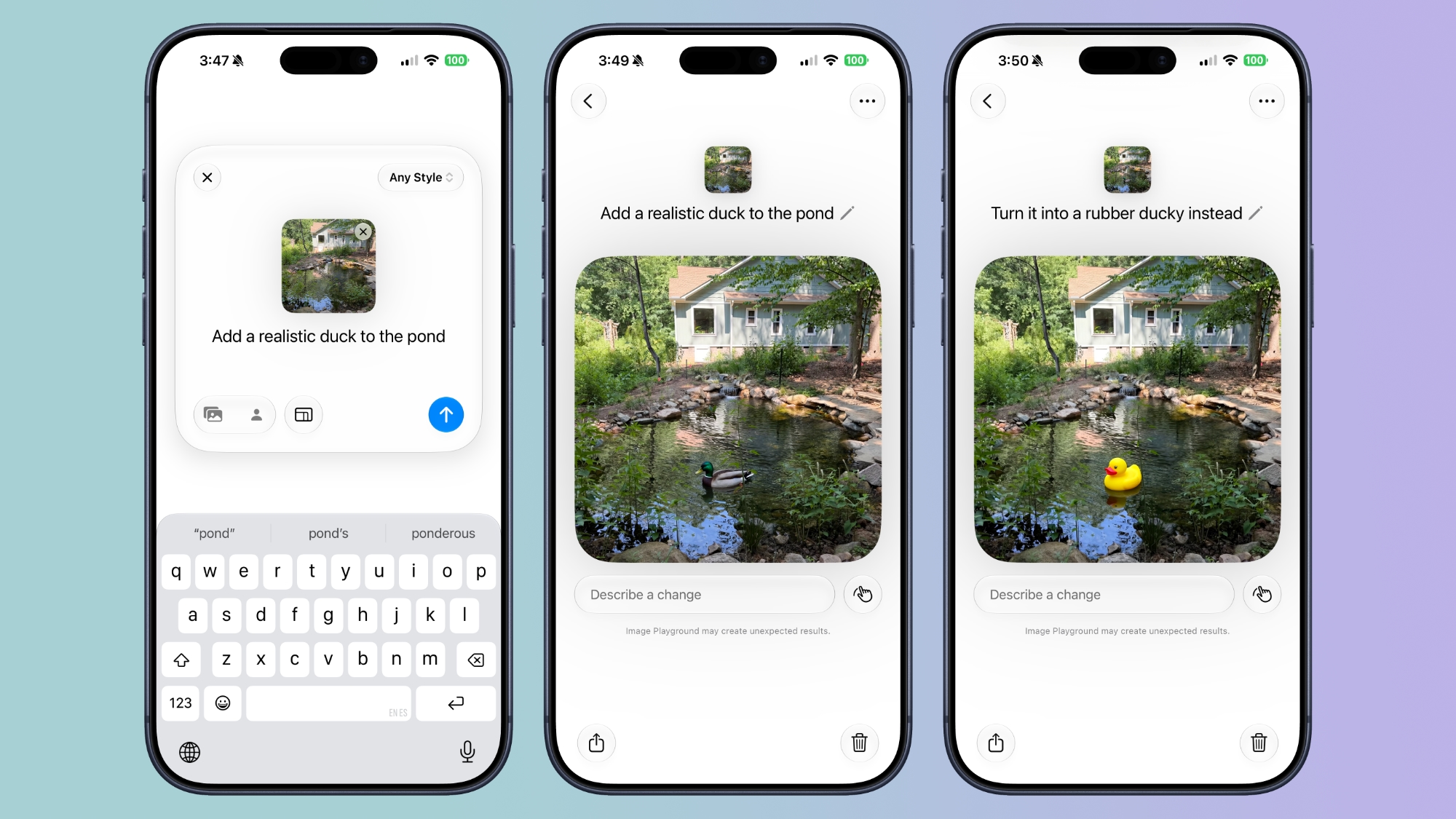
Image Playground


While not part of the ‌Photos‌ app, the Image Playground app can be used to make photorealistic edits to your image. If you have a photo of a friend and want to add a hat or an accessory that looks real, you can do so with ‌Image Playground‌. You can select specific areas in an image to modify and make AI edits using natural language, plus there's an option to combine images.


‌Image Playground‌ can be used for free, but there will be daily caps, with extra usage available through iCloud+ plans.

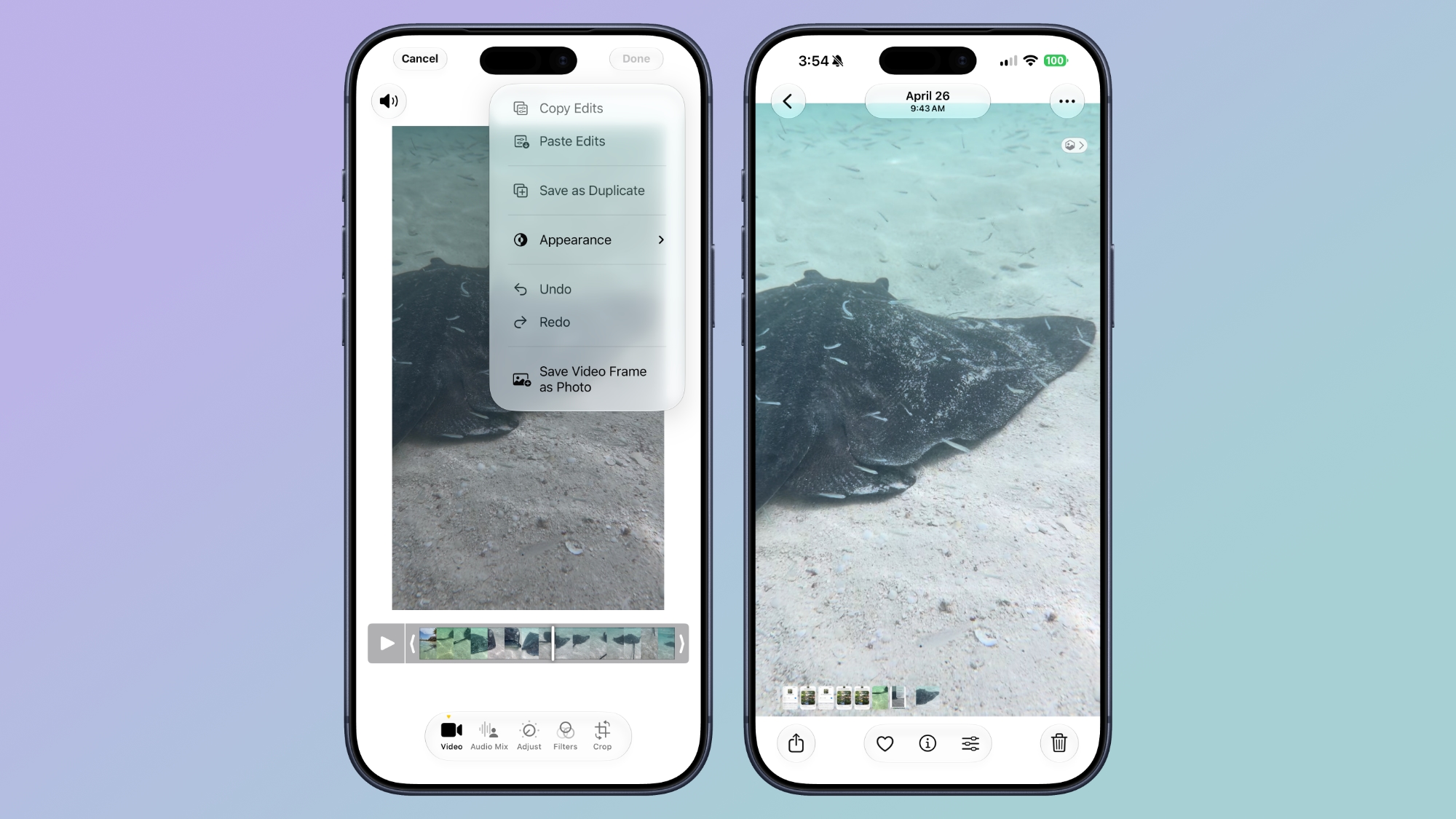
Videos to Photos


You can now save a frame of a video as an individual photo.


Metadata


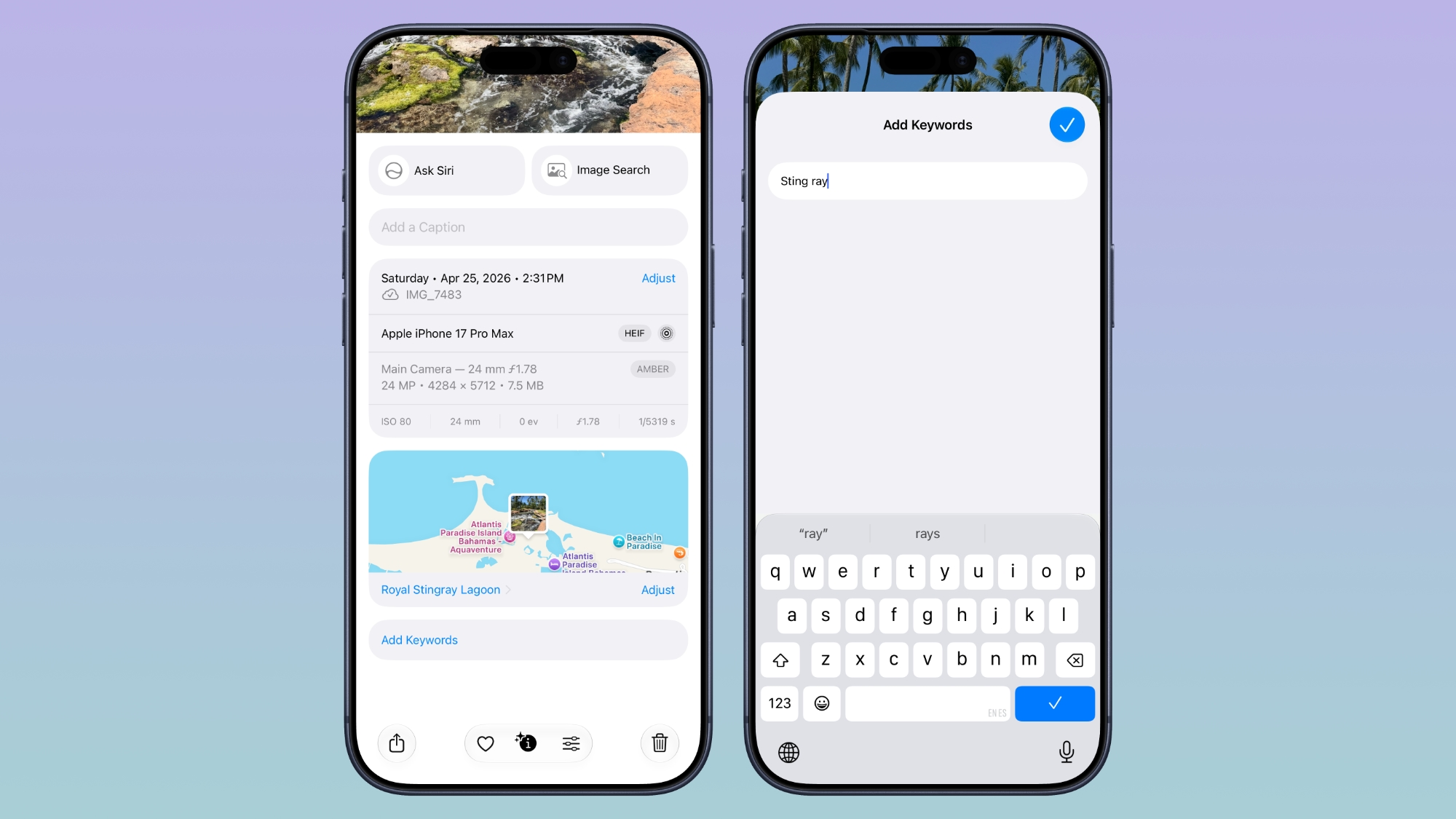
Apple now lets you add keywords and star ratings to photos and videos in the ‌Photos‌ app. You can rate images with one to five stars and then filter images by rating.


Album Changes


Apple improved album organization in ‌iOS 27‌ and added new features for Shared Albums, including an option for Android and Windows users to contribute to ‌iCloud‌ albums.

  • Shared Albums can be filtered by photos or videos.

  • It's easier to save images from Shared Albums.

  • You can set Shared Albums to expire after 30 days, which is useful for sharing photos without having a permanent album.

  • It's easier to invite people to Shared Albums with a dedicated "Create Shared Album" option in any album menu.

  • You can create a link for people to upload images to a Shared Album, and there are new permissions so you can require explicit access to be granted.

  • Shared Albums have a recent activity log.

  • You can react to images in Shared Albums with any emoji.


Slideshows


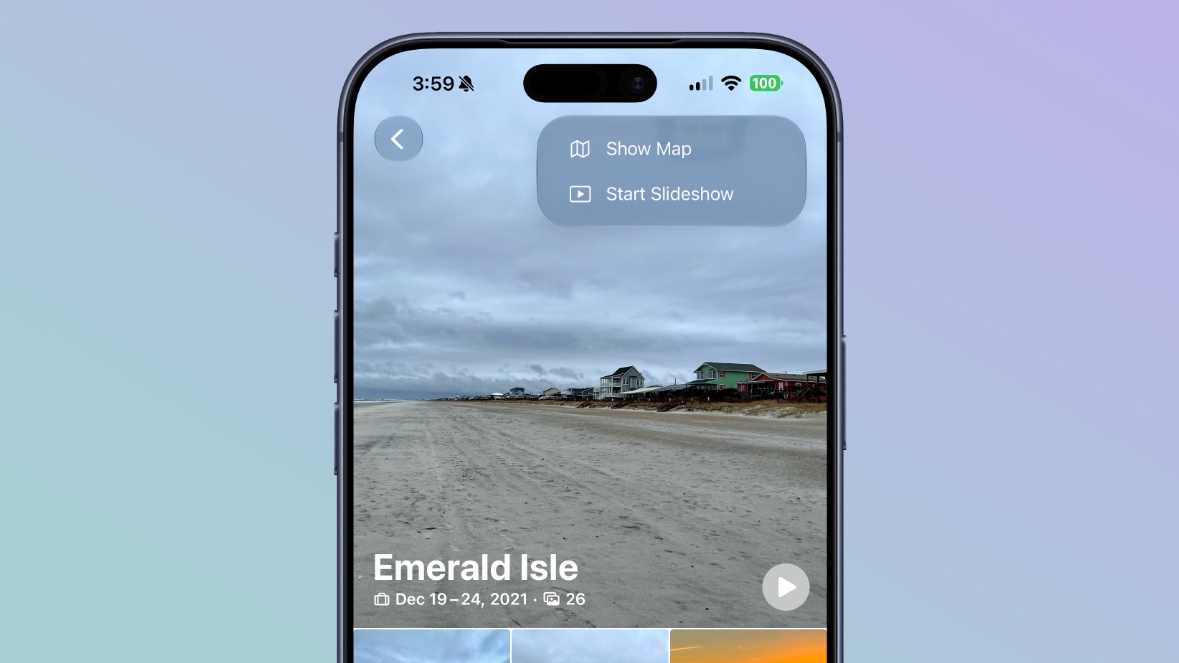
You can create a slideshow from any album or collection of images in the ‌Photos‌ app instead of being limited to what's in the Memories section. Just tap into an album, tap the icon in the upper right of the display, and choose "Start Slideshow." Alternatively, select several photos and then follow the same steps from the main Library interface.


Slideshows can be customized with transition styles, slide duration, and background music. The resulting file can be shared on social media, and saved as a video.

Utilities


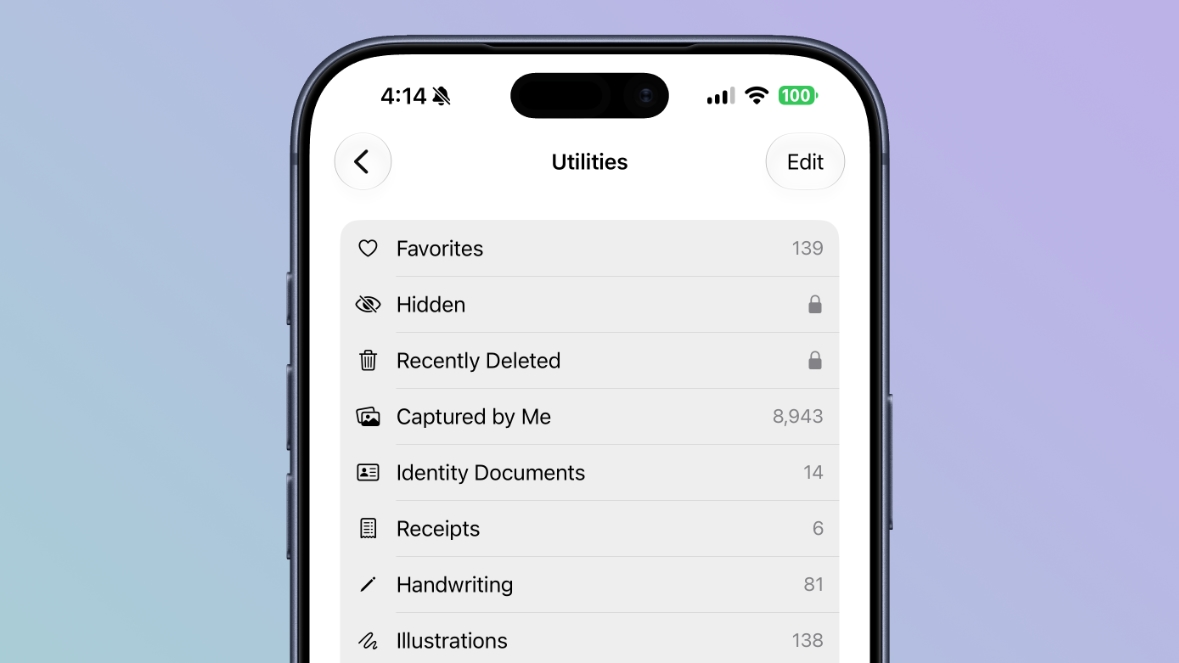
There are two new Utilities folders in the ‌Photos‌ app. Captured by Me includes all of the images that you've taken from the Camera app on your current or past iPhone, while Identity Documents aggregates pictures of passports, licenses, and similar documents.


iCloud


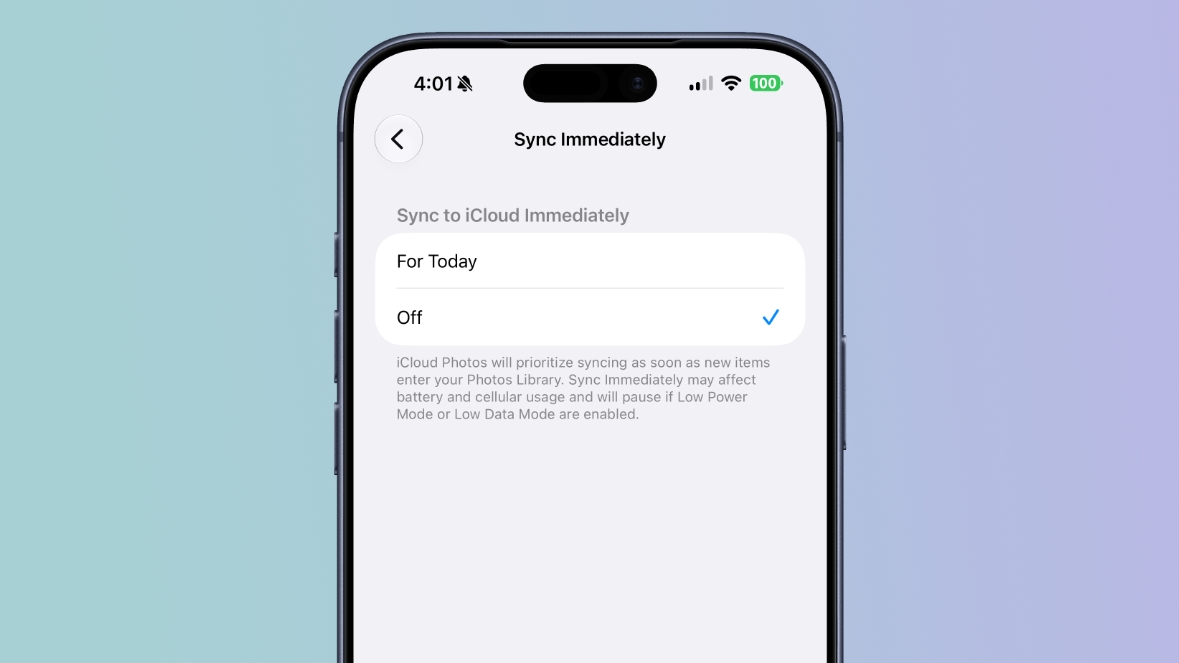
In the ‌Photos‌ section of the Settings app, there's a "Sync Immediately" option that lets you prioritize immediate ‌iCloud‌ uploads for the day.


With the setting enabled, iCloud Photos will sync as soon as new images enter the ‌Photos‌ Library instead of holding uploads to save battery.

Full-resolution photos and videos can be added to ‌iCloud‌ Shared Albums, with support for all common photo and video formats.

Other Changes


  • You can select a specific pet to use with the Photo Shuffle wallpaper.

  • Search returns more pleasing photos of people and pets in Top Results.

  • The Collections tab is faster to render.

  • New captures from the Camera app load quicker in ‌Photos‌.

  • You can include images of yourself in Photo Shuffle.

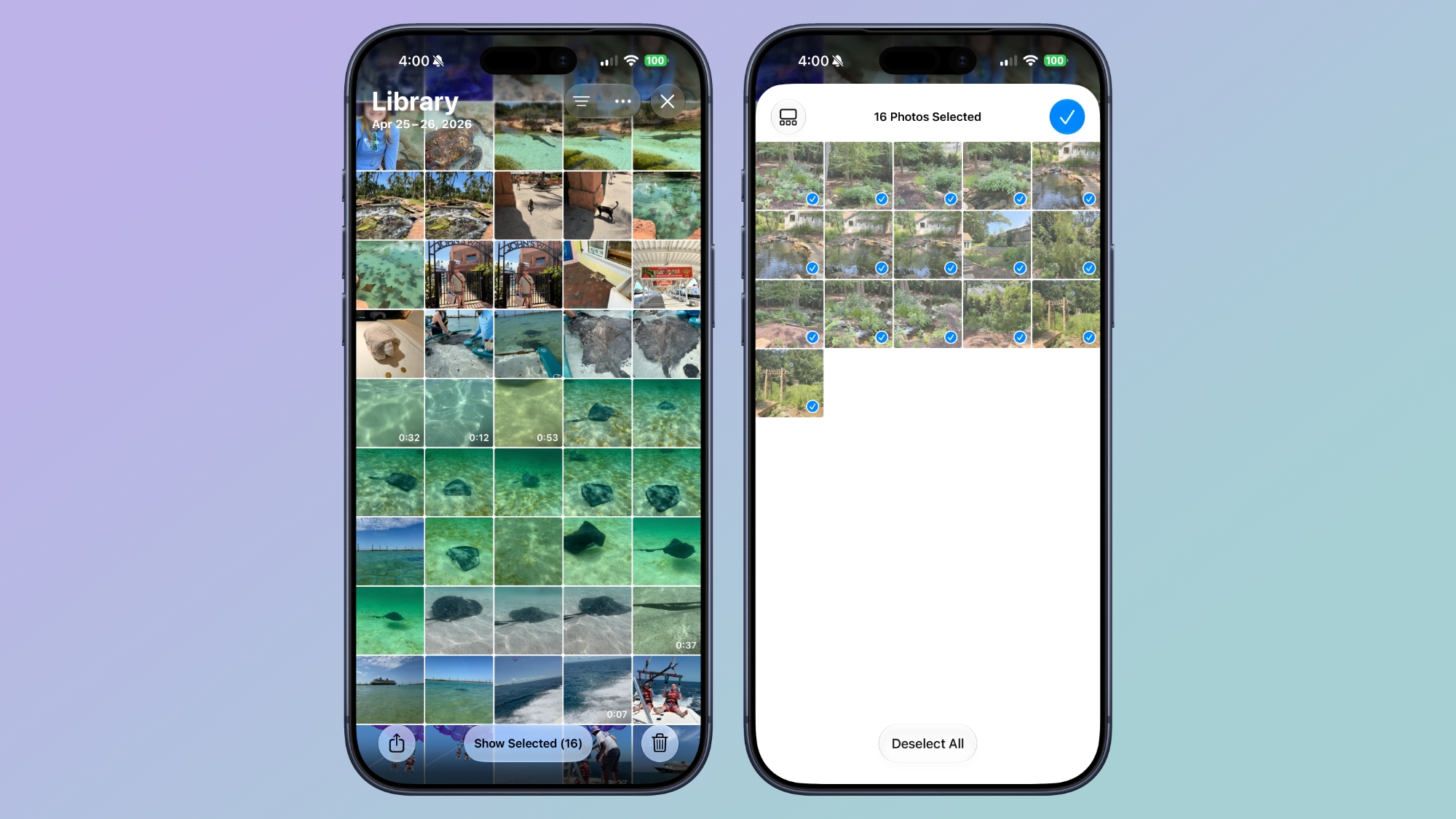
  • A "Show Selected" option in the Library shows you all of the photos you have checked so you can modify metadata.


Compatibility


The AI photo editing tools are available on devices that support ‌Apple Intelligence‌, which includes the iPhone 15 Pro and later. Performance and organizational tools are available on devices that run ‌iOS 27‌, which includes the iPhone 11 and later.
Related Roundups: iOS 27, iPadOS 27
Tag: Photos

This article, "What's New in the iOS 27 Photos App" first appeared on MacRumors.com

Discuss this article in our forums

  •  
❌