❌

Lees weergave

Python 3.15 delivers a native-by-default experience on Windows on Arm

Windows on Arm has been ready for Python development for some time. With Python 3.15, the broader ecosystem has matured significantly, with more package maintainers publishing native Arm64 wheels, allowing Windows on Arm to support mainstream Python development across a broad and growing set of workloads. A native Python experience Windows on Arm is now a Tier 2 CPython platform, backed by continuous testing and CPython’s release-quality commitments. That readiness extends beyond the runtime. Widely used packages such as NumPy, SciPy, pandas, scikit-learn, Django, and FastAPI are available, while Jupyter, VS Code, Ruff, and pytest support everyday development workflows. GitHub-hosted Windows on Arm runners also let open-source maintainers build and test their projects natively. This did not happen with a single release. Native Windows on Arm builds of CPython have been available for several versions. What changes with Python 3.15 is the maturity of the experience. Windows on Arm is now a regular CPython target; the native runtime is selected by default on Windows on Arm devices, and CPython’s Tier 2 requirements call for platform failures to be fixed or the responsible changes reverted. Package maintainers now have practical infrastructure for native Windows on Arm validation, and many widely used projects publish native Arm64 wheels. Windows on Arm is now a practical platform for many mainstream Python development scenarios. As of September 2026, a scan of the 1,000 most-downloaded PyPI projects shows about 94% of the projects’ latest releases published either a native Windows on Arm wheel or a platform-independent wheel. This measures published wheel availability, not end-to-end application compatibility. Anaconda’s main channel also includes more than 2,500 packages published for Windows on Arm. Platform readiness does not mean every Python application is automatically ready for Windows on Arm. The runtime and a broad set of mainstream development workflows are established, but application readiness still depends on the complete dependency graph, particularly when packages rely on native extensions. Developers should confirm native Arm support for their dependencies during migration and testing.

A native Python experience by default

Windows on Arm is a PEP 11 Tier 2 platform. This designation reflects a strong support commitment; the platform has reliable continuous integration and active core developers, and platform-breaking changes must be addressed promptly. Windows on Arm CI results are considered as part of CPython’s release process. This is a clear measure of how far Windows on Arm support has progressed. Installation is now simpler. With Python Install Manager 26.4, Windows on Arm devices default to the Arm64 platform, so requesting Python 3.15 selects the native Arm64 runtime unless configuration or an explicit architecture tag overrides it. Python 3.15 ships a complete set of Windows on Arm component packages alongside the x64 packages. CPython runs tests on Windows on Arm, including the standard interpreter and free-threaded configuration. These jobs run as part of the normal Windows build matrix. You can confirm the architecture of the running interpreter by launching Python and inspecting its startup banner. A native Windows on Arm interpreter includes 64-bit (ARM64) in the compiler information; an x64 interpreter includes 64-bit (AMD64). Running Python natively keeps the interpreter and native package dependencies on the same Arm64 architecture. Python on Windows on Arm Applications that still depend on x64 packages can continue to run through Windows emulation, providing a practical transition path while those dependencies add native Arm support.

An ecosystem for mainstream development

The runtime is only one part of the developer experience. A useful platform also needs packages, editors, build tools, and CI capacity. Windows on Arm now supports a broad set of Python development scenarios. PyPI and packaging. Among the 1,000 most downloaded PyPI projects about 94% are available for Windows on Arm, either as native Arm wheels or platform-independent Python wheels that work across architectures. Much of the Python ecosystem uses platform-independent wheels, while many packages with compiled extensions now publish native Windows on Arm wheels. Windows on Arm package coverage pip, venv, virtualenv, setuptools, build, and modern tools such as uv are available on the platform, either as Arm native or platform-independent. Several widely used Rust-based packages publish native Windows on Arm wheels, including pydantic-core, Ruff, orjson, tokenizers, and other widely used projects. A platform-independent top-level package can still depend on a native extension, so applications should test their complete pinned dependency graph. Scientific computing and notebooks. NumPy and SciPy now publish native Windows on Arm wheels, backed by native OpenBLAS and Fortran support. pandas, Polars, Matplotlib, scikit-learn, Pillow, h5py, statsmodels, and XGBoost have also shipped Arm64 wheels. Numba and llvmlite add native JIT compilation to the scientific and machine learning stack. These packages exercise complex compiled build systems and native numerical toolchains rather than simple platform-neutral Python code. JupyterLab, Notebook, ipykernel, pyzmq, and psutil make the local notebook experience practical with platform-independent wheels. Developers can use browser notebooks or the Jupyter experience in VS Code with a native kernel. Web, cloud, and database development. Django, Flask, FastAPI, Requests, and HTTPX publish platform-independent wheels compatible with Windows on Arm. Several cloud SDK packages like AWS Boto3, Azure Storage Blob, and Google Cloud Storage publish platform-independent wheels that can run under Windows on Arm subject to their dependencies. SQLAlchemy is platform-independent, while database support includes libpq packages in Anaconda main, Microsoft’s Arm64 ODBC Driver 18, and native Windows on Arm wheels for python-oracledb. Developer tools and native builds. VS Code, Pylance, the Python and Jupyter extensions, and JetBrains PyCharm, IntelliJ, WebStorm, and Rider have support for Windows on Arm. Ruff, Black, mypy, pytest, and coverage are available. MSVC and LLVM support native compilation, while Rust with PyO3 and maturin supports the growing set of Rust-based extensions. CMake, Meson, Ninja, vcpkg, OpenSSL, SQLite, libffi, and other common foundations are available for maintainers building binary packages. A broad and growing ecosystem

Anaconda and Conda are moving native support forward

Anaconda now publishes packages for Windows on Arm to its production main channel, which includes more than 2,500 packages for Python 3.12 through 3.14. What's available today: NumPy, SciPy, and pandas for numerical computing and data analysis, backed by native OpenBLAS; XGBoost for machine learning; llama.cpp for local model inference; cryptography for security; Flask and Django for web development; and PostgreSQL and ODBC connectivity through libpq, psycopg, psycopg2, and pyodbc. These packages are available as Windows on Arm builds.   Anaconda main also includes PyTorch 2.14 CPU packages and CUDA packages for Python 3.12 through 3.14, built using the Windows on Arm Clang and OpenBLAS toolchain. CUDA Toolkit 13.4.1, cuda-python 13.4.3, and CUDA 13.4 builds of llama.cpp are also available. "Anaconda and Microsoft share a commitment to giving developers the best possible Python experience wherever they work. Bringing Windows on Arm to maturity means data scientists and AI builders can now rely on a native, trusted stack on Arm devices and our teams are proud to have built that stack together." says Laura Sellers, Chief Product & Technology Officer, Anaconda. Beyond Anaconda's own channel, conda-forge has stood up a Windows on Arm repository and has begun an experimental Windows on Arm migration, initially focused on bootstrapping package-management and build tools.   Anaconda is working toward conda and a Windows on Arm Miniconda installer, giving developers a supported path to conda on Windows on Arm. Together, these efforts expand native Windows on Arm package coverage across Anaconda's main channel and conda-forge.  Anaconda plans to add Windows on Arm support for Kilo Desktop, helping AI developers and data researchers start working in minutes with ready-to-use environments and Python packages on Windows on Arm devices, including Surface devices.

GitHub runners for Windows on Arm

The availability of Windows on Arm runners for continuous integration has been an important enabler for this progress. GitHub Actions provides the windows-11-arm and windows-11-vs2026-arm hosted runners for eligible public and private repositories. Open-source maintainers can use these runners to compile packages and run test suites on Windows on Arm. CPython uses this runner for its own native Arm64 Windows jobs. Package projects can use the same infrastructure to produce wheels and exercise installation from a clean environment to catch architecture-specific failures before publishing. Before hosted Windows on Arm runners, projects generally needed self-hosted Arm hardware or emulation for Windows on Arm CI. GitHub-hosted runners reduce that barrier by making native build and test infrastructure available on demand. From source to a native Windows on Arm wheel GitHub-hosted runners are especially useful for open-source projects because maintainers can add native Windows on Arm CI without operating their own runner infrastructure. A native runner turns Windows on Arm support into a change that can fit into an existing build matrix. It also allows maintainers to test Windows on Arm continuously rather than relying on a one-time build. "Arm is working with industry partners including Microsoft and community organizers to expand access to native Arm infrastructure and improve upstream support," said Grant Likely, Fellow at CoreCollective and Senior Director at Arm. "Our goal is to make Arm a standard part of how developers build, test and ship software. With the latest Python release, developers can build and run Python natively on Windows on Arm, making it easier to bring their existing workflows to Arm."

Work that continues

Our next focus is broader native wheel coverage to close gaps for PyArrow, gRPC, OpenCV, and database clients. We are working closely with maintainers to close these gaps. Windows on Arm builds of PyTorch and NVIDIA CUDA components are publicly available for validation. Anaconda provides CUDA Toolkit 13.4.1 packages for Windows on Arm. Anaconda plans to add CUDA Toolkit 13.4.2 packages after the corresponding conda-forge release followed by CUDA-enabled packages, with llama.cpp and PyTorch among its first targets. ONNX Runtime publishes native Windows on Arm CPU packages, and Windows ML supports Arm64 with compatible CPU, GPU, and NPU execution providers. On supported Snapdragon devices, ONNX Runtime's QNN provider can target Qualcomm CPU, GPU, and HTP/NPU backends. AI execution paths on Windows on Arm "Developers thrive when their tools just work, which is why a strong and comprehensive Python ecosystem is so important for Snapdragon X Series platforms. Working closely with Microsoft, Anaconda, and ecosystem partners, we continue to advance native support across the Python stack, making it easier for developers to build, test, and deploy applications on Windows on Snapdragon. This further enables developers to take advantage of superior performance, power efficiency, and AI capabilities of Snapdragon powered Windows devices." says Milan Plavsich, VP, Engineering, Qualcomm Technologies, Inc.

Call to action

If you maintain a Python project, add native Windows on Arm wheel builds and tests to your GitHub Actions matrix. The GitHub Actions Windows on Arm wheel builder custom agent in awesome-copilot can help automate this work. Add the agent profile to your repository, create an issue requesting Windows on Arm support, and assign the issue to the custom agent. If you are an application developer or researcher, test your dependencies with native Python on Windows on Arm and report any gaps to the relevant package repositories. This milestone reflects sustained work across CPython, package projects, CI infrastructure, Anaconda, Arm partners, and the Windows developer ecosystem. Our thanks to Qualcomm, Arm, CoreCollective, and the many package maintainers whose work across packages, infrastructure, testing, and issue investigation helped advance native Python support on Windows Arm.
  •  

WSL containers is now generally available

WSL is central to our commitment to making Windows the best place to build, run and manage Linux workloads. As AI, cloud-native development, containers, and open-source ecosystems continue to converge on Linux, more developers are choosing to perform these workloads directly on Windows devices. We’re continuing our journey towards this goal with a new feature in WSL: WSL containers, which is generally available today. To try it out,  simply runwsl --update in your terminal or download the latest release from GitHub and you will gain access to:
  • WSL containers CLI: wslc.exe to directly build, run and deploy Linux containers on Windows, or use its built-in alias container.exe to run the same familiar container commands
  • WSL containers API: Access functions to run Linux containers programmatically in your native Windows apps – unlocking scenarios like running local AI workloads or using cloud-based containerized applications locally.
PowerShell WSL Containers Screenshot For a deeper look at how WSL containers are built, how they work with WSL, and the architecture behind the platform, see our WSL containers architecture blog. Let's get into what's new with GA.
New commands and capabilities

Since public preview, we've continued to evolve WSL containers and our focus has been on making every day container workflows simpler, improving visibility into running environments, and adding the flexibility needed to manage containers at scale. As part of the GA release, we've introduced several new commands and capabilities across container lifecycle, networking, and observability. Here are a few highlights, and you can view the full change logs on our releases page:
  • wslc container restart — restart a running container
  • wslc container cp — copy files in and out via tar archive
  • wslc system info — see the state of your container environment at a glance
  • wslc network connect and wslc network disconnect — attach and detach containers from networks
  • wslc network create now supports arbitrary network driver options
  • wslc events – Streams real time container activity
  • Container health checks are now supported
  • --stop-timeout on wslc create and wslc run, including -1 for an infinite timeout
  • --mount support during wslc create and wslc run
  • A configurable storage path for the default wslc session, so you can put your container storage on the drive you want.
Alongside new commands and platform enhancements for developers, we've also focused on helping organizations adopt WSL containers with the governance and security controls required for production environments.

Enterprise manageability for WSL containers

This release extends Microsoft Intune and Microsoft Defender for Endpoint (MDE) integrations in WSL to include container workflows as well. MDE’s existing plugin for WSL has been augmented to also include support for containers. MDE can surface process, file and network activity from WSL containers and connect that activity back to Windows host, helping security teams investigate suspicious activity without creating a separate security workflow. Microsoft Intune has also added controls to enable or disable WSL container and restrict image pulls to approved registries. Additionally, on your Intune dashboard you will see new settings specific to the WSL container feature:
  • Allow WSL containers access - Control access to the entire WSL containers feature.
  • WSL containers registry allow list - For WSL containers enterprise adoption, organizations need stronger controls over the container images that can be introduced into their environment. With container registry allow lists, administrators can define approved registries and help ensure developers only pull container images from that list, that meet organizational security and compliance requirements.
You can view the WSL enterprise doc pages to learn more on how to set up WSL for your company.

Partner and community integrations

Partners and community contributors are bringing WSL containers into the editors, terminals and desktop tools developers already use, adding support for WSLc into existing projects or creating new ones. We're grateful for the fantastic community contributions that continue to expand the ecosystem around WSL containers.
  • VS Code dev container support: Use wslc as your default driver for creating and interacting with VS Code dev containers
  • Aspire: Aspire can use WSL Containers as first-class container runtime
  • VS Code container extension: A popular extension to manage your containers in VS Code, now supports wslc.
  • Lazywslc: A TUI dashboard to manage your WSL containers
  • WSL Container Desktop: WinUI 3 desktop app for managing WSL containers, Kubernetes (k3s) and container registries.
  • WSLc remote: A short wrapper script to run wslc from within WSL distros

What's next for WSL

Over time, we see Linux on Windows evolving beyond a development environment into a strategic execution platform for AI and cloud-native workloads, participating in the same enterprise security, management, and governance frameworks as Windows. We will continue to invest in the broader WSL experience, and in context of this release wanted to highlight two WSL specific items on our roadmap.

Adding wslc compose

Our top feature request for WSLc is adding compose support, and this will be our focus for our next iterations.   Our aim is for wsl compose up to work with your existing compose.yaml files, unchanged. We’ve started on this and hope to share more soon.

WSL fundamental improvements

We are also actively investigating how to better improve some of the core platform capabilities for WSL including networking, cross-OS file performance and more. You can see some of this work today with wslc, supporting up to 2x faster performance when accessing Windows files from Linux environments, helping reduce one of the most common cross-OS bottlenecks. It also introduces the new consomme network mode, enabled for container workflows which improves networking compatibility across developer and enterprise scenarios. These foundational improvements benefit WSL distributions, WSL containers, and other container technologies built on WSL, reflecting a broader effort to make Linux on Windows feel increasingly seamless and integrated.

Building the future of Linux on Windows, together

Thank you to the developers who tested the preview, shared feedback and helped improve WSL containers.  You can file any technical issues and feature requests at the WSL GitHub repo microsoft/wsl, and you can learn more about WSL at the WSL docs. We invite you to bring your next project to WSL containers and help shape what comes next. We will continue investing in the performance, compatibility and integration that make Windows a great place to build with Linux.
  •  

Introducing the next Surface Pro 12-inch and Surface Laptop 13-inch with Snapdragon X2 Plus: Greater performance that travels light

Today at Snapdragon Summit, we introduced the next Surface Pro 12-inch and Surface Laptop 13-inch, built on the Snapdragon X2 Plus® processor, alongside the new Surface Mouse with integrated haptic feedback1. Surface Pro 12-inch and Surface Laptop 13-inch are two of our most versatile Surface devices, designed to deliver the performance and battery life people need in PCs they can comfortably carry all day. This generation brings up to 18% more efficient battery performance2, over 60% faster graphics3, and 95% faster on-device AI4 — all in the same lightweight design.

What defines Surface laptops?

Surface is hardware built to bring the best of Microsoft to life — Windows, Copilot, and Microsoft 365 experiences that make a PC feel more useful, more personal and more responsive.  That work starts long before the chip is finished. Surface engineers partner with Qualcomm Technologies, Inc. during silicon development to help make sure Snapdragon X2 is tuned for the realities of thin, light PCs: sustained performance, efficient power use, quiet thermals and responsive on-device AI.  It’s the innovation role Surface has always played: turning what’s possible in Windows into products people can hold, carry and use every day. We did it with touch, pen5, and haptics. We’re doing it now with AI on the PC. With Snapdragon X2 Series and Windows, you shouldn't have to choose where that AI runs. Supported experiences can use the device, the cloud, or both, so you get lower latency, less dependence on cloud calls and tokens, and more privacy when your data stays with you.  The result is more than a processor upgrade. Compared to previous generations, Surface Pro 12-inch and Surface Laptop 13-inch with Snapdragon X2 Plus offer: 
  • Up to 17% faster in Office productivity workloads6,7 
  • Up to 18% more efficient battery performance8  
  • More than 60% faster graphics performance2,9 
  • Up to 95% faster local AI inferencing on the NPU3,8
Peak numbers only tell part of the story. What matters is hour six — twenty tabs, a call running, something rendering — and the machine still calm and quiet in your hands.  Surface Device Showcase

Surface Pro 12-inch: big ideas start here

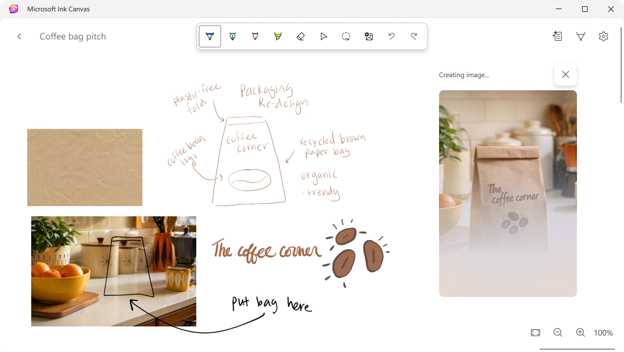
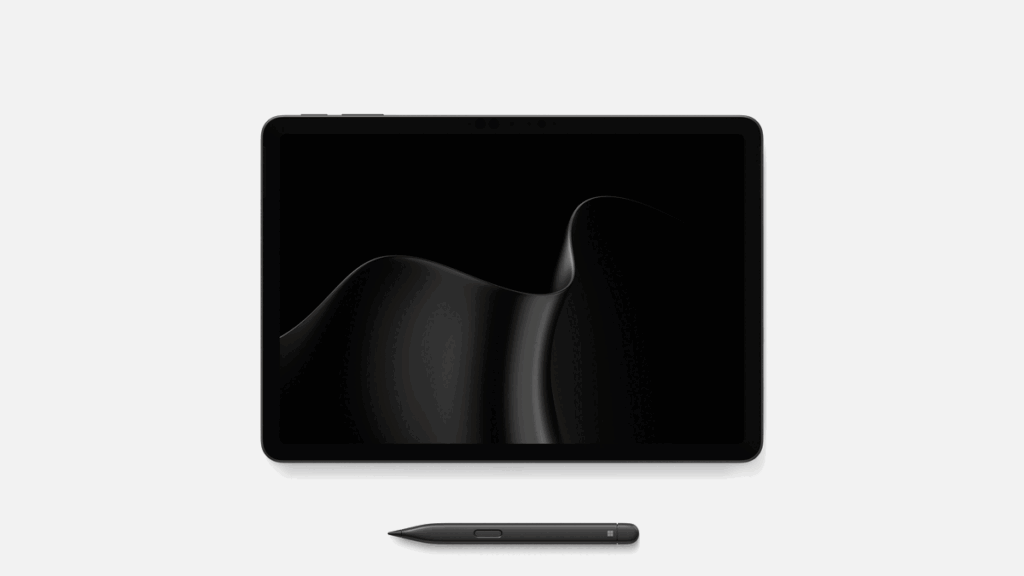
Surface Pro 12-inch is the most portable and versatile Surface Pro we make — a thin, light and fanless Windows PC that moves from tablet to laptop as quickly as your day changes. Attach Surface Pro 12-inch Keyboard to write, code or respond to email. Pick up the magnetically stored Surface Slim Pen when an idea is easier to sketch than type.5 With Snapdragon X2 Plus, Pro feels more responsive for everyday work like summarizing notes, editing photos and annotating designs, and adds an extra hour of active web browsing10. A 25% brighter, 500-nit PixelSense™ touchscreen and new Black color bring more clarity and choice11, while an enclosure made with 86% recycled content reflects the craft behind a design built for wherever work moves.12 Surface Pro 12-inch starts at $1149.99 MSRP, available starting October 13 in select markets. Microsoft Ink Canvas Surface Pro 12-inch introduces Microsoft Ink Canvas, an AI-powered, pen-first experience for sketching, annotating, generating images and summarizing text directly on the canvas. Built for the moments before an idea becomes a document or prompt, Ink Canvas lets customers use Slim Pen to express intent visually, spatially and in their own handwriting — giving Copilot richer context and helping rough thoughts become useful creations faster.5 Ink Canvas will be pre-installed on the new Pro 12-inch, and will also be available to download from the Microsoft Store on other supported Surface and Windows devices on October 13.13 Surface Laptop

Surface Laptop 13-inch: think big, travel light

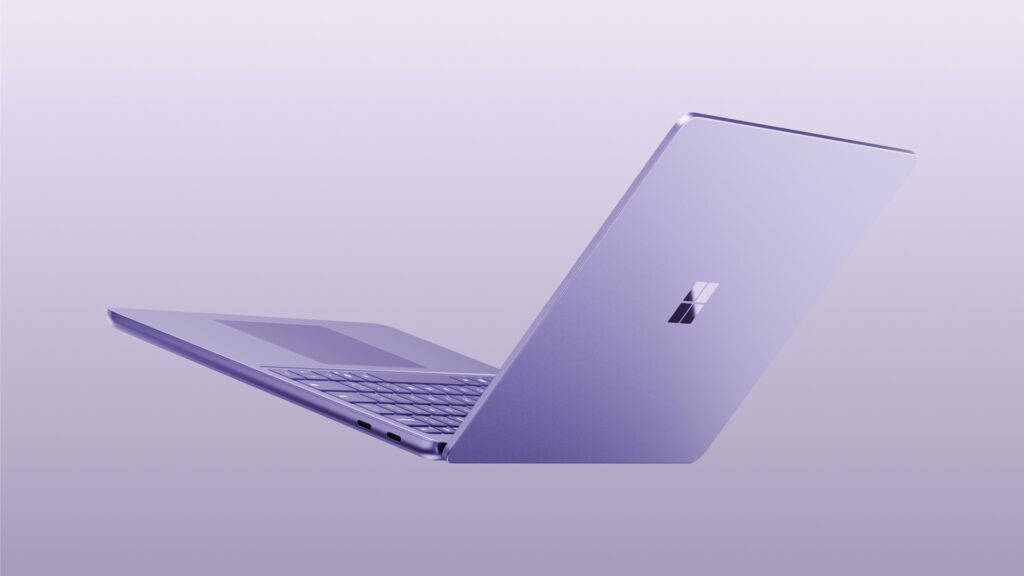
Surface Laptop 13-inch is the classic Surface laptop refined — a thin, light Windows PC built around the details that people notice every day: a full-size backlit keyboard, precision touchpad, premium aluminum body and taller 3:2 PixelSense™ touchscreen.14,16 Snapdragon X2 Plus keeps everyday experiences feeling smooth, whether you’re streaming a movie or designing a presentation. With a 25% brighter, 500-nit display, 22.5 hours of battery life15 and a new Black color9, Surface Laptop is designed to feel polished, personal and easy to carry every day. Surface Laptop 13-inch starts at $1,199 MSRP, available starting October 13th in select markets. Surface Mouse

Surface Mouse: feedback you can feel

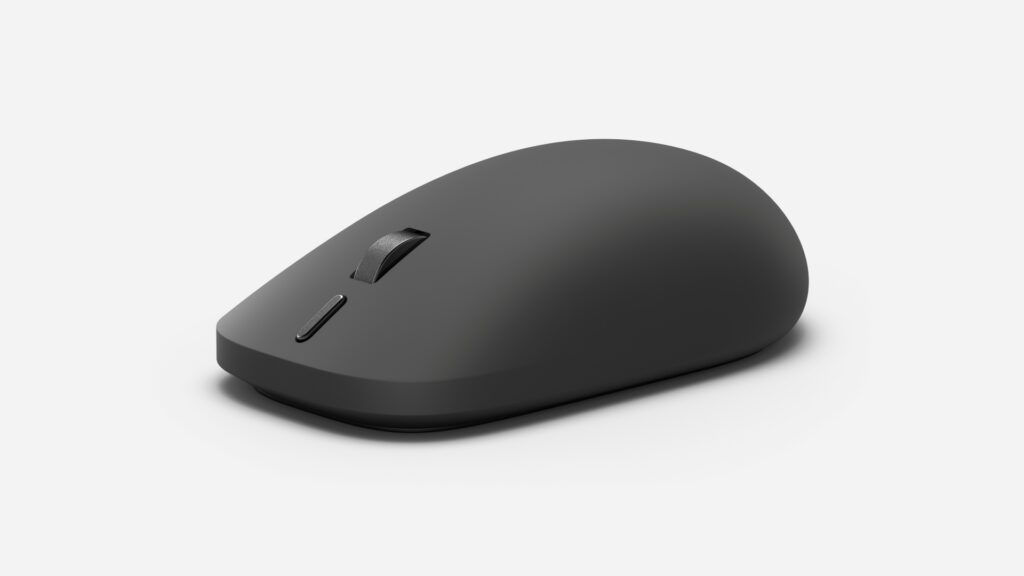
We also introduced Surface Mouse, a new mouse designed to make everyday interactions feel more precise. Its haptic feedback adds a small, purposeful physical response to the moment you usually only see on a screen: a click registering, a window snapping into place or an object aligning just right. It is subtle by design, but noticeable within seconds — and hard to give up once you have it. Surface Mouse brings a redesigned ambidextrous shape for comfortable all-day use, a customizable action button for Copilot16 and everyday shortcuts, and Bluetooth 6.0 so you can pair with multiple devices and move between them easily. It’s also made with 30% recycled content, including the most post-consumer recycled plastic of any Surface mouse.17 Surface Mouse starts at $79.99 and will be available in Black and Platinum beginning October 13th in select markets.

Built for business, ready for AI

Surface Pro 12-inch, Surface Laptop 13-inch and Surface Mouse will also be available to commercial customers through Surface for Business beginning October 13. Pro 12-inch will also offer an optional 5G configuration18 — one of the most requested additions to this form factor — helping mobile teams stay connected without relying on public Wi-Fi. Across both PCs, Snapdragon X2 Plus gives organizations a consistent foundation for supported local AI experiences.  Security and manageability are built in from chip to cloud. Microsoft-designed protections include Secured-core PC safeguards, Microsoft Pluton with TPM 2.0, and Surface UEFI built with Secure Patina Core and Project Mu open-source components available through the Open Device Partnership. Surface Tools for Business — including Surface Management Portal, Surface Support Portal, Surface IT Toolkit and Surface Repair Tool — help IT teams manage, protect, support and recover devices throughout their lifecycle.  Together, these devices extend the Surface for Business lineup with thin, light Windows PCs and accessories built for mobility, AI and modern endpoint management.

Find your next Surface at Microsoft Store

Choose Surface Pro 12-inch if you want one device that moves from tablet to laptop, with pen-first flexibility for notes, sketches and ideas in motion. Choose Surface Laptop 13-inch if you want a thin, light touchscreen laptop with a full-size keyboard built for long days and long documents.  Visit Surface.com to explore the new Surface Laptop, 13-inch (2nd edition) and Surface Pro, 12-inch (2nd edition).  When you shop at Microsoft Store, you can get: 
  • Up to $400 in additional value with an eligible device trade-in19
  • Fast, free shipping and 60-day free returns 
  • Flexible payment and financing options 
  • Expert support from Microsoft 
  • A one-year limited hardware warranty20
Surface has been shaped for more than a decade by the people who use it — architects, developers, students, creators and anyone turning an idea into something real. Together, Surface Pro 12-inch, Surface Laptop 13-inch and Surface Mouse carry that work forward with devices and accessories built for how people create, move and get things done today.
1 Snapdragon is a product of Qualcomm Technologies, Inc. and/or its subsidiaries. Snapdragon is a trademark or registered trademark of Qualcomm Incorporated. 2 Compared to Surface Pro 12-inch (1st Editon) with Snapdragon X Plus based on UL Procyon Office Productivity benchmark and power testing conducted by Microsoft. Performance varies significantly by device and with workload, settings and other factors. 3 Tested by Microsoft September 2026 using 3DMark Steel Nomad Lite benchmark comparing Surface Pro 12-inch (2nd Edition) with Snapdragon X2 Plus to Surface Pro, 12-inch (1st Edition) with Snapdragon X Plus. Performance varies by configuration. 4 Tested by Microsoft September 2026 using Procyon AI benchmark comparing Surface Pro 12-inch (2nd Edition) with Snapdragon X2 Plus to Surface Pro 12-inch (1st Edition) with Snapdragon X Plus devices. Performance varies by configuration. 5 Slim Pen and Surface Keyboard are sold separately. 6 Tested by Microsoft September 2026 using Procyon® Office Productivity Benchmark comparing Surface Pro 12-inch (2nd Edition) with Snapdragon X2 Plus with Surface Pro, 12-inch (1st Edition) with Snapdragon® X Plus devices. Performance varies by configuration. 7 Tested by Microsoft September 2026 using Procyon® Office Productivity Benchmark comparing Surface Laptop 13-inch (2nd Edition) with Snapdragon® X2 Plus with Surface Laptop, 13-inch (1st Edition) with Snapdragon® X Plus devices. Performance varies by configuration. 8 Compared to Surface Laptop 13-inch (1st Edition) with Snapdragon X Plus based on UL Procyon Office Productivity benchmark and power testing conducted by Microsoft. Performance varies significantly by device and with workload, settings and other factors. 9 Tested by Microsoft September 2026 using Procyon AI benchmark comparing Surface Laptop 13-inch (2nd Edition) with Snapdragon® X2 Plus with Surface Laptop, 13-inch (1st Edition) with Snapdragon® X Plus devices. Performance varies by configuration. 10 Based on a web browsing test. Testing conducted by Microsoft in August 2026 using preproduction software and preproduction Surface Pro with Snapdragon X2 Plus 16GB, 256GB devices. Testing consisted of full battery discharge while accessing twelve popular websites over multiple open tabs through the browser. All settings were default except screen brightness set to 150 nits with auto-brightness disabled. Wi-Fi was connected to a network. Battery life varies significantly with settings, usage, and other factors. 11 Colors available on selected models only. Available colors, sizes, finishes, and processors may vary by store, market, and configuration. 12 Device (excluding power supply) contains 3.7% recycled content, consisting of 100% recycled rare earth metals in magnets, 100% recycled tin in solder, 100% recycled copper and 100% recycled gold in the motherboard. Based on validation performed by Underwriters Laboratories, Inc. using Environmental Claim Validation Procedure (ECVP) for Recycled Content, UL ECVP-2809-2, Second Edition, dated June 2024 Recycled Content is defined in accordance with ISO 14021. 13 Microsoft Ink Canvas requires Windows 10 version 18362.0 or higher and integrated touch support. Microsoft 365 Personal, Family, Premium or Pro subscription required for AI features. AI usage limits apply. Learn more about AI credits and limits. Minimum age limits may apply for use of AI features. See Copilot Frequently asked questions. 14 Surface display has rounded corners within a standard rectangle. When measured as a standard rectangular shape the screen is 13” diagonally (actual viewable area is less). 15 For local video playback. Battery life varies significantly based on usage, settings and other factors. See aka.ms/SurfaceBatteryPerformance 16 Customization requires the Surface app on Windows. Functionality varies by operating system. 17 Contains 30.8% recycled content, consisting of post-consumer recycled plastics ranging from 9% to 50% by components, including 50% recycled plastic in the Top Case Inner, Bottom Case, Skirt, Battery Door, and Top Button Frame; 25% recycled plastic in the Battery Case and Power Pairing Button; and 9% recycled plastic in the Light Pipe. Based on validation performed by Underwriters Laboratories, Inc. using Environmental Claim Validation Procedure (ECVP) for Recycled Content, UL ECVP-2809-2, Second Edition, dated June 2024. Recycled Content is defined in accordance with ISO 14021. 18 Wi-Fi+5G Models only. Support may vary by market and carrier.   19 Offer valid with purchase with purchase of any new Surface Pro or Surface Laptop made between August 3rd, 2026 – September 30th, 2026 (the “Promotion Period”) after trade in of qualifying device where the customer submits the online trade-in claim for their used device, plus proof of purchase for new device during the Promotion Period, while supplies last. Available only in Microsoft Store online in the United States. See Microsoft Store Trade-in Program for terms, conditions, steps and requirements. 20 Without prejudice to any legal (statutory) rights to which you may be entitled under your local law, Microsoft Limited Hardware Warranty covers your device for one year from the date of original purchase from Microsoft or an authorized reseller. Restrictions apply. Please refer to Microsoft Limited Hardware Warranty & Agreement.
  •  

Build anywhere, stay in flow: How Windows 365 is redefining the developer experience

Development teams are under increasing pressure to ship software faster, even as the environments they rely on grow more complex. However, modern development has only become harder to provision and maintain with AI-assisted development, cross-platform toolchains, tighter security demands and specialized compute requirements. As a result, developers still spend too much time configuring machines, troubleshooting environment drift, and waiting for access instead of building and shipping software. Windows 365 provides secure, flexible Cloud PCs that can complement local development and give teams an easier path from access to first commit. Developers can select an environment suited to each workload while IT applies consistent identity, security, management and governance.

Five ways Windows 365 supports modern development

1. Give developers a ready-to-code, customizable environment

A ready-to-code Windows 11 developer configuration provides developers with a prepared environment from day one. Autopilot device preparation can install required applications and scripts before first sign-in, while Azure Compute Gallery integration supports standardized custom images. Planned VM customization will provide additional flexibility to configure project-specific SDKs, tools, scripts, and dependencies within enterprise guardrails.

2. Scale compute and run local AI directly on the Cloud PC

Cloud PC configurations up to 32 vCPU and GPU-enabled options give teams the right compute for memory-intensive development, graphics, AI, data and visualization workloads. Select local language models can run directly on appropriately sized Cloud PCs, providing more predictable costs while preserving access to hosted models when greater scale or performance is required. https://www.youtube.com/watch?v=M-WDKwkGuZc See how a ready-to-code Windows 365 Cloud PC uses Foundry Local and local language models to build and run an AI meeting-summary app without consuming cloud tokens. 3. Contain agent activity during development Developers increasingly use coding and autonomous agents to generate code, execute tasks and maintain long-running workflows. With Windows 365 support for Microsoft Execution Containers (MXC) becoming generally available in the coming months, customers will be able to run supported agent workloads, from coding agents such as GitHub Copilot CLI to autonomous agents such as OpenClaw on managed Cloud PCs. Process and session isolation help contain agent activity, while familiar enterprise security and governance controls allow organizations to manage these workloads with confidence.

4. Build and run enterprise agents securely

AI agent builders have different needs. As agents move from development into sustained enterprise workflows, they may require dedicated environments that operate independently from users’ devices. Windows 365 for Agents provides Microsoft Entra-joined, Microsoft Intune-managed, and policy-enforced Cloud PCs where agents can perform computer-use tasks across browsers, desktop applications, and legacy systems. New preview capabilities extend secure access to on-premises applications and help IT manage agent pools at scale.Companies such as Login VSI, WorkspaceDNA, and Simular are already building AI agents that can run on Windows 365 for Agents.

5. Protect sensitive development work

Organizations need to give developers flexibility without exposing source code or confidential data. Windows 365 works with Microsoft Entra, Microsoft Intune, and Microsoft security capabilities to apply consistent identity, access, compliance and endpoint controls. For example, context-based redirection, now in preview can restrict clipboard, drive, printer or USB redirection based on security conditions, while output protection helps safeguard on-screen information.

Why modern development needs an environment that responds to change

As development workflows evolve in the era of AI, developers need different environments based on workloads. Local devices remain essential for developers when direct hardware access, offline work, or specialized local performance matters. Pairing the latest in hardware innovation with software optimized for development helps developers build breakthrough experiences. Project Zenith offers a ready-to-code distraction-free Windows experience on developer-class devices with 64+ GB unified memory and 250+ GB/s memory bandwidth, so developers can get started. And cloud-based environments can complement local development when continuity across devices, workload isolation, flexible compute, or secure access creates a better outcome.  Developers should be able to choose the environment best suited to their work while maintaining a consistent, trusted development experience. A developer may move between coding, compute-intensive builds and testing, AI-augmented application development, and work in a secure customer environment. Each workload benefits from an environment optimized for its specific requirements.  

Windows 365 brings the right environment to developers

A modern developer environment should allow developers to begin coding on day one, support customization for specific projects and provide secure governance without limiting developer flexibility. Windows 365 brings these capabilities together in a personalized Cloud PC that developers can access through the Windows App or a browser, while their applications, code, settings and project state remain securely managed in the Microsoft Cloud.  With Windows 365, developers can start with a Windows 11 developer configuration featuring familiar tools such as Visual Studio Code, Git, GitHub Copilot CLI, Python, Node.js and Windows Subsystem for Linux with Ubuntu. Meanwhile, platform engineering and IT teams can standardize environments with reusable images and automated preparation while centrally managing identity, security, policy, monitoring, and lifecycle controls.  The result is more than a desktop in the cloud: it is a faster path from access to first commit. Customers are already seeing this balance of developer flexibility and enterprise control in practice: LSEG LogoLondon Stock Exchange Group increases developer productivity with Windows 365. “Windows 365 gives us the ability to provide different types of performance and development environments plus access to GitHub Copilot, where we’ve seen an increase in developer productivity and efficiency.” says Sandra Lee, Group Chief Information Security Officer, LSEG.Siemens LogoSiemens uses Windows 365 for scenarios that include developers who need specialized digital tools, as well as employees requiring temporary access. “In all these cases, we need a trustworthy device and a verified identity in our IT landscape—even if the access is only intended to be temporary,” says Hendrik Harder, Global Service Owner Virtual Client at Siemens. ABN AMRO logo ABN AMRO transforms the workplace for 3,500 offshore developers with Windows 365. Developers reported smoother performance, faster onboarding and more productivity, while IT teams benefited from simplified operations and scalability. “The first time I used Windows 365, I thought I was using my own laptop—the performance was that smooth,” says Peter Witmond, Product Owner Virtual Workplace at ABN AMRO.

Advancing developer experiences with Windows 365 on a unified platform 

Microsoft is bringing cloud development environments together on a single platform. With the retirement of Microsoft Dev Box, Windows 365 becomes Microsoft's strategic platform for virtualized developer environments, AI and agent workloads, and the broader workforce. While existing Dev Box customers can continue using their deployments according to the official service timeline, Windows 365 offers a broader, unified foundation for developers and organizations moving forward. Dev Box proved what developers need: environments that combine developer flexibility with enterprise control. Windows 365 carries these promises forward and extends them across developers, information workers, AI builders and agents through a shared foundation for identity, security, management, and access models. That shared foundation is what makes the next generation of developer Cloud PCs possible.​‌ 

Turning workload choice into a modern developer workflow 

With Windows 365, organizations can start with a ready-to-code environment, match compute to each workload, contain agent activity during development, provide dedicated environments for enterprise agents and apply consistent controls to protect sensitive work. Start with a scenario where setup delays, hardware constraints or security requirements slow delivery, and measure improvements in onboarding, time to first commit, support requests, or build performance. Explore Windows 365 developer resources and review the official Microsoft Dev Box guidance. 
  •  

More choice and possibility with Windows PCs at IFA

This year at IFA, I saw the Windows ecosystem doing what it does best: bringing innovation to life through products and experiences for every person, purpose, and price point. Our partners introduced new Windows PCs, spanning dependable everyday devices, beautifully crafted premium designs, new and immersive gaming systems, commercial devices designed to help organizations work securely and productively, and powerful tools for developers, creators, and AI power users. Together, these announcements demonstrated the breadth of what’s possible with a Windows PC. This matters because people are being thoughtful about when, where, and how they spend. We know that a new PC is a meaningful purchase, and that customers want to feel confident that they choose the right PC for them. They want to know that it will deliver a better experience today while continuing to meet their needs for years to come. Windows PCs from our partners give people more ways to find the right device without compromising on what matters most to them.

Innovation available today

For more than 40 years, our goal has been to put a computer on every desk and in every home. We know the PC is personal and the place you go to play, create, build, connect and learn. Some prioritize battery life and portability, while others need greater performance for gaming or creative work. And increasingly, people are also looking for useful AI experiences that are easy to use and fit seamlessly into their existing workflows. And of course, everyone needs to find the right device at the right price for them. IFA showed how our partners are meeting those different needs. The strength of Windows is choice, and the latest Windows PCs bring together modern design, stronger performance, built-in security and useful AI experiences available at different price points. For those who have been holding on to an older PC, the choice and value available today makes it a good time to find the right device.

Building the next era of the PC

IFA also demonstrated how Windows is evolving for the next era of computing. The latest OpenClaw Windows App makes it easier to configure and run AI models locally on supported NVIDIA RTX Spark Windows PCs. It builds on the secure agent-execution foundation we introduced at Microsoft Build, helping agents work within defined boundaries while taking advantage of the computing power available on the device. We are also making it easier for developers to turn ideas into reality with new ready-to-code Windows experiences for next-generation devices. By pre-installing the essential tools and pre-configuring Windows settings for development on developer class devices with 64GB+ unified memory and 250gbps memory bandwidth, developers can jump right in. Project Zenith devices enable developers to run capable coding models locally and unmetered, helping lower token costs, experiment more freely, and stay in their flow. Project Zenith shows how Windows and our ecosystem partners are bringing these innovations together to create more capable, purpose-built experiences. 

Windows at IFA 

Check out the latest announcements and activity from our partners at IFA.

Acer

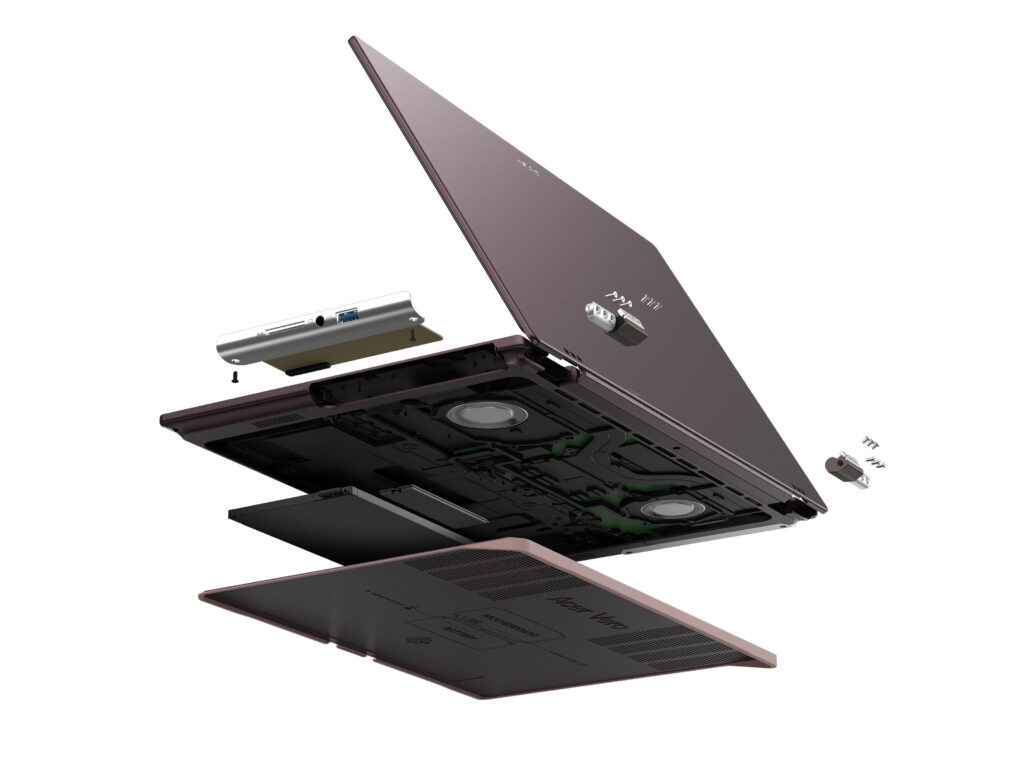
Acer launched the new Acer Vero 16 laptop, a Copilot+ PC designed to reduce waste and environmental impact throughout its lifecycle. As the fourth-generation Vero consumer laptop, the device debuts a new chassis design incorporating post-industrial recycled aluminum, low-carbon aluminum, and PCR plastic, along with greatly expanded repairability features. For uncompromising performance and all-day productivity, it is powered by Intel Core Ultra Series 3 processors with up to 180 platform TOPS.  [caption id="attachment_263915" align="alignnone" width="1024"]Acer Vero 16 Acer Vero 16[/caption] Acer’s Windows compute lineup at IFA 2026 also included the Swift Blade 14, a 799-gram ultra-lightweight laptop for ultimate mobility; the Acer SFF RTX Spark reference design powered by the NVIDIA RTX Spark superchip for the age of personal AI agents; the Acer Veriton RI110 AI Mini Workstation, a Copilot+ PC designed for agentic AI workflows; the Aspire G 3D 16 laptop, powered by the AMD Ryzen AI Max+ 395 processor and offering Acer’s naked-eye 3D technology; the Swift Air 16 laptop with a premium aluminum chassis and Intel Core Series 3 processors; the Predator Atlas 7 gaming handheld; and the refreshed Aspire S series all-in-one desktops.
ASUS

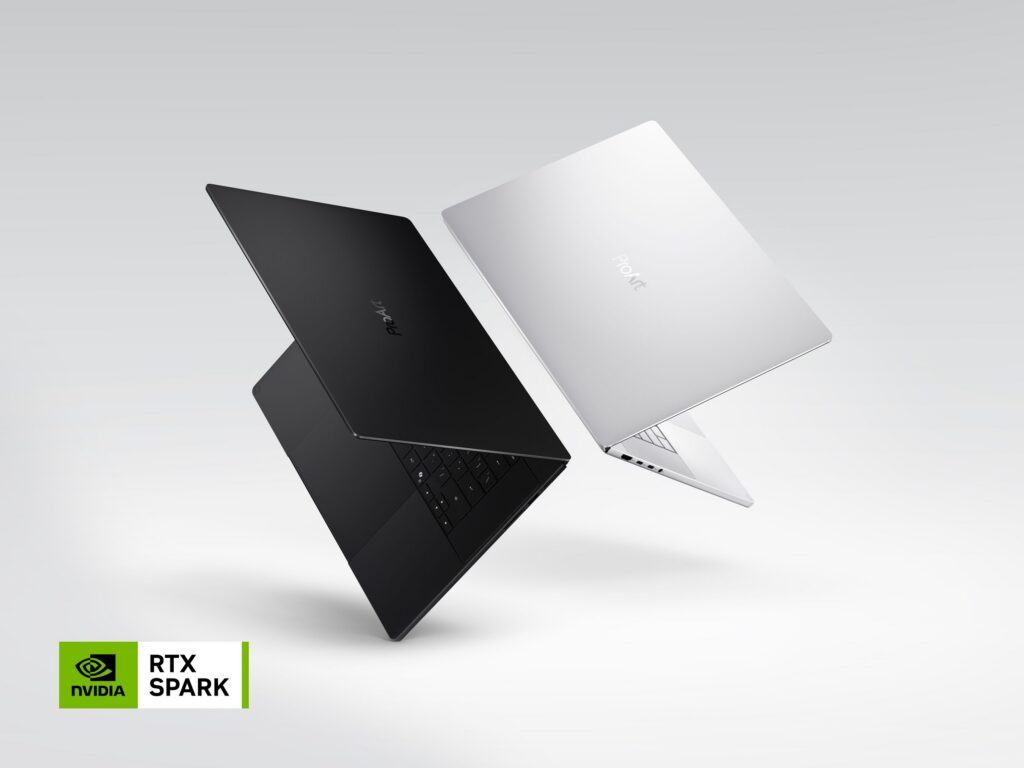
At IFA, ASUS showcased the new ProArt P16 and P14, powered by NVIDIA RTX Spark and running Windows 11. Designed for creators who need both performance and mobility, the ProArt P16 is the thinnest 16-inch RTX Spark laptop at just 12.9 mm, while the P14 is the lightest ProArt laptop ever at 1.48 kg, complemented by large 99Wh and 90Wh batteries and ASUS Lumina Pro OLED displays with up to 1,600-nit brightness and professional-grade color accuracy. The new lineup also introduces two distinctive ProArt expressions — Nano Black and Neo White — combining refined design with creator-focused functionality. ASUS brought these capabilities to life through its first global live showcase of agentic AI solutions for creators and developers, demonstrating how ProArt PCs can connect local AI, ASUS applications, and customizable workflows to transform creation, development, and production. [caption id="attachment_263917" align="alignnone" width="1024"]ProArt Laptop ProArt Laptop (Nano Black & Neo White)[/caption]
Dell

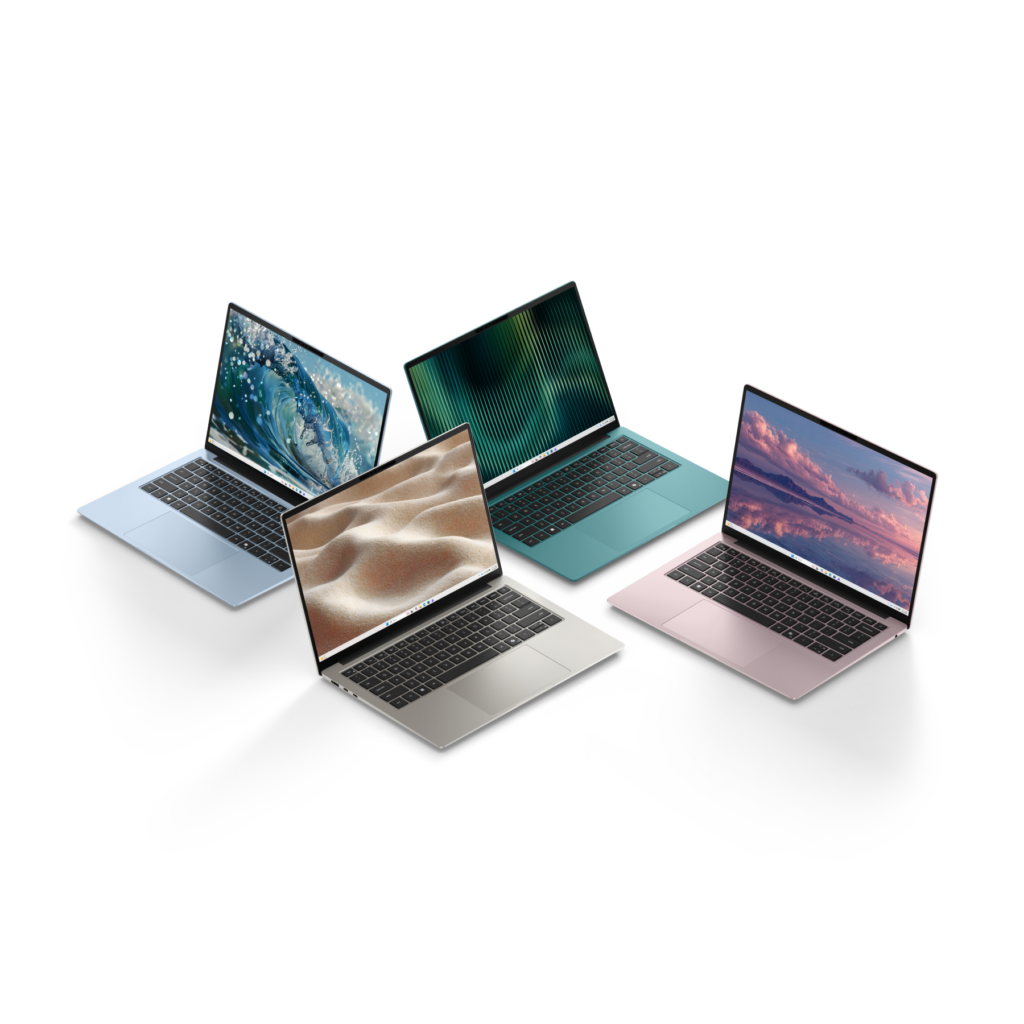
Dell introduced the new Dell 14S, a stylish, portable and dependable everyday Windows laptop built for students, young adults and anyone who wants a device that keeps up with their day. It comes in four expressive colors, Linen, Dusty Rose, Washed Denim and Velvet Green, so you can pick the one that reflects your personality and lifestyle. At just 1.15 kg and 13.5 mm thin, the refined aluminum build slips easily into a bag and travels well from class to coffee shop to couch. Two 16:10 panel options meet different priorities: a 2.8K 120Hz display for the sharpest, smoothest experience and a 2K 60Hz display for those prioritizing battery life and value. Both panel options are bright and provide vibrant, accurate colors. The Dell 14S offers up to 21 hours of Netflix streaming on a single charge1. That's enough to carry you through a full day of classes, browsing, and everything in between, no scrambling for an outlet required. [caption id="attachment_263922" align="alignnone" width="1024"]Dell 14S Laptop Dell 14S Laptop[/caption]

HP

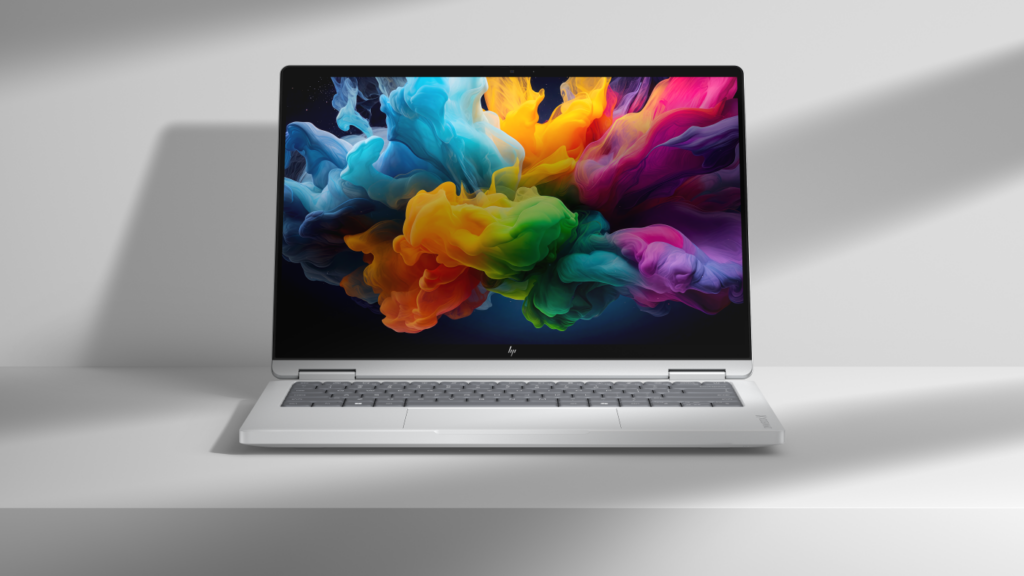
HP showcased new OmniBook PCs powered by NVIDIA RTX Spark, combining the flexibility of Windows 11 with powerful local AI capabilities. Built for developers, creators, entrepreneurs, and advanced users, the HP OmniBook Ultra 16 and HP OmniBook X 14 are designed to support intelligent assistants, emerging agentic workflows, advanced content creation, and AI application development. By bringing together premium hardware, on-device AI performance, and the Windows ecosystem, HP is helping customers move from AI experimentation to real-world productivity and creation. [caption id="attachment_263935" align="alignnone" width="1024"]HP OmniBook X 14 HP OmniBook X 14[/caption]

Lenovo

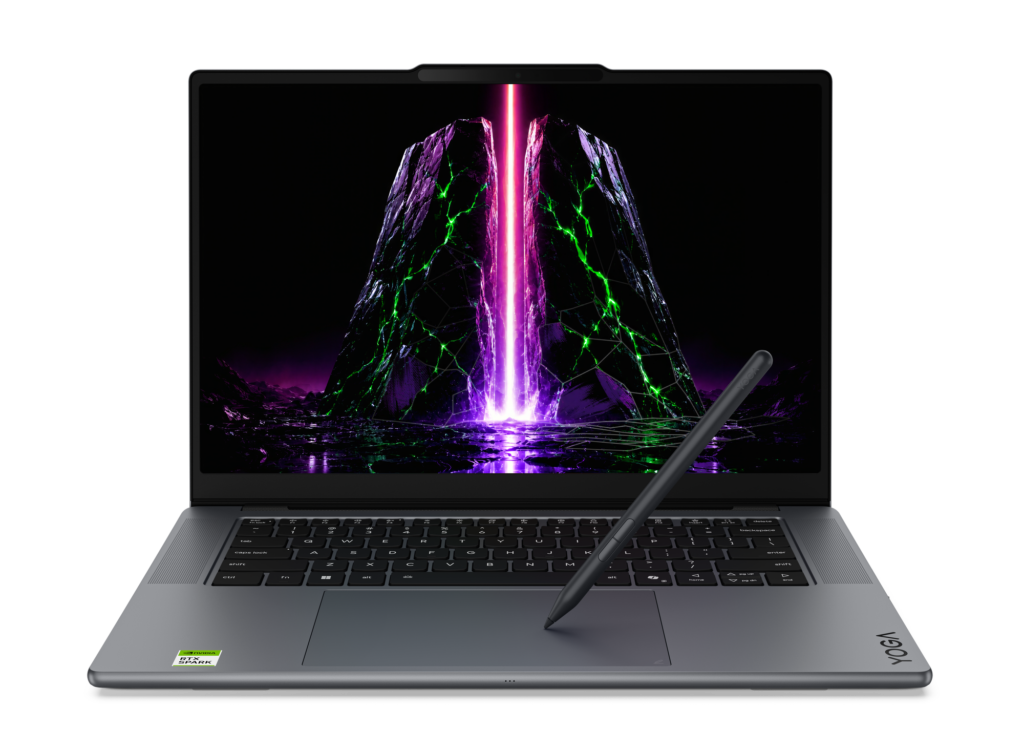
Lenovo expanded its Yoga portfolio with two premium devices powered by NVIDIA RTX Spark. The Yoga Pro 9n is built for creators and developers, supporting demanding local AI, software development, content creation, and 3D rendering with up to 128GB of unified memory. The versatile Yoga Pro 9n 2-in-1 pairs substantial local performance with a flexible convertible design and a dual-surface pen experience, allowing creators to write and draw on either the OLED display or haptic Force Pad. [caption id="attachment_263919" align="alignnone" width="1024"]Yoga Pro 9n (15”, 11) Yoga Pro 9n (15”, 11)[/caption] For students, families, and everyday users, the new IdeaPad Vibe series combines bold colors and lightweight designs with responsive performance and Copilot+ PC experiences. Available in 14- and 15-inch configurations, the lineup offers a choice of Snapdragon X or AMD Ryzen AI 400 Series processors. Lenovo also introduced the compact, cluster-ready ThinkCentre X Ultra for advanced business AI workloads, the streamlined IdeaCentre AIO i, and the ultra-slim ThinkBook 14 Gen 9 for mobile, AI-enhanced productivity. [caption id="attachment_263918" align="alignnone" width="1024"]IdeaPad Vibe IdeaPad Vibe[/caption]
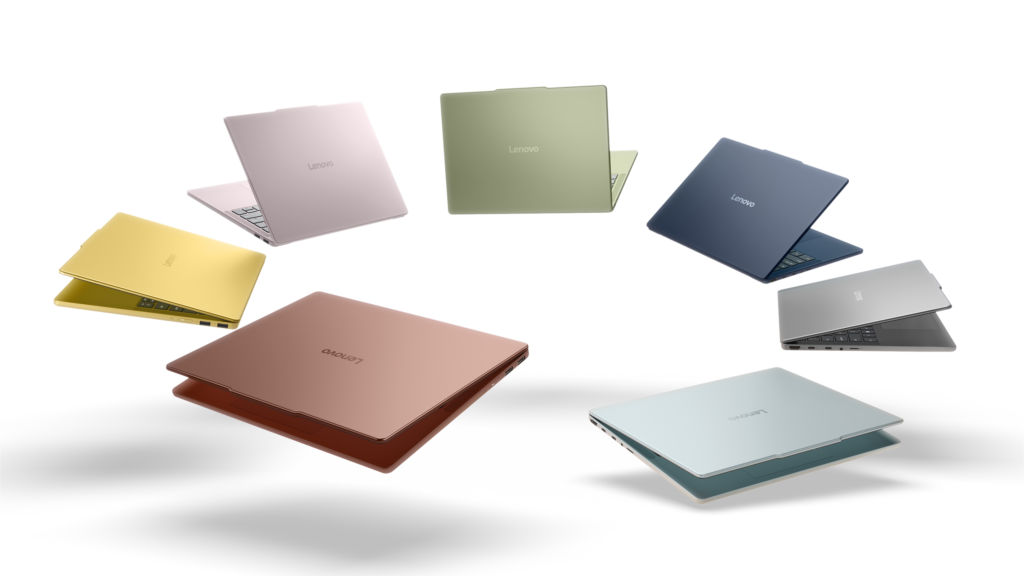
MSI

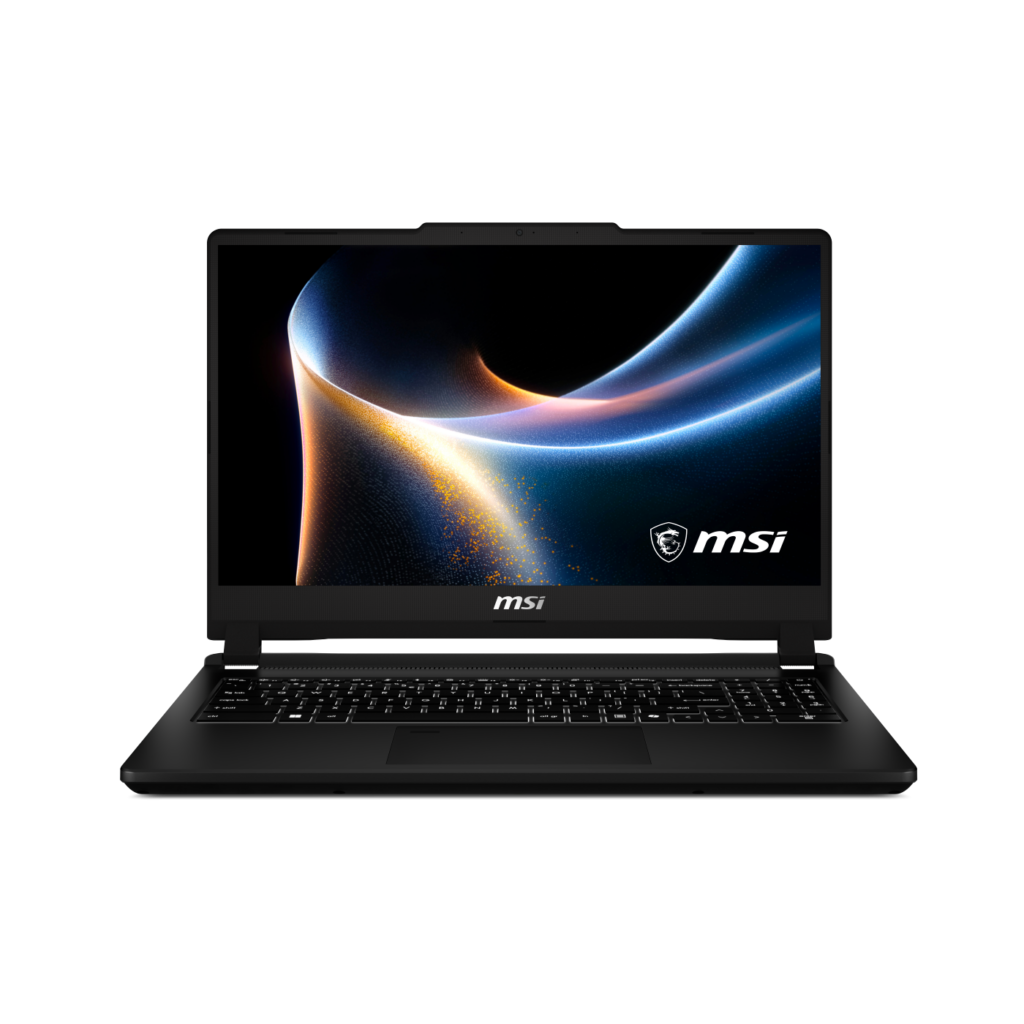
MSI announced the new Venture 15 AI+ B3M at IFA. Featuring a highly efficient Intel Core Ultra X7 358H processor, a 144Hz 100% sRGB display, comprehensive I/O connectivity, and Windows 11, the Venture 15 AI+ B3M is a versatile productivity laptop that also handles gaming needs with ease. [caption id="attachment_263921" align="alignnone" width="1024"]Venture 15 Venture 15[/caption]

AMD

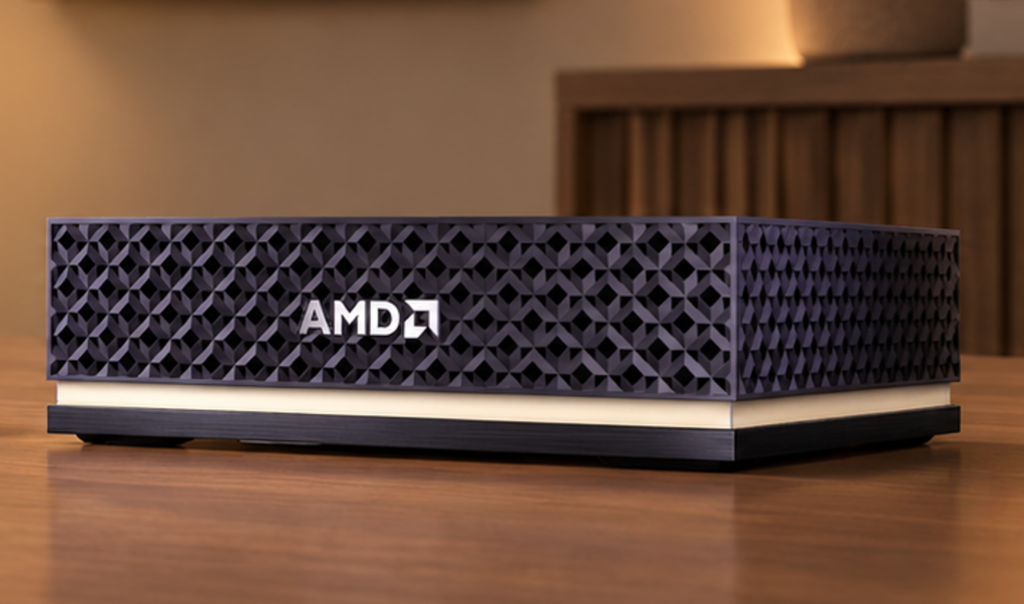
AMD Senior Vice President and General Manager Jack Huynh delivered the event’s opening keynote on "The Era of Personal AI," exploring how agentic, on-device intelligence can make technology more personal, private, and adaptive. AMD announced that Ryzen AI Halo systems will support Microsoft’s Project Zenith out of the box, providing developers with a ready-to-code Windows experience that includes Visual Studio Code, WSL, GitHub Copilot CLI, and PowerShell. AMD also previewed the Threadripper Halo Station, a prototype desktop workstation designed to bring datacenter-class AI compute to developers. New AMD-powered OEM systems announced at IFA included Acer’s Aspire G AGB110 mini-PC and Aspire G 3D 16 notebook, alongside Lenovo’s ThinkCentre X Ultra, ThinkCentre M75s Gen 6, ThinkCentre M75q Gen 6, and IdeaPad Slim 3, all powered by AMD Ryzen AI Max 400 Series processors. [caption id="attachment_263916" align="alignnone" width="1024"]AMD Ryzen AI Halo Ryzen AI Halo[/caption]

NVIDIA

This year at IFA, NVIDIA showcased how it’s accelerating local AI and new ways to make local AI agents easier and faster to run on Windows. Highlights include simplified local model setup coming in Hermes Agent, OpenClaw and Perplexity Portable Computer; inference optimizations delivering up to 1.9x faster performance; and NVIDIA PAIR, a new open-source tool that distributes AI workloads across compatible PCs. NVIDIA and its partners also announced that NVIDIA RTX Spark Windows PCs will arrive in October 2026. [caption id="attachment_263920" align="alignnone" width="1024"]NVIDIA RTX Spark Superchip NVIDIA RTX Spark Superchip[/caption]

Innovating together for what comes next

I want to thank our partners across the Windows ecosystem for the ingenuity, investment, and collaboration they bring to customers every day. IFA reflected what is possible when Windows, silicon, hardware and software innovation come together. The momentum we saw in Berlin was only the beginning. As computing becomes more personal and intelligent, our ecosystem will continue to turn new technology into practical experiences that help empower people and organizations to do more. I am excited about what we are building together and, even more importantly, about what our customers will do with it.
1. Netflix Streaming Video Playback: Dell 14S tested with Intel®  Series 3 Intel® Core™ 5 320 Processor, Intel Graphics, FHD, 8GB and 256GB SSD. Testing conducted by Dell labs in Aug 2026 with display brightness set to 150 nits and wireless enabled. Based on streaming Netflix Streaming Video Playback. Actual battery life may be significantly less than the test results and varies depending on product configuration and use, software, usage, operating conditions, power management settings and other factors. Maximum battery life will decrease with time. The stated Watt Hour (WHr) is not an indication of battery life.
  •  

Listening to families. Improving Microsoft Family.

The latest Windows Family Safety improvements are part of a broader effort to create safer, age-appropriate digital experiences for kids and families. As we’ve recently outlined, Microsoft Family has been on a focused journey to raise the quality of the everyday offering that parents and kids rely on — and that journey started by listening to you. We gathered feedback from families and let it guide our priorities, month after month.   The result is a steady stream of meaningful fixes we continue to iterate on:  
  • Parental approvals for offerings like screen-time extensions, app access, and purchases now happen faster, so kids aren’t left waiting and parents stay in control.
  • We restored clear visibility into web and app activity so parents can trust what they see in their reports.
  • Made spending more transparent, with wallet balances.
  • We also gave adults in a family more control over their own experience, making it far easier to add, manage, or leave a family group 
We know these areas have presented pain points, and while we've made progress, we know some of you may still run into issues. We're continuing to improve and will continue to listen to your feedback as we improve the experience.  

Parental control: Faster and reliable approval flows 

Parents and children may have experienced inconsistent and noticeable delays while approving children requests such as app access, screen time extensions, and purchase approvals. During these delays, children are unable to access the requested content or continue their activities, while parents are left uncertain whether their approval has been received and applied.  Parental approvals for app access, screen time extensions, and purchases now happen faster than before, reducing wait times and frustration for parents and kids alike.  

Activity reporting: full app coverage 

Some parents noticed that certain apps were missing from activity reports, making it difficult to fully understand how their child was using their device. Activity reporting now includes broader app coverage across all applications used on a child's PC, providing a more complete and trustworthy view. Additional improvements to usage time accuracy are also on the way.  Both parent and children will have the broader view of apps used and time spend.  

Family funding balance after top-up 

Family funding balance was not reflecting proper updated balance but now this issue has been addressed, and parents can now easily manage the funds for their children.   Family Safety Spending Each of these improvements came from a real family experience — from issues parents told us mattered most: speed, accuracy, control, transparency, and peace of mind.  This is the compounding effect of a team that treats every piece of customer feedback as a commitment to do better. Thank you to every parent who shared their voice; you’ve shaped this product, and we’re just getting started.  All of the above fixes are available in the latest versions of the Family Safety mobile app both iOS and Android are available. You can also access Family Safety on the web by visiting: https://account.microsoft.com/family/  

What’s next 

We also know the journey is not over. While we have made important progress, some families may still run into issues, and we want to hear about them.  If something is not working the way you expect, please reach out to us at familysafetyfeedback@microsoft.com. That inbox is more than a contact point — it is an open invitation from our team to yours. Your feedback helps us understand what families are facing today so we can fix issues at the earliest and keep improving.  Thank you to every parent who shared their voice. You have shaped this product, and you will continue to shape what comes next.  We have been listening. We have been fixing. And we will keep going.
  •  

Helping families and educators support safer experiences and healthier habits on Windows

Our children and teens are growing up in a digital world where apps, games, and AI-powered tools are part of how they learn, play, create, and connect. For parents and educators, that brings both opportunity and responsibility: digital experiences should help young people explore with confidence while supporting their wellbeing, building healthy habits, respecting their privacy, and providing protections that are appropriate for their age.  At Microsoft, we believe safety should be easier for families to understand and easier for developers to build into experiences for children to use. On Windows, that starts with the account. Microsoft account is a trusted foundation through which Windows brings age-appropriate protections and parental choices into more of the digital experiences encountered by children and teens every day. A child’s account should help unlock safer, more age-appropriate experiences wherever they use Windows. This is the first in a series of posts on family safety on Windows. Over the coming months I’ll share what we're building — in the account, in the platform, and in the tools we provide to parents, educators, and developers. As Pavan recently shared, Family is a key focus area in our commitment to improving Windows quality. We'll build in the open: shipping new capabilities, listening closely to what families tell us, and refining as we learn. 

From account to safer experiences 

Every experience on Windows starts with identity, and for consumers, that foundation is the Microsoft account (MSA).  MSA enables Windows to understand key context about the user in a consistent and privacy-conscious way: 
  • Whether the user is a child, teen, or adult 
  • Whether parental controls or consent apply 
  • Whether age verification has been completed 
This creates a simple, scalable model:  User account → age signal → age-appropriate experience and controls  Because this foundation is tied to the account, protections are designed to follow the user across Windows and apps, creating safer experiences consistently, not just in individual features. This enables product experiences to support a user’s stage of life. Protections are matched to children, teens, and adults. 

Extending safety across the ecosystem with the Windows Age APIs 

As experiences expand across apps, services, and AI, one challenge becomes clear: how can these experiences consistently understand and respect a user’s age?  To address this, Windows is introducing a new platform capability: the Windows Age API.  This API brings age awareness beyond the operating system by making it available across the entire Windows ecosystem so that apps and services can deliver age-appropriate experiences using the same trusted foundation. By making age awareness available as a platform capability, Windows helps developers build safeguards into experiences from the start rather than placing the burden on children and families to manage protections app by app.  The Windows Age API offers the following capabilities: 
  • GetUserAgeRangeAsync: Provides non-personally identifiable age group categories for apps to utilize in providing safe and age-appropriate user experiences, while protecting the date of birth data and overall privacy of users. Age groupings available via the API include- under 10, 10-12, 13-15, 16-17, 18+.
  • GetAgeVerificationStatusAsync: Provides verified age status for scenarios when self-reported age is not sufficient.
  • CheckAgeStatusAsync: Extends the functionality of the legacy CheckUserAgeConsentGroupAsync API to offer child, minor, or adult classification globally and as defined by regional policies.
These signals are designed to protect privacy: 
  • Apps receive only the age-related signal needed for the experience and not sensitive personal data such as full date of birth
  • Users remain in control through consent and platform-level controls
  • Age information is handled consistently at the platform level to reduce unnecessary sharing and fragmentation 
This enables a new level of consistency across Windows experiences. Apps can recognize when a user is under a certain age and adjust features accordingly, helping create safer, more appropriate interactions without requiring manual setup. This platform approach also helps make protections more consistent and accessible, so safer experiences do not depend on whether a family discovers or configures controls in each individual app.  Just as importantly, this extends to emerging experiences, including AI, where applying age-appropriate safeguards is increasingly important as innovation continues to evolve.  By making this a platform capability, Windows drives safety which is built-in and available across apps, services, and new scenarios.   For more details, including developer guidance, check out the Windows Age API documentation found at https://aka.ms/windows-age-api. 

Building toward high-confidence age assurance 

In many cases, understanding age is not enough. Increasingly, certain experiences require high confidence that a user is an adult.  To support this, Microsoft is expanding age assurance through the Microsoft account using Microsoft Age Verification (MAV), a centralized platform that enables users to verify their age once and use that status across Microsoft experiences. Developers can access this verified status through Windows Age APIs.   Age verification is already available in Microsoft Storefronts in Singapore, Brazil, and Australia. As more regions around the world expand regulatory requirements for age verification, Microsoft will add support for those geographies and product scenarios.  MAV creates a simple, consistent model:  Verify once → use everywhere  Verified status is stored with the Microsoft account and can be used across Windows and apps to enable appropriate experiences, helping reduce friction while improving safety.  

Making safety clearer from the start 

We’re also improving how parental controls are surfaced during device setup, so families can more easily understand available protections and make informed choices from the very beginning.  In regions such as France and others, Windows is raising the visibility of parental controls and consent experiences during setup, designed to increase awareness of the available offerings and enabling early application by parents.   Image of Family Safety built into Windows

Family Safety and Parental Controls 

With Family Safety built into Windows, parents can set up a child's device and manage screen time, apps, and content in one place. Over the past six months, we’ve focused on making those everyday moments more dependable – faster parental approvals, clearer activity reporting, and more overall control – guided by what parents told us mattered most. You can read more about what’s improved and what’s coming next here: Listening to families. Improving Microsoft Family. 

Raising the bar for digital safety 

Digital safety must be built into the platform—not added on later.  With Microsoft account as the foundation, and with investments like the Windows Age API expanded age assurance, and available parental controls, Windows is working to support a safer digital environment that is also age-appropriate, privacy-conscious, and easier for families to navigate.  Our goal is to help create experiences where safety, privacy, and participation can work together across the Windows ecosystem. 

Availability 

The Windows Age APIs are broadly available to Windows Insiders now and will be available to all Windows users soon. The CheckAgeStatusAsync API will be available with a future update.
  •  

Announcing Project Zenith: The ready-to-code Windows experience on developer-class devices

Breakthroughs in computing become real through the experiences developers create. Our goal is to have Windows be the best platform for developers. That means pairing the latest in hardware innovation with software optimized for development. At Build 2026, we introduced a developer-optimized Windows 11 experience to build and ship faster and shared how Windows is becoming the open platform for secure agentic experiences. Today, we're taking the next step with Project Zenith, a ready-to-code distraction-free Windows experience on developer-class devices with 64 GB+ unified memory and 250+ GB/s memory bandwidth, so developers can jump right in. Project Zenith will first become available with AMD’s Ryzen AI Halo, with more devices from our OEM and silicon partners available in the coming months. Project Zenith devices come with a preconfigured Windows setup for development, and a set of tools curated for what developers reach first.  On these devices, developers can run 30B+ parameter models locally and unmetered - accelerating experimentation while helping reduce reliance on metered cloud tokens. Project Zenith represents Windows at its best - listening to developers, responding with purpose and working across our ecosystem to raise the bar for what a developer PC can be.

Improving the baseline Windows 11 experience

Since the beginning of this year, we’ve been dedicated to making Windows 11 more performant, reliable and refined across day-to-day experiences. From Search to File Explorer, and everyday memory usage, Windows is becoming faster, calmer, and more polished with more control over the experiences you care about most. Project Zenith devices will benefit from all these improvements, while delivering an optimized developer environment you’ve been asking for.

Ready to code out of the box

Project Zenith comes with a set of pre-installed tools spanning languages and runtimes, source control, and productivity tools. Windows Terminal and Visual Studio Code are pinned to the Taskbar by default, putting your favorite tools within immediate reach. Chart showing pre-installed tools We’ve also pre-configured Windows Settings for coding across File Explorer, Search, Start, and the Taskbar. File Explorer shows file extensions, hidden files, the full path in the title bar, and the details pane, with long-path support enabled. Recently used files and folders and sync provider tips are turned off for a cleaner workspace. In Search and Start, Command Palette is enabled, while Start menu tips and account notifications are turned off to reduce distractions. Windows Subsystem for Linux (WSL) has become foundational for running Linux workloads on Windows. Last year we open-sourced WSL. Building on that momentum at Build 2026, we integrated WSL more deeply into Windows with WSL containers to provide a built-in way to create, run, and interact with Linux containers directly on Windows. Together, with Project Zenith, these choices create a calm, and meaningful starting point for development. Project Zenith is not about prescribing a single workflow. You can continue to configure, extend, and personalize your environment around the tools, languages, and frameworks you prefer. It is about beginning from a better baseline, shaped by the settings and tools developers reach for first, so a new device works with you to accelerate your workflows.

Secure platform for agents on developer-class hardware

We’re entering a new era of software development. Agentic applications are becoming more common, and developers need a secure foundation for building and running them. At Build 2026, we shared how Windows is evolving to provide exactly that – combining OS-enforced identity, containment with Microsoft Execution Containers (MXC), and enterprise-grade manageability for agents.  Project Zenith devices will benefit from these platform investments from day one, providing a secure environment for developing and running agents. As AI models become more powerful, agentic coding workflows demand continuous compute. By shifting some of that intelligence to the edge, we are achieving token economics and transforming the developer experience: frontier models tackle frontier problems, while everything else runs locally at scale. With 64 GB+ of unified memory and 250 GB/s+ of memory bandwidth, Project Zenith devices enable developers to run capable coding models locally and unmetered, helping lower token costs.

Project Zenith is just the beginning

Over the past year, we have continued to evolve Windows around how development happens today. From WSL and Windows Developer Configurations to Intelligent Terminal and expanded on-device AI capabilities, each investment is focused on helping developers stay in control and build faster.  Project Zenith brings together the work happening across the Windows platform into a tailored experience on new developer-class PCs. Project Zenith also reflects how Windows moves forward with our ecosystem. By working with our OEM partners, we give developers choice across devices and performance tiers while preserving the ready-to-code experience. The hardware may vary, but the developer promise is consistent - powerful for modern development, thoughtfully configured and ready for developers from the start. Project Zenith is the result of listening to developers about what they need from Windows today, and where they want the platform to go next. As AI continues to transform software development, we are committed to evolving Windows alongside the community that builds on it. We are excited to see what you will build, making Windows the platform where the next generation of applications, agents, and AI experiences come to life.
  •  

Expanding the Windows on Arm app ecosystem across key workloads

In a significant milestone for the platform, Microsoft and NVIDIA recently announced NVIDIA RTX Spark. These new devices are the most powerful and efficient, thin-and-light Windows PC ever, built with the Arm architecture. In the fall of 2026, devices from Microsoft Surface, ASUS, Dell, HP, Lenovo, and MSI will be available. NVIDIA's entry into the Windows on Arm silicon family joins the Qualcomm Snapdragon X series of chipsets that have already established Windows on Arm as the premium experience across Microsoft Surface Copilot+ PCs. The market is sending a clear signal: more silicon providers and more OEM partners are investing in Windows on Arm because customer demand is growing for these powerful and efficient Windows devices and experiences.   Alongside the expanding PC landscape, the Windows app ecosystem continues to grow rapidly. As powerful Arm-based devices reach more customers, this motivates developers to build and optimize for the platform. Consequently, as the app catalog grows, customers have even more reason to choose Windows on Arm hardware. That virtuous cycle is now clearly in motion. The app catalog growth is evident in the Works on Windows on Arm site. This site catalogs over 7000 verified apps and games available for Windows on Arm and is built with compatibility data from Microsoft. Given the breadth of Arm-capable hardware available from multiple silicon providers and the depth of the app catalog, Windows on Arm has become a first-class platform for any workload.   App Assure, Microsoft's app compatibility program, with its dedicated Arm Advisory Service, continues to expand the Windows on Arm ecosystem. We continue working side by side with a diverse set of software development companies to bring their apps to the Windows on Arm catalog, ensuring that no customer is left behind. The goal of this blog is to share App Assure's latest progress report: a roundup of some of the most notable new additions to the Windows on Arm app portfolio since our previous update. 

STEM and education apps

This is a rapidly expanding category that demands its own section. Science, Technology, Engineering, and Mathematics (STEM) as well as education tools all play a critical role in how people learn in classrooms, research environments, or via independent study. As Windows on Arm devices become more prevalent, developers in this space now recognize the opportunity to reach learners and professionals who value portable, power-efficient devices without sacrificing performance. The growing number of STEM and education apps now available reflects increasing investment aligned with these needs and the growing adoption of Windows on Arm devices by educational customers. [caption id="attachment_57881" align="alignnone" width="931"]Chart showing recent STEM and education apps available on Windows on Arm devices Recent STEM and education apps available on Windows on Arm devices[/caption]

Security apps

Security remains foundational for Windows customers, and it spans far more than a single tool or workload. Modern environments require layered protection across endpoints, consistent device management, and secure connectivity, especially as work increasingly happens across hybrid, mobile, and distributed environments.  Arm-based devices are designed with security at the core, integrating hardware, firmware, and software protections to help defend against modern threats. In addition to the built-in security features, strong support for Windows on Arm in endpoint protection, endpoint management, VPN and Zero Trust solutions helps ensure that customers can adopt these devices without compromising their security posture.   Our previous update showcased well-known apps from companies including Norton, CrowdStrike, and McAfee in the Endpoint Protection space; VMware, Beyond Trust, and Cisco in the Endpoint Management space; and Nord, Zscaler, and Palo Alto Networks in the VPN and Zero Trust space. The continued expansion of the Windows on Arm security app ecosystem, as seen below, highlights how software vendors are aligning with customer expectations for secure, manageable Arm‑based deployments. [caption id="attachment_57875" align="alignnone" width="967"]Recent security apps available on Windows on Arm devices Recent security apps available on Windows on Arm devices[/caption]

Productivity apps

Productivity apps remain the cornerstone of how people get work done on Windows. Whether managing projects, collaborating with teammates, organizing information, or communicating across teams, these apps are essential to our customers’ daily work. The growing list of productivity apps now available reflects both customer demand and increasing momentum from developers building with Arm as a first-class Windows platform. The new apps listed below join those previously announced from industry leaders such as Google, Adobe, Slack, Trello, and Dropbox. [caption id="attachment_57868" align="alignnone" width="1024"]Chart of recent productivity applications available on Windows on Arm devices Recent productivity apps available on Windows on Arm devices[/caption]

Creativity, social media and entertainment apps

Windows devices are as important for work as they are for expression, connection and entertainment. From creative tools to social platforms and media experiences, these apps enable users to create, share and unwind throughout their day. Developers continue to bring rich, engaging experiences to Arm-based devices, ensuring users don’t have to choose between productivity and creativity. Our previous update saw brands such as Camtasia, Blender and Figma release Arm apps. Below are the latest additions. [caption id="attachment_57869" align="alignnone" width="1368"]Chart of recent creativity, social media and entertainment applications available on Windows on Arm devices Recent creativity, social media and entertainment apps available on Windows on Arm devices[/caption] The takeaway is clear: Windows on Arm is no longer defined by potential, but by a rapidly expanding ecosystem of devices with apps available across workloads that customers depend on most. As developers continue to invest in Arm-native experiences and compatibility, customers gain more choices, flexibility, and confidence in adopting the next generation of Windows devices. As the ecosystem continues to expand, the Microsoft App Assure team is ready to assist software developers interested in bringing their apps to Windows on Arm. Through our Arm Advisory Service, we offer expert guidance, technical workshops, code samples, and an escalation path to Microsoft engineers ready to assist with software development. Reach out to us here to learn more. Finally, don’t forget to bookmark https://worksonwoa.com/ for a comprehensive and continuously updated list of all the apps available on Windows on Arm devices.

Reading and resources on the expanding Windows on Arm ecosystem

  •  
❌