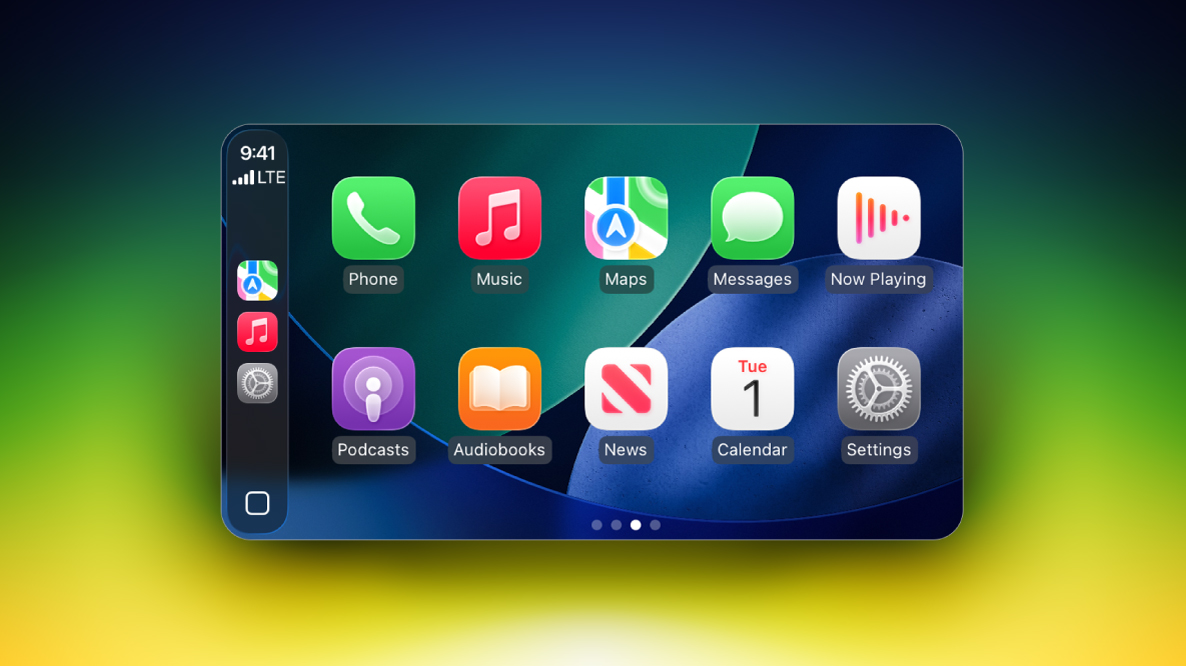
Recent reports claiming that General Motors is reversing course on its controversial plans to ditch CarPlay in its future EVs appear to be incorrect.
As noted by Joanna Stern, host of the YouTube channel New Things, a GM spokesperson has confirmed that its new software interface that shows CarPlay or Android Auto alongside its own native system in 2027 models of its Chevrolet Silverado and GMC Sierra is specific to the gas-powered versions of those pickup trucks.
GM previously stated that CarPlay and Android Auto would continue to be offered in its new gas-powered vehicles for the "foreseeable future," so the 2027 models of those trucks still supporting those platforms is not a change of course.
There is one more wrinkle in that GM's all-electric 2027 Cadillac LYRIQ supports CarPlay and Android Auto still — it is unclear if the Lyriq will always be an exception or if it will simply be one of GM's final EVs to ever support phone mirroring systems. Overall, though, GM continues to insist that its future EVs will not offer CarPlay.
All in all, GM really wants you to know that it is committed to ditching the extremely popular feature that you probably want in your next EV.
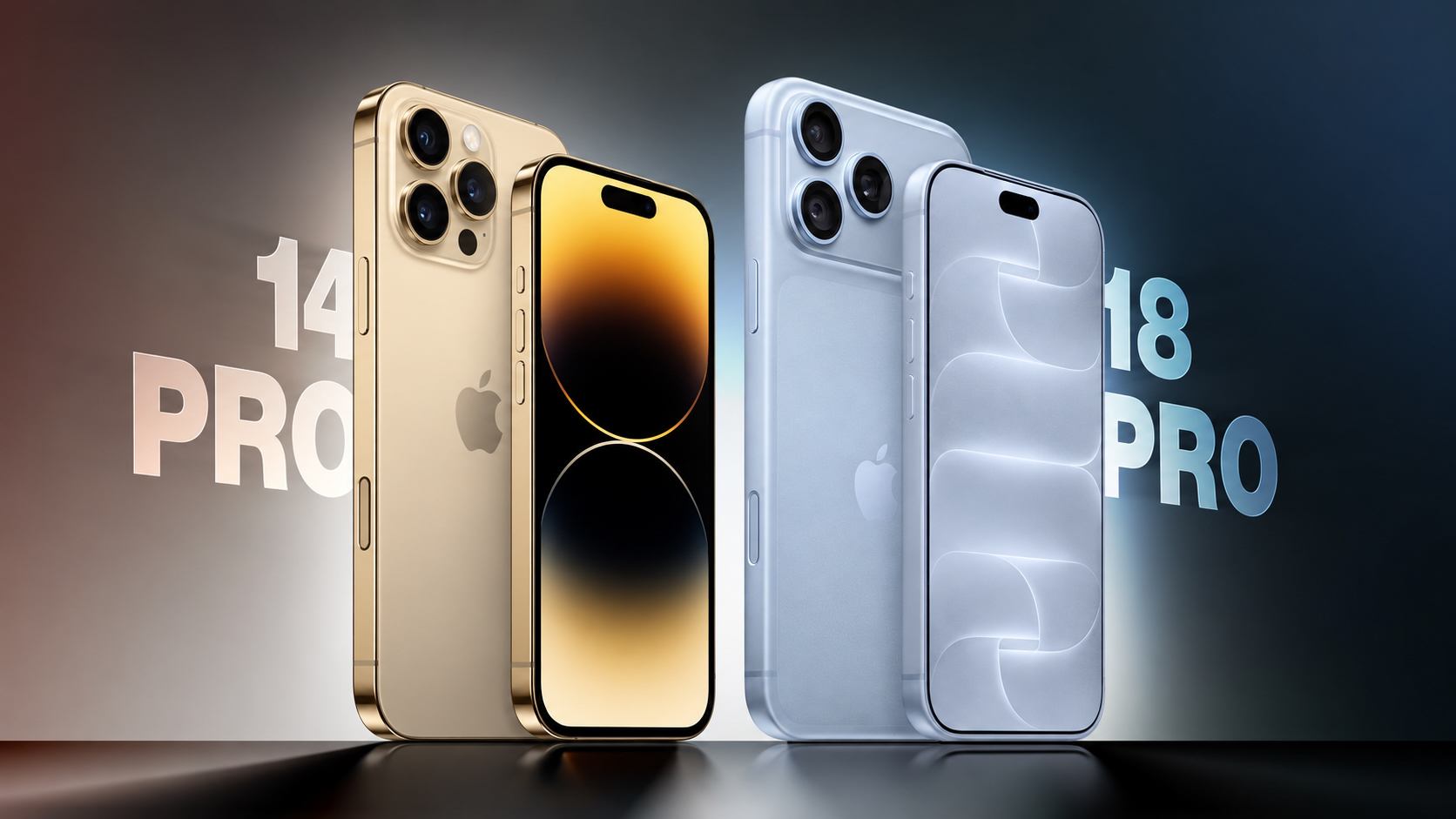
Apple announced the iPhone 18 Pro and iPhone 18 Pro Max earlier this month, arriving four years after the iPhone 14 Pro and iPhone 14 Pro Max.
Four generations of changes make for a substantial upgrade, bringing larger displays, an all-new design, improvements to every camera, significantly longer battery life, faster charging, USB-C connectivity, and support for Apple Intelligence.
The iPhone 15 Pro replaced the stainless steel frame with titanium, introduced the Action button and USB-C port, and added the A17 Pro chip. The iPhone 16 Pro introduced larger displays with thinner borders, the Camera Control, a 48-megapixel Ultra Wide camera, and improved video and audio recording. The iPhone 17 Pro replaced the titanium frame and glass back with an aluminum unibody, added vapor chamber cooling and Ceramic Shield 2, and upgraded both the telephoto and front-facing cameras. This year's refresh centers on the A20 Pro chip, a variable-aperture Main camera, a smaller Dynamic Island, and a further increase in battery capacity. For iPhone 14 Pro owners, all four sets of changes accumulate.
The iPhone 18 Pro starts at $1,199 for 256GB, $200 more than the iPhone 14 Pro's $999 launch price, although the entry storage tier has doubled from 128GB. The iPhone 18 Pro Max starts at $1,299, also $200 more than the iPhone 14 Pro Max's $1,099 launch price, with the same increase in base storage. Here are the key differences between the iPhone 14 Pro and iPhone 18 Pro:
Design and Display
iPhone 14 Pro (2022)
iPhone 18 Pro (2026)
Stainless steel frame with squared-off edges and full glass back
Aluminum unibody with partial Ceramic Shield back, improving heat dissipation
Glass rounded square camera bump
Full-width rounded rectangle aluminum camera plateau
iPhone 18 Pro: Apple C2 modem in all countries
iPhone 18 Pro Max: Apple C2 modem in all countries except the U.S., where it uses a Qualcomm modem
Broadcom Wi-Fi and Bluetooth chip
Apple N1 chip for Wi-Fi, Bluetooth, and Thread
Wi-Fi 6 (802.11ax)
Wi-Fi 7 (802.11be)
Bluetooth 5.3 connectivity
Bluetooth 6 connectivity
First-generation Ultra Wideband chip
Second-generation Ultra Wideband chip with Precision Finding for people
Lightning port with USB 2 transfer speeds up to 480Mb/s
USB-C port with USB 3 transfer speeds up to 10Gb/s
Up to 1080p video output using a Lightning adapter
DisplayPort support for up to 4K HDR video output
Rear Camera
iPhone 14 Pro (2022)
iPhone 18 Pro (2026)
First-generation quad-pixel sensor
Newer sensor and computational imaging pipeline, building on the faster readout speeds and zero shutter lag introduced with the iPhone 16 Pro
12-megapixel HEIF and JPEG photos, or up to 48-megapixel ProRAW photos from the Main camera
24- and 48-megapixel super-high-resolution photos from the Main, Ultra Wide, and Telephoto cameras
Fixed ƒ/1.78 aperture on the Main camera
Variable aperture with four stops: ƒ/1.48, ƒ/1.8, ƒ/2.8, and ƒ/4.0, using six laser-cut blades
API available for developers to control the aperture range within their own apps
Night mode
Faster Night mode, tied to the new variable-aperture lens
Around 50% better Main camera low-light performance than the iPhone 16 Pro, with more detail in the back of group photos
Pro controls in the Camera app: manual lens aperture, shutter speed, white balance, and histogram
12-megapixel Ultra Wide camera
48-megapixel Fusion Ultra Wide camera
12-megapixel Telephoto camera
48-megapixel Fusion Telephoto camera
3x Telephoto camera, with 77mm focal length
4x Telephoto camera, with 100mm focal length, also enabling 12-megapixel optical-quality 8x shots at 200mm
0.5x, 1x, 2x, and 3x zoom options, with optical-quality 2x derived from the Main camera
0.5x, 1x, 2x, 4x, and 8x zoom options, with optical-quality 2x and 8x derived from the Main and Telephoto cameras
Digital zoom up to 15x
Digital zoom up to 40x
24mm default Main camera lens
Customizable default lens for the Fusion Main camera
Macro photography
48-megapixel macro photography
JPEG-XL compression for ProRAW photos
Smart HDR 4
Smart HDR 5
Portrait mode with Depth Control
Next-generation portraits with Focus and Depth Control
First-generation Photographic Styles
Photographic Styles 3, with tone, color, texture, and grain controls
Depth mapping for AR and portrait photography
Enhanced depth mapping for AR and portrait photography, with more accurate background and subject separation and more realistic bokeh
Smart focus tracking
Spatial photo capture
Apple Reference Image (Main camera only)
Camera Control
The iPhone 14 Pro has a traditional Ring/Silent switch and lacks both of the dedicated controls Apple added to later generations. The iPhone 18 Pro includes an Action button that can launch the camera or Visual Intelligence, as well as a Camera Control with the following additional functions:
Press Camera Control to launch the Camera app
Press to capture a photo or press and hold to record video
Light press to lock focus and exposure before reframing
Slide across the capacitive surface to adjust settings such as zoom, exposure, styles, and tone
Light-press controls overlay for quick access to camera settings
Integration with supported third-party camera apps
Press and hold to activate Visual Intelligence
Video Recording
iPhone 14 Pro (2022)
iPhone 18 Pro (2026)
4K video recording at 24 fps, 25 fps, 30 fps, or 60 fps, with Dolby Vision HDR up to 60 fps
4K Dolby Vision video recording at 24 fps, 25 fps, 30 fps, 60 fps, 100 fps (Fusion Main), or 120 fps (Fusion Main)
1080p HD video recording at 25 fps, 30 fps, or 60 fps
1080p Dolby Vision video recording at 25 fps, 30 fps, 60 fps, or 120 fps (Fusion Main)
ProRes video recording up to 4K at 30 fps, or 1080p at 30 fps on the 128GB model
ProRes video recording up to 4K at 120 fps with external recording
Records video to internal storage
Can record video directly to external storage over USB-C
Slo-mo video support for 1080p at 120 fps or 240 fps
Slo-mo video support for 1080p up to 240 fps and 4K Dolby Vision up to 120 fps (Fusion Main)
Cinematic mode recording up to 4K HDR at 30 fps
Cinematic mode recording up to 4K Dolby Vision at 60 fps
Cinematic mode effects can be applied after capture to Fusion Main video shot at up to 60 fps
Pro controls for lens aperture, shutter speed, white balance, and histogram
Smart focus tracking
Improved low-light video at 1080p
Action mode up to 2.8K at 60 fps
Action mode up to 2.8K Dolby Vision at 60 fps
Spatial video recording at 1080p at 30 fps
Time-lapse video recording with stabilization
Time-lapse video recording with stabilization, up to 4K Dolby Vision
QuickTake video
QuickTake video up to 4K Dolby Vision at 60 fps
Apple Log 2
Academy Color Encoding System support
ProRes RAW capture support
Genlock support
Dual Capture up to 4K Dolby Vision at 30 fps
Front Camera
iPhone 14 Pro (2022)
iPhone 18 Pro (2026)
12-megapixel TrueDepth camera with conventional rectangular sensor
18-megapixel Center Stage camera with square sensor and TrueDepth technology
Tap to zoom and rotate, allowing portrait and landscape framing without rotating the iPhone
Center Stage for photos and video calls
Ultra-stabilized video
Dual Capture, recording the front and rear cameras simultaneously at up to 4K Dolby Vision at 30 fps
Smart HDR 4
Smart HDR 5
Portrait mode with Depth Control
Next-generation portraits with Focus and Depth Control
First-generation Photographic Styles
Photographic Styles 3, with tone, color, texture, and grain controls
Smart focus tracking
Pro controls for shutter speed, white balance, and histogram
4K video recording at 24 fps, 25 fps, 30 fps, or 60 fps, with Dolby Vision HDR up to 60 fps
4K Dolby Vision video recording at 24 fps, 25 fps, 30 fps, or 60 fps
1080p HD video recording at 25 fps, 30 fps, or 60 fps
1080p Dolby Vision video recording at 25 fps, 30 fps, or 60 fps
ProRes video recording up to 4K at 30 fps, or 1080p at 30 fps on the 128GB model
ProRes video recording up to 4K at 60 fps with external recording
Cinematic mode up to 4K HDR at 30 fps
Cinematic mode up to 4K Dolby Vision at 30 fps
Cinematic mode effects can be applied after capture
Improved low-light video at 1080p
Time-lapse video recording with stabilization
Time-lapse video recording with stabilization, up to 4K Dolby Vision
QuickTake video
QuickTake video up to 4K at 60 fps in Dolby Vision
Apple Log 2
Academy Color Encoding System support
ProRes RAW capture support
Audio Recording
iPhone 14 Pro (2022)
iPhone 18 Pro (2026)
Stereo recording
Spatial Audio and stereo recording
Studio-quality four-mic array
Wind noise reduction
Audio Mix with algorithms for higher-quality voices and the ability to isolate music
Battery and Charging
iPhone 14 Pro (2022)
iPhone 18 Pro (2026)
iPhone 14 Pro: 3,200 mAh battery
iPhone 14 Pro Max: 4,323 mAh battery
iPhone 18 Pro: 4,056 mAh battery (SIM-tray models); 4,288 mAh battery (eSIM-only models)
iPhone 18 Pro Max: 5,391 mAh battery (SIM-tray models); 5,567 mAh battery (eSIM-only models)
iPhone 14 Pro: Up to 23 hours of video playback
iPhone 14 Pro Max: Up to 29 hours of video playback
iPhone 18 Pro: Up to 36 hours of video playback
iPhone 18 Pro Max: Up to 45 hours of video playback
iPhone 14 Pro: Up to 20 hours of streamed video playback
iPhone 14 Pro Max: Up to 25 hours of streamed video playback
iPhone 18 Pro: Up to 33 hours of streamed video playback
iPhone 18 Pro Max: Up to 40 hours of streamed video playback
Up to 50% charge in around 30 minutes with a 20W adapter or higher
Up to 50% charge in around 15 minutes with a 60W-capable adapter or higher
MagSafe wireless charging up to 15W with a 20W adapter or higher
MagSafe wireless charging up to 25W, reaching 50% charge in 30 minutes with a 35W adapter or higher
Qi wireless charging up to 7.5W
Qi2 wireless charging up to 25W
Optimized Battery Charging
Charge Limit from 80% to 100% in 5% increments, plus Optimized Battery Charging
Battery Health shows maximum capacity, peak performance capability, and whether service is recommended
Battery Health also shows cycle count, manufacture date, and date of first use
Battery designed to retain 80% of its original capacity at 500 complete charge cycles
Battery designed to retain 80% of its original capacity at 1,000 complete charge cycles
Storage and Pricing
iPhone 14 Pro (2022)
iPhone 18 Pro (2026)
Available with 128GB, 256GB, 512GB, or 1TB storage
Available with 256GB, 512GB, 1TB, or 2TB storage
iPhone 14 Pro: Launched at $999 (128GB), $1,099 (256GB), $1,299 (512GB), $1,499 (1TB)
iPhone 14 Pro Max: Launched at $1,099 (128GB), $1,199 (256GB), $1,399 (512GB), $1,599 (1TB)
Current purchase prices depend on third-party stock, condition, and warranty
iPhone 18 Pro: From $49.95 a month for 24 months via Apple Upgrade
iPhone 18 Pro Max: From $54.12 a month for 24 months via Apple Upgrade
For iPhone 14 Pro and iPhone 14 Pro Max owners considering a new device, the iPhone 18 Pro is a worthwhile upgrade. Four generations of changes bring improvements to the display, every camera on the device, battery life, charging, sustained performance, and connectivity. Battery life is likely to be the strongest improvement for most users, particularly if their current device no longer comfortably lasts through the day, while faster wired charging makes brief charging stops more useful. The newer battery is also designed to retain 80% of its original capacity for twice as many complete charge cycles under ideal conditions, and Charge Limit offers more control over long-term battery wear.
USB-C is another significant quality-of-life improvement for iPhone 14 Pro owners. It allows the iPhone to share cables with recent Macs, iPads, and accessories, while the jump from USB 2 to USB 3 speeds makes large wired photo and video transfers far quicker. The Action button and Camera Control also provide two new physical controls that the iPhone 14 Pro lacks.
The camera upgrade is especially compelling for anyone who regularly takes photos or records video. Higher-resolution Ultra Wide and Telephoto cameras expand the options beyond the Main camera, while the variable aperture and Pro controls provide additional creative flexibility. Both iPhone 14 Pro sizes move from a 3x Telephoto camera to 4x, alongside an optical-quality 8x option that substantially extends their usable reach.
For video creators, the accumulated changes are more consequential still. Higher-frame-rate 4K recording, external recording over USB-C, ProRes RAW, Genlock, Apple Log 2, Dual Capture, and improved audio tools expand the range of work that can be completed on the device. Spatial photo and video capture is also useful for Apple Vision Pro owners. The square front-camera sensor makes landscape framing easier without rotating the phone, while Center Stage improves flexibility for group photos and video calls.
The A20 Pro and vapor chamber cooling make the strongest performance case for users who play demanding games, record long video clips, or regularly push their device through sustained workloads. The increase from 6GB to 12GB of RAM and the additional AI processing hardware also enable Apple Intelligence, Siri AI, and Visual Intelligence, none of which are available on the iPhone 14 Pro. The older model still supports iOS 27 and remains capable for messaging, browsing, photography, and other everyday activities, so the latest software update does not make it obsolete.
There are physical trade-offs to consider. Both newer models are taller and thicker, although the move from stainless steel to aluminum means the weight increases by only 5 grams on the Pro and 9 grams on the Pro Max despite the larger displays and batteries. The aluminum enclosure improves thermal management, but it is less premium-looking, and it may show dents and scratches more readily than the iPhone 14 Pro's stainless steel frame.
If your iPhone 14 Pro still meets your needs and comfortably lasts through the day, upgrading is not urgent, but you may want to think about getting a new device soon. A battery replacement may be worth considering if reduced health is your main complaint and you would otherwise be happy to keep your device. The upgrade becomes much easier to recommend when battery limitations coincide with a desire for Apple Intelligence, USB-C, the newer cameras, and a larger display.
A discounted iPhone 17 Pro is another option if your priorities are the aluminum design, higher-resolution telephoto camera, square front-camera sensor, Apple Intelligence, USB-C, and vapor chamber cooling. Those upgrades arrived before this year's model. Paying more for the iPhone 18 Pro makes the clearest sense when you also want the variable aperture, Pro controls, A20 Pro, smaller Dynamic Island, and further improvements to battery life and charging, but coming from an iPhone 14 Pro, the iPhone 17 Pro will still feel like a significant upgrade.
Amazon this week has multiple discounts on the M4 iPad Air, providing up to $149 off these 2026 models. These remain the best prices we've seen in the wake of Apple's summer price hikes, and many deals are being matched at Best Buy.
Note: MacRumors is an affiliate partner with Amazon. When you click a link and make a purchase, we may receive a small payment, which helps us keep the site running.
You'll find savings on both the 11-inch and 13-inch models of the M4 iPad Air, with the biggest markdown found on the 1TB Wi-Fi 13-inch tablet. All of these discounts have been automatically applied and do not require a coupon code or a special membership.
The new iPad Air features the M4 chip, C1X modem, and N1 networking chip, which brings support for Wi-Fi 7 and Bluetooth 6. In terms of design, the 2026 models are identical to the 2025 iPad Air tablets, with an edge-to-edge display, slim bezels, and aluminum chassis.
If you're on the hunt for more discounts, be sure to visit our Apple Deals roundup where we recap the best Apple-related bargains of the past week.
Deals Newsletter
Interested in hearing more about the best deals you can find in 2026? Sign up for our Deals Newsletter and we'll keep you updated so you don't miss the biggest deals of the season!
Apple is testing the next macOS Golden Gate update, and developers can download the second macOS Golden Gate 27.2 beta. The second beta comes a week after Apple released the first beta.
Registered developers can download macOS Golden Gate 27.2 by opening up the System Settings app, clicking on General, selecting Software Update, and opting into macOS Golden Gate betas.
macOS Golden Gate 27.2 introduces Siri AI in new languages. We're expecting a launch toward the end of October.
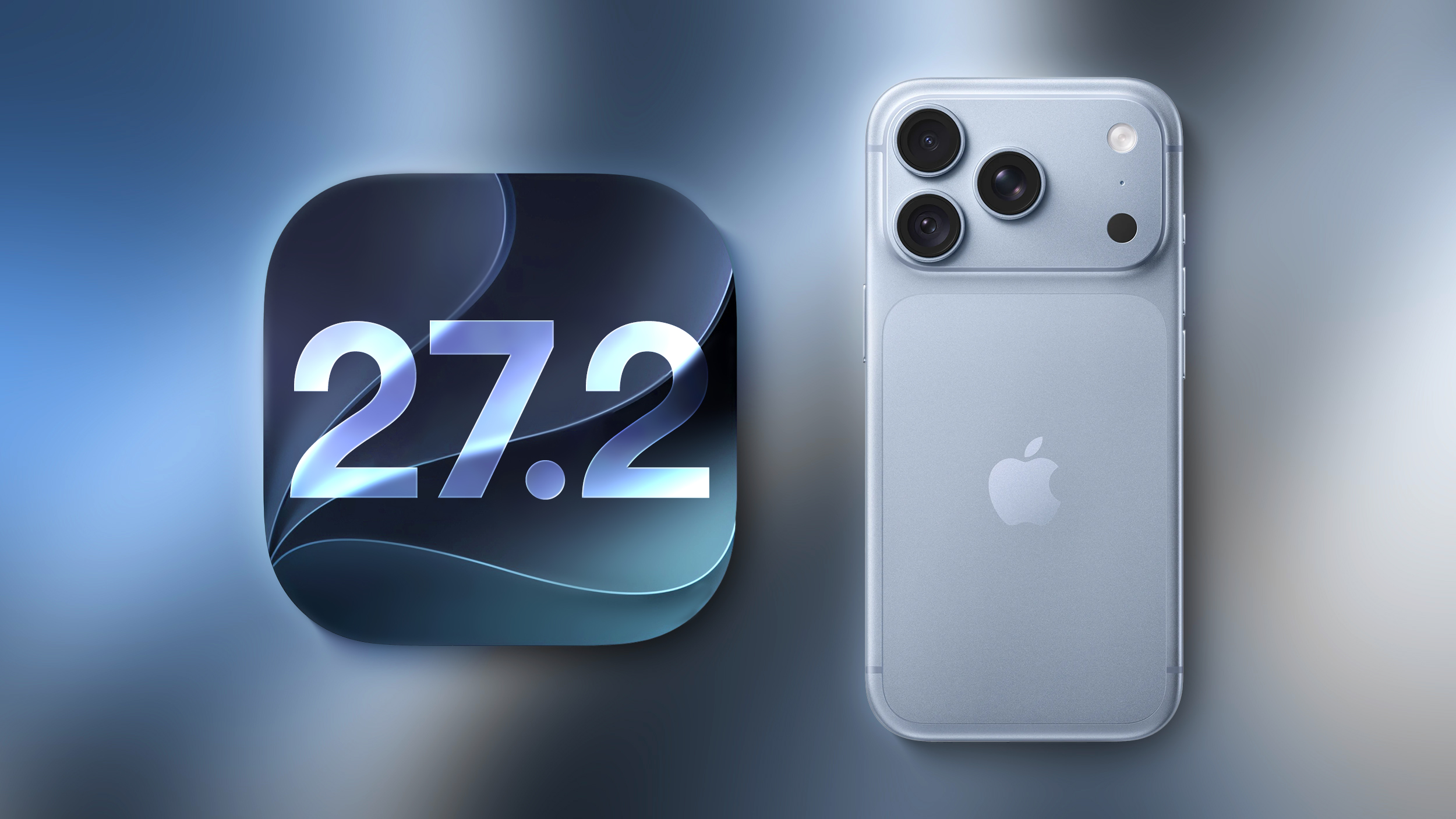
Apple today seeded the second beta of an upcoming iOS 27.2 update to developers for testing purposes, with the update coming a week after Apple released the first iOS 27.2 beta. Apple also seeded an iPadOS 27.2 beta.
Registered developers can download the beta updates by opting in under Settings > General > Software Update and selecting the iOS 27 developer beta.
iOS 27.2 includes Apple's redesigned Health app with new Insight and Longevity tabs. It also brings Siri AI in new languages. There are several other new features, with details available in our features guide.
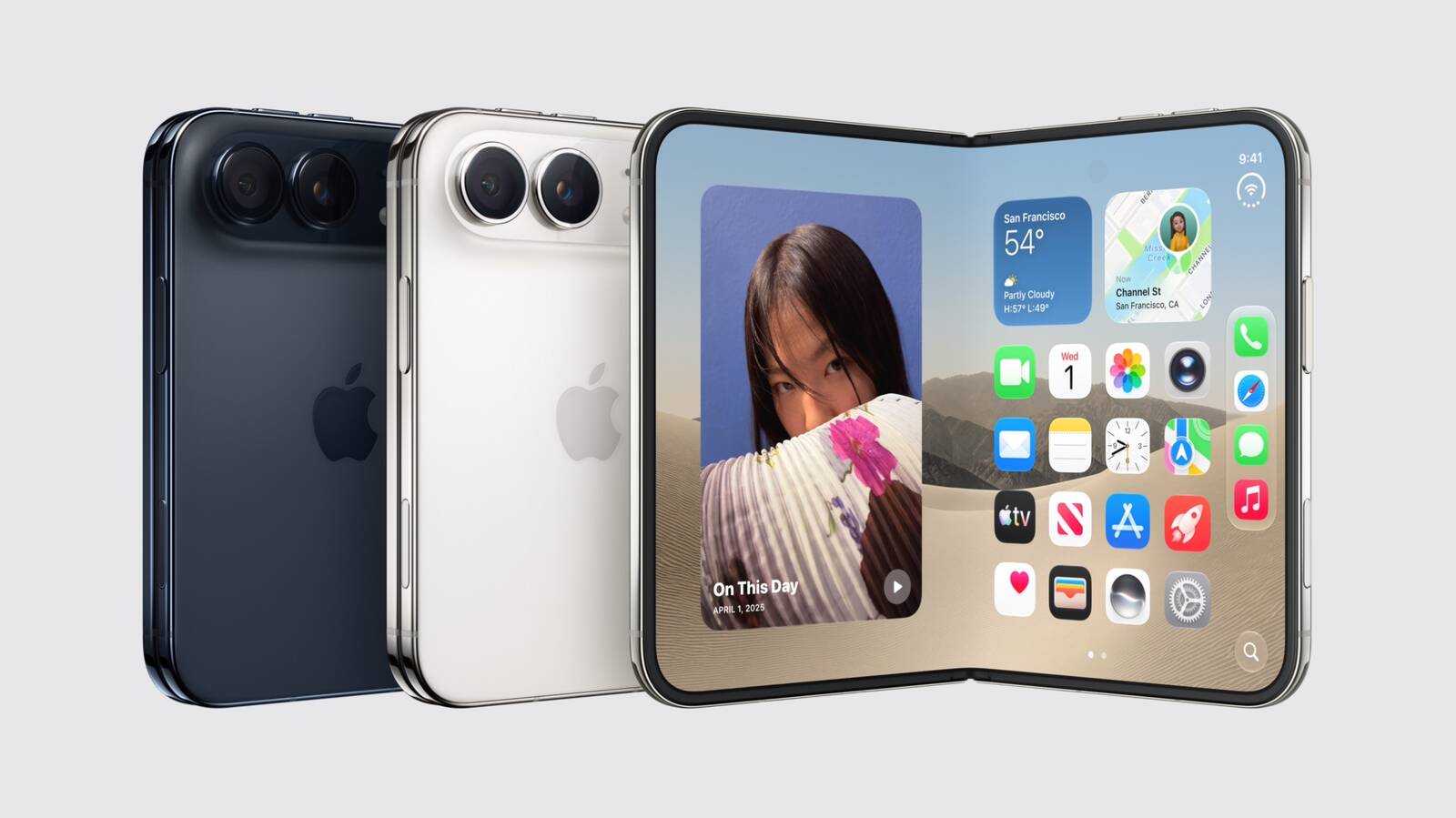
Apple releasing an iOS 27.2 beta ahead of a iOS 27.1 beta was surprise, especially because the company plans to ship the iPhone Duo with iOS 27.1. Apple is likely holding iOS 27.1 until the Duo comes out, just to keep the features under wraps. iOS 27.1 will add updated app layouts and features built for the iPhone Duo's two displays. The iPhone Duo will have a vertical dock, vertical Dynamic Island, new dual-screen app layouts, side-by-side app multitasking, and exclusive Camera app capabilities.
Since the iPhone Duo will launch on Friday, October 23 and will ship with iOS 27.1, Apple will need to release the iOS 27.1 update before then. Since iOS 27.2 includes new Siri AI languages, it too will launch sometime during the month of October.
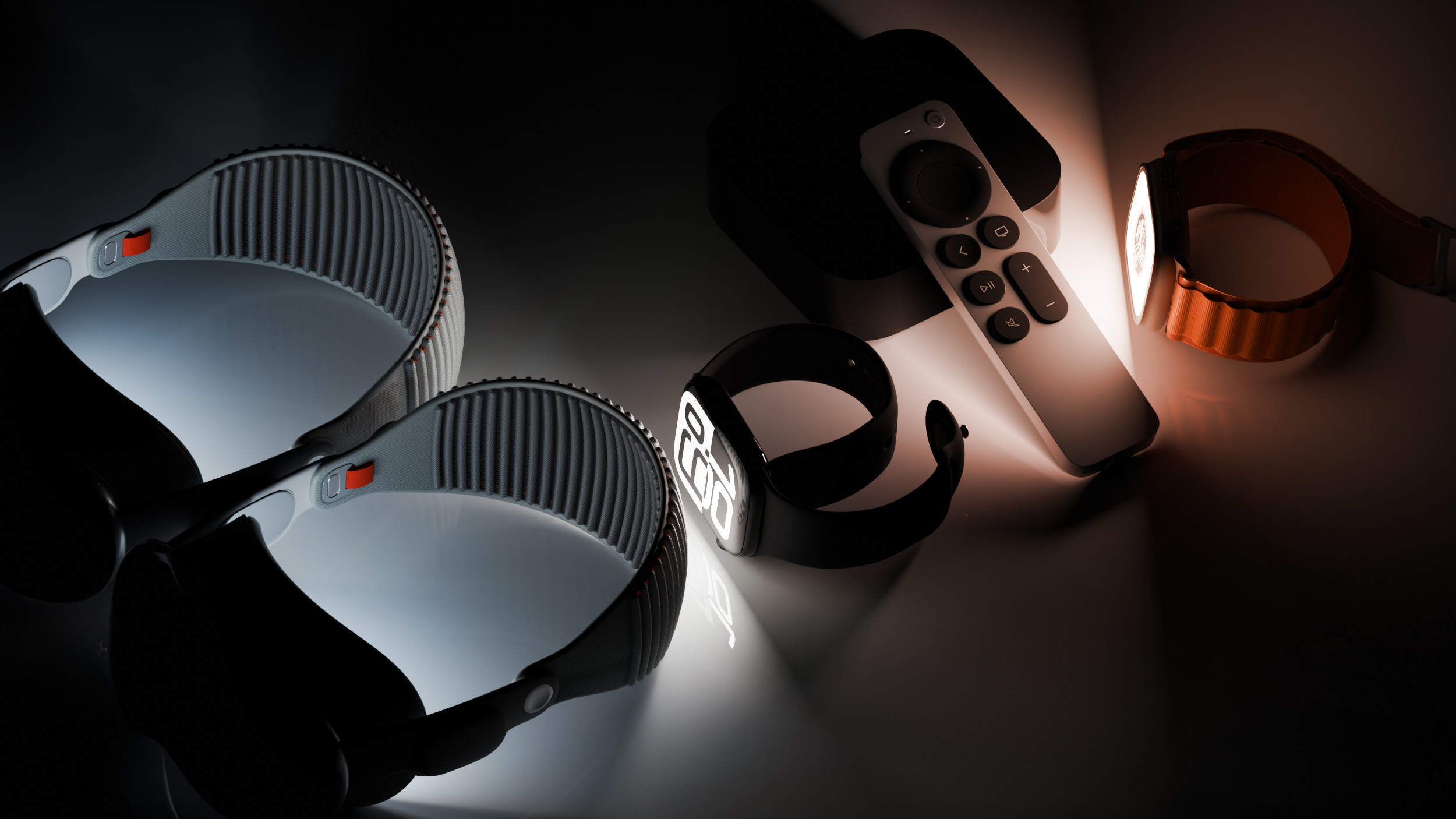
Alongside new betas of iOS 27.2, iPadOS 27.2, and macOS Golden Gate 27.2, Apple has released the second betas of watchOS 27.2, tvOS 27.2, and visionOS 27.2. The betas come week after Apple released the first betas.
Registered developers can download the betas through the Settings app on each device.
With iOS 27.2 and watchOS 27.2, Apple is testing the new Health app that it showed off during its September iPhone event. The updated Health app has new Insights and Longevity tabs with a readiness score that uses information from the new Apple Watch Series 12 and Ultra 4 models.
There's no word on what's being added in visionOS 27.2 and tvOS 27.2, but Apple is expected to introduce a new version of the Apple TV 4K with Siri AI support sometime before the end of the year.
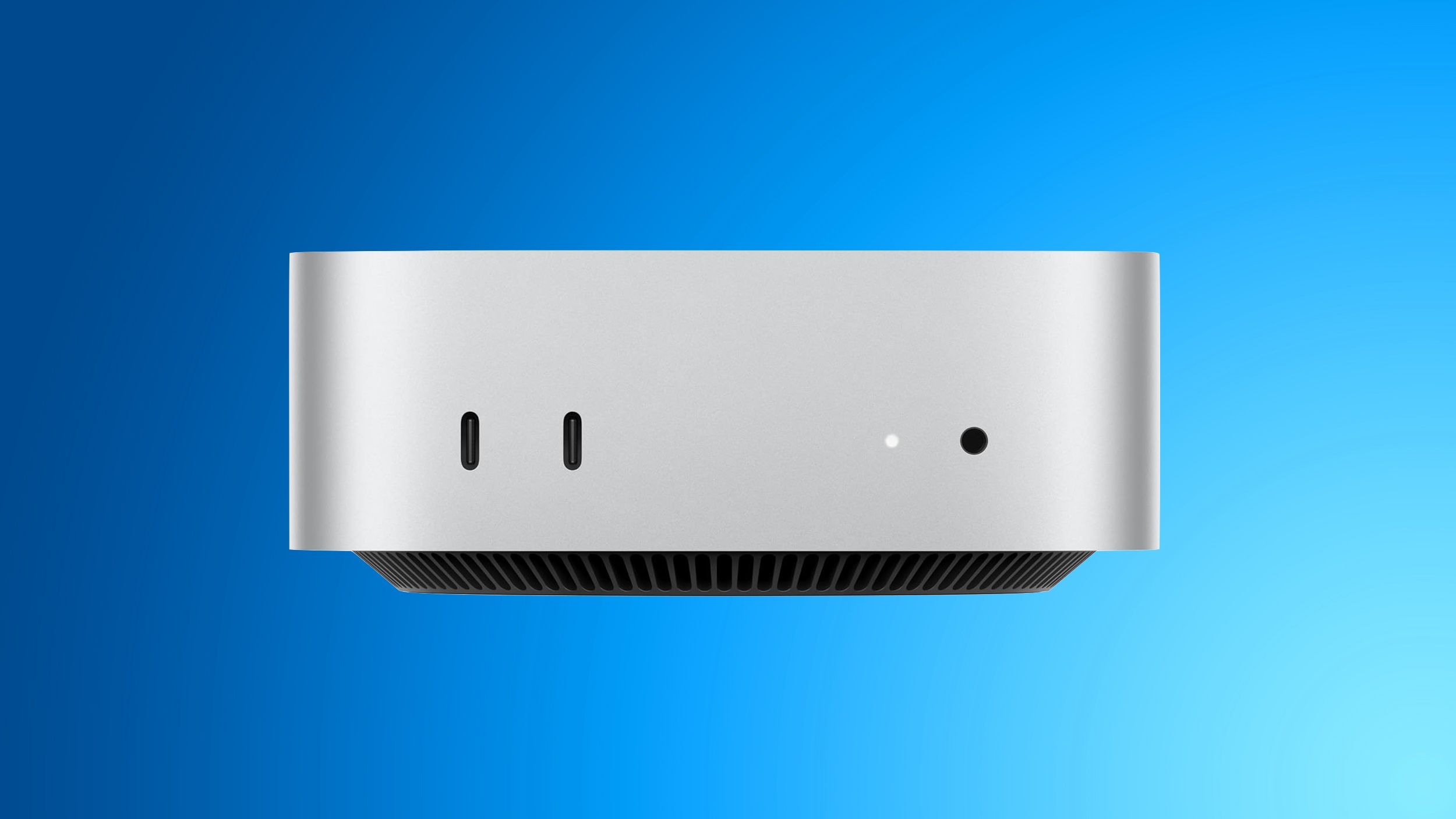
The first reviews of the new Mac mini with M6 and M5 Pro chip options have been published ahead of the computer launching this Tuesday.
While the Mac mini now starts at $899 in the U.S., up from just $599 for the previous model when it first launched, WIRED's Luke Larsen said it is "still a good deal" because of the impressive performance of the M6 and M5 Pro chip options. To borrow a famous Steve Jobs phrase, it just might not be such an "insanely great" deal anymore.
This is the gist of most Mac mini reviews published today: the new model is extremely capable, including for AI, but the $300 price increase is unfortunate. Apple said it has raised prices on many products due to the ongoing memory chip shortage, with the company passing on the skyrocketing prices of RAM and storage chips to customers.
Welcome back to New in Edge for developers, our recurring roundup of recent web platform updates in Microsoft Edge.
In this edition, we'll look more closely at some of the newest additions to Microsoft Edge and the Chromium project, such as the OpaqueRange API, to highlight and interact with ranges of text in input fields, the referenceTarget property, to make your custom web components more accessible, and the aria-actions attribute, to expose your widgets' secondary actions to assistive technologies.
We'll then round up other useful additions, including media-state pseudo-classes, relative alpha colors, and PWA drag regions, and go over early features that are ready for testing such as WebMCP, to unlock browsing agent scenarios.
OpaqueRange API: highlight and interact with text ranges in form inputs
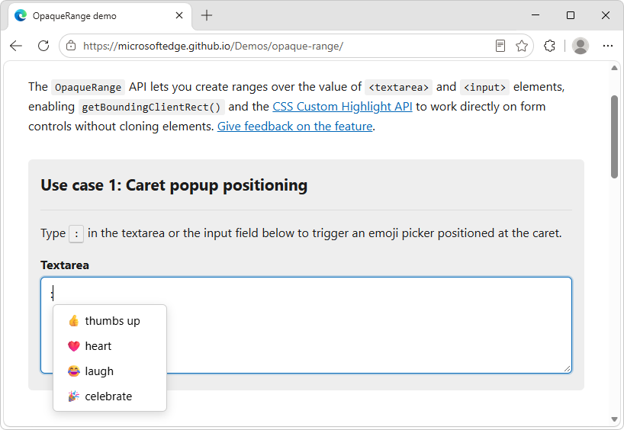
The new OpaqueRange API provides live access to ranges of text within form inputs, such as <textarea> and <input> elements.
You can use these ranges for operations like getBoundingClientRect() and getClientRects(), and therefore position UI at specific places within form inputs.
The OpaqueRange API also works with the CSS Custom Highlight API, making it possible to create personalized highlights within editable text regions.
To learn more about the OpaqueRange API, checkout our intro video, explainer, and live demos.
Reference Target: improve your web components' accessibility
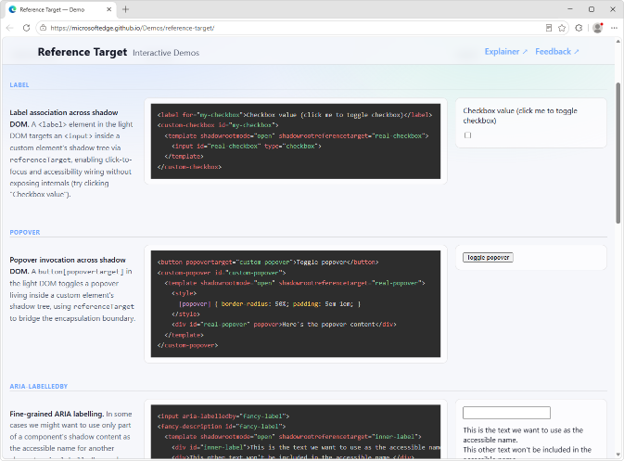
A common pain point developers face when creating web components with Shadow DOM is making them accessible. A problem also known as cross-root ARIA.
The referenceTarget property of a ShadowRoot object, which can also be set via the shadowrootreferencetarget HTML attribute on elements, solves this.
It makes it possible to forward ID reference attributes, such as for or aria-labelledby, to elements that are inside the shadow DOM of a component.
For example, you can use this to link a <label for> element to the right <input> element, even if that <input> is inside the shadow DOM of a web component.
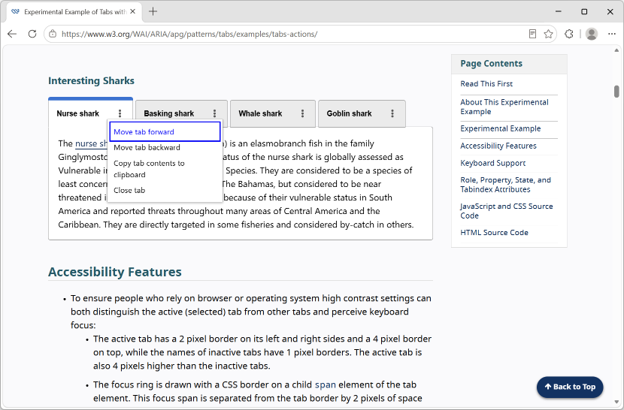
Complex UIs often contain composite widgets with multiple actionable parts. For example, a tab widget may also include another button.
These composite interactive widgets can be hard to make accessible to assistive technology users.
The new HTML aria-actions attribute makes it possible to expose your widgets' secondary actions to screen readers.
For example, you can expose the close button of a tab widget as follows:
The above features, which our team added to Microsoft Edge and contributed to Chromium, are only a part of what's been added over the past few releases. Below are other additions that might simplify your daily life as a web developer. For even more, check out the Edge web platform release notes.
Media pseudo-classes allow you to style media elements, such as <video> and <audio>, based on their playback state, by using the new :playing, :paused, :buffering, :muted, and :stalled pseudo-classes.
The window-drag CSS property is a new standardized way to make installed PWA windows draggable, which is helpful when using the Window Controls Overlay API.
In addition, starting with Microsoft Edge 151 on Windows, when you use the Window Controls Overlay API, the PWA app title bar is now hidden by default, giving you more control over the look and feel of your app.
New JavaScript Iterator methods make it easier to work with iterators:
Iterator.join() returns a string that's the concatenation of all elements that are produced by the iterator.
Iterator.zip(), and Iterator.zipKeyed() create new iterators that aggregate elements from multiple iterable objects. These methods zip the input iterables together, allowing simultaneous iteration over the input iterables.
The soft-navigation and interaction-contentful-paint performance entries help you improve performance of modern single-page web apps by measuring soft navigations that update the page without triggering a traditional page browser history changes.
The alpha() CSS function creates a new color by adjusting another color's transparency.
textStream() is now available on Response, Request, and Body objects, making it more convenient to process text incrementally without manually decoding byte chunks.
The <camera> and <microphone> HTML elements are browser-provided buttons that let users toggle camera or microphone streams and, when needed, connect the permission request directly to an explicit user action.
Ready for testing
We're already hard at work on what's coming next. Here are upcoming features that are available for your early testing and feedback. You can test these new features either by enabling them locally, or on your production website with your own users, by registering for an origin trial.
Your feedback is crucial to help us shape these next features and ensure they meet your needs as developers, and the needs of your users.
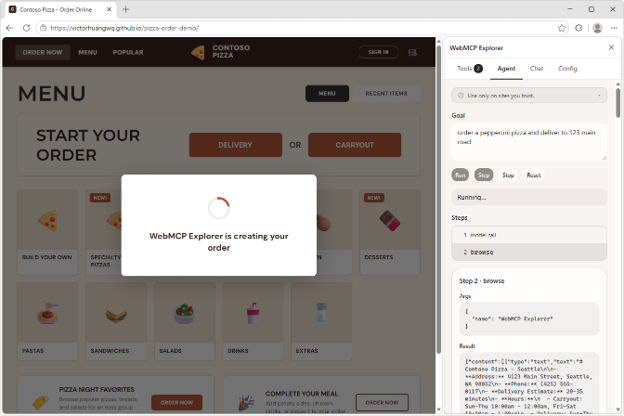
WebMCP: unlock browsing agent scenarios on your site
We have been actively involved with the Web Machine Learning Community Group, specifying WebMCP: a web API that helps you create efficient, fast, and trusted human-agent collaboration workflows for your site.
Using WebMCP, you can reuse your existing front-end code, and expose it as structured tools which a browsing agent can then use to help users accomplish tasks on your site.
Our implementation of the WebMCP spec in Microsoft Edge is ready for testing. To get started, we created a few samples and a browser extension to run and debug your WebMCP tools. Find out more on the webmcp-labs repo.
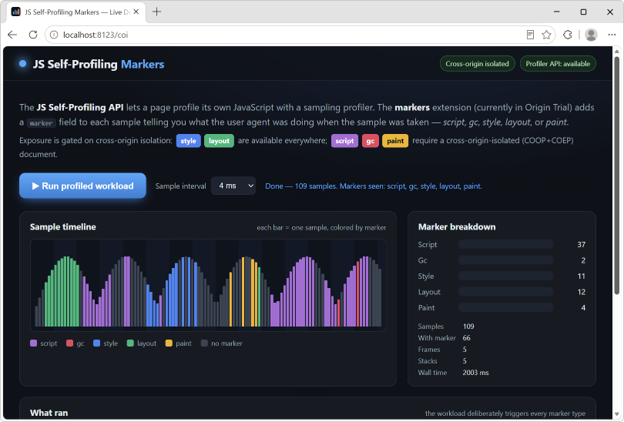
JS Self-Profiling markers: see what the browser is doing during a trace
The JS Self-Profiling API is a great way to measure your app's performance in production, on real user devices. But it only samples your page's JavaScript, which often leaves unexplained gaps in a trace, moments where the browser was styling, laying out, painting, or running garbage collection.
We're adding sample markers to fill those gaps. Each sample can now carry a marker that identifies what the browser was doing at capture time. Now, an unexplained gap shows up clearly as, for example, a run of layout markers, so you can pinpoint the real cause of a slow trace and optimize the right thing instead of guessing.
To learn more, read the feature explainer, see the markers in action by running our live demo, and register for the origin trial to test it with your own users and share feedback.
New network debugging tools: edit and resend requests
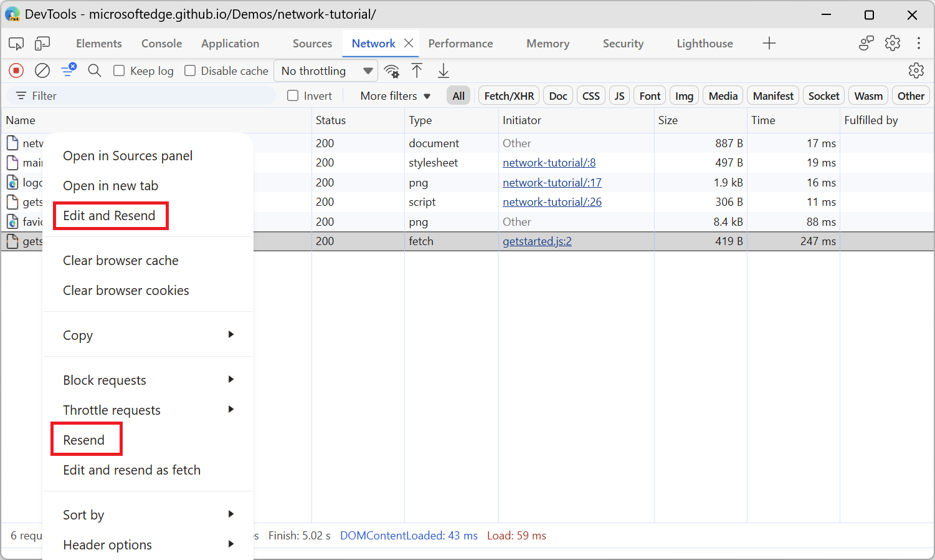
Starting with Edge 153, the Network tool in DevTools now includes two new actions, available on each request via the contextual menu:
Resend: this action resends a request such as XHR or Fetch.
Edit and resend as fetch: this action creates a Fetch API call but doesn't send it right away. Instead, it writes it to the input of the Console tool. You can then modify the new request, such as by changing the request headers or parameters, and send it.
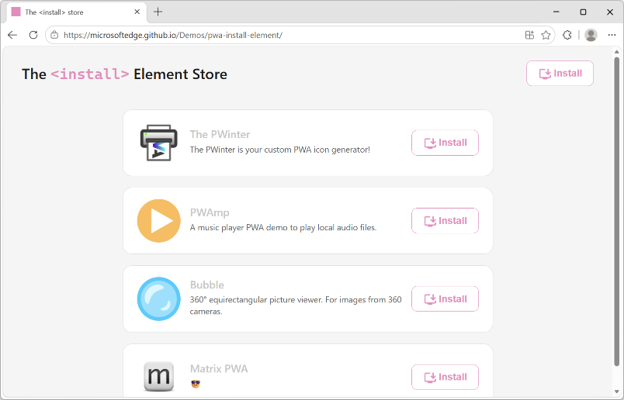
navigator.install() and <install>: install other web apps
Updated versions of the Web Install API and the <install> element are available for testing.
Both navigator.install() and the <install> element now take a direct link to the target manifest file of the app you're installing. For example:
// Install the current app
navigator.install();

// Install a cross-origin web app
navigator.install( { manifest: https://example.com/manifest.json });
<!-- Install the current app -->
<install>

<!-- Install a cross-origin web app -->
<install manifest="https://example.com/app/manifest.webmanifest"></install>
To learn more about these web app installation features, check out the Web Install API and <install> element demos and resources. You can also start using the <install> element on your own site by registering to the origin trial.
News from across the web platform
Before closing, here are a couple of updates from the broader web ecosystem.
The Interop 2027 call for proposals closes soon
The Interop 2027 call for proposals is open, submit your ideas now!
If there's a web feature you care about and would like to see more consistently supported across browsers, now is the time to make your case. Submit your idea and help shape the priorities for Interop 2027.
Learn more by reading our blog post: Calling for Interop 2027 proposals.
Microsoft Edge sponsors Open Web Docs for the 7th consecutive year
High-quality and up-to-date technical web platform documentation continues to play a key role in making the web the most universal application runtime in history.
This is why, at Microsoft Edge, we have been sponsoring Open Web Docs. This year marks our 7th consecutive year funding OWD, enabling the collective to continue creating and maintaining the documentation and data that all web developers need.
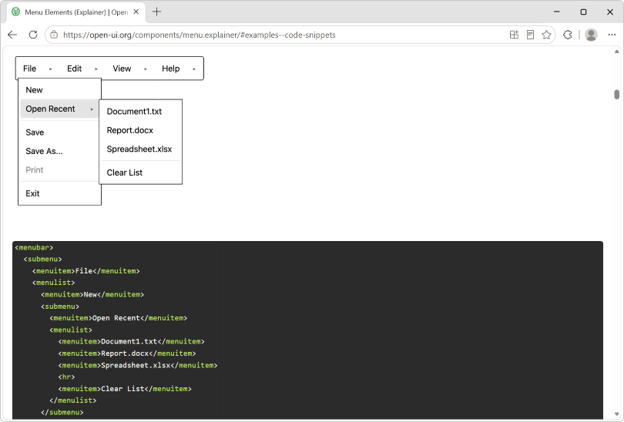
A native menu element is coming
Web developers have long needed a browser-provided way to build menus that don't require re-implementing accessibility, keyboard navigation, focus management, and positioning from scratch. The Open UI community is working on a new native menu element that aims to provide these capabilities out of the box, while remaining flexible enough to fit modern design systems.
We're excited about this work because it reflects a broader trend toward more powerful, customizable built-in web platform components. Great work from the Google team for implementing the <menubar> element.
To test the element, enable the "Experimental Web Platform features" flag on the about://flags page. We can't wait to see what you build.
Do you have feedback? We're listening
On the Microsoft Edge web platform team, we're always listening to what users and web developers need and work toward a better, more capable web. We hope these recent additions help you build experiences that are easier to use, easier to measure, and easier to maintain.
Try the features that matter to your projects, tell us where the APIs fall short, and share the use cases the platform still doesn't solve. Your feedback helps us improve Edge, Chromium, and the web platform for everyone.
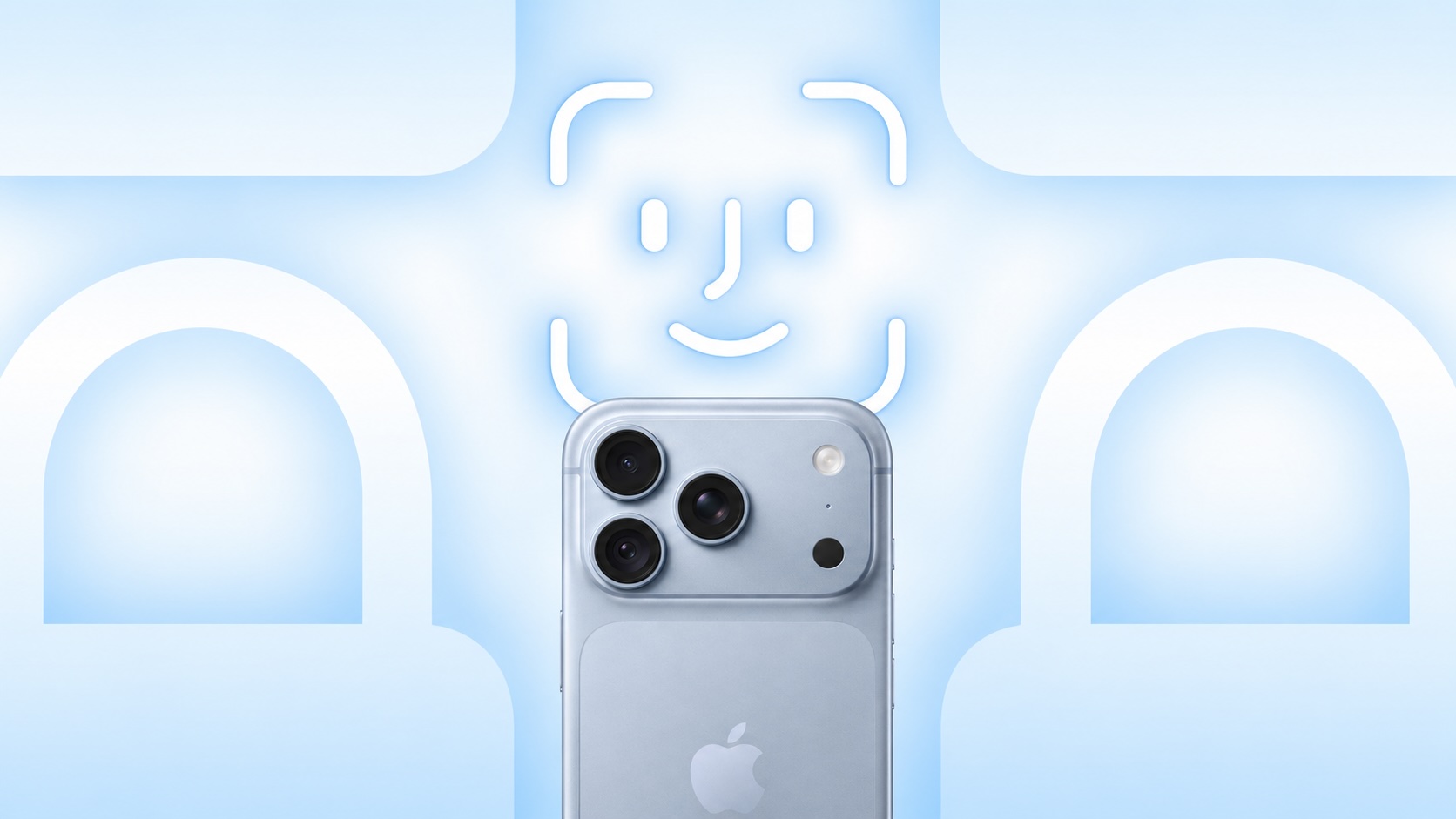
Apple's new iPhone 18 Pro and iPhone 18 Pro Max began arriving to customers on Friday, and unfortunately some early adopters are experiencing Face ID issues.
According to a Reddit post spotted by 9to5Mac, Face ID authentication for specific actions such as unlocking a locked app sometimes fails to work on the iPhone 18 Pro models, and the device then freezes and eventually reboots to the lock screen. It is unclear how widespread this problem is, but it can be hit or miss and not all users are affected.
Apple moved Face ID's infrared camera underneath the top-left corner of the display on the iPhone 18 Pro models to achieve a smaller Dynamic Island on the devices. It is unclear if this hardware change is related to these Face ID issues, but it is likely that Apple will eventually resolve any new Face ID bugs in a future iOS 27 update.
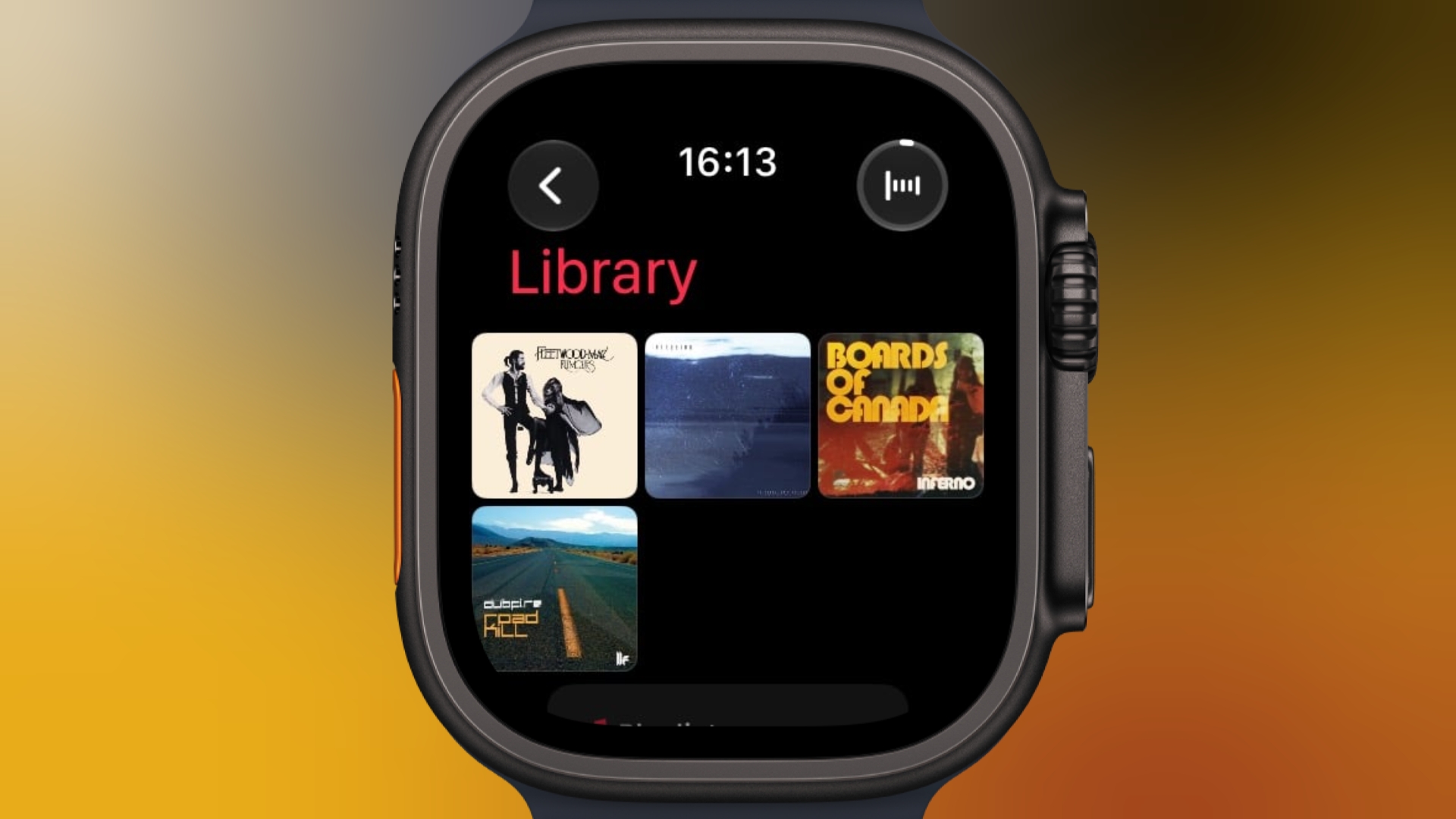
If you have an Apple Watch running watchOS 27 and you're an Apple Music subscriber, you can pin music to the top of your library to make it easier to find and play – great for those times when you're in the mood for a specific track, artist, album, or playlist.
In the Music app on your Apple Watch, when viewing a song, tap the three dots next to the song, then tap Pin [item]. You can also do this from the Now Playing screen via the three-dots button. You'll see the same option when viewing playlists, artists, and albums on your watch. To unpin an item from the top of your Library, press and hold the item, then tap Unpin.
Apple could unveil its long-rumored smart home display as soon as October, according to Bloomberg's Mark Gurman.
In the latest edition of his "Power On" newsletter, Gurman narrows Apple's launch window after he said in August that the smart home display remained on track to arrive before the end of 2026. The device is expected to become a central interface for controlling accessories, communicating with other people in the home, accessing media, and using Apple services.
Apple is reportedly testing the product extensively in employees' homes. References found in Apple's software have linked the tabletop model to the internal designation "J490," while a second model identified as "J491" appears to be intended for wall mounting. Both identifiers were among several unreleased products referenced in macOS Tahoe 26.7.
The two versions will reportedly share a compact, square display. One will include a base for placing it on a desk or counter, while the other can be fixed to a wall. The screen is expected to be smaller than those used by many Amazon Echo Show models.
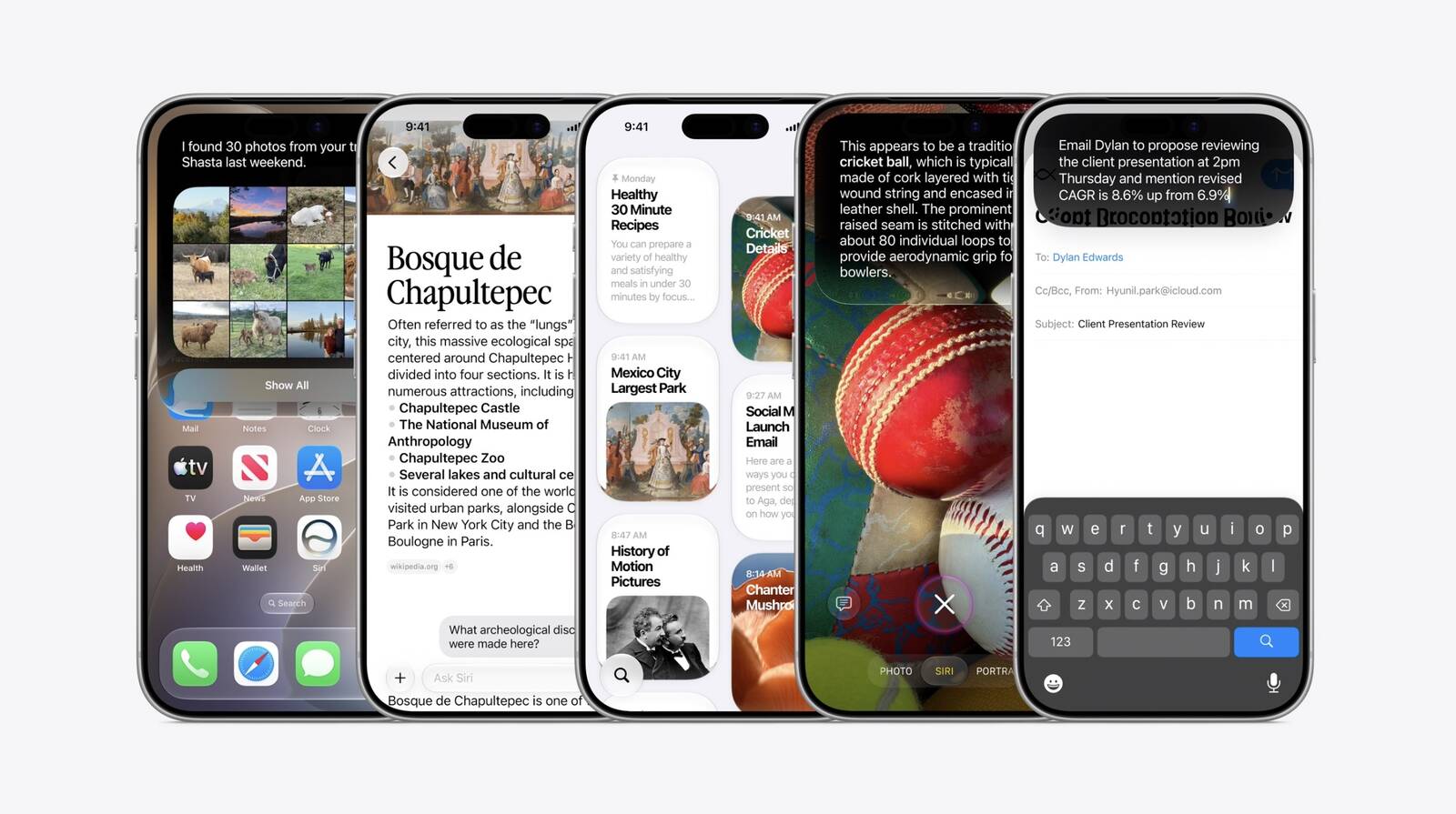
Apple has apparently developed a dedicated operating system built around Siri AI for the product, with visual elements drawn from iOS, tvOS, and watchOS. Its interface will offer a Home Screen, widgets, and selectable clock designs, allowing information to remain visible when the device is not being actively used. Users will reportedly be able to search information held across their Apple devices and accounts with Siri AI, retrieve previously shared songs or podcasts, locate photos, and request specific actions within apps.
Apple is believed to have postponed the home hub several times because these Siri features were not ready. That obstacle has now largely been removed following the release of iOS 27 with Siri AI earlier this month.
The display's camera will purportedly support video calls and recognize individual members of a household. Once it identifies the person in front of it, the software will be able to present that user's appointments, notes, preferred media, news, and other personalized information. The camera system reportedly provides this recognition without the depth-sensing components used for Face ID.
Other expected functions include smart home controls, intercom communication, music and video playback, and access to apps such as Calendar, Notes, and Reminders. An iPhone will be required during setup and for certain connected features.
The home display would be among the first major new products introduced under Apple CEO John Ternus. Gurman says Apple intends for the iPhone to remain the center of customers' mobile lives, while the display, Apple TV, and HomePod establish a corresponding hub for the home.
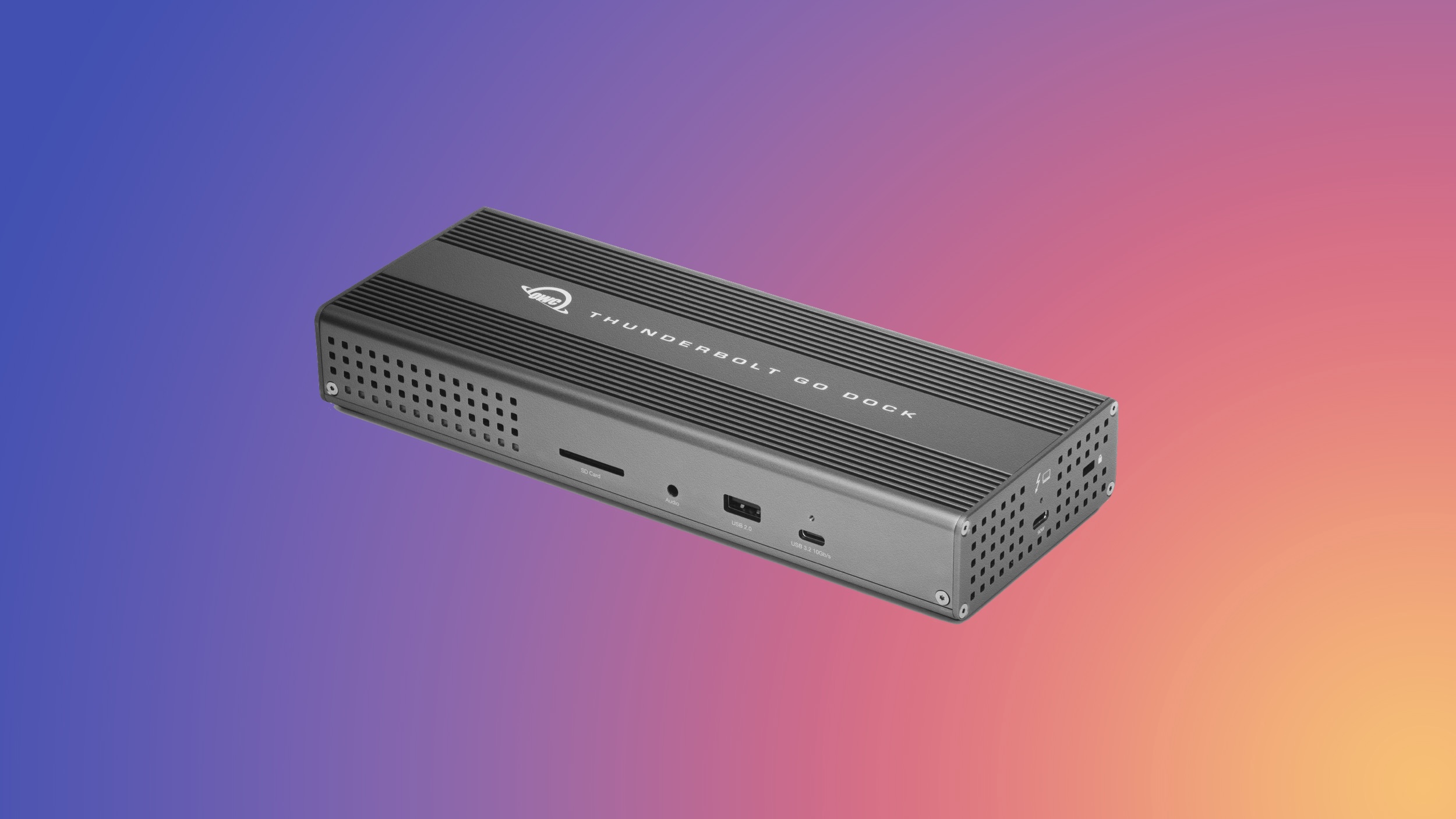
MacRumors has partnered with OWC to bring our readers big savings on the retailer's best Thunderbolt docks, USB-C cables, and external storage enclosures. These exclusive deals will run through September 30 at 12:00 a.m. CST, so you have just over a week to shop.
Note: MacRumors is an affiliate partner with OWC. When you click a link and make a purchase, we may receive a small payment, which helps us keep the site running.
All discounts have been applied automatically, so all you need to do is follow the links below and add one of the accessories to your cart to see the savings. To be clear, many of these products are already on sale, but you need to add them to your cart and then go to your cart or checkout page to see the extra MacRumors discount.
There are 13 total items on sale, including docks, hubs, enclosures, and USB-C cables.
Notable accessories on sale include the OWC Thunderbolt Go Dock for $179.99 ($119 off), and the OWC ThunderBay 4 External Storage Enclosure for $299.00 ($99 off). For anyone looking to upgrade their desktop setup, there are six total enclosures on sale for our readers, with as much as $104 in savings.
If you're on the hunt for more discounts, be sure to visit our Apple Deals roundup where we recap the best Apple-related bargains of the past week.
Deals Newsletter
Interested in hearing more about the best deals you can find in 2026? Sign up for our Deals Newsletter and we'll keep you updated so you don't miss the biggest deals of the season!
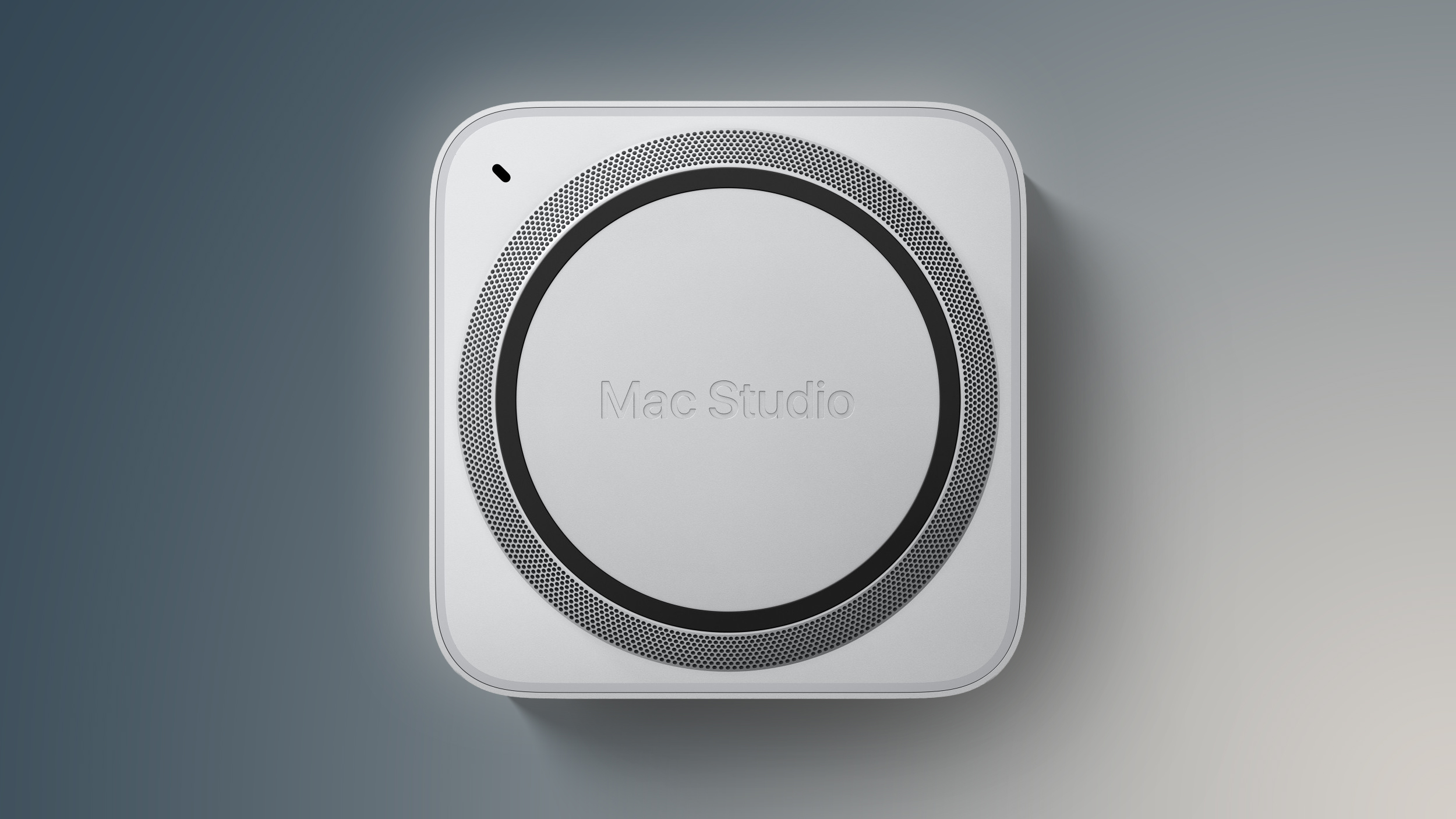
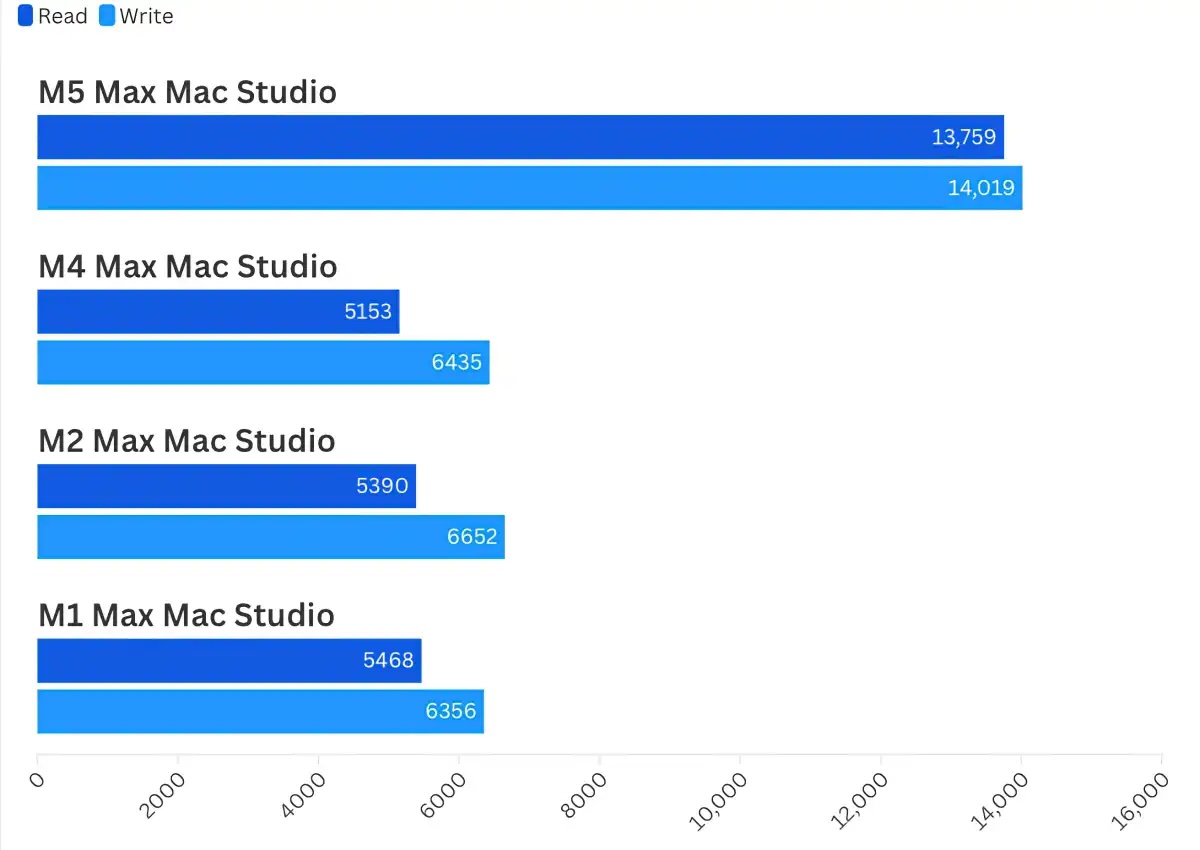
Ahead of the new Mac Studio with M5 Max and M5 Ultra chips launching this Tuesday, the first reviews of the computer have been shared by selected tech websites and YouTube channels. According to one review published by Macworld's Roman Loyola, the biggest upgrade isn't even the M5 Ultra, but rather significantly faster storage speeds.
"Typically, we start our reviews by looking at overall performance with Geekbench, and then we work our way through more specific aspects," he said. "But the SSD performance is so overwhelmingly good, it's the story here."
Loyola ran Blackmagic's Disk Speed Test benchmark tool on the new Mac Studio with an 18-core M5 Max chip, 128GB of RAM, and a 4TB SSD, and the computer achieved around 2.6× faster SSD read speeds and around 2.1× faster SSD write speeds compared to a previous-generation Mac Studio with the M4 Max chip. The results are shown in the image below.
Indeed, Apple advertised up to 2× faster storage speeds for the new Mac Studio, and these benchmark results show an even bigger boost. As always, real-world performance may vary, but expect significantly faster SSD speeds overall.
Unsurprisingly, the M5 Ultra is Apple's fastest chip ever. Based on Geekbench 7 results so far, it has up to around 30% faster single-core CPU performance and up to around 35% faster multi-core performance compared to the M3 Ultra.
Apple said the M5 Ultra has up to 1.25× faster single-threaded CPU performance and up to 1.3× faster multi-threaded CPU performance compared to the M3 Ultra, so the benchmark results roughly align with or even beat those advertised claims.
All in all, the new Mac Studio is super fast, with The Verge's Antonio G. Di Benedetto describing the M5 Ultra model's performance as "outrageous" and PCMag's Brian Westover calling the computer "a serious powerhouse for top-tier local AI inference."
The new Mac Studio and a new Mac mini with M6 and M5 Pro chip options have been available to pre-order since August 25 and launch this Tuesday, September 22.
High performance comes at a high price, especially due to recent price increases, which Apple attributed to the ongoing memory chip shortage. In the U.S., the Mac Studio starts at $2,499 with an M5 Max chip and at a whopping $5,499 with an M5 Ultra chip. The previous Mac Studio with the M4 Max started at $1,999 when it launched.
Prior to watchOS 27, the easiest way to force quit Apple Watch apps was by swiping across them in the App Switcher screen, but that's no longer possible because the Digital Crown double-click gesture that got you there is now reserved for Apple's upcoming Live Rewind AI feature. Fortunately, there's still a way to force quit apps in watchOS 27.
From the app you want to quit, press and hold the Side button until the sliders appear. Then simply press and hold the Digital Crown until the watch face appears. You've now quit the app. Quitting an app doesn't save battery power, but it's useful if the app is misbehaving.
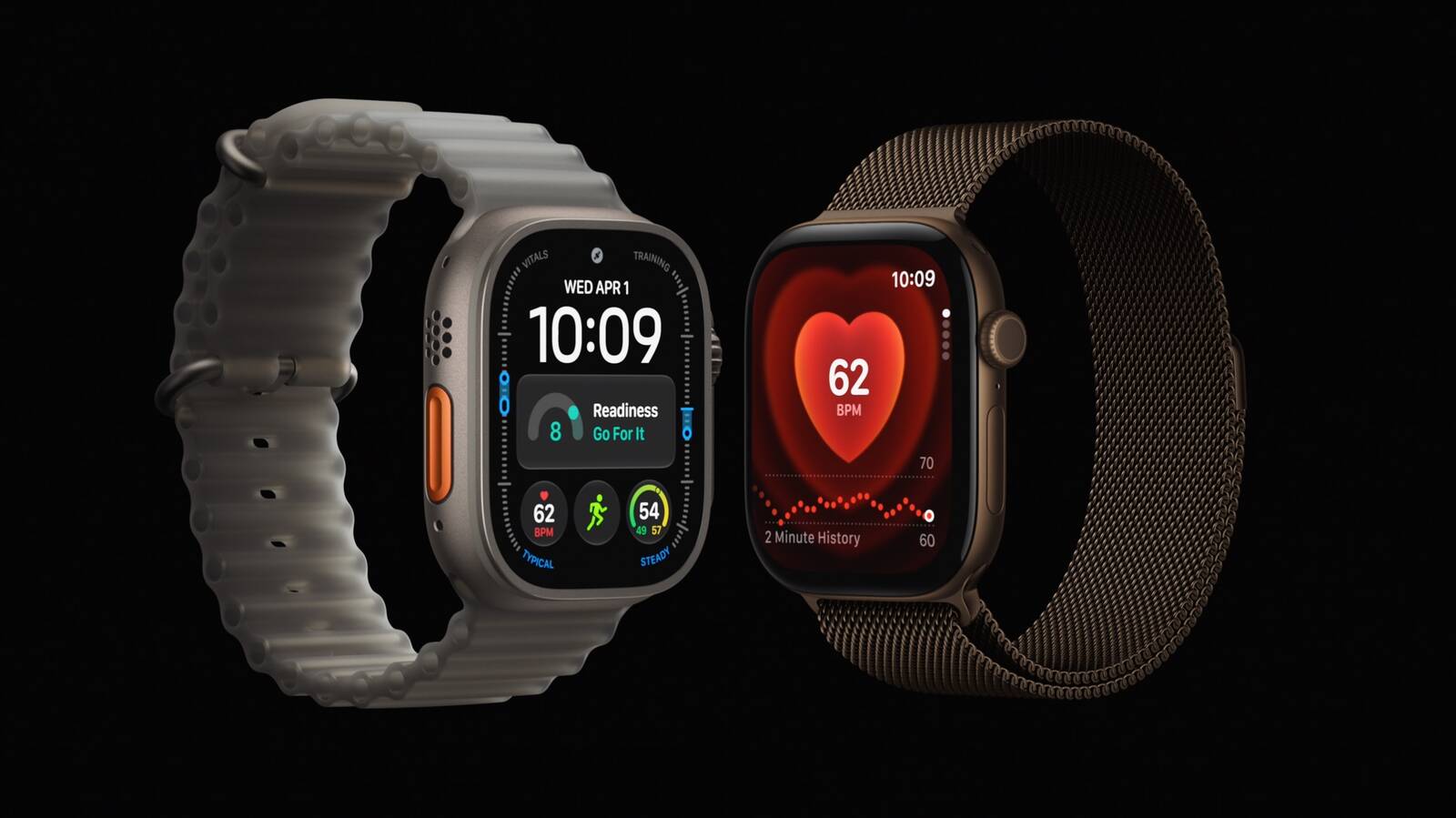
Apple is using a 128GB NAND flash die in Apple Watch Series 12 and Ultra 4 models, claims a Chinese hardware researcher, despite both devices officially offering only 64GB of storage. It's unclear why Apple would limit the accessible capacity, but it could conceivably be reserving some of it for intensive sensor data read/writes or as a durability buffer.
Something similar happened with the M4 iPad Pro in 2024, when teardowns indicated that 8GB models actually contained 12GB of physical RAM, with only 8GB made available to the system. Intriguingly, a 128GB NAND storage profile tied to the T8320 chip for the Apple Watch Series 12 and Ultra 4 was discovered earlier this month. Teardowns will hopefully clarify the situation.
Apple's 20th-anniversary iPhone lineup could feature slightly larger displays than the iPhone 18 Pro models, if a new leak shared on Weibo is accurate.
Prolific Chinese leaker Digital Chat Station claims that early iPhone 20 Pro display specifications include a 6.41-inch screen with a resolution of approximately 2,686 × 1,236 pixels, while the iPhone 20 Pro Max is said to have a 6.96-inch display with a resolution of around 2,912 × 1,340 pixels.
For comparison, the iPhone 18 Pro and iPhone 18 Pro Max feature 6.27 inches (rounded to 6.3 inches) and 6.86 inches (rounded to 6.9 inches) respectively. Those figures are measured as a standard rectangle, while the actual viewable area is smaller because of the devices' rounded corners. Meanwhile, the iPhone 18 Pro and 18 Pro Max resolutions are 2,622 × 1,206 pixels and 2,868 × 1,320 pixels, respectively.
The resolution increases track quite closely with the rumored increases in physical display size, suggesting Apple likely plans to keep roughly the same 460 ppi pixel density as the iPhone 18 Pro models. Digital Chat Station previously suggested the 6.96-inch display on the iPhone 20 Pro Max would likely be marketed as a 7-inch panel if it reaches production.
Apple last increased the size of its premium iPhone displays with the iPhone 16 Pro lineup in 2024. The iPhone 16 Pro grew from 6.1 to 6.3 inches, while the iPhone 16 Pro Max increased from 6.7 to 6.9 inches, thanks to slimmer bezels and slightly larger chassis dimensions. The leaked dimensions for the iPhone 20 Pro models suggest only a modest increase in overall screen size, but there could be a good reason for this.
Echoing previous claims, the leaker says Apple is testing a "borderless quad-curved" display design, with the screen curving away on all four sides. We've already seen multiple reports indicating that Apple's 20th-anniversary iPhone could resemble a single, uninterrupted slab of glass where the metal frame bezels are largely hidden during normal use. Bloombergreported in June that Apple had started ramping up work on two sizes of the 20th anniversary iPhone.
Apple is also rumored to be developing thinner and brighter OLED panels for the devices, along with under-display Face ID and potentially an under-display front-facing camera. However, Digital Chat Station says Apple is now testing a smaller Dynamic Island-style hole-punch design for the iPhone 20 Pro models that sounds similar to the new iPhone 18 Pro models, suggesting Apple may still be testing multiple approaches.
Photo/video quality and concealment issues with the under-screen FaceTime camera on the iPhone Duo offer a timely example of the kind of challenge that Apple is likely facing in its quest to create an uninterrupted display design. Unless it can improve the implementation, a cutout for the front camera may be the compromise Apple has to make for the iPhone 20 Pro models.
Apple is expected to skip an iPhone 19 lineup like it did an iPhone 9 when it jumped from the iPhone 8 to the iPhone X in 2017. The iPhone 20 Pro and iPhone 20 Pro Max are expected to launch in September 2027, following the debut of the regular iPhone 18 earlier in the same year.
Some new Apple Watch Ultra 4 and Apple Watch Series 12 owners are reporting the devices are rebooting unexpectedly, and diagnostic logs suggest the crashes are related to the Apple Neural Engine.
Reports have been posted in the MacRumors forums since the new models launched on Friday. Users describe their watches suddenly displaying the Apple logo and restarting while they were interacting with the device, when doing things like using Siri AI, editing watch faces, opening Maps or the App Store, starting phone calls, and recording workouts. Some reboots have even occurred when the watch was apparently idle.
Notably, at least four owners have shared "panic-full" diagnostic logs showing the same Neural Engine timeout. In each case, the Apple Neural Engine appears to hang for around two seconds before a firmware watchdog triggers a kernel panic and forces the watch to restart.
The problem has been reported on both the original watchOS 27.0 build and the day-one update that devices downloaded during the setup process. Some users have experienced reboots despite erasing their watches and setting them up as new, and one Series 12 owner said a replacement unit also suffered the same Neural Engine panic.
Around 30 owners have reported random reboots in the MacRumors forums thread so far. Users have also taken to Reddit and Apple Community Support to share similar experiences, so it looks like the problem is pretty widespread. Apple has yet to acknowledged the issue. Have you experienced the problem on a new Apple Watch Ultra 4 or Apple Watch Series 12? Let us know in the comments.
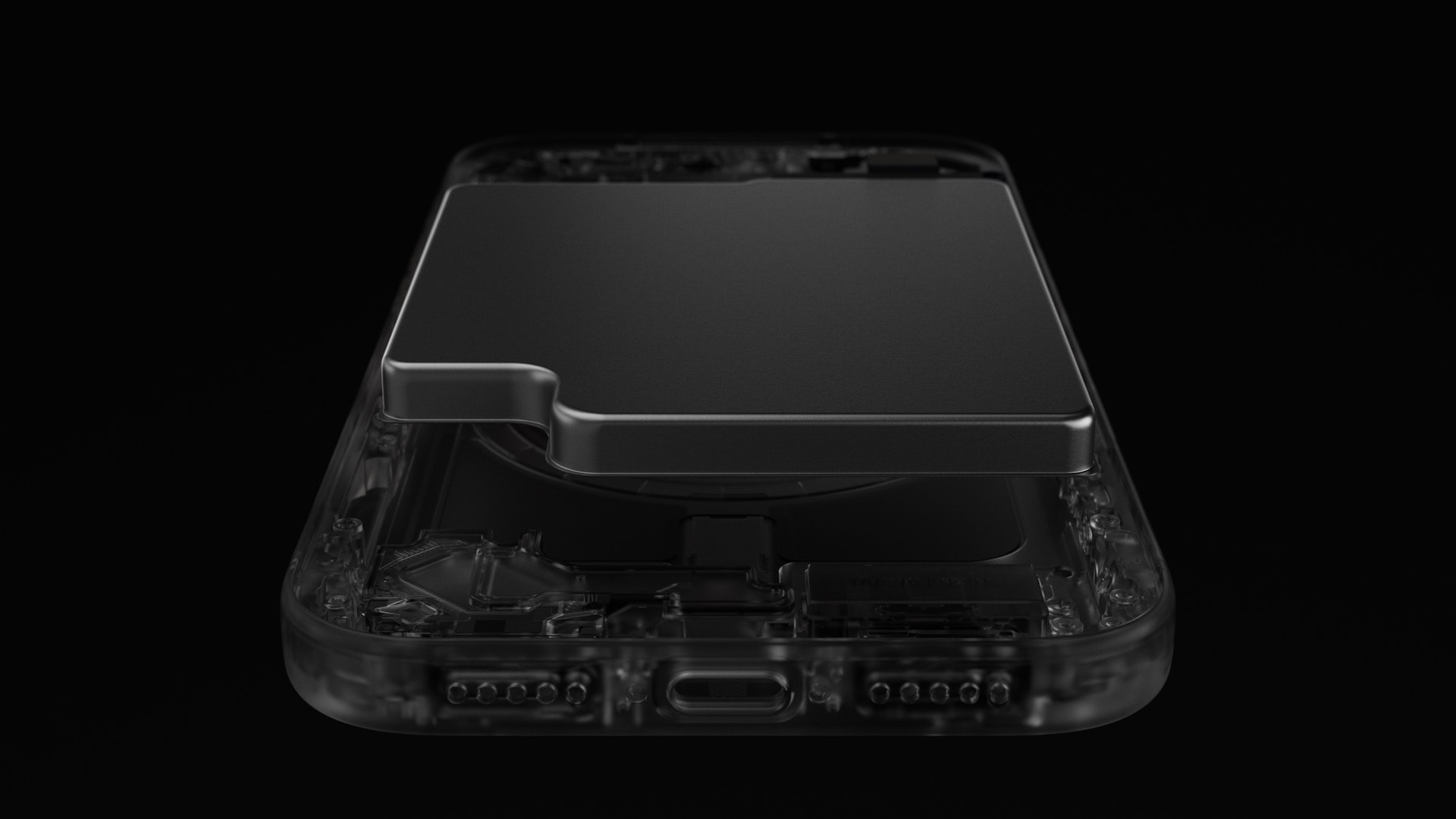
iFixit today published an iPhone 18 Pro and iPhone 18 Pro Max teardown in both article and video formats, providing a closer look inside the new devices.
The teardown confirms the battery capacities for the eSIM-only models:
iPhone 18 Pro: 4,288 mAh (+0.8% vs. 4,252 mAh for iPhone 17 Pro)
iPhone 18 Pro Max: 5,567 mAh (+9.4% vs. 5,088 mAh for iPhone 17 Pro Max)
eSIM-only models of the iPhone 18 Pro and iPhone 18 Pro Max are sold in the U.S., Canada, Mexico, Japan, Saudi Arabia, the United Arab Emirates, Qatar, Oman, Bahrain, and Kuwait. The devices have a SIM card tray in all other countries.
Battery capacities for iPhone 18 Pro models with SIM card trays surfaced previously.
The teardown also provides an in-depth look at the new variable aperture system on both models, the larger vapor chamber for cooling, and more.
NAND now sits inside the dual-layer logic board, which makes storage-related repairs less convenient, according to iFixit. In addition, the screen's plastic frame cracked or broke away on three of the four iPhone 18 Pro models it opened, which is a new issue that it did not face with previous models. However, iFixit said further testing is needed.
Apple laid off a "handful" of Apple Fitness+ employees last week, according to Bloomberg's Mark Gurman.
"This is widely seen within the Fitness+ organization as the beginning of more drastic cost-cutting measures and other major changes to the service in the months and years ahead," he said.
A shorter Apple Pencil for the iPhone Duo was in development, but Apple scrapped it due to "technical problems ahead of mass production," according to Bloomberg's Mark Gurman.
Apple will pay an estimated $25 per eligible iPhone to eligible customers, who can submit a claim via the settlement website between September 21 and December 21 of this year. The exact payment may be higher or lower than $25 depending on the total number of valid claims submitted and other factors, with the maximum amount set at $95.
Apple denies all of the allegations made in the lawsuit. Apple agreed to the settlement to avoid the costs and risks of a trial.
Below, we have answered some key questions regarding the lawsuit.
Why Was Apple Sued?
In June 2024, Apple previewed new Siri capabilities powered by Apple Intelligence, including understanding of a user's personal context, on-screen awareness, and deeper per-app controls. For example, Apple showed an iPhone user asking Siri about their mother's flight and lunch reservation plans based on info from the Mail and Messages apps.
In a statement, Apple touted a range of other Apple Intelligence features it had already released. Nevertheless, Apple agreed to settle the lawsuit "to stay focused" on "delivering the most innovative products and services to our users."
Siri AI is still considered a beta feature even though iOS 27 is no longer in beta.
Am I Eligible?
To be eligible to submit a claim, you must reside in the U.S. and have purchased one of the iPhone models listed below in the U.S. for purposes other than resale between June 10, 2024 and March 29, 2025.
The full list of eligible iPhone models:
iPhone 15 Pro
iPhone 15 Pro Max
iPhone 16
iPhone 16e
iPhone 16 Plus
iPhone 16 Pro
iPhone 16 Pro Max
Over the coming days, eligible customers should be notified about the settlement in an email, which will contain a claim ID and a PIN code. But, the settlement website also offers an option to submit a claim without this information.
The claims form asks for your personal information and the eligible iPhone's serial number. If you indicate that you do not have the serial number, the form asks for your Apple Account email address and the eligible iPhone's phone number.
How Much Will Apple Pay Me?
According to the terms of the settlement, each person who files an eligible claim will receive a per-device payment of $25, but this amount could increase up to $95 if the total number of claims submitted is lower than anticipated.
Where and When Can I Submit a Claim?
You can submit a claim on the settlement website between September 21 and December 21.
When Will I Receive Payment?
A final approval hearing is scheduled for February 24, 2027, so payments to customers are not expected to begin until some point next year.
What Else Should I Know?
The settlement website answers some common questions about opting out of the settlement and other important topics, so be sure to read it carefully.
The DistroWatch news feed is brought to you by TUXEDO COMPUTERS. This week in DistroWatch Weekly:
Review: Command line shells
News: Orphaned Void packages, Ubuntu finishes migration from GNU to Rust Coreutils, new CoW filesystem for OpenBSD, new features in GNU Coreutils
Questions and answers: The legacy of filenames on Linux
Released last week: Raspberry Pi OS 2026-09-15, Parted Magic 26.09, Clonezilla....
The DistroWatch news feed is brought to you by TUXEDO COMPUTERS. The MX Linux project has published a new update to the 25.x series. Along with importing new security fixes and firmware from its Debian parent, the MX Linux project includes a number of new changes: "On the MX side, we have pushed most of our updates as we’ve....
In 2016, I removed Google Analytics from this blog to avoid being
complicit in feeding the biggest machine for harvesting personal data. Instead,
I relied on GoAccess to analyze my server logs.1 For the past couple
of years, the statistics have made no sense, despite my attempts to filter bots:
AI scrapers inflate the number of visitors to around 2,000 per
day. Eventually, I settled on GoatCounter, an open-source, privacy-friendly
web analytics platform. I replaced the JavaScript client to filter bots more
aggressively and added a CSS fallback. To improve reliability, I implemented a
local proxy running on each of the five web servers serving this blog. The rest
of this post details how these pieces fit together and how I deploy them on
NixOS. ❄️
GoatCounter does not collect personal data: instead of storing the reader’s
IP address or relying on cookies, it creates a session identifier valid for 8
hours from the user agent and the IP address. Its feature set is modest but
sufficient for a blog. If you want to look at the interface, GoatCounter’s
author runs a public instance for his site. A hosted
version lets you try it before running your own instance. With a single binary
and an SQLite database, GoatCounter is one of the lightest self-hosted
solutions. Privacy-friendly alternatives, in increasing order of complexity,
include Umami, Plausible, and Rybbit.
Custom JavaScript client
GoatCounter includes a small JavaScript client—2,189 bytes minified and
gzipped. It ships some features I don’t use: a visitor counter, tracking clicks,
configurable settings, etc. I replace it with this function to register a hit:
If a reader has disabled JavaScript in their browser, I record the hit using a
CSS image. The :hover pseudo-class loads it only after an interaction, another
trick stolen from Bear Blog. About 2% of my visitors fit into this
bucket.3
<!DOCTYPE html><htmllang="en"class="nojs"><head><script>// The JavaScript code for this blog requires ES6if("noModule"inHTMLScriptElement.prototype)document.documentElement.classList.remove("nojs");</script></head><body><!-- ... --><style>.nojsbody:hover{border-width:0;border-image:url('/count?p=/en/blog/2026-kpi-goodhart&t=Building...&r=NoJS&e=false');}</style></body></html>
Where GoAccess reported around 2,000 visitors a day, GoatCounter counts fewer
than 200 humans.4 I assume AI scrapers use a low-effort approach: if the
content is available without barriers, as on this blog, they don’t spawn a
complex mechanized browser that could trigger a page view. Even crawlers running
JavaScript, like Googlebot with its headless Chromium, do not
interact with the page and never trigger the events I listen
to. The interaction-based “proof of humanity” I use is likely to keep
working.5
Local proxy
Five servers across the world in Europe and in North
America serve the content of this website, but GoatCounter runs on only
one of them. To avoid losing track of visitors when GoatCounter is down, I run a
local proxy listening on the same /count endpoint. On each server, it stores
the hits in memory with a buffer large enough to survive several days of
downtime. It sends them in batches to the upstream backend using the
/api/v0/count authenticated endpoint.
🖼 Servers on a map. web02 is in Paris, web03 in Helsinki, web04 in Nuremberg,
web05 in Ashburn, web06 in Chicago.
I proposed the code for the proxy in pull request #909. GoatCounter’s
maintainer declined to maintain so much code for such a niche use case. As a
fellow open-source developer, I often hold the same position for my own
projects: a one-time contributor effort may translate into a long-term
maintainer commitment.
I expose the endpoint for the proxy on the domain of this website to evade ad
blockers. This sounds like I don’t respect the reader’s choice, but as
GoatCounter is privacy-friendly, I find it acceptable.
My web servers run NixOS, a declarative Linux distribution with built-in
configuration management. I manage this small fleet with Colmena, a
stateless deployment tool for NixOS. My configuration is available on
GitHub.
Deploying applications in containers
For better isolation, each application runs inside an ephemeral lightweight
container, powered by systemd-nspawn. Each container runs a stripped-down
NixOS instance. A module wraps NixOS’s containers options to
avoid repeating the same options for each application.6 The containers
share their network namespace with the host: the additional isolation is not
worth the increased complexity. For a smaller footprint, I also disable a few
non-essential services.
{ config, lib,...}:letcfg= config.luffy.containers;in{# User-configurable settings for our custom module
options.luffy.containers= lib.mkOption {default={};description="Ephemeral containers sharing the host network.";type= lib.types.attrsOf (lib.types.submodule {options={config= lib.mkOption {type= lib.types.deferredModule;default={};description="NixOS configuration of the container.";};};});};# Translate our options to NixOS containersconfig={containers= lib.mapAttrs
(name: container:{ephemeral=true;autoStart=true;privateNetwork=false;extraFlags=["--resolv-conf=replace-host"];config={imports=[ container.config ]; networking.firewall.enable=false;
system.stateVersion= config.system.stateVersion;
systemd.services={ console-getty.enable=false; systemd-logind.enable=false; systemd-oomd.enable=false;};};})
cfg;};}
To configure a GoatCounter instance running in a container and listening on
127.0.0.4:8088, we import the module7 and declare the container in the
config.luffy.containers attribute set:
As the containers are ephemeral, we need to keep persistent data in directories
on the host. We add a mounts option and ask NixOS’s containers to expose the
configured directories through the bindMounts option.
{ config, lib,...}:letcfg= config.luffy.containers;in{
options.luffy.containers= lib.mkOption {type= lib.types.attrsOf (lib.types.submodule {options={mounts= lib.mkOption {type= lib.types.listOf lib.types.str;default=[];description="Host directories mounted read-write at the same place.";};};});};config={containers= lib.mapAttrs
(name: container:{bindMounts=
lib.genAttrs container.mounts (path:{hostPath= path;isReadOnly=false;});})
cfg;};}
For example, to persist GoatCounter’s database in the /var/db/goatcounter
directory on the host, we add the directory to the mounts option and alter the
service definition to tell GoatCounter where the database is.
A container may also need some secrets. Colmena can upload secrets without
storing them in the Nix store. We add a keys option to our containers. It
takes an attribute set mapping secret names to the commands to populate them.
Then, the module declares the required secrets to Colmena in the
deployment.keys option, makes the container depend on the presence of the
secrets, and exposes them to the container.
{ config, lib,...}:letcfg= config.luffy.containers;in{
options.luffy.containers= lib.mkOption {type= lib.types.attrsOf (lib.types.submodule {options={keys= lib.mkOption {type= lib.types.attrsOf (lib.types.listOf lib.types.str);default={};description="Secrets, as a command to run locally. They are mounted in /etc.";};};});};config={# Colmena uploads each secret in `/var/keys` and make them available# to the group "keys".
deployment.keys= lib.concatMapAttrs
(_: container: lib.mapAttrs
(_: keyCommand:{inherit keyCommand;group="keys";permissions="0640";destDir="/var/keys";})
container.keys)
cfg;# The container can only start if the required secrets are available.
systemd.services= lib.mapAttrs'
(name: container:letunits=map(key:"${key}-key.service")(lib.attrNames container.keys);in
lib.nameValuePair "container@${name}"{requires= units;after= units;})
cfg;# Mount each secret inside the container.containers= lib.mapAttrs
(name: container:{bindMounts= lib.mapAttrs'
(key: _: lib.nameValuePair "/etc/${key}"{hostPath="/var/keys/${key}";isReadOnly=true;})
container.keys;})
cfg;};}
For example, GoatCounter needs credentials to download the GeoIP database. I
provide a local command to fetch the secret from my password manager and expose
it inside the container through the /etc/goatcounter.env environment file.
I wrote a NixOS module to encapsulate GoatCounter: the
container definition, the service definition, and the secrets. The module
accepts the following options: package, serve.enable, serve.listenAddress,
serve.port, and serve.databaseFile. I already detailed the container
configuration in the previous section. In the end, I chose not to reuse the
GoatCounter module from NixOS: it’s small, so it’s better to insulate my module
from unexpected future changes.
{ config, pkgs, lib,...}:letcfg= config.luffy.goatcounter;databaseDirectory=builtins.dirOf cfg.serve.databaseFile;chown="${pkgs.coreutils}/bin/chown -R";in{
config.luffy.containers.goatcounter={
config.systemd.services.goatcounter={description="GoatCounter Web Analytics";wantedBy=["multi-user.target"];serviceConfig={EnvironmentFile="/etc/goatcounter.env";SupplementaryGroups=["keys"];DynamicUser=true;Restart="always";ExecStart= lib.escapeShellArgs [(lib.getExe cfg.package)"serve""-listen=${cfg.serve.listenAddress}:${toString cfg.serve.port}""-tls=none""-db=sqlite+${cfg.serve.databaseFile}""-automigrate"];# Transfer database ownership to dynamically assigned user "goatcounter".ExecStartPre="+${chown} goatcounter:goatcounter ${databaseDirectory}";ReadWritePaths= databaseDirectory;};};};}
The following snippet configures GoatCounter to listen on 127.0.0.4:8088:
The same NixOS module configures the local proxy, with the
following options: proxy.enable, proxy.listenAddress, proxy.port, and
proxy.site—the site receiving the batches of page views. The local proxy has
no persistent data, but it needs the API key to authenticate to the main
GoatCounter instance: its container uses the keys option but not the mounts
option.
{ config, pkgs, lib,...}:letcfg= config.luffy.goatcounter;keyCommand= _:["…"];in{
config.luffy.containers.goatcounter-proxy={ keys."goatcounter-proxy.env"= keyCommand "GOATCOUNTER_API_KEY"; config.systemd.services.goatcounter={description="GoatCounter Proxy.";wantedBy=["multi-user.target"];serviceConfig={EnvironmentFile="/etc/goatcounter-proxy.env";SupplementaryGroups=["keys"];DynamicUser=true;Restart="always";ExecStart= lib.escapeShellArgs [(lib.getExe cfg.package)"proxy""-site=${cfg.proxy.site}""-listen=${cfg.proxy.listenAddress}:${toString cfg.proxy.port}""-ratelimit=10/1"# 10 requests per second per IP];};};};}
For each server, I enable the local proxy with the following snippet. The
nginx configuration shown earlier exposes the /count endpoint under the same
domain as my blog.
Litestream is a streaming replication tool for SQLite databases. It
compresses the changes committed to the write-ahead log (WAL) next to the
database and sends them to a remote destination. I encapsulate its configuration
in a NixOS module, which takes an attribute set databases
mapping a name to the path of the database to back up.
Litestream also runs in a container. I mount the databases to replicate, as well
as the secrets to push the backups to a Hetzner storage box using SFTP:
We can restore the database from the backup with a few shell commands. First, we
stop the containers. Then, we move the damaged database away, invoke litestream
restore from the right environment, and restart the containers.9
Ten years after removing Google Analytics, JavaScript-based analytics is
back on this blog, but without storing cookies or IP addresses, and without
involving a third party. I still write for myself first, notably because it lets
me dig into a topic and refer back to it years later. But knowing a bit more
about my fellow human readers is a nice bonus, even the ones disabling
JavaScript. 🐐
Nginx scrambles IP addresses before storing them, thanks to the ipscrub
nginx module. ↩
GoatCounter already filters some bots based on the user agent or the IP
address. But AI scrapers lie about their user agent and hide behind
residential proxies. ↩
Without JavaScript, I cannot send the real referrer. I insert “NoJS”
instead. ↩
I am missing the humans reading the RSS feed. I am not comfortable adding a
tracking pixel, and bots are likely to fetch it, compromising the
statistics. I’ll live without counting these readers. ↩
In February 2025, I tested another CSS-only approach without the interaction
trick: each page loaded an empty image as a background. Over a month, it
recorded up to ten times fewer page views than the nginx logs, even after
removing user agents identifying as bots. Compared to this experiment,
GoatCounter counts about three times fewer views, 18 months later. As the
time ranges differ, this is not an apples-to-apples comparison, but it gives
a hint about how efficient bot filtering is. ↩
A NixOS module is a function receiving the configuration of the whole
system as config and returning three attributes:
imports adds other modules to import,
options declares user-configurable settings, each with a type and a default value, and
config sets values for options declared by any module, like containers from NixOS.
If a module does not need to declare options, you can return the config attribute
set directly. When a module does not require any argument, you can define it as an attribute
set instead. ↩
Most of the time, you don’t need an explicit import. NixOS automatically
imports the modules shipped with Nixpkgs. For my own
modules, some machinery also imports them automatically. ↩
Litestream warns against using the auto-recover option as
it can cause data loss. But I don’t properly monitor my servers and I prefer
uninterrupted backups to a slight chance of losing the last few records. ↩
In my case, the process is slow: around 20 minutes for a 20 MiB database.
You can test by restoring to a copy with the -o option, but you still need
to stop the Litestream container. ↩
The Debian Long Term Support (LTS) Team hereby announces that Debian 11
bullseye support has reached its end-of-life today, 31 August 2026,
five years after its initial release on 14 August 2021.
Starting in September, Debian will not provide further security updates for
Debian 11. A subset of bullseye packages will be supported by external
parties. Detailed information can be found at
Extended LTS.
The Debian LTS Team is currently providing security support for Debian 12
bookworm, the current oldstable release. Thanks to the combined efforts
of different teams including the Security Team, the Release Team, and the LTS
Team, the Debian 12 life cycle encompasses five years.
Debian 12 will receive Long Term Support until 30 June 2028. The supported
architectures in Debian 12 LTS are amd64, i386, arm64, armhf and ppc64el.
For further information about using bookworm LTS and upgrading from
bullseye LTS, please refer to
LTS/Using.
Debian and its LTS Team would like to thank all contributing users, developers,
sponsors and other Debian teams who are making it possible to extend the life
of previous stable releases, and who have made Bullseye LTS a success.
The DistroWatch news feed is brought to you by TUXEDO COMPUTERS. Clonezilla Live is a Debian-based live distribution containing Clonezilla, a partition and disk cloning software. The project's latest release, version 3.3.3-37, includes several updates from its parent, along with new boot options: "The underlying GNU/Linux operating system has been upgraded, this release is based on the Debian 'Sid'....

 Log in
 Note: MacRumors is an affiliate partner with Amazon. When you click a link and make a purchase, we may receive a small payment, which helps us keep the site running.


 If you have an Apple Watch running watchOS 27 and you're an Apple Music subscriber, you can pin music to the top of your library to make it easier to find and play – great for those times when you're in the mood for a specific track, artist, album, or playlist.

 Note: MacRumors is an affiliate partner with OWC. When you click a link and make a purchase, we may receive a small payment, which helps us keep the site running.
 Prior to watchOS 27, the easiest way to force quit Apple Watch apps was by swiping across them in the App Switcher screen, but that's no longer possible because the Digital Crown double-click gesture that got you there is now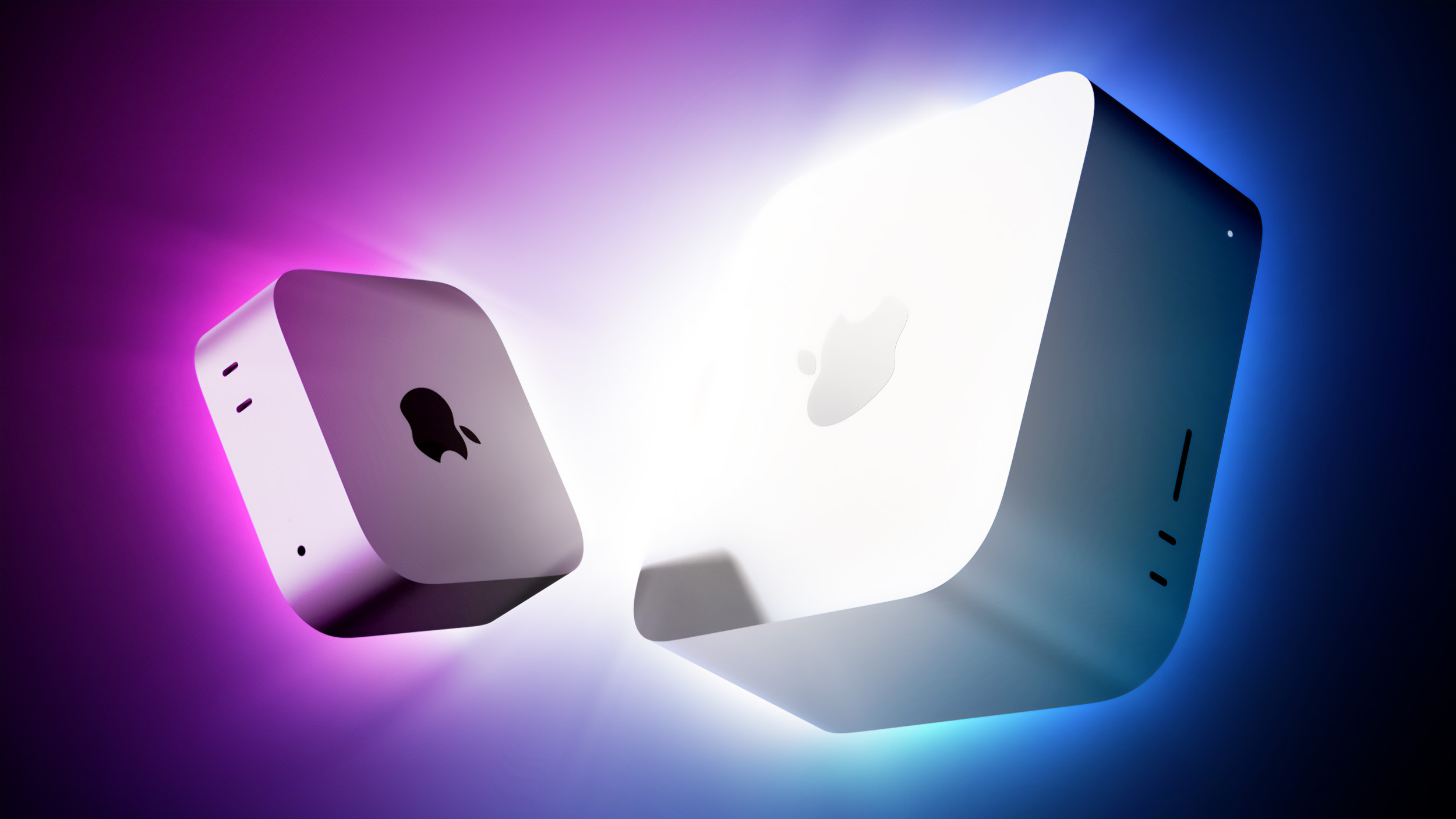
 Apple is using a 128GB NAND flash die in Apple Watch Series 12 and Ultra 4 models, claims a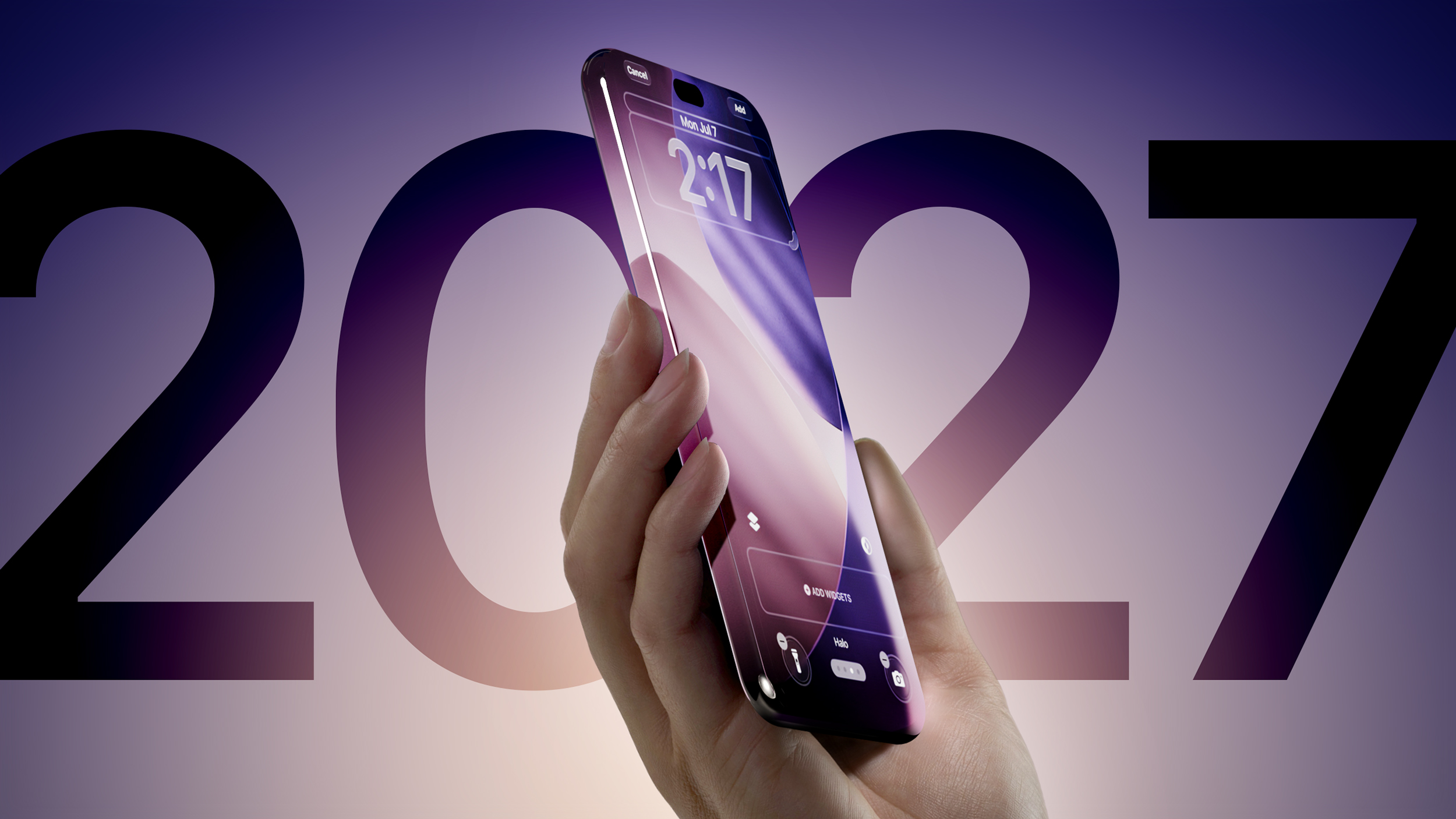
 Apple laid off a "handful" of Apple Fitness+ employees last week, according to
  A shorter Apple Pencil for the iPhone Duo was in development, but Apple scrapped it due to "technical problems ahead of mass production," according to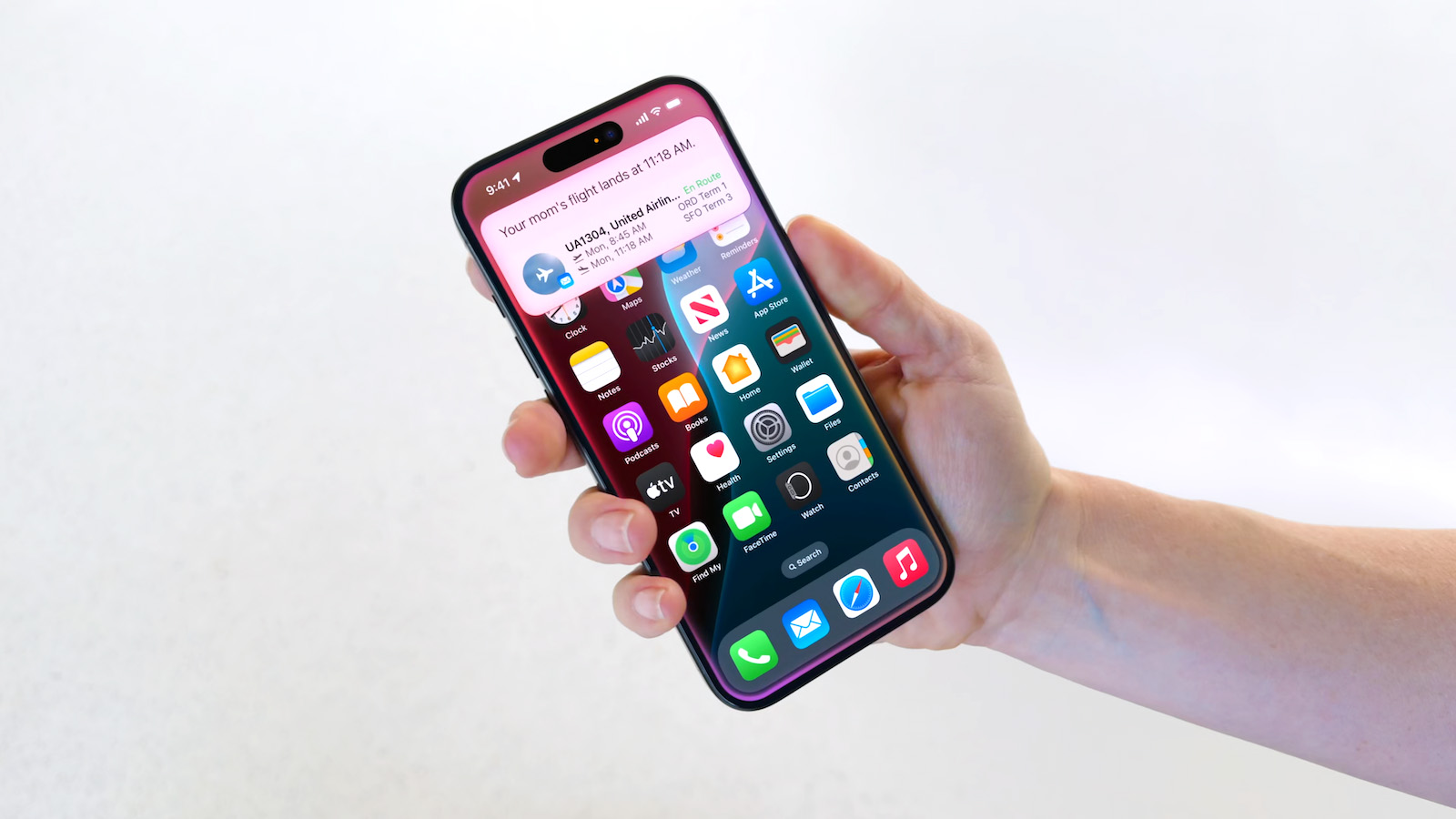


 A supposed