โŒ

Lees weergave

50 New macOS Golden Gate Features and Changes Worth Checking Out

Apple released macOS 27 Golden Gate this week, and despite the company's focus this year on refining its flagship operating system, improving performance, and nixing bugs, there are still plenty of new things to explore. There's an overhauled Siri experience, changes across Apple's apps, and much-needed updates across the system interface.



In this article, we've selected 50 new features and lesser-known changes that are worth checking out if you're updating your Mac. Siri AI remains in beta and is initially rolling out in English, and the availability of some features varies by language and region. What do you think of โ€ŒmacOS Golden Gate so far? Let us know in the comments.

Siri AI Replaces the Old Siri Experience


In macOS 27, Apple has turned Spotlight into the place to search your Mac or ask Siri AI a question. From the new "Search or Ask" bar, you can hold a conversation with Siri, find relevant information in apps such as Mail and Photos, and take actions in supported apps.
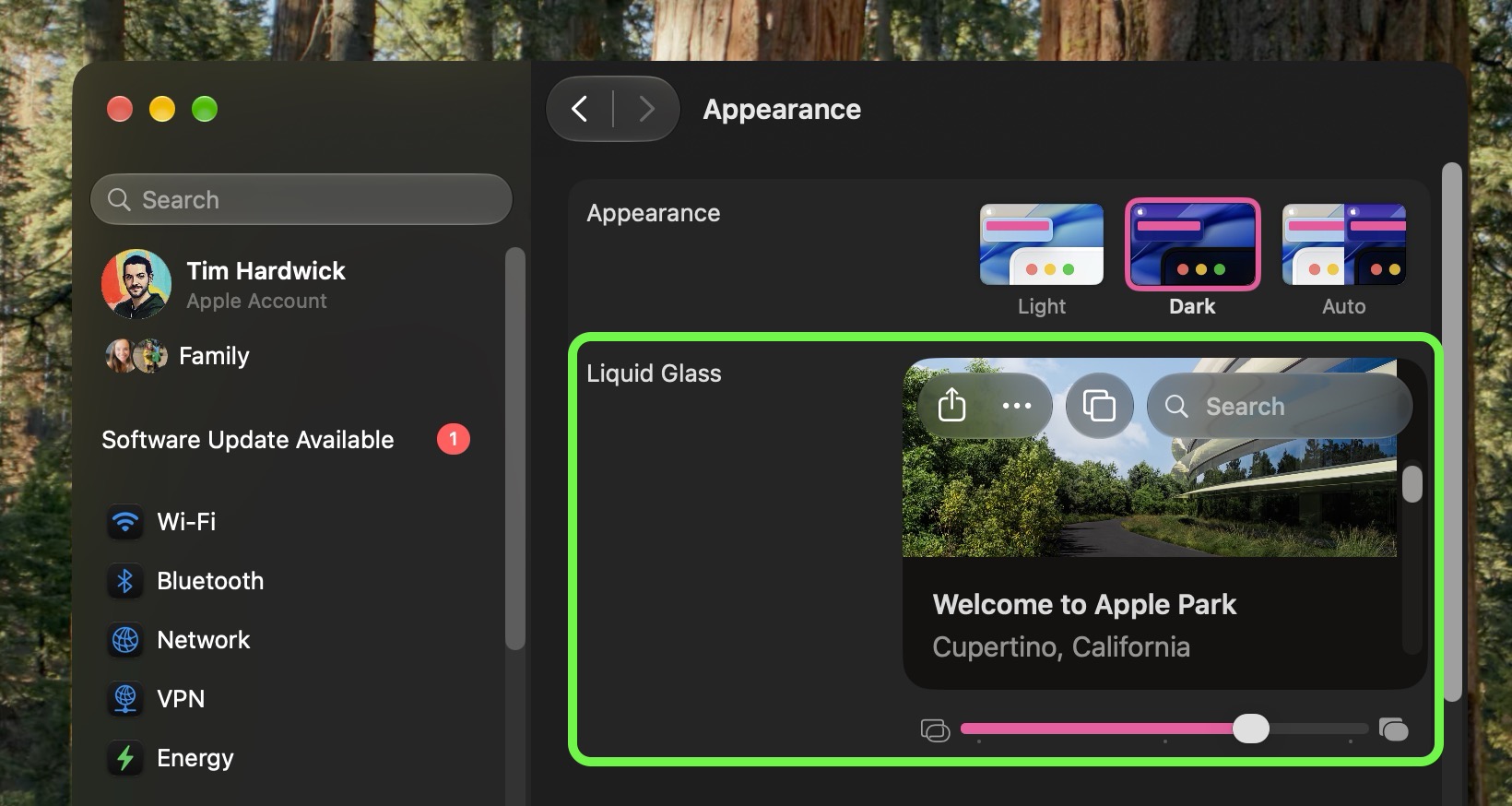
Adjustable Liquid Glass Transparency Slider


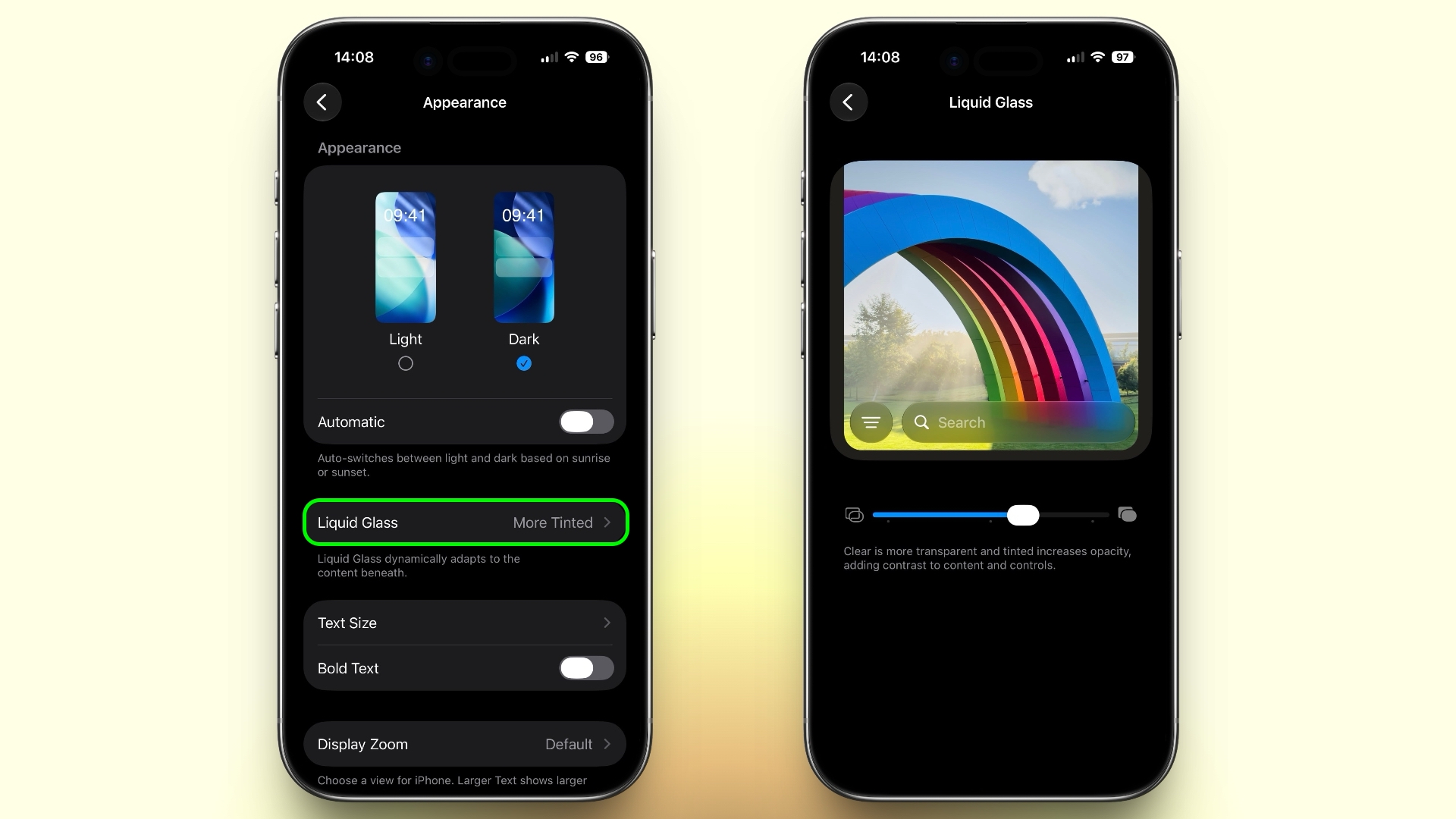
System Settings now has a slider that lets users adjust Liquid Glass from ultra-clear to fully tinted (found in Appearance โž Liquid Glass). Apple has also improved contrast and window shadows, standardized macOS toolbars, and made sidebars extend to the edges of app windows. The changes aim to make controls easier to read and active windows easier to distinguish.

Safari's Start Page Can Resume a Browsing Topic


Safari's Start Page has a new Recently Viewed section that brings back your recently closed browsing topics as well as topics open on any of your other devices. It offers a handy way to pick up a search or research session without trawling through your browser history.

Visual Intelligence Comes to the Mac


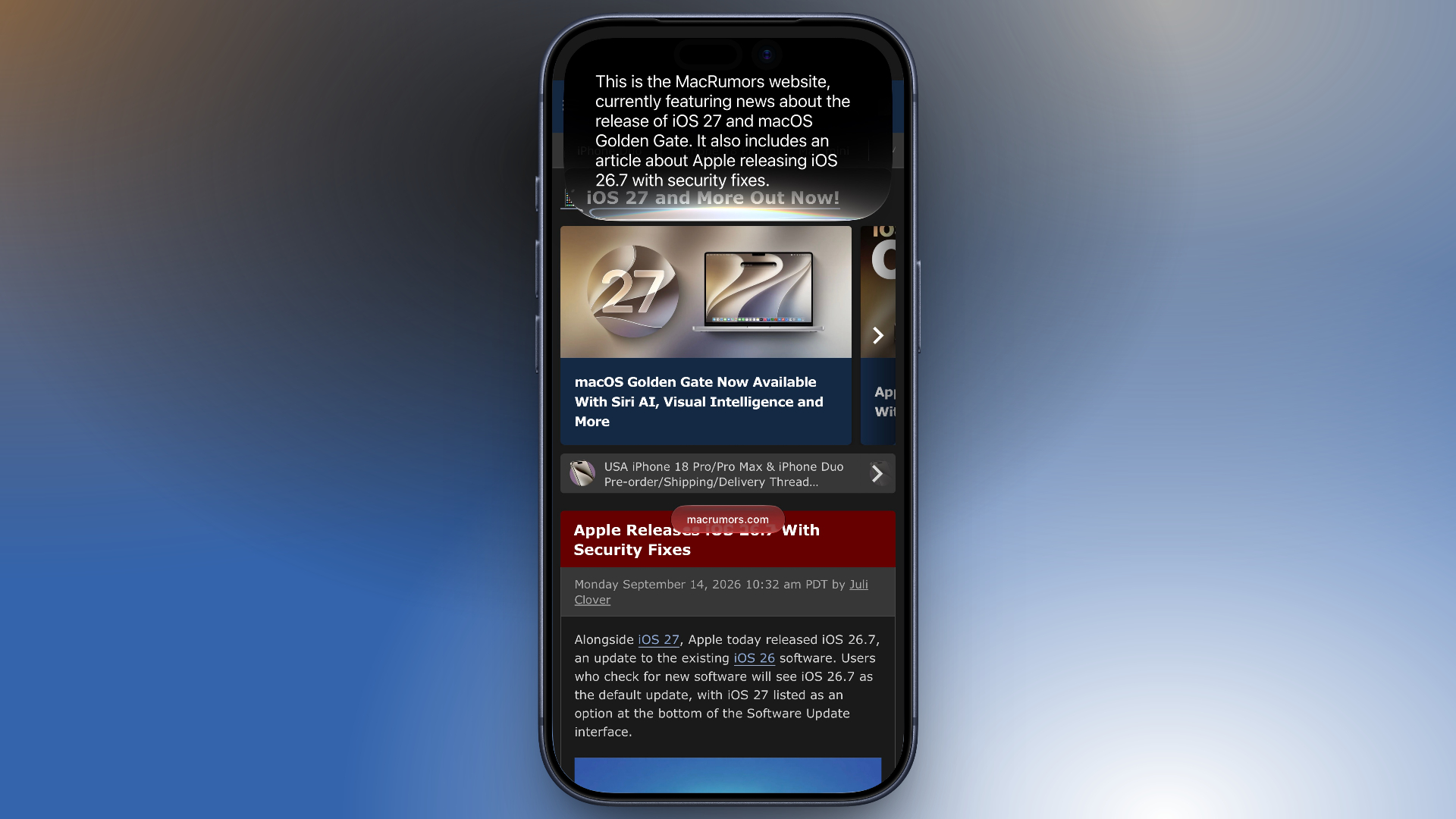
Visual Intelligence is now available on the Mac. Simply press Shift-Command-Space to select something onscreen, then ask Siri to explain it, translate text, search for similar images, or find related information. Siri can also use what it recognizes to take an action, such as adding the details from an event flyer to your Calendar.
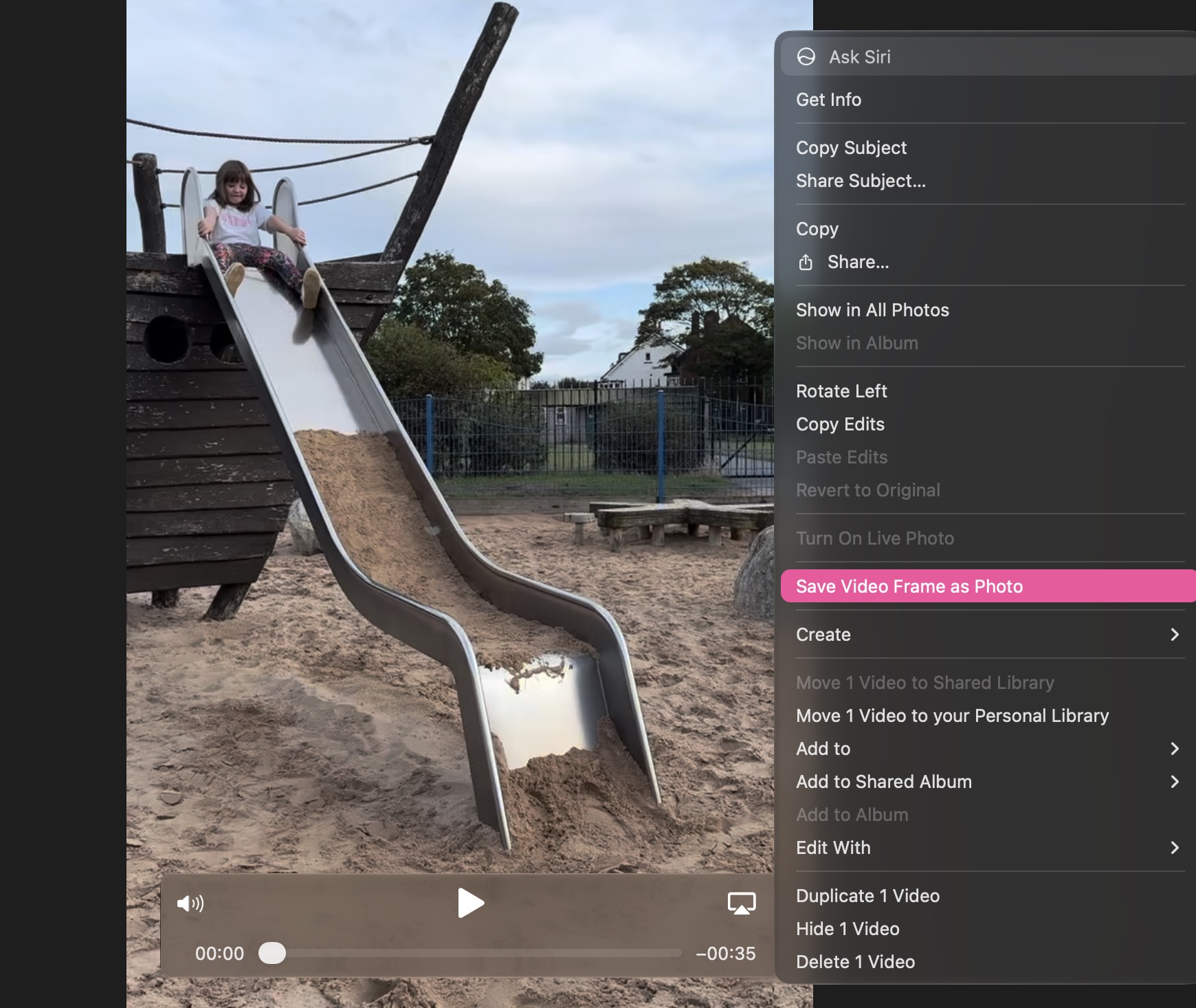
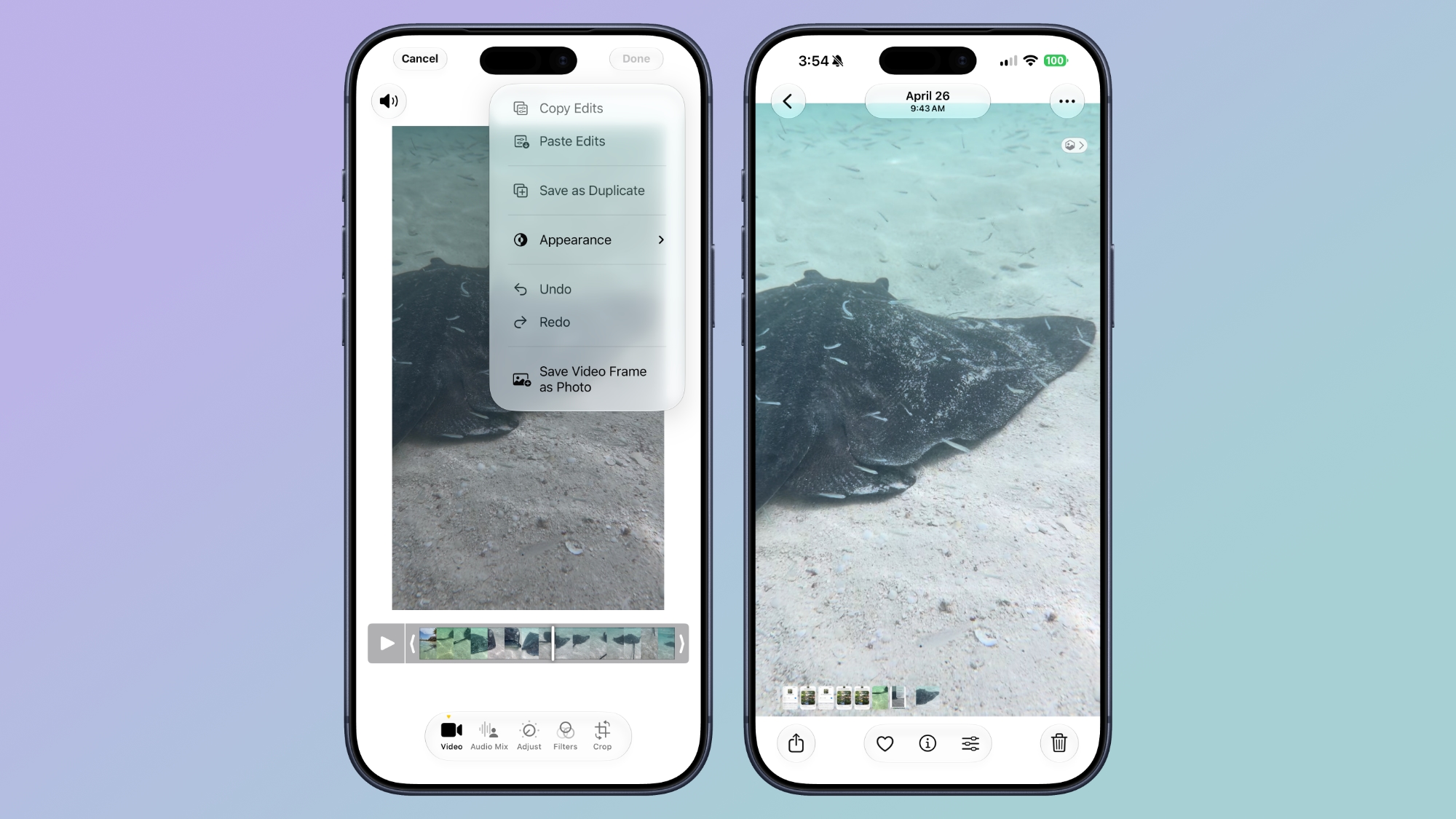
Photos Can Save a Video Frame as a Still Photo


The Photos app can now save a frame from a video as a separate photo. Pause a clip at the moment you want, right-click (or Control-click) it, then choose "Save Video Frame as Photo," and it will add the still image to your library without exporting the entire video.
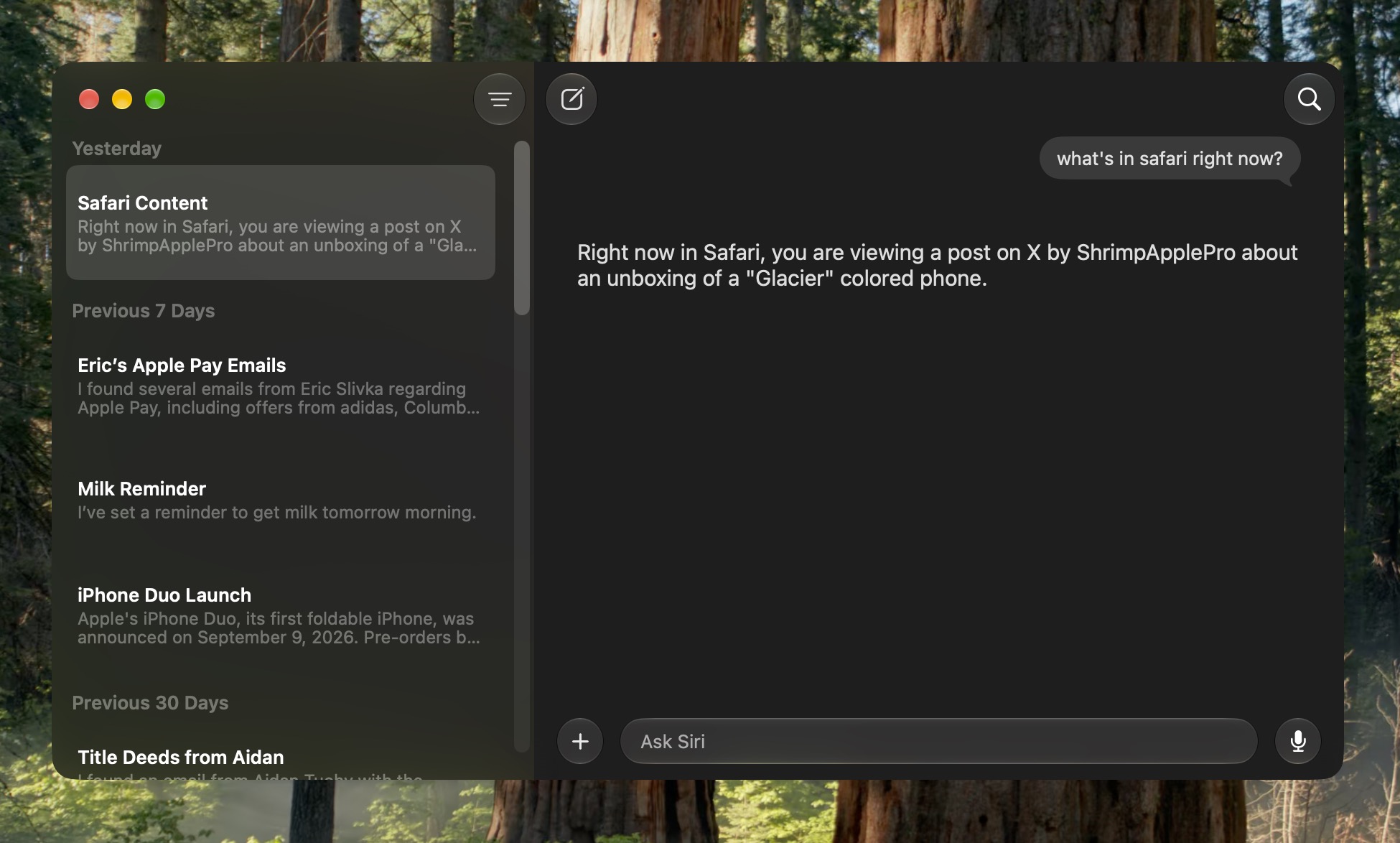
Past Conversations Are Saved in a New Siri App


macOS now has a dedicated Siri app where you can start new conversations or revisit past chats you've had with Siri. The app has a card-style interface with details on your most recent chats across all of your devices. You can also use the search button to find conversations, and there's a pin option for ones you revisit frequently. The Siri app is cross-platform and your content syncs across all of your Apple devices.
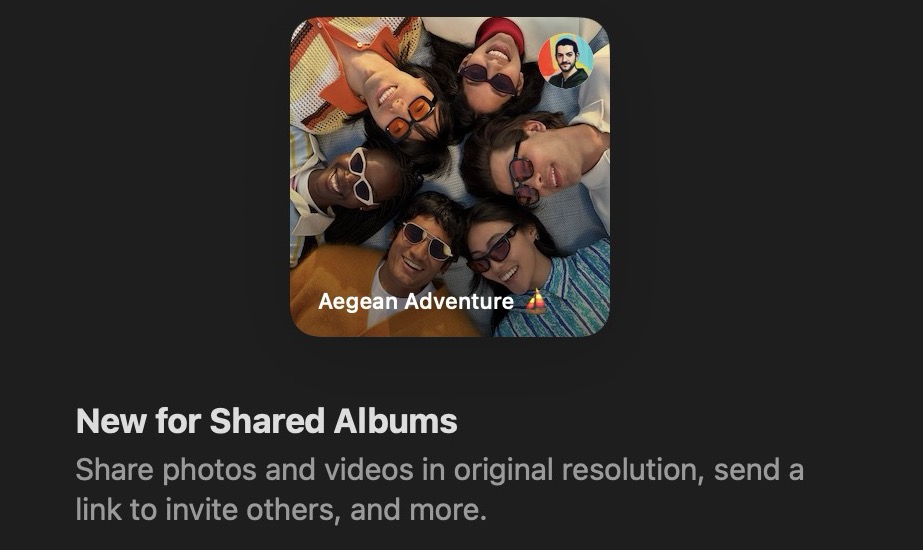
Shared Albums Go Full Resolution


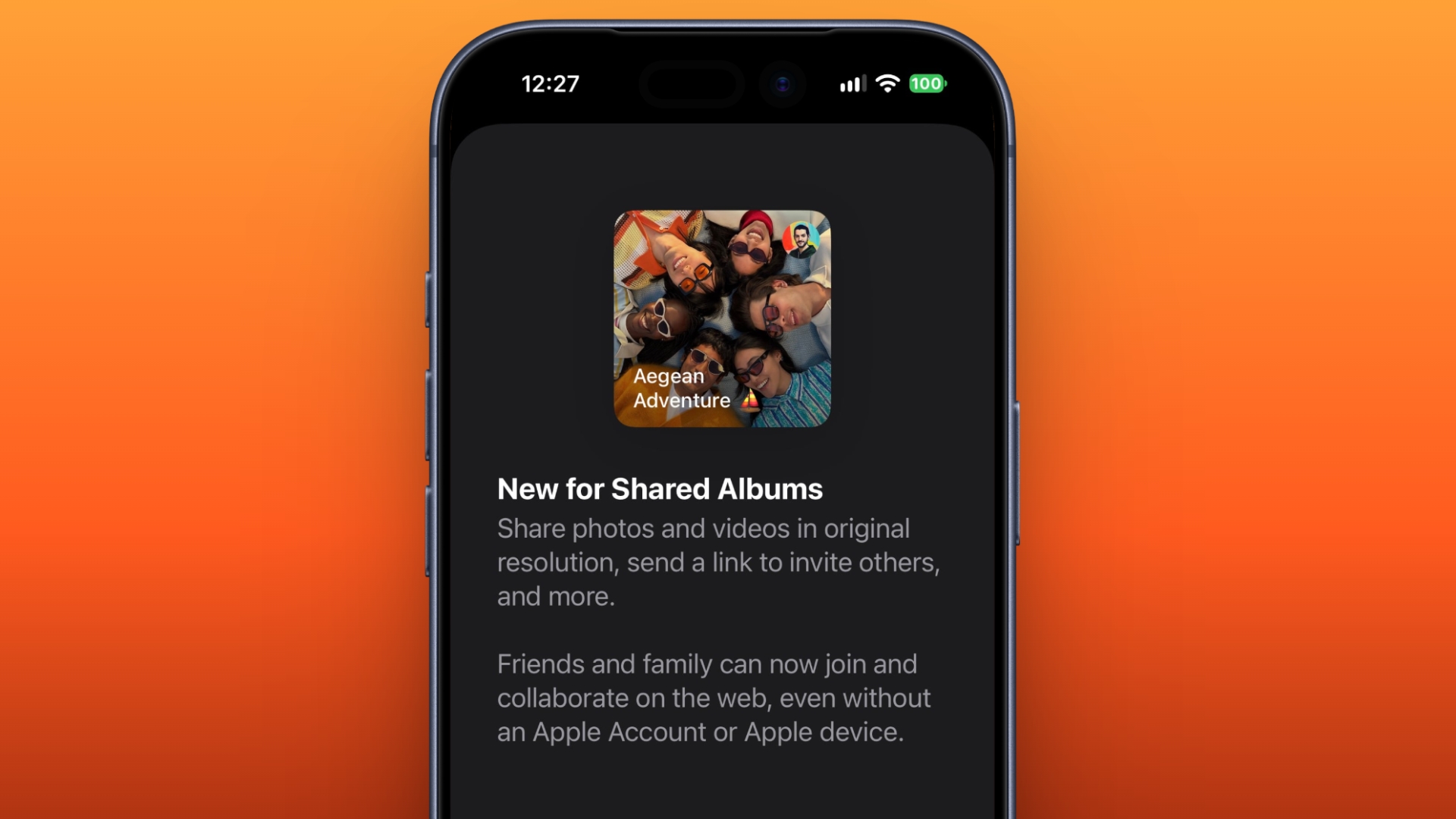
Previously in Photos, pictures in a Shared Album were automatically reduced to 2,048 pixels on the long edge (except for panoramic photos, which can be up to 5,400 pixels wide). In macOS 27 though, Shared Albums finally support full-resolution photos and videos. But there comes a major trade-off. For years now, Apple has allowed you to store up to 5,000 photos and videos in Shared Albums without impacting your iCloud storage limit. That's no longer the case in Golden Gate.
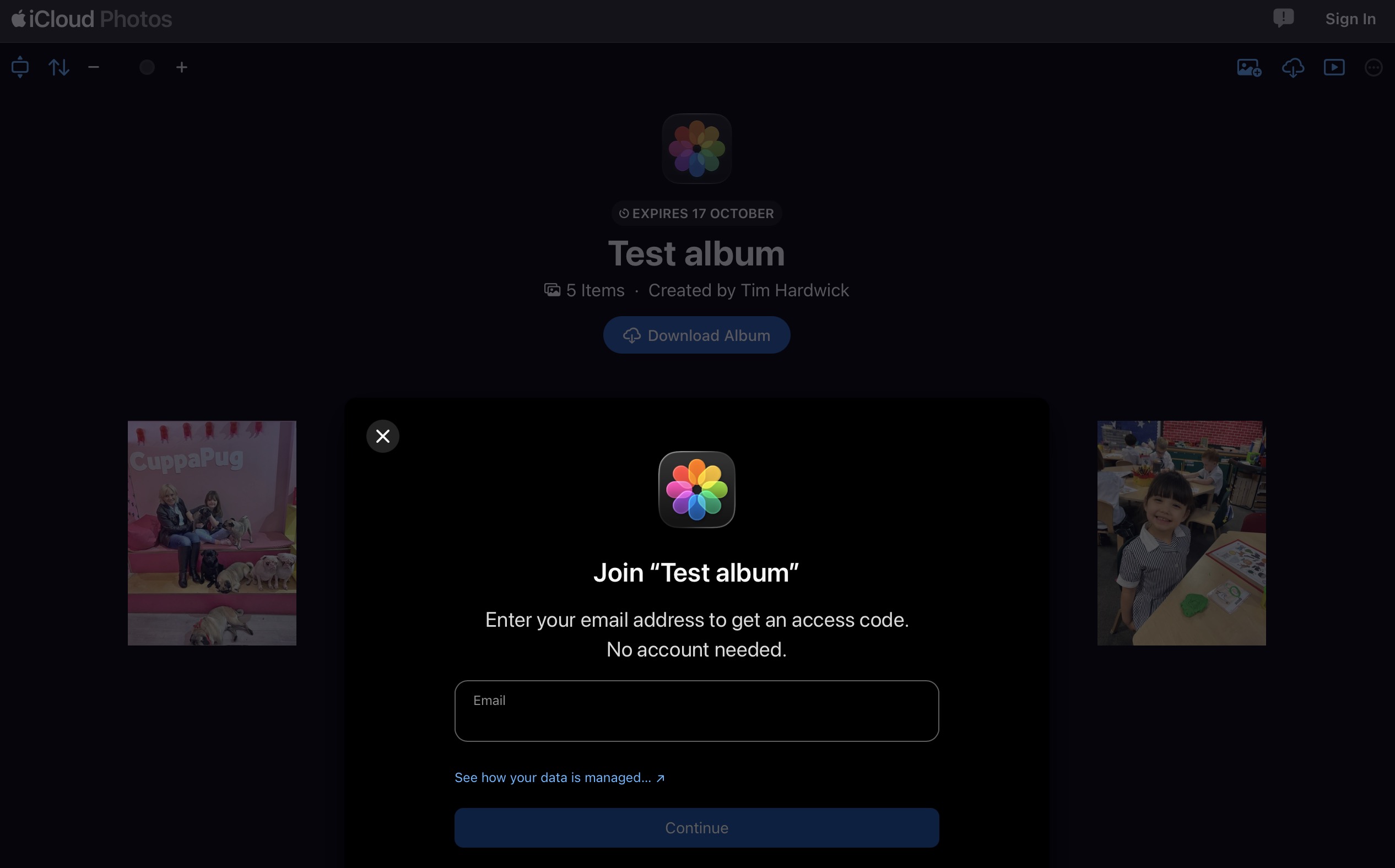
Non-Apple Users Can Add to Shared Albums


People using Android or Windows can now join and contribute to your Shared Albums through iCloud.com. Users can also set an album to expire after 30 days, filter its photos and videos, review recent activity, and react to images with any emoji. Just remember that if you share an album with someone, what they add to it counts against your iCloud storage limit.
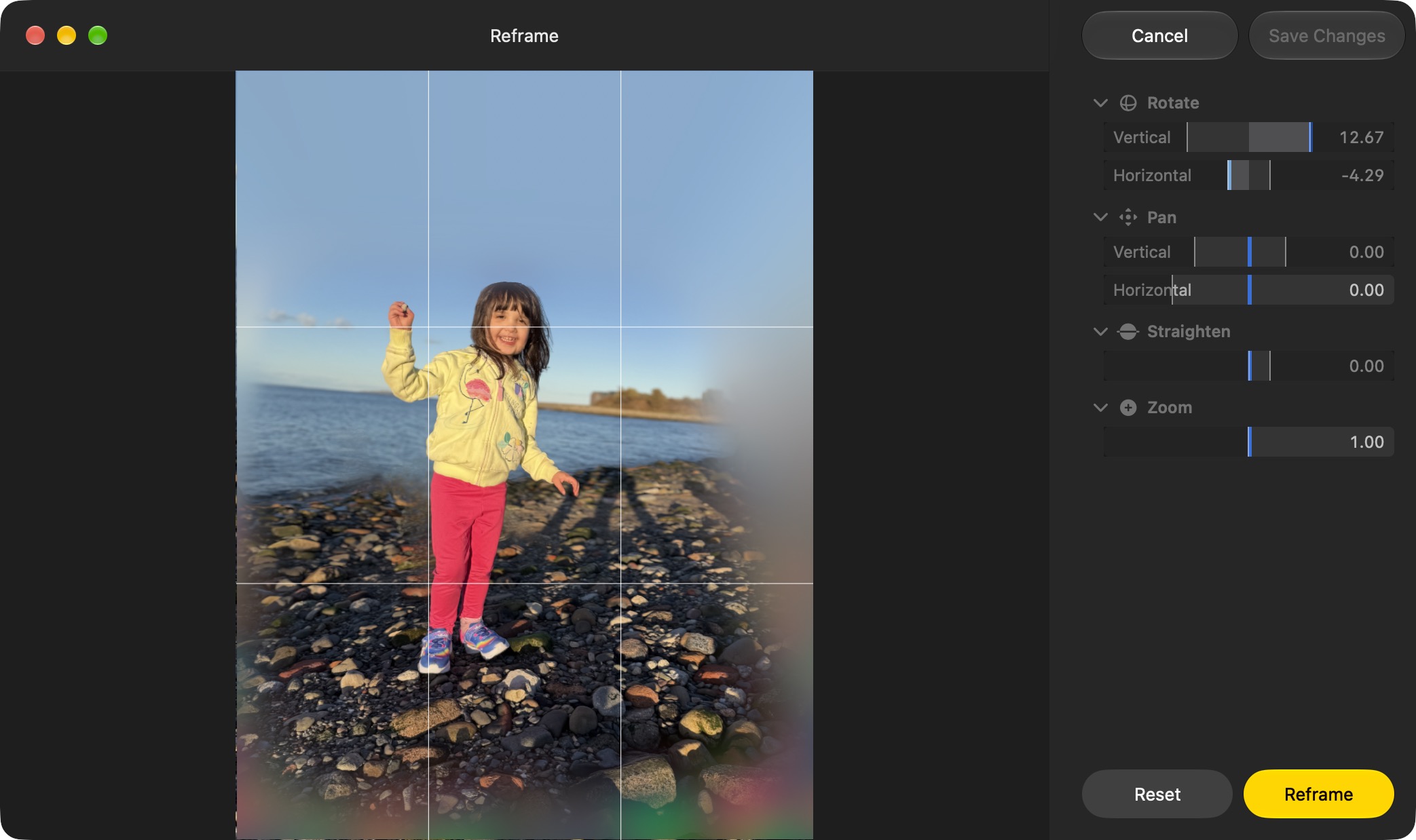
Photos Can Reframe Images


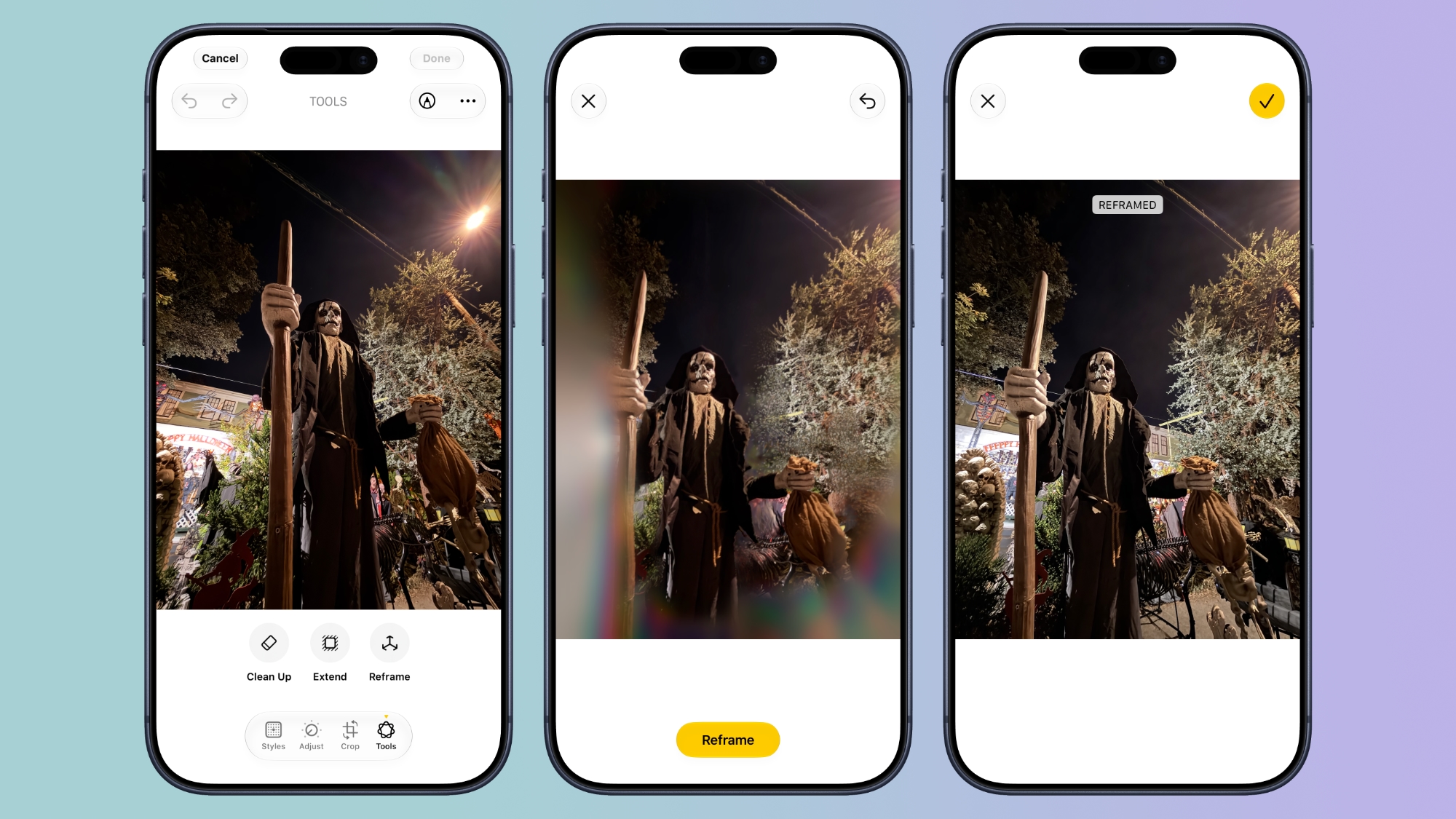
Photos has a new advanced editing tool in macOS 27. Reframe uses information captured with a compatible photo to change its apparent camera angle. It works by combining AI and spatial images so you can change the perspective or composition of a picture.
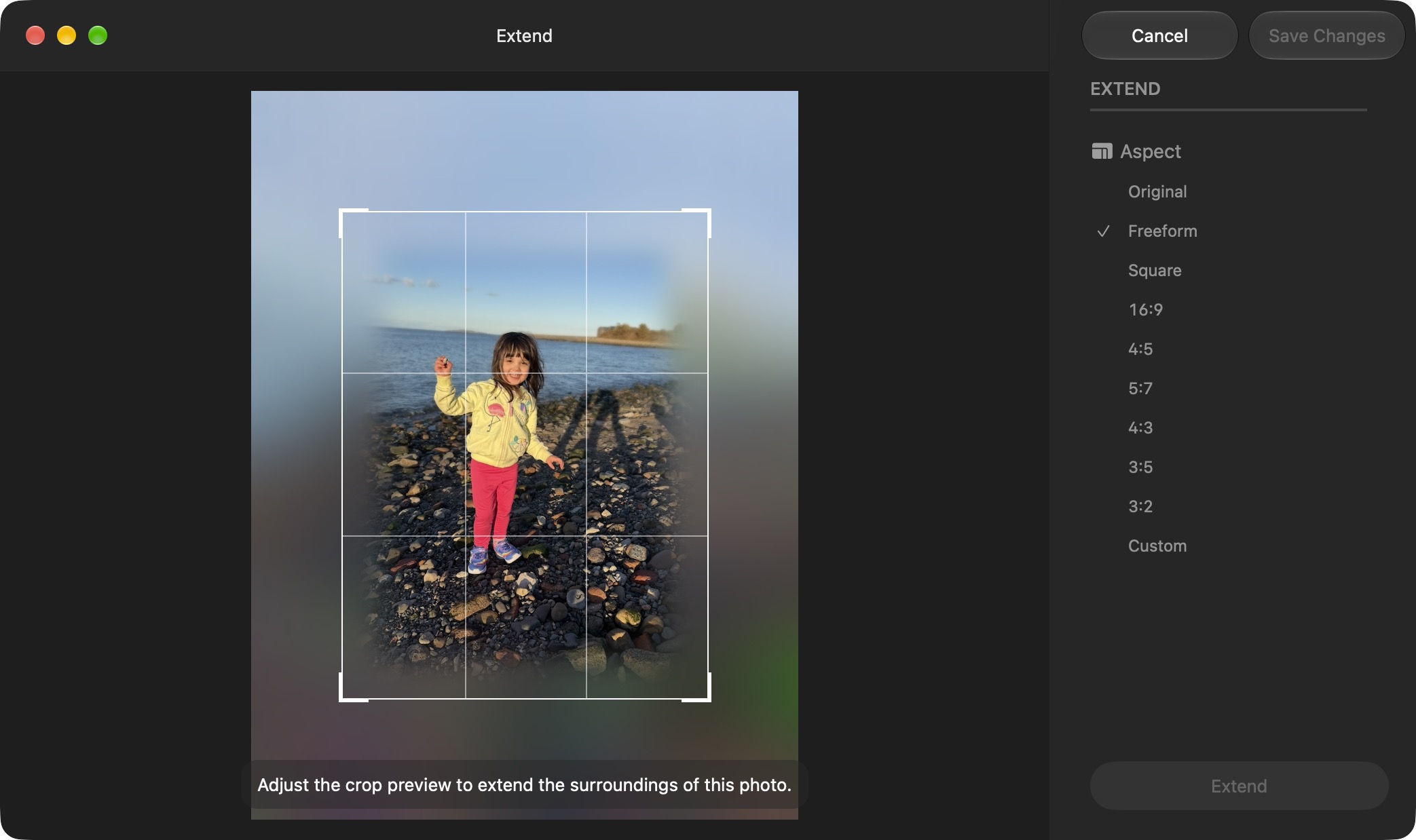
Photos Can Extend Images


Photos has another new editing feature: Extend lets you change the crop of an image, expanding the borders around content to zoom out a bit or change the photo's composition. It uses generative AI to fill in missing areas, and you can adjust the borders with drag gestures.
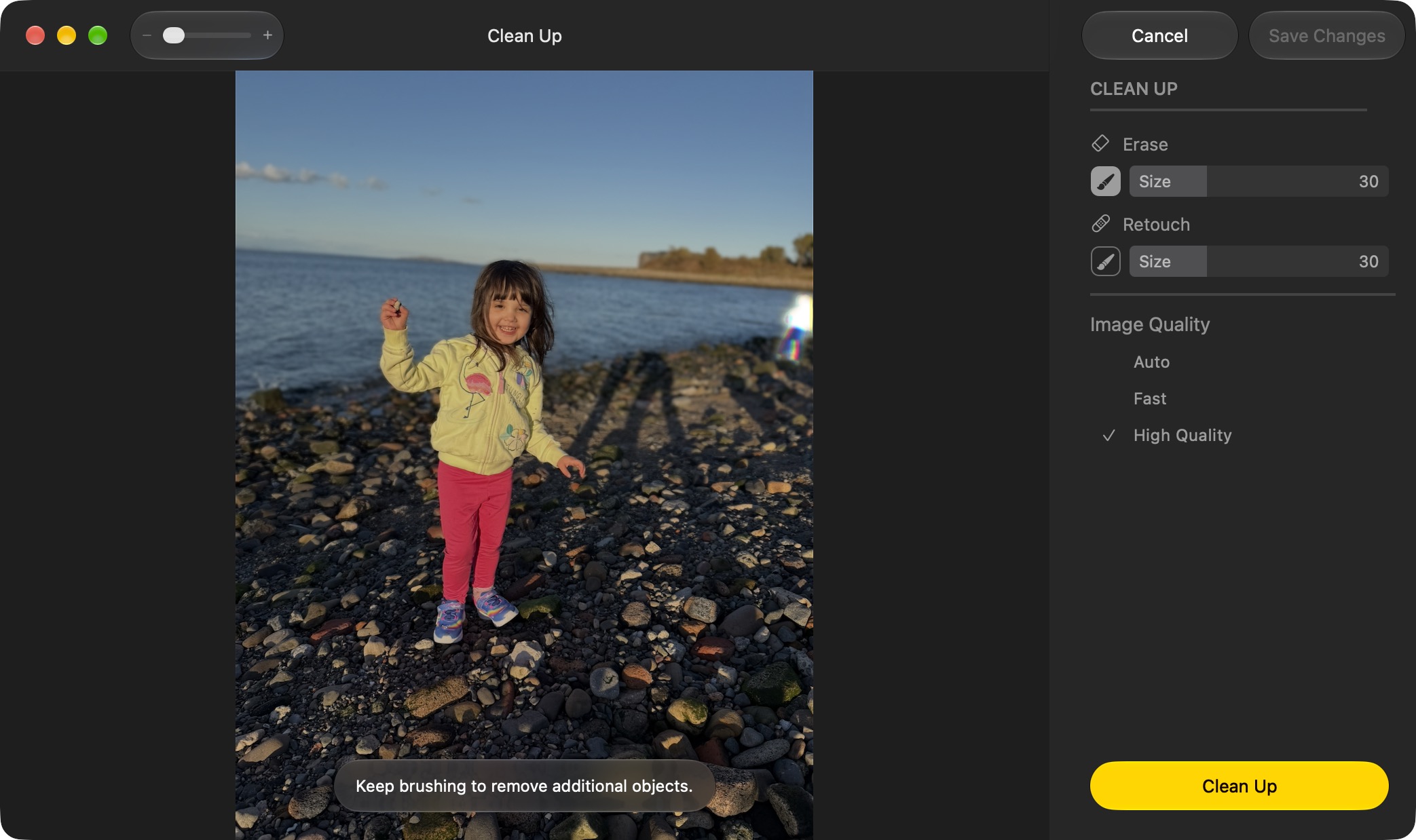
Cleaning Up Photos Got a Lot Better


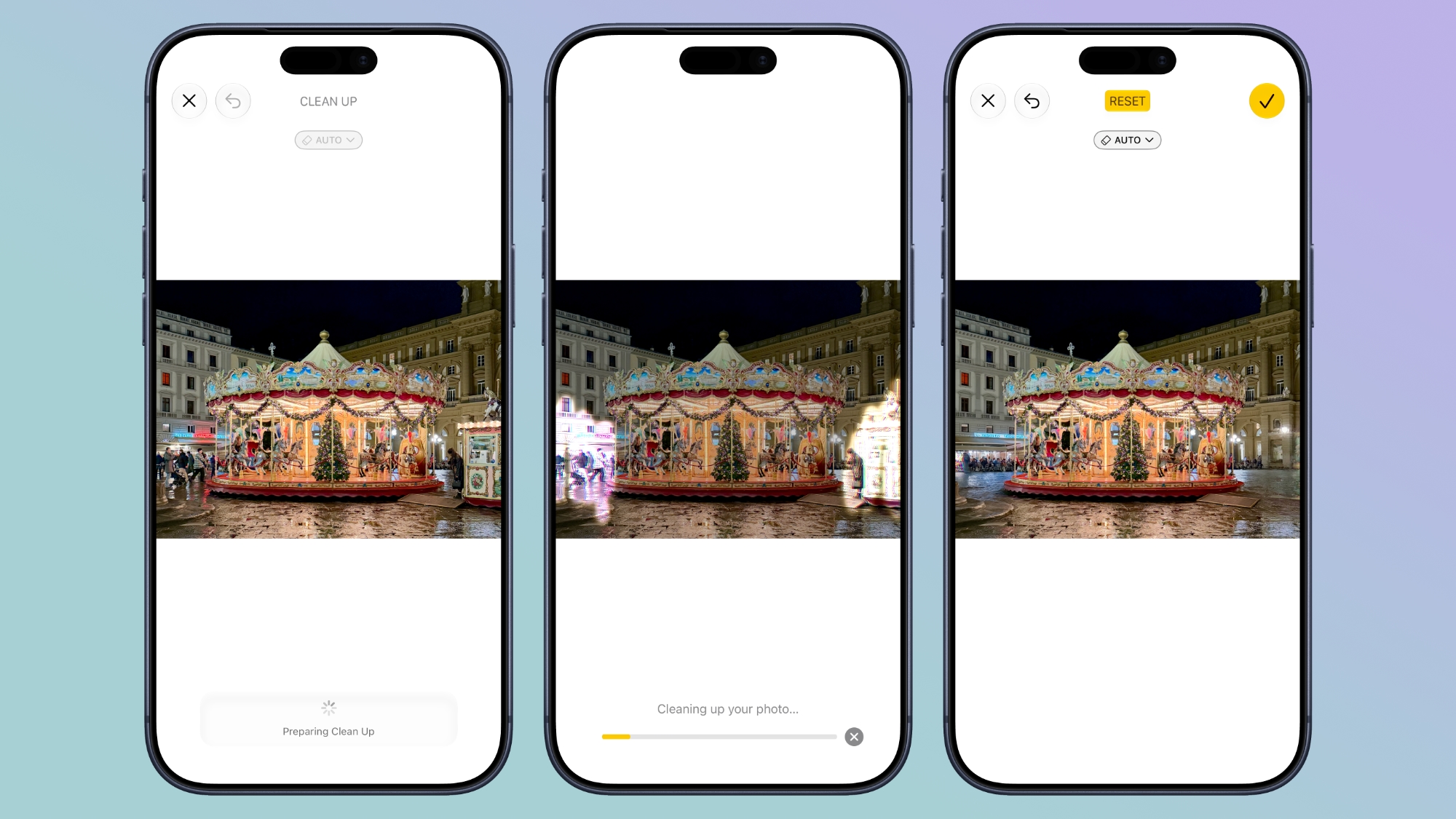
Clean Up now uses new AI models, and it's better at removing objects. The original version of Clean Up was best for small items with little complexity in the surrounding area, but now it can do more work reconstructing backgrounds with generative AI. It also offers Fast, High Quality, and Auto modes. Apple says usage limits may apply.

Swipe Down to Refresh Comes to Mac Apps


The familiar swipe-down-to-refresh gesture comes to Safari, Mail, News, Podcasts, and Calendar on the Mac. Pulling down on content via your trackpad (or with your finger on iPad via Sidecar) causes the app to load the latest information, meaning you don't have to reach for a refresh button or keyboard shortcut.

Mail Search Puts More Relevant Results First


In Mail, search actually works properly in macOS 27. It now ranks messages by relevance rather than relying on matching words and recency. A search for a store, for example, can put an order confirmation ahead of promotional emails from the same sender, even if the order is buried in the inbox.
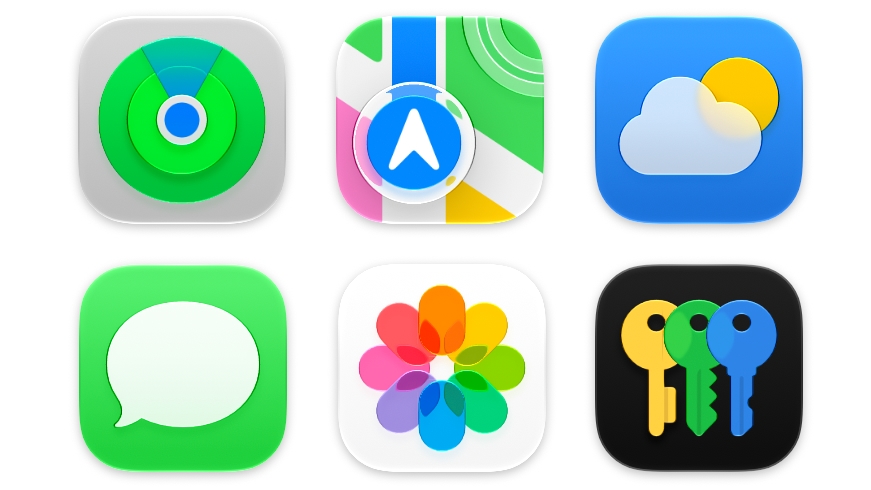
App Icons Gain More Liquid Glass Detail


Apple's app icons now have more layers of Liquid Glass, which adds detail and sharper edges across light, dark, clear, and tinted appearances. It's a smaller visual change than the new Appearance slider, but one you'll see throughout the Dock and app grid.
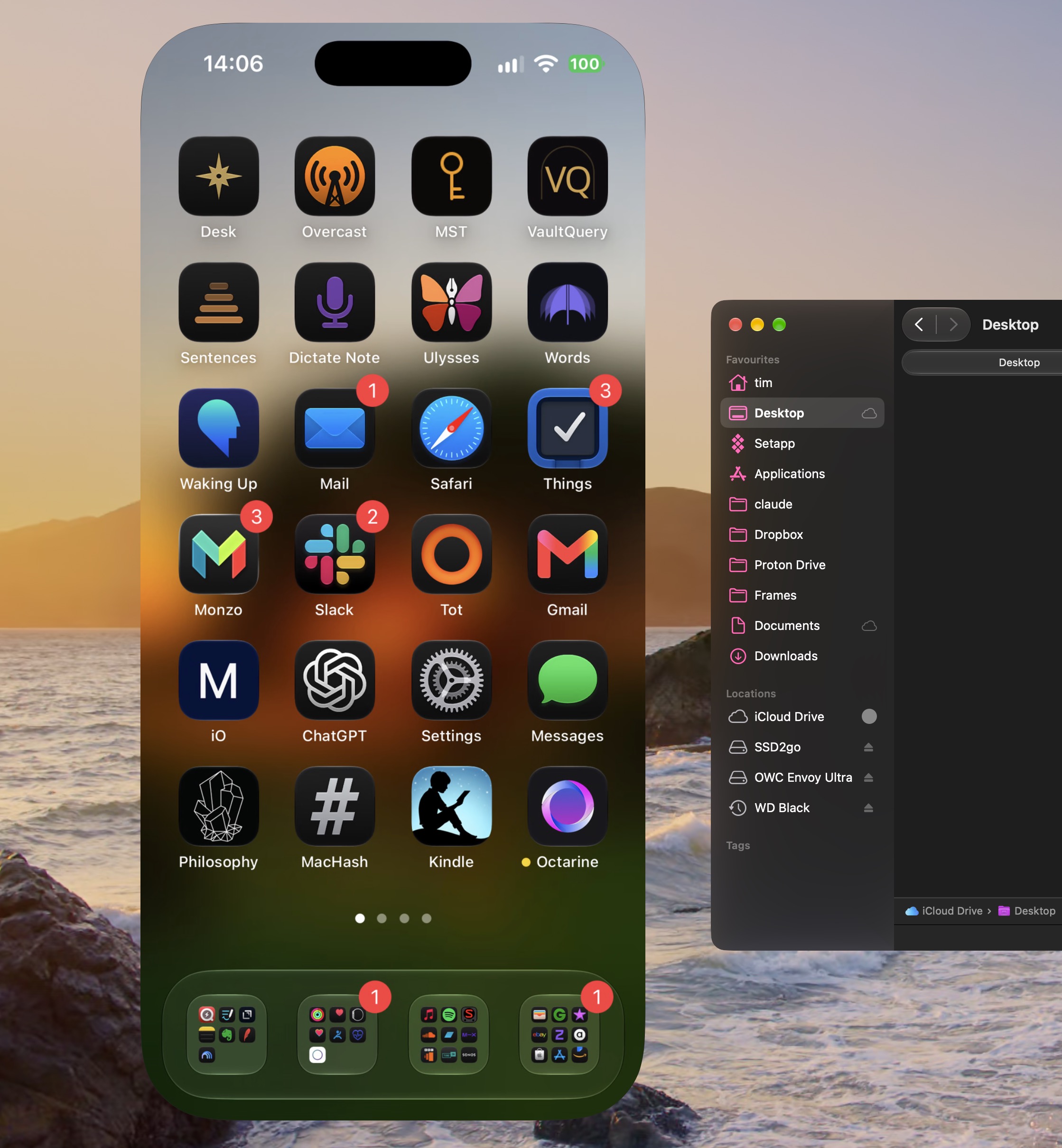
iPhone Mirroring Windows Become Resizable


Users can now drag a corner of an iPhone Mirroring window to make it larger or wider. Supported apps can show more information as the window expands, and macOS 27 now also supports playback of protected video in the mirrored window. Bear in mind that individual streaming providers may still restrict what can be mirrored, and iPhone Mirroring remains unavailable in the European Union.
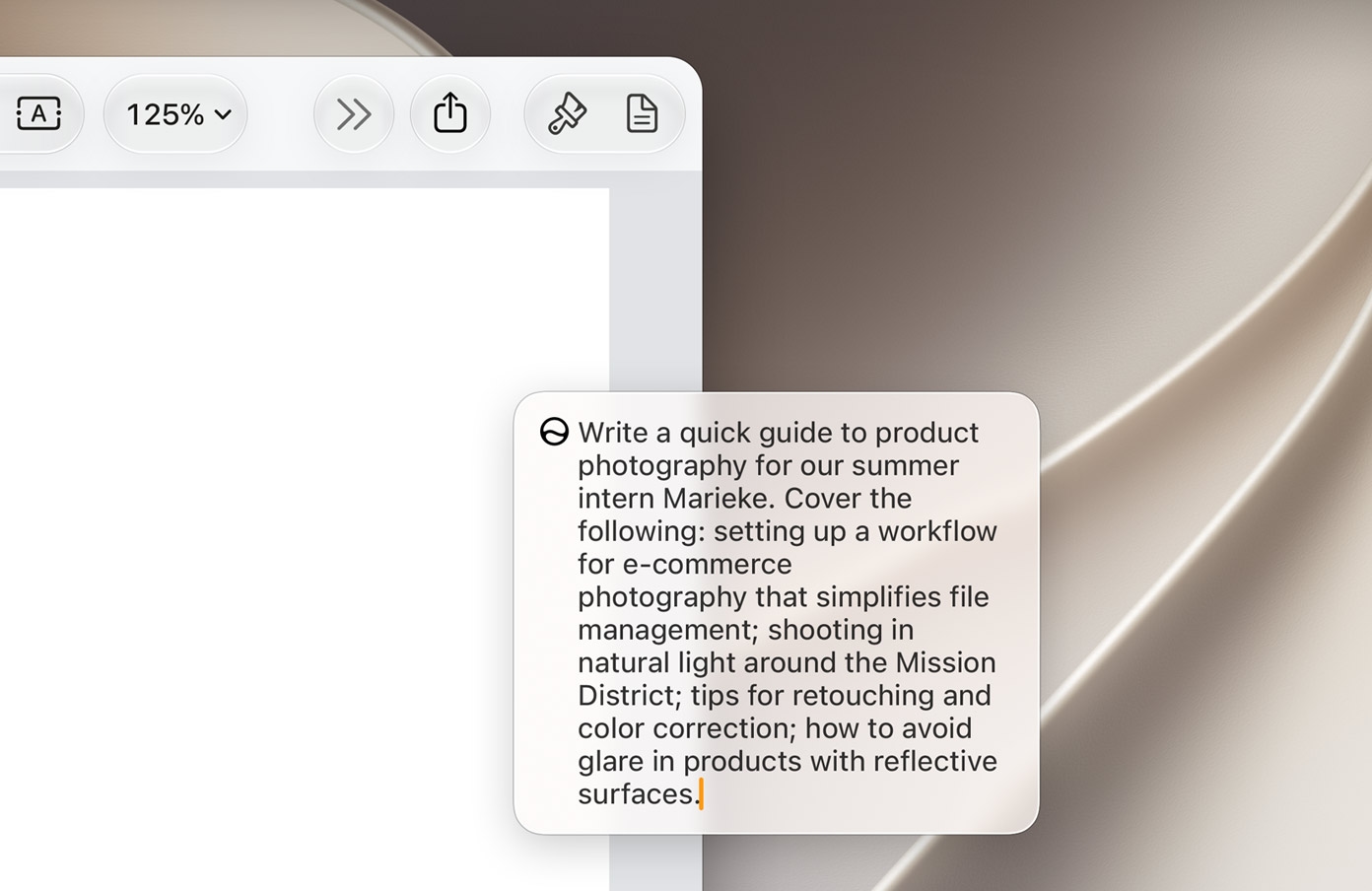
Write With Siri Almost Anywhere


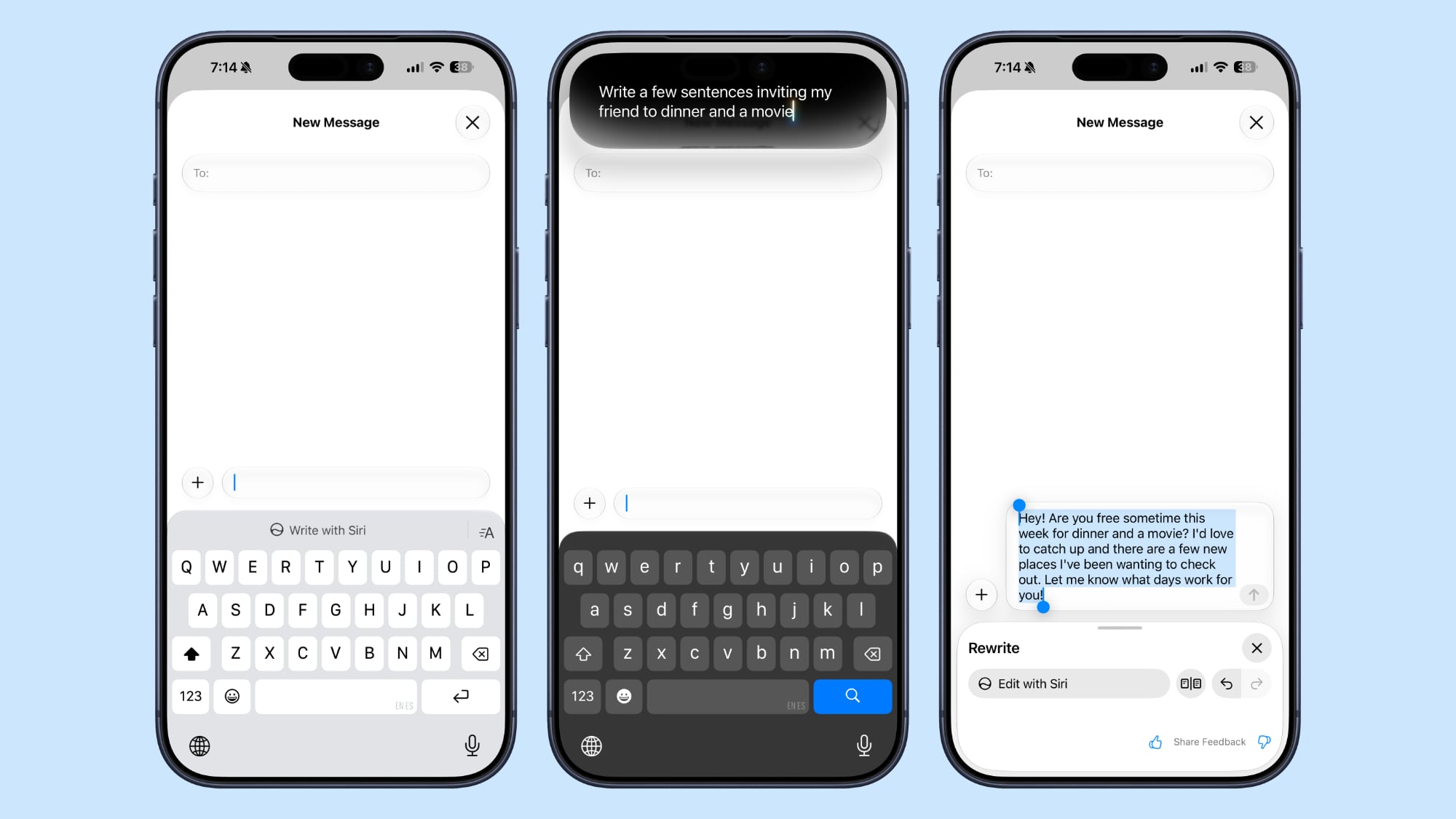
Write with Siri can generate a draft from a description, give feedback on existing text, or make a requested edit, such as shortening a paragraph or changing its tone. It works virtually anywhere you can type, and Apple says it can match your writing style in Mail and Messages.
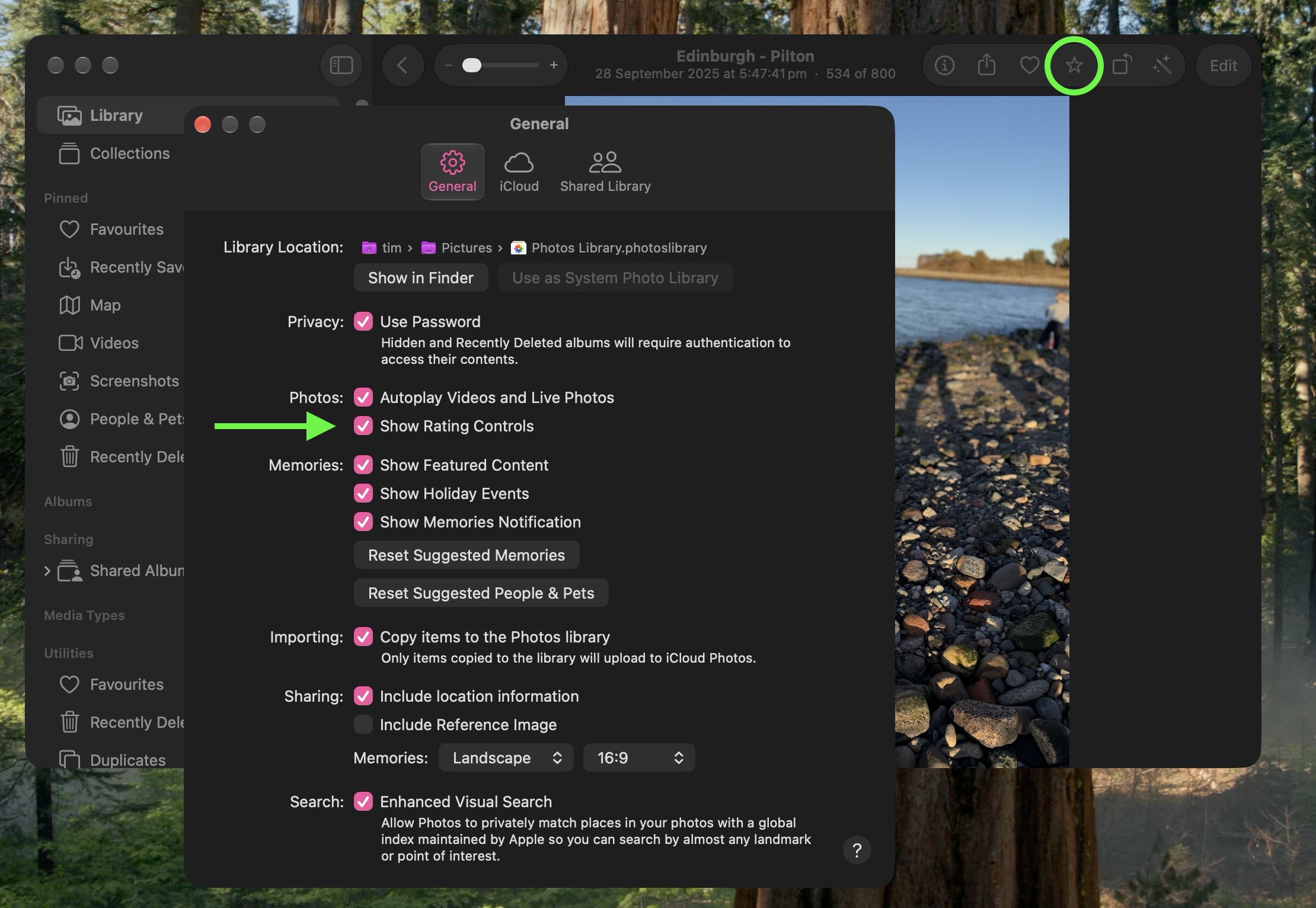
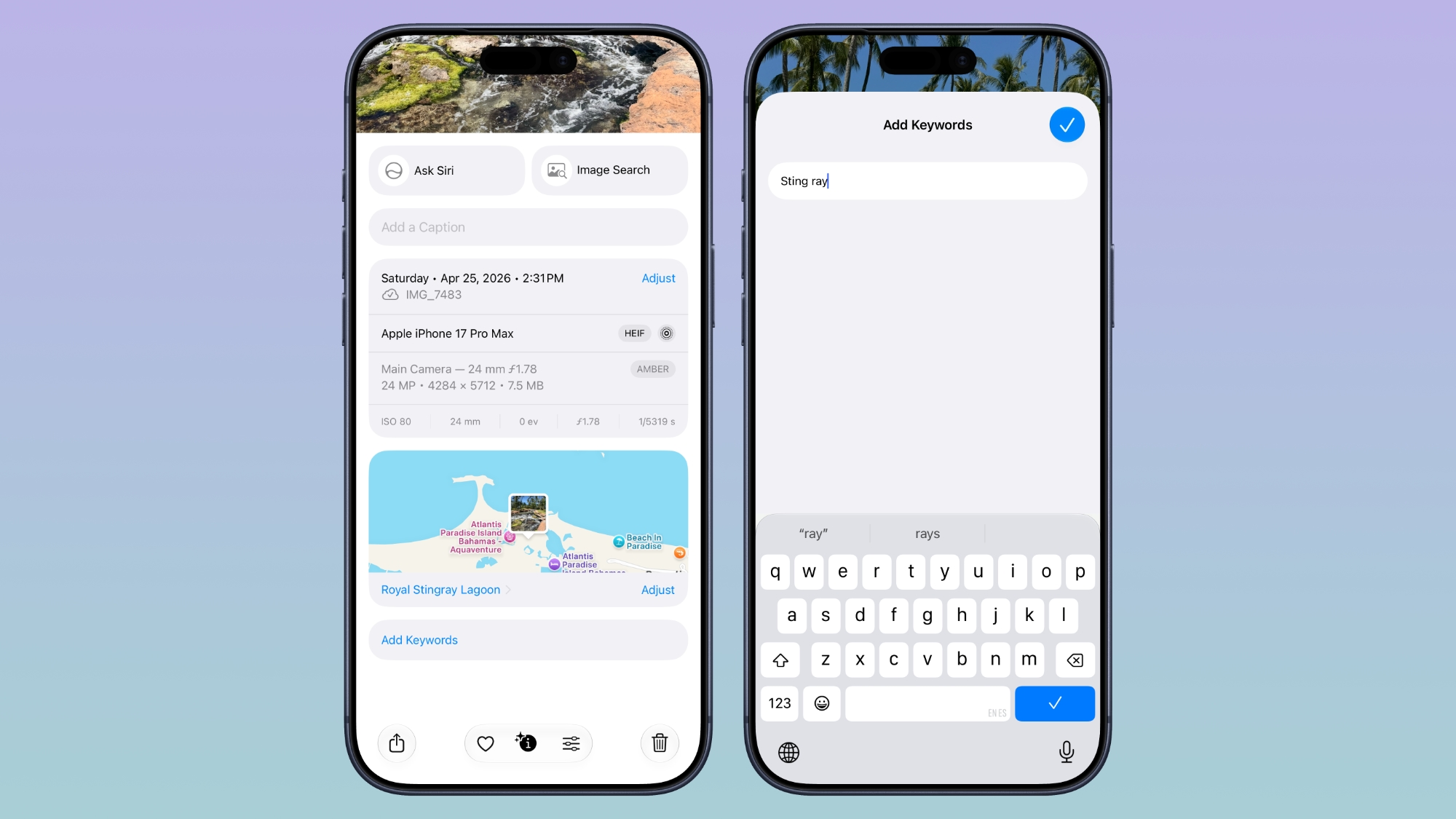
Photos Adds Keywords and Star Ratings


Photos now lets users add keywords and one-to-five-star ratings to both photos and videos. Ratings can also be used as a filter, so it's easier to narrow down a large library to your best shots. Ratings controls are off by default, but you can enable them in Photos' General settings by checking the box next to "Show Rating Controls."
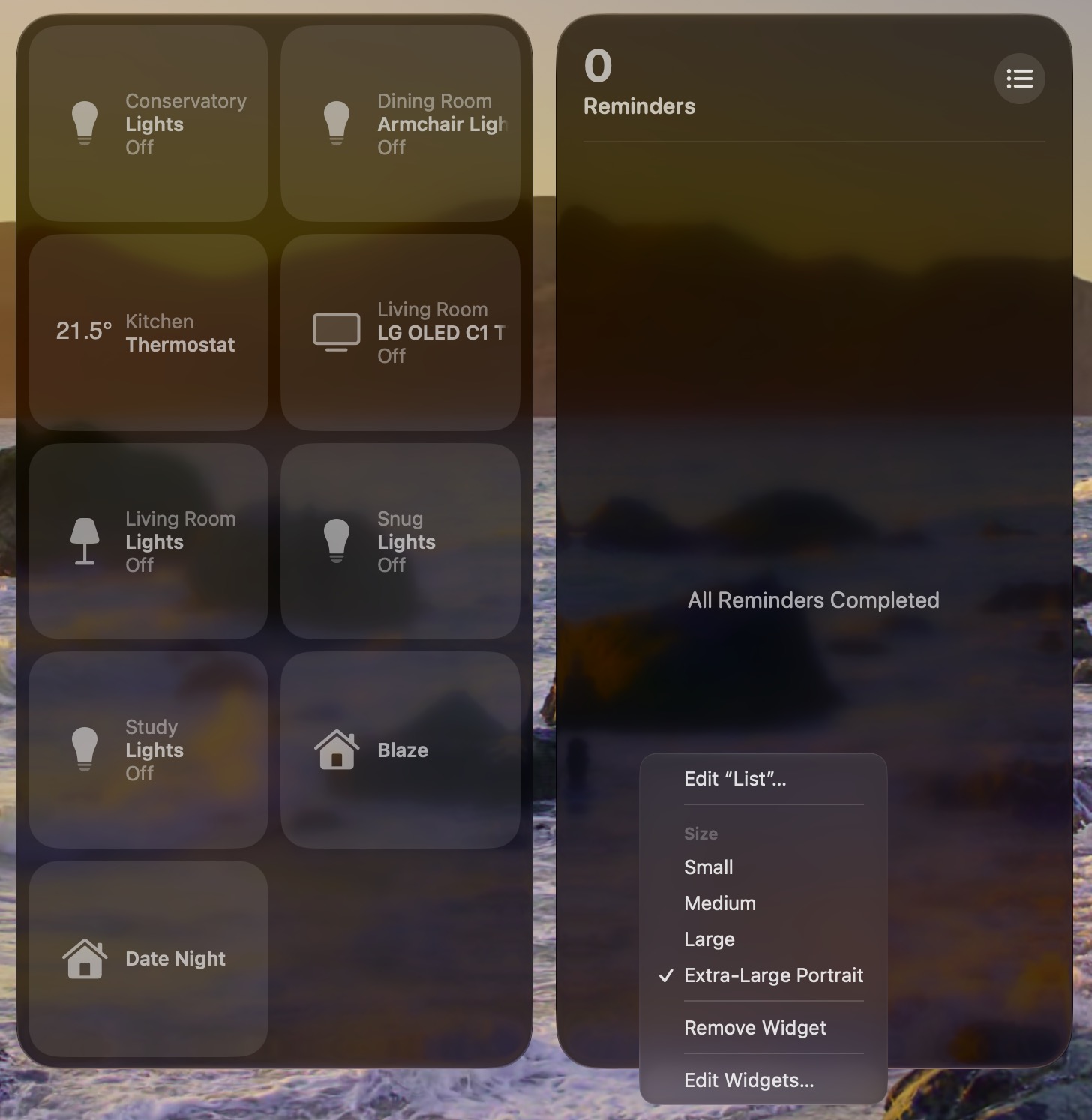
Add Extra-Large Widgets to Desktop


If you have any widgets on your desktop, try right-clicking (or Ctrl-clicking) on them and looking for a new option called Extra-Large Portrait. You can now make widgets take up a lot more screen space, which is useful for things like weather, home, and reminder widgets.
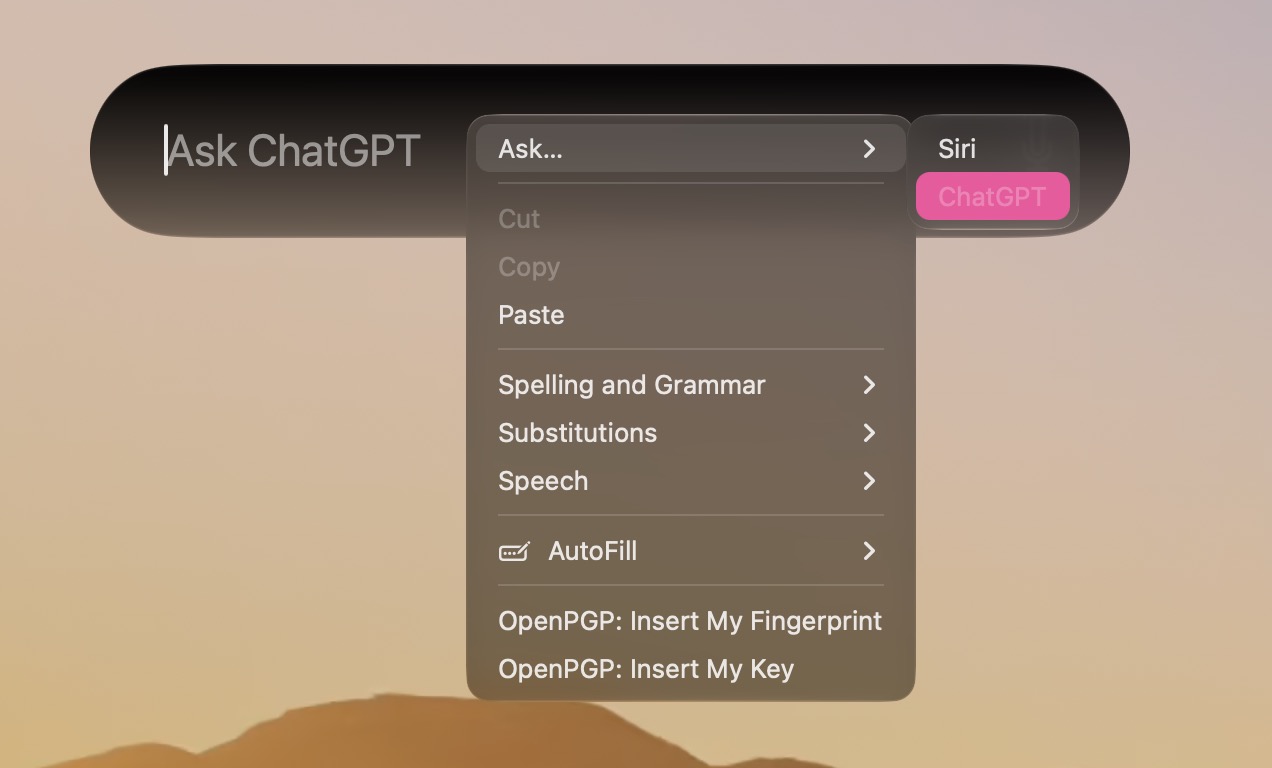
Trade in Siri for ChatGPT


The new Siri app and the "Search or Ask" bar (Command-Space) defaults to the new Siri AI, but you can switch it to ChatGPT if you prefer. Simply right-click (or Ctrl-click) and select "Ask..." From the context menu, and you'll see an option to change to ChatGPT. Note that conversation context doesn't transfer when you switch chatbot providers.
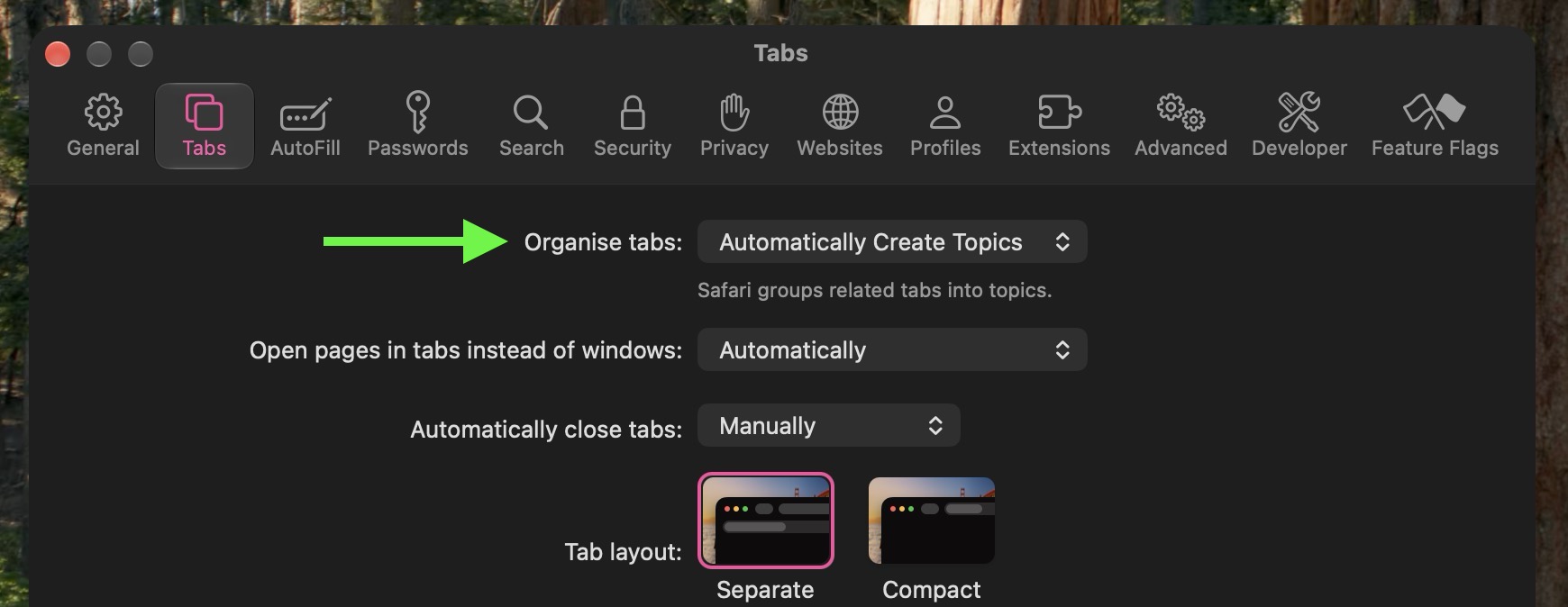
Safari Organizes Pages for You


If you have several webpages open with related content, Safari can automatically group these open tabs by topic while keeping any unrelated browsing sessions apart. To enable the feature, open Safari's Settings, select the Tabs section, and choose "Organize Tabs: Automatically Create Topics."
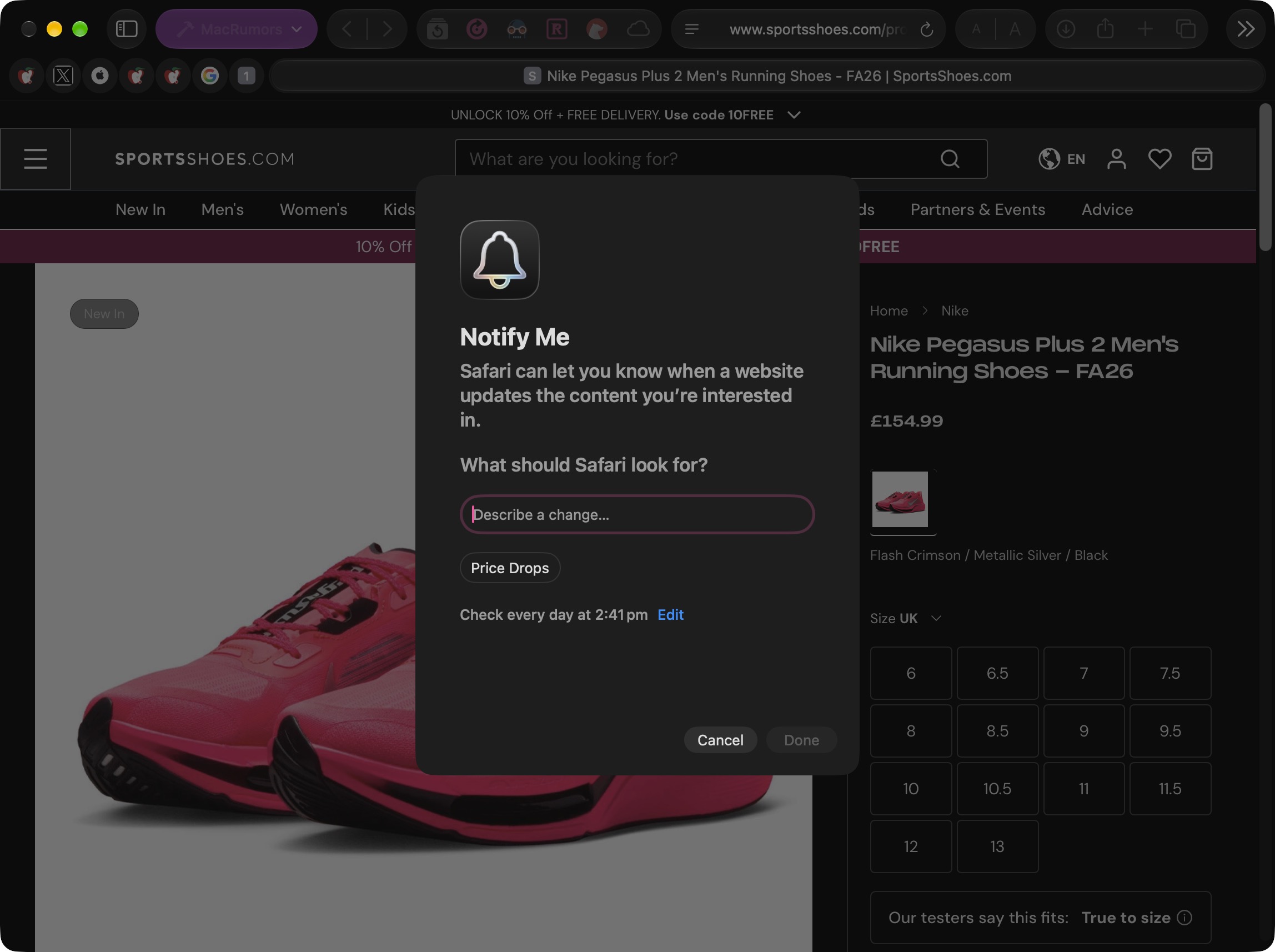
Safari Can Notify You When a Page Changes


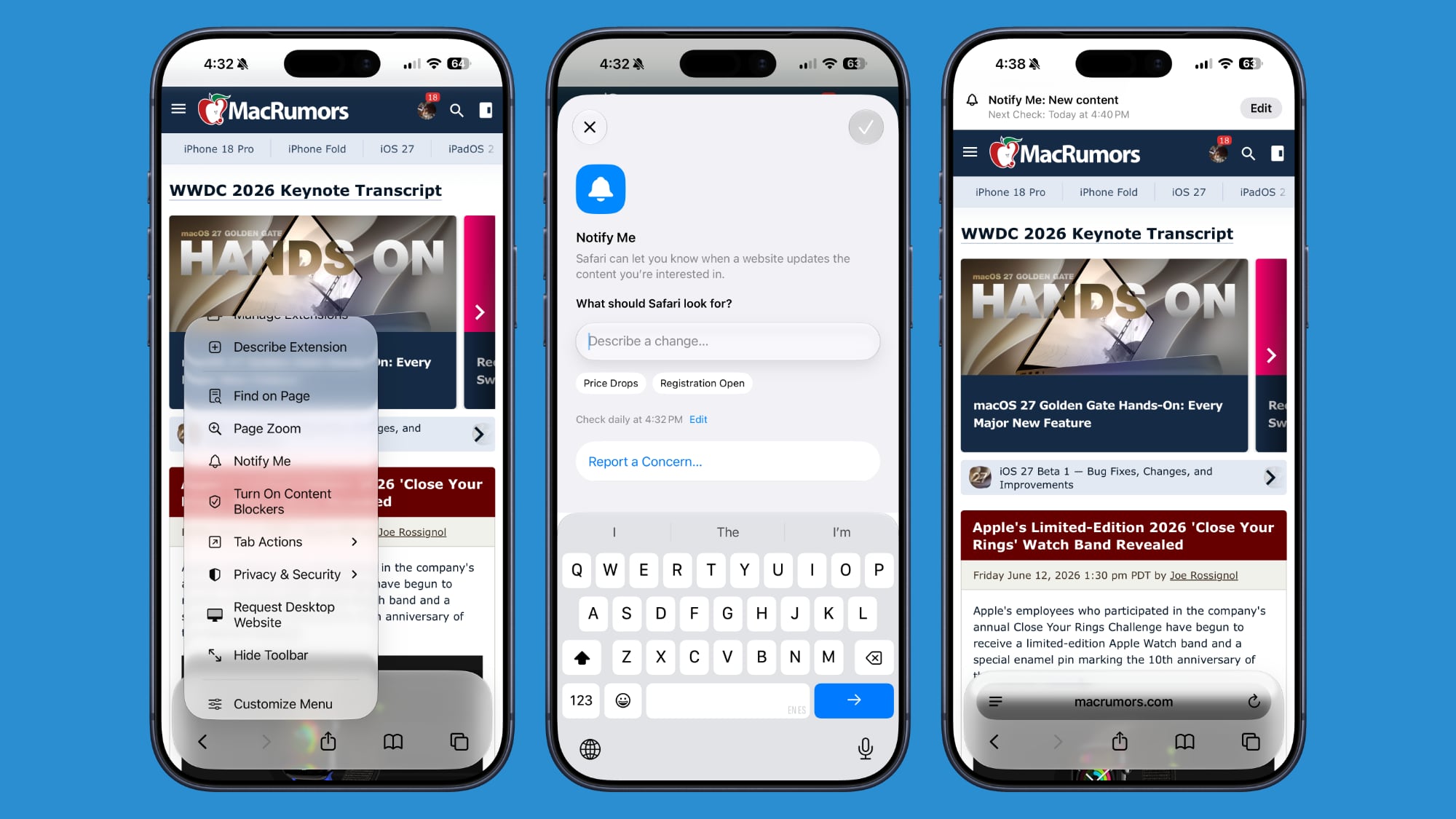
Notify Me is another new Safari feature that enables the browser to watch a webpage for a specific change, such as a product restock or price drop, and alert you when it happens. The feature's monitoring options include daily, weekly, or monthly schedules.
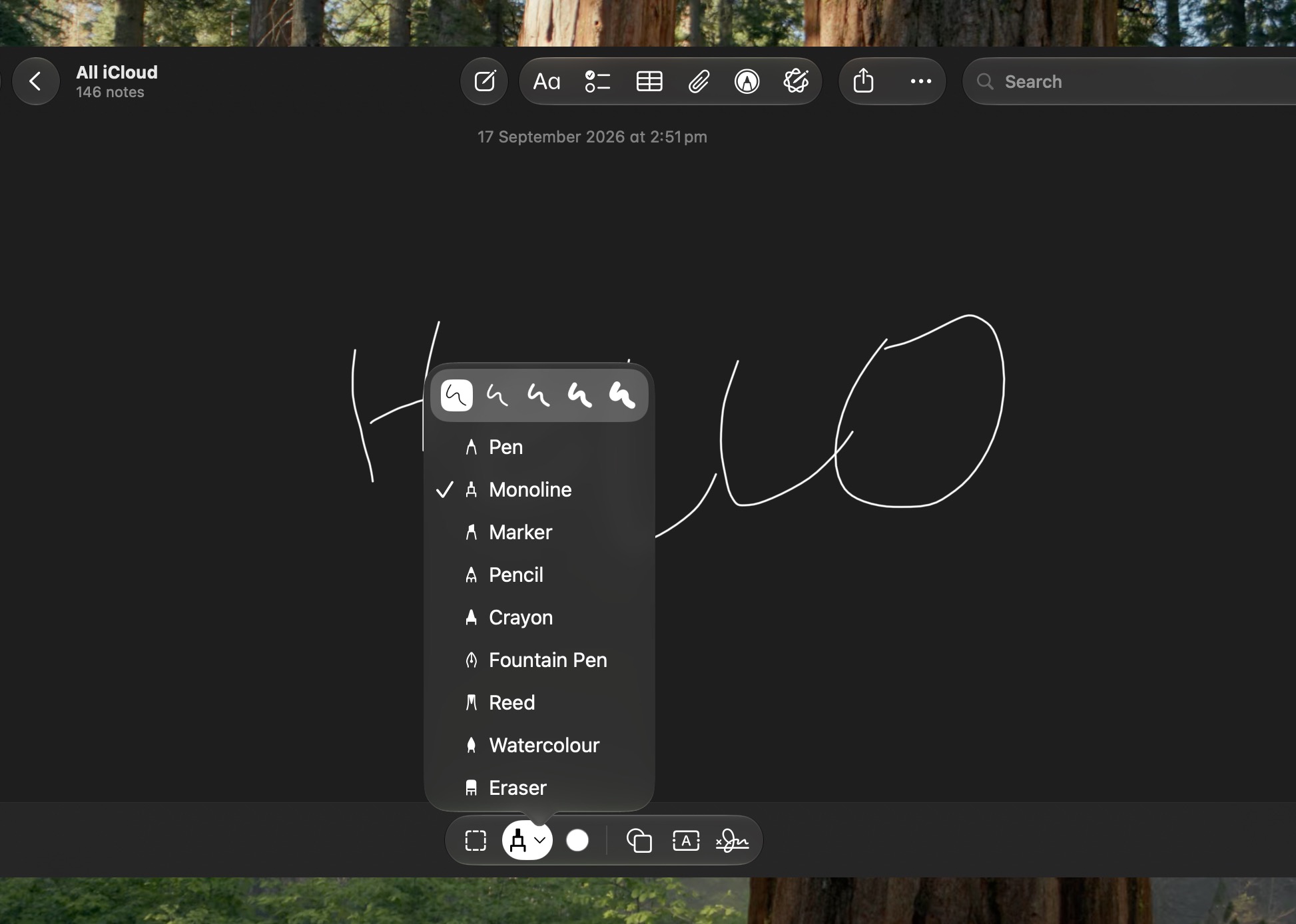
Apple Notes Now Lets You Draw


The Continuity feature has allowed you to sketch in the Notes app by opening a virtual drawing board on your iPhone or iPad. But that meant you had to have at least one iOS device linked to your Apple Account. Happily, that's no longer a requirement in macOS 27, which adds a native drawing tool to the Notes app. It includes Pen, Monoline, Marker, Pencil, Crayon, Fountain Pen, Reed, and Watercolor tools.
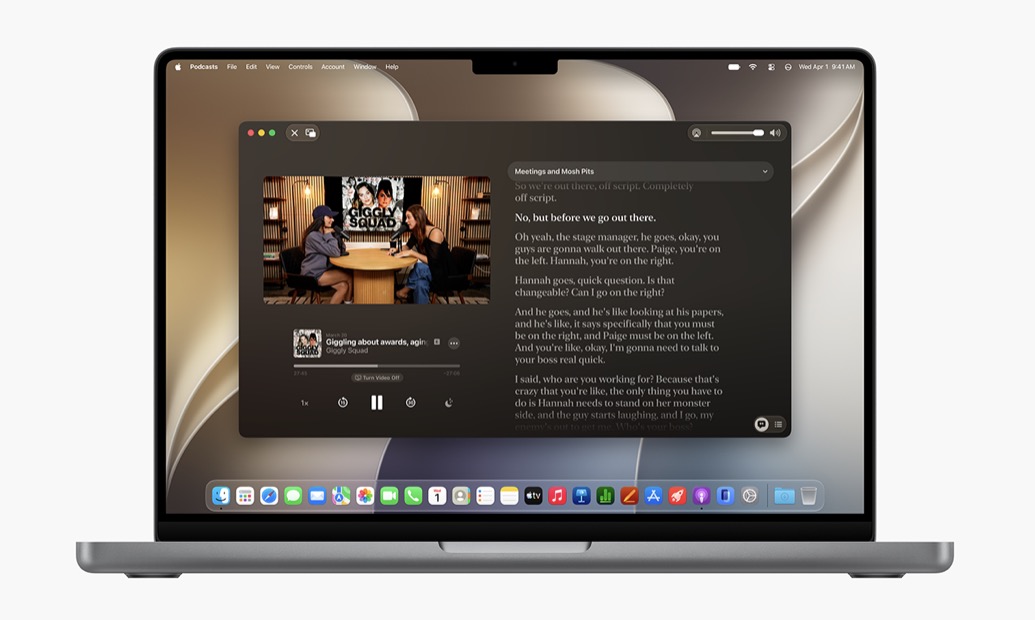
Video Podcasts Get Better Mac Playback


The Podcasts app gives video shows fuller playback controls on the Mac, including Picture in Picture and a download option for offline viewing. You can switch between watching and listening when a show supports video, and the search function in a show's episode list makes older episodes easier to find.
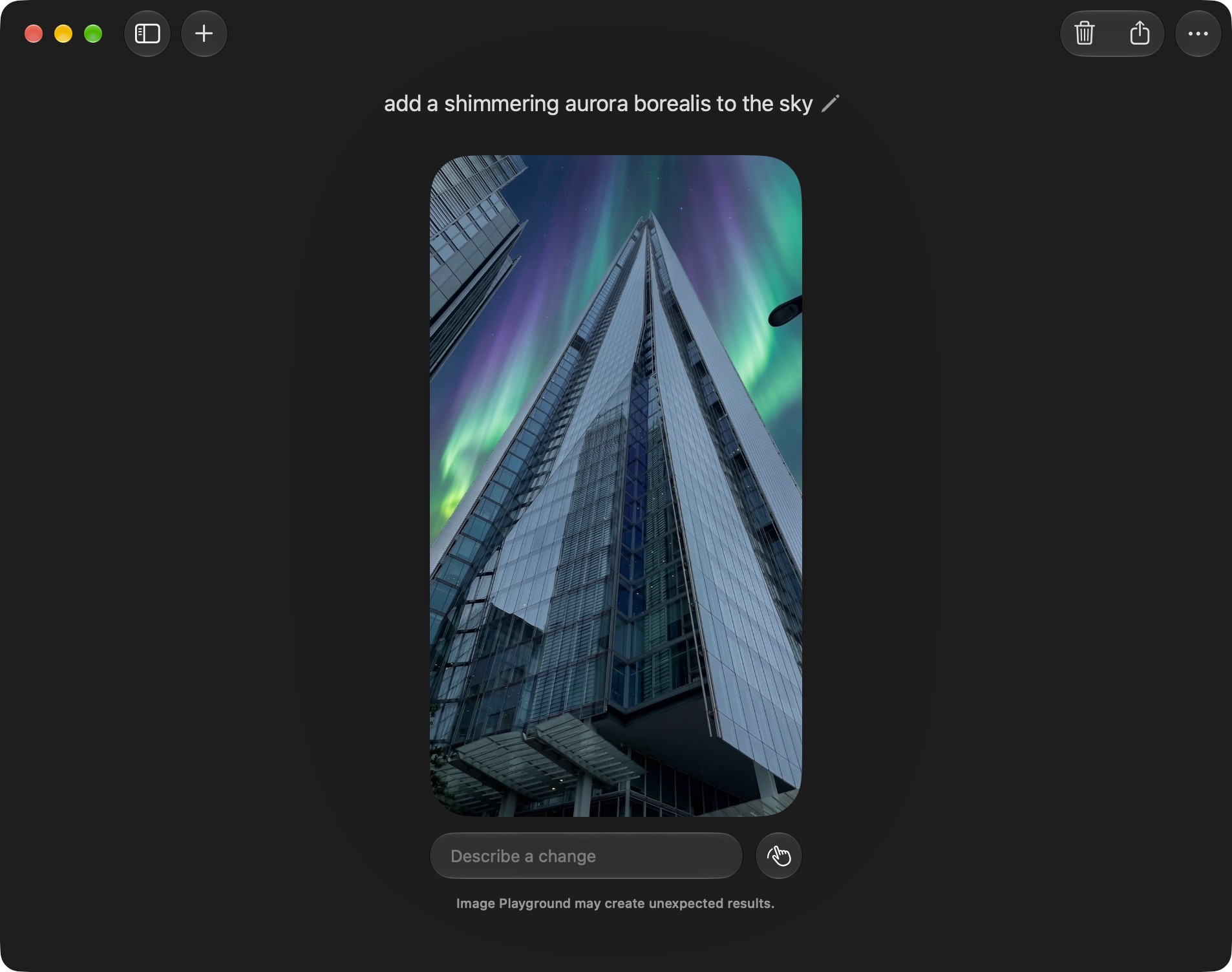
Image Playground Gets More Styles


Image Playground has been overhauled to become genuinely useful, and it can now generate pictures in a wider range of styles, including photorealistic images. You can select part of an image and describe how you want it changed, or combine images to create something new. As with other Apple Intelligence features, Apple says usage limits may apply.
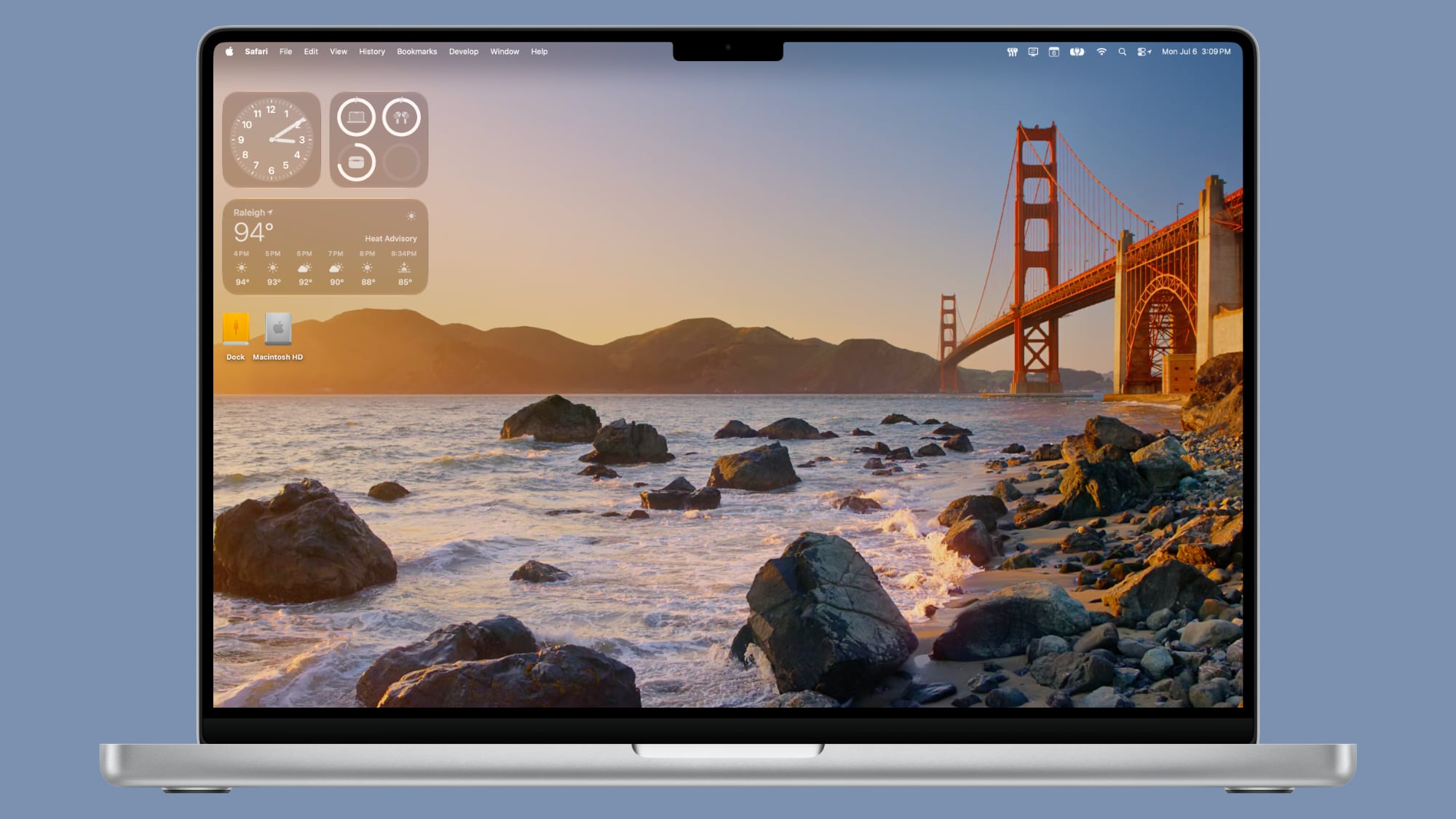
New Golden Gate Wallpapers Arrive


Golden Gate includes Sunset and Night wallpapers featuring San Francisco's Golden Gate Bridge, along with a new abstract wallpaper. The Bridge wallpapers animate when your Mac unlocks and you can also use them as your screen savers.
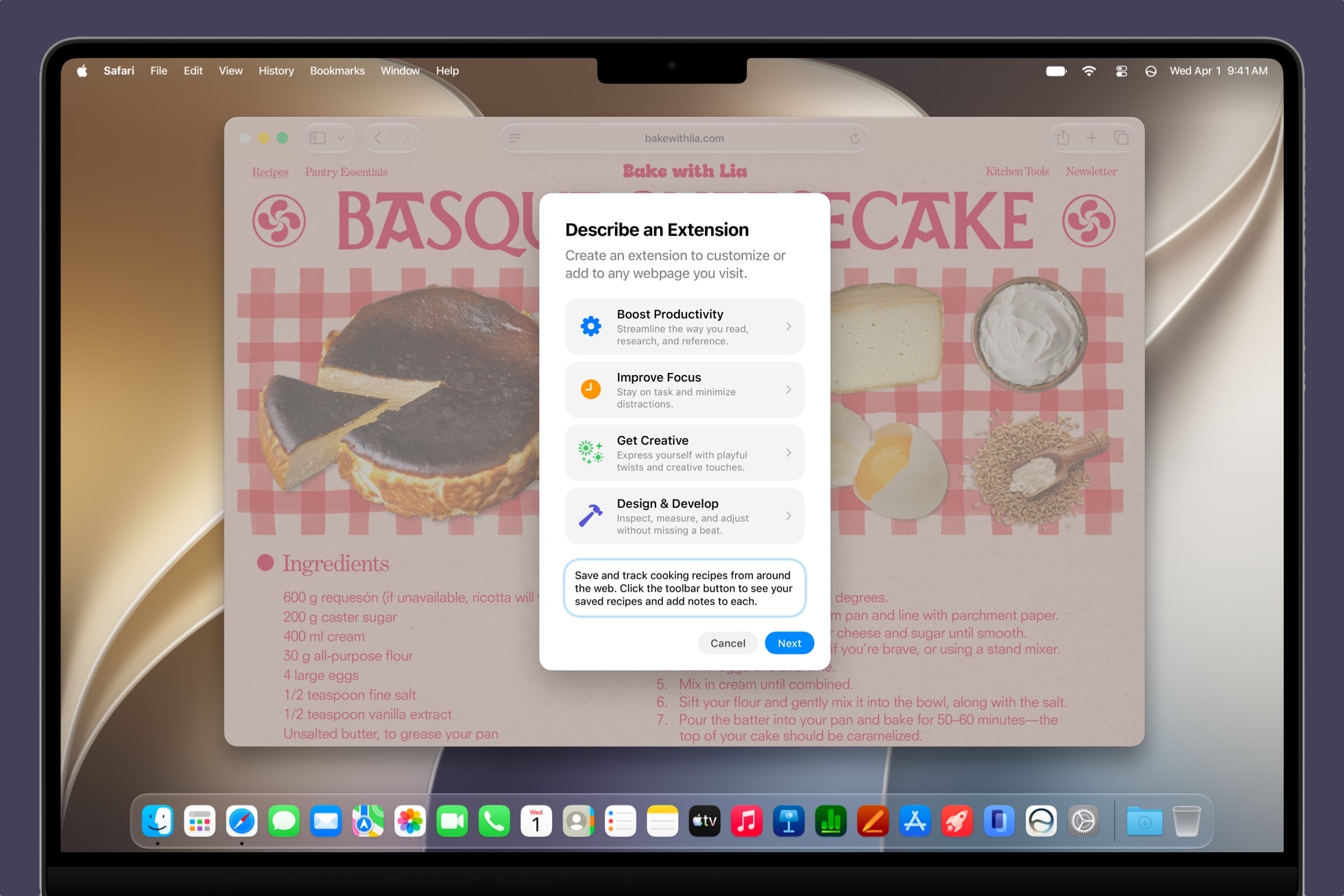
Safari Can Build Extensions From a Description


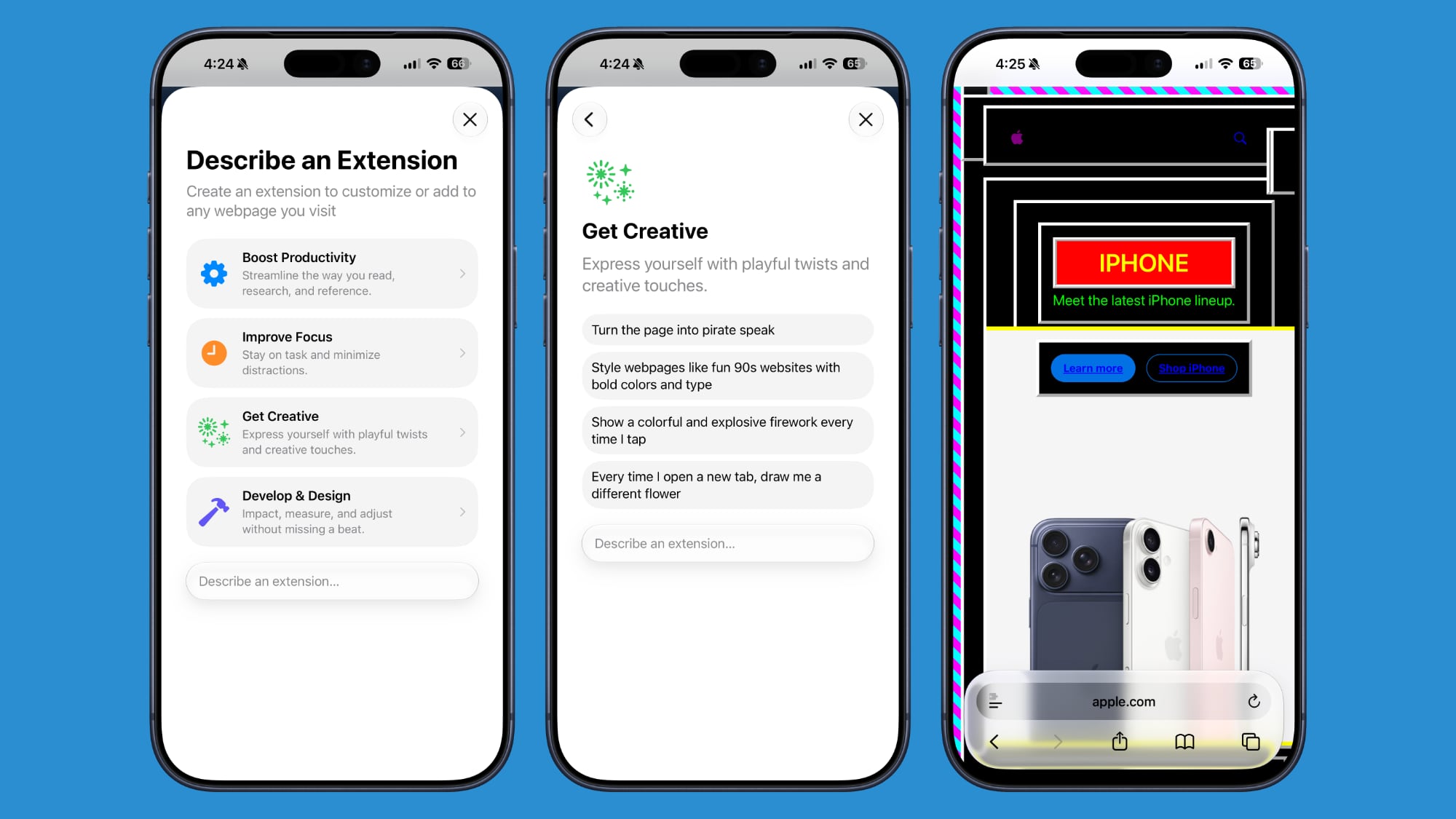
Safari's Create an Extension option lets you describe what you want a browser extension to do in plain language. For example, a request to add a button for saving recipes can become a custom extension without you having to go near a single line of code. Safari also offers suggested prompts for productivity, focus, and design tasks.
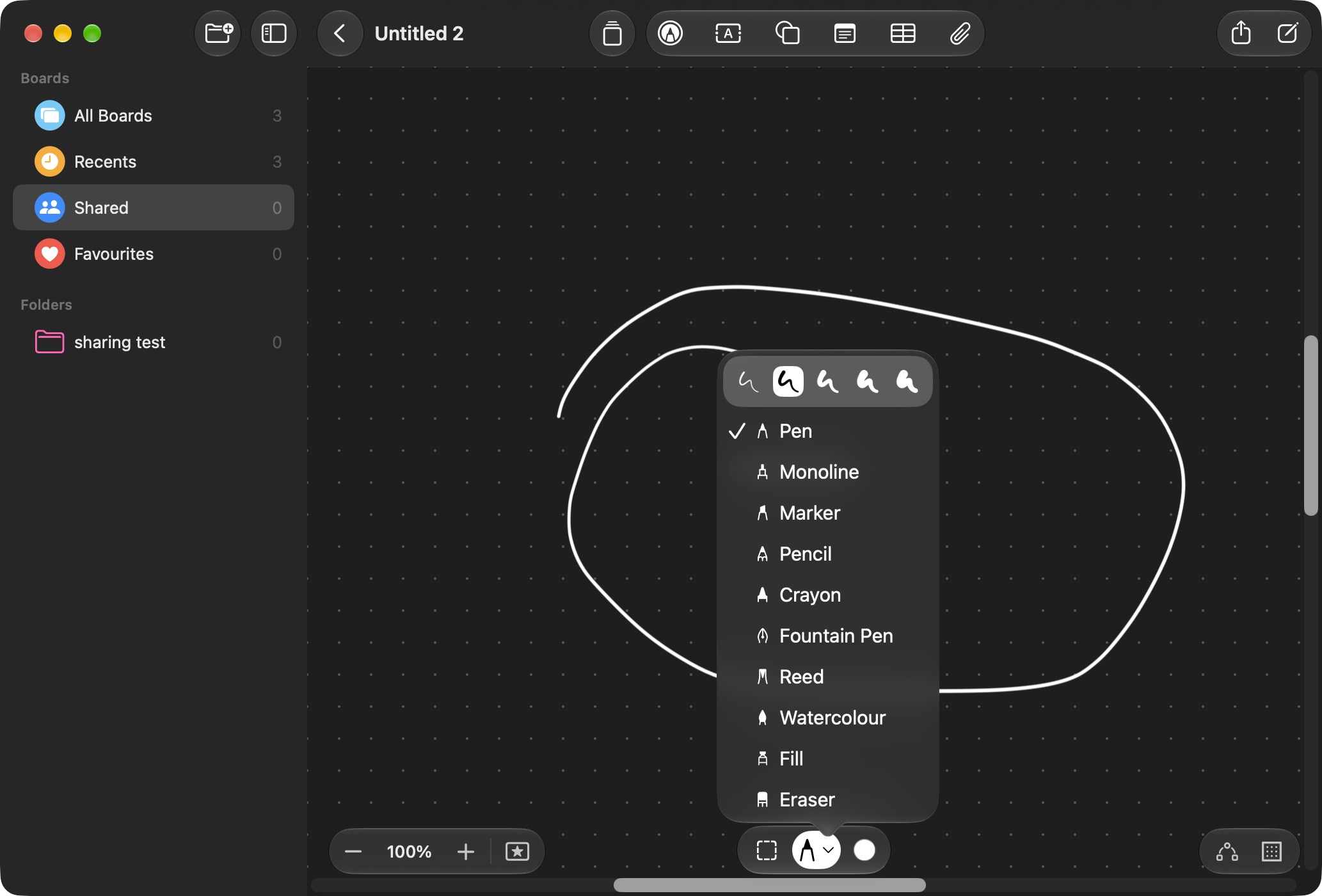
Freeform Adds Drawing, Collaborative Folders


Freeform now supports drawing directly on the Mac, thanks to sketching tools being included in its shared boards. Golden Gate also adds folders for organizing collaborative boards and a canvas that adapts to Dark Mode.
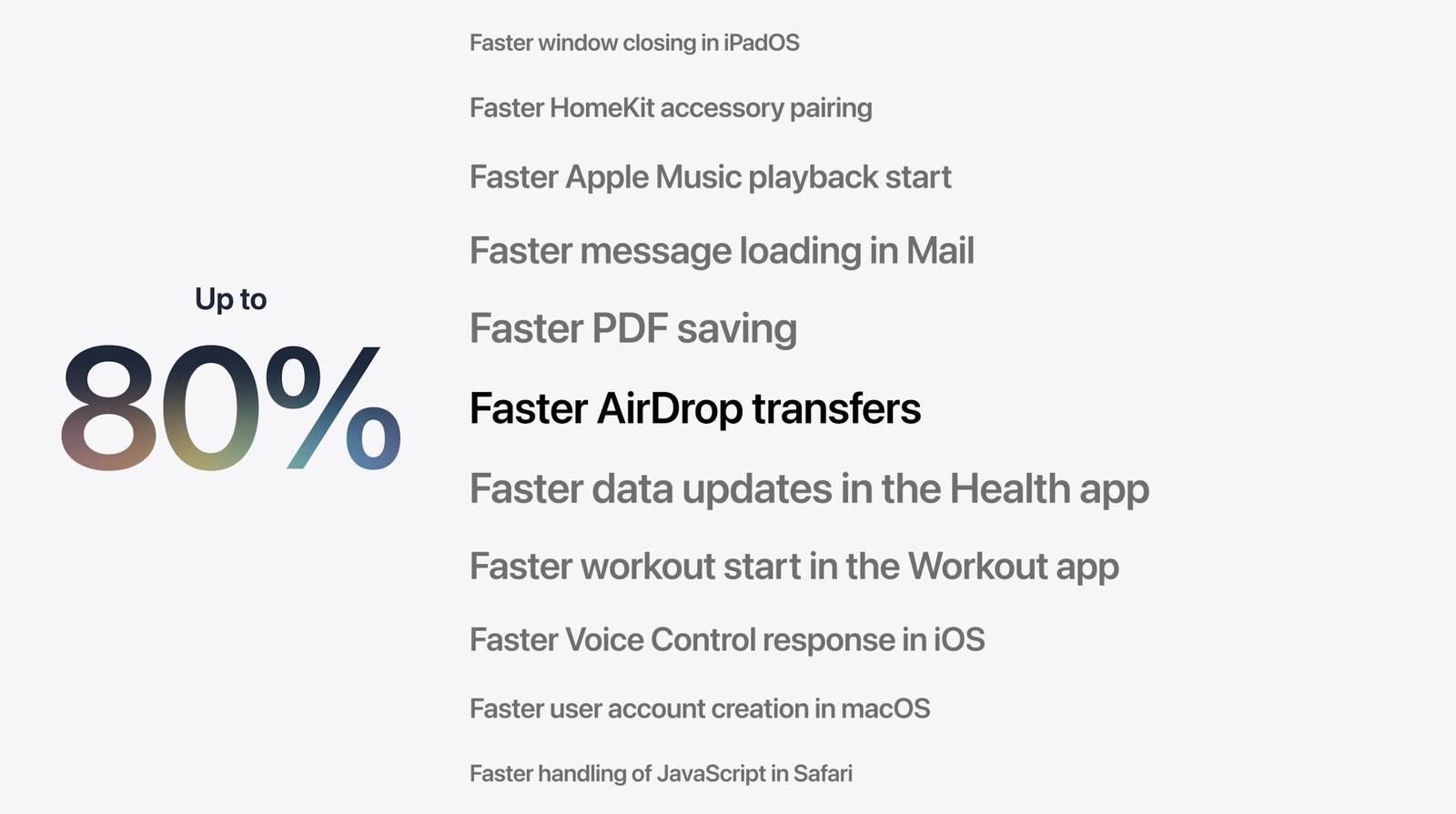
Faster AirDrop and Network Browsing


Apple says Golden Gate makes AirDrop transfers and browsing folders on Windows or NAS network shares faster. Safari's Start Page content also loads more quickly, and Mission Control and Spaces animations are smoother.
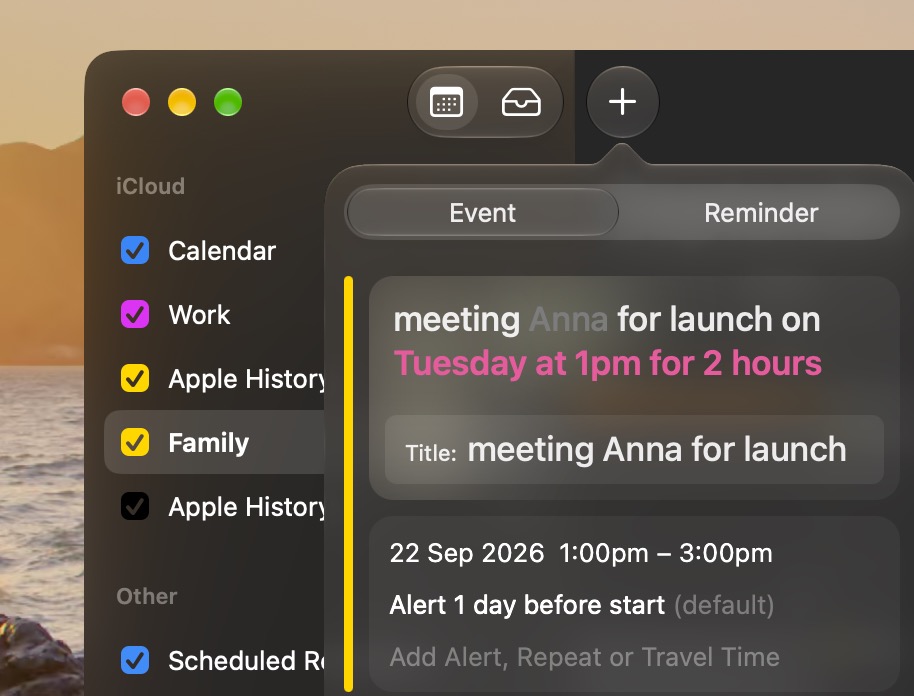
Calendar Events Can Be Added by Description


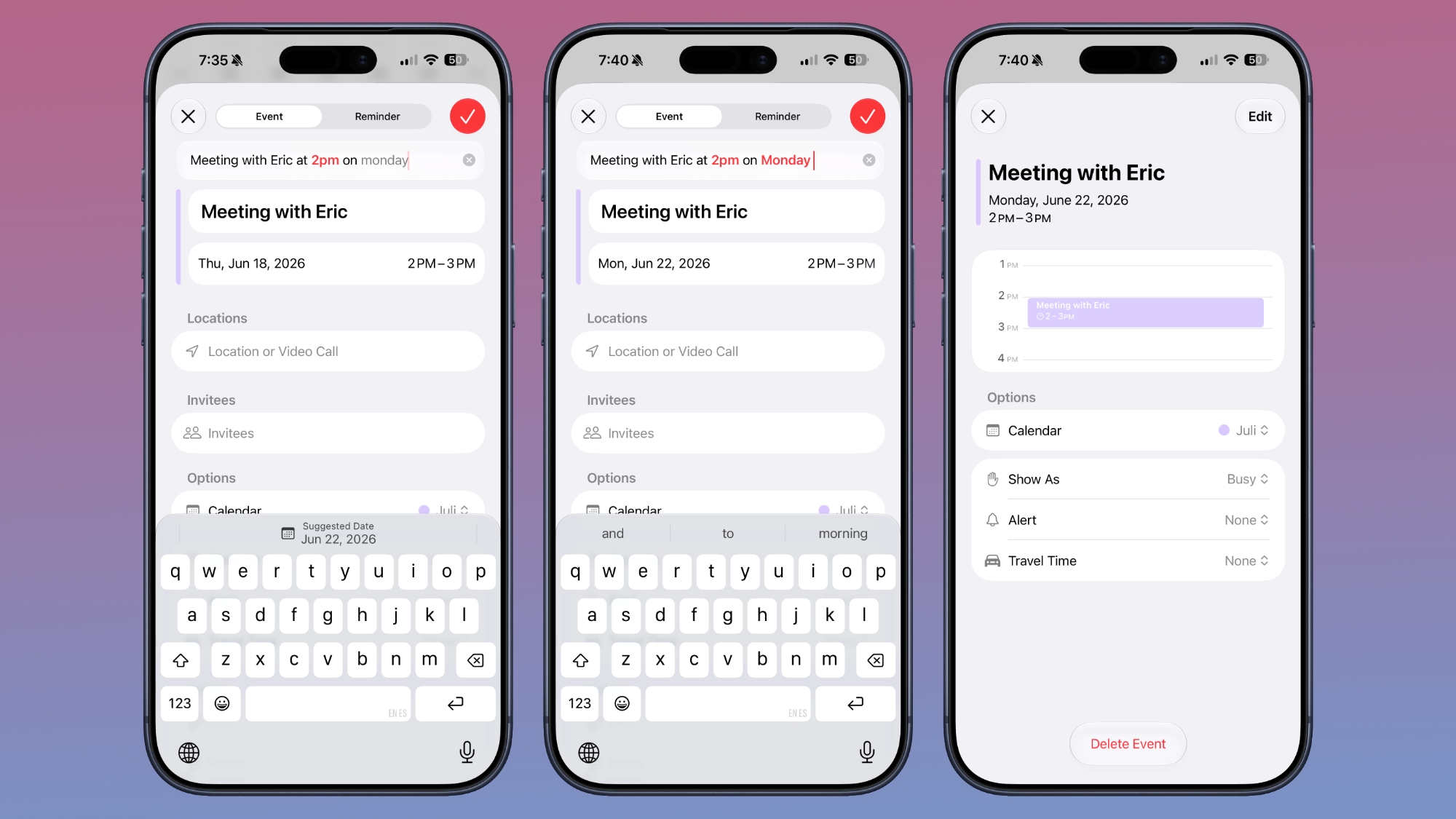
Calendar can now create or edit an event from your plain-language description. You can describe a lunch meeting, change the time and adjust the description to make it a coffee meeting, and Calendar will adjust the event rather than requiring every detail to be edited separately.

Enhanced Maps Flyover


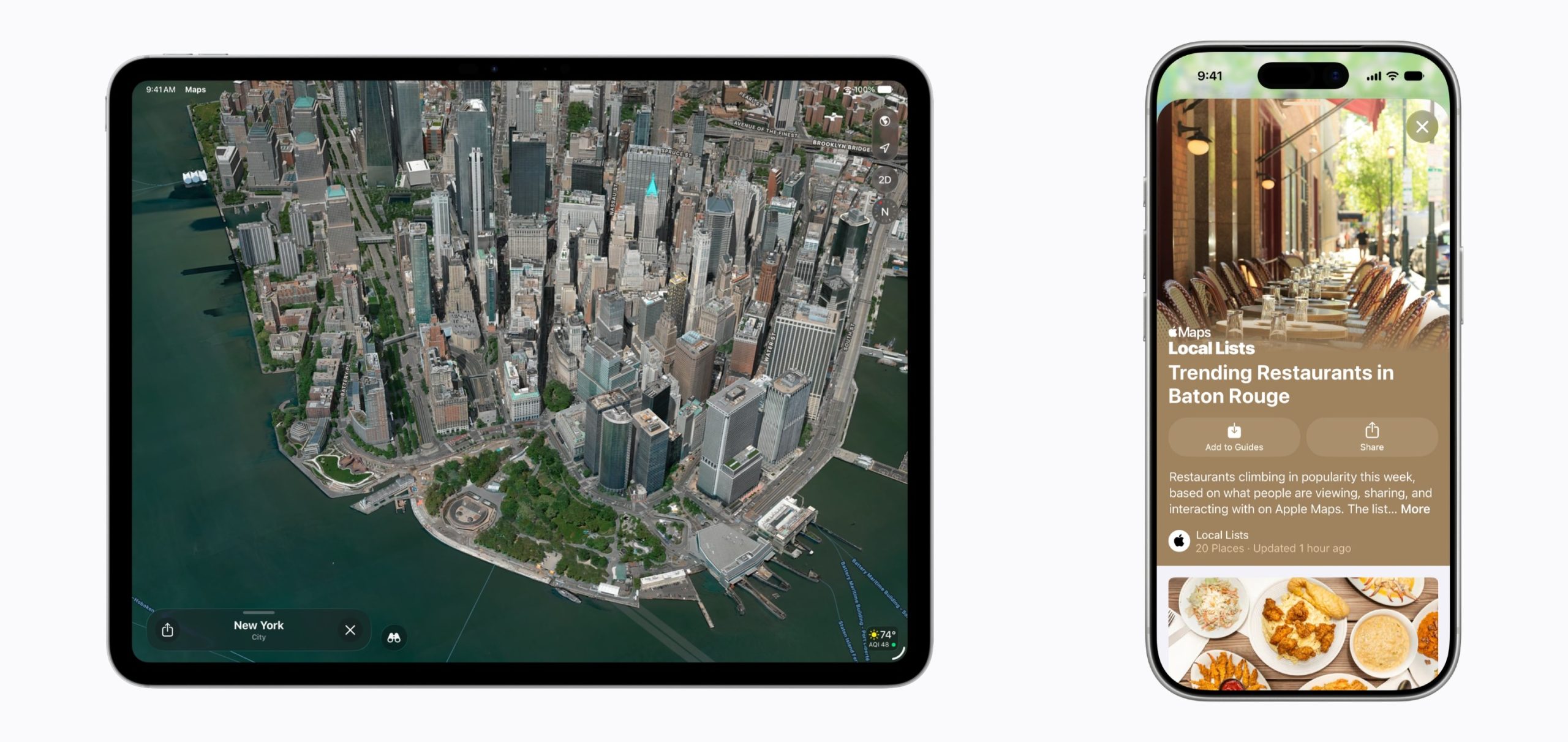
With Flyover, cities like Boston, New York, London, and Chicago include more detailed 3D renderings of their skylines. Apple has enhanced the 3D models for these cities by combining AI and aerial imagery to achieve more detailed and realistic cityscapes.
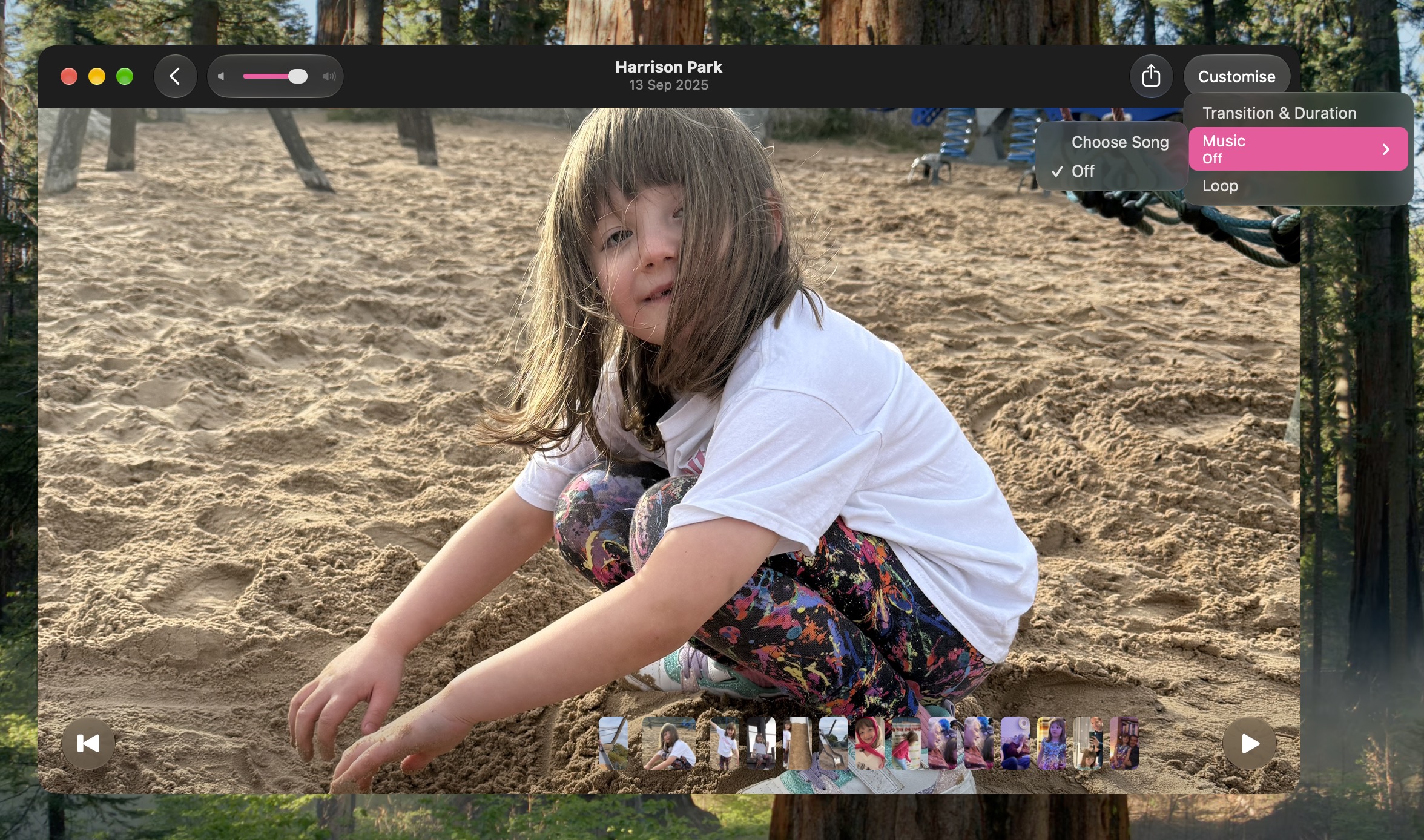
Slideshows Can Start From Any Photos Album


Photos can now create slideshows from any album or collection, rather than limiting them to Memories. You can customize the presentation and save it as a video to keep or share.
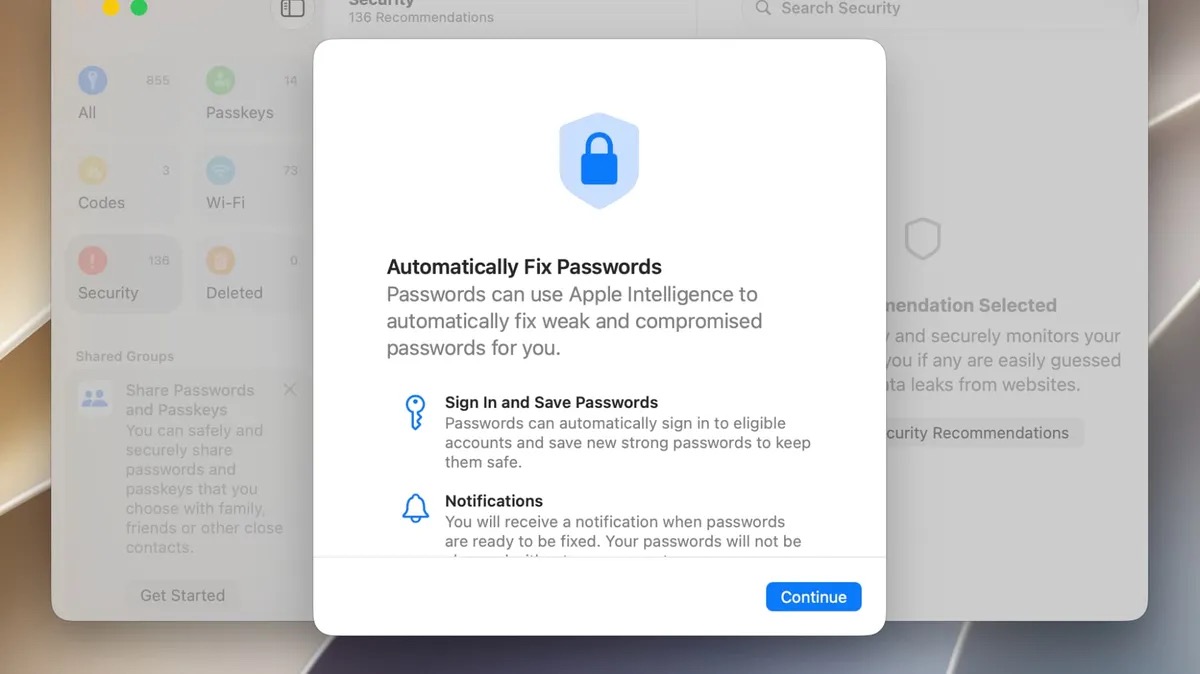
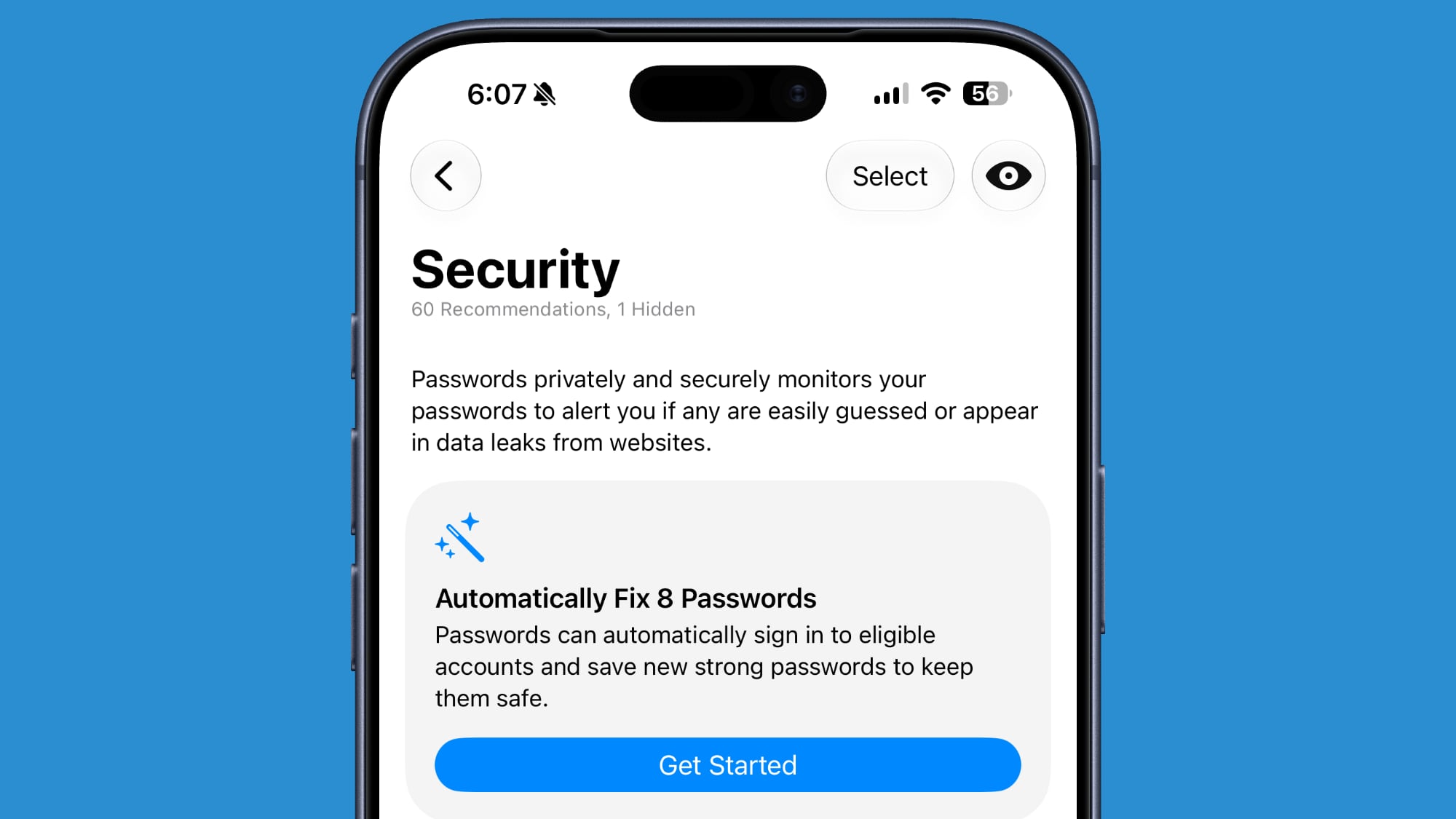
Passwords Will (Soon) Auto-Repair Weak Logins


The Passwords app already warns users about weak or compromised logins. Apple says a future software update will let it use Safari to change eligible passwords automatically, replacing a vulnerable login with a stronger one on your behalf.
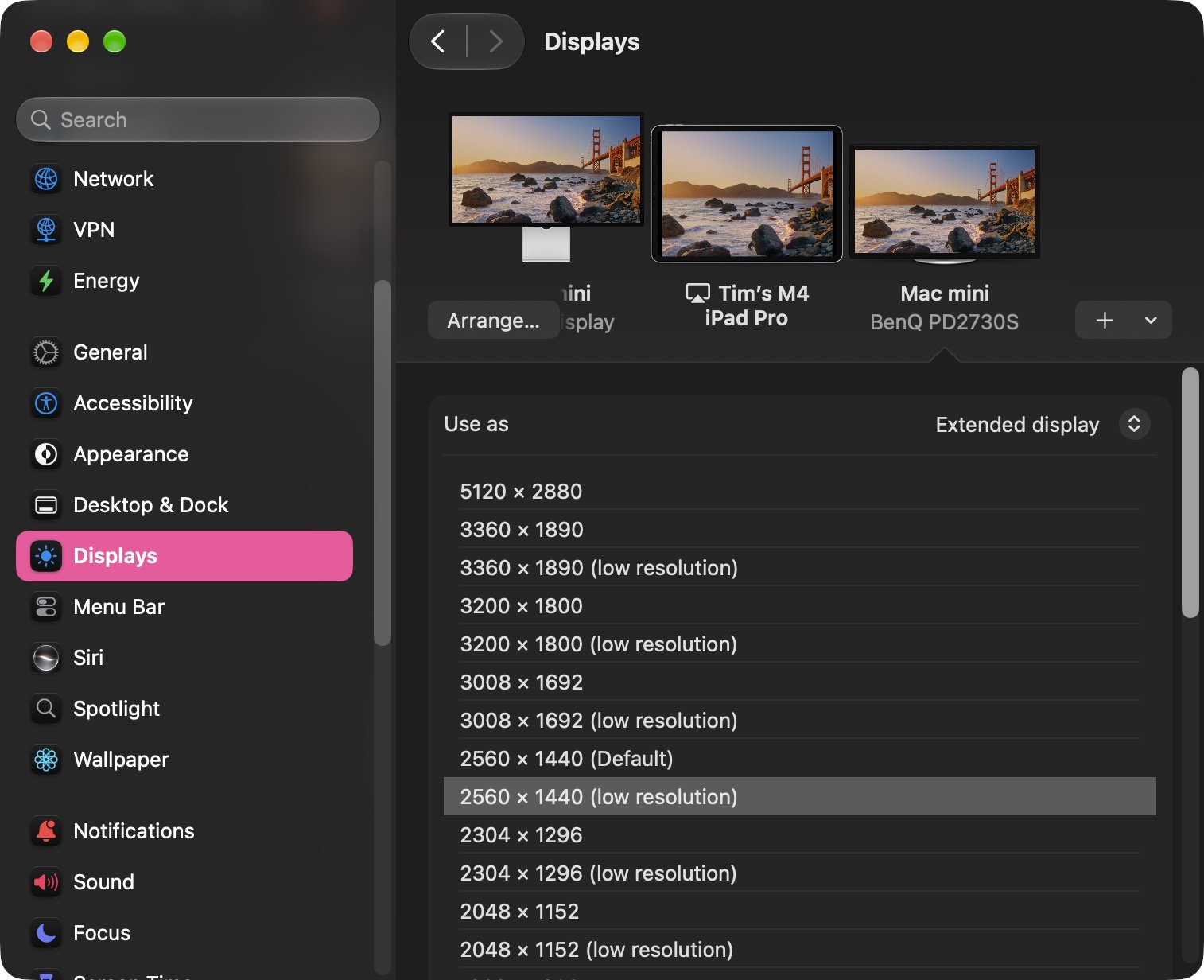
External Displays Get Better Resolution Support


Golden Gate adds more resolution and refresh-rate choices for compatible external displays, including 5K at 120Hz on certain ultrawide screens. Apple also says the Mac does a better job of restoring window positions, Spaces, and screen assignments when a display is unplugged and reconnected.
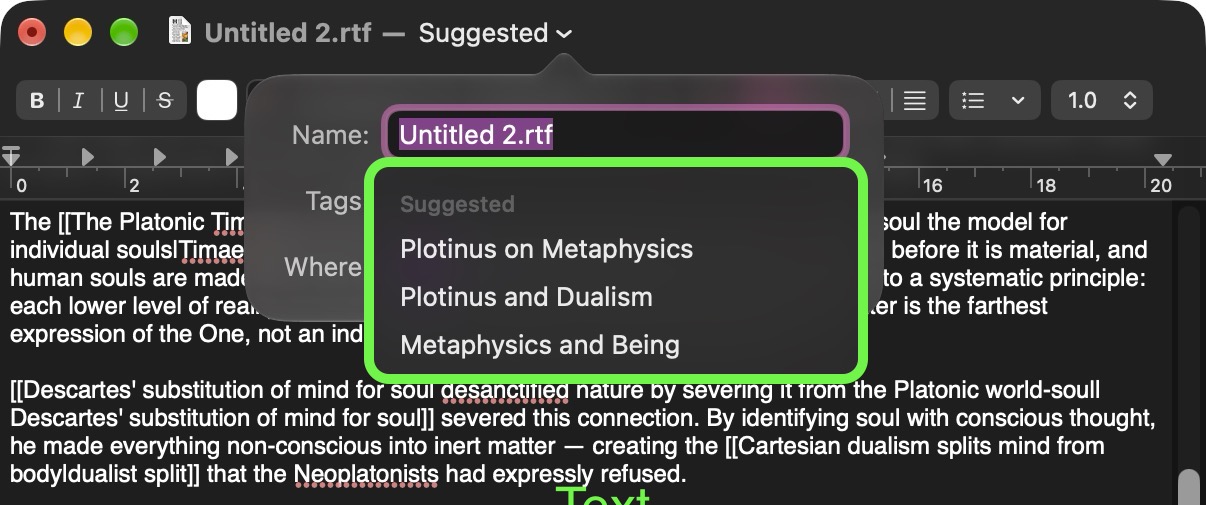
macOS Suggests Names for Files and Folders


In Finder, TextEdit, and other Apple apps, Apple Intelligence can suggest a name for a file or folder based on its contents. The feature is designed to make saved items easier to recognize later, especially when the original name doesn't give much away about what's inside.
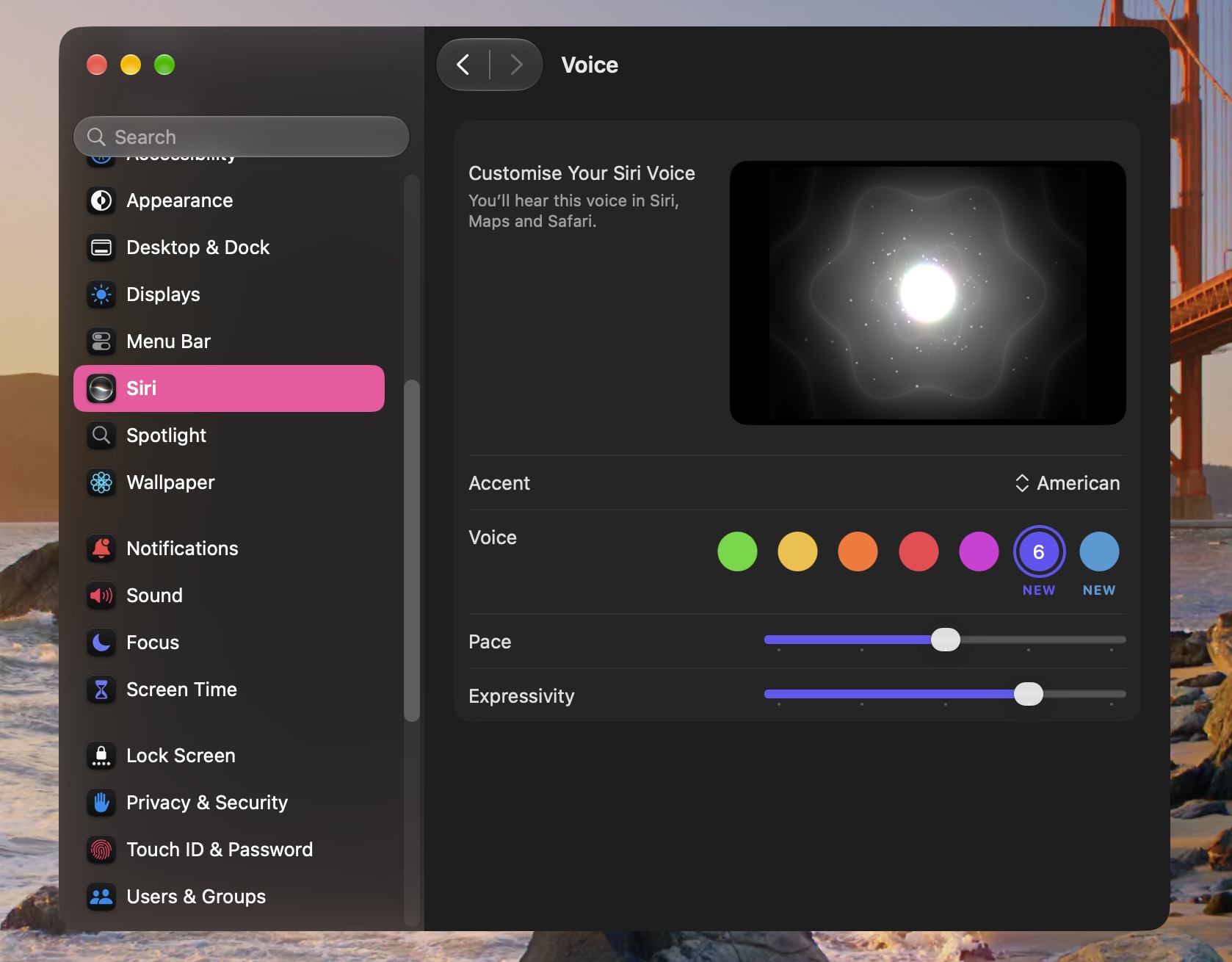
Siri Gains New Expressive Voices


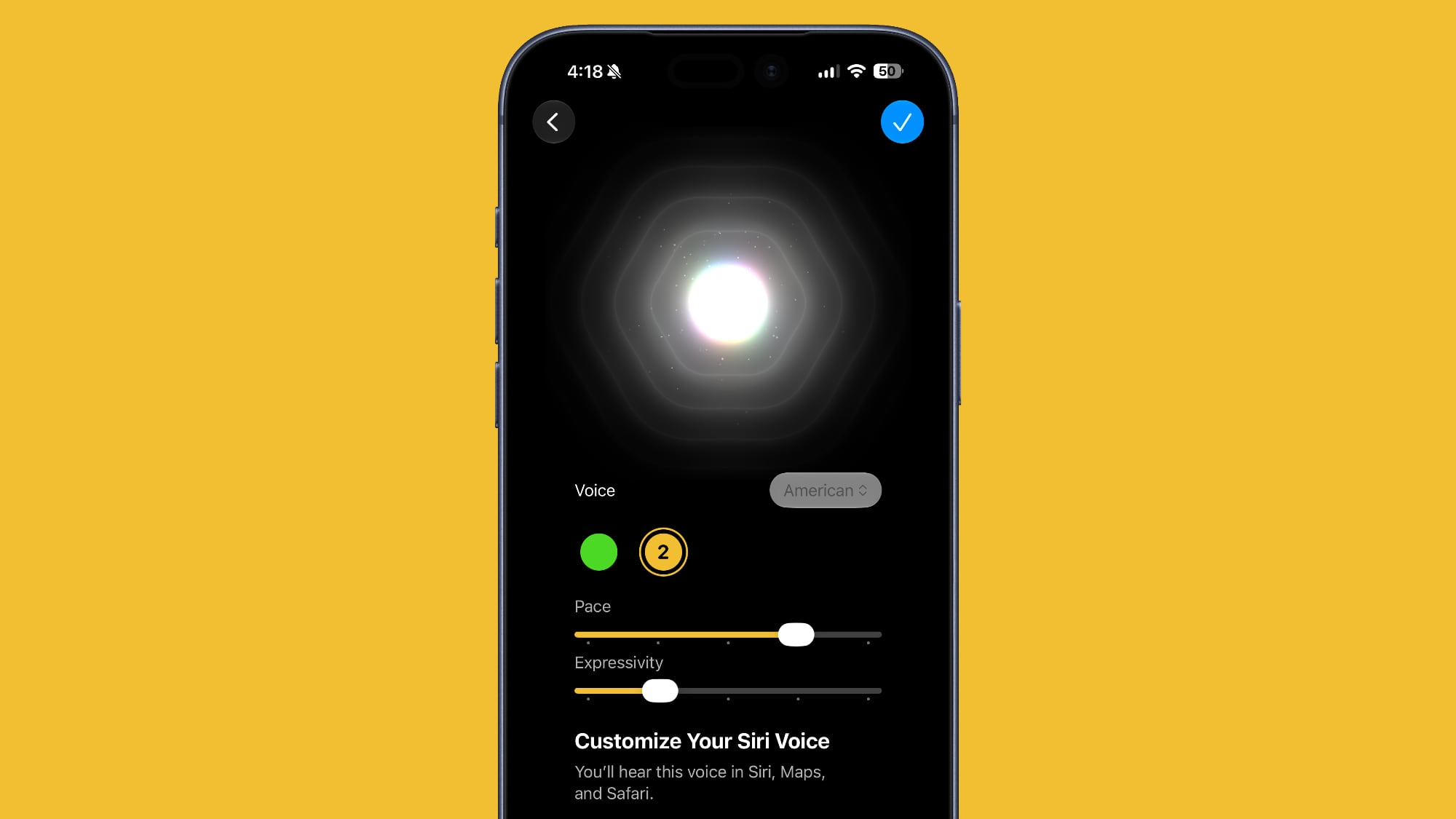
Siriโ€Œ AI now has more expressive voices alongside a big improvement to systemwide dictation accuracy. You can adjust both the expressiveness and pace of โ€ŒSiriโ€Œ's voice to your preference with sliders in a new Voice section in System Settings โž Siri. Siri's new expressive voices require an M3 or newer Mac with at least 12GB of memory.

Weather's Forecast Views Are Refreshed


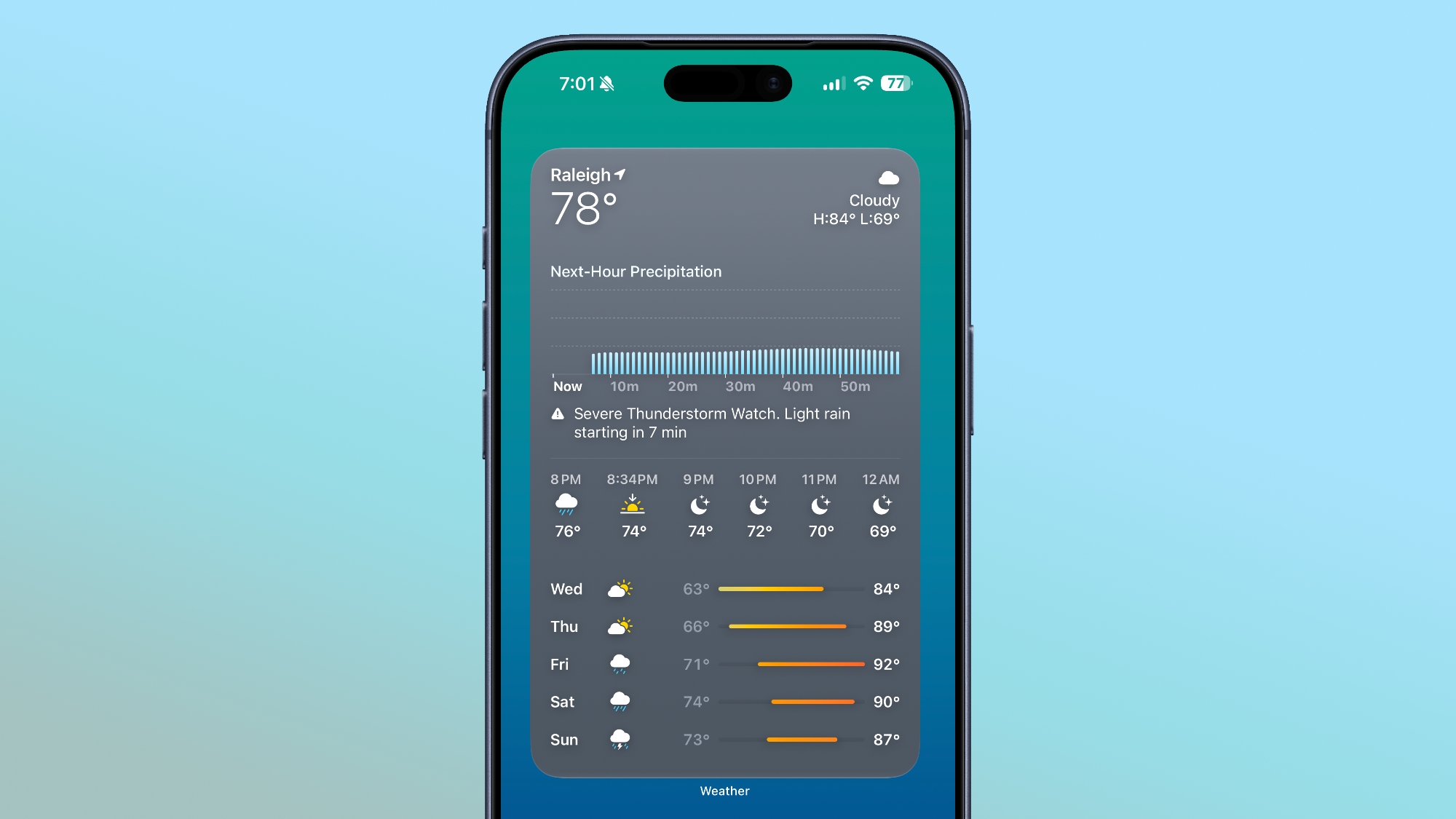
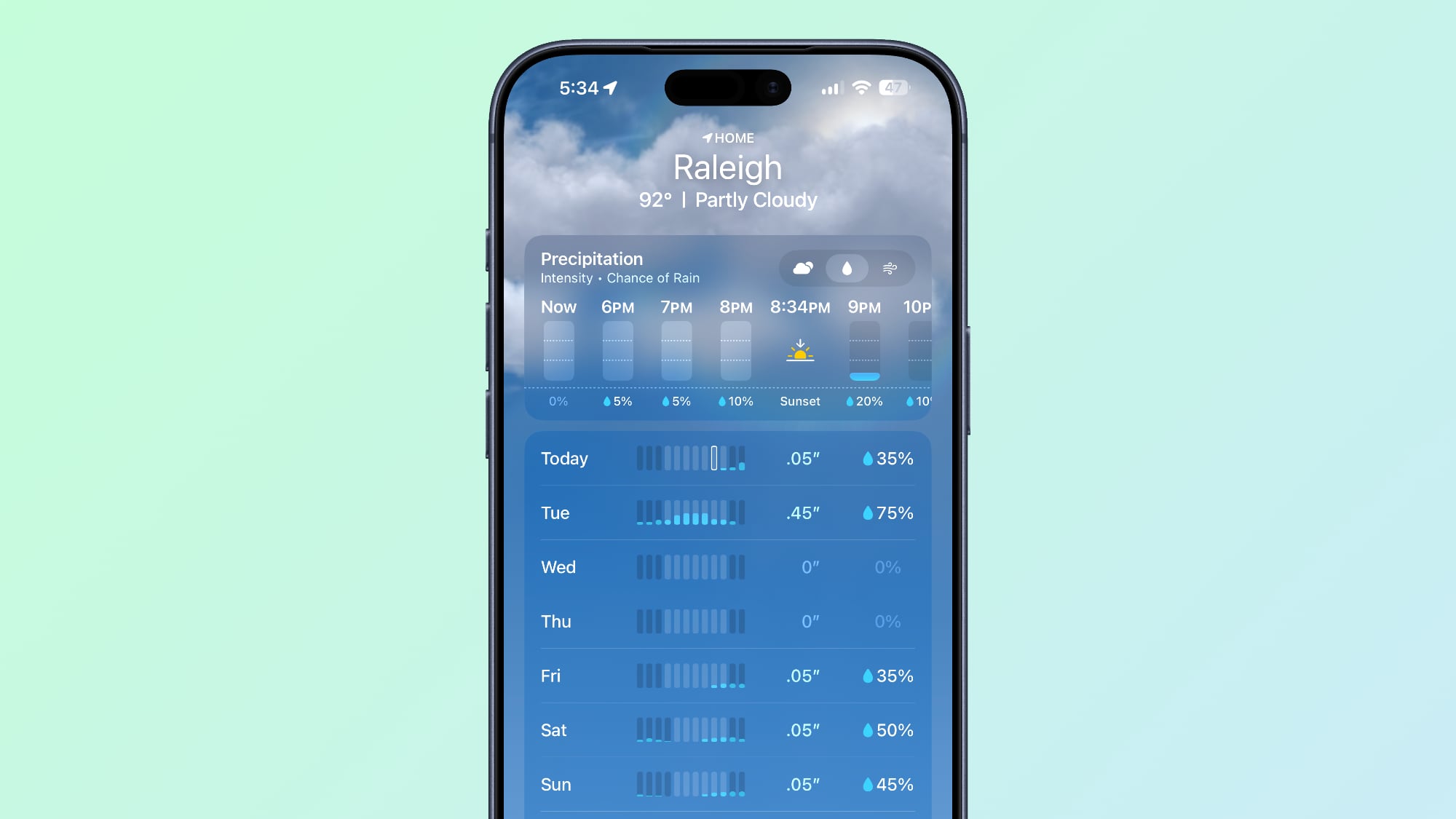
Weather in macOS 27 has a more orderly layout, with more room for its hourly and 10-day forecasts. You can also switch between current conditions, precipitation, and wind views, while a new Highlights section calls out notable weather events ahead. Highlights are currently only available in U.S. English.
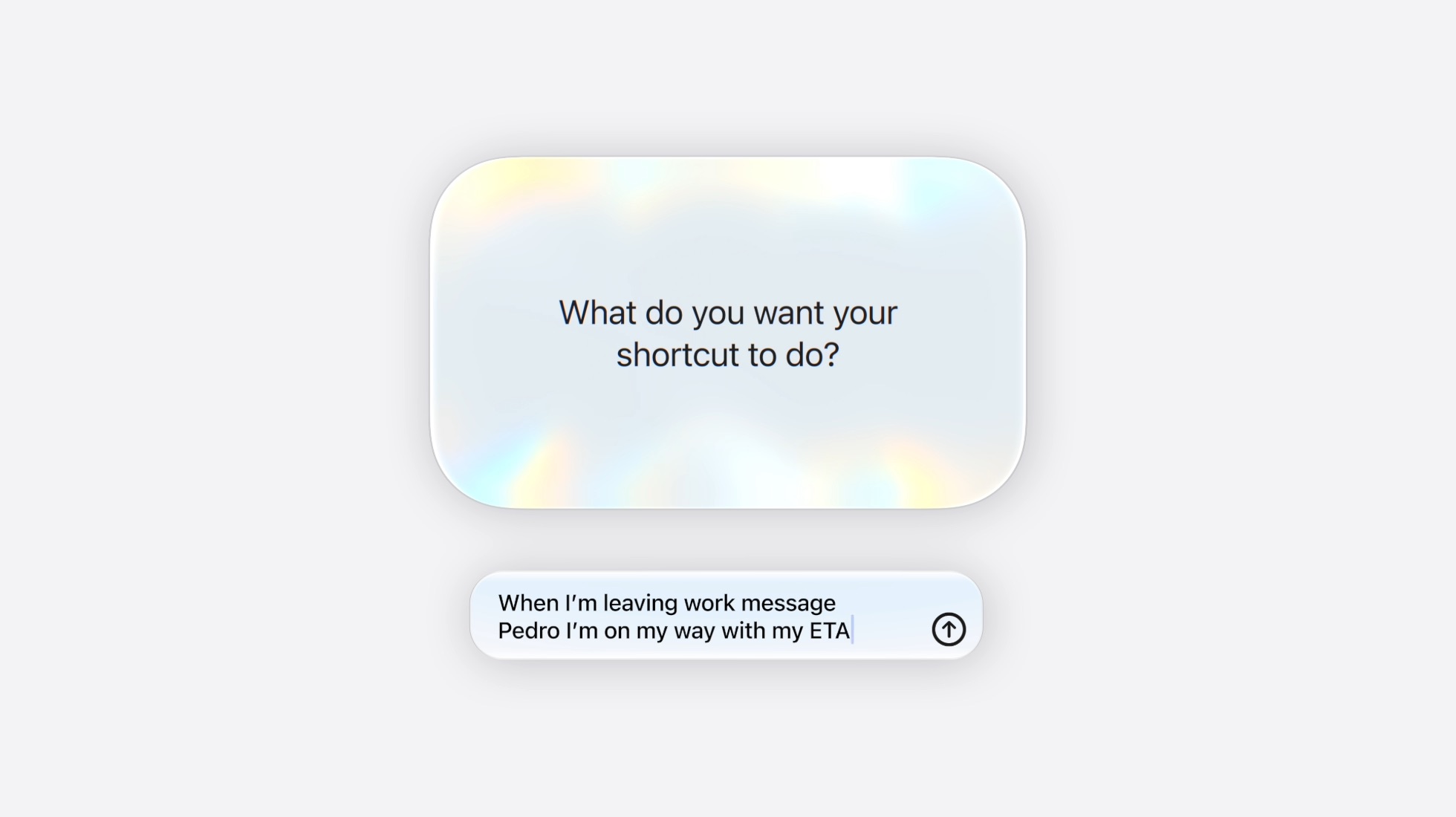
Create Shortcuts With Natural Language


True to this era of AI, Shortcuts can now build you an automation from a plain-language description. You can ask it to assemble a sequence of actions across apps, then test, edit, or refine the result with another description. Apple says usage limits may apply.
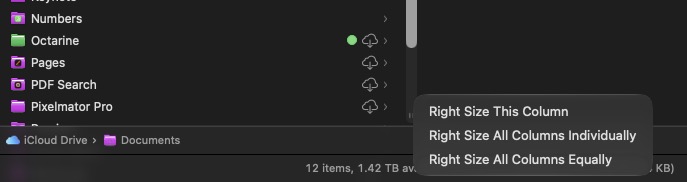
Finder Columns Are Easier to Size and Reset


New autosize and reset controls make columns easier to manage in Finder. Right-click (or Control-click) the bottom of a column, and you'll see options to adjust a crowded view without dragging each column boundary into place by hand.
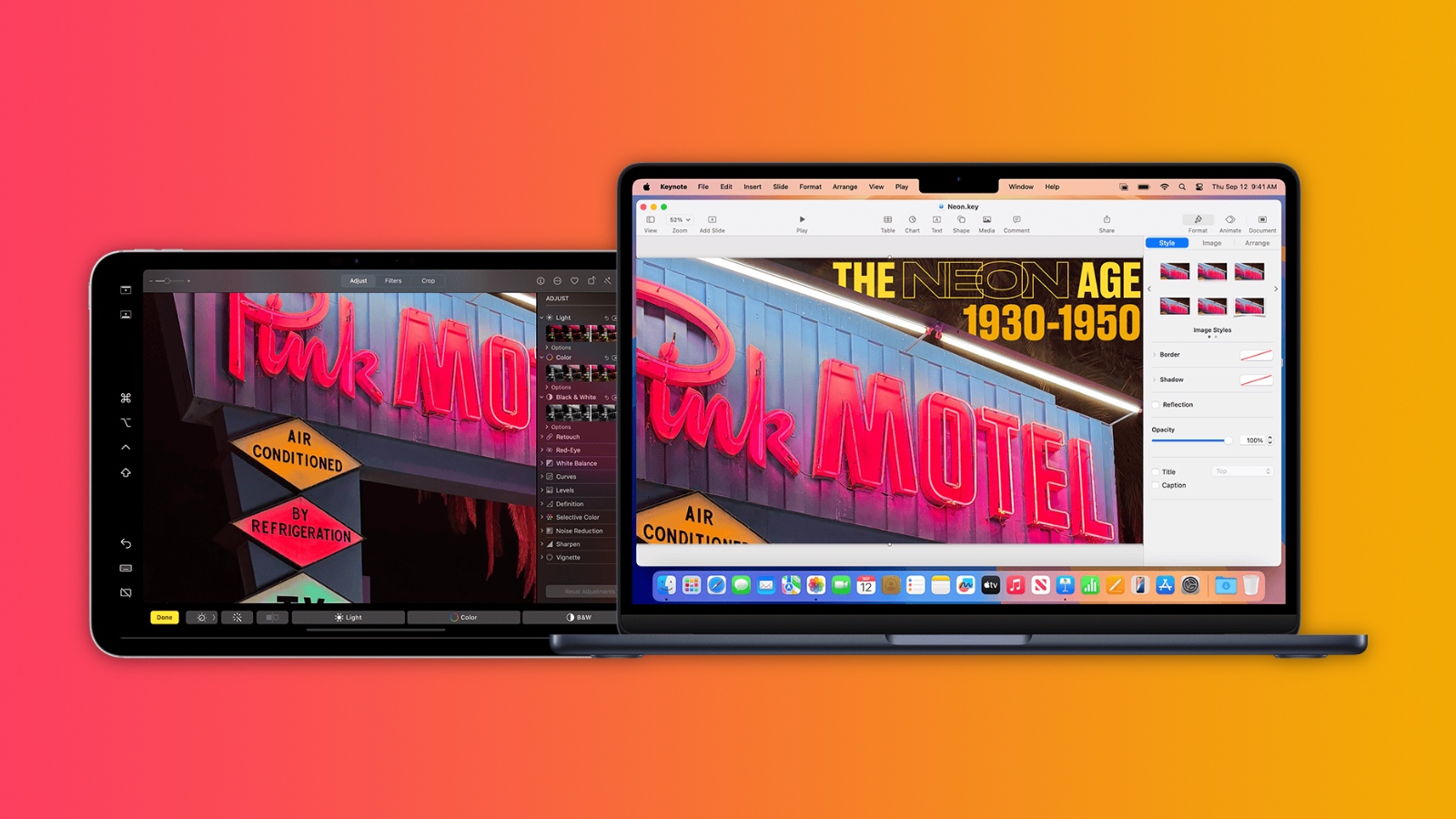
Sidecar Finally Supports Direct Finger Input


Sidecar now lets you interact directly with the Mac interface on an iPad used as a second display. With a compatible iPad, you can tap controls, scroll with a finger, and use more system gestures instead of relying on your mouse or trackpad.
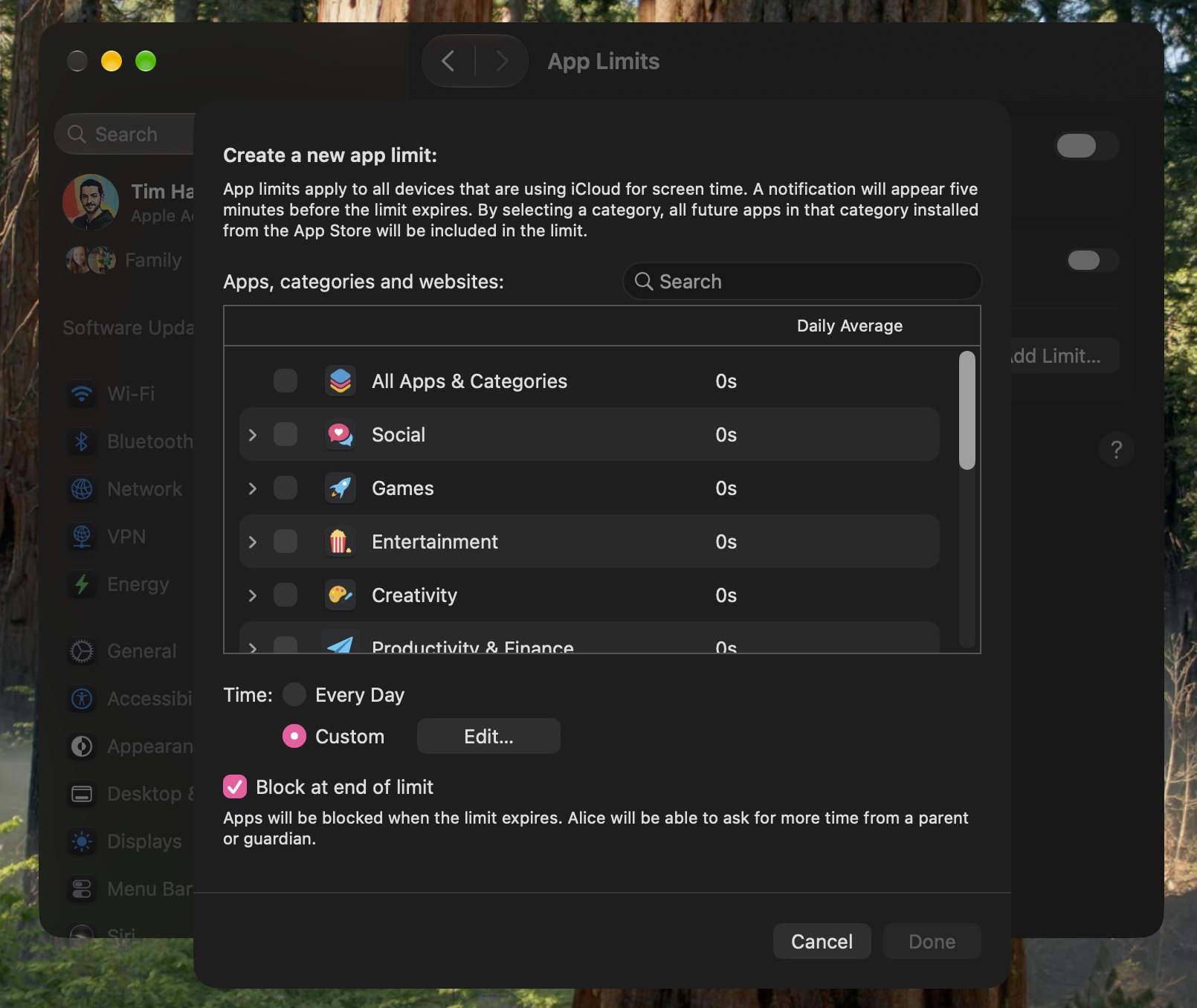
New Screen Time Controls for Parents


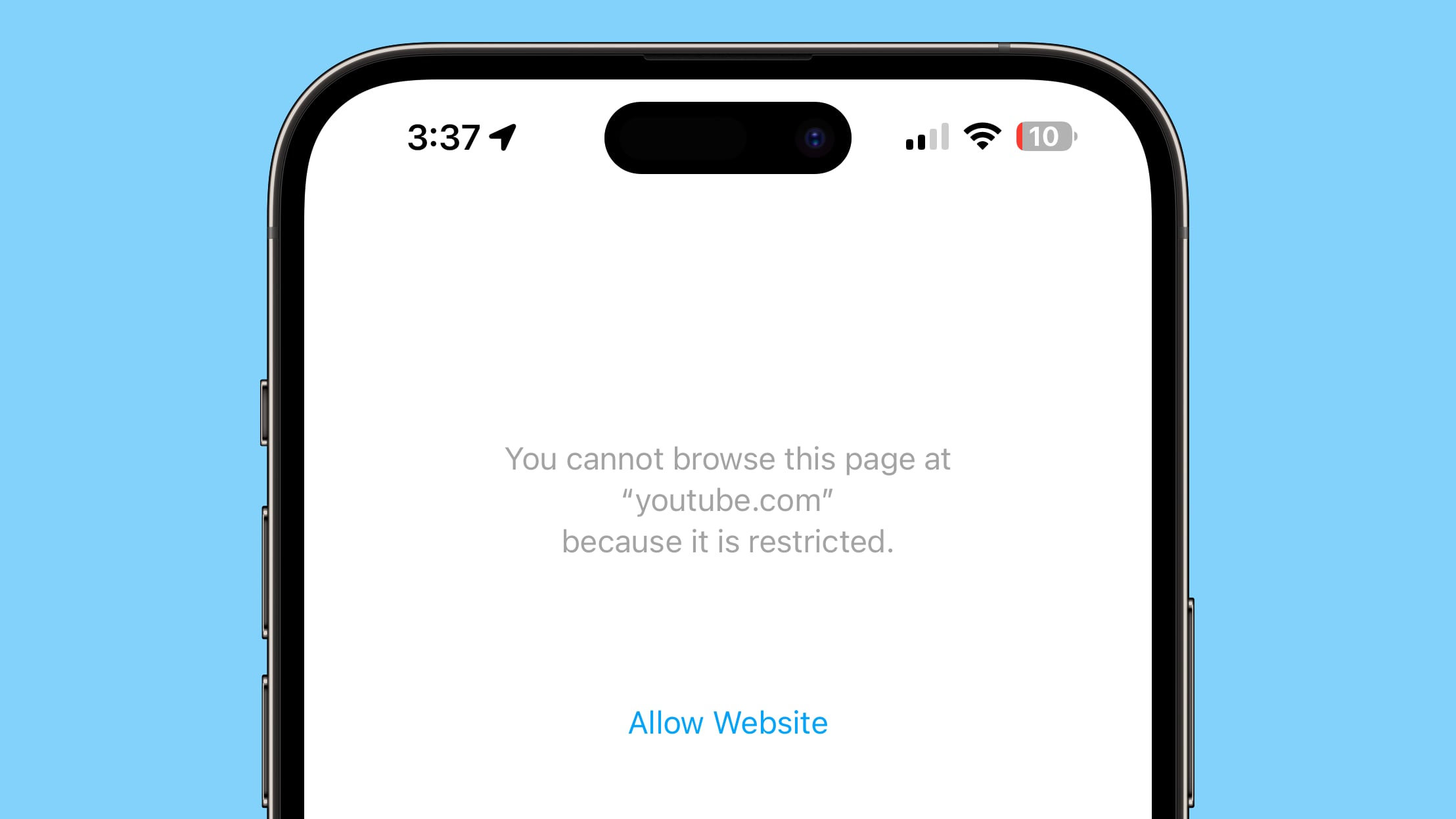
Parents can now set category-level allowances with different schedules by day and time, making controls more flexible than one broad daily limit. Meanwhile, Ask to Browse lets kids ask your permission to visit websites. There are also expanded protections against gore and violence, alongside existing nudity protections.
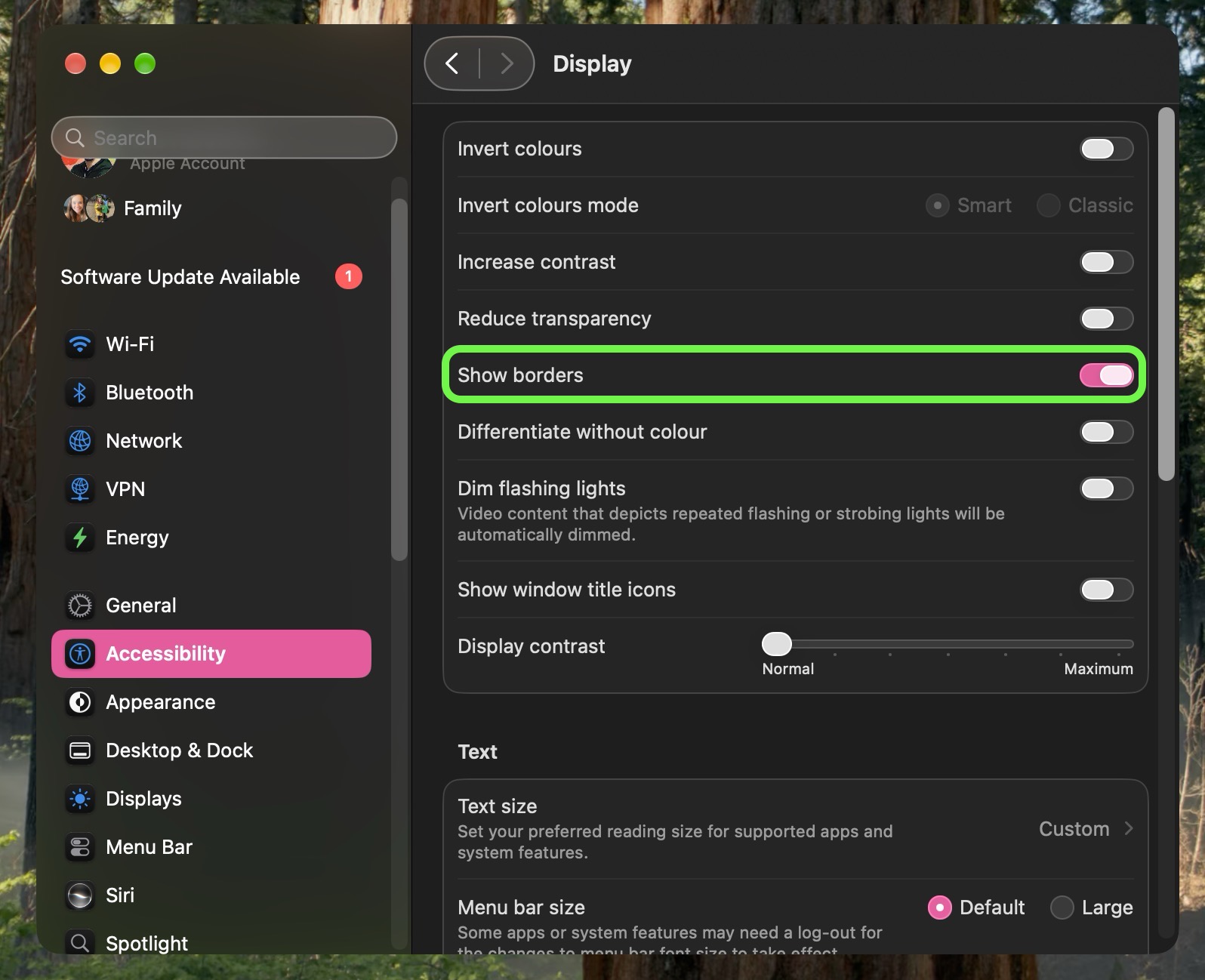
Make Interface Boundaries Clearer


A new Show Borders accessibility option makes the boundaries of macOS interface elements easier to see, in case you could do with some help distinguishing controls and panels where translucent surfaces otherwise blend into the surrounding window.
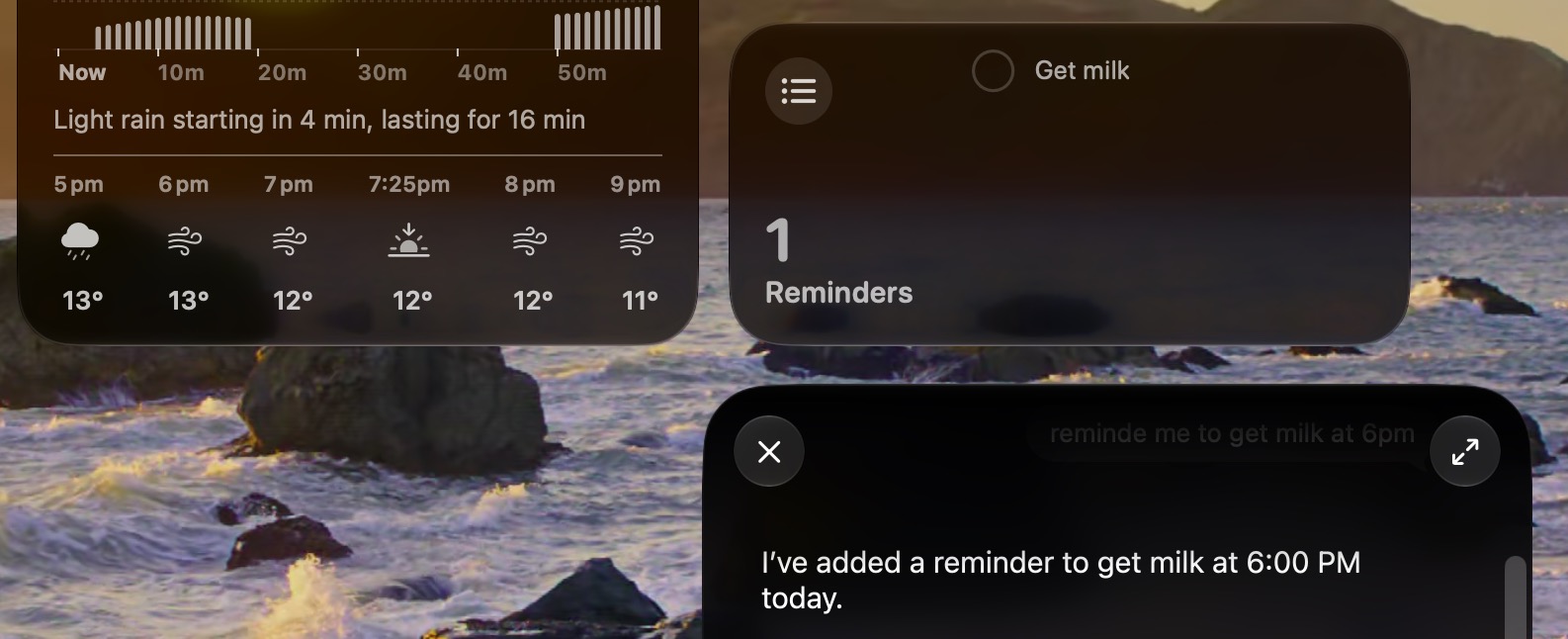
Widgets Can Update in Real Time


Widgets will now update in real time when their associated app is open, so the information you see on the desktop remains in step with what you see inside the app, instead of you having to wait for a less frequent refresh.
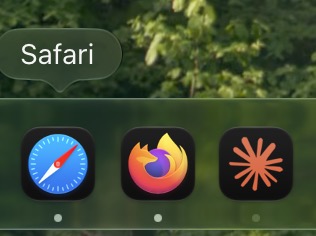
Dock Shows Active Background Processes


If you quit an app and it is still running a background process, you'll see the indicator beneath its Dock icon turn a light gray. To end the activity, right-click the app's icon and select "Stop Running in Background."
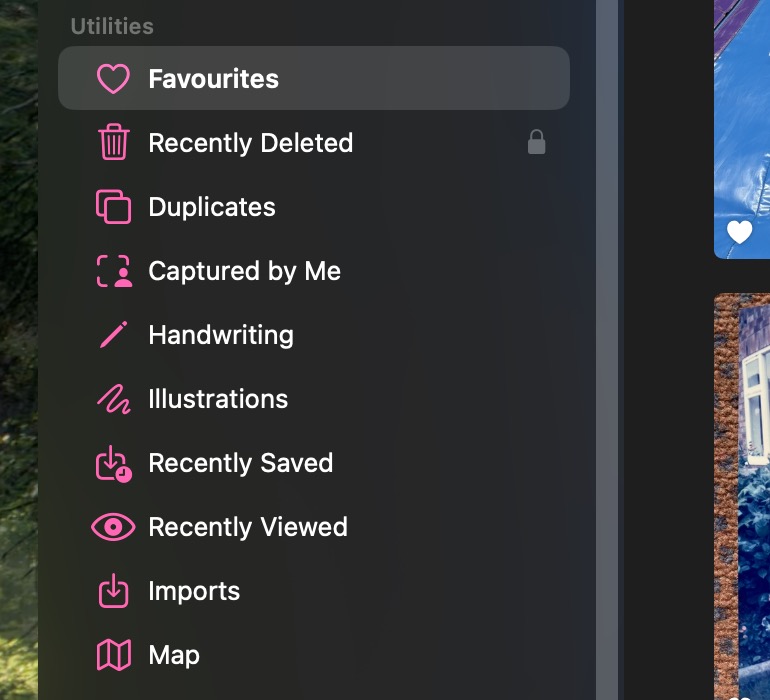
Photos Gains New Utility Collections


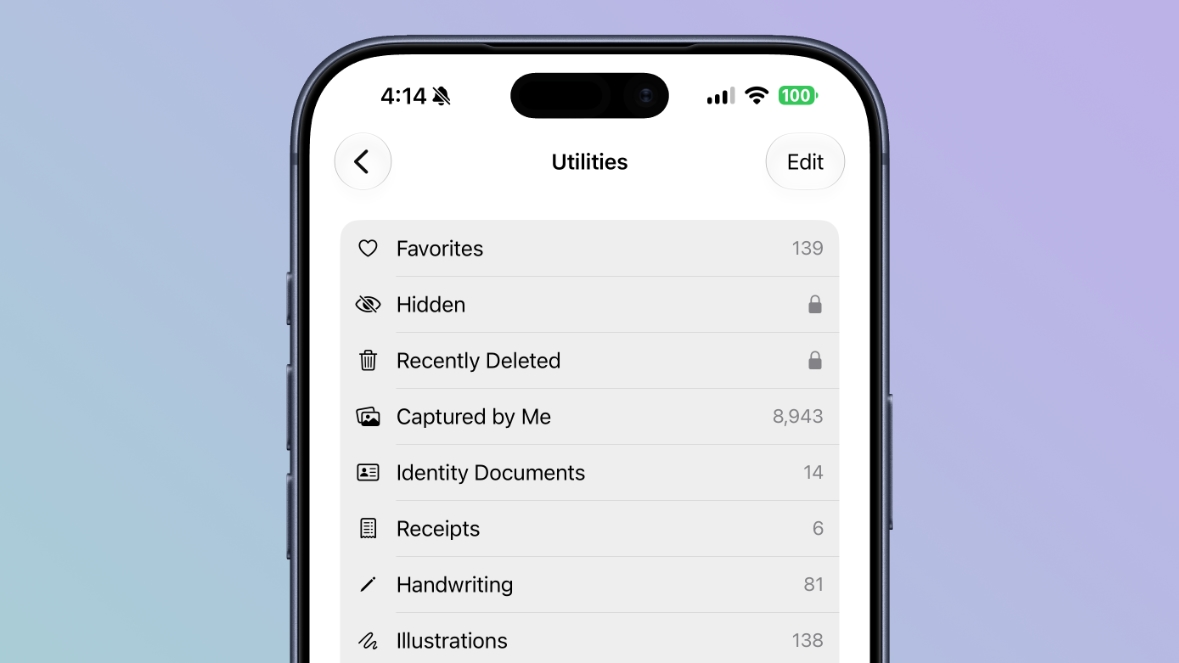
The Photos app now has two Utility collections. "Captured by Me" gathers pictures taken with your current and any previous iPhones, while "Identity Documents" brings together images of passports, driver's licenses, and any similar records you might have.

Intel Macs Miss Golden Gate


If you have a very old machine, there's something you should know: Golden Gate does not run on Intel Macs โ€“ it requires Apple silicon (that includes the A-series chip in MacBook Neo). Sorry, Intel users.
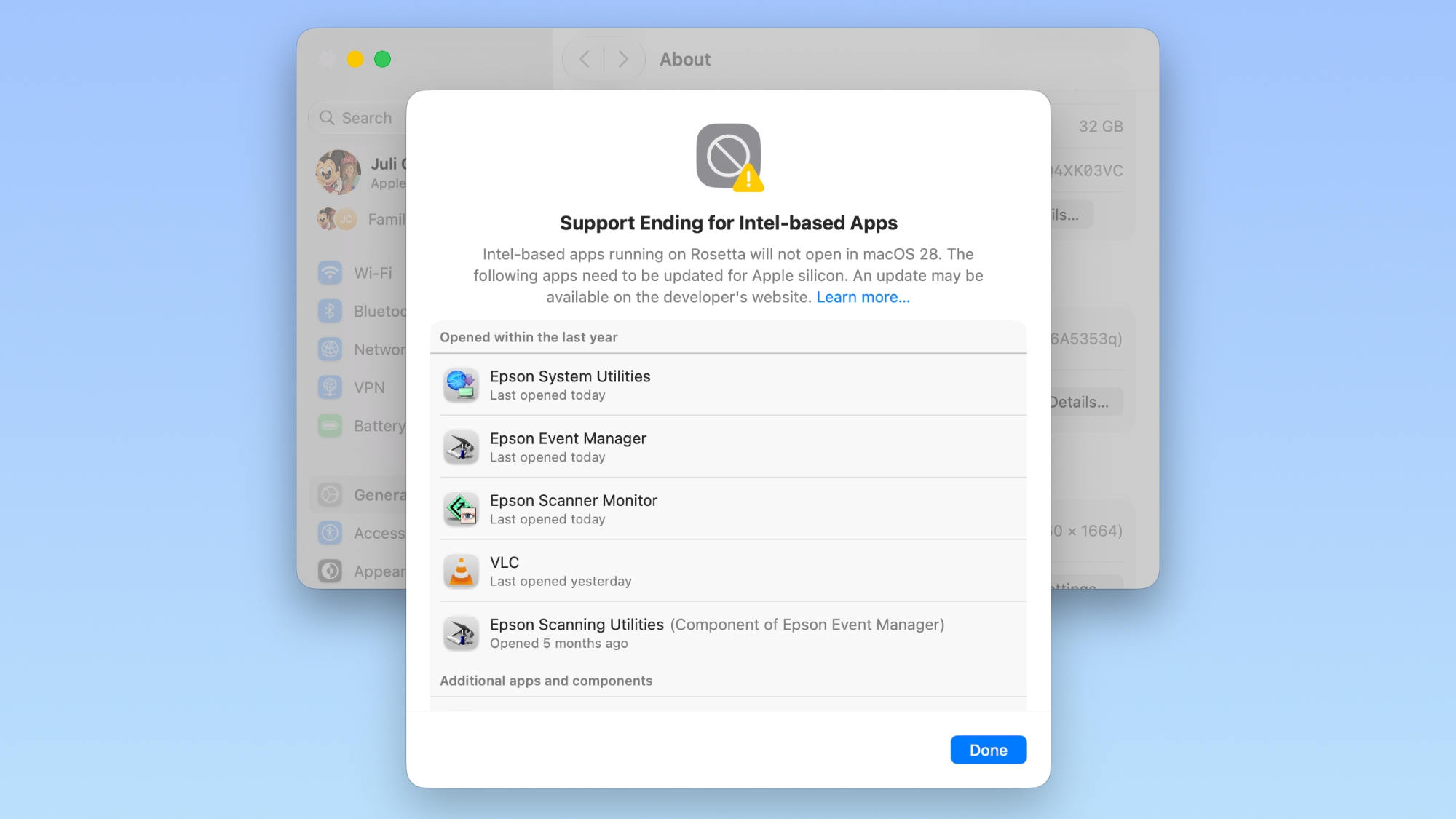
Rosetta Support Is Ending


macOS 27 is also the final major release with general-purpose Rosetta support for Intel-only apps on Macs with Apple silicon. Apple says those apps will stop working in the next major release, apart from certain older games.
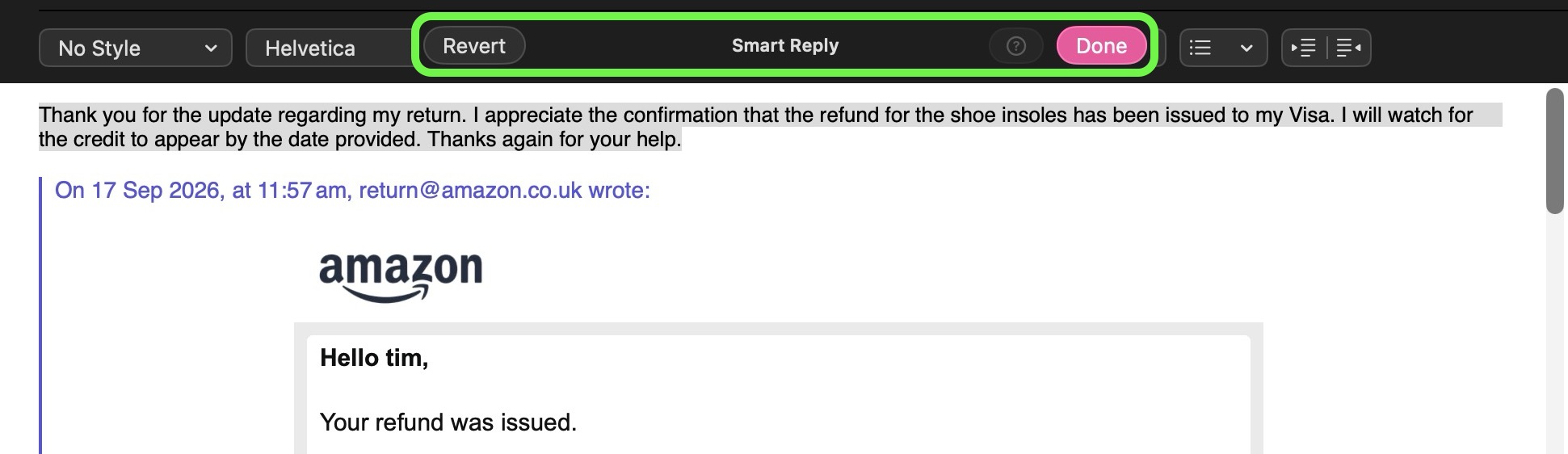
Smart Replies Can Sound More Like You


Mail's Smart Replies are able to reflect your usual writing style when they suggest a response, right down to your tone and phrasing, so now a quick reply can sound more like something you would have written yourself. To use a smart reply, click the reply button on an email, click inside the message field, then choose one of the suggested replies generated by Apple Intelligence.
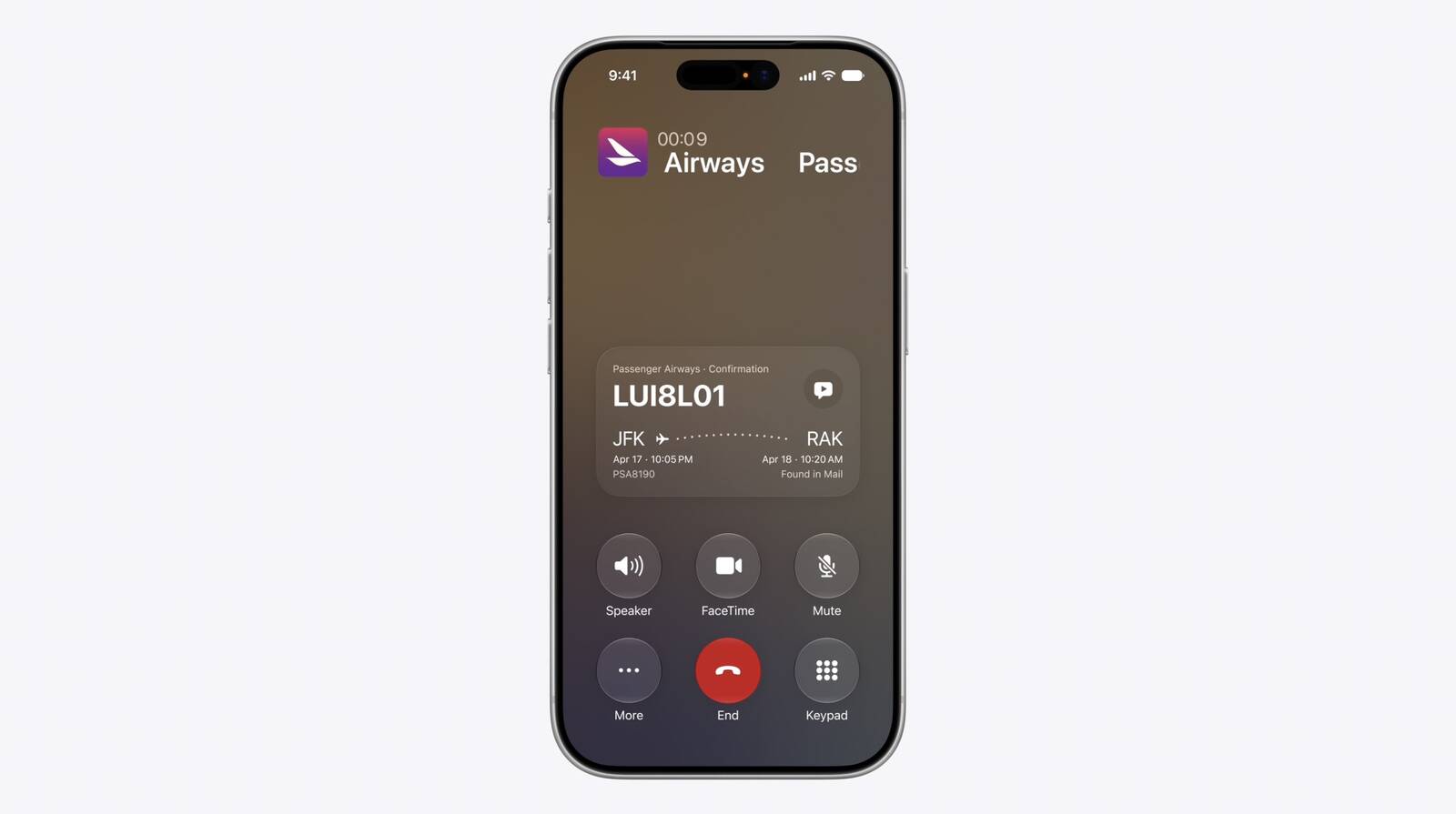
Get Context on a Phone Call


Just like in iOS 27, the Phone app on Mac supports a new Call Context feature. It can surface relevant information from the Mail app. If you call an airline, it might show your confirmation code for an upcoming flight, or your reservation code if you're calling a hotel. It doesn't listen to what you're saying, but instead looks at the number you're calling and links it to details in the Mail app.
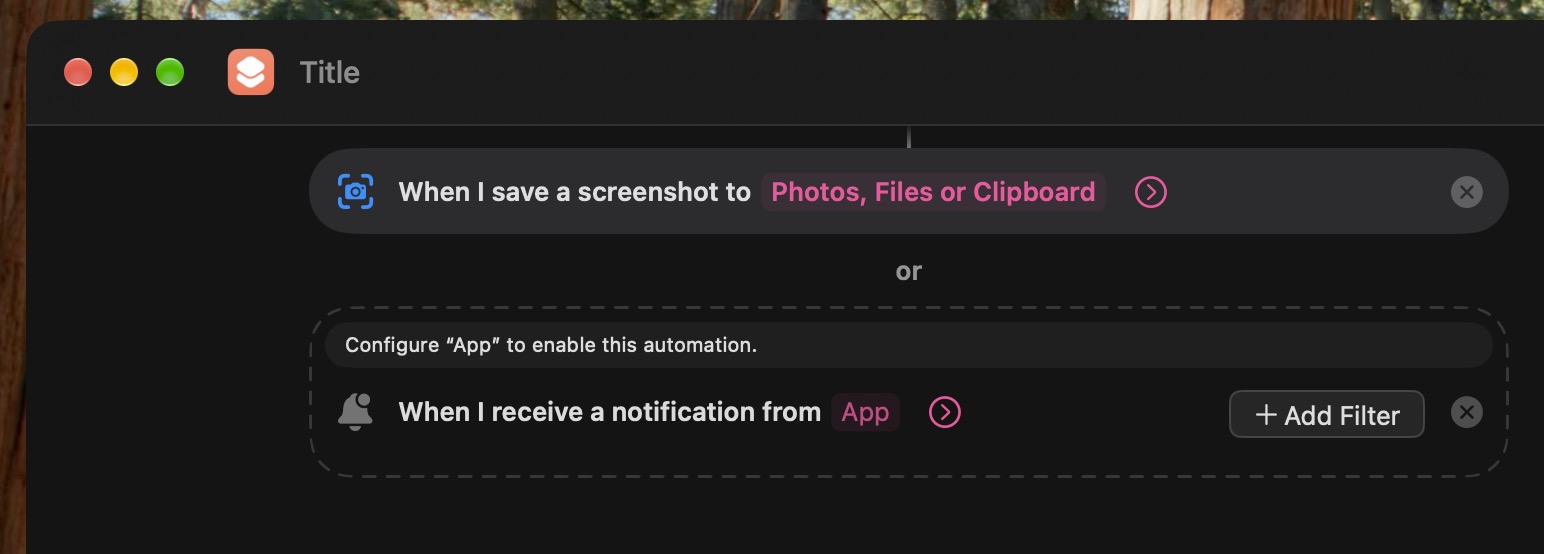
Shortcuts Adds Screenshot and Alert Triggers


Shortcuts automations can now be triggered simply by taking a screenshot or receiving a notification. The new options add to existing triggers such as time of day, location, and app activity, giving you more ways to start a routine automatically.
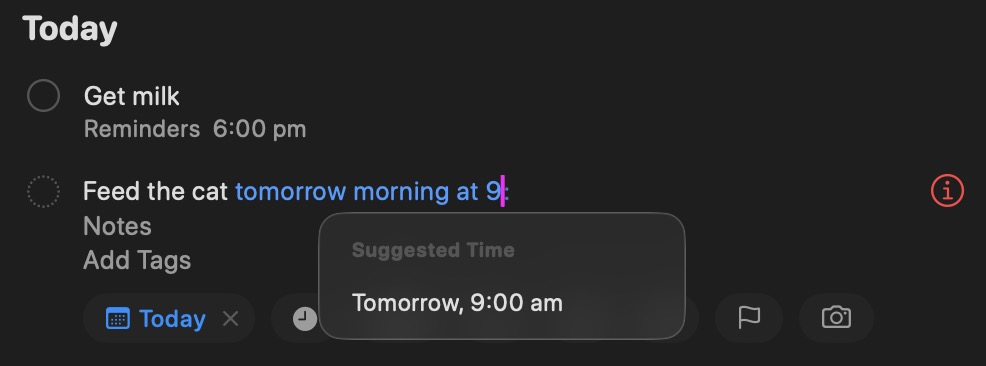
Reminders Understands Natural Language


If you enter a natural-language request in Reminders, the app can fill in details you specify such as a date, time, or location, saving you from having to enter each field separately.
Related Roundup: macOS Golden Gate
Related Forum: macOS Golden Gate

This article, "50 New macOS Golden Gate Features and Changes Worth Checking Out" first appeared on MacRumors.com

Discuss this article in our forums

  •  

Which iOS 27 CarPlay Features Actually Work in Your Car?

In iOS 27, available now, CarPlay gets its biggest update in years, but some features depend on what type of car you have rather than your iPhone model. Some of the biggest additions won't do anything in the vast majority of vehicles on the road today. Here's how the new features pan out.


Works in Any CarPlay Vehicle


  • Custom widgets: In iOS 27, CarPlay is no longer limited to Apple's handful of stock widgets. Any compatible widget from your iPhone's Home Screen can now be added to the CarPlay dashboard. To do so, go to Settings โž General โž CarPlay, tap your car, then tap Widgets โž Add Widgets. You can drag widgets to rearrange them, tap to remove them, and toggle Smart Rotate and Widget Suggestions.


  • Audio scrubbing: The Now Playing screen now has a proper progress bar, allowing you to drag to any point in a song or podcast rather than having to tap skip repeatedly. There's also a persistent mini-player that keeps artwork and controls on screen while you browse.


  • Apple Music Filters: In Apple Music on CarPlay, you can filter your library to sort playlists, albums, artists, and songs by categories like "Favorites" or "All Playlists." Apple says third-party music apps can adopt it too.


  • New wallpapers: New wave designs found in iOS 27 and macOS 27 are now available in CarPlay in 14 color options. In previous years, most of Apple's platforms shipped with their own distinct wallpaper. This year, they all share a design called "Celosia," featuring sweeping, overlapping curves and soft shadows inspired by layered flower petals or folded paper.


  • Maps improvements: Apple extended natural language search to navigation, and that also works with Apple Maps in CarPlay. You can ask Siri for directions that avoid toll roads, highways, and more.


  • Better wireless reliability: Apple says wireless CarPlay connections are more dependable in iOS 27, with improved GPS accuracy and better navigation heading detection. These are phone-side changes, so no new hardware is required.


Needs the Right Car


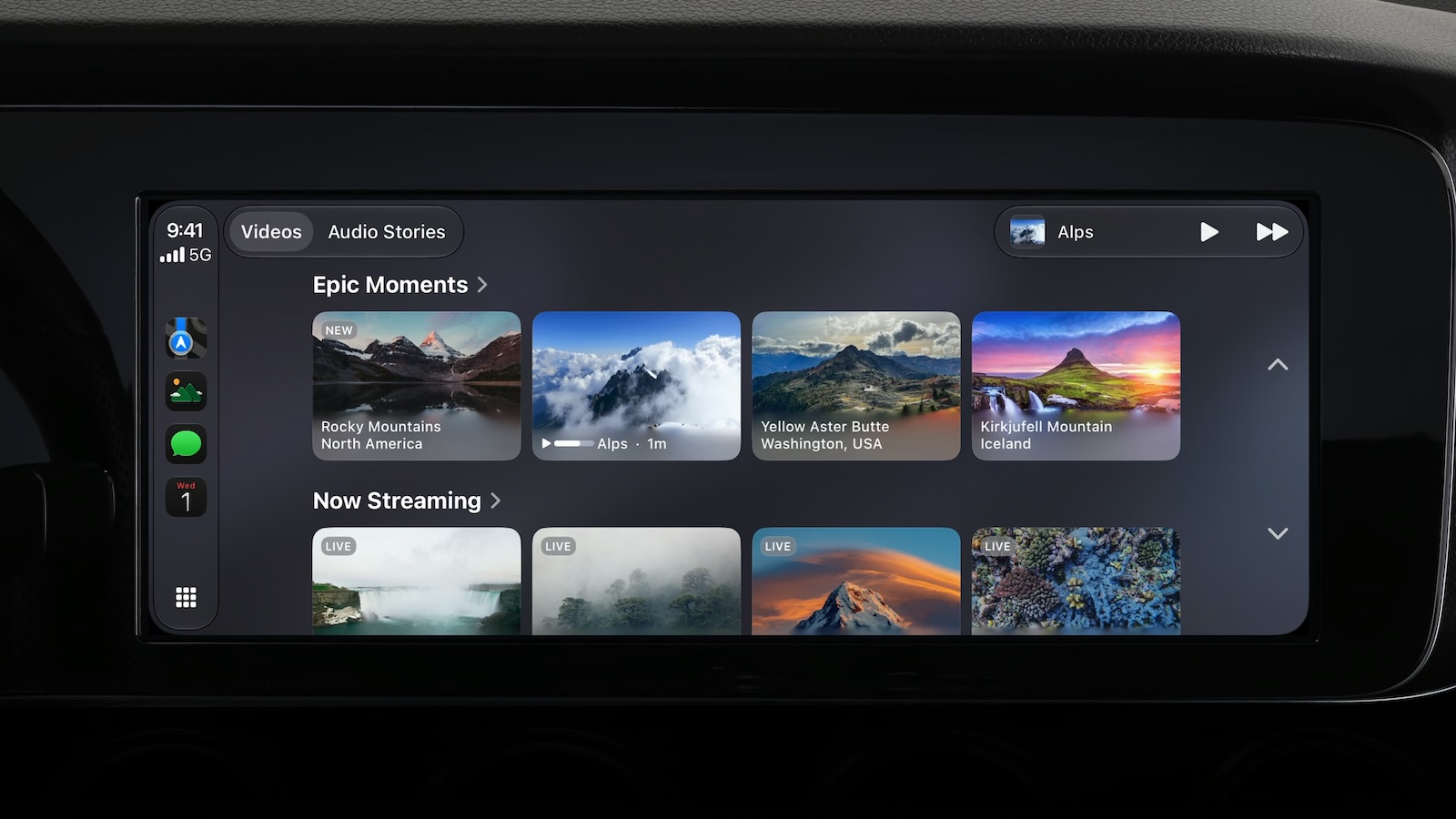
  • Video apps: Apple made a song and dance about this feature, but it's the one that fewest people can use right now. Video browsing in the CarPlay interface requires automakers to certify AirPlay video integration for the vehicle. In other words, an iOS update alone can't enable it. That makes sense when you think about it โ€“ playback only works when the vehicle is parked (it switches to audio if you shift into drive) and the car needs to be able to share its drive state with iOS. As of writing, no manufacturer has announced plans to support the feature.


  • Sharing routes to your car's own screens: Navigation apps can now pass route data to a vehicle's built-in infotainment or digital instrument cluster, including EV charging stops and range. Again though, your car has to support it, so your mileage may vary (no pun intended).


Needs a Supported iPhone


  • Siri AI: The upgraded Siri now handles back-and-forth conversation in the car, while chats sync to the Siri app on your iPhone so you can pick them up later. It does however require an iPhone that supports Apple Intelligence, plus there's a Siri AI waitlist to get access, which you can join on your iPhone in Settings โž Siri.


Video apps in Carplay require dedicated vehicle support

One to Watch


Apple has given developers a voice control template that any category of CarPlay app can adopt for voice conversations. But nothing will change until individual app makers make use of it, so expect this to arrive gradually.

Bottom Line


If you have a car with CarPlay and a recent iPhone running iOS 27, you'll immediately be able to take advantage of third-party widgets, audio scrubbing, new wallpapers, and Maps improvements. For video and route sharing, you'll need to wait for your car's manufacturer to add support. iOS 27 was released on September 14 and is available to download now.
Related Roundups: CarPlay, iOS 27, iPadOS 27

This article, "Which iOS 27 CarPlay Features Actually Work in Your Car?" first appeared on MacRumors.com

Discuss this article in our forums
  •  

PSA: watchOS 27 Removes This Useful Feature From Your Apple Watch

Apple released watchOS 27 on September 14, bringing a new Audio Intelligence feature set to its latest Apple Watch models, but as a result, owners of previous models are set to lose out doubly in the process.


Apple Watch Series 12 and Ultra 4 models later this year will get Live Rewind, a feature that provides a transcript of any spoken audio that was picked up by the device in the last 15 seconds. To activate the feature, users need to double-click the Digital Crown.

Unforunately, this double-click action is the same one that in watchOS 26 switches between the current app and the previously used app โ€“ or indeed the watch face and the last used app.

It's a neat way of multitasking on your Apple Watch without tapping the display.

Needless to say, this feature will no longer work for anyone upgrading to Apple Watch Series 12 and Ultra 4 models when the devices are released on September 18. Apple has reserved the double-click action for when its new Live Rewind feature is activated later this year.

However, what's arguably more frustrating is that owners of older Apple Watch models who update to watchOS 27 will also lose the ability to jump between apps using the Digital Crown double-click.

After updating to watchOS 27, the Digital Crown double-click no longer works to switch between apps. All it does is bring up the new dynamic app grid, which is the same behavior that a single click offers. This is despite the fact that the new Live Rewind feature is hardware-bound to the Apple Watch Series 12 and Ultra 4. Owners of previous models are simply out of luck in both senses, losing a useful function while also missing out on the new feature that usurps it.

It also throws up another problem for new Series 12 and Ultra 4 owners: What if people don't want to go near the Live Rewind feature and its privacy implications? Apple could have made the double-click action work to switch between apps as it does in watchOS 26, while also providing an option to assign the action to Live Rewind if that's preferred.

Apple currently doesn't provide options to resolve the situation for either group of users, so all we can do is provide feedback to Apple and hope the company hears enough demand for it to change course in watchOS 27.1 or a later update.

Pre-orders for the Apple Watch Series 12 and Ultra 4 are available now ahead of a Friday, September 18 launch.
Related Forum: Apple Watch

This article, "PSA: watchOS 27 Removes This Useful Feature From Your Apple Watch" first appeared on MacRumors.com

Discuss this article in our forums

  •  

iOS 27: Use Visual Intelligence in the Camera App

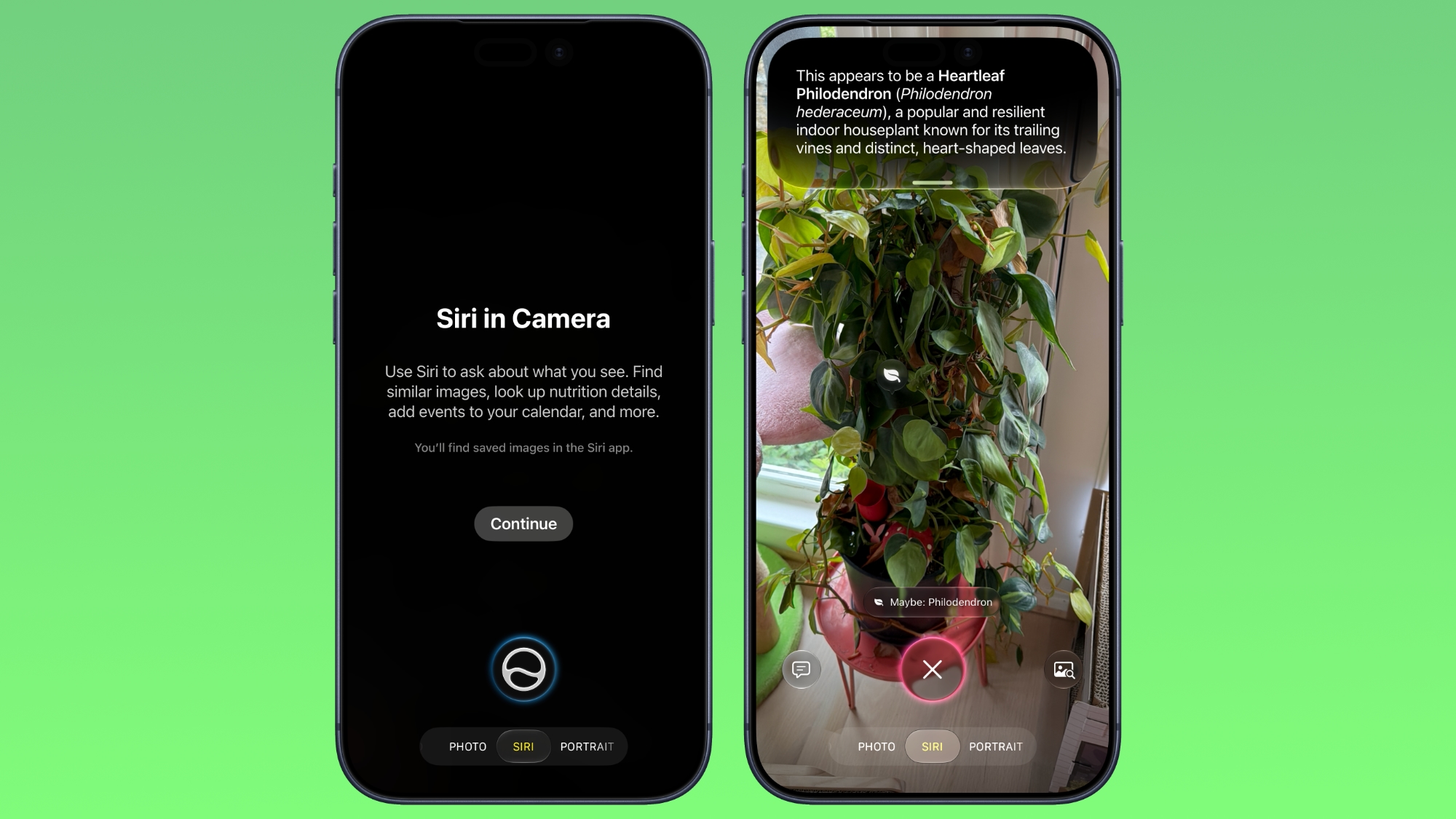
In iOS 27, available now, Apple has made some changes and additions to the iPhone's stock Camera app, including the addition of a new Siri mode.


Available in addition to the Video, Photo, and other camera modes, Siri mode can be accessed by swiping across the mode carousel at the bottom of the screen.

The new mode uses Visual Intelligence to identify objects in the frame and provide information about them. It can be used to identify plants, animals, food, and more. If it's food you want info on, for example, it can tell you what it is, and how many calories are in it.

Other examples Siri mode can be used for include capturing a photo of an event flyer and adding a date to the Calendar app, text translation, splitting a bill, and more.

In Siri mode, a button on the right lets you search Google Images, and a button on the left lets you ask a specific question. So you can ask for help to cook the food in the frame, for instance.

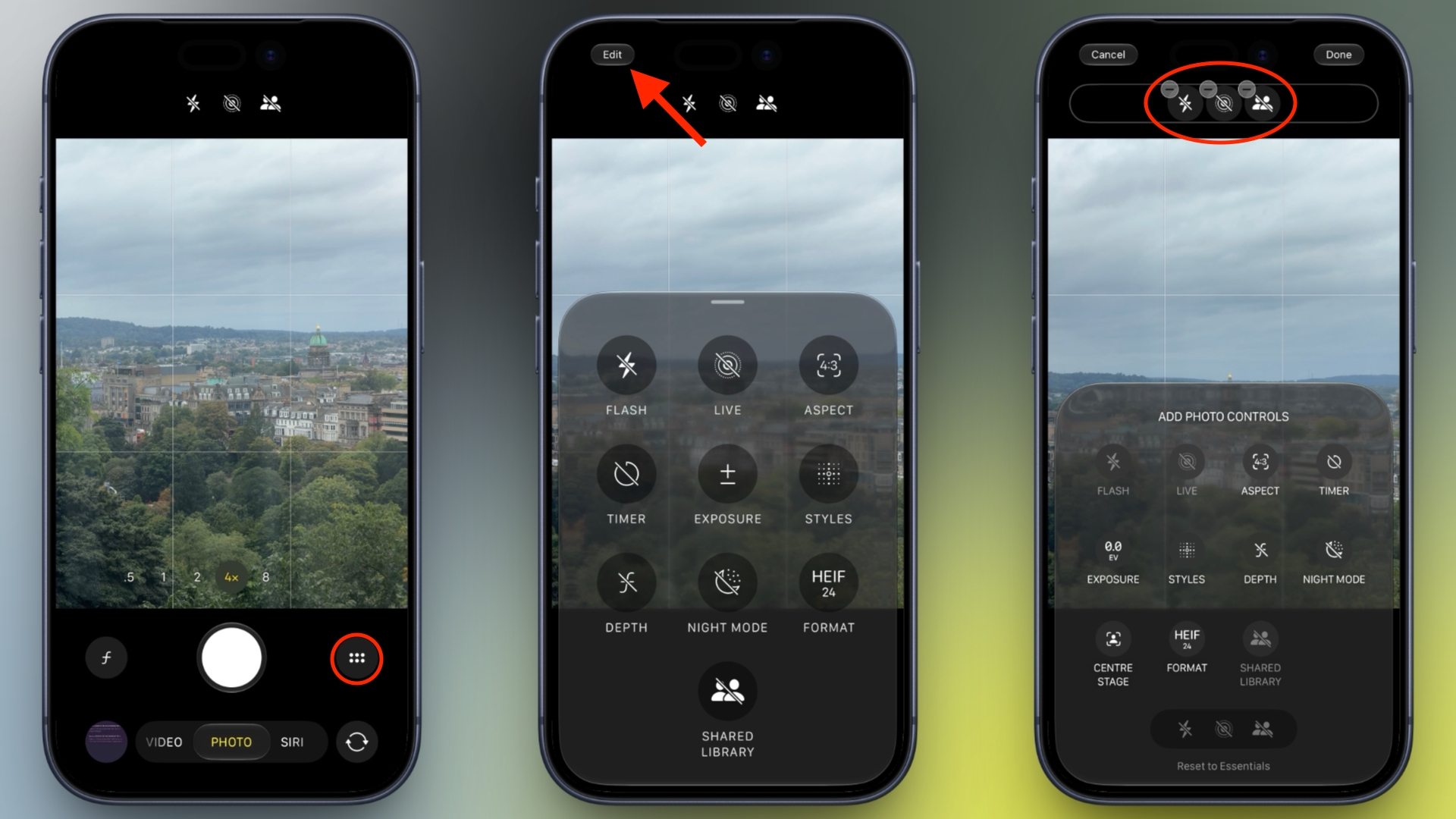
Apple has also tweaked the way the camera interface works in other ways. Quick access tools for activating flash, Live Photo, and Night mode are now located at the top-center of the UI, while the full set of tools can be accessed from the bottom-right instead of the top-right. It's also possible to customize which controls are displayed at the top of the screen.

Apple made iOS 27 available to download on supported iPhone models on September 14, a few days ahead of the launch of new iPhone 18 Pro models on September 18.
Related Roundups: iOS 27, iPadOS 27
Related Forum: iOS 27

This article, "iOS 27: Use Visual Intelligence in the Camera App" first appeared on MacRumors.com

Discuss this article in our forums
  •  

Reminder: macOS 27 Ends Time Machine Backups to Time Capsule

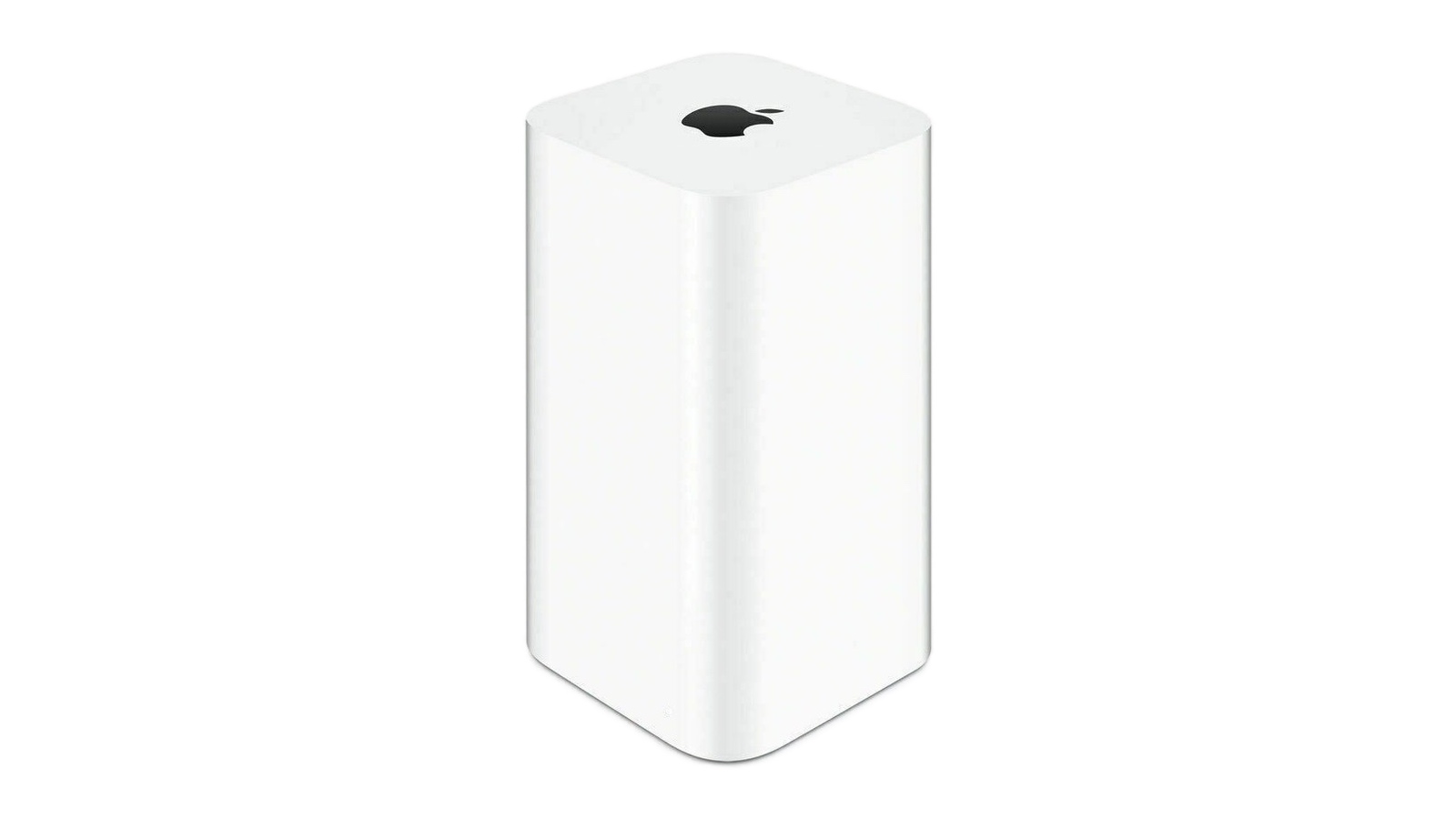
If you're upgrading to macOS Golden Gate and you have an AirPort Time Capsule, Time Machine won't be able to back up to it. macOS 27 removes support for AFP, the legacy file-sharing protocol that Time Capsule relies on for Time Machine backups. Said backups now exclusively use the SMB protocol, which Apple's discontinued Time Capsule hardware does not support in the form required by macOS 27.

Apple warned users about the change back in June 2025 when macOS Tahoe began displaying a warning that Time Capsule backups would no longer work in the next macOS. Users still backing up to one will need an alternative, such as an external drive or a modern NAS.
This article, "Reminder: macOS 27 Ends Time Machine Backups to Time Capsule" first appeared on MacRumors.com

Discuss this article in our forums
  •  

EU's Kids Act to Ban Social Media for Under-13s, Curb Chatbot Access

The EU will ban children under 13 from using social media platforms, some gaming platforms, and AI chatbots without parental supervision. The ban is set to be outlined in the Kids Act, which will be published on Thursday, reports Financial Times.

"No social media under the age of 13. No personal account under the age of 15," said the European Commission president Ursula von der Leyen in a speech on Wednesday. "Europe has the power to act. It is us who decide the rules, not big tech."
According to a draft proposal seen by FT, children under 13 will only be allowed access with supervision from a parent, while children between 13 and 15 will need parental consent to create accounts with parental controls and other restrictions like time limits.

Meanwhile, social media companies, online gaming services, and AI chatbots will be required to introduce safeguards to protect children from abuse and addictive behavior, and companies that offer AI companions and chatbots services will have to avoid designs that encourage unhealthy emotional attachments or expose them to harmful interactions.

Affected companies will also be required to verify the age of users with an official age verification app. Failure to comply with the rules could result in fines of up to 6% of their global annual revenue.
This article, "EU's Kids Act to Ban Social Media for Under-13s, Curb Chatbot Access" first appeared on MacRumors.com

Discuss this article in our forums

  •  

Spotify Now Lets You Keep Kids' Music Out of Your Wrapped

In a move that should be welcomed by parents and guardians of young children, Spotify has announced a new feature that lets you keep kids' and family music played on the service out of your taste profile.


Starting today, Spotify is rolling out a new toggle in the app's settings that prevents kids' music from affecting your personalized recommendations. This includes, for example, songs you play on repeat from your kids' favorite animated movies, theme songs from family TV shows, nursery rhymes, and more.

When you turn the new setting off, you can still search for, listen to, and build playlists of kids and family music, but those streams won't affect what Spotify suggests for you.

In other words, things like Discover Weekly, Daily Mix, and Wrapped will more accurately reflect your taste. Not only that, the setting applies retroactively, so kids music you've already listened to won't count toward your Wrapped top song or artist, for example.

The following steps show you how to turn it off in the Spotify app on iOS and Android:

  1. Navigate to Settings and privacy by tapping your profile picture in the top-left corner.

  2. Select Content and display.

  3. Switch off the toggle next to Include kids and family music in taste profile.

Spotify says it may take up to 48 hours for these changes to be reflected in your personalized recommendations.
Tag: Spotify

This article, "Spotify Now Lets You Keep Kids' Music Out of Your Wrapped" first appeared on MacRumors.com

Discuss this article in our forums

  •  

'Widow's Bay' Leads Apple TV to Record 29 Emmy Wins

Apple TV shows swept the board at the 78th Primetime Emmy Awards last night as the streaming service received 29 wins overall to become the most awarded network of the year.


It was Apple TV's best-ever Emmy Awards haul, thanks to the likes of Widow's Bay, Pluribus, Slow Horses, Margo's Got Money Troubles, Palm Royale, and Mr. Scorsese.

Widow's Bay was the most awarded show of the night, sweeping all major categories with 14 wins in total, including Outstanding Comedy Series. It becomes the most Emmy-awarded comedy series of all time. The show also took the most awards for a comedy series in a single season.

Elsewhere, Pluribus won Outstanding Lead Actress in a Drama Series for Rhea Seehorn and Outstanding Writing for a Drama Series for Vince Gilligan, while drama Slow Horses won Outstanding Directing for a Drama Series for Saul Metzstein.

Apple TV has now reached most Emmy-awarded network status faster than any other streaming service over seven Emmy seasons. It's also now home to the most Emmy-awarded series for the second year in a row, following last year's wins for The Studio. Apple TV has won Outstanding Comedy Series awards for four of the last six years, thanks to Ted Lasso, The Studio, and now Widow's Bay.

See Apple's press release to learn more about every win Apple TV received on the night.
Related Roundup: Apple TV
Buyer's Guide: Apple TV (Don't Buy)

This article, "'Widow's Bay' Leads Apple TV to Record 29 Emmy Wins" first appeared on MacRumors.com

Discuss this article in our forums

  •  

Apple's Weirdest iTunes Walk-Back Turns 12 Today

12 years ago today, Apple published a web page with one job: to make a U2 album go away. On September 9, 2014, at Apple's iPhone 6 event, Tim Cook revealed that "Songs of Innocence" would be given to every iTunes customer for nothing. The album was directly linked to accounts, and devices set to "download automatically" got it without asking.

Complaints quickly followed, and on September 15, Apple was forced to respond with a one-click page that stripped the album from accounts. Users were given a month to reinstall it at no cost. Apple said 26 million people ultimately downloaded the full album. Bono apologized a month later. The web tool is no longer active, but an archive of the support page is available here.
This article, "Apple's Weirdest iTunes Walk-Back Turns 12 Today" first appeared on MacRumors.com

Discuss this article in our forums

  •  

Moof! Apple Snuck a Dogcow Into iOS 27 - Here's How to Find It

If you have installed iOS 27 on your iPhone or iPadOS 27 on your iPad (download it via Settings โž General โž Software Update), Apple left a fun little easter egg for you to discover.


Open the Settings app, then tap through to Appearance โž Liquid Glass. Scroll to the bottom of the "Welcome to Apple Park" sample images, and when you hit the last image, keep dragging up with your finger until the word "Moof!" appears in the search bar overlay and the image changes.

Say hello to Clarus. A bitmap image of the famous dogcow was originally used to demonstrate page layout in the classic Mac OS, indicating to users which orientation the paper would be in when it was printed. The original glyph it was based on was created by Susan Kare for the Cairo dingbat font that came with the original Mac in 1984, but it became the official mascot of Apple's Developer Technical Support.

When Apple was a fledgling company, Mac developers regularly left fun little Easter eggs in software, but not so much these days. While surprises can still be found, they are a lot more subtle, and exist more as a nod and wink to Apple's origins rather than anything edgy or unauthorized. If you're interested, several have been found in macOS over the years.
Related Roundups: iOS 27, iPadOS 27
Related Forum: iOS 27

This article, "Moof! Apple Snuck a Dogcow Into iOS 27 - Here's How to Find It" first appeared on MacRumors.com

Discuss this article in our forums

  •  

iPhone 18 Pro Pre-Orders Off to a Muted Start, Analyst Says

Initial wait times for Apple's iPhone 18 Pro models in the pre-order phase are "lukewarm," according to GF Securities analyst Jeff Pu, who has subsequently trimmed his production estimates for both the company's Pro lineup and the foldable iPhone Duo.


iPhone 18 Pro pre-orders opened on September 12 in the U.S. and many other countries, and there's now a 3-4 week wait time for iPhone 18 Pro Max models with 256GB and 512GB storage across all colors in the U.S., as well as for Burgundy 1TB models. Elsewhere, Pu cites 2-3 weeks for the Pro Max in Glacier across 256GB and 512GB options in China.

Otherwise, Pu sees initial demand less strong for the Black and Glacier 1TB Pro Max models, quoting 1-2 weeks wait times in the U.S. Meanwhile, the 1TB Pro Max option in Silver, most 2TB Pro Max configurations, and nearly every iPhone 18 Pro model are available immediately on launch day this Friday, with Burgundy 256GB pre-orders the only iPhone 18 Pro exception.

Pu believes the softer-than-expected demand is due to limited spec upgrades and higher pricing, particularly for the larger storage tiers. The iPhone 18 Pro starts at $1,199 in the U.S. and the iPhone 18 Pro Max starts at $1,299, with prices as high as $2,399 and $2,499 for the 2TB models, respectively.

Pu also expects the iPhone 18 Pro Max to lose some buyers to the iPhone Duo, whose pre-orders begin on October 16, with availability from October 23. Prices for the Duo start at $1,999 for the 256GB model, rising to $3,199 for the 2TB option.

On the supply side, Pu has lowered his iPhone 18 Pro and Pro Max production estimate to 72 million units because of constraints associated with the new variable aperture camera. Pu also separately cut his 2026 build estimate for the iPhone Duo from 7 million units to 6 million, which he puts down to production challenges with the hinge.

Pu's latest investor note maintains a Hold rating on Apple, with a $369 price target.
Related Roundup: iPhone 18 Pro
Tag: Jeff Pu
Related Forum: iPhone

This article, "iPhone 18 Pro Pre-Orders Off to a Muted Start, Analyst Says" first appeared on MacRumors.com

Discuss this article in our forums

  •  

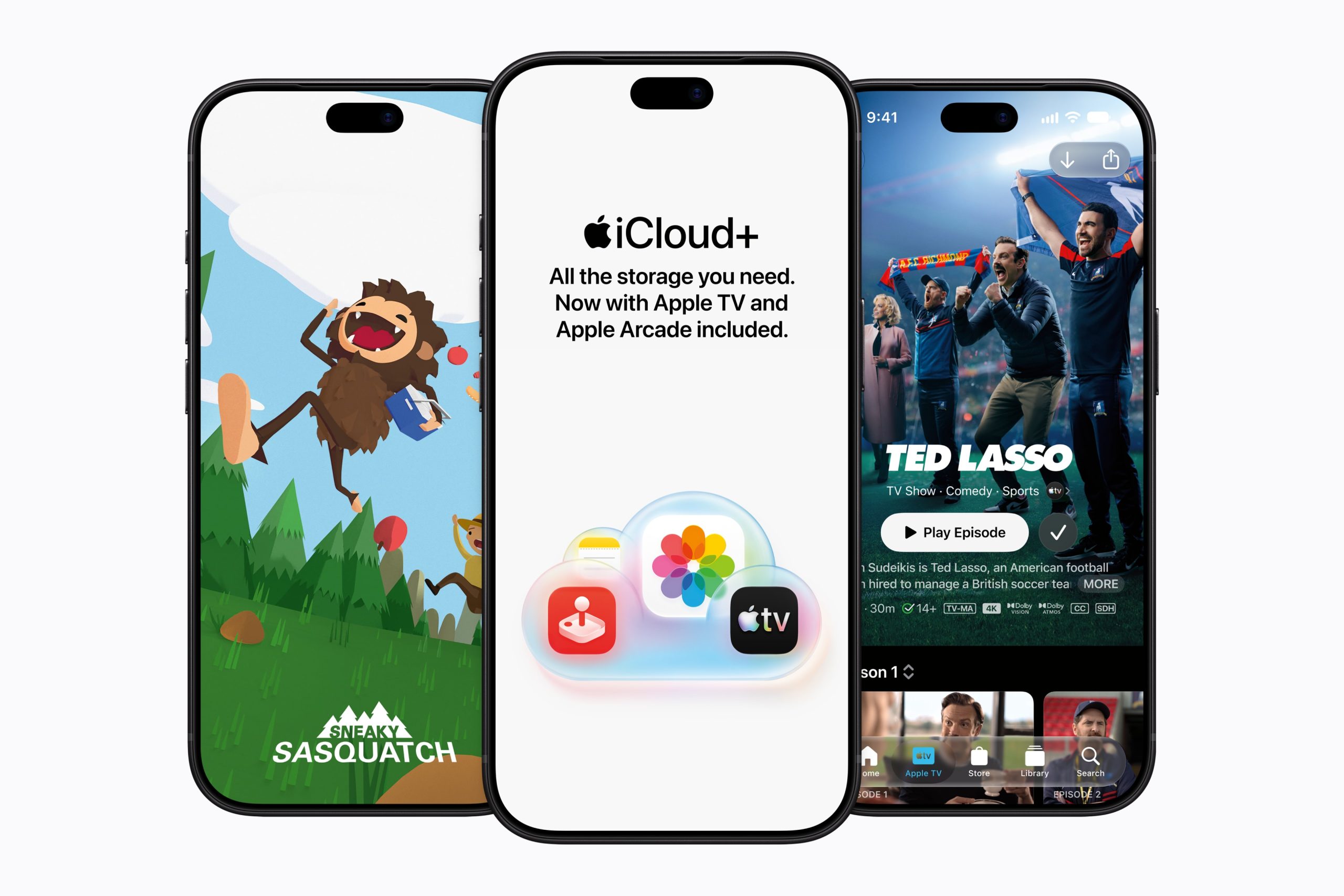
iCloud+ Now Includes Apple TV, Apple Arcade, and Curated Apple Music Stations in Over 100 Countries

Apple today announced a new subscription initiative that turns paid iCloud+ subscriptions into a broader services bundle in more than 100 countries.


In select countries, Apple says every paid iCloud+ plan, including the cheapest 50GB tier, now includes Apple TV and Apple Arcade "at no additional cost," while family sharing extends the storage, TV and Arcade access to up to five people.

The initiative does not include the U.S., Canada, Australia, nor is it offered in the UK and other European markets, but it is clearly more than a promotional offer, since Apple TV and Apple Arcade will stop being sold as individual subscriptions through Apple in countries where it has launched. Apple says existing standalone subscriptions will be cancelled as customers transition to access through iCloud+, while Arcade saves and game progress are preserved.

Countries where Apple is launching the new iCloud+ bundle include the following:

  • Albania

  • Algeria

  • Angola

  • Anguilla

  • Antigua and Barbuda

  • Armenia

  • Azerbaijan

  • Bahamas

  • Bahrain

  • Barbados

  • Belize

  • Benin

  • Bermuda

  • Bhutan

  • Bosnia and Herzegovina

  • Botswana

  • British Virgin Islands

  • Burkina Faso

  • Cameroon

  • Cape Verde

  • Cayman Islands

  • Chad

  • Cรดte d'Ivoire

  • Democratic Republic of the Congo

  • Dominica

  • Egypt

  • Eswatini

  • Fiji

  • Gabon

  • Gambia

  • Georgia

  • Ghana

  • Grenada

  • Guinea-Bissau

  • Guyana

  • India

  • Iraq

  • Israel

  • Jamaica

  • Jordan

  • Kazakhstan

  • Kenya

  • Kosovo

  • Kuwait

  • Kyrgyz Republic

  • Lebanon

  • Liberia

  • Libya

  • Madagascar

  • Malawi

  • Maldives

  • Mali

  • Mauritania

  • Mauritius

  • Micronesia

  • Moldova

  • Montenegro

  • Montserrat

  • Morocco

  • Mozambique

  • Namibia

  • Nauru

  • Nepal

  • Niger

  • Nigeria

  • North Macedonia

  • Oman

  • Pakistan

  • Palau

  • Papua New Guinea

  • Qatar

  • Republic of the Congo

  • Rwanda

  • Saint Kitts and Nevis

  • Saint Lucia

  • Saint Vincent and the Grenadines

  • Sรฃo Tomรฉ and Prรญncipe

  • Saudi Arabia

  • Senegal

  • Serbia

  • Seychelles

  • Sierra Leone

  • Singapore

  • Solomon Islands

  • Sri Lanka

  • Suriname

  • Tajikistan

  • Tanzania

  • Tonga

  • Trinidad and Tobago

  • Tunisia

  • Tรผrkiye

  • Turkmenistan

  • Turks and Caicos

  • Uganda

  • Ukraine

  • United Arab Emirates

  • Uzbekistan

  • Vanuatu

  • Yemen

  • Zambia

  • Zimbabwe


Apple says existing iCloud+ subscribers in these countries will "automatically gain access" to TV and Arcade, while someone subscribing individually to TV or Arcade but not iCloud+ will be notified that they are now subscribed to iCloud+, and their old standalone subscription will be cancelled.

What's particularly interesting is that Apple One is effectively being wound down in these markets. New customers will no longer be able to subscribe, although existing Apple One subscribers can keep their plans. It's a clear sign that Apple is shifting away from Apple One toward iCloud+ in smaller markets.
"We're excited to bring Apple TV and Apple Arcade to iCloud+ users in over 100 countries in one convenient subscription," said Eddy Cue, Apple's senior vice president of Services and Health. "iCloud+ users can now securely store and share personal content across their devices, enjoy the absolute best in original storytelling from Apple TV, and explore an incredible lineup of hundreds of games through Apple Arcade."
As part of the iCloud+ changes, Apple is also including an additional service called Apple Music Select that offers ad-free Apple-curated music stations. The stations are included to entice iCloud+ subscribers to upgrade to full Apple Music at a discounted monthly rate. For example, Apple's Mozambique announcement quotes $2.79/month for Individual and $4.49/month for Family plans.

With the introduction of iCloud+ with Apple TV and Apple Arcade, Apple TV is also expanding to 59 new countries, making the streaming service now available in 170 countries across the globe.
Related Roundup: Apple TV
Buyer's Guide: Apple TV (Don't Buy)

This article, "iCloud+ Now Includes Apple TV, Apple Arcade, and Curated Apple Music Stations in Over 100 Countries" first appeared on MacRumors.com

Discuss this article in our forums

  •  

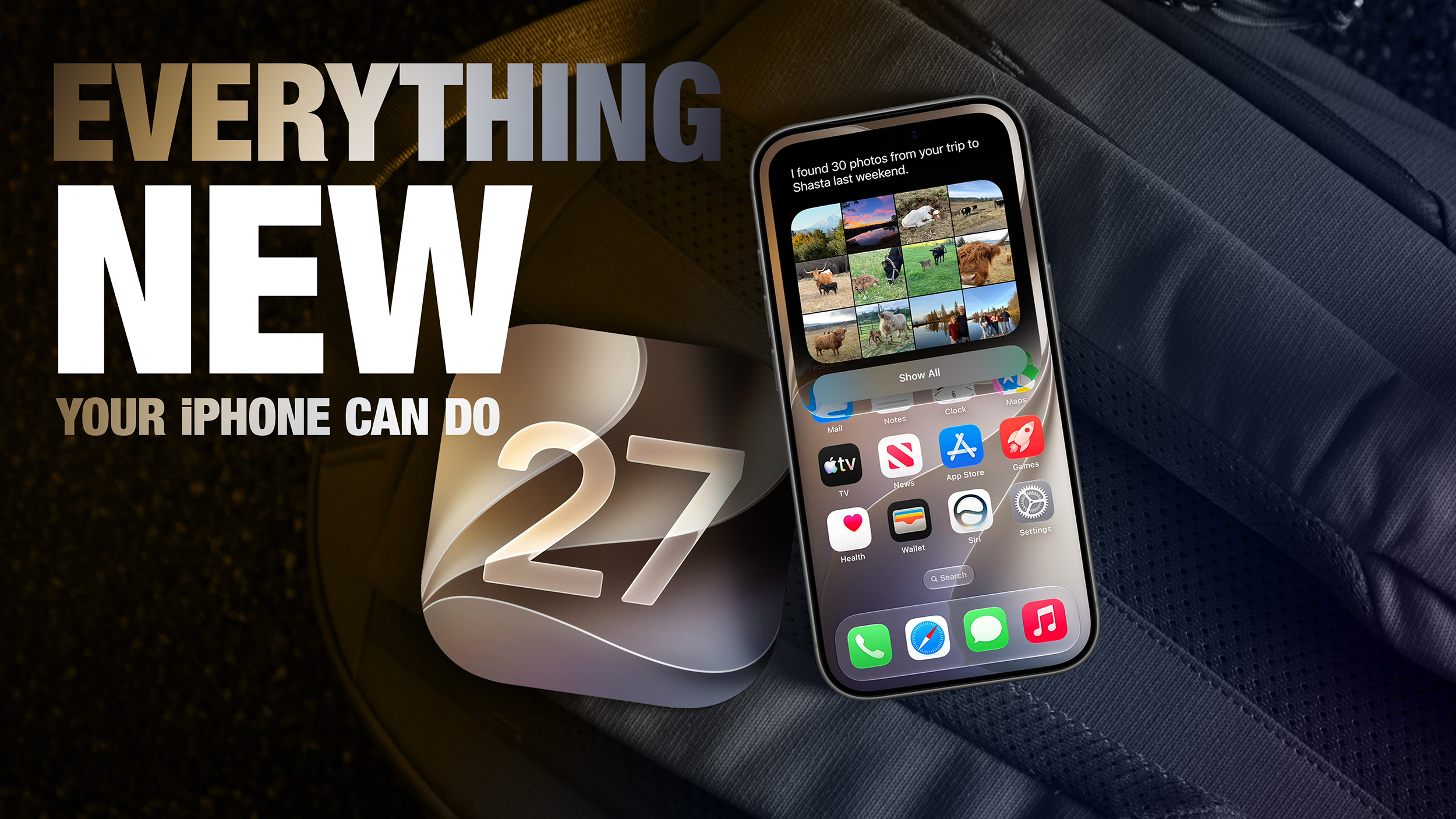
50 New Things Your iPhone Can Do in iOS 27 - Out Now!

Apple released iOS 27 this week, and despite the company's focus this year on refining its flagship operating system and nixing bugs, there are still many additional features to explore, not least of which is Apple's new context-aware Siri, re-tooled for the generative AI era.


This year's major iPhone software update isn't all about AI, though, as the following feature list testifies. iOS 27 is available now on supported iPhone models as a free update, and can be downloaded from the Settings app, via General โž Software Update.

Extend Your Photos and Lock Screen Wallpaper


A new wallpaper extension feature in iOS 27 uses Apple Intelligence to automatically expand a photo beyond its original boundaries so it fills the entire Lock Screen more naturally. If a photo is cropped too tightly, doesn't match your iPhone's aspect ratio, or it leaves empty space when positioned on the Lock Screen, iOS 27 can generate additional image content around the edges with the "Extend" option. It will analyze the existing image and create matching background details that blend with the original photo, so there's no need for aggressive cropping. The Extend option can also be found in the Photos app.
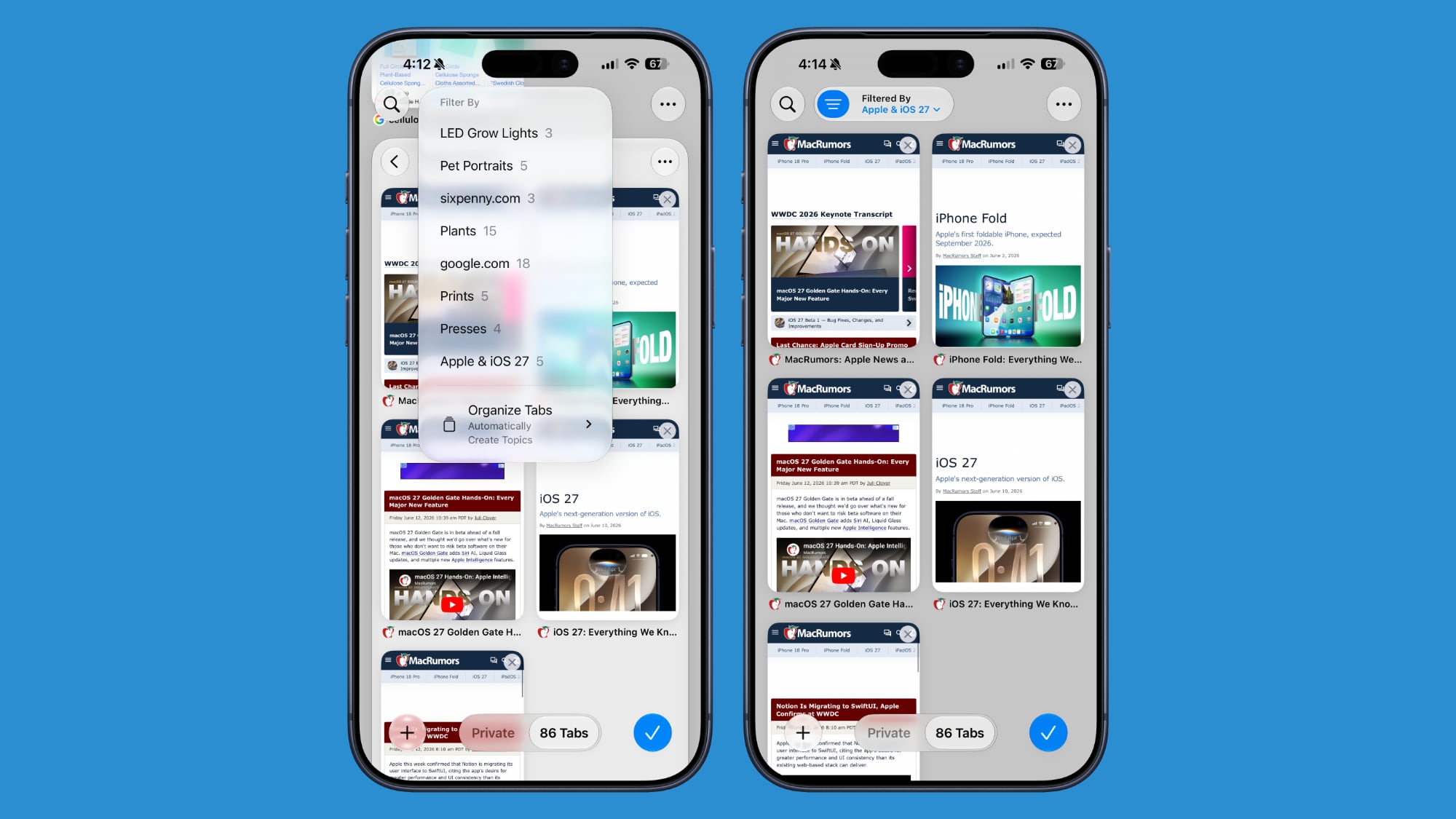
Organize Your Safari Tabs


Safari uses Apple Intelligence to automatically organize your open tabs into related topics, making them easier to browse and manage. For example, if you're shopping for a new refrigerator while planning a vacation, Safari groups tabs for each activity into separate topic-based collections. You can enable this feature by opening Tab View, tapping the three-line icon in the top-right corner, and turning on Automatically Create Topics.

Use Natural Language for Reminder and Calendar Entries


In the Reminders app, you can now create reminders using natural language, and Apple Intelligence will automatically fill in details such as the date, time, and location. For example, if you type "Pick up Dad at 6 p.m. tonight" or "Send the photos to Eric tomorrow at 3 p.m.," Reminders extracts the relevant information and adds it to the reminder automatically.

The Calendar app also supports natural language input, identifying people, dates, and locations as you type. You can then tap the suggested information to quickly add it to your event.

Inline Reply to Messages From Android Users


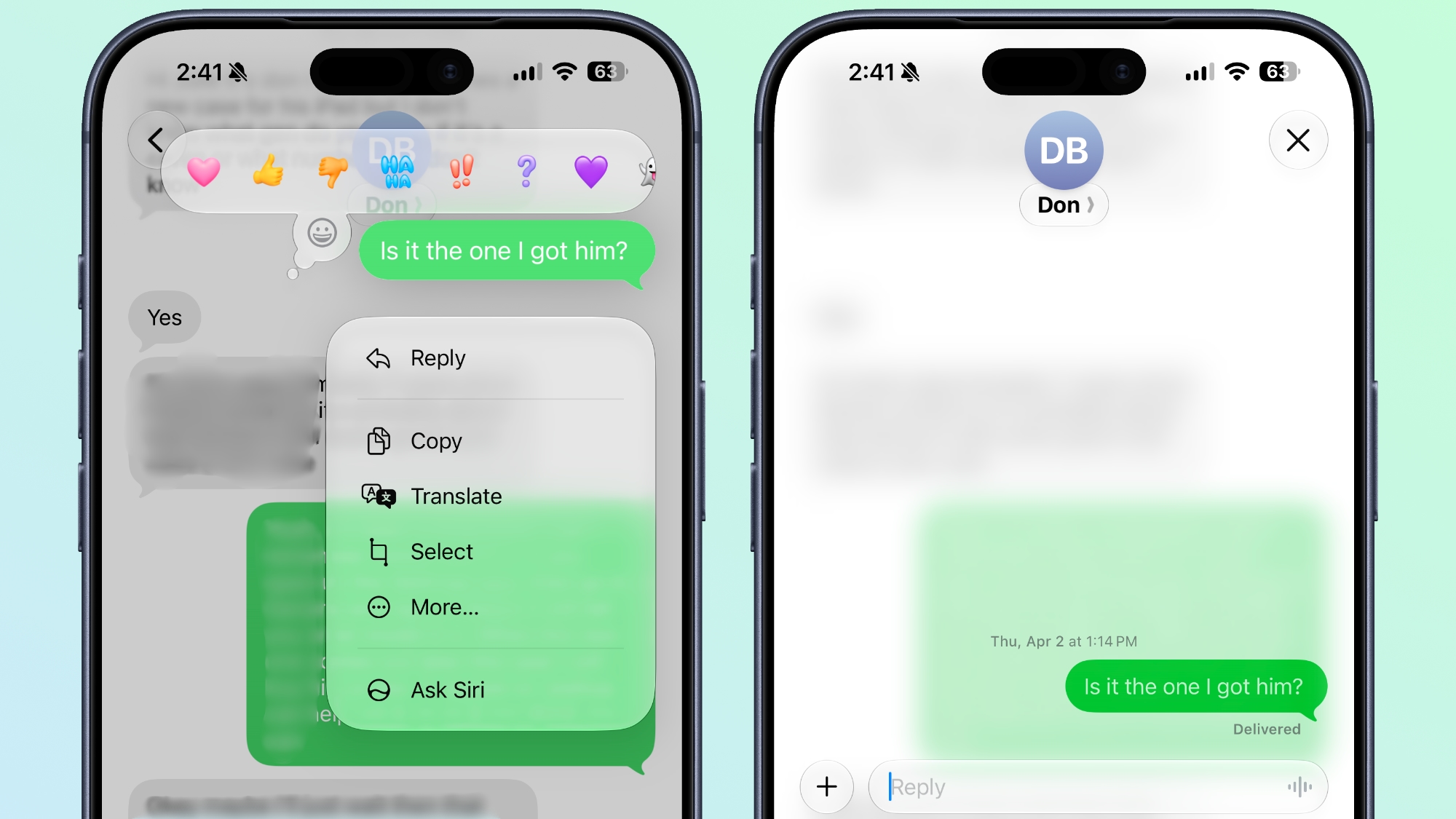
In the Messages app, you can now long press on a specific message from an Android user (a green chat bubble) and get an option to reply to it. That contrasts with iOS 26, where inline replies are limited to blue bubbles sent over Apple's iMessage platform.

Upgrade Your Wallet Passes


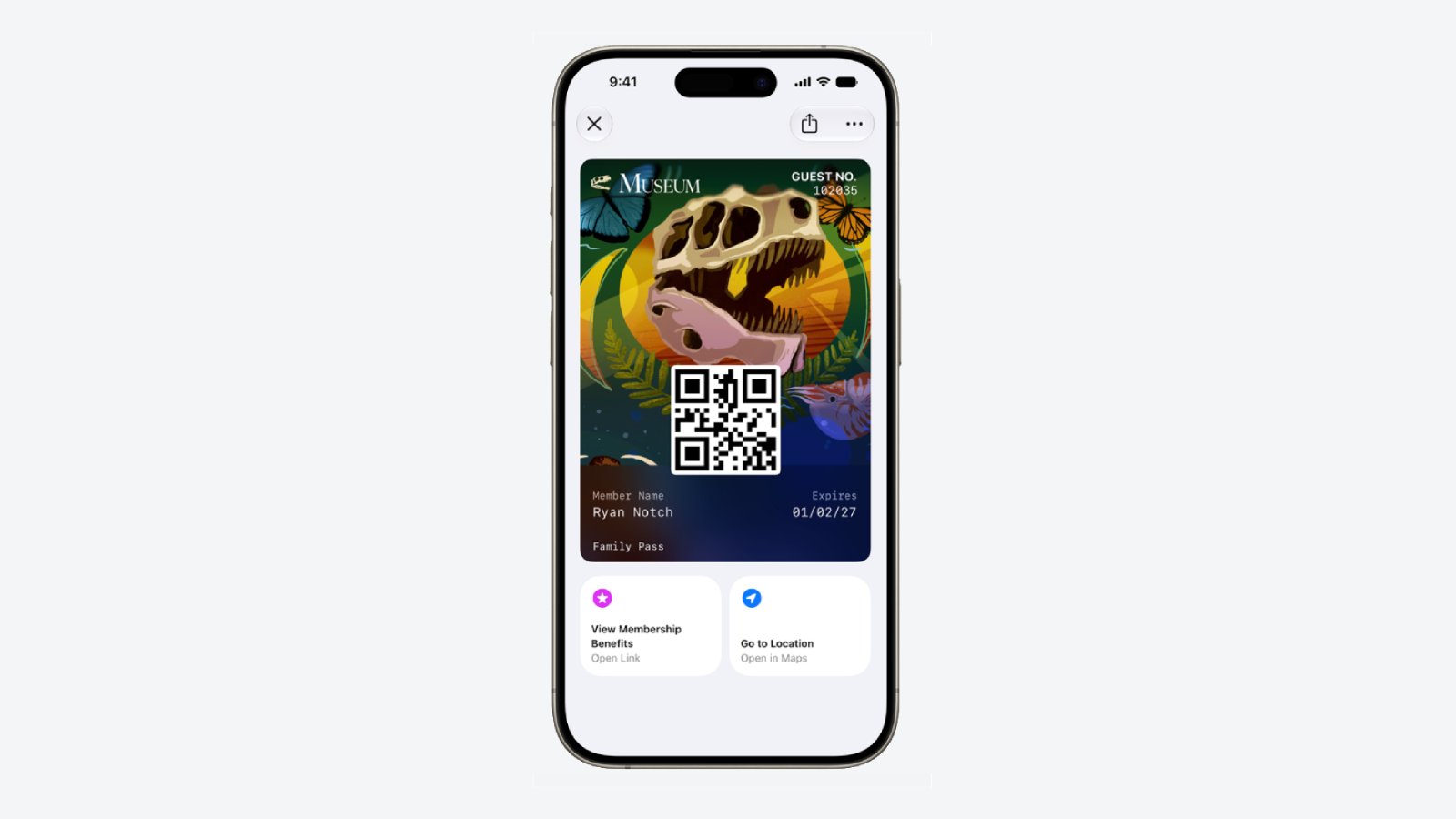
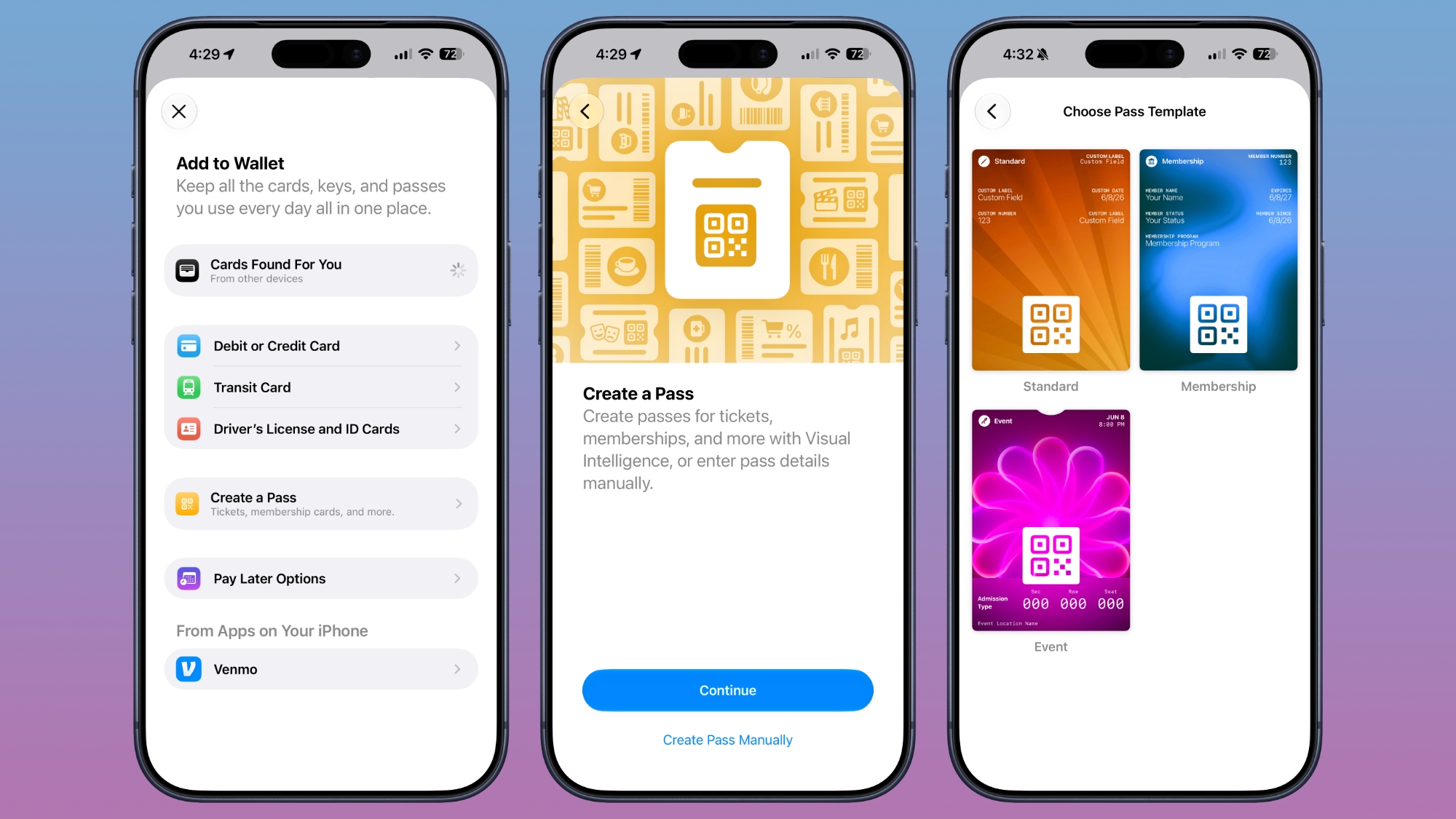
Apple has expanded the redesigned pass experience in the Wallet app with iOS 27, bringing the enhanced design introduced for airline boarding passes in iOS 26 to additional pass types. Membership, gift, loyalty, and rewards cards can now use a new Poster Generic layout with a background image, a logo, customizable header and footer fields, main information, and an optional barcode. Passes can also include up to two quick actions at the bottom, such as getting directions to a venue or checking a rewards points balance.

Describe Your Next Shortcut


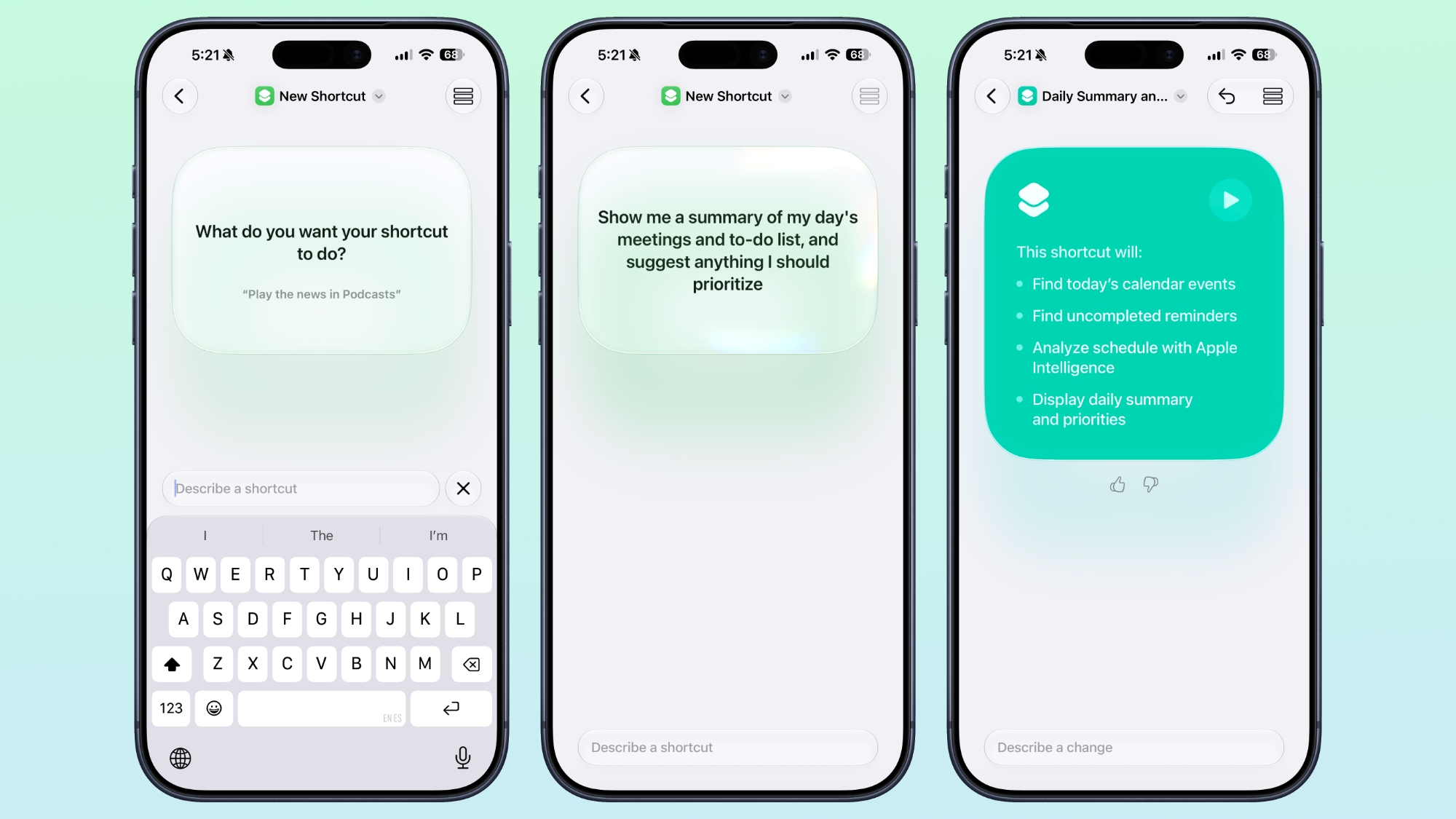
Apple Intelligence makes creating shortcuts much more accessible by letting you build them with natural language. Tapping New Shortcut in the Shortcuts app opens a Describe a Shortcut interface, where you simply explain what you want the shortcut to do. You can describe a single action or a more complex automation, and Apple Intelligence selects the appropriate actions and assembles the shortcut automatically.

For example, you could create a shortcut that sets tomorrow's alarm based on your first Calendar event, enables Sleep Focus, and dims the bedroom lights each evening, or one that displays your first meeting, the weather, and today's reminders every morning. Like existing shortcuts, these automations can be triggered by factors such as the time of day, your location, app activity, system events like taking a screenshot, incoming notifications, and more.
Get a Better Flyover of Your City


Apple is enhancing the Flyover feature in Maps with iOS 27, using Apple Intelligence models to improve aerial imagery with greater texture and sharper detail. Trees, buildings, and other landmarks appear more realistic, with more accurate geometry and improved lighting effects.

According to Apple, the update makes select cities around the world look more lifelike, from the shape of individual trees to the way light reflects off glass skyscrapers. Flyover already offers detailed 3D views of landmarks, roads, parks, and buildings in more than 350 cities, so iOS 27 is essentially using AI to further improve the quality of those visualizations.

Ask Siri What Your Camera Sees


The iOS 27 Camera app has a new "Siri" mode that is available in addition to the video, photo, and other camera modes. The new mode uses Visual Intelligence to identify objects in the frame and provide information about them. It can be used to identify plants, animals, food, and more. If it's food you want info on, for example, it can tell you what it is, and how many calories are in it.

Other examples โ€ŒSiriโ€Œ mode can be used for include capturing a photo of an event flyer and adding a date to the Calendar app, text translation, splitting a bill, and more.

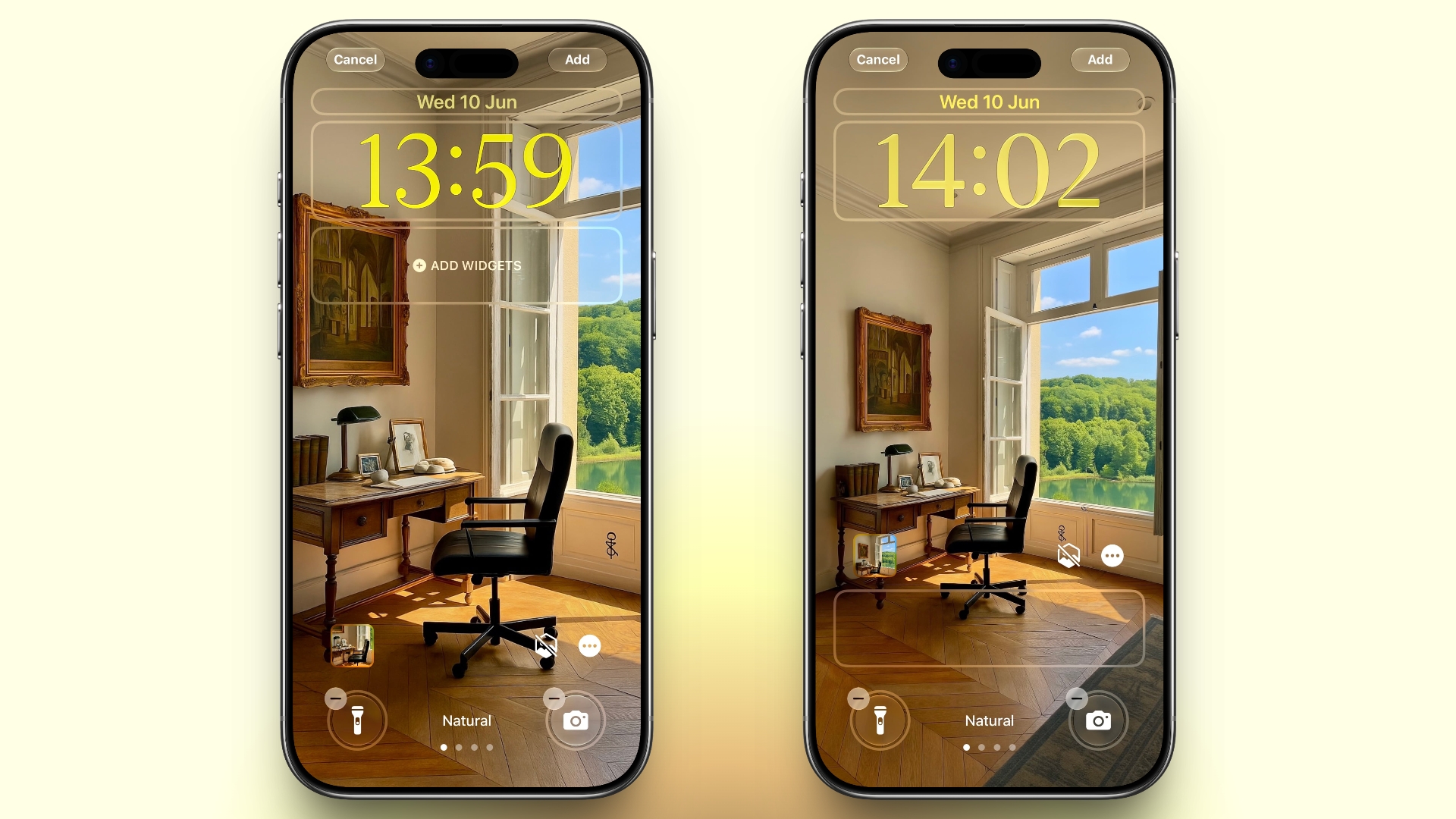
Make Your Lock Screen Clock More Compact


lock screen
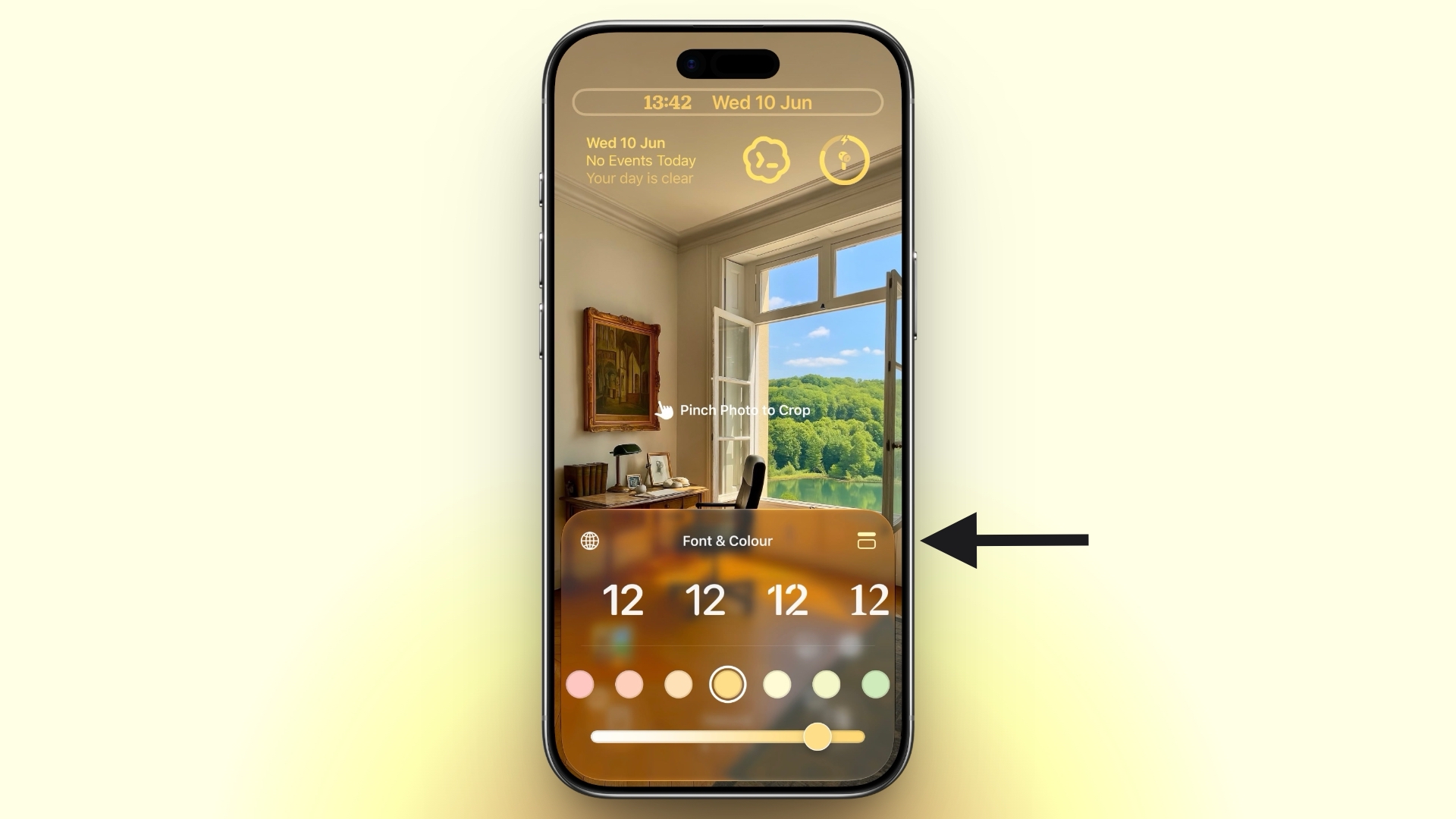
A new compact clock mode is available as a new Lock Screen layout option in iOS 27. Found in the top-right corner of the Font & Color panel, the option moves the time from its traditional large, centered position to a much smaller format alongside the date and widgets at the top of the screen. It's a nice option to have if you like a cleaner Lock Screen look that shows off your wallpaper more fully, and it's the complete opposite effect introduced in iOS 26 that stretches the clock down the screen.

Generate Photo-realistic Images with Image Playground


Apple's Image Playground has been a bit of an embarrassment up until now, being limited to cutesy re-renderings of actual photos and sketched illustrations. But the app gets a major update in iOS 27. Powered by a new generative model that runs on Private Cloud Compute, it can produce high-quality images in virtually any style, including photo-realistic output for the first time. All generated images automatically carry a hidden SynthID watermark to identify them as AI-generated. The app now also supports photo-based editing in addition to creation.

Tweak Liquid Glass Opacity


settings
If Apple's Liquid Glass UI embrace in iOS 26 wasn't your thing, there's a way to tone it down. In iOS 27, Apple added a full Liquid Glass slider under Settings โž Appearance โž Liquid Glass. It changes the translucency of Liquid Glass elements, and you can choose a clear version of Liquid Glass that allows some of the background to show through, select a more opaque, tinted version that improves the legibility of text, or choose something in between.

Create a Slideshow from Any Album


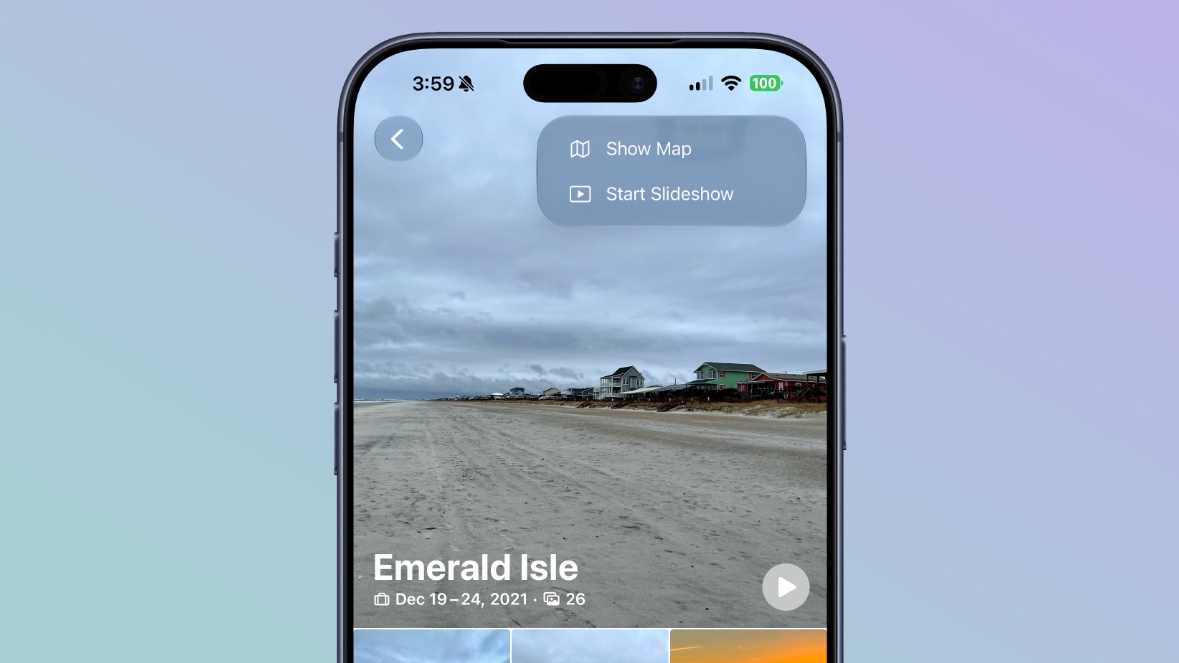
In iOS 27, you can create a slideshow from any album, collection, or selection of photos in the Photos app, rather than being limited to Memories. Open an album or select multiple photos, tap the menu button in the top-right corner, and choose Start Slideshow. Slideshows can be customized with different transition styles, slide durations, and background music, and then saved as a video or shared directly to social media.

Easily Switch Between Siri and ChatGPT


The new Siri app in iOS 27 defaults to the new Siri AI, but you can switch it to ChatGPT if you prefer. Simply long press on the text input field and tap "Ask...", then you'll see an option to change to ChatGPT. Note that conversation context does not transfer when you switch chatbot providers. Currently, ChatGPT appears as an alternative in the Siri AI app whether or not you have the ChatGPT extension enabled in Settings โž Siri โž ChatGPT.

Build a Browser Extension With a Prompt


Safari has been given a new AI-powered extension creation feature. A new Create an Extension option, available from Safari's menu to the left of the address bar, lets you describe what you want an extension to do in plain language, and Apple generates it for you. If you need inspiration, Apple also provides suggested ideas across categories including Boost Productivity, Improve Focus, Get Creative, and Develop and Design.

Get AI Summaries of HomeKit Camera Footage (iCloud+ Only)


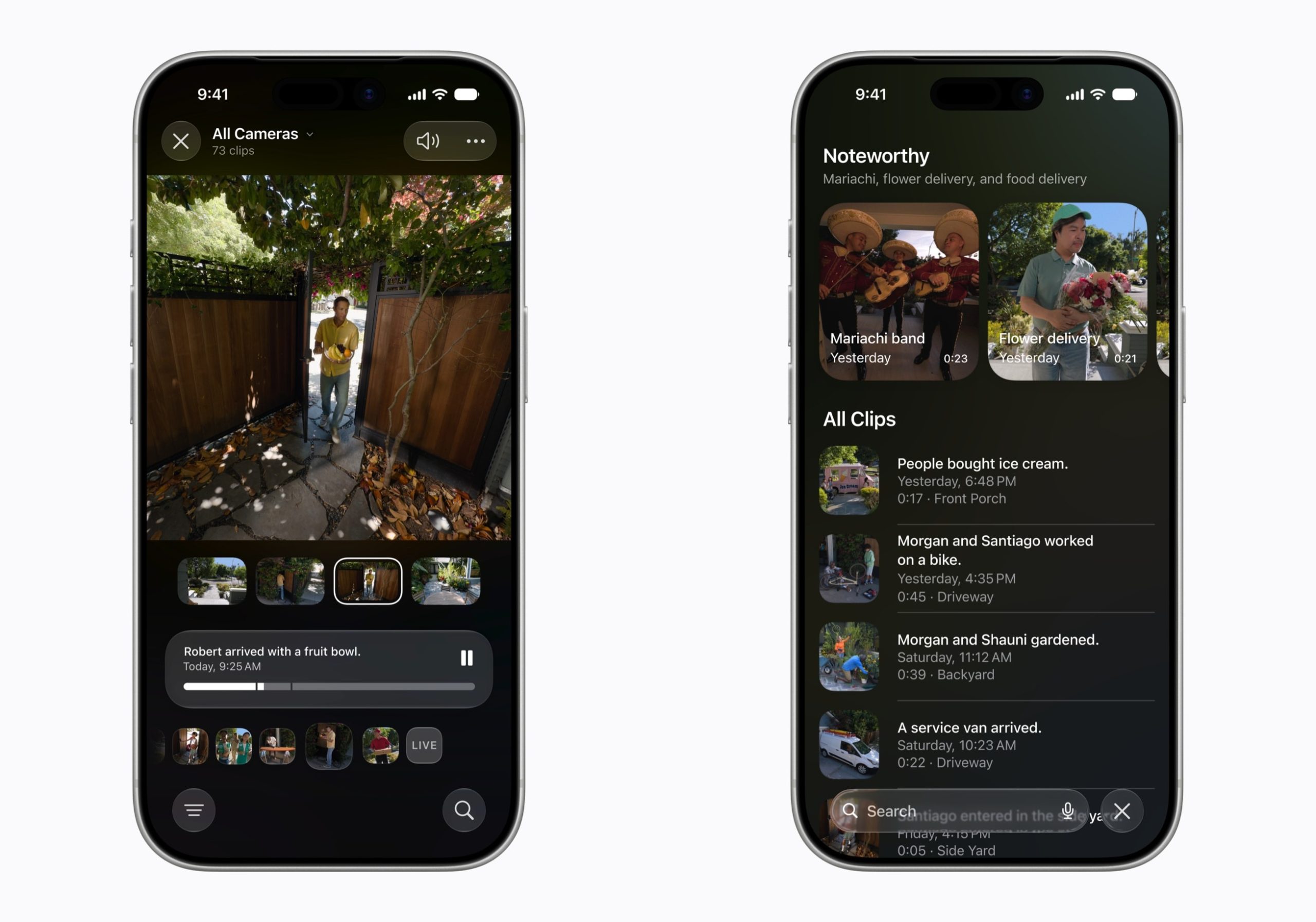
The Home app is now able to generate written summaries for motion alerts from HomeKit Secure Video cameras. It's also able to group footage from separate cameras for an overview of activity and pull out noteworthy recordings, plus it supports natural language search. Bear in mind that this feature is only available if you have an iCloud+ plan with at least 2TB of storage (that's a $9.99/month subscription).

Equalize Your AirPods


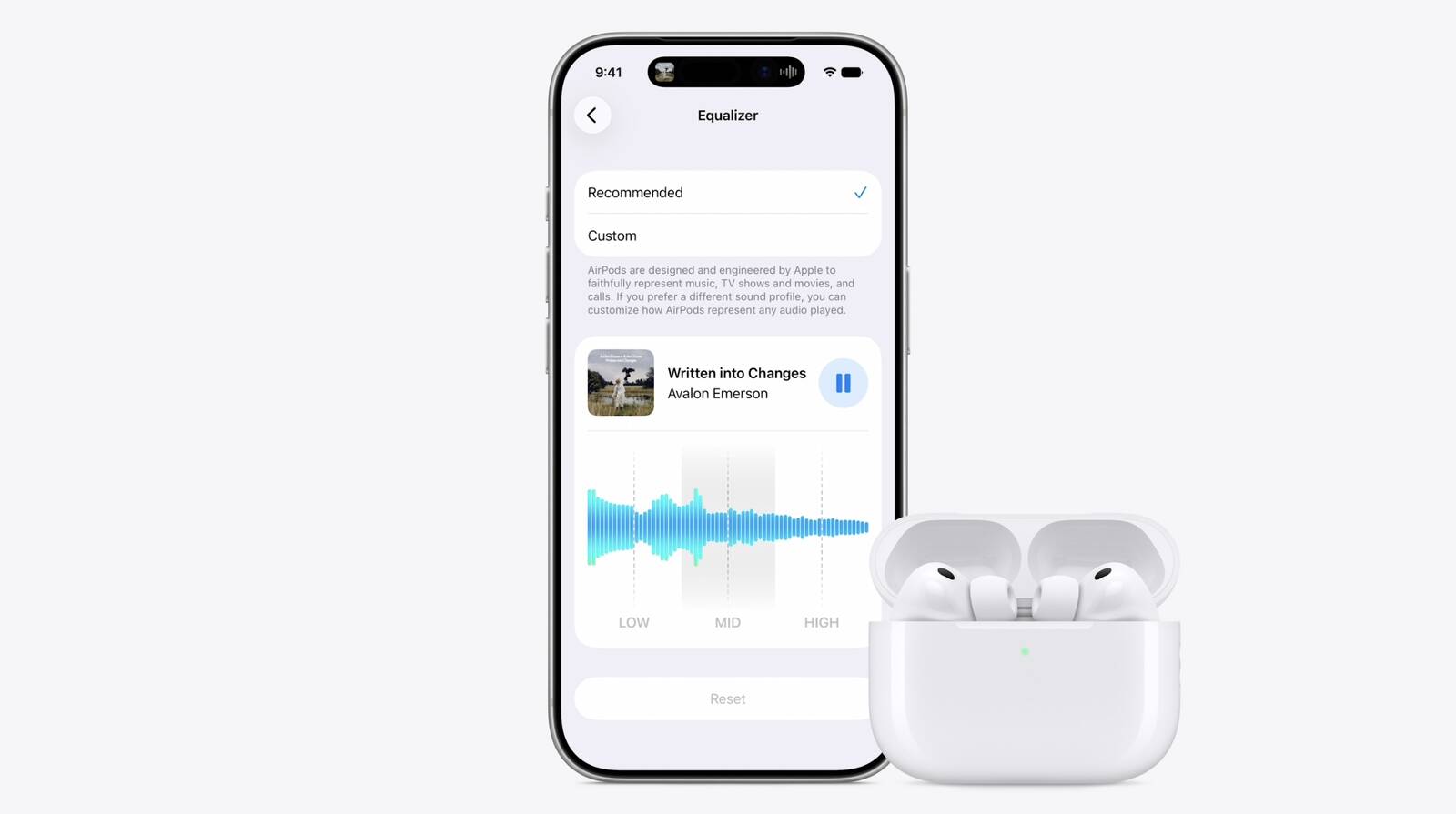
With iOS 27, Apple finally introduces adjustable EQ controls for compatible AirPods models. With your AirPods paired and the latest firmware installed, you can go to Settings โž [Your AirPods] โž Audio & Routing โž Equalizer โž Custom to adjust the lows, mids, and highs. Custom EQ is available on AirPods with Apple's H2 chip, including AirPods Pro 2, AirPods Pro 3, AirPods 4, and AirPods Max 2.

Customize Siri's Voice


Apple has introduced a more powerful on-device Apple Intelligence model for the iPhone 17 Pro, iPhone 17 Pro Max, and iPhone Air. The upgraded model can understand and generate speech, as well as interpret text and images, enabling a more natural and responsive Siri experience. It also unlocks new voice customization options that let you adjust Siri's expressiveness and speaking pace to suit your preferences.

Rate Your Photos


Apple now lets you assign one- to five-star ratings and keywords to photos and videos in the Photos app, making it easier to organize and filter your library. To go with the new feature, Apple has added a Show Rating Controls option to the Photos section of the Settings app. When enabled, it displays star ratings on photos and videos and adds rating badges to thumbnails, ensuring that your highest-rated media is easy to spot at a glance.

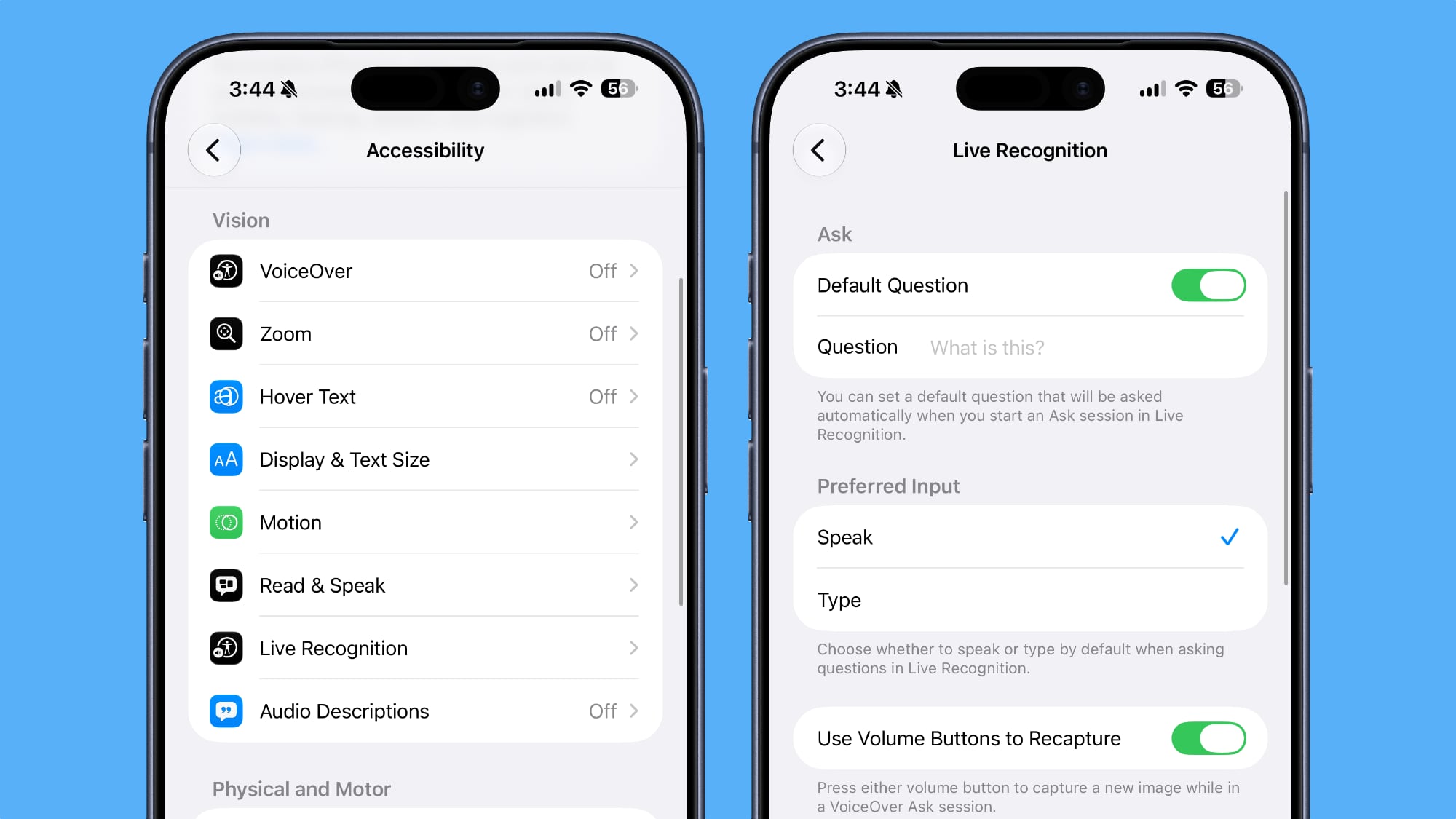
Ask Questions About Your Surroundings


In Accessibility, Apple has added a new Live Recognition section. Powered by on-device intelligence, Live Recognition uses the iPhone's camera to identify and describe people, objects, and surroundings in real time. It can also answer questions about what it sees, with the option to set a default prompt for quick access.

Auto-Update Your Weak Passwords


If you use Apple's Passwords app, there's a new feature that uses Safari to automatically change weak and compromised passwords for you. The feature uses โ€ŒApple Intelligenceโ€Œ to automatically navigate to eligible websites, sign in, and update your password with a tap.

Save a Still From a Video


The Photos app in iOS 27 lets you pull a single frame out of a video and save it as its own photo. So you no longer have to rely on the old workaround of pausing playback, taking a screenshot, and cropping out the scrubber. The frame is subsequently saved in your library as a normal image, ready to edit or share just like any other shot.

Give Your Alarms Their Own Volume


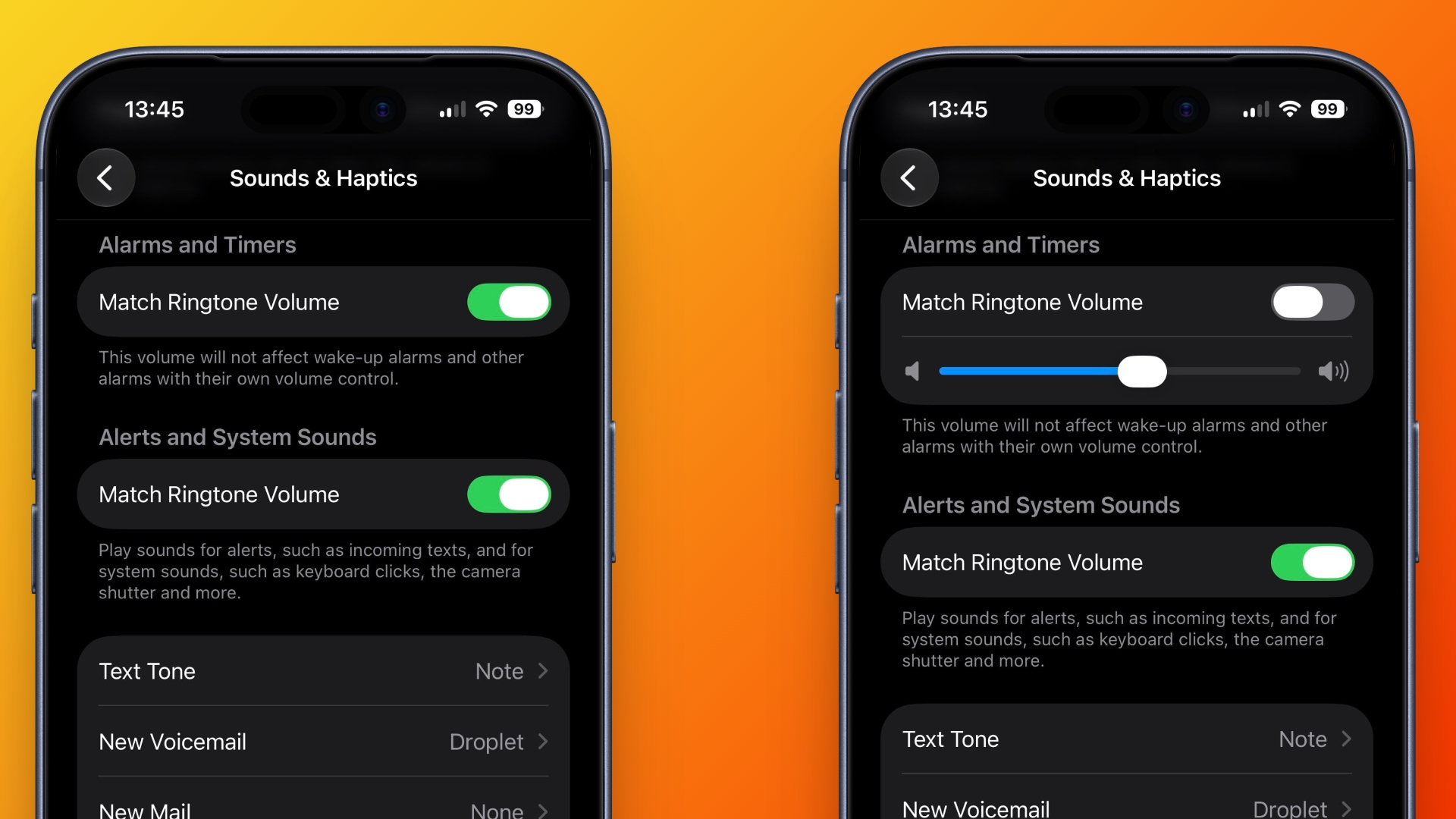
In iOS 27, Settings โž Sounds & Haptics gains an Alarms and Timers section with a "Match Ringtone Volume" toggle. Switch it off and a dedicated slider appears, so you can drop the ringer to nothing overnight and still get woken at the volume you chose. Apple's own note under the slider says it won't override wake-up alarms or other alarms that carry their own volume control.

Share Your Location for as Long as You Want


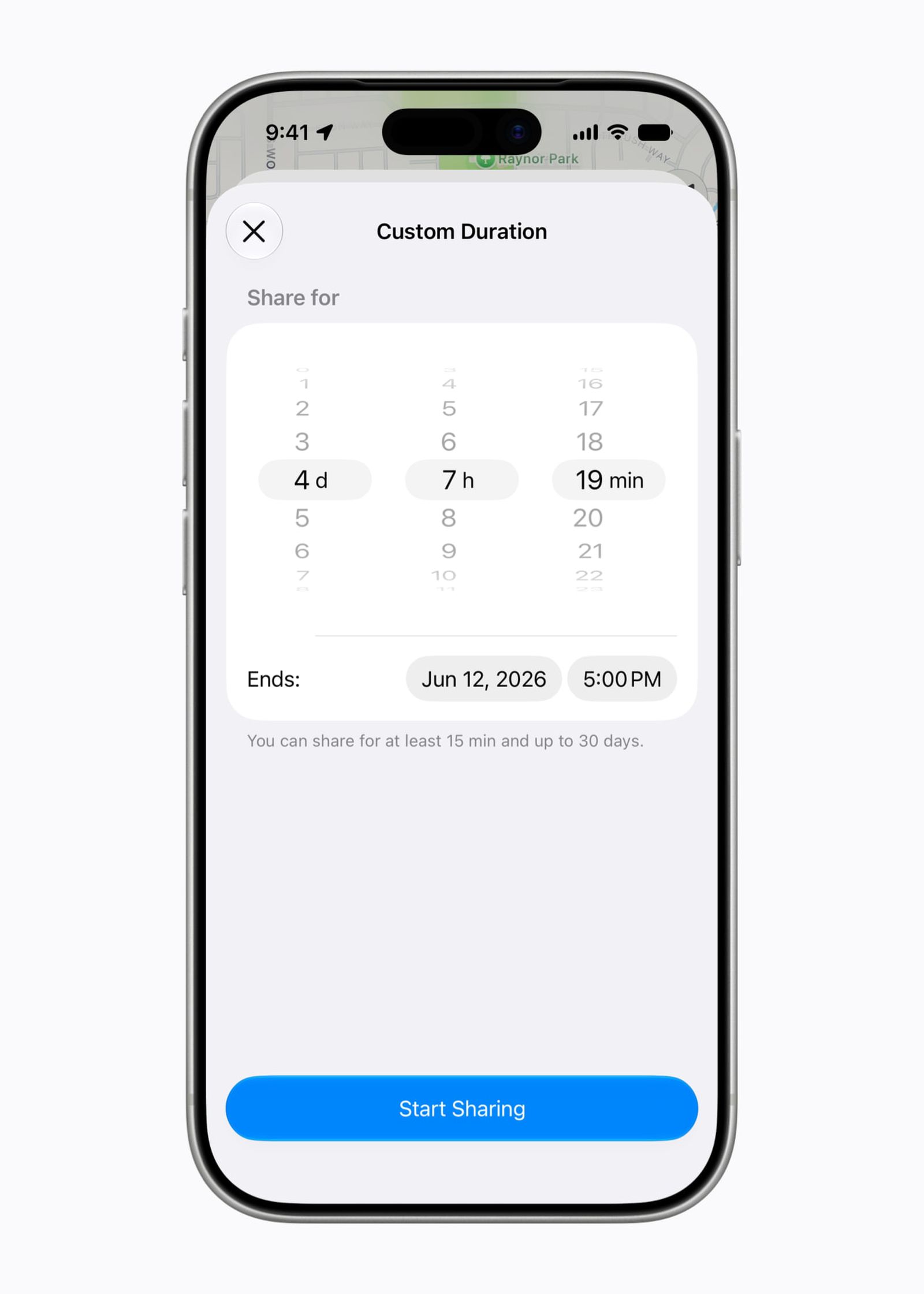
In iOS 26, sharing your location in Find My involves choosing from three presets: one hour, until end of day, or indefinitely. By contrast, iOS 27 adds custom durations โ€“ four days and six hours, for example. Alternatively, you can enter an exact date and time for sharing to expire. You can also pause sharing with specific people until the end of the day, without them being informed.

Show Both Camera Views on a FaceTime Call


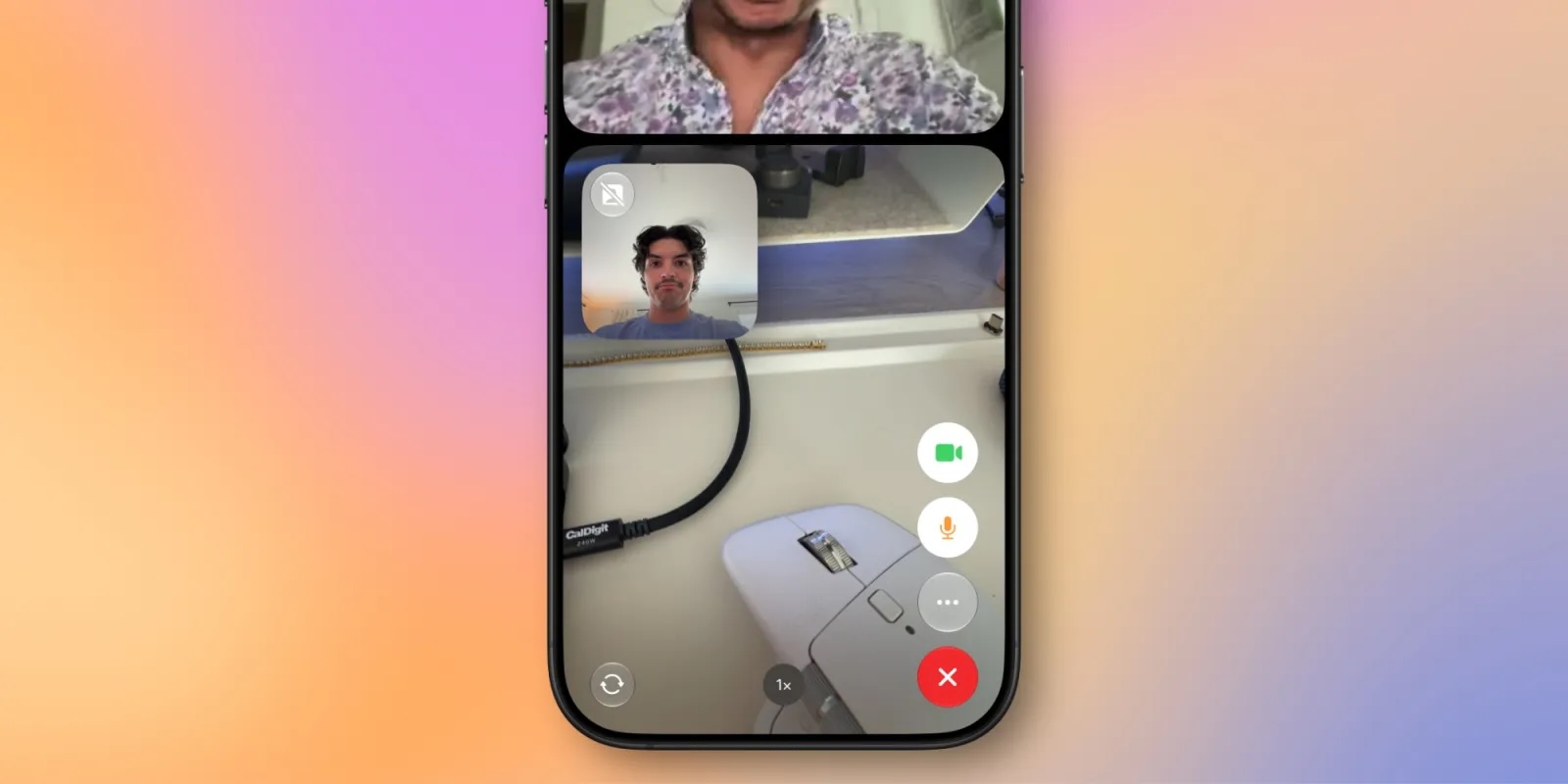
FaceTime has a Dual Capture option in iOS 27. On the iPhone 17 models and the iPhone Air, you can use the front and back cameras at the same time while on a FaceTime call. The person you're calling is able to see your face and what's shown through the back camera. You can turn on Dual Capture on a supported iPhone by tapping on the camera flip button. If you only want to show the back camera feed, you can tap to turn off the front camera view.

Draw in Messages


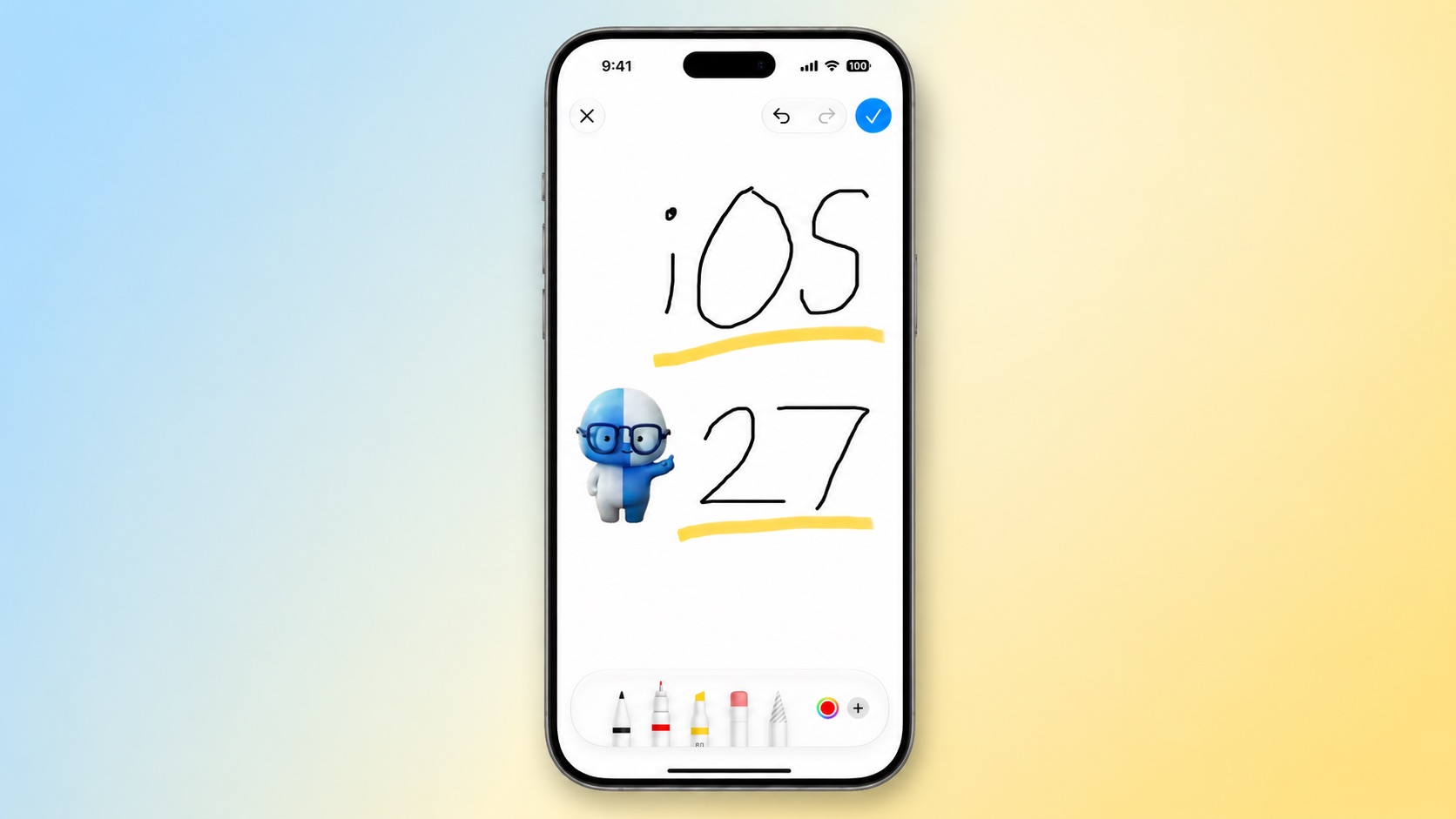
You can now drawing in the Messages app to send little sketches and notes. It's available when tapping on the "+" button next to the text bar in a conversation. The drawing interface is the same as the Markup tool available in apps like Photos and Notes. There's a marker, a pen, a highlighter, and an eraser, plus options to use the tools in any color.

Get Notified About a Webpage Change


Apple's new version of Safari browser in macOS 27 and iOS 27 can be tasked to monitor a webpage and notify you of any changes. With "Notify Me," Safari can keep checking a website on your behalf โ€“ such as a product you've been watching for when it comes back in stock โ€“ and alert you when a change occurs.

Reframe a Photo


A new Reframe feature in Photos can change the perspective of a photo and make adjustments to the angle of a person or object. It uses the spatial information the iPhone gathers when a photo is taken, and combines it with AI to change the angle of the camera in post-processing. The spatial data is used for adjusting the subject of the image, and then AI fills in any pixels that are missing.
Get Spending Insights in Wallet


wallet
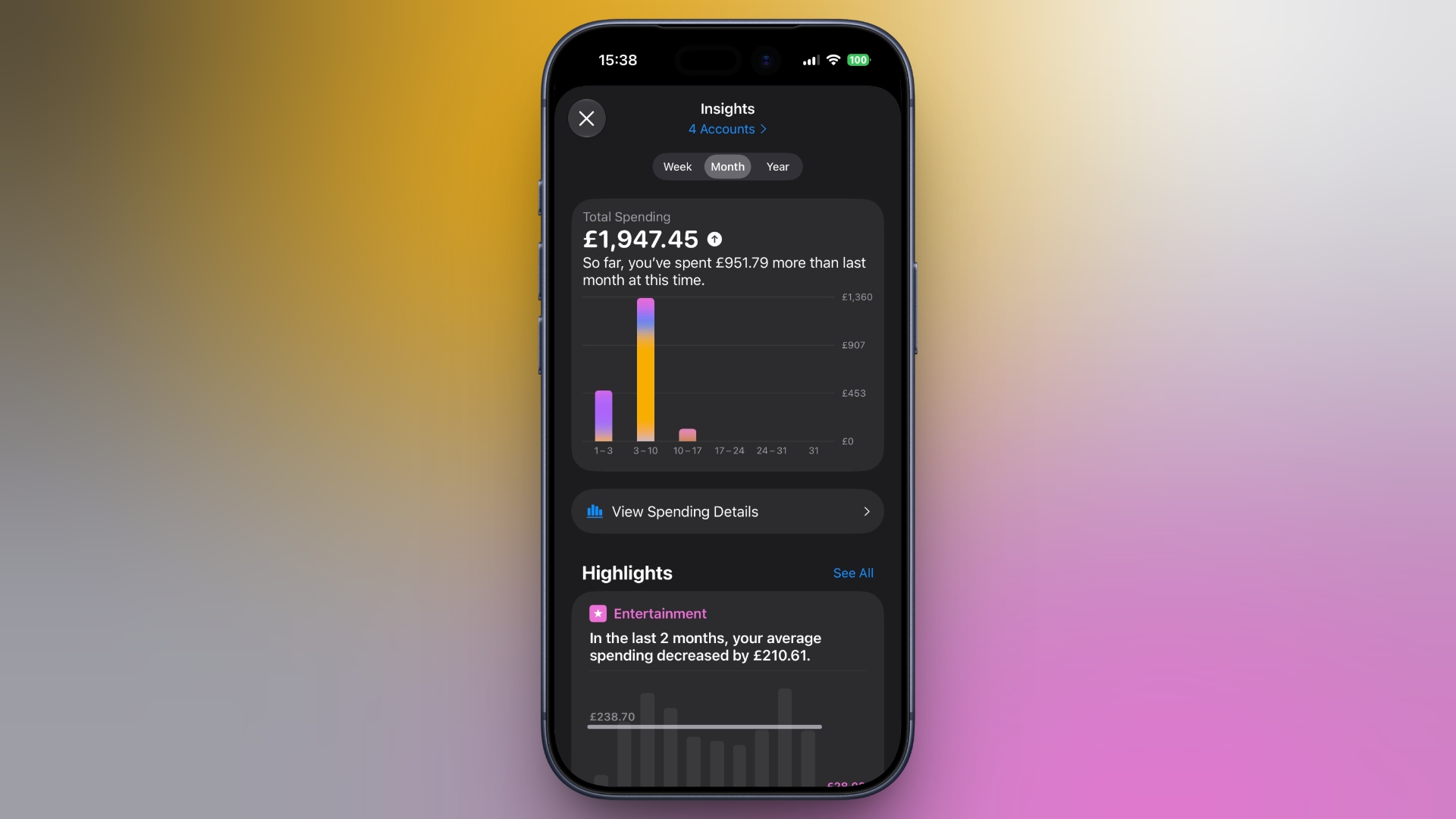
A new "Insights" feature in the Wallet app lets you add different Connected Accounts to monitor your spending. Accessed by tapping the three dots in the top right corner, the feature displays your spending highlights, trends, and other details. Note that Connected Accounts integration is dependent on your bank offering the feature, and currently it has broader support in the U.K. than in the U.S.

Get Context When on a Call


When you're on a phone call to a business, a new feature called "Call Context" proactively surfaces relevant information. If you call an airline to change a flight, for example, the Phone app can automatically find the relevant confirmation code or reservation number from Mail and display it during the call. Apple says Call Context looks only at who the user is calling and not at the call audio itself. The feature runs entirely on device, meaning no data is shared with Apple or any third party.

Learn What's Trending Around You in Maps


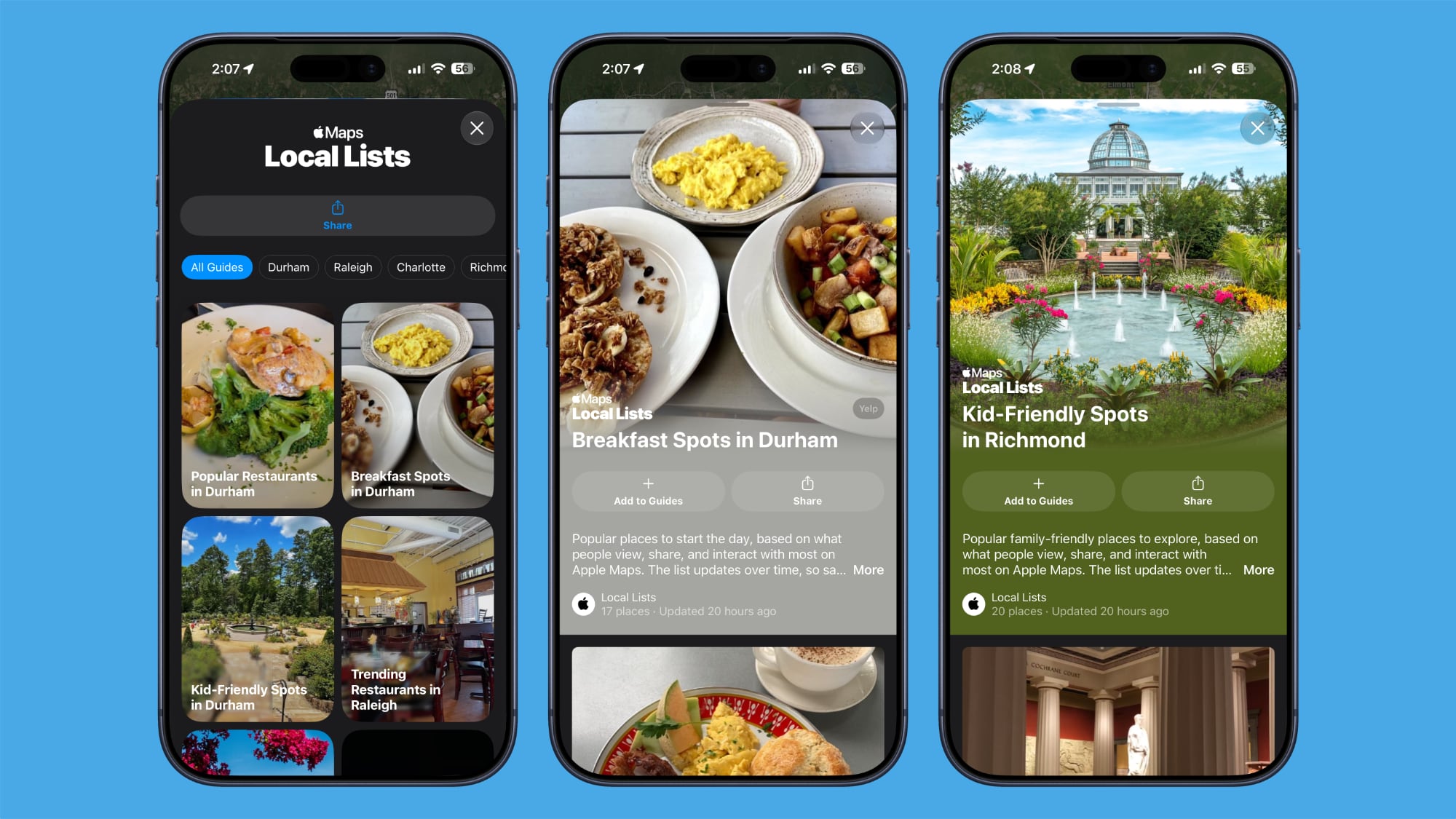
In Maps, a new Local Lists section uses intelligent insights from what's trending around you for suggestions on places you should visit. Maps surfaces locally relevant collections of places to make it easier to find popular and interesting locations. Apple says Local Lists is privacy-focused and does not use information tied to individual users. Note that this feature is only available in the U.S.

Write With Siri Anywhere You Type


Siri's Writing Tools have been broadened to work across the system in iOS 27. You can ask Siri to draft something from scratch, shorten it, turn bullet points into prose, or change the tone of an email to something more formal. In Mail and Messages, Siri also mimics your writing style, and Smart Replies are configured to match it. There's also automatic proofreading for spelling and grammar as you type.

Ask Siri About Whatever's on Your Screen


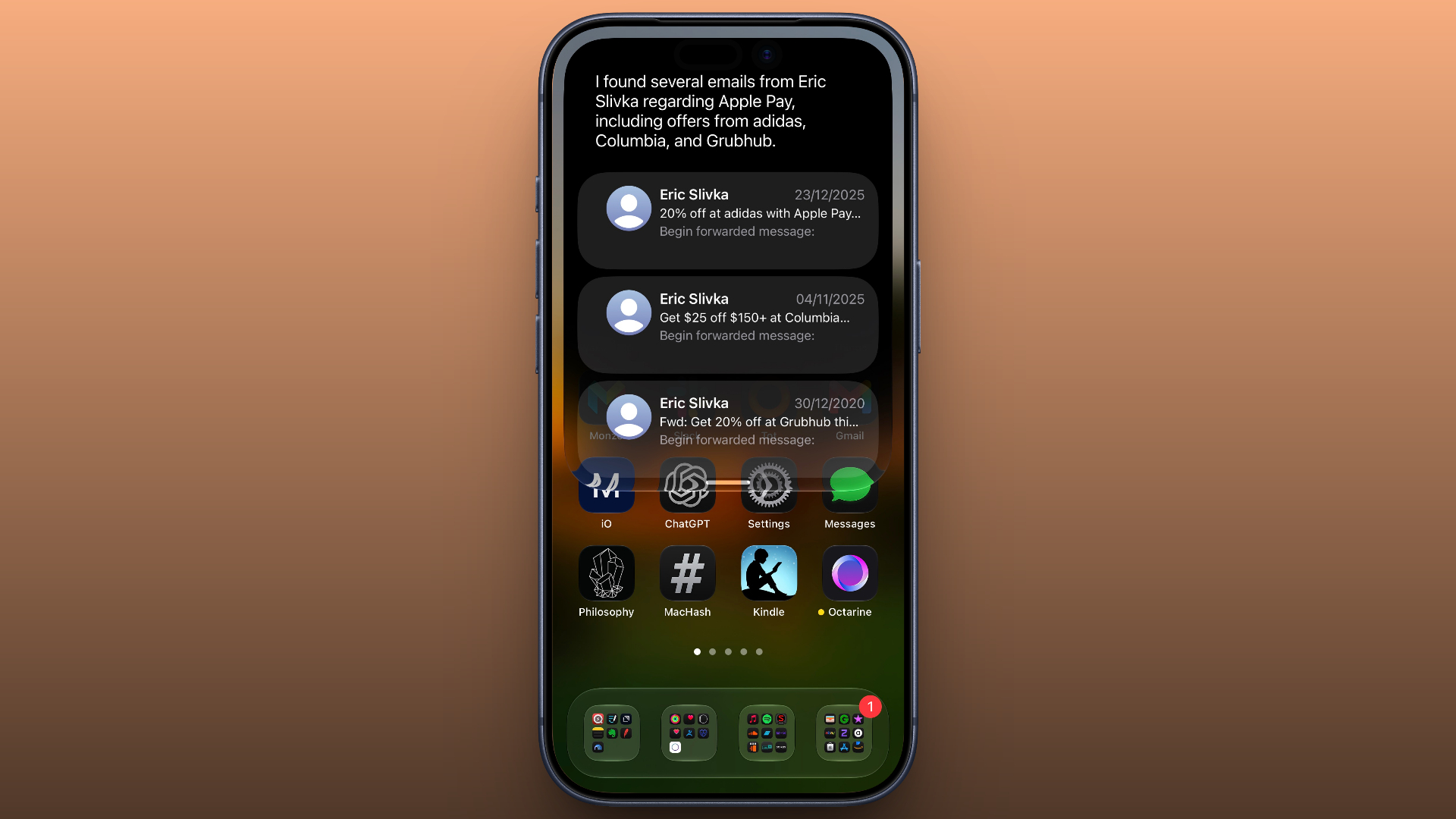
Onscreen awareness means Siri knows what you're looking at without you having to describe it. You can select text or long press an image in any app, then ask Siri about the selection. It can summarize text, translate menus, tell you where a photo taken, and explain what a chart shows. It works in third-party apps too.

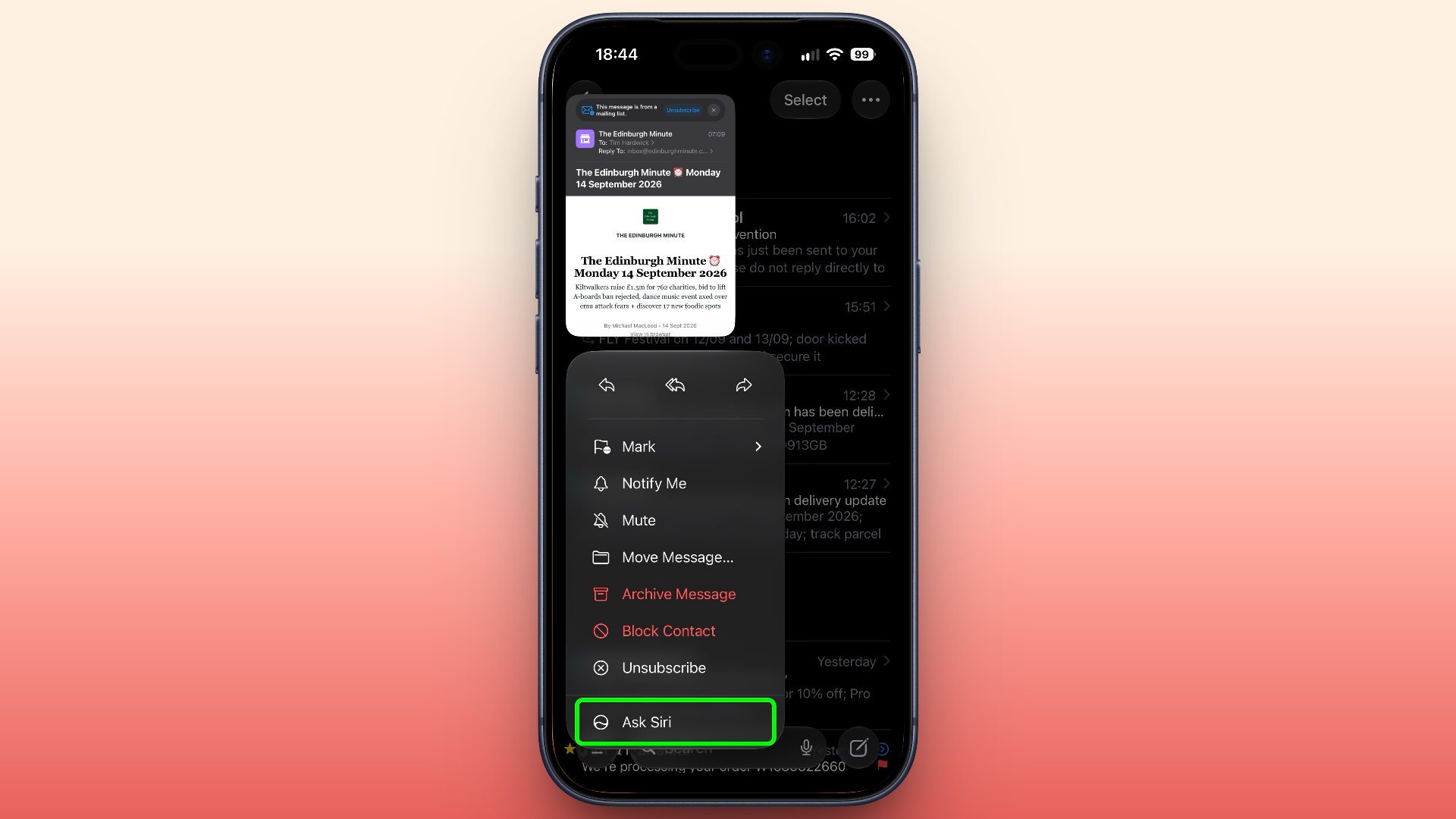
Put Siri to Work in Your Inbox


Long press an email and a built-in Ask Siri option will appear. From there, you can ask Siri to summarize the message, pull out a flight number, track a package, or save an attached photo. It can also carry out tasks, like deleting every email from a particular sender or moving details into your Reminders list. Swipe down on the response and you can ask follow-ups. And the whole exchange gets logged in the Siri app.

Swipe Down for Search or Ask


Spotlight, as you know it, is gone in iOS 27. Swiping down from the middle of the Home Screen now opens Search or Ask, where you can type or speak to Siri. Apple rebuilt the underlying search index at the same time, so returned results are more current. Meanwhile, Mail search now ranks by relevance and intent rather than date, and shows you up to five top results.

Turn a Paper Ticket Into a Wallet Pass


A new Create a Pass option in Wallet lets you digitize physical tickets, membership cards, and coupons that have no app equivalent. Simply point your iPhone's camera at a barcode or QR code and Visual Intelligence will do the rest, or you can add the details manually. Templates cover Standard, Membership, and Event types, and you can choose from 12 background colors, several texture options, and seven themed backgrounds for the likes of theater, music, and sports.

Use One Phone Number on Two iPhones


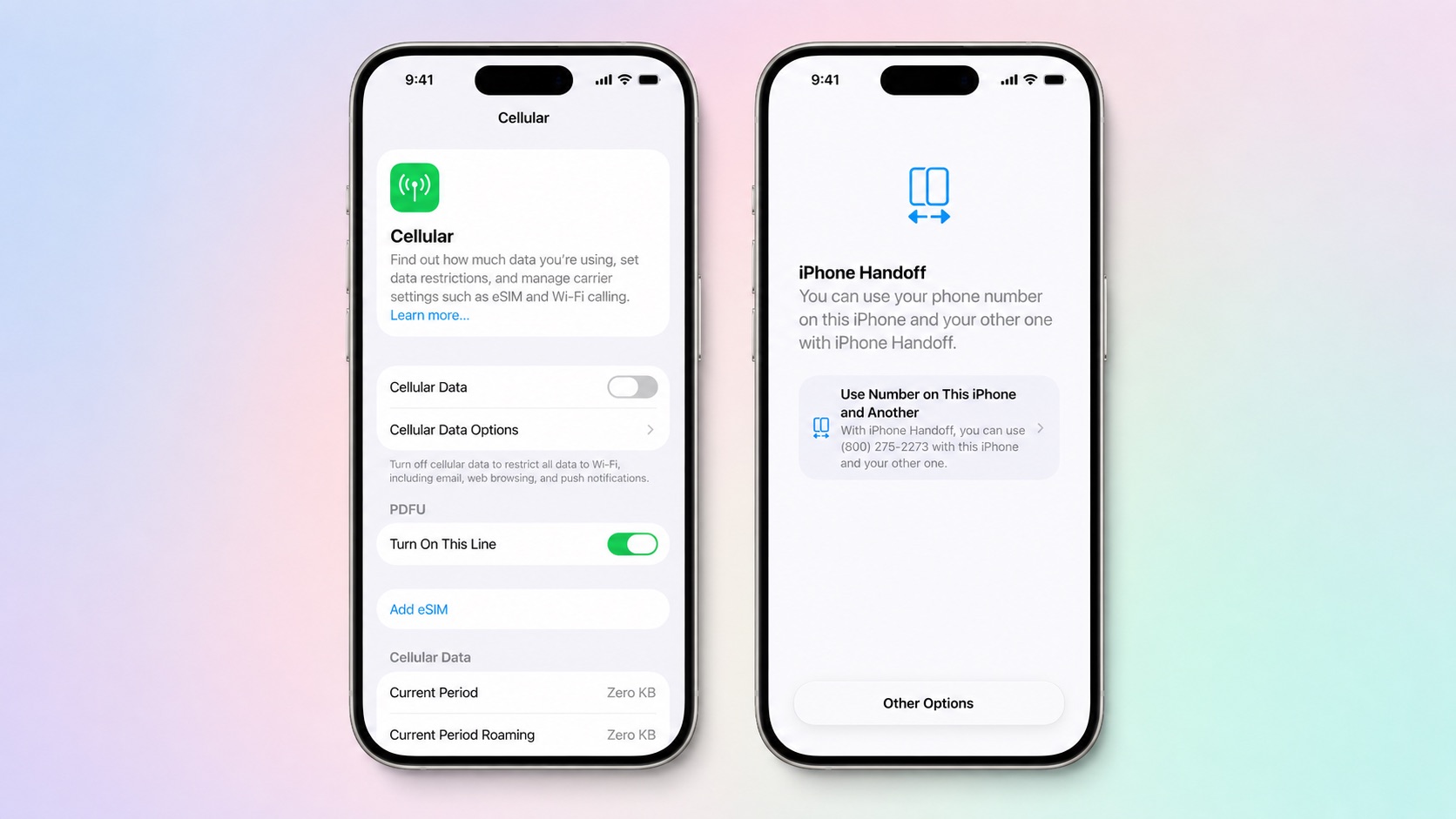
iPhone Handoff is a new feature that lets you use the same number on two iPhones and switch between them, which is super-handy if you keep an older device as a backup. It relies on eSIM and needs carrier support. At launch, that means T-Mobile in the U.S. and Deutsche Telekom in Germany. Note that T-Mobile will charge you $5 a month for the privilege.

Redeem a Gift Card by Tapping It


Apple gift cards can be redeemed by holding the card against the back of your iPhone, so you don't need to scan or type in the code. It's a small but nice touch, especially for anyone who has squinted at a 16-character string in the checkout queue.

Let Android Friends Into Your Shared Albums


iCloud Shared Albums now accept contributions from Android and Windows users via a web browser, and photos and videos can be added at full resolution in all common formats. Albums can be set to expire after 30 days, filtered by photos or videos, and reacted to with any emoji, and there's an activity log showing who added what. Just be aware that if you own the Shared Album, its contents take up your iCloud storage space.

Find the Photos You Actually Took


There are two new Utilities folders in the Photos app in iOS 27. Captured by Me gathers every image shot with the Camera app on your current or previous iPhone, while filtering out screenshots, memes, and everything else that finds itself into your library. Elsewhere, Identity Documents collects pictures of passports, licenses, and any of your similar paperwork in one place.

Erase Bigger Things From Your Photos


Clean Up has been rebuilt on new models and can reconstruct much more of a background than in previous iOS versions, so it's no longer limited to small blemishes on plain backdrops. It now offers three options: Fast for simple edits, High Quality for busier scenes, and Auto, which lets the Photos app decide.

Give One Widget a Whole Home Screen Page


iOS 27 adds an extra-large widget size that fills an entire Home Screen page. Apps that support it include Calendar, Photos, Music, and Weather, with third-party app developers able to add the bumper size too.

Stop Sending Accidental Voice Messages


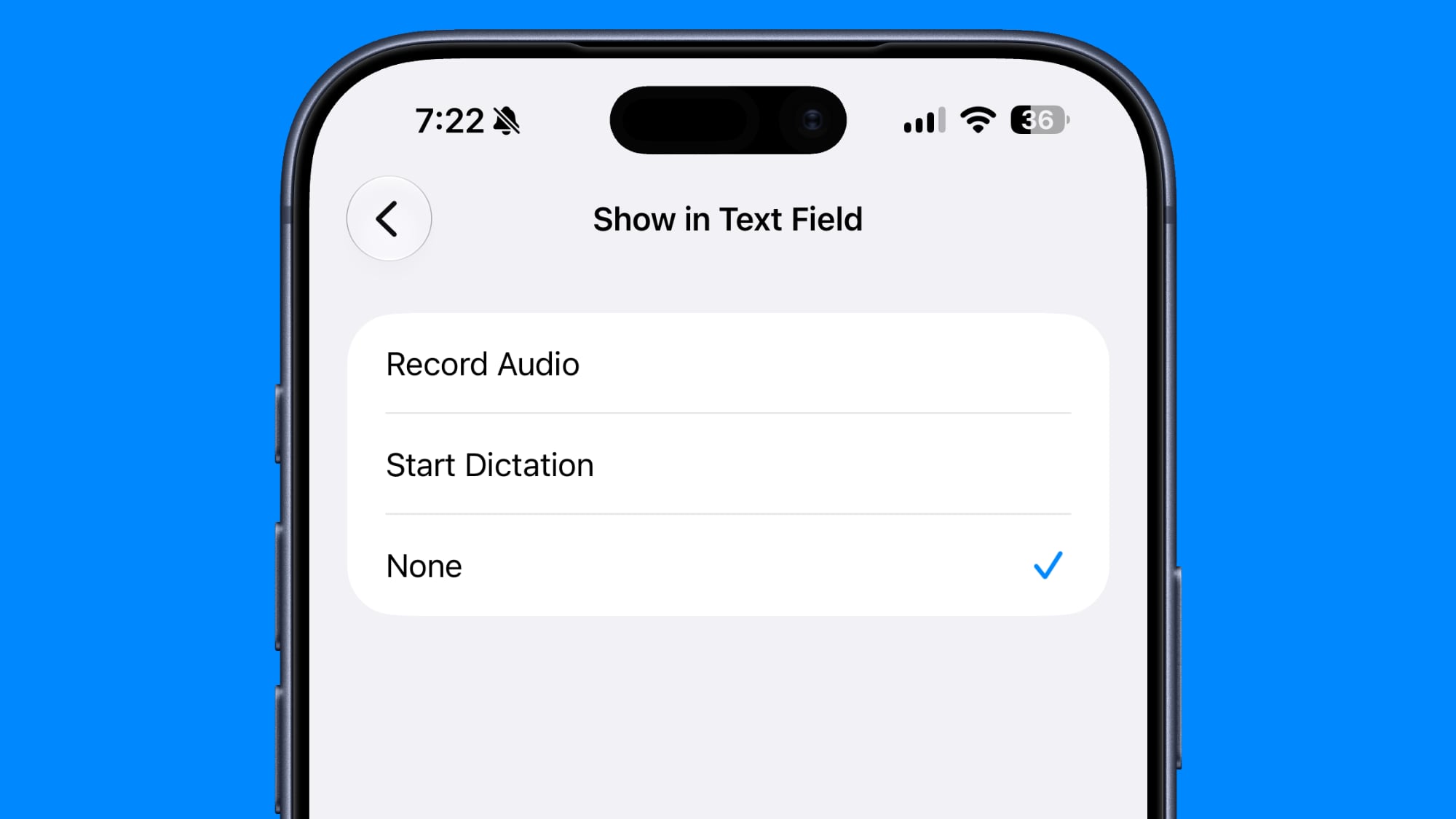
If you've ever fired off three seconds of ambient noise by accident in the Messages app, you can now select which audio button sits at the end of the input field, or get rid of the icon entirely. Go to Settings โž Messages โž Show in Text Field and set the right-side button to Record Audio, Start Dictation, or None.

Let Failed Messages Resend Themselves


When a message, photo, or video fails to send, your iPhone now retries automatically instead of slapping a red exclamation mark next to it. Sending a large attachment on a weak connection no longer holds up the rest of the conversation either, since each item gets its own progress bar. Notifications for tapback responses are consolidated too, which spares you multiple alerts every time a group thread gives you a collective thumbs-up.

Redo a Genmoji Without Starting Over


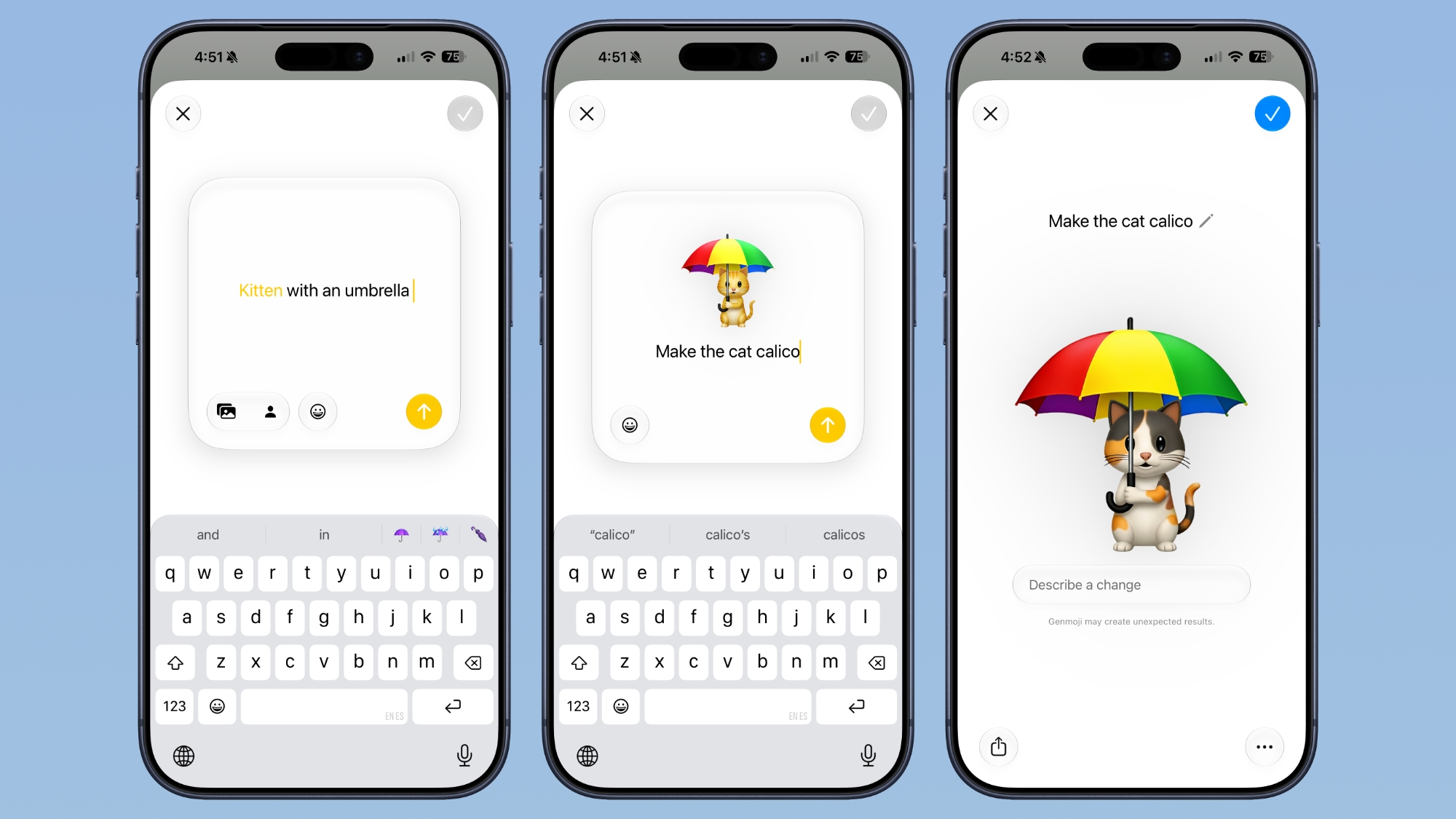
Genmoji creation has been overhauled in iOS 27, and now you can start from an existing emoji, a photo, or a person, then use a "Describe a Change" interface to adjust individual elements rather than regenerating them from scratch. Each tweak builds on the previous version, and a style option lets you swap the default 3D cartoon look for something closer to a sketch or drawing.

Pair Your iPhone With a Treadmill


GymKit has finally come to the iPhone. Gym equipment that supports it, like treadmills and indoor bikes, can now pair directly with your iPhone for two-way data syncing. The feature previously required an Apple Watch.

Track Perimenopause in the Health App


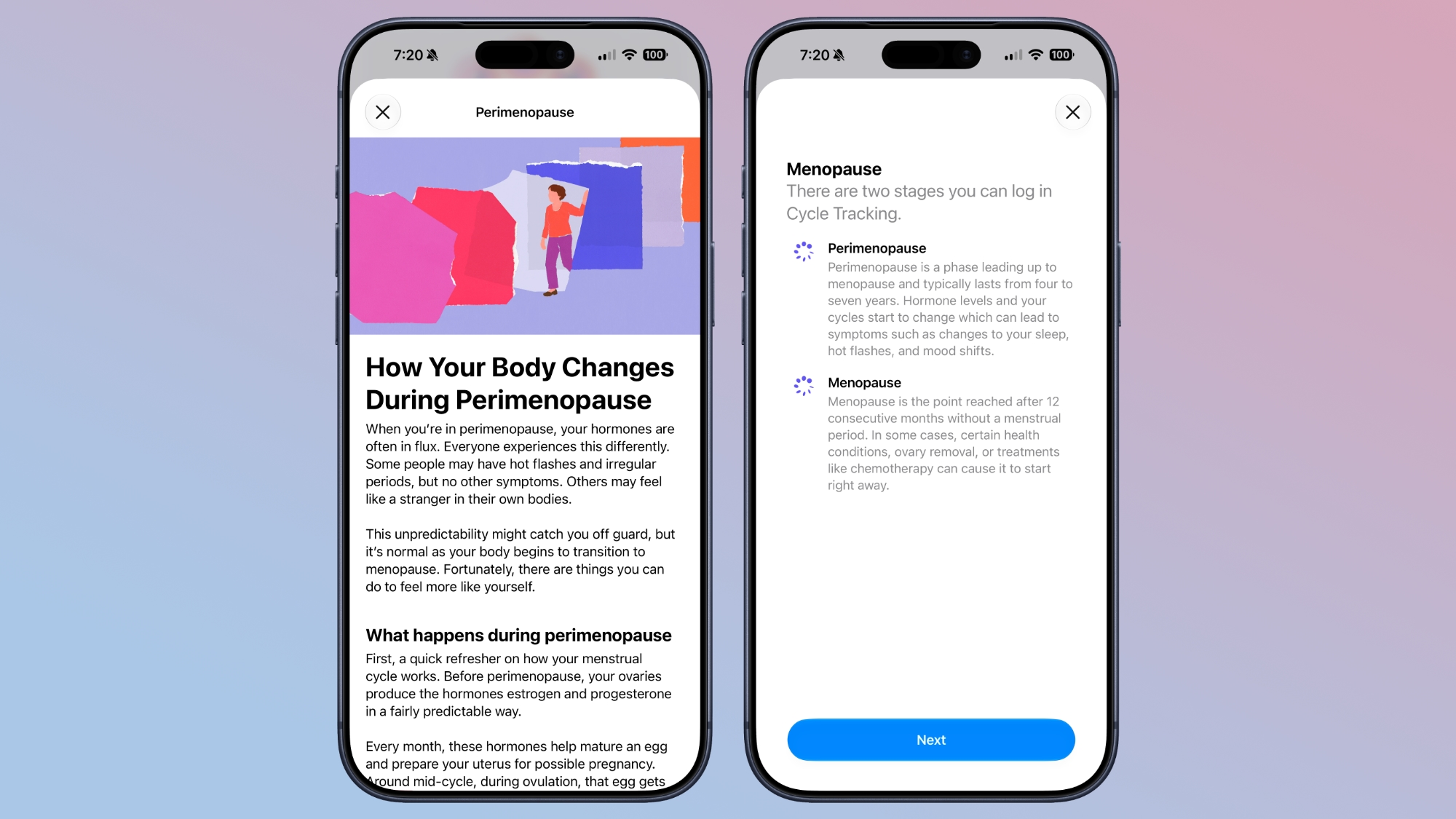
Cycle Tracking has been expanded to cover perimenopause and menopause, and the Health app will send a notification when your logged cycle patterns suggest perimenopause. Apple has also added matching Fitness+ workouts, while the Browse section has been redesigned around cards instead of a long list.

See Rain and Wind Hour by Hour


The Weather app now opens with a new Highlights section covering what you need to know for the day. Below that, the Conditions view can be toggled between temperature, precipitation, and wind, while the 10-day forecast changes to match, so you can the chances of rain for the week without tapping into anything.

Watch Video in CarPlay While You're Parked


CarPlay apps can now offer video browsing and playback, but only while the car is stationary, as it should be. If you start driving mid-episode, playback automatically drops to audio only. iPhone apps that support AirPlay can stream to the car display as well, but that requires automakers to enable it, and none have said they will yet.

Approve Every Website Your Child Visits


Apple in iOS 27 has substantially reworked Parental Controls. Ask to Browse now requires your sign-off on each new website a child opens in Safari, joining Ask to Buy for app downloads and a new setting that requires permission before a child contacts someone new. Time Allowances cap daily use of Entertainment, Games, and Social Media apps with age-based suggestions, Daily Schedules control which apps are available when, and a redesigned Screen Time shows usage at a glance. Lastly, Communication Safety now blurs gore and violence as well as nudity for under-18s.

Notice Your Old iPhone Getting Faster


Apple put a lot of effort into maximizing iPhone performance in iOS 27, and its work in this area reaches all the way back to the iPhone 11. Apple says apps launch up to 30 percent faster, AirDrop transfers are up to 80 percent quicker, and new captures appear in a 50,000-photo library up to 70 percent faster. The CPU scheduler has also been reworked, while the emoji keyboard no longer pauses before it appears, and the Camera app opens faster in Low Power Mode. If that's not enough, the iPhone is also better at judging when to switch between Wi-Fi and cellular.
Related Roundups: iOS 27, iPadOS 27
Related Forum: iOS 27

This article, "50 New Things Your iPhone Can Do in iOS 27 - Out Now!" first appeared on MacRumors.com

Discuss this article in our forums

  •  

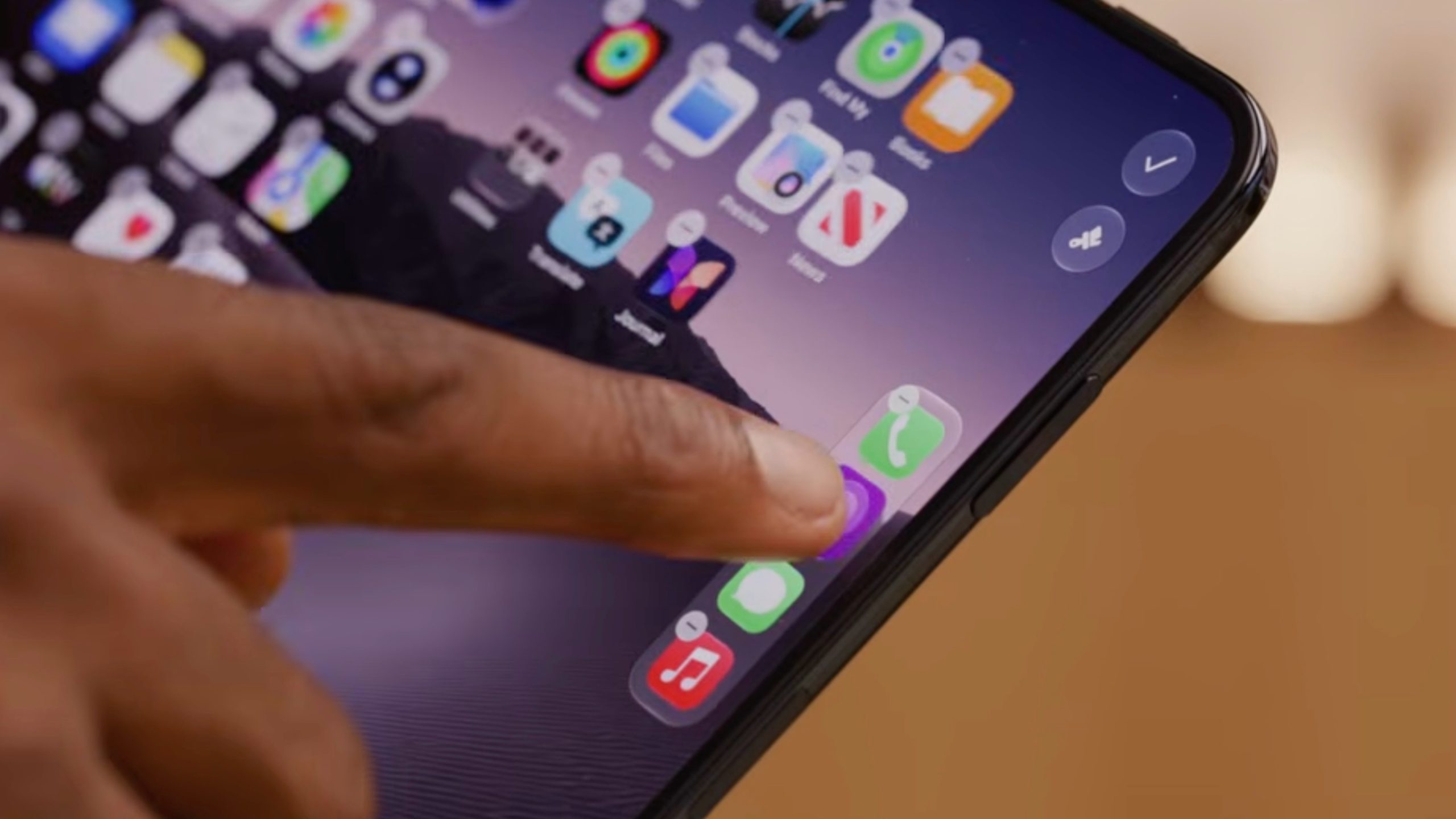
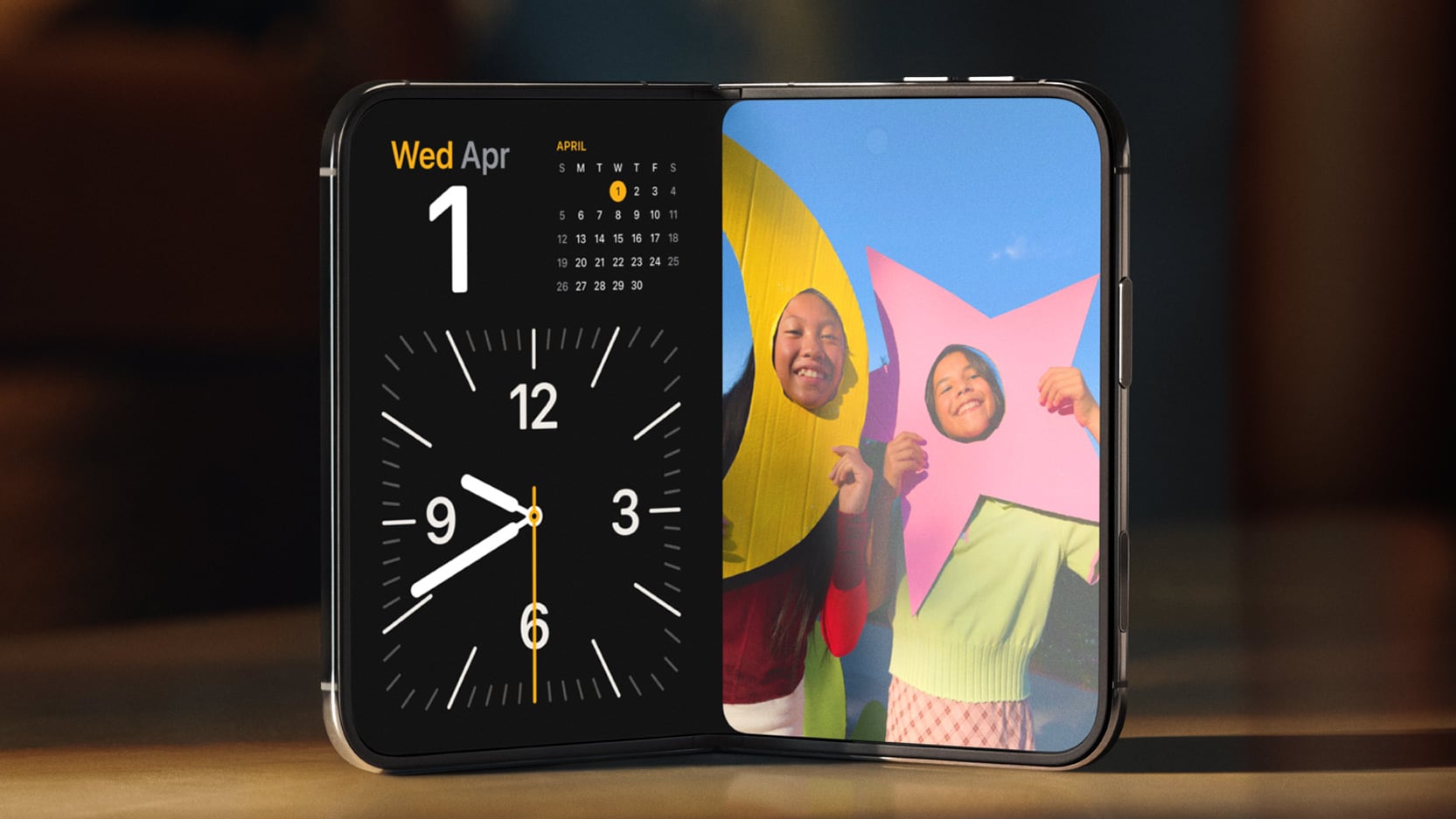
iPhone Duo's Vertical Dock Seemingly Limited to Four App Icons

It looks like the iPhone Duo's vertical Dock can currently only house four apps maximum. In his hands-on with the device, Marques Brownlee attempted to add a fifth app to the Dock, but was unable to do so. Apple does not mention the four-app limit in its tech documentation, but those hoping to add a fifth or sixth app to it may be out of luck.
For the iPhone Duo, Apple made the Dock vertical along the right of the screen, with unused space at either end of it. It will likely take some getting used to for iPhone users โ€“ especially left-handed ones. We don't know if Apple will provide a left-handed mode for the rest of us.
Related Roundup: iPhone Duo
Tag: MKBHD
Related Forum: iPhone

This article, "iPhone Duo's Vertical Dock Seemingly Limited to Four App Icons" first appeared on MacRumors.com

Discuss this article in our forums

  •  

Apple's Siri AI Can Be Swapped Out for Claude, ChatGPT, Code Shows

Code sleuth "pdfu" has uncovered iOS 27 and macOS Golden Gate private frameworks that show Apple has designed its new Siri architecture to work with third-party AI models at what appears to be a surprisingly deep level.


One mechanism called Model Delegation allows Claude to appear as a Siri extension in the same way as the existing built-in ChatGPT extension. In pdfu's video, shared on X, the macOS user brings up the "Search or Ask" bar and chooses Claude as the AI model via an "Ask..." contextual menu.

After enabling the Claude extension, the user asks Siri to "Ask Claude" to set a reminder in Apple's Reminders app. Claude then interprets the natural language reminder request and Siri subsequently creates the reminder. The implication is that if the request requires access to an Apple system feature, Claude hands the task back to Siri.

In another example, Claude can be seen in a Siri app conversation window receiving a request to create a CSV file โ€“ something Siri itself cannot handle โ€“ and successfully returning the result.

What's more intriguing is the second protocol demonstrated in the video that appears to go considerably further, and could really open up the AI landscape for Apple software requests.

An inference provider in "Model Manager Services" apparently allows Apple's own server-side Siri model to be completely replaced by another model, such as GPT-5.6. In this scenario, ChatGPT receives Apple's Siri planner prompt and tool definitions, which enables it to request system actions, receive the resulting personal data, and formulate an answer that Siri presents using its own interface and voice.

And here's an app extension replacing Siri AI's server model with GPT-5.6 Terra. It uses the Inference Providing protocol in Model Manager Services.

GPT-5.6 receives Apple's native Siri planner prompt and tool definitions. It can make tool calls that perform system actions, and... pic.twitter.com/cz88kyq3io

โ€” pdfu (@itspdfu) September 13, 2026

In the demonstration video, the user asks the ChatGPT model (within the Siri app) to find emails about a specific topic, summarize their contents and action points, then send a message to a person in the user's contacts via the Messages app. The response is then shown as logged in OpenAI's platform web interface.

The European Union's Digital Markets Act may have helped shape Apple's approach here, as it requires Apple to give third parties effective access to iOS hardware and software features available to Apple's own services, and the European Commission has specifically said this principle extends to Siri.

The "Ask..." implementation is currently limited to the ChatGPT extension in the macOS 27 Golden Gate Release Candidate (which is effectively the final version of the software set to be released later today), so Claude is not yet available. Meanwhile, Apple has not yet opened up the model delegation entitlement to third parties and it isn't front-facing to users, but it at least shows how extensively Apple has engineered Siri for future model interoperability.
Related Roundups: iOS 27, iPadOS 27, macOS Golden Gate
Related Forums: iOS 27, macOS Golden Gate

This article, "Apple's Siri AI Can Be Swapped Out for Claude, ChatGPT, Code Shows" first appeared on MacRumors.com

Discuss this article in our forums

  •  

Gurman: iPhone Duo Likely to Get Face ID, Telephoto Lens by Third Gen

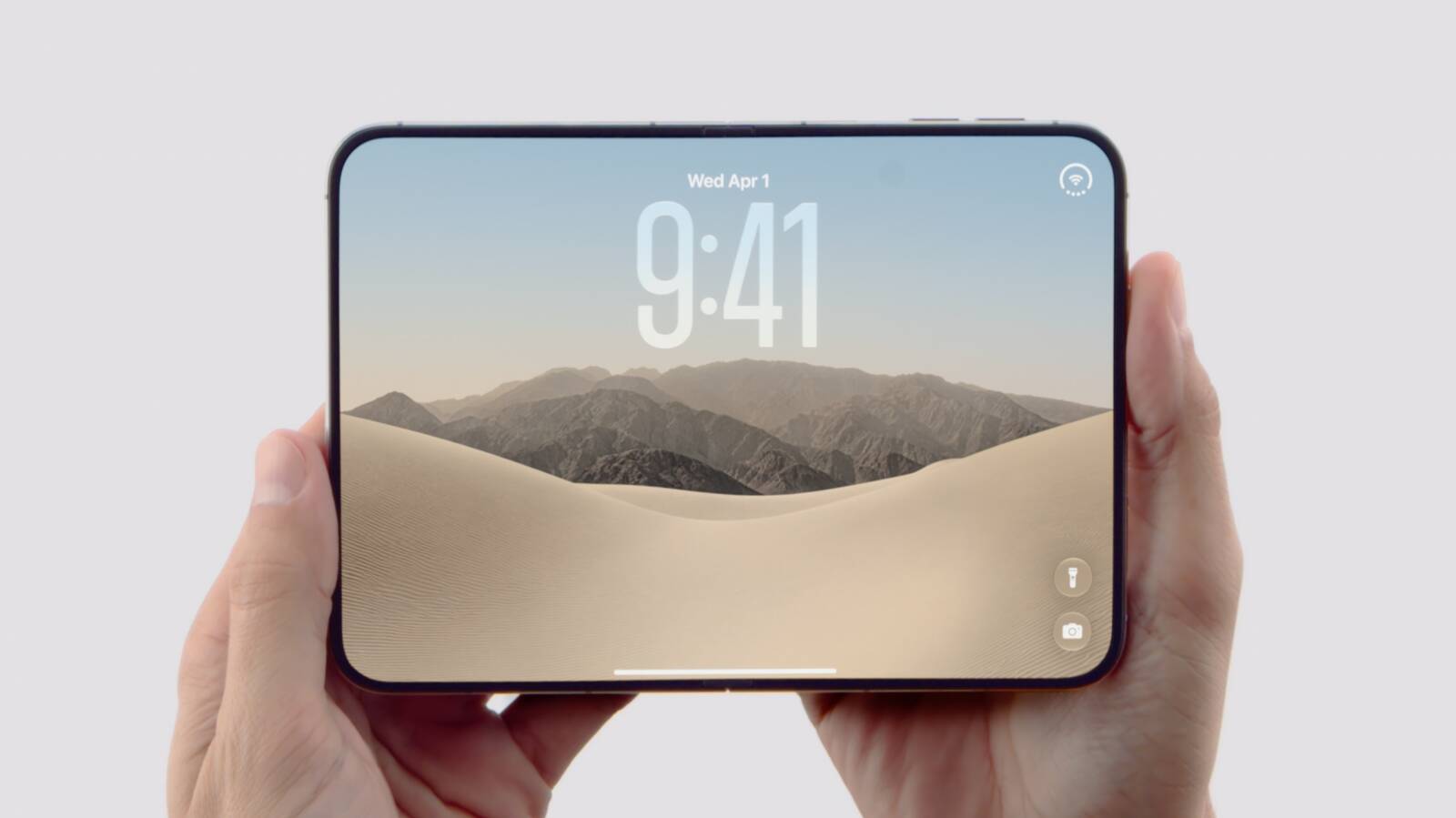
Apple will prioritize adding Face ID and a telephoto lens to future iPhone Duo models, argues Bloomberg's Mark Gurman. The device debuted with Touch ID and dual rear cameras, likely owing to physical constraints.
In his latest Power On newsletter, Gurman says his guess is that Apple will use a combination of component miniaturization and advances in AI to eventually fit them into the iPhone Duo by its third-generation, "allowing Apple to use smaller, less sophisticated depth-sensing and camera hardware while making up some of the difference computationally," he writes. The iPhone Duo officially launches on October 23.
Related Roundup: iPhone Duo
Related Forum: iPhone

This article, "Gurman: iPhone Duo Likely to Get Face ID, Telephoto Lens by Third Gen" first appeared on MacRumors.com

Discuss this article in our forums

  •  

iPhone Duo Has a Hidden Display Setting for Case Compatibility

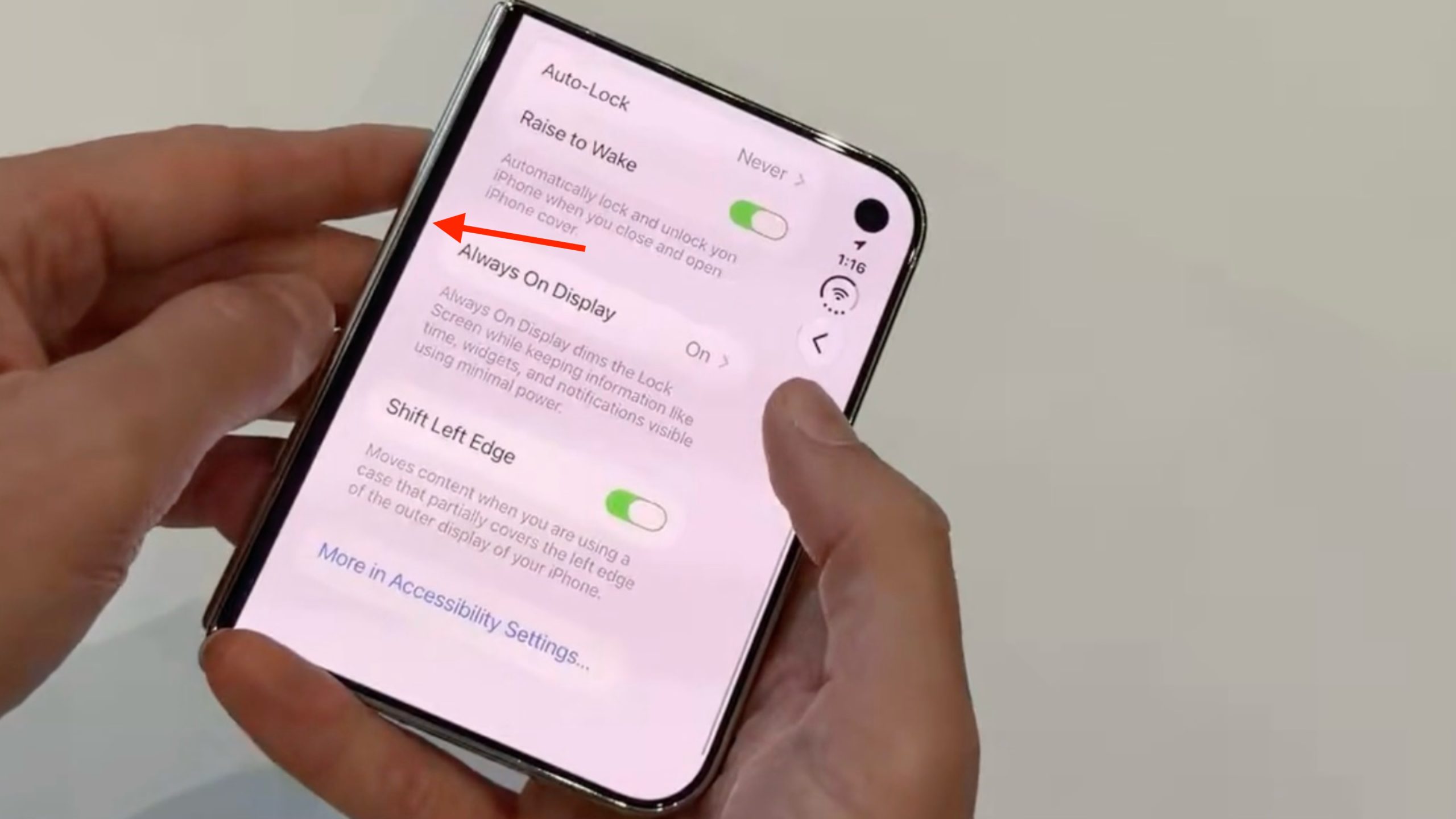
Apple's new iPhone Duo has a special option in its display settings that adds a narrow black border to the left side of the front screen.


Blogger Nicolas Lellouche discovered the setting in the Display & Brightness menu during his hands-on time with the device shortly after Apple's iPhone event stream last week.

The idea behind the "Shift Left Edge" setting โ€“ which roughly doubles the width of the black border โ€“ is to accommodate cases that slightly cover that edge of the iPhone Duo's display while making the iOS back swipe gesture work as expected.

Apple offers two official cases for its new foldable: an iPhone Duo Case and a Folio with Kickstand.

It's unclear if either of these cases covers the left edge of the display, but it seems unlikely that Apple would design them to do so. What's more likely is that Apple is trying to accommodate bulky protective third-party cases that tend to cover the left edge.

We'll know for sure when the first reviews of the iPhone Duo hit the web. Pre-orders for the iPhone Duo go live October 16, with availability starting October 23.
Related Roundup: iPhone Duo
Related Forum: iPhone

This article, "iPhone Duo Has a Hidden Display Setting for Case Compatibility" first appeared on MacRumors.com

Discuss this article in our forums

  •  

Gurman: 'iPhone Duo Max' With Bigger Display Likely in Apple's Plans

Bloomberg's Mark Gurman has suggested Apple will release an "iPhone Duo Max" in the coming years, highlighting why Apple chose the "Duo" moniker over other names.


In the months leading up to Apple's iPhone Duo unveiling, Gurman reported that employees within Apple had begun referring to the device as the "iPhone Ultra," possibly having been influenced by media coverage of the device and leaker speculation.

In the end, however, Apple chose to go with a three-letter "Duo" suffix, which Gurman says matches Air and Pro, and leaves room for additional suffixes that wouldn't have worked with "Ultra."

Writing in his latest Power On newsletter, Gurman foresees the company releasing an "iPhone Duo Max" in the future, which would likely feature a larger display, and perhaps even a "Duo SE" or "Duo Mini," with stripped-down specs and a clamshell design, respectively.

Gurman says he fully expects the iPhone Duo to become the "predominant foldable phone on the market," thanks to its software adaptations, high-quality hardware, and durability compared to other foldables. Indeed, he argues that the device is "so impressive" that it will "turn foldables into the new normal." Do you agree? Let us know in the comments.
Related Roundup: iPhone Duo
Related Forum: iPhone

This article, "Gurman: 'iPhone Duo Max' With Bigger Display Likely in Apple's Plans" first appeared on MacRumors.com

Discuss this article in our forums

  •  

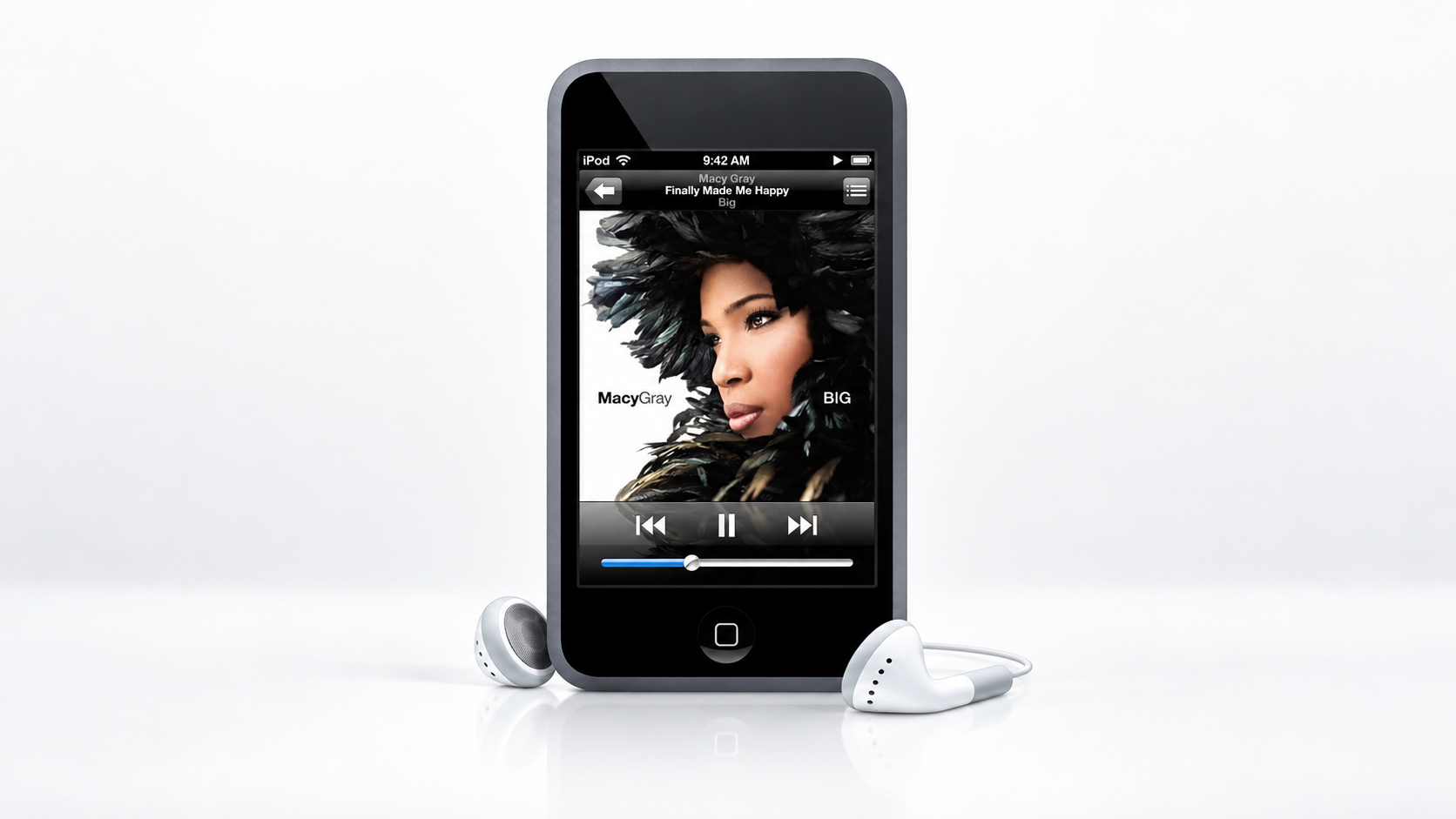
iPod Touch Released 19 Years Ago Today

The first iPod touch went on general sale on September 14, 2007, nine days after Steve Jobs unveiled it at Apple's "The Beat Goes On" media event. The device brought the iPhone's multi-touch interface, Wi-Fi, and Safari browser to the iPod lineup for the first time, but it lacked cellular phone functionality and a camera.

iPod touch launched at $299 for 8GB and $399 for 16GB, and was pitched as a pocket-sized way to browse the web and buy music wirelessly through the iTunes Wi-Fi Music Store. It went on to see seven generations, before Apple discontinued it in 2022.
This article, "iPod Touch Released 19 Years Ago Today" first appeared on MacRumors.com

Discuss this article in our forums

  •  

Apple Store Down Ahead of iPhone 18 Pro Pre-Orders

Apple's online store is down ahead of iPhone 18 Pro and iPhone 18 Pro Max pre-orders, which begin at 5:00 a.m. Pacific Time on Saturday, September 12.


"We love that early energy," reads the Apple Store's message when visiting the U.S. website. "Almost ready for you. Pre-order begins at 5:00 a.m. PT. See you soon." Apple has been opening pre-orders at 5:00 a.m. Pacific Time for several years, rather than the 12:01 a.m. start time it previously used. Today the store went down especially early.

Customers in more than 65 countries and regions, including Australia, Canada, China, France, Germany, India, Japan, Mexico, the UAE, the U.K., and the U.S., will be able to pre-order both models when the store comes back online.

The iPhone 18 Pro and iPhone 18 Pro Max come in Burgundy, Glacier, Silver, and Black. Both models are available in 256GB, 512GB, 1TB, and 2TB storage capacities, bringing the 2TB option to the smaller Pro model for the first time.


In the United States, the iPhone 18 Pro starts at $1,199, while the iPhone 18 Pro Max starts at $1,299. Both models launch on Friday, September 18, when deliveries to customers and in-store availability begin.
Related Roundup: iPhone 18 Pro
Related Forum: iPhone

This article, "Apple Store Down Ahead of iPhone 18 Pro Pre-Orders" first appeared on MacRumors.com

Discuss this article in our forums

  •  

How to Pre-Order iPhone 18 Pro From Apple and Get the Model You Want on Launch Day

Update: iPhone 18 Pro pre-orders are now live on the Apple Store.


Apple unveiled the iPhone 18 Pro and iPhone 18 Pro Max on September 9 at its "Surprise and shine" event. If you're keen to be among the first to get your hands on one, here are some tips on how to give yourself the best chance. If you're looking to grab a foldable iPhone Duo, check out our separate guide.


Apple says pre-orders for the new iPhone 18 Pro models open on Saturday, September 12 at 5:00 a.m. Pacific Time ahead of a launch on Friday, September 18. We have a guide to when pre-orders go live in every time zone.

Going on previous fall iPhone launches, shipping estimates for popular iPhone Pro configurations tend to slip by several weeks within hours of Apple's pre-orders opening, which tends to happen the week of the announcement. Ordering quickly therefore can make the difference between a launch-day delivery and an extended wait. These tips should help give you the best chance of grabbing one.

  • Get Ready for your iPhone 18 Pro pre-order: Before pre-orders go live, you have a short time window to set up a "Get Ready" feature in the Apple Store app or on Apple's online store. This allows you to prepare your purchase by selecting your preferred model, confirming carrier status, adding accessories, choosing an AppleCare+ plan, and setting up payment methods. Afterwards, when pre-orders begin, you'll be able to complete your purchase with just a tap. Apple says it is giving customers until 9 p.m. Pacific Time today to get their pre-order ready ahead of the morning rush. This deadline has now passed, but the option still appears to be available for some customers, so act now if you want a quicker checkout on Saturday.


  • Check your Apple Account details now: Do the necessary checks that confirm your payment method hasn't expired, your billing address matches your card, and your shipping address is the place you actually want your iPhone sent to.


  • Get your trade-in quote in advance: Getting a trade-in valuation on your current iPhone adds more screens to the checkout process, so get it done before pre-orders go live. After a trade-in estimate is generated, Apple has to receive your old device within 14 days (15 days in Canada) to ensure you get the estimated value. But this countdown only comes into effect after you receive your iPhone 18 Pro โ€“ not before.


  • If you financed your current phone through the old iPhone Upgrade Program, check your status and your replacement financing options now: Apple discontinued the old program in the US in July 2026. Eligible existing members can move to Apple Upgrade, Apple Card Monthly Installments, carrier financing, or a one-time purchase. Note that in the UK, Apple is in the process of transitioning former Upgrade Program customers to its Flexible Finance Account.


  • Open the Apple Store app ahead of time: Ensure you have the app up-to-date, open, and with your saved configuration on screen several minutes before pre-orders go live. The store does not always become accessible to every customer at exactly the advertised second. In fact, it's more likely to open up a few minutes later than that. Also: keep Apple's online store open in a browser on another device. Going on previous pre-orders, which of the two comes back first can vary by launch.


  • Don't change your configuration selection at checkout: Every change you make to your basket likely re-queries Apple's inventory. If your saved specification is available, take it all the way to payment. This includes which color you prefer โ€“ the more last-minute changes you make, the greater the risk becomes that availability will change before you check out.


  • Choose in-store pickup if it's offered: There's every reason to believe that Apple's pickup inventory will be allocated separately from its delivery stock, so a store slot can still be available after delivery estimates have slipped. Opting for in-store pickup also removes any potential ambiguity surrounding your estimated delivery window.


  • Launch day walk-in stock is a genuine alternative: Apple could conceivably hold back some inventory for in-store purchases on launch morning. Brick-and-mortar stocks are also allocated per store rather than nationally. Apple's pickup availability checker updates through the morning and is likely to be more efficient and reliable than calling the store. That being said, don't assume you'll be able to walk into a store and pick up an iPhone 18 Pro.

For all the details about the new iPhone 18 Pro models, be sure to check out our dedicated roundup.
Related Roundup: iPhone 18 Pro
Related Forum: iPhone

This article, "How to Pre-Order iPhone 18 Pro From Apple and Get the Model You Want on Launch Day" first appeared on MacRumors.com

Discuss this article in our forums

  •  

How to Pre-Order iPhone 18 Pro From Apple and Get the Model You Want on Launch Day

Apple unveiled the iPhone 18 Pro and iPhone 18 Pro Max on September 9 at its "Surprise and shine" event. If you're keen to be among the first to get your hands on one, here are some tips on how to give yourself the best chance. If you're looking to grab a foldable iPhone Duo, check out our separate guide.


Apple says pre-orders for the new iPhone 18 Pro models open on Saturday, September 12 at 5:00 a.m. Pacific Time ahead of a launch on Friday, September 18. We have a guide to when pre-orders go live in every time zone.

Going on previous fall iPhone launches, shipping estimates for popular iPhone Pro configurations tend to slip by several weeks within hours of Apple's pre-orders opening, which tends to happen the week of the announcement. Ordering quickly therefore can make the difference between a launch-day delivery and an extended wait. These tips should help give you the best chance of grabbing one.

  • Get Ready for your iPhone 18 Pro pre-order: Before pre-orders go live, you have a short time window to set up a "Get Ready" feature in the Apple Store app or on Apple's online store. This allows you to prepare your purchase by selecting your preferred model, confirming carrier status, adding accessories, choosing an AppleCare+ plan, and setting up payment methods. Afterwards, when pre-orders begin, you'll be able to complete your purchase with just a tap. Apple says it is giving customers until 9 p.m. Pacific Time today to get their pre-order ready ahead of the morning rush. This deadline has now passed, but the option still appears to be available for some customers, so act now if you want a quicker checkout on Saturday.


  • Check your Apple Account details now: Do the necessary checks that confirm your payment method hasn't expired, your billing address matches your card, and your shipping address is the place you actually want your iPhone sent to.


  • Get your trade-in quote in advance: Getting a trade-in valuation on your current iPhone adds more screens to the checkout process, so get it done before pre-orders go live. After a trade-in estimate is generated, Apple has to receive your old device within 14 days (15 days in Canada) to ensure you get the estimated value. But this countdown only comes into effect after you receive your iPhone 18 Pro โ€“ not before.


  • If you financed your current phone through the old iPhone Upgrade Program, check your status and your replacement financing options now: Apple discontinued the old program in the US in July 2026. Eligible existing members can move to Apple Upgrade, Apple Card Monthly Installments, carrier financing, or a one-time purchase. Note that in the UK, Apple is in the process of transitioning former Upgrade Program customers to its Flexible Finance Account.


  • Open the Apple Store app ahead of time: Ensure you have the app up-to-date, open, and with your saved configuration on screen several minutes before pre-orders go live. The store does not always become accessible to every customer at exactly the advertised second. In fact, it's more likely to open up a few minutes later than that. Also: keep Apple's online store open in a browser on another device. Going on previous pre-orders, which of the two comes back first can vary by launch.


  • Don't change your configuration selection at checkout: Every change you make to your basket likely re-queries Apple's inventory. If your saved specification is available, take it all the way to payment. This includes which color you prefer โ€“ the more last-minute changes you make, the greater the risk becomes that availability will change before you check out.


  • Choose in-store pickup if it's offered: There's every reason to believe that Apple's pickup inventory will be allocated separately from its delivery stock, so a store slot can still be available after delivery estimates have slipped. Opting for in-store pickup also removes any potential ambiguity surrounding your estimated delivery window.


  • Launch day walk-in stock is a genuine alternative: Apple could conceivably hold back some inventory for in-store purchases on launch morning. Brick-and-mortar stocks are also allocated per store rather than nationally. Apple's pickup availability checker updates through the morning and is likely to be more efficient and reliable than calling the store. That being said, don't assume you'll be able to walk into a store and pick up an iPhone 18 Pro.

For all the details about the new iPhone 18 Pro models, be sure to check out our dedicated roundup.
Related Roundup: iPhone 18 Pro
Related Forum: iPhone

This article, "How to Pre-Order iPhone 18 Pro From Apple and Get the Model You Want on Launch Day" first appeared on MacRumors.com

Discuss this article in our forums

  •  

iPhone Duo Can Do Split View, But Not Like Your iPad

Apple's iPhone Duo is the first iPhone that can run two apps side by side, but anyone expecting the sort of freedom that Split View offers on iPad might want to temper their expectations.


Apple's iPhone Duo marketing materials talk up app pairs and side-by-side windows, but it doesn't mention anything about resizing them. There's a reason for that.

If you put two apps side by side on the iPhone Duo's 7.6-inch foldable display, you can't drag the divider between them to make one app take up more space than the other. It's a fixed 50/50 split, regardless.

That's likely to be a disappointment to anyone who's used Split View on the iPad. Indeed, iPad owners have been able to resize apps in Split View when in landscape mode ever since 2015 when iOS 9 introduced the feature.

So why does Apple not let you resize apps on the iPhone Duo? It's likely down to the device's display geometry.


Both the inner and outer displays share the same 1:1.4 aspect ratio, and each half of the inner display works out to roughly the same size and shape as the outer screen. So an even split gives each app a canvas it already has to support, with the divider sitting neatly on the fold. (The only exception to this, it seems, is when watching a TV show or movie above another app in portrait mode; based on Apple's promo videos, Apple TV content is shown in its proper aspect ratio and the lower app is allowed to rise above the fold.)

If you were able to drag the boundary around, not only would it create a bunch of in-between sizes that wouldn't fit neatly on the outer screen, it would also be a nightmare for developers to build support into their iPhone apps.

Despite the lack of resizing capability, the iPhone Duo's foldable screen still has a lot of benefits. It allows you to quickly swap between apps, open two windows of the same app, and have a conversation over Messages while looking at another app's content, in both landscape and portrait modes. You can also save pairs of apps to come back to later.

Using apps side-by-side on iPhone Duo.

So unfortunately, you can't change the app size when you use split view on the iPhone Duo. Only 1:1.

็”ป้ขๅˆ†ๅ‰ฒใ—ใŸ้š›ใฎใ‚ขใƒ—ใƒชใ‚ตใ‚คใ‚บใฏๅค‰ใˆใ‚‰ใ‚Œใชใ„ไป•ๆง˜ใงใ™๐Ÿฅฒ pic.twitter.com/1K1peXeivK

โ€” g.O.R.i๏ผˆใ‚ดใƒชใƒŸใƒผ็ฎก็†ไบบ๏ผ‰ (@planetofgori) September 10, 2026

Apple's first iPhone with a foldable display was always going to having a learning curve, especially for users coming from the iPad. With a starting price of $1,999, iPhone Duo pre-orders begin Friday, October 16, with availability starting Friday, October 23.
Related Roundup: iPhone Duo
Related Forum: iPhone

This article, "iPhone Duo Can Do Split View, But Not Like Your iPad" first appeared on MacRumors.com

Discuss this article in our forums

  •  

What Upgrading to iPhone 18 Pro From iPhone 17 Pro Gets You

Apple's new iPhone 18 Pro and iPhone 18 Pro Max largely build on last year's models with a series of targeted upgrades rather than a major redesign. The most notable changes dial in better performance, camera capabilities, battery life, and wired charging speeds.


Several key specifications remain unchanged from the iPhone 17 Pro models. The iPhone 18 Pro and Pro Max retain the same 6.3-inch and 6.9-inch display sizes, 3,000-nit peak outdoor brightness, and 48-megapixel Ultra Wide and Telephoto cameras with 4x Telephoto and 8x optical-quality zoom.

MagSafe and Qi2 charging also remain capped at 25W, while the overall industrial design โ€“ minus the Dynamic Island โ€“ is largely unchanged. The Main camera, however, receives substantial upgrades, including the new variable-aperture system. Here's what you can expect if you're planning to upgrade from an iPhone 17 Pro or Pro Max.

  • A20 Pro chip replaces the A19 Pro, with up to 20% faster CPU and 40% faster GPU performance.

  • 7-core GPU that's up from the 6-core GPU in the A19 Pro.

  • Twice the AI processing performance, with a new Dual 16-core Neural Engine.

  • Redesigned vapor chamber with three times the surface area, enabling up to 40% better sustained performance.

  • Smaller Dynamic Island that can display up to three Live Activities at once.

  • Variable-aperture 48MP Main camera with ฦ’/1.48, ฦ’/1.8, ฦ’/2.8, and ฦ’/4 settings, replacing the fixed ฦ’/1.78 aperture on the iPhone 17 Pro models.

  • Around 50% better low-light performance from the Main camera.

  • New manual camera controls for aperture, shutter speed, white balance, and histogram.

  • New Apple Reference Image feature for creating authenticated, unalterable reference photos.

  • Photographic Styles 3, with new texture and grain controls.

  • Cinematic effects that can now be applied after capture to video shot at up to 60 fps.

  • Cinematic mode at up to 4K Dolby Vision at 60 fps, up from 30 fps on the previous models.

  • Time-lapse recording upgraded to 4K Dolby Vision.

  • Improved Audio Mix with higher-quality voice processing and music isolation.

  • New smart focus tracking for photos and video.

  • Improved low-light video recording at 1080p.

  • Up to 36 hours of video playback on iPhone 18 Pro, up from 33 hours on the 17 Pro.

  • Up to 45 hours of video playback on iPhone 18 Pro Max, up from 39 hours on the 17 Pro Max.

  • Faster wired charging: Apple says 50% in around 15 minutes, down from around 20 minutes.

  • 2TB storage option on the 6.3-inch iPhone 18 Pro, up from a 1TB maximum.

  • New Black, Silver, Glacier, and Burgundy finishes, replacing Silver, Cosmic Orange, and Deep Blue.

  • Heavier design: The iPhone 18 Pro is 5g heavier than its predecessor, while the iPhone 18 Pro Max is 16g heavier.

  • $100 higher starting price: $1,199 for iPhone 18 Pro and $1,299 for iPhone 18 Pro Max.

The iPhone 18 Pro and iPhone 18 Pro Max will be available to pre-order starting Saturday, September 12 at 5 a.m. Pacific Time / 8 a.m. Eastern Time. The devices will then be released on Friday, September 18. If you're keen to be among the first to get your hands on one, we have some tips on how to give yourself the best chance come launch day.
Related Roundups: iPhone 17 Pro, iPhone 18 Pro
Related Forum: iPhone

This article, "What Upgrading to iPhone 18 Pro From iPhone 17 Pro Gets You" first appeared on MacRumors.com

Discuss this article in our forums

  •  

IMAX Reacts to iPhone Duo's 1:1.4 Aspect Ratio Displays

Production theater company IMAX has responded in a mixed way to Apple's embrace of a 1:1.4 aspect ratio on the iPhone Duo's inner and outer displays. The boxier ratio happens to be very close to the classic "full-frame" IMAX 1.43:1 aspect ratio, which comes from the geometry of the company's original 15-perforation/70mm film system.
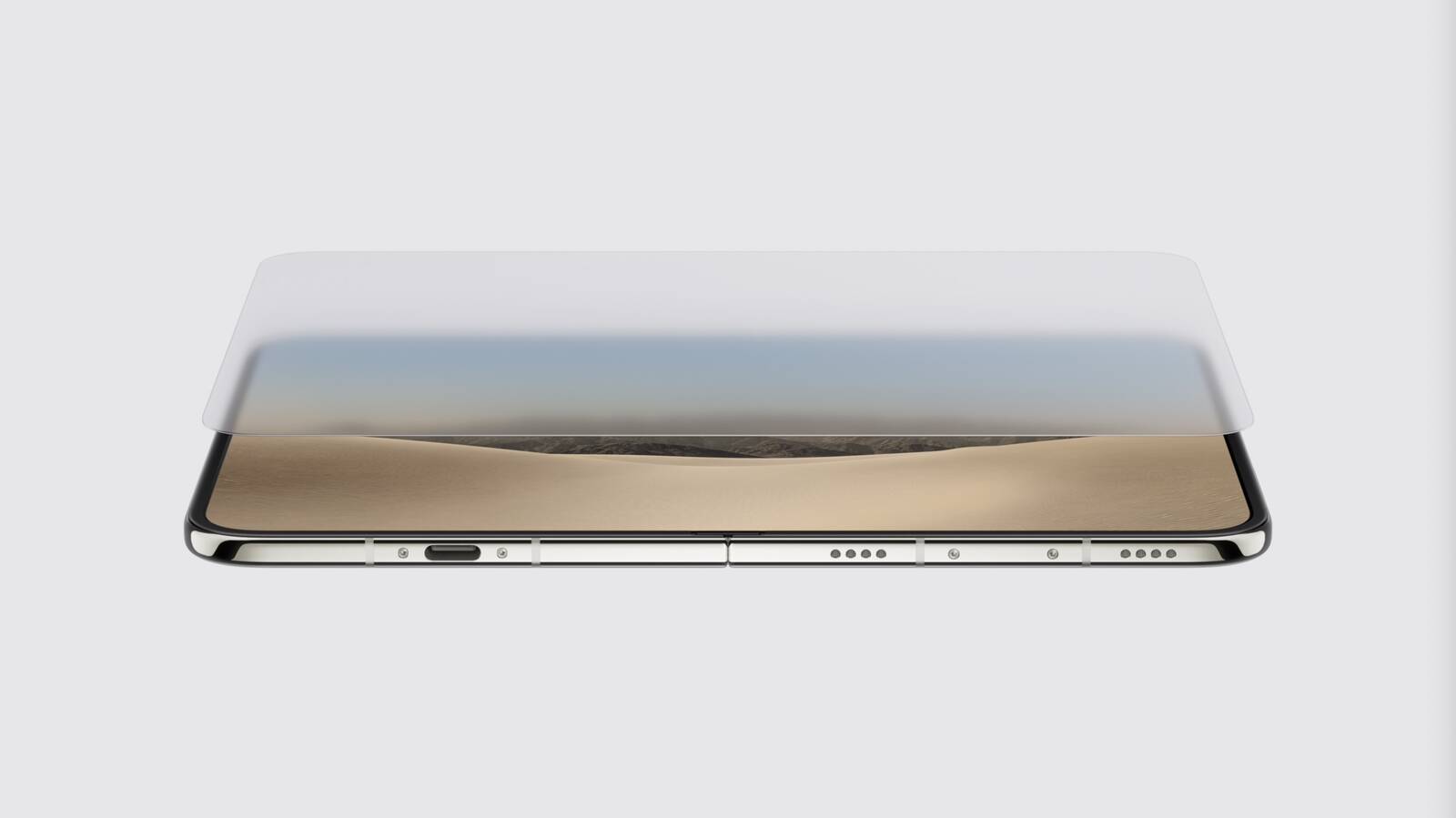
In response to an X post from someone wondering if we'll see more 1:14.1 content because of the iPhone Duo, IMAX's official account said, "Love this for them," but then added, "Still not watching movies on a phone..." Pre-orders open October 16 ahead of an October 23 launch.
Related Roundup: iPhone Duo
Related Forum: iPhone

This article, "IMAX Reacts to iPhone Duo's 1:1.4 Aspect Ratio Displays" first appeared on MacRumors.com

Discuss this article in our forums

  •  

Apple Execs Explain iPhone Duo's Display Design, Secrecy, and Price

In a joint interview with Tom's Guide and TechRadar, new Apple CEO John Ternus and marketing chief Greg Joswiak explained why the company waited until now to release a foldable, its design philosophy, and how it kept the iPhone Duo under wraps.


Ternus said the timing always comes down to when a product idea meets Apple's bar "for quality and durability, but also for design." He said the device "was like a greenfield of opportunity for us because it was an opportunity to rethink so many different things."

Apple took a hard look at what other foldable makers were offering and felt it "wasn't particularly inspiring," said Joswiak, adding that Apple's approach was "twofold โ€“ no pun intended."

First, Apple believes the device's wider 1:1.4 aspect ratio is the answer to designs that resemble two phones "awkwardly stuck together," said Joz. Second, Apple worked on the software to make the Duo "unlike any foldable that's out there."

As for the foldable display, Ternus said the inner screen's top layer is polymer, not glass, which meant devising an entirely new way of making Apple's nano-texture finish. Rival displays, he said, are "kind of cheap-feeling plastic surfaces. They don't feel good to touch, they're kind of wavy, wrinkly."

"The nano-texture just wipes that all out," he added. "It's beautifully flat. It feels amazing to touch and it's incredibly durable."

Joswiak said he is "super proud" that Apple kept the project relatively secret: "We put the extra security on it. We didn't talk about it to anybody. We had a very funny code name, which I won't even repeat, that had nothing to do with it. But we said we're going to keep this one extra secret because, look, people knew through leaks that we were working on a foldable."

Leakers did get the aspect ratio right, Joz conceded. "There were a lot of coincidental instances of people finding that an interesting aspect ratio. And this is when we said, okay, we're going to really keep this one locked down โ€“ and it worked."

As for the $1,999 starting price, Ternus mused: "Yes, it's more expensive than the other phones, but we think it's great value." Joz added: "It's called iPhone Duo for a reason. It's like two products."

You can watch the full interview via the embedded video above or on the YouTube website. Pre-orders for the iPhone Duo begin Friday, October 16, ahead of an October 23 launch.
Related Roundup: iPhone Duo
Related Forum: iPhone

This article, "Apple Execs Explain iPhone Duo's Display Design, Secrecy, and Price" first appeared on MacRumors.com

Discuss this article in our forums

  •  

Apple to Pay $250 Per iPhone Duo Foldable Display in Samsung Deal

Samsung Display has signed a three-year exclusive supply agreement with Apple to provide foldable display panels for the iPhone Duo and future models, reports Chinese leaker Instant Digital.
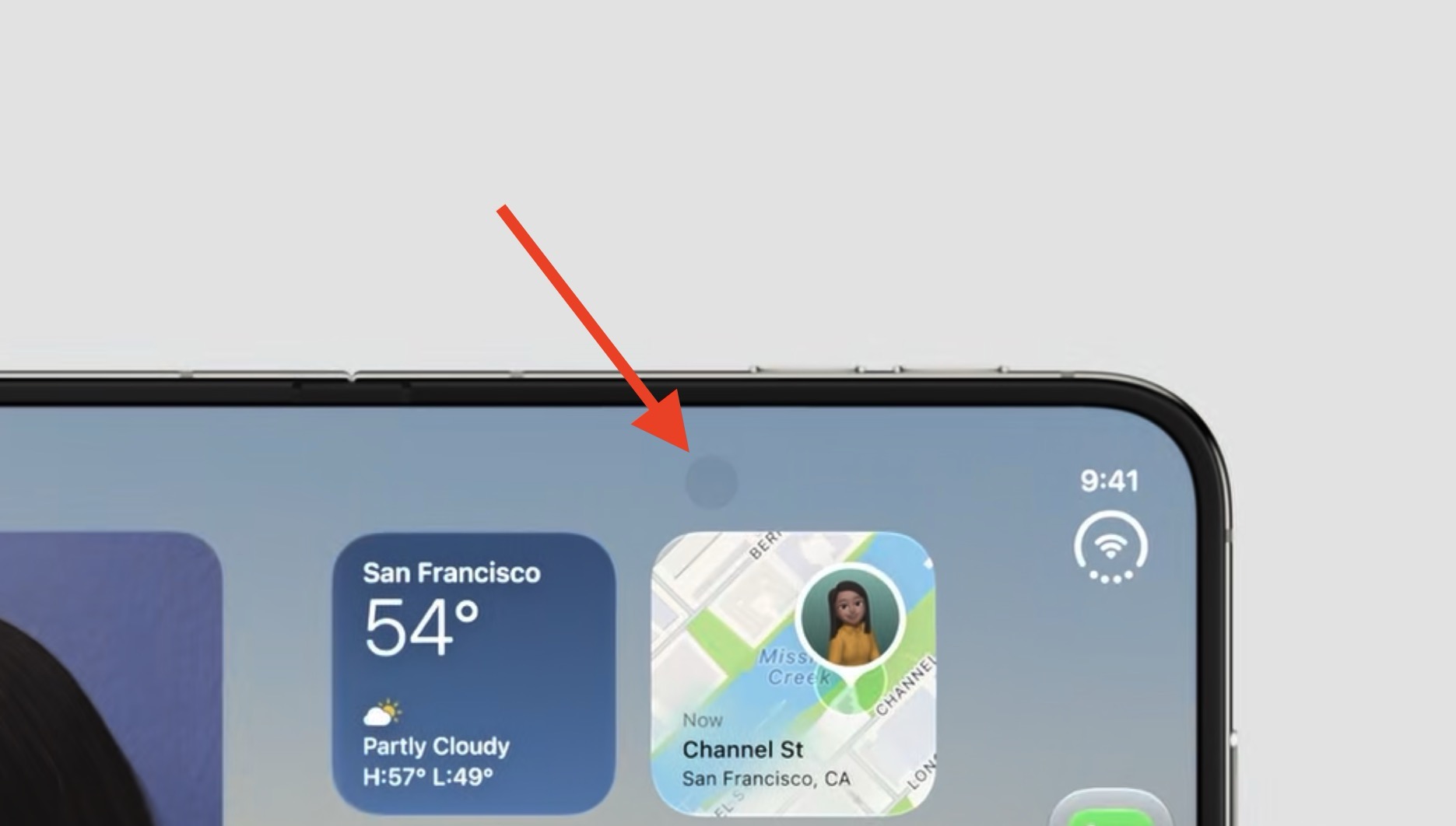
The iPhone Duo is the first device on the market to feature Samsung's M16 OLED material set, said to bring improvements to brightness, color performance, lifespan, and power efficiency over previous OLED generations. Apple will reportedly pay around $250 per panel, making it one of the device's priciest components.
Related Roundup: iPhone Duo
Related Forum: iPhone

This article, "Apple to Pay $250 Per iPhone Duo Foldable Display in Samsung Deal" first appeared on MacRumors.com

Discuss this article in our forums

  •  

Why iPhone Duo's Under-Screen Camera Isn't in the Corner

If you're wondering why the under-screen camera on the iPhone Duo's inner display isn't placed in the top-right corner, Chinese leaker Instant Digital has provided an explanation.
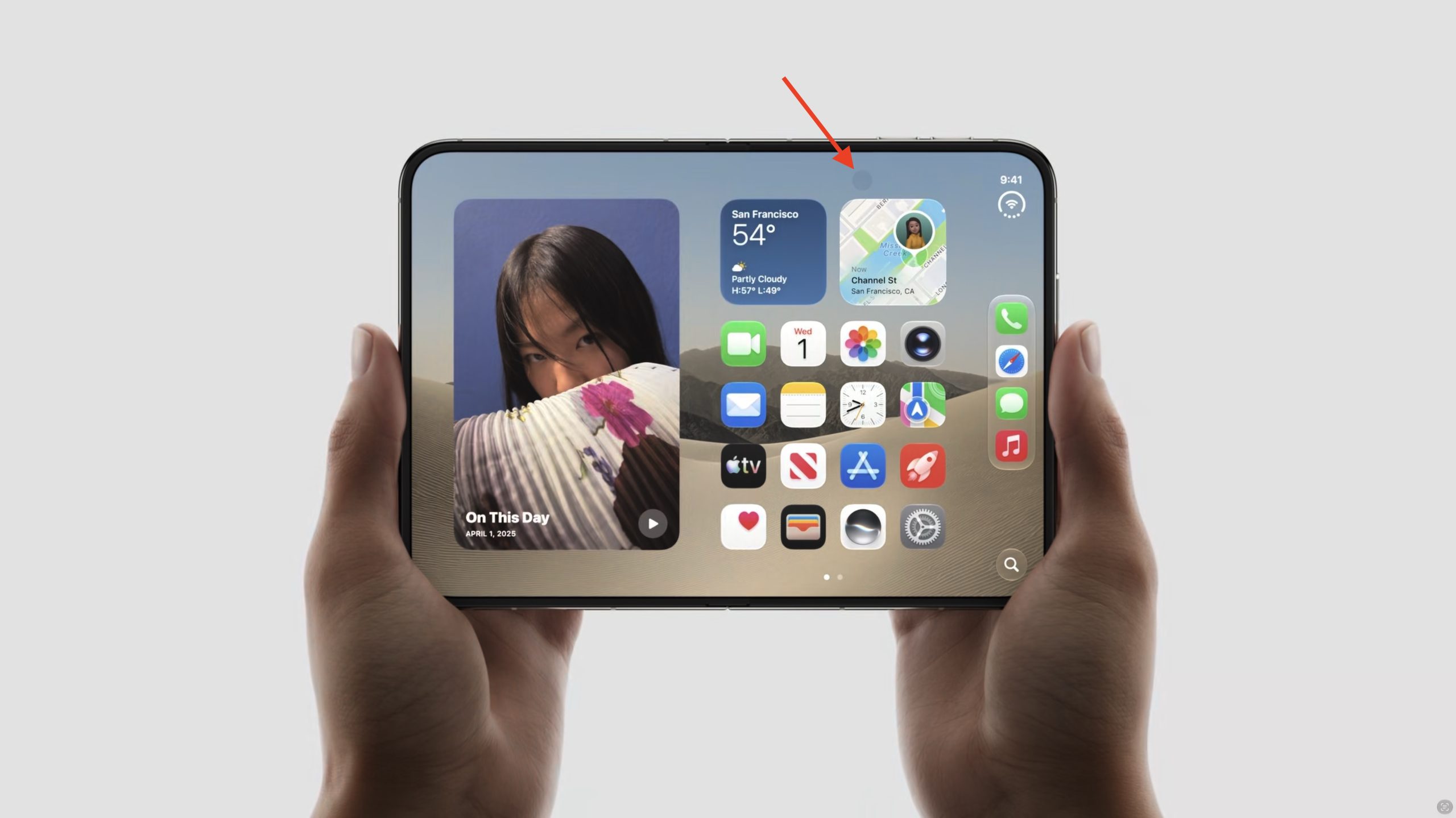
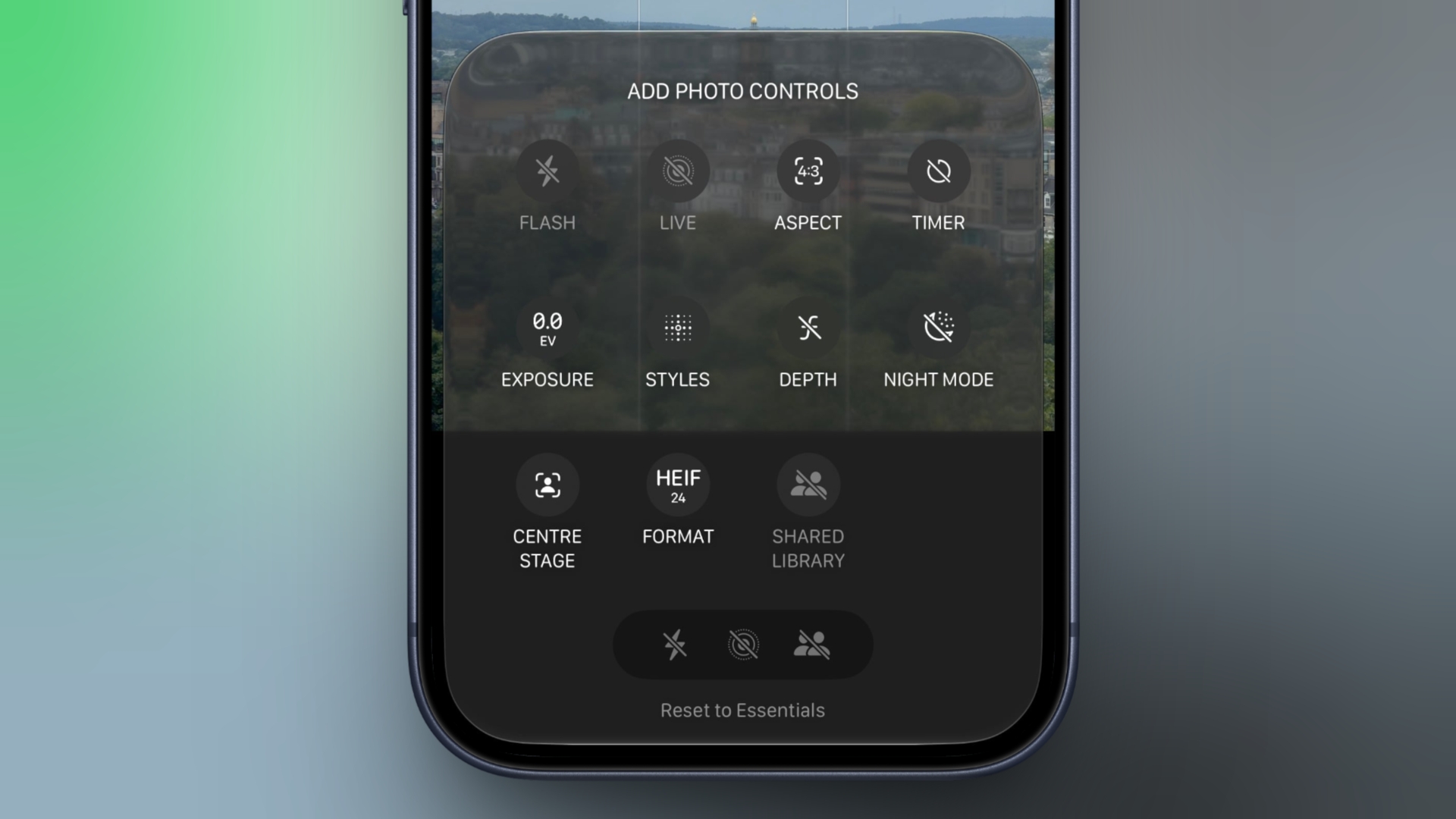
"The iPhone Duo's under-display camera wasn't placed in the top-right corner of the inner screen because of engineering difficulties," said the leaker in a Weibo post this morning. "The next generation will likely move it there, aligning it perfectly with the outer screen's camera." That sounds like a real engineering challenge, since the opposing rear cameras are the thickest things in the whole phone, but let's wait and see.
Related Roundup: iPhone Duo
Related Forum: iPhone

This article, "Why iPhone Duo's Under-Screen Camera Isn't in the Corner" first appeared on MacRumors.com

Discuss this article in our forums

  •  

Apple Isn't Revealing the iPhone Duo's Under-Screen Camera Resolution

Hidden beneath the 7.6-inch inner screen of the foldable iPhone Duo is an under-display FaceTime camera. The long-rumored feature is a first for Apple, yet the company hasn't provided as much detail about it as the device's other cameras.


For example, unlike the 12-megapixel sensor on the outer front display and the two 48-megapixel lenses on the back, Apple has not revealed the megapixel count of the under-screen camera. Apple's tech specs page for the iPhone Duo offers the following details about its capabilities:

  • Under-display FaceTime camera

  • Center Stage for video calls

  • ฦ’/1.8 aperture

  • Tap to zoom and rotate

  • Ultraโ€‘stabilized video

  • 1080p video recording at 30 or 60 fps

  • Animoji and Memoji in FaceTime

  • Wide color capture for photos and Live Photos

  • Lens correction

  • Auto image stabilization

  • QuickTake video at 1080p at 30 fps and 60 fps

  • Spatial Audio and stereo recording

  • Wind noise reduction

  • Audio Mix


Apple says the under-display camera records video at up to 1080p at 60 frames per second, compared to 4K at up to 60 fps for the outer front camera and 4K at up to 120 fps for the Main rear camera. This means the sensor is at least 2 megapixels โ€“ the minimum necessary to shoot 1080p video. However, its apparent inability to shoot 4K video may suggest it is less than 8 megapixels. Given that Apple has kept quiet, perhaps it's closer to 2 megapixels.

The under-screen camera's f/1.8 aperture is faster than the outer camera's f/2.2 aperture, which makes sense since it is probably helping to compensate for light lost through the display. Of course, Apple has not detailed the resulting trade-offs in image quality. How it affects photos and video is only likely to become clear once we get more time with the device.

According to a December 2023 report, LG Innotek was developing an under-display camera for Apple using a "freeform optic" lens array designed to reduce distortion and compensate for brightness loss. Again though, we don't know if this is the camera that made it into the iPhone Duo.

Another thing to note is that the display layer over the camera appears to lack the anti-reflective nano-texture coating found on the rest of the screen, resulting in a glossy dot. The screen also likely covers the lens with a lower density patch of pixels.

Regardless, the difference means the camera's location is less discreet than one might expect depending on the angle of ambient light. Apple even subtly acknowledges this in its marketing materials with a circular shadow on the screen, but going on the video below and the variable reflectivity, the effect can be more pronounced than the company is letting on.

Under-screen camera visibility on the iPhone Duo (video credit: Instant Digital https://t.co/teZ9DhbDkT) pic.twitter.com/tCbR81B52F

โ€” Tim Hardwick (@waxeditorial) September 10, 2026

Video shared by Instant Digital on Weibo

Samsung has grappled with the same issue. The Korean company previously used under-display cameras in models including the Galaxy Z Fold6, before switching to a conventional 10-megapixel punch-hole camera with the Galaxy Z Fold7. This is Apple's first attempt at under-screen camera technology, so future iterations of the Duo may be better at hiding what can appear like a small smudge or blemish in the display โ€“ depending how you look at it.

Apple says preorders for the iPhone Duo will go live at 5:00 a.m. Pacific Time on Friday, October 16, with availability beginning Friday, October 23.
Related Roundup: iPhone Duo
Related Forum: iPhone

This article, "Apple Isn't Revealing the iPhone Duo's Under-Screen Camera Resolution" first appeared on MacRumors.com

Discuss this article in our forums

  •  

iOS 27 RC Adds Long-Rumored Camera App Controls Customization

In the iOS 27 Release Candidate that Apple released to developers on Wednesday, Apple added the long-rumored ability to customize the Camera app's controls. Way back in May, Bloomberg's Mark Gurman reported that Apple planned to make the Camera app more customizable, but it's only now that the feature has made it into the beta roadmap.


To customize the Camera app's controls, tap the button with six circles inside in the bottom-right of the Camera's UI and look for a new Edit button in the top-left corner.

From the new "Add Photo Controls" tray that appears, you can add or remove the widget-like controls to the top of the Camera app's UI, then press Done in the top right when you're happy with your selection. Depending on your iPhone model, you can choose from the following controls:
  • Flash

  • Live Photo

  • Aspect Ratio

  • Timer

  • Exposure

  • Styles


  • Filters

  • Depth Control

  • Night Mode

  • Center Stage

  • File Format

  • Shared Library


A "Rest to Essentials" option at the bottom of the widget tray lets you revert to the default set of controls.


When the customization feature didn't appear in Apple's iOS 27 preview at WWDC in June, Gurman said he believed that Apple was holding it back specifically for the release of new iPhone 18 Pro models, which bring some of the most significant camera hardware upgrades in several years.

While the iPhone 18 Pro and Pro Max have now been unveiled, it appears that Apple is making the customization feature available to all iPhone models capable of running iOS 27. Apple is set to officially release iOS 27 to the public on Monday, September 14.
Related Roundups: iOS 27, iPadOS 27
Related Forum: iOS 27

This article, "iOS 27 RC Adds Long-Rumored Camera App Controls Customization" first appeared on MacRumors.com

Discuss this article in our forums

  •  
โŒ