Lees weergave

tvOS 27 Drops Support for Two Apple TV Models

The upcoming tvOS 27 update that was previewed today drops support for two Apple TV models.
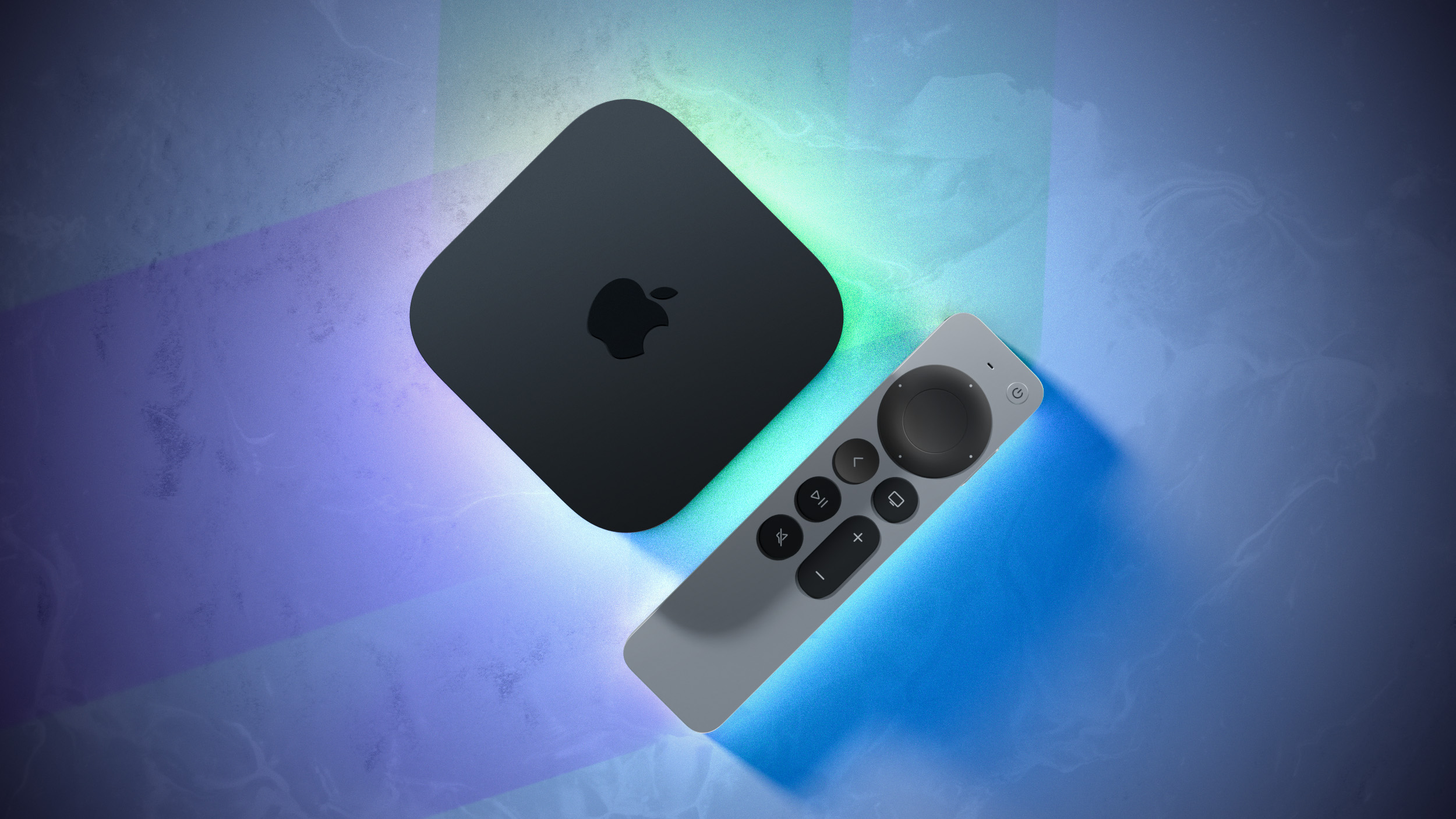

The two Apple TV models that are compatible with tvOS 26 but not tvOS 27 are the Apple TV HD from 2015 and the Apple TV 4K (1st generation) from 2017.

tvOS 27 is compatible with the Apple TV 4K (2nd generation) and newer, according to Apple's documentation.

tvOS 27 features a redesigned Podcasts app, smoother app launches and animations, support for larger text across the interface, and more. Apple did not give tvOS 27 much attention during its WWDC 2026 keynote, so we are still in the process of learning what other new features and enhancements are included in the update.

tvOS 26 Compatibility


  • Apple TV HD (2015)

  • Apple TV 4K (1st generation, 2017)

  • Apple TV 4K (2nd generation, 2021)

  • Apple TV 4K (3rd generation, 2022)

tvOS 27 Compatibility


  • Apple TV 4K (2nd generation, 2021)

  • Apple TV 4K (3rd generation, 2022)

The first tvOS 27 developer beta is available today, and a public beta will follow in July. The update will be released later this year — likely in September.

A new Apple TV 4K (4th generation) is expected to launch later this year.
Related Roundup: Apple TV
Buyer's Guide: Apple TV (Don't Buy)

This article, "tvOS 27 Drops Support for Two Apple TV Models" first appeared on MacRumors.com

Discuss this article in our forums

  •  

Apple's Most Powerful On-Device AI Now Requires iPhone 17 Pro or iPhone Air

Apple's most advanced on-device AI model in iOS 27 requires a minimum of 12GB of unified memory, meaning the standard iPhone 17 is excluded.


The next generation of Apple Intelligence introduces a new on-device model more powerful than anything Apple has shipped before. While most ‌iOS 27‌ AI features run on the same hardware supported today, including iPhone 15 Pro, the most capable model carries stricter requirements. To run Apple's most powerful on-device model, users will need one of the following devices:


  • iPhone: iPhone Air, iPhone 17 Pro, or ‌iPhone 17 Pro‌ Max

  • iPad: iPad with M4 or later with at least 12GB of unified memory

  • Mac: Mac with M3 or later with at least 12GB of unified memory

  • Vision Pro: Apple Vision Pro with M5


The base ‌iPhone 17‌ is excluded because it ships with 8GB of memory, falling short of the 12GB threshold. The standard memory requirement for ‌Apple Intelligence‌ has been 8GB since its introduction, so this marks the first time Apple has raised the bar for its most capable on-device features.

According to Apple's press release, the new model specifically enables features including expressive voices and more advanced dictation.
Related Roundups: iPhone 17 Pro, iPhone Air
Related Forum: iPhone

This article, "Apple's Most Powerful On-Device AI Now Requires iPhone 17 Pro or iPhone Air" first appeared on MacRumors.com

Discuss this article in our forums
  •  

Apple Announces tvOS 27 With These New Features

Apple barely touched on tvOS 27 during its WWDC 2026 keynote today, but the update exists, and it adds some new features to the Apple TV.


In a slide that was shown very briefly during the keynote, Apple revealed some of tvOS 27's new features and enhancements:

  • A redesigned Podcasts app

  • Smoother app launches and animations

  • Faster AirPlay connectivity with other Apple devices

  • Smart downloads

  • A new Larger Text accessibility option in the Settings app, which increases the size of text across the tvOS interface

  • AppleCare coverage details in the Settings app
Apple's website does not offer a tvOS 27 preview page like it does for iOS 27 and the other new software updates, and the "what's new in tvOS" page on Apple's developer website has yet to be updated, so no further details about these features are available right now. Stay tuned for more tvOS 27 information over the coming days.

The first tvOS 27 developer beta is available today, and a public beta will follow in July. The update will be released later this year — likely in September.
Related Roundups: Apple TV, WWDC 2026
Buyer's Guide: Apple TV (Don't Buy)

This article, "Apple Announces tvOS 27 With These New Features" first appeared on MacRumors.com

Discuss this article in our forums
  •  

Siri AI Gains Customizable Voice Expressiveness and Pace

Apple today announced that Siri AI will offer a "brand new voice experience," giving users the ability to customize how the voice assistant sounds.


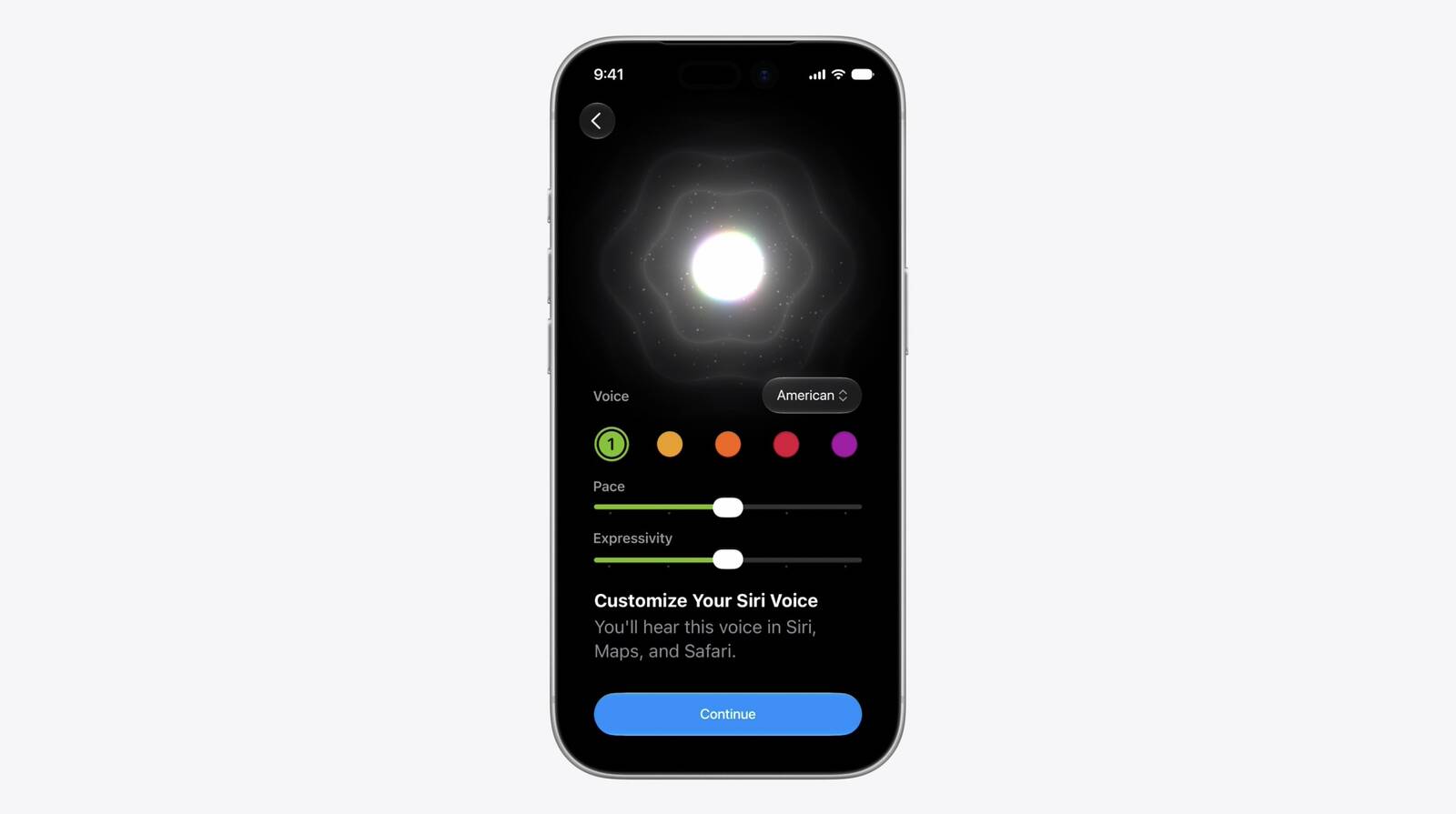
On devices that support Apple's most advanced on-device model, ‌Siri‌ AI will deliver more expressive voices alongside a significant improvement to systemwide dictation accuracy. Users will be able to adjust both the expressiveness and pace of ‌Siri‌'s voice to their preference via a new UI with sliders. As of developer beta 1, American is the sole voice option.

The updated dictation engine will capture speech as polished text, automatically handling capitalization, punctuation, and formatting in real time. Apple says improved speech understanding means users can speak naturally and trust that their words will appear accurately and as intended.
Tags: Siri, Siri AI

This article, "Siri AI Gains Customizable Voice Expressiveness and Pace" first appeared on MacRumors.com

Discuss this article in our forums
  •  

iOS 27 Wallet App Gets 'Create a Pass' Feature

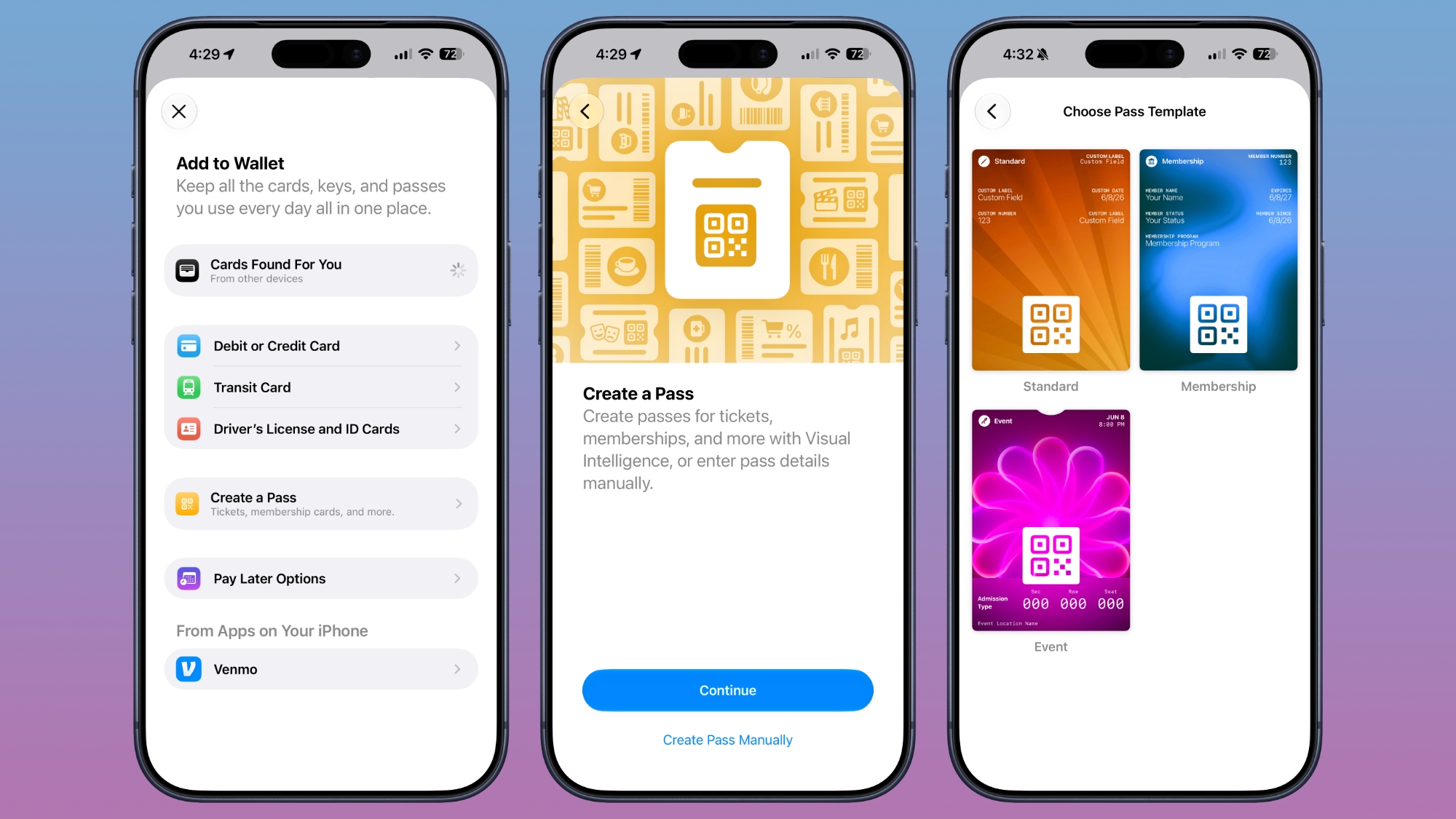
The Wallet app in iOS 27 has a new "Create a Pass" option that's designed to let you add passes for tickets, memberships, and more using Visual Intelligence. If you have a ticket for an event and there's not a digital version available in the Wallet app already, you can create one using the physical pass.


By default, the Wallet app uses ‌Visual Intelligence‌ to scan a pass and add it, but there's also a "Create Pass Manually" option. Pass templates include Standard, Membership, and Event.

Each type includes relevant information like name, location, or admission type, along with a scannable code drawn from an included barcode or QR code that you take a photo of. There are 12 background colors to choose from, or seven custom backgrounds for categories like theater, music, sports, and movies.

Fields can be added or removed as needed when creating a custom pass, with options like label, date, membership, contact, coupon code, VIN, insurance, and more, so most physical cards should be able to be stored digitally.
Related Roundup: iOS 27

This article, "iOS 27 Wallet App Gets 'Create a Pass' Feature" first appeared on MacRumors.com

Discuss this article in our forums
  •  

Apple Intelligence Gains Smarter Writing Tools in iOS 27

Apple today announced a series of Apple Intelligence improvements coming to Mail, Messages, Files, and system-wide text input as part of iOS 27 and its other major platform updates.


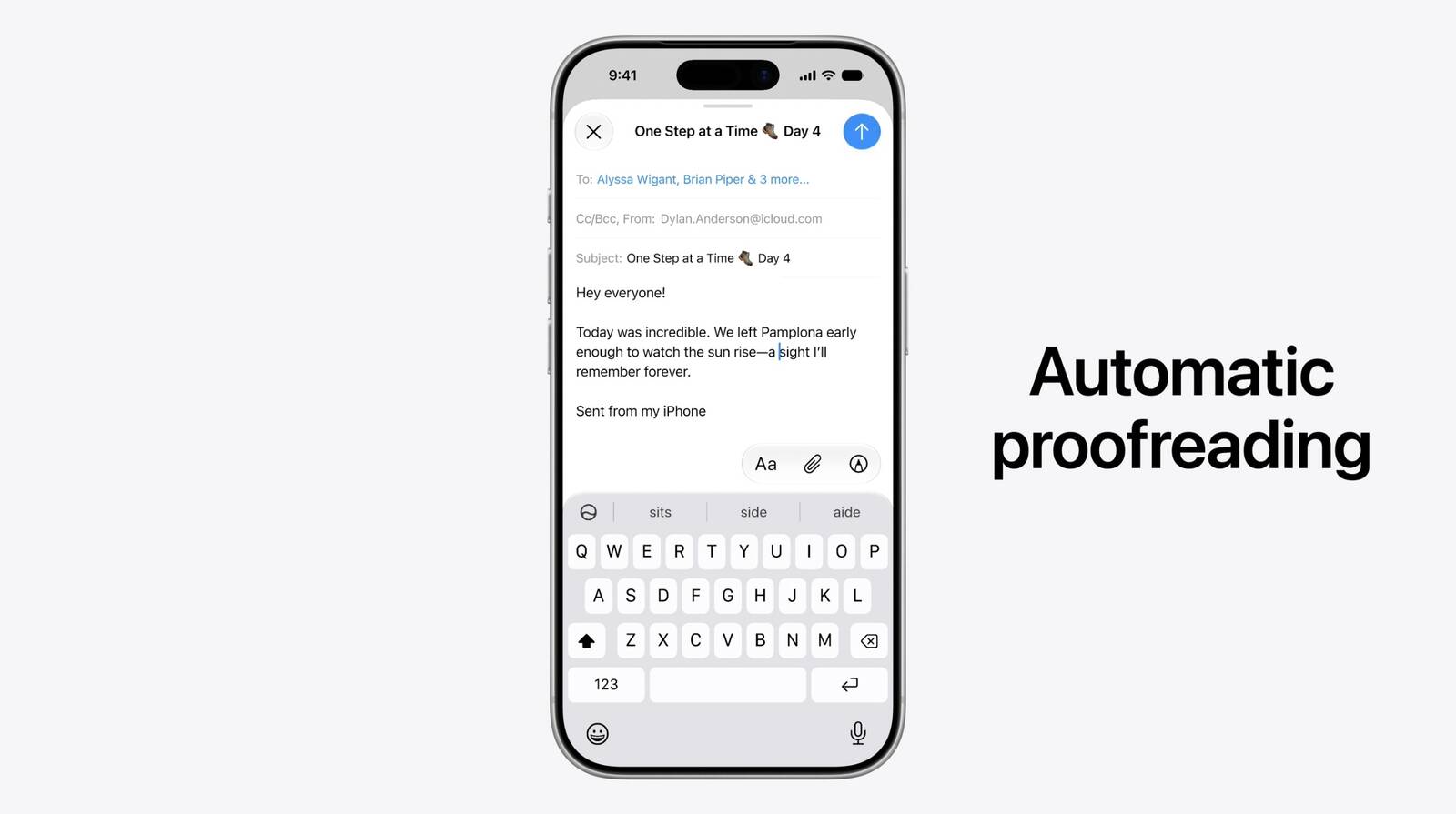
The updates include automatic proofreading, which surfaces spelling and grammar suggestions as users type across the system. Apple is also introducing intelligent file and folder naming suggestions based on content.

Two enhancements come specifically to Mail and Messages. Apple's composition assistant will now adapt to how a user typically communicates with different contacts, tailoring its suggestions to match individual conversational styles. Smart Reply, which proposes quick responses to incoming messages, has also been updated to draw on a user's personalized writing style rather than offering generic reply options.
Related Roundup: iOS 27

This article, "Apple Intelligence Gains Smarter Writing Tools in iOS 27" first appeared on MacRumors.com

Discuss this article in our forums
  •  

iOS 27 Camera App Gets Siri Mode, Updated UI

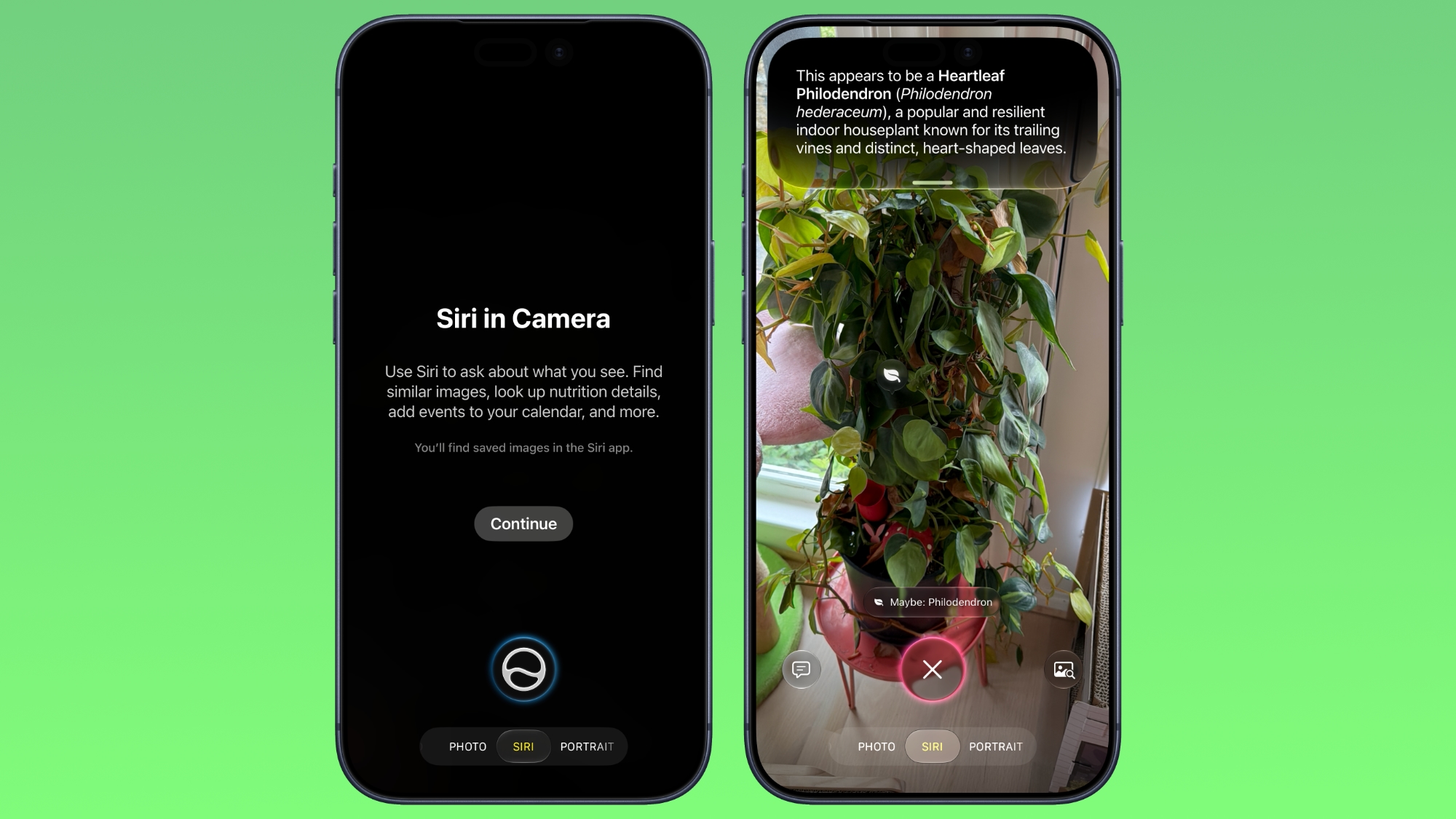
The iOS 27 Camera app has a new "Siri" mode that is available in addition to the video, photo, and other camera modes. You can get to ‌Siri‌ mode by swiping over to it at the bottom of the Camera app in the ‌iOS 27‌ developer beta.


‌Siri‌ mode integrates Visual Intelligence, so you can take a photo of something and ask ‌Siri‌ about it. ‌Siri‌ can answer questions about whatever you're taking a photo of, identifying plants, animals, landmarks, and more.

Visual Intelligence is expanding to new categories in ‌iOS 27‌, and it can help you determine the calories in a plate of food or split a bill with friends by calculating what each person owes.

In ‌Siri‌ mode, the main Camera button captures an image and ‌Siri‌ will give information about what's in the shot. A button on the right lets you search Google Images, and a button on the left lets you ask a specific question.

In other Camera modes, there are minor interface updates. Quick access tools for turning on Night Mode, turning off Live Photo, and activating Flash are at the top center of the interface, and the full set of tools can be accessed from the bottom right instead of the top right.

While there were rumors of a Camera app widget section for customizing the available camera controls, that's not a feature that's available yet.

Using ‌Siri‌ mode in the Camera app requires access to the ‌Siri‌ waitlist. The ‌iOS 27‌ beta is only available to developers right now, but Apple plans to make a public beta available in July. ‌iOS 27‌ will launch this fall.
Related Roundup: iOS 27
Tag: Siri

This article, "iOS 27 Camera App Gets Siri Mode, Updated UI" first appeared on MacRumors.com

Discuss this article in our forums
  •  

Apple Brings AI Tab Organization and AI-Generated Extensions to Safari

Apple today unveiled a raft of Safari upgrades powered by Apple Intelligence, including automatic tab organization, AI-generated custom extensions, and new privacy-first browsing tools.


The centerpiece feature is automatic tab organization, which uses ‌Apple Intelligence‌ to group a user's open tabs into relevant topics without any manual intervention. If someone is planning a weekend trip, for example, Safari can pull all of their travel-related tabs into a single topic. As browsing continues, Safari will slot new tabs into existing topics or create fresh ones as needed.

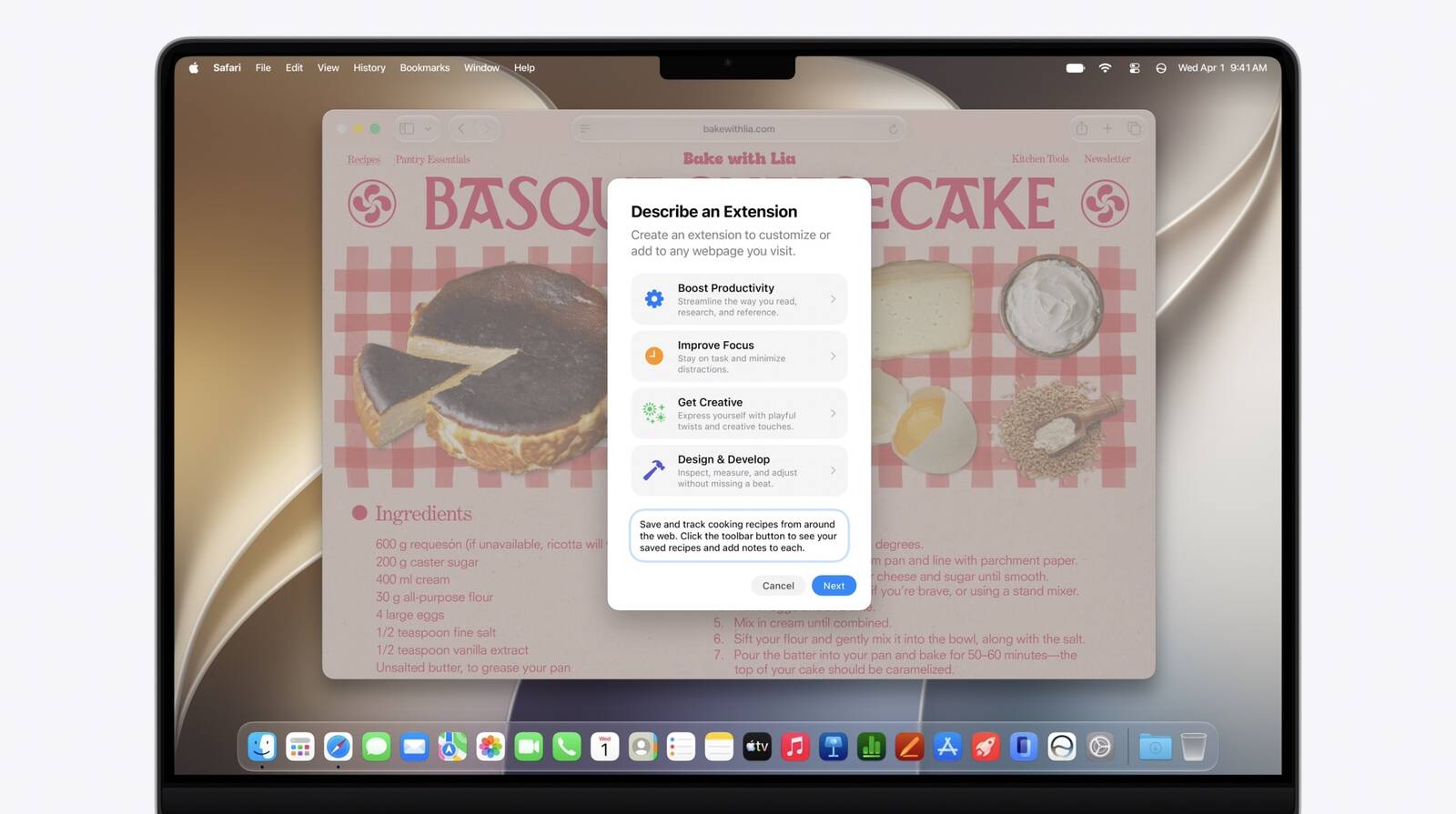
Apple is also introducing a way for users to create custom Safari extensions using natural language. The company described the feature as "describe an extension," letting users specify what they want in plain English and having Safari generate an extension that adapts web pages accordingly. Apple's example was adding a toolbar button that saves and rates recipes from cooking sites.


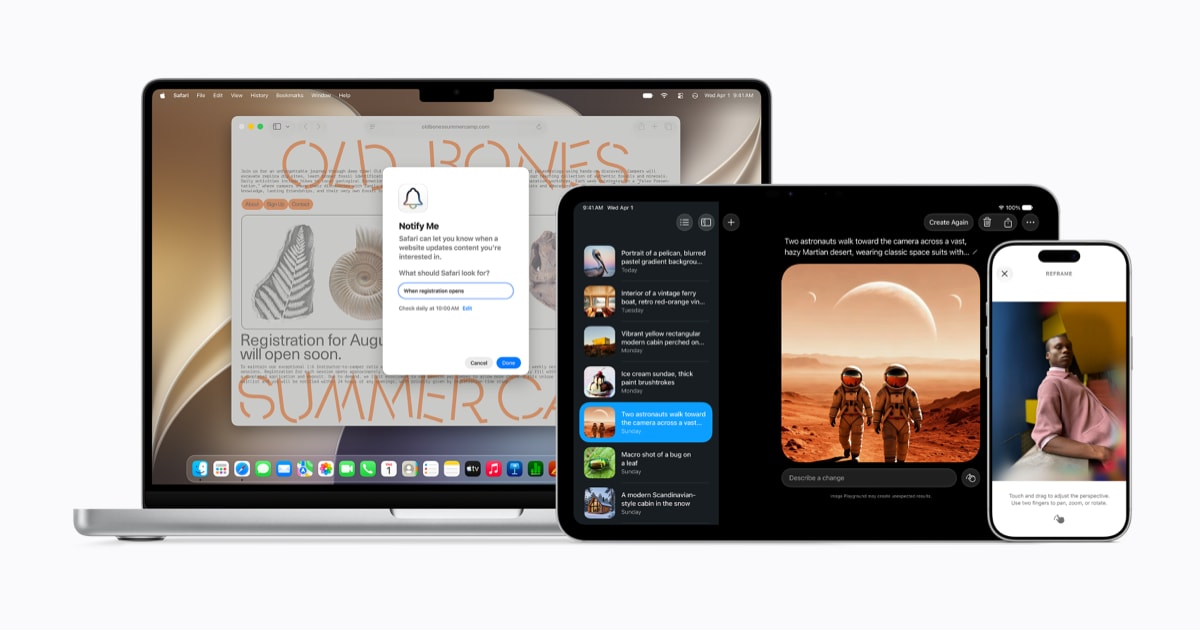
A new "Notify Me" feature lets users ask Safari to watch a specific web page for changes and alert them when something relevant happens, such as a product restocking or a price drop. Users tell Safari in natural language what they are looking for, and Safari sends a notification when it detects a matching change on that page.

Apple is bringing a background agentic password-updating tool to the browser. Working alongside the Passwords app, ‌Apple Intelligence‌ can automatically navigate to eligible websites, sign in, and update weak or compromised passwords to strong ones with a single tap.

Apple says all of these capabilities are built with privacy in mind, and that no personal browsing data is exposed to Apple or anyone else in the process.
This article, "Apple Brings AI Tab Organization and AI-Generated Extensions to Safari" first appeared on MacRumors.com

Discuss this article in our forums

  •  

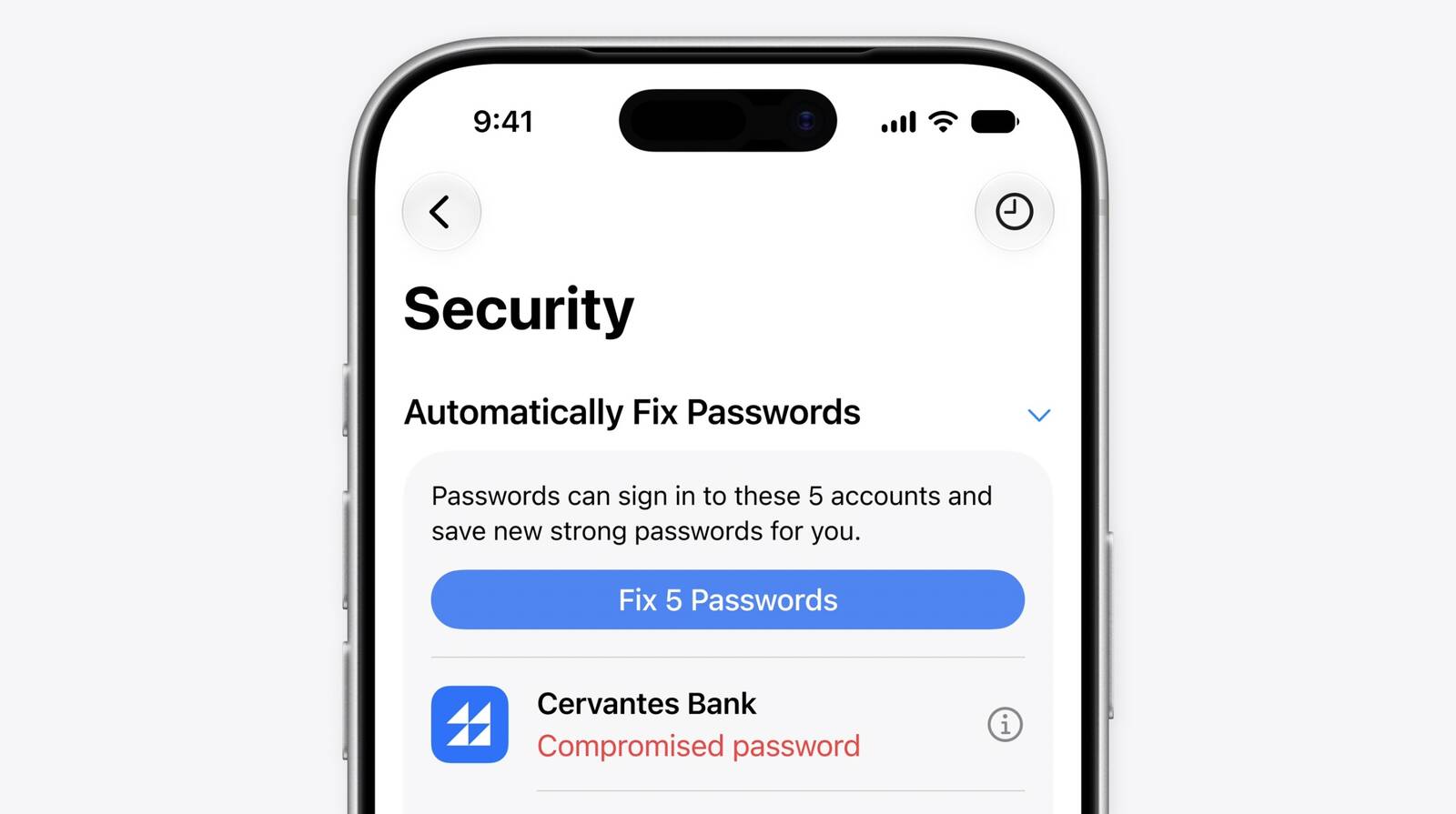
Apple Passwords Can Now Automatically Fix Weak and Compromised Passwords With Agentic AI

Apple today announced that the Passwords app can now automatically update weak and compromised passwords using Apple Intelligence and Safari to take action on a user's behalf.


The feature builds on Passwords' existing ability to flag weak or compromised credentials. While the app has long been able to alert users to security issues, acting on those alerts required manually visiting each site and changing passwords individually. The new capability removes that friction by automating the process end-to-end in the background.

Apple describes the system as agentic, with ‌Apple Intelligence‌ and Safari securely navigating through websites, signing in, and upgrading accounts to strong passwords without the user needing to intervene beyond an initial tap. The feature displays as a Live Activity when active.
This article, "Apple Passwords Can Now Automatically Fix Weak and Compromised Passwords With Agentic AI" first appeared on MacRumors.com

Discuss this article in our forums
  •  

iOS 27 Calendar and Reminders Apps Get New AI Features and Natural Language Support

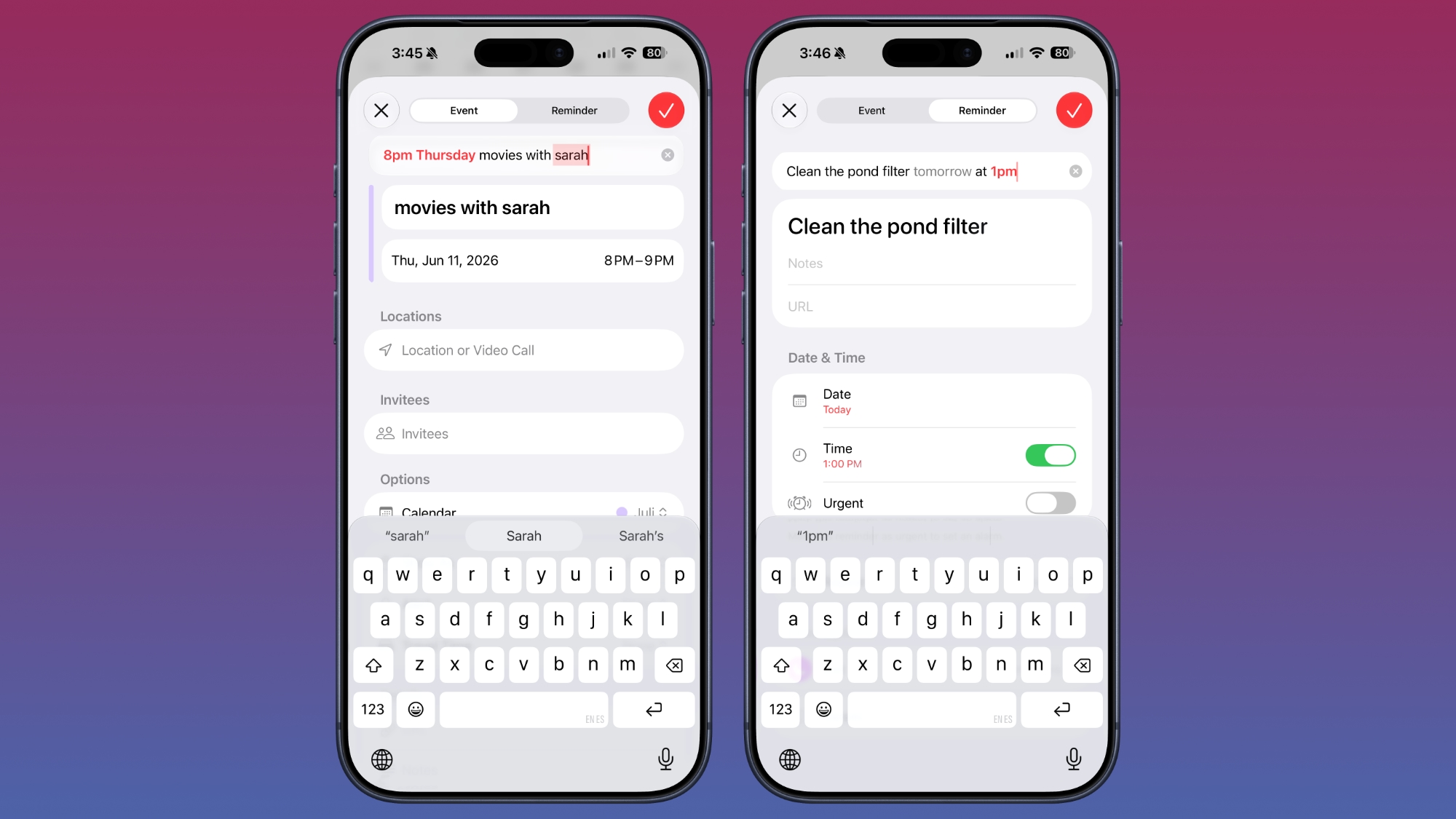
The Calendar and Reminders apps in iOS 27 let you create events and reminders using natural language commands, making it easier to manage your schedule and task list.


You can tap the "+" button in the Calendar app and then type in something like "Movies with Sarah at 8pm on Thursday" to schedule an event. You don't need to go to the specific day to create an event, and you can instead just tap when the date and time suggestions appear as you type. You can also use timing like "every week" to set up a recurring event.

Reminders work in a similar way, and you can type in something like "Remind me to go grocery shopping at 2pm on Thursday" to set up a reminder for that date and time.

Apple says editing an event in Calendar is also simpler. If you have a meeting that's every week and update it to every other week, the Calendar app will intelligently adjust frequency for all future events.

Visual Intelligence integrates with Calendar and Reminders, so if you're looking at an event online and take a screenshot, or if you snap a photo of a flyer with your phone, you can have relevant information added to the Calendar app automatically. Siri is also able to intelligently add events to the Calendar app with natural language requests.

‌iOS 27‌ is limited to developers right now, but Apple plans to make a public beta available in July.
Related Roundup: iOS 27

This article, "iOS 27 Calendar and Reminders Apps Get New AI Features and Natural Language Support" first appeared on MacRumors.com

Discuss this article in our forums
  •  

Apple Says New Siri is Compatible With These iPhones, iPads, and Macs

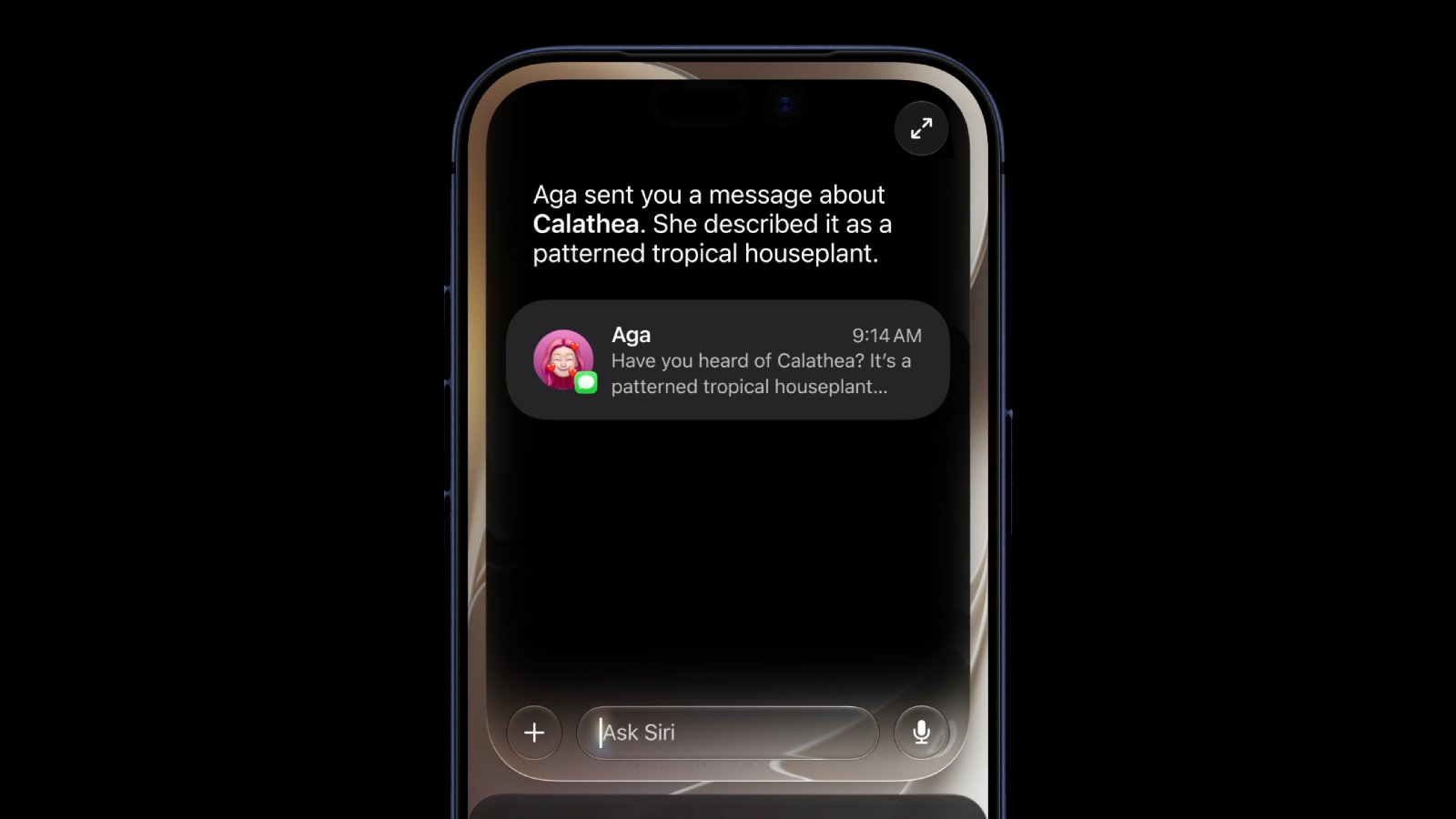
The more intelligent and personalized version of Siri that Apple introduced today — "Siri AI" — is limited to devices with Apple Intelligence support.


"Siri AI" is available on the devices listed below.

iPhone


  • iPhone 15 Pro

  • iPhone 15 Pro Max

  • iPhone 16e

  • iPhone 16

  • iPhone 16 Plus

  • iPhone 16 Pro

  • iPhone 16 Pro Max

  • iPhone 17e

  • iPhone 17

  • iPhone Air

  • iPhone 17 Pro

  • iPhone 17 Pro Max


iPad


  • iPad mini (A17 Pro)

  • iPad Air (M1 chip and newer)

  • iPad Pro (M1 chip and newer)


Mac


"Siri AI" is compatible with any Mac with the M1 chip and newer.

Apple Watch


"Siri AI" is compatible with the following Apple Watch models when they are paired with an Apple Intelligence-enabled iPhone model that is nearby:


  • Apple Watch Series 10

  • Apple Watch Series 11

  • Apple Watch Ultra 2

  • Apple Watch Ultra 3

  • Apple Watch SE (3rd generation)


Vision Pro

  • Vision Pro (M2 chip)

  • Vision Pro (M5 chip)

Some of the "Siri AI" features are also available on CarPlay when an Apple Intelligence-enabled iPhone model is connected to the vehicle.

"Siri AI" is available to test in English in the iOS 27, iPadOS 27, macOS 27, and visionOS 27 developer betas starting today, but there is a wait, and it will be coming to the Apple Watch in a future watchOS 27 beta. "Siri AI" will also be included in the public betas of each update, which will be available in July.

The revamped Siri is launching later this year. Even then, it will still have a "beta" label.

Note that "Siri AI" will not be available in the EU on iOS 27 and iPadOS 27 at launch, with Apple citing regulatory issues related to the Digital Markets Act.
Related Roundup: WWDC 2026
Tags: Siri, Siri AI

This article, "Apple Says New Siri is Compatible With These iPhones, iPads, and Macs" first appeared on MacRumors.com

Discuss this article in our forums
  •  

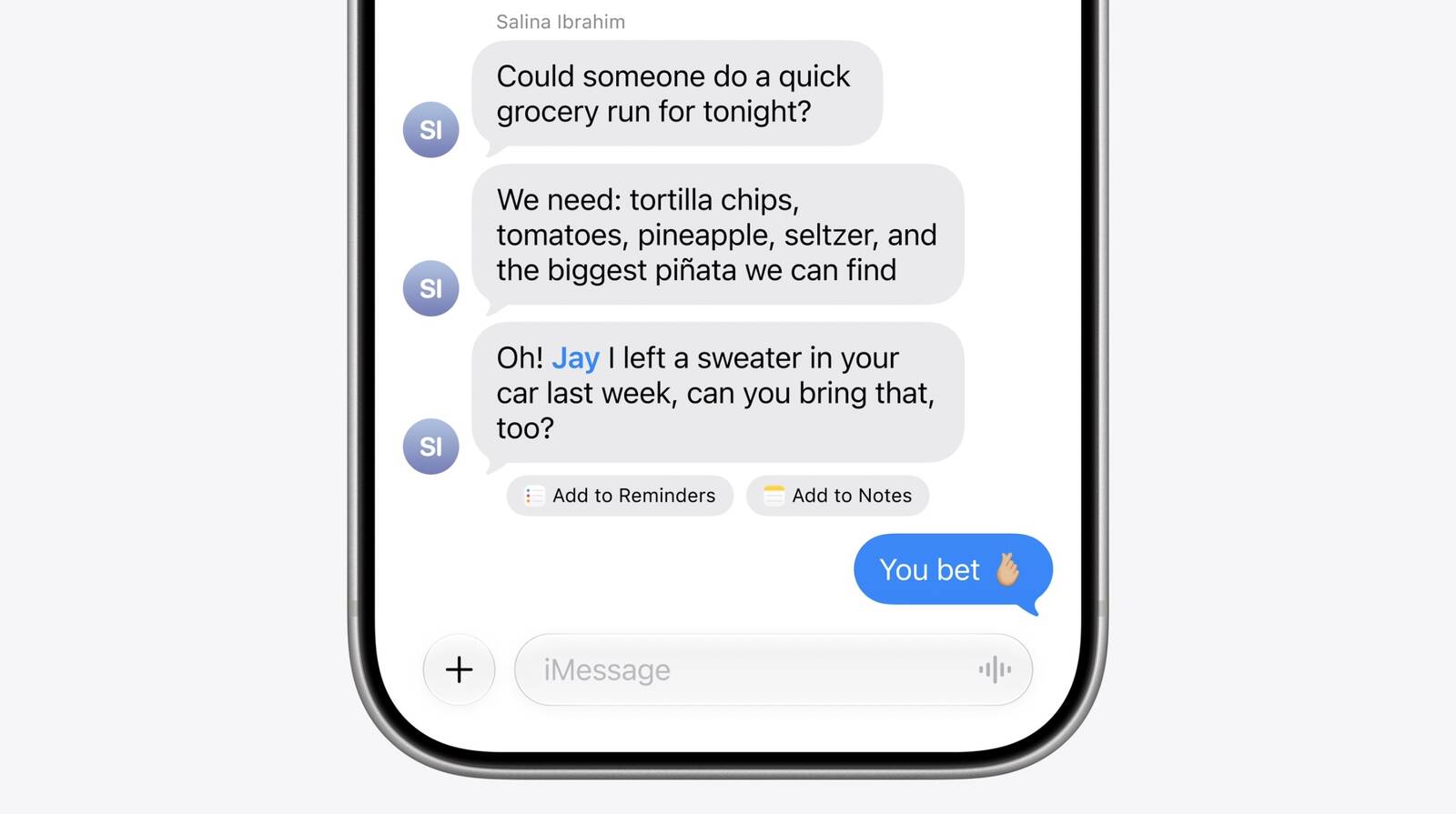
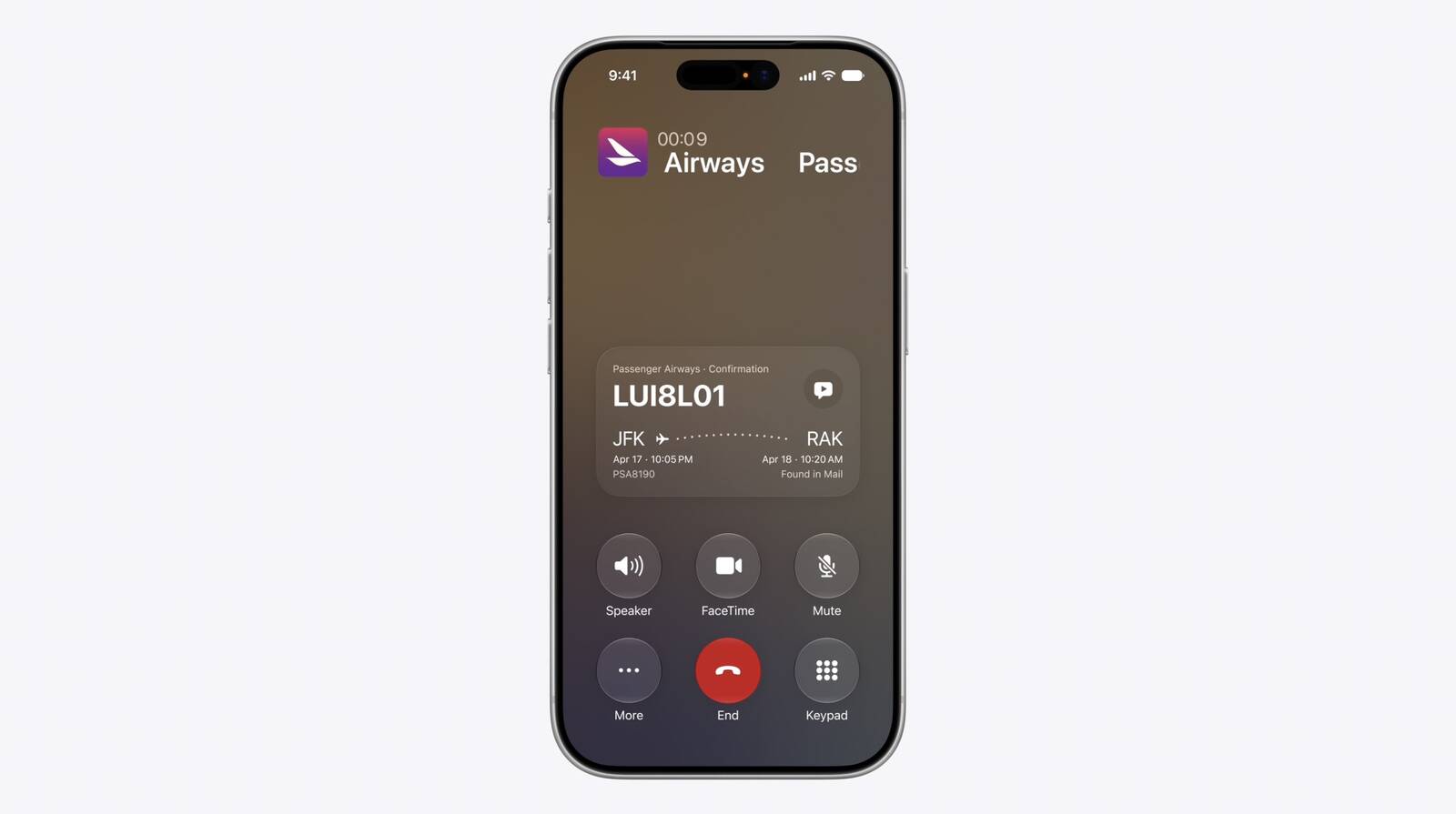
Apple Intelligence Introduces Contextual Call and Messages Features

Apple today announced a set of new communication-focused Apple Intelligence features, including contextual suggestions in Messages and a Call Context tool that surfaces relevant information from Mail when a user phones a business.


The new Messages features offer one-tap suggestions based on the content of a conversation. If a contact asks for photos, Messages can surface a suggestion to search the library, recognizing keywords, locations, and people to find the best matches. Messages can also prompt users to create a reminder or a note directly from the conversation thread. Smart Reply in both Messages and Mail can now draw on a user's personalized writing style, and suggestions in Mail gain the ability to take action with third-party apps.


The other headline feature is Call Context, which proactively surfaces relevant information when a user places a call to a business. If someone calls an airline to change a flight, for example, the Phone app can automatically find the relevant confirmation code or reservation number from Mail and display it during the call. Apple says Call Context looks only at who the user is calling and not at the call audio itself. The feature runs entirely on device, meaning no data is shared with Apple or any third party.
This article, "Apple Intelligence Introduces Contextual Call and Messages Features" first appeared on MacRumors.com

Discuss this article in our forums
  •  

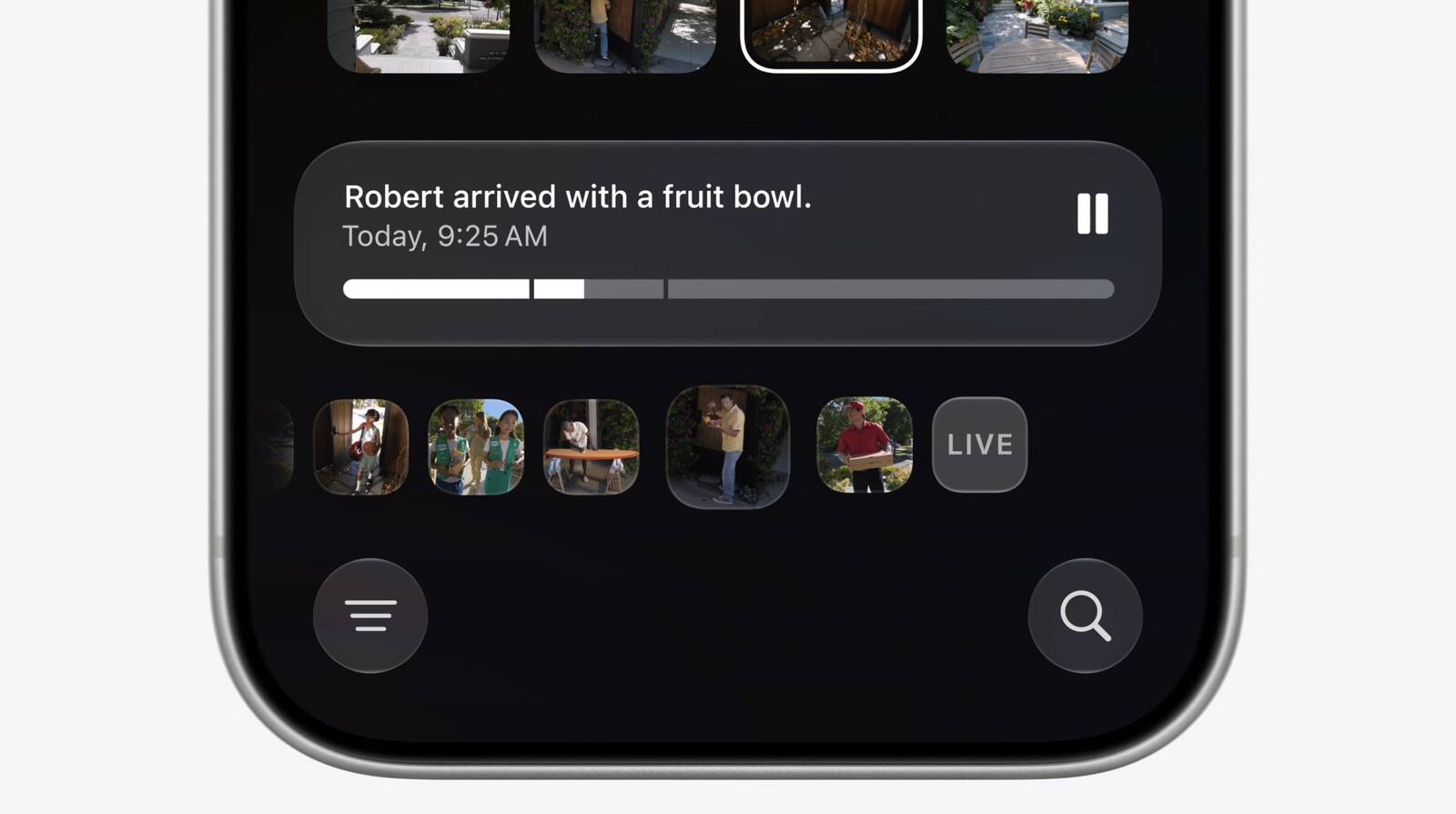
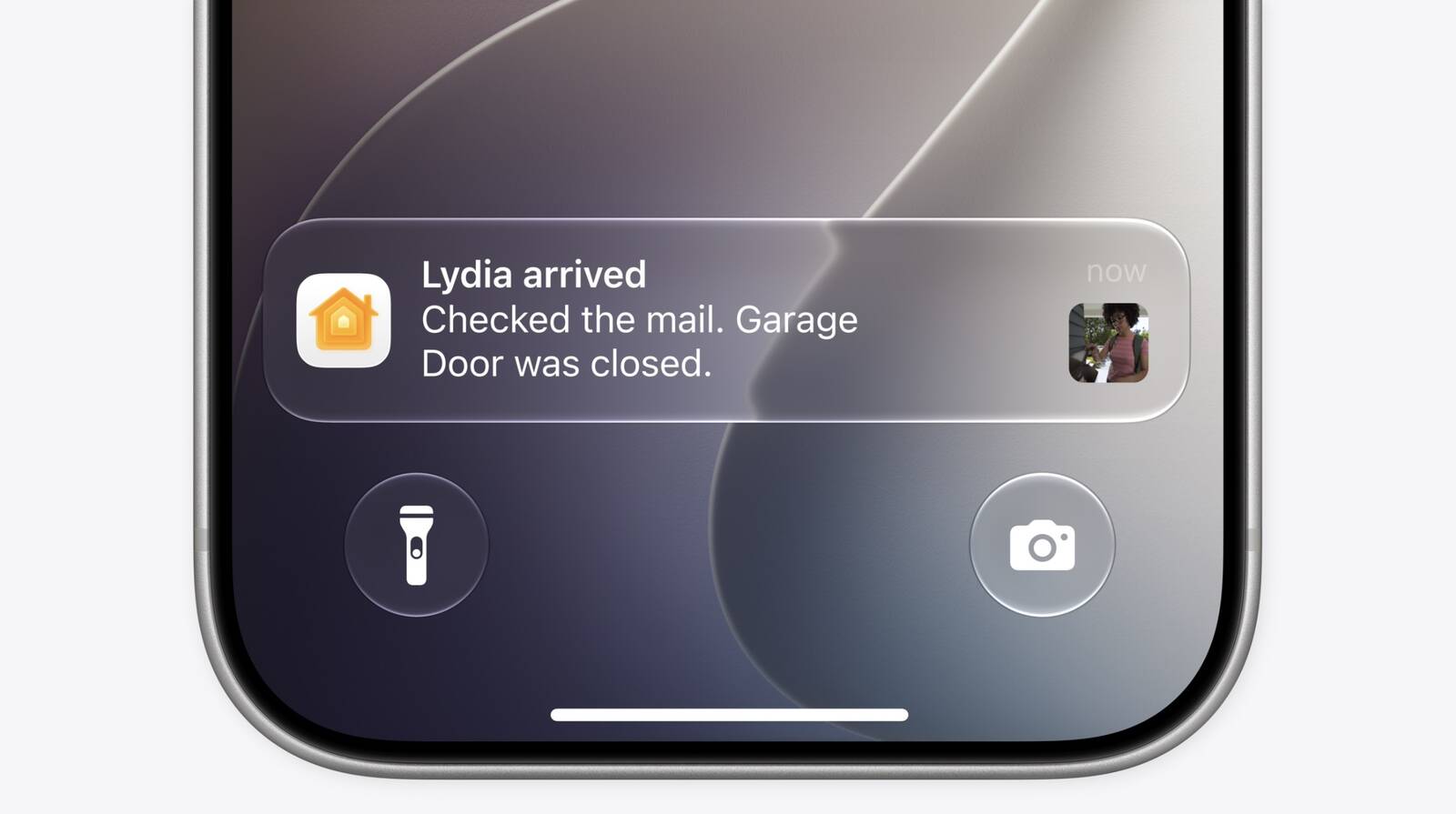
Apple to Add AI Video Descriptions and Smarter Notifications to Home App

Apple today announced new Apple Intelligence features for the Home app, including AI-generated descriptions of HomeKit Secure Video camera clips and smarter grouping of accessory notifications.


The Home app will use ‌Apple Intelligence‌ to analyze recorded clips from compatible cameras and generate text descriptions summarizing what happened in them. Users can search through footage to find specific events, such as a package delivery, without needing to watch each clip individually.

The app will also surface noteworthy clips at the top of the Search page, so users can quickly identify important moments. When playing a clip, the Home app can pull together footage from multiple cameras to provide a more complete picture of an event.


‌Apple Intelligence‌ will also make accessory notifications smarter. Rather than receiving a separate alert for every triggered accessory, the Home app will understand related notifications as a single ongoing activity and deliver one notification that continues to update as the activity unfolds.
This article, "Apple to Add AI Video Descriptions and Smarter Notifications to Home App" first appeared on MacRumors.com

Discuss this article in our forums
  •  

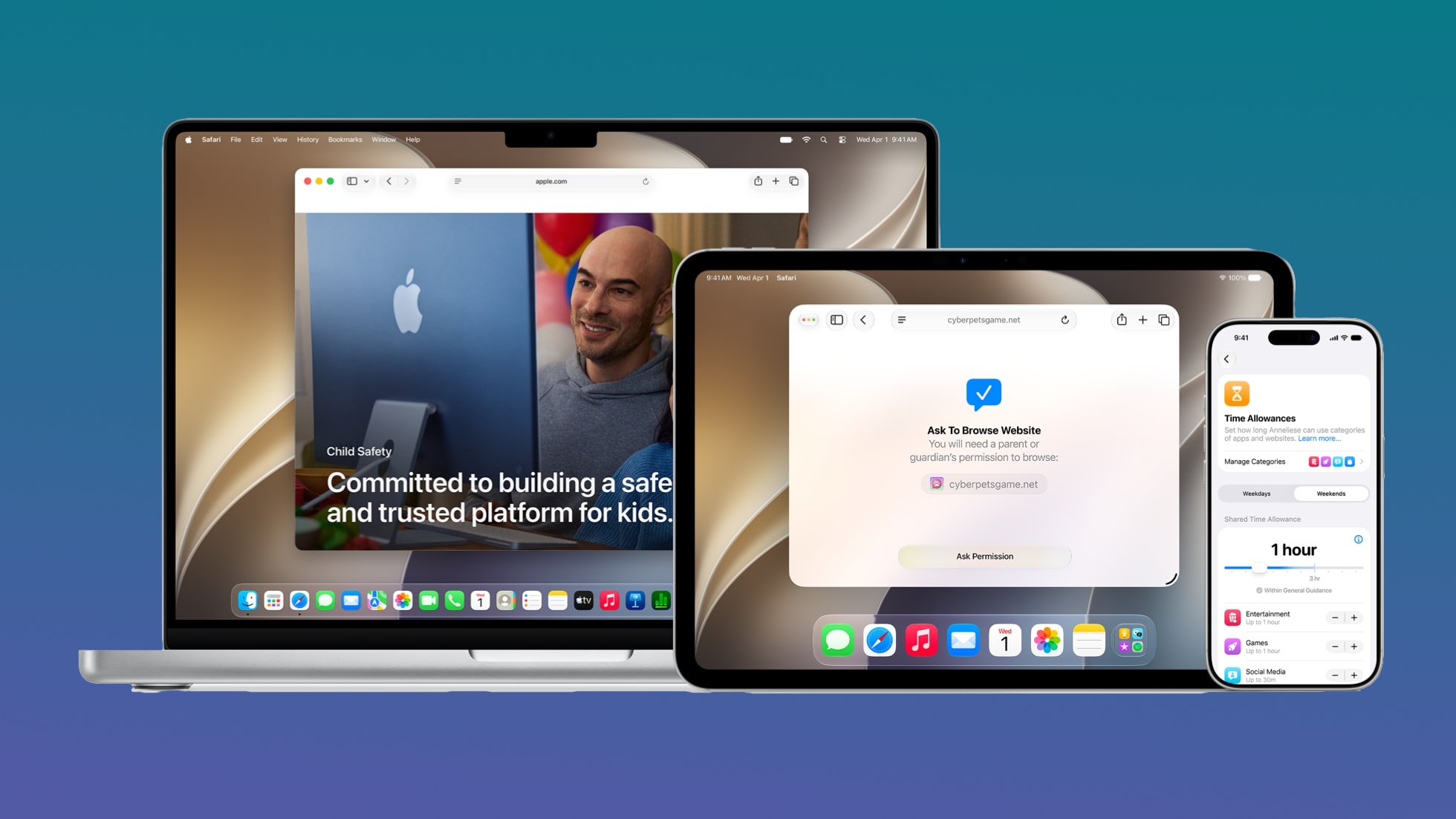
iOS 27 Adds New Parental Controls: Ask to Browse, Time Allowances, and a Redesigned Screen Time

This fall, Apple will bring new child safety features to iOS 27, iPadOS 27, and macOS Golden Gate. Apple says parents will have access to a simpler setup experience with recommended apps, a new Ask to Browse feature for Safari, and an overhauled Screen Time interface with Time Allowances.


Parents will be able to select the apps a child can access, opting for a few essential apps, a curated set, or the apps that are appropriate for the individual child. Apps can be added over time, and kids can get parental approval for app downloads with Ask to Buy. If the new Ask to Browse option is enabled, parents can also approve each new website that a child visits.

There are tools for managing who children can connect to on Messages, FaceTime, and Phone, and parents can enable a setting that will require children to get permission before connecting with a new contact.

Communication Safety is being updated to blur gore and violence in Messages and ‌FaceTime‌ calls by default for users under 18. As with nudity, it will automatically blur content when gore or violence is detected in images and videos.

With Time Allowances, parents can manage the time that children spend in apps in the Entertainment, Games, and Social Media categories. Parents can set a limit based on the child's age, with suggestions from the latest expert guidance.

Daily Schedules let parents limit which apps children can access and when based on time of day and day of the week.

Screen Time gives parents an at-a-glance view of their kids' device usage and most used apps, with options to make adjustments to access in the moment. Apple says parents will be able to quickly limit access during meals, outdoor play, and other times that "deserve full attention."

Apple now has a dedicated Child Safety website where parents can learn more about the tools coming in ‌iOS 27‌, iPadOS 27, and macOS Golden Gate.
Related Roundup: iOS 27

This article, "iOS 27 Adds New Parental Controls: Ask to Browse, Time Allowances, and a Redesigned Screen Time" first appeared on MacRumors.com

Discuss this article in our forums
  •  

Apple Revamps Image Playground With Photorealistic Generation and New Editing Tools

Apple has announced a major overhaul of Image Playground, introducing a new generative model capable of photorealistic image creation alongside expanded editing and sharing capabilities.


The updated app is powered by a new generative model that runs on Private Cloud Compute, enabling it to produce high-quality images in virtually any style, including photorealistic output for the first time. All generated images will automatically carry a hidden SynthID watermark to identify them as AI-generated.

‌Image Playground‌ now supports photo-based editing in addition to creation. Users can describe changes they want to make to an existing image, or use touch gestures such as tapping, circling, or brushing to highlight specific objects and move or resize them. Photos can also be transformed into different styles using a text description, and people from a user's photo library can be included in generated images.


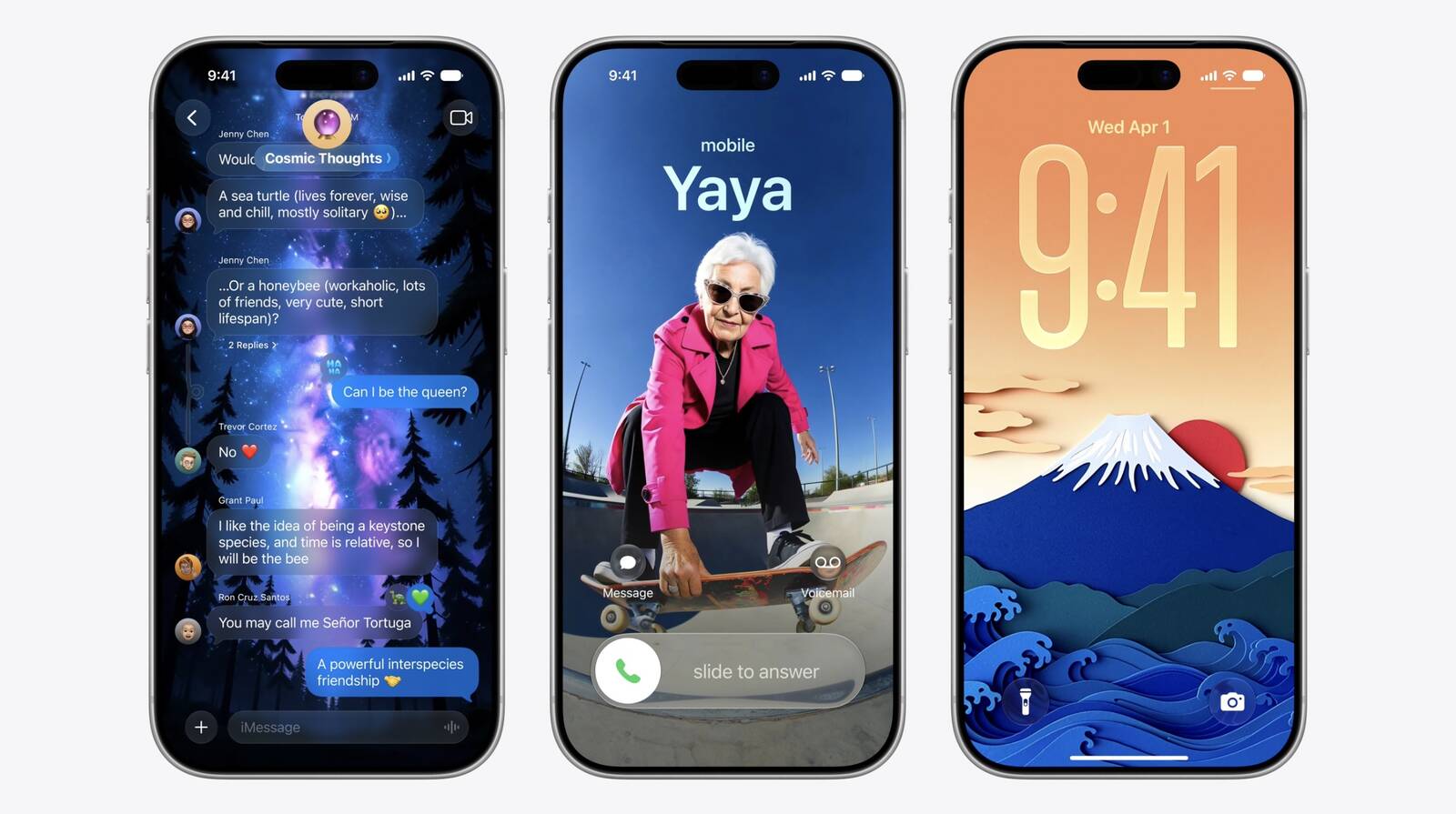
The experience extends further into iOS with new output destinations. In addition to Messages, generated images can now be used as Lock Screen wallpapers and Contact Posters. Users can also choose an aspect ratio when creating images, such as landscape for a website header or portrait for a flyer.

Developers will have access to the new capabilities through the ‌Image Playground‌ API, allowing third-party apps to integrate photorealistic generation and editing features directly.
This article, "Apple Revamps Image Playground With Photorealistic Generation and New Editing Tools" first appeared on MacRumors.com

Discuss this article in our forums
  •  

Apple Unveils Xcode and Foundation Models Framework Improvements

Apple today announced a new Foundation Models framework for developers alongside a set of Xcode enhancements aimed at agentic coding workflows.


The Foundation Models framework gains image input support, allowing developers to pass images alongside text into on-device models. Apple also introduced custom skills and server-side model execution as part of the framework, giving developers more flexibility in how they integrate AI capabilities into their apps. Apple also announced a new Core AI framework alongside the Foundation Models changes.

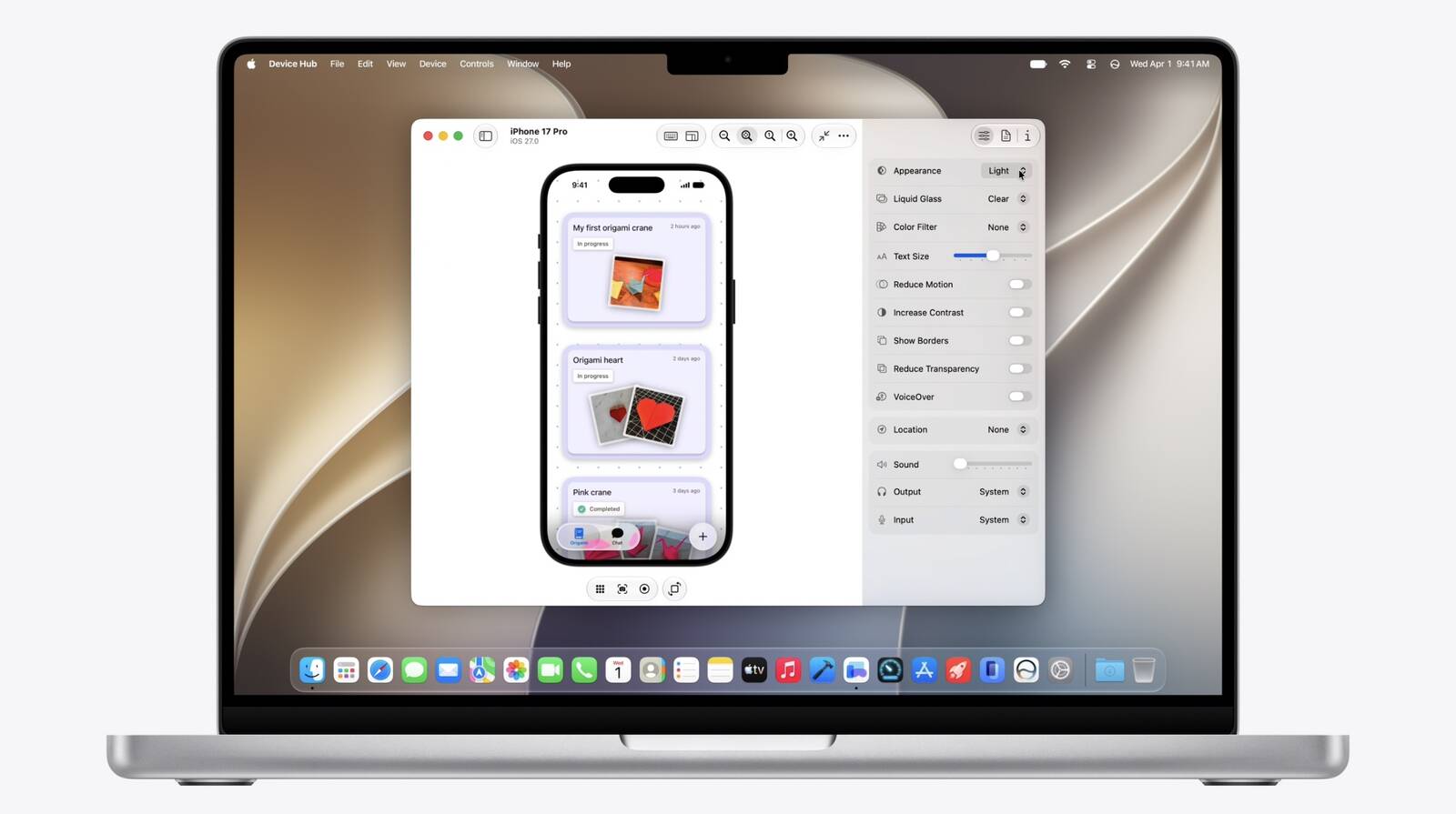
Xcode's coding assistant has been expanded to handle app localization and can now interact with simulated devices, with the ability to extend its capabilities further via custom skills. Apple also said developers will be able to more easily resize and interact with app previews, with additional details to follow in upcoming sessions and the State of the Union presentation. Apple SVP of Software Engineering Craig Federighi said Xcode is now the "best place" to build apps using agentic coding.

Apple also highlighted expanded App Intents support, with Apple citing third-party apps such as Line as examples of how developers can allow users to ask Siri to perform actions within their apps on their behalf.
Tag: Xcode

This article, "Apple Unveils Xcode and Foundation Models Framework Improvements" first appeared on MacRumors.com

Discuss this article in our forums
  •  

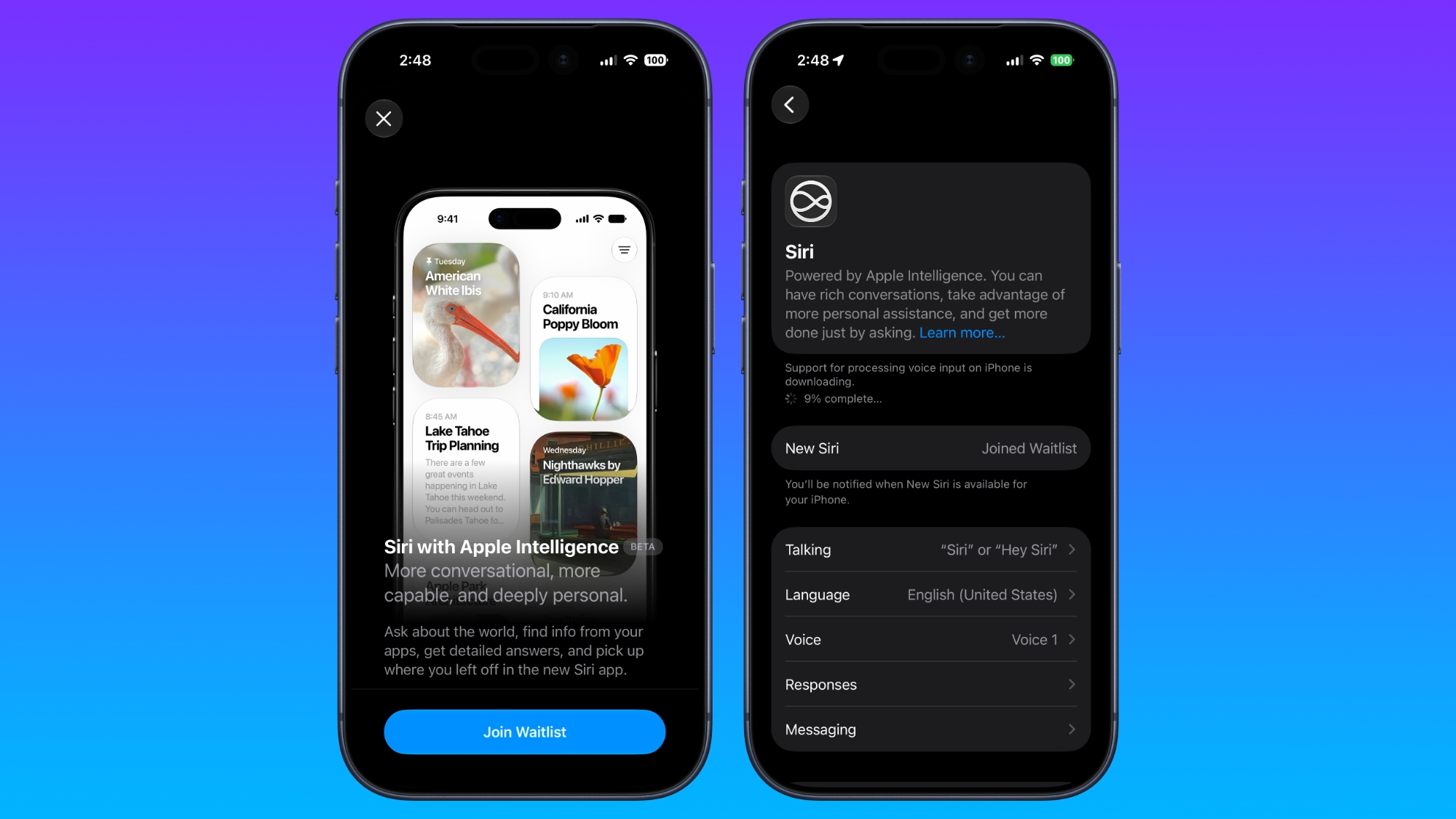
How to Get iOS 27's New Siri AI: Join the Waitlist First

Apple released the first betas of iOS 27, iPadOS 27, and macOS 27 today, introducing a more capable version of Siri called ‌Siri‌ AI. Developers are able to download the betas and try ‌Siri‌ out, but there is a waitlist.


After updating to ‌iOS 27‌, developers will need to open the Settings app, go to the Apple Intelligence section, and opt in to the waitlist to get access to ‌Siri‌.

There is no word yet on how long the wait will be, but Apple used a similar waitlist when rolling out ‌Apple Intelligence‌ in iOS 18. It could be a matter of hours for some of the first developers to update to ‌iOS 27‌.

The new ‌Siri‌ and ‌Apple Intelligence‌ features that Apple introduced today are available on all devices that support ‌Apple Intelligence‌, but some on-device capabilities will be limited to newer iPhones, iPads, and Macs.

‌Siri‌ AI is free, but Apple does have daily limits on some capabilities like image generation. Opting into an iCloud+ subscription plan increases AI limits. ‌Siri‌ AI is limited to English, and it is not available in the European Union on the iPhone or the iPad, but EU users can try it on Mac. ‌Siri‌ AI is not available in China.
Related Roundup: iOS 27
Tag: Siri

This article, "How to Get iOS 27's New Siri AI: Join the Waitlist First" first appeared on MacRumors.com

Discuss this article in our forums
  •  

Apple Releases First iOS 27, iPadOS 27, and macOS 27 Betas to Developers

Following the WWDC 2026 keynote event, Apple has seeded the first betas of iOS 27, iPadOS 27, macOS 27, watchOS 27, tvOS 27, and visionOS 27 to developers for testing purposes.


Registered developers can opt in to betas and download the software through the Settings app on each device.

The software includes many of the new features that were shown off earlier today, though some of what Apple demoed won't be available right away. Highlights include an updated version of Siri with a ‌Siri‌ app and new AI features for apps like Photos, Camera, and Wallet.

There are dozens of new features to go through, including hundreds of smaller tweaks and changes that we'll be writing about over the next several weeks. Make sure to stay tuned to MacRumors for hands-on coverage, guides, how-tos, and an in-depth look at everything you'll want to know about the new software.

Today's betas are limited to developers who will incorporate the new features into their apps. Apple will release a public beta so anyone can test out the software in July. ‌iOS 27‌, iPadOS 27, ‌macOS 27‌, watchOS 27, tvOS 27, and visionOS 27 will all launch to the public in the fall.
This article, "Apple Releases First iOS 27, iPadOS 27, and macOS 27 Betas to Developers" first appeared on MacRumors.com

Discuss this article in our forums
  •  

iPadOS 27 Drops Support for a Wave of iPads

iPadOS 27 cuts support for more iPad models than last year's iPadOS 26 did, with older iPad Pro, iPad Air, ‌iPad‌, and iPad mini models all losing compatibility.


‌iPadOS 26‌ supported ‌iPad Air‌ models from the 3rd generation onward. iPadOS 27 raises the floor to A14, M1, or later, cutting the 3rd generation ‌iPad Air‌ model from the compatibility list entirely.

The ‌iPad Pro‌ also sees cuts. ‌iPadOS 26‌ retained support for ‌iPad Pro‌ 12.9-inch from the 3rd generation onward and ‌iPad Pro‌ 11-inch from the 1st generation onward. iPadOS 27 raises those floors to the 4th generation 12.9-inch and the 2nd generation 11-inch, dropping two older Pro models that were still supported just a year ago.

For the standard ‌iPad‌ lineup, ‌iPadOS 26‌ drew the line at the 8th generation, having already dropped the 7th generation last year. iPadOS 27 cuts the 8th generation as well, leaving only the 9th generation, 10th generation, and the current A16 model as compatible.

The ‌iPad mini‌ sees its oldest supported model bumped from the 5th generation to the 6th generation, with the A17 Pro-equipped mini 7 also included. The 5th generation mini, which ran ‌iPadOS 26‌, will not receive the update.

By contrast, ‌iPadOS 26‌ was a relatively conservative cull; it dropped only the 7th generation ‌iPad‌ from the iPadOS 18 compatibility list. iPadOS 27 represents a considerably more aggressive pruning across the entire ‌iPad‌ lineup.
Related Roundup: iOS 27

This article, "iPadOS 27 Drops Support for a Wave of iPads" first appeared on MacRumors.com

Discuss this article in our forums

  •  

Apple Announces When iOS 27 and Revamped 'Siri AI' Will Be Released

Apple today announced that iOS 27, iPadOS 27, macOS 27, watchOS 27, tvOS 27, and visionOS 27 will be available in developer beta starting today, with public betas to follow in July. The software updates will all be released in the "fall" as usual — likely September — but Apple did not provide any specific date at this time.


The revamped version of Siri that is officially named "Siri AI" will be available to test in the iOS 27, iPadOS 27, macOS 27, and visionOS 27 developer betas starting today, and it is coming to the Apple Watch in a future watchOS 27 beta. "Siri AI" will also be included in the public betas of each platform that are launching in July.

"Siri AI" requires a device that is compatible with Apple Intelligence.

The revamped version of Siri will roll out to all customers with a compatible device later this year, but even the launch version will be considered a "beta."

"Siri AI" is the more personalized version of Siri that Apple first previewed all the way back at WWDC 2024. Two years later, it is finally arriving, with the core upgrades being understanding of personal context and on-screen awareness.

"Siri AI is an entirely new version of Siri deeply integrated into iPhone, iPad, Mac, Apple Watch, and Apple Vision Pro," said Apple. "It can draw on personal context understanding to search across messages, emails, photos, and more, and get things done across apps with even more systemwide app actions."

With broad world knowledge, the new Siri is able to answer many more questions.

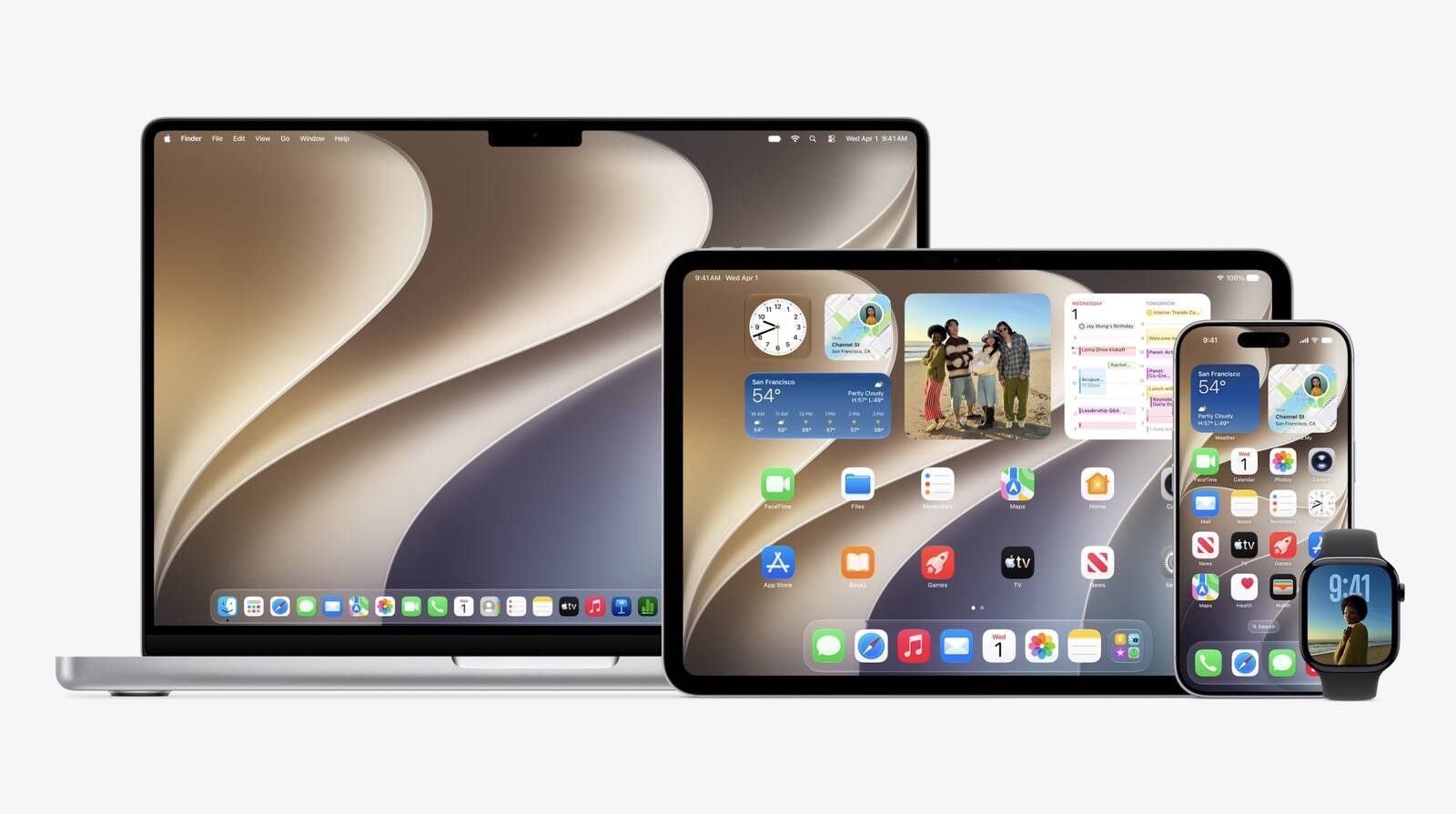
An all-new Siri app across iOS 27, iPadOS 27, and macOS 27 provides users with a dedicated spot to fully interact with the revamped assistant.
Related Roundups: iOS 27, macOS 27
Tag: Siri

This article, "Apple Announces When iOS 27 and Revamped 'Siri AI' Will Be Released" first appeared on MacRumors.com

Discuss this article in our forums
  •  

watchOS 27 Drops Support for Apple Watch Series 9, Ultra 1, SE 2, and Older

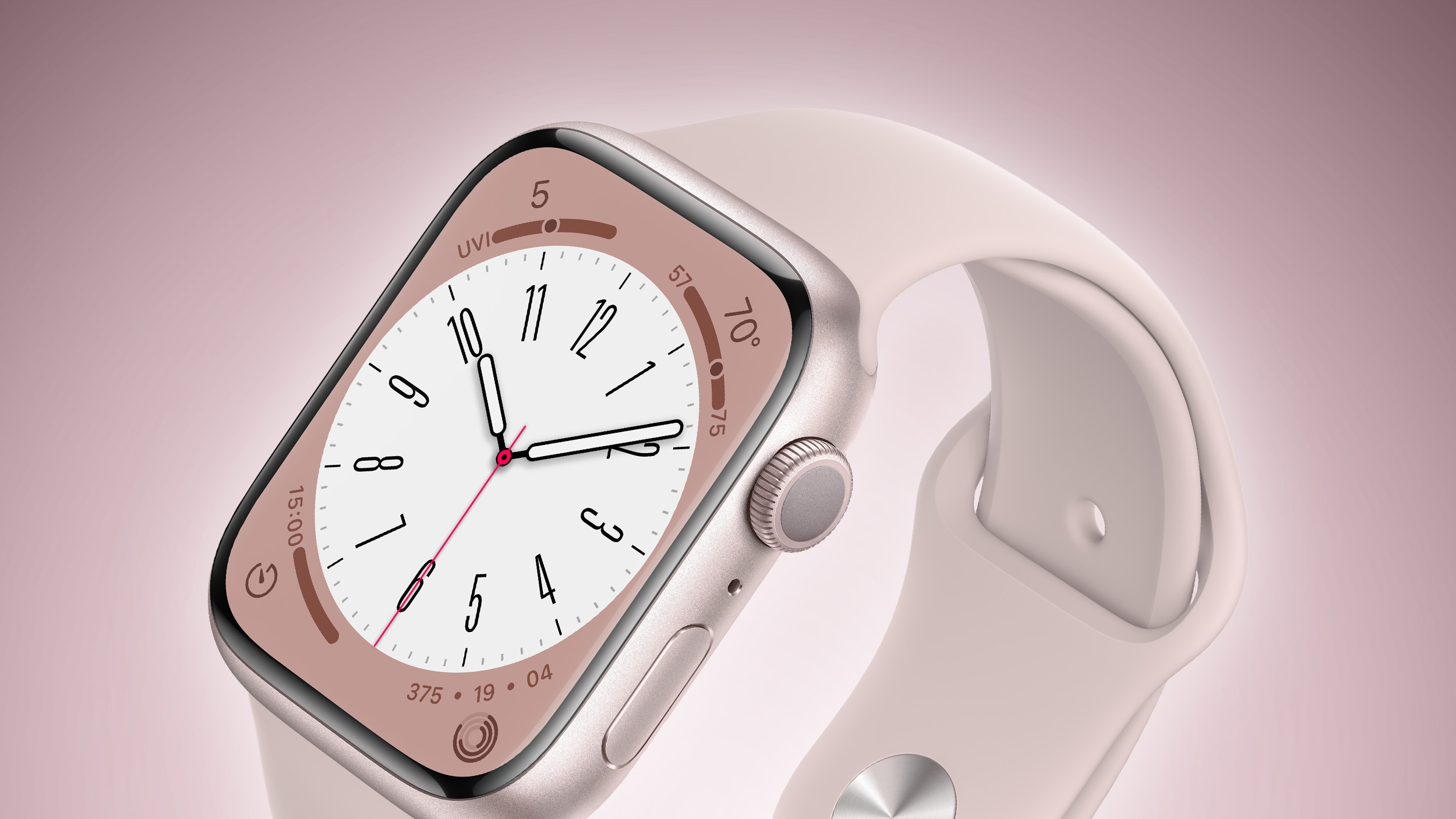
Apple today confirmed that watchOS 27 will not support the Apple Watch Series 9, Apple Watch Ultra (first generation), or Apple Watch SE (second generation), effectively drawing a line at devices equipped with the S9 or S10 chip.


The only Apple Watch models compatible with watchOS 27 are the Apple Watch Series 10, Series 11, Ultra 2, Ultra 3, and SE 3. Despite the fact that the Apple Watch Ultra 2 contains the S9 chip, the Series 9 which contains the same chip will no longer be supported.

The cuts are the biggest loss of latest generation software support for the Apple Watch to date. watchOS 26 supported exactly the same devices as watchOS 11 before it: the Apple Watch Series 6 and later, Apple Watch SE (2nd generation) and later, and all Apple Watch Ultra models. With watchOS 27, Apple is effectively dropping four years' worth of device support in a single software update.
Related Roundups: Apple Watch 11, watchOS 26
Buyer's Guide: Apple Watch (Caution)
Related Forum: Apple Watch

This article, "watchOS 27 Drops Support for Apple Watch Series 9, Ultra 1, SE 2, and Older" first appeared on MacRumors.com

Discuss this article in our forums
  •  

Distribution Release: RELIANOID 7.10.0

The DistroWatch news feed is brought to you by TUXEDO COMPUTERS. RELIANOID, a Debian-based Linux distribution featuring an open-source load-balancer, has reached version 7.10.0: "We are glad to present both RELIANOID 7.10.0 Community edition and RELIANOID 8.6 Enterprise edition, delivering significant improvements in security, system stability, observability, and load balancing capabilities. Both versions share a modernized Debian 12.14 base....
  •  

Here Are the Macs Compatible With macOS Golden Gate

Apple today unveiled macOS Golden Gate, the next major version of its Mac operating system, during its WWDC 2026 keynote.


As expected, the update confirms the end of Intel Mac support. Apple said last year that macOS Tahoe would be the final release to run on pre-Apple silicon machines, and macOS 27 makes that official – you'll need an Apple silicon Mac to install it.

Here are the Macs compatible with macOS Golden Gate:

  • MacBook Neo (2026)

  • MacBook Air with Apple silicon (2020 and later)

  • MacBook Pro with Apple silicon (2020 and later)

  • iMac with Apple silicon (2021 and later)

  • Mac mini with Apple silicon (2020 and later)

  • Mac Studio with Apple silicon (2022 and later)

  • Mac Pro with Apple silicon (2023 and later)

Four models that ran macOS Tahoe didn't make the cut this year. They include the MacBook Pro (16-inch, 2019), the MacBook Pro (13-inch, 2020, Four Thunderbolt 3 ports), the iMac (2020), and the Mac Pro (2019).

Owners of those machines aren't entirely out of luck, however. Apple usually keeps issuing security fixes for the previous macOS version well after it's superseded, so anyone sticking with Tahoe will continue to get the necessary patches. But for the latest features, though, the only path forward is a newer Mac.
This article, "Here Are the Macs Compatible With macOS Golden Gate" first appeared on MacRumors.com

Discuss this article in our forums
  •  

New Siri AI Features Won't Be Available in EU Later This Year

The new enhanced Siri AI features that Apple announced today at WWDC 2026 will not be available in the European Union or in China when they are released in beta later this year.


Apple said that while Siri AI will be available for free with the new upcoming OS releases, it will not be available in the EU on iOS and iPadOS until it can find a path forward for regulatory approval.

Apple said EU regulators did not accept any of the company's proposed solutions to bring Siri AI to the EU while safely supporting other virtual assistants.

"We're deeply disappointed that our EU users won't have Siri AI on iPhone or iPad when we share our new software releases later this year," said Craig Federighi, Apple's senior vice president of Software Engineering. "Our hope is to eventually bring Siri AI to the EU, and we will continue to engage with EU regulators on a path forward. However, their refusal to engage constructively on solutions that preserve privacy and security means we do not currently have a timeline for Siri AI's availability on iOS and iPadOS in the EU."
When iOS 27 and iPadOS 27 launch later this year, Apple will not offer Siri AI or its new features on those platforms in the EU. That includes the new app for revisiting conversations, expanded Visual Intelligence capabilities, integrated writing tools, Siri mode in the Camera app on iPhone, and other Siri AI features introduced at WWDC26. Apple explained further in a newsroom announcement:
According to EU regulators, the DMA requires Apple to give any AI system nearly unlimited access to a user's device, as well as the ability to act on that access autonomously without a user's ongoing visibility and control. That includes the ability to read and send messages, make purchases, access files, and execute actions across any app. Security researchers have already shown that AI systems can be hijacked to steal personal data — like passwords and photos — and to permanently alter files and account settings without a user's consent. As AI systems gain more capabilities, these risks are quickly increasing in frequency and scope.

Given the serious risks to users, Apple designed a solution called Trusted System Agent — an intermediary that would allow virtual assistants to safely access the same features and capabilities as Siri AI for devices in the EU. Apple also shared a plan to launch Siri AI in the EU while gradually rolling out this new solution over an 18-month period. The European Commission said no. In fact, the European Commission did not agree to any of Apple's proposals.
The restrictions will apply to both consumers and developers. EU-based developers will be unable to test or integrate the new Siri AI features into their iPhone and iPad apps. Apple will, however, make Siri AI available in the EU on macOS 27, visionOS 27, and watchOS 27.

Apple also said that Siri AI will not be available in China while the company works through regulatory requirements.


This article, "New Siri AI Features Won't Be Available in EU Later This Year" first appeared on MacRumors.com

Discuss this article in our forums
  •  

Apple to Bring AI Reframing and Editing Tools to Photos App

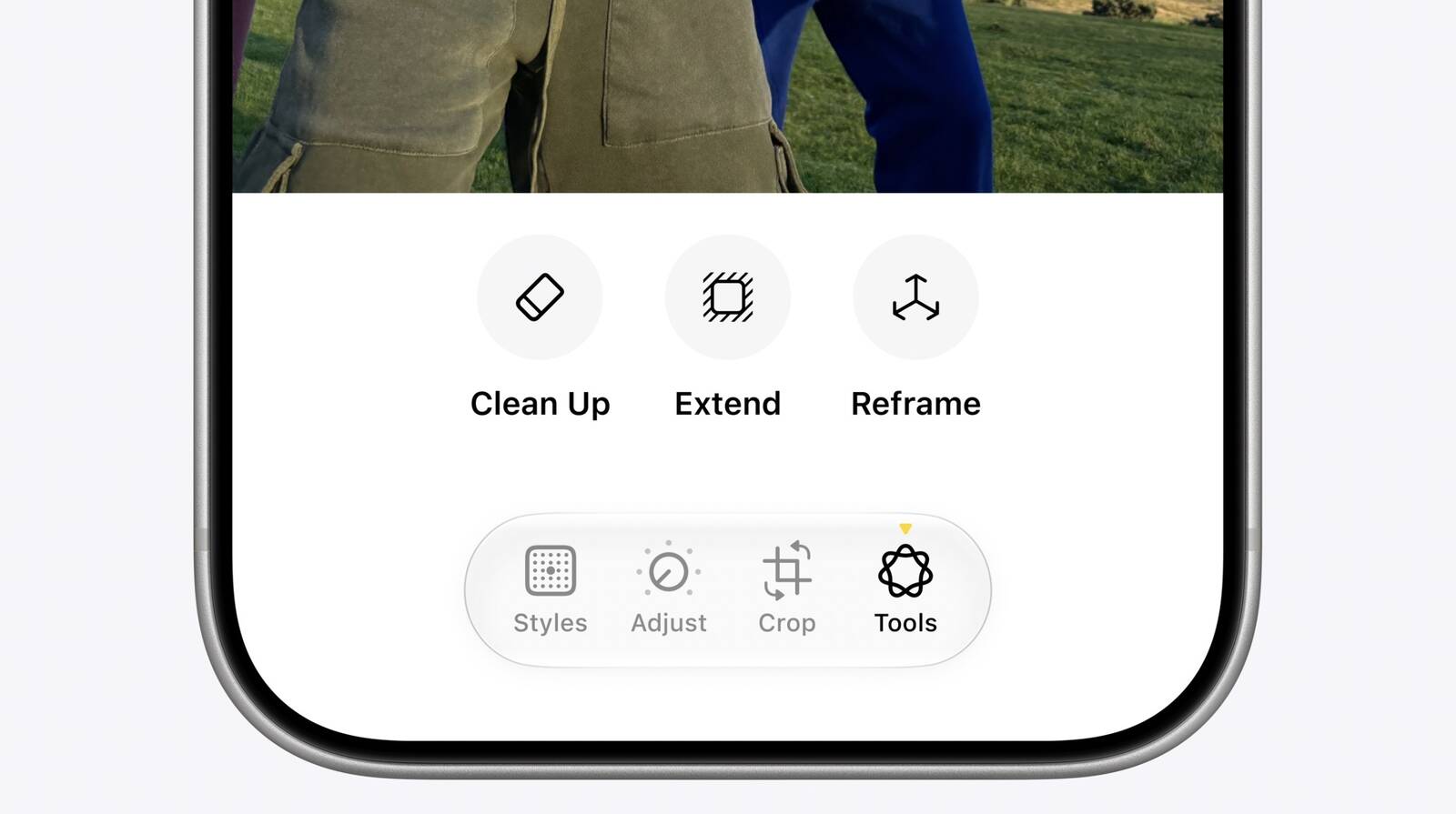
Apple today announced new AI-powered photo editing tools coming to the Photos app as part of Apple Intelligence, including an upgraded Cleanup tool, a new Extend tool, and a new Spatial Reframing feature.


Spatial Reframing allows users to reposition the virtual camera angle of a photo after it has already been taken. By touching and dragging, users can adjust the framing and perspective of a shot, with ‌Apple Intelligence‌ generating new content only to fill in the gaps created by the shift in angle. It only generates new content to fill in the gaps where the perspective has shifted, ensuring the reframed photo stays consistent with the original scene.

The Cleanup tool is also receiving what Apple calls a "big upgrade," with improved ability to remove distractions from images and more realistic infill "even when the scene is complex." A new Extend tool rounds out the trio, letting users add more background space to a photo or adjust its aspect ratio.

Apple said the new tools help photographers "enhance their images in ways that respect the original moment." All three features are processed using Apple's Private Cloud Compute infrastructure, meaning the edits are handled in the cloud while Apple says user data remains protected. The new tools will work on older photos as well as images taken with non-Apple cameras.
This article, "Apple to Bring AI Reframing and Editing Tools to Photos App" first appeared on MacRumors.com

Discuss this article in our forums
  •  
❌