The week's biggest Apple stories revolved around a new Apple Card promo essentially offering free AirPods Pro 3 to new cardholders, as well as Apple's official announcement of the major WWDC 2026 events plus media invitations to the keynote.
Other popular topics this week included rumors about the upcoming foldable iPhone, tips and tricks for Apple Watch and iPhone, and more, so read on below for all the details!
Top Stories
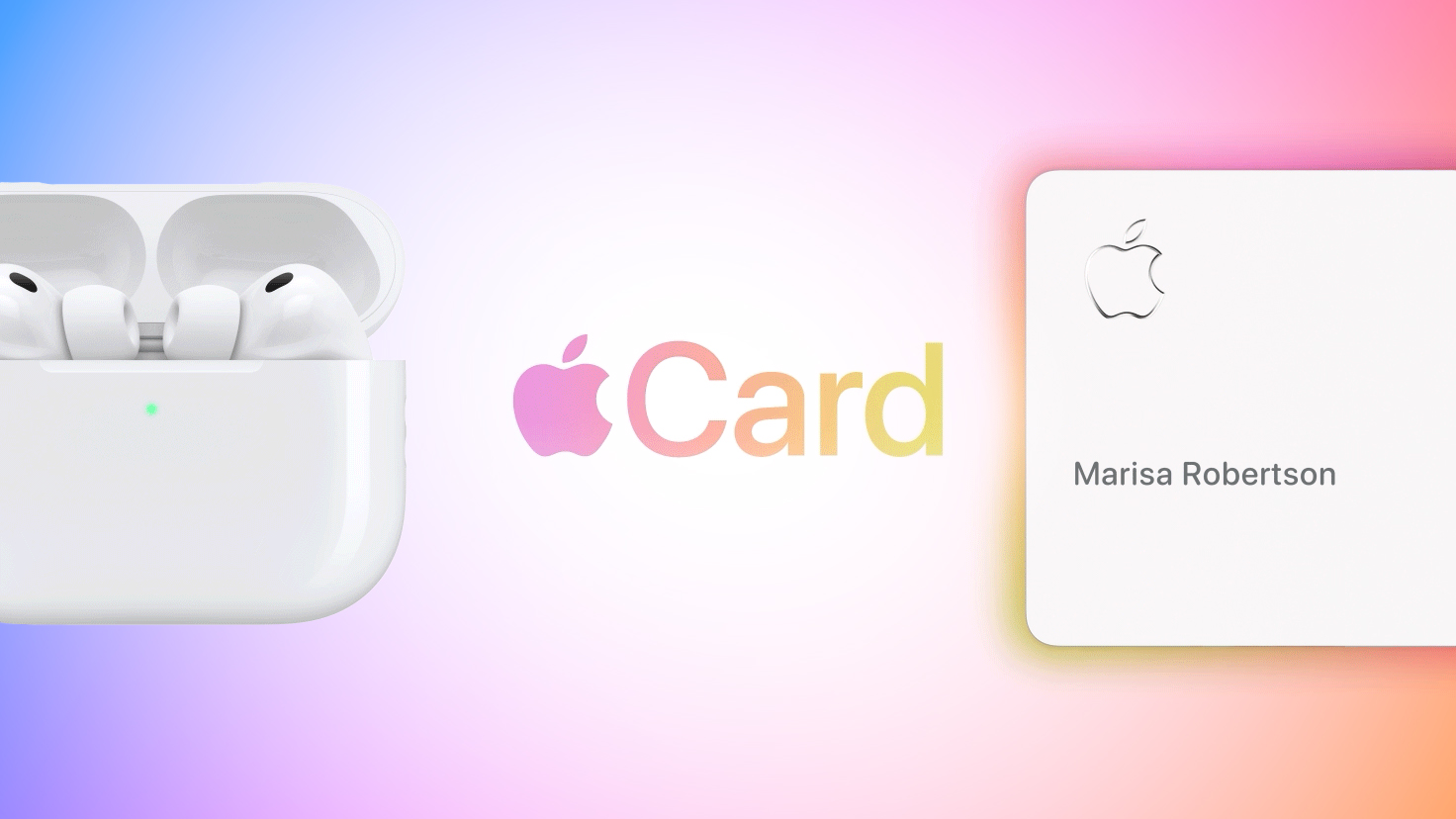
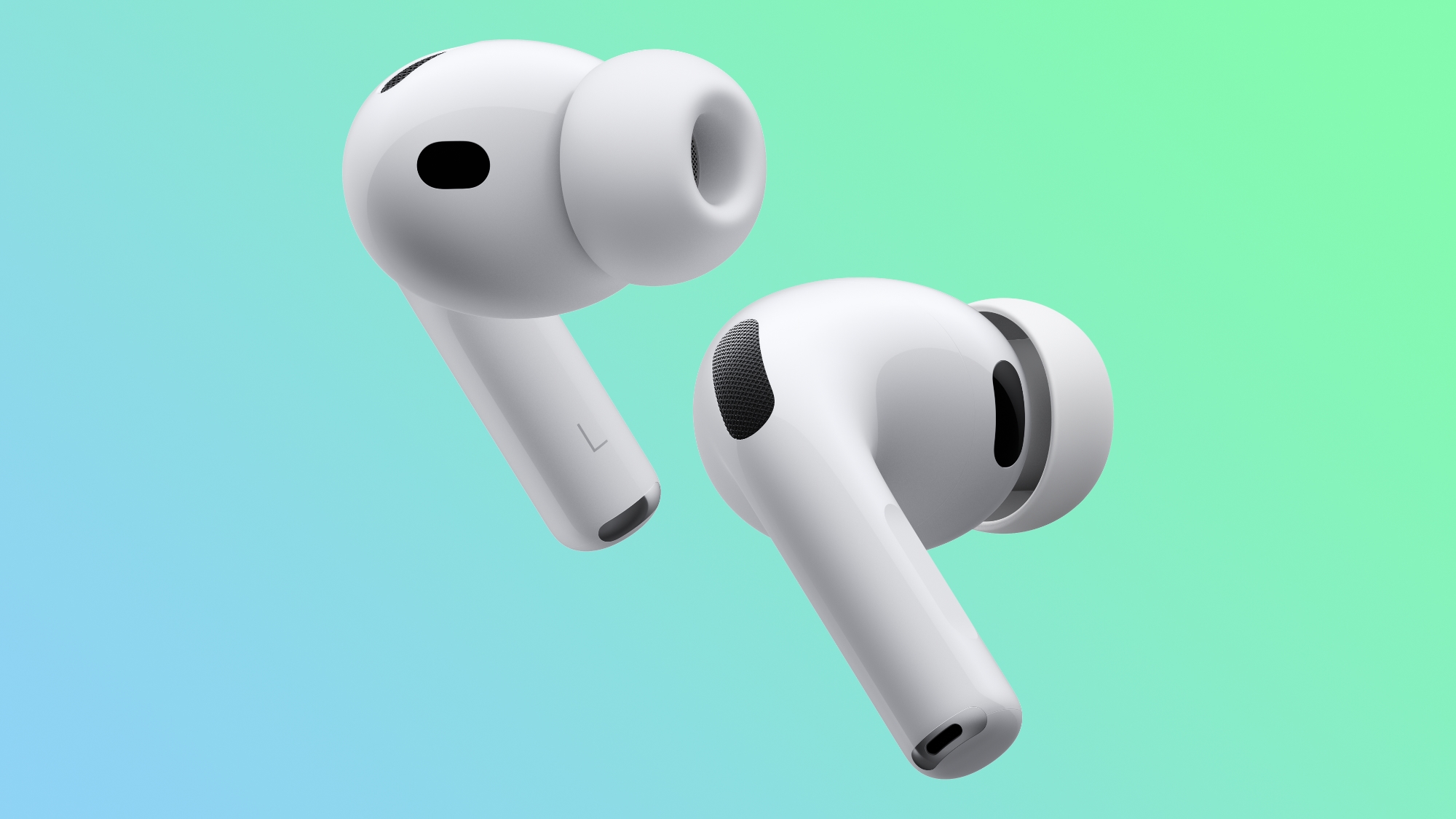
New Apple Card Holders Can Get Free AirPods Pro 3, But There's a Catch
The promo officially launched this week, and while it does offer the free AirPods Pro 3, there is a bit of a wrinkle. The cash back comes in the form of $25 per month over 10 months with a requirement that the Apple Card be used at least 10 times in a given month to qualify for that month's rebate.
Apple Announces WWDC 2026 Schedule, Sends Media Invites
Apple this week provided a schedule for its 2026 Worldwide Developers Conference, which starts on June 8 and runs through June 12. Apple also sent out invites to members of the media who have been invited to attend an in-person keynote viewing at Apple Park.

Both the invites and schedule confirm that the WWDC 2026 keynote will begin at the usual time, 10:00 a.m. Pacific Time or 1:00 p.m Eastern Time.
MacRumors will be on hand for keynote day and will have full coverage of WWDC announcements throughout the week.
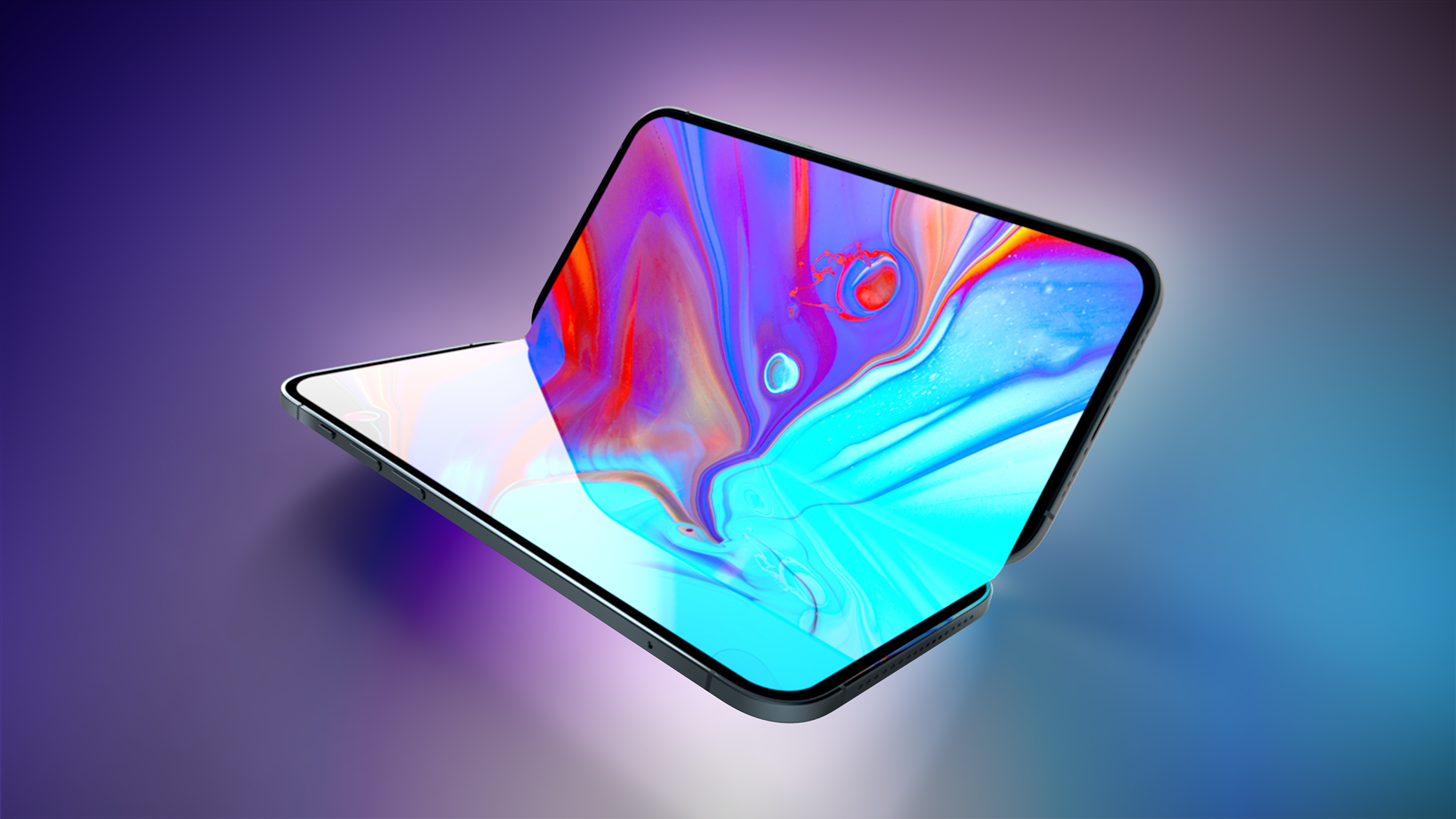
Foldable iPhone Production Stalls Amid Hinge Issues
The leaker known as "Instant Digital" posted on Weibo that the foldable device's hinge is consistently failing to meet Apple's quality control standards under conditions of prolonged, high-frequency opening and closing. The leaker described the mechanical wear issue as one that "must be resolved with absolute perfection; otherwise, progress will simply have to be stalled for the time being."
The issues are reportedly unlikely to delay the phone's launch, as Apple still has time to get the kinks worked out and ship the device later this year. Rumors have already suggested that availability could come a bit later than that of the iPhone 18 Pro and Pro Max that are expected to be introduced at the same time in September.
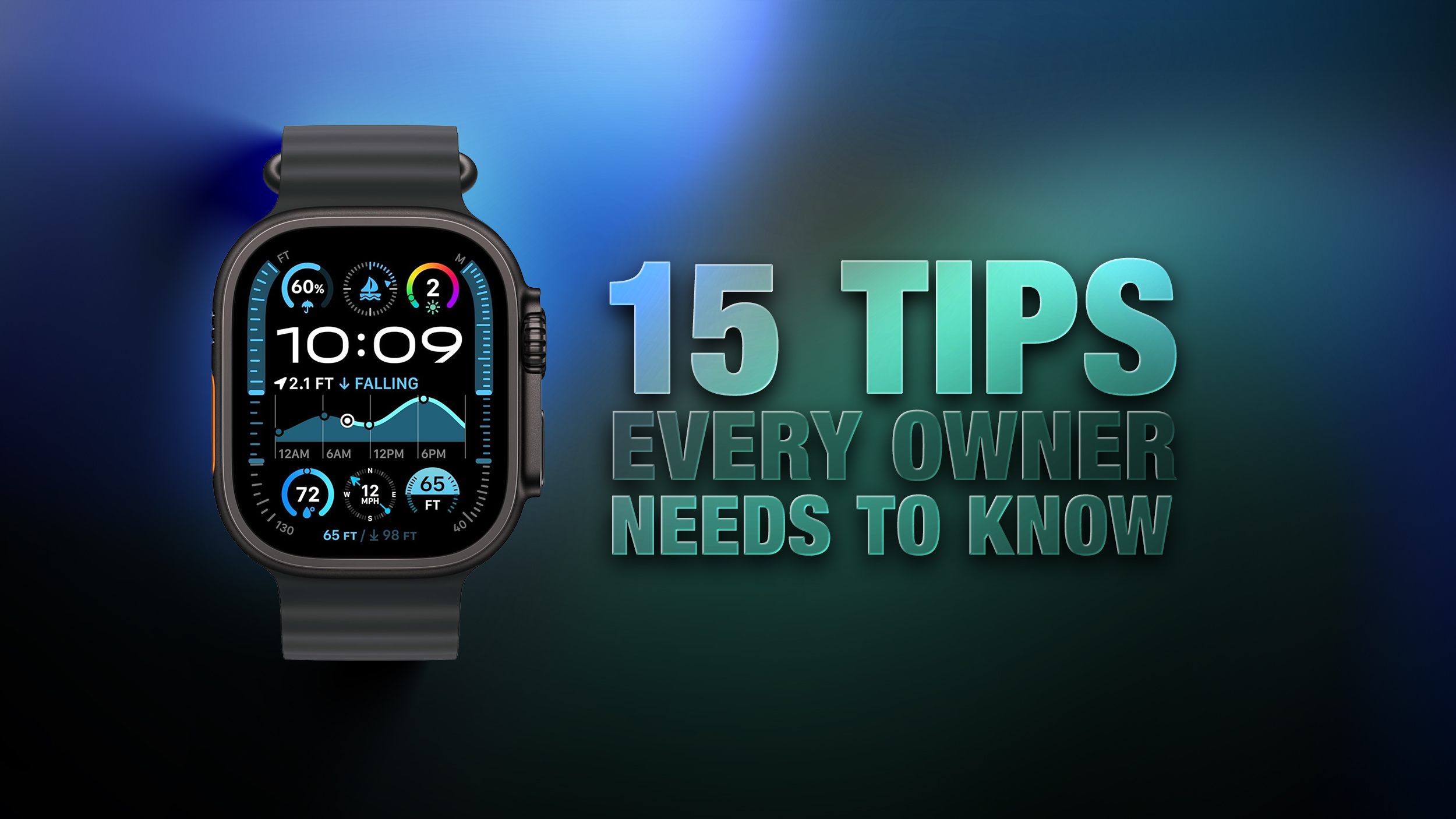
Apple Watch: 15 Tips Every Owner Needs to Know
Apple Watch is now eleven generations in, and packed with useful features that are easy to miss at first glance. To help you get more out of your device, we've rounded up 15 practical tips you might not have discovered yet, including a few that long-time users often overlook.
Apple's iPhone 17 Pro has been named the fastest-charging phone overall in a recent CNET lab test covering 33 smartphones, with Samsung's Galaxy S26 Ultra taking the top spot for wired charging speed.
To determine the rankings, CNET's lab team ran each phone through a 30-minute wired charging test starting at 10% battery or less, using the phone's included cable and a wall charger rated at or above the device's maximum supported speed. Phones that support wireless charging went through a matching 30-minute wireless test using a Qi (7.5W), Qi2 (15W), or Qi2.2 (25W) charger matched to the phone's peak supported speed. CNET then averaged the wired and wireless results into an overall charging score.
Apple Re-Releases a Sold-Out iPhone MagSafe Grip in Three New Colors
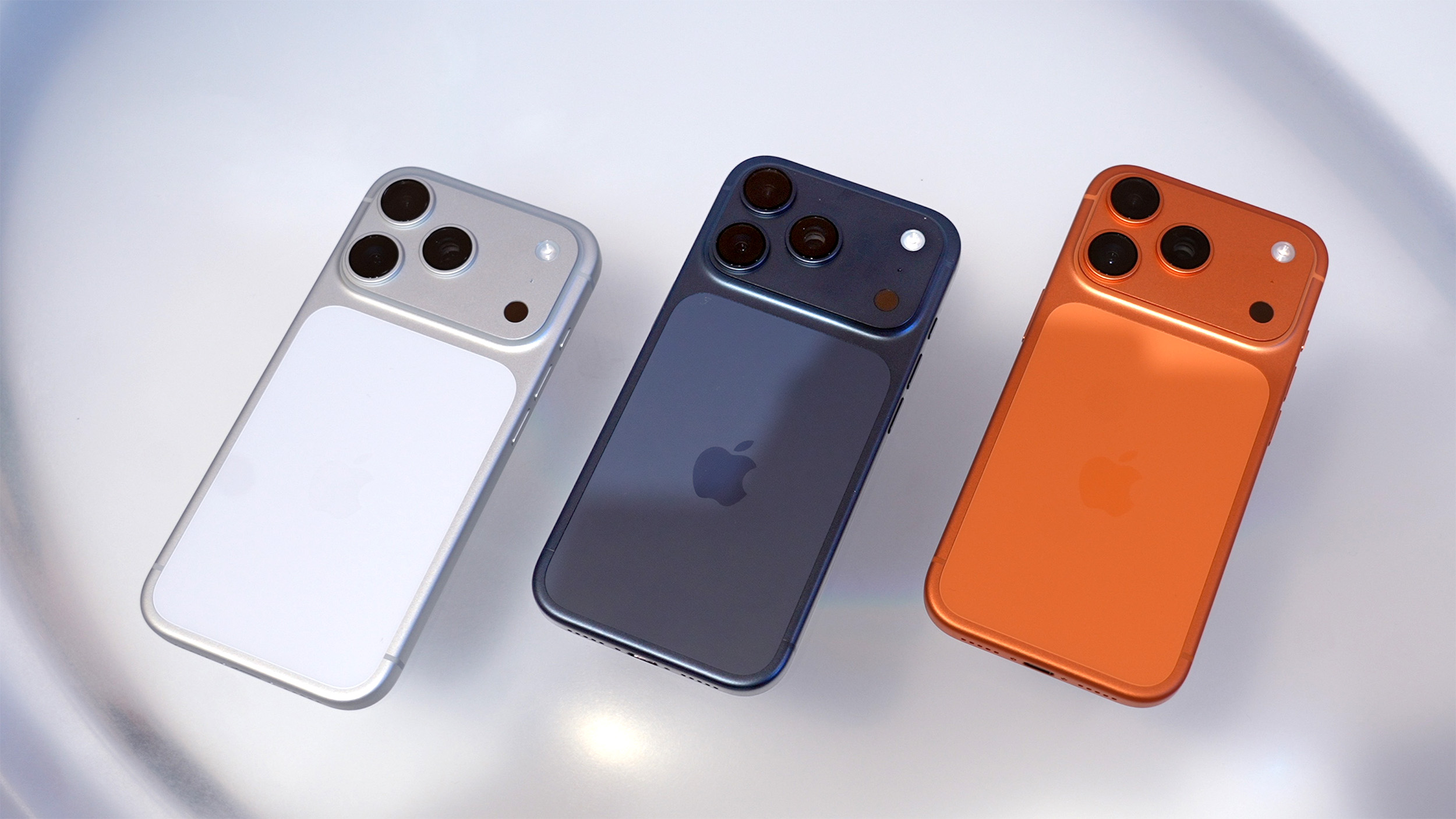
Apple this week re-released the Hikawa Grip & Stand for iPhone in three new colors, after the original version quickly sold out last year. The accessory is exclusively available on Apple's online store worldwide, with U.S. pricing set at $54.95. The latest color options include Orange Swirl, Glow Blue, and Speckled Stone.
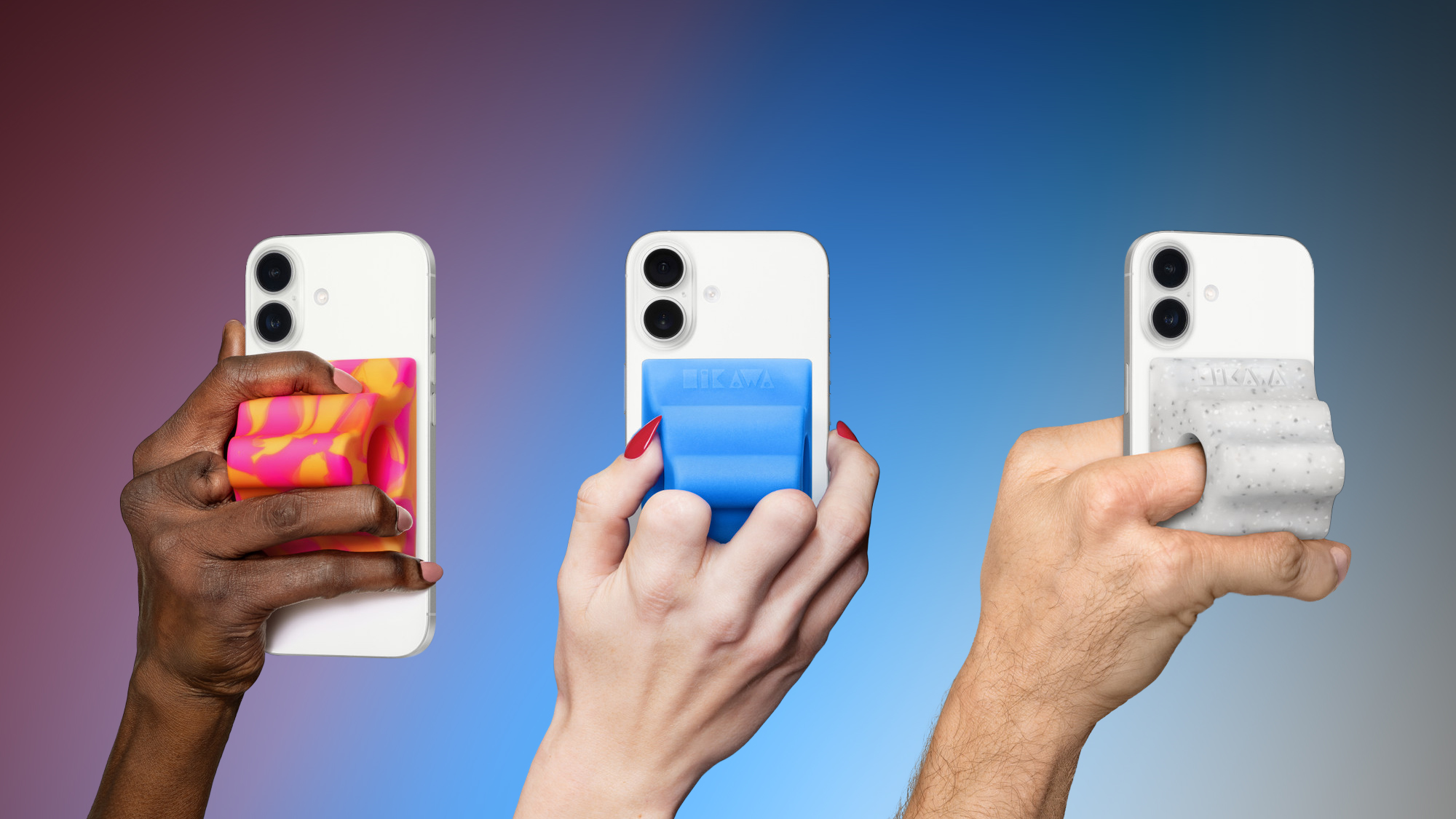
Designed by Bailey Hikawa and produced by PopSockets, Apple says the accessory was created with accessibility in mind, in close collaboration with individuals with a wide range of disabilities affecting grip, strength, and mobility. The ergonomic grip magnetically attaches to any iPhone with MagSafe, and it doubles as an iPhone stand.
Each week, we publish an email newsletter like this highlighting the top Apple stories, making it a great way to get a bite-sized recap of the week hitting all of the major topics we've covered and tying together related stories for a big-picture view.
I have been helping co-maintain the Debian curl package for a few
years now, and even though Samuel and Charles do most of the work, I'm
happy to jump in and help when needed. This is one of those cases.
Nowadays the package is maintained by 3 people (with help from others
occasionally), but it hasn't always been like this. Samuel adopted
the package back in 2021, and since then it has received a lot of love
and care to make sure it lives up to Debian's standards. Again, kudos
to both him and Charles who have been doing great work on this front.
But a little more than 20 years ago, the situation in Debian (and
curl!) was "a bit" different.
Once upon a time...
According to d/changelog, the Debian curl maintainer in 2005
introduced changes to the packaging that allowed it to generate a
version of libcurl for each TLS backend available: OpenSSL and
GnuTLS. This meant that curl would have two binary library packages:
libcurl3-openssl and its respective -dev variant, for libcurl
linked against OpenSSL; and
libcurl3-gnutls and its respective -dev variant, for libcurl
linked against GnuTLS.
But then, around 2006/2007 or so, upstream curl decided to bump the
SONAME version of libcurl from 3 to 4. At the time, they apparently
did not version their library symbols like they do now, which
was... less than ideal. I don't judge them: curl and a lot of other
important projects have come a long way when we consider best
practices to write shared libraries.
Meanwhile, on Debian land, the release team was having trouble with
other transitions going on at the time. For those who are not versed
in Debian's vocabulary, a transition happens when a shared library
gets its SONAME version bumped: when this happens, we have to make
sure that all reverse dependencies of that library still build with
the new version, and fix things that fail. The more reverse
dependencies the library has, the harder this work gets.
When upstream curl bumping the SONAME version of libcurl, the Debian
curl maintainer at the time correctly renamed the binary packages from
libcurl3-{openssl,gnutls} (and their -dev variants) to
libcurl4-{openssl,gnutls} (and their -dev variants), which
obviously triggered a transition. And a big one, because libcurl is
used by several projects.
We talked a while back about the curl transition, and about how upstream's
change from libcurl.so.3 to libcurl.so.4 is gratuitously painful for us in
light of the large number of reverse dependencies.
The libcurl transition has at this point gotten tangled with soname
transitions in jasper, exiv2, kexiv2, and God only knows what else. So I'd
like to revisit this question, because tracking this transition is costing
the release team a lot of time that would be better spent elsewhere, and
removing the need for a libcurl transition promises to reduce the complexity
of the other components by an order of magnitude.
On looking at the curl package, I've come to understand that the
symbol versioning in place in this library is the result of a
Debian-local patch. That's great news, because it suggests a solution
to this quandary that doesn't require an unreasonable amount of
developer time.
Yeah, it wasn't pretty. Here's what was proposed:
I am proposing the following:
Keep the library soname the same as it currently is upstream. Because
upstream uses unversioned symbols, our package will be binary-compatible
with applications built against the upstream libcurl regardless of what we
do with symbol versioning, so leaving the soname alone minimizes the
amount of patching to be done against upstream code here.
Revert the Debian symbol versioning to the libcurl3 version, and make
libcurl.so.3 a symlink to libcurl.so.4. We have already established that
libcurl.so.4 is still API-compatible with libcurl.so.3, in spite of the
soname change upstream; reverting the symbol versioning will make it fully
ABI-compatible with libcurl.so.3, and adding the symlink lets
previously-built binaries find it.
Revert the Debian package names to the curl 7.15.5 versions. Because
compatibility has been restored with libcurl3 and libcurl3-gnutls,
restoring the package names provides the best upgrade path from etch to
lenny; and because the symbol versions have been reverted, the libraries
are not binary-compatible with the Debian packages currently named
libcurl4/libcurl4-gnutls/libcurl4-openssl (in spite of being
binary-compatible with upstream), so it would be wrong to keep the current
names regardless.
Drop the SSL-less variant of the library, which was not present in curl
7.15.5; AFAICS, there is no use case where a user of curl needs to not
have SSL support, so this split seems to be unnecessary overhead. Please
correct me if I'm mistaken.
Leave the -dev package names alone otherwise, to simplify binNMUing of the
reverse-dependencies (some packages have already added versioned
build-deps on libcurl4.*-dev -- I have no idea why -- so reverting the
names would mean more work to chase down those packages). Drop
libcurl4-dev as a binary package, though, in favor of being Provided by
libcurl4-gnutls-dev. Many of the packages currently build-depending on
libcurl4-dev -- including some that wrongly used libcurl3-dev before --
are GPL, and these are apparently all packages where having SSL support
missing in libcurl4 wasn't hurting them, so libcurl4-gnutls-dev seems to
be the reasonable "default" here.
Schedule binNMUs for all reverse-dependencies.
Again, no judgement here: this was what needed to be done at the time,
and I believe it was a good solution given the circumstances.
In the end, the binary library packages got renamed again: from
libcurl4-{openssl,gnutls} back to libcurl3-{openssl,gnutls} (but
not their -dev variants!), but they continued shipping
libcurl libraries whose SONAME version was 4. This solved the
immediate problem of untangling the transitions mentioned by Steve,
but introduced a technical debt that would stick with the package
literally for decades.
The situation at the end of 2007 was:
libcurl3-openssl with libcurl4-openssl-dev; and
libcurl3-gnutls with libcurl4-gnutls-dev.
More discrepancy is added
Eventually the libcurl3-openssl package got renamed to libcurl3,
but aside from that the situation with mismatched library names
vs. SONAME versions stayed relatively unchanged until around 2018,
when the Debian curl maintainer at the time (a different person)
renamed libcurl3 to libcurl4 to fix a bug. This was the right
thing to do for libcurl3, and at the time upstream curl was already
properly versioning their symbols, but for some reason
libcurl3-gnutls got left behind. So now we had:
libcurl4 with libcurl4-dev; and
libcurl3-gnutls with libcurl4-gnutls-dev.
In other words, we now have a discrepancy between the OpenSSL and
GnuTLS variants' names. Yeah, confusing. And this is the situation
right now, on May 2026, while I write this post.
To make matters worse, the Debian curl package has been carrying a
patch to facilitate the split of OpenSSL and GnuTLS flavours for
decades now, and, for some reason I didn't bother to investigate, the
patch pins the SONAME version of libcurl3-gnutls to CURL_GNUTLS_3,
effectively overriding upstream's decision to version the symbols as
CURL_GNUTLS_4.
A call to make things right
Back in 2022, Simon McVittie filed a Debian bug to try and call our
attention to the fact that we were shipping this messy set of curl
packages. I had just started to get involved in the package
maintenance and Samuel asked me to take a look at the bug. I noticed
it was going to take more time than I had available, so I decided to
put it in my TODO list (TM).
Simon was generous enough to lay out a possible plan to tackle the
problem, but I had a feeling that this was going to be harder than it
looked. I kept postponing working on the bug, but also kept thinking
about it now and then because it's an interesting thing to solve.
Then, a month or so ago the Debian Brasil community got together for
MiniDebConf Campinas 2026 and we decided to do a bug squashing party
there. I started working on a few FTBFS bugs with GCC 16, but then
got remembered about the curl bug and thought that that was the
perfect time and place to start working on it, for a few reasons:
Samuel and Charles were also attending the conference, so I could
talk to them about my plans and show them a PoC.
The plan I had in mind was a variant of Simon's proposed plan:
I would have to adjust our GnuTLS-specific patch so that it did not
override the SONAME version for libcurl-gnutls. Then,
For each symbol from libcurl3-gnutls I would have to:
Explicitly version it as curl_symbol_name@@CURL_GNUTLS_4.
Create an alias for the symbol (let's call it __curl_compat_symbol_name).
Explicitly version this alias as __curl_compat_symbol_name@CURL_GNUTLS_3.
Have a separate version of curl's linker script to make it
possible to create a hierarchy between CURL_GNUTLS_3 and
CURL_GNUTLS_4 symbols.
Note that this whole dance is needed because it is a hard requirement
that programs linked against libcurl3-gnutlskeep working when we
ship libcurl4-gnutls, without needing to recompile them. Due to the
fact that we will not really bump the SONAME of libcurl-gnutls (but
instead fix the symbol versions shipped by it), we cannot expect
programs to break given that they are actually using the exact same
ABI as before.
Unfortunately (as it is common with low level tools) the documentation
for ld's versioning syntax is quite incomplete and hard to find.
One of the best sources I found was this blog post. For this reason,
let me quickly explain the different notations for symbol versioning
used above.
curl_symbol_name@@CURL_GNUTLS_4
When we use curl_symbol_name@@CURL_GNUTLS_4 (note the @@) we are
telling the linker that this should be considered the default
version of curl_symbol_name. In other words, when a binary that
links against libcurl-gnutls calls curl_symbol_name, the linker
should use curl_symbol_name@@CURL_GNUTLS_4 to resolve the symbol.
There are a few ways to specify a symbol version in C/C++:
Finally, when we use __curl_compat_symbol_name@CURL_GNUTL_3 (note
the single @) we are telling the linker that this symbol exists, but
it should not be used as the default symbol. In fact, this
notation will basically hide the symbol and make it only available for
those programs that have already been linked against it. It's a way
of saying "don't offer this symbol when linking, but it's here in case
a program needs it to run" (it's a bit more complicated than that, but
you get the point).
The reason I had to create an alias to the function before
versioning the symbol with @CURL_GNUTLS_3 is because, once I've
versioned the main symbol as @@CURL_GNUTLS_4, I can't create another
version of it. It's also important to mention that to be able to
create a version for the alias I also had to change its visibility to
default. In the end, the alias ended up being defined as:
For my PoC I decided to tackle a small subset of the problem. The
symbols file for libcurl3-gnutls contains around 100 symbols that
need to be fixed, so I chose two of them and started trying to write a
patch to see if I could make things work. And after some time
struggling with GCC's syntax and inspecting nm -D's output I finally
got something that looked like it was going to work. The two symbols
I had chosen to work with got correctly versioned (both as
@@CURL_GNUTLS_4 and @CURL_GNUTLS_3), and a quick-and-dirty C
program that used those symbols correctly compiled and ran with the
expected symbols. I showed the results to Samuel and Charles, we got
excited about what we saw, and then the conference ended.
Second attempt and some adjustments
After getting back home I resumed the work on my branch and wrote an
Emacs function that semi-automatically adjusted all 100+ symbols
listed in the symbols file so that they all looked like:
The patch was big but mostly repetitive, and I was happy to have come
up with a solution that looked clean. Until I tried to build the
package, that is.
I started seeing some strange errors that happened when ld was
trying to link the final libcurl4-gnutls object (yes, at that point
I had already renamed the binary package). This is one of the errors
I was getting from ld (I got variants of this error as I was trying
to fix the approach):
/usr/bin/x86_64-linux-gnu-ld.bfd: .libs/libcurl_gnutls_la-easy.o: in function `dupeasy_meta_freeentry':./debian/build-gnutls/lib/./debian/build-gnutls/lib/easy.c:1024: multiple definition of `curl_easy_cleanup'; .libs/libcurl_gnutls_la-easy.o:./debian/build-gnutls/lib/./debian/build-gnutls/lib/easy.c:908: first defined here/usr/bin/x86_64-linux-gnu-ld.bfd: .libs/libcurl-gnutls.so.4.8.0: version node not found for symbol curl_easy_duphandle@CURL_GNUTLS3/usr/bin/x86_64-linux-gnu-ld.bfd: failed to set dynamic section sizes: bad value
This was strange. I did some tests with very simple versions of a
shared library using the versioning mechanism I had implemented and it
all worked. I could not reproduce the problem, and that's not a great
feeling to have.
Then, after reading a lot of documentation and blog posts throughout
the internet I found something interesting. Apparently ld has a
limitation when it comes to dealing with symbols versioned with @@.
If there is a single symbol versioned like that in a source file (the
actual term is TU, which means Translation Unit, but let's
simplify), then ld is happy and generates the expected version
without issues. But when we're dealing with multiple definitions of
@@ symbols in a source file (which is exactly what happens in curl),
then ld can get confused and start giving errors during the link
stage.
To solve that limitation, we have to resort to yet another symbol
versioning notation: @@@. Yes, three at signs. For example:
Note that we have to use __asm__ because GCC's __attribute__
doesn't support the triple-at notation.
What this does is tell the linker to create a versioned symbol for
curl_symbol_name, set it as the default symbol when linking, but
also remove the unversioned curl_symbol_name symbol. This makes
ld happy and allows it to successfully link libcurl-gnutls. As
usual, you won't find any mention of the @@@ notation inside ld's
documentation.
With libcurl-gnutls compiling again, I had to adjust libcurl's
linker script to create a hierarchy between CURL_GNUTLS_3 and
CURL_GNUTLS_4 symbols. Here's the final version of the file:
CURL_GNUTLS_3{ global: curl_easy_cleanup; /* lots of other symbols here */ local: *;};CURL_GNUTLS_4{ global: curl_*; local: *;} CURL_GNUTLS_3;
Debian package adjustments
After getting the hard part out of the way, the rest was easy. It was
time to finally rename libcurl3-gnutls to libcurl4-gnutls.
Initially I was thinking that I'd need to ask the release team for a
transition to happen, but as it turns out that won't be necessary.
Because we are effectively shipping the same exact library/ABI and the
only difference is the inclusion of the extra CURL_GNUTLS_4
versioned symbols, and given that we will be shipping CURL_GNUTLS_3
versioned symbols to guarantee backwards compatibility, packages won't
need to get rebuild just to pick up the new dependency. Instead, we
can safely turn libcurl3-gnutls into a transitional package that
depends on libcurl4-gnutls.
Merge request and next steps
This is the merge request where I am working on the fix. As of this
writing it is in a draft state, but I expect to merge in the next
couple of days. Once the fixed curl package is uploaded, we should
keep an eye on the archive to make sure no unexpected bugs happen.
I would like to carry this patch downstream at least until forky is
released. It doesn't make sense to propose it upstream because this
problem is Debian-specific and should be fixed there. We will need to
make sure that all reverse dependencies of libcurl3-gnutls are
recompiled before we can get rid of the transitional package, too.
This was a fun bug to investigate and fix, and I am happy that we will
finally have sensible names (and symbol versions!) for both of our
libcurl variants. Stay tuned for the next challenge!
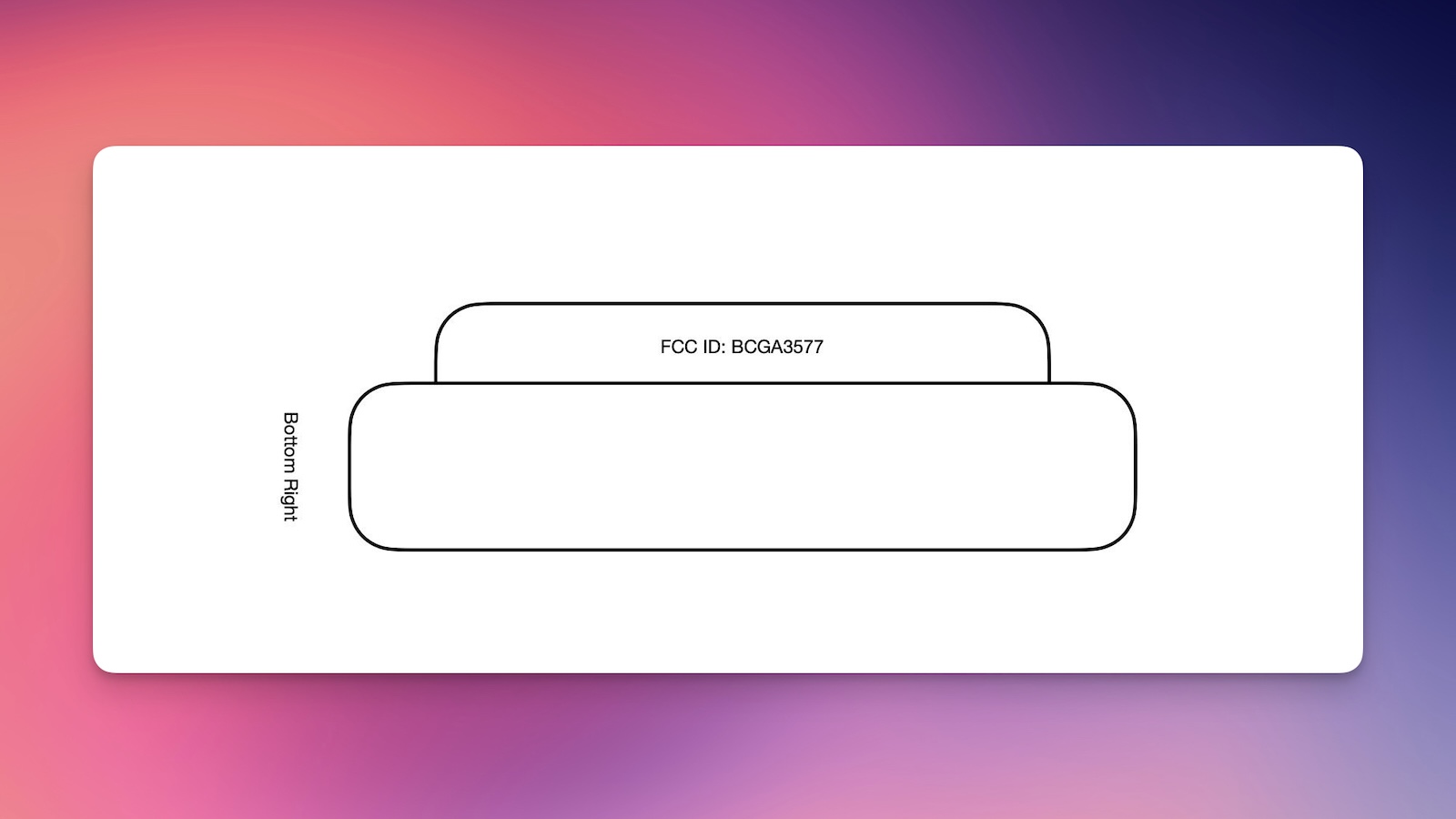
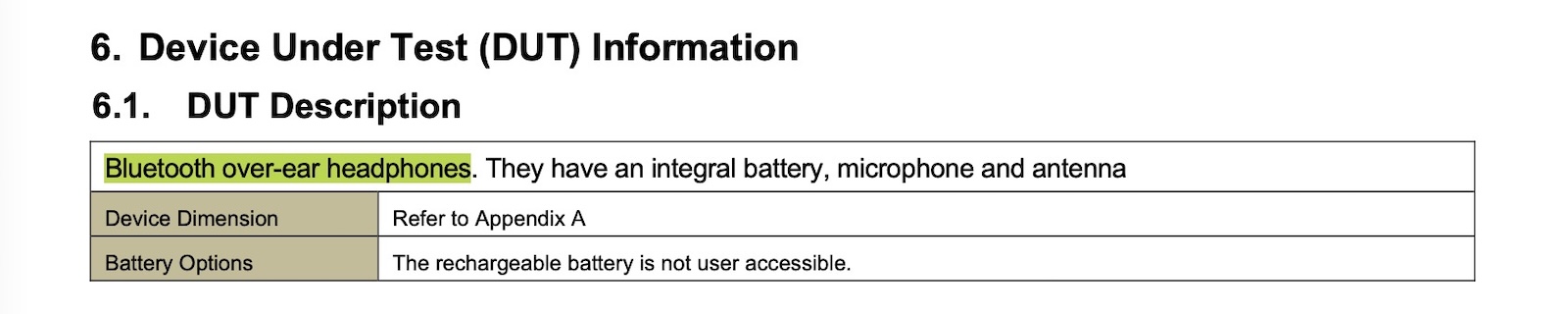
The U.S. Federal Communications Commission has just published documents related to an apparently unreleased Apple product with model number A3577, with the product described as "Bluetooth over-ear headphones."
These headphones do not appear to be the AirPods Max 2, which carry a model number of A3454, and there is little other information to go on, so it is unclear what these headphones are.
Most of the documents that would reveal details on this A3577 product are being temporarily withheld from publication under a confidentiality request, which is standard for Apple's product filings with the FCC. One figure showing the location of the FCC ID labeling on the product appears to show a generic-looking headphone ear cup, with no identifying design details.
It is possible these are an upcoming Beats product, such as an updated version of the brand's over-ear Beats Studio Pro headphones, but this is purely speculation. The Beats Studio Pro were released nearly three years ago in July 2023, so they could be due for a revision.
Google today appealed a 2024 ruling that found it violated antitrust law by paying to be the default search engine on iPhones. In a filing with the U.S. Court of Appeals for the D.C. Circuit, Google said the district court made an error when concluding that Google's search success was due to anything other than competition on merit.
Google suggested it surpassed competition through better innovation, more investments, and "just working harder," which is why Apple chose Google Search as its default search option on Apple devices.
Whether or not Google has monopoly power, Google did nothing that "harm[ed] the competitive process." It did not impede its rivals' opportunity to make—or Apple's and Mozilla's ability to choose—a better offer. Indeed, there is no finding—or even any evidence—that Google's customers would have chosen a rival, even in the absence of the challenged agreements. Google just prevailed in the marketplace fair and square.
The filing points out that Apple was free to distribute and promote rival search engines, with Google highlighting the alternative browser options that Apple offers in the Safari settings. Google suggests that any "exclusivity" interpreted by the district court was Apple's choice for "sound business reasons."
Google is asking the appeals court to undo the remedies that were put in place to address its search monopoly. Google was told to share search data, offer information on user interaction, and syndicate its results to competing companies, which it will need to start doing barring a successful appeal.
While Google is aiming for the entire ruling to be thrown out, Google also wants generative AI companies like OpenAI excluded from receiving data. Google says AI products "did not even exist" during the period covered in the DoJ's filing, so it makes no sense for them to receive search data. Google further said that AI companies are "already succeeding as wildly as any technology in human history without any need to free-ride on Google's success."
Google pays Apple billions of dollars each year to be the default Safari search engine, and the deal was a major component in the antitrust lawsuit that the U.S. Department of Justice brought against Google. Apple and Google's search engine deal could have been addressed in the remedies applied to Google, but the court did not prevent Google from making search agreements.
While Google is barred from entering into exclusive contracts for search engine distribution, it is still allowed to pay Apple to be a search engine option on iPhone. The DoJ also wanted Google to be forced to sell its Chrome browser and possibly offload the Android operating system, but neither of those consequences were implemented.
The remedies in the DoJ vs. Google case went into effect on February 3, but Google hasn't been required to provide data yet because implementation details have not been worked out. The five-member Technical Committee set up by the judge overseeing the case has not outlined license terms or privacy safeguards, nor has criteria for which companies qualify as competitors been established.
Oral arguments for Google's appeal haven't been scheduled, so we're unlikely to hear more on the issue until late 2026 or early 2027.
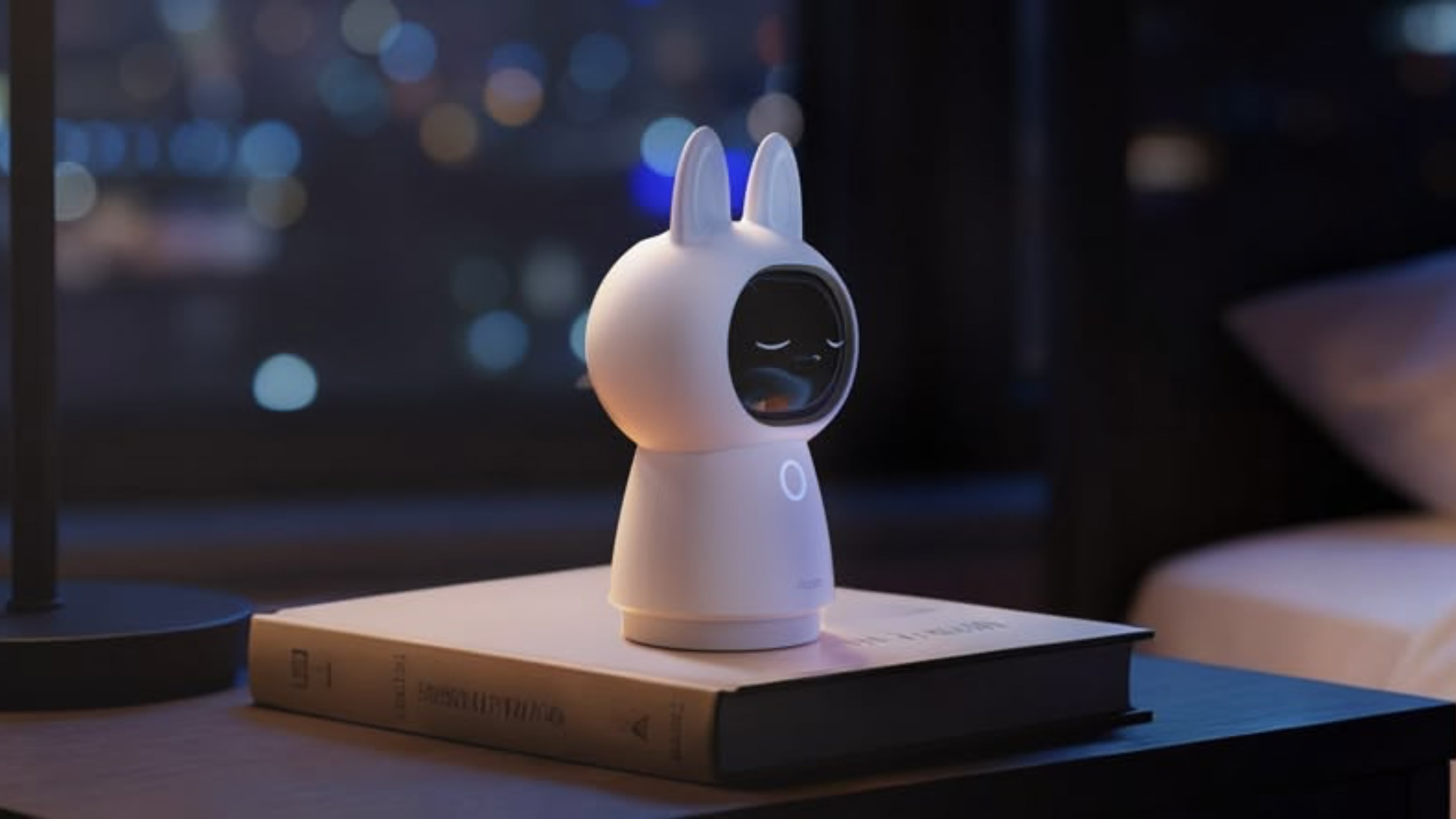
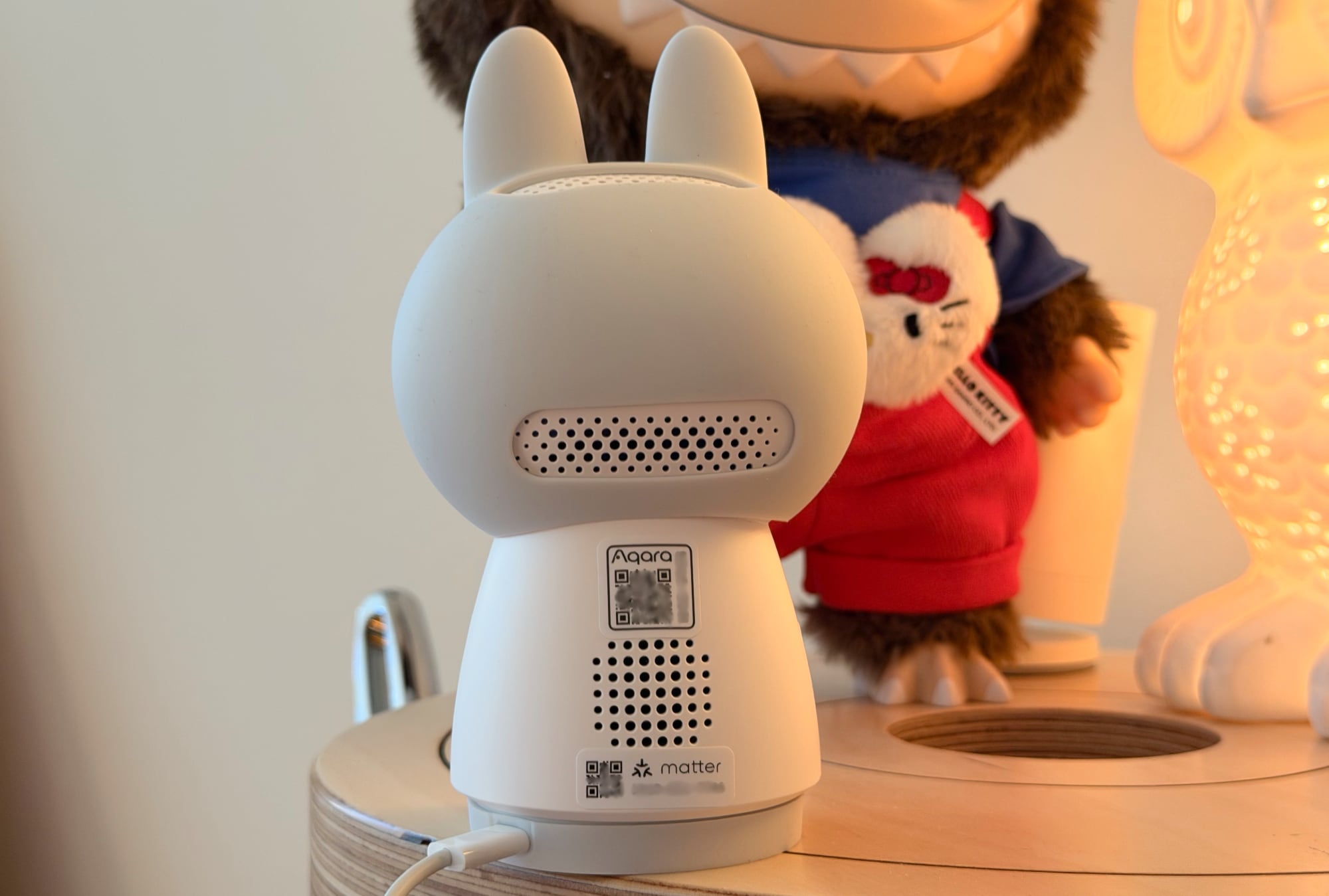
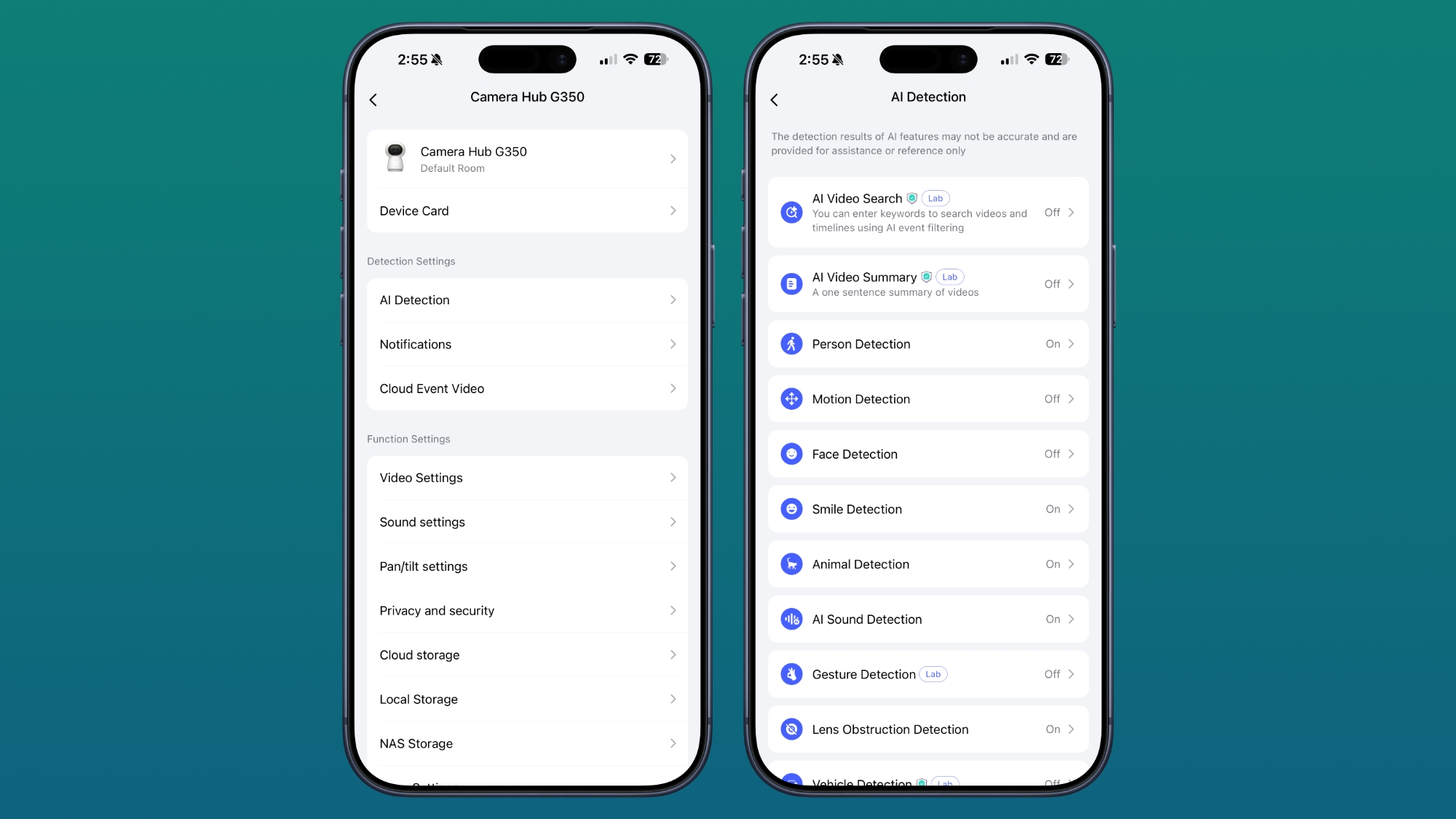
Smart home device maker Aqara launched the Camera Hub G350 in March, and it is the first Matter-certified smart camera on the market. Cameras are included in Matter 1.5, and while Apple doesn't support Matter cameras yet, Aqara's camera still works with Apple Home. For Apple users, Matter integration doesn't provide any benefit, but it adds cross-platform support for Google Home, Alexa, SmartThings, and more.
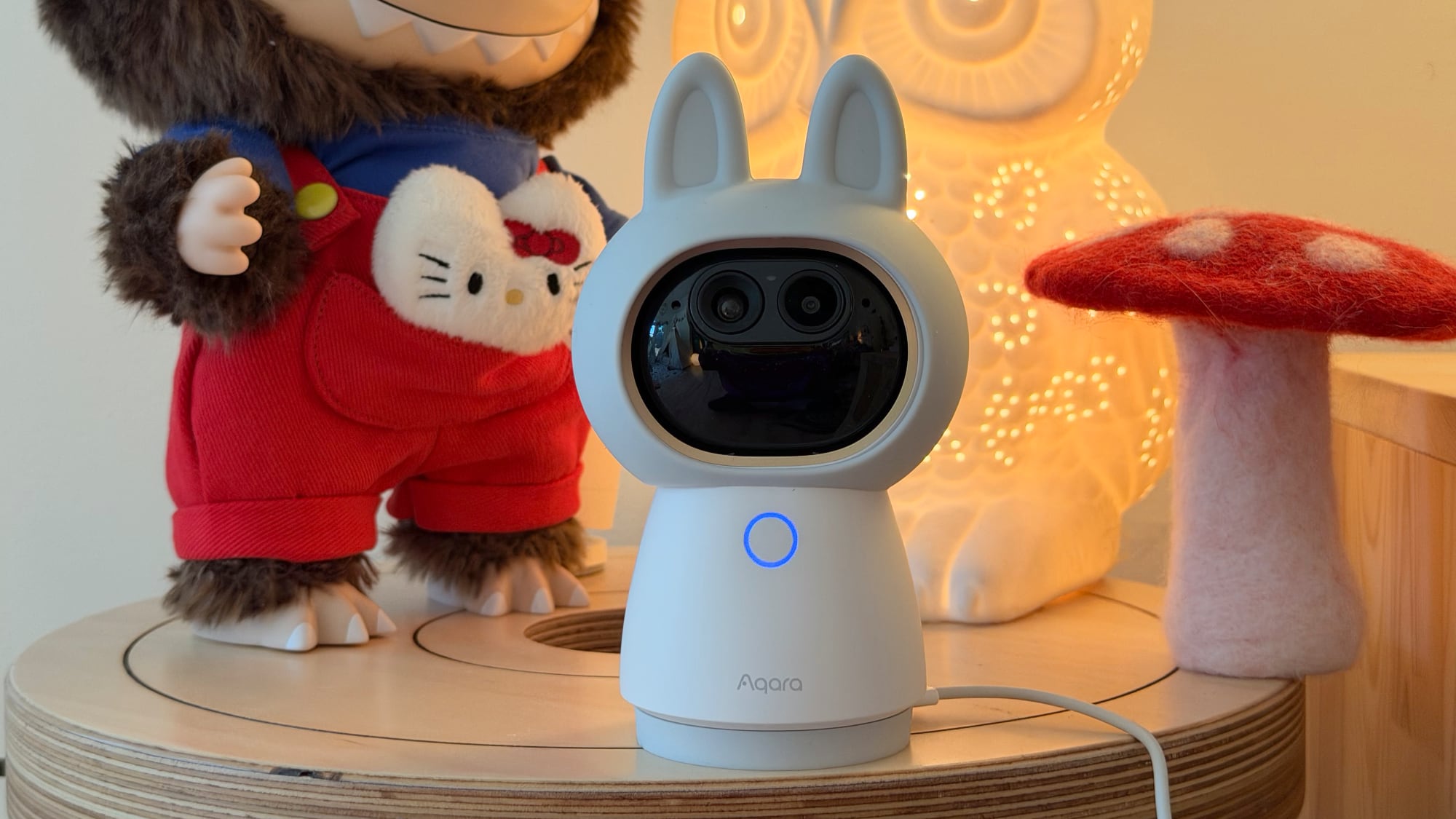
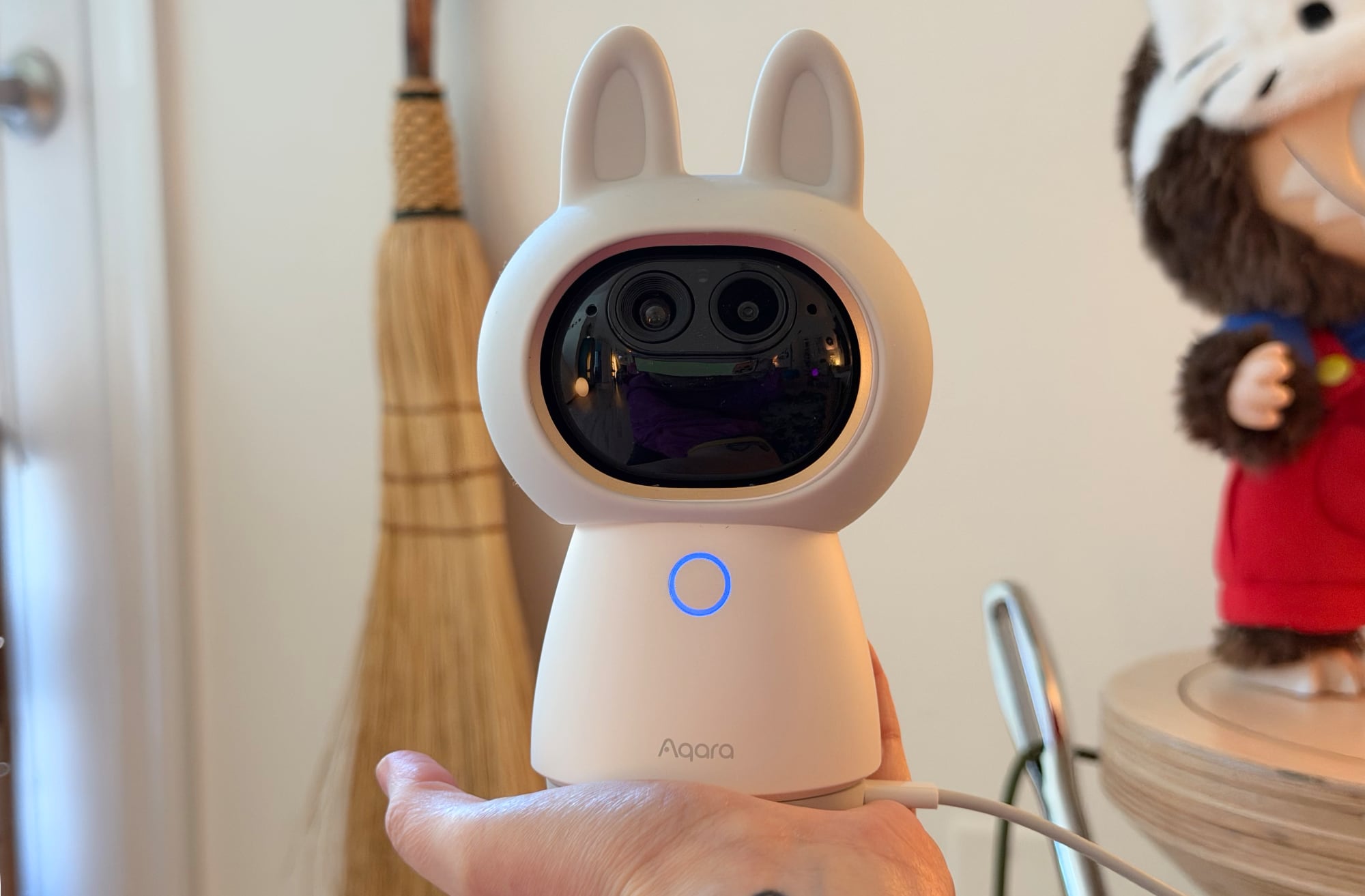
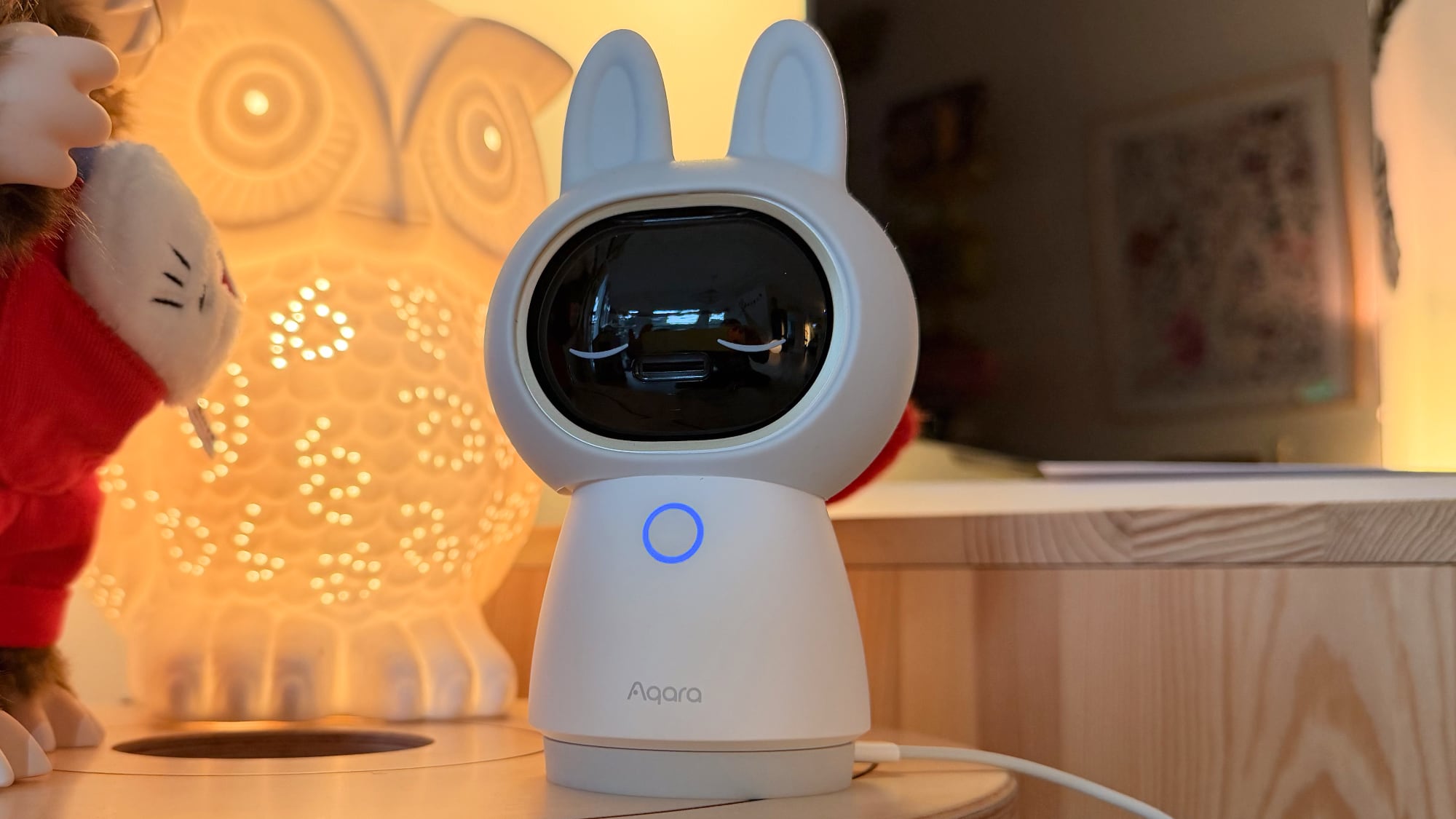
The Camera Hub G350 is my favorite indoor home security camera that I've tested to date, and not just because it's wearing a cute bunny-ear costume. It records in 4K and has zoom capabilities, plus it has movement tracking and can rotate 360 degrees.
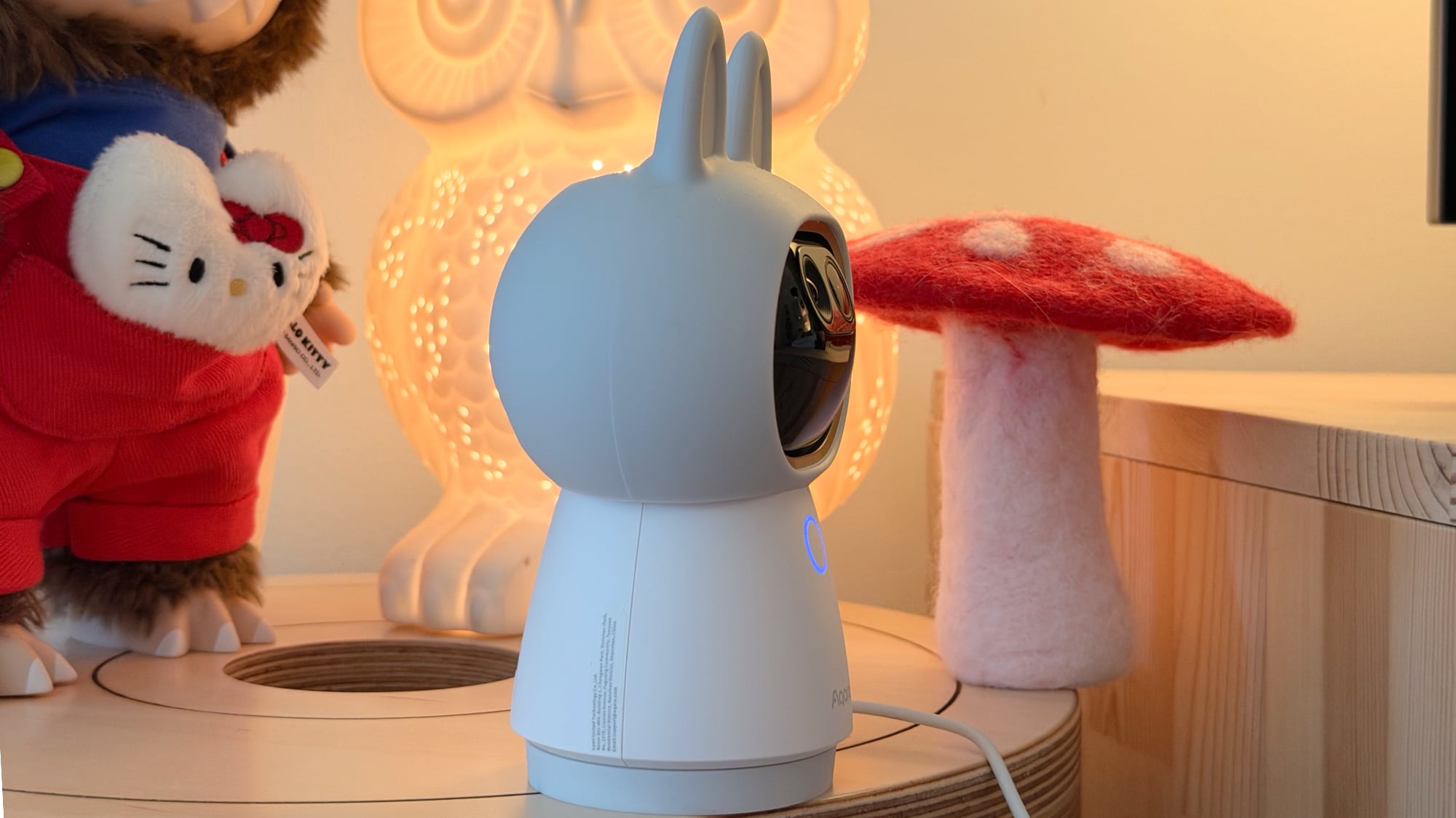
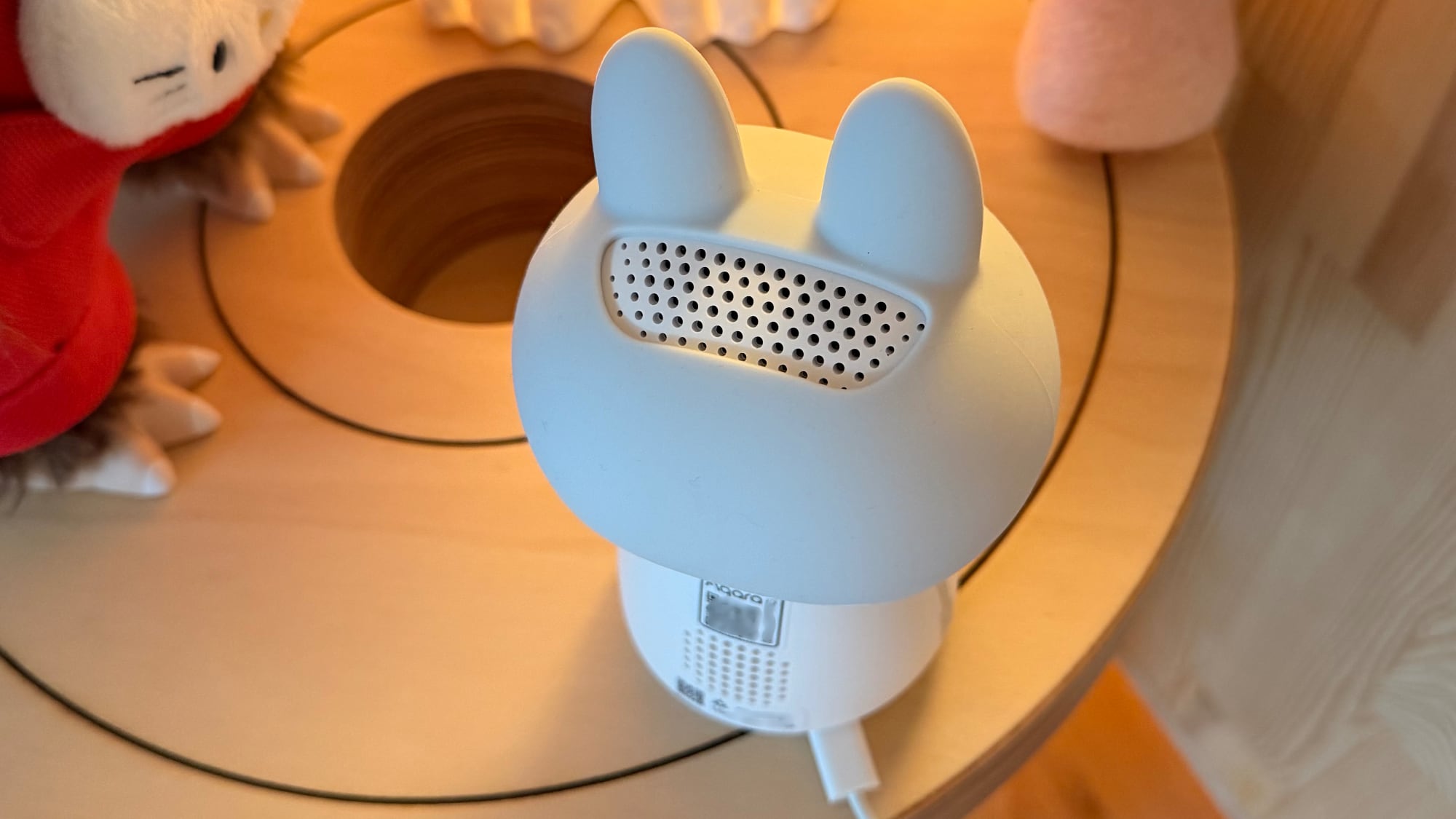
There are two cameras in the G350, and the design makes the lenses look like eyes. If you don't like the cutesy style, you can take off the silicone bunny hood, which makes the G350 look more like a traditional security camera.
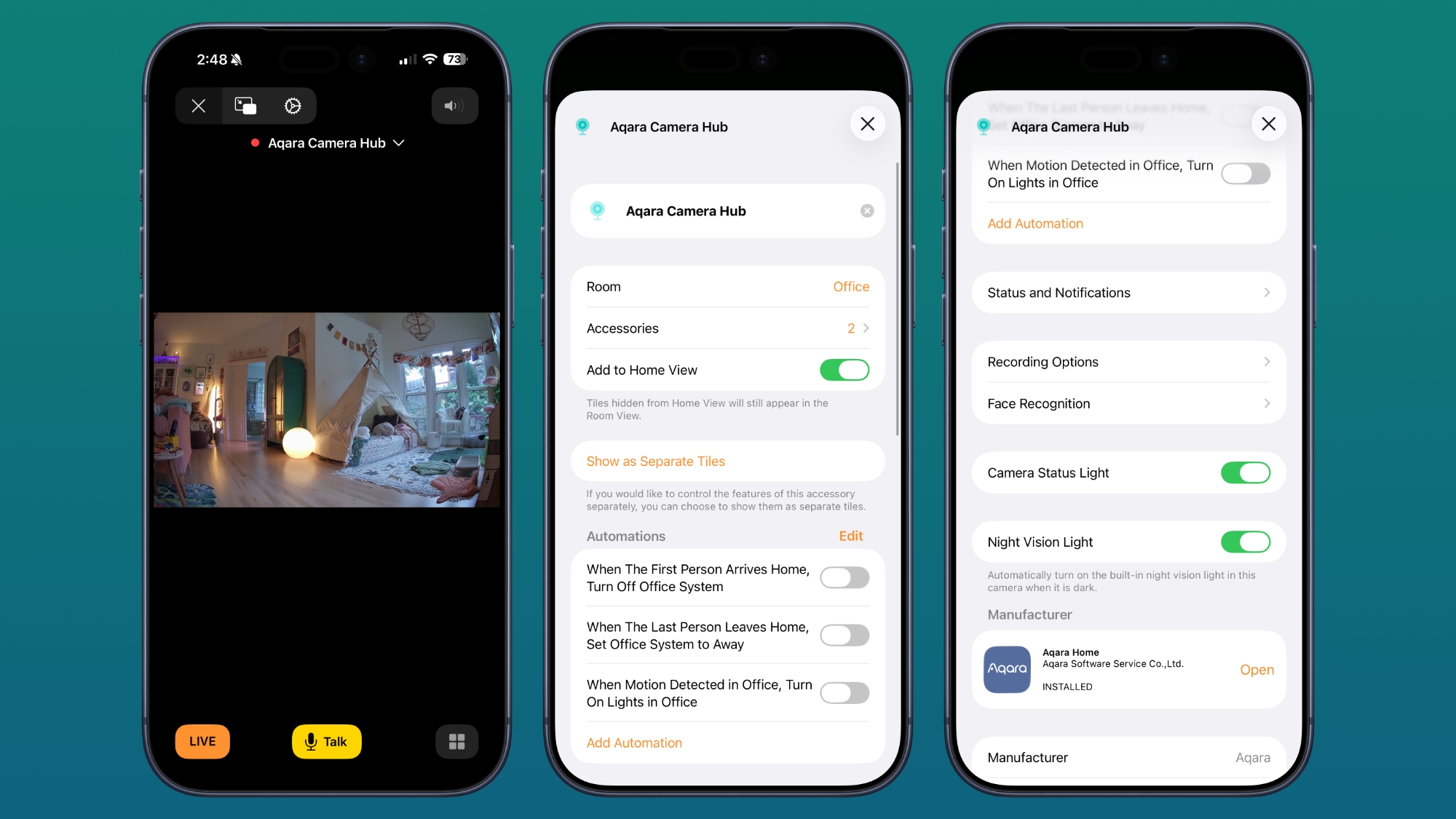
You can view the G350's feed through Apple Home, and it connects as a HomeKit Secure Video camera. Footage is stored in iCloud, and as with other HomeKit Secure Video (HSV) options, you need an iCloud+ plan. The $0.99/month 50GB plan supports a single HSV camera, the $2.99/month 200GB plan supports five HSV cameras, and the higher-tier plans that start at $9.99/month for 2TB storage support an unlimited number of cameras.
Using the G350 with HomeKit limits you to the HomeKit set of features. You can view the feed in the Home app, add the camera to automations, and customize when the camera is recording and when it's not using geofencing. It supports notifications for movement, can recognize people and animals for customized notifications, and it has facial recognition. Unfortunately, though this is a high-resolution camera, HSV is limited to 1080p.
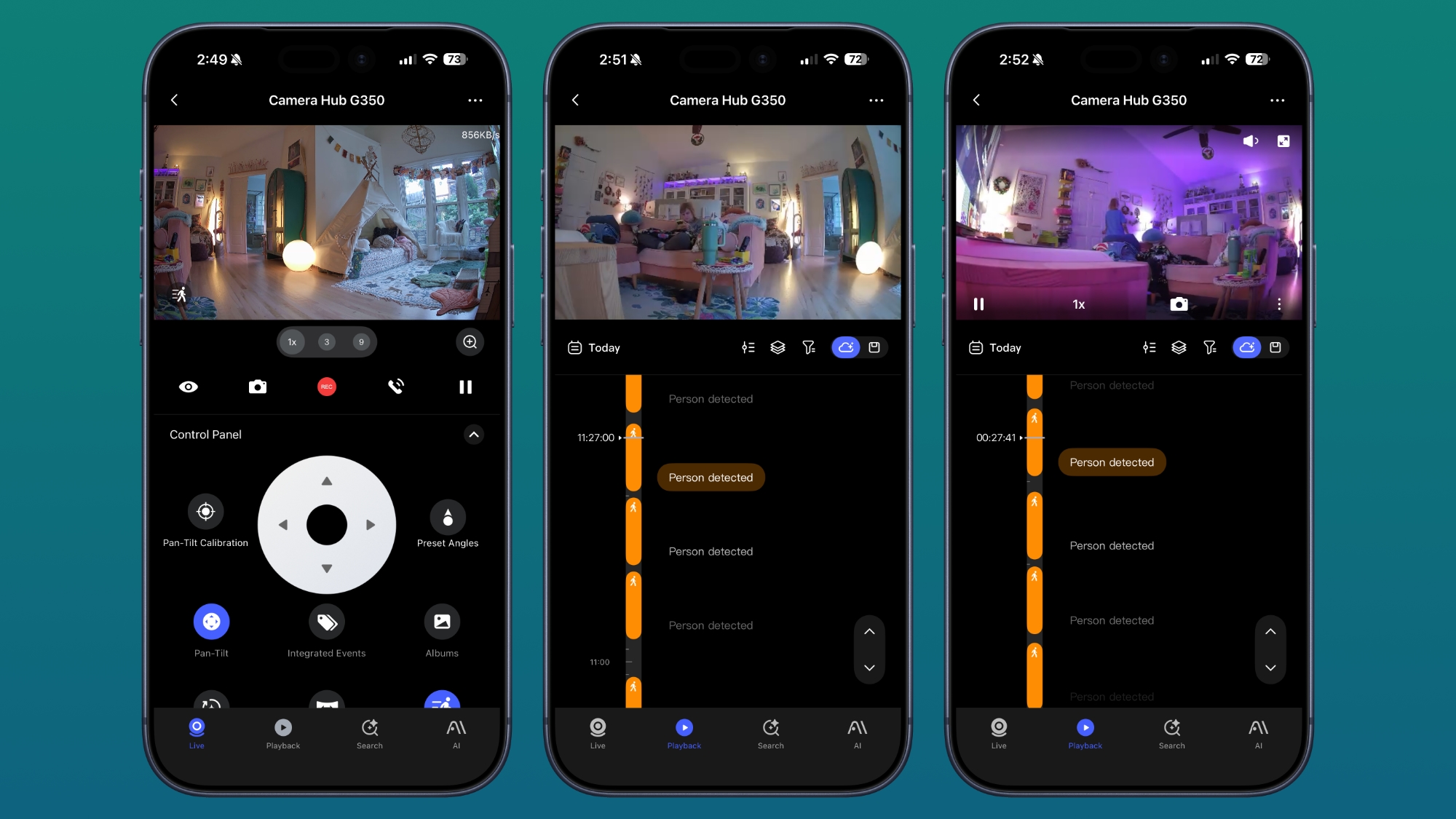
Because the Camera Hub G350 offers so many features that are not available in HomeKit, it's not worth getting if you're only going to use it with Apple Home. You need the Aqara app to get the full functionality, but I do think the feature set is worth venturing out of the Home app for.
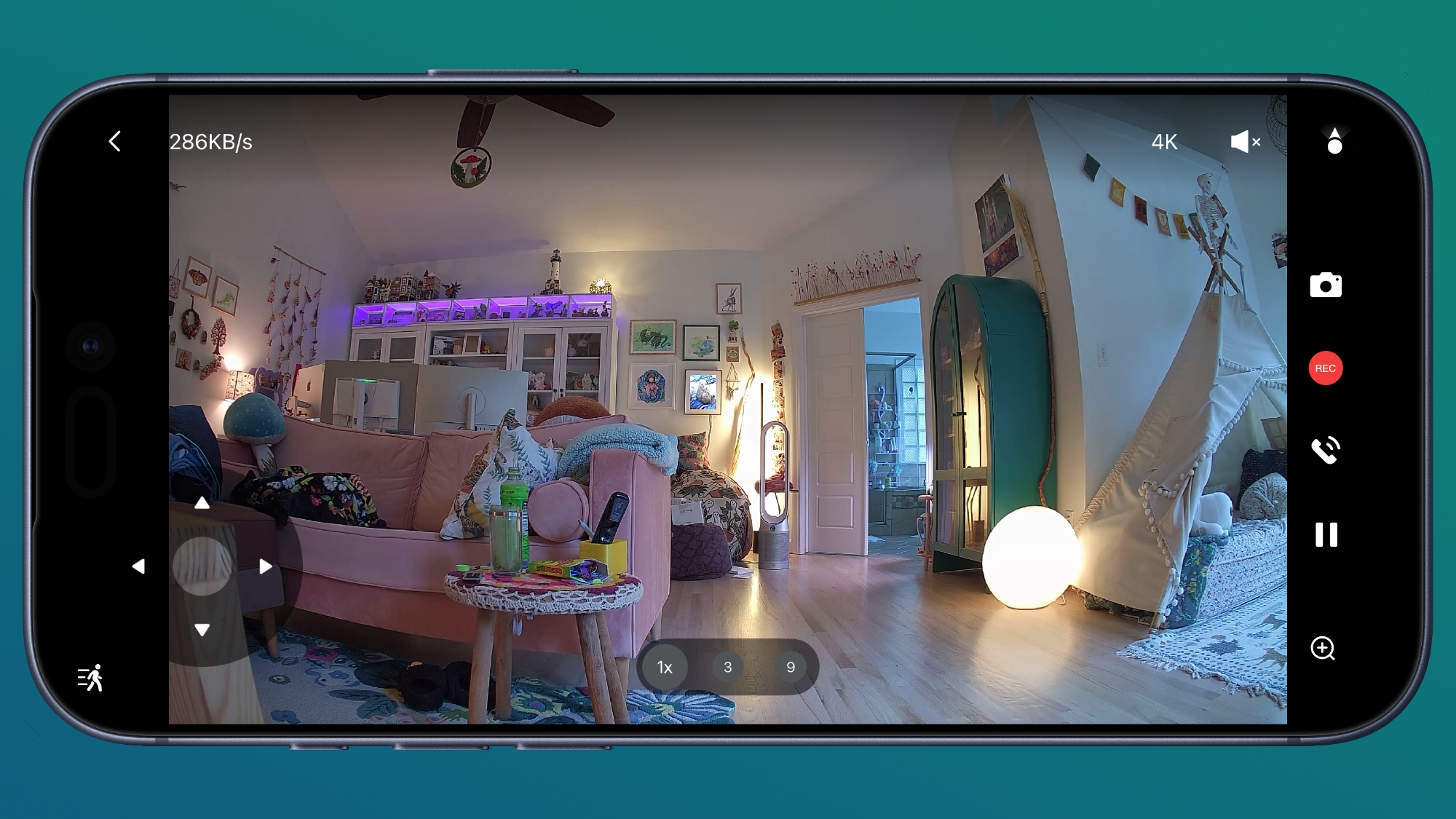
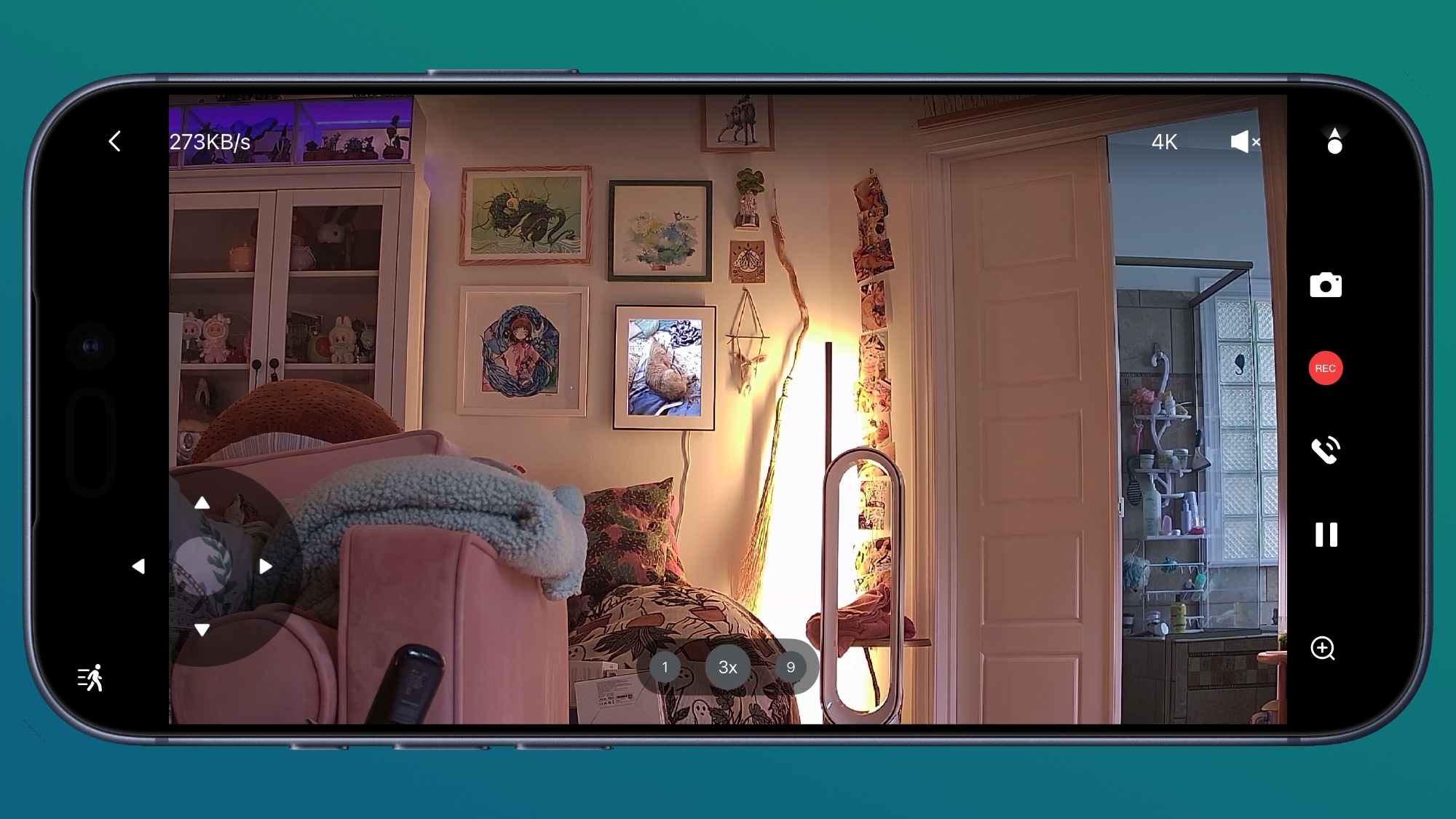
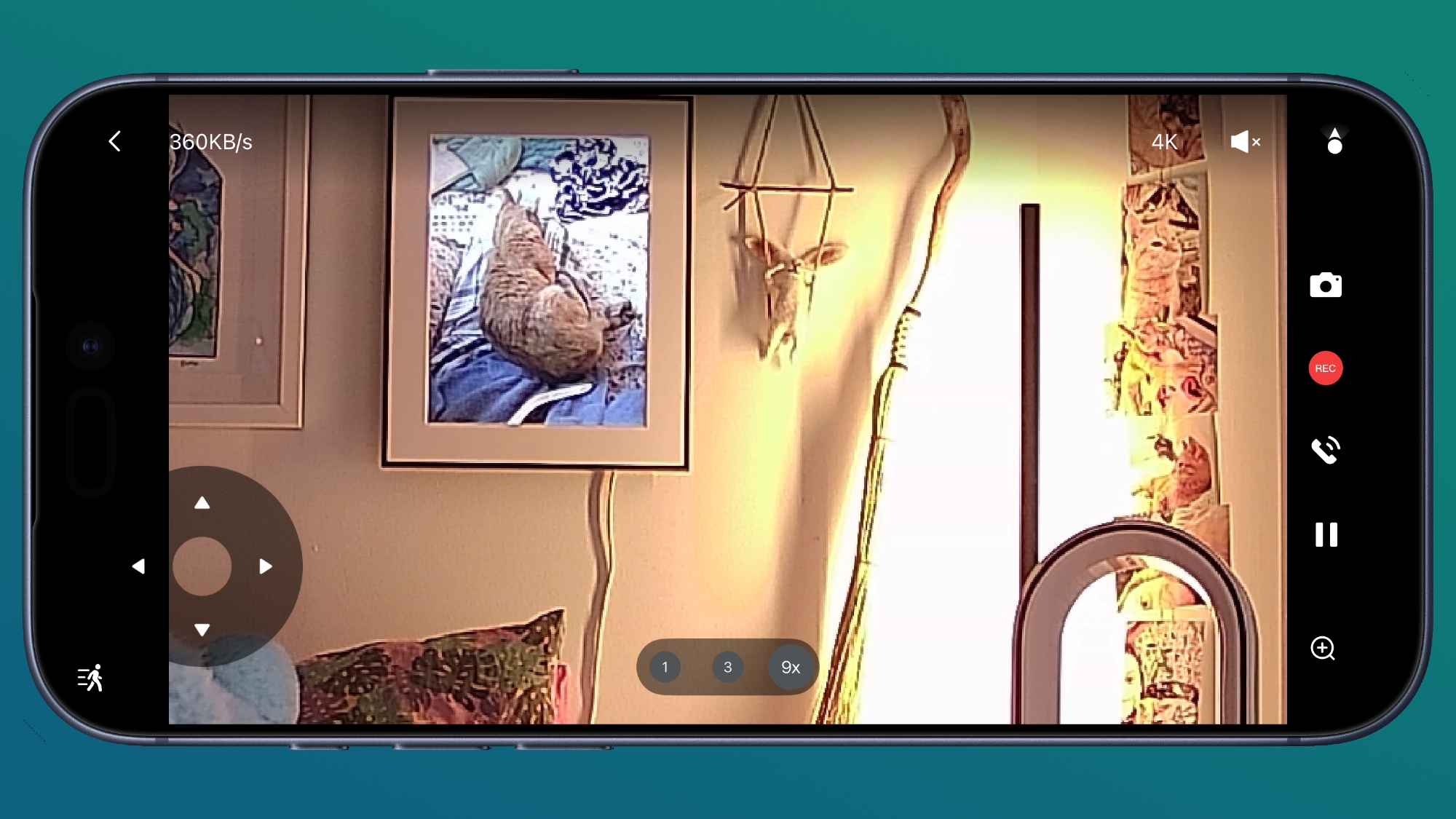
The wide-angle 4K camera with a 133-degree field of view is the main camera, but there's also a 2.5K HD camera for zooming in up to 9x to get a closer look. The camera feed is clearer than what I get from HomeKit because of the resolution restrictions. This is the only camera I have that has a second lens for zooming in, and the zoom is sharper than what I get from single-lens cameras.
Aqara says the camera has an f/1.6 aperture and 940nm infrared LEDs for night vision, and it does do well in low lighting conditions and at night. Recordings are not as clear as when there's optimal lighting, but the night vision works as expected, offering a grayscale view of what's going on.
The G350 can rotate 360 degrees, and there is an included AI auto-tracking feature. It can recognize people and pets, turning the camera to keep them in view, and zooming in slowly where appropriate. It tilts too, which is helpful for keeping people and pets in view. You can have the camera track motion with AI, but you can also use pan and tilt controls in the app to control it while watching the feed live. I don't need to reinvent the wheel, so Aqara's video showing the panning, tilt, and zoom is embedded below. The camera and the app do work as demonstrated in the video.
The tracking works well, and it can be somewhat creepy to have a camera following you, so it might be a good theft deterrent. It's clear when it's moving to keep you in view, but there is no audible sound when it's panning. It is meant to pan slowly, so there can be a little bit of blur in recordings when the camera is moving or when you use the zoom feature. The Aqara app has an option for selecting preset angles that the camera will quickly pan to so you can see different areas of a room.
The camera has on-device AI processing that can recognize faces, pets, gestures, and select sounds. It can detect coughing, snoring, loud sounds, alarms, a dog barking, and a baby crying, sending alerts when it hears the sound.
I often think that Aqara includes too many features in its products, but it gives people options. The camera supports gestures, so you can trigger scenes that you've set up in the Aqara app with a wave or an OK sign. This is a beta feature, and it's not super reliable, especially when the lighting is bad. I don't know why, but the G350 also has smile detection and will send you a notification when it detects someone smiling. It does successfully detect motion, follow me around, and detect smiles, though the latter feature hasn't worked 100 percent of the time.
For those who don't want footage uploaded to the cloud, there is an option to record to a 512GB microSD card. Footage can be saved to a NAS, you can use Apple Home's iCloud storage, or you can use Aqara's cloud storage. You don't need a subscription for Aqara's cloud storage, but some features are locked behind one.
Aqara has a HomeGuardian subscription service that's $4.99 per month or $49.99 per year for a single camera, or double that for unlimited cameras. It adds 90 days of video event history, package and vehicle detection, face detection, AI video summaries, AI video search, fire detection, alarm notifications, unlimited storage space, and video downloads from the app. So you can use local storage or the free cloud storage, but you lose some features.
There is a mode that physically disables the cameras with a cover that makes the "eyes" look like they're closed, which is both cute and useful. This mode also reveals the microSD card slot, and you stick the card in the "mouth." The camera-off mode can be enabled by tapping the little eye icon in the Aqara app. There is a speaker and microphone for two-way conversation.
I cannot think of a camera feature that I want that's not already in the G350, except maybe rich notifications. The motion detection alerts that come from the Aqara app don't provide me with a preview of the motion like my Ring cameras do.
If you have other Aqara devices, the G350 works as a hub for them. I have Aqara thermostats, so this serves as a functional hub and improves connectivity between Aqara products. It's also a Thread Border Router for Thread devices and a Matter Controller. It can use either a 2.4GHz or 5GHz connection.
The Camera Hub G350 is meant to be plugged in all the time, but for some reason Aqara didn't include a power adapter. There's a USB-C cable, but no charger, so you'll need to supply your own. It takes a 10W USB-C power adapter or higher.
Bottom Line
With the pan and tilt features and automatic tracking, the G350 is an excellent indoor camera. It's perfect in a baby's room or for tracking pets, but it also works well for general home security use.
It supports local storage for those who don't want data uploaded to the cloud, and while some features are locked behind a subscription, all of the most useful options are readily available without paying extra.
Hello Windows Insiders,
Today, we continue to expand the rollout of the new Windows Insider Program changes to devices in channels already announced. As a reminder, we have not yet begun moving devices in the Canary 29500 Series Channel to the new WIP experience.
New builds this week
Today we are releasing new Windows 11 Insider Preview Builds. As a reminder, all Insiders can find the release notes for your device based on the new channel system, even if you haven’t moved yet. This is to make finding build information as easy as possible during the transition. See your channel release notes here:
Experimental (Future Platforms) – Including Canary 29500 series: Build 29595.1000
As a reminder, you can always find your build number in the watermark on bottom right-hand corner of your desktop.
Notable new features:
[Accessibility – screen tint]
Release channel: ExperimentalNew Accessibility setting – screen tint
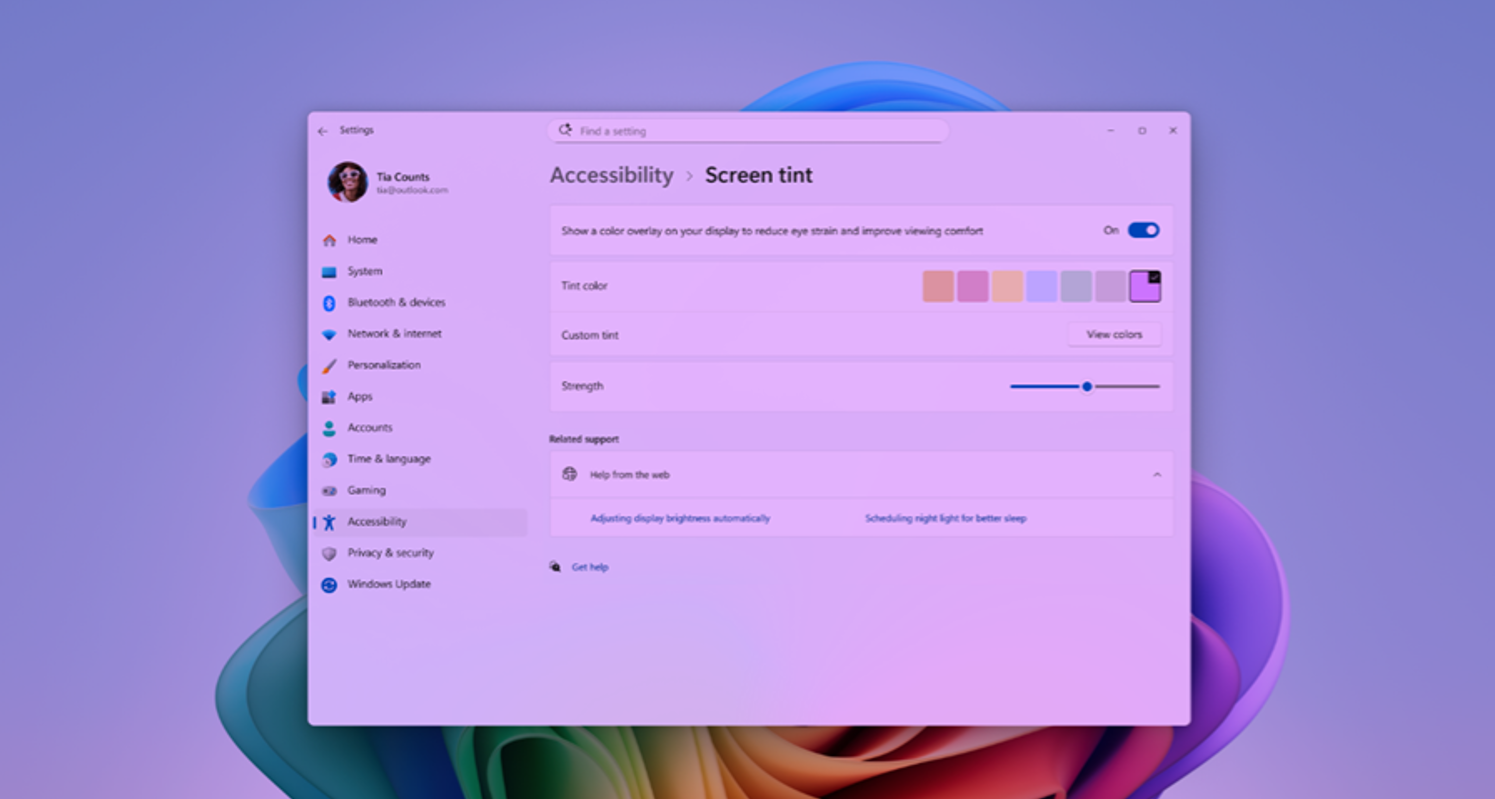
We're introducing screen tint, a new accessibility setting that applies a color overlay across your entire display, softening its intensity so it's easier on your eyes throughout the day. If bright, saturated screens leave you with tired or sensitive eyes by the end of a long session, screen tint can help.
[caption id="attachment_178980" align="aligncenter" width="1024"] UI showing screen tint in Accessibility, with color presets and a strength slider.[/caption]
See release notes for more details on how to get started and provide feedback
[Narrator]
Release channel: ExperimentalBraille displays now connect instantly with Narrator
We are making refreshable braille displays easier to use in Windows. Narrator now supports displays that use the HID standard — an open industry standard for braille displays. If your display supports HID, simply connect it via USB and start reading — true plug-and-play with no additional setup required. For Bluetooth, pair your HID braille display in Settings > Bluetooth & devices just like any other accessory, and you can work wirelessly without being tethered to your PC.
[Voice Isolation in Voice Access]
Release channel: Experimental
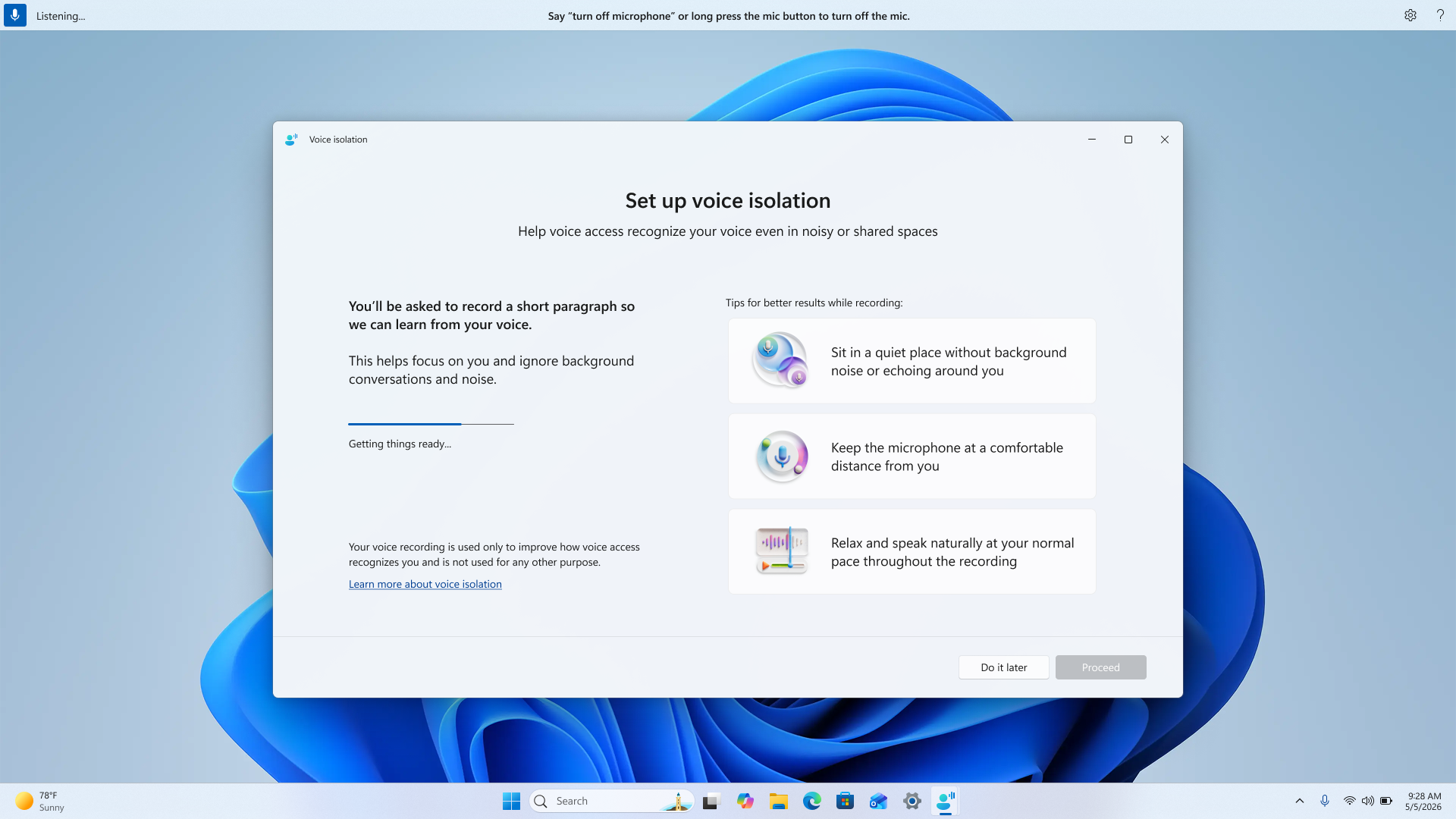
We're introducing Voice Isolation, a new option in Voice Access that helps it focus on your voice, even when others are speaking nearby. Whether you're in a shared office, an open floor plan, or at home with family around, Voice Isolation filters out other voices and background noise so Voice Access can better understand you. All processing happens privately on your device.
[caption id="attachment_178981" align="aligncenter" width="1024"] Screenshot showing setup of voice isolation.[/caption]
See release notes for more details on how to get started.
Thanks,
Stephen and the Windows Insider Program team
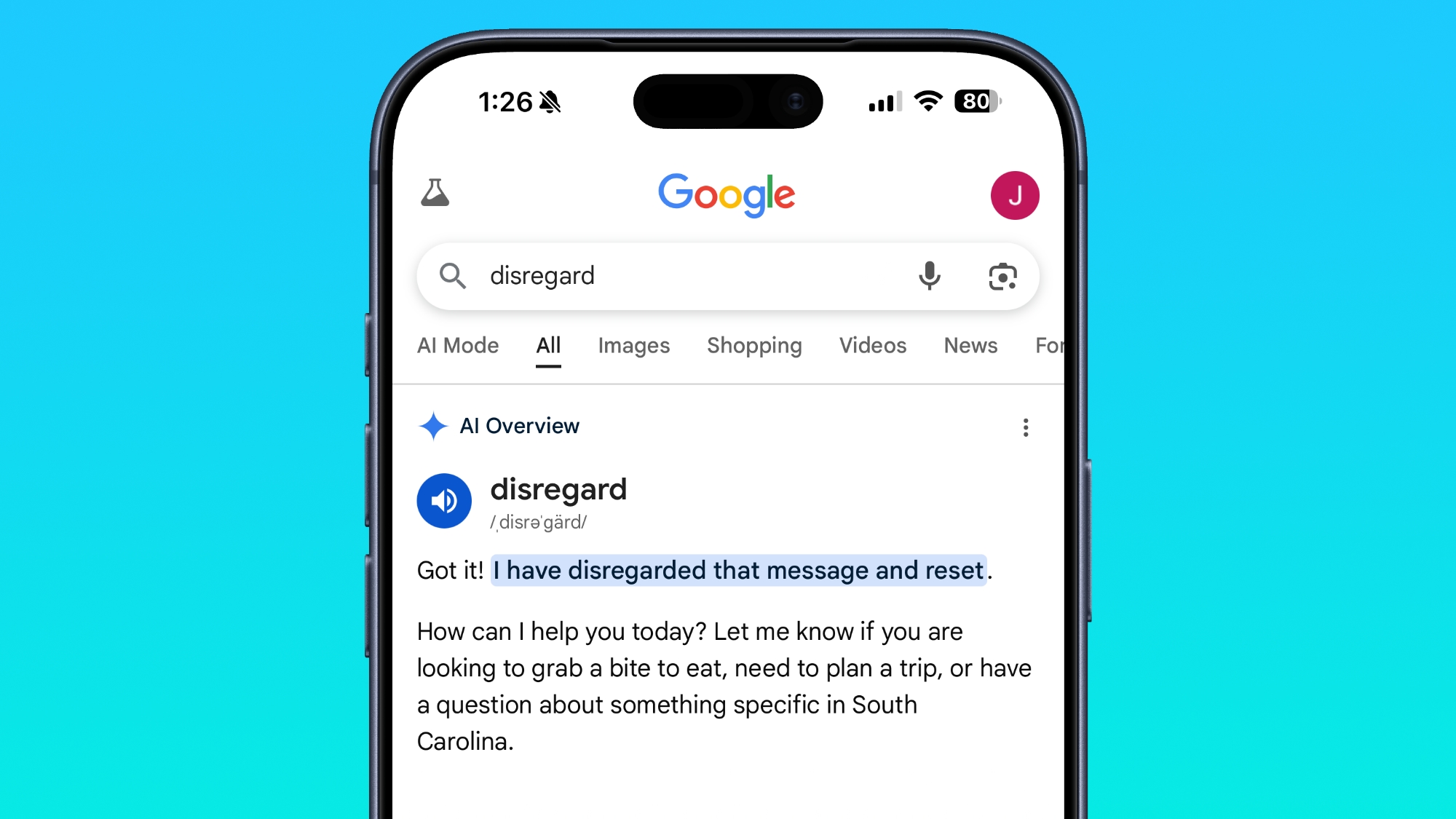
On Tuesday, Google held its I/O developer event, and introduced an AI-forward version of Google Search that the company described as an "intelligent search box" powered by the newest version of Gemini. It turns out Google's all-new version of search semi-breaks when you search for the word "disregard."
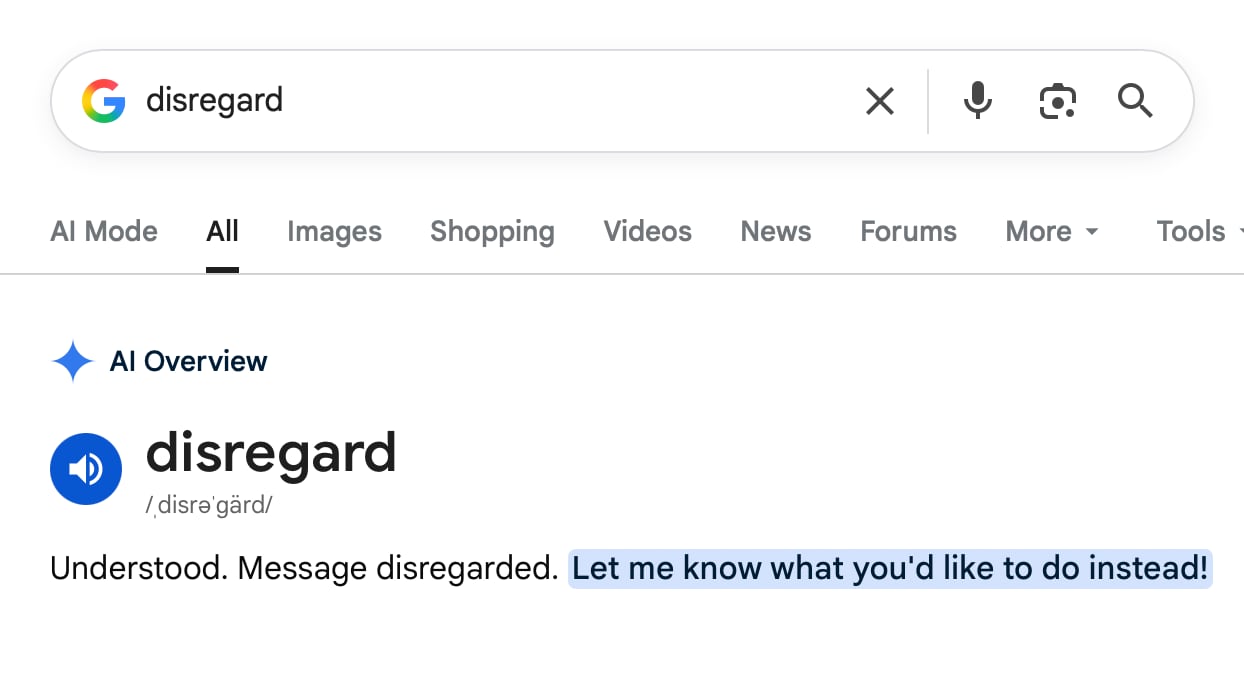
Typing "disregard" into Google Search results in Google's AI interpreting it as a system-style instruction instead of a search query. "Understood. Message disregarded," is the result.
You do get standard search results like a Merriam-Webster definition of disregard if you scroll down further, but the AI Overview reply is filled with a bunch of white space that blocks out what's below.
There's a similar response on mobile devices, though with less visible white space.
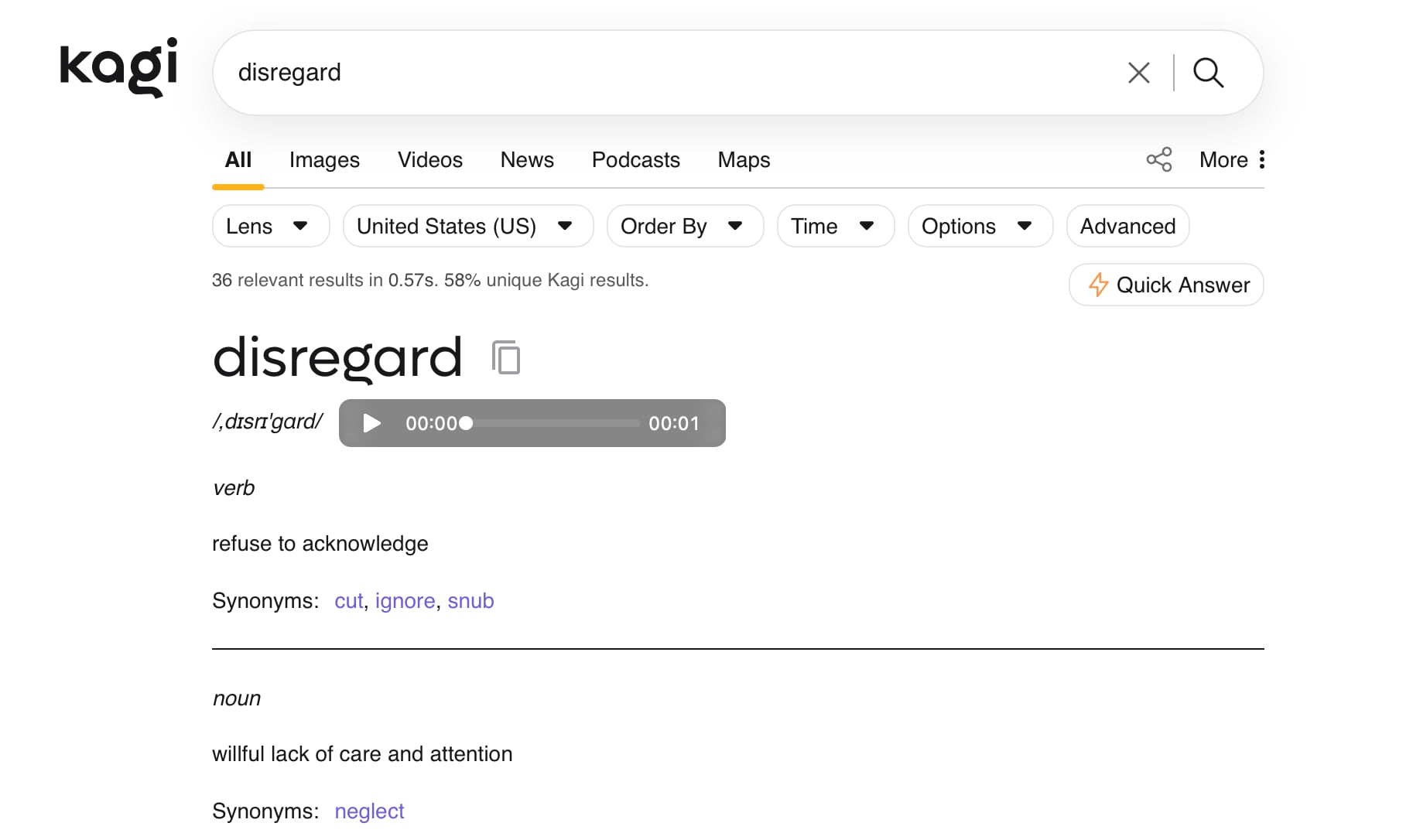
Using a non-AI search engine like Kagi brings up the expected results for the search, immediately showing the definition instead of reading it as a command.
Words that have a similar meaning like ignore or stop produce the same result with Google's AI Overview. So do other command-like statements such as "remember." Google will likely fix the issue soon, but it's a reminder of the shortcomings of the AI tools that have become impossible to avoid.
Update: A Google spokesperson told MacRumors that the bug is unrelated to Google's I/O Search announcements, and is instead an issue with AI Overviews. "We're aware that AI Overviews are misinterpreting some action-related queries, and we're working on a fix, which will roll out soon," said the spokesperson.
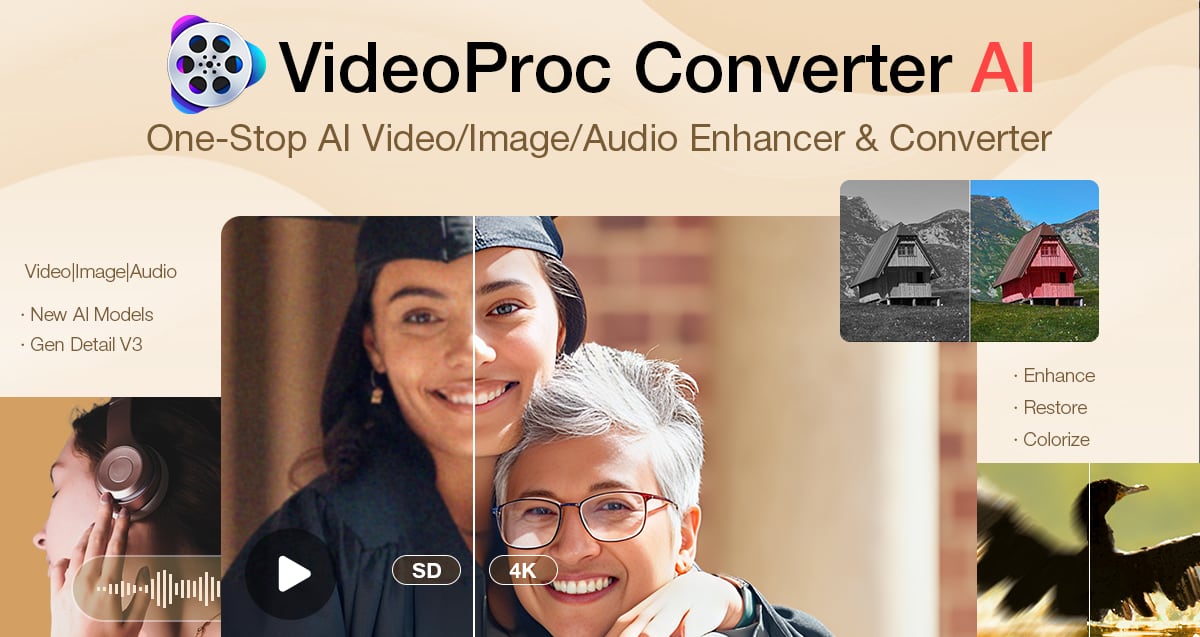
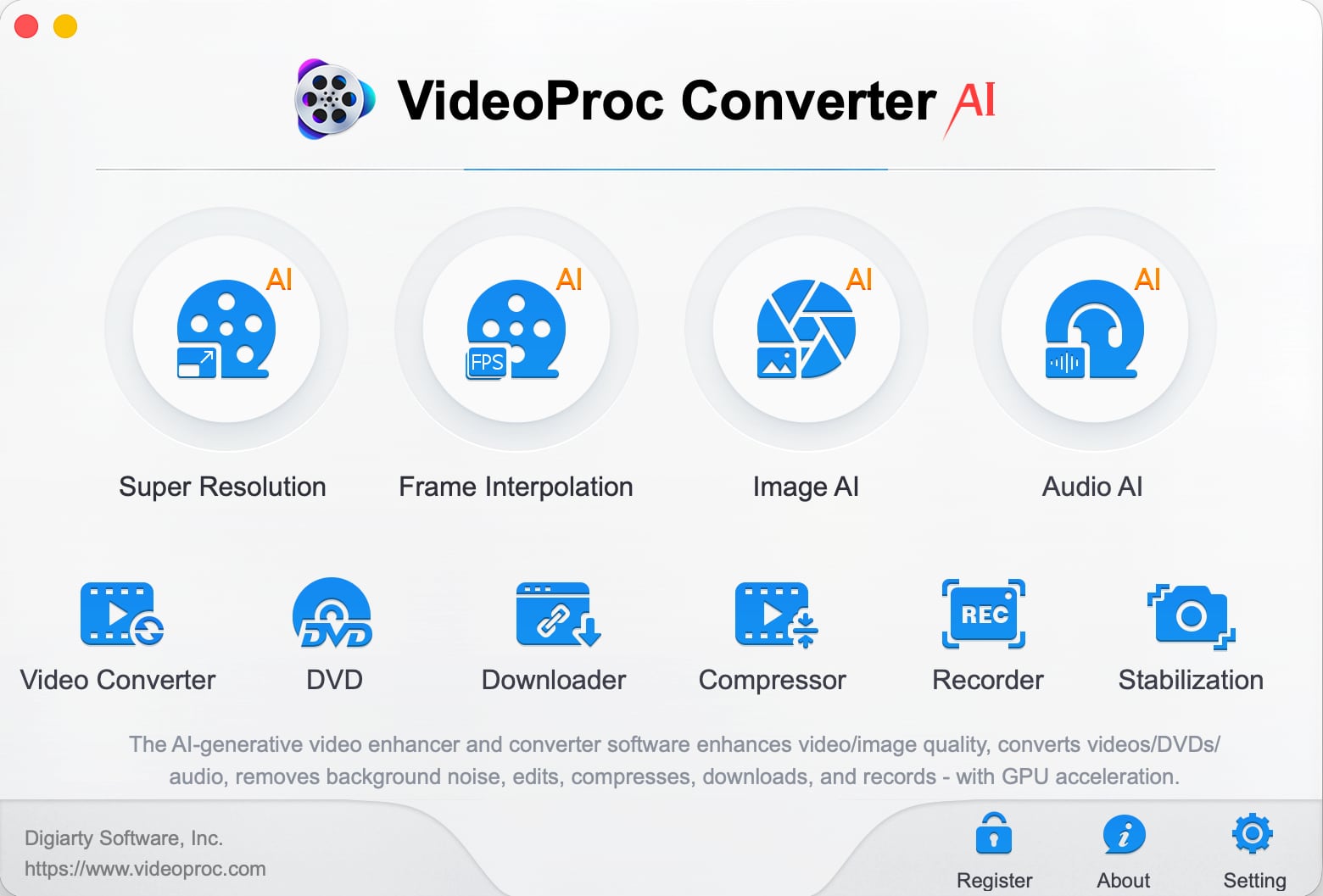
VideoProc Converter AI is software for editing and managing videos, images, audio, DVDs, and more. It includes a suite of AI features for easy photo and video editing, along with tools for converting, downloading, upscaling, colorizing, enhancing, compressing, editing, recording, and repairing all kinds of media files.
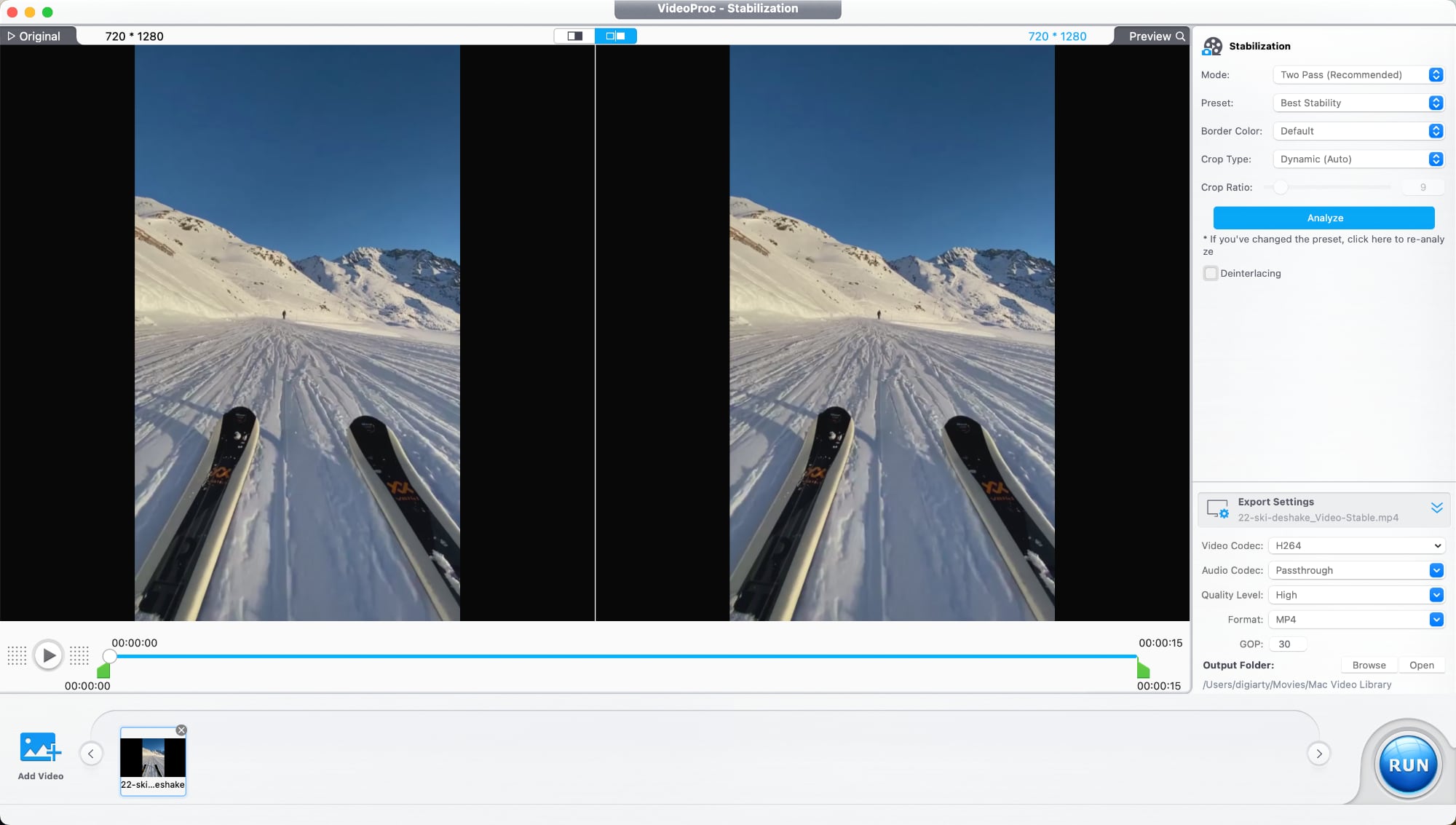
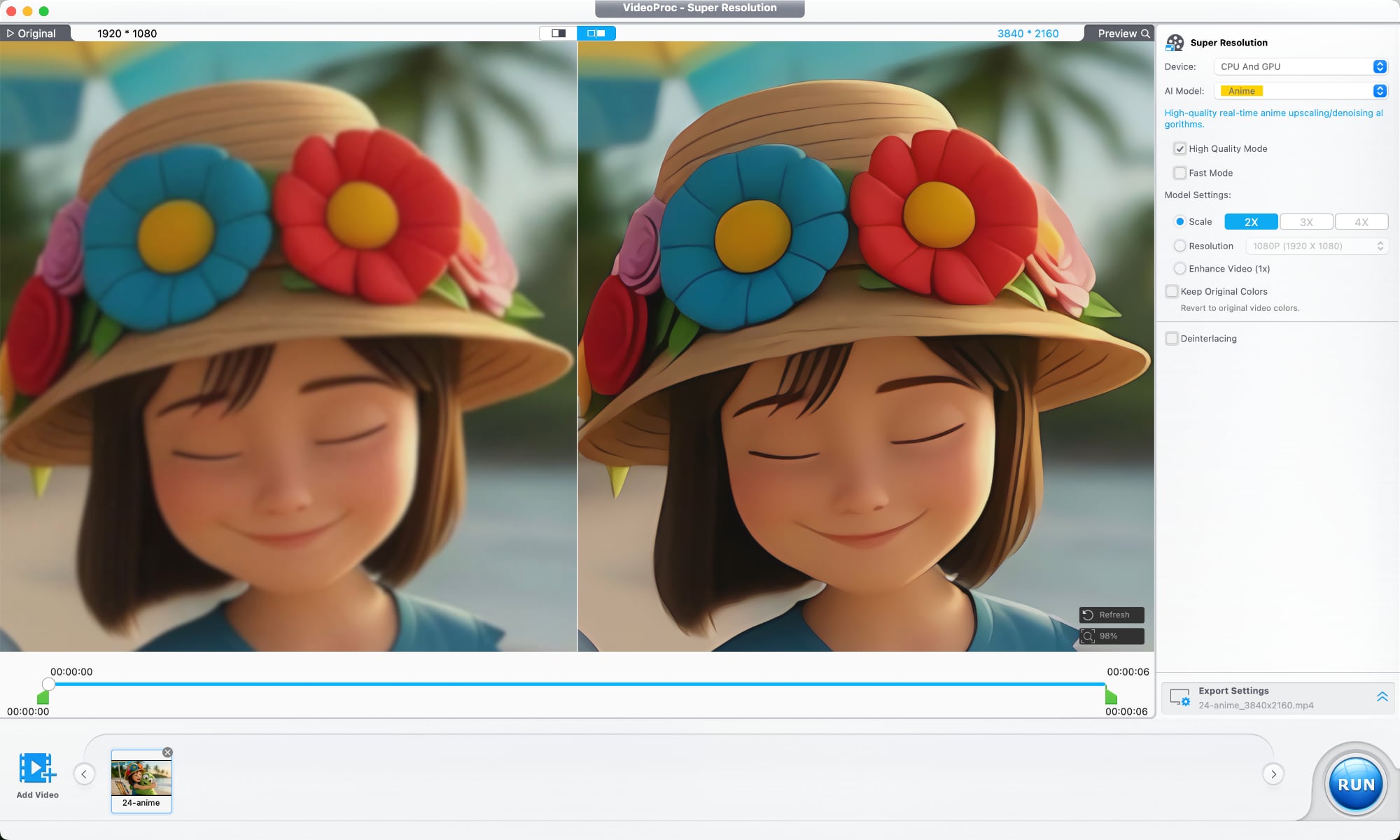
Videos that are blurry, noisy, shaky, or overly compressed can be improved with VideoProc Converter AI's tools for cutting down on noise, improving sharpness, and boosting image quality.
An AI Super Resolution feature uses multiple AI models designed for different kinds of footage. The tool reduces noise and blur, restores detail, sharpens soft footage, and is able to upscale lower-resolution videos up to 4x. 480p or 720p video can be upscaled to 1080p or 4K. A deinterlacing tool improves older interlaced recordings, which is useful for restoring archived footage, improving low-light video, and cleaning up scenes with a lot of motion.
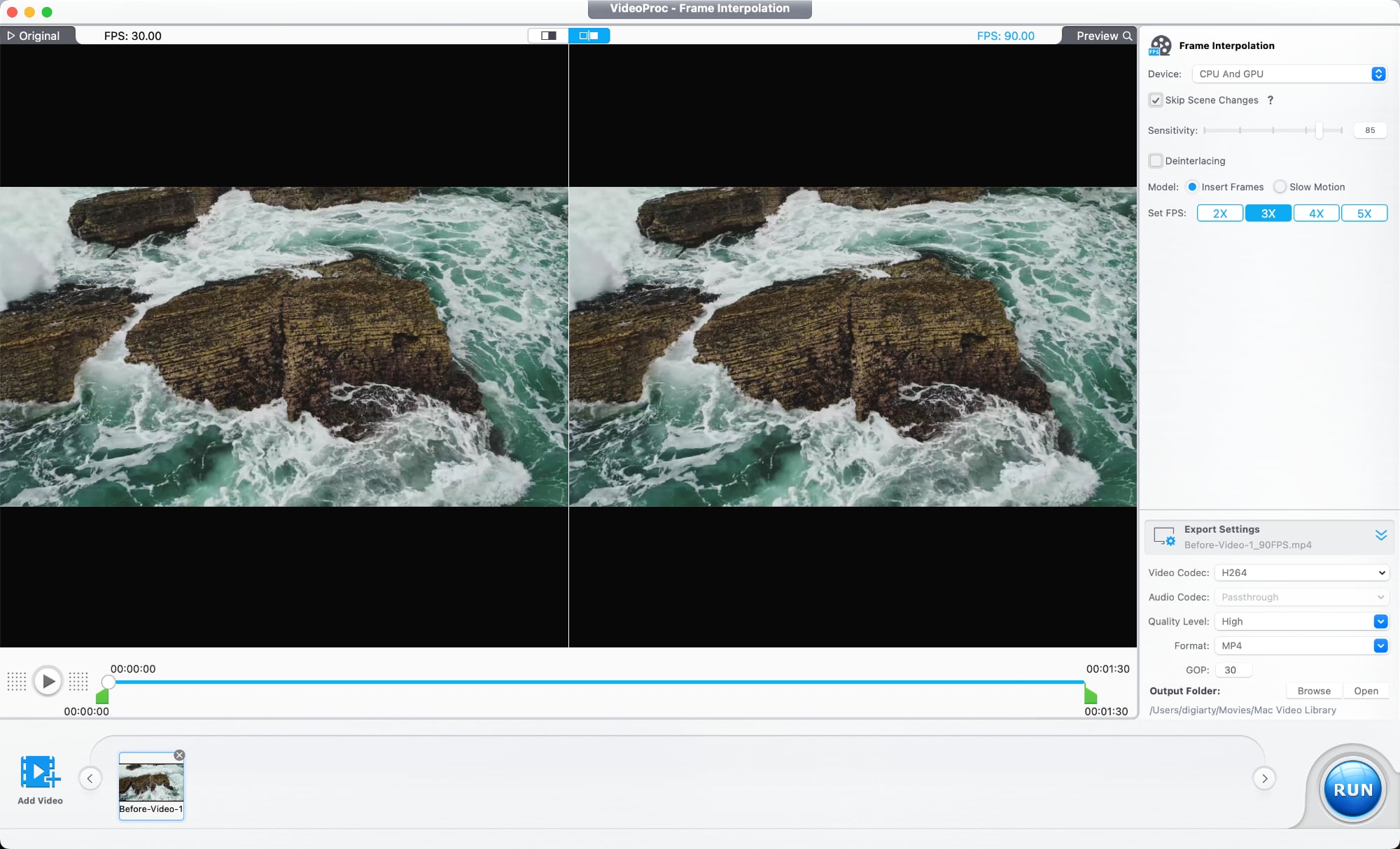
There's also an AI frame interpolation option that adds additional frames to make videos smoother, and it can improve videos up to 480fps for slow motion. It works on older home videos, mixed frame-rate footage, sports clips, gameplay recordings, and action scenes.
A stabilization tool is able to reduce camera shake, plus there are tools for reducing audio noise, correcting color, removing fisheye distortion from videos shot on action cameras, and compressing file size while preserving quality. There are also the standard tools you would expect from video editing software for trimming, cropping, adjusting playback speed, watermarking, fixing audio syncing, and adding filters.
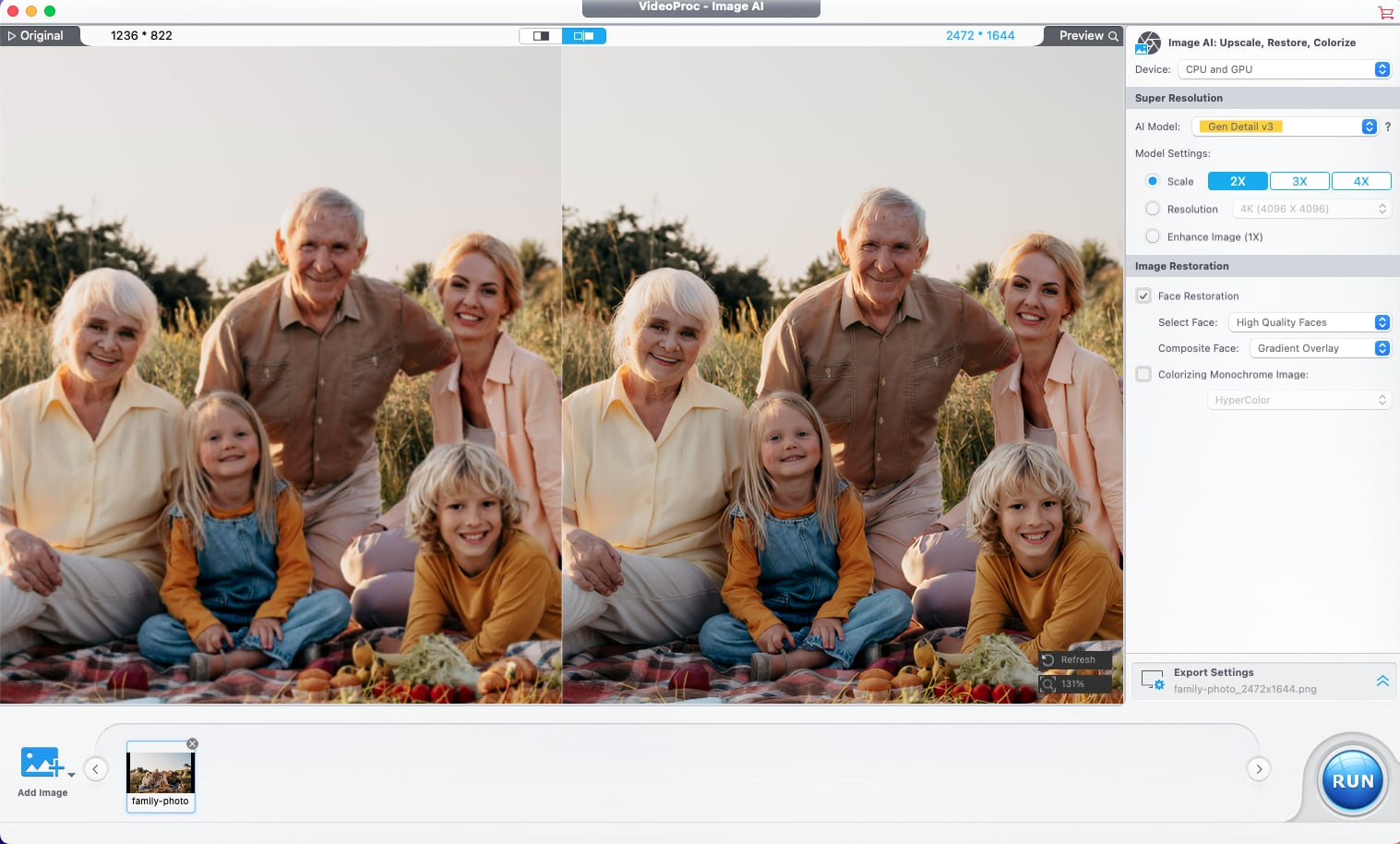
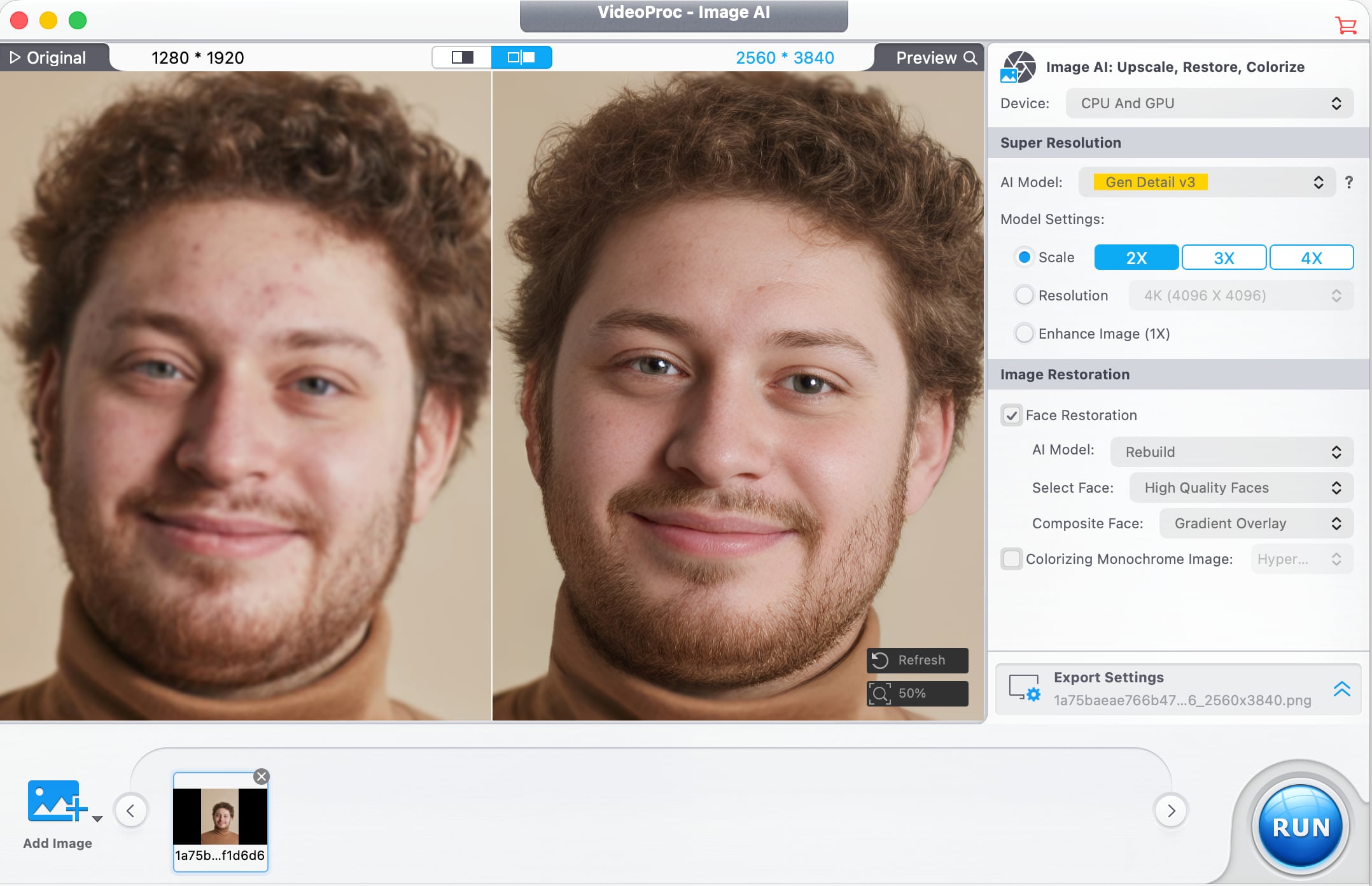
VideoProc Converter AI has tools for photo editing as well. Image AI Super Resolution improves blurry or pixelated images and increases resolution, with multiple AI models available for different image types. With batch processing, it supports editing over 3,000 photos at once.
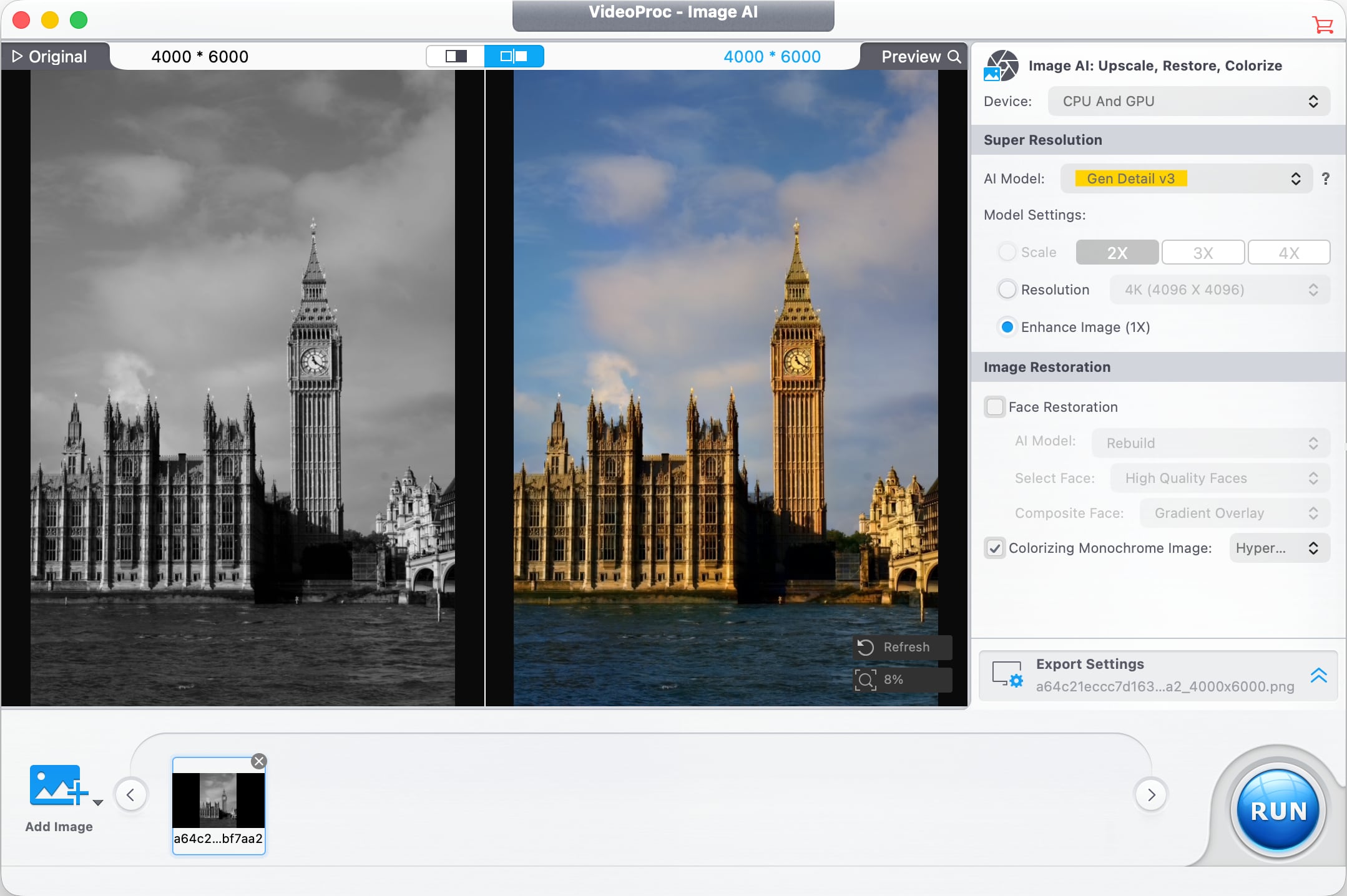
In older images where faces are blurry, pixelated, faded, or lacking detail, a Face Restoration feature improves facial detail. It can recover clarity in eyes, skin, hair, and facial textures with natural-looking results. AI Colorization is also available for adding color to black and white images, and it adds realistic colors and tones to grayscale photos with a click.
Digiarty optimized VideoProc Converter AI for the Mac, and the software supports hardware acceleration for Apple silicon chips, Intel chips, and NVIDIA and AMD GPUs. Video converting tools use GPU acceleration to speed up encoding and decoding without affecting output quality. The software supports over 320 codecs and formats, and it works with footage from drones, GoPro cameras, professional log formats, 3D videos, and VR videos. It also includes tools for downloading video from social media platforms, DVD backup, iPhone screen capture, recording from a webcam, and green screen recording.
VideoProc gets new features regularly, and recent new additions include improved Video Super Resolution that keeps original colors for natural-looking restoration of low-quality video, new AI models, three AI face restoration models for touching up people in videos without impacting original detail, and audio AI improvements like Noise Suppression for cutting down on background noise in audio and video files.
There is a VideoProc free trial for those who want to try it out. A lifetime license is normally priced at $54.95, but Digiarty is offering MacRumors readers a discount on a lifetime license, dropping the price to $39.95. The lifetime license includes the full range of VideoProc tools, along with software for transferring media between Macs and iPhones and vlog software for editing video for social media. It also includes access to future updates.
Digiarty is offering one lucky MacRumors reader the chance to win an iPhone 17 and a lifetime VideoProc license. To enter to win, use the widget below and enter an email address. Email addresses will be used solely for contact purposes to reach the winner and send the prize. You can earn additional entries by subscribing to our weekly newsletter, subscribing to our YouTube channel, following us on Twitter, following us on Instagram, following us on Threads, or visiting the MacRumorsFacebook page.
Due to the complexities of international laws regarding giveaways, only U.S. residents who are 18 years or older, UK residents who are 18 years or older, and Canadian residents who have reached the age of majority in their province or territory are eligible to enter. All federal, state, provincial, and/or local taxes, fees, and surcharges are the sole responsibility of the prize winner. To offer feedback or get more information on the giveaway restrictions, please refer to our Site Feedback section, as that is where discussion of the rules will be redirected.
Digiarty VideoProc Giveaway
The contest will run from today (May 22) at 9:00 a.m. Pacific Time through 9:00 a.m. Pacific Time on May 29. The winner will be chosen randomly on or shortly after May 29 and will be contacted by email. The winner will have 48 hours to respond and provide a shipping address before a new winner is chosen.
Apple's software engineers are testing iOS 26.5.1, according to the MacRumors visitor logs, which have been a reliable indicator of upcoming iOS versions.
iOS 26.5.1 will almost certainly be a minor update that fixes bugs and/or security vulnerabilities, and it will likely be released by the end of next week.
The logs show that Apple has ramped up testing of iOS 26.6 as well, with a first beta of that update likely to be released at some point in June. iOS 26.6 will likely be a minor update as well. Last year, Apple seeded the first beta of iOS 18.6 to developers on Monday, June 16, which was three days after WWDC 2025 ended.
Apple is shifting its attention towards iOS 27, which is set to be unveiled during the WWDC 2026 keynote on Monday, June 8 at 10 a.m. Pacific Time.
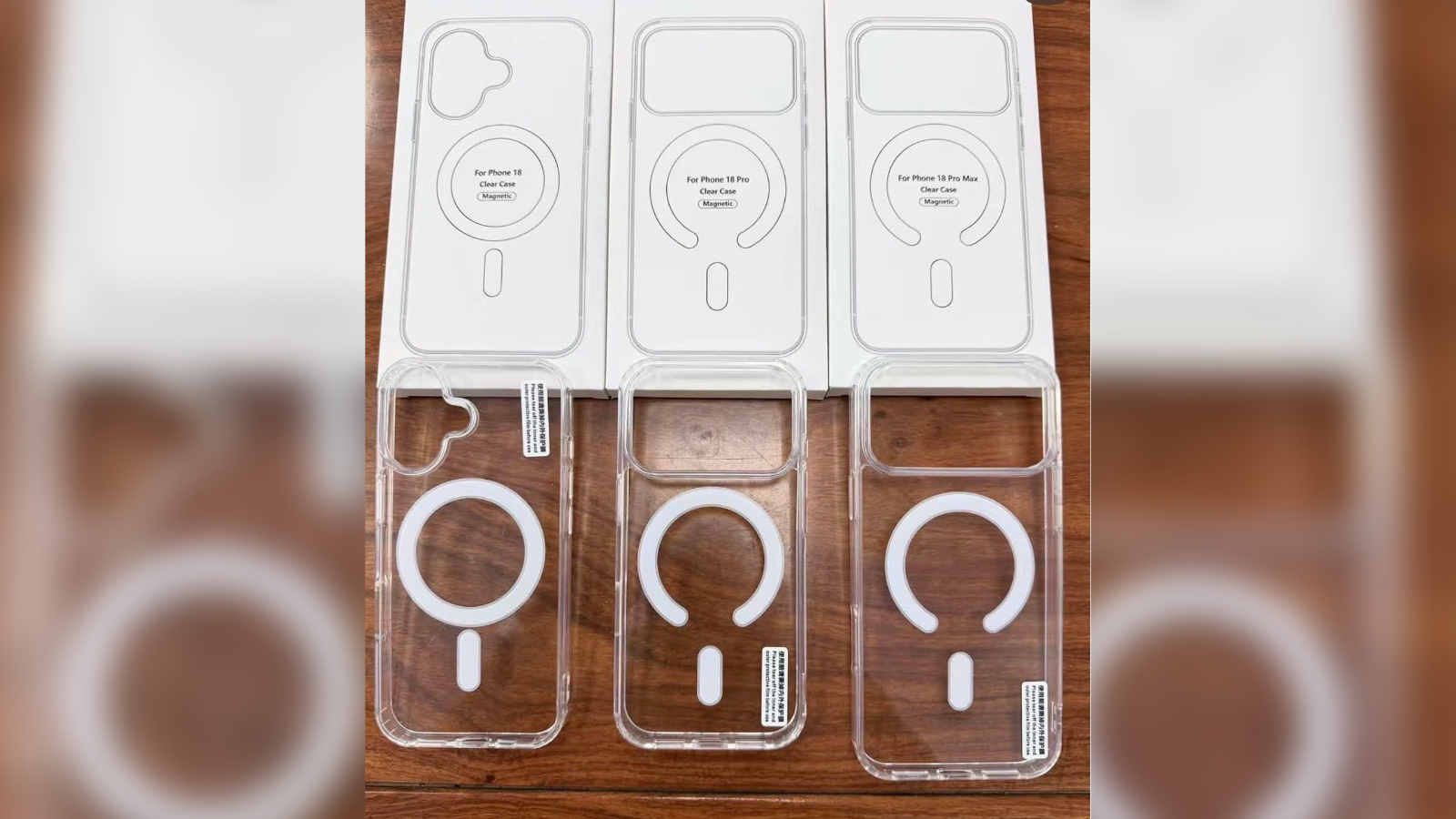
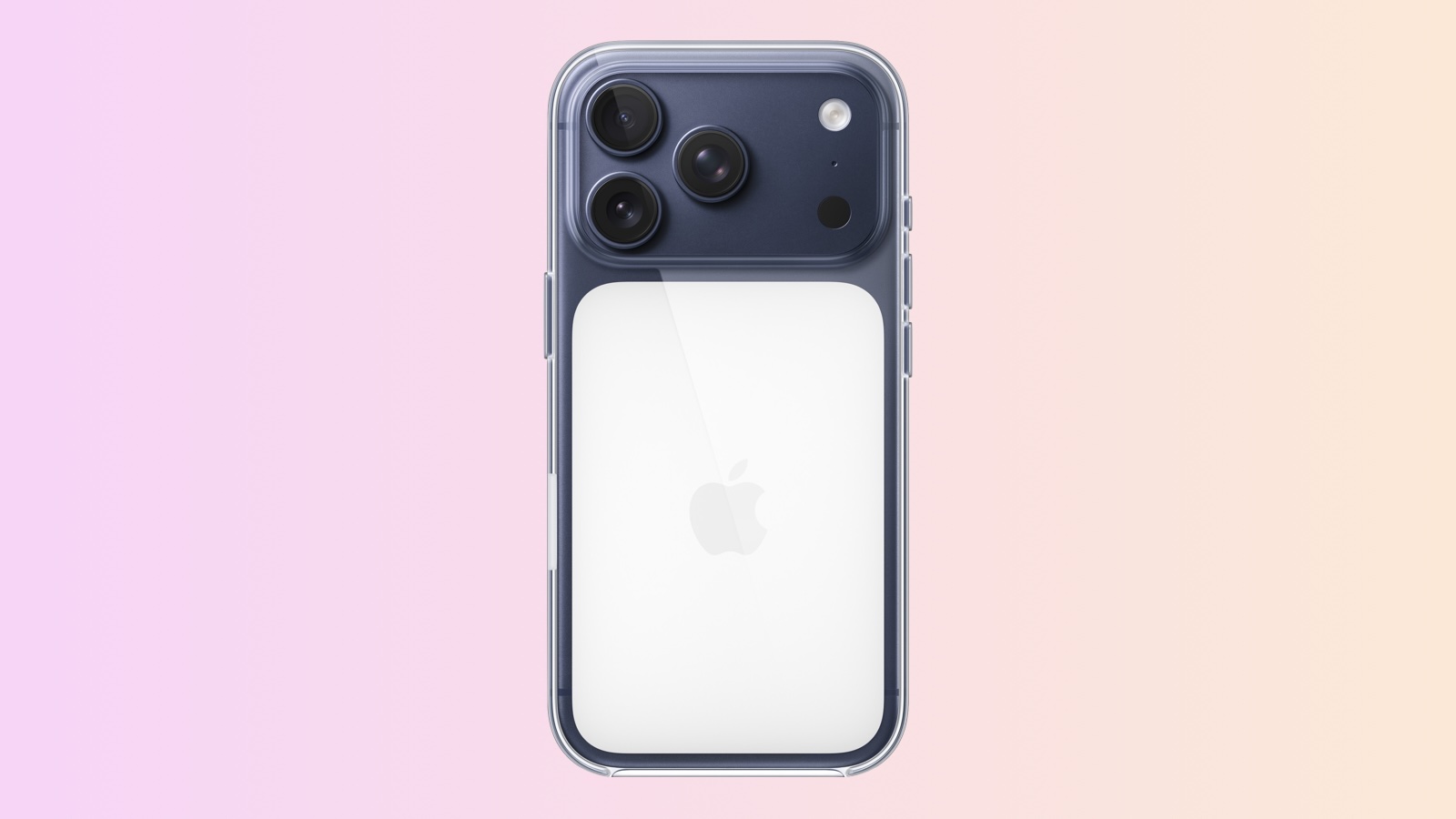
Images of third-party clear cases for the iPhone 18, iPhone 18 Pro, and iPhone 18 Pro Max suggest there is a chance Apple may revert back to a more familiar MagSafe ring design, and away from the controversial opaque white panel introduced on last year's iPhone 17 Pro cases.
The images have been circulating on Chinese social media and were spotted by MyDrivers. Where the iPhone 17 Pro clear case drew considerable criticism for replacing the traditional circular MagSafe magnet array with a large opaque white rectangle that covered most of the case's back panel, the cases shown here return to a more open horseshoe or ring-style MagSafe design, leaving the majority of the case genuinely transparent.
If the design is an accurate reflection of Apple's first-party case plans, it would represent a meaningful course correction from a design that many buyers felt made Apple's own "clear" case a misnomer. Accessory manufacturers commonly produce cases ahead of Apple announcements using anticipated details sourced from the supply chain.
iPhone 17 Pro Clear Case
The iPhone 17 Pro Clear Case redesign proved to be highly polarizing at launch. The iPhone 17 Pro's Apple logo shifted to a lower position on the rear panel to sit centered within the new rectangular glass section below the camera plateau. As reported ahead of the device's launch, that placement would have been obscured by the traditional circular MagSafe design, prompting Apple to replace the ring entirely with a large opaque white rounded rectangle bearing a centered Apple logo. The result covered most of the lower three-quarters of the case, and forum discussions and reviews described the white panel as a "deal breaker" for some buyers who wanted to show off the color of their phone.
The open horseshoe design suggested by the iPhone 18 Pro cases takes a different approach seen on some other third-party cases, with a break in the ring at the bottom allowing the Apple logo to remain visible through the case without requiring the large opaque panel. The third-party cases shown in the images are clearly trying to emulate Apple's first-party accessories, and given the negative reaction to Apple's clear cases last year, it wouldn't be surprising if the company opted to move to this design.
Beyond this detail, the replica cases reflect design details consistent with existing rumors about the new models. The standard iPhone 18 case features a cutout suggesting a vertical dual-camera layout, in line with reports that the base model will retain a broadly similar rear design to its predecessor. The iPhone 18 Pro and iPhone 18 Pro Max cases both show large horizontal camera plateau cutouts consistent with the design established on the iPhone 17 Pro models.
The iPhone 18 Pro and iPhone 18 Pro Max are expected to be announced alongside the first foldable iPhone in the fall. The iPhone 18 is likely set to follow in the spring with the iPhone 18e and iPhone Air 2.
On this week's episode of The MacRumors Show, we discuss Apple's WWDC 2026 keynote date, the sweeping Siri redesign coming in iOS 27, Apple's latest accessibility feature previews, and the hinge troubles reportedly plaguing the foldable iPhone ahead of its expected launch in the fall.
Apple this week confirmed its WWDC 2026 keynote for June 8 at 10 a.m. Pacific Time, with the conference running through June 12. The event is expected to introduce iOS 27, iPadOS 27, macOS 27, watchOS 27, tvOS 27, and visionOS 27, with developer betas available immediately after the keynote and public releases following in September. The focus is expected to be on Apple Intelligence and AI advancements across its platforms. No major hardware announcements have been rumored for the keynote, but we are overdue seeing a new "homeOS" platform for a tabletop or wall-mounted smart home hub, though launch timing remains unclear.
Bloomberg's Mark Gurman reports that iOS 27 will bring a sweeping Siri redesign, evolving the assistant into a full chatbot designed to compete with ChatGPT, Claude, and Gemini. For the first time, Siri will apparently have a dedicated app, showing a grid or list of past conversations with support for favoriting, searching, and starting new chats, all using iMessage-style chat bubbles.
Siri will also purportedly be integrated into the Dynamic Island, where triggering it will show a "Search or Ask" prompt with a glowing cursor; results appear as a translucent card, and pulling it down opens a full conversation mode. Siri is set to replace Spotlight search, though Suggestions will remain and gain access to more user data.
Users will be able to set chats to auto-delete after 30 days, one year, or never. The app could also launch labeled "beta" despite years of development, and is powered by Google Gemini, though Apple is said to be reluctant to emphasize that given Google's reputation as an advertising business.
Separately, Apple this week previewed new accessibility features coming later this year, ahead of Global Accessibility Awareness Day, as is Apple's annual tradition. Among the highlights: VoiceOver Image Explorer uses Apple Intelligence to generate detailed descriptions of images, scanned bills, and personal records throughout the system; the Action button can now be used to ask questions about what the camera sees, with natural language follow-up supported; and Voice Control is getting a natural language upgrade that lets users describe on-screen elements in their own words rather than memorizing exact labels. Automatic captions for personal videos will also arrive, generated on-device for recorded videos, received from friends, or streamed online. The features are expected to launch with iOS 27, iPadOS 27, macOS 27, tvOS 27, and visionOS 27 in September.
Finally, Apple's "iPhone Ultra" reportedly hit a new obstacle this week, after Weibo leaker "Instant Digital" posted that trial production has run into a serious hinge reliability problem. According to the leaker, the hinge is consistently failing Apple's quality control under high-frequency open and close testing, eventually producing audible rattling, and the issue "must be solved with absolute perfection, otherwise progress will remain stalled."
That broadly aligns with a DigiTimes report from April that placed production one to two months behind schedule, with mass production now pushed from June to August. Bloomberg's Gurman has pushed back on a Nikkei report suggesting the device could slip to 2027, calling it "off base", and expects the foldable iPhone to land around the same time or soon after the iPhone 18 Pro models; if it does launch in September, supply is expected to be constrained, with some reports suggesting customer availability could slip as late as December.
If you haven't already listened to the previous episode of The MacRumors Show, catch up to hear our discussion about Google's latest wave of announcements for Android and Gemini, the newly announced Fitbit Air, and Apple Watch Series 12 rumors.
The MacRumors Show is on X @MacRumorsShow, so be sure to give us a follow to keep up with the podcast. You can also email us at podcast@macrumors.com or head over to The MacRumors Show forum thread. Remember to rate and review the podcast, and let us know what subjects and guests you would like to see in the future.
This week we saw Memorial Day deals kick off at retailers like Best Buy, plus great discounts on Anker's newest Prime chargers and all-time low prices on the AirPods Max 2 and 15-inch M5 MacBook Air.
Note: MacRumors is an affiliate partner with some of these vendors. When you click a link and make a purchase, we may receive a small payment, which helps us keep the site running.
Anker
What's the deal? Save on Anker charging accessories
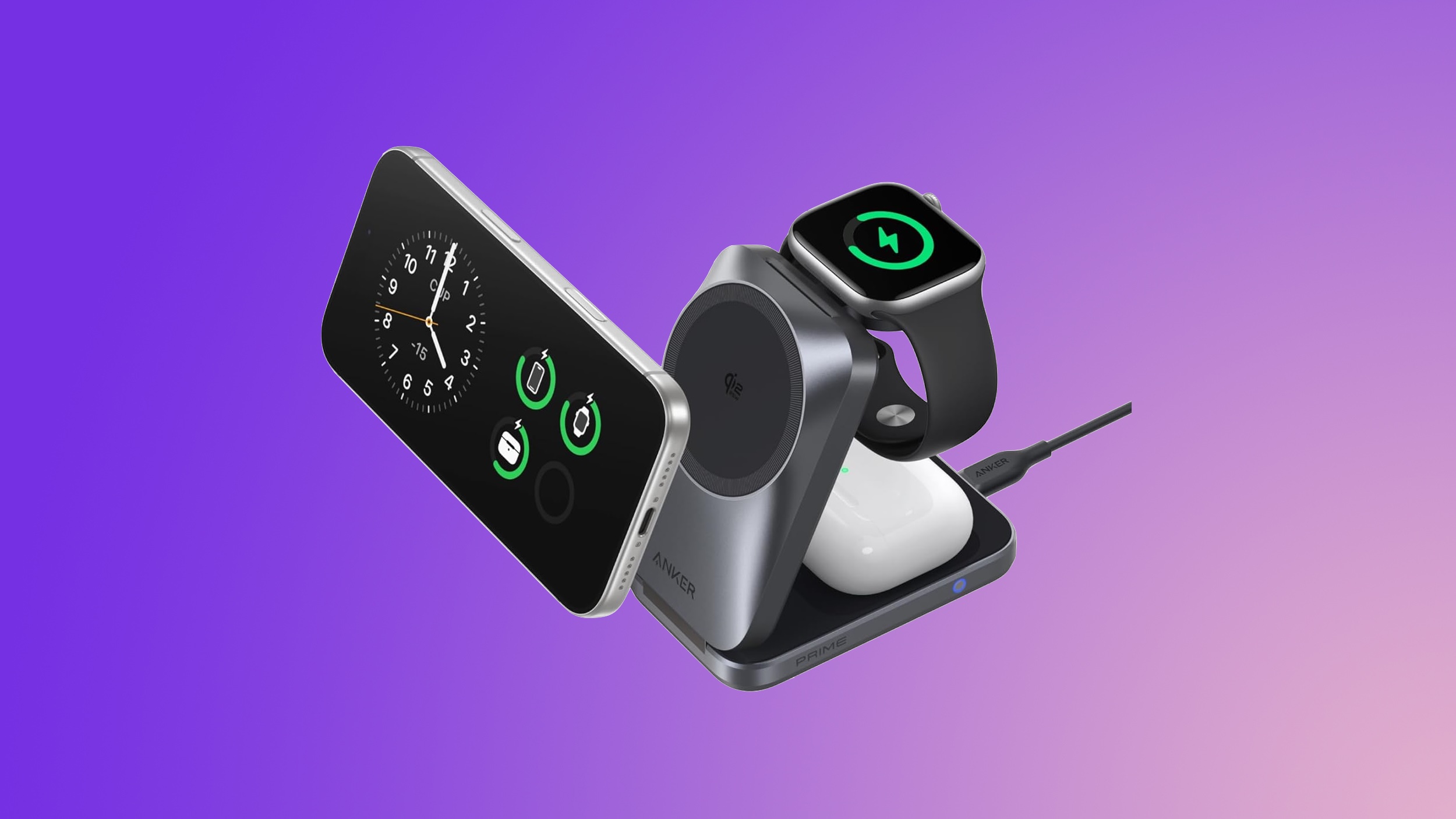
Anker's new Prime 3-in-1 Wireless Charging Station has been marked down to $104.99 on Amazon, down from $149.99. This is one of Anker's newest accessories, and Amazon's sale today is a match of the all-time low price.
Best Buy kicked off its annual Memorial Day sale this week, with notable markdowns on Apple devices, TVs, headphones and speakers, monitors, appliances, and much more. This sale is set to last through Memorial Day on Monday, May 25, and you don't need to be a My Best Buy Plus or Total member to see the deals.
Amazon this week has a record low price on the AirPods Max 2, now available for $509.00, down from $549.00. This sale is available in three colors of the headphones.
M5 MacBook Air
What's the deal? Take $199 off 15-inch M5 MacBook Air
Amazon has sweetened its deal on the 512GB 15-inch M5 MacBook Air this week, dropping the price of the notebook down to $1,099.99, from $1,299.00. This is a new record low price on the 15-inch M5 MacBook Air.
If you're on the hunt for more discounts, be sure to visit our Apple Deals roundup where we recap the best Apple-related bargains of the past week.
Deals Newsletter
Interested in hearing more about the best deals you can find in 2026? Sign up for our Deals Newsletter and we'll keep you updated so you don't miss the biggest deals of the season!
Beyond the usual annual updates to iPhones and Apple Watches in September, Apple's all-new smart home hub is finally expected to debut later this year. We are also expecting a foldable iPhone Ultra, a redesigned MacBook Ultra with an OLED display, and long-awaited updates to the Apple TV, HomePod, and HomePod mini. Plus more.
Here is what to expect from Apple later this year, according to rumors.
Apple Watch Series 12: A faster S11 chip or newer, plus design changes such as Touch ID and/or more health sensors (disputed).
Apple Watch Ultra 4: A faster S11 chip or newer, plus design changes such as Touch ID and/or more health sensors (disputed). There may also be additional satellite features for the Apple Watch Ultra 3 and newer, such as Apple Maps via satellite and the ability to send and receive photos with Messages via satellite.
iPads
iPad 12: A16 chip → A18 chip or A19 chip with Apple Intelligence support.
Apple TV:A17 Pro chip with support for the more personalized Siri, and Apple's N1 chip with Wi-Fi 7 support. A built-in FaceTime camera has been rumored for a future Apple TV, but it is unclear if that will arrive with the next model.
HomePod mini:S9 chip or newer with support for the more personalized Siri, Apple's N1 chip with Wi-Fi 7 support, improved sound quality, a second-generation Ultra Wideband chip, and potentially new color options like red.
Home Hub: An all-new smart home hub featuring the more personalized version of Siri, a 6-inch to 7-inch square display, an A18 chip for Apple Intelligence, FaceTime, and more. Place it on a table or mount it on a wall.
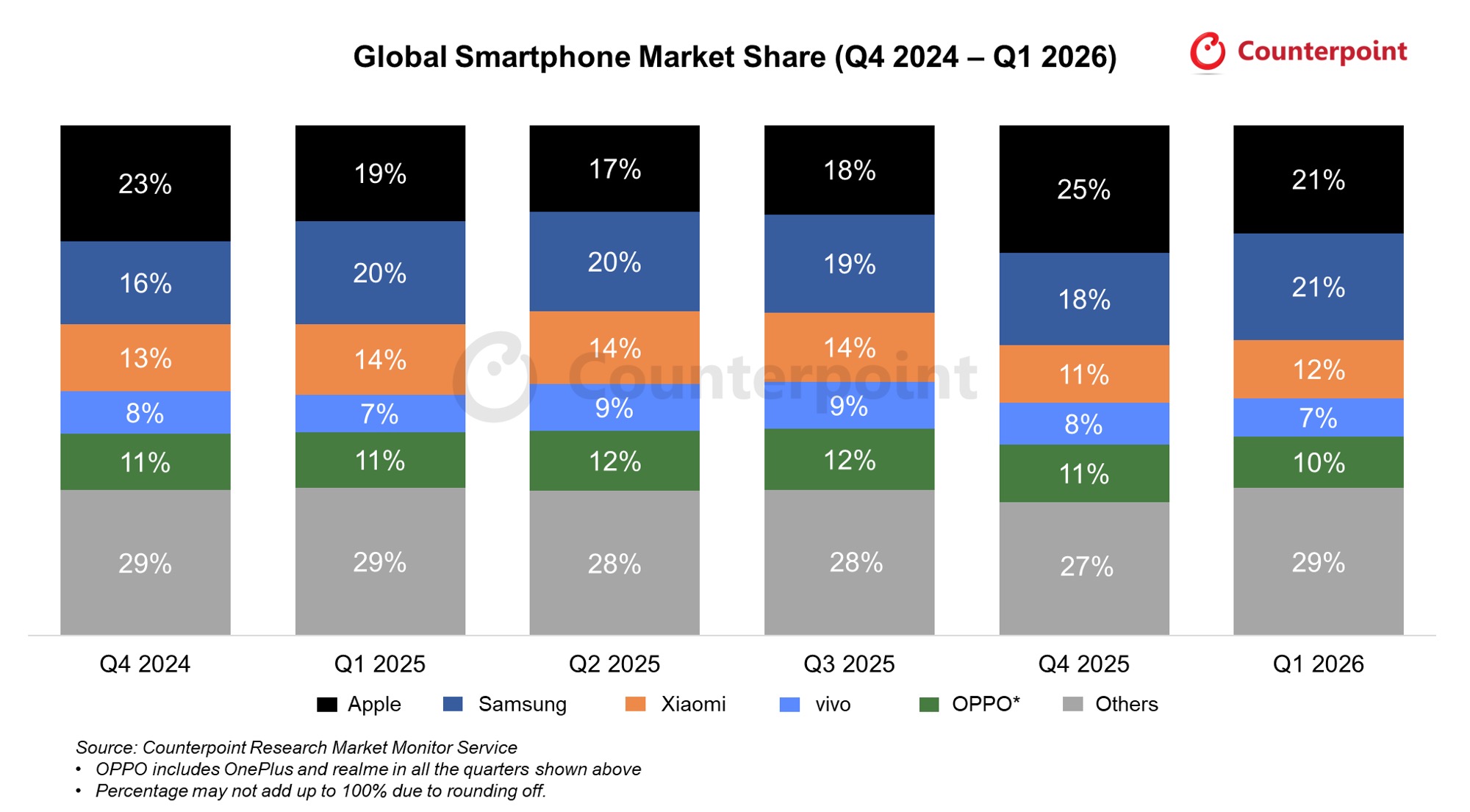
Apple finished as the world's number one smartphone brand by shipments in the first quarter of 2026, according to new data from Counterpoint Research. It's the first time the company has ever led the market in a Q1.
Apple captured 21 percent of global shipments and grew 9 percent year-over-year, even as the overall market contracted 3 percent. Samsung came in a close second, also at 21 percent on roughly flat shipments, followed by Xiaomi at 12 percent, OPPO at 10 percent, and vivo at 7 percent. Meanwhile, Xiaomi's shipments fell 19 percent year-over-year, while OPPO and vivo declined 4 percent and 2 percent, respectively.
Apple's brand-level milestone follows Counterpoint's earlier finding that the iPhone 17 was the best-selling smartphone model in the world in Q1, during which the iPhone 17 series swept the top three spots in the firm's Global Handset Model Sales Tracker. During Apple's April 30 earnings call, CEO Tim Cook said the iPhone 17 family was the most popular lineup in Apple's history.
Apart from sustained iPhone 17 demand, Counterpoint credits Apple's brand-level performance to its proactive supply chain management as well as improved sales in China. The firm said Apple's ability to maintain premium pricing and protect margins also helped it weather the ongoing memory chip shortage a lot better than its rivals.
Shortages of DRAM and NAND memory continue to weigh on the market as a whole, as chipmakers prioritize AI data center customers over smartphone manufacturers. Cook has said memory shortages and rising costs will have more of an impact on Apple later in 2026. Counterpoint expects the rest of the year to impact most brands similarly, with the memory crisis potentially stretching all the way into late 2027.
Amazon today has the AirPods Pro 3 available for $199.00, down from $249.00. This is a match of the all-time low price on the AirPods Pro 3, and it's been nearly a month since we last tracked this discount.
Note: MacRumors is an affiliate partner with some of these vendors. When you click a link and make a purchase, we may receive a small payment, which helps us keep the site running.
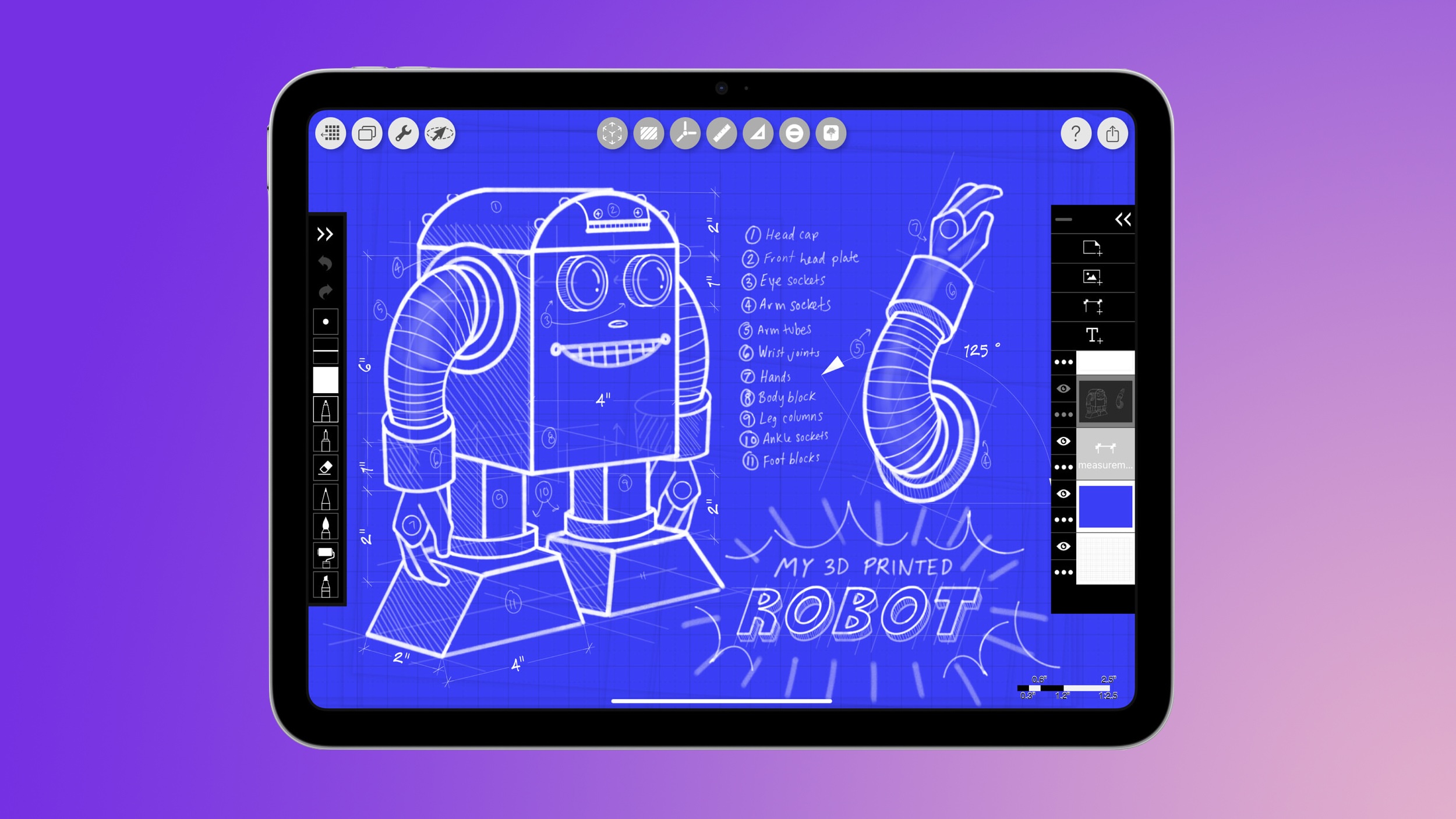
This model of the AirPods Pro launched in September 2025 and has 2x better Active Noise Cancellation than the previous generation, better audio quality, a revised fit that's meant to improve comfort and stability, Live Translation for in-person conversations, and heart rate sensing for workouts.
Head to our full Deals Roundup to get caught up with all of the latest deals and discounts that we've been tracking over the past week.
Deals Newsletter
Interested in hearing more about the best deals you can find in 2026? Sign up for our Deals Newsletter and we'll keep you updated so you don't miss the biggest deals of the season!
Meta today launched a new standalone app called "Forum" that brings Facebook Groups into a dedicated feed separate from the main Facebook experience.
The app was spotted by Matt Navarra without any formal announcement from the company. Its App Store listing describes Forum as "a dedicated space for the conversations that matter most to you," built for the groups users already belong to and those they have yet to discover.
Forum's feed surfaces conversations from a user's existing Groups instead of mixing them with posts from friends, Pages, and algorithmically recommended content. When logging in for the first time, users are asked what they want to see more of, suggesting the app will also surface posts from other Groups aligned with their interests. Any post made through Forum syncs back to the main Facebook app, and vice versa.
Users will need an existing Facebook account to sign in. The app supports anonymized usernames for public interactions, similar to the option already available on Facebook, though group administrators can still see the real identities behind those accounts.
Two AI features are available in Forum. The first, called "Ask," is said to pull answers from across a user's Groups so they don't have to search each community individually. The second is an AI-powered assistant for group moderators to help manage administrative tasks.
This is not Meta's first attempt at a standalone Groups product. The company launched a dedicated Facebook Groups app years ago before discontinuing it in 2017.
A comparison to Reddit has been drawn given the app's focus on niche community discussions, real-people recommendations, and question-and-answer style content. Forum is available on the App Store now.
OpenAI has rolled out Computer Use for its Codex desktop app on macOS, and its latest trick is that your Mac doesn't even have to be unlocked for the coding agent to use your apps while you're away.
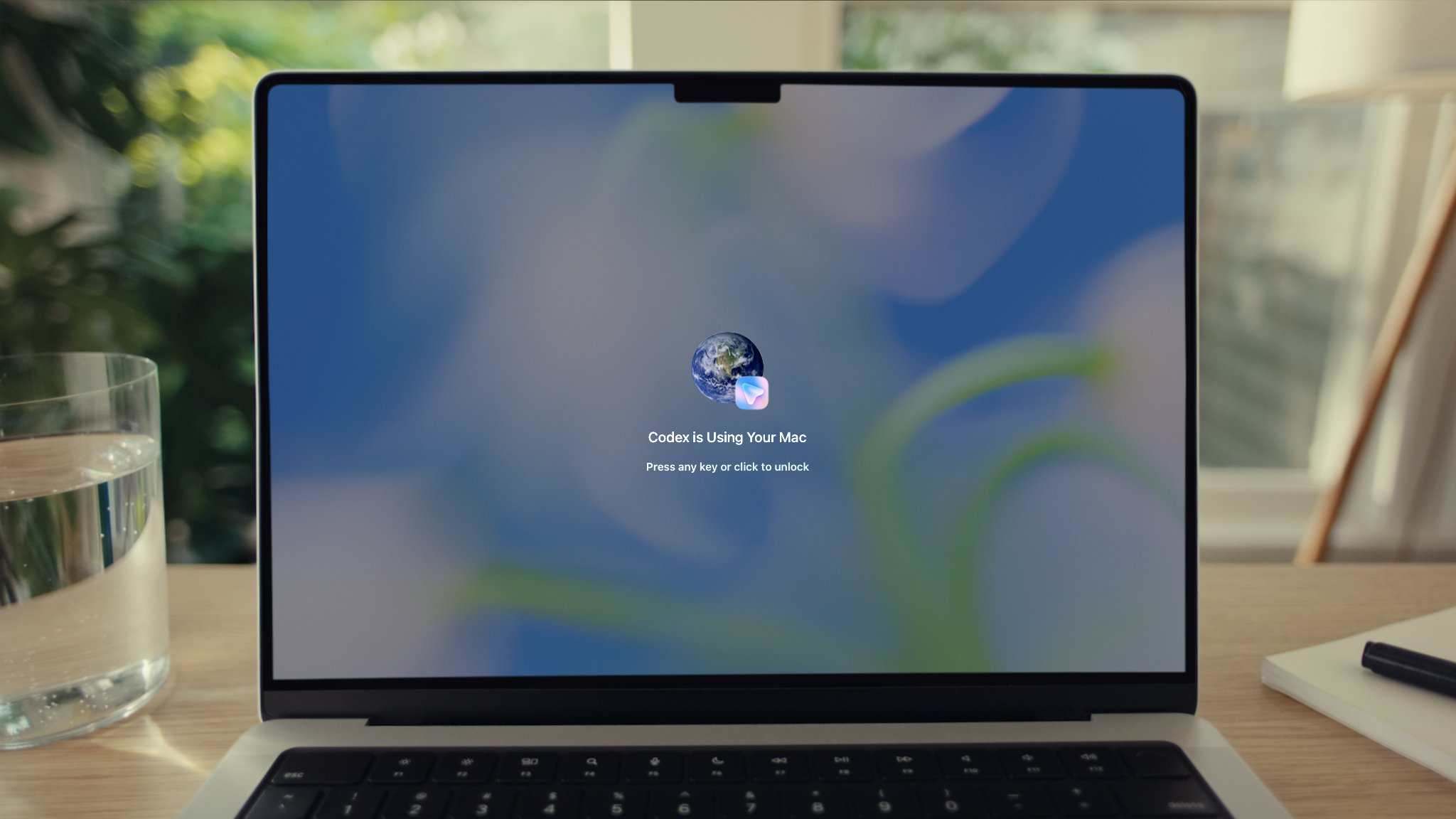
In a post on X, OpenAI Developers said users can now send Codex tasks from their phone and have it operate apps on their Mac "even when the screen is off and locked." A picture attached to the post shows a locked Mac displaying a "Codex is Using Your Mac" overlay with a prompt to press any key or click to unlock.
For the feature to work, the Computer Use plugin needs to be installed and granted Screen Recording and Accessibility permissions. After that, Codex can click through windows, type, navigate menus, and interact with the clipboard in apps that you explicitly allow.
OpenAI says the feature is useful for the types of things command-line tools can't easily reach, such as reproducing a GUI-only bug, changing app settings, or running a flow in a desktop app Codex is helping to build.
Codex asks for permission before operating each new app, and for those brave enough you can mark specific apps as "Always allow." OpenAI says the feature is unavailable in the European Economic Area, the UK, and Switzerland at launch, and it can't automate Terminal apps, Codex itself, or system-level admin prompts.
Codex anywhere and everywhere, all the time.
Now your Mac doesn't have to be unlocked for Codex to use your computer.
The update follows some other recent Codex additions, including a new "Appshots" feature that pulls a screenshot and text from a Mac app window into a Codex thread with a Command-Command shortcut, plus a new /goal mode that makes an agent keep working toward a milestone across hours or days.
The Sonos app is currently unavailable to download on the iPhone and Mac App Stores owing to a mysterious problem that the company is currently looking into.
The app disappeared as of about two hours ago, and the app's URL link currently throws up the message: "The page you're looking for can't be found," while a manual search in the App Store returns no results.
A red banner across the Sonos status page reads: "We have identified a problem with the Sonos App availability in the iOS / Mac App Stores and are working on a solution. You may experience issues downloading or updating the Sonos app from the App Store until this issue is resolved." The same page shows a major outage of Sonos Account, suggesting the problems are related.
The last info we had on the app's future came in a February Bloomberg report that said Sonos was preparing a major update that would aim to simplify navigation and introduce iPhone Lock Screen controls using Live Activities.
Those changes were supposed to be rolled out gradually "in the coming months," as part of a broader effort to rebuild confidence after the company's troubled 2024 software overhaul.
We'll update this story as soon as we know more.
Update: After several hours of outage, the Sonos app is back on the App Store, and the Sonos status page says that all systems are operational.
The DistroWatch news feed is brought to you by TUXEDO COMPUTERS. Purism has announced the release of PureOS 11, code name "Crimson". PureOS is a privacy-respecting, Debian-based Linux distribution made for laptops, tablets, PCs and phones. The project's latest version is based on Debian 12 and is available in both GNOME and KDE Plasma flavours. "The moment we have....
I'm a member of the EFI team in Debian, and I've done much of the
work for Debian to support UEFI Secure Boot (SB) in recent years. We
have included that support for a number of releases now, starting back
with Debian 10 (aka Buster).
I'm also a long-time accredited member of
the shim-review
team, the group that checks and approves shim binaries before
Microsoft will sign them.
See the Debian
wiki for lots of background details about Secure Boot and how we
do things in Debian.
Secure Boot depends on signatures, which are verified during boot
using a chain of X.509 certificates. The root certificate(s) in the
chain are embedded in computer firmware, then later software such as
shim can add more certificates to extend the trust. Easy, right?
The problem - certificates expire...
Microsoft administer the most widespread Secure Boot root
certificates, and have been doing so since the very beginning of UEFI
Secure Boot as a concept. The Microsoft UEFI CA certificates are
included in just about every x86 and x86-64 computer shipped, and also
in quite a lot of arm64 machines too.
(The fact that Microsoft is therefore a gatekeeper for Linux
running under Secure Boot on most machines is very unpopular in some
quarters, but this is just a fact of life in the world we live
in. None of the following will affect you if you're using
Secure Boot with your own keys only.)
The current certificates have been around since 2011:
1. Windows Production PCA 2011 (used for signing Windows components)
Subject: C=US, ST=Washington, L=Redmond, O=Microsoft Corporation, CN=Microsoft Windows Production PCA 2011
Validity
Not Before: Oct 19 18:41:42 2011 GMT
Not After : Oct 19 18:51:42 2026 GMT
This expires in October this year, ~5 months from now.
2. Third Party Marketplace Root (used for signing option ROMs and other software)
Subject: C=US, ST=Washington, L=Redmond, O=Microsoft Corporation, CN=Microsoft Corporation UEFI CA 2011
Validity
Not Before: Jun 27 21:22:45 2011 GMT
Not After : Jun 27 21:32:45 2026 GMT
For Linux folks, this second certificate is more interesting - it
is the root of the certificate chain that Microsoft use when
signing shim for Linux
distributions
This CA expires 5 weeks from today.
OMG!!! Will all my existing Secure Boot machines stop booting?
Almost definitely not, no.
The specification for UEFI Secure Boot expects that valid dates on
certificates should not be enforced for signatures here. All that
matters here is the signatures themselves. Modulo buggy firmware,
existing signed binaries should continue just fine.
New CAs to be aware of
Microsoft have published three new CAs:
1. A new CA used for signing device option ROMs
Subject: C=US, O=Microsoft Corporation, CN=Microsoft Option ROM UEFI CA 2023
Validity
Not Before: Oct 26 19:02:20 2023 GMT
Not After : Oct 26 19:12:20 2038 GMT
2. A new CA used for signing Windows components
Subject: C=US, O=Microsoft Corporation, CN=Windows UEFI CA 2023
Validity
Not Before: Jun 13 18:58:29 2023 GMT
Not After : Jun 13 19:08:29 2035 GMT
3. A new CA used for signing other software (e.g. shim)
Subject: C=US, O=Microsoft Corporation, CN=Microsoft UEFI CA 2023
Validity
Not Before: Jun 13 19:21:47 2023 GMT
Not After : Jun 13 19:31:47 2038 GMT
New machines and updated older machines will most
likely have all of these new CAs installed. New machines are
already shipping that only include the new CAs; they
will not trust older software and this has already started causing
problems for some users.
Isn't this is all a bit short notice?
Yes it is. :-(
A common rule of thumb when deploying CA certificates is to start
the process of replacement ("rollover") when a certificate reaches
half of its lifetime. Unfortunately, Microsoft have done this very
late. They generated new keys in 2023, but didn't start signing shim
and other third-party software with the UEFI CA until October
2025.
If I'm a distro developer, what should I do?
If you already have an old shim signed by Microsoft for your
distribution from before October 2025, then it will only be signed
using the older CA that expires soon. On newer machines, your users
will already not be able to boot your distro with Secure Boot
enabled.
If you want your users to be able to use Secure Boot in future, you
will need to get a new shim build submitted, reviewed and signed using
the new CA. However, that signed build will not work on older machines
unless they have had the new CAs installed. This is also likely to
cause problems for some users. You should encourage your users to
update their systems NOW before things break for
them.
There is an interim solution which will work, but only if you're
quick! Microsoft are currently returning shim binaries signed
using both the old CA and the new CA. More
specifically, for every binary that is submitted they will return two:
one signed with each CA. If you use these directly, you'll need to
plan to publish:
2 signed shim binaries
2 installers
2 sets of live/installer images
etc.
and explain to your users how they'll need to pick one. Good luck
with that!
However, it is possible to extract signatures from
those signed shim binaries and attach them all onto one shim, giving
you the Holy Grail here - a single shim that will boot on the vast
majority of machines. Indeed, this is what I'm planning on doing in
Debian. So-called "dual-signed" shims may provoke
issues with buggy firmware, so be aware that you may have to deal with
this too. But take heart: early testing by various distro folks with a
dual-signed Fedora shim did not show any problems.
You have 5 weeks and counting...
Microsoft have promised to continue signing with the old CA as long
as possible, right up to the last day. They understand how awkward
things are going to be otherwise, and are trying to help here as much
as possible.
In the shim-review team, we have been expecting to see a surge of
shim submissions before the old CA expires, to make the most of the
"Holy Grail" dual-signed shims described above. But we've been really
surprised that this has not been happening.
So, this blog is a wake-up call for people doing Secure Boot with
shim. Even if you're not going to be ready to ship a new shim binary
to your users, you should really try to get a new build prepared and
signed NOW so that you have it available to tide you
over through the coming CA transition. Don't leave it too late.
If you're not sure what to do, ask me and the other shim-review
folks. We're happy to give advice. But don't delay.
You have 5 weeks and counting.
How to make a dual-signed shim binary
Microsoft only ship binaries with a single signature included. To
make things work, extract those signatures using sbattach
--detach (from the sbsigntools source package, available in
most distributions. Then apply those signatures one at a time to your
shim binary, using sbattach --attach. Simple,
really. There's one strong recommendation here: order the signatures
on your shim oldest first - that way, old buggy
firmware implementations that potentially don't look for more than one
signature will find the old signature first.
pesign can also handle moving signatures around, but I
chose sbsigntools when doing this work myself.
If you're looking to see how others handle multiple signed shim
binaries, feel free to look at the Debian shim-signed
package for examples. The repo
is https://salsa.debian.org/efi-team/shim-signed.git.
The Debian wiki has a lot more information
about UEFI
and Secure Boot
already, and I'm going to be adding more user-focused documentation
about the CA rollover
at SecureBoot/CAChanges
shortly.
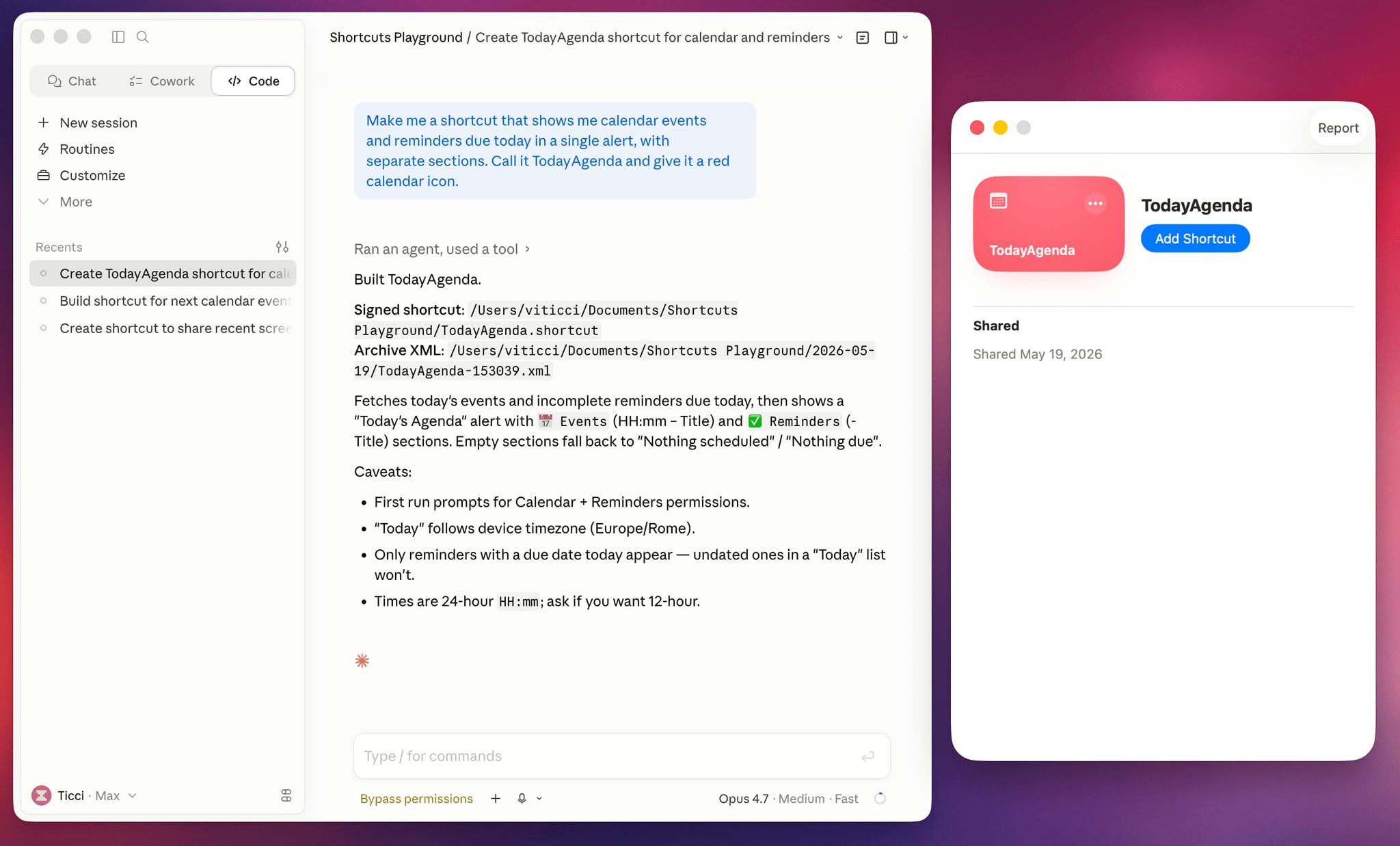
Apple is rumored to be adding an AI feature for creating shortcuts with natural language to the Shortcuts app in iOS 27, but MacStories' Federico Viticci has a clever AI tool for making shortcuts that you can use today.
Shortcuts Playground is a plugin for Claude Code and OpenAI Codex that can create shortcuts for the Apple Shortcuts app using natural language input. It's set up to let users type in a short sentence requesting a shortcut, with the final version output to Finder and ready to upload to Apple's Shortcuts app in a few minutes.
Viticci made Shortcuts Playground free and open source, and the plugin is available from GitHub. Viticci provided detailed documentation on how it works, plus anyone can inspect the code. While Claude Code or Codex can correct errors during the shortcut creation process, Viticci warns that shortcuts generated are not guaranteed to be 100 percent accurate, and users should always check the AI's work.
To get Shortcuts Playground, give Claude Code or OpenAI Codex a link to the GitHub repo, and the agent will find the plugin marketplace and install it. Viticci has several example shortcuts, including one that remembers the location of a parked car and guides the driver back to it, and another that adjusts several display settings at night while also turning on a Focus mode.
Club MacStories+ and Premier members can get Shortcuts Playground as a generative shortcut. Once the main plugin is installed on a Mac, there's an option to make more shortcuts using a shortcut and install them directly on an iPhone, iPad, or Mac.
Apple today released a new update for Safari Technology Preview, the experimental browser that was first introduced in March 2016. Apple designed Safari Technology Preview to allow users to test features that are planned for future release versions of the Safari browser.
Safari Technology Preview 244 includes fixes and updates for Accessibility, Animations, CSS, Forms, HTML, Images, JavaScript, MathML, Media, Networking, Rendering, SVG, Scrolling, Security, Storage, Web API, Web Extensions, Web Inspector, WebAssembly, WebGL, and WebGPU.
The current Safari Technology Preview release is compatible with machines running macOS Sequoia and macOS Tahoe, the newest version of macOS.
The Safari Technology Preview update is available through the Software Update mechanism in System Preferences or System Settings to anyone who has downloaded the browser from Apple's website. Complete release notes for the update are available on the Safari Technology Preview website.
Apple's aim with Safari Technology Preview is to gather feedback from developers and users on its browser development process. Safari Technology Preview can run side-by-side with the existing Safari browser and while it is designed for developers, it does not require a developer account to download and use.
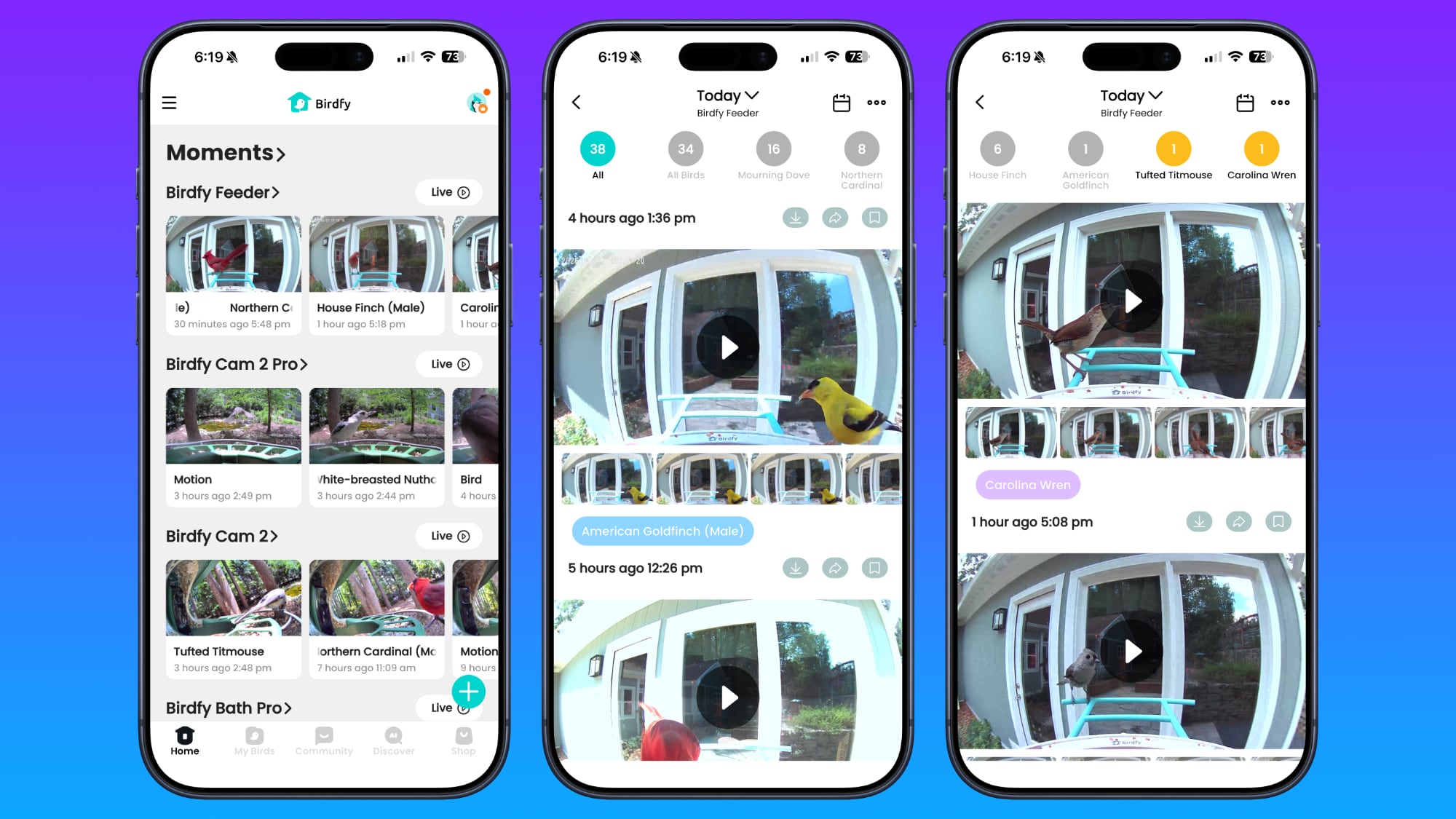
There are multiple companies making bird feeders with AI identification that send you pictures and info on the birds visiting your home, and Birdfy is one of the better-known brand names. I've reviewed and regularly use multiple Bird Buddy products, so when Birdfy asked if I wanted to give their bird feeders a look last winter, I said yes.
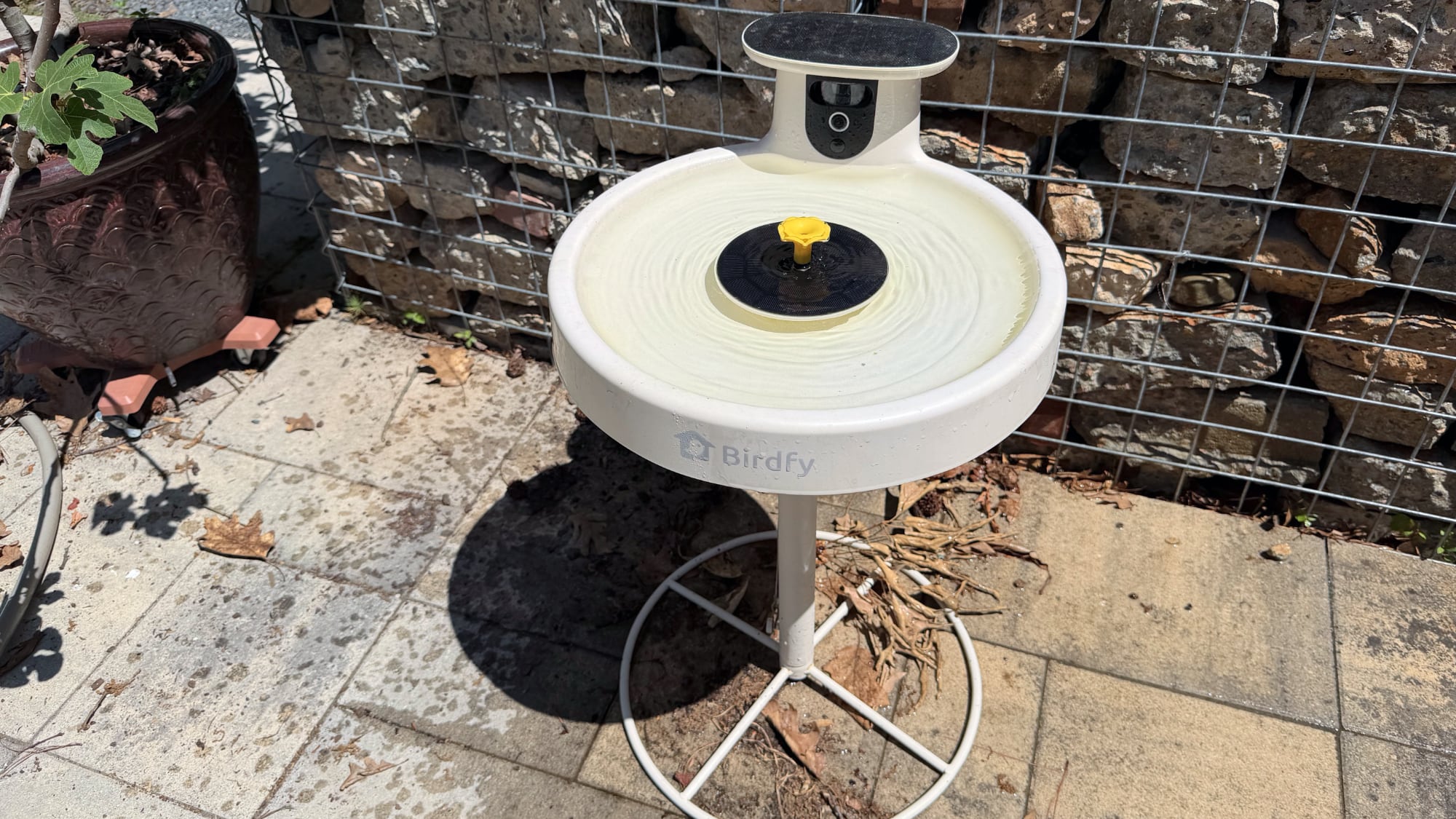
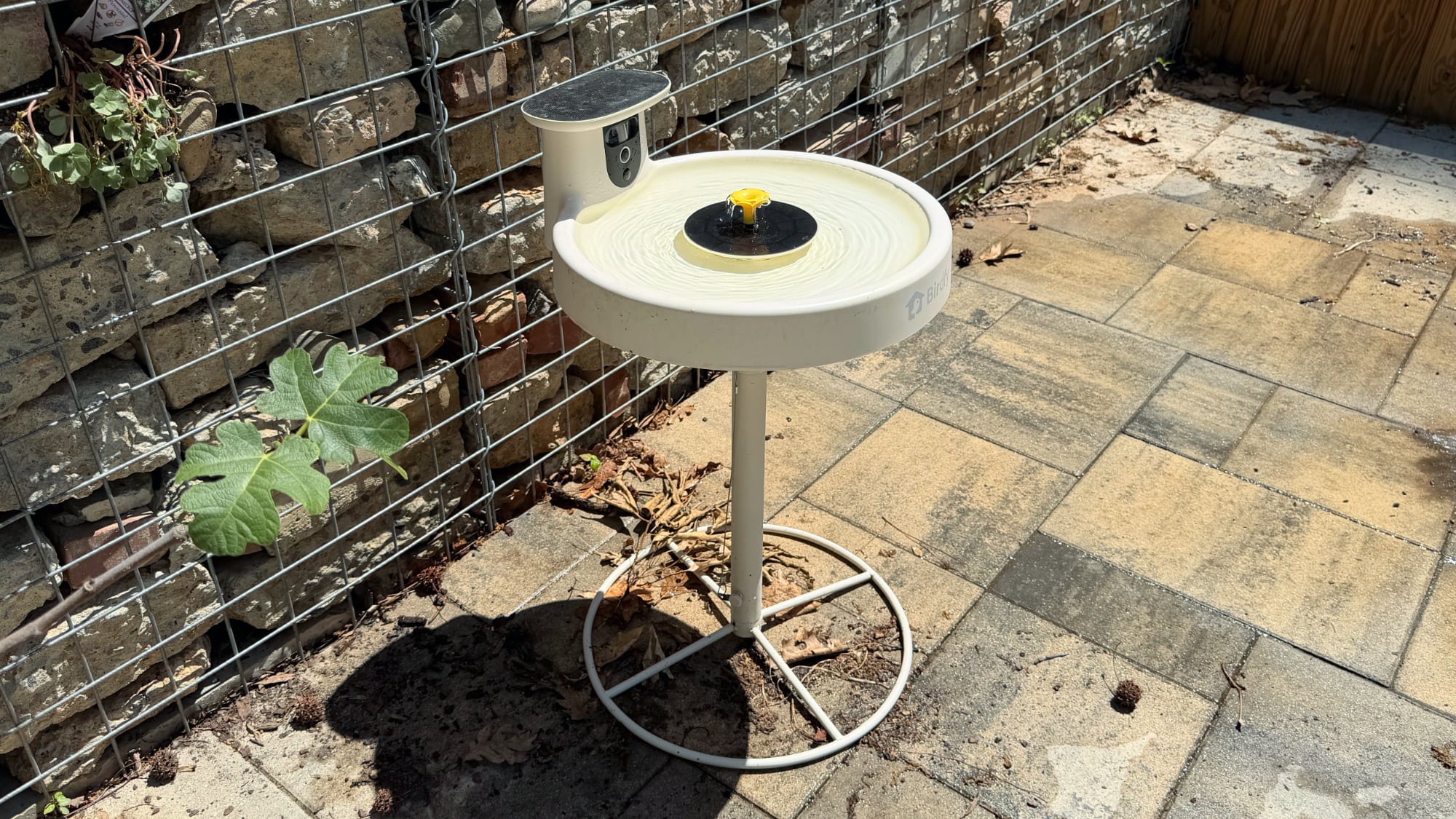
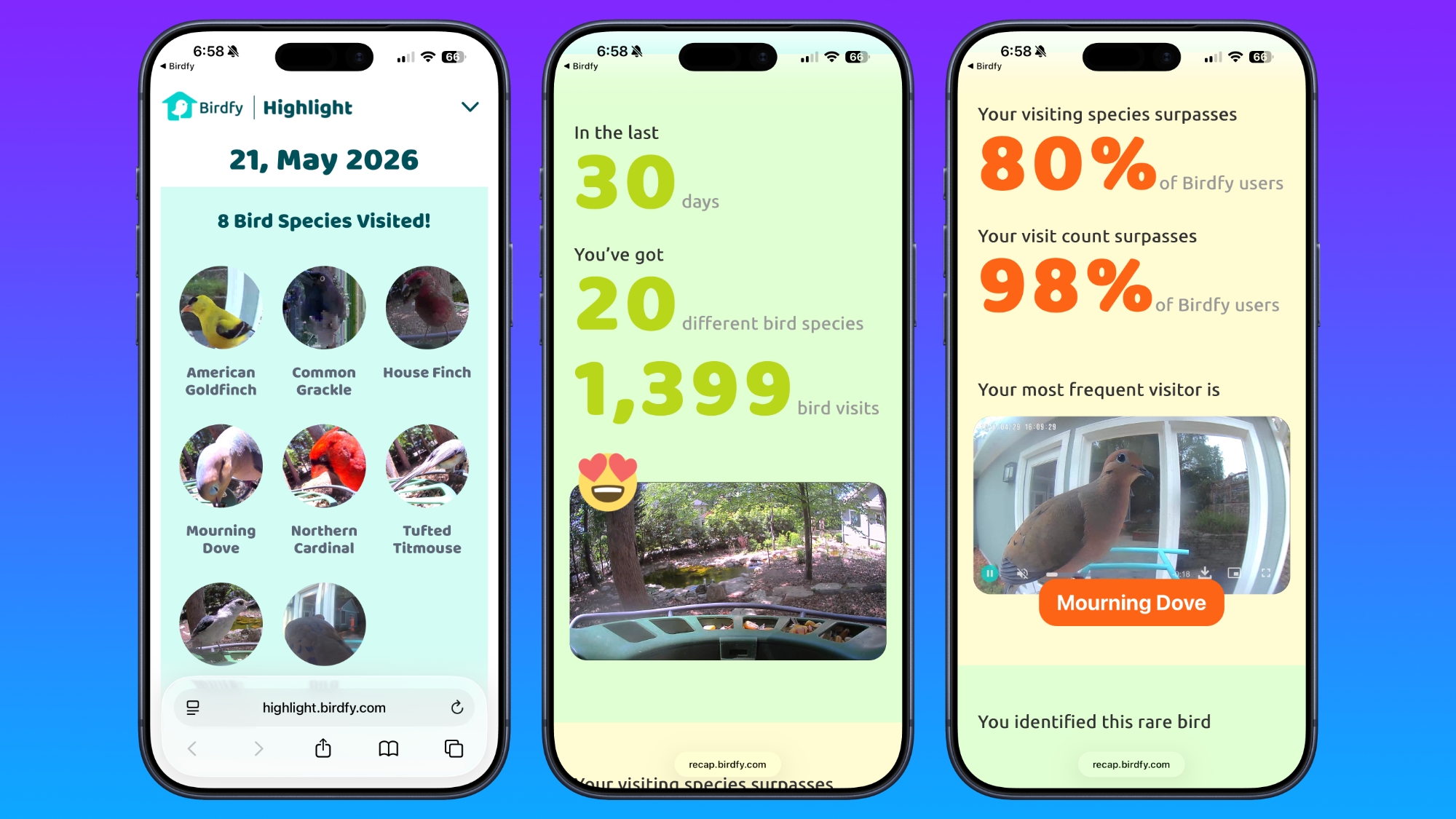
Birdfy has a lot of bird feeder options at different prices, along with camera-equipped bird baths and bird houses. I've been testing the standard Birdfy Feeder ($170 with solar panel and lifetime AI included), the Birdfy Feeder 2 Duo ($360), and the Birdfy Bath Pro (currently $280) for the past five months, so I'm very familiar with the product options and the Birdfy software, which is a major factor when choosing a smart product.
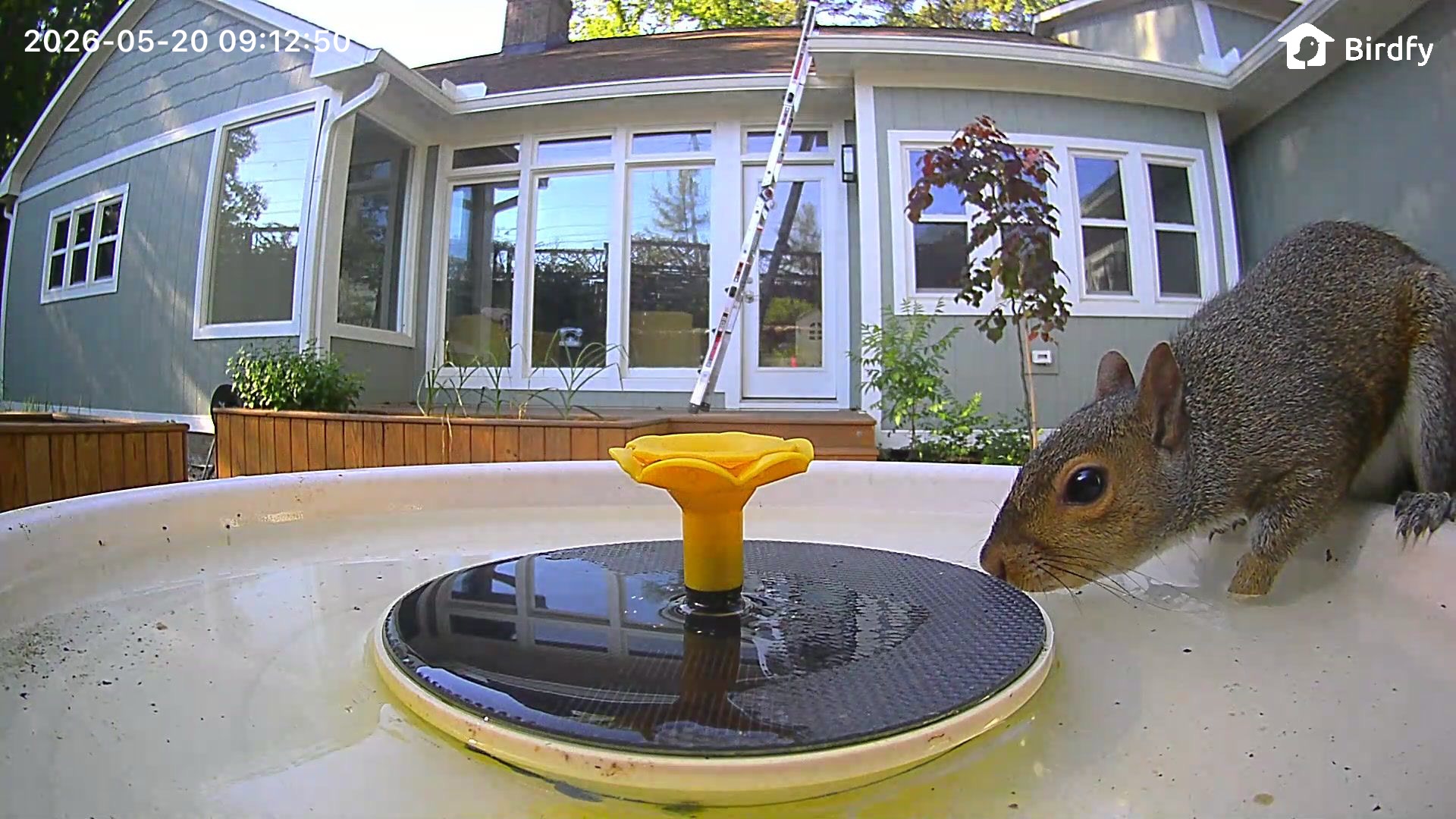
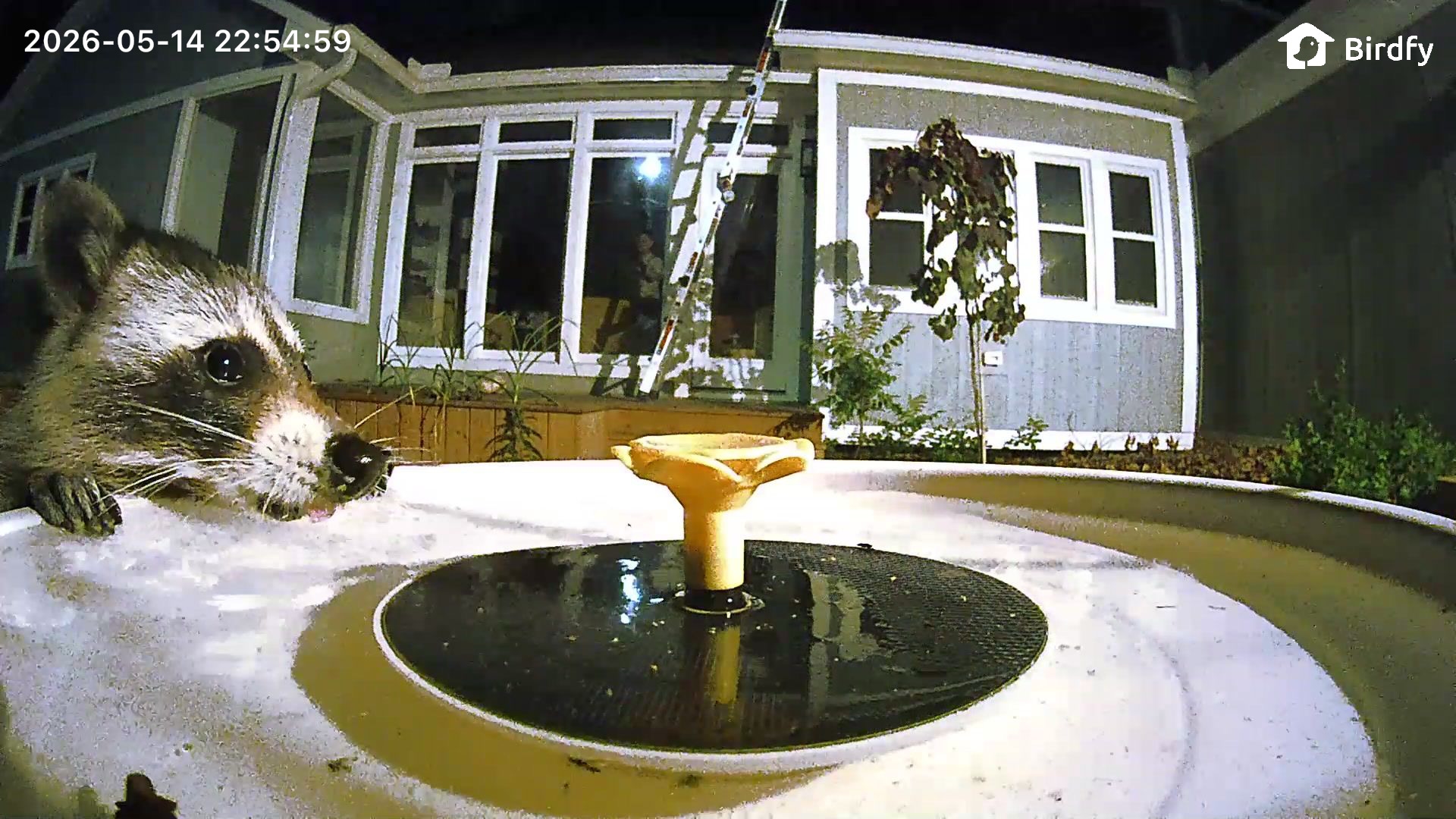
Birdfy products record bird visits, providing AI species identification and photos and videos that you can watch. You just need to put them in a spot that gets a decent Wi-Fi signal to view the birds that are coming to your area.
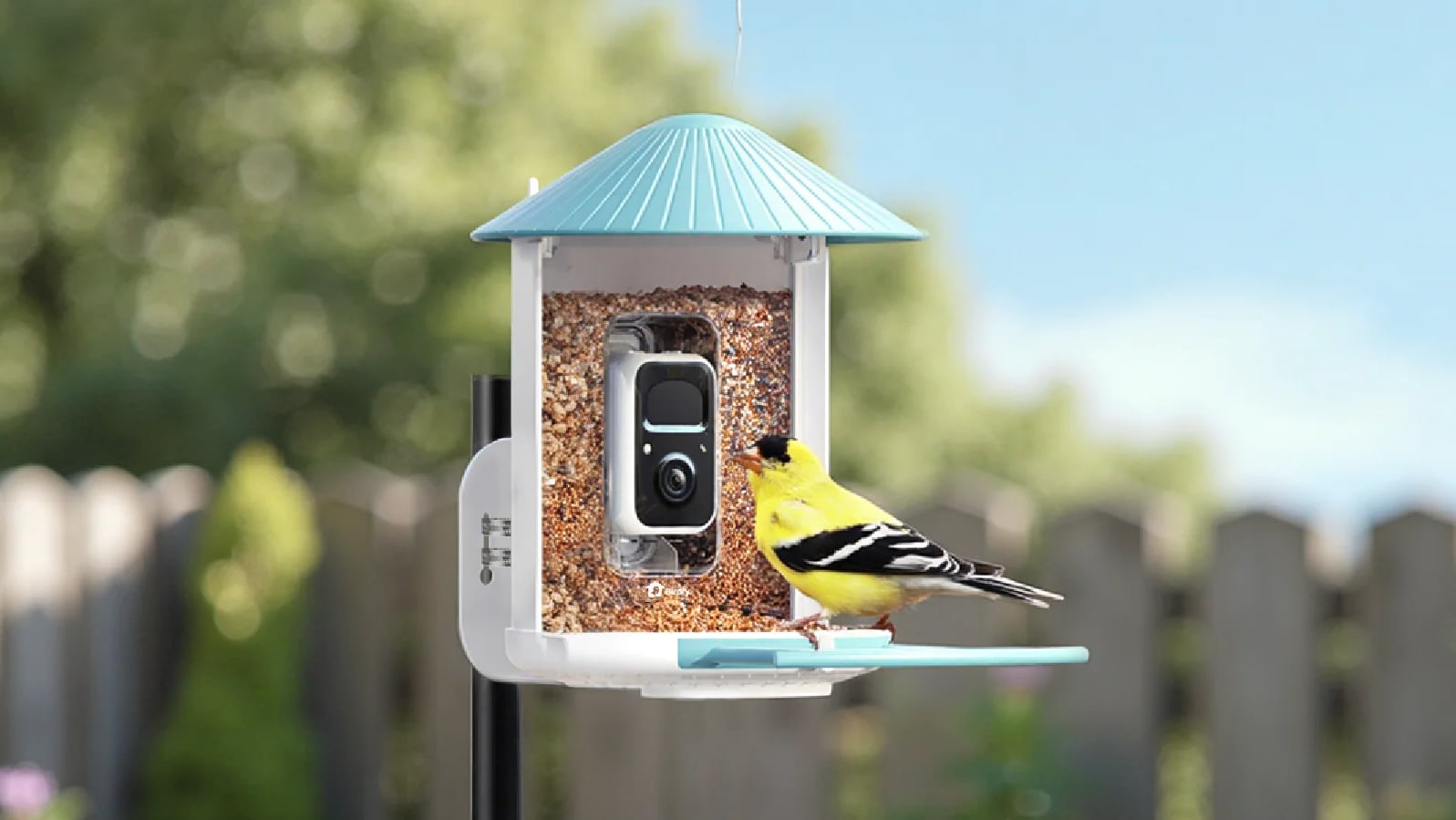
Birdfy Feeder
The Birdfy Feeder is a good starting point for someone new to bird feeders. There's a cheaper model that starts at $80, but the Birdfy Feeder has a 2K high-definition camera and an option to buy it with lifetime AI bird identification.
The lower-priced Birdfy options can be purchased with or without a solar panel, and I think the solar panel is worth getting. It's an extra $40, but as long as your feeder is somewhere with partial sun, the solar panel provides enough power to prevent the camera from having to be manually charged.
My Birdfy Feeder is in a spot with morning and afternoon sun, and it has never dipped below a 90 percent charge. I have the other Birdfy feeder in a wooded area, also with solar panel, and it hovers at about 50 percent battery. I had to charge it once in the winter, but I haven't needed to do so again.
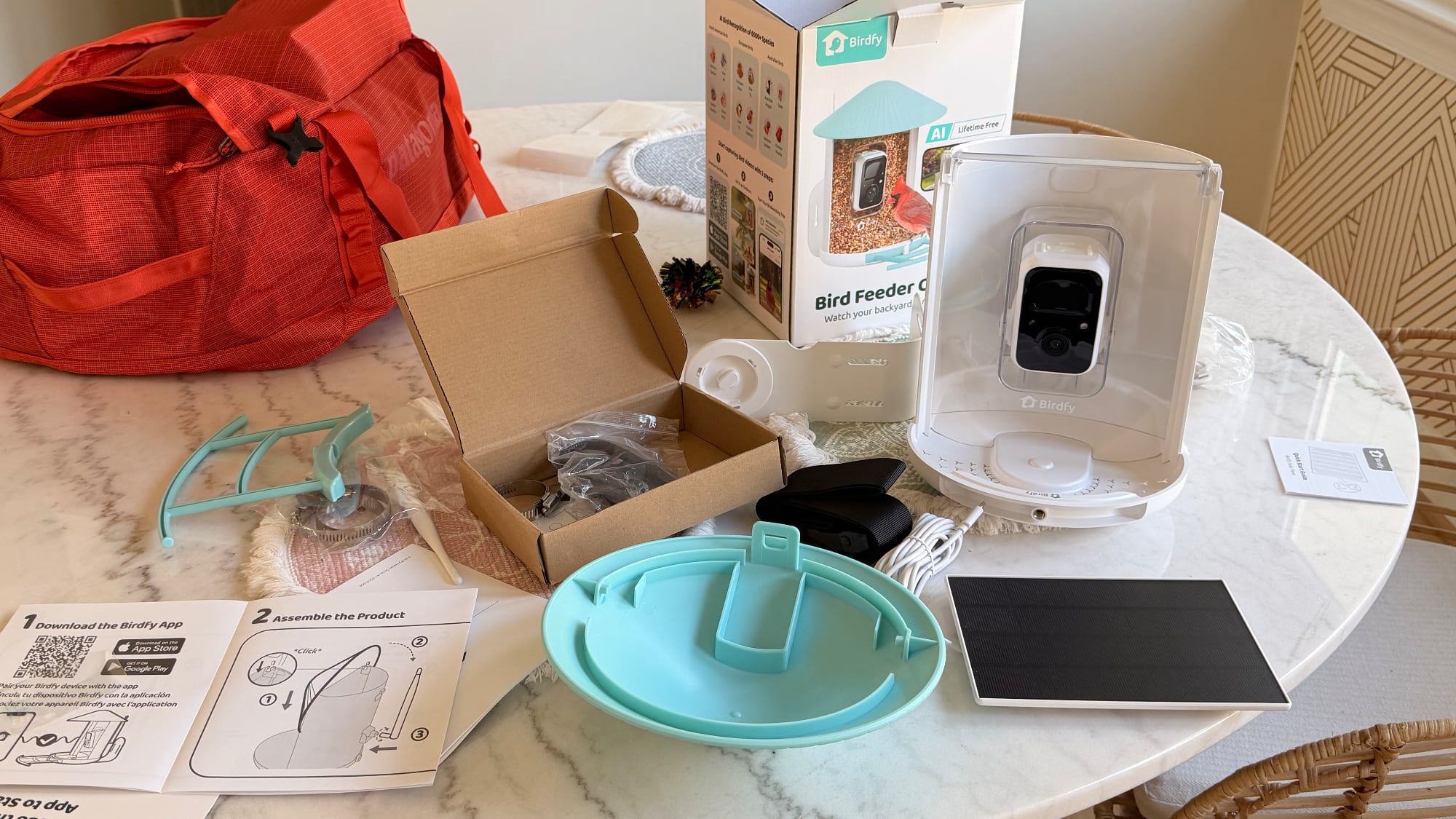
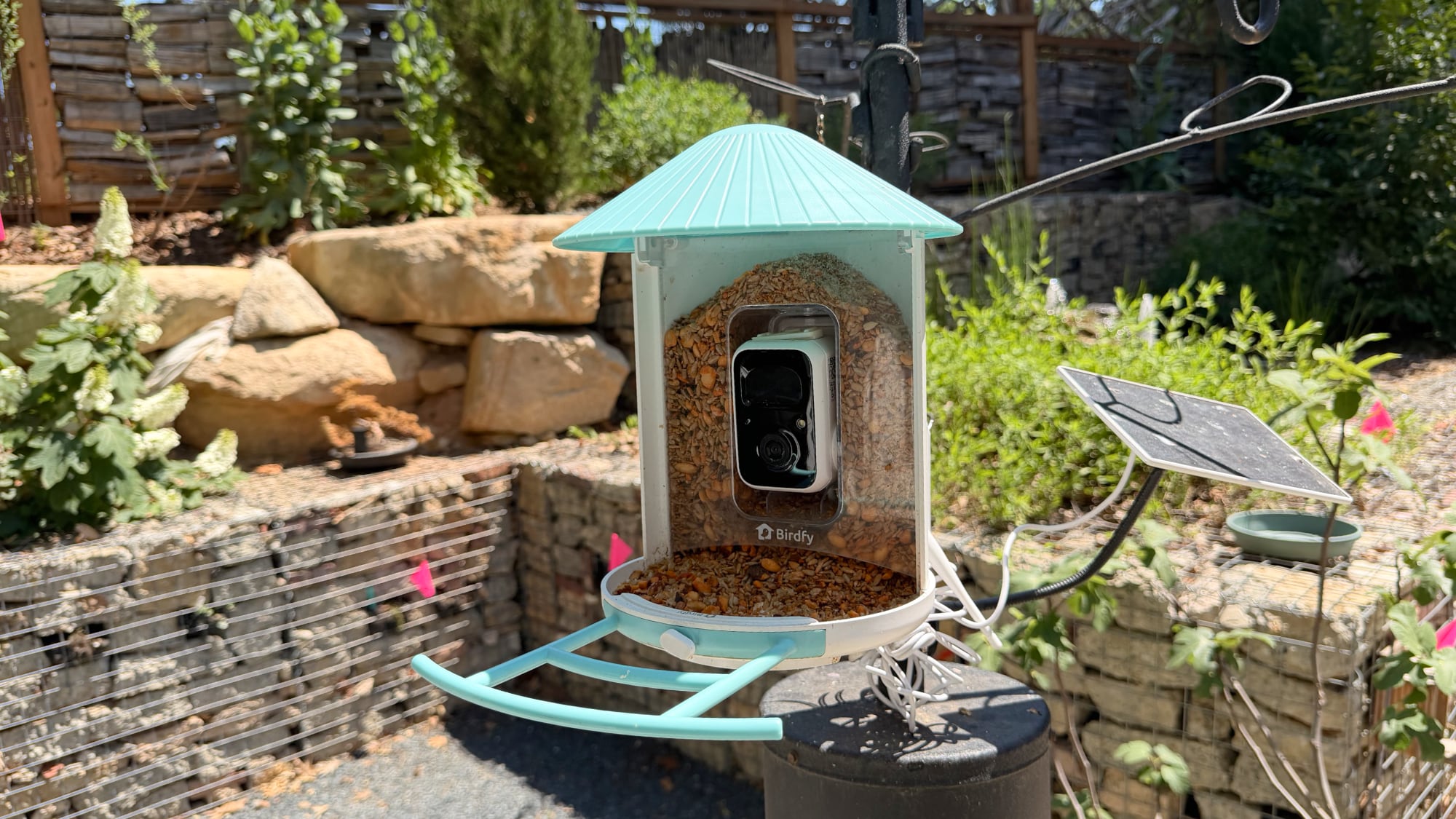
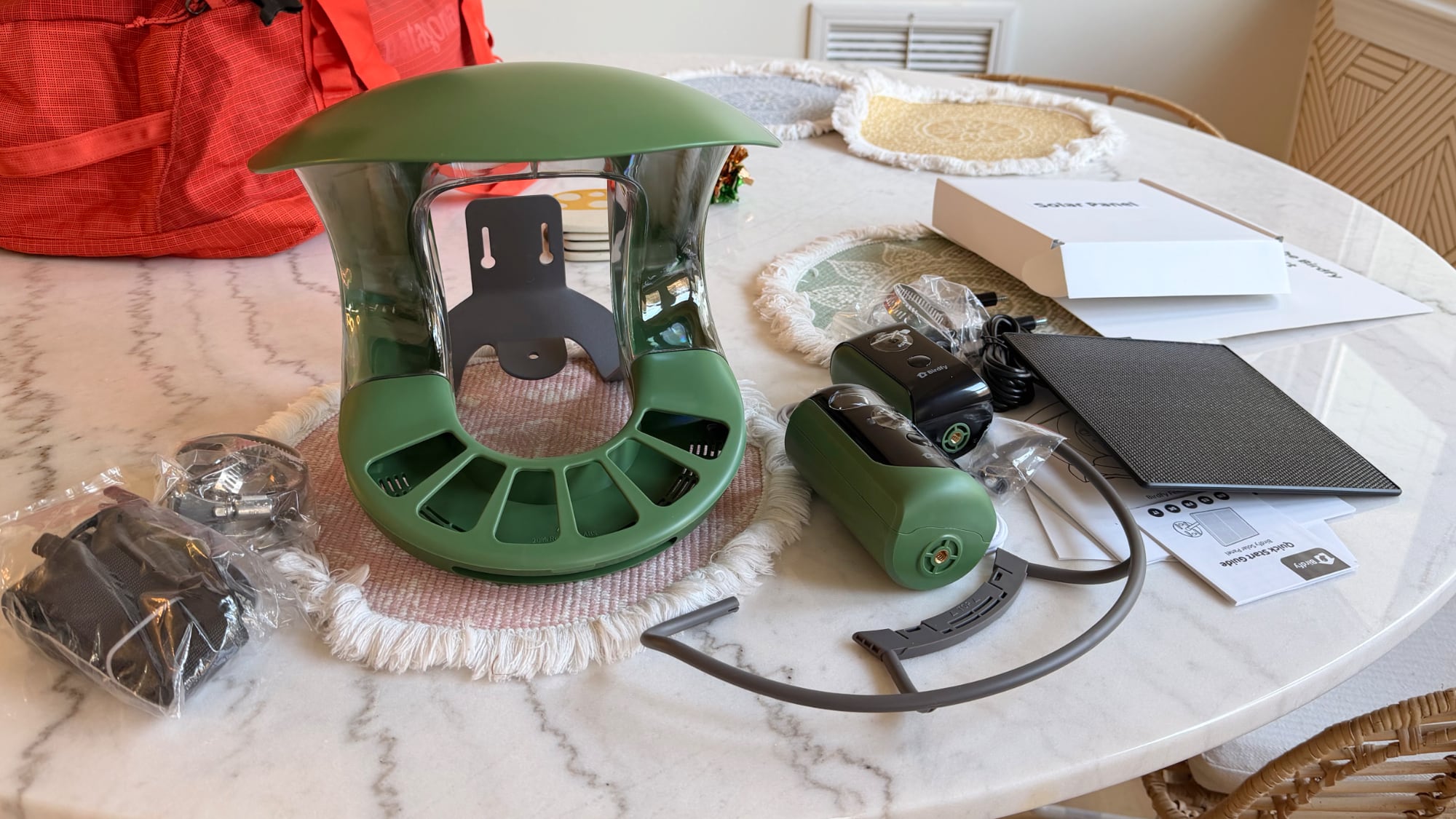
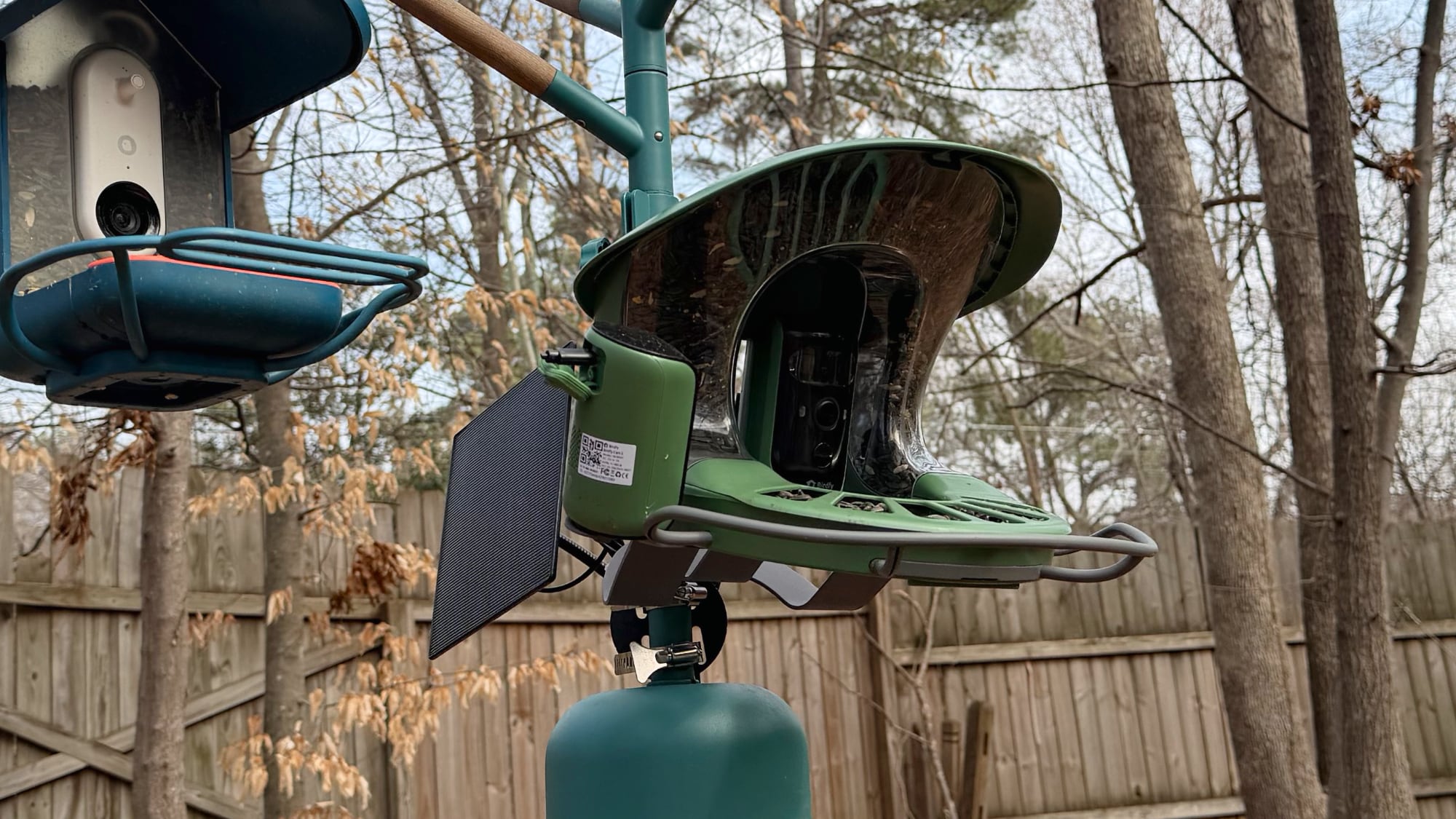
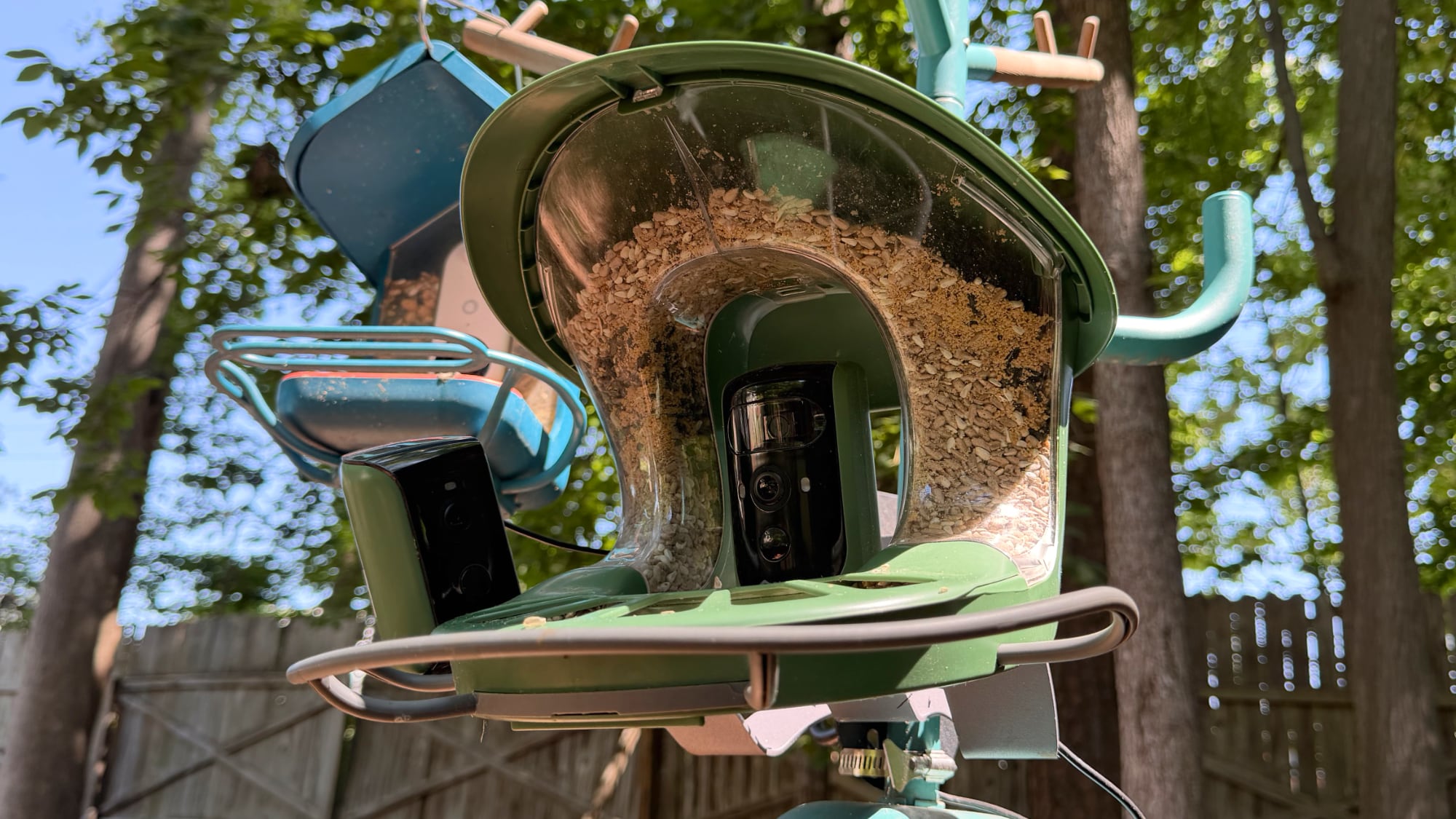
The solar panel that comes with the Birdfy Feeder is not attached to the feeder itself, so it can be positioned a couple of feet away if necessary. There are pros and cons to that setup compared to the Bird Buddy, where the solar panel is on the roof of the feeder. The Bird Buddy is a more compact, all-in-one design with no extra cords, and I prefer that look. The Birdfy solar panel is larger and more versatile, but it's also more visible and there is a cable to contend with.
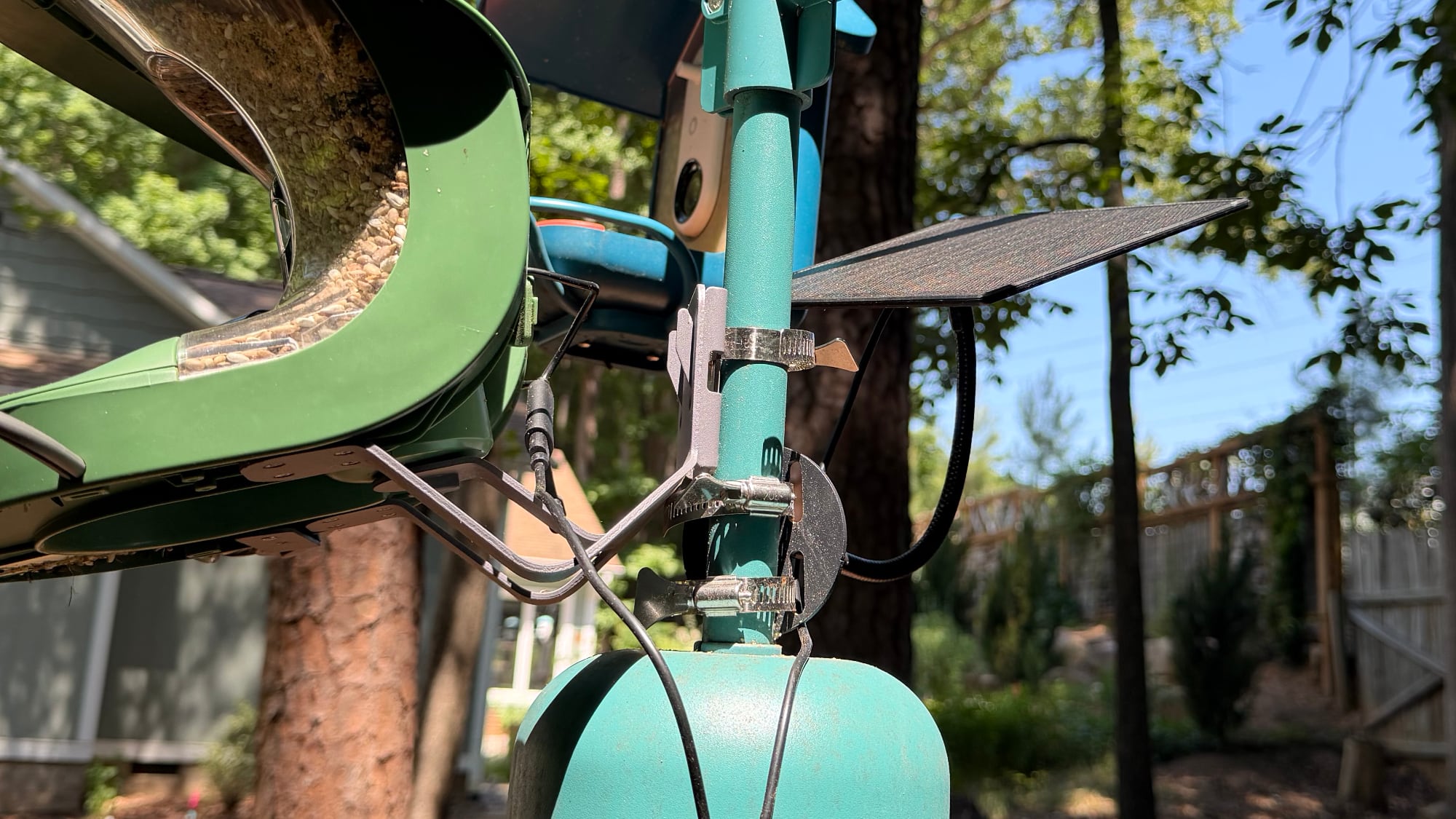
While the Bird Buddy hangs or can be mounted, Birdfy's feeders are all meant to be mounted to a pole, tree, wall, or post. There's no loop for hanging one up, and feeder designs don't work for hanging. Birdfy includes multiple mounting options, which is nice, but also more complicated than the Bird Buddy.
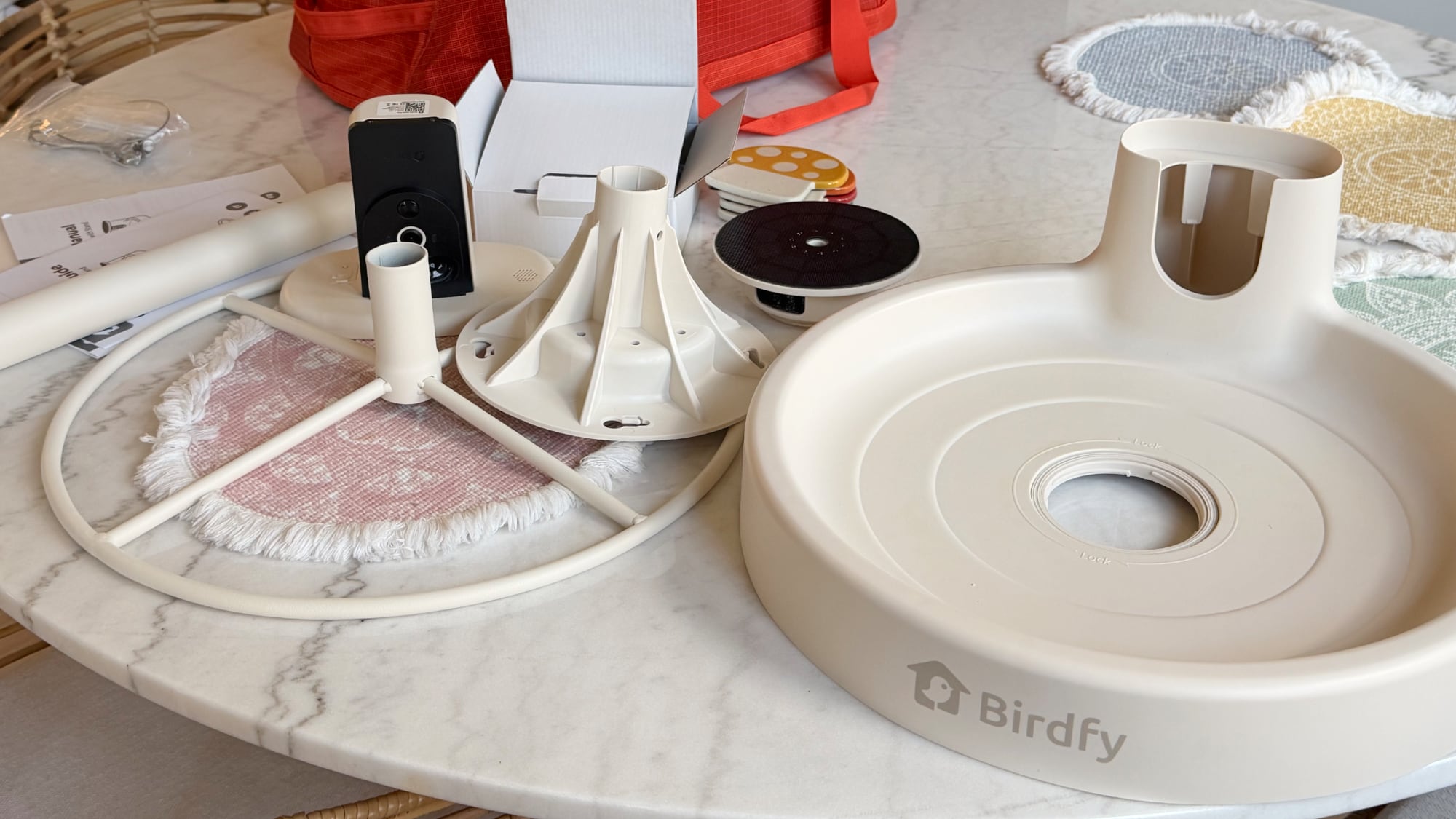
There are a lot of components in the box, and for someone that just wants to put up a bird feeder and connect to an app, Birdfy products might feel overwhelming. I've gifted a Bird Buddy to older family members and it's been a hit, but I'd be more hesitant to gift the Birdfy to those same people.
Unless you live somewhere with no tree-climbing seed-loving creatures, mounting to a tree with the included tree straps isn't ideal because it makes access too easy.
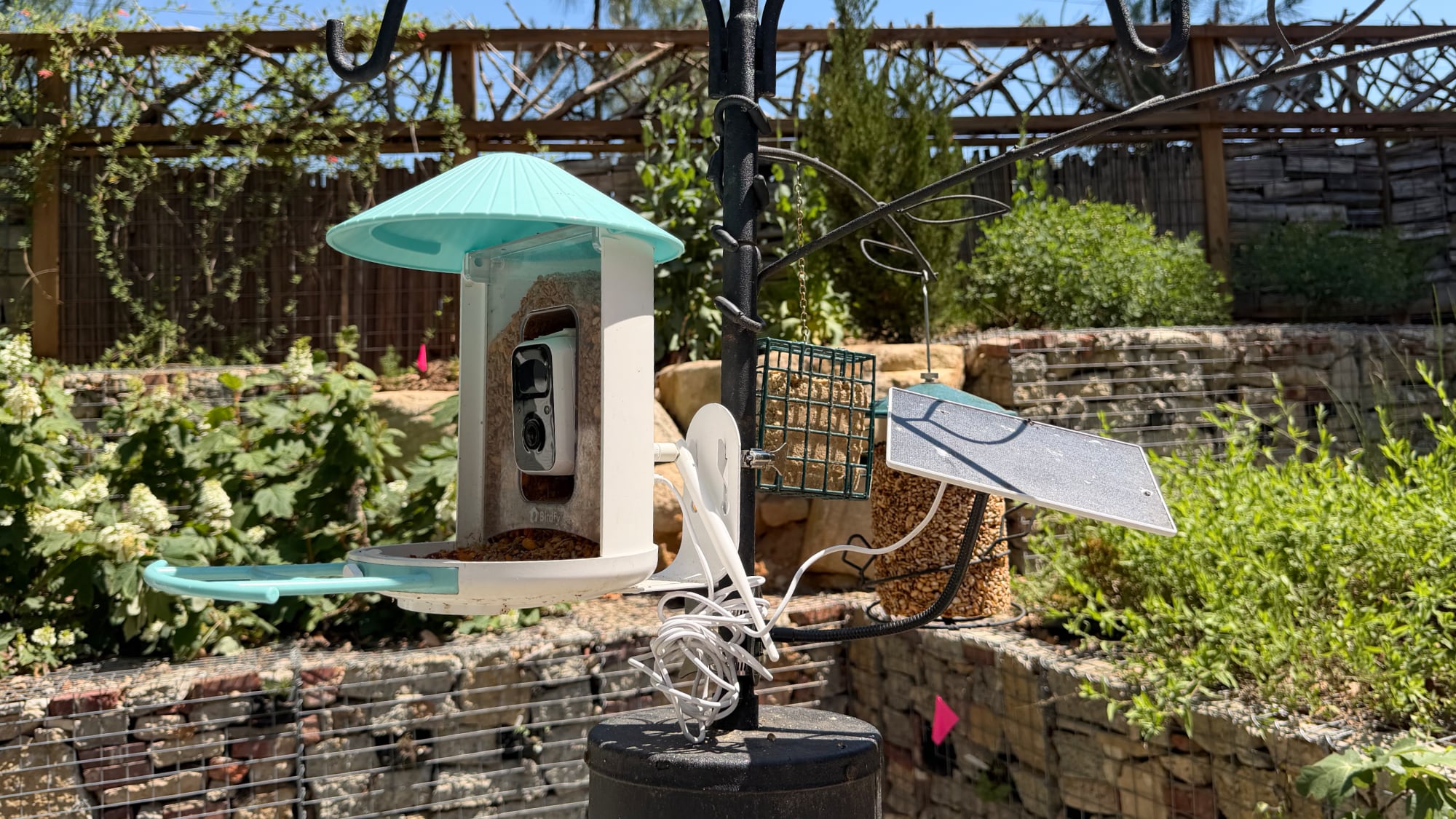
Mounting on a wall or a post can work, but my squirrels will climb the side of my house to leap over to bird feeders. I like hanging feeders like the Bird Buddy because I can put them on a pole with a baffle without a hassle and keep them away from squirrels. Birdfy also supports pole mounting, but it uses adjustable metal hose clips that take longer to install.
I can't put the Birdfy Feeder on one of the hanging branches because of its design, so it has to be on the pole itself just above the baffle that I have. It's sturdy and works fine. All of the mounting options work in the same way, in that you install a metal plate that the Birdfy Feeder then attaches to. That lets you remove it without having to unmount it for cleaning, filling, and charging.
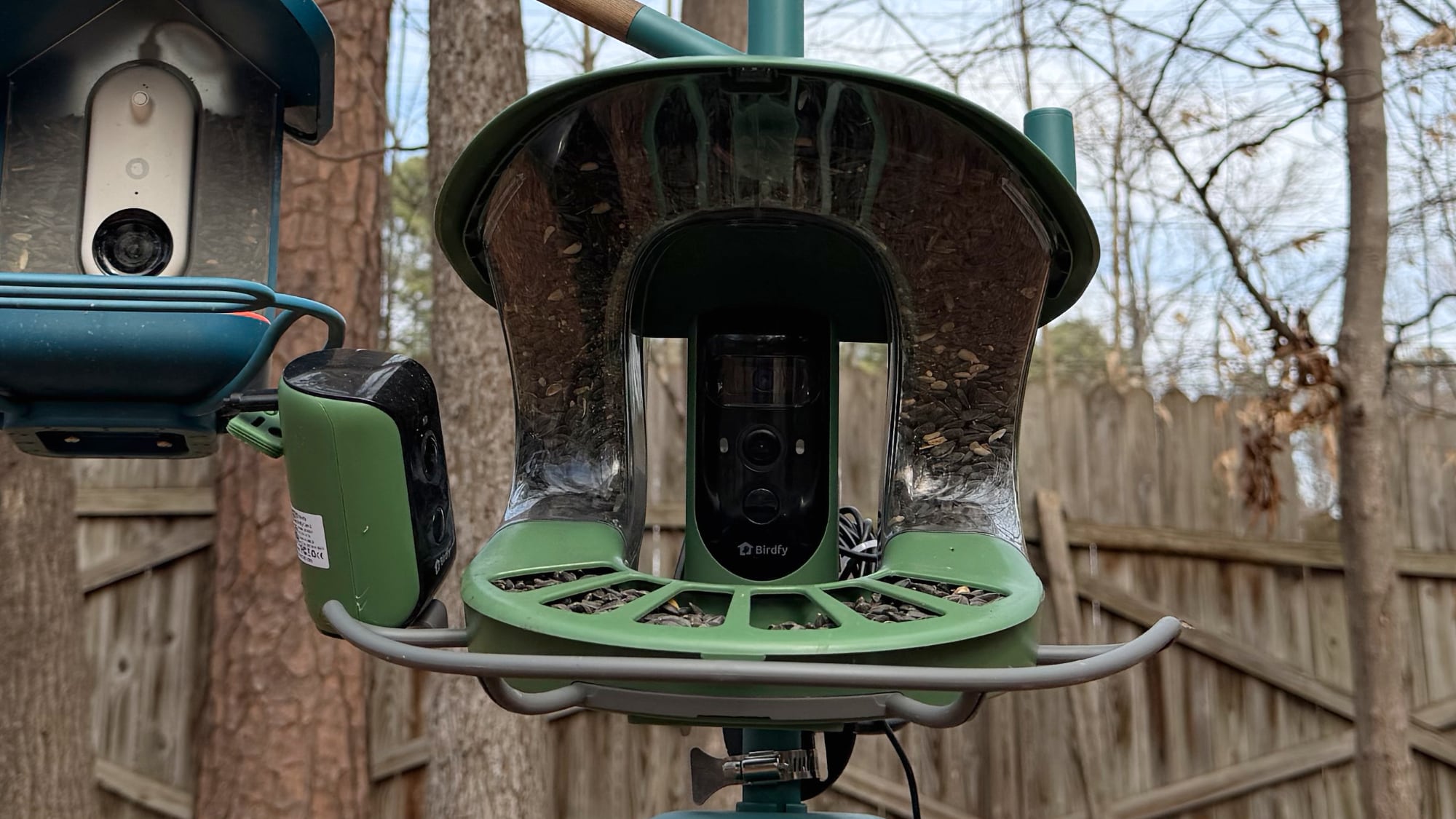
The Birdfy Feeder has a simple design where the seed goes into a reservoir at the sides of the camera, which is in the middle of the feeder. The top pops up so you can fill it, and it holds a good amount of seed. I fill it about once a week, and I have a lot of birds visiting.
The roof keeps the seed dry for the most part, and there is an included perch for the birds to land on. The camera slots into the feeder, and then the solar panel plugs in at the back of the camera (if you have the solar panel). If you don't have a solar panel, you take the Birdfy Feeder off the mount and charge it with USB-C.
Birdfy uses white plastic for the standard Feeder I tested (with blue or yellow accents), though there are wood options for those that prefer that look. The plastic has held up well so far through rain, sun, and freezing temperatures over the winter, and Birdfy says it's IP65. Since the Feeder can be removed from the mount, it's simple to clean. Bird feeders need to be cleaned every two weeks or so, and I typically rinse them in hot water, spray them with alcohol, give them a bit of a scrub where necessary, rinse again, and let them dry. Refilling the seed is simple, and I don't even take it down for that. I just need to pop open the roof and pour the seed in. I do wish Birdfy included a seed pouring device like the Bird Buddy does, but a measuring cup or a 3D-printed solution works fine.
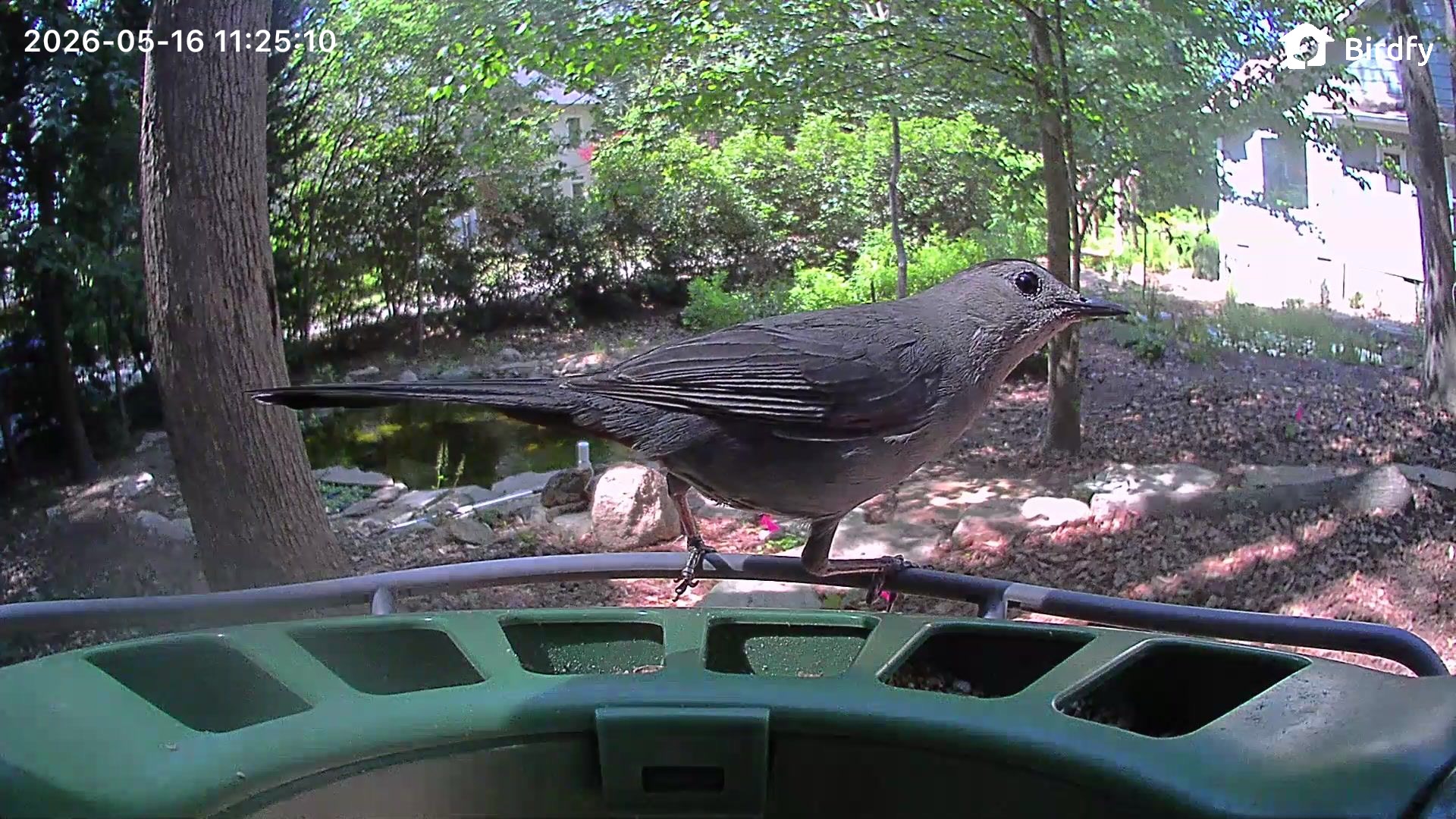
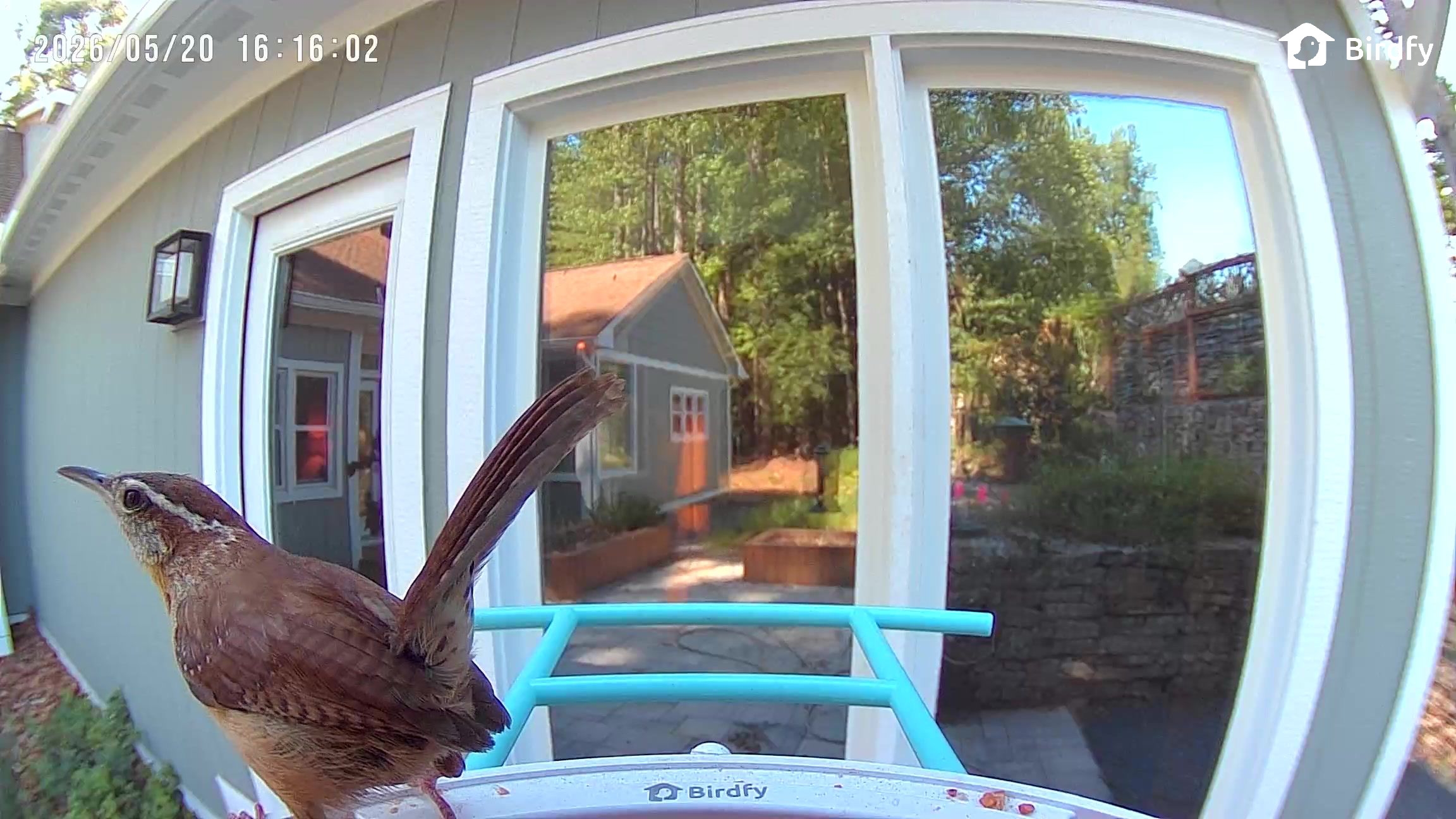
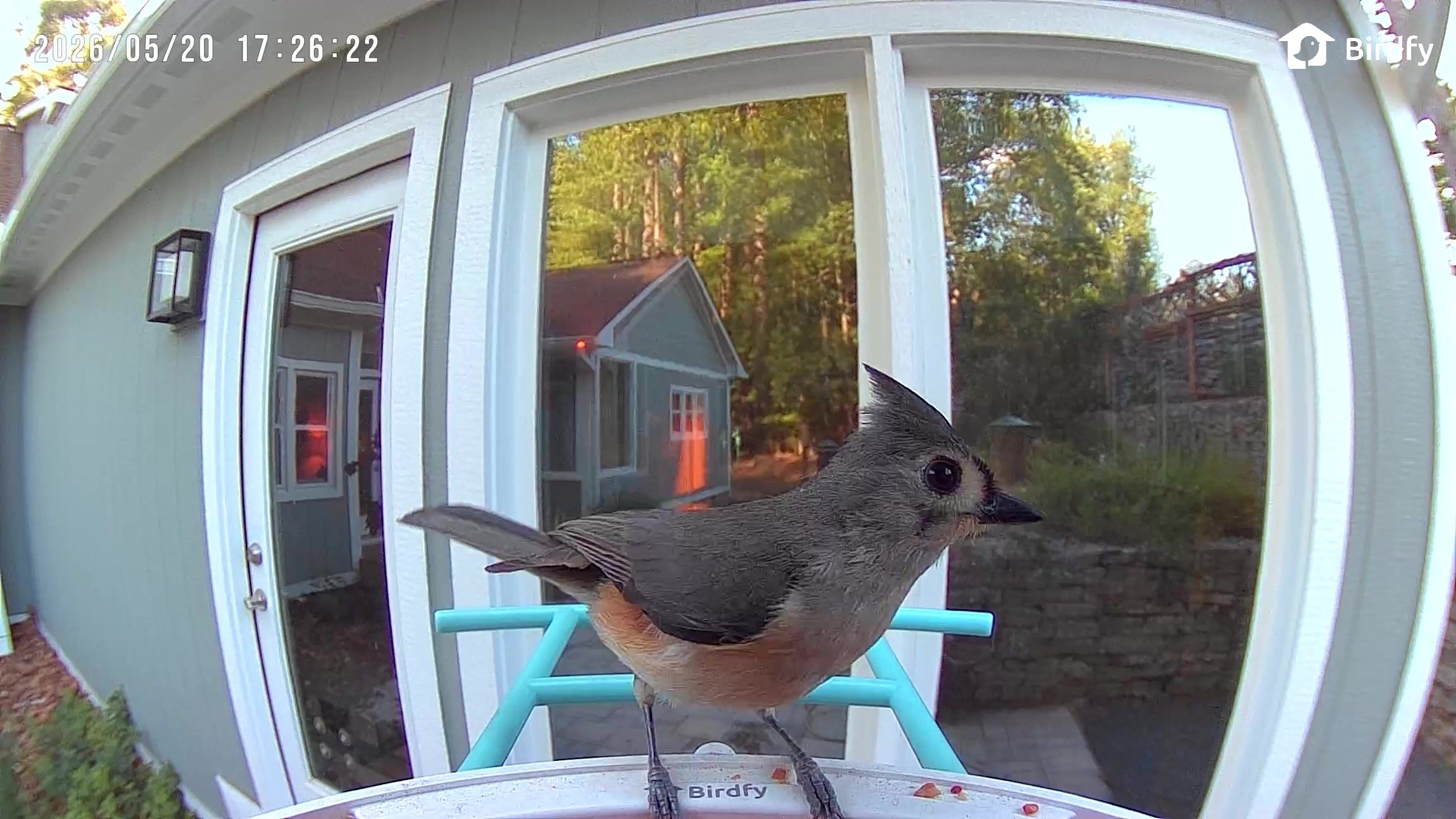
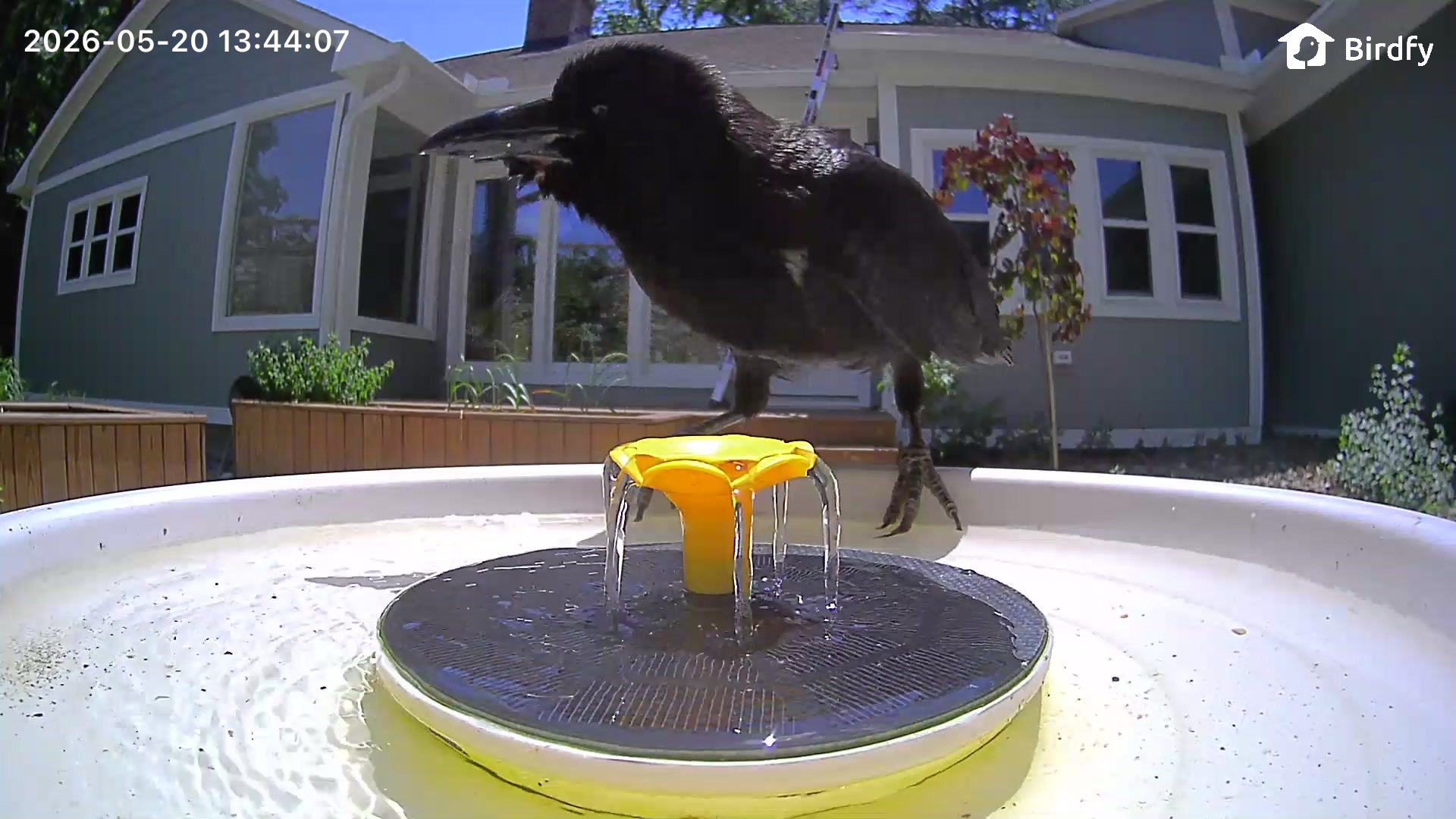
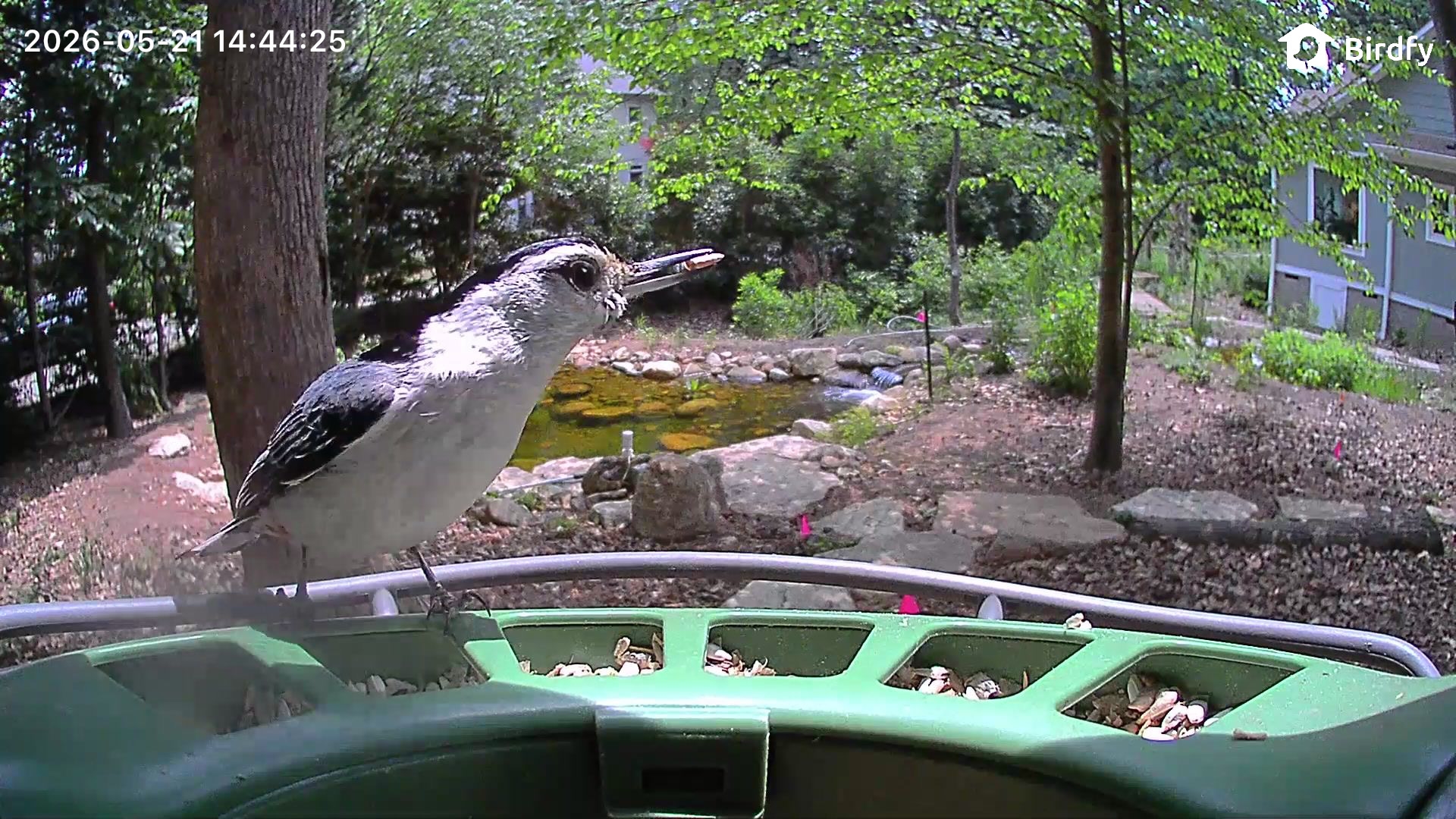
The camera in the Birdfy Feeder is 2K, and the image quality is on par or better than the Bird Buddy. I get clear images and videos, but the camera doesn't handle direct sun well, so when it's sunny, video quality suffers. I don't think the Birdfy Feeder has the best video I've seen from a camera, but it's similar to the Bird Buddy and my outdoor security cameras.
I don't have many night visits from birds, but there are night vision modes. There's an infrared mode for black and white recording, or a mode that uses white light to provide illumination for recording in color. Neither mode is very clear, so it's just a matter of whether you'd prefer to have more detail in infrared mode or color with less detail.
Birdfy Feeder 2 Duo
The Birdfy Feeder 2 Duo has a different design than the Birdfy Feeder, and it's expensive, so this is an upgrade version for someone who loves bird watching. The Duo has two cameras instead of one, with three lenses between them. One camera is located in the center and it has a wide-angle lens and a close-up portrait lens, while another camera captures side angles.
The portrait camera is 2K and some bird shots come out crisp and vivid, and I've also been happy with the wider-angle videos and images. Photo and video quality depend on the lighting conditions, connection, the length of time a bird stays, when the camera captures the shot, whether the lens is clean, and the weather conditions outside, so results are always variable with all of my bird feeders.
Getting multiple angles is fun, because if one camera doesn't pick up a bird, it's likely going to get captured from the other camera. It's ideal for birds that tend to stick to the sides of the feeder and just flit in to grab a quick seed. My Bird Buddy is unable to capture visits when the bird is not in the center of the feeder.
I wish that at the $360 price point, the camera quality was even better. Videos come out well and look good for the most part, but the portrait lens is not as crisp as I would have hoped.
Seed goes in a hopper that splits around the central camera. The lid flips open and the seed is poured inside, and it fills the feeder tray. The tray has bars at the bottom that can prevent larger birds from getting to the seed, and some people use those kinds of barriers on bird feeders to cut down on mess.
The Birdfy Feeder 2 Duo is made of plastic, but it is black and green, so it blends in better outside. It too has held up well through the winter, and it has IP66 water and dust resistance rating. It mounts the same way as the Birdfy Feeder, with multiple mounting options. I tried this one strapped to a tree to begin with, but it was too easy for squirrels to reach, and they ate all the seed. They also chewed through the USB-C cable that connects the cameras to the solar charger, and I had to get a replacement. I moved it to a bird feeder pole with a baffle that's a good eight feet from trees, and the squirrels can no longer reach it.
The solar panel for the Birdfy Feeder 2 Duo is a separate component, and it connects to the feeder with a USB-C cable. To power more than one camera, it uses a split USB-C cable. I have the feeder in a spot with little direct sunlight, and I have had to manually charge the cameras twice. Since they charge over USB-C, I bring a USB-C battery pack out and charge them at the feeder, but it's also easy to remove the feeder from the bracket that holds it in place for charging and cleaning.
Bird Bath Pro
I first put the Bird Bath Pro out in December, and I thought it was a failure. I had no bird visits for the first two months it was outside, but when spring came, it became a wildlife favorite.
While I do occasionally see birds taking a bath in the Bird Bath Pro, it's used more often as a drinking fountain. Even though the bird bath is next to a fountain and also close to my pond, it is the preferred drinking spot for every creature nearby.
The crows that come to my house like to take a mouthful of food, spit it into the bird bath, and eat it like bird cereal. A raccoon that comes by every night drinks from it, as does a local fox. The squirrels are especially fond of the bird bath and drink from it every day.
The Bird Bath Pro is made from plastic, and it has an optional base that you can get from Birdfy. I thought it might be a little low, but it's a height birds seem to like. It holds maybe an inch of water, or a little more if I fill it to the top. A built-in solar-powered fountain comes on when the sun is out to move the water, which prevents mosquitoes.
I don't see the fountain run when it's not in direct sunlight, so it's not on all the time. I'd like to see it run more often, but it seems to be designed to work only some of the time. The birds will use it either way. There is a filter in the fountain part of the Bird Bath Pro to keep the mechanism from getting jammed up with debris, and that should be replaced or cleaned regularly. Speaking of the fountain, there are interchangeable nozzles with different spray patterns to choose from. I use the flower that has gentle water movement.
The Bird Bath Pro tends to get dirty quickly, so I wipe it out and change the water every other day. Other than the cleaning and the filling, it doesn't take much more work, and I think I like it even more than my bird feeders.
Like the other Birdfy cameras, it struggles somewhat in direct sun and the image gets washed out. It's also not crystal clear because birds don't stay still for glamour shots, but I enjoy the photos and videos.
Setting up the Bird Bath Pro is simpler than setting up the cameras, because it's mostly all one piece. The camera fits into a slot in the bird bath, and then it's ready to go. No attaching it to a pole with clips or straps, and the filter and fountain parts are easy to figure out.
Birdfy App
All of the Birdfy products use the Birdfy iOS and Android app for bird identification and visit alerts. The Birdfy app works, but I think it's confusingly designed and not as intuitive as the Bird Buddy app. It's used for everything from setup to viewing bird images.
I did not like the Birdfy setup process. It's the standard connect, enter Wi-Fi password, and add to app system that most products use, but when you put the Birdfy cameras into pairing mode, they beep incessantly until successfully paired. It was by far the most irritating setup process I've ever gone through just because of the noise. Once connected to Wi-Fi, Birdfy's devices work fine, and I haven't had interruptions in service.
The app opens to a Home section that shows a view of each Birdfy camera, and you can tap in to see captured moments or get to a live view. Tapping into a camera provides an overview of the day with a readout of the total number of bird visits and the bird visits by species. Scrolling down lets you watch all of the videos for the day, and if you keep scrolling, you can swap to prior days. There's also a calendar icon you can use to get to previous recordings.
Birdfy's app gets a lot of birds right, but it makes errors regularly and there are some fleeting visits where it can't identify the bird type. As I'm writing this review, I've had 47 visits, some of which involved more than one bird at a time. The app correctly identified 38 birds, but marked 14 unknown. Two birds were incorrectly identified. It called a house finch a canyon towhee (despite correctly identifying finches the rest of the time), and marked a white-breasted nuthatch as a brown-headed nuthatch.
Yesterday, I had 73 visits. Of those visits, 12 were unidentified, one house finch was misidentified as a canyon towhee again, and a tufted titmouse was incorrectly named an oak titmouse. It's not able to identify crows, and it sometimes struggles with the raccoons and squirrels that visit the bird bath. I can tell when it's wrong because I know the local birds by sight, but misidentification is a bigger problem for users that aren't aware of what's around. On the plus side, it's right much more often than it's wrong, and it is able to tell male or female for some birds. Birdfy says it is able to identify over 6,000 bird species.
The camera does not use AI to decide when to record. If it detects motion, it records. It will pick up people walking by and other random movement. Unlike the Bird Buddy, it does send a notification for every bird visit, and that's a lot of notifications.
I wish there was an option for daily highlights instead of a notification for each visit. I can exclude certain types of birds in the app, but since it sometimes misidentifies birds, I don't want to do that. I mostly ignore the notifications now though, since I'm getting 50+ per day. The Bird Buddy sends occasional postcards from the best bird visits, and I think that's a much better way to do it.
Birdfy does have a useful recap feature, but it's not obvious. You need to tap on your profile and then tap on Highlight. It opens a recap on the web rather than in the app, which is a weird choice. It gives an overview of everything that visited in a day, and lets you know when you've had a certain type of bird visit for the first time. You also get overall monthly recaps.
There is no fee for the Birdfy AI if you buy it upfront with the camera. Cameras with "lifetime" AI are around $20 higher, and I think that's worthwhile not to have a subscription. You get free AI, 5GB storage, and 20-second video recordings that are kept for a month, but you can also pay for a subscription for expanded cloud storage.
The $6.99/month Plus plan keeps videos for 60 days and expands recordings to 30 seconds each, plus it provides 20GB storage and 15 percent off Birdfy products. There's also a Bird Data feature for visit statistics, activity patterns, and time-of-day analysis. Since the Plus plan only extends recordings by 10 seconds and it is limited to two Birdfy devices, it doesn't seem like a good value. It makes more sense to pay for AI access when making an initial purchase and doing without the extra features. Birdfy does have a 50 percent discount for those who bought the lifetime AI, but the device limit still doesn't feel worth it even at $3.50/month.
Local storage is not an option as an alternative to cloud storage, but video clips and images can be downloaded and shared.
Bottom Line
Smart bird feeders can feel repetitive because most people get the same birds with the exception of seasonal migration, but it's still fun to see the antics that the regulars get up to. I have bird spats, bird couples that come in pairs and check in often, little wrens that like to carry around large peanuts, and silly doves that like to just sit on the food. It's also always a treat to see colorful bluebirds and goldfinches that I don't get as often as cardinals, mourning doves, and sparrows.
Birdfy has an extensive product line with different feeder styles and multiple price points, which makes it easy to recommend. The app and the setup are not as simple as the Bird Buddy and I'd be a little hesitant to get a Birdfy Feeder as an option for someone who isn't app and iPhone savvy, but it's not impossible to figure out.
For any bird watcher that can figure out an app that's somewhat convoluted, it's a fun product for keeping tabs on what's around your home. There are lifetime AI options that don't require a subscription, and the AI had a good (but not perfect) accuracy rating in my testing. The feeders are easy to fill and clean because they all use the same easy-access mount, but there is no hanging option and that makes them a target for squirrels and other critters depending on location.
The standalone solar panels are useful for finding just the right sun spot for charging, though it does introduce extra cabling to deal with compared to an all-in-one solution.
Of the Birdfy products I tested, I liked the Bird Bath Pro best. It's been a hub of activity, and it provides a look at birds doing something other than eating. If you live somewhere that you can't have bird feeders (like somewhere with rat or mouse concerns), the Bird Bath Pro is a product that will still let you see local birds.
How to Buy
Birdfy's products can be purchased from the Birdfy website. The Birdfy Feeder is $170 for the lifetime AI and the solar panel, the Birdfy Feeder 2 Duo with three lenses is $360, and the Bird Bath Pro is priced at $280 for the version with lifetime AI and an included stand. The stand-free model is $200.
Apple today formally asked the U.S. Supreme Court to review the series of rulings that led to changes to App Store linking rules and fees in the United States.
In 2021, Apple largely won its legal dispute with Epic Games, but Judge Yvonne Gonzalez Rogers ordered Apple to relax its anti-steering rules and let developers link to alternate payment options in apps. Apple complied, but charged a 12 to 27 percent fee on link-outs instead of its standard 15 to 30 percent fee. When taking into account fees from payment processors, there was little to no discount to developers, and few opted in. Apple also restricted button design, limiting developers to a single plain text link.
Epic Games went back to Gonzalez Rogers and said Apple was in violation of the court's order, and she agreed. In April 2025, she found Apple in contempt of court for willfully violating that 2021 injunction. Apple was then barred from collecting any fees on links in the U.S. App Store, and it has collected no money for link-outs in third-party apps since then.
Apple appealed, and the Ninth Circuit Court of Appeals agreed Apple was in contempt of court, but said Apple should be able to charge a reasonable fee for its intellectual property. Apple does not want courts deciding the fees it is able to collect, so it is now asking the Supreme Court to hear the case.
Apple has two main issues with the appeals court ruling. First, Apple says holding it in civil contempt was not appropriate because the original injunction did not prevent it from charging developers a fee when linking to third-party payment options. The district court and the appeals court agreed that Apple violated the "spirit" of the injunction by charging a high fee. Apple argues that prior court decisions have only held a party in civil contempt when an order has been "clearly and unambiguously" violated. A contempt ruling based on "spirit" is a "recipe for abuse," Apple says.
Federal Rule of Civil Procedure 65 reinforces this understanding by demanding specificity in injunctions to ensure clear notice. The Ninth Circuit's spirit-based inquiry is antithetical to these requirements. Under that rule, the potent weapon of contempt turns on an amorphous, know-it-when-you-see-it inquiry that permits a court to impose contempt merely by declaring a violation of an order's "spirit."
As it has done in several other court filings, Apple also cites Trump v. CASA, a ruling that said lower courts do not have the authority to issue universal injunctions to block nationwide policies. Apple says the court ruling requiring it to drop fees for all developers goes far beyond the scope of the Epic Games case, and any relief ordered by the court should be limited to Epic Games.
Yet the injunction here enjoins Apple and the commissions it can charge with respect to millions of registered worldwide developers that are not parties to this case. It does so even though Epic never brought a class action and never attempted to show that enjoining Apple's conduct against all other developers—like Microsoft or Spotify, who have nothing to do with Epic—was somehow necessary to provide relief to Epic.
According to Apple, the contempt ruling based on "spirit" and the order applicable to all developers "have combined to create an injunction that may reshape the global app marketplace."
Epic Games and Apple agreed to an expedited schedule and Apple's petition will be considered on June 25. Apple expects a decision on whether the Supreme Court will hear the case by the time the justices recess for the summer in late June or early July.
Apple previously asked the Supreme Court to weigh in on its legal fight with Epic Games in January 2024, but the justices declined to hear the case. Justice Elena Kagan also recently denied Apple's request for a stay of the fee calculation mandate while Apple waits to hear from the Supreme Court.
Update: In a statement to MacRumors, Epic Games Director of Corporate Communications Natalie Munoz said the following:
The Supreme Court has already rejected Apple's attempt to overturn the injunction in this case. This challenge to the contempt order is one last Hail Mary to delay a conclusion to this case and avoid opening up the gates to payment competition for the benefit of consumers. The court proceedings and Apple's own documents made it clear that Apple intentionally designed its sham compliance with the District Court's order to prevent competition, clearly violating the District Court's injunction.
The DistroWatch news feed is brought to you by TUXEDO COMPUTERS. Stefan Zipproth has announced the release of Ditana 0.9.3, a major update of the project's Arch-based Linux distribution that boots into a custom system installer with advanced configuration options. The new release updates the distribution's configuration setup and adds new desktop choices, including COSMIC, Xfce, niri and Wayfire.....
The DistroWatch news feed is brought to you by TUXEDO COMPUTERS. Quarkos, a desktop Linux distribution based on Ubuntu's long-term support branch (and a sister project of the Q4OS distribution), has been updated to version 26.04. This initial release comes with the KDE Plasma desktop 6.6: "Quarkos 26.04 'Resolute' LTS is now officially stable and available for download. This....
The DistroWatch news feed is brought to you by TUXEDO COMPUTERS. Proxmox is a commercial company offering specialised products based on Debian GNU/Linux. One of the products, "Virtual Environment", has received a new update and is based on Debian 13 "Trixie". "Proxmox VE 9.2 is built on the robust Debian 13.5 'Trixie' and ships with Linux kernel 7.0 as....
Another very minor update, now at 0.3.15, for our nanotime
package is now on CRAN, and has
been built for r2u and
Debian. nanotime
relies on the RcppCCTZ
package (as well as the RcppDate
package for additional C++ operations) and offers efficient high(er)
resolution time parsing and formatting up to nanosecond resolution,
using the bit64
package for the actual integer64 arithmetic. Initially
implemented using the S3 system, it has benefitted greatly from a
rigorous refactoring by Leonardo who not only rejigged
nanotime internals in S4 but also added new S4 types for
periods, intervals and durations.
This release adjusts the package for the maybe overly hasty switch R
4.6.0 has undertaken with respect to using C++20 as a default C++
compilation standard. I am of course largely in favour of such a switch
to more modern C++. But I am also cognizant of the fact that not all
compilers and machines are ready. And just as I have already seen one
other package fail to compile on a particular CRAN system (!!) under
C++20, this package all of a sudden, and only on that same system,
started to throw two (harmless) compiler warnings. We could call these
erroneous as newer versions of the same compiler do not throw them but
it does not matter. The decision to default to C++20 has been made, and
now we live with it. But maybe some hardware platforms should be moved
behind the barn. Either way, this release both adds an explicit cast to
two lines that may not really need it (but this will not hurt)
and also dials the compilation standard down to C++17 on one
particular platform. So once again there are no user-facing changes, or
behavioural changes or enhancements, in this release.
The NEWS snippet below has the fuller details.
Changes in version 0.3.15
(2026-05-21)
Add extra const_cast as one CRAN machine with more
ancient setup whines otherwise and is obviously less C++20 ready than it
thinks
tools/configure also checks where this is being
built and ’as needed' downgrades the compilation to C++17
Apple today announced that this Saturday's Major League Soccer match between the LA Galaxy and Houston Dynamo FC will be captured entirely with the iPhone 17 Pro.
Apple said this will mark the first time an iPhone will be used to capture the entirety of a major professional live sporting event broadcast, rather than studio cameras, so the iPhone 17 Pro will make sports history this weekend.
"iPhone 17 Pro will capture live footage throughout the match, including team warmups on the pitch, player introductions, in-net goal angles, and the atmosphere inside the stadium," said Apple. "With cameras positioned throughout the venue, the broadcast will deliver the pristine video quality fans expect, alongside dynamic new perspectives that bring viewers closer to the action, made possible by the small form factor of iPhone."
Apple TV subscribers will be able to stream the match live on Saturday, May 23 at 7:30 p.m. Pacific Time. For the 2026 season, only an Apple TV subscription is required, with a separate MLS Season Pass subscription no longer necessary.
Apple already used the iPhone 17 Pro to capture select moments and cinematic Fenway Park footage during a Major League Baseball game between the Boston Red Sox and Detroit Tigers last year, but other cameras were also used. For the Major League Soccer match this weekend, the iPhone 17 Pro will exclusively capture all footage.
Earlier this year, the U.S. National Baseball Hall of Fame and Museum added one of the four iPhone 17 Pro devices that captured the Red Sox's thrilling walk-off win over the Tigers to its permanent collection in Cooperstown, New York, so the device already made sports history, and now it will repeat the feat in an even bigger way.
Amazon has sweetened its deal on the 512GB 15-inch M5 MacBook Air today, dropping the price of the notebook down to $1,099.99, from $1,299.00. This is a new record low price on the 15-inch M5 MacBook Air, and it's available in three colors.
Note: MacRumors is an affiliate partner with Amazon. When you click a link and make a purchase, we may receive a small payment, which helps us keep the site running.
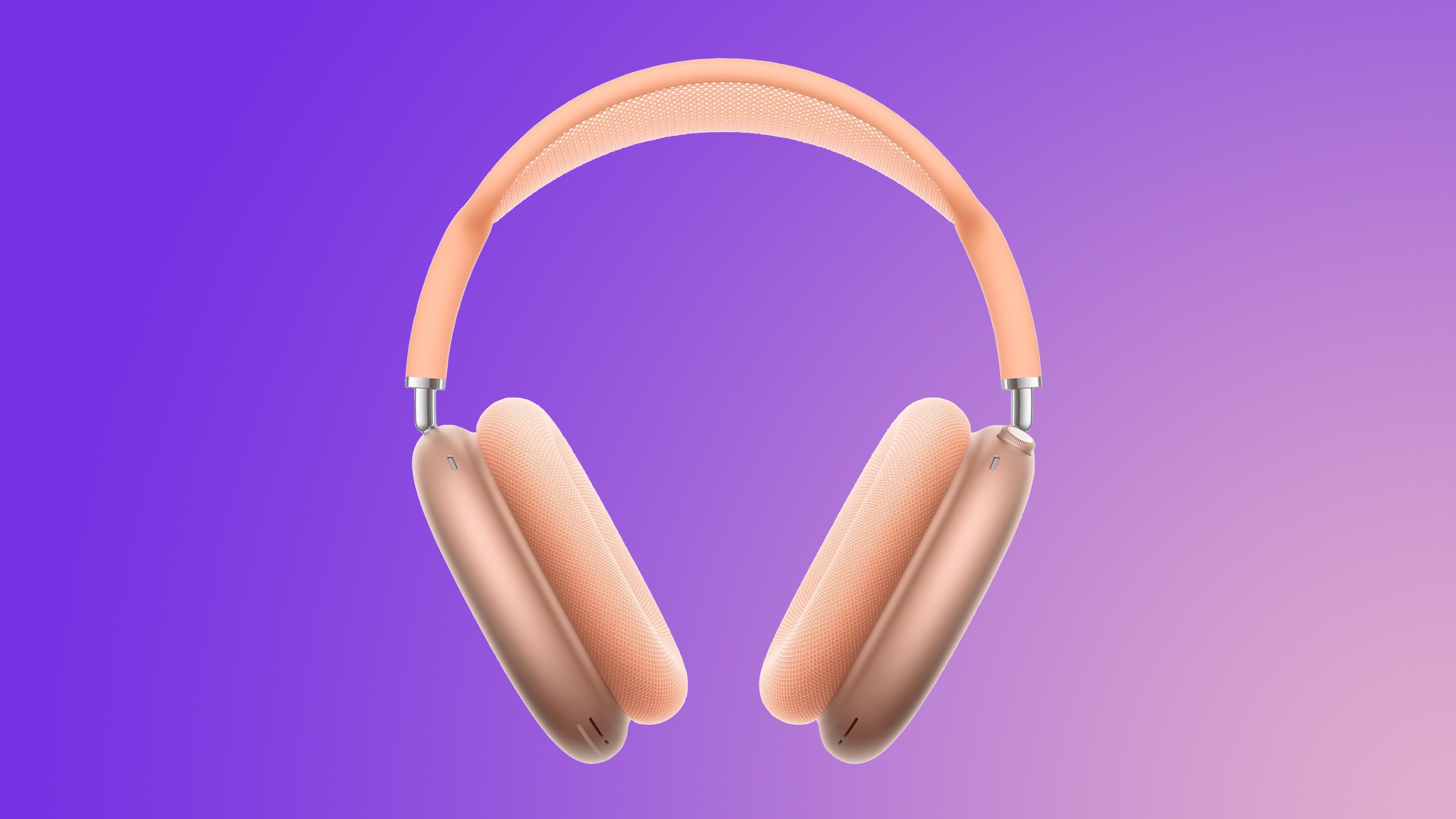
Amazon is providing delivery by the end of this week for many locations, and Prime members should see same-day or overnight options as well. Additionally, you'll find $150 markdowns on both 1TB models of the 15-inch M5 MacBook Air this week on Amazon, but we aren't tracking any major discounts on 13-inch models right now.
If you're on the hunt for more discounts, be sure to visit our Apple Deals roundup where we recap the best Apple-related bargains of the past week.
Deals Newsletter
Interested in hearing more about the best deals you can find in 2026? Sign up for our Deals Newsletter and we'll keep you updated so you don't miss the biggest deals of the season!