❌

Lees weergave

New iOS 27 Feature Hints at Major Siri Upgrade Coming Soon

Every May, Apple previews new accessibility features coming to devices like the iPhone, iPad, and Mac. The announcement typically occurs a few days before Global Accessibility Awareness Day, and it offers a glimpse into what will be included in the next major releases of Apple's software platforms, such as iOS, iPadOS, and macOS.
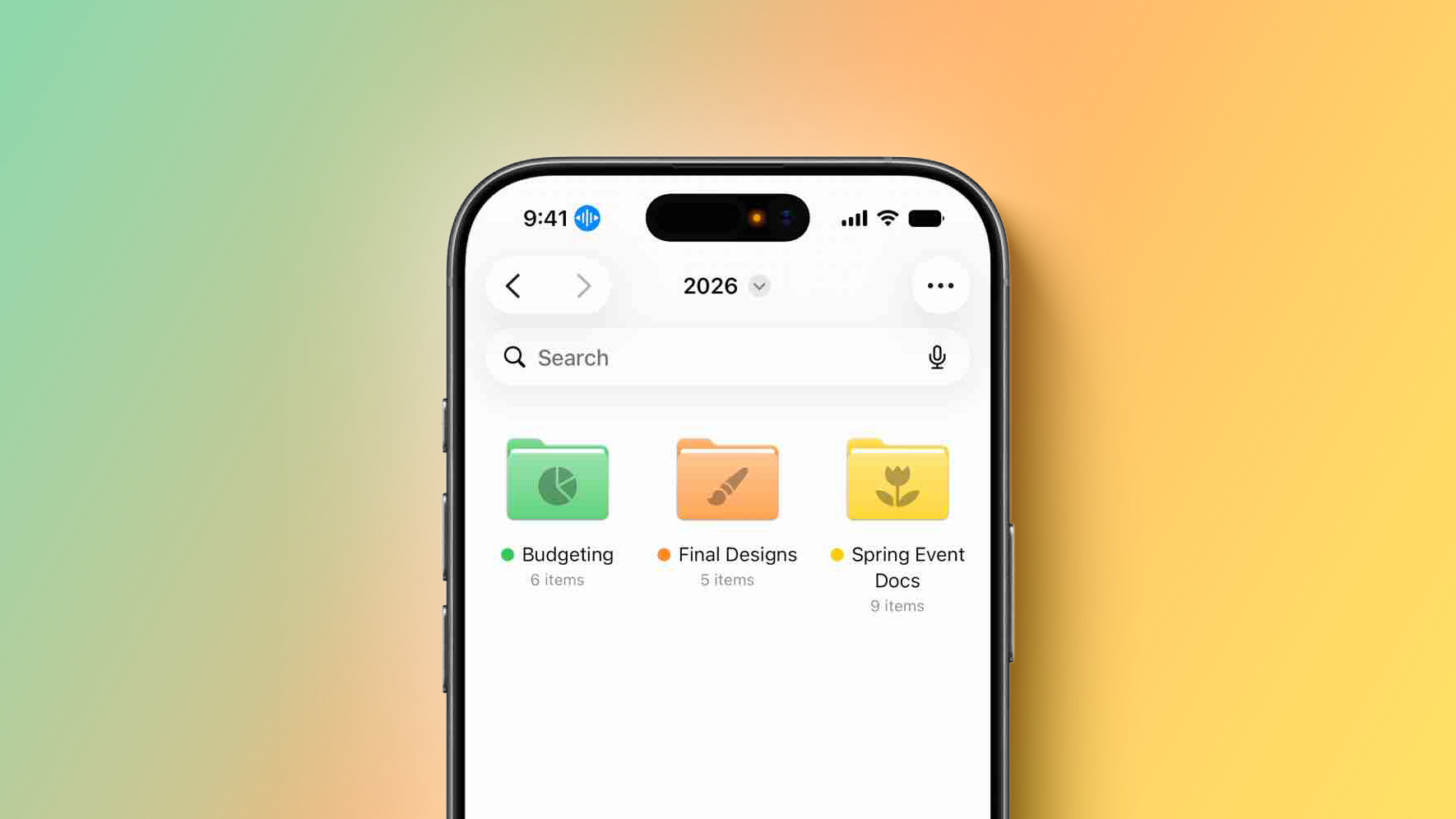

This year, one of the new capabilities shown off by Apple is natural language support for the Voice Control feature on the iPhone and iPad.

Voice Control is receiving an Apple Intelligence upgrade that will make the feature "more intuitive than ever," according to Apple. Specifically, iPhone and iPad users will be able to describe on-screen buttons and controls with natural language, instead of having to remember exact labels, numbers, or descriptions like before.

For example, users will be able to say things like "tap the guide about best restaurants" in Apple Maps or "tap the purple folder" in the Files app.

Voice Control powered by Apple Intelligence will initially be available in English in the U.S., Canada, the UK, and Australia, according to Apple.

AI-powered Voice Control hints at the more personalized version of Siri that Apple first announced all the way back at WWDC 2024. At the time, Apple said Siri would gain on-screen awareness, which would essentially turn the assistant into an AI agent that is capable of understanding natural language and taking action for you.

Correct me if I'm wrong but it sure looks like Apple just casually dropped agentic AI being built into iPhone

Yes, in this video it's being used for Voice Control, but if a person can control their iPhone with natural language so can an AI agent! pic.twitter.com/S6DQOiQGsO

β€” Dylan (@DylanMcD8) May 19, 2026

Apple's own example was an iPhone user asking Siri about their mother's flight and lunch reservation plans based on info retrieved from the Mail and Messages apps, and it was later reported that Siri will be able to do things such as comment on an Instagram post, or scroll through a shopping app and add something to your cart.

Overall, the revamped Siri is expected to have a better understanding of a user's personal context, on-screen awareness, and deeper per-app controls. In March 2025, Apple announced that these capabilities were delayed until later this year. The new-and-improved Siri is expected to be a tentpole feature of iOS 27, iPadOS 27, and macOS 27, which will be unveiled on June 8 and should be released to the public in September.

The more personalized Siri will likely require an iPhone 15 Pro or newer, a Mac with an M1 chip or newer, or an iPad with an A17 Pro or M1 chip or newer.
Related Roundup: iOS 27

This article, "New iOS 27 Feature Hints at Major Siri Upgrade Coming Soon" first appeared on MacRumors.com

Discuss this article in our forums

  •  

Michael Prokop: The mysterious XF86AudioPlay issue

I was getting β€œ<XF86AudioPlay> is undefined” in the status bar of Emacs displayed every 2-3 seconds. Nowhere else I noticed any misbehavior or problems, and also couldn’t find any related log entries. It didn’t stop, though didn’t want to reboot my system to see whether that would fix the problem, but it was driving me nuts.

Now, as a starting point I adjusted my sway configuration, to react to the XF86AudioPlay key press event:

bindsym XF86AudioPlay exec playerctl play-pause

After reloading sway, my music player started to play for 2-3 seconds, stopped playing, started again, etc. It wasn’t a Emacs bug, but something indeed seemed to send the XF86AudioPlay key event every 2-3 seconds. It wasn’t my USB keyboard or any stuck key on it, as verified also by unplugging it. So which device was causing this?

libinput from libinput-tools to the rescue:

% sudo libinput debug-events
[...]
-event12  KEYBOARD_KEY                 +0.000s  KEY_PLAYPAUSE (164) pressed
 event12  KEYBOARD_KEY                 +0.000s  KEY_PLAYPAUSE (164) released
 event12  KEYBOARD_KEY                 +2.887s  KEY_PLAYPAUSE (164) pressed
 event12  KEYBOARD_KEY                 +2.887s  KEY_PLAYPAUSE (164) released
 event12  KEYBOARD_KEY                 +5.773s  KEY_PLAYPAUSE (164) pressed
 event12  KEYBOARD_KEY                 +5.774s  KEY_PLAYPAUSE (164) released
[...]

The `event12` device was sending this event, what’s behind this?

% sudo udevadm info /dev/input/event12
P: /devices/pci0000:00/0000:00:1f.3/skl_hda_dsp_generic/sound/card0/input17/event12
M: event12
R: 12
J: c13:76
U: input
D: c 13:76
N: input/event12
L: 0
S: input/by-path/pci-0000:00:1f.3-platform-skl_hda_dsp_generic-event
E: DEVPATH=/devices/pci0000:00/0000:00:1f.3/skl_hda_dsp_generic/sound/card0/input17/event12
E: DEVNAME=/dev/input/event12
E: MAJOR=13
E: MINOR=76
E: SUBSYSTEM=input
E: USEC_INITIALIZED=12468722
E: ID_INPUT=1
E: ID_INPUT_KEY=1
E: ID_INPUT_SWITCH=1
E: ID_PATH=pci-0000:00:1f.3-platform-skl_hda_dsp_generic
E: ID_PATH_TAG=pci-0000_00_1f_3-platform-skl_hda_dsp_generic
E: XKBMODEL=pc105
E: XKBLAYOUT=us
E: XKBOPTIONS=lv3:ralt_switch,compose:rctrl
E: BACKSPACE=guess
E: LIBINPUT_DEVICE_GROUP=0/0/0:ALSA
E: DEVLINKS=/dev/input/by-path/pci-0000:00:1f.3-platform-skl_hda_dsp_generic-event
E: TAGS=:power-switch:
E: CURRENT_TAGS=:power-switch:

% sudo udevadm info -a /dev/input/event12 | grep -iE 'kernels|drivers|name'
    KERNELS=="input17"
    DRIVERS==""
    ATTRS{name}=="sof-hda-dsp Headphone"
    KERNELS=="card0"
    DRIVERS==""
    KERNELS=="skl_hda_dsp_generic"
    DRIVERS=="skl_hda_dsp_generic"
    KERNELS=="0000:00:1f.3"
    DRIVERS=="sof-audio-pci-intel-tgl"
    KERNELS=="pci0000:00"
    DRIVERS==""

Behind this event12 is sof-hda-dsp Headphone, and evtest confirms that:

% sudo evtest
No device specified, trying to scan all of /dev/input/event*
Available devices:
/dev/input/event0:      AT Translated Set 2 keyboard
/dev/input/event1:      Sleep Button
/dev/input/event10:     ThinkPad Extra Buttons
/dev/input/event11:     sof-hda-dsp Mic
/dev/input/event12:     sof-hda-dsp Headphone
/dev/input/event13:     sof-hda-dsp HDMI/DP,pcm=3
/dev/input/event14:     sof-hda-dsp HDMI/DP,pcm=4
/dev/input/event15:     sof-hda-dsp HDMI/DP,pcm=5
/dev/input/event16:     Yubico YubiKey OTP+FIDO+CCID
/dev/input/event17:     Apple Inc. Magic Keyboard with Numeric Keypad
/dev/input/event18:     Apple Inc. Magic Keyboard with Numeric Keypad
[...]
Select the device event number [0-24]: ^C

We can even get further information:

% sudo evtest /dev/input/event12
Input driver version is 1.0.1
Input device ID: bus 0x0 vendor 0x0 product 0x0 version 0x0
Input device name: "sof-hda-dsp Headphone"
Supported events:
  Event type 0 (EV_SYN)
  Event type 1 (EV_KEY)
    Event code 114 (KEY_VOLUMEDOWN)
    Event code 115 (KEY_VOLUMEUP)
    Event code 164 (KEY_PLAYPAUSE)
    Event code 582 (KEY_VOICECOMMAND)
  Event type 5 (EV_SW)
    Event code 2 (SW_HEADPHONE_INSERT) state 0
Properties:
Testing ... (interrupt to exit)
Event: time 1779295060.175766, type 5 (EV_SW), code 2 (SW_HEADPHONE_INSERT), value 1
Event: time 1779295060.175766, -------------- SYN_REPORT ------------
Event: time 1779295061.951168, type 1 (EV_KEY), code 164 (KEY_PLAYPAUSE), value 1
Event: time 1779295061.951168, -------------- SYN_REPORT ------------
Event: time 1779295061.951194, type 1 (EV_KEY), code 164 (KEY_PLAYPAUSE), value 0
Event: time 1779295061.951194, -------------- SYN_REPORT ------------
Event: time 1779295064.548671, type 1 (EV_KEY), code 164 (KEY_PLAYPAUSE), value 1
Event: time 1779295064.548671, -------------- SYN_REPORT ------------
Event: time 1779295064.548689, type 1 (EV_KEY), code 164 (KEY_PLAYPAUSE), value 0
Event: time 1779295064.548689, -------------- SYN_REPORT ------------
Event: time 1779295067.437172, type 1 (EV_KEY), code 164 (KEY_PLAYPAUSE), value 1
Event: time 1779295067.437172, -------------- SYN_REPORT ------------
Event: time 1779295067.437187, type 1 (EV_KEY), code 164 (KEY_PLAYPAUSE), value 0
Event: time 1779295067.437187, -------------- SYN_REPORT ------------
Event: time 1779295070.323775, type 1 (EV_KEY), code 164 (KEY_PLAYPAUSE), value 1
Event: time 1779295070.323775, -------------- SYN_REPORT ------------
Event: time 1779295070.323790, type 1 (EV_KEY), code 164 (KEY_PLAYPAUSE), value 0
Event: time 1779295070.323790, -------------- SYN_REPORT ------------
Event: time 1779295073.200350, type 1 (EV_KEY), code 164 (KEY_PLAYPAUSE), value 1
Event: time 1779295073.200350, -------------- SYN_REPORT ------------
Event: time 1779295073.200373, type 1 (EV_KEY), code 164 (KEY_PLAYPAUSE), value 0
Event: time 1779295073.200373, -------------- SYN_REPORT ------------
Event: time 1779295076.076228, type 1 (EV_KEY), code 164 (KEY_PLAYPAUSE), value 1
Event: time 1779295076.076228, -------------- SYN_REPORT ------------
Event: time 1779295076.076250, type 1 (EV_KEY), code 164 (KEY_PLAYPAUSE), value 0
Event: time 1779295076.076250, -------------- SYN_REPORT ------------
Event: time 1779295078.961740, type 1 (EV_KEY), code 164 (KEY_PLAYPAUSE), value 1
Event: time 1779295078.961740, -------------- SYN_REPORT ------------
Event: time 1779295078.961754, type 1 (EV_KEY), code 164 (KEY_PLAYPAUSE), value 0
Event: time 1779295078.961754, -------------- SYN_REPORT ------------
Event: time 1779295081.850156, type 1 (EV_KEY), code 164 (KEY_PLAYPAUSE), value 1
Event: time 1779295081.850156, -------------- SYN_REPORT ------------
Event: time 1779295081.850175, type 1 (EV_KEY), code 164 (KEY_PLAYPAUSE), value 0
Event: time 1779295081.850175, -------------- SYN_REPORT ------------
Event: time 1779295083.306612, type 5 (EV_SW), code 2 (SW_HEADPHONE_INSERT), value 0
Event: time 1779295083.306612, -------------- SYN_REPORT ------------

So when I plug in my headphone (see the `SW_HEADPHONE_INSERT` event), the unexpected behavior starts, unplugging stops the problem.
Good! But what was totally unexpected for me: my headphone, being a Beyerdynamic DT-990 Pro, does not have any keys. 8-)

As it turned out, the headphone jack seemed to have been not entirely clean. The analog side of the jack triggers a behavior within the audio codec, where it seems to interpret the fluctuating impedance as a play button of the headset, being pressed, again and again.

I cleaned the jack of my headphone and my XF86AudioPlay problem is gone, case closed.

  •  

New in Edge for Business: AI for work, safe from day one

TL;DR: Edge for Business adds agentic browsing in limited preview, a Copilot-inspired new tab page, and mobile availability for multi-tab reasoning and YouTube summarization. These experiences are built on a secure enterprise browser foundation with an IT-managed system of controlsβ€”policy-based enablement, tenant protections, and data loss preventionβ€”so AI is safe for work from day one. AI is moving from answering questions to completing workβ€”and the browser is where that shift becomes real. Business users want the latest AI capabilities to help with everyday work without adding another tool, and IT wants to deliver themβ€”but the bar is higher: productivity must come with security, compliance, and IT control. Today, we're introducing agentic browsing in Edge for Business in limited preview and expanding AI experiences that help users get started faster, connect information across tabs, and make decisions more quicklyβ€”all on a secure enterprise browser foundation with IT-managed controls from day one. Here's a look at what's new:

Introducing agentic browsing with Copilot in Edge for Business

Agentic browsing lets Copilot complete multi-step tasks on approved sites, with IT controls and user oversight. Business users across your organization often spend time on repetitive, multi-step work in the browserβ€”filling out forms, navigating sites to complete tasks, and pulling information across tabs. It's exactly the kind of work people want to shortcut. Available today in limited preview, agentic browsing with Copilot in Edge for Business brings multi-step task completion into a managed enterprise experience. Copilot can navigate pages, fill in information, and complete workflowsβ€”helping users save time without turning to unsanctioned AI. https://www.youtube.com/watch?v=mQv0EBvj2nI For IT, enabling Copilot to browse doesn't mean giving up control: you decide when to turn it on and exactly where it can run. You enable it through its own policy and is scoped to sites you designate, so you can roll it out deliberately. Purview continues to enforce data protection policies, such as copy/paste of sensitive data, while Copilot browses. For users, clear visual indicators show when Copilot is taking action, and they can pause or stop it at any time. For sensitive actions such as entering passwords or credit card numbers, Copilot pauses for user input. IT admins can request to join the limited preview. Available worldwide with a Microsoft 365 Copilot license, excluding the European Economic Area.

Quickly move from tabs to decisions

Beyond agentic browsing, we're expanding AI capabilities that help users get oriented faster, pull together information across tabs, and get to an answerβ€”right in the flow of work.

Copilot-inspired new tab page

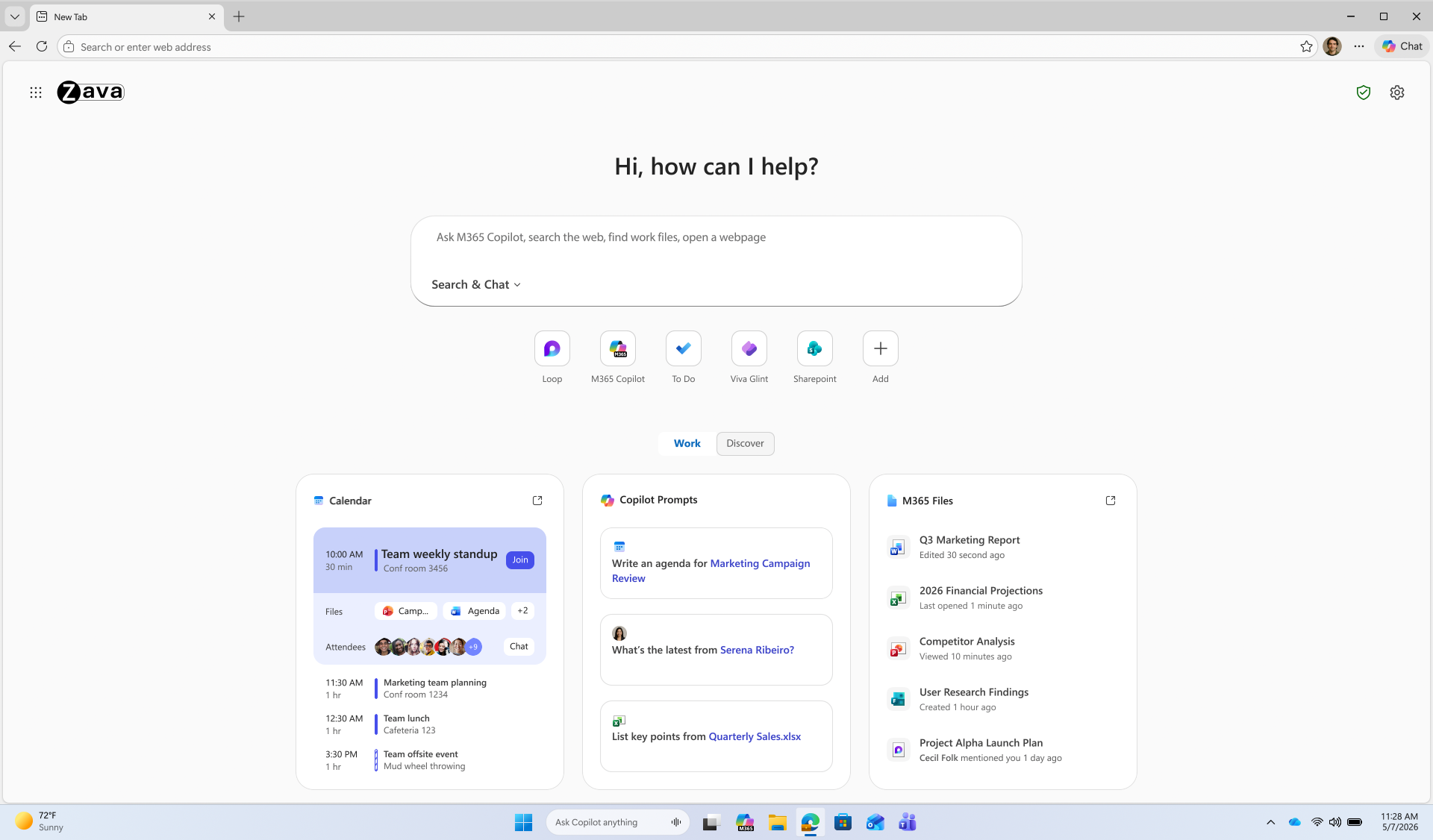
The Copilot-inspired new tab page brings calendar, files, and prompts into one work dashboardβ€”generally available on desktop and mobile. Every day starts the same way: users open the browser, review their calendar, and track down files. A reimagined new tab page brings calendar, files, and Copilot prompts into one view, reducing the need to switch between tools. An intelligent box enables chat and search from one entry point, while work cards surface upcoming meetings, Microsoft 365 files, and suggested Copilot prompts for quick action. The experience becomes even more personalized with a Microsoft 365 Copilot license. Generally available today on desktop and mobile. Learn how to configure. Microsoft Edge new tab page.

Multi-tab reasoning and YouTube summarization

Multi-tab reasoning and YouTube summarization are now available on mobile, in addition to desktop, turning open tabs and videos into quick takeaways. Users live in tabsβ€”jumping between docs, web pages, and videos just to piece together an answer. Multi-tab reasoning and YouTube summarization help turn that scattered information into quick answers, without adding yet another tool. Multi-tab reasoning analyzes open tabs to generate comparisons, summaries, and insights. For example, users can compare product specs across tabs, summarize vendor documentation, or pull key differences from multiple pages into one answer. And because it's Edge for Business, Purview policies exclude sensitive content from reasoning. https://www.youtube.com/watch?v=X87JA-sPz2Y When users only need a few key answers from a 15-minute video, YouTube summarization pulls out the takeaways and even answers questionsβ€”whether they're reviewing a product demo, an industry presentation, or a webinar. Learn how to configure multi-tab reasoning and YouTube summarization.

Deliver AI securelyβ€”without losing control

Edge for Business offers an IT-managed system of controls for AIβ€”policies, tenant protections, and data protection enforcementβ€”available from day one. AI in the browser is moving fast, and IT teams are under pressure to deliver new capabilities without becoming the team that slows everyone down. Most organizations don't want an "all or nothing" switchβ€”they want to adopt AI in stages without changing their security posture or creating new exceptions. With Edge for Business, our mission is to offer AI experiences with enterprise-grade security and controls built-in from day one β€” through a system of controls that provides differentiated compliance and security for AI. That's what you should expect from an industry-leading secure enterprise browser. Edge for Business is the only major enterprise browser that protects company data in AI by enforcing data protection in the browser and keeping sensitive interactions within the tenant. Protections you rely on, such as blocking copy/paste, continue to be enforced on AI-assisted workflows. And because Microsoft 365 Copilot includes enterprise data protection, prompts, responses, and files stay within your tenant and are not used to train models. These protections apply natively when users sign into Edge for Business with an eligible Entra ID, no extensions required. A single policy enables AI features like summarization and multi-tab reasoning to help you get started quickly. For advanced AI, Copilot Mode is evolving into granular controlsβ€”so you can enable each feature individually instead of through a single toggle, making it easier to pilot and deploy advanced AI with more predictable outcomes. Existing configurations are honored for organizations that previously enabled Copilot Mode. The result: you can roll out AI on your termsβ€”enabled by policy and fully under IT control. https://www.youtube.com/watch?v=9KFId0FzSfM

Protect against shadow AI in the browser

Purview data protections in Edge for Business can audit or block sensitive prompts and uploads on common consumer AI apps and redirect users to Copilot for protected work AI. What happens when users don't follow rules and use unsanctioned AI? Organizations need the ability to audit prompts and block sensitive uploads, especially on consumer AI tools. With Edge for Business, consumer AI doesn't have to be a gap. Shadow AI protections powered by Purview bring inline data loss prevention into the browser for the most common AI apps. Purview analyzes prompts and file uploads: when sensitive data is detected, the action is audited or blocked. Users receive a clear, policy notification and are redirected to Microsoft 365 Copilot, where enterprise data protection and DLP policies apply. These protections work on managed and unmanaged devices when users are signed into Edge for Business with their eligible Entra ID. Requires Microsoft 365 E5; pay as you go pricing applies. Learn more. https://www.youtube.com/watch?v=JIDs57MAXOo

Get started

IT admins can request to join the limited preview for agentic browsing in Edge for Business to experience how it works in a managed environment. Edge for Business plays a key role in delivering AI securelyβ€”where users already work and where controls are already in place. Request to join the limited preview for agentic browsing in Edge for Business to evaluate the experience and help shape what comes next.

Note: learn more about Microsoft 365 Copilot availability here.

  •  

Apple Says iOS 27 Can Automatically Add Captions to Your Personal iPhone Videos

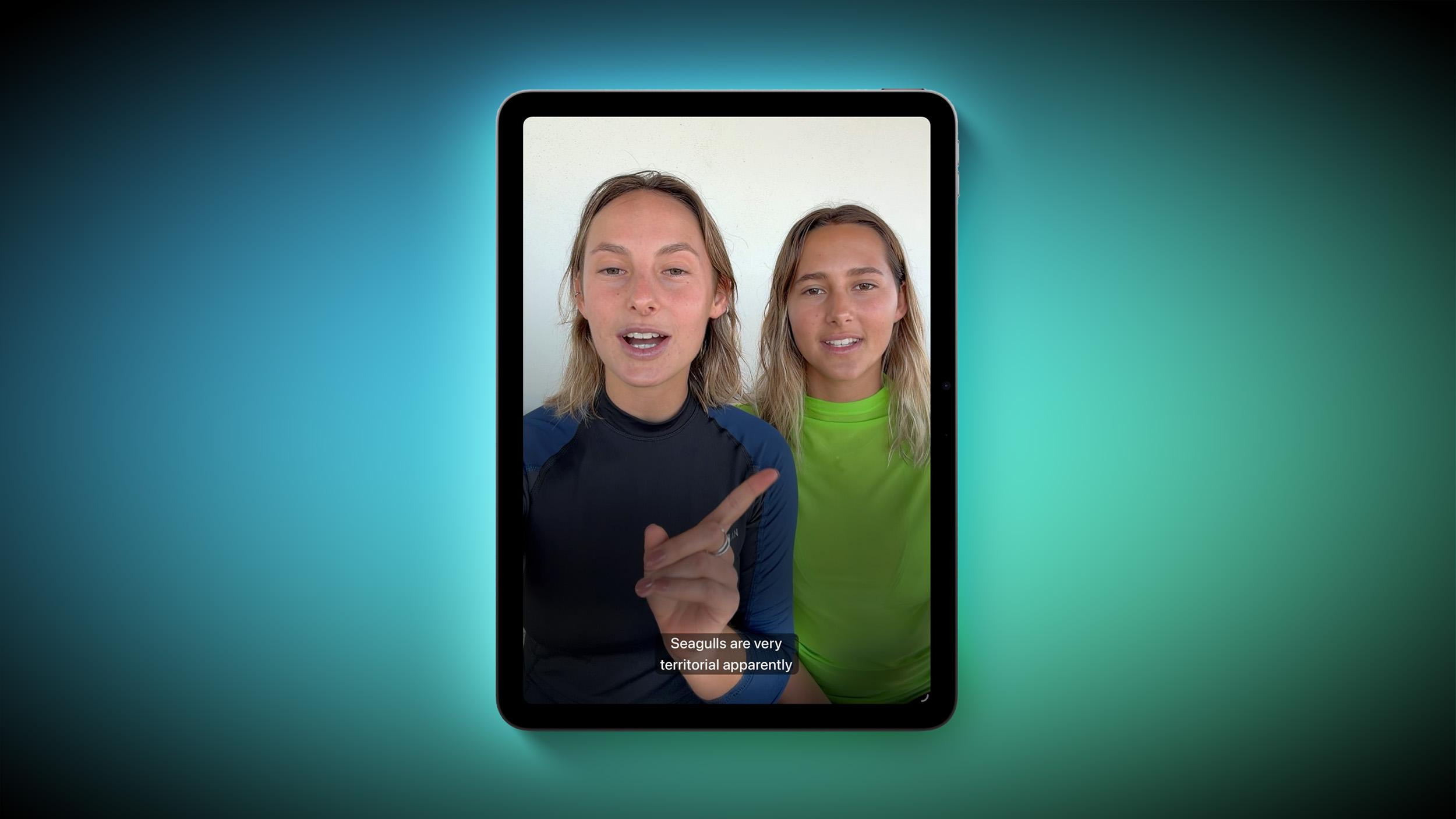
Apple this week previewed new accessibility features that are coming later this year, and one is particularly notable: automatic captions for personal videos.


For videos that do not already have captions, Apple said a new on-device speech recognition model can automatically generate them for spoken audio. According to Apple, this feature will be available for videos that you record on your iPhone, videos that you receive from friends and family, and videos that are streamed online.

The automatic captions will initially be limited to English in the U.S. and Canada.

Apple ensured that the captions are generated privately, and you will be able to customize their appearance in the video playback menu or in the Settings app. The feature will be supported across the iPhone, iPad, Mac, Apple TV, and Vision Pro, with the "later this year" timing pointing to iOS 27, iPadOS 27, macOS 27, tvOS 27, and visionOS 27.

Apple will unveil those software versions during its WWDC 2026 keynote, which begins on Monday, June 8 at 10 a.m. Pacific Time, so we expect to learn more about this feature and its exact implementation in a few weeks from now.
Related Roundup: iOS 27

This article, "Apple Says iOS 27 Can Automatically Add Captions to Your Personal iPhone Videos" first appeared on MacRumors.com

Discuss this article in our forums
  •  

Samsung Overtakes Apple for Top Smartphone Customer Satisfaction

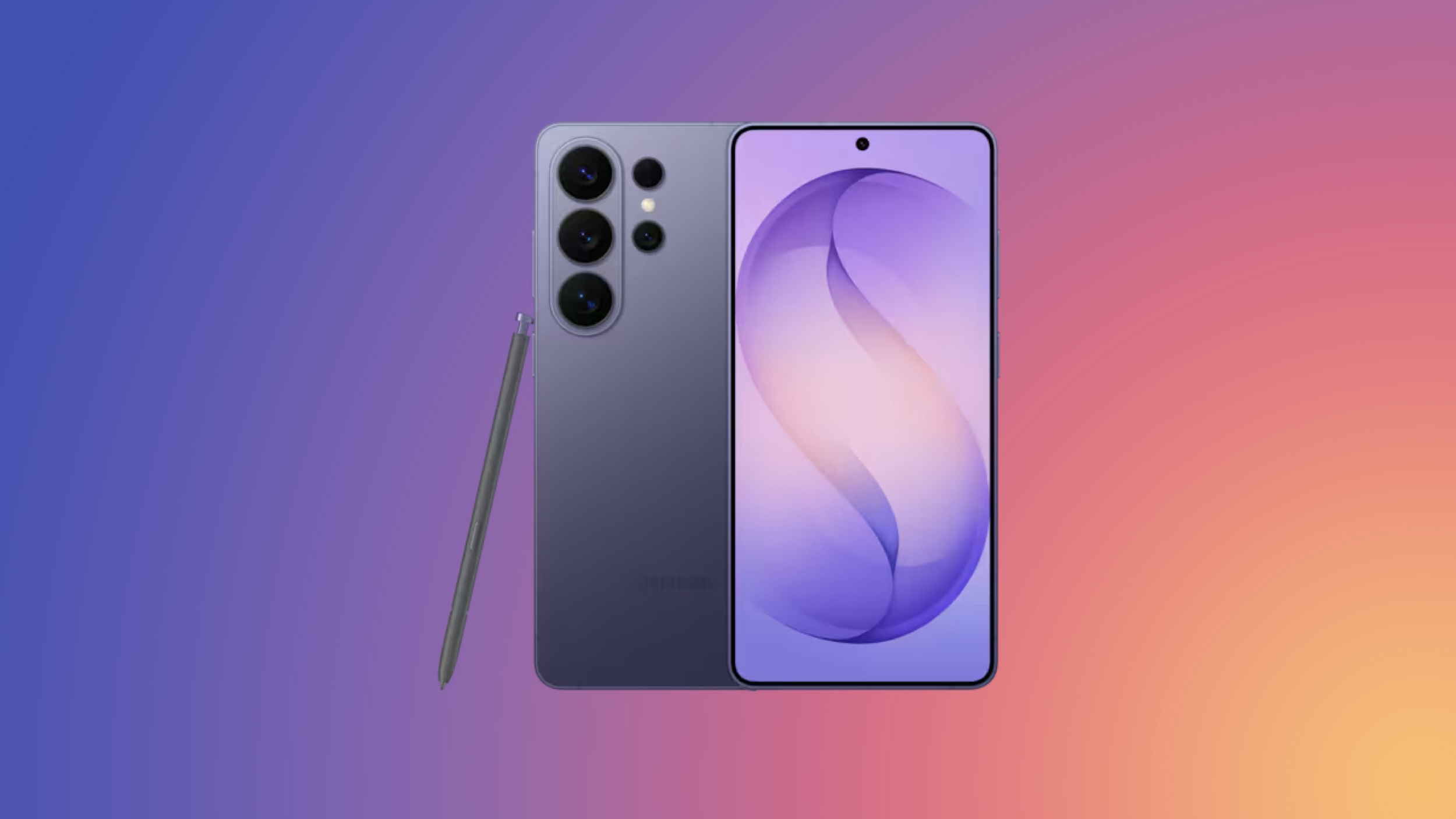
Samsung has edged past Apple for the top spot in customer satisfaction for cell phones, according to the American Customer Satisfaction Index's 2026 Telecommunications, Cell Phone, and Smartwatch Study, published this week.


Samsung scores 81 in the ACSI's cell phone rankings while Apple posts 80, breaking last year's tie between the two companies for satisfaction leadership. The overall cell phone industry score rose 1% to 79 this year, recovering from a sharp 4% decline in 2025 that had pushed it to its lowest point in a decade.

The ACSI says satisfaction improves most when new features translate into everyday value without introducing new pain points, citing battery life tradeoffs as an example. AI integration, measured by the ACSI for the first time, scores 85 overall, signaling that customers are not only aware of AI features but find them useful, while improvements in battery life, up 5% to 81.

For the cell phone industry, the highest-rated customer experience metrics are the fundamental functions of making phone calls and sending text messages, both scoring 86. AI feature performance debuts at 85, nearly matching those top table-stakes interactions, suggesting that AI is moving from novelty to practical utility for many customers.

Among new flagship owners, Samsung's latest Galaxy S-series leads at 84, followed by new iPhone owners at 82, with Google's flagship models scoring 80. Satisfaction with flagship models overall scores 82, far outpacing legacy phones at 76 and foldables at 72.

In the foldable segment, Samsung holds a clear lead with an ACSI score of 80, which is 8 points ahead of Google at 72 and 10 points ahead of Motorola at 70. The ACSI notes that foldable owners are three times as likely to complain as non-foldable owners, and says competitive dynamics in the segment may shift as Apple's rumored entry into the foldable market is anticipated for later this year. Apple is widely expected to debut a foldable iPhone alongside the iPhone 18 Pro models this fall, featuring a 7.8-inch inner display and a 5.5-inch cover screen, priced at around $2,000.

In the smartwatch category, Apple holds steady at 80, while Samsung drops 4% to create a first-place tie at the top of the leaderboard. Customer experience characteristics of smartwatches are universally rated higher this year at the industry level, with the biggest gains including ease of navigating menus and settings, up 7% to 80, and app and accessory connectivity, up 5% to 83.

The ACSI study is based on 26,963 completed surveys, with customers contacted via email between April 2025 and March 2026.
Tag: Samsung

This article, "Samsung Overtakes Apple for Top Smartphone Customer Satisfaction" first appeared on MacRumors.com

Discuss this article in our forums
  •  

Apple Provides Update on App Store, Highlights Key 2025 Safety Stats

Apple today shared stats that paint the App Store as a safe and trusted place for both customers and developers, even though the reality is that fraudulent or deceptive apps continue to make it past Apple's review process from time to time.


In 2025, Apple said its App Review team evaluated more than 9.1 million App Store submissions, with a mix of human review and AI. The company rejected over two million of these submissions, including over 1.2 million new apps and nearly 800,000 pending app updates, for failing to adhere to the App Store's Review Guidelines.

As bad actors continue to evolve their methods, Apple said it continuously improves its multilayered defenses, leveraging a combination of human review and advanced machine learning in an attempt to detect and prevent malicious activity.

"By utilizing AI to rapidly identify complex malicious patterns, analyze app similarity, and flag potentially problematic changes in app updates, Apple's systems help human reviewers focus their expertise where it matters most," said Apple. "This not only improves the customer experience by ensuring a high-quality, curated storefront, it also helps legitimate developers get their great apps and updates to users faster."

Apple added that it terminated 193,000 developer accounts over fraud concerns and prevented over $2.2 billion in potentially fraudulent transactions in 2025.

In 2025, Apple processed over 1.3 billion App Store reviews and ratings. Using a mix of human review and AI, the company said it identified and blocked close to 195 million fraudulent reviews and ratings from ever appearing.

"Apple's Trust and Safety teams integrate AI throughout the entire moderation process to detect spam, offensive content, and inauthentic reviews at scale," the company explained. "Additionally, AI-powered dashboards and rapid data analysis tools accelerate the discovery of new fraud vectors, enabling Apple's teams to react quickly to deceptive activity and protect the integrity of the platform."

Apple's press release contains many more stats that highlight the company's efforts to ensure the App Store is secure, even if they are not perfect.
This article, "Apple Provides Update on App Store, Highlights Key 2025 Safety Stats" first appeared on MacRumors.com

Discuss this article in our forums
  •  

Ugreen Debuts Pocket-Sized Chargers for Your Apple Devices

Accessory maker Ugreen has expanded its Nexode and MagFlow Air lineup of chargers with a set of compact units aimed squarely at Apple users.


First up is the Nexode Air 65W charger, which Ugreen is pitching as a travel-friendly option for MacBook Air owners, but it should work just as well for iPhones, iPads, and other USB-C devices. (Its Cosmic Orange-style finish twins particularly well with the iPhone 17 Pro.) Ugreen describes the unit as pocket-sized while still delivering up to 65W of fast charging, and it features the company's Ugreen's Thermal Guard temperature control for safety.

For users who want a thinner option, Ugreen is also touting its Nexode Air 45W Charger Slim, plus there's a new MagFlow Air Magnetic Power Bank 10000mAh – a Qi2-certified 15W magnetic battery with a built-in USB-C cable, a second USB-C port, and ATL battery cells inside.

The company's broader existing Air lineup includes a thicker Nexode Air 65W Charger Slim and a less bulky 5000mAh version of the MagFlow Air.

The Nexode Air 65W Charger and 45W Slim are priced at $39.99, with the 10000mAh MagFlow Air at $79.99. All the chargers are available now over on Ugreen's official site as well as Amazon.com.

Note: MacRumors is an affiliate partner with Amazon. When you click a link and make a purchase, we may receive a small payment, which helps us keep the site running.
Tag: Ugreen

This article, "Ugreen Debuts Pocket-Sized Chargers for Your Apple Devices" first appeared on MacRumors.com

Discuss this article in our forums
  •  

Apple's Eddy Cue to Receive 'Entertainment Person of the Year' Award

Apple senior vice president Eddy Cue will be honored as "Entertainment Person of the Year" at the Cannes Lions festival next month, recognizing his leadership of the company's entertainment and services business (via Variety).


Cue will deliver a keynote on the opening day of the festival, which runs from June 22 to June 26 in the south of France. He will be joined by producer Jerry Bruckheimer, whose film "F1: The Movie" was released by Apple last year. In a statement, Lions CEO Simon Cook said:

Eddy Cue has consistently pushed the boundaries of entertainment and storytelling, building platforms and experiences that have redefined how audiences engage with culture. Under his leadership, Apple has not only produced world-class content but has also shaped the future of entertainment through innovation, creativity and an unwavering commitment to quality. We're delighted to honor Eddy as our 2026 Entertainment Person of the Year.


Cue told Variety last year that as streaming platforms multiplied, Apple saw an opportunity to focus on quality over volume. "We saw that the world was changing, and it seemed like everybody was going after quantity. We thought there was an opening for us, if we really focused on high quality," he said.

Apple TV+ launched in November 2019 and has since compiled an impressive awards record. The streamer earned best picture at the Oscars for its 2021 drama "CODA," and "The Studio" set records at last year's Emmy Awards with 13 wins, which is the most by a comedy series in a single year and the most by a first-year series.
This article, "Apple's Eddy Cue to Receive 'Entertainment Person of the Year' Award" first appeared on MacRumors.com

Discuss this article in our forums

  •  

Distribution Release: Red Hat Enterprise Linux 10.2, 9.8

The DistroWatch news feed is brought to you by TUXEDO COMPUTERS. Red Hat, Inc. has announced the availability of Red Hat Enterprise Linux (RHEL) 10.2 and 9.8, updated builds in RHEL's current and legacy branches: "Red Hat Enterprise Linux (RHEL) 10.2 and 9.8 are here, evolving the operating system from a foundation to a powerful engine for critical applications,....
  •  

Daniel Baumann: Debian: Linux Vulnerability Mitigation (PinTheft)

Following the series of various Linux exploits of the last three weeks, the bug of today is PinTheft [CVE-2026-43494] which is local root privilege escalations.

The vulnerability can be mitigated by unloading and blocking rds modules, linux-vulnerability-mitigation as of 20260519-1 (uploaded to sid, trixie-fastforward-backports and people.debian.org/~daniel) does that automatically for you.

Updates:

  •  

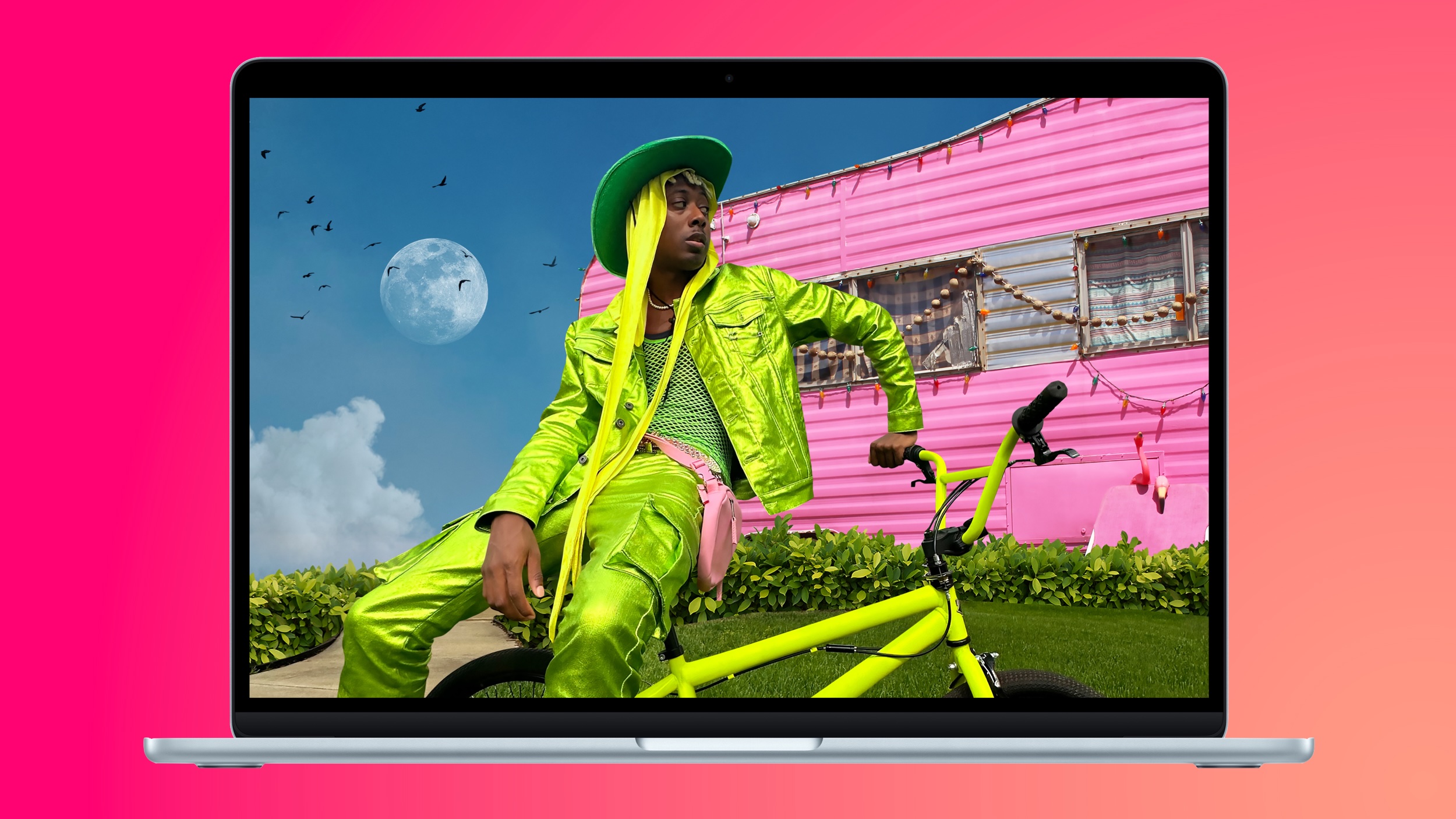
Amazon Takes $150 Off Every 15-Inch M5 MacBook Air

Amazon today has every model of the 15-inch M5 MacBook Air on sale at record low prices, starting at $1,149.00 for the 512GB model, down from $1,299.00. This sale includes all three configurations of the 15-inch M5 MacBook Air on sale in most color options.

Note: MacRumors is an affiliate partner with Amazon. When you click a link and make a purchase, we may receive a small payment, which helps us keep the site running.

You'll find $150 off every model on Amazon, also including both 1TB models. Best Buy is matching these deals as part of its ongoing Memorial Day sale, which we began tracking yesterday. As of writing, we aren't tracking any deals on the 13-inch M5 MacBook Air.


If you're on the hunt for more discounts, be sure to visit our Apple Deals roundup where we recap the best Apple-related bargains of the past week.


Deals Newsletter


Interested in hearing more about the best deals you can find in 2026? Sign up for our Deals Newsletter and we'll keep you updated so you don't miss the biggest deals of the season!


Related Roundup: Apple Deals

This article, "Amazon Takes $150 Off Every 15-Inch M5 MacBook Air" first appeared on MacRumors.com

Discuss this article in our forums

  •  

Discord Voice and Video Calls Now End-to-End Encrypted by Default

Discord says it has switched on end-to-end encryption (E2EE) by default for every voice and video call across its platforms, including desktop, mobile, web, and consoles like PlayStation and Xbox.


The rollout covers DMs, group DMs, voice channels, and Go Live streams. There's no opt-in required, or any setting to change. Stage channels are the only exception, given that they're built for broadcasting to larger audiences rather than personal chats.

The protection runs on DAVE, an open-source protocol Discord first introduced in September 2024. In a blog post, Discord's Mark Smith said building it was slow and complicated, partly because a single Discord call can mix people on phones, laptops, browsers, and game consoles in the same conversation. Announcing the change, Smith said:
"Building an E2EE protocol that works seamlessly across all of those surfaces simultaneously is, to my knowledge, unlike anything else that's been shipped. DAVE is likely one of the internet's most platform-diverse E2EE voice and video implementations."
Discord says it's now stripping out the remaining client code that allowed unencrypted fallback, so that encrypted calls will be the only option rather than a default. "We have no current plans to extend E2EE to text messages," added Smith.

The completed rollout stands in stark contrast to policy changes by Meta, which recently removed its encryption feature for Instagram DMs.
This article, "Discord Voice and Video Calls Now End-to-End Encrypted by Default" first appeared on MacRumors.com

Discuss this article in our forums
  •  

WhatsApp Tests Read-Triggered Disappearing Messages

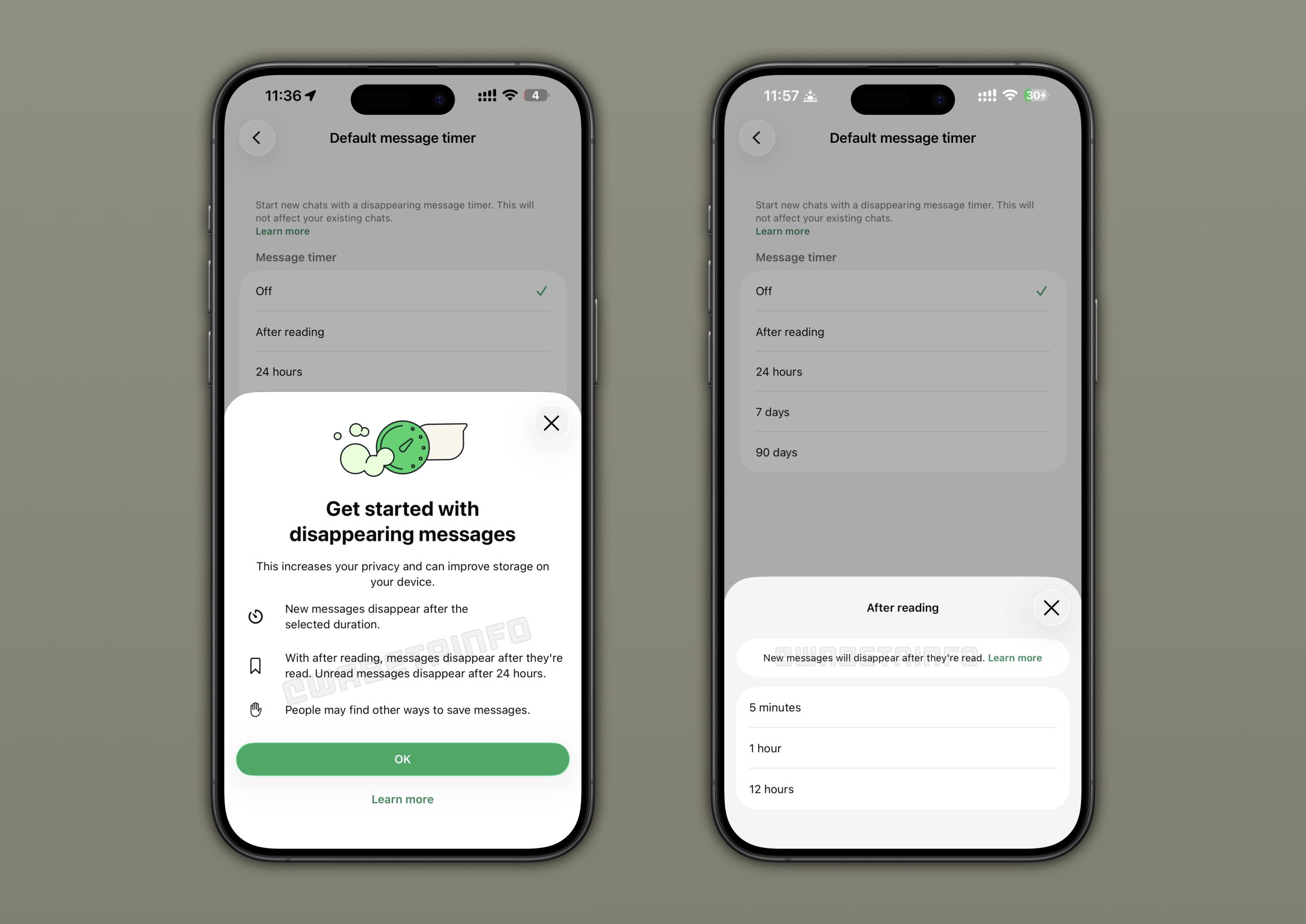
WhatsApp is getting a new setting for disappearing messages that causes them to vanish based on a countdown that starts only after they've been read.


Spotted by WaBetaInfo in the latest WhatsApp TestFlight beta, the new option starts a countdown after the recipient reads the message, rather than starting the countdown when the message is sent.

The countdown options with the "After reading" setting chosen include the usual "5 minutes," "1 hour," and "12 hours." The setting appears in the "Default messsage timer" menu, so perhaps WhatsApp will find a different home for the option or (more likely) rename the settings page to something like "Message timer options."

The new feature is said to be available to "some" beta testers on iOS and Android, but WABetaInfo believes that some users on the public WhatsApp version on the App Store may have access to the option already.

after reading
Disappearing messages can be set as the default behavior for all new chats on the end-to-end encrypted messaging platform, so this new After reading option will likely be a welcome addition for particularly privacy-conscious users, and it could also be a potential storage-saver for heavy users of the app.
This article, "WhatsApp Tests Read-Triggered Disappearing Messages" first appeared on MacRumors.com

Discuss this article in our forums

  •  

Plex Tripling Lifetime Plex Pass Price to $750 in July

Media platform Plex today said that it is increasing the price of its Lifetime Plex Pass option to $750, which is a $500 increase from the current $250 price tag.


Plex said that the updated price reflects the "real, ongoing value" of the software that it plans to build and maintain. The company has considered removing the Lifetime Plex Pass because recurring subscriptions pay for long-term development, but Plex wants to continue to offer it because it's a "valuable option" for many in the Plex community.
Over the years, as our software and product has evolved, the breadth of features and benefits included with your Plex Pass has expanded. This increase ensures we can continue to invest resources into building and maintaining the Plex personal media software, while continuing to offer a Lifetime option.
For those unfamiliar with Plex, it is media server software that lets users stream their library of content from a device with the server software installed to any other connected smartphone, tablet, or TV. The Plex Pass unlocks features like server management, hardware transcoding, offline downloads, mobile syncing, remote streaming, and more.

Plex previously increased the cost of the Lifetime Plex Pass from $120 to $250 in March 2025.

Plex customers who previously bought a Lifetime Plex Pass will still be able to access the benefits and perks associated with a Plex Pass with no change. Customers can purchase a Lifetime Plex Pass for $250 prior to when the price changes.

Plex is also not increasing the price of its subscription Plex Pass, which is $7 per month or $70 per year.

In addition to announcing the upcoming price change to the Lifetime Plex Pass, Plex shared its roadmap. It is working to implement improvements to downloads like grouping by show, and updates to its mobile apps.

The Lifetime Plex Pass price increase will go into effect on July 1, 2026 at 12:01 a.m. UTC.
Tag: Plex

This article, "Plex Tripling Lifetime Plex Pass Price to $750 in July" first appeared on MacRumors.com

Discuss this article in our forums

  •  

Google's First AI Smart Glasses Launching This Fall With iPhone Support

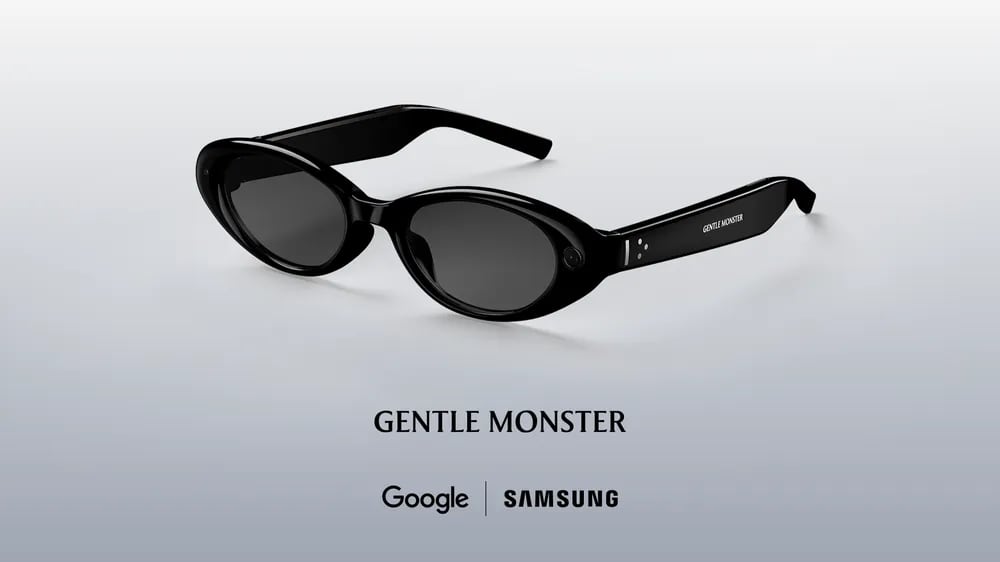
Google today said that its first "intelligent eyewear" product is set to launch this fall. It is teaming up with Samsung and eyewear manufacturers Gentle Monster and Warby Parker to launch new AI audio glasses.


The glasses will run Android XR, which is Google's platform for smart glasses and AR/VR headsets. There are cameras, speakers, and microphones in the glasses, but there is no display in the lenses.


Google previewed two of the designs coming from Gentle Monster and Warby Parker, though there will be other options. Google says the two companies will have "full collections" available when the glasses launch.

The glasses support Gemini AI, with Gemini integrated into all of the available features. Users will be able to say "Hey Google" or tap the side of the frame to bring up Gemini, and Google says the AI can do the following:

  • Gives information about what the wearer sees, like reviews for a restaurant nearby, the name of a cloud formation, or details on a confusing parking sign.

  • Offer sight-based navigation with turn-by-turn directions. Gemini can add stops or locate nearby locations like restaurants based on user preferences.

  • Manage calls, send texts, and summarize messages.

  • Listen to music.

  • Capture photos and videos and edit them with Google's Nano Banana AI image editing engine.

  • Translate speech and writing in real time.

  • Complete multi-step tasks like ordering coffee via DoorDash.

  • Use apps on a connected smartphone with voice-based commands.


Google says that its upcoming glasses will be able to work with iPhones in addition to Android smartphones.

Apple is working on its own AI smart glasses that are expected to have similar capabilities, but rumors suggest Apple's glasses won't be ready until 2027.

In the future, Google plans to launch "display glasses" that have a small display in the lens to relay information from Gemini, but that product is not coming until later.
Tag: Google

This article, "Google's First AI Smart Glasses Launching This Fall With iPhone Support" first appeared on MacRumors.com

Discuss this article in our forums

  •  

Apple Taps Virtual Avatar Firm Animato's Expertise and Intellectual Property

Apple has quietly agreed to hire employees and license intellectual property of Animato, a small California-based company that has developed software for creating virtual avatars used in video chats and tutoring, according to a European Commission filing spotted by MacRumors.


The acquisition was filed under the EU's Digital Markets Act in January 2026, and appears to be what's known as a "structured acqui-hire." In other words, Apple is able to make employment offers to certain Animato employees and receive a non-exclusive license to the company's intellectual property, as well as acquire its patent applications.
Apple Inc. ("Apple") will have the right to make employment offers to and hire certain employees of Animato, Inc. ("Animato"), receive a non-exclusive license to Animato's intellectual property rights, and acquire Animato's patent applications. Animato develops and distributes software that creates virtual avatars for video chats and tutoring.
Animato was founded in October 2022 by Francesco Rossi, who previously spent seven years at Apple before leaving to start the company.

Animato is best known for a free app called "Call Annie," which launched in April 2023, and gave ChatGPT a real-time animated avatar face, allowing users to have video-style conversations with the AI chatbot.

The app later moved into language learning by offering avatar tutors for practicing English, Spanish, French, German, Japanese, Mandarin, and Korean through video conversations.

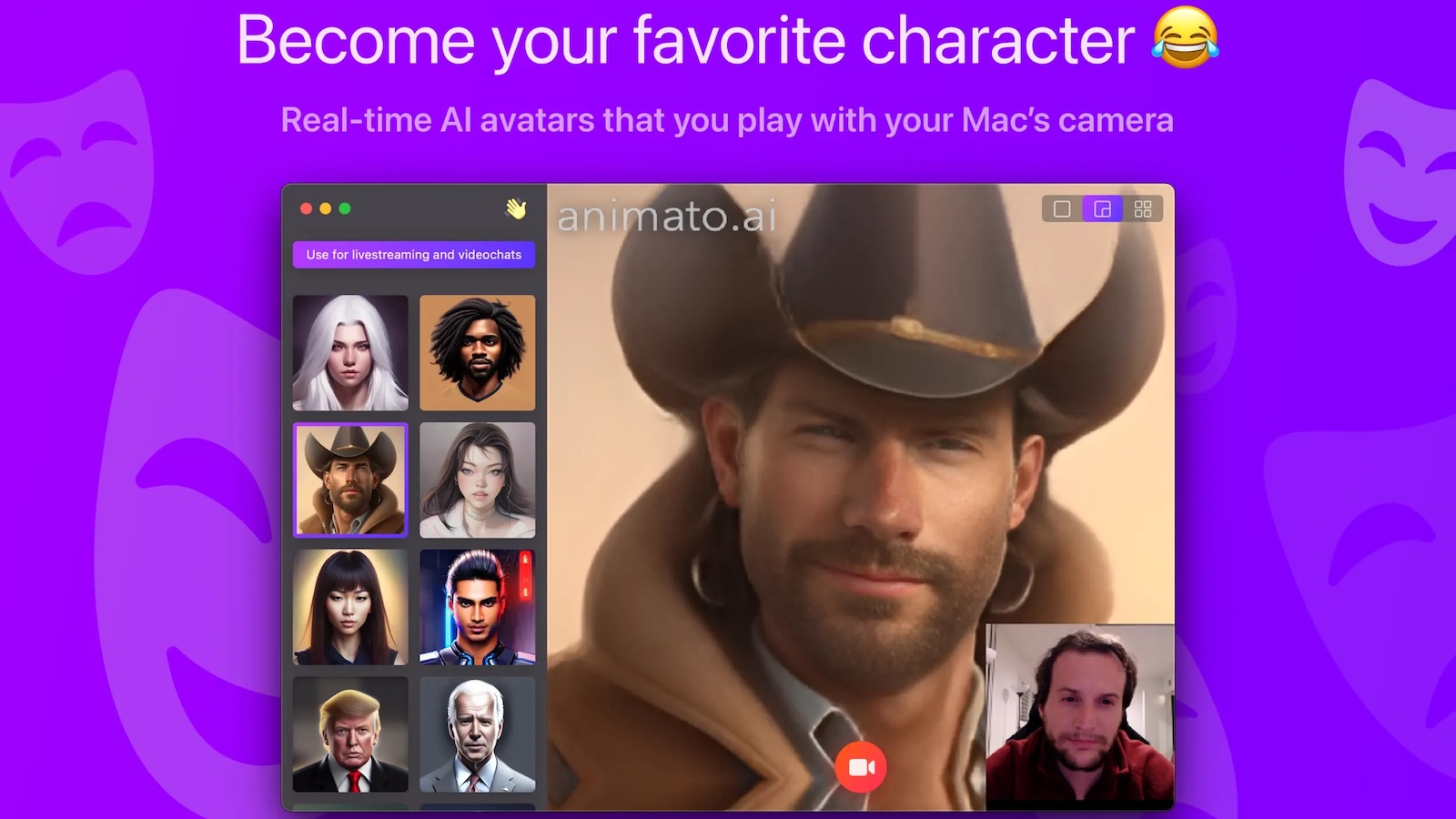
Animato also came out with a macOS virtual camera app called Animato Studio that let users make themselves appear as fantasy figures and anime avatars during video calls and live streams.

Both App Store listings have since been removed following the acquisition, and the Call Annie website says the app has been discontinued.

It's Apple's second acquisition of a digital avatar company in just over a year. In January 2025, Apple acquired technology, IP, and physical assets from TrueMeeting, a company specializing in the development of digital avatar technology for meetings.

Apple already offers avatar-style technology with Memoji on iPhone and its Personas feature on Apple Vision Pro, the latter of which generates a realistic digital representation of the user for FaceTime calls.
This article, "Apple Taps Virtual Avatar Firm Animato's Expertise and Intellectual Property" first appeared on MacRumors.com

Discuss this article in our forums

  •  

Distribution Release: TileOS 2.0

The DistroWatch news feed is brought to you by TUXEDO COMPUTERS. Aleksey Samoilov has announced the release of TileOS 2.0, a major update of the project's Debian-based Linux distribution featuring several popular Wayland tiling compositors, including Sway and River, as well as the newly-added Qtile, niri and miracle-wm: "Final stable release of TileOS 2.0 'Sauropod'. What's new? The package....
  •  

Nintendo's New 'Pictonico' iOS Game Turns Your Photos Into Minigames

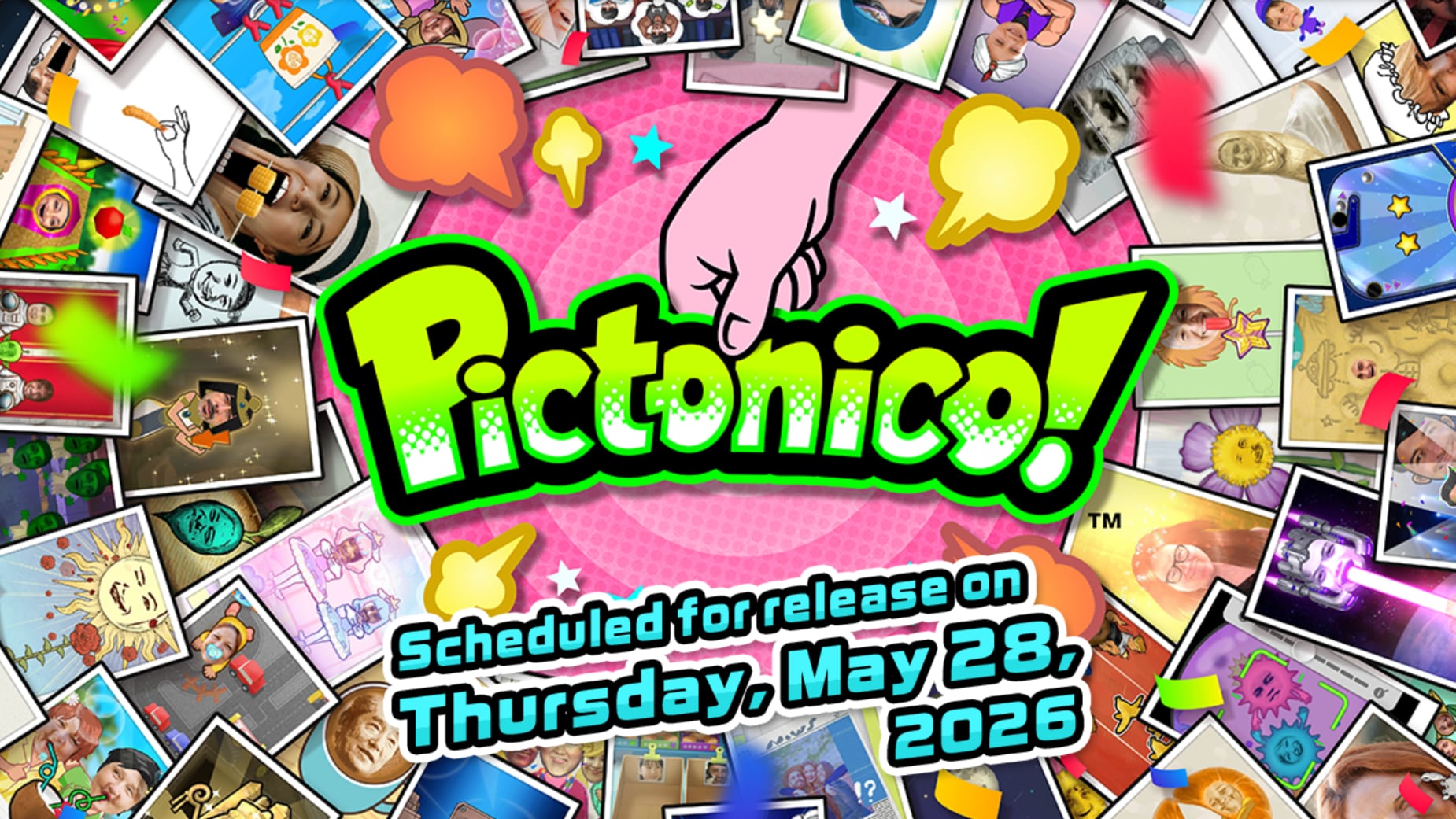
Nintendo today announced a new mobile game called Pictonico, which is set to launch on Thursday, May 28. Pictonico turns photos into minigames like those you see in WarioWare.


The app's website features players taking photos of themselves and their friends, with the app altering the photos in different ways. In one example, the person's mouth opens up widely to chomp on corn with a tap, and in another, a person is bundled up with a mummy and the goal is to unwrap the mummy.


There are 80 minigames to play through, at normal, high-speed, and danger zone speeds that make gameplay more challenging. As players progress through the levels, the game will get more difficult. Pictonico can use photos from the Photo Library, or photos taken with the iPhone's camera from the game interface. Nintendo says that photos remain on device and are not sent to its servers.

Pictonico was co-developed with Intelligent Systems, which is the studio that created the WarioWare game series.

According to Nintendo, the game is free to try, with three minigames available at no cost. Unlocking the "Volume 1" games costs $7.99, while a "Volume 2" series is available for $5.99.

Pictonico is available for pre-order from the App Store. [Direct Link]
This article, "Nintendo's New 'Pictonico' iOS Game Turns Your Photos Into Minigames" first appeared on MacRumors.com

Discuss this article in our forums

  •  

Google I/O 2026 Roundup: Gemini 3.5, AI Search, Android XR Glasses, and More

Google held its annual Google I/O event today, launching new AI products and giving us a look at what's coming in the near future. Google I/O is Google's equivalent of Apple's Worldwide Developers Conference, and Google's announcements offer insight into what Apple is going to be competing with in the coming months.


We've rounded up everything Google announced at I/O across its product lineup.

Gemini


  • Gemini Omni - Gemini Omni is a new model that can create anything from any input, and that is better at simulating gravity and kinetic energy. It combines Gemini intelligence with generative models like Nano Banana and Veo. It supports conversational language video editing, and allows users to upload videos and edit any element in the video. Omni is starting with video, but Google's Demis Hassabis says it will eventually be able to create any output from any input.

  • Gemini Omni Flash - Gemini Omni Flash is the first Omni model that Google is releasing, and it is available starting today in the Gemini app.

  • Gemini 3.5 Flash - Gemini 3.5 Flash is a new model that Google's Sundar Pichai said combines frontier intelligence with action. Flash is better across almost all benchmarks compared to 3.1 Pro, and it is "comparable to the best models" but faster. Gemini 3.5 Flash is available for everyone today across Google's products and APIs.

  • Gemini 3.5 Pro - Google is testing Gemini 3.5 Pro internally, and it's coming next month.

  • Gemini App - Google redesigned the Gemini app with a new Neural Expressive design language that's rolling out today on desktop, iOS, and Android. It features fluid animations, vibrant colors, haptic feedback, and new typography. It's also getting custom regional dialects in the next few months. Gemini Omni is available for paid Plus, Pro, and Ultra subscribers in the Gemini app today, making it easier to create and edit videos.

  • AI Agents for Gemini - Gemini is getting AI agents, like a Daily Brief agent that presents users with a customized daily digest. Daily Brief is rolling out today for paid subscribers.

  • Gemini Mac App - Mac users will be able to select a bunch of images and documents in Finder, and then press the Function key to give Gemini a voice command on what to do with the files. Google's demo involved sending an email to a dog kennel with the dog's information and image, with info pulled from Finder to generate an email using Gmail in Chrome. Voice support and Gemini Spark are coming to the Gemini Mac app this summer.

  • Gemini for Science - Gemini for Science is a collection of science tools, and there's also a Co-Scientist collaborative AI research partner.


AI Content Identification


  • Identifying AI-generated Images - C2PA content credentials are coming to Gemini and Chrome. Google's tools can tell if an image was captured with a camera or made with AI, and can determine whether an image captured with a camera was edited with AI. Users will be able to right-click on an image in Chrome and ask Gemini whether it was generated with AI.


Antigravity


  • Antigravity 2.0 - Google is launching a new agent-first Antigravity 2.0 app for the desktop that uses Gemini 3.5 Flash. Antigravity is Google's coding tool, and the equivalent of Copilot, Codex, and Claude Code. Gemini 3.5 Flash is 12x faster in Antigravity, which optimizes token use. Antigravity 2.0 is available globally for everyone.


Gemini Spark


  • Gemini Spark - Gemini Spark is a personal AI agent that helps users navigate their digital life. Gemini Spark runs on virtual machines through Google Cloud, and it is able to operate 24/7, with no need to have a laptop open for it to run. It's accessible through the Gemini app, but there will also be options to email or message it. It uses Gemini 3.5 Flash and Antigravity to work on long-running tasks in the background. It integrates with Google tools now, and Google is debuting MCP support for third-party apps in the coming weeks. Gemini Spark can do multi-step ongoing tasks, planning out subtasks and going through the steps. Gemini Spark will be available for Google AI Ultra subscribers in the U.S. next week, and it will work with Chrome later this summer.


Google Search


  • Google Search - Google Search AI Mode and AI Overviews now use Gemini 3.5 Flash. "Google Search is AI Search," was Google's messaging. There's a new Google Search box that's been reimagined with AI, and it changes based on how you're using it and goes "beyond autocomplete" to help you better ask questions. The search box supports images, files, videos, and Chrome tabs as input in addition to text. Pichai said it's the biggest upgrade to the search box in over 25 years, and it's rolling out today. Google is also combining AI Overviews and AI Mode into one interface.

  • Agents in Search - Search is gaining support for creating and managing multiple AI agents. It can keep users updated on what's going on in the world, like changes in the stock market, and send alerts. Search will be able to monitor changes on webpages, so users can get alerts on things like sneaker drops. Information Agents are coming to search in the summer, and Google plans to add more agents.

  • Coding in Search - Agentic coding capabilities are coming to Search. Search will be able to build a custom response on the fly with dynamic layouts, interactive widgets, and more for queries. It uses Antigravity and 3.5 Flash. Search can create tools, trackers, widgets, and dashboards. Generative UI in Search is rolling out this summer for everyone with no charge. Antigravity in Search for building custom experiences is coming in the summer for subscribers first.

  • Shopping in Search - Google has a new Universal Cart coming this summer to Search and the Gemini app. It's an intelligent shopping cart that works across merchants and services. You can add things to the cart when reading Gmail, watching YouTube, or browsing the web, then check out on Google or on third-party retailer sites. Google has a Universal Commerce Protocol and an Agents Payment Protocol for agentic shopping. The payments feature lets AI agents make payments on your behalf using parameters that you set like a brand and price. It's coming to Gemini Spark later this year.


YouTube


  • Ask YouTube - YouTube is getting an Ask YouTube feature, which is similar to the Ask Maps AI feature. It uses Gemini and lets users ask questions. It supports context and follow-up questions, and it's in testing now. It will roll out broadly in the United States this summer.


Google Docs


  • Docs Live - With AI integration in Docs Live, users can speak or write parameters of what they need, and Gemini can create a document. Google's Sundar Pichai said users could "brain dump" and then let Gemini "do the rest." The feature supports text-based commands for creating and editing content.


Hardware


  • Android XR Audio Glasses - The first Android XR audio glasses are coming this fall, providing all-day access to Gemini with responses privately spoken into the wearer's ear. The glasses can be used for taking photos, listening to music, making calls, and tapping into apps. Google worked with Gentle Monster and Warby Parker on the design of the glasses, and Samsung on hardware. The glasses will pair with Android and iOS devices.


Miscellaneous Announcements


  • Google AI Ultra Plan - Google has a new $100 Ultra plan, and it's dropping the price of its top-tier Ultra plan from $250 to $200.

  • Android AI Agents - Android Halo lets Android users keep an eye on AI agents, and it shows activity at the top of an Android device. It's coming to Android later this year.

  • Google Pics - Google Pics is Google's new image generating and editing tool in Google Workspace. It can create posters, flyers, infographics, and more, similar to Canva. Content is watermarked with SynthID. Pics is rolling out this summer.

  • Stitch - Stitch is Google's Figma-like tool that lets users build apps and websites. This year, Google is adding real-time collaborative design with Stitch Agent, exports to Antigravity, and publishing directly to Netlify.

  • Google Flow - Google Flow, Google's "AI creative studio" for creatives, is getting Gemini Omni, AI agents for executing multiple actions at once, and custom tools with Flow Tools. New Google Flow features are available today.


Many of Google's new features are rolling out today, with the rest planned for later this year. Apple is going to hold its WWDC 2026 keynote on June 8, and that's when we'll see if Apple debuts equivalent features.
This article, "Google I/O 2026 Roundup: Gemini 3.5, AI Search, Android XR Glasses, and More" first appeared on MacRumors.com

Discuss this article in our forums

  •  

Development Release: Mageia 10 RC1

The DistroWatch news feed is brought to you by TUXEDO COMPUTERS. Marja Van Waes has announced the availability of the first release candidate for Mageia 10, the upcoming major update of the project's general-purpose desktop Linux distribution: "You may have noticed that Mageia 10 RC1 was released a few days ago. It contains the new Mageia 10 artwork, like....
  •  

Apple Sports App Updated With 2026 World Cup Features, Expands to 90 More Countries

Apple today announced that its Apple Sports app is now available in more than 90 additional countries, including Australia, New Zealand, Japan, India, Singapore, South Korea, Taiwan, Thailand, the Philippines, Saudi Arabia, the United Arab Emirates, South Africa, and many others across the Asia-Pacific, Middle East, and Africa.


The app was already released in North America, South America, and Europe. In total, it is now available in 170 countries and regions around the world.

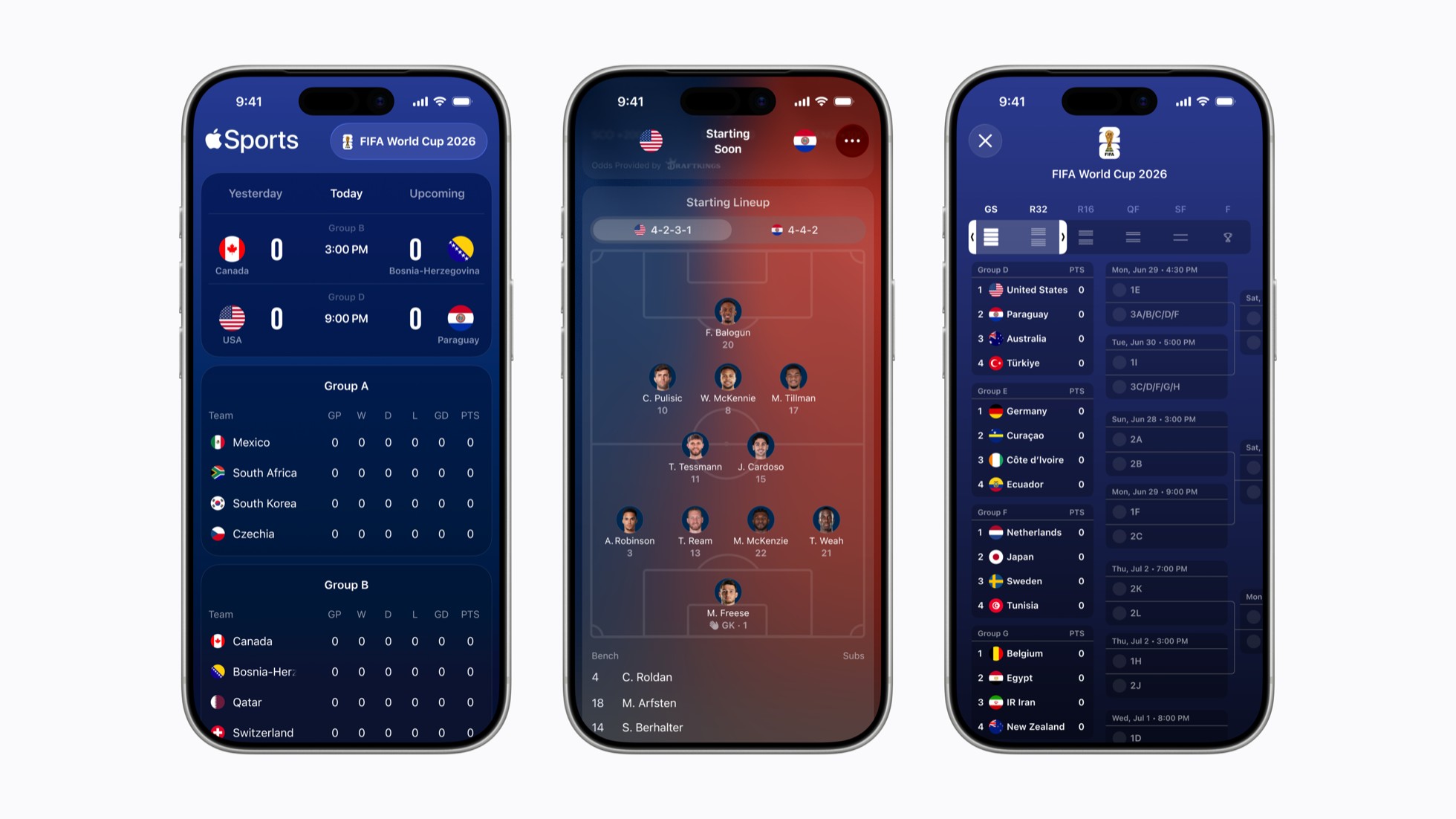
Apple also said the app offers these 2026 FIFA World Cup features:

  • Tournament bracket view: The clean, scrollable view of matchups and results for each round allows fans to easily track a team's progression from the group stage through their final match.
  • Visual formations: Enhanced game cards feature visual formations for each team's starting lineup to provide deeper tactical insight ahead of each match.
  • One tap to Apple News: Apple News connects fans directly to comprehensive editorial coverage, including the latest headlines.
Apple Sports supports the Live Activities feature, allowing users to follow their favorite World Cup teams and keep track of scores for each match at a glance on the iPhone's Lock Screen or Dynamic Island, and on the Apple Watch.

"The World Cup unites fans across the globe, making it the ideal moment to bring Apple Sports to even more users," said Oliver Schusser, Apple's vice president of Music, Sports, Apple TV, and Beats. "Apple Sports was designed to be fast and simple, giving fans an easy way to stay on top of scores, stats, and the action that matters most in real time."

The app remains available on the iPhone only.
This article, "Apple Sports App Updated With 2026 World Cup Features, Expands to 90 More Countries" first appeared on MacRumors.com

Discuss this article in our forums

  •  

Apple 'Shakes Up' Oversight of Product Design Ahead of CEO Change

In his new role as Chief Hardware Officer, Apple's longtime chipmaking chief Johny Srouji has reorganized the company's hardware development leadership "to speed up work on future devices," according to Bloomberg's Mark Gurman.


The reshuffling is aimed at bringing chip and product development closer together.

"The hardware shake-up is also meant to better integrate teams working on in-house silicon with those creating products," explained Gurman.

The report said oversight of Apple's product design is moving from Kate Bergeron to two of her longtime deputies: Shelly Goldberg and Dave Pakula. Goldberg was already in charge of Mac product design, while Pakula led Apple Watch, iPad, and AirPods product design, but now they will oversee all of Apple's products.

Apple's product design group is distinct from the industrial design group, the report explained.

"Industrial design drives the overall vision and appearance of new devices, while product design focuses on translating those concepts into actual products that can be shipped to consumers," said Gurman.

Bergeron is gaining oversight of product reliability across all Apple devices, and she will continue to lead the team overseeing which materials are used for products.

With John Ternus set to become Apple CEO on September 1, the report said two of Ternus' former deputies will now report directly to Srouji: Matt Costello, who has led development of Apple's home and audio products, and Kevin Lynch, who runs a special projects group focused on the development of robotics devices.

The report outlines many other role changes, with the reorganization sounding quite significant overall heading into the Ternus era of Apple.
This article, "Apple 'Shakes Up' Oversight of Product Design Ahead of CEO Change" first appeared on MacRumors.com

Discuss this article in our forums

  •  

Apple's First Retail Stores Opened 25 Years Ago Today

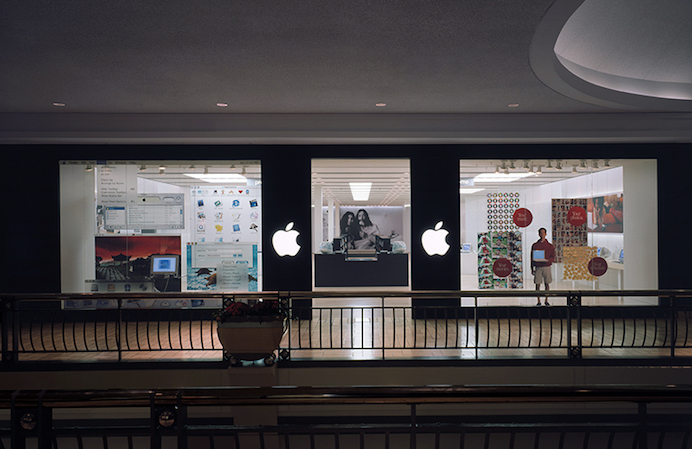
Apple's retail operation turns 25 years old today, marking a quarter century since the company opened its first stores on May 19, 2001.


Steve Jobs personally guided members of the press through the Tysons Corner store four days before it opened, after Apple announced the retail initiative on May 15. Some 500 visitors lined up before dawn on opening day, with the queue growing to over 1,000 by the time the doors opened at 10 a.m. The two stores, located at Tysons Corner Center in McLean, Virginia and Glendale Galleria in California, welcomed over 7,700 visitors and recorded $599,000 in combined sales across their opening weekend.

The decision to enter brick-and-mortar retail came at a precarious moment for Apple. With a market share hovering around 2.8%, the company was struggling to showcase its products through third-party retailers, where Macs were routinely relegated to dusty corners staffed by clerks with limited product knowledge. Jobs believed Apple would never shed its "cult" image unless it controlled the entire customer experience right down to the point of purchase. As he told Walter Isaacson for his biography: "Unless we could find ways to get our message to customers at the store, we were screwed."

To lead the retail push, Jobs recruited Ron Johnson, who had transformed Target's image with his designer merchandise line. Together they refined the store concept in a secret warehouse prototype, working through every detail from the single-entrance layout to the Genius Bar, which Johnson modeled on the service experience at Ritz-Carlton hotels. Gap CEO Mickey Drexler, who had joined Apple's board in 1999, also played a key role in shaping the retail vision.


Skepticism was widespread at the time. Apple's sales had dropped 29% the previous year, Gateway had just shuttered 40 of its own stores, and Channel Marketing analyst David Goldstein publicly predicted Apple would be "turning out the lights on a very painful and expensive mistake" within two years.

By 2003, Apple was recording $3 million in profit per store, per quarter, with approximately 60,000 visitors at each location. Apple Retail hit $1.2 billion in revenue in 2004, breaking the record for the fastest retail operation to reach a billion-dollar milestone. The company today operates more than 500 stores across 27 countries, with each location generating approximately $5,500 per square foot annually, among the highest figures in the retail industry.

The original Tysons Corner store relocated and reopened in a larger, redesigned space within the same mall in May 2023. Apple retail stores in both Tysons Corner and Glendale Galleria locations remain open today.
Tag: Retail

This article, "Apple's First Retail Stores Opened 25 Years Ago Today" first appeared on MacRumors.com

Discuss this article in our forums

  •  

Best Buy Hosts Memorial Day Sale With Notable Apple and Tech Deals

Best Buy kicked off its annual Memorial Day sale this week, with notable markdowns on Apple devices, TVs, headphones and speakers, monitors, appliances, and much more. This sale is set to last through Memorial Day on Monday, May 25, and you don't need to be a My Best Buy Plus or Total member to see the deals.

Note: MacRumors is an affiliate partner with Best Buy. When you click a link and make a purchase, we may receive a small payment, which helps us keep the site running.


In terms of Apple devices, you can find solid deals on MacBook Air, iPad, MacBook Pro, Beats accessories, and more. In most cases Best Buy is offering same day pick-up on these products, and there are several free shipping options as well.


Some of the biggest discounts you'll find in Best Buy's Memorial Day Sale are on TVs, with major savings from popular brands like Insignia, Samsung, and LG. Best Buy has Samsung's popular line of The Frame TVs on sale, including the 65-inch 2025 model for $999.99 ($600 off) and the 65-inch The Frame Pro for $1,499.99 ($400 off), both of which match record low prices.

Apple


TVs


Monitors


Audio


If you're on the hunt for more discounts, be sure to visit our Apple Deals roundup where we recap the best Apple-related bargains of the past week.


Deals Newsletter


Interested in hearing more about the best deals you can find in 2026? Sign up for our Deals Newsletter and we'll keep you updated so you don't miss the biggest deals of the season!


Related Roundup: Apple Deals

This article, "Best Buy Hosts Memorial Day Sale With Notable Apple and Tech Deals" first appeared on MacRumors.com

Discuss this article in our forums

  •  

WhatsApp Begins Rolling Out Redesigned Media Share Sheet on iOS

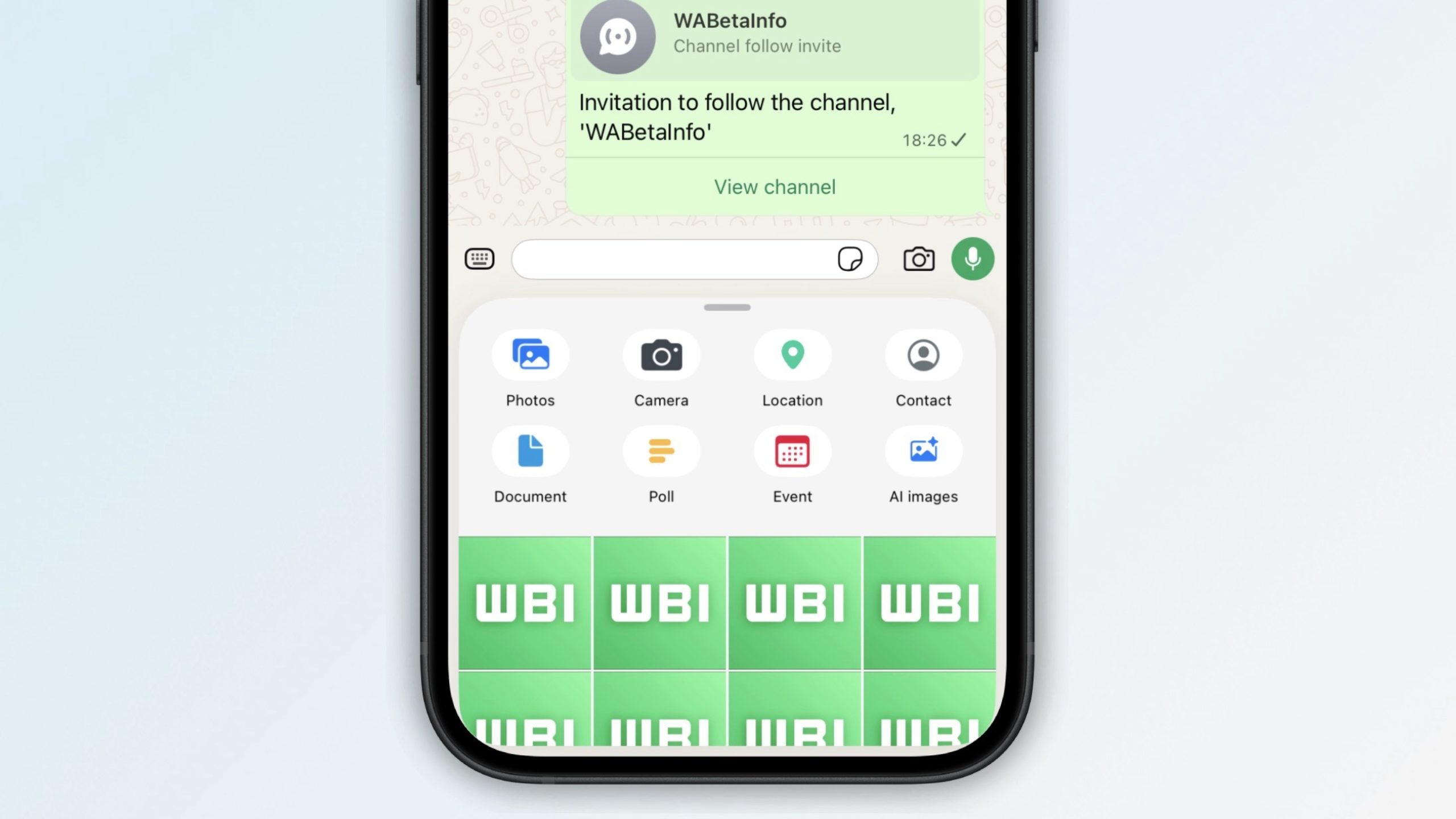
WhatsApp is rolling out a new media attachment sheet on iOS, providing iPhone users with a faster way to share their most recent files without losing sight of the chat.


Usually in WhatsApp, sharing media within a chat requires you to tap a plus button to reveal the app's custom share sheet, and then tap into photos to see your full library, which takes over most of the screen.

As spotted by app tinkerer WABetaInfo, the updated media sharing interface makes it easier to directly browse recent photos and videos without losing the thread of the conversation, thanks to a new recents section.

The recents section appears under the share menu icons as a compact 4x4 grid that acts as a horizontal strip that you can swipe through. If you keep scrolling to the end of the strip and still can't find what you're looking for, WhatsApp expands the view and reveals the full media gallery. It can also be quickly invoked by pressing and holding on the plus button in the input bar.

The new interface is showing up for some users of the latest WhatsApp for iOS 26.19.75, but not everyone who updates will see it immediately. It seems WhatsApp is still testing performance before a global rollout for iPhone users.


The latest change follows the recent introduction of WhatsApp's new Plus subscription for power users on iOS. It takes away nothing of the existing free functionality, but adds things like premium sticker packs, new interface colors, and new icons.
This article, "WhatsApp Begins Rolling Out Redesigned Media Share Sheet on iOS" first appeared on MacRumors.com

Discuss this article in our forums

  •  

BSD Release: OpenBSD 7.9

The DistroWatch news feed is brought to you by TUXEDO COMPUTERS. The OpenBSD project, which developes a famously security-oriented operating system, has published OpenBSD 7.9. The new version features several improvements to scheduling, LibreSSL 4.3.0, and many fixes for tmux. The project has also introduced new features and fixes for the OpenSSH utilities: "ssh(1): validation of shell metacharacters in....
  •  

Apple Re-Releases a Sold-Out iPhone MagSafe Grip in Three New Colors

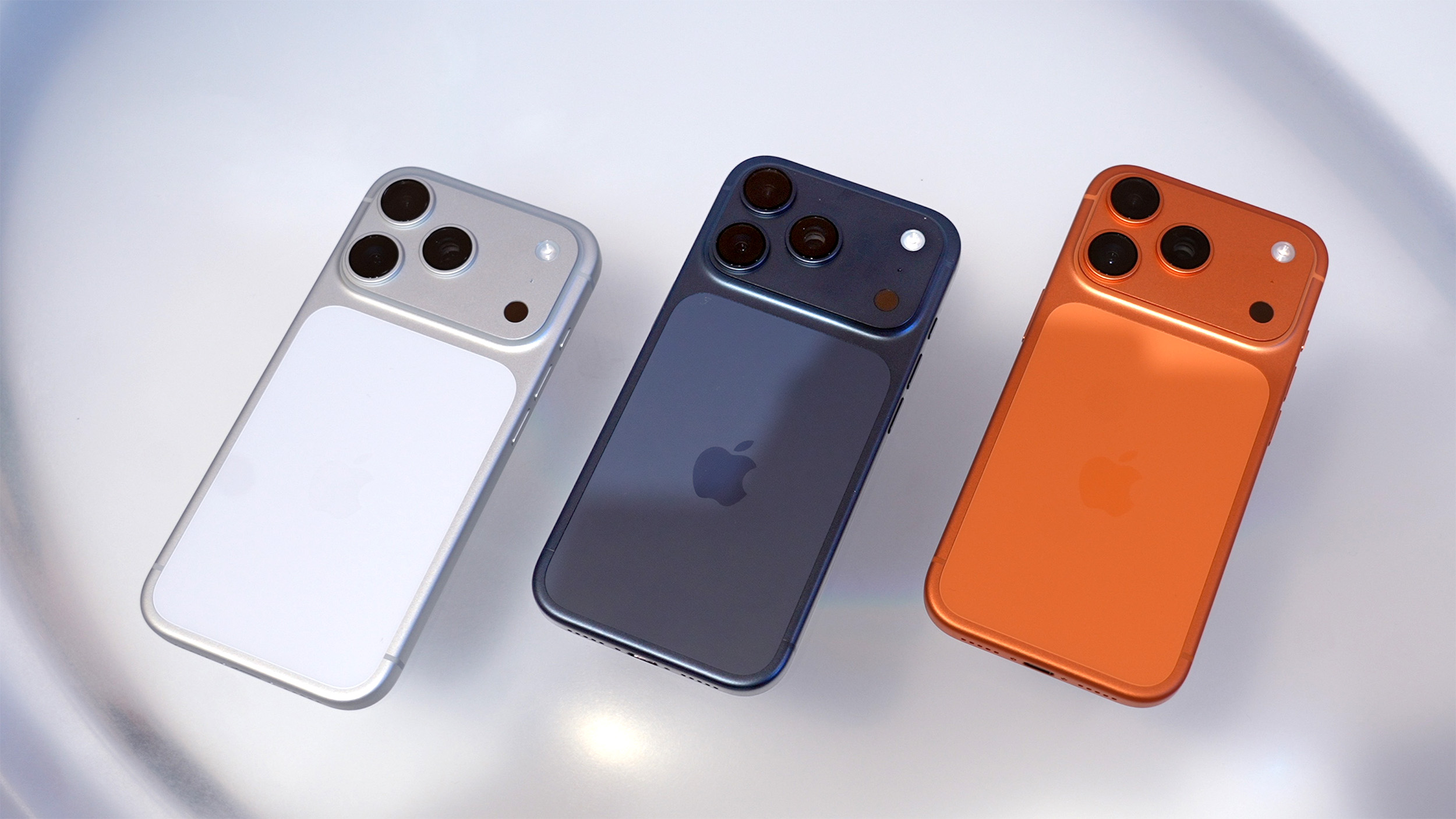
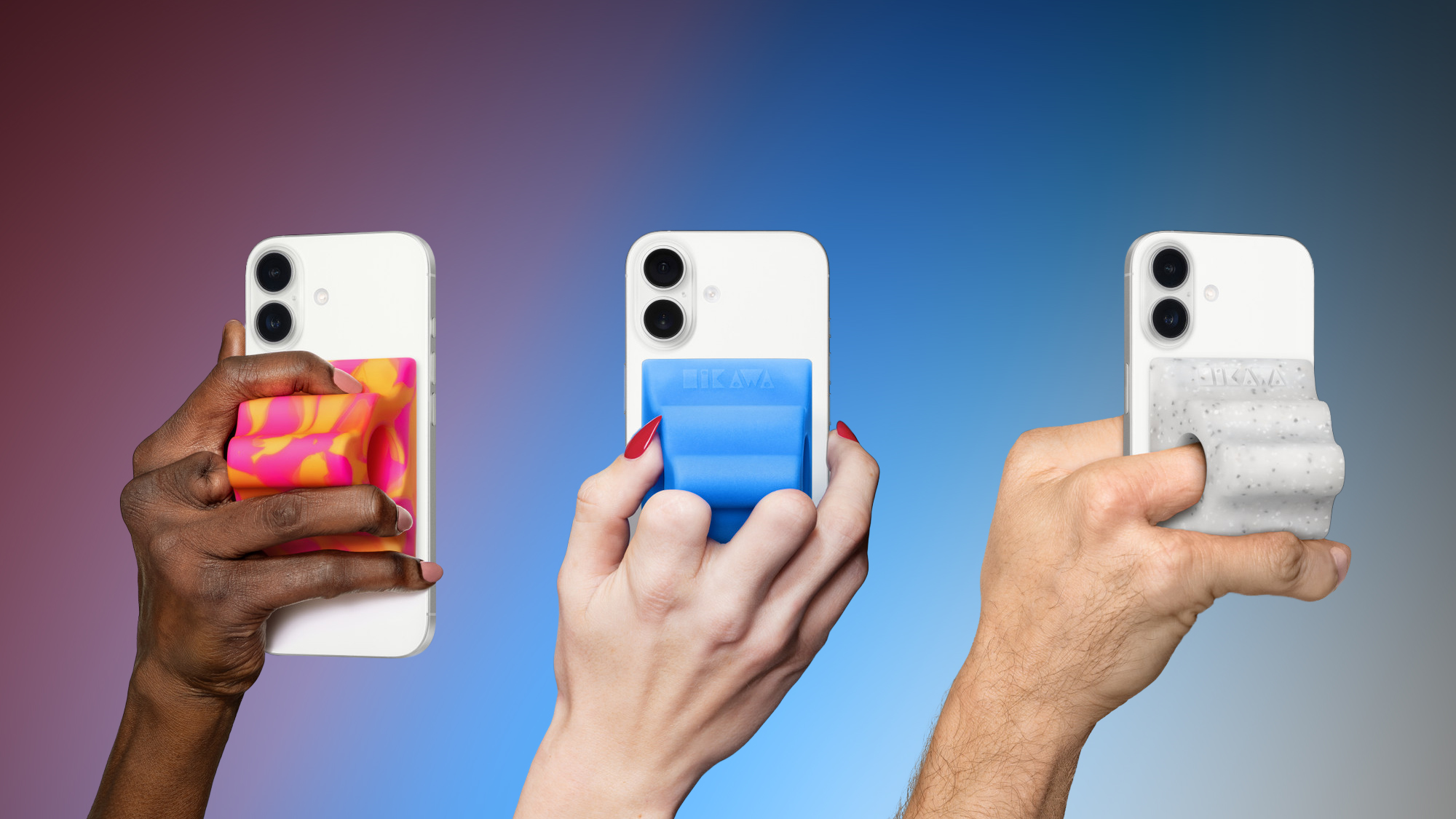
Apple today re-released the Hikawa Grip & Stand for iPhone in three new colors, after the original version sold out last year. The accessory is exclusively available on Apple's online store worldwide, with U.S. pricing set at $54.95.


The latest color options include Orange Swirl, Glow Blue, and Speckled Stone.

Designed by Bailey Hikawa and produced by PopSockets, Apple says the accessory was created with accessibility in mind, in close collaboration with individuals with a wide range of disabilities affecting grip, strength, and mobility. The ergonomic grip magnetically attaches to any iPhone with MagSafe, and it doubles as an iPhone stand.

Apple says the grip is made with "premium silicone with a soft touch feel."


Given the accessory is no longer a limited-edition product and is now being mass produced by PopSockets, hopefully supply will be more plentiful this time around. At the time of this writing, Apple's online store in the U.S. is currently showing mid-June delivery estimates for the grip, so there is still a one-month wait.
This article, "Apple Re-Releases a Sold-Out iPhone MagSafe Grip in Three New Colors" first appeared on MacRumors.com

Discuss this article in our forums

  •  

Ray-Ban Meta Smart Glasses On Sale for Up to 25% Off This Week

Ray-Ban has kicked off a major discount across numerous retailers this week, taking 15 percent off the second generation Meta smart glasses, and 25 percent off the first generation. We're tracking these deals at Amazon and Best Buy below, and they are set to last through May 26.

Note: MacRumors is an affiliate partner with some of these vendors. When you click a link and make a purchase, we may receive a small payment, which helps us keep the site running.

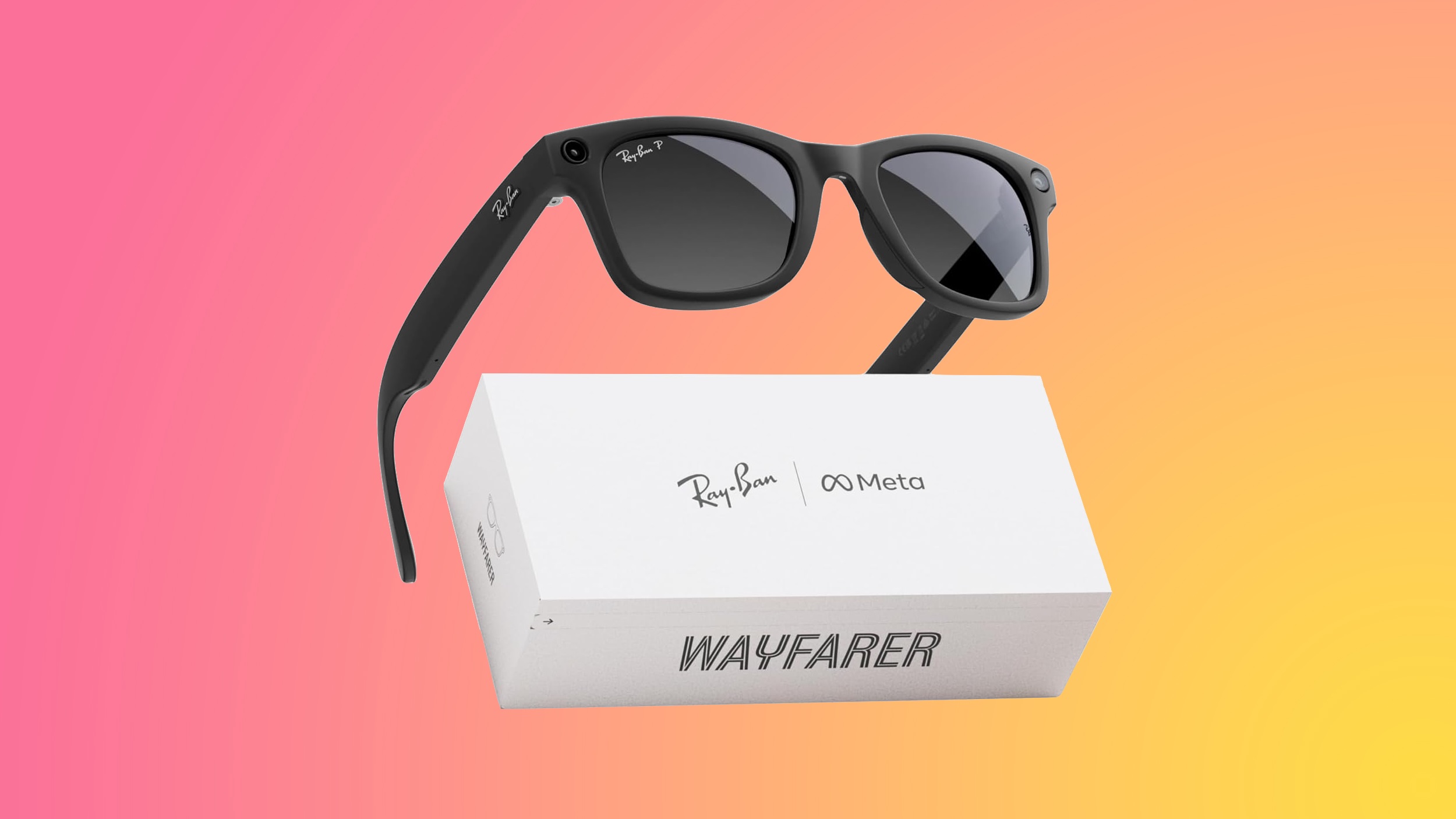
Starting with the new Ray-Ban Meta Wayfarer (Gen 2), you can get these sunglasses starting at $322.15, down from $379.00. Both Amazon and Best Buy have this deal, along with numerous other options with different lens colors and frame colors.


For the first generation models, you can get the Ray-Ban Meta Wayfarer for $223.99, down from $299.00. Both models have a free delivery estimated by the end of this week, with many locations offering same-day delivery on Amazon as well.


The Ray-Ban Meta smart glasses allow you to take hands-free photos and short videos, listen to music, make phone calls, and ask Meta AI questions. You can also livestream directly through Instagram or Facebook with the glasses.

The big difference between each generation is in improved photo and video quality on the gen 2, plus better battery life. If you're on the hunt for more discounts, be sure to visit our Apple Deals roundup where we recap the best Apple-related bargains of the past week.


Deals Newsletter


Interested in hearing more about the best deals you can find in 2026? Sign up for our Deals Newsletter and we'll keep you updated so you don't miss the biggest deals of the season!


Related Roundup: Apple Deals

This article, "Ray-Ban Meta Smart Glasses On Sale for Up to 25% Off This Week" first appeared on MacRumors.com

Discuss this article in our forums

  •  
❌