 Log in
Steam Deck Beta Client Update: June 2nd
We have just shipped an updated Steam Deck Client to the Preview/Beta channel.
Remote Play
Fixed pipewire capture on Wayland desktop when running SteamOS beta

We have just shipped an updated Steam Deck Client to the Preview/Beta channel.
Remote Play
Fixed pipewire capture on Wayland desktop when running SteamOS beta
This release includes a variety of bug fixes and quality of life improvements for SteamVR.
We continue to focus on OpenXR as our preferred API for new games and applications. SteamVR’s official OpenXR subforum is here and we’d love to hear your feedback, as well as suggestions for new features.
SteamVR:
Fixed issue causing shimmering on the edges of the display on some headsets.
Dashboard: Resolved some memory leaks on AMD hardware.
Dashboard: Improved compatibility on some older (legacy) AMD hardware.
Fixed an issue with older AMD cards or drivers that caused a memory leak.
Streaming: Advanced settings UX now respects global toggle.
Improved version compatibility handshake when streaming.
Fixed HTC Vive users not being able to activate the laser mouse by clicking the HMD button after the dashboard is visible.
Add protection from hangs in vrserver on exit.
Speculative fix for Varjo headsets not having a display.
Fix regression in Chaperone behavior that was impacting some 3rd party OpenVR plugins.
Fixed an issue where SteamVR Home would drop frames on some systems.
Fix a bug where the SteamVR dashboard would not start, particularly when using hardware that creates many devices at startup.
Linux:
Fix a crash in SteamVR when a game crashes.
Fixed texture leaks when mirror window was visible.
Improved interop with gamescope overlay forwarding.
The vrcompositor process is always a child of vrserver now (instead of whatever process first uses the compositor).
Improved GPU synchronization implementation on Linux (now uses timeline semaphores).
Stop invoking `pidof` internally.
VRLink:
On Linux, pick the best GPU for VR and streaming rather than using first enumerated device. In particular, the NVIDIA open drivers enumerate in a different order and would not get selected before this change.
On Linux, work-around to enable 240 MBit/s streaming on NVIDIA cards.
Reduce performance overhead of Timing Debug Window.
Adjust packet timings to reduce latency spikes.
Fixed streaming certain OpenXR games on Quest (including Pavlov and Into The Radius 2)
OpenXR:
Added support for XR_EXT_interaction_profile_battery_state_display.
Fix OpenXR crash related to xrDestroyInstance.
Improved XrCompositionLayerProjection support (fixes distortion when scene projection and display projection differ).
Developer/Internal:
SteamVR won't kill UnrealEditor upon exiting VR.
Reduce the number of uninteresting vrevents, especially under VR streaming.
Cleaner driver shutdown sequencing.
As always, if you are interested, we encourage enrolling into SteamVR Beta by right-clicking on SteamVR in your Steam library, clicking on "Properties" and selecting "Betas" from the list on the left hand side and then clicking "Beta" under Beta Participation. Additionally, if you use Steam Link for Meta Quest, you can opt into the beta here or in-headset by going to your library, clicking the "..." on Steam Link, selecting Settings and clicking the button to the right of "Installed Version Information."
The Steam Link for Meta Quest FAQ page is available here.
If you encounter issues with this update, please post in the SteamVR Bug Report forum. If possible, please include a SteamVR System Report to aid in tracking down your issue. Replies to this post are not tracked for bug reporting purposes. Please use the forum linked above to report issues.
We’re excited to share that the 1.60 Open Beta for American Truck Simulator is now available for players to try out. If you decide to join the beta, we’d really appreciate it if you report any bugs or issues you encounter in the appropriate section of our official forums.

Your feedback plays a huge role in helping us improve the game, and we truly value the time and effort you put into testing these new features and changes. Now, let’s dive into what you can expect in the 1.60 Open Beta update:
Game Radio
With Update 1.60, we are introducing Game Radio, a brand-new in-game radio system designed to make every drive feel more immersive and authentic. Rather than just playing music, Game Radio gives you five stations with their own distinct sounds, identities, and moods, each one built to shape the atmosphere of your journey in a different way.

At launch, players can tune into Rust FM, Escape, PUMP IT!, Pop Gear, and Roadio, spanning guitar-driven rock and American roots music to electronic, pop, and lo-fi. Each station features carefully curated tracks, handpicked to hold up across many hours on the road. Escape is also the only stream-safe station at launch, designed to help content creators avoid copyright claims.

Game Radio also introduces a new in-game widget displaying station info, track titles, and artist names while driving. Players can customize widget behavior through the Widget Options menu (F6). This update also brings a range of improvements to the existing radio and music player systems.
Game Radio arrives with its musical foundation in place, with more planned for future updates. You can find out more information about Game Radio in our dedicated blog post.
Improved Material System


Light Tweaks

We have carried out minor adjustments to the global lighting, primarily focused on exposure and contrast balancing, along with subtle visual refinements for bad weather conditions. The work mainly consisted of smoothing out and polishing the overall visuals to achieve a more consistent and refined look.


Players' Company Paint Jobs
Players are now able to customize their trucks and trailers with a brand-new collection of company-themed paint jobs inspired by the selectable company identities available when creating a driver profile. These designs bring a more cohesive and professional visual style to your fleet while fitting naturally into the world of ATS.


One of the biggest focuses during development was ensuring that every paint job feels unique, depending on the type of trailer it is applied to. Rather than simply using one design across all trailer models, our teams carefully adapted each company's paint scheme to match the shapes and details of different trailer types. Whether you’re hauling cargo with a tanker, transporting materials in a dumper, or pulling a traditional box trailer, each variant features its own tailored details and layout. You can find out more in our blog here.
Job Details Widget
Based on feedback from our #BestCommunityEver and upcoming widget designs, the Job Details Widget will be introduced with the 1.60 update. Its primary purpose will be to enable a new, more immediate, and concise way of displaying the relevant job info. Also, in response to community feedback, the GPS will now display the estimated arrival day and time, along with the remaining travel time and distance.


Once added, you'll be able to enable the Job Details Widget through the Widget Options menu (F6). The widget will display key job information, including cargo type and weight, delivery location, job income (colour-highlighted), and the remaining time to complete the job, so players will have this info available immediately without the necessity to pause the game. You can read more about the feature here.
Expanded Rest Mechanic
This new feature gives players greater control over their rest periods by allowing them to choose how long they want to sleep and exactly when they want to wake up, instead of being limited to a predefined rest duration.

Alongside this change, the Fatigue system will now be split into two separate values: Rest State and Mandatory Break, each represented by its own icon in the UI.
The Rest State, symbolised by a bed icon, will now gradually deplete rather than recover over time. Extended periods of driving will steadily reduce the Rest State, while resting will restore it at a faster rate.


The Mandatory Break system, indicated by a "P" icon along with the remaining hours before a required stop, will function more strictly. In American Truck Simulator, drivers can stay on the road for up to 14 hours before they must take a mandatory break, requiring 10 consecutive hours of rest afterward. You can read more about this feature here.
Changelog:
Vehicles
Visual
Sound
UI/UX
Enjoy all the new additions, but please remember: It's only an open beta, not a stable public version, so you may encounter bugs, instability, or crashes. It's completely okay if you want to wait for the final release. But if you're interested in helping us to get there faster, we'd appreciate all of your feedback on our forum and your bug reports in the dedicated section.
Please check our modding wiki to get details pertaining to mods for the game.
If you wish to participate in this Open Beta, you can find this version in the Experimental Beta branch on Steam. The way to access it is as follows: Steam client → LIBRARY → right-click on American Truck Simulator → Properties → Betas tab → Beta Participation drop-down menu → public_beta. No password is required. Sometimes you will have to restart your Steam client to see the correct branch name there.

We have just shipped an updated Steam Deck Client to the Stable channel.
General
Improved the layout of the pair controller screen on Steam Deck.
Fixed an issue with joystick LEDs not working correctly on Legion Go in some cases.
Downloads
Fixed a bug which may have impacted download performance on some networks.
Remote Play
Fixed doubled input when the Steam Controller is connected via a puck.
Steam Controller Firmware
Controller FW update to address potential charging issue.
Added support for dimming the LED via settings in Steam.
Reduced internal deadzoning on the lower-range of the triggers.
Steam Input
Added support for dimming the Steam Controller's LED.
Added a potential workaround for an issue on Linux where gamepad emulation would break for Steam Controllers.
Reverted changes to trackpad momentum tracking that caused a deadzone around the edges of the Steam Controller trackpad.
Fixed some cases where returning to the "Edit Layout" screen from changing a binding or navigating from the "Preview" layout view could focus the wrong input.
Fixed an issue displaying the paired device serial on the Steam Controller Puck info page.
SteamNetworkingSockets
Fixed a bug causing connections to drop with the error "stop_waiting past sentinel gap".
A new Steam client has been released and will be automatically downloaded.
Steam Controller Firmware
Controller FW update to address potential charging issue.
Added support for dimming the LED via settings in Steam.
Reduced internal deadzoning on the lower-range of the triggers.
Steam Input
Added support for dimming the Steam Controller's LED.
Added a potential workaround for an issue on Linux where gamepad emulation would break for Steam Controllers.
Reverted changes to trackpad momentum tracking that caused a deadzone around the edges of the Steam Controller trackpad.
Fixed an issue with joystick LEDs not working correctly on Legion Go in some cases.
Fixed some cases where returning to the "Edit Layout" screen from changing a binding or navigating from the "Preview" layout view could focus the wrong input.
Fixed an issue displaying the paired device serial on the Steam Controller Puck info page.
Downloads
Fixed a bug which may have impacted download performance on some networks.
Remote Play
Fixed doubled input when the Steam Controller is connected via a puck.
SteamNetworkingSockets
Fixed a bug causing connections to drop with the error "stop_waiting past sentinel gap".
The Steam Client Beta has been updated with the following changes:
Downloads
Fixed a bug which may have impacted download performance on some networks.
SteamNetworkingSockets
Fixed a bug causing connections to drop with the error "stop_waiting past sentinel gap".
We have just shipped an updated Steam Deck Client to the Preview/Beta channel.
Downloads
Fixed a bug which may have impacted download performance on some networks.
SteamNetworkingSockets
Fixed a bug causing connections to drop with the error "stop_waiting past sentinel gap".
Today, we’re excited to share more details about a feature coming to American Truck Simulator in Update 1.60 - Players’ Company Paint Jobs!

For quite some time, our teams have wanted to expand and improve the way players can represent their in-game trucking companies. After over a year of development as a passion project created especially for the ATS community, we’re happy to finally reveal the results.


With Update 1.60, players will be able to customize their trucks and trailers with a brand-new collection of company-themed paint jobs inspired by the selectable company identities available when creating a driver profile. These designs bring a more cohesive and professional visual style to your fleet while still fitting naturally into the world of American Truck Simulator.


One of the biggest focuses during development was ensuring that every paint job feels unique, depending on the type of trailer it is applied to. Rather than simply stretching one design across all trailer models, our teams carefully adapted each company's paint scheme to match the specific shapes and details of different trailer types.


Whether you’re hauling cargo with a tanker, transporting material in a dumper, or pulling a traditional box trailer, each variant features its own tailored details and layout. Our designers paid close attention to every surface, curve, and accessory to make sure the final result feels authentic and visually balanced across the entire fleet.

Players familiar with the feature in Euro Truck Simulator 2 will also feel right at home with the customization options included in ATS. Every company paint job comes with four pre-made color presets, giving players multiple styles to choose from right away while maintaining a consistent company identity.
We can’t wait for you to hit the road with your newly branded fleet when Update 1.60 arrives for American Truck Simulator. Whether you’re starting a brand-new company or giving your current operation a fresh identity, we hope these new paint jobs help make your journeys feel even more personal.
Until then, be sure to stay connected with us on our social media channels on X/Twitter, Facebook, BlueSky, YouTube, and Instagram, and by subscribing to our newsletter so you don’t miss any future updates! Stay safe and happy truckin'!

Today, we are happy to give you a glimpse at the upcoming 1.60 update for both Euro Truck Simulator 2 and American Truck Simulator with the Expanded Rest Mechanic feature, which will change how the fatigue system in our games works, so let's take a look!

We are implementing the Expanded Rest Mechanic into our games after a lot of requests from our #BestCommunityEver for this feature. This new feature gives players greater control over their rest periods by allowing them to choose how long they want to sleep and exactly when they want to wake up, instead of being limited to a predefined rest duration.

The Rest State, symbolised by a bed icon, will now gradually deplete rather than recover over time. Extended periods of driving will steadily reduce the Rest State, while resting will restore it at a faster rate. Players will receive a warning notification when their Rest State becomes critically low, and microsleep events will begin occurring once it reaches exhaustion.

In American Truck Simulator, drivers can stay on the road for up to 14 hours before they must take a mandatory break, requiring 10 consecutive hours of rest afterward. In Euro Truck Simulator 2, drivers may drive for up to 10 hours before taking a mandatory break, which requires 9 consecutive hours of rest.


Don't forget to stay tuned for more news from the upcoming 1.60 update by following us on our X/Twitter, Facebook, Instagram, Bluesky, and YouTube. We would also really appreciate it if you could sign up for our newsletter. Until next time, safe travels!

The Steam Client Beta has been updated with the following changes:
Steam Controller Firmware
Controller FW update to address potential charging issue
Steam Input
Revert changes to trackpad momentum tracking that caused a deadzone around the edges of the Steam Controller trackpad
Fixed an issue displaying the paired device serial on the Steam Controller Puck info page
We have just shipped an updated Steam Deck Client to the Preview/Beta channel.
Steam Controller Firmware
Controller FW update to address potential charging issue
Steam Input
Revert changes to trackpad momentum tracking that caused a deadzone around the edges of the Steam Controller trackpad
Fixed an issue displaying the paired device serial on the Steam Controller Puck info page
Note: This update is for the Steam Deck Beta and Preview channels, and includes new features that are still being tested. You can opt into this in Settings > System > System Update Channel.
These notes contain all changes since the current stable SteamOS 3.7 release, with the new changes since the previous 3.8.5 Beta noted below
New in 3.8.6
Fixed an issue where "Allow Tearing" wouldn't have the intended effect in certain configurations
Added preliminary support for HDMI VRR for devices with native HDMI output
Fixed an issue where video output could become frozen while using Remote Play
Fixed a possible session crash when using Game Recording with certain "Maximum video height" settings
Fixed a regression with previous 3.8 builds where the "New!" badge would be incorrectly placed in Desktop Mode launcher entries
Fixed an issue on certain TCL TVs where the display may remain blank using the Steam Deck Dock
Add controller support for MSI Claw devices (A1M, 7 AI+ A2VM, 8 AI+ A2VM, A8 BZ2EM)
Add controller support for OneXPlayer APEX and X1 series.
Improved gyro response for devices that use AccelGyro3D (Legion Go 1, Claw A1M)
Fixed a system crash on international Asus ROG Xbox Ally models
General
Fixed a case where WiFi performance could become degraded until the device was put to sleep or manually reconnected
Fixed excessive trackpad sensitivity on certain early Steam Deck LCD models
Fixed a bug on Steam Deck OLED where rebooting would occasionally cause a loss of speaker output until rebooted again
Initial support for upcoming Steam Machine hardware
Added support for waking from sleep via connected Steam Controller
Updated Arch system base
Updated graphics driver with performance and stability fixes
Fixed a case where per-app performance settings would intermittently fail to apply when launching a game
Substantially improved speed of future OS updates on high-speed connections
Improved support for the screencasts in Game Mode (e.g. OBS/Discord)
Fixed dropdown menus not appearing in some games
Improved VRR frame pacing
Fixed FSR badge remaining off in the performance overlay, even if it was actually active
Improved support for games that attempt to open PDF files in external viewers
Added missing graphics features needed for titles such as "Crimson Desert"
Fixed an issue affecting certain titles (such as "SpongeBob SquarePants: Titans of the Tide") where the game window could have an incorrect position
Fixed closing certain titles (such as "STAR WARS Jedi: Survivor™") and Starfield resulting in a session crash
Improved support for certain USB racing wheels and USB devices that boot in a non-standard mode
Frequently these are devices that appear as USB storage devices with a driver installer, and must be switched to their normal mode by the OS
Steam Deck controller firmware updates now display update progress on the splash screen
Fixes issue on specific Steam Deck revisions where firmware updates could render the left controller inoperative for that session
Fixes for experimental nested desktop mode
Numerous stability and security updates
Bluetooth
Re-re-enable Bluetooth Wake for Steam Deck LCD
Fix for more spurious wake issues that were present in earlier attempts
Audio
Detect HDMI channel count and expose surround configuration if available
Add a setting to allow using Bluetooth headset mics (Bluetooth playback quality will be worse while capture is active)
Restore internal audio device on reboot if set to "Off" in desktop mode
Increase suspend timeout for HDMI devices so initial audio isn't cut off after a few seconds of inactivity
Fixed a bug with switching input devices when a wired headset is plugged in
Fixed an issue where audio underruns could be experienced after sleep/resume
Accessibility
Added an option to force mono audio output
Desktop Mode
KDE Plasma updated to version 6.4.3 from 6.2.5, and now uses wayland by default
Fixes several cases of reduced performance in Desktop Mode compared to Game Mode
Improved support for rotated displays
Better scale factor out of the box on TVs
Adds support for external HDR displays
Adds support for VRR displays
Adds support per-display scale factor
For more information, see Plasma release announcements
Keyboard layout and language are now obeying Game Mode settings
Improved windowing behavior for games running in Proton
Fixed a bug in Desktop Mode causing previously open applications to not be remembered when using the 'Return to Gaming Mode' shortcut to logout
System Firmware
Includes Steam Deck LCD BIOS v133
Security updates
Added "Memory Power Down" setup option
Preliminary support for hibernation
Includes Steam Deck OLED BIOS v114
Security updates
Charging LED now changes color when charge limit is reached, rather than only at 100%
Non-Deck
Improved compatibility with recent Intel and AMD platforms
Greatly improved video memory management on discrete GPU platforms
Fixed a compatibility issue with the SteamOS chainloader that could cause a boot failure on some desktop systems with recent UEFI firmware
Power button short and long presses now supported across a wide variety of devices
Improved controller support for OneXPlayer F1 series, GPD Win 5, GPD Win Mini, Anbernic Win600, OrangePi NEO, and Lenovo Legion Go
Added controller support for OneXPlayer X1 series and Lenovo Legion Go 2
Added system and controller firmware update support for the Lenovo Legion Go 2
Added preliminary charge limiting support for Legion Go, Legion Go S, and Legion Go 2 - currently only accessible in Desktop Mode
Added controller RGB LED color settings for the Lenovo Legion Go 2
Added controller, TDP control, and speaker audio support for the ASUS ROG Xbox Ally series
Reduced handheld controller input latency from 5-8ms to 100-500us
Night mode, color vibrance, and color temperature sliders in Steam now work on Z2E and later AMD APUs
Seamless boot fixes for Z2E and later AMD APUs
Automatically handle internally rotated display for some third-party handhelds
Improved motion control support for handhelds with BMI260 IMUs
SD card reliability improvements for some third-party handhelds, including ASUS ROG Xbox Ally, Legion Go 1, Legion Go S, Legion Go 2, and MSI Claw
Fixed washed out colors for Zotac and OneXPlayer handhelds with OLED
Fixed some GPU hangs on Phoenix APU devices (Tales of Arise, Octopath Traveler II)
Fixed ASUS ROG Ally power consumption from fingerprint reader while shut down
Fixed trackpad losing functionality after sleep/resume on the Legion Go
Fixed spurious wake-ups when using a Logitech Bolt receiver
Developer
Desktop Mode now uses Wayland by default
X11 support may still be selected via Steam developer settings, or via `steamosctl`
Updated Linux kernel to 6.16
Steam now uses steamos-manager to query available desktop sessions and trigger desktop session switching
Added support for setting the desktop password in developer settings
Initial support for running as a Virtual Machine guest (virtio guest drivers)
Added support for third-party devices to trigger the SteamOS boot menu via EFI variable
Added `custom-update` verb to `atomupd-manager` for easier testing of specific builds
System reports now include more audio debug information
Initial support for LAVD CPU scheduler via `steamosctl set-cpu-scheduler lavd`
It has been a few days since the last DLC was released, so it is time for us to begin looking ahead in American Truck Simulator. While today is not quite the official reveal, we do have a small teaser from a brand-new destination currently in development for ATS, and we think some of you may already be able to guess where our journey will lead next.
Development on this project is still in its early stages, so we are not ready to share all the details just yet, including any release timeline. However, we couldn’t resist giving the #BestCommunityEver a tiny glimpse of what our teams have been working on behind the scenes.
From iconic roadside landmarks to stretches of highway surrounded by lush countryside, this upcoming map expansion will offer truckers a brand-new region of the United States to explore, haul through, and discover. Whether you enjoy cruising through bustling urban areas, navigating industrial hubs, or taking in scenic rural drives, there will be plenty waiting for you down the road.
Still unsure? Don’t worry, we have a screenshot for you to examine closely. We know our community is filled with expert detectives, and we are excited to see your guesses rolling in across the comments and social media.

As development continues, our map, asset, and research teams are hard at work recreating the atmosphere, industries, road networks, and landmarks that make this part of the United States unique. There is still a road ahead before we are ready to fully unveil this DLC, but we are already looking forward to sharing more about this journey soon.
We cannot wait to show you more when the time is right. Until then, stay up to date with the latest news, don’t forget to follow our blog, subscribe to our newsletter, and follow us on X/Twitter, Facebook, BlueSky, and Instagram. Until next time, keep on truckin’!
The Steam Client Beta has been updated with the following changes:
General
Fixed an issue with joystick LEDs not working correctly on Legion Go in some cases
Steam Controller Firmware
Added support for dimming the LED via settings in Steam
Reduced internal deadzoning on the lower-range of the triggers
Steam Input
Added support for dimming the Steam Controller's LED
Fixed some cases where returning to the "Edit Layout" screen from changing a binding or navigating from the "Preview" layout view could focus the wrong input
Ship a potential workaround for an issue on Linux where gamepad emulation would break for Steam Controllers
Remote Play
Fixed doubled input when the Steam Controller is connected via a puck
We have just shipped an updated Steam Deck Client to the Preview/Beta channel.
General
Improved the layout of the pair controller screen on Steam Deck
Fixed an issue with joystick LEDs not working correctly on Legion Go in some cases
Steam Controller Firmware
Added support for dimming the LED via settings in Steam
Reduced internal deadzoning on the lower-range of the triggers
Steam Input
Added support for dimming the Steam Controller's LED
Fixed some cases where returning to the "Edit Layout" screen from changing a binding or navigating from the "Preview" layout view could focus the wrong input
Ship a potential workaround for an issue on Linux where gamepad emulation would break for Steam Controllers
Remote Play
Fixed doubled input when the Steam Controller is connected via a puck
In today's blog, we bring you another piece of the puzzle from the upcoming 1.60 update for both Euro Truck Simulator 2 and American Truck Simulator, which we hope will get our #BestCommunityEver very excited. In this update, we will be introducing the Improved Material System for the interior of selected trucks! Let's take a look.


During the development of Project Road Trip, we implemented a wide range of visual and technical improvements. One of the most significant changes was a redesign of the materials used in vehicle interiors.


"The main goal of the new technology was to bring more light into shadowed areas of vehicle interiors. The previous system struggled to handle indirect lighting in these situations, causing many details to be lost in darkness. The new solution uses multiple variants of dynamic cubemaps, allowing all materials to reflect their surroundings more naturally and respond to ambient light in a more realistic way. Environmental reflections are no longer limited to highly polished metallic surfaces. This change gives interiors significantly greater depth and readability," says our Vehicle Technical Leader, Daniel.
We have also carried out minor adjustments to the global lighting, primarily focused on exposure and contrast balancing, along with subtle visual refinements for bad weather conditions to achieve a more consistent and refined look.


The entire system was designed from the start with the interiors of trucks in both games in mind, so the base games and their existing fleets will gradually benefit from these improvements as well. Throughout the entire process, we kept players with lower-end hardware in mind. We aimed to make the visual improvements as impactful as possible while minimizing the performance cost.


We hope this new feature has you looking forward to the 1.60 update even more, as it brings a major enhancement to these truck interiors and makes the view from the driver's seat better than ever! Please note that the Road Trip vehicles are not releasing with the 1.60 update.


Until next time, be sure to follow us on X/Twitter, Facebook, Instagram, Bluesky, and YouTube for all the latest updates. Don't forget to sign up for our newsletter as well! See you out on the road, and keep on truckin'!

We have just shipped an updated Steam Deck Client to the Stable channel.
General
The 'Legacy Steam Runtime' compatibility tool is now an optional standalone download instead of being bundled with the Steam client.
Fixed an issue where the Steam Workshop would download an older version of an item if there were multiple versions of the item that were marked valid for game beta branch the user opted into.
Fixed a rare case where the Steam Controller welcome dialog could appear while updating the controller's firmware.
Fixed a crash related to the Steam Controller.
Fixed streamable non-Steam games showing in Library when Remote Play is turned off.
Fixed the "View friends list" link in the Big Picture home page opening the older non-QAM version of the friends list.
Fixed some startup movies failing to play.
Fixed option to clear custom backgrounds and logos not showing in library.
Library
Improved EULA scrolling behavior when using a controller.
Settings
Updated the layout and styles for client settings across desktop, Big Picture and controller configuration to improve readability and organization.
Notification settings has been updated to allow changing e-mail, client, and mobile notification preferences in one place.
Directly navigating to a specific settings page (i.e by activating the network icon in the header) will now focus the first setting in that section instead of the settings navigation menu.
Friends & Chat
Friend status will now update much more quickly after waking your device from sleep or toggling network connectivity.
Steam Input
Steam Controller: Minor improvement to gyro micro stutter (ignore clone packets).
You can turn off "Track Pad locking" - by default each trackpad is disabled while the corresponding joystick is either deflected or the joystick's capacitive sensor has been activated. This is to avoid accidental track pad touches when using a joystick. Find the setting in: Settings->Controller->Details->Calibration & Advanced->Trackpad Lockout.
Gyro to Joystick Camera: Defaulted Gyro Deadzone Speed and Gyro Precision Speed to 0 to aide tuning the correct Minimum Joystick Output - these settings would swallow the micro movements needed to check the minimum response to gyro movements. Also: added Minimum Joystick Output slider on the Configurator Quick Settings list.
Added an extra option to Gyro to Joystick Camera - Angle Catchup can be active while gyro ratcheting.
Fixed Gyro to Joystick Camera timing issue - should appear smoother across all controllers.
Removed several configuration options from incompatible inputs. Digital Buttons can no longer be set Press types that require Analog input and Gyro can no longer be set to incompatible Radial Menu or Hotbar. These options will still be available for all compatible inputs.
Fixed detecting the Steam Controller when it is charging on the puck at Steam startup.
Fixed an issue with doubled input when the Steam Controller is charging on the puck.
Fixed FlyDigi Vader 5 Pro in enhanced mode on Linux and macOS.
Fixed "Reset Camera To Horizon" action operating inconsistently in different engines - turn commands chunked into 2 to improve consistency.
Fixed quick settings Left Trackpad to point to correct settings, instead of toward Gyro.
Fixed not being able to use Grip Sense to activate Touch Menus.
Fixed Grip Sense sensor page Grip Range slider, and adjusted explanations.
Added Grip Sense rumble effect to Grip Sense calibration screen.
Fixed an issue where Steam Controller grip thresholds were loaded incorrectly in the device calibration screen.
Fixed an issue preventing the Steam button chord configuration from being edited for the Steam Controller.
Steam Controller Firmware
Fixes for trackpad 'dead zone' issues experienced by some Steam Controllers.
Fixed an issue with occasional stutter on the gyro polling rate.
Fixed IMU failures when using extended rumble.
Fixed an issue where continuous rumble would sometimes break Gyro input.
Remote Play
Added an advanced client option to enable microphone streaming.
Fixed the client disconnecting after a short period of time when doing non-local streaming.
Fixed the Steam Link app not showing the computer as online after pairing in some cases.
Desktop Mode
Fixed a case where dropdown windows and profile hover windows could get stuck on screen.
A new Steam client has been released and will be automatically downloaded.
General
Fixed an issue where the Steam Workshop would download an older version of an item if there were multiple versions of the item that were marked valid for game beta branch the user opted into.
Fixed a rare case where the Steam Controller welcome dialog could appear while updating the controller's firmware.
Fixed streamable non-Steam games showing in Library when Remote Play is turned off.
Fixed some startup movies failing to play in Big Picture Mode.
Fixed option to clear custom backgrounds and logos not showing in library.
Settings
Updated the layout and styles for client settings across desktop, Big Picture and controller configuration to improve readability and organization.
Notification settings has been updated to allow changing e-mail, client, and mobile notification preferences in one place.
In-Game Overlay
Fixed a case where Performance Monitor could over report frame rate if a game erroneously calls NVIDIA APIs to get new frame tokens at a much higher rate than their actual Present frame rate.
Fixed cases where the overlay may not immediately cover the entire screen when first invoked.
Fixed cases where the Big Picture mode overlay notifications may be positioned incorrectly until the overlay is first invoked.
Fixed a rare case where GameOverlayUI64.exe could stop responding and use too much CPU.
Steam Controller Firmware
Fixes for trackpad 'dead zone' issues experienced by some Steam Controllers.
Fixed IMU failures when using extended rumble.
Fixed an issue with occasional stutter on the gyro polling rate.
Fixed an issue where continuous rumble would sometimes break Gyro input.
Steam Input
Steam Controller: Minor improvement to gyro micro stutter (ignore clone packets).
You can turn off "Track Pad locking" - by default each trackpad is disabled while the corresponding joystick is either deflected or the joystick's capacitive sensor has been activated. This is to avoid accidental track pad touches when using a joystick. Find the setting in: Settings->Controller->Details->Calibration & Advanced->Trackpad Lockout.
Gyro to Joystick Camera: Defaulted Gyro Deadzone Speed and Gyro Precision Speed to 0 to aide tuning the correct Minimum Joystick Output - these settings would swallow the micro movements needed to check the minimum response to gyro movements. Also: added Minimum Joystick Output slider on the Configurator Quick Settings list.
Added an extra option to Gyro to Joystick Camera - Angle Catchup can be active while gyro ratcheting.
Fixed Gyro to Joystick Camera timing issue - should appear smoother across all controllers.
Removed several configuration options from incompatible inputs. Digital Buttons can no longer be set Press types that require Analog input and Gyro can no longer be set to incompatible Radial Menu or Hotbar. These options will still be available for all compatible inputs.
Fixed detecting the Steam Controller when it is charging on the puck at Steam startup.
Fixed an issue with doubled input when the Steam Controller is charging on the puck.
Fixed FlyDigi Vader 5 Pro in enhanced mode on Linux and macOS.
Fixed "Reset Camera To Horizon" action operating inconsistently in different engines - turn commands chunked into 2 to improve consistency.
Fixed quick settings Left Trackpad to point to correct settings, instead of toward Gyro.
Fixed not being able to use Grip Sense to activate Touch Menus.
Fixed Grip Sense sensor page Grip Range slider, and adjusted explanations.
Added Grip Sense rumble effect to Grip Sense calibration screen.
Fixed an issue where Steam Controller grip thresholds were loaded incorrectly in the device calibration screen.
Fixed an issue preventing the Steam button chord configuration from being edited for the Steam Controller.
Fixed Steam Controller input in Kingdom Come: Deliverance II.
Linux
The 'Legacy Steam Runtime' compatibility tool is now an optional standalone download instead of being bundled with the Steam client.
Fixed firmware updates failing on systems where libhidapi was not installed.
Fixed a case where dropdown windows and profile hover windows could get stuck on screen.
Fixed a crash related to the Steam Controller on Linux.
Remote Play
Alt-Enter now toggles windowed mode.
Window mode, position, and size are saved between sessions.
Added a windowed mode toggle and 1:1 resize button to the mouse/keyboard overlay menu.
Added an advanced client option to enable microphone streaming.
Fixed the client disconnecting after a short period of time when doing non-local streaming.
Fixed the Steam Link app not showing the computer as online after pairing in some cases.
The Steam Client Beta has been updated with the following changes:
In-Game Overlay
Fixed regression in FPS counter for a small number of games in this beta.
Steam Input
Fixed the size of virtual menus on desktop to match Big Picture Mode.
We have just shipped an updated Steam Deck Client to the Preview/Beta channel.
Desktop Mode
Fixed the size of virtual menus to match Big Picture Mode.
Fixed regression in FPS counter for a small number of games in this beta.
The latest update to Steam Workshop has just wrapped up a beta test period and is now deployed for everyone.
The next time you visit the Steam Workshop for your favorite game, you'll see an updated interface for browsing, searching, and filtering, making it easier and faster to explore and find great user-created mods to enhance your gaming experience.
Read on for details of this update.
The main Workshop page for each game has a fresh new layout, which can be customized by the game's developer.
By default, the page starts off with featuring the most popular mods based on user ratings in the past week.
Next, the page lists the available item tags to quickly browse relevant content, or you can flip through the tabbed section of "Most popular", "Most Subscribed", "Last Updated", and "Most Recent"

In some communities, certain items have become the foundation upon which many other mods are built, so we've added a section to highlight those important cornerstone mods that are required by other items.

And of course if you follow individual Workshop authors, or if your friends have uploaded items for that Workshop, the page will display sections for those too.
We've reworked the browsing and filtering experience to make the whole thing faster and easier.
Applying filters now happens much faster and without a page refresh, so it's easier to keep track of where you are and what has changed as a result of the filters you set.
We've also redesigned the page to make better use of wider screens, allowing more items per row. Now, for most players, you'll find four or five items per row instead of the previous limitations of three.
Saved Searches
When you've applied desired filters to narrow down to a set of interesting mods, you can also save your search query to get back to it quickly from the "Browse" menu.

Powerful search: titles and/or descriptions
Now, the search within Workshop defaults to searching both the title and description fields to find your desired term. You can click the gear icon next to the search field for more options and details on constructing complex search queries to narrow in on exactly what you are looking for.
Filter by required DLC
Some mods only work with content available in specific items of DLC for the game. You can now easily narrow down your searches to exclude items that require DLC that you don't have.

When hovering over any item in the Workshop, you'll find a new magnifying glass icon appear. Clicking that icon will open a new quick view of the item, with key details such as dates, file size, screenshots, description and ways to immediately subscribe, rate, or add to your favorites. Plus, you can use the arrows on left and right of the quick view to quickly browse through the same list of items you opened the quick view from.

In addition to description of the item you are viewing, the quick view panel also includes sections for other items or DLC that are required. You can also easily jump to all of the items that depend on the item you are looking at, as possibly an interesting way to explore some similar kinds of content.
Q. What if I find a bug? How do I give feedback on the changes?
A. Leave us a comment by clicking the 'Discuss' button below.
Q. Do you plan to update other pages in the Workshop?
A. Yes, but we don't have an exact timeline for when. Once we wrap up this beta of the browsing page, we'll have a better idea of scope of work for subsequent pages.
Q. Got any random Workshop trivia?
A. Absolutely, we love random trivia. Did you know...
The mod with the most subscribers, is crashz' Crosshair Generator v3, which has been around since 2014. This mod helps players customize their crosshairs in Counter-Strike and has over 36M subscribers!
The mod that is most depended on by other mod makers: the eloquently-named CBA_A3 for Arma 3 is a toolkit that over 19,000 other mods depend on.
The Steam Workshop has 2,013 items with over 1 Million current subscribers. That is a whole lot of people customizing their gaming experience!
There are 41 different games on Steam that have at least one item in their Steam Workshop with over 1 Million subscribers. Wallpaper Engine, Garry's Mod, Project Zomboid, DayZ, and Counter-Strike 2 make up the top 5 of those.
Steam Deck OLED is back in stock, with a price increase for both models due to rising memory and storage costs.
New prices (inclusive of VAT where applicable):
Steam Deck OLED 512GB: Now $789 USD; CAD 1,129; EUR 779; GBP 649; AUD 1,199; PLN 3,279
Steam Deck OLED 1TB: Now $949 USD; CAD 1,349; EUR 919; GBP 779; AUD 1,429; PLN 3,879
Steam Deck itself hasn't changed; these new prices reflect the current state of component costs and other global logistical challenges across the industry as a whole. We’ll keep you updated if anything changes.
Read more about Steam Deck on its product page, and follow the Steam Hardware Blog to stay up-to-date on all Steam Hardware news.
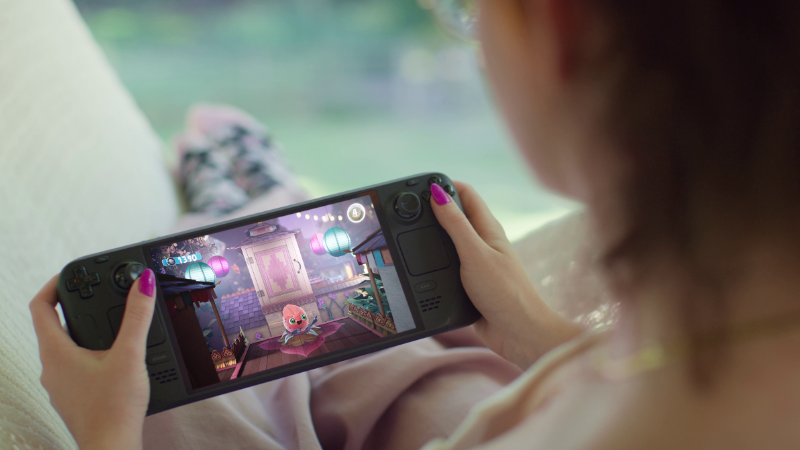
Steam Deck OLED is back in stock, with a price increase for both models due to rising memory and storage costs.
New prices (inclusive of VAT where applicable):
Steam Deck OLED 512GB: Now $789 USD; CAD 1,129; EUR 779; GBP 649; AUD 1,199; PLN 3,279
Steam Deck OLED 1TB: Now $949 USD; CAD 1,349; EUR 919; GBP 779; AUD 1,429; PLN 3,879
Steam Deck itself hasn't changed; these new prices reflect the current state of component costs and other global logistical challenges across the industry as a whole. We’ll keep you updated if anything changes.
Read more about Steam Deck on its product page, and follow the Steam Hardware Blog to stay up-to-date on all Steam Hardware news.
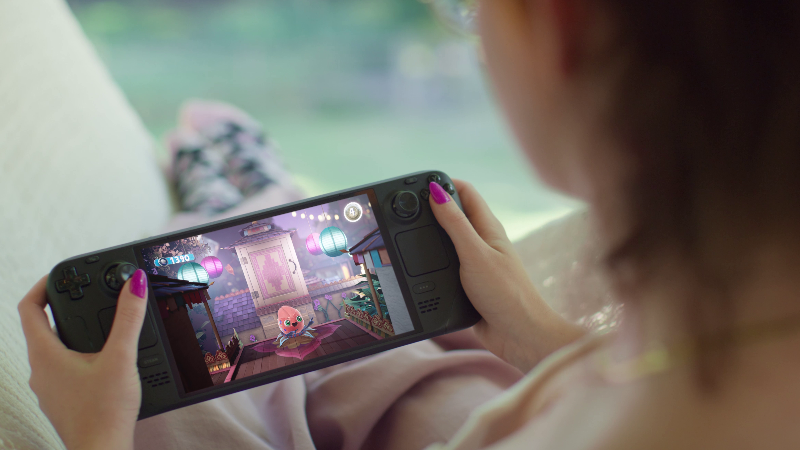
Today, we are excited to share with our community a brand-new feature coming to both Euro Truck Simulator 2 and American Truck Simulator with the upcoming 1.60 update - Game Radio!

For many drivers, music and the open road naturally belong together. Whether you are cruising through the countryside at sunset, hauling cargo across busy interstates, or relaxing during a long night drive, the right soundtrack can completely change the atmosphere of your journey. With Game Radio, we wanted to take that experience much further than a simple music player.
Game Radio is a brand-new in-game radio system designed to deepen immersion, support roleplay, and make every drive feel more authentic. Rather than approaching radio as just another technical feature, we created a collection of stations with their own distinct identities, philosophies, moods, and sounds. This is Game Radio's first chapter - built on music, with more layers planned for the road ahead.
At launch, Game Radio will feature five unique radio stations:
Rust FM
Rust FM is a guitar-driven station bridging five decades of rock, from the psychedelic garage sounds of the late 60s all the way to modern indie. Built for drivers who enjoy raw riffs, extended solos, distortion, and live energy.
This station features, amongst others, Sorry and SASAMI, both on Domino Records. Sorry is a North London indie band whose debut was co-produced by James Dring of Gorillaz fame, while SASAMI is a classically trained French horn player from the Eastman School of Music who scored films and commercials before going solo. Also on the roster: Holiday Ghosts, a DIY duo from Cornwall who record on their own equipment and have built a devoted cult following in the UK underground.
Escape
Escape is for drivers whose nervous systems are stretched thin, a place to slow down, settle in, and find some quiet. Lo-fi textures, jazzy chords, minimal beats. Escape is ideal for peaceful night drives and calm moments behind the wheel.
Escape is also a radio station designed to help content creators, and we are committed to do our best to keep it stream-safe, featuring StreamBeats by Harris Heller, a music library built by a streamer, for streamers. Its music is specifically licensed with streamers in mind, designed to help avoid copyright claims and support content monetization. Players will be able to enable Streamer Mode directly from the game menu.
PUMP IT!
PUMP IT! turns your truck cabin into a dance floor, built on hypnotic beats and precisely engineered production. This station is all about movement and intensity. Don't think it. Just feel it. Featuring Tony Romera, a French producer with official remixes for Calvin Harris and Diplo, and a #1 track on the Beatport Overall Charts, and KIDSØ, a Munich duo known for fully improvised live shows with live visual installations across the European festival circuit.
Pop Gear
Pop Gear runs on hooks, momentum, and dopamine. Designed to capture attention and trigger the irresistible urge for just one more song, the station thrives on the emotional highs of contemporary pop: modern production, catchy melodies, hook after hook. Featuring Palace Winter, a Copenhagen duo the New York Times called "a darkly intoxicating potion," and School of X, a Danish artist whose music moves between orchestral pop and raw electronics.
Roadio
Roadio is dedicated to American roots music that feels grounded, honest, and deeply connected to the spirit of the open road. Inspired by wide landscapes, truck stops, desert highways, and classic Americana, Roadio aims to become the perfect companion for long-distance hauls and quiet moments of reflection. Featuring Bonnie 'Prince' Billy, one of indie folk's most revered voices whose song "I See a Darkness" was covered by Johnny Cash; Grammy nominee and 2021 IBMA Songwriter of the Year Thomm Jutz; and New Zealand singer-songwriter Amber Lynn Nicol.
Game Radio features music from artists across some of the most respected independent labels in the world, including Domino Recording Company, home to Arctic Monkeys, Franz Ferdinand, and Wet Leg, alongside Drag City, Ninja Tune, and independent artists who record and tour entirely on their own terms. Every track was chosen by hand, built to hold up across hundreds of hours of driving.
Game Radio Feature
Game Radio will expand the existing audio experience alongside the current Radio Stream (Online Radio) and Music Player systems, while also bringing a variety of improvements to music selection, user experience, and overall interaction with the in-game audio players.

In-game Widget
While driving, the Audio Player widget will appear above the navigation interface and display detailed playback information, including:
Players will also be able to customize the behavior of the widget through the Widget Options menu (F6), allowing them to tailor how and when radio information appears during gameplay.

Support for Community-Created Stations
We are also excited to support creative possibilities for our modding community. Players will be able to create their own custom radio stations featuring their own music and share them with the community for playback, just like any other mods.
Game Radio has been designed to become part of the driving experience itself. Different stations can completely change the atmosphere of your journey, whether you are hauling cargo through dense urban traffic, crossing remote deserts, or enjoying scenic roads across Europe and North America.
This feature also brings improvements to the existing music and radio systems, creating a more seamless listening experience while driving.

We are incredibly excited to finally begin sharing more about Game Radio with our community, and we look forward to hearing which station becomes your favorite once 1.60 arrives. The stations you hear at launch are the foundation. Music comes first, and there is plenty more we want to build on top of it in the future!
Be sure to follow us on X/Twitter, Facebook, Instagram, Bluesky, and YouTube for all the latest updates. Don't forget to sign up for our newsletter as well! See you out on the road, and until next time, keep on truckin’.

The Steam Client Beta has been updated with the following changes:
General
Fixed option to clear custom backgrounds and logos not showing in library.
In-Game Overlay
Fixed a rare case where GameOverlayUI64.exe could stop responding and use too much CPU.
Steam Input
Fixed Steam Controller input in Kingdom Come: Deliverance II.
Remote Play
Fixed the Steam Link app not showing the computer as online after pairing in some cases.
We have just shipped an updated Steam Deck Client to the Preview/Beta channel.
General
Fixed option to clear custom backgrounds and logos not showing in library.
Remote Play
Fixed the Steam Link app not showing the computer as online after pairing in some cases.
