26.4 Snapshot 5 (known as 26.4-snapshot-5 in the launcher) is the fifth snapshot for Java Edition 26.4, released on October 20, 2026, which adds the packed ice bricks block set and fixes bugs.
Full changelog: https://minecraft.wiki/Java_Edition_26.4-snapshot-5
We are excited to share that the Open Beta for the 1.62 update for American Truck Simulator is now available to try and test! If you would like to take part, we would really appreciate your help in reporting any bugs you may encounter in the appropriate section(s) of our official forums.
Every report and piece of feedback helps us polish and fine-tune the update ahead of its full release, so we greatly appreciate everyone who takes the time to help us test it. Thank you in advance!
Road Trip Tourist Boards Update
If you have been enjoying the new Atlas feature in the recently released Road Trip: Ford DLC, we have something more coming your way in the 1.62 update!
You can look forward to brand-new Tourist Boards to uncover in Iowa, Kansas, Missouri, Colorado, Oklahoma, Arkansas, Texas, Washington, and Louisiana, with one Tourist Board added to each of these states, as well as Nebraska, which will receive two Tourist Boards; a new postcard will be awarded for every one of these completed!
But that's not all. To celebrate the 100th anniversary of Route 66, we will also add the Route 66 Cross-Border Tourist Board with exploration locations spanning across Illinois, Missouri, Kansas, Oklahoma, Texas, New Mexico, Arizona, and California.
If you don't own all these map expansions, you can still explore the locations available in the states you own. However, to unlock the special postcard reward, you will need to own all the map expansions covered by the Route 66 Cross-Border Tourist Board and visit every exploration location associated with it. And there's an extra treat, too. Completing this Cross-Border Tourist Board will also reward you with a special Route 66 Air Freshener accessory!
If you would like to find out more, you can read about this addition here.
Improved Material System
We are continuing to expand the Improved Material System with this update, bringing it to more truck interiors. The All-New Volvo VNL is the latest addition to the lineup, benefiting from enhanced lighting and improved visual quality, with a particular focus on how different interior materials react to light. We hope you enjoy the new beautiful visuals! You can read more about this topic here.
Goodyear Tires Pack Update
We are updating the Goodyear Tires Pack paint jobs to reflect the company's updated branding. The latest Goodyear logo and slightly adjusted colours are now featured across the paint jobs, bringing them in line with the current design.
Game Radio Update
We're also bringing an update to the Escape station within our Game Radio feature! As the only stream-safe station in our in-game radio lineup, Escape is a great choice for content creators who want to share their journeys with their communities. We've removed tracks that were causing copyright issues and expanded the playlist with 11 new songs, giving Escape a longer runtime that better matches our other stations.
Changelog:
Map
Road Trip Tourist Boards Update
Vehicles
Improved Material System for the All-New 2025 Volvo VNL
Goodyear Tires Pack Update
Added the All-New 2025 Volvo VNL among AI traffic vehicles
Sound
Game Radio Update
Enjoy all the new additions, but please remember: It's only an open beta, not a stable public version, so you may encounter bugs, instability, or crashes. It's completely okay if you want to wait for the final release. But if you're interested in helping us to get there faster, we'd appreciate all of your feedback on our forum and your bug reports in the dedicated section.
Please check our modding wiki to get details pertaining to mods for the game.
If you wish to participate in this Open Beta, you can find this version in the Experimental Beta branch on Steam. The way to access it is as follows: Steam client → LIBRARY → right-click on American Truck Simulator → Properties → Game Versions & Betas tab → Beta Participation list → public_beta. Sometimes you will have to restart your Steam client to see the correct branch name there.
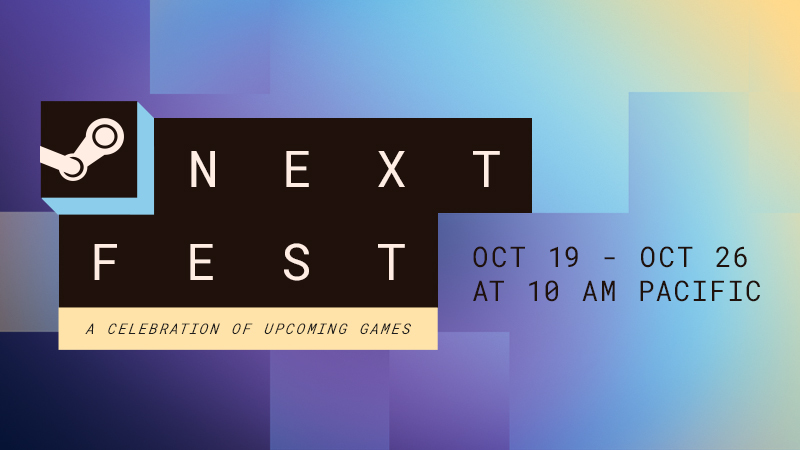
The October edition of Steam Next Fest has begun, with thousands of FREE demos awaiting your gaming fingers. Check out the trailer above for a sneak peek of the variety of games you'll find!
We host Steam Next Fest three times a year (February, June, October) as a way to highlight games before they've launched. Developers from all over the world share their demos, and by wishlisting your favorites (after playing them for free!) you can keep up with their path to official launch on Steam.
New for this edition: we've made some changes to (hopefully) make it easier to browse the fest. Now you can search by genre, theme, feature, and even sub-category. Our video below gives you a quick tour.
Steam Next Fest is a week-long celebration featuring hundreds of FREE playable demos as well as developer livestreams and chats. Players try out upcoming games on Steam pre-release, developers gather feedback and build an audience ahead of their Steam launch, everyone wins!
Announcing the next edition of Steam Next Fest, a week-long celebration of upcoming games. Save the date for the October 2026 edition, headed to Steam October 19 through 26! Explore and play hundreds of demos, watch developer livestreams, and chat with the teams about their games in progress, coming soon to Steam.
We are excited to see so many of you already cruising the roads of American Truck Simulator in the brand-new Ford cars included with the Road Trip: Ford DLC, released last month. And if you have been enjoying the Atlas feature that comes with the DLC, we have more in store for you!
With the 1.62 update, we are putting an extra focus on expanding this exploration feature to more map expansions. You can look forward to discovering new Tourist Boards with fresh Points of Interest, Viewpoints, and Photo Trophies for you to uncover in Iowa, Kansas, Missouri, Colorado, Oklahoma, Arkansas, Texas, Washington, and Louisiana, with one Tourist Board added to each of these states, as well as Nebraska, which will receive two Tourist Boards, with a new postcard rewarded to you for every one of these completed!
But that's not all. As Route 66 celebrates its 100th anniversary this year, and we completed its journey across American Truck Simulator with the release of the Illinois DLC in May, we are also adding a new Cross-Border Tourist Board dedicated specifically to this iconic route.
The Route 66 Cross-Border Tourist Board will feature exploration locations along the legendary highway across Illinois, Missouri, Kansas, Oklahoma, Texas, New Mexico, Arizona, and California. Based on the DLCs you own, the Route 66 Cross-Border Tourist Board will be represented by one active Tourist Board in Atlas and the world. Visiting it will uncover all available exploration locations across the Cross-Border Tourist Board in the states you own.
If you don't own all the relevant map expansions, you can still explore the locations available in the states you own. However, to unlock the special postcard reward, you will need to own all the map expansions covered by the Route 66 Cross-Border Tourist Board and visit every exploration location associated with it. And there's an extra treat, too! Completing this Cross-Border Tourist Board will also reward you with a special Route 66 Air Freshener accessory!
If you activate the Cross-Border Tourist Board without owning all the map expansions it covers, a pop-up window will inform you which DLCs you are missing. You can also find this information in the Atlas interface, under the Cross-Border Tourist Board's list of individual locations, where you can see which exploration locations are missing and which DLCs they belong to.
The Cross-Border Tourist Board will still appear in the “List of All Tourist Boards” even if you don't own all the required map expansions, but don't worry, it won't affect your statistics in Atlas Overview or Career Progress.
We hope you will enjoy exploring the new Tourist Boards when the 1.62 update releases! If you're excited to do that, make sure to get the already released Road Trip: Ford DLC on Steam now, or add the upcoming Road Trip: RAM & Dodge DLC to your Steam wishlist.
Don't forget to stay tuned for more news from American Truck Simulator by following us on X/Twitter, Facebook, Instagram, Bluesky, and YouTube. We would also really appreciate it if you could sign up for our newsletter. Until next time, we wish you wonderful travels!
Another SCS Fan Day Experience has come to an end, and what a fantastic time it has been! We were delighted to welcome 15 fans from all around the world to our offices in Prague for the fifth edition of this special event, bringing together members of our #BestCommunityEver who share a passion for our games and the worlds we create.
Throughout the day, our guests had the opportunity to explore our offices, meet some of our colleagues, and get a closer look at their work on Euro Truck Simulator 2 and American Truck Simulator. It was a wonderful opportunity to share stories, exchange ideas, and give our visitors a glimpse into everyday life at SCS Software, while also offering them a sneak peek at some of the exciting projects we have been working on.
Of course, no SCS Fan Day Experience would be complete without plenty of time to talk about our games! We loved seeing our guests get involved, share their thoughts, and enjoy spending time with members of our team. Events like these remind us how special our community is and how much it means to have such passionate players supporting our work from all corners of the globe.
A huge thank you to everyone who joined us for SCS Fan Day Experience Vol. 5! We hope you enjoyed your time with us in Prague as much as we enjoyed having you here. Your enthusiasm, curiosity, and support mean a lot to us, and we’re truly grateful to have had the opportunity to meet you all in person.
We're already looking forward to hosting another Fan Day and meeting even more of you! Don't forget to give our X/Twitter, Instagram, Facebook, Bluesky, and TikTok a follow, as you'll receive news from any upcoming events straight to your feed, or subscribe to our newsletter to stay informed. Until next time, keep on truckin'!
This update is for the SteamOS Beta and Preview channels, and includes new features that are still being tested. You can opt into this in Settings > System > System Update Channel.
These notes contain all changes since the current stable SteamOS 3.8 release, with the changes added since the previous 3.9 preview releases noted below
New in SteamOS 3.9.3
General
Fixed performance issues in STAR WARS: Galactic Racer on resume from suspend on Steam Machine
Fixed an issue that could lead to GPU errors in The Crew Motorfest
Fixed audio issues on hotplug of certain monitors in a multi-monitor setup
Improved support for Steam Frame wireless adapter
Security and stability updates
Developer
Reintroduce support for Android binder IPC
SteamOS 3.9
General
Updated Arch Linux base
Updated Desktop Mode from Plasma 6.4.3 to Plasma 6.7.3
We’re excited to share a closer look at three new editions of the DAF XG+ coming to Euro Truck Simulator 2 with the 1.62 Update! Featuring distinctive paint jobs, exclusive exterior accessories, and specially designed interiors, the Emerald, Sapphire, and 30 Years in Czechia Editions each bring their own unique character to the road.
Whether you prefer the elegant look of deep green, the striking appearance of sapphire blue, or a special edition celebrating three decades of DAF in the Czech Republic, there is plenty to discover. Let’s take a closer look at what these new configurations have to offer!
DAF XG+ 30 Years in Czechia Edition
The DAF XG+ 30 Years in Czechia Edition celebrates DAF’s 30-year presence in the Czech Republic with a special design inspired by the brand’s heritage. Its traditional royal orange paint job is complemented by unique anniversary logos, creating a distinctive appearance that pays tribute to this milestone.
The exterior features exclusive details, including a black air intake grille with painted trim, a matching black sunshield, and a choice of black or original roof lights. The truck also receives a unique black DAF badge, linked to the engine power configuration, with the option to switch back to the original silver version. An additional black anniversary badge beneath the side XG+ badge adds another special touch.
The wheel setup also received dedicated attention, with exclusive rear wheel covers and black wheel nuts with matching caps. Completing the exterior look is an illuminated DAF logo.
Inside the cab, drivers can enjoy an exclusive Czech 30th Anniversary interior, designed specifically for the XG+ cab. The new seats feature embroidered DAF 30 logos and premium upholstery, combining black leather or high-quality Alcantara fabric accents with detailed orange diamond-pattern stitching.
The upper bunk also receives special treatment, featuring Alcantara upholstery with a subtle grey pattern inspired by the Czech flag. Together, these details create a distinctive interior that celebrates the anniversary while maintaining the premium feel of the DAF XG+.
DAF XG+ Emerald Edition
For drivers who appreciate a refined and distinctive appearance, the DAF XG+ Emerald Edition introduces a striking Forest Dawn green paint job. This rich colour is complemented by a collection of exclusive exterior details and interior finishes, creating a cohesive look throughout the truck.
The exterior features a grille with painted trim, a coloured sunshield, and a white DAF logo. An exclusive Emerald side badge further distinguishes this edition from the standard DAF XG+.
The attention to detail continues around the cab, with a black door handle featuring a painted accent, black side window trim, and a unique chassis side skirt with matching painted details for the 4x2 chassis configuration.
Inside, the Emerald Edition features an exclusive interior designed to complement its green exterior. Drivers will find dedicated floor mats and a distinctive diamond-pattern design inspired by emeralds, featured on the mattress and upper bunk. Specially designed curtains complete the interior, adding another layer of character to this edition.
DAF XG+ Sapphire Edition
Completing the trio is the DAF XG+ Sapphire Edition, featuring a Sapphire Blue paint job.
The Sapphire Edition features a distinctive black DAF logo, side window trim, and a painted chassis side skirt on the 4x2 chassis. These details give the truck its own identity while maintaining the premium atmosphere of the DAF XG+.
Three Editions, One DAF XG+
Each of these three new DAF XG+ editions brings something different to the road. The 30 Years in Czechia Edition celebrates an important milestone with heritage-inspired styling and anniversary details, while the Emerald and Sapphire Editions focus on distinctive colours and coordinated accessories.
Whether you’re drawn to the anniversary details of the 30 Years in Czechia Edition or the elegant colours of the Emerald and Sapphire Editions, these new configurations offer plenty of ways to make your DAF XG+ stand out on the road. We hope you’ll enjoy discovering these new editions and making them your own when they arrive with the 1.62 Update!
As always, we’d love to hear which of these three editions is your favourite. Make sure to give our X/Twitter, Instagram, Facebook, Bluesky, and TikTok a follow, as you'll receive news from any upcoming updates straight to your feed, or subscribe to our newsletter to stay informed. Until next time, happy trucking!
We're starting a beta for Steam Achievement Sets, a new feature aimed at improving the achievement experience on Steam.
Games today live longer than ever, continuing to receive updates through new DLC, expansions, and seasons. But achievements added with new game content can be hard to discover and can accidentally break the completion status of players who have already finished the game.
We have designed Achievement Sets to help address these types of issues. You can try them out in today's Steam Client beta and in a growing set of games that have already added support.
Introducing Achievement Sets
This beta enables developers to group their game's related achievements together in collections we are calling Achievement Sets. Devs can specify the number of sets and the purpose of each to match their game's specific needs. You can imagine one game grouping its achievements into single-player and multiplayer sets, or another into 8 class-based sets.
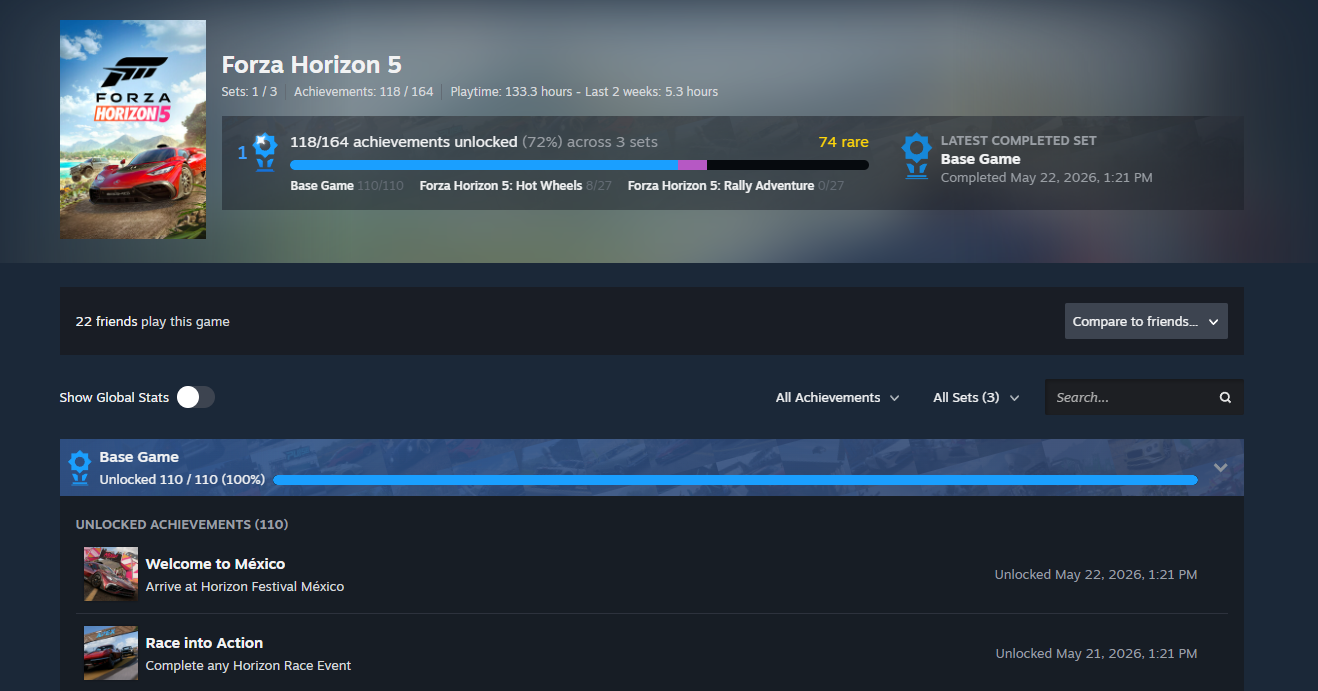
In games that support sets, you still unlock achievements by playing the game as usual. But when you browse what you have unlocked afterward, Steam will break the long list of game achievements into the developer-created sets, making it easier to see what you have completed and to find other related achievements you can unlock next.
Each Achievement Set also has its own progress bar showing how far along you are in that area. Once you have unlocked every achievement in a set, Steam will commemorate the moment and add a "set complete" trophy to your profile. If new achievements are later added to the set, your completion is preserved.
As a game grows, developers can create new sets to hold achievements for the added content. These new sets make it easy for returning players to see what new things they can unlock, while also preserving their prior completion status until they play again.
There are two types of Achievement Sets.
Base Game Achievement Sets
Base Game sets contain achievements that can be earned by all players who play a game. Their progress and trophies are displayed in blue on your achievements page.
DLC Achievement Sets
Some games contain achievements that can only be earned once you have purchased additional content (DLC) for that game. These achievements can now be grouped into new DLC sets, allowing you to separately track what you have unlocked in the new content.
DLC achievements are not included in your overall game progress until you have access to the content. Once acquired, they will be displayed as purple progress and trophies on your achievements page.
All possible achievements for a game can be explored from the new achievements page, so if you are curious, give the page a skim to see what the game's DLC has added.
Seasonal Achievements
We are also introducing the ability for game developers to archive individual achievements or entire Achievement Sets. We think there are a lot of fun ways games can take advantage of the temporary nature this can add, such as adding achievements to season-based games or enabling time-limited holiday achievements.
Once archived, users who had already unlocked the achievement or set will still see it on their profile. However, archived achievements won't show up on the profile pages of users who missed the unlock nor block their progress toward completing a set or game. Anytime an achievement can no longer be unlocked by users, it should be archived.
A New Achievements Page
Bringing this all together is an updated achievements page, accessible from your Games List on the web and from games in your Steam Library. The new page gives you a summary of your overall progress, progress in each achievement set, and details on individual achievements.
Global Stats, or the per-achievement completion rates, are now available as a toggle here rather than on a separate page.
Search has also been expanded with filters for specific achievement sets and for locked or unlocked achievements. Plus, there's a little extra joy when you complete all your achievement sets.
You can now compare your game progress with up to three friends, including rare achievements, completed sets, and progress in DLC sets. You'll see both the number of achievement sets you've completed and a new, more accurate total achievement count, making it easier to compare your progress with friends. This total is based on achievements each player can actually earn, which may vary depending on the add-on content they have and whether certain achievements are time-limited or archived. As a result, the total can differ from friend to friend.
And More
We've rebuilt a few areas where achievements are displayed, to show off your overall achievement and set progress throughout Steam. You'll see your completed sets on your profile in the Recently Played section, your Games List, your Library, and more.
The Perfect Games tab is now called Completed and expands to show both completed games and games with completed achievement sets.
Games with completed achievement sets can now be added to the Completionist Showcase, in addition to completed games.
Games played via Family Sharing are now displayed in the Games List.
Friends with playtime in a game through Family Sharing are now eligible for friend comparison.
Store and Library game pages will now show if a game has achievement sets.
Tonight the Autumn veil grows thin, A portal swirls, and from within The land of Brackenreach you hear The Witches calling, crystal clear.
They beckon you to help once more, And welcome you upon their shore. With fire, earth and air they say, “Three gifts await along the way!”
“Driver bold, come cross our land, With pumpkin magic treats in hand. From dock to keep, from vale to shore, Six runs you need—and maybe more!”
The tall ship waits beside the quay, For tides the sisters stir at sea. Past marshland mist and village glow, Where grinning pumpkins watch you go.
Through Dragon’s Den to Castle Keep, Where shadows stir and secrets sleep. The sisters watch as lanterns glow, And guard the winding road below.
As thanks, one wisp will light your way, Where others lead the lost astray. A brass key bears the rune of earth, To show the sisters know your worth.
Seek out the witches’ hidden home, Where embers glow upon a tome. The Ember Grimoire holds its spells, To guard the land where magic dwells.
Upon return, attend the call, To spread the spooky treats for all, Not just to Brackenhelm as one, But cities, towns and everyone.
For Hauloween is in the air, And there’s no time to flee nor dare To hide away from all the treats That wait for you, but not to eat, NO, they must be hauled, delivered quick, Then parked away, now that’s the trick!
This Halloween, prepare to cross the veil in our Return to Brackenreach - World of Trucks event! The hidden and treacherous roads of Brackenreach have reopened for truckers in Euro Truck Simulator 2 and American Truck Simulator, whether you are returning or entering the realm for the first time. Adventure and new rewards await, so let's roll!
This year, we are asking our #BestCommunityEver to work together towards a combined community goal of 1,300,000 deliveries. It is another ambitious challenge, but after everything our community achieved last Halloween, we know that no goal is beyond your reach!
As autumn thins the veil once more, the road to Brackenreach reopens. The three sisters who ward this land, mistresses of fire, earth, and air, have not forgotten the truckers who came to their aid last year, and this Halloween their call reaches beyond the veil once more. The marsh mist still hides the wisps that lead the lost, the tall ship still waits at the docks for tides stirred by old magic, and the pumpkins of the village still grin their crooked, knowing grins as you pass. In gratitude, each sister has prepared a special gift, kept safe until the road reopened. Help the witches and villagers once more by carrying Halloween supplies through the portals and along the winding roads to Castle Brackenhelm. Brackenreach remembers. Will you answer the call?
Your personal goal? Complete 15 Halloween deliveries across any trucking territory, including 3 to and 3 from Castle Brackenhelm, more details in the rules below.
Alongside your journeys to and from Brackenreach, you will help bring the Halloween festivities to cities throughout the homeland by delivering supplies between them. Enchanted cargo will also pass back through the portals, carrying a little of Brackenreach into the outside world, perhaps a gesture of gratitude from the witches to those who answered their call.
Our #ReturnToBrackenreach event will once again bring the magic of Brackenreach to your desktop with its spellbinding Halloween theme. We hope its lively and spooky atmosphere helps set the mood for every journey beyond the veil!
We will also be hosting a special developer live stream where we'll discuss how the event was designed, share fun insights, and enjoy Halloween in a nice and relaxed session while playing and contributing towards the community goal. Join us on Twitch, YouTube, or Facebook on Monday, October 19, from 6 pm CEST as we journey into Brackenreach!
Return to Brackenreach Rules:
Using External Contracts with a World of Trucks-connected profile in Euro Truck Simulator 2, American Truck Simulator, or both, the community goal is to achieve 1,300,000 deliveries of Halloween treats and supplies to or from any city, including the mysterious land of Brackenreach, where your destination will be Castle Brackenhelm.
There are 4 types of cargo that can be delivered in this event:
Halloween Treats
Halloween Costumes
Halloween Herbs & Spices
Halloween Crafts
Your personal goal is to complete 15 Halloween deliveries across any trucking territory, including 3 to and 3 fromCastle Brackenhelm, using Euro Truck Simulator 2, American Truck Simulator or both games combined.
Your bonus goal is to discover the Witches' House, hidden within the land of Brackenreach, by driving to it.
Rewards
Personal: Players who complete the required 15 or more Halloween deliveries will gain a unique World of Trucks Achievement plus a mystical Wisp Lantern cabin item, as a Steam inventory item.
Community: When the community goal of achieving 1,300,000 Halloween deliveries is met, and if the player has also achieved their personal goal, then they will also receive the fabled Key to Brackenreach hanging cabin item, as a Steam inventory item.
Discovery: When the player discovers the Witch House, hidden within the land of Brackenreach, they will receive the mysterious Ember Grimoire cabin item, as a Steam inventory item. Players will also receive last year's reward of a Spooky Horn vehicle accessory, at the same time.
Brackenreach directions:
A portal to Brackenreach appears once you accept event cargo bound for Castle Brackenhelm. Find it on the map, a spiral icon, and navigate to it. Look for the sparkles with falling autumn leaves!
Leaving Brackenreach with cargo takes you to its destination; without cargo, you’ll be sent to a random city for a new job.
Note: In order to qualify for any community reward, you must complete at least your personal goal in Euro Truck Simulator 2, American Truck Simulator or both. Each reward will be a Steam inventory item for both Euro Truck Simulator 2 and American Truck Simulator. Once completed, claim your reward in the Events page on your World of Trucks profile.
The event will be concluded on Sunday, the 1st of November at 23:59 UTC.
We're super excited to welcome you back to the legendary land of Brackenreach and hear tales of your journeys through the veil once more. From the misty marshes to Castle Brackenhelm, the three guardian witches await your help, with gifts of fire, earth and air to thank you for your deliveries. It means so much to all the teams who brought this magical land to life to see you return, and we’d love to see photos of your adventures as you reach your goals and claim the sisters’ rewards this Halloween. Share your screenshots and videos with us using the hashtag #ReturnToBrackenreach on our Facebook ATS / ETS2, X (formerly Twitter), and Instagram profiles, and we will share our favourite ones.
Today, we're excited to share the first gameplay video from the upcoming Iceland DLC for Euro Truck Simulator 2! Join us as we explore some of the incredible landscapes that await you on the road.
Take a seat and join us for a drive through Iceland's beautiful scenery. Starting in the small settlement of Seyðisfjörður, we'll travel through the countryside and charming towns before reaching the breathtaking Goðafoss, also known as the Waterfall of the Gods, one of Iceland's most iconic natural wonders. Watch the video below and see the journey for yourself!
We hope you enjoyed this first gameplay look at Iceland in Euro Truck Simulator 2! Don't forget that this is just a small glimpse of the area that you will be able to explore in the Land of Fire and Ice.
Also, remember to follow us on X/Twitter, Instagram, Facebook, Bluesky, and TikTok to receive updates not only about Iceland, but also other news from our games straight to your feed. Or subscribe to our newsletter to stay informed. Until next time, keep on truckin'!
We have just shipped an updated Steam Client update to the Stable channel.
Home Screen
Added a new 'Big Art Mode' option for the home screen. This can be enabled in Settings > Home.
Added Personal Calendar to the Recommended tab on the home screen.
[carousel][/carousel]
Screensavers
Added a new screensaver feature, accessible in Settings > Customization. There are two screensavers available:
The default is a game art slideshow that can be configured to show artwork from recently played games and your recent in-game screenshots.
A retro inspired bouncing logo screensaver
Custom screensavers are also supported. Similar to startup movies, they can be placed in directories at ~/.steam/root/config/uioverrides/screensavers/. You can use the bouncing logo screensaver (in the steamui/screensavers directory) as an example to get started.
[carousel][/carousel]
General
Added notification about the current user when waking from sleep, if there have been multiple recent users. The notification can be activated to switch users and dismisses immediately on any other input. This notification can be toggled from the Notification Settings.
Added confirmation step to "exit VR" and "switch to desktop mode" power menu actions, and removed it from "sleep".
Added explicit warning text to power menu confirmation dialogs when proceeding will shut down an active game.
Added confirmation dialog/user switching ability when waking from sleep would require kicking an active session elsewhere.
Added "Default to Desktop Mode" toggle to System settings.
Added support for keyboard glyphs in the footer when using mouse/kb to interact with Big Picture Mode
Added delaying dimming the screen or displaying the screensaver when the Steam Store, web browsers or other apps request to disable monitor sleep and screensavers while playing video.
Added a setting to disable the screensaver when in game
Updated default artwork when an app does not have library or hero artwork.
Improved the layout of the QAM Voice Chat tab, added a mute toggle to the volume sliders, and fixed the link from the tab to the active chat to focus the textbox when opening to the chat window
Improved the text layout in achievement notifications when the name, description or both wrap across multiple lines.
Improved download speeds on high latency connections.
Reorganized the idle timer settings when on battery and AC power
Pressing the controller's system button will request the TV to switch to the Steam Machine as the active source (the connected TV must support HDMI CEC)
The 'System Report' dialog is now more responsive when displaying and uploading the gathered system report.
Windows binaries registered as non-steam games will now run in Proton by default.
Using a physical mouse to click on text input will no longer bring up the On-Screen Keyboard
When waking from sleep with a game running but the account now playing elsewhere:
Provide an option to exit the local game.
Go back to sleep if there is no input for 60 seconds.
The "Select compatibility tool" dropdown is now always visible.
The recommended compatibility tool, or steam runtime for native games, now shows at the top of the list as the "Default" option.
Compatibility tool aliases, e.g. "Proton Stable", can now be selected from this dropdown.
Fixed a case where Windows games would show as 'Not Compatible' in the library view until a manual Proton version was selected for this app.
Fixed "Suspend Download Throttle" not properly updating on the downloads page.
Fixed an issue where virtual gamepads were torn down temporarily when a game called the ISteamUtils::SetGameLauncherMode api, which could cause titles that don't support controller hotplugging to lose input
Fixed the on-screen keyboard not popping up in non-Steam games after toggling wifi or suspending the machine
Fixed the Recordings & Screenshots dialog not showing all games that have related screenshots in the game filter dropdown.
Fixed some cases of header/footer flicker and invisibility during the first seconds after waking from sleep.
Fixed issues with trackpad typing if the trackpad is touched while the onscreen keyboard is opening
Fixed the onscreen keyboard not working the first time it is invoked on desktop.
Fixed clicking the buttons in the footer causing the glyphs to change back to gamepad
Fixed a clicking the back button in the footer not working if nothing on the page had digital navigation focus
Fixed the Steam logo spinner moving during the login flow
Fixed a bug that sometimes caused an empty "Steam Family Activity" group to appear in notification settings
Fixed cases where users with older CPUs could have the client hang/crash when starting downloads for games with many identical files
Fixed desktop shortcuts always using the default launch option rather than your saved option
Fixed some cases where the onscreen keyboard would drop presses during dual trackpad typing
Fixed the diacritic options menu interactions during dual trackpad typing
Fixed a case where non-steam games would fail to launch after changing the Target binary via the Browse button.
Fixed a case where the 'Stop' button would fail to close the game if it was launched by an external tool.
Fixed a case where library playtime could temporarily show an incorrect value.
Fixed an issue where deleting an uploaded screenshot would only delete the local copy.
Fixed hovering DLCs not working in some places.
Desktop Mode
Fixed rendering the overlay and using other overlay related features (screenshots, game recording, etc.) in Vulkan games that create multiple windows.
Fixed crash when Vulkan games recreate their swapchain.
The SteamOS compatibility dialogs will now show when installing games not verified for that HW.
In the desktop overlay the desktop config will now be applied. For most gamepads this will not be a difference in behavior because they have a blank desktop config, but Steam Controllers or devices that have setup a custom desktop config will have mouse input to click on things in the overlay.
Game Recording
Fixed some cases where playback would jump to an unexpected point in the timeline when reaching the end of a play session or clip.
Steam Input
Added a new view in the configurator for Steam Input API games that lists out actions and their bindings rather than inputs to actions along with streamlined binding interface.
Added a new multi-binding page in the configurator for authoring button combinations that visualizes the timeline of command outputs and their settings.
Added information about which configurations are compatible in the configurator browser when using a game that requires Steam Input API.
Added the missing settings for adjusting emulated joystick adaptive centering on trackpad.
Added support for inverting button chord bindings.
Added support for the user-invoked On-Screen Keyboard in the desktop overlay.
Added a landing page to the configurator when no file on disk could be loaded and give you the option to select a new configuration. This was one of the causes of a blank configurator.
Improved CPU performance at runtime and in configuration loading.
Improved the consistency of trackpad sensitivity between Steam Deck and Steam Controller.
Implemented a version of the "Reorder Controller" dialog for Steam Input API games. Note - this disconnects the controllers temporarily so older games which do not handle hot plugging properly can lose controller input.
Switch to reshuffling gamepad input when the last running game exits instead of on game launch to avoid issues when running multiple apps at the same time.
Improve the display of cloud sync status in the configurator and give you the option to skip and proceed to the configurator. This was another common cause of a blank configuration because the layout was broken and the info offscreen.
By default, Steam Frame controllers will now use gamepad input in VR games that don't support VR inputs. The preferred mode can be changed for any VR game in either the game's Steam Input settings or in VR Controller settings on the Now Playing page. Please report any titles that do not work out of the box. Note: both Frame and the PC must be on the beta channel for Steam and SteamVR.
Fixed the controller support widget showing "This game doesn't support controllers" for unreleased games that don't have controller support information yet.
Fixed controllers not using the desktop configuration on the desktop UI login window.
Fixed older-unnamed Virtual Menus showing up as "Create Virtual Menu" in some views.
Fixed the glyphs shown for the Xbox Elite Controller paddle buttons.
Fixed cases where the Virtual menu modes could show the wrong activation type if it was created in the standalone menu vs from a controller source.
Fixed issues with button and slider sizing in the configurator when opened in the desktop overlay.
Fixed pairing the 2015 Steam Controller.
Fixed glyphs for Switch controllers in Heavy Rain.
Fixed a bug on the "Reorder controller" screen on Linux where sometimes swapping controllers would not work.
Remote Play
Added an experimental video codec, Pyrowave, which allows high bandwidth, low latency video streaming. You can find out more on the Steam Remote Play discussion group.
Added the -pyrowavestats command line option to log Pyrowave encoding performance
Automatically fall back to H.264 if HEVC isn't available.
Disabled HDR when streaming to the OLED Steam Deck.
A PIN is no longer required to download an app to a remote device. A PIN is still required to Install and Stream from a remote device.
Added a Download Complete notification for a remote download if you initiated the download on your current device.
Fixed EULA acceptance when starting a Remote Stream.
Fixed streaming launch failing if the host client had a cloud conflict.
Added a dialog to recover if your network isn't able to handle current streaming settings.
Steam Controller Firmware
Added a 2nd BLE pairing slot - to pair hold L1 + B + Steam when powering on the controller. To switch between slots hold either L1 + B + Steam at start up or R1 + B + Steam at start up.
Improved rumble emulation and added configurable intensity levels.
Improve the time needed to fully connect the device in Steam.
Fixed an issue where certain thumbsticks could lose the ability to reach full range.
Fixed an issue where some Bluetooth BLE connections could disconnect repeatedly, especially on Steam Deck.
Fixed an issue where pairing via a puck connection could fail.
Fixed an issue where switching to BLE mode would stick, even if the host device could not be found.
A new Steam Client update has been released and will be automatically downloaded.
Homescreen - Big Picture Mode
Added a new 'Big Art Mode' option for the home screen. This can be enabled in Settings > Home.
Added Personal Calendar to the Recommended tab on the home screen
[carousel][/carousel]
Screensaver - Big Picture Mode
Added a new screensaver feature, accessible in Settings > Customization. There are two screensavers available:
The default is a game art slideshow that can be configured to show artwork from recently played games and your recent in-game screenshots.
A retro inspired bouncing logo screensaver
Big Picture mode can also load custom screensavers. Similar to startup movies, they can be placed in the config\\uioverrides\\screensavers directory in your Steam install directory (e.g. C:\\Program Files (x86)\\Steam or ~/.steam/root). You can use the bouncing logo screensaver (in the steamui\\screensavers directory) as an example to get started.
[carousel][/carousel]
General
Improved Steam Client startup performance.
Avoid stealing focus when the Steam main window opens, if another window was activated during startup/login.
Improved the text layout in achievement notifications when the name, description or both wrap across multiple lines.
Dialogs that appear for serious error conditions now stay above the main window.
On Windows, using the systray menu to exit while the Steam window is minimized will no longer flash the window visible briefly.
Fixed the onscreen keyboard not working the first time it is invoked on desktop.
Fix cases where users with older CPUs could have the client hang/crash when starting downloads for games with many identical files.
Fixed desktop shortcuts always using the default launch option rather than your saved option.
Fixed a case where library playtime could temporarily show an incorrect value.
Fixed a case where after server maintenance some users might fail to auto-reconnect to Steam.
Fixed bug where being prompted to refresh credentials more than once could trigger an immediate restart.
Fixed "Suspend Download Throttle" not properly updating on the downloads page.
Fixed the Recordings & Screenshots dialog not showing all games that have related screenshots in the game filter dropdown.
Fixed a crash at launch on Windows with EZFRD64.DLL installed
In-Game Overlay
Improved scaling of Performance Monitor FPS line graph for various text scaling settings values.
Fixed crash when Vulkan games recreate their swapchain.
Fixed frame rate hitches in D3D11 and D3D12 games when taking screenshots on Windows.
Fixed rendering the overlay and using other overlay related features (screenshots, game recording, etc.) in Vulkan games that create multiple windows.
Library
Fix hovering DLCs not working in some places.
Game Recording
Fixed some cases where playback would jump to an unexpected point in the timeline when reaching the end of a play session or clip.
Decreased performance impact of game recording for some D3D12 games on Windows.
Big Picture Mode
Added delaying dimming the screen or displaying the screensaver when the Steam Store, web browsers or other apps request to disable monitor sleep and screensavers while playing video.
Added a setting to disable the screensaver when in game.
Added explicit warning text to power menu confirmation dialogs when proceeding will shut down an active game.
Added support for keyboard glyphs in the footer when using mouse/kb to interact with Big Picture Mode.
Using a physical mouse to click on text input will no longer bring up the On-Screen Keyboard.
Improved the layout of the QAM Voice Chat tab, added a mute toggle to the volume sliders, and fixed the link from the tab to the active chat to focus the textbox when opening to the chat window.
Updated default artwork when an app does not have library or hero artwork.
Reorganized the idle timer settings when on battery and AC power.
The mouse is now hidden in the overlay until there's mouse movement.
Wifi strength and connection type are now shown in the header on Windows.
Fixed clicking the buttons in the footer causing the glyphs to change back to gamepad.
Fixed a clicking the back button in the footer not working if nothing on the page had digital navigation focus.
Fixed the Steam logo spinner moving during the login flow.
Fixed cases on Windows where guide buttons presses would go to the main BPM window instead of opening the overlay in the game.
Fixed cases where the main BPM window would not get focused when quitting a game.
Fixed some cases where the onscreen keyboard would drop presses during dual trackpad typing.
Fix the diacritic options menu interactions during dual trackpad typing.
Fixed the on-screen keyboard not popping up in non-Steam games after toggling wifi or suspending the machine.
Fixed issues with trackpad typing if the trackpad is touched while the onscreen keyboard is opening.
Steam Input
Added a new view in the configurator for Steam Input API games that lists out actions and their bindings rather than inputs to actions along with streamlined binding interface.
Added a new multi-binding page in the configurator for authoring button combinations that visualizes the timeline of command outputs and their settings.
Added support for the user-invoked On-Screen Keyboard in the desktop overlay.
Added information about which configurations are compatible in the configurator browser when using a game that requires Steam Input API.
Added the missing settings for adjusting emulated joystick adaptive centering on trackpad.
Added support for inverting button chord bindings.
Added support for switching into Lizard mode on the new Steam Controller when interacting with UAC windows or other places where Windows blocks Steam Input.
Added a landing page to the configurator when no file on disk could be loaded and give you the option to select a new configuration. This was one of the causes of a blank configurator.
Implemented a version of the "Reorder Controller" dialog for Steam Input API games. Note - this disconnects the controllers temporarily so older games which do not handle hot plugging properly can lose controller input.
Improved the display of cloud sync status in the configurator and give you the option to skip and proceed to the configurator. This was another common cause of a blank configuration because the layout was broken and the info offscreen.
Improved CPU performance at runtime and in configuration loading.
Improved the consistency of trackpad sensitivity between Steam Deck and Steam Controller.
In the desktop UI overlay the desktop config will now be applied. For most gamepads this will not be a difference in behavior because they have a blank desktop config, but Steam Controllers or devices that have setup a custom desktop config will have mouse input to click on things in the overlay.
On Linux switch to reshuffling gamepad input when the last running game exits instead of on game launch to avoid issues when running multiple apps at the same time.
By default, Steam Frame controllers will now use gamepad input in VR games that don't support VR inputs. The preferred mode can be changed for any VR game in either the game's Steam Input settings or in VR Controller settings on the Now Playing page. Please report any titles that do not work out of the box.
Fixed pairing the 2015 Steam Controller.
FIxed glyphs for Switch controllers in Heavy Rain.
Fix a bug on the Linux "Reorder controller" screen on Linux where sometimes swapping controllers would not work.
Fixed issues with button and slider sizing in the configurator when opened in the desktop overlay.
Fixed Windows handheld controllers having priority over docked controllers in Steam Input API games.
Fixed the controller support widget showing "This game doesn't support controllers" for unreleased games that don't have controller support information yet.
Fixed controllers not using the desktop configuration on the desktop UI login window.
Fixed older-unnamed Virtual Menus showing up as "Create Virtual Menu" in some views.
Fixed showing doubled Xbox style controllers on Windows.
Fixed showing doubled Steam Controllers on macOS.
Fixed the glyphs shown for the Xbox Elite Controller paddle buttons.
Fixed cases where the Virtual menu modes could show the wrong activation type if it was created in the standalone menu vs from a controller source.
Remote Play
Added an experimental video codec, Pyrowave, which allows high bandwidth, low latency video streaming. You can find out more on the Steam Remote Play discussion group.
Added the -pyrowavestats command line option to log Pyrowave encoding performance
Automatically fall back to H.264 if HEVC isn't available.
Disabled HDR when streaming to the OLED Steam Deck.
A PIN is no longer required to download an app to a remote device. A PIN is still required to Install and Stream from a remote device.
Added a Download Complete notification for a remote download if you initiated the download on your current device.
Fixed EULA acceptance when starting a Remote Stream.
Fixed streaming launch failing if the host client had a cloud conflict.
Added a dialog to recover if your network isn't able to handle current streaming settings.
Linux:
The "Select compatibility tool" dropdown is now always visible.
The recommended compatibility tool, or steam runtime for native games, now shows at the top of the list as the "Default" option.
Compatibility tool aliases, e.g. "Proton Stable", can now be selected from this dropdown.
Windows binaries registered as non-steam games will now run in Proton by default.
Fixed a case where non-steam games would fail to launch after changing the Target binary via the Browse button.
The SteamOS compatibility dialogs will now show in desktopUI when installing games not verified for that HW.
On Desktop Linux we will now show the SteamOS unsupported dialog when installing games that are known to not work with Proton.
Improve download speeds on high latency connections.
Improve distro information collection for hardware survey, preferring data from /etc/os-release.
Fixed an issue where virtual gamepads were torn down temporarily when a game called the ISteamUtils::SetGameLauncherMode api, which could cause titles that don't support controller hotplugging to lose input.
Fixed a case where the 'Stop' button would fail to close the game if it was launched by an external tool.
Steam Controller Firmware
Added a 2nd BLE pairing slot - to pair hold L1 + B + Steam when powering on the controller. To switch between slots hold either L1 + B + Steam at start up or R1 + B + Steam at start up.
Improved rumble emulation and added configurable intensity levels.
Improve the time needed to fully connect the device in Steam.
Fixed an issue where some Bluetooth BLE connections could disconnect repeatedly, especially on Steam Deck.
Fixed an issue where pairing via a puck connection could fail.
Fixed an issue where switching to BLE mode would stick, even if the host device could not be found.
Fixed an issue where certain thumbsticks could lose the ability to reach full range.
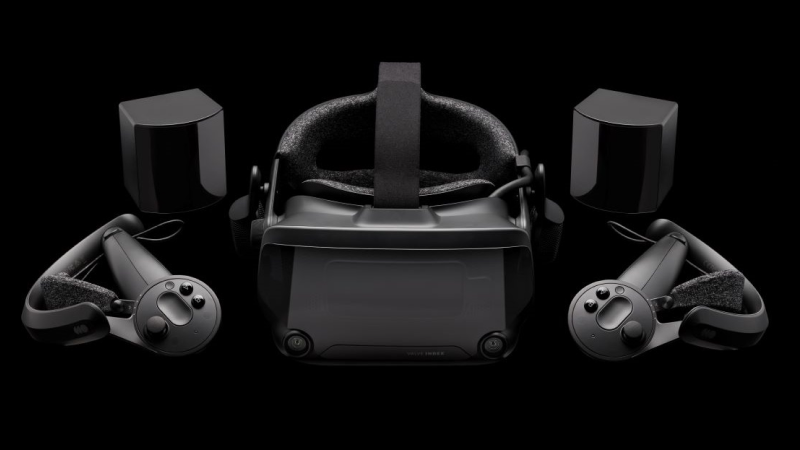
Please note that the items listed are sold separately and are not a complete kit. A full set of components is required to use Valve Index, including the headset, controllers, and base stations.
If you already own an Index, nothing changes - it is still supported on Steam and SteamVR. If you need help with your hardware, Steam Support is here.
We're excited to share with you more of the cities you can discover on your upcoming travels with the British Columbia DLC for American Truck Simulator. Missed out on the first part of this blog? You can check it out here!
Our team has been hard at work recreating locations across BC, Canada. From larger urban centres to more remote areas, each offers its own landscapes, industries, and way of life. Let us share with you more of what we've been working on for this DLC.
Cranbrook
Located in the East Kootenay region of BC, Cranbrook is a community with strong ties to the railway and the surrounding mountain landscape. The arrival of the railway played an important role in the city's development, helping establish this city as a major centre for the region.
You'll discover several recognizable landmarks that highlight the city's history, including the old train station and the Cranbrook History Centre, which today preserves an impressive collection of historic Canadian railcars. You'll also be able to spot the visitor centre. With its location among the mountains and forests, we hope you look forward to visiting this historical city.
Valemount
Surrounded by spectacular mountain scenery, Valemount is nestled within the North Thompson Valley, near the northern end of the Rocky Mountain Trench. With the Rockies, Cariboo Mountains, and Monashee Mountains all nearby, drivers can expect some impressive views.
On your visit, be sure to keep an eye out for the local visitor center, housed in a distinctive log building and surrounded by beautiful mountain views. Whether you're stopping by or simply continuing your journey north, the scenery around Valemount is sure to make the drive worthwhile.
Williams Lake
Situated in the heart of the Cariboo region, Williams Lake is an important regional centre surrounded by forests, rolling hills, and open countryside. The city has long served the surrounding communities and industries.
There is plenty to see here, including the city's distinctive Tourism Discovery Centre, alongside local hotels, restaurants, and the historic Station House Gallery. Built as a railway station in 1919, the Station House is the oldest standing building in Williams Lake and today serves as an art gallery and cultural space. Truckers will also find plenty of work around the city, with deliveries connected to a local sawmill, scrapyard, and construction equipment dealer.
Prince George
Prince George is one of the most important industrial and transportation centres in northern British Columbia. Sitting at the intersection of Highways 16 and 97 and connected to major rail routes, the city serves as a key hub for goods moving across the province and onward towards the Pacific Coast.
This important role is reflected throughout the city, where truckers will find a wide variety of industries to serve, including a paper mill, chemical factory, refinery, and a large intermodal transportation hub. Away from the industrial areas, keep an eye out for landmarks such as the local Royal Canadian Mounted Police station, St. Michael's Anglican Church, and the city's rail station.
Prince Rupert
Prince Rupert is a major port city with a long history connected to fishing, forestry, railway transportation, and shipping. Being located on the coast of the North Pacific Ocean has helped establish the city as an important gateway for international trade, with road and rail connections linking its port facilities to communities across Canada and beyond.
Truckers visiting Prince Rupert will find plenty of work waiting for them around its busy industrial and waterfront areas. You'll find job contracts to and from the harbour port, seafood facility & nearby timber harvesting operations.
There is plenty to see away from work too, including the local Royal Canadian Mounted Police station, courthouse, visitor center, lighthouse, and the Museum of Northern British Columbia, which showcases the rich history, art, and culture of British Columbia's Northwest Coast.
Vernon
Located in the North Okanagan, agriculture has long played an important role in the local economy of Vernon, alongside a diverse mix of manufacturing, tourism, forestry, and other industries. Drivers will be able to make deliveries to an agricultural equipment dealer, landscape supply company, yacht builder, RV dealer, and a beverage plant.
While travelling through Vernon, you'll also be able to find several local landmarks, including the hospital complex, Okanagan Science Centre, and the distinctive Telecommunications Tower Building.
Bella Coola
At the western end of Highway 20 lies Bella Coola, a remote community surrounded by the spectacular wilderness of British Columbia's Central Coast. The journey into the Bella Coola Valley takes drivers through a landscape of mountains, dense forests, and dramatic scenery, making this part of the province quite different from many of the other destinations you'll discover.
In Bella Coola, you'll find landmarks such as the Royal Canadian Mounted Police station and The Augsburg United Church. Whether Bella Coola marks the end of a long delivery or the beginning of your journey back through the valley, we hope you'll take some time to enjoy this unique corner of British Columbia.
We look forward to sharing even more from the British Columbia DLC with you in the future. Until then, be sure to add British Columbia to your Steam Wishlist and follow us on X, Instagram, Facebook, Bluesky, and TikTok, or subscribe to our newsletter for the latest news & previews. Until next time, keep on truckin'!
26.4 Snapshot 4 (known as 26.4-snapshot-4 in the launcher) is the fourth snapshot for Java Edition 26.4, released on October 13, 2026, which adds crevasses and brittle ice as well as revamping jukeboxes.
Full changelog: https://minecraft.wiki/Java_Edition_26.4-snapshot-4
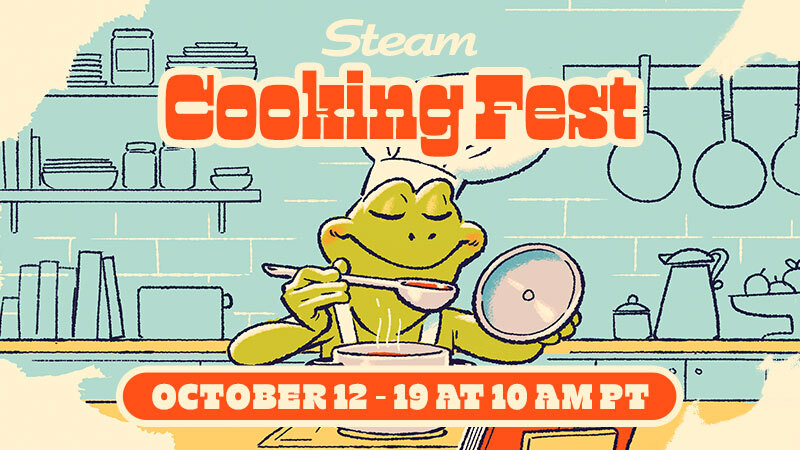
Steam Cooking Fest is just begging for us to use cooking puns, but we're way too mature for that.
(Except for our headline here. OK and also our trailer.) The rest of this post, though? Pun-free!
Are there cooking games of all kinds on sale for the week? Definitely. Run a restaurant, operate a food truck, cook for giant onions and rats and all kinds of things!
Join us now for Steam Cooking Fest, on through October 19th at 10 am Pacific on Steam.
We are excited to announce that SCS Software will be heading to Poznań Game Arena 2026, taking place from 23rd to 25th October in Poznań, Poland!
If you're attending this year's event, be sure to stop by and visit us in Hall 5, Booth 56, where we'll be bringing a selection of our latest projects, immersive experiences, plenty of opportunities to get behind the wheel, and a chance to meet and chat with our team.
For American Truck Simulator, you'll be able to explore the breathtaking landscapes of the British Columbia DLC by taking a virtual journey through Canada's westernmost province. Meanwhile, in Euro Truck Simulator 2, you'll discover the stunning landscapes of the Iceland DLC, as well as experience the upcoming Coaches DLC and take a different kind of journey across Europe in a long-distance bus.
To make your experience even more immersive, we're once again bringing our 4D motion simulators to the show floor. If you've always wanted to experience the feeling of driving a truck with added motion effects, be sure to give it a try during your visit.
We're also happy to be partnering with Logitech, which will be providing steering wheels and peripherals for our booth. Their hardware will help you get comfortable behind the wheel and experience our games with precision and control.
But that's not all! We're also delighted to be partnering with Scania Poland, who will be bringing a real Scania truck directly to our booth.
This will give visitors the opportunity to get up close with a real Scania truck, with the cabin open for visitors to step inside and explore, while also experiencing our virtual trucking worlds just a few steps away. With Scania Poland personnel on hand throughout the event, you'll be able to take a closer look at the truck and its interior before stepping into our games. It's a great chance to see how the details and atmosphere of real-world trucking inspire what we create in our games.
Poznań Game Arena is one of the biggest gaming events in Poland, and we're looking forward to meeting the Polish trucking community and everyone who shares our passion for virtual trucking.
Whether you are coming to try out our latest content, take a ride in one of our 4D motion simulators, check out the Scania truck, or simply stop by to say hello to the SCS Software team, we'd love to see you there! But if you won't be able to attend, don't worry, and make sure to give our X/Twitter, Instagram, Facebook, Bluesky, YouTube, and TikTok a follow as we plan to regularly share updates from PGA, so you don't miss anything! See you in Poznań, truckers!

 Log in









 [/carousel]

 [/carousel]

 [/carousel]

 [/carousel]