The DistroWatch news feed is brought to you by TUXEDO COMPUTERS. David Heinemeier Hansson has announced the release of Omarchy 4.0.0, a major update of the project's Arch-based Linux distribution featuring the Hyprland Wayland compositor: "Omarchy 4 aka 'Quattro' is the biggest release since the project started. The entire desktop shell has been reimagined in Quickshell - the bar,....
Last week, we showed you the new Atlas gameplay feature coming to American Truck Simulator with the release of Road Trip. And today, we are excited to also showcase a video trailer focused on Atlas!
This upcoming feature is designed around exploration and encourages players to discover, visit, and learn about selected locations across the world of American Truck Simulator via Tourist Boards. These will then uncover Points of Interest, Viewpoints, and Photo Trophies, which highlight significant spots in the region that you'll need to discover to earn a special postcard reward. You can find out more about Atlas in the dedicated blog.
Now, to get you in the mood for the upcoming Road Trip DLCs, we have put together a video trailer where you can see in more detail how Atlas will work in American Truck Simulator. Let's watch it below!
Keep in mind that Atlas will only be unlocked for players owning any Road Trip DLC (Ford Car Pack or RAM & Dodge Car Pack), so make sure to add them to your Steam wishlist. However, this feature is not limited to cars, and you will also be able to enjoy it when driving a truck.
New uNmINeD development snapshot is available for download!
Changes:
Breaking change: the “Use textures when zooming in” (CLI: --textures=true) experimental feature is no longer available
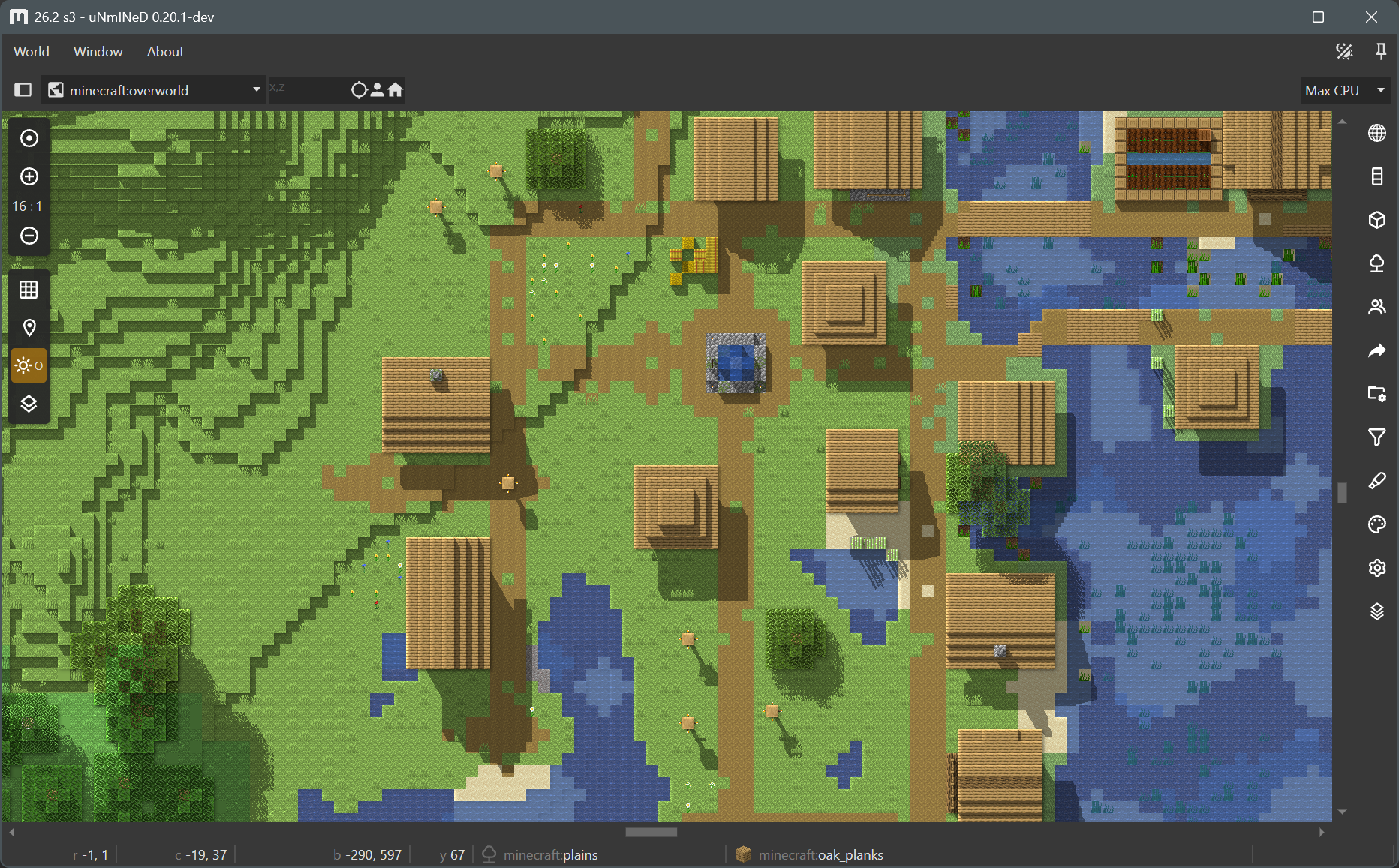
Added 2.5D top-down block model rendering mode (feature preview)
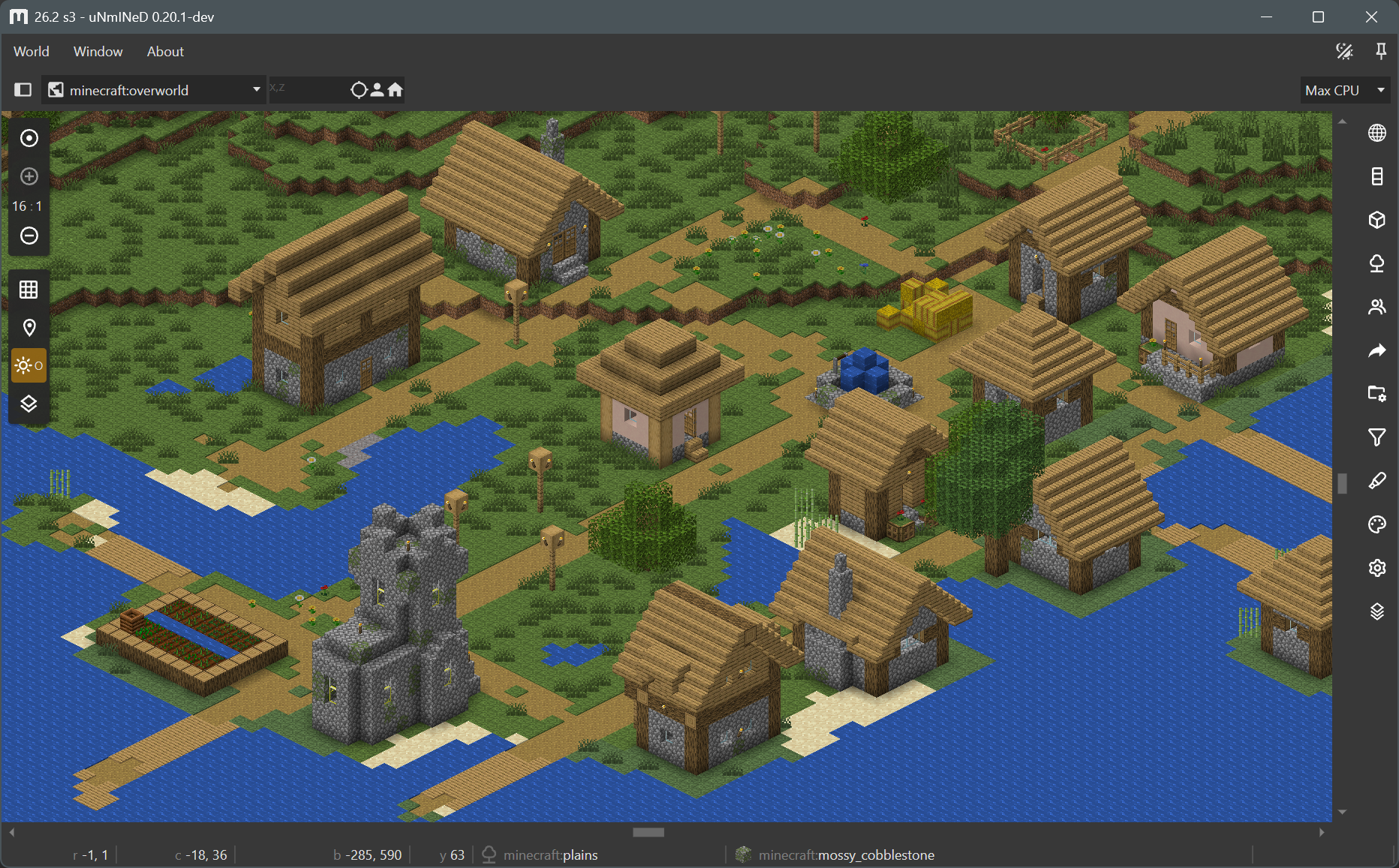
Added isometric rendering mode (feature preview)
Added support for the new chunk NBT format introduced in 26.3-snapshot-7.
Added support for region files with LZ4 compression (JE 1.20.5+).
Added 3D block model preview to the block list and the status bar
Optimized/fixed Bedrock LevelDB loader (100x speed and 100x less memory usage with large log files)
Improved Hytale installation and save folder detection on Windows
Fixed a lot of datapack and resource pack related issues
Updated Avalonia UI to 12.1.1. Many thanks to the Avalonia Team for granting me the community license.
Block model handling
uNmINeD now can read and use 3D block models from Java Edition client JARs and datapacks, and render them in 2.5D top-down and isometric views.
Bedrock Edition does not have 3D block models available for external tools, so uNmINeD uses Java block models to render Bedrock blocks. You will need a Java client JAR file to make this work. You can download it even if you do not have Java Edition, the original Mojang download links are available on GitHub, scroll right to see the client JARs.
Assigning Java block models to Bedrock blocks is controlled by config/bedrockmapping.json. The content of this file is largely based on information extracted from the Chunker project.
Bedrock fences, stairs, glass panes and other connecting blocks may render incorrectly if you have a version older than 1.26.40, because the required information is not present in the world save files.
Block model rendering mode
This is a preview of a new feature under development.
uNmINeD now can render 3D block models to draw blocks instead of using single colors.
It works at 4:1 or higher zoom-in levels
It works with shadows
It works with image and web export
It does not need a GPU (uses only CPU)
It requires a Java Edition client JAR file even if you use it with Bedrock worlds.
Use the --blockrender=true command line parameter to enable block model rendering in the CLI.
Isometric rendering mode
This is a preview of a new feature under development.
uNmINeD now can render an “isometric” (axonometric) 3D map.
It only works at 16:1 zoom-in level (other zoom levels coming soon)
It has multiple view angles
Image and web export not yet available
It does not need a GPU (uses only CPU)
It is only available in the GUI (CLI will come later)
Shadow rendering will come later
It requires a Java Edition client JAR file even if you use it with Bedrock worlds.
Notes and known issues
Block model rendering is a new feature under development. There are a lot of bugs, glitches and unfinished stuff. The code is not yet optimized for speed, upcoming releases will be faster.
Some of the most visible known problems:
Some 3D block models are not rendered correctly or not visible at all
Waterlogged blocks are rendered as dry
Custom (modded) Bedrock blocks are not rendered at all
Ambient occlusion shading in isometric mode does not work at chunk borders
Blocks do not cast shadow on themselves
Terrain elevation shading is applied incorrectly
Water settings are ignored
Water transparency is not supported in isometric mode

 Log in