 Log in
uNmINeD 0.20.10-dev
21 September 2026 om 14:42
New uNmINeD development snapshot is available for download!
Changes:
- Fixed Bedrock LevelDB parsing errors
- (GUI) Fixed random black isometric tiles

New uNmINeD development snapshot is available for download!
Changes:
New uNmINeD development snapshot is available for download!
Changes:
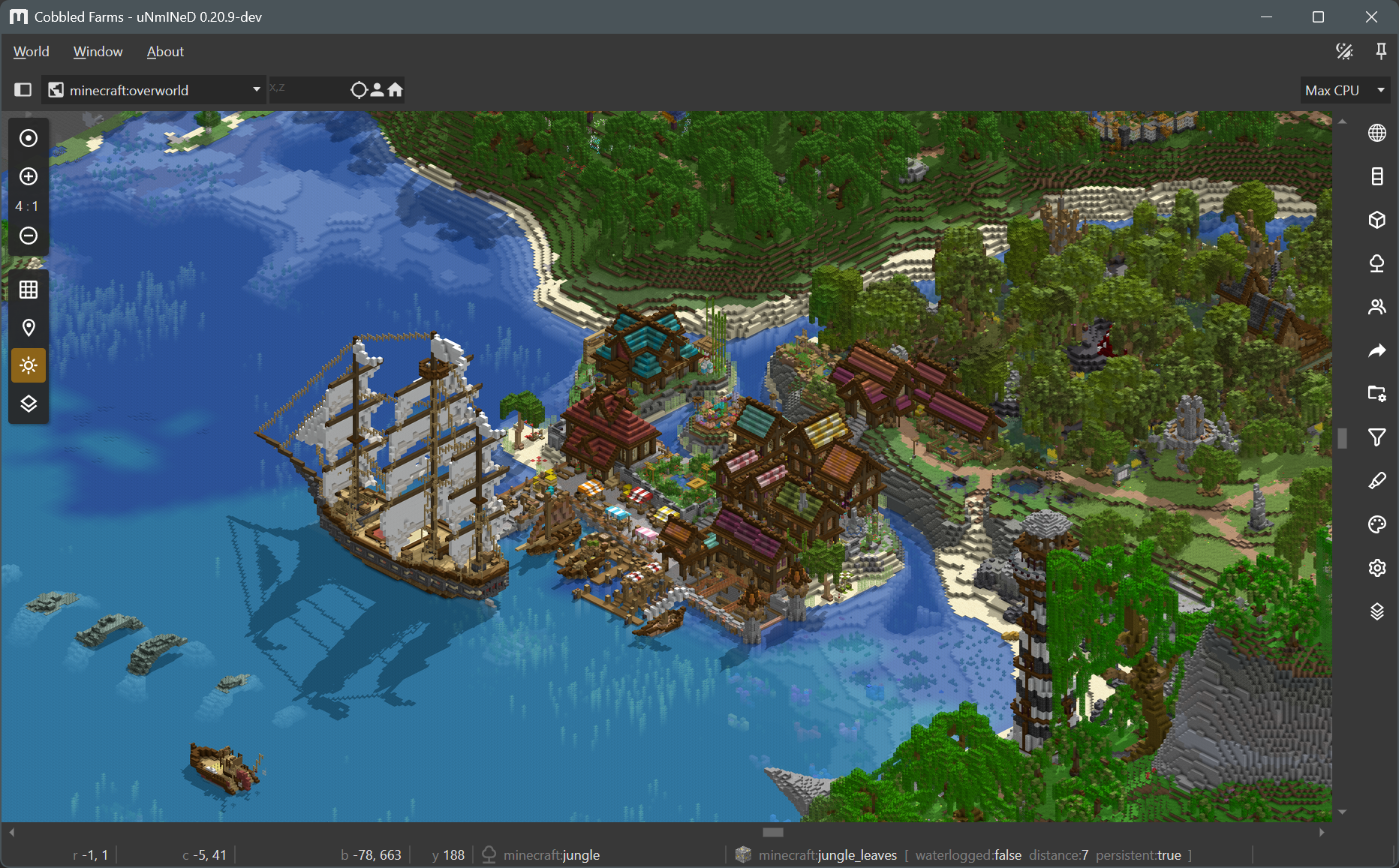
Sunlight shadows in isometric mode:
New uNmINeD development snapshot is available for download!
Changes:
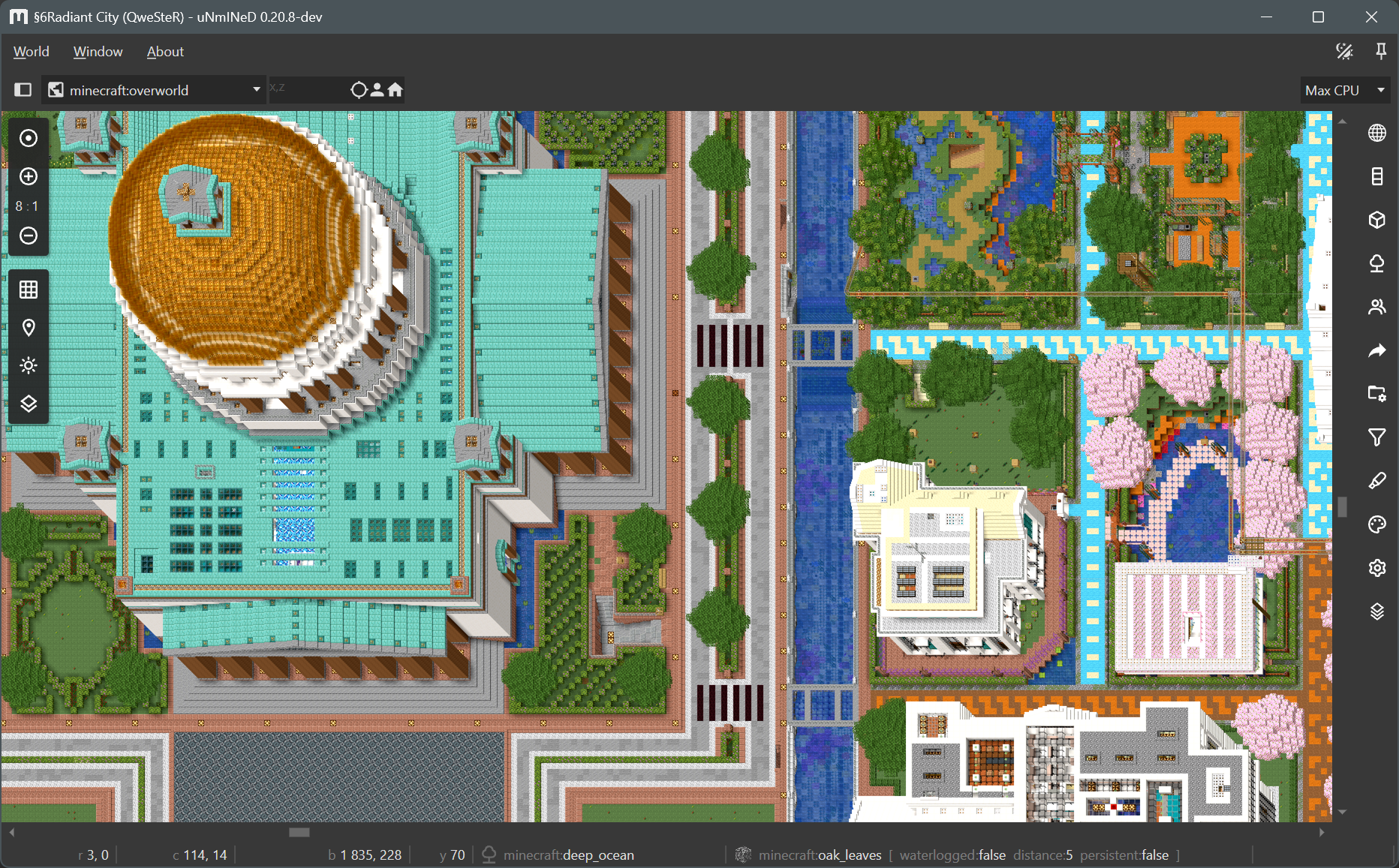
Cabinet projection:
New uNmINeD development snapshot is available for download!
Changes:
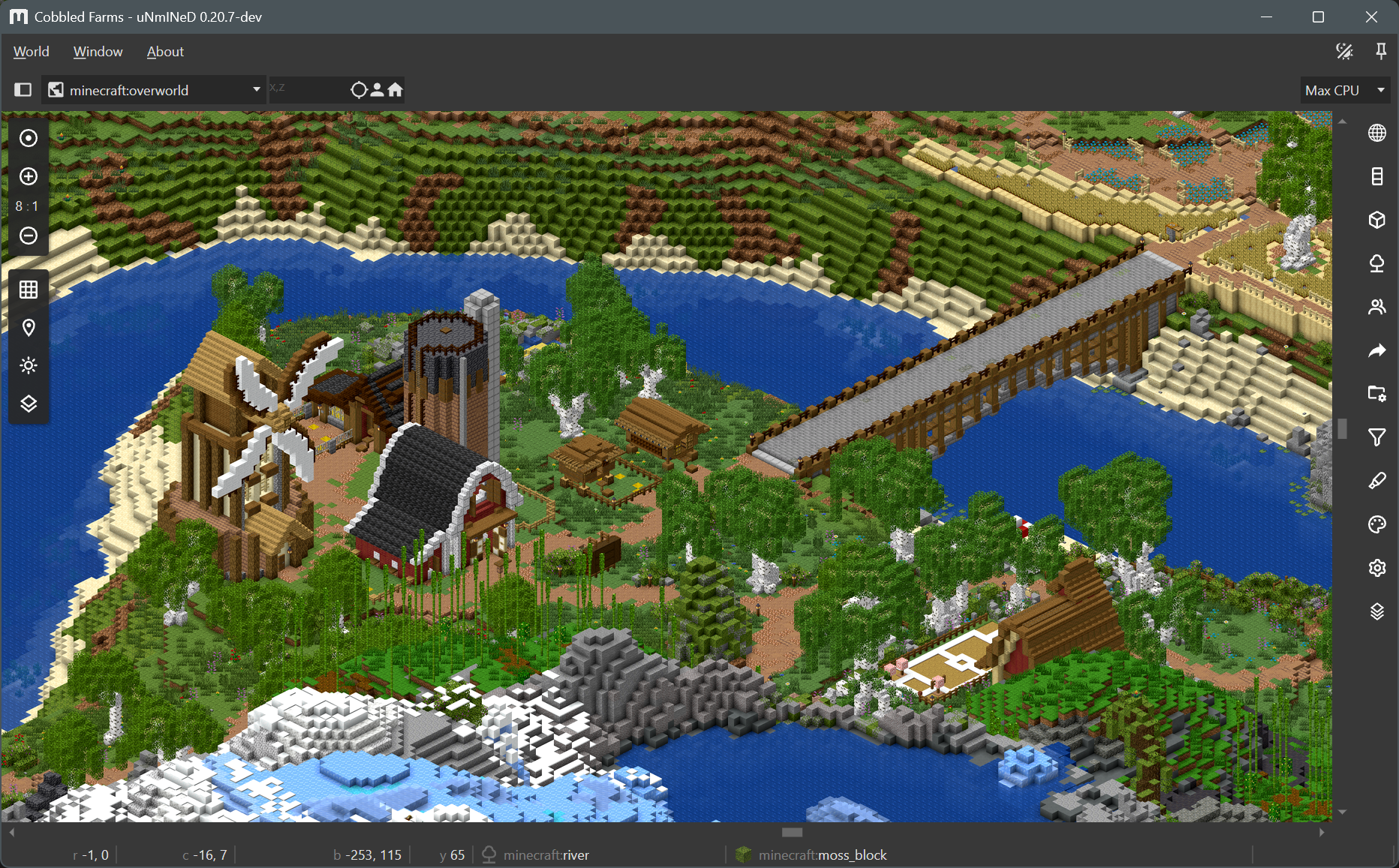
Screenshot:
New uNmINeD development snapshot is available for download!
Changes:
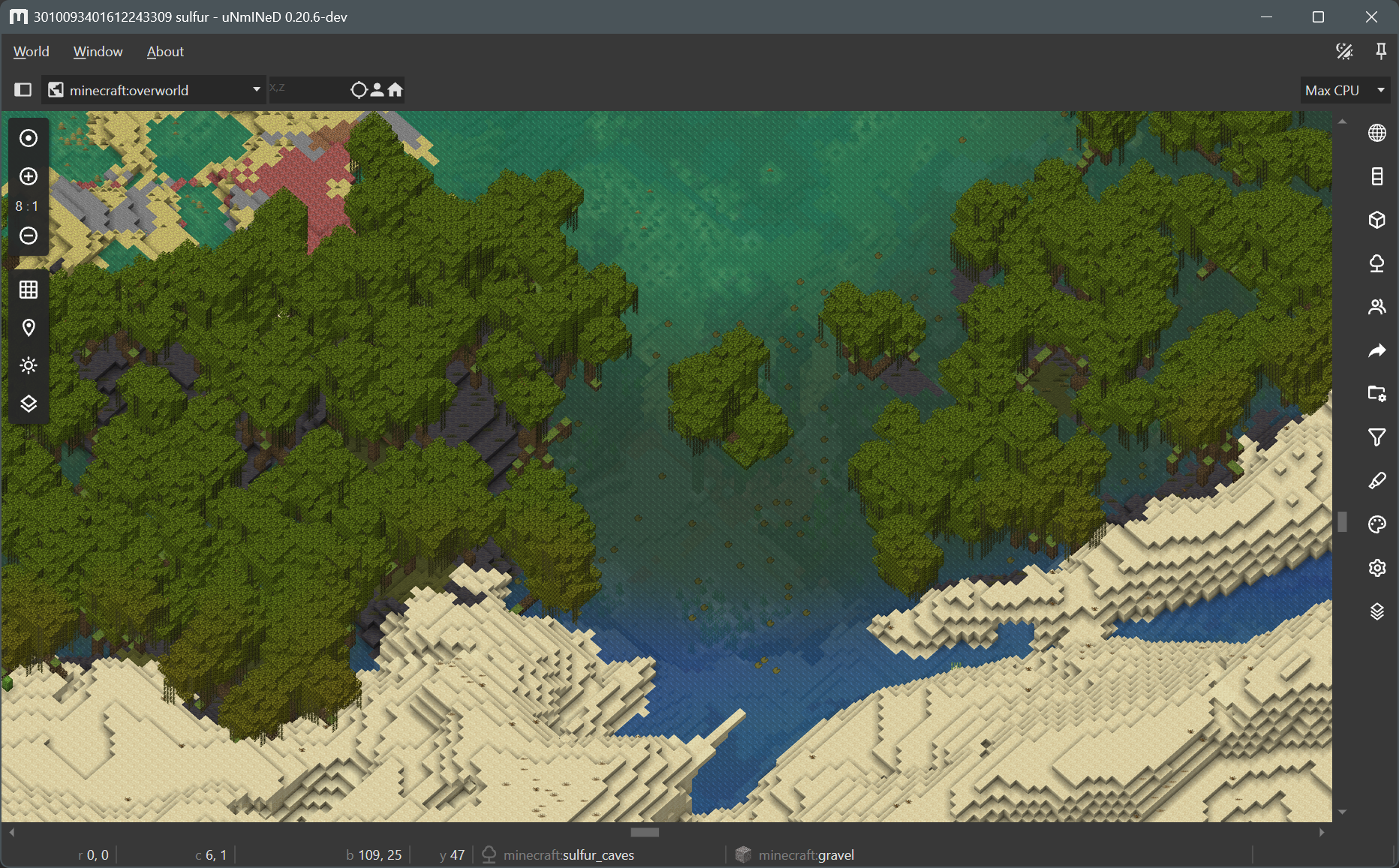
Transparent water and smooth biome borders:
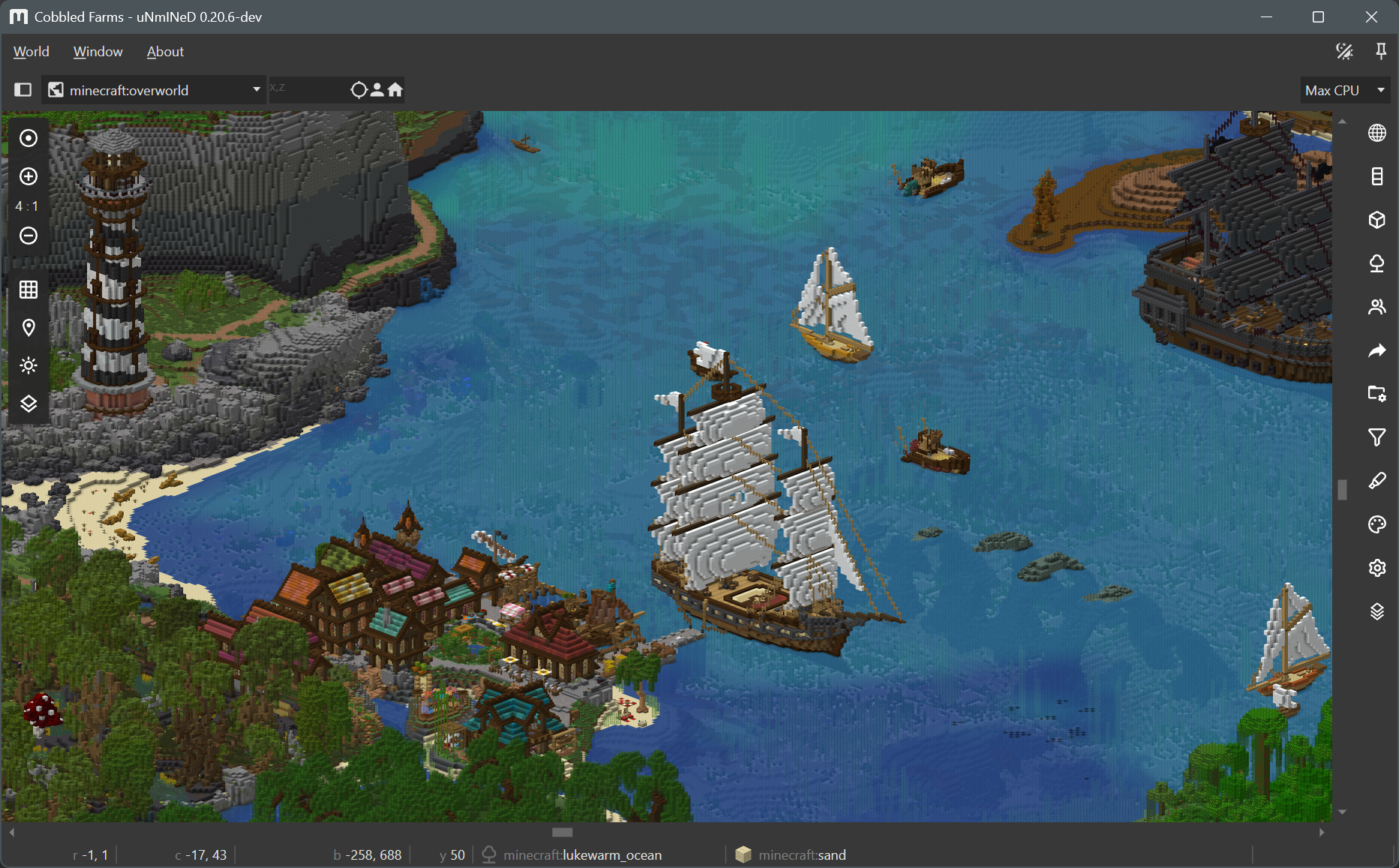
New uNmINeD development snapshot is available for download!
Changes:
New uNmINeD development snapshot is available for download!
Changes:
New uNmINeD development snapshot is available for download!
Changes:
Minecraft Java Edition from version 26.3-snapshot-7 does not store blockstate properties in the world save files when referencing a default blockstate. This caused these blockstates to render incorrectly.
uNmINeD now uses a configuration file config/vanilla.defaultblockstates.java.txt to resolve default vanilla blockstate properties. If it encounters a blockstate reference without properties, it will use the default properties from the configuration file.
The configuration file only contains default blockstate information for vanilla blocks. A mod will be available later that will allow you to generate a blockstate configuration file for modded worlds.
New uNmINeD development snapshot is available for download!
Changes:
webp-format (lossless, lossy), webp-method (0..6) and webp-quality (0..100) command line parameters to web exportThe isometric mode is not yet optimized for speed, and isometric map tiles are not yet cached. Future releases will be faster.
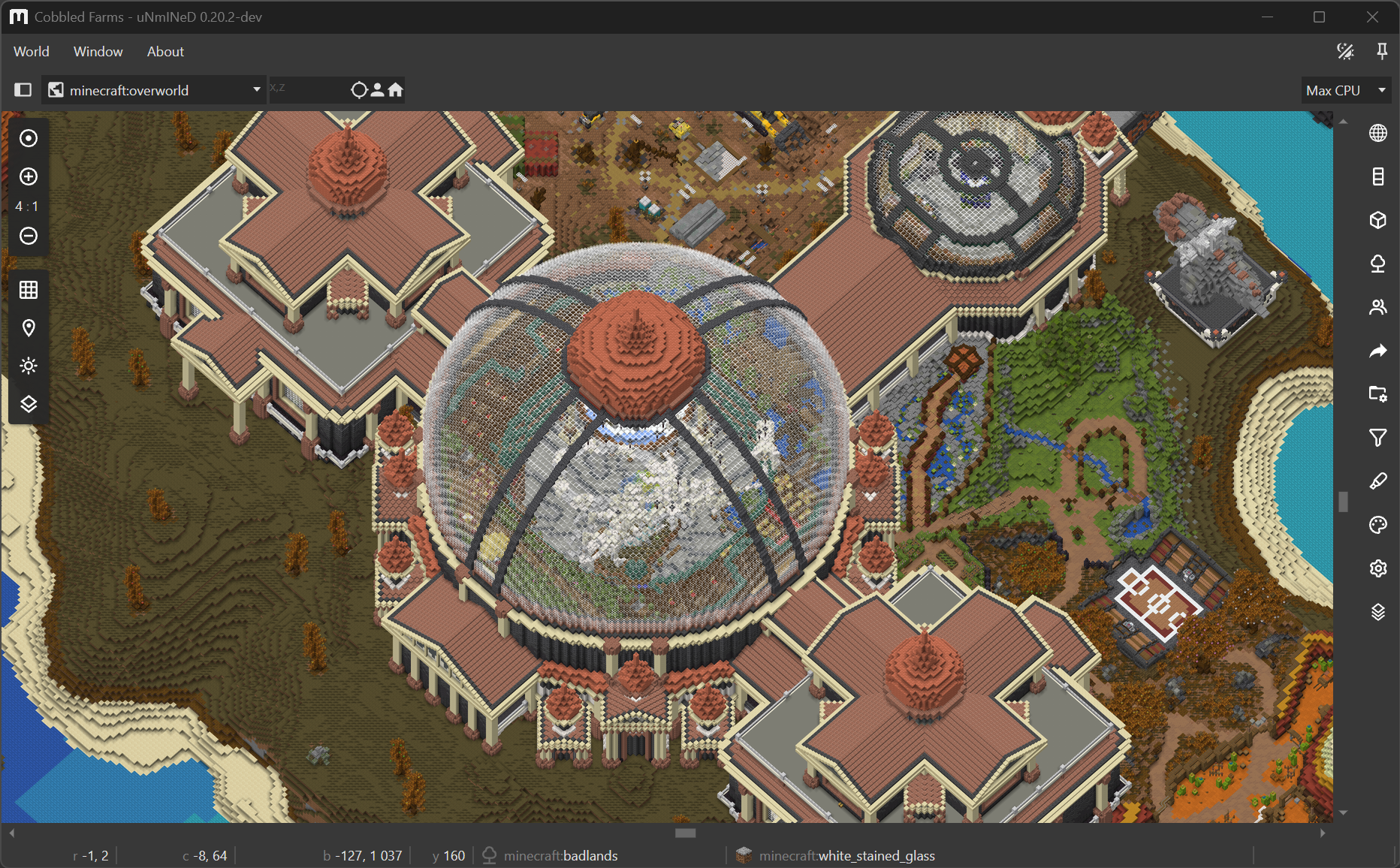
New uNmINeD development snapshot is available for download!
Changes:
--textures=true) experimental feature is no longer availableuNmINeD now can read and use 3D block models from Java Edition client JARs and datapacks, and render them in 2.5D top-down and isometric views.
Bedrock Edition does not have 3D block models available for external tools, so uNmINeD uses Java block models to render Bedrock blocks. You will need a Java client JAR file to make this work. You can download it even if you do not have Java Edition, the original Mojang download links are available on GitHub, scroll right to see the client JARs.
Assigning Java block models to Bedrock blocks is controlled by config/bedrockmapping.json. The content of this file is largely based on information extracted from the Chunker project.
Bedrock fences, stairs, glass panes and other connecting blocks may render incorrectly if you have a version older than 1.26.40, because the required information is not present in the world save files.
 This is a preview of a new feature under development.
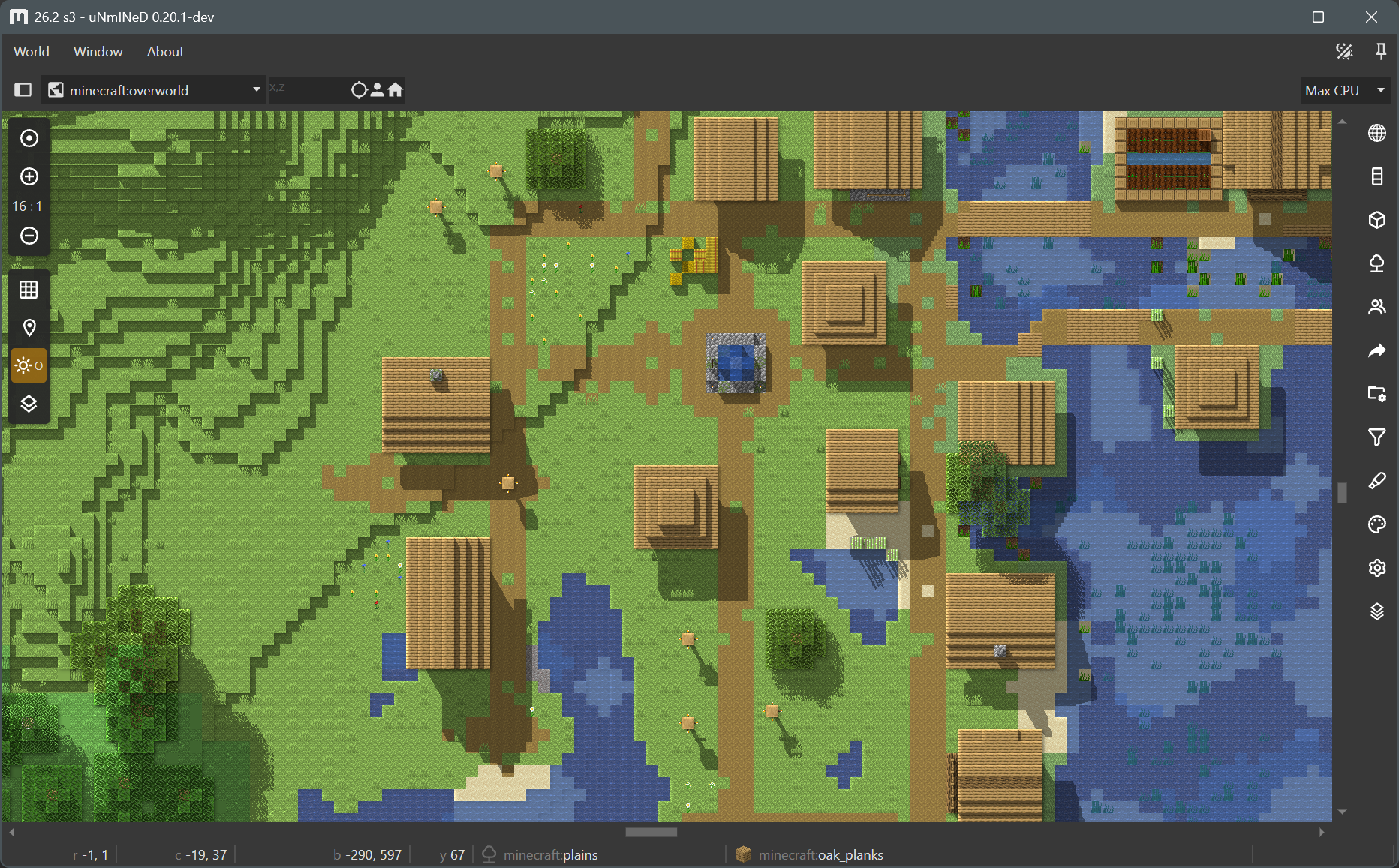
uNmINeD now can render 3D block models to draw blocks instead of using single colors.
Use the --blockrender=true command line parameter to enable block model rendering in the CLI.
This is a preview of a new feature under development.
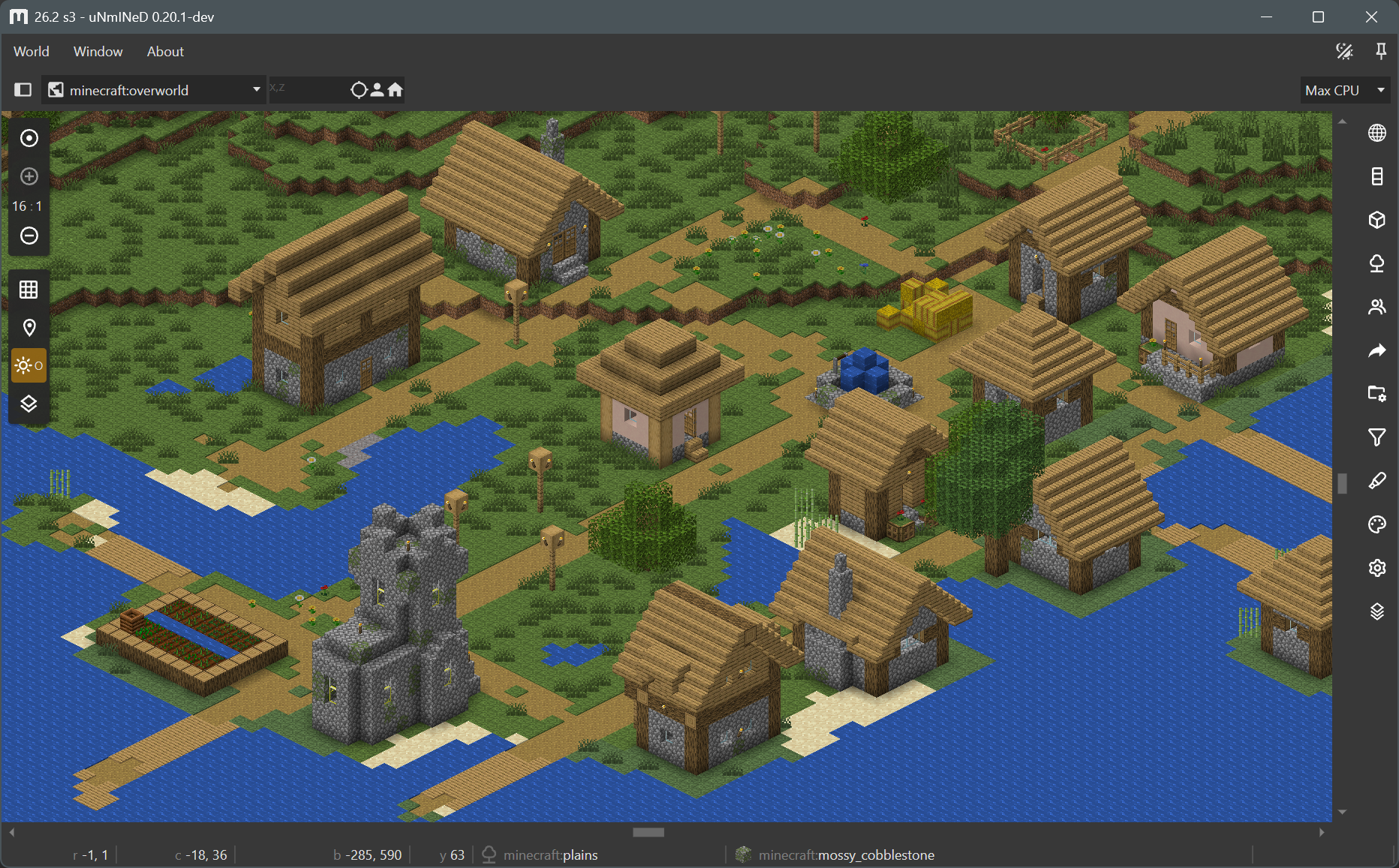
uNmINeD now can render an “isometric” (axonometric) 3D map.
Block model rendering is a new feature under development. There are a lot of bugs, glitches and unfinished stuff. The code is not yet optimized for speed, upcoming releases will be faster.
Some of the most visible known problems:
New uNmINeD development snapshot is available for download!
Changes:
New uNmINeD development snapshot is available for download!
Changes:
New uNmINeD development snapshot is available for download!
Changes:
uNmINeD now can read biome and block metadata from datapacks/mods and behavior/resource packs, and it calculates map colors for custom blocks automatically by averaging their textures instead of displaying them as pink.
By default, uNmINeD displays each block as a square filled with a single color. When textured rendering is enabled, it still does not render blocks in 3D, instead it fills the squares with an image (the in-game texture of a block) rather than a solid color.
Textured rendering can be enabled on the render settings side panel (the tab with a cog wheel icon). It works for zoom-in levels 4:1 or higher. It works well with cube-like blocks, but fences, walls and other blocks with a complex 3D model look off. Upcoming releases will be able to render fences and walls correctly, and images to be used for complex blocks will be customizable.
Using textures or datapacks/mods with Java Edition worlds requires a Minecraft client JAR file. If you have Minecraft installed, uNmINeD will automatically find your client JAR file, otherwise you have to copy it from another machine, and select it in uNmINeD’s app settings.
Using textures or behavior packs with Bedrock Edition worlds requires a vanilla resource pack. You can download it from Mojang: https://github.com/Mojang/bedrock-samples/releases. Find your version (or use the latest), click on Assets, and download the full package named bedrock-samples-xxxxx-full.zip (or the source code zip package, either one is good), then select the downloaded file in uNmINeD’s app settings.
Use --java-client-jar=/path/to/1.21.11.jar to select your Minecraft client JAR.
Use --bedrock-vanilla-pack=/path/to/bedrock-samples-v1.26.0.2-full.zip to select your vanilla resource pack.
Use --textures=true for textured rendering (effective at zoom-in levels 4:1 or higher).
Selecting a client JAR or a vanilla resource pack is required for all datapack related functions, including automatic color calculation for custom blocks and textured rendering.
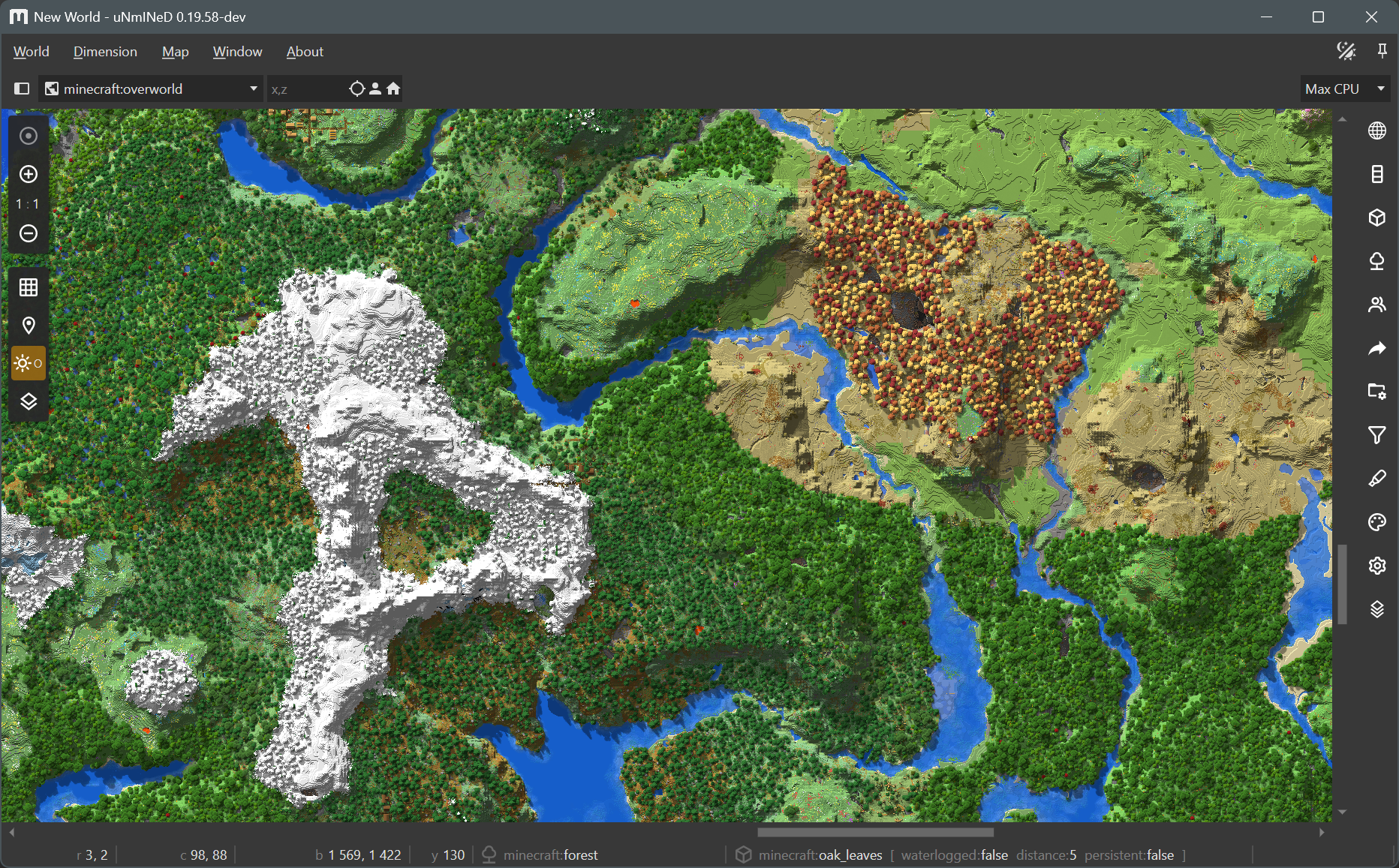
Oh The Biomes We’ve Gone:
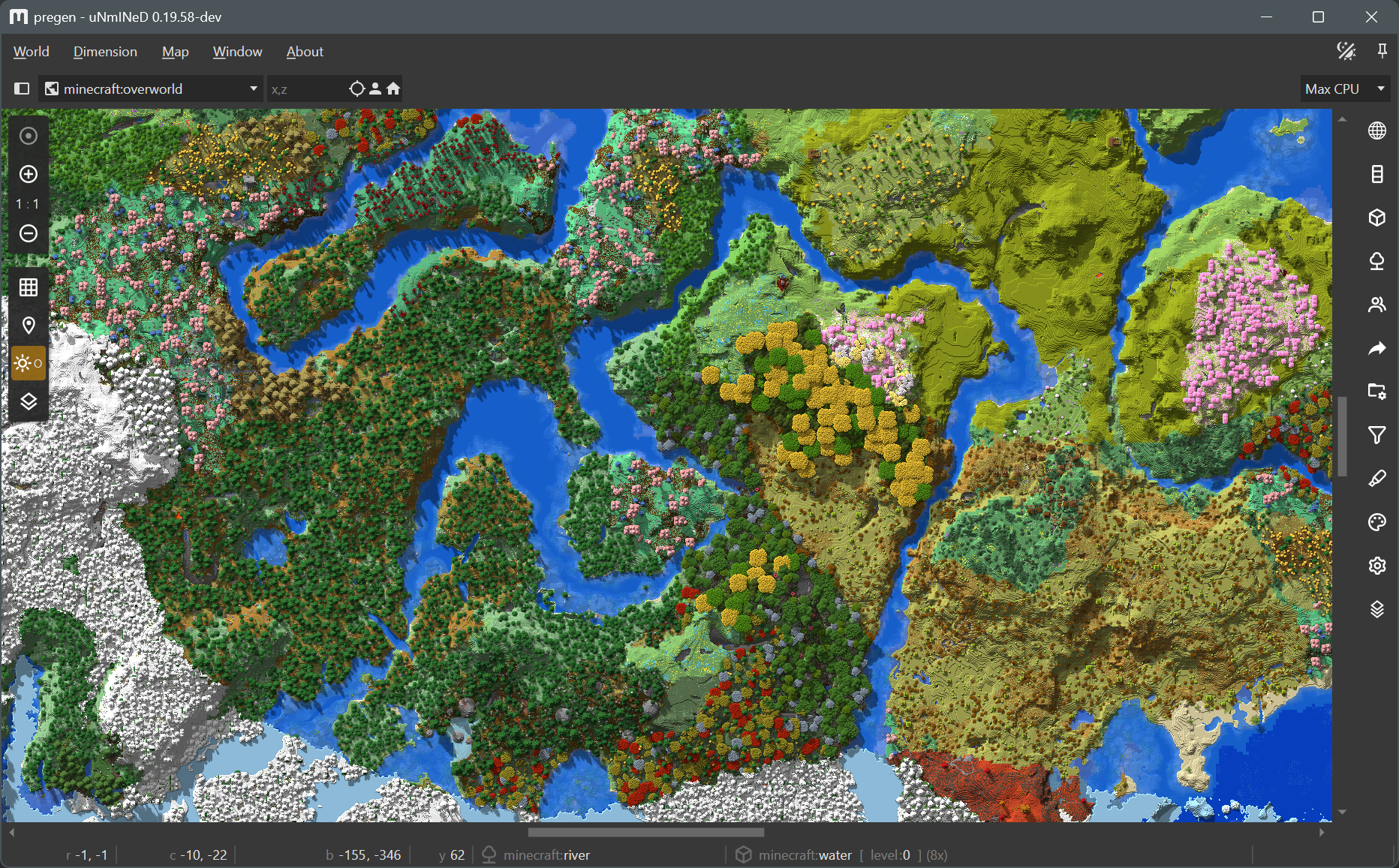
Biomes O’Plenty:
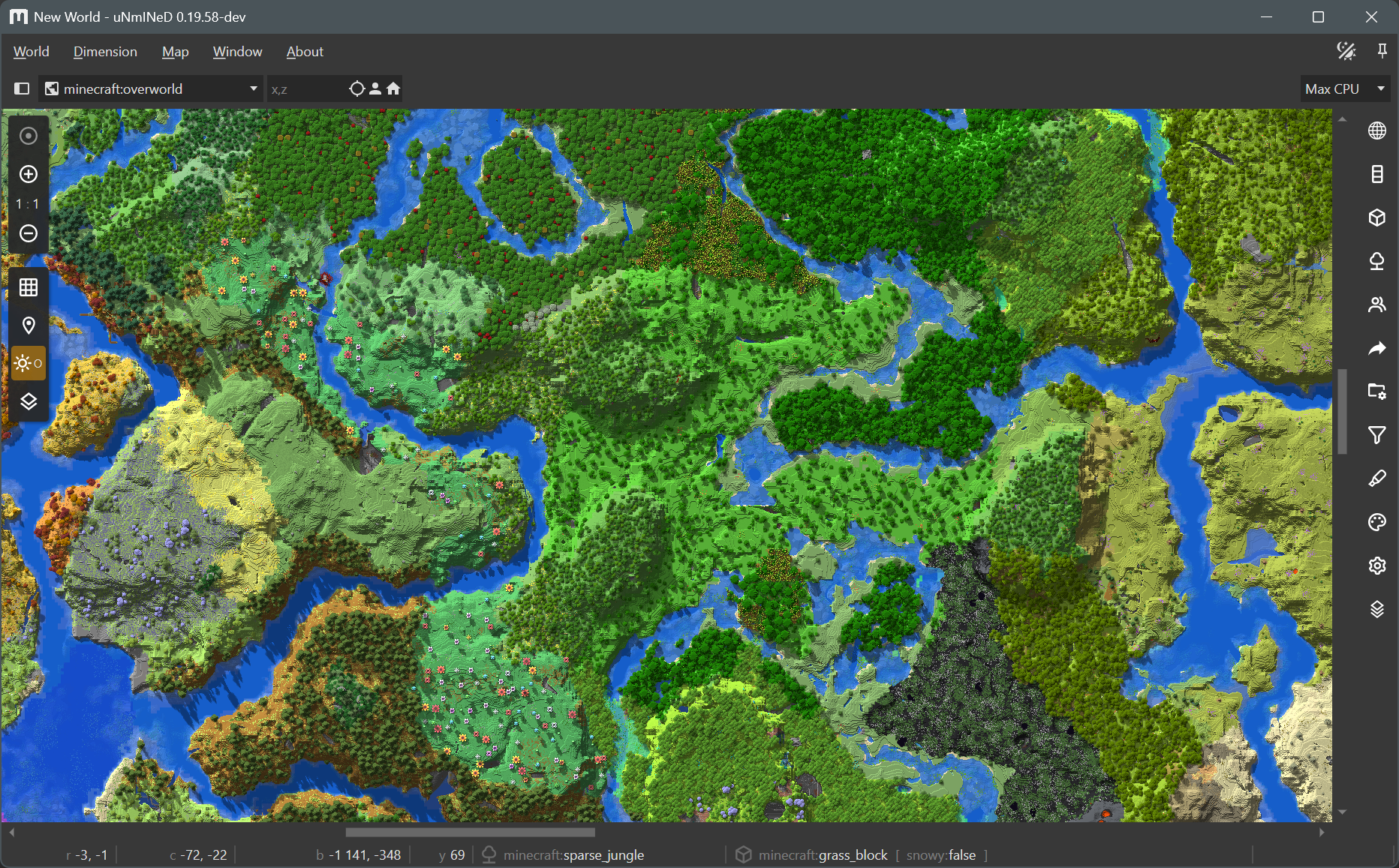
Regions Unexplored:
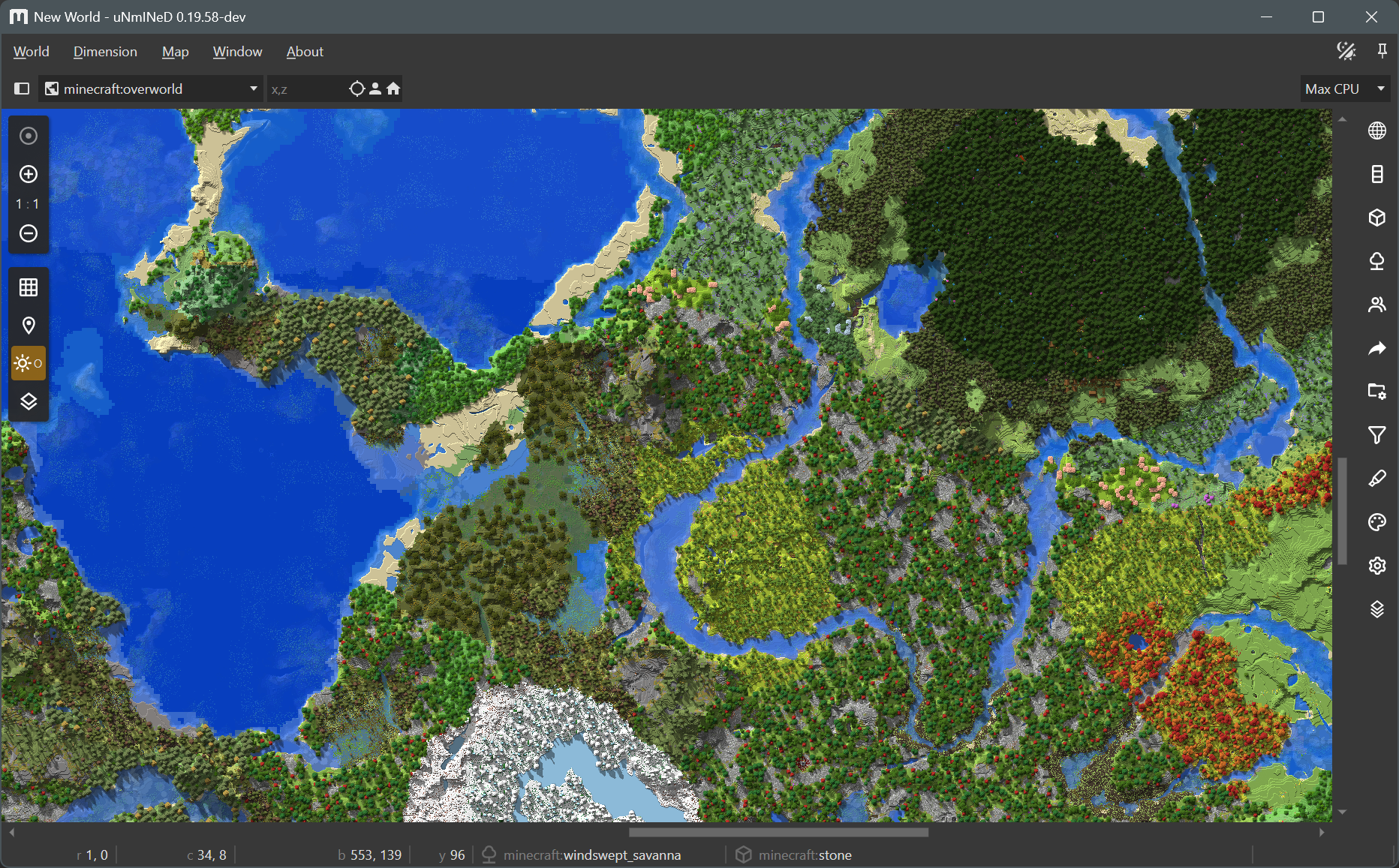
Terralith:
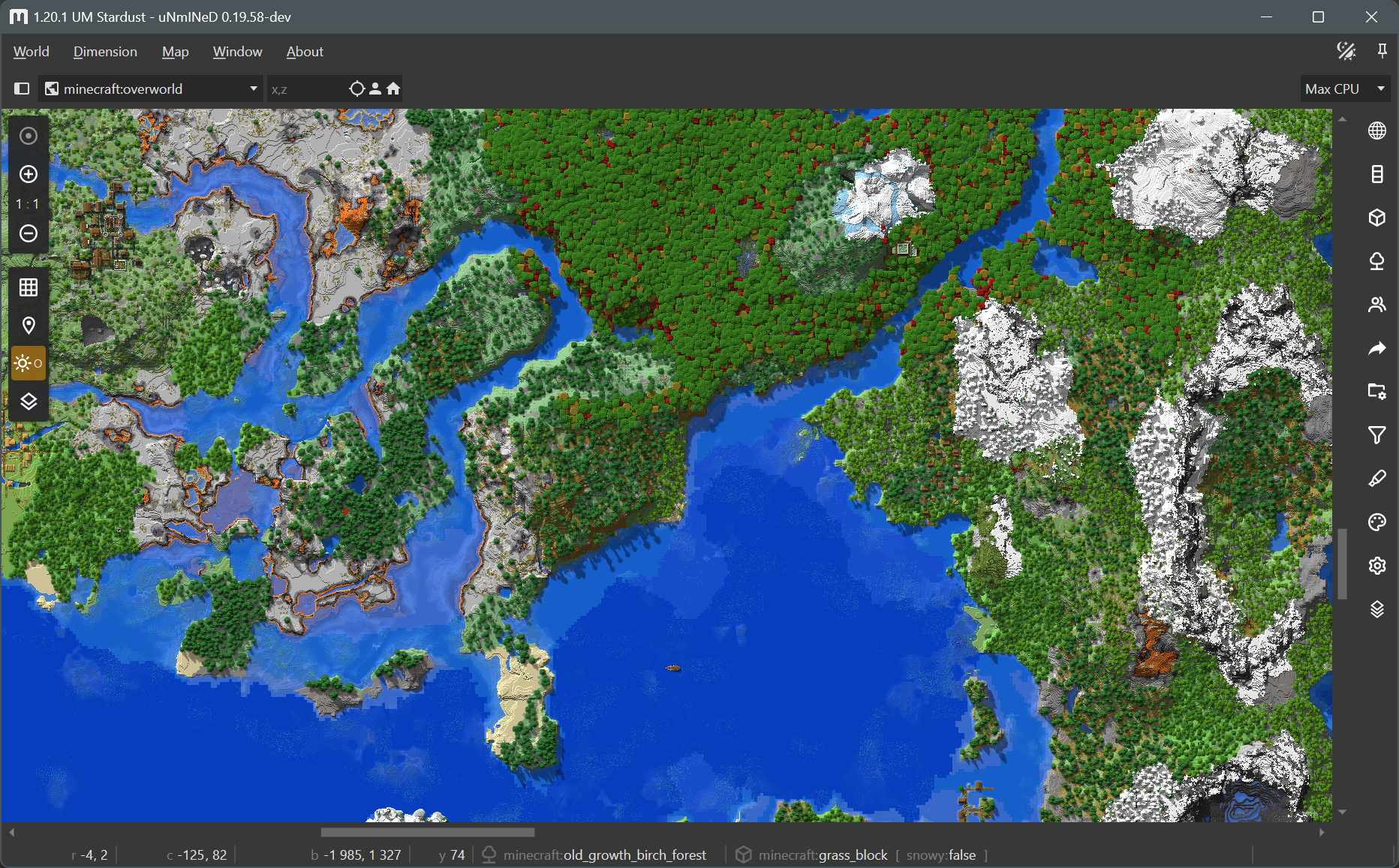
Wilder Wild:
New uNmINeD development snapshot is available for download!
Changes:
uNmINeD now uses different colors for each Minecraft stone type (basalt, diorite, andesite, etc.), and the color of stone and cobblestone blocks are now darker to better match the in-game color. Many other blocks now have a distinct color (gold, lapis, diamond, etc.). If you want to go back to the previous map colors, turn off the Natural stones, Masonry and Mineral blocks settings on the stylesheet sidebar tab.
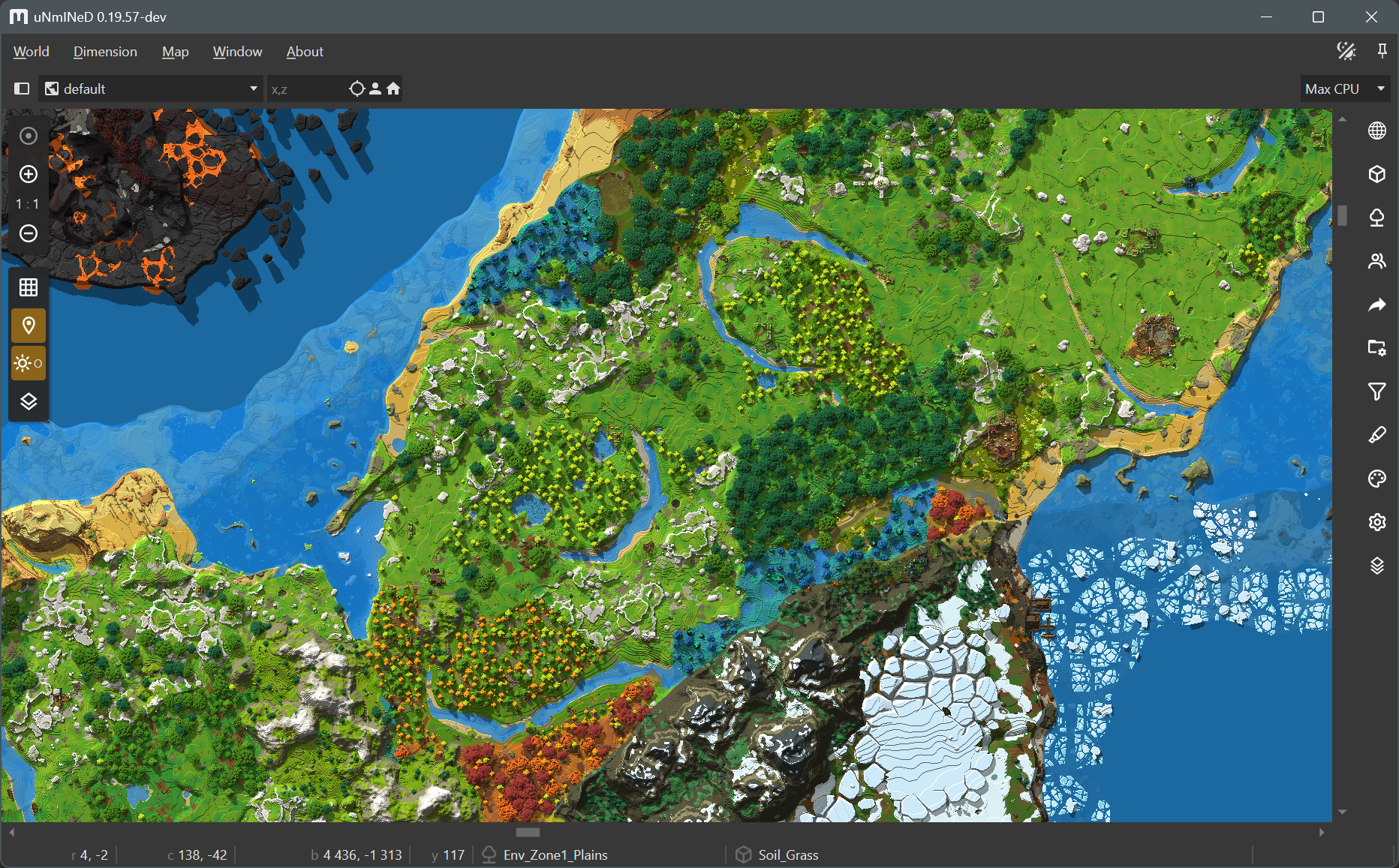
Hytale support is still experimental. There may be bugs and crashes.
A Hytale world map rendered in uNmINeD:
New uNmINeD development snapshot is available for download!
Changes:
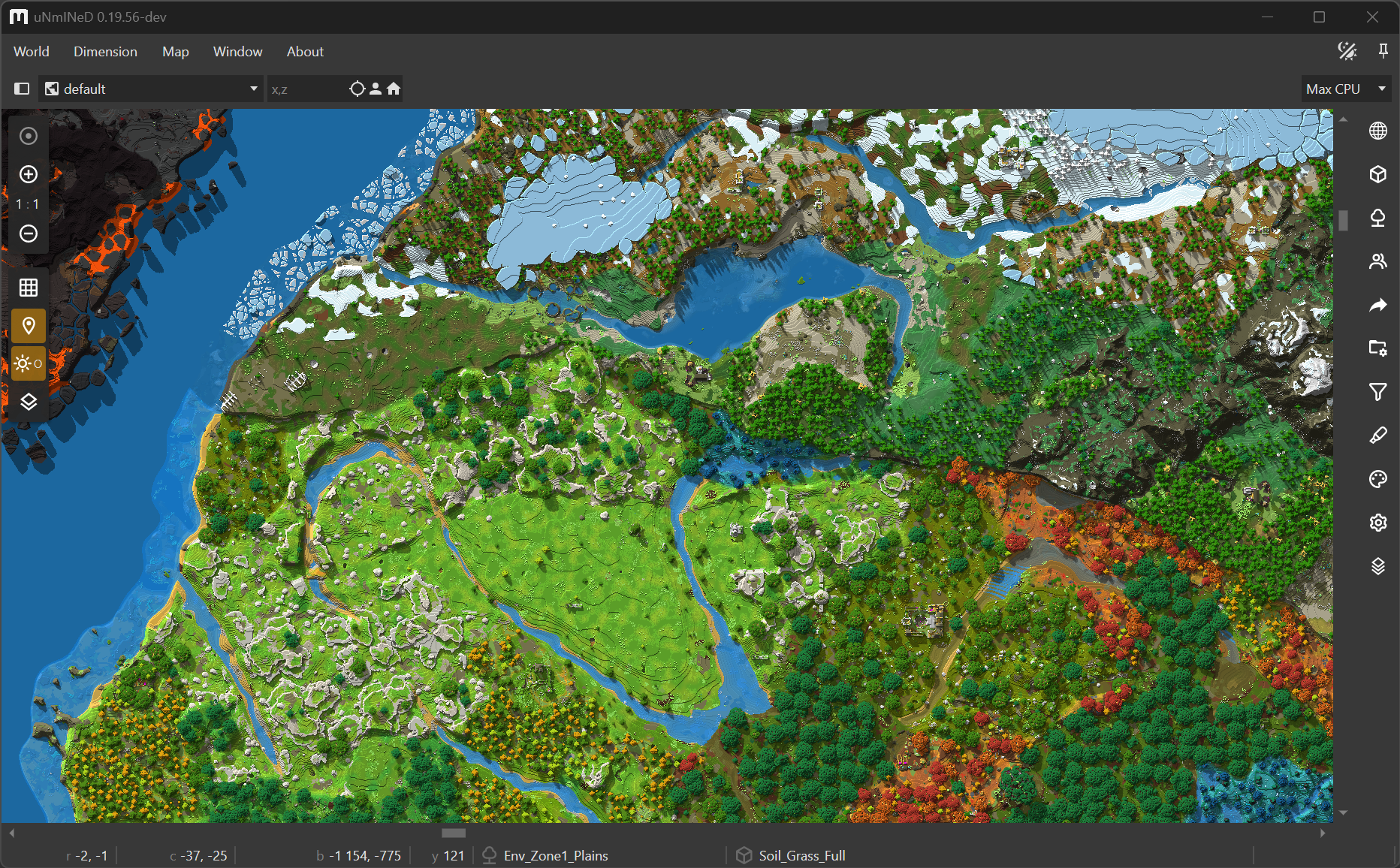
** specially, the pattern foo** means foo or foo_*The Hytale support is still experimental. There may be bugs, crashes, and the map colors are still unfinished.
!!! WARNING !!!
It has not yet been tested whether uNmINeD can be used safely while Hytale is running. Always close Hytale before using uNmINeD to prevent data corruption!
A Hytale world in uNmINeD:
New uNmINeD development snapshot is available for download!
Changes:
uNmINeD now can read Hytale worlds. This is an experimental feature under development. Map colors are far from finished, the code is slow, and there may be bugs and crashes.
!!! WARNING !!!
It has not yet been tested whether uNmINeD can be used safely while Hytale is running. Always close Hytale before using uNmINeD to prevent data corruption!
Check your Hytale world in uNmINeD and have fun!
New uNmINeD development snapshot is available for download!
Changes:
New uNmINeD development snapshot is available for download!
Changes:
This is a hotfix release for the Windows GUI builds.
Linux, macOS and CLI builds have not changed, they are still at version 0.19.52.
New uNmINeD development snapshot is available for download!
Changes:
--shadows parameter for image renderingNew uNmINeD development snapshot is available for download!
Changes:
New uNmINeD development snapshot is available for download!
This is a hotfix only for the macOS releases.
Latest version for other platforms is still 0.19.49.
Changes:
New uNmINeD development snapshot is available for download!
Changes:
Known issues:
New uNmINeD development snapshot is available for download!
Changes:
New uNmINeD development snapshot is available for download!
Changes:
dimensions folder of the world saveThe new block finder feature of the CLI scans the world for a specified block and displays the coordinates or writes them to a CSV file. You can use the --area, --topy and --bottomy arguments to limit the search area in the same way as with mapping functions.
unmined-cli blockfind dump --world="path_to_my_world_folder" --block=minecraft:bell --output=results.csvWarning! The result file can grow extremely large if you search for a common block. If the file already exists, the results are appended instead of overwriting the file.
Result:
BLOCK;STATE;X;Z;Y
minecraft:bell;powered:false,attachment:floor,facing:south;68;2;62
minecraft:bell;powered:false,attachment:floor,facing:north;1079;1083;76
minecraft:bell;powered:false,attachment:floor,facing:north;1993;371;72
minecraft:bell;powered:false,attachment:floor,facing:north;29;-1495;71unmined-cli blockfind dump --world="path_to_my_world_folder" --block=minecraft:deepslate_*_ore --log-console=falseNote: the --log-console=false argument should be used to disable logging to the console when the output is also displayed on the console. You can use the --log-file argument if you still need the logs.
Result:
BLOCK;STATE;X;Z;Y
minecraft:deepslate_diamond_ore;;196;1220;-56
minecraft:deepslate_lapis_ore;;34;1710;-51
minecraft:deepslate_lapis_ore;;34;1710;-50
minecraft:deepslate_gold_ore;;34;1711;-55
minecraft:deepslate_diamond_ore;;176;1076;-56
minecraft:deepslate_diamond_ore;;176;100;-49
minecraft:deepslate_diamond_ore;;176;101;-49
minecraft:deepslate_redstone_ore;lit:false;176;104;-54
...unmined-cli blockfind dump --world="path_to_my_world_folder" --block=minecraft:bell --log-console=false --csv-header=false --csv-separator="|" --csv-fields=x,z--csv-header=false disables the CSV header--csv-separator="|" sets the | character as field separator--csv-fields=x,z sets the output format to contain only x and z coordinatesResult:
68|2
1079|1083
1993|371
29|-1495New uNmINeD development snapshot is available for download!
Changes:
Word border indicator:
New uNmINeD development snapshot is available for download!
Changes:
New uNmINeD development snapshot is available for download!
Changes:
--showgrid=true/false--enablegrid=true/false--centerx=0--centerz=0New uNmINeD development snapshot is available for download!
Changes:
../mods to mod search path